Virgin Pulse VP-T001 Activity Tracker User Manual LS406 B

Virgin Pulse Inc. Activity Tracker LS406 B

User Manual

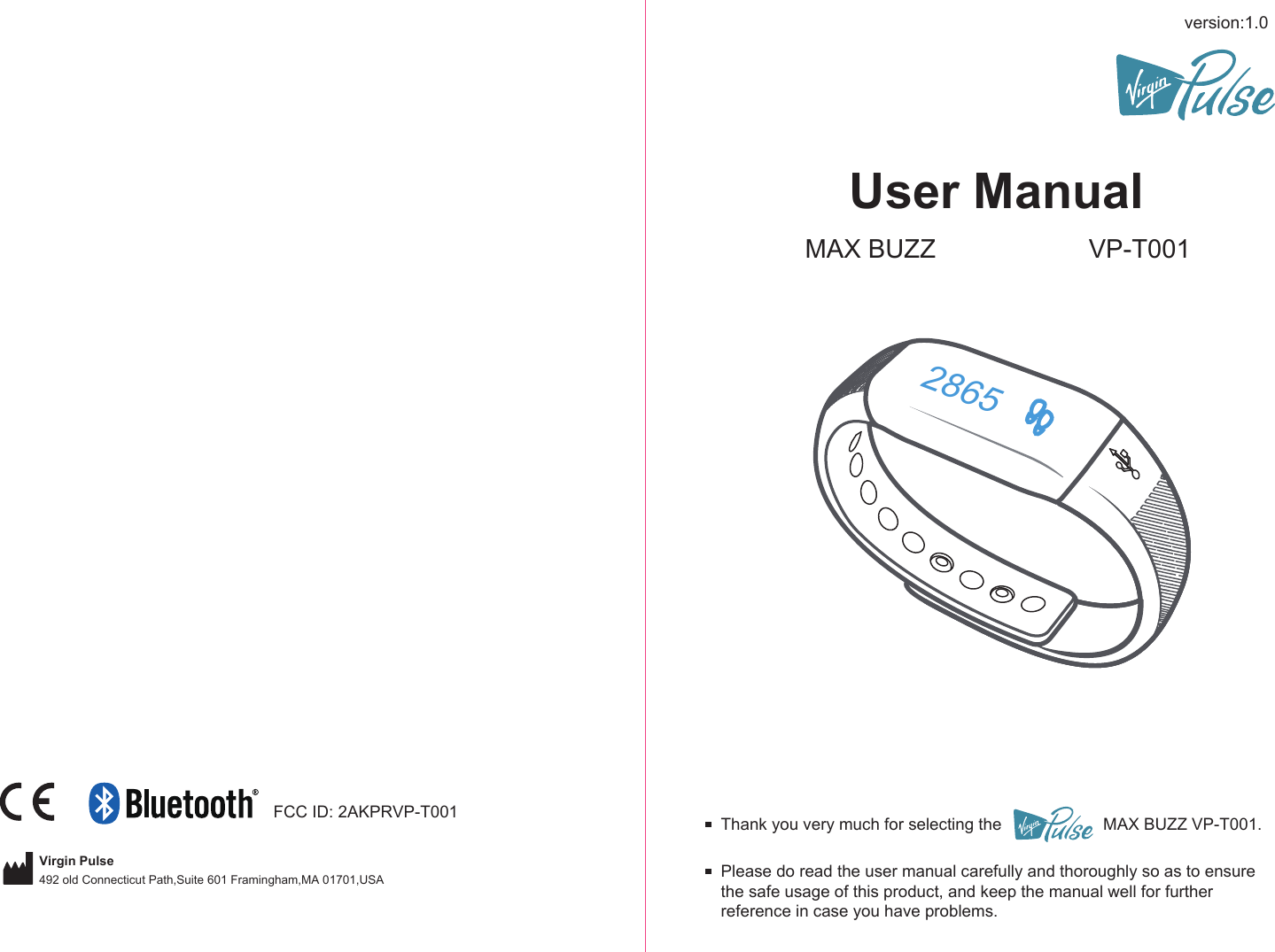
version:1.0User ManualMAX BUZZ VP-T001Please do read the user manual carefully and thoroughly so as to ensure the safe usage of this product, and keep the manual well for further reference in case you have problems.Thank you very much for selecting the                      MAX BUZZ VP-T001.2865FCC ID: 2AKPRVP-T001Virgin Pulse492 old Connecticut Path,Suite 601 Framingham,MA 01701,USA
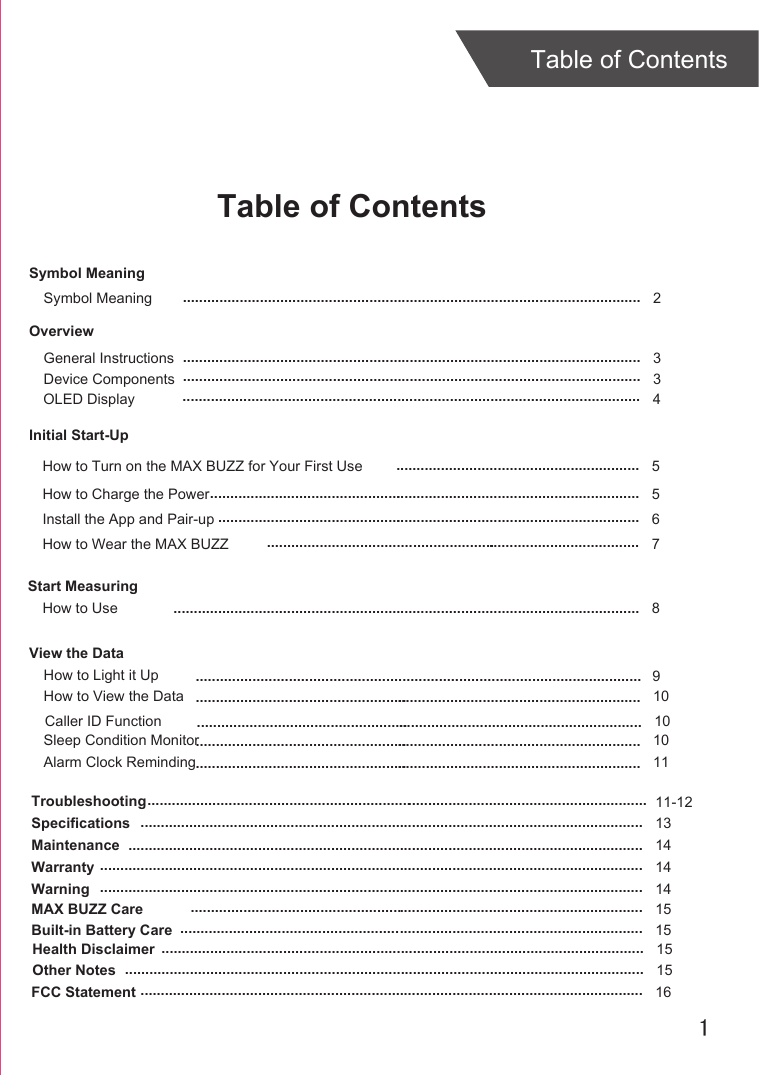
1Table of ContentsTable of ContentsOverviewDevice ComponentsInitial Start-UpGeneral InstructionsInstall the App and Pair-upStart MeasuringHow to UseTroubleshootingSpecificationsMaintenanceWarranty 336811-12131414................................................................................................................................................................................................................................................................................................................................................................................................................................................................................................................................................................................................................................................................................................................................................................................................................................................................................................................................ ............................................................How to Charge the Power 5...........................................................................................................How to Wear the MAX BUZZ 7.........................................................How to View the Data 10....................................................................................................................................................Symbol MeaningSymbol Meaning  2.................................................................................................................OLED Display 4.................................................................................................................How to Turn on the MAX BUZZ for Your First Use 5............................................................Warning 14......................................................................................................................................MAX BUZZ Care 15................................................................................................................Built-in Battery Care 15..................................................................................................................Health Disclaimer 15.......................................................................................................................Other Notes 15................................................................................................................................FCC Statement 16............................................................................................................................View the DataHow to Light it Up .............................................................................................................. 9Caller ID Function 10................................................................................................................Sleep Condition Monitor 10................................................................................................................Alarm Clock Reminding 11................................................................................................................
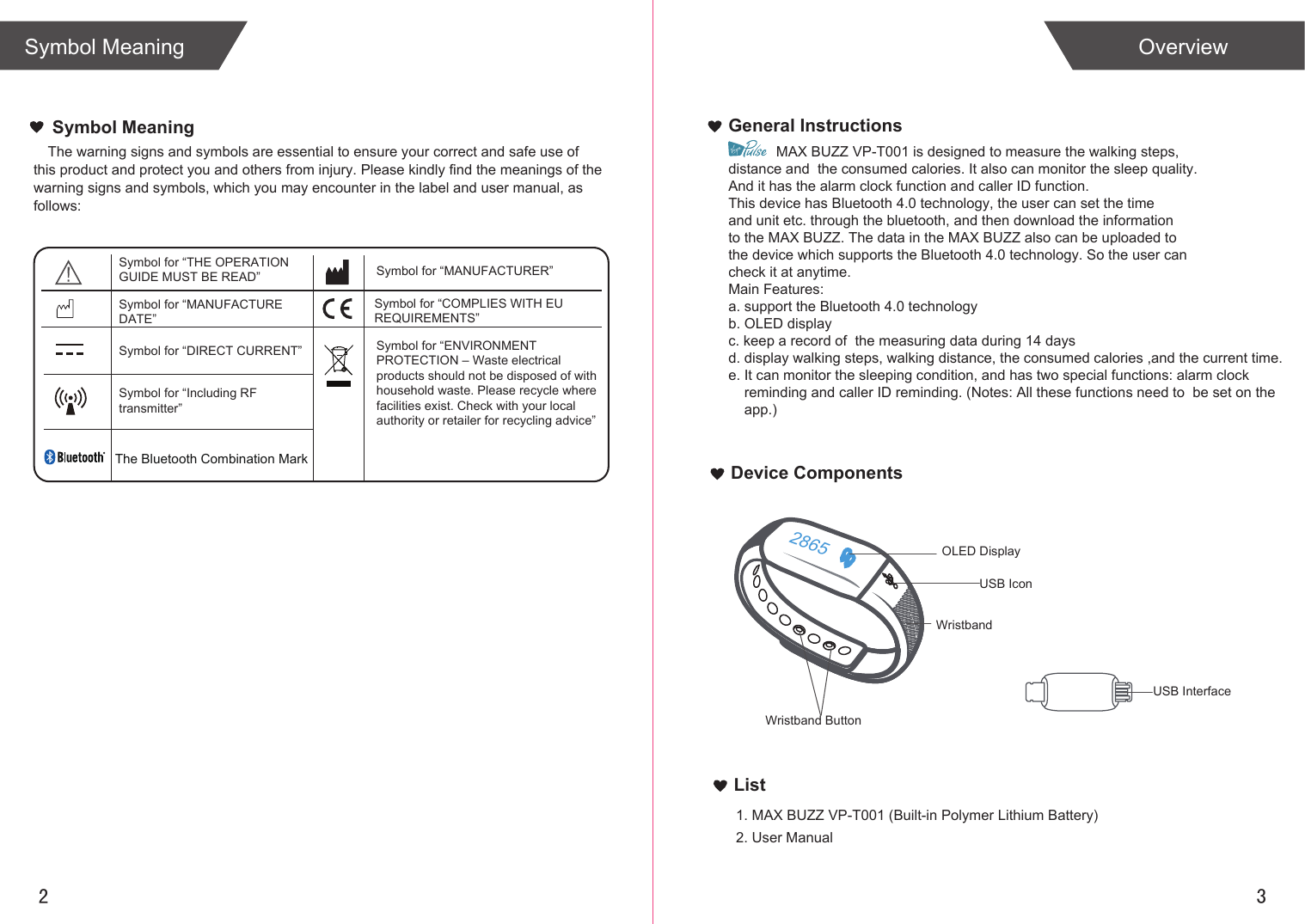
2 3List1. MAX BUZZ VP-T001 (Built-in Polymer Lithium Battery)2. User ManualOverviewSymbol MeaningGeneral InstructionsDevice ComponentsThe warning signs and symbols are essential to ensure your correct and safe use of this product and protect you and others from injury. Please kindly find the meanings of the warning signs and symbols, which you may encounter in the label and user manual, as follows:Symbol MeaningUSB InterfaceUSB IconWristband ButtonSymbol for “THE OPERATION GUIDE MUST BE READ” Symbol for “MANUFACTURER”Symbol for “ENVIRONMENT PROTECTION – Waste electrical products should not be disposed of with household waste. Please recycle where facilities exist. Check with your local authority or retailer for recycling advice”Symbol for “DIRECT CURRENT”Symbol for “MANUFACTURE DATE”Symbol for “Including RFtransmitter”Symbol for “COMPLIES WITH EU REQUIREMENTS”            MAX BUZZ VP-T001 is designed to measure the walking steps, distance and  the consumed calories. It also can monitor the sleep quality. And it has the alarm clock function and caller ID function.This device has Bluetooth 4.0 technology, the user can set the time and unit etc. through the bluetooth, and then download the information to the MAX BUZZ. The data in the MAX BUZZ also can be uploaded to the device which supports the Bluetooth 4.0 technology. So the user can check it at anytime.Main Features:a. support the Bluetooth 4.0 technologyb. OLED displayc. keep a record of  the measuring data during 14 daysd. display walking steps, walking distance, the consumed calories ,and the current time.e. It can monitor the sleeping condition, and has two special functions: alarm clock     reminding and caller ID reminding. (Notes: All these functions need to  be set on the     app.)2865WristbandOLED DisplayThe Bluetooth Combination Mark
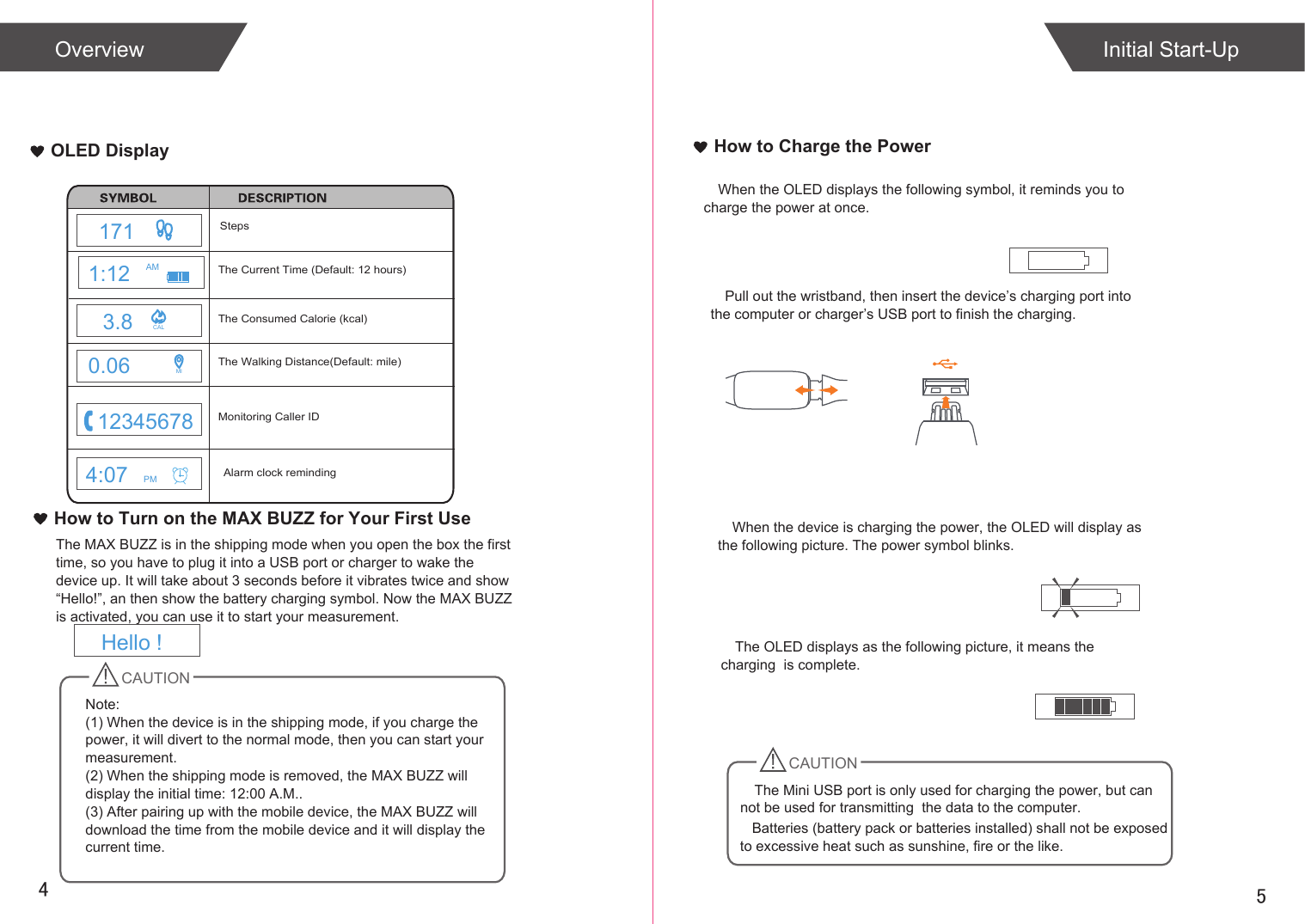
54OLED Display How to Charge the PowerWhen the OLED displays the following symbol, it reminds you to  charge the power at once.Pull out the wristband, then insert the device’s charging port into the computer or charger’s USB port to finish the charging.When the device is charging the power, the OLED will display as the following picture. The power symbol blinks.The OLED displays as the following picture, it means the charging  is complete.Initial Start-UpOverviewHow to Turn on the MAX BUZZ for Your First UseThe MAX BUZZ is in the shipping mode when you open the box the first time, so you have to plug it into a USB port or charger to wake the device up. It will take about 3 seconds before it vibrates twice and show “Hello!”, an then show the battery charging symbol. Now the MAX BUZZ is activated, you can use it to start your measurement.CAUTION   Batteries (battery pack or batteries installed) shall not be exposed to excessive heat such as sunshine, fire or the like.StepsThe Walking Distance(Default: mile)The Consumed Calorie (kcal)The Current Time (Default: 12 hours)Monitoring Caller IDNote: (1) When the device is in the shipping mode, if you charge the power, it will divert to the normal mode, then you can start your measurement.(2) When the shipping mode is removed, the MAX BUZZ will display the initial time: 12:00 A.M..(3) After pairing up with the mobile device, the MAX BUZZ will download the time from the mobile device and it will display the current time. Alarm clock remindingHello !CAUTIONThe Mini USB port is only used for charging the power, but can not be used for transmitting  the data to the computer. 4:07 PM1711:12 AM3.8 CAL0.06 MI12345678
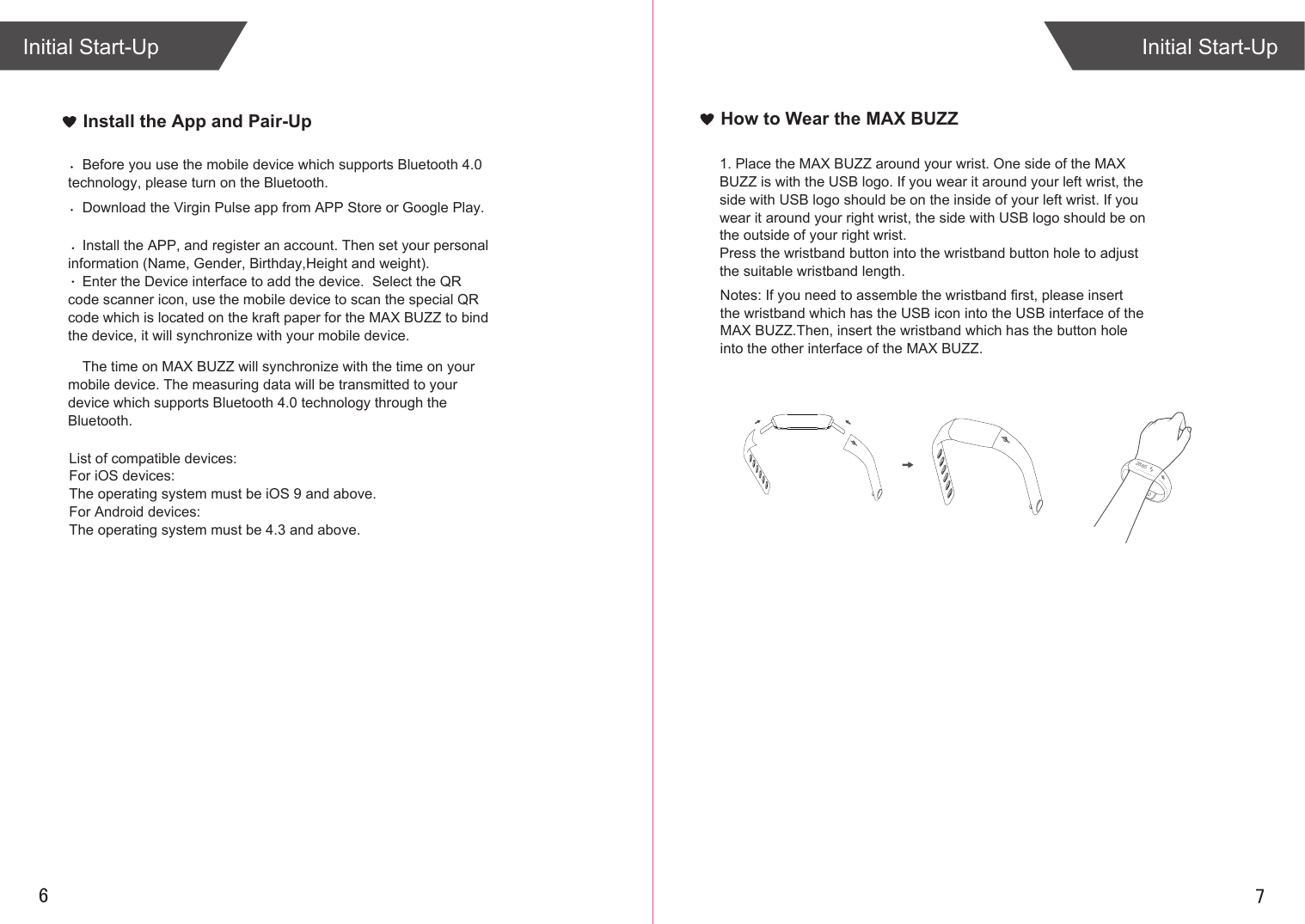
76Install the App and Pair-UpInitial Start-UpInitial Start-UpHow to Wear the MAX BUZZ1. Place the MAX BUZZ around your wrist. One side of the MAX BUZZ is with the USB logo. If you wear it around your left wrist, the side with USB logo should be on the inside of your left wrist. If you wear it around your right wrist, the side with USB logo should be on the outside of your right wrist.Press the wristband button into the wristband button hole to adjust the suitable wristband length.Download the Virgin Pulse app from APP Store or Google Play. Install the APP, and register an account. Then set your personal information (Name, Gender, Birthday,Height and weight).Enter the Device interface to add the device.  Select the QR code scanner icon, use the mobile device to scan the special QR code which is located on the kraft paper for the MAX BUZZ to bind the device, it will synchronize with your mobile device.Before you use the mobile device which supports Bluetooth 4.0 technology, please turn on the Bluetooth.The time on MAX BUZZ will synchronize with the time on your mobile device. The measuring data will be transmitted to your device which supports Bluetooth 4.0 technology through the Bluetooth. List of compatible devices:For iOS devices:The operating system must be iOS 9 and above.For Android devices:The operating system must be 4.3 and above.Notes: If you need to assemble the wristband first, please insert the wristband which has the USB icon into the USB interface of the MAX BUZZ.Then, insert the wristband which has the button hole into the other interface of the MAX BUZZ.2865
Start Measuring89View the DataThe measuring data will be transmitted to your device which supports Bluetooth 4.0 technology if you have paired up with it.How to UseFollow the hints in the manual to wear the MAX BUZZ. Then it can start the measurement.Start Walking (within 10 steps) 10 Steps More than 10 steps(the numeral increases)How to Light it upIf the MAX BUZZ detect the action of watching, the LED will light up automatically, indicating the MAX BUZZ is on. There are two ways to light it up.The first way:The top case is towards outside, rotate your hand  towards inside in horizontal direction about 90° ,then  rotate your hand again between 30°  and 80° to watch normally, the MAX BUZZ will light up. The second way:Swing the hand from the vertical posture to the position of watching the watch normally,the surface angle is between 30° and 80°,  the MAX BUZZ will light up. 286510011
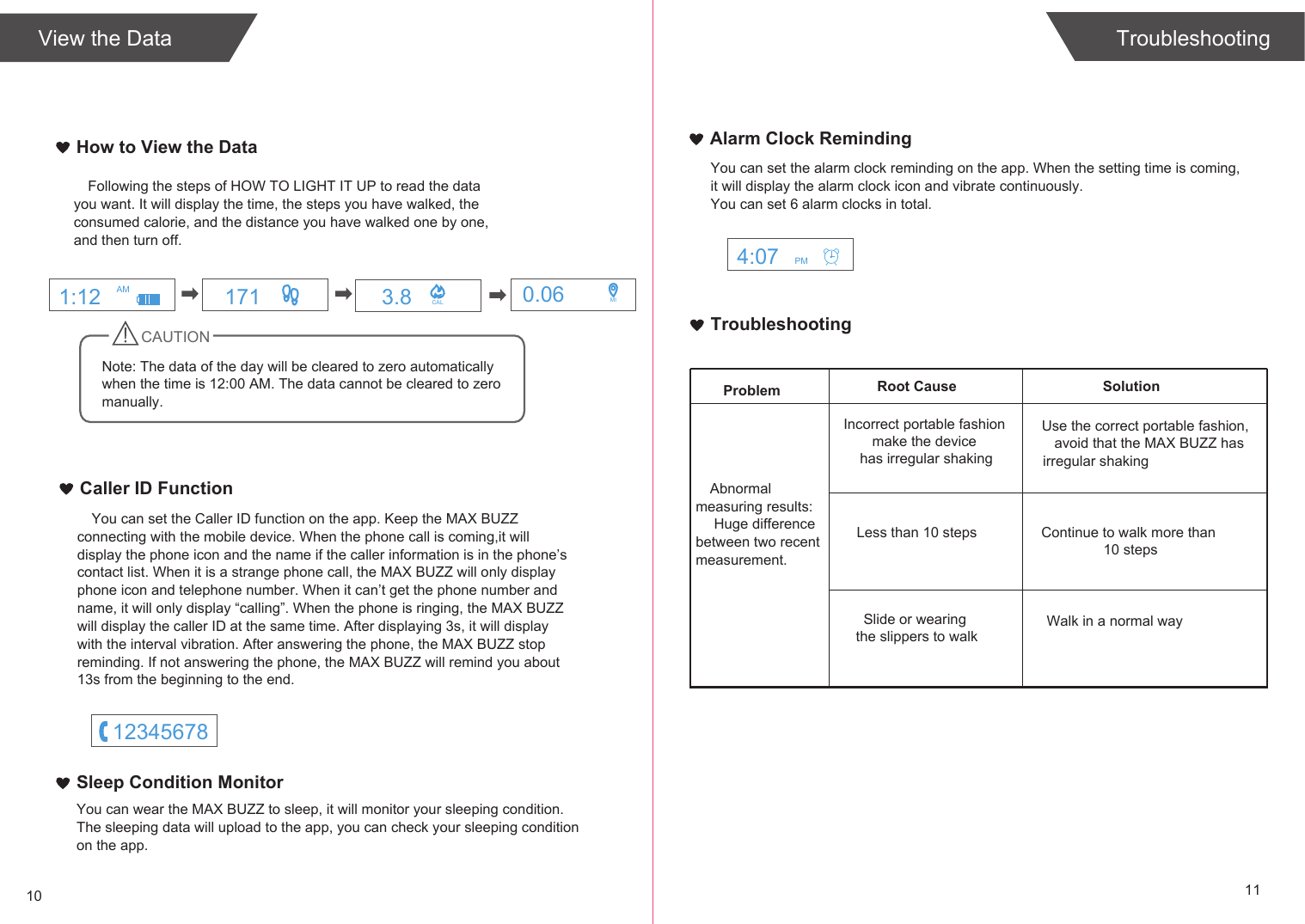
TroubleshootingSolutionProblem Root CauseAbnormal measuring results: Huge difference between two recent measurement.Incorrect portable fashion make the device has irregular shakingLess than 10 stepsSlide or wearing the slippers to walkUse the correct portable fashion,avoid that the MAX BUZZ has irregular shakingContinue to walk more than 10 stepsWalk in a normal way10 11TroubleshootingHow to View the DataView the DataFollowing the steps of HOW TO LIGHT IT UP to read the data you want. It will display the time, the steps you have walked, the consumed calorie, and the distance you have walked one by one, and then turn off.CAUTIONNote: The data of the day will be cleared to zero automatically when the time is 12:00 AM. The data cannot be cleared to zero  manually.Caller ID FunctionYou can set the Caller ID function on the app. Keep the MAX BUZZ connecting with the mobile device. When the phone call is coming,it will display the phone icon and the name if the caller information is in the phone’s contact list. When it is a strange phone call, the MAX BUZZ will only display phone icon and telephone number. When it can’t get the phone number and name, it will only display “calling”. When the phone is ringing, the MAX BUZZ will display the caller ID at the same time. After displaying 3s, it will display with the interval vibration. After answering the phone, the MAX BUZZ stop reminding. If not answering the phone, the MAX BUZZ will remind you about 13s from the beginning to the end. You can set the alarm clock reminding on the app. When the setting time is coming,it will display the alarm clock icon and vibrate continuously.You can set 6 alarm clocks in total.Alarm Clock RemindingYou can wear the MAX BUZZ to sleep, it will monitor your sleeping condition.The sleeping data will upload to the app, you can check your sleeping conditionon the app.Sleep Condition Monitor171 3.8 CAL 0.06 MI1:12 AM4:07 PM12345678
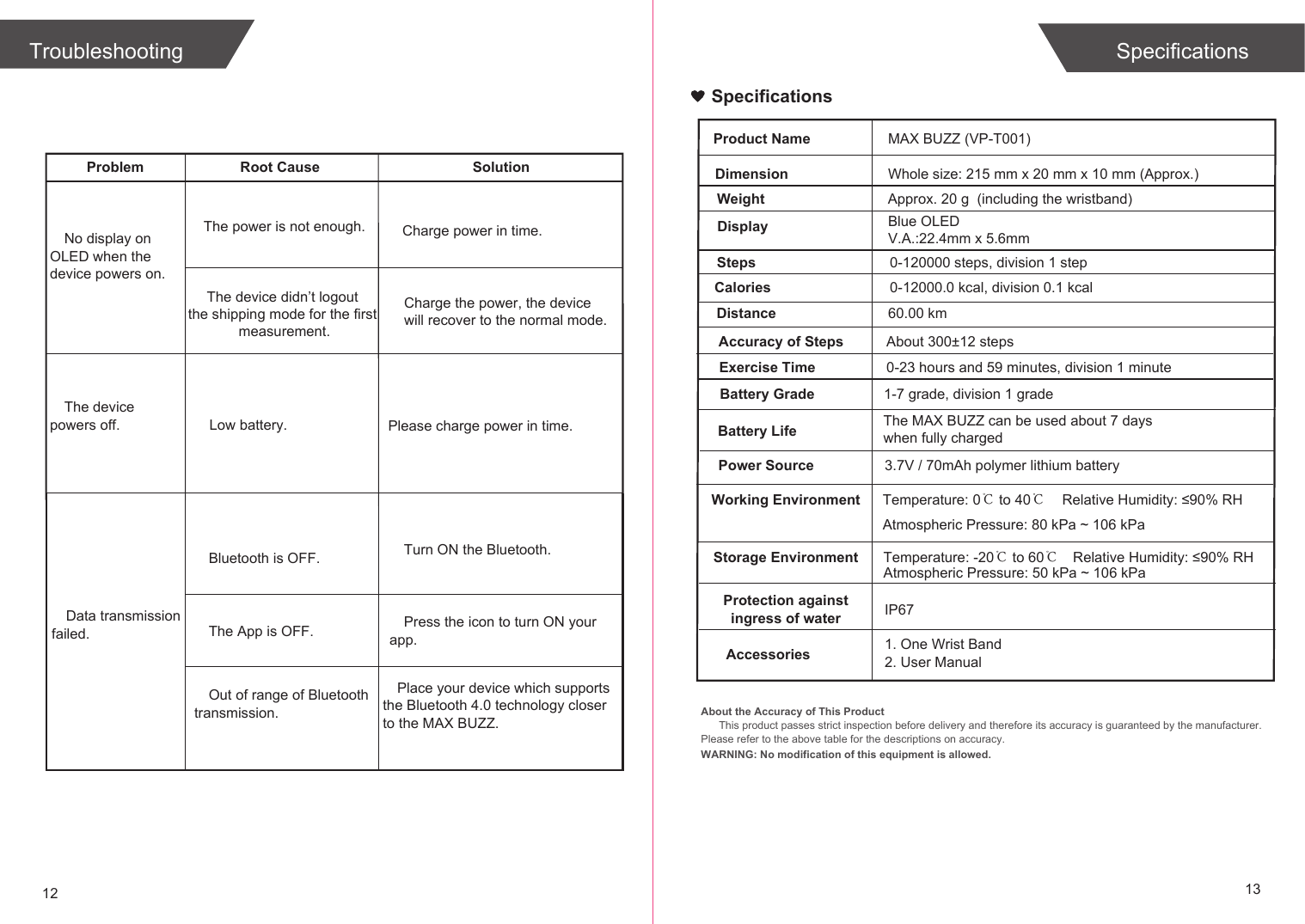
Problem Root Cause SolutionNo display on OLED when the device powers on.The device powers off. Low battery.Bluetooth is OFF.Data transmission failed.Turn ON the Bluetooth.The App is OFF. Press the icon to turn ON your app.Place your device which supports the Bluetooth 4.0 technology closer to the MAX BUZZ.Out of range of Bluetooth transmission.Please charge power in time.12 13The power is not enough. Charge power in time.The device didn’t logout the shipping mode for the first measurement.Charge the power, the device will recover to the normal mode.Troubleshooting SpecificationsSpecificationsAbout the Accuracy of This ProductThis product passes strict inspection before delivery and therefore its accuracy is guaranteed by the manufacturer. Please refer to the above table for the descriptions on accuracy. WARNING: No modification of this equipment is allowed.Product NameDimensionMAX BUZZ (VP-T001)Whole size: 215 mm x 20 mm x 10 mm (Approx.)Weight Approx. 20 g  (including the wristband)Display Blue OLED V.A.:22.4mm x 5.6mmSteps 0-120000 steps, division 1 stepCaloriesBattery GradeWorking Environment Temperature: 0℃ to 40℃Relative Humidity: ≤90% RHStorage Environment Temperature: -20℃ to 60℃Power Source 3.7V / 70mAh polymer lithium batteryBattery Life The MAX BUZZ can be used about 7 days when fully charged Exercise Time 0-23 hours and 59 minutes, division 1 minuteAccessories 1. One Wrist Band2. User Manual1-7 grade, division 1 grade0-12000.0 kcal, division 0.1 kcalRelative Humidity: ≤90% RHAtmospheric Pressure: 80 kPa ~ 106 kPaAtmospheric Pressure: 50 kPa ~ 106 kPaDistance 60.00 kmAccuracy of Steps About 300±12 stepsProtection againstingress of water IP67
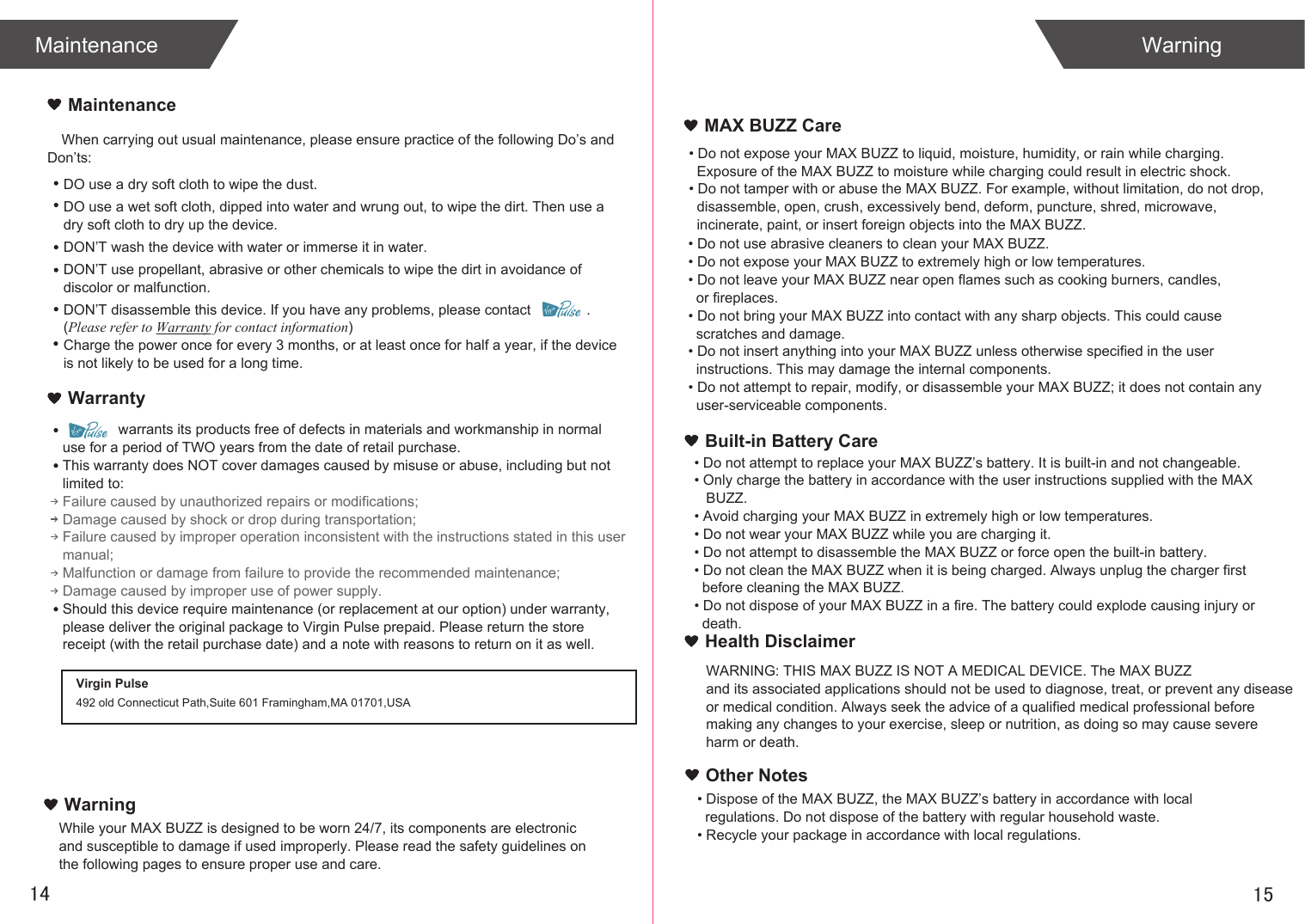
When carrying out usual maintenance, please ensure practice of the following Do’s and Don’ts:              warrants its products free of defects in materials and workmanship in normal use for a period of TWO years from the date of retail purchase.This warranty does NOT cover damages caused by misuse or abuse, including but not limited to: Failure caused by unauthorized repairs or modifications;Damage caused by shock or drop during transportation;Failure caused by improper operation inconsistent with the instructions stated in this user manual;Malfunction or damage from failure to provide the recommended maintenance;Damage caused by improper use of power supply.Should this device require maintenance (or replacement at our option) under warranty, please deliver the original package to Virgin Pulse prepaid. Please return the store receipt (with the retail purchase date) and a note with reasons to return on it as well.1514MaintenanceWarrantyMaintenanceDO use a dry soft cloth to wipe the dust.DO use a wet soft cloth, dipped into water and wrung out, to wipe the dirt. Then use a dry soft cloth to dry up the device.DON’T wash the device with water or immerse it in water.DON’T use propellant, abrasive or other chemicals to wipe the dirt in avoidance of discolor or malfunction.DON’T disassemble this device. If you have any problems, please contact              . (Please refer to Warranty for contact information)Charge the power once for every 3 months, or at least once for half a year, if the device is not likely to be used for a long time.WarningMAX BUZZ CareBuilt-in Battery CareWarningVirgin Pulse492 old Connecticut Path,Suite 601 Framingham,MA 01701,USAWhile your MAX BUZZ is designed to be worn 24/7, its components are electronic and susceptible to damage if used improperly. Please read the safety guidelines on the following pages to ensure proper use and care.• Do not expose your MAX BUZZ to liquid, moisture, humidity, or rain while charging.   Exposure of the MAX BUZZ to moisture while charging could result in electric shock.• Do not tamper with or abuse the MAX BUZZ. For example, without limitation, do not drop,  disassemble, open, crush, excessively bend, deform, puncture, shred, microwave,   incinerate, paint, or insert foreign objects into the MAX BUZZ.• Do not use abrasive cleaners to clean your MAX BUZZ.• Do not expose your MAX BUZZ to extremely high or low temperatures.• Do not leave your MAX BUZZ near open flames such as cooking burners, candles,   or fireplaces.• Do not bring your MAX BUZZ into contact with any sharp objects. This could cause   scratches and damage.• Do not insert anything into your MAX BUZZ unless otherwise specified in the user   instructions. This may damage the internal components.• Do not attempt to repair, modify, or disassemble your MAX BUZZ; it does not contain any   user-serviceable components.• Do not attempt to replace your MAX BUZZ’s battery. It is built-in and not changeable.• Only charge the battery in accordance with the user instructions supplied with the MAX    BUZZ.• Avoid charging your MAX BUZZ in extremely high or low temperatures.• Do not wear your MAX BUZZ while you are charging it.• Do not attempt to disassemble the MAX BUZZ or force open the built-in battery.• Do not clean the MAX BUZZ when it is being charged. Always unplug the charger first   before cleaning the MAX BUZZ.• Do not dispose of your MAX BUZZ in a fire. The battery could explode causing injury or   death.Health DisclaimerWARNING: THIS MAX BUZZ IS NOT A MEDICAL DEVICE. The MAX BUZZ and its associated applications should not be used to diagnose, treat, or prevent any disease or medical condition. Always seek the advice of a qualified medical professional before making any changes to your exercise, sleep or nutrition, as doing so may cause severe harm or death.• Dispose of the MAX BUZZ, the MAX BUZZ’s battery in accordance with local   regulations. Do not dispose of the battery with regular household waste.• Recycle your package in accordance with local regulations.Other Notes
FCC STATEMENTFCC StatementFCC ID: 2AKPRVP-T001This device complies with Part 15 of the FCC Rules. Operation is subject to the following two conditions: (1) this device may not cause harmful interference, and (2) this device must accept any interference received, including interference that may cause undesired operation.• Caution: The user is cautioned that changes or modifications not expressly approved by the party responsible for compliance could void the user's authority to operate the equipment. • NOTE: This equipment has been tested and found to comply with the limits for a Class B digital device, pursuant to Part 15 of the FCC Rules. These limits are designed to provide reasonable protection against harmful interference in a residential installation. This equipment generates, uses and can radiate radio frequency energy and, if not installed and used in accordance with the instructions, may cause harmful interference to radio communications. However, there is no guarantee that interference will not occur in a particular installation. • If this equipment does cause harmful interference to radio or television reception, which can be determined by turning the equipment off and on, the user is encouraged to try to correct the interference by one or more of the following measures: -- Reorient or relocate the receiving antenna.-- Increase the separation between the equipment and receiver. -- Connect the equipment into an outlet on a circuit different from that to which the receiver     is connected. -- Consult the dealer or an experienced radio/TV technician for help. FCC Radiation Exposure Statement:• This equipment complies with FCC radiation exposure limits set forth for an uncontrolled environment. • This transmitter must not be co-located or operating in conjunction with any other antenna or transmitter.16

Navigation menu