Volvo 2011 XC60 Owner's Manual Owners
User Manual: Volvo 2011 XC60 Owner's Manual 2011 Volvo XC60 Owners Manual Pdf | Owner's Manual Pdf
Open the PDF directly: View PDF  .
.
Page Count: 360 [warning: Documents this large are best viewed by clicking the View PDF Link!]

VOLVO XC60
Owner's Manual Web Edition
Welcome to the world-wide family of Volvo owners. We trust that you
will enjoy many years of safe driving in your Volvo, an automobile
designed with your safety and comfort in mind. We encourage you
to familiarize yourself with the equipment descriptions and operating
instructions in this manual.
We also urge you and your passengers to wear seat belts at all times
in this (or any other) vehicle. And, of course, please do not operate a
vehicle if you may be affected by alcohol, medication or any impair-
ment that could hinder your ability to drive.
Your Volvo is designed to meet all applicable federal safety and
emission standards. If you have any questions regarding your vehicle,
please contact your Volvo retailer or see the section "Contacting
Volvo" in this manual's "Introduction" chapter for information on get-
ting in touch with Volvo in the United States and Canada.
Contents
4
00
00 Introduction
Important information................................. 8
Environment.............................................. 12
Important warnings................................... 13
01
01 Safety
Occupant safety........................................ 16
Reporting safety defects........................... 17
Seat belts ................................................. 18
Supplemental Restraint System (SRS) .... 21
Occupant Weight Sensor ......................... 26
Side impact protection (SIPS) airbags ..... 30
Inflatable Curtain (IC) ............................... 32
Whiplash Protection System – WHIPS..... 33
Rollover Protection System (ROPS) ......... 35
Crash mode.............................................. 36
Child safety............................................... 37
Child restraint systems............................. 39
Infant seats............................................... 41
Convertible seats...................................... 43
Booster cushions...................................... 45
ISOFIX/LATCH lower anchors.................. 46
Top tether anchors.................................... 47
Child restraint registration and recalls...... 48
Integrated booster cushion....................... 49
Child safety locks...................................... 52
02
02 Locks and alarm
Remote key and key blade....................... 56
Keyless drive............................................. 63
Locks........................................................ 66
Alarm......................................................... 69
Contents
* Option/accessory, for more information, see Introduction. 5
03
03 Your driving environment
Instruments and controls.......................... 74
Ignition modes.......................................... 81
Seats......................................................... 82
Steering wheel.......................................... 88
Lighting..................................................... 89
Wipers and washers................................. 95
Power windows......................................... 98
Mirrors..................................................... 100
Compass*............................................... 102
Laminated panoramic roof*.................... 103
HomeLink® Wireless Control System*... 106
Starting the engine.................................. 109
Transmission........................................... 112
Brakes..................................................... 115
Parking brake.......................................... 118
Hill Descent Control (HDC)*.................... 121
04
04 Comfort and driving pleasure
Menus and messages............................. 126
The MY CAR menus............................... 128
Climate system....................................... 134
Trip computer......................................... 142
Stability system....................................... 144
Active chassis system–Four C*............... 146
Cruise control.......................................... 147
Adaptive Cruise Control (ACC)*.............. 149
Distance Alert* ....................................... 159
City Safety™ .......................................... 162
Collision warning with Full Auto-brake and
Pedestrian Detection*............................. 168
Driver Alert System* ............................... 175
Park assist*............................................. 181
Rear Park Assist Camera (PAC)* ............ 185
Blind Spot Information System*.............. 189
Passenger compartment convenience... 193
05
05 Infotainment
Introduction............................................. 200
Getting started ....................................... 202
General infotainment functions .............. 207
Radio....................................................... 210
Media player........................................... 219
AUX/USB sockets................................... 223
Bluetooth media ................................... 226
Bluetooth® hands-free connection ........ 229
Cell phone voice control......................... 237
Infotainment system menus ................... 241
Contents
6
06
06 During your trip
Driving recommendations....................... 246
Refueling................................................. 250
Loading................................................... 255
Cargo area ............................................. 259
Towing a trailer....................................... 262
Emergency towing.................................. 265
07
07 Wheels and tires
General information ............................... 270
Tire inflation............................................. 273
Inflation pressure—U.S. models ............ 275
Inflation pressure—Canadian models..... 276
Tire designations .................................... 277
Glossary of tire terminology ................... 279
Vehicle loading ....................................... 280
Uniform Tire Quality Grading ................. 282
Snow chains, snow tires, studded tires . 283
Temporary Spare ................................... 284
Tire Sealing System................................ 285
Changing a wheel .................................. 291
Tire Pressure Monitoring System (TPMS) 294
08
08 Maintenance and
specifications
Volvo maintenance.................................. 300
Maintaining your car............................... 301
Hood and engine compartment.............. 303
Engine oil................................................ 304
Fluids...................................................... 306
Replacing bulbs...................................... 308
Wiper blades and washer fluid................ 315
Battery..................................................... 317
Fuses...................................................... 320
Vehicle care............................................. 328

Contents
7
09
09 Specifications
Label information.................................... 336
Specifications......................................... 338
Overview of information and warning sym-
bols......................................................... 345
Volvo programs....................................... 348
10
10 Index
Index....................................................... 350
Introduction
Important information
8
Contacting Volvo
In the USA:
Volvo Cars of North America, LLC
Customer Care Center
1 Volvo Drive,
P.O. Box 914
Rockleigh, New Jersey 07647
1-800-458-1552
www.volvocars.us
In Canada:
Volvo Cars of Canada Corp
National Customer Service
175 Gordon Baker Road
North York, Ontario M2H 2N7
1-800-663-8255
www.volvocanada.com
About this manual
•Before you operate your vehicle for the first
time, please familiarize yourself with the
information found in the chapters "Your
Driving Environment" and "During Your
Trip."
•Information contained in the balance of the
manual is extremely useful and should be
read after operating the vehicle for the first
time.
•The manual is structured so that it can be
used for reference. For this reason, it
should be kept in the vehicle for ready
access.
Footnotes
Certain pages of this manual contain informa-
tion in the form of footnotes at the bottom of
the page. This information supplements the
text that the footnote number refers to (a letter
is used if the footnote refers to text in a table).
Display texts
There are several displays in the driver’s field
of vision that show messages generated by
various systems and functions in the vehicle.
These texts are indicated in the Owner’s Man-
ual by being in slightly larger type than the sur-
rounding text and are printed in gray, (for
example: Doors automatic lock).
Decals
There are various types of decals in the vehicle
whose purpose is to provide important infor-
mation in a clear and concise way. The impor-
tance of these decals is explained as follows,
in descending order of importance.
Risk of injury
G031590
Black ISO symbols on a yellow warning back-
ground, white text/image on a black back-
ground. Decals of this type are used to indicate
potential danger. Ignoring a warning of this
type could result in serious injury or death.
Introduction
Important information
9
Risk of damage to the vehicle
G031592
White ISO symbols and white text/image on a
black or blue warning background and space
for a message. If the information on decals of
this type is ignored, damage to the vehicle
could result.
Information
G031593
White ISO symbols and white text/image on a
black background. These decals provide gen-
eral information.
NOTE
The decals shown in the Owner’s Manual
are examples only and are not intended to
be reproductions of the decals actually used
in the vehicle. The purpose is to give an indi-
cation of how they look and their approxi-
mate location in the vehicle. The applicable
information for your particular vehicle can
be found on the respective decals in the
vehicle.
Types of lists used in the manual
Procedures
Procedures (step-by-step instructions), or
actions that must be carried out in a certain
order, are arranged in numbered lists in this
manual.
If there is a series of illustrations associated
with step-by-step instructions, each step
in the procedure is numbered in the same
way as the corresponding illustration.
Lists in which letters are used can be found
with series of illustrations in cases where
the order in which the instructions are car-
ried out is not important.
Arrows with or without numbers are used
to indicate the direction of a movement.
If there are no illustrations associated with a
step-by-step list, the steps in the procedure
are indicated by ordinary numbers.
Position lists
Red circles containing a number are used
in general overview illustrations in which
certain components are pointed out. The
corresponding number is also used in the
position list's description of the various
components.
Introduction
Important information
10
Bullet lists
Bullets are used to differentiate a number of
components/functions/points of information
that can be listed in random order.
For example:
•Coolant
•Engine oil
Continued
`
`
`
This symbol can be found at the lower right
corner of an odd-numbered (right-hand) page
to indicate that the current topic is continued
on the following page.
Options and accessories
Optional or accessory equipment described in
this manual is indicated by an asterisk.
Optional or accessory equipment may not be
available in all countries or markets. Please
note that some vehicles may be equipped dif-
ferently, depending on special legal require-
ments.
Contact your Volvo retailer for additional infor-
mation.
NOTE
•All information, illustrations and specifi-
cations contained in this manual are
based on the latest product information
available at the time of publication.
•Volvo reserves the right to make model
changes at any time, or to change spec-
ifications or design without notice and
without incurring obligation.
•Do not export your Volvo to another
country before investigating that coun-
try's applicable safety and emission
control requirements. In some cases it
may be difficult or impossible to comply
with these requirements. Modifications
to the emission control system(s) may
render your Volvo not certifiable for
legal operation in the U.S., Canada and
other countries.
WARNING
If your vehicle is involved in an accident,
unseen damage may affect its drivability
and safety.
WARNING
CALIFORNIA proposition 65
Engine exhaust, some of its constituents,
and certain vehicle components contain or
emit chemicals known to the state of Cali-
fornia to cause cancer, and birth defects or
other reproductive harm. In addition, certain
fluids contained in vehicles and certain
products of component wear contain or
emit chemicals known to the State of Cali-
fornia to cause cancer, and birth defects or
other reproductive harm.
WARNING
Certain components of this vehicle such as
air bag modules, seat belt pretensioners,
adaptive steering columns, and button cell
batteries may contain Perchlorate material.
Special handling may apply for service or
vehicle end of life disposal.
See www.dtsc.ca.gov/hazardouswaste/
perchlorate.
Introduction
Important information
11
Shiftlock
When your vehicle is parked, the gear selector
is locked in the P (Park) position. To release the
selector from this position, the ignition must be
in mode II (see page 81) or the engine must
be running. Depress the brake pedal, press the
button on the front side of the gear selector and
move the selector from P (Park).
Anti-lock Brake System (ABS)
The ABS system performs a brief self-diagnos-
tic test when the engine has been started and
driver releases the brake pedal. Another auto-
matic test may be performed when the vehicle
first reaches a speed of approximately 6 mph
(10 km/h). The brake pedal will pulsate several
times and a sound may be audible from the
ABS control module. This is normal.
Fuel filler door
Press the button on the light switch panel (see
the illustration on page 252) when the vehicle
is at a standstill to unlock the fuel filler door.
Please note that the fuel filler door will remain
unlocked until the vehicle begins to move for-
ward. An audible click will be heard when the
fuel filler door relocks.
Fuel filler cap
The fuel filler door, located on the right rear
quarter panel, is connected to your vehicle's
central locking system.
Points to keep in mind
•Do not export your Volvo to another coun-
try before investigating that country's
applicable safety and exhaust emission
requirements. In some cases it may be dif-
ficult or impossible to comply with these
requirements. Modifications to the emis-
sion control system(s) may render your
Volvo not certifiable for legal operation in
the U.S., Canada and other countries.
•All information, illustrations and specifica-
tions contained in this manual are based on
the latest product information available at
the time of publication. Please note that
some vehicles may be equipped differ-
ently, depending on special legal require-
ments. Optional equipment described in
this manual may not be available in all mar-
kets.
•Volvo reserves the right to make model
changes at any time, or to change specifi-
cations or design without notice and with-
out incurring obligation.
Vehicle event data (Black box)
Your vehicle's driving and safety systems
employ computers that monitor, and share
with each other, information about your vehi-
cle's operation. One or more of these comput-
ers may store what they monitor, either during
normal vehicle operation or in a crash or near-
crash event. Stored information may be read
and used by:
•Volvo Car Corporation
•service and repair facilities
•law enforcement or government agencies
•others who may assert a legal right to
know, or who obtain your consent to know
such information.
Introduction
Environment
12
Volvo and the environment
Volvo is committed to the well being of its cus-
tomers. As a natural part of this commitment,
we care about the environment in which we all
live. Caring for the environment means an
everyday involvement in reducing our environ-
mental impact. Volvo's environmental activities
are based on a holistic view, which means we
consider the overall environmental impact of a
product throughout its complete life cycle. In
this context, design, production, product use,
and recycling are all important considerations.
In production, Volvo has partly or completely
phased out several chemicals including CFCs,
lead chromates, asbestos, and cadmium; and
reduced the number of chemicals used in our
plants 50% since 1991.
Volvo was the first in the world to introduce into
production a three-way catalytic converter with
a Lambda sond, now called the heated oxygen
sensor, in 1976. The current version of this
highly efficient system reduces emissions of
harmful substances (CO, HC, NOx) from the
exhaust pipe by approximately 95 – 99% and
the search to eliminate the remaining emis-
sions continues. Volvo is the only automobile
manufacturer to offer CFC-free retrofit kits for
the air conditioning system of all models as far
back as the 1975 model 240. Advanced elec-
tronic engine controls and cleaner fuels are
bringing us closer to our goal. In addition to
continuous environmental refinement of con-
ventional gasoline-powered internal combus-
tion engines, Volvo is actively looking at
advanced technology alternative-fuel vehicles.
When you drive a Volvo, you become our part-
ner in the work to lessen the car's impact on
the environment. To reduce your vehicle's
environmental impact, you can:
•Maintain proper air pressure in your tires.
Tests have shown decreased fuel econ-
omy with improperly inflated tires.
•Follow the recommended maintenance
schedule in your Warranty and Service
Records Information booklet.
•Drive at a constant speed whenever pos-
sible.
•See a trained and qualified Volvo service
technician as soon as possible for inspec-
tion if the check engine (malfunction indi-
cator) light illuminates, or stays on after the
vehicle has started.
•Properly dispose of any vehicle-related
waste such as used motor oil, used batter-
ies, brake pads, etc.
•When cleaning your vehicle, please use
genuine Volvo car care products. All Volvo
car care products are formulated to be
environmentally friendly.
Recycling
As part of Volvo’s commitment to the environ-
ment, it is essential for the vehicle to be recy-
cled in an environmentally sound way. Almost
the entire vehicle can be recycled and for that
reason, the vehicle’s final owner is requested
to contact a Volvo retailer for information about
approved and certified recycling facilities.
Introduction
Important warnings
13
Driver distraction
A driver has a responsibility to do everything
possible to ensure his or her own safety and
the safety of passengers in the vehicle and oth-
ers sharing the roadway. Avoiding distractions
is part of that responsibility.
Driver distraction results from driver activities
that are not directly related to controlling the
vehicle in the driving environment. Your new
Volvo is, or can be, equipped with many fea-
ture-rich entertainment and communication
systems. These include hands-free cellular tel-
ephones, navigation systems, and multipur-
pose audio systems. You may also own other
portable electronic devices for your own con-
venience. When used properly and safely, they
enrich the driving experience. Improperly used,
any of these could cause a distraction.
For all of these systems, we want to provide the
following warning that reflects the strong Volvo
concern for your safety. Never use these devi-
ces or any feature of your vehicle in a way that
distracts you from the task of driving safely.
Distraction can lead to a serious accident. In
addition to this general warning, we offer the
following guidance regarding specific newer
features that may be found in your vehicle:
•Never use a hand-held cellular telephone
while driving. Some jurisdictions prohibit
cellular telephone use by a driver while the
vehicle is moving.
•If your vehicle is equipped with a naviga-
tion system, set and make changes to your
travel itinerary only with the vehicle parked.
•Never program your audio system while
the vehicle is moving. Program radio pre-
sets with the vehicle parked, and use your
programmed presets to make radio use
quicker and simpler.
•Never use portable computers or personal
digital assistants while the vehicle is mov-
ing.
Accessory installation
•We strongly recommend that Volvo owners
install only genuine, Volvo-approved
accessories, and that accessory installa-
tions be performed only by a trained and
qualified Volvo service technician.
•Genuine Volvo accessories are tested to
ensure compatibility with the performance,
safety, and emission systems in your vehi-
cle. Additionally, a trained and qualified
Volvo service technician knows where
accessories may and may not be safely
installed in your Volvo. In all cases, please
consult a trained and qualified Volvo serv-
ice technician before installing any acces-
sory in or on your vehicle.
•Accessories that have not been approved
by Volvo may or may not be specifically
tested for compatibility with your vehicle.
Additionally, an inexperienced installer
may not be familiar with some of your car's
systems.
•Any of your car's performance and safety
systems could be adversely affected if you
install accessories that Volvo has not tes-
ted, or if you allow accessories to be instal-
led by someone unfamiliar with your vehi-
cle.
•Damage caused by unapproved or
improperly installed accessories may not
be covered by your new vehicle warranty.
See your Warranty and Service Records
Information booklet for more warranty
information. Volvo assumes no responsi-
bility for death, injury, or expenses that
may result from the installation of non-gen-
uine accessories.

14
Occupant safety...................................................................................... 16
Reporting safety defects......................................................................... 17
Seat belts ............................................................................................... 18
Supplemental Restraint System (SRS) ................................................... 21
Occupant Weight Sensor ....................................................................... 26
Side impact protection (SIPS) airbags ................................................... 30
Inflatable Curtain (IC) ............................................................................. 32
Whiplash Protection System – WHIPS................................................... 33
Rollover Protection System (ROPS) ....................................................... 35
Crash mode............................................................................................ 36
Child safety............................................................................................. 37
Child restraint systems........................................................................... 39
Infant seats.............................................................................................. 41
Convertible seats.................................................................................... 43
Booster cushions.................................................................................... 45
ISOFIX/LATCH lower anchors................................................................. 46
Top tether anchors.................................................................................. 47
Child restraint registration and recalls.................................................... 48
Integrated booster cushion..................................................................... 49
Child safety locks.................................................................................... 52
SAFETY
01 Safety
Occupant safety
01
16
Volvo's concern for safety
Safety is Volvo's cornerstone. Our concern
dates back to 1927 when the first Volvo rolled
off the production line. Three-point seat belts
(a Volvo invention), safety cages, and energy-
absorbing impact zones were designed into
Volvo vehicles long before it was fashionable
or required by government regulation.
We will not compromize our commitment to
safety. We continue to seek out new safety
features and to refine those already in our vehi-
cles. You can help. We would appreciate hear-
ing your suggestions about improving automo-
bile safety. We also want to know if you ever
have a safety concern with your vehicle. Call us
in the U.S. at: 1-800-458-1552 or in Canada at:
1-800-663-8255.
Occupant safety reminders
How safely you drive doesn't depend on how
old you are but rather on:
•How well you see.
•Your ability to concentrate.
•How quickly you make decisions under
stress to avoid an accident.
The following suggestions are intended to help
you cope with the ever changing traffic envi-
ronment.
•Never drink and drive.
•If you are taking any medication, consult
your physician about its potential effects
on your driving abilities.
•Take a driver-retraining course.
•Have your eyes checked regularly.
•Keep your windshield and headlights
clean.
•Replace wiper blades when they start to
leave streaks.
•Take into account the traffic, road, and
weather conditions, particularly with
regard to stopping distance.
01 Safety
Reporting safety defects
01
17
Reporting safety defects in the U.S.
If you believe that your vehicle has a
defect which could cause a crash or
could cause injury or death, you
should immediately inform the
National Highway Traffic Safety
Administration (NHTSA) in addition to
notifying Volvo Cars of North Amer-
ica, LLC. If NHTSA receives similar
complaints, it may open an investiga-
tion, and if it finds that a safety defect
exists in a group of vehicles, it may
order a recall and remedy campaign.
However, NHTSA cannot become
involved in individual problems
between you, your retailer, or Volvo
Cars of North America, LLC. To con-
tact NHTSA, you may either call the
Auto Safety Hotline toll-free at
1-888-327-4236
(TTY: 1-800-424-9153) or write to:
NHTSA, U.S. Department of Trans-
portation, Washington D.C. 20590.
You can also obtain other information
about motor vehicle safety from:
http://www.safercar.gov
Volvo strongly recommends that if
your vehicle is covered under a serv-
ice campaign, safety or emission
recall or similar action, it should be
completed as soon as possible.
Please check with your local retailer
or Volvo Cars of North America, LLC
if your vehicle is covered under these
conditions.
NHTSA can be reached at:
Internet:
http://www.nhtsa.gov
Telephone:
1-888-DASH-2-DOT
(1-888-327-4236).
Reporting safety defects in Canada
If you believe your vehicle has a defect that
could cause a crash or could cause injury or
death, you should immediately inform Trans-
port Canada in addition to notifying Volvo Cars
of Canada Corp.
To contact Transport Canada, call
(800) 333 – 0510, or (613) 993 – 9851 if you are
calling from the Ottawa region.
01 Safety
Seat belts
01
18
General information
Adjusting the seat belt
Seat belts should always be worn by all occu-
pants of your vehicle. Children should be prop-
erly restrained, using an infant, car, or booster
seat determined by age, weight and height.
Volvo also believes no child should sit in the
front seat of a vehicle.
Most states and provinces make it mandatory
for occupants of a vehicle to use seat belts.
Seat belt pretensioners
All seat belts are equipped with pretensioners
that reduce slack in the belts. These preten-
sioners are triggered in situations where the
front or side impact airbags deploy, and in cer-
tain impacts from the rear. The front seat belts
also include a tension reducing device which,
in the event of a collision, limits the peak forces
exerted by the seat belt on the occupant.
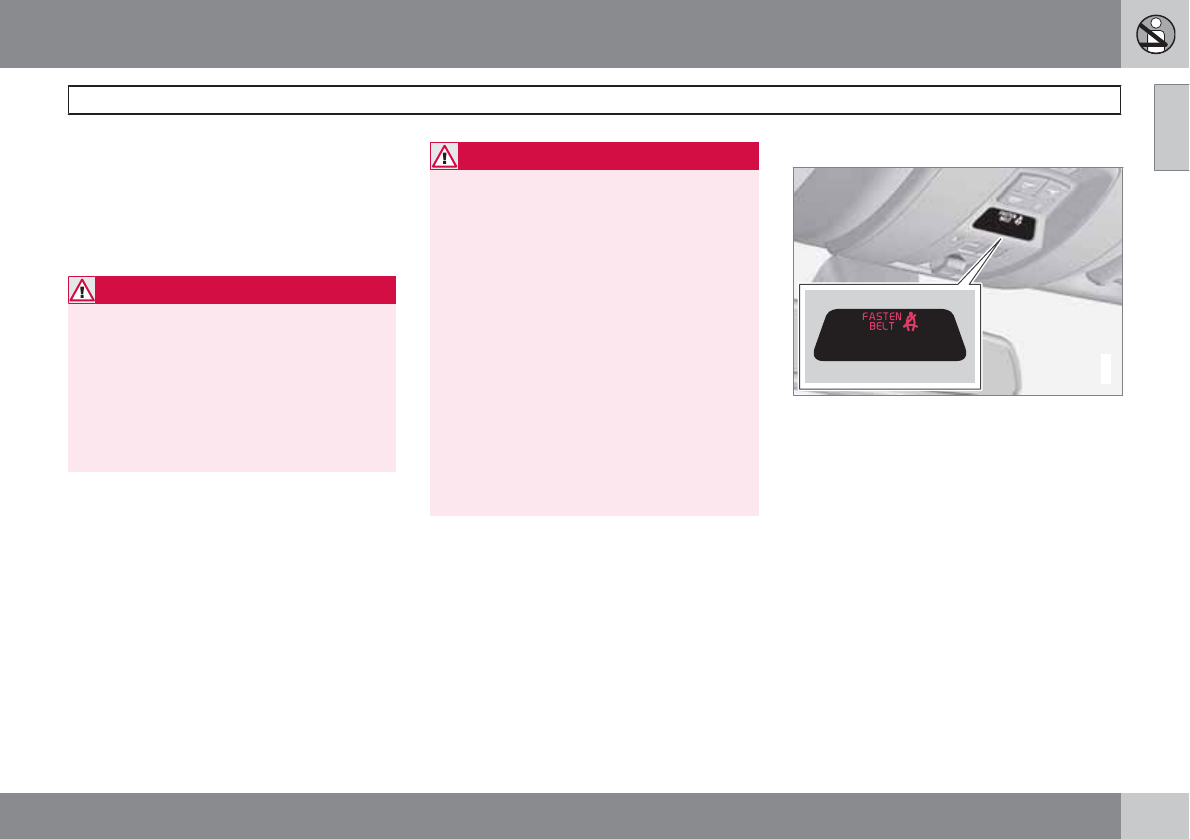
Fastening a seat belt
Buckling
Pull the belt out far enough to insert the latch
plate into the receptacle until a distinct click is
heard. The seat belt retractor is normally
"unlocked" and you can move freely, provided
that the shoulder belt is not pulled out too far.
Seat belt retractor
The seat belt retractor will lock up in the fol-
lowing situations:
•if the belt is pulled out rapidly
•during braking and acceleration
•if the vehicle is leaning excessively
•when driving in turns
•if the Automatic Locking Retractor/Emer-
gency Locking Retractor (ALR/ELR) is acti-
vated
NOTE
Each seat belt (except for the driver's belt)
is equipped with the ALR/ELR function,
which is designed to help keep the seat belt
taut. ALR/ELR activates if the seat belt is
pulled out as far as possible. If this is done,
a sound from the seat belt retractor will be
audible, which is normal, and the seat belt
will be pulled taut and locked in place. This
function is automatically disabled when the
seat belt is unbuckled and fully retracted.
See also page 38 for information about using
a seat belt's ALR/ELR function to anchor a
child seat.
When wearing the seat belt remember:
•The belt should not be twisted or turned.
•The lap section of the belt must be posi-
tioned low on the hips (not pressing against
the abdomen).
•Make sure that the shoulder belt is rolled
up into its retractor and that the shoulder
and lap belts are taut.
Unbuckling the seat belt
To remove the seat belt, press the red section
on the seat belt receptacle. Before exiting the
vehicle, check that the seat belt retracts fully
after being unbuckled. If necessary, guide the
belt back into the retractor slot.
01 Safety
Seat belts
01
``
19
Seat belt maintenance
Check periodically that the seat belts are in
good condition. Use water and a mild deter-
gent for cleaning. Check seat belt mechanism
function as follows: attach the seat belt and pull
rapidly on the strap.
WARNING
Never use a seat belt for more than one
occupant. Never wear the shoulder portion
of the belt under the arm, behind the back
or otherwise out of position. Such use could
cause injury in the event of an accident. As
seat belts lose much of their strength when
exposed to violent stretching, they should
be replaced after any collision, even if they
appear to be undamaged.
WARNING
•Never repair the belt yourself; have this
work done by a trained and qualified
Volvo service technician only.
•Any device used to induce slack into the
shoulder belt portion of the three-point
belt system will have a detrimental
effect on the amount of protection avail-
able to you in the event of a collision.
•The seat back should not be tilted too
far back. The shoulder belt must be taut
in order to function properly.
•Do not use child safety seats or child
booster cushions/backrests in the front
passenger's seat. We also recommend
that children who have outgrown these
devices sit in the rear seat with the seat
belt properly fastened.
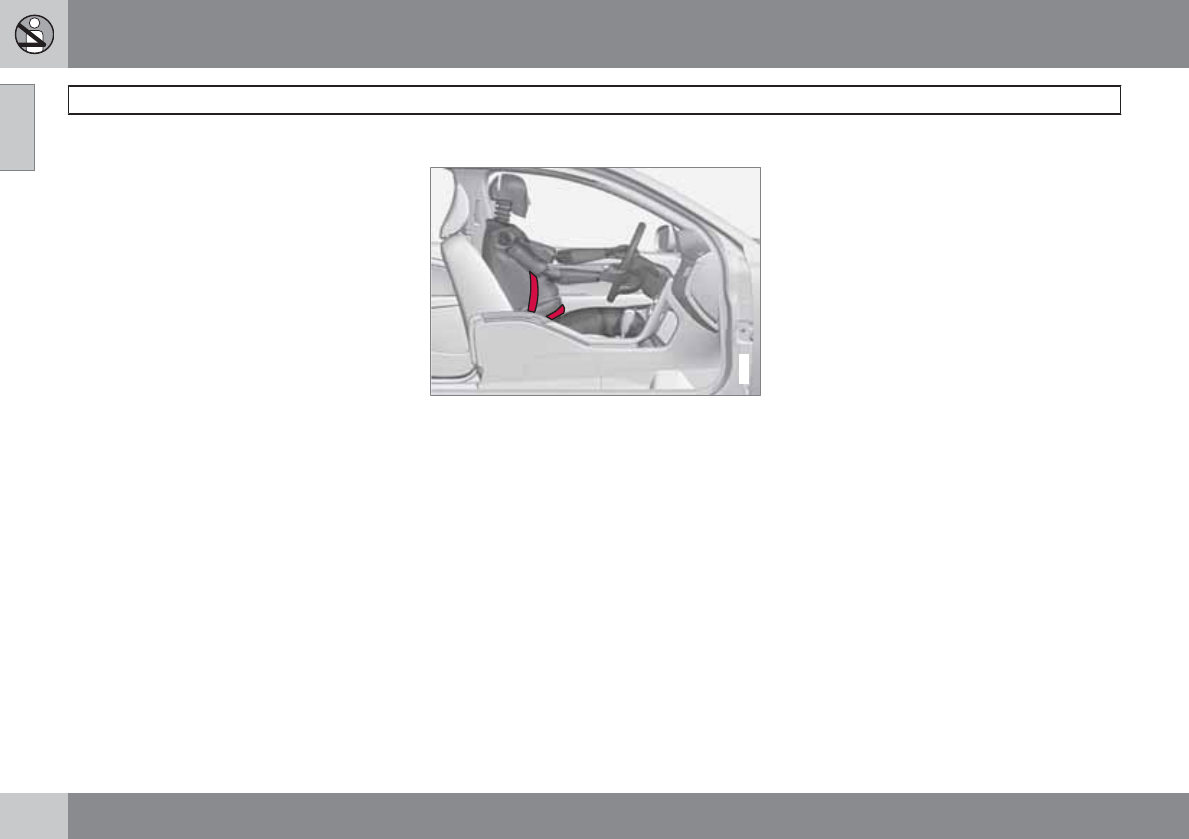
Seat belt reminder
G017726
Seat belt reminder light in ceiling console
The seat belt reminder consists of an audible
signal, an indicator light near the rearview mir-
ror and a symbol in the instrument panel that
alert all occupants of the vehicle to fasten their
seat belts. The audible signal and indicator
light will be on for a total of 6 seconds from the
time the ignition is switched on, regardless of
whether or not the seat belts are fastened.
If the front seat belts are unbuckled while the
vehicle is in motion, the audible signal and
warning light will be active for a total of 6 sec-
onds.
Rear seats
The seat belt reminder in the rear seat has two
additional functions:
01 Safety
Seat belts
01
20
•It provides information about which seat
belts are fastened in the rear seat. A mes-
sage will appear in the information display
when a belt is being used. This message
will disappear after approximately 6 sec-
onds or can be erased by pressing the
READ button on the left steering wheel
lever.
•It also provides a reminder if one of the
occupants of the rear seat has unbuckled
his/her seat belt while the vehicle is in
motion. A visual and audible signal will be
given. These signals will stop when the
seat belt has been re-buckled or can be
stopped by pressing the READ button.
•The message Unbelted in rear seat will
appear in the information display if one of
the rear doors has been opened.
The message in the information display can
always be accessed, even if it has been erased,
by pressing the READ button to display stored
messages.
Seat belt use during pregnancy
G020998
The seat belt should always be worn during
pregnancy. But it is crucial that it be worn in the
correct way. The diagonal section should wrap
over the shoulder then be routed between the
breasts and to the side of the belly. The lap
section should lay flat over the thighs and as
low as possible under the belly. It must never
be allowed to ride upward. Remove all slack
from the belt and ensure that it fits close to the
body without any twists.
As a pregnancy progresses, pregnant drivers
should adjust their seats and steering wheel
such that they can easily maintain control of the
vehicle as they drive (which means they must
be able to easily operate the foot pedals and
steering wheel). Within this context, they
should strive to position the seat with as large
a distance as possible between their belly and
the steering wheel.
Child seats
Please refer to page 39 for information on
securing child seats with the seat belts.
01 Safety
Supplemental Restraint System (SRS)
01
``
21
General information
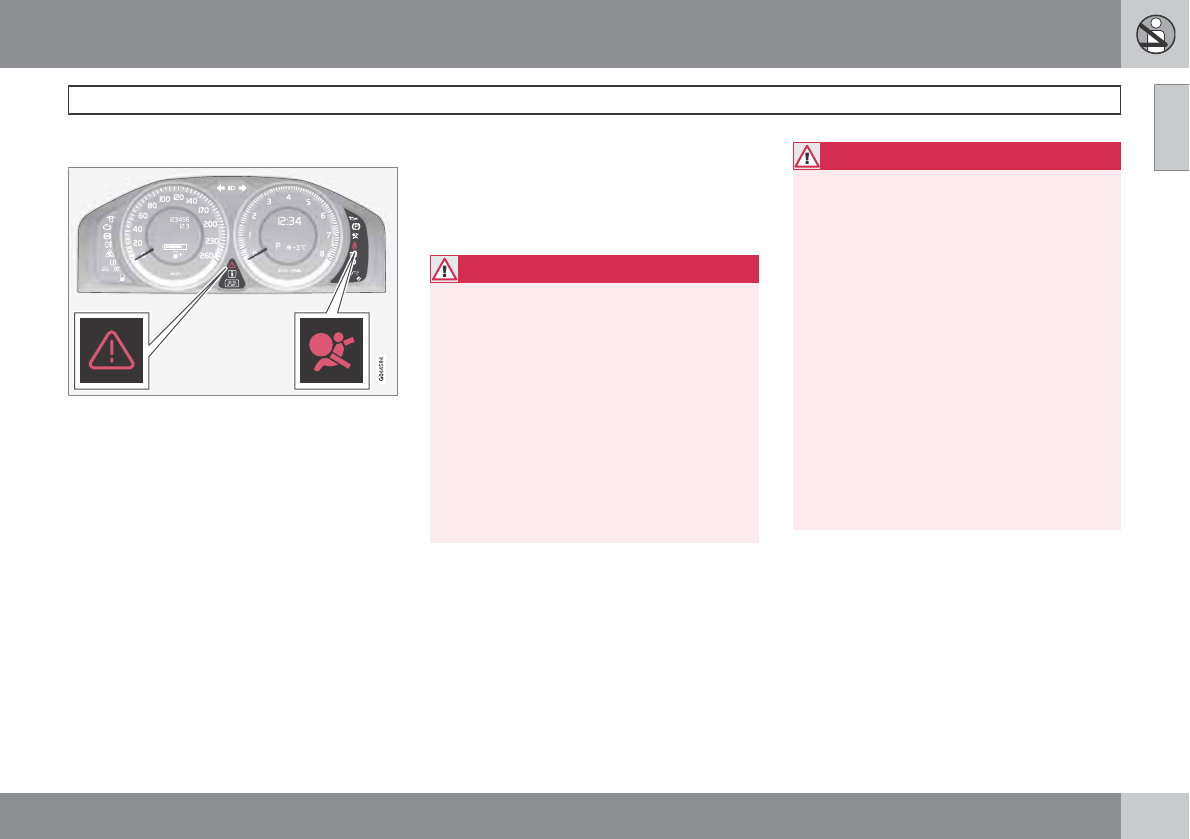
Warning symbols in the instrument panel
As an enhancement to the three-point seat
belts, your Volvo is equipped with a Supple-
mental Restraint System (SRS). Volvo's SRS
consists of seat belt pretensioners, front air-
bags, side impact airbags, a front passenger
occupant weight sensor, and inflatable cur-
tains. All of these systems are monitored by the
SRS control module. An SRS warning light in
the instrument panel (see the illustration) illu-
minates when the ignition is in modes I, II, or
III, and will normally go out after approximately
6 seconds if no faults are detected in the sys-
tem.
Where applicable, a text message will also be
displayed when the SRS warning light illumi-
nates. If this warning symbol is not functioning
properly, the general warning symbol illumi-
nates and a text message will be displayed.
See also page 76 and page 78 for more
information about indicator and warning sym-
bols.
WARNING
•If the SRS warning light stays on after
the engine has started or if it illuminates
while you are driving, have the vehicle
inspected by a trained and qualified
Volvo service technician as soon as
possible.
•Never try to repair any component or
part of the SRS yourself. Any interfer-
ence in the system could cause mal-
function and serious injury. All work on
these systems should be performed by
a trained and qualified Volvo service
technician.
WARNING
If your vehicle has been subjected to flood
conditions (e.g., soaked carpeting/standing
water on the floor of the vehicle) or if your
vehicle has become flood-damaged in any
way, do not attempt to start the vehicle or
insert the remote key into the ignition slot
before disconnecting the battery (see
below). This may cause airbag deployment
which could result in personal injury. Have
the vehicle towed to a trained and qualified
Volvo service technician for repairs.
Automatic transmission:
Before attempting to tow the vehicle:
1. Switch off the ignition for at least
10 minutes and disconnect the battery.
2. Follow the instructions for manually
overriding the shiftlock system on page
113.
01 Safety
Supplemental Restraint System (SRS)
01
22
Front airbags
G018665
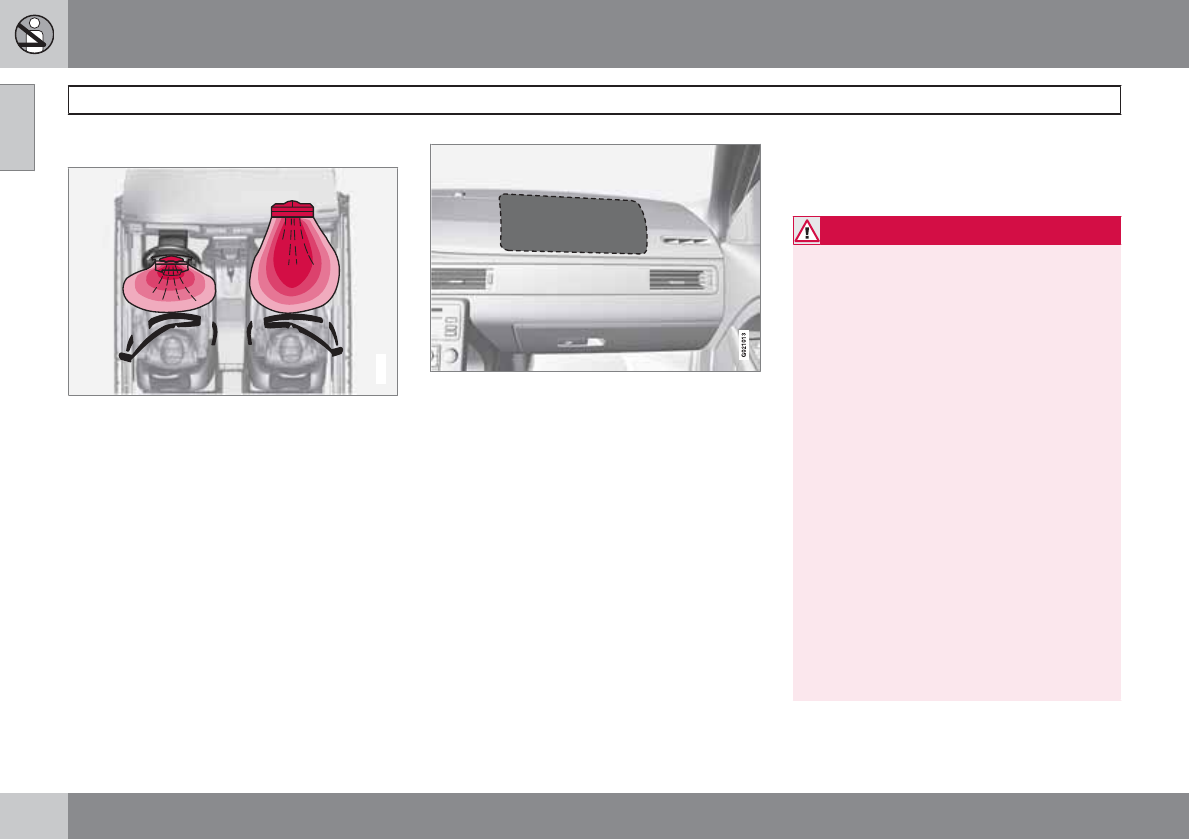
The front airbag system
The front airbags supplement the three-point
seat belts. For these airbags to provide the
protection intended, seat belts must be worn
at all times.
The front airbag system includes gas genera-
tors surrounded by the airbags, and decelera-
tion sensors that activate the gas generators,
causing the airbags to be inflated with nitrogen
gas.
Location of the passenger's side front airbag
As the movement of the seats' occupants com-
presses the airbags, some of the gas is expel-
led at a controlled rate to provide better cush-
ioning. Both seat belt pretensioners also
deploy, minimizing seat belt slack. The entire
process, including inflation and deflation of the
airbags, takes approximately one fifth of a sec-
ond.
The location of the front airbags is indicated by
SRS AIRBAG embossed on the steering wheel
pad and above the glove compartment, and by
decals on both sun visors and on the front and
far right side of the dash.
The driver's side front airbag is folded and
located in the steering wheel hub.
The passenger's side front airbag is folded
behind a panel located above the glove com-
partment.
WARNING
•The airbags in the vehicle are designed
to be a SUPPLEMENT to–not a replace-
ment for–the three-point seat belts. For
maximum protection, wear seat belts at
all times. Be aware that no system can
prevent all possible injuries that may
occur in an accident.
•Never drive with your hands on the
steering wheel pad/airbag housing.
•The front airbags are designed to help
prevent serious injury. Deployment
occurs very quickly and with consider-
able force. During normal deployment
and depending on variables such as
seating position, one may experience
abrasions, bruises, swellings, or other
injuries as a result from deployment of
one or both of the airbags.
•When installing any accessory equip-
ment, make sure that the front airbag
system is not damaged. Any interfer-
ence in the system could cause mal-
function.
01 Safety
Supplemental Restraint System (SRS)
01
``
23
Front airbag deployment
•The front airbags are designed to deploy
during certain frontal or front-angular col-
lisions, impacts, or decelerations, depend-
ing on the crash severity, angle, speed and
object impacted. The airbags may also
deploy in certain non-frontal collisions
where rapid deceleration occurs.
•The SRS sensors, which trigger the front
airbags, are designed to react to both the
impact of the collision and the inertial
forces generated by it, and to determine if
the intensity of the collision is sufficient for
the seat belt pretensioners and/or airbags
to be deployed.
However, not all frontal collisions activate the
front airbags.
•If the collision involves a nonrigid object
(e.g., a snow drift or bush), or a rigid, fixed
object at a low speed, the front airbags will
not necessarily deploy.
•Front airbags do not normally deploy in a
side impact collision, in a collision from the
rear or in a rollover situation.
•The amount of damage to the bodywork
does not reliably indicate if the airbags
should have deployed or not.
WARNING
•Do not use child safety seats or child
booster cushions/backrests in the front
passenger's seat. We also recommend
that occupants under 4 feet 7 inches
(140 cm) in height who have outgrown
these devices sit in the rear seat with the
seat belt fastened1.
•Never drive with the airbags deployed.
The fact that they hang out can impair
the steering of your vehicle. Other
safety systems can also be damaged.
•The smoke and dust formed when the
airbags are deployed can cause skin
and eye irritation in the event of pro-
longed exposure.
Should you have questions about any compo-
nent in the SRS system, please contact a
trained and qualified Volvo service technician
or Volvo customer support:
In the USA
Volvo Cars of North America, LLC
Customer Care Center
1 Volvo Drive
P.O. Box 914
Rockleigh, New Jersey 07647
1-800-458-1552
www.volvocars.us
In Canada
Volvo Cars of Canada Corp.
National Customer Service
175 Gordon Baker Road
North York, Ontario M2H 2N7
1-800-663-8255
www.volvocanada.com
1See also the Occupant Weight Sensor information on page 26.
01 Safety
Supplemental Restraint System (SRS)
01
24
NOTE
•Deployment of front airbags occurs only
one time during an accident. In a colli-
sion where deployment occurs, the air-
bags and seat belt pretensioners acti-
vate. Some noise occurs and a small
amount of powder is released. The
release of the powder may appear as
smoke-like matter. This is a normal
characteristic and does not indicate fire.
•Volvo's front airbags use special sen-
sors that are integrated with the front
seat buckles. The point at which the air-
bag deploys is determined by whether
or not the seat belt is being used, as well
as the severity of the collision.
•Collisions can occur where only one of
the airbags deploys. If the impact is less
severe, but severe enough to present a
clear injury risk, the airbags are trig-
gered at partial capacity. If the impact is
more severe, the airbags are triggered
at full capacity.
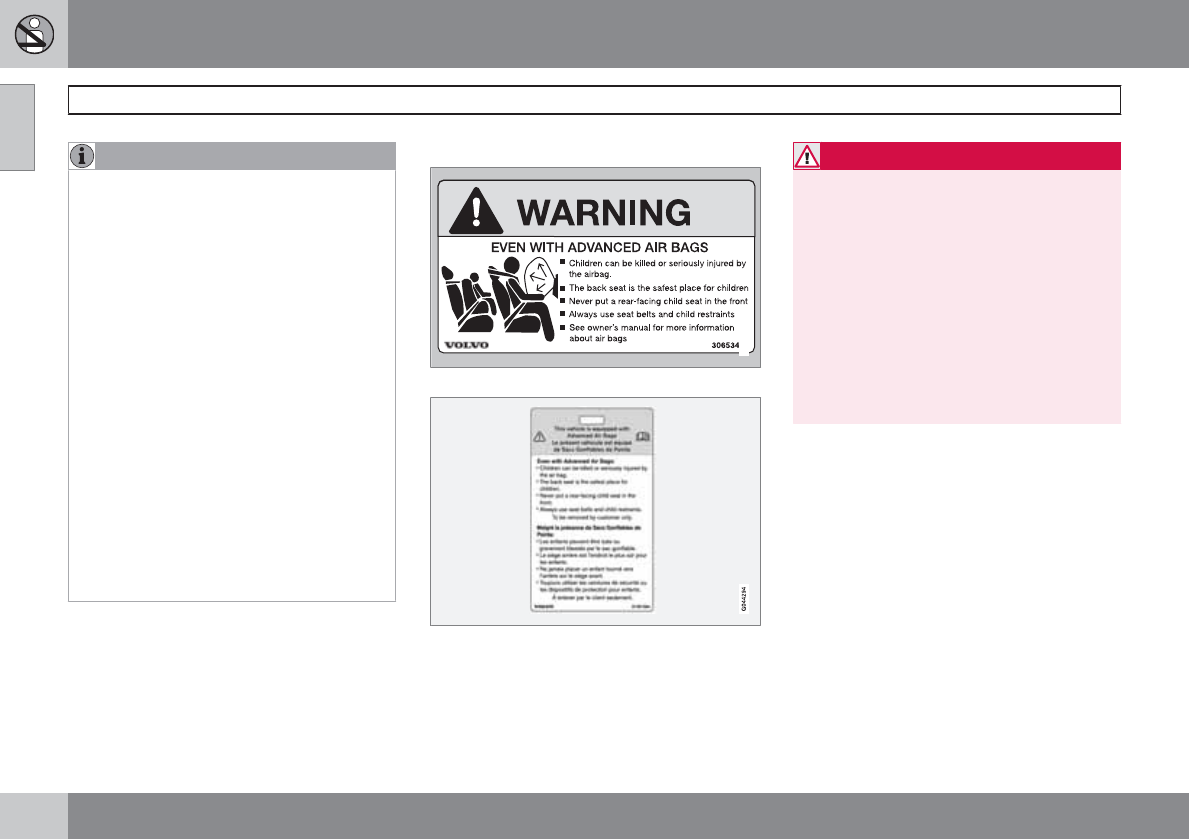
Airbag decals
G008335
Airbag decal on the outside of both sun visors
Passenger's side airbag decal
WARNING
•Children must never be allowed in the
front passenger's seat.
•Occupants in the front passenger's seat
must never sit on the edge of the seat,
sit leaning toward the instrument panel
or otherwise sit out of position.
•The occupant's back must be as upright
as comfort allows and be against the
seat back with the seat belt properly
fastened.
•Feet must be on the floor, e.g., not on
the dash, seat or out of the window.
01 Safety
Supplemental Restraint System (SRS)
01
25
WARNING
•No objects or accessory equipment,
e.g. dashboard covers, may be placed
on, attached to, or installed near the air
bag hatch (the area above the glove
compartment) or the area affected by
airbag deployment (see the illustration
on page 22).
•There should be no loose articles, such
as coffee cups on the floor, seat, or
dashboard area.
•Never try to open the airbag cover on
the steering wheel or the passenger's
side dashboard. This should only be
done by a trained and qualified Volvo
service technician.
•Failure to follow these instructions can
result in injury to the vehicle occupants.
01 Safety
Occupant Weight Sensor
01
26
General information
2
2
G017724
Occupant Weight Sensor (OWS) indicator light
Disabling the passenger's side front
airbag
Volvo recommends that ALL occupants (adults
and children) shorter than 4 feet 7 inches
(140 cm) be seated in the back seat of any
vehicle with a front passenger side airbag, and
be properly restrained for their size and weight.
For child safety recommendations, see
page 38.
The Occupant Weight Sensor (OWS) is
designed to meet the regulatory requirements
of Federal Motor Vehicle Safety Standard
(FMVSS) 208 and is designed to disable (will
not inflate) the passenger's side front airbag
under certain conditions.
The OWS works with sensors that are part of
the front passenger's seat and seat belt. The
sensors are designed to detect the presence of
a properly seated occupant and determine if
the passenger's side front airbag should be
enabled (may inflate) or disabled (will not
inflate).
The OWS will disable (will not inflate) the pas-
senger's side front airbag when:
•the front passenger's seat is unoccupied,
or has small/medium objects in the front
seat,
•the system determines that an infant is
present in a rear-facing infant seat that is
installed according to the manufacturer's
instructions,
•the system determines that a small child is
present in a forward-facing child restraint
that is installed according to the manufac-
turer's instructions,
•the system determines that a small child is
present in a booster seat,
•a front passenger takes his/her weight off
of the seat for a period of time,
•a child or a small person occupies the front
passenger's seat.
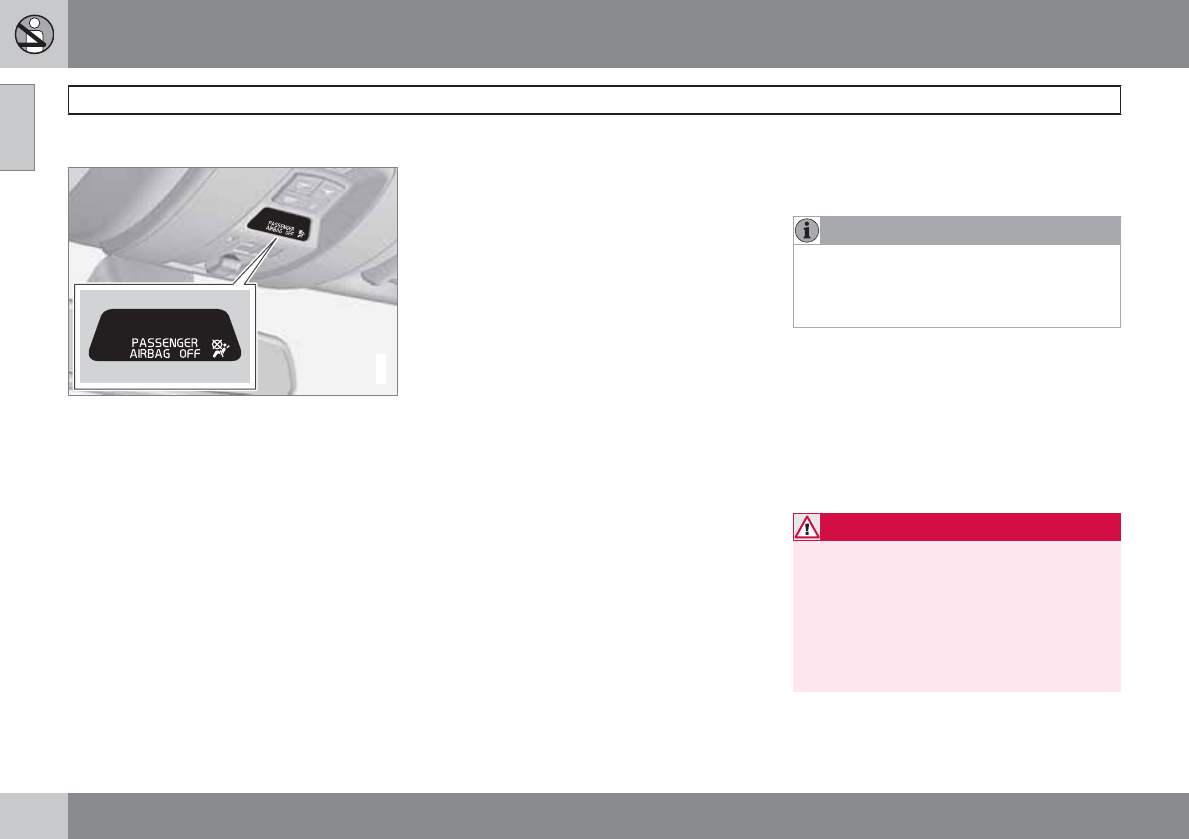
The OWS uses a PASSENGER AIRBAG OFF
indicator lamp which will illuminate and stay on
to remind you that the passenger's side front
airbag is disabled. The PASSENGER AIRBAG
OFF indicator lamp is located in the overhead
console, near the base of the rearview mirror.
NOTE
When the ignition is switched on, the OWS
indicator light will go on for up to 10 seconds
while the system performs a self-diagnostic
test.
However, if a fault is detected in the system:
•The OWS indicator light will stay on
•The SRS warning light (see page 21) will
come on and stay on
•The message Pass. Airbag OFF Service
urgent will be displayed in the information
display.
WARNING
If a fault in the system is detected and indi-
cated as described, be aware that the pas-
senger's side front airbag will not deploy in
the event of a collision. In this case, the SRS
system and Occupant Weight Sensor
should be inspected by a trained and quali-
fied Volvo service technician as soon as
possible.
01 Safety
Occupant Weight Sensor
01
``
27
WARNING
•Never try to open, remove, or repair any
components in the OWS system. This
could result in system malfunction.
Maintenance or repairs should only be
carried out by an a trained and qualified
Volvo service technician.
•The front passenger's seat should not
be modified in any way. This could
reduce pressure on the seat cushion,
which might interfere with the OWS sys-
tem's function.
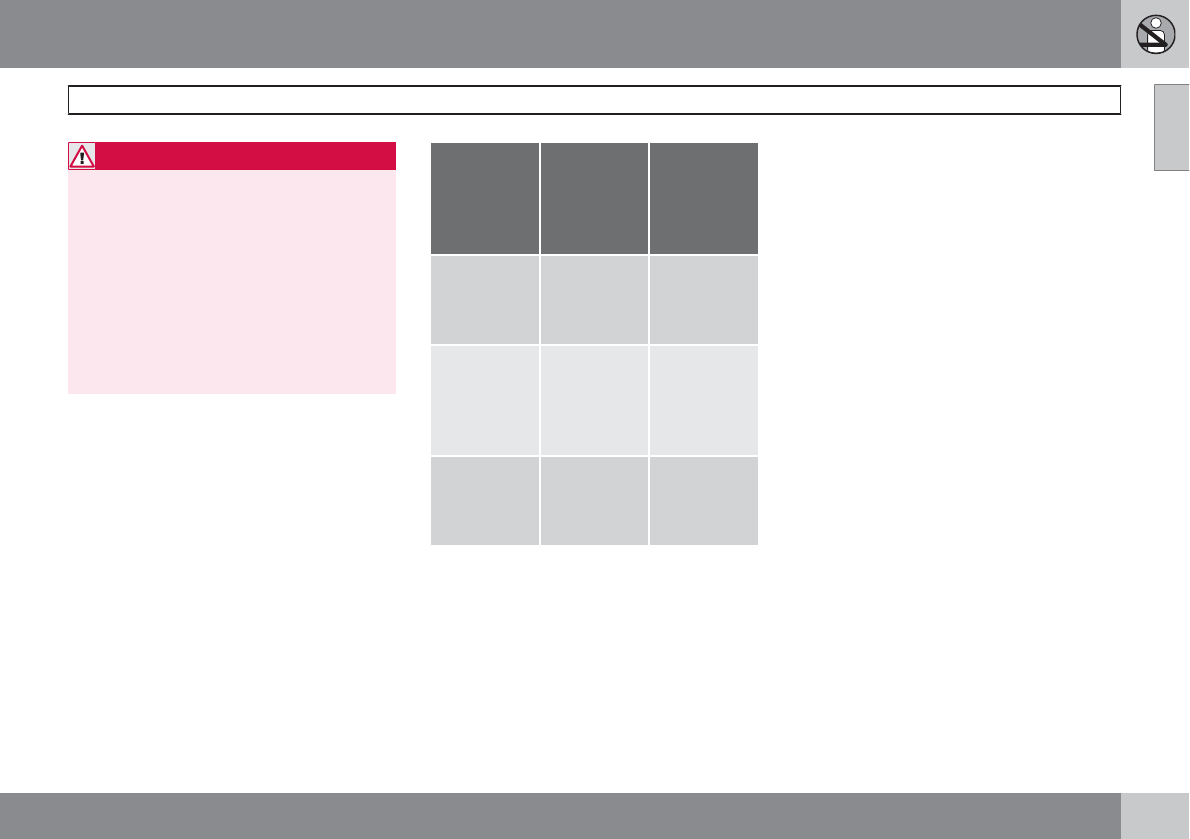
Passeng-
er's seat
occu-
pancy sta-
tus
OWS indi-
cator light
status
Passeng-
er's side
front air-
bag status
Seat unoc-
cupied
OWS indica-
tor light
lights up.
Passenger's
side front
airbag disa-
bled
Seat occu-
pied by low
weight
occupant/
objectA
OWS indica-
tor light
lights up
Passenger's
side front
airbag disa-
bled
Seat occu-
pied by
heavy occu-
pant/object
OWS indica-
tor light is
not lit
Passenger's
side front
airbag ena-
bled
AVolvo recommends that children always be properly
restrained in appropriate child restraints in the rear seats. Do
not assume that the passenger's side front airbag is disabled
unless the PASSENGER AIRBAG OFF indicator lamp is lit.
Make sure the child restraint is properly installed. If there is
any doubt as to the status of the passenger's side front air-
bag, move the child restraint to the rear seat.
The OWS is designed to enable (may inflate)
the passenger's side front airbag in the event
of a collision anytime the system senses that a
person of adult size is sitting properly in the
front passenger's seat. The PASSENGER AIR-
BAG OFF indicator lamp will be off and remain
off.
If a person of adult size is sitting in the front
passenger's seat, but the PASSENGER AIR-
BAG OFF indicator lamp is on, it is possible that
the person isn't sitting properly in the seat. If
this happens:
•Turn the vehicle off and ask the person to
place the seatback in an upright position.
•Have the person sit upright in the seat,
centered on the seat cushion, with the per-
son's legs comfortably extended.
•Restart the vehicle and have the person
remain in this position for about two
minutes. This will allow the system to
detect that person and enable the pas-
senger's frontal airbag.
•If the PASSENGER AIRBAG OFF indicator
lamp remains on even after this, the person
should be advised to ride in the rear seat.
This condition reflects limitations of the OWS
classification capability. It does not indicate
OWS malfunction.
Modifications
If you are considering modifying your vehicle in
any way to accommodate a disability, for
example by altering or adapting the driver's or
front passenger's seat(s) and/or airbag sys-
tems, please contact Volvo at:
01 Safety
Occupant Weight Sensor
01
28
In the USA
Volvo Cars of North America, LLC
Customer Care Center
1 Volvo Drive
P.O. Box 914
Rockleigh, New Jersey 07647
1-800-458-1552
In Canada
Volvo Cars of Canada Corp.
National Customer Service
175 Gordon Baker Road North York, Ontario
M2H 2N7
1-800-663-8255
WARNING
•No objects that add to the total weight
on the seat should be placed on the
front passenger's seat. If a child is
seated in the front passenger's seat
with any additional weight, this extra
weight could cause the OWS system to
enable the airbag, which might cause it
to deploy in the event of a collision,
thereby injuring the child.
•The seat belt should never be wrapped
around an object on the front passeng-
er's seat. This could interfere with the
OWS system's function.
•The front passenger's seat belt should
never be used in a way that exerts more
pressure on the passenger than normal.
This could increase the pressure exer-
ted on the weight sensor by a child, and
could result in the airbag being enabled,
which might cause it to deploy in the
event of a collision, thereby injuring the
child.
WARNING
•Keep the following points in mind with
respect to the OWS system. Failure to
follow these instructions could
adversely affect the system's function
and result in serious injury to the occu-
pant of the front passenger's seat:
•The full weight of the front seat passen-
ger should always be on the seat cush-
ion. The passenger should never lift
him/herself off the seat cushion using
the armrest in the door or the center
console, by pressing the feet on the
floor, by sitting on the edge of the seat
cushion, or by pressing against the
backrest in a way that reduces pressure
on the seat cushion. This could cause
OWS to disable the front, passenger's
side airbag.
01 Safety
Occupant Weight Sensor
01
29
WARNING
•Do not place any type of object on the
front passenger's seat in such a way
that jamming, pressing, or squeezing
occurs between the object and the front
seat, other than as a direct result of the
correct use of the Automatic Locking
Retractor/Emergency Locking Retrac-
tor (ALR/ELR) seat belt (see page 38).
•No objects should be placed under the
front passenger's seat. This could inter-
fere with the OWS system's function.
01 Safety
Side impact protection (SIPS) airbags
01
30
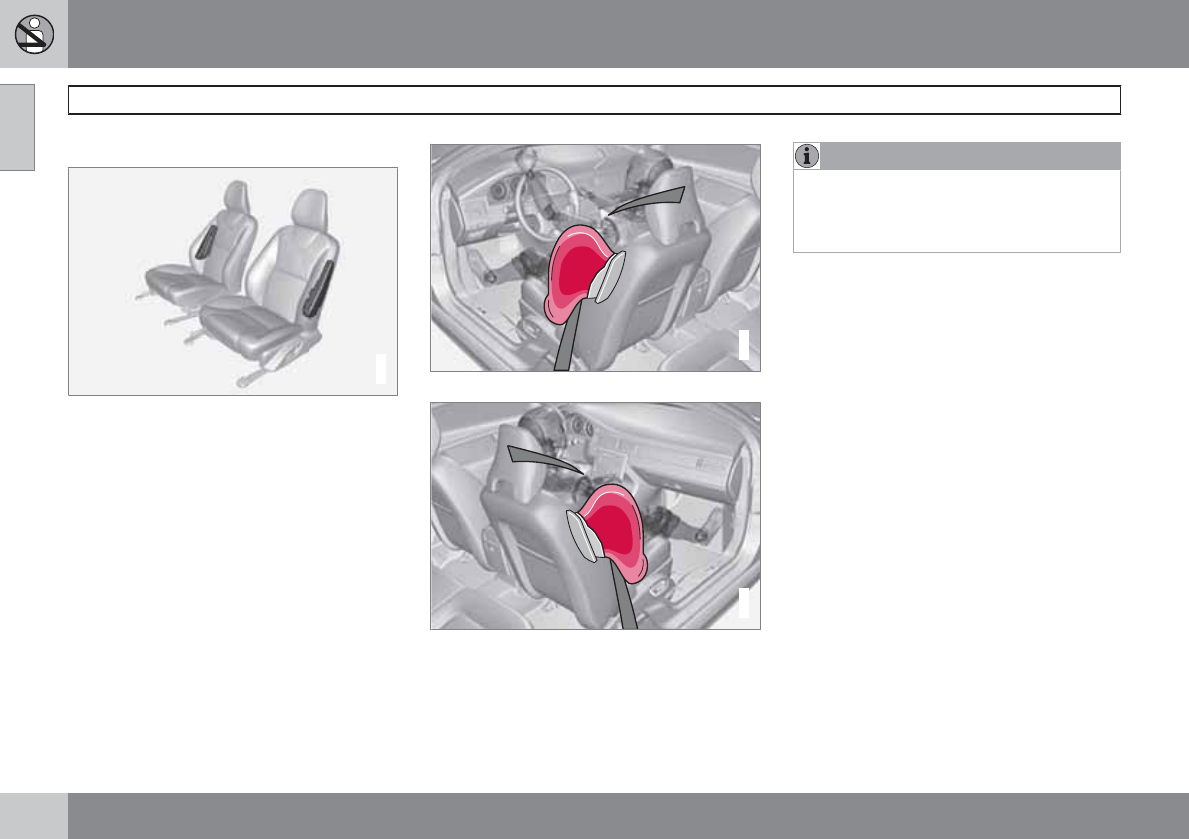
General information
G032949
Location of the side impact (SIPS) airbags (front
seats only)
As an enhancement to the structural side
impact protection built into your vehicle, it is
also equipped with Side Impact Protection
System (SIPS) airbags.
The SIPS airbag system is designed to help
increase occupant protection in the event of
certain side impact collisions. The SIPS air-
bags are designed to deploy only during cer-
tain side-impact collisions, depending on the
crash severity, angle, speed and point of
impact.
G024377
Driver's side SIPS airbag
G024378
Passenger's side SIPS airbag
SIPS airbag deployment (one airbag) occurs
only on the side of the vehicle affected by the
impact. The airbags are not designed to deploy
in all side impact situations.
NOTE
SIPS airbag deployment (one airbag) occurs
only on the side of the vehicle affected by
the impact. The airbags are not designed to
deploy in all side impact situations.
Components in the SIPS airbag system
This SIPS airbag system consists of a gas gen-
erator, the side airbag modules built into the
outboard sides of both front seat backrests,
and electronic sensors/wiring.
01 Safety
Side impact protection (SIPS) airbags
01
31
WARNING
•The SIPS airbag system is a supple-
ment to the structural Side Impact Pro-
tection System and the three-point seat
belt system. It is not designed to deploy
during collisions from the front or rear of
the vehicle or in rollover situations.
•The use of seat covers on the front seats
may impede SIPS airbag deployment.
•No objects, accessory equipment or
stickers may be placed on, attached to
or installed near the SIPS airbag system
or in the area affected by SIPS airbag
deployment.
•Never try to open or repair any compo-
nents of the SIPS airbag system. This
should be done only by a trained and
qualified Volvo service technician.
•In order for the SIPS airbag to provide
its best protection, both front seat
occupants should sit in an upright posi-
tion with the seat belt properly fastened.
•Failure to follow these instructions can
result in injury to the occupants of the
vehicle in the event of an accident.
01 Safety
Inflatable Curtain (IC)
01
32
General information
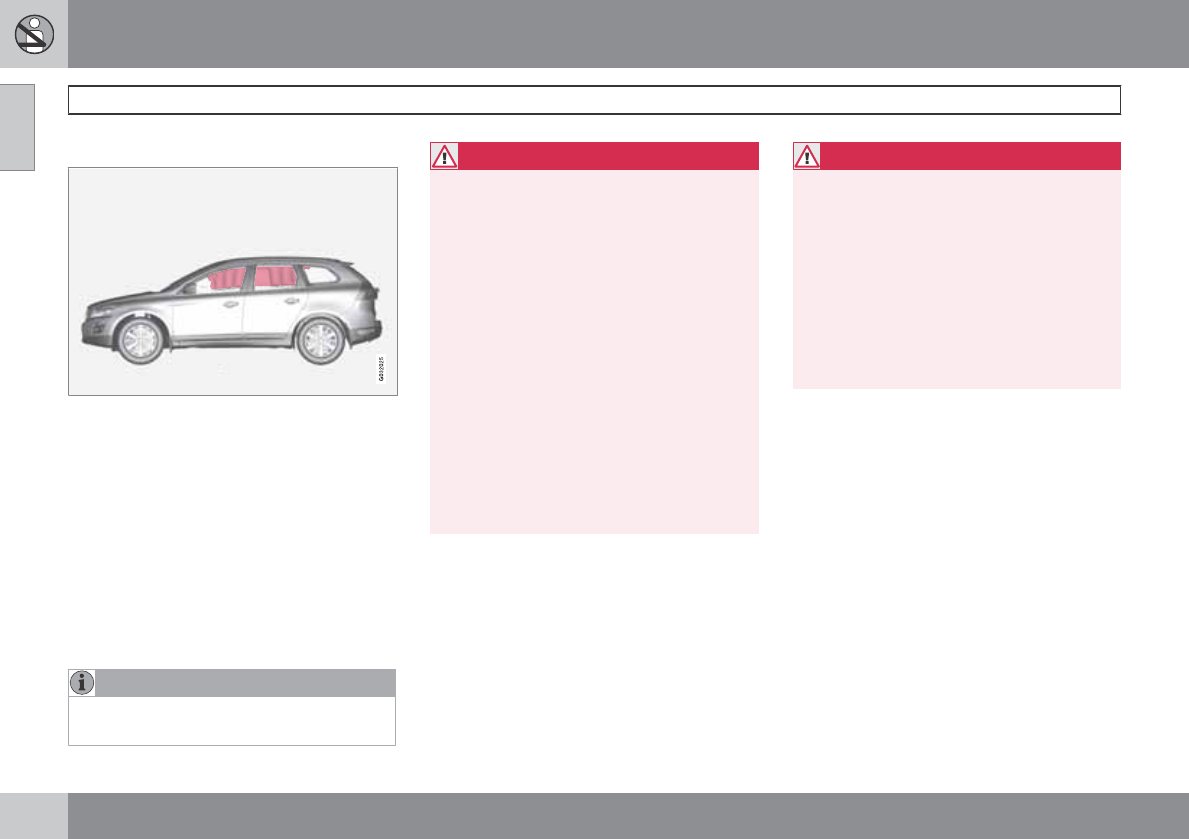
This system consists of inflatable curtains
located along the sides of the roof liners,
stretching from the center of both front side
windows to the rear edge of the rear side door
windows. It is designed to help protect the
heads of the occupants of the front seats and
the occupant of the outboard rear seating posi-
tions in certain side impact collisions.
In certain side impacts, both the Inflatable Cur-
tain (IC) and the Side Impact Airbag System
(SIPS airbag) will deploy. The IC and the SIPS
airbag deploy simultaneously.
NOTE
If the inflatable curtain deploys, it remains
inflated for approximately 3 seconds.
WARNING
•The IC system is a supplement to the
Side Impact Protection System. It is not
designed to deploy during collisions
from the front or rear of the vehicle or in
rollover situations.
•Never try to open or repair any compo-
nents of the IC system. This should be
done only by a trained and qualified
Volvo service technician.
•Never hang heavy items from the ceiling
handles. This could impede deployment
of the Inflatable Curtain.
•The cargo area and rear seat should not
be loaded to a level higher than 2 in.
(5 cm) below the upper edge of the rear
side windows. Objects placed higher
than this level could impede the func-
tion of the Inflatable Curtain.
WARNING
In order for the IC to provide its best pro-
tection, both front seat occupants and both
outboard rear seat occupants should sit in
an upright position with the seat belt prop-
erly fastened; adults using the seat belt and
children using the proper child restraint sys-
tem. Only adults should sit in the front seats.
Children must never be allowed in the front
passenger seat, see page 38 for guide-
lines. Failure to follow these instructions can
result in injury to the vehicle occupants in an
accident.
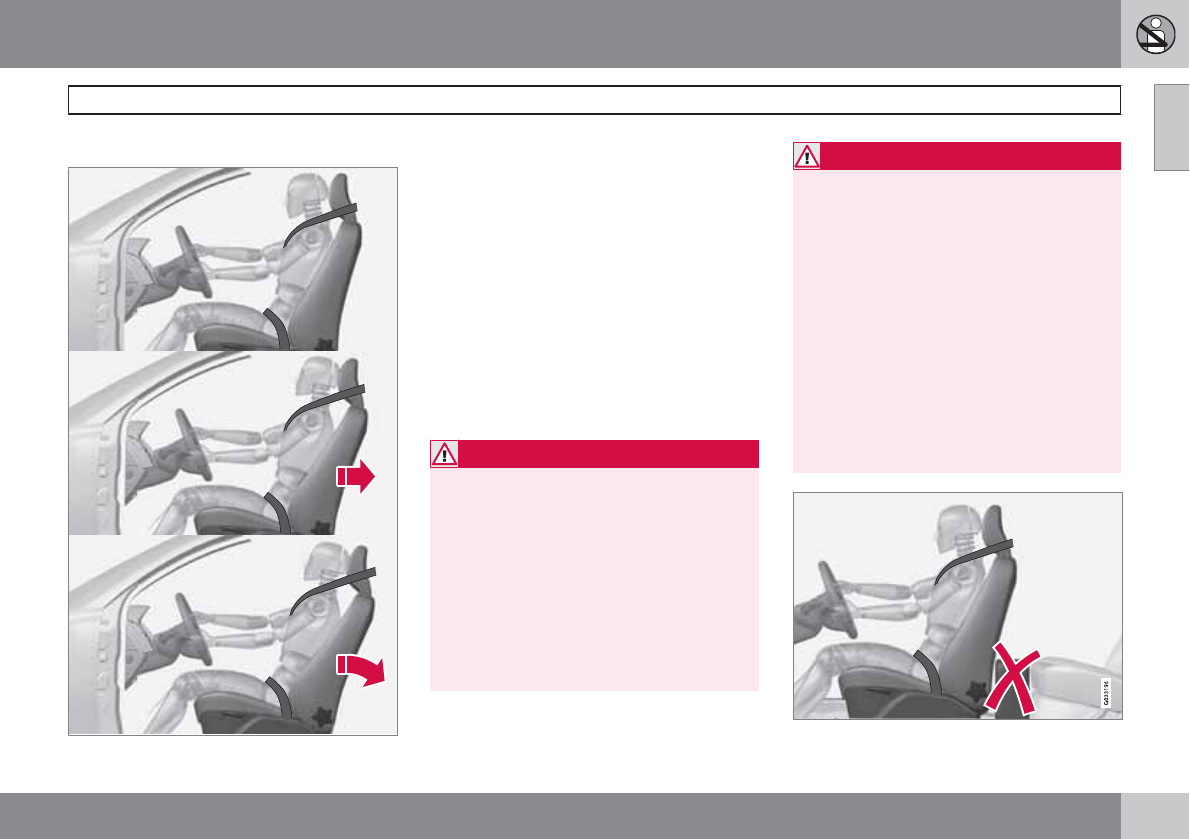
01 Safety
Whiplash Protection System – WHIPS
01
``
33
General information
Whiplash Protection System (WHIPS) –
front seats only
The WHIPS system consists of specially
designed hinges and brackets on the front seat
backrests designed to help absorb some of the
energy generated in a collision from the rear
(when the vehicle is rear-ended).
In the event of a collision of this type, the hinges
and brackets of the front seat backrests are
designed to change position slightly to allow
the backrest/head restraint to help support the
occupant's head before moving slightly rear-
ward. This movement helps absorb some of
the forces that could result in whiplash.
WARNING
•The WHIPS system is designed to sup-
plement the other safety systems in
your vehicle. For this system to function
properly, the three-point seat belt must
be worn. Please be aware that no sys-
tem can prevent all possible injuries that
may occur in an accident.
•The WHIPS system is designed to func-
tion in certain collisions from the rear,
depending on the crash severity, angle
and speed.
WARNING
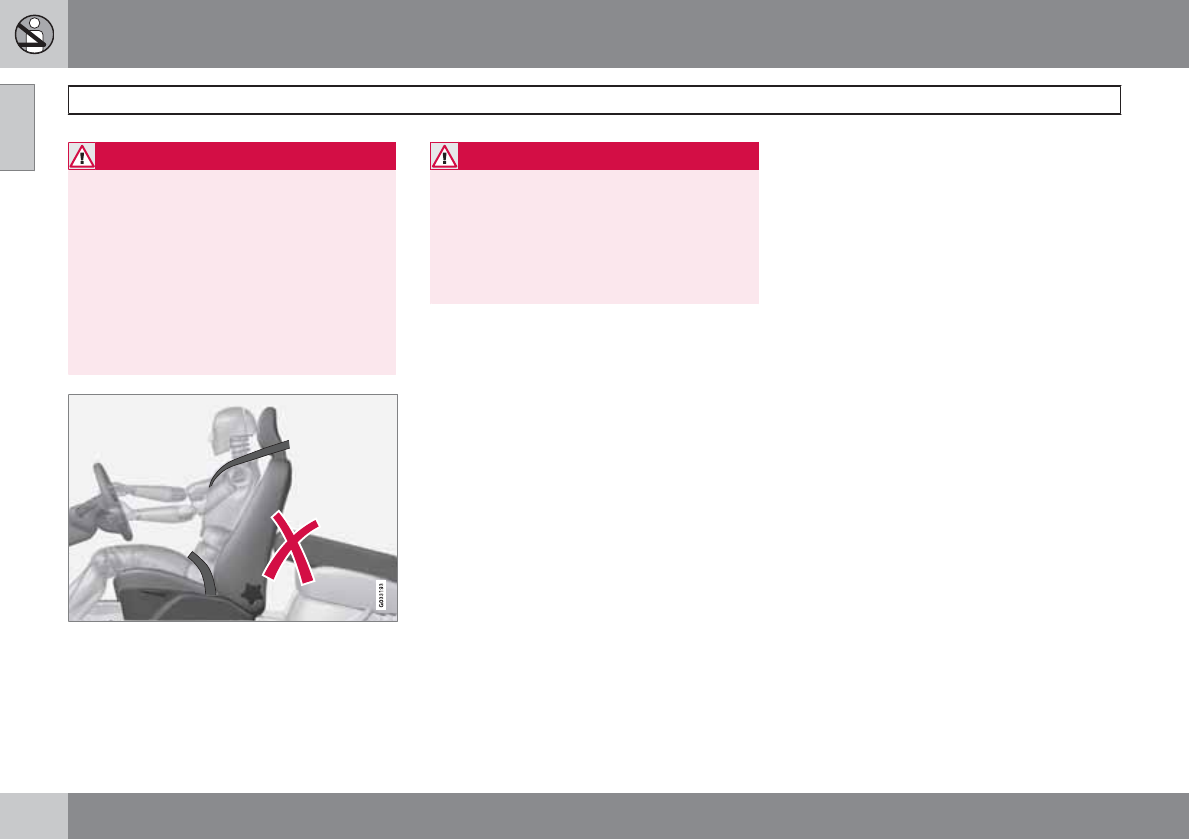
•Occupants in the front seats must never
sit out of position. The occupant's back
must be as upright as comfort allows
and be against the seat back with the
seat belt properly fastened.
•If your vehicle has been involved in a
rear-end collision, the front seat back-
rests must be inspected by a trained
and qualified Volvo service technician,
even if the seats appear to be undam-
aged. Certain components in the
WHIPS system may need to be
replaced.
•Do not attempt to service any compo-
nent in the WHIPS system yourself.
01 Safety
Whiplash Protection System – WHIPS
01
34
WARNING
•Boxes, suitcases, etc. wedged behind
the front seats could impede the func-
tion of the WHIPS system.
•If the rear seat backrests are folded
down, cargo must be secured to pre-
vent it from sliding forward against the
front seat backrests in the event of a
collision from the rear. This could inter-
fere with the action of the WHIPS sys-
tem.
WARNING
Any contact between the front seat back-
rests and the folded rear seat or a rear-fac-
ing child seat could impede the function of
the WHIPS system. If the rear seat is folded
down, the occupied front seats must be
adjusted forward so that they do not touch
the folded rear seat.
01 Safety
Rollover Protection System (ROPS)
01
35
Volvo’s Rollover Protection System utilizes the
Roll Stability Control (RSC) function, which is
designed to help minimize the risk of a rollover
in emergency maneuvers or if a skid should
occur.
RSC uses a gyroscopic sensor that registers
the amount of change in the lateral angle at
which the vehicle is leaning. Using this infor-
mation, RSC calculates the likelihood of a roll-
over. If there is an imminent risk of a rollover,
the Dynamic Stability and Traction Control sys-
tem (DSTC) is activated, power to the engine is
cut and the brakes are applied to one or more
of the wheels until the vehicle regains stability.
For additional information on DSTC, see
page 144.
WARNING
The vehicle’s stability systems, including
ROPS and RSC, do not replace the driver’s
responsibility for operating the vehicle in a
safe manner. Speed and driving style
should always be adapted to the current
road, traffic and weather conditions. Posted
speed limits should always be respected.
01 Safety
Crash mode
01
36
Driving after a collision
If the vehicle has been involved in a collision,
the text Safety mode See manual may
appear in the information display. This indi-
cates that the vehicle's functionality has been
reduced.
NOTE
This text can only be shown if the display is
undamaged and the vehicle's electrical sys-
tem is intact.
Safety mode is a feature that is triggered if one
or more of the safety systems (e.g. front or side
airbags, an inflatable curtain, or one or more of
the seat belt pretensioners) has deployed. The
collision may have damaged an important
function in the vehicle, such as the fuel lines,
sensors for one of the safety systems, the
brake system, etc.
WARNING
•Never attempt to repair the vehicle
yourself or to reset the electrical system
after the vehicle has displayed Safety
mode See manual. This could result in
injury or improper system function.
•Restoring the vehicle to normal operat-
ing status should only be done by a
trained and qualified Volvo service tech-
nician.
•After Safety mode See manual has
been displayed, if you detect the odor
of fuel vapor, or see any signs of fuel
leakage, do not attempt to start the
vehicle. Leave the vehicle immediately.
Attempting to start the vehicle
If damage to the vehicle is minor and there is
no fuel leakage, you may attempt to start the
vehicle. To do so:
1. Remove the remote key from the ignition
slot and open the driver's door. If a mes-
sage is displayed that the ignition is on,
press the start button.
2. Close the driver's door and reinsert the
remote key in the ignition slot.
3. Try to start the vehicle.
If the message Safety mode See manual is
still displayed, the vehicle should not be driven
and must be towed. Concealed faults may
make the vehicle difficult to control.
Moving the vehicle
If the message Normal mode is displayed
when Safety mode See manual is no longer
displayed, the vehicle may be moved carefully
from its present position, if for example, it is
blocking traffic. It should, however, not be
moved farther than is absolutely necessary.
WARNING
Even if the vehicle appears to be drivable
after Safety mode has been set, it should
not be driven or towed (pulled by another
vehicle). There may be concealed damage
that could make it difficult or impossible to
control. The vehicle should be transported
on a flatbed tow truck to a trained and quali-
fied Volvo service technician for inspection/
repairs.
01 Safety
Child safety
01
``
37
Children should be seated safely
Volvo recommends the proper use of restraint
systems for all occupants including children.
Remember that, regardless of age and size, a
child should always be properly restrained in a
vehicle.
Your vehicle is also equipped with ISOFIX/
LATCH attachments, which make it more con-
venient to install child seats.
Some restraint systems for children are
designed to be secured in the vehicle by lap
belts or the lap portion of a lap-shoulder belt.
Such child restraint systems can help protect
children in vehicles in the event of an accident
only if they are used properly. However, chil-
dren could be endangered in a crash if the child
restraints are not properly secured in the vehi-
cle. Failure to follow the installation instructions
for your child restraint can result in your child
striking the vehicle's interior in a sudden stop.
Holding a child in your arms is NOT a suitable
substitute for a child restraint system. In an
accident, a child held in a person's arms can
be crushed between the vehicle's interior and
an unrestrained person. The child could also be
injured by striking the interior, or by being ejec-
ted from the vehicle during a sudden maneuver
or impact. The same can also happen if the
infant or child rides unrestrained on the seat.
Other occupants should also be properly
restrained to help reduce the chance of injuring
or increasing the injury of a child.
All states and provinces have legislation gov-
erning how and where children should be car-
ried in a vehicle. Find out the regulations exist-
ing in your state or province. Recent accident
statistics have shown that children are safer in
rear seating positions than front seating posi-
tions when properly restrained. A child restraint
system can help protect a child in a vehicle.
Here's what to look for when selecting a child
restraint system:
It should have a label certifying that it meets
applicable Federal Motor Vehicle Safety
Standards (FMVSS 213) – or in Canada,
CMVSS 213.
Make sure the child restraint system is
approved for the child's height, weight and
development – the label required by the stand-
ard or regulation, or instructions for infant
restraints, typically provide this information.
In using any child restraint system, we urge you
to carefully look over the instructions that are
provided with the restraint. Be sure you under-
stand them and can use the device properly
and safely in this vehicle. A misused child
restraint system can result in increased injuries
for both the infant or child and other occupants
in the vehicle.
When a child has outgrown the child safety
seat, you should use the rear seat with the
standard seat belt fastened. The best way to
help protect the child here is to place the child
on a cushion so that the seat belt is properly
located on the hips (see the illustration on page
45). Legislation in your state or province may
mandate the use of a child seat or cushion in
combination with the seat belt, depending on
the child's age and/or size. Please check local
regulations.
A specially designed and tested booster cush-
ion and backrest can be obtained from your
Volvo retailer.
USA: for children weighing 33 – 80 lbs.
(15 – 36 kg) and 38 – 54 inches (97 – 137 cm)
in height
Canada: for children weighing 40 – 80 lbs.
(18 – 36 kg) and 40 – 54 inches (102 – 137 cm)
in height
01 Safety
Child safety
01
38
WARNING
•Do not use child safety seats or child
booster cushions/backrests in the front
passenger's seat. We also recommend
that children under 4 feet 7 inches
(140 cm) in height who have outgrown
these devices sit in the rear seat with the
seat belt fastened.
•On hot days, the temperature in the
vehicle interior can rise very quickly.
Exposure to these high temperatures
for even a short period of time can
cause heat-related injury or death.
Small children are particularly at risk.
Automatic Locking Retractor/
Emergency Locking Retractor (ALR/
ELR)
To make child seat installation easier, each
seat belt (except for the driver's belt) is equip-
ped with a locking mechanism to help keep the
seat belt taut.
When attaching the seat belt to a child
seat:
1. Attach the seat belt to the child seat
according to the child seat manufacturer's
instructions.
2. Pull the seat belt out as far as possible.
3. Insert the seat belt latch plate into the
buckle (lock) in the usual way.
4. Release the seat belt and pull it taut around
the child seat.
A sound from the seat belt retractor will be
audible at this time and is normal. The belt will
now be locked in place. This function is auto-
matically disabled when the seat belt is
unlocked and the belt is fully retracted.
Volvo's recommendations
Why does Volvo believe that no child should sit
in the front seat of a vehicle? It's quite simple
really. A front airbag is a very powerful device
designed, by law, to help protect an adult.
Because of the size of the airbag and its speed
of inflation, a child should never be placed in
the front seat, even if he or she is properly bel-
ted or strapped into a child safety seat. Volvo
has been an innovator in safety for over sev-
enty-five years, and we'll continue to do our
part. But we need your help. Please remember
to put your children in the back seat, and
buckle them up.
Volvo has some very specific
recommendations:
•Always wear your seat belt.
•Airbags are a SUPPLEMENTAL safety
device which, when used with a three-
point seat belt can help reduce serious
injuries during certain types of accidents.
Volvo recommends that you do not dis-
connect the airbag system in your vehicle.
•Volvo strongly recommends that everyone
in the vehicle be properly restrained.
•Volvo recommends that ALL occupants
(adults and children) shorter than 4 feet
7 inches (140 cm) be seated in the back
seat of any vehicle with a front passenger
side airbag.
Drive safely!
01 Safety
Child restraint systems
01
``
39
Child restraints
G022840
Infant seat
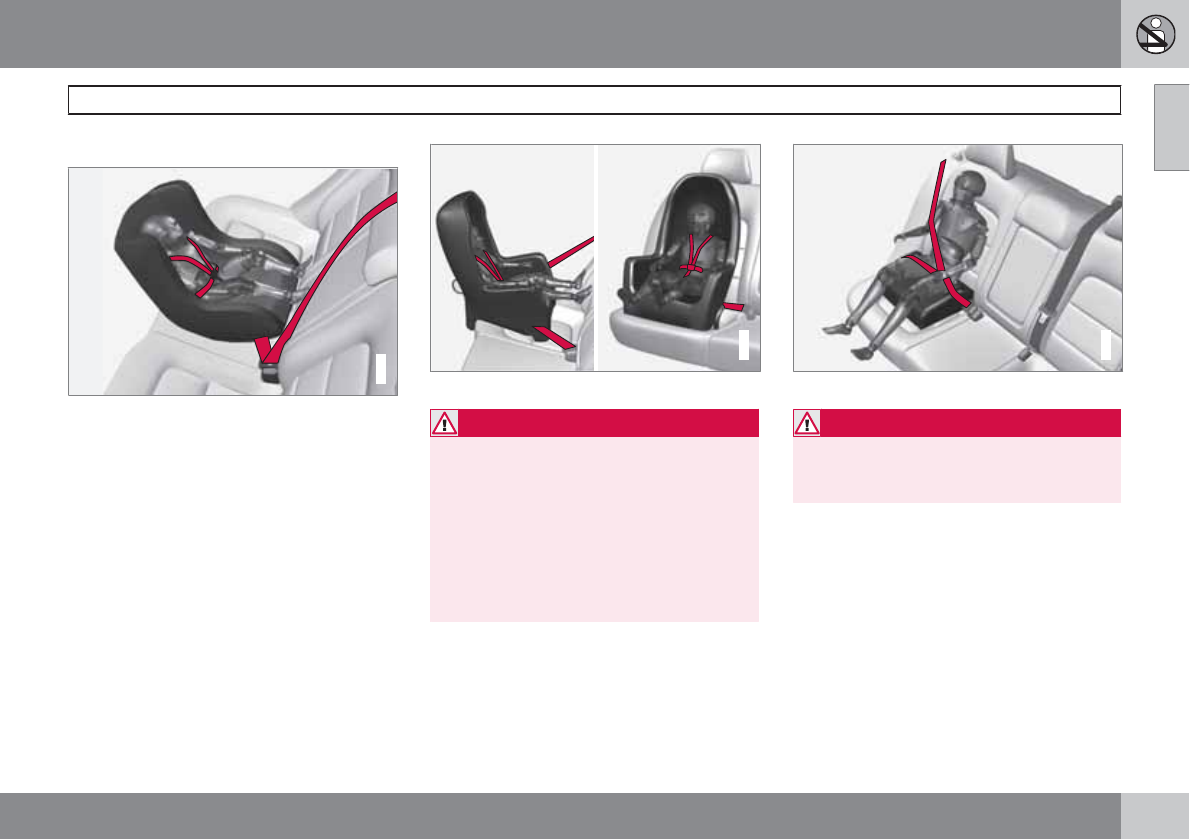
There are three main types of child restraint
systems: infant seats, convertible seats, and
booster cushions. They are classified accord-
ing to the child's age and size.
The following section provides general infor-
mation on securing a child restraint using a
three-point seat belt. Refer to page 46–47
for information on securing a child restraint
using ISOFIX/LATCH lower anchors and/or top
tether anchorages.
G022847
Convertible seat
WARNING
A child seat should never be used in the
front passenger seat of any vehicle with a
front passenger airbag – not even if the
"Passenger airbag off" symbol near the
rear-view mirror is illuminated (on vehicles
equipped with Occupant Weight Sensor). If
the severity of an accident were to cause the
airbag to inflate, this could lead to serious
injury or death to a child seated in this posi-
tion.
G023269
Booster cushion
WARNING
Always refer to the child restraint manufac-
turer's instructions for detailed information
on securing the restraint.
01 Safety
Child restraint systems
01
40
WARNING
•When not in use, keep the child restraint
system secured or remove it from the
passenger compartment to help pre-
vent it from injuring passengers in the
event of a sudden stop or collision.
•A small child's head represents a con-
siderable part of its total weight and its
neck is still very weak. Volvo recom-
mends that children up to age 4 travel,
properly restrained, facing rearward. In
addition, Volvo recommends that chil-
dren should ride rearward facing, prop-
erly restrained, as long as possible.
01 Safety
Infant seats
01
``
41
Securing an infant seat with a seat belt
G022844
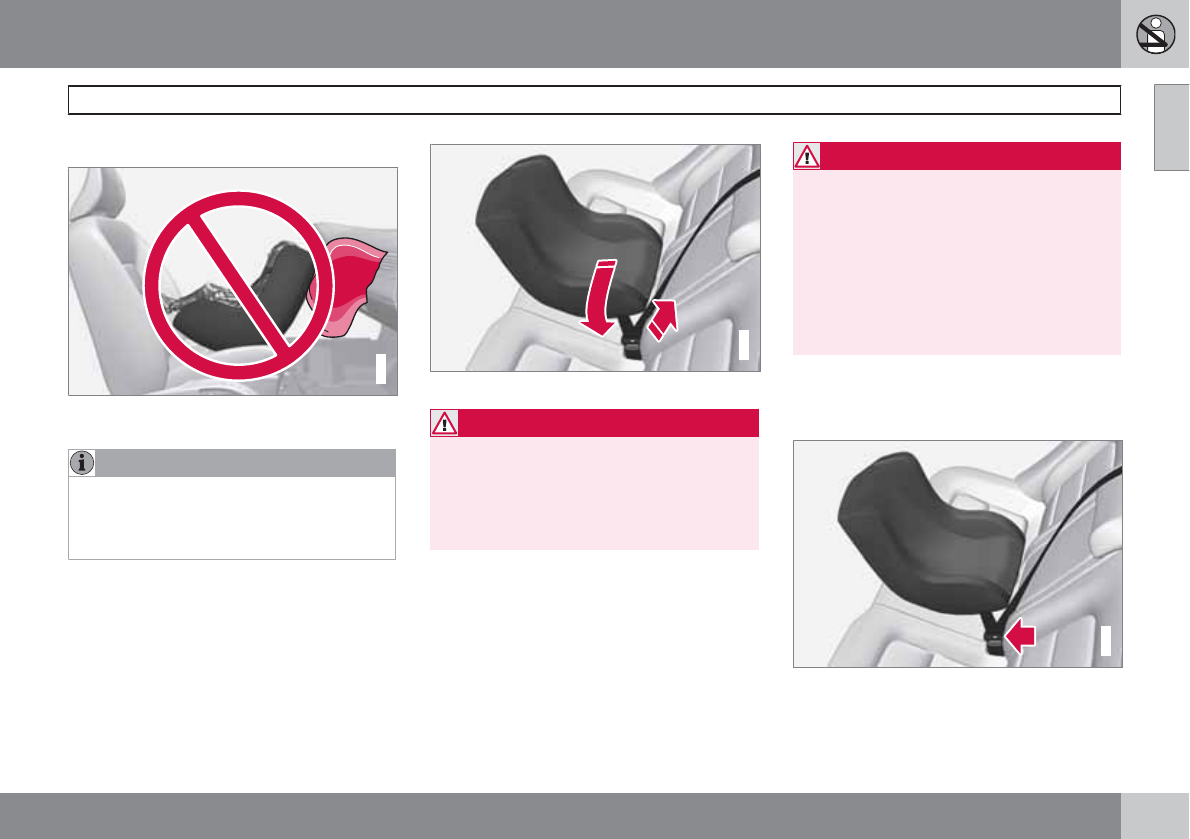
Do not place the infant seat in the front passeng-
er's seat
NOTE
Refer to page 46–47 for information on
securing a child restraint using ISOFIX/
LATCH lower anchors and/or top tether
anchorages.
1. Place the infant seat in the rear seat of the
vehicle.
2. Attach the seat belt to the infant seat
according to the manufacturer's instruc-
tions.
G023270
Positioning the seat belt through the infant seat
WARNING
•An infant seat must be in the rear-facing
position only.
•The infant seat should not be positioned
behind the driver's seat unless there is
adequate space for safe installation.
WARNING
A child seat should never be used in the
front passenger seat of any vehicle with a
front passenger airbag – not even if the
"Passenger airbag off" symbol near the
rear-view mirror is illuminated (on vehicles
equipped with Occupant Weight Sensor). If
the severity of an accident were to cause the
airbag to inflate, this could lead to serious
injury or death to a child seated in this posi-
tion.
3. Fasten the seat belt by inserting the latch
plate into the buckle (lock) until a distinct
click is audible.
G023271
Fasten the seat belt
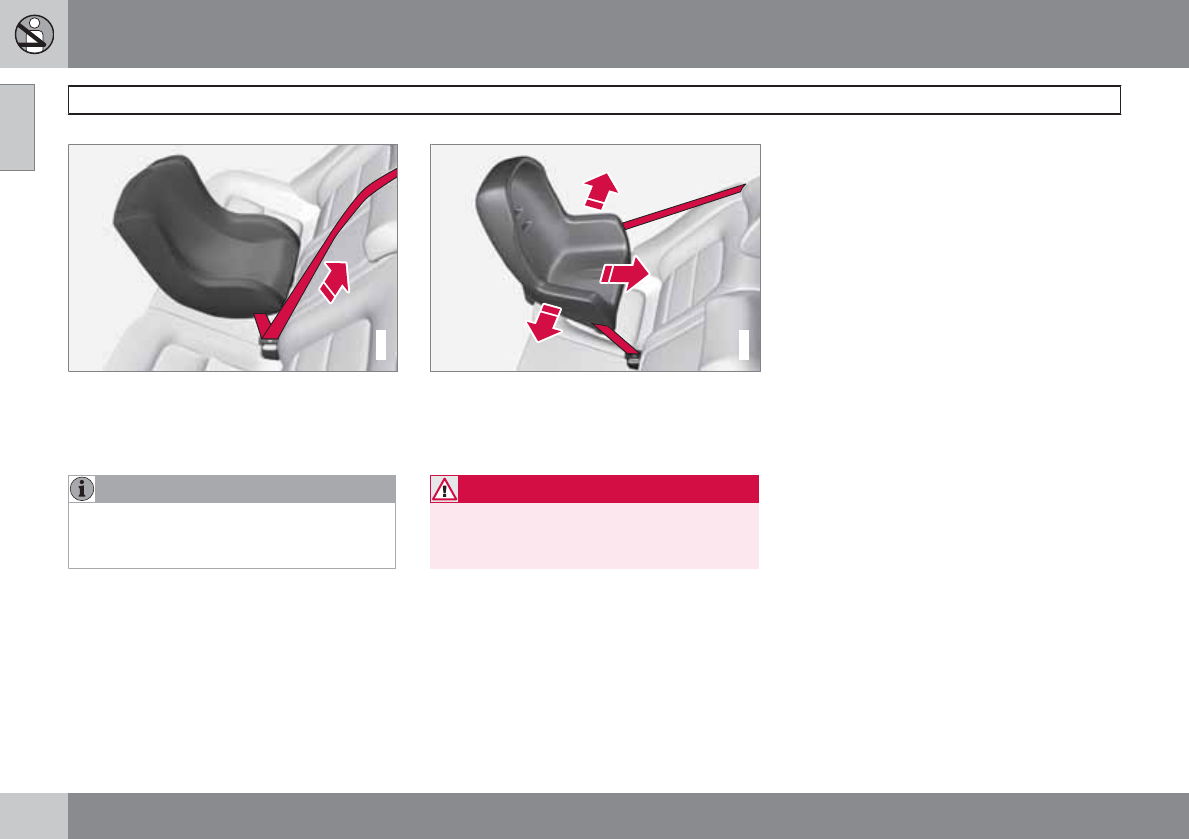
01 Safety
Infant seats
01
42
G022846
Pull out the shoulder section of the seat belt
4. Pull the shoulder section of the seat belt
out as far as possible to activate the belt's
automatic locking function.
NOTE
The locking retractor will automatically
release when the seat belt is unbuckled and
allowed to retract fully.
5. Press the infant seat firmly in place, let the
seat belt retract and pull it taut. A sound
from the seat belt retractor's automatic
locking function will be audible at this time
and is normal. The seat belt should now be
locked in place.
G022850
Ensure that the seat is securely in place
6. Push and pull the infant seat along the seat
belt path to ensure that it is held securely
in place by the seat belt.
WARNING
It should not be possible to move the child
restraint (child seat) more than 1 in. (2.5 cm)
in any direction along the seat belt path.
The infant seat can be removed by unbuckling
the seat belt and letting it retract completely.
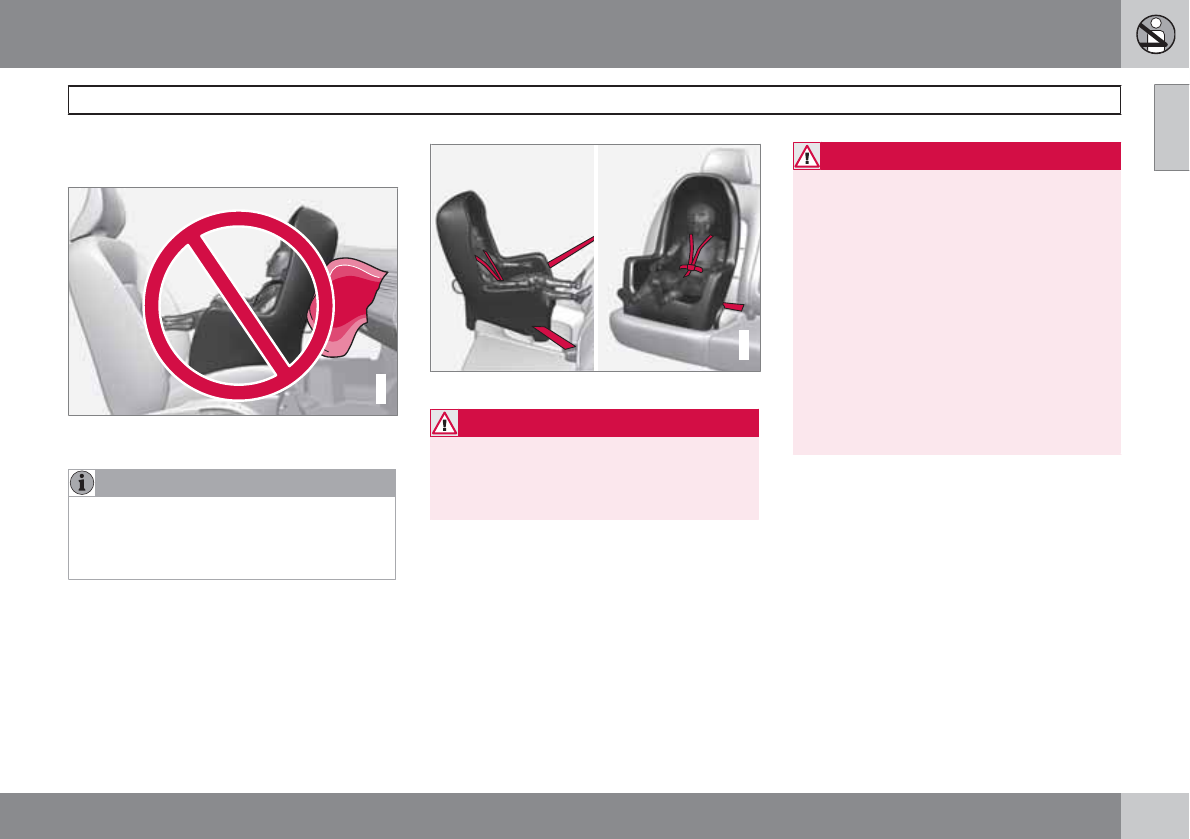
01 Safety
Convertible seats
01
``
43
Securing a convertible seat with a seat
belt
G018630
Do not place the convertible seat in the front pas-
senger's seat
NOTE
Refer to pages 46 and 47 for information
on securing a child restraint using ISOFIX/
LATCH lower anchors and/or top tether
anchorages.
Convertible seats can be used in either a for-
ward or rearward-facing position, depending
on the age and size of the child.
G022847
Route the seat belt through the convertible seat
WARNING
Always use a convertible seat that is suita-
ble for the child's age and size. See the con-
vertible seat manufacturer's recommenda-
tions.
1. Place the convertible seat in the rear seat
of the vehicle.
WARNING
•A small child's head represents a con-
siderable part of its total weight and its
neck is still very weak. Volvo recom-
mends that children up to age 4 travel,
properly restrained, facing rearward. In
addition, Volvo recommends that chil-
dren should ride rearward facing, prop-
erly restrained, as long as possible.
•Convertible child seats should be instal-
led in the rear seat only.
•A rear-facing convertible seat should not
be positioned behind the driver's seat
unless there is adequate space for safe
installation.
2. Attach the seat belt to the convertible seat
according to the manufacturer's instruc-
tions.
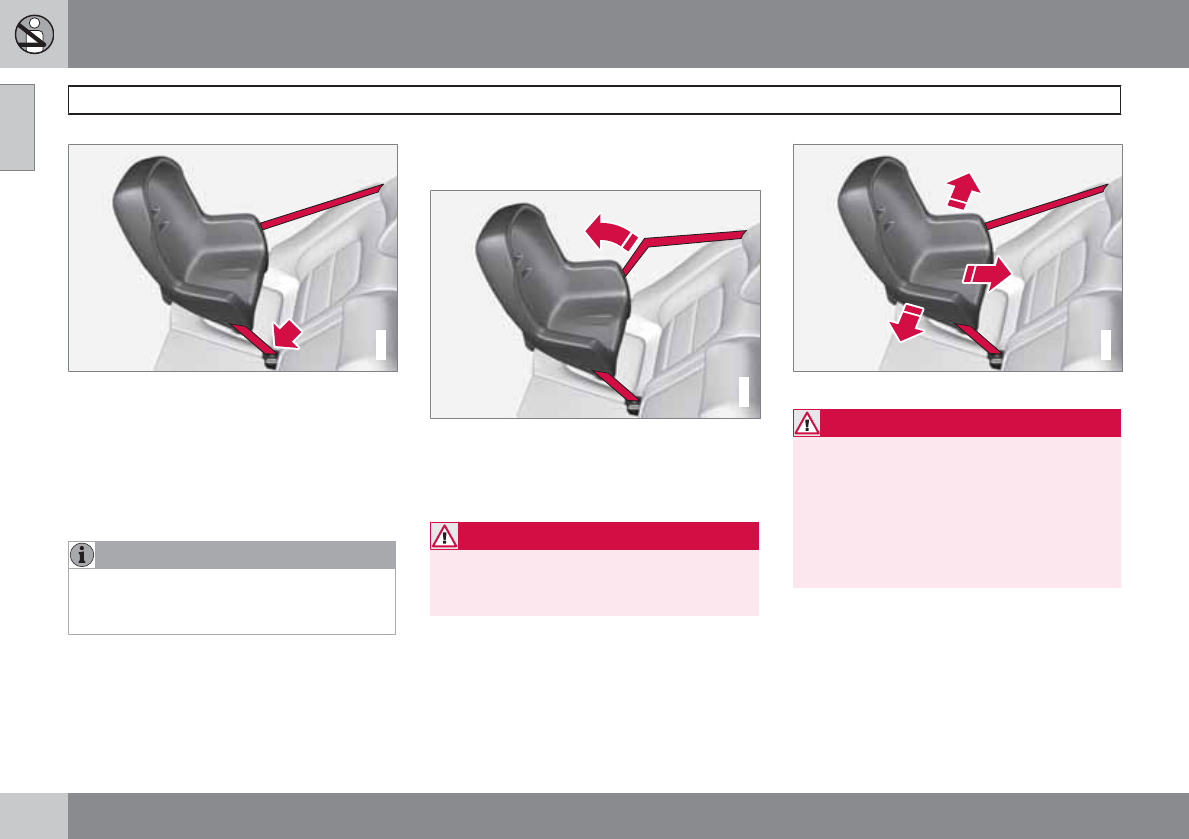
01 Safety
Convertible seats
01
44
G022848
Fasten the seat belt
3. Fasten the seat belt by inserting the latch
plate into the buckle (lock) until a distinct
click is audible.
4. Pull the shoulder section of the seat belt
out as far as possible to activate the belt's
automatic locking function.
NOTE
The locking retractor will automatically
release when the seat belt is unbuckled and
allowed to retract fully.
5. Press the convertible seat firmly in place,
let the seat belt retract and pull it taut. A
sound from the seat belt retractor's auto-
matic locking function will be audible at this
time and is normal. The seat belt should
now be locked in place.
G022849
Pull out the shoulder section of the seat belt
6. Push and pull the convertible seat along
the seat belt path to ensure that it is held
securely in place by the seat belt.
WARNING
It should not be possible to move the child
restraint (child seat) more than 1 in. (2.5 cm)
in any direction along the seat belt path.
The convertible seat can be removed by
unbuckling the seat belt and letting it retract
completely.
G022850
Ensure that the seat is securely in place
WARNING
A child seat should never be used in the
front passenger seat of any vehicle with a
front passenger airbag – not even if the
"Passenger airbag off" symbol near the
rear-view mirror is illuminated. If the severity
of an accident were to cause the airbag to
inflate, this could lead to serious injury or
death to a child seated in this position.
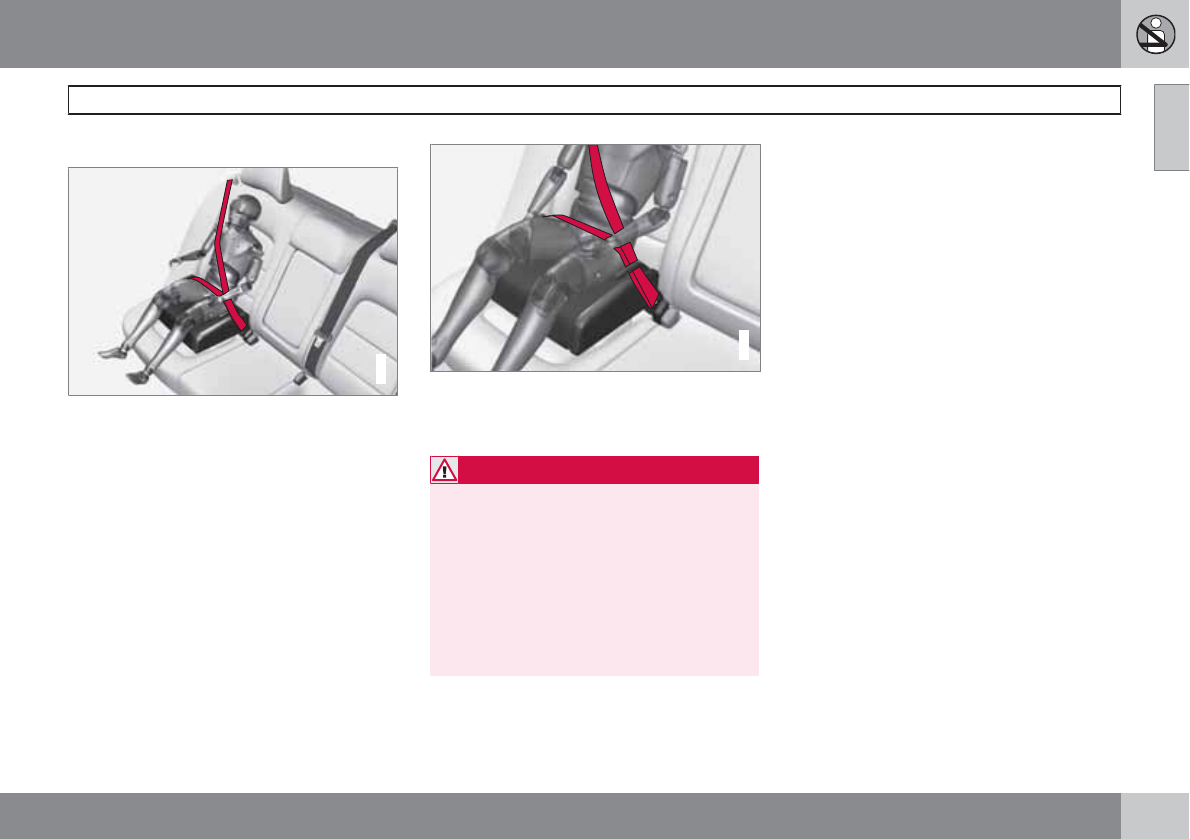
01 Safety
Booster cushions
01
45
Securing a booster cushion
G022851
Position the child correctly on the booster cushion
Booster cushions are recommended for chil-
dren who have outgrown convertible seats.
1. Place the booster cushion in the rear seat
of the vehicle.
2. With the child properly seated on the
booster cushion, attach the seat belt to or
around the cushion according to the man-
ufacturer's instructions.
3. Fasten the seat belt by inserting the latch
plate into the buckle (lock) until a distinct
click is audible.
G022852
Positioning the seat belt
4. Ensure that the seat belt is pulled taut and
fits snugly around the child.
WARNING
•The hip section of the three-point seat
belt must fit snugly across the child's
hips, not across the stomach.
•The shoulder section of the three-point
seat belt should be positioned across
the chest and shoulder.
•The shoulder belt must never be placed
behind the child's back or under the
arm.
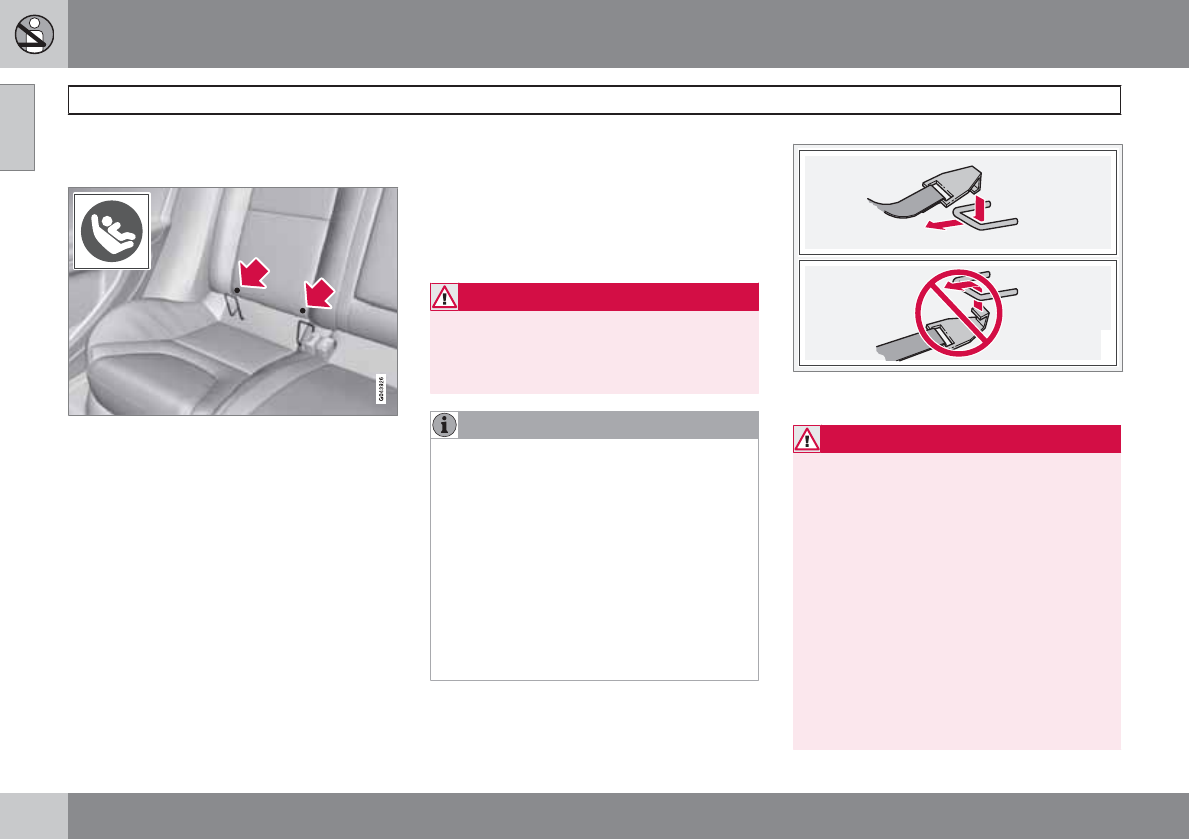
01 Safety
ISOFIX/LATCH lower anchors
01
46
Using the ISOFIX/LATCH lower child
seat anchors
Lower anchors for ISOFIX/LATCH-equipped
child seats are located in the rear, outboard
seats, hidden below the backrest cushions.
Symbols on the seat back upholstery mark the
anchor positions as shown. To access the
anchors, kneel on the seat cushion and locate
the anchors by feel. Always follow your child
seat manufacturer's installation instructions,
and use both ISOFIX/LATCH lower anchors
and top tethers whenever possible.
To access the anchors
1. Put the child restraint in position.
2. Kneel on the child restraint to press down
the seat cushion and locate the anchors by
feel.
3. Fasten the attachment on the child
restraint's lower straps to the ISOFIX/
LATCH/LATCH lower anchors.
4. Firmly tension the lower child seat straps
according to the manufacturer's instruc-
tions.
WARNING
Volvo's ISOFIX/LATCH anchors conform to
FMVSS/CMVSS standards. Always refer to
the child restraint system's manual for
weight and size ratings.
NOTE
•The rear seat's center position is not
equipped with ISOFIX/LATCH lower
anchors. When installing a child
restraint in this position, attach the
restraint's top tether strap (if it is so
equipped) to the top tether anchorage
point and secure the restraint with the
vehicle's center seat belt.
•Always follow your child seat manufac-
turer's installation instructions, and use
both ISOFIX/LATCH lower anchors and
top tethers whenever possible.
G018631
Fasten the attachment correctly to the ISOFIX/
LATCH lower anchors
WARNING
•Be sure to fasten the attachment cor-
rectly to the anchor (see the illustration).
If the attachment is not correctly fas-
tened, the child restraint may not be
properly secured in the event of a colli-
sion.
•The ISOFIX/LATCH lower child restraint
anchors are only intended for use with
child seats positioned in the outboard
seating positions. These anchors are
not certified for use with any child
restraint that is positioned in the center
seating position. When securing a child
restraint in the center seating position,
use only the vehicle's center seat belt.
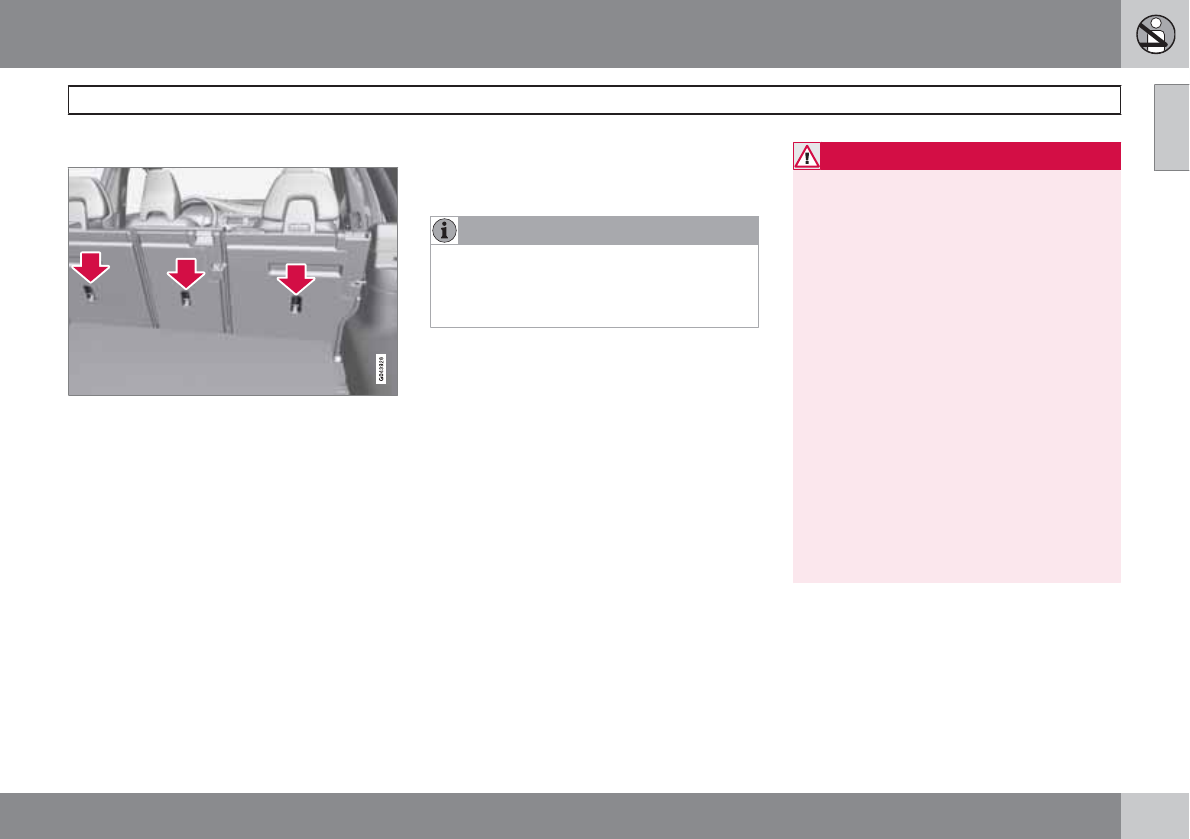
01 Safety
Top tether anchors
01
47
Child restraint anchorages
Your Volvo is equipped with child restraint top
tether anchorages in the rear seat. They are
located on the rear side of the backrests.
Securing a child seat
1. Place the child restraint on the rear seat.
2. Route the top tether strap under the head
restraint and attach it to the anchor.
3. Attach lower tether straps to the lower ISO-
FIX/LATCH anchors. If the child restraint is
not equipped with lower tether straps, or
the restraint is used in the center seating
position, follow instructions for securing a
child restraint using the Automatic Locking
Retractor seat belt (see page 38).
4. Firmly tension all straps.
Refer also to the child seat manufacturer's
instructions for information on securing the
child seat.
NOTE
On models equipped with the optional
cargo area cover, this cover should be
removed before a child seat is attached to
the child restraint anchors.
WARNING
•Never route a top tether strap over the
top of the head restraint. The strap
should be routed beneath the head
restraint.
•Child restraint anchorages are designed
to withstand only those loads imposed
by correctly fitted child restraints. Under
no circumstances are they to be used
for adult seat belts or harnesses. The
anchorages are not able to withstand
excessive forces on them in the event of
collision if full harness seat belts or adult
seat belts are installed to them. An adult
who uses a belt anchored in a child
restraint anchorage runs a great risk of
suffering severe injuries should a colli-
sion occur.
•Do not install rear speakers that require
the removal of the top tether anchors or
interfere with the proper use of the top
tether strap.
01 Safety
Child restraint registration and recalls
01
48
Registering a child restraint
Child restraints could be recalled for safety
reasons. You must register your child restraint
to be reached in a recall. To stay informed
about child safety seat recalls, be sure to fill out
and return the registration card that comes
with new child restraints.
Child restraint recall information is readily avail-
able in both the U.S. and Canada. For recall
information in the U.S., call the U.S. Govern-
ment's Auto Safety Hotline at 1-800-424-9393.
In Canada, visit Transport Canada's Child
Safety website at http://www.tc.gc.ca/
roadsafety/childsafety/menu.htm.
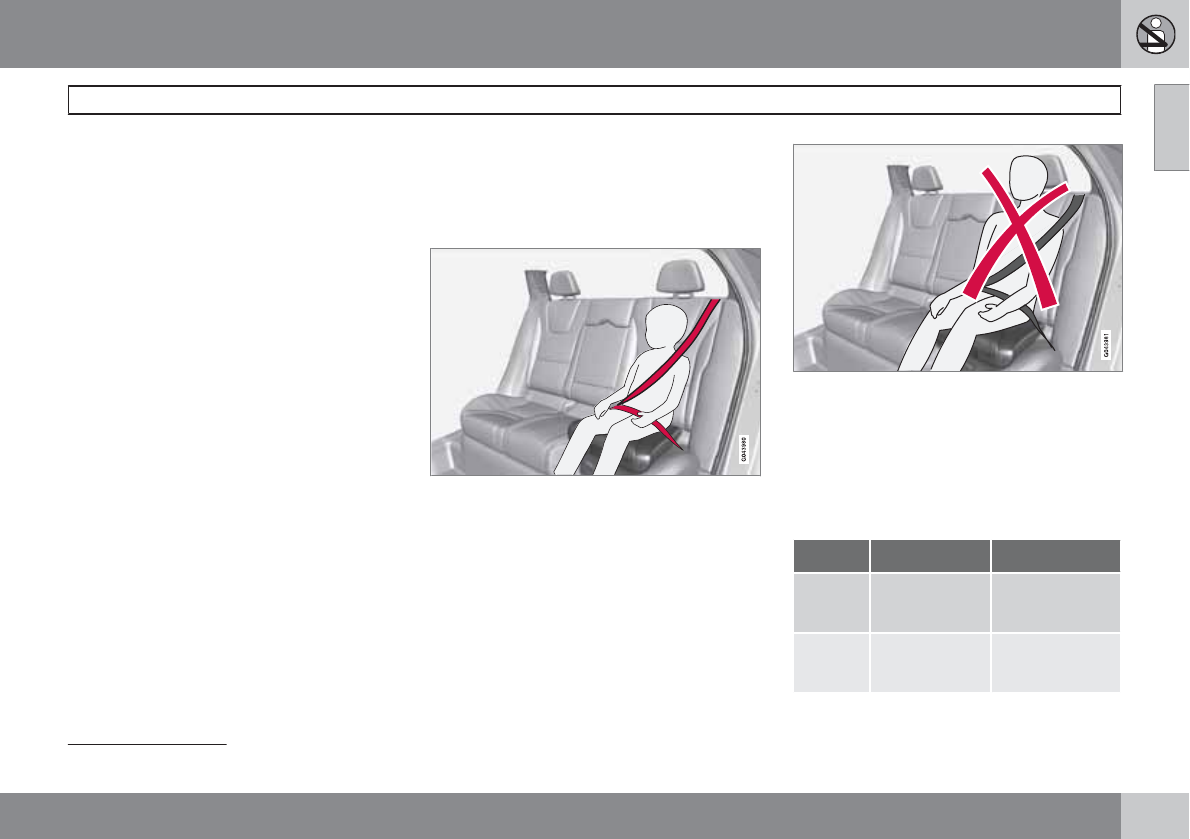
01 Safety
Integrated booster cushion
01
``
* Option/accessory, for more information, see Introduction. 49
Integrated two-stage booster
cushion*1
Volvo's optional integrated booster cushions
are located in the outboard seating positions.
These booster cushions have been specially
designed to help safeguard children in the rear
seat. They should be stowed (folded down into
the seat cushion) when not in use. When using
an integrated booster cushion, the child must
be secured with the vehicle's three-point seat
belt.
Use these booster cushions only with
children whose weight is between:
•Stage 1: 48 – 80 lbs (22 – 36 kg)
•Stage 2: 33 – 55 lbs (15 – 25 kg)
and whose height is between:
•Stage 1: 45 – 55 in. (115 – 140 cm)
•Stage 2: 37 – 47 in. (95 – 120 cm)
In Canada, Transport Canada's
weight recommendation is 40 – 80 lbs
(18 – 36 kg).
The booster cushions are designed to raise the
child higher, so that the shoulder strap crosses
over the child's collarbone, not over the child's
neck. If using a booster cushion does not result
in proper positioning of the shoulder strap,
then the child should be placed in a properly
secured child restraint (see page 39). The
shoulder belt must never be placed behind the
child's back or under the arm.
Correct seating position: child's head is below the
head restraint and the shoulder belt is across the
collarbone
Incorrect seating position: the child's head is
above the head restraint and the shoulder belt is
not across the collarbone
Before driving, check that:
•The integrated two-stage booster cushion
is set in the correct position for according
to the child's height and weight (see the
table below) and is locked in position.
Stage 1 Stage 2
Weight 48 – 80 lbs
22 – 36 kg
33 – 55 lbs
15 – 25 kg
Height 45 – 55 in.
115 – 140 cm
37 – 47 in.
95 – 120 cm
1Canada only: This cushion may be referred to as a built-in booster cushion.
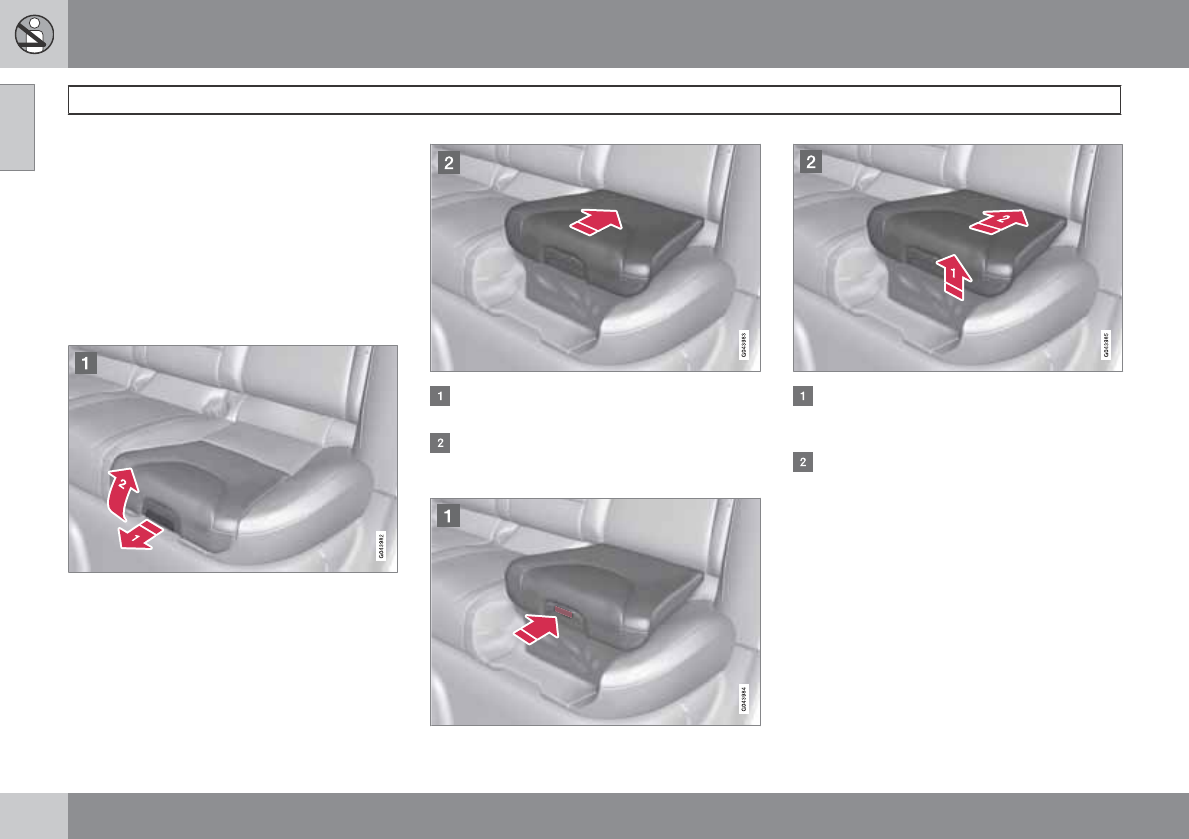
01 Safety
Integrated booster cushion
01
50
•That the seat belt is properly positioned
and is taut.
•The shoulder section of the seat belt is
across the child's collarbone, not over the
neck.
•The lap section of the seat belt is across
the child's hips and not the abdomen.
Using an integrated booster cushion
Stage 1
Pull the handle (1) forward and upward (2)
to release the booster cushion.
Press the booster cushion rearward to lock
it in position.
Stage 2
With the booster cushion in the stage 1
position, press the button (see the arrow in
illustration 1).
Lift the front edge of the booster cushion
and press it rearward toward the backrest
to lock it in position.
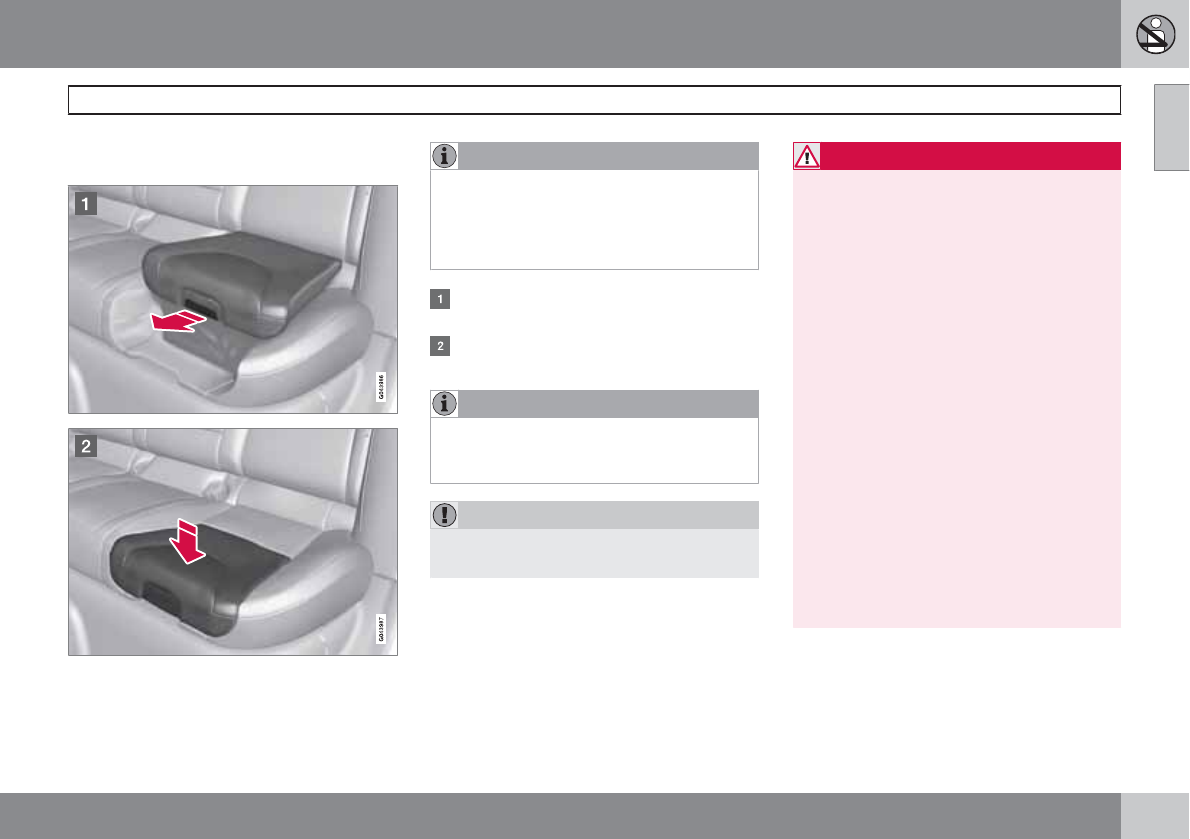
01 Safety
Integrated booster cushion
01
51
Stowing the two-stage integrated
booster cushion
The booster cushion can be folded down com-
pletely (stowed) from either the stage 1 or stage
2 positions.
NOTE
The booster cushion cannot be moved from
the stage 2 (upper) position to the stage 1
(lower) position. It must first be folded down
completely to the stowed position, and then
adjusted to stage 1.
Pull the handle forward to release the
booster cushion.
Press down on the center of the booster
cushion to return it to the stowed position.
NOTE
The booster cushion must be in the stowed
position before the rear seat backrests are
folded down.
CAUTION
Be sure there are no loose objects under the
booster cushion before it is stowed.
WARNING
DEATH or SERIOUS INJURY can
occur
Follow all instructions on the
booster cushion and in the vehi-
cle's owner's manual.
MAKE SURE THE BOOSTER
CUSHION IS SECURELY
LOCKED BEFORE THE CHILD IS
SEATED.
•Use this booster cushion only with chil-
dren whose height and weight are
within the permitted limits shown in the
table (see page 49).
•In the event of a collision while the inte-
grated booster cushion was occupied,
the entire booster cushion and seat belt
must be replaced. The booster cushion
should also be replaced if it is badly
worn or damaged in any way. This work
should be performed by a trained and
qualified Volvo service technician only.
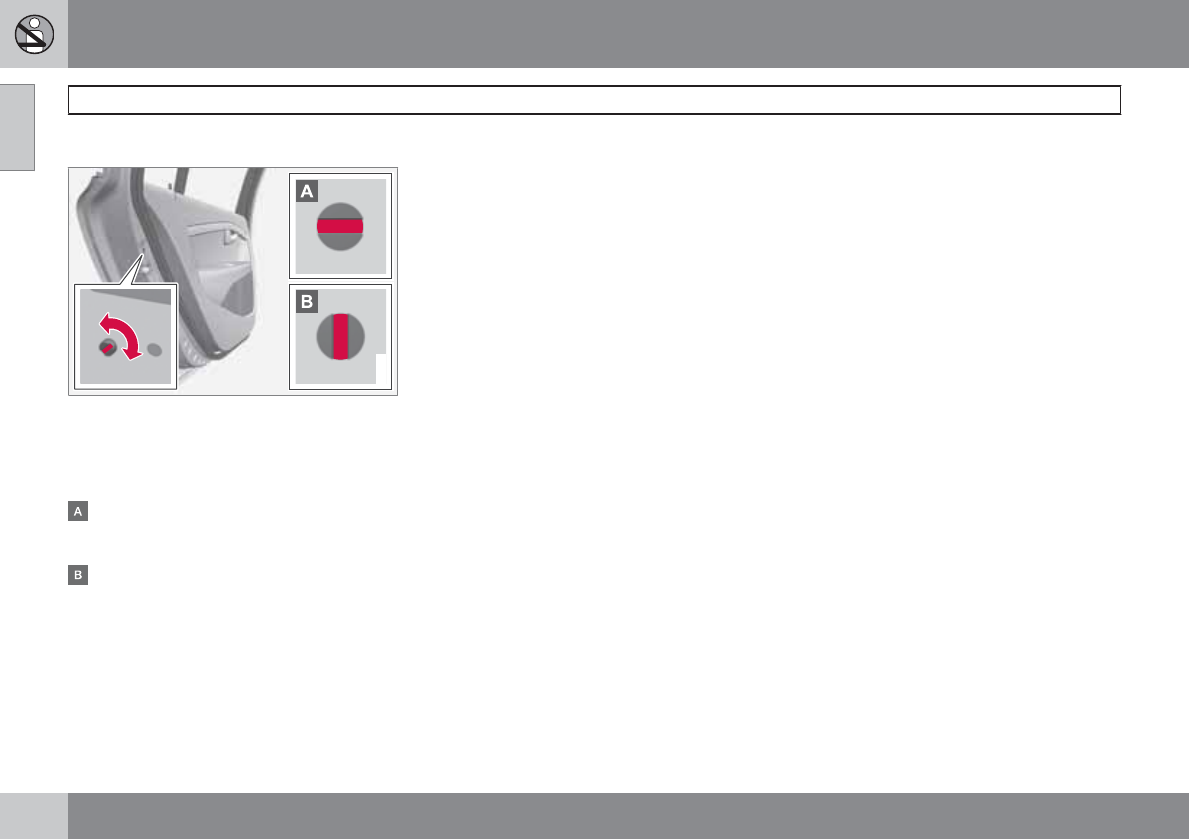
01 Safety
Child safety locks
01
52
Child safety locks
G021077
Child safety locks – rear doors
The controls are located on the rear door
jambs. Use the remote control's key blade or a
screwdriver to adjust these controls.
The rear doors can only be opened from
the outside when the slot is in the horizon-
tal position.
The rear doors can be opened from the
inside when the slot is in the vertical posi-
tion.
01 Safety
01
53

54
Remote key and key blade..................................................................... 56
Keyless drive........................................................................................... 63
Locks....................................................................................................... 66
Alarm....................................................................................................... 69
LOCKS AND ALARM
02 Locks and alarm
Remote key and key blade
02
56
Introduction
Two remote keys or optional Personal Car
Communicators (PCC) are provided with your
vehicle. They enable you to unlock the doors
and tailgate, and also function as ignition keys
to start the vehicle or operate electrical com-
ponents. The remote keys contain detachable
metal key blades for manually locking or
unlocking the driver's door and the glove com-
partment. Up to six remotes can be pro-
grammed for use on the same vehicle.
The PCCs have enhanced functionality com-
pared with the standard remote key.
NOTE
In the remainder of this chapter, all referen-
ces to the remote key also pertain to the
PCC unless otherwise stated.
WARNING
Never leave the remote key in the ignition if
children are to remain in the vehicle.
Detachable key blade
Each remote key or PCC contains a detachable
metal key blade for mechanically locking or
unlocking the driver's door and the glove com-
partment. See page 60 for more information
on the key blade. The key blades have a unique
code, which is used if new ones need to be
produced. This code is available at an author-
ized Volvo retailer.
Loss of a remote key
If either of the remote keys is lost, the other
should be taken with the car to a Volvo retailer.
As an anti-theft measure, the code of the lost
remote key must be erased from the system.
NOTE
Additional or duplicate remote control keys
can be obtained from any Authorized Volvo
Retailer.
You can also obtain additional or duplicate
remote control keys from certain independ-
ent repair facilities and locksmiths that are
qualified to make remote control keys. Each
key must be programmed to work with your
vehicle.
California Only:
A list of independent repair facilities and/or
locksmiths known to Volvo that can cut and
code replacement keys can be found:
•on the Volvo website at
http://www.volvocars.com/us/keys
•by calling Volvo Customer Care at
1-800-458-1552
The number of registered keys for the vehicle
can be found by pressing MY CAR and going
into Information Number of keys. See
page 128 for a description of the menu sys-
tem.
USA-5WK49264
FCC ID:KR55WK49264 + Siemens VDO
5WK49236
FCC ID:KR55WK49236, 5WK49266
FCC ID:KR55WK49266 + Siemens VDO
5WK49233
FCC ID:KR55WK49233
This device complies with part 15 of the FCC
rules and RSS-210. Operation is subject to the
following conditions: (1) This device may not
cause harmful interference, and (2) this device
must accept any interference received, includ-
ing interference that may cause undesired
operation.
Canada-5WK49264
IC:267T-5WK49264 + Siemens VDO
5WK49236
IC:267T-5WK49236, 5WK49266
IC:267T-5WK49266 + Siemens VDO
5WK49233
IC:267T-5WK49233
Operation is subject to the following condi-
tions: (1) this device may not cause interfer-
02 Locks and alarm
Remote key and key blade
02
``
57
ence, and (2) this device must accept any inter-
ference, including interference that may cause
undesired operation of the device.
Key memory: door mirrors and driver's
seat
The position of the side door mirrors and power
driver's seat are stored in the remote keys
when the vehicle is locked. The next time the
driver's door is unlocked with the same remote
key and the door is opened within 2 minutes,
the power driver's seat and side door mirrors
will automatically move to the position that they
were in when the doors were most recently
locked with the same remote key. See page
83 for more information.
This feature can be activated or deactivated in
the vehicle's menu by pressing MY CAR and
going into Settings Car settings Car
key memory. See page 128 for a description
of the menu system.
See also page 63 for information regarding
vehicles with the optional keyless drive.
Confirmation when locking/unlocking
the vehicle
When the vehicle is locked with a remote key,
the turn signals will flash once to confirm that
this has been completed correctly.
•Locking: turn signals flash once
•Unlocking: turn signals flash twice
When the vehicle is locked, confirmation will
only be given if all of the locks are locked after
the doors have been closed.
NOTE
If you do not receive confirmation when
locking the vehicle, check whether a door or
the tailgate is ajar, or if this feature has been
turned off in the menu.
Making a setting
Different alternatives for locking/unlocking
confirmation can be selected in the menus by
pressing MY CAR on the center console con-
trol panel. Go to Settings Car settings
Light settings and mark Door lock
confirmation light and/or Door unlock
confirmation light by pressing OK/MENU.
See page 128 for a description of the menu
system.
Immobilizer (start inhibitor)
Each of the keys supplied with your vehicle
contains a coded transponder. The code in the
key is transmitted to an antenna in the ignition
slot where it is compared to the code stored in
the start inhibitor module. The vehicle will start
only with a properly coded key. If you misplace
a key, take the other keys to a trained and
qualified Volvo service technician for reprog-
ramming as an anti-theft measure. The follow-
ing messages (which may appear in the instru-
ment panel display) are related to the immobil-
izer:
Message Meaning
Key error Reinsert
key
Remote key not rec-
ognized during start.
Try to start the vehi-
cle again.
Car key not found PCC with keyless
drive only. Remote
key not recognized
during start. Try to
start the vehicle
again.
If the problem con-
tinues, insert the
remote key into the
ignition slot and try
to start the vehicle
again.
Immobilizer Try
start again
Remote key fault
during start. Contact
an authorized Volvo
workshop.
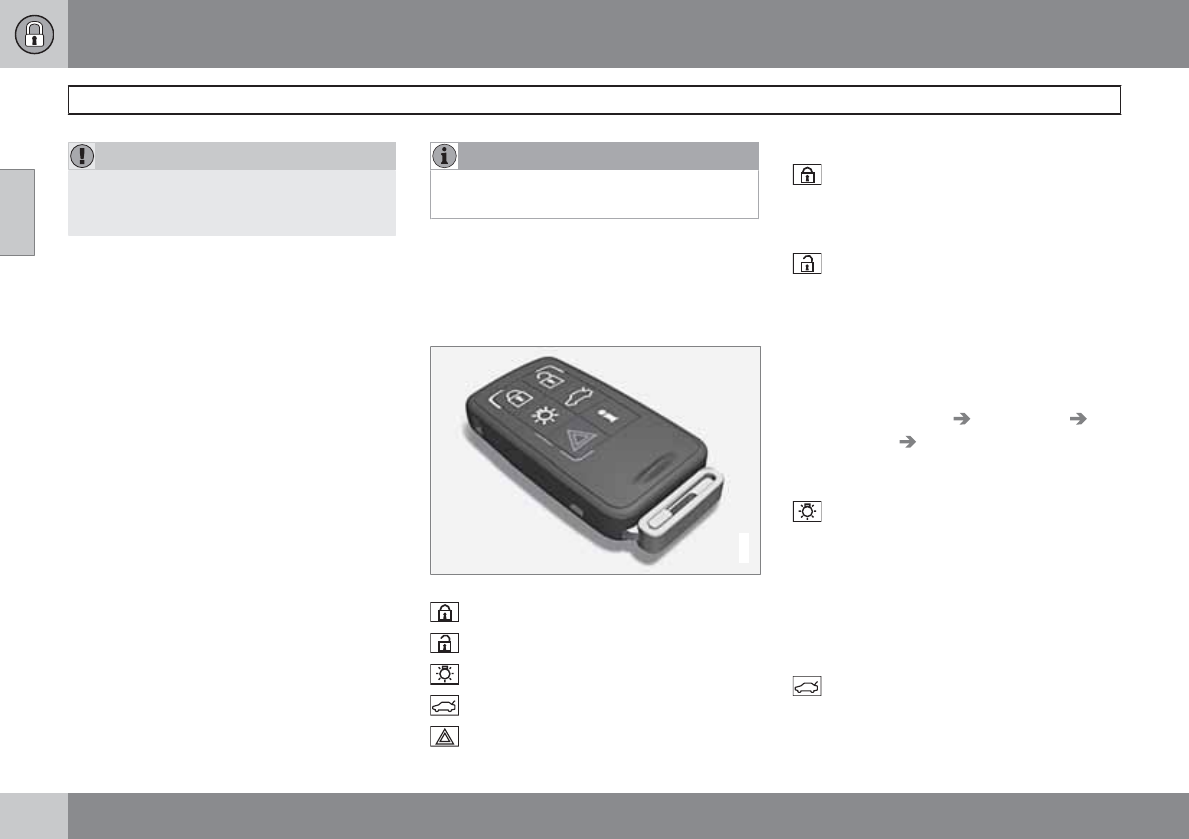
02 Locks and alarm
Remote key and key blade
02
58 * Option/accessory, for more information, see Introduction.
CAUTION
Never use force when inserting the remote
key in the ignition slot. The vehicle cannot
be started if the transponder is damaged.
USA–FCC ID: LTQWFS 125VO
This device complies with part 15 of the FCC
rules. Operation is subject to the following con-
dition: (1) This device may not cause harmful
interference, and (2) this device must accept
any interference received, including interfer-
ence that may cause undesired operation.
Canada–IC: 3659A-WFS125VO
Operation is subject to the following condi-
tions: (1) this device may not cause interfer-
ence, and (2) this device must accept any inter-
ference, including interference that may cause
undesired operation of the device.
See page 109 for information on starting the
vehicle.
Replacing the battery in the remote key
The batteries should be replaced if:
•The information symbol illuminates and
Replace car key battery is shown in the
display and/or
•if the locks do not react after several
attempts to unlock or lock the vehicle.
NOTE
The remote key's range is normally approx-
imately 60 ft (20 m) from the vehicle.
See page 61 for information on replacing the
battery.
Common functions: Remote key/
Personal Car Communicator (PCC)*
G021079
Personal Car Communicator (PCC)*
Lock
Unlock
Approach lighting
Tailgate unlock
Panic alarm
Buttons on the remote
Lock – Press the Lock button on the
remote once to lock all doors and the tailgate.
The turn signals will flash once to confirm lock-
ing.
Unlock – Press the Unlock button on the
remote once to unlock the driver's door.
After a short pause, press the Unlock button a
second time within 10 seconds to unlock the
other doors and the tailgate.
This function can be changed so that all doors
unlock at the same time by pressing My Car
and going to Settings Car settings
Lock settings Change doors unlock
setting. See page 128 for a description of the
menu system.
Approach lighting – As you approach the
vehicle, press the button on the remote key to
light the interior lighting, parking lights, license
plate lighting and the lights in the door mir-
rors*.
These lights will switch off automatically after
30, 60 or 90 seconds. See page 128 for a
description of the menu system.
Unlock tailgate – Press the button twice
within several seconds to disarm the alarm
system and optional movement sensor (the
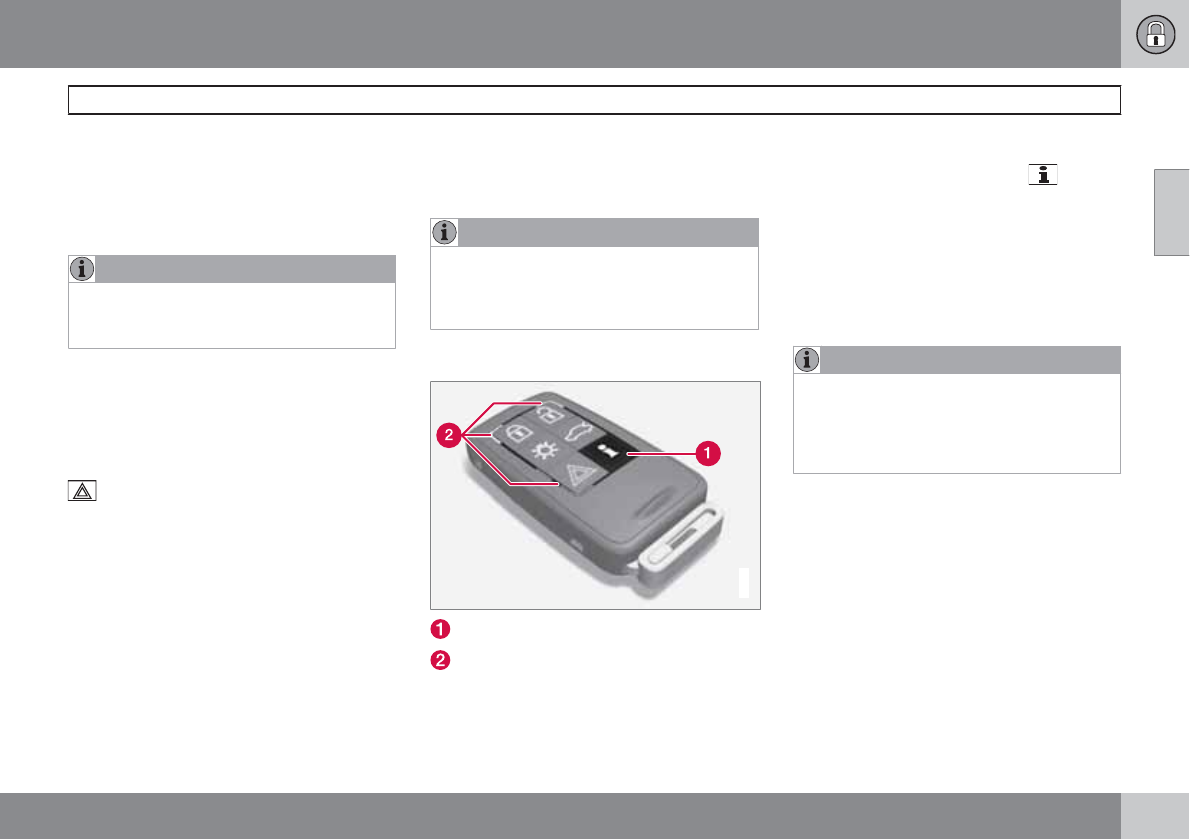
02 Locks and alarm
Remote key and key blade
02
``
* Option/accessory, for more information, see Introduction. 59
alarm indicator light on the dashboard will go
out), and unlock only the tailgate. Pressing this
button for several seconds also opens the tail-
gate on models equipped with the optional
power tailgate.
NOTE
As an added safety precaution, the parking
lights will come on automatically for a short
period when the tailgate has been opened.
After closing, the tailgate will not automatically
relock. Press Lock to relock it and rearm the
alarm.
See also the section "Unlocking the tailgate
from the passenger compartment."
Panic alarm – This button can be used to
attract attention during emergency situations.
To activate the panic alarm, press and hold this
button for at least 3 seconds or press it twice
within 3 seconds. The turn signals and horn will
be activated. The panic alarm will stop auto-
matically after 2 minutes and 45 seconds.
To deactivate, wait approximately 5 seconds
and press the button again.
The Panic alarm button will not unlock the vehi-
cle.
Range
The remote key has a range of approximately
60 ft. (20 m) from the vehicle.
NOTE
Buildings or other obstacles may interfere
with the function of the remote key. The
vehicle can also be locked or unlocked with
the key blade, see page 60.
Unique functions—PCC*
G021080
Information button
Indicator lights
Pressing the information button provides cer-
tain information about the vehicle with the help
of the indicator lights.
Using the information button
1. Press the information button .
2. All of the indicator lights will flash sequen-
tially for approximately 7 seconds to indi-
cate that the PCC is receiving information
from the vehicle. If any of the buttons are
pressed during this 7-second period,
transmission of information to the PCC will
be interrupted.
NOTE
If none of the indicator lights flash when the
information button has been pressed sev-
eral times from different places in relation to
the vehicle, contact an authorized Volvo
service technician.
The indicator lights provide information
according to the illustration:
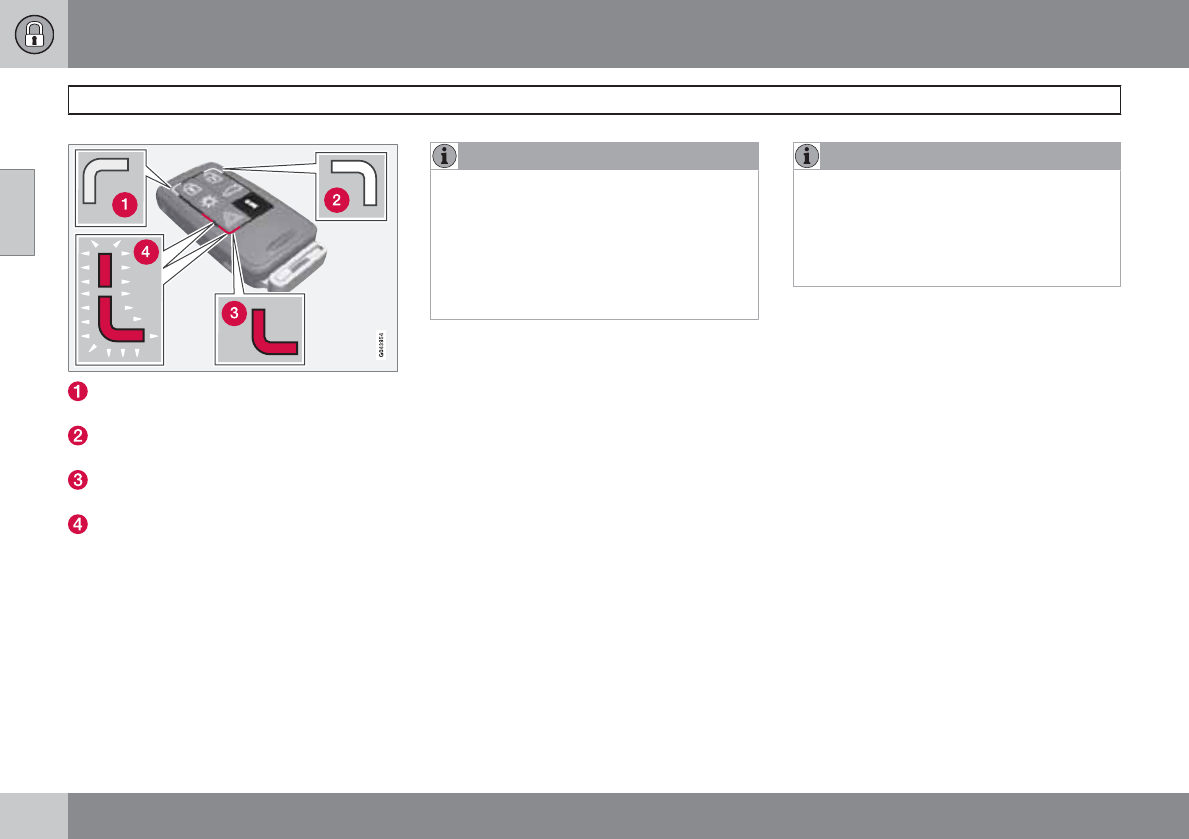
02 Locks and alarm
Remote key and key blade
02
60
Steady green light: the vehicle is correctly
locked.
Steady yellow light: the vehicle is not
locked.
Steady red light: the alarm has been trig-
gered.
Both red lights flash alternatively: the alarm
was triggered less than 5 minutes ago.
Range
The PCC's lock and unlock functions have a
range of approximately 60 ft. (20 m) from the
vehicle.
NOTE
•The approach lighting, panic alarm, and
the functions controlled by the informa-
tion button have a range of approxi-
mately 300 ft (100 m) from the vehicle.
•Radio waves, buildings or other obsta-
cles may interfere with the function of
the PCC.
If the vehicle does not provide confirmation
when a button has been pressed, try moving
closer and pressing the button again.
Outside of the PCC´s range
If the PCC is more than approximately 300 ft
(100 m) from the vehicle when the information
button is pressed, no new information will be
received. The PCC most recently used to lock
or unlock the vehicle will show the vehicle's
most recently received status. The indicator
lights will not flash when the information button
is pressed while the PCC is out of range.
If more than one PCC is used to lock/unlock
the vehicle, only the one used most recently will
show the correct locking status.
NOTE
If none of the indicator lights illuminate when
the information button is pressed, this may
be because the most recent transmission
between the vehicle and the PCC was inter-
rupted or impeded by buildings or other
objects.
Keyless drive
Vehicles equipped with the optional Personal
Car Communicator have the keyless drive
function, see page 63 for detailed informa-
tion.
Detachable key blade
The key blade can be removed from the remote
key. When removed, the key blade can be used
to:
•Lock/unlock the driver's door if the remote
key is not functioning properly
•Lock/unlock the glove compartment (see
page 67)
•Block access to the glove compartment
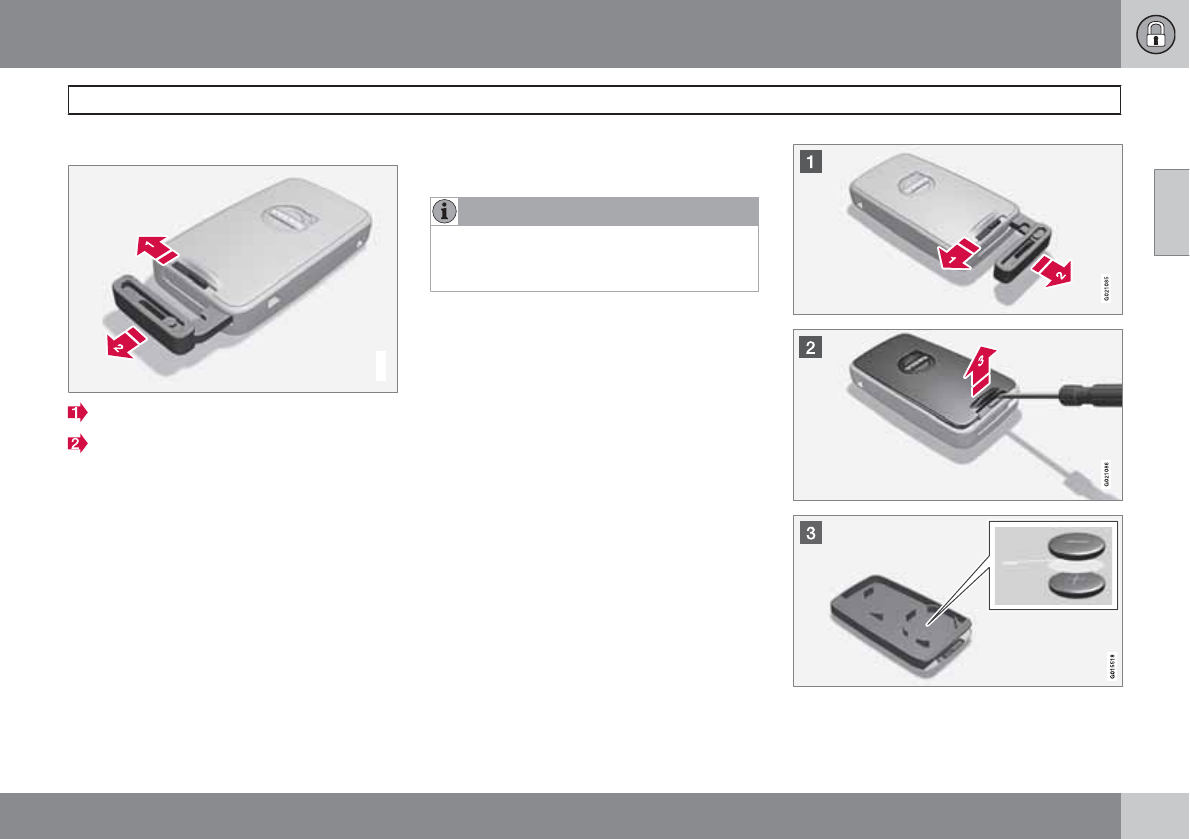
02 Locks and alarm
Remote key and key blade
02
``
61
Removing the key blade
G021082
Slide the spring loaded catch to the side.
Pull the key blade straight out of the remote
key.
Reinserting the key blade in the remote
key
1. Hold the remote key with the slot for the
key blade up.
2. Carefully slide the key blade into its groove.
3. Gently press the key blade in the groove
until it clicks into place.
Unlocking the doors with the detached
key blade
Insert the key blade as far as possible in the
driver's door lock. Turn the key blade clock-
wise approximately one-quarter turn to unlock
the driver's door only.
NOTE
After unlocking the driver's door with the
key blade, opening the door will trigger the
alarm.
To disable the alarm:
Insert the remote key in the ignition slot. This
also applies to vehicles equipped with the
optional keyless drive.
Replacing batteries in the remote key/
PCC
The battery/batteries in the remote key/PCC
should be replaced if:
•The information symbol lights up and a text
appears in the information display.
and/or
•the vehicle's locks repeatedly do not react
when a button on the remote key/PCC is
pressed within approximately 60 ft (20 m)
from the vehicle.
Battery type CR 2430, 3 V (one battery in the
remote key, two batteries in the PCC)
02 Locks and alarm
Remote key and key blade
02
62
Opening the remote key/PCC
Slide the spring loaded catch to the
side.
Pull the key blade straight out of the
remote key.
Insert a small screwdriver in the hole
behind the spring loaded catch and care-
fully pry up the cover.
NOTE
Turn the remote key with the buttons
upward so that the batteries do not fall out
when the cover is removed.
Replacing the batteries
CAUTION
When handling batteries, avoid touching
their contact surfaces as this could result in
poor battery function in the remote key.
Note the position of the battery's (+) or (–)
sides.
Remote key (one battery)
1. Use a screwdriver to pry out the old bat-
tery.
2. Insert a new one with the (+) side down-
ward.
PCC (two batteries)
1. Use a screwdriver to pry out the old bat-
teries.
2. Insert the first new battery with the (+) side
upward.
3. Insert the plastic spacer over the battery.
Insert the second new battery on top of the
plastic spacer, with the + side downward.
Re-assembling the remote key
1. Press the remote key's cover into place.
2. Hold the remote key with the slot for the
key blade up.
3. Carefully slide the key blade into its groove.
4. Gently press the key blade in the groove
until it clicks into place.
Old batteries should be properly recycled.
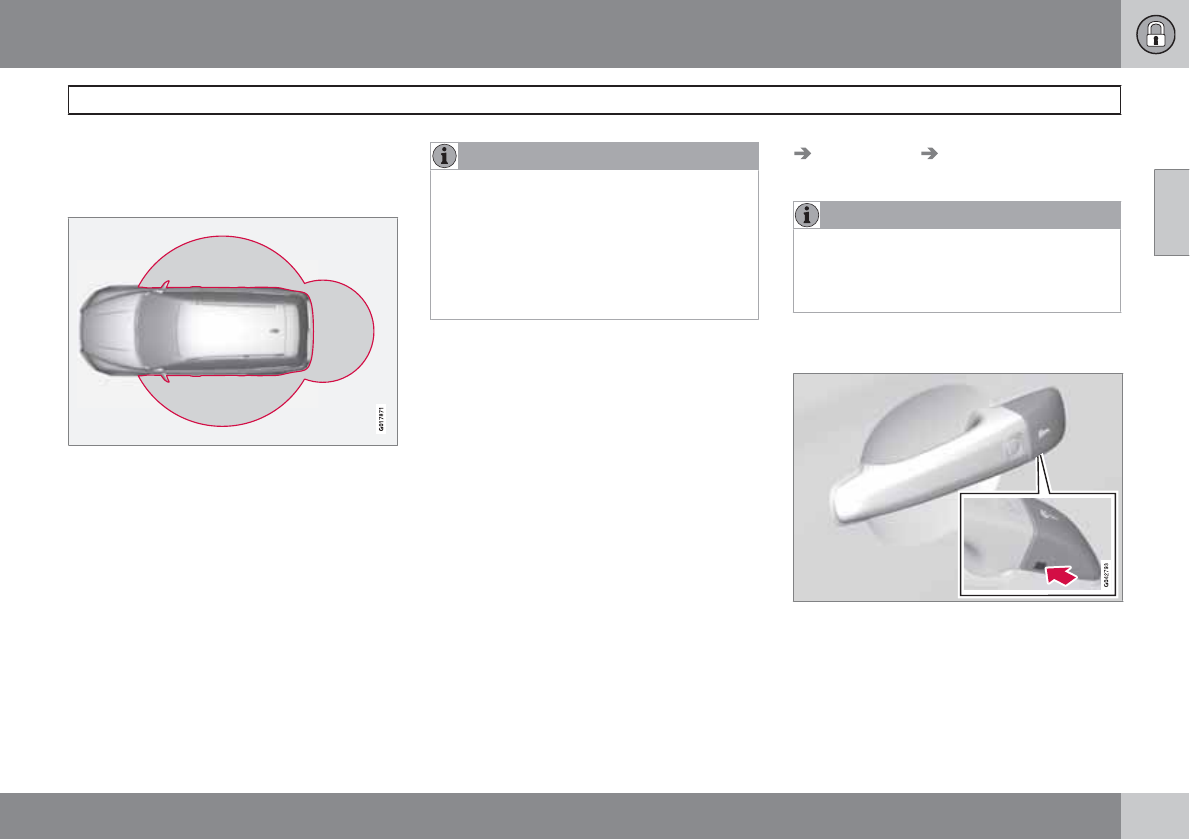
02 Locks and alarm
Keyless drive
02
``
* Option/accessory, for more information, see Introduction. 63
Keyless drive* (models with Personal
Car Communicator only)
Keyless locking and unlocking
Range of the keyless drive remote key–5 ft
(1.5 meters)
This system makes it possible to unlock and
lock the vehicle without having to press any
buttons on the Personal Car Communicators
(PCC). It is only necessary to have a keyless
drive remote key in your possession to operate
the central locking system.
NOTE
•The gear selector must in the P position
before the vehicle can be locked and
the alarm can be armed.
•The buttons on the keyless drive remote
key can also be used to lock and unlock
the vehicle, see page 58 for more infor-
mation.
Both of the PCCs provided with the vehicle
have the keyless function, and additional ones
can be ordered. The system can accommo-
date up to six PCCs.
The red rings in the illustration indicate the area
around the vehicle that is within range of the
keyless drive antennas.
Unlocking the vehicle
•A keyless drive remote key must be on the
same side of the vehicle as the door to be
opened, and be within 5 feet (1.5 meters)
of the door's lock or the tailgate (see the
shaded areas in the illustration).
•Pull a door handle to unlock and open the
door or pull the tailgate opening control.
The number of doors that are unlocked at the
same time can be set in the vehicle's menu
system. Press MY CAR and go to Car settings
Lock settings Keyless entry. See page
128 for a description of the menu system.
NOTE
If the PCC does not function normally (weak
battery, etc.), the vehicle can be unlocked
with the detachable key blade, see
page 61.
Locking or unlocking the vehicle with the
key blade
Keyless drive keyhole cover
The driver's door on vehicles equipped with
keyless drive can be locked or unlocked with
the remote key's detachable key blade if nec-
essary, see page 60 for information on remov-
ing the key blade from the remote key. To
access the keyhole in the driver's door:
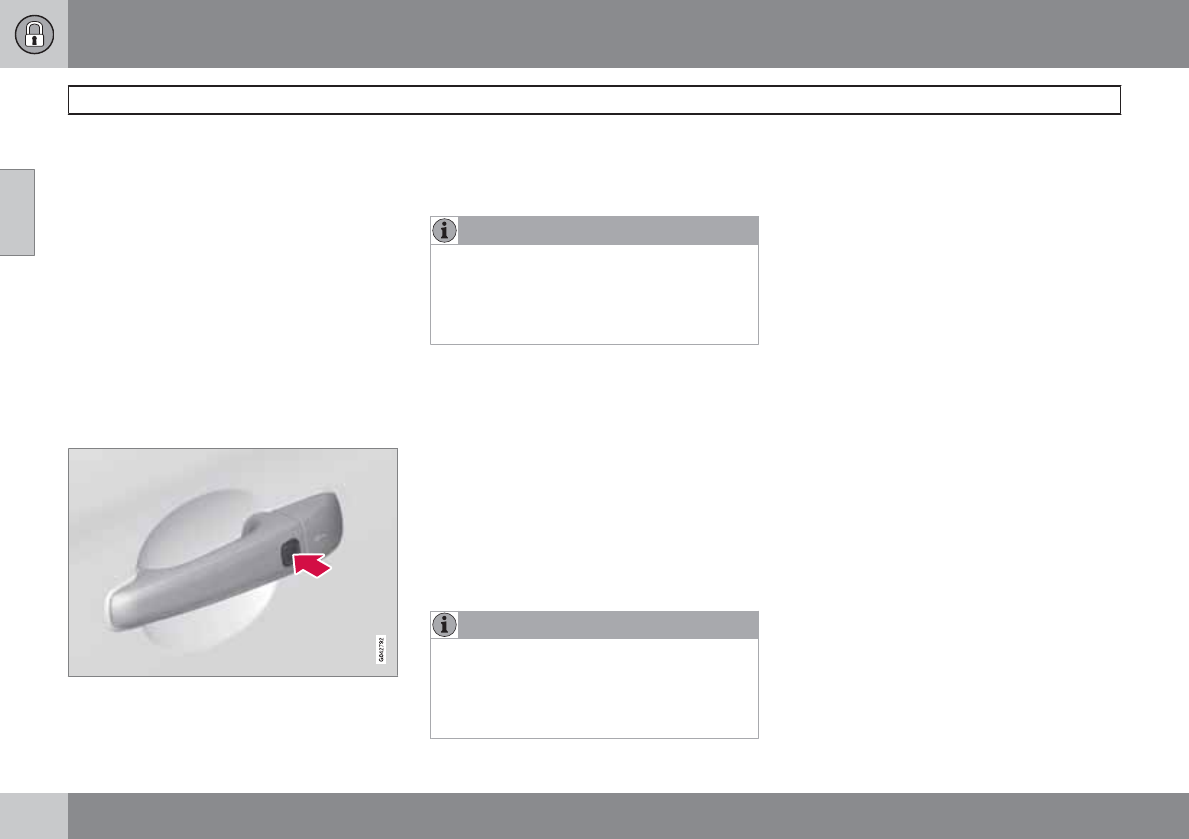
02 Locks and alarm
Keyless drive
02
64
1. Press the key blade approx. 0.5 in. (1 cm)
straight up in the hole on the underside of
the keyhole cover.
> The cover will come off due to the pres-
sure exerted when the key blade is
pushed upward.
2. Insert the key blade as far as possible in the
driver's door lock. Turn the key blade to
unlock the driver's door only. This will trig-
ger the alarm. Press the remote key into the
igniton slot to turn off the alarm.
3. Press the cover back into place after the
door has been unlocked.
Locking the vehicle
Models with keyless drive have a button on the
outside door handles
The doors and the tailgate can be locked by
pressing the lock button in any of the outside
door handles.
NOTE
On keyless drive vehicles, the gear selector
must be in the Park (P) position, all doors
and the tailgate must be closed and the igni-
tion must be switched off before the vehicle
can be locked.
Keyless drive remote key and driver's
seat/door mirror memory
•When you leave the vehicle with a PCC in
your possession and lock any door, the
position of the driver's seat and door mir-
rors will be stored in the seat's memory.
•The next time a door is opened by a person
with the same PCC in his/her possession,
the driver's seat and door mirrors will auto-
matically move to the position that they
were in when the door was most recently
locked.
NOTE
If several people carrying PCCs approach
the vehicle at the same time, the driver's
seat and door mirrors will assume the posi-
tions they were in for the person who opens
the driver's door.
See also page 83 for information on adjusting
and storing the seat's position in the seat mem-
ory.
Keyless drive information messages
If all of the PCCs are removed from the vehicle
while the engine is running or if the ignition is
in mode II (see page 81) and all of the doors
are closed, a message will appear in the instru-
ment panel display and an audible signal will
sound.
When at least one PCC has been returned to
the car, the message will be erased in the dis-
play and the audible signal will stop when:
•A door has been opened and closed
•The PCC has been inserted in the ignition
slot
•The READ button (see page 126 for the
location of this button) has been pressed.
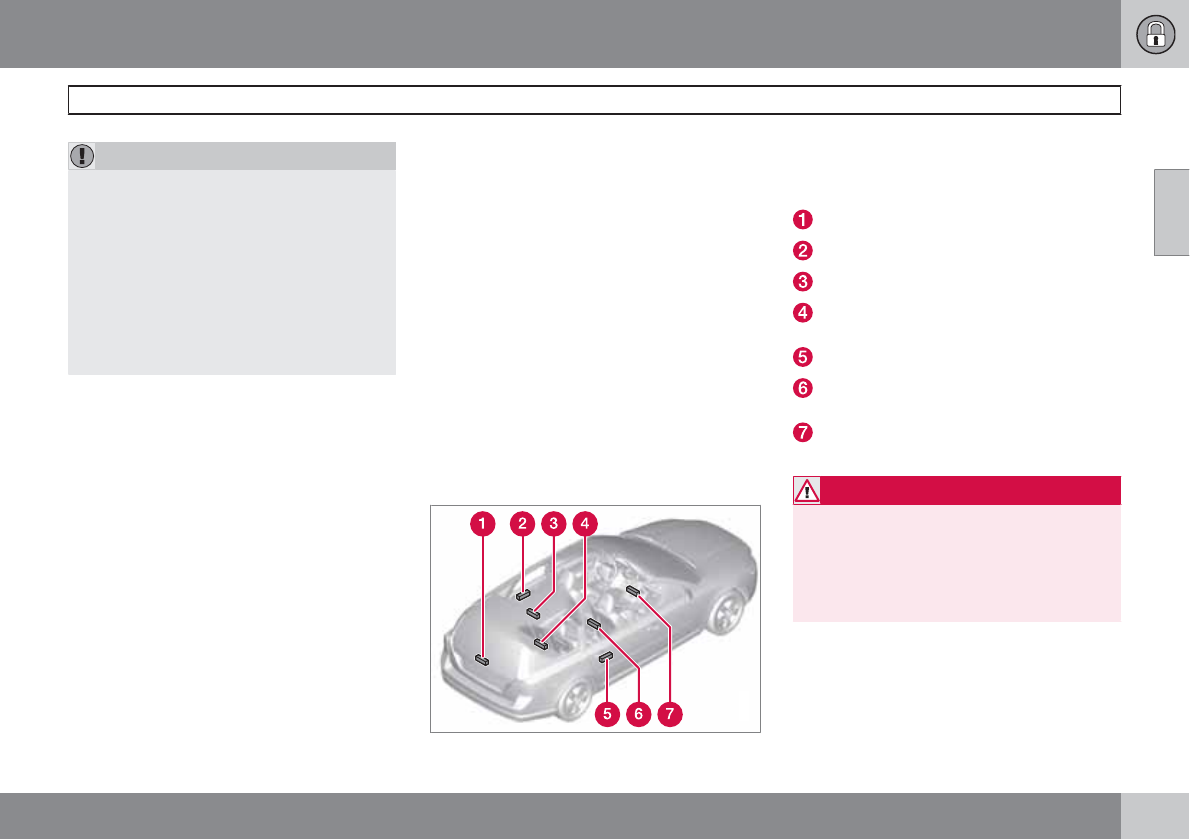
02 Locks and alarm
Keyless drive
02
65
CAUTION
•Keyless drive remote keys should never
be left in the vehicle. In the event of a
break-in, a remote found in the vehicle
could make it possible to start the
engine.
•Electromagnetic fields or metal
obstructions can interfere with the key-
less drive system. Avoid placing the
remote key near cellular phones, metal-
lic objects or e.g., in a metal briefcase.
USA – FCC ID:KR55WK48952, KR55WK48964
NOTE
This device complies with part 15 of the FCC
Rules. Operation is subject to the following two
conditions: (1) This device may not cause
harmful interference, and (2) this device must
accept interference received, including inter-
ference that may cause undesired operation.
CAUTION
Changes or modifications not expressly
approved by the manufacturer could void the
user's authority to operate the equipment.
Siemens VDO
5WK48891
Tested To Comply With FCC Standards
For Automobile Use
Canada – IC:267T-5WK48952,
267T-5WK48964, 267T-5WK48891
NOTE
This device complies with RSS -210 of Industry
Canada. Operation is subject to the following
two conditions: (1) This device may not cause
harmful interference, and (2) this device must
accept interference received, including inter-
ference that may cause undesired operation.
CAUTION
Changes or modifications not expressly
approved by the manufacturer could void the
user's authority to operate the equipment.
Location of the keyless drive antennas
G021179
The keyless drive system has a number of
antennas located at various points in the vehi-
cle.
On the tailgate, near the wiper motor
Left rear door handle
Ceiling, above the center of the rear seat
Under the floor of the cargo area, near the
rear seat
Right rear door handle
Under the rear section of the center con-
sole
Under the front section of the center con-
sole.
WARNING
People with implanted pacemakers should
not allow the pacemaker to come closer
than 9 inches (22 cm) to any of the keyless
drive system's antennas. This is to help pre-
vent interference between the pacemaker
and the keyless drive system.
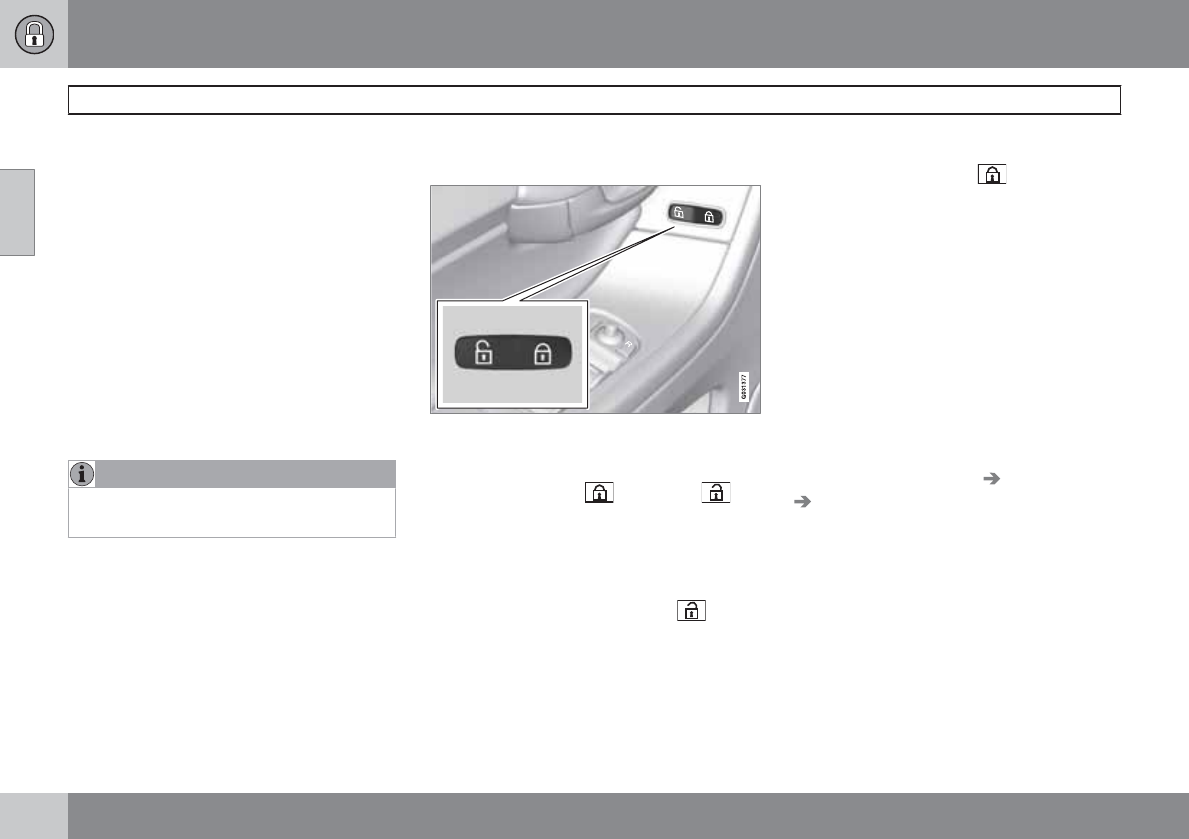
02 Locks and alarm
Locks
02
66
Locking and unlocking the vehicle
From outside the vehicle
The remote key locks all of the doors and the
tailgate.
If the locks repeatedly do not react when the
unlock button is pressed, it may be necessary
to replace the batteries in the remote, see
page 58. In this case the vehicle can be
unlocked with the detachable key blade. See
page 61.
The first press on the unlock button unlocks the
driver's door and a second press unlocks the
other doors and the tailgate (see also page
58).
NOTE
The vehicle cannot be locked if a door is
open.
From inside the vehicle (central locking
button)
Central locking button
The lock buttons on the door panel can be used
to lock or unlock all doors and the tailgate at
the same time. Press to lock and to
unlock.
Unlocking
The vehicle can be unlocked from inside the
vehicle in two ways:
•By pressing the unlock button .
•The door can be unlocked by pulling the
door handle once and opened by pulling
the handle again.
Locking
•Press the lock button after the front
doors have been closed.
•Each door can be locked individually with
the lock button on the respective doors.
The door must be closed first.
Automatic relocking
If the doors are unlocked, the locks will auto-
matically reengage (re-lock) and the alarm will
rearm after 2 minutes unless a door or the tail-
gate has been opened.
Automatic locking
When the vehicle starts to move, the doors and
trunk can be locked automatically. This feature
can be turned on or off by pressing MY CAR
and going to Car settings Lock settings
Automatic door locking. See page 128 for
a description of the menu system.
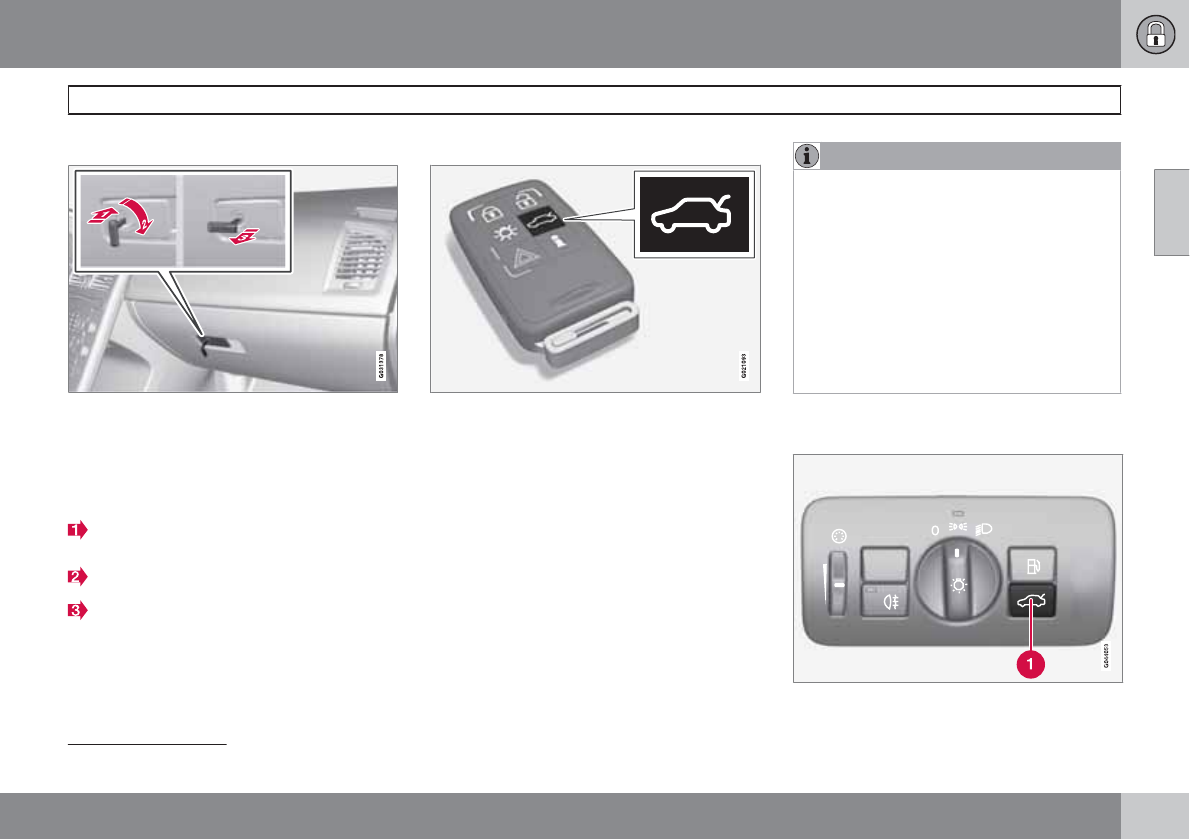
02 Locks and alarm
Locks
02
``
67
Glove compartment
The glove compartment can only be locked
and unlocked using the detachable key blade
in the remote key. See page 60 for information
on removing the key blade from the remote
key.
Insert the key blade in the glove compart-
ment lock.
Turn the key blade 90 degrees clockwise.
Remove the key blade from the lock.
Locking/unlocking the tailgate
Tailgate unlock button on the remote key
Unlocking the tailgate with the remote
key
Press the tailgate unlock button on the
remote key to unlock (but not open1) the
tailgate. See also page 58.
> The alarm indicator light on the dash-
board will go out to indicate that the
alarm is not monitoring the entire vehi-
cle. The accessory movement and incli-
nation sensors will be automatically dis-
connected.
NOTE
•If the doors are locked while the tailgate
is open, the tailgate will remain
unlocked until the vehicle is relocked by
pressing the Lock button on the remote
key.
•On keyless drive vehicles, the gear
selector must be in the Park (P) position,
all doors and the tailgate must be
closed and the ignition must be
switched off before the vehicle can be
locked.
Unlocking the tailgate from the
passenger compartment
1This button also opens, but does not close, the tailgate on models equipped with the optional power tailgate (see page 255).
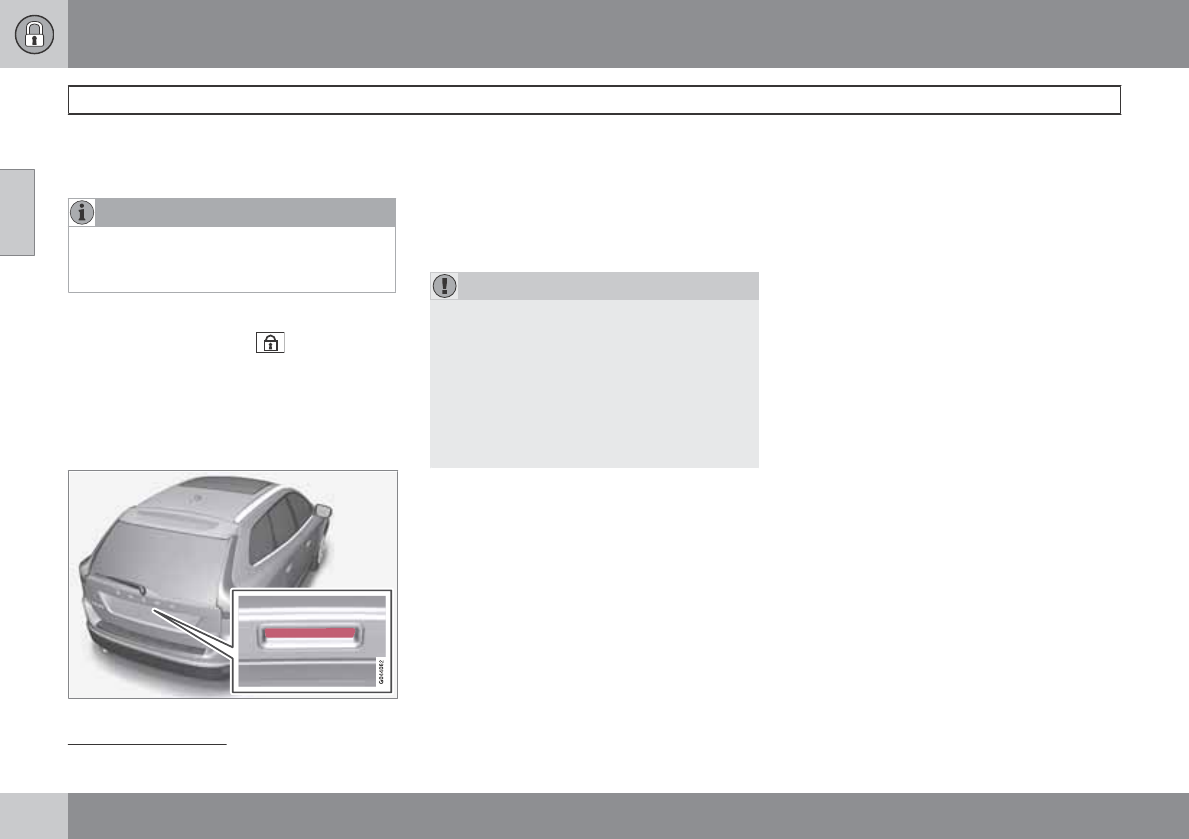
02 Locks and alarm
Locks
02
68
Press the button on the lighting panel (1) to
unlock (but not open1) the tailgate.
NOTE
The taillights will illuminate automatically for
a short period when the tailgate has been
opened.
Locking the tailgate with the remote key
Press the lock button ( ) on the remote.
See also page 58.
> The alarm indicator on the dashboard
will begin flashing to show that the alarm
has been armed.
Opening the tailgate manually
The tailgate is held closed by an electronic
locking mechanism. To open:
1. Press lightly on the rubberized plate under
the handle to release the lock.
2. Lift the handle to open the tailgate.
CAUTION
•When pressing the rubberized plate,
only light pressure is necessary to
release the tailgate's electronic locking
mechanism.
•When opening the tailgate, pull it up
using the handle. Too much pressure on
the rubberized plate can damage its
electrical connections.
1This button also opens, but does not close, the tailgate on models equipped with the optional power tailgate (see page 255).
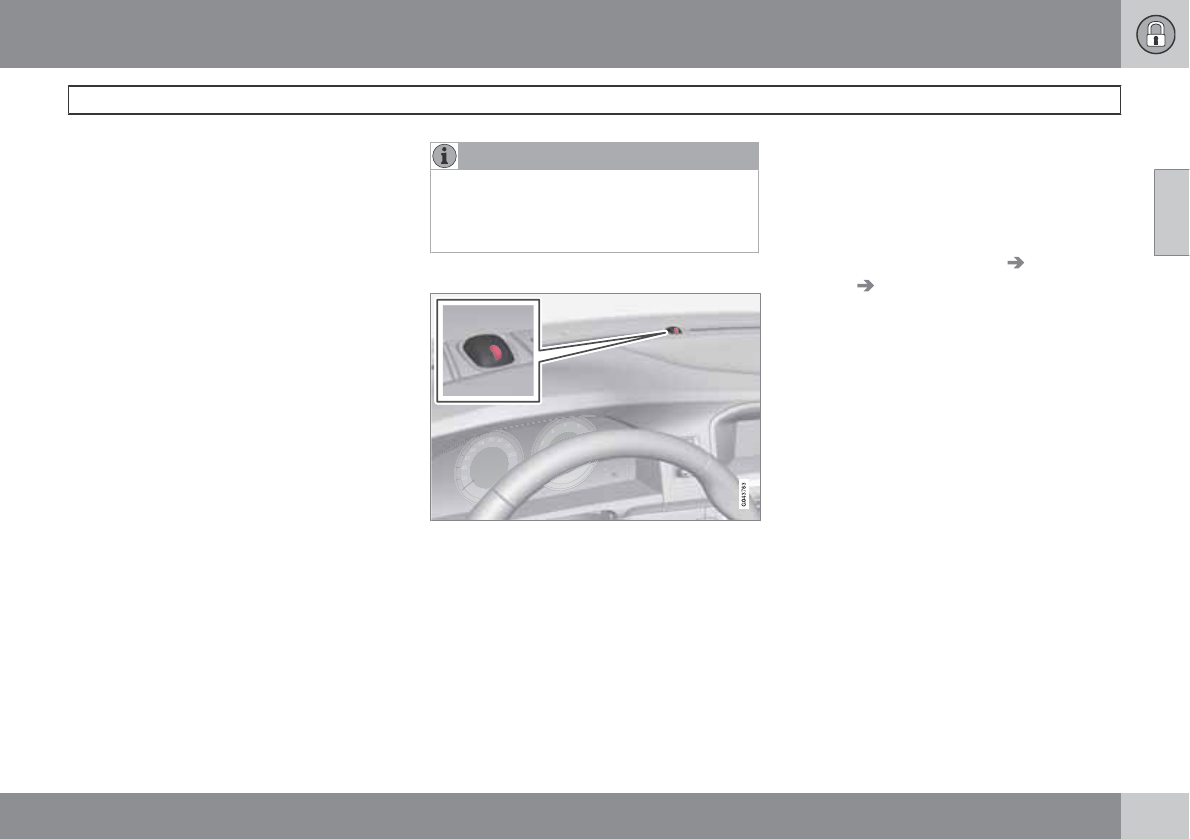
02 Locks and alarm
Alarm
02
``
69
The alarm system
The alarm is automatically armed whenever the
vehicle is locked with the remote key or
optional Personal Car Communicator.
When armed, the alarm continuously monitors
a number of points on the vehicle. The follow-
ing conditions will trigger the alarm:
•The hood is forced open.
•The tailgate is forced open.
•A door is forced open.
•The ignition slot is tampered with.
•An attempt is made to start the vehicle with
a non-approved key (a key not coded to
the car's ignition).
•If there is movement in the passenger com-
partment (if the vehicle is equipped with
the accessory movement sensor).
•The vehicle is lifted or towed (if the vehicle
is equipped with the accessory inclination
sensor).
•The battery is disconnected (while the
alarm is armed).
•The siren is disconnected when the alarm
is disarmed.
A message will appear in the information dis-
play if a fault should occur in the alarm system.
Contact a trained and qualified Volvo service
technician.
NOTE
Do not attempt to repair any of the compo-
nents in the alarm system yourself. This
could affect the insurance policy on the
vehicle.
The alarm indicator light
The status of the alarm system is indicated by
the red indicator light on the dashboard (see
illustration):
•Indicator light off – the alarm is not armed
•The indicator light flashes at one-second
intervals – the alarm is armed
•The indicator light flashes rapidly before
the remote key is inserted in the ignition
slot and the ignition is put in mode I—the
alarm has been triggered.
Arming the alarm
Press the Lock button on the remote key.
One long flash of the turn signals will con-
firm that the alarm is armed.
Alarm confirmation settings can be changed in
MY CAR, under Car settings Lock
settings Keyless entry. See page 128 for
a description of the menu system.
USA FCC ID: MAYDA 5823(3)
This device complies with part 15 of the FCC
rules. Operation is subject to the following con-
ditions: (1) This device may not cause harmful
interference, and (2) this device must accept
any interference received, including interfer-
ence that may cause undesired operation.
Canada IC: 4405A-DA 5823(3)
Movement sensor DA5823 by Dynex Operation
is subject to the following conditions: (1) this
device may not cause interference, and (2) this
device must accept any interference, including
interference that may cause undesired opera-
tion of the device.
02 Locks and alarm
Alarm
02
70
Disarming the alarm
Press the Unlock button on the remote key.
> Two short flashes from the car's direc-
tion indicators confirm that the alarm
has been deactivated and that all doors
are unlocked.
Turning off (stopping) the alarm
If the alarm is sounding, it can be stopped by
pressing the Unlock button on the remote key
or by inserting the remote key in the ignition
slot. Two short flashes from the car's direction
indicators confirm that the alarm has been
turned off.
Other alarm-related functions
Automatic re-arming
If the doors are unlocked, the locks will auto-
matically reengage (re-lock) and the alarm will
re-arm after 2 minutes unless a door or the tail-
gate has been opened.
Audible/visual alarm signal
•An audible alarm signal is given by a bat-
tery powered siren. The alarm cycle lasts
for 30 seconds.
•The visual alarm signal is given by flashing
all turn signals for approximately 5 minutes
or until the alarm is turned off.
Remote key not functioning
If the remote key is not functioning properly,
the alarm can be turned off and the vehicle can
be started as follows:
1. Open the driver's door with the key blade.
> This will trigger the alarm.
2. Insert the remote key into the ignition slot
(also on vehicles with the optional keyless
drive). This will turn off the alarm.
Reduced alarm function
Turning off the accessory alarm sensors
In certain situations it may be desirable to turn
off the accessory inclination and movement
alarm sensors if, for example, you drive your
vehicle onto a ferry where the rocking of the
boat could trigger the alarm or if a pet is left in
the vehicle with the doors locked.
The vehicle's menu system is used for turning
off these sensors (see page 128 for a descrip-
tion of the menu system).
1. Go into the menu under Car settings.
2. Select Reduced Guard (Press OK/
MENU to choose).
3. Two alternatives are now available:
•Activate once. If this alternative is
selected, Reduced guard See
manual will appear in the instrument
panel display and the accessory incli-
nation and movement alarm sensors will
be deactivated when the vehicle is
locked.
•Ask when exiting. If this alternative is
selected, a message will appear in the
center console display each time the
engine is turned off. Press OK/MENU to
accept and the accessory inclination
and movement alarm sensors will be
deactivated when the vehicle is locked.
Press EXIT to cancel.
4. Press OK/MENU and lock the vehicle.
The next time the engine is started, the alarm
system will be reset and Full guard will appear
in the instrument panel display. The accessory
inclination and movement alarm sensors will be
reactivated.
In either of the alternatives, if you prefer not to
deactivate the accessory inclination and move-
ment alarm sensors, do not make a choice in
the menu or press EXIT and lock the vehicle.
02 Locks and alarm
02
71

72 * Option/accessory, for more information, see Introduction.
Instruments and controls........................................................................ 74
Ignition modes........................................................................................ 81
Seats....................................................................................................... 82
Steering wheel........................................................................................ 88
Lighting................................................................................................... 89
Wipers and washers................................................................................ 95
Power windows....................................................................................... 98
Mirrors................................................................................................... 100
Compass*.............................................................................................. 102
Laminated panoramic roof*................................................................... 103
HomeLink® Wireless Control System*................................................. 106
Starting the engine................................................................................ 109
Transmission......................................................................................... 112
Brakes................................................................................................... 115
Parking brake........................................................................................ 118
Hill Descent Control (HDC)*.................................................................. 121
YOUR DRIVING ENVIRONMENT
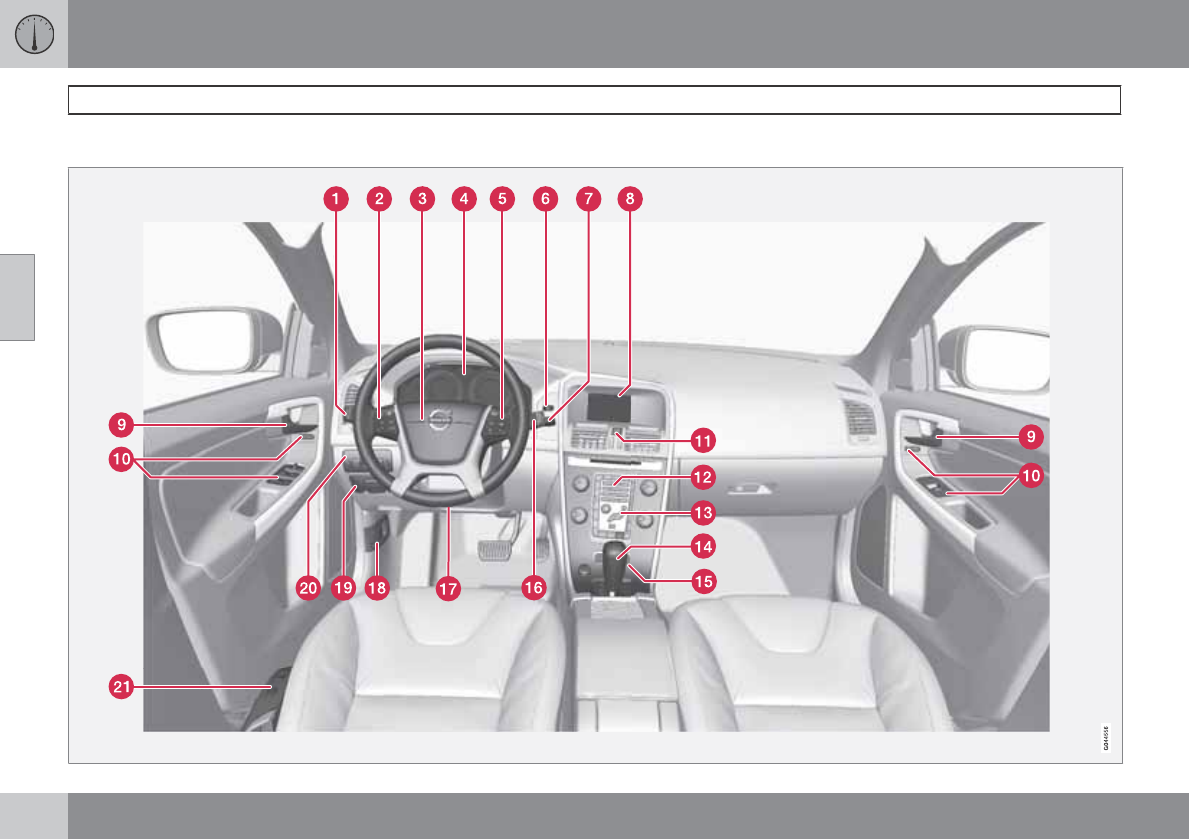
03 Your driving environment
Instruments and controls
03
74
Instrument overview
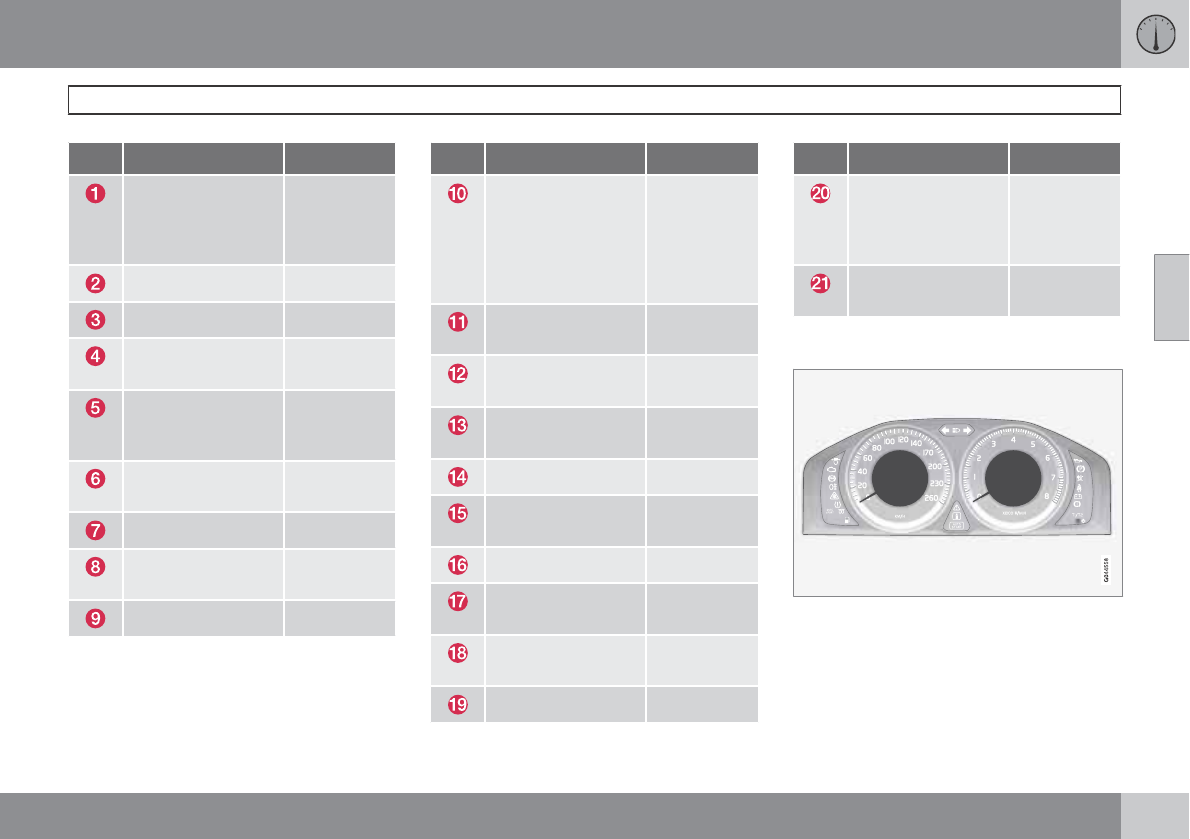
03 Your driving environment
Instruments and controls
03
``
* Option/accessory, for more information, see Introduction. 75
Function Page
Menus and mes-
sages, turn signals,
high/low beams,
trip computer
128, 92,
89, 142
Cruise control 147
Horn, airbag 88, 22
Main instrument
panel
75
Audio system/Blue-
tooth hands-free
controls
200, 229
START/STOP
ENGINE button
81
Ignition slot 81
Infotainment/menu
display
-
Door handle –
Function Page
In-door control pan-
els (power win-
dows, mirrors,
power child safety
locks, central lock-
ing button)
98, 100,
52, 66
Hazard warning
flashers
91
Audio system con-
trols
200
Climate system
controls
137
Gear selector 112
Controls for active
chassis (Four-C)*
146
Wipers and washers 95, 96
Steering wheel
adjustment
88
Hood opening con-
trol
303
Parking brake 118
Function Page
Lighting panel, con-
trols for opening
fuel filler door/tail-
gate
89, 252,
67
Power seat* adjust-
ment controls
82
Information displays
Information displays in the instrument panel
The information displays show information on
some of the vehicle's functions, such as cruise
control, the trip computer and messages. The
information is shown with text and symbols.
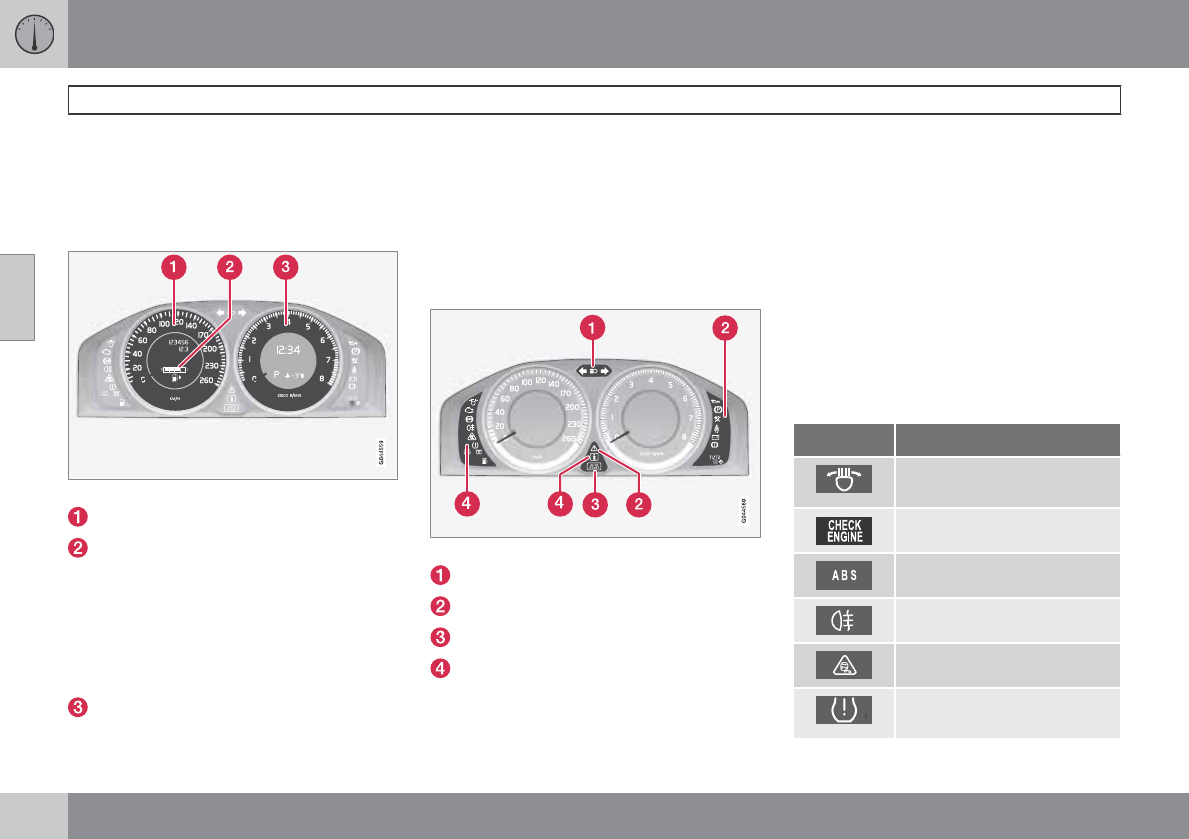
03 Your driving environment
Instruments and controls
03
76 * Option/accessory, for more information, see Introduction.
More detailed information can be found in the
descriptions of the functions that use the infor-
mation displays.
Gauges
Gauges in the instrument panel
Speedometer
Fuel gauge. Please note that the fuel level
indicator in the gauge moves from right to
left as the amount of fuel in the tank
decreases. The arrow indicates the side of
the vehicle that the fuel filler door is on. See
also the section on refueling beginning on
page 250. See page 142 for more infor-
mation on fuel level and consumption.
The tachometer shows engine speed in
thousands of revolutions per minute (rpm).
Do not drive continuously with the needle
in the red area of the gauge. The engine
management system will automatically
prevent excessively high engines speeds.
This will be noticeable as a pronounced
unevenness in engine speed.
Indicator, information, and warning
symbols
Indicator and warning symbols
High beam and turn signal indicators
Indicator and warning symbols
Information symbols
Indicator and warning symbols
Function check
All indicator and warning symbols light up in
ignition mode II or when the engine is started.
When the engine has started, all the symbols
should go out except the parking brake sym-
bol, which only goes out when the brake is dis-
engaged.
If the engine does not start or if the function
check is carried out in ignition mode II, all sym-
bols go out after 5 seconds except the symbol
for faults in the vehicle's emissions system and
the symbol for low oil pressure.
Certain symbols may not have their functions
illustrated, depending on the vehicle's equip-
ment.
Indicator and information symbols
Symbol Description
Fault in the Active Bending
Light (ABL)*system
Malfunction indicator light
Anti-lock brake system (ABS)
Rear fog light on
Stability system
Tire pressure monitoring sen-
sor (TPMS)
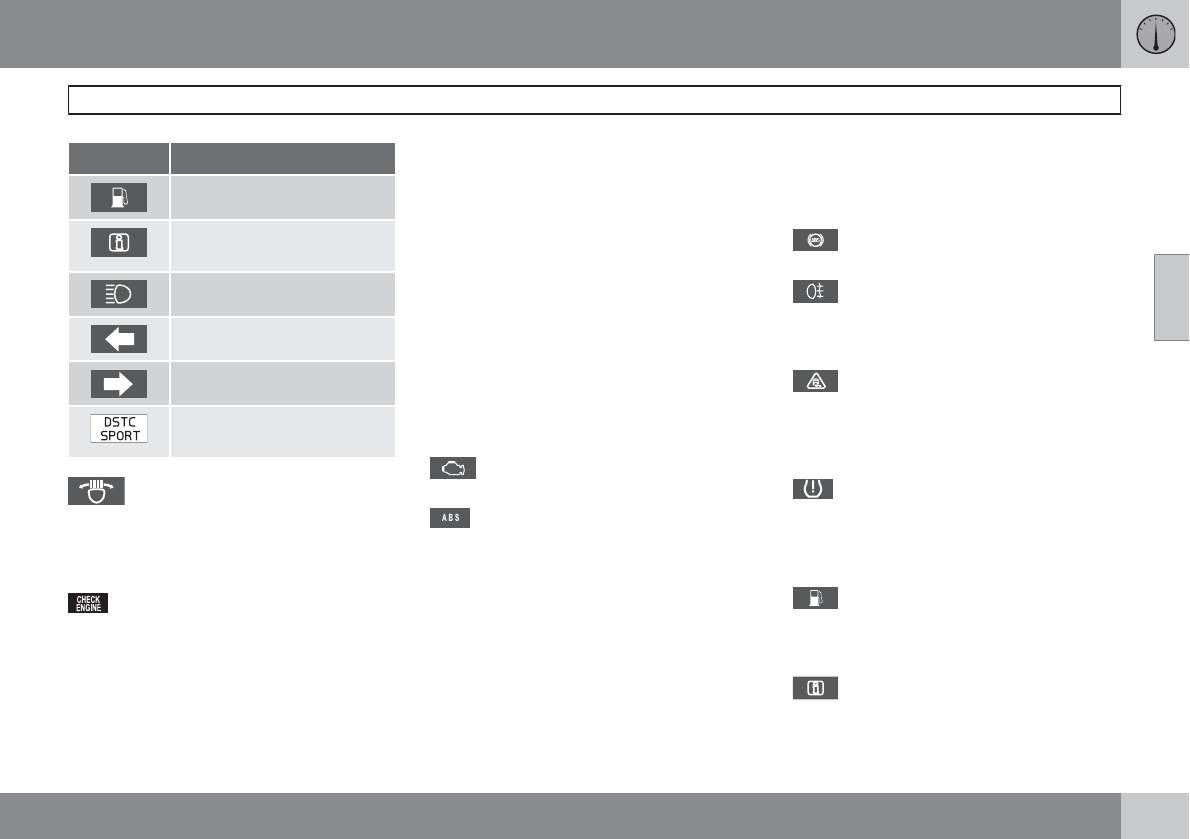
03 Your driving environment
Instruments and controls
03
``
* Option/accessory, for more information, see Introduction. 77
Symbol Description
Low fuel level
Information symbol, see text
in information display
High beam indicator
Left turn signal indicator
Right turn signal indicator
The stability system's Sport
mode is activated.
Fault in the Active Bending Light
(ABL) system
This symbol will illuminate if the there is a fault
in the ABL system. See page 90 for more
information about this system.
Malfunction Indicator Light
As you drive, a computer called On-Board
Diagnostics II (OBDII) monitors your vehicle's
engine, transmission, electrical and emission
systems.
The malfunction indicator (CHECK ENGINE)
light will illuminate if the computer senses a
condition that potentially may need correcting.
When this happens, please have your vehicle
checked by a trained and qualified Volvo serv-
ice technician as soon as possible.
A malfunction indicator (CHECK ENGINE) light
may have many causes. Sometimes, you may
not notice a change in your car's behavior.
Even so, an uncorrected condition could hurt
fuel economy, emission controls, and drivabil-
ity. Extended driving without correcting the
cause could even damage other components
in your vehicle.
This light may illuminate if the fuel filler cap is
not closed tightly or if the engine was running
while the vehicle was refueled.
Canadian models are equipped with this
symbol.
Anti-lock Brake System (ABS)
warning light
If the warning light comes on, there may be a
malfunction in the ABS system (the standard
braking system will still function). Check the
system by:
1. Stopping in a safe place and switching off
the ignition.
2. Restart the engine.
3. If the warning light goes off, no further
action is required.
If the warning light remains on, the vehicle
should be driven to a trained and qualified
Volvo service technician for inspection, see
page 115 for additional information.
Canadian models are equipped with this
symbol.
Rear fog light
This symbol indicates that the rear fog light
(located in the driver's side tail light cluster) is
on.
Stability system
This indicator symbol flashes when the DSTC
(Dynamic Stability and Traction Control sys-
tem) is actively working to stabilize the vehicle,
see page 144 for more detailed information.
Tire pressure monitoring system
(TPMS)*
This symbol illuminates to indicate that tire
pressure in one or more tires is low, see
page 294 for detailed information.
Low fuel level
When this light comes on, the vehicle should
be refueled as soon as possible. See page
250 for information about fuel and refueling.
Information symbol
The information symbol lights up and a text
message is displayed to provide the driver with
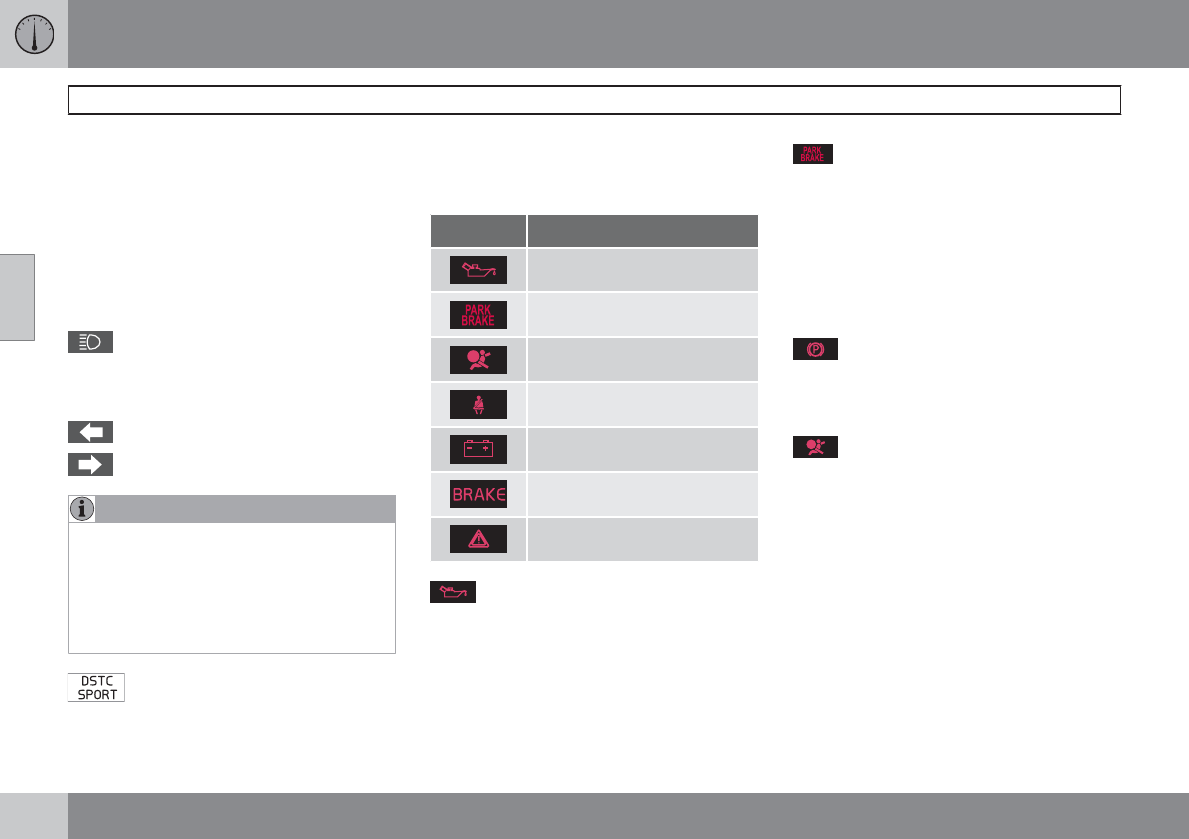
03 Your driving environment
Instruments and controls
03
78
necessary information about one of the vehi-
cle's systems. The message can be erased and
the symbol can be turned off by pressing the
READ button (see page 126 for information) or
this will take place automatically after a short
time (the length of time varies, depending on
the function affected).
The information symbol may also illuminate
together with other symbols.
High beam indicator
This symbol illuminates when the high beam
headlights are on, or if the high beam flash
function is used.
Left turn signal indicator
Right turn signal indicator
NOTE
•Both turn signal indicators will flash
when the hazard warning flashers are
used.
•If either of these indicators flash faster
than normal, the direction indicators are
not functioning properly.
Sport mode
This symbol illuminates to indicate that the sta-
bility system's Sport mode has been activated
to help provide maximum tractive force, for
example when driving with snow chains, or
driving in deep snow or loose sand.
Indicator and warning symbols
Symbol Description
Low oil pressure
Parking brake applied
SRS airbags
Seat belt reminder
Generator not charging
Fault in the brake system
Warning symbol
Low oil pressure
If the light comes on while driving, stop the
vehicle, stop the engine immediately, and
check the engine oil level. If the oil level is nor-
mal and the light stays on after restart, have the
vehicle towed to the nearest trained and quali-
fied Volvo service technician. This is normal,
provided it goes off when the engine speed is
increased.
Parking brake applied
This symbol illuminates when the parking
brake is applied. On models equipped with the
electric parking brake, this symbol flashes
while the brake is being applied and then glows
steadily.
A flashing symbol means that a fault has been
detected. See the message in the information
display.
Canadian models are equipped with this
symbol.
See page 118 for more information about
using the parking brake.
Airbags – SRS
If this light comes on while the vehicle is being
driven, or remains on for longer than approxi-
mately 10 seconds after the vehicle has been
started, the SRS system's diagnostic functions
have detected a fault in a seat belt lock or pre-
tensioner, a front airbag, side impact airbag,
and/or an inflatable curtain. Have the system(s)
inspected by a trained and qualified Volvo
service technician as soon as possible.
See page 21 for more information about the
airbag system.
03 Your driving environment
Instruments and controls
03
``
79
Seat belt reminder
This symbol comes on for approximately 6 sec-
onds if the driver has not fastened his or her
seat belt.
Generator not charging
This symbol comes on during driving if a fault
has occurred in the electrical system. Contact
an authorized Volvo workshop.
Engine temperature
Engine overheating can result from low oil or
coolant levels, towing or hard driving at high
heat and altitude, or mechanical malfunction.
Engine overheating will be signaled with text
and a red warning triangle in the middle of the
instrument display. The exact text will depend
on the degree of overheating. It may range from
High engine temp Reduce speed to High
engine temp Stop engine. If appropriate,
other messages, such as Coolant level low,
Stop safely will also be displayed. If your
engine does overheat so that you must stop the
engine, always allow the engine to cool before
attempting to check oil and coolant levels.
See page 306 for more information.
Fault in brake system
If this symbol lights, the brake fluid level may
be too low. Stop the vehicle in a safe place and
check the level in the brake fluid reservoir, see
page 306. If the level in the reservoir is below
MIN, the vehicle should be transported to an
authorized Volvo workshop to have the brake
system checked.
Canadian models are equipped with this
symbol.
If the and symbols come on at the
same time, there may be a fault in the brake
force distribution system.
1. Stop the vehicle in a safe place and turn off
the engine.
2. Restart the engine.
•If both symbols extinguish, continue driv-
ing.
•If the symbols remain on, check the level in
the brake fluid reservoir, see page 306. If
the brake fluid level is normal but the sym-
bols are still lit, the vehicle can be driven,
with great care, to an authorized Volvo
workshop to have the brake system
checked.
•If the level in the reservoir is below MIN, the
vehicle should be transported to an author-
ized Volvo workshop to have the brake
system checked.
WARNING
•If the fluid level is below the MIN mark
in the reservoir or if a warning message
is displayed in the text window: DO
NOT DRIVE. Have the vehicle towed to
a trained and qualified Volvo service
technician and have the brake system
inspected.
•If the ABS and Brake system lights are
on at the same time, there is a risk of
reduced vehicle stability.
Warning symbol
The red warning symbol lights up to indicate a
problem related to safety and/or drivability. A
message will also appear in the main instru-
ments panel's display. The symbol remains
visible until the fault has been rectified but the
text message can be cleared with the READ
button, see page 126. The warning symbol can
also come on in conjunction with other sym-
bols.
Action:
1. Stop in a safe place. Do not drive the vehi-
cle further.
2. Read the information on the information
display. Implement the action in accord-
ance with the message in the display. Clear
the message using READ.
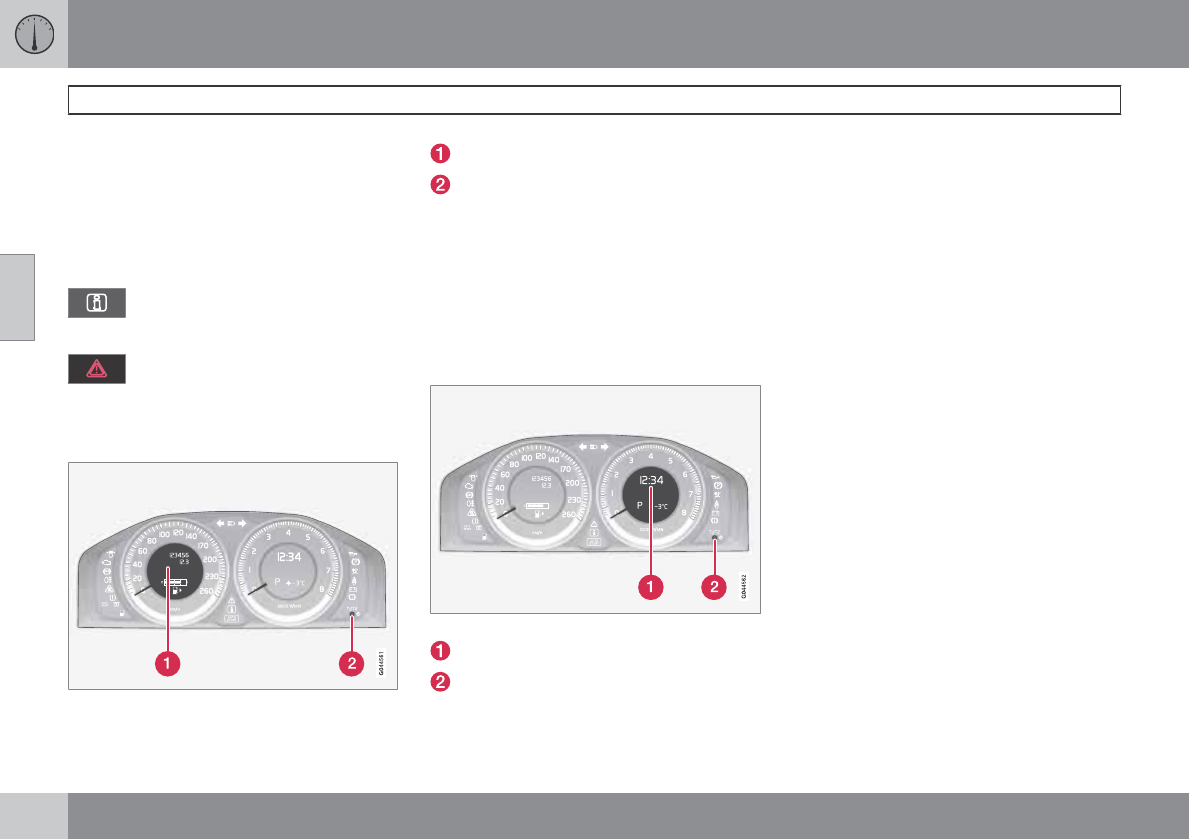
03 Your driving environment
Instruments and controls
03
80
Reminder – doors not closed
If one of the doors, the hood or tailgate is not
closed properly, the information or warning
symbol comes on together with an explanatory
text message in the instrument panel. Stop the
vehicle in a safe place as soon as possible and
close the door, hood or tailgate.
If the vehicle is driven at a speed
lower than approximately 5 mph
(7 km/h), the information symbol comes on.
If the vehicle is driven at a speed
higher than approximately 5 mph
(7 km/h), the warning symbol comes on.
Trip odometers
Trip odometers and reset button
Odometer display
Button for toggling between T1 and T2,
and for resetting the odometer
The trip odometers are used to measure short
distances. A short press the button toggles
between the two trip odometers T1 and T2. A
long press (more than 2 seconds) resets an
active trip odometer to zero. The distance is
shown in the display.
Clock
Clock and setting control
Display
Control for setting the clock
Turn the control clockwise/counterclockwise
to set the time. The set time is shown in the
information display.
The clock may be temporarily replaced by a
symbol in conjunction with a message, see
page 126.
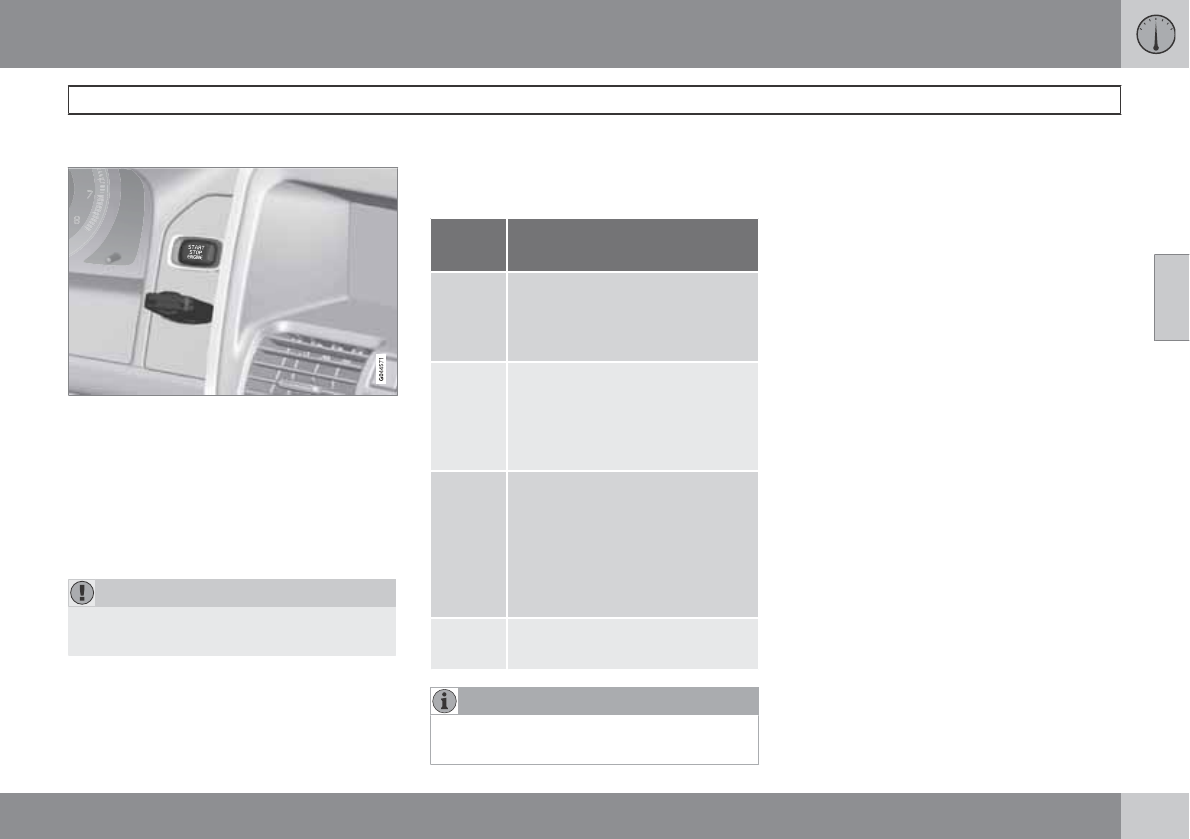
03 Your driving environment
Ignition modes
03
* Option/accessory, for more information, see Introduction. 81
Inserting and removing the remote key
Ignition slot with remote key and START/STOP
ENGINE button.
Inserting the remote key
Holding the end of the remote key with the
base of the key blade, insert the remote key
into the ignition slot as shown in the illustration
and press it in as far as possible (past the
detent).
CAUTION
Foreign objects in the ignition slot can
impair function or damage the lock.
Removing the remote key
The remote key can be removed from the igni-
tion slot by pulling it out.
Ignition modes
The various ignition modes are accessed with
the remote key in the ignition slot.
Posi-
tion
Function
0Odometer, clock and tempera-
ture gauge are illuminated. Steer-
ing lock is deactivated. The audio
system can be used.
ILaminated panoramic roof,
power windows,12-volt sockets,
navigation system*, climate sys-
tem blower, ECC, windshield
wipers can be used.
II The headlights come on. Warn-
ing/indicator lights come on for
5 seconds. All equipment oper-
ates apart from heated seats and
rear window defroster, which
only work when the engine is run-
ning.
III The starter motor will operate
until the engine has started.
NOTE
The brake pedal must not be depressed
when accessing ignition modes I or II.
Ignition mode 0
Insert the remote key in the ignition slot and
press it in as far as possible.
Ignition mode I
With the remote key fully pressed into the
ignition slot, press START/STOP
ENGINE briefly.
Ignition mode II
With the remote key fully pressed into the
ignition slot, press START/STOP
ENGINE for approximately 2 seconds.
Ignition mode III (engine start)
Start the engine, see page 109.
Stopping the engine
Press START/STOP ENGINE. (If the
engine is running and the vehicle is mov-
ing, keep the button depressed until the
engine stops).
Returning to ignition mode 0
Press START/STOP ENGINE briefly to
return to ignition mode 0 from modes I or
II.
Emergency towing
Ignition mode II should be used so that the
lighting can be switched on.
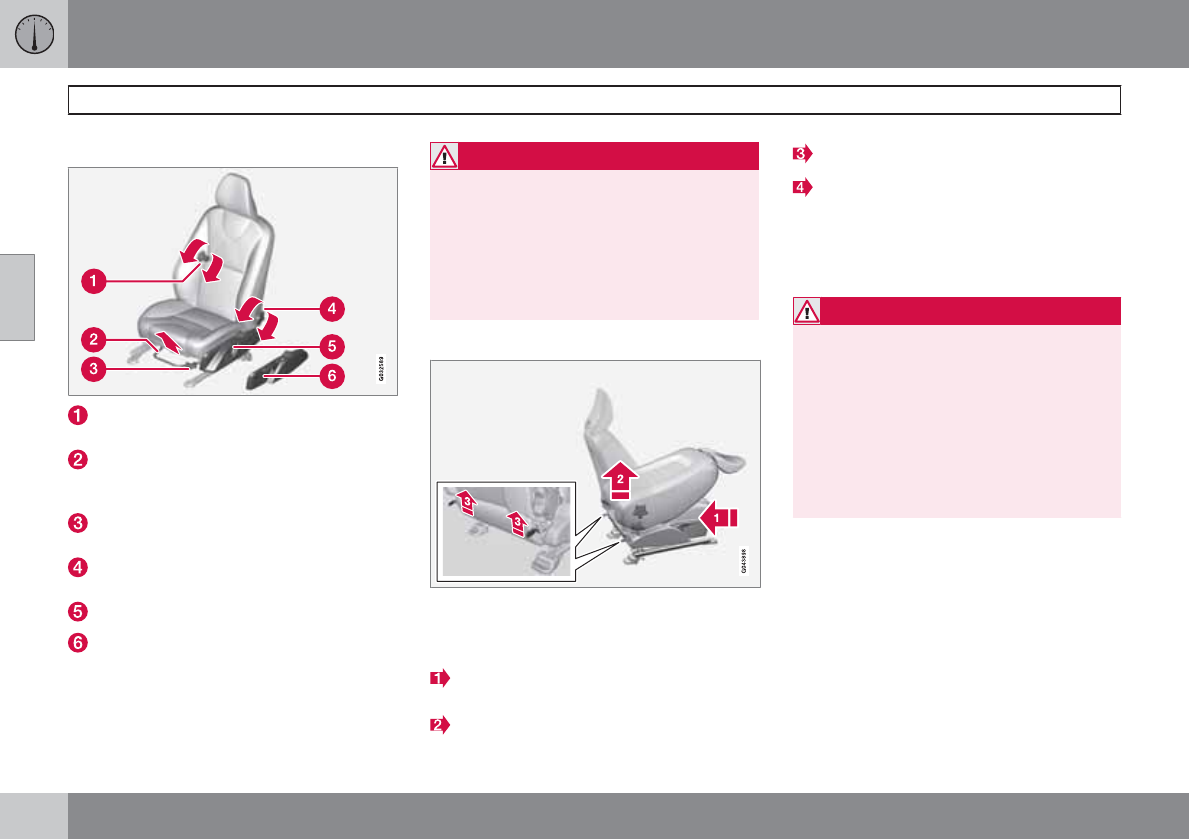
03 Your driving environment
Seats
03
82 * Option/accessory, for more information, see Introduction.
Front seats
Lumbar support: turn the control for firmer
or softer lumbar support.
Front-rear adjustment: lift the bar and
move the seat to the position of your
choice.
Raise/lower front edge of seat cushion,
pump up/down.
Backrest tilt: turn the control to adjust the
angle of the backrest.
Raise/lower the seat, pump up/down.
Control panel for power seat*.
WARNING
•Do not adjust the seat while driving. The
seat should be adjusted so that the
brake pedal can be depressed fully. In
addition, position the seat as far rear-
ward as comfort and control allow.
•Check that the seat is securely locked
into position after adjusting.
Folding the front seat backrest
The front passenger seat backrest can be
folded to a horizontal position to make room for
a long load. Fold the backrest as follows:
Move the seat as far back and down as
possible.
Adjust the backrest to an upright position.
Lift the catches on the rear of the backrest.
Without releasing the catches, push the
backrest forward.
Move the seat as far forward as possible
so that the head restraint slides under the
glove compartment.
WARNING
•When transporting long objects, cover
sharp edges on the load to help prevent
injury to occupants. Secure the load to
help prevent shifting during sudden
stops.
•When the seat's backrest is returned to
the upright position, push and pull it to
be sure that it is securely locked in this
position.
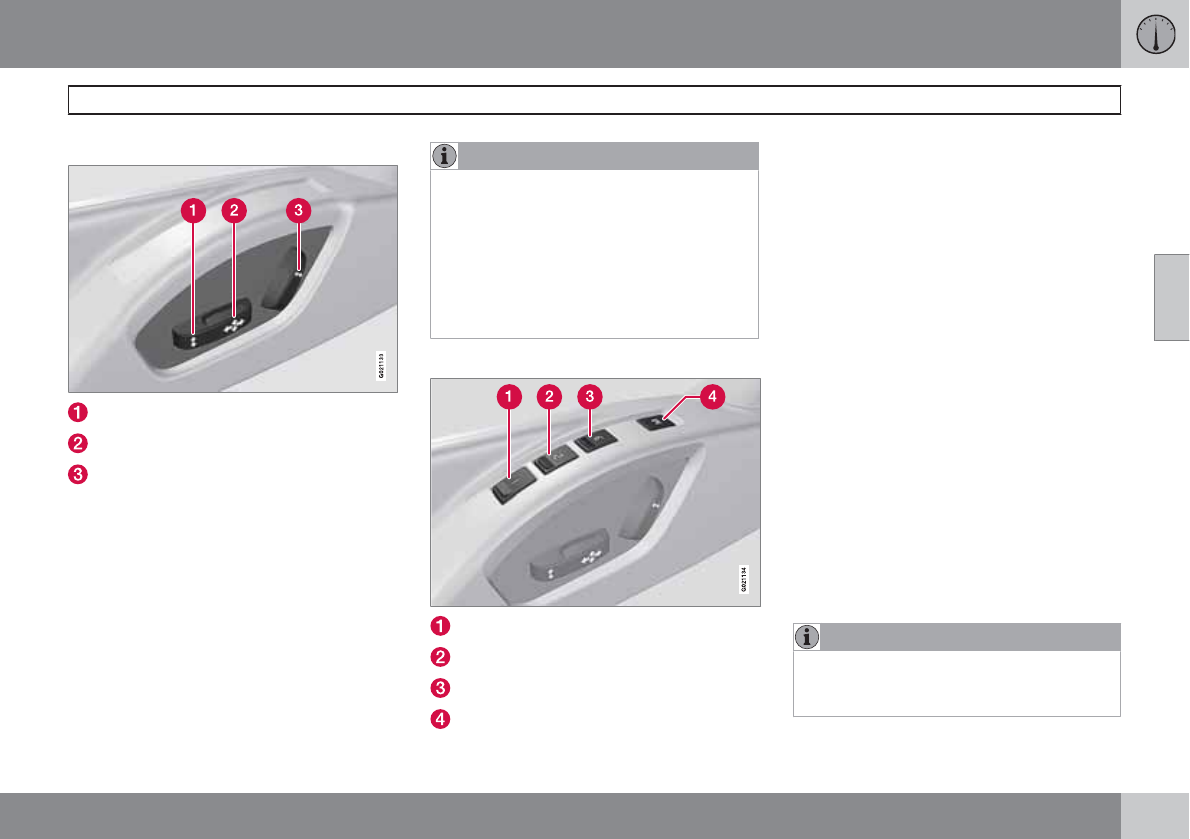
03 Your driving environment
Seats
03
``
* Option/accessory, for more information, see Introduction. 83
Power seat*
Front edge of seat cushion up/down
Seat forward/rearward and up/down
Backrest tilt
Operation
The seats can be adjusted for a short period
after unlocking the door with the remote con-
trol without the key in the ignition slot. Seat
adjustment is normally made when the ignition
is on and can always be made when the engine
is running.
NOTE
•Only one of the power seat's controls
can be used at the same time.
•The power seats have an overload pro-
tector that activates if a seat is blocked
by any object. If this occurs, switch off
the ignition (key in position 0) and wait
for a short period before operating the
seat again.
Seat with memory function
Stored seat position
Stored seat position
Stored seat position
Memory button
Programming the memory
Three different seating and door mirror posi-
tions can be stored in the driver seat's memory.
The following example explains how button (1)
can be programmed. Buttons (2) and (3) are
programmed in the same way.
To program (store) a seat position and door
mirror position in button (1):
1. Move the seat (and door mirrors) to the
desired position using the seat and mirror
adjustment controls.
2. Press and hold down the memory button
(4).
3. With the memory button depressed, press
button (1) briefly to store the current posi-
tion for the seat/mirrors.
To move the seat and mirrors to the position
that they were in when a button was pro-
grammed:
Press and hold down button (1) until the
seat and mirrors stop moving.
NOTE
As a safety precaution, the seat will stop
automatically if the button is released before
the seat has reached the preset position.
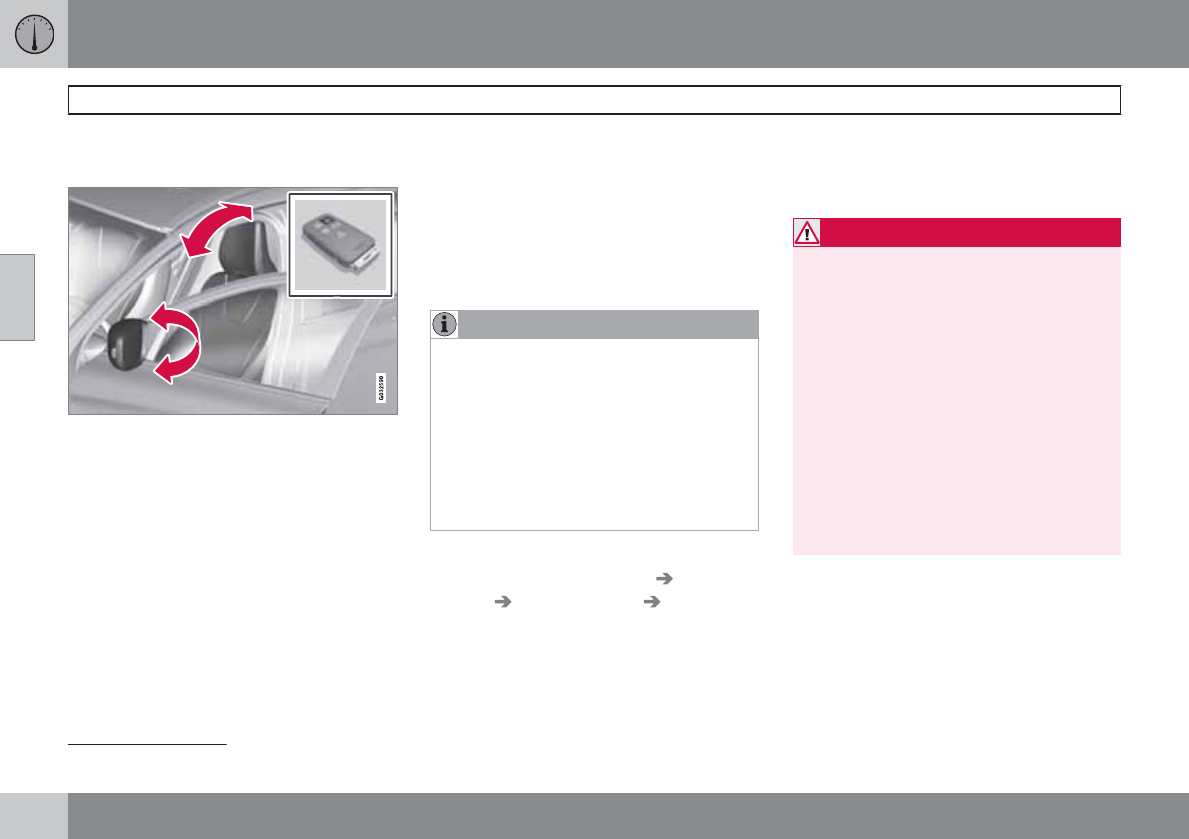
03 Your driving environment
Seats
03
84 * Option/accessory, for more information, see Introduction.
Remote keyless entry system and the
driver's seat and door mirrors
1
The remote control transmitter also controls
the position of the power driver's seat and door
mirrors in the following way:
1. Adjust the seat to your preferences.
2. When you leave your vehicle, lock it using
the remote control.
The position of the driver's seat and door mir-
rors is now stored in the remote control's mem-
ory.
Automatic seat/mirror adjustment
To move the seat and door mirrors to the posi-
tion in which you left them:
1. Unlock the driver's door with the same
remote control (the one used to lock the
doors).
2. Open the driver's door within 2 minutes.
The driver's seat and door mirrors will auto-
matically move to the position in which you left
them.
NOTE
•The key memory is independent of the
seat memory.
•The seat will move to this position even
if someone else has moved it to a dif-
ferent seating position and locked the
vehicle with a different remote control.
•This feature will work in the same way
with all of the remote control transmit-
ters that you use with your vehicle.
The function can be activated/deactivated
under MY CAR under Settings Car
settings Car key memory Position of
door mirrors and driver's seat in key. See
page 128 for a description of the menu sys-
tem.
Emergency stop
If the seat accidentally begins to move, press
one of the buttons to stop the seat.
WARNING
•Because the driver's seat can be
adjusted with the ignition off, children
should never be left unattended in the
vehicle.
•Movement of the seat can be STOPPED
at any time by pressing any button on
the power seat control panel.
•Do not adjust the seat while driving. The
seat should be adjusted so that the
brake pedal can be depressed fully. In
addition, position the seat as far rear-
ward as comfort and control allow.
•The seat rails on the floor must not be
obstructed in any way when the seat is
in motion.
Heated seats*
See page 138.
1See page 64 for information regarding vehicles with the optional keyless drive.
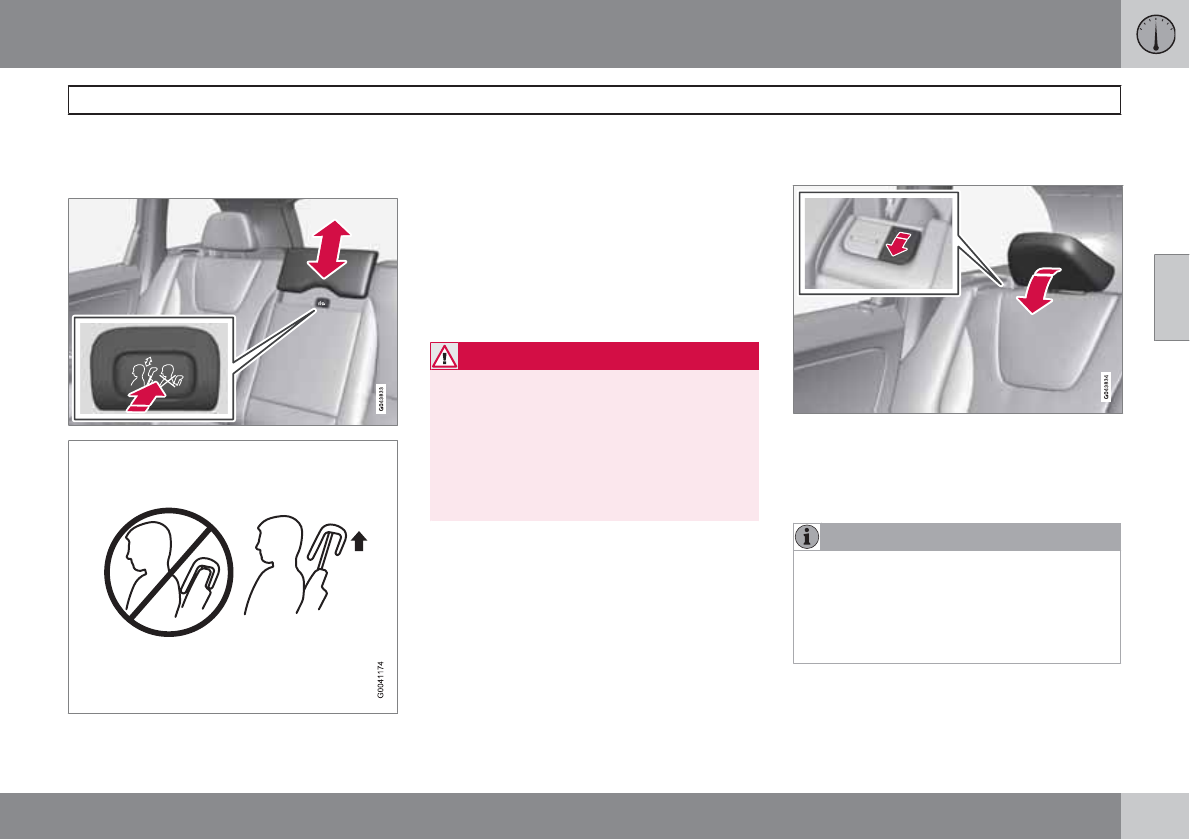
03 Your driving environment
Seats
03
``
85
Rear seats
Rear center head restraint
The center head restraint should be adjusted
according to the passenger's height. The
restraint should be carefully adjusted to sup-
port the occupant's head.
•Pull the head restraint up as required.
•To lower, press and hold the button
(located at the center, between the back-
rest and the head restraint) while pressing
the head restrain down.
WARNING
The center rear seat head restraint should
only be in its lowest position when this seat
is NOT occupied. When the center position
is occupied, the head restraint should be
correctly adjusted to the passenger’s
height. The upper edge of the head restraint
should be at least on a level with the upper-
most point of the seat occupant's ear.
Manually folding down the rear seat's
outboard head restraints
•Pull the handle closest to the head restraint
to fold it down.
•To return the head restraint to the upright
position, push it up until it clicks into place.
NOTE
•The head restraint must be returned to
the upright position manually.
•The outboard head restraints cannot be
folded down on models that are not
equipped with this button.
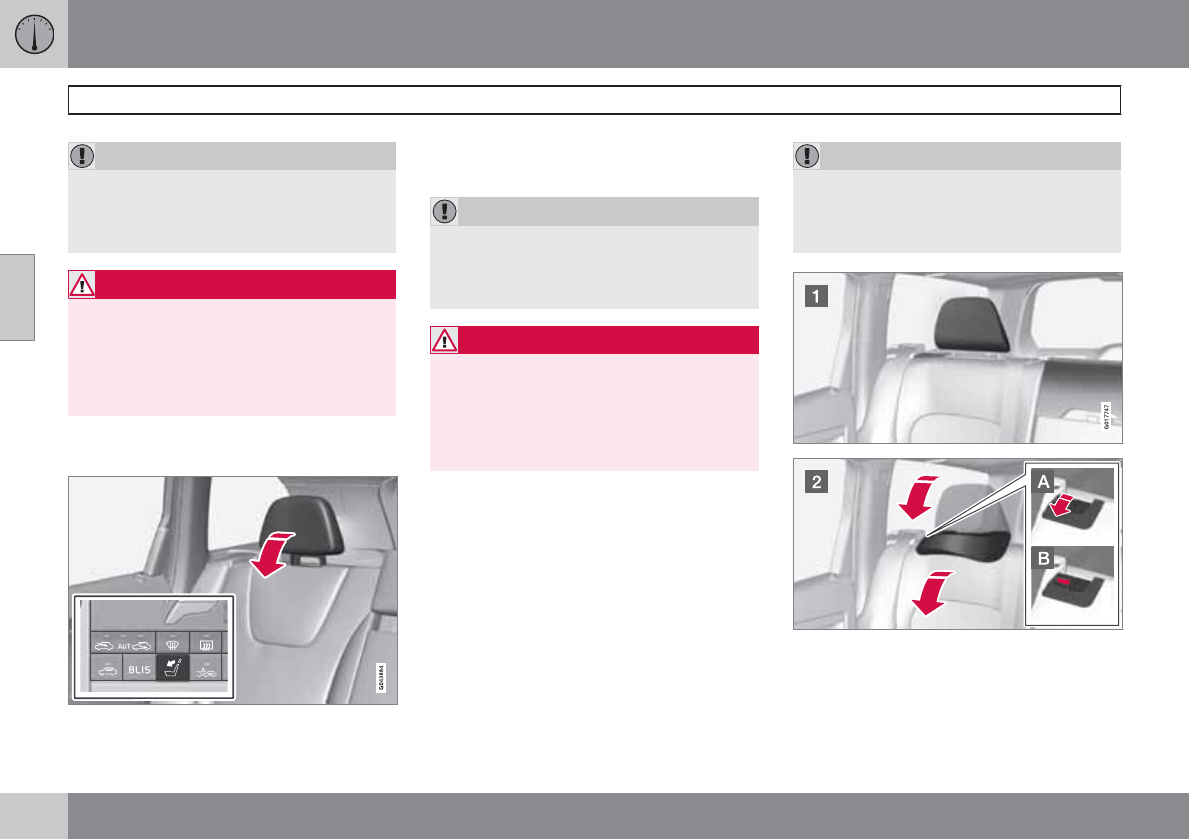
03 Your driving environment
Seats
03
86 * Option/accessory, for more information, see Introduction.
CAUTION
The rear head restraints should not be kept
folded down for prolonged periods. This
could result in pressure marks in leather
upholstery.
WARNING
For safety reasons, no one should be
allowed to sit in the outboard rear seat posi-
tions if the head restraints are folded down.
If these positions are occupied, the head
restraints should be in the upright (fixed)
position.
Automatically folding down the rear
seat’s outboard head restraints*
1. The ignition must be in mode I or II.
2. Press the button to lower the rear head
restraints for improved visibility.
CAUTION
The rear head restraints should not be kept
folded down for prolonged periods. This
could result in pressure marks in leather
upholstery.
WARNING
For safety reasons, no one should be
allowed to sit in the outboard rear seat posi-
tions if the head restraints are folded down.
If these positions are occupied, the head
restraints should be in the upright (fixed)
position.
Folding down the rear seat backrests
The three sections of the rear seat backrest can
be folded down in different combinations to
make it easier to transport long objects.
•The left (driver's side) section can be folded
down separately.
•The center section can be folded down
separately.
•The right (passenger's side) section can
only be folded down together with the cen-
ter section.
•All three sections can be folded down
together.
CAUTION
To help avoid damage to the upholstery,
there should be no objects on the rear seat
and the seat belt should not be buckled
when the backrest is folded down.
G017903
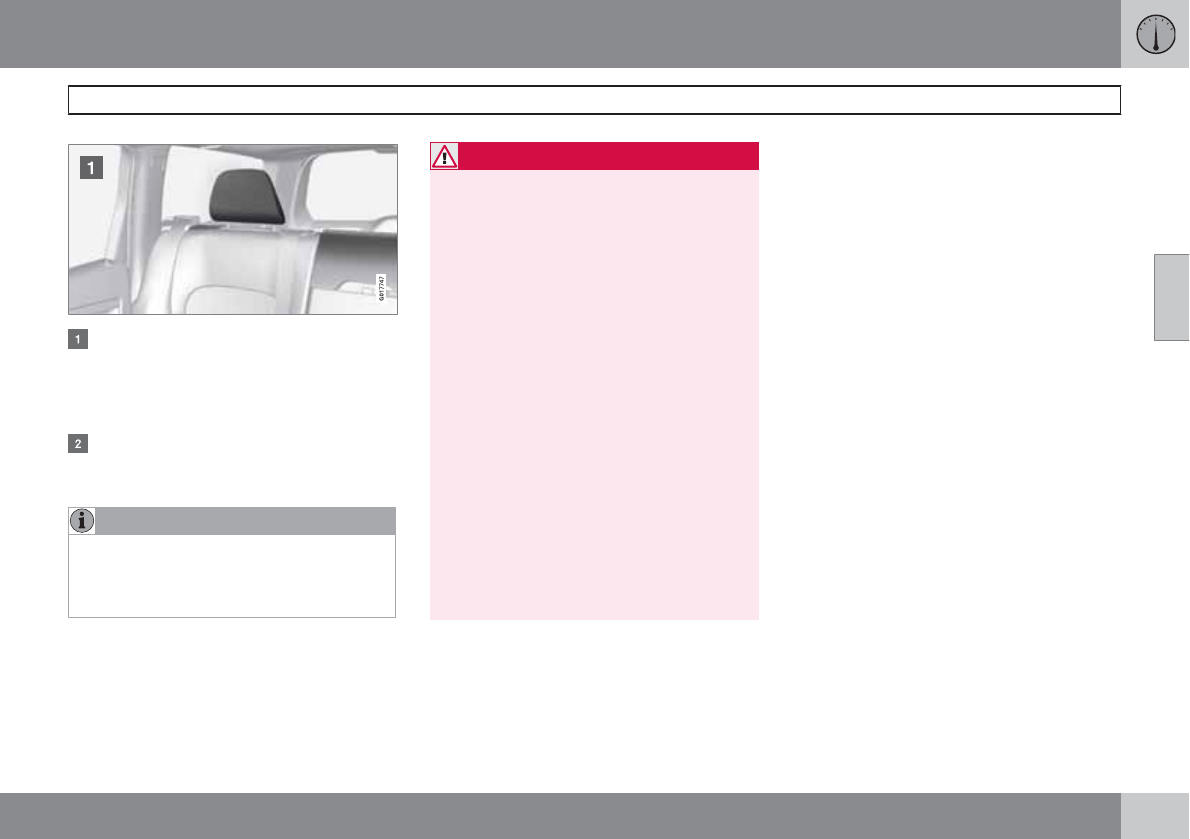
03 Your driving environment
Seats
03
87
Release and lower the center head
restraint (see page 85) if the center and/or
right section of the backrest is to be low-
ered. The outboard head restraints fold
down automatically.
Pull up the backrest release control on the
respective section(s) and fold the sec-
tion(s) down.
NOTE
It may be necessary to move the front seats
forward or put their backrests in a more
upright position before folding down the
rear seat backrests.
WARNING
•When one or more sections of the back-
rest is returned to the upright position,
check that it is properly locked in place
by pushing and pulling it. The red indi-
cators should also not be visible.
•Return the outboard head restraints to
the upright position.
•Long loads should always be securely
anchored to help avoid injury in the
event of a sudden stop.
•Always turn the engine off and apply the
parking brake when loading/unloading
the vehicle.
•Place the transmission in the Park (P)
position to help prevent inadvertent
movement of the gear selector.
•On hot days, the temperature in the
vehicle interior can rise very quickly.
Exposure of people to these high tem-
peratures for even a short period of time
can cause heat-related injury or death.
Small children are particularly at risk.
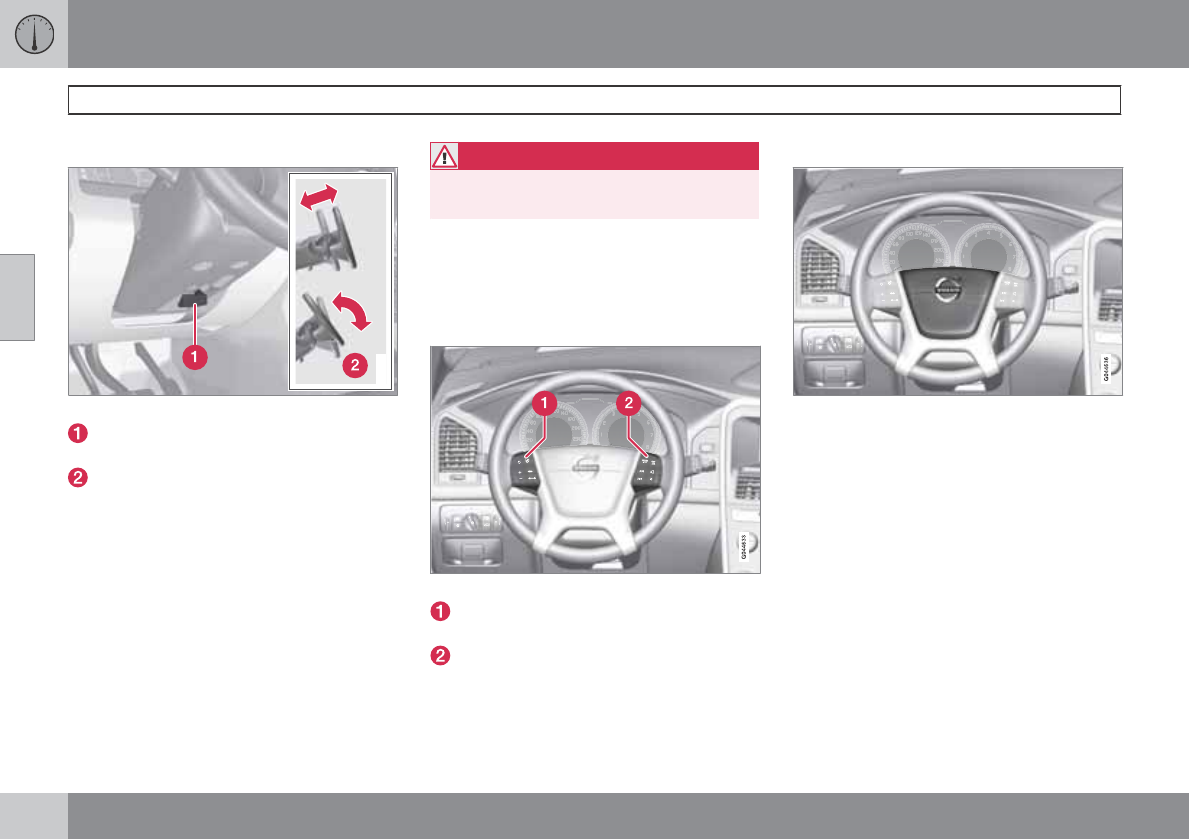
03 Your driving environment
Steering wheel
03
88 * Option/accessory, for more information, see Introduction.
Adjusting
G021138
Adjusting the steering wheel
Lever for releasing/locking the steering
wheel
Possible positions
The steering wheel can be adjusted for both
height and reach:
1. Pull the lever toward you to release the
steering wheel.
2. Adjust the steering wheel to the position
that suits you.
3. Push back the lever to lock the steering
wheel in place. If the lever is difficult to
push into place, press the steering wheel
lightly at the same time as you push the
lever.
WARNING
Never adjust the steering wheel while driv-
ing.
With the optional speed-dependent power
steering the level of steering force can be
adjusted, see page 146.
Keypads
Keypads in the steering wheel
Cruise control, see page 147. Adaptive
cruise control*, see page 149.
Infotainment controls, see page 203.
Horn
Horn
Press the steering wheel hub to sound the
horn.
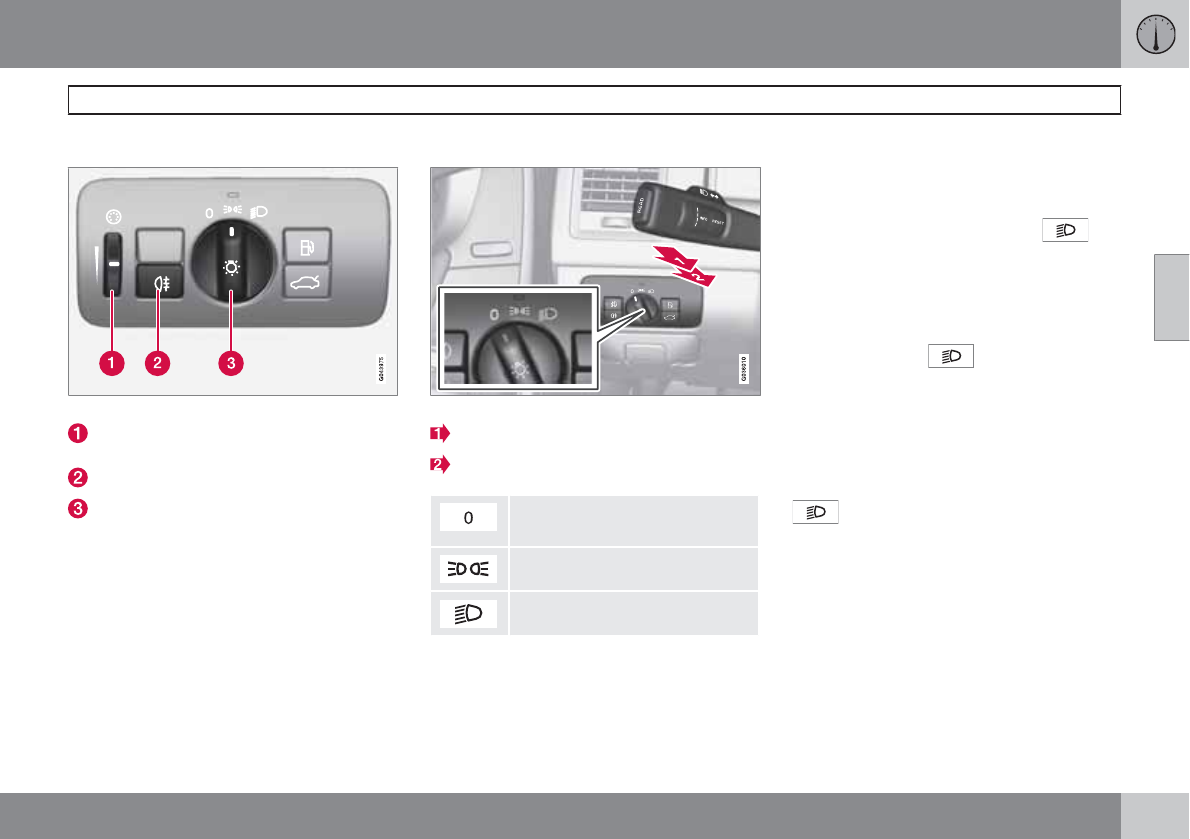
03 Your driving environment
Lighting
03
``
89
Lighting panel
Overview, light switches
Thumb wheel for adjusting display and
instrument lighting
Rear fog light
Headlights/parking lights
Instrument lighting
Illumination of the display and instrument lights
will vary, depending on ignition mode.
The display lighting is automatically subdued
in darkness and the sensitivity is set with the
thumb wheel.
The intensity of the instrument lighting is
adjusted with the thumb wheel.
High/low beam headlights
Headlight switch and lever
High beam flash
Toggle between high and low beams
Daytime running lights/no high
beams
Parking lights
Low beams
High beam flash
Move the lever toward the steering wheel to
position 1. The high beams come on until the
lever is released.
High/low beam headlights
Continuous high beams
1. Set the ignition to mode II.
2. With the light switch in position , pull
the turn signal lever toward the steering
wheel to position 2 to toggle between high
and low beams (this also applies on mod-
els equipped with the optional Active
Bending Lights).
>The symbol illuminates in the
instrument panel to indicate that the
high beams are on.
Low beams
When the engine is started, the low beams are
activated automatically (daytime running lights)
if the headlight control is in position 0 or
.
Daytime running lights can be deactivated by
a trained and qualified Volvo service techni-
cian.
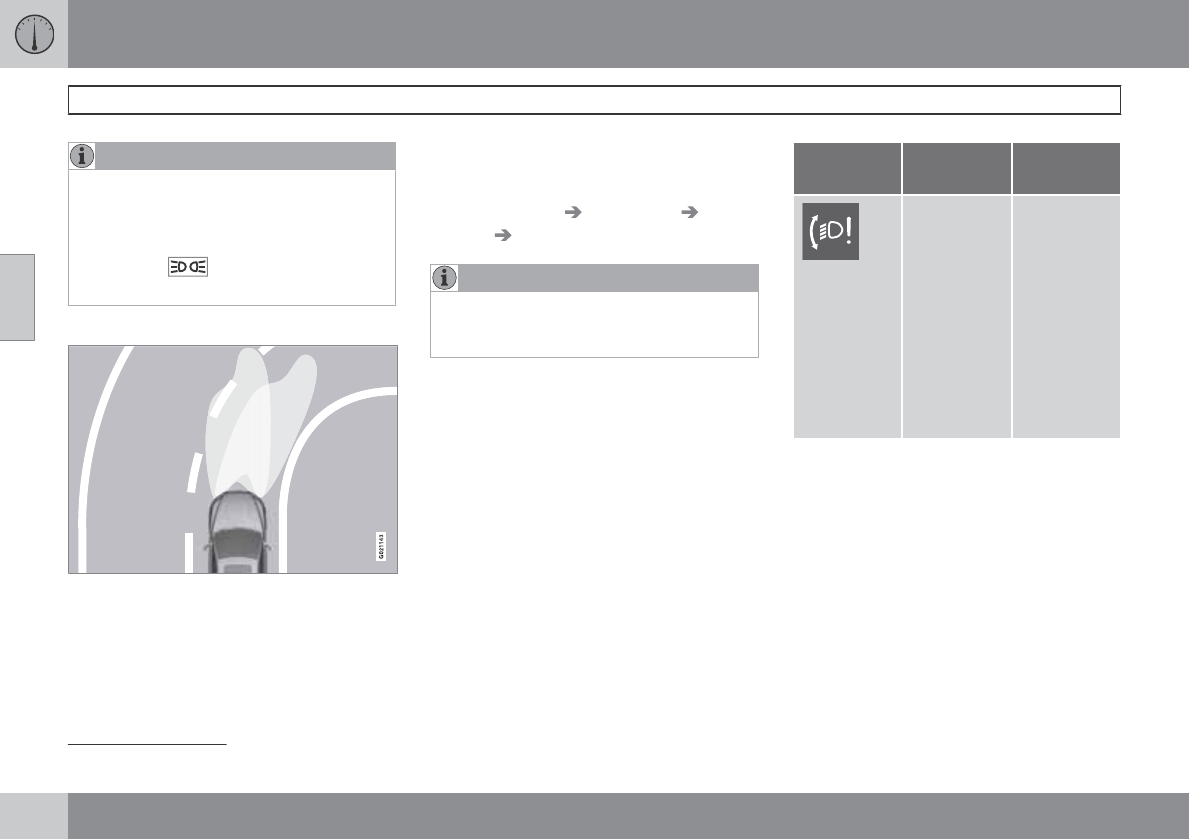
03 Your driving environment
Lighting
03
90 * Option/accessory, for more information, see Introduction.
NOTE
•The use of daytime running lights is
mandatory in Canada.
•Continuous high beams cannot be acti-
vated when the headlight switch is in
position or 0. High beam flash will
function in these positions.
Active Bending Lights (ABL)*
Headlight pattern with the Active Bending Light
function deactivated (left) and activated (right)
When this function is activated, the headlight
beams adjust laterally to help light up a curve
according to movements of the steering wheel
(see the right-pointing beam in the illustration).
ABL is activated automatically1 when the
engine is started and it can be deactivated/
reactivated in the menu system under
MY CAR Settings Car settings Light
settings Active bending lights.
NOTE
This function is only active in twilight or dark
conditions, and only when the vehicle is in
motion.
If a fault should occur in the system, the symbol
will illuminate and a message will be displayed
as shown in the table.
Symbol Display Explana-
tion
Headlamp
failure
Service
required
The system
is not func-
tioning
properly and
should be
inspected/
repaired by
a trained
and qualified
Volvo serv-
ice techni-
cian.
1The factory default setting is on.
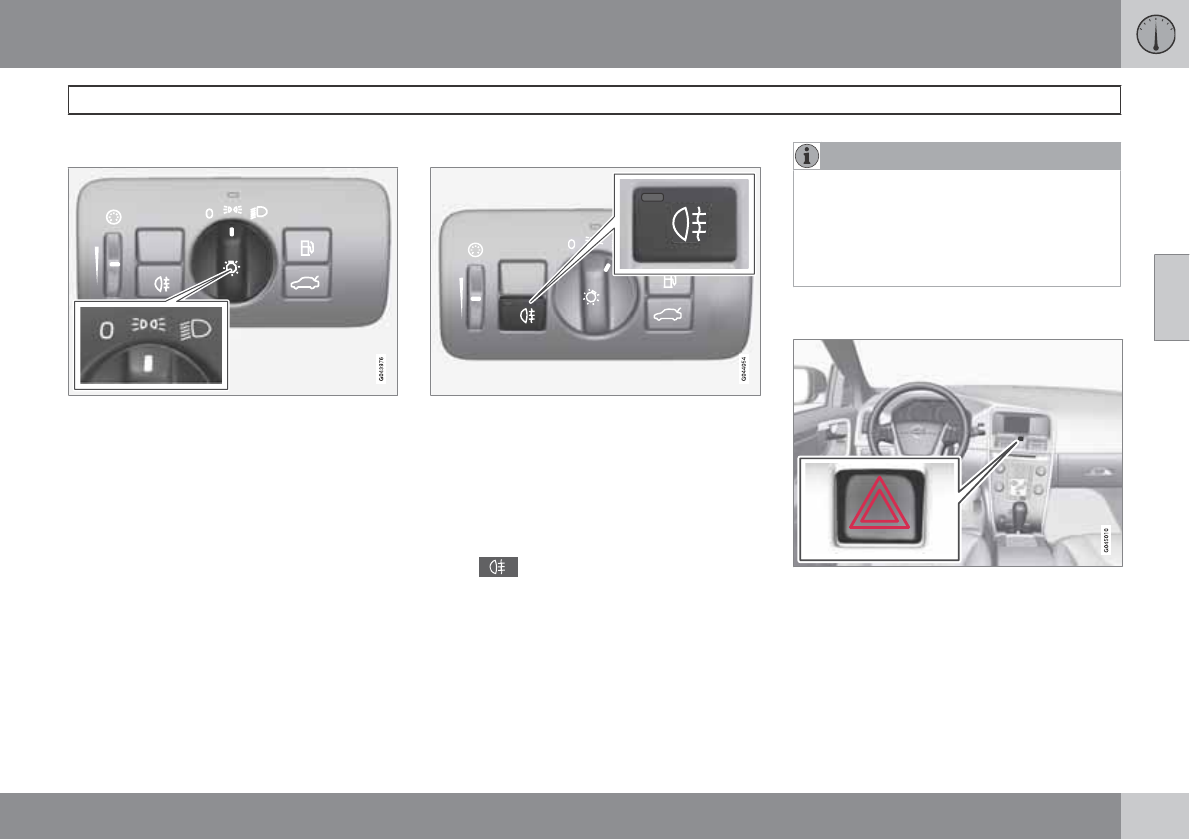
03 Your driving environment
Lighting
03
``
91
Parking lights
Headlight control in position for parking lights
The rear parking lights can be turned on even
when the ignition is switched off.
Turn the headlight control to the center posi-
tion (the license plate lighting comes on at the
same time).
The lighting also comes on when the tailgate is
opened in order to alert anyone traveling
behind your vehicle.
Rear fog light
The single rear fog light is located in the driver's
side taillight cluster. The rear fog light will only
function in combination with the high/low
beam headlights.
Press the button to switch the rear fog light
on/off.
> The rear fog light indicator symbol
on the instrument panel and the
light in the button come on when the
rear fog light is switched on.
NOTE
The rear fog light is considerably brighter
than the normal taillights and should be
used only when conditions such as fog, rain,
snow, smoke or dust reduce visibility for
other vehicles to less than 500 ft.
(150 meters).
Hazard warning flashers
Location of the hazard warning flasher button
The hazard warning flasher should be used to
indicate that the vehicle has become a traffic
hazard.
To activate the flashers, press the button
in the center dash. Press the button again
to turn off the flashers.
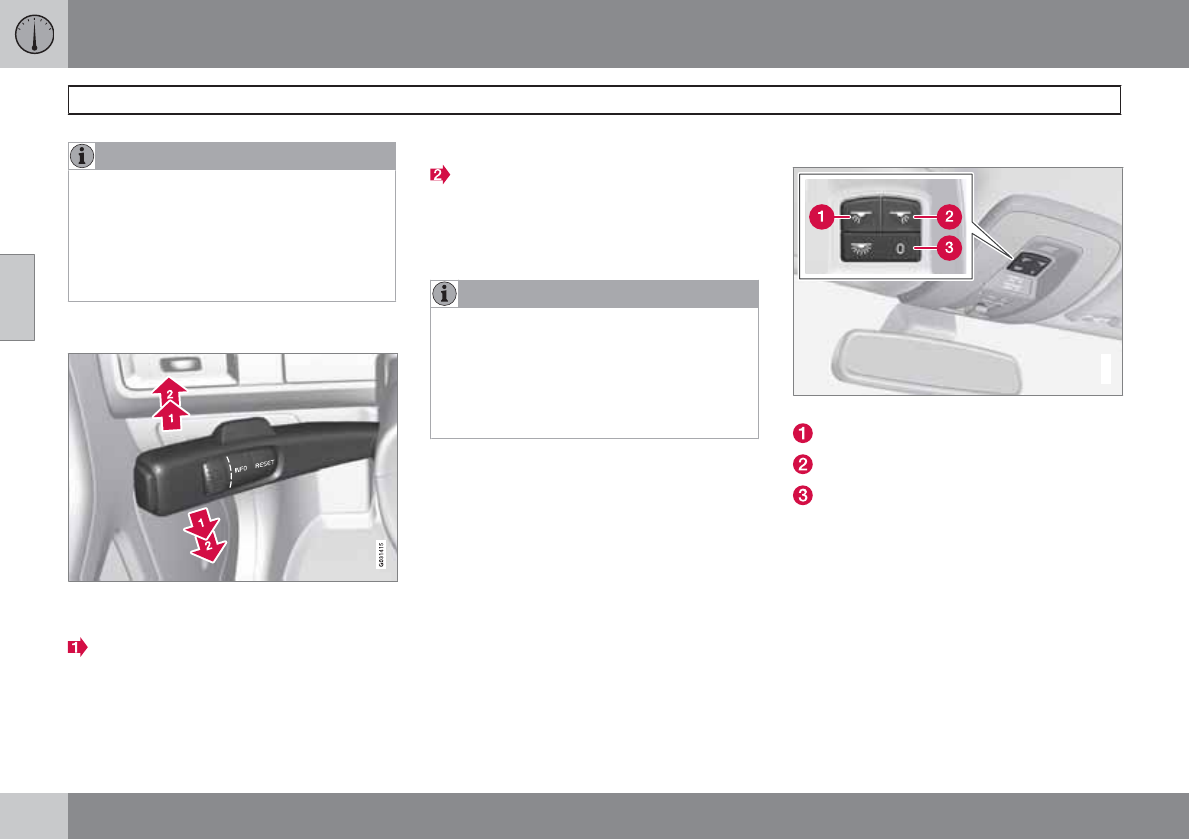
03 Your driving environment
Lighting
03
92
NOTE
•Regulations regarding the use of the
hazard warning flasher may vary,
depending on where you live.
•The hazard warning flashers will be acti-
vated automatically if an airbag
deploys.
Turn signals
Turn signals
When changing lanes
The driver can automatically flash the turn
signals 3 times by moving the turn signal lever
up or down to the first position and releasing it.
When turning
Move the lever as far up or down as possi-
ble to start the turn signals. The turn signals will
be cancelled automatically by the movement of
the steering wheel, or the lever can be returned
to its initial position by hand.
NOTE
•This automatic flashing sequence can
be interrupted by immediately moving
the lever in the opposite direction.
•If the turn signal indicator flashes faster
than normal, check for a burned-out
turn signal bulb.
Interior lighting, front
G021149
Light switches, front roof lighting
Drivers side front reading light, on/off
Passenger's side front reading light, on/off
Overhead courtesy lighting.
The lighting in the front part of the passenger
compartment is controlled with the buttons (1)
and (2) in the roof console.
Switch (3) has three positions for all passenger
compartment lighting:
•Off: right side depressed, automatic light-
ing off.
•Neutral position: automatic lighting is on.
•On – left side depressed, passenger com-
partment lighting on.
03 Your driving environment
Lighting
03
``
* Option/accessory, for more information, see Introduction. 93
Interior lighting, rear
Rear reading lights
The lights are switched on or off by pressing
each respective button.
Courtesy lights/door step lighting*
The courtesy lights/door step lighting switch
on/off automatically when one of the front
doors is opened/closed.
Glove compartment lighting
The glove compartment lighting switches on/
off automatically when the lid is opened/
closed.
Overhead courtesy lighting
The passenger compartment lighting is
switched on and off automatically when button
(3) is in the neutral position.
The lighting comes on and remains on for
30 seconds if:
•the vehicle is unlocked from the outside
with the key or remote control
•the engine is switched off and the ignition
is in mode 0.
The lighting switches off when:
•the engine is started
•the vehicle is locked from the outside.
The lighting comes on and remains on for two
minutes if one of the doors is open.
The passenger compartment lighting can be
switched on and off manually within 30 minutes
after the vehicle has been unlocked.
If the lighting is switched on manually and the
vehicle is locked, the courtesy lighting will
switch off automatically after one minute.
Cargo area lighting
The cargo area lighting comes on automatically
when the tailgate is opened.
Home safe lighting
When you leave your vehicle at night, you can
make use of the home safe lighting function to
illuminate the area in front of the vehicle.
1. Remove the key from the ignition slot.
2. Pull the turn signal lever as far as possible
towards the steering wheel and release it.
3. Exit the vehicle and lock the doors.
The headlights, parking lights, turn signals,
lights in the door mirrors, license plate lights,
and footwell lighting will illuminate and remain
on for 30 2, 60 or 90 seconds. The time interval
can be set in MY CAR under Settings Car
settings Light settings Home safe light
duration. See page 128 for a description of
the menu system.
Approach lighting
Approach lighting is activated by pressing the
approach light button on the remote key (see
the illustration on page 58).
When the function has been activated, the
parking lights, indicator lights, door mirror
lights, license plate lighting, dome lighting and
door step lighting come on.
2Factory setting
03 Your driving environment
Lighting
03
94
The time interval for this lighting can be set by
pressing MY CAR and going to Car settings
Light settings Approach light
duration. See page 128 for a description of
the menu system.
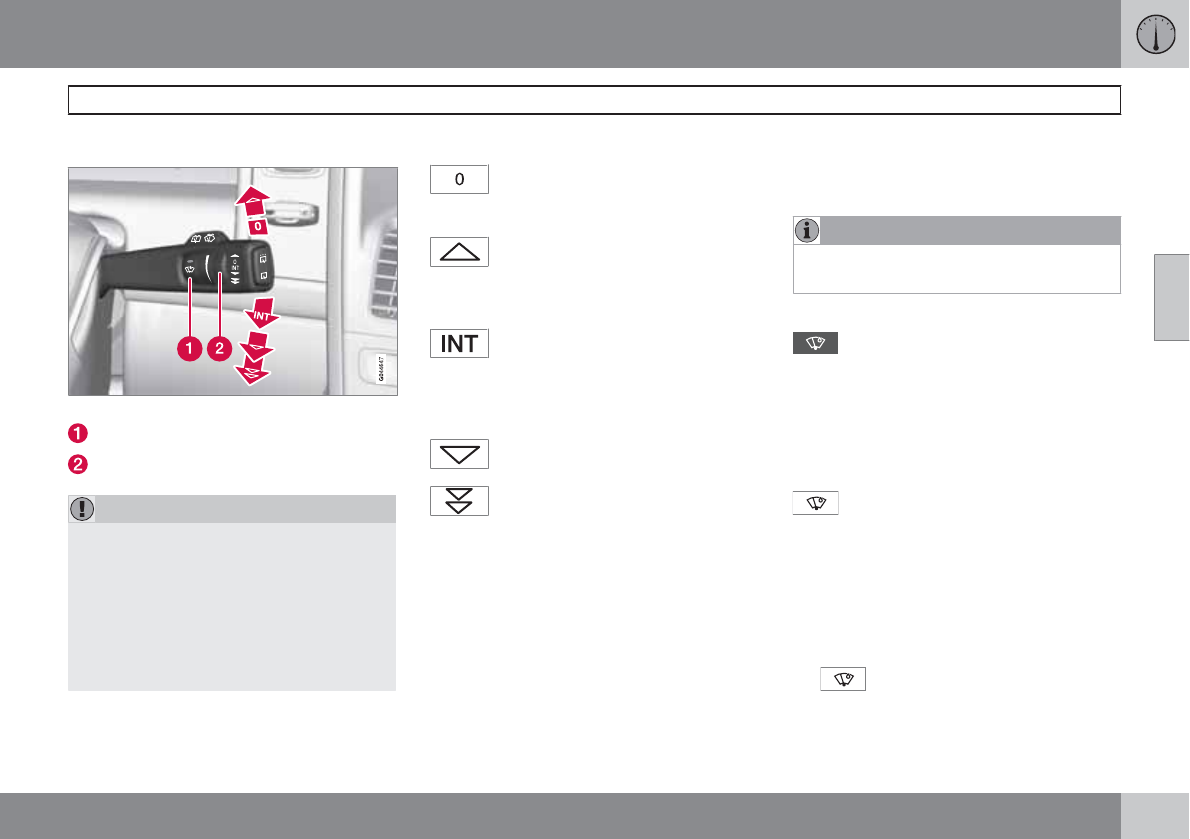
03 Your driving environment
Wipers and washers
03
``
* Option/accessory, for more information, see Introduction. 95
Windshield wipers/washers
Windshield wipers and washers
Rain sensor* on/off
Thumb wheel sensitivity/frequency
CAUTION
•Use ample washer fluid when washing
the windshield. The windshield should
be thoroughly wet when the wipers are
in operation.
•Before using the wipers, ice and snow
should be removed from the wind-
shield/rear window. Be sure the wiper
blades are not frozen in place.
Windshield wipers off
Move the lever to position 0 to switch
off the windshield wipers.
Single sweep
Move the lever upward from position
0 to sweep the windshield one stroke
at a time for as long as the lever is held up.
Intermittent wiping
With the lever in this position, you can
set the wiper interval by twisting the
thumb wheel upward to increase wiper speed
or downward to decrease the speed.
Continuous wiping
The wipers operate at normal speed.
The wipers operate at high speed.
Windshield wiper service position
The windshield wipers must be in the service
position before the wiper blades can be
cleaned or replaced. See page 315 for addi-
tional information.
Rain sensor*
The rain sensor automatically regulates wiper
speed according to the amount of water on the
windshield. The sensitivity of the rain sensor
can be adjusted moving the thumb wheel up
(the wipers will sweep the windshield more fre-
quently) or down (the wipers will sweep the
windshield less frequently).
NOTE
The wipers will make an extra sweep each
time the thumb wheel is adjusted upward.
When the rain sensor is activated, the symbol
will illuminate in the instrument panel.
Activating and setting the sensitivity
When activating the rain sensor, the vehicle
must be running or in ignition mode II and the
windshield wiper lever must be in position 0 or
in the single sweep position.
Activate the rain sensor by pressing the button
. The windshield wipers will make one
sweep.
Press the lever up for the wipers to make an
extra sweep. The rain sensor returns to active
mode when the stalk is released back to posi-
tion 0.
Deactivating
Deactivate the rain sensor by pressing the but-
ton or press the lever down to another
wiper position.
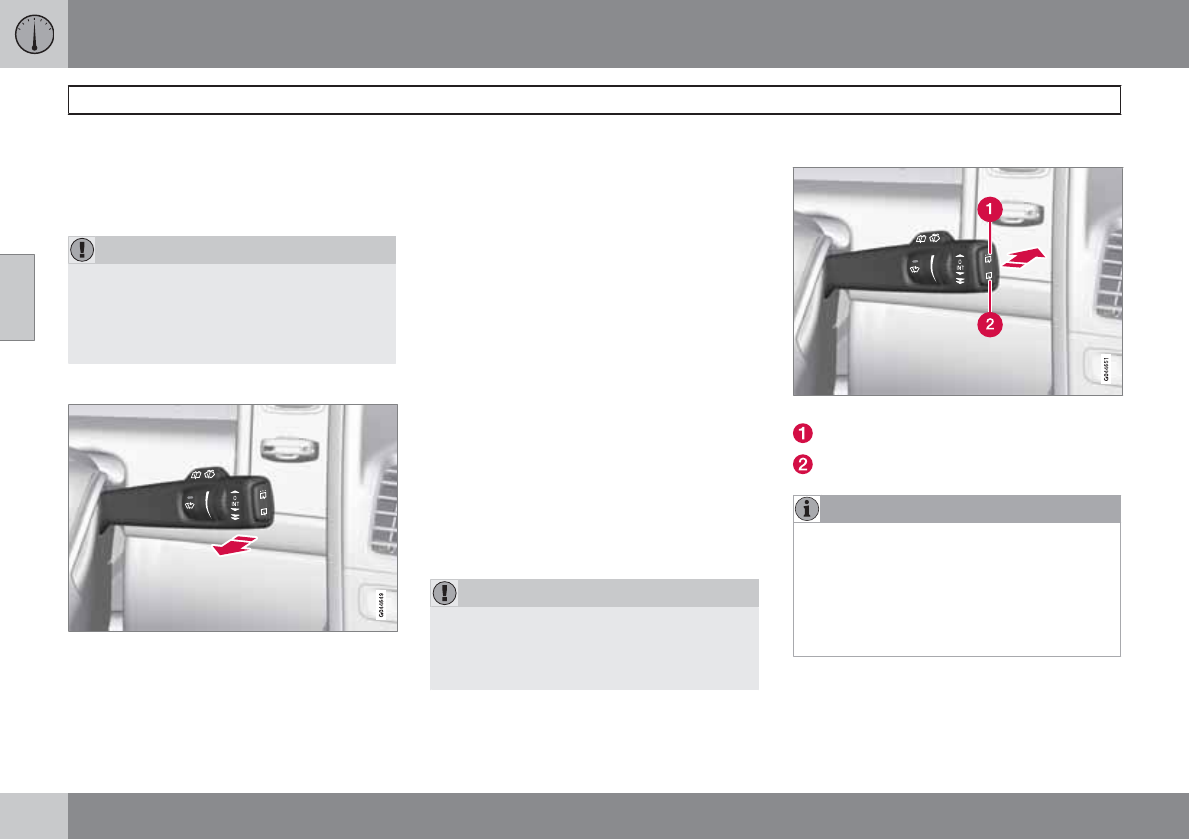
03 Your driving environment
Wipers and washers
03
96 * Option/accessory, for more information, see Introduction.
The rain sensor is automatically deactivated
when the key is removed from the ignition slot
or five minutes after the ignition has been
switched off.
CAUTION
The rain sensor should be deactivated when
washing the car in an automatic car wash,
etc. If the rain sensor function is left on, the
wipers will start inadvertently in the car
wash and could be damaged.
Windshield washing
Washing function
Move the lever toward the steering wheel to
start the windshield and headlight washers.
After the lever is released the wipers make sev-
eral extra sweeps.
Heated washer nozzles*
The washer nozzles are heated automatically
in cold weather to help prevent the washer fluid
from freezing.
High-pressure headlight washing*
High-pressure headlight washing consumes a
large quantity of washer fluid. To save fluid, the
headlights are washed using two alternatives:
•Low/high beam headlights on. The head-
lights will be washed the first time the wind-
shield is washed. Thereafter, the head-
lights will only be washed once for every
five times the windshield is washed within
a 10-minute period.
•Parking lights on. Optional Active Bend-
ing Lights will be washed once for every
five times the windshield is washed. Nor-
mal halogen headlights will not be washed.
CAUTION
Use ample washer fluid when washing the
windshield. The windshield should be thor-
oughly wet when the wipers are in opera-
tion.
Tailgate wiper/washer
Move the lever forward to start the tailgate washer.
Intermittent wiping
Normal (continuous) wiping
NOTE
The rear wiper is equipped with cut-off func-
tion, which means that it will not operate if
its electric motor overheats. The wiper will
function again after a cool-down period
(30 seconds or longer, depending on the
heat of the motor and ambient temperature
conditions).
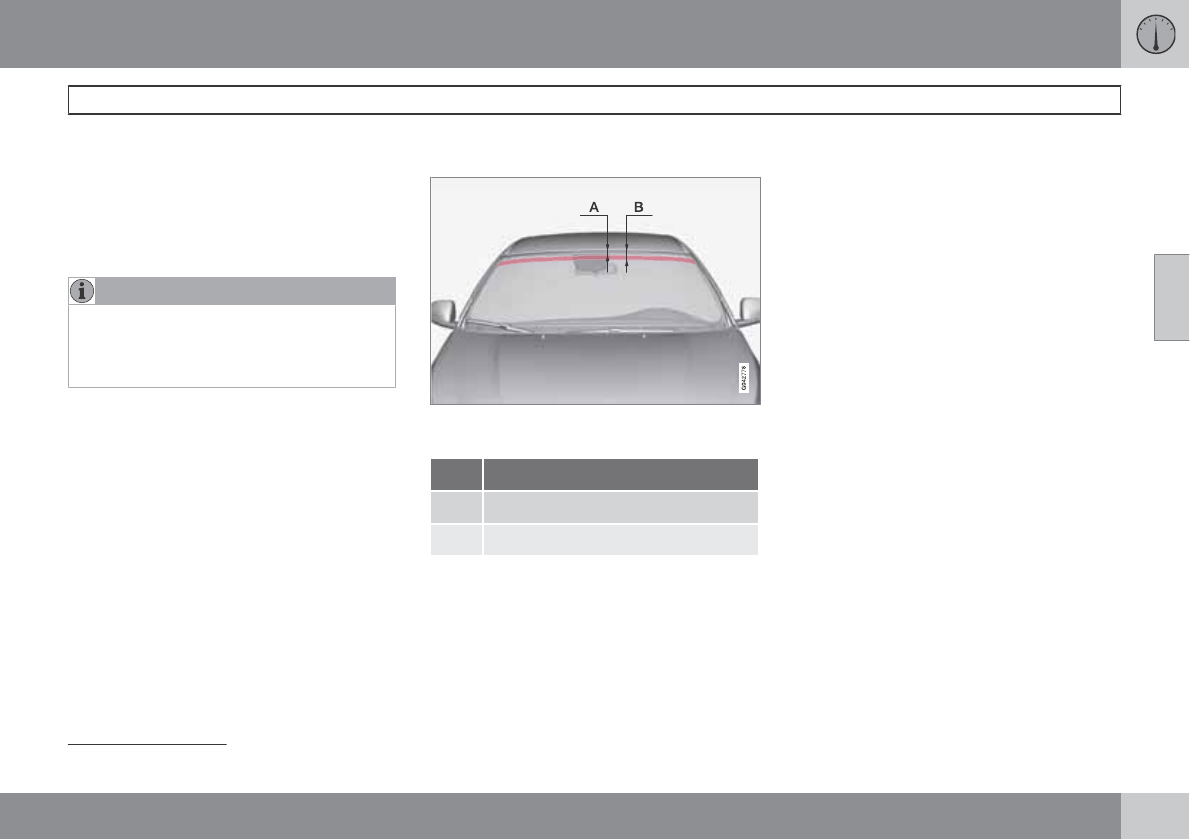
03 Your driving environment
Wipers and washers
03
* Option/accessory, for more information, see Introduction. 97
Tailgate wiper and reverse gear
If the windshield wipers are on and the trans-
mission is put into reverse gear, the tailgate
wiper will go into intermittent wiping function1.
This function is deactivated when a different
gear is selected.
NOTE
On vehicles with the optional rain sensor,
the tailgate wiper will be activated when
reverse is selected, if the rain sensor is acti-
vated and it is raining.
If the tailgate wiper is in the normal (continuous)
wiping mode, selecting different gears will not
affect its function.
IR-reflecting windshield*
Section of the windshield where the IR-coating is
not applied
Dimensions
A 1.9 in. (47 mm)
B 3.4 in. (87 mm)
An optional factory-installed infrared (IR) coa-
ting can be applied to the windshield to help
protect the cabin from the sun's heat and the
fading effect of sunlight on upholstery, panels,
etc.
Electronic equipment such as garage door
openers, electronic toll tags and similar devi-
ces should not be placed on sections of the
windshield with the IR coating because this
could affect their function and limit their range.
For best performance, place the device on the
section of the windshield without the IR coating
(see the area marked in the illustration).
1Consult your Volvo retailer if you would like to have this function deactivated.
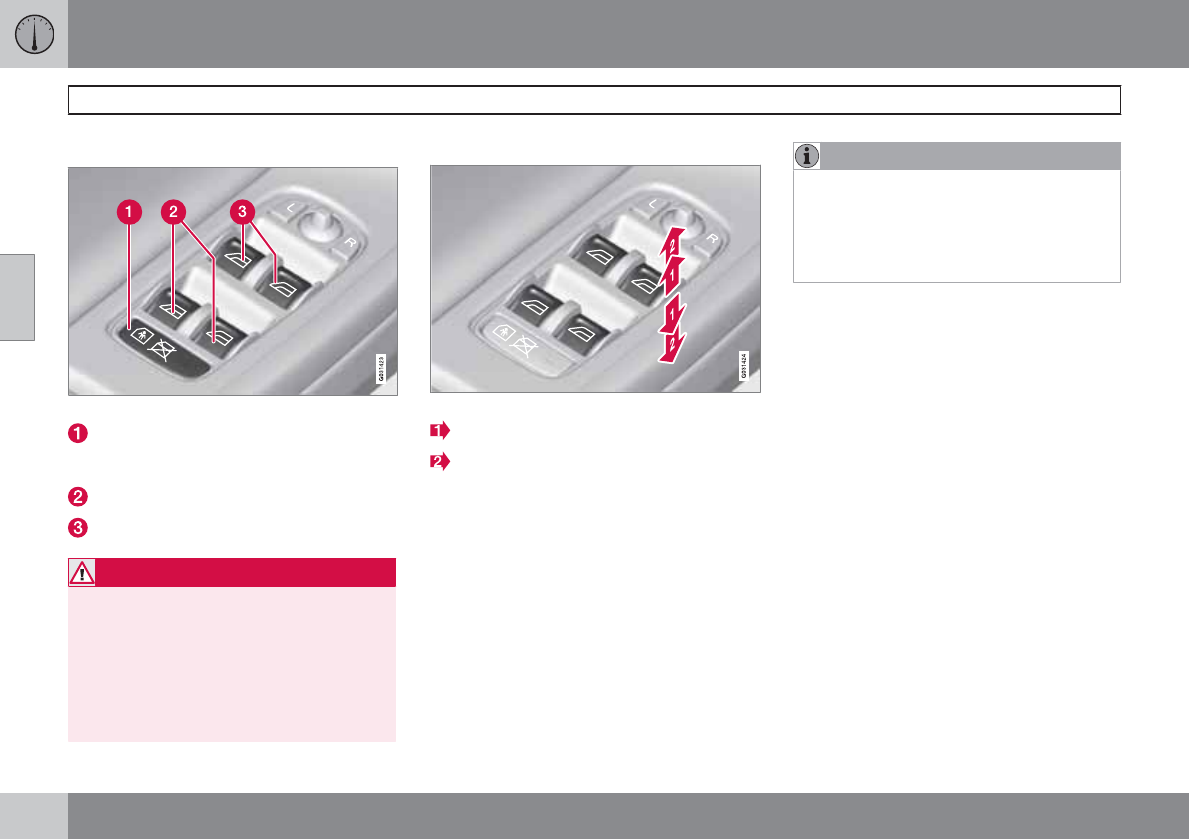
03 Your driving environment
Power windows
03
98 * Option/accessory, for more information, see Introduction.
Power windows
Driver's door control panel
Switch for power child safety locks* and
disengaging rear power window buttons,
see page 52
Rear window controls
Front window controls.
WARNING
•Always remove the ignition key when
the vehicle is unattended.
•Never leave children unattended in the
vehicle.
•Make sure that the windows are com-
pletely unobstructed before they are
operated.
Operating
Operating the power windows
Manual up/down
Auto up/down.
All power windows can be operated using the
control panel in the driver's door. The control
panels in the other doors only operate the win-
dow in the respective doors.
For the power windows to function, the ignition
must be in at least mode I. When the vehicle
has been running, the power windows can be
operated for several minutes after the remote
key has been removed from the ignition slot, or
until a door has been opened.
NOTE
•Movement of the windows will stop if
they are obstructed in any way.
•To reduce buffeting wind noise if the
rear windows are opened, also open the
front windows slightly.
Manual up/down
Move one of the controls up/down slightly.
> The power windows move up/down as
long as the control is held in position.
Auto up/down
Move one of the controls up/down as far
as possible and release it.
> The window will open or close com-
pletely.
Resetting
If the battery has been disconnected, the auto
open function must be reset so that it will work
properly.
1. Gently raise the front section of the button
to close the window and hold it for one
second.
2. Release the button briefly.
3. Raise the front section of the button again
for one second.
03 Your driving environment
Power windows
03
* Option/accessory, for more information, see Introduction. 99
Laminated glass*
This glass is reinforced to help pro-
vide protection against break-ins and
improved sound insulation in the
passenger compartment.
The windshield, laminated panoramic roof and
other windows have laminated glass.
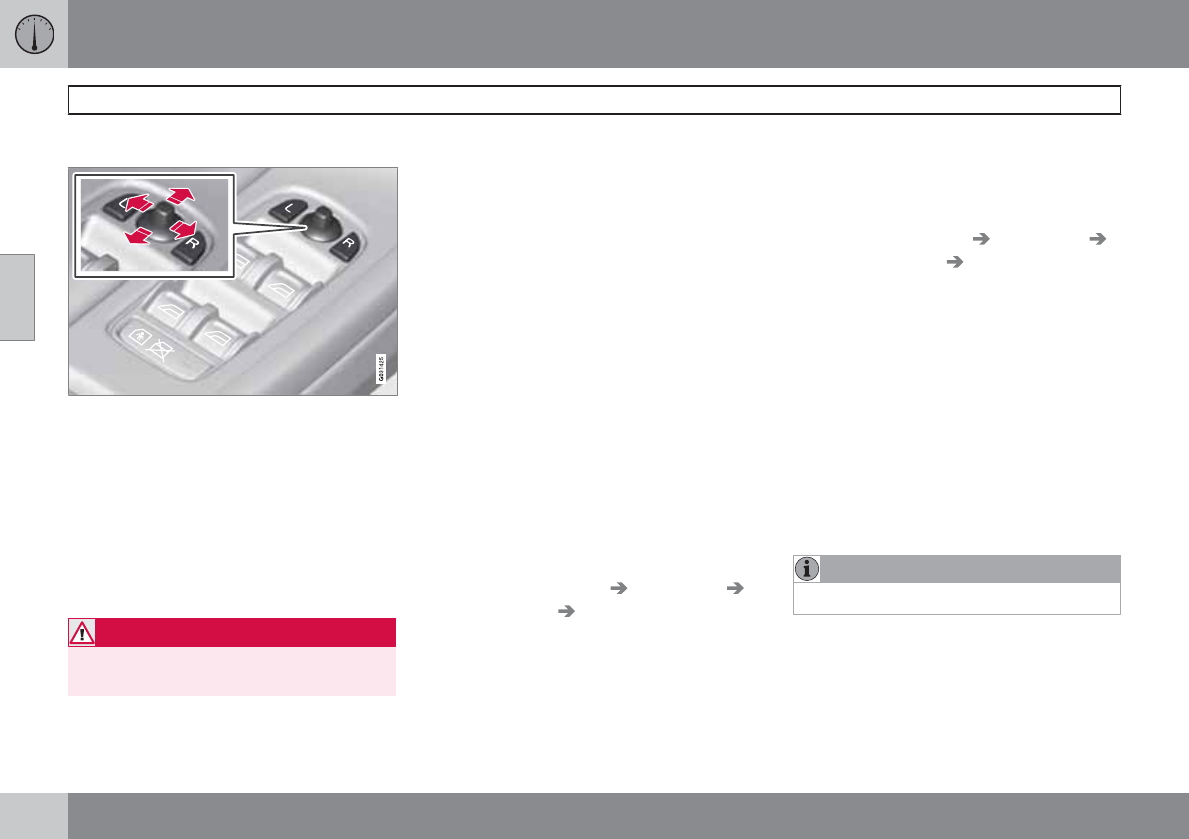
03 Your driving environment
Mirrors
03
100 * Option/accessory, for more information, see Introduction.
Power door mirrors
Door mirror controls
Adjusting
1. Press the L button for the left door mirror
or the R button for the right door mirror.
The light in the button comes on.
2. Adjust the position with the joystick in the
center.
3. Press the L or R button again. The light
should no longer be on.
WARNING
Objects seen in the mirrors may appear fur-
ther away than they actually are.
Retractable power door mirrors*
The mirrors can be retracted for parking/driving
in narrow spaces:
1. Press down the L and R buttons at the
same time.
2. Release them after approximately one sec-
ond. The mirrors automatically stop in the
fully retracted position.
Fold out the mirrors by pressing down the L
and R buttons at the same time. The mirrors
automatically stop in the fully extended posi-
tion.
Storing the position*
The mirror positions are stored in the key mem-
ory when the vehicle has been locked with the
remote key. When the vehicle is unlocked with
the same remote control the mirrors and the
driver's seat adopt the stored positions when
the driver's door is opened.
The function can be activated/deactivated in
MY CAR under Settings Car settings
Car key memory Position of door mirrors
and driver's seat in key. See page 128 for a
description of the menu system.
Tilting the door mirrors when parking*
The door mirrors can be tilted down to help
give the driver a better view along the sides of
the vehicle, for example when parallel parking.
To activate this function, select reverse gear
and press the L or R mirror control button to tilt
the mirror down.
The function can be activated/deactivated in
MY CAR under Settings Car settings
Side mirror settings Tilt left mirror or Tilt
right mirror. See page 128 for a description
of the menu system.
The door mirror will reset to its normal position:
•after 10 seconds when reverse is disen-
gaged and the car remains stopped.
•immediately when reverse is disengaged
and the vehicle's forward speed exceeds
approximately 6 mph (10 km/h).
•immediately if you press the correspond-
ing L or R button again.
•when the engine is turned off.
•when the side mirrors are folded in.
NOTE
Only one mirror can be tilted down at a time.
Automatically tilting the door mirrors
when parking
The door mirrors can tilt down automatically to
help give the driver a better view along the
sides of the vehicle, for example when parallel
parking. When the transmission is no longer in
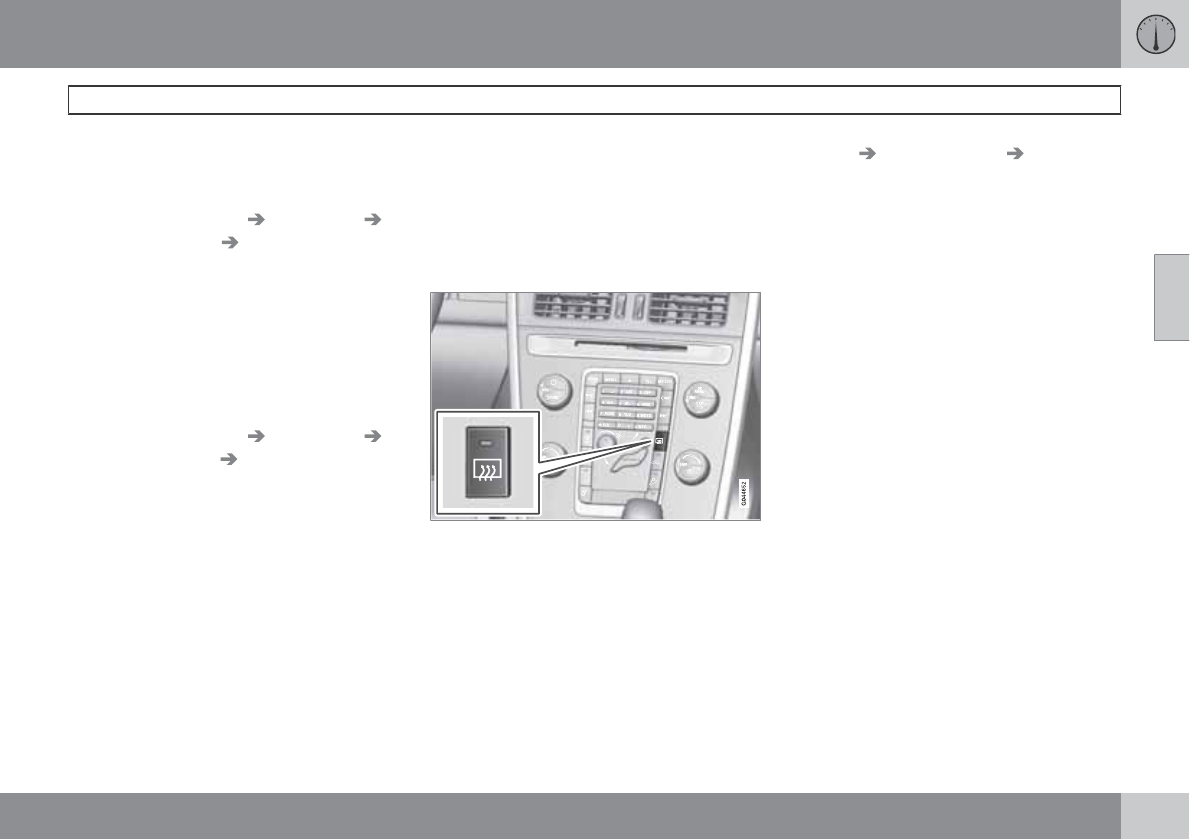
03 Your driving environment
Mirrors
03
101
reverse, the mirrors will automatically return to
their original position.
This function can be activated/deactivated in
MY CAR under Settings Car settings
Side mirror settings In reverse gear tilt
left mirror or In reverse gear tilt right
mirror. See page 128 for information about
the MY CAR menu system.
Automatic retraction when locking
When the vehicle is locked/unlocked with the
remote key the door mirrors are automatically
retracted/extended.
The function can be activated/deactivated in
MY CAR under Settings Car settings
Side mirror settings Retract door mirrors
when locking. See page 128 for a description
of the menu system.
Resetting to neutral
Mirrors that have been moved out of position
by an external force must be electrically reset
to the neutral position for electric retracting/
extending to work.
•Retract the mirrors with the L and R but-
tons.
•Fold them out again with the L and R but-
tons.
The mirrors are now reset in neutral position.
Home safe and approach lighting
The light on the door mirrors comes on when
approach lighting or home safe lighting is
selected, see page 93.
Rear window and door mirror
defrosters
Use the defroster to quickly remove fog and ice
from the rear window and the door mirrors.
Press the button once to start simultaneous
rear window and door mirror defrosting. The
light in the button indicates that the function is
active. Switch the function off when then win-
dows have cleared to help avoid battery drain.
The rear window is defogged/de-iced auto-
matically if the vehicle is started in an outside
temperature lower than 48 °F (9 °C). Auto-
defrosting can be selected in MY CAR under
Settings Climate settings Automatic
rear defroster. See page 128 for a description
of the menu system.
Interior rearview mirror
Auto-dim function
An integrated sensor reacts to headlights from
following traffic and automatically reduces
glare in the mirror.
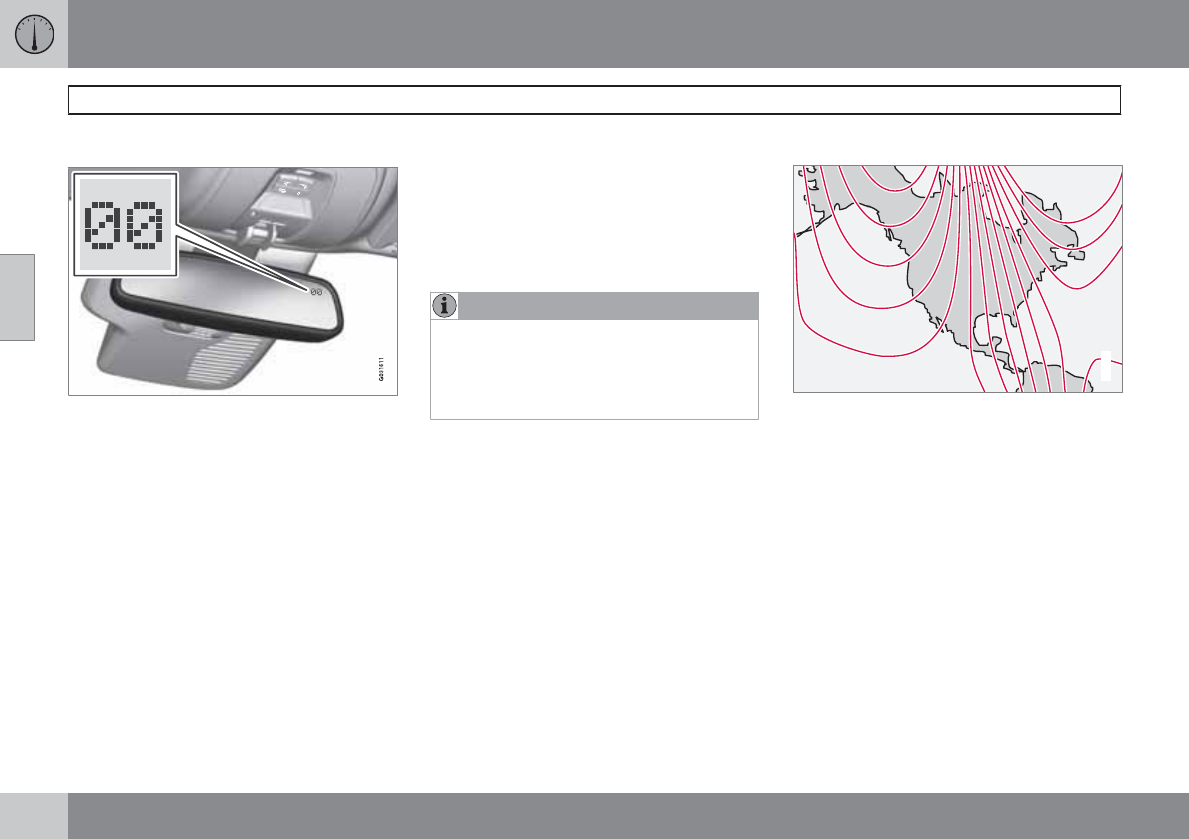
03 Your driving environment
Compass*
03
102 * Option/accessory, for more information, see Introduction.
Operation
Rearview mirror with compass.
The rearview mirror has an integrated display
that shows the compass direction in which the
vehicle is pointing. Eight different directions are
shown with the abbreviations: N (north), NE
(north east), E (east), SE (southeast), S (south),
SW (southwest), W (west) and NW (northwest).
The compass is displayed automatically when
the vehicle is started or in ignition mode II. To
switch the compass on/off use a pen or similar
object and press in the button on the underside
of the mirror.
Calibration
The compass may need to be calibrated if, for
example, the vehicle is driven into a new mag-
netic zone. The character C is shown in the
mirror's display if calibration is necessary.
1. Stop the vehicle in a large open area, safely
out of traffic and away from steel structures
and high-tension electrical wires.
2. Start the vehicle.
NOTE
For best results from calibration, switch off
all electrical equipment in the vehicle (cli-
mate system, windshield wipers, audio sys-
tem, etc.) and make sure that all doors are
closed.
3. Using a pen or similar object, press and
hold the button on the underside of mirror
until C is shown again in the mirror(after
approx. 6 seconds).
4. Drive as usual. C disappears from the dis-
play when calibration is complete.
Alternative calibration method:
Drive slowly in a circle at a speed of no
more than 5 mph (8 km/h) until C disap-
pears from the display when calibration is
complete.
Selecting a magnetic zone
15
14
13
12
11
9
8
7
6
5
4
3
2
1
10
G018632
Magnetic zones.
The earth is divided into 15 magnetic zones.
The correct zone must be selected for the com-
pass to work correctly.
1. Put the ignition in mode II.
2. Using a pen or similar object, press and
hold the button on the rear side of mirror
for at least 3 seconds. The number for the
current area will be shown.
3. Press the button repeatedly until the num-
ber for the required geographic area
(1 – 15) is shown.
4. The display will revert to showing the com-
pass direction after several seconds.
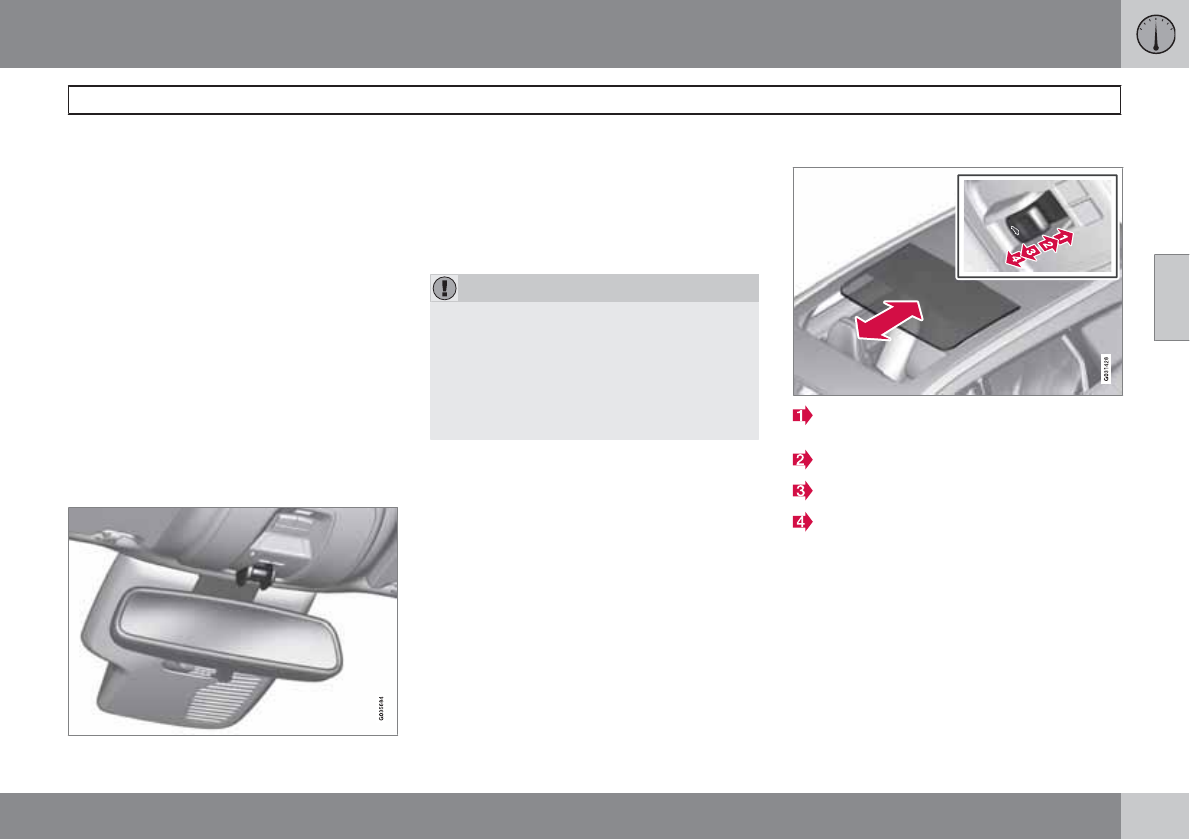
03 Your driving environment
Laminated panoramic roof*
03
``
* Option/accessory, for more information, see Introduction. 103
Introduction
The laminated panoramic roof is divided into
two sections.
•The rear glass section is fixed in place and
cannot be moved.
•The front glass section can be slid hori-
zontally to the open or closed positions or
its rear edge can be raised and lowered to
allow ventilation.
All references in this section to opening or clos-
ing the panoramic roof pertain to the front glass
section.
The laminated panoramic roof also has a sun
shade made of perforated fabric that is located
below the sections of glass. This shade can be
opened or closed, for example when driving in
bright sunlight.
Both the laminated panoramic roof and the sun
shade are operated by the controls in the ceil-
ing console, near the rear-view mirror. The
vehicle's ignition must be in mode I or II before
the laminated panoramic roof/sun shade can
be operated.
CAUTION
•Remove ice and snow before opening
the laminated panoramic roof.
•Do not operate the laminated panor-
amic roof if it is frozen closed.
•Never place heavy objects on the lami-
nated panoramic roof.
Operation
Auto open (arrow points toward the rear of
the vehicle)
Manual open
Manual close
Auto close
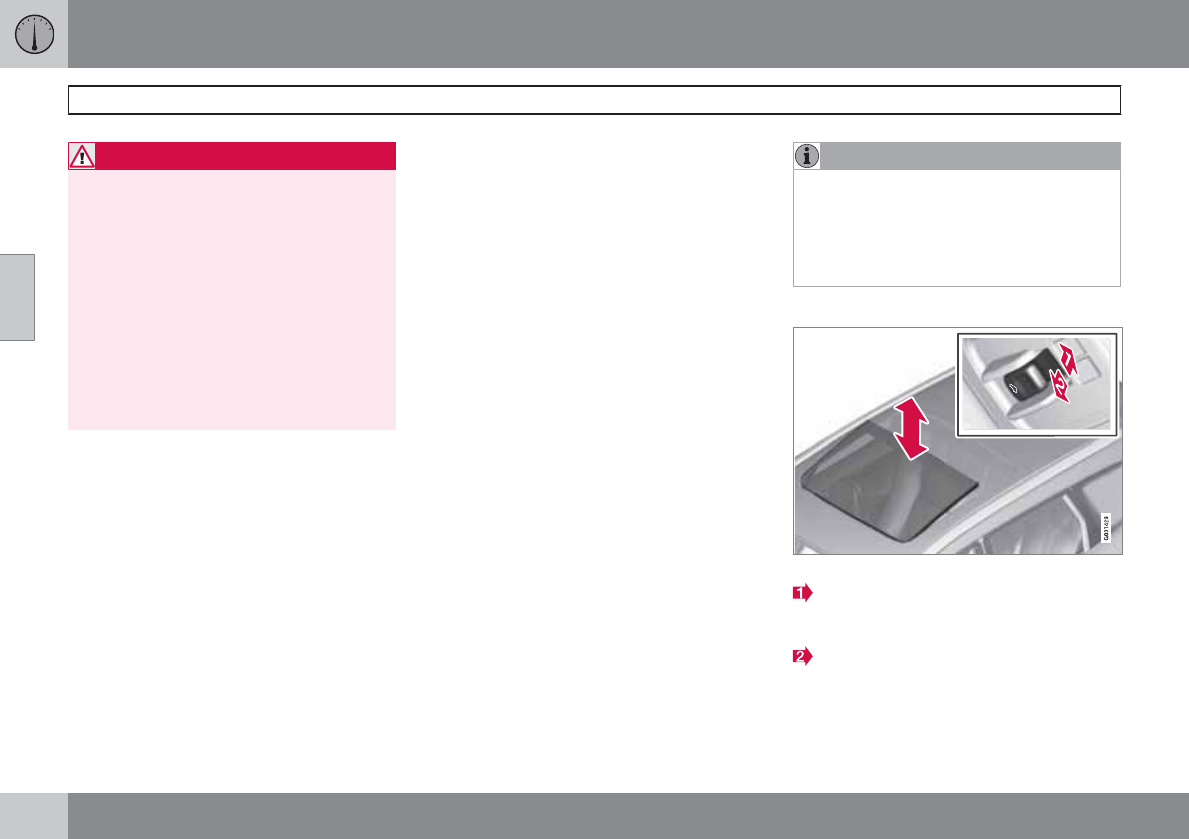
03 Your driving environment
Laminated panoramic roof*
03
104 * Option/accessory, for more information, see Introduction.
WARNING
•During manual closing, if the laminated
panoramic roof is obstructed, immedi-
ately open it again.
•Never open or close the laminated pan-
oramic roof if it is obstructed in any way.
•Never allow a child to operate thelami-
nated panoramic roof.
•Never leave a child alone in a vehicle.
•Never extend any object or body part
though the open laminated panoramic
roof, even if the vehicle's ignition is
completely switched off.
Automatic operation
1. To open the sun shade completely, pull the
control as far back as possible (to the auto
open position) and release it.
2. To fully open the laminated panoramic
roof, pull the control as far back as possible
a second time (to the auto open position)
and release it.
Quick open/close
The laminated panoramic roof and the sun
shade can be opened/closed at the same time:
•Open - pull the control back (to the auto
open position) twice in quick succession
and release it.
•Close - push the control forward (to the
auto close position) twice in quick succes-
sion and release it.
Manual operation
1. Opening the sun shade: Pull the control
back to the first stop (the manual open
position) and hold it until the sun shade has
opened to the position of your choice.
2. Opening the rear edge of the laminated
panoramic roof: Pull the control back to
the first stop (the manual open position) a
second time to open the rear edge of the
laminated panoramic roof.
3. Opening the front glass section: Pull the
control back to the first stop (the manual
open position) a third time and hold it until
the laminated panoramic roof has opened
to the position of your choice.
Perform this procedure in reverse order to
close the laminated panoramic roof and/or sun
shade.
NOTE
For manual opening, the sun shade must
first be fully open before it will be possible
to open the laminated panoramic roof.
When closing, the laminated panoramic roof
must be fully closed before the sun shade
can be closed.
Tilt position
Tilt position, raised at the rear edge
Open (raise the rear edge of the front glass
section) by pressing the rear edge of the
control upward.
Close by pulling the rear edge of the con-
trol downward and holding it until the lami-
nated panoramic roof has closed com-
pletely.
If the sun shade is completely closed, it will
open approximately 2 inches (5 cm) when the
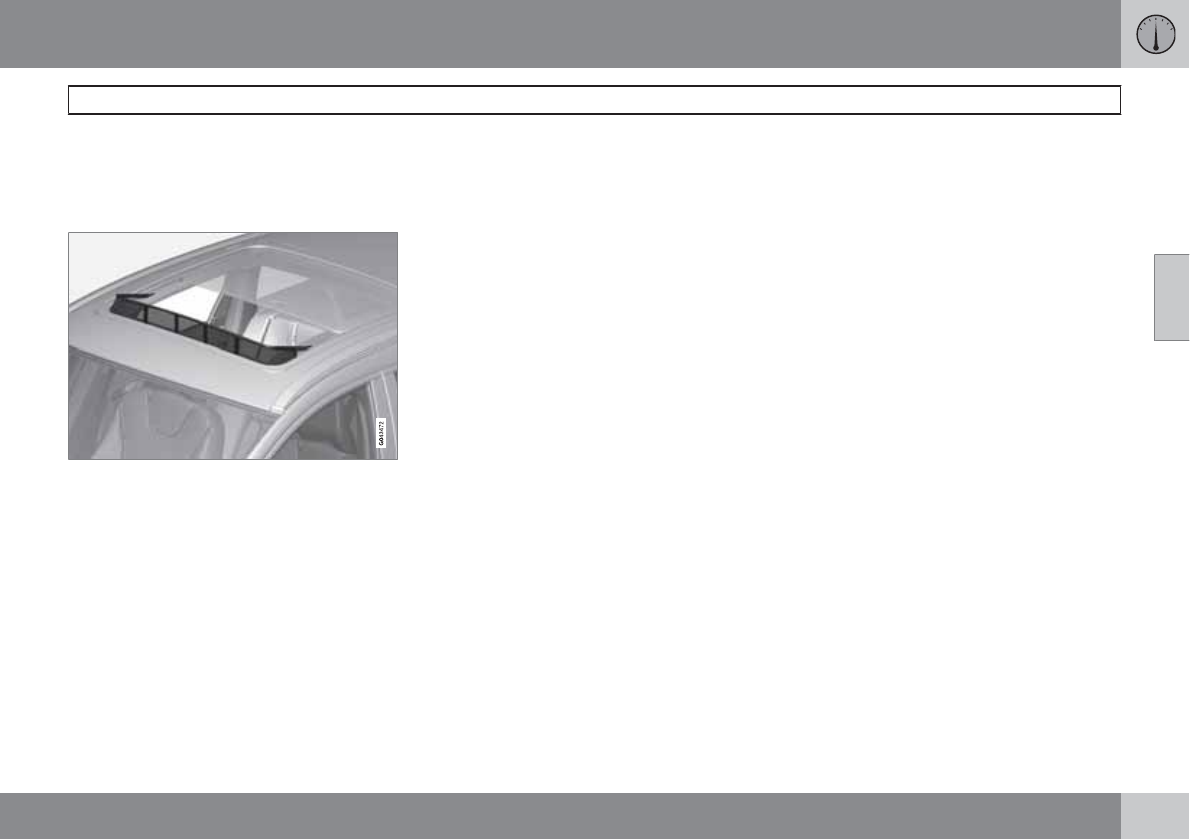
03 Your driving environment
Laminated panoramic roof*
03
* Option/accessory, for more information, see Introduction. 105
laminated panoramic roof is opened to the tilt
position.
Wind blocker
The moonroof is equipped with a wind blocker
that folds up when the moonroof is open.
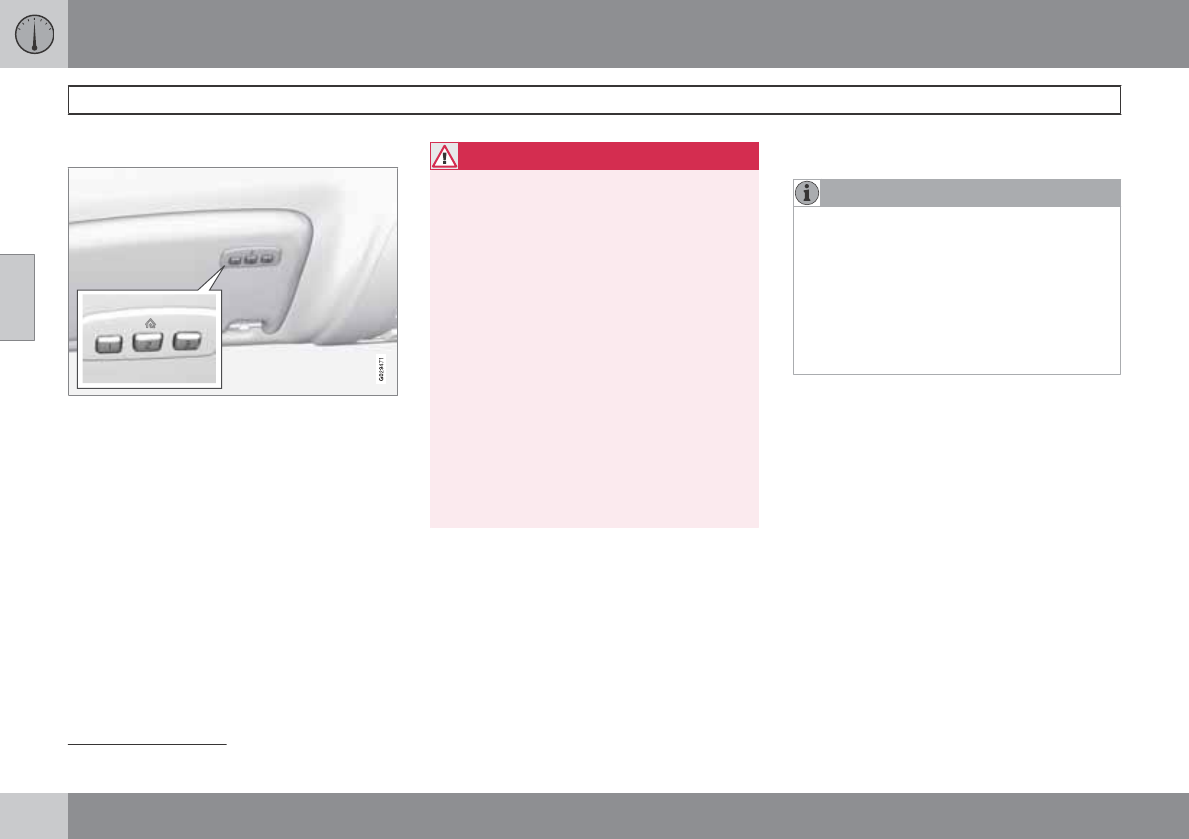
03 Your driving environment
HomeLink® Wireless Control System*
03
106 * Option/accessory, for more information, see Introduction.
Introduction
The HomeLink1 Wireless Control System pro-
vides a convenient way to replace up to three
hand-held radio-frequency (RF) transmitters
used to activate devices such as gate opera-
tors, garage door openers, entry door locks,
security systems, even home lighting. Addi-
tional HomeLink information can be found on
the Internet at www.homelink.com.
WARNING
•If you use HomeLink to open a garage
door or gate, be sure no one is near the
gate or door while it is in motion.
•When programming a garage door
opener, it is advised to park outside of
the garage.
•Do not use HomeLink with any garage
door opener that lacks safety stop and
reverse features as required by U.S.
federal safety standards (this includes
any garage door opener model manu-
factured before April 1, 1982). A garage
door that cannot detect an object - sig-
naling the door to stop and reverse -
does not meet current U.S. federal
safety standards. For more information,
contact HomeLink at:
www.homelink.com.
Retain the original transmitter of the RF device
you are programming for use in other vehicles
as well as for future HomeLink programming. It
is also suggested that upon the sale of the
vehicle, the programmed HomeLink buttons be
erased for security purposes. Refer to “Erasing
HomeLink Buttons”.
Programming HomeLink
NOTE
Some vehicles may require the ignition
switch to be turned on or to the second
(“accessories”) position for programming
and/or operation of HomeLink. It is also rec-
ommended that a new battery be placed in
the hand-held transmitter of the device
being programmed to HomeLink for quicker
training and accurate transmission of the
radio-frequency signal.
1. Position the end of your hand-held trans-
mitter 1–3 inches (5–14 cm) away from the
HomeLink button you wish to program
while keeping the indicator light in view.
2. Simultaneously press and hold both the
chosen HomeLink and hand-held transmit-
ter buttons until the HomeLink indicator
light changes from a slow to a rapidly blink-
ing light. Now you may release both the
HomeLink and hand-held transmitter but-
tons.
1HomeLink and the HomeLink house are registered trademarks of Johnson Controls, Inc.
03 Your driving environment
HomeLink® Wireless Control System*
03
``
* Option/accessory, for more information, see Introduction. 107
NOTE
Some devices may require you to replace
this Programming Step 2 with procedures
noted in the “Gate Operator / Canadian Pro-
gramming” section. If the HomeLink indica-
tor light does not change to a rapidly blink-
ing light after performing these steps, con-
tact HomeLink at www.homelink.com.
3. Firmly press, hold for five seconds and
release the programmed HomeLink but-
ton up to two separate times to activate the
door. If the door does not activate, press
and hold the just-trained HomeLink button
and observe the indicator light.
•If the indicator light stays on con-
stantly, programming is complete
and your device should activate when
the HomeLink button is pressed and
released.
•If the indicator light blinks rapidly for
two seconds and then turns to a con-
stant light continue with “Program-
ming” steps 4-6 to complete the pro-
gramming of a rolling code equipped
device (most commonly a garage door
opener).
4. At the garage door opener receiver (motor-
head unit) in the garage, locate the “learn”
or “smart” button. This can usually be
found where the hanging antenna wire is
attached to the motor-head unit.
5. Firmly press and release the “learn” or
“smart” button. (The name and color of the
button may vary by manufacturer.) There
are 30 seconds to initiate step 6.
6. Return to the vehicle and firmly press, hold
for two seconds and release the pro-
grammed HomeLink button. Repeat the
“press/hold/release” sequence a second
time, and, depending on the brand of the
garage door opener (or other rolling code
equipped device), repeat this sequence a
third time to complete the programming
process.
HomeLink should now activate your rolling
code equipped device.
Gate Operator/Canadian Programming
Canadian radio-frequency laws require trans-
mitter signals to “time-out” (or quit) after sev-
eral seconds of transmission – which may not
be long enough for HomeLink to pick up the
signal during programming. Similar to this
Canadian law, some U.S. gate operators are
designed to “time-out” in the same manner.
If you live in Canada or you are having difficul-
ties programming a gate operator or garage
door opener by using the “Programming” pro-
cedures, replace “Programming HomeLink”
step 2 with the following:
•Continue to press and hold the HomeLink
button while you press and release -
every two seconds (“cycle”) your hand-
held transmitter until the HomeLink indica-
tor light changes from a slow to a rapidly
blinking light. Now you may release both
the HomeLink and hand-held transmitter
buttons.
Proceed with “Programming” step 3 to com-
plete.
Using HomeLink
To operate, simply press and release the pro-
grammed HomeLink button. Activation will
now occur for the trained device (i.e., garage
door opener, gate operator, security system,
entry door lock, home/office lighting, etc.). For
convenience, the hand-held transmitter of the
device may also be used at any time. In the
event that there are still programming difficul-
ties or questions, contact HomeLink at:
www.homelink.com.
03 Your driving environment
HomeLink® Wireless Control System*
03
108 * Option/accessory, for more information, see Introduction.
Erasing HomeLink Buttons
To erase programming from the three Home-
Link buttons (individual buttons cannot be
erased but can be “reprogrammed” as outlined
below), follow the step noted:
1. Press and hold the two outer HomeLink
buttons until the indicator light begins to
flash-after 10 seconds.
2. Release both buttons. Do not hold for
longer that 20 seconds.
HomeLink is now in the train (or learning) mode
and can be programmed at any time beginning
with “Programming” - step 1.
Reprogramming a Single HomeLink
Button
To program a device to HomeLink using a
HomeLink button previously trained, follow
these steps:
1. Press and hold the desired HomeLink but-
ton. DO NOT release the button.
2. The indicator light will begin to flash after
20 seconds. Without releasing the Home-
Link button, proceed with “Programming”
- step 1.
For questions or comments, contact HomeLink
at: www.homelink.com or 1–800–355–3515.
This device complies with FCC rules part 15
and Industry Canada (IC) RSS-210. Operation
is subject to the following two conditions: (1)
This device may not cause harmful interfer-
ence, and (2) This device must accept any
interference that may be received including
interference that may cause undesired opera-
tion.
NOTE
The transmitter has been tested and com-
plies with FCC and IC rules. Changes or
modifications not expressly approved by
the party responsible for compliance could
void the user’s authority to operate the
device.2
2The term “IC:” before the certification/registration number only signifies that Industry Canada technical specifications were met.
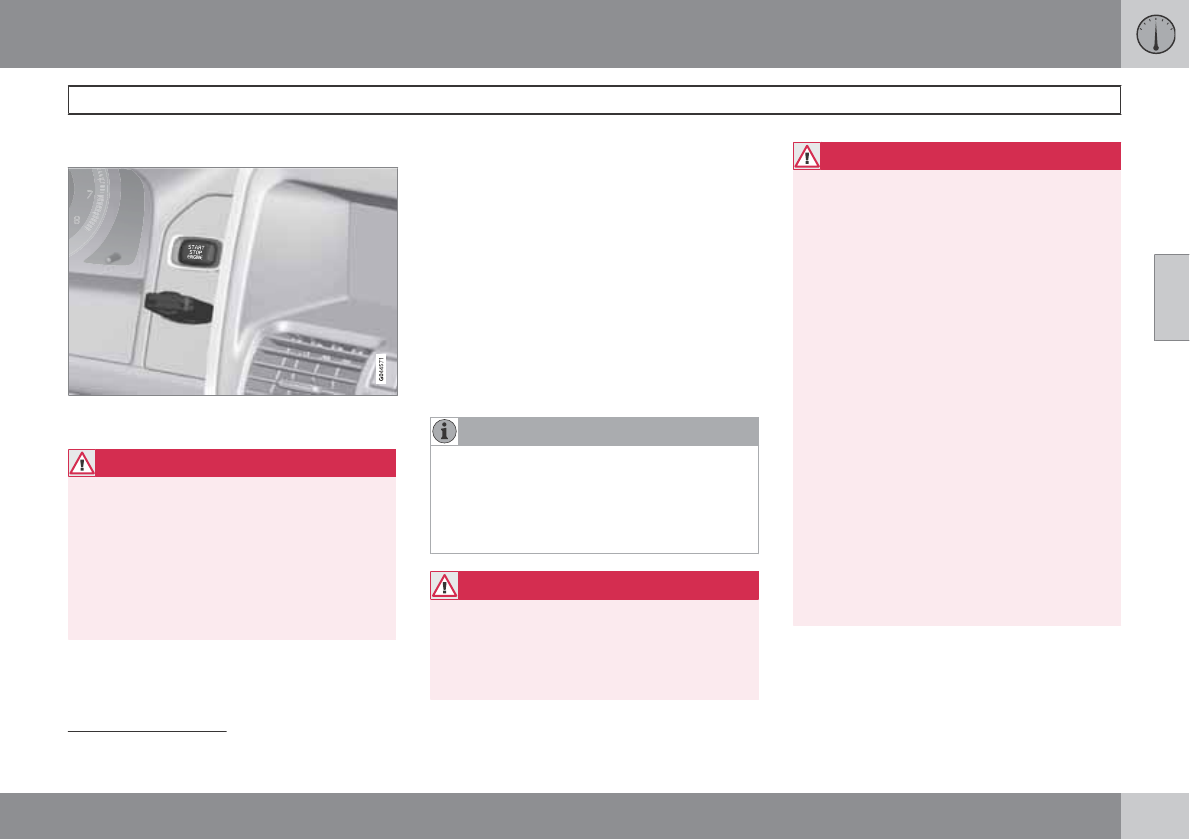
03 Your driving environment
Starting the engine
03
``
* Option/accessory, for more information, see Introduction. 109
Start
Ignition switch with remote key inserted ( see
page 81 for more information on ignition modes)
WARNING
Before starting the engine:
•Fasten the seat belt.
•Check that the seat, steering wheel and
mirrors are adjusted properly.
•Make sure the brake pedal can be
depressed completely. Adjust the seat
if necessary.
1. Press the remote key into the ignition slot
as far as possible, with the metallic key
blade pointing outward (not inserted into
the slot)1.
2. Depress the brake pedal2.
3. Press and release the START/STOP
ENGINE button. The autostart function will
operate the starter motor until the engine
starts.
The starter motor operates for a maximum
of 10 seconds. If the engine has not
started, repeat the procedure.
NOTE
Keyless drive*
To start a vehicle equipped with the keyless
drive feature, one of the remote keys must
be in the passenger compartment. Follow
the instructions in step 3 to start the vehicle.
WARNING
An extra mat on the driver's floor can cause
the accelerator and/or brake pedal to catch.
Check that the movement of these pedals is
not impeded. Not more than one protective
floor covering may be used at one time.
WARNING
•Always remove the remote key from the
ignition slot when leaving the vehicle,
especially if there are children in the
vehicle.
•Never remove the remote key from the
ignition slot while driving or when the
vehicle is being towed. The steering
lock could otherwise be activated, mak-
ing it impossible to steer the vehicle. On
vehicles with the optional keyless drive,
never remove the remote key from the
vehicle while driving or during towing.
•Always place the gear selector in Park
and apply the parking brake before
leaving the vehicle. Never leave the
vehicle unattended with the engine run-
ning.
•Always open garage doors fully before
starting the engine inside a garage to
ensure adequate ventilation. The
exhaust gases contain carbon monox-
ide, which is invisible and odorless but
very poisonous.
1On vehicles with the optional keyless drive, it is only necessary to have a remote key in the passenger’s compartment.
2If the vehicle is moving, it is only necessary to press the START/STOP ENGINE button to start the vehicle.
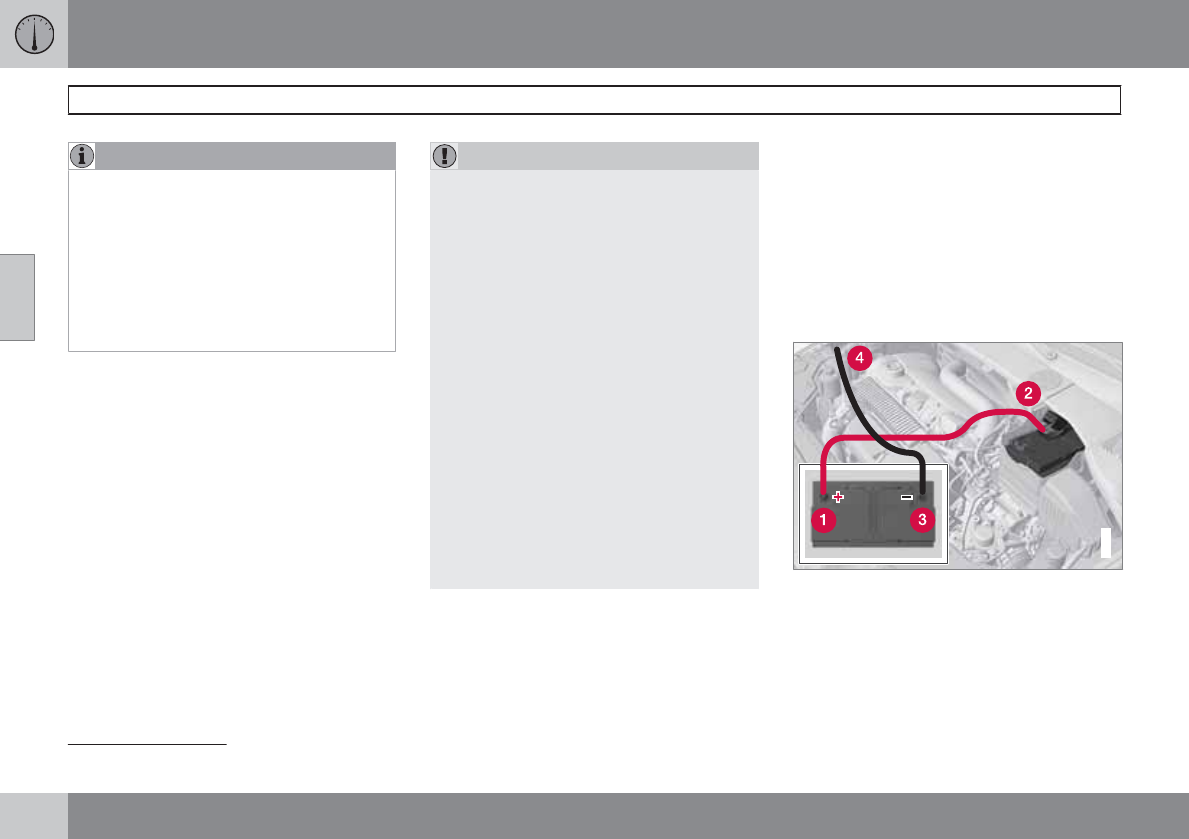
03 Your driving environment
Starting the engine
03
110
NOTE
•After a cold start, idle speed may be
noticeably higher than normal for a
short period. This is done to help bring
components in the emission control
system to their normal operating tem-
perature as quickly as possible, which
enables them to control emissions and
help reduce the vehicle's impact on the
environment3.
CAUTION
•When starting in cold weather, the auto-
matic transmission may shift up at
slightly higher engine speeds than nor-
mal until the automatic transmission
fluid reaches normal operating tem-
perature.
•Do not race a cold engine immediately
after starting. Oil flow may not reach
some lubrication points fast enough to
prevent engine damage.
•The engine should be idling when you
move the gear selector. Never acceler-
ate until after you feel the transmission
engage. Accelerating immediately after
selecting a gear will cause harsh
engagement and premature transmis-
sion wear.
•Selecting P or N when idling at a stand-
still for prolonged periods of time will
help prevent overheating of the auto-
matic transmission fluid.
Switching off the engine
With the engine running, press the START/
STOP ENGINE button.
If the gear selector is not in the P position or if
the vehicle is moving, press the button twice or
press and hold it in until the engine switches
off.
Jump starting
G021347
Connecting the jumper cables
Follow these instructions to jump start your
vehicle's dead battery or to jump start another
vehicle's dead battery using your vehicle. If the
12-volt auxiliary battery to be used is in another
vehicle, check that the vehicles are not touch-
ing to prevent premature completion of a cir-
3If the gear selector is in the D or R positions and the car is not moving, engine speed (rpm) will be lower and it will take longer for the engine to reach normal operating temperature.
03 Your driving environment
Starting the engine
03
111
cuit. Be sure to follow jump starting instruc-
tions provided for the other vehicle.
To jump start your vehicle:
1. Switch off the ignition (set the ignition to
mode 0, see page 81).
2. First connect the red jumper cable to the
auxiliary battery's positive (+) terminal (1).
3. Fold back the cover over the positive (+)
terminal on your vehicle's battery (2),
marked with a "+" sign, located under a
folding cover.
4. Connect the black jumper cable to the aux-
iliary battery's negative (–) terminal (3) and
to the ground point in your vehicle's engine
compartment (right engine mount at the
top, on the outer screw) (4).
5. Start the engine in the assisting vehicle,
then start the engine in the vehicle with
dead battery.
6. After the engine has started, first remove
the negative (–) terminal jumper cable
(black). Then remove the positive (+) termi-
nal jumper cable (red).
WARNING
PROPOSITION 65 WARNING!
Battery posts, terminals, and related acces-
sories contain lead and lead compounds,
chemicals known to the state of California
to cause cancer and reproductive harm.
Wash hands after handling.
CAUTION
Connect the jumper cables carefully to
avoid short circuits with other components
in the engine compartment.
WARNING
•Do not connect the jumper cable to any
part of the fuel system or to any moving
parts. Avoid touching hot manifolds.
•Batteries generate hydrogen gas, which
is flammable and explosive.
•Battery fluid contains sulfuric acid. Do
not allow battery fluid to contact eyes,
skin, fabrics or painted surfaces. If con-
tact occurs, flush the affected area
immediately with water. Obtain medical
help immediately if eyes are affected.
•Never expose the battery to open flame
or electric spark.
•Do not smoke near the battery.
•Failure to follow the instructions for
jump starting can lead to injury.
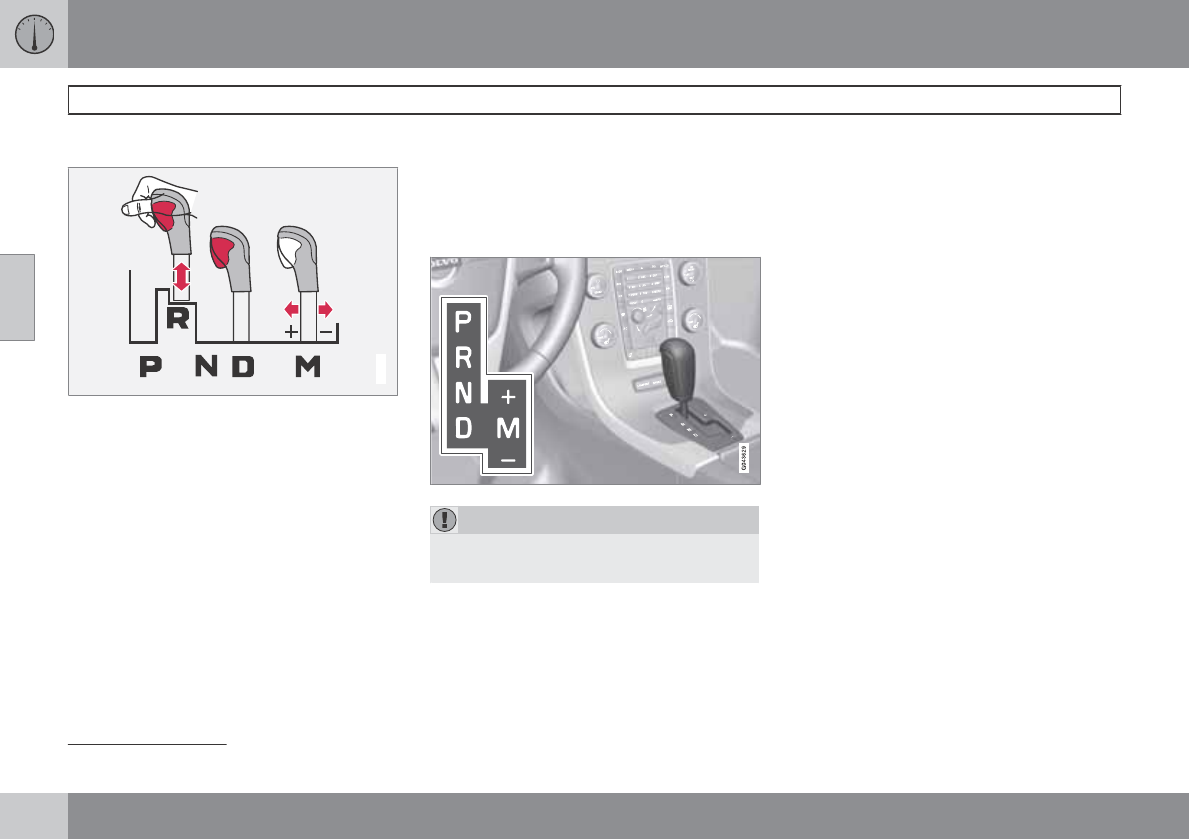
03 Your driving environment
Transmission
03
112
Automatic transmission
G021351
Shiftgate positions1
Depress the button on the front of the gear
selector knob to move the gear selector
between the R, N, D, and P positions.
The gear selector can be moved freely between
the Geartronic (manual shifting) and Drive (D)
positions while driving.
Park position (P)
Select the P position when starting or parking.
Shiftlock
When P has been selected, the transmission is
mechanically blocked in this position. The
brake pedal must be depressed and the igni-
tion must be in at least mode II (see page 81)
before the gear lever can be moved from the
P position.
Always apply the parking brake when the vehi-
cle is parked. Press the control to apply the
brake, see page 118.
CAUTION
The vehicle must be stationary when posi-
tion P is selected.
Reverse ®)
The vehicle must be stationary when position
R is selected.
Neutral position (N)
No gear is engaged and the engine can be
started with the gear selector in this position.
Apply the parking brake if the vehicle is sta-
tionary with the gear selector in position N.
Drive (D)
D is the normal driving position. The car auto-
matically shifts between the various forward
gears, based on the level of acceleration and
speed. The car must be at a standstill when
shifting from position R to position D.
Geartronic–manual shifting
Geartronic allows you to manually shift among
your vehicle's six forward speeds. Geartronic
can be selected at any time.
•To access the manual shifting position
from Drive (D), move the gear selector to
the right (to the area marked M in the illus-
tration.
•To return to the D position from the manual
shifting position, move the gear selector to
the left.
While driving
•If you select the manual shifting position
while driving, the gear that was being used
in the Drive position will also initially be
selected in the manual shifting position.
•Move the gear selector forward (toward
"+") to shift to a higher gear or rearward
(toward "–") to shift to a lower gear.
1The information display (see page 75) shows the gear selector's position or the selected gear by displaying the following: P, R, N, D, S, 1, 2, 3, 4, 5, or 6.
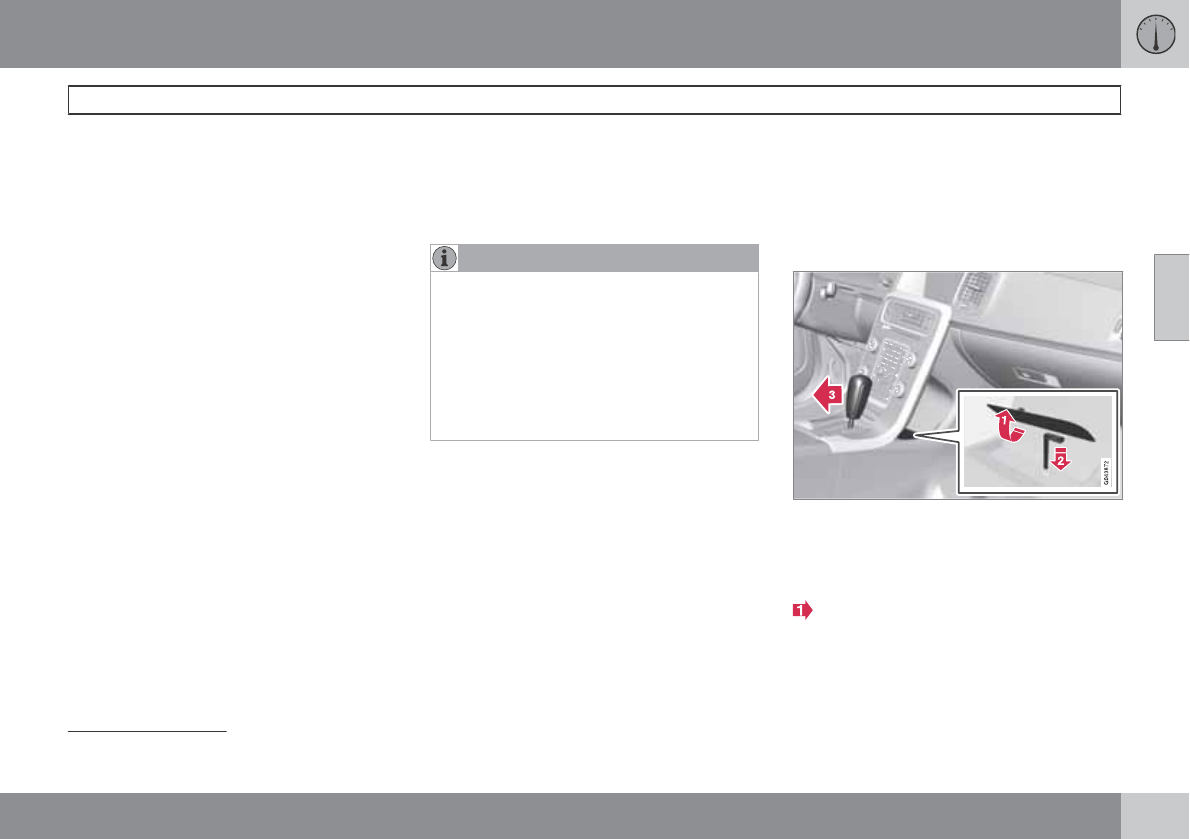
03 Your driving environment
Transmission
03
``
113
•If you hold the gear selector toward "–", the
transmission will downshift one gear at a
time and will utilize the braking power of
the engine. If the current speed is too high
for using a lower gear, the downshift will
not occur until the speed has decreased
enough to allow the lower gear to be used.
•If you slow to a very low speed, the trans-
mission will automatically shift down.
Shiftlock – Neutral (N)
If the gear selector is in the N position and the
vehicle has been stationary for at least 3 sec-
onds (irrespective of whether the engine is run-
ning) then the gear selector is locked.
To be able to move the gear selector from N to
another gear position, the brake pedal must be
depressed and the ignition must be in posi-
tion II, see page 81.
Geartronic–Sport mode (S)
2
This transmission mode provides sportier shift-
ing characteristics and enables a more active
driving style by making it possible to drive at
higher rpm in each gear before shifting up. The
engine also responds faster when the throttle
pedal is pressed.
To access Sport mode from Drive (D), move the
gear selector to the right. The transmission will
not switch to manual shifting mode until the
gear selector is moved forward or rearward
toward + or -.
Sport mode can be selected any time.
NOTE
•When the transmission is in Sport
mode, the transmission symbol in the
main instrument panel will change from
D to S (see page 75).
•Please be aware that using Sport mode
may result in a slight decrease in fuel
economy. Driving in D can help improve
fuel economy.
Geartronic–starting on slippery surfaces
Selecting 3rd gear in Geartronic’s manual shift-
ing mode can help provide better traction when
starting off on slippery surfaces. To do so:
1. Depress the brake pedal and move the
gear selector to the right from the D posi-
tion to the manual shifting position. The
text in the instrument panel display will
change from D to 1.
2. Press the gear selector forward and
release it (this selects 2nd gear). Press the
selector forward again and release it to
select 3rd gear.
3. Release the brake pedal and press gently
on the accelerator pedal.
Shiftlock override
If the vehicle cannot be driven, for example
because of a dead battery, the gear selector
must be moved from the P position before the
vehicle can be moved3.
Lift away the rubber mat on the floor of the
storage compartment behind the center
console to expose the small opening for
overriding the shiftlock system.
2Only available on models with the T6 turbo engine.
3If the battery is dead, the electric parking brake cannot be applied or released. Connect an auxiliary battery if the battery voltage is too low, see page 110.
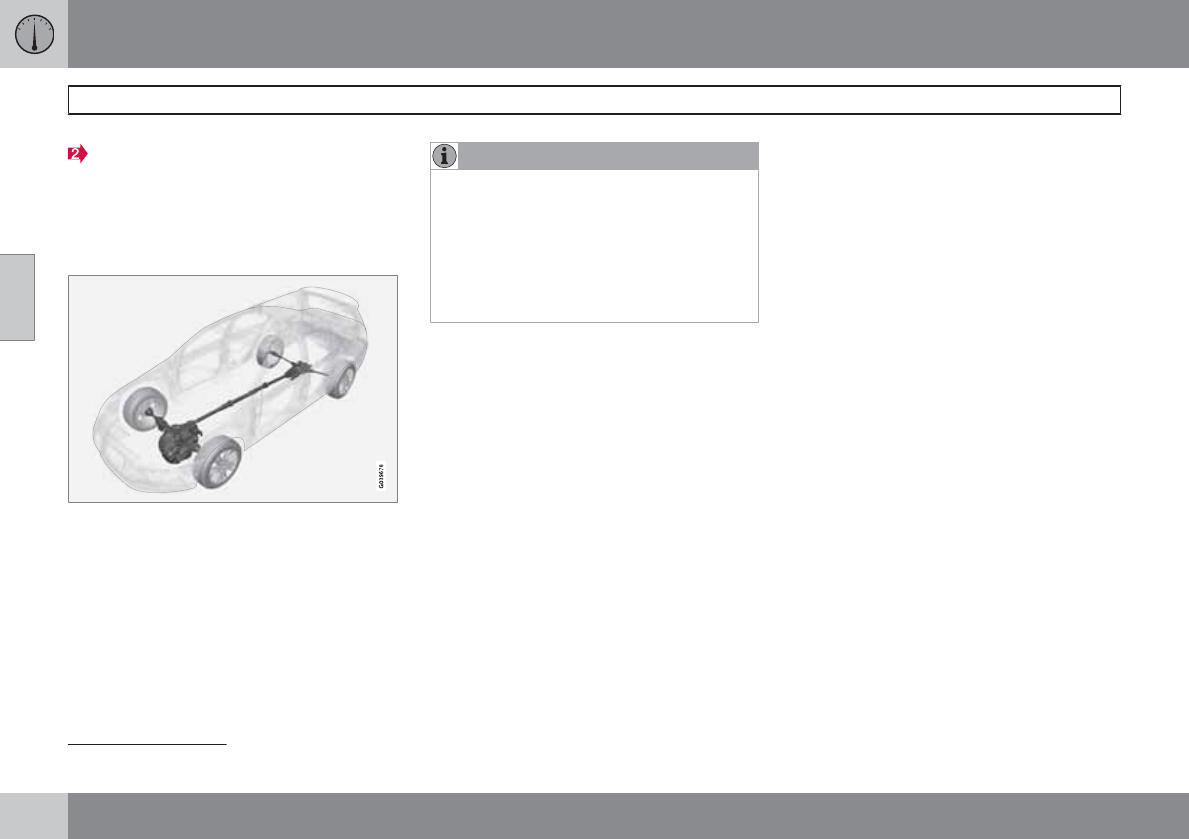
03 Your driving environment
Transmission
03
114
Insert the key blade into the opening. Press
the key blade down as far as possible and
keep it held down. Move the gear selector
from the P position. For information on the
key blade, see page 60.
All Wheel Drive – AWD
4
Your Volvo can be equipped with permanent
All Wheel Drive, which means that power is
distributed automatically between the front
and rear wheels. Under normal driving condi-
tions, most of the engine's power is directed to
the front wheels. However, if there is any ten-
dency for the front wheels to spin, an electron-
ically controlled coupling distributes power to
the wheels that have the best traction.
NOTE
The message AWD disabled Service
required will be appear in the information
display if an electrical fault should occur in
the AWD system. A warning light will also
illuminate in the instrument panel. If this
occurs, have the system checked by a
trained and qualified Volvo service techni-
cian.
4Standard on certain models.
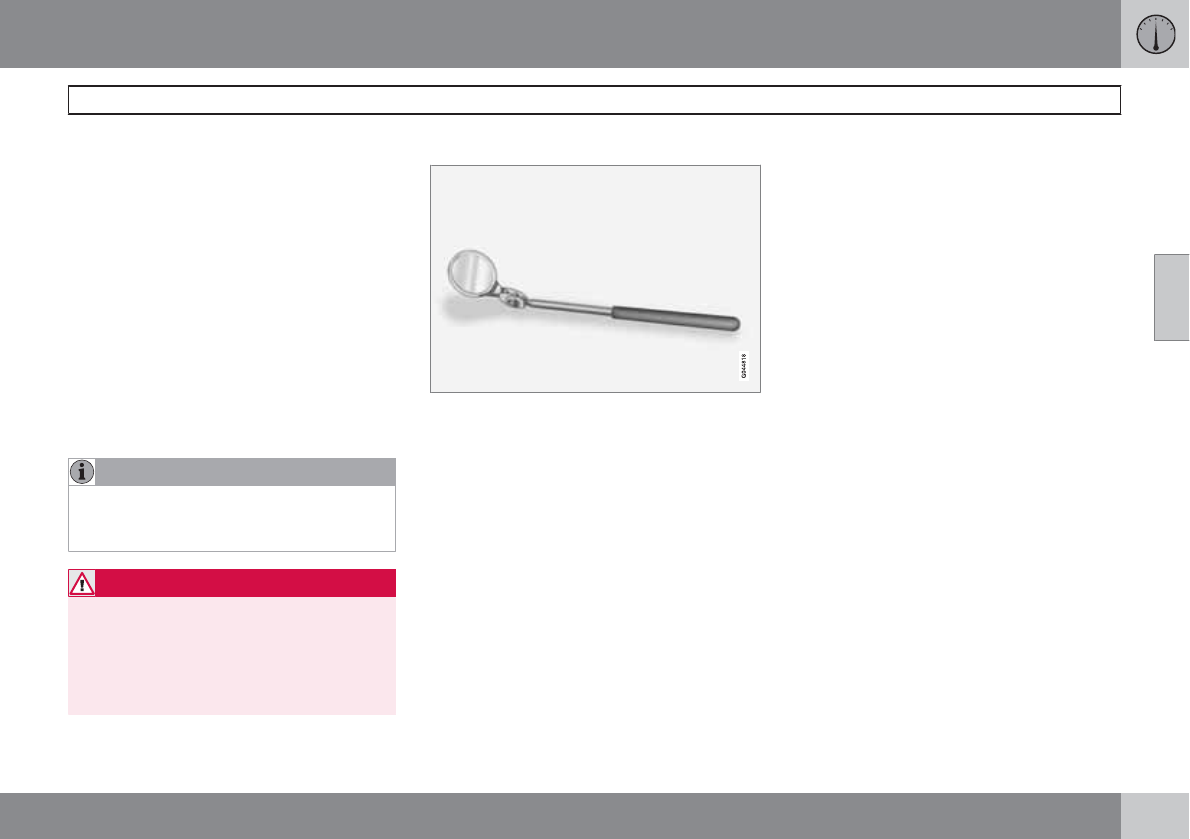
03 Your driving environment
Brakes
03
``
* Option/accessory, for more information, see Introduction. 115
Brake system
The brake system is a hydraulic system con-
sisting of two separate brake circuits. If a prob-
lem should occur in one of these circuits, it is
still possible to stop the vehicle with the other
brake circuit.
If the brake pedal must be depressed farther
than normal and requires greater foot pressure,
the stopping distance will be longer.
A warning light in the instrument panel will light
up to warn the driver that a fault has occurred.
If this light comes on while driving or braking,
stop immediately and check the brake fluid
level in the reservoir.
NOTE
Press the brake pedal hard and maintain
pressure on the pedal – do not pump the
brakes.
WARNING
If the fluid level is below the MIN mark in the
reservoir or if a brake system message is
shown in the information display: DO NOT
DRIVE. Have the vehicle towed to a trained
and qualified Volvo service technician and
have the brake system inspected.
Brake pad inspection mirror
Brake pad inspection mirror
This mirror is used to inspect the brake pads
on vehicles that are not equipped with the a
jack* and lug wrench*.
This mirror is located with the other tools under
the floor of the cargo compartment (see
page 291).
Insert the mirror between the spokes in the
wheels to visually inspect the brake pads for
wear.
Brake lights
The brake lights come on automatically when
the brakes are applied.
Adaptive brake lights
The adaptive brake lights activate in the event
of sudden braking or if the ABS system is acti-
vated. This function causes an additional tail-
light on each side of the vehicle to illuminate to
help alert vehicles traveling behind.
The adaptive brake lights activate if:
•The ABS system activates for more than
approximately a half second
•In the event of sudden braking while the
vehicle is moving at speeds above approx-
imately 6 mph (10 km/h)
When the vehicle has come to a stop, the brake
lights and additional taillights remain on for as
long as the brake pedal is depressed or until
braking force on the vehicle is reduced.
Power brakes function only when the
engine is running
The power brakes utilize vacuum pressure
which is only created when the engine is run-
ning. Never let the vehicle roll to a stop with the
engine switched off.
If the power brakes are not working, consider-
ably higher pressure will be required on the
brake pedal to compensate for the lack of
power assistance. This can happen for exam-
ple when towing your vehicle or if the engine is
switched off when the vehicle is rolling. The
brake pedal feels harder than usual.
03 Your driving environment
Brakes
03
116
Water on brake discs and brake pads
affects braking
Driving in rain and slush or passing through an
automatic car wash can cause water to collect
on the brake discs and pads. This will cause a
delay in braking effect when the pedal is
depressed. To avoid such a delay when the
brakes are needed, depress the pedal occa-
sionally when driving through rain, slush, etc.
This will remove the water from the brakes.
Check that brake application feels normal. This
should also be done after washing or starting
in very damp or cold weather.
Severe strain on the brake system
The brakes will be subject to severe strain
when driving in mountains or hilly areas, or
when towing a trailer. Vehicle speed is usually
slower, which means that the cooling of the
brakes is less efficient than when driving on
level roads. To reduce the strain on the brakes,
shift into a lower gear and let the engine help
with the braking. Do not forget that if you are
towing a trailer, the brakes will be subjected to
a greater than normal load.
Anti-lock braking system (ABS)
The Anti-lock Braking System (ABS) helps to
improve vehicle control (stopping and steering)
during severe braking conditions by limiting
brake lockup. When the system "senses"
impending lockup, braking pressure is auto-
matically modulated in order to help prevent
lockup that could lead to a skid.
The system performs a brief self-diagnostic
test when the engine has been started and
driver releases the brake pedal. Another auto-
matic test may be performed when the vehicle
first reaches a speed of approximately 6 mph
(10 km/h). The brake pedal will pulsate several
times and a sound may be audible from the
ABS control module, which is normal.
Cleaning the brake discs
Coatings of dirt and water on the brake discs
may result in delayed brake function. This delay
is minimized by cleaning the brake linings.
Cleaning the brake pads is advisable in wet
weather, prior to long-term parking, and after
the vehicle has been washed. Do this by brak-
ing gently for a short period while the vehicle is
moving.
Emergency Brake Assistance
EBA is designed to provide full brake effect
immediately in the event of sudden, hard brak-
ing. The system is activated by the speed with
which the brake pedal is depressed.
When the EBA system is activated, the brake
pedal will go down and pressure in the brake
system immediately increases to the maximum
level. Maintain full pressure on the brake pedal
in order to utilize the system completely. EBA
is automatically deactivated when the brake
pedal is released.
NOTE
•When the EBA system is activated, the
brake pedal will go down and pressure
in the brake system immediately increa-
ses to the maximum level. You must
maintain full pressure on the brake
pedal in order to utilize the system com-
pletely. There will be no braking effect if
the pedal is released. EBA is automati-
cally deactivated when the brake pedal
is released.
•When the vehicle has been parked for
some time, the brake pedal may sink
more than usual when the engine is
started. This is normal and the pedal will
return to its usual position when it is
released.
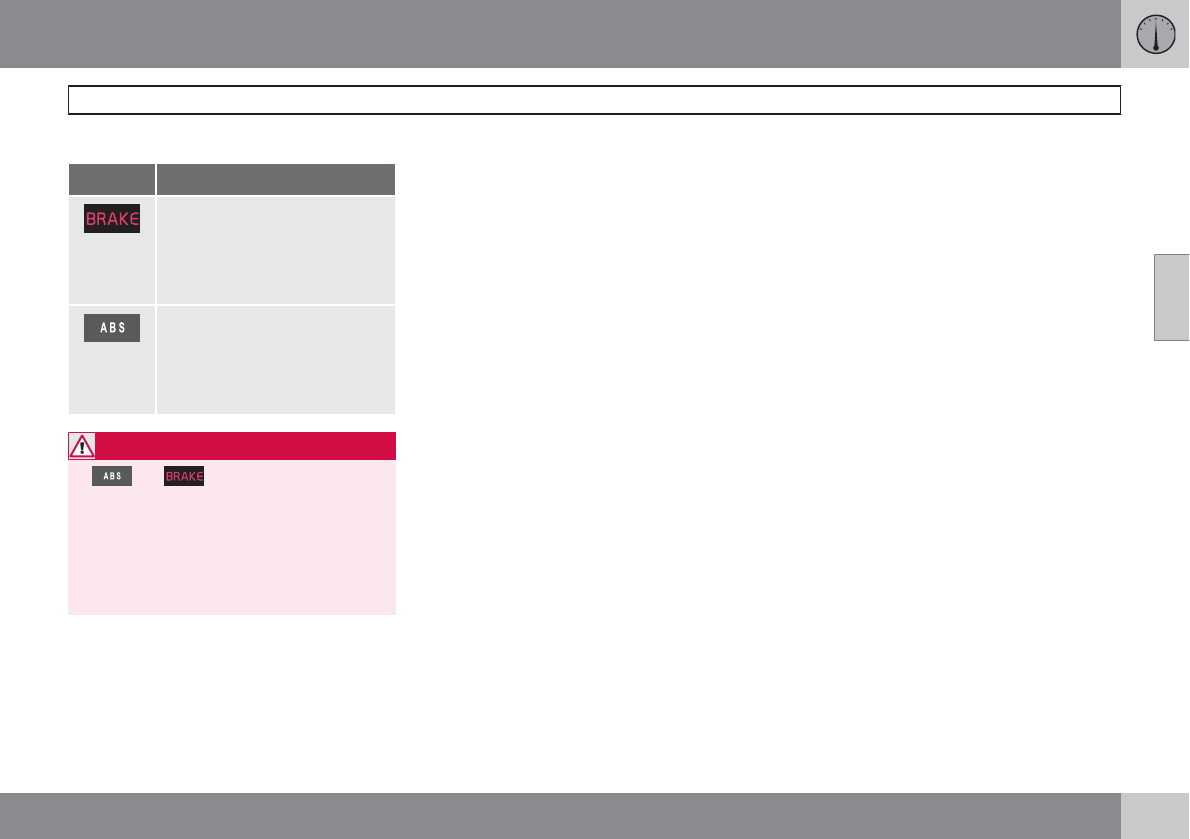
03 Your driving environment
Brakes
03
117
Symbols in the instrument panel
Symbol Specification
Steady glow – Check the brake
fluid level. If the level is low, fill
with brake fluid and check for
the cause of the brake fluid
loss.
Steady glow for two seconds
when the engine is started –
There was a fault in the brake
system's ABS function when
the engine was last running.
WARNING
If and come on at the same time
and the brake level is below the MIN mark
in the reservoir or if a brake system-related
message is shown in the information dis-
play: DO NOT DRIVE. Have the vehicle
towed to a trained and qualified Volvo serv-
ice technician and have the brake system
inspected.
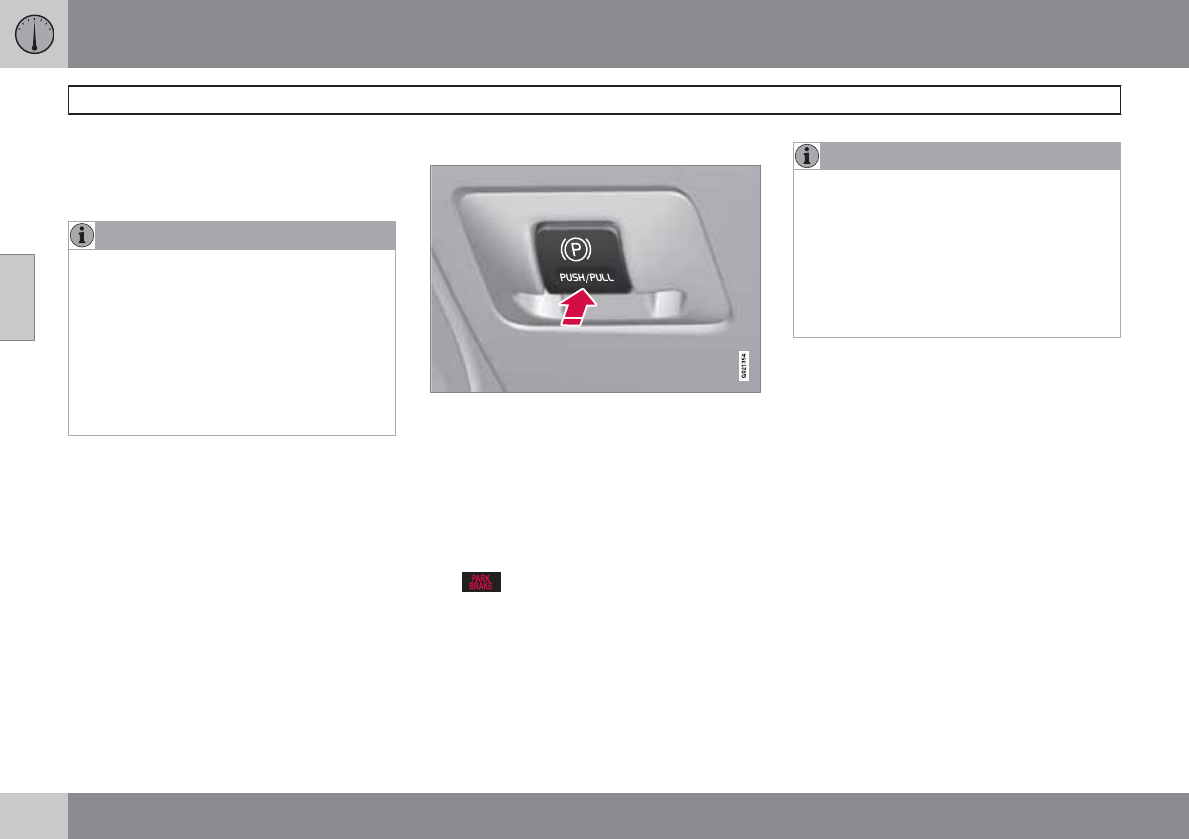
03 Your driving environment
Parking brake
03
118
Electric parking brake
An electric parking brake has the same func-
tion as a manual parking brake.
NOTE
•A faint sound from the parking brake's
electric motor can be heard when the
parking brake is being applied. This
sound can also be heard during the
automatic function check of the parking
brake.
•The brake pedal will move slightly when
the electric parking brake is applied or
released.
Low battery voltage
If the battery voltage is too low, the parking
brake cannot be applied or released. Connect
an auxiliary battery if the battery voltage is too
low, see page 110.
Applying the electric parking brake
Parking brake control
1. Press firmly on the brake pedal.
2. Push the control.
3. Release the brake pedal and ensure that
the vehicle is at a standstill.
4. When the vehicle is parked, the gear selec-
tor must be in position P.
The symbol in the instrument panel
flashes while the parking bake is being applied,
and glows steadily when the parking brake has
been fully applied.
NOTE
•In an emergency the parking brake can
be applied when the vehicle is moving
by holding in the control. Braking will be
interrupted when the accelerator pedal
is depressed or the control is released.
•An audible signal will sound during this
procedure if the vehicle is moving at
speeds above 6 mph (10 km/h).
Parking on a hill
•If the vehicle is pointing uphill, turn the front
wheels so that they point away from the
curb.
•If the vehicle is pointing downhill, turn the
front wheels so that they point toward the
curb.
The parking brake should also be applied.
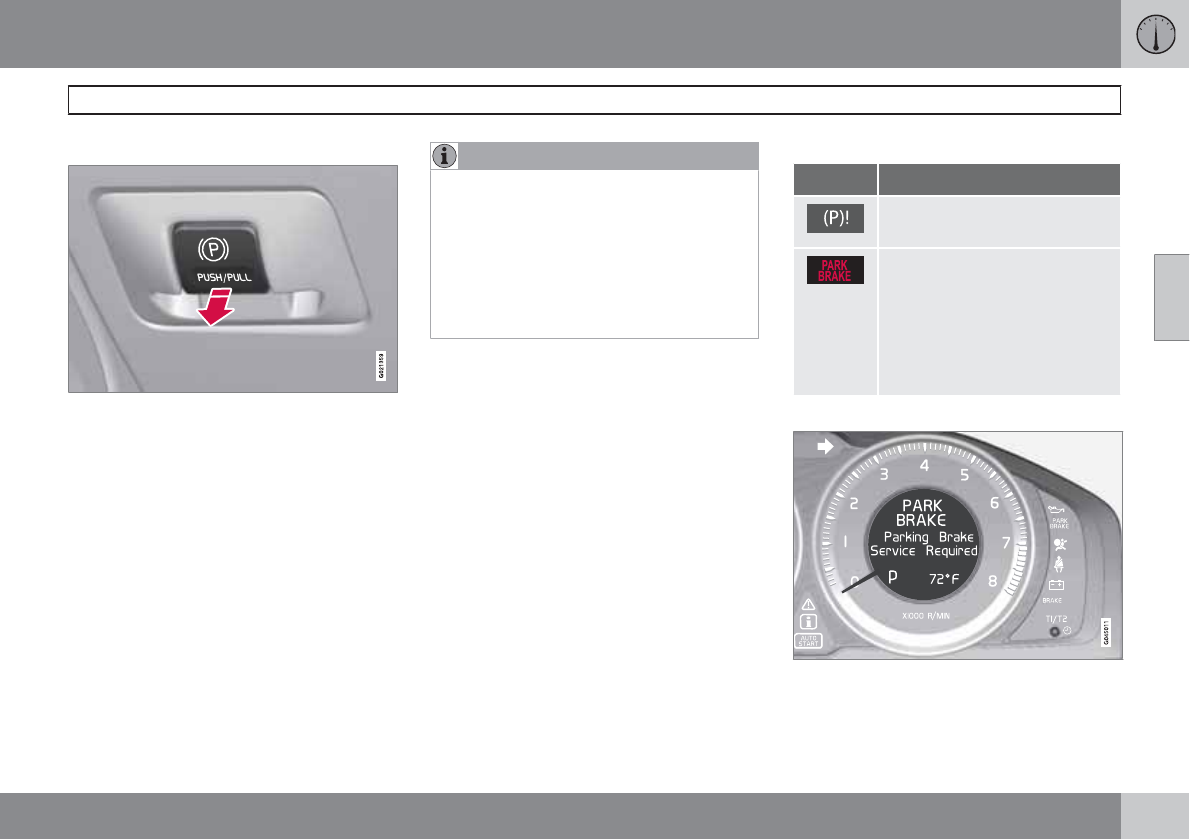
03 Your driving environment
Parking brake
03
``
* Option/accessory, for more information, see Introduction. 119
Releasing the electric parking brake
Parking brake control
Manual release
1. Fasten the seat belt.
2. Insert the remote key in the ignition slot.
3. Press firmly on the brake pedal.
4. Pull the parking brake control.
Vehicles with Keyless drive*
1. Press the START/STOP ENGINE button.
2. Press firmly on the brake pedal.
3. Pull the parking brake control.
Automatic release
1. Start the engine.
NOTE
•For safety reasons, the parking brake is
only released automatically if the engine
is running and the driver is wearing a seat
belt.
•The electric parking brake will be
released immediately when the acceler-
ator pedal is pressed and the gear selec-
tor is in position D or R.
2. Fasten the seat belt.
3. Move the gear selector to position D or R
and press the accelerator pedal. The park-
ing brake will release when the vehicle
begins to move.
Heavy load uphill
A heavy load, such as a trailer, can cause the
vehicle to roll backward when the parking
brake is released automatically on a steep
incline. To help avoid this:
1. Keep the electric parking brake lever
pushed in with the left hand while shifting
into Drive with the right.
2. While pressing the throttle pedal to pull
away, release the parking brake lever only
after the vehicle begins to move.
Symbols
Symbol Specification
Read the message in the infor-
mation display
A flashing symbol indicates that
the parking brake is being
applied. If the symbol flashes in
any other situation then this
means that a fault has arisen.
Read the message on the infor-
mation display.
Messages
Park brake not fully released – A fault is pre-
venting the parking brake from being released.
Contact an authorized Volvo workshop. If you
03 Your driving environment
Parking brake
03
120
drive off with this error message showing, a
warning signal sounds.
Parking brake not applied – A fault is pre-
venting the parking brake from being applied.
Try to apply and release. Contact a Volvo work-
shop if the message remains.
Parking brake Service required – A fault has
occurred. Contact a Volvo workshop if the fault
remains.
WARNING
If the vehicle must be parked before the fault
has been corrected, always put the gear
selector in P and turn the wheels so that
they point away from the curb if the vehicle
is pointing uphill or toward the curb if it is
pointing downhill.
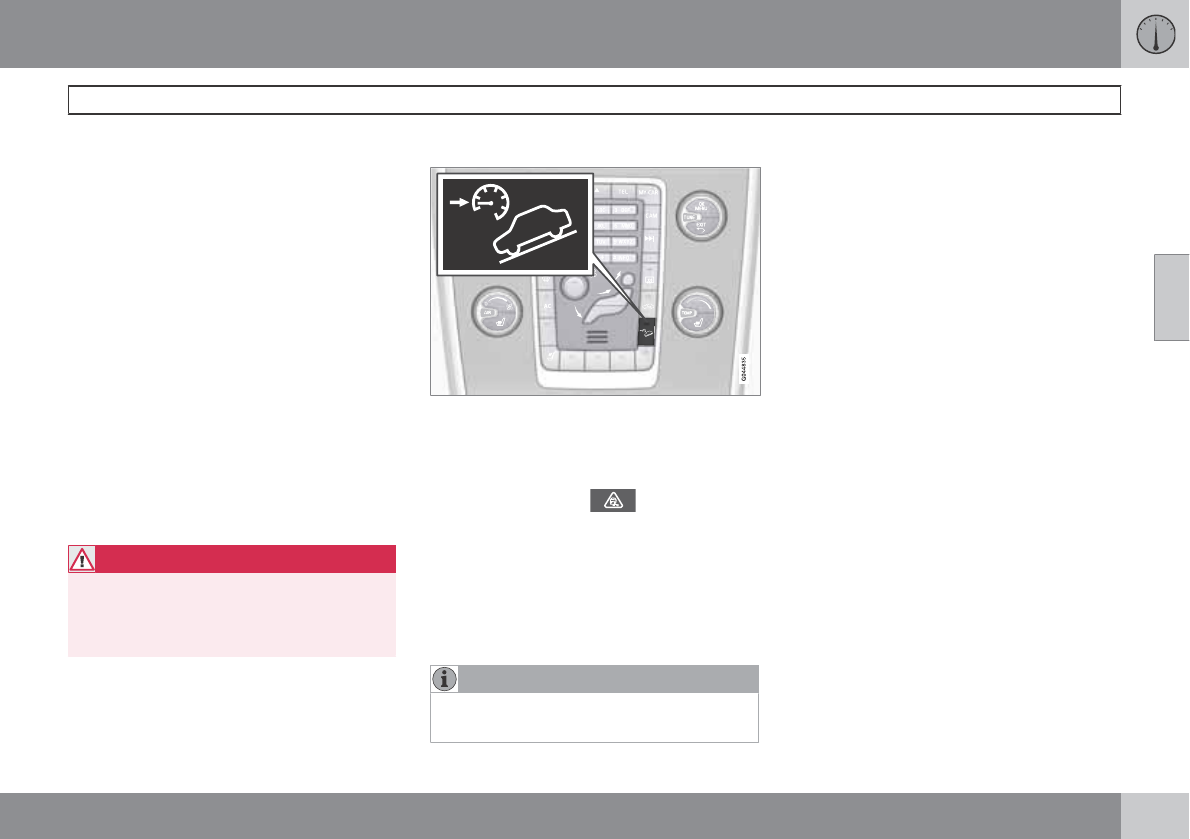
03 Your driving environment
Hill Descent Control (HDC)*
03
``
* Option/accessory, for more information, see Introduction. 121
Introduction
Normally, when the accelerator pedal is
released while driving down hills, the vehicle's
speed slows as the engine runs at lower rpm
(the normal engine braking effect). However, if
the downhill gradient becomes steeper and if
the vehicle is carrying a load, speed increases
despite the engine braking effect. In this situa-
tion, the brakes must be applied to reduce the
vehicle's speed.
HDC is a type of automatic engine brake and
makes it possible to increase or decrease the
vehicle's speed on downhill gradients using
only the accelerator pedal, without applying
the brakes. The brake system functions auto-
matically to maintain a low and steady speed.
HDC is particularly useful when driving down
steep hills with rough surfaces, and where the
road may have slippery patches.
WARNING
HDC does not function in all situations, and
is a supplementary braking aid. The driver
has full responsibility for driving in a safe
manner.
Function
•HDC can be switched on and off with the
button in the center console. An indicator
light in the button illuminates when HDC is
activated.
•The indicator light in the instrument
panel illuminates and a message is dis-
played when the system is controlling the
vehicle's speed.
•HDC only functions when first or reverse
gears are selected (1 will be shown in the
instrument panel display when first gear is
selected).
NOTE
HDC cannot be activated if the gear selector
is the D position.
Using HDC
HDC allows the car to roll forward at a maxi-
mum speed of 6 mph (10 km/h), and 4 mph
(7 km/h) in reverse. However, the accelerator
pedal can be used to select any speed that is
possible in first or reverse gears. When the
accelerator pedal is released, speed is quickly
reduced again to 6 mph (10 km/h) or 4 mph
(7 km/h), depending on the gear selected,
regardless of the hill's gradient. It is not nec-
essary to apply the brakes.
•The brake lights illuminate automatically
when HDC is controlling the vehicle's
speed.
•The driver can slow or stop the vehicle at
any time by applying the brakes.
HDC is deactivated when:
•The button on the center console is
pressed
•A gear higher than first gear is selected
•D is selected on vehicles with an automatic
transmission
HDC can be deactivated at any time. If this is
done while driving down a steep hill, the sys-
tem's braking effect will decrease gradually.
03 Your driving environment
Hill Descent Control (HDC)*
03
122 * Option/accessory, for more information, see Introduction.
NOTE
Engine response to pressure on the accel-
erator pedal may be slightly slower than
normal when HDC is activated.
03 Your driving environment
03
123

124 * Option/accessory, for more information, see Introduction.
Menus and messages........................................................................... 126
The MY CAR menus.............................................................................. 128
Climate system..................................................................................... 134
Trip computer........................................................................................ 142
Stability system..................................................................................... 144
Active chassis system–Four C*............................................................. 146
Cruise control........................................................................................ 147
Adaptive Cruise Control (ACC)*............................................................ 149
Distance Alert* ..................................................................................... 159
City Safety™ ........................................................................................ 162
Collision warning with Full Auto-brake and Pedestrian Detection*...... 168
Driver Alert System* ............................................................................. 175
Park assist*........................................................................................... 181
Rear Park Assist Camera (PAC)* .......................................................... 185
Blind Spot Information System*............................................................ 189
Passenger compartment convenience................................................. 193
COMFORT AND DRIVING PLEASURE
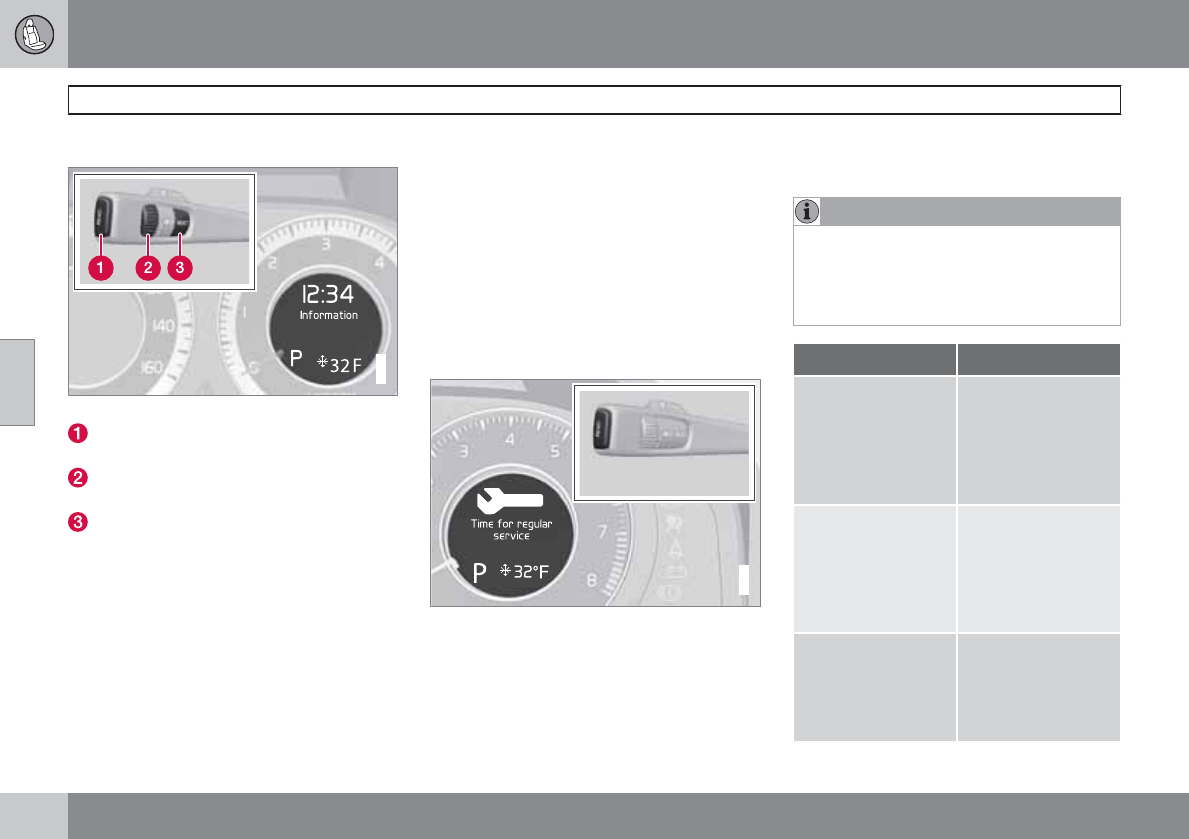
04 Comfort and driving pleasure
Menus and messages
04
126 * Option/accessory, for more information, see Introduction.
Main instrument panel
G022908
Information display and menu controls
READ – access to the list of messages and
message confirmation.
Thumbwheel – browse among menus and
options in the list of functions.
RESET – reset the active function. Used in
certain cases to select/activate a function,
see the explanation under each respective
function.
The menus shown on the information displays
in the instrument panel are controlled with the
left lever. The menus shown depend on ignition
mode. Press READ to erase a message and
return to the menus.
Menu overview
Driving distance on current fuel reserve
Average
Instantaneous
Average speed
Current speed in mph (Canadian models
only)
Engine oil level*
Calibrate tire pressure
Messages
G028940
When a warning, information or indicator sym-
bol comes on, a corresponding message
appears on the information display. An error
message is stored in a memory list until the
fault is rectified.
Press READ to acknowledge and scroll among
the messages.
NOTE
If a warning message appears while you are
using the trip computer, the message must
be read and confirmed by pressing READ
before the previous activity can be
resumed.
Message Description
Stop safely Stop and switch off
the engine. Serious
risk of damage.
Contact an author-
ized Volvo work-
shop.
Stopping the
engine
Stop and switch off
the engine. Serious
risk of damage.
Contact an author-
ized Volvo work-
shop.
Service urgent Have the vehicle
checked by an
authorized Volvo
workshop immedi-
ately.
04 Comfort and driving pleasure
Menus and messages
04
127
Message Description
Service required Have the vehicle
checked by an
authorized Volvo
workshop as soon
as possible.
See manual Read the owner's
manual.
Book time for
maintenance
Time to book service
at an authorized
Volvo retailer.
Time for regular
maintenance
Time for regular
service at an author-
ized Volvo work-
shop. The timing is
determined by the
number of miles
driven, number of
months since the
last service, engine
running time.
Message Description
Maintenance over-
due
If the service inter-
vals are not fol-
lowed, the warranty
does not cover any
damaged parts.
Contact an author-
ized Volvo workshop
for service.
Temporarily OFF A function has been
temporarily
switched off and is
reset automatically
while driving or after
starting again.
Power save mode The audio system is
switched off to save
current. Charge the
battery.
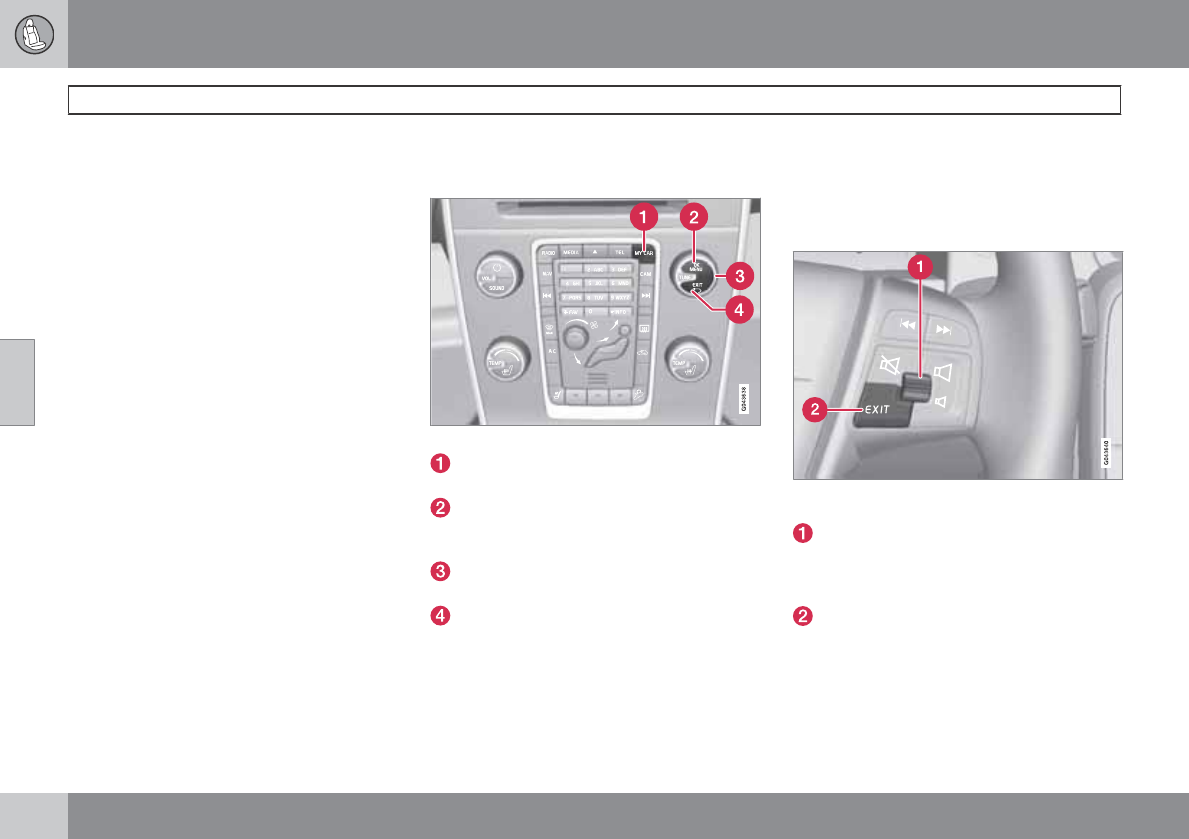
04 Comfort and driving pleasure
The MY CAR menus
04
128
Introduction
The menu system provides access to menus
for operating many of the vehicle's functions,
such as setting the clock, door mirrors, locks,
etc.
Navigatiing in the menus is done using the but-
tons on the center console control panel or with
the right-side steering wheel keypad.
Some of the features mentioned in this section
are optional.
Operation
Center console controls
Center console controls for menu navigation
Press MY CAR to access the My Car
menus.
Press OK/MENU to select a highlighted
selection or to store a certain function in
the system's memory.
Turn to navigate up/down among menu
selections.
Press and hold to return to the main menu.
Press briefly .
•Press EXIT briefly to go back one step at a
time in the current menu.
•Press and hold EXIT to go to the main MY
CAR menu.
•From the main MY CAR menu, press and
hold EXIT to go to the infotainment sys-
tem's main view. See page 204 for addi-
tional information.
Steering wheel keypad
The keypad varies according to the vehicle's
equipment
Turn the thumb wheel to go up/down
among menu selections. Press the thumb
wheel to make a selection or store a func-
tion in the system's memory.
EXIT.
Paths
The current menu level is displayed at the
upper right of the center console display. Menu
paths are displayed as follows, for example:
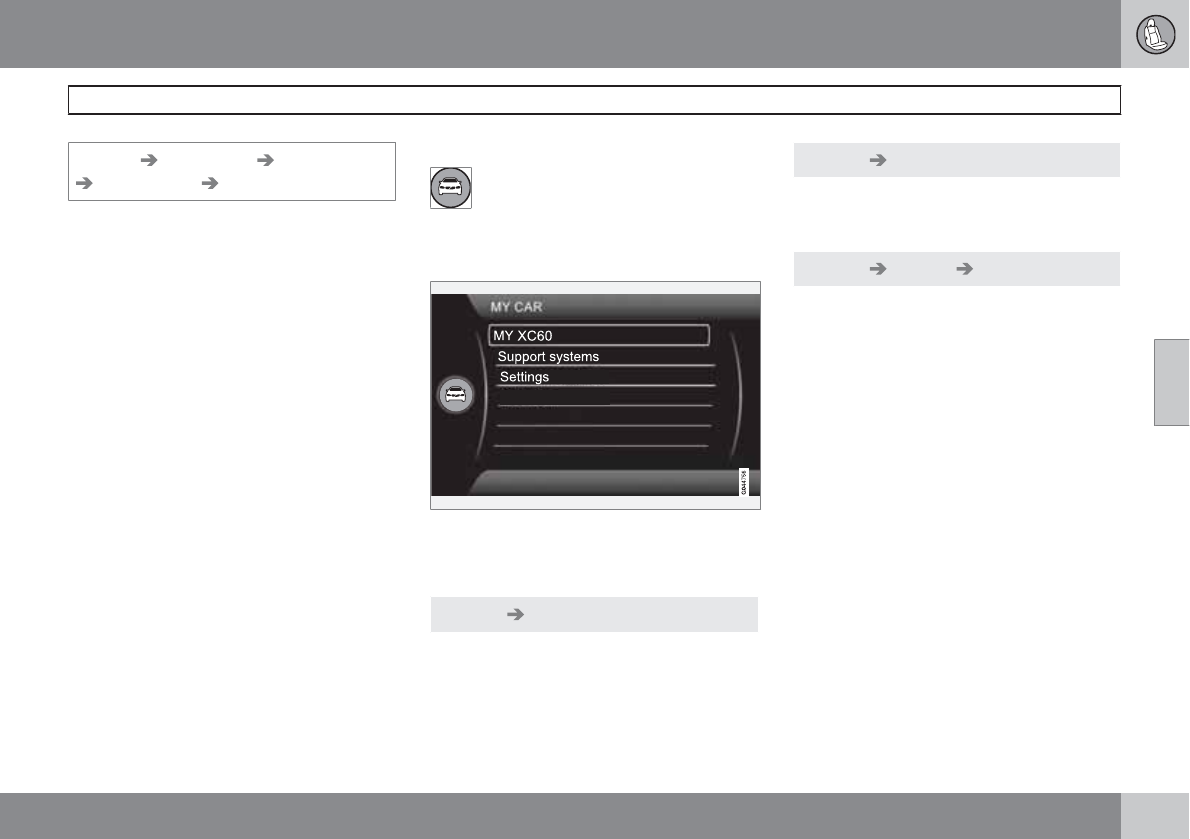
04 Comfort and driving pleasure
The MY CAR menus
04
``
129
Settings Car settings Lock settings
Doors unlock Driver door, then all
The following is an example of how to set a
function in the menu system:
1. Press the MY CAR button on the center
console control panel.
2. Navigate to a menu, for example
Settings using the thumb wheel (1) and
press it to open a submenu.
3. Navigate to the desired submenu such as
Car settings.
4. Navigate to Lock settings and press the
thumb wheel to open a new submenu.
5. Navigate to Doors unlock and press the
thumb wheel to open a submenu with alter-
natives that can be selected.
6. Use the thumb wheel to move to the
desired choice and press the thumb wheel
to put an X in the box.
7. Finish by exiting the menu system either
one step at a time with short presses on
EXIT (2) or press and hold this button to
return to the main menu.
The OK/MENU (2), EXIT (4) and control (3) in
the center console can be used in the same
way.
MY CAR
All settings connected to driving the
vehicle are found under MY CAR.
When the MY CAR symbol has been
selected, the following menu alternatives are
displayed.
•My XC60
•Support systems
•Settings
MY CAR My XC60
The driver support systems installed in the
vehicle are displayed and can be activated/
deactivated here.
MY CAR Support systems
The current status of the various driver support
systems is displayed.
MY CAR Settings Car settings
All of the settings in the vehicle that can be
changed by the driver can be found under MY
CAR, where they can be activated/deacti-
vated/adjusted. The following pages list the
main menus/submenus and possible selec-
tions.
Car key memory
See pages 84 and 57 for more information.
Lock settings
Automatic door locking
Doors unlock
All doors
Driver door, then all
Keyless entry
All doors
Any door
Doors on same side
Both front doors
04 Comfort and driving pleasure
The MY CAR menus
04
130
See page 57 and 63 for more information.
Reduced Guard
Activate once
Ask when exiting
See page 70 for more information.
Side mirror settings
Fold mirrors
Tilt left mirror
Tilt right mirror
See page 100 for more information.
Light settings
Door lock confirmation light
Door unlock confirmation light
See page 57 for more information.
Approach light duration
Off
30 sec
60 sec
90 sec
See page 58 for more information.
Home safe light duration
30 sec
60 sec
90 sec
See page 93 for more information.
Door lock confirmation light
See page 57 for more information.
Daytime running lights
See page 89 for more information.
Active bending lights
See page 90 for more information.
Tire pressure system
Warns if tire pressure is too low
Calibrate tire pressure
See page 294 for more information.
Steering wheel force
High
Medium
Low
See page 146 for more information.
Reset car settings
This feature returns the "Car settings" menu to
the original factory settings.
MY CAR Settings Driver support
systems
Collision warning
Collision Warning
Warning distance
Long
Normal
Short
Warning sound
See page 170 for more information.
Lane departure warning
Lane departure warning
On at start-up
Increased sensitivity
See page 178 for more information.
DSTC
See page 144 for more information.
City safety
See page 162 for more information.
04 Comfort and driving pleasure
The MY CAR menus
04
``
131
BLIS
See page 189 for more information.
Distance Alert
See page 159 for more information.
Driver alert
See page 175 for more information.
MY CAR Settings System options
Set/change time
See page 80 for more information.
Time format
12 h
24 h
Screensaver
The contents of the screen are replaced by
another image if this selection is marked. The
contents of the screen will be displayed again
if one of the buttons (1-4) is pressed, see
page 128.
Uncheck the selection to turn the screen saver
off.
Language
Select the language for menu texts.
Show help text
This displays help texts for the current menu.
Distance and fuel units
MPG (UK)
MPG (US)
km/l
l/100km
See page 142 for more information about the
trip computer.
Temperature unit
Celsius
Fahrenheit
Select the temperature scale to be displayed
by the climate control unit.
Volume levels
Voice output volume
Park assist front volume
Park assist rear volume
Phone ringing volume
Reset system options
This feature returns the "System options"
menu to the original factory settings.
MY CAR Settings Voice settingsA.
AOnly on vehicles with the optional Volvo Navigation System
and/or a Bluetooth-connected cell phone
Voice tutorial
Select this menu alternative and press OK for
spoken information about how the system
works.
Voice command list
Phone commands
Phone
Phone call contact
Phone dial number
Navigation commands
Navigation
Navigation repeat instruction
Navigation go to address
General commands
Help
Cancel
Voice tutorial
The menu alternatives under Phone
commands show examples of the voice com-
mands available when a cell phone is con-
04 Comfort and driving pleasure
The MY CAR menus
04
132
nected to the Bluetooth hands-free system.
See page 237 for more detailed information.
The menu alternatives under Navigation
commands show examples of the voice com-
mands available for the optional Volvo
Navigation System. Refer to the navigation
system's manual for detailed information.
Voice user setting
Default setting
User 1
User 2
Two user profiles can be set, which is useful if
more than one person uses voice commands
regularly. Default setting resets the factory
settings.
Voice training
User 1
User 2
Voice training enables the system to become
familiar with the driver's voice and pronuncia-
tion. A list of phrases is presented on the
screen for the driver to read aloud. When the
system has registered the driver's pronuncia-
tion, no additional phrases will be displayed.
After completed voice training, select User 1
or User 2 in Voice user setting to set the sys-
tem to the current user.
Voice output volume
•A volume control will be displayed. To set
the volume level:
1. Adjust the volume using the thumb wheel
2. Test the setting by pressing OK
3. Store the setting and leave the menu by
pressing EXIT.
Voice POI list
Edit list
The navigation system has a large number of
points of interest (POIs). A maximum of 30 POIs
can be stored in this list.
The menu alternative Voice POI list is only
displayed if the vehicle is equipped with the
optional Volvo Navigation System. Refer to the
navigation system's manual for detailed infor-
mation.
MY CAR Settings Audio settings
See page 200 for more information about the
infotainment system.
MY CAR Settings Climate settings
Automatic blower adjustment
Normal
High
Low
Recirculation timer
Automatic rear defroster
Interior air quality system
Reset climate settings
This feature returns the "Climate settings"
menu to the original factory settings.
For more information about the climate sys-
tem, see page 134.
MY CAR Settings Favorites (FAV)
See page 207 for more information about this
feature.
MY CAR Settings Information
Number of keys
See page 56 for more information.
VIN number
See page 337 for more information.
DivX® VOD code
See page 222 for more information.
04 Comfort and driving pleasure
The MY CAR menus
04
133
Bluetooth software version in car
See page 228 for more information.
Map and software version
Refer to the optional Volvo Navigation System
manual for more information.
04 Comfort and driving pleasure
Climate system
04
134 * Option/accessory, for more information, see Introduction.
Introduction
Air conditioning
The vehicle is equipped with Electronic Climate
Control (ECC). The climate control system
cools, heats or dehumidifies the air in the pas-
senger compartment.
NOTE
•The air conditioning can be switched
off, but to ensure the best possible cli-
mate comfort in the passenger com-
partment and to prevent the windows
from misting, it should always be on.
•In warm weather, a small amount of
water may accumulate under the car
when it has been parked. This water is
condensation from the A/C system and
is normal.
Sensor location
•The sunlight sensor is located on the top
side of the dashboard.
NOTE
The sunlight sensor monitors which side of
the car that is most exposed to sunlight.
This can mean that the temperature may
differ between the right and left-side air
vents, even if the temperatures set for both
sides of the passenger compartment are the
same.
•The temperature sensor for the passenger
compartment is located below the climate
control panel.
•The outside (ambient) temperature sensor
is located on the door mirror.
•The humidity sensor* is located in the inte-
rior rearview mirror.
NOTE
Do not cover or block the sensors with
clothing or other objects.
Side windows and laminated panoramic
roof
To ensure that the air conditioning works opti-
mally, the side windows, and the laminated
panoramic roof should be closed.
Fog on the inside of the windows
The defroster function should be used to
remove fog or mist from the inside of the win-
dows. Keeping the windows clean with a com-
mercially available window washing spray will
also help prevent fogging or misting.
Temporary shut-off of the air
conditioning
The air conditioning is momentarily disen-
gaged during full-throttle acceleration or when
driving uphill with a trailer. This may result in a
temporary increase in cabin temperature.
Ice and snow
Always keep the air intake grille at the base of
the windshield free of snow.
Climate system maintenance
Special tools and equipment are required to
maintain and carry out repairs on the climate
system. Work of this type should only be done
by a trained and qualified Volvo service tech-
nician.
Refrigerant
Volvo cares about the environment. The air
conditioning system in your car contains a
CFC-free refrigerant – R134a. This substance
will not deplete the ozone layer. The air condi-
tioning system contains 1.7 lbs (770 g) of
R134a. The systems uses PAG oil.
Passenger compartment filter
Replace the cabin air filter with a new one at
the recommended intervals. Please refer to
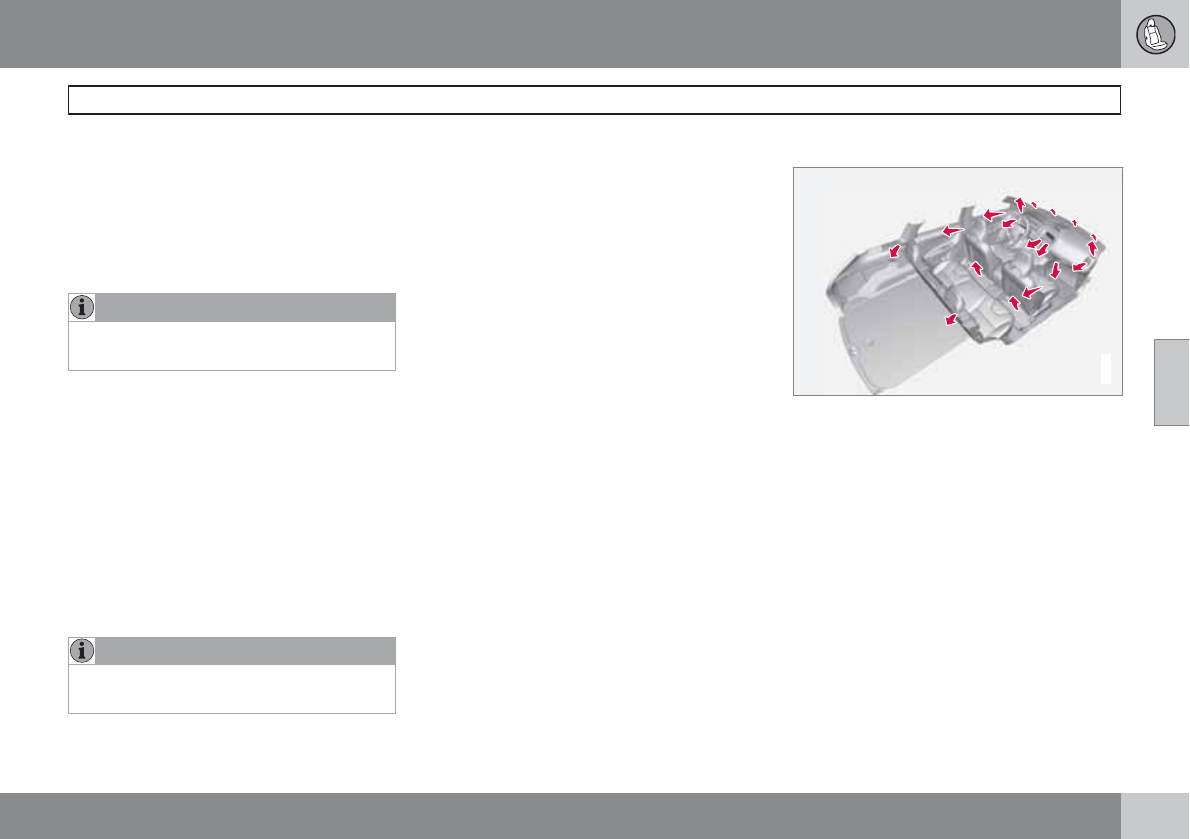
04 Comfort and driving pleasure
Climate system
04
``
135
your Warranty and Service Records Informa-
tion booklet, or consult a trained and qualified
Volvo service technician for these intervals.
The filter should be replaced more often when
driving under dirty and dusty conditions. The
filter cannot be cleaned and therefore should
always be replaced with a new one.
NOTE
There are different types of cabin air filters.
Ensure that the correct type is installed.
Interior Air Quality System (IAQS)
A multifilter helps reduce gases and particles
in the incoming air, thereby reducing the levels
of odors and contaminants entering the vehi-
cle. The air quality sensor detects increased
levels of contaminants in the outside air. When
the air quality sensor detects contaminated
outside air, the air intake closes and the air
inside the passenger compartment is recircu-
lated, i.e. no outside air enters the vehicle. The
filter also cleans recirculated passenger com-
partment air.
NOTE
Contact your Volvo retailer for IAQS air filter
replacement intervals.
Materials used in the cabin
The materials used in the cabin have been
developed to help minimize the amount of dust
and make the cabin easier to keep clean. All
floor mats can be easily removed for cleaning.
Use car cleaning products recommended by
Volvo. See also the information beginning on
page 330.
Menu settings
The default settings for four of the climate sys-
tem's functions can be changed in the menu
system.
•Blower speed in automatic mode.
•Recirculation timer for passenger com-
partment air.
•Automatic rear window defrosting.
•The optional Interior Air Quality System
(IAQS).
The functions can also be returned to factory
settings in the menu system.
See page 128 for a description of the menu
system.
Air distribution
G032070
The incoming air is distributed from 20 different
vents in the passenger compartment.
Air distribution is fully automatic in AUTO
mode.
If desired, air distribution can be controlled
manually, see page 141.
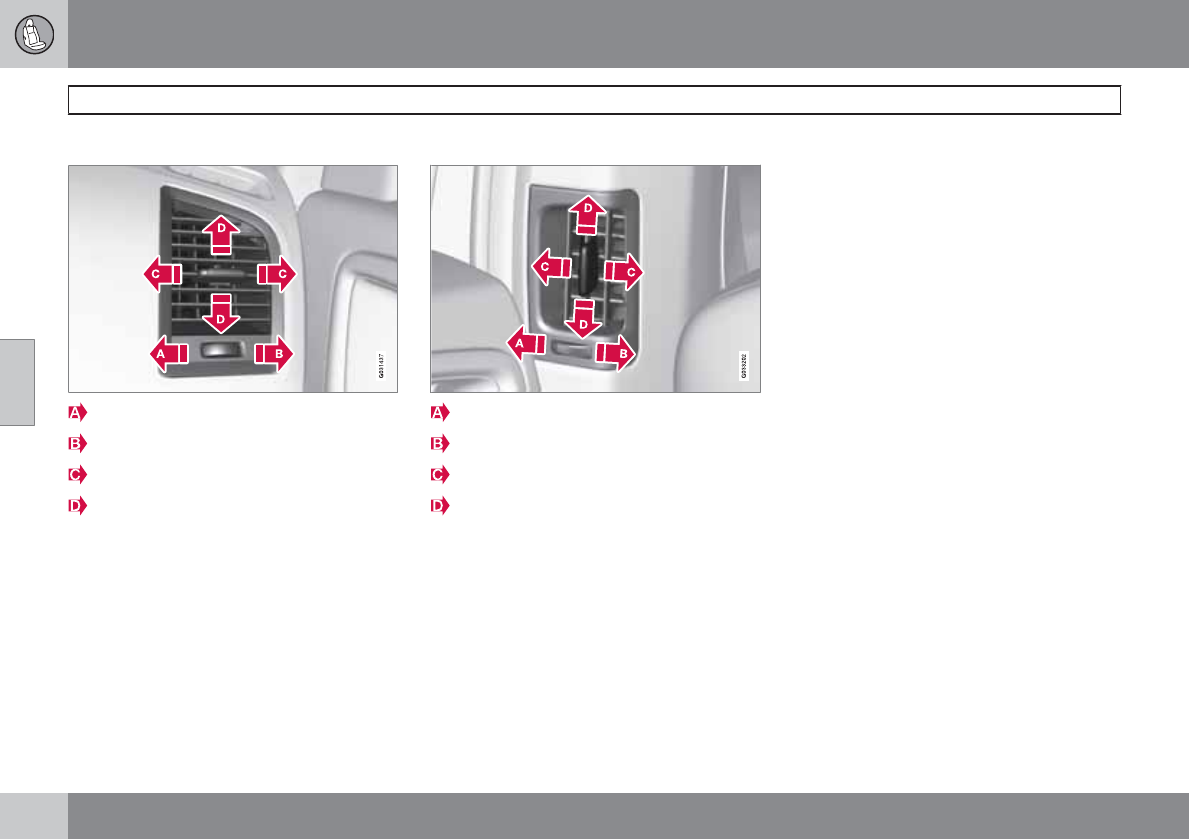
04 Comfort and driving pleasure
Climate system
04
136
Air vents in the dashboard
Open
Closed
Horizontal airflow
Vertical airflow
Direct the outer air vents toward the side win-
dows to defrost.
Air vents in the door pillars
Closed
Open
Horizontal airflow
Vertical airflow
Direct the outer air vents toward the side win-
dows to defrost.
Direct the vents into the passenger compart-
ment to help maintain the desired temperature
in the rear seat.
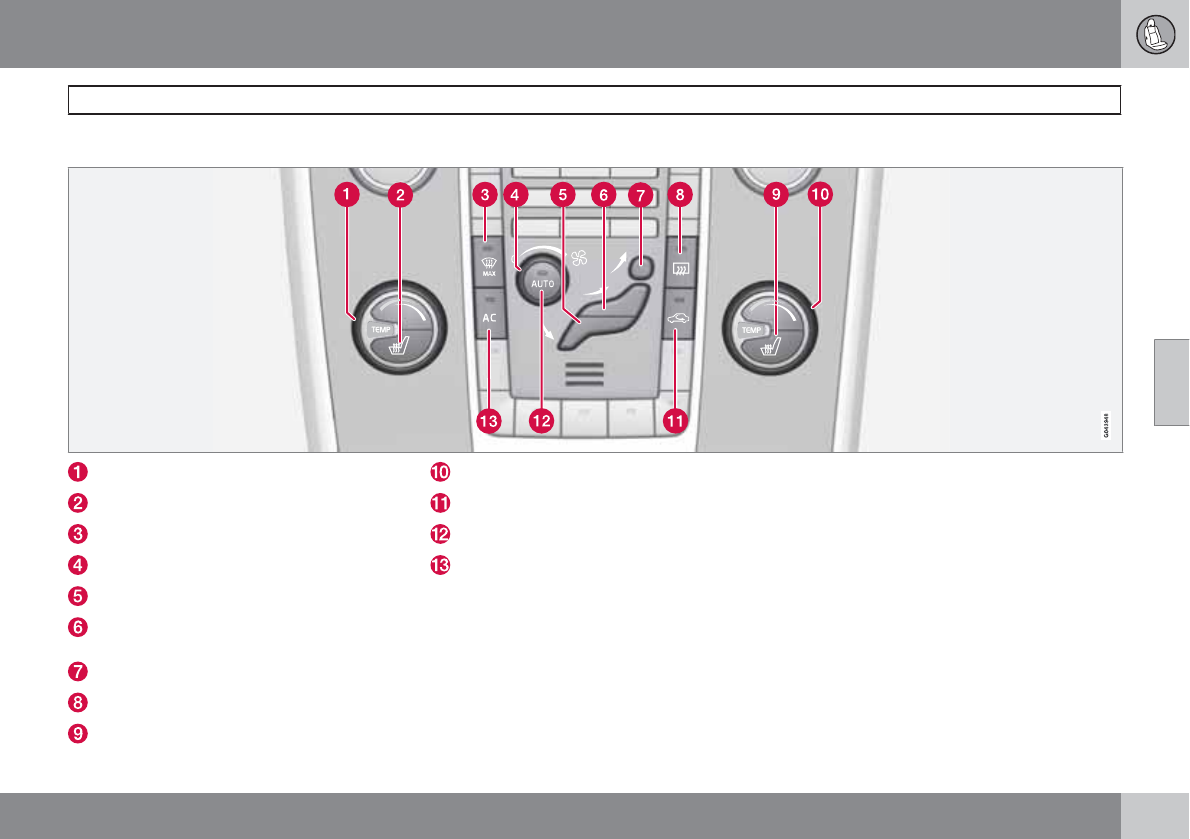
04 Comfort and driving pleasure
Climate system
04
``
* Option/accessory, for more information, see Introduction. 137
Electronic climate control, ECC
Temperature control, driver's side
Heated driver's seat*
Defroster (maximum effect)
Blower
Manual air distribution—floor
Manual air distribution—dashboard air
vents
Manual air distribution—defroster
Heated rear window and door mirrors
Heated front passenger's seat*
Temperature control, passenger's side
Recirculation
AUTO
A/C on/off
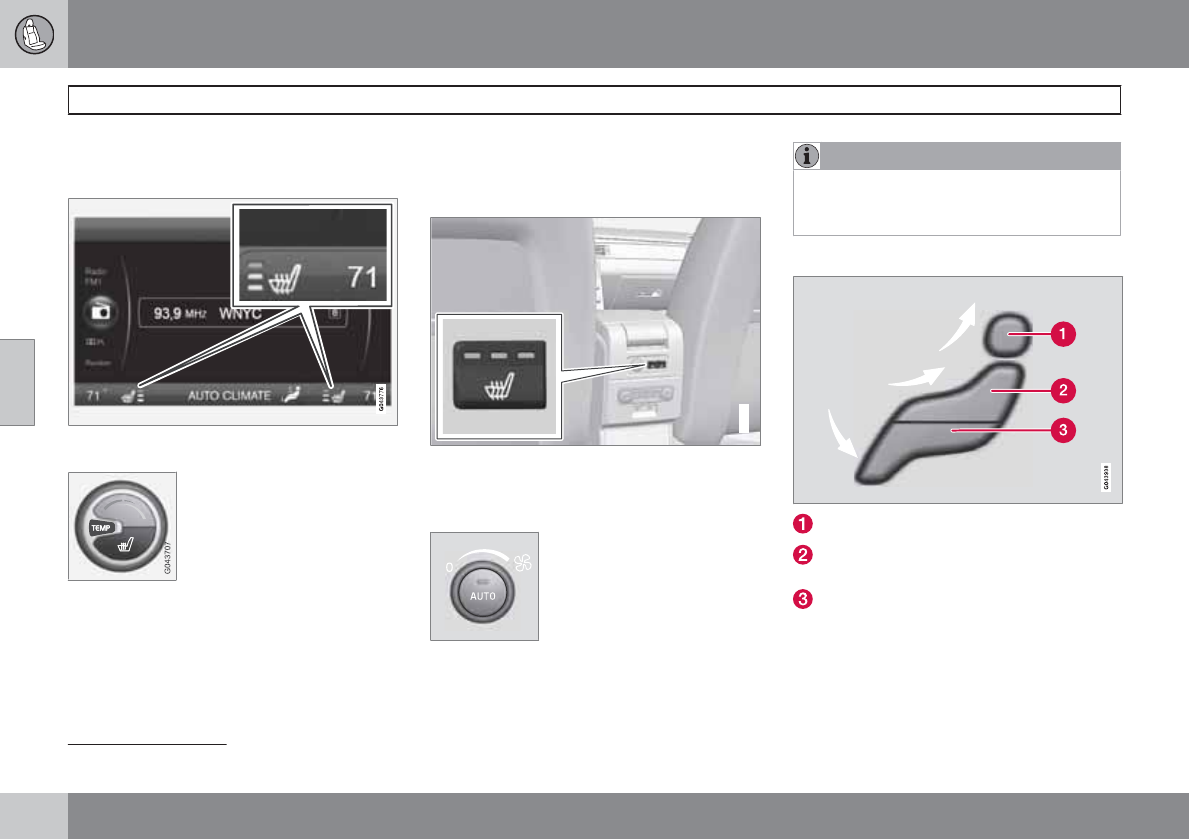
04 Comfort and driving pleasure
Climate system
04
138 * Option/accessory, for more information, see Introduction.
Climate system controls
Heated front seats*
The current seat temperature is shown in the cen-
ter console display
Press the button once for the
highest heat level – three indi-
cator lights come on.
Press the button twice for a
lower heat level – two indica-
tor lights come on.
Press the button three times for the lowest heat
level – one indicator light comes on.
Press the button four times to switch off the
heat – no indicator lights come on.
Seat heating will automatically switch off when
the engine is switched off.
Heated rear seats*
1
G021376
Heat control for the outboard seating positions
is done in the same way as for the front seats.
Blower control
Turn the control clockwise to
increase or counterclockwise
to decrease the blower
speed. If AUTO is selected,
blower speed will be regula-
ted automatically and this will
override manual adjustment.
NOTE
If the blower is turned off completely, the air
conditioning is disengaged, which may
result in fogging on the windows.
Air distribution
Manual air distribution—defroster
Manual air distribution—dashboard air
vents
Manual air distribution—floor
The figure consists of three buttons. When a
button is pressed, the corresponding figure will
appear in the display with an arrow indicating
which manual air flow has been selected (see
1Not available on models equipped with the optional integrated booster cushions
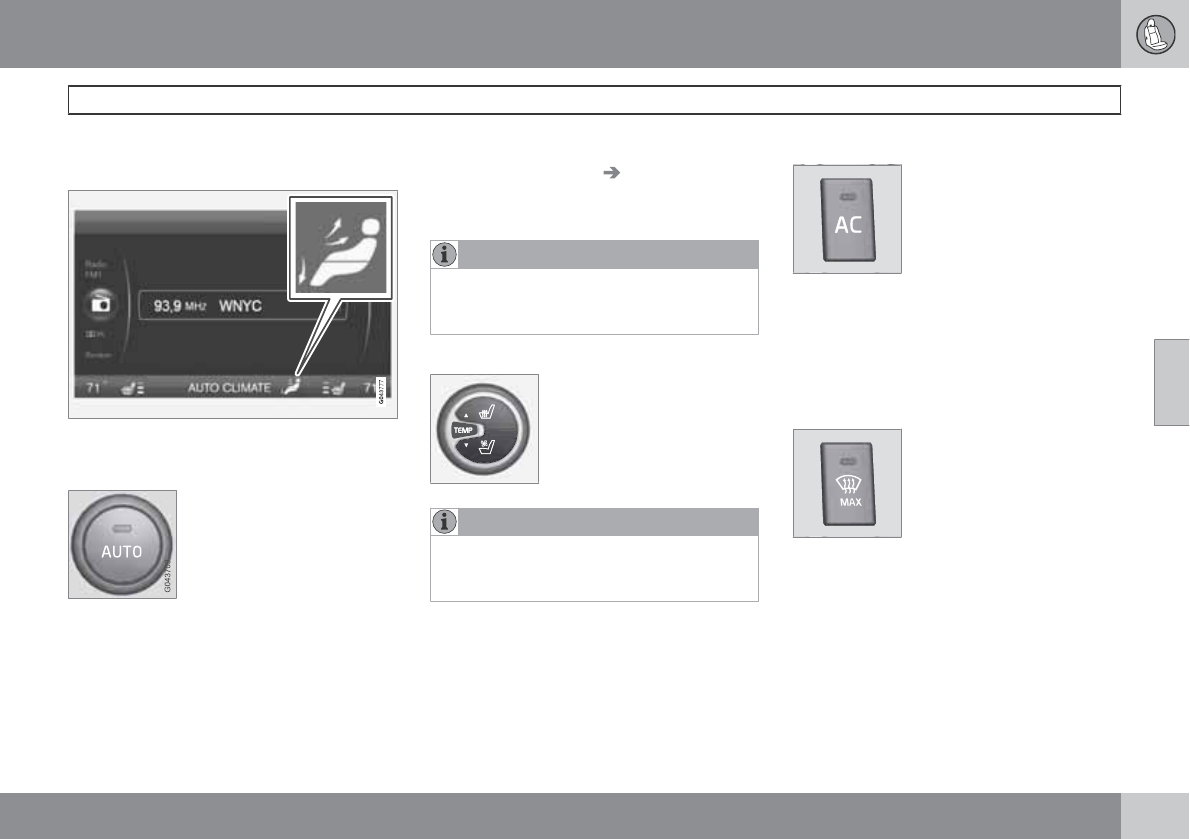
04 Comfort and driving pleasure
Climate system
04
``
139
the following illustration). See also the air dis-
tribution chart on page 141.
Air distribution is shown in the center console dis-
play
Auto
The function automatically
regulates cooling, heating,
blower speed, recirculation,
and air distribution to main-
tain the chosen temperature.
If you select one or more man-
ual functions, the other func-
tions continue to be controlled automatically.
The air quality sensor is engaged and all man-
ual settings are switched off when AUTO is
pressed. The display shows AUTO
CLIMATE.
Blower speed in automatic mode can be set
under Climate settings Automatic blower
adjustment. Choose between Low, Normal
or High.
NOTE
Selecting the lowest blower speed may
increases the risk of fog forming on the win-
dows.
Temperature control
The temperatures on the
driver and passenger sides
can be set separately. When
the vehicle is started, the
most recent setting is
resumed.
NOTE
Heating or cooling cannot be speeded up by
selecting a higher/lower temperature than
the actual temperature required.
A/C – ON/OFF
When the indicator light in the
button is on, the air condition-
ing is controlled automati-
cally. This cools/heats and
dehumidifies the incoming air.
When the indicator light in the
button is off, the air condition-
ing is disengaged. Other functions are still con-
trolled automatically. When maximum
defroster is selected, the air conditioning sys-
tem is set for maximum blower speed and
dehumidification.
Defroster
This function defrosts/de-ices
the windshield and front side
windows. The indicator light
in the defroster button lights
when the function is active.
•Blower speed increases automatically and
the air conditioning will switch on (if not
already on and if the passenger compart-
ment blower is not turned off) to dehumid-
ify the air in the passenger compartment.
Air conditioning can be switched off by
pressing the AC button.
•Recirculation will not function while defrost
is engaged.
04 Comfort and driving pleasure
Climate system
04
140 * Option/accessory, for more information, see Introduction.
The climate system will return to its previous
settings when the defroster function is
switched off.
Recirculation/air quality system
Recirculation
This function can be used to
shut out exhaust fumes,
smoke, etc., from the passen-
ger compartment. The air in
the passenger compartment
is then recirculated, i.e., no air
from outside the car is taken
into the car when this function is activated. The
indicator light in the button will illuminate when
recirculation is selected.
If the air in the car recirculates for too long,
there is a risk of condensation forming on the
insides of the windows, especially in winter.
Timer
The timer function minimizes the risk of fog-
ging, or stale air when the recirculation function
is selected by automatically switching off the
function after a certain length of time, depend-
ing on the ambient temperature. Activate/
deactivate the function under Climate
settings Recirculation timer. See page
128 for a description of the menu system.
NOTE
When Defroster is selected, recirculation is
always deactivated.
Interior Air Quality System–IAQS*
This system consists of a multifilter and an air
quality sensor. The filter helps remove gases
and particles from the incoming air, thereby
reducing the amounts of odors and contami-
nants entering the vehicle. The air quality sen-
sor detects increased levels of contaminants in
the outside air. When the air quality sensor
detects contaminated outside air, the air intake
closes and the air inside the passenger com-
partment is recirculated, i.e., no outside air
enters the vehicle. The filter also cleans recir-
culated passenger compartment air. When the
AUTO button is depressed the air quality sen-
sor is always engaged.
Activate or deactivate this function in Climate
settings Interior air quality system.
NOTE
•The air quality sensor should always be
engaged in order to obtain the best air
in the passenger compartment.
•Recirculation is limited in cold weather
to avoid fogging.
•If the insides of the windows start fog-
ging, disengage the air quality sensor.
Use the defroster function to increase
airflow to the front, side, and rear win-
dows.
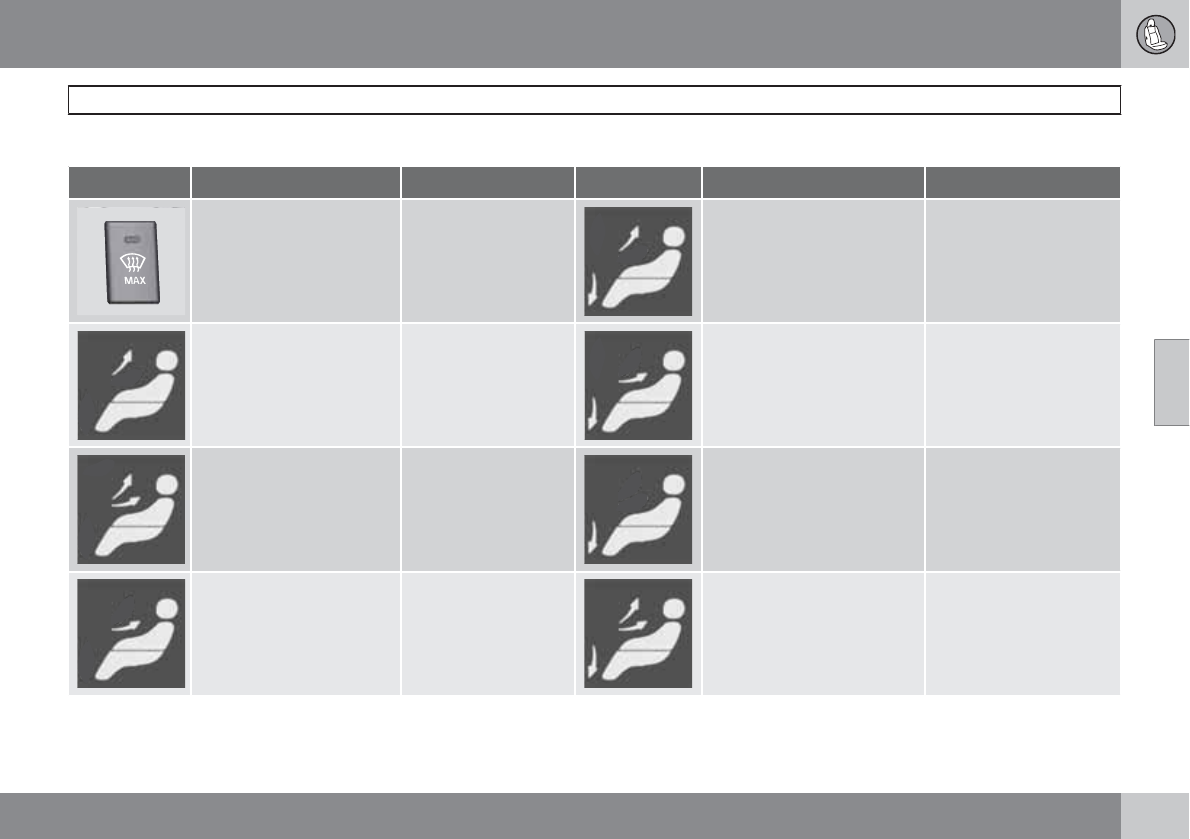
04 Comfort and driving pleasure
Climate system
04
141
Air distribution table
Air distribution Use Air distribution Use
Air to windows. Some air
flows from the dashboard
air vents. The air is not
recirculated. Air condition-
ing is always engaged.
To remove de-fog/de-
ice the front side win-
dows and windshield
quickly.
Air to the floor and windows.
Some air flows from the
dashboard air vents.
To ensure comfortable
conditions and good de-
fogging in cold or humid
weather.
Air to windshield and side
windows. Some air flows
from the air dashboard
vents.
In cold or humid
weather (blower
speed should be
moderate to high).
Air to floor and from dash-
board air vents.
In sunny weather with
cool outside tempera-
tures.
Airflow to windows and
from dashboard air vents.
To ensure good com-
fort in warm, dry
weather.
Air to floor. Some air flows to
the dashboard air vents and
windows.
To warm or cool the feet.
Airflow to the head and
chest from the dashboard
air vents.
To ensure efficient
cooling in warm
weather.
Airflow to windows, from
dashboard air vents and to
the floor.
To cool the feet or pro-
vide warmer air to the
upper body in cold
weather or hot, dry
weather.
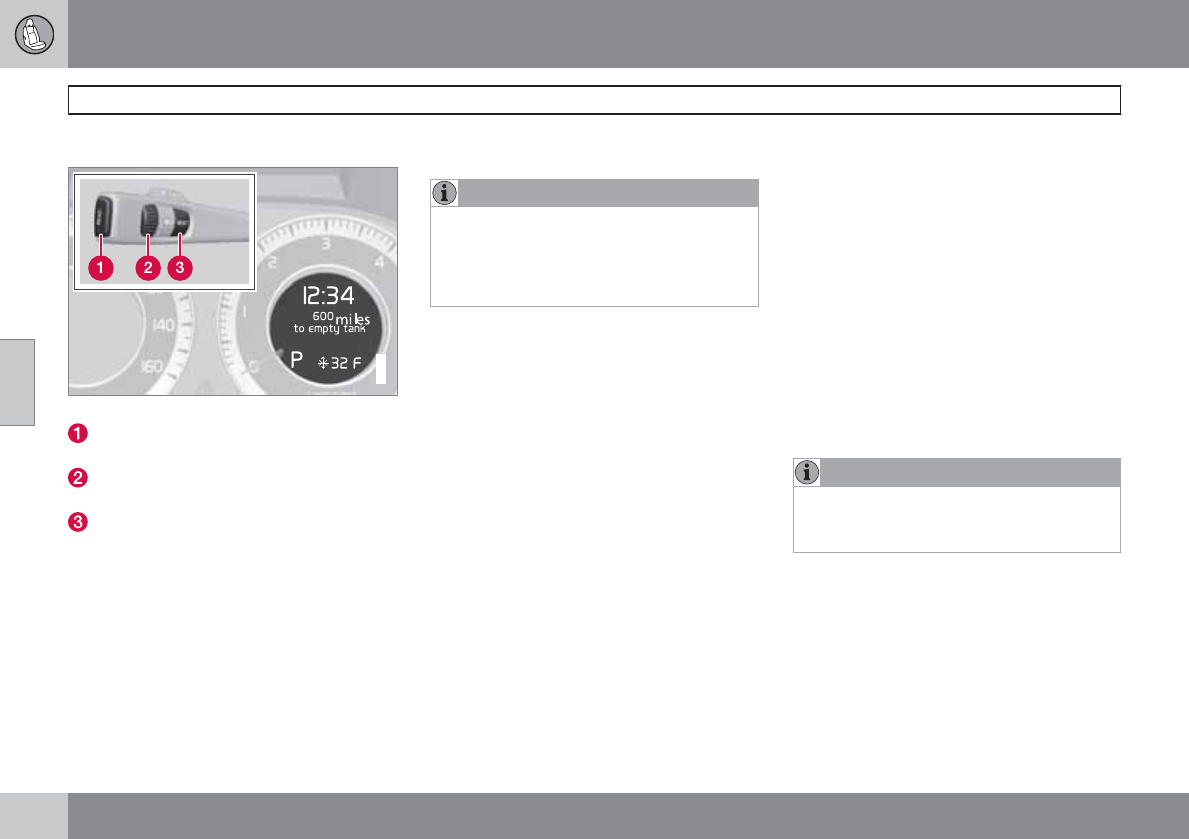
04 Comfort and driving pleasure
Trip computer
04
142
Introduction
G022909
Information display and controls
READ–press to acknowledge/confirm/
erase a message)
Thumb wheel (used to scroll among the trip
computer menus)
RESET–resets certain functions
To scroll through trip computer information,
move the thumb wheel up or down. Continue
turning to return to the starting point.
Functions
NOTE
If a warning message appears while you are
using the trip computer, this message must
be acknowledged in order to return to the
trip computer function. Acknowledge a
message by pressing READ.
To change the unit of measure specified for
distance and speed, contact an authorized
Volvo workshop.
Average speed
The system calculates the average speed from
the last resetting. Reset using RESET.
Current speed in mph (Canadian models
only)
This function provides the driver with an instan-
taneous conversion of the car's current speed
from km/h to mph.
Current speed in km/h (U.S. models only)
This function provides the driver with an instan-
taneous conversion of the car's current speed
from mph to km/h.
Current fuel consumption
(Instantaneous)
Current fuel consumption is calculated every
second. The information on the display is
updated every few seconds. When the vehicle
is stationary, "----" appears on the display.
Average fuel consumption
The average fuel consumption since the last
reset. Reset using RESET.
Driving distance on current fuel reserve
This function shows the approximate distance
that can be driven on the fuel remaining in the
tank. The calculation is based on average fuel
consumption during the last 20 miles (30 km)
of driving and the amount of fuel remaining in
the tank when the reading was taken. When the
message ---- miles to empty tank appears in
the display, refuel as soon as possible.
NOTE
The actual distance that can be driven on
the usable fuel remaining in the tank may be
influenced by a change in driving style.
See also page 246 for information on driving
economically.
Resetting
1. Select --- mph average speed or --.-
mpg average.
2. Press and hold RESET for approx. 1 sec-
ond to reset the selected function. If
RESET is kept depressed for at 3 three
04 Comfort and driving pleasure
Trip computer
04
143
seconds, Average speed and Average fuel
consumption are reset simultaneously.
04 Comfort and driving pleasure
Stability system
04
144 * Option/accessory, for more information, see Introduction.
Introduction
The Dynamic Stability and Traction Control
system (DSTC) consists of a number of func-
tions designed help reduce wheel spin, coun-
teract skidding, and to generally help improve
directional stability.
CAUTION
A pulsating sound will be audible when the
system is actively operating and is normal.
Traction control (TC)
This function is designed to help reduce wheel
spin by transferring power from a drive wheel
that begins to lose traction to the wheel on the
opposite side of the vehicle (on the same axle).
TC is most active at low speeds.
This is one of DSTC's permanent functions and
cannot be switched off.
Active Yaw Control (AYC)
This function helps maintain directional stabil-
ity, for example when cornering, by braking
one or more of the wheels if the vehicle shows
a tendency to skid or slide laterally.
This is one of DSTC's permanent functions and
cannot be switched off.
Spin control (SC)
The spin control function is designed to help
prevent the drive wheels from spinning while
the vehicle is accelerating.
Engine Drag Control (EDC)
EDC helps keep the engine running if the
wheels show a tendency to lock, e.g., when
shifting down in the Geartronic manual shifting
mode or while using the engine's braking func-
tion on a slippery surface. If the engine were to
stop, power steering would not function, mak-
ing the vehicle more difficult to steer.
Trailer Stability Assist – TSA*
Trailer Stability Assist helps stabilize a vehicle
that is towing a trailer when the vehicle and
trailer have begun to sway. See page 263 for
more information.
This system is automatically deactivated if the
driver selects Sport mode.
Operation
Sport mode
The stability system is always activated and
cannot be switched off.
However, the driver can select Sport mode,
which offers more active driving characteris-
tics. In this mode, the engine management sys-
tem monitors movement of the accelerator
pedal and steering wheel for sportier driving by
allowing more lateral movement of the rear
wheels before DSTC is activated.
Under certain circumstances, such as when
driving with snow chains, or driving in deep
snow or loose sand, it may be advisable to
temporarily use Sport mode for maximum
tractive force.
If the driver releases pressure on the acceler-
ator pedal, DSTC will also activate to help sta-
bilize the vehicle.
To switch to Sport mode:
1. Press the My Car button in the center con-
sole control panel and select My XC60
DSTC in the menu.
2. Unselect the symbol by pressing OK/
MENU and press EXIT to leave the menu.
>This puts DSTC in Sport mode.
Sport mode remains active until the driver
switches it off in the menu or until the engine is
switched off. DSTC will return to normal mode
when the engine is restarted.
Symbols in the instrument panel
If the symbols and are displayed
at the same time, read the message in the
information display.
04 Comfort and driving pleasure
Stability system
04
145
The symbol is displayed in the main
instrument panel when Sport mode has been
activated.
If the symbol appears alone, it may
appear as follows:
•If the symbol flashes, this indicates that the
stability system is actively functioning to
help counteract wheel spin and/or a skid.
•If the symbol remains on for approximately
2 seconds after the engine has been
started, this indicates that the system is
performing a self-diagnostic test.
WARNING
The stability system is intended to help
improve driving safety. It supplements, but
can never replace, the driver's judgment
and responsibility when operating the vehi-
cle. Speed and driving style should always
be adapted to traffic and road conditions.
Messages in the information display
DSTC Temporarily OFF – system function
has been temporarily reduced due to high
brake disc temperature. The function is acti-
vated automatically when the brakes have
cooled.
DSTC Service required – the system has
been disabled due to a fault. If this occurs:
1. Stop the vehicle in a safe place and turn off
the engine.
2. Restart the engine.
If the message remains when the engine is
restarted, drive to an authorized Volvo work-
shop to have the system inspected.
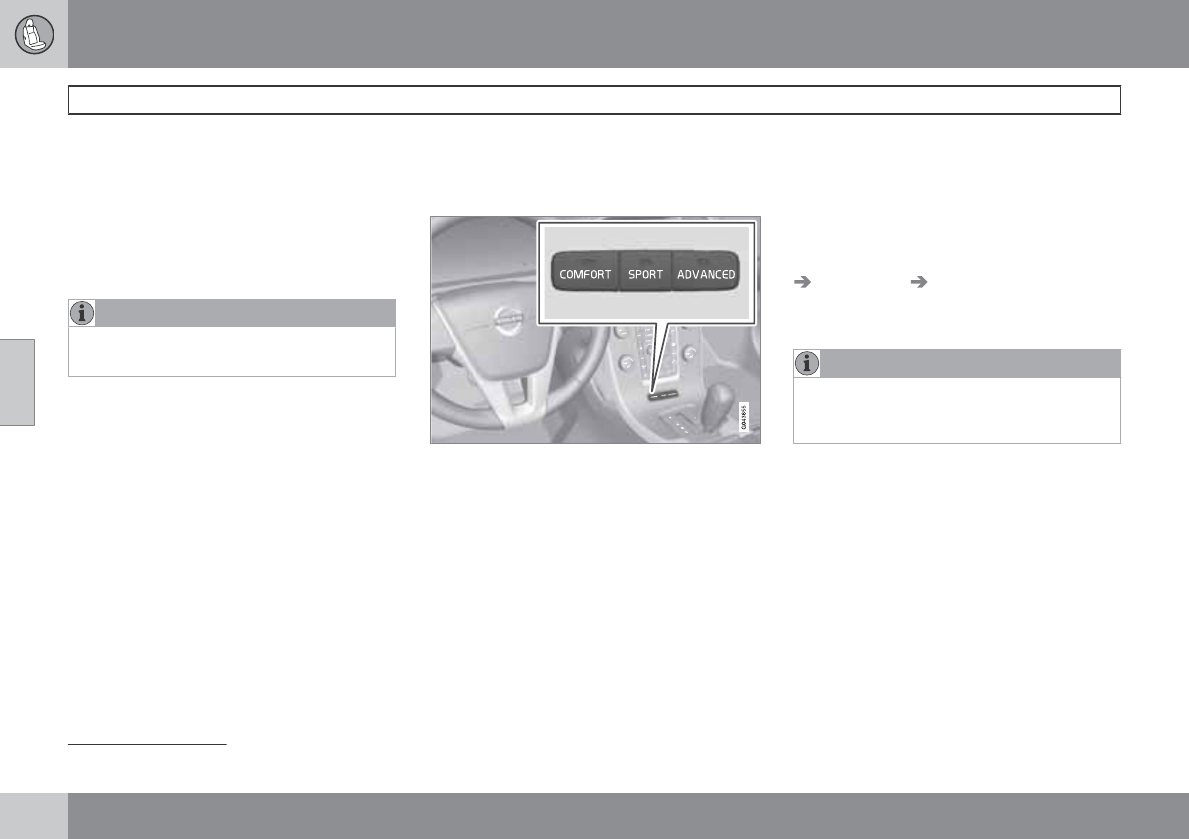
04 Comfort and driving pleasure
Active chassis system–Four C*
04
146 * Option/accessory, for more information, see Introduction.
Active chassis (Four C)
Active chassis, Four-C (Continuously Con-
trolled Chassis Concept)1, regulates the cha-
racteristics of the shock absorbers so that the
car's driving characteristics can be adjusted.
There are three settings: Comfort, Sport and
Advanced.
NOTE
This system is available on Canadian mod-
els only.
Comfort
Comfort mode offers a somewhat softer ride
and the transmission shifts gears at lower rpm.
This mode is particularly suitable for long-dis-
tance highway driving. The indicator light in the
button will be on when this mode is selected.
Sport
In this mode, the vehicle's body sway is
reduced during cornering and steering
response is more immediate. The transmission
shifts up at higher rpm for sportier driving. The
indicator light in the button will be on to indi-
cate that Sport mode has been selected.
Advanced
In this mode, body sway in curves is minimal
and steering response is very direct. Gear shift-
ing is done at high rpm in each gear for
dynamic and active driving.
Operation
Chassis settings
Use the buttons in the center console to
change setting. The setting in use when the
engine is switched off is activated the next time
the engine is started.
Speed-dependent steering force*
Steering force increases with the speed of the
vehicle to give the driver enhanced sensitivity.
At low speed the vehicle is easy to steer in
order to facilitate parking, etc.
Steering force can be changed under MY CAR
Car settings Steering wheel force.
Select Low, Medium or High. For a descrip-
tion of the menu system, see page 128.
NOTE
This steering force level menu function can-
not be accessed when the vehicle is in
motion.
1Available as an option on Canadian models only
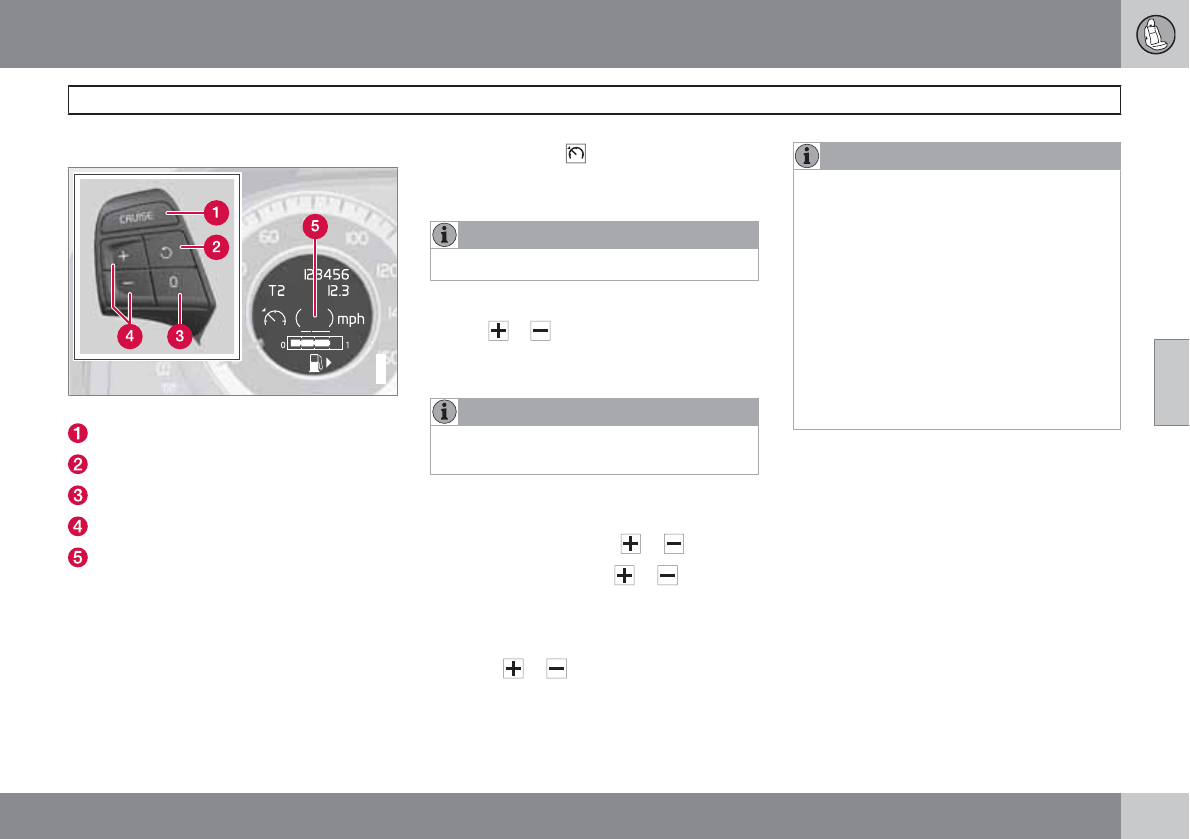
04 Comfort and driving pleasure
Cruise control
04
``
147
Operation
G022910
Steering wheel-mounted controls and display
Standby mode
Resume set speed
Deactivating
Activate/set speed
Set speed indicator (parentheses indicate
standby mode)
Engaging the cruise control function
Before a speed can be set, the cruise control
system must be engaged (put in standby
mode).
Press the CRUISE button (1).
>The symbol illuminates and the text
(---) mph (5) indicates that cruise con-
trol is in standby mode.
NOTE
This does not set the vehicle's speed.
Setting a speed
Use the or buttons set the vehicle's cur-
rent speed. The set speed is shown in the dis-
play.
NOTE
Cruise control cannot be engaged at
speeds below 20 mph (30 km/h).
Adjusting the set speed
After a speed has been set, it can be increased
or decreased by using the or buttons.
1. Press and hold down or until the
vehicle reaches the desired speed.
> This will become the set speed when the
button is released.
2. Press or for approximately a half
second and release the button to increase
or decrease vehicle speed by approxi-
mately 1 mph (1.6 km/h).
NOTE
•A temporary increase in speed by
pressing the accelerator pedal, for less
than 1 minute (e.g. when passing
another car), does not affect the current
cruise control setting. The vehicle will
automatically return to the previously
set speed when the accelerator pedal is
released.
•If one of the cruise control buttons is
kept depressed for more than approx.
1 minute cruise control is disengaged.
The engine must then be switched off in
order to reset cruise control.
Automatic deactivation
Cruise control is automatically deactivated
temporarily if one of the following occurs:
•If the speed drops below approximately
20 mph (30 km/h).
•When the brake pedal is depressed.
•If the gear selector is moved to position N.
•During wheel spin or wheel lock-up.
•If the vehicle's speed is increased by using
the accelerator pedal for more than
1 minute.
The currently set speed will be saved in the
system's memory.
04 Comfort and driving pleasure
Cruise control
04
148
Temporary deactivation
The driver can temporarily deactivate cruise
control by pressing 0. The saved speed is
shown in brackets in the information display.
Resume set speed
If cruise control has been deactivated tempo-
rarily, it can be reactivated by pressing . The
vehicle's speed returns to the most recently set
speed.
WARNING
There may be a significant increase in speed
after the button has been pressed.
Deactivation
Cruise control is disengaged by pressing
CRUISE, or by switching off the engine. The
set speed is cleared.
WARNING
Cruise control should not be used in heavy
traffic or when driving on wet or slippery
roads. Cruise control may not maintain set
speed on steep downgrades.
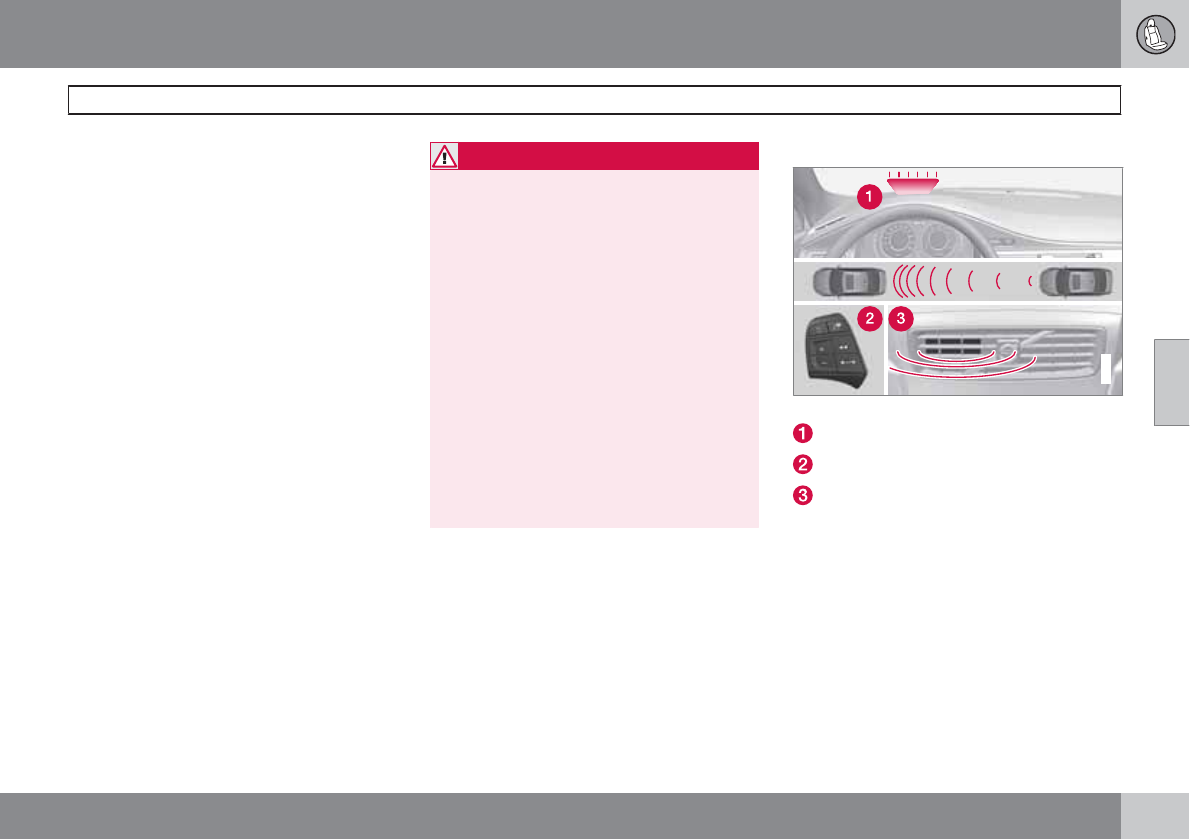
04 Comfort and driving pleasure
Adaptive Cruise Control (ACC)*
04
``
* Option/accessory, for more information, see Introduction. 149
Introduction
Adaptive Cruise Control (ACC) is an optional
system designed to assist the driver by main-
taining a set speed or a set time interval to the
vehicle ahead. It is primarily intended for use
on long straight roads in steady traffic, such as
on highways and other main roads.
When the driver has set the desired speed and
the time interval to the vehicle ahead, ACC
functions as follows:
•If there are no other vehicles in the lane
ahead of you, your vehicle will travel at the
set speed.
•If ACC's radar sensor detects a slower
moving vehicle in the lane ahead, the sys-
tem will adapt your vehicle's speed to help
maintain the set time interval to the vehicle
ahead. When there are no longer slower
moving vehicles ahead, your vehicle will
accelerate to resume the set speed.
If ACC is switched off completely or in standby
mode and your vehicle comes too close to
another vehicle ahead, the driver will be
warned by the Distance Alert system (see
page 159).
WARNING
•Adaptive Cruise Control cannot cover
all driving situations and traffic, weather
and road conditions. The "Function"
section provides information about lim-
itations that the driver must be aware of
before using this feature.
•This system is designed to be a supple-
mentary driving aid. It is not, however,
intended to replace the driver's atten-
tion and judgement. The driver is
responsible for maintaining a safe dis-
tance and speed and must intervene if
Adaptive Cruise Control does not main-
tain a suitable speed or suitable dis-
tance to the vehicle ahead.
•Maintenance of ACC components may
only be performed by a trained and
qualified Volvo technician.
Function
G021412
Function overview
Warning light, braking by driver required
Controls in steering wheel
Radar sensor in front grille
Adaptive Cruise Control consists of:
•A cruise control system to maintain a set
speed
•A system to maintain a set distance to the
vehicle ahead, which is expressed as a
time interval. For example, you can choose
to remain approximately 2 seconds behind
the vehicle ahead. The actual distance
required to maintain a 2-second interval
will vary according the speed of the vehi-
cles.
04 Comfort and driving pleasure
Adaptive Cruise Control (ACC)*
04
150 * Option/accessory, for more information, see Introduction.
WARNING
•Adaptive Cruise Control is not a colli-
sion avoidance system. The driver is
always responsible for applying the
brakes if the system does not detect
another vehicle.
•Adaptive Cruise Control does not react
to people or animals, or small vehicles
such as bicycles and motorcycles. It
also does not react to slow moving,
parked or approaching vehicles, or sta-
tionary objects.
•Do not use Adaptive Cruise Control in
demanding driving conditions such as
city driving or other heavy traffic situa-
tions, in slippery conditions, when there
is a great deal of water or slush on the
road, during heavy rain or snow, in poor
visibility, on winding roads or on high-
way on- or off-ramps.
The distance to the vehicle ahead (in the same
lane) is monitored by a radar sensor. Your vehi-
cle's speed is regulated by accelerating and
braking. The brakes may emit a sound when
they are being modulated by the adaptive
cruise control system. This is normal.
WARNING
The brake pedal moves when the adaptive
cruise control system modulates the
brakes. Do not rest your foot under the
brake pedal.
The ACC system is designed to smoothly reg-
ulate speed. However, the driver must apply
the brakes in situations that require immediate
braking. This applies when there are great dif-
ferences in speed between vehicles, or if the
vehicle ahead brakes suddenly.
WARNING
Due to limitations in the radar sensor, brak-
ing may occur unexpectedly or not at all,
see page 155.
Adaptive Cruise Control can be put in active
mode at any permitted speed. However, if the
vehicle's speed falls below 18 mph (30 km/h)
or if engine speed (rpm) becomes too low, ACC
disengages (goes into standby mode) and will
no longer modulate the brakes. The driver will
then have to maintain a safe distance to the
vehicle ahead.
WARNING
When Adaptive Cruise Control is in standby
mode or is switched off completely, the
brakes will not be modulated automatically.
The driver must assume full control over the
vehicle.
Warning light—driver braking required
Adaptive Cruise Control can exert brake force
that is equivalent to approximately 40% of the
vehicle's total braking capacity. In situations
requiring more brake force than ACC can pro-
vide and if the driver does not apply the brakes,
an audible signal from the Collision Warning
system will sound and warning light will illumi-
nate (see page 169) in the windshield to alert
the driver to react.
NOTE
Strong sunlight, reflections, extreme light
contrasts, the use of sunglasses, or if the
driver is not looking straight ahead may
make the visual warning signal in the wind-
shield difficult to see.
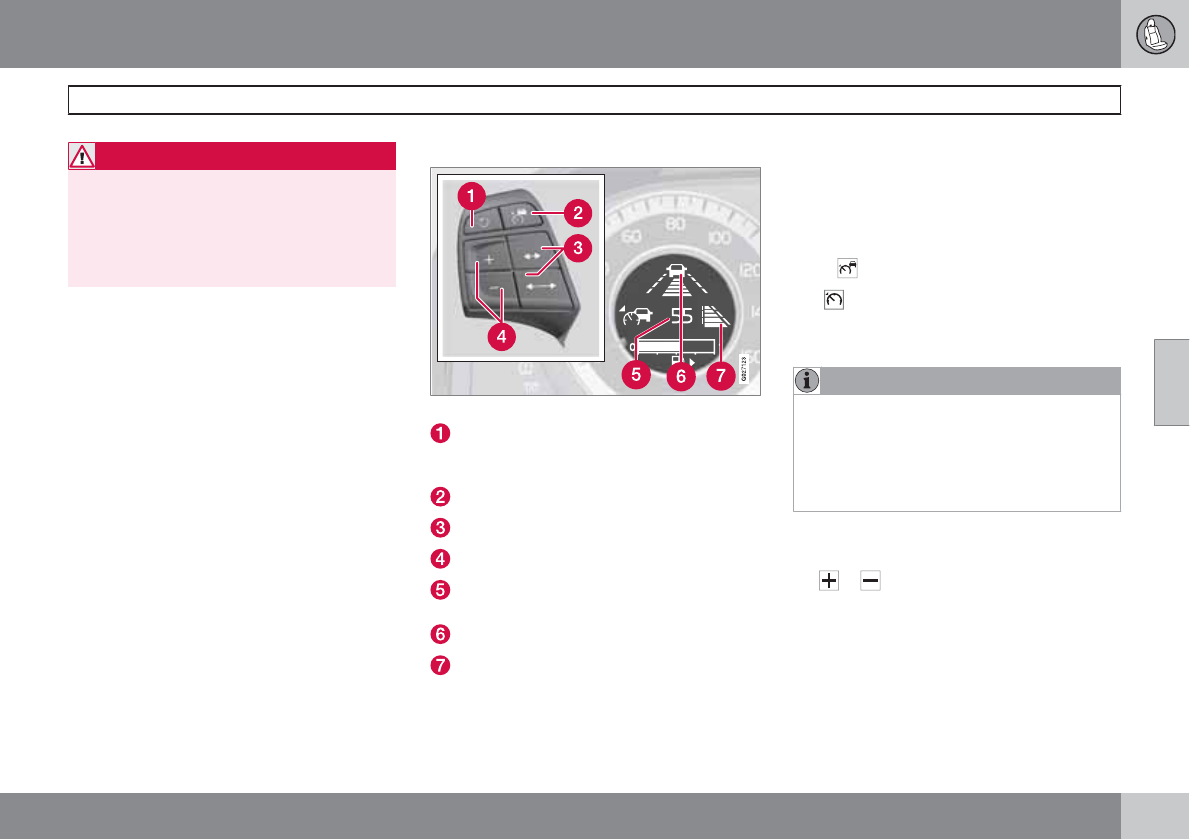
04 Comfort and driving pleasure
Adaptive Cruise Control (ACC)*
04
``
* Option/accessory, for more information, see Introduction. 151
WARNING
Adaptive Cruise Control only warns of vehi-
cles detected by the radar sensor, see
page 155. In some cases there may be no
warning or the warning may be delayed. The
driver should always apply the brakes when
necessary.
Steep inclines and/or heavy loads
ACC is primarily intended for use on fairly level
roads. The system may have difficulty main-
taining the correct distance to a vehicle ahead
on steep inclines, if the vehicle is carrying a
heavy load or is towing a trailer. In these situa-
tions, the driver should always be prepared to
apply the brakes if necessary.
Operation
Controls and display
Resume previous settings, increase speed
(each additional press increases speed by
1 mph (approximately 2 km/h).
Standby mode on/off
Set time interval
Put in active mode and set a speed
Set speed (parentheses indicate standby
mode)
Time interval while it is being set
Time interval after it has been set
Putting ACC in standby mode
Before ACC can be used to regulate speed
and/or the distance to a vehicle ahead, it must
first be put in standby mode.
To do so:
Press .
The symbol appears in the display and
parentheses (---) indicate that ACC is in
standby mode.
NOTE
The driver's door must be closed and the
driver's seat belt must be fastened before
ACC can be put in active mode. If the driv-
er's seat belt is taken off or if the driver's
door is opened, ACC will return to standby
mode.
Setting a speed
Once ACC has been put in standby mode, use
the or buttons to store (set) the vehicle's
current speed. This puts the system in active
mode. The set speed, for example 55 mph, is
shown in the display.
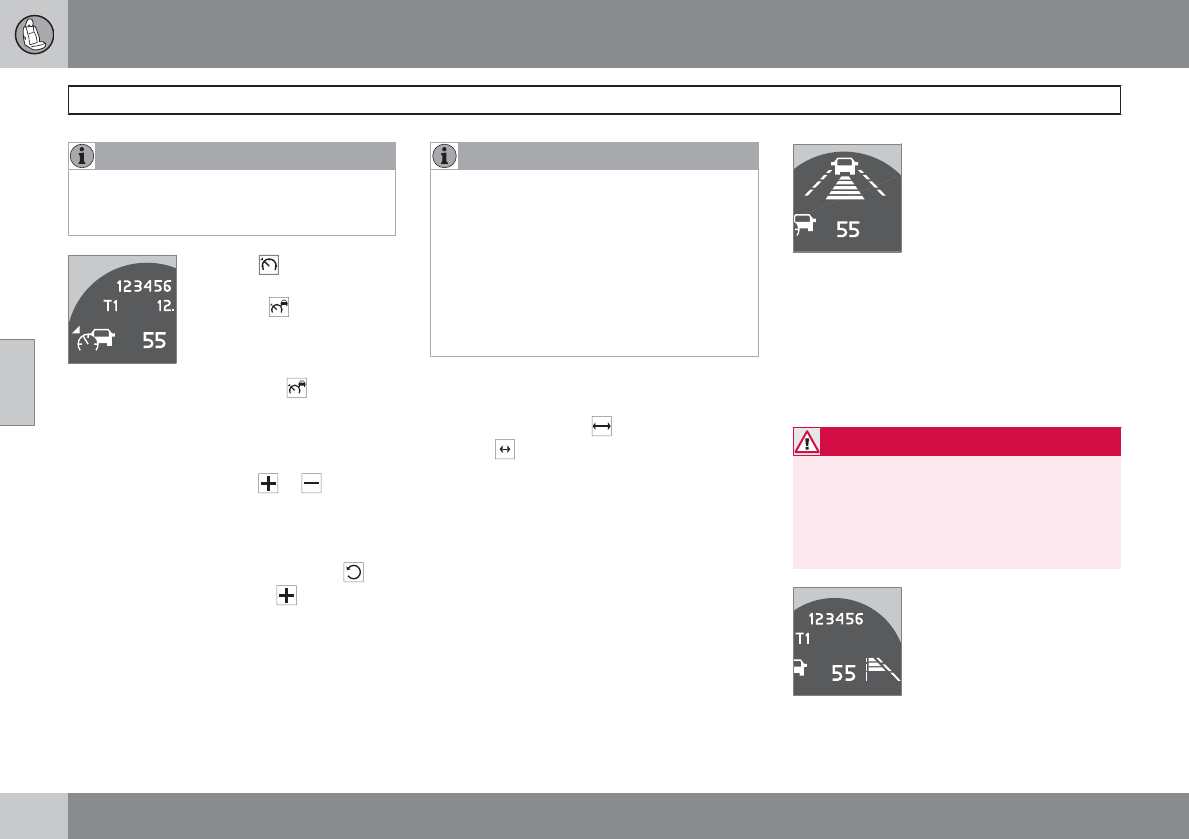
04 Comfort and driving pleasure
Adaptive Cruise Control (ACC)*
04
152 * Option/accessory, for more information, see Introduction.
NOTE
Adaptive cruise control cannot be put in
active mode at speeds below 20 mph
(30 km/h).
When the symbol on the
left side of the display
changes to , the radar sen-
sor has detected another
vehicle ahead. The distance
to a vehicle ahead is only
regulated when this symbol ( ) is illumi-
nated.
Changing the set speed
After a speed has been set, it can be increased
or decreased by using the or buttons.
Each time one of these buttons is pressed, the
vehicle's speed changes by 5 mph
(approximately 8 km/h).
When the system is in active mode, the but-
ton has the same function as , but results in
a smaller increase in speed.
NOTE
•If one of the Adaptive Cruise Control
buttons is pressed for more than
approximately one minute, ACC will be
deactivated. The engine must then be
switched off and restarted to reset ACC.
•In some situations Adaptive Cruise
Control cannot be put in active mode.
Cruise control Unavailable is shown
in the display, see page 157.
Setting a time interval
The set time interval to vehicles ahead can be
increased by pressing and decreased by
pressing . The current time interval is shown
briefly in the display following adjustment.
Different time intervals can be
selected and are shown in the
display as 1–5 horizontal bars.
The greater the number of
bars, the longer the time inter-
val. One bar represents a time
interval of approximately
1 second; 5 bars is approximately
2.5 seconds. At low speeds, when the distance
to the vehicle ahead is short, ACC increases
the time interval slightly. In order to follow the
vehicle ahead as smoothly as possible, ACC
allows the time interval to vary considerably in
certain situations.
WARNING
•Only use a time interval that is suitable
in current traffic conditions.
•A short time interval gives the driver lim-
ited reaction time if an unexpected sit-
uation occurs in traffic.
The number of bars indicating the selected
time interval are shown while the setting is
04 Comfort and driving pleasure
Adaptive Cruise Control (ACC)*
04
``
* Option/accessory, for more information, see Introduction. 153
being made and for several seconds afterward.
A smaller version of the symbol is then shown
to the right in the display. The same symbol is
also displayed when Distance Alert is in active
mode, see page 159 .
Standby mode (temporary deactivation)
Press to temporarily deactivate cruise con-
trol (put it in standby mode). The set speed, for
example 55 mph, is then shown in parenthe-
ses.
The previously set speed and time interval are
resumed by pressing .
WARNING
There may be a significant increase in speed
after the button has been pressed.
When ACC is in active mode, the vehicle’s
speed increases by approximately 1 mph
(1 km/h) each additional time is pressed.
Standby mode due to action by the driver
ACC is temporarily deactivated and put in
standby mode:
•when the brakes are applied
•if the driver's seat belt is taken off
•If the driver's door is opened
•if the gear selector is moved to N
•if the accelerator pedal is depressed for
more than 1 minute.
NOTE
If the accelerator pedal is only depressed for
a short time, such as when passing another
vehicle, ACC is deactivated temporarily and
is reactivated when the pedal is released.
Automatic standby mode
Adaptive cruise control is linked to other sys-
tems such as the stability and traction control
system (DSTC). If this system is not functioning
properly, adaptive cruise control is automati-
cally deactivated and will go into standby
mode.
In the event of automatic deactivation, an audi-
ble signal will sound and the message Cruise
control Cancelled is shown in the display.
The driver must then intervene and adapt the
vehicle's speed to the surrounding traffic and
regulate the distance to the vehicle ahead.
An automatic switch to standby mode may be
caused if:
•the wheels lose traction
•brake temperature is high
•the radar sensor is obstructed by, for
example, wet snow or rain.
Queue Assist*
The following functions are linked to your vehi-
cle's automatic transmission and comprise the
Queue Assist feature.
Please note that the lowest speed that can be
set is 18 mph (30 km/h), although ACC can
maintain a set speed/distance to a vehicle
ahead down to a standstill.
Enhanced speed interval
Your vehicle can maintain the set time interval
to the vehicle ahead at any permissible speed,
including a complete stop.
In order to activate ACC at speeds below
18 mph (30 km/h):
•The vehicle ahead must be within a rea-
sonable distance (not farther away than
approx. 100 ft/30 meters)
•The lowest speed that can be selected is
18 mph (30 km/h), although ACC will also
help maintain the set time interval to the
vehicle ahead at lower speeds, including a
complete stop.
During short stops (less than approximately
3 seconds) in slow-moving traffic, your vehicle
will begin moving again automatically as soon
as the vehicle ahead begins to move.
If it takes more than 3 seconds for the vehicle
ahead to begin moving, ACC will be automati-
cally go into standby mode.
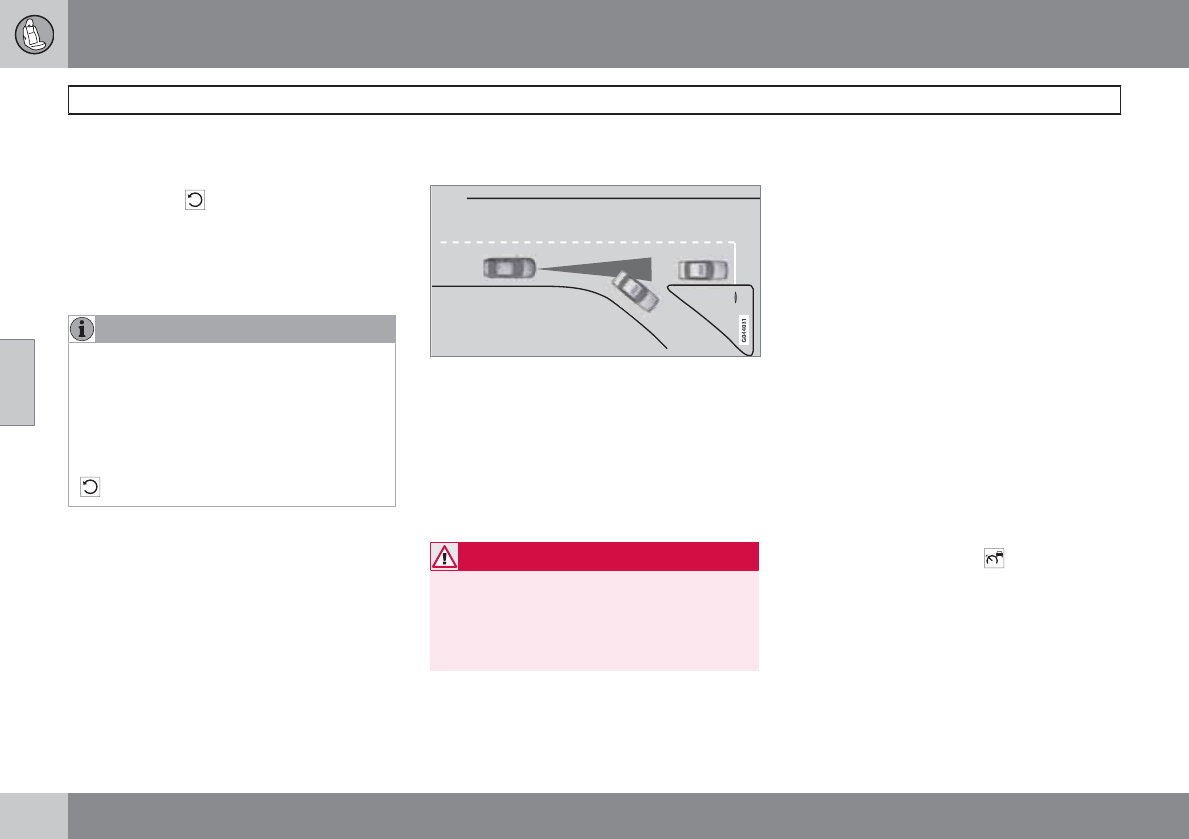
04 Comfort and driving pleasure
Adaptive Cruise Control (ACC)*
04
154 * Option/accessory, for more information, see Introduction.
The driver will then have to reactivate ACC in
one of the following ways:
•By pressing
•By accelerating up to at least 3 mph
(4 km/h)
Your vehicle will then resume following the
vehicle ahead at the set time interval.
NOTE
ACC can remain active and keep your vehi-
cle at a standstill for up to 2 minutes. After
2 minutes have elapsed, the parking brake
will be engaged and ACC will go into
standby mode.
To reactivate ACC, the driver must release
the parking brake (see page 119) and press
.
Automatic standby mode when ACC
changes target vehicles
If the vehicle ahead turns suddenly, there may be
a stationary vehicle ahead
The following only applies at speeds below
approximately 18 mph (30 km/h):
If ACC changes target vehicles (the vehicle that
the radar sensor has detected) from a moving
vehicle to a stationary one, the system will
apply the brakes in your vehicle.
WARNING
At speeds above 18 mph (30 km/h), ACC
will not react to a stationary vehicle and
apply the brakes but will instead accelerate
to the previously set speed. The driver must
actively apply the brakes to stop the vehicle.
ACC disengages and goes into standby mode
if:
•Your vehicle's speed goes below 10 mph
(15 km/h) and ACC cannot determine if the
target object is a stationary vehicle or some
other type of object such as e.g., a speed
bump.
•Your vehicle's speed goes below 10 mph
(15 km/h) and the vehicle ahead turns so
that ACC no longer has a target vehicle to
follow.
No automatic braking when at a
standstill
In certain situations, ACC will no longer apply
the brakes and go into standby mode while the
vehicle is not moving. This means that the
driver will have to apply the brakes.
This happens if:
•The driver presses the brake pedal
•The parking brake is activated
•The gear selected is moved to P,N or R
•The driver presses the button to put
ACC in standby mode
The parking brake is applied
automatically
In certain situations, ACC will apply the parking
brake in order to continue keeping the vehicle
at a standstill.
This happens if:
04 Comfort and driving pleasure
Adaptive Cruise Control (ACC)*
04
``
* Option/accessory, for more information, see Introduction. 155
•The driver opens the door or takes off
his/her seat belt
•DSTC is put in Sport mode (see page 144)
•ACC has kept the vehicle at a standstill for
more than 2 minutes
•The engine has been switched off
•The brakes have overheated
Turning ACC off completely
•From standby mode, press once.
•From active mode, press twice.
The set speed and time interval are then
cleared from the system's memory and cannot
be resumed by pressing .
The radar sensor and its limitations
In addition to being used by ACC, the radar
sensor is also used by Distance Alert (see
page 159) and Collision Warning with Full
Auto-brake and Pedestrian Detection (see
page 168). This sensor is designed to detect
cars or larger vehicles driving in the same
direction as your vehicle, in the same lane.
WARNING
Accessories or other objects, such as extra
headlights, must not be installed in front of
the grille.
Modification of the radar sensor could make
its use illegal.
The radar sensor's capacity to detect vehicles
ahead is impeded:
•if the radar sensor is obstructed and can-
not detect other vehicles, for example in
heavy rain, or if snow or other objects are
obscuring the radar sensor.
NOTE
Keep the area in front of the radar sensor
clean.
•if the speed of vehicles ahead is signifi-
cantly different from your own speed.
Situations where ACC may not function
optimally
WARNING
•The radar sensor has a limited field of
vision. In some situations it may detect
a vehicle later than expected or not
detect other vehicles at all.
•If ACC is not functioning properly,
cruise control will also be disabled.
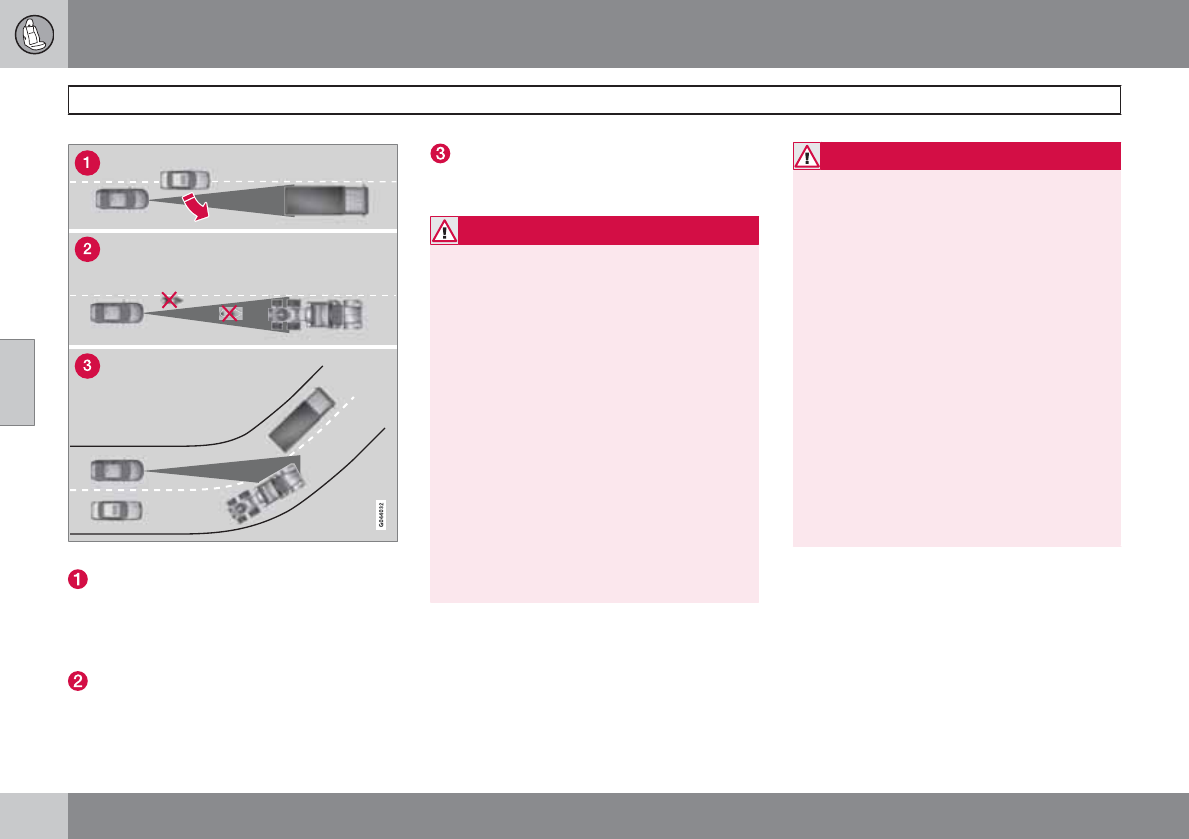
04 Comfort and driving pleasure
Adaptive Cruise Control (ACC)*
04
156 * Option/accessory, for more information, see Introduction.
Radar sensor's field of vision (dark gray)
In certain situations, the radar sensor can-
not detect vehicles at close quarters, for
example a vehicle that suddenly enters the
lane between your vehicle and the target
vehicle.
Small vehicles, such as motorcycles, or
vehicles not driving in the center of the lane
may remain undetected.
In curves, the radar sensor may detect the
wrong vehicle or lose sight of the target
vehicle.
WARNING
•Adaptive Cruise Control cannot cover
all driving situations and traffic, weather
and road conditions. The "Function"
section provides information about lim-
itations that the driver must be aware of
before using this feature.
•This system is designed to be a supple-
mentary driving aid. It is not, however,
intended to replace the driver's atten-
tion and judgement. The driver is
responsible for maintaining a safe dis-
tance and speed and must intervene if
Adaptive Cruise Control does not main-
tain a suitable speed or suitable dis-
tance to the vehicle ahead.
•Maintenance of ACC components may
only be performed by a trained and
qualified Volvo technician.
WARNING
•Adaptive Cruise Control is not a colli-
sion avoidance system. The driver is
always responsible for applying the
brakes if the system does not detect
another vehicle.
•Adaptive Cruise Control does not react
to people or animals, or small vehicles
such as bicycles and motorcycles. It
also does not react to slow moving,
parked or approaching vehicles, or sta-
tionary objects.
•Do not use Adaptive Cruise Control in
demanding driving conditions such as
city driving or other heavy traffic situa-
tions, in slippery conditions, when there
is a great deal of water or slush on the
road, during heavy rain or snow, in poor
visibility, on winding roads or on high-
way on- or off-ramps.
Fault tracing and actions
If the message Radar blocked See manual is
displayed, this means that the radar signals
from the sensor have been obstructed and that
a vehicle ahead cannot be detected.
This, in turn, means that the functions of the
ACC, Distance Alert, and Collision Warning
System with Auto-brake will not function.
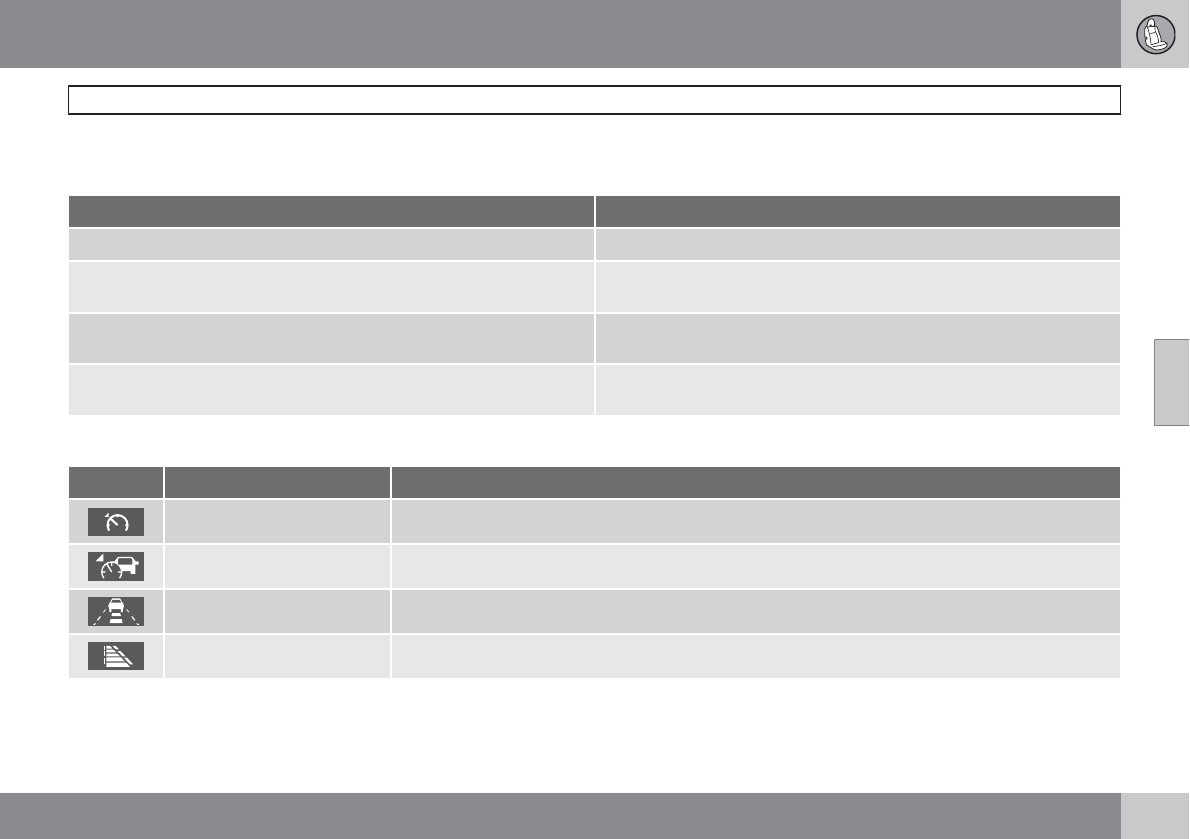
04 Comfort and driving pleasure
Adaptive Cruise Control (ACC)*
04
``
* Option/accessory, for more information, see Introduction. 157
The table lists possible causes for this mes- sage being displayed, and suitable actions.
Cause Action
The surface of the radar in the grille is dirty or obstructed in some way. Clean the radar surface, or remove the object causing the obstruction.
Heavy rain or snow is interfering with the radar signals. No action possible. Heavy precipitation may affect the function of the
radar.
Swirling water or snow from the surface of the road may interfere with
the radar signals.
No action possible. A very wet or snow-covered road surface may affect
the function of the radar.
The surface of the radar is clean but the message remains in the display. Wait a short time. It may take several minutes for the radar to detect that
it is no longer obstructed.
Symbols and messages in the display
Symbol Message Description
- Standby mode or active mode when no other vehicle has been detected.
- Active mode with a detected vehicle to which ACC is adapting speed/distance.
- Time interval while it is being set.
- Time interval after it has been set.
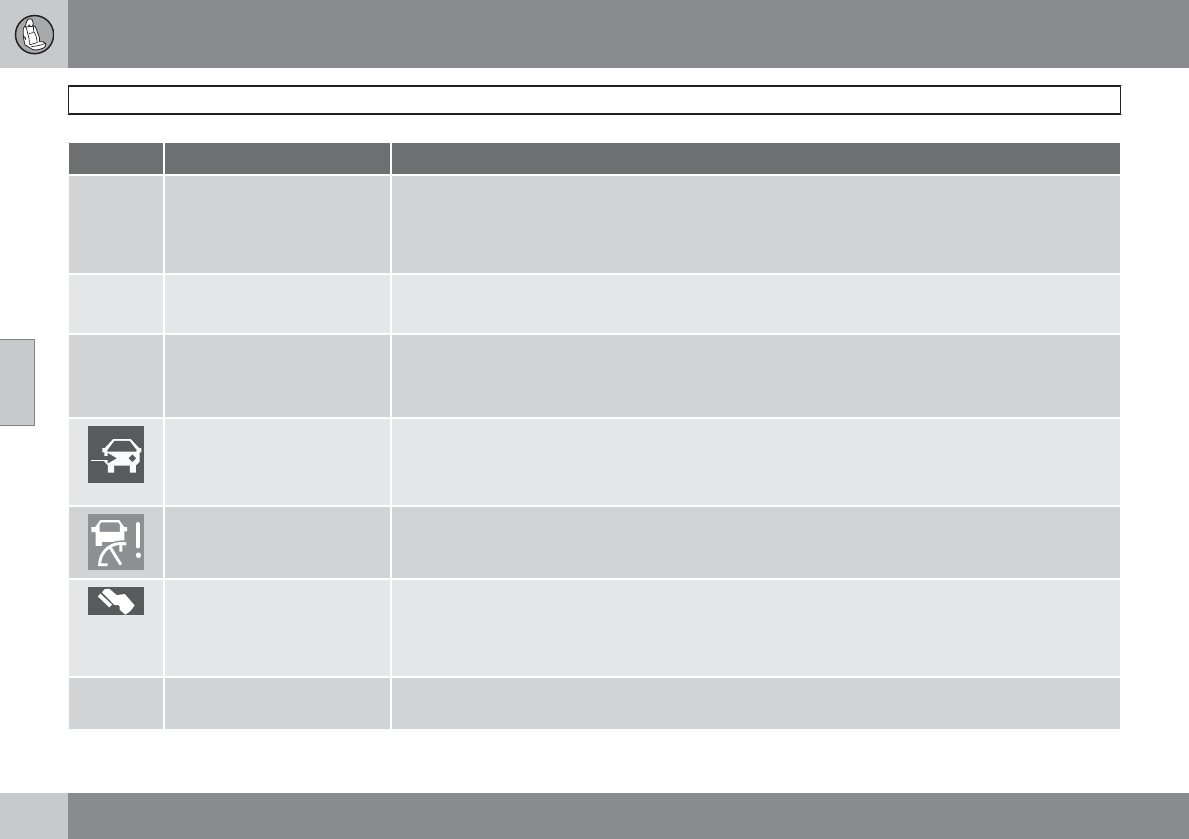
04 Comfort and driving pleasure
Adaptive Cruise Control (ACC)*
04
158 * Option/accessory, for more information, see Introduction.
Symbol Message Description
-Turn on DSTC to enable
Cruise
ACC cannot be put in active mode if the stability system DSTC is in Sport mode. Switch DSTC to
normal operating mode, see page 144 for more information.
ACC cannot be put in active mode if the stability system DSTC's Spin control is switched off. See
page 144 for more information.
-Cruise control Cancelled ACC has been automatically switched off.
The driver must regulate the vehicle’s speed/distance to the vehicle ahead.
-Cruise control Unavailable ACC cannot be put in active mode. This may be due to:
•high brake temperature
•the radar sensor is obstructed (by heavy rain, snow, etc.)
Radar blocked See manual ACC has been temporarily disconnected because the radar is obstructed in some way and cannot
detect other vehicles.
See page 155 for information on the radar sensor’s limitations.
Cruise control Service
required
ACC is not functioning.
Contact a trained and qualified Volvo service technician.
Press Brake To hold + an
audible signal
The vehicle is at a standstill and ACC will release the brakes before the parking brake engages to keep
the vehicle stopped but a problem with the parking brake means that the vehicle may begin to roll.
The driver will have to apply the brakes. The message will remain in the display and the audible signal
will continue until the driver applies the brakes or presses the accelerator pedal.
–Below 20 mph Only follow-
ing
This is displayed if you try to activate ACC at speeds below approx. 18 mph (30 km/h) without a vehicle
ahead within range (approx. 100 ft/30 meters).
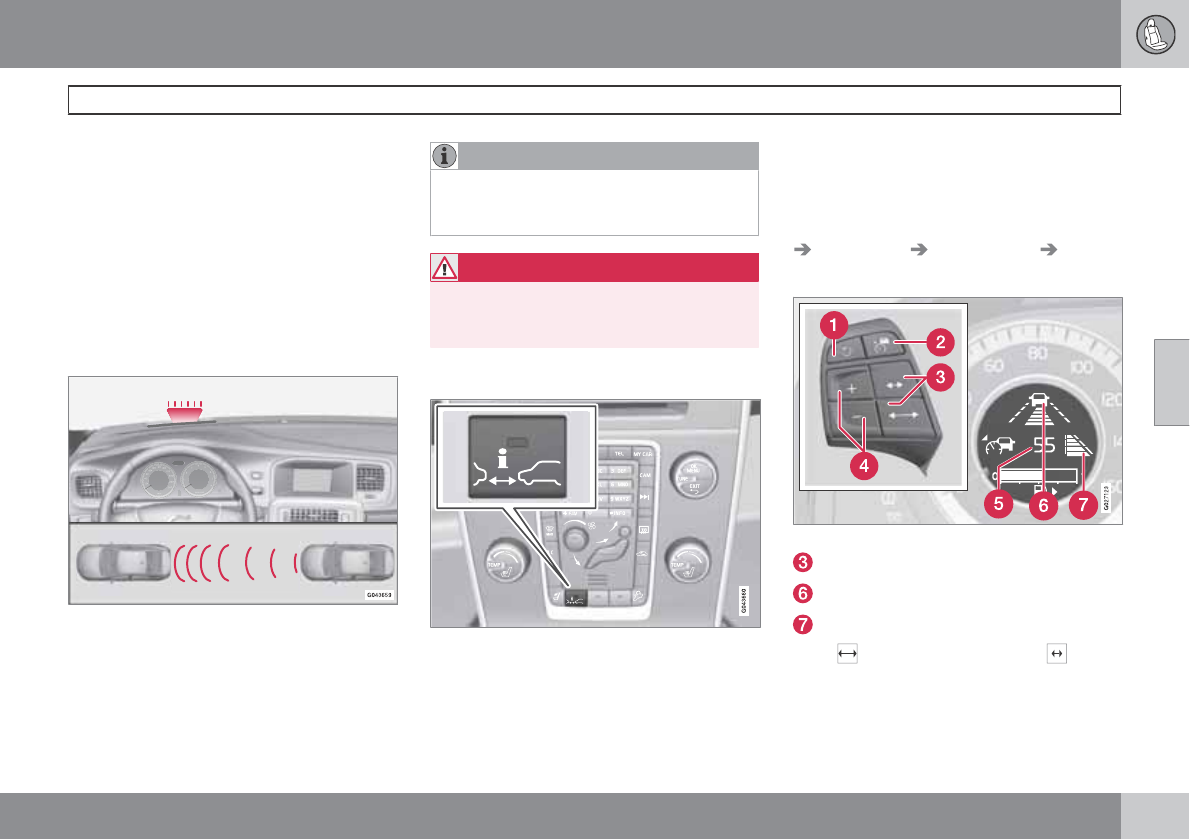
04 Comfort and driving pleasure
Distance Alert*
04
``
* Option/accessory, for more information, see Introduction. 159
Introduction
Distance Alert is part of Adaptive Cruise Con-
trol and is a function that provides information
about the time interval to the vehicle ahead.
Distance Alert is active at speeds above
approximately 18 mph (30 km/h). Time interval
information is only given for a vehicle that is
driving ahead of your vehicle in the same direc-
tion. No information is provided for vehicles
driving toward you, moving very slowly, or at a
standstill.
Amber warning light
An amber warning light in the windshield glows
steadily if your vehicle is closer to the one
ahead than the set time interval.
NOTE
Distance Alert only monitors distance to the
vehicle ahead while Adaptive Cruise Control
is in standby mode or off.
WARNING
Distance Alert only indicates the distance to
the vehicle ahead. It does not affect the
speed of your vehicle.
Operation
Press the button in the center instrument panel
to switch this function on or off. The indicator
light in the button illuminates when the function
is on.
Depending on the optional equipment
selected, there may not be room for a Distance
Alert button in the center console. In this case,
the function is controlled through the menu
system. Press MY CAR and go to Settings
Car settings Distance alert On/Off.
Setting a time interval
Controls and display
Time interval: Increase/decrease
Time interval: On, while it is being set
Time interval: On, after it has been set
Press to increase the interval or to
decrease it.
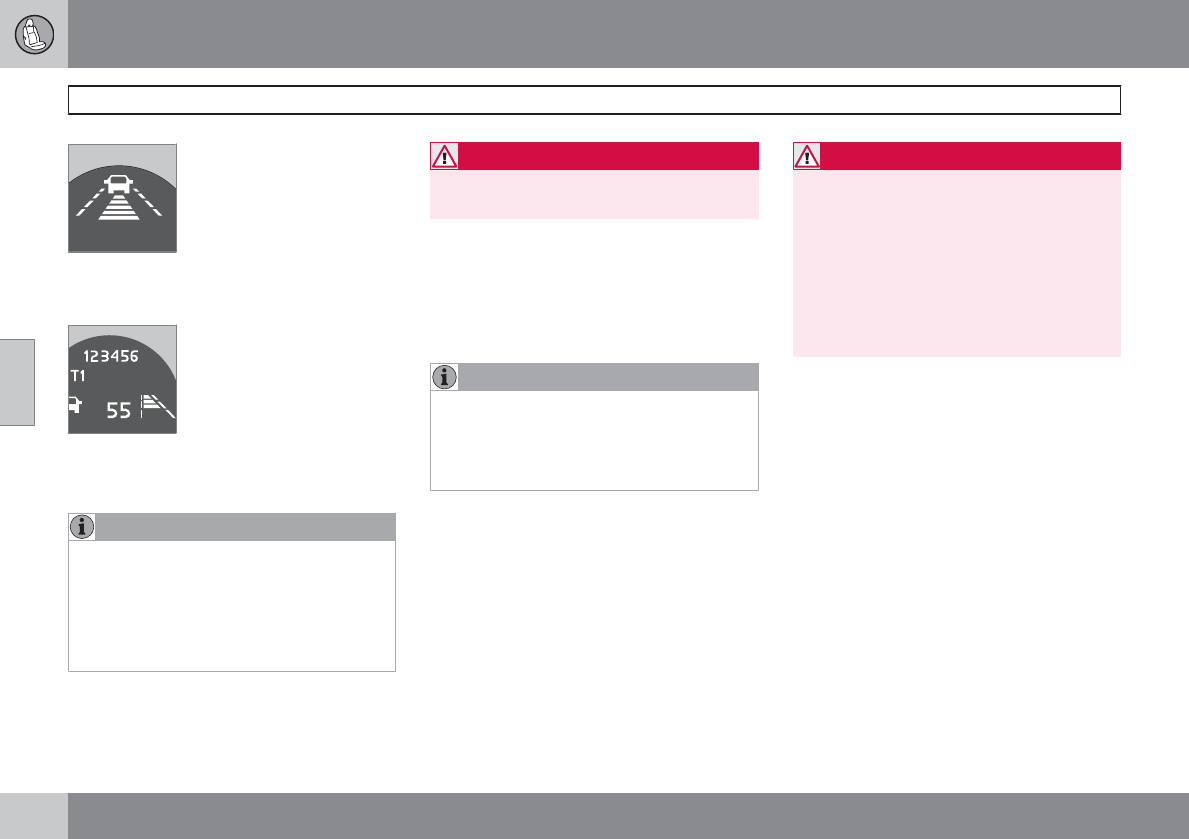
04 Comfort and driving pleasure
Distance Alert*
04
160 * Option/accessory, for more information, see Introduction.
Five different time intervals
can be selected and are
shown in the display as 1–5
horizontal bars. The greater
the number of bars, the longer
the time interval. One bar rep-
resents approximately
1 second to the vehicle ahead; 5 bars is
approximately 2.5 seconds.
The number of bars indicating
the selected time interval are
shown while the setting is
being made and for several
seconds afterward. A smaller
version of the symbol is then
shown to the right in the dis-
play. The same symbol is displayed when
Adaptive Cruise Control (ACC) is activated.
NOTE
•The higher your vehicle’s speed, the
greater the distance to the vehicle
ahead, measured in feet (meters), for a
given time interval.
•The set time interval is also used by
Adaptive Cruise Control, see page 151.
WARNING
Only use a time interval that is suitable in
current traffic conditions.
Limitations
Distance Alert uses the same radar sensor
used by Adaptive Cruise Control and the Col-
lision Warning system. See page 155 for more
information on the radar sensor’s limitations.
NOTE
Strong sunlight, reflections, extreme light
contrasts, the use of sunglasses, or if the
driver is not looking straight ahead may
make the visual warning signal in the wind-
shield difficult to see.
WARNING
•Bad weather or winding roads may
affect the radar sensor’s capacity to
detect vehicles ahead.
•The size of the vehicle ahead, such as a
motorcycle, may also make it difficult to
detect. This may result in the warning
light illuminating at a shorter distance
than the one that has been set, or that
the light will not come on at all.
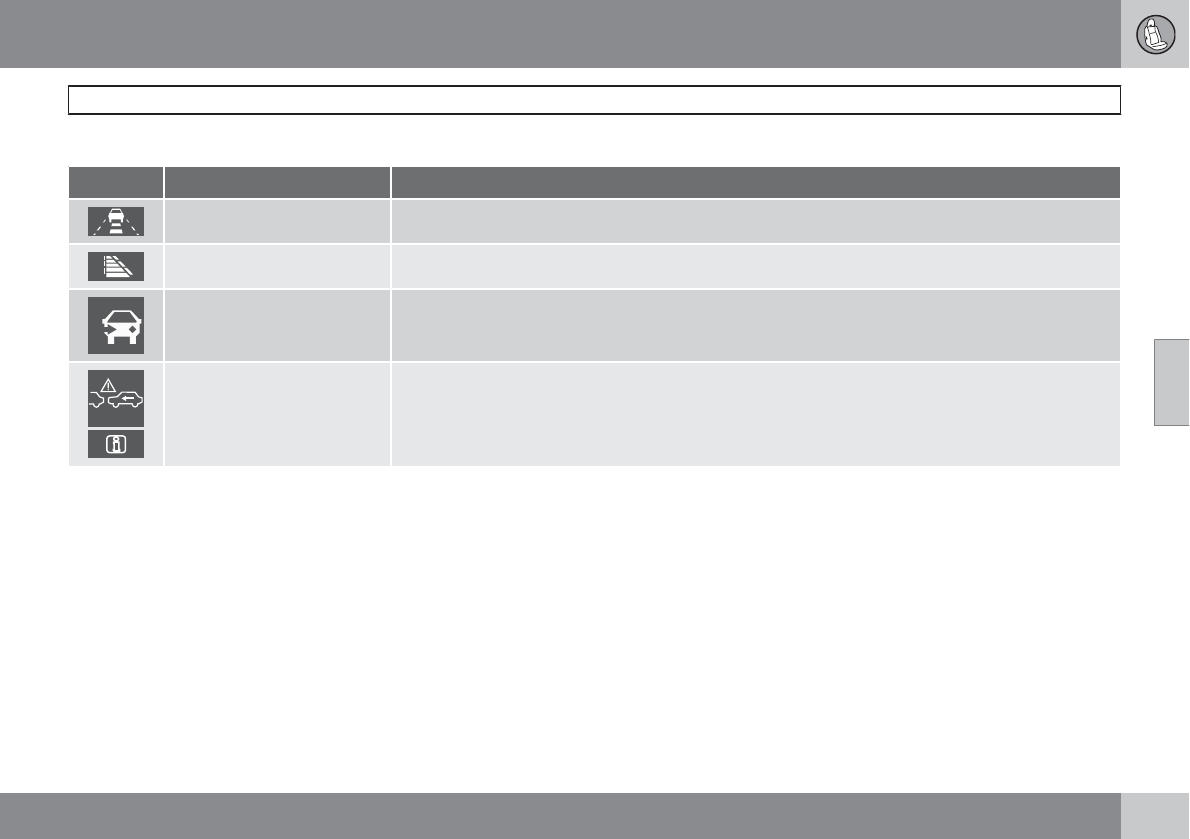
04 Comfort and driving pleasure
Distance Alert*
04
* Option/accessory, for more information, see Introduction. 161
Symbols and messages in the display
Symbol Message Description
- Time interval while it is being set.
- Time interval after it has been set.
Radar blocked See manual Distance Alert has been temporarily disconnected because the radar is obstructed in some way and
cannot detect other vehicles. See page 155 for information on the radar sensor’s limitations.
Collision warn. Service
required
Distance Alert or Collision Warning with Full Auto-brake and Pedestrian Detection is not functioning
properly. Contact a trained and qualified Volvo service technician.
04 Comfort and driving pleasure
City Safety™
04
162
Introduction
City Safety™1 is a support system designed to
help the driver avoid low speed collisions when
driving in slow-moving, stop-and-go traffic.
City Safety™ is not active if your vehicle’s
speed is below approximately 2 mph (4 km/h).
This means that City Safety™ will not react if
your vehicle approaches another vehicle at
very low speed, for example, when parking.
The function is active at speeds ranging from
approximately 2-18 mph (4-30 km/h) and
assists the driver by applying the brakes auto-
matically, thereby avoiding or helping to
reduce the effects of a collision.
City Safety™ is designed to intervene as late
as possible to help avoid unnecessary activa-
tion.
City Safety™ triggers brief, forceful braking if a
low-speed collision is imminent. However, the
system will not intervene in situations where
the driver actively steers the vehicle or applies
the brakes, even if a collision cannot be avoi-
ded. This is done in order to always give the
driver’s actions highest priority.
City Safety™ activates in situations where the
driver has not applied the brakes in time, which
means that the system cannot help the driver
in all situations.
City Safety™ should not be used to alter the
way in which the driver operates the vehicle.
The driver should never rely solely on this sys-
tem to safely stop the vehicle.
Normally, the occupants of the vehicle will not
be aware of City Safety™ except when the
system intervenes when a low-speed collision
is imminent.
If the vehicle is also equipped with the optional
Collision Warning with Full Auto-brake and
Pedestrian Detection system, the two systems
interact. For more information about the Colli-
sion Warning with Auto-brake system, see
page 168.
WARNING
•City Safety™ is a supplemental aid to
the driver. It can never replace the
driver’s attention to traffic conditions or
his/her responsibility for operating the
vehicle in a safe manner.
•City Safety™ does not function in all
driving situations or in all traffic, weather
or road conditions.
•City Safety™ only reacts to vehicles
traveling in the same direction as your
vehicle and does not react to small vehi-
cles, bicycles or motorcycles or to peo-
ple or animals.
•City Safety™ is not activated when your
vehicle is backing up.
•City Safety™ functions at speeds up to
18 mph (30 km/h). This system can help
prevent a collision if the difference in
speed between your vehicle and the
vehicle ahead is less than 9 mph
(15 km/h). If the difference in speed is
greater, a collision cannot be avoided
but the speed at which the collision
occurs can be reduced. The driver must
apply the vehicle’s brakes for full brak-
ing effect.
•Never wait for City Safety™ to intervene
in a potential collision situation. The
1City Safety is a registered trademark of the Volvo Car Corporation

04 Comfort and driving pleasure
City Safety™
04
``
163
driver is always responsible for main-
taining a safe distance to the vehicle
ahead.
Function
Location of the laser sensor in the windshield
City Safety™ monitors traffic ahead of you
using a laser sensor mounted in the upper sec-
tion of the windshield. If a collision is imminent,
City Safety™ will automatically apply the
brakes, which may feel like hard braking.
•If the difference in speed between your
vehicle and the vehicle ahead is between
approximately 2-9 mph (4-15 km/h), City
Safety™ can help prevent a collision from
taking place.
•If the difference in speed is between
approximately 10-18 mph (15-30 km/h),
City Safety™ alone cannot avoid a colli-
sion. The driver must apply the brakes for
full braking effect.
When the function activates and applies the
brakes, a message will appear in the informa-
tion display to indicate that the system is/has
been active.
NOTE
•When City Safety™ applies the brakes,
the brake lights will illuminate.
•In cases where City Safety™ has stop-
ped the vehicle, the system will then
release the brakes. The driver must
apply the brakes to keep the vehicle at
a standstill.
Using City Safety™
NOTE
The City Safety™ function is activated auto-
matically each time the engine has been
switched off and restarted.
On and Off
In certain situations, it may be desirable to
switch City Safety™ off, such as when driving
in close quarters where leaves, branches, etc.
may obscure the hood and windshield.
When the engine is running, City Safety™ can
be switched off as follows:
Press My Car in the center console control
panel and go to Settings Car settings
Driver support systems City safety.
Select Off.
WARNING
The laser sensor emits light when the igni-
tion is in mode II or higher, even if City
Safety™ has been switched off.
To switch City Safety™ on again:
•Follow the same procedure as for switch-
ing City Safety™ off but select ON by
pressing RESET.
or
•Vehicles not equipped with keyless
drive: Press lightly on the remote key to
release it partially from the ignition slot.
Press the remote key into the ignition slot
again. Depress the brake pedal and press
the START/STOP ENGINE button to start
the engine. This restarts City Safety™.
•Vehicles equipped with the optional
keyless drive: Press the START/STOP
ENGINE button to switch off the engine.
Depress the brake pedal and press the
04 Comfort and driving pleasure
City Safety™
04
164
START/STOP ENGINE button to start the
engine. This restarts City Safety™.
See page 81 for information on ignition modes.
City Safety™ will be automatically switched on
the next time the engine is started, even if it was
off when the engine was switched off.
Limitations
The sensor used by City Safety™ is designed
to detect cars and other larger motor vehicles
ahead of your vehicle in both daylight and dark-
ness.
However, there are certain limitations and the
laser sensor’s function may be reduced by, for
example, heavy rain or snowfall, or by dense
fog or thick, blowing dust or snow. Condensa-
tion, dirt, ice or snow on the windshield may
also interfere with the sensor’s function.
Objects such as warning flags hanging from
long objects on the roof or accessories such as
auxiliary lights or protective arches on the front
of the vehicle that are higher than the hood may
also impede the sensor’s function.
Braking distance to the vehicle ahead increa-
ses on slippery road surfaces, which may
reduce City Safety’s capacity to avoid a colli-
sion. In situations like this, the DSTC system
(see page 144) will help provide the best pos-
sible braking capacity and stability.
City Safety™ emits infrared light and measures
the way in which the light is reflected. There-
fore, vehicles or objects with low-reflective sur-
faces may not be detected. Normally, the
license plate and taillight reflectors give the
rear section of a vehicle ahead sufficient reflec-
tive surfaces to be detected.
NOTE
•Keep the windshield in front of the laser
sensor free of ice, snow, dirt, etc. See
page 163.
•Snow or ice on the hood deeper than
2 inches (5 cm) may obstruct the sen-
sor. Keep the hood free of ice and snow.
•Do not mount or in any way attach any-
thing on the windshield that could
obstruct the laser sensor.
Troubleshooting
If Windscreen Sensors blocked appears in
the information display, this indicates that the
City Safety™ laser sensor is obstructed in
some way and cannot detect vehicles ahead of
you, which means that the system is not func-
tioning.
However, this message will not be displayed in
all situations in which the sensor is obstructed.
For this reason, the driver must ensure that the
area of the windshield in front of the sensor is
always kept clean.
The following table shows some of the situa-
tions that can cause the message to be dis-
played and suggested actions.
Cause Action
The area of the
windshield in front of
the sensor is dirty or
covered by ice or
snow.
Clean the wind-
shield or remove the
ice/snow.
The laser sensor's
field of view is
obstructed.
Remove the
obstruction.
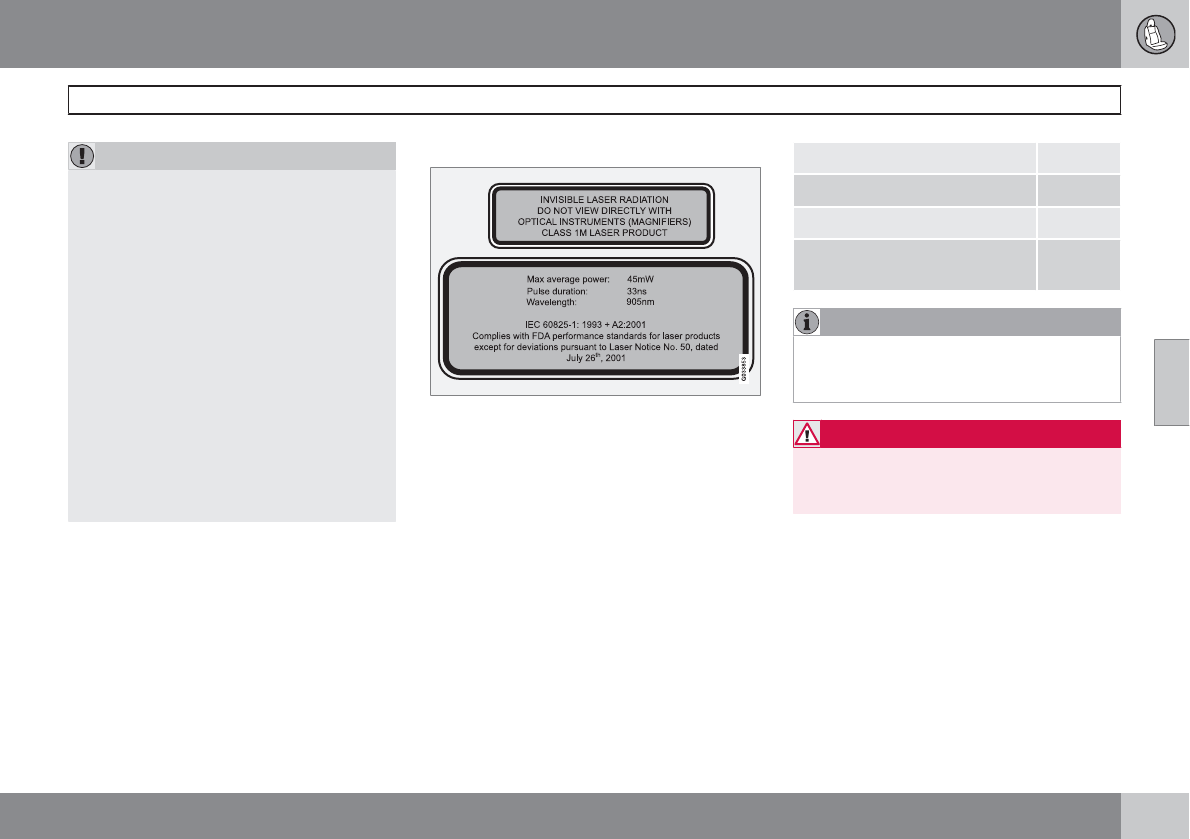
04 Comfort and driving pleasure
City Safety™
04
``
165
CAUTION
If a crack, scratch or stone chip should
occur in the section of the windshield in
front the laser sensor and covers an area of
approximately 1/50 x 1/10 in. (0.5 x 3 mm)
or larger, contact a trained and qualified
Volvo service technician to repair or replace
the windshield (see the illustration showing
the location of the sensor on page 163).
Failing to do so may result in reduced City
Safety™ functionality.
To help prevent reduced functionality,
please also observe the following:
•If the windshield is replaced, use the
same type or a windshield approved by
Volvo.
•When replacing windshield wipers, use
the same type or ones approved by
Volvo.
The laser sensor
The upper decal describes the laser beam's
classification and contains the following text:
Invisible Laser radiation – Do not view directly
with optical instruments (magnifiers) – Class
1M laser product.
The lower decal describes the laser beam's
physical data and contains the text:
IEC 60825-1:1993 + A2:2001. Complies with
FDA performance standards for laser products
except for deviations pursuant to Laser Notice
No. 50, dated July 26th, 2001
The laser beam's physical data is listed in the
following table:
Maximum pulse energy 2.64 μJ
Maximum average output 45 mW
Pulse length 33 ns
Divergence (horizontal × verti-
cal)
28° × 12°
NOTE
The function of aftermarket laser detectors
may be affected by City Safety's laser sen-
sor.
WARNING
The laser sensor emits light when the igni-
tion is in mode II or higher, even if City
Safety™ has been switched off.
04 Comfort and driving pleasure
City Safety™
04
166
WARNING
Eye injury may occur if any of the following
points are not followed:
•It is essential that all pertinent instruc-
tions be followed when handling laser
instruments. Testing, repairing, remov-
ing, adjusting and/or replacing any
components in the laser sensor may
only be done by a trained and qualified
Volvo service technician.
•Do not remove the laser sensor (includ-
ing removal of the lenses). A laser sen-
sor that has been removed belongs to
laser class 3B according to standard
IEC 60825-1. Devices in laser class 3B
present a risk of injury to the eyes.
•The laser sensor’s connector must be
disconnected before the sensor is
removed from the windshield.
•The laser sensor must be mounted in
place on the windshield before con-
necting the sensor’s connector.
•Do not view the laser sensor (which
emits spreading, invisible laser beams)
with optical instruments from a distance
of less than 4 inches (100 mm).
Symbols and messages in the display
When City Safety™ automatically applies the
brakes, one or more of the symbols in the main
instrument panel may illuminate and its asso-
ciated message will be displayed.
A text message can be erased by pressing
briefly on the READ button on the turn signal
lever.
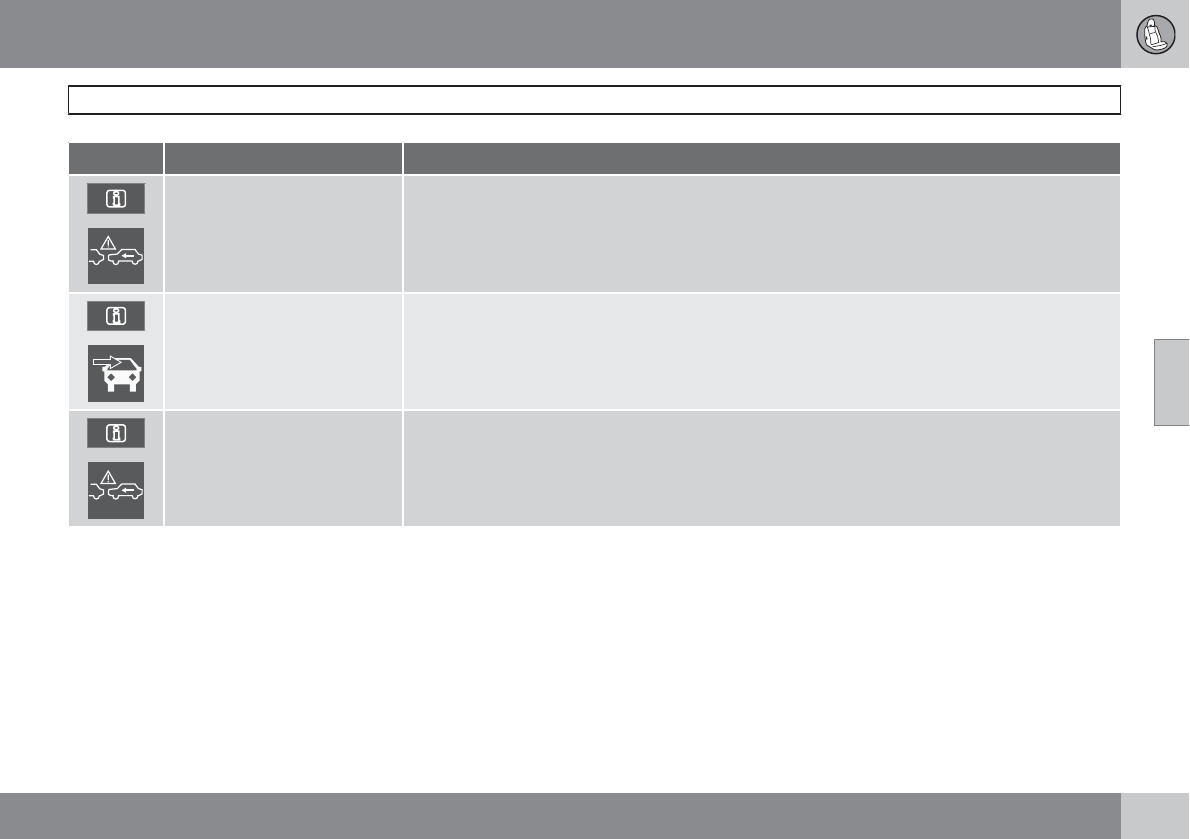
04 Comfort and driving pleasure
City Safety™
04
167
Symbol Message Meaning/action required
Auto braking by City Safety City Safety™ is applying/has applied the brakes automatically.
Windscreen Sensors
blocked
The laser sensor is temporarily not functioning due to an obstruction.
•Remove the obstruction and/or clean the windshield in front of the sensor(s).
For more information on the sensor’s limitations, see page 164.
City Safety Service required City Safety™ is not functioning.
•If this message remains in the display, have the system checked by a trained and qualified Volvo
service technician.
04 Comfort and driving pleasure
Collision warning with Full Auto-brake and Pedestrian Detection*
04
168 * Option/accessory, for more information, see Introduction.
Introduction
Collision Warning with Full Auto-brake and
Pedestrian Detection is designed to assist the
driver if there is a risk of a collision with a
pedestrian, a vehicle ahead that is at a stand-
still or one that is moving in the same direction
as your vehicle.
Collision Warning consists of the following
three functions:
•Collision Warning warns the driver of a
potential collision situation.
•Brake Support helps the driver brake effi-
ciently in a critical situation.
•Auto-brake brakes the vehicle automati-
cally if a collision with a pedestrian or
another vehicle cannot be avoided and the
driver does not apply the brakes in time or
steer around the person/vehicle. Auto-
brake can help prevent a collision or
reduce the speed at which a collision
occurs.
Since Collision Warning with Full Auto-brake
and Pedestrian Detection is activated in cir-
cumstances where the driver should have
begun braking much sooner, the system will
not be able to assist the driver in all situations.
This system is designed to activate as late as
possible to help avoid unnecessary interven-
tion.
The system should not be used in such a way
that the driver changes his/her way of operat-
ing the vehicle. If the driver relies entirely on the
system, the chances of an accident eventually
occurring increase considerably.
The Collision Warning and City Safety™ sys-
tems supplement each other. See page 162 for
detailed information about City Safety™.
WARNING
•Collision Warning does not work in all
driving, traffic, weather and road condi-
tions. It does not react to vehicles not
traveling in the same direction as your
vehicle.
•Collision Warning does not react to ani-
mals.
•Warnings are only provided when the
risk of collision is high. The "Function"
section provides information about lim-
itations that the driver must be aware of
before using Collision Warning.
•Collision Warning will not provide a
warning or brake the vehicle for pedes-
trians at speeds above 50 mph
(80 km/h).
WARNING
•Collision Warning will not provide a
warning or brake the vehicle for pedes-
trians in darkness or in tunnels, even if
there is street lighting in the area.
•The auto-brake function can help pre-
vent a collision or reduce the speed at
impact but the driver should always
apply the brakes for the best possible
braking effect, even if auto-brake is
actively applying the brakes.
•Never wait for a collision warning. This
system is designed to be a supplemen-
tary driving aid. It is not, however,
intended to replace the driver's atten-
tion and judgement. The driver is
responsible for maintaining a safe dis-
tance and speed, even when the colli-
sion warning system is in use.
•Maintenance of the Collision Warning
system's components must only be
performed by a trained and qualified
Volvo technician.
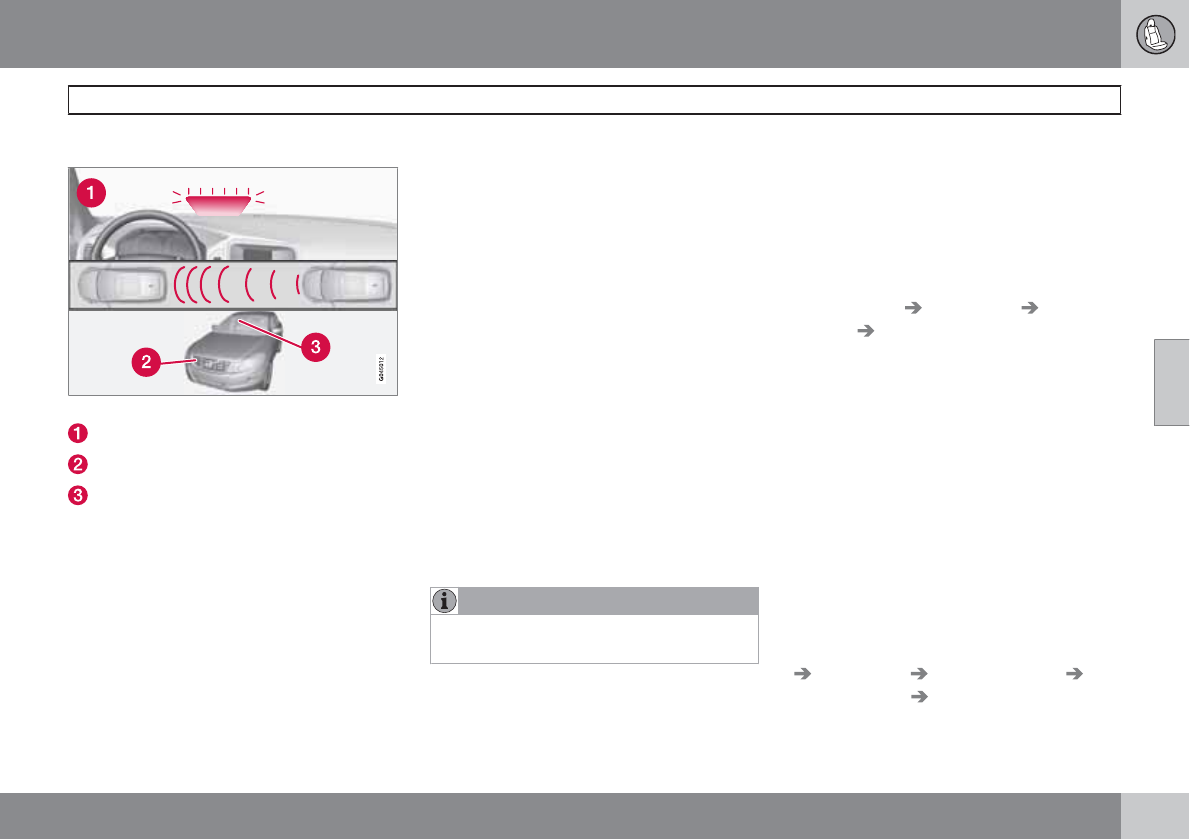
04 Comfort and driving pleasure
Collision warning with Full Auto-brake and Pedestrian Detection*
04
``
* Option/accessory, for more information, see Introduction. 169
Function
Function overview
Visual warning signal, collision risk
Radar sensor
Camera
Collision Warning
The radar sensor and the camera work
together to detect a pedestrian, stationary
vehicles and vehicles that are moving in the
same direction as your vehicle. If there is a risk
of collision with a vehicle or a pedestrian, the
driver is alerted by a flashing red warning light
and an audible warning signal. Collision warn-
ing is active at speeds above 3 mph (4 km/h).
Brake Support
If the risk of collision continues to increase after
the collision warning has been given, Brake
Support is activated. Brake Support prepares
the brake system to react quickly, and the
brakes are applied slightly. This may be expe-
rienced as a light tug.
If the brakes are applied quickly, full braking
effect will be provided. Brake Support also
increases brake force if the system determines
that the driver has not applied adequate pres-
sure on the brake pedal.
Auto-brake
If a collision is imminent and the driver has not
applied the brakes or begun to steer around the
vehicle or pedestrian, the auto-brake function
is activated without the driver pressing the
brake pedal. Full brake force is applied to help
reduce the vehicle’s speed when the collision
occurs or limited brake force is applied if this
is sufficient to avoid the collision.
NOTE
The auto-brake and brake support functions
are always on and cannot be turned off.
Operation
Settings are made by pressing MY CAR on the
center console control panel and using the
menus displayed.
On and off
To switch Collision Warning on or off, press MY
CAR on the center console control panel and
go to Settings Car settings Collision
warning On/Off. If Collision Warning is on,
the system will perform a self-test each time
the engine is started by briefly illuminating the
warning light. See page 129 for more informa-
tion about the menu system.
When the engine is switched on, the Collision
Warning setting that was being used when it
was switched off will be the default setting.
Activating/deactivating warning signals
The collision warning system’s visual signals
are activated automatically when the engine is
started if the collision warning system is
switched on.
The audible warning signal can be activated/
deactivated by pressing MY CAR on the center
console control panel and going to Settings
Car settings Collision warning
Warning sound On/Off.
04 Comfort and driving pleasure
Collision warning with Full Auto-brake and Pedestrian Detection*
04
170 * Option/accessory, for more information, see Introduction.
Setting a warning distance
This setting determines the distance at which
the visual and audible warnings are triggered.
Select Long, Normal or Short by pressing MY
CAR on the center console control panel and
going to Settings Car settings
Collision warning Warning distance.
The warning distance determines the level of
sensitivity used by the system. The warning
distance Long provides an earlier warning.
Begin by using Long and if the system gives
too many warnings, try changing to Normal.
WARNING
•The setting Short should only be used
in situations where traffic is light and
moving at low speeds.
•Collision Warning alerts the driver to the
risk of a collision but this function can-
not reduce the driver’s reaction time.
•For Collision Warning to be as effective
as possible, it is recommended that Dis-
tance Alert be set to 4 or 5, see
page 159.
NOTE
•When Adaptive Cruise Control is used,
the warning light and signal will be used
by that function, even if the warnings
provided by Collision Warning have
been deactivated by the driver.
•In situations where traffic is moving at
considerably different speeds, or if the
vehicle ahead brakes suddenly, warn-
ings may be considered to be late, even
if the setting Long has been selected.
Checking settings
The current Collision Warning settings can be
checked by pressing MY CAR on the center
console control panel and going to Settings
Car settings Collision warning.
Limitations
Strong sunlight, reflections, extreme light con-
trasts, the use of sunglasses, or if the driver is
not looking straight ahead may make the visual
warning signal in the windshield difficult to see.
For this reason, always activate the audible
warning signal.
Slippery driving conditions increase braking
distance, which can reduce the system's
capacity to avoid a collision. In these condi-
tions, the ABS and DSTC systems provide the
best possible braking effect while helping to
maintain stability.
NOTE
The visual warning signal may be temporar-
ily disengaged in the event of high passen-
ger compartment temperature due to strong
sunlight, etc. If this occurs, the audible
warning signal will be used, even if it has
been deactivated in the menu system.
04 Comfort and driving pleasure
Collision warning with Full Auto-brake and Pedestrian Detection*
04
``
* Option/accessory, for more information, see Introduction. 171
WARNING
•In certain situations, the system cannot
provide warnings or warnings may be
delayed if traffic conditions or other
external factors make it impossible for
the radar sensor or camera to detect a
pedestrian or a vehicle ahead.
•Warnings may not be provided if the
distance to the vehicle ahead is short,
or if movements of the steering wheel/
brake pedal are great, such as during
active driving.
•The sensor system has a limited range
for pedestrians and provides warnings
and braking effect most effectively at
speeds up to 30 mph (50 km/h). For sta-
tionary or slow-moving vehicles, the
system functions best if your vehicle’s
speed is below approximately 45 mph
(70 km/h).
•Warnings for stationary or slow-moving
vehicles may not be provided in dark
conditions or in poor visibility.
The Collision Warning system uses the same
radar sensors as Adaptive Cruise Control. For
more information on the radar sensor and its
limitations, see page 155.
NOTE
If warnings are given too frequently, the
warning distance can be reduced (see
page 170). This causes the system to pro-
vide later warnings, which decreases the
total number of warnings provided.
WARNING
•The system is not activated at speeds
under approx. 2 mph (4 km/h). There-
fore, it will not brake your vehicle if you
approach a vehicle ahead at very low
speed, such as when parking.
•The driver's actions always have high-
est priority and override the Collision
Warning system. This means that the
system will not intervene in situations
where the driver is actively steering,
braking or pressing the accelerator
pedal, even if a collision is imminent.
•When Auto-brake has prevented a col-
lision with a stationary object, your vehi-
cle will remain at a standstill for approx.
1.5 seconds. If your vehicle has been
braked for a moving vehicle ahead, your
vehicle's speed will be reduced to the
same speed as that vehicle's.
The camera’s limitations
The camera is used by Collision Warning with
Auto-brake, Driver Alert Control (see
page 175), and Lane Departure Warning (see
page 178).
NOTE
•To help protect the camera in very hot
conditions, it may be temporarily
switched off for approximately 15
minutes after the engine has been
started.
•Keep the section of the windshield in
front of the camera clean and free of ice,
snow, or condensation.
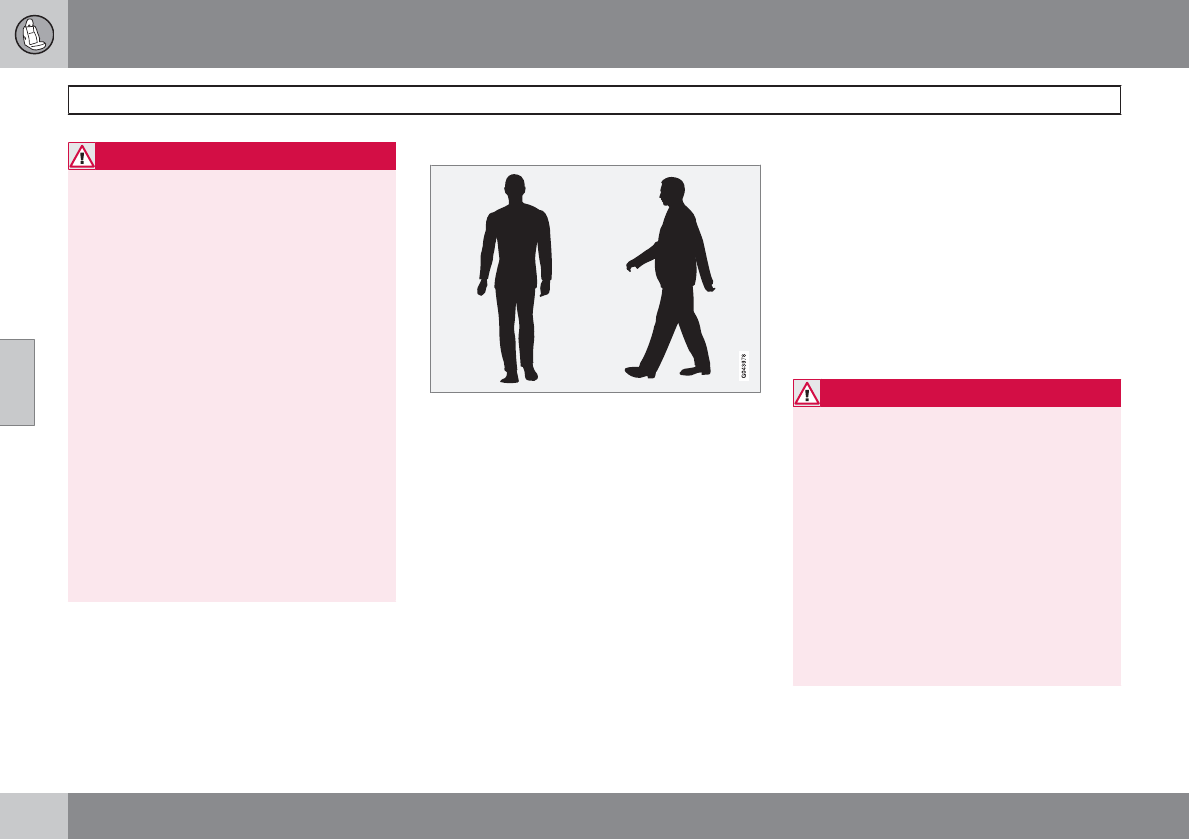
04 Comfort and driving pleasure
Collision warning with Full Auto-brake and Pedestrian Detection*
04
172 * Option/accessory, for more information, see Introduction.
WARNING
•The camera has the same limitations as
the human eye. In other words, its
“vision is impaired” by adverse weather
conditions such as heavy snowfall,
dense fog, etc. These conditions may
reduce the function of systems that
depend on the camera or cause these
systems to temporarily stop function-
ing.
•Never place any objects, decals, etc.,
on the windshield in front of the camera.
This could reduce or block the camera’s
function, and could cause one or more
of the systems that utilize the camera to
stop functioning.
•Strong sunlight, reflections from the
road surface, ice or snow covering the
road, a dirty road surface, or unclear
lane marker lines may drastically reduce
the camera’s capacity to detect the side
of a lane, a pedestrian or another vehi-
cle.
Pedestrians
The system cannot identify all pedestrians
The Collision Warning system can only identify
and detect a pedestrian who is standing
upright. This person can be standing still, walk-
ing or running.
This means that the system has to be able to
identify a person's head, arms, shoulders, legs,
the upper and lower parts of the body and a
person's pattern of movement when walking or
running.
If parts of the body are not visible to the cam-
era, the system cannot detect the pedestrian.
The following conditions apply:
•In order to detect a pedestrian, the system
must have a full view of the person's entire
body and the person must be at least
32 in. (80 cm) tall.
•The system cannot detect a pedestrian
carrying a large object.
•The camera's capacity to see a pedestrian
at dawn or dusk is limited, much as it is for
the human eye.
•The camera's function is deactivated and
will not detect a pedestrian in darkness or
in tunnels, even if there is street lighting in
the area.
WARNING
•Collision Warning with Full Auto-brake
and Pedestrian Detection is designed to
be a supplementary driving aid. It is not,
however, intended to replace the driv-
er's attention and judgement. The driver
is always responsible for operating the
vehicle in a safe manner.
•The system cannot detect all pedes-
trians in all situations, such as in dark-
ness/at night and cannot detect parti-
ally hidden pedestrians, people who are
less than approx. 32 in. (80 cm) tall, or
people wearing clothing that obscures
the contours of their bodies.
04 Comfort and driving pleasure
Collision warning with Full Auto-brake and Pedestrian Detection*
04
``
* Option/accessory, for more information, see Introduction. 173
Fault tracing and actions
If the message Windscreen Sensors
blocked is displayed, this means that the cam-
era is obscured and cannot detect pedestrians,
vehicles or road marker lines in front of the
vehicle.
This, in turn, means that Collision Warning with
Full Auto-brake and Pedestrian Detection,
Lane Departure Warning, and Driver Alert Con-
trol will not have full functionality.
The table lists possible causes for this mes-
sage being displayed, and suitable actions.
Cause Action
The surface of the windshield in front of the camera is dirty or covered
with ice or snow.
Clean or clear the section of the windshield in front of the camera.
Fog, heavy rain or snow is interfering with the function of the camera. No action possible. Heavy precipitation may affect the function of the
camera.
The surface of the windshield is clean but the message remains in the
display.
Wait a short time. It may take several minutes for the camera to register
visibility.
The surface between the inside of the windshield and the camera is dirty. Contact an authorized Volvo retailer or service technician to have this
surface cleaned.
Symbols and messages in the display
Symbol Message Description
Collis'n warning OFF Collision Warning is switched off. This message is displayed when the engine is started and will dis-
appear after approx. 5 seconds. It can also be erased by pressing the READ button.
Collision warn. Unavaila-
ble
Collision Warning cannot be activated. This message is displayed when the driver attempts to activate
the function. It will disappear after approx. 5 seconds or can be erased by pressing the READ button.
04 Comfort and driving pleasure
Collision warning with Full Auto-brake and Pedestrian Detection*
04
174 * Option/accessory, for more information, see Introduction.
Symbol Message Description
Auto braking was acti-
vated
Auto-braking has been active. This message can be erased by pressing the READ button.
Windscreen Sensors
blocked
The camera is temporarily not functioning. This message is displayed if the camera is obstructed by
snow, ice, dirt, etc., on the windshield. Clean the area of the windshield in front of the camera, see
page 171 for more information on the camera’s limitations.
Radar blocked See man-
ual
Collision Warning and Auto-brake are temporarily not functioning. The radar sensor is blocked, for
example by heavy rain or snow that has accumulated in front of the sensor, and cannot detect other
vehicles, see page 155 for more information on the radar sensor’s limitations.
Collision warn. Service
required
Collision Warning and Auto-brake are partially or completely not functioning.
Contact a trained and qualified Volvo service technician if the message remains in the display.
04 Comfort and driving pleasure
Driver Alert System*
04
``
* Option/accessory, for more information, see Introduction. 175
Introduction
The Driver Alert System is designed to help a
driver who may be becoming fatigued or who
is inadvertently leaving the lane.
The Driver Alert System consists of two differ-
ent functions that can be switched on together
or separately.
•Driver Alert Control (DAC)
•Lane Departure Warning (LDW), see
page 178
When one or both of the functions has been
switched on, it is in standby mode and is acti-
vated when the vehicle exceeds a speed of
40 mph (65 km/h).
The function deactivates if the vehicle's speed
goes under 37 mph (60 km/h).
Both functions use a camera that is dependent
on the road/lane being clearly marked by pain-
ted lines on each side.
WARNING
The Driver Alert System does not function in
all situations and is designed to be a sup-
plementary aid. It is not, however, intended
to replace the driver’s attention and judge-
ment.
Driver Alert Control (DAC)–
introduction
This function is intended to alert the driver if
his/her driving becomes erratic, such as if the
driver is distracted or fatigued.
NOTE
The camera has certain limitations, see
page 155.
A camera monitors the painted lines marking
the lane in which the vehicle is traveling and
compares the direction of the road with the
driver’s movements of the steering wheel. The
driver is alerted if the vehicle does not follow
the lane smoothly.
DAC is designed to help detect a slowly chang-
ing driving pattern. It is primarily intended to be
used on main roads and is not meant for use in
city traffic.
WARNING
•DAC is not intended to extend the dura-
tion of driving. Always plan breaks at
regular intervals to help remain alert.
•In certain cases, fatigue may not affect
the driver’s behavior. In situations of
this type, no warning will be provided.
Therefore, it is important to take breaks
at regular intervals, regardless of
whether or not DAC has given a warn-
ing.
Limitations
In certain situations, DAC may provide warn-
ings even if the driver’s driving pattern has not
become erratic.
•if the driver is testing the LDW function
•in strong crosswinds
•on grooved road surfaces.
04 Comfort and driving pleasure
Driver Alert System*
04
176 * Option/accessory, for more information, see Introduction.
Operating DAC
Certain settings can be made from the menu
system controlled from the center instrument
panel.
The current system status can be checked on
the trip computer’s display by using the but-
tons on the left steering wheel lever.
Thumb wheel. Turn this wheel until Driver
Alert is displayed. The second line shows
the alternatives Off,
Standby <40 mph (<65 km/h), Unavaila
ble or [-----], i.e., the number of bars.
READ button. Confirms and erases a mes-
sage in the display.
Activating DAC
Press MY CAR in the center instrument panel
and go to Car settings Support systems
Driver Alert on.
The function is activated when the
vehicle exceeds a speed of 40 mph
(65 km/h). The display will show level
markings of 1–5 bars, where a low
number of bars indicates erratic driving. A high
number of bars indicates stable driving.
If the vehicle is being driven erratically, the
driver will be alerted by an audible signal and
the message Driver Alert, Time for a break is
displayed. The warning will be repeated after a
short time if the driving pattern remains the
same.
WARNING
•An alert should be taken seriously since
it is sometimes difficult for a driver to
realize that he/she is fatigued.
•In the event of a warning or if the driver
feels fatigued, stop as soon as possible
in a safe place and rest.
Symbols and messages in the display
Symbol Message Description
-Driver Alert Off The function is not switched on.
-Driver Alert Standby
<40 mph (65 km/h)
The function has gone into standby mode because the vehicle's speed is below 40 mph (65 km/h).
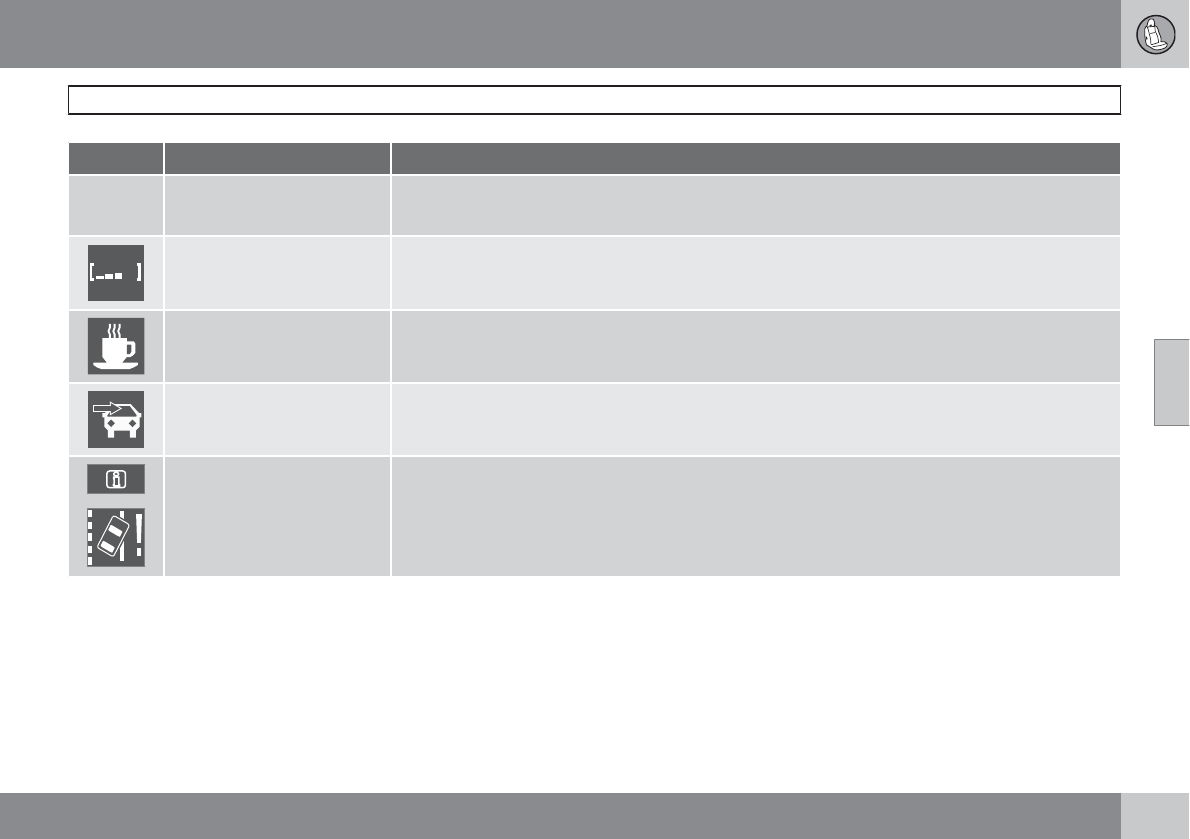
04 Comfort and driving pleasure
Driver Alert System*
04
``
* Option/accessory, for more information, see Introduction. 177
Symbol Message Description
-Driver Alert
Unavailable
The road lacks clear marker lines.
Driver Alert The function is analyzing the driver’s driving pattern. The number of bars varies from 1–5, where a low
number of bars indicates erratic driving. A high number of bars indicates stable driving.
Driver Alert Time for a
break
The vehicle has been driven erratically. The driver receives an audible signal and a text message.
Windscreen Sensors
blocked
The camera is temporarily not functioning, due to snow, ice, or dirt on the windshield. Clean the area
of the windshield in front of the camera. See page 171 for information on the camera’s limitations.
Driver Alert Sys Service
required
The system is not functioning. Contact a trained and qualified Volvo service technician if the message
remains in the display.
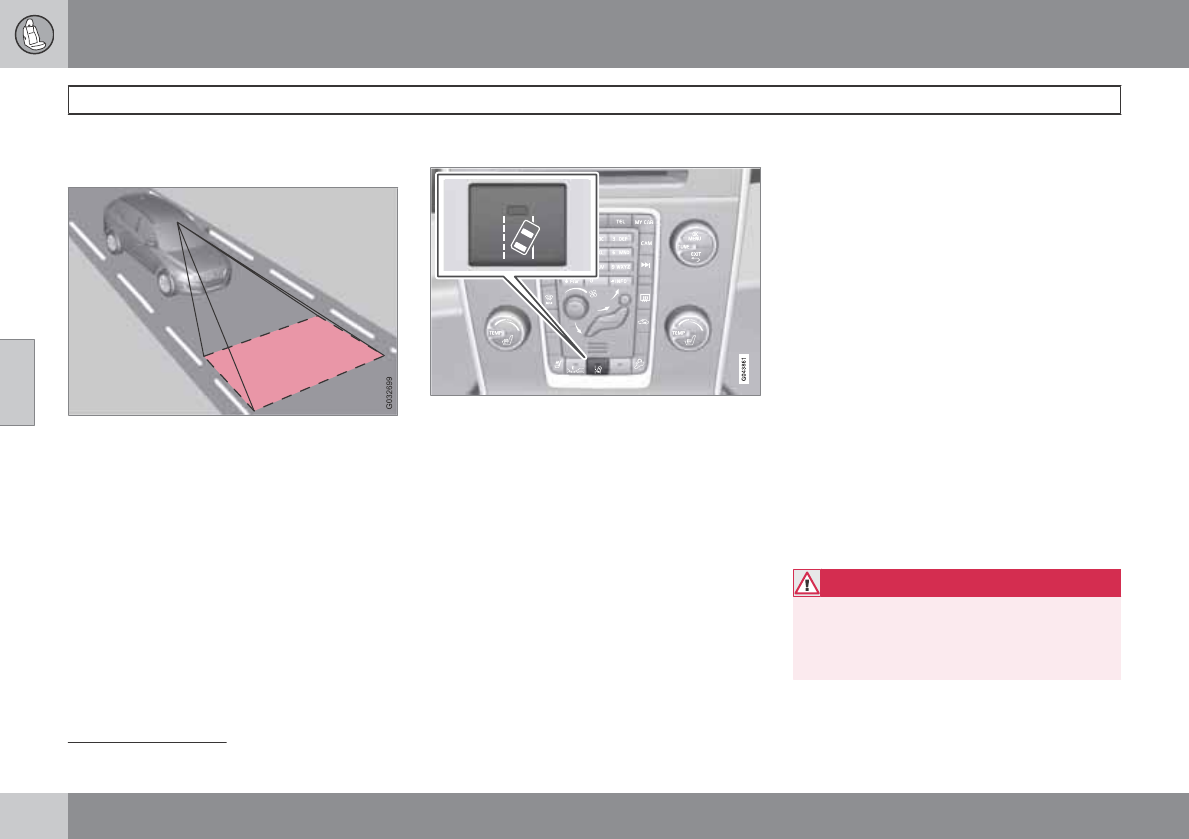
04 Comfort and driving pleasure
Driver Alert System*
04
178 * Option/accessory, for more information, see Introduction.
Lane Departure Warning (LDW)–
introduction
This function is designed to help reduce the
risk of accidents in situations where the vehicle
leaves its lane and there is a risk of driving off
the road or into the opposite lane. LDW con-
sists of a camera that monitors the lane’s side
marker lines. The driver is alerted by an audible
signal if the vehicle crosses a side marker line
or the road’s center dividing line.
Operation and function
LDW can be switched on or off by pressing the
button on the center console. A light in the but-
ton illuminates when the function is on.
The trip computer display shows Lane Depart
Warn Standby <40 mph (65 km/h) when the
function is in standby mode.
When LDW is in standby mode, the function is
activated automatically after the camera has
monitored the road’s side marker lines and the
vehicle’s speed exceeds 40 mph (65 km/h).
Lane Depart Warn Available will be dis-
played.
If the vehicle’s speed falls below 37 mph
(60 km/h), LDW will return to standby mode
and Lane Depart Warn Standby <40 mph
(65 km/h) will be displayed.
If the camera can no longer monitor the road’s
side marker lines, Lane Depart Warn
Unavailable will be displayed.
If the vehicle unexpectedly crosses the lane’s
left or right side marker lines, the driver will be
alerted by an audible signal.
No warning signal will be given in the follow-
ing situations:
•The turn signal is being used
•The driver’s foot is on the brake pedal1
•The throttle pedal is pressed quickly1
•If the steering wheel is moved quickly1
•In sharp turns that cause the vehicle’s
body to sway
See page 171 for information on the camera’s
limitations.
WARNING
The driver will only be warned once for each
time the wheels cross a marker line. No
alarm will be given if a marker line is
between the wheels.
1When Increased sensitivity has been selected, a warning will be issued if a side marker line is crossed in this situation.
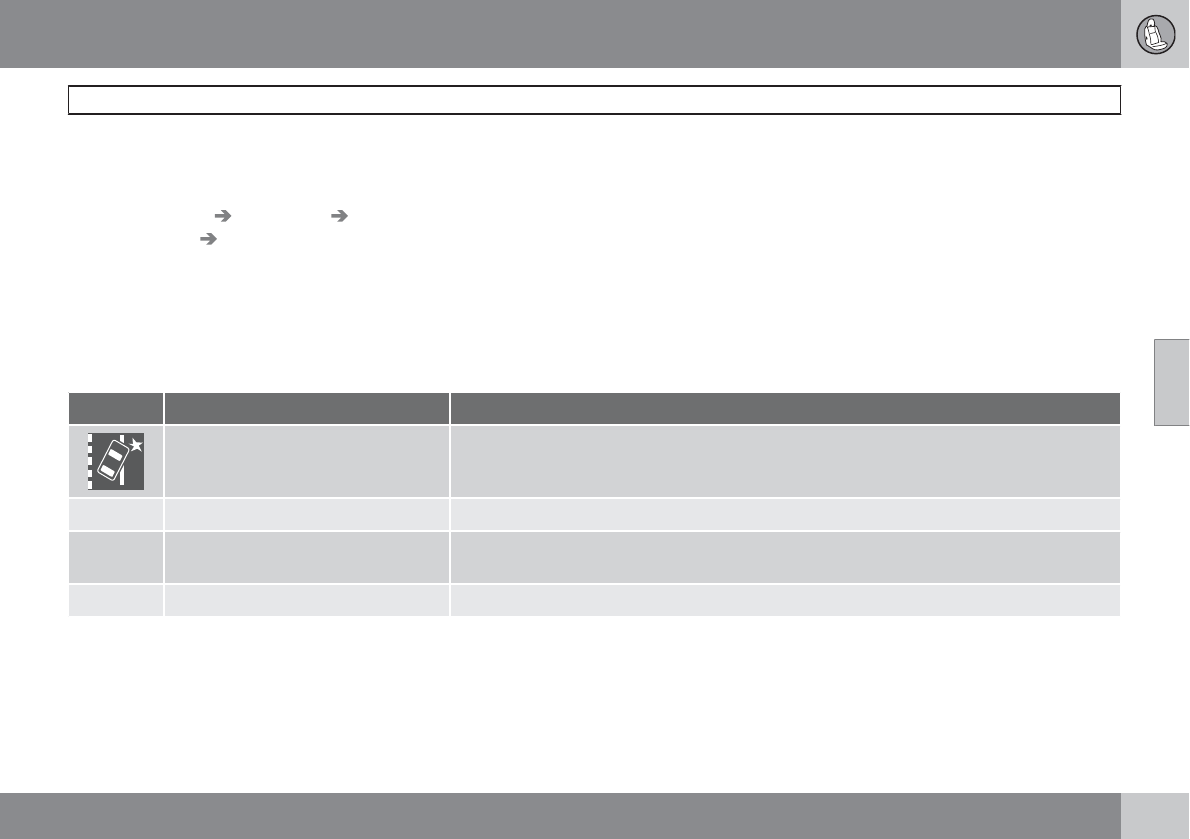
04 Comfort and driving pleasure
Driver Alert System*
04
``
* Option/accessory, for more information, see Introduction. 179
Settings
Settings for Lane Departure Warning can be
made in the menu system by pressing My
Car. Go to Settings Car settings
Support systems Lane Departure
Warning.
There are two alternatives:
On at start-up: This selection switches LDW
on each time the engine is started. Otherwise,
the system will be in the mode that it was in
when the engine was switched off.
Increased sensitivity: This selection increa-
ses the function’s sensitivity. Warnings will be
given at an earlier stage and fewer limitations
apply. When this setting is being used, the sys-
tem only needs to monitor lane marker lines on
one side of the vehicle to change status to
Lane Depart Warn Available.
Symbols and messages in the display
Symbol Message Description
Lane departure warning ON/Lane
departure warning OFF
The function is switched on or off. The text disappears after 5 seconds.
-Lane Depart Warn Available The function is monitoring the road’s marker lines.
-Lane Depart Warn Standby
<40 mph (65 km/h)
The function has gone into standby mode because the vehicle's speed is below 40 mph
(65 km/h).
-Lane Depart Warn Unavailable The road lacks clear marker lines.
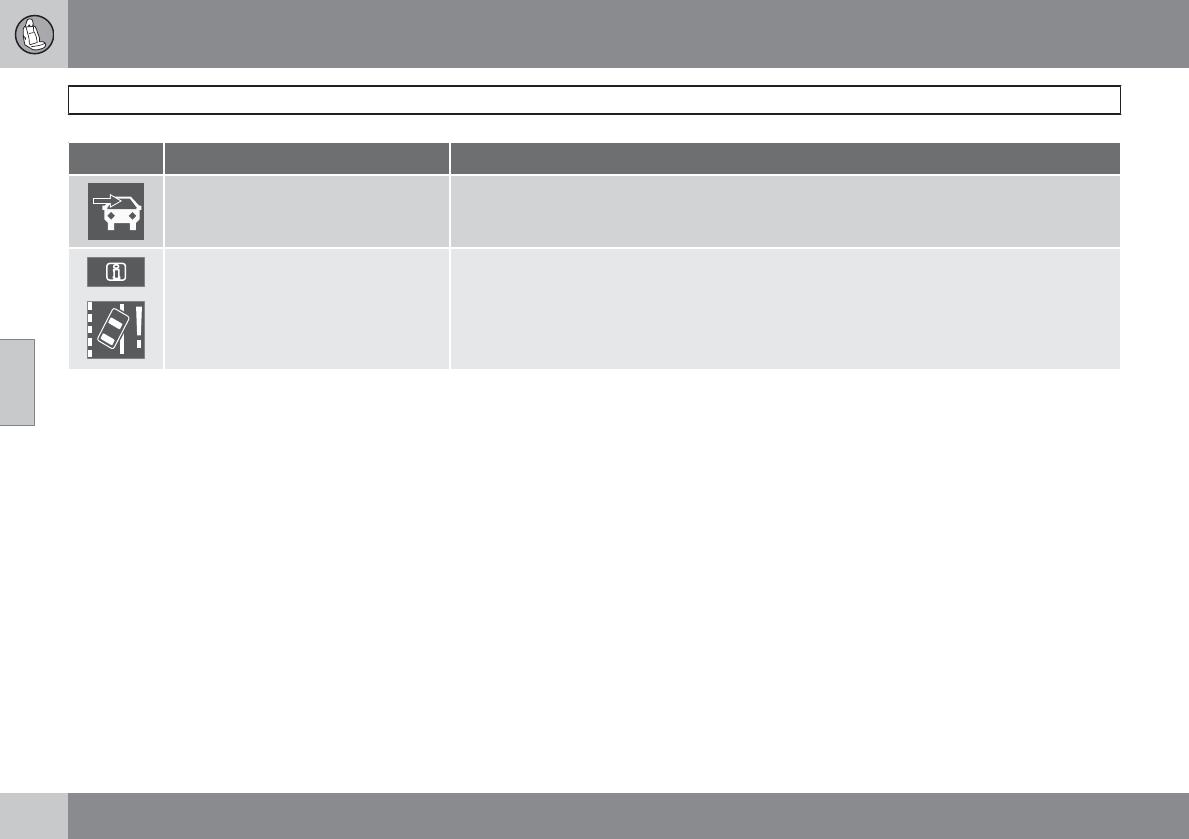
04 Comfort and driving pleasure
Driver Alert System*
04
180 * Option/accessory, for more information, see Introduction.
Symbol Message Description
Windscreen Sensors blocked The camera is temporarily not functioning, due to snow, ice, or dirt on the windshield. Clean
the area of the windshield in front of the camera. See page 171 for information on the camera’s
limitations.
Driver Alert Sys Service required The system is not functioning. Contact a trained and qualified Volvo service technician if the
message remains in the display.
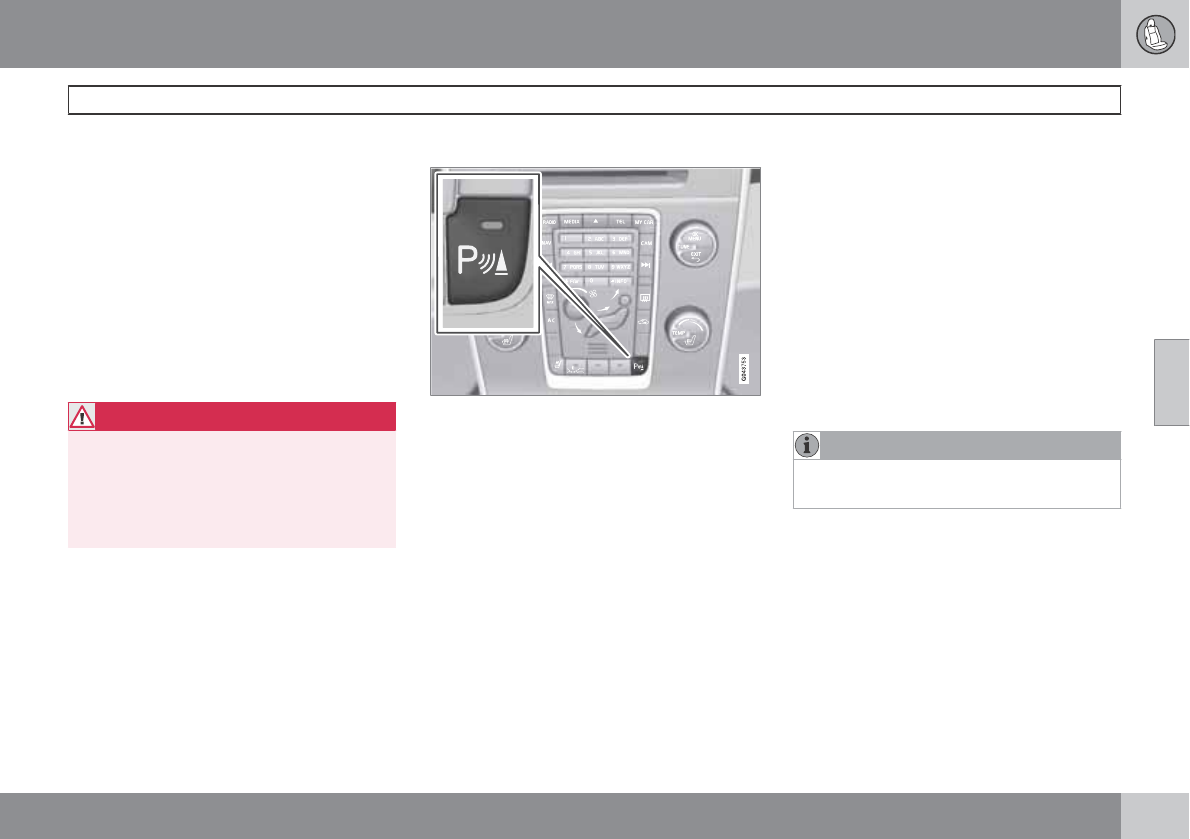
04 Comfort and driving pleasure
Park assist*
04
``
* Option/accessory, for more information, see Introduction. 181
Introduction
The park assist system is designed to assist
you when driving into parking spaces, garages,
etc. It utilizes four ultrasound sensors located
in one or both bumpers to measure the dis-
tance to a vehicle, object, or a person who may
be close to the front or rear of your vehicle. An
audible signal and symbols in the audio sys-
tem’s display indicate the distance to the
object.
This system is available in the rear bumper
only, or in both the front and rear bumpers.
WARNING
Park Assist is an information system, NOT a
safety system. This system is designed to
be a supplementary aid when parking the
vehicle. It is not, however, intended to
replace the driver's attention and judge-
ment.
Function
Park assist button
The system is activated automatically when the
vehicle is started. The indicator light in the but-
ton in the center console illuminates when the
system is on.
•The front park assist system is active from
the time the engine is started until the vehi-
cle exceeds a speed of approximately
10 mph (15 km/h). It is also active when the
vehicle is backing up.
•Rear park assist is active when the engine
is running and reverse gear has been
selected.
Activating/deactivating
The system is activated automatically when the
vehicle is started.
Press the Park assist button on the center
console to temporarily deactivate the sys-
tem(s).
> The indicator light in the button will go
out when the system has been deacti-
vated.
Park assist will be automatically reactivated the
next time the engine is started, or if the button
is pressed (the indicator light in the button will
illuminate).
NOTE
Park assist is disengaged automatically
when the parking brake is applied.
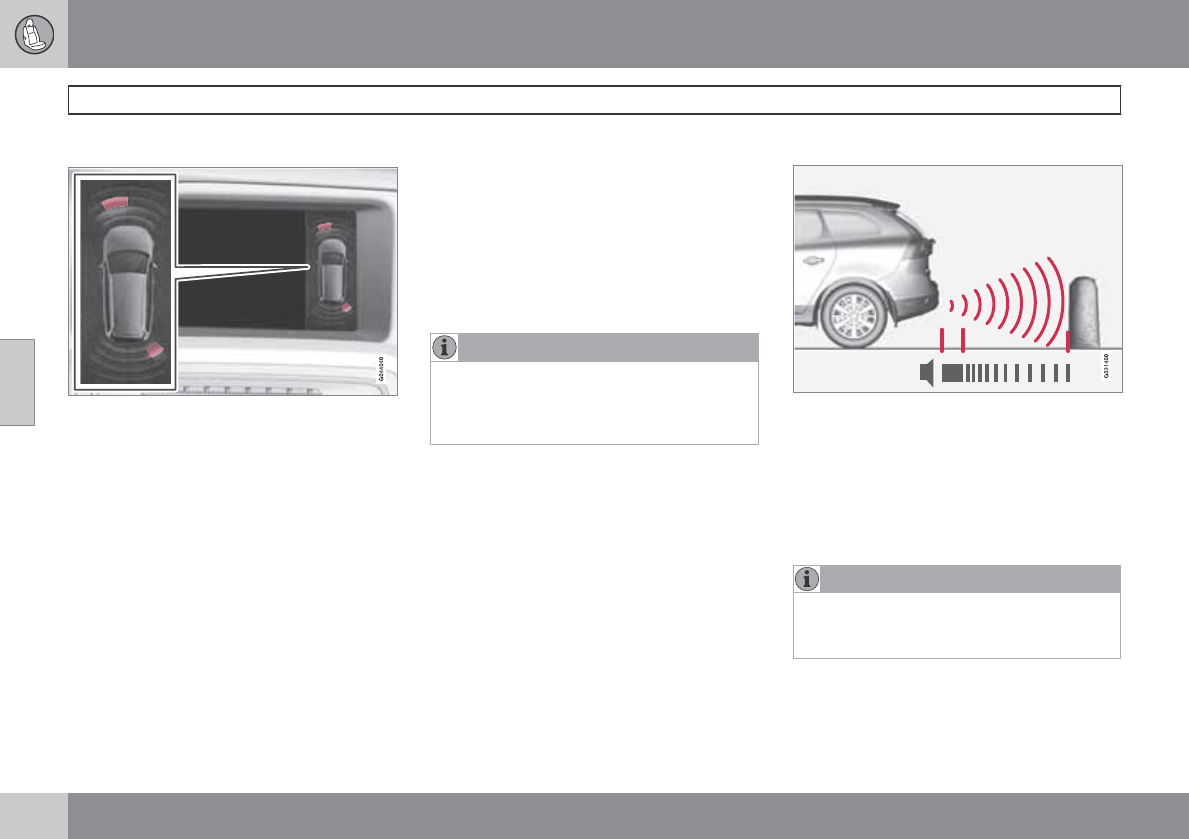
04 Comfort and driving pleasure
Park assist*
04
182 * Option/accessory, for more information, see Introduction.
Signals from the park assist system
View in the display (warning for objects front left/
right rear)
Visual indicator
The audio system’s display gives an overview
of the vehicle’s position in relation to a
detected object.
The marked sectors in the display indicate that
one or more of the sensors has detected an
object. The closer the car symbol comes to a
sector, the closer the vehicle is to the object.
If the infotainment system is switched off, the
park assist system will not be able to provide a
visual indicator. An audible signal will still be
provided.
Audible signal
The Park Assist system uses an intermittent
tone that pulses faster as you come close to an
object, and becomes constant when you are
within approximately 1 ft (30 cm) of an object
in front of or behind the vehicle. If there are
objects within this distance both behind and in
front of the vehicle, the tone alternates
between front and rear speakers.
NOTE
The level of the audible signal can be low-
ered/raised with the infotainment volume
control. The level can also be set in the MY
CAR menu system, see page 129.
If the volume of another source from the audio
system is high, this will be automatically low-
ered.
Rear park assist
The distance monitored behind the vehicle is
approximately 5 ft (1.5 m). The audible signal
comes from the rear speakers.
The system must be deactivated when towing
a trailer, carrying bicycles in a rear-mounted
carrier, etc, which could trigger the rear park
assist system's sensors.
NOTE
Rear park assist is deactivated automati-
cally when towing a trailer if Volvo genuine
trailer wiring is used.
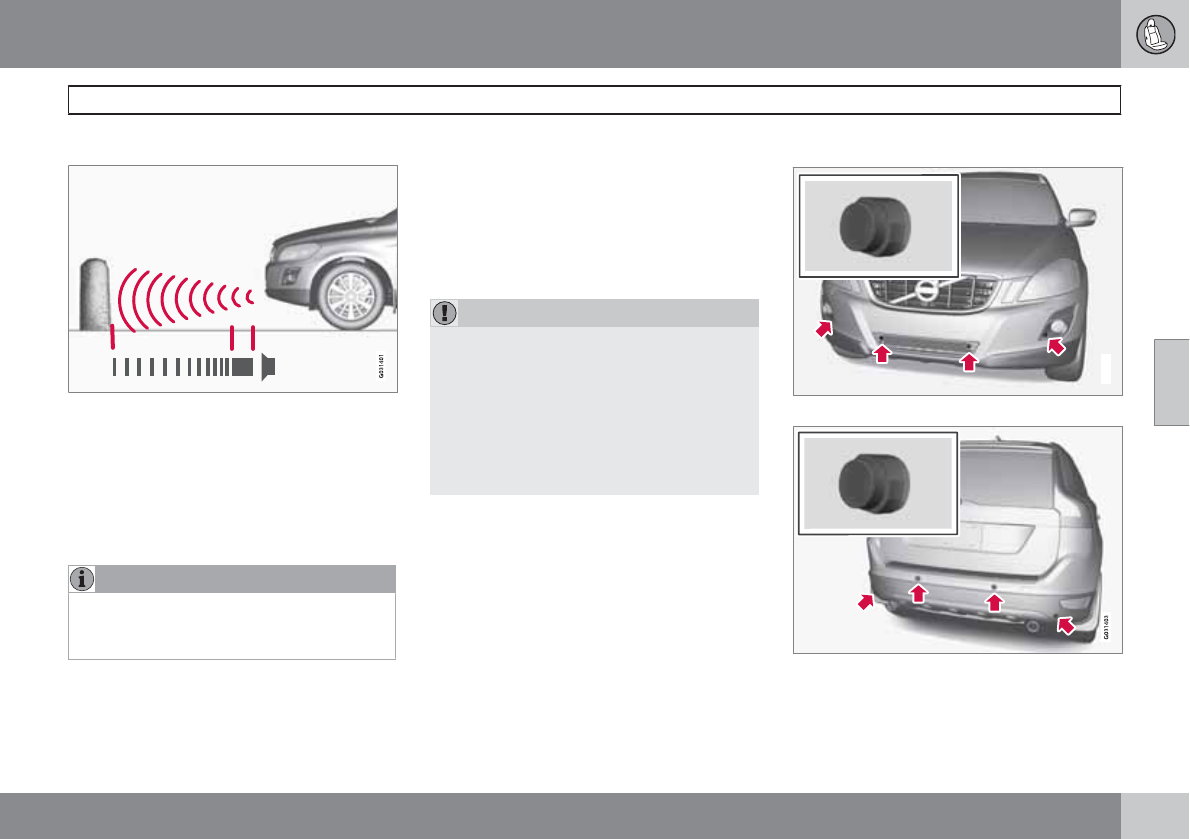
04 Comfort and driving pleasure
Park assist*
04
``
* Option/accessory, for more information, see Introduction. 183
Front park assist
The distance monitored in front of the vehicle
is approximately 2.5 ft (0.8 m). The audible sig-
nal comes from the audio system's front
speakers.
It may not be possible to combine auxiliary
headlights and front park assist since these
lights could trigger the system's sensors.
NOTE
Front park assist is deactivated when the
parking brake is applied and or when the
gear selector is in the P position.
Faults in the system
If the information symbol illuminates and Park
assist syst Service required is shown on the
information display, this indicates that the sys-
tem is not functioning properly and has been
disengaged. Consult a trained and qualified
Volvo service technician.
CAUTION
In certain circumstances, the park assist
system may give unexpected warning sig-
nals that can be caused by external sound
sources that use the same ultrasound fre-
quencies as the system. This may include
such things as the horns of other vehicles,
wet tires on asphalt, pneumatic brakes,
motorcycle exhaust pipes, etc. This does
not indicate a fault in the system.
Cleaning the sensors
G031402
Location of the front sensors
Location of the rear sensors
The sensors must be cleaned regularly to
ensure that they work properly. Clean them
04 Comfort and driving pleasure
Park assist*
04
184 * Option/accessory, for more information, see Introduction.
with water and a suitable car washing deter-
gent.
Ice and snow covering the sensors may cause
incorrect warning signals.
NOTE
If the sensors are obstructed by e.g., dirt,
snow, or ice, this could result in false warn-
ing signals from the park assist system.
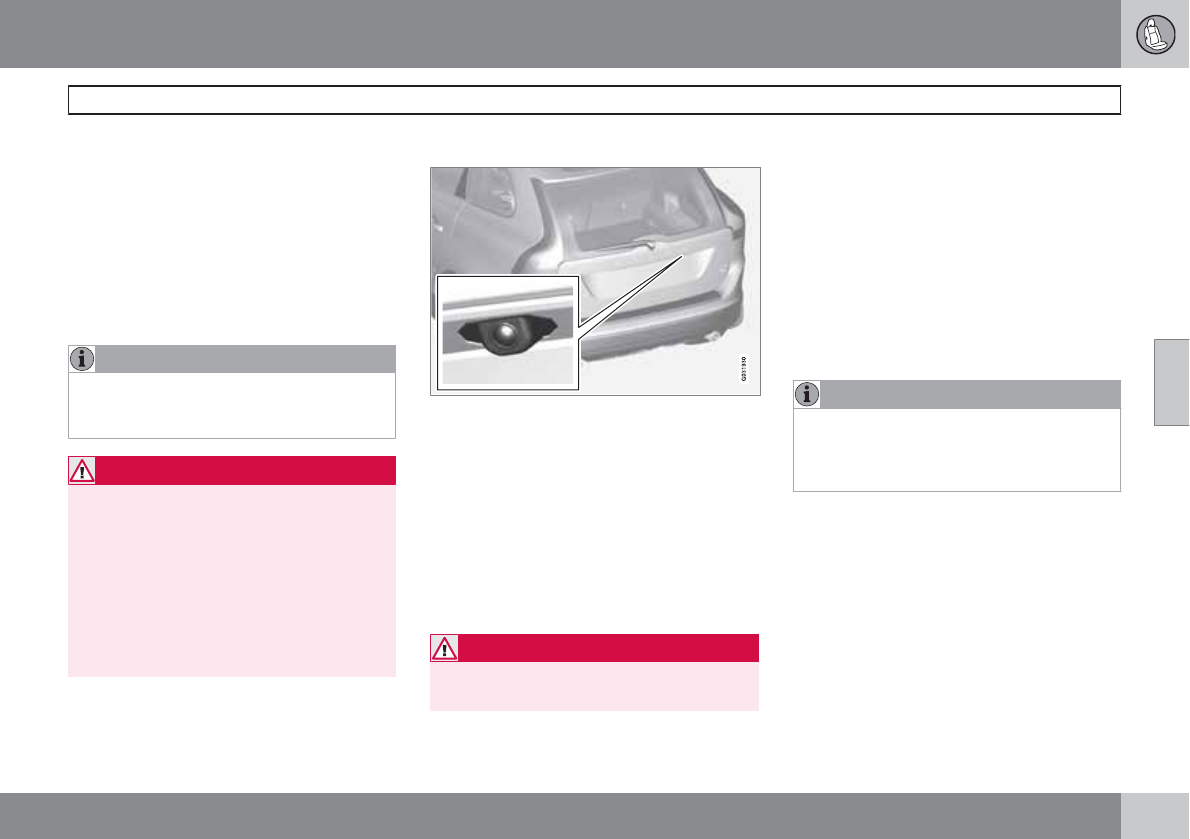
04 Comfort and driving pleasure
Rear Park Assist Camera (PAC)*
04
``
* Option/accessory, for more information, see Introduction. 185
Introduction
The Park Assist Camera uses the display in the
center console to show the area behind the car
while you are backing up.
PAC also shows guiding lines in the on-screen
image to indicate the direction that the vehicle
will take as it moves rearward, which helps
simplify parallel parking, backing into a tight
space or when attaching a trailer to the vehicle.
NOTE
PAC can only be installed on vehicles equip-
ped with the Volvo’s own navigation system
VNS.
WARNING
•PAC is designed to be a supplementary
aid when parking the vehicle. It is not,
however, intended to replace the
driver’s attention and judgment.
•The camera has blind spots where it
cannot detect objects or people behind
the vehicle.
•Pay particular attention to people or ani-
mals that are close to the vehicle.
Function
The driver sees what is behind the vehicle and
if a person or animal should suddenly appear
from the side.
PAC is mounted on the tailgate, near the open-
ing handle.
The camera has built-in electronics that help
reduce the “fish-eye” effect so that the image
shown on the screen is as natural as possible.
This may cause some objects on the screen to
“lean,” which is normal.
WARNING
Objects seen on the screen may be closer
than they appear to be.
Ambient lighting conditions
The camera automatically monitors the ambi-
ent lighting conditions behind the vehicle and
constantly adjusts sensitivity to light. This may
cause the brightness and quality of the image
on the screen to vary slightly. Sensitivity to light
is increased in dark conditions or in bad
weather, which may affect image quality.
If the image on the screen seems too dark,
brightness can be increased with the thumb
wheel on the lighting panel.
NOTE
In order to function properly, the camera
lens should always be kept clean. This is
particularly important in bad weather. Keep
the lens free of dirt, ice or snow.
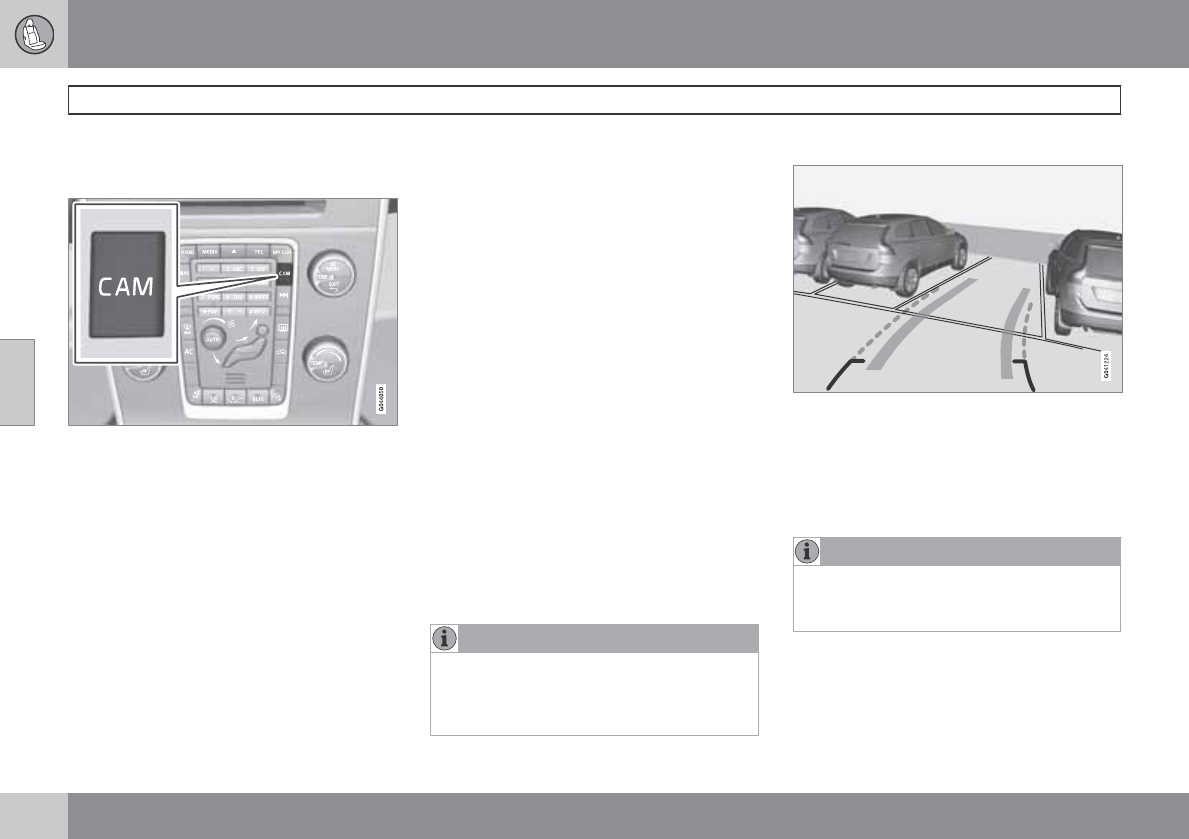
04 Comfort and driving pleasure
Rear Park Assist Camera (PAC)*
04
186 * Option/accessory, for more information, see Introduction.
Using PAC
Activation
PAC is activated when the gear selector is
moved to R if the system is selected in the MY
CAR menu system or by pressing the CAM
button in the center console. See page 128 for
a description of the menu system.
If the Volvo Navigation System (VNS) is in use,
PAC will automatically override the navigation
system to show the camera's image on the
screen instead of navigation information, for as
long as reverse gear is selected.
Zoom
The camera can be useful when attaching a
trailer. Press CAM to zoom in on the trailer
hitch (and press this button again to return to
the normal camera view).
With the camera zoomed in on the trailer hitch,
a guiding line showing the hitch's path toward
the trailer will be projected. This feature can be
activated in the MY CAR menu, see
page 129. The guiding lines for the wheels (see
the following section "Guiding lines") and for
the trailer hitch cannot be displayed at the
same time.
If the camera shows an enlarged (zoomed)
image, turn TUNE counterclockwise, or press
EXIT, CAM or OK to return to a normal view.
Deactivation
Move the gear selector from R to another posi-
tion. There is a slight delay in the PAC system,
which means that the view from behind the
vehicle will remain on the screen for approxi-
mately 15 seconds after the gear selector has
been moved from the R position or until the
vehicle reaches a forward speed of 6 mph
(10 km/h). The screen will then revert to the
mode that it was in before R was selected and
will, for example, display navigation system
information.
NOTE
If any button on the center console control
panel is pressed, the camera image will dis-
appear from the display. Pressing CAM will
return the camera image to the display.
Guiding lines
The lines on the screen are projected as if they
were a path on the ground behind the vehicle
and are affected by the way in which the steer-
ing wheel is turned. This enables the driver to
see path the vehicle will take, even if he/she
turns the steering wheel while backing up.
NOTE
When backing up with a trailer, the guiding
lines show the path that the vehicle will
take, not the trailer.
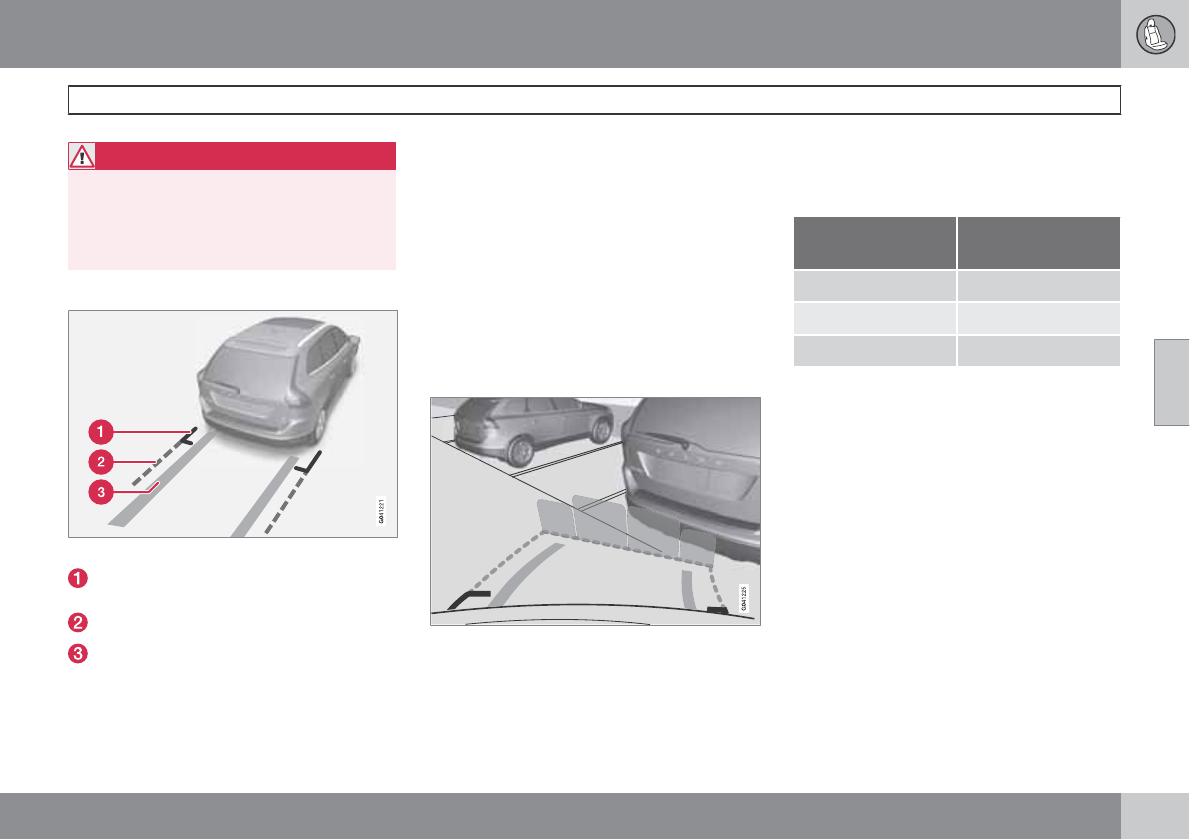
04 Comfort and driving pleasure
Rear Park Assist Camera (PAC)*
04
``
* Option/accessory, for more information, see Introduction. 187
WARNING
Keep in mind that the image on the screen
only shows the area behind the vehicle. The
driver must always watch for people, ani-
mals, other vehicles, etc., near the sides of
the vehicle when turning while backing up.
Marker lines
The PAC system's lines
Marker line for a 1-foot (30-centimeter)
zone behind the vehicle
Marker line for the clear back-up zone
"Wheel tracks"
The solid line (1) indicates a zone within 1 ft
(30 centimeters) of the rear bumper.
The dashed line (2) indicates the clear zone of
approximately 5 feet (1.5 m) behind the
bumper. These lines also indicate the outmost
limits that any object (door mirrors, corners of
the body, etc.) extends out from the vehicle ,
even when the it turns.
The "wheel tracks" (3) between the side marker
lines show where the wheels will roll and can
extend up to approximately 10.5 ft (3.2 m)
behind the bumper if there are no objects in the
way.
Vehicles equipped with Park Assist
Colored fields (4-one per sensor) indicate distance
If the vehicle is equipped with the optional Park
Assist system, the distance to an object will be
indicated more exactly and colored markers in
the display indicate which of the sensor(s) has
detected the object.
The markers change color (from yellow to
orange to red) as the vehicle comes closer to
the object.
Marker (color) Distance to
object
Yellow more than 5 ft (1.5 m)
Orange 5–1 ft (0.3–1.5 m)
Red 0–1 ft (0–0.3 m)
Settings
Press OK/MENU when a normal camera view
is displayed and make the desired settings.
Parking camera settings
•Mark Park Assist lines to display the side-
lines while backing up.
•Mark Distance information to display the
intersecting lines while backing up.
Activating the system
•Mark Automatic to activate PAC each
time reverse gear is selected.
•Mark Off to turn off PAC completely.
Summary
•The camera is activated when the gear
selector is moved to R (this can be
changed in the MY CAR menu) and the
04 Comfort and driving pleasure
Rear Park Assist Camera (PAC)*
04
188 * Option/accessory, for more information, see Introduction.
image is shown on the center console dis-
play.
•When backing up, two solid lines are pro-
jected on the screen to show the path that
the vehicle's rear wheels will take. These
lines are affected by movements of the
steering wheel. The vehicle's approximate
outer dimension are shown by two dashed
lines.
•The graphic lines will not be displayed
when backing up with a trailer that is con-
nected to the vehicle's electrical system.
•Objects on the ground that are closer than
1 ft (30 centimeters) cannot be detected by
the camera.
•The camera is active for approx.
5 seconds after the gear selector is moved
to R or until the vehicle's speed exceeds
6 mph (10 km/h).
•The optional Park Assist sensors and the
parking camera work together and infor-
mation from the sensors is shown graphi-
cally on the display.
•The graphic lines shown on the screen
when the vehicle backs up can be disabled
in the settings menu.
•Manual zoom can be selected in the MY
CAR menu.
•The system can be switched off by press-
ing CAM. By default, the system is acti-
vated when the gear selector is moved to
R. This setting can be changed in the in MY
CAR menu.
•If there are two cameras installed on the
vehicle*, to switch between cameras, turn
TUNE (at least one of the cameras has to
be active), press CAM repeatedly or use
the center console controls. If the front
camera is on, it overrides the optional park
assist system's visual indicator but there
will still be an audible signal.
Limitations
Even if a fairly small section of the screen image
appears to be obstructed, this may mean that
a relatively large area behind the vehicle is hid-
den and objects there may not be detected
until they are very near the vehicle.
NOTE
Bicycle carriers or other accessories moun-
ted on the tailgate may obstruct the cam-
era's field of view.
Keep in mind
•Keep the camera's lens free of dirt, ice and
snow. Remove ice and snow carefully to
avoid scratching the lens.
•Clean the lens regularly with warm water
and a suitable car washing detergent.
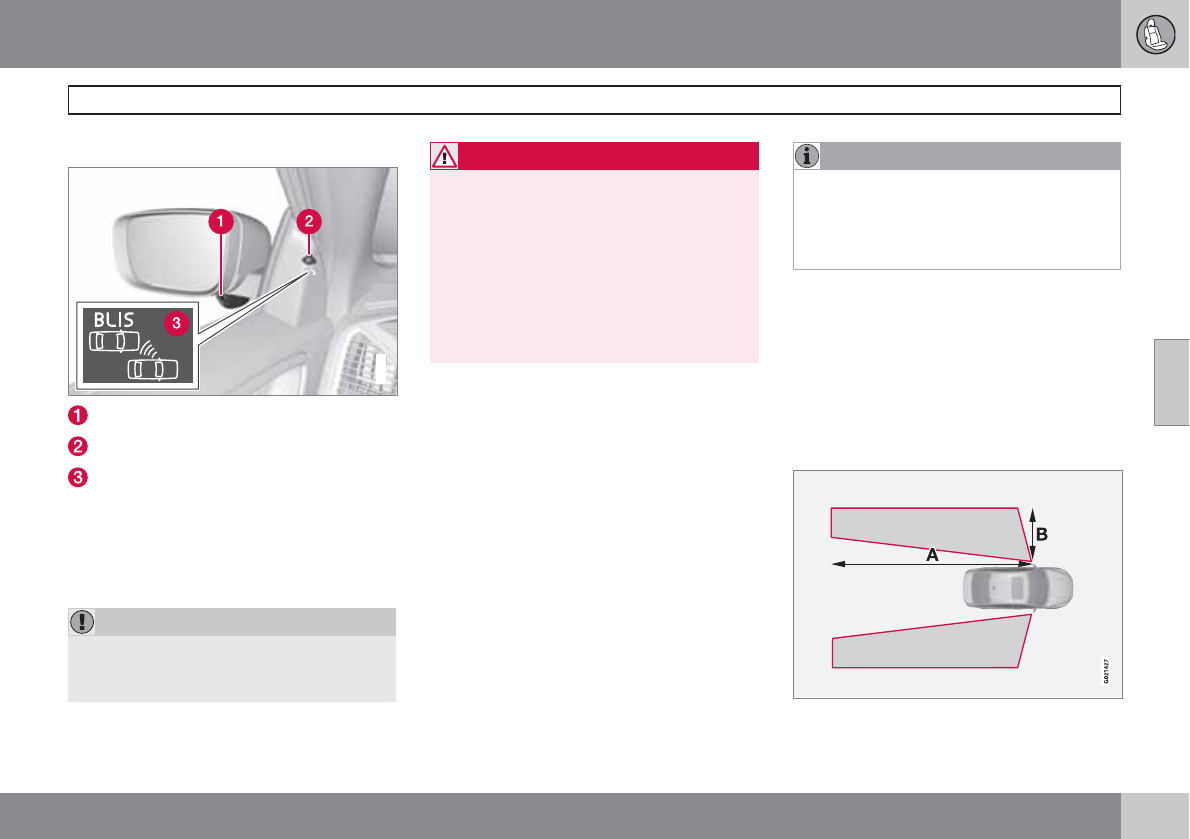
04 Comfort and driving pleasure
Blind Spot Information System*
04
``
* Option/accessory, for more information, see Introduction. 189
Introduction
G031404
BLIS camera
Indicator light
BLIS symbol
The Blind Spot Information System (BLIS) is an
information system that indicates the presence
of another vehicle moving in the same direction
as your vehicle in the side-view mirror's "blind
area."
CAUTION
The BLIS system should only be repaired by
a trained and qualified Volvo service tech-
nician.
WARNING
•BLIS is an information system, NOT a
warning or safety system.
•BLIS does not eliminate the need for
you to visually confirm the conditions
around you, and the need for you to turn
your head and shoulders to make sure
that you can safely change lanes.
•As the driver, you have full responsibility
for changing lanes in a safe manner.
The system is based on digital camera tech-
nology. The cameras are located beneath the
side-view mirrors.
When one (or both) of the cameras have
detected a vehicle in the blind area (up to
approximately 10 ft. (3 meters) from the side of
your vehicle, and up to approximately 31 ft.
(9.5 meters) behind the side-view mirror), see
the illustration, the indicator light in the door
panel illuminates. The light will glow continu-
ously to alert the driver of the vehicle in the
blind area.
NOTE
The door panel indicator light illuminates on
the side of the vehicle where the system has
detected another vehicle. If your vehicle is
passed on both sides at the same time, both
lights will illuminate.
BLIS has an integrated function that alerts the
driver if a fault should occur with the system.
For example, if one or both of the system's
cameras are obscured, a message (see the
table on page 191) will appear in the informa-
tion display in the instrument panel. If this
occurs, clean the camera lenses. If necessary,
the system can be temporarily switched off (for
instructions, see page 191).
Areas monitored by BLIS Distance A = approx.
31 ft. (9.5 meters), Distance B = approx. 10 ft.
(3 meters)
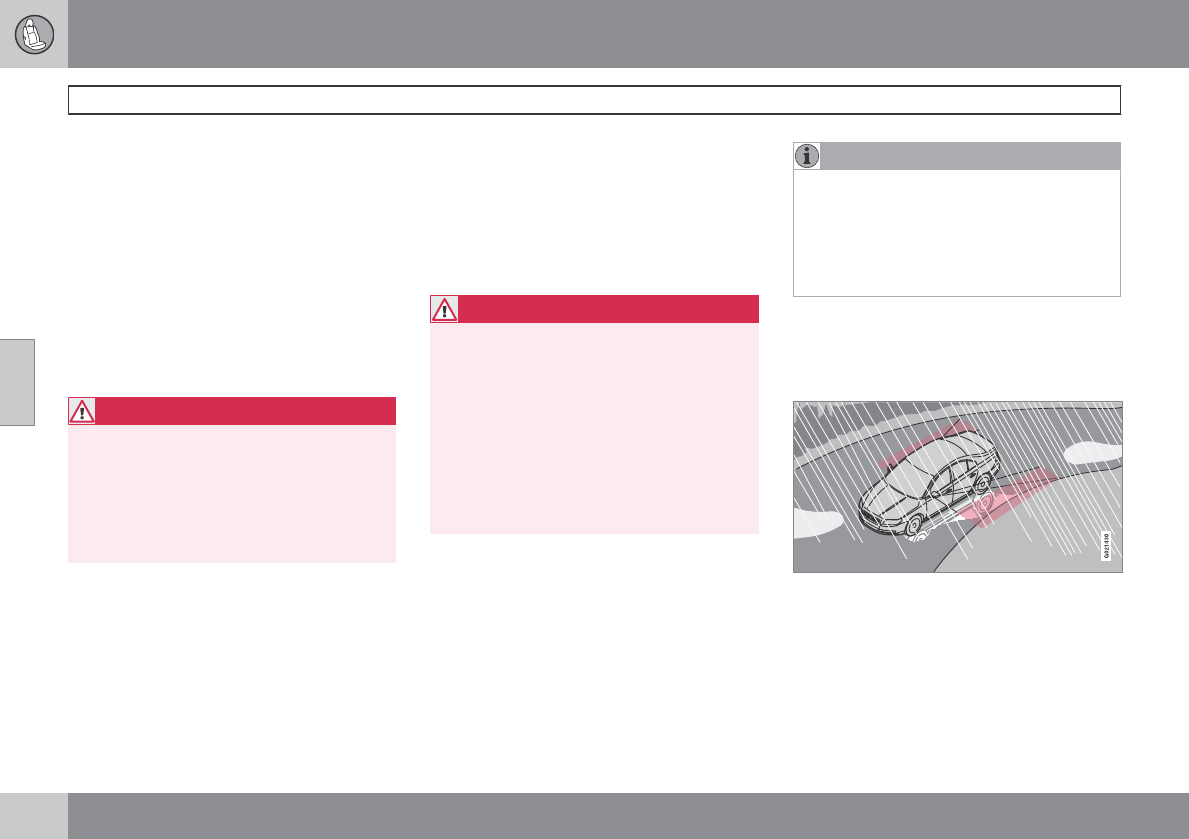
04 Comfort and driving pleasure
Blind Spot Information System*
04
190 * Option/accessory, for more information, see Introduction.
When does BLIS function
The system functions when your vehicle is
moving at speeds above 6 mph (10 km/h).
When you pass another vehicle:
The system reacts when you pass another
vehicle at a speed of up to 6 mph (10 km/h)
faster than that vehicle.
When you are passed by another vehicle:
The system reacts if your vehicle is passed by
another vehicle at a speed of up to 43 mph
(70 km/h) faster than your vehicle.
WARNING
•BLIS does not function in sharp curves.
•BLIS does not function when your vehi-
cle is backing up.
•If you are towing a wide trailer, this may
prevent the BLIS cameras from detect-
ing other vehicles in adjacent lanes.
How BLIS functions in daylight and
darkness
Daylight
BLIS reacts to the shape of surrounding vehi-
cles. The system is designed to help detect
motor vehicles such as cars, trucks, buses,
motorcycles, etc.
Darkness
BLIS reacts to the headlights of surrounding
vehicles. In order to be detected by BLIS, a
vehicle in the blind area must have its head-
lights on. This means, for example, that the
system will not detect a trailer without head-
lights that is being towed behind a car or truck.
WARNING
•BLIS does not react to cyclists or
mopeds.
•BLIS does not react to vehicles that are
standing still.
•The BLIS cameras have the same limi-
tation as the human eye. In other words,
their "vision is impaired" by adverse
weather conditions such as heavy
snowfall, intense light directly into the
camera, dense fog, etc.
Limitations
In certain situations, the BLIS indicator light(s)
may illuminate even when there are no other
vehicles in the area monitored by the system.
NOTE
If the BLIS indicator lights illuminate occa-
sionally even when there are no other vehi-
cles in the blind area, this does not indicate
a fault in the system.
In the event of a fault, Blind spot syst.
Service required will be displayed.
The following are several examples of situa-
tions in which the BLIS indicator light(s) may
illuminate even when there are no other vehi-
cles in the area monitored by the system.
Light reflected from a wet road surface
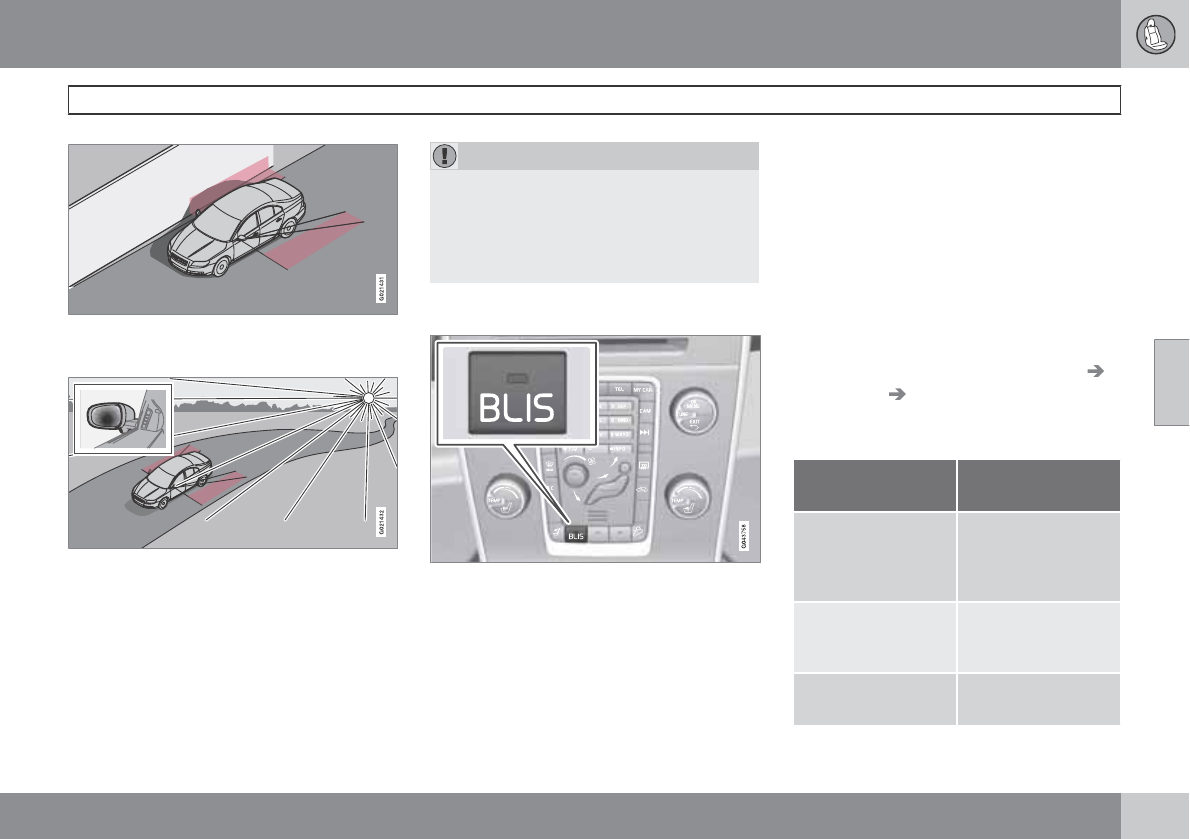
04 Comfort and driving pleasure
Blind Spot Information System*
04
``
* Option/accessory, for more information, see Introduction. 191
The vehicle's own shadow against a large, light,
smooth surface such as barriers between lanes on
a highway
Sunlight directly in the camera when the sun is low
on the horizon
Cleaning the BLIS camera lenses
In order to function optimally, the BLIS camera
lenses must be kept clean. They can be wiped
clean with a soft cloth or wet sponge.
CAUTION
•Clean the lenses carefully to avoid
scratching.
•The lenses are electrically heated to
help melt ice or snow. If necessary, gen-
tly brush away snow from the lenses.
Switching BLIS on and off
BLIS is automatically activated when the igni-
tion is switched on. The indicator lights will
provide confirmation by flashing 3 times.
•The system can be switched off by press-
ing the BLIS button in the center console
(see the illustration). The indicator light in
the button goes out when the system is
switched off, and a text message is dis-
played.
•BLIS can be switched on again by pressing
the button. The indicator light in the button
will illuminate and a new text message will
be displayed. Press the READ button (see
page 126) to erase the message.
Depending on the vehicle's optional equip-
ment, there may not be space for the BLIS but-
ton in the center console. In this case, BLIS can
be switched on and off in the menu system by
pressing MY CAR and going to Settings
Car settings BLIS. See page 129 for a
description of the menu system.
BLIS system messages
Text in the dis-
play
System status
Blind spot syst.
Service required
BLIS not functioning
properly. Contact an
authorized Volvo
service technician.
Blind spot syst.
camera blocked
BLIS camera
obscured. Clean the
lenses.
Blind-spot info
system ON
BLIS system on
04 Comfort and driving pleasure
Blind Spot Information System*
04
192 * Option/accessory, for more information, see Introduction.
Text in the dis-
play
System status
Blind-spot info
system OFF
BLIS system off
Blind spot syst.
Reduced function
The BLIS cameras'
function has been
reduced due to
weak or impaired
data transfer
between the BLIS
system's cameras
and the vehicle's
electrical system.
The cameras will
reset themselves
when this data
transfer has
returned to normal.
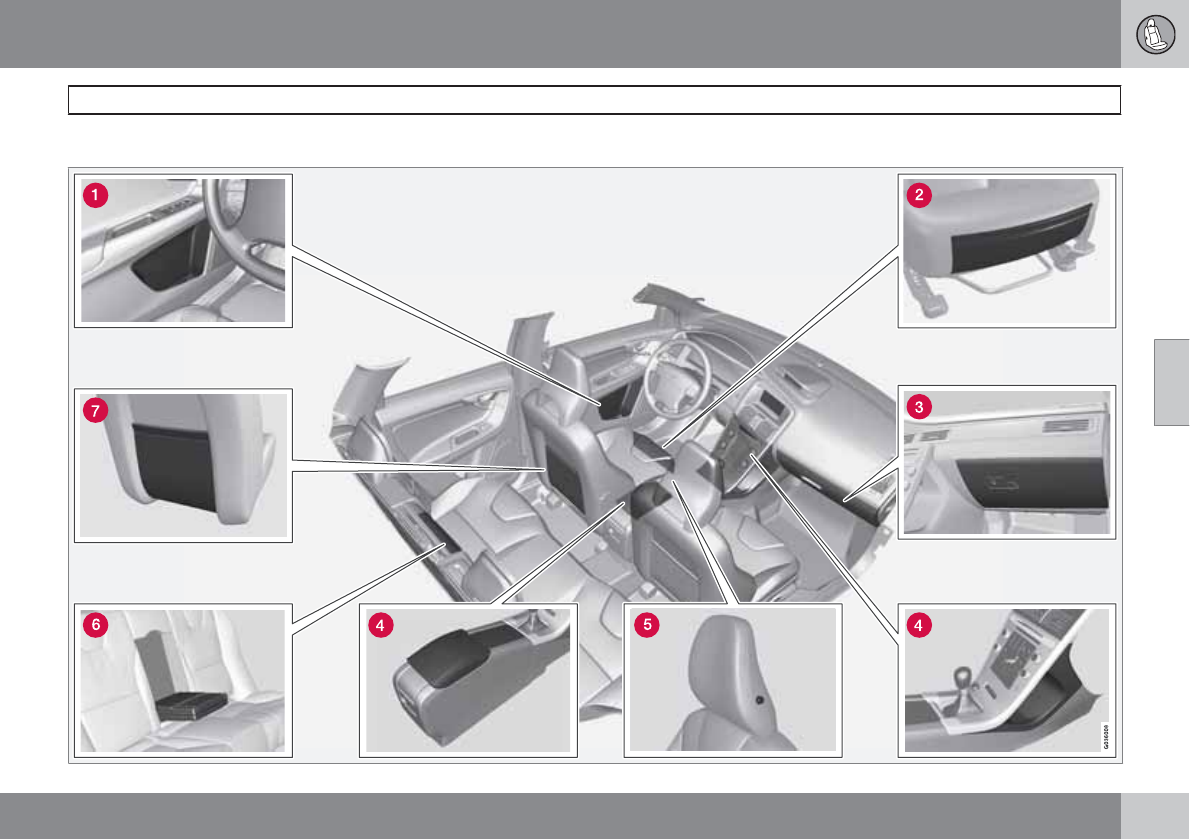
04 Comfort and driving pleasure
Passenger compartment convenience
04
``
193
Storage spaces
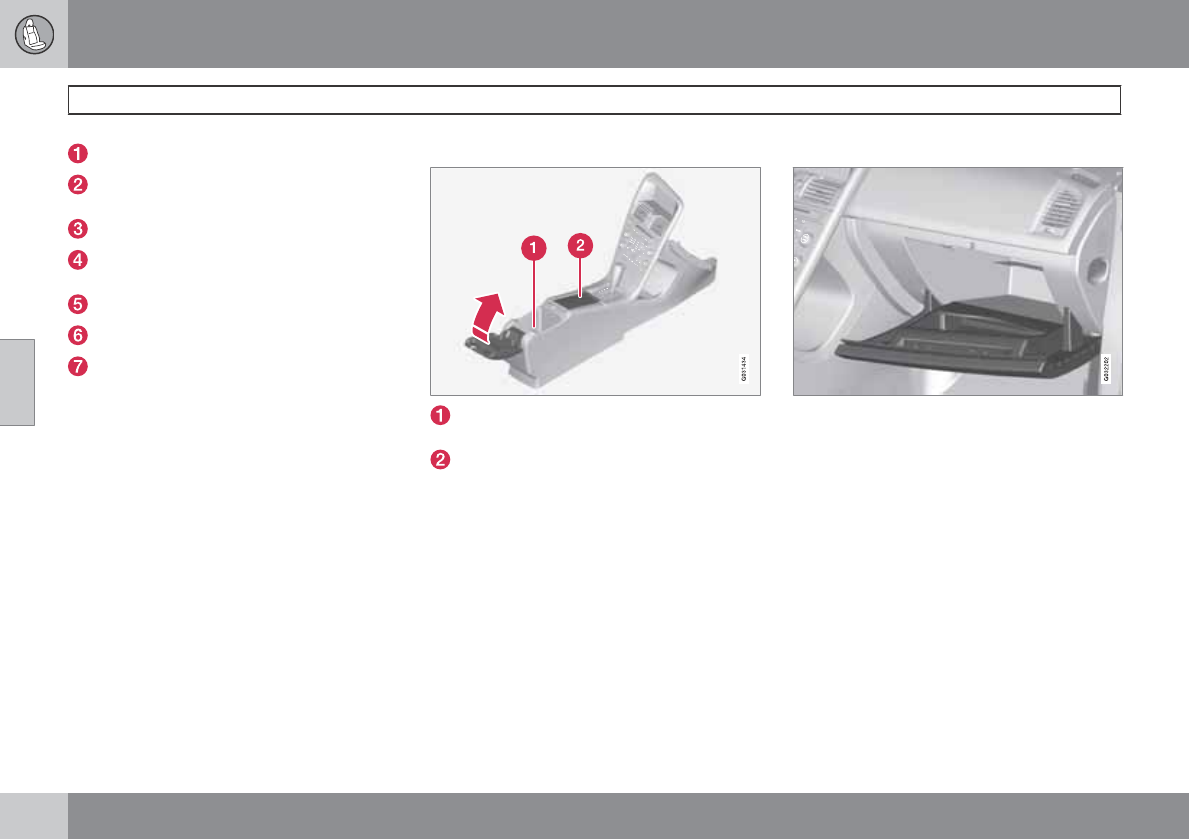
04 Comfort and driving pleasure
Passenger compartment convenience
04
194 * Option/accessory, for more information, see Introduction.
Compartment in door panel
Storage pocket on the front edge of the
front seat cushions
Glove compartment
Storage compartment, 12-volt socket and
AUX input/USB connector*
Jacket holder
Rear seat cup holders
Storage pocket
Jacket holder
The jacket hanger is located on the inboard
side of the front passenger's seat head
restraint. It is only intended for hanging light
garments.
Tunnel console
Storage compartment (for CDs, etc.) under
armrest, AUX input/USB connector.
Includes cup holder for driver and passen-
ger, 12-volt socket and small storage com-
partment.
Glove compartment
The owner's manual and maps can be kept
here. There are also holders for pens and fuel
cards. The glove compartment can be locked
manually with the key blade, see page 67.
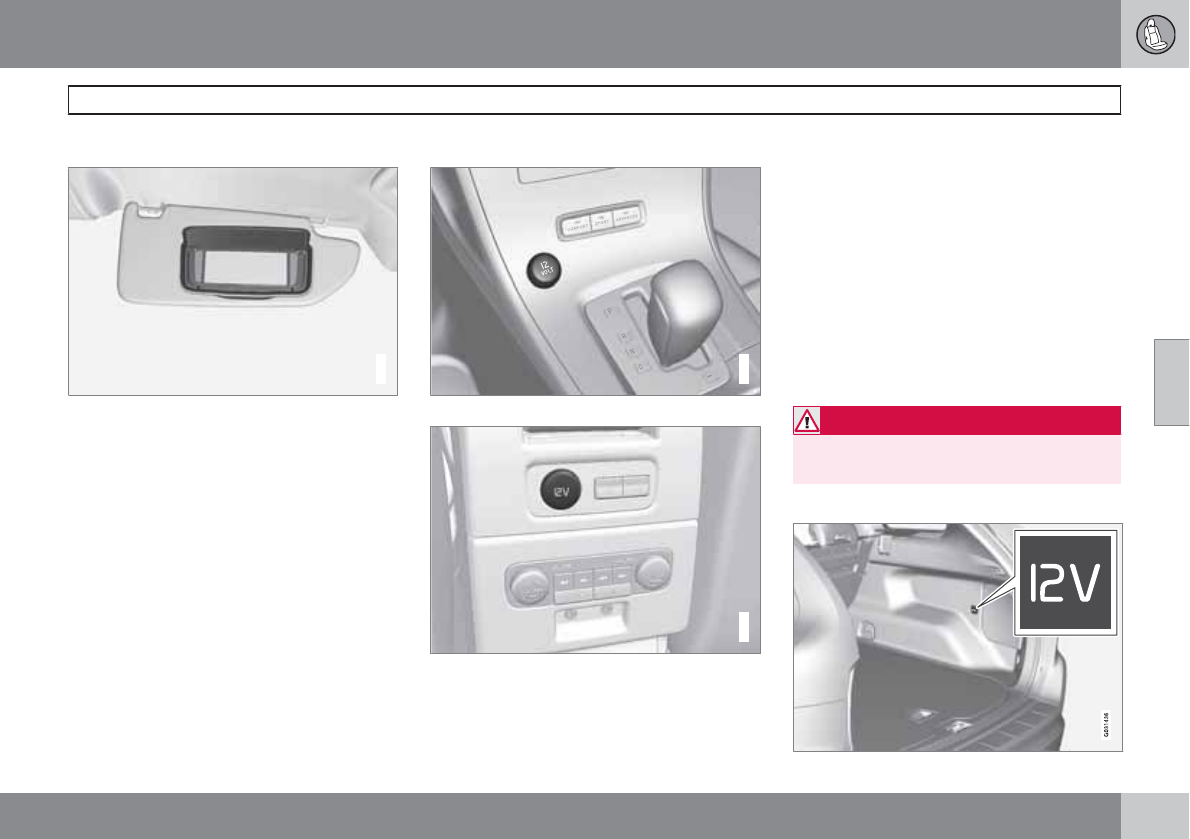
04 Comfort and driving pleasure
Passenger compartment convenience
04
``
* Option/accessory, for more information, see Introduction. 195
Vanity mirror
G021438
Vanity mirror with lighting
The light comes on automatically when the
cover is lifted.
12-volt sockets
G031435
12-volt socket in the front tunnel console
G021440
12-volt socket in the rear center console
The electrical sockets can be used for 12-volt
accessories such as cell phone chargers and
coolers. For the socket to supply current, the
ignition must be in at least mode I, see
page 81.
The maximum current consumption is 10A
(120W) if only one of the 12-volt sockets in the
passenger compartment is in use. If both the
front and rear sockets are used at the same
time, the maximum current consumption per
socket is 7.5A (90W).
The auxiliary sockets can also be used to
power a cigarette lighter. Accessory cigarette
lighters and ashtrays can be purchased from
your Volvo retailer.
WARNING
Always keep the sockets covered when not
in use.
12-volt socket in the cargo area*
04 Comfort and driving pleasure
Passenger compartment convenience
04
196
Fold down the cover to access the electrical
socket.
NOTE
The 12-volt socket in the cargo area pro-
vides electrical current even when the igni-
tion is switched off. Using the socket while
the engine is not running will drain the bat-
tery.
04 Comfort and driving pleasure
04
197

198
Introduction........................................................................................... 200
Getting started ..................................................................................... 202
General infotainment functions ............................................................ 207
Radio..................................................................................................... 210
Media player......................................................................................... 219
AUX/USB sockets................................................................................. 223
Bluetooth media ................................................................................. 226
Bluetooth® hands-free connection ...................................................... 229
Cell phone voice control....................................................................... 237
Infotainment system menus ................................................................. 241
INFOTAINMENT
05 Infotainment
Introduction
05
200 * Option/accessory, for more information, see Introduction.
General information
The infotainment system in your vehicle is
available in two versions:
High Performance Multimedia
•7" color TFT display
•Voice control1
•Thumb wheel on the steering wheel key-
pad
•AM/FM/HD radio2
•Sirius satellite radio*
•CD/DVD (mp3 and wma file formats)
•AUX and USB sockets
•Bluetooth hands-free/streaming
•8 speakers
•4x40W amplifier
Premium Sound Multimedia
•7" color TFT display
•Voice control1
•Thumb wheel on the steering wheel key-
pad
•AM/FM/HD radio2
•Sirius satellite radio*
•CD/DVD (mp3 and wma file formats)
•AUX and USB sockets
•Bluetooth hands-free/streaming
•12 speakers
•5x130W amplifier
Dolby Pro Logic
Dolby Surround Pro Logic II distributes stereo
sound's two channels to the left/right and front/
rear speakers.
Dolby Pro Logic II and the symbol are
trademarks of Dolby Laboratories Licensing
Corporation. The Dolby Pro Logic II System is
manufactured under license from Dolby
Laboratories Licensing Corporation.
Audyssey MultEQ
3
The Audyssey MultEQ system has been used
to optimize sound quality to help ensure a
world-class listening experience.
Using the infotainment system
If the infotainment system is on when the igni-
tion is switched off, it will come on automati-
cally the next time the ignition is put in mode I
or higher and continue using the same source
(FM1, etc.) that was in use when the ignition
was switched off (the driver's door must also
be closed on vehicles with the optional keyless
drive).
The infotainment system can be operated with-
out a key in the ignition slot for 15 minutes at
a time by pressing the On/Off button.
1Only available on models equipped with the optional Volvo Navigation System.
2U.S. models only
3Applies only to models with Premium Sound Multimedia.
05 Infotainment
Introduction
05
201
While the engine is being started, the infotain-
ment system will be temporarily interrupted
and will resume when the engine has started.
NOTE
To help avoid excessive battery drain,
remove the remote key from the ignition slot
if the infotainment system is used while the
engine is switched off.
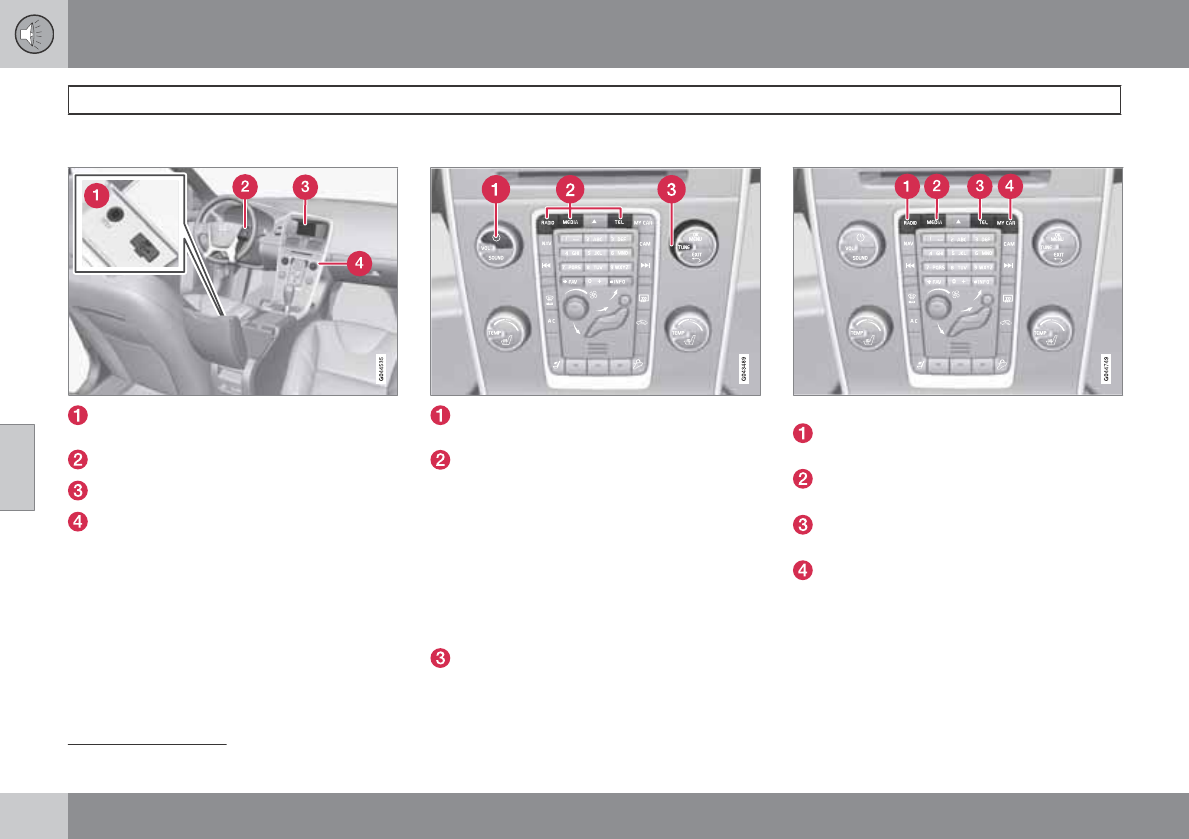
05 Infotainment
Getting started
05
202 * Option/accessory, for more information, see Introduction.
Infotainment system overview
Sockets for external audio sources (AUX
and USB)
Steering wheel keypad
7" display
Center console control panel
Operating the system
Short press: switch the system ON. Press
and hold: switch the system OFF.
Infotainment system mode buttons
(RADIO, MEDIA, or TEL). Press a button
to access the desired mode and press the
same button again to access the mode's
menus. Release the button and wait sev-
eral seconds to automatically accept your
selection. You can also navigate in the
menus by turning TUNE to make a selec-
tion and pressing OK/MENU to confirm
your selection.
Turn TUNE to navigate among the menu
alternatives in the display (FM1, DISC,
etc.), or to quickly scroll among tracks,
folders or radio stations.
Infotainment mode buttons
Press a button to select a mode
RADIO: use to select AM, FM1, FM2,
SAT1*1, SAT2*1
MEDIA: use to select DISC, AUX, USB,
iPod or Bluetooth*.
TEL: Bluetooth® hands-free cell phone
operation
MY CAR – See page 128.
1Sirius Satellite radio
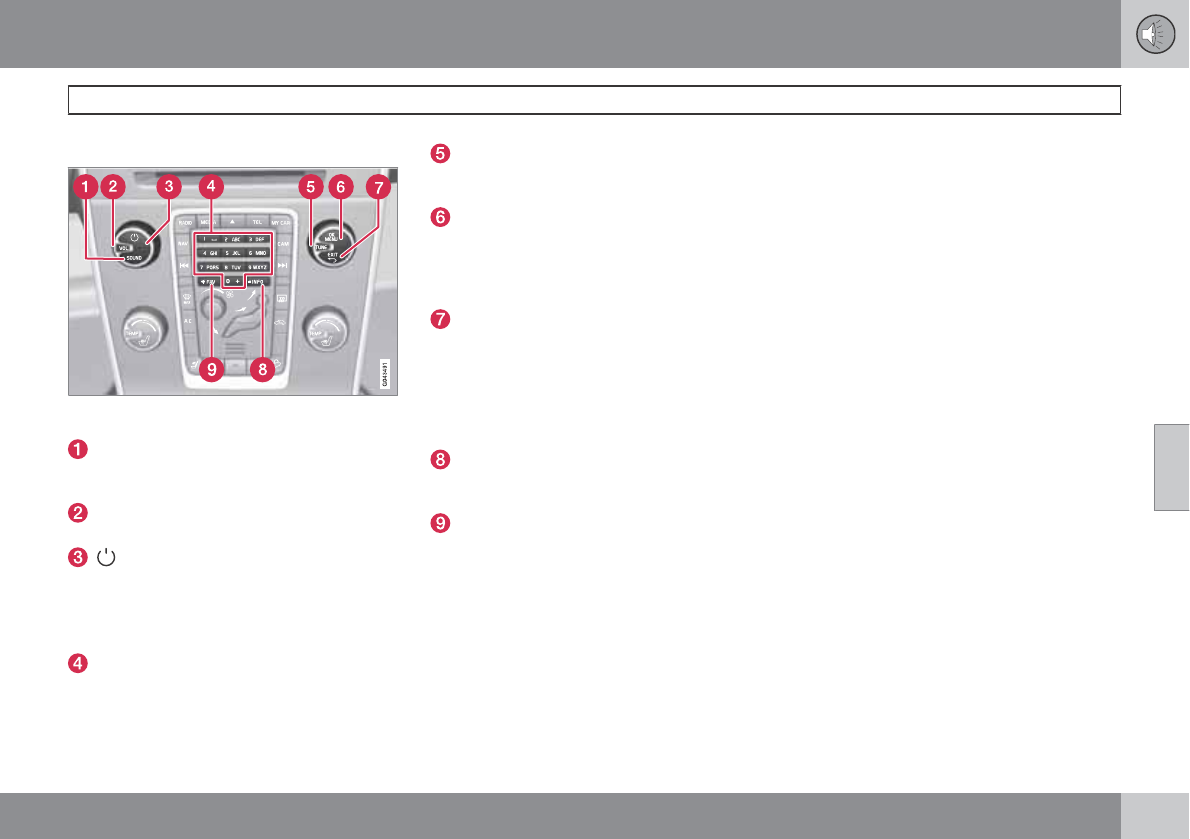
05 Infotainment
Getting started
05
``
203
Basic infotainment functions
Controls in the center console for basic infotain-
ment functions
SOUND: press this button to access the
menu for adjusting bass, treble, etc. See
page 208 for additional information.
VOL: Turn to raise or lower the volume
level.
Short press: switch the system ON.
Press and hold: switch the system OFF. A
short press when the infotainment system
is on will mute/unmute the infotainment
system sound.
Number key pad (used to e.g., select a pre-
set radio station, enter letter/numbers
when using a Bluetooth cell phone, etc.
TUNE: Turn in either direction to manually
tune a radio station or navigate among the
menu alternatives shown on the display.
OK/MENU: Press to confirm a selection or
access the menus for the currently
selected infotainment system mode (you
can also choose to wait several seconds to
automatically accept your selection).
EXIT: Go higher in the menu system, inter-
rupt the current function, reject an incom-
ing phone call or erase any characters
entered in the display. From the highest
level in the current menu, press and hold to
go to the infortainment system's main
menu view (see page 204).
INFO: Press this button to display addi-
tional information about a function, song,
etc. See page 207 for more information.
FAV: This button can be used to store a
shortcut to a commonly used function in
AM/FM/SIRIUS/DISC, etc. See the sec-
tion "FAV—storing a shortcut" on page
207 for information on using this button.
Views in the display
General information
The infotainment system displays information
in four different views. The highest (most gen-
eral) level is called the main view and is com-
mon to all system modes (RADIO, MEDIA,
TEL). Each mode has three different basic
views:
•Normal view: the default view for that par-
ticular mode
•Quick scroll view: the view displayed when
TUNE is turned, which allows you to e.g.,
change tracks on a CD, change radio sta-
tions, etc.
•Menu view: a view for navigating and mak-
ing selections in the mode's menu system.
The views in the different modes vary depend-
ing on the mode selected, the vehicle's equip-
ment, current settings, etc.
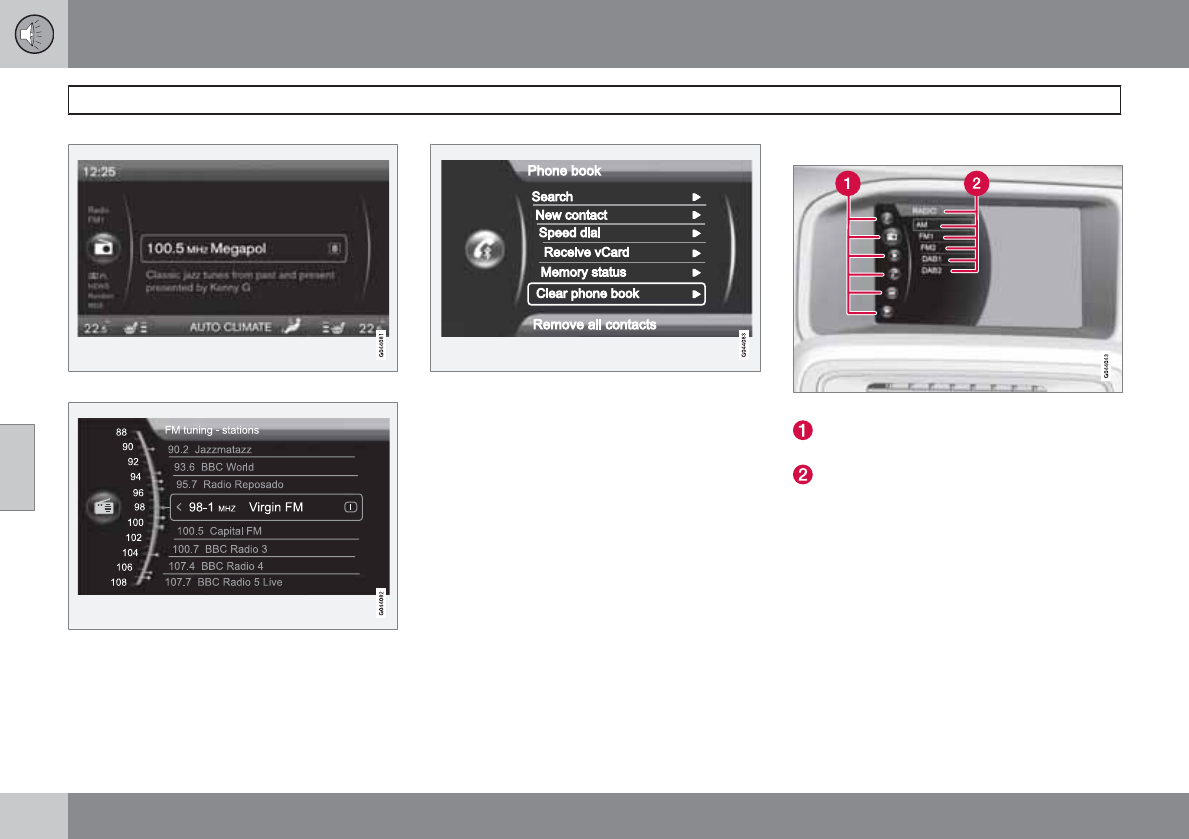
05 Infotainment
Getting started
05
204
Example of RADIO mode's normal view
Example of RADIO mode's quick scroll view
Example of Bluetooth
hands-free mode's menu
view
Main view
Example of RADIO mode's main view
Modes (e.g., RADIO, MEDIA etc.), see the
following table.
Source menu, e.g., (FM1, DISC, etc.).
Press and hold EXIT on the steering wheel
keypad to display the main view (see the illus-
tration). This offers a quick way of changing
modes (RADIO, MEDIA etc.) directly from the
steering wheel keypad without taking your
hands off the steering wheel. This can also be
done using the mode buttons on the center
console control panel.
•Select a mode (1) by turning the thumb
wheel on the steering wheel keypad. Press
the thumb wheel to confirm your choice.
•After selecting a mode, turn the thumb
wheel to one of the mode's alternatives in
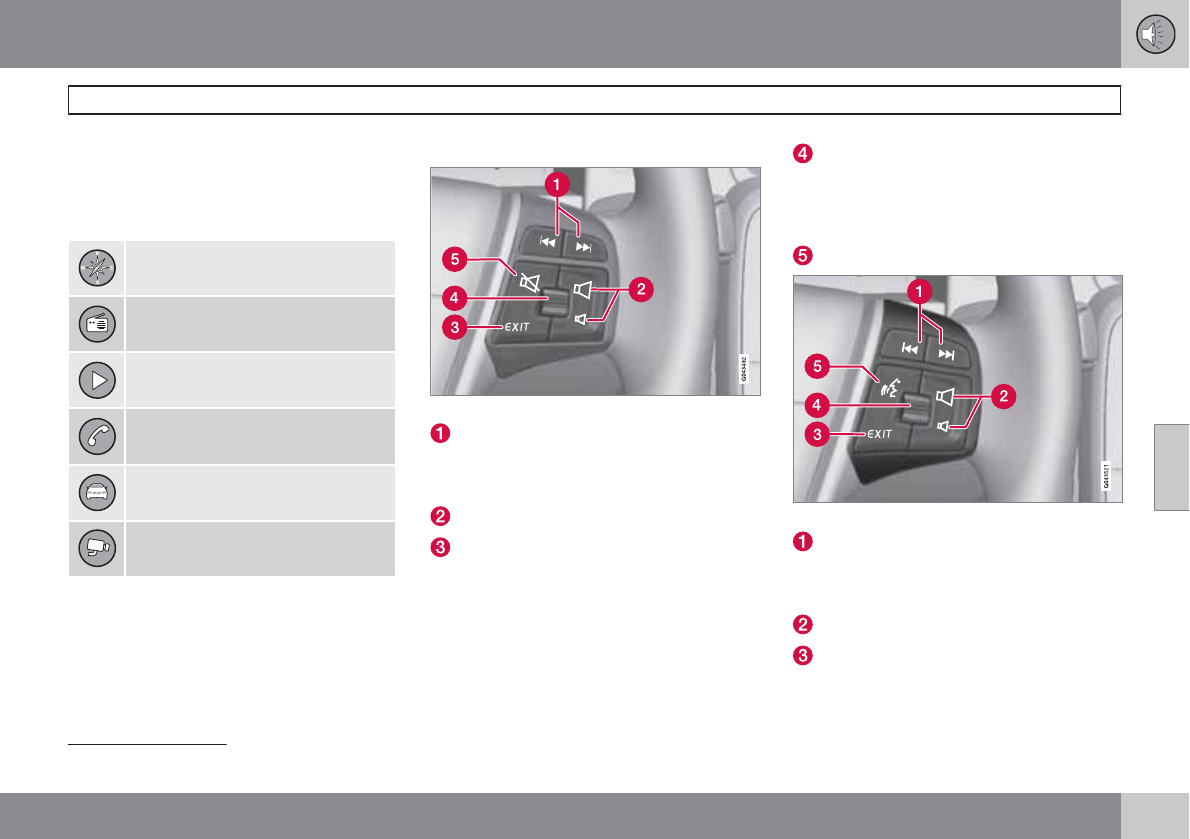
05 Infotainment
Getting started
05
``
* Option/accessory, for more information, see Introduction. 205
the display (2) (for example, FM1) and
press the thumb wheel to confirm your
choice.
Press and hold EXIT to go back.
NAV: Navigation system*
RADIO: Radio
MEDIA: Media (DISC, USB, etc.)
TEL: Bluetooth hands-free
MY CAR: Driving-related settings
CAM: Park assist camera*
Steering wheel keypad
Standard steering wheel keypad
Left/right arrow keys: A short press moves
between tracks on a disc or searches for
the next radio station. Press and hold to
search within tracks.
Volume
EXIT: Go higher in the menu system, inter-
rupt the current function, reject an incom-
ing phone call or erase any characters
entered in the display. Press and hold to go
to the highest level in the current menu.
From the highest level in the current menu,
press and hold to go to the infortainment
system's main menu view (see page 204).
Thumb wheel, used to scroll in the menus
shown on the display. Press the thumb
wheel to e.g., confirm a menu selection or
to answer an incoming call on a Bluetooth-
connected cell phone.
Mute
Steering wheel keypad with voice control button2
Left/right arrow keys: A short press moves
between tracks on a disc or searches for
the next radio station. Press and hold to
search within tracks.
Volume
EXIT: Go higher in the menu system, inter-
rupt the current function, reject an incom-
ing phone call or erase any characters
entered in the display. A long press takes
2Models equipped with the optional navigation system only
05 Infotainment
Getting started
05
206
you to the main menu view (see
page 204).
Thumb wheel, used to scroll in the menus
shown on the display. Press the thumb
wheel to e.g., confirm a menu selection or
to answer an incoming call on a Bluetooth-
connected cell phone.
Voice control (for operating Bluetooth-
connected cell phones and the optional
navigation system)
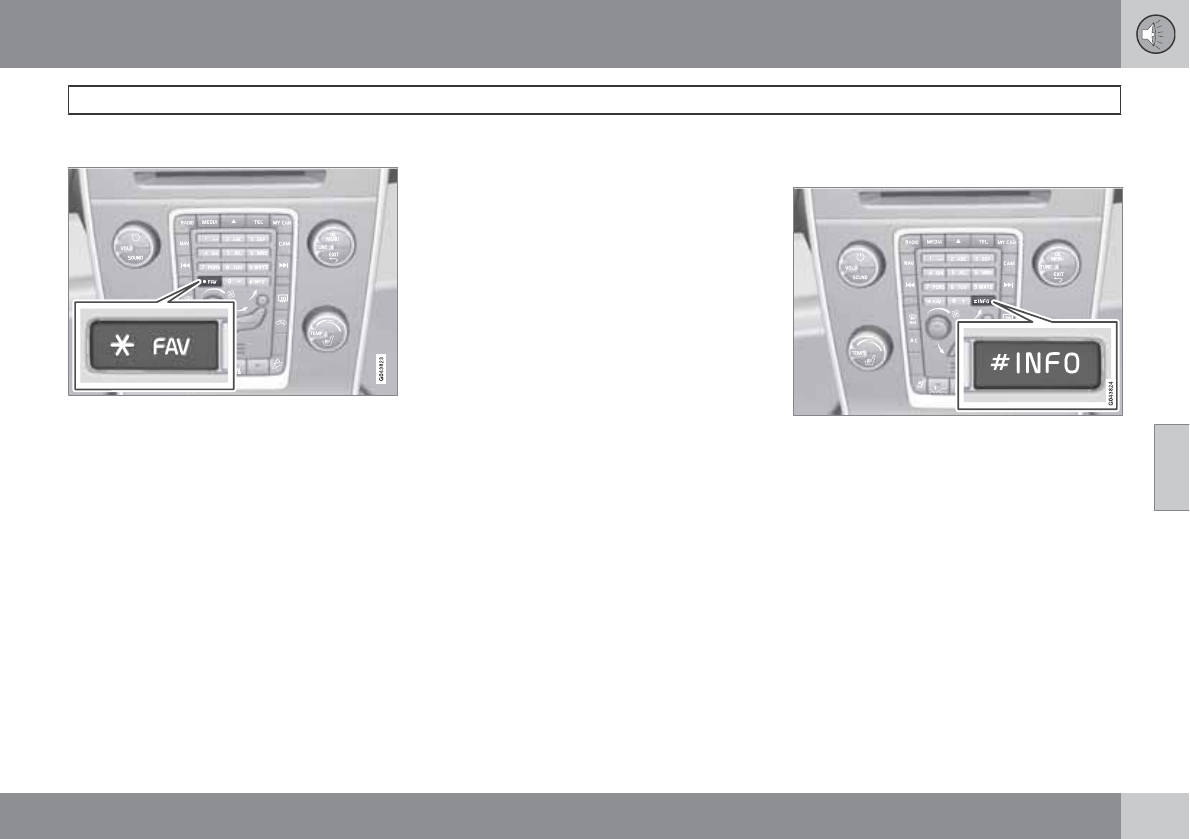
05 Infotainment
General infotainment functions
05
``
* Option/accessory, for more information, see Introduction. 207
FAV—storing a shortcut
The FAV button can be used to store frequently
used functions, making it possible to start the
stored function by simply pressing FAV. One
favorite (for example, Equalizer) can be pro-
grammed for each of the following infotainment
system functions:
In RADIO mode
•AM
•FM1/FM2
•SIRIUS1/SIRIUS2*
In MEDIA mode
•DISC
•USB
•iPod
•Bluetooth*
•AUX
Favorites can also be stored for TEL, MY
CAR, CAM* and NAV*. See page 128 for a
description of the menu system.
To program a function on the FAV button:
1. Select a mode (e.g., RADIO, MEDIA, etc.).
2. Select a waveband or function (AM, Disc,
etc.).
3. Press and hold FAV until the mode/func-
tion's "favorite" menu is displayed.
4. Turn TUNE to scroll through the list of
alternatives displayed and press OK/
MENU to confirm (store) your choice.
> The next time the infotainment system
mode (RADIO, MEDIA, etc.) is selected,
a short press on FAV will start the
stored function.
INFO—displaying additional
information
In certain cases, more information may be
available (about a radio station, song, artist,
etc.) than is currently displayed on the screen.
Press the INFO button to display all of the
available information.
05 Infotainment
General infotainment functions
05
208
Basic sound settings
Press SOUND to display the basic sound set-
ting menu (Bass, Treble, etc). Continue press-
ing SOUND or OK/MENU to display the other
setting alternatives.
Adjust the setting by turning TUNE and save
the new setting by pressing OK/MENU.
Continue pressing SOUND or OK/MENU to
display:
•Surround:1 Can be set to On or Off. When
switched on, the system will automatically
select settings for the best sound quality,
which is normally DPLII and will
appear in the display. If the recording was
made using Dolby Digital technology, play-
back will be provided with this setting and
will appear in the display. If Sur-
round is switched off, audio will be provi-
ded using 3 channel stereo.
•Bass: Bass level.
•Treble: Treble level.
•Fader: Balance between the front and rear
speakers.
•Balance: Balance between the right and
left speakers.
•Center level1: Volume for the center
speaker.
•Surround level1 (only when Surround is
on): Surround level.
Advanced sound settings
Equalizer
Sound levels for different frequencies can be
adjusted separately using this feature.
To do so:
1. Press OK/MENU to access Audio
settings and select Equalizer
2. Turn TUNE to select one of the frequencies
and press OK/MENU.
3. Turn TUNE to adjust the sound setting and
confirm the change by pressing OK/
MENU. Do the same for the other frequen-
cies.
4. When you have finished making your set-
tings, turn TUNE to move the marker to the
OK box and press OK/MENU or EXIT to
save the new settings.
Sound stage
2
The sound experience can be optimized for the
driver's seat, both front seats or the rear seat.
If the front and rear seats are occupied, the
sound stage setting Front seats is recom-
mended. Select one of the options under
Audio settings Sound stage.
Audio volume and automatic volume
control
The infotainment system compensates for dis-
rupting noises in the passenger compartment
by increasing the volume according to the
speed of the vehicle. The level of sound com-
pensation can be set at low, medium, high or
off. Select the level under Audio settings
Volume compensation.
External audio source volume
If an external devices such as an MP3 player or
an iPod is connected to the AUX socket, the
device's volume may be different from the vol-
ume of the internal sound sources such as the
disc player or the radio. If the external sound
source's volume is too high, the quality of the
sound may be impaired. To help prevent this,
adjust the input volume of the external audio
source:
1Premium Sound Multimedia only
2Premium Sound Multimedia only
05 Infotainment
General infotainment functions
05
209
NOTE
Sound quality may be affected if the MP3
player is being charged while the system is
in AUX mode. To help prevent this, avoid
charging the MP3 player in a 12-volt socket
while it is being played.
1. Press MEDIA and turn TUNE to AUX.
Press OK/MENU or wait for several sec-
onds.
2. Press OK/MENU and turn TUNE to AUX
input volume. Confirm by pressing OK/
MENU.
3. Turn TUNE to adjust the volume.
Optimal sound reproduction
The audio system is pre-calibrated for optimal
sound reproduction using digital signal pro-
cessing.
This calibration takes into account factors such
as the speakers, amplifier, cabin acoustics, the
listeners' seating positions, etc., for each com-
bination of vehicle/infotainment system.
There is also a dynamic calibration that takes
into consideration the volume level, radio
reception, and the speed of the vehicle.
The settings that are described in this manual,
(Bass, Treble, Equalizer etc.) are only
intended to enable the user to adapt sound
reproduction to his/her personal tastes.
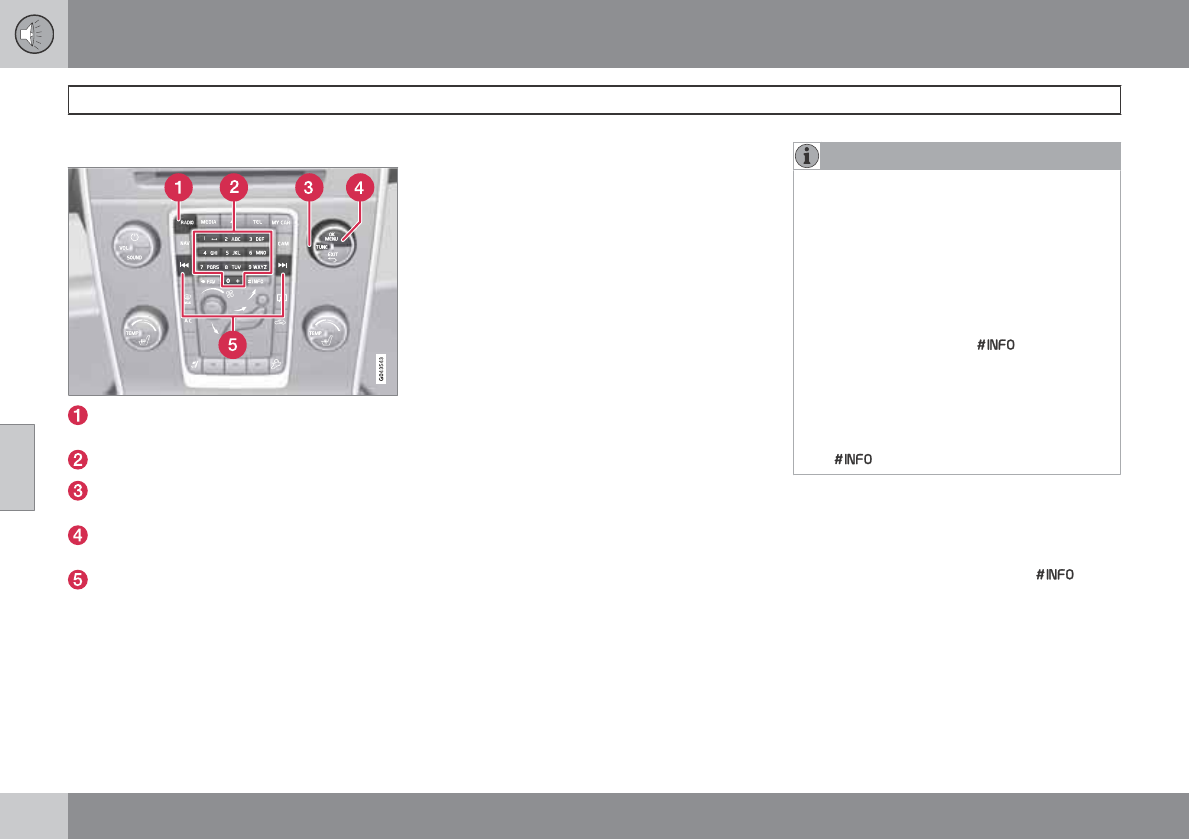
05 Infotainment
Radio
05
210 * Option/accessory, for more information, see Introduction.
General functions
RADIO button for selecting the AM, FM1,
FM2, Sirius1* or Sirius2* wavebands.
Number key buttons (0-9)
Navigate among the menu alternatives in
the display by turning TUNE.
Confirm your selection or access the radio
menus by pressing OK/MENU.
Left/right arrow keys: Press and hold to go
to the next available station, press briefly
to tune to a preset station.
RADIO menu selections can be made from the
center console or the steering wheel keypad.
See page 241 for more information about the
infotainment menu system.
Selecting a station (in wavebands AM/
FM1/FM2)
Automatic tuning
1. Press RADIO. Continue pressing this but-
ton to toggle to the desired waveband
(AM, FM1, etc.).
2. Release the button and wait several sec-
onds or press OK/MENU.
3. Press the left or right arrow keys on the
center console control panel to search for
the next available station.
List of stations (in wavebands FM1/FM2
only)
The radio automatically compiles a list of the
strongest FM stations whose signals are cur-
rently being received. This enables you to find
stations when driving in areas where radio sta-
tions and their frequencies are unfamiliar.
To access this list:
1. Select the desired waveband (FM1or
FM2).
2. Turn TUNE one step in either direction.
This displays the list of stations in the area.
The currently tuned station will be indi-
cated in the list by magnified text.
3. Turn TUNE again in either direction to
select a station on the list.
NOTE
•This list will only display the frequencies
of the stations currently being received,
not a complete list of all radio frequen-
cies on the currently selected wave-
band.
•If the signal from the currently tuned
station is weak, this may prevent the
radio from updating the list of stations.
If this occurs, press while the list
of stations is displayed to switch to
manual tuning mode and select a sta-
tion. If the list of stations is no longer
displayed, turn TUNE in either direction
to display the list again and press
.
The list will disappear from the display after
several seconds.
If the station list is no longer displayed, turn
TUNE in either direction and press on the
number key pad on the center console to
switch to manual tuning (or to switch back from
manual tuning to the "list of stations" function).
Manual tuning
By default, the list of stations of the strongest
stations in the area will be displayed when you
turn TUNE (see the preceding section, "List of
stations"). While the list of stations is displayed,
05 Infotainment
Radio
05
``
211
press on the number key pad on the cen-
ter console to switch to manual tuning, which
enables you to select a frequency from the
complete list of all radio frequencies available
on the currently selected waveband. In other
words, in manual tuning mode, turning TUNE
one step will change from e.g., 93.3 to 93.5,
etc.).
To manually tune a station:
1. Press RADIO. Continue pressing this but-
ton to toggle to the desired waveband
(AM, FM1, etc.) and wait for several sec-
onds or press OK/MENU to confirm.
2. Turn TUNE to select a frequency
NOTE
The radio is initially set to automatically
search for stations in the area in which you
are driving (see the preceding section, "List
of stations").
However, if you have switched to manual
tuning (by pressing on the number key
pad on the center console while the list of
stations is displayed), the radio will remain
in manual tuning mode the next time it is
switched on. To switch back to "list of sta-
tions" mode, turn TUNE one step (to display
the full list of stations) and press .
Please note that if you press when the
list of stations is not displayed, this will acti-
vate the INFO function (see page 207 for
more information about this function).
Storing preset stations
Ten preset stations can be stored for each
waveband (AM, FM1, etc.).
Stored preset stations are selected using the
number key buttons on the center console.
Manually storing preset stations
1. Tune to a station (see "Selecting a sta-
tion").
2. Hold in one of the number key buttons.
> The sound will be muted for several sec-
onds and when it returns, the station has
been stored on the number key button
used.
A list of preset stations can be displayed. This
function can be activated/deactivated in AM/
FM mode in FM menu Show presets or in
AM menu Show presets
Scan
The function automatically searches the cur-
rent waveband for radio stations. When a sta-
tion is found, it is played for several seconds
before scanning is resumed. While the station
is playing it can be stored as a preset in the
usual way (see "Manually storing preset sta-
tions").
To start scanning in AM/FM mode, go to
FM menu Scan or in AM menu
Scan.
Stop station scanning by pressing EXIT.
NOTE
Storing a station interrupts the SCAN func-
tion.
Radio text
Some stations transmit information on pro-
gram content, artists, etc. This information can
be shown on the display.
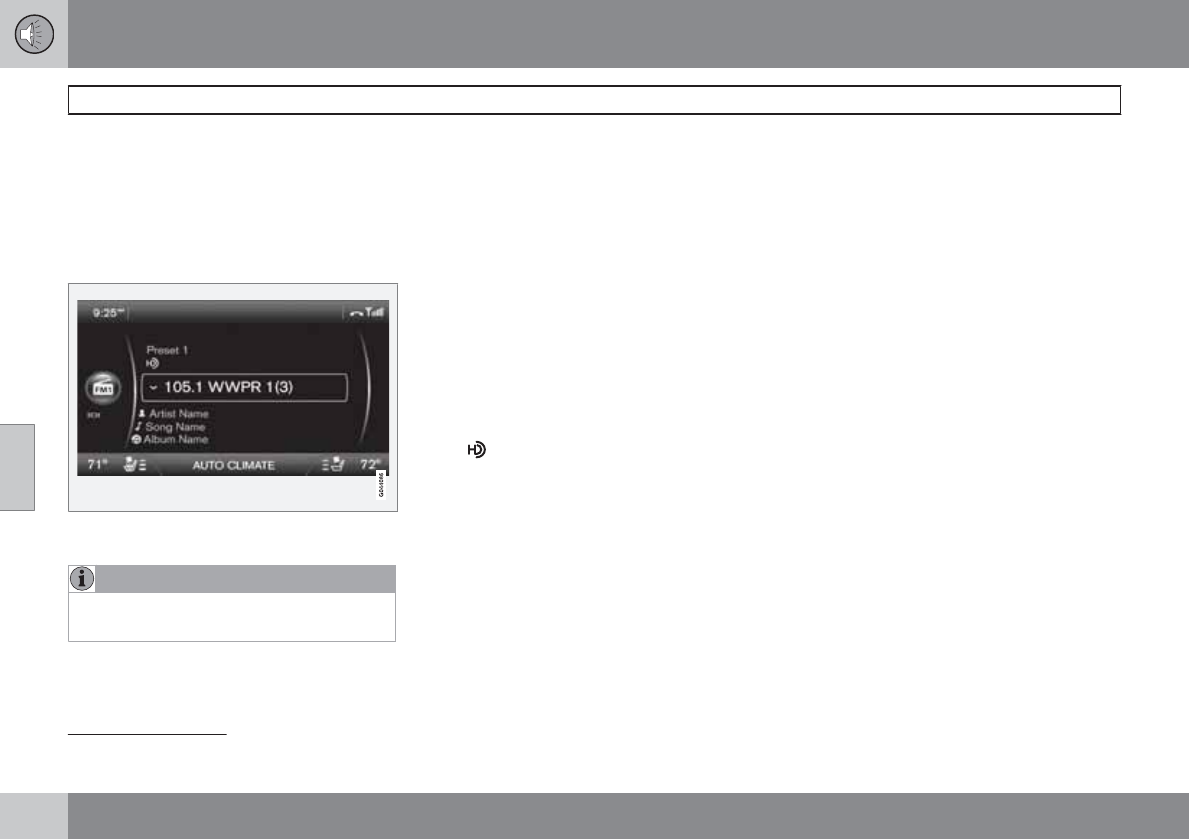
05 Infotainment
Radio
05
212
Activate/deactivate in FM mode under Radio
text.
HD Radio
reception (U.S. models
only)
Introduction
Display when the radio is receiving an HD Radio
broadcast
NOTE
HD radio volume may fade in and out at
times due to coverage limitations.
HD radio is a brand name registered by the
Ibiquity digital corporation1. They are the
developer of a broadcasting technology called
IBOC or In Band On Channel, which refers to
the method of transmitting a digital radio
broadcast signal centered on the same fre-
quency as the AM or FM station's present fre-
quency.
The IBOC system is referred to as a "hybrid"
since it is both analogue and digital. During
hybrid operation, receivers still continue to
receive the analogue (non-digital) signal. HD
radio receivers incorporate both modes of
reception, where the receiver will automatically
switch to the analogue signal if the digital signal
cannot be decoded or is lost by the receiver.
When you have tuned to an HD Radio station,
the symbol will appear in the audio sys-
tem display. They symbol is "grayed-out" when
HD Radio is in standby mode and white when
the radio is actively receiving an HD broadcast.
More information about HD radio and IBOC
can be found on Ibiquity's website,
www.hdradio.com and www.ibiquity.com.
Benefits of digital broadcasting
•Better sound (FM sounds near CD quality
and AM as analogue FM).
•Some FM frequencies offer a greater num-
ber of listening choices through “multicast-
ing” (consisting of a frequency's main
channel and any sub-channels that may
also be available on that particular fre-
quency. See also the section "Sub-chan-
nels" below).
•When receiving a digital signal there is no
multipath disturbance or hisses/pops/
crackling due to outside influences.
How HD broadcasting works
HD Radio works similarly to conventional radio
and broadcasts of this type are available in
many areas of the United States. However,
there are a few key differences:
•Instead of transmitting one analogue sig-
nal, stations send out a bundled signal –
both analogue and digital.
•An HD radio receiver can receive both dig-
ital and analogue broadcasts. Depending
on the terrain and location of the vehicle
(which will influence the signal strength),
the receiver will determine which signal to
receive.
Limitations
•Main channel vs. sub-channels (FM
only): The main channel is the only channel
that can receive in hybrid mode (both dig-
ital and analogue). If a frequency has sub-
channels, they are broadcast in digital
mode only. The main FM channel will be
1HD Radio (TM) technology is manufactured under license from iBiquity Digital Corp. U.S. and Foreign Patents. HD Radio(TM) and the HD and HD Radio logos are proprietary trademarks of iBiquity
Digital Corp.
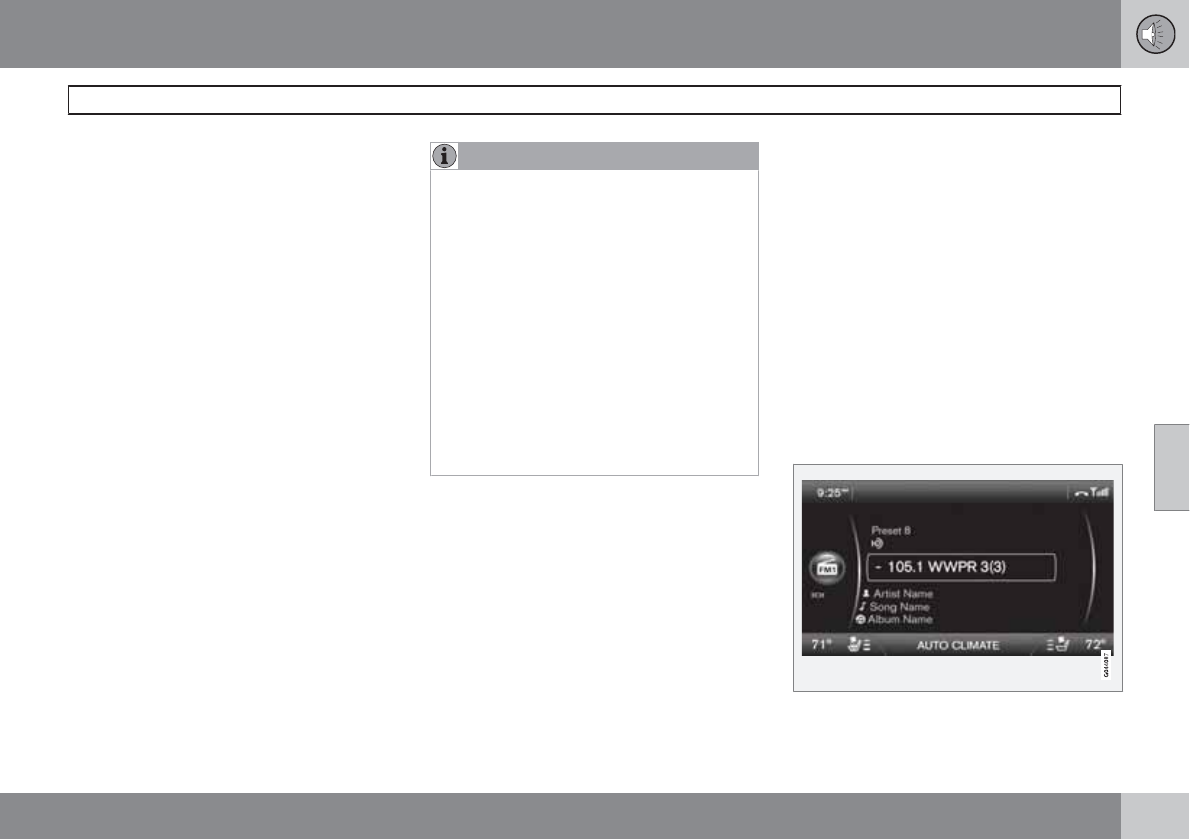
05 Infotainment
Radio
05
``
213
displayed as, for example, 93.9 WNYC
(Volvo uses the symbol ">" to indicate
there are sub-channels available) The sub-
FM channels will be displayed as 93.9 – 2
WNYC, 93.9 - 3 WNYC, etc.
•Reception coverage area: Due to current
IBOC transmitter power limitations, the
reception coverage area in digital mode is
somewhat more limited than the station's
analogue coverage area. Please be aware
that as with any radio broadcast technol-
ogy, terrain, time of day, foliage level and
building location can have positive or neg-
ative effects on radio reception.
•Analogue to digital/digital to analogue
blending: Analogue to digital blending will
occur as the signal strength reaches a pre-
set threshold in the receiver. This will be
noticeable in fringe areas (areas with weak
reception) and is normal.
NOTE
There may be a noticeable difference in
sound quality when a change from analogue
to digital or digital to analogue occurs, such
as:
•Volume increase or decrease
•Equalizer settings, i.e., Bass/ Midrange/
Treble cut or boost
•Time alignment (Digital program mate-
rial in extreme cases can be as much as
8 seconds behind the analogue). This
will noticeable as a "stuttering" effect.
The above items are dependant on the
broadcaster's equipment settings and do
not indicate a fault in the vehicle's radio
receiver or antenna systems.
Switching HD on or off
The factory setting for HD radio is on. However,
when driving through areas with weak HD sig-
nals (fringe areas), you may experience that the
radio repeatedly switches between analogue/
digital and digital/analogue reception. If this
happens, it may be desirable to switch HD off.
To do so:
1. Be sure the audio system is switched on
and in one of the AM or FM modes.
2. Press OK/MENU in the center console
control panel.
3. Turn TUNE and move the marker to HD
Radio
4. Press OK/MENU to turn HD off (the X will
disappear from the box on the display
screen).
This will disable the radio's capability to receive
digital broadcasts but it will continue to func-
tion as a conventional (analogue) AM/FM
receiver. Please note that when HD is switched
off, it will not be possible to tune to sub-chan-
nels (see the following section for a more
detailed explanation of sub-channels).
Repeat steps 2-4 above to reactivate HD (an X
will appear in the box on the display screen).
Sub-channels
Example of an HD Radio station with sub-channels
05 Infotainment
Radio
05
214 * Option/accessory, for more information, see Introduction.
In many cases, a main HD Radio station (FM
wavebands only) will also have sub-channels
offering additional types of programming or
music.
In such cases, the “-” symbol will be displayed
to the left of the frequency number and a num-
ber will be displayed to the right of the fre-
quency number indicating that the currently
tuned frequency has at least one sub-channel.
The "2" in the illustration indicates that you are
currently listening to the first sub-channel on
frequency 93.9.
Selecting sub-channels
To listen to a station's sub-channel(s), press
and hold the right arrow key on the center con-
sole or on the steering wheel keypad for
approximately 1 second. To go back to the
main channel, press and hold the left arrow key
on the center console or on the steering wheel
keypad for approximately 1 second. To go to
subchannel 2 (if available), press and hold the
right arrow key on the center console or on the
steering wheel keypad for approximately
1 second.
If you are currently tuned to a frequency's main
channel, pressing and holding the left arrow
key for approximately 1 second will tune to the
next lower radio frequency.
NOTE
•When the radio has gone into HD mode,
it may take several seconds before the
">" symbol (if the current frequency has
any sub-channels) is displayed to the
left of the frequency. Pressing and hold-
ing the arrow keys for approximately
1 second before the main-/sub-channel
icon is displayed will cause the radio to
tune to the next available radio station,
not to the current station's sub-chan-
nels.
•When you are no longer in broadcasting
range of the currently tuned sub-chan-
nel, No HD reception will be dis-
played. The radio will then be muted
and it will be necessary to tune to or
search for a new radio station.
Sub-channels can also be stored as presets,
see page 211 for information on storing sta-
tions.
If you press a sub-channel's preset button, it
may take up to 6 seconds before the channel
becomes audible. If you press this button while
you are out of digital range of the transmitter,
No HD reception will be displayed.
Sirius satellite radio*
Listening to satellite radio
The Sirius satellite system consists of a number
of high elevation satellites in geosynchronous
orbit.
NOTE
•The digital signals from the Sirius satel-
lites are line-of-sight, which means that
physical obstructions such as bridges,
tunnels, etc, may temporarily interfere
with signal reception.
•Avoid any obstructions, such as metal-
lic objects transported on roof racks or
in a ski box, or other antennas that may
impede signals from the SIRIUS satel-
lites.
Selecting Sirius radio mode
1. With the infotainment system switched on,
press RADIO.
2. Continue pressing RADIO (or turn TUNE to
scroll) to select SAT 1 or SAT 2 and press
OK/MENU (or wait for several seconds).
Activating Sirius radio
1. Tune to a satellite channel that has no
audio, which means that the channel is
unsubscribed and the text Subscription
05 Infotainment
Radio
05
``
215
update is needed is displayed (see also
"Selecting a channel").
2. Call Sirius at 1-888-539-SIRIUS (7474).
3. If you tune to an unsubscribed channel, the
Sirius ID will be displayed. The Sirius ID can
also be accessed from the menu (press
OK/MENU, turn TUNE to scroll to the
Advanced settings menu, press OK/
MENU, scroll to Sirius ID and press OK/
MENU to display the number).
4. Updating subscription will be displayed
while the subscription is being updated,
after which the display will return to the
normal view.
SIRIUS ID
The SIRIUS ID (sometimes referred to as the
Electronic Serial Number or ESN) is required
when contacting the Sirius Call Center. It is
used to activate your account and when mak-
ing any account transactions.
Selecting a channel category
1. Turn TUNE to display a list of channels.
2. Press EXIT.
3. Turn TUNE to scroll through the list of cat-
egories and press OK/MENU to make a
selection.
> The channels in the selected category
are displayed.
NOTE
•The category ALL is default, which ena-
bles you to scroll through the entire list
of available satellite channels.
•The channel categories are automati-
cally updated several times a year. This
takes approximately two minutes and
will interrupt normal broadcasting. A
message will be displayed while updat-
ing is in progress. Information on chan-
nel or feature updates is available at
www.sirius.com.
Selecting a channel
There are three ways of tuning in a channel:
•Using the left and right arrow keys to go to
the next channel. Skipped channels (see
page 217) will be excluded.
•By turning the TUNE control and selecting
a channel from the list
•Through direct channel entry.
NOTE
•The numbers of skipped or locked
channels will not be displayed.
•If a channel is locked, the access code
must be entered before the channel can
be selected. See "Unlocking a channel"
on page 217.
Direct channel entry
The Sirius satellite channels are in numerical
order throughout all of the categories. To
access a channel directly:
1. Turn TUNE to access the channel list.
2. Use the number key buttons to enter the
channel's number.
3. Press OK/MENU. The radio will tune to this
channel, even if it belongs to a category
other than the currently selected one.
Scanning
SCAN automatically searches through the list
of satellite channels. The search will only be
carried out in the selected category, see
page 211 for more detailed information on the
scan function.
Storing a channel
A total of 20 satellite channels can be stored;
10 channels each for Sirius 1 and 2, see
05 Infotainment
Radio
05
216
page 211 for detailed information on storing
channels.
•A long press on one of the number keys
stores the currently tuned channel on that
key.
•A short press on a number key while the
radio is in SAT 1 or SAT 2 mode will tune
to the preset satellite channel stored on
that button, regardless of the currently
selected channel category.
Searching for and storing songs
The Song seek function provides notification
when Sirius is broadcasting the songs selected
in song memory. Song memory enables you
to store the name of the song for future
advance notification when that song is being
played.
Song seek
When a satellite radio channel plays one of the
songs stored in the song memory while the
Song seek feature is activated, the listener will
be alerted by a text message and an audible
signal.
Press OK/MENU to listen to the song or EXIT
to cancel.
To activate/deactivate the song seek function:
1. Press OK/MENU.
2. Turn TUNE to scroll to Song memory and
press OK/MENU.
3. Turn TUNE to scroll to Song seek and
press OK/MENU to activate or deactivate
the function.
NOTE
When the song has ended, the radio will
remain tuned to the channel on which the
song was played.
Song memory
Up to ten songs can be saved in the system's
memory.
To add the currently playing song to the list:
1. Press OK/MENU.
2. Scroll to Song memory and press OK/
MENU.
3. Scroll to Add song to memory and press
OK/MENU.
If a new song is selected when the memory is
full, you will be prompted to delete a song from
the list. To do so:
1. Press OK/MENU.
2. Turn TUNE to scroll through the list of
songs. Select a song and press OK/
MENU to delete it from the list.
Radio text
This text provides information about the song
that is currently playing. To turn this feature on
or off, press OK/MENU and scroll to Show
radio text and press OK/MENU to toggle
between on or off.
Advanced Sirius settings
This menu function enables you to make set-
tings on certain Sirius satellite radio functions.
To access this menu:
1. Press OK/MENU.
2. Scroll to the Advanced settings menu
and press OK/MENU.
WARNING
Settings should be made when the vehicle
is at a standstill.
The following settings can be made in the Sir-
ius menu:
•Channel skip settings can be made
•Channel lock settings can be made
•The channel access code can be displayed
or changed (see also "Locking a channel"
on page 217)
•Your Sirius ID can be displayed
•Reset Sirius settings
05 Infotainment
Radio
05
``
217
Skip options
This function is used to remove a channel from
the list of available channels.
Skipping a channel
1. Press OK/MENU.
2. Scroll to the Advanced settings menu.
3. Press OK/MENU to enter the Skip
options menu.
4. Press OK/MENU to enter Channel skip
list.
5. Press OK/MENU to select All categories
or turn TUNE to scroll to a category and
press OK/MENU to select it.
6. Press OK/MENU to select Skip all
channels in the highlighted category or
turn TUNE to scroll to a channel and press
OK/MENU to select or deselect it. Multiple
channels can be selected.
Unskip all channels
This removes all channels from the skip list and
makes them available for selection.
Temporary unskip all channels
This function will temporarily unskip all chan-
nels and make them available for selection. The
channels remain on the skip list and will again
be skipped the next time the ignition is
switched on.
Channel lock
Access to specific channels can be restricted
(locked). A locked channel will not provide
audio, song titles, or artist information.
NOTE
All channels are initially unlocked.
Locking a channel
1. Press OK/MENU.
2. Scroll to the Advanced settings menu.
3. Press OK/MENU and turn TUNE to scroll
to the Lock options menu and press OK/
MENU.
4. Use the number keys in the central control
panel to enter the channel access code2
and press OK/MENU.
5. Press OK/MENU to enter the Channel
lock list.
6. Press OK/MENU to select All categories
or turn TUNE to scroll to a category and
press OK/MENU to select it.
7. Press OK/MENU to select Lock all
channels in the category or turn TUNE
to scroll to a channel and press OK/
MENU to select it. Multiple channels can
be selected.
The selected channel is now locked and a
checked box will be displayed to indicate this.
It will be necessary to enter the channel access
code2 in order to listen to a locked channel.
Unlocking a channel
A channel's access code2 is required to unlock
a channel.
Unlock all channels
This permanently removes all channels from
the locked list and makes them available for
selection.
Temp. unlock all channels
This function will temporarily unlock all chan-
nels and make them available for selection. The
channels remain on the locked list and will
again be locked the next time the ignition is
switched on.
CHANGE CODE
This function makes it possible to change the
channel access code. The default code is
0000.
To change the code:
2The default code is 0000. If you have changed the code and forgotten it, see the section "If you have forgotten the access code."
05 Infotainment
Radio
05
218
1. Select Change code in the Lock
options menu and press OK/MENU.
2. Enter the new code and press OK/MENU.
3. Confirm the new code and press OK/
MENU.
If an incorrect code is entered, the text
Incorrect code is displayed.
If you have forgotten the access code:
1. Select Sirius ID in the Advanced
settings menu and press OK/MENU.
2. Press and hold the OK/MENU button for
several seconds.
3. The current code will be displayed.
Your Volvo retailer can also provide you with
assistance.
SIRIUS ID
This function displays the 12-digit Sirius acti-
vation ID.
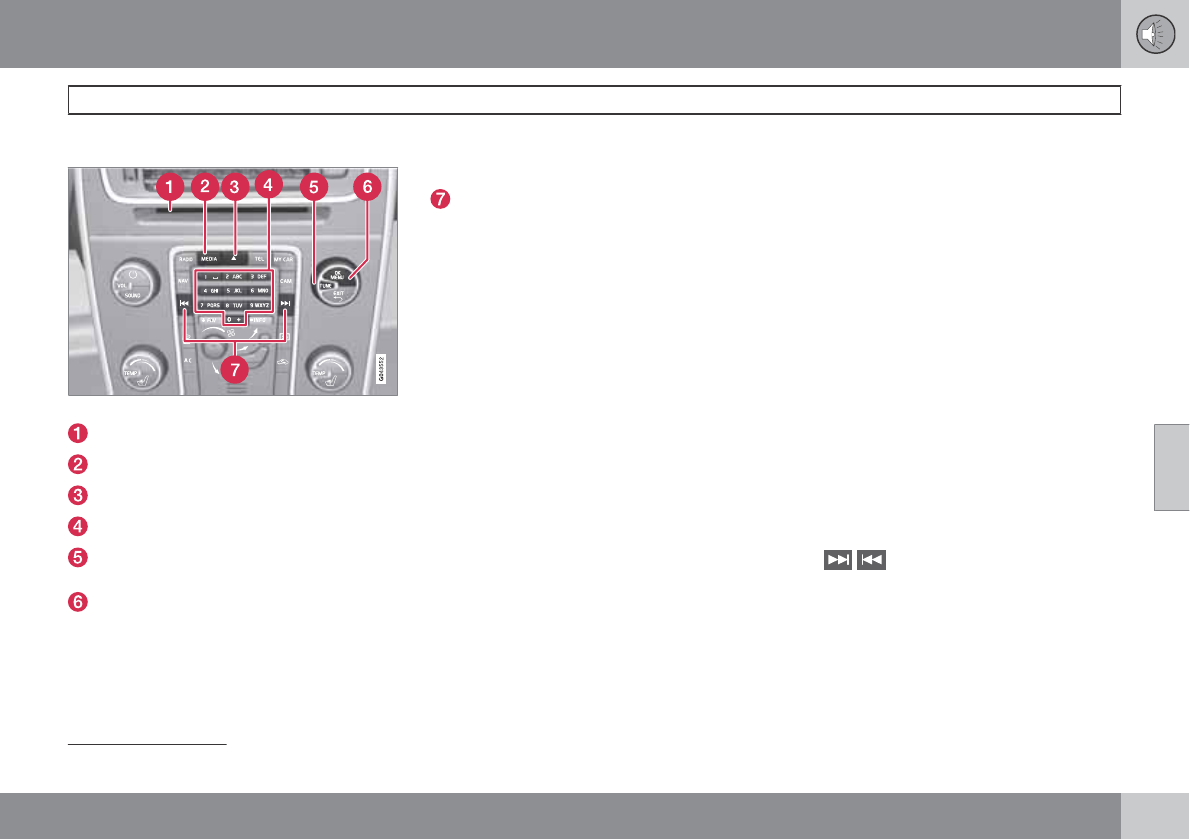
05 Infotainment
Media player
05
``
219
CD/DVD functions
Center console control panel
Disc slot
MEDIA button
Eject
Number keys
TUNE:Turn to navigate among menu
selections/folders/tracks.
OK/MENU: Press to confirm your selec-
tion or access the menus for the currently
selected source (e.g., DISC).Left/right
arrow keys: Fast back/forward and change
track or chapter1.
Forward/back and change tracks or chap-
ter1.
The media player supports and can play the
following main types of discs and files:
•Purchased CDs (CD Audio)
•Home-burned CDs with audio and /or
video files
•Home-burned DVDs with audio and /or
video files
•Purchased DVDs
See page 222 for a list of compatible formats.
Media menu selections can be made from the
center console or the steering wheel keypad.
See page 241 for more information about the
infotainment menu system.
Playing a disc
Press MEDIA several times until DISC is dis-
played. Release the button and wait several
seconds or press OK/MENU. If there is a disc
in the player, it will begin playing automatically.
Otherwise, Insert Disc will be displayed. Insert
the disc into the slot with the text side upward
and it will begin playing automatically.
If a disc with audio/video files is inserted, its
folder structure will be read by the system. It
may take several seconds until the disc begins
playing, depending on its quality and the
amount of information it contains.
Disc eject
For reasons of traffic safety, an ejected disc
must be removed within 12 seconds or it will
be automatically drawn back into the slot.
Pause
When the audio system volume is turned off
completely, the player will pause and will
resume playing when the volume is turned up
again.
Navigating a disc and playing tracks
CD audio discs
Turn TUNE to access the disc's playlist and to
navigate in this list. Press OK/MENU to con-
firm a choice and begin listening. Press EXIT
to cancel.
The / buttons on the center console or
steering wheel keypad can also be used to
change tracks.
Home-burned CD/DVD audio/video files
Turn TUNE to access the disc's playlist and to
navigate in this list. Press OK/MENU to con-
firm a choice and begin listening. Use EXIT to
stop or to go back in the disc's folder structure.
1DVDs only
05 Infotainment
Media player
05
220
The / buttons on the center console or
steering wheel keypad can also be used to
change audio/video files.
The following symbols are used in the display:
•- audio files
•- video files
•- folders
When a file has been played, the player will
continue to play the rest of the files (of the same
type) in the current folder. When all of the files
in the folder have been played, the player will
automatically go to the next folder and play the
files in it (unless Repeat folder is activated).
The system automatically detects and changes
settings if a disc containing only audio or only
video files is inserted in the player and will play
these files. However, the system will not
change settings if a disc containing both audio
and video files is inserted and the player will
continue to play the current type of file.
NOTE
Video images will only be visible when the
vehicle is not moving. When the vehicle is
traveling faster than approximately 4 mph
(6 km/h), No visual media available while
driving will be displayed. Sound from the
film will still be audible and video images will
be shown again when the vehicle stops.
NOTE
Some copy protected audio files or home-
burned audio files may not be read by the
player.
DVD videos
See page 221 for information.
Fast forward/reverse
Press and hold the / buttons to fast
forward/reverse. This is done at one speed for
audio files but several speeds can be chosen
for video files. Press the / buttons sev-
eral times to increase the speed. Release the
button to return to normal viewing speed.
Gracenote
track identification
If the vehicle is equipped with the optional nav-
igation system, this system uses a hard drive
containing a database that recognizes music
on audio CDs. The database contains songs
that are currently popular. If the media player
finds a track in the database, the album title
and artist's name are displayed, and the title,
artist and album for each song is also dis-
played. If the current audio CD is not found in
the database, CD text from the disc is used. If
no CD text is available, only track 1, track 2,
etc., will be displayed.
Scan
2
This function plays the first ten seconds of
each track/audio file. To start scanning:
1. Press OK/MENU.
2. Turn TUNE to Scan.
> The first ten seconds of each track/
audio file will be played.
3. Stop scanning by pressing EXIT. The cur-
rent track/audio file will continue playing.
Random
2
This function plays the tracks in random order
(shuffle). The random tracks/sound files can be
scrolled through in the normal way. To listen to
tracks in random order:
1. Press OK/MENU,
2. Turn TUNE to Random
2Not video DVDs
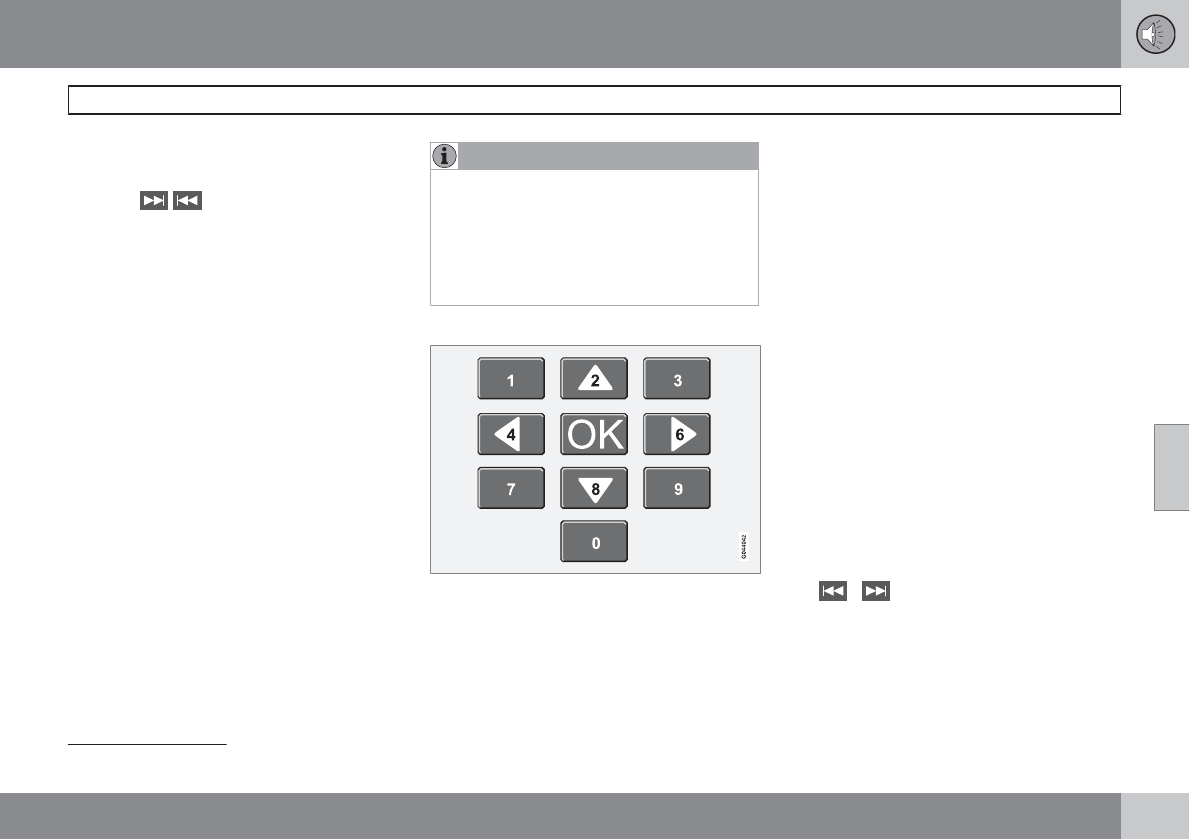
05 Infotainment
Media player
05
``
221
3. Press OK/MENU to activate/deactivate
the random play function.
Press the / buttons on the center con-
sole or steering wheel keypad to change
tracks/audio files.
Repeat folder
3
This function makes it possible to play files in
a folder repeatedly. When the last file has been
played, the first file will begin again. To acti-
vate:
1. Press OK/MENU.
2. Turn TUNE to Repeat folder.
3. Press OK/MENU to activate/deactivate
the function.
Playing video DVDs
Play
When playing a video DVD, a disk menu may
appear on the display, giving you access to
extra functions and settings such as choice of
subtitle and language, scene selection, etc.
NOTE
Video images will only be visible when the
vehicle is not moving. When the vehicle is
traveling faster than approximately 4 mph
(6 km/h), No visual media available while
driving will be displayed. Sound from the
film will still be audible and video images will
be shown again when the vehicle stops.
Navigating in a DVD's menus
Buttons in the center console control panel,
shown above, are used to navigate in a DVD's
menus.
Changing chapters or titles
Turn TUNE to access the list of chapters and
navigate among them (if a film is playing, it will
be paused). Press OK/MENU to select a chap-
ter and return to the normal view. If a film was
playing, it will resume). Press EXIT to access
the list of titles.
Turn TUNE to select a title and press OK/
MENU to confirm and return to the list of chap-
ters. Press EXIT to cancel and return to the
normal view (without having made a selection).
Changing chapters or title
TurnTUNE to access the list of chapters and
navigate in this list (the film will pause if it is
currently playing). Press OK/MENU to choose
a chapter and return to the normal view in the
display (if a film was playing, it will resume).
Press EXIT to access the list of titles.
In the list of titles, turn TUNE to make a selec-
tion and press OK/MENU to confirm. This also
returns you to the list of chapters. Press EXIT
to cancel and return to the normal view (without
having made a selection).
It is also possible to change chapters by press-
ing / on the center console control
panel or on the steering wheel keypad.
Advanced settings
Angle
If the DVD supports this function, it is possible
to select a camera angle for a certain scene.
3Home-burned discs/USB only
05 Infotainment
Media player
05
222
This can be done in DVD mode under Disc
menu Advanced settings Angle.
DivX
Video On Demand
The media player can be registered to play
DivX VOD files from home-burned discs or
USB. The registration code can be found by
pressing the MY CAR button, and going to
Settings Information DivX® VOD
code. See page 128 for more information
about the menu system.
See also www.divx.com/vod for more informa-
tion.
Screen settings
Screen settings can be made (when the vehicle
is not moving) for:
•Brightness
•Contrast
1. PressOK/MENU and choose Screen
Settings and confirm by pressing OK/
MENU.
2. Turn TUNE to the desired setting and
press OK/MENU.
3. Change the setting by turning TUNE and
confirm the change by pressing OK/
MENU.
Press OK/MENU or EXIT to return to the
screen settings list.
To return to the factory settings, select
Reset .
Compatible formats
The media player can play a number of differ-
ent types of files and disc formats, and is com-
patible with the formats listed in the following
table.
NOTE
Dual format (double-sided discs) such as
DVD Plus or CD-DVD are thicker than nor-
mal discs and may not play in your infotain-
ment system.
If a disc containing both CDDA and MP3
tracks is played, all MP3 tracks will be
ignored.
Audio
formats
CD-Audio, mp3, wma,
aac, m4a
Video for-
mats
CD-Video, DVD-Video, divx,
avi, asf
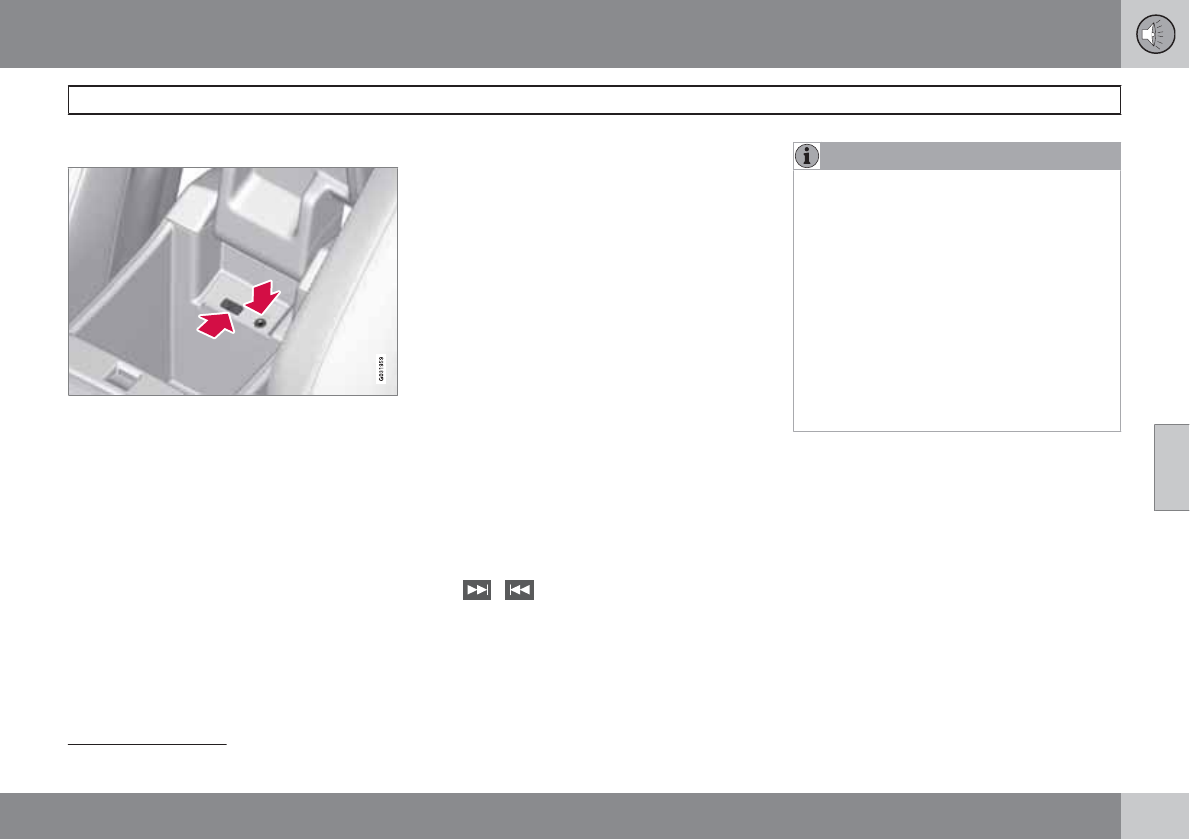
05 Infotainment
AUX/USB sockets
05
``
223
Connecting external devices
Sockets for auxiliary devices in the storage com-
partment between the front seats
An auxiliary device, such as an iPod or MP3
player can be connected to the audio system
via one of the sockets in the center console
storage compartment. A device connected to
the USB socket can be operated using the
vehicle's infotainment system controls.
An iPod or an MP3 player with rechargeable
batteries will also be charged if the device is
connected to the USB socket (if the vehicle's
ignition is on or if the engine is running).
To connect a device:
1. Press MEDIA several times to come to the
desired source (iPod, USB or AUX).
Release the button and wait for several
seconds or press OK/MENU.
> For example, if a USB device has been
selected, the text Connect USB will be
displayed.
2. Connect the device to one of the sockets
in the center console storage compartment
(see the illustration).
The text Reading USB will be displayed while
the system reads the device's folders. This may
take a short time, depending on the folder
structure and the number of files.
When this information has been loaded, track
information will be displayed and a track can
be selected.
Tracks can be selected in two ways:
•Turn TUNE and press OK/MENU
•Use the right or left arrow keys
( / ) on the center console control
panel or on the steering wheel keypad
NOTE
•The system supports a number of
iPod models produced in 2005 or later.
•In order to help avoid damage to the
USB socket, it will be switched off if
there is a short circuit or if the con-
nected device uses too much current
(which can happen if the device does
not comply with the USB standard). The
USB socket will reactivate the next time
the ignition is switched on if the problem
no longer exists. If the problem persists,
contact a trained and authorized Volvo
service technician.
MEDIA menu selections can be made from the
center console or the steering wheel keypad.
See page 241 for more information about the
infotainment menu system.
Navigating and playing tracks
1
Turn TUNE to access the device's playlist and
to navigate in this list. Press OK/MENU to
either select a sub-folder or confirm a choice
and begin playback. Press EXIT to cancel and
exit the playlist or to go back in the folder struc-
ture.
1USB and iPod
only
05 Infotainment
AUX/USB sockets
05
224
The / buttons on the center console or
steering wheel keypad can also be used to
change tracks/files.
The following symbols are used in the display:
•- audio files
•- video files
•- folders
When a file has been played, the player will
continue to play the rest of the files (of the same
type) in the current folder. When all of the files
in the folder have been played, the player will
automatically go to the next folder1 (unless
Repeat folder is activated) and play the files
in it.
The system automatically detects and changes
settings if a device containing only audio or
only video files is connected to the USB socket
and will play these files. However, the system
will not change settings if the device contains
both audio and video files and will continue to
play the current type of file.
Fast forward/reverse
1
Press and hold the / buttons to fast
forward/reverse. This is done at one speed for
audio files but several speeds can be chosen
for video files. Press the / buttons sev-
eral times to increase the speed. Release the
button to return to normal viewing speed.
Scan
1
This function plays the first ten seconds of
each track/audio file. To start scanning:
1. Press OK/MENU.
2. Turn TUNE to Scan.
> The first ten seconds of each track/
audio file will be played.
3. Stop scanning by pressing EXIT. The cur-
rent track/audio file will continue playing.
Random
1
This function plays the tracks in random order
(shuffle). The random tracks/sound files can be
scrolled through in the normal way. To listen to
tracks in random order:
1. Press OK/MENU,
2. Turn TUNE to Random
3. Press OK/MENU to activate/deactivate
the random play function.
Press the / buttons on the center con-
sole or steering wheel keypad to change
tracks/audio files.
Repeat
2
This function makes it possible to play files in
a folder repeatedly. When the last file has been
played, the first file will begin again. To acti-
vate:
1. Press OK/MENU.
2. Turn TUNE to Repeat folder.
3. Press OK/MENU to activate/deactivate
the function.
External sound sources
USB flash drive
To simplify the use of a USB flash drive, it is
advisable to only store music files on the drive.
It will take considerably longer for the system
to index the files on the drive if it contains any-
thing other than compatible music files.
1USB and iPod only
2USB only
05 Infotainment
AUX/USB sockets
05
225
NOTE
•The system supports removable media
that uses the USB 2.0 standard and the
FAT32 file system. It can index up to
1,000 folders and a maximum of 254
sub-folders/files for each folder. How-
ever, the highest folder level can sup-
port up to 1,000 sub-folders/files.
•When using a longer type of USB
device, connecting it with a USB
adapter cable will help reduce mechan-
ical wear on the USB socket and on the
device.
USB hub
A USB hub can be connected to the USB
socket, making it possible to connect several
USB devices at the same time. To select one
of the devices, go to the menu USB menu
Select USB device
MP3 player
Many MP3 players have a file indexing system
that is not supported by the vehicle's audio
system. In order to use an MP3 player, the sys-
tem must be set to USB Removable device/
Mass Storage Device.
iPod
An iPod receives current and its battery is
charged through the USB cable.
The system will only play audio files from an
iPod.
NOTE
When an iPod is used as a sound source,
the vehicle's audio system has a menu
structure similar to the one in the iPod. See
the iPod's manual for detailed information.
Compatible file formats via the USB
socket
The following audio and video files are suppor-
ted by the system when playing a device con-
nected to the USB socket.
Audio formats mp3, wma, aac,
m4a
Video formats divx, avi, asf

05 Infotainment
Bluetooth
media
05
226
Streaming audio
Introduction
The vehicle's media player is equipped with
Bluetooth and can play streaming audio files
from a Bluetooth device such as a cell phone
or PDA. Navigation and control of the device
can be done through the vehicle's center con-
sole control panel or the steering wheel key-
pad. On certain external devices, it is also pos-
sible to change tracks from the device.
In order to listen streaming audio, the vehicle's
media player must first be put in Bluetooth
mode. To do so, Press MEDIA several times
until Bluetooth is displayed. Release the but-
ton and wait several seconds or press OK/
MENU.
Choices can be made in the Bluetooth menus
from the center console control panel or the
steering wheel keypad. See page 241 for addi-
tional information about navigating the various
menus.
NOTE
Any Bluetooth media players used must
support Audio/Video Remote Control Pro-
file (AVRCP) and Advanced Audio Distribu-
tion Profile (A2DP). The player must use
AVRCP version 1.3 and A2DP 1.2. If older
versions of these standards are used, cer-
tain features (e.g., scan or random) may not
function.
Not all cell phones or media players are fully
compatible with the vehicle's Bluetooth sys-
tem. A list of compatible devices is available
at you Volvo retailer or at www.volvo-
cars.us.
The vehicle's media player can only play audio
files through the Bluetooth function.
Overview
Center console control panel
VOL: Volume control
MEDIA button
TUNE: Turn to navigate among menu alter-
natives and folders shown in the display.
OK/MENU: Press to confirm your selec-
tion or access the menus.
EXIT: Press to go back in the menu struc-
ture or cancel a function.
Left/right arrow keys: Short press: change
tracks. Long press: fast forward/reverse
within a track. The arrow keys on the steer-
ing wheel keypad can be used in the same
way.
MEDIA menu selections can be made from the
center console or the steering wheel keypad.
05 Infotainment
Bluetooth
media
05
``
227
See page 241 for more information about the
infotainment menu system.
Pairing and connecting an external
device
Before an external device can be connected, it
must be paired to the infotainment system. The
procedure for connecting an external device
varies, depending whether or not the device
has previously been paired to the infotainment
system. A maximum of 10 external devices can
be paired and each device only needs to be
paired once. To pair a device:
1. Press MEDIA several times until
Bluetooth is displayed, release the button
and wait for several seconds or press OK/
MENU.
2. Press OK/MENU.
>When Add device is displayed, press
OK/MENU.
3. Be sure the external device's Bluetooth
function is turned on and that the device is
"discoverable." See the device's user's
guide if necessary.
4. Press OK/MENU.
> The infotainment system will search for
external devices that are in range, which
may take several minutes. The
Bluetooth-names of the devices found
will appear in the center console dis-
play.
5. Select the device to be paired and press
OK/MENU.
6. Using the external device’s keypad, enter
the digits shown in the audio system’s dis-
play and press the device's button used to
confirm a choice.
The external device will be automatically paired
and connected to the infotainment system.
Audio files can now be selected using the
/ buttons in the center console or on
the steering wheel keypad.
Automatic connection
When the Bluetooth function is active and the
most recently paired device is within range, it
is automatically connected. When the infotain-
ment system searches for the most recently
paired device, its name is shown in the display.
To connect another paired device, press
EXIT. See the following section for information
about switching to another device.
Switching to another device
It is possible to switch among paired
Bluetooth devices that are in the vehicle. To
do so:
1. Press MEDIA several times until
Bluetooth is displayed, release the button
and wait for several seconds or press OK/
MENU.
2. Be sure the external device's Bluetooth
function is turned on and that the device is
"discoverable." See the devices user's
guide if necessary.
3. Press OK/MENU.
4. Turn TUNE to Change Bluetooth
device and confirm by pressing OK/
MENU.
> After a short time, the external device's
name will appear in the display. If other
devices that have been paired are in
range, their names will also be dis-
played.
5. Select the device to be connected by turn-
ing TUNE and pressing OK/MENU to con-
firm.
> The external device will be connected to
the infotainment system.
Audio files can now be selected using the
/ buttons in the center console or on
the steering wheel keypad.
Removing a paired device
1. In Bluetooth mode, press OK/MENU.
05 Infotainment
Bluetooth
media
05
228
2. Turn TUNE to Remove Bluetooth
device and press OK/MENU.
3. Select the device to be removed by turning
TUNE and confirm by pressing OK/
MENU.
> A question asking if you would like to
remove the device will be displayed.
4. Press OK/MENU to confirm or EXIT to
cancel.
Disconnecting an external device
The external device is automatically discon-
nected from the audio system if it is moved out
of range.
Random
This function plays the audio files on the exter-
nal device in random order (shuffle). This func-
tion can be activated/deactivated under:
Bluetooth menu Random
Press the / buttons on the center con-
sole or steering wheel keypad to change
tracks.
Scanning audio files on an external
device
This function plays the first ten seconds of
each audio file. This function can be activated/
deactivated under: Bluetooth menu Scan.
Bluetooth
version information
This feature offers information about the
Bluetooth version installed in the vehicle's
infotainment system. This information can be
found under Bluetooth menu Bluetooth
software version in car.
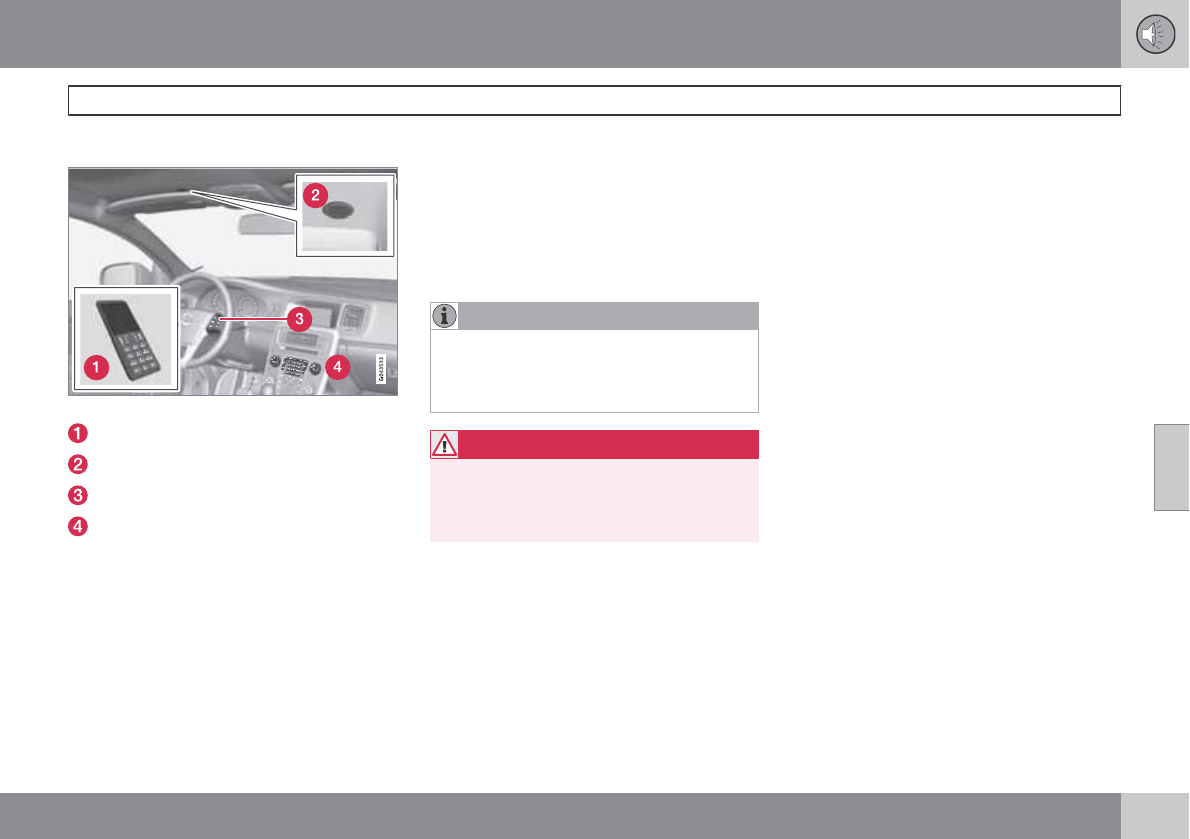
05 Infotainment
Bluetooth
®
hands-free connection
05
``
229
Introduction
System overview
Cell phone
Location of the microphone
Steering wheel keypad
Center console control panel and display
Bluetooth
®
hands-free
This feature makes it possible to set up a wire-
less connection between a Bluetooth-ena-
bled cell phone and the vehicle’s infotainment
system. This enables the infotainment system
to function as a hands-free connection and
allows you to remote-control a number of the
phone’s functions. The microphone used by
this system is located near the driver's side sun
visor (2). The buttons and other controls on the
cell phone can always be used regardless of
whether or not the phone is connected to the
hands-free system.
TEL menu selections can be made from the
center console or the steering wheel keypad.
See page 241 for more information about the
infotainment menu system.
NOTE
Not all cell phones are fully compatible with
the hands-free system. A list of compatible
phones is available at your Volvo retailer or
at www.volvocars.us
WARNING
Never use the hands-free feature or any
other device in your vehicle in a way that
distracts you from the task of driving safely.
Distraction can lead to a serious accident.
Compliance
FCC/IC common sentence
This device complies with Part 15 of FCC Rules
and RSS-Gen of IC Rules. Operation is subject
to the following two conditions: (1) this device
may not cause interference, and (2) this device
must accept any interference, including inter-
ference that may cause undesired operation of
this device.
USA: FCC ID A269ZUA130
FCC WARNING
Changes or modifications not expressly
approved by the party responsible for compli-
ance could void the user’s authority to operate
the equipment.
IC RSS-Gen
This equipment complies with FCC/IC radia-
tion exposure limits set forth for uncontrolled
equipment and meets the FCC radio frequency
(RF) Exposure Guidelines in Supplement C to
OET65 and RSS-102 of the IC radio frequency
(RF) Exposure rules. This equipment has very
low levels of RF energy that it deemed to com-
ply without maximum permissive exposure
evaluation (MPE). But it is desirable that it
should be installed and operated with at least
8 in. (20 cm) and more between the radiator
and person’s body (excluding extremities:
hands, wrists, feet and ankles).
Canada: IC 700BIAM2101
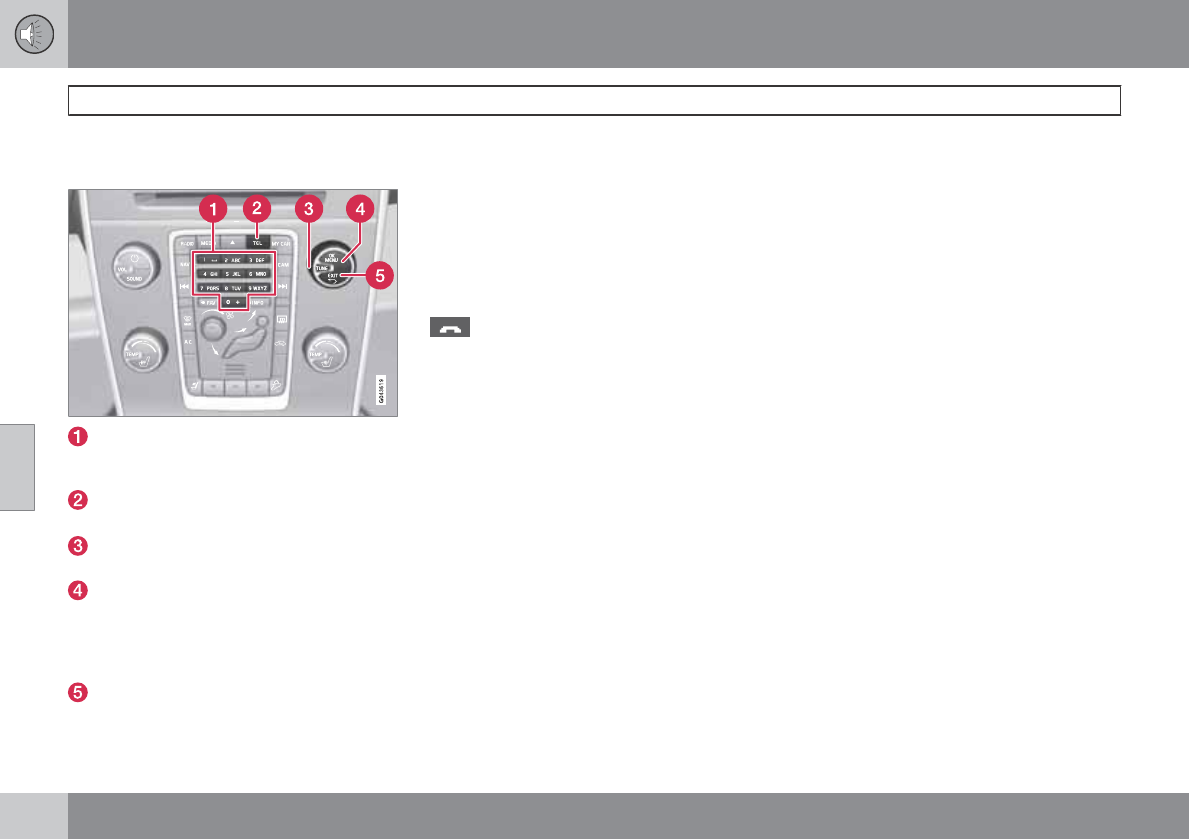
05 Infotainment
Bluetooth
®
hands-free connection
05
230
Bluetooth® functions in the center
console control panel
Number keys containing letters and num-
bers for dialing numbers, adding phone
book entries, etc.
TEL: Press this button to activate/deacti-
vate the Bluetooth function.
TUNE: Turn to navigate among the menu
alternatives in the display.
OK/MENU: Press to answer an incoming
call, confirm your selection or access the
phone menus. Incoming calls can also be
answered by pressing the thumb wheel on
the steering wheel keypad.
EXIT: Press to end or reject calls, erase
characters that have been entered, end an
ongoing function. This function is also
available on the steering wheel keypad.
Getting started
Use the controls on the steering wheel keypad
and in the center console to access, navigate
and make selections in the hands-free sys-
tem’s menus.
Activating/deactivating
A short press on the TEL button in the center
console activates the hands-free system. The
symbol in the display indicates that the
hands-free system is active.
A long press on the TEL button deactivates the
hands-free system and disconnects the cell
phone.
Connecting cell phones
The procedure for connecting a cell phone var-
ies, depending on the phone itself and on
whether or not the phone has been previously
paired with the infotainment system (see page
227 for instructions on pairing an external
device).
There are two ways of pairing a cell phone to
the hands-free system for the first time:
Method 1: using the vehicle's menus
1. Activate the cell phone’s Bluetooth func-
tion to make the phone discoverable (refer
to the phone’s owner’s manual if neces-
sary) or go to www.volvocars.com
2. Activate the vehicle’s Bluetooth hands-
free system by briefly pressing the TEL
button. Continue by pressing OK/MENU.
3. Select Change phone and press OK/
MENU.
>Add phone will be displayed. If other
cell phones have already been paired
with the infotainment system, their
names will also be displayed. Press OK/
MENU.
4. With the cell phone in discoverable mode,
press OK/MENU.
> The infotainment system will search for
cell phones that are in range, which
takes approximately 30 seconds. Any
phones detected will be displayed with
their Bluetooth names. The hands-free
system’s Bluetooth name will appear in
the cell phone’s display as My Car.
5. Select one of the cell phones shown in the
center console display.
6. Using the cell phone’s keypad, enter the
digits shown in the center console display
and press the button on the cell phone
used to confirm a choice.
05 Infotainment
Bluetooth
®
hands-free connection
05
``
231
Method 2: using the cell phone’s menus
1. Activate the hands-free system by briefly
pressing the TEL button in the center con-
sole. If there is a cell phone connected,
disconnect it from the hands-free system.
2. Make the vehicle discoverable via the
Bluetooth function by pressing OK/
MENU and activating the menu selection
Phone settings Discoverable.
3. Perform a search with the cell phone's
Bluetooth function (see the cell phone's
user's guide if necessary).
4. Select My Car in the list of devices shown
in the cell phone’s display.
5. When prompted, enter a PIN code of your
choice in the cell phone using the cell
phone's keypad. Enter the same PIN code
in the infotainment system using the sys-
tem's keypad in the center console.
6. Connect to My Car from the cell phone.
The cell phone will be paired (registered) and
will be connected automatically to the infotain-
ment system. For more information on pairing
and connecting a cell phone, see page 233.
Making a call
1. Ensure that is shown at the top of the
center console display and that the hands-
free function is in telephone mode.
2. Dial the desired phone number using the
center console keypad or use the speed
dial function (see page 236). In normal
view (see page 203 for information about
the various display views). It is also possi-
ble to turn TUNE clockwise to access the
phone book and then counter-clockwise
for the call list. See page 233 for more
information about the phone book.
3. Press OK/MENU
End or reject a call by pressing EXIT.
Disconnecting the cell phone
The cell phone is automatically disconnected
from the infotainment system if it is moved out
of range.
The cell phone can be manually disconnected
from the hands-free system by pressing and
holding TEL or in phone mode, going to Phone
menu Phone off. See also page 233 for
more information about connections.
The hands-free system is also deactivated
when the ignition is switched off (or if the
driver’s door is opened on vehicles equipped
with the optional keyless drive).
When the cell phone is disconnected from the
hands-free system, a call in progress can be
continued using the cell phone’s own speaker
and microphone.
Even if the cell phone has been disconnected
manually, some phones may reconnect auto-
matically to the most recently used hands-free
unit, for example when a new call is initiated.
Handling calls
Incoming calls
Press OK/MENU (or the thumb wheel on
the steering wheel keypad) to answer a
call, even if the infotainment system is cur-
rently in another mode (e.g., RADIO or
MEDIA).
Press EXIT to reject a call.
Automatic answer
This function means that incoming calls will be
answered automatically. Activate or deactivate
the function in the menu system under Phone
main menu Call options Auto answer.
Call settings
While a call is in progress, press OK/MENU or
the thumb wheel on the steering wheel keypad
to access the following functions:
05 Infotainment
Bluetooth
®
hands-free connection
05
232
•Mute: mute the infotainment system’s
microphone.
•Mobile phone: transfer the call from
hands-free to the cell phone. On certain
cell phones, the connection will be broken,
which is normal. The hands-free function
will ask if you would like to reconnect.
•Dial number: dial a third party during an
ongoing call using the number keys (the
current call will be put on hold).
Call lists
Call lists are copied to the hands-free function
each time a cell phone is connected and the
lists are updated while the phone is connected.
In normal view, turn TUNE counter-clockwise
to see the All calls list.
In phone mode, the various call lists can be
displayed in Phone main menu Call lists:
•All calls
•Missed calls
•Answered calls
•Dialed calls (certain cell phones show this
list in reverse order)
•Call duration
If no number has been stored, this menu can
be accessed by pressing and holding 1.
Voice mail
In normal view, a speed dial number for voice
mail can be programmed and accessed by
pressing and holding 1.
The number for voice mail can be changed in
phone mode in Phone main menu Call
options Voice mailbox no. Change
voicemail number.
Sound settings
Call volume
Call volume can be only be adjusted during a
call. Use the buttons in the steering wheel key-
pad or the infotainment system’s VOL control.
infotainment system volume
If no phone call is in progress, volume for the
infotainment system can be adjusted in the
normal way with the infotainment system's
VOL control or from the steering wheel keypad.
infotainment system sound can be automati-
cally muted when a phone call is received in
Phone main menu Phone settings
Sounds and volume Mute radio/media.
Ringing volume
In phone mode, go to Phone main menu
Phone settings Sounds and volume
Ring volume and adjust the volume by turning
VOL. Save the setting by pressing EXIT.
Ringing tones
The hands-free system’s integrated ringing
tones can be selected in Phone main menu
Phone settings Sounds and volume
Ring signals Ring signal 1, etc.
NOTE
The connected cell phone’s ring tone may
not be switched off when one of the hands-
free system's ringing tones is used.
If you prefer to use the connected cell phone’s
ring tone1, go to Phone main menu Phone
settings Sounds and volume Ring
signals Mobile phone ring signal.
1Not supported by all cell phones.
05 Infotainment
Bluetooth
®
hands-free connection
05
``
233
More information about pairing and
connecting cell phones
A maximum of 10 cell phones can be paired
with the hands-free system. Pairing only needs
to be done once for each phone. After pairing,
the cell phone no longer needs to be in sight or
discoverable. Only one cell phone can be con-
nected to hands-free at a time.
Automatic connection
When the hands-free system is active and the
most recently connected cell phone is within
range, it is connected automatically. If this
phone is not within range, the hands-free sys-
tem will attempt to connect one of the other
paired cell phones. When the infotainment sys-
tem searches for the most recently connected
phone, this phone’s name appears in the dis-
play.
Manual connection
To connect a phone other than the one that
was most recently connected or to switch
between cell phones that are already paired
with the hands-free system, go to Phone main
menu Change phone.
Removing a paired phone from the list
In phone mode, a paired phone can be
removed from the list of phones in Phone main
menu Remove Bluetooth device.
Bluetooth
version
For information about the version of
Bluetooth installed in the vehicle, go to Phone
main menu Phone settings Bluetooth
software version in car.
Phone book
The hands-free system uses two phones
books (one with the cell phone's list of contacts
and one with contacts saved directly in the
infotainment system), which are combined to
form one phone book.
•The infotainment system downloads the
phone book from a connected cell phone.
This phone book will only be displayed
when this cell phone is connected to the
hands-free system.
•The infotainment system also has an inte-
grated phone book made up of contacts
that have been saved in the system,
regardless of which cell phone is currently
connected when the contact is saved.
These contacts will be displayed regard-
less of the cell phone that is connected. If
a contact has been saved in the infotain-
ment system, the symbol will be dis-
played next to it.
NOTE
Changes made from the infotainment sys-
tem to a contact in the cell phone's phone
book will result in a new contact being
added to the infotainment system's phone
book. However, this contact will not be
saved in the cell phone's phone book. The
infotainment system's display will show
duplicate contacts with different icons.
Please also note that if a speed dial number
is saved or if a contact's information is edi-
ted, this will result in a new contact in the
infotainment system's phone book.
The symbol must be displayed before
the phone book can be used and the hands-
free function must be in phone mode.
The infotainment system saves a copy of each
paired cell phone's phone book. This phone
book can be copied each time the phone is
connected.
Activate/deactivate this function in phone
mode in Phone main menu Phone
settings Download phone book.
If the phone book contains information about
someone who is trying to call you, this infor-
mation will be shown in the display.
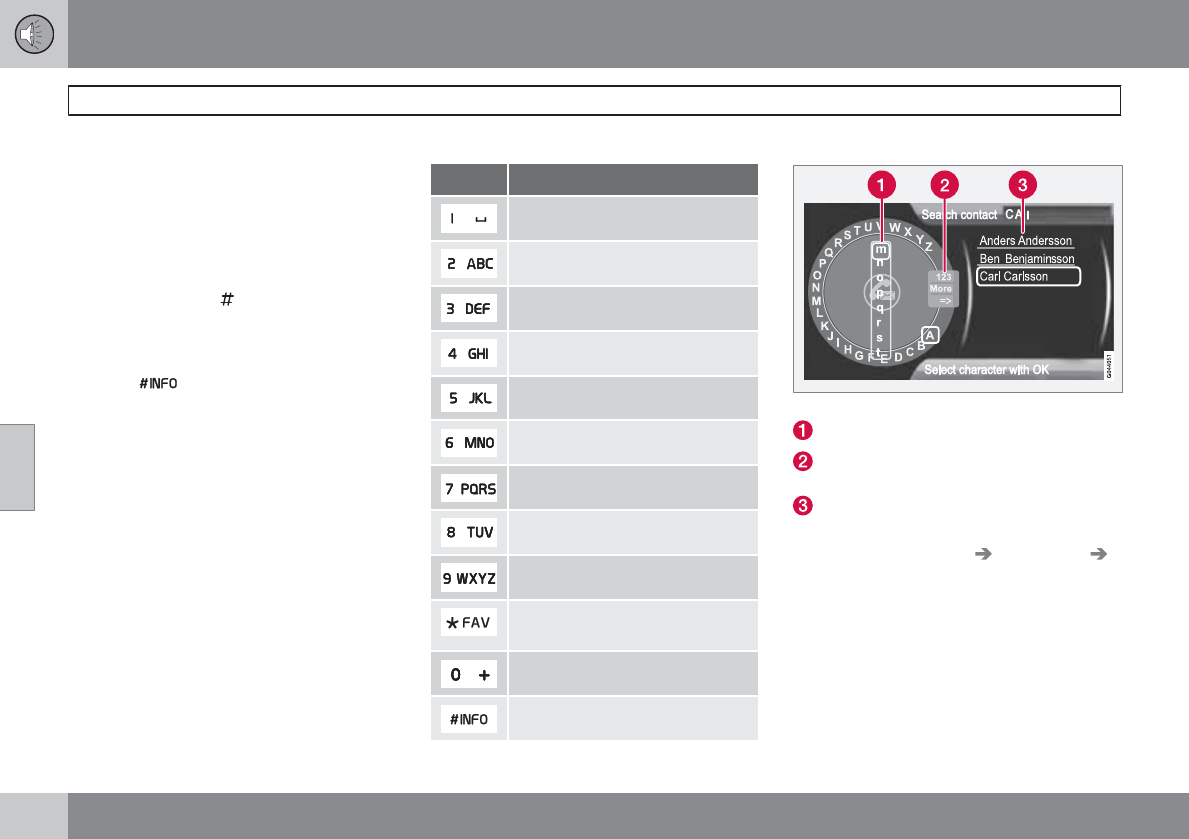
05 Infotainment
Bluetooth
®
hands-free connection
05
234
Contact shortcuts
A quick way of searching the phone book for
contacts in normal view is to turn TUNE clock-
wise to access the phone book and then coun-
ter-clockwise to select a contact from the list.
Press OK/MENU to call.
Each name in the phone book has a default
phone number. If the symbol is displayed to
the right of it, this indicates that there are addi-
tional phone numbers for this contact. To use
a phone number other than the default one,
press the button on the center console
control panel. Turn TUNE to select a different
phone number and press OK/MENU to call.
It is also possible to search for a contact by
using the center console keypad to enter the
first letter(s) of the contact's name (see also the
following table "Buttons in the center console"
for each button's function).
The list of contacts can also be accessed from
normal view by pressing and holding the button
on the center console keypad with the first let-
ter of the contact's name. For example, press-
ing and holding button 6 would provide direct
access to the section of the list with contacts
whose names begin with M.
Buttons in the center console
Button Function
Space . , - ? @ : ; / ( ) 1
A B C Å Ä Æ À Ç 2
D E F È É 3
G H I Ì 4
J K L 5
M N O Ö Ø Ñ Ò 6
P Q R S ß 7
T U V Ü Ù 8
W X Y Z 9
Shift between upper and lower
case
+ 0 p w
# *
Searching for contacts
Searching for contacts using the text wheel
List of characters
Switch between character entry modes
(see the following table)
Phone book (list of contacts)
To search for or edit a contact in phone mode,
go to Phone main menu Phone book
Search.
1. Turn TUNE to the desired letter and press
OK/MENU to confirm. The number/letter
keys on the center console can also be
used.
2. Continue to the next letter, etc. The results
of the search will be displayed in the phone
book (3).
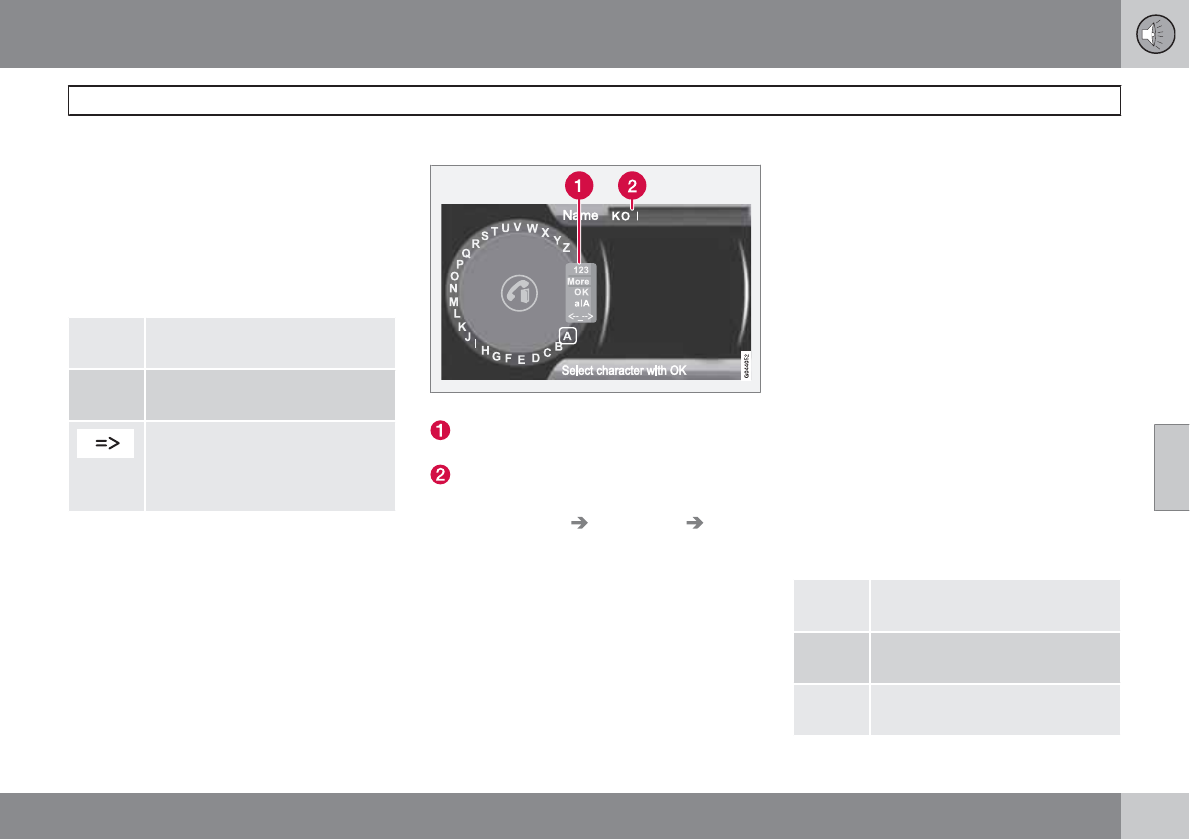
05 Infotainment
Bluetooth
®
hands-free connection
05
``
235
3. To switch from letter entry mode to the
entry mode for numbers or special charac-
ters, or to go to the phone book, turn
TUNE to one of the selections (see the
explanation in the following table) in the list
for switching character entry mode (2) and
press OK/MENU.
Character entry modes
123/
ABC
Toggle between letters and num-
bers by pressing OK/MENU.
More Switch to special characters by
pressing OK/MENU.
This leads to the phone book (3).
Turn TUNE to select a contact
and press OK/MENU to display
the contact's information.
Press EXIT briefly to erase a single character.
Press and hold EXIT to erase all of the char-
acters that have been entered.
If a number button on the center console is
pressed while the text wheel is displayed, a list
of characters (1) will be displayed. Briefly press
the button once to enter its first letter, twice to
enter the second letter, etc. Continue to press
the button to display other characters. Con-
tinue with the next character, etc.
To enter a number, press and hold the button.
Adding a new contact
Enter the name of a new contact
Switch between character entry modes
(see the following table)
Character entry field
New contacts can be added in phone mode in
Phone main menu Phone book New
contact.
1. When Name is highlighted, press OK/
MENU to go to the character entry mode
(see the illustration).
2. Turn TUNE to the desired letter and press
OK/MENU to confirm. The number/letter
keys on the center console can also be
used.
3. Continue to the next letter, etc. The name
entered will be displayed in the character
entry field (2).
4. To switch from letter entry mode to the
entry mode for numbers or special charac-
ters, or to toggle between upper and lower
case letters, etc., turn TUNE to one of the
selections (see the explanation in the fol-
lowing table) in the list (1) and press OK/
MENU.
When you have finished entering the name,
select OK in the list in the display (1) and press
OK/MENU. Continue by entering the phone
number in the same way.
When you have entered the phone number,
press OK/MENU and select a tag for the num-
ber (Mobile phone, Home, Work or
General). Press OK/MENU to confirm.
When all of the contact's information has been
entered, press EXIT to save.
123/
ABC
Toggle between letters and num-
bers by pressing OK/MENU.
More Switch to special characters by
pressing OK/MENU.
OK Save and return to Add contact
by pressing OK/MENU.
05 Infotainment
Bluetooth
®
hands-free connection
05
236
Toggle between upper and lower
case letters by pressing OK/
MENU.
Press OK/MENU and the cursor
will move to the character entry
field (2) at the top of the display.
The cursor can now be moved by
turning TUNE to a position where
new characters can be entered
or deleted by pressing EXIT. In
order to add characters, return to
text entry mode by pressing OK/
MENU.
Speed dial
Speed dial numbers can be added in phone
mode in Phone main menu Phone book
Speed dial.
To use speed dial to make a call in phone
mode, press a button on the center console
keypad followed by OK/MENU. If a contact
has not been saved on the speed dial number
used, you will be prompted to save a contact
on the number selected.
Accept vCards
vCards from other cell phones can be added to
the infotainment system's phone book. To ena-
ble this feature, put the infotainment system in
discoverable mode for Bluetooth. The feature
is activated in Phone main menu Phone
book Receive vCard.
Memory status
In phone mode, the memory status of the info-
tainment system's phone book and the con-
nected cell phone's phone book can be seen
in Phone main menu Phone book
Memory status.
Clearing the phone book
In phone mode, all entries in the infotainment
system's phone book can be cleared in Phone
main menu Phone book Clear phone
book.
NOTE
Clearing the entries in the infotainment sys-
tem's phone book does not delete entries in
the cell phone's phone book.
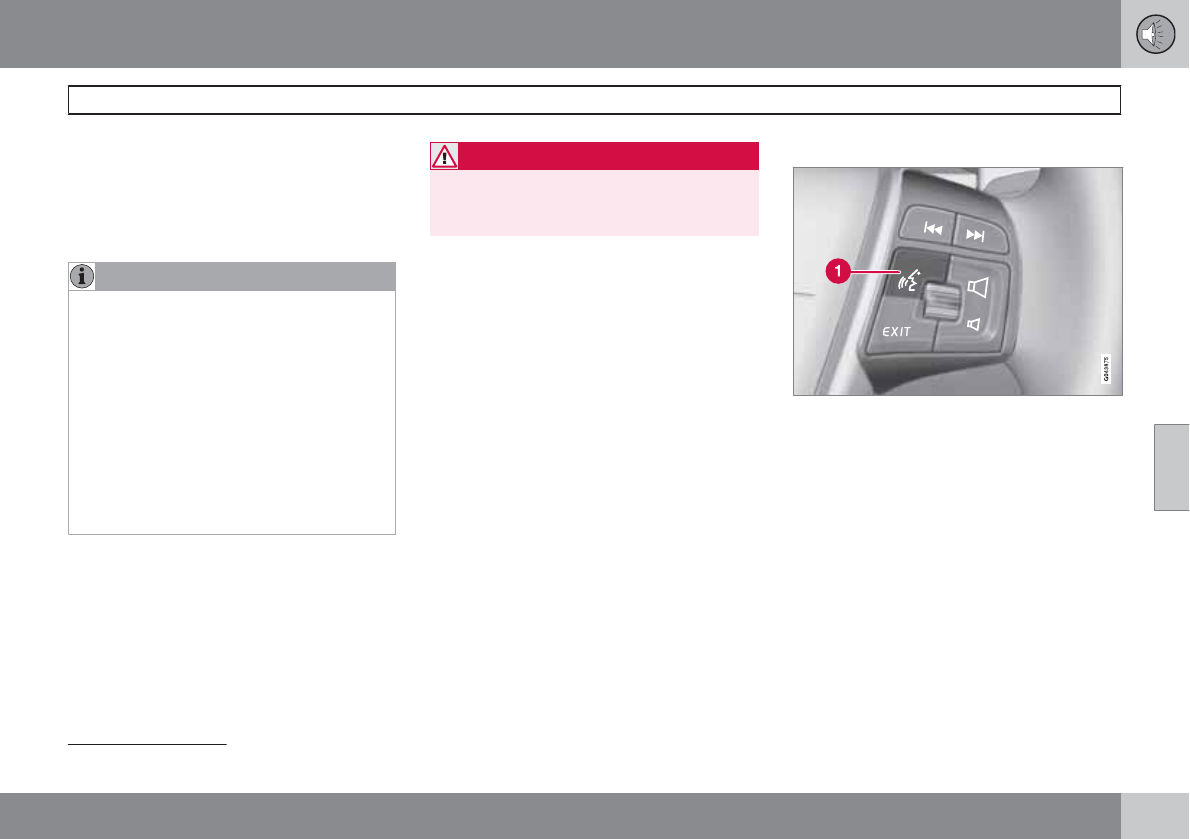
05 Infotainment
Cell phone voice control
05
``
237
Introduction
The infotainment system's voice control fea-
ture1 enables the driver to voice-activate cer-
tain functions in a Bluetooth-connected cell
phone or the navigation system.
NOTE
•The information in this section applies
to using voice commands to operate a
Bluetooth
-connected cell phone.
See also the section "Bluetooth
hands-free connection" beginning on
page 229 for detailed information about
using a cell phone with the vehicle's
infotainment system.
•The navigation system has a separate
user's guide containing information
about voice commands for operating
that system.
Voice commands offer convenience and help
avoid distractions so that you can concentrate
on driving and focus your attention on road and
traffic conditions.
WARNING
As the driver, you have full responsibility for
operating the vehicle safely and adhering to
all applicable traffic regulations.
The voice control feature provides access to a
number of functions in the Bluetooth hands-
free and navigation systems while allowing you
to keep your hands on the steering wheel. Input
is in dialogue form using spoken commands
from the user and verbal prompts from the sys-
tem. Voice control uses the same microphone
as the Bluetooth hands-free system (see the
illustration on page 229) and system prompts
are provided through the infotainment sys-
tem's front speakers.
Getting started
Voice control button on the steering wheel
Activating the system
Before any phone voice commands can be
used, a Bluetooth-enabled cell phone must
be paired with the infotainment system. If a
phone command is given, the system will
inform you If there is no cell phone paired. See
page 230 for information on pairing a cell
phone.
Press the voice control button (1 in the illustra-
tion) to activate the system and initiate a com-
mand dialogue. The system will display com-
monly used commands on the screen when the
button has been pressed.
1Available in vehicles equipped with the optional Volvo Navigation System only
05 Infotainment
Cell phone voice control
05
238
While using the voice control system, keep the
following points in mind:
•When giving commands, speak at your
usual speed and in a normal tone of voice
after the tone
•The vehicle's doors, windows and moon-
roof should be closed when using the voice
control system
•Avoid background noises in the cabin
when using the system
NOTE
If you are uncertain of the commands that
you can use, saying "help" will prompt the
system to provide a number of commands
that can be used in a specific situation.
Voice control commands can be cancelled
by:
•Saying "cancel"
•Not speaking
•Pressing and holding the voice control
button
•Pressing EXIT or one of the mode but-
tons (RADIO, MEDIA, etc.).
Voice control support features
•Tutorial: A feature that helps acquaint you
with the system and the procedure for giv-
ing commands.
•Training: A feature that enables the voice
control system to become familiar with
your voice and pronunciation, and allows
you to set up user profiles. Two user pro-
files can be voice trained.
These support features are accessed by press-
ing the MY CAR button in the center console
and turning TUNE to scroll to the desired menu
selection.
Tutorial
The tutorial feature can be started in two ways:
NOTE
The tutorial feature can only be started when
the vehicle is parked and the parking brake
is applied.
•By pressing the voice control button and
saying "Voice tutorial."
•By pressing MY CAR and going to
Settings Voice settings Voice
tutorial. Press OK/MENU to begin the
tutorial lesson.
The tutorial is divided into three lessons, which
take a total of approximately 5 minutes to com-
plete.
By default, the system will begin with the first
lesson. To skip to the next lesson, press the
voice control button and say "next." Go back
to a previous lesson by saying "previous."
Press and hold the voice control button to exit
the tutorial.
Training
The system will display up to fifteen phrases for
you to say. To start the voice training proce-
dure, press MY CAR and go to Settings
Voice settings Voice training. Select User
1 or User 2 and press OK/MENU to begin.
After the training has been completed, remem-
ber to set your user profile in Voice user
setting.
Other voice control settings found in MY
CAR
•Voice user setting: Two user profiles can
be set by pressing MY CAR and going to
Settings Voice settings Voice user
setting. Select User 1 or User 2.
•Voice output volume: Press MY CAR and
go to Settings Voice settings Voice
output volume. Press OK/MENU and turn
TUNE to raise or lower the volume. Press
EXIT to save the change and exit the menu.
05 Infotainment
Cell phone voice control
05
``
239
Using voice commands
The driver initiates a voice command dialogue
by pressing the voice control button (see the
illustration on page 237).
When a dialogue has been initiated, commonly
used commands will be shown in the display.
Grayed-out texts or texts in parentheses are
not part of the spoken command.
Once you become familiar with the system, you
can speed up the command dialogue by briefly
pressing the voice control button to skip
prompts from the system.
Commands can be given in several ways.
For example, the command "Phone call con-
tact" can be spoken as:
•"Phone > Call contact"—say "Phone," wait
for a system response, and then continue
by saying "Call contact."
•"Phone call contact"—give the entire com-
mand at one time
The following is a list of features that can be
voice-controlled with a Bluetooth-connected
cell phone.
Shortcuts
Shortcut commands for using the phone can
be found in the MY CAR menu system, under
Settings Voice settings Voice
command list Phone commands and
General commands. See page 128 for more
information on the menu system.
Dialing a number
The system understands the digits zero to nine.
These numbers can be spoken individually, in
groups of several digits at a time, or the entire
number can be given at once. Numbers above
nine will not be recognized.
The following is an example of a voice com-
mand dialogue. The system's response may
vary depending on the situation.
The user initiates the dialogue by saying:
Phone > dial number
or
Phone dial number
System response
Number please
User action
Begin saying the digits in the phone number. If
you say several digits and pause, the system
will repeat them and prompt you by saying
"Continue."
Continue saying the digits. When you have fin-
ished, complete the command by saying
"Dial."
•You can also change the number by using
the commands "Correction" (which dele-
tes the last group of digits spoken) or
"Delete" (which will erase the entire phone
number).
Dialing from a call list
The dialogue below enables you make a call
from one of your cell phone's call lists.
The user initiates the dialogue by saying:
Phone > dial from call list
or
Phone dial from call list
Continue by responding to the system's
prompts.
Calling a contact
The dialogue below enables you to call the pre-
defined contacts in your cell phone. See the
phone's user's guide if necessary.
The user initiates the dialogue by saying:
Phone > call contact
or
Phone call contact
Continue by responding to the system's
prompts.
When calling contacts, keep the following in
mind:
•If there are several contacts with similar
names, they will be presented in the dis-
05 Infotainment
Cell phone voice control
05
240
play in numbered lines and the system will
prompt you to pick a line number
•If there are more lines in the list than can
be displayed at one time, saying "Down"
will enable you to scroll downward in the
list (and saying "up" will take you back up
through the list).
Dialing voicemail
The dialogue below enables you to call your
voicemail to check any messages that you may
have received. Your voicemail phone number
must be registered in the Bluetooth function,
see page 232.
The user initiates the dialogue by saying:
Phone > dial voicemail
or
Phone dial voicemail
Continue by responding to the system's
prompts.
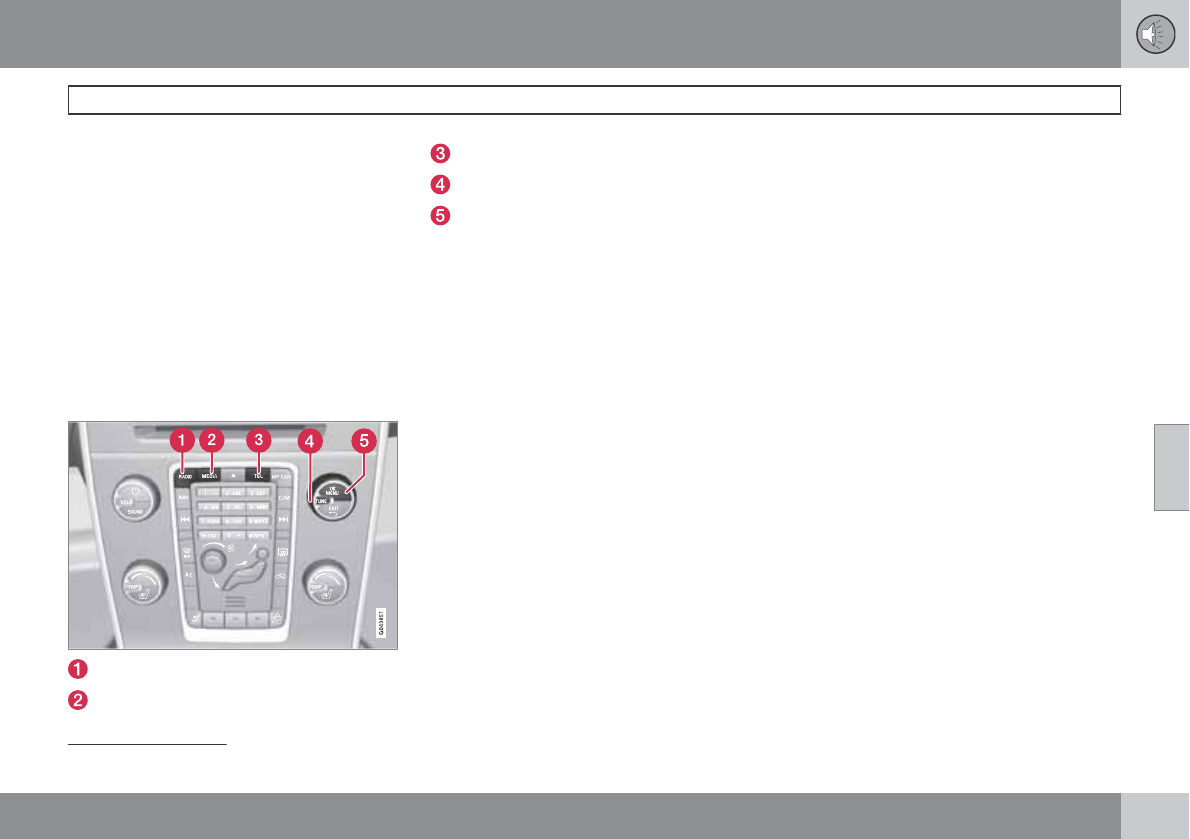
05 Infotainment
Infotainment system menus
05
``
* Option/accessory, for more information, see Introduction. 241
Navigating in the menus
Infotainment settings are made via the sys-
tem's menus. Press one of the mode buttons
(RADIO, MEDIA, or TEL—see the illustration
on page 202) to select it and access its specific
menus. When a mode has been selected, press
OK/MENU to access its menus.
Menu selections can be made using the con-
trols in the center console and certain functions
can also be controlled from the steering wheel
keypad. Each mode is described in its respec-
tive section.
Controls in the center console
RADIO
MEDIA
TEL
TUNE
OK/MENU
Search paths
Throughout this manual, search paths to the
menu system functions are listed as shown in
the following example: FM1Autostore, if the
following steps have been taken first:
1. Press the desired mode button, (RADIO,
MEDIA, etc). Continue pressing the button
to navigate through the various selections
displayed (e.g., FM1). Release the button
and wait several seconds to automatically
accept the selection or turn TUNE and
press OK/MENU.
2. Turn TUNE or use the thumb wheel on the
steering wheel keypad to scroll to the
desired menu selection, such as Audio
settings, and press OK/MENU to confirm
a selection.
3. Turn TUNE again to scroll to the desired
submenu (e.g., Equalizer) where applica-
ble and press OK/MENU.
RADIO menus
Main AM menu
AM menu
Show presets
Scan
Audio settings1
Sound stage
Equalizer
Volume compensation
Reset all audio settings
Main FM1/FM2 menu
FM menu
Show radio text
Show presets
Scan
Advanced settings
Reset all FM settings
Audio settings1
Main Sirius1*/Sirius2* menu
SIRIUS radio off.\nPress RADIO button to
activate SIRIUS.
1The audio settings are the same for all infotainment system modes
05 Infotainment
Infotainment system menus
05
242
Song memory
Add song
Song seek
Delete song
View song memory
Channel list information
Station name
Artist
Title
Information
Show presets
Category list
Advanced SIRIUS settings
Skip options
Channel skip list
Lock options
Channel lock list
Unlock all channels
Temporarily unlock all chan-
nels
Change code
Audio settings1
MEDIA menus
Main CD Audio menu
Disc menu
Random
Scan
Audio settings1
Main CD/DVD Data menu
Disc menu
Play/pause
Stop
Random
Repeat folder
Change subtitles
Change tracks
Scan
Audio settings1
Main DVD Video menu
Disc menu
DVD disc menu
Play/Pause/Continue
Stop
Subtitles
Audio tracks
Advanced settings
Angle
DivX® VOD code
Audio settings1
Main iPod menu
iPod menu
Random
Scan
Audio settings1
Main USB menu
USB menu
Random
Play/pause
Stop
1The audio settings are the same for all infotainment system modes
05 Infotainment
Infotainment system menus
05
243
Repeat folder
Select USB device
Change subtitles
Change track
Scan
Audio settings1
Main Bluetooth media menu
Bluetooth menu
Random
Change Bluetooth device
Remove Bluetooth device
Scan
Bluetooth software version in car
Audio settings1
Main AUX menu
AUX menu
AUX input volume
Audio settings1
TEL menus
Main Bluetooth
hands-free menu
Phone main menu
Call list
All calls
Missed calls
Answered calls
Dialed calls
Call duration
Phone book
Search
New contact
Speed dials
Receive vCard
Memory status
Clear phone book
Change phone
Remove Bluetooth device
Phone settings
Discoverable
Sounds and volume
Download phone book
Bluetooth software version in
car
Call options
Auto answer
Voicemail number
Phone off
1The audio settings are the same for all infotainment system modes

244
Driving recommendations..................................................................... 246
Refueling............................................................................................... 250
Loading................................................................................................. 255
Cargo area ........................................................................................... 259
Towing a trailer...................................................................................... 262
Emergency towing................................................................................ 265
DURING YOUR TRIP
06 During your trip
Driving recommendations
06
246
General information
Economical driving conserves natural
resources
Better driving economy may be obtained by
thinking ahead, avoiding rapid starts and stops
and adjusting the speed of your vehicle to
immediate traffic conditions.
Observe the following rules:
•Bring the engine to normal operating tem-
perature as soon as possible by driving
with a light foot on the accelerator pedal for
the first few minutes of operation. A cold
engine uses more fuel and is subject to
increased wear.
•Whenever possible, avoid using the vehicle
for driving short distances. This does not
allow the engine to reach normal operating
temperature.
•Drive carefully and avoid rapid acceleration
and hard braking.
•Use the transmission's Drive (D) position
as often as possible and avoid using kick-
down.
•Using the transmission's Sport mode1 may
decrease fuel consumption somewhat.
Use the transmission's Drive (D) position
as often as possible. See page 113 for
additional information about Sport mode.
•Do not exceed posted speed limits.
•Avoid carrying unnecessary items (extra
load) in the vehicle.
•Maintain correct tire pressure. Check tire
pressure regularly (when tires are cold).
•Remove snow tires when threat of snow or
ice has ended.
•Note that roof racks, ski racks, etc,
increase air resistance and also fuel con-
sumption.
•At highway driving speeds, fuel consump-
tion will be lower with the air conditioning
on and the windows closed than with the
air conditioning off and the windows open.
•Using the onboard trip computer's fuel
consumption modes can help you learn
how to drive more economically.
Other factors that decrease gas mileage
are:
•Dirty air cleaner
•Dirty engine oil and clogged oil filter
•Dragging brakes
•Incorrect front end alignment
Some of the above mentioned items and others
are checked at the standard maintenance
intervals.
WARNING
Driving with the tailgate open: Driving with
the tailgate open could lead to poisonous
exhaust gases entering the passenger com-
partment. If the tailgate must be kept open
for any reason, proceed as follows:
•Close the windows
•Set the ventilation system control to air
flow to floor, windshield and side win-
dows and the blower control to its high-
est setting.
Weight distribution affects handling
At the specified curb weight your vehicle has a
tendency to understeer, which means that the
steering wheel has to be turned more than
might seem appropriate for the curvature of a
bend. This ensures good stability and reduces
the risk of rear wheel skid. Remember that
these properties can alter with the vehicle load.
The heavier the load in the cargo area, the less
the tendency to understeer.
Handling, roadholding
Vehicle load, tire design and inflation pressure
all affect vehicle handling. Therefore, check
that the tires are inflated to the recommended
pressure according to the vehicle load. See the
"Tire pressure" section. Loads should be dis-
1Models with the T6 turbo engine only.
06 During your trip
Driving recommendations
06
``
247
tributed so that capacity weight or maximum
permissible axle loads are not exceeded.
Driving through water
•The vehicle can be driven through water up
to a depth of approximately 10 in. (25 cm),
at a maximum speed of 6 mph (10 km/h).
•Take particular care when driving through
flowing water.
•Clean the electrical connections for trailer
wiring after driving in mud or water.
•When driving through water, maintain low
speed and do not stop in the water.
WARNING
After driving through water, press lightly on
the brake pedal to ensure that the brakes
are functioning normally. Water or mud can
make the brake linings slippery, resulting in
delayed braking effect.
CAUTION
•Engine damage will occur if water is
drawn into the air cleaner.
•If the vehicle is driven through water
deeper than 10 in (25 cm), water may
enter the differential and the transmis-
sion. This reduces the oil's lubricating
capacity and may shorten the service
life of these components.
•Do not allow the vehicle to stand in
water up to the door sills longer than
absolutely necessary. This could result
in electrical malfunctions.
•If the engine has been stopped while the
vehicle is in water, do not attempt to
restart it. Have the vehicle towed out of
the water.
Engine and cooling system
Under special conditions, for example when
driving in hilly terrain, extreme heat or with
heavy loads, there is a risk that the engine and
cooling system will overheat. Proceed as fol-
lows to avoid overheating the engine.
•Maintain a low speed when driving with a
trailer up long, steep hills.
•Do not turn the engine off immediately
when stopping after a hard drive.
WARNING
The cooling fan may start or continue to
operate (for up to 6 minutes) after the engine
has been switched off.
•Remove any auxiliary lights from in front of
the grille when driving in hot weather con-
ditions.
•Do not exceed engine speeds of 4500 rpm
if driving with a trailer in hilly terrain. The oil
temperature could become too high.
Conserving electrical current
Keep the following in mind to help minimize
battery drain:
•When the engine is not running, avoid
using ignition mode II. Many electrical sys-
tems (the audio system, the optional navi-
gation system, power windows, etc) will
function in ignition modes 0 and I. These
modes reduce drain on the battery.
•Please keep in mind that using systems,
accessories, etc., that consume a great
deal of current when the engine is not run-
ning could result in the battery being com-
pletely drained. Driving or having the
engine running for approximately
15 minutes will help keep the battery
charged.
•The optional 12 volt socket in the cargo
area provides electrical current even with
06 During your trip
Driving recommendations
06
248
the ignition switched off, which drains the
battery.
Before a long distance trip
It is always worthwhile to have your vehicle
checked by a trained and qualified Volvo serv-
ice technician before driving long distances.
Your retailer will also be able to supply you with
bulbs, fuses, spark plugs and wiper blades for
your use in the event that problems occur.
As a minimum, the following items should be
checked before any long trip:
•Check that engine runs smoothly and that
fuel consumption is normal.
•Check for fuel, oil, and fluid leakage.
•Have the transmission oil level checked.
•Check condition of drive belts.
•Check state of the battery's charge.
•Examine tires carefully (the spare tire as
well), and replace those that are worn.
Check tire pressures.
•The brakes, front wheel alignment, and
steering gear should be checked by a
trained and qualified Volvo service techni-
cian only.
•Check all lights, including high beams.
•Reflective warning triangles are legally
required in some states/provinces.
•Have a word with a trained and qualified
Volvo service technician if you intend to
drive in countries where it may be difficult
to obtain the correct fuel.
•Consider your destination. If you will be
driving through an area where snow or ice
are likely to occur, consider snow tires.
Cold weather precautions
If you wish to check your vehicle before the
approach of cold weather, the following advice
is worth noting:
•Make sure that the engine coolant contains
50 percent antifreeze. Any other mixture
will reduce freeze protection. This gives
protection against freezing down to
–31 °F (–35 °C). The use of "recycled" anti-
freeze is not approved by Volvo. Different
types of antifreeze must not be mixed.
•Volvo recommends using only genuine
Volvo antifreeze in your vehicle's radiator.
•Try to keep the fuel tank well filled – this
helps prevent the formation of condensa-
tion in the tank. In addition, in extremely
cold weather conditions it is worthwhile to
add fuel line de-icer before refueling.
•The viscosity of the engine oil is important.
Oil with low viscosity (thinner oil) improves
cold-weather starting as well as decreas-
ing fuel consumption while the engine is
warming up. For winter use, 5W-30 oil, par-
ticularly the synthetic type, is recom-
mended. Be sure to use good quality oil but
do not use cold-weather oil for hard driving
or in warm weather, see page 342 for more
information on engine oil.
NOTE
Synthetic oil is not used when the oil is
changed at the normal maintenance inter-
vals except at owner request and at addi-
tional charge.
•The load placed on the battery is greater
during the winter since the windshield wip-
ers, lighting, etc. are used more often.
Moreover, the capacity of the battery
decreases as the temperature drops. In
very cold weather, a poorly charged bat-
tery can freeze and be damaged. It is there-
fore advisable to check the state of charge
more frequently and spray an anti-rust oil
on the battery posts.
•Volvo recommends the use of snow tires
on all four wheels for winter driving, see
page 283.
•To prevent the washer fluid reservoir from
freezing, add washer solvents containing
antifreeze. This is important since dirt is
often splashed on the windshield during
winter driving, requiring the frequent use of
the washers and wipers. Volvo Washer
Solvent should be diluted as follows: Down
to 14 °F (–10 °C): 1 part washer solvent and
06 During your trip
Driving recommendations
06
249
4 parts water Down to 5 °F (–15 °C): 1 part
washer solvent and 3 parts water Down to
0 °F (–18 °C): 1 part washer solvent and
2 parts water Down to –18 °F (–28 °C):
1 part washer solvent and 1 part water.
•Use Volvo Teflon Lock Spray in the locks.
•Avoid using de-icing sprays as they can
cause damage to the locks.
06 During your trip
Refueling
06
250
Fuel requirements
Deposit control gasoline (detergent
additives)
Volvo recommends the use of detergent gas-
oline to control engine deposits. Detergent
gasoline is effective in keeping injectors and
intake valves clean. Consistent use of deposit
control gasolines will help ensure good driva-
bility and fuel economy. If you are not sure
whether the gasoline contains deposit control
additives, check with the service station oper-
ator.
NOTE
Volvo does not recommend the use of exter-
nal fuel injector cleaning systems.
Unleaded fuel
Each Volvo has a three-way catalytic converter
and must use only unleaded gasoline. U.S. and
Canadian regulations require that pumps deliv-
ering unleaded gasoline be labelled "UNLEA-
DED". Only these pumps have nozzles which
fit your vehicle's filler inlet. It is unlawful to dis-
pense leaded fuel into a vehicle labelled
"unleaded gasoline only". Leaded gasoline
damages the three-way catalytic converter and
the heated oxygen sensor system. Repeated
use of leaded gasoline will lessen the effective-
ness of the emission control system and could
result in loss of emission warranty coverage.
State and local vehicle inspection programs
will make detection of misfueling easier, pos-
sibly resulting in emission test failure for mis-
fueled vehicles.
NOTE
Some U.S. and Canadian gasolines contain
an octane enhancing additive called methyl-
cyclopentadienyl manganese tricarbonyl
(MMT). If such fuels are used, your Emission
Control System performance may be affec-
ted, and the Check Engine Light (malfunc-
tion indicator light) located on your instru-
ment panel may light. If this occurs, please
return your vehicle to a trained and qualified
Volvo service technician for service.
Gasoline containing alcohol and ethers,
"Oxygenated fuels"
Some fuel suppliers sell gasoline containing
"oxygenates" which are usually alcohols or
ethers. In some areas, state or local laws
require that the service pump be marked indi-
cating use of alcohols or ethers. However,
there are areas in which the pumps are
unmarked. If you are not sure whether there is
alcohol or ethers in the gasoline you buy, check
with the service station operator. To meet sea-
sonal air quality standards, some areas require
the use of "oxygenated" fuel.
Volvo allows the use of the following "oxygen-
ated" fuels; however, the octane ratings listed
on page 251 must still be met.
Alcohol – Ethanol
Fuels containing up to 10% ethanol by volume
may be used. Ethanol may also be referred to
as Ethyl alcohol, or "Gasohol".
Ethers – MTBE: Fuels containing up to
15% MTBE may be used.
Methanol
Do not use gasolines containing methanol
(methyl alcohol, wood alcohol). This practice
can result in vehicle performance deterioration
and can damage critical parts in the fuel sys-
tem. Such damage may not be covered under
the New Vehicle Limited Warranty.
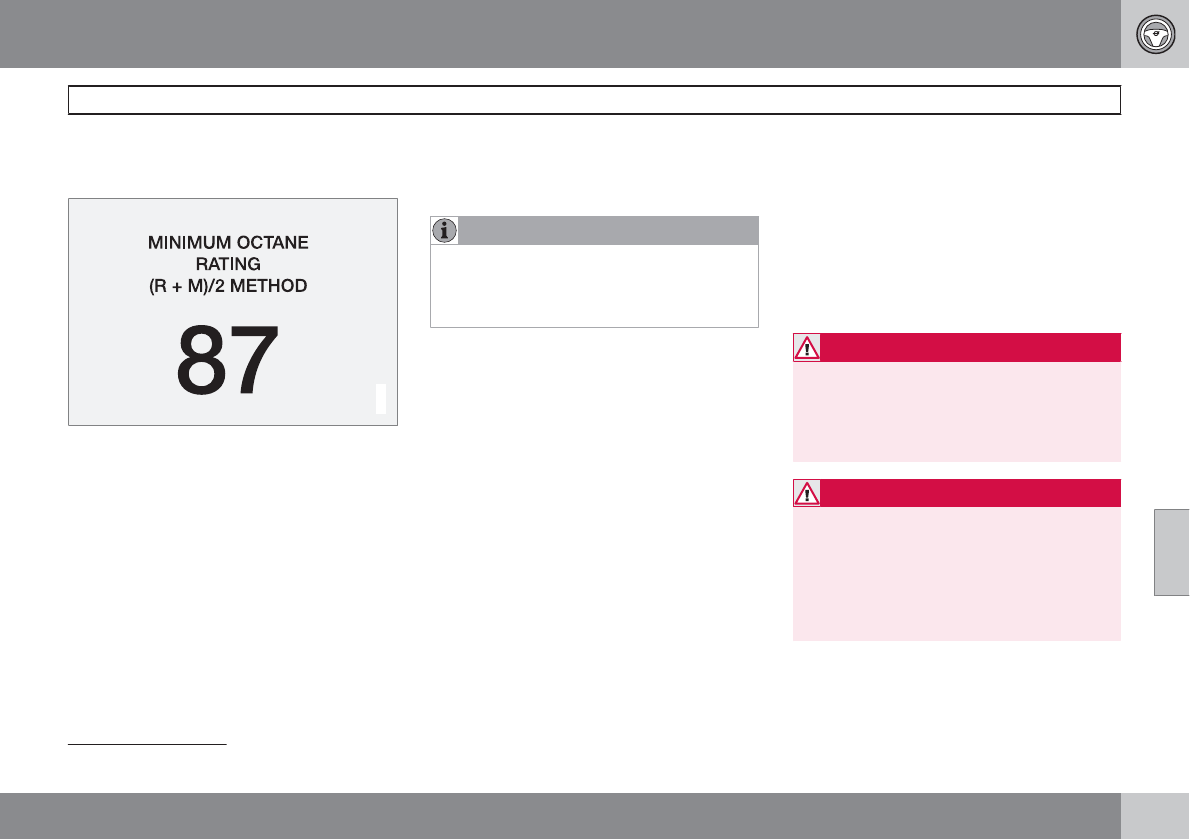
06 During your trip
Refueling
06
``
251
Octane rating
Minimum octane
G028920
Typical pump octane label
Volvo recommends premium fuel for best per-
formance, but using 87 octane1 or above will
not affect engine reliability.
Volvo engines are designed to achieve rated
horsepower, torque, and fuel economy per-
formance using premium 91 octane fuel.
Demanding driving
In demanding driving conditions, such as oper-
ating the vehicle in hot weather, towing a trailer,
or driving for extended periods at higher alti-
tudes than normal, it may be advisable to
switch to higher octane fuel (91 or higher) or to
change gasoline brands to fully utilize your
engine's capacity, and for the smoothest pos-
sible operation.
NOTE
When switching to higher octane fuel or
changing gasoline brands, it may be neces-
sary to fill the tank more than once before a
difference in engine operation is noticeable.
Fuel Formulations
Do not use gasoline that contains lead as a
knock inhibitor, and do not use lead additives.
Besides damaging the exhaust emission con-
trol systems on your vehicle, lead has been
strongly linked to certain forms of cancer.
Many fuels contain benzene as a solvent.
Unburned benzene has been strongly linked to
certain forms of cancer. If you live in an area
where you must fill your own gas tank, take
precautions. These may include:
•standing upwind away from the filler nozzle
while refueling
•refueling only at gas stations with vapor
recovery systems that fully seal the mouth
of the filler neck during refueling
•wearing neoprene gloves while handling a
fuel filler nozzle.
Use of Additives
With the exception of gas line antifreeze during
winter months, do not add solvents, thicken-
ers, or other store-bought additives to your
vehicle's fuel, cooling, or lubricating systems.
Overuse may damage your engine, and some
of these additives contain organically volatile
chemicals. Do not needlessly expose yourself
to these chemicals.
WARNING
Never carry a cell phone that is switched
on while refueling your vehicle. If the phone
rings, this may cause a spark that could
ignite gasoline fumes, resulting in fire and
injury.
WARNING
Carbon monoxide is a poisonous, colorless,
and odorless gas. It is present in all exhaust
gases. If you ever smell exhaust fumes
inside the vehicle, make sure the passenger
compartment is ventilated, and immediately
return the vehicle to a trained and qualified
Volvo service technician for correction.
1AKI (ANTI KNOCK INDEX) is an average of the Research Octane Number (RON) and the Motor Octane Number (MON), MON+RON/2.
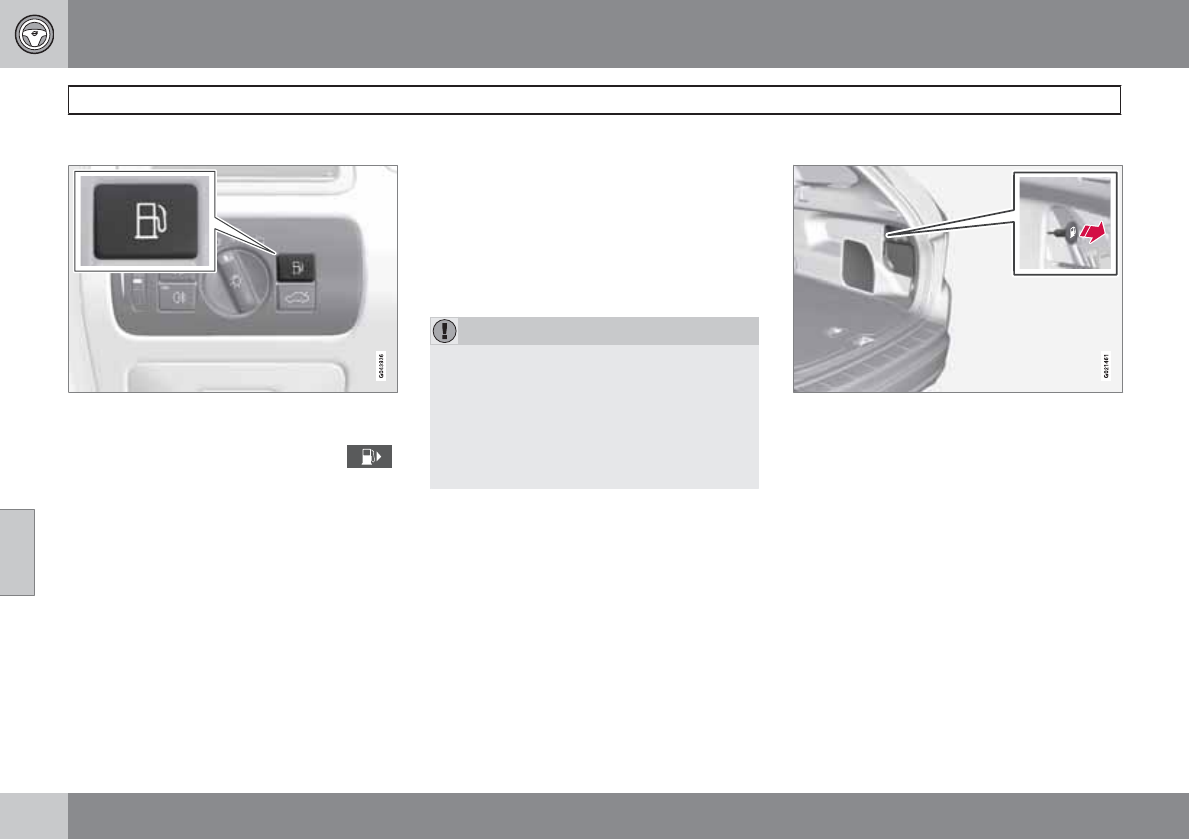
06 During your trip
Refueling
06
252
Opening/closing the fuel filler door
The fuel filler door is located on the right rear
fender (indicated by an arrow beside the fuel
tank symbol on the information display )
With the ignition switched off, press and
release the button on the lighting panel to
unlock the fuel filler door. Please note that the
fuel filler door will remain unlocked until the
vehicle begins to move forward. An audible
click will be heard when the fuel filler door
relocks.
•If you intend to leave your vehicle while it
is being refueled, this feature enables you
to lock the doors/tailgate while leaving the
fuel filler door unlocked.
•You can also keep the vehicle locked if you
remain inside it during refueling. The cen-
tral locking button does not lock the fuel
filler door.
•Be sure the fuel filler door is not obstructed
and is completely closed after refueling.
•Open the fuel filler cap slowly during hot
weather.
Close the fuel filler door by pressing it a click
indicates that it is closed.
CAUTION
•Avoid spilling gasoline during refueling.
In addition to causing damage to the
environment, gasolines containing
alcohol can cause damage to painted
surfaces, which may not be covered
under the New Vehicle Limited War-
ranty.
Manually opening the fuel filler door
If necessary, the fuel filler door can be opened
manually:
1. Open the side hatch in the cargo compart-
ment (on the same side as the fuel filler
door).
2. Grasp the green cord with a handle.
3. Gently pull the cord straight rearward until
the fuel filler door clicks open.
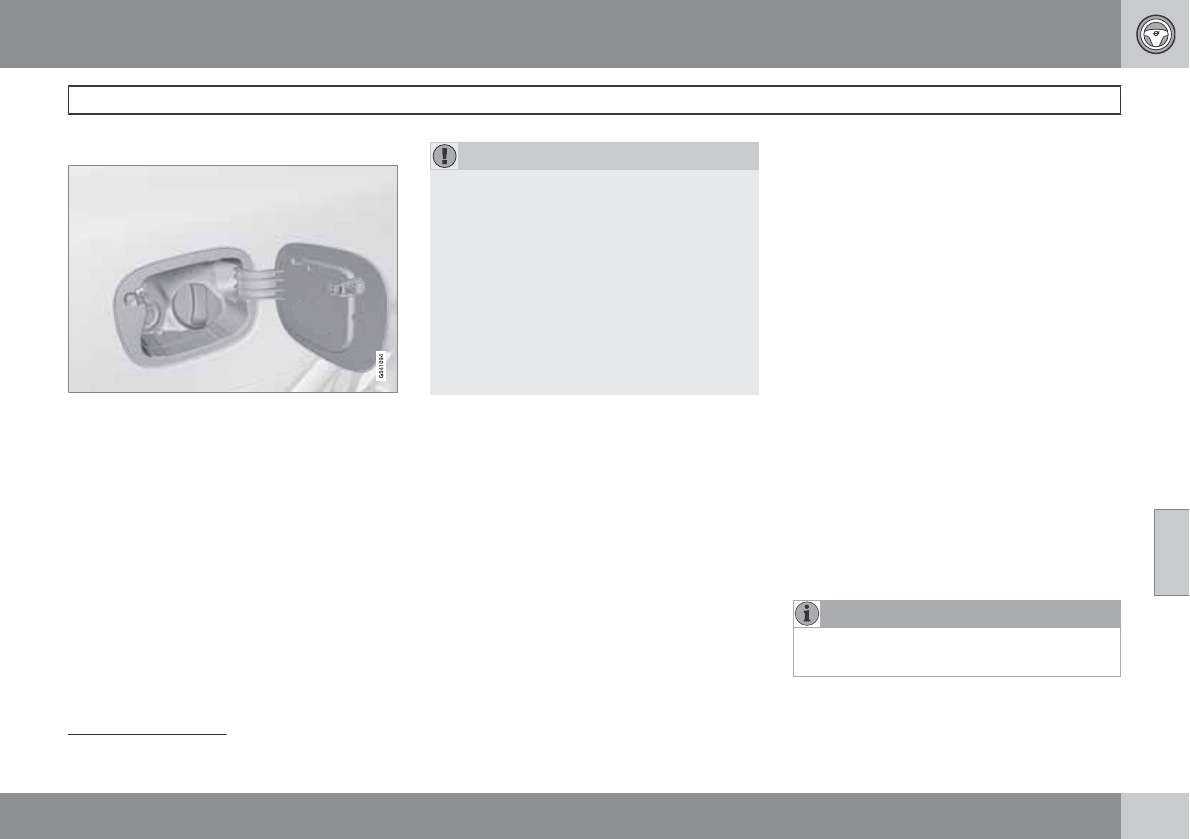
06 During your trip
Refueling
06
``
253
Opening/closing the fuel cap
Fuel vapor expands in hot weather. Open the
filler cap slowly.
After refueling, close the fuel filler cap by turn-
ing it clockwise until it clicks into place.
CAUTION
•Do not refuel with the engine running2.
Turn the ignition off or to position I. If the
ignition is on, an incorrect reading could
occur in the fuel gauge.
•Avoid overfilling the fuel tank. Do not
press the handle on the filler nozzle
more than one extra time. Too much fuel
in the tank in hot weather conditions can
cause the fuel to overflow. Overfilling
could also cause damage to the emis-
sion control systems.
Emission controls
Three-way catalytic converter
•Keep your engine properly tuned. Certain
engine malfunctions, particularly involving
the electrical, fuel or distributor ignition
systems, may cause unusually high three-
way catalytic converter temperatures. Do
not continue to operate your vehicle if you
detect engine misfire, noticeable loss of
power or other unusual operating condi-
tions, such as engine overheating or back-
firing. A properly tuned engine will help
avoid malfunctions that could damage the
three-way catalytic converter.
•Do not park your vehicle over combustible
materials, such as grass or leaves, which
can come into contact with the hot exhaust
system and cause such materials to ignite
under certain wind and weather condi-
tions.
•Excessive starter cranking (in excess of
one minute), or an intermittently firing or
flooded engine can cause three-way cata-
lytic converter or exhaust system over-
heating.
•Remember that tampering or unauthorized
modifications to the engine, the Engine
Control Module, or the vehicle may be ille-
gal and can cause three-way catalytic con-
verter or exhaust system overheating. This
includes: altering fuel injection settings or
components, altering emission system
components or location or removing com-
ponents, and/or repeated use of leaded
fuel.
NOTE
Unleaded fuel is required for vehicles with
three-way catalytic converters.
2If the fuel filler cap is not closed tightly or if the engine is running when the vehicle is refueled, the Check Engine Light (malfunction indicator lamp) may indicate a fault. However, your vehicle's
performance will not be affected. Use only Volvo original or approved fuel filler caps.
06 During your trip
Refueling
06
254
Heated oxygen sensors
The heated oxygen sensors monitor the oxy-
gen content of the exhaust gases. Readings
are fed into a control module that continuously
monitors engine functions and controls fuel
injection. The ratio of fuel to air into the engine
is continuously adjusted for efficient combus-
tion to help reduce harmful emissions.
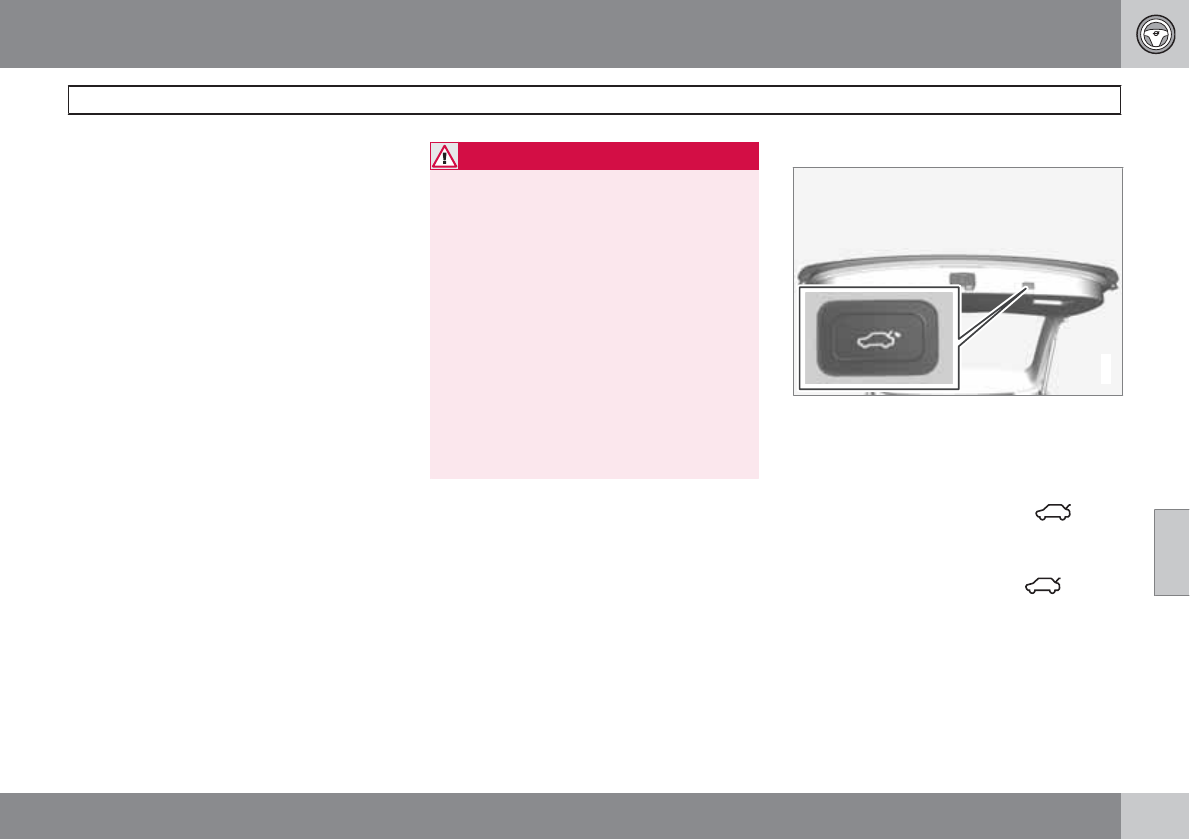
06 During your trip
Loading
06
``
* Option/accessory, for more information, see Introduction. 255
Introduction
The load carrying capacity of your vehicle is
determined by factors such as the number of
passengers, the amount of cargo, the weight
of any accessories that may be installed, etc.
To increase loading space, the rear seat back-
rests can be folded down, see page 85.
When loading the cargo area, keep the follow-
ing in mind:
•Load objects in the cargo area against the
backrest whenever possible.
•Unstable loads can be secured to the load
anchoring eyelets with straps or web lash-
ings to help keep them from shifting.
•Stop the engine and apply the parking
brake when loading or unloading long
objects. The gear selector can be knocked
out of position by long loads, which could
set the vehicle in motion.
WARNING
•Stop the engine, put the gear selector in
P, and apply the parking brake when
loading or unloading long objects.
•The vehicle's driving characteristics
may change depending on the weight
and distribution of the load.
•A 44-pound (20 kg) object produces a
force of 2,200 pounds (1,000 kg) in a
head-on collision at 30 mph (50 km/h).
•The cargo area and rear seat should not
be loaded to a level higher than 2 in.
(5 cm) below the upper edge of the rear
side windows. Objects placed higher
than this level could impede the func-
tion of the Inflatable Curtain.
Power tailgate*
G031965
Power tailgate closing button
Automatic opening
The power tailgate can be opened automati-
cally in the three ways:
•By pressing and holding the but-
ton on the lighting panel until the tailgate
begins to open.
•By pressing and holding the button
on the remote key until the tailgate begins
to open.
•By pressing the rubber-covered button
under the outer handle on the tailgate.
The taillights illuminate automatically when the
automatic open function is used.
06 During your trip
Loading
06
256
CAUTION
Be sure that there is adequate space above
and behind the vehicle before opening the
tailgate automatically.
The vehicle should not be driven or moved
with the tailgate in the open position. How-
ever, if the vehicle is moved with the tailgate
in the open position, the automatic closing
function will be inoperative until one of the
following occurs:
•The tailgate is closed manually
•The ignition is switched off and the key
is removed for approximately 10
minutes (the tailgate will function again
after restart).
NOTE
If the tailgate has been opened and closed
continuously for more than 60 seconds, the
automatic function will be deactivated to
avoid overloading the electrical system. The
automatic function can be used again after
approximately 10 minutes.
If the vehicle's battery has been discharged
or disconnected, the tailgate must be
opened and closed once manually to reset
the system.
Automatic closing
The power tailgate can be closed by pressing
the button on the tailgate (see the illus-
tration) or by pressing it down.
NOTE
If the tailgate is pressed down e.g., by the
weight of snow or strong wind, it will close
automatically.
WARNING
Be sure that no one is near the tailgate when
it is opened or closed automatically. The
tailgate should never be obstructed in any
way when it is operated.
Interrupting automatic opening/closing
Automatic opening or closing the tailgate can
be interrupted in four ways:
•By pressing the button on the
lighting panel.
•By pressing the button on the
remote key.
•By pressing the button on the lower edge
of the tailgate.
•By pressing the rubber-covered button
under the outer handle on the tailgate.
If one of these actions is taken, the tailgate will
stop and reopen.
Pinch protection
If the tailgate is obstructed while it is being
operated, the pinch protection function is acti-
vated.
•If the tailgate is being opened, the electri-
cal function will be switched off and the
tailgate will be released from the electrical
system.
•If the tailgate is being closed, it will stop
and reopen.
Operating the tailgate manually
The power tailgate can be disconnected from
the vehicle’s electrical system by quickly pull-
ing the outer handle twice. The tailgate can
then be opened/closed manually.
Folding down the rear seat backrests
The rear seat backrests can be folded down for
additional loading space. See page 86 for infor-
mation.
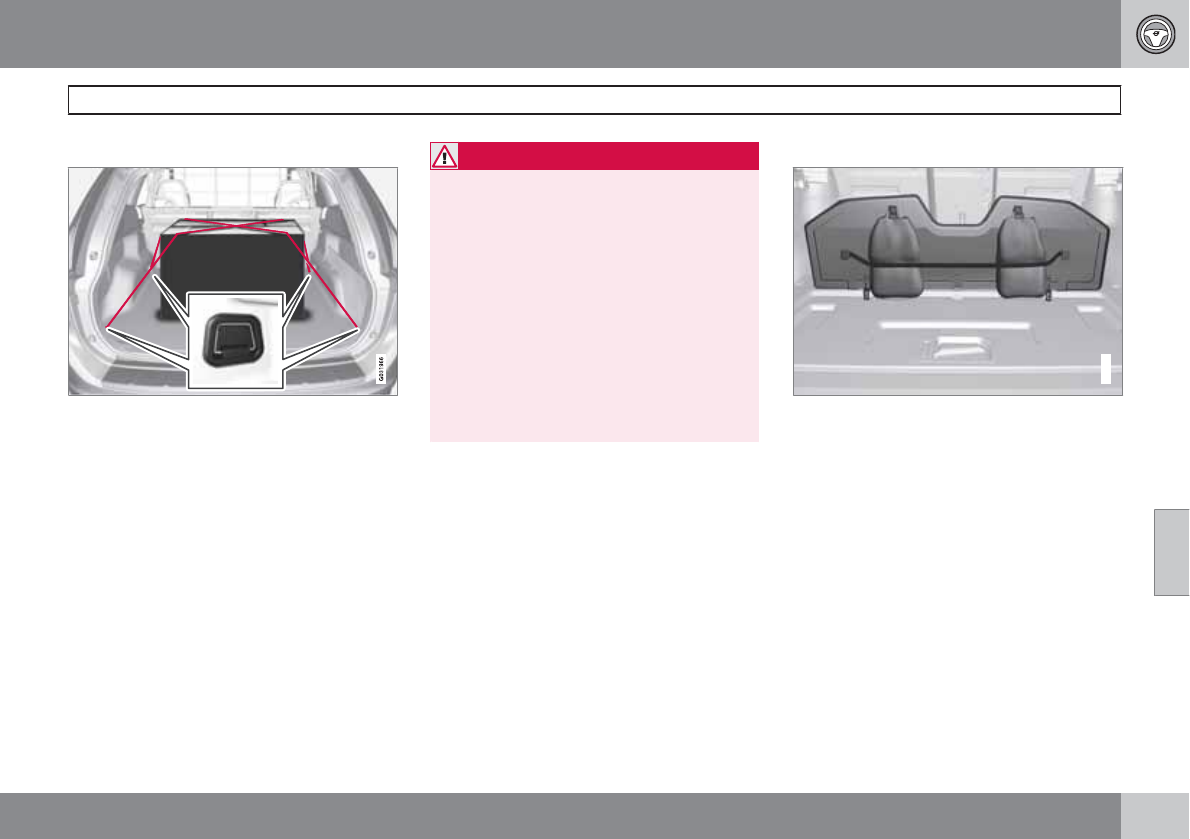
06 During your trip
Loading
06
``
* Option/accessory, for more information, see Introduction. 257
Load anchoring eyelets
The load anchoring eyelets on both sides of the
vehicle are used to fasten straps, etc., to help
anchor items in the cargo area.
WARNING
•Cover sharp edges on long loads to help
prevent injury to occupants. Secure the
load to help prevent shifting during sud-
den stops.
•Always secure large and heavy objects
with a seat belt or cargo retaining
straps.
•Always secure the load to help prevent
it from moving in the event of sudden
stops.
•Switch off the engine, apply the parking
brake and put the gear selector in P
when loading and unloading the vehicle.
Grocery bag holder*
G017745
Grocery bag holder under the floor of the cargo
area
The grocery bag holder holds shopping bags
in place.
1. Open the hatch in the floor of the cargo
area.
2. Secure the shopping bags with the strap.
06 During your trip
Loading
06
258
Roof loads
Using load carriers
Load carriers are available as Volvo accesso-
ries. Observe the following points when in use:
•To avoid damaging your vehicle and to
achieve maximum safety when driving, we
recommend using the load carriers that
Volvo has developed especially for your
vehicle.
•Volvo-approved removable roof racks are
designed to carry the maximum allowable
roof load for this vehicle: 220 lbs (100 kg).
For non-Volvo roof racks, check the man-
ufacturer's weight limits for the rack.
•Never exceed the rack manufacturer's
weigh limits and never exceed the maxi-
mum rated roof load of 220 lbs (100 kg).
•Avoid single-point loads. Distribute loads
evenly.
•Place heavier cargo at the bottom of the
load.
•Secure the cargo correctly with appropri-
ate tie-down equipment.
•Check periodically that the load carriers
and load are properly secured.
•Remember that the vehicle's center of
gravity and handling change when you
carry a load on the roof.
•The vehicle's wind resistance and fuel con-
sumption will increase with the size of the
load.
•Drive smoothly. Avoid rapid starts, fast
cornering and hard braking.
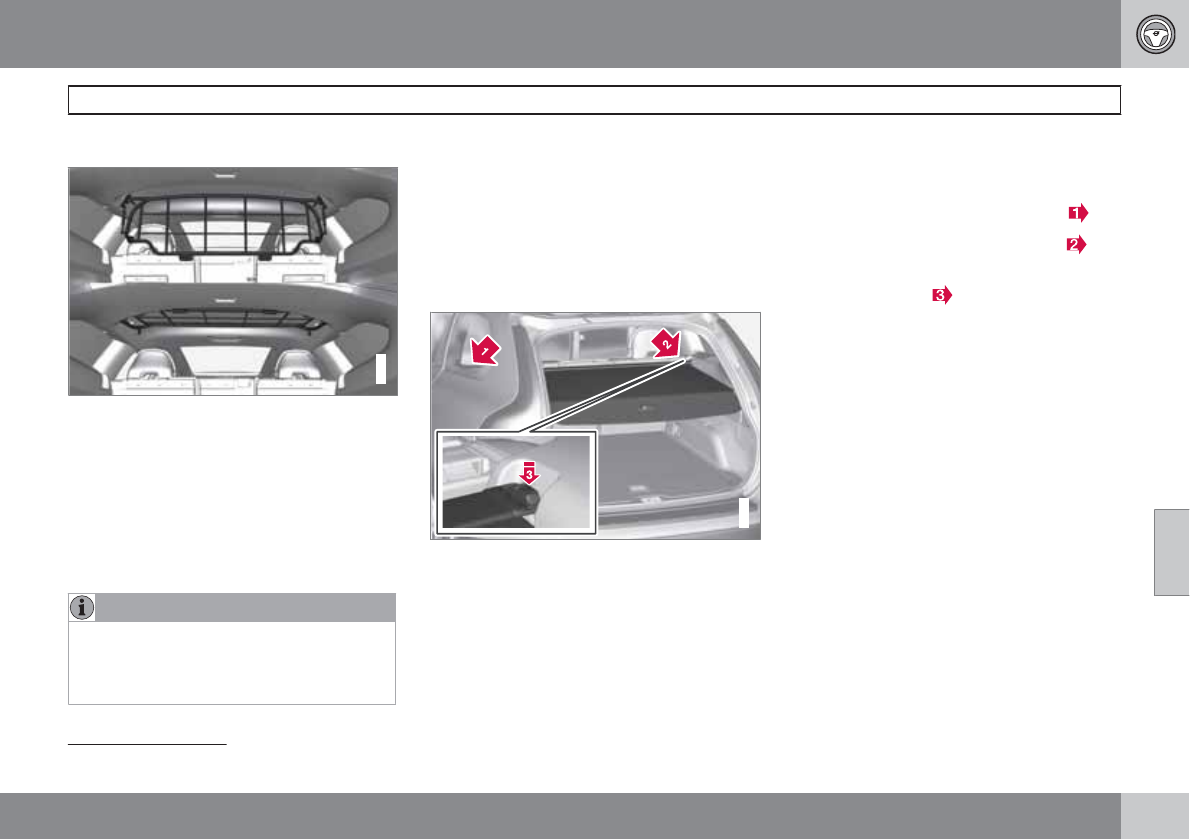
06 During your trip
Cargo area
06
``
* Option/accessory, for more information, see Introduction. 259
Steel cargo grid*
G031978
Your vehicle can be equipped with a steel grid
that helps prevent objects in the cargo area
from moving forward into the passenger com-
partment.
Folding the grid up/down
Grasp the lowering edge of the grid and pull it
rearward/upward, or push it downward/for-
ward.
NOTE
If the steel grid is to be used with the
optional cargo area cover, the grid must be
folded down before the cargo area cover is
put in place.
Installing the steel cargo grid
For information about the necessary tools and
procedures for installing/removing the steel
cargo grid, please refer to the assembly
instructions1 that were included when the grid
was purchased.
Cargo area cover*
G031977
Use
•Pull the cover over the cargo and hook it
into the holes in the rear cargo area pillars.
•To retract (roll up) the cover, release it from
the holes and guide it toward the rear seat
backrest.
Installing the cover
1. Press the end piece on one side of the
cargo area cover into the retaining bracket
in the side panel of the cargo area .
2. Do the same on the opposite side .
3. Press both sides of the cover until they
click into place . The red mark will no
longer be visible.
4. Check that both ends of the cover are
securely locked in place.
Removing the cover
1. Press one of the end pieces of the cover
inward.
2. Pull the cover carefully upward and out-
ward. The other end will release automati-
cally from its retaining bracket.
Folding down the cargo area cover's rear
flap
The cargo area cover's rear flap points hori-
zontally when the cover is retracted (rolled up).
To fold it down:
Pull the flap slightly rearward past its sup-
ports and fold it down.
1Assembly instruction no. 30715972.
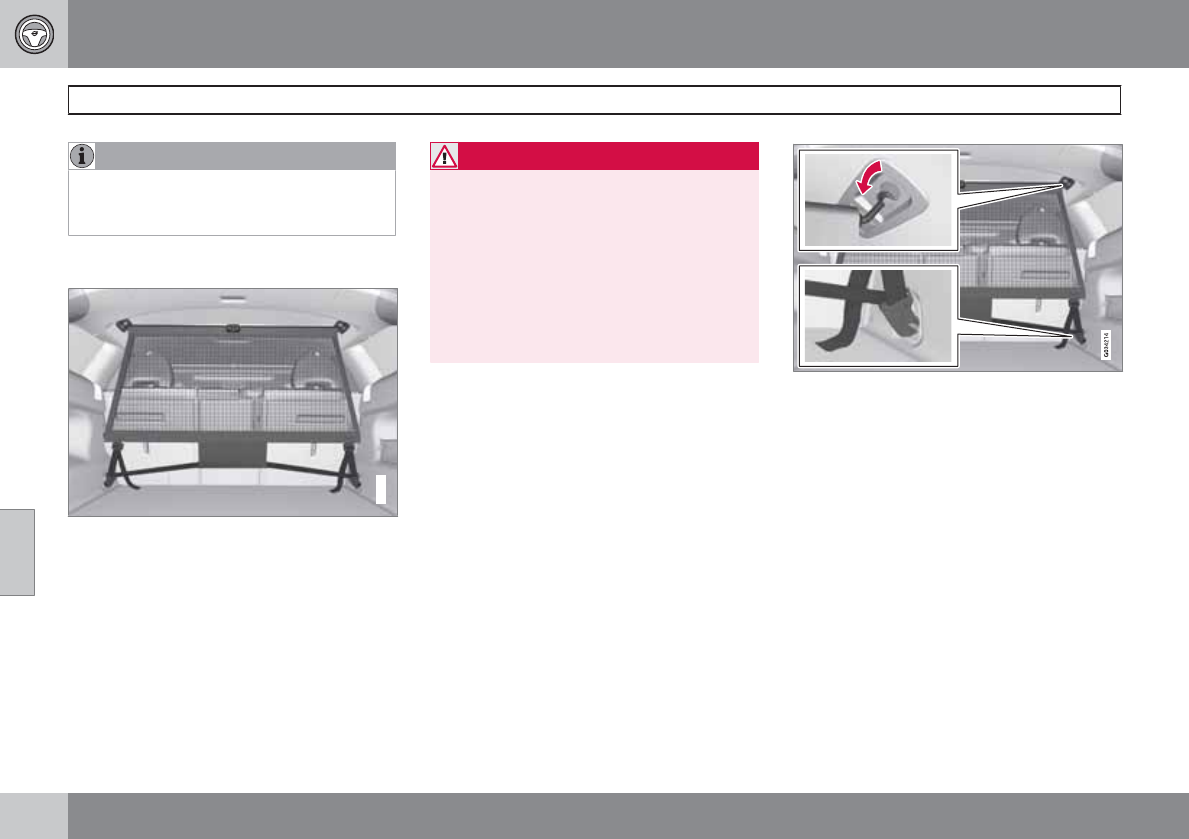
06 During your trip
Cargo area
06
260 * Option/accessory, for more information, see Introduction.
NOTE
On models equipped with this cover, it
should be removed before a child seat is
attached to the child restraint anchors.
Cargo net*
G034213
Cargo net mounted in rear position
Your vehicle can be equipped with a cargo net
made of strong nylon fabric that helps prevent
objects in the cargo area from moving forward
into the passenger compartment.
The net can be attached in two different places:
•Rear position: behind the rear seat back-
rest
•Front position: behind the front seat back-
rests
WARNING
•Be sure that the cargo net's upper
attachment hooks are properly inserted
in the brackets and that the lower straps
are correctly attached and pulled taut.
•A damaged cargo net should never be
used.
•Objects in the cargo area should be
securely anchored, even if the cargo net
is correctly installed and in use.
Mounting the cargo net
The cargo net is easiest to put in place through
one of the rear doors.
1. Fold out the cargo net and be sure that the
upper hinged rod is straight and locked in
position.
2. Insert one end of the rod into the front or
rear bracket (near the ceiling). Be sure that
the lock on the lower strap is facing toward
you.
3. Insert the other end of the rod in the oppo-
site bracket.
– Be sure to press the end hooks on the rod
as far forward as possible in the brackets.
Cargo net in rear position
4. Mounting in the rear position: With the net's
rod attached to the rear upper brackets,
hook the lower straps in the floor eyelets in
the cargo area. Pull the net strap taut.
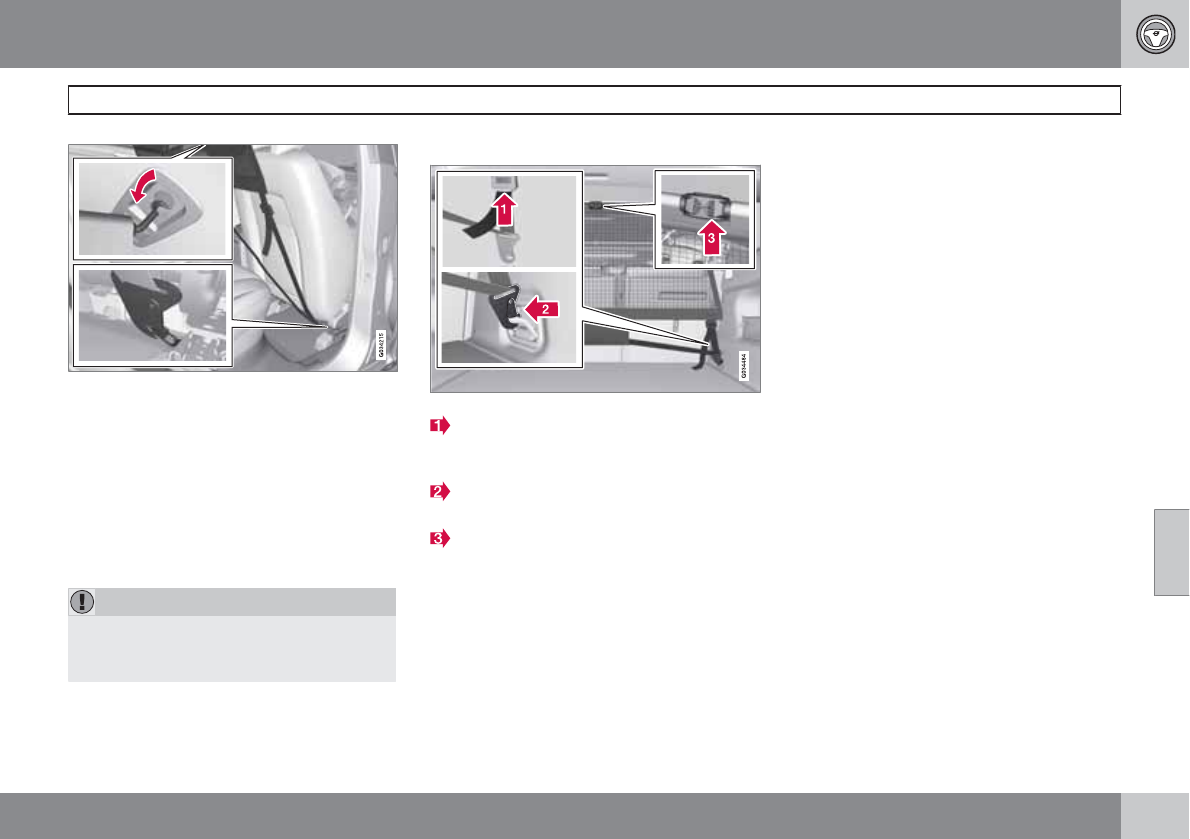
06 During your trip
Cargo area
06
261
Cargo net in front position
Mounting in the front position: With the
net's rod attached to the front upper brack-
ets, hook the lower straps in the eyelets in
the front seat rails. Attaching the net is eas-
ier if the front seat backrests are upright
and the seats are moved slightly forward.
If the front seats are moved rearward, they
should not press hard against the net.
CAUTION
Pressure from the front seats against the
cargo net could damage the net and/or its
brackets.
5. Pull the net strap taut.
Removing and storing the cargo net
Press the release buttons on the locks on
the straps and pull out a small section of
the strap.
Press in the catches on the straps' hooks
and remove the hooks from the eyelet.
Fold up the net's rod at the center and roll
up the net.
When not in use, the cargo net can be stored
under floor of the cargo area.
06 During your trip
Towing a trailer
06
262
Introduction
Volvo recommends the use of Volvo trailer
hitches that are specially designed for the vehi-
cle.
NOTE
See page 339 for the maximum trailer and
tongue weights recommended by Volvo.
•Observe the legal requirements of the
state/province in which the vehicles are
•All Volvo models are equipped with
energy-absorbing shock-mounted bump-
ers. Trailer hitch installation should not
interfere with the proper operation of this
bumper system.
Trailer towing does not normally present any
particular problems, but take into considera-
tion:
•Increase tire pressure to recommended full
pressure. See the tire inflation tables
beginning on page 275.
•When your vehicle is new, avoid towing
heavy trailers during the first 620 miles
(1,000 km).
•Maximum speed when towing a trailer:
50 mph (80 km/h).
•Engine and transmission are subject to
increased loads. Therefore, engine coolant
temperature should be closely watched
when driving in hot climates or hilly terrain.
Use a lower gear and turn off the air con-
ditioner if the temperature gauge needle
enters the red range.
•If the automatic transmission begins to
overheat, a message will be displayed in
the text window.
•Avoid overload and other abusive opera-
tion.
•Hauling a trailer affects handling, durabil-
ity, and economy.
•It is necessary to balance trailer brakes
with the towing vehicle brakes to provide a
safe stop (check and observe state/local
regulations).
•Do not connect the trailer's brake system
directly to the vehicle's brake system.
•More frequent vehicle maintenance is
required.
•Remove the ball and drawbar assembly
when the hitch is not being used.
•Volvo recommends the use of synthetic
engine oil when towing a trailer over long
distances or in mountainous areas.
WARNING
•Bumper-attached trailer hitches must
not be used on Volvos, nor should
safety chains be attached to the
bumper.
•Trailer hitches attaching to the vehicle
rear axle must not be used.
•Never connect a trailer's hydraulic
brake system directly to the vehicle
brake system, nor a trailer's lighting
system directly to the vehicle lighting
system. Consult your nearest author-
ized Volvo retailer for correct installa-
tion.
•When towing a trailer, the trailer's safety
wire must be correctly fastened to the
hole or hook provided in the trailer hitch
on the vehicle. The safety wire should
never be fastened to or wound around
the drawbar ball.
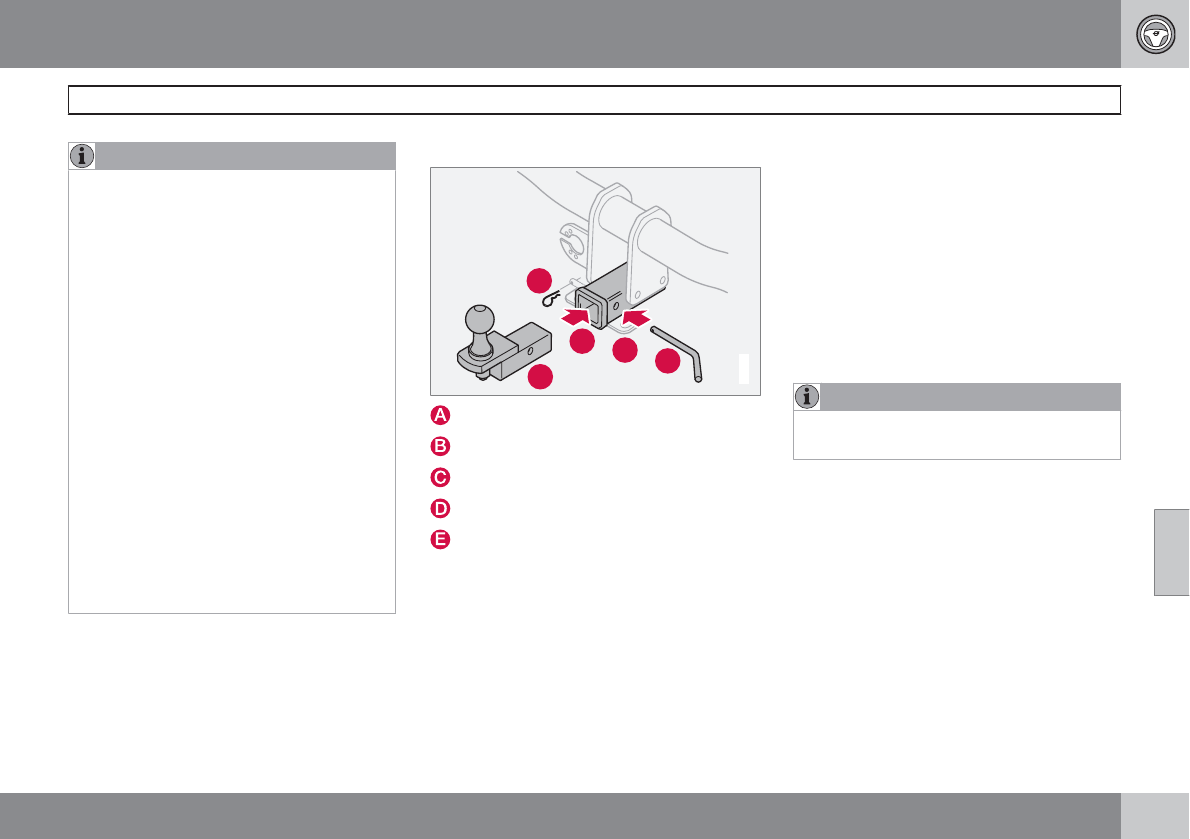
06 During your trip
Towing a trailer
06
``
263
NOTE
•When parking the vehicle with a trailer
on a hill, apply the parking brake before
putting the gear selector in P. Always
follow the trailer manufacturer's recom-
mendations for wheel chocking.
•When starting on a hill, put the gear
selector in D before releasing the park-
ing brake. See also page 119 for more
detailed information about starting off
on a hill while towing a trailer.
•If you use the manual (Geartronic) shift
positions while towing a trailer, make
sure the gear you select does not put
too much strain on the engine (using too
high a gear).
•The drawbar assembly/trailer hitch may
be rated for trailers heavier than the
vehicle is designed to tow. Please
adhere to Volvo's recommended trailer
weights.
•Avoid driving with a trailer on inclines of
more than 15 %.
Trailer cable
An adapter is required if the vehicle's trailer
hitch has a 13-pin connector and the trailer has
7 pins. Use an adapter cable approved by
Volvo. Make sure the cable does not drag on
the ground.
Detachable trailer hitch (accessory)
A
C
E
D
B
G010496
Ball holder
Locking bolt
Cotter pin
Hitch assembly
Safety wire attachment
Installing the ball holder
1. If necessary, remove the cotter pin from
the locking bolt and slide the locking bolt
out of the hitch assembly.
2. Slide the ball holder into the hitch assem-
bly.
3. Align the hole in the ball holder with the one
in the hitch assembly.
4. Slide the locking bolt through the hitch
assembly/ball holder.
5. Insert the cotter pin in the hole at the end
of the locking bolt.
Removing the ball holder
1. Remove the cotter pin from the locking bolt
and slide the locking bolt out of the ball
holder/hitch assembly.
2. Pull the ball holder out of the hitch assem-
bly.
NOTE
A cover for the hitch assembly is also
included in the kit.
Trailer Stability Assist (TSA)
Trailer Stability Assist is a system designed to
help stabilize a vehicle that is towing a trailer
when the vehicle and trailer have begun to
sway and is part of the Dynamic Stability and
Traction Control system (DSTC). See page
144 for information on DSTC.
Function
A vehicle towing a trailer may begin to sway for
various reasons. Normally this only occurs at
high speeds but, for example, if the trailer is
overloaded or if the load is unevenly distributed
in the trailer, there is risk of swaying at speeds
06 During your trip
Towing a trailer
06
264
between approximately 45-55 mph (70-90 km/
h).
Swaying may be caused by factors such as:
•The vehicle and trailer are hit by a sudden,
strong crosswind
•The vehicle and trailer are traveling on an
uneven road surface or drive over a bump
•Sudden movements of the steering wheel
Facts about TSA
•TSA intervenes at speeds above approxi-
mately 40 mph (60 km/h)
•The DSTC symbol ( ) in the instru-
ment panel will flash when TSA is working
•If the driver switches off the DSTC sys-
tem's Spin Control function, TSA will also
be switched off (but will be on again the
next time the engine is started)
•TSA may not intervene when the vehicle
and trailer begin to sway if the driver tries
to compensate for the swaying motion by
moving the steering wheel rapidly
How TSA works
Once swaying has begun, it can be very diffi-
cult to stop, which makes it difficult to control
the vehicle and trailer.
The TSA system continuously monitors the
vehicle's movements, particularly lateral
movement. If the system detects a tendency to
sway, the brakes are applied individually on the
front wheels, which has a stabilizing effect on
the vehicle and trailer. This is often enough to
enable the driver to regain control of the vehi-
cle.
If this is not adequate to stop the swaying
motion, the brakes are applied to all of the
wheels on the vehicle and on the trailer if it is
equipped with brakes, and engine power is
temporarily reduced. As the swaying motion
begins to decrease and the vehicle-trailer have
once again become stable, TSA will no stop
regulating the brakes/engine power and the
driver regains control of the vehicle.
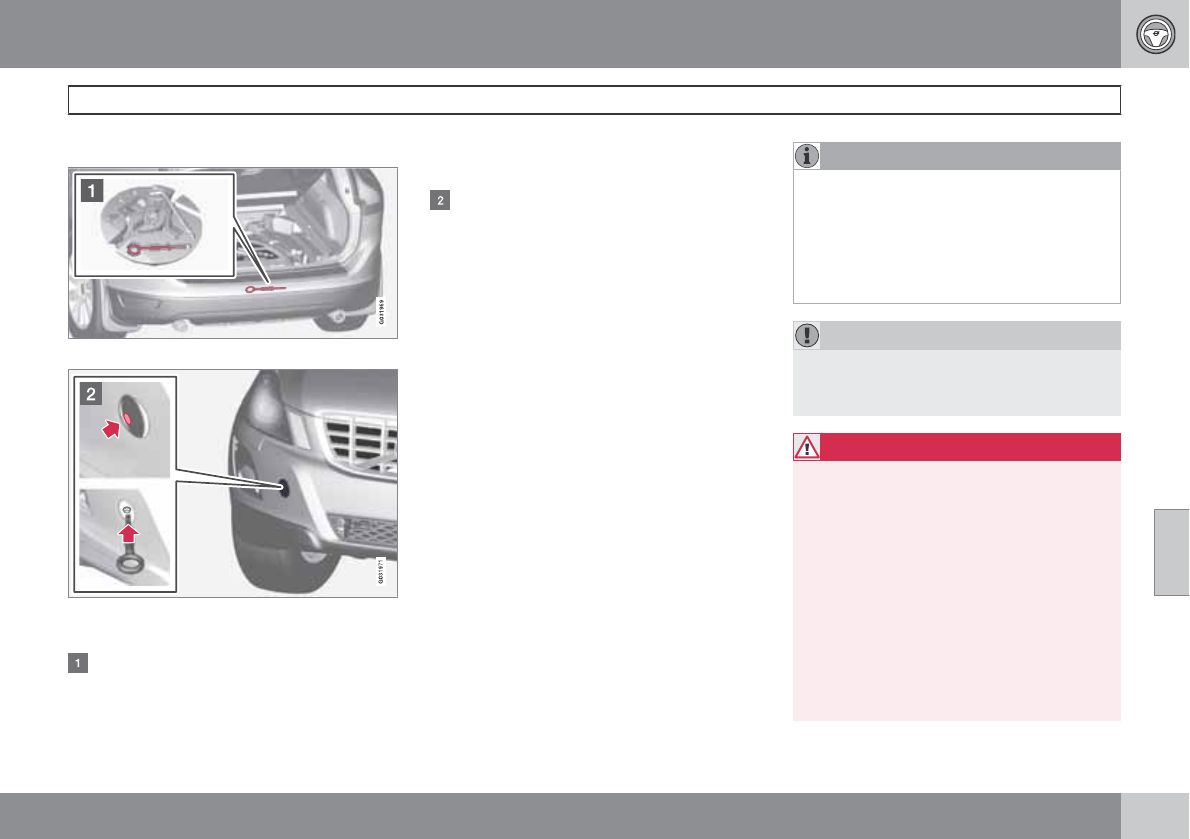
06 During your trip
Emergency towing
06
``
265
Towing eyelet
Location of the towing eyelet
Attaching the towing eyelet
Attaching the towing eyelet
The towing eyelet is located under the floor
of the cargo area, with the spare tire and
may be partially concealed. This eyelet
must be screwed into the positions provi-
ded on the right sides of either the front or
rear bumper (see illustration).
There are two different types of covers over
the openings for the towing eyelet and they
have to be opened differently.
•If the cover has a notch, insert a coin,
etc., into the notch and pry open the
edge of the cover. Open the cover com-
pletely and remove it.
•If the cover has a mark along one edge
or in a corner, press the mark while pry-
ing out the opposite side/corner using a
coin, etc. Open the cover and remove it.
Screw the towing eyelet in place, first by hand
and then using the tire iron until it is securely in
place.
After the vehicle has been towed, the eyelet
should be removed and returned to its storage
location.
Press the cover for the attachment point back
into position.
NOTE
On certain models equipped with a trailer
hitch, the towing eyelet cannot be screwed
into the hole in the rear bumper. The towing
rope should be attached to the trailer hitch
instead. For this reason, the detachable
section of the trailer hitch should be safely
stowed in the vehicle at all times.
CAUTION
If the vehicle is being towed on a flat bed
truck, the towing eyelets must not be used
to pull the vehicle up onto the flat bed.
WARNING
•Remember that the power brakes and
power steering will not function when
engine is not running. The braking and
steering systems will function but con-
siderably higher pressure will be
required on the brake pedal and greater
steering effort must be exerted.
•The towing eyelets must not be used for
pulling the vehicle out of a ditch or for
any similar purpose involving severe
strain. Do not use the towing eyelets to
pull the vehicle up onto a flat bed tow
truck.
06 During your trip
Emergency towing
06
266
Precautions when the vehicle is in tow
•Attach jumper cables (see page 110) to
provide current for releasing the optional
electric parking brake and to move the gear
selector from the P position.
•The gear selector must be in position N.
•Maximum speed: 50 mph (80 km/h). Do not
exceed the maximum allowable towing
speed.
•Maximum distance with front wheels on
ground: 50 miles (80 km).
•While the vehicle is being towed, try to
keep the tow rope taut at all times.
•The vehicle should only be towed in the
forward direction.
NOTE
During towing, ignition mode II should be
used so that the lighting can be switched on.
CAUTION
Vehicles with AWD (All Wheel Drive) with the
front wheels off the ground should not be
towed at speeds above 50 mph (70 km/h) or
for distances longer than 30 miles (50 km).
CAUTION
•Please check with state and local
authorities before attempting this type
of towing, as vehicles being towed are
subject to regulations regarding maxi-
mum towing speed, length and type of
towing device, lighting, etc.
•If the vehicle's battery is dead, do not
attempt to start the vehicle by pushing
or pulling it as this will damage the
three-way catalytic converter(s). The
engine must be jump started using an
auxiliary battery (see page 110).
•If the vehicle is being towed on a flat bed
truck, the towing eyelets must not be
used to pull the vehicle up onto the flat
bed or to secure the vehicle on the flat
bed. Consult the tow truck operator.
Towing vehicles with front wheel drive/
All Wheel Drive
Volvo recommends the use of flat bed equip-
ment.
•If wheel lift equipment must be used,
please use extreme caution to help avoid
damage to the vehicle. In this case, the
vehicle should be towed with the rear
wheels on the ground if at all possible.
•If it is absolutely necessary to tow the vehi-
cle with the front wheels on the ground,
please refer to the towing information on
page 265.
CAUTION
•Sling-type equipment applied at the
front will damage radiator and air con-
ditioning lines.
•It is equally important not to use sling-
type equipment at the rear or apply lift-
ing equipment inside the rear wheels;
serious damage to the rear axle may
result.
•If the vehicle is being towed on a flat bed
truck, the towing eyelets must not be
used to secure the vehicle on the flat
bed. Consult the tow truck operator.
06 During your trip
06
267

268
General information .............................................................................. 270
Tire inflation........................................................................................... 273
Inflation pressure—U.S. models .......................................................... 275
Inflation pressure—Canadian models................................................... 276
Tire designations .................................................................................. 277
Glossary of tire terminology ................................................................. 279
Vehicle loading ..................................................................................... 280
Uniform Tire Quality Grading ............................................................... 282
Snow chains, snow tires, studded tires ............................................... 283
Temporary Spare ................................................................................. 284
Tire Sealing System.............................................................................. 285
Changing a wheel ................................................................................ 291
Tire Pressure Monitoring System (TPMS)............................................. 294
WHEELS AND TIRES
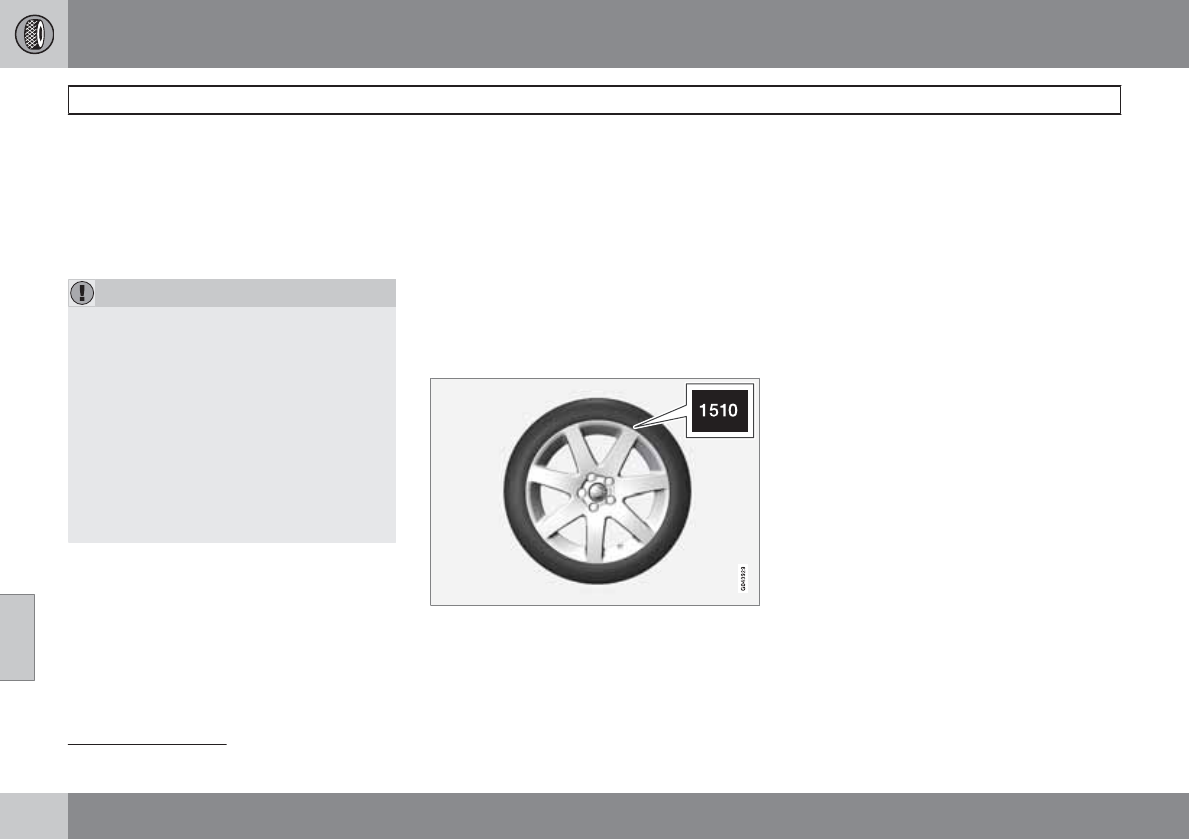
07 Wheels and tires
General information
07
270
Introduction
Your vehicle is equipped with tires according
to the vehicle's tire information placard on the
B-pillar (the structural member at the side of
the vehicle, at the rear of the driver's door
opening).
CAUTION
Some Volvo models are equipped with an
Ultra High Performance tire and wheel com-
bination designed to provide maximum dry
pavement performance with consideration
for hydroplaning resistance. They may be
more susceptible to road hazard damage
and, depending on driving conditions, may
achieve a tread life of less than 20,000 miles
(30,000 km). Even if this vehicle is equipped
with Volvo’s advanced AWD or DSTC sys-
tem, these tires are not designed for winter
driving, and should be replaced with winter
tires when weather conditions dictate.
The tires have good road holding characteris-
tics and offer good handling on dry and wet
surfaces. It should be noted however that the
tires have been developed to give these fea-
tures on snow/ice-free surfaces.
Most models are equipped with "all-season"
tires, which provide a somewhat higher degree
of road holding on slippery surfaces than tires
without the "all-season" rating. However, for
optimum road holding on icy or snow-covered
roads, we recommend suitable winter tires on
all four wheels.
When replacing tires, be sure that the new tires
are the same size designation, type (radial) and
preferably from the same manufacturer, on all
four wheels. Otherwise there is a risk of altering
the car's roadholding and handling characte-
ristics.
New Tires
Remember that tires are perishable goods. As
of 2000, the manufacturing week and year
(Department of Transportation (DOT) stamp)
will be indicated with 4 digits (e.g., 1510 means
that the tire illustrated was manufactured dur-
ing week 15 of 2010).
Tire age
Tires degrade over time, even when they are
not being used. It is recommended that tires
generally be replaced after 6 years of normal
service. Heat caused by hot climates, frequent
high loading conditions or Ultra Violet (U.V.)
exposure can accelerate the aging process.
The temporary spare1 should also be replaced
at 6-year intervals, even if it has never been
used.
A tire's age can be determined by the DOT
stamp on the sidewall (see the illustration).
A tire with e.g., visible cracks or discoloration
should be replaced immediately.
Improving tire economy
•Maintain correct tire pressure. See the tire
inflation tables beginning on page 275.
•Drive smoothly: avoid fast starts, hard
braking and tire screeching.
•Tire wear increases with speed.
•Correct front wheel alignment is very
important.
•Unbalanced wheels impair tire economy
and driving comfort.
•Tires must maintain the same direction of
rotation throughout their lifetime.
1Option or accessory on some models
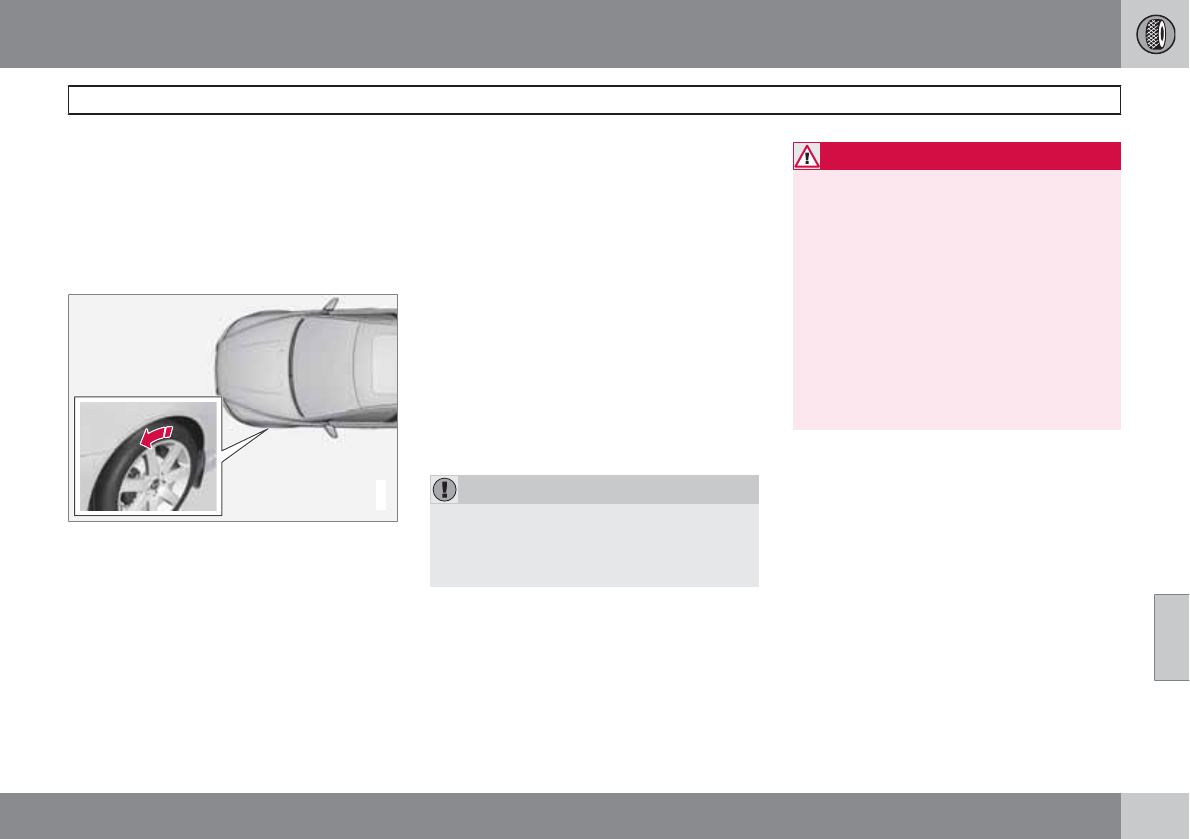
07 Wheels and tires
General information
07
``
271
•When replacing tires, the tires with the
most tread should be mounted on the rear
wheels to reduce the chance of oversteer
during hard braking.
•Hitting curbs or potholes can damage the
tires and/or wheels permanently.
Summer and winter tires
G021778
The arrows shows the direction of rotation of the
tire
•When switching between summer and
winter tires, mark the tires to indicate
where they were mounted on the car, e.g.,
LF = left front, RR = right rear
•Tires with tread designed to roll in only one
direction are marked with an arrow on the
sidewall.
•Incorrectly mounted tires impair the car's
braking properties and ability to force
aside rain, snow and slush.
•The tires with the most tread should always
be at the rear (to reduce the risk of skid-
ding).
•Contact a Volvo workshop if you are
unsure about the tread depth.
Storing wheels and tires
When storing complete wheels (tires mounted
on rims), they should be suspended off the
floor or placed on their sides on the floor.
Tires not mounted on rims should be stored on
their sides or standing upright, but should not
be suspended.
CAUTION
Tires should preferably be stored in a cool,
dry, dark place, and should never be stored
in close proximity to solvents, gasoline, oils,
etc.
WARNING
•The wheel and tire sizes for your Volvo
are specified to meet stringent stability
and handling requirements. Unap-
proved wheel/tire size combinations
can negatively affect your vehicle's sta-
bility and handling.
•Any damage caused by installation of
unapproved wheel/tire size combina-
tions will not be covered by your new
vehicle warranty. Volvo assumes no
responsibility for death, injury, or
expenses that may result from such
installations.
Tire wear
Tire rotation
Your vehicle has no required tire rotation. Tire
wear is affected by a number of factors such
as tire inflation, ambient temperature, driving
style, etc.
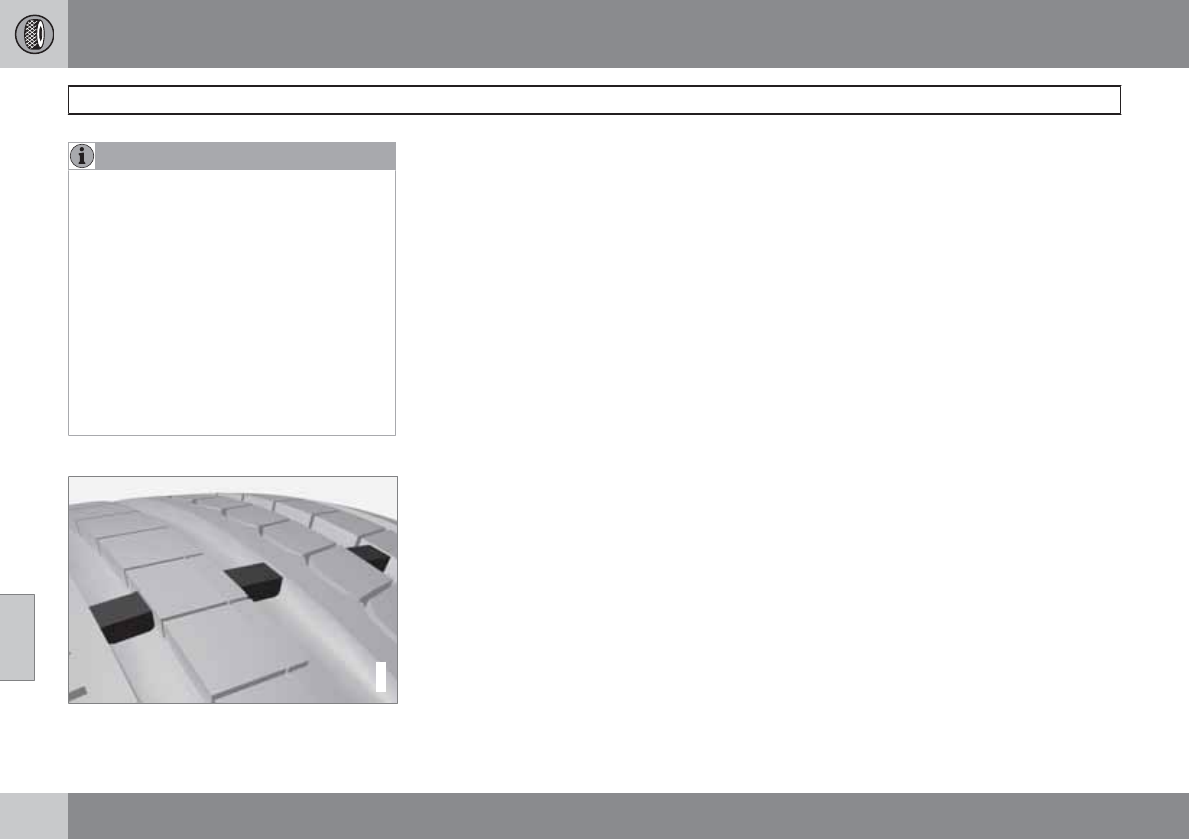
07 Wheels and tires
General information
07
272
NOTE
•If the tires are rotated, they should only
be moved from front to rear or vice
versa. They should never be rotated left
to right/right to left.
•Ideally, tire rotation should be done the
first time after approximately 3,000
miles (5,000 km) and thereafter at
6,000-mile (10,000-km) intervals. Some
customers find that tire rotation may
help to get extra mileage from tire life.
•Tire rotation should only be performed
if front/rear tire wear is fairly even and
tread height is above 1/16" (1.6 mm).
Tread wear indicator
G021829
The tires have wear indicator strips running
across or parallel to the tread. The letters TWI
are printed on the side of the tire. When
approximately 1/16" (1.6 mm) is left on the
tread, these strips become visible and indicate
that the tire should be replaced. Tires with less
than 1/16" (1.6 mm) tread offer very poor trac-
tion.
When replacing worn tires, it is recommended
that the tire be identical in type (radial) and size
as the one being replaced. Using a tire of the
same make (manufacturer) will prevent altera-
tion of the driving characteristics of the vehicle.
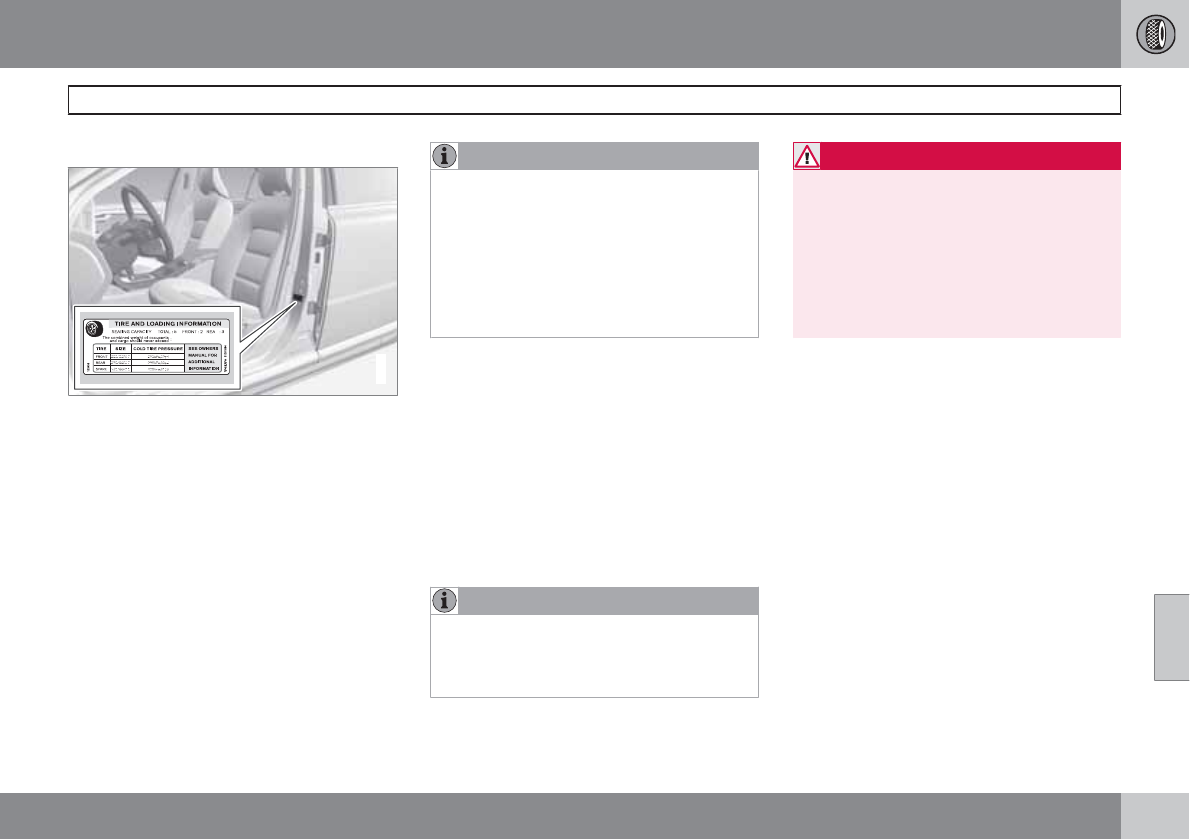
07 Wheels and tires
Tire inflation
07
``
273
Inflation placard
G032521
Tire inflation placard
Tire inflation
Check tire inflation pressure regularly.
See the tire inflation tables beginning on page
275. A tire inflation pressure placard is also
located on the driver's side B-pillar (the struc-
tural member at the side of the vehicle, at the
rear of the driver's door opening). This placard
indicates the designation of the factory-moun-
ted tires on your vehicle, as well as load limits
and inflation pressure.
NOTE
•The placards shown indicate inflation
pressure for the tires installed on the
vehicle at the factory only.
•A certain amount of air seepage from
the tires occurs naturally and tire pres-
sure fluctuates with seasonal changes
in temperature. Always check tire pres-
sure regularly.
•Use a tire gauge to check the tire inflation
pressure, including the spare, at least once
a month and before long trips. You are
strongly urged to buy a reliable tire pres-
sure gauge, as automatic service station
gauges may be inaccurate.
•Use the recommended cold inflation pres-
sure for optimum tire performance and
wear.
•Under-inflation or over-inflation may cause
uneven treadwear patterns.
NOTE
A certain amount of air seepage from the
tires occurs naturally and tire pressure fluc-
tuates with seasonal changes in tempera-
ture. Always check tire pressure regularly.
WARNING
•Under-inflation is the most common
cause of tire failure and may result in
severe tire cracking, tread separation,
or "blow-out," with unexpected loss of
vehicle control and increased risk of
injury.
•Under-inflated tires reduce the load car-
rying capacity of your vehicle.
When weather temperature changes occur, tire
inflation pressures also change. A 10-degree
temperature drop causes a corresponding
drop of 1 psi (7 kPa) in inflation pressure. Check
your tire pressures frequently and adjust them
to the proper pressure, which can be found on
the vehicle's tire information placard or certifi-
cation label.
Checking tire pressure
Cold tires
Inflation pressure should be checked when the
tires are cold.
The tires are considered to be cold when
they have the same temperature as the sur-
rounding (ambient) air.
This temperature is normally reached after the
vehicle has been parked for at least 3 hours.
07 Wheels and tires
Tire inflation
07
274
After driving a distance of approximately
1 mile (1.6 km), the tires are considered to be
hot. If you have to drive farther than this dis-
tance to pump your tire(s), check and record
the tire pressure first and add the appropriate
air pressure when you get to the pump.
If checking tire pressure when the tire is hot,
never "bleed" or reduce air pressure. The tires
are hot from driving and it is normal for pres-
sures to increase above recommended cold
pressures. A hot tire at or below recommended
cold inflation pressure could be significantly
under-inflated.
To check inflation pressure:
1. Remove the cap from the valve on one tire,
then firmly press the tire gauge onto the
valve.
2. Add air to reach the recommended air
pressure.
3. Replace the valve cap.
4. Visually inspect the tires to make sure there
are no nails or other objects embedded
that could puncture the tire and cause an
air leak.
5. Check the sidewalls to make sure there are
no gouges, cuts, bulges or other irregular-
ities.
6. Repeat this procedure for each tire, includ-
ing the spare.
NOTE
•If you overfill the tire, release air by
pushing on the metal stem in the center
of the valve. Then recheck the pressure
with your tire gauge.
•Some spare tires require higher inflation
pressure than the other tires. Consult
the tire inflation tables or see the infla-
tion pressure placard.
Tire ratings
Speed ratings
The speed ratings in the table translate as fol-
low:
Speed ratings
M 81 mph (130 km/h)
Q 100 mph (160 km/h)
T 118 mph (190 km/h)
H 130 mph (210 km/h)
V 149 mph (240 km/h)
Speed ratings
W 168 mph (270 km/h)
Y 186 mph (300 km/h)
Load ratings
See page 277 for an explanation of the load
rating on the sidewall of the tire.
07 Wheels and tires
Inflation pressure—U.S. models
07
275
Tire inflation pressure table
The following tire pressures are recommended by Volvo for your vehicle. Refer to the tire inflation placard (see page 273 for its location) for information
specific to the tires installed on your vehicle at the factory.
Tire size Cold tire pressure for up to 5 persons
Front
psi/kPa
Rear
psi/kPa
235/65 R17
235/60 R18
235/55 R19
255/45 R20
35/240 35/240
Temporary spare tire 61/420 61/420
07 Wheels and tires
Inflation pressure—Canadian models
07
276
Tire inflation pressure table
The following tire pressures are recommended by Volvo for your vehicle. Refer to the tire inflation placard (see page 273 for its location) for information
specific to the tires installed on your vehicle at the factory.
Tire size Cold tire pressure for up to 5 persons Optional tire pressure for up to 3 persons
Front
psi/kPa
Rear
psi/kPa
Front
psi/kPa
Rear
psi/kPa
235/65 R17
235/60 R18
235/55 R19
255/45 R20
39/270 39/270 35/240 35/240
Temporary spare tire 61/420 61/420 61/420 61/420
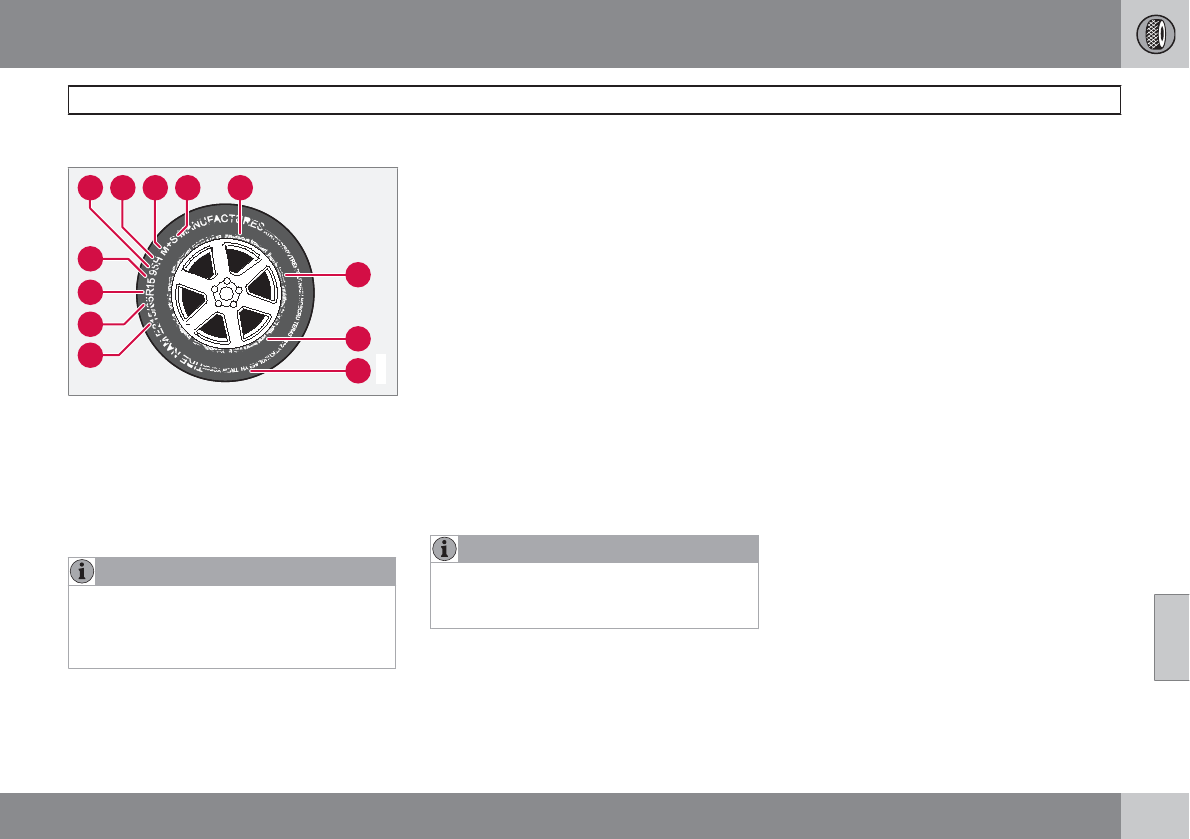
07 Wheels and tires
Tire designations
07
``
277
Information on the sidewall
3
10
11
12
4
5 6 7 89
2
1
G010753
Federal law mandates that tire manufacturers
place standardized information on the sidewall
of all tires (see the illustration).
The following information is listed on the tire
sidewall:
The tire designation:
NOTE
Please be aware that the following tire des-
ignation is an example only and that this
particular tire may not be available on your
vehicle.
1. 215: the width of the tire (in millimeters)
from sidewall edge to sidewall edge. The
larger the number, the wider the tire.
2. 65: The ratio of the tire's height to its width
in percent.
3. R: Radial tire.
4. 15: The diameter of the wheel rim (in
inches).
5. 95: The tire's load index. In this example, a
load index of 95 equals a maximum load of
1521 lbs (690 kg).
6. H: The tire's speed rating, or the maximum
speed at which the tire is designed to be
driven for extended periods of time, carry-
ing a permissible load for the vehicle, and
with correct inflation pressure. For exam-
ple, H indicates a speed rating of 130 mph
(210 km/h).
NOTE
The tire's load index and speed rating may
not appear on the sidewall because they are
not required by law.
7. M+S or M/S = Mud and Snow, AT = All
Terrain, AS = All Season
8. U.S. DOT Tire Identification Number
(TIN): This begins with the letters "DOT"
and indicates that the tire meets all federal
standards. The next two numbers or letters
are the plant code where it was manufac-
tured, the next two are the tire size code
and the last four numbers represent the
week and year the tire was built. For exam-
ple, 1510 means that the tire was manu-
factured during week 15 of 2010. The num-
bers in between are marketing codes used
at the manufacturer's discretion. This infor-
mation helps a tire manufacturer identify a
tire for safety recall purposes.
9. Tire Ply Composition and Material
Used: Indicates the number of plies indi-
cates or the number of layers of rubber-
coated fabric in the tire tread and sidewall.
Tire manufacturers also must indicate the
ply materials in the tire and the sidewall,
which include steel, nylon, polyester, and
others.
10. Maximum Load: Indicates the maximum
load in pounds and kilograms that can be
carried by the tire. Refer to the vehicle's tire
information placard located on the B-Pillar
for the correct tire pressure for your vehi-
cle.
07 Wheels and tires
Tire designations
07
278
11. Treadwear, Traction, and Temperature
grades: see page 282 for more informa-
tion.
12. Maximum permissible inflation
pressure: the greatest amount of air pres-
sure that should ever be put in the tire. This
limit is set by the tire manufacturer.
07 Wheels and tires
Glossary of tire terminology
07
279
Terms
The tire suppliers may have additional mark-
ings, notes or warnings such as standard load,
radial tubeless, etc.
•Tire information placard: A placard
showing the OE (Original Equipment) tire
sizes, recommended inflation pressure,
and the maximum weight the vehicle can
carry.
•Tire Identification Number (TIN): A num-
ber on the sidewall of each tire providing
information about the tire brand and man-
ufacturing plant, tire size and date of man-
ufacturer.
•Inflation pressure: A measure of the
amount of air in a tire.
•Standard load: A class of P-metric or Met-
ric tires designed to carry a maximum load
at 35 psi [37 psi (2.5 bar) for Metric tires].
Increasing the inflation pressure beyond
this pressure will not increase the tires load
carrying capability.
•Extra load: A class of P-metric or Metric
tires designed to carry a heavier maximum
load at 41 psi [43 psi (2.9 bar) for Metric
tires]. Increasing the inflation pressure
beyond this pressure will not increase the
tire's load carrying capability.
•kPa: Kilopascal, a metric unit of air pres-
sure.
•PSI: Pounds per square inch, a standard
unit of air pressure.
•B-pillar: The structural member at the side
of the vehicle behind the front door.
•Bead area of the tire: Area of the tire next
to the rim.
•Sidewall of the tire: Area between the
bead area and the tread.
•Tread area of the tire: Area of the perim-
eter of the tire that contacts the road when
mounted on the vehicle.
•Rim: The metal support (wheel) for a tire or
a tire and tube assembly upon which the
tire beads are seated.
•Maximum load rating: a figure indicating
the maximum load in pounds and kilo-
grams that can be carried by the tire. This
rating is established by the tire manufac-
turer.
•Maximum permissible inflation
pressure: the greatest amount of air pres-
sure that should ever be put in the tire. This
limit is set by the tire manufacturer.
•Recommended tire inflation pressure:
inflation pressure, established by Volvo,
which is based on the type of tires that are
mounted on a vehicle at the factory. This
information can be found on the tire infla-
tion placard(s) located on the driver's side
B-pillar and in the tire inflation table in this
chapter.
•Cold tires: The tires are considered to be
cold when they have the same temperature
as the surrounding (ambient) air. This tem-
perature is normally reached after the vehi-
cle has been parked for at least 3 hours.
07 Wheels and tires
Vehicle loading
07
280
Loads
Properly loading your vehicle will provide maxi-
mum return of vehicle design performance.
Before loading your vehicle, familiarize yourself
with the following terms for determining your
vehicle's weight ratings, with or without a
trailer, from the vehicle's Federal/Canadian
Motor Vehicle Safety Standards (FMVSS/
CMVSS) label, and the vehicle's tire informa-
tion placard:
Curb weight
The weight of the vehicle including a full tank
of fuel and all standard equipment. It does not
include passengers, cargo, or optional equip-
ment.
Capacity weight
All weight added to the curb weight, including
cargo and optional equipment. When towing,
trailer hitch tongue load is also part of cargo
weight.
NOTE
For trailer towing information, please refer to
the section "Towing a trailer" on page 262.
Permissible axle weight
The maximum allowable weight that can be
carried by a single axle (front or rear). These
numbers are shown on the Federal/Canadian
Motor Vehicle Safety Standards (FMVSS/
CMVSS) label. The total load on each axle must
never exceed its maximum permissible weight.
Gross vehicle weight (GVW)
The vehicle's curb weight + cargo + passen-
gers.
NOTE
•The location of the various labels in your
vehicle can be found on page 336.
•A table listing important weight limits for
your vehicle can be found on page
339.
Steps for Determining Correct Load
Limit
1. Locate the statement "the combined
weight of occupants and cargo should
never exceed XXX pounds" on your vehi-
cle's placard.
2. Determine the combined weight of the
driver and passengers that will be riding in
your vehicle.
3. Subtract the combined weight of the driver
and passengers from XXX kilograms or
XXX pounds.
4. The resulting figure equals the available
amount of cargo and luggage load
capacity. For example, if the "XXX" amount
equals 1400 lbs. and there will be five
150 lb. passengers in your vehicle, the
amount of available cargo and luggage
load capacity is 650 lbs. (1400 – 750
(5 × 150) = 650 lbs.)
5. Determine the combined weight of luggage
and cargo being loaded on the vehicle.
That weight may not safely exceed the
available cargo and luggage load capacity
calculated in Step 4.
6. If your vehicle will be towing a trailer, load
from your trailer will be transferred to your
vehicle. Consult this manual1 to determine
how this reduces the available cargo and
luggage load capacity of your vehicle.
1See page 262.
07 Wheels and tires
Vehicle loading
07
281
WARNING
•Exceeding the permissible axle weight,
gross vehicle weight, or any other
weight rating limits can cause tire over-
heating resulting in permanent defor-
mation or catastrophic failure.
•Do not use replacement tires with lower
load carrying capacities than the tires
that were original equipment on the
vehicle because this will lower the vehi-
cle's GVW rating. Use only tires with the
correct load carrying capacity. Consult
your Volvo retailer for information.
07 Wheels and tires
Uniform Tire Quality Grading
07
282
Quality grading information
ALL PASSENGER VEHICLE TIRES MUST
CONFORM TO FEDERAL SAFETY
REQUIREMENTS IN ADDITION TO THESE
GRADES
Quality grades can be found, where appli-
cable, on the tire sidewall between the tread
shoulder and maximum section width. For
example:
Treadwear 200 Traction AA Temperature A
TREADWEAR
The treadwear grade is a comparative rating
based on the wear rate of the tire when tested
under controlled conditions on a specified gov-
ernment test course. For example, a tire gra-
ded 150 would wear one and one half (1 1/2)
times as well on the government course as a
tire graded 100. The relative performance of
tires depends upon the actual conditions of
their use, however, and many depart signifi-
cantly from the norm due to variation in driving
habits, maintenance practices and differences
in road characteristics and climate.
TRACTION
The traction grades, from highest to lowest, are
AA, A, B, and C, as measured under controlled
conditions on specified government test sur-
faces of asphalt and concrete. A tire marked C
may have poor traction performance. The trac-
tion grade assigned to this tire is based on
braking (straight-ahead) traction tests and is
not a measure of cornering (turning) traction.
WARNING
The traction grade assigned to this tire is
based on braking (straight-ahead) traction
tests and is not a measure of cornering
(turning) traction.
TEMPERATURE
The temperature grades are A (the highest), B,
and C, representing the tire's resistance to the
generation of heat and its ability to dissipate
heat when tested under controlled conditions
on a specified indoor laboratory test wheel.
Sustained high temperature can cause the
material of the tire to degenerate and reduce
tire life, and excessive temperature can lead to
sudden tire failure. The grade C corresponds
to a minimum level of performance that all pas-
senger vehicle tires must meet under the Fed-
eral Motor Safety Standard No. 109. Grades B
and A represent higher levels of performance
on the laboratory test wheel than the minimum
required by law.
WARNING
The temperature grade for this tire is estab-
lished for a tire that is properly inflated and
not overloaded. Excessive speed, under-
inflation, or excessive loading, either sepa-
rately or in combination, can cause heat
buildup and tire failure.
07 Wheels and tires
Snow chains, snow tires, studded tires
07
283
Winter driving conditions
Snow chains
Snow chains can be used on your Volvo with
the following restrictions:
•Snow chains should be installed on front
wheels only. Use only Volvo approved
snow chains.
•If accessory, aftermarket or "custom" tires
and wheels are installed and are of a size
different than the original tires and wheels,
chains in some cases CANNOT be used.
Sufficient clearances between chains and
brakes, suspension and body components
must be maintained.
•Some strap-on type chains will interfere
with brake components and therefore
CANNOT be used.
•All Wheel Drive models: Snow chains
should only be installed on the front
wheels.
•Certain size tires may not allow the assem-
bly of snow chains/traction devices.
Consult your Volvo retailer for additional snow
chain information.
CAUTION
•Check local regulations regarding the
use of snow chains before installing.
•Use single-sided snow chains only.
•Always follow the chain manufacturer's
installation instructions carefully. Install
chains as tightly as possible and
retighten periodically.
•Never exceed the chain manufacturer's
specified maximum speed limit. (Under
no circumstances should you exceed
31 mph (50 km/h).
•Avoid bumps, holes or sharp turns
when driving with snow chains.
•The handling of the vehicle can be
adversely affected when driving with
chains. Avoid fast or sharp turns as well
as locked wheel braking.
Snow tires, studded tires
1
Tires for winter use:
•Owners who live in or regularly commute
through areas with sustained periods of
snow or icy driving conditions are strongly
advised to fit suitable winter tires to help
retain the highest degree of traction.
•It is important to install winter tires on all
four wheels to help retain traction during
cornering, braking, and accelerating. Fail-
ure to do so could reduce traction to an
unsafe level or adversely affect handling.
•Do not mix tires of different design as this
could also negatively affect overall tire road
grip.
•Winter tires wear more quickly on dry roads
in warm weather. They should be removed
when the winter driving season has ended.
•Studded tires should be run-in
300 – 600 miles (500 – 1000 km) during
which the vehicle should be driven as
smoothly as possible to give the studs the
opportunity to seat properly in the tires.
The tires should have the same rotational
direction throughout their entire lifetime.
NOTE
Please consult state or provincial regula-
tions restricting the use of studded winter
tires before installing such tires.
1Where permitted
07 Wheels and tires
Temporary Spare
07
284
Spare tire
The spare tire in your vehicle1 is called a "Tem-
porary Spare".
Recommended tire pressure (see the placard
on the B-pillar or on the fuel filler door) should
be maintained irrespective of which position on
the vehicle the temporary spare tire is used on.
In the event of damage to this tire, a new one
can be purchased from your Volvo retailer.
WARNING
Current legislation prohibits the use of the
"Temporary Spare" tire other than as a tem-
porary replacement for a punctured tire. It
must be replaced as soon as possible by a
standard tire. Road holding and handling
may be affected with the "Temporary
Spare" in use. Do not exceed 50 mph
(80 km/h).
CAUTION
The vehicle must not be driven with wheels
of different dimensions or with a spare tire
other than the one that came with the vehi-
cle. The use of different size wheels can
seriously damage your car's transmission.
1Not on models equipped with the Tire sealing system.
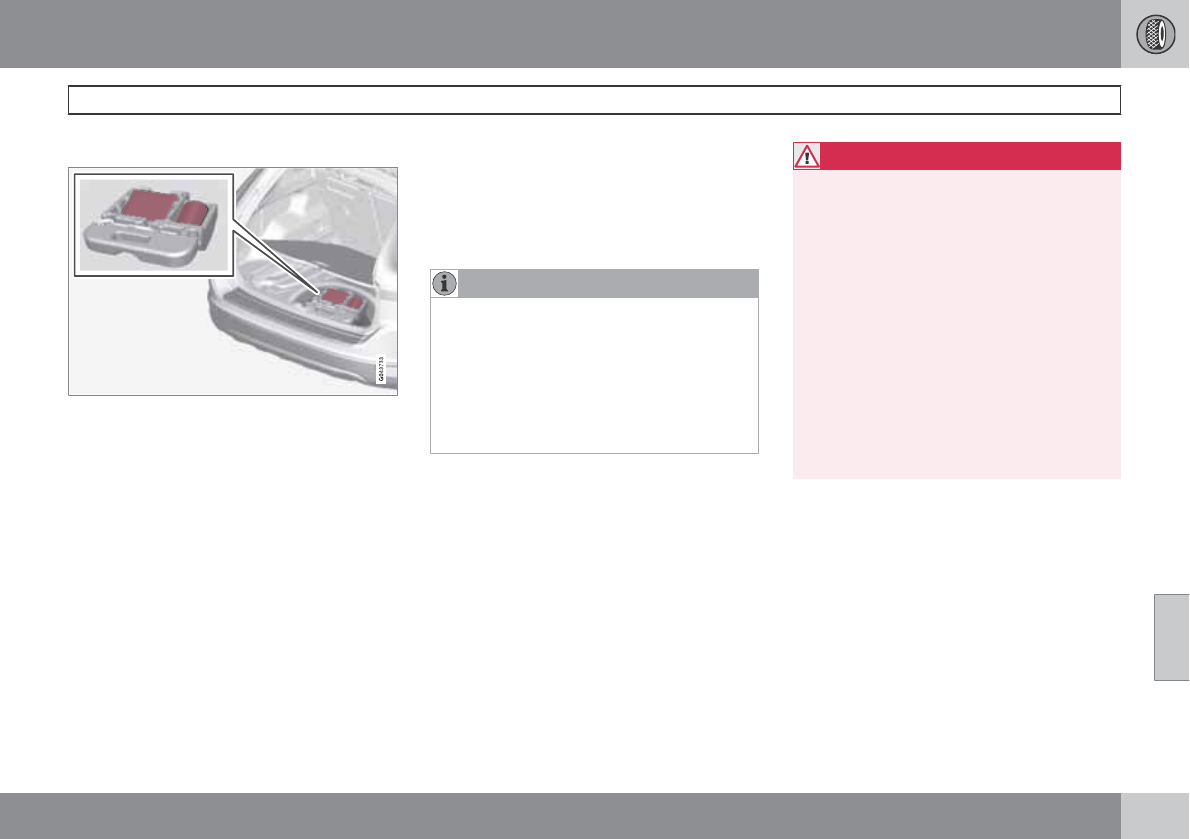
07 Wheels and tires
Tire Sealing System
07
``
* Option/accessory, for more information, see Introduction. 285
Location
Introduction
Certain models are equipped with a tire sealing
system* that enables you to temporarily seal a
hole in the tread surface and re-inflate a flat tire,
or to adjust a tire’s inflation pressure.
The system consists of an air compressor, a
container for the sealing compound, wiring to
connect the system to the vehicle’s electrical
system via one of the 12-volt sockets, and a
hose used to connect the system to the tire’s
inflation valve.
The 12-volt sockets are located in the front
tunnel console, on the rear side of the center
console in the rear seat and in the cargo
area*, see page 195.
Accessing the tire sealing system
The tire sealing system is stowed under the
floor of the cargo area. To access it:
1. Lift the floor hatch in the cargo area.
2. Lift out the tire sealing system.
NOTE
•The tire sealing system is only intended
to seal holes on the tire’s tread area, not
the sidewall.
•Tires with large holes or tears cannot be
repaired with the tire sealing system.
•After use, stow the tire sealing system
properly to help prevent rattling.
WARNING
•After using the tire sealing system, the
vehicle should not be driven farther than
approximately 120 miles (200 km).
•Have the tire inspected by a trained and
qualified Volvo service technician as
soon as possible to determine if it can
be permanently repaired or must be
replaced.
•The vehicle should not be driven faster
than 50 mph (80 km/h) while using a tire
that has been temporarily repaired with
the tire sealing system.
•After using the tire sealing system, drive
carefully and avoid abrupt steering
maneuvers and sudden stops.
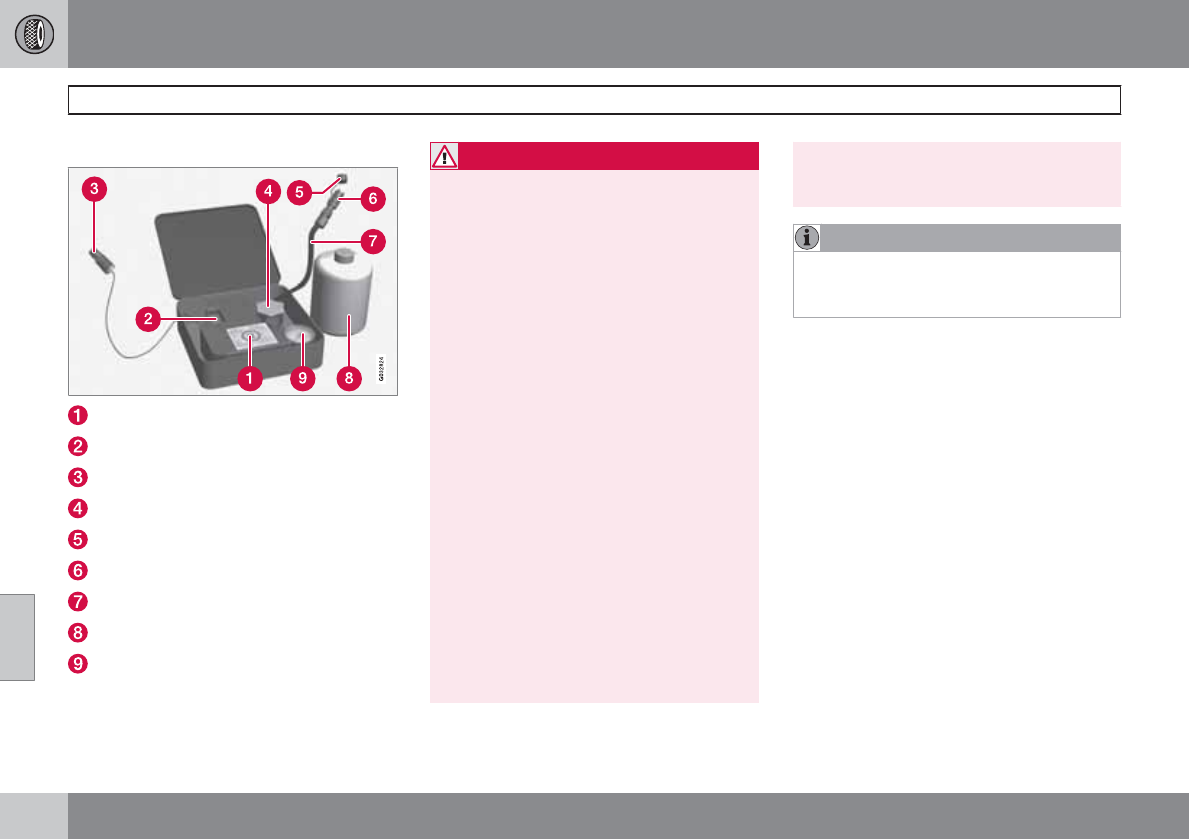
07 Wheels and tires
Tire Sealing System
07
286
Tire sealing system–overview
Speed limit sticker
On/Off switch
Electrical wire
Bottle holder (orange cover)
Protective hose cover
Air release knob
Hose
Bottle with sealing compound
Air pressure gauge
WARNING
Please keep the following points in mind
when using the tire sealing system:
•The sealing compound bottle (no. 8 in
the illustration) contains 1.2-Ethanol
and natural rubber-latex. These sub-
stances are harmful if swallowed.
•The contents of this bottle may cause
allergic skin reactions or otherwise be
potentially harmful to the skin, the cen-
tral nervous system, and the eyes.
Precautions:
•Keep out of reach of children.
•Do not ingest the contents.
•Avoid prolonged or repeated contact
with the skin.
•Hands should be washed thoroughly
after handling.
First aid:
•Skin: Wash affected areas of skin with
soap and water. Get medical attention
if symptoms occur.
•Eyes: Flush with plenty of water for least
15 minutes, occasionally lifting the
upper and lower eyelids. Get medical
attention if symptoms occur.
•Inhalation: Move the person to fresh air.
If irritation persists, get medical atten-
tion.
NOTE
Do not break the seal on the bottle. This
occurs automatically when the bottle is
screwed into the holder.
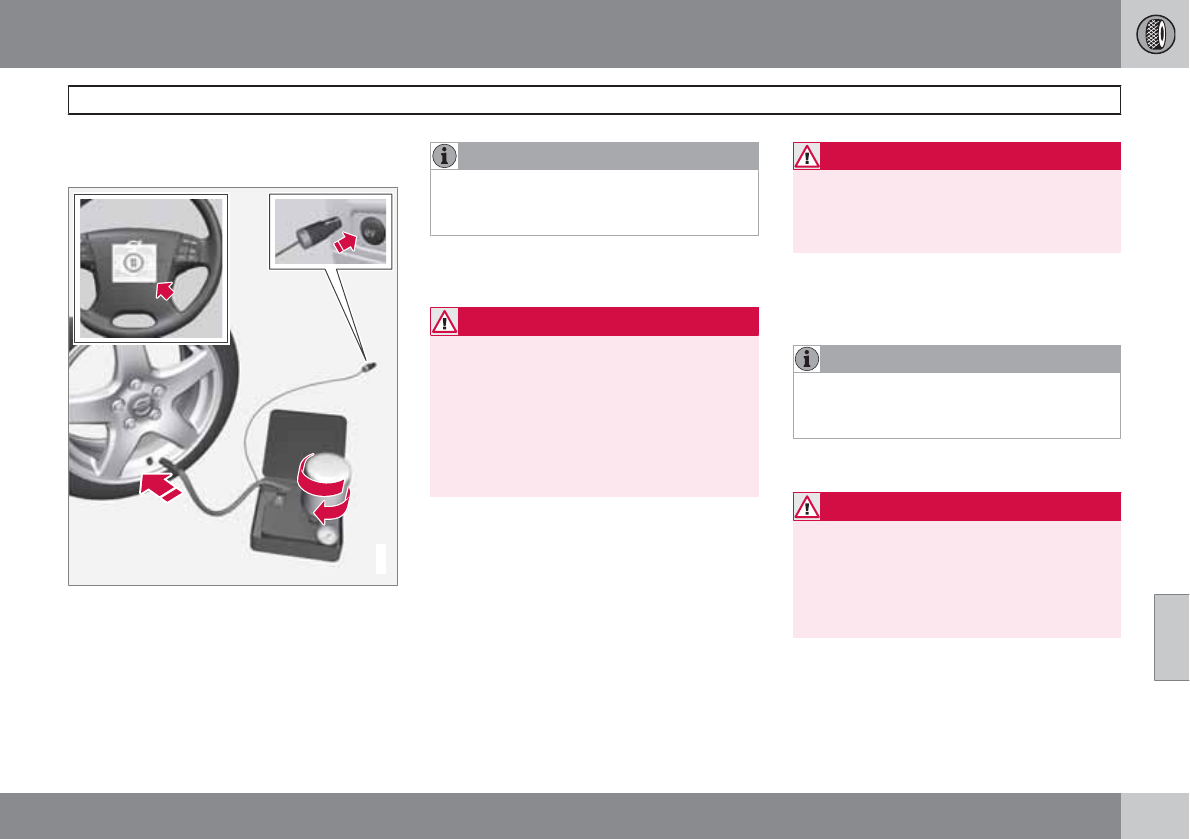
07 Wheels and tires
Tire Sealing System
07
``
287
Tire sealing system–temporarily
repairing a flat tire
G014338
Temporarily repairing a flat tire is done in two
stages:
•Stage 1: The hole is sealed by pumping
sealing compound into the tire. The car is
then driven a short distance to distribute
the sealing compound in the tire.
NOTE
Do not remove any foreign objects (nails,
etc.) from the tire before using the sealing
system.
•Stage 2: The tire’s inflation pressure is
checked and adjusted if necessary.
WARNING
•Never leave the tire sealing system
unattended when it is operating.
•Keep the tire sealing system away from
children.
•Be sure the vehicle is parked safely off
the road and away from moving traffic.
•Apply the parking brake.
Stage 1: Sealing the hole
1. Open the cover on the tire sealing kit.
2. Peel off the speed limit sticker and affix it
to the steering wheel hub where it will be
clearly visible to the driver.
3. Ensure that the on/off switch is in posi-
tion 0 (the 0 side of the switch should be
pressed down).
WARNING
Contact with the sealing compound may
cause skin irritation. If contact occurs, wash
the affected area immediately with soap and
water.
4. Unscrew the orange cover over the bottle
holder and unscrew the cap on the bottle
of sealing compound.
NOTE
Do not break the seal on the bottle. This
occurs automatically when the bottle is
screwed into the holder.
5. Screw the bottle into the bottle holder.
WARNING
The bottle is equipped with a catch to keep
it securely in place and help prevent sealing
compound leakage. Once in place, the bot-
tle cannot be unscrewed. This must be done
by a trained and qualified Volvo service
technician.
6. Remove the valve cap from the tire’s infla-
tion valve and screw the tire sealing sys-
tem’s hose connector onto the valve as
tightly as possible by hand.
07 Wheels and tires
Tire Sealing System
07
288
7. Connect the electrical wire to the nearest
12-volt socket in the vehicle.
8. Start the vehicle’s engine.
WARNING
The vehicle´s engine should be running
when the tire sealing system is used to avoid
battery drain. Therefore, be sure the vehicle
is parked in a well ventilated place, or out-
doors, before using the system.
9. Start the tire sealing system’s compressor
by pressing the on/off switch to position I.
WARNING
•Never stand next to the tire being inflated
when the compressor is in operation.
•If cracks, bubbles, etc. form on the tire,
switch off the compressor immediately.
•If there is visible damage to the sidewall
or the rim, the tire cannot be repaired.
The vehicle should not be driven if this
occurs. Contact a towing service or
Volvo On Call Roadside Assistance if
applicable.
NOTE
The air pressure gauge will temporarily
show an increase in pressure to approxi-
mately 88 psi (6 bar) while the sealing com-
pound is being pumped into the tire. The
pressure should return to a normal level
after approximately 30 seconds.
10. Within seven minutes, inflate the tire to
between 22—44 psi (1.8—3.0 bar). Switch
off the compressor briefly to get a clear
reading from the pressure gauge.
CAUTION
The compressor should not be used for
more than 10 minutes at a time to avoid
overheating.
WARNING
If the pressure remains below 22 psi
(1.8 bar) after approximately seven minutes,
turn off the compressor. In this case, the
hole is too large to be sealed and the vehicle
should not be driven.
11. Switch off the compressor and disconnect
the electrical wire from the 12-volt socket.
12. Unscrew the hose from the tire’s inflation
valve and reinstall the valve cap.
13. Immediately drive the vehicle for approxi-
mately 2 miles (3 km) at a maximum speed
of 50 mph (80 km/h) to distribute the seal-
ing compound in the tire.
CAUTION
If your vehicle is equipped with the Tire
Pressure Monitoring System (TPMS), the
use of the sealing compound may lead to
incorrect tire pressure readings or in rare
cases, damage to the tire pressure sensor.
Use the tire sealing system to check and
adjust the damaged tire's inflation pressure.
NOTE
•Safely stow the tire sealing system in a
convenient place as it will soon be used
again to check the tire’s inflation pres-
sure.
•The empty bottle of sealing compound
cannot be removed from the bottle
holder. Consult a trained and qualified
Volvo service technician to have the
bottle removed and properly disposed
of.
07 Wheels and tires
Tire Sealing System
07
``
289
WARNING
If heavy vibrations, unsteady steering
behavior, or noises should occur while driv-
ing, reduce speed and park the vehicle in a
safe place. Recheck the tire for bumps,
cracks, or other visible damage, and
recheck its inflation pressure. If the pressure
is below 19 psi (1.3 bar), do not continue
driving. Have the vehicle towed to a trained
and qualified Volvo service technician.
Stage 2: Checking inflation pressure
1. Connect the tire sealing system as descri-
bed in stage 1.
2. Refer to the inflation pressure tables for the
correct inflation pressure. If the tire needs
to be inflated, start the tire sealing system’s
compressor. If necessary, release air from
the tire by turning the air release knob
counterclockwise.
CAUTION
The compressor should not be used for
more than 10 minutes at a time to avoid
overheating.
WARNING
If you interrupt your trip for more than 1
hour, check the inflation pressure in the
damaged tire again before continuing.
Replacing the sealing compound
container
The sealing compound container must be
replaced if:
•the tire sealing system has been used to
repair a tire
•the container’s expiration date has passed
(see the date on decal).
NOTE
•After use, the sealing compound bottle,
the hose, and certain other system
components must be replaced. Please
consult your Volvo retailer for replace-
ment parts.
•If the sealing compound bottle’s expi-
ration date has passed, please take it to
a Volvo retailer or a recycling station
that can properly dispose of harmful
substances.
Inflating tires
The tire sealing system can be used to inflate
the tires. To do so:
1. Park the car in a safe place.
2. The compressor should be switched off.
Ensure that the on/off switch is in position
0 (the 0 side of the switch should be
pressed down).
3. Take out the electrical wire and hose.
4. Remove the valve cap from the tire’s infla-
tion valve and screw the hose connector
onto the valve as tightly as possible by
hand.
5. Connect the electrical wire to the nearest
12-volt socket in the vehicle.
6. Start the vehicle’s engine.
WARNING
•The vehicle’s engine should be running
when the tire sealing system is used to
avoid battery drain. Therefore, be sure
the vehicle is parked in a well ventilated
place, or outdoors, before using the sys-
tem.
•Children should never be left unattended
in the vehicle when the engine is running.
07 Wheels and tires
Tire Sealing System
07
290
7. Check the tire’s inflation pressure on the
gauge. Switch off the compressor briefly to
get a clear reading from the pressure
gauge.
8. Refer to the tire inflation tables for the cor-
rect inflation pressure. If the tire needs to
be inflated, start the tire sealing system’s
compressor (press the on/off switch to
position I). If necessary, release air from the
tire by turning the air release knob coun-
terclockwise.
CAUTION
The compressor should not be used for
more than 10 minutes at a time to avoid
overheating.
9. Turn off the compressor (press the on/off
switch to position 0) when the correct infla-
tion pressure has been reached.
10. Unscrew the hose from the tire’s inflation
valve and reinstall the valve cap.
11. Disconnect the electrical wire from the
12-volt socket.
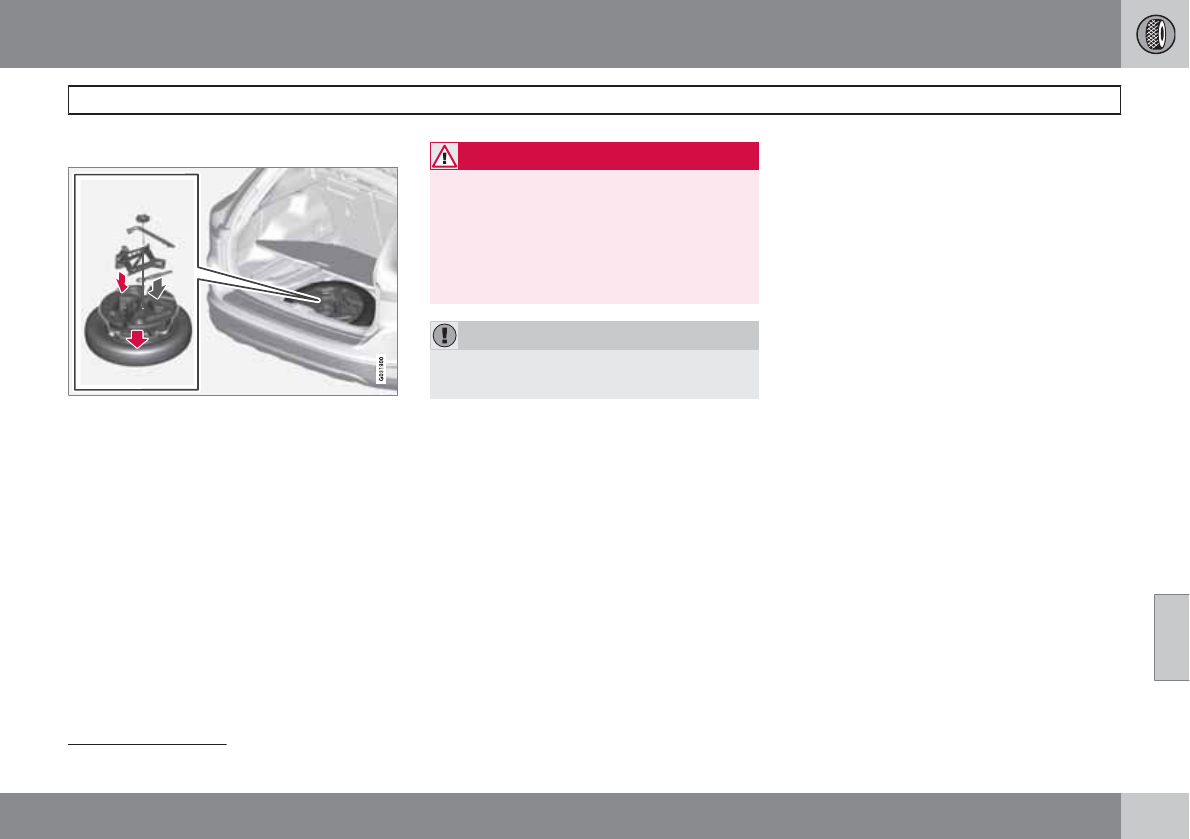
07 Wheels and tires
Changing a wheel
07
``
* Option/accessory, for more information, see Introduction. 291
Removing a wheel
Location of jack*, towing eyelet1 and tools*
Spare wheel
The spare wheel is only intended for temporary
use. Replace it with a normal wheel as soon as
possible. The car's handling may be altered by
the use of the spare wheel. The correct tire
pressure for the spare wheel is stated in the tire
pressure tables beginning on page 275.
WARNING
Current legislation prohibits the use of the
“Temporary Spare” tire other than as a tem-
porary replacement for a punctured tire. It
must be replaced as soon as possible by a
standard tire. Road holding and handling
may be affected with the “Temporary
Spare” in use.
CAUTION
The vehicle must never be driven with more
than one temporary spare wheel.
The spare wheel is located in the spare wheel
well with the rim side down. There are two foam
blocks, one under the spare wheel and one
over/inside. The upper one contains all tools.
The same bolt runs through to secure the spare
wheel and the foam blocks.
Taking out the spare wheel
1. Open the floor hatch.
2. Undo the retaining bolt.
3. Lift out the foam block with tools.
4. Lift out the spare wheel.
The other two blocks can remain in the spare
wheel well.
After use
The foam block and spare wheel must be
replaced in the reverse order. Note the arrow
on the upper foam block. It should point for-
ward.
Changing a wheel
1. Apply the parking brake and put the gear
selector in P.
2. Take out the jack*, lug wrench*, the towing
eyelet and the wheel cover removal tool*
stowed under the floor of the trunk.
3. Remove the wheel cover (where applica-
ble) using the removal tool or remove the
wheel cover by hand.
4. Block the wheels that are on the ground
with wooden blocks or large stones.
1The towing eyelet may be partially concealed under the rear edge of the cargo area. See the illustration on page 265 for its location.
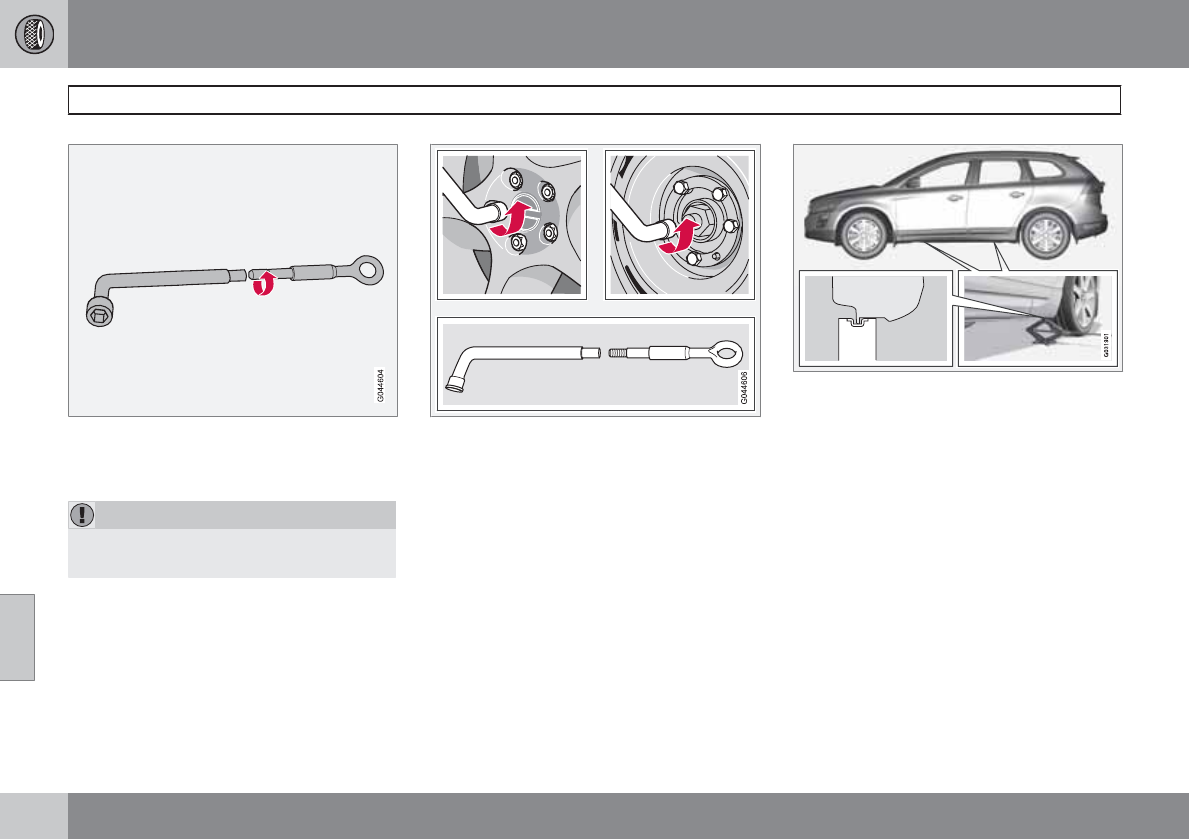
07 Wheels and tires
Changing a wheel
07
292
Lug wrench and towing eyelet
5. Screw the towing eyelet into the lug
wrench as shown in the illustration.
CAUTION
The towing eyelet must be screwed into the
lug wrench as far as possible.
6. With the vehicle still on the ground, use the
lug wrench/towing eyelet to loosen the
wheel nuts ½ – 1 turn by exerting down-
ward (counterclockwise) pressure.
Jack attachment points
7. There are two jack attachment points on
each side of the vehicle. Position the jack
correctly in the attachment (see the illus-
tration) and crank while simultaneously
guiding the base of the jack to the ground.
The base of the jack must be flat on a level,
firm, non-slippery surface. Before raising
the vehicle, check that the jack is still cor-
rectly positioned in the attachment.
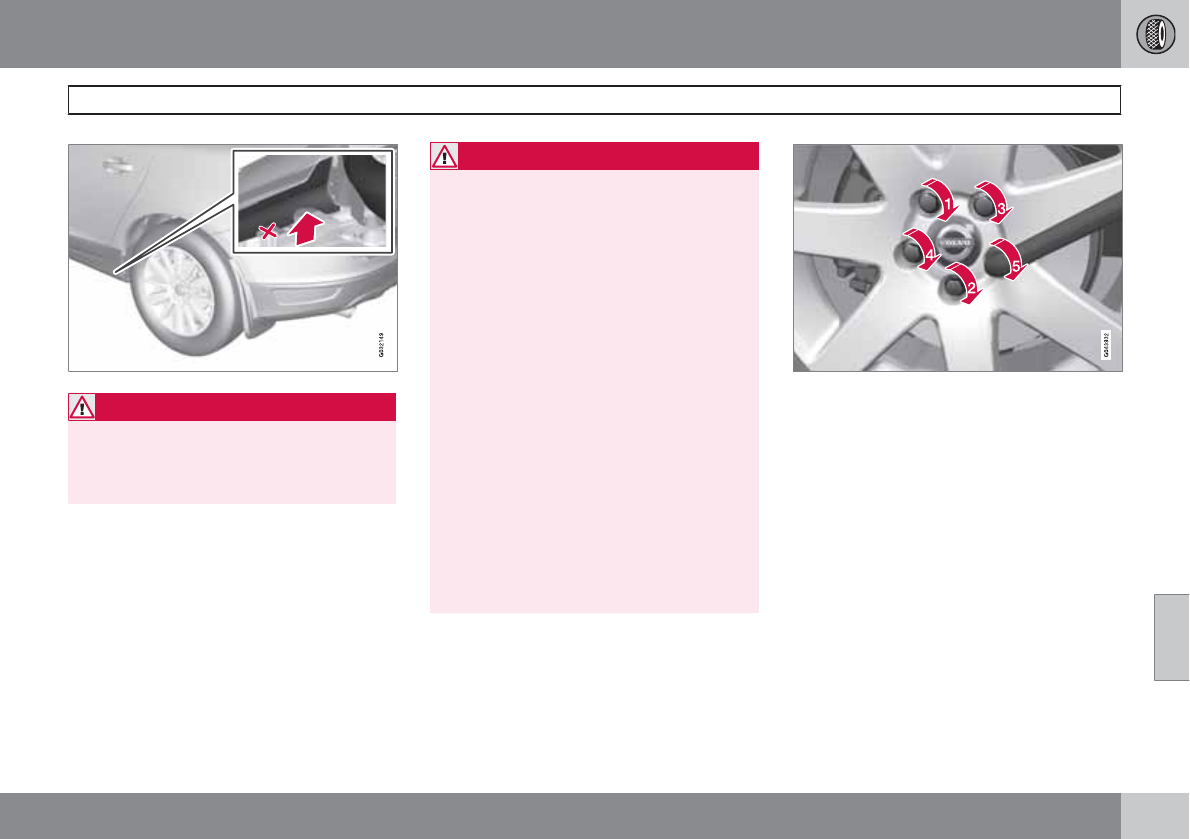
07 Wheels and tires
Changing a wheel
07
293
WARNING
There are two attachment points near the
rear of the vehicle. Only the rear-most
attachment point is intended for the jack
(see the illustration).
8. Raise the vehicle until the wheel to be
changed is lifted off the ground.
9. Unscrew the wheel nuts completely and
remove the wheel.
WARNING
•The jack must correctly engage the jack
attachment.
•Be sure the jack is on a firm, level, non-
slippery surface.
•Never allow any part of your body to be
extended under a vehicle supported by
a jack.
•Use the jack intended for the vehicle
when changing a tire. For any other job,
use stands to support the vehicle.
•Apply the parking brake and put the
gear selector in the Park (P) position.
•Block the wheels standing on the
ground, use rigid wooden blocks or
large stones.
•The jack should be kept well-greased
and clean, and should not be damaged.
•No objects should be placed between
the base of jack and the ground, or
between the jack and the attachment
bar on the vehicle.
Re-installing the wheel
1. Clean the contact surfaces on the wheel
and hub.
2. Lift the wheel and place it on the hub.
Tighten the lug nuts
3. Install the wheel nuts and tighten hand-
tight. Using the lug wrench, tighten cross-
wise until all nuts are snug.
4. Lower the vehicle to the ground and alter-
nately tighten the bolts crosswise to
103 ft. lbs. (140 Nm).
5. Install the wheel cover (where applicable).
The opening in the wheel cover for the tire's
inflation valve must be positioned over the
valve.
07 Wheels and tires
Tire Pressure Monitoring System (TPMS)
07
294
Introduction
NOTE
USA – FCC ID: KR5S122780002
This device complies with part 15 of the
FCC rules. Operation is subject to the fol-
lowing conditions: (1) This device may not
cause harmful interference, and (2) this
device must accept any interference
received, including interference that may
cause undesired operation.
The tire pressure monitoring system1 uses sen-
sors mounted in the tire valves to check infla-
tion pressure levels. When the vehicle is mov-
ing at a speed of approximately 20 mph
(30 km/h) or faster, these sensors transmit
inflation pressure data to a receiver located in
the vehicle.
When low inflation pressure is detected, TPMS
will light up the tire pressure warning light
() (also referred to as a telltale) in the
instrument panel and will display one of the
following messages in the text window: Tire
pressure low or Tire needs air now.
NOTE
If a fault occurs in TPMS, the tire pressure
warning light will flash for approximately
1 minute and Tire press. syst Service
required will be displayed.
Each tire, including the spare (if provided),
should be checked monthly when cold and
inflated to the inflation pressure recommended
by the vehicle manufacturer on the vehicle
placard or tire inflation pressure label. (If your
vehicle has tires of a different size than the size
indicated on the vehicle placard or tire inflation
pressure label, you should determine the
proper tire inflation pressure for those tires.)
As an added safety feature, your vehicle has
been equipped with a tire pressure monitoring
system (TPMS) that illuminates a low tire pres-
sure telltale when one or more of your tires is
significantly under-inflated. Accordingly, when
the low tire pressure telltale illuminates, you
should stop and check your tires as soon as
possible, and inflate them to the proper pres-
sure. Driving on a significantly under-inflated
tire causes the tire to overheat and can lead to
tire failure. Under-inflation also reduces fuel
efficiency and tire tread life, and may affect the
vehicle's handling and stopping ability.
Please note that the TPMS is not a substitute
for proper tire maintenance, and it is the driv-
er's responsibility to maintain correct tire pres-
sure, even if under-inflation has not reached
the level to trigger illumination of the TPMS low
tire pressure telltale.
Your vehicle has also been equipped with a
TPMS malfunction indicator to indicate when
the system is not operating properly. The
TPMS malfunction indicator is combined with
the low tire pressure telltale. When the system
detects a malfunction, the telltale will flash for
approximately one minute and then remain
continuously illuminated. This sequence will
continue upon subsequent vehicle start-ups as
long as the malfunction exists. When the mal-
function indicator is illuminated, the system
may not be able to detect or signal low tire
pressure as intended. TPMS malfunctions may
occur for a variety of reasons, including the
installation of replacement or alternate tires or
wheels on the vehicle that prevent the TPMS
from functioning properly. Always check the
TPMS malfunction telltale after replacing one
or more tires or wheels on your vehicle to
ensure that the replacement or alternate tires
and wheels allow the TPMS to continue to
function properly.
1This system is standard on U.S. models and optional on Canadian models
07 Wheels and tires
Tire Pressure Monitoring System (TPMS)
07
``
295
NOTE
TPMS indicates low tire pressure but does
not replace normal tire maintenance. For
information on correct tire pressure, please
refer to the Tire inflation pressure tables or
consult your Volvo retailer.
Erasing warning messages
When a low tire pressure warning message has
been displayed, and the tire pressure warning
light has come on:
1. Use a tire pressure gauge to check the
inflation pressure of all four tires.
2. Re-inflate the tire(s) to the correct pressure
(consult the tire pressure placard or the
inflation pressure tables beginning on page
275.
3. In certain cases, it may be necessary to
drive the vehicle for several minutes at a
speed of 20 mph (30 km/h) or faster. This
will erase the warning text and the warning
light will go out.
WARNING
Incorrect inflation pressure could lead to tire
failure, resulting in a loss of control of the
vehicle.
Changing wheels with TPMS
Please note the following when changing or
replacing the factory installed TPMS wheels/
tires on the vehicle:
•Only the factory-mounted wheels are
equipped with TPMS sensors in the valves.
•If the vehicle is equipped with a temporary
spare tire, this tire does not have a TPMS
sensor.
•If wheels without TPMS sensors are moun-
ted on the vehicle, TIRE PRESS SYST
SERVICE REQUIRED will be displayed
each time the vehicle is driven above
25 mph (40 km/h) for 10 minutes or more.
•Once TPMS sensors are properly installed,
the warning message should not reappear.
If the message is still displayed, drive the
vehicle for several minutes at a speed of
20 mph (30 km/h) or faster to erase the
message.
•Volvo recommends that TPMS sensors be
fitted on all wheels used on the vehicle.
Volvo does not recommend moving sen-
sors back and forth between sets of
wheels.
CAUTION
When inflating tires with TPMS valves, press
the pump's mouthpiece straight onto the
valve to help avoid bending or otherwise
damaging the valve.
NOTE
•If you change to tires with a different
recommended inflation pressure, the
TPMS system must be recalibrated to
these tires. On U.S. models, this must
be done by a trained and qualified Volvo
service technician. On Canadian mod-
els, see the following section "Recali-
brating TPMS."
•If a tire is changed, or if the TPMS sen-
sor is moved to another wheel, the sen-
sor's seal, nut, and valve core should be
replaced.
•When installing TPMS sensors, the
vehicle must be parked for at least
15 minutes with the ignition off. If the
vehicle is driven within 15 minutes, a
TPMS error message will be displayed.
Recalibrating TPMS (Canadian models
only)
In certain cases, it may be necessary to reca-
librate TPMS to conform to Volvo's recom-
mended tire inflation pressures (see the infla-
07 Wheels and tires
Tire Pressure Monitoring System (TPMS)
07
296
tion pressure table on page 276), for example,
if higher inflation pressure is necessary when
transporting heavy loads, etc.
This is done in the vehicle's menu system (see
page 129).
To recalibrate:
1. Switch off the engine.
2. Inflate the tires to the desired pressure and
put the ignition in mode I or II (see page
81 for additional information).
3. Press the MY CAR key in the center con-
sole control panel and select Settings
Car settings Tire pressure
4. Press OK/MENU, select Calibrate tire
pressure and press OK/MENU again.
5. Drive the vehicle at a speed above
25 mph (40 km/h) continuously for at least
1 minute.
> When the calibration message is no
longer displayed, TPMS has been reca-
librated to the new inflation pressure.
Activating/deactivating TPMS (Canadian
models only)
1. Switch off the engine.
2. Put the ignition in mode I or II (see page
81 for additional information).
3. Press the MY CAR key in the center con-
sole control panel and select Settings
Car settings Tire pressure
4. Select Tire pressure system ON/Off and
press OK/MENU.
07 Wheels and tires
07
297

298
Volvo maintenance................................................................................ 300
Maintaining your car............................................................................. 301
Hood and engine compartment............................................................ 303
Engine oil............................................................................................... 304
Fluids..................................................................................................... 306
Replacing bulbs.................................................................................... 308
Wiper blades and washer fluid.............................................................. 315
Battery................................................................................................... 317
Fuses..................................................................................................... 320
Vehicle care........................................................................................... 328
MAINTENANCE AND SPECIFICATIONS
08 Maintenance and specifications
Volvo maintenance
08
300
Introduction
Volvo advises you to follow the maintenance
program outlined in the Warranty and Service
Records Information booklet. This mainte-
nance program contains inspections and serv-
ices necessary for the proper function of your
vehicle. The maintenance services contain
several checks that require special tools and
training, and therefore must be performed by a
qualified technician. To keep your Volvo in top
condition, specify time-tested and proven
Genuine Volvo Parts and Accessories.
The Federal Clean Air Act – U.S
The Federal Clean Air Act requires vehicle
manufacturers to furnish written instructions to
the ultimate purchaser to assure the proper
servicing and function of the components that
control emissions. These services, which are
listed in the "Warranty and Service Records
Information" booklet, are not covered by the
warranty. You will be required to pay for labor
and material used.
Maintenance
Your Volvo passed several major inspections
before it was delivered to you, in accordance
with Volvo specifications. The maintenance
procedures outlined in the Warranty and Serv-
ice Records Information booklet, many of
which will positively affect your vehicle's emis-
sions, should be performed as indicated. It is
recommended that receipts for vehicle emis-
sion maintenance be retained in case ques-
tions arise concerning maintenance. Inspec-
tion and maintenance should also be per-
formed anytime a malfunction is observed or
suspected.
Applicable warranties – U.S/Canada
In accordance with applicable U.S. and Cana-
dian regulations, the following list of warranties
is provided.
•New Vehicle Limited Warranty
•Parts and Accessories Limited Warranty
•Corrosion Protection Limited Warranty
•Seat Belt and Supplemental Restraint Sys-
tems Limited Warranty
•Emission Design and Defect Warranty
•Emission Performance Warranty
These are the federal warranties; other warran-
ties are provided as required by state/provin-
cial law. Refer to your separate Warranty and
Service Records Information booklet for
detailed information concerning each of the
warranties.
Periodic maintenance helps minimize
emissions
Periodic maintenance will help keep your vehi-
cle running well. Your Warranty and Service
Records Information booklet provides a com-
prehensive periodic maintenance schedule up
to 150,000 miles (240,000 km) of vehicle main-
tenance. The schedule includes components
that affect vehicle emissions. This page
describes some of the emission-related com-
ponents.
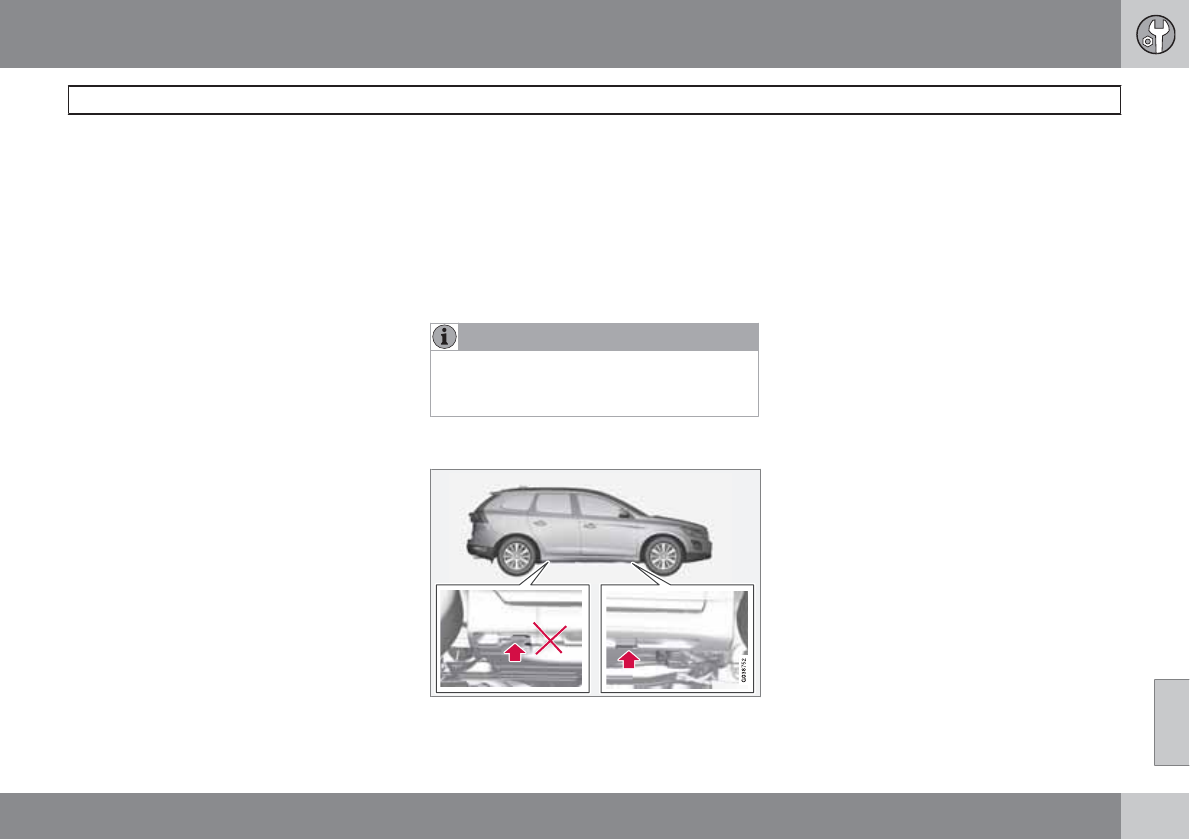
08 Maintenance and specifications
Maintaining your car
08
``
301
Owner maintenance
Periodic maintenance requirements and inter-
vals are described in your vehicle's Warranty
and Service Records Information booklet.
The following points can be carried out
between the normally scheduled maintenance
services.
Each time the car is refueled:
•Check the engine oil level.
•Clean the windshield, windshield wipers,
headlights, and tail lights.
Monthly:
•Check cold tire pressure in all tires. Inspect
the tires for wear.
•Check that engine coolant and other fluid
levels are between the indicated "min" and
"max" markings.
•Clean interior glass surfaces with a glass
cleaner and soft paper towels.
•Wipe driver information displays with a soft
cloth.
•Visually inspect battery terminals for cor-
rosion. Corrosion may indicate a loose ter-
minal connector, or a battery near the end
of its useful service life. Consult your Volvo
retailer for additional information.
As needed:
Wash the car, including the undercarriage, to
reduce wear that can be caused by a buildup
of dirt, and corrosion that can be caused by salt
residues.
Clean leaves and twigs from air intake vents at
the base of the windshield, and from other pla-
ces where they may collect.
NOTE
Complete service information for qualified
technicians is available online for purchase
or subscription at www.volvotechinfo.com.
Hoisting the vehicle
If a garage jack is used to lift the vehicle, the
two jack attachments points should be used.
They are specially reinforced to bear the weight
of the vehicle. A garage jack can also be placed
under the front of the engine support frame.
Take care not to damage the splash guard
under the engine. Ensure that the jack is posi-
tioned so that the vehicle cannot slide off it.
Always use axle stands or similar structures.
If a two-post hoist is used to lift the vehicle, the
front and rear lift arm pads should be centered
under the reinforced lift plates on the inboard
edge of the sill rail (see illustration).
Emission inspection readiness
What is an Onboard Diagnostic System
(OBD II)?
OBD II is part of your vehicle's computerized
engine management system. It stores diagnos-
tic information about your vehicle's emission
controls. It can light the Check Engine light
(MIL) if it detects an emission control "fault." A
"fault" is a component or system that is not
performing within an expected range. A fault
may be permanent or temporary. OBD II will
store a message about any fault.
How do states use OBD II for emission
inspections?
Many states connect a computer directly to a
vehicle's OBD II system. The inspector can
then read "faults." In some states, this type of
08 Maintenance and specifications
Maintaining your car
08
302
inspection has replaced the tailpipe emission
test.
How can my vehicle fail OBD II emission
inspection?
Your vehicle can fail OBD II emission inspec-
tion for any of the following reasons.
•If your Check Engine (MIL) light is lit, your
vehicle may fail inspection.
•If your vehicle's Check Engine light was lit,
but went out without any action on your
part, OBD II will still have a recorded fault.
Your vehicle may pass or fail, depending
on the inspection practices in your area.
•If you had recent service that required dis-
connecting the battery, OBD II diagnostic
information may be incomplete and "not
ready" for inspection. A vehicle that is not
ready may fail inspection.
How can I prepare for my next OBD II
emission inspection?
•If your Check Engine (MIL) light is lit – or
was lit but went out without service, have
your vehicle diagnosed and, if necessary,
serviced by a qualified Volvo technician.
•If you recently had service for a lit Check
Engine light, or if you had service that
required disconnecting the battery, a
period of driving is necessary to bring the
OBD II system to "ready" for inspection. A
half-hour trip of mixed stop-and-go/high-
way driving is typically needed to allow
OBD II to reach readiness. Your Volvo
retailer can provide you with more infor-
mation on planning a trip.
•Maintain your vehicle in accordance with
your vehicle's maintenance schedule.
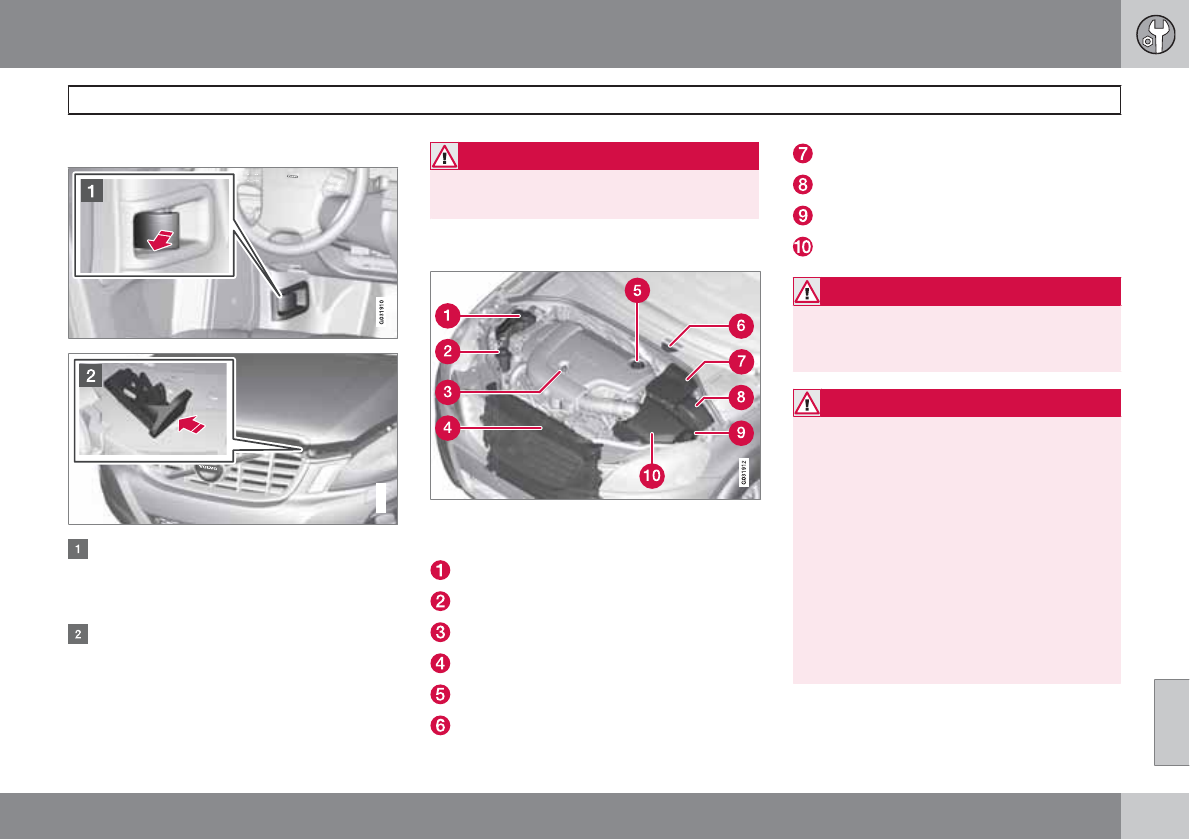
08 Maintenance and specifications
Hood and engine compartment
08
303
Opening and closing the hood
G031911
Pull the lever located under the left side of
the dash to release the hood lock. An infor-
mation symbol will illuminate when the
hood is open.
Lift the hood slightly. Press the release
control (located under the right front edge
of the hood) to the left, and lift the hood
WARNING
Check that the hood locks properly when
closed.
Engine compartment, overview
The appearance of the engine compartment
may vary depending on engine model.
Coolant expansion tank
Power steering fluid reservoir
Engine oil dipstick
Radiator
Filler cap for engine oil
Cover over brake fluid reservoir
Battery
Relay and fuse box
Washer fluid reservoir
Air cleaner
WARNING
The cooling fan may start or continue to
operate (for up to 6 minutes) after the engine
has been switched off.
WARNING
The ignition should always be completely
switched off before performing any opera-
tions in the engine compartment.
The distributor ignition system operates at
very high voltages. Special safety precau-
tions must be followed to prevent injury.
Always turn the ignition off when:
•Replacing distributor ignition compo-
nents e.g. plugs, coil, etc.
•Do not touch any part of the distributor
ignition system while the engine is run-
ning. This may result in unintended
movements and body injury.
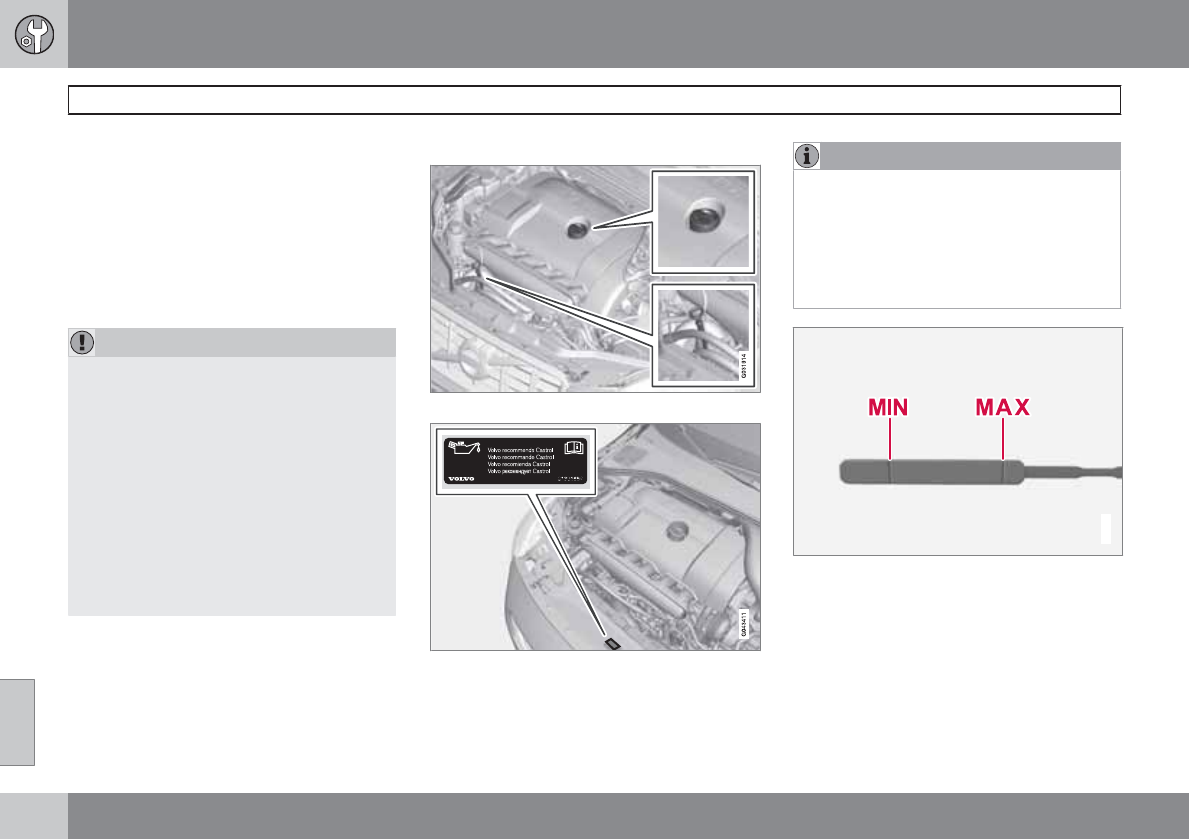
08 Maintenance and specifications
Engine oil
08
304
Checking the engine oil
The oil level should be checked at regular inter-
vals, particularly during the period up to the
first scheduled maintenance service.
•See page 342 for oil specifications.
•Refer to the Warranty and Service Records
Information booklet for information on the
oil change intervals.
CAUTION
•Not checking the oil level regularly can
result in serious engine damage if the oil
level becomes too low.
•Oil that is lower than the specified qual-
ity can damage the engine.
•Volvo does not recommend the use of
oil additives.
•Always add oil of the same type and
viscosity as already used.
•Never fill oil above the MAX mark. This
could cause an increase in oil consump-
tion.
Checking and adding oil
Location of the filler cap and dipstick
Volvo recommends Castrol oil products
NOTE
Before checking the oil:
•The car should be parked on a level sur-
face.
•If the engine is warm, wait for at least
10 – 15 minutes after the engine has
been switched off.
G021737
The oil level must be between the MIN and MAX
marks on the dipstick
Checking the oil
1. Pull out the dipstick and wipe it with a lint-
free rag.
2. Reinsert the dipstick, pull it out, and check
the oil level. The level must be between the
MIN and MAX marks.
08 Maintenance and specifications
Engine oil
08
305
3. Add oil if necessary. If the level is close to
the MIN mark, add approximately
0.5 US quarts (0.5 liters) of oil.
4. Recheck the level and add more oil if nec-
essary until the level is near the MAX mark.
WARNING
Do not allow oil to spill onto or come into
contact with hot exhaust pipe surfaces.
NOTE
Synthetic oil is not used when the oil is
changed at the normal maintenance inter-
vals except at owner request and at addi-
tional charge. Please consult your Volvo
retailer.
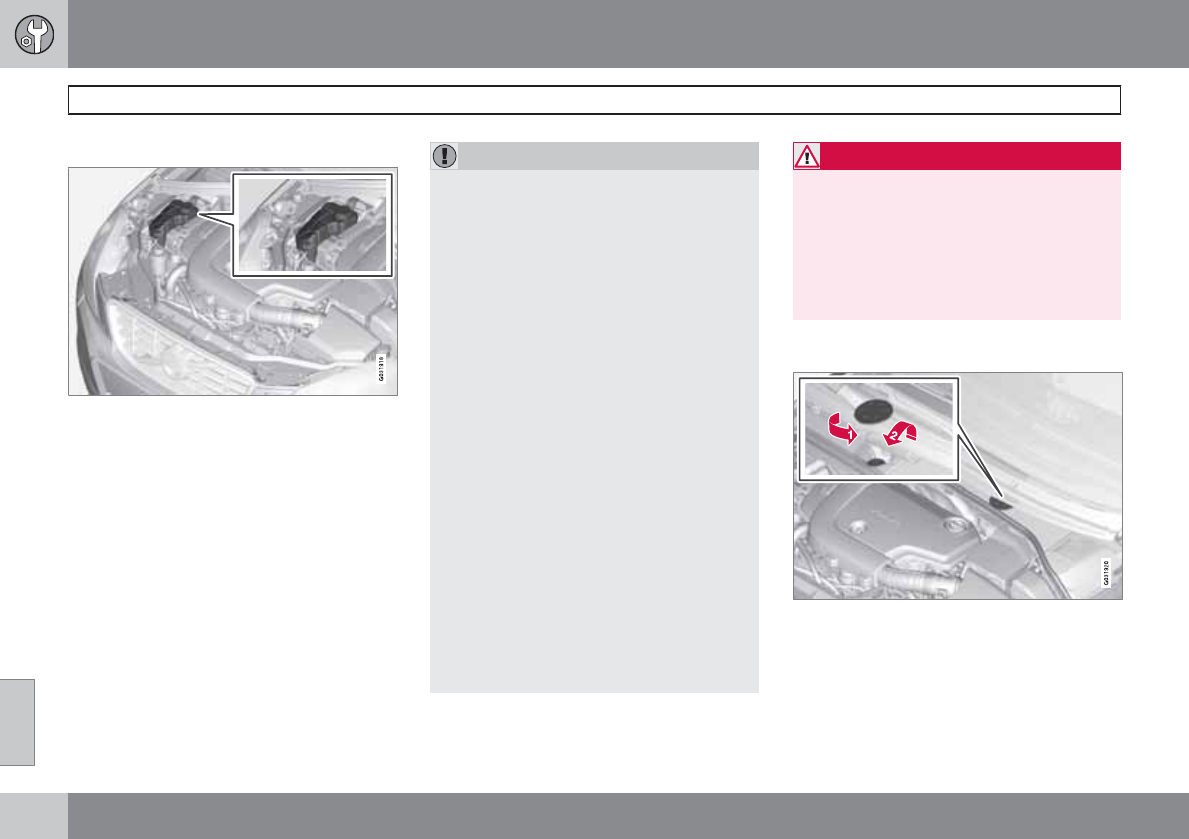
08 Maintenance and specifications
Fluids
08
306
Coolant
Location of the coolant reservoir
Normally, the coolant does not need to be
changed. If the system must be drained, con-
sult a trained and qualified Volvo service tech-
nician.
See page 343 for information on cooling sys-
tem capacities.
CAUTION
•If necessary, top up the cooling system
with Volvo Genuine Coolant/Antifreeze
only (a 50/50 mix of water and anti-
freeze).
•Different types of antifreeze/coolant
may not be mixed.
•If the cooling system is drained, it
should be flushed with clean water or
premixed anti-freeze before it is refilled
with the correct mixture of water/anti-
freeze.
•The cooling system must always be
kept filled to the correct level, and the
level must be between the MIN and
MAX marks. If it is not kept filled, there
can be high local temperatures in the
engine which could result in damage.
Check coolant regularly!
•Do not top up with water only. This
reduces the rust-protective and anti-
freeze qualities of the coolant and has a
lower boiling point. It can also cause
damage to the cooling system if it
should freeze.
•Do not use chlorinated tap water in the
vehicle's cooling system.
WARNING
•Never remove the radiator cap while the
engine is warm. Wait until the vehicle
cools.
•If it is necessary to top off the coolant
when the engine is warm, unscrew the
expansion tank cap slowly so that the
overpressure dissipates.
Brake fluid
Location of the brake fluid reservoir
Checking the level
The fluid reservoir is concealed under the
round cover at the rear of the engine compart-
ment. The round cover must be removed first
before the reservoir cap can be accessed.
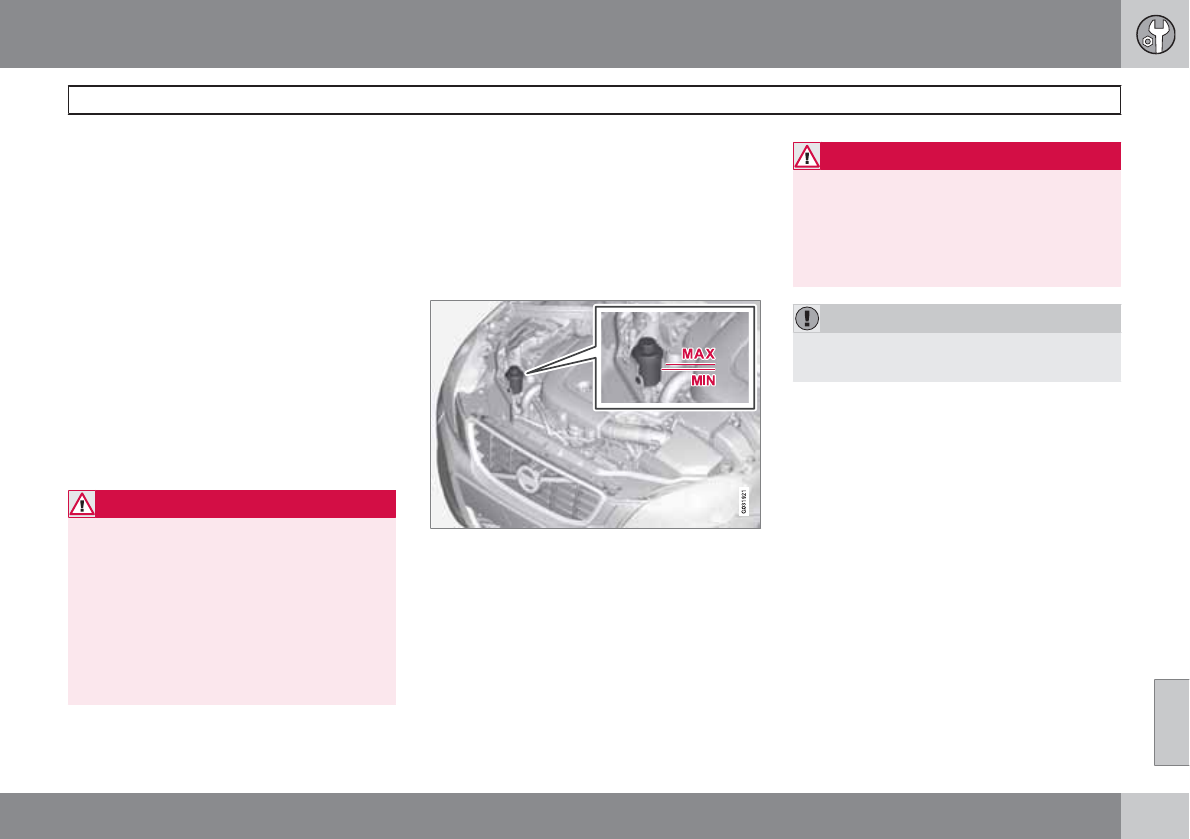
08 Maintenance and specifications
Fluids
08
307
The brake fluid should always be between the
MIN and MAX marks on the inside of the res-
ervoir. Check, without removing the cap, that
there is sufficient fluid in the reservoir.
Fluid type: DOT 4+ boiling point >536 °F
(280 °C), P/N 9437433
Replace: The fluid should be replaced accord-
ing to the intervals specified in the Warranty
and Service Records Information booklet.
When driving under extremely hard conditions
(mountain driving, etc), it may be necessary to
replace the fluid more often. Consult a trained
and qualified Volvo service technician.
Always entrust brake fluid changing to a
trained and qualified Volvo service technician.
WARNING
•If the fluid level is below the MIN mark
in the reservoir or if a brake-related
message is shown in the information
display: DO NOT DRIVE. Have the car
towed to a trained and qualified Volvo
service technician and have the brake
system inspected.
•Dot 4+ should never be mixed with any
other type of brake fluid.
Filling
1. Turn and open the cover.
2. Unscrew the reservoir cap and fill the fluid.
The level must be between the MIN and
MAX marks.
Power steering fluid
Check the level frequently. The fluid does not
require changing. The fluid level must be
between the MIN and MAX marks. For capaci-
ties and recommended fluid grade, see
page 343.
WARNING
If a problem should occur in the power
steering system or if the vehicle has no elec-
trical current and must be towed, it is still
possible to steer the vehicle. However, keep
in mind that greater effort will be required to
turn the steering wheel.
CAUTION
Keep the area around the power steering
fluid reservoir clean when checking.
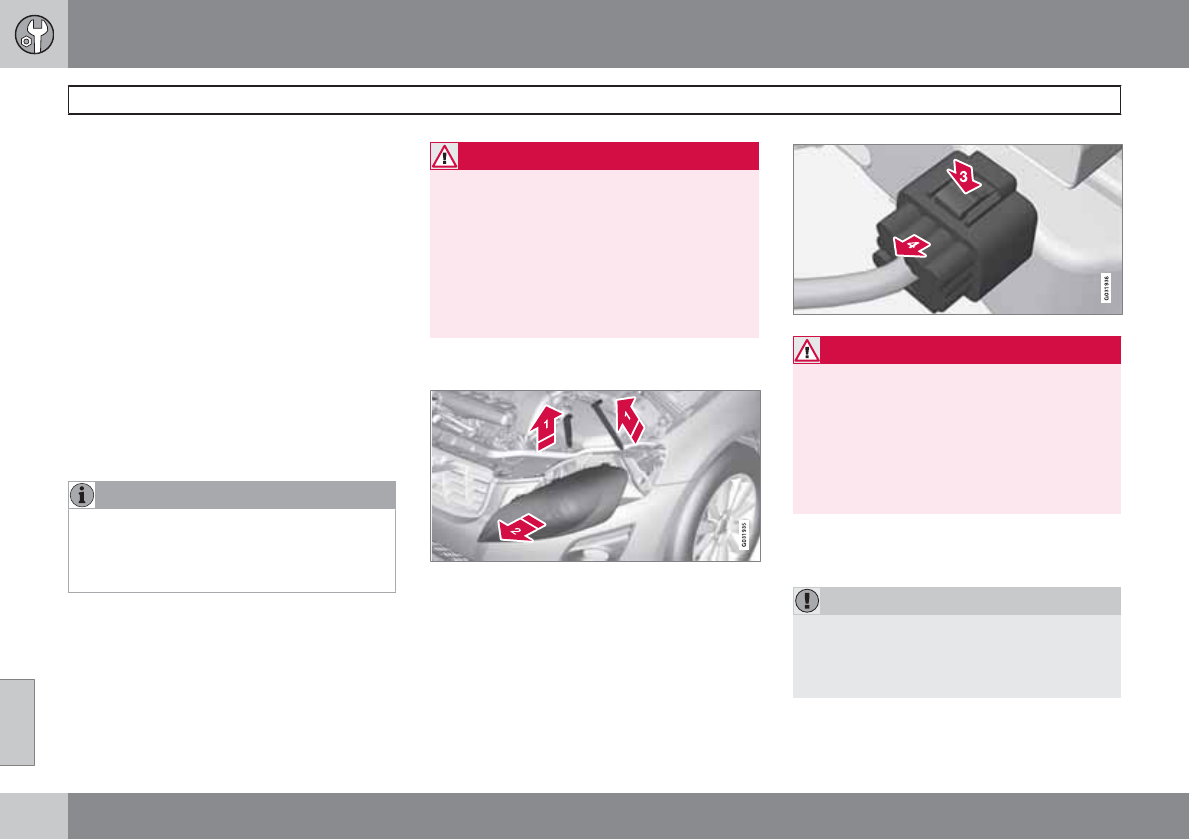
08 Maintenance and specifications
Replacing bulbs
08
308 * Option/accessory, for more information, see Introduction.
Introduction
All bulb specifications are listed on page 314.
The following bulbs should only be replaced by
a trained and qualified Volvo service techni-
cian:
•Dome lighting, reading lights
•Glove compartment lighting
•Footwell lighting
•Turn signals in the door mirrors
•Approach lighting in the door mirrors
•Brake/fog/taillights
•Rear parking lights
•Active Bending Lights
•LED bulbs
NOTE
For information regarding any other bulbs
not mentioned in this section, please con-
tact your Volvo retailer or a trained and
authorized Volvo service technician.
WARNING
•Active Bending Lights* – due to the high
voltage used by these headlights, these
bulbs should only be replaced by a
trained and qualified Volvo service tech-
nician.
•Turn off the lights and remove the
remote key from the ignition before
changing any bulbs.
Headlight housing
WARNING
•The engine should not be running when
changing bulbs.
•If the engine has been running just prior
to replacing bulbs in the headlight hous-
ing, please keep in mind that compo-
nents in the engine compartment will be
hot.
The entire headlight housing must be lifted out
when replacing all front bulbs.
CAUTION
Never touch the glass of bulbs with your fin-
gers. Grease and oils from your fingers
vaporize in the heat and will leave a deposit
on the reflector, which will damage it.
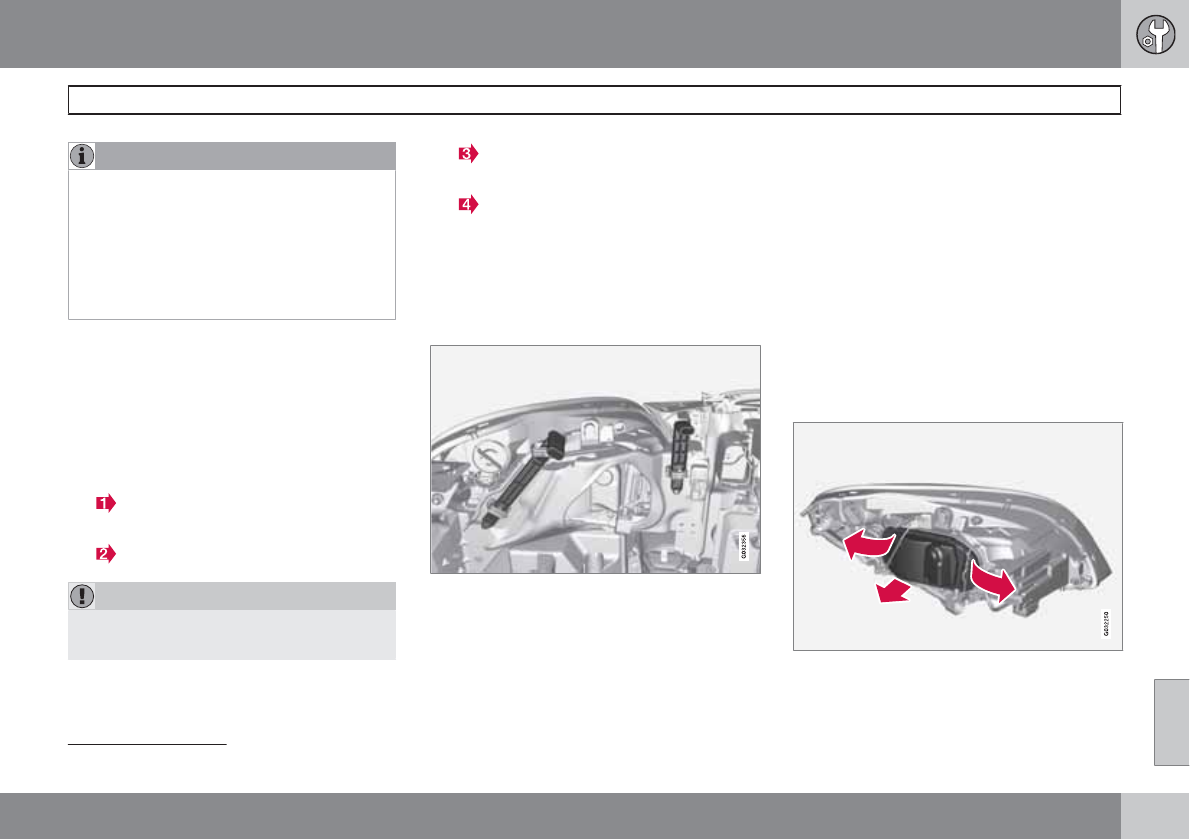
08 Maintenance and specifications
Replacing bulbs
08
``
309
NOTE
•Always switch off the ignition before
starting to replace a bulb.
•The optional Active Bending Light bulbs
contain trace amounts of mercury.
These bulbs should always be disposed
of by a trained and qualified Volvo serv-
ice technician.
Removing the headlight housing
1. Switch off the ignition by briefly pressing
the START/STOP ENGINE button and
remove the remote key from the ignition
slot1.
2. (Upper illustration under "Headlight hous-
ing")
Withdraw the headlight housing's lock-
ing pins.
Pull the headlight housing straight out.
CAUTION
When disconnecting the connector, pull on
the connector itself and not on the wiring.
3. (Lower illustration under "Headlight hous-
ing")
Unplug the wiring connector by holding
down the clip with your thumb.
Pull out the connector with the other
hand.
4. Lift out the housing and place it on a soft
surface to avoid scratching the lens.
5. Replace the defective bulb(s).
Reinserting the headlight housing
When reinserting the housing, be sure that the
long locking pin (to the left in the illustration) is
securely in place in both of its retaining clamps.
1. Plug in the connector until it clicks into
place.
2. Reinstall the headlight housing and locking
pins. Check that they are correctly
inserted. The headlight housing must be
properly inserted and secured in place
before the lighting is switched on or the
remote key is inserted into the ignition slot.
3. Check that the lights function properly.
The headlight wiring must be connected and
the housing must be securely in place before
the ignition is switched on.
Removing the cover to access the
bulbs
1Does not apply to vehicles with the optional keyless drive.

08 Maintenance and specifications
Replacing bulbs
08
310
NOTE
Before starting to replace a bulb, see
page 308.
1. Open the retaining clamps by pressing
them to the sides.
2. Pull the cover straight out.
Reinstall the cover in the reverse order.
Low beam, Halogen
1. Remove the headlight housing from the
vehicle (see page 308).
2. Remove the cover over the bulbs (see
page 309).
3. Unplug the connector from the bulb.
4. Remove the bulb by pressing the holder
downward.
5. Press the new bulb into the socket until it
snaps into place. It can only be secured in
one position.
6. Put the cover back into position and rein-
stall the headlight housing.
High beam, Halogen
1. Remove the headlight housing from the
vehicle (see page 308).
2. Remove the cover over the bulbs (see
page 309).
3. Remove the bulb by turning it counter-
clockwise and pulling it straight out.
4. Remove the connector from the bulb.
5. Press the new bulb into the socket and turn
it clockwise to put it in place. It can only be
secured in one position.
6. Reinsert the bulb holder into the headlight
housing.
7. Put the cover back into position and rein-
stall the headlight housing.
Extra high beam2
1. Remove the headlight housing from the
vehicle (see page 308).
2Models with optional Active Bending Lights only.
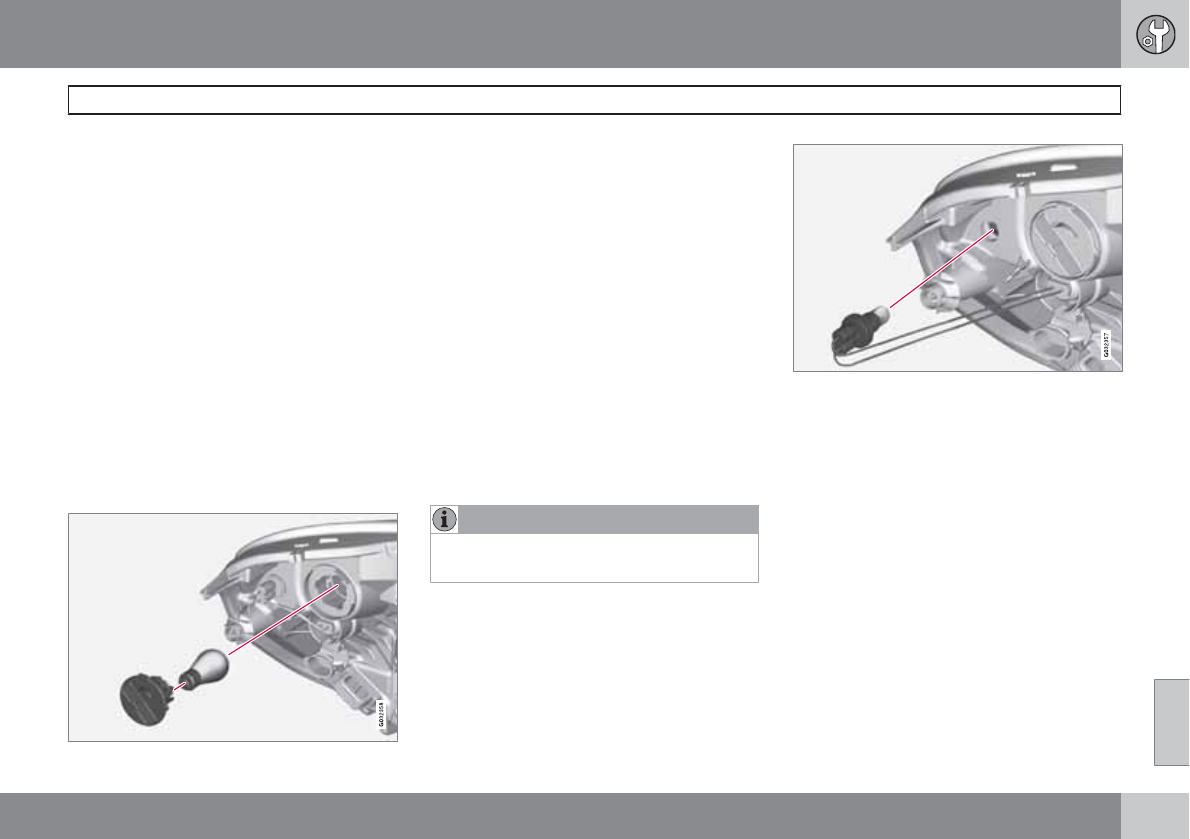
08 Maintenance and specifications
Replacing bulbs
08
``
311
2. Remove the cover over the bulbs (see
page 309).
3. Disconnect the wiring connector from the
bulb holder.
4. Remove the bulb holder from the headlight
housing by pulling it straight out.
5. Insert a new bulb in the holder until it snaps
in place. It can only be inserted in one way.
6. Press the bulb holder into position in the
headlight housing.
7. Reconnect the wiring connector to the bulb
holder.
8. Put the cover back into position and rein-
stall the headlight housing.
Turn signals
1. Remove the headlight housing from the
vehicle (see page 308).
2. Remove the bulb holder by turning it coun-
terclockwise and pulling it out of the head-
light housing.
3. Pull out the holder to access the bulb.
4. Remove the burned out bulb by pressing it
in slightly and turning it counterclockwise.
5. Press the new bulb into the holder and turn
it clockwise.
6. Reinsert the bulb holder into the headlight
housing and turn it clockwise.
7. Reinstall the headlight housing.
Side marker lights
NOTE
Before starting to replace a bulb, see
page 308.
1. Remove the headlight housing from the
vehicle (see page 308).
2. Remove the bulb holder by turning it coun-
terclockwise and pulling it out of the head-
light housing.
3. Pull out the burned out bulb and install a
new one. It can only be inserted in one
position.
4. Reinsert the bulb holder into the headlight
housing and turn it clockwise.
5. Reinstall the headlight housing.
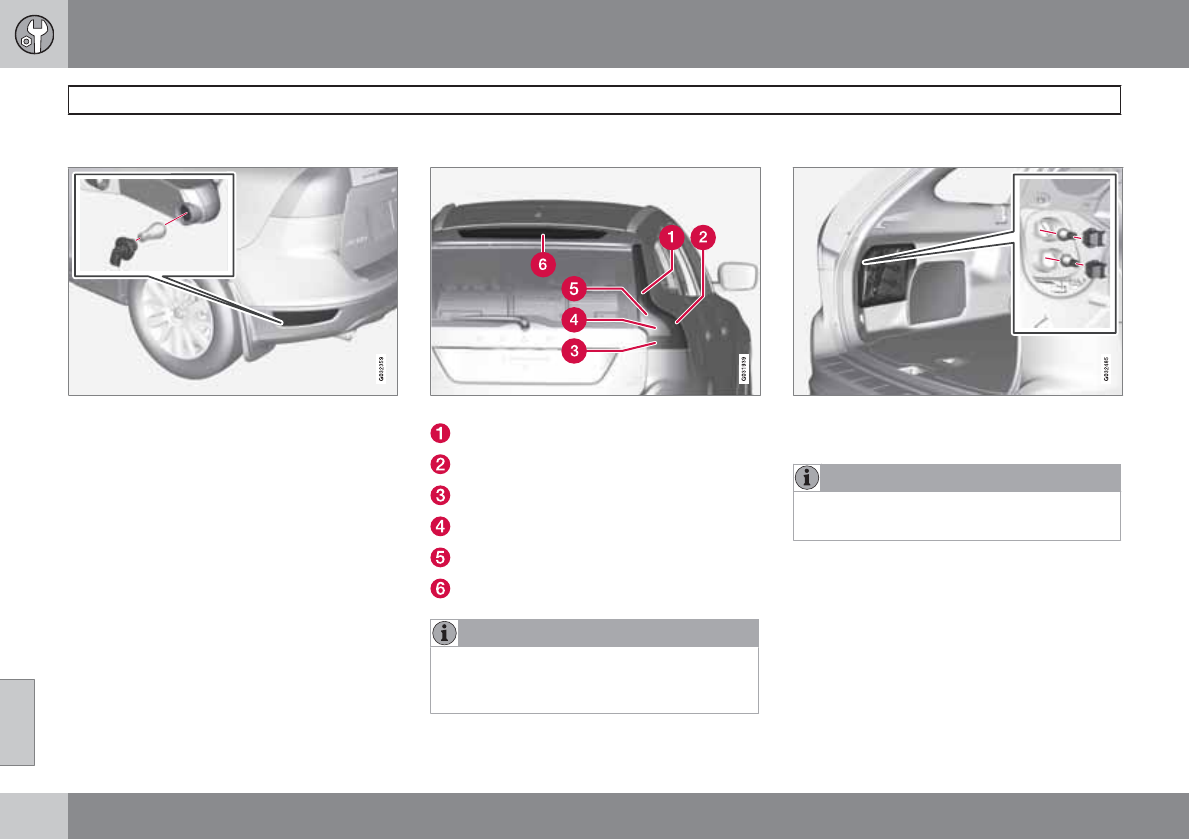
08 Maintenance and specifications
Replacing bulbs
08
312
Rear fog light
The rear fog light (located on the driver's side
of the vehicle) can be reached from behind the
bumper
1. Remove the bulb holder by turning it coun-
terclockwise.
2. Remove the burned out bulb by pressing it
in and turning it counterclockwise.
3. Insert a new bulb, press it in and turn it
clockwise.
4. Reinsert the bulb holder and turn it clock-
wise.
Location of taillight bulbs
Taillight lens, right side
Parking/side marker lights (LED)
Side reflector
Brake light
Backup light
Turn signal
Brake lights (LED)
NOTE
If an error message remains in the display
after a faulty bulb has been replaced, con-
tact an authorized Volvo workshop.
Brake lights and taillights
The brake lights and taillights are replaced from
inside the cargo area.
NOTE
Before starting to replace a bulb, see
page 308.
1. Open the panel.
2. Remove the bulb holder by turning it coun-
terclockwise.
3. Remove the burned out bulb by pressing it
in and turning it counterclockwise.
4. Insert a new bulb, press it in and turn it
clockwise.
5. Reinsert the bulb holder and turn it clock-
wise.
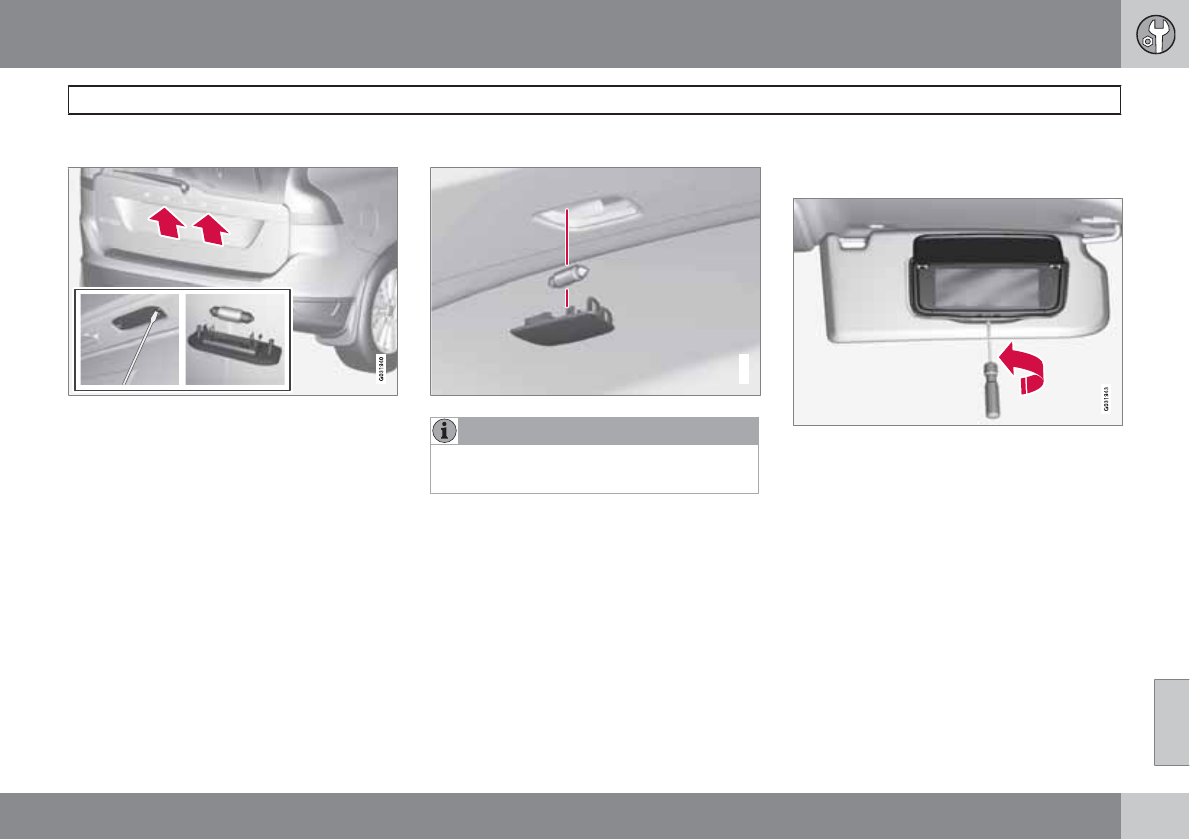
08 Maintenance and specifications
Replacing bulbs
08
``
313
License plate lighting
1. Remove the screws with a screwdriver.
2. Carefully detach the entire bulb housing
and pull it out.
3. Replace the bulb.
4. Reinsert the entire bulb housing and
tighten the screws.
Cargo area lighting
G031942
NOTE
Before starting to replace a bulb, see
page 308.
1. Insert a screwdriver and gently turn so that
the bulb housing comes loose.
2. Replace the bulb.
3. Check that the bulb illuminates and press
it back into the bulb housing.
Vanity mirror lighting
Removing the mirror glass
1. Insert a screwdriver underneath the lower
edge, in the center, turn and carefully pry
up the lug on the edge.
2. Carefully detach and lift out the entire mir-
ror glass.
3. Replace the bulb.
Reinstalling the mirror glass
1. Press the three lugs at top edge of the mir-
ror glass back into position.
2. Press the three lower lugs back into posi-
tion.
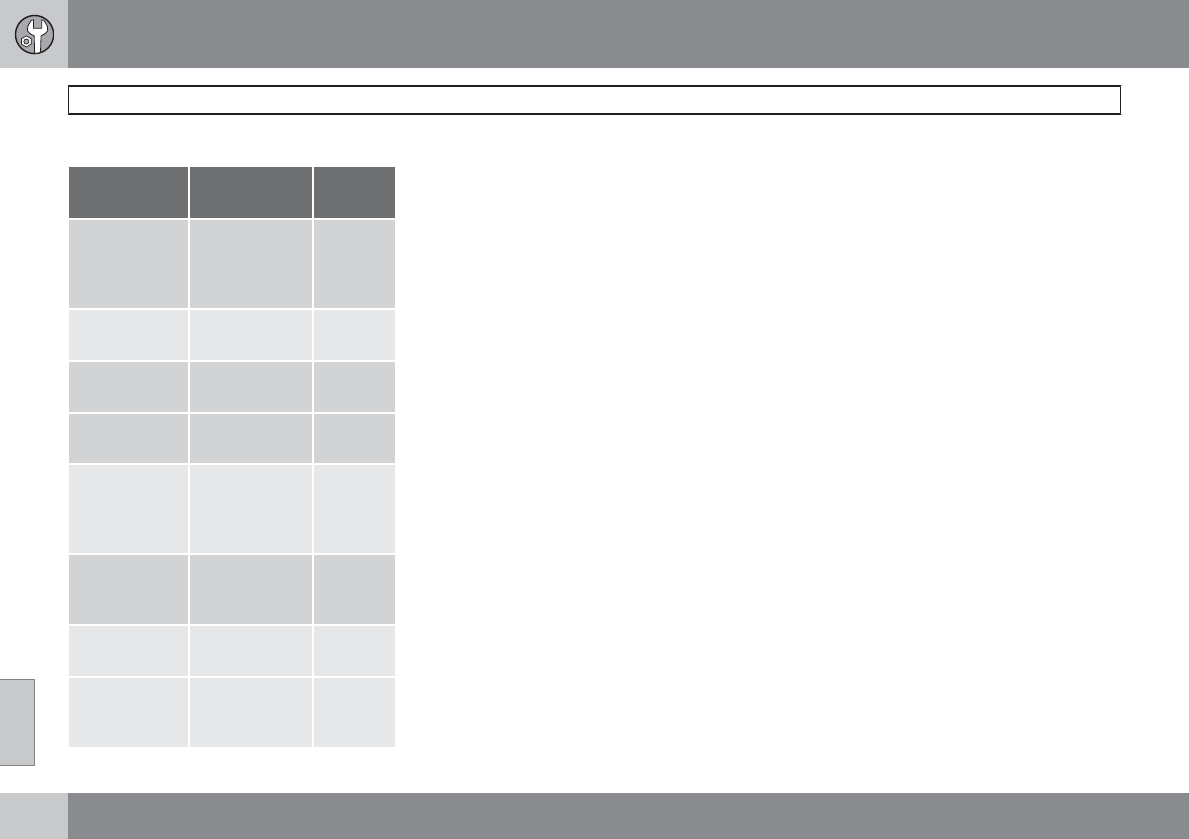
08 Maintenance and specifications
Replacing bulbs
08
314
Bulb specifications
Lighting
function
Wattage Bulb
Active Bend-
ing Lights
(extra high
beam)
65 H9
Low beam
(halogen)
55 H7
High beam
(halogen)
65 H9
Front turn sig-
nals
21 PY21W
Cargo area
lighting,
license plate
lighting
5 Festoon
bulb
SV5.5
Vanity mirror 1.2 Festoon
bulb
SV5.5
Front side
marker lights
5 W3W
Glove com-
partment
lighting
5 Festoon
bulb
SV8.5
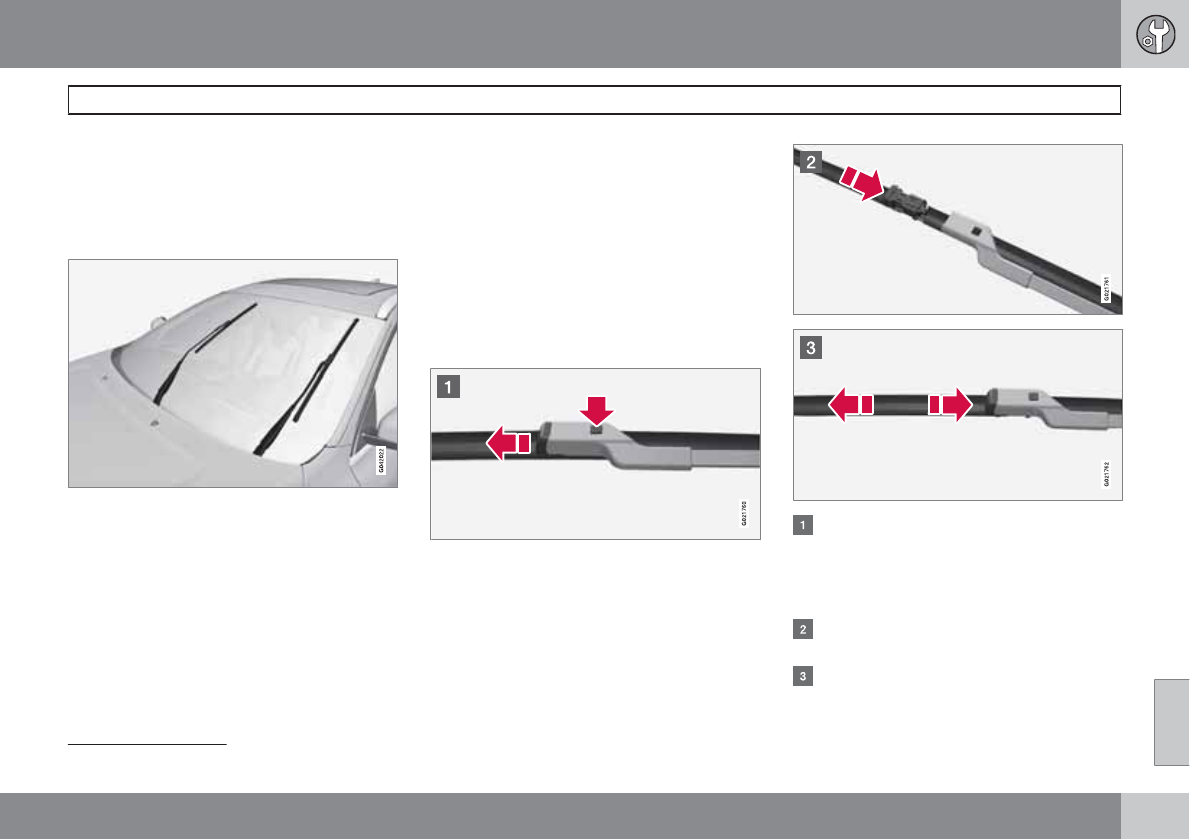
08 Maintenance and specifications
Wiper blades and washer fluid
08
``
315
Wiper blades
The windshield wiper blades are different
lengths. The blade on the driver’s side is longer
than the one on the passenger side.
Service position
Wiper blades in service position
The wiper blades must be in the vertical (serv-
ice) position for replacement, washing or to lift
them away from the windshield when e.g.,
removing ice or snow. To put them in this posi-
tion:
1. While sitting in the driver's seat, close the
driver's door.
2. Insert the remote key in the ignition slot1
3. Put the ignition in mode II (see page 81).
4. With the remote key in the ignition slot1, put
the ignition in mode 0.
5. Move the right steering wheel lever up and
hold it for at least 1 second. The wipers will
then move to the vertical (service) position
on the windshield.
The wipers can be returned to the normal posi-
tion by briefly switching on the ignition (or by
starting the engine).
Replacing the windshield wiper blades
With the wipers in the service position, fold
out the wiper arm from the windshield.
Press the button on the wiper blade attach-
ment and pull the wiper blade straight out,
parallel with the wiper arm.
Slide in the new wiper blade until it clicks
into place.
Check that the blade is securely in place.
1Not necessary on vehicles with the optional keyless drive.
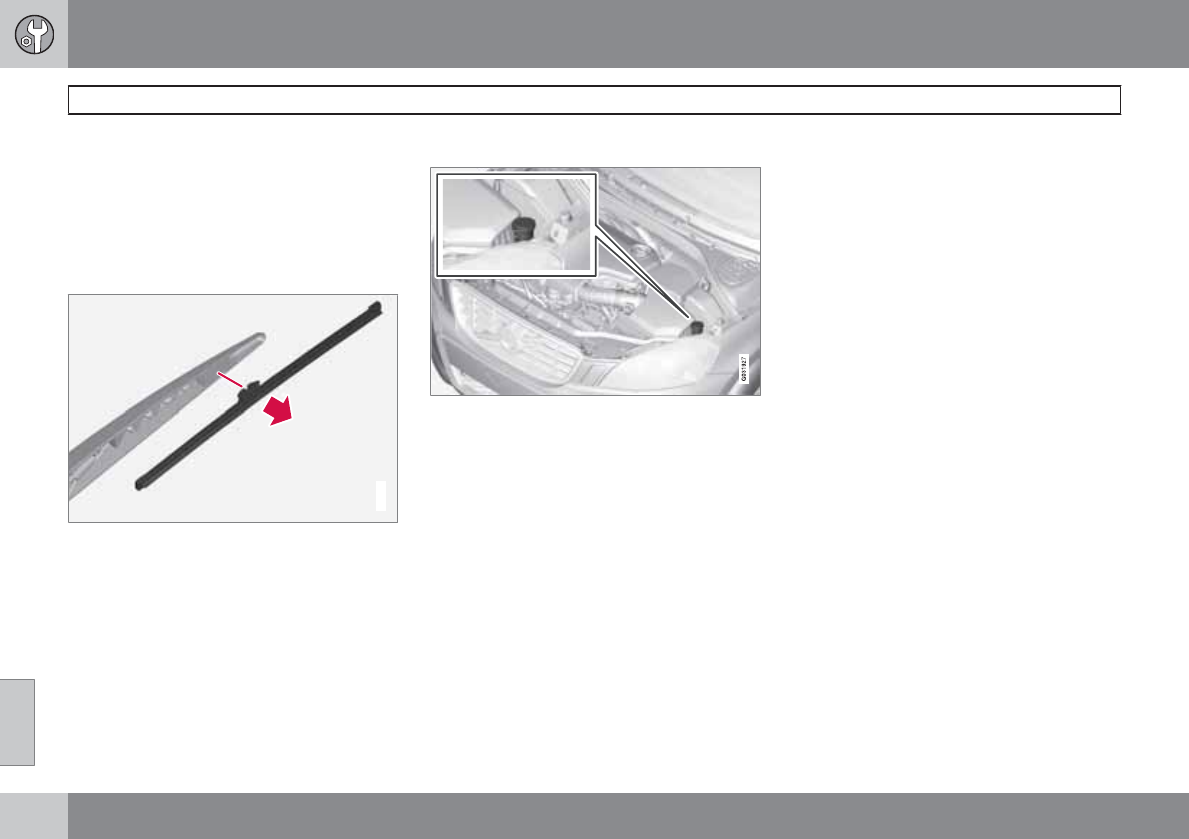
08 Maintenance and specifications
Wiper blades and washer fluid
08
316
Cleaning
Keeping the windshield and wiper blades clean
helps improve visibility and prolongs the serv-
ice life of the wiper blades. Clean the wiper
blades with a stiff-bristle brush and lukewarm
soap solution or car washing detergent.
Replacing the tailgate wiper blade
G032770
1. Fold the wiper arm outward.
2. Grasp the inner section of wiper blade (at
the arrow).
3. Pull out the blade to release it from the
wiper arm.
4. Press the new wiper blade into place and
check that it seats securely.
5. Fold the wiper arm back toward the tailgate
window.
Filling washer fluid
Location of the washer fluid reservoir
The windshield and headlight washers share a
common reservoir.
The washer fluid reservoir is located on the
driver's side of the engine compartment. Dur-
ing cold weather, the reservoir should be filled
with windshield washer solvent containing
antifreeze. For capacities, see page 343.
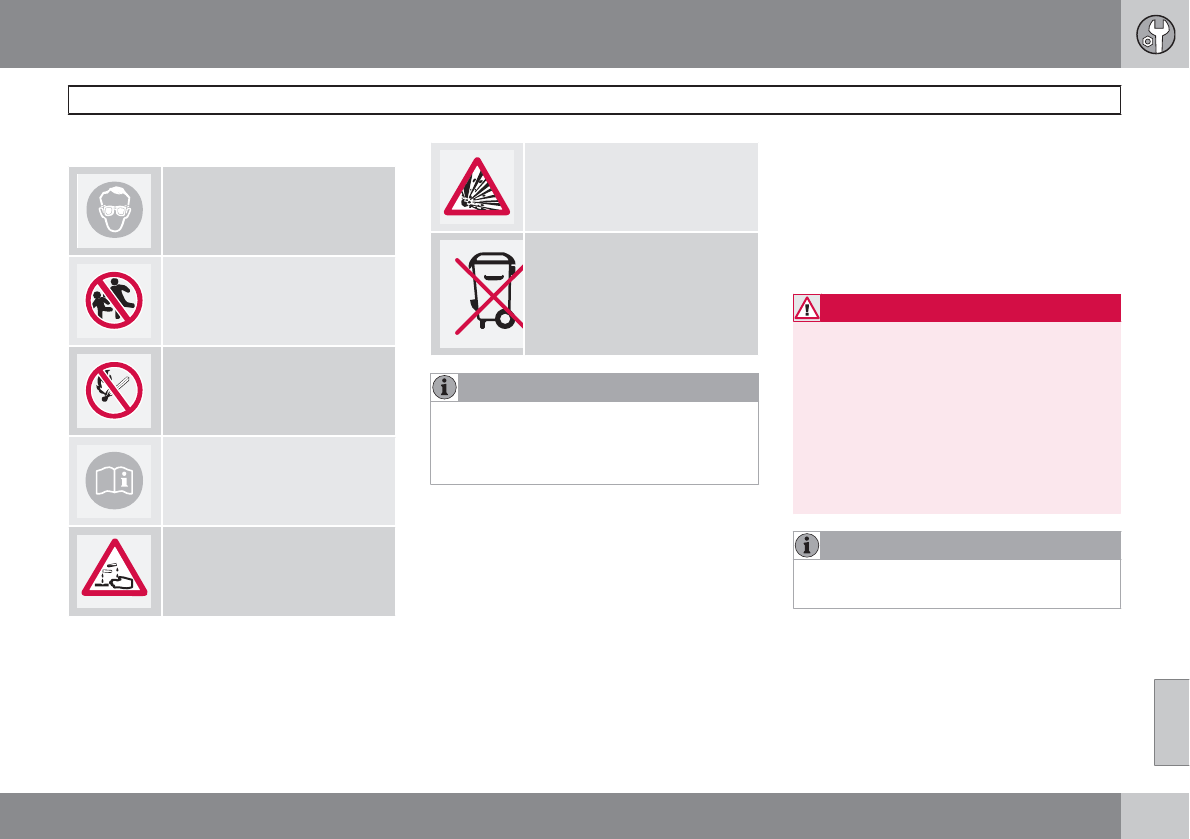
08 Maintenance and specifications
Battery
08
``
317
Warning symbols on the battery
Wear protective goggles.
Keep away from children.
Avoid smoking, open flames,
and/or sparks.
See the owner's manual.
Contains corrosive acid.
Risk of explosion
Recycle properly
NOTE
A used battery should be disposed of in an
environmentally responsible manner. Con-
sult your Volvo retailer or take the battery to
a recycling station.
Handling
•Check that the battery cables are correctly
connected and tightened.
•Never disconnect the battery when the
engine is running (for example, when
replacing the battery).
•If the battery is fully discharged a number
of times, this may shorten its service life.
•The service life of a battery is affected by
factors such as driving conditions and cli-
mate. Extreme cold may also further
decrease the battery’s starting capacity.
•Because the battery’s starting capacity
decreases with time, it may be necessary
to recharge it if the vehicle is not driven for
an extended period of time or if the vehicle
is usually only driven short distances.
•Never use a quick charger to charge the
battery.
WARNING
•Never expose the battery to open flame
or electric spark.
•Do not smoke near the battery.
•Battery fluid contains sulfuric acid. Do
not allow battery fluid to contact eyes,
skin, fabrics or painted surfaces. If con-
tact occurs, flush the affected area
immediately with water. Obtain medical
help immediately if eyes are affected.
NOTE
The life of the battery is shortened if it
becomes discharged repeatedly.
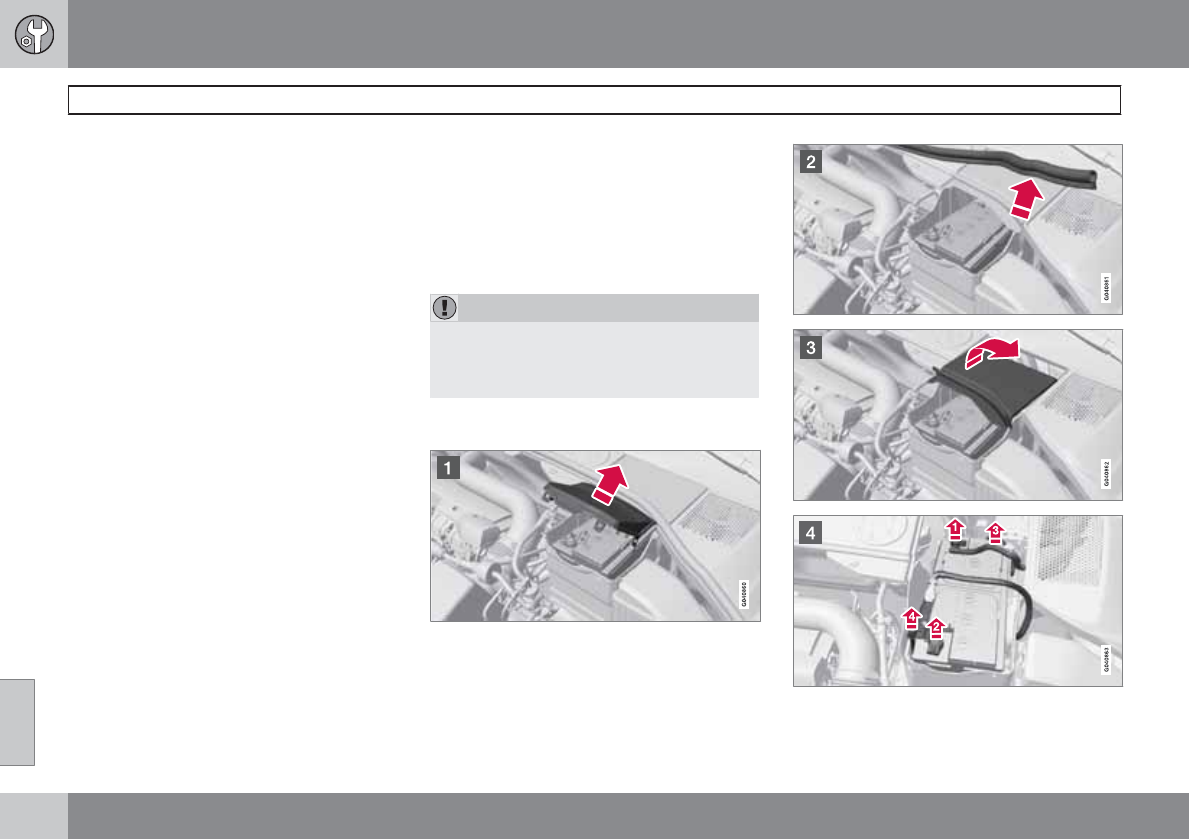
08 Maintenance and specifications
Battery
08
318
Maintenance
•Use a screw driver to open the caps or
cover and a flashlight to inspect the level.
•If necessary, add distilled water. The level
should never be above the indicator.
•The fluid level should be checked if the
battery has been recharged.
•After inspection, be sure the cap over each
battery cell or the cover is securely in
place.
•Check that the battery cables are correctly
connected and properly tightened.
•Never disconnect the battery when the
engine is running, or when the key is in the
ignition. This could damage the vehicle's
electrical system.
•The battery should be disconnected from
the vehicle when a battery charger is used
directly on the battery.
•To help keep the battery in good condition,
the vehicle should be driven for at least 15
minutes a week or connected to a charger
with an automatic charging function.
•If the battery is fully discharged a number
of times, this may shorten its service life.
Keeping the battery fully charged helps
prolong its service life.
•The service life of a battery is affected by
factors such as driving conditions and cli-
mate. Extreme cold may also further
decrease the battery’s starting capacity.
•Because the battery’s starting capacity
decreases with time, it may be necessary
to recharge it if the vehicle is not driven for
an extended period of time or if the vehicle
is usually only driven short distances.
CAUTION
•Always use distilled or deionized water
(battery water).
•Never fill above the level mark in the cell.
Changing
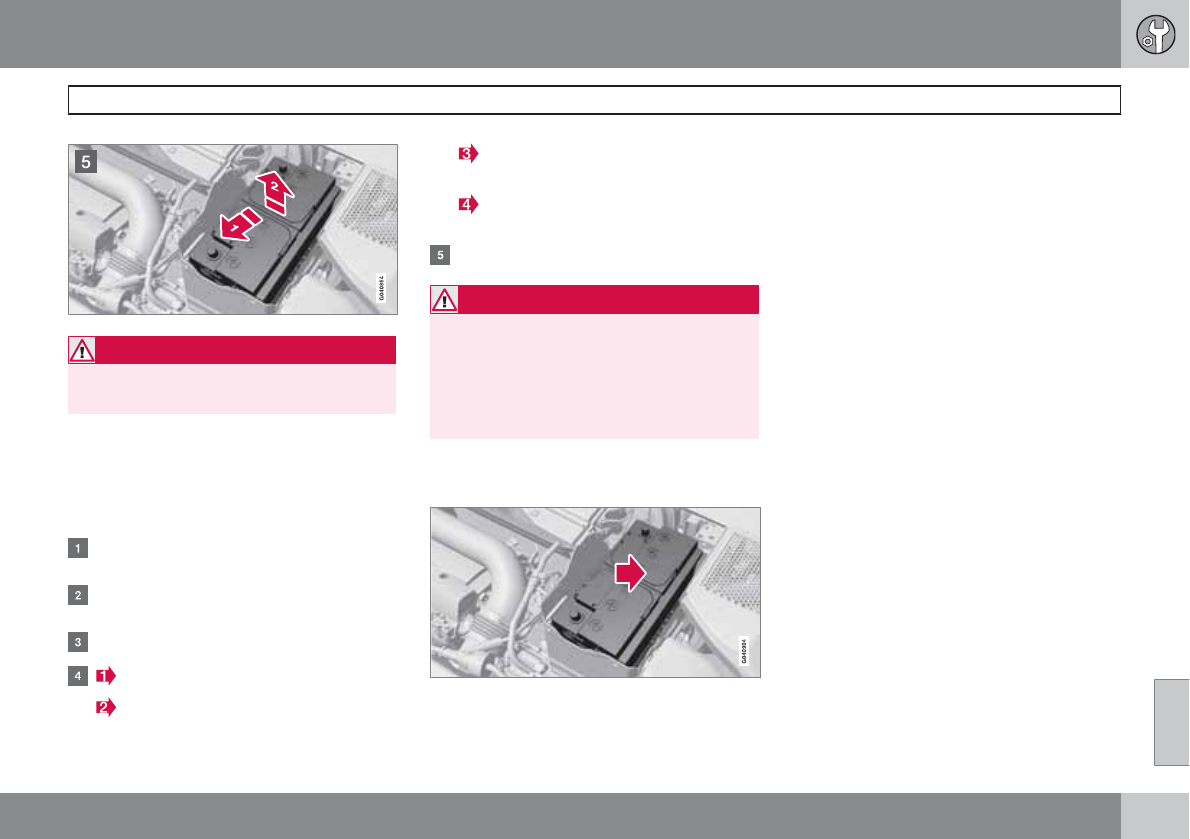
08 Maintenance and specifications
Battery
08
319
WARNING
Connect and disconnect the positive and
negative cables in the correct sequence.
Removal
Switch off the ignition and wait at least
5 minutes before disconnecting the battery so
that all information in the vehicle's electrical
system can be stored in the control modules.
Open the clips on the front cover and
remove the cover.
Release the rubber moulding so that the
rear cover is free.
Remove the rear cover by pulling it away.
Detach the black negative cable.
Detach the red positive cable
Detach the ventilation hose from the
battery
Loosen the screw holding the battery
clamp.
Move the battery to the side and lift it up.
WARNING
PROPOSITION 65 WARNING!
Battery posts, terminals, and related acces-
sories contain lead and lead compounds,
chemicals known to the state of California
to cause cancer and reproductive harm.
Wash hands after handling.
Installation
1. Lower the battery into the battery box.
2. Move the battery inward and to the side
until it reaches the rear edge of the box.
3. Screw in the battery with the screw in the
clamp.
4. Connect the ventilation hose.
5. Connect the red positive cable.
6. Connect the black negative cable.
7. Press in the rear cover. (See Removal).
8. Reinstall the cold section moulding. (See
Removal).
9. Reinstall the front cover and secure it with
the clips. (See Removal).
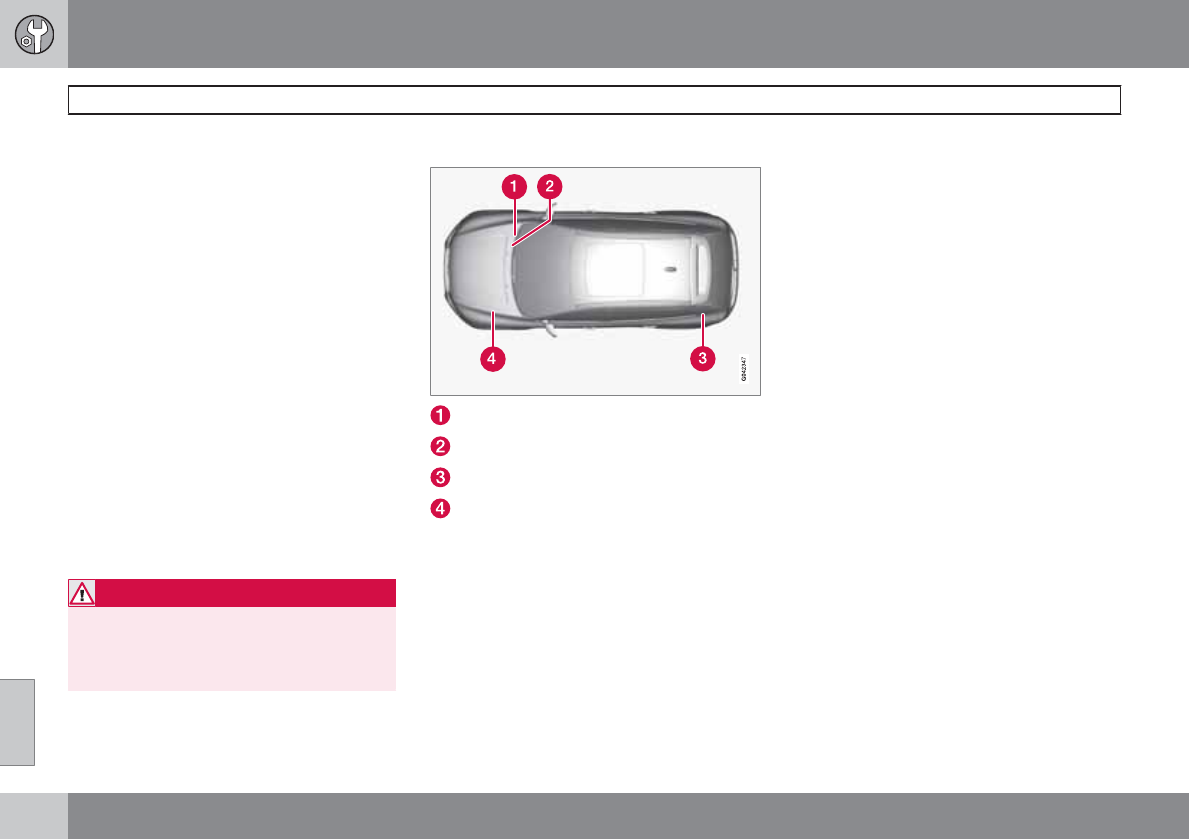
08 Maintenance and specifications
Fuses
08
320
Replacing fuses
There are relay/fuse boxes located in the
engine compartment, the passenger compart-
ment, and the cargo area.
If an electrical component fails to function, this
may be due to a blown fuse. The easiest way
to see if a fuse is blown is to remove it.
To do so:
1. Pull the fuse straight out. If a fuse is difficult
to remove, a special fuse removal tool is
located on the inside of the engine com-
partment fuse box cover.
2. From the side, examine the curved metal
wire in the fuse to see if it is intact.
If the wire is broken, insert a new fuse of the
same color and amperage (written on the fuse).
If fuses burn out repeatedly, have the electrical
system inspected by a trained and qualified
Volvo service technician.
WARNING
Never use metal objects or fuses with higher
amperage than those stated on the follow-
ing pages. Doing so could seriously damage
or overload the vehicle's electrical system.
Location of the fuse boxes
Under the glove compartment
Under the glove compartment
Cargo area
Engine compartment
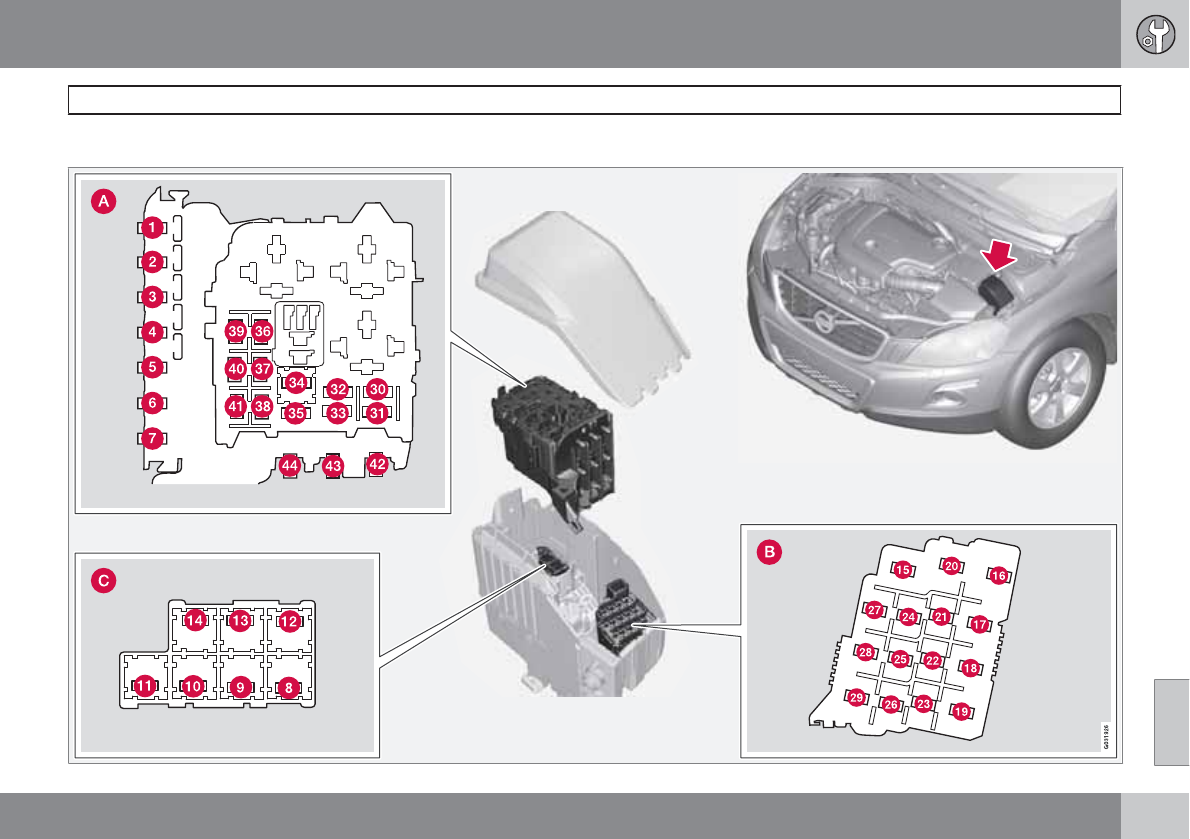
08 Maintenance and specifications
Fuses
08
``
321
Engine compartment
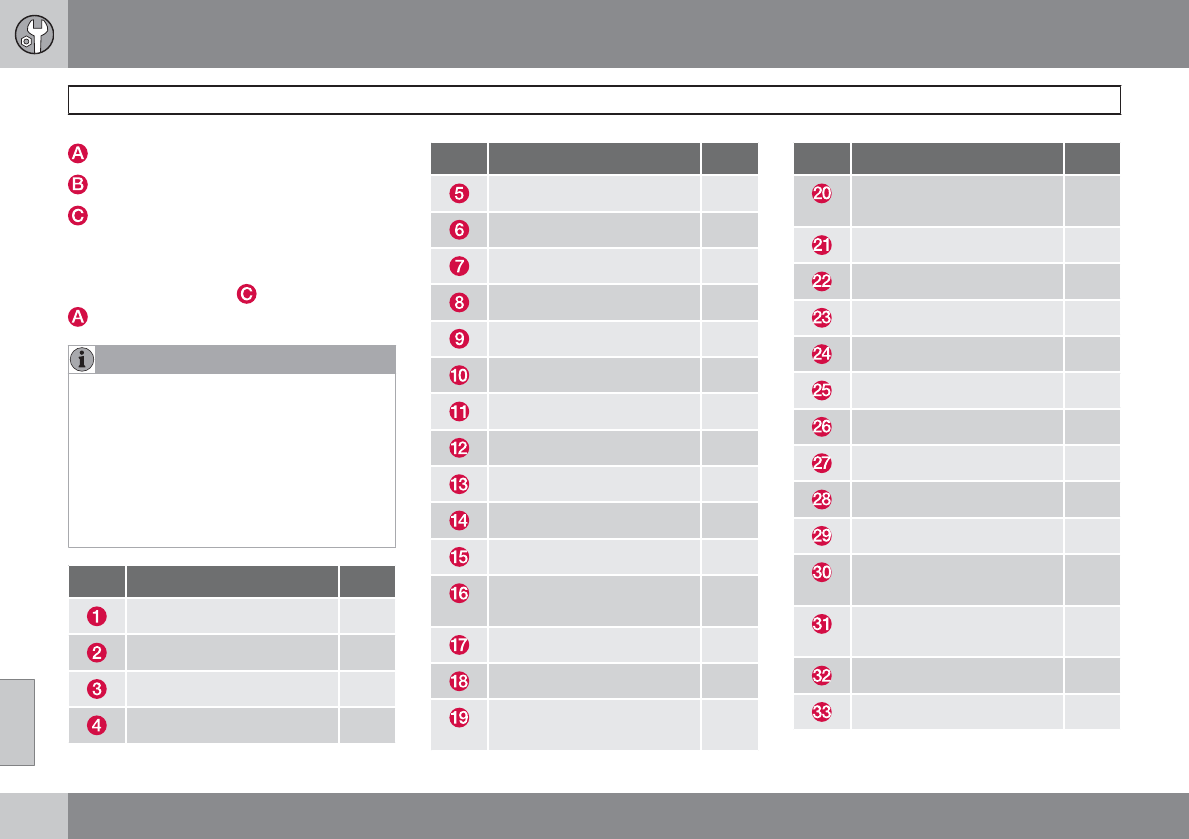
08 Maintenance and specifications
Fuses
08
322 * Option/accessory, for more information, see Introduction.
Engine compartment, upper
Engine compartment, front
Engine compartment, lower
Positions
These fuses are all located in the engine com-
partment box. Fuses in are located under
.
NOTE
•Fuses 16 – 33 and 35 – 41 may be
changed at any time when necessary.
•Fuses 1 – 15, 34 and 42 – 44 are relays/
circuit breakers and should only be
removed or replaced by a trained and
qualified Volvo service technician.
•There is a special fuse removal tool on
the underside of the cover.
Pos Function A
Circuit breaker 50
Circuit breaker 50
Circuit breaker 60
Circuit breaker 60
Pos Function A
Circuit breaker 60
–
–
Headlight washers* 20
Windshield wipers 30
–
Climate system blower 40
–
ABS pump 40
ABS valves 20
–
Active Bending Lights-
headlight leveling*
10
Central electrical module 20
ABS 15 feed 5
Speed-dependent steering
force*
5
Pos Function A
Engine Control Module
(ECM), transmission, SRS
10
Heated washer nozzles* 10
Vacuum pump I5T 5
Lighting panel 5
-
-
-
Engine compartment box 5
Auxiliary lights* 20
Horn 15
Engine Control Module
(ECM)
10
Control module, automatic
transmission
15
Compressor A/C 15
Relay coils 5
08 Maintenance and specifications
Fuses
08
``
323
Pos Function A
Starter motor relay 30
Ignition coils 20
Engine Control Module
(ECM), throttle
10
Injection system 15
Engine valves 10
EVAP/heated oxygen sen-
sor/Injection
15
Crank case ventilation
heater
20
Fuel leakage detection 5
–
Cooling fan 80
Electro-hydraulic power
steering
100
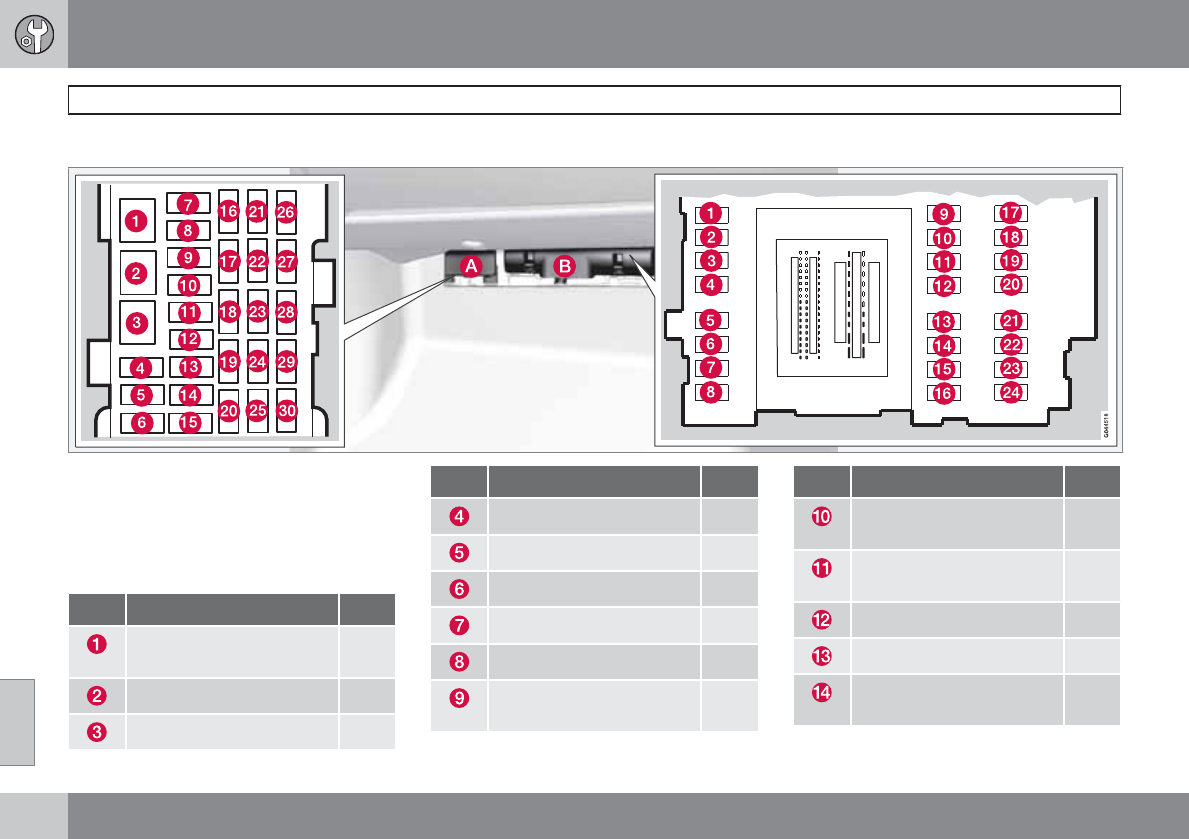
08 Maintenance and specifications
Fuses
08
324 * Option/accessory, for more information, see Introduction.
Under the glove compartment
Fold aside the upholstery covering the fuse
boxes.
1. Press the cover's lock and fold it up.
2. The fuses are accessible.
Positions-fuse box A
Pos Function A
Circuit breaker - audio sys-
tem, subwoofer*
40
-
-
Pos Function A
-
-
-
12-volt socket (cargo area) 15
Controls in driver's door 20
Controls in front passeng-
er's door
20
Pos Function A
Controls in right rear pas-
senger's door
20
Controls in left rear pas-
senger's door
20
Keyless drive* 20
Power driver's seat* 20
Power front passenger's
seat*
20
08 Maintenance and specifications
Fuses
08
``
* Option/accessory, for more information, see Introduction. 325
Pos Function A
Folding rear seat head
restraints*
15
-
Audio system, Navigation
system display*
10
Audio system 15
Bluetooth hands-free sys-
tem
5
-
Laminated panoramic roof*
Courtesy lighting
Climate system sensor
5
12-volt sockets 15
Heated front passenger's
seat*
15
Heated driver's seat* 15
-
Heated rear passenger's
seat (right)*
15
Pos Function A
Heated rear passenger's
seat (left)*
15
Park assist*, Volvo Naviga-
tion System*, Park assist
camera*
5
All Wheel Drive* control
module
5
Active chassis system* 10
Positions-fuse box B
Pos Function A
Tailgate wiper 15
-
Front courtesy lighting,
power seat(s)*
7.5
Instrument panel informa-
tion display
5
Adaptive cruise control/
collision warning*
10
Courtesy lighting, rain sen-
sor*
7.5
Pos Function A
Steering wheel module 7.5
Cental locking: fuel filler
door/trunk lid
10
Tailgate window washer 15
Windshield washer 15
Tailgate unlock 10
Tailgate lock 10
Fuel pump 20
Remote key receiver, Alarm
movement sensor*, Climate
system
5
-
Alarm, On-board diagnos-
tic system
5
-
Airbag system, Occupant
weight system
10
Adaptive cruise control
front radar*
5
08 Maintenance and specifications
Fuses
08
326 * Option/accessory, for more information, see Introduction.
Pos Function A
Accelerator pedal, Power
door mirrors, Heated rear
seats*
7.5
-
Brake lights 5
Laminated panoramic roof* 20
Immobilizer 5
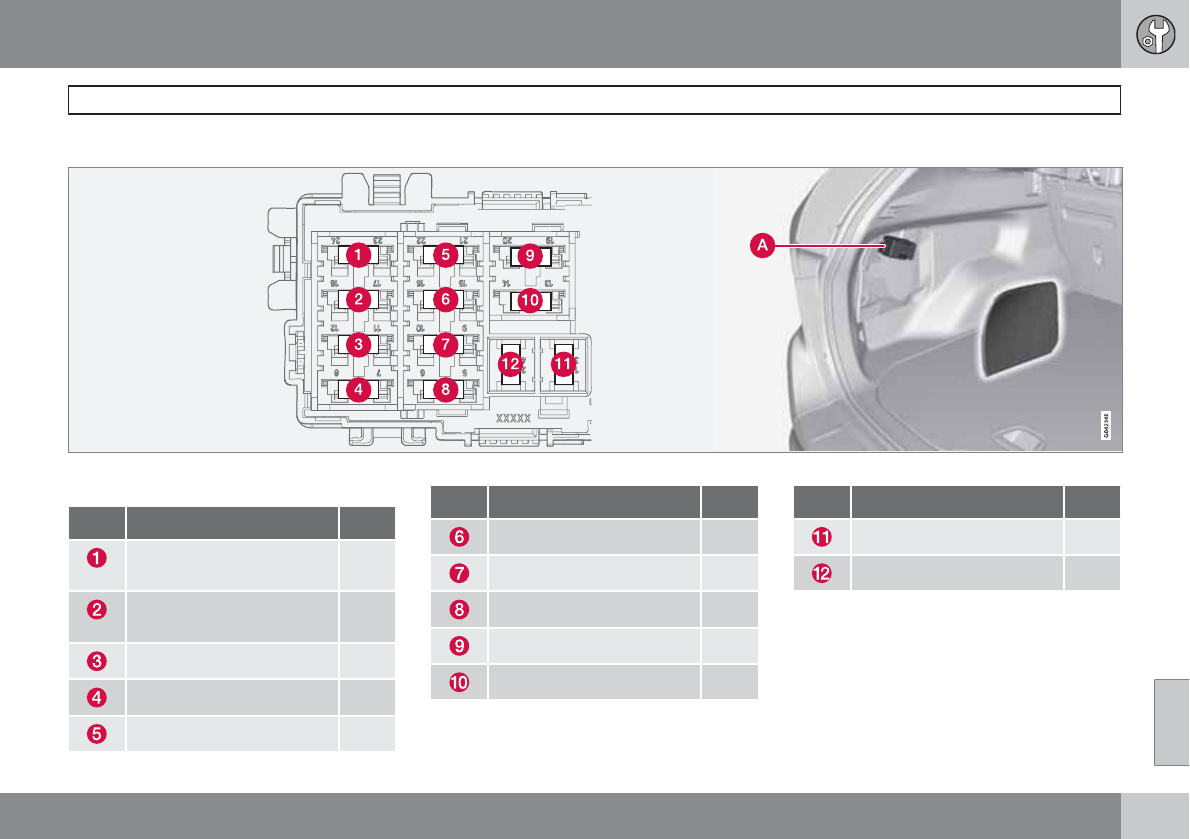
08 Maintenance and specifications
Fuses
08
* Option/accessory, for more information, see Introduction. 327
Cargo area
Located behind the upholstery on the left side of the cargo area
Positions
Pos Rear fuse box A
Electric parking brake (left
side)
30
Electric parking brake (right
side)
30
Heated rear window 30
Trailer socket 2* 15
Power tailgate* 30
Pos Rear fuse box A
-
-
-
-
-
Pos Rear fuse box A
Trailer socket 1* 40
-
08 Maintenance and specifications
Vehicle care
08
328
Washing the car
The following points should be kept in mind
when washing and cleaning the car:
•The car should be washed at regular inter-
vals since dirt, dust, insects and tar spots
adhere to the paint and may cause dam-
age. To help prevent corrosion, it is partic-
ularly important to wash the car frequently
in the wintertime.
•Avoid washing your car in direct sunlight.
Doing so may cause detergents and wax
to dry out and become abrasive. To avoid
scratching, use lukewarm water to soften
the dirt before you wash with a soft
sponge, and plenty of sudsy water.
•Bird droppings: Remove from paintwork
as soon as possible. Otherwise the finish
may be permanently damaged.
•A detergent can be used to facilitate the
softening of dirt and oil.
•Dry the car with a clean chamois and
remember to clean the drain holes in the
doors and rocker panels.
•Tar spots can be removed with tar remover
after the car has been washed.
•A stiff-bristle brush and lukewarm soapy
water can be used to clean the wiper
blades. Frequent cleaning of the wind-
shield and wiper blades improves visibility
considerably and also helps prolong the
service life of the wiper blades.
•Wash off the dirt from the underside (wheel
housings, fenders, etc).
•In areas of high industrial fallout, more fre-
quent washing is recommended.
NOTE
When washing the car, remember to remove
dirt from the drain holes in the doors and
sills.
CAUTION
•During high pressure washing, the
spray mouthpiece must never be closer
to the vehicle than 13" (30 cm). Do not
spray into the locks.
•Dirt, snow, etc., on the headlights can
reduce lighting capacity considerably.
Clean the headlights regularly, for
example when refueling.
Special laminated panoramic roof cau-
tions:
•Always close the laminated panoramic
roof and sun shade before washing your
vehicle.
•Never use abrasive cleaning agents on
the laminated panoramic roof.
•Never use wax on the rubber seals
around the laminated panoramic roof.
Exterior components
Volvo recommends the use of special cleaning
products, available at your Volvo retailer, for
cleaning colored plastic, rubber, or ornamental
components such as chromed strips on the
exterior of your vehicle. The instructions for
using these products should be followed care-
fully. Solvents or stain removers should not be
used.
08 Maintenance and specifications
Vehicle care
08
``
329
CAUTION
•Avoid waxing or polishing plastic or rub-
ber components
•Polishing chromed strips can wear
away or damage the surface
•Polishes containing abrasive sub-
stances should not be used
Automatic car wash
•We do NOT recommend washing your car
in an automatic wash during the first few
months (because the paint will not have
hardened sufficiently).
•An automatic wash is a simple and quick
way to clean your car, but it is worth
remembering that it may not be as thor-
ough as when you yourself go over the car
with sponge and water. Keeping the under-
body clean is most important, especially in
the winter. Some automatic washers do
not have facilities for washing the under-
body.
CAUTION
•Before driving into an automatic car
wash, turn off the optional rain sensor to
avoid damaging the windshield wipers.
•Make sure that side view mirrors, auxil-
iary lamps, etc, are secure, and that any
antenna(s) are retracted or removed.
Otherwise there is risk of the machine
dislodging them.
•Chromed wheels: Clean chrome-
plated wheels using the same deter-
gents used for the body of the vehicle.
Aggressive wheel-cleaning agents can
permanently stain chrome-plated
wheels.
WARNING
•When the vehicle is driven immediately
after being washed, apply the brakes,
including the parking brake, several
times in order to remove any moisture
from the brake linings.
•Engine cleaning agents should not be
used when the engine is warm. This
constitutes a fire risk.
Exterior lighting
Condensation may form temporarily on the
inside of the lenses of exterior lights such as
headlights, fog lights, or taillights. This is nor-
mal and the lights are designed to withstand
moisture. Normally, condensation will dissi-
pate after the lights have been on for a short
time.
Polishing and waxing
•Normally, polishing is not required during
the first year after delivery, however, wax-
ing may be beneficial.
•Before applying polish or wax the vehicle
must be washed and dried. Tar spots can
be removed with kerosene or tar remover.
Difficult spots may require a fine rubbing
compound.
•After polishing use liquid or paste wax.
•Several commercially available products
contain both polish and wax.
•Waxing alone does not substitute for pol-
ishing a dull surface.
•A wide range of polymer-based waxes can
be purchased today. These waxes are easy
to use and produce a long-lasting, high-
gloss finish that protects the bodywork
against oxidation, road dirt and fading.
•Do not polish or wax your vehicle in direct
sunlight (the surface of the vehicle should
not be warmer than 113 °F (45 °C).
08 Maintenance and specifications
Vehicle care
08
330
CAUTION
Volvo does not recommend the use of long-
life or durable paint protection coatings,
some of which may claim to prevent pitting,
fading, oxidation, etc. These coatings have
not been tested by Volvo for compatibility
with your vehicle's clear coat. Some of them
may cause the clear coat to soften, crack,
or cloud. Damage caused by application of
paint protection coatings may not be cov-
ered under your vehicle's paint warranty.
Cleaning the interior
Only use cleaning agents and car care prod-
ucts recommended by Volvo. Clean regularly
and follow the instructions included with the
car care product.
Upholstery care
Fabric
Clean with soapy water or a detergent. For
more difficult spots caused by oil, ice cream,
shoe polish, grease, etc., use a clothing/fabric
stain remover. Consult your Volvo retailer.
Alcantera
TM
suede-like material
Suede-like upholstery can be cleaned with a
soft cloth and mild soap solution.
Leather care
Volvo's leather upholstery is manufactured
with a protectant to repel soiling. Over time,
sunlight, grease and dirt can break down the
protection. Staining, cracking, scuffing, and
fading can result.
Volvo offers an easy-to-use, non-greasy
leather care kit formulated to clean and beau-
tify your vehicle's leather, and to renew the
protective qualities of its finish. The cleaner
removes dirt and oil buildup. The light cream
protectant restores a barrier against soil and
sunlight.
Volvo also offers a special leather softener that
should be applied after the cleaner and pro-
tectant. It leaves leather soft and smooth, and
reduces friction between leather and other fin-
ishes in the vehicle.
Volvo recommends cleaning, protecting and
conditioning your vehicle's leather two to four
times a year. Ask your Volvo retailer about
Leather Care Kit 951 0251 and Leather Soft-
ener 943 7429.
Cleaning leather upholstery
1. Pour leather cleaner on a damp sponge
and squeeze it until the cleaner foams.
2. Apply the foam to the stain by moving the
sponge with circular movements.
3. Dampen the stain thoroughly with the
sponge. Let the sponge absorb the stain,
do not rub.
4. Dry the stain with soft paper towels or a
towel, and allow the leather to dry com-
pletely.
Protecting leather upholstery
1. Put a small amount of protectant cream on
a cloth and apply a thin coating of cream
to the upholstery with light circular move-
ments.
2. Allow the leather to dry for 20 minutes.
This will help the leather resist staining and
protect against sunlight's harmful UV rays.
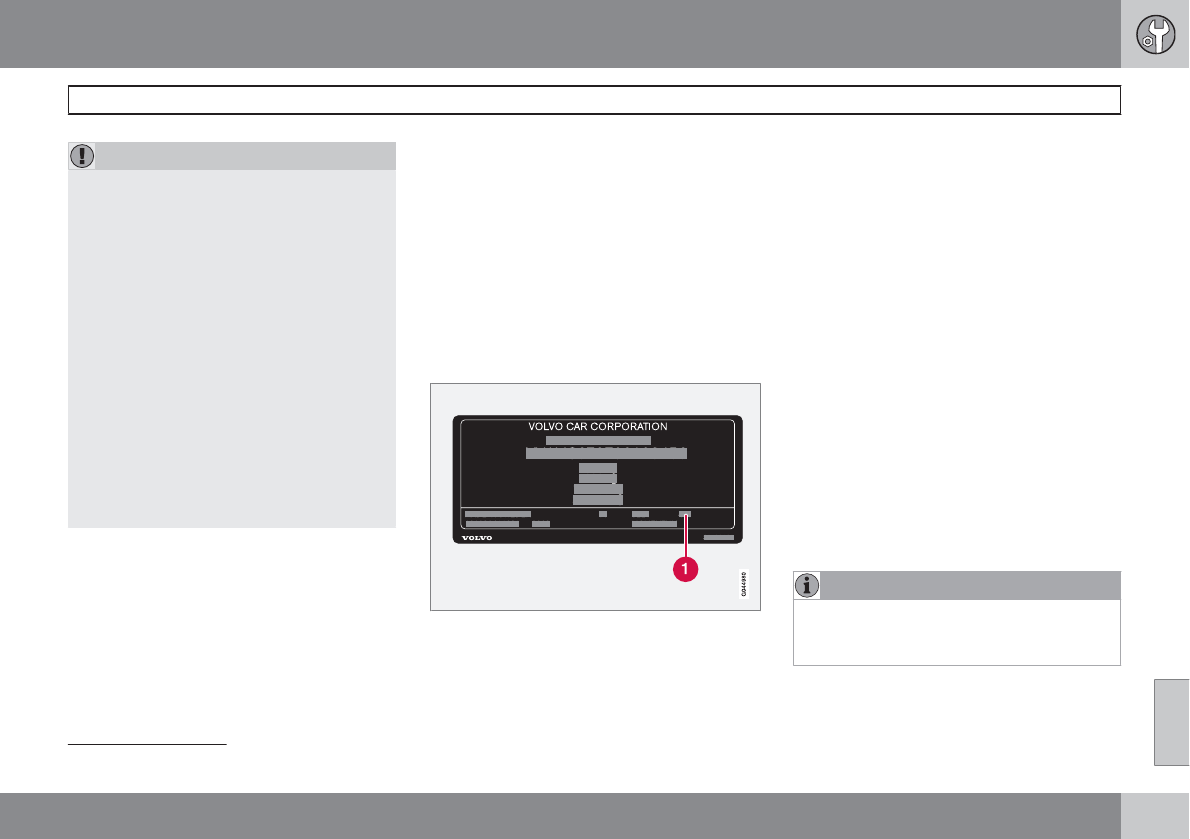
08 Maintenance and specifications
Vehicle care
08
``
331
CAUTION
•Under no circumstances should gaso-
line, naphtha or similar cleaning agents
be used on the plastic or the leather
since these can cause damage.
•Take extra care when removing stains
such as ink or lipstick since the coloring
can spread.
•Use solvents sparingly. Too much sol-
vent can damage the seat padding.
•Start from the outside of the stain and
work toward the center.
•Sharp objects (e.g. pencils or pens in a
pocket) or Velcro fasteners on clothing
may damage the textile upholstery.
•Clothing that is not colorfast, such as
new jeans or suede garments, may stain
the upholstery.
Cleaning the seat belts
Clean only with lukewarm water and a mild
soap solution.
Cleaning floor mats
The floor mats should be vacuumed or brushed
clean regularly, especially during winter when
they should be taken out for drying. Spots on
textile mats can be removed with a mild deter-
gent. For best protection in winter, Volvo rec-
ommends the use of Volvo rubber floor mats.
Consult your Volvo retailer.
Spots on interior plastic, metal, or wood
surfaces
Cleaning interior plastic components should
be done with a cleaning agent specially
designed for this purpose. Consult your Volvo
retailer.
Touching up paintwork
Paint code on the model plate1
Paint damage requires immediate attention to
avoid rusting. Make it a habit to check the finish
regularly, for instance washing the vehicle.
Touch-up if necessary.
Paint repairs require special equipment and
skill. Contact your Volvo retailer for any exten-
sive damage.
Minor scratches can be repaired by using
Volvo touch-up paint.
Color code
Make sure you have the right color. The color
code number is stated on the model plate.
Minor stone chips and scratches
Material:
•Primer – can
•Paint – touch-up pen
•Brush
•Masking tape
If the stone chip has not gone down to the bare
metal and an undamaged color coat remains,
you can add paint immediately after removing
dirt.
NOTE
When touching up the vehicle, it should be
clean and dry. The surface temperature
should be above 60 °F (15 °C).
1see page 336 for the location of the model plate.
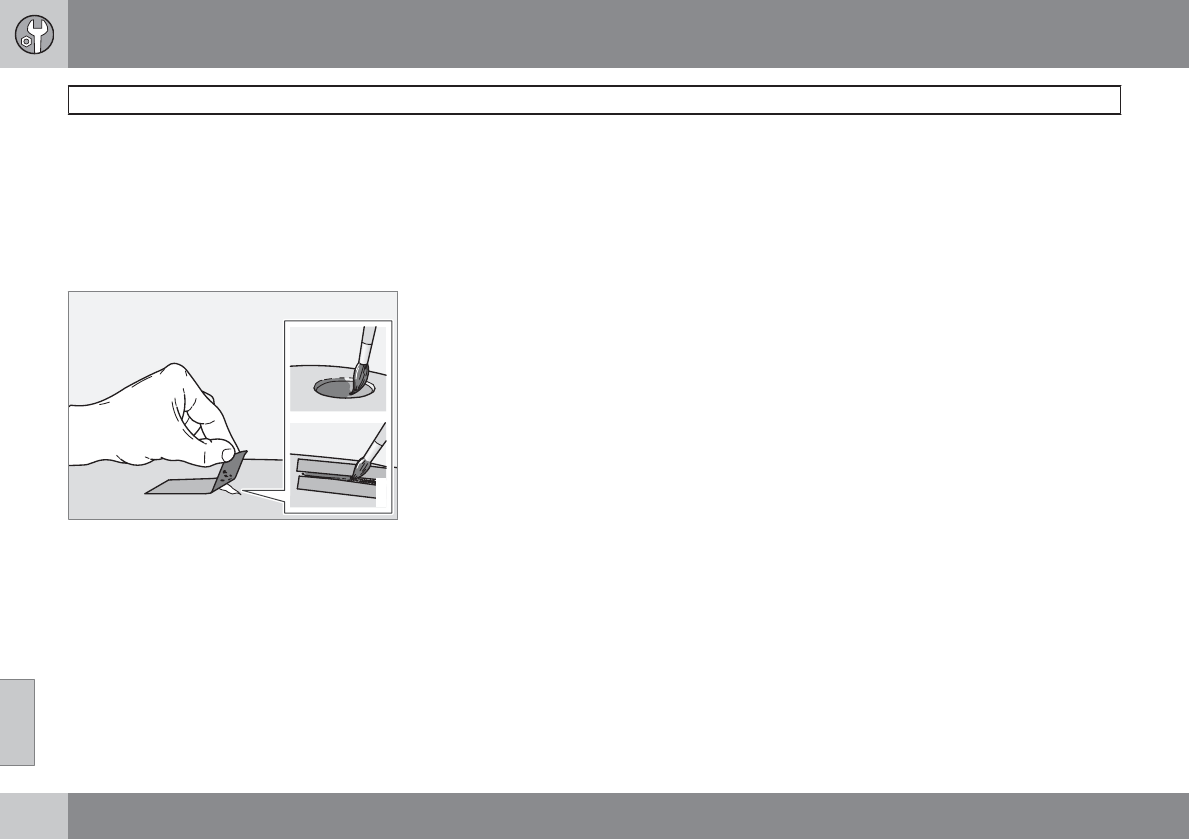
08 Maintenance and specifications
Vehicle care
08
332
Minor scratches on the surface
If the stone chip has not penetrated down to
the metal and an undamaged layer of paint
remains, the touch-up paint can be applied as
soon as the spot has been cleaned.
Repairing stone chips
G021832
1. Place a strip of masking tape over the dam-
aged surface. Pull the tape off so that any
loose flakes of paint adhere to it.
2. Thoroughly mix the primer and apply it with
a small brush.
3. When the primer surface is dry, the paint
can be applied using a brush. Mix the paint
thoroughly; apply several thin paint coats
and let dry after each application.
4. If there is a longer scratch, you may want
to protect surrounding paint by masking it
off
5. After a few days, polish the touched-up
areas. Use a soft rag and a small amount
of polish.
08 Maintenance and specifications
08
333

334
Label information.................................................................................. 336
Specifications........................................................................................ 338
Overview of information and warning symbols..................................... 345
Volvo programs..................................................................................... 348
SPECIFICATIONS
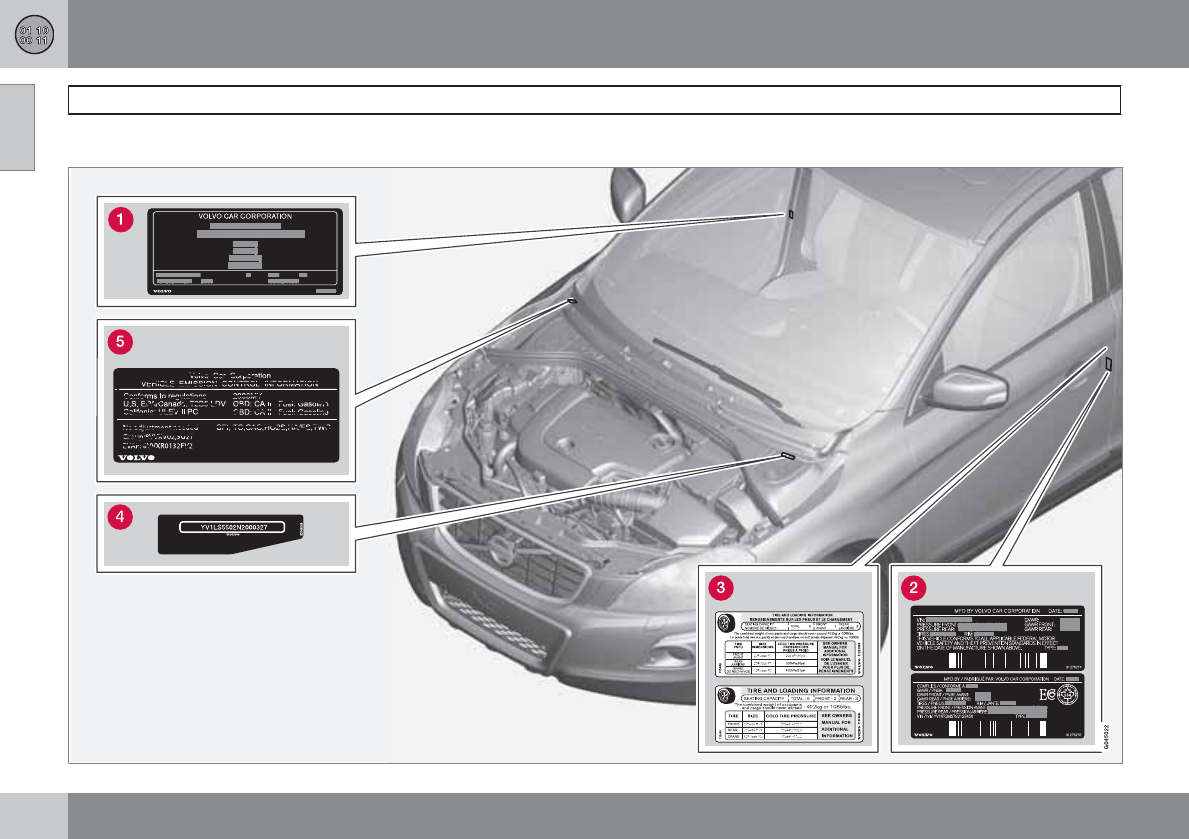
09 Specifications
Label information
09
336
Location of labels
09 Specifications
Label information
09
337
List of labels
Model
plate. Vehicle Identification Number (VIN).
Codes for color and upholstery, etc. The
model plate is located on the rear side of
the B-pillar (the pillar between the front and
rear passenger doors) and the rear pas-
senger's door must be open in order to see
it.
Federal Motor Vehicle Safety Standards
(FMVSS) specifications (USA) and Min-
istry of Transport (CMVSS) standards
(Canada). Your Volvo is designed to meet
all applicable safety standards, as evi-
denced by the certification label on the
driver's side B-pillar (the structural mem-
ber at the side of the vehicle, at the rear of
the driver's door opening). For further infor-
mation regarding these regulations, please
consult your Volvo retailer.
Tire inflation
pressures. This label indicates the correct
inflation pressures for the tires that were on
the vehicle when it left the factory. Cana-
dian models have the upper decal; U.S.
models have the lower one.
Vehicle Identification Number
(VIN). The VIN plate is located on the top
left surface of the dashboard. The Vehicle
Identification Number (VIN) should always
be quoted in all correspondence concern-
ing your vehicle with the retailer and when
ordering parts.
Vehicle Emission Control Information.
Your Volvo is designed to meet all appli-
cable emission standards, as evidenced by
the certification label on the underside of
the hood. For further information regarding
these regulations, please consult your
Volvo retailer.
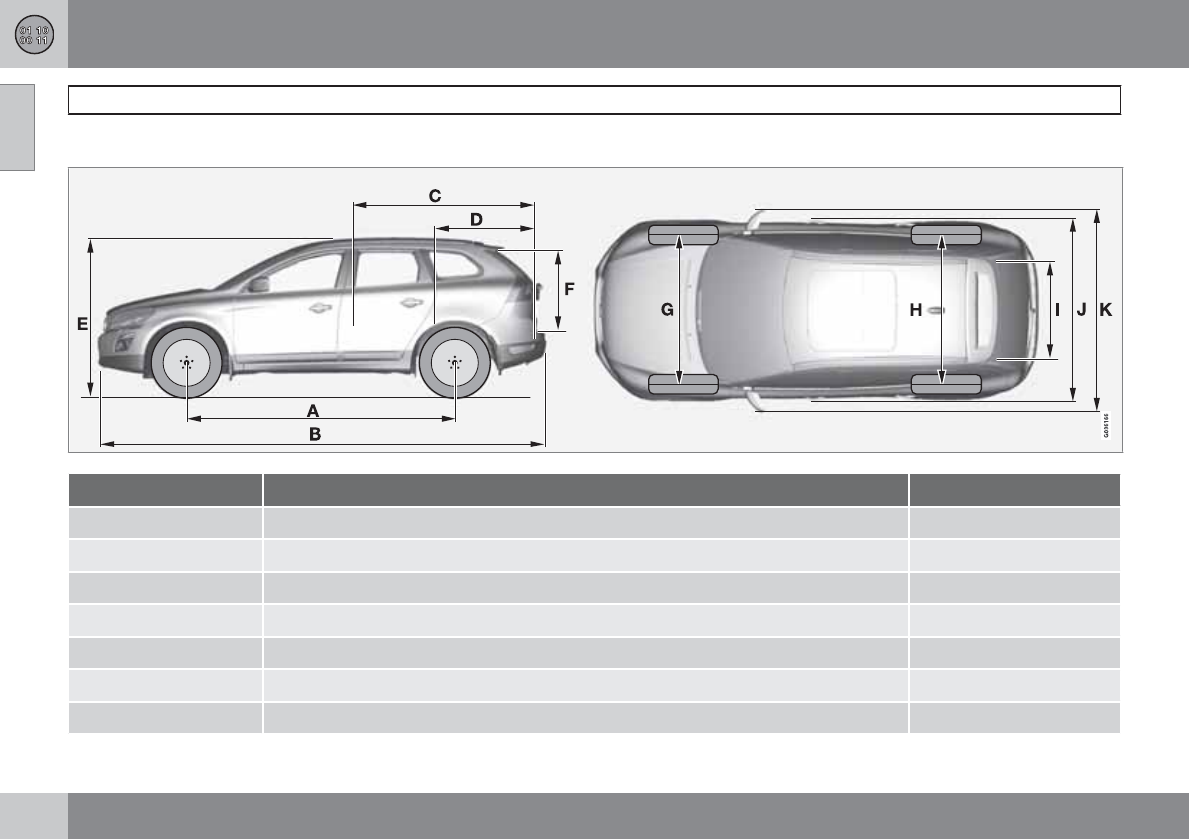
09 Specifications
Specifications
09
338
Dimensions
Dimension In. (mm)
A Wheelbase 109.2 (2774)
B Length 182.2 (4628)
C Load length, floor, seatback down 70.4 (1789)
D Load length, floor 38.3 (972)
E Height 67.4 (1713)
F Load height 31.6 (802)
G Track, front 64.3 (1632)
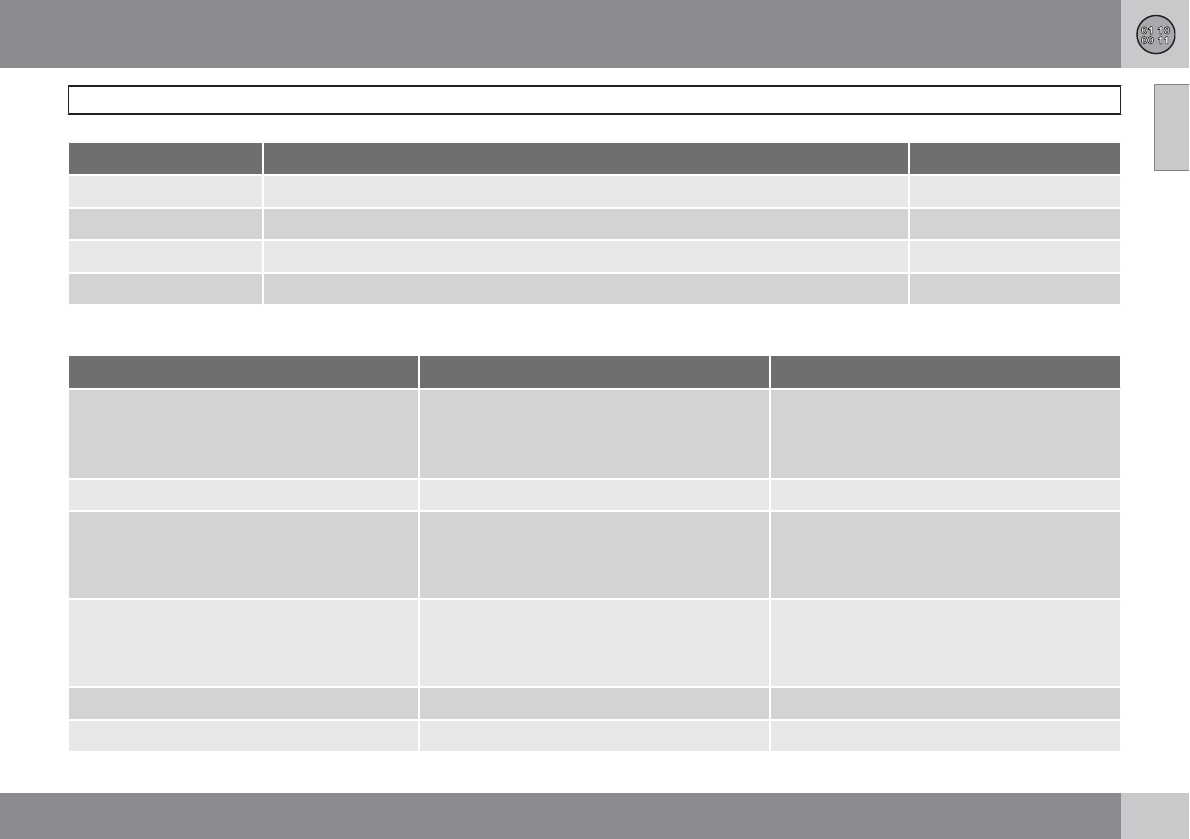
09 Specifications
Specifications
09
``
339
Dimension In. (mm)
H Track, rear 62.4 (1586)
I Load width, floor 42.9 (1090)
J Width 74.4 (1891)
K Width, incl. door mirrors 84.3 (2142)
Weights
Category USA Canada
Gross vehicle weight 6-cyl. FWDA: 5200 lbs
6-cyl. AWDB: 5355 lbs
6-cyl. turbo AWD: 5380 lbs
6-cyl. FWD: 2360 kg
6-cyl. AWD:2430 kg
6-cyl. turbo AWD:2440 kg
Capacity weight 950 lbs (all models) 430 kg (all models
Permissible axle weights, front 6-cyl. FWD: 2740 lbs
6-cyl. AWD: 2800 lbs
6-cyl. turbo AWD: 2840 lbs
6-cyl. FWD: 1245 kg
6-cyl. AWD:1270 kg
6-cyl. turbo AWD:1290 kg
Permissible axle weights, rear 6-cyl. FWD: 2545 lbs
6-cyl. AWD: 2640 lbs
6-cyl. turbo AWD: 2645 lbs
6-cyl. FWD: 1155 kg
6-cyl. AWD:1200 kg
6-cyl. turbo AWD:1200 kg
Curb weight 3900 - 4140 lbs 1770 – 1900 kg
Max. roof load 220 lbs 100 kg
09 Specifications
Specifications
09
340
Category USA Canada
Max. trailer weights Without brakes: 1650 lbs
With brakes, 1 7/8” ball: 2,000 lbs
With brakes, 2” ball: 3,300 lbs
Without brakes: 750 kg
With brakes, 1 7/8” ball: 900 kg
With brakes, 2” ball: 1500 kg
Max. tongue weight 165 lbs 75 kg
AFWD = Front Wheel Drive
BAWD = All Wheel Drive
Engine specifications
Specification/Model 3.2 6-cyl. 3.2 6-cyl. 3.0TA
Engine designation B6324S5 B6324S4 B6304T4
Output (kW/rps) 179/107 171/108 224/93
Output (hp/rpm) 240/6400 230/6500 300/5600
Torque (Nm/rps) 320/53 300/55 440/35 – 70
Torque (ft. lbs./rpm) 236/3200 221/3300 325/2100 – 4200
No. of cylinders 6 6 6
Bore (in/mm) 3.3/84 3.3/84 3.23/82
Stroke (in/mm) 3.78/96 3.78/96 3.67/93.2
09 Specifications
Specifications
09
``
341
Specification/Model 3.2 6-cyl. 3.2 6-cyl. 3.0TA
Displacement 3.19 liters (194.8 cu. in.) 3.19 liters (194.8 cu. in.) 2.95 liters (175 cu. in.)
Compression ratio 10.8:1 10.3:1 9.3:1
AThis engine may not be available on all markets
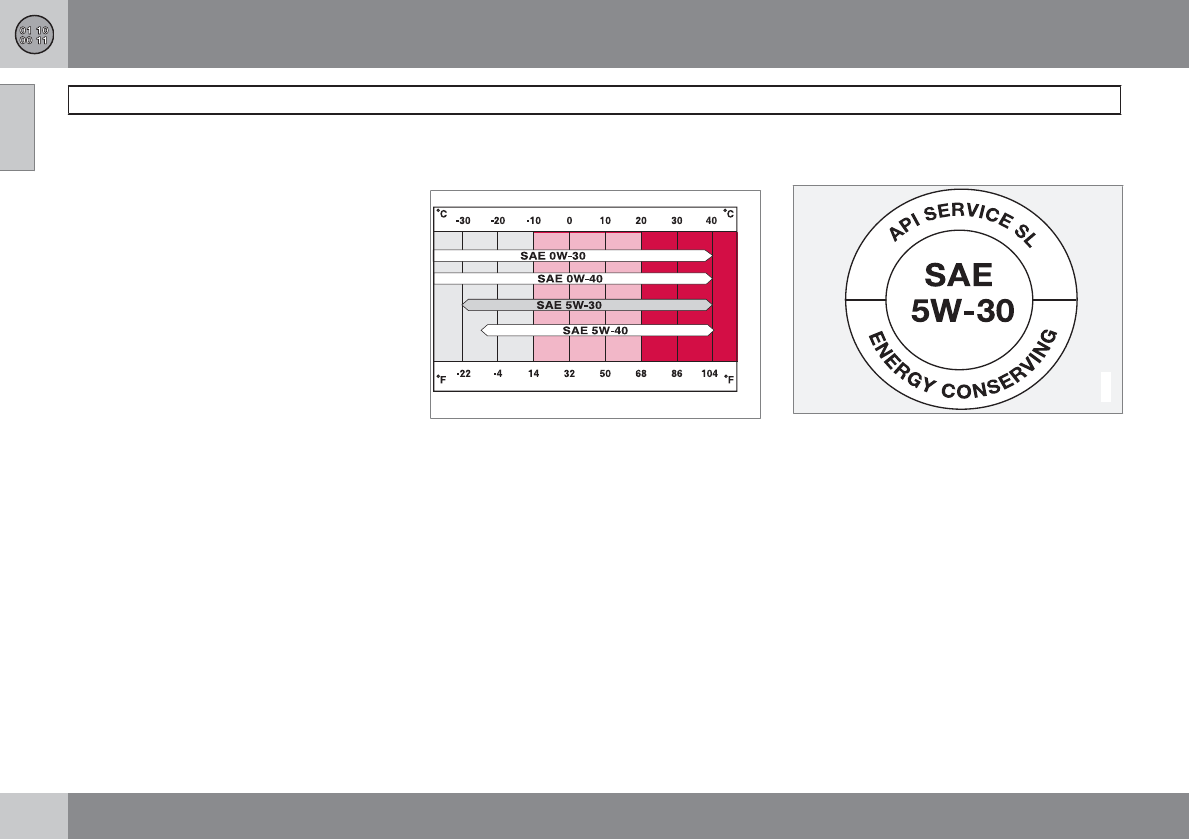
09 Specifications
Specifications
09
342
Engine oil
Engine oil must meet the minimum ILSAC
specification GF-4, API SL, or ACEA A1/B1.
Lower quality oils may not offer the same fuel
economy, engine performance, or engine pro-
tection.
Volvo recommends Castrol.
Depending on your driving habits, premium or
synthetic oils may provide superior fuel econ-
omy and engine protection. Consult your Volvo
retailer for recommendations on premium or
synthetic oils.
Oil additives must not be used.
Synthetic oil is not used when the oil is
changed at the normal maintenance services.
This oil is only used at customer request, at
additional charge. Please consult your Volvo
retailer.
Oil viscosity
Incorrect viscosity oil can shorten engine life
under normal use. SAE 5W-30 will provide
good fuel economy and engine protection. See
the viscosity chart.
G023491
Viscosity chart
Extreme engine operation
Synthetic oils meeting SAE 0W-30 or 0W-40
and complying with oil quality requirements are
recommended for driving in areas of sustained
temperature extremes (hot or cold), when tow-
ing a trailer over long distances, and for pro-
longed driving in mountainous areas.
American Petroleum Institute (API)
symbol
G022917
The API Service Symbol "donut" is divided into
three parts:
•The upper section describes the oil's per-
formance level.
•The center identifies the oil's viscosity.
•The lower section indicates whether the oil
has demonstrated energy-conserving
properties in a standard test in comparison
to a reference oil.
09 Specifications
Specifications
09
``
343
Oil volume
Engine model Volume (incl. filter)
3.2 (6-cyl.) B6324S4/S5 7.18 US qts (6.8 liters)
3.0T (6 cyl.) B6304T4 7.18 US qts (6.8 liters)
Other fluids and lubricants
Fluid System Volume Specification
Transmission oilAAutomatic (TF-80SC) 7.4 US qts (7 liters) Transmission fluid AW-1
Coolant 3.2 (6-cyl.) 9.4 US qts. (8.9 liters) Coolant with corrosion inhibitor
mixed with water (50/50 mix), see
packaging.
3.0T 9.4 US qts. (8.9 liters)
Air conditioning All models 1.7 lbs (770 g) Refrigerant: R134a (HFC134a),
PAG oil
Brake fluid 0.63 US qts (0.6 liters) DOT 4+
Power steering 1.26 US qts (1.2 liters) Power steering fluid WSS
M2C204-A2 or equivalent product.
Washer fluid 6.8 US qts (6.5 liters)
4.7 US qts (4.5 litersB)
Use a washer antifreeze recom-
mended by Volvo, mixed with
water.
Fuel tank volume 3.0T/3.2 6 cyl. 18.5 US gallons (70 liters)
AUnder normal driving conditions the transmission oil does not need changing during its service life. However, it may be necessary under adverse driving conditions.
BModels without headlight washers
09 Specifications
Specifications
09
344
Electrical system
General information
12 volt system with a voltage-regulated alter-
nator. Single pole system in which the chassis
and engine block are used as conductors. The
negative terminal is connected to the chassis.
Performance, battery
Engine 3.2 6-cyl./3.0T
Voltage (V) 12
Cold start capacity (A) 520 – 700
Reserve capacity (min) 100 – 135
WARNING
PROPOSITION 65 WARNING!
Battery posts, terminals, and related acces-
sories contain lead and lead compounds,
chemicals known to the state of California
to cause cancer and reproductive harm.
Wash hands after handling.
CAUTION
If the battery is replaced, replace it with a
battery of the same cold start capacity and
reserve capacity as the original (see the
decal on the battery).
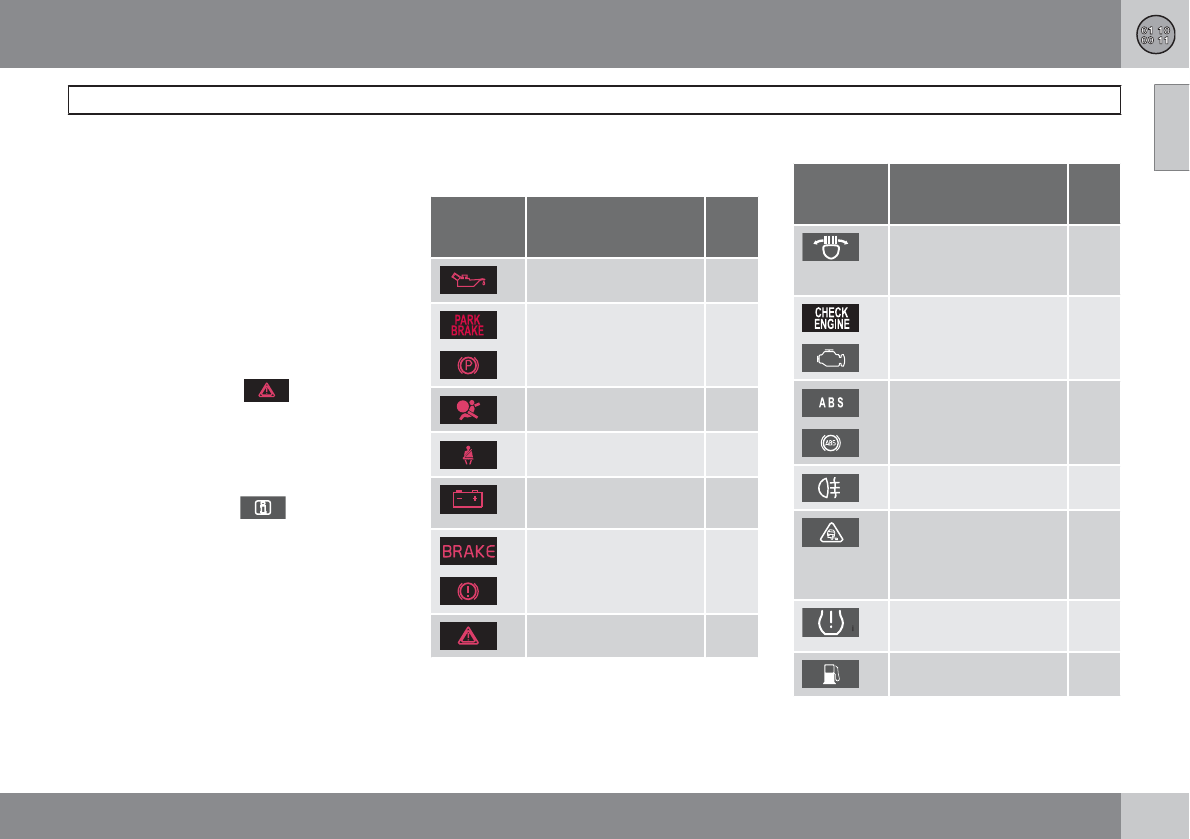
09 Specifications
Overview of information and warning symbols
09
``
* Option/accessory, for more information, see Introduction. 345
Introduction
The symbols in the vehicle's various displays
are divided into three main categories:
•Warning symbols
•Indicator symbols
•Information symbols
The following tables list the most common
symbols, their meaning and the pages in this
manual that provide more detailed information.
Warning symbol
The red warning symbol lights up to
indicate a problem related to safety and/or
drivability. A message will also appear in the
main instruments panel's display.
Information symbol
The information symbol lights up and a
text message is displayed to provide the driver
with necessary information about one of the
vehicle's systems.
Symbols in the main instrument panel
Warning symbols
Symbol Description P.
no.
Low oil pressure 78
A
Parking brake 78
SRS airbags 78
Seat belt reminder 79
Generator not charg-
ing
79
A
Fault in the brake sys-
tem
79
Warning symbol 79
ACanadian models
Indicator symbols
Symbol Description P.
no.
Fault in the Active
Bending Light
(ABL)*system
77
A
Malfunction indicator
light
77
A
Anti-lock brake sys-
tem (ABS)
77
Rear fog light on 77
Stability system
(DSTC), Hill Descent
Control, Trailer Stabil-
ity Assist*
77
Tire pressure monitor-
ing sensor (TPMS)
77
Low fuel level 77
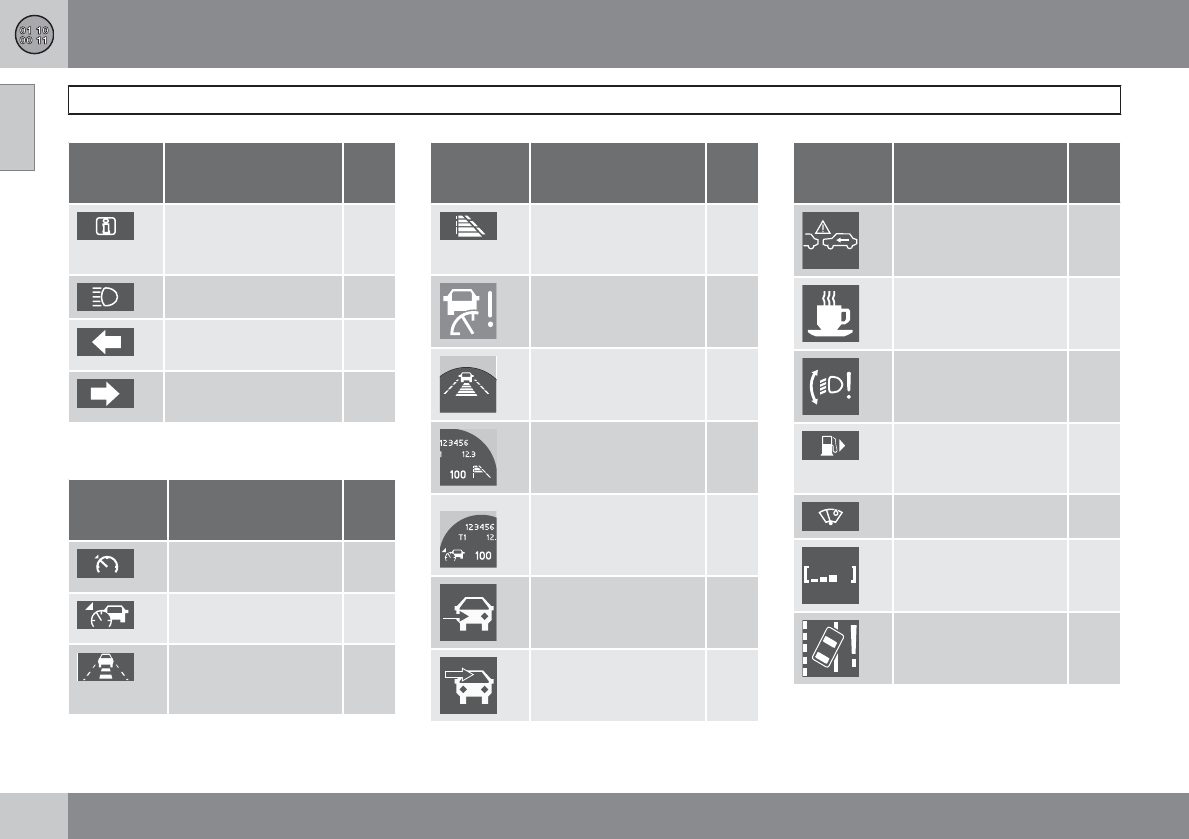
09 Specifications
Overview of information and warning symbols
09
346 * Option/accessory, for more information, see Introduction.
Symbol Description P.
no.
Information symbol,
see text in information
display
77
High beam indicator 76
Left turn signal indica-
tor
76
Right turn signal indi-
cator
76
ACanadian models
Other information symbols
Symbol Description P.
no.
Adaptive Cruise Con-
trol *
151,
157
Adaptive Cruise Con-
trol *
151,
157
Adaptive Cruise Con-
trol *, Distance Alert*
151,
157,
159
Symbol Description P.
no.
Adaptive Cruise Con-
trol *, Distance Alert*
151,
157,
159
Adaptive Cruise Con-
trol *
151,
157
Adaptive Cruise Con-
trol *, Distance Alert*
151,
157,
159
Adaptive Cruise Con-
trol *, Distance Alert*
151,
157,
159
Adaptive Cruise Con-
trol*
151,
157
Radar sensor* 155
Camera*
Laser sensor*
171
Symbol Description P.
no.
Collision Warning with
Full Auto-brake and
Pedestrian Detection*
173
Driver Alert System* 175
Active Bending Lights
(ABL)*
90
Fuel filler door (arrow
indicates it is on right
side of vehicle)
76
Rain sensor* 95
Driver Alert System* 176
Driver Alert System*,
Lane Departure Warn-
ing*
178
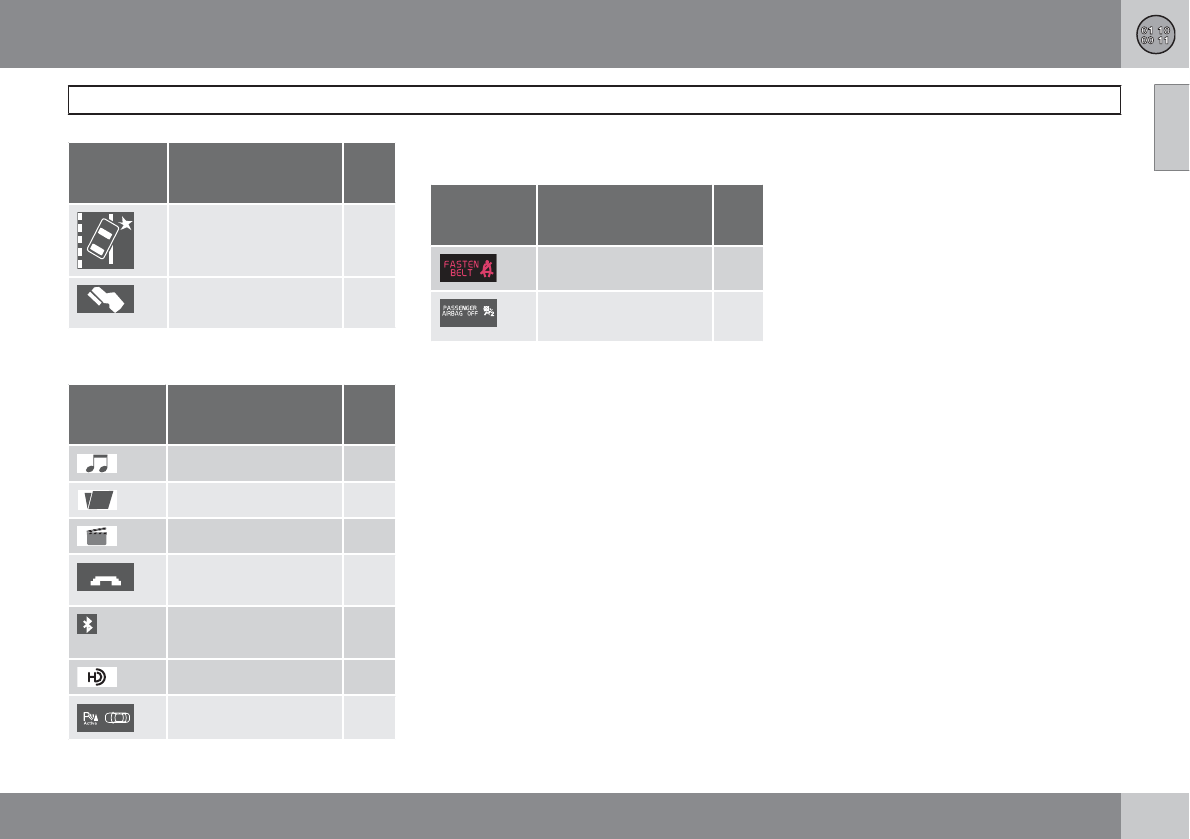
09 Specifications
Overview of information and warning symbols
09
* Option/accessory, for more information, see Introduction. 347
Symbol Description P.
no.
Driver Alert System*,
Lane Departure Warn-
ing*
178
Adaptive Cruise Con-
trol *
151,
157
Information symbols in the center
console display
Symbol Description P.
no.
Audio files 219
CD folder 219
Video files 219
Bluetooth-connected
cell phone
230
BluetoothTM hands-
free
230
HD radio
Park Assist* 181
Information symbols in the ceiling
console
Symbol Description P.
no.
Seat belt reminder 19
Occupant Weight
Sensor
26
09 Specifications
Volvo programs
09
348
Volvo On Call Roadside Assistance
Your new Volvo comes with a four year ON
CALL roadside assistance. Additional informa-
tion, features, and benefits are described in a
separate information package in your glove
compartment.
If you require assistance, dial:
In the U.S. 1-800-638-6586 (1-800-63-
VOLVO)
In Canada 1-800-263-0475
Technician certification
In addition to Volvo factory training, Volvo sup-
ports certification by the National Institute for
Automotive Service Excellence (A.S.E.). Certi-
fied technicians have demonstrated a high
degree of competence in specific areas.
Besides passing exams, each technician must
also have worked in the field for two or more
years before a certificate is issued. These pro-
fessional technicians are best able to analyze
vehicle problems and perform the necessary
maintenance procedures to keep your Volvo at
peak operating condition.
09 Specifications
09
349

10 Index
10
350
1, 2, 3 ...
12-volt sockets........................................ 195
A
ABS (anti-lock brake system).................. 116
Accessory installation warning.................. 13
Active chassis system............................. 146
Active yaw control................................... 144
Adaptive brake lights............................... 115
Adaptive cruise control.................... 149, 151
Airbags
disconnecting the front passenger’s
side................................................. 26, 27
front...................................................... 22
inflatable curtain................................... 32
side impact........................................... 30
Air conditioning........................................ 139
Air distribution.......................................... 135
Air distribution table................................. 141
Air vents................................................... 136
All Wheel Drive......................................... 114
Anti-freeze....................................... 248, 306
Anti-lock brake system
warning light......................................... 76
Anti-lock Brake System (ABS)................. 116
Approach lighting................................ 58, 93
Audio system
AUX/USB sockets............................... 223
Bluetooth devices............................. 226
Bluetooth hands-free system........... 229
Bluetooth streaming audio................. 226
general functions................................ 207
getting started.................................... 202
HD digital radio................................... 212
introduction......................................... 200
media player....................................... 219
menus................................................. 241
overview.............................................. 200
radio functions.................................... 210
Sirius satellite radio............................ 214
sound settings.................................... 208
steering wheel keypad........................ 205
voice control....................................... 237
Auto-dim rearview mirror......................... 101
Automatic locking retractor....................... 38
Automatic transmission
Geartronic................................... 112, 113
general description..................... 112, 113
oil........................................................ 343
shiftlock override................................ 113
Axle weight.............................................. 280
B
Battery
changing..................................... 318, 319
maintenance....................................... 318
remote key, replacing........................... 61
specifications...................................... 344
warning symbols................................. 317
Black box................................................... 11
Blind Spot Information System
(BLIS)....................................... 189, 190, 191
Bluetooth cell phone connection............. 229
Booster cushion, integrated...................... 49
Booster cushions....................................... 45
Brake lights.............................................. 115
Brake system
ABS..................................................... 116
checking fluid level............................. 306
emergency brake assistance.............. 116
fluid..................................................... 343
general information............................. 115

10 Index
10
351
Hill Descent Control............................ 121
warning light......................................... 78
Bulbs
cargo area lighting.............................. 313
headlights........................... 308, 309, 310
introduction......................................... 308
license plate lights.............................. 313
side marker lights............................... 311
specifications...................................... 314
taillight................................................ 312
C
Camera, Park Assist................................ 185
Capacity weight....................................... 280
Cargo area
changing bulbs................................... 313
steel grid............................................. 259
Cargo area cover..................................... 259
Cargo area net......................................... 260
Catalytic converter................................... 253
Cell phone, hands-free connection......... 229
Cell phone voice control.......................... 237
Central locking system, introduction......... 56
Chains...................................................... 283
Check engine light..................................... 76
Child restraints
recalls and registration......................... 48
Child restraint systems.............................. 39
booster cushions.................................. 45
convertible seats.................................. 43
infant seats........................................... 41
ISOFIX/LATCH anchors........................ 46
top tether anchors................................ 47
Child safety.......................................... 37, 38
booster cushions.................................. 45
child restraint systems.......................... 39
convertible seats.................................. 43
infant seats........................................... 41
Child safety locks...................................... 52
City Safety™............................................ 162
Climate system........................................ 139
air distribution............................. 135, 141
air vents.............................................. 136
Interior Air Quality System.................. 135
introduction......................................... 134
passenger compartment filter............ 134
refrigerant........................................... 134
Clock, setting............................................. 80
Cold weather driving................................ 248
Collision warning system................. 168, 169
Compass in rearview mirror..................... 102
Conserving electrical current................... 247
Controls, center console.......................... 241
Convertible seats....................................... 43
Coolant............................................ 306, 343
Cooling system, general information....... 247
Courtesy lighting.................................. 92, 93
Crash mode............................................... 36
Cruise control.................................. 147, 148
adaptive.............................................. 149
Curb weight............................................. 280
Current, conserving................................. 247
D
Defroster.................................................. 139
Detachable key blade................................ 60
Dimensions.............................................. 338
Disconnecting the front passenger’s air-
bag....................................................... 26, 27
Dome lighting....................................... 92, 93
Door mirrors............................................. 100
Driver alert............................................... 175

10 Index
10
352
Driver distraction warning.......................... 13
Driving economically................................ 246
Driving in cold weather............................ 248
Driving through water.............................. 247
E
ECC................................................. 139, 140
Economical driving.................................. 246
Electric parking brake.............................. 118
Electronic Climate Control....... 137, 139, 140
air distribution table............................ 141
Interior Air Quality System.................. 140
Emergency locking retractor...................... 38
Emergency starting.................................. 110
Emergency towing........................... 265, 266
Emission inspection readiness................ 301
Engine
overheating........................................... 79
specifications...................................... 340
starting................................................ 109
switching off....................................... 110
Engine compartment overview................ 303
Engine Drag Control (EDC)...................... 144
Engine oil
checking............................................. 304
low pressure warning light.............. 77, 78
specifications...................................... 342
volumes.............................................. 343
Environment............................................... 12
Eyelets for anchoring loads..................... 257
F
Federal Clean Air Act............................... 300
Fluid specifications.................................. 343
Fog lights
front/rear............................................... 91
rear...................................................... 312
Four C (active chassis system)................ 146
Front airbags.............................................. 22
disconnecting passenger’s side air-
bag.................................................. 26, 27
Front park assist.............................. 181, 183
Front seats........................................... 82, 84
Fuel filler cap........................................... 253
Fuel filler door, opening........................... 252
Fuel level warning light.............................. 77
Fuel requirements............................ 250, 251
Fuel tank volume..................................... 343
Fuses............................... 320, 321, 324, 327
G
Gasoline requirements............................. 251
Gas tank volume...................................... 343
Gauges...................................................... 75
Geartronic................................................ 113
Geartronic automatic transmission.. 112, 113
Generator warning light............................. 78
Glossary of tire terminology..................... 279
Grocery bag holder.................................. 257
Gross vehicle weight............................... 280
H
Hazard warning flashers............................ 91
HD digital radio........................................ 212
Headlights
Active Bending Lights........................... 90
changing bulbs........................... 309, 310

10 Index
10
353
high/low beams.................................... 89
high beam flash.................................... 89
Headlight washers..................................... 96
Head restraints, rear seat.......................... 85
Heated oxygen sensors........................... 254
Heated rear seats.................................... 138
High beams................................................ 89
indicator light........................................ 77
Hill Descent Control................................. 121
Hoisting the vehicle................................. 301
Home safe lighting..................................... 93
Hood, opening/closing............................ 303
Horn........................................................... 88
I
Ignition modes........................................... 81
Immobilizer................................................ 57
Important information.................................. 8
Indicator lights......................... 75, 76, 77, 78
Infant seats................................................ 41
Inflatable Curtain........................................ 32
Inflation pressure..................................... 273
Inflation pressure tables.................. 275, 276
Information and warning symbols, table
of.............................................................. 345
Information lights..................... 75, 76, 77, 78
Information symbol.................................... 77
Infotainment system................................ 200
AUX/USB sockets............................... 223
Bluetooth devices............................. 226
Bluetooth® hands-free system........... 229
general functions................................ 207
getting started.................................... 202
media player....................................... 219
menus................................................. 241
radio functions.................................... 210
sound settings.................................... 208
voice control....................................... 237
Inspection readiness................................ 301
Instrument lighting..................................... 89
Instrument overview............................ 74, 75
Instrument panel...................................... 126
Integrated two-stage booster cushion...... 49
Interior Air Quality System....................... 135
Interior lighting..................................... 92, 93
iPod connector (audio system)............. 223
ISOFIX/LATCH anchors............................. 46
J
Jack
attaching............................................. 291
location of........................................... 291
Jump starting........................................... 110
K
Key blade....................................... 56, 60, 63
Keyless drive
general description............................... 63
starting the vehicle............................. 109
L
Labels
list of................................................... 337
location of........................................... 336
Laminated panoramic roof...................... 103
LATCH anchors......................................... 46
Leather care............................................. 330
Lighting panel............................................ 89
Load anchoring eyelets........................... 257

10 Index
10
354
Loading the vehicle.......................... 255, 280
roof loads............................................ 258
Locking...................................................... 66
tailgate.................................................. 67
Locking the vehicle.................................... 58
Locks, child safety..................................... 52
Low beams................................................ 89
Low fuel level warning light........................ 77
Low oil pressure warning light................... 78
M
Main instrument panel............................. 126
Maintenance............................................ 300
hoisting the vehicle............................. 301
performed by the owner..................... 301
Malfunction indicator light......................... 76
Media player (infotainment system)......... 219
Menu........................................................ 128
Messages in the instrument panel........... 126
Mirrors
defroster............................................. 101
power door......................................... 100
rearview, auto-dim function................ 101
retractable........................................... 100
vanity.................................................. 195
Motor oil
checking............................................. 304
specifications...................................... 342
volumes.............................................. 343
MY CAR................................................... 128
N
Net in cargo area..................................... 260
O
Occupant safety........................................ 16
Occupant weight sensor...................... 26, 27
Octane recommendations....................... 251
Odometer, trip........................................... 80
Oil
checking............................................. 304
specifications...................................... 342
volumes.............................................. 343
On Call Roadside Assistance.................. 348
Overhead courtesy lighting.................. 92, 93
Overheating, engine................................... 79
Oxygen sensors, heated.......................... 254
P
Paint, touching up.................................... 331
Park assist....................................... 181, 183
Park Assist Camera................................. 185
Parking brake
electric, applying/releasing................. 118
warning light......................................... 78
Parking lights............................................. 91
Personal Car Communicator, unique func-
tions........................................................... 59
Polishing.................................................. 329
Power front seat
memory function................................... 83
with keyless drive................................. 84
Power mirrors.......................................... 100
defroster............................................. 101
Power steering
fluid..................................................... 307
speed-dependent............................... 146
Power steering fluid................................. 343

10 Index
10
355
Power tailgate.......................................... 255
Power windows......................................... 98
laminated glass..................................... 99
Pregnancy, using seat belts during........... 20
PROPOSITION 65 WARNING.. 110, 319, 344
R
Radio
Sirius satellite radio............................ 214
Radio functions........................................ 210
HD digital radio................................... 212
Rain sensor................................................ 95
READ button............................................ 126
Rear fog light..................................... 91, 312
Rear park assist............................... 181, 183
Rear seat head restraints........................... 85
Rear seats
center head restraint............................. 85
folding................................................... 85
heated................................................. 138
Rearview mirror
auto-dim function............................... 101
compass............................................. 102
Rear window defroster............................ 101
Recalls, child restraints.............................. 48
Refrigerant............................................... 343
Refueling.......................................... 250, 251
fuel filler cap....................................... 253
fuel filler door...................................... 252
fuel tank volume................................. 343
Registering child restraints........................ 48
Remote key................................................ 56
approach lighting.................................. 58
immobilizer........................................... 57
key blade........................................ 56, 60
key memory.......................................... 57
locking the vehicle................................ 58
Personal Car Communicator.......... 58, 59
replacing the battery............................. 61
unlocking the vehicle............................ 58
Remote key/PCC
common functions................................ 58
Reporting safety defects............................ 17
Roadside Assistance............................... 348
Rollover Protection System (ROPS).......... 35
Roll Stability Control (RSC)........................ 35
Roof loads............................................... 258
S
Safety, occupant........................................ 16
Safety defects, reporting........................... 17
Seat belt
reminder................................................ 19
Seat belts
Automatic locking retractor/Emergency
locking retractor.................................... 38
buckling................................................ 18
maintenance......................................... 18
pretensioners........................................ 18
reminder................................................ 18
reminder warning light.......................... 78
securing child restraint sys-
tems.......................................... 41, 43, 45
unbuckling............................................ 18
use during pregnancy........................... 20
using..................................................... 18
Seats, front.......................................... 82, 83
Shiftlock..................................................... 11
Side door mirrors..................................... 100
Side impact airbags................................... 30
Side marker lights, changing bulbs......... 311
Sirius satellite radio.................................. 214
Snow chains............................................ 283

10 Index
10
356
Snow tires................................................ 283
Spare tire................................................. 284
Speed-dependent steering...................... 146
Spin control............................................. 144
SRS............................................................ 21
Stability system....................................... 144
Engine Drag Control (EDC)................. 144
indicator light........................................ 77
Starting the engine.................................. 109
with keyless drive............................... 109
Starting the vehicle
after a crash (crash mode).................... 36
Start inhibitor (immobilizer)........................ 57
Steel grid in cargo area............................ 259
Steering wheel
adjusting............................................... 88
horn....................................................... 88
keypad.................................. 88, 128, 205
Stone chips, touching up......................... 331
Storage spaces........................................ 193
Studded tires........................................... 283
Sunroof
laminated panoramic roof................... 103
Supplemental restraint system.................. 21
warning light......................................... 78
Symbols, overview................................... 345
T
Tailgate
driving with it open............................. 246
locking/unlocking.................................. 67
power operated.................................. 255
wiper/washer........................................ 96
Tailgate wipers......................................... 316
Taillights, changing bulbs........................ 312
Temporary spare tire............................... 284
Three-way catalytic converter................. 253
Tire designations..................................... 277
Tire Pressure Monitoring System.... 294, 295
indicator light........................................ 77
Tires......................................................... 270
age...................................................... 270
changing from summer to winter........ 271
glossary of terms................................ 279
improving economy............................ 270
inflation pressure................................ 273
inflation pressure tables............. 275, 276
load ratings......................................... 274
rotation............................................... 271
snow................................................... 283
spare................................................... 284
specifications...................................... 274
speed ratings...................................... 274
storing................................................. 271
studded............................................... 283
tire pressure monitoring system......... 294
tread wear indicator............................ 272
uniform tire quality grading................. 282
Top tether anchors (child restraint sys-
tems).......................................................... 47
Touching up paint.................................... 331
Towing a trailer................................ 262, 263
trailer hitch.......................................... 263
Towing the vehicle........................... 265, 266
Traction control........................................ 144
Trailer towing................................... 262, 263
trailer hitch.......................................... 263
Transmission
general description..................... 112, 113
oil........................................................ 343
shiftlock override................................ 113
Tread wear indicator................................ 272
Trip computer.......................................... 142

10 Index
10
357
Trip odometers.......................................... 80
Trips, long distance................................. 248
Turn signals............................................... 92
changing bulbs................................... 311
indicator lights...................................... 77
Two-stage booster cushion....................... 49
U
Uniform Tire Quality Grading................... 282
Unlocking the tailgate................................ 67
Unlocking the vehicle.......................... 58, 66
Upholstery care....................................... 330
V
Vanity mirror............................................ 195
changing bulbs................................... 313
Vehicle dimensions.................................. 338
Vehicle Event Data..................................... 11
Vehicle loading................................ 255, 280
roof loads............................................ 258
Vehicle maintenance................................ 300
performed by the owner..................... 301
Vehicle weights........................................ 339
Voice control
cell phones......................................... 237
Volvo and the environment........................ 12
Volvo maintenance.................................. 300
Volvo On Call Roadside Assistance........ 348
Volvo programs....................................... 348
W
Warning flashers, hazard........................... 91
Warning lights.......................... 75, 76, 77, 78
Warning symbol......................................... 79
Warning system, collision................ 168, 169
Warranties................................................ 300
Washer fluid..................................... 316, 343
Washers
headlight............................................... 96
windshield............................................. 95
Water, driving through............................. 247
Waxing..................................................... 329
Weights.................................................... 339
Wheels..................................................... 270
changing............................................. 291
storing................................................. 271
Whiplash Protection System..................... 33
Windows
power.................................................... 98
Windshield
IR coating............................................. 97
rain sensor............................................ 95
washers................................................ 96
wipers/washers..................................... 95
Windshield washer fluid................... 316, 343
Windshield wipers.................................... 315
Wiper blades
replacing tailgate wiper...................... 316
replacing windshield wipers............... 315

10 Index
10
358

Kdakd8Vg8dgedgVi^dcIE&'+('JH68VcVYV!6I&%)+!Eg^ciZY^cHlZYZc!<iZWdg\'%&%!8deng^\]i©'%%%"'%&%Kdakd8Vg8dgedgVi^dc
