Vtech Dress And Discover Friend Owners Manual
2014-11-12
: Vtech Vtech-Dress-And-Discover-Friend-Owners-Manual-109260 vtech-dress-and-discover-friend-owners-manual-109260 vtech pdf
Open the PDF directly: View PDF  .
.
Page Count: 12
User’s Manual
© 2012 VTech
Printed in China
91-002703-003 US CA
Dress & Discover FriendTM
3
3
INTRODUCTION
Thank you for purchasing the VTech® Dress & Discover FriendTM
learning toy!
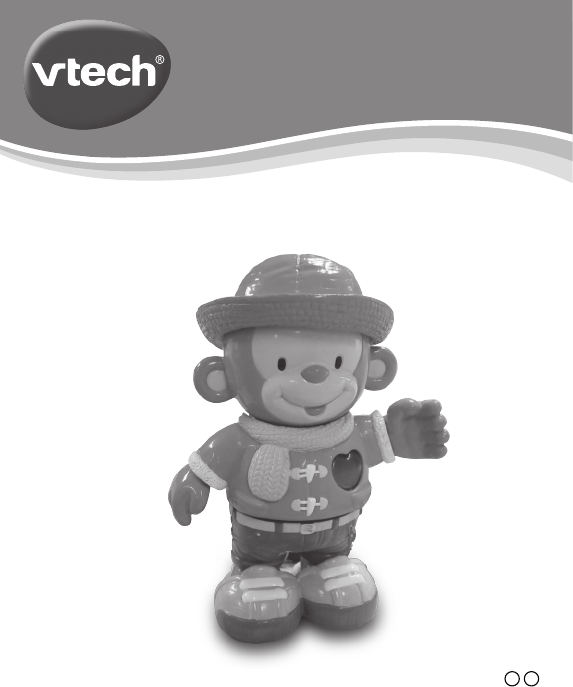
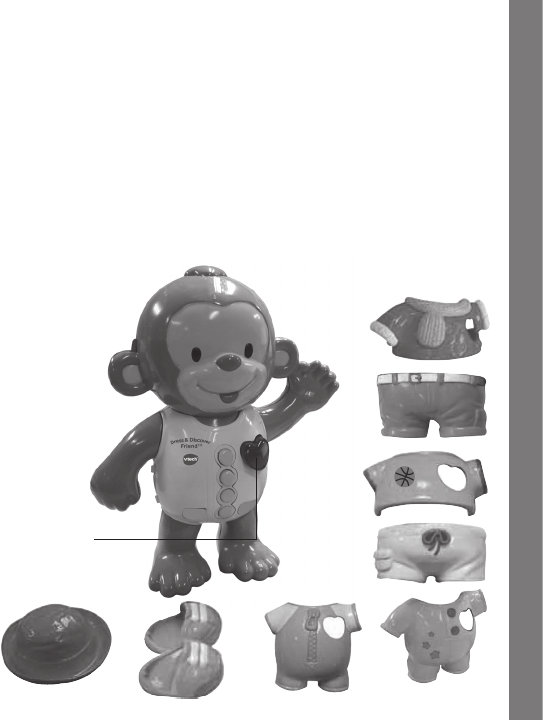
The Dress & Discover FriendTM by VTech® is an adorable and
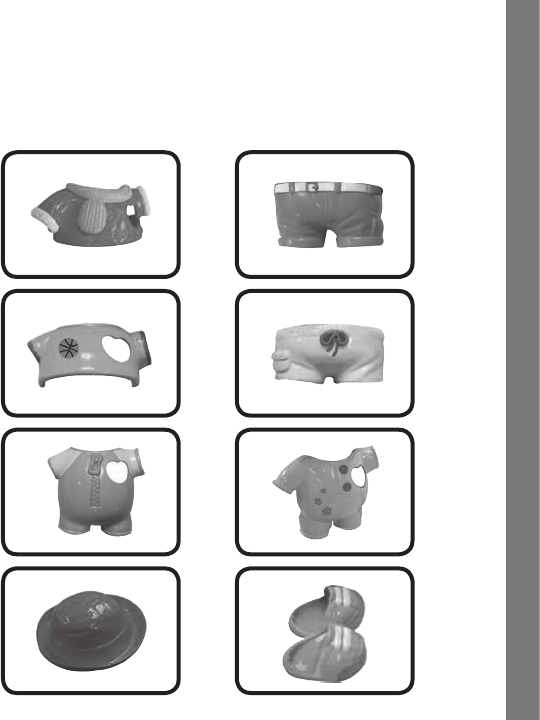
interactive dress-up monkey that comes with eight interchangeable
articles of clothing that are perfectly sized for little hands. As your child
pops each piece onto the monkey, it is recognized and the monkey
responds with fun phrases that teach colors, feelings, daily life activities,
and weather. For added fun, there is a heart-shaped light-up button that
plays fun sounds and music!
Introduction
LIGHT-UP HEART
BUTTON
EIGHT
CLOTHING PIECES
4
4
INCLUDED IN THIS PACKAGE
- One VTech® Dress & Discover FriendTM learning toy
- One instruction manual
- Eight clothing pieces
Included in This Package

5
5
WARNING:
All packing materials, such as tape, plastic sheets, packaging
locks and tags are not part of this toy, and should be discarded
for your child’s safety.
ATTENTION:
Pour la sécurité de votre enfant, débarrassez-vous de tous
les produits d’emballage tels que rubans adhésifs, feuilles de
plastique, attaches et étiquettes. Ils ne font pas partie du jouet.
GETTING STARTED
BATTERY INSTALLATION
1. Make sure the unit is turned OFF.
2. Locate the battery cover on the back of
the monkey. Use a coin or a screwdriver
to loosen the screw.
3. Install 2 new ‘AAA’ (AM-4/LR03)
batteries following the diagram inside
the battery box. (The use of new
alkaline batteries is recommended for
maximum performance.)
4. Replace the battery cover and tighten
the screw to secure.
Getting Started
6
6
Battery Notice
BATTERY NOTICE
• Usenewalkalinebatteriesformaximumperformance.
• Useonlybatteriesofthesameorequivalenttypeasrecommended.
• Donotmixdifferenttypesofbatteries:alkaline,standard(carbon-
zinc) or rechargeable (Ni-Cd, Ni-MH), or new and used batteries.
• Donotusedamagedbatteries.
• Insertbatterieswiththecorrectpolarity.
• Donotshort-circuitthebatteryterminals.
• Removeexhaustedbatteriesfromthetoy.
• Removebatteriesduringlongperiodsofnon-use.
• Donotdisposeofbatteriesinre.
• Donotchargenon-rechargeablebatteries.
• Removerechargeable batteries from the toy before charging
(if removable).
• Rechargeablebatteriesareonlytobe charged under adult
supervision.
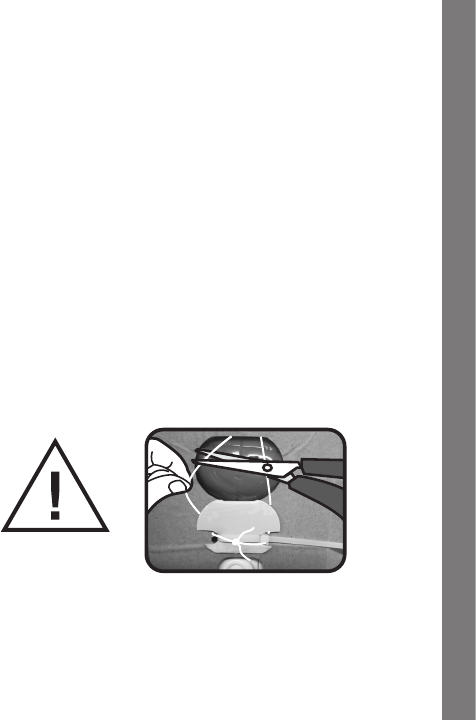
The cord is not part of this toy. Please remove the cord and discard
before assembly for your child’s safety.

7
7
PRODUCT FEATURES
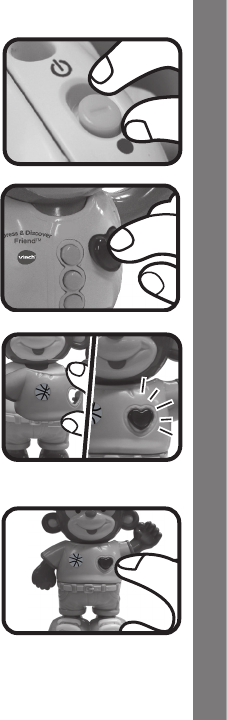
1. ON/OFF SWITCH
The ON/OFF SWITCH is located on
the back of the monkey. To turn the
unit ON, slide the ON/OFF SWITCH
to the ON ( ) position. To turn the
unit OFF, slide the ON/OFF SWITCH
to the OFF ( ) position.
2. EIGHT PIECES OF CLOTHING AND ACCESSORIES
Dressthemonkeyinhisclothestohear fun phrases, sounds,
sing-along songs and melodies.
3. AUTOMATIC SHUT-OFF
To preserve battery life, the VTech® Dress & Discover FriendTM will
automatically power-down after approximately 45 seconds without
input. The unit can be turned on again by pressing and holding the
heart button for approximately a second, or by putting on the clothes.
Putting on the hat or shoes will not wake up the unit.
Product Features
8
8
ACTIVITIES
1. Slide the On/Off Switch to turn
the unit on. You will hear a playful
sing-along song, fun sounds and a
phrase.Thelightwillashwiththe
sounds.
2. Press the Light-Up Heart Button
before dressing the monkey to hear
questions,song andmelodies.The
lightwillashwiththesounds.
3. Put on different Clothes to hear
special sing-along songs and phrases
specictoeachitemofclothing.Press
the light-up heart button when the
monkey is dressed to hear sounds
andmelodies.Thelightwillashwith
the sounds.
4. When the monkey is dressed in a
completeoutt,press the Light-Up
Heart Button to hear fun songs and
phrases. If the monkey’s outfit is
incomplete,hewillaskforaspecic
item of clothing. The items of clothing
correspond to activities the monkey
wantstodo.Thelightwillashwith
the sounds.
Activities

9
9
MELODY LIST:
1. BeautifulDreamer
2. Row, Row, Row Your Boat
3. Skip to My Lou
4. Pease Porridge Hot
5. Teddy Bear Picnic
6. Little Brown Jug
7. Three Little Kittens
8. Polly Put the Kettle On
9. Bill Bailey, Won’t You Please Come Home?
10. Chopsticks
11. Happy Farmer
12. Animal Fair
13.YankeeDoodle
SUNG-SONG LYRICS
SONG 1
Summer, fall, winter, spring.
Let’s dress up for everything!
SONG 2
Pajamas, pajamas. Great, now I am dressed!
SONG 3
Swimming suit, swimming suit. Great, now I am dressed!
SONG 4
T-shirt, T-shirt. Great, now I am dressed!
Melody List

10
10
SONG 5
Shorts, shorts. Great, now I am dressed!
SONG 6
Coat, coat. Great, now I am dressed!
SONG 7
Jeans, jeans. Great, now I am dressed!
SONG 8
T-shirt, shorts. Great, now I am dressed!
SONG 9
Coat, jeans. Great, now I am dressed!
CARE & MAINTENANCE
1. Keep the unit clean by wiping it with a slightly damp cloth.
2. Keep the unit out of direct sunlight and away from any direct heat
source.
3. Remove the batteries when the unit is not in use for an extended
period of time.
4. Donotdroptheunitonhardsurfacesanddonotexposetheunitto
moisture or water.
TROUBLESHOOTING
If for some reason the program/activity stops working, please follow
thesesteps:
1. Please turn the unit OFF.
2. Interrupt the power supply by removing the batteries.
Care & Maintenance

11
11
3. Let the unit stand for a few minutes, then replace the batteries.
4. Turn the unit ON. The unit should now be ready to play again.
5. If the product still does not work, replace with a new set of batteries.
Iftheproblempersists,pleasecallourConsumerServicesDepartment
at 1-800-521-2010 in the U.S. or 1-877-352-8697 in Canada, and a
service representative will be happy to help you.
For information on this product’s warranty, please call VTech® at
1-800-521-2010 in the U.S. or 1-877-352-8697 in Canada.
IMPORTANT NOTE:
Creating and developing Infant Learning products is accompanied
by a responsibility that we at VTech® take very seriously. We make
every effort to ensure the accuracy of the information, which forms
the value of our products. However, errors sometimes can occur.
It is important for you to know that we stand behind our products
andencourageyoutocallourConsumerServicesDepartmentat
1-800-521-2010 in the U.S. or 1-877-352-8697 in Canada, with
any problems and/or suggestions that you might have. A service
representative will be happy to help you.
Note:
Thisequipmenthasbeentestedandfoundtocomplywiththelimits
for a Class B digital device, pursuant to Part 15 of the FCC Rules.
These limits are designed to provide reasonable protection against
harmfulinterference in a residential installation. This equipment
generates,usesandcanradiateradiofrequencyenergyand, if not
installed and used in accordance with the instructions, may cause
harmful interference to radio communications. However, there is no
guarantee that interference will not occur in a particular installation. If
thisequipmentdoescauseharmfulinterferencetoradioortelevision
reception,whichcanbedeterminedbyturningtheequipmentoffand
on, the user is encouraged to try to correct the interference by one or
moreofthefollowingmeasures:
Other Info
12
12
• Reorientorrelocatethereceivingantenna
• Increasetheseparationbetweentheequipmentandreceiver
• Connecttheequipmentintoanoutletonacircuitdifferentfromthat
to which the receiver is connected
• Consultthedealeroranexperiencedradio/TVtechnicianforhelp
THISDEVICECOMPLIES WITH PART 15 OF THE FCC
RULES. OPERATION IS SUBJECT TO THE FOLLOWING TWO
CONDITIONS:(1)THIS DEVICEMAYNOT CAUSEHARMFUL
INTERFERENCE,AND(2) THISDEVICEMUST ACCEPTANY
INTERFERENCERECEIVED,INCLUDINGINTERFERENCETHAT
MAYCAUSEUNDESIREDOPERATION.
THISCLASSBDIGITALAPPARATUSCOMPLIESWITH
CANADIANICES-003.
CETAPPAREILNUMÉRIQUEDELACLASSEBESTCONFORME
ÀLANORMENMB-003DUCANADA.
Caution:Changesormodications not expressly approved by the party
responsible for compliance could void the user’s authority to operate
theequipment.
Other Info
