Vtech Lightning Mcqueen Atlas Owners Manual
2015-08-19
: Vtech Vtech-Lightning-Mcqueen-Atlas-Owners-Manual-109483 vtech-lightning-mcqueen-atlas-owners-manual-109483 vtech pdf
Open the PDF directly: View PDF  .
.
Page Count: 10
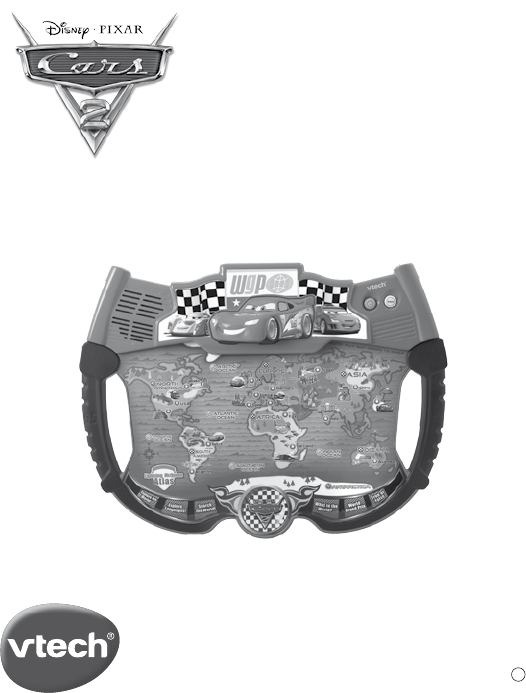
Lightning McQueen™
AtLAs
User’s Manual
© Disney/Pixar; FIAT™;
©Volkswagen AG; Jeep®
Visit disney.com/cars
© 2011 Vtech
Printed in China
91-002569-000 美
3
INTRODUCTION
INTRODUCTION
Thank you for purchasing the VTech® Lightning McQueen™ Atlas!
The VTech® Lightning McQueen™ Atlas is an exciting learning board
that introduces children to a world full of exploration through 6 engaging
activities. Using the touch-sensitive hotspots, your child will be able to
explore and learn countries, oceans, continents, landmarks, capital cities,
basic foreign language phrases and more! Cheerful music, colorful design
and encouraging voice enhance the learning fun.
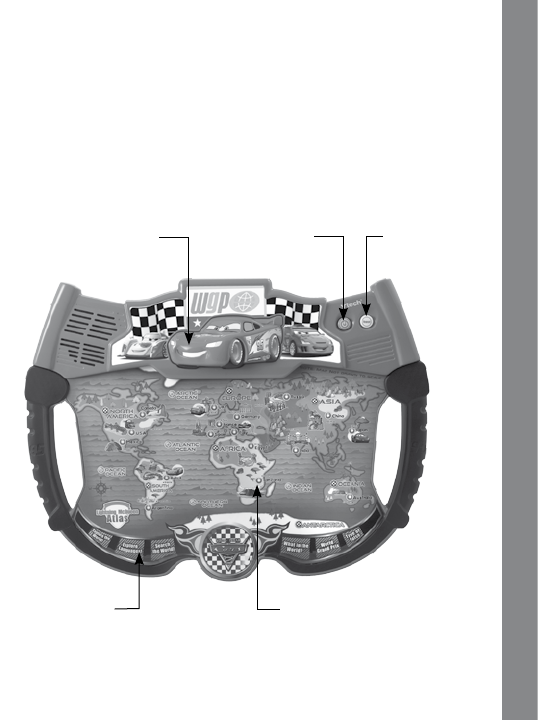
On/Off Switch Repeat Button
6 Activity Buttons
Big Lightning McQueen
Button
29 Touch-Sensitive Hotspots
4
INCLUDED IN THIS PACKAGE
• OneVTech® Lightning McQueen™ Atlas!
• Oneuser’smanual
WARNING:
All packing materials, such as tape, plastic sheets, packaging locks and
tagsarenotpartofthistoy,andshouldbediscardedforyourchild’ssafety.
ATTENTION
Pour la sécurité de votre enfant, débarrassez-vous de tous les produits
d’emballage tels que rubans adhésifs, feuilles de plastique, attaches et
étiquettes.Ilsnefontpaspartiedujouet.
Demo strip removal:
When the product is taken out of the packaging, please remove the demo
strip from the unit to activate normal play mode.
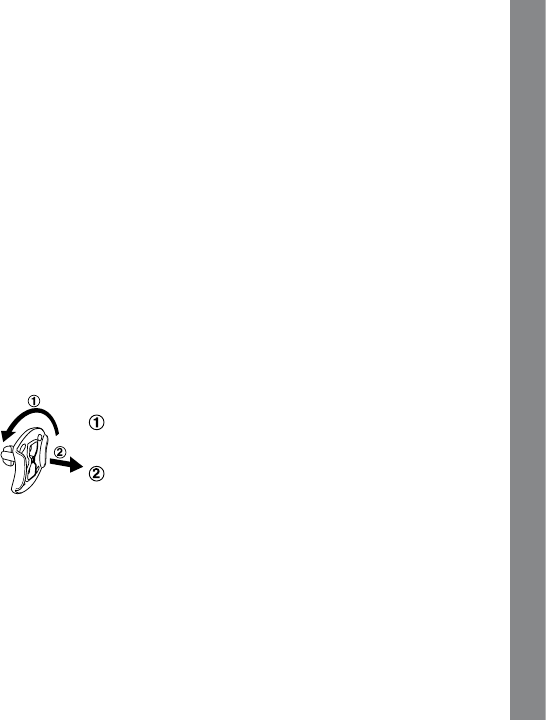
Unlock the packaging locks:
Rotate the packaging lock counter-clockwise for 90 degrees
Pull out the packaging lock
INTRODUCTION
5
GETTING STARTED
BATTERY INSTALLATION
1. Make sure the unit is OFF.
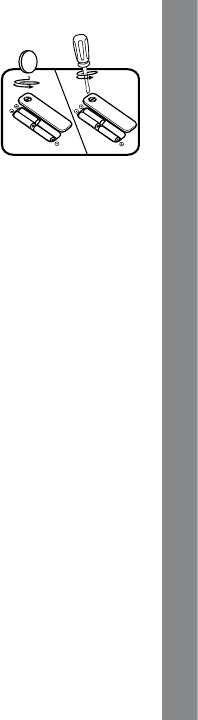
2. Locate the battery cover on the bottom of the unit.
3. Open the battery cover.
4.Install 3 new “AA” size (AM-3/LR 6) batteries following the diagram
insidethebatterybox.(Theuseofnewalkalinebatteriesisrecommended
formaximumperformance.)
4. R Replace the battery cover and tighten the screw to secure.
BATTERY NOTICE
• The use of new alkaline batteries is recommended for maximum
performance;
• Non-rechargeablebatteriesarenottoberecharged.
• Rechargeable batteries are to be removed from the toy before being
charged(ifremovable).
• Rechargeablebatteriesareonlytobechargedunderadultsupervision(if
removable).
• Donotmixoldandnewbatteries.
• Donotmixbatteriesofdifferenttypes:alkaline,standard(carbon-zinc)or
rechargeable(nickel-cadmium)
• Onlybatteriesofthesameorequivalenttypeasrecommendedaretobeused;
• Batteriesaretobeinsertedwiththecorrectpolarity.
• Exhaustedbatteriesaretoberemovedfromthetoy.
• Thesupplyterminalsarenottobeshort-circuited.
• Thetoyisnottobeconnectedtomorethantherecommendednumberof
power supplies.
• Donotdisposeofbatteriesinfire.
WE DO NOT RECOMMEND THE USE OF RECHARGEABLE
BATTERIES.
GETTING STARTED
6
PRODUCT FEATURES
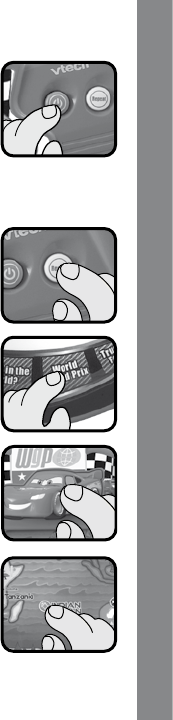
1. ON/OFF BUTTON
Press the On/Off Button to turn the unit on. Press it again
to turn the unit off.
2. VOLUME CONTROL SWITCH
Slide the Volume Control Switch to select from low, medium and high
level settings.
3. REPEAT BUTTON
Press the Repeat Button to repeat the previous phrase.
4. ACTIVITY BUTTONS
Press the 6 Activity Buttons to enter corresponding
games to play.
5. EASY PRESS BIG LIGHTNING MCQUEEN
BUTTON
Press the big Lightning McQueen Button to hear fun
phrases about the World Grand Prix.
6. TOUCH-SENSITIVE HOTSPOTS
Press one of the 29 Touch-Sensitive Hotspots to hear
the names of countries, oceans, continents and some
funfacts,ortoanswerquestionsinrelatedactivities.
PRODUCT FEATURES

7
ACTIVITIES:
Activity 1: Explore the World!
Press the hotspots to learn the names and facts about 17 countries, five
oceans and seven continents.
Activity 2: Explore Languages!
PressthehotspotmarksforFrance,Germany,Japan,ItalyandSpainto
learn some basic phrases in different languages.
Activity 3: Search the world!
Helpfindthelandmarks,countries,oceansorcontinentsthatwe’relooking
for. Use the hotspots to answer.
Activity 4: What in the World?
Lightning McQueen is thinking of a place somewhere in the world. Guess
what it is and use the hotspots to answer.
Activity 5: World Grand Prix Mode
Help Lightning McQueen build the longest race course in history! Press the
circles that match the countries for the race.
Activity 6: True or False?
Here’s a challenge for you: listen carefully to each of the questions and
decidewhetherthefactsaretrueorfalse.PressthebuttonwithLightning’s
picture if you think something is it is true, or press one of the circles if it
is false.
ACTIVITIES

8
CARE & MAINTENANCE:
1. Keep the unit clean by wiping it with a slightly damp cloth.
2.
Keep the unit out of direct sunlight and away from any direct heat sources.
3. Remove the batteries when the unit is not in use for an extended period
of time.
4.Donotdrop theunitonahard surfaceanddonotexpose theunitto
excess moisture.
TROUBLESHOOTING:
Ifforsomereasontheprogram/activitystopsworkingormalfunctions,then
pleasefollowthesesteps:
1. Turn the unit OFF.
2.Interruptthepowersupplybyremovingthebatteries.
3. Let the unit stand for a few minutes, then replace the batteries.
4. Turn the unit back ON. The unit should now be ready to play again.
5.Iftheunitstilldoesnotwork,replacewithanentiresetofnewbatteries.
Iftheproblempersists,pleasecallourConsumerServicesDepartmenton
1-800-521-2010 in the U.S. or 1-877-352-8697 in Canada, and a service
representative will be happy to help you.
CARE & MAINTENANCE / TROUBLESHOOTING

9
TECHNICAL SUPPORT:
If you have a problem that cannot be solved by using this manual, we
encourage you to visit us online or contact our Consumer Services
Departmentwithanyproblemsand/orsuggestionsthatyoumighthave.A
support representative will be happy to assist you.
Before requesting support, please be ready to provide or include the
informationbelow:
. The name of your product or model number (the model number is
typicallylocatedonthebackorbottomofyourproduct).
. The actual problem you are experiencing.
. The actions you took right before the problem started.
Internet: www.vtechkids.com
Phone: 1-800-521-2010 in the U.S. or 1-877-352-8697 in Canada
IMPORTANT NOTE:
Creating and developing
VTech®
Preschool Learning products is
accompanied by a responsibility that we at
VTech®
take very seriously. We
make every effort to ensure the accuracy of the information which forms the
valueofourproducts.However,errorssometimescanoccur.Itisimportant
for you to know that we stand behind our products and encourage you to
callourConsumerServicesDepartmentat1-800-521-2010intheU.S.or
1-877-352-8697 in Canada with any problems and/or suggestions that
you might have. A service representative will be happy to help you.
NOTE

10
NOTE:
Thisequipmenthasbeentestedandfoundtocomplywiththelimitsfora
Class B digital device, pursuant to Part 15 of the FCC Rules. These limits
are designed to provide reasonable protection against harmful interference
inaresidentialinstallation.Thisequipmentgenerates,usesandcanradiate
radiofrequencyenergyand,ifnotinstalledandusedinaccordancewith
the instructions, may cause harmful interference to radio communications.
However, there is no guarantee that interference will not occur in a
particular installation.
If this equipment does cause harmful interference to radio or television
reception,whichcanbedeterminedbyturningtheequipmentoffandon,the
user is encouraged to try to correct the interference by one or more of the
followingmeasures:
• Reorientorrelocatethereceivingantenna.
• Increasetheseparationbetweentheequipmentandreceiver.
• Connecttheequipmentintoanoutletonacircuitdifferentfromthatto
which the receiver is connected.
• Consultthedealeroranexperiencedradio/TVtechnicianforhelp.
Caution : changes or modifications not expressly approved by the party
responsibleforcompliancecouldvoidtheuser’sauthoritytooperatethe
equipment.
COPYRIGHT NOTICES:
Copyright ©2011 VTech® Electronics North America, L.L.C. All Rights
Reserved. VTech® and the VTech® logo are registered trademarks of
VTech®ElectronicsNorthAmerica,L.L.C.Allothertrademarksareproperty
of their respective owners.
NOTE
