Vtech Mobigo Cartridge Jake And The Never Land Pirates Owners Manual
2014-11-12
: Vtech Vtech-Mobigo-Cartridge-Jake-And-The-Never-Land-Pirates-Owners-Manual-109569 vtech-mobigo-cartridge-jake-and-the-never-land-pirates-owners-manual-109569 vtech pdf
Open the PDF directly: View PDF  .
.
Page Count: 10
User’s Manual
T
O
U
C
H
L
E
A
R
N
I
N
G
S
Y
S
T
E
M
®
Disney elements © Disney
Visit DisneyJunior.com
Der Pr,
A VT®, n h uc j tayng to t h rns
n hvng t ig-t gags rn. W n th r is
t sm ay. Wt th n, dvlpe MG®, vinry
ay t k lerng t tuc!
MG® s t gnri lerng. Kis c cr h t lay,
n dvlo t s ng tuc cis. As is t, c, s, n
rag tr ay tru cng lerng gm, t’ pinc t sm
tnloy n s rts d t tr tuc-scr dvc.
W layng t MG®, is c l , t n tuc t scr
rvr t g t scvr rl , l dvlng nled
rs, lrs, png, n c n s prt t .
Lerng t g s eir th vr t MG®.
A VT®, r decte t ng r clr ncvr tr tlts.
W th r r r roucts th ncrag acv ns
tru magnv lay.
Sncrly,
Yr ins VT®
T ler r MG® n r VT® ts,
w.tis.c
2
NOTE:
This cartridge is compatible with any of the
MobiGo®
systems. However, some of the
games are designed to use the motion sensor and microphone controls that are only available
in the
MobiGo®
2 system. If this cartridge is played on the original
MobiGo®
, the motion and
microphone controls will be replaced by alternate control methods.
INTRODUCTION
Jake, Izzy, Cubby, and Skully love to explore Never Land. There’s always a new adventure
to be found! Join Jake and his crew as they sail the Never Land Sea, play fun games, y
through the air with Izzy’s pixie dust, and more— all while trying to keep one step ahead of
Captain Hook. Yo ho, let’s go!
GETTING STARTED
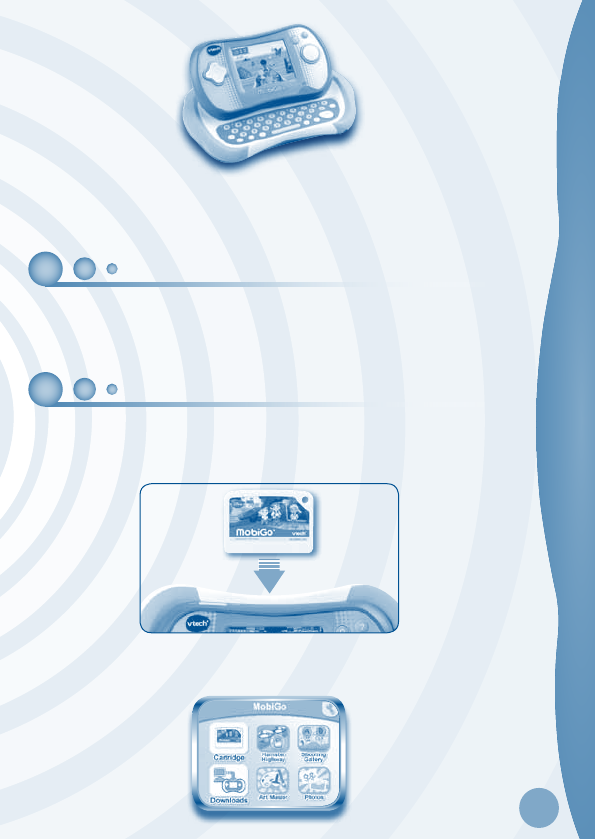
STEP 1: Insert the Cartridge
Make sure the unit is turned off. Insert the cartridge with the label side facing up, and push
it until it clicks into place. Press the ON button to turn the unit on.
STEP 2: Select the Cartridge Icon
Touch the cartridge icon on the MobiGo main menu.
INTRODUCTION / GETTING STARTED
3
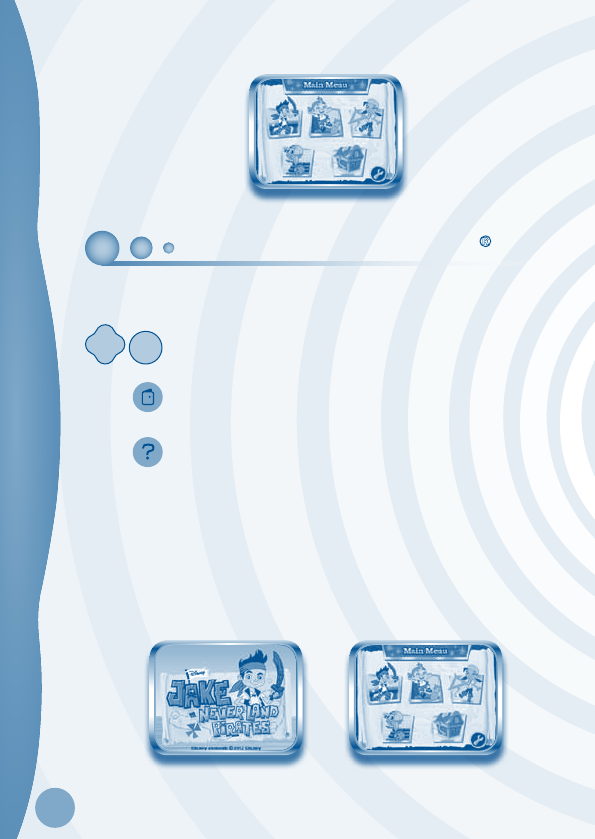
STEP 3: Choose a Game to Play
Touch a game to select it.
USING YOUR MOBIGO®
Buttons
Directional Pad and Enter Button
Use these to control the characters or to perform certain actions in some
games.
Exit Button
During a game, press this button to exit the game, or press it within a
menu to go back to the previous screen.
Help Button
Press this button when you need help in a game.
QWERTY Keyboard
Slide the screen up to reveal the keyboard. Use it to enter your name in the user profile or
to give the answers in some letter-related games.
The Touch Screen
The most common way of playing with the MobiGo® is by using the touch screen. Touch
the screen to navigate the menu and to play most of the games.
USING YOUR MOBIGO®
4
Motion Controls
(MobiGo
®
2 only)
Move the MobiGo® as directed to perform specific actions in some games.
Microphone
(MobiGo
®
2 only)
Blow into the microphone to perform specific actions in some games
SETTINGS
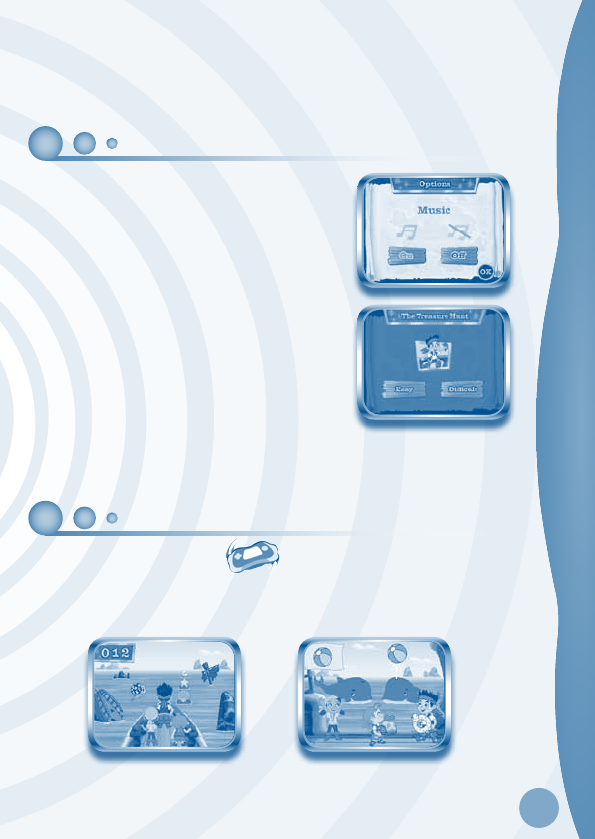
Options
Select Options from the main menu to turn the background
music on or off.
Level
Choose Easy or Difficult level before each game.
Reset Function
To reset the game scores and erase any progress information that is currently stored for
your cartridge, go to the main menu and type the code “RESET”. Then, press the ENTER
key. If the reset is successful, you will see the message “Score reset” appear on screen.
ACTIVITIES
The Treasure Hunt
Jake and his crew find a treasure map on the beach. Help them get to the treasure! Steer
Bucky through the Never Land Sea while avoiding obstacles and collecting fun items. Then,
play with sea animals. Make sure you get to the treasure before Captain Hook does!
Curriculum: Spatial Sense, Matching
SETTINGS / ACTIVITIES
5
Special Motion Operations:
Action MobiGo® 2 (motion controls) MobiGo® (touch controls)
Steer Bucky left or right Rotate the console left or
right
Press left or right on the
directional pad
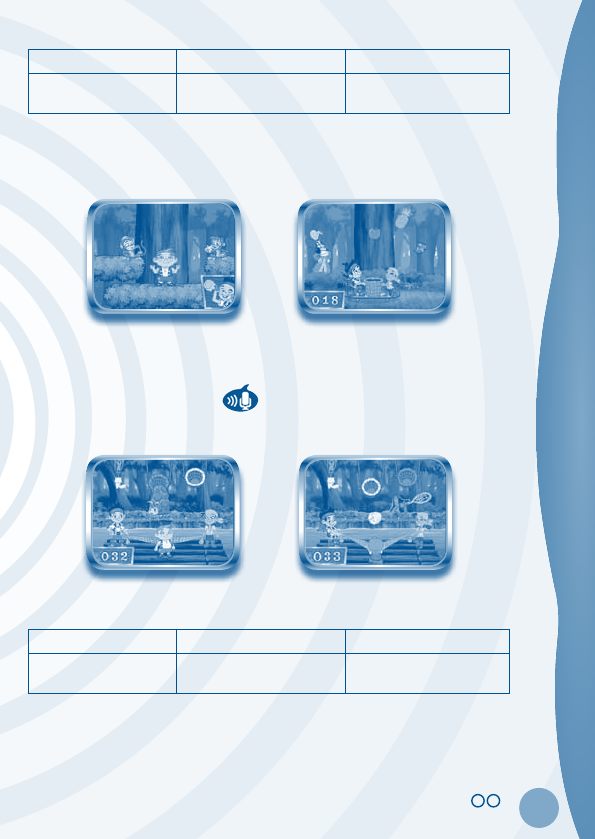
Fantastic Fruit Fun
Cubby wants to make some of his famous smoothies, but he ran out of fruit! Help Cubby
collect nice, juicy fruit in Big Tree Forest. Then, help Jake and Izzy catch and count the fruit.
Curriculum: Problem Solving
Coconuts Aweigh!
Jake, Izzy and Cubby discover some contraptions and decide to have some fun with them.
Help the pirate crew aim and fire the coconuts into the right goals!
Curriculum: Colors
Action MobiGo® 2 (sound controls) MobiGo® (touch controls)
Scare the Big Bug away Shout into the microphone N/A
ACTIVITIES
© 2012 VTech
Printed in China
91-002461-193
CAUS
6
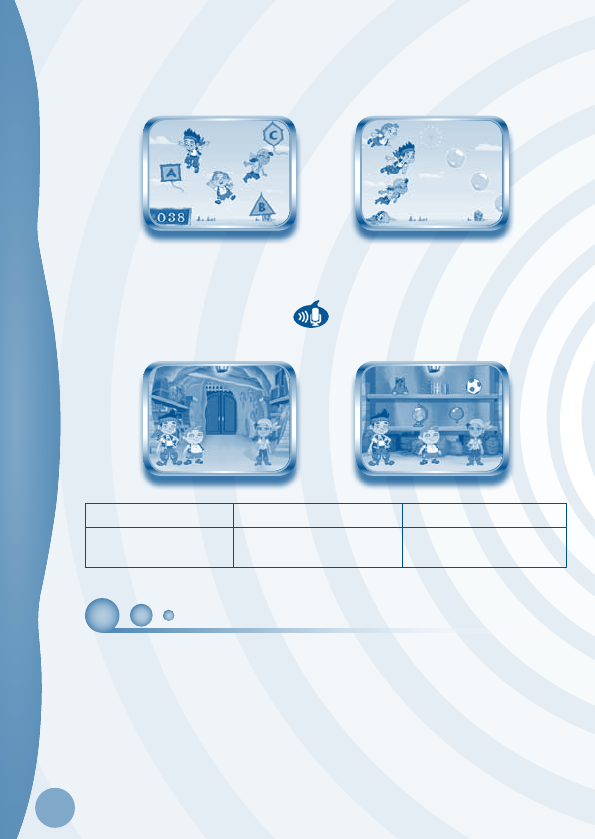
Peter Pan’s Surprise
Jake got a special message from Peter Pan. It tells the pirates how to get to a secret vault—
and that the kites floating in the air will spell out the password to open it! Help the pirates
collect the kites and find out what’s inside the vault!
Curriculum: Letters
The Treasure Room
Peek into the pirates’ treasure room and see all the treasures you’ve unlocked.
Action MobiGo® 2 (sound controls) MobiGo® (touch controls)
See special effects for
certain treasures
Touch the treasure, and then
blow into the microphone
Touch the treasure
WEB CONNECTIVITY
Connect MobiGo® to the internet to download new games and follow your child’s learning
progress online. Refer to the MobiGo® console manual for connection details.
WEB CONNECTIVITY / CARE & MAINTENANCE

7
TROUBLESHOTTING / TECHNICAL SUPPORT...
CARE & MAINTENANCE
1. Keep your MobiGo® clean by wiping it with a slightly damp cloth. Never use solvents or
abrasives.
2. Keep it out of direct sunlight and away from direct sources of heat.
3. Remove the batteries when not using it for an extended period of time.
4. Avoid dropping it. NEVER try to dismantle it.
5. Always keep MobiGo® away from water.
WARNING
A very small percentage of the public, due to an existing condition, may experience
epileptic seizures or momentary loss of consciousness when viewing certain types
of flashing colors or patterns. While the MobiGo® Touch Learning System does
not contribute to any additional risks, we do recommend that parents supervise their
children while they play video games. If your child experiences dizziness, altered
vision, disorientation, or convulsions, discontinue use immediately and consult your
physician. Please note that focusing on an LCD screen at close range and handling
directional pad controls for a prolonged period of time may cause fatigue or discomfort.
We recommend that children take a 15 minute break for every hour of play.
WARNING:
All packing materials, such as tape, plastic sheets, packaging locks and tags
are not part of this toy, and should be discarded for your child’s safety.
ATTENTION Pour la sécurité de votre enfant, débarrassez-vous de tous les produits
d’emballage tels que rubans adhésifs, feuilles de plastique, attaches et
étiquettes. Ils ne font pas partie du jouet.
Note:
Please keep the user’s manual as it contains important information.
TROUBLESHOOTING
Please note that if you try to insert or remove a MobiGo® cartridge without first turning the
unit OFF, you may experience a malfunction. If this happens, and the unit does not respond
to pressing the ON/OFF buttons, disconnect the AC adaptor from the main unit or remove
the batteries. Then, reconnect the adaptor, or reinstall the batteries.
8
TECHNICAL SUPPORT
If you have a problem that cannot be solved by using this manual, we encourage you to
visit us online or contact our Consumer Services Department with any problems and/or
suggestions that you might have. A support representative will be happy to assist you.
Before requesting support, please be ready to provide or include the information below:
• The name of your product or model number (the model number is typically located on the
back or bottom of your product).
• The actual problem you are experiencing.
• The actions you took right before the problem started.
Internet www.vtechkids.com
Phone: 1-800-521-2010 in U.S. or 1-877-352-8697 in Canada
COPYRIGHT NOTICES
Copyright 2012 VTech Electronics North America, L.L.C. All Rights Reserved. VTech
and the VTech logo are registered trademarks of VTech. MobiGo® is trademark of VTech
Electronics North America, L.L.C. All other trademarks are property of their respective
owners.
IMPORTANT NOTE:
Creating and developing MobiGo
®
Touch Learning System products is accompanied
by a responsibility that we at VTech
®
take very seriously. We make every effort to ensure
the accuracy of the information that forms the value of our products. However, errors
sometimes can occur. It is important for you to know that we stand behind our products and
encourage you to call our Consumer Services Department at 1-800-521-2010 in the U.S. or
1-877-352-8697 in Canada, with any problems and/or suggestions that you might have. A
service representative will be happy to help you.
OTHER INFO
DISCLAIMER AND LIMITATION OF LIABILITY
VTech® Electronics North America, L.L.C. and its suppliers assume no responsibility for any
damage or loss resulting from the use of this handbook. VTech® Electronics North America,
L.L.C. and its suppliers assume no responsibility for any loss or claims by third parties that
may arise through the use of this software. VTech® Electronics North America, L.L.C. and its
suppliers assume no responsibility for any damage or loss caused by deletion of data as a result
of malfunction, dead battery, or repairs. Be sure to make backup copies of important data on
other media to protect against data loss.
COMPANY: VTech® Electronics North America, L.L.C.
ADDRESS: 1155 West Dundee Rd, Suite 130, Arlington Heights, IL 60004 USA
TEL NO: 1-800-521-2010 in the U.S. or 1-877-352-8697 in Canada
COPYRIGHT NOTICES / OTHER INFO

9
NOTE:
This device complies with Part 15 of the FCC Rules. Operation is subject to the following
two conditions: (1) this device may not cause harmful interference, and (2) this device
must accept any interference received, including interference that may cause undesired
operation.
This Class B digital apparatus complies with Canadian ices-003.
Cet appareil numérique de la classe b est conforme à la norme nmb-003 du Canada.
This equipment has been tested and found to comply with the limits for a Class B digital
device, pursuant to Part 15 of the FCC Rules. These limits are designed to provide reasonable
protection against harmful interference in a residential installation. This equipment
generates, uses and can radiate radio frequency energy and, if not installed and used in
accordance with the instructions, may cause harmful interference to radio communications.
However, there is no guarantee that interference will not occur in a particular installation. If
this equipment does cause harmful interference to radio or television reception, which can
be determined by turning the equipment off and on, the user is encouraged to try to correct
the interference by one or more of the following measures:
• Reorient or relocate the receiving antenna.
• Increase the separation between the equipment and receiver.
• Connect the equipment into an outlet on a circuit different from that to which the receiver
is connected.
• Consult the dealer or an experienced radio/TV technician for help.
Caution: Changes or modifications not expressly approved by the party responsible for
compliance could void the user’s authority to operate the equipment.
OTHER INFO
