W Rider Technology RDBTSPV4 Bluetooth Speaker User Manual VS05 function and warning

Shenzhen W.Rider Technology Co., Ltd. Bluetooth Speaker VS05 function and warning

RD-S060PBT user guide

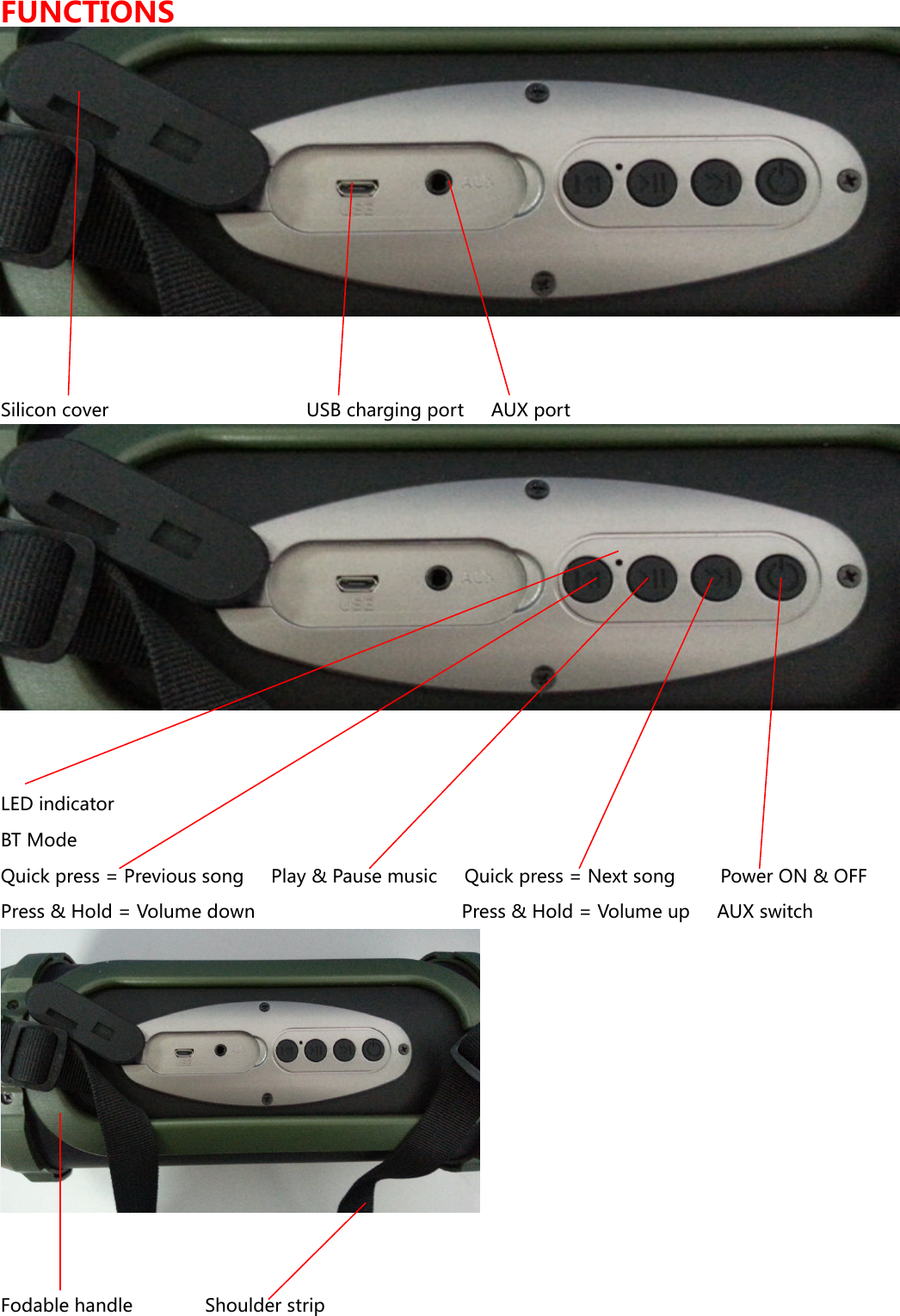
FUNCTIONS  Silicon cover                      USB charging port      AUX port  LED indicator BT Mode Quick press = Previous song      Play & Pause music      Quick press = Next song          Power ON & OFF Press & Hold = Volume down                                              Press & Hold = Volume up      AUX switch  Fodable handle                Shoulder strip
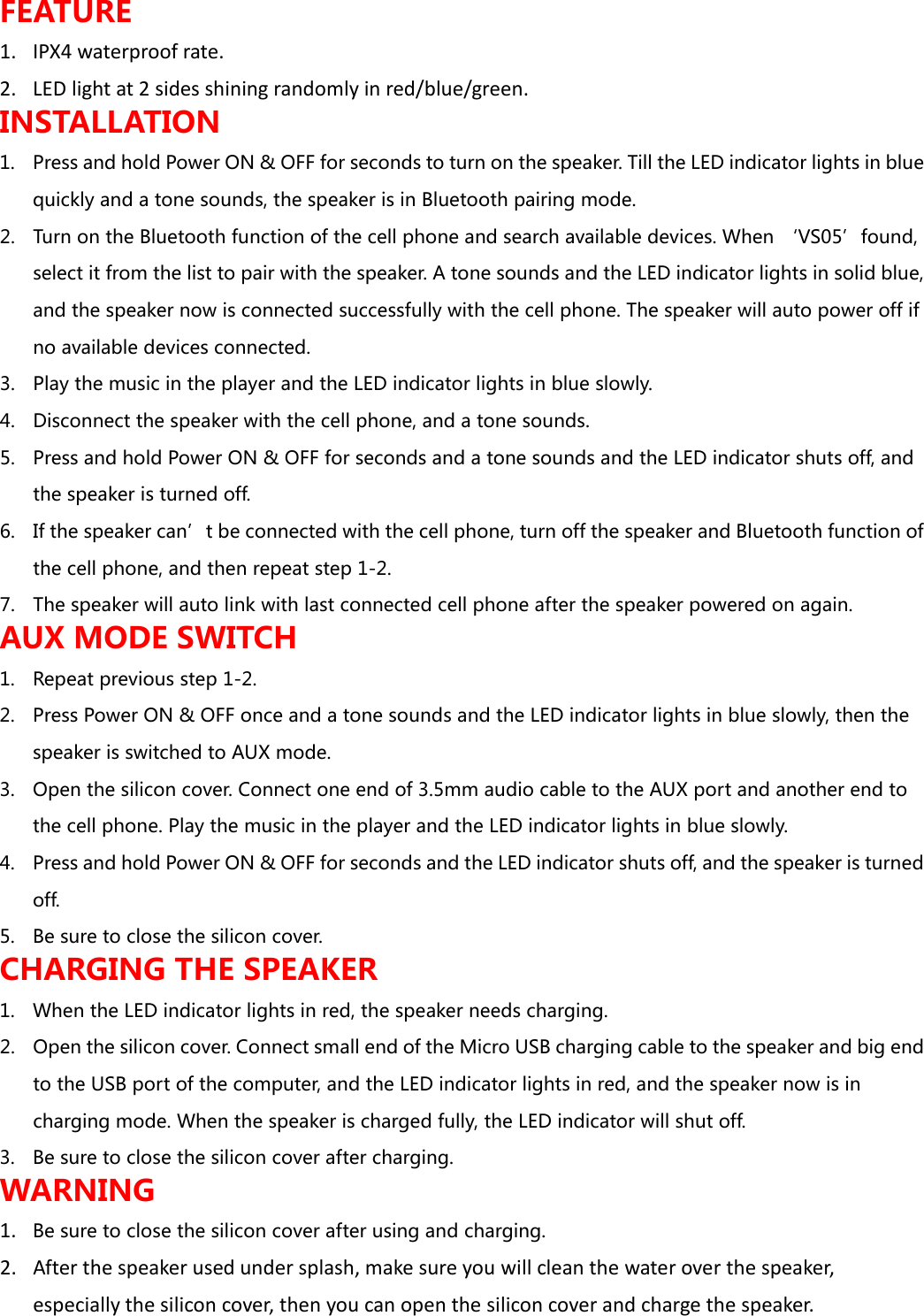
FEATURE 1. IPX4 waterproof rate. 2. LED light at 2 sides shining randomly in red/blue/green. INSTALLATION 1. Press and hold Power ON & OFF for seconds to turn on the speaker. Till the LED indicator lights in blue quickly and a tone sounds, the speaker is in Bluetooth pairing mode.   2. Turn on the Bluetooth function of the cell phone and search available devices. When ‘VS05’found, select it from the list to pair with the speaker. A tone sounds and the LED indicator lights in solid blue, and the speaker now is connected successfully with the cell phone. The speaker will auto power off if no available devices connected. 3. Play the music in the player and the LED indicator lights in blue slowly. 4. Disconnect the speaker with the cell phone, and a tone sounds. 5. Press and hold Power ON & OFF for seconds and a tone sounds and the LED indicator shuts off, and the speaker is turned off.   6. If the speaker can’t be connected with the cell phone, turn off the speaker and Bluetooth function of the cell phone, and then repeat step 1-2. 7. The speaker will auto link with last connected cell phone after the speaker powered on again. AUX MODE SWITCH 1. Repeat previous step 1-2. 2. Press Power ON & OFF once and a tone sounds and the LED indicator lights in blue slowly, then the speaker is switched to AUX mode.   3. Open the silicon cover. Connect one end of 3.5mm audio cable to the AUX port and another end to the cell phone. Play the music in the player and the LED indicator lights in blue slowly. 4. Press and hold Power ON & OFF for seconds and the LED indicator shuts off, and the speaker is turned off.   5. Be sure to close the silicon cover. CHARGING THE SPEAKER 1. When the LED indicator lights in red, the speaker needs charging. 2. Open the silicon cover. Connect small end of the Micro USB charging cable to the speaker and big end to the USB port of the computer, and the LED indicator lights in red, and the speaker now is in charging mode. When the speaker is charged fully, the LED indicator will shut off.  3. Be sure to close the silicon cover after charging. WARNING 1. Be sure to close the silicon cover after using and charging. 2. After the speaker used under splash, make sure you will clean the water over the speaker, especially the silicon cover, then you can open the silicon cover and charge the speaker.
FCC WARNING 1. Changes  or  modifications  not  expressly  approved  by  the  party  responsible  for  compliance  could void the user’s authority to operate the equipment. 2. This equipment has been tested and found to comply with the limits for a Class B digital device, pursuant to Part 15 of the FCC Rules. These limits are designed to provide reasonable protection against harmful interference in a residential installation. This equipment generates, uses and can radiate radio frequency energy and, if not installed and used in accordance with the instructions, may cause harmful interference to radio communications. However, there is no guarantee that interference will not occur in a particular installation. 3. If this equipment does cause harmful interference to radio or television reception, which can be determined by turning the equipment off and on, the user is encouraged to try to correct the interference by one or more of the following measures: -- Reorient or relocate the receiving antenna. -- Increase the separation between the equipment and receiver. -- Connect the equipment into an outlet on a circuit different from that to which the receiver is connected. -- Consult the dealer or an experienced radio/TV technician for help.

Navigation menu