Wally Labs SPLUG1 Smart Plug User Manual
Wally Labs LLC Smart Plug
User Manual
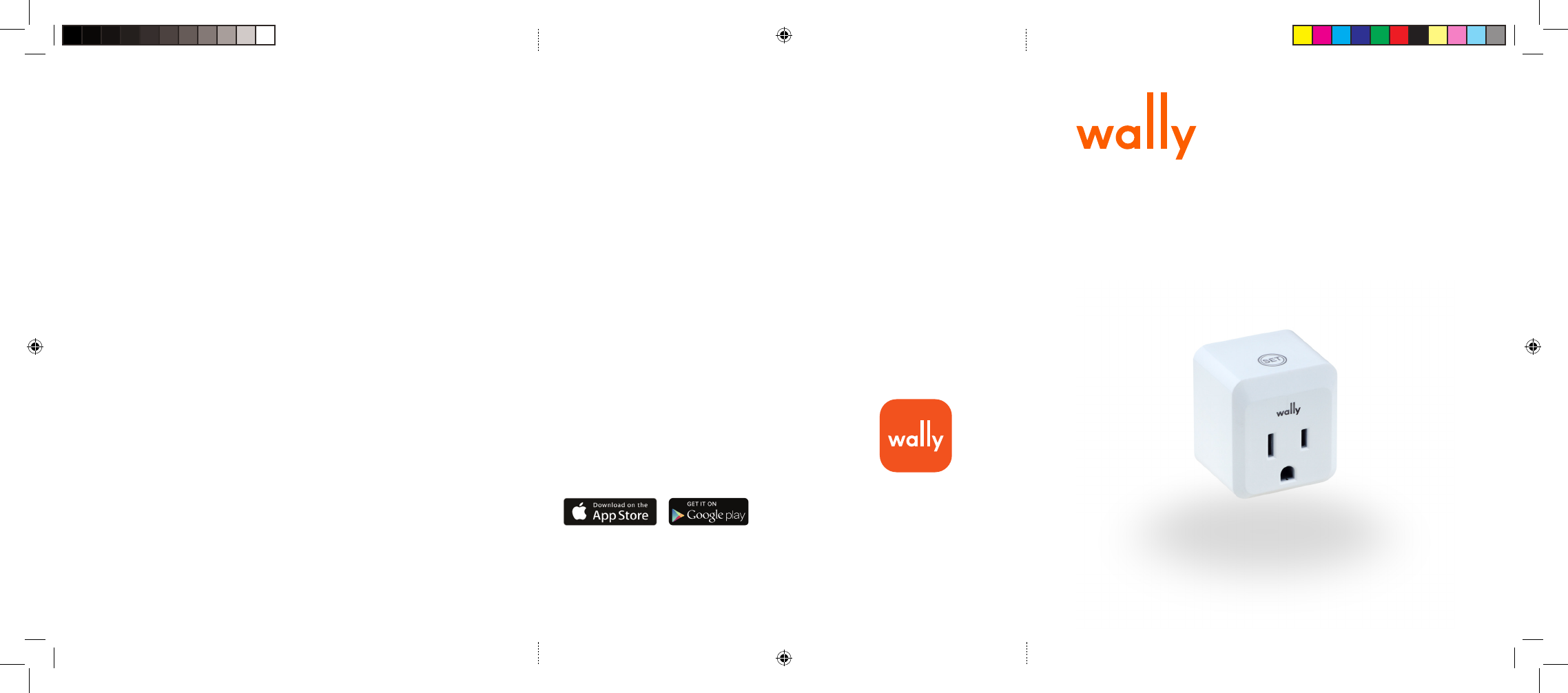
Smart Plug
Quick Start Guide
FCC and Industry Canada Compliance Statement
This device complies with FCC Rules Part 15 and with Industry Canada license-exempt RSS standard(s). Oper-
ation is subject to two conditions: (1) This device may not cause harmful interference, and (2) this device must
accept any interference that may be received or that may cause undesired operation.
Le présent appareil est conforme aux CNR d’Industrie Canada applicables aux appareils radio exempts de
licence. L’exploitation est autorisée aux deux conditions suivantes : (1) l’appareil ne doit pas produire de brouillage,
et (2) l’utilisateur de l’appareil doit accepter tout brouillage radioélectrique subi, même si le brouillage est suscep-
tible d’en compromettre le fonctionnement.
This equipment has been tested and found to comply with the limits for a Class B digital device, pursuant to part
15 of the FCC Rules. These limits are designed to provide reasonable protection against harmful interference in a
residential installation.
This equipment generates, uses and can radiate radio frequency energy and, if not installed and used in ac-
cordance with the instructions, may cause harmful interference to radio communications. However, there is no
guarantee that interference will not occur in a particular installation. If this equipment does cause harmful inter-
ference to radio or television reception, which can be determined by turning the equipment off and on, the user is
encouraged to try to correct the interference by one or more of the following measures:
• Reorient or relocate the receiving antenna.
• Increase the separation between the equipment and receiver.
• Connect the equipment into an outlet on a circuit different from that to which the receiver is connected.
• Consult the dealer or an experienced radio/TV technician for help.
This Class B digital apparatus complies with Canadian ICES-003. Cet appareil numerique de la classe B est con-
forme a la norme NMB-003 du Canada.
Changes or modifications to this equipment not expressly approved by the party responsible for compliance
could void the user’s authority to operate the equipment.
To comply with FCC and IC RF exposure compliance requirements, the device should be located at a distance of
at least 20 cm from all persons during normal operation. The antennas used for this product must not be co-lo-
cated or operated in conjunction with any other antenna or transmitter.
Le dispositif doit être placé à une distance d’au moins 20 cm à partir de toutes les personnes au cours de son
fonctionnement normal. Les antennes utilisées pour ce produit ne doivent pas être situés ou exploités conjointe-
ment avec une autre antenne ou transmetteur.
WALLY LIMITED WARRANTY
FOR ONE YEAR from the date of sale this Product has a warranty against defects in materials or workmanship
when it is correctly connected, operated and maintained according to all supplied instructions. If a defect arises
and a valid claim is received WITH PROOF OF SALE within the Warranty Period, then as your sole remedy (and
Wally Labs’ sole liability), Wally Labs will at its option either 1) replace the Product with a new product that is
functionally equivalent to the original, or 2) repair the defect at no charge, using new or refurbished replacement
parts, in each case within 30 days following receipt of the returned Product. A replacement product or part
assumes the remaining warranty of the original Product. When a Product or part is exchanged, any replacement
product or part becomes your property and the replaced Product or part becomes Wally Labs’ property. This
warranty does not cover the batteries, which are expendable parts that can wear out from normal use within the
warranty period.
Download the Wally® app or go to my.wallyhome.com
and follow the instructions to connect Wally!
The App Store is a registered trademark of Apple Inc.
Android, Google Play, and the Google Play logo are trademarks of Google Inc.
Need Help?
Visit www.wallyhome.com or email us
at Support@wallyhome.com
This warranty covers ONLY defects in materials and workmanship of the Wally SmartPlug, and
will NOT cover:
1. Damage to or failure of the Wally SmartPlug if it is not correctly connected, operated or maintained according
to all supplied instructions.
2. Damage to or failure of the Wally SmartPlug resulting from accident, immersion, alteration, exposure to
extreme conditions, abuse, misuse, or use for other than its intended purpose.
3. Damage to or failure of parts or systems resulting from modifications made to the Wally SmartPlug.
WARRANTY SERVICE
To obtain the warranty coverage stated above, return the Product with proof of sale to the retailer from which it
was purchased. Please be prepared to describe the nature of the problem you are experiencing with the product.
Any claim under this Limited Warranty must be submitted to the retailer from which it was purchased before the
end of the Warranty Period.
Disclaimer of implied warranties; limitation of remedies
Customer’s sole and exclusive remedy under this limited warranty is Product repair or replacement as provided
herein. Implied warranties, including warranties of merchantability or fitness for a particular purpose, are limited
to one year or the shortest period allowed by law. EXCEPT FOR BODILY INJURY, WALLY LABS SHALL NOT BE
LIABLE FOR (I)ANYLOSTPROFITS, COSTOF PROCUREMENT OF SUBSTITUE PRODUCTS, OR ANY INCIDENTAL
OR CONSEQUENTIAL DAMAGES, OR (II) ANY AMOUNTS IN EXCESS OF THE PURCHASE PRICE FOR THE PROD-
UCT, IN EACH CASE WHETHER RESULTING FROM THE USE OF OR INABILITY TO USE THIS PRODUCT, EVEN IF
COMPANY HAS BEEN ADVISED OF THE POSSIBLITY OF SUCH DAMAGES. Some states and provinces do not
allow the exclusion or limitation of incidental or consequential damages, or limitation on the duration of implied
warranties of merchantability or fitness, so these exclusions or limitations may not apply to you.
This warranty gives you specific legal rights, and you may also have other rights which vary from state to state.
Wally Labs LLC, Seattle, WA 98105
Quick Start Guide-Smart Plug.indd 1 8/15/17 1:24 PM
SPLUG1
Pairing the SmartPlug to Wally
1. Open the Wally app on your mobile device (iOS or Android) or
download it from the Apple Store or Google Play Store.
2. Plug the SmartPlug into a standard wall power outlet.
a. Pick a location between the Wally Hub and a Sensor or Shutoff Valve
to extend the Wally network.
b. Pick a location close to the appliance you would like to control
remotely.
3. Press and hold the “SET” button until the Wally logo flashes green.
4. From the Dashboard in the Wally app, tap “Add Product” and follow
the instructions.
5. When the SmartPlug has successfully paired, the Wally logo will stop
flashing and the Wally app will show a new tile on the Dashboard for
the SmartPlug. You may tap the SmartPlug tile to view more informa-
tion and to control it remotely.
Operating the SmartPlug
To operate the SmartPlug, you may either tap the SET button once to turn
it on/off or you may use the Wally mobile and web apps to toggle it on/off.
To do this tap the SmartPlug tile on the Dashboard and tap the toggle at
the top.
Thank you for choosing the Wally SmartPlug designed to work with the
Wally Starter Kit. Together they work to extend the range of Wally
throughout your home or business and bring smart control to appliances.
Please Note:
In order to take advantage of all the capabilities of the SmartPlug, you must
pair it with the Wally Hub from the Wally Starter Kit. Please carefully read
through the following instructions to ensure proper installation and setup. If
you have questions or run into issues during installation or operation, please
contact Wally at support@WallyHome.com.
• The SmartPlug should not be installed within a metal cabinet as this
may prevent it from communicating wirelessly with the Wally Hub.
Wally SmartPlug
The SmartPlug works with the Wally Hub, Sensor, and Shutoff Valve by
enabling the Wally Hub to wirelessly extend to potentially hard to reach
places. The SmartPlug extends your Wally wireless network so that
Sensors and Shutoff Valve placed far away from the Hub may receive
a stronger signal. At the same time, the SmartPlug makes ordinary
appliances smarter, giving you the ability to turn them on or off from
the Wally mobile and web apps.
SmartPlug Specifications
Dimensions 1.6 in x 1.8 in x 1.3 in (40.5 mm x 45.7 mm x 34 mm)
Weight 2.24 oz (63.5g)
Input 100 – 120 V, 15A, 60Hz
Output 100 – 120 V, 15A, 60Hz
Communication 2.4 GHz (Zigbee)
Compliant to FCC/IC
SmartPlug Button and LED Behavior
SET Button
Behavior
Action LED Wally logo
Press and
Hold
Pair or
Un-Pair the
SmartPlug
Flashes green to indicate it is in pairing
mode
Single Press Turn Smart-
Plug On or
Off
On = Fades in to white
Off = Fades out
Plug in
SmartPlug
SmartPlug remembers whether it was
On or Off before being unplugged:
If On = Fades in to white
If Off = Flashes white once
Quick Start Guide-Smart Plug.indd 2 8/15/17 1:24 PM