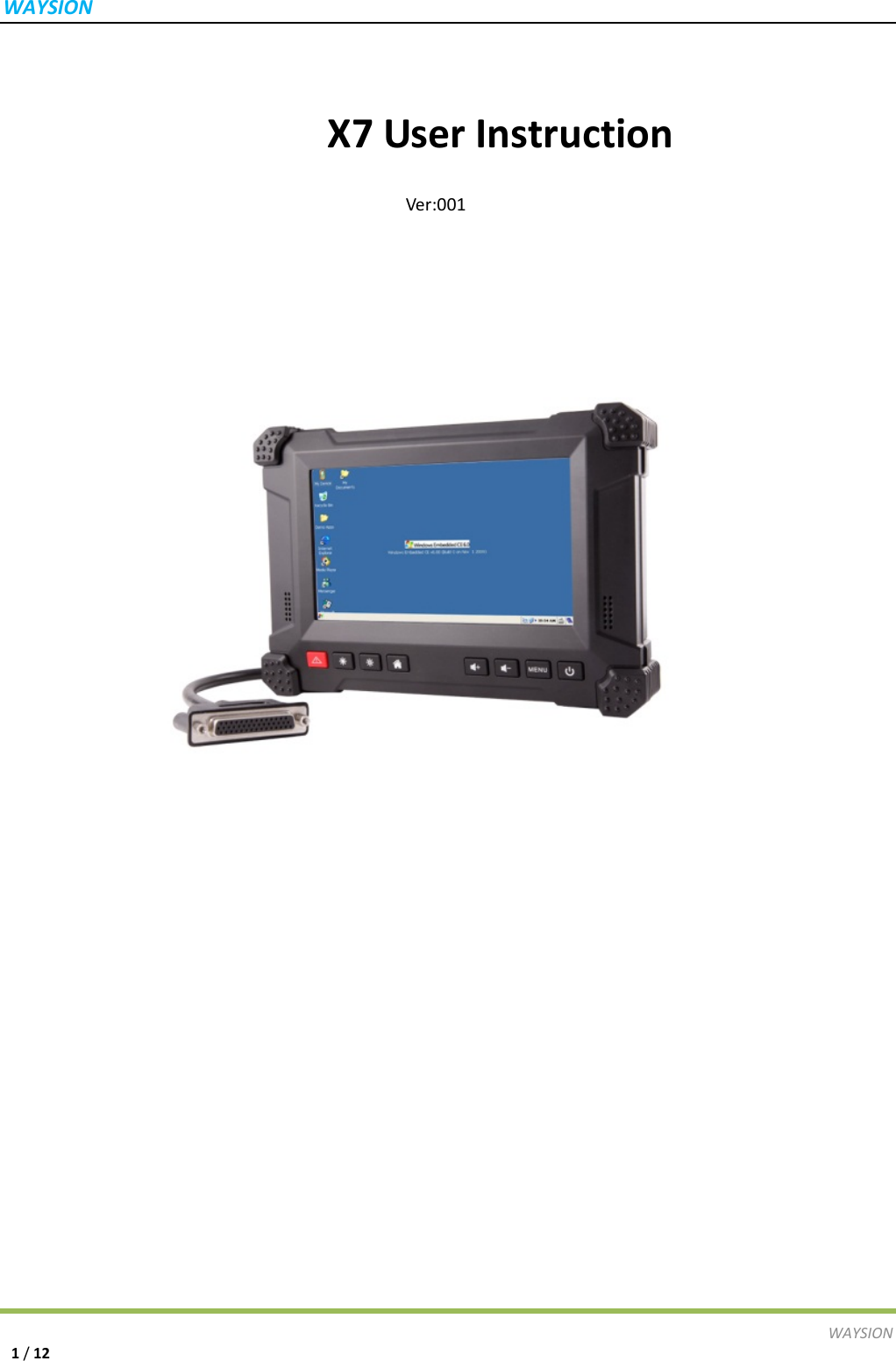
Waysion Technology WSP01 Data Terminal User Manual X7

Waysion Technology (Xiamen) Co., LTD Data Terminal X7

User Manual

WAYSIONWAYSION1/12X7UserInstructionVer:001
WAYSIONWAYSION2/12Content一、  ProductDescription―――――――――――――――――――――――――4二、  ProductSpecifications――――――――――――――――――――――――4三、  ProductAppearance―――――――――――――――――――――――――5四、  UserInstructionforeachfunction(WindowsEmbeddedCompact7.0Ver.)―81、  StartingUpInterface  ――――――――――――――――――――――――――72、  USBFlashDiskUsage―――――――――――――――――――――――――――73、  SDCardUsage  ――――――――――――――――――――――――――――84、  AudioPlay  ――――――――――――――――――――――――――――――85、  VideoPlay  ――――――――――――――――――――――――――――――96、  EthernetPortUsage―――――――――――――――――――――――――――――97、  Touc hScreenCalibration――――――――――――――――――――――――108、  USBDEVICEUsage――――――――――――――――――――――――――――11
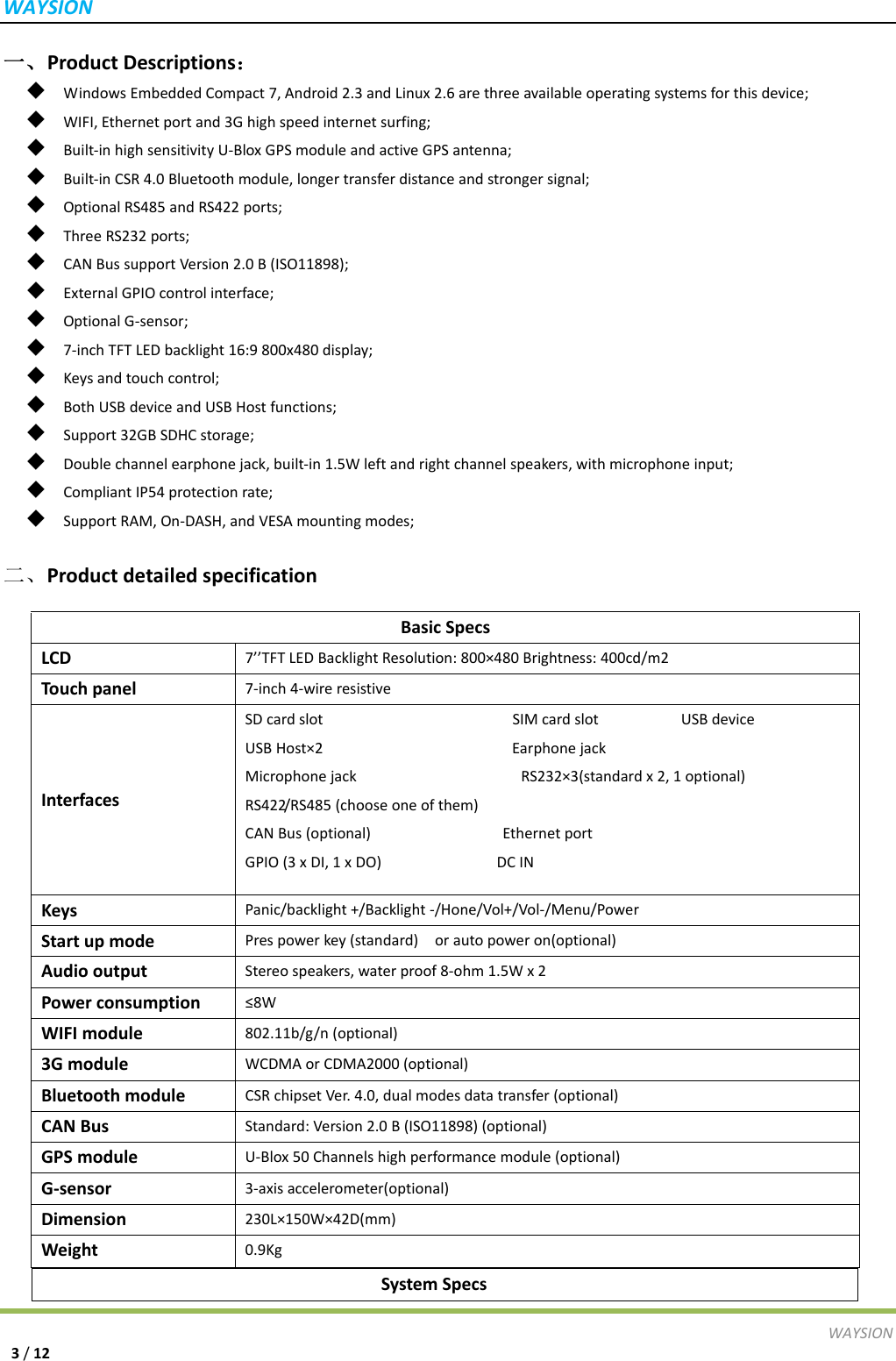
WAYSIONWAYSION3/12一、ProductDescriptions:◆  WindowsEmbeddedCompact7,Android2.3andLinux2.6arethreeavailableoperatingsystemsforthisdevice;◆  WIFI,Ethernetportand3Ghighspeedinternetsurfing;◆  Built‐inhighsensitivityU‐BloxGPSmoduleandactiveGPSantenna;◆  Built‐inCSR4.0Bluetoothmodule,longertransferdistanceandstrongersignal;◆  OptionalRS485andRS422ports;◆  ThreeRS232ports;◆  CANBussupportVersion2.0B(ISO11898);◆  ExternalGPIOcontrolinterface;◆  OptionalG‐sensor;◆  7‐inchTFTLEDbacklight16:9800x480display;◆  Keysandtouchcontrol;◆  BothUSBdeviceandUSBHostfunctions;◆  Support32GBSDHCstorage;◆  Doublechannelearphonejack,built‐in1.5Wleftandrightchannelspeakers,withmicrophoneinput;◆  CompliantIP54protectionrate;◆  SupportRAM,On‐DASH,andVESAmountingmodes;二、ProductdetailedspecificationSystemSpecs BasicSpecsLCD7’’TFTLEDBacklightResolution:800×480Brightness:400cd/m2Touchpanel7‐inch4‐wireresistiveInterfacesSDcardslotSIMcardslotUSBdeviceUSBHost×2EarphonejackMicrophonejackRS232×3(standardx2,1optional)RS422/RS485(chooseoneofthem)CANBus(optional)EthernetportGPIO(3xDI,1xDO)DCINKeysPanic/backlight+/Backlight‐/Hone/Vol+/Vol‐/Menu/PowerStartupmodePrespowerkey(standard)orautopoweron(optional)AudiooutputStereospeakers,waterproof8‐ohm1.5Wx2Powerconsumption≤8WWIFImodule802.11b/g/n(optional)3GmoduleWCDMAorCDMA2000(optional)BluetoothmoduleCSRchipsetVer.4.0,dualmodesdatatransfer(optional)CANBusStandard:Version2.0B(ISO11898)(optional)GPSmoduleU‐Blox50Channelshighperformancemodule(optional)G‐sensor3‐axisaccelerometer(optional)Dimension230L×150W×42D(mm)Weight0.9Kg
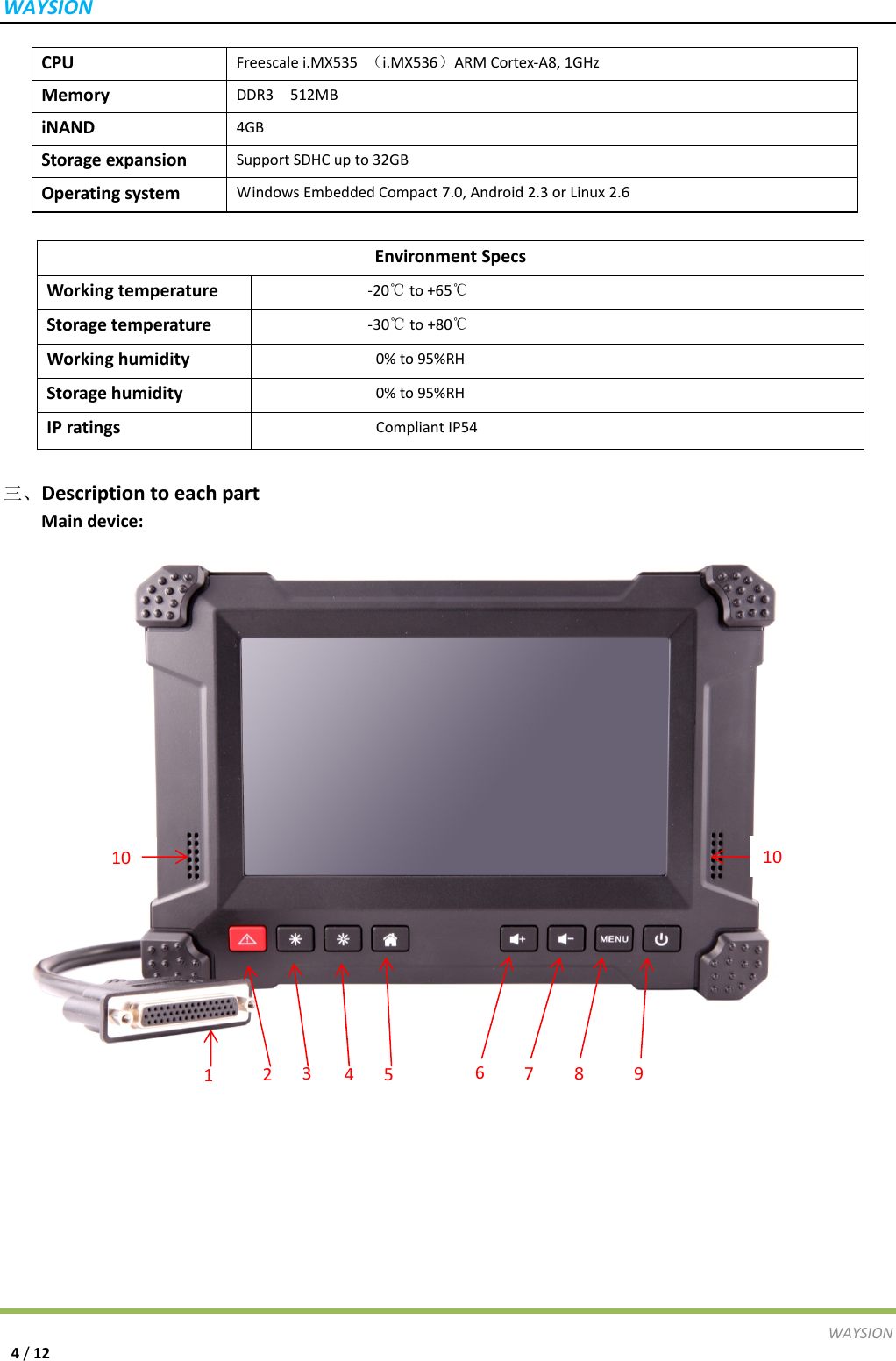
WAYSIONWAYSION4/12CPUFreescalei.MX535(i.MX536)ARMCortex‐A8,1GHzMemoryDDR3512MBiNAND4GBStorageexpansionSupportSDHCupto32GBOperatingsystemWindowsEmbeddedCompact7.0,Android2.3orLinux2.6三、DescriptiontoeachpartMaindevice:EnvironmentSpecsWorkingtemperature‐20 to+65℃℃Storagetemperature‐30 to+80℃℃Workinghumidity0%to95%RHStoragehumidity0%to95%RHIPratingsCompliantIP5422135846971010
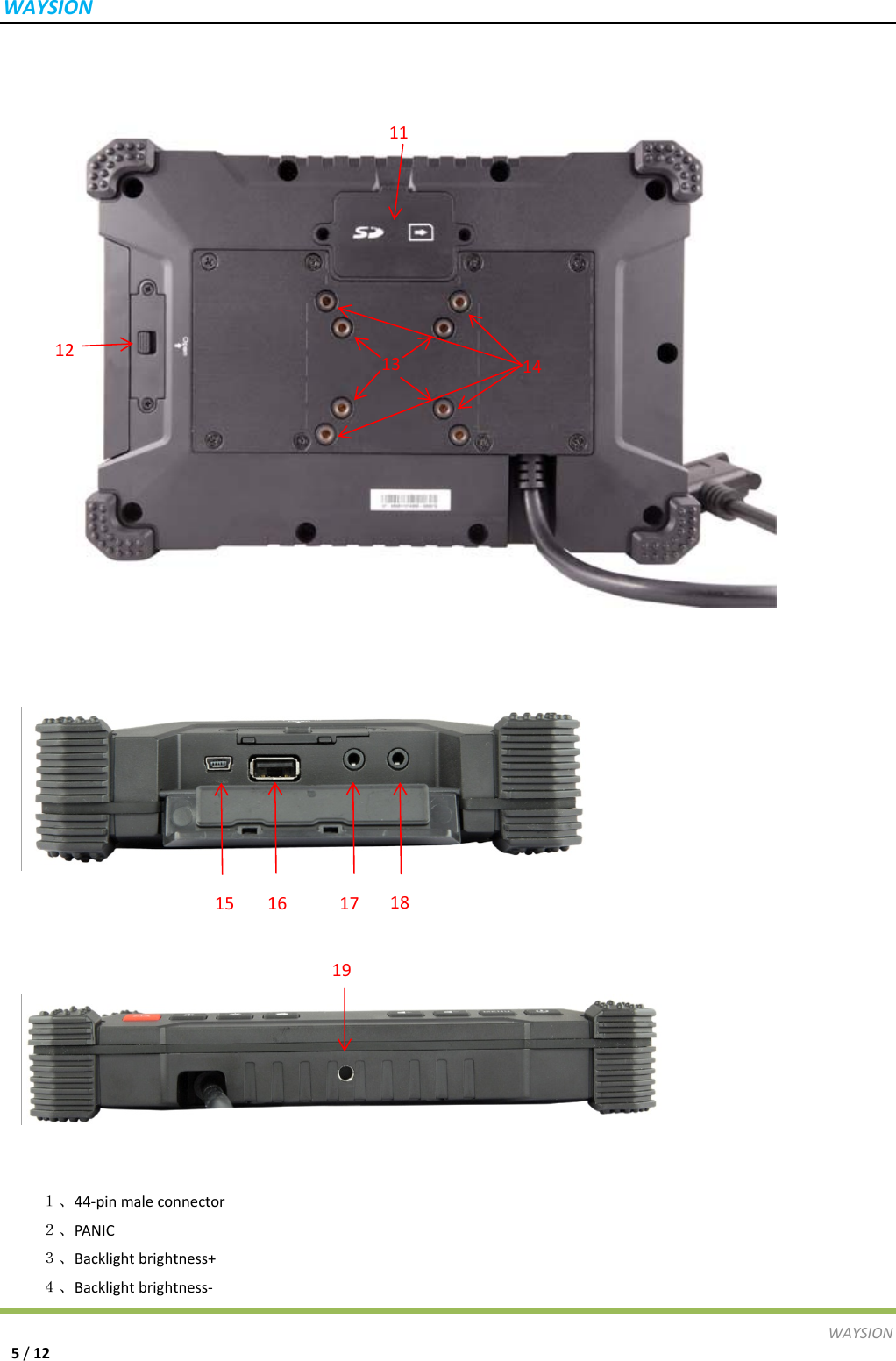
WAYSIONWAYSION5/1221、44‐pinmaleconnector2、PANIC3、Backlightbrightness+4、Backlightbrightness‐141211131516171819
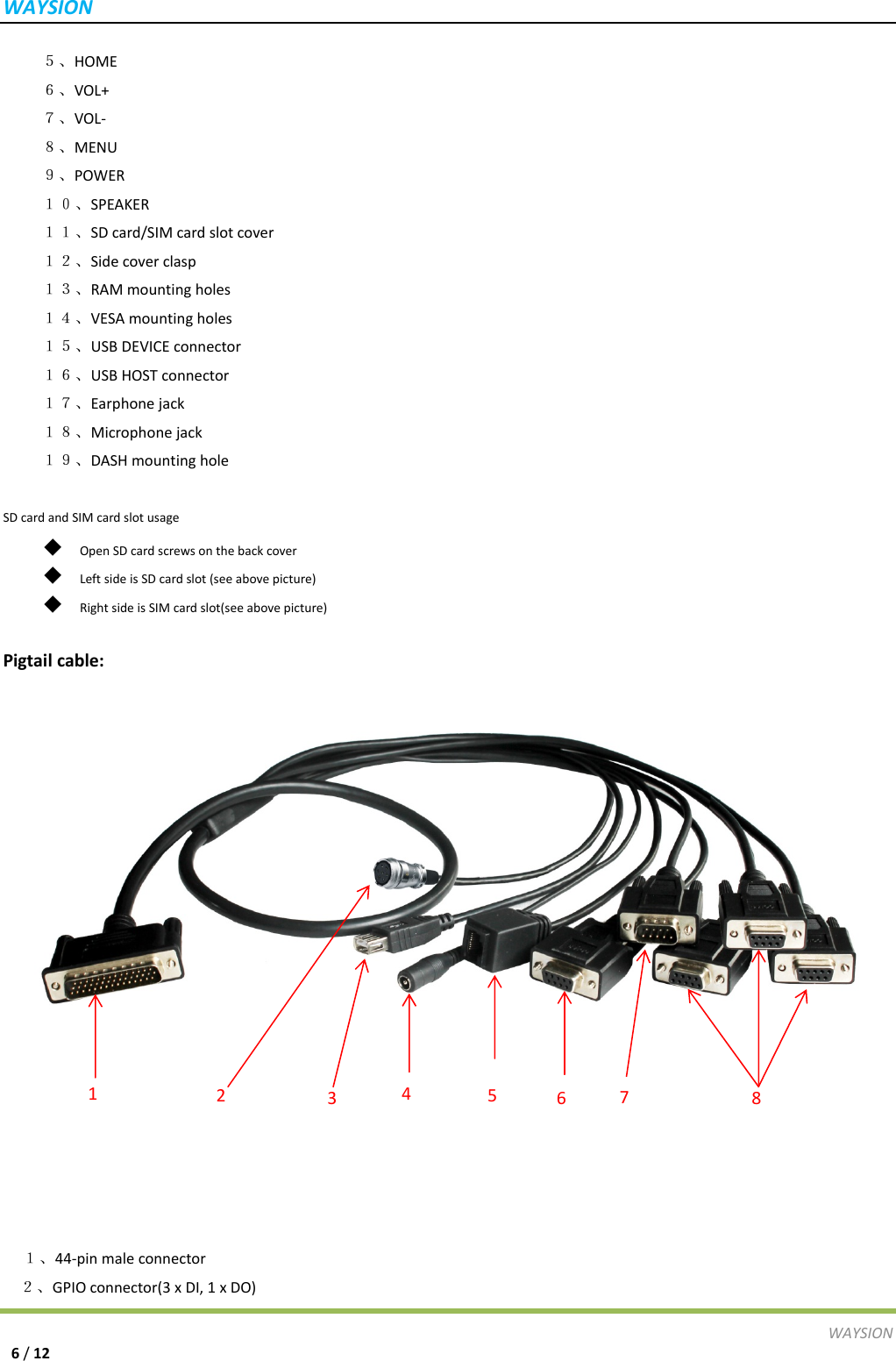
WAYSIONWAYSION6/125、HOME6、VOL+7、VOL‐8、MENU9、POWER10、SPEAKER11、SDcard/SIMcardslotcover12、Sidecoverclasp13、RAMmountingholes14、VESAmountingholes15、USBDEVICEconnector16、USBHOSTconnector17、Earphonejack18、Microphonejack19、DASHmountingholeSDcardandSIMcardslotusage◆  OpenSDcardscrewsonthebackcover◆  LeftsideisSDcardslot(seeabovepicture)◆  RightsideisSIMcardslot(seeabovepicture)Pigtailcable: 1、44‐pinmaleconnector 2、GPIOconnector(3xDI,1xDO)12358764
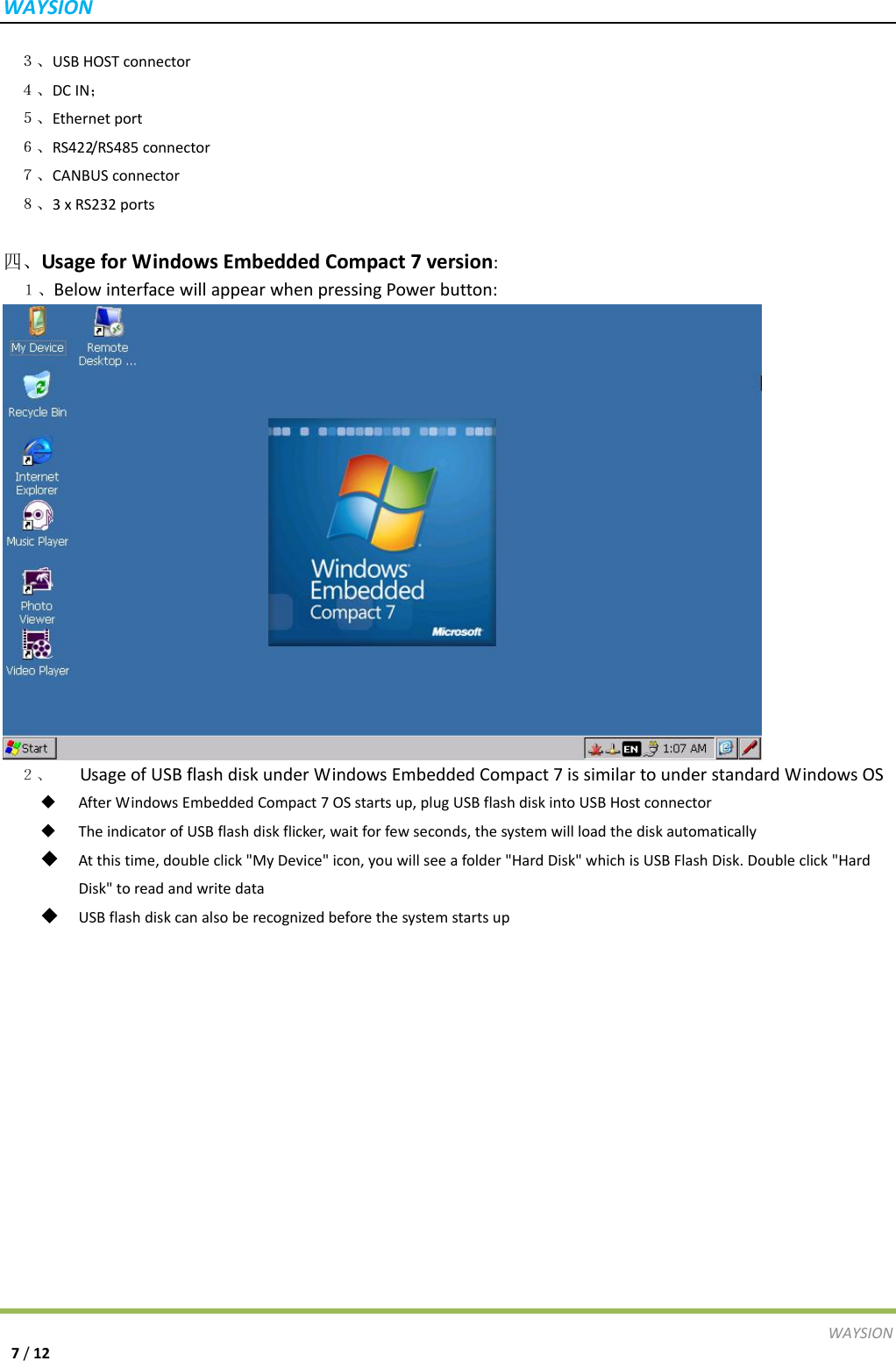
WAYSIONWAYSION7/12 3、USBHOSTconnector 4、DCIN; 5、Ethernetport 6、RS422/RS485connector 7、CANBUSconnector 8、3xRS232ports四、UsageforWindowsEmbeddedCompact7version:1、BelowinterfacewillappearwhenpressingPowerbutton:2、  UsageofUSBflashdiskunderWindowsEmbeddedCompact7issimilartounderstandardWindowsOS AfterWindowsEmbeddedCompact7OSstartsup,plugUSBflashdiskintoUSBHostconnector TheindicatorofUSBflashdiskflicker,waitforfewseconds,thesystemwillloadthediskautomatically Atthistime,doubleclick"MyDevice"icon,youwillseeafolder"HardDisk"whichisUSBFlashDisk.Doubleclick"HardDisk"toreadandwritedata USBflashdiskcanalsoberecognizedbeforethesystemstartsup
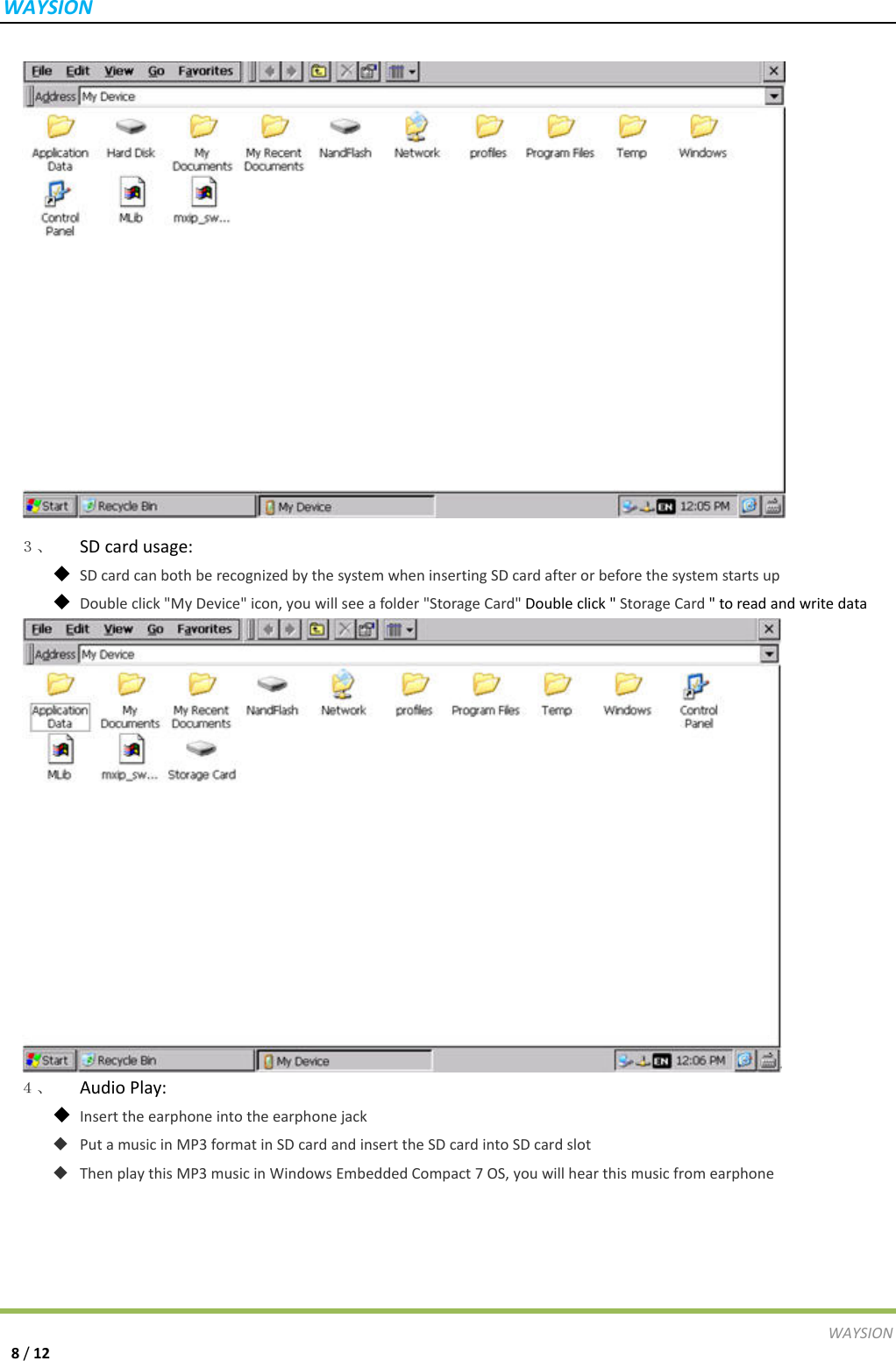
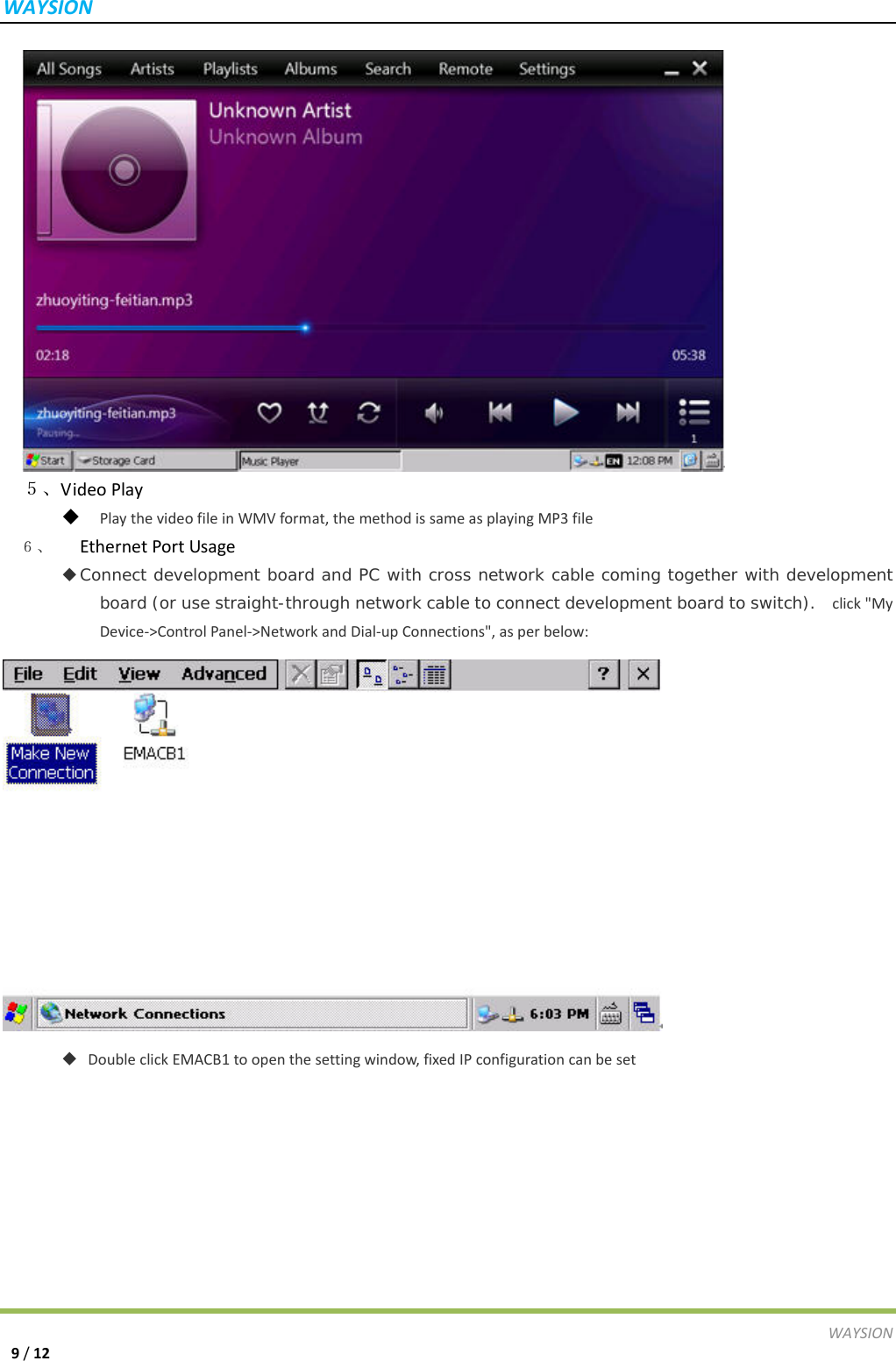
WAYSIONWAYSION8/123、  SDcardusage: SDcardcanbothberecognizedbythesystemwheninsertingSDcardafterorbeforethesystemstartsup Doubleclick"MyDevice"icon,youwillseeafolder"StorageCard"Doubleclick"StorageCard"toreadandwritedata4、  AudioPlay: Inserttheearphoneintotheearphonejack PutamusicinMP3formatinSDcardandinserttheSDcardintoSDcardslot ThenplaythisMP3musicinWindowsEmbeddedCompact7OS,youwillhearthismusicfromearphone
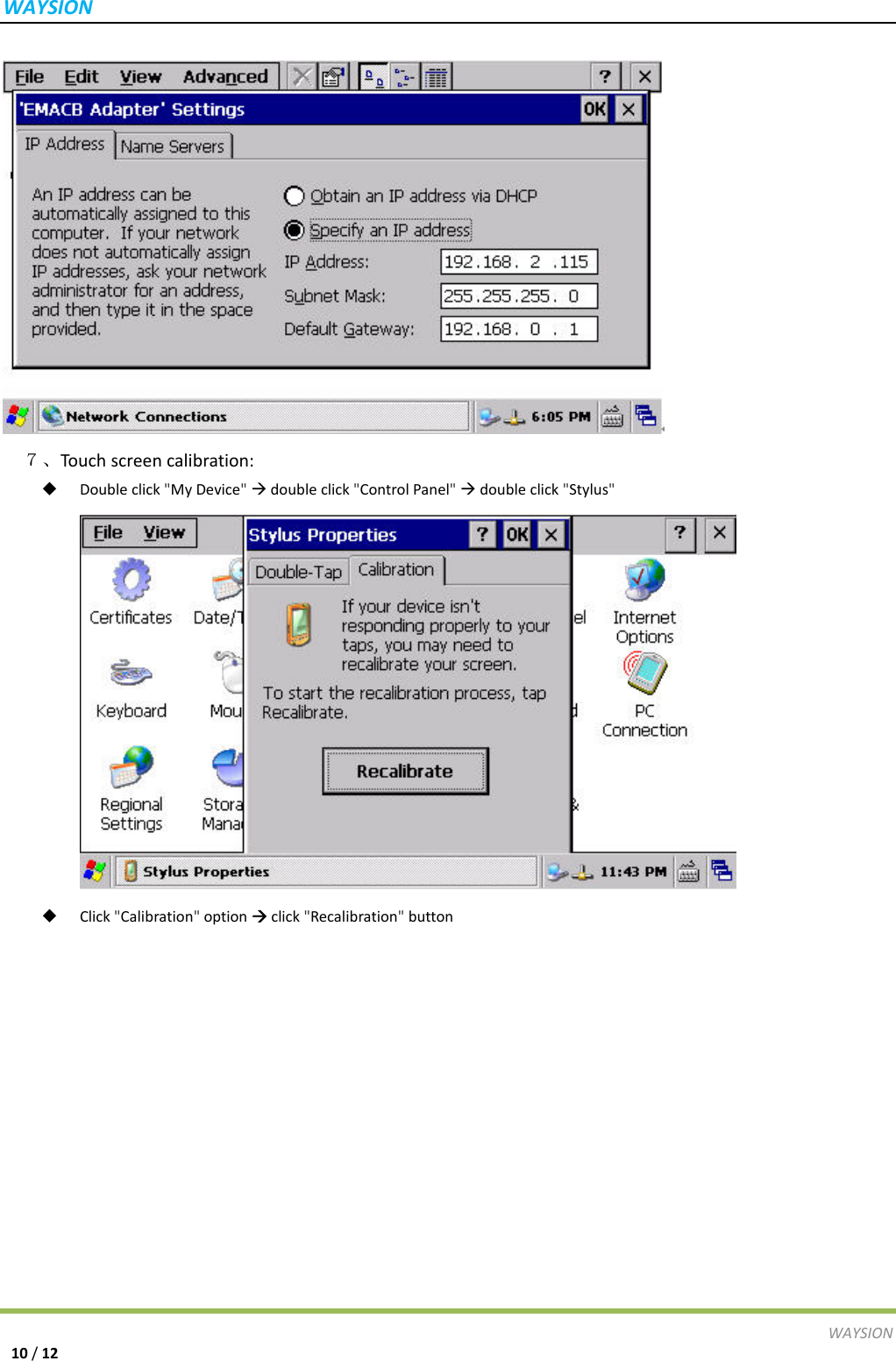
WAYSIONWAYSION9/125、VideoPlay PlaythevideofileinWMVformat,themethodissameasplayingMP3file6、  EthernetPortUsage  Connect development board and PC with cross network cable coming together with development board (or use straight-through network cable to connect development board to switch).   click"My Device‐>ControlPanel‐>NetworkandDial‐upConnections",asperbelow:   DoubleclickEMACB1toopenthesettingwindow,fixedIPconfigurationcanbeset
WAYSIONWAYSION10/12 7、Touc hscreencalibration: Doubleclick"MyDevice"doubleclick"ControlPanel"doubleclick"Stylus" Click"Calibration"optionclick"Recalibration"button
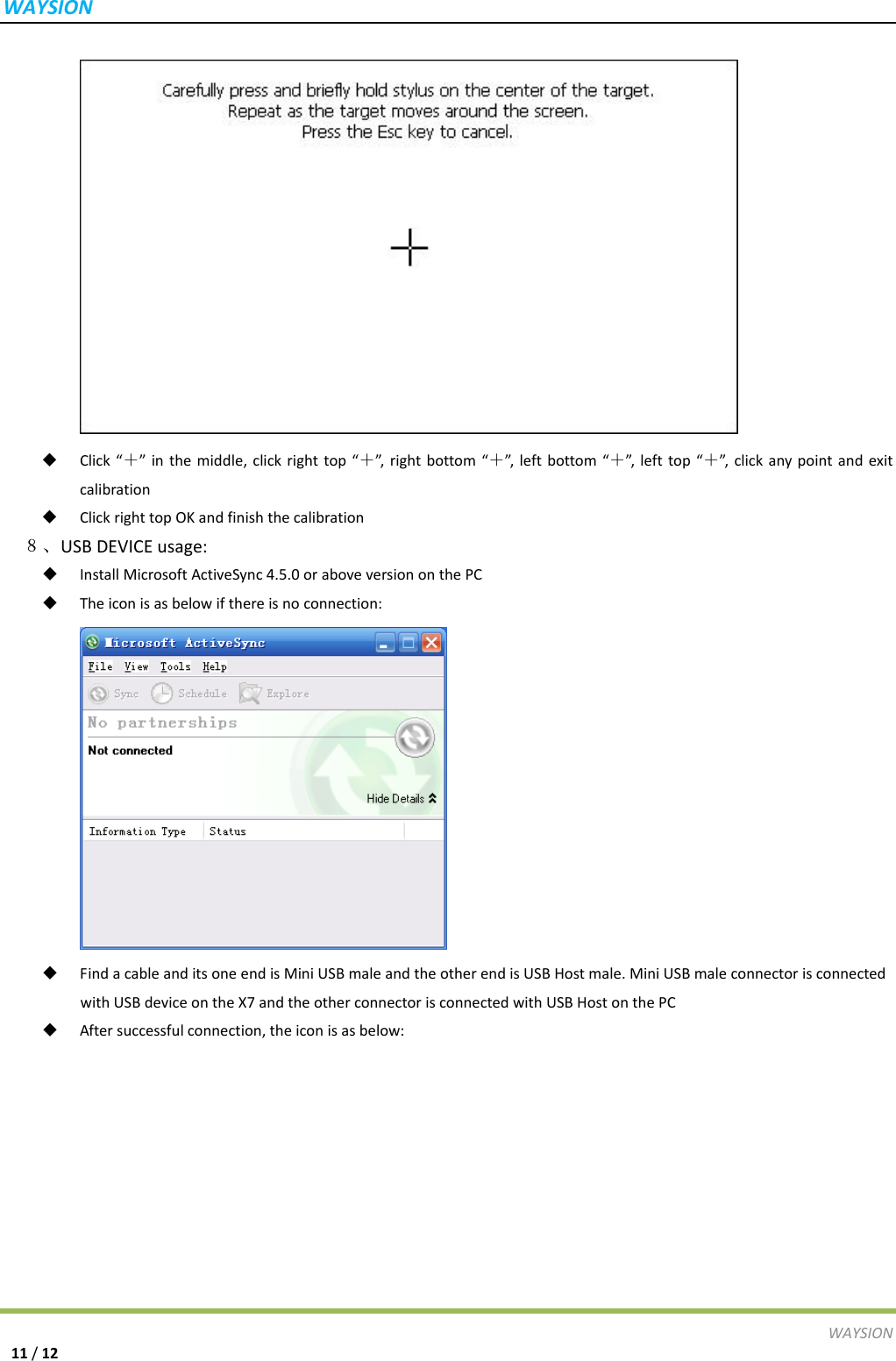
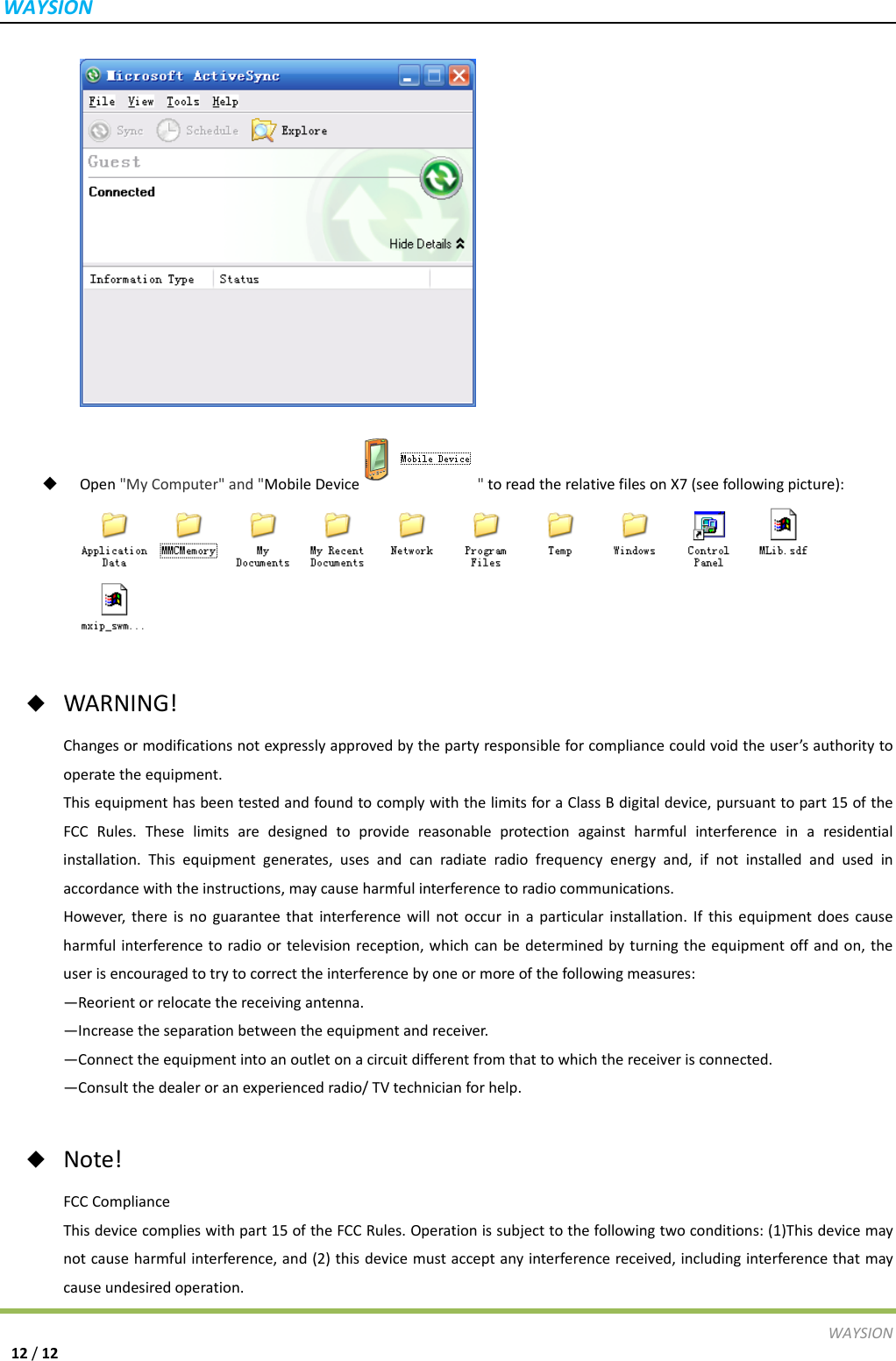
WAYSIONWAYSION11/12 Click“+”inthemiddle,clickrighttop“+”,rightbottom“+”,leftbottom“+”,lefttop“+”, clickanypointandexitcalibration ClickrighttopOKandfinishthecalibration 8、USBDEVICEusage: InstallMicrosoftActiveSync4.5.0oraboveversiononthePC Theiconisasbelowifthereisnoconnection: FindacableanditsoneendisMiniUSBmaleandtheotherendisUSBHostmale.MiniUSBmaleconnectorisconnectedwithUSBdeviceontheX7andtheotherconnectorisconnectedwithUSBHostonthePC Aftersuccessfulconnection,theiconisasbelow:
WAYSIONWAYSION12/12 Open"MyComputer"and"MobileDevice "toreadtherelativefilesonX7(seefollowingpicture): ◆  WARNING!Changesormodificationsnotexpresslyapprovedbythepartyresponsibleforcompliancecouldvoidtheuser’sauthoritytooperatetheequipment.ThisequipmenthasbeentestedandfoundtocomplywiththelimitsforaClassBdigitaldevice,pursuanttopart15oftheFCCRules.Theselimitsaredesignedtoprovidereasonableprotectionagainstharmfulinterferenceinaresidentialinstallation.Thisequipmentgenerates,usesandcanradiateradiofrequencyenergyand,ifnotinstalledandusedinaccordancewiththeinstructions,maycauseharmfulinterferencetoradiocommunications.However,thereisnoguaranteethatinterferencewillnotoccurinaparticularinstallation.Ifthisequipmentdoescauseharmfulinterferencetoradioortelevisionreception,whichcanbedeterminedbyturningtheequipmentoffandon,theuserisencouragedtotrytocorrecttheinterferencebyoneormoreofthefollowingmeasures:—Reorientorrelocatethereceivingantenna.—Increasetheseparationbetweentheequipmentandreceiver.—Connecttheequipmentintoanoutletonacircuitdifferentfromthattowhichthereceiverisconnected.—Consultthedealeroranexperiencedradio/TVtechnicianforhelp.◆  Note!FCCComplianceThisdevicecomplieswithpart15oftheFCCRules.Operationissubjecttothefollowingtwoconditions:(1)Thisdevicemaynotcauseharmfulinterference,and(2)thisdevicemustacceptanyinterferencereceived,includinginterferencethatmaycauseundesiredoperation.

Navigation menu