Waysion Technology WSP02 Mobile Data Terminal User Manual 1

Waysion Technology (Xiamen) Co., LTD Mobile Data Terminal 1

user manual-1

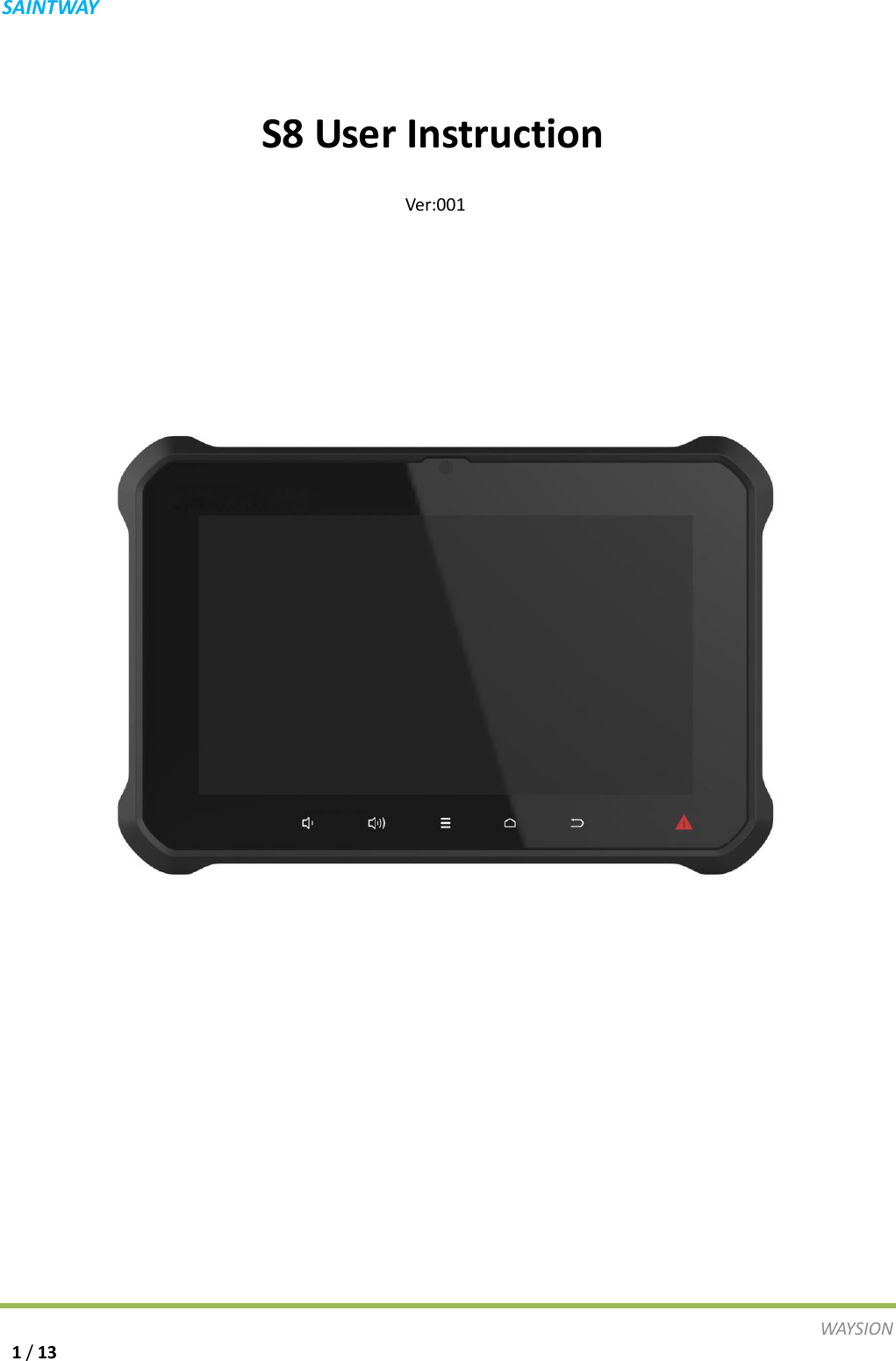
S A I N T WAY                               S8 User Instruction                                            Ver:001                       WAY S I O N   1 / 13
S A I N T WAY   Content   ◆ Product Description  ―――――――――――――――――――――――――  3 ◆ Product Specifications  ――――――――――――――――――――――――  4 ◆ Product Appearance  ―――――――――――――――――――――――――  5 ◆ User Instruction for each function (Android 5.1.1)――――――――――――  8   ◆ Starting Up Interface ――――――――――――――――――――――――――7 ◆ USB Flash Disk Usage  ――――――――――――――――――――――――――  7 ◆ Audio Play ――――――――――――――――――――――――――――――  8 ◆ Video Play ――――――――――――――――――――――――――――――  9 ◆ Ethernet Port Usage  ―――――――――――――――――――――――――――9 ◆ Touch Screen Calibration  ――――――――――――――――――――――――  10 ◆ WIFI――――――――――――――――――――――――――――――――― 10                             WAY S I O N   2 / 13
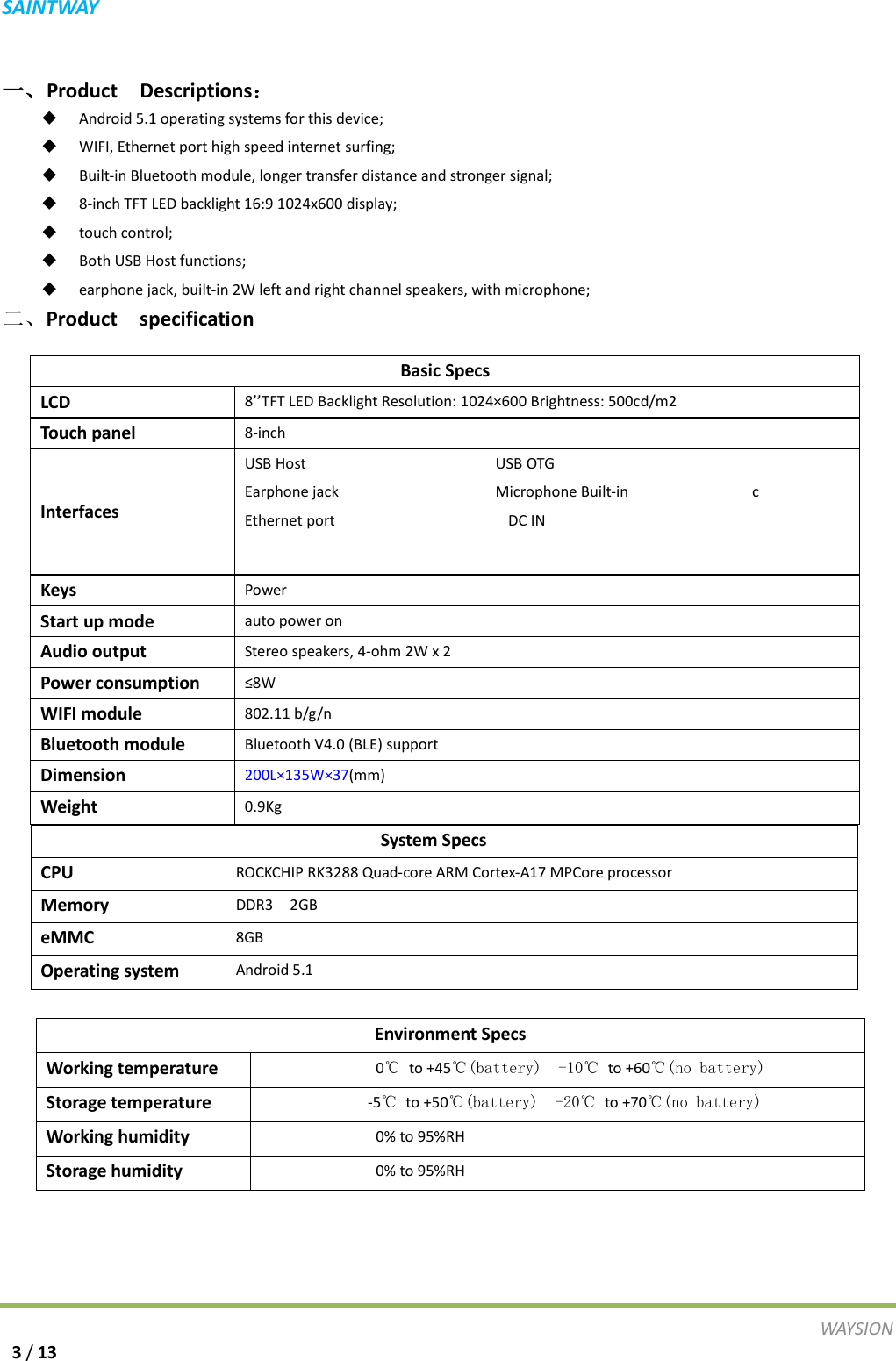
S A I N T WAY   一、Product  Descriptions:  Android 5.1 operating systems for this device;  WIFI, Ethernet port high speed internet surfing;  Built-in Bluetooth module, longer transfer distance and stronger signal;  8-inch TFT LED backlight 16:9 1024x600 display;  touch control;  Both USB Host functions;  earphone jack, built-in 2W left and right channel speakers, with microphone; 二、Product  specification System Specs CPU ROCKCHIP RK3288 Quad-core ARM Cortex-A17 MPCore processor   Memory DDR3  2GB eMMC 8GB Operating system Android 5.1    Basic Specs LCD 8’’TFT LED Backlight Resolution: 1024×600 Brightness: 500cd/m2 Touch panel 8-inch   Interfaces USB Host                       USB OTG Earphone jack                   Microphone Built-in               c Ethernet port                     DC IN  Keys Power Start up mode auto power on Audio output Stereo speakers, 4-ohm 2W x 2 Power consumption ≤8W WIFI module 802.11 b/g/n Bluetooth module Bluetooth V4.0 (BLE) support Dimension 200L×135W×37(mm) Weight 0.9Kg Environment Specs Working temperature               0℃ to +45℃(battery)  -10℃ to +60℃(no battery) Storage temperature              -5℃ to +50℃(battery)  -20℃ to +70℃(no battery) Working humidity               0% to 95%RH Storage humidity               0% to 95%RH WAY S I O N   3 / 13
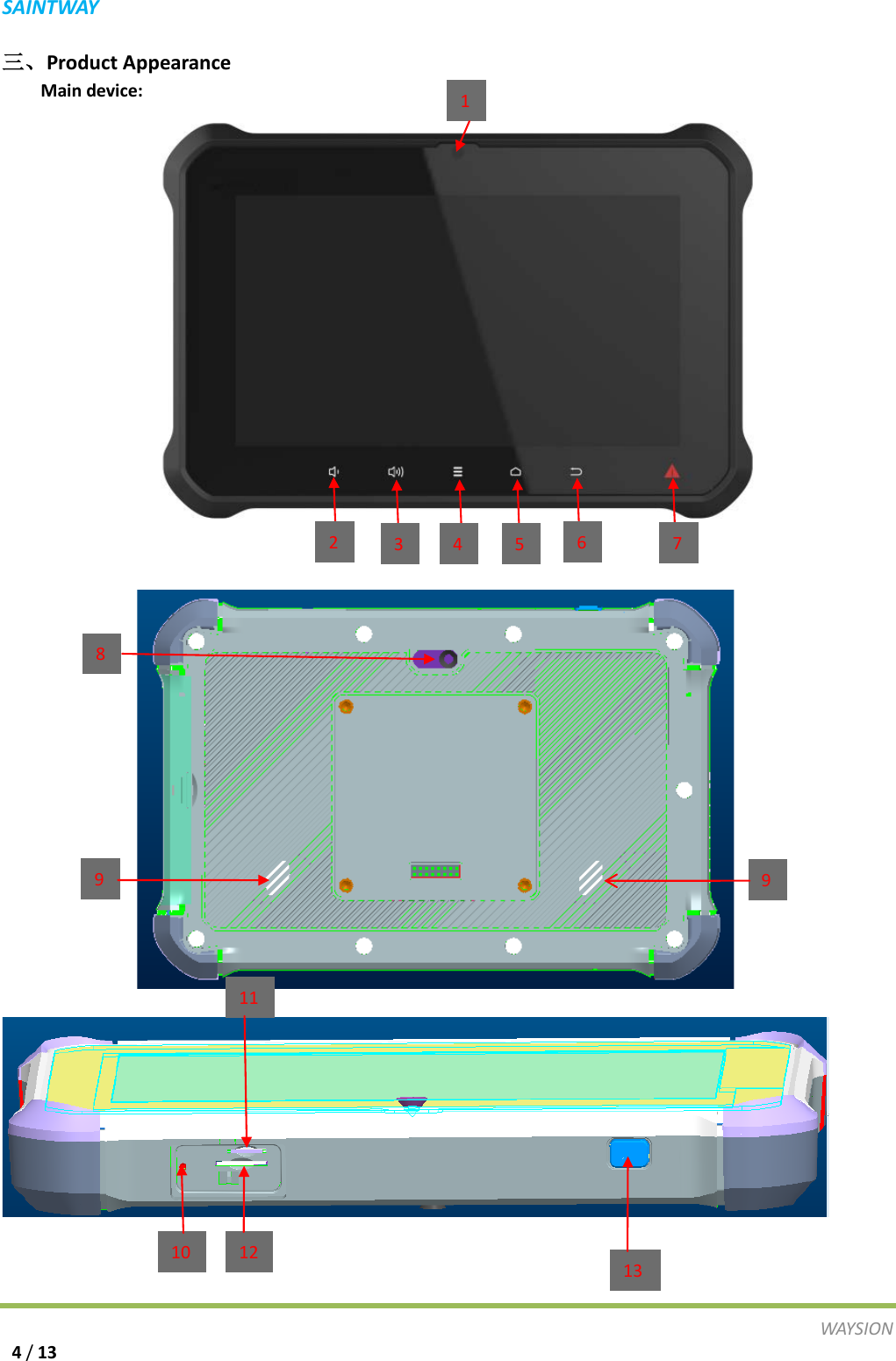
S A I N T WAY  三、Product Appearance Main device:                           8 1 9 10 13 11 12 9 2  3 4 5 6 7 WAY S I O N   4 / 13
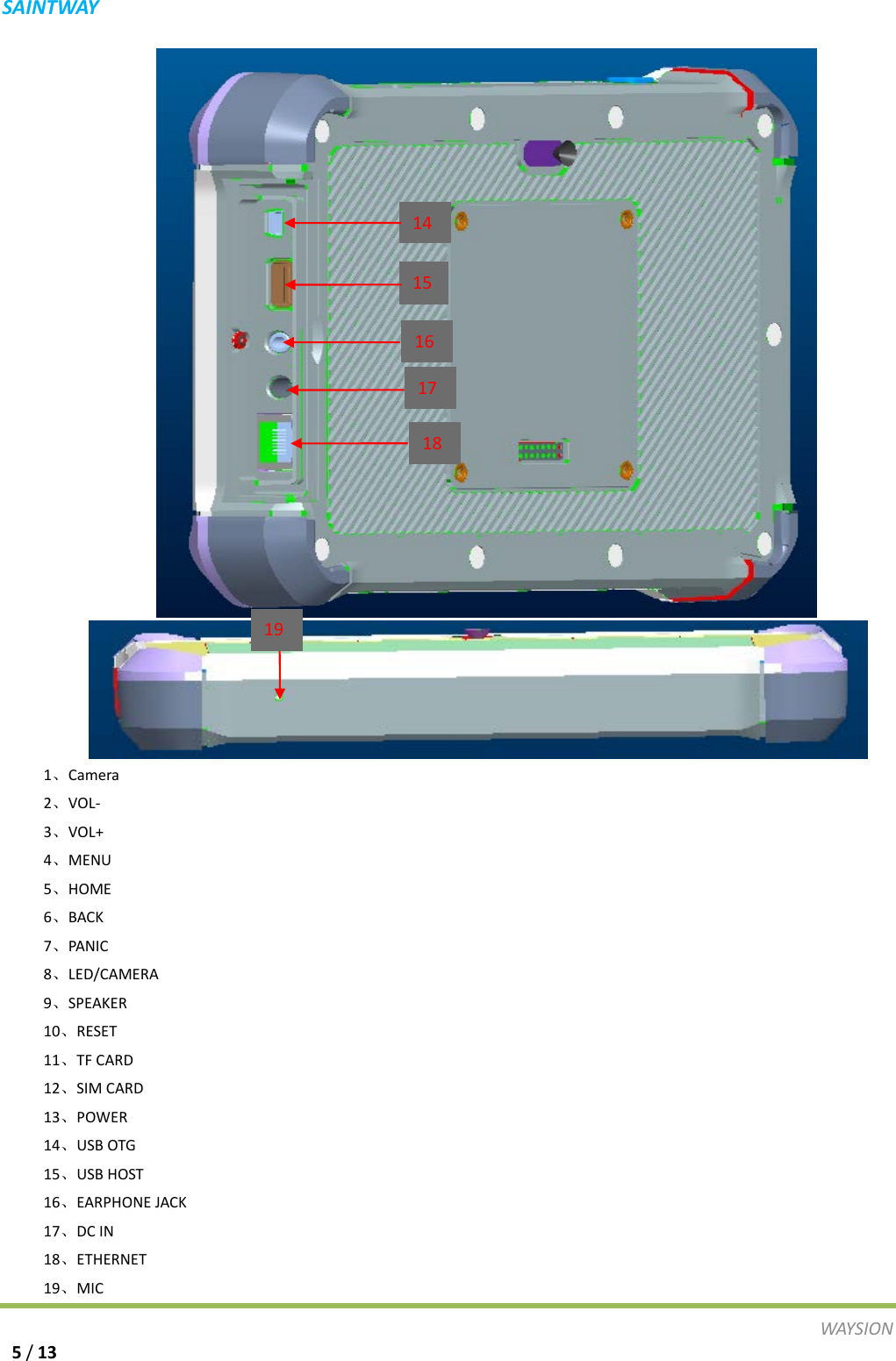
S A I N T WAY                               1、Camera 2、VOL- 3、VOL+ 4、MENU 5、HOME 6、BACK 7、PANIC 8、LED/CAMERA 9、SPEAKER 10、RESET 11、TF CARD 12、SIM CARD   13、POWER 14、USB OTG 15、USB HOST 16、EARPHONE JACK 17、DC IN 18、ETHERNET 19、MIC 14 16 15 17 18 19 WAY S I O N   5 / 13
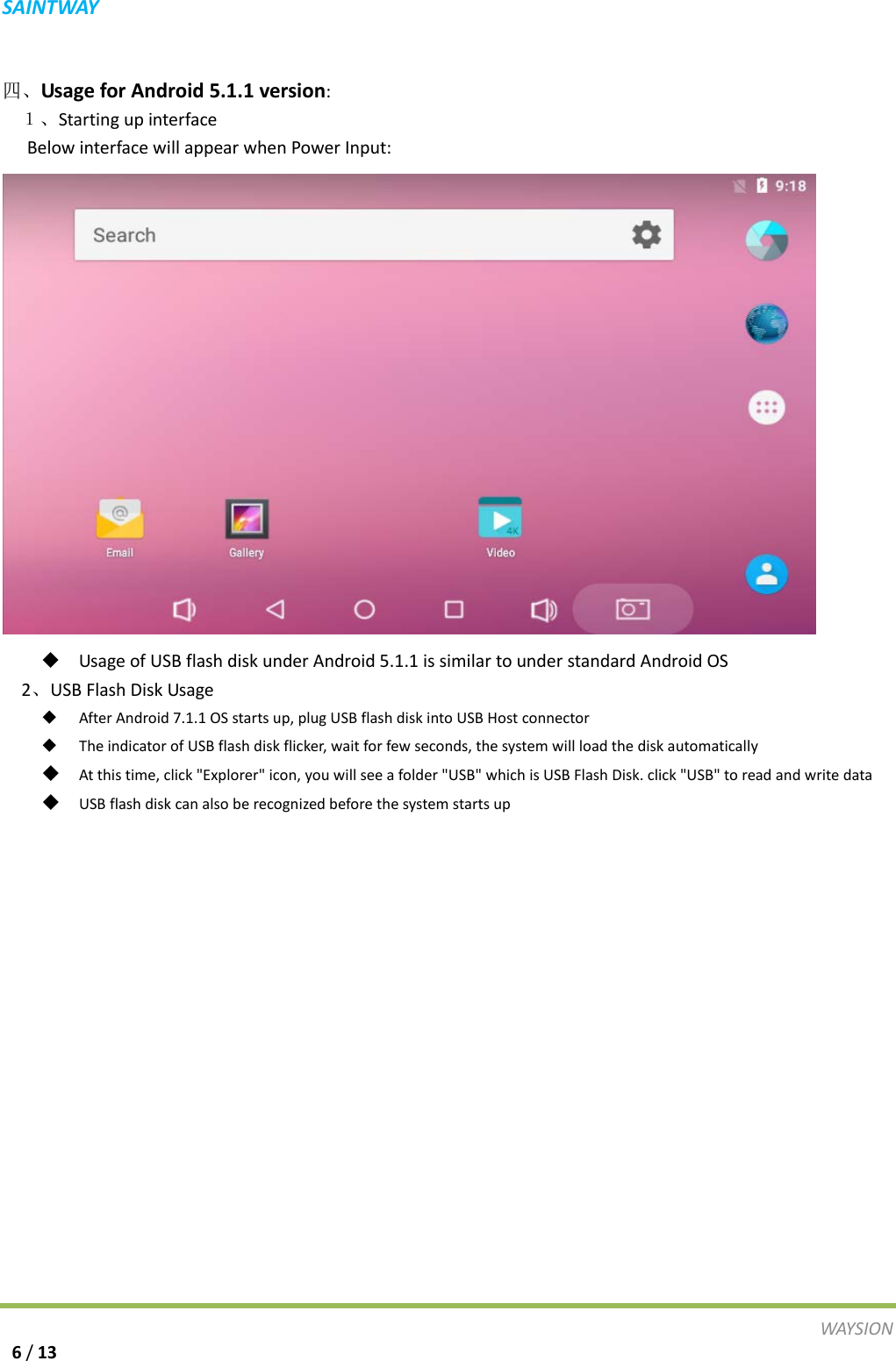
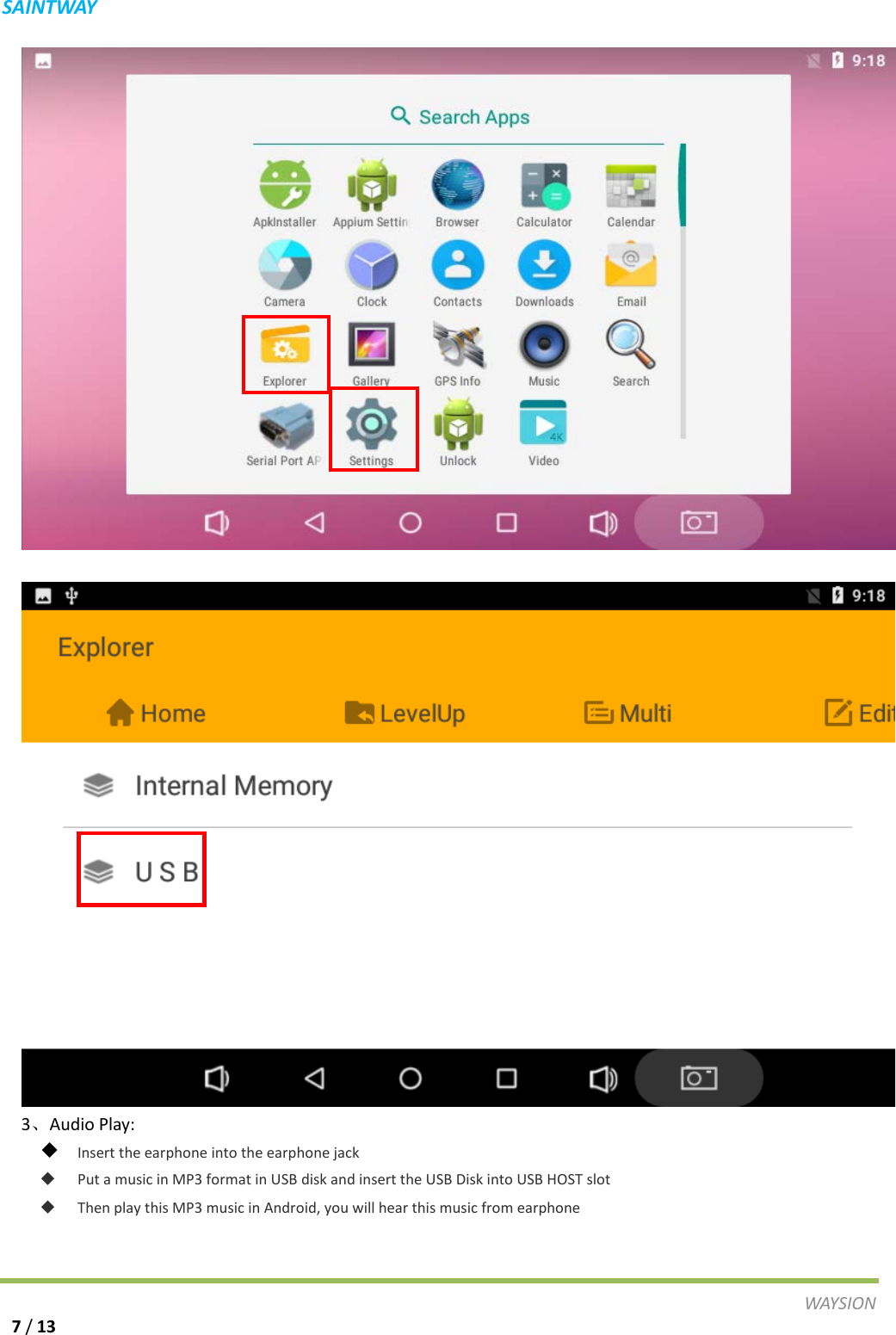
S A I N T WAY   四、Usage for Android 5.1.1 version:   1、Starting up interface    Below interface will appear when Power Input:     Usage of USB flash disk under Android 5.1.1 is similar to under standard Android OS   2、USB Flash Disk Usage  After Android 7.1.1 OS starts up, plug USB flash disk into USB Host connector  The indicator of USB flash disk flicker, wait for few seconds, the system will load the disk automatically  At this time, click "Explorer" icon, you will see a folder "USB" which is USB Flash Disk. click "USB" to read and write data  USB flash disk can also be recognized before the system starts up   WAY S I O N   6 / 13
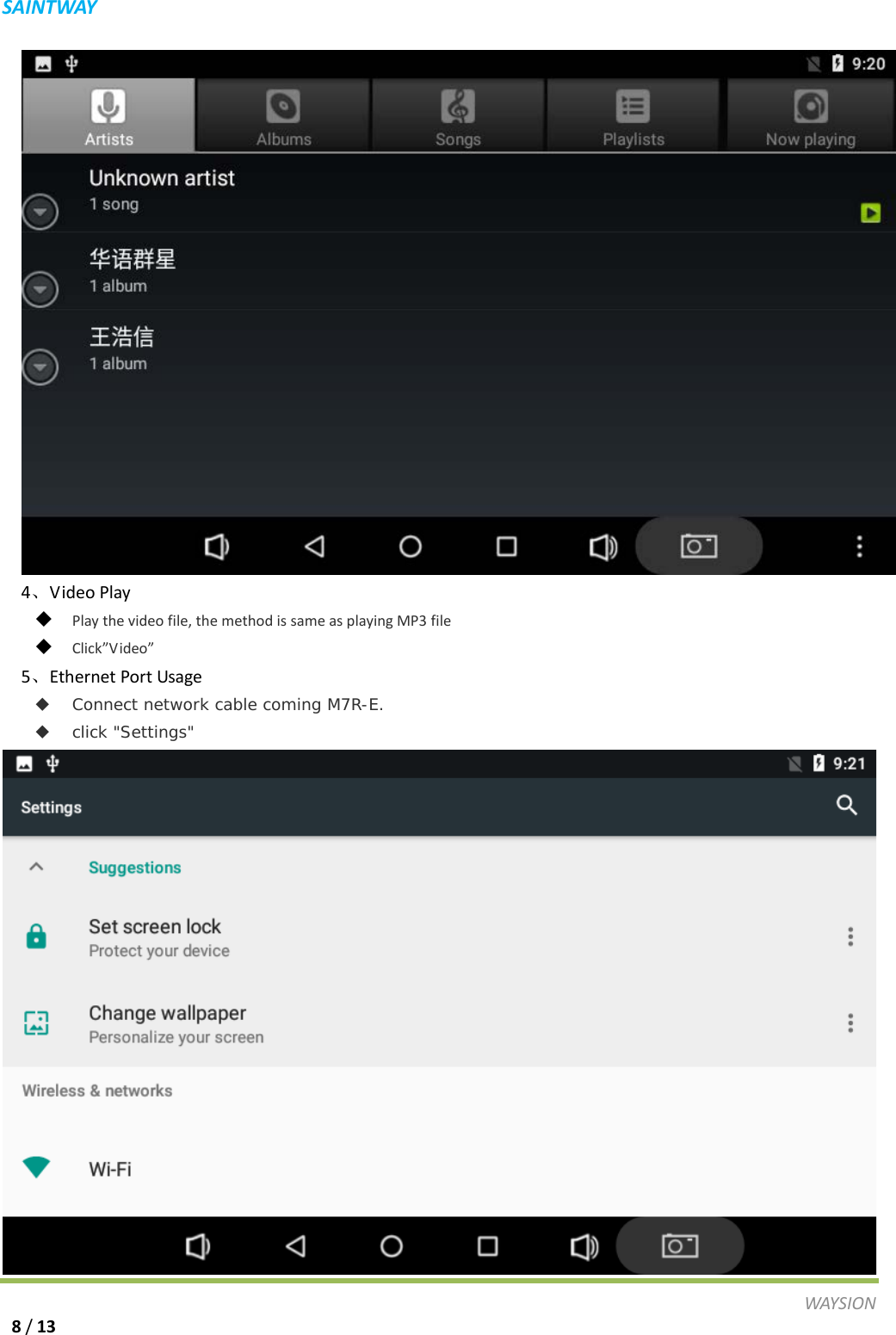
S A I N T WAY     3、Audio Play:  Insert the earphone into the earphone jack  Put a music in MP3 format in USB disk and insert the USB Disk into USB HOST slot  Then play this MP3 music in Android, you will hear this music from earphone WAY S I O N   7 / 13
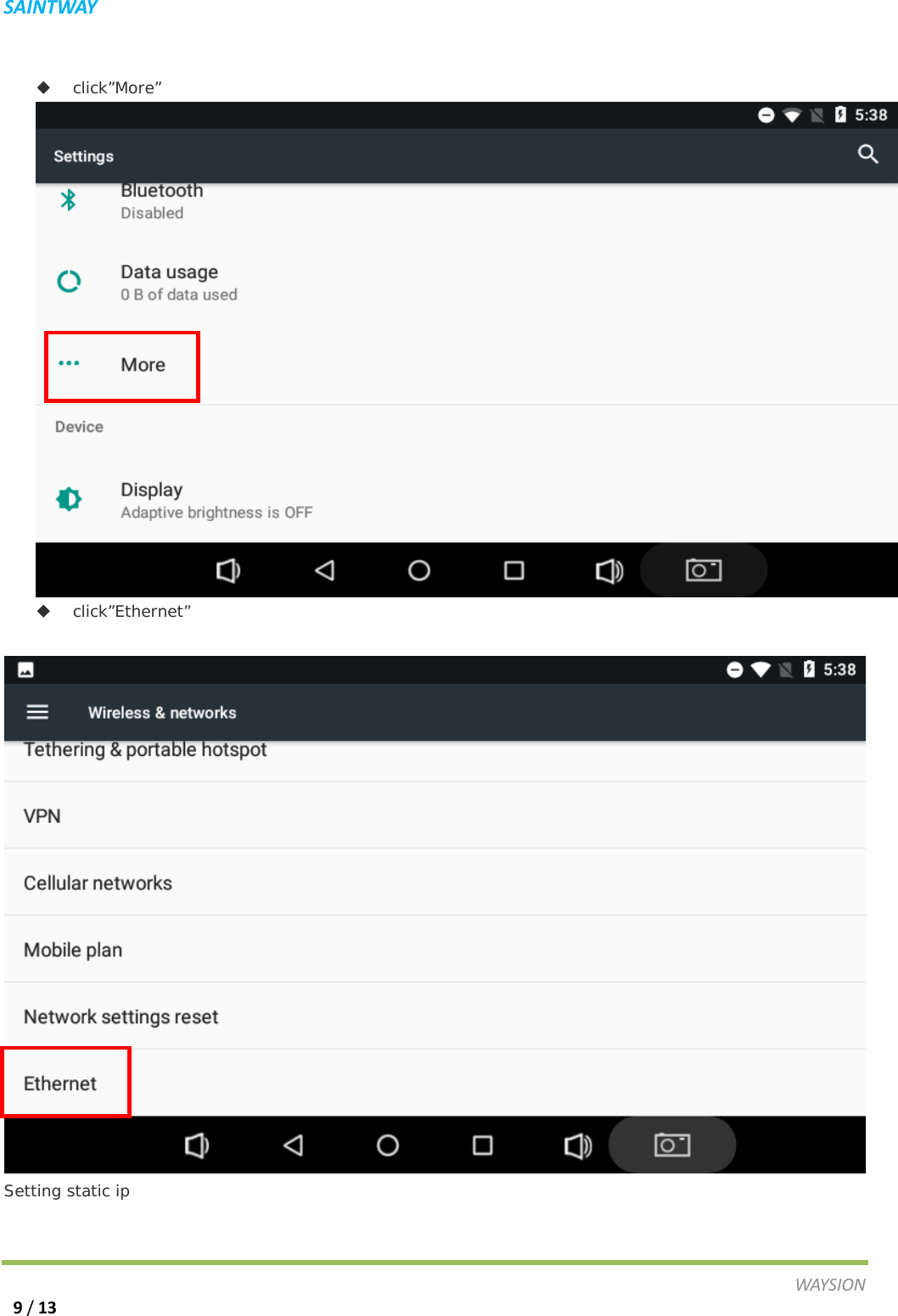
S A I N T WAY   4、Video Play  Play the video file, the method is same as playing MP3 file  Click”Video”   5、Ethernet Port Usage  Connect network cable coming M7R-E.    click "Settings"  WAY S I O N   8 / 13
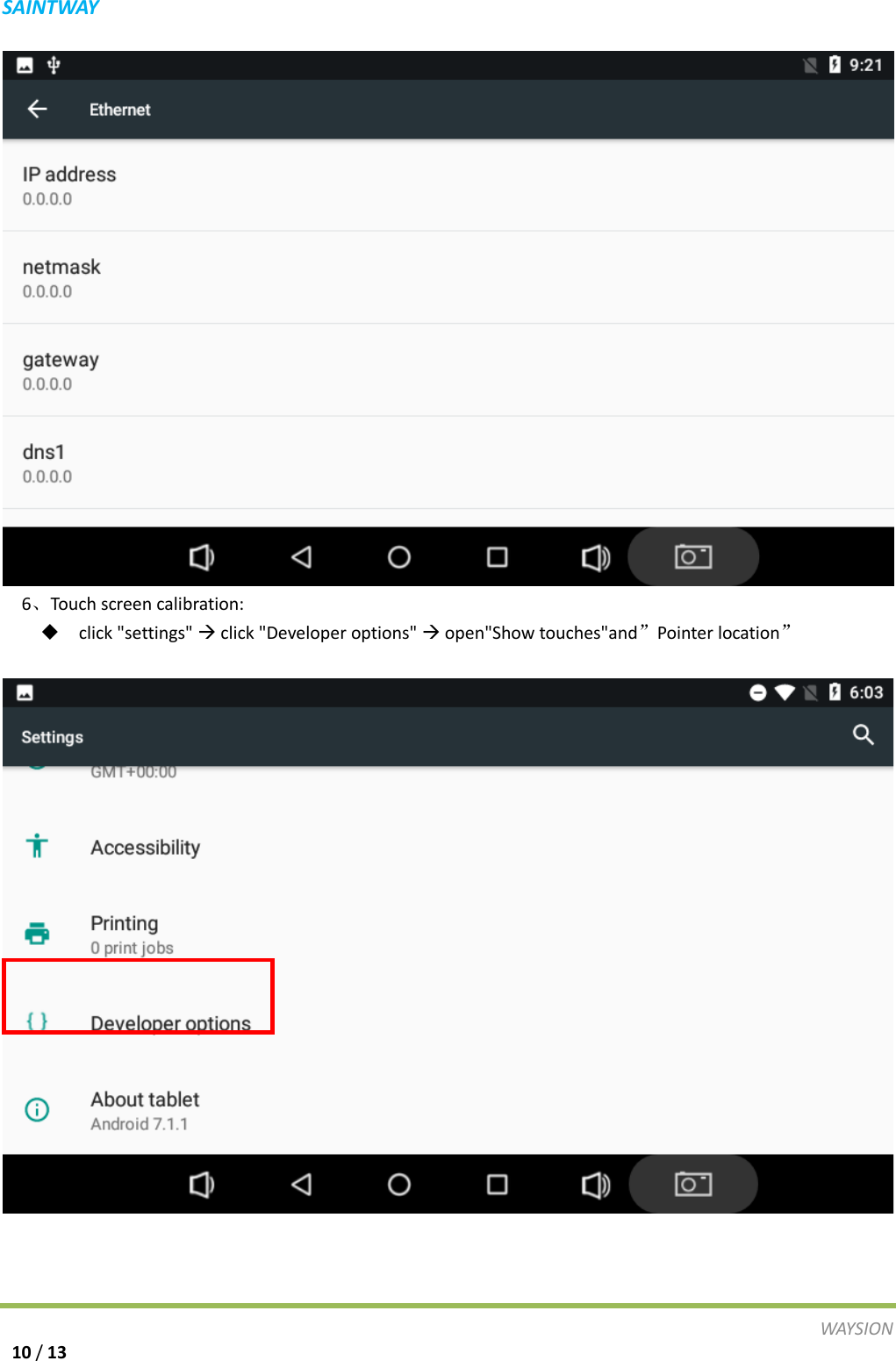
S A I N T WAY    click”More”   click”Ethernet”     Setting static ip WAY S I O N   9 / 13
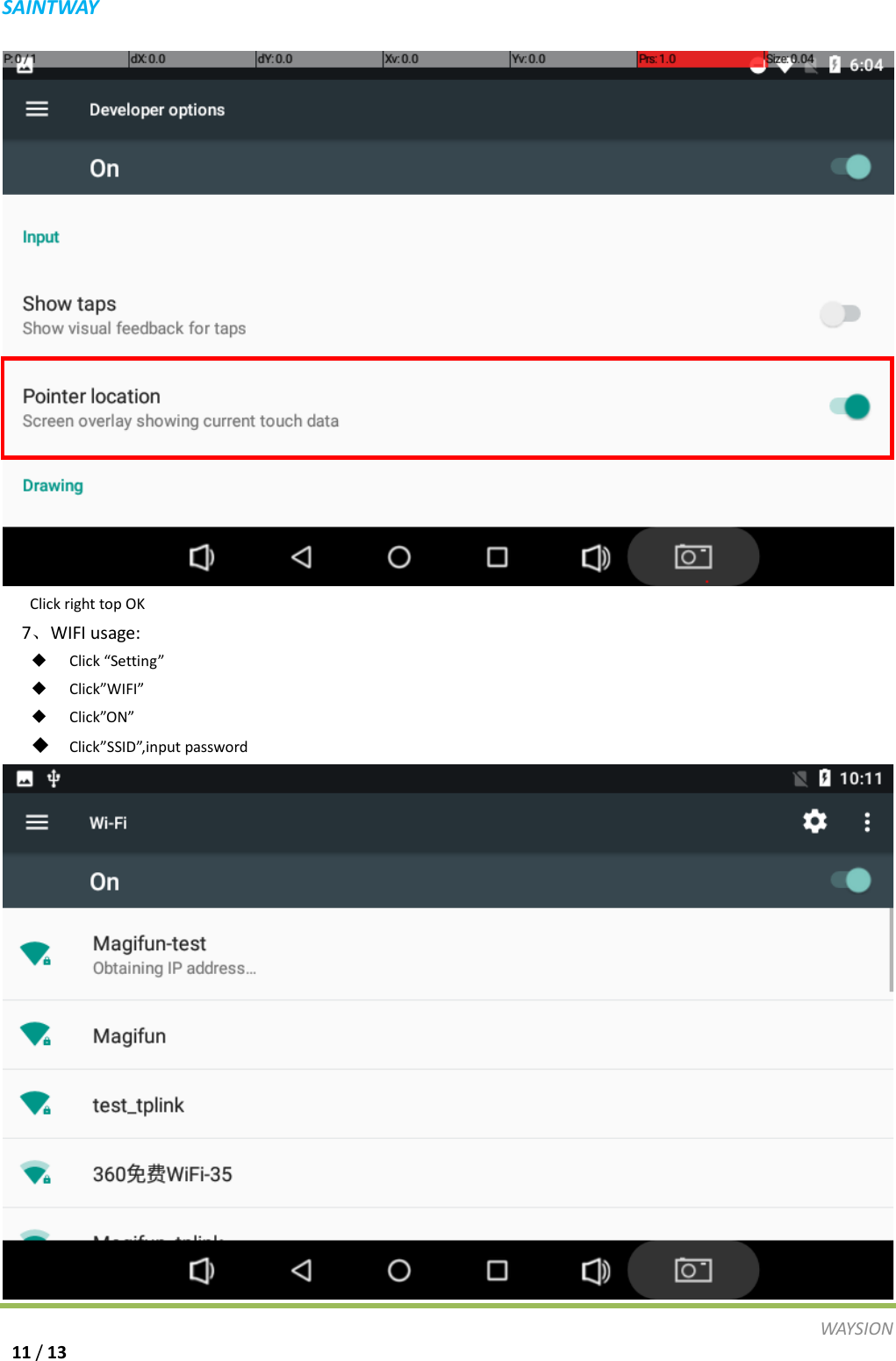
S A I N T WAY   6、Touch screen calibration:  click "settings"  click "Developer options"  open"Show touches"and”Pointer location”    WAY S I O N   10 / 13
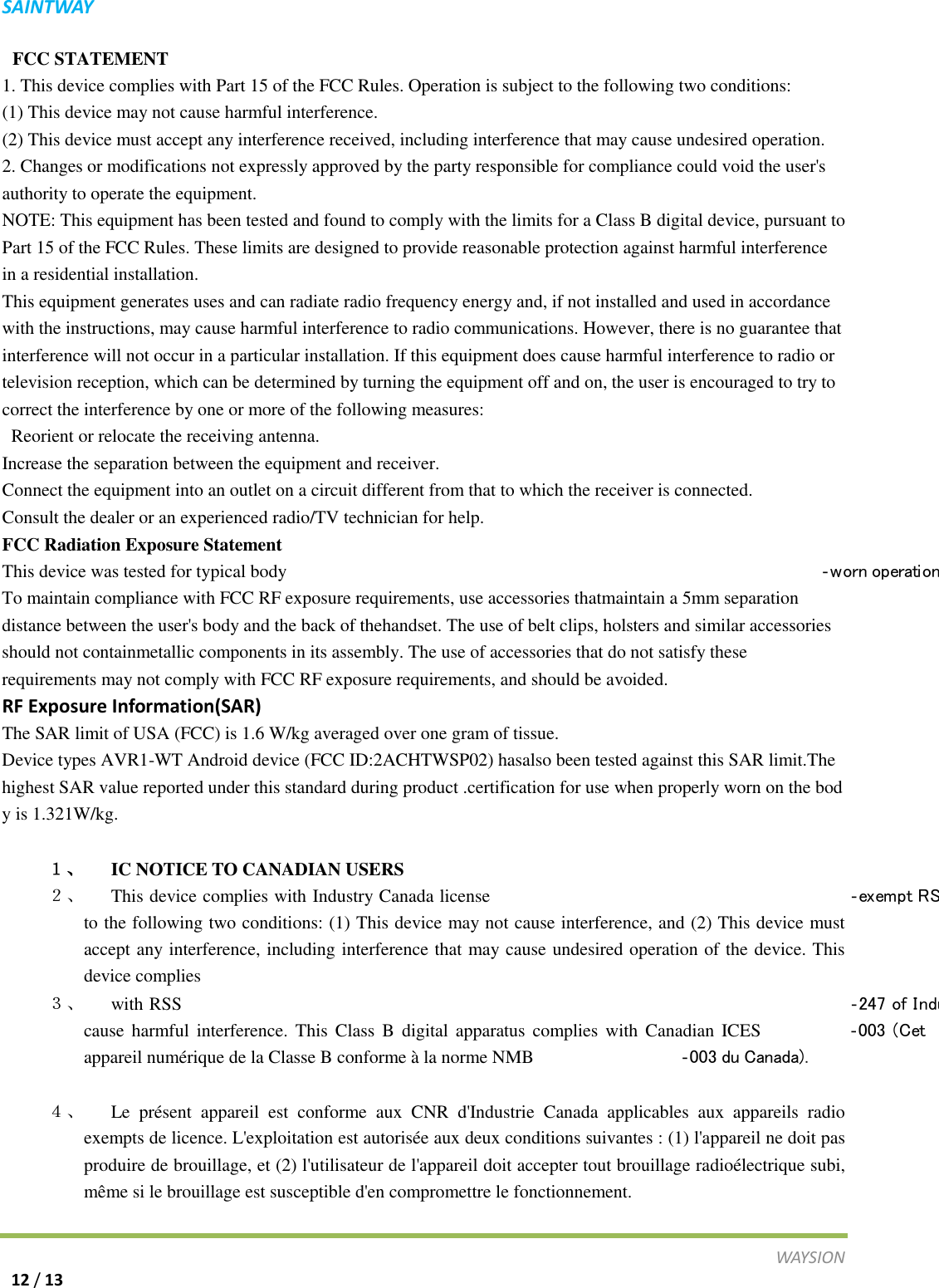
S A I N T WAY    Click right top OK    7、WIFI usage:  Click “Setting”  Click”WIFI”  Click”ON”  Click”SSID”,input password       WAY S I O N   11 / 13
S A I N T WAY   FCC STATEMENT   1. This device complies with Part 15 of the FCC Rules. Operation is subject to the following two conditions:   (1) This device may not cause harmful interference.   (2) This device must accept any interference received, including interference that may cause undesired operation.   2. Changes or modifications not expressly approved by the party responsible for compliance could void the user's authority to operate the equipment.   NOTE: This equipment has been tested and found to comply with the limits for a Class B digital device, pursuant to Part 15 of the FCC Rules. These limits are designed to provide reasonable protection against harmful interference in a residential installation.   This equipment generates uses and can radiate radio frequency energy and, if not installed and used in accordance with the instructions, may cause harmful interference to radio communications. However, there is no guarantee that interference will not occur in a particular installation. If this equipment does cause harmful interference to radio or television reception, which can be determined by turning the equipment off and on, the user is encouraged to try to correct the interference by one or more of the following measures:    Reorient or relocate the receiving antenna.   Increase the separation between the equipment and receiver.   Connect the equipment into an outlet on a circuit different from that to which the receiver is connected.   Consult the dealer or an experienced radio/TV technician for help.   FCC Radiation Exposure Statement   This device was tested for typical body ‐worn operation                   To maintain compliance with FCC RF exposure requirements, use accessories thatmaintain a 5mm separation distance between the user's body and the back of thehandset. The use of belt clips, holsters and similar accessories should not containmetallic components in its assembly. The use of accessories that do not satisfy these requirements may not comply with FCC RF exposure requirements, and should be avoided. RF Exposure Information(SAR) The SAR limit of USA (FCC) is 1.6 W/kg averaged over one gram of tissue. Device types AVR1-WT Android device (FCC ID:2ACHTWSP02) hasalso been tested against this SAR limit.The highest SAR value reported under this standard during product .certification for use when properly worn on the body is 1.321W/kg.    1、 IC NOTICE TO CANADIAN USERS 2、 This device complies with Industry Canada license ‐ex em pt RS          to the following two conditions: (1) This device may not cause interference, and (2) This device must accept any interference, including interference that may cause undesired operation of the device. This device complies 3、 with RSS ‐247 of Indu                          cause harmful interference. This Class B digital apparatus complies with Canadian ICES ‐003 (Cet appareil numérique de la Classe B conforme à la norme NMB ‐003 du Canada).   4、 Le présent appareil est conforme aux CNR d'Industrie Canada applicables aux appareils radio exempts de licence. L'exploitation est autorisée aux deux conditions suivantes : (1) l'appareil ne doit pas produire de brouillage, et (2) l'utilisateur de l'appareil doit accepter tout brouillage radioélectrique subi, même si le brouillage est susceptible d'en compromettre le fonctionnement.  WAY S I O N   12 / 13
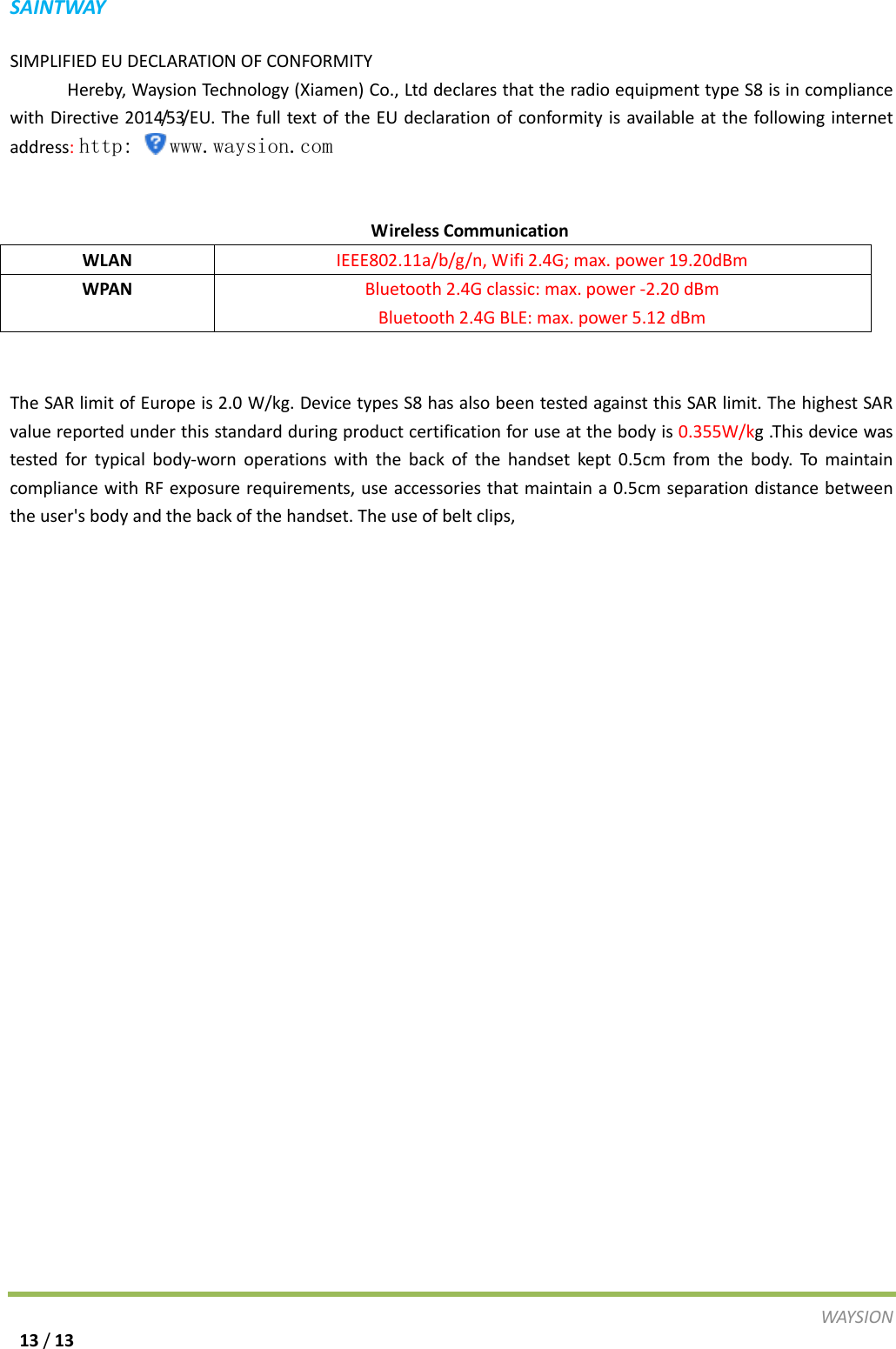
S A I N T WAY  SIMPLIFIED EU DECLARATION OF CONFORMITY           Hereby, Waysion Technology (Xiamen) Co., Ltd declares that the radio equipment type S8 is in compliance with Directive 2014/53/EU. The full text of the EU declaration of conformity is available at the following internet address: http: www.waysion.com      Wireless Communication WLAN IEEE802.11a/b/g/n, Wifi 2.4G; max. power 19.20dBm       WPAN Bluetooth 2.4G classic: max. power -2.20 dBm Bluetooth 2.4G BLE: max. power 5.12 dBm  The SAR limit of Europe is 2.0 W/kg. Device types S8 has also been tested against this SAR limit. The highest SAR value reported under this standard during product certification for use at the body is 0.355W/kg .This device was tested for typical body-worn operations with the back of the handset kept 0.5cm from the body. To maintain compliance with RF exposure requirements, use accessories that maintain a 0.5cm separation distance between the user's body and the back of the handset. The use of belt clips,   WAY S I O N   13 / 13

Navigation menu