Win Accord COLORIDEAS Color Ideas R/C User Manual 1
WIN ACCORD LTD., Color Ideas R/C 1
User Manual
Table of Contents
Table of Contents………………………………………………………………………………………………2
Important Safety Precautions……………………………………………………………………… 3
Cleaning
Replacing Remote Control Battery
and Maintenance…………………………………………………………………………………3
…………………………………………………………………4
…………………………………………………………………………………………4
What‛s in the Box………………………………………………………………………………………………5
…………………………………………………………………………………………6
How to Use Your Color Ideas…………………………………………………………………………6
Power on/off, Auto Run Mode
Identifying the Parts
Auto Run Mode
Adjust Colors
Power on/off
Dimming
Color Temperature
………………………………………………………………………6
…………………………………………………………………………………………………6
……………………………………………………………………………………………6
………………………………………………………………………………………………7
………………………………………………………………………………………………………7
………………………………………………………………………………………7
Frequently Asked Questions……………………………………………………………………………7
Product Specification

Important Safety Precautions
Always follow these basic safety precautions when using your Color Ideas. This
will reduce the risk of fire, electric shock, and injury.
Warning: To reduce the risk of fire or shock hazard, do not expose this product
to rain or moisture.
Warning: To prevent the risk of electric shock, do not remove the cover. There
are no user-serviceable parts inside. Refer all servicing to qualified
personnel.
Color Ideas is for indoor use only.
Unplug Color Ideas before performing care and maintenance.
Keep your Color Ideas out of direct sunlight and heat sources.
Protect the power cord. Route power cords so that they are not likely to be
walked on or pinched by items places on or against them. Pay particular
attention to the point where the cord attaches to Color Ideas.
Only use the AC adapter included with Color Ideas. Using any other power
adapter will void your warranty.
Unplug the power cord from the outlet when the unit is not in use.
Cleaning and Maintenance
It is recommended to use a soft, non-abrasive cloth such as a camera lens cloth to
clean the outer surface of Color Ideas.
- 3 -
Replacing Remote Control Battery
If the remote control stops working or works improperly, replace the battery
with a new one.
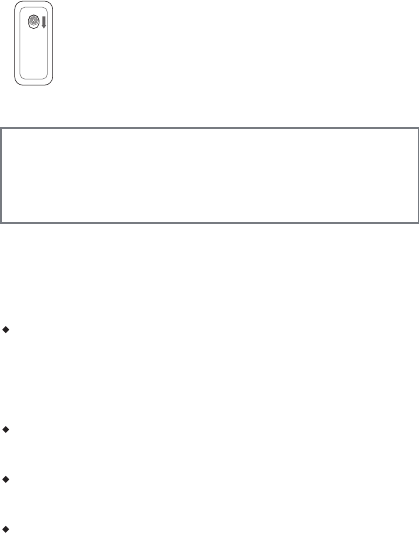
1. Open the battery cover of the remote control by sliding the
button at the back.
2. Insert 3 batteries (+and – as indicated)
3. Insert the battery cover back to the remote control.
Notes
When the battery becomes weak, the operating distance of the Remote
Control may shorten, or the Remote Control may not function properly. In
this case, replace the battery with 3 proper batteries.
Dispose the used batteries as specified by the local authorities.
Do not leave the Remote Control in a very hot and humid place.
Incorrect use of the battery may cause leaking and corrosion.
-When the Remote control will not be used for a long period of time,
remove the battery from the remote control to prevent leaking and
corrosion.
-Incorrectly inserting, shorting, dismantling, or heating the battery,
or throwing it into a fire may cause the battery to rupture and leak.
Warning
Battery may explode if mistreated. Do not recharge,
disassemble or dispose of in fire
- 4 -
Product Specification
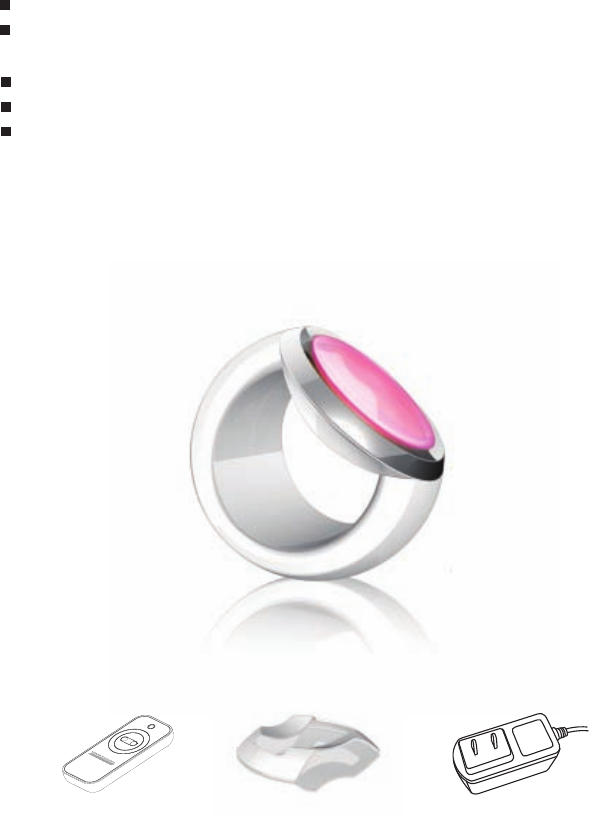
1Wx4 LEDs with 16 million colors
Adjust 16 million different Colors, Brightness and
- 5 -
Dim by remote controller
Fashion Design
Dimension : 180 x145x145mm
AC /DC Adaptor: 100~240V,50-60HZ, 4V/1.5A
xoB eht ni s‛tahW
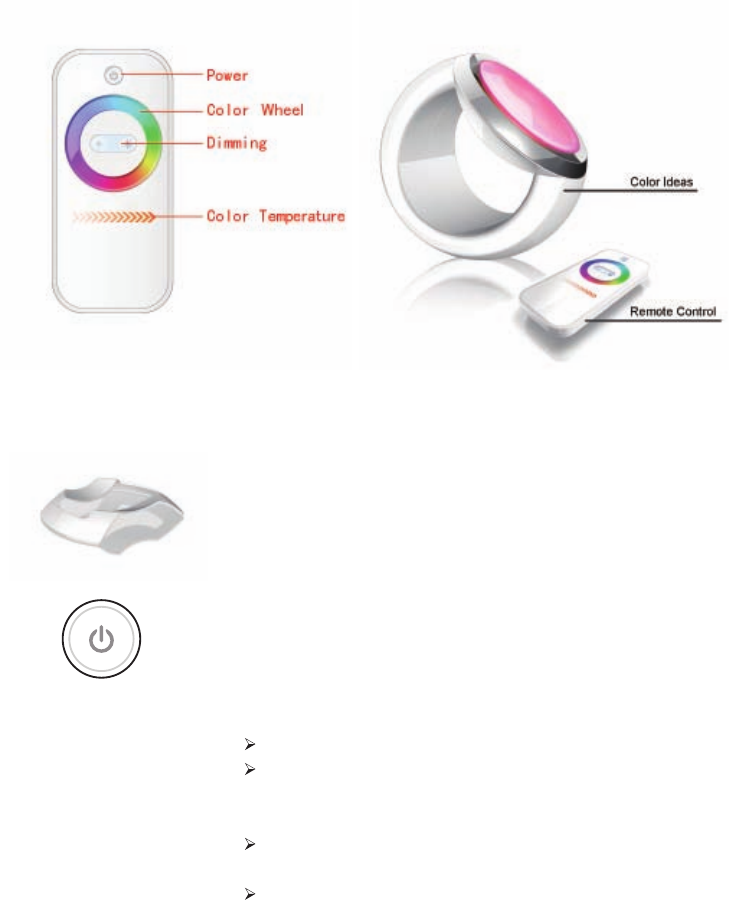
Identifying the Parts
How to Use Your Color Ideas
Place Color Ideas at this stand with a selected direction which you
wish.
Power on/off , Auto Run Mode
Power on/off
Turn Color Ideas on/off by touching the power button.
Color Ideas will remember the last color setting.
Auto Run Mode
Touching the power button for 3 seconds to start the
auto run mode while the color will change automatically.
To switch to normal mode, please click any button.
- 6 -
- 7 -
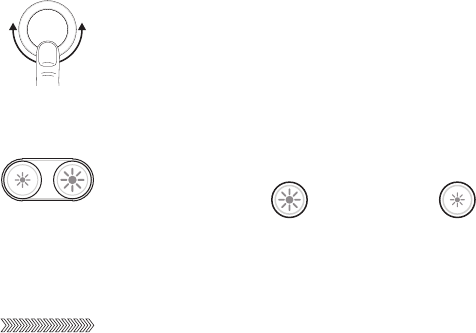
Adjust Colors
Move your finger over the color wheel to select the desired
color.
Dimming
Increase ( )or decrease ( )the brightness of light
by dimming button.
Color Temperature
Move your finger from left to right over the color temperature
bar to turn LEDs at white.
Frequently Asked Questions
Q: Why does the Color Ideas can not provide light?
A: Firstly, check the batteries in the remote control. Secondly, check the connection
of power cord. Thirdly, check AC/DC Adapter.
Q: Why does the Color Ideas can not adjust dimming or color temperature or can not
respond quickly to the remote control?
A: Please follow these steps: check the batteries in the remote control or move Color
Ideas away from the wireless access point.
FCC warning statement
This equipment has been tested and found to comply with the limits for a Class B
digital device, pursuant to part 15 of the FCC Rules. These limits are designed to
provide reasonable protection against harmful interference in a residential installation.
This equipment generates, uses and can radiate radio frequency energy and, if not
installed and used in accordance with the instructions, may cause harmful interference
to radio communications. However, there is no guarantee that interference will not
occur in a particular installation. If this equipment does cause harmful interference to
radio or television reception, which can be determined by turning the equipment off
and on, the user is encouraged to try to correct the interference by one or more of the
following measures:
• Reorient or relocate the receiving antenna.
• Increase the separation between the equipment and receiver.
• Connect the equipment into an outlet on a circuit different from that to which the
receiver is connected.
• Consult the dealer or an experienced radio/TV technician for help
Changes or modifications not expressly approved by the party responsible for compliance.
could void the user's authority to operate the equipment.