Win Accord Y49-01 Wireless Remote Control User Manual

WIN ACCORD LTD., Wireless Remote Control Users Manual

User Manual

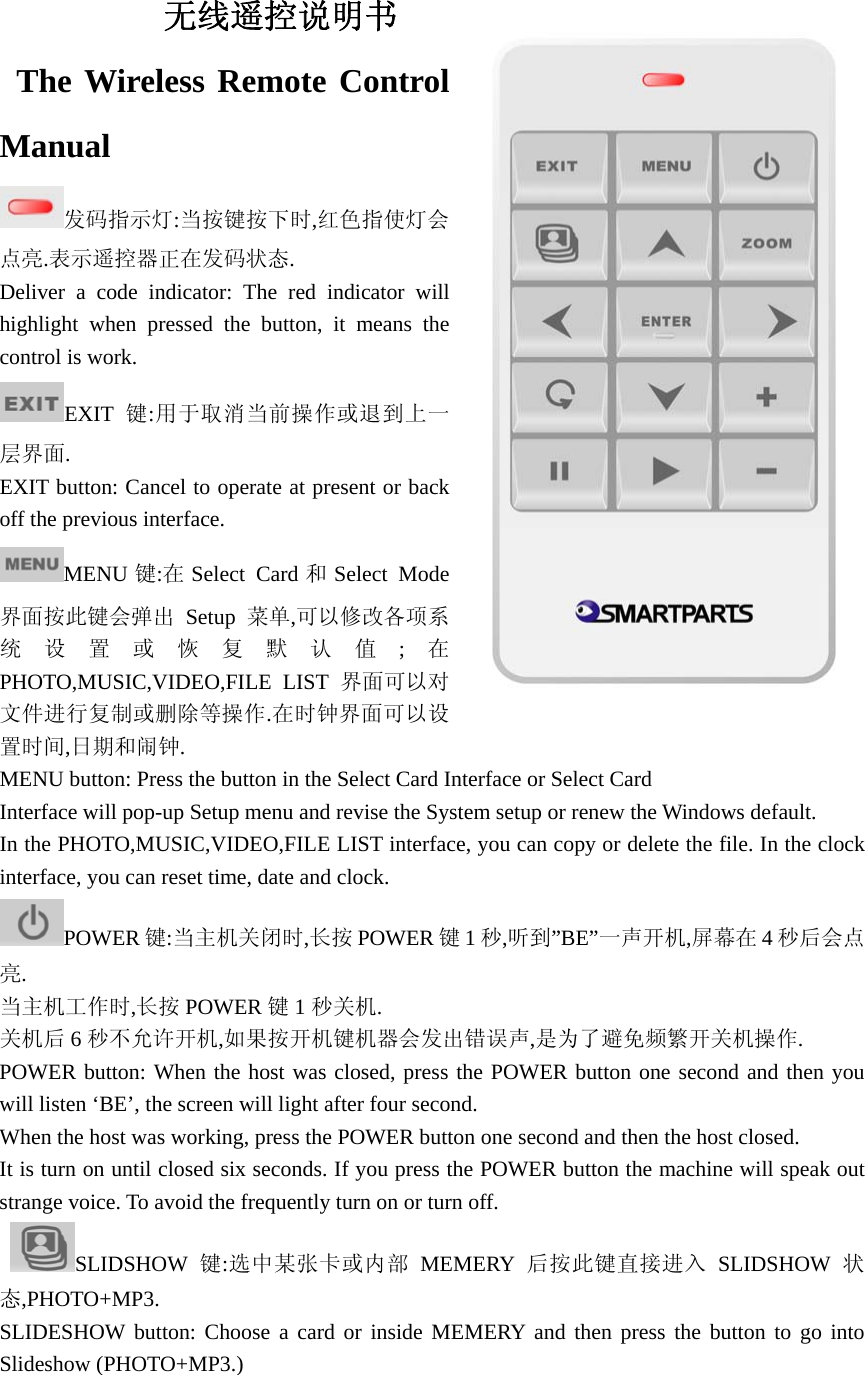
               无线遥控说明书  The Wireless Remote Control Manual 发码指示灯:当按键按下时,红色指使灯会点亮.表示遥控器正在发码状态. Deliver a code indicator: The red indicator will highlight when pressed the button, it means the control is work. EXIT 键:用于取消当前操作或退到上一层界面. EXIT button: Cancel to operate at present or back off the previous interface. MENU 键:在Select Card 和Select Mode界面按此键会弹出 Setup 菜单,可以修改各项系统设置或恢复默认值;在PHOTO,MUSIC,VIDEO,FILE LIST 界面可以对文件进行复制或删除等操作.在时钟界面可以设置时间,日期和闹钟. MENU button: Press the button in the Select Card Interface or Select Card   Interface will pop-up Setup menu and revise the System setup or renew the Windows default. In the PHOTO,MUSIC,VIDEO,FILE LIST interface, you can copy or delete the file. In the clock interface, you can reset time, date and clock. POWER 键:当主机关闭时,长按 POWER 键1秒,听到”BE”一声开机,屏幕在 4秒后会点亮. 当主机工作时,长按 POWER 键1秒关机. 关机后 6秒不允许开机,如果按开机键机器会发出错误声,是为了避免频繁开关机操作. POWER button: When the host was closed, press the POWER button one second and then you will listen ‘BE’, the screen will light after four second. When the host was working, press the POWER button one second and then the host closed. It is turn on until closed six seconds. If you press the POWER button the machine will speak out strange voice. To avoid the frequently turn on or turn off.  SLIDSHOW 键:选中某张卡或内部 MEMERY 后按此键直接进入 SLIDSHOW 状态,PHOTO+MP3. SLIDESHOW button: Choose a card or inside MEMERY and then press the button to go into Slideshow (PHOTO+MP3.)
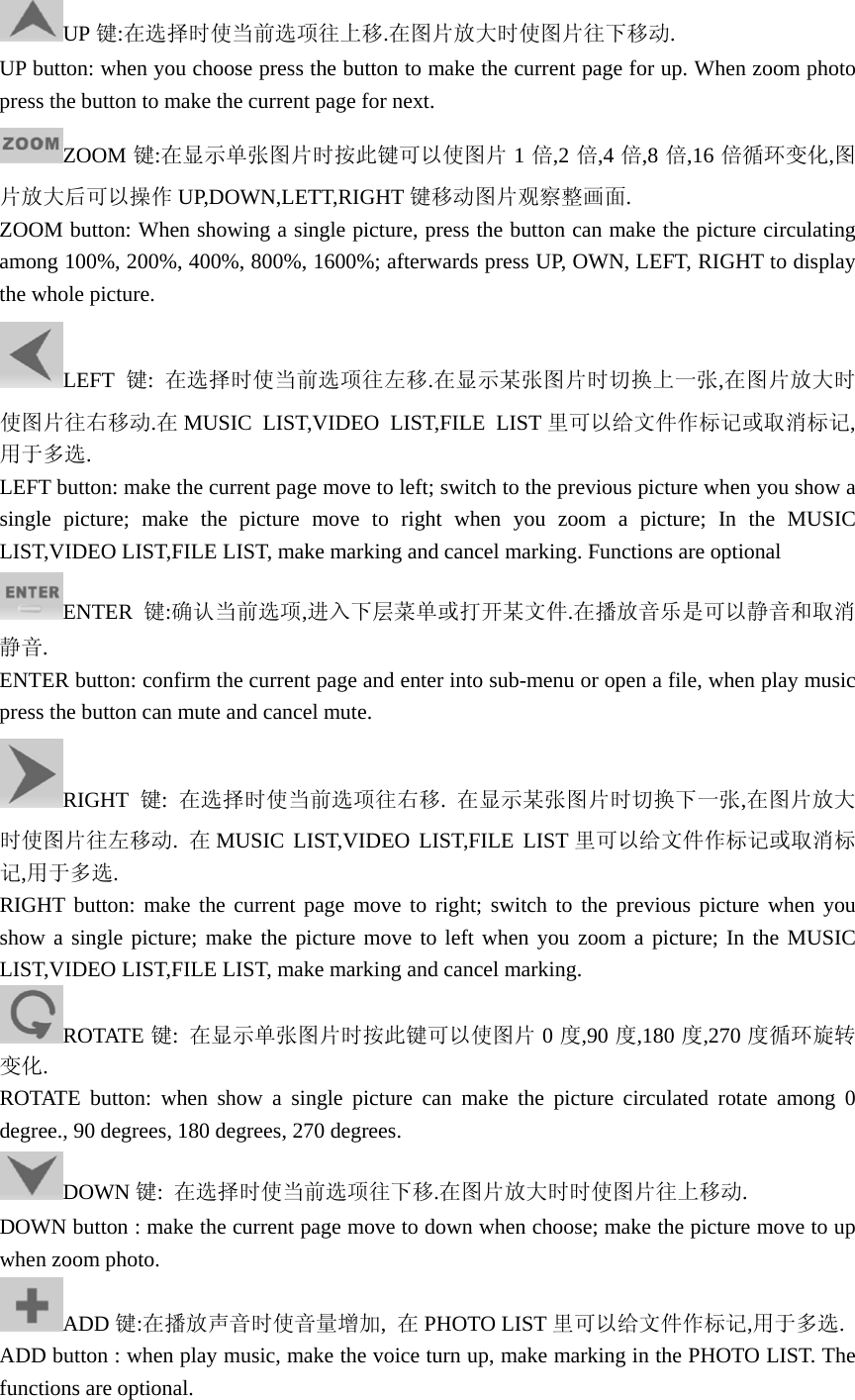
UP 键:在选择时使当前选项往上移.在图片放大时使图片往下移动. UP button: when you choose press the button to make the current page for up. When zoom photo press the button to make the current page for next. ZOOM 键:在显示单张图片时按此键可以使图片 1倍,2 倍,4 倍,8 倍,16 倍循环变化,图片放大后可以操作 UP,DOWN,LETT,RIGHT 键移动图片观察整画面. ZOOM button: When showing a single picture, press the button can make the picture circulating among 100%, 200%, 400%, 800%, 1600%; afterwards press UP, OWN, LEFT, RIGHT to display the whole picture. LEFT 键:  在选择时使当前选项往左移.在显示某张图片时切换上一张,在图片放大时使图片往右移动.在MUSIC LIST,VIDEO LIST,FILE LIST 里可以给文件作标记或取消标记,用于多选.   LEFT button: make the current page move to left; switch to the previous picture when you show a single picture; make the picture move to right when you zoom a picture; In the MUSIC LIST,VIDEO LIST,FILE LIST, make marking and cancel marking. Functions are optional ENTER 键:确认当前选项,进入下层菜单或打开某文件.在播放音乐是可以静音和取消静音. ENTER button: confirm the current page and enter into sub-menu or open a file, when play music press the button can mute and cancel mute. RIGHT 键:  在选择时使当前选项往右移.  在显示某张图片时切换下一张,在图片放大时使图片往左移动.  在MUSIC LIST,VIDEO LIST,FILE LIST 里可以给文件作标记或取消标记,用于多选. RIGHT button: make the current page move to right; switch to the previous picture when you show a single picture; make the picture move to left when you zoom a picture; In the MUSIC LIST,VIDEO LIST,FILE LIST, make marking and cancel marking. ROTATE 键:  在显示单张图片时按此键可以使图片 0度,90 度,180 度,270 度循环旋转变化. ROTATE button: when show a single picture can make the picture circulated rotate among 0 degree., 90 degrees, 180 degrees, 270 degrees.   DOWN 键:  在选择时使当前选项往下移.在图片放大时时使图片往上移动. DOWN button : make the current page move to down when choose; make the picture move to up when zoom photo. ADD 键:在播放声音时使音量增加,  在PHOTO LIST 里可以给文件作标记,用于多选. ADD button : when play music, make the voice turn up, make marking in the PHOTO LIST. The functions are optional.
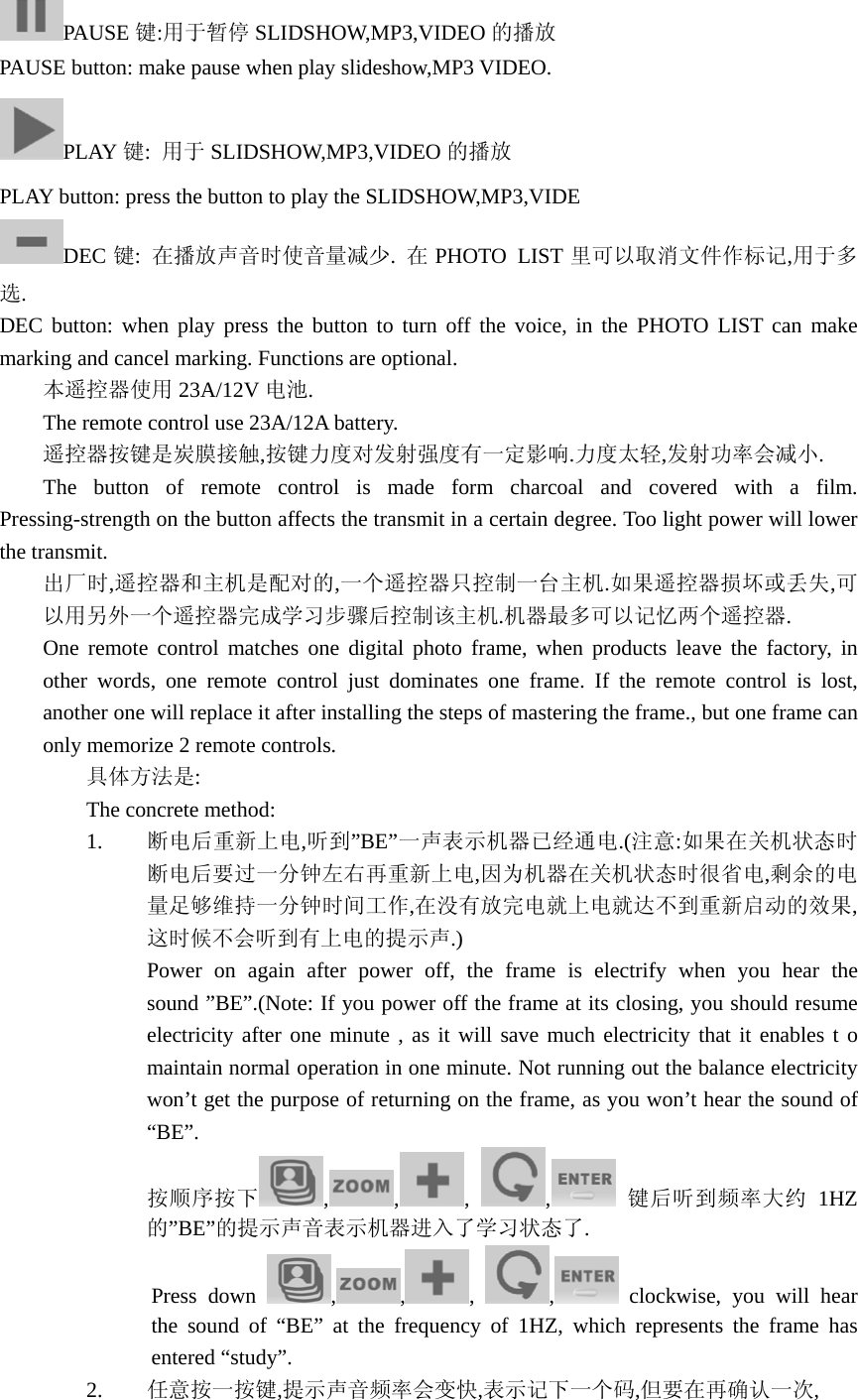
PAUSE 键:用于暂停 SLIDSHOW,MP3,VIDEO 的播放 PAUSE button: make pause when play slideshow,MP3 VIDEO. PLAY 键:  用于 SLIDSHOW,MP3,VIDEO 的播放 PLAY button: press the button to play the SLIDSHOW,MP3,VIDE DEC 键:  在播放声音时使音量减少.  在PHOTO LIST 里可以取消文件作标记,用于多选. DEC button: when play press the button to turn off the voice, in the PHOTO LIST can make marking and cancel marking. Functions are optional.  本遥控器使用 23A/12V 电池. The remote control use 23A/12A battery.  遥控器按键是炭膜接触,按键力度对发射强度有一定影响.力度太轻,发射功率会减小.  The button of remote control is made form charcoal and covered with a film. Pressing-strength on the button affects the transmit in a certain degree. Too light power will lower the transmit. 出厂时,遥控器和主机是配对的,一个遥控器只控制一台主机.如果遥控器损坏或丢失,可以用另外一个遥控器完成学习步骤后控制该主机.机器最多可以记忆两个遥控器. One remote control matches one digital photo frame, when products leave the factory, in other words, one remote control just dominates one frame. If the remote control is lost, another one will replace it after installing the steps of mastering the frame., but one frame can only memorize 2 remote controls. 具体方法是: The concrete method: 1. 断电后重新上电,听到”BE”一声表示机器已经通电.(注意:如果在关机状态时断电后要过一分钟左右再重新上电,因为机器在关机状态时很省电,剩余的电量足够维持一分钟时间工作,在没有放完电就上电就达不到重新启动的效果,这时候不会听到有上电的提示声.) Power on again after power off, the frame is electrify when you hear the sound ”BE”.(Note: If you power off the frame at its closing, you should resume electricity after one minute , as it will save much electricity that it enables t o maintain normal operation in one minute. Not running out the balance electricity won’t get the purpose of returning on the frame, as you won’t hear the sound of “BE”. 按顺序按下 ,,,  ,   键后听到频率大约 1HZ的”BE”的提示声音表示机器进入了学习状态了.               Press down  , , ,  , clockwise, you will hear the sound of “BE” at the frequency of 1HZ, which represents the frame has entered “study”. 2. 任意按一按键,提示声音频率会变快,表示记下一个码,但要在再确认一次,
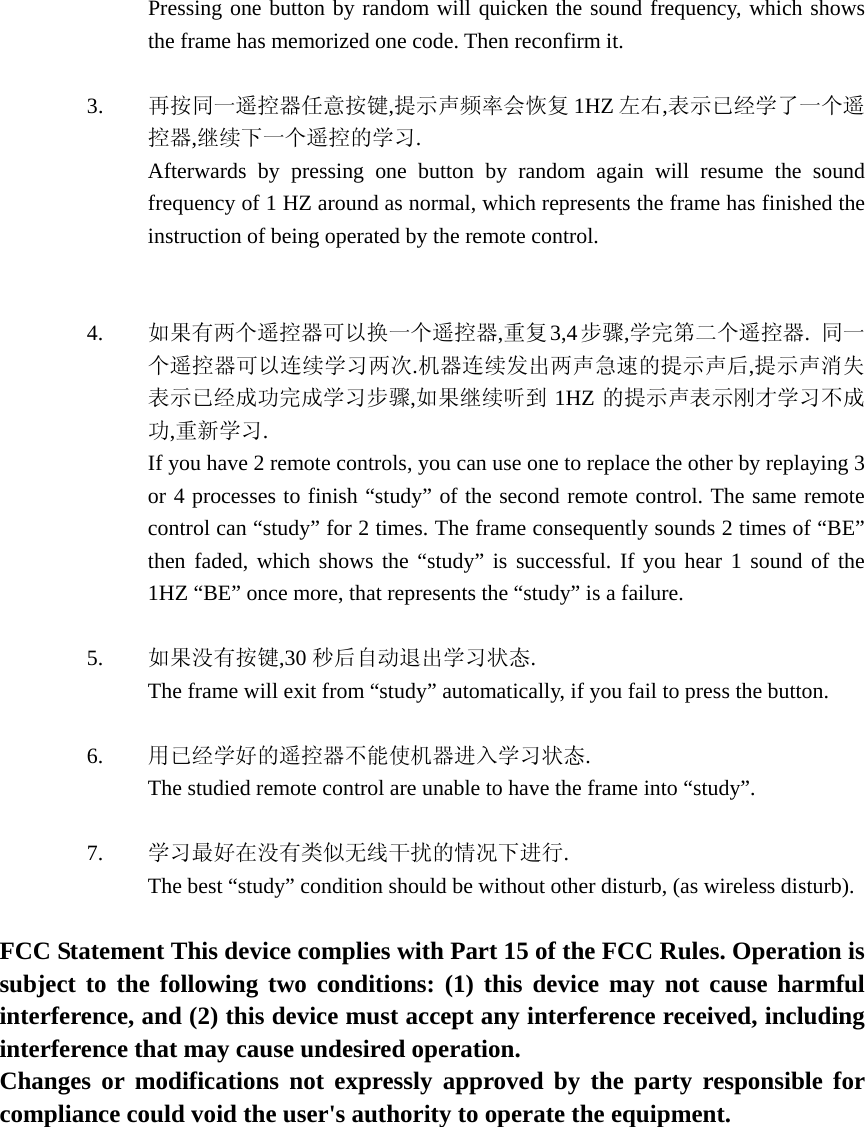
Pressing one button by random will quicken the sound frequency, which shows the frame has memorized one code. Then reconfirm it.  3. 再按同一遥控器任意按键,提示声频率会恢复 1HZ 左右,表示已经学了一个遥控器,继续下一个遥控的学习. Afterwards by pressing one button by random again will resume the sound frequency of 1 HZ around as normal, which represents the frame has finished the instruction of being operated by the remote control.      4. 如果有两个遥控器可以换一个遥控器,重复 3,4步骤,学完第二个遥控器.  同一个遥控器可以连续学习两次.机器连续发出两声急速的提示声后,提示声消失表示已经成功完成学习步骤,如果继续听到 1HZ 的提示声表示刚才学习不成功,重新学习. If you have 2 remote controls, you can use one to replace the other by replaying 3 or 4 processes to finish “study” of the second remote control. The same remote control can “study” for 2 times. The frame consequently sounds 2 times of “BE” then faded, which shows the “study” is successful. If you hear 1 sound of the 1HZ “BE” once more, that represents the “study” is a failure.    5. 如果没有按键,30 秒后自动退出学习状态. The frame will exit from “study” automatically, if you fail to press the button.   6. 用已经学好的遥控器不能使机器进入学习状态. The studied remote control are unable to have the frame into “study”.     7. 学习最好在没有类似无线干扰的情况下进行. The best “study” condition should be without other disturb, (as wireless disturb).     FCC Statement This device complies with Part 15 of the FCC Rules. Operation is subject to the following two conditions: (1) this device may not cause harmful interference, and (2) this device must accept any interference received, including interference that may cause undesired operation.   Changes or modifications not expressly approved by the party responsible for compliance could void the user's authority to operate the equipment.

Navigation menu