Winner Wave CC911 EZCast 2 User Manual User Muanal

Winner Wave Limited EZCast 2 User Muanal

User manual

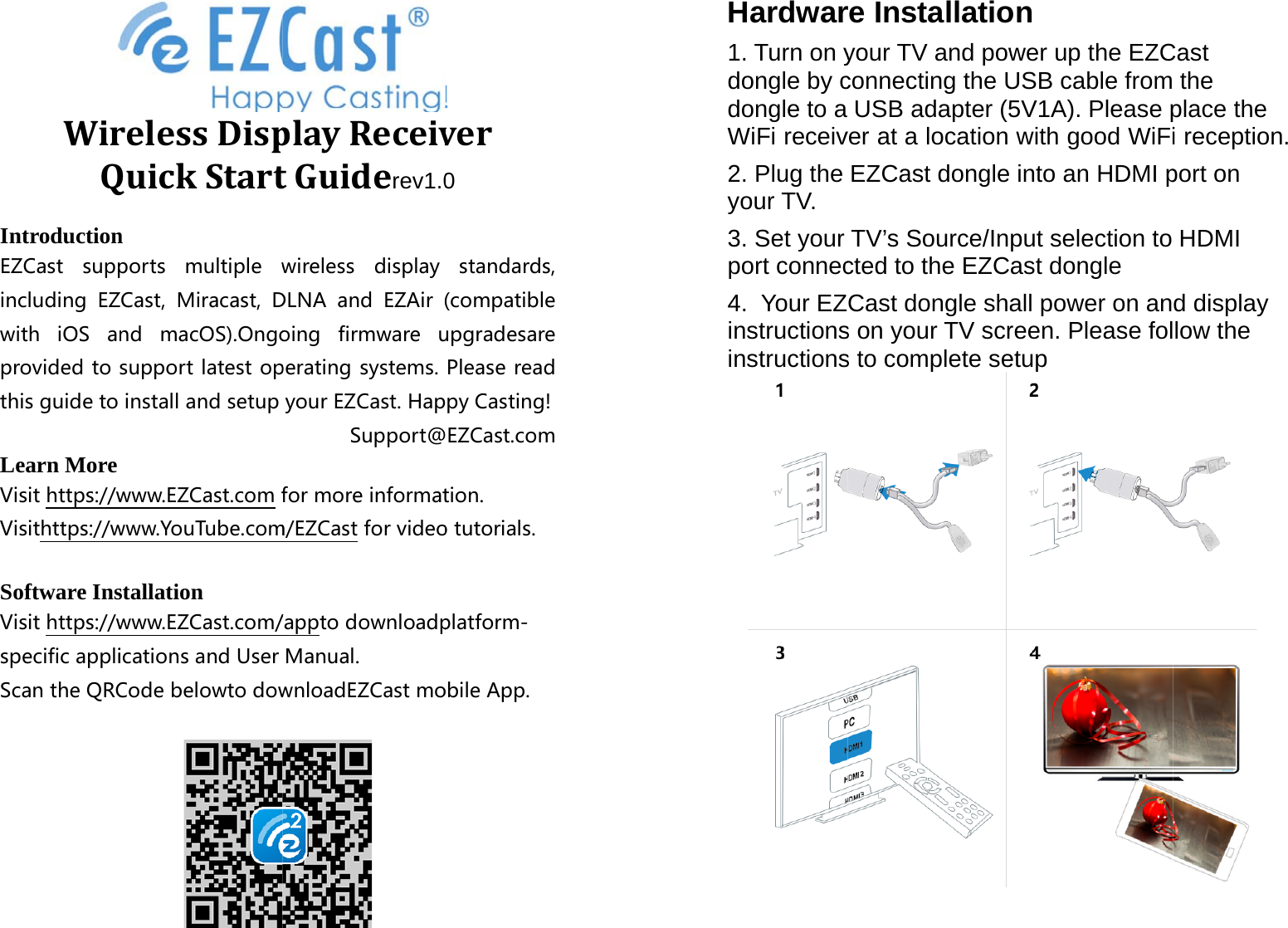
WirQIntroductionEZCast suppincluding EZwith iOS anprovidedtothisguidetoLearn More Visithttps://wVisithttps://wSoftware InsVisithttps://wspecificappliScantheQRCrelessDispQuickStart n ports multiplewZCast, Miracast,Dnd macOS).Ongosupportlatestopinstallandsetupwww.EZCast.comfwww.YouTube.comstallation www.EZCast.com/icationsandUserCodebelowtodowplayReceivtGuiderev1.0wireless displayDLNA and EZAir(oing firmwareuperatingsystems.yourEZCast.HapSupport@formoreinformatm/EZCastforvideo/apptodownloadpManual.wnloadEZCastmover0 standards,(compatibleupgradesarePleasereadpyCasting!EZCast.comtion.otutorials.platform-obileApp.Hardwar1. Turn on ydongle by cdongle to a WiFi receiv2. Plug the your TV. 3. Set your port connec4.  Your EZinstructionsinstructionsre Installatioyour TV and powconnecting the UUSB adapter (5ver at a location EZCast dongle TV’s Source/Incted to the EZCCast dongle shas on your TV scrs to complete seon wer up the EZCUSB cable from5V1A). Please pwith good WiFiinto an HDMI pput selection to ast dongle all power on anreen. Please foletup Cast  the place the i reception. port on HDMI d display low the
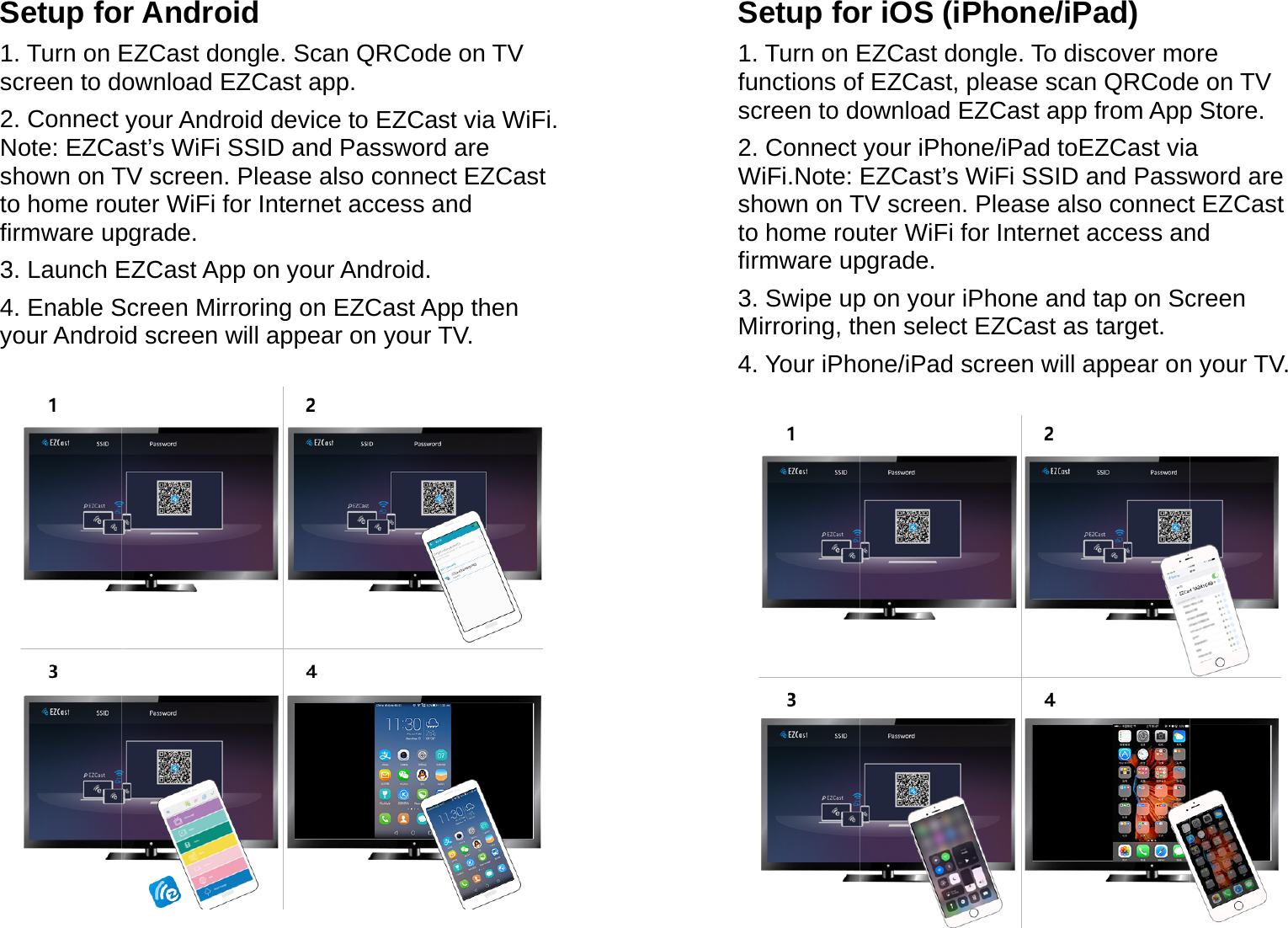
Setup fo1. Turn on Escreen to d2. Connect Note: EZCashown on Tto home roufirmware up3. Launch E4. Enable Syour Androi  r AndroidEZCast dongle. ownload EZCasyour Android deast’s WiFi SSID TV screen. Pleauter WiFi for Intepgrade. EZCast App on Screen Mirroringid screen will apScan QRCode st app. evice to EZCastand Password se also connecternet access anyour Android.g on EZCast Apppear on your Ton TV t via WiFi. are t EZCast nd p then TV.  Setup fo1. Turn on Efunctions ofscreen to d2. Connect WiFi.Note: shown on Tto home roufirmware up3. Swipe upMirroring, th4. Your iPho r iOS (iPhonEZCast dongle. f EZCast, pleasownload EZCasyour iPhone/iPaEZCast’s WiFi STV screen. Pleauter WiFi for Intepgrade. p on your iPhonhen select EZCaone/iPad screenne/iPad) To discover moe scan QRCodest app from Appad toEZCast viaSSID and Passwse also connecternet access ane and tap on Scast as target.n will appear onore e on TV p Store. a word are t EZCast nd creen n your TV.
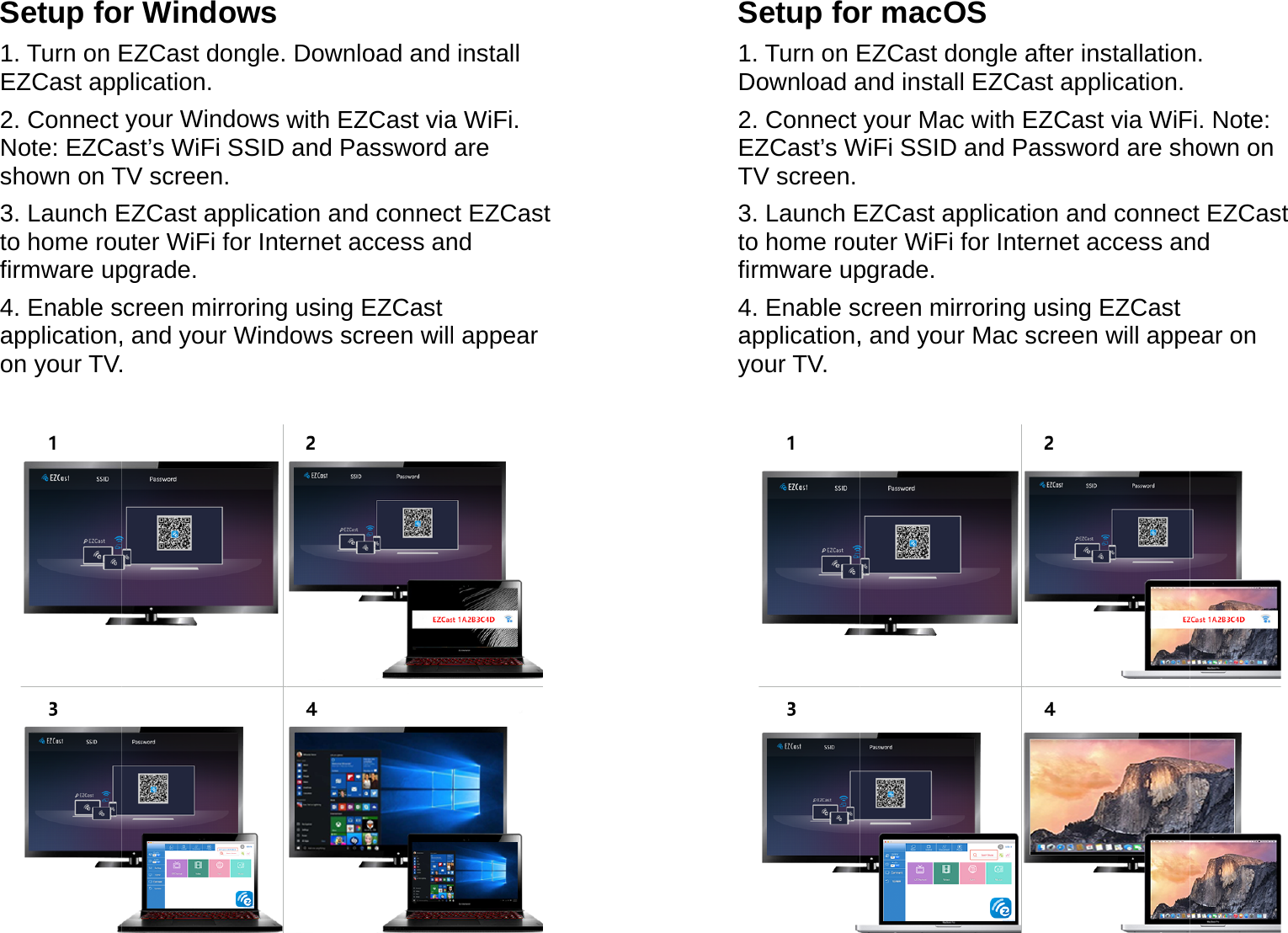
Setup fo1. Turn on EEZCast app2. Connect Note: EZCashown on T3. Launch Eto home roufirmware up4. Enable sapplication,on your TV. r Windows EZCast dongle. plication. your Windows wast’s WiFi SSID TV screen. EZCast applicatuter WiFi for Intepgrade. screen mirroring, and your Wind. Download and with EZCast viaand Password tion and connecernet access an using EZCast dows screen willinstall a WiFi. are ct EZCast nd l appear  Setup fo1. Turn on EDownload a2. Connect EZCast’s WTV screen.3. Launch Eto home roufirmware up4. Enable sapplication,your TV.  r macOS EZCast dongle and install EZCayour Mac with EWiFi SSID and PEZCast applicatuter WiFi for Intepgrade.  screen mirroring, and your Mac after installationast application.EZCast via WiFPassword are shtion and connecernet access an using EZCast screen will appen. Fi. Note: hown on ct EZCast nd ear on
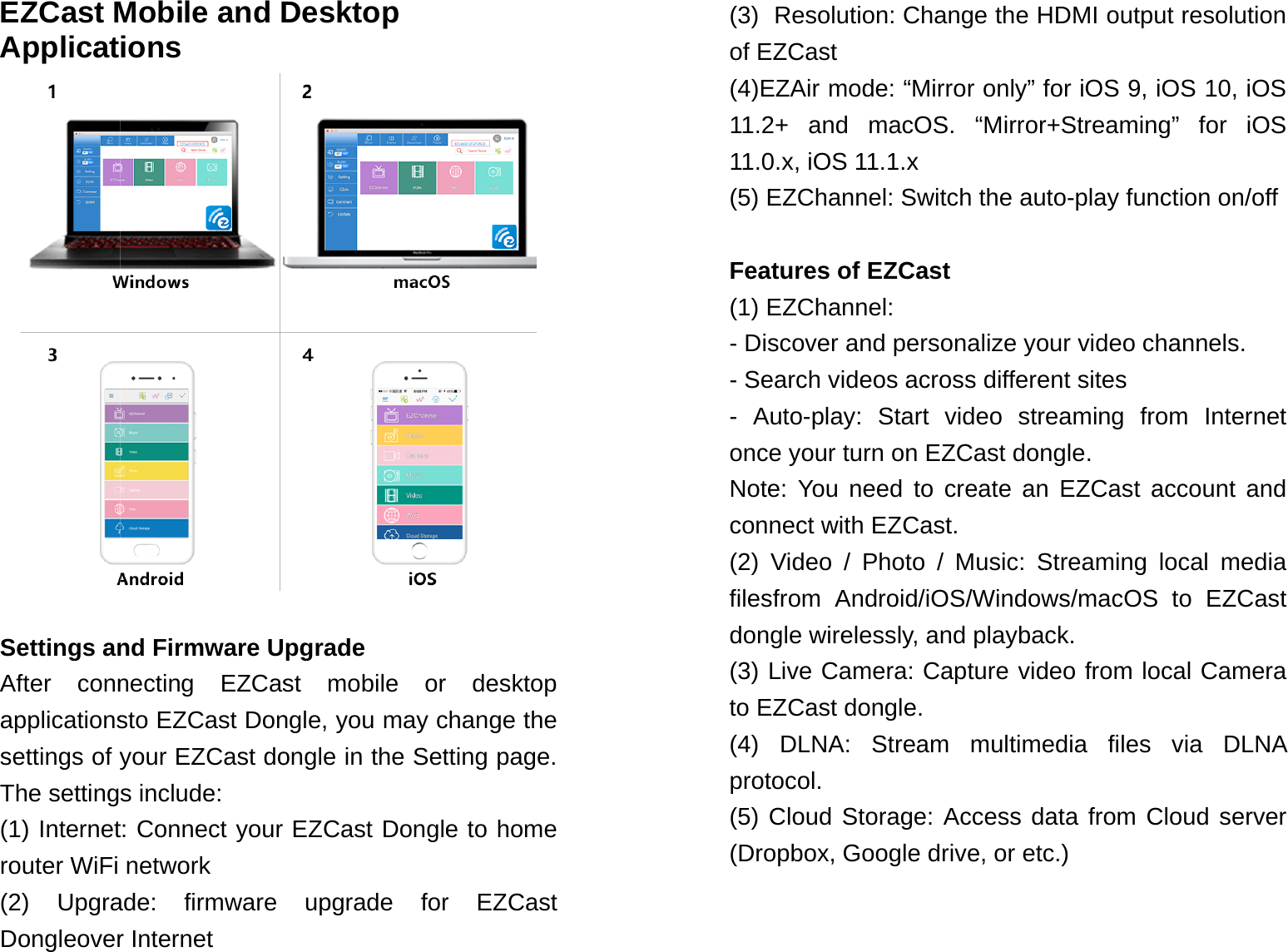
EZCast MApplicat Settings anAfter connapplicationssettings of yThe setting(1) Internetrouter WiFi (2) UpgraDongleoverMobile and Dions nd Firmware Unecting EZCassto EZCast Donyour EZCast dos include: t: Connect your network ade: firmware r Internet Desktop pgrade st mobile or ngle, you may congle in the SetEZCast Dongleupgrade for desktop change the tting page. e to home r EZCast (3)  Resolution: Change the HDMI output resolution of EZCast (4)EZAir mode: “Mirror only” for iOS 9, iOS 10, iOS 11.2+ and macOS. “Mirror+Streaming” for iOS 11.0.x, iOS 11.1.x (5) EZChannel: Switch the auto-play function on/off  Features of EZCast (1) EZChannel:  - Discover and personalize your video channels. - Search videos across different sites  - Auto-play: Start video streaming from Internet once your turn on EZCast dongle.  Note: You need to create an EZCast account and connect with EZCast. (2) Video / Photo / Music: Streaming local media filesfrom Android/iOS/Windows/macOS to EZCast dongle wirelessly, and playback. (3) Live Camera: Capture video from local Camera to EZCast dongle. (4) DLNA: Stream multimedia files via DLNA protocol.  (5) Cloud Storage: Access data from Cloud server (Dropbox, Google drive, or etc.)
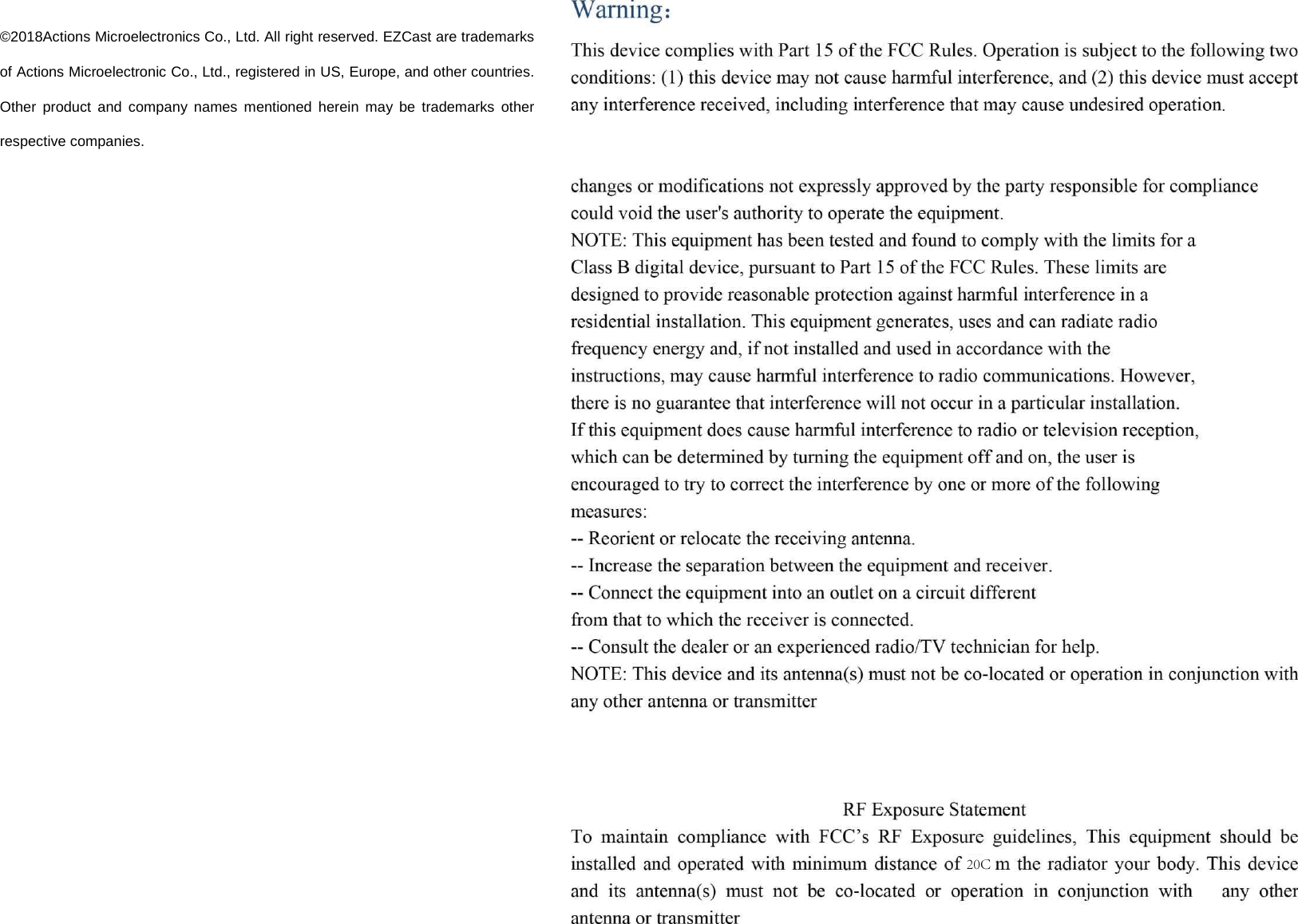
©2018Actions Microelectronics Co., Ltd. All right reserved. EZCast are trademarks of Actions Microelectronic Co., Ltd., registered in US, Europe, and other countries. Other product and company names mentioned herein may be trademarks other respective companies. 20C

Navigation menu