Wireless Dynamics SDID1020 RFID Reader User Manual SDiD 1020 User Instructions
Wireless Dynamics Inc. RFID Reader SDiD 1020 User Instructions
Users Manual

Wireless Dynamics Inc. SDiD 1020 User Instructions
FCC Notice:
This device complies with Part 15 of the FCC Rules.
Operation is subject to the following two conditions:
1) This device may not cause harmful interference, and
2) This device must accept any interference received, including
interference that may cause undesired operation.
Any change or modification not expressly approved by the manufacturer
could void the user’s authority to operate the equipment.
Overview
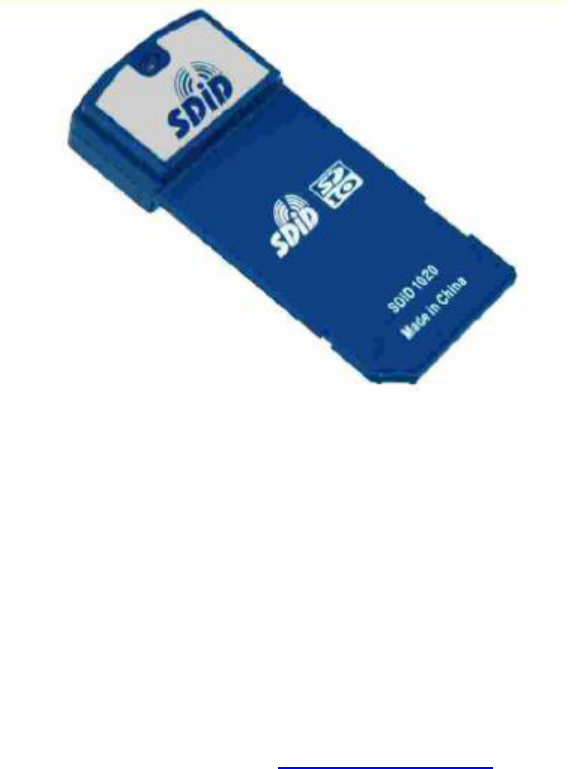
The SDiD 1020 is a Radio Frequency Identification, RFID, Reader/Writer device in the
form of a Secure Digital Input/Output, SDIO, card.
The SDiD 1020 card enables PDAs, cellular phones and other handheld devices to
operate as Radio Frequency Identification Readers and Writers.
The SDiD 1020 is a complete Secure Digital, SD, Card design that incorporates the
antenna, RFID transceiver, SDIO interface and all necessary software drivers.
PDF created with pdfFactory trial version www.pdffactory.com

Wireless Dynamics Inc. SDiD 1020 User Instructions
Features
Radio Frequency Identification Reader/Writer:
• ISO 14443A/B, ISO 15693 Compliant.
• Supports Philips’ I-Code® SLI, Texas Instruments Tag-itTMHF.
• Data exchange speeds of 106, 212, 424 and 848 kbit/sec.
Secure Data, SD, Card:
• SDIO compliant, version 1.10.
• SD-1, SP-4, SPI mode.
Host Support:
• Utilizable on terminals with SDIO enabled SD card socket.
• Supports Microsoft® Pocket PC 2002/2003, Windows MobileTM 2003.
• Supports Palm OS® 4.1 and more recent versions.
Read and Write Range:
• Up to 8 cm, depending on tag.
Operating Frequency:
• 13.56 MHz, license-free ISM band.
Integrated Antenna:
• Compact Antenna.
Low Power Consumption:
• 150 mA typical operational current.
Card Status LED Indicator:
• Standby, search and data communications indication.
PDF created with pdfFactory trial version www.pdffactory.com

Wireless Dynamics Inc. SDiD 1020 User Instructions
LED Specification
The SDiD 1020 has an integrated LED that is used to indicate the card status. The
following table shows the different LED states and the corresponding card status:
LED Status Indicator
Card Status LED State
Standby Mode OFF
Reader/Writer in 14443 Mode Two blinks every two seconds
Reader/Writer in 15693 Mode Three blinks every two seconds
Operating Instructions
1) Insert the SDiD 1020 card into the SD card slot of the host device. The integrated
LED on the SDiD 1020 will initially be ON for two seconds and it will turn OFF
after.
2) Start the application software in the host device.
3) When the card is configured to act as a reader/writer the LED will blink twice
every two seconds. At this point the SDiD 1020 card is ready to read/write
from/to a target.
4) When the SDiD 1020 card is in the Standby Mode, the LED will be OFF and the
SDiD 1020 card will not be able to read/write from/to cards until the appropriate
mode is selected in the Host Software Application.
PDF created with pdfFactory trial version www.pdffactory.com