Wolf Steel 70077 ACCU-PROBE Bluetooth Thermometer User Manual INSTRUCTION MANUAL

Wolf Steel Ltd. ACCU-PROBE Bluetooth Thermometer INSTRUCTION MANUAL

user manual

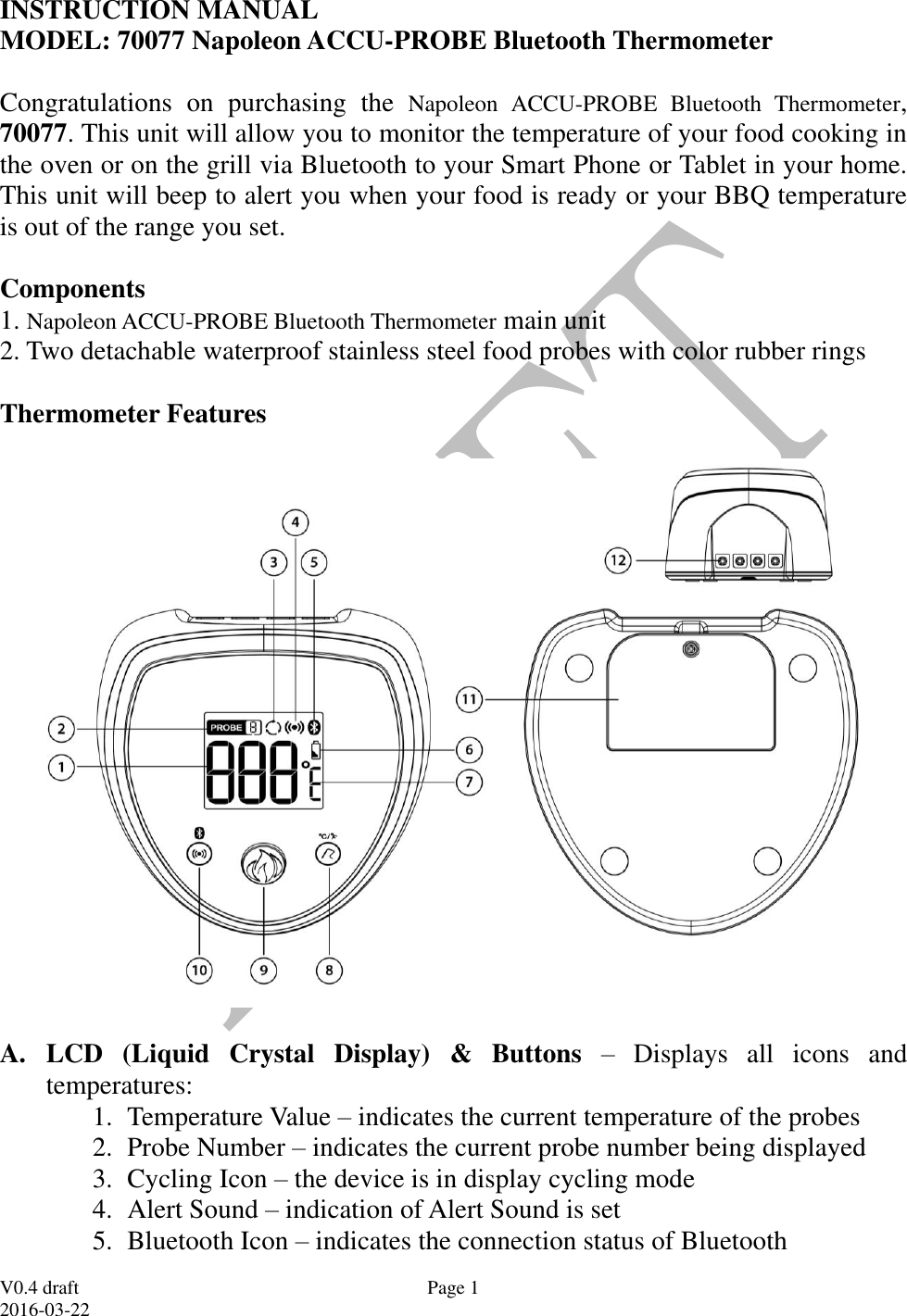
 V0.4 draft 2016-03-22 Page 1 INSTRUCTION MANUAL  MODEL: 70077 Napoleon ACCU-PROBE Bluetooth Thermometer   Congratulations  on  purchasing  the  Napoleon  ACCU-PROBE  Bluetooth  Thermometer, 70077. This unit will allow you to monitor the temperature of your food cooking in the oven or on the grill via Bluetooth to your Smart Phone or Tablet in your home. This unit will beep to alert you when your food is ready or your BBQ temperature is out of the range you set.  Components 1. Napoleon ACCU-PROBE Bluetooth Thermometer main unit 2. Two detachable waterproof stainless steel food probes with color rubber rings  Thermometer Features    A. LCD  (Liquid  Crystal  Display)  &  Buttons  –  Displays  all  icons  and temperatures:  1. Temperature Value – indicates the current temperature of the probes 2. Probe Number – indicates the current probe number being displayed 3. Cycling Icon – the device is in display cycling mode 4. Alert Sound – indication of Alert Sound is set 5. Bluetooth Icon – indicates the connection status of Bluetooth
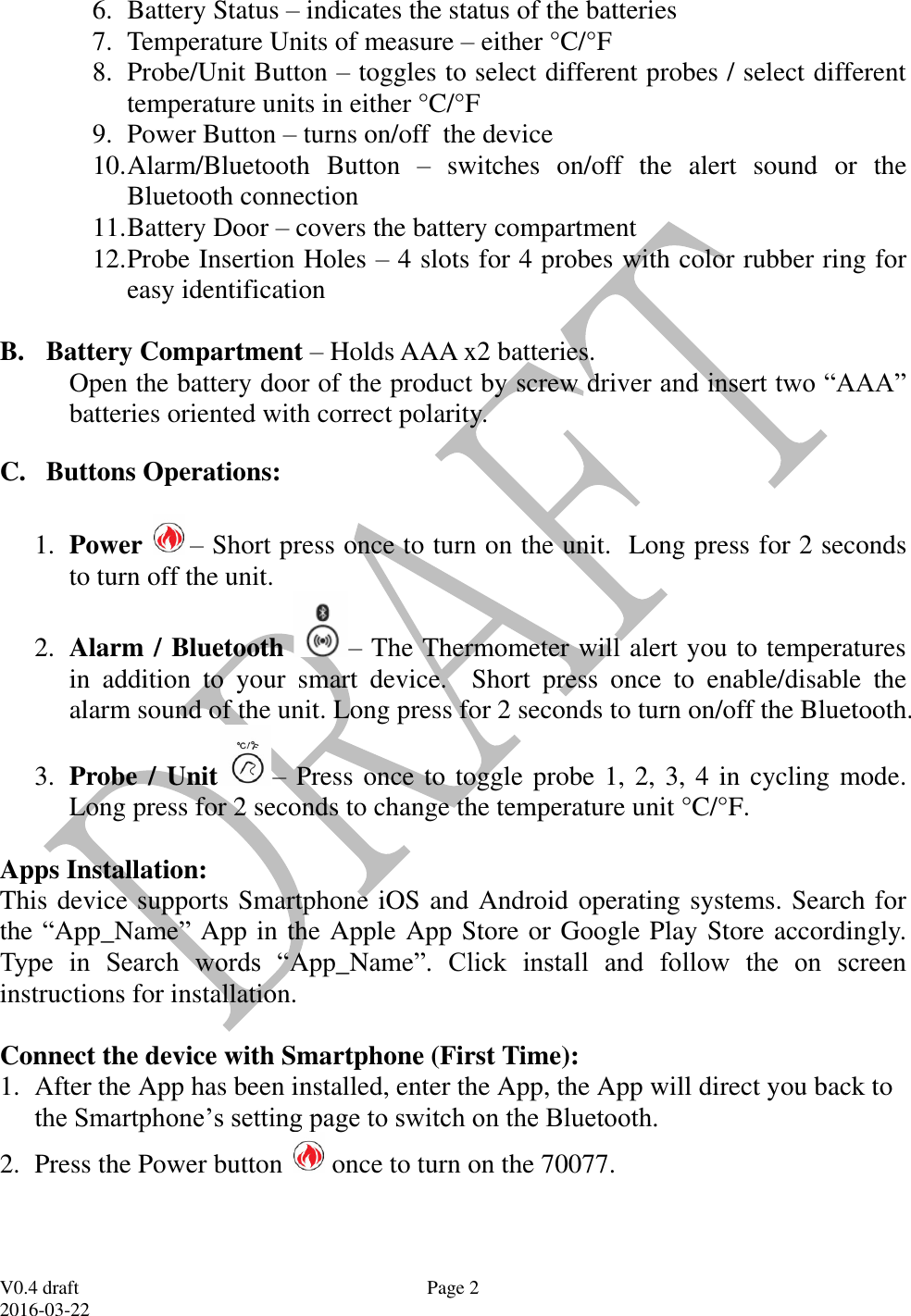
 V0.4 draft 2016-03-22 Page 2 6. Battery Status – indicates the status of the batteries 7. Temperature Units of measure – either °C/°F  8. Probe/Unit Button – toggles to select different probes / select different temperature units in either °C/°F 9. Power Button – turns on/off  the device 10. Alarm/Bluetooth  Button  –  switches  on/off  the  alert  sound  or  the Bluetooth connection 11. Battery Door – covers the battery compartment 12. Probe Insertion Holes – 4 slots for 4 probes with color rubber ring for easy identification  B. Battery Compartment – Holds AAA x2 batteries. Open the battery door of the product by screw driver and insert two “AAA” batteries oriented with correct polarity. C. Buttons Operations:  1. Power  – Short press once to turn on the unit.  Long press for 2 seconds to turn off the unit.  2. Alarm / Bluetooth – The Thermometer will alert you to temperatures in  addition  to  your  smart  device.  Short  press  once  to  enable/disable  the alarm sound of the unit. Long press for 2 seconds to turn on/off the Bluetooth.   3. Probe / Unit – Press once to toggle probe 1, 2, 3, 4 in cycling mode.  Long press for 2 seconds to change the temperature unit °C/°F.  Apps Installation: This device supports Smartphone iOS and Android operating systems. Search for the “App_Name”  App in the Apple App Store or Google Play Store accordingly. Type  in  Search  words  “App_Name”.  Click  install  and  follow  the  on  screen instructions for installation.  Connect the device with Smartphone (First Time): 1. After the App has been installed, enter the App, the App will direct you back to the Smartphone’s setting page to switch on the Bluetooth. 2. Press the Power button   once to turn on the 70077.
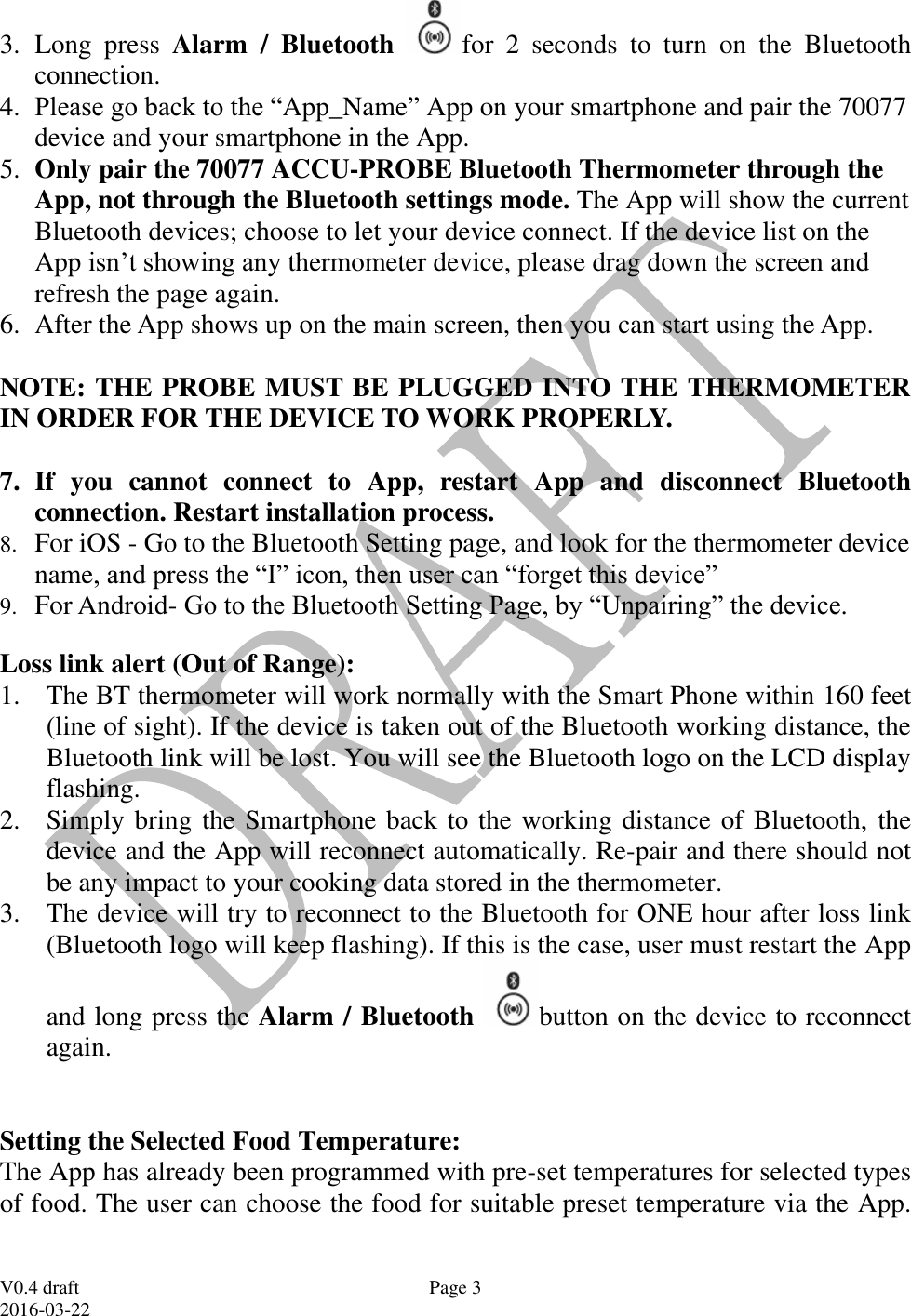
 V0.4 draft 2016-03-22 Page 3 3. Long  press  Alarm  /  Bluetooth  for  2  seconds  to  turn  on  the  Bluetooth connection.   4. Please go back to the “App_Name” App on your smartphone and pair the 70077 device and your smartphone in the App. 5. Only pair the 70077 ACCU-PROBE Bluetooth Thermometer through the App, not through the Bluetooth settings mode. The App will show the current Bluetooth devices; choose to let your device connect. If the device list on the App isn’t showing any thermometer device, please drag down the screen and refresh the page again. 6. After the App shows up on the main screen, then you can start using the App.   NOTE: THE PROBE MUST BE PLUGGED INTO THE THERMOMETER IN ORDER FOR THE DEVICE TO WORK PROPERLY.  7. If  you  cannot  connect  to  App,  restart  App  and  disconnect  Bluetooth connection. Restart installation process. 8. For iOS - Go to the Bluetooth Setting page, and look for the thermometer device name, and press the “I” icon, then user can “forget this device” 9. For Android- Go to the Bluetooth Setting Page, by “Unpairing” the device. Loss link alert (Out of Range): 1. The BT thermometer will work normally with the Smart Phone within 160 feet (line of sight). If the device is taken out of the Bluetooth working distance, the Bluetooth link will be lost. You will see the Bluetooth logo on the LCD display flashing.  2. Simply bring the Smartphone back to the working distance of Bluetooth, the device and the App will reconnect automatically. Re-pair and there should not be any impact to your cooking data stored in the thermometer. 3. The device will try to reconnect to the Bluetooth for ONE hour after loss link (Bluetooth logo will keep flashing). If this is the case, user must restart the App and long press the Alarm / Bluetooth  button on the device to reconnect again.   Setting the Selected Food Temperature:  The App has already been programmed with pre-set temperatures for selected types of food. The user can choose the food for suitable preset temperature via the App.
 V0.4 draft 2016-03-22 Page 4 These temperatures are recommended by both major cookbooks and the USDA for food safety. The chart of the selected temperatures is as follows:   Meat Set Temperature Well Done Medium Well Medium Medium Rare Rare Beef 160°F/71°C 150°F/66°C 145°F/63°C 135°F/57°C 125°F/52°C Pork (ham, loin, ribs) 160°F/71°C 150°F/66°C    Ground meats (Pork, Beef, Lamb) 160°F/71°C     Chicken, Turkey 170°F/77°C     Duck, Goose 170°F/77°C 155°F/68°C 140°F/60°C   Fish 158°F/70°C  125°F/52°C  115°F/46°C Lamb 160°F/71°C 150°F/66°C 145°F/63°C 135°F/57°C 125°F/52°C Large Game (Deer, Elk, Moose, Buffalo) 165°F/74°C 155°F/68°C 145°F/63°C 135°F/57°C 130°F/55°C    BBQ Selection If  you  select “BBQ”  mode, then you have to input the high set temperature. The range of the High Set Temperature is [140°F – 572°F] and the factory default is 250°F.  Then  you  will  need  to  set  the  low  set  temperature.  The  range  of  the  low  set temperature is [32°F – 554°F] and the factory default is 200°F.  Note: The App will warn the user if the input is out of range or the low set temperature is larger than the high set temperature.    Activating the Temperature Alarm:
 V0.4 draft 2016-03-22 Page 5 Press the Alarm / Bluetooth  button once to activate the temperature alarm for probes 1, 2, 3, 4. The alarm icons will appear on the LCD display. The units will beep with the alarm icon as well as the temperature segment flashing under below conditions: 1. When the current temperature hits set temperature.    2. When the current temperature has exceeded the high set temperature in BBQ mode. 3. When the current temperature has fallen below the low set temperature in BBQ mode. Note:  The  low  set  temperature  alarm  will  not  be  activated  until  the  actual temperature of the probe goes above low set temperature.   Helpful Hints: 1. If  the  unit  displays LLL or  HHH  instead  of  the  probe  temperature,  wait  for probe to reach room temperature. If LLL or HHH is still displayed or you get a false temperature, squeeze the probe jacks harder into the unit and twist them back and forth so they  make good contact. If  the problem still persists, it is likely the internal probe wire has shorted out either through moisture or heat damage. 2. Do not allow the probe or probe wire to come into contact with flames. 3. The probe plastic handle that is connected to the probe and probe wire should not be exposed to flame directly. If the probe is placed under high temperature environment, the plastic handles that interconnect with probe and probe wire will only be able to tolerate up to maximum tolerance of 572 degrees Fahrenheit.  Helpful Hints for maximizing Bluetooth range: 1. Please  place  the  product  on  a  flat  surface  with  the  LCD  facing  your  smart phone/tablet.   If  the  thermometer  is  facing  differently  against  your  smart phone/tablet, the distance will be shorter. 2. Try and use your smart phone/tablet in a vertical position with the back of the device pointing to the 70077. If you are not pointing to the 70077 or your smart device is lying down the distance will be shorter. 3. Avoid walls and obstacles in between your smart phone/tablet and the 70077 otherwise the range will be much shorter.
 V0.4 draft 2016-03-22 Page 6 Cautions: 1. Always wear a heat resistant glove to touch the stainless steel probe sensors or wires during or just after cooking. Do not touch with bare hands. 2. Keep the stainless steel probe sensors and wires away from children. 3. Clean the stainless steel probes and dry thoroughly after each and every use.  4. The device is rain proof but not water proof. Do not immerse in water. 5. Do not expose the plugs of the stainless steel probes or the plug in holes of the  device  to  water  or  any  liquid.  This  will  result  in  a  bad  connection  and faulty readings. 6. Do not expose the device to direct heat or hot surfaces. 7. Do not use the stainless steel probes in microwave ovens. 8. The Bluetooth Thermometer registers temperatures as low as -4 ºF (-20 ºC) and as high as 572 ºF (300 ºC). LLL will be displayed below -4 ºF and HHH will be displayed above 572ºF. Do not use the stainless probe sensor above 572 ºF. Doing so will deteriorate the plastic handle.  9. Not Intended for Use by Persons ages 12 and Under.   Cleaning: 1. Always wear a heat resistant glove to touch the stainless steel probe sensors or wires during or just after cooking. Do not touch with bare hands. 2. Keep the stainless steel probe sensors and wires away from children. 3. Wash the metal probe tips with hot soapy water and dry thoroughly. Do not immerse the probe jack in water while cleaning. 4. Wipe the device with a damp cloth. Do not immerse thermometer or jack in water.   Information to user: 1. There will be slight difference in the App Screens depending on: i. Version of Android and iOS used in Smart Phone ii. Smart Phone models iii. App release version User should refer to the latest version of user manual which will be embedded in setup page of the App. 2. Warning: Changes or modifications to this unit not expressly approved by the party responsible for compliance could void the users’ authority to operate the equipment. 3. Note: This equipment has been tested and found to comply with the limits for a Class B digital device, pursuant to part 15 of the FCC Rules. These limits are
 V0.4 draft 2016-03-22 Page 7 designed  to  provide  reasonable  protection  against  harmful  interference  in  a residential  installation.  This  equipment  generates  uses  and  can  radiate  radio frequency  energy  and,  if  not  installed  and  used  in  accordance  with  the instructions,  may  cause  harmful  interference  to  radio  communications. However, there is no guarantee that interference will not occur in a particular installation.  If  this  equipment  does  cause  harmful  interference  to  radio  or television reception, which can be determined by turning the equipment off and on, the user is encouraged to try to correct the interference by one or more of the following measures: - Reorient or relocate the device.     - Increase the separation between the equipment and interfered radio / TV. - Consult the dealer or an experienced radio/TV technician for help. 4. This device complies with part 15 of the FCC Rules.  Operation is subject to the following two conditions: (1) this device may not cause harmful interference, and (2) this device must accept any interference received, including interference that may cause undesired operation. 5. This device complies with Industry Canada’s licence-exempt RSSs. Operation is subject to the following two conditions: (1) this device may not cause interference, and (2) this device must accept any interference, including interference that may cause undesired operation of the device.   [French IC statement:  Le présent appareil est conforme aux CNR d'Industrie Canada applicables aux appareils radio exempts de licence. L'exploitation est autorisée aux deux conditions suivantes : (1) l'appareil ne doit pas produire de brouillage, et (2) l'utilisateur de l'appareil doit accepter tout brouillage radioélectrique subi, même si le brouillage est susceptible d'en compromettre le fonctionnement.] 6. The normal function of the product may be disturbed by strong Electro-Magnetic Interference. If so, simply reset the product to resume normal operation by following the instruction manual. In case the function could not resume, please use the product in other location. 7. This equipment complies with the FCC RF radiation exposure limits set forth for  an  uncontrolled  environment.  This  equipment  should  be  installed  and operated with a minimum distance of 20 centimeters between the radiator and your body. LIMITED ??? DAYS WARRANTY Napoleon Industries Inc. warrants the 70077 ACCU-PROBE Bluetooth Thermometer to be free of defects in parts, materials and workmanship for a period of  ??? days, from date of purchase. Should any repairs or servicing under this warranty be required, contact Napoleon Customer Service by email or mail for instruction on how to pack and ship the 70077 ACCU-PROBE Bluetooth Thermometer to Napoleon’s National Service Center located as follows:
 V0.4 draft 2016-03-22 Page 8 Napoleon Customer Service Address: ??? Telephone: ??? email: ???  Do not send any parts or product to Napoleon without obtaining a Return Authorization Number and instructions. This warranty is VOID if instructions for use are not followed; for accidental damage; for commercial use; for damage incurred while in transit; or if the 70077 ACCU-PROBE Bluetooth Thermometer has been tampered with. This warranty gives you specific legal rights and you may also have other rights which vary from state to state.

Navigation menu