Wooyoung WTN-15B2 LCD/TV Monitor User Manual WTN 17WE2 UsrMan

Wooyoung Co., Ltd. LCD/TV Monitor WTN 17WE2 UsrMan

Contents

User Manual 1 of 2

LCD TVUser’s ManualMODEL : WTN-15B2, WTN-17WE2ENGLIENGLISHSH
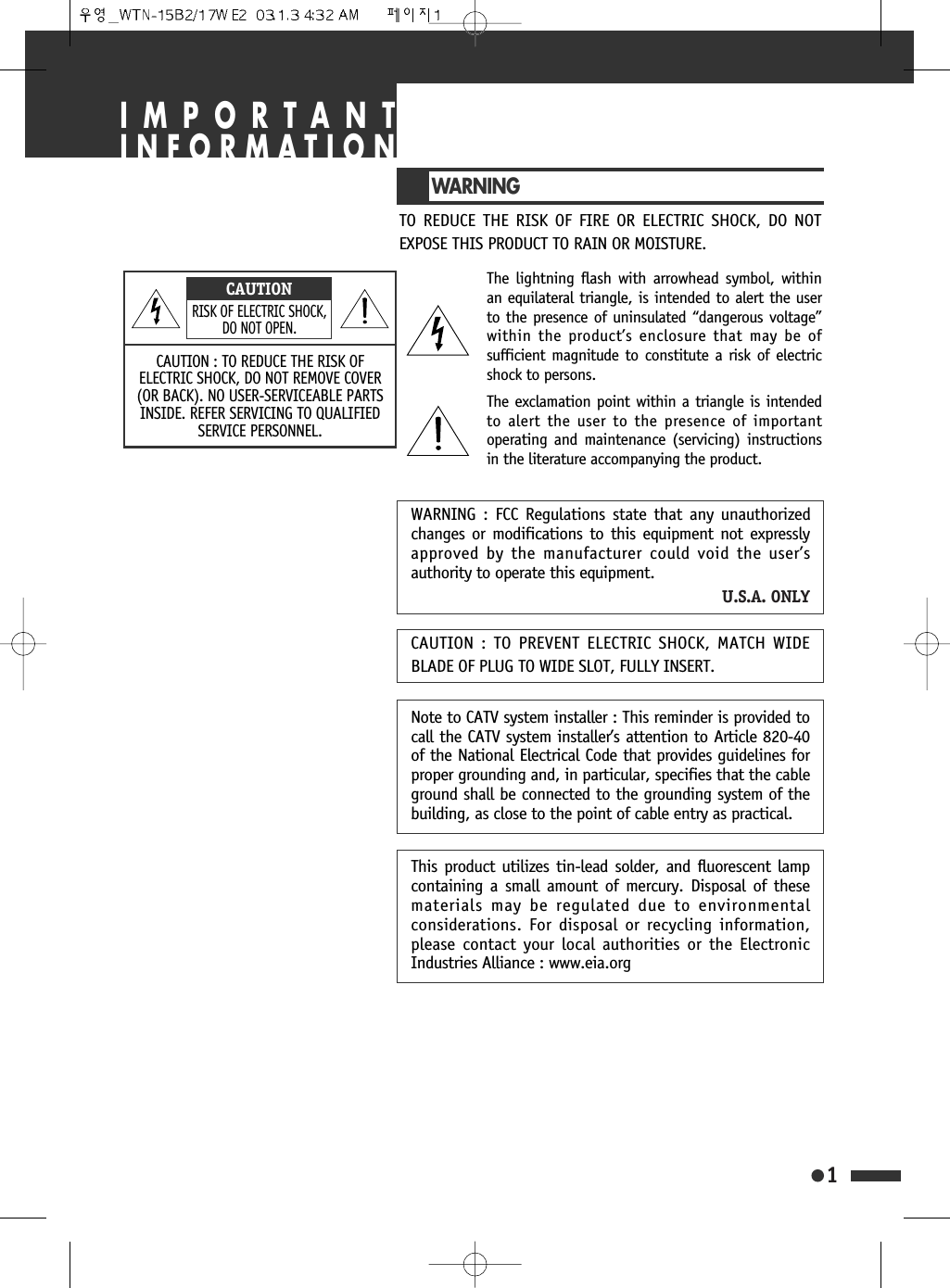
WARNINGTO REDUCE THE RISK OF FIRE OR ELECTRIC SHOCK, DO NOTEXPOSE THIS PRODUCT TO RAIN OR MOISTURE.WARNING : FCC Regulations state that any unauthorizedchanges or modifications to this equipment not expresslyapproved by the manufacturer could void the user’sauthority to operate this equipment.U.S.A. ONLYNote to CATV system installer : This reminder is provided tocall the CATV system installer’s attention to Article 820-40of the National Electrical Code that provides guidelines forproper grounding and, in particular, specifies that the cableground shall be connected to the grounding system of thebuilding, as close to the point of cable entry as practical.This product utilizes tin-lead solder, and fluorescent lampcontaining a small amount of mercury. Disposal of thesematerials may be regulated due to environmentalconsiderations. For disposal or recycling information,please contact your local authorities or the ElectronicIndustries Alliance : www.eia.orgCAUTION : TO PREVENT ELECTRIC SHOCK, MATCH WIDEBLADE OF PLUG TO WIDE SLOT, FULLY INSERT.The lightning flash with arrowhead symbol, withinan equilateral triangle, is intended to alert the userto the presence of uninsulated “dangerous voltage”within the product’s enclosure that may be ofsufficient magnitude to constitute a risk of electricshock to persons.1IMPORTANTINFORMATIONCAUTION : TO REDUCE THE RISK OFELECTRIC SHOCK, DO NOT REMOVE COVER(OR BACK). NO USER-SERVICEABLE PARTSINSIDE. REFER SERVICING TO QUALIFIEDSERVICE PERSONNEL.CAUTIONRISK OF ELECTRIC SHOCK,DO NOT OPEN.The exclamation point within a triangle is intendedto alert the user to the presence of importantoperating and maintenance (servicing) instructionsin the literature accompanying the product.
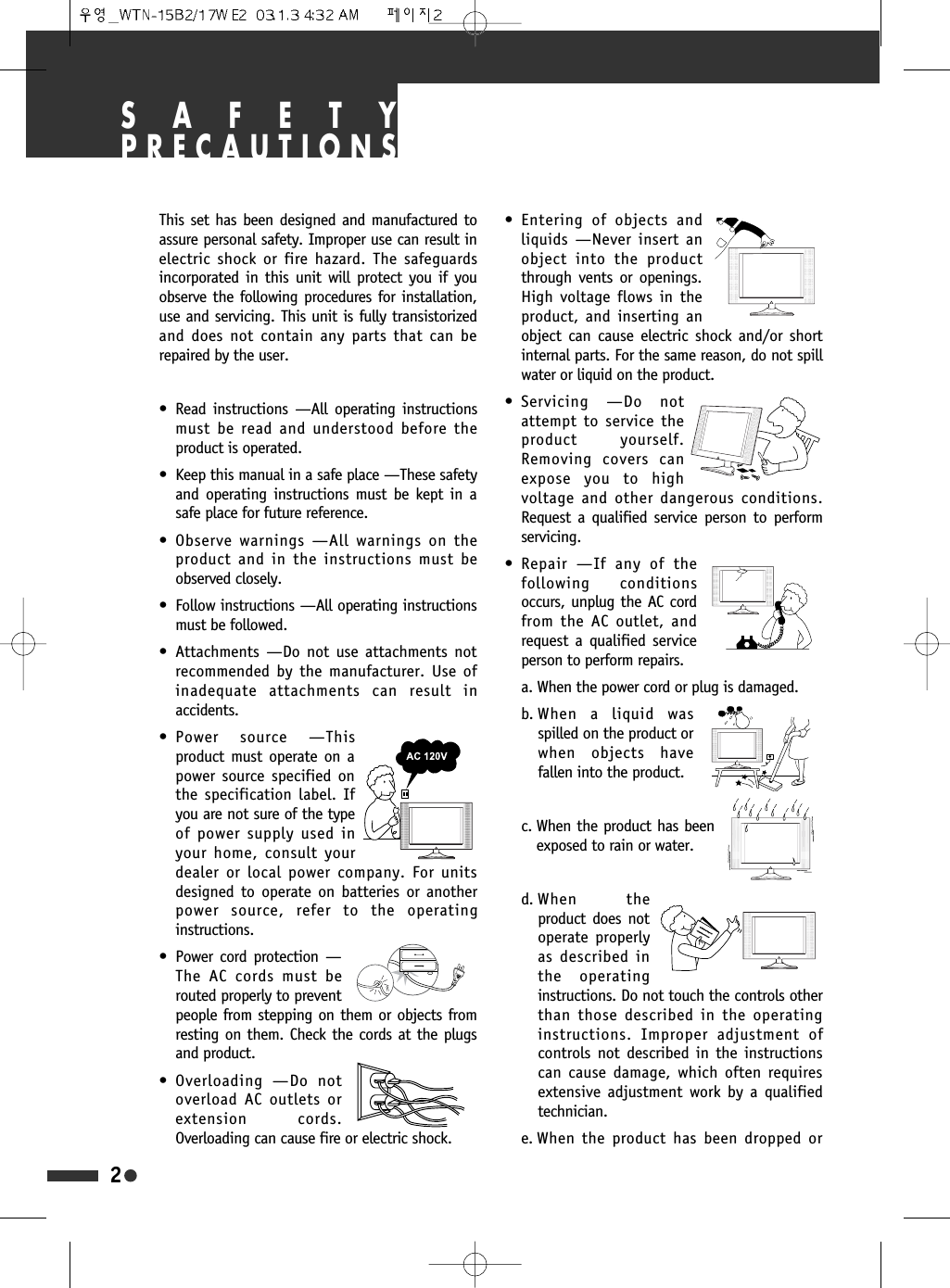
SAFETYPRECAUTIONSThis set has been designed and manufactured toassure personal safety. Improper use can result inelectric shock or fire hazard. The safeguardsincorporated in this unit will protect you if youobserve the following procedures for installation,use and servicing. This unit is fully transistorizedand does not contain any parts that can berepaired by the user.• Read instructions —All operating instructionsmust be read and understood before theproduct is operated.• Keep this manual in a safe place —These safetyand operating instructions must be kept in asafe place for future reference.• Observe warnings —All warnings on theproduct and in the instructions must beobserved closely.• Follow instructions —All operating instructionsmust be followed.• Attachments —Do not use attachments notrecommended by the manufacturer. Use ofinadequate attachments can result inaccidents.• Power source —Thisproduct must operate on apower source specified onthe specification label. Ifyou are not sure of the typeof power supply used inyour home, consult yourdealer or local power company. For unitsdesigned to operate on batteries or anotherpower source, refer to the operatinginstructions.• Power cord protection —The AC cords must berouted properly to preventpeople from stepping on them or objects fromresting on them. Check the cords at the plugsand product.• Overloading —Do notoverload AC outlets orextension cords.Overloading can cause fire or electric shock.• Entering of objects andliquids —Never insert anobject into the productthrough vents or openings.High voltage flows in theproduct, and inserting anobject can cause electric shock and/or shortinternal parts. For the same reason, do not spillwater or liquid on the product.• Servicing —Do notattempt to service theproduct yourself.Removing covers canexpose you to highvoltage and other dangerous conditions.Request a qualified service person to performservicing.• Repair —If any of thefollowing conditionsoccurs, unplug the AC cordfrom the AC outlet, andrequest a qualified serviceperson to perform repairs.a. When the power cord or plug is damaged.b. When a liquid wasspilled on the product orwhen objects havefallen into the product.c. When the product has beenexposed to rain or water.d. When  theproduct does notoperate properlyas described inthe operatinginstructions. Do not touch the controls otherthan those described in the operatinginstructions. Improper adjustment ofcontrols not described in the instructionscan cause damage, which often requiresextensive adjustment work by a qualifiedtechnician.e. When the product has been dropped or2
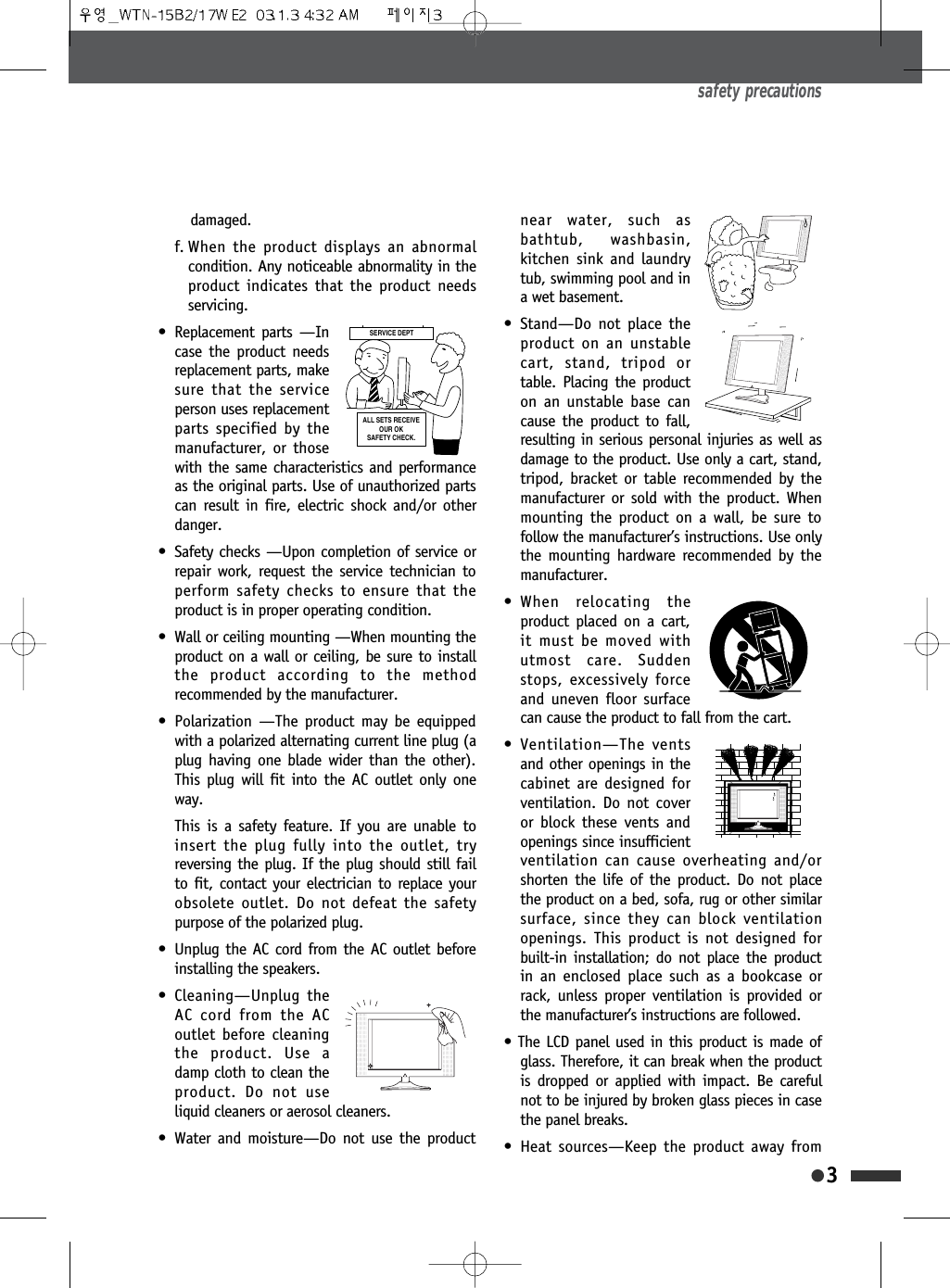
damaged.f. When the product displays an abnormalcondition. Any noticeable abnormality in theproduct indicates that the product needsservicing.• Replacement parts —Incase the product needsreplacement parts, makesure that the serviceperson uses replacementparts specified by themanufacturer, or thosewith the same characteristics and performanceas the original parts. Use of unauthorized partscan result in fire, electric shock and/or otherdanger.• Safety checks —Upon completion of service orrepair work, request the service technician toperform safety checks to ensure that theproduct is in proper operating condition.• Wall or ceiling mounting —When mounting theproduct on a wall or ceiling, be sure to installthe product according to the methodrecommended by the manufacturer.• Polarization —The product may be equippedwith a polarized alternating current line plug (aplug having one blade wider than the other).This plug will fit into the AC outlet only oneway.This is a safety feature. If you are unable toinsert the plug fully into the outlet, tryreversing the plug. If the plug should still failto fit, contact your electrician to replace yourobsolete outlet. Do not defeat the safetypurpose of the polarized plug.• Unplug the AC cord from the AC outlet beforeinstalling the speakers.• Cleaning—Unplug theAC cord from the ACoutlet before cleaningthe product. Use adamp cloth to clean theproduct. Do not useliquid cleaners or aerosol cleaners.• Water and moisture—Do not use the productnear water, such asbathtub, washbasin,kitchen sink and laundrytub, swimming pool and ina wet basement.• Stand—Do not place theproduct on an unstablecart, stand, tripod ortable. Placing the producton an unstable base cancause the product to fall,resulting in serious personal injuries as well asdamage to the product. Use only a cart, stand,tripod, bracket or table recommended by themanufacturer or sold with the product. Whenmounting the product on a wall, be sure tofollow the manufacturer’s instructions. Use onlythe mounting hardware recommended by themanufacturer.• When relocating theproduct placed on a cart,it must be moved withutmost care. Suddenstops, excessively forceand uneven floor surfacecan cause the product to fall from the cart.• Ventilation—The ventsand other openings in thecabinet are designed forventilation. Do not coveror block these vents andopenings since insufficientventilation can cause overheating and/orshorten the life of the product. Do not placethe product on a bed, sofa, rug or other similarsurface, since they can block ventilationopenings. This product is not designed forbuilt-in installation; do not place the productin an enclosed place such as a bookcase orrack, unless proper ventilation is provided orthe manufacturer’s instructions are followed.• The LCD panel used in this product is made ofglass. Therefore, it can break when the productis dropped or applied with impact. Be carefulnot to be injured by broken glass pieces in casethe panel breaks.• Heat sources—Keep the product away fromsafety precautions36(59,&('(37$//6(765(&(,9(2852.6$)(7<&+(&.
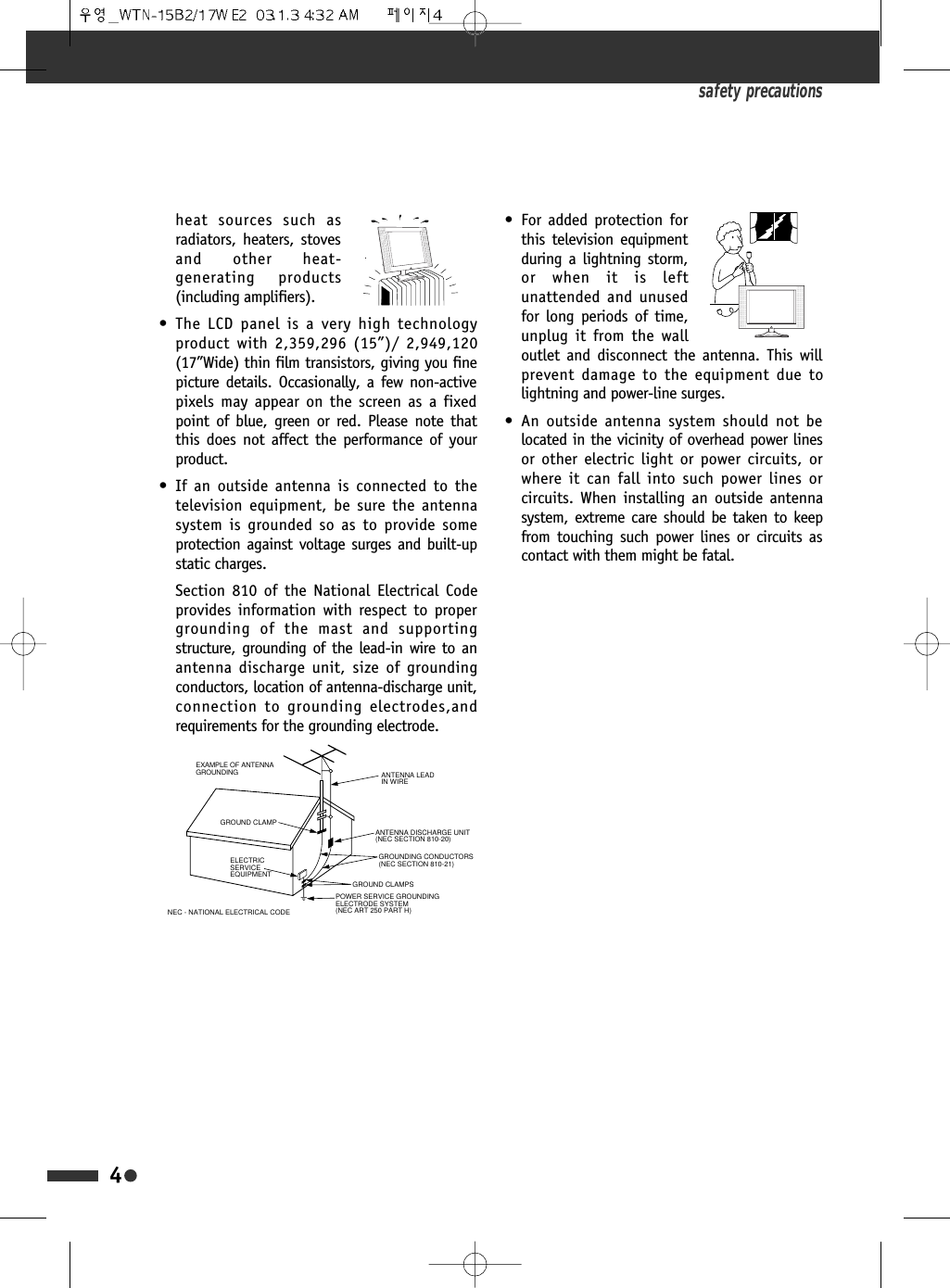
safety precautionsheat sources such asradiators, heaters, stovesand other heat-generating products(including amplifiers).• The LCD panel is a very high technologyproduct with 2,359,296 (15”)/ 2,949,120(17”Wide) thin film transistors, giving you finepicture details. Occasionally, a few non-activepixels may appear on the screen as a fixedpoint of blue, green or red. Please note thatthis does not affect the performance of yourproduct.• If an outside antenna is connected to thetelevision equipment, be sure the antennasystem is grounded so as to provide someprotection against voltage surges and built-upstatic charges.Section 810 of the National Electrical Codeprovides information with respect to propergrounding of the mast and supportingstructure, grounding of the lead-in wire to anantenna discharge unit, size of groundingconductors, location of antenna-discharge unit,connection to grounding electrodes,andrequirements for the grounding electrode.• For added protection forthis television equipmentduring a lightning storm,or when it is leftunattended and unusedfor long periods of time,unplug it from the walloutlet and disconnect the antenna. This willprevent damage to the equipment due tolightning and power-line surges.• An outside antenna system should not belocated in the vicinity of overhead power linesor other electric light or power circuits, orwhere it can fall into such power lines orcircuits. When installing an outside antennasystem, extreme care should be taken to keepfrom touching such power lines or circuits ascontact with them might be fatal.4ANTENNA DISCHARGE UNIT(NEC SECTION 810-20)ANTENNA LEADIN WIREPOWER SERVICE GROUNDINGELECTRODE SYSTEM(NEC ART 250 PART H)GROUND CLAMPELECTRICSERVICEEQUIPMENTGROUNDING CONDUCTORS(NEC SECTION 810-21)GROUND CLAMPSEXAMPLE OF ANTENNA GROUNDINGNEC - NATIONAL ELECTRICAL CODE
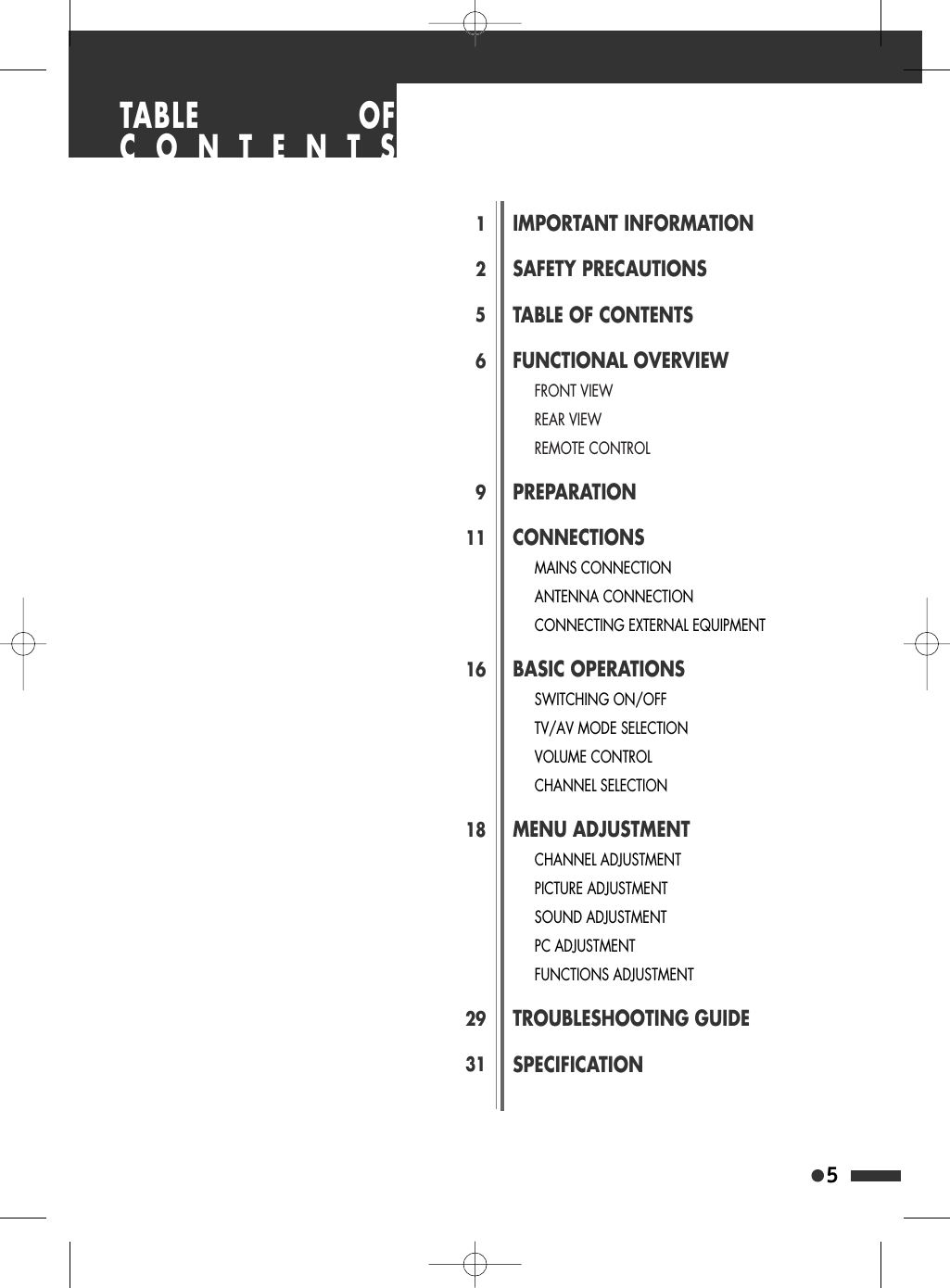
5125691116182931IMPORTANT INFORMATIONSAFETY PRECAUTIONSTABLE OF CONTENTSFUNCTIONAL OVERVIEWFRONT VIEWREAR VIEWREMOTE CONTROLPREPARATIONCONNECTIONSMAINS CONNECTIONANTENNA CONNECTIONCONNECTING EXTERNAL EQUIPMENTBASIC OPERATIONSSWITCHING ON/OFFTV/AV MODE SELECTIONVOLUME CONTROLCHANNEL SELECTIONMENU ADJUSTMENTCHANNEL ADJUSTMENTPICTURE ADJUSTMENTSOUND ADJUSTMENTPC ADJUSTMENTFUNCTIONS ADJUSTMENTTROUBLESHOOTING GUIDESPECIFICATIONTABLE OFCONTENTS
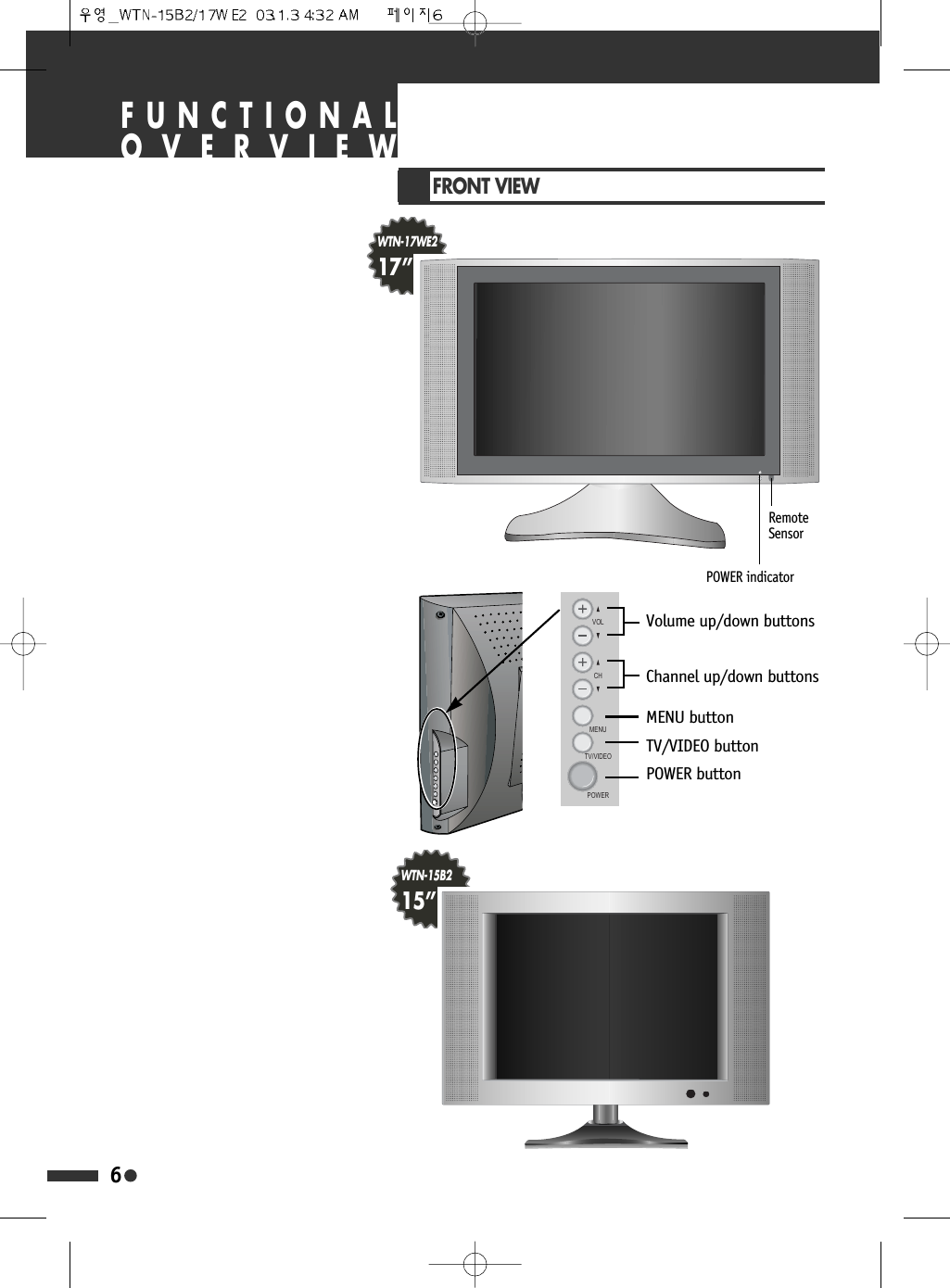
FUNCTIONALOVERVIEWFRONT VIEW6POWER indicatorRemoteSensorWTN-17WE217”WTN-15B215”92/&+0(18799,'(232:(5Volume up/down buttonsChannel up/down buttonsMENU buttonTV/VIDEO buttonPOWER button
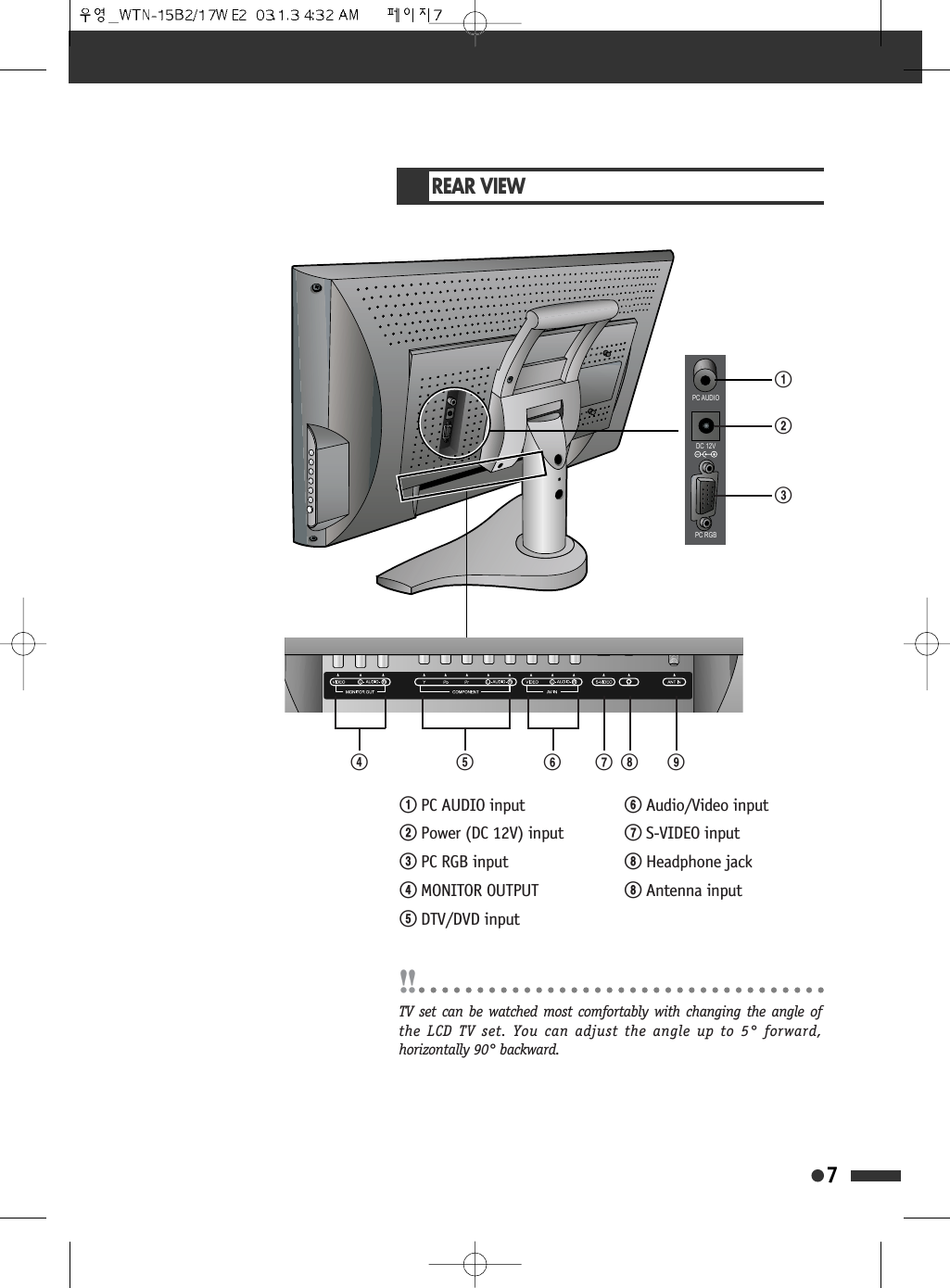
REAR VIEW73&$8',2'&93&5*%!@#$ ^% & * (!PC AUDIO input@Power (DC 12V) input#PC RGB input$MONITOR OUTPUT%DTV/DVD input^Audio/Video input&S-VIDEO input*Headphone jack*Antenna inputTV set can be watched most comfortably with changing the angle ofthe LCD TV set. You can adjust the angle up to 5° forward,horizontally 90° backward.
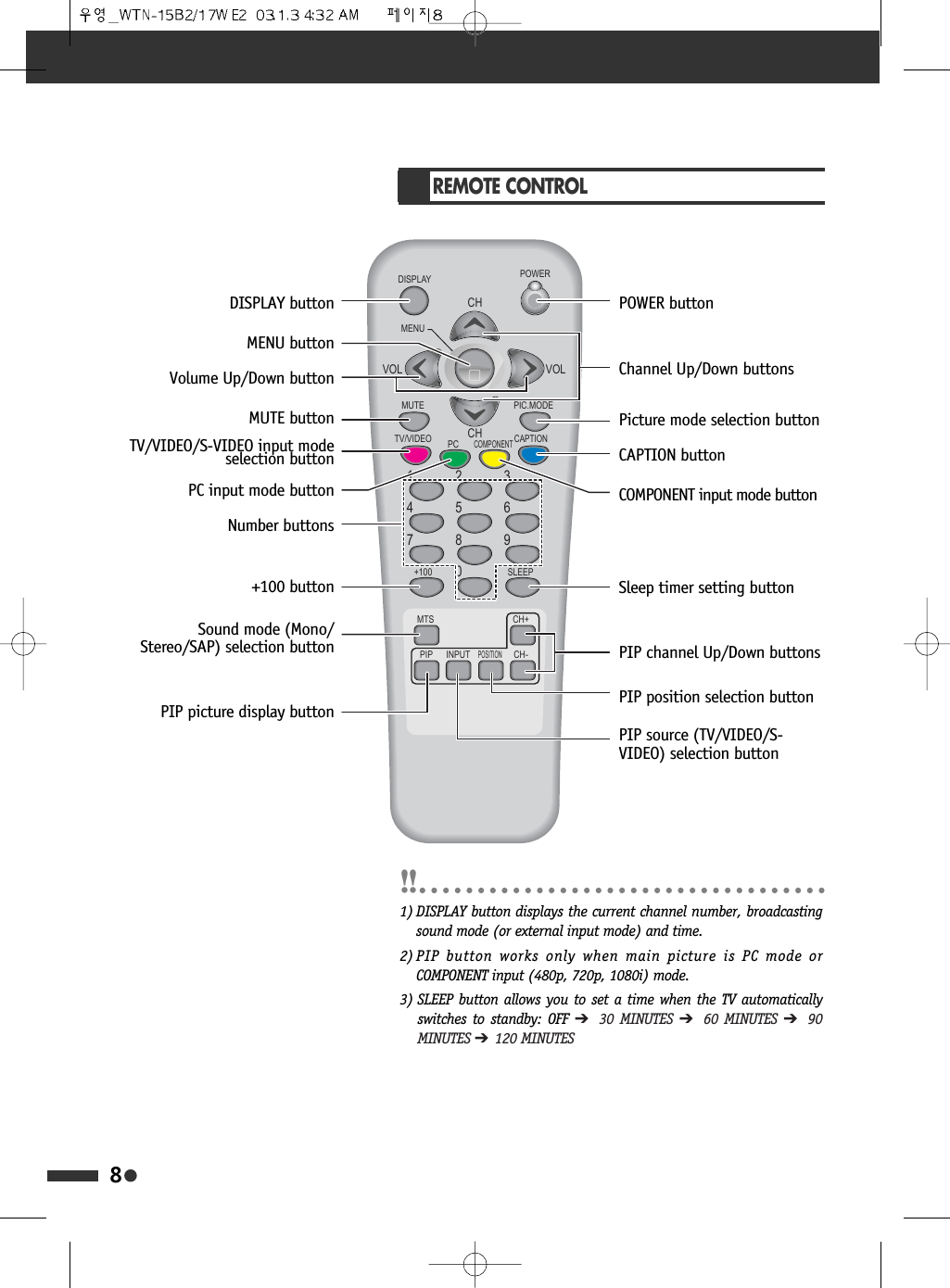
8REMOTE CONTROL32:(5',63/$<0(18087(799,'(2076 &+&+3,3 ,1387326,7,216/((3&$37,213&&20321(173,&02'(&+&+92/92/DISPLAY buttonMENU buttonVolume Up/Down buttonMUTE buttonPC input mode buttonNumber buttons+100 buttonPIP picture display buttonPOWER buttonChannel Up/Down buttonsPicture mode selection buttonCAPTION buttonCOMPONENT input mode buttonSleep timer setting buttonPIP channel Up/Down buttonsPIP position selection buttonPIP source (TV/VIDEO/S-VIDEO) selection buttonTV/VIDEO/S-VIDEO input modeselection buttonSound mode (Mono/Stereo/SAP) selection button1) DISPLAY button displays the current channel number, broadcastingsound mode (or external input mode) and time.2)PIP button works only when main picture is PC mode orCOMPONENT input (480p, 720p, 1080i) mode.3) SLEEP button allows you to set a time when the TV automaticallyswitches to standby: OFF ➔  30 MINUTES ➔  60 MINUTES ➔  90MINUTES ➔  120 MINUTES
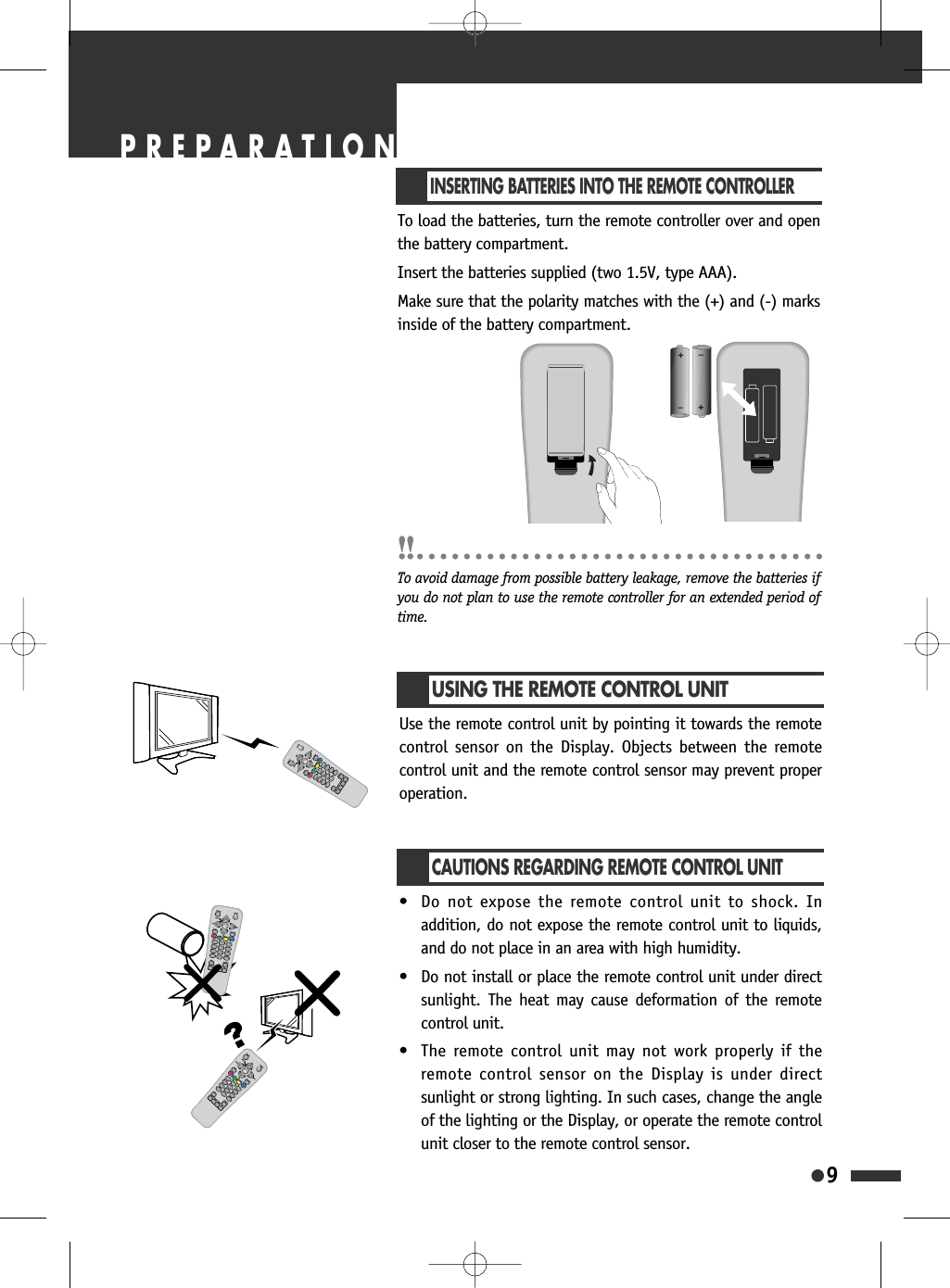
9INSERTING BATTERIES INTO THE REMOTE CONTROLLERTo load the batteries, turn the remote controller over and openthe battery compartment.Insert the batteries supplied (two 1.5V, type AAA).Make sure that the polarity matches with the (+) and (-) marksinside of the battery compartment.To avoid damage from possible battery leakage, remove the batteries ifyou do not plan to use the remote controller for an extended period oftime.USING THE REMOTE CONTROL UNITUse the remote control unit by pointing it towards the remotecontrol sensor on the Display. Objects between the remotecontrol unit and the remote control sensor may prevent properoperation.CAUTIONS REGARDING REMOTE CONTROL UNIT• Do not expose the remote control unit to shock. Inaddition, do not expose the remote control unit to liquids,and do not place in an area with high humidity.• Do not install or place the remote control unit under directsunlight. The heat may cause deformation of the remotecontrol unit.• The remote control unit may not work properly if theremote control sensor on the Display is under directsunlight or strong lighting. In such cases, change the angleof the lighting or the Display, or operate the remote controlunit closer to the remote control sensor.PREPARATION
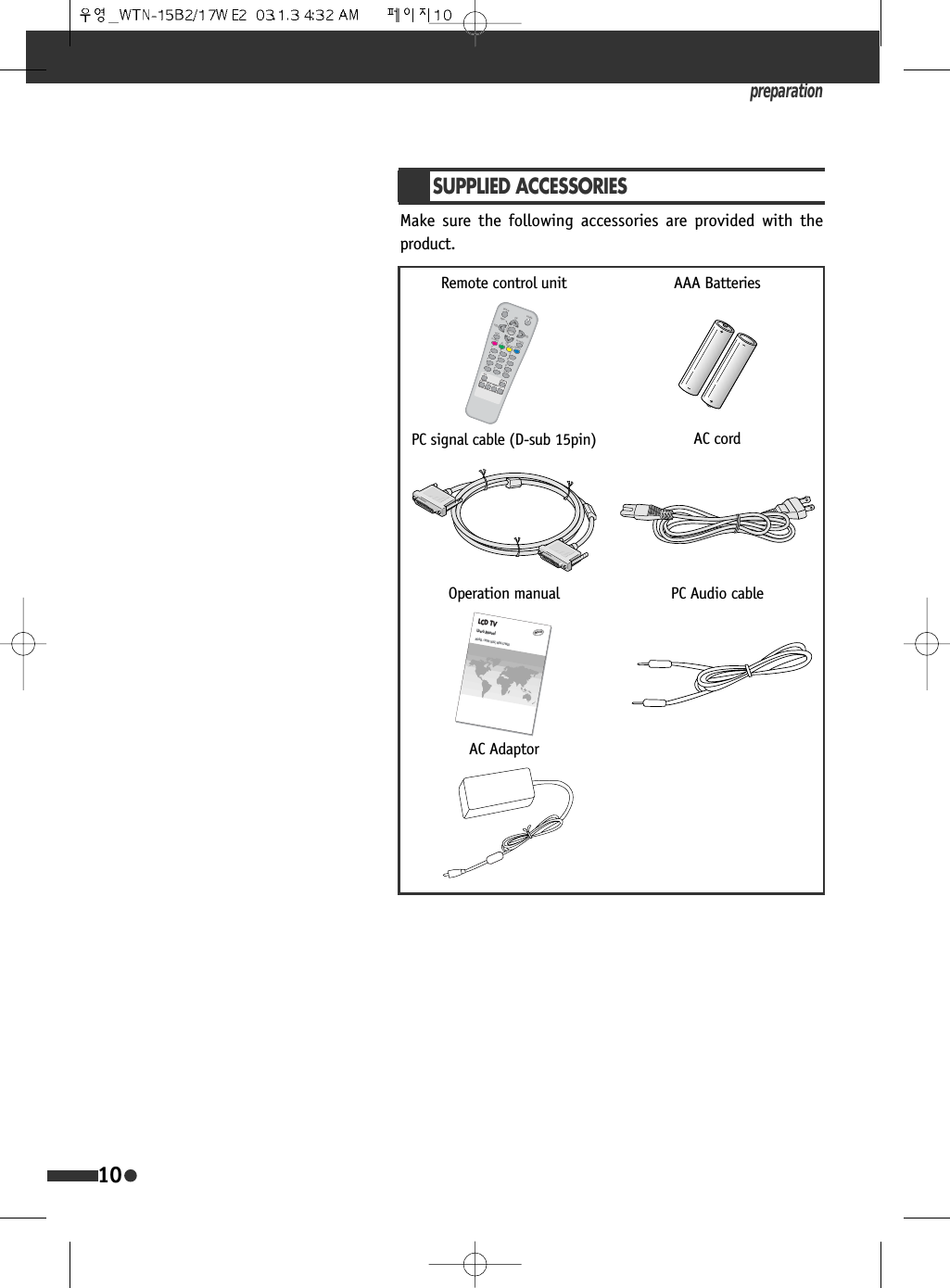
preparation10SUPPLIED ACCESSORIESMake sure the following accessories are provided with theproduct.AAA BatteriesPC signal cable (D-sub 15pin)32:(5',63/$<0(18087(799,'(2076 &+&+3,3 ,1387326,7,216/((3&$37,213&&20321(173,&02'(&+&+92/92/Remote control unitLCD TVUser’s ManualMODEL : WTN-15B2, WTN-17WE2ENGLIENGLISHSHOperation manualAC AdaptorPC Audio cableAC cord
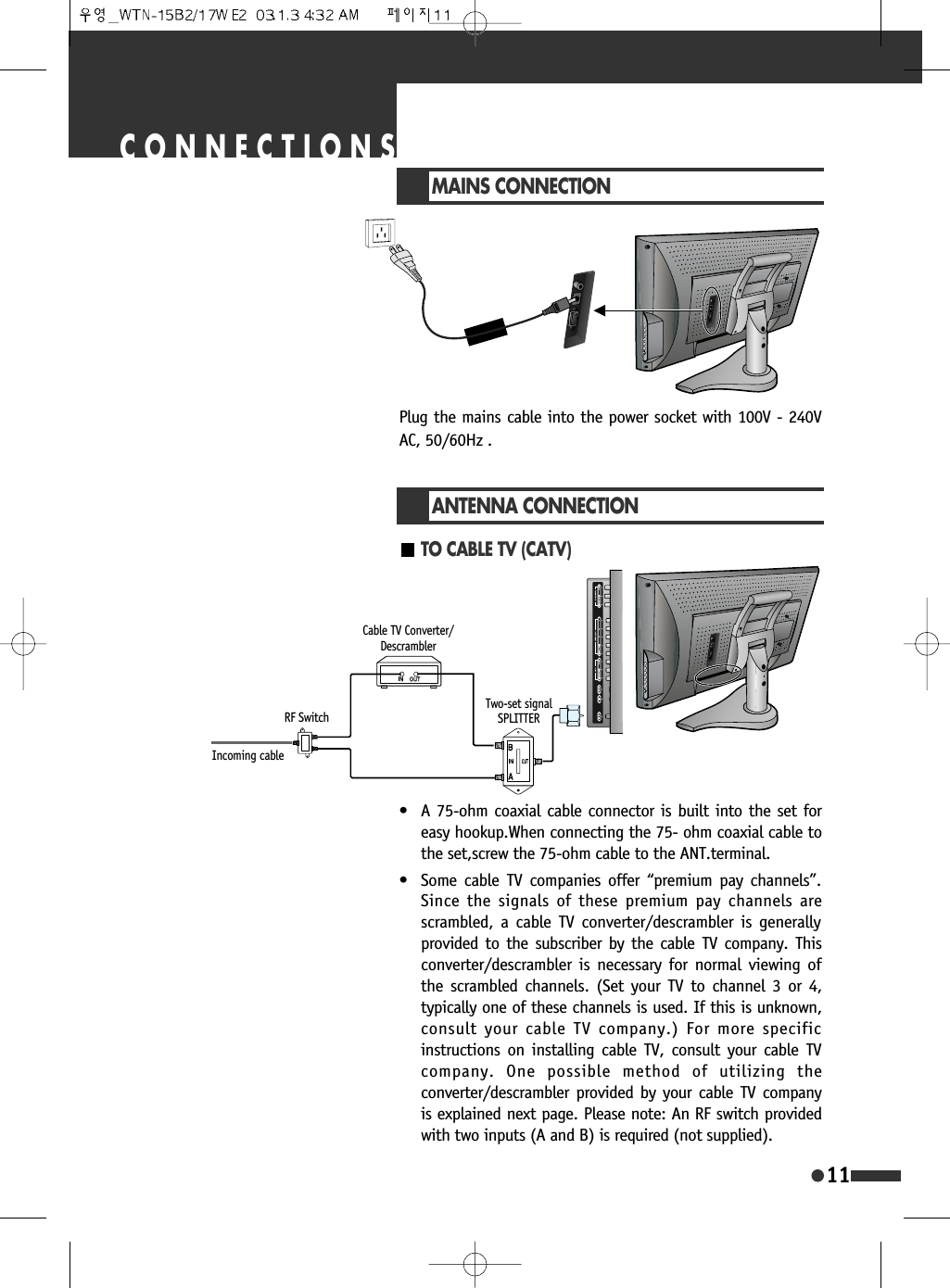
11CONNECTIONSMAINS CONNECTIONPlug the mains cable into the power socket with 100V - 240VAC, 50/60Hz .TO CABLE TV (CATV)ANTENNA CONNECTION• A 75-ohm coaxial cable connector is built into the set foreasy hookup.When connecting the 75- ohm coaxial cable tothe set,screw the 75-ohm cable to the ANT.terminal.• Some cable TV companies offer “premium pay channels”.Since the signals of these premium pay channels arescrambled, a cable TV converter/descrambler is generallyprovided to the subscriber by the cable TV company. Thisconverter/descrambler is necessary for normal viewing ofthe scrambled channels. (Set your TV to channel 3 or 4,typically one of these channels is used. If this is unknown,consult your cable TV company.) For more specificinstructions on installing cable TV, consult your cable TVcompany. One possible method of utilizing theconverter/descrambler provided by your cable TV companyis explained next page. Please note: An RF switch providedwith two inputs (A and B) is required (not supplied). Incoming cableRF SwitchTwo-set signalSPLITTERCable TV Converter/Descrambler

Navigation menu