Wuxi MitraStar Technology ADTRAN424RG Indoor GPON HGU User Manual TempConfidential 2AC9MADTRAN424RG

Wuxi MitraStar Technology Co.Ltd Indoor GPON HGU TempConfidential 2AC9MADTRAN424RG

TempConfidential_2AC9MADTRAN424RG_User Manual

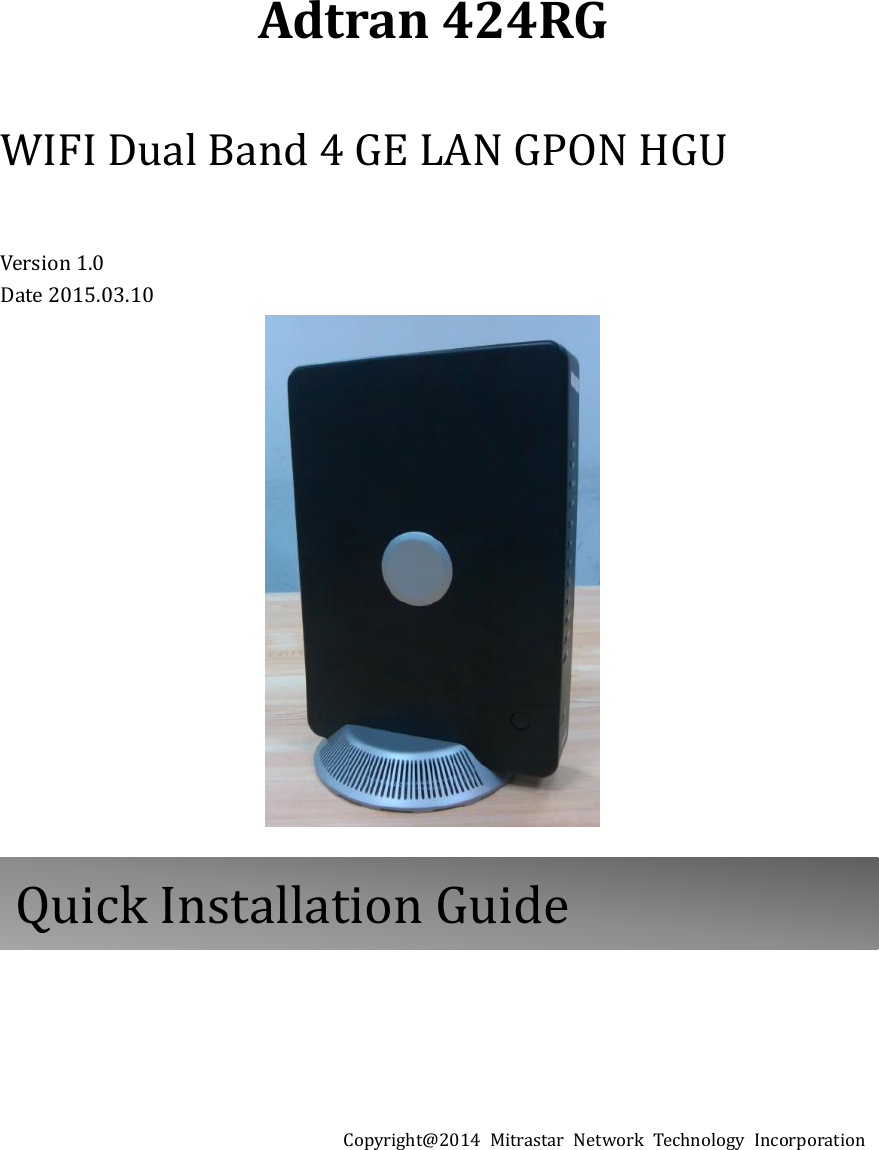
Adtran 424RG  WIFI Dual Band 4 GE LAN GPON HGU  Version 1.0 Date 2015.03.10           Copyright@2014  Mitrastar  Network  Technology  Incorporation         Quick Installation Guide
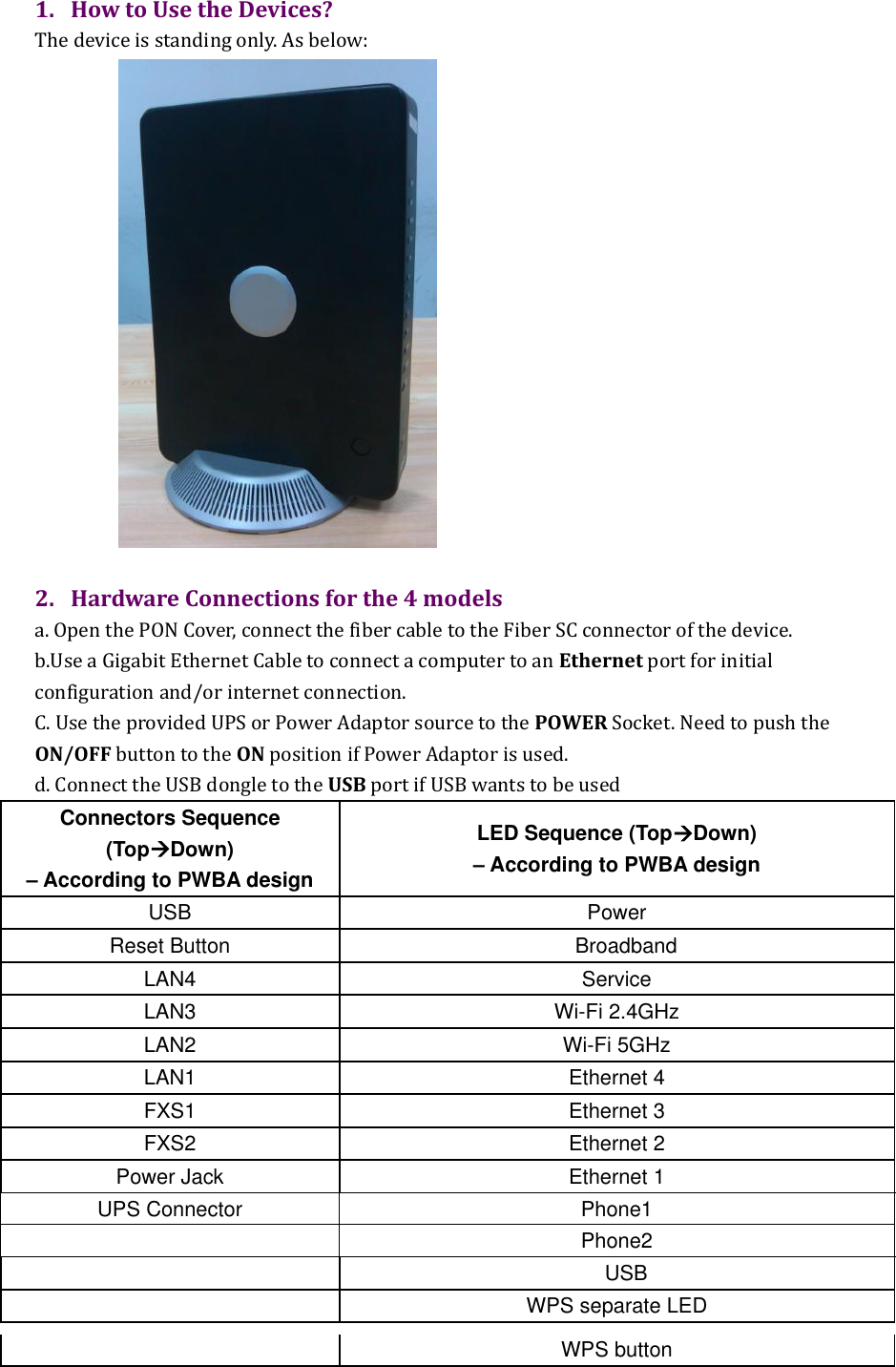
1. How to Use the Devices? The device is standing only. As below:   2. Hardware Connections for the 4 models a. Open the PON Cover, connect the fiber cable to the Fiber SC connector of the device. b.Use a Gigabit Ethernet Cable to connect a computer to an Ethernet port for initial configuration and/or internet connection.   C. Use the provided UPS or Power Adaptor source to the POWER Socket. Need to push the ON/OFF button to the ON position if Power Adaptor is used.   d. Connect the USB dongle to the USB port if USB wants to be used Connectors Sequence (TopDown) – According to PWBA design LED Sequence (TopDown) – According to PWBA design USB Power Reset Button Broadband LAN4 Service LAN3 Wi-Fi 2.4GHz LAN2 Wi-Fi 5GHz LAN1   Ethernet 4 FXS1 Ethernet 3 FXS2 Ethernet 2 Power Jack Ethernet 1 UPS Connector Phone1  Phone2  USB  WPS separate LED   WPS button
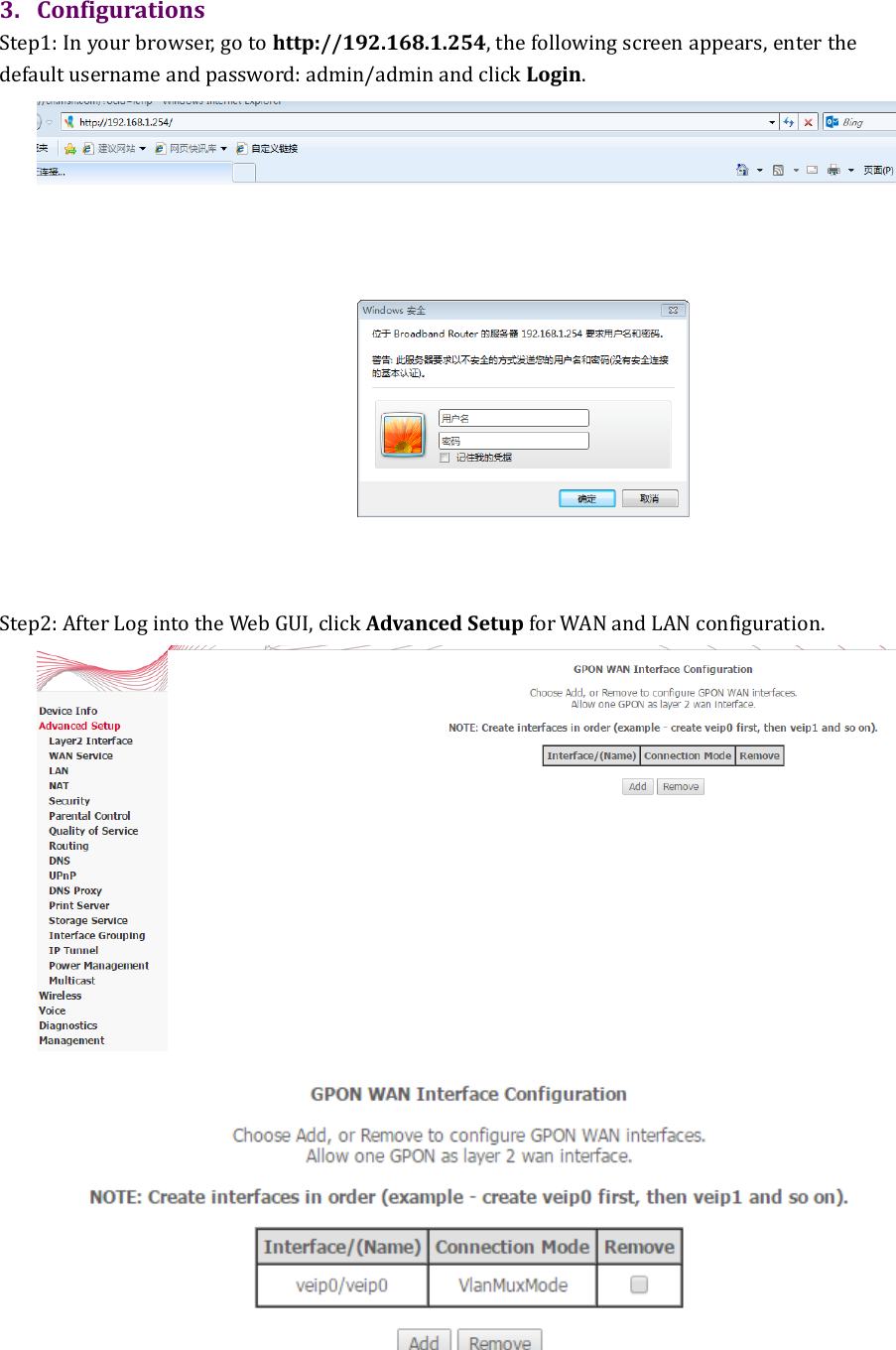
 3. Configurations   Step1: In your browser, go to http://192.168.1.254, the following screen appears, enter the default username and password: admin/admin and click Login.  Step2: After Log into the Web GUI, click Advanced Setup for WAN and LAN configuration.
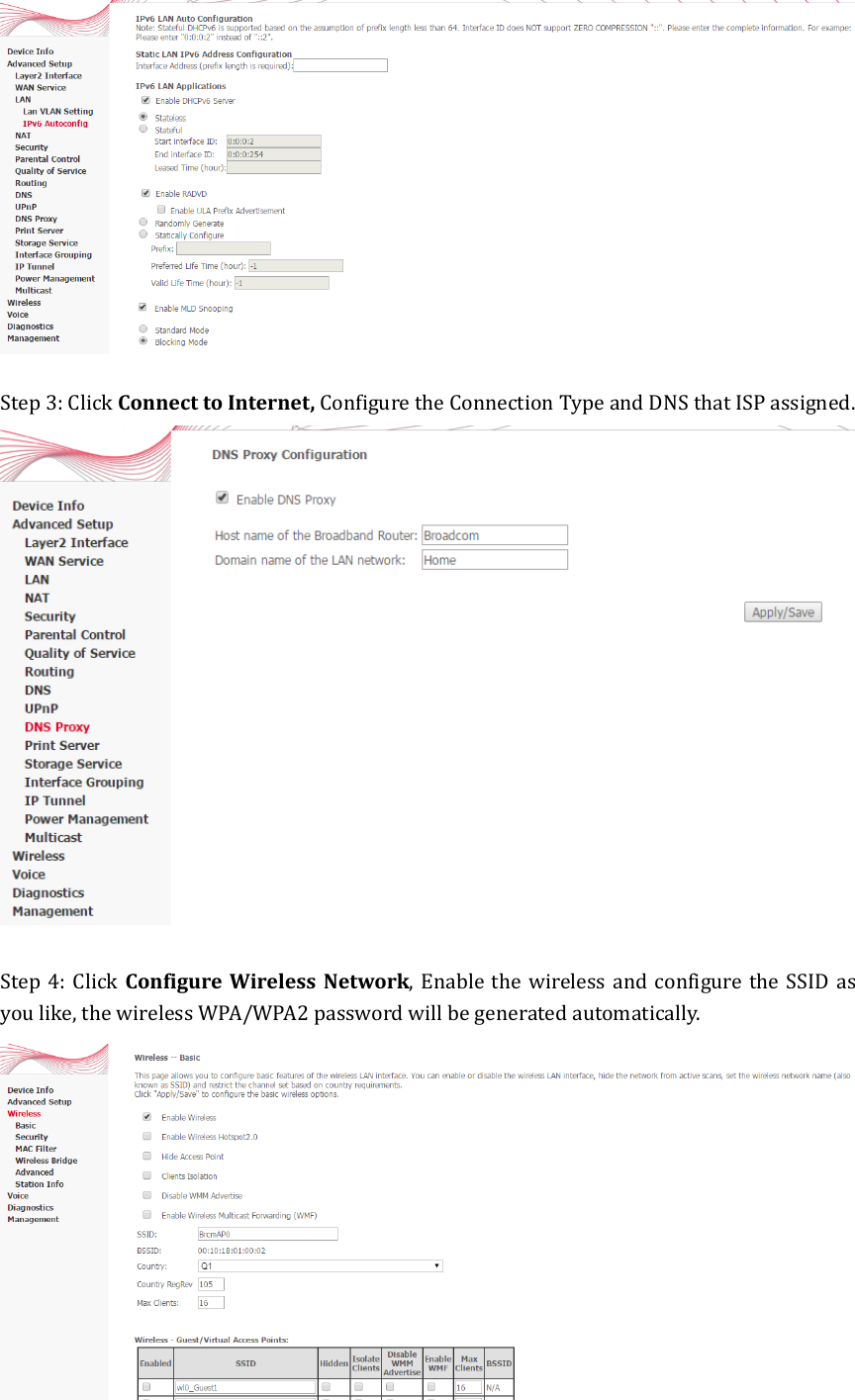
  Step 3: Click Connect to Internet, Configure the Connection Type and DNS that ISP assigned.   Step 4:  Click  Configure Wireless Network,  Enable the  wireless and configure the SSID  as you like, the wireless WPA/WPA2 password will be generated automatically.
Certifications Federal Communications Commission (FCC) Interference Statement The device complies with Part 15 of FCC rules. Operation is subject to the following two conditions: (1) This device may not cause harmful interference. (2) This device must accept any interference received, including interference that may cause undesired operations. This device has been tested and found to comply with the limits for a Class B digital device pursuant to Part 15 of the FCC Rules. These limits are designed to provide reasonable protection against harmful interference in a residential installation. This device generates, uses, and can radiate radio frequency energy, and if not installed and used in accordance with the instructions, may cause harmful interference to radio communications. However, there is no guarantee that interference will not occur in a particular installation. If this device does cause harmful interference to radio/television reception, which can be determined by turning the device off and on, the user is encouraged to try to correct the interference by one or more of the following measures: •  Reorient or relocate the receiving antenna. •  Increase the separation between the equipment and the receiver. •  Connect the equipment into an outlet on a circuit different from that to which the receiver is connected. •  Consult the dealer or an experienced radio/TV technician for help. Radiation Exposure Statement •  This device and its antenna(s) must not be co-located or operating in conjunction with any other antenna or transmitter. •  For operation within 5.15 ~ 5.25GHz frequency range, it is restricted to indoor environment.   •  IEEE 802.11b, 802.11g or 802.11n (20MHz) operation of this product in the U.S.A. is firmware-limited to channel 1 through 11. IEEE 802.11n (40MHz) operation of this product in the U.S.A. is firmware-limited to channel 3 through 9. •  This equipment complies with FCC radiation exposure limits set forth for an uncontrolled environment. This equipment should be installed and operated with minimum distance 20cm between the radiator and your body. Notices   Changes or modifications not expressly approved by the party responsible for compliance could void the user's authority to operate the equipment.    The device complies with the essential requirements of the R&TTE Directive 1995/5/EC. Radiation Exposure Statement This equipment complies with EU radiation exposure limits set forth for an uncontrolled environment. This equipment should be installed and operated with minimum distance 20cm between the radiator and your body. National Communications Commission (NCC) Article 12
Without permission, any company, firm or user shall not alter the frequency, increase the power, or change the characteristics and functions of the original design of the certified lower power frequency electric machinery. Article 14 The application of low power frequency electric machineries shall not affect the navigation safety nor interfere a legal communication, if an interference is found, the service will be suspended until improvement is made and the interference no longer exists. Industry Canada (IC) CAN ICES-3 (B)/NMB-3(B) This device complies with RSS-210 of the Industry Canada Rules. Operation is subject to the following two conditions: (1) This device may not cause harmful interference, and (2) this device must accept any interference received, including interference that may cause undesired operation.     Cedispositifestconforme à la norme CNR-192 d'Industrie Canada applicable aux appareils radio exempts de licence. Son fonctionnementestsujet aux deux conditions suivantes: (1) ledispositif ne doit pas produire de brouillagepréjudiciable, et (2) cedispositifdoit accepter tout brouillagereçu, y compris un brouillage susceptible de provoquer un fonctionnementindésirable.   IMPORTANT NOTE:   Radiation Exposure Statement: This equipment complies with IC radiation exposure limits set forth for an uncontrolled environment. This equipment should be installed and operated with minimum distance 20cm between the radiator and your body. Déclarationd'exposition aux radiations: Cetéquipementestconforme aux limitesd'exposition aux rayonnements IC établies pour un environnement non contrôlé. Cetéquipementdoitêtreinstallé et utilisé avec un minimum de 20cm de distance entre la source de rayonnement et votre corps.  Safety Warnings   . Do NOT use this product near water, for example, in a wet basement or near a swimming pool.   . Do NOT expose your device to dampness, dust or corrosive liquids.   . Do NOT store things on the device.   . Do NOT install, use, or service this device during a thunderstorm. There is a remote risk of electric shock from lightning.   . Connect ONLY suitable accessories to the device.   . Do NOT  open the device  or unit. Opening  or removing covers can expose you  to  dangerous high voltage points  or  other  risks.  ONLY  qualified  service  personnel  should  service  or  disassemble  this  device.  Please contact your vendor for further information.   . Make sure to connect the cables to the correct ports.   . Place connecting cables carefully so that no one will step on them or stumble over them.   . Always disconnect all cables from this device before servicing or disassembling.
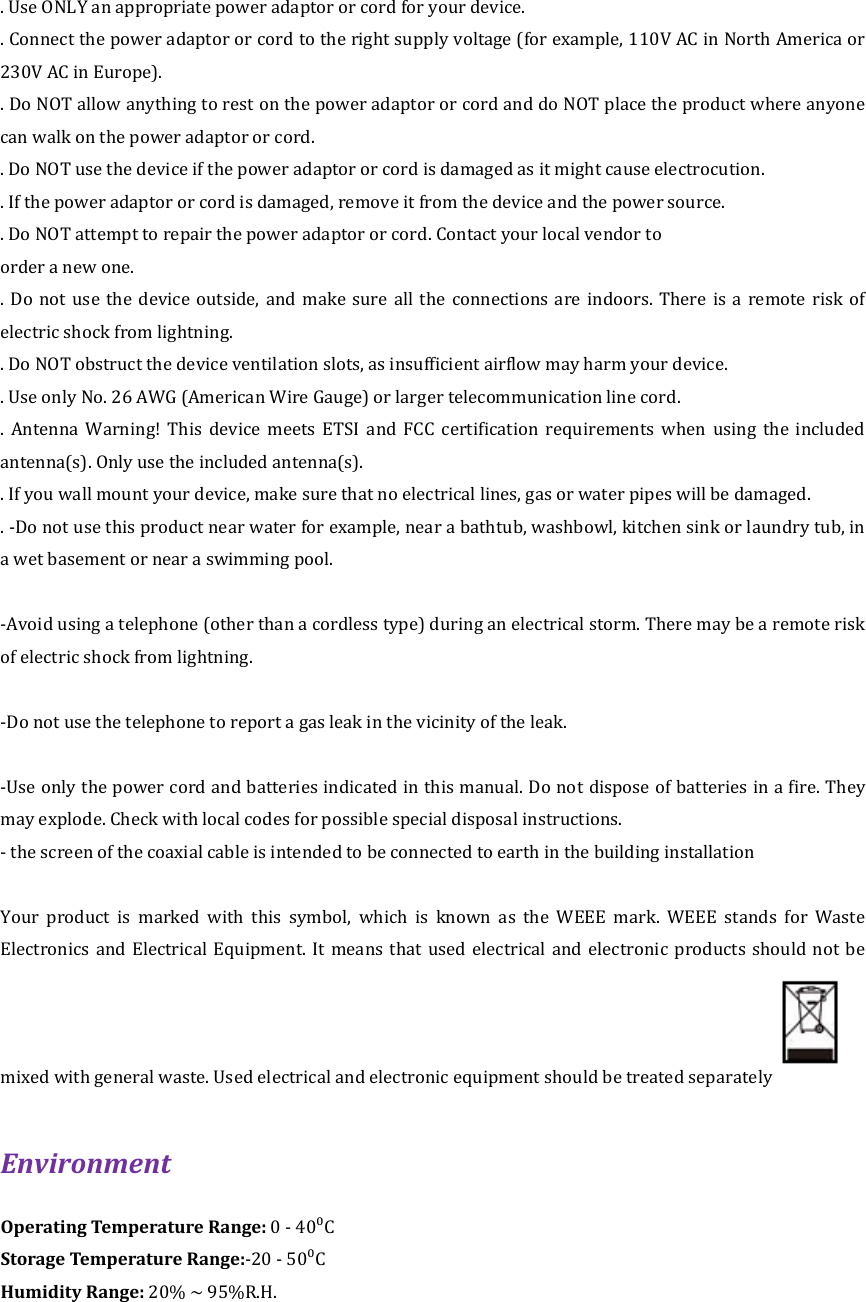
. Use ONLY an appropriate power adaptor or cord for your device.   . Connect the power adaptor or cord to the right supply voltage (for example, 110V AC in North America or 230V AC in Europe).   . Do NOT allow anything to rest on the power adaptor or cord and do NOT place the product where anyone can walk on the power adaptor or cord.   . Do NOT use the device if the power adaptor or cord is damaged as it might cause electrocution. . If the power adaptor or cord is damaged, remove it from the device and the power source.   . Do NOT attempt to repair the power adaptor or cord. Contact your local vendor to   order a new one.   .  Do  not  use  the  device  outside, and make  sure all  the  connections are indoors. There is a remote risk of electric shock from lightning.   . Do NOT obstruct the device ventilation slots, as insufficient airflow may harm your device.   . Use only No. 26 AWG (American Wire Gauge) or larger telecommunication line cord.   .  Antenna  Warning!  This  device  meets  ETSI  and  FCC  certification  requirements  when  using  the  included antenna(s). Only use the included antenna(s).   . If you wall mount your device, make sure that no electrical lines, gas or water pipes will be damaged. . -Do not use this product near water for example, near a bathtub, washbowl, kitchen sink or laundry tub, in a wet basement or near a swimming pool.  -Avoid using a telephone (other than a cordless type) during an electrical storm. There may be a remote risk of electric shock from lightning.  -Do not use the telephone to report a gas leak in the vicinity of the leak.  -Use only the power cord and batteries indicated in this manual. Do not dispose of batteries in a fire. They may explode. Check with local codes for possible special disposal instructions. - the screen of the coaxial cable is intended to be connected to earth in the building installation  Your  product  is  marked  with  this  symbol,  which  is  known  as  the  WEEE  mark.  WEEE  stands  for  Waste Electronics and Electrical Equipment. It means that used  electrical  and  electronic  products  should  not  be mixed with general waste. Used electrical and electronic equipment should be treated separately  Environment   Operating Temperature Range: 0 - 40⁰C Storage Temperature Range:-20 - 50⁰C Humidity Range: 20% ~ 95%R.H.

Navigation menu