Xi Long Electronics XSJ-82 WIRELESS DOORBELL BUTTON User Manual of XSJ 82

Shenzhen Xi Long Electronics Co., Ltd. WIRELESS DOORBELL BUTTON of XSJ 82

Users Manual

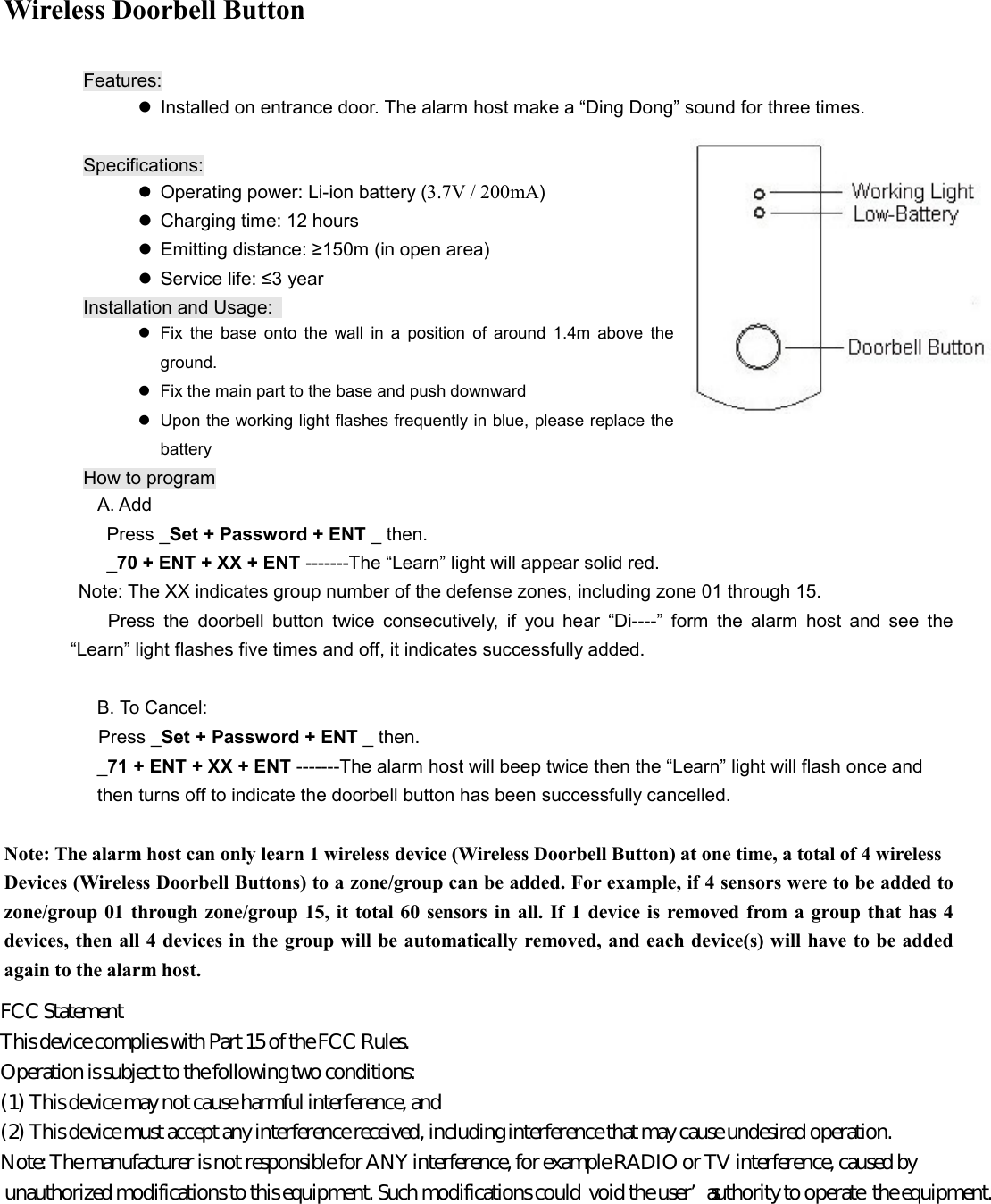
Wireless Doorbell Button  Features:   Installed on entrance door. The alarm host make a “Ding Dong” sound for three times.            Specifications:   Operating power: Li-ion battery (3.7V / 200mA)   Charging time: 12 hours   Emitting distance: ≥150m (in open area)   Service life: ≤3 year Installation and Usage:     Fix  the  base  onto  the  wall  in  a  position  of  around  1.4m  above  the ground.   Fix the main part to the base and push downward   Upon the working light flashes frequently in blue, please replace the battery How to program                 A. Add                   Press _Set + Password + ENT _ then.          _70 + ENT + XX + ENT -------The “Learn” light will appear solid red. Note: The XX indicates group number of the defense zones, including zone 01 through 15.   Press  the  doorbell  button  twice  consecutively,  if  you  hear  “Di----”  form  the  alarm  host  and  see  the “Learn” light flashes five times and off, it indicates successfully added.  B. To Cancel: Press _Set + Password + ENT _ then. _71 + ENT + XX + ENT -------The alarm host will beep twice then the “Learn” light will flash once and   then turns off to indicate the doorbell button has been successfully cancelled.    Note: The alarm host can only learn 1 wireless device (Wireless Doorbell Button) at one time, a total of 4 wireless   Devices (Wireless Doorbell Buttons) to a zone/group can be added. For example, if 4 sensors were to be added to zone/group  01 through  zone/group 15,  it  total  60 sensors in all.  If 1  device is removed  from a group that  has  4 devices, then all 4 devices in the group will be automatically removed, and each device(s) will have to be added again to the alarm host.             FCC Statement  This device complies with Part 15 of the FCC Rules.  Operation is subject to the following two conditions:  (1) This device may not cause harmful interference, and  (2) This device must accept any interference received, including interference that may cause undesired operation.  Note: The manufacturer is not responsible for ANY interference, for example RADIO or TV interference, caused by  unauthorized modifications to this equipment. Such modifications could  void the user’s authority to operate  the equipment.

Navigation menu