Xiamen YOU WEI Import and Export UWAP2 Smart APP Enabled Pet Ball Launcher User Manual

Xiamen YOU WEI Import & Export Co.,Ltd Smart APP Enabled Pet Ball Launcher

User Manual

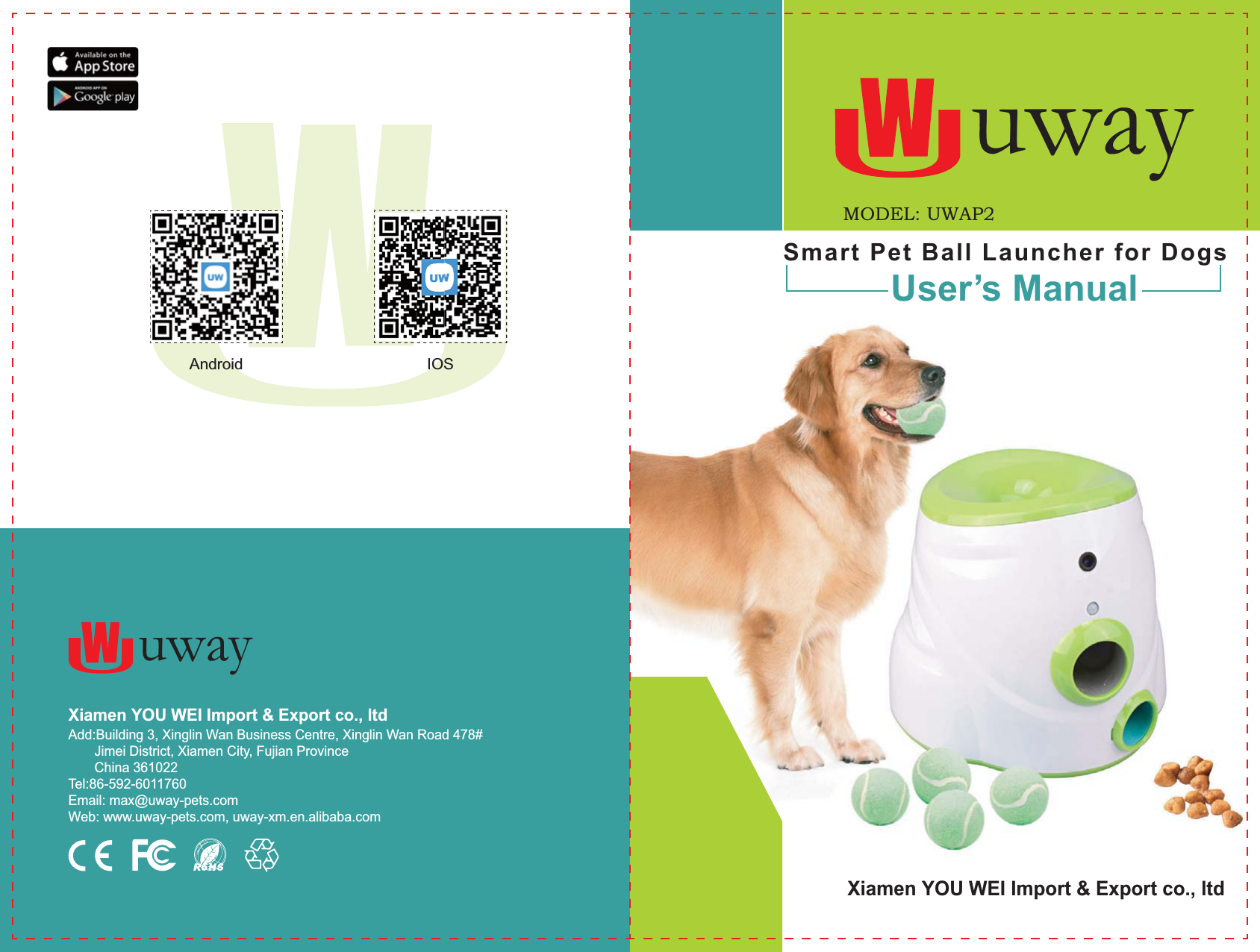
Xiamen YOU WEI Import & Export co., ltd   Add:Building 3, Xinglin Wan Business Centre, Xinglin Wan Road 478#       Jimei District, Xiamen City, Fujian Province       China 361022Tel:86-592-6011760Email: max@uway-pets.comWeb: www.uway-pets.com, uway-xm.en.alibaba.comSmart Pet Ball Launcher for DogsUser’s ManualXiamen YOU WEI Import & Export co., ltd  uwayuwayAndroid IOSMODEL: UWAP2
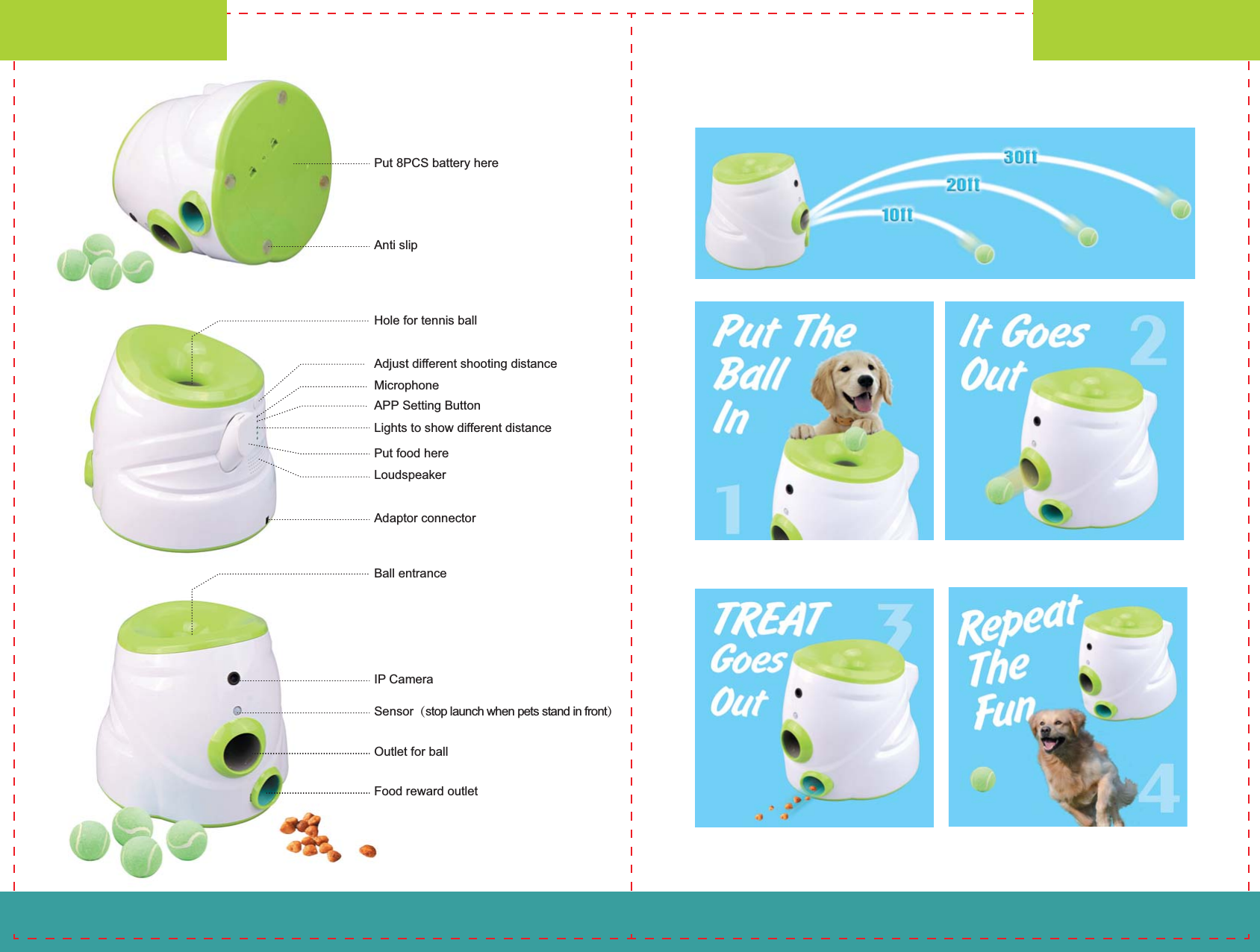
Put 8PCS battery hereAnti slipAdjust different shooting distanceMicrophoneAPP Setting ButtonLights to show different distancePut food hereLoudspeakerAdaptor connectorHole for tennis ballUser’s ManualUser’s Manual-01- -02-IP CameraSensor(stop launch when pets stand in front)Outlet for ballFood reward outletBall entrance
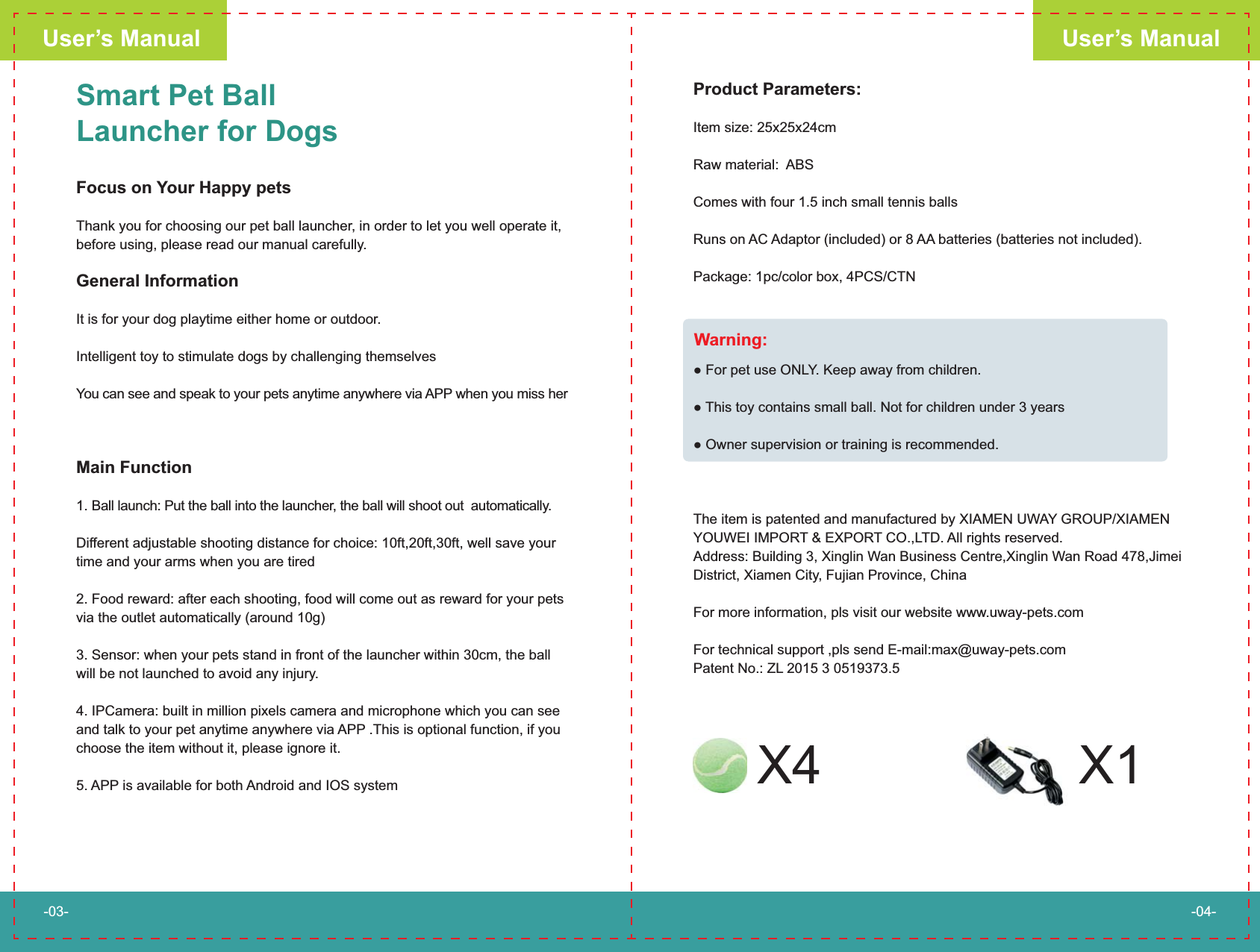
Smart Pet Ball Launcher for DogsFocus on Your Happy petsThank you for choosing our pet ball launcher, in order to let you well operate it, before using, please read our manual carefully.General InformationIt is for your dog playtime either home or outdoor.Intelligent toy to stimulate dogs by challenging themselves You can see and speak to your pets anytime anywhere via APP when you miss herMain Function1. Ball launch: Put the ball into the launcher, the ball will shoot out  automatically.Different adjustable shooting distance for choice: 10ft,20ft,30ft, well save your time and your arms when you are tired2. Food reward: after each shooting, food will come out as reward for your pets via the outlet automatically (around 10g)                                      3. Sensor: when your pets stand in front of the launcher within 30cm, the ball will be not launched to avoid any injury. 4. IPCamera: built in million pixels camera and microphone which you can see and talk to your pet anytime anywhere via APP .This is optional function, if you choose the item without it, please ignore it. 5. APP is available for both Android and IOS systemProduct Parameters: Item size: 25x25x24cm Raw material:  ABSComes with four 1.5 inch small tennis ballsRuns on AC Adaptor (included) or 8 AA batteries (batteries not included). Package: 1pc/color box, 4PCS/CTN     LY. Keep away from children. This toy contains small ball. Not for children under 3 yearsThe item is patented and manufactured by XIAMEN UWAY GROUP/XIAMEN YOUWEI IMPORT & EXPORT CO.,LTD. All rights reserved.Address: Building 3, Xinglin Wan Business Centre,Xinglin Wan Road 478,Jimei District, Xiamen City, Fujian Province, China For more information, pls visit our website www.uway-pets.comFor technical support ,pls send E-mail:max@uway-pets.comPatent No.: ZL 2015 3 0519373.5User’s ManualUser’s Manual-03- -04-Warning:X4 X1
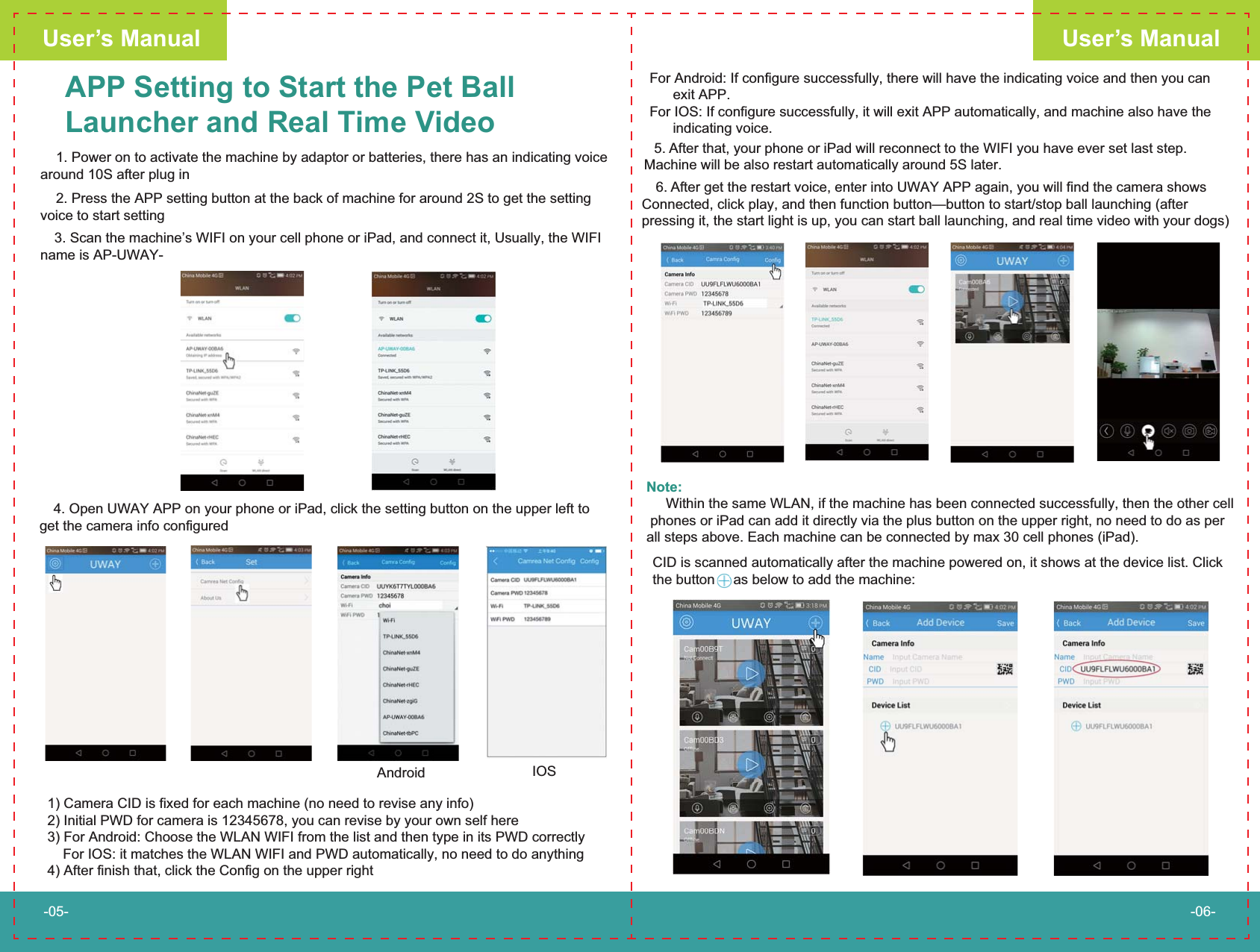
APP Setting to Start the Pet BallLauncher and Real Time Video    1. Power on to activate the machine by adaptor or batteries, there has an indicating voice around 10S after plug inFor Android: If configure successfully, there will have the indicating voice and then you can       exit APP.For IOS: If configure successfully, it will exit APP automatically, and machine also have the       indicating voice.1) Camera CID is fixed for each machine (no need to revise any info)2) Initial PWD for camera is 12345678, you can revise by your own self here3) For Android: Choose the WLAN WIFI from the list and then type in its PWD correctly    For IOS: it matches the WLAN WIFI and PWD automatically, no need to do anything4) After finish that, click the Config on the upper right 6. After get the restart voice, enter into UWAY APP again, you will find the camera shows Connected, click play, and then function button—button to start/stop ball launching (after pressing it, the start light is up, you can start ball launching, and real time video with your dogs)User’s ManualUser’s Manual-05- -06- 4. Open UWAY APP on your phone or iPad, click the setting button on the upper left to get the camera info configured    2. Press the APP setting button at the back of machine for around 2S to get the setting voice to start setting 3. Scan the machine’s WIFI on your cell phone or iPad, and connect it, Usually, the WIFI name is AP-UWAY-Android IOS 5. After that, your phone or iPad will reconnect to the WIFI you have ever set last step.  Machine will be also restart automatically around 5S later.Note:     Within the same WLAN, if the machine has been connected successfully, then the other cell phones or iPad can add it directly via the plus button on the upper right, no need to do as per all steps above. Each machine can be connected by max 30 cell phones (iPad).CID is scanned automatically after the machine powered on, it shows at the device list. Click the button  as below to add the machine:
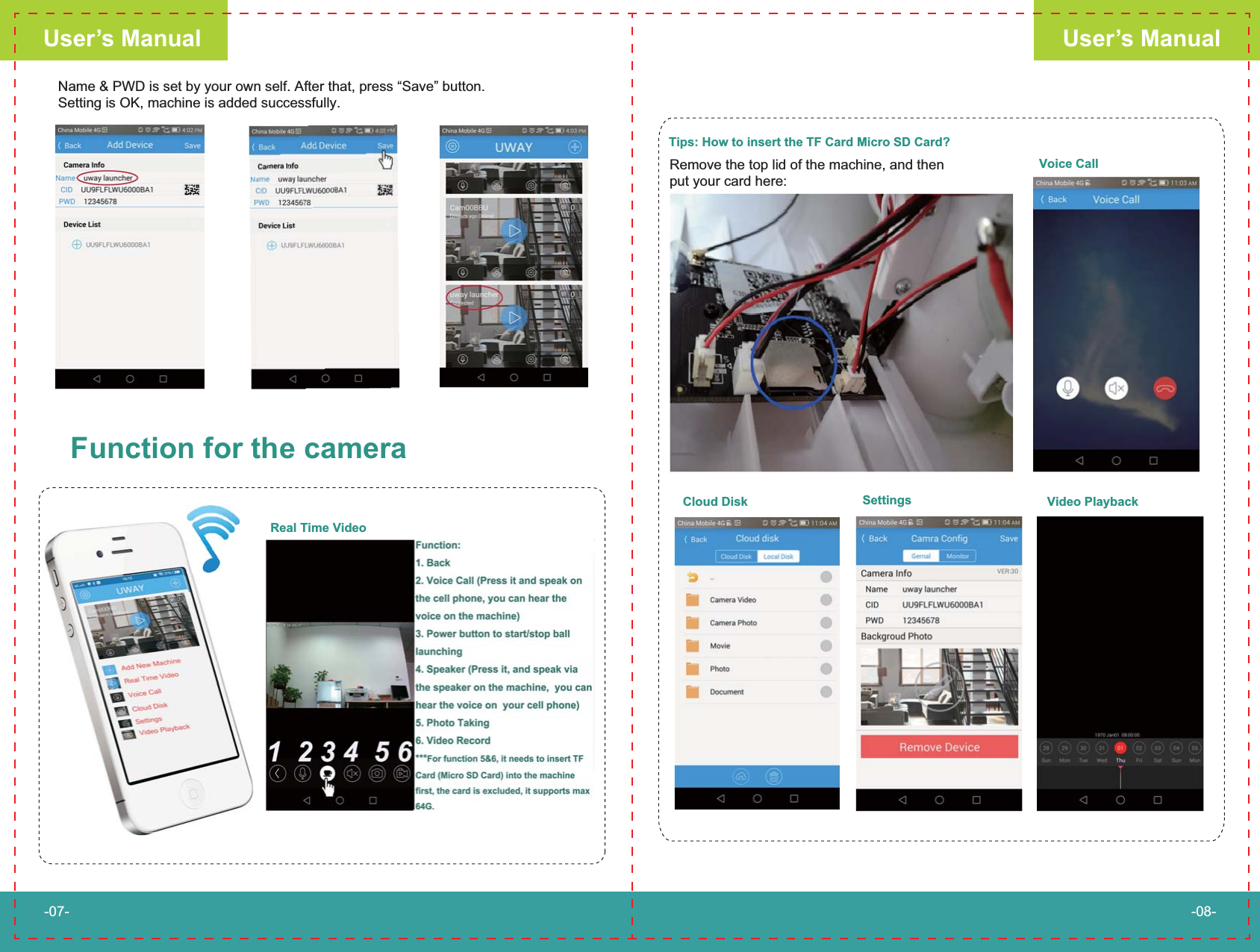
User’s ManualUser’s Manual-07- -08-Name & PWD is set by your own self. After that, press “Save” button. Setting is OK, machine is added successfully.Function for the cameraReal Time VideoTips: How to insert the TF Card Micro SD Card?Remove the top lid of the machine, and then put your card here:Voice CallCloud Disk Settings Video Playback
§ 15.19 Labelling requirements. This device complies with part 15 of the FCC Rules. Operation is subject to the following two conditions: (1) This device may not cause harmful interference, and (2) this device must accept any interference received, including interference that may cause undesired operation.  § 15.21 Information to user. Any Changes or modifications not expressly approved by the party responsible for compliance could void the user's authority to operate the equipment.  § 15.105 Information to the user. Note: This equipment has been tested and found to comply with the limits for a Class B digital device, pursuant to part 15 of the FCC Rules. These limits are designed to provide reasonable protection against harmful interference in a residential installation. This equipment generates uses and can radiate radio frequency energy and, if not installed and used in accordance with the instructions, may cause harmful interference to radio communications. However, there is no guarantee that interference will not occur in a particular installation. If this equipment does cause harmful interference to radio or television reception, which can be determined by turning the equipment off and on, the user is encouraged to try to correct the interference by one or more of the following measures: -Reorient or relocate the receiving antenna. -Increase the separation between the equipment and receiver. -Connect the equipment into an outlet on a circuit different from that to which the receiver is connected. -Consult the dealer or an experienced radio/TV technician for help.   *RF warning for Mobile device: This equipment complies with FCC radiation exposure limits set forth for an uncontrolled environment. This equipment should be installed and operated with minimum distance 20cm between the radiator & your body.

Navigation menu