Xiaomi Aqara Smart Light Wall Remote Switch EN
User Manual: Xiaomi User manuals for Xiaomi Mi devices | Xiaomi-Mi.com
Open the PDF directly: View PDF  .
.
Page Count: 5

XIAOMI-MI.COM
Remote switch Aqara Smart Light Switch (1 button)
User manual and warranty card
Overview
Aqara Smart Light Switch (1 button) is a new generation device, that using
ZigBee wireless technology, external dimensions of the device correspond to
the standard type 86, the type of front panel is similar to the smart switch
Aqara Smart Light Switch ZigBee Version (1 button), it is convenient in the
installation, can be used immediately after gluing, after synchronization with
the multi-functional MiJia gateway, you can easily control the intelligent switch,
smart extension cables and other devices.
* This product can only be used within the premises, before using, connect
the Aqara Smart Light Switch remote switch (1 button) to the gateway (see
"Add a device").
1: Button;
2: Indicator;
3: Hole for opening.
XIAOMI-MI.COM
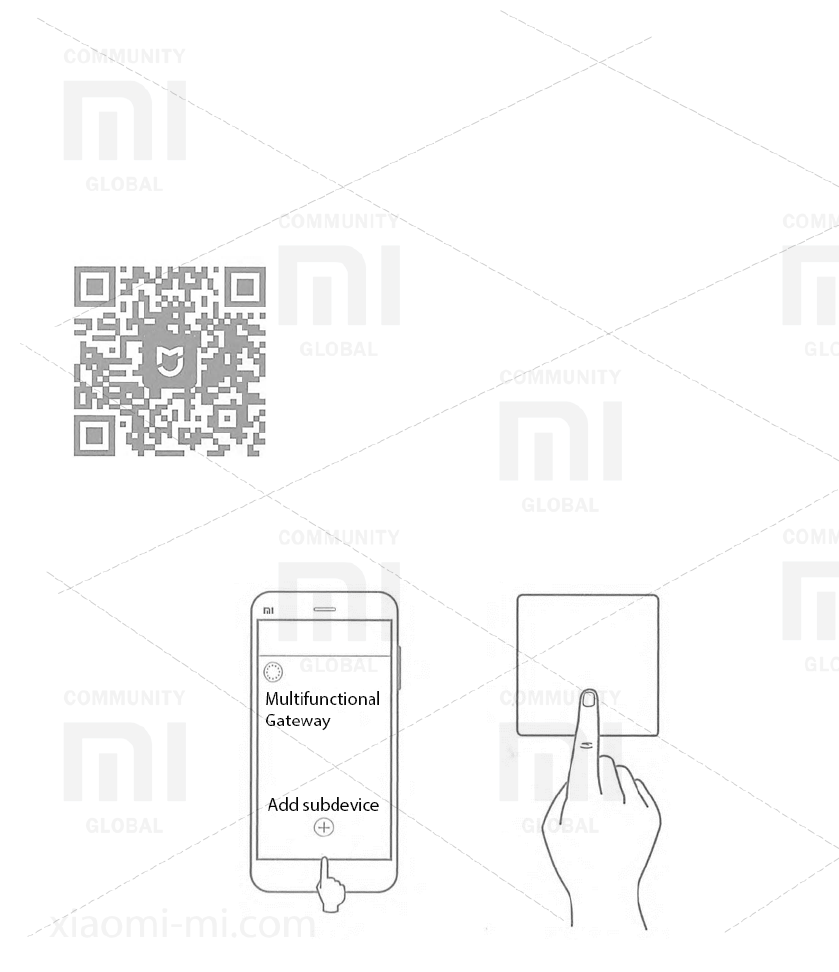
Download and install the App
Enter "Mi Home" in the search box of the Play Store / App Store, or scan the
QR code to download the Mi Home mobile application, connect the Xiaomi
multifunction gateway, add the Aqara Smart Light Switch (1 button) according
to the "Add device" option.
* This product is integrated with Mi Home, it supports the management by
swipe from the lock screen of MIUI, synchronization
with other Mi Home devices.
Add the device
Open the Mi Home application, select the Xiaomi
multifunction gateway, with which the synchronization
will occur, on the Hardware page click Add sub-
device, continue, according to the prompts in the
application, until you hear the voice message "Successfully connected" from
the gateway.
If you are unable to add a device, place the multifunction gateway closer to the
remote switch, connect it to the power source and try again.
XIAOMI-MI.COM
Installation
Confirming the effective distance: after the successful addition of
equipment, press any button of the remote switch 5 times, the
multifunction gateway will create a voice notification, which means that the
remote switch can effectively communicate with the gateway.
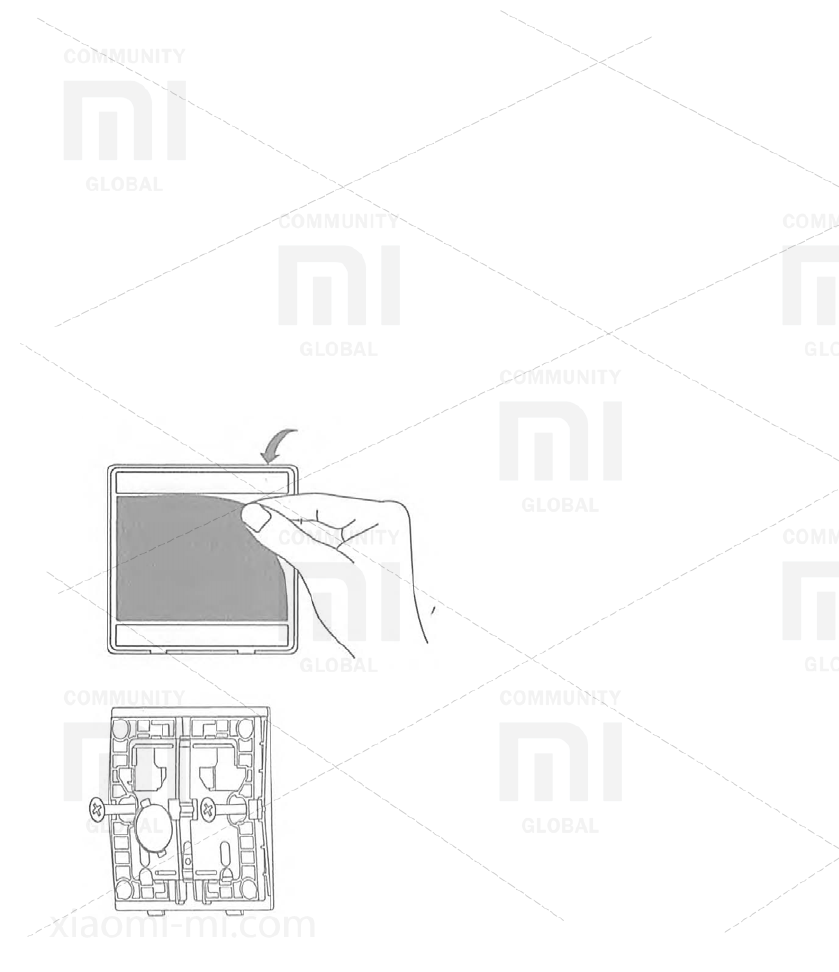
Method 1: without the need for gluing, simply place it on the surface of the
table;
Method 2: Remove the protective film from the adhesive tape, glue it in
the right place;
Method 3: Using the screws (M4 * 25 mm), lock the remote switch on the
wall surface.
* The place of adhesion must be clean and dry, it should be installed on
metal surfaces.
Open the protective film, glue it in the right place.
Drill holes in the wall, fix with screws.
XIAOMI-MI.COM
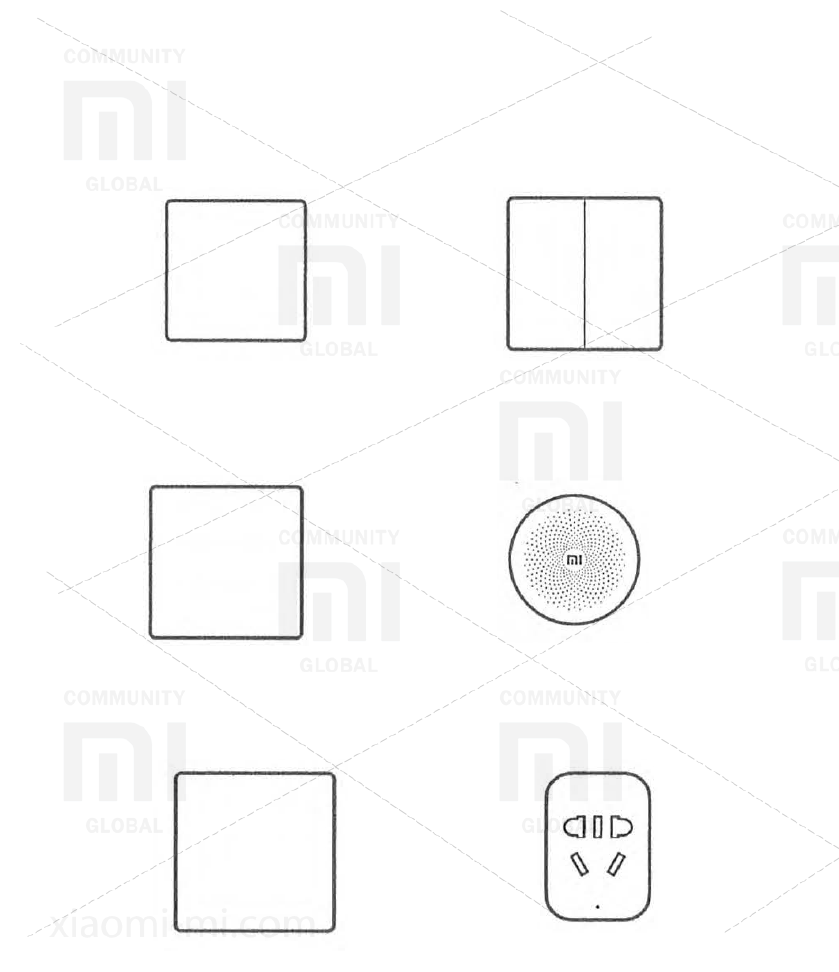
Recommendations for synchronizing with other devices
You can synchronize the remote switch with even more "smart" devices in
the "smart house" ecosystem.
1. Control of switching on or off light with one button.
+
Remote switch Aqara Smart
Light Switch (1 button)
Smart switch Aqara Smart Light
Switch ZigBee Version (2
buttons)
2. Activation of the doorbell
+
Remote switch Aqara Smart
Light Switch (1 button)
Xiaomi Multifunctional Gateway
3. Synchronization with other electrical appliances.
+
Remote switch Aqara Smart Light
Switch
Mi Smart Socket 2 ZigBee
Version
XIAOMI-MI.COM
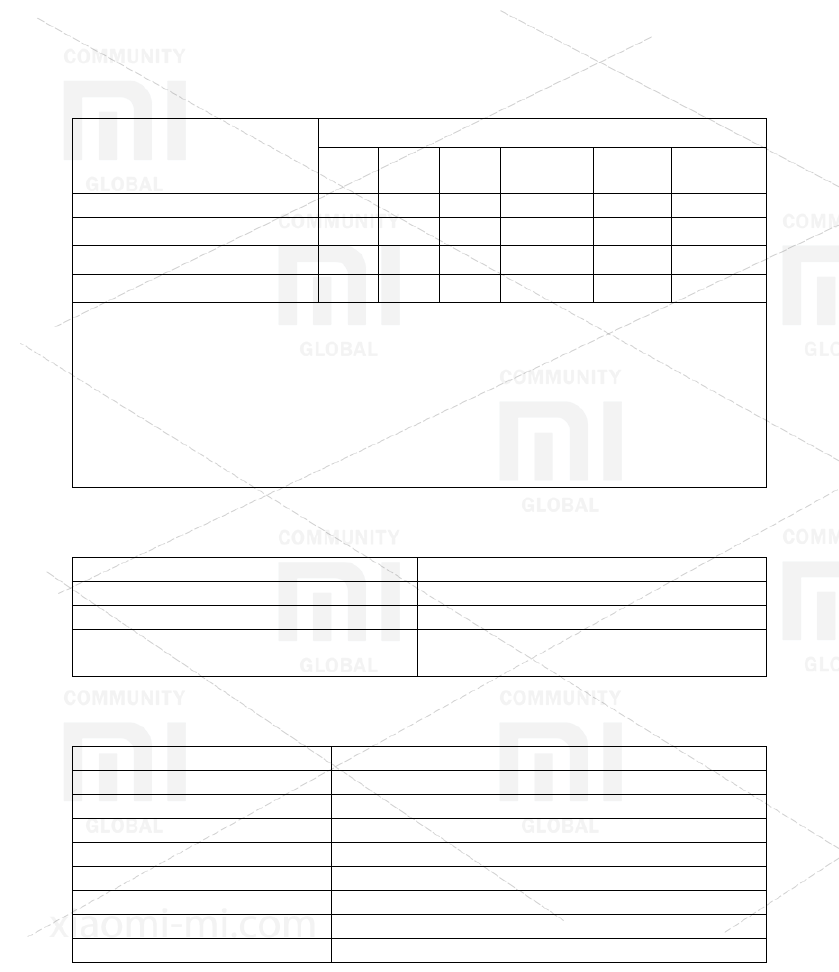
Name and content of harmful substances in the product
Component name
Harmful substances
(Pb) (Hg) (Cd) (Cr(VI)) (PBB) (PBDE)
Plactic housing
O
O
O
O
O
O
Hard plastic
O
O
O
O
O
O
Metal
O
O
O
O
O
O
Resistor
O
O
O
O
O
O
This table is created in accordance with the provisions of the standard SJ
/ T 11364.
O: the content of this harmful substance in all homogeneous materials of
this component is within the requirements of the standard GB / T 26572.
X: the content of this harmful substance in at least one of homogeneous
materials of this component exceeds the limits of the requirements of the
standard GB / T 26572.
Indicator status explanation
Indicator
Device Status
Bluetooth indicator blinks 1 time
Sending a command
Bluetooth indicator blinked 3 times
Could not connect to the network
Bluetooth indicator blinks
continuously
Setting a connection to the network
Main parameters
Model:
WXKG03LM
Standard:
Q / QLML009-2016
Working temperature:
-5 ° C to + 60 ° C
Operating Humidity:
Relative 5% -95%, without condensation
Battery Model:
CR2032
Battery Life:
Under standard conditions> 2 years
Wireless interface:
ZigBee
Date of publication:
07/20/2016
Version:
2.0
