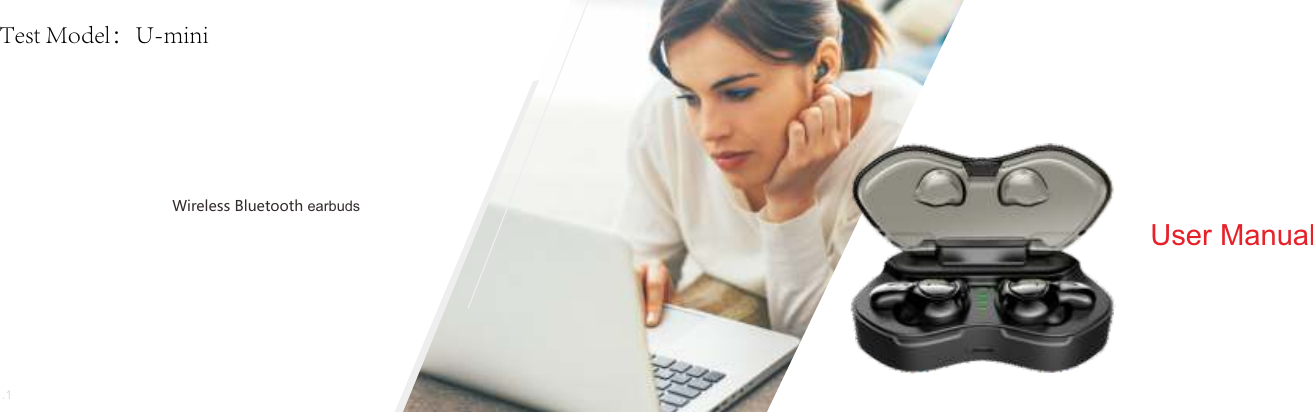
XinZhengYu technology U-MINI Wireless Bluetooth Headset User Manual

Shenzhen XinZhengYu technology Co.,ltd Wireless Bluetooth Headset Users Manual

Contents

user_manual

User ManualWireless Bluetooth earbudsV1.1Test Model:U-mini
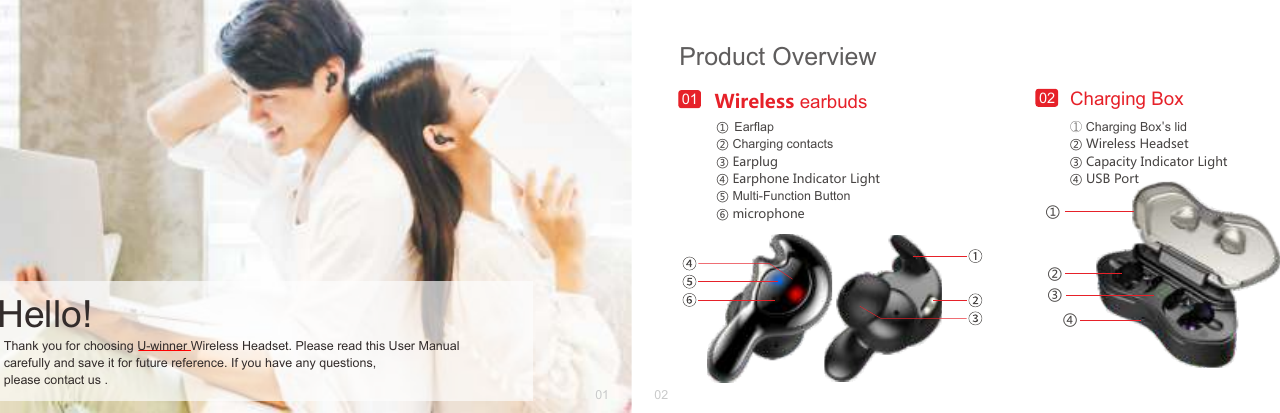
① Charging Box's lid② Wireless Headset③ Capacity Indicator Light④ USB PortCharging BoxProduct Overview0201 02Thank you for choosing U-winner Wireless Headset. Please read this User Manual carefully and save it for future reference. If you have any questions, please contact us .Hello!Wireless earbuds01① ② Charging contacts ③ Earplug ④ Earphone Indicator Light⑤ Multi-Function Button⑥ microphoneEarflap④③②①
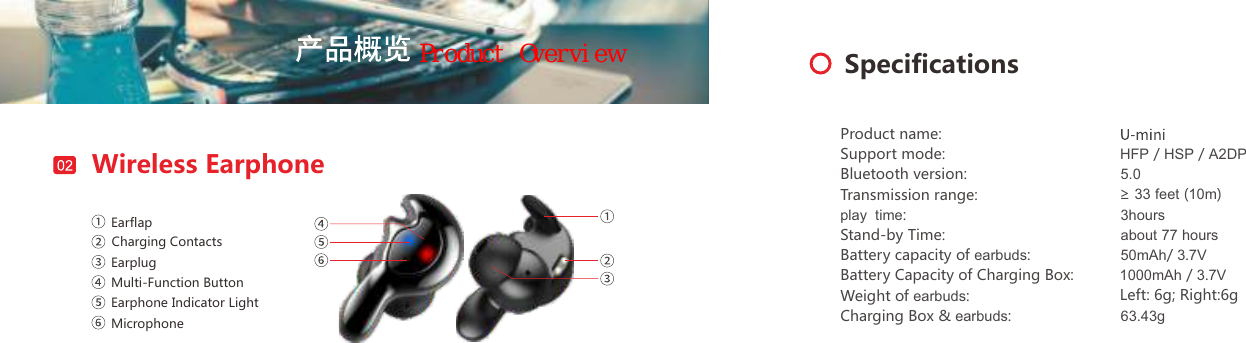
Wireless EarphoneEarflapCharging ContactsEarplugMulti-Function ButtonEarphone Indicator LightMicrophoneSpecificationsProduct name:Support mode:Bluetooth version:Transmission range:play  time:Stand-by Time:Battery capacity of earbuds:Battery Capacity of Charging Box:Weight of earbuds:Charging Box & earbuds:HFP / HSP / A2DP5.0≥ 33 feet (10m)3hoursabout 77 hours50mAh/ 3.7V 1000mAh / 3.7V Left: 6g; Right:6g63.43gProduct Overview
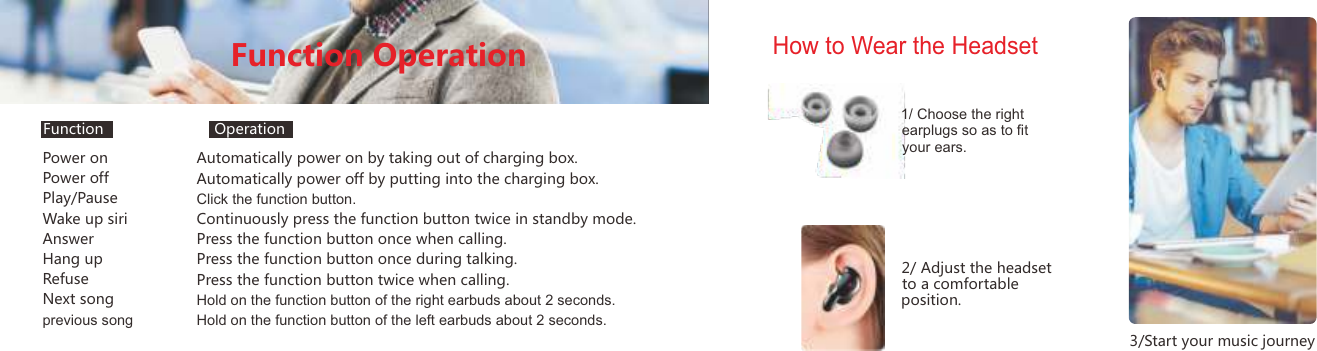
Power onPower offPlay/PauseWake up siriAnswerHang upRefuseNext songprevious songAutomatically power on by taking out of charging box.Automatically power off by putting into the charging box.Click the function button.Continuously press the function button twice in standby mode.Press the function button once when calling.Press the function button once during talking.Press the function button twice when calling.Hold on the function button of the right earbuds about 2 seconds.Hold on the function button of the left earbuds about 2 seconds.Function OperationHow to Wear the Headset1/ Choose the right earplugs so as to fit your ears.2/ Adjust the headset to a comfortable 3/Start your music journeyposition.Function Operation
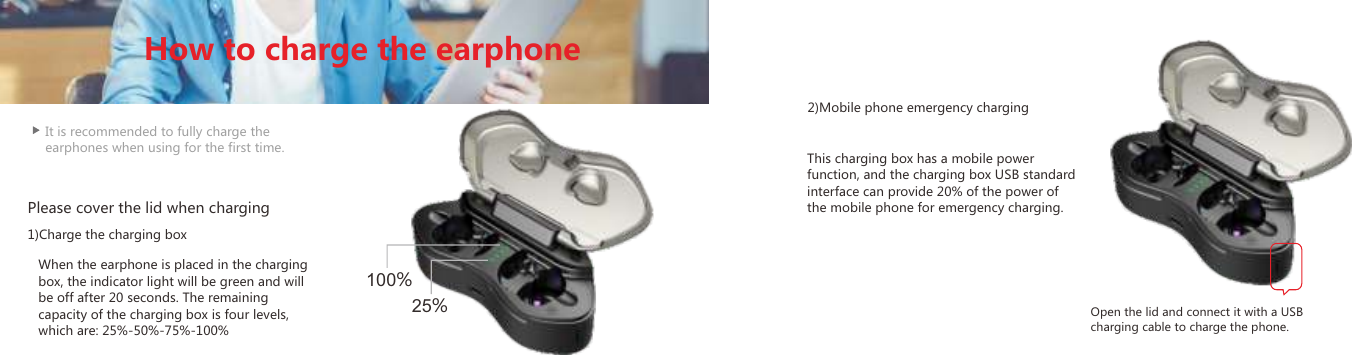
It is recommended to fully charge the earphones when using for the first time.When the earphone is placed in the charging box, the indicator light will be green and will be off after 20 seconds. The remaining capacity of the charging box is four levels, which are: 25%-50%-75%-100%This charging box has a mobile power function, and the charging box USB standard interface can provide 20% of the power of the mobile phone for emergency charging.Please cover the lid when charging1)Charge the charging box2)Mobile phone emergency chargingOpen the lid and connect it with a USB charging cable to charge the phone.How to charge the earphone25%100%
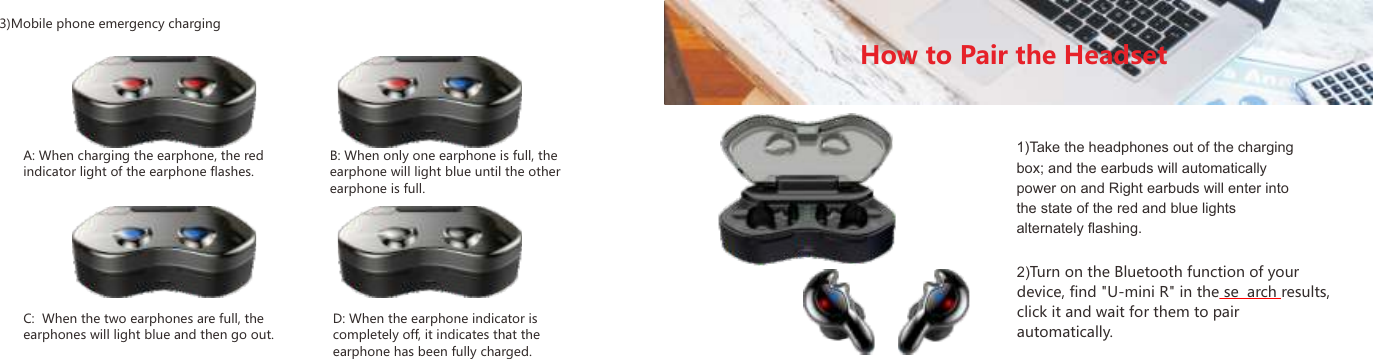
3)Mobile phone emergency chargingA: When charging the earphone, the red indicator light of the earphone flashes.C:  When the two earphones are full, the earphones will light blue and then go out.D: When the earphone indicator is completely off, it indicates that the earphone has been fully charged.B: When only one earphone is full, the earphone will light blue until the other earphone is full.How to Pair the Headset1)Take the headphones out of the charging box; and the earbuds will automatically power on and Right earbuds will enter into the state of the red and blue lights alternately flashing.2)Turn on the Bluetooth function of your device, find "U-mini R" in the se arch results, click it and wait for them to pair automatically.09 10
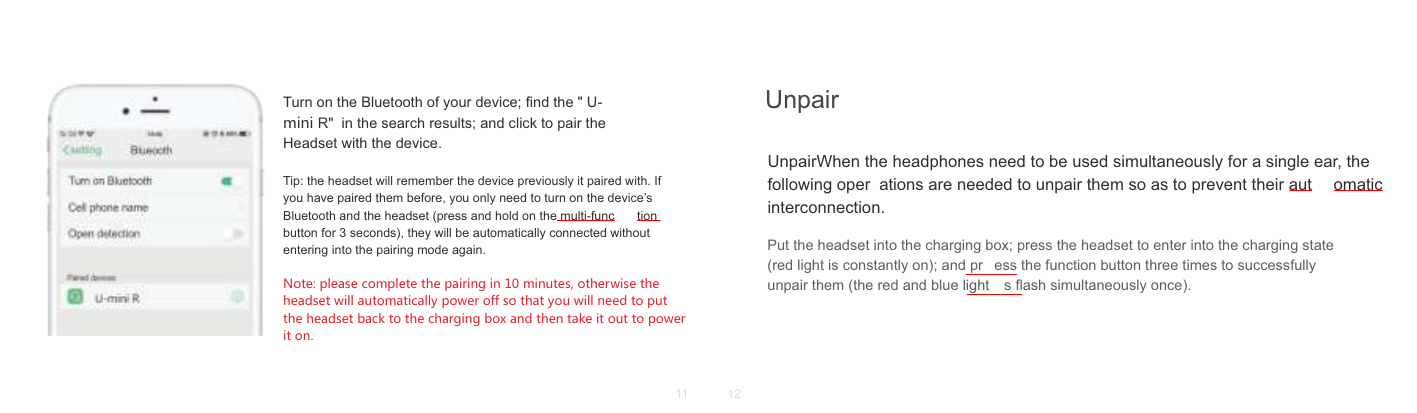
Turn on the Bluetooth of your device; find the " U-mini R"  in the search results; and click to pair the Headset with the device.Tip: the headset will remember the device previously it paired with. If you have paired them before, you only need to turn on the device’s Bluetooth and the headset (press and hold on the multi-func tion button for 3 seconds), they will be automatically connected without entering into the pairing mode again.Note: please complete the pairing in 10 minutes, otherwise the headset will automatically power off so that you will need to put the headset back to the charging box and then take it out to power it on.UnpairWhen the headphones need to be used simultaneously for a single ear, the following oper ations are needed to unpair them so as to prevent their aut omatic interconnection.Put the headset into the charging box; press the headset to enter into the charging state (red light is constantly on); and pr ess the function button three times to successfully unpair them (the red and blue light s flash simultaneously once).Unpair11 12
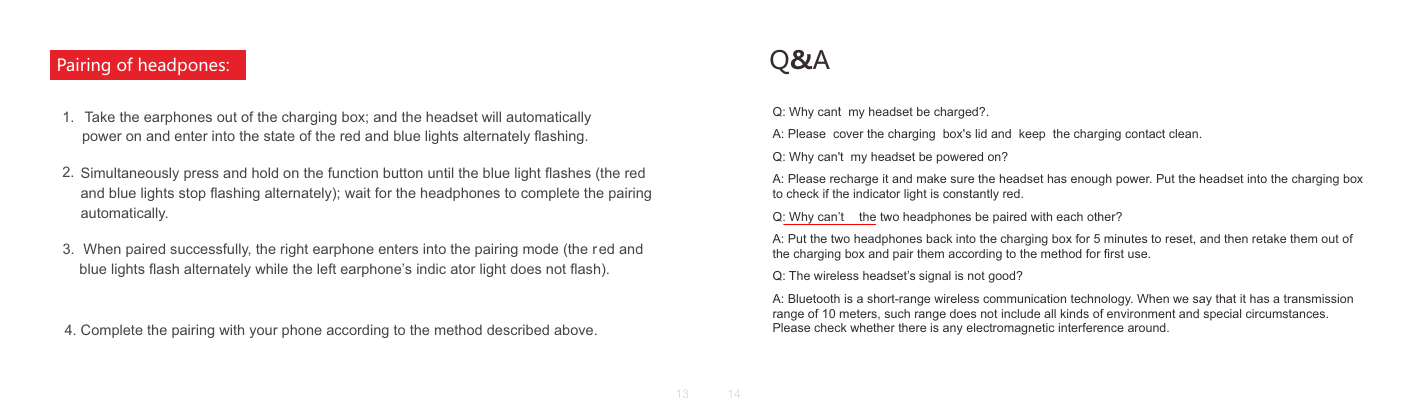
     Take the earphones out of the charging box; and the headset will automatically4. Complete the pairing with your phone according to the method described above.3.Simultaneously press and hold on the function button until the blue light flashes (the red and blue lights stop flashing alternately); wait for the headphones to complete the pairing automatically. power on and enter into the state of the red and blue lights alternately flashing.2.  When paired successfully, the right earphone enters into the pairing mode (the r ed and blue lights flash alternately while the left earphone’s indic ator light does not flash).1.Pairing of headpones: Q&AQ: Why cant  my headset be charged?.A: Please  cover the charging  box's lid and  keep  the charging contact clean.Q: Why can't  my headset be powered on?A: Please recharge it and make sure the headset has enough power. Put the headset into the charging box to check if the indicator light is constantly red.Q: Why can’t  the two headphones be paired with each other?A: Put the two headphones back into the charging box for 5 minutes to reset, and then retake them out of the charging box and pair them according to the method for first use.Q: The wireless headset’s signal is not good?A: Bluetooth is a short-range wireless communication technology. When we say that it has a transmission range of 10 meters, such range does not include all kinds of environment and special circumstances. Please check whether there is any electromagnetic interference around.'13 14
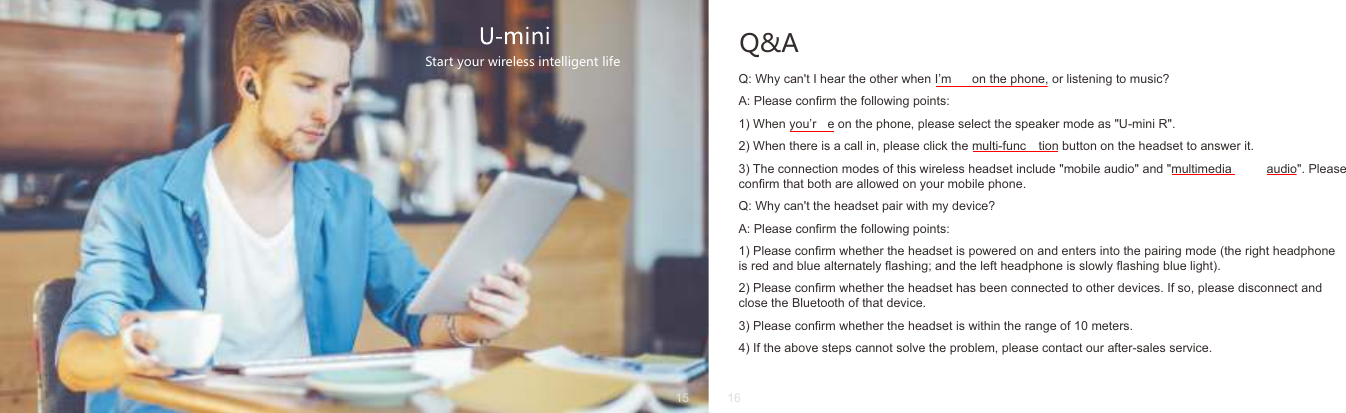
Q&AQ: Why can't I hear the other when I’m  on the phone, or listening to music?A: Please confirm the following points:1) When you’r e on the phone, please select the speaker mode as "U-mini R".2) When there is a call in, please click the multi-func tion button on the headset to answer it.3) The connection modes of this wireless headset include "mobile audio" and "multimedia  audio". Please confirm that both are allowed on your mobile phone.Q: Why can't the headset pair with my device?A: Please confirm the following points:1) Please confirm whether the headset is powered on and enters into the pairing mode (the right headphone is red and blue alternately flashing; and the left headphone is slowly flashing blue light).2) Please confirm whether the headset has been connected to other devices. If so, please disconnect and close the Bluetooth of that device.3) Please confirm whether the headset is within the range of 10 meters.4) If the above steps cannot solve the problem, please contact our after-sales service.Start your wireless intelligent life15 16
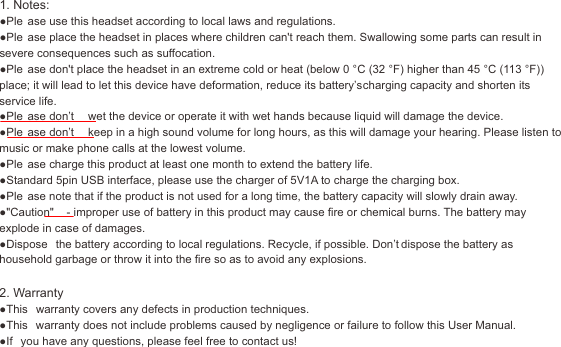
17 18U-winner1. Notes:●Ple ase use this headset according to local laws and regulations.●Ple ase place the headset in places where children can't reach them. Swallowing some parts can result in severe consequences such as suffocation.●Ple ase don't place the headset in an extreme cold or heat (below 0 °C (32 °F) higher than 45 °C (113 °F)) place; it will lead to let this device have deformation, reduce its battery’s charging capacity and shorten its service life.●Ple ase don’t  wet the device or operate it with wet hands because liquid will damage the device.●Ple ase don’t  keep in a high sound volume for long hours, as this will damage your hearing. Please listen to music or make phone calls at the lowest volume.●Ple ase charge this product at least one month to extend the battery life.●Standard 5pin USB interface, please use the charger of 5V1A to charge the charging box.●Ple ase note that if the product is not used for a long time, the battery capacity will slowly drain away.●"Caution"  - improper use of battery in this product may cause fire or chemical burns. The battery may explode in case of damages.●Dispose  the battery according to local regulations. Recycle, if possible. Don’t dispose the battery as household garbage or throw it into the fire so as to avoid any explosions.2. Warranty●This  warranty covers any defects in production techniques.●This  warranty does not include problems caused by negligence or failure to follow this User Manual.●If  you have any questions, please feel free to contact us!
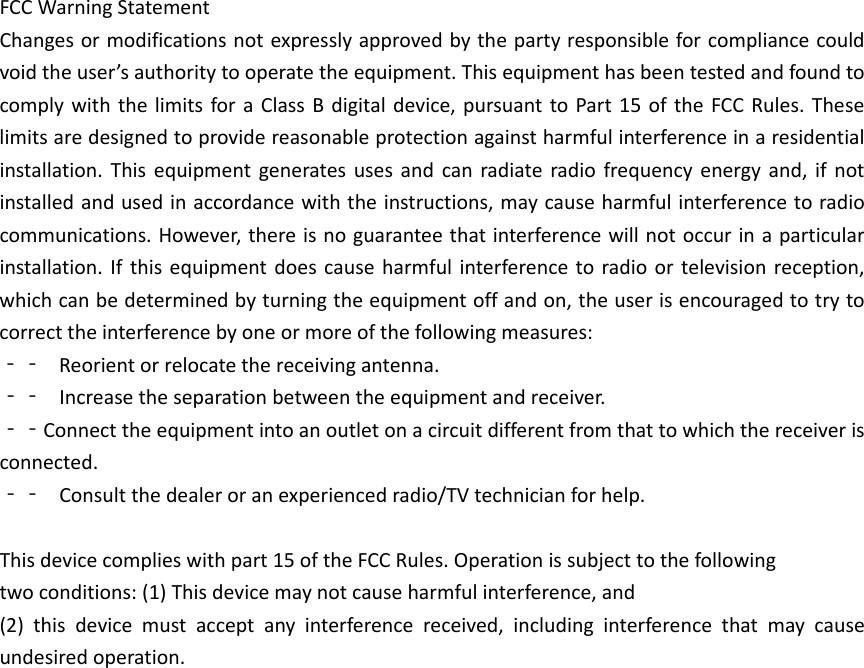
FCCWarningStatementChangesormodificationsnotexpresslyapprovedbythepartyresponsibleforcompliancecouldvoidtheuser’sauthoritytooperatetheequipment.ThisequipmenthasbeentestedandfoundtocomplywiththelimitsforaClassBdigitaldevice,pursuanttoPart15oftheFCCRules.Theselimitsaredesignedtoprovidereasonableprotectionagainstharmfulinterferenceinaresidentialinstallation.Thisequipmentgeneratesusesandcanradiateradiofrequencyenergyand,ifnotinstalledandusedinaccordancewiththeinstructions,maycauseharmfulinterferencetoradiocommunications.However,thereisnoguaranteethatinterferencewillnotoccurinaparticularinstallation.Ifthisequipmentdoescauseharmfulinterferencetoradioortelevisionreception,whichcanbedeterminedbyturningtheequipmentoffandon,theuserisencouragedtotrytocorrecttheinterferencebyoneormoreofthefollowingmeasures:‐‐ Reorientorrelocatethereceivingantenna.‐‐ Increasetheseparationbetweentheequipmentandreceiver.‐‐Connecttheequipmentintoanoutletonacircuitdifferentfromthattowhichthereceiverisconnected.‐‐ Consultthedealeroranexperiencedradio/TVtechnicianforhelp.Thisdevicecomplieswithpart15oftheFCCRules.Operationissubjecttothefollowingtwoconditions:(1)Thisdevicemaynotcauseharmfulinterference,and(2)thisdevicemustacceptanyinterferencereceived,includinginterferencethatmaycauseundesiredoperation.

Navigation menu