Xuan Yue Digital Technology K3 Bluetooth Earbuds User Manual 15 K3 UserMan

Shenzhen Xuan Yue Digital Technology Co., Ltd. Bluetooth Earbuds 15 K3 UserMan

15_K3 UserMan

    Bluetooth headset   user manual       Enjoy  the  freedom follow your heart
Product Description: Version: V4.1 Charging method: Power supply with output of DCSV 150mAh   Battery type: Rechargeable lithium-ion polymer battery   Bluetooth power class: Class 2   Profile supported: HSP/HFP/A2DP/AVRCP/APT-X Talk time: up to 10 hours Play time:up to 10 hours Standby time: 260 hours    Play audio file from a mobile phone,laptop or other Bluetooth device connected with it. (AV dongle: General BT dongle)  Play audio files from a PC after connected with its BT dongle, and also support wireless internet voice chat through QQ, MSN and SKYPE
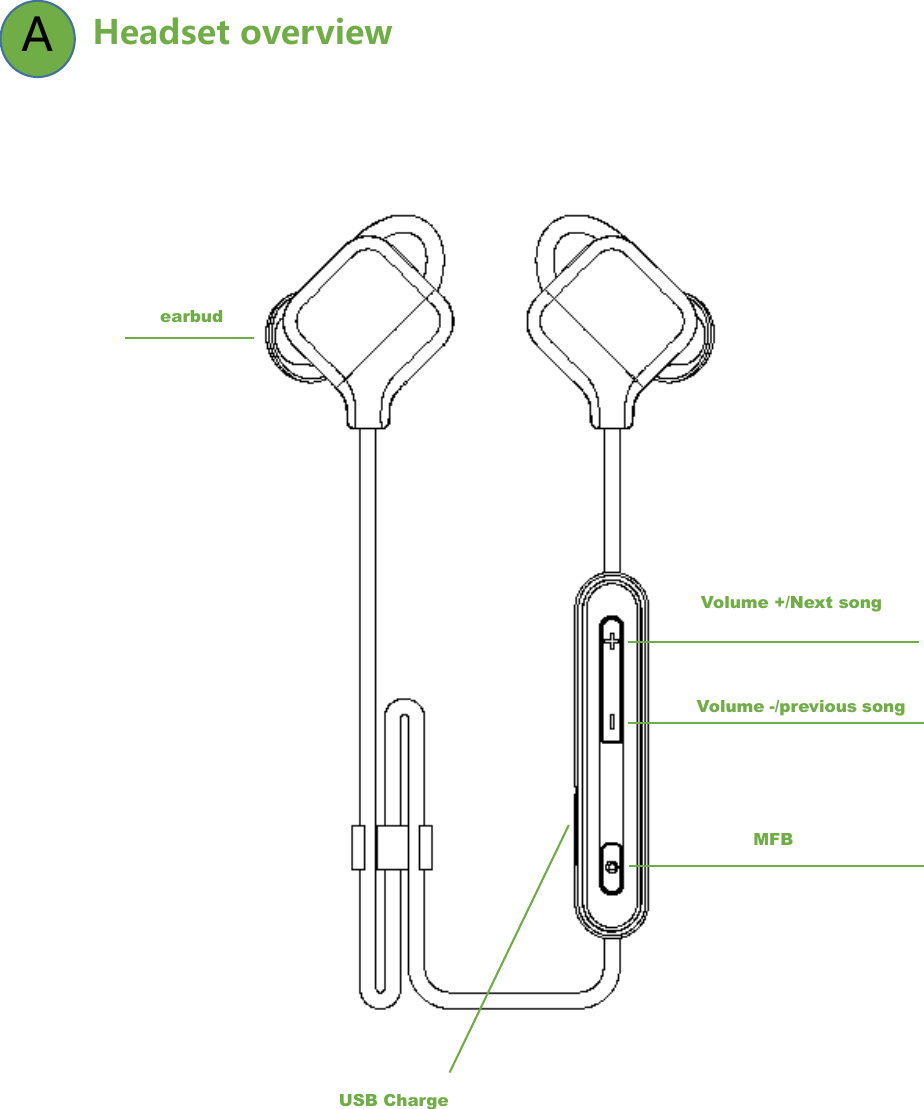
 Headset overview   A earbud Volume +/Next song Volume -/previous song USB Charge MFB
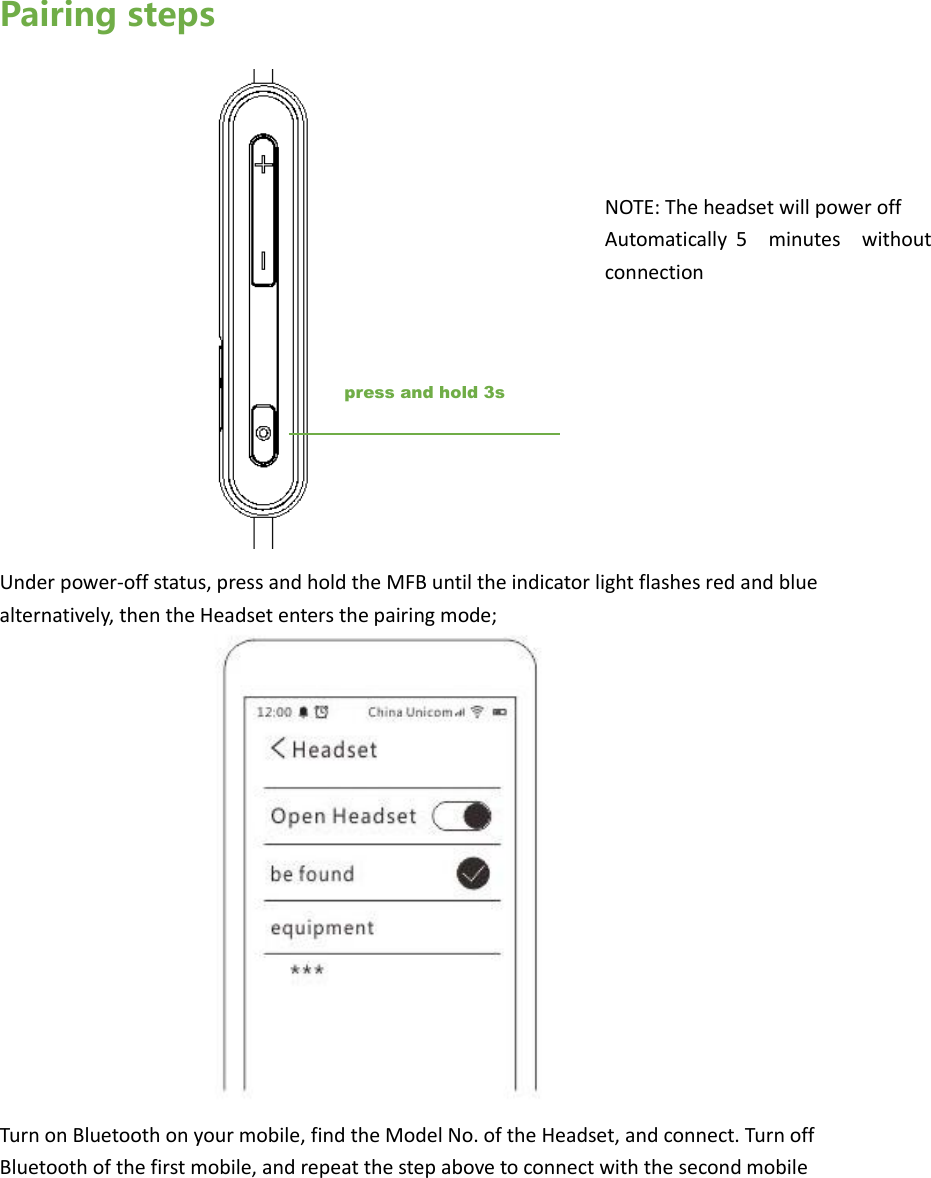
Pairing steps         Under power-off status, press and hold the MFB until the indicator light flashes red and blue alternatively, then the Headset enters the pairing mode;                Turn on Bluetooth on your mobile, find the Model No. of the Headset, and connect. Turn off Bluetooth of the first mobile, and repeat the step above to connect with the second mobilepress and hold 3s NOTE: The headset will power off   Automatically  5  minutes  without connection
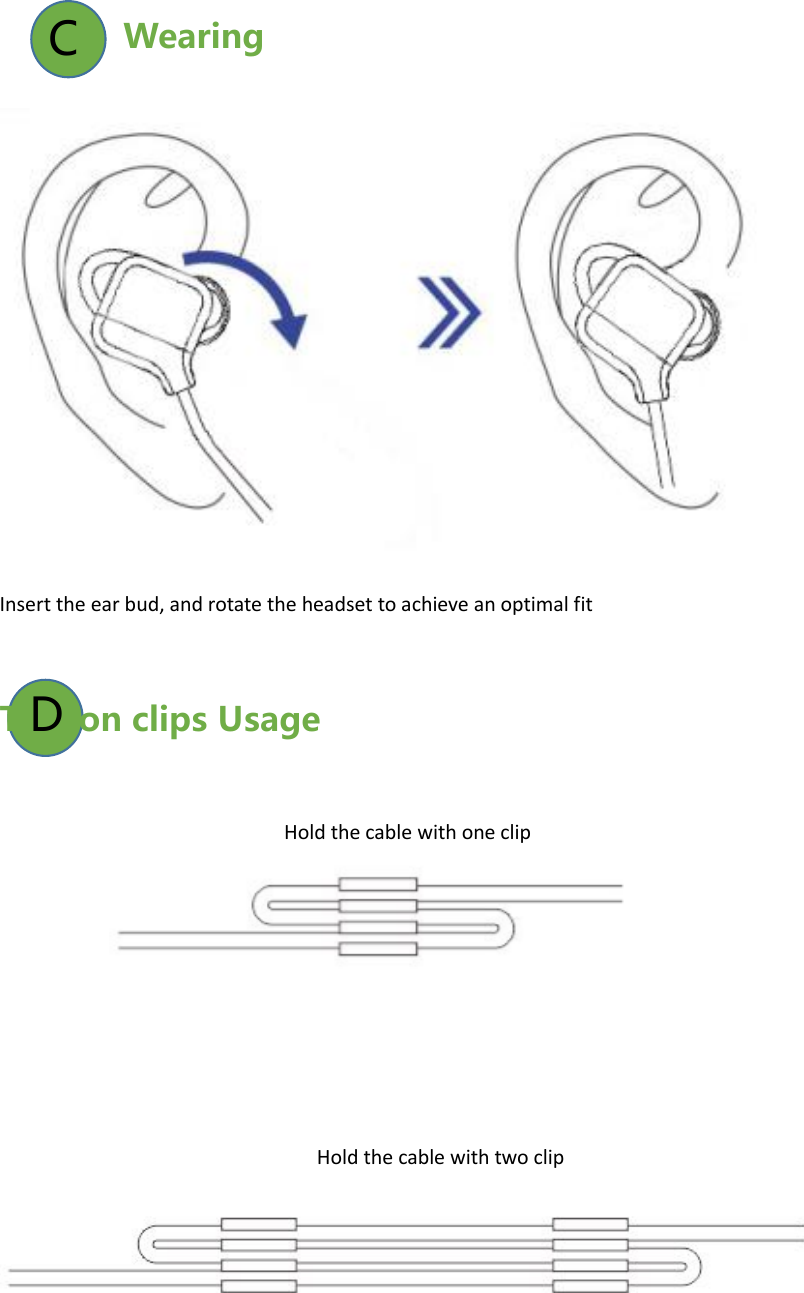
Wearing   Insert the ear bud, and rotate the headset to achieve an optimal fit   Tips on clips Usage                                                           Hold the cable with one clip                                                                      Hold the cable with two clipC D
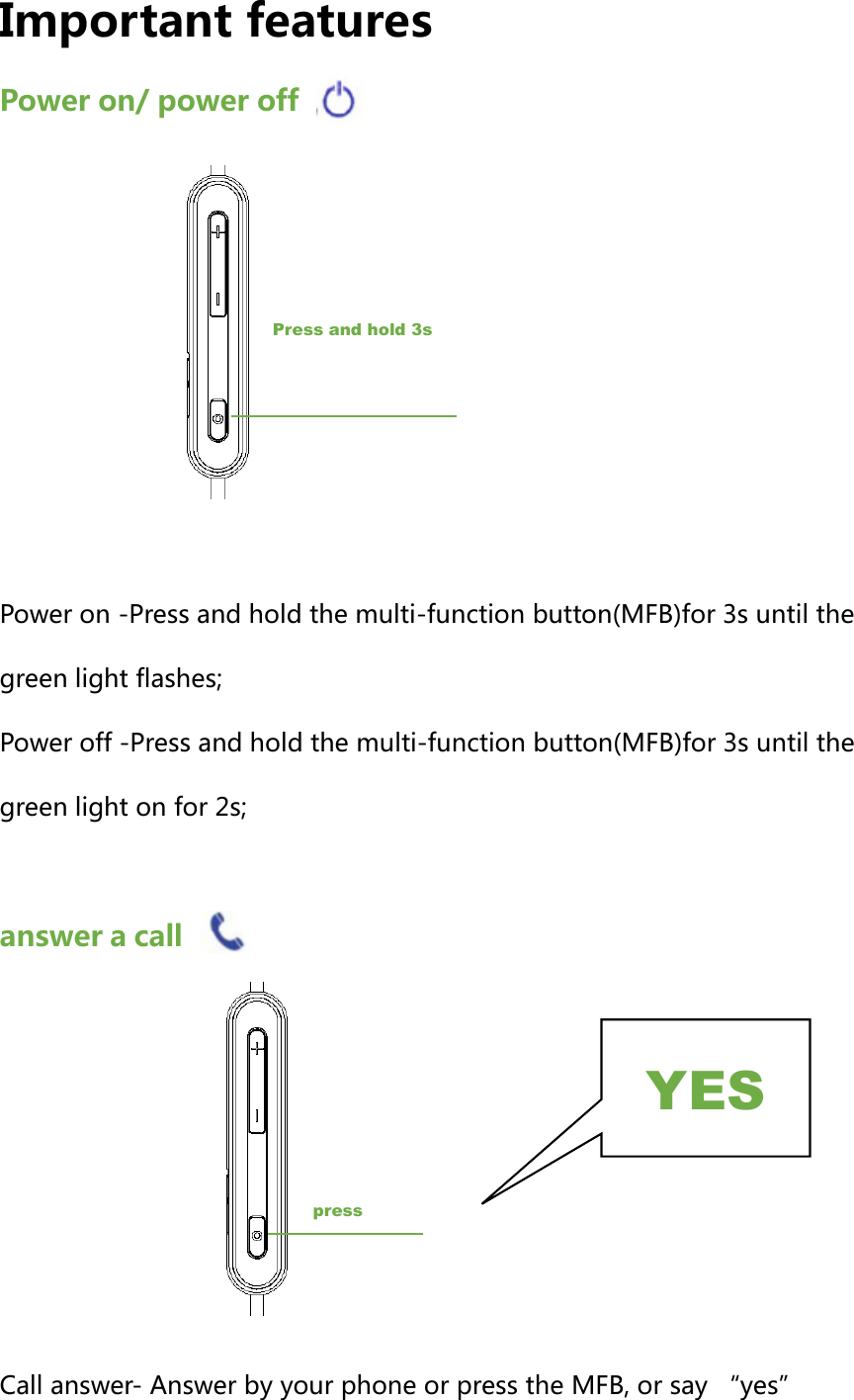
Important features Power on/ power off        Power on -Press and hold the multi-function button(MFB)for 3s until the green light flashes; Power off -Press and hold the multi-function button(MFB)for 3s until the green light on for 2s;  answer a call         Call answer- Answer by your phone or press the MFB, or say “yes”Press and hold 3s press YES
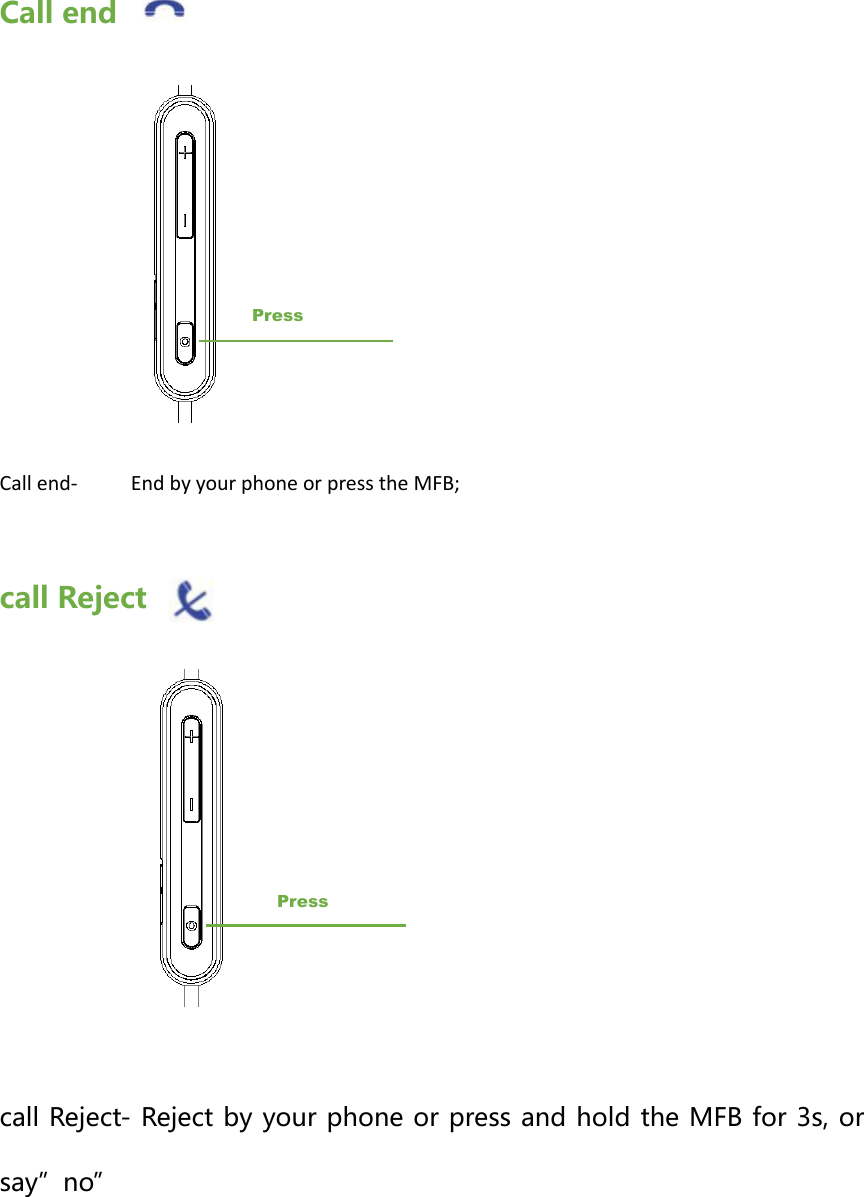
Call end                  Call end-    End by your phone or press the MFB;  call Reject            call Reject- Reject by your phone or press and hold the MFB for 3s, or say”no”   Press Press
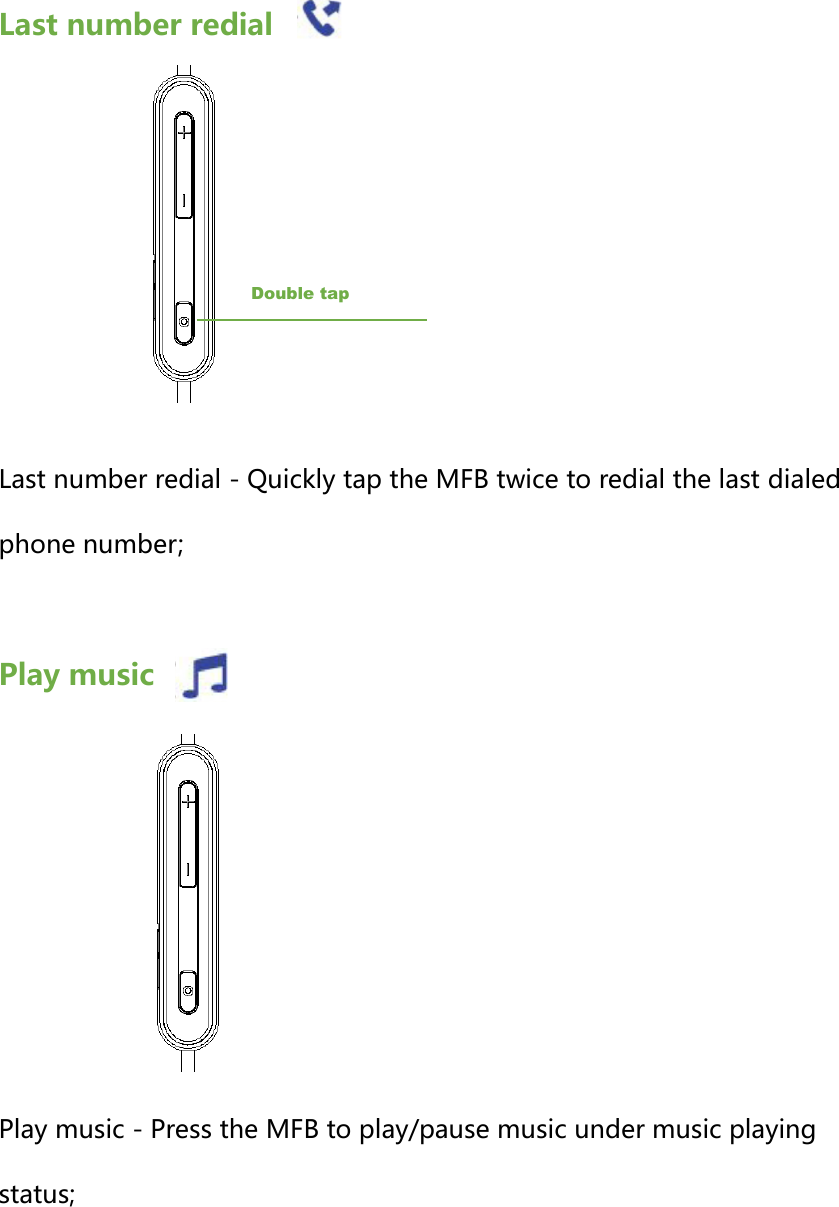
Last number redial       Last number redial - Quickly tap the MFB twice to redial the last dialed phone number;  Play music         Play music - Press the MFB to play/pause music under music playing status;Double tap
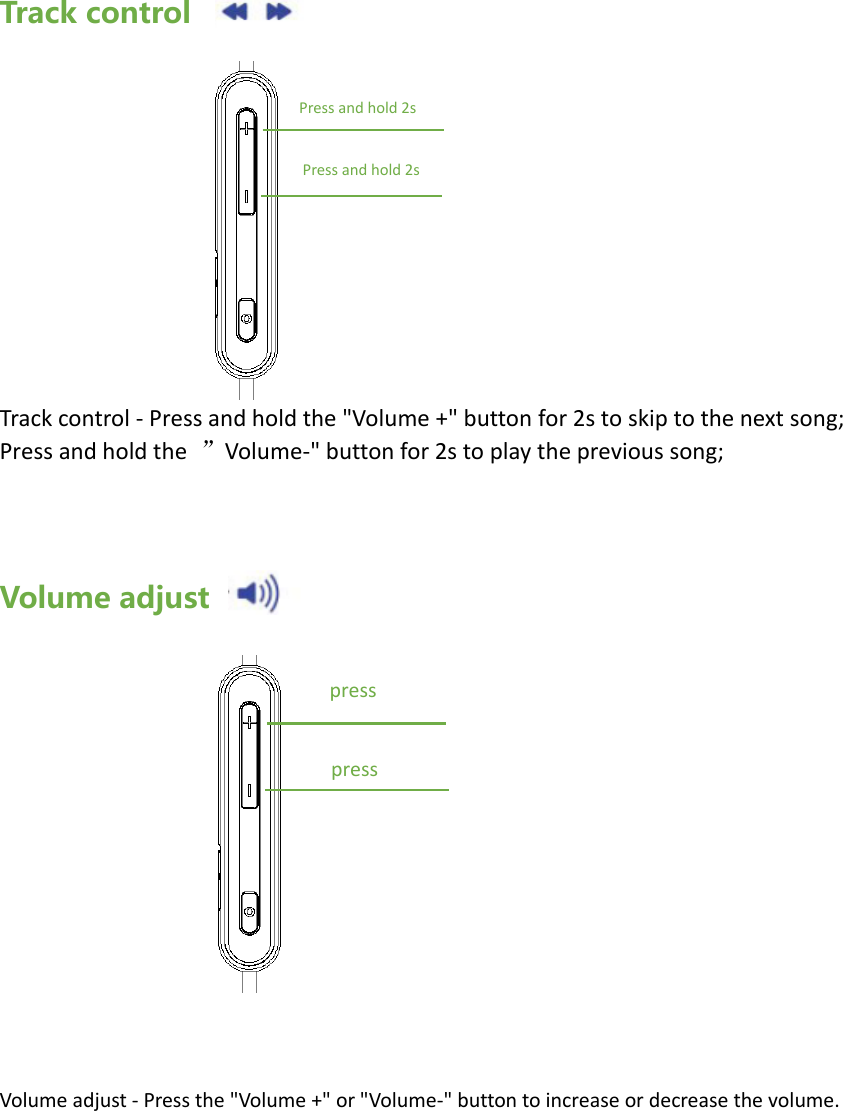
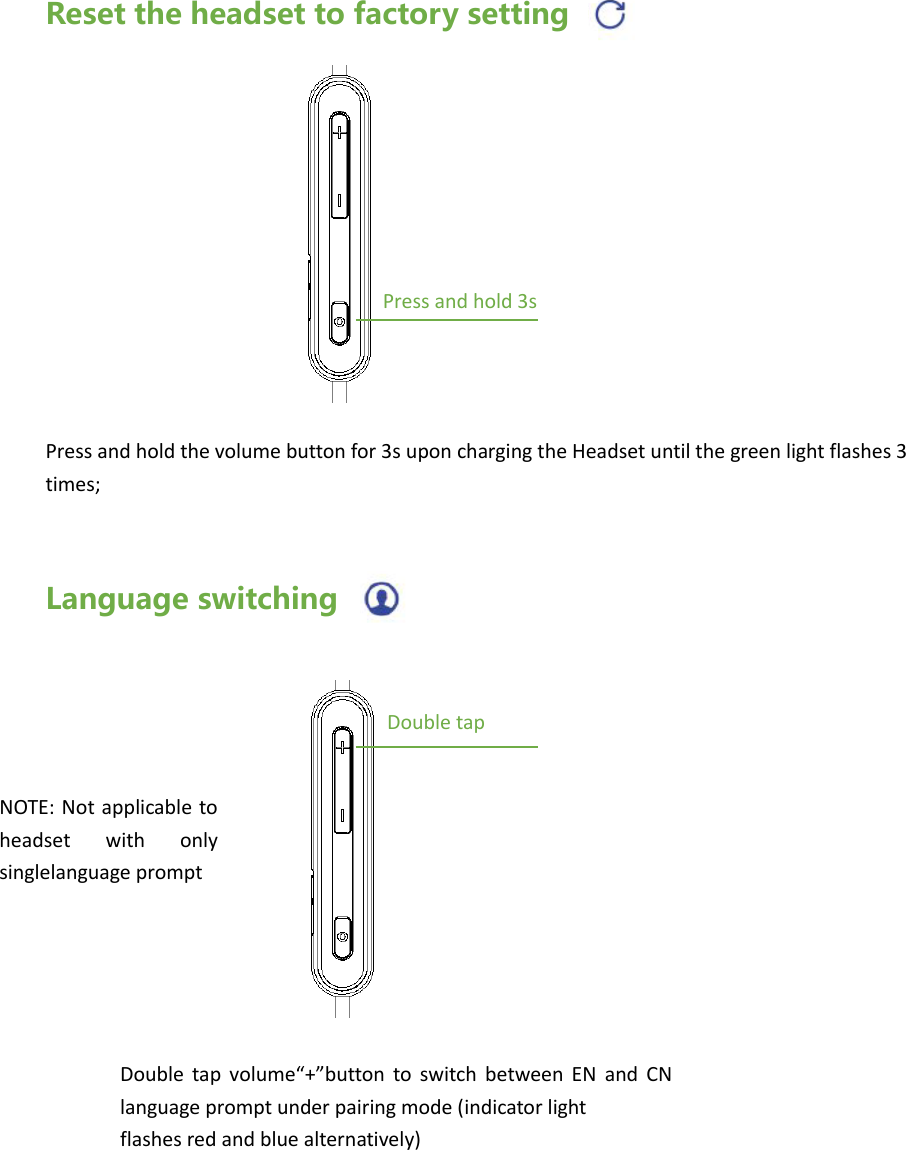
Track control           Track control - Press and hold the "Volume +" button for 2s to skip to the next song; Press and hold the  ”Volume-" button for 2s to play the previous song;    Volume adjust               Volume adjust - Press the "Volume +" or "Volume-" button to increase or decrease the volume.Press and hold 2s Press and hold 2s press press
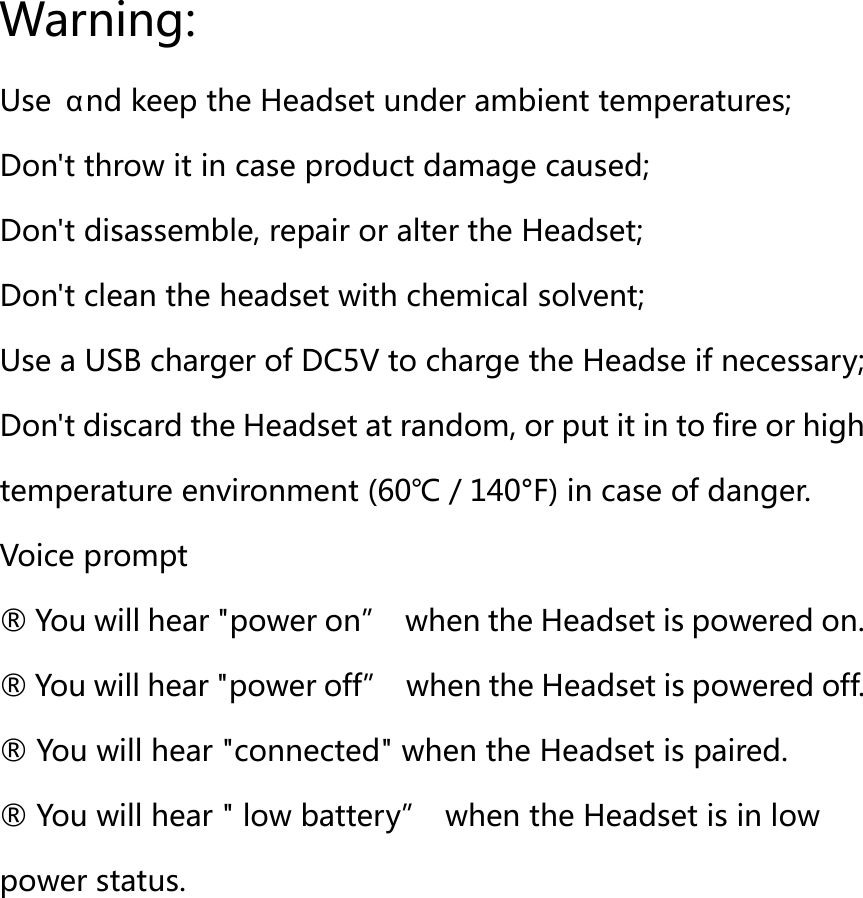
Reset the headset to factory setting         Press and hold the volume button for 3s upon charging the Headset until the green light flashes 3 times;   Language switching  Press and hold 3s NOTE: Not applicable  to headset  with  only singlelanguage prompt   Double tap Double  tap  volume“+”button  to  switch  between  EN  and  CN language prompt under pairing mode (indicator light   flashes red and blue alternatively)
Warning: Use  αnd keep the Headset under ambient temperatures; Don't throw it in case product damage caused; Don't disassemble, repair or alter the Headset; Don't clean the headset with chemical solvent; Use a USB charger of DC5V to charge the Headse if necessary; Don't discard the Headset at random, or put it in to fire or high temperature environment (60℃/140°F) in case of danger. Voice prompt   ® You will hear "power on”  when the Headset is powered on.   ® You will hear "power off”  when the Headset is powered off.   ® You will hear "connected" when the Headset is paired. ® You will hear " low battery”  when the Headset is in low power status.
Service Regulations: 1. Notice: Please carefully read the user Manual before using the headset. 2. Guaranteed replacement: Within the guaranteed period (7 days after purchasing), replacement or free repairing may be offered for product. malfunction caused non-artificially under normal use provided that the specific malfunction is tested and confirmed . Contact the authorized distributor for replacement handling   3. Warranty: Within the period of warranty,free repairing service maybe offered for malfunction caused non-artificially under normal use(one year warranty for the headset itself) 4. .Repairing charge: One to three years after purchasing, the product may be repaired if maIfunction occurs, but parts cost,transport freight and labor cost shall be assumed by the customer. 5. The following circumstances are covered by the free warranty services, but we provide paid services: ①The period of warranty expires; ②The warranty cord is altered,or serial numbe inconsistent;
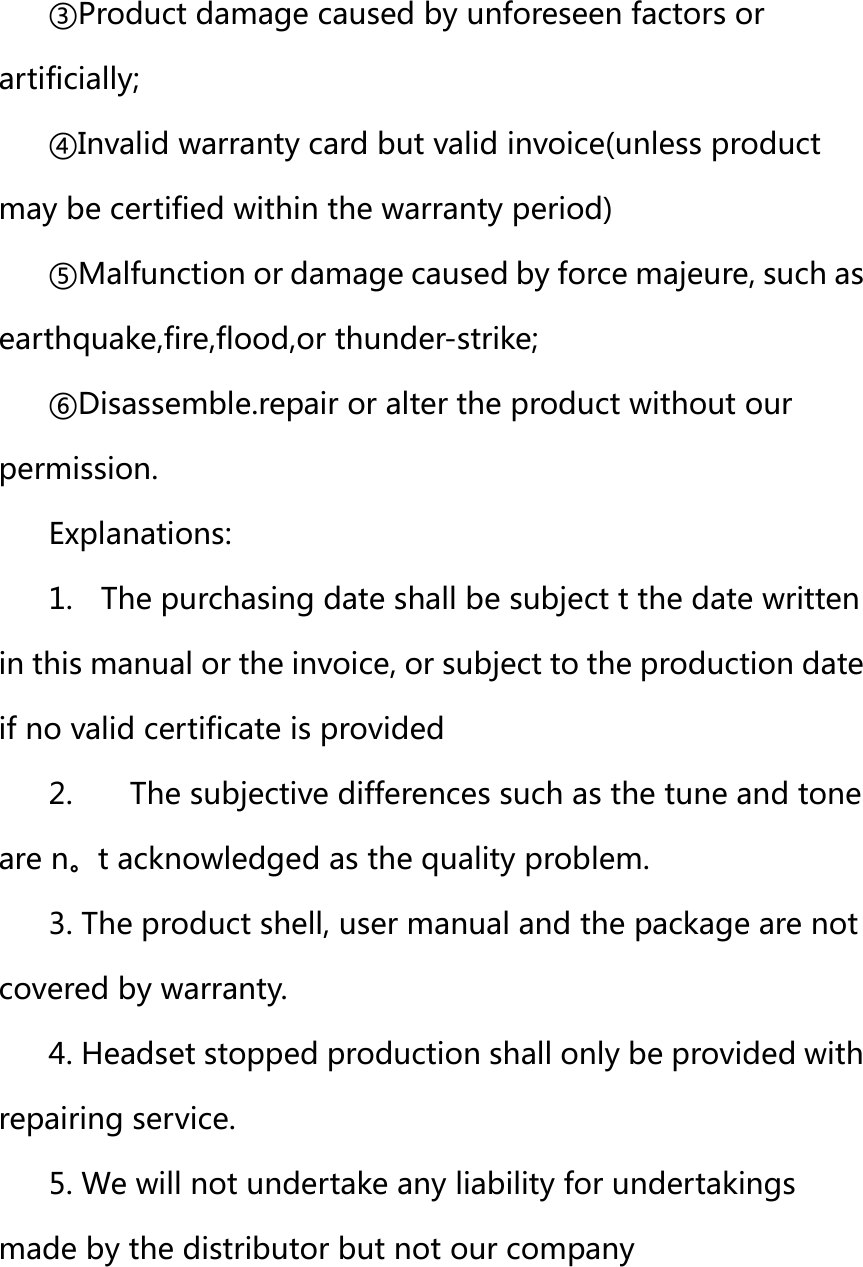
③Product damage caused by unforeseen factors or artificially; ④Invalid warranty card but valid invoice(unless product may be certified within the warranty period) ⑤Malfunction or damage caused by force majeure, such as earthquake,fire,flood,or thunder-strike; ⑥Disassemble.repair or alter the product without our permission. Explanations: 1.    The purchasing date shall be subject t the date written in this manual or the invoice, or subject to the production date if no valid certificate is provided   2.    The subjective differences such as the tune and tone are n。t acknowledged as the quality problem. 3. The product shell, user manual and the package are not covered by warranty. 4. Headset stopped production shall only be provided with repairing service. 5. We will not undertake any liability for undertakings made by the distributor but not our company
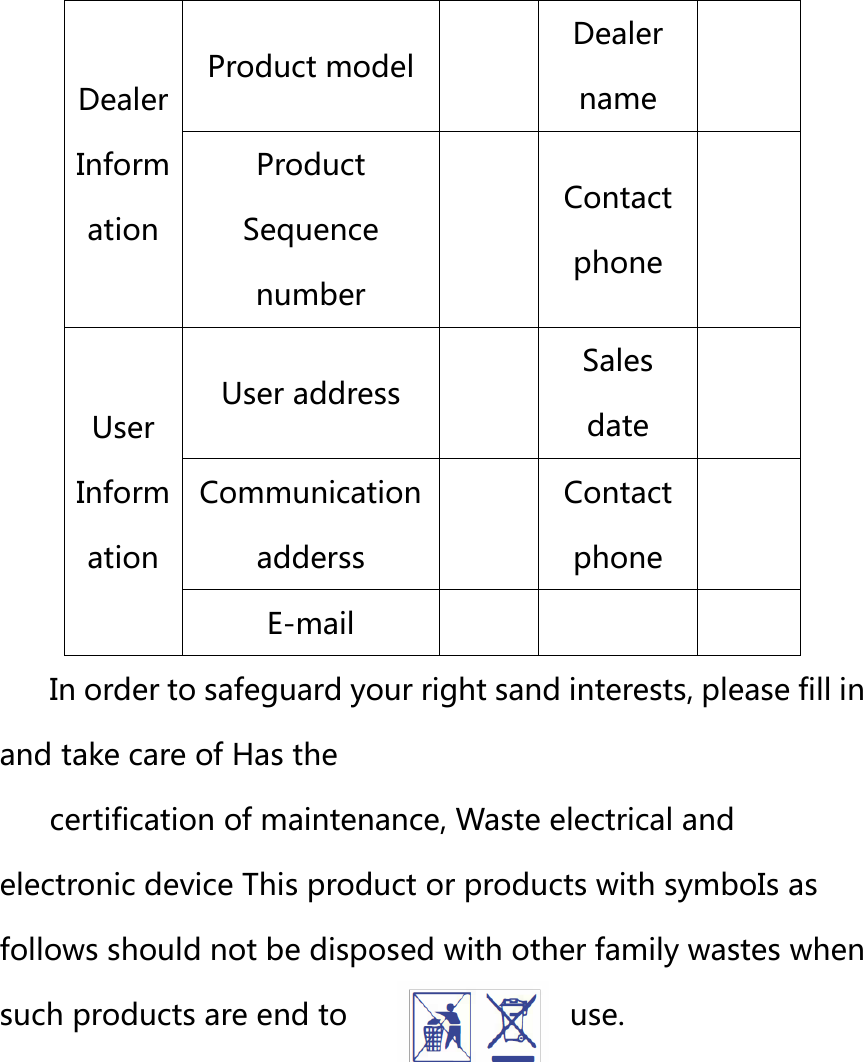
 Dealer Inform ation Product model  Dealer name  Product Sequence number  Contact phone  User Inform ation User address  Sales date  Communication adderss  Contact phone  E-mail    In order to safeguard your right sand interests, please fill in and take care of Has the   certification of maintenance, Waste electrical and electronic device This product or products with symboIs as follows should not be disposed with other family wastes when such products are end to  use.
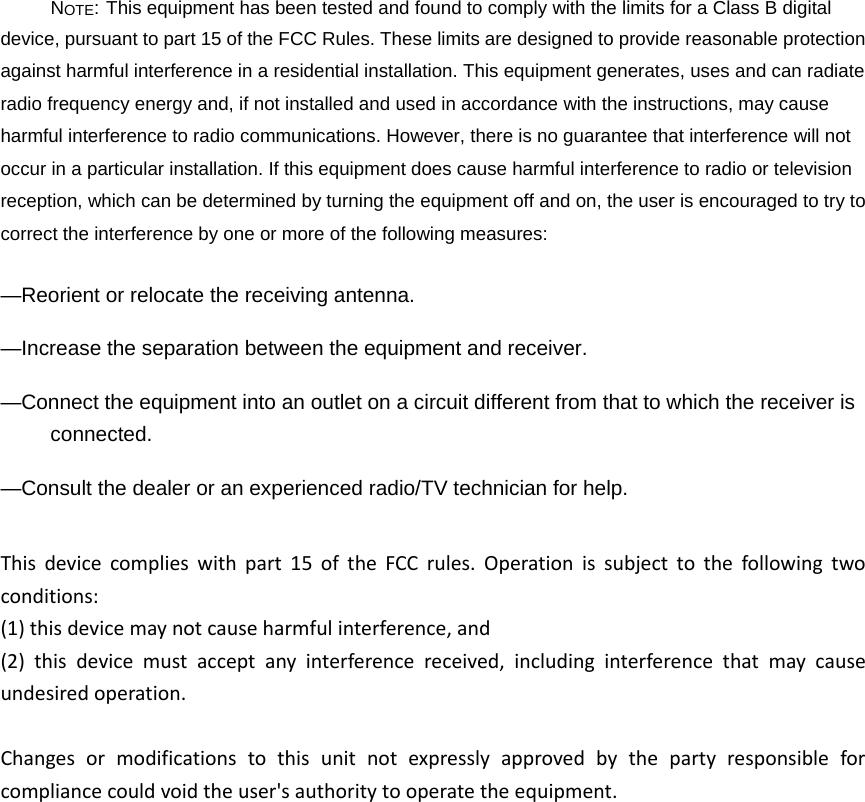
NOTE: This equipment has been tested and found to comply with the limits for a Class B digital device, pursuant to part 15 of the FCC Rules. These limits are designed to provide reasonable protection against harmful interference in a residential installation. This equipment generates, uses and can radiate radio frequency energy and, if not installed and used in accordance with the instructions, may cause harmful interference to radio communications. However, there is no guarantee that interference will not occur in a particular installation. If this equipment does cause harmful interference to radio or television reception, which can be determined by turning the equipment off and on, the user is encouraged to try to correct the interference by one or more of the following measures: —Reorient or relocate the receiving antenna. —Increase the separation between the equipment and receiver. —Connect the equipment into an outlet on a circuit different from that to which the receiver is connected. —Consult the dealer or an experienced radio/TV technician for help. Thisdevicecomplieswithpart15oftheFCCrules.Operationissubjecttothefollowingtwoconditions:(1)thisdevicemaynotcauseharmfulinterference,and(2)thisdevicemustacceptanyinterferencereceived,includinginterferencethatmaycauseundesiredoperation.Changesormodificationstothisunitnotexpresslyapprovedbythepartyresponsibleforcompliancecouldvoidtheuser'sauthoritytooperatetheequipment.

Navigation menu