YESKU DIGITAL YK-T02 wireless earbuds User Manual

SHENZHEN YESKU DIGITAL CO.,LTD wireless earbuds

User Manual

Thank you for choosing iyesku Brand Bluetooth Earbuds.Please read this manual carefully before use, as it will help you to operate the earbuds easily.We wish you a fantastic true wireless music experience.Features:1. Bluetooth Version: 4.2. Enjoy a true high-definition stereo music experience.2. Black Technology separate design, enjoy the true wireless life.3. Dedicated rechargeable storage box. It can be charged while storing.4. Using both headphones or as a single if you prefer. Share the experience with others.Accessories ListEarbuds x 1 pairEarbuds Case (with power station) X 1Charging Cable X 1Product Manual X 1Storage Bag X 1No.1 earphone cap(with L,M,S) x 1 setNo.2 earphone cap(with L,M,S) x 1 setHelpful Tips:Before using, please read the manual carefully and keep it in a safe place.Please charge the earbuds 100% fully before using.Please regularly charge the earbuds if you do not use it for a long time (more than 3 months).Please use the supplied charger cable (passed the CCC test).If your phone can not find the earbuds, please check that the earbuds are on matching. If theearbuds are not matched for a long time, please turn on the earbuds to match again. Sometimes it isbetter to reset the earbuds and the bluetooth function of phone.To get better sound quality, please try different ear caps.FAQ:Why is not possible to talk or listen to music while connected successfully?Answer:a. You might need choose Bluetooth “Mobile Audio” or “Media Audio” under Androidsystem.b. Please choose Bluetooth on call interface.My device is paired/connected with the Bluetooth headphones but they are not giving me any sound?A. You might need to remove the headset as a Bluetooth device and pair with your phone or deviceanother timeTechnological Data of EarbudsBluetooth Version: V4.2
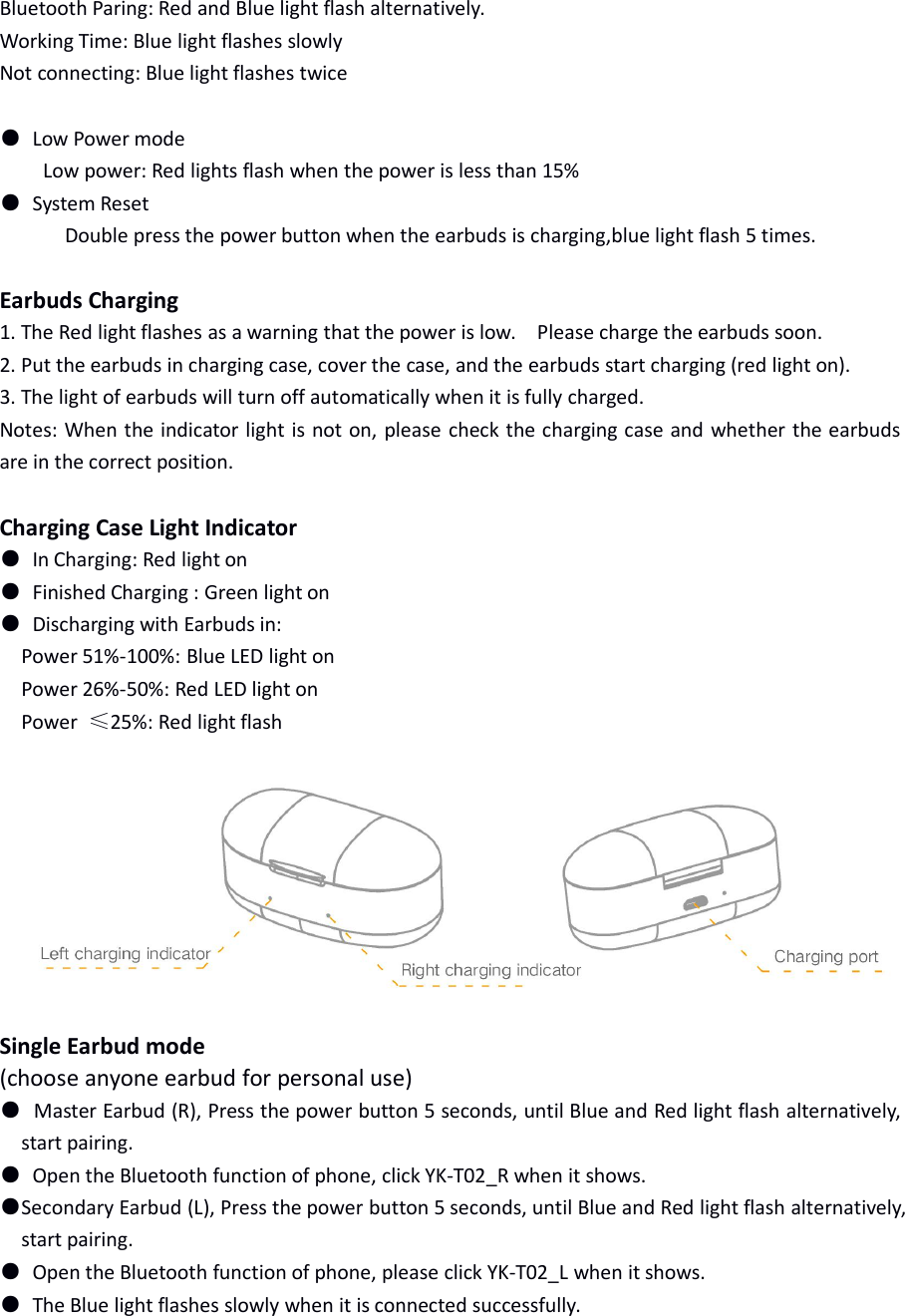
Battery Capacity: 3.7V/50mAhOutput: 10mWFrequency Response: 20Hz-20KHzMusic Time: about 3 hoursTalking Time: about 3 hoursStandby Time: about 120 hoursCharging Time: about 1 hourResponse Range: 10 meter (without any obstacle)Working Condition: -10 to 50 degrees celciusSupport Model: HSP/HFP/A2DP/AVRCPCharging Case DataBattery Capacity: 3.7V/500mAhCharging Time: About 2 hoursRecharging the Earbuds: 3 timesInput Standard: MICRO USB 5V/1AEarbuds Function OperationPower on: Press the power button 3 seconds until the blue light on.Shutdown: Press the power button 3 seconds until the red light on.Answer/Hand up: Press the power button.Play music/Pause: Press the power button.Next music: Double press the power button.Hearing aid function: Press the power button 3 times to turn on or off.Reject Calling: Press the power button 2 seconds and release.Phone Transfer: Press the power button 1 second, it will transfer between Bluetooth and phone.Silent Mode: Double press the power button to open and close voice when talking.Bluetooth Paring: Press the power button 5 seconds, until red and blue light flash alternately.System Reset: Long press the power button 12 seconds until red and blue light flash 5times.Earbud Indication●Connecting Mode1. Power on: Blue light onShut down: Red light on
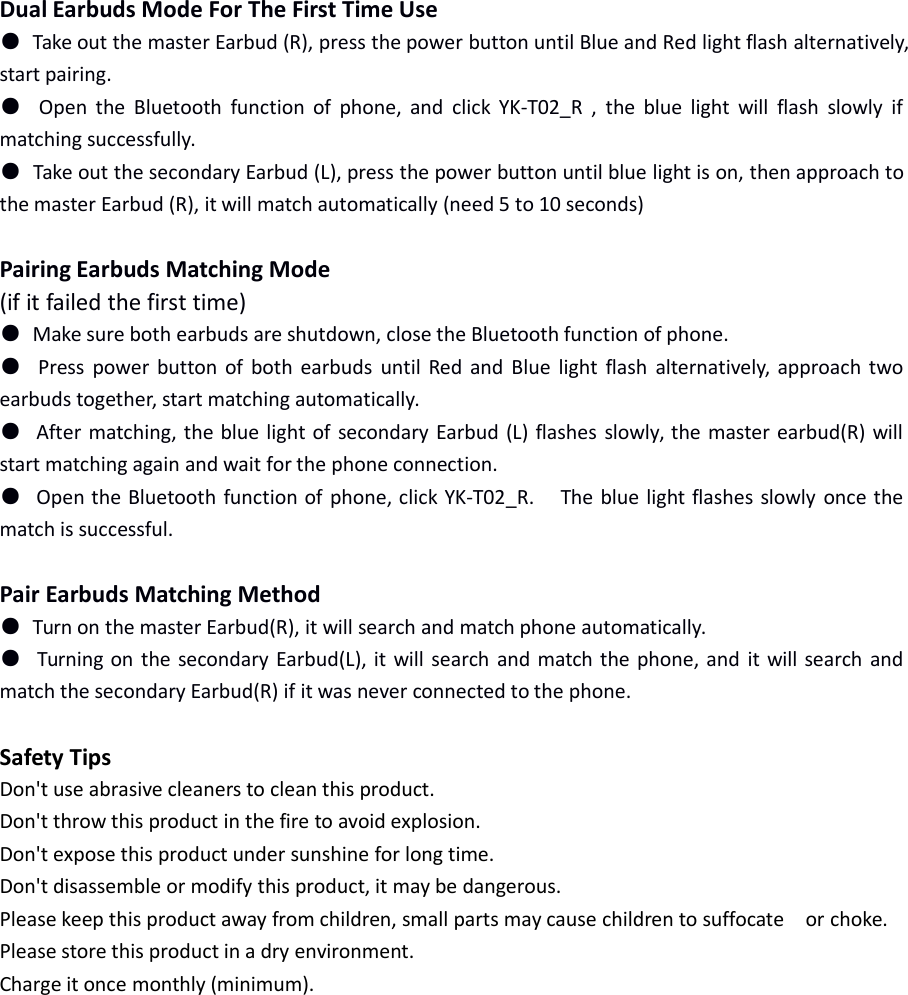
Bluetooth Paring: Red and Blue light flash alternatively.Working Time: Blue light flashes slowlyNot connecting: Blue light flashes twice●Low Power modeLow power: Red lights flash when the power is less than 15%●System ResetDouble press the power button when the earbuds is charging,blue light flash 5 times.Earbuds Charging1. The Red light flashes as a warning that the power is low. Please charge the earbuds soon.2. Put the earbuds in charging case, cover the case, and the earbuds start charging (red light on).3. The light of earbuds will turn off automatically when it is fully charged.Notes: When the indicator light is not on, please check the charging case and whether the earbudsare in the correct position.Charging Case Light Indicator●In Charging: Red light on●Finished Charging : Green light on●Discharging with Earbuds in:Power 51%-100%: Blue LED light onPower 26%-50%: Red LED light onPower ≤25%: Red light flashSingle Earbud mode(choose anyone earbud for personal use)●Master Earbud (R), Press the power button 5 seconds, until Blue and Red light flash alternatively,start pairing.●Open the Bluetooth function of phone, click YK-T02_R when it shows.●Secondary Earbud (L), Press the power button 5 seconds, until Blue and Red light flash alternatively,start pairing.●Open the Bluetooth function of phone, please click YK-T02_L when it shows.●The Blue light flashes slowly when it is connected successfully.
Dual Earbuds Mode For The First Time Use●Take out the master Earbud (R), press the power button until Blue and Red light flash alternatively,start pairing.●Open the Bluetooth function of phone, and click YK-T02_R , the blue light will flash slowly ifmatching successfully.●Take out the secondary Earbud (L), press the power button until blue light is on, then approach tothe master Earbud (R), it will match automatically (need 5 to 10 seconds)Pairing Earbuds Matching Mode(if it failed the first time)●Make sure both earbuds are shutdown, close the Bluetooth function of phone.●Press power button of both earbuds until Red and Blue light flash alternatively, approach twoearbuds together, start matching automatically.●After matching, the blue light of secondary Earbud (L) flashes slowly, the master earbud(R) willstart matching again and wait for the phone connection.●Open the Bluetooth function of phone, click YK-T02_R. The blue light flashes slowly once thematch is successful.Pair Earbuds Matching Method●Turn on the master Earbud(R), it will search and match phone automatically.●Turning on the secondary Earbud(L), it will search and match the phone, and it will search andmatch the secondary Earbud(R) if it was never connected to the phone.Safety TipsDon't use abrasive cleaners to clean this product.Don't throw this product in the fire to avoid explosion.Don't expose this product under sunshine for long time.Don't disassemble or modify this product, it may be dangerous.Please keep this product away from children, small parts may cause children to suffocate or choke.Please store this product in a dry environment.Charge it once monthly (minimum).
FCC STATEMENT :This device complies with Part 15 of the FCC Rules. Operation is subjectto the following two conditions:(1) This device may not cause harmful interference, and(2) This device must accept any interference received, includinginterference that may cause undesired operation.Warning: Changes or modifications not expressly approved by the partyresponsible for compliance could void the user's authority to operate theequipment.NOTE: This equipment has been tested and found to comply with thelimits for a Class B digital device, pursuant to Part 15 of the FCC Rules.These limits are designed to provide reasonable protection againstharmful interference in a residential installation. This equipmentgenerates uses and can radiate radio frequency energy and, if notinstalled and used in accordance with the instructions, may cause harmfulinterference to radio communications. However, there is no guaranteethat interference will not occur in a particular installation. If this equipmentdoes cause harmful interference to radio or television reception, whichcan be determined by turning the equipment off and on, the user isencouraged to try to correct the interference by one or more of thefollowing measures:Reorient or relocate the receiving antenna.Increase the separation between the equipment and receiver.Connect the equipment into an outlet on a circuit different from that towhich the receiver is connected.Consult the dealer or an experienced radio/TV technician for help.RF warning statement:The device has been evaluated to meet general RF exposurerequirement. The device can be used in portable exposure conditionwithout restriction.

Navigation menu