Yamaha 2008 Royal Star Venture Owners Manual XVZ13TFX(C) / XVZ13TFSX(C) OWNER'S
Yamaha-2008-Royal-Star-Venture-S-Owners-Manual-648456 yamaha-2008-royal-star-venture-s-owners-manual-648456
2015-03-13
: Yamaha 2008-Royal-Star-Venture-Owners-Manual yamaha-2008-royal-star-venture-owners-manual-648455 yamaha pdf
Open the PDF directly: View PDF  .
.
Page Count: 126 [warning: Documents this large are best viewed by clicking the View PDF Link!]
- VENTURE XVZ13TFX(C) / XVZ13TFSX(C) OWNER'S MANUAL
- INTRODUCTION
- IMPORTANT MANUAL INFORMATION
- TABLE OF CONTENTS
- SAFETY INFORMATION
- DESCRIPTION
- INSTRUMENT AND CONTROL FUNCTIONS
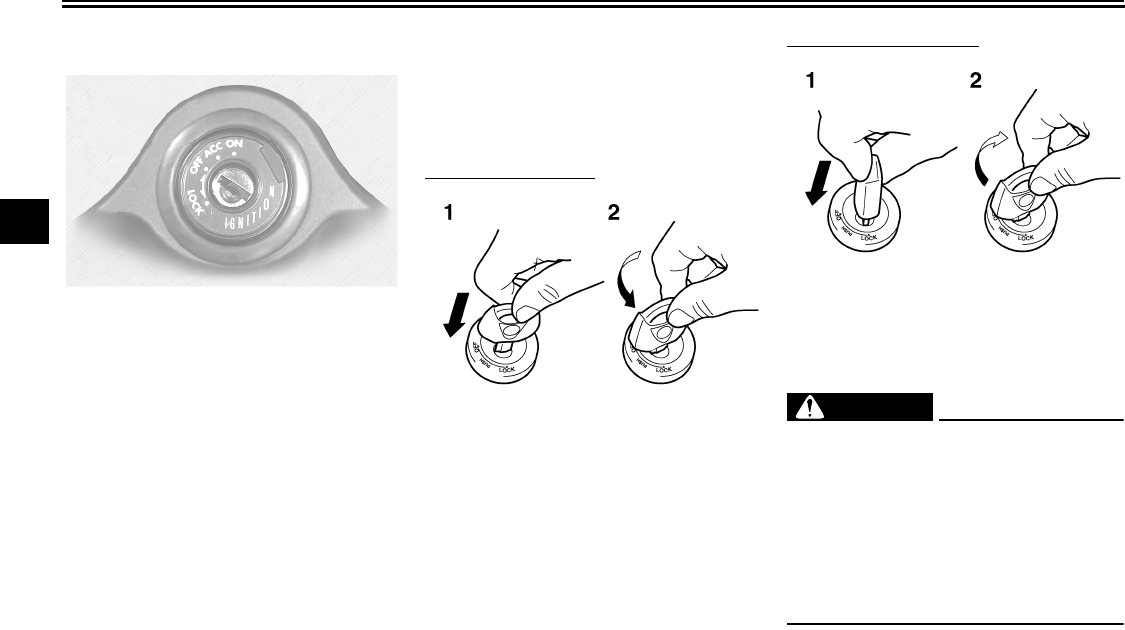
- Main switch/steering lock
- ACC (Accessory)
- Indicator and warning lights
- Speedometer unit
- Cruise control system
- Handlebar switches
- Clutch lever
- Fuel tank cap
- Fuel
- Fuel cock
- Starter (choke) knob
- Locking the steering with a padlock
- Rider seat
- Helmet holders
- Sidecases and travel trunk
- Adjusting the front fork
- Adjusting the shock absorber assembly
- Sidestand
- Ignition circuit cut-off system
- Auxiliary DC jack and connector
- AUDIO SYSTEM AND CB RADIO
- PRE-OPERATION CHECKS
- OPERATION AND IMPORTANT RIDING POINTS
- PERIODIC MAINTENANCE AND MINOR REPAIR
- PERIODIC MAINTENANCE
- Owner's tool kit
- Periodic maintenance chart for the emission control system
- General maintenance and lubrication chart
- Removing and installing cowlings and panels
- Checking the spark plugs
- Canister (for California only)
- Engine oil and oil filter cartridge
- Final gear oil
- Coolant
- Cleaning the air filter elements
- Carburetors
- Checking the engine idling speed
- Checking the throttle cable free play
- Valve clearance
- Tires
- Cast wheels
- Accessories and replacement parts
- Clutch lever
- Adjusting the brake lever free play
- Adjusting the rear brake light switch
- Checking the front and rear brake pads
- Checking the brake and clutch fluid levels
- Changing the brake and clutch fluids
- Checking and lubricating the cables
- Checking and lubricating the throttle grip and cable
- Checking and lubricating the brake and shift pedals
- Checking and lubricating the brake and clutch levers
- Checking and lubricating the sidestand
- Lubricating the swingarm pivots
- Lubricating the rear suspension
- Checking the front fork
- Checking the steering
- Checking the wheel bearings
- Battery
- Replacing the fuses
- Replacing the headlight bulb
- Replacing a turn signal light bulb or the tail/brake light bulb
- Supporting the motorcycle
- Troubleshooting
- Troubleshooting charts
- MOTORCYCLE CARE AND STORAGE
- SPECIFICATIONS
- CONSUMER INFORMATION
- INDEX

2C9-28199-12
XVZ13TFX(C)
XVZ13TFSX(C)
OWNER’S MANUAL
LIT-11626-21-42
EAU10041
U2C912E0.book Page 1 Tuesday, June 12, 2007 9:27 AM

INTRODUCTION
EAU10080
Congratulations on your purchase of the Yamaha Royal Star™ VENTURE®. This model is the result of Yamaha’s vast ex-
perience in the production of fine sporting, touring, and pacesetting racing machines. It represents the high degree of crafts-
manship and reliability that have made Yamaha a leader in these fields.
This manual will give you an understanding of the operation, inspection, and basic maintenance of this motorcycle. If you
have any questions concerning the operation or maintenance of your motorcycle, please consult a Yamaha dealer.
The design and manufacture of this Yamaha motorcycle fully comply with the emissions standards for clean air applicable at
the date of manufacture. Yamaha has met these standards without reducing the performance or economy of operation of the
motorcycle. To maintain these high standards, it is important that you and your Yamaha dealer pay close attention to the
recommended maintenance schedules and operating instructions contained within this manual.
U2C912E0.book Page 1 Tuesday, June 12, 2007 9:27 AM
IMPORTANT MANUAL INFORMATION
EAU10131
Particularly important information is distinguished in this manual by the following notations:
NOTE:
●This manual should be considered a permanent part of this motorcycle and should remain with it even if the motorcycle
is subsequently sold.
●Yamaha continually seeks advancements in product design and quality. Therefore, while this manual contains the most
current product information available at the time of printing, there may be minor discrepancies between your motorcycle
and this manual. If you have any questions concerning this manual, please consult your Yamaha dealer.
WARNING
EWA10010
PLEASE READ THIS MANUAL AND THE “YOU AND YOUR MOTORCYCLE: RIDING TIPS” BOOKLET CAREFULLY
AND COMPLETELY BEFORE OPERATING THIS MOTORCYCLE. DO NOT ATTEMPT TO OPERATE THIS MOTOR-
CYCLE UNTIL YOU HAVE ATTAINED ADEQUATE KNOWLEDGE OF ITS CONTROLS AND OPERATING FEATURES
The Safety Alert Symbol means ATTENTION! BECOME ALERT! YOUR SAFETY IS
INVOLVED!
Failure to follow WARNING instructions could result in severe injury or death to the
motorcycle operator, a bystander or a person inspecting or repairing the motor-
cycle.
A CAUTION indicates special precautions that must be taken to avoid damage to
the motorcycle.
A NOTE provides key information to make procedures easier or clearer.
WARNING
CAUTION:
NOTE:
U2C912E0.book Page 1 Tuesday, June 12, 2007 9:27 AM

IMPORTANT MANUAL INFORMATION
AND UNTIL YOU HAVE BEEN TRAINED IN SAFE AND PROPER RIDING TECHNIQUES. REGULAR INSPECTIONS
AND CAREFUL MAINTENANCE, ALONG WITH GOOD RIDING SKILLS, WILL ENSURE THAT YOU SAFELY ENJOY
THE CAPABILITIES AND THE RELIABILITY OF THIS MOTORCYCLE.
*Product and specifications are subject to change without notice.
U2C912E0.book Page 2 Tuesday, June 12, 2007 9:27 AM
IMPORTANT MANUAL INFORMATION
EAU10192
XVZ13TFX(C)/XVZ13TFSX(C)
OWNER’S MANUAL
©2007 by Yamaha Motor Corporation, U.S.A.
1st edition, May 2007
All rights reserved.
Any reprinting or unauthorized use
without the written permission of
Yamaha Motor Corporation, U.S.A.
is expressly prohibited.
Printed in Japan.
P/N LIT-11626-21-42
AFFIX DEALER
LABEL HERE
U2C912E0.book Page 3 Tuesday, June 12, 2007 9:27 AM

TABLE OF CONTENTS
SAFETY INFORMATION ..................1-1
Location of important labels ...........1-5
DESCRIPTION ..................................2-1
Left view ..........................................2-1
Right view........................................2-2
Controls and instruments ................2-3
INSTRUMENT AND CONTROL
FUNCTIONS.......................................3-1
Main switch/steering lock ................3-1
Indicator and warning lights ............3-2
Speedometer unit ...........................3-4
Cruise control system .....................3-5
Handlebar switches ........................3-7
Clutch lever ....................................3-8
Shift pedal ......................................3-9
Brake lever .....................................3-9
Brake pedal ....................................3-9
Fuel tank cap ................................3-10
Fuel ..............................................3-10
Fuel cock ......................................3-11
Starter (choke) knob .....................3-12
Locking the steering with
a padlock ...................................3-13
Rider seat .....................................3-13
Helmet holders .............................3-14
Sidecases and travel trunk ...........3-14
Adjusting the front fork .................3-16
Adjusting the shock absorber
assembly ...................................3-17
Sidestand ..................................... 3-18
Ignition circuit cut-off system ....... 3-19
Auxiliary DC jack and
connector .................................. 3-21
AUDIO SYSTEM AND CB RADIO ... 4-1
Location of parts ............................ 4-1
Headsets (optional) ........................ 4-2
Control unit .................................... 4-3
Making basic settings .................... 4-4
Making mode settings .................... 4-6
Cassette deck operation ................ 4-9
Radio operation ........................... 4-11
Optional CD changer operation ... 4-15
CB radio operation ....................... 4-16
Auxiliary audio source
operation .................................. 4-20
PRE-OPERATION CHECKS ............. 5-1
Pre-operation check list ................. 5-2
OPERATION AND IMPORTANT
RIDING POINTS ................................ 6-1
Starting and warming up a cold
engine ......................................... 6-1
Starting a warm engine .................. 6-3
Shifting ........................................... 6-3
Engine break-in .............................. 6-4
Parking ........................................... 6-5
PERIODIC MAINTENANCE AND
MINOR REPAIR ................................. 7-1
PERIODIC MAINTENANCE ...........7-1
Owner’s tool kit ...............................7-1
Periodic maintenance chart for the
emission control system ............. 7-3
General maintenance and
lubrication chart ..........................7-4
Removing and installing cowlings
and panels .................................. 7-8
Checking the spark plugs .............7-11
Canister (for California only) ........ 7-12
Engine oil and oil filter cartridge ...7-12
Final gear oil ................................. 7-15
Coolant .........................................7-16
Cleaning the air filter elements ..... 7-18
Carburetors .................................. 7-20
Checking the engine idling
speed ........................................7-20
Checking the throttle cable free
play ...........................................7-20
Valve clearance ............................ 7-21
Tires .............................................7-21
Cast wheels .................................. 7-23
Accessories and replacement
parts ..........................................7-23
Clutch lever ..................................7-24
Adjusting the brake lever free
play ...........................................7-24
Adjusting the rear brake light
switch ........................................7-25
U2C912E0.book Page 1 Tuesday, June 12, 2007 9:27 AM

TABLE OF CONTENTS
Checking the front and rear brake
pads ..........................................7-25
Checking the brake and clutch
fluid levels .................................7-26
Changing the brake and clutch
fluids ..........................................7-27
Checking and lubricating the
cables ........................................7-28
Checking and lubricating the
throttle grip and cable ................7-28
Checking and lubricating the
brake and shift pedals ...............7-28
Checking and lubricating the
brake and clutch levers .............7-29
Checking and lubricating the
sidestand ...................................7-29
Lubricating the swingarm pivots ...7-30
Lubricating the rear suspension ...7-30
Checking the front fork .................7-30
Checking the steering ...................7-31
Checking the wheel bearings .......7-32
Battery ..........................................7-32
Replacing the fuses ......................7-33
Replacing the headlight bulb ........7-35
Replacing a turn signal light bulb
or the tail/brake light bulb ..........7-36
Supporting the motorcycle ............7-37
Troubleshooting ............................7-37
Troubleshooting charts .................7-38
MOTORCYCLE CARE AND
STORAGE.......................................... 8-1
Matte color caution .........................8-1
Cleaning ......................................... 8-1
Storage ........................................... 8-2
SPECIFICATIONS ............................ 9-1
CONSUMER INFORMATION .......... 10-1
Identification numbers ..................10-1
Reporting safety defects .............. 10-3
Motorcycle noise regulation ......... 10-4
Maintenance record ..................... 10-5
YAMAHA MOTOR
CORPORATION, U.S.A.
ROYAL STAR™ VENTURE®
LIMITED WARRANTY .............. 10-7
U2C912E0.book Page 2 Tuesday, June 12, 2007 9:27 AM

1-1
1
SAFETY INFORMATION
EAU10251
MOTORCYCLES ARE SINGLE
TRACK VEHICLES. THEIR SAFE USE
AND OPERATION ARE DEPENDENT
UPON THE USE OF PROPER RIDING
TECHNIQUES AS WELL AS THE EX-
PERTISE OF THE OPERATOR. EV-
ERY OPERATOR SHOULD KNOW
THE FOLLOWING REQUIREMENTS
BEFORE RIDING THIS MOTOR-
CYCLE.
HE OR SHE SHOULD:
●OBTAIN THOROUGH INSTRUC-
TIONS FROM A COMPETENT
SOURCE ON ALL ASPECTS OF
MOTORCYCLE OPERATION.
●OBSERVE THE WARNINGS AND
MAINTENANCE REQUIRE-
MENTS IN THE OWNER’S MAN-
UAL.
●OBTAIN QUALIFIED TRAINING
IN SAFE AND PROPER RIDING
TECHNIQUES.
●OBTAIN PROFESSIONAL TECH-
NICAL SERVICE AS INDICATED
BY THE OWNER’S MANUAL
AND/OR WHEN MADE NECES-
SARY BY MECHANICAL CONDI-
TIONS.
Safe riding
●Always make pre-operation
checks. Careful checks may help
prevent an accident.
●This motorcycle is designed to car-
ry the operator and a passenger.
●The failure of motorists to detect
and recognize motorcycles in traf-
fic is the predominating cause of
automobile/motorcycle accidents.
Many accidents have been caused
by an automobile driver who did
not see the motorcycle. Making
yourself conspicuous appears to
be very effective in reducing the
chance of this type of accident.
Therefore:
•Wear a brightly colored jacket.
•Use extra caution when ap-
proaching and passing through
intersections, since intersec-
tions are the most likely places
for motorcycle accidents to oc-
cur.
•Ride where other motorists can
see you. Avoid riding in another
motorist’s blind spot.
●Many motorcycle accidents in-
volve inexperienced operators. In
fact, many operators who have
been involved in accidents do not
even have a current motorcycle li-
cense.
•Make sure that you are qualified
and that you only lend your
motorcycle to other qualified op-
erators.
•Know your skills and limits.
Staying within your limits may
help you to avoid an accident.
•We recommend that you prac-
tice riding your motorcycle
where there is no traffic until you
have become thoroughly famil-
iar with the motorcycle and all of
its controls.
●Many motorcycle accidents have
been caused by error of the motor-
cycle operator. A typical error
made by the operator is veering
U2C912E0.book Page 1 Tuesday, June 12, 2007 9:27 AM

SAFETY INFORMATION
1-2
1
wide on a turn due to EXCESSIVE
SPEED or undercornering (insuffi-
cient lean angle for the speed).
•Always obey the speed limit and
never travel faster than warrant-
ed by road and traffic conditions.
•Always signal before turning or
changing lanes. Make sure that
other motorists can see you.
●The posture of the operator and
passenger is important for proper
control.
•The operator should keep both
hands on the handlebar and
both feet on the operator foot-
rests during operation to main-
tain control of the motorcycle.
•The passenger should always
hold onto the operator, seat
strap, or grab bar, if equipped,
with both hands and keep both
feet on the passenger footrests.
•Never carry a passenger unless
he or she can firmly place both
feet on the passenger footrests.
●Never ride under the influence of
alcohol or other drugs.
●This motorcycle is designed for on-
road use only, therefore, it is not
suitable for off-road use.
Protective apparel
The majority of fatalities from motor-
cycle accidents are the result of head
injuries. The use of a safety helmet is
the single most critical factor in the pre-
vention or reduction of head injuries.
●Always wear an approved helmet.
●Wear a face shield or goggles.
Wind in your unprotected eyes
could contribute to an impairment
of vision which could delay seeing
a hazard.
●The use of a jacket, heavy boots,
trousers, gloves, etc., is effective in
preventing or reducing abrasions
or lacerations.
●Never wear loose-fitting clothes,
otherwise they could catch on the
control levers, footrests, or wheels
and cause injury or an accident.
●Never touch the engine or exhaust
system during or after operation.
They become very hot and can
cause burns. Always wear protec-
tive clothing that covers your legs,
ankles, and feet.
●Passengers should also observe
the precautions mentioned above.
Modifications
Modifications made to this motorcycle
not approved by Yamaha, or the re-
moval of original equipment, may ren-
der the motorcycle unsafe for use and
may cause severe personal injury.
Modifications may also make your
motorcycle illegal to use.
Loading and accessories
Adding accessories or cargo to your
motorcycle can adversely affect stabili-
ty and handling if the weight distribution
of the motorcycle is changed. To avoid
the possibility of an accident, use ex-
treme caution when adding cargo or
accessories to your motorcycle. Use
extra care when riding a motorcycle
that has added cargo or accessories.
Here are some general guidelines to
follow if loading cargo or adding acces-
sories to your motorcycle:
U2C912E0.book Page 2 Tuesday, June 12, 2007 9:27 AM

SAFETY INFORMATION
1-3
1
Loading
The total weight of the operator, pas-
senger, accessories and cargo must
not exceed the maximum load limit.
When loading within this weight limit,
keep the following in mind:
●Cargo and accessory weight
should be kept as low and close to
the motorcycle as possible. Make
sure to distribute the weight as
evenly as possible on both sides of
the motorcycle to minimize imbal-
ance or instability.
●Shifting weights can create a sud-
den imbalance. Make sure that ac-
cessories and cargo are securely
attached to the motorcycle before
riding. Check accessory mounts
and cargo restraints frequently.
●Never attach any large or heavy
items to the handlebar, front fork,
or front fender. These items, in-
cluding such cargo as sleeping
bags, duffel bags, or tents, can
create unstable handling or slow
steering response.
Accessories
Genuine Yamaha accessories have
been specifically designed for use on
this motorcycle. Since Yamaha cannot
test all other accessories that may be
available, you must personally be re-
sponsible for the proper selection, in-
stallation and use of non-Yamaha
accessories. Use extreme caution
when selecting and installing any ac-
cessories.
Keep the following guidelines in mind,
as well as those provided under “Load-
ing” when mounting accessories.
●Never install accessories or carry
cargo that would impair the perfor-
mance of your motorcycle. Care-
fully inspect the accessory before
using it to make sure that it does
not in any way reduce ground
clearance or cornering clearance,
limit suspension travel, steering
travel or control operation, or ob-
scure lights or reflectors.
•Accessories fitted to the handle-
bar or the front fork area can
create instability due to improper
weight distribution or aerody-
namic changes. If accessories
are added to the handlebar or
front fork area, they must be as
lightweight as possible and
should be kept to a minimum.
•Bulky or large accessories may
seriously affect the stability of
the motorcycle due to aerody-
namic effects. Wind may at-
tempt to lift the motorcycle, or
the motorcycle may become un-
stable in cross winds. These ac-
cessories may also cause
instability when passing or being
passed by large vehicles.
•Certain accessories can dis-
place the operator from his or
her normal riding position. This
improper position limits the free-
dom of movement of the opera-
Maximum load:
190 kg (419 lb)
U2C912E0.book Page 3 Tuesday, June 12, 2007 9:27 AM

SAFETY INFORMATION
1-4
1
tor and may limit control ability,
therefore, such accessories are
not recommended.
●Use caution when adding electri-
cal accessories. If electrical acces-
sories exceed the capacity of the
motorcycle’s electrical system, an
electric failure could result, which
could cause a dangerous loss of
lights or engine power.
Gasoline and exhaust gas
●GASOLINE IS HIGHLY FLAMMA-
BLE:
•Always turn the engine off when
refueling.
•Take care not to spill any gaso-
line on the engine or exhaust
system when refueling.
•Never refuel while smoking or in
the vicinity of an open flame.
●Never start the engine or let it run
for any length of time in a closed
area. The exhaust fumes are poi-
sonous and may cause loss of
consciousness and death within a
short time. Always operate your
motorcycle in an area that has ad-
equate ventilation.
●Always turn the engine off before
leaving the motorcycle unattended
and remove the key from the main
switch. When parking the motor-
cycle, note the following:
•The engine and exhaust system
may be hot, therefore, park the
motorcycle in a place where pe-
destrians or children are not like-
ly to touch these hot areas.
•Do not park the motorcycle on a
slope or soft ground, otherwise it
may fall over.
•Do not park the motorcycle near
a flammable source (e.g. a kero-
sene heater, or near an open
flame), otherwise it could catch
fire.
●When transporting the motorcycle
in another vehicle, make sure that
it is kept upright and that the fuel
cock is turned to “ON” or “RES” (for
vacuum type) / “OFF” (for manual
type). If it should lean over, gaso-
line may leak out of the carburetor
or fuel tank.
●If you should swallow any gaso-
line, inhale a lot of gasoline vapor,
or allow gasoline to get into your
eyes, see your doctor immediately.
If any gasoline spills on your skin
or clothing, immediately wash the
affected area with soap and water
and change your clothes.
U2C912E0.book Page 4 Tuesday, June 12, 2007 9:27 AM
SAFETY INFORMATION
1-5
1
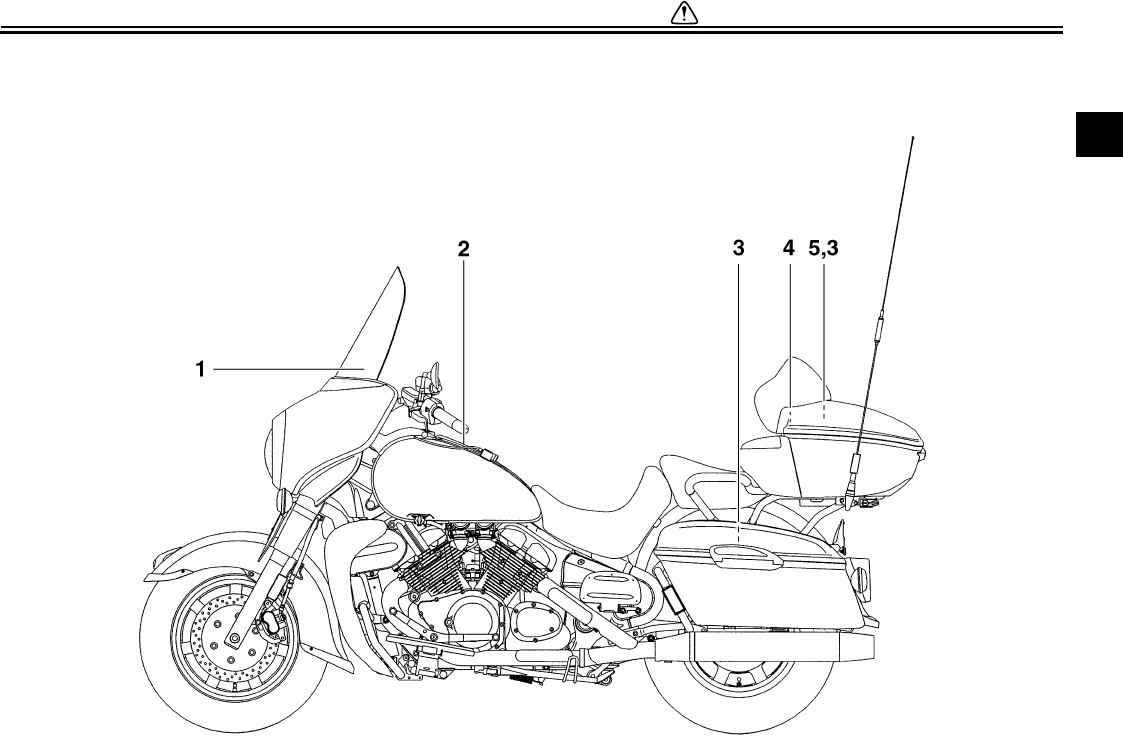
EAU10381
Location of important labels
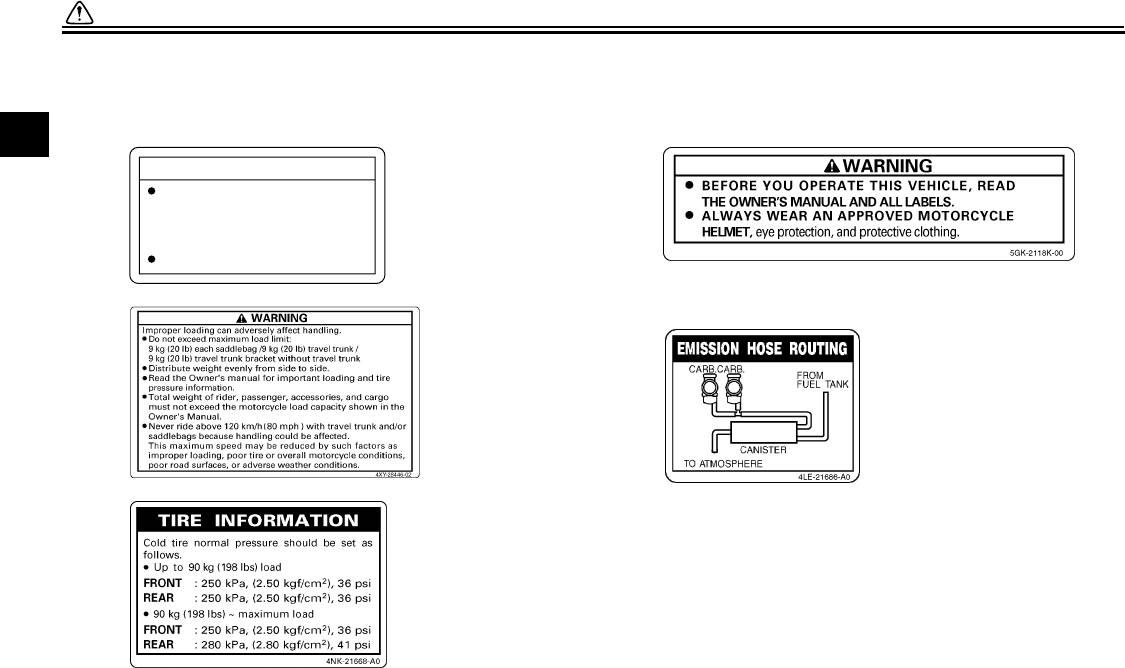
Please read the following important labels carefully before operating this vehicle.
U2C912E0.book Page 5 Tuesday, June 12, 2007 9:27 AM
SAFETY INFORMATION
1-6
1
1
5
3
2
CAUTION
Cleaning with alkaline or
acid cleaner, gasoline or
solvent will damage
windshield.
Use neutral detergent.
5JW-00
(5JW-2835Y-00)
4 CALIFORNIA ONLY
U2C912E0.book Page 6 Tuesday, June 12, 2007 9:27 AM
DESCRIPTION
2-1
2
EAU10410
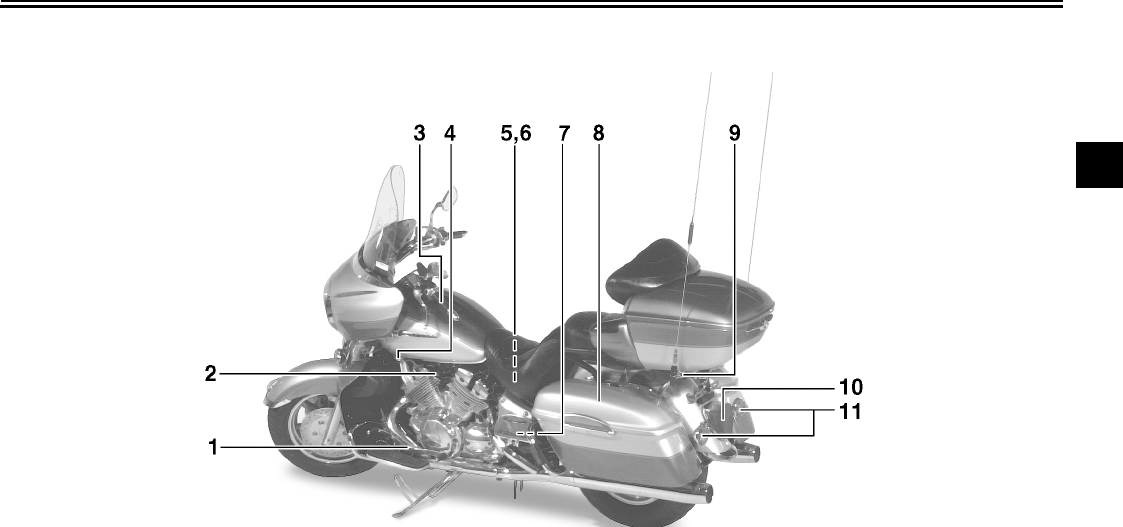
Left view
1. Shift pedal (page 3-9)
2. Starter (choke) knob (page 3-12)
3. Fuel tank cap (page 3-10)
4. Fuel cock (page 3-11)
5. Battery (page 7-32)
6. Coolant reservoir (page 7-16)
7. Fuse box 2 (page 7-33)
8. Sidecase (page 3-14)
9. Helmet holder (page 3-14)
10.Tail/brake light (page 7-36)
11.Rear turn signal light (page 7-36)
U2C912E0.book Page 1 Tuesday, June 12, 2007 9:27 AM
DESCRIPTION
2-2
2
EAU10420
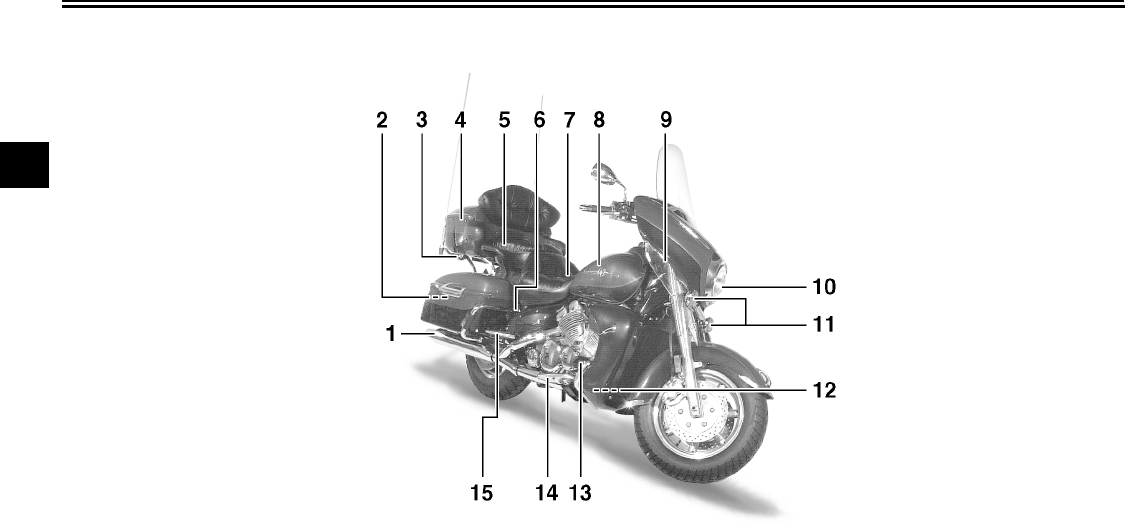
Right view
1. Muffler
2. Owner’s tool kit (page 7-1)
3. Helmet holder (page 3-14)
4. Travel trunk (page 3-14)
5. Passenger seat
6. Shock absorber assembly air valve (page 3-17)
7. Rider seat (page 3-13)
8. Fuel tank (page 3-10)
9. Front fork air valve (page 3-16)
10.Headlight (page 7-35)
11.Front turn signal/position lights (page 7-36)
12.Fuse box 1 (page 7-33)
13.Brake pedal (page 3-9)
14.Rider footrest
15.Passenger footrest
U2C912E0.book Page 2 Tuesday, June 12, 2007 9:27 AM
DESCRIPTION
2-3
2
EAU10430
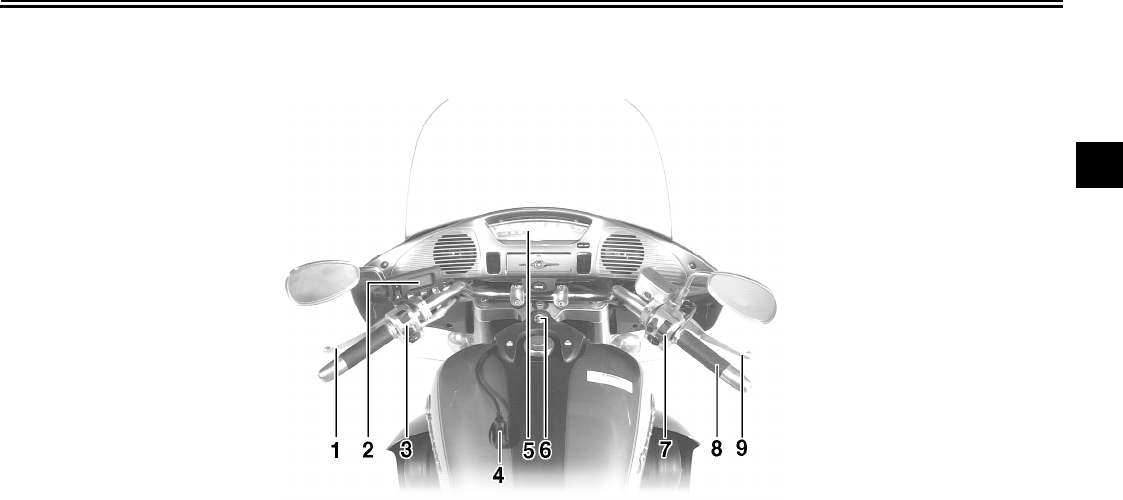
Controls and instruments
1. Clutch lever (page 3-8)
2. Audio system/CB radio control unit (page 4-3)
3. Left handlebar switches (page 3-7)
4. Rider headset jack (page 4-2)
5. Speedometer unit (page 3-4)
6. Main switch/steering lock (page 3-1)
7. Right handlebar switches (page 3-7)
8. Throttle grip (page 7-20)
9. Brake lever (page 3-9)
U2C912E0.book Page 3 Tuesday, June 12, 2007 9:27 AM
INSTRUMENT AND CONTROL FUNCTIONS
3-1
3
EAU10460
Main switch/steering lock
The main switch/steering lock controls
the ignition and lighting systems, and is
used to lock the steering. The various
positions are described below.
EAU10510
ON
All electrical systems are supplied with
power, and the headlight, meter light-
ing, taillight and position lights come
on, and the engine can be started. The
key cannot be removed.
EAU10660
OFF
All electrical systems are off. The key
can be removed.
EAU10680
LOCK
The steering is locked, and all electrical
systems are off. The key can be re-
moved.
To lock the steering
1. Turn the handlebars all the way to
the left.
2. Push the key in from the “OFF” po-
sition, and then turn it to “LOCK”
while still pushing it.
3. Remove the key.
To unlock the steering
Push the key in, and then turn it to
“OFF” while still pushing it.
WARNING
EWA10060
Never turn the key to “OFF” or
“LOCK” while the vehicle is moving,
otherwise the electrical systems will
be switched off, which may result in
loss of control or an accident. Make
sure that the vehicle is stopped be-
fore turning the key to “OFF” or
“LOCK”.
1. Push.
2. Turn.
1. Push.
2. Turn.
U2C912E0.book Page 1 Tuesday, June 12, 2007 9:27 AM
INSTRUMENT AND CONTROL FUNCTIONS
3-2
3
EAU10951
ACC (Accessory)
The audio system and the auxiliary DC
jack and connector can be used in this
position. Do not use the accessory po-
sition for an extended period of time,
otherwise the battery may discharge.
The key cannot be removed.
EAU11003
Indicator and warning lights
EAU11030
Turn signal indicator lights “”
and “”
The corresponding indicator light flash-
es when the turn signal switch is
pushed to the left or right.
EAU11060
Neutral indicator light “”
This indicator light comes on when the
transmission is in the neutral position.
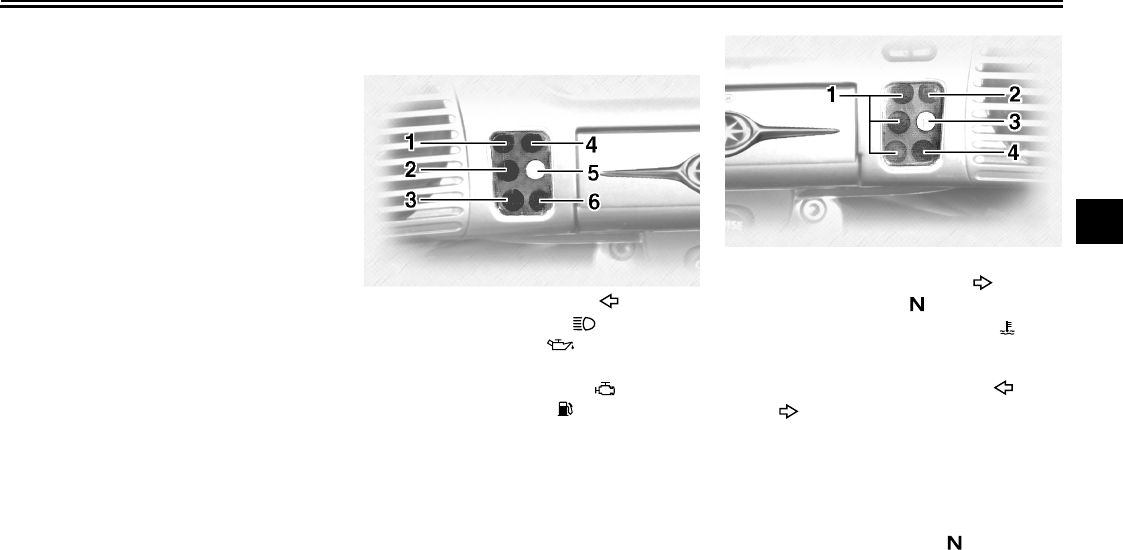
1. Left turn signal indicator light “”
2. High beam indicator light “”
3. Oil level warning light “”
4. Overdrive indicator light “O/D”
5. Engine trouble warning light “”
6. Fuel level warning light “”
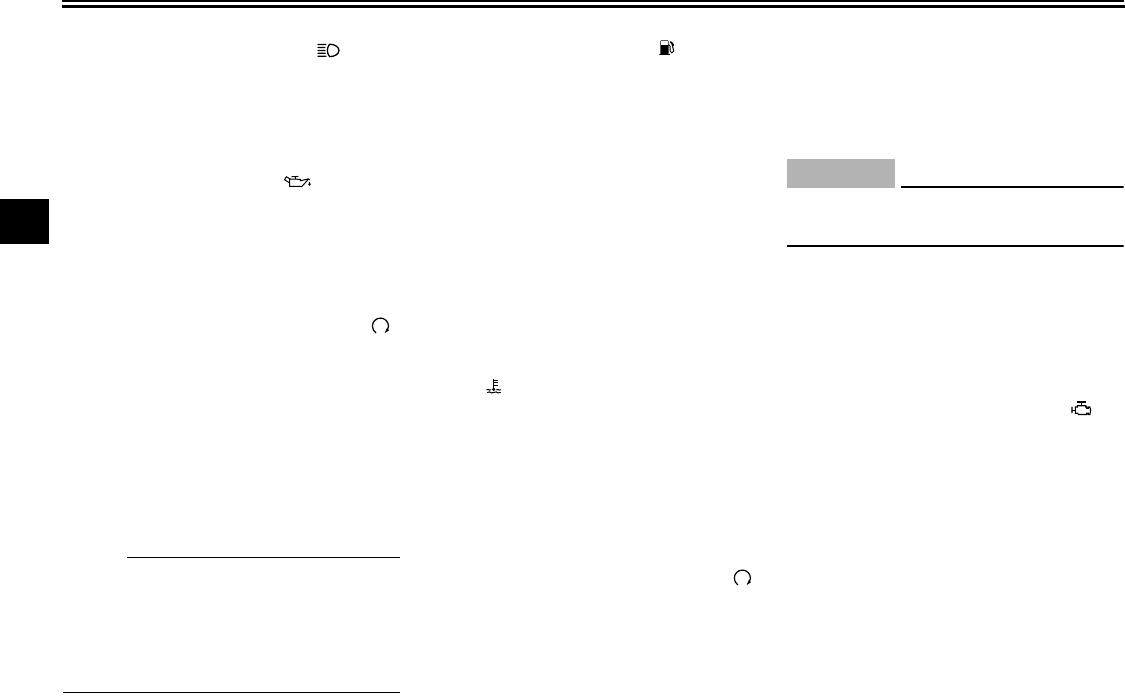
1. Cruise control indicator lights
2. Right turn signal indicator light “”
3. Neutral indicator light “”
4. Coolant temperature warning light “”
U2C912E0.book Page 2 Tuesday, June 12, 2007 9:27 AM
INSTRUMENT AND CONTROL FUNCTIONS
3-3
3
EAU11080
High beam indicator light “”
This indicator light comes on when the
high beam of the headlight is switched
on.
EAU11140
Oil level warning light “”
This warning light comes on when the
engine oil level is low.
The electrical circuit of the warning light
can be checked according to the follow-
ing procedure.
1. Set the engine stop switch to “”
and turn the key to “ON”.
2. Shift the transmission into the neu-
tral position or pull the clutch lever.
3. Push the start switch. If the warn-
ing light does not come on while
pushing the start switch, have a
Yamaha dealer check the electri-
cal circuit.
NOTE:
Even if the oil level is sufficient, the
warning light may flicker when riding on
a slope or during sudden acceleration
or deceleration, but this is not a mal-
function.
EAU11270
Fuel level warning light “”
This warning light comes on when the
fuel level drops below approximately
3.5 L (0.92 US gal) (0.77 Imp.gal).
When this occurs, turn the fuel cock le-
ver to the “RES” position and refuel as
soon as possible.
EAU11380
Cruise control indicator lights
See page 3-5 for an explanation of
these indicator lights.
EAU11410
Coolant temperature warning
light “”
This warning light comes on when the
engine overheats. When this occurs,
stop the engine immediately and allow
the engine to cool.
The electrical circuit of the warning light
can be checked according to the follow-
ing procedure.
1. Set the engine stop switch to “”
and turn the key to “ON”.
2. Shift the transmission into the neu-
tral position or pull the clutch lever.
3. Push the start switch. If the warn-
ing light does not come on while
pushing the start switch, have a
Yamaha dealer check the electri-
cal circuit.
CAUTION:
ECA10020
Do not operate the engine if it is
overheated.
EAU11450
Overdrive indicator light “O/D”
This indicator light comes on when the
transmission is in overdrive (5th gear).
EAU11500
Engine trouble warning light “”
This warning light comes on or flashes
when an electrical circuit monitoring the
engine is defective. When this occurs,
have a Yamaha dealer check the self-
diagnosis system.
The electrical circuit of the warning light
can be checked by turning the key to
“ON”. If the warning light does not come
on for a few seconds, then go off, have
a Yamaha dealer check the electrical
circuit.
U2C912E0.book Page 3 Tuesday, June 12, 2007 9:27 AM
INSTRUMENT AND CONTROL FUNCTIONS
3-4
3
EAU36400
Speedometer unit
The speedometer unit is equipped with
the following:
●a digital speedometer (which
shows riding speed)
●an odometer (which shows the to-
tal distance traveled)
●two tripmeters (which show the
distance traveled since they were
last set to zero)
●a fuel reserve tripmeter (which
shows the distance traveled on the
fuel reserve)
●a clock
●a fuel meter
Odometer and tripmeter modes
Pushing the “SELECT” button switches
the display between the odometer
mode “ODO” and the tripmeter modes
“TRIP 1” and “TRIP 2” in the following
order:
ODO → TRIP 1 → TRIP 2 → ODO
If the fuel level warning light comes on
(see page 3-2), the odometer display
will automatically change to the fuel re-
serve tripmeter mode “TRIP F” and
start counting the distance traveled
from that point. In that case, pushing
the “SELECT” button switches the dis-
play between the various tripmeter and
odometer modes in the following order:
TRIP F → TRIP 1 → TRIP 2 → ODO →
TRIP F
To reset a tripmeter, select it by push-
ing the “SELECT” button, and then
push the “RESET” button. If you do not
reset the fuel reserve tripmeter manual-
ly, it will reset itself automatically and
the display will return to “TRIP 1” after
refueling and traveling 5 km (3 mi).
NOTE:
After resetting the fuel reserve tripme-
ter, the display will return to the prior
mode.
Clock mode
To change the display to the clock
mode, push the “SELECT” button for at
least two seconds.
To change the display back to the
odometer and tripmeter modes, push
the “SELECT” button.
To set the clock:
1. Push both the “SELECT” and “RE-
SET” buttons for at least two sec-
onds.
2. When the hour digits start flashing,
push the “RESET” button to set the
hours.
3. Push the “SELECT” button, and
the minute digits will start flashing.
4. Push the “RESET” button to set
the minutes.
5. Push the “SELECT” button to start
the clock.
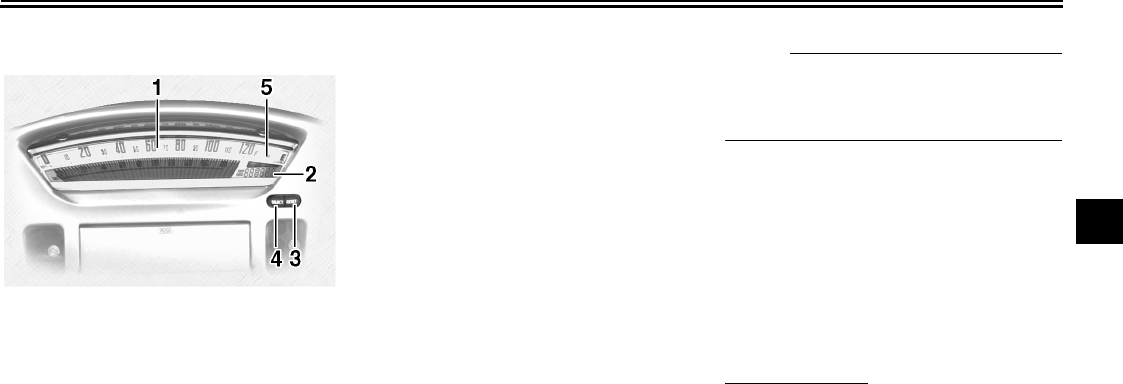
1. Speedometer
2. Odometer/tripmeter/fuel reserve tripme-
ter/clock
3. “RESET” button
4. “SELECT” button
5. Fuel meter
U2C912E0.book Page 4 Tuesday, June 12, 2007 9:27 AM
INSTRUMENT AND CONTROL FUNCTIONS
3-5
3
NOTE:
After setting the clock, be sure to push
the “SELECT” button before turning the
key to “OFF”, otherwise the clock will
not be set.
Fuel meter
The fuel meter indicates the amount of
fuel in the fuel tank. The display seg-
ments of the fuel meter disappear to-
wards “E” (Empty) as the fuel level
decreases. When only one segment is
left near “E” (Empty), refuel as soon as
possible. When the key is turned to
“ON”, all of the display segments of the
fuel meter will appear one after the oth-
er and then disappear in order to test
the electrical circuit.
NOTE:
This fuel meter is equipped with a self-
diagnosis system. If the electrical circuit
is defective, all the display segments
will start flashing. If this occurs, have a
Yamaha dealer check the electrical cir-
cuit.
EAU11840
Cruise control system
This model is equipped with a cruise
control system designed to maintain a
set traveling speed.
Activating and setting the cruise
control system
The cruise control system can only be
activated when riding in 4th or 5th gear
at speeds between 50 km/h (30 mi/h)
and 130 km/h (80 mi/h).
To activate and set the cruise control
system:
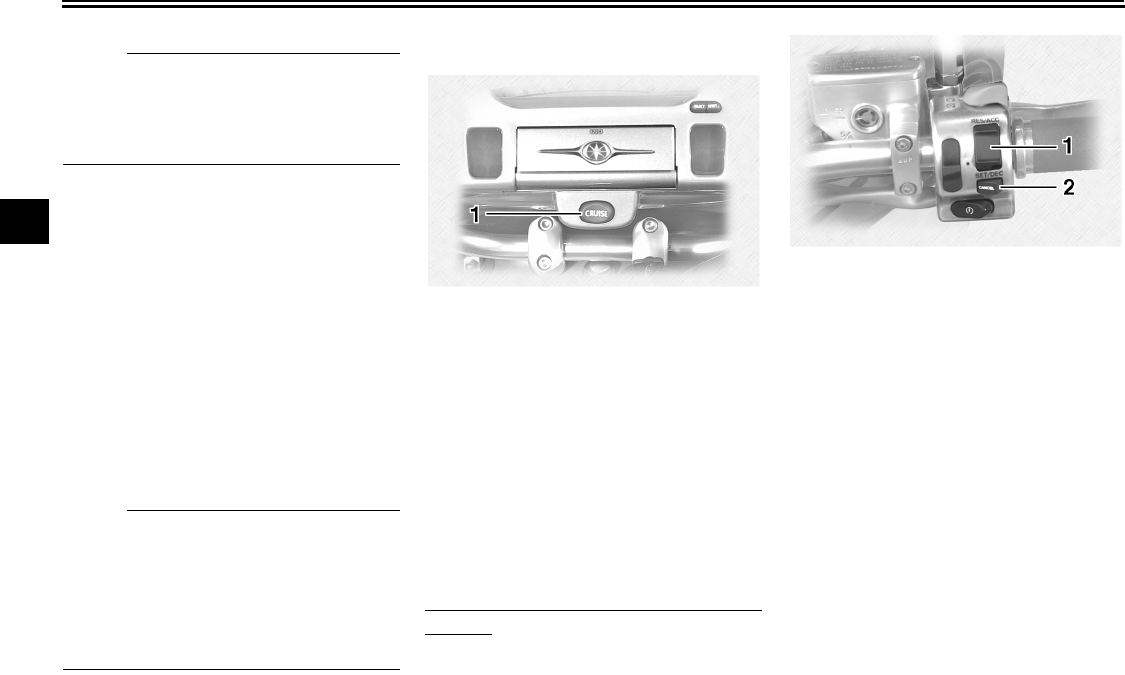
1. Push the “CRUISE” switch to the
left. The “ON” indicator light will
come on.
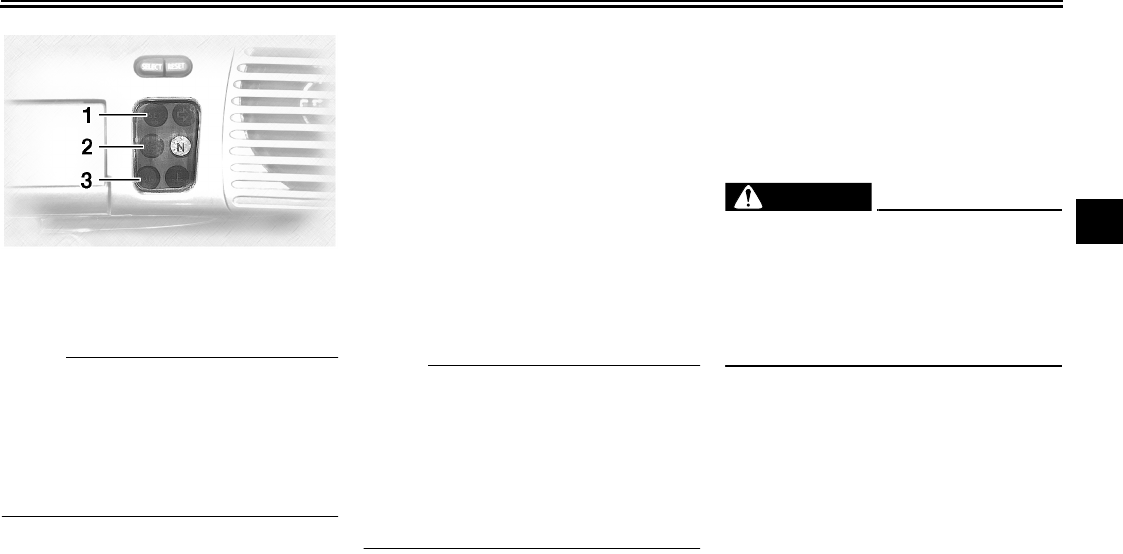
2. Press the “SET/DEC” (set/deceler-
ate) side of the cruise control
switch to activate the cruise control
system. The “SET” indicator light
comes on.
3. Set the desired traveling speed as
follows. Press the “RES/ACC” (re-
sume/accelerate) side of the
cruise control switch to increase
the set speed or the “SET/DEC”
side to decrease the speed.
1. “CRUISE” switch
1. Cruise control switch
2. “CANCEL” switch
U2C912E0.book Page 5 Tuesday, June 12, 2007 9:27 AM
INSTRUMENT AND CONTROL FUNCTIONS
3-6
3
NOTE:
Pressing the cruise control switch once
will change the speed in increments of
1.6 km/h (1 mi/h). Holding the cruise
control switch down will increase or de-
crease the speed continuously until the
switch is released.
The traveling speed can be set to a
maximum of 130 km/h (80 mi/h) and a
minimum of 50 km/h (30 mi/h).
When the cruise control system is acti-
vated and the throttle grip is turned to
increase the speed by up to 8 km/h (5
mi/h), the cruise control system will re-
turn to the set speed after the throttle
grip is released. However, if the speed
is increased by more than 8 km/h (5
mi/h), the cruise control system will be
deactivated until the traveling speed is
within 8 km/h (5 mi/h) of the set speed.
Deactivating the cruise control sys-
tem
Applying the front or rear brake or dis-
engaging the clutch will automatically
deactivate the cruise control system.
Push the “CANCEL” switch to manually
deactivate cruise control.
NOTE:
●When the cruise control system is
deactivated, the “RES” (resume)
indicator light will come on.
●Traveling speed decreases as
soon as the cruise control system
is deactivated; unless the throttle
grip is turned.
Push the “RES/ACC” side of the cruise
control switch to reactivate the system.
The traveling speed will return to the
previously set speed. The “RES” indi-
cator light will flash during this time and
then go off. Once the cruise control sys-
tem is reactivated, the “SET” indicator
light will come on.
Push the “CRUISE” switch to the right
to turn the cruise control system off
completely.
WARNING
EWA11070
If the cruise control system is defec-
tive, the “SET” and “RES” indicator
lights will flash simultaneously. If
this occurs, turn the cruise control
system off and have a Yamaha deal-
er check it.
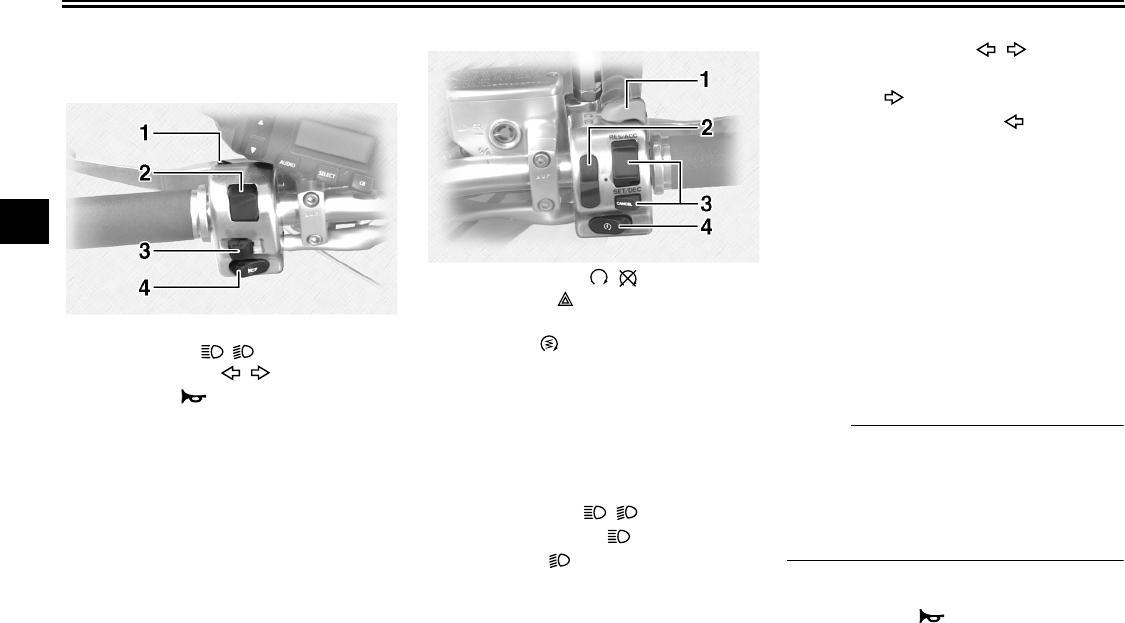
1. “SET” indicator light
2. “RES” indicator light
3. “ON” indicator light
U2C912E0.book Page 6 Tuesday, June 12, 2007 9:27 AM
INSTRUMENT AND CONTROL FUNCTIONS
3-7
3
EAU12347
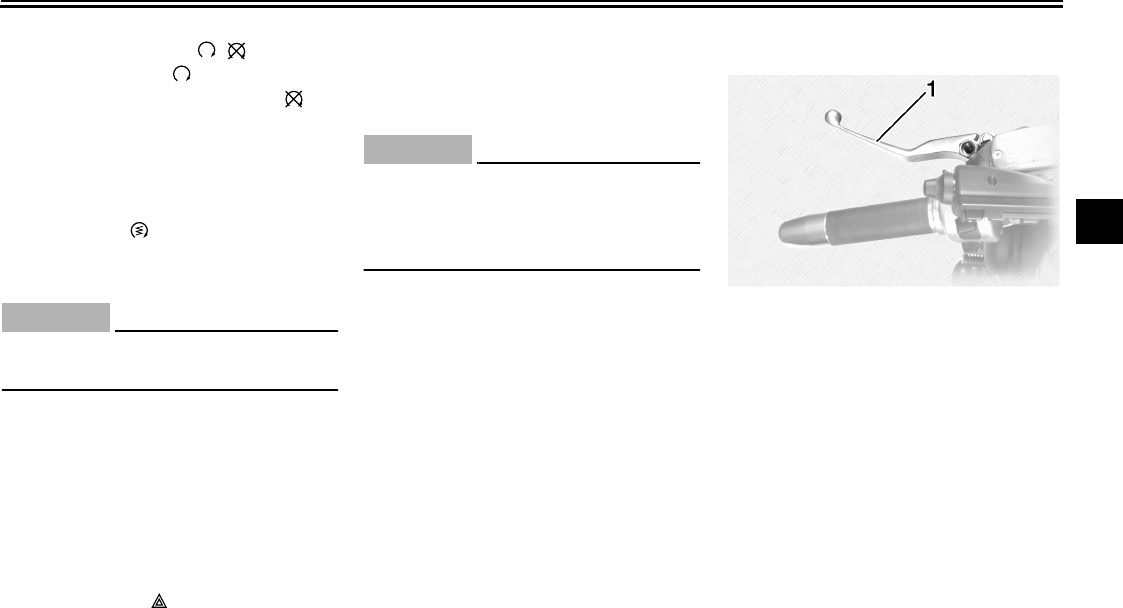
Handlebar switches
Left
Right
EAU12390
“TALK” switch
See page 4-16 for an explanation of the
CB radio.
EAU12400
Dimmer switch “/”
Set this switch to “” for the high
beam and to “” for the low beam.
EAU12430
Turn signal switch “/”
To signal a right-hand turn, push this
switch to “”. To signal a left-hand
turn, push this switch to “”. When re-
leased, the switch returns to the center
position.
Since this model is equipped with a
self-canceling system, the turn signal
lights will self-cancel after the vehicle
has traveled both about 150 m (490 ft)
and for approximately 15 seconds.
However, the turn signal lights can also
be canceled manually by pushing the
switch in after it has returned to the cen-
ter position.
NOTE:
The self-canceling system only oper-
ates when the vehicle is moving, so that
the turn signal lights will not self-cancel
while you are stopped at an intersec-
tion.
EAU12500
Horn switch “”
Press this switch to sound the horn.
1. “TA L K ” switch
2. Dimmer switch “/”
3. Turn signal switch “/”
4. Horn switch “”
1. Engine stop switch “/”
2. Hazard switch “”
3. Cruise control switch
4. Start switch “”
U2C912E0.book Page 7 Tuesday, June 12, 2007 9:27 AM
INSTRUMENT AND CONTROL FUNCTIONS
3-8
3
EAU12660
Engine stop switch “/”
Set this switch to “” before starting
the engine. Set this switch to “” to
stop the engine in case of an emergen-
cy, such as when the vehicle overturns
or when the throttle cable is stuck.
EAU12710
Start switch “”
Push this switch to crank the engine
with the starter.
CAUTION:
ECA10050
See page 6-1 for starting instruc-
tions prior to starting the engine.
EAU42390
The oil level warning light and coolant
temperature warning light will come on
when the key is turned to “ON” and the
start switch is pushed, but this does not
indicate a malfunction.
EAU12765
Hazard switch “”
With the key in the “ON” position, use
this switch to turn on the hazard lights
(simultaneous flashing of all turn signal
lights).
The hazard lights are used in case of
an emergency or to warn other drivers
when your vehicle is stopped where it
might be a traffic hazard.
CAUTION:
ECA10061
Do not use the hazard lights for an
extended length of time with the en-
gine not running, otherwise the bat-
tery may discharge.
EAU12780
Cruise control switches
See page 3-5 for an explanation of the
cruise control system.
EAU12820
Clutch lever
The clutch lever is located at the left
handlebar grip. To disengage the
clutch, pull the lever toward the handle-
bar grip. To engage the clutch, release
the lever. The lever should be pulled
rapidly and released slowly for smooth
clutch operation.
The clutch lever is equipped with a
clutch switch, which is part of the igni-
tion circuit cut-off system. (See page
3-19.)
1. Clutch lever
U2C912E0.book Page 8 Tuesday, June 12, 2007 9:27 AM
INSTRUMENT AND CONTROL FUNCTIONS
3-9
3
EAU12880
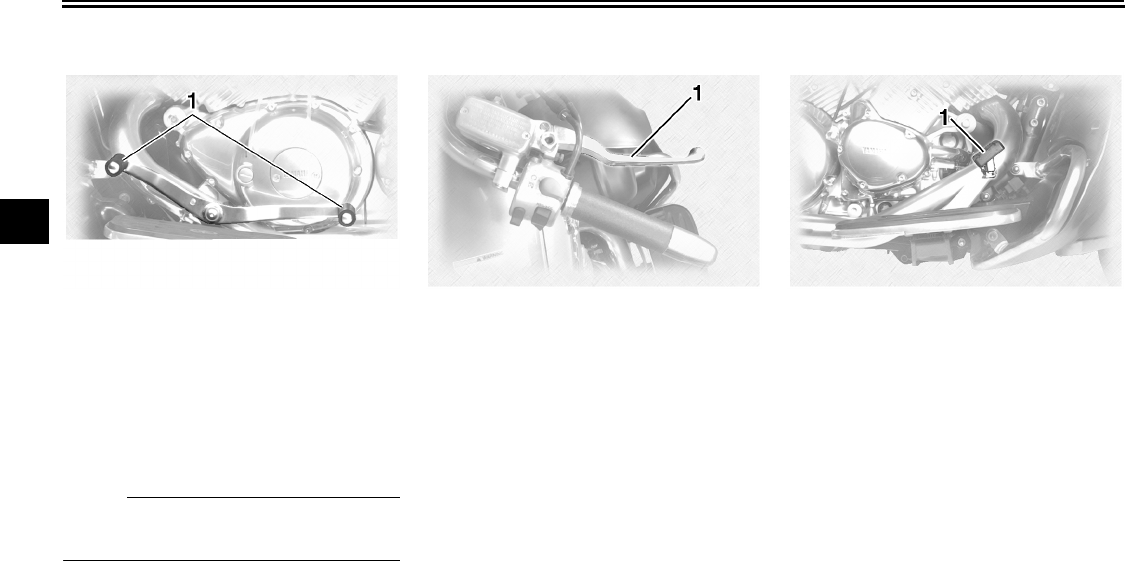
Shift pedal
The shift pedal is located on the left
side of the engine and is used in com-
bination with the clutch lever when
shifting the gears of the 5-speed con-
stant-mesh transmission equipped on
this motorcycle.
NOTE:
Use your toes or heel to shift up and
your toes to shift down.
EAU12890
Brake lever
The brake lever is located at the right
handlebar grip. To apply the front
brake, pull the lever toward the handle-
bar grip.
EAU12941
Brake pedal
The brake pedal is on the right side of
the motorcycle. To apply the rear
brake, press down on the brake pedal.
1. Shift pedal 1. Brake lever 1. Brake pedal
U2C912E0.book Page 9 Tuesday, June 12, 2007 9:27 AM
INSTRUMENT AND CONTROL FUNCTIONS
3-10
3
EAU13120
Fuel tank cap
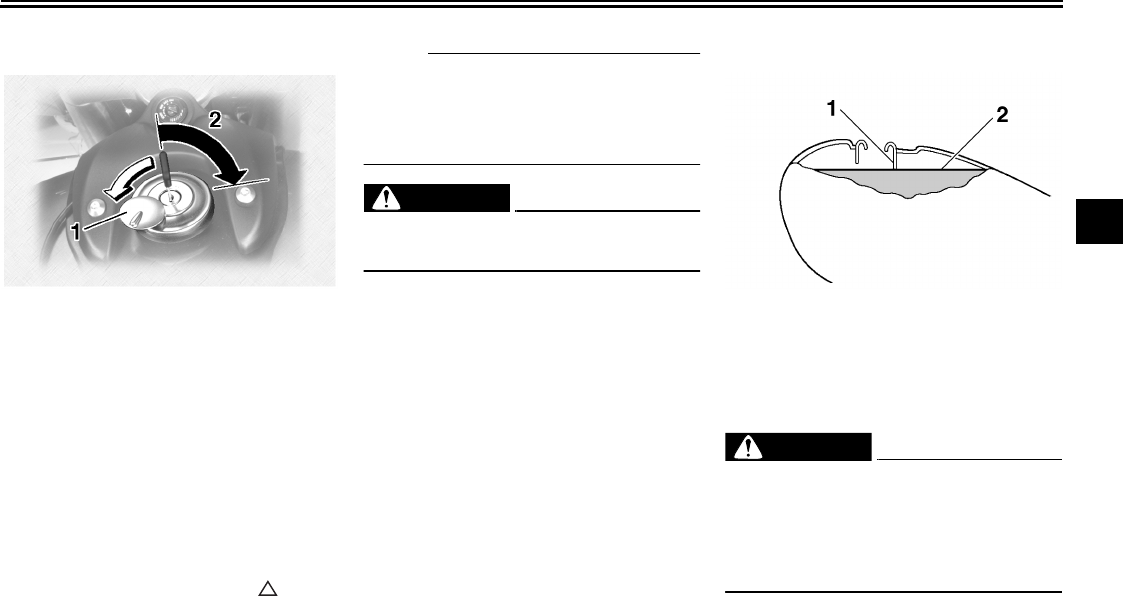
To remove the fuel tank cap
Slide the lock cover open, insert the key
into the lock, and then turn it 1/4 turn
clockwise. The lock will be released
and the fuel tank cap can be removed.
To install the fuel tank cap
1. Insert the fuel tank cap into the
tank opening with the key inserted
in the lock and with the “” mark
facing forward.
2. Turn the key counterclockwise to
the original position, remove it, and
then close the lock cover.
NOTE:
The fuel tank cap cannot be installed
unless the key is in the lock. In addition,
the key cannot be removed if the cap is
not properly installed and locked.
WARNING
EWA10130
Make sure that the fuel tank cap is
properly installed before riding.
EAU13211
Fuel
Make sure that there is sufficient fuel in
the tank. Fill the fuel tank to the bottom
of the filler tube as shown.
WARNING
EWA10880
●Do not overfill the fuel tank, oth-
erwise it may overflow when the
fuel warms up and expands.
●Avoid spilling fuel on the hot en-
gine.
1. Fuel tank cap lock cover
2. Unlock.
1. Fuel tank filler tube
2. Fuel level
U2C912E0.book Page 10 Tuesday, June 12, 2007 9:27 AM
INSTRUMENT AND CONTROL FUNCTIONS
3-11
3
CAUTION:
ECA10070
Immediately wipe off spilled fuel
with a clean, dry, soft cloth, since
fuel may deteriorate painted surfac-
es or plastic parts.
EAU13300
CAUTION:
ECA11400
Use only unleaded gasoline. The use
of leaded gasoline will cause severe
damage to internal engine parts,
such as the valves and piston rings,
as well as to the exhaust system.
Your Yamaha engine has been de-
signed to use regular unleaded gaso-
line with a pump octane number
[(R+M)/2] of 86 or higher, or a research
octane number of 91 or higher. If
knocking (or pinging) occurs, use a
gasoline of a different brand or premi-
um unleaded fuel. Use of unleaded fuel
will extend spark plug life and reduce
maintenance costs.
Gasohol
There are two types of gasohol: gaso-
hol containing ethanol and that contain-
ing methanol. Gasohol containing
ethanol can be used if the ethanol con-
tent does not exceed 10%. Gasohol
containing methanol is not recom-
mended by Yamaha because it can
cause damage to the fuel system or ve-
hicle performance problems.
EAU13550
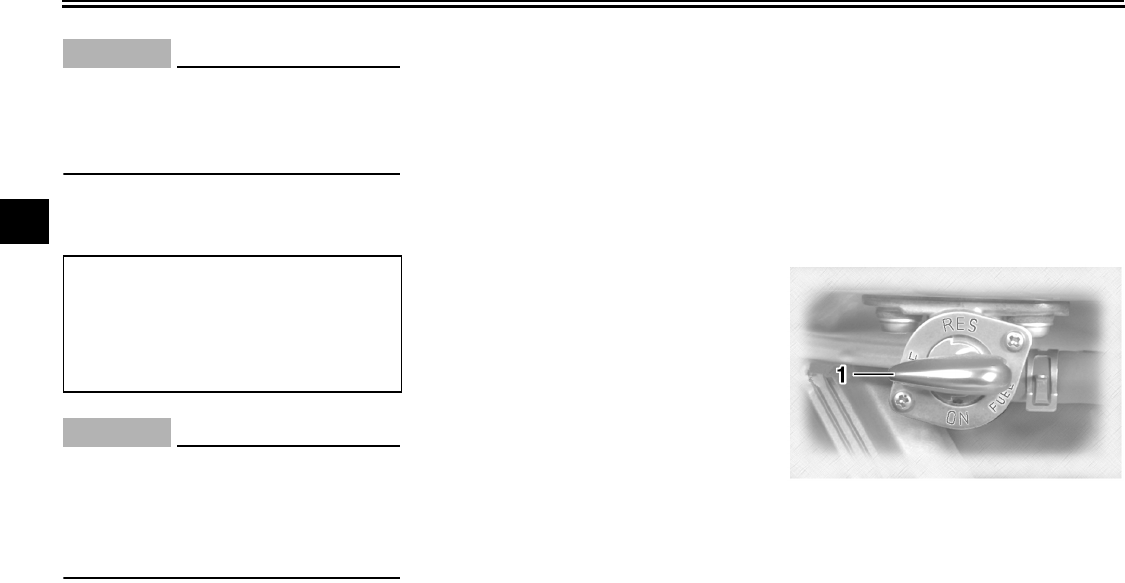
Fuel cock
The fuel cock supplies fuel from the
tank to the carburetors while also filter-
ing it.
The fuel cock lever positions are ex-
plained as follows and shown in the il-
lustrations.
OFF
With the fuel cock lever in this position,
fuel will not flow. Always turn the fuel
cock lever to this position when the en-
gine is not running.
Recommended fuel:
UNLEADED GASOLINE ONLY
Fuel tank capacity:
22.5 L (5.94 US gal) (4.95 Imp.gal)
Fuel reserve amount:
3.5 L (0.92 US gal) (0.77 Imp.gal)
1. Pointed end positioned over “OFF”
U2C912E0.book Page 11 Tuesday, June 12, 2007 9:27 AM
INSTRUMENT AND CONTROL FUNCTIONS
3-12
3
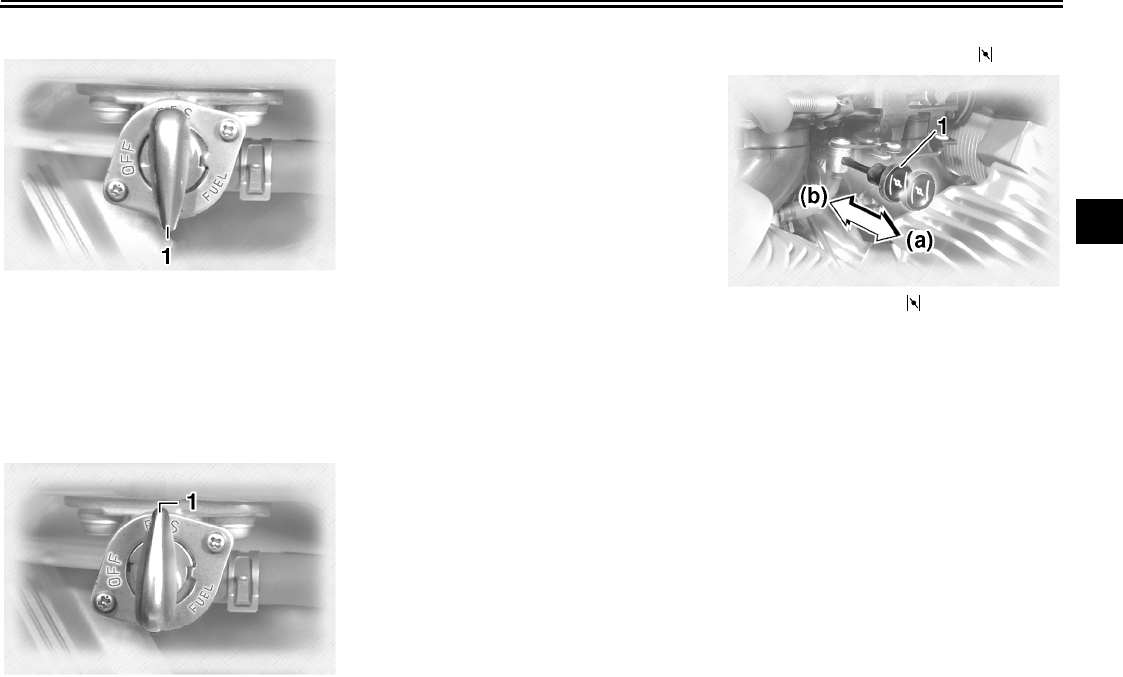
ON
With the fuel cock lever in this position,
fuel flows to the carburetors. Turn the
fuel cock lever to this position when
starting the engine and riding.
RES
This indicates reserve. With the fuel
cock lever in this position, the fuel re-
serve is made available. Turn the fuel
cock lever to this position if you run out
of fuel while riding. When this occurs,
refuel as soon as possible and be sure
to turn the fuel cock lever back to “ON”!
EAU13600
Starter (choke) knob “”
Starting a cold engine requires a richer
air-fuel mixture, which is supplied by
the starter (choke).
Move the knob in direction (a) to turn on
the starter (choke).
Move the knob in direction (b) to turn off
the starter (choke).
1. Pointed end positioned over “ON”
1. Pointed end positioned over “RES”
1. Starter (choke) knob “”
U2C912E0.book Page 12 Tuesday, June 12, 2007 9:27 AM
INSTRUMENT AND CONTROL FUNCTIONS
3-13
3
EAU13780
Locking the steering with a
padlock
In addition to the main switch/steering
lock, there are brackets on the right
side of the steering head pipe for lock-
ing the steering with a padlock. To do
so, turn the handlebar until the holes in
the two brackets are aligned, and then
lock the steering with a suitable pad-
lock.
EAU14240
Rider seat
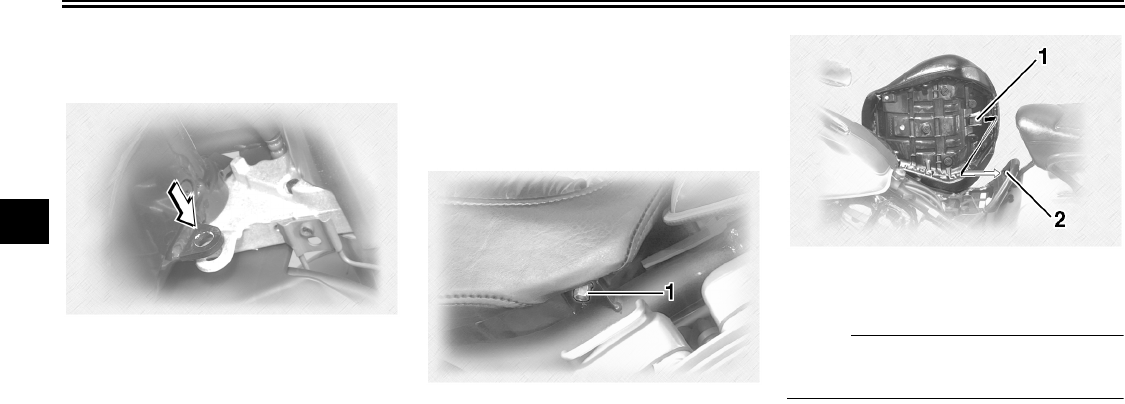
To remove the rider seat
Remove the nuts, and then pull the rid-
er seat up.
To install the rider seat
Insert the projection on the rear of the
rider seat into the seat holder as
shown, place the seat in the original po-
sition, and then tighten the nuts.
NOTE:
Make sure that the rider seat is properly
secured before riding.
1. Nut
1. Projection
2. Seat holder
U2C912E0.book Page 13 Tuesday, June 12, 2007 9:27 AM
INSTRUMENT AND CONTROL FUNCTIONS
3-14
3
EAU14360
Helmet holders
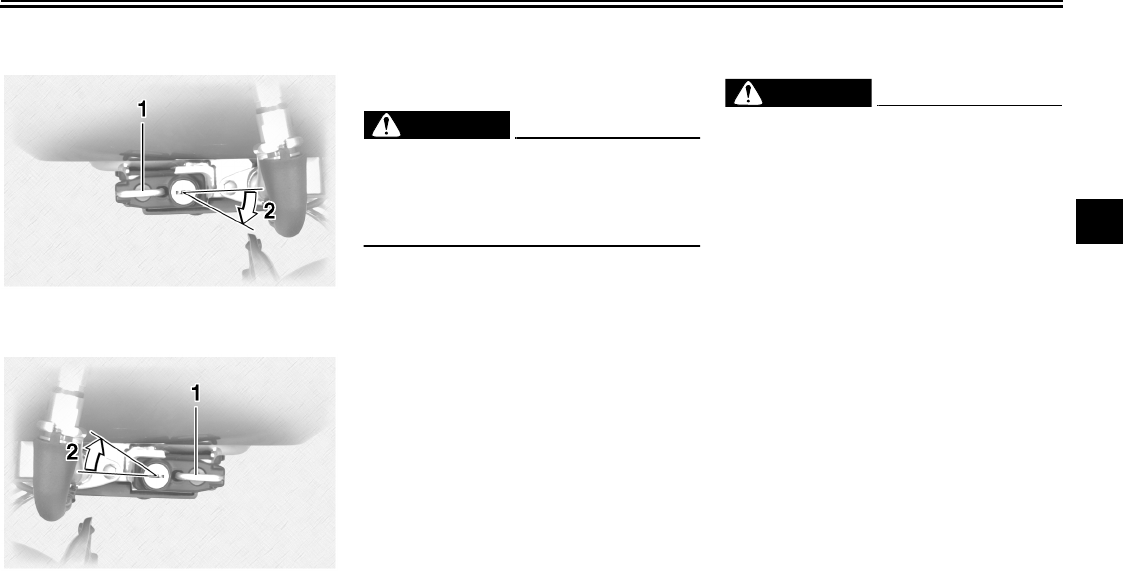
To open a helmet holder
Insert the key into the helmet holder
lock, and then turn it as shown.
To close a helmet holder
Place the helmet holder in the original
position, and then remove the key.
WARNING
EWA11040
Never ride with a helmet attached to
a helmet holder, since the helmet
may hit objects, causing loss of con-
trol and possibly an accident.
EAU14631
Sidecases and travel trunk
WARNING
EWA11081
Improper loading or overloading can
cause loss of control and possibly
an accident or personal injury. See
pages 1-5 and 7-21 for important
loading and tire pressure informa-
tion.
●Always securely close the side-
cases and travel trunk before
riding.
●Distribute weight evenly on
each side of the motorcycle.
●Do not exceed the load limit of 9
kg (20 lb) for each sidecase and
the travel trunk.
●Do not exceed the maximum
load of 190 kg (419 lb) for the ve-
hicle.
●Do not exceed 120 km/h (80
mi/h) when riding with the travel
trunk, sidecases or both in-
stalled, otherwise handling
could be affected. Improper
loading, poor tire or overall
motorcycle conditions, poor
road surfaces or adverse weath-
1. Helmet holder (right)
2. Unlock.
1. Helmet holder (left)
2. Unlock.
U2C912E0.book Page 14 Tuesday, June 12, 2007 9:27 AM
INSTRUMENT AND CONTROL FUNCTIONS
3-15
3
er conditions may make it nec-
essary to further reduce the
riding speed.
Sidecases
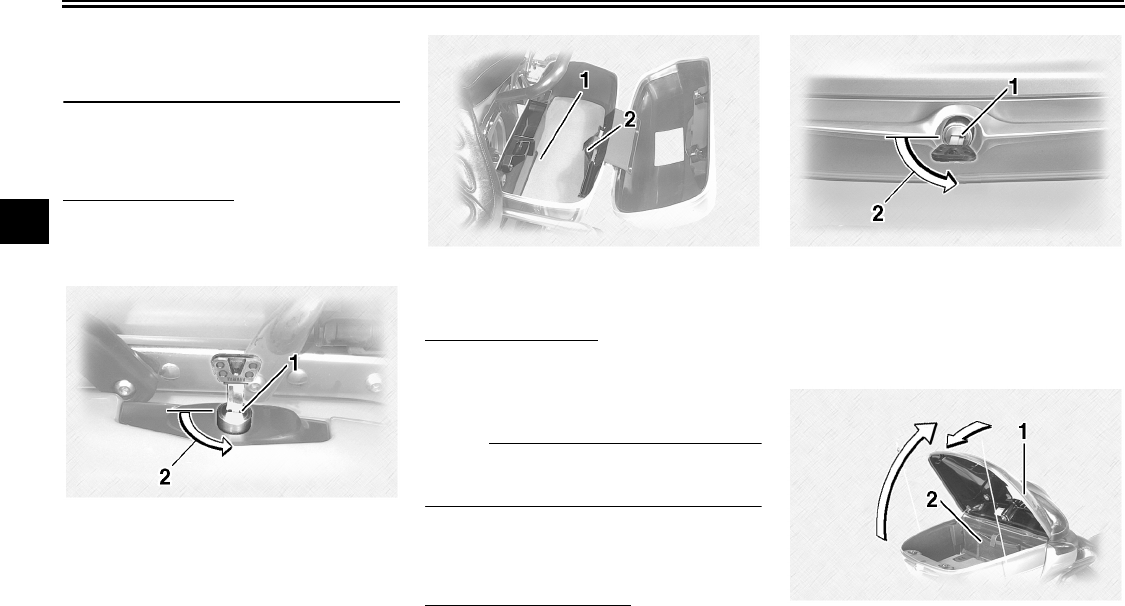
To open a sidecase
1. Insert the key into the lock, turn it
counterclockwise, and then push it
in.
2. Fold the sidecase lid up.
To close a sidecase
1. Fold the sidecase lid down.
2. Turn the key clockwise, and then
remove it.
NOTE:
Push both sides of the lid down so that
both latches snap into place.
Travel trunk
To open the travel trunk
1. Insert the key into the lock, turn it
counterclockwise, and then push it
in.
2. Fold the travel trunk lid up, and
then release it so that it will rest in
place as shown.
1. Sidecase lock
2. Unlock.
1. Storage compartment
2. Storage pouch
1. Travel trunk lock
2. Unlock.
1. Travel trunk lid resting in opened position
2. Storage pouch
U2C912E0.book Page 15 Tuesday, June 12, 2007 9:27 AM
INSTRUMENT AND CONTROL FUNCTIONS
3-16
3
CAUTION:
ECA10910
Do not apply excessive pressure on
the travel trunk lid when it is open.
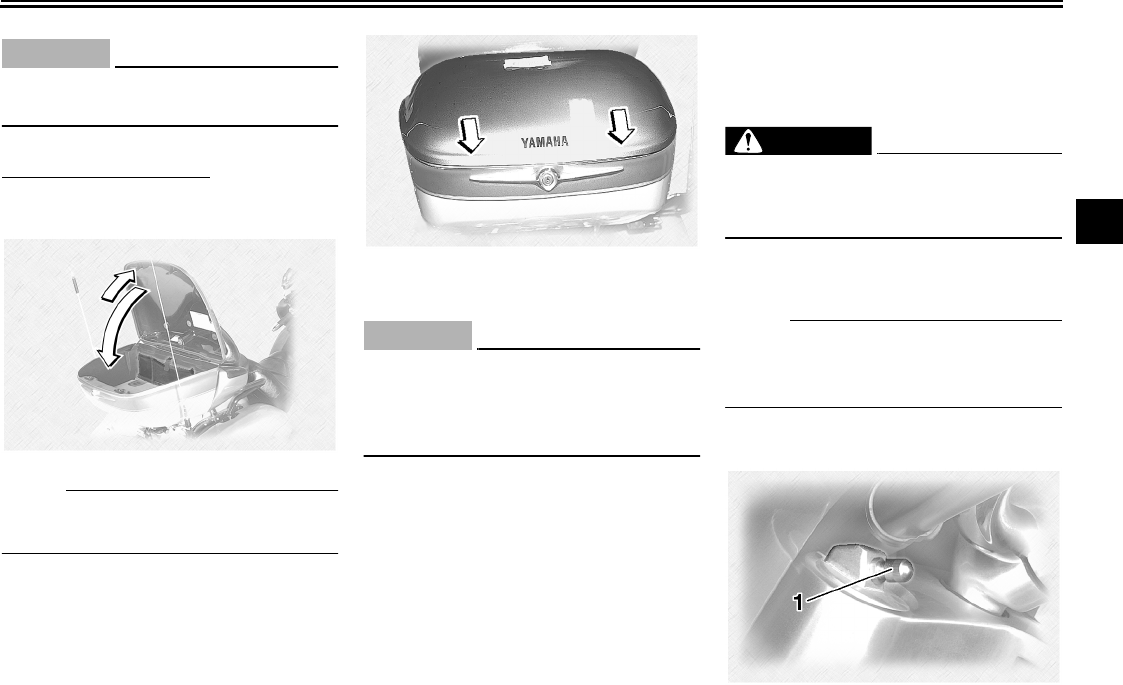
To close the travel trunk
1. Fold the travel trunk lid up com-
pletely, and then fold it down.
NOTE:
Push both sides of the lid down so that
both latches snap into place.
2. Turn the key clockwise, and then
remove it.
CAUTION:
ECA10921
To avoid locking the key in, never
lock either sidecase or the travel
trunk and remove the key from the
lock before closing the lid.
EAU14651
Adjusting the front fork
This front fork is equipped with air
valves for adjusting the spring rate.
WARNING
EWA10180
Always adjust both fork legs equal-
ly, otherwise poor handling and loss
of stability may result.
Adjust the spring rate as follows.
1. Place the vehicle on the sidestand.
NOTE:
When checking and adjusting the air
pressure, there should be no weight on
the vehicle.
2. Remove the air valve cap from
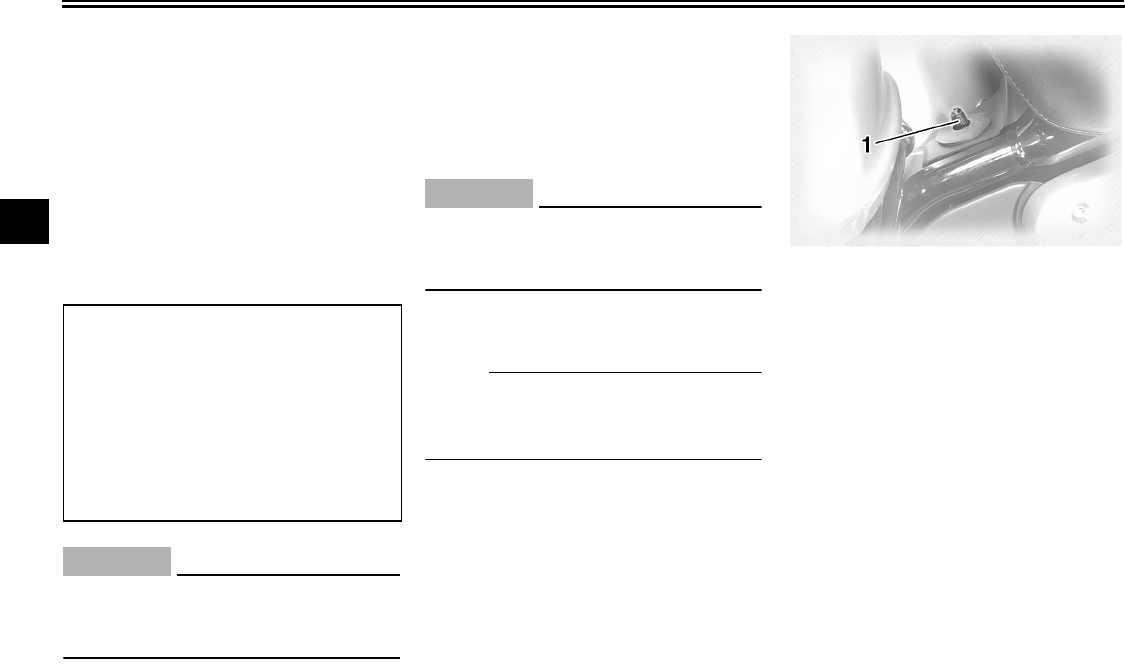
each fork leg.
1. Front fork air valve cap
U2C912E0.book Page 16 Tuesday, June 12, 2007 9:27 AM
INSTRUMENT AND CONTROL FUNCTIONS
3-17
3
3. Check the air pressure in each fork
leg using a low-pressure air
gauge. A low-pressure air gauge is
available at a Yamaha dealer.
4. To increase the spring rate and
thereby harden the suspension, in-
crease the air pressure with an air
pump. To decrease the spring rate
and thereby soften the suspen-
sion, decrease the air pressure by
pushing each valve stem down.
CAUTION:
ECA10090
Never exceed the maximum air pres-
sure, otherwise the front fork oil
seals may become damaged.
5. Securely install the air valve caps.
EAU14800
Adjusting the shock absorber
assembly
This shock absorber assembly is
equipped with an air valve for adjusting
the spring rate.
CAUTION:
ECA10100
Never attempt to turn an adjusting
mechanism beyond the maximum or
minimum settings.
Adjust the spring rate as follows.
1. Place the vehicle on the sidestand.
NOTE:
When checking and adjusting the air
pressure, there should be no weight on
the vehicle.
2. Remove the air valve cap.
3. Check the air pressure with the air
pressure gauge included in the
owner’s tool kit.
4. To increase the spring rate and
thereby harden the suspension, in-
crease the air pressure with an air
pump. To decrease the spring rate
and thereby soften the suspen-
sion, decrease the air pressure by
pushing the valve stem down.
Spring rate:
Minimum (soft):
Air pressure = 0 kPa (0 psi) (0
kgf/cm²)
Standard:
Air pressure = 0 kPa (0 psi) (0
kgf/cm²)
Maximum (hard):
Air pressure = 50 kPa (7.1 psi) (0.5
kgf/cm²)
1. Shock absorber assembly air valve cap
U2C912E0.book Page 17 Tuesday, June 12, 2007 9:27 AM
INSTRUMENT AND CONTROL FUNCTIONS
3-18
3
CAUTION:
ECA11090
Never exceed the maximum air pres-
sure, otherwise the oil seal may be-
come damaged.
5. Securely install the air valve cap.
EAU15301
Sidestand
The sidestand is located on the left side
of the frame. Raise the sidestand or
lower it with your foot while holding the
vehicle upright.
NOTE:
The built-in sidestand switch is part of
the ignition circuit cut-off system, which
cuts the ignition in certain situations.
(See further down for an explanation of
the ignition circuit cut-off system.)
WARNING
EWA10240
The vehicle must not be ridden with
the sidestand down, or if the side-
stand cannot be properly moved up
(or does not stay up), otherwise the
sidestand could contact the ground
and distract the operator, resulting
in a possible loss of control.
Yamaha’s ignition circuit cut-off
system has been designed to assist
the operator in fulfilling the respon-
sibility of raising the sidestand be-
fore starting off. Therefore, check
this system regularly as described
below and have a Yamaha dealer re-
pair it if it does not function proper-
ly.
Spring rate:
Minimum (soft):
Air pressure = 0 kPa (0 psi) (0
kgf/cm²)
Standard:
Air pressure = 0 kPa (0 psi) (0
kgf/cm²)
Maximum (hard):
Air pressure = 400 kPa (57 psi)
(4.0 kgf/cm²)
U2C912E0.book Page 18 Tuesday, June 12, 2007 9:27 AM
INSTRUMENT AND CONTROL FUNCTIONS
3-19
3
EAU15312
Ignition circuit cut-off system
The ignition circuit cut-off system (com-
prising the sidestand switch, clutch
switch and neutral switch) has the fol-
lowing functions.
●It prevents starting when the trans-
mission is in gear and the side-
stand is up, but the clutch lever is
not pulled.
●It prevents starting when the trans-
mission is in gear and the clutch le-
ver is pulled, but the sidestand is
still down.
●It cuts the running engine when the
transmission is in gear and the sid-
estand is moved down.
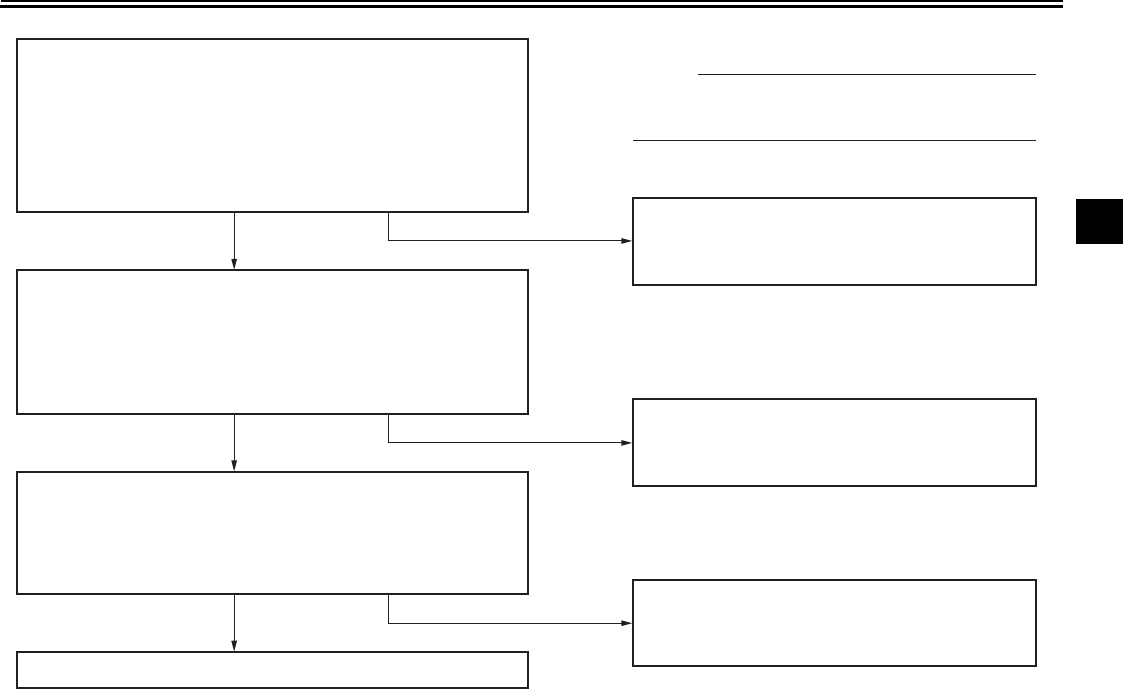
Periodically check the operation of the
ignition circuit cut-off system according
to the following procedure.
WARNING
EWA10250
If a malfunction is noted, have a
Yamaha dealer check the system be-
fore riding.
U2C912E0.book Page 19 Tuesday, June 12, 2007 9:27 AM
INSTRUMENT AND CONTROL FUNCTIONS
3-20
3
With the engine turned off:
1. Move the sidestand down.
2. Make sure that the engine stop switch is turned on.
3. Turn the key on.
4. Shift the transmission into the neutral position.
5. Push the start switch.
Does the engine start?
With the engine still running:
6. Move the sidestand up.
7. Keep the clutch lever pulled.
8. Shift the transmission into gear.
9. Move the sidestand down.
Does the engine stall?
After the engine has stalled:
10. Move the sidestand up.
11. Keep the clutch lever pulled.
12. Push the start switch.
Does the engine start?
The system is OK. The motorcycle can be ridden.
This check is most reliable if performed with
a warmed-up engine.
The neutral switch may be defective.
The motorcycle should not be ridden until
checked by a Yamaha dealer.
The sidestand switch may be defective.
The motorcycle should not be ridden until
checked by a Yamaha dealer.
The clutch switch may be defective.
The motorcycle should not be ridden until
checked by a Yamaha dealer.
YES NO
YES NO
YES NO
NOTE:
U2C912E0.book Page 20 Tuesday, June 12, 2007 9:27 AM
INSTRUMENT AND CONTROL FUNCTIONS
3-21
3
EAU15412
Auxiliary DC jack and connec-
tor
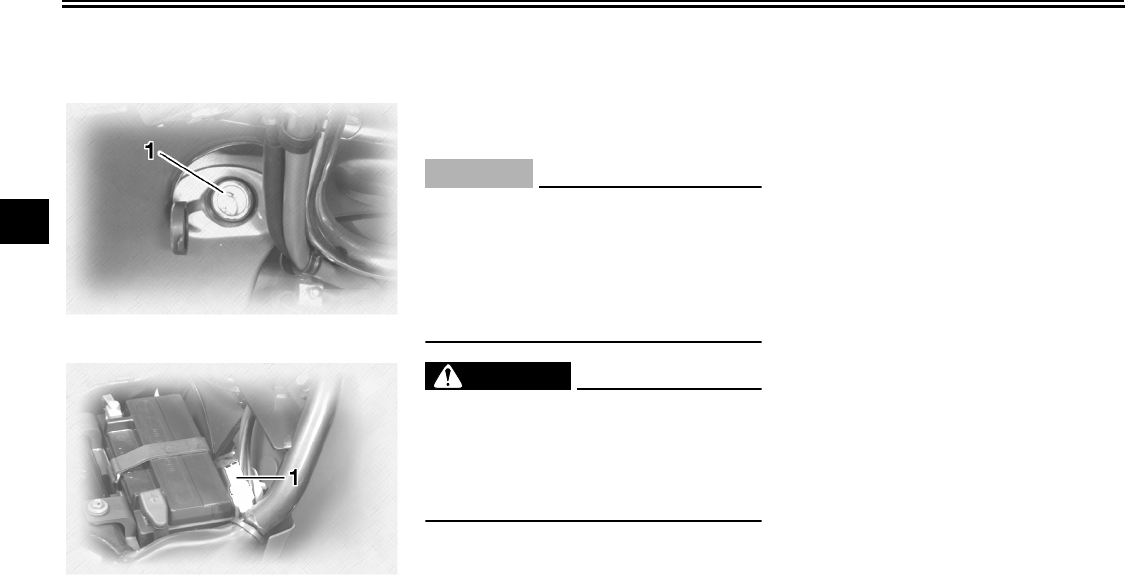
12-V accessories connected to the
auxiliary DC jack at the front and auxil-
iary DC connector under the rider seat
can be used when the key is in the
“ACC” or “ON” position.
CAUTION:
ECA11031
The accessories connected to the
auxiliary DC jack and connector
should not be used with the engine
turned off, and their combined load
must never exceed 5 A or 60 W, oth-
erwise the battery may discharge.
WARNING
EWA11051
To prevent electrical shock or short-
circuiting, make sure that the caps
are installed when the auxiliary DC
jack and connector are not being
used.
1. Auxiliary DC jack
1. Auxiliary DC connector
U2C912E0.book Page 21 Tuesday, June 12, 2007 9:27 AM
AUDIO SYSTEM AND CB RADIO
4-1
4
EAU15440
Location of parts
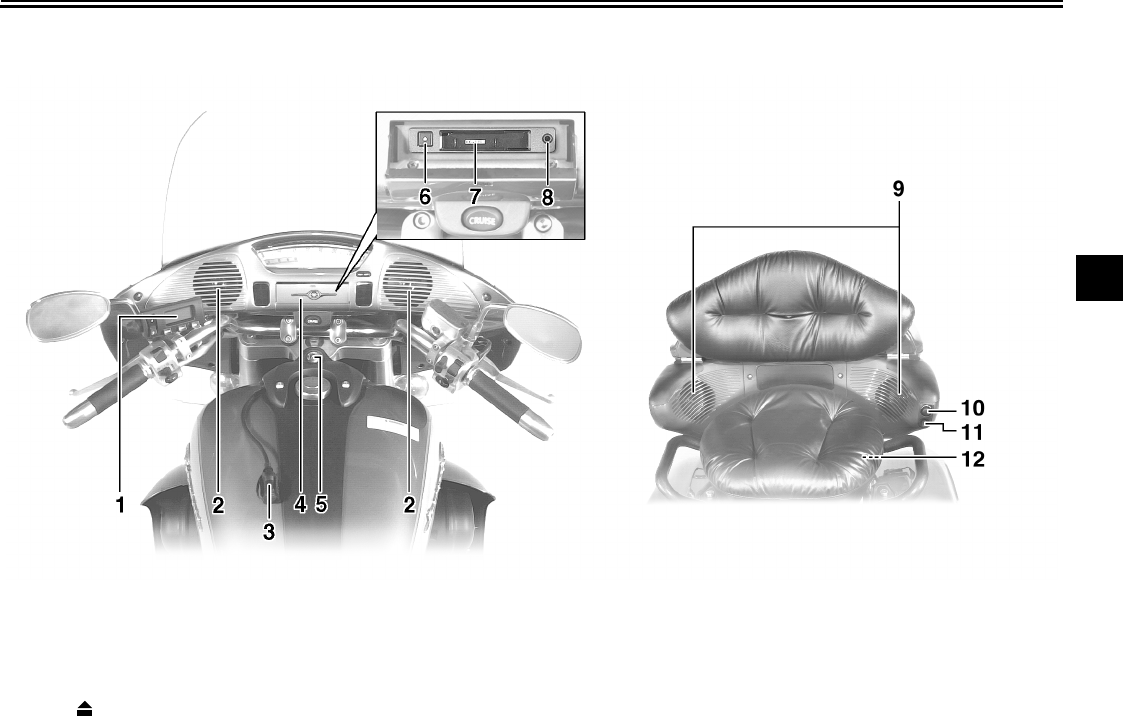
1. Audio system/CB radio control unit
2. Front speaker
3. Rider headset jack
4. Cassette deck lid
5. Main switch/steering lock
6. Eject (“”) button
7. Cassette deck compartment
8. Auxiliary audio input jack
9. Rear speaker
10.Passenger volume control knob
11.Passenger “TAL K ” button
12.Passenger headset jack
U2C912E0.book Page 1 Tuesday, June 12, 2007 9:27 AM
AUDIO SYSTEM AND CB RADIO
4-2
4
WARNING
EWA11370
●It is dangerous to operate the
audio system controls while
riding. Never take your hands
off the handlebars while riding.
●Keep the volume at a low
enough level to be aware of traf-
fic conditions and ensure safe-
ty.
CAUTION:
ECA11750
●Do not use the audio system or
CB radio for a long period of
time when the engine is not run-
ning as the battery may dis-
charge.
●The control unit, cassette deck
and speakers are water-resis-
tant; however, it is good prac-
tice to cover them with a plastic
bag when washing the motor-
cycle.
●When cleaning the control unit
display, use a neutral detergent.
Never use strong abrasive
cleaning products, fuel (gaso-
line), thinner, etc.
EAU15450
Headsets (optional)
For CB (Citizens Band) radio transmis-
sion, a headset is necessary; however,
CB reception is possible without a
headset. For intercom use, two head-
sets are necessary. Consult a Yamaha
dealer if you wish to obtain headsets.
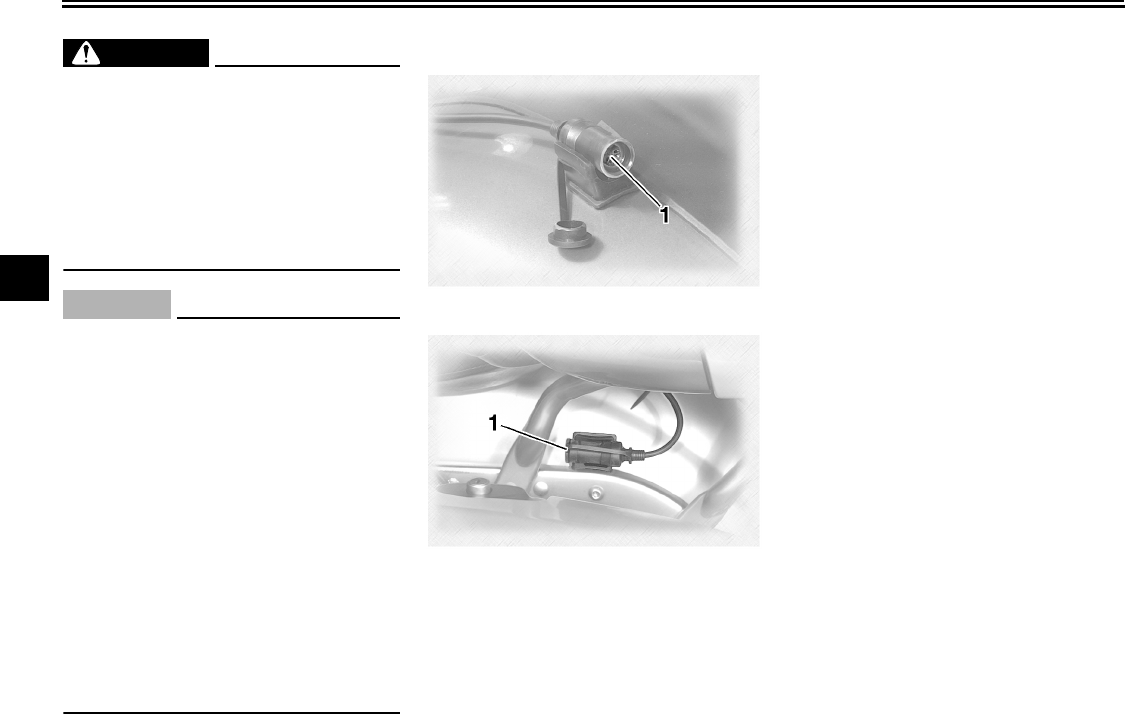
Connect the headsets to the jacks
shown in the illustrations and make
sure that the headsets are selected as
the output. (See page 4-6.)
1. Rider headset jack
1. Passenger headset jack
U2C912E0.book Page 2 Tuesday, June 12, 2007 9:27 AM
AUDIO SYSTEM AND CB RADIO
4-3
4
EAU15462
Control unit
Volume control knob
This knob adjusts the audio system vol-
ume, the CB radio reception volume,
and the CB squelch level.
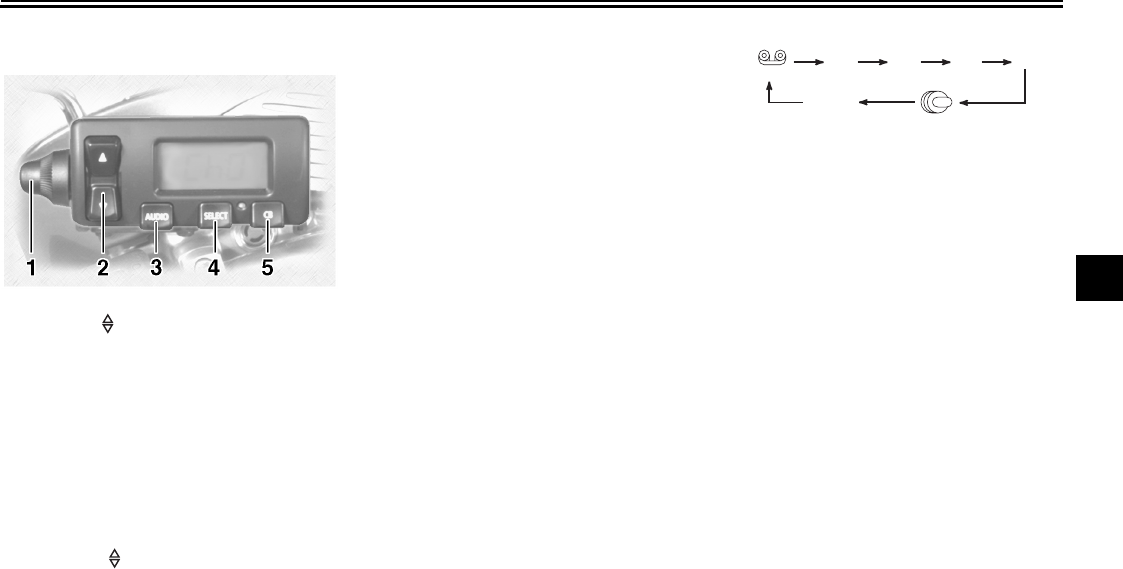
Up/down (“”) switch
This switch is used to perform the fol-
lowing operations.
Short push (less than one second)
●Skipping songs on the cassette
tape
●Selecting a preset radio station
●Selecting a track on the optional
CD changer
●Selecting a CB channel
●Adjusting the CB squelch level
●Tuning in a radio station manually
●Adjusting the intercom volume
●Changing the settings in a mode
Long push (one second or more)
●Changing the cassette deck play
direction
●Tuning in a radio station automati-
cally
●Selecting a CD in the optional CD
changer
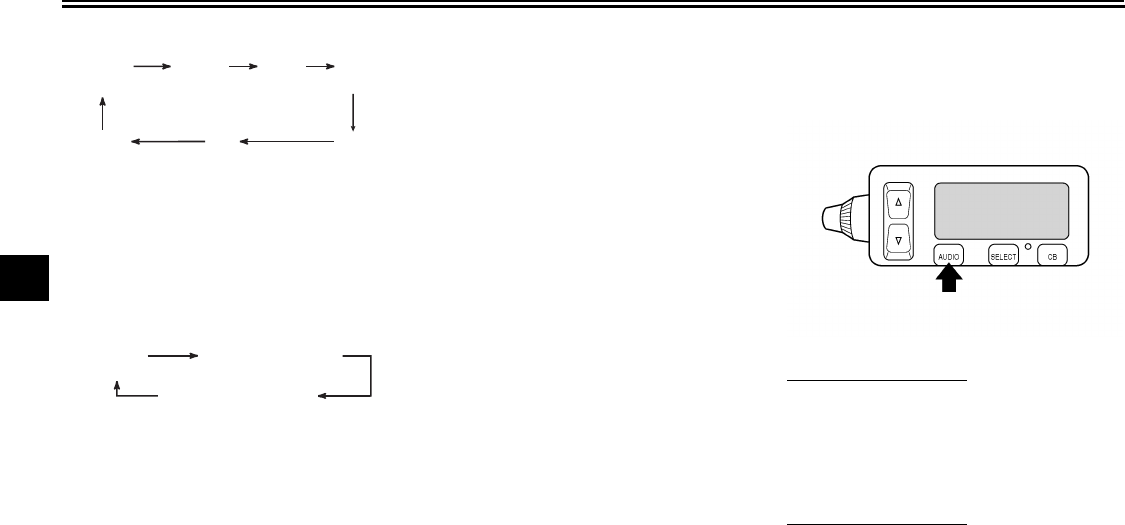
Audio system button “AUDIO”
This button is used to perform the fol-
lowing operations.
Short push (less than one second)
●Turning on the audio system
●Changing the audio source in the
following sequence
Long push (one second or more)
●Turning off the audio system
Selection button “SELECT”
This button is used to perform the fol-
lowing operations.
Short push (less than two seconds)
●Changing modes in the following
sequence
1. Volume control knob
2. Up/down (“”) switch
3. Audio system button “AUDIO”
4. Selection button “SELECT”
5. CB radio button “CB”
(Tape)
FM1 FM2 FM3 AM
AUX
(CD changer
*
)
(Auxiliary
audio source)
* The CD mode appears in the display only
when the optional CD changer is installed.
U2C912E0.book Page 3 Tuesday, June 12, 2007 9:27 AM
AUDIO SYSTEM AND CB RADIO
4-4
4
Audio system
CB Radio
●Programming preset radio stations
Long push (two seconds or more)
●Selecting the preset radio station
programming mode
CB radio button “CB”
This button is used to perform the fol-
lowing operations.
Short push (less than one second)
●Turning on the CB radio
●Selecting the squelch level mode
Long push (one second or more)
●Turning off the CB radio
EAU15480
Making basic settings
Turning on/off the audio system
To turn the power on
1. Make sure that the key is in the
“ACC” or “ON” position.
2. Push the “AUDIO” button once for
less than one second.
To turn the power off
Push the “AUDIO” button once for one
second or more.
(Output)
BASS TREB FAD
(Auto
volume)
(Intercom
volume)
Radio
SP/HS
(Treble)
frequency
(Fade )
1
2IC
AV
1
2
This mode does not appear in the display when
the headsets are selected as the output.
This mode appears in the display only when one
of the radio frequency bands is selected as the au-
dio source.
IC (Intercom volume)
RB: on/oF (Roger beep)
SP/HS
(Output)
U2C912E0.book Page 4 Tuesday, June 12, 2007 9:27 AM
AUDIO SYSTEM AND CB RADIO
4-5
4
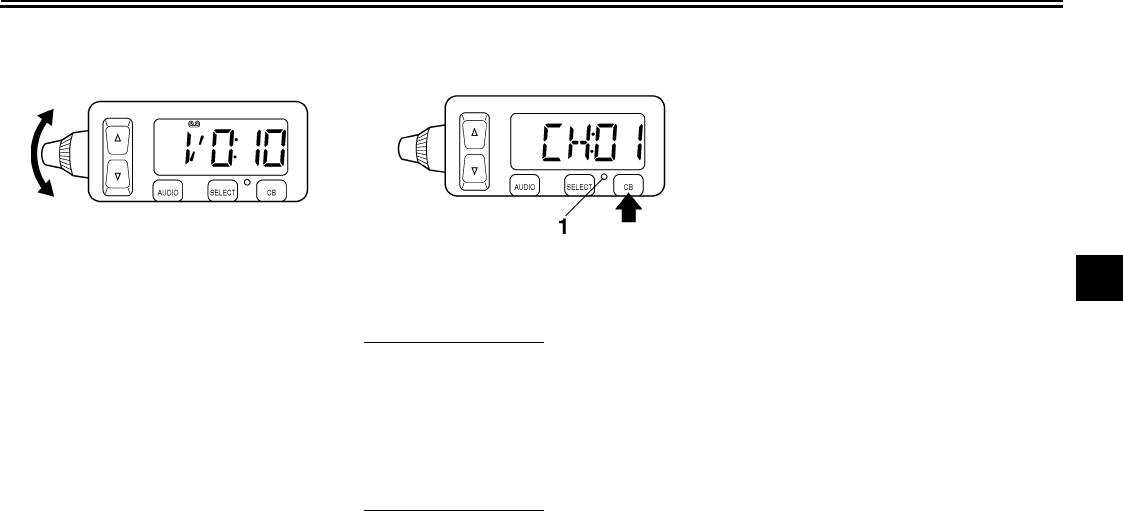
Adjusting the audio system volume
Turn the volume control knob until the
desired audio system volume is dis-
played (e.g., “Vo:10”). The audio sys-
tem volume can be set between “0” and
“30”. After the adjustment is made, the
audio system returns to normal opera-
tion and the current audio mode ap-
pears in the display.
Turning on/off the CB radio
To turn the power on
1. Make sure that the key is in the
“ACC” or “ON” position.
2. Push the “CB” button once for less
than one second. The current CB
channel appears in the display.
To turn the power off
Push the “CB” button once for one sec-
ond or more. The CB indicator light will
go off.
Adjusting the CB reception volume
Turn the control knob until the desired
CB reception volume is displayed (e.g.,
“Vo:10”). The CB reception volume can
be set between “0” and “20”. After the
adjustment is made, the CB radio re-
turns to normal operation and the CB
channel appears in the display.
1. CB radio indicator light
U2C912E0.book Page 5 Tuesday, June 12, 2007 9:27 AM
AUDIO SYSTEM AND CB RADIO
4-6
4
EAU15502
Making mode settings
General procedure
The following setting procedure applies
to the audio system, CB radio, and op-
tional CD changer.
NOTE:
●In order to make settings in any of
the audio system modes, make
sure that the audio system is se-
lected. If necessary, push the “AU-
DIO” button for less than one
second.
●In order to make settings in the CB
radio modes, make sure that the
CB radio is selected. If necessary,
push the “CB” button for less than
one second.
1. Repeatedly push the “SELECT”
button for less than one second
until the desired mode appears in
the display. With each press of the
button, the mode changes in the
following sequence.
Audio system
CB Radio
2. While the selected mode is dis-
played (for about five seconds), re-
peatedly push either side of the
up/down switch for less than one
second until the desired setting is
displayed.
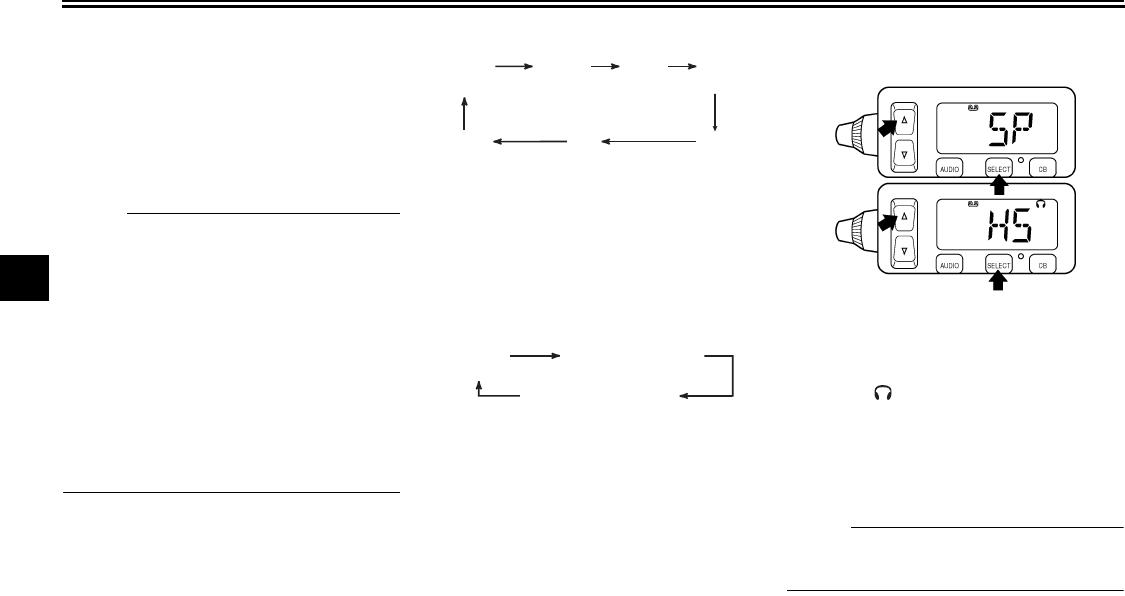
Selecting the output (speakers or
headsets)
1. Repeatedly push the “SELECT”
button for less than one second
until either “SP” (speakers) or “HS”
and “” (headsets) appears in the
display.
2. Push either side of the up/down
switch for less than one second to
change the setting.
NOTE:
The speakers and headsets cannot be
used at the same time.
(Output)
BASS TREB FAD
(Auto
volume)
(Intercom
volume)
Radio
SP/HS
(Treble)
frequency
(Fade )
1
2IC
AV
1
2
This mode does not appear in the display when
the headsets are selected as the output.
This mode appears in the display only when one
of the radio frequency bands is selected as the au-
dio source.
IC (Intercom volume)
RB: on/oF (Roger beep)
SP/HS
(Output)
U2C912E0.book Page 6 Tuesday, June 12, 2007 9:27 AM
AUDIO SYSTEM AND CB RADIO
4-7
4
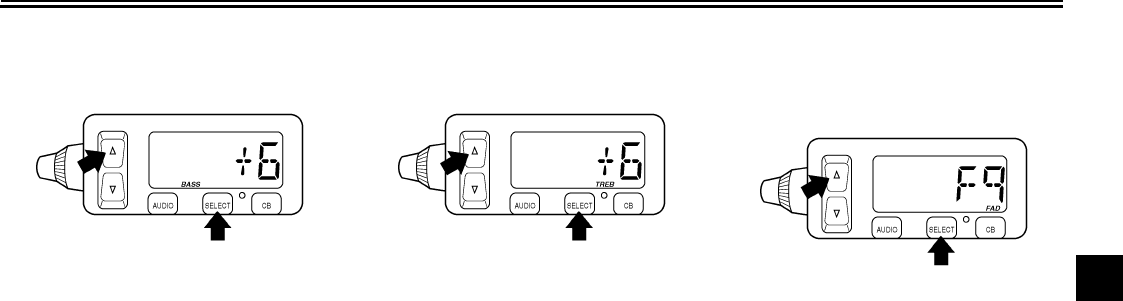
Adjusting the bass level
1. Repeatedly push the “SELECT”
button for less than one second
until “BASS” appears at the bottom
of the display.
2. Repeatedly push either side of the
up/down switch for less than one
second until the desired level is
displayed. The bass level can be
set between “-6” and “+6”.
Adjusting the treble level
1. Repeatedly push the “SELECT”
button for less than one second
until “TREB” appears at the bottom
of the display.
2. Repeatedly push either side of the
up/down switch for less than one
second until the desired level is
displayed. The treble level can be
set between “-6” and “+6”.
Adjusting the fade level (balance be-
tween front and rear speakers)
1. Make sure that the speakers are
selected as the output source.
(See the “Selecting the output”
section.)
2. Repeatedly push the “SELECT”
button for less than one second
until “FAD” appears at the bottom
of the display.
3. Repeatedly push either side of the
up/down switch for less than one
second until the desired level is
displayed. The fade level can be
set between “F9” (front speakers
only) and “R9” (rear speakers
only).
U2C912E0.book Page 7 Tuesday, June 12, 2007 9:27 AM
AUDIO SYSTEM AND CB RADIO
4-8
4
NOTE:
When the fade level is set to “0”, the
front and rear speaker levels are the
same.
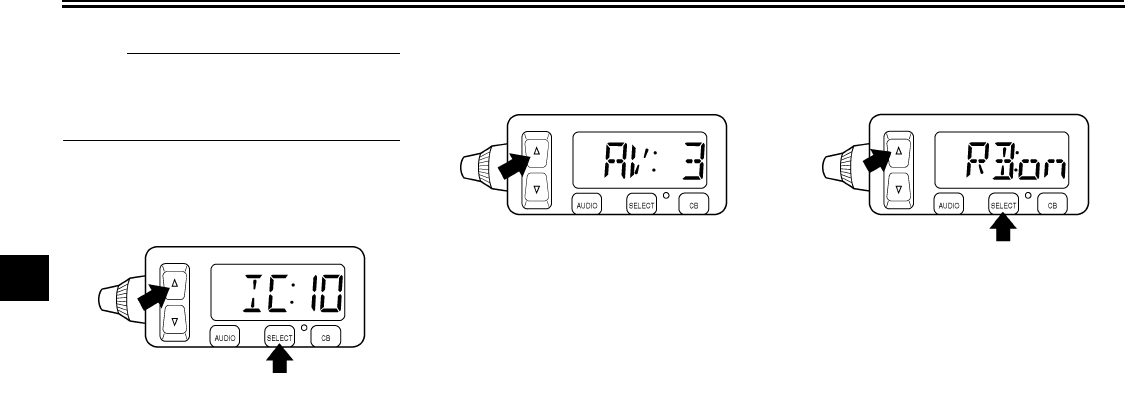
Adjusting the intercom volume
1. Repeatedly push the “SELECT”
button for less than one second
until the intercom volume (e.g.,
“IC:10”) appears in the display.
2. Repeatedly push either side of the
up/down switch for less than one
second until the desired volume is
displayed. The intercom volume
can be set between “0” and “20”.
Adjusting the auto volume
When riding the vehicle, external noise
may override the audio system output
volume. The audio system features an
automatic volume control function
which compensates for external noise.
1. Repeatedly push the “SELECT”
button for less than one second
until the auto volume (e.g., “AV: 3”)
appears in the display.
2. Repeatedly push either side of the
up/down switch for less than one
second until the desired volume is
displayed. The auto volume can
be set between “0” and “5”.
Turning on/off the CB roger beep
1. Repeatedly push the “SELECT”
button for less than one second
until either “RB:on” (roger beep on)
or “RB:oF” (roger beep off) ap-
pears in the display.
2. Repeatedly push either side of the
up/down switch for less than one
second to change the setting.
Intercom operation
Provided both the rider and passenger
are wearing headsets, they can talk to
each other through the intercom at any
time. (See the “Adjusting the intercom
volume” section.)
U2C912E0.book Page 8 Tuesday, June 12, 2007 9:27 AM
AUDIO SYSTEM AND CB RADIO
4-9
4
EAU15520
Cassette deck operation WARNING
EWA11380
●It is dangerous to operate the
cassette deck while riding. Nev-
er take your hands off the han-
dlebars while riding.
●Keep the volume at a low
enough level to be aware of traf-
fic conditions and ensure safe-
ty.
CAUTION:
ECA11760
●Keep the cassette deck lid
closed at all times, except when
inserting or removing a cas-
sette.
●Do not leave cassette tapes in
direct sunlight for a long period
of time.
●Do not allow the inside of the
cassette deck to get wet. If this
happens, keep the cassette
deck lid open and dry out the
deck in the shade.
●To clean the tape head, use a
de-magnetizing cleaning cas-
sette, but be sure to turn the vol-
ume all the way down to avoid
speaker damage.
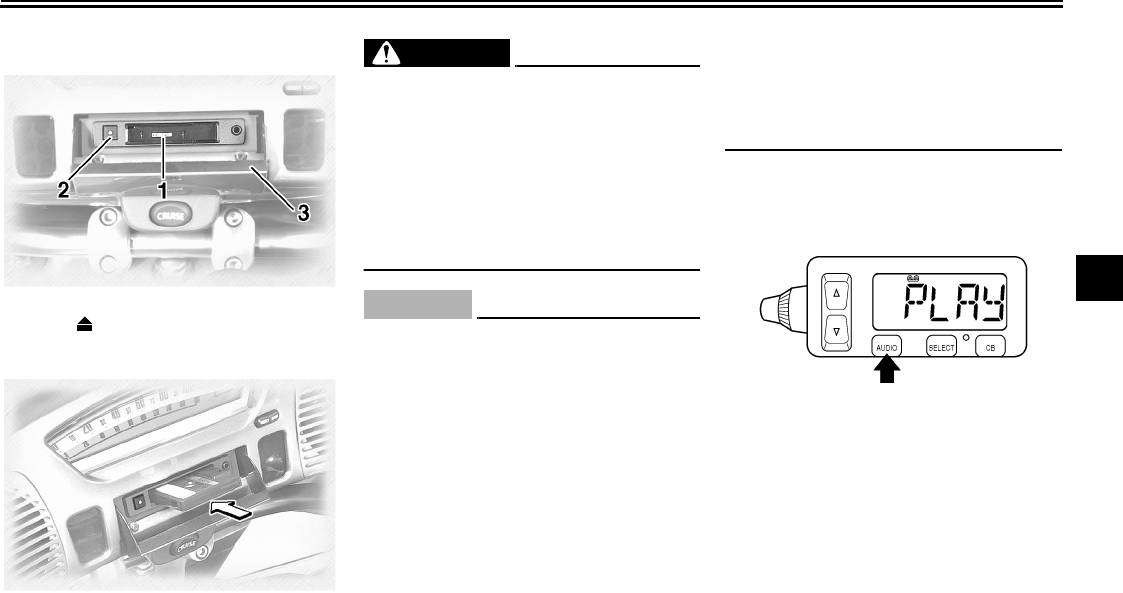
Playing a cassette tape
1. Make sure that the audio system is
turned on. (See page 4-3.)
2. Insert a cassette tape into the cas-
sette compartment as shown.
“LOAD”, then “PLAY” appears in
the display. (If a cassette is already
inserted, push the “AUDIO” button
until “PLAY” appears in the dis-
play.) The tape starts playing.
1. Cassette deck compartment
2. Eject (“”) button
3. Cassette deck lid
U2C912E0.book Page 9 Tuesday, June 12, 2007 9:27 AM
AUDIO SYSTEM AND CB RADIO
4-10
4
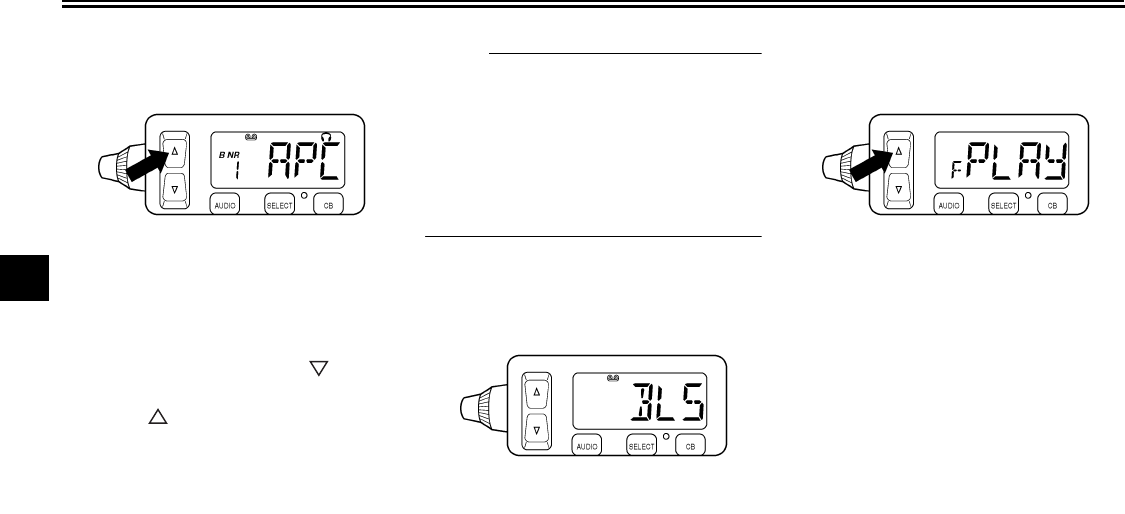
Skipping songs
While a cassette tape is playing, push
either side of the up/down switch once
for less than one second for each song
to be skipped. Pushing “” skips
songs in the forward direction.
Pushing “” skips songs in the re-
verse direction. “APC” (auto program
control) and the number of songs to be
skipped (e.g., “3”) appear in the display.
When skipping songs in reverse, a mi-
nus sign appears in front of the number
of songs to be skipped (e.g., “-2”). (“-1”
indicates that the current song will be
played again.)
NOTE:
●The maximum number of songs
that can be skipped in either direc-
tion is 9.
●To stop skipping songs, push the
up/down switch in the opposite di-
rection that songs are being
skipped.
Skipping a blank
When there is a long blank portion of
tape on the cassette, “BLS” appears in
the display and the cassette deck auto-
matically fast-forwards the tape to the
next song.
Changing the tape play direction
While the cassette tape is playing, push
either side of the up/down switch for
more than one second to reverse the
play direction. “F” appears in the dis-
play when the tape is played in the for-
ward direction. “R” appears in the
display when the tape is played in the
reverse direction.
U2C912E0.book Page 10 Tuesday, June 12, 2007 9:27 AM
AUDIO SYSTEM AND CB RADIO
4-11
4
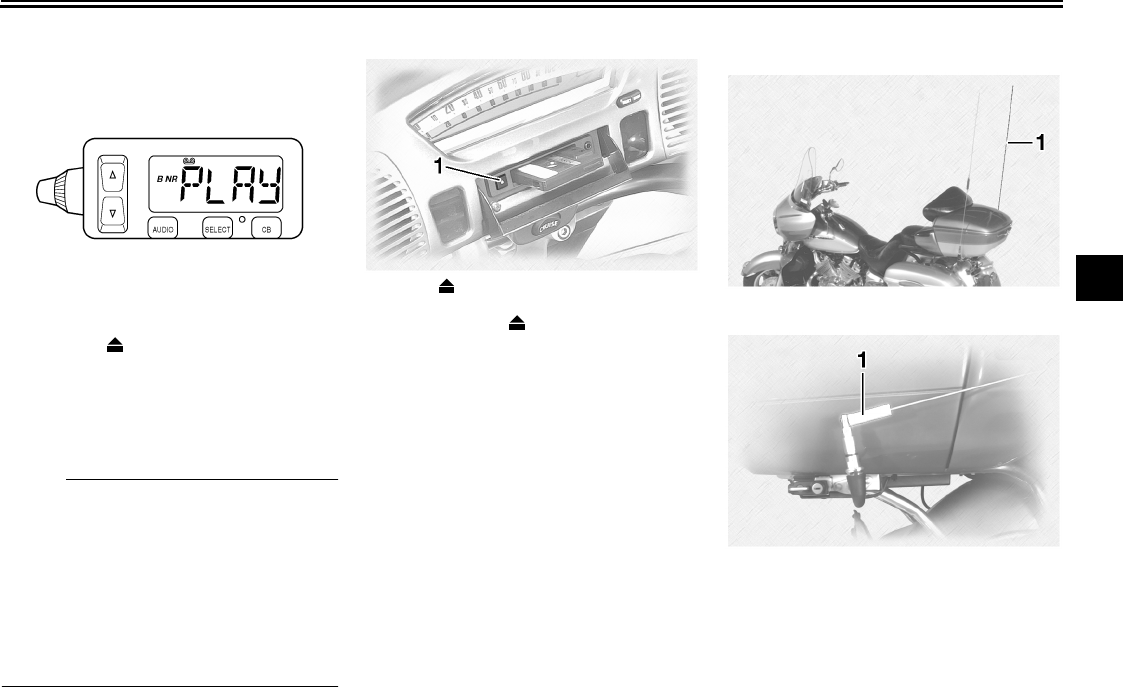
Turning on/off the Dolby noise re-
duction system
While the cassette tape is playing, push
the eject (“”) button for more than
two seconds to turn the Dolby B noise
reduction system on or off. “B NR” ap-
pears in the display when the noise re-
duction system is turned on.
NOTE:
●The Dolby noise reduction system
has been manufactured under li-
cense from Dolby Laboratories Li-
censing Corporation.
●Dolby and the double “D” symbol
are registered trademarks of Dolby
Laboratories Licensing Corpora-
tion.
Ejecting the cassette tape
Push the eject (“”) button to eject the
tape from the cassette deck. “EJCT”
appears in the display, and then
“CASS” starts flashing.
EAU15533
Radio operation
1. Eject (“”) button
1. Radio antenna
1. Antenna sleeve
U2C912E0.book Page 11 Tuesday, June 12, 2007 9:27 AM
AUDIO SYSTEM AND CB RADIO
4-12
4
WARNING
EWA11390
●It is dangerous to operate the ra-
dio while riding. Never take your
hands off the handlebars while
riding.
●Keep the volume at a low
enough level to be aware of traf-
fic conditions and ensure safe-
ty.
●Never ride the motorcycle with
the radio antenna folded down.
NOTE:
●The antenna can be folded down
after lifting the sleeve.
●Be sure to tighten the antenna nut
securely when putting the antenna
back to the original position.
Selecting a frequency band
This radio offers three FM bands and
one AM band. Since all three FM bands
cover the whole FM frequency range,
any one of them can be selected for
tuning in an FM station. These three
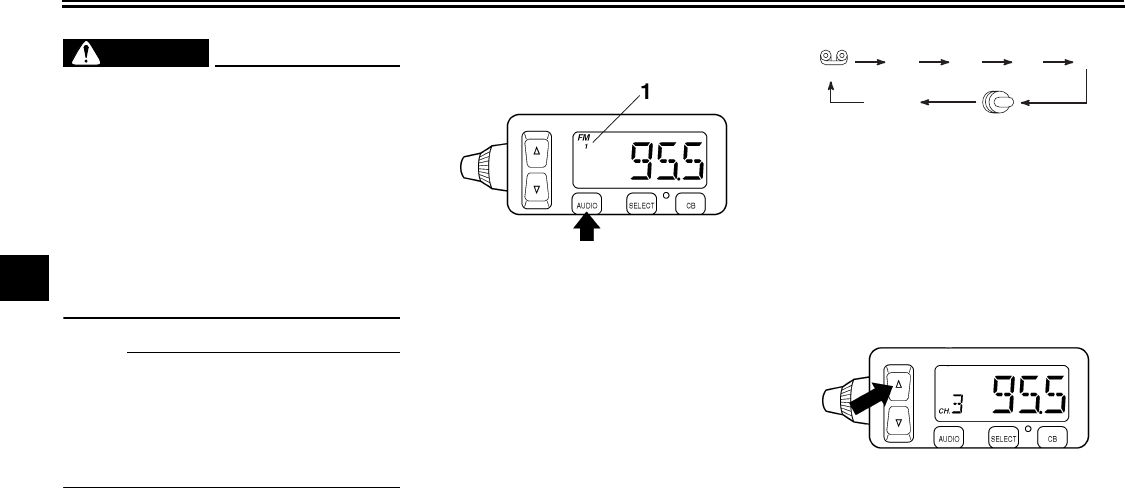
FM bands are useful for categorizing
FM preset stations. Repeatedly push
the “AUDIO” button for less than one
second until the desired frequency
band appears in the display.
Tuning in a radio station automati-
cally
1. Select a frequency band. (See the
“Selecting a frequency band” sec-
tion.)
2. Push either side of the up/down
switch once for one second or
more. The radio automatically
1. Frequency band
(Tape)
FM1 FM2 FM3 AM
AUX
(CD changer
*
)
(Auxiliary
audio source)
* The CD mode appears in the display only
when the optional CD changer is installed.
U2C912E0.book Page 12 Tuesday, June 12, 2007 9:27 AM
AUDIO SYSTEM AND CB RADIO
4-13
4
tunes in the first station that has a
strong enough signal to be re-
ceived.
Tuning in a radio station manually
In order to tune in a particular radio sta-
tion (e.g., when the signal is too weak
for automatic tuning), the radio frequen-
cy can be selected manually as follows.
1. Select a frequency band. (See the
“Selecting a frequency band” sec-
tion.)
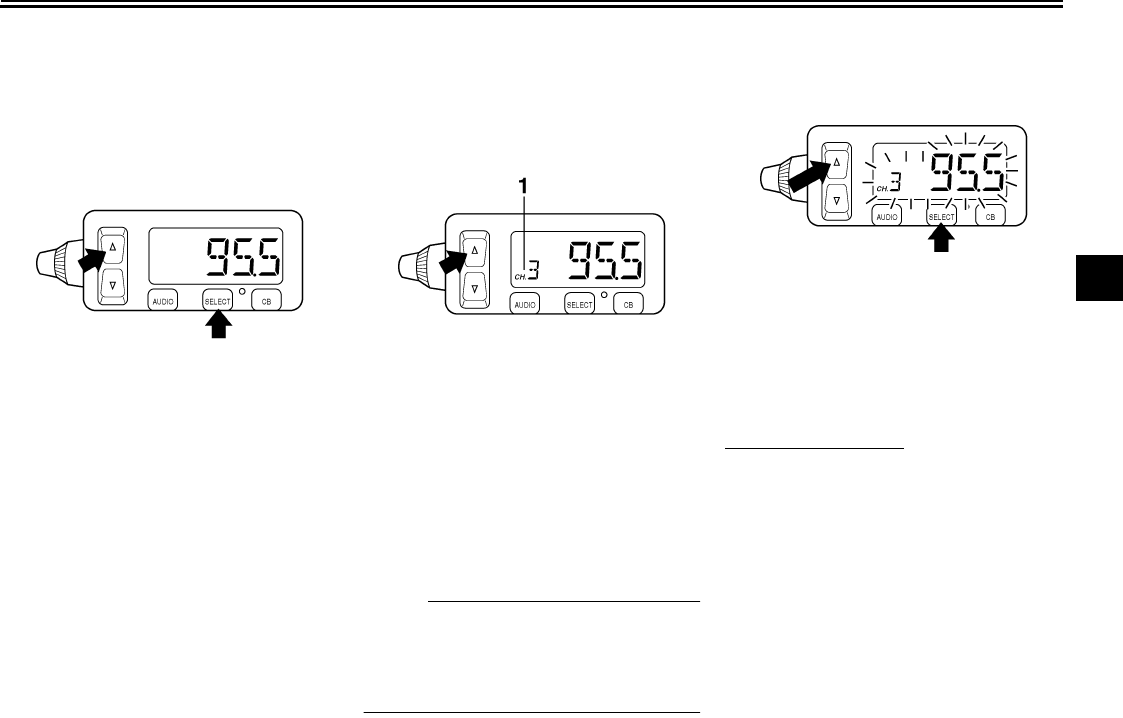
2. Repeatedly push the “SELECT”
button for less than one second
until the currently selected radio
frequency appears in the display.
3. Push either side of the up/down
switch for less than one second
until the desired frequency is dis-
played. The frequency changes in
0.2-MHz steps for FM and in 10-
kHz steps for AM.
Tuning in a preset radio station
1. Select a frequency band. (See the
“Selecting a frequency band” sec-
tion.)
2. Repeatedly push either side of the
up/down switch for less than one
second until the desired preset
station number is displayed.
NOTE:
To be able to tune in a preset radio sta-
tion, you must have previously pro-
grammed at least one. (See the
following sections.)
Programming preset radio stations
manually
Up to six stations can be programmed
for each frequency band (FM1, FM2,
FM3, and AM) using either manual or
automatic tuning.
Using manual tuning
1. Manually tune in a radio station
that you wish to preset. (See the
“Tuning in a preset radio station”
section.)
2. Push the “SELECT” button once
for two seconds or more. The radio
frequency and preset station num-
ber “1” (to the right of “CH.”) start
flashing.
1. Preset station number
U2C912E0.book Page 13 Tuesday, June 12, 2007 9:27 AM
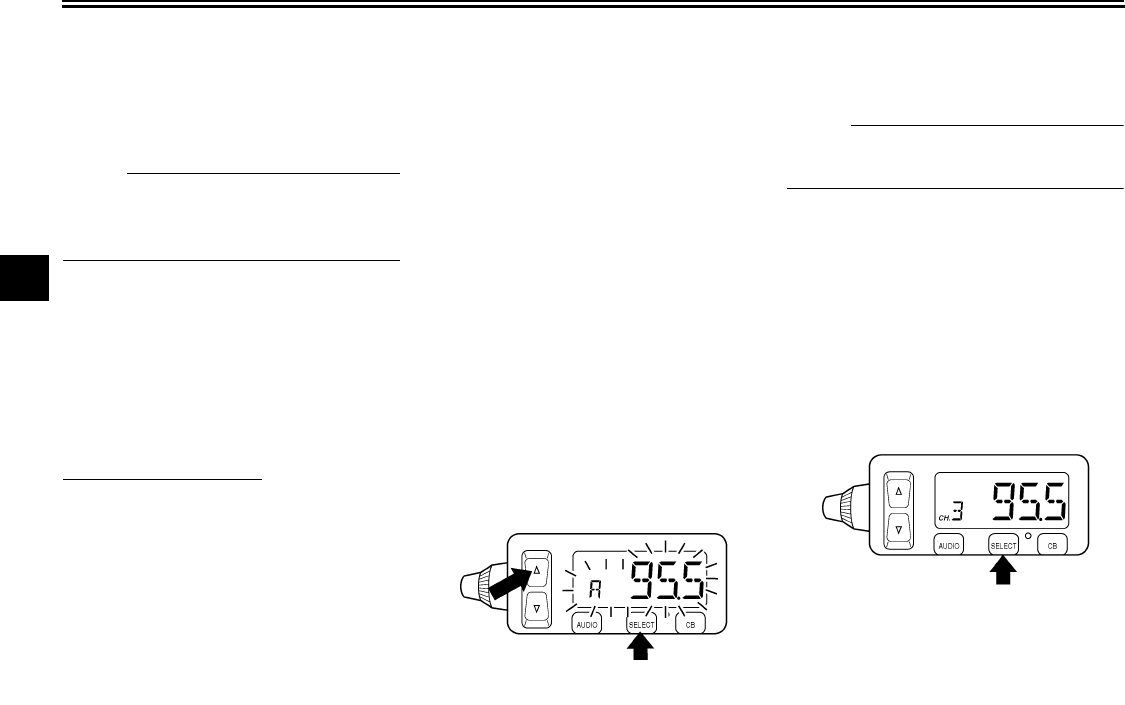
AUDIO SYSTEM AND CB RADIO
4-14
4
3. Repeatedly push either side of the
up/down switch for less than one
second until the desired preset
number (“1” through “6”) is dis-
played.
NOTE:
Selecting “A” will automatically pro-
gram the preset stations. See the fol-
lowing section.
4. Push the “SELECT” button once
for less than one second to store
the radio station selected in step 1
under the preset number selected
in step 3.
5. Repeat this procedure to preset
other radio stations.
Using automatic tuning
1. Select a frequency band. (See the
“Selecting a frequency band” sec-
tion.)
2. Push the “SELECT” button once
for two seconds or more. The radio
frequency and preset station num-
ber “1” (to the right of “CH.”) start
flashing.
3. Push either side of the up/down
switch once for one second or
more to tune in a station automati-
cally.
4. Repeatedly push either side of the
up/down switch for less than one
second until the desired preset
number (“1” through “6”) is dis-
played.
5. Push the “SELECT” button once
for less than one second to store
the radio station selected in step 3
under the preset number selected
in step 4.
6. Repeat this procedure to preset
other radio stations.
Programming preset radio stations
automatically
Up to six stations can be programmed
automatically for each frequency band
(FM1, FM2, FM3, and AM) as follows.
NOTE:
This function works best in areas with
strong radio signals.
1. Select a frequency band. (See the
“Selecting a frequency band” sec-
tion.)
2. Push the “SELECT” button once
for two seconds or more. The radio
frequency and preset station num-
ber “1” (to the right of “CH.”) start
flashing.
3. Repeatedly push either side of the
up/down switch for less than one
second until “A” (automatic) ap-
pears in the display.
U2C912E0.book Page 14 Tuesday, June 12, 2007 9:27 AM
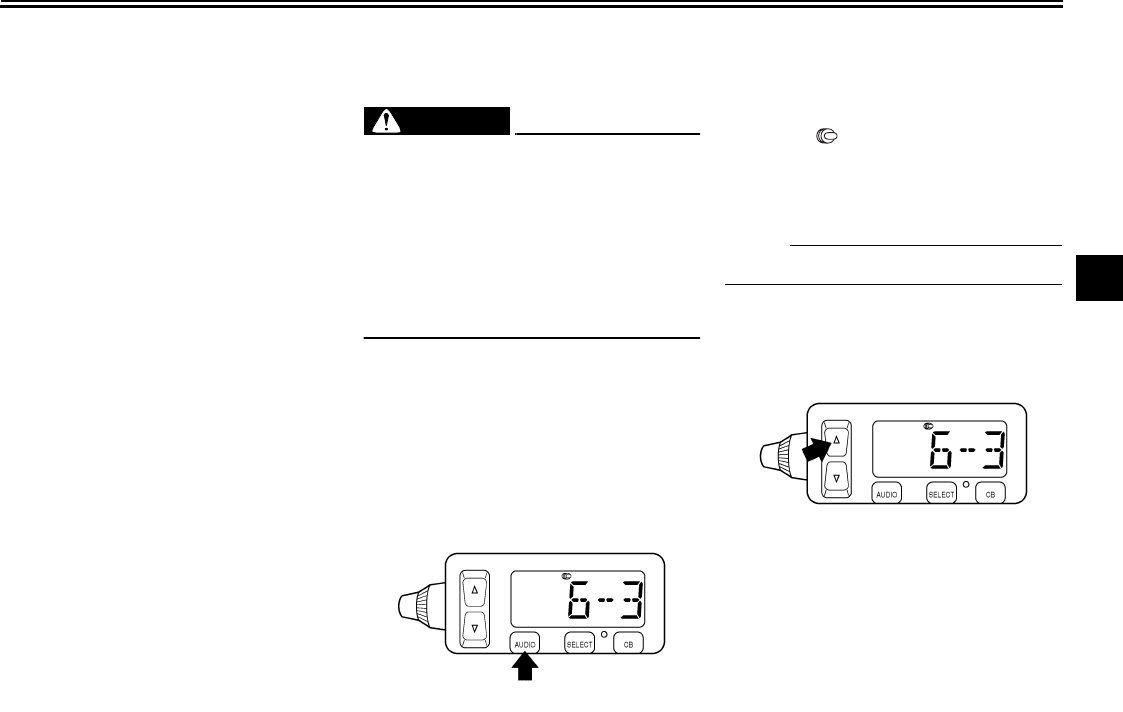
AUDIO SYSTEM AND CB RADIO
4-15
4
4. Push the “SELECT” button once
for less than one second to pro-
gram preset radio stations auto-
matically.
EAU15540
Optional CD changer opera-
tion
WARNING
EWA11400
●It is dangerous to operate the
CD changer while riding. Never
take your hands off the handle-
bars while riding.
●Keep the volume at a low
enough level to be aware of traf-
fic conditions and ensure safe-
ty.
An optional six-disc CD changer can be
mounted in the travel trunk. Ask a
Yamaha dealer to install the genuine
Clarion CDC635 model.
Playing a CD
1. Insert up to six CDs into the CD
changer. Follow the manufactur-
er’s directions.
2. Push the “AUDIO” button
until “” as well as the CD num-
ber and track number (e.g., “6-3”)
appear in the display. The CD
starts playing.
NOTE:
“6-3” indicates track no. 3 on CD no. 6.
Selecting a CD
Repeatedly push either side of the
up/down switch for one second or more
until the number for the desired CD ap-
pears in the display.
U2C912E0.book Page 15 Tuesday, June 12, 2007 9:27 AM
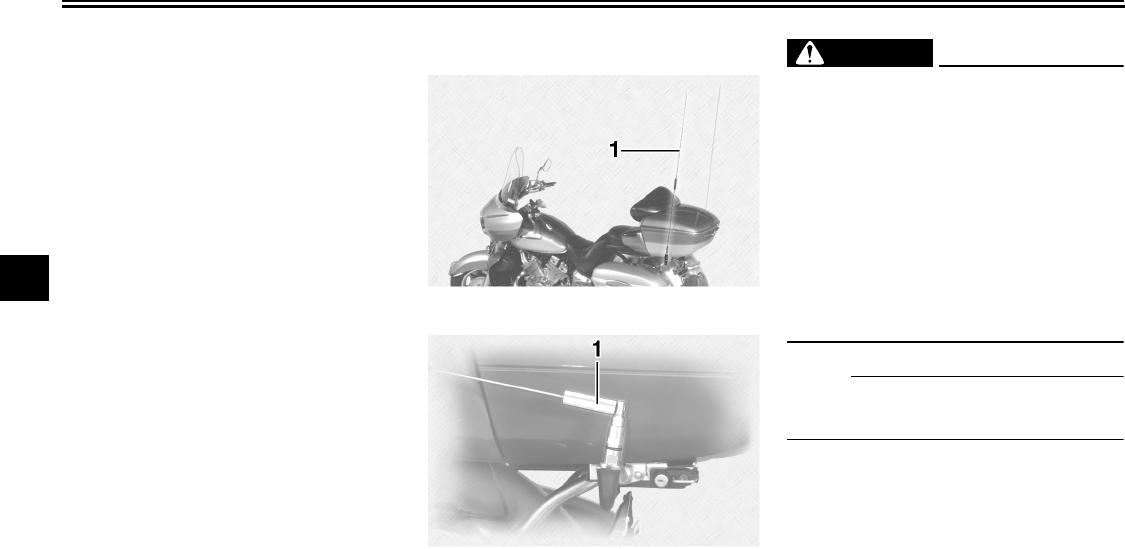
AUDIO SYSTEM AND CB RADIO
4-16
4
Selecting a CD track
Repeatedly push either side of the
up/down switch for less than one sec-
ond until the number for the desired CD
track appears in the display.
EAU15550
CB radio operation WARNING
EWA11410
●It is dangerous to change CB ra-
dio channels or adjust the vol-
ume while riding. Never take
your hands off the handlebars
while riding.
●Keep the volume at a low
enough level to be aware of traf-
fic conditions and ensure safe-
ty.
●Never ride the motorcycle with
the CB antenna folded down.
NOTE:
The antenna can be folded down after
lifting the sleeve.
This CB radio will operate on any of the
40 frequencies designated as Citizens
band channels by the Federal Commu-
nications Commission (F.C.C.). This
model features a frequency-synthesiz-
ing circuit with PHASE LOCK LOOP
technology to assure ultra-precise fre-
quency control. This radio has been
Type-Accepted and Type-Certified by
the F.C.C.
1. CB antenna
1. Antenna sleeve
U2C912E0.book Page 16 Tuesday, June 12, 2007 9:27 AM
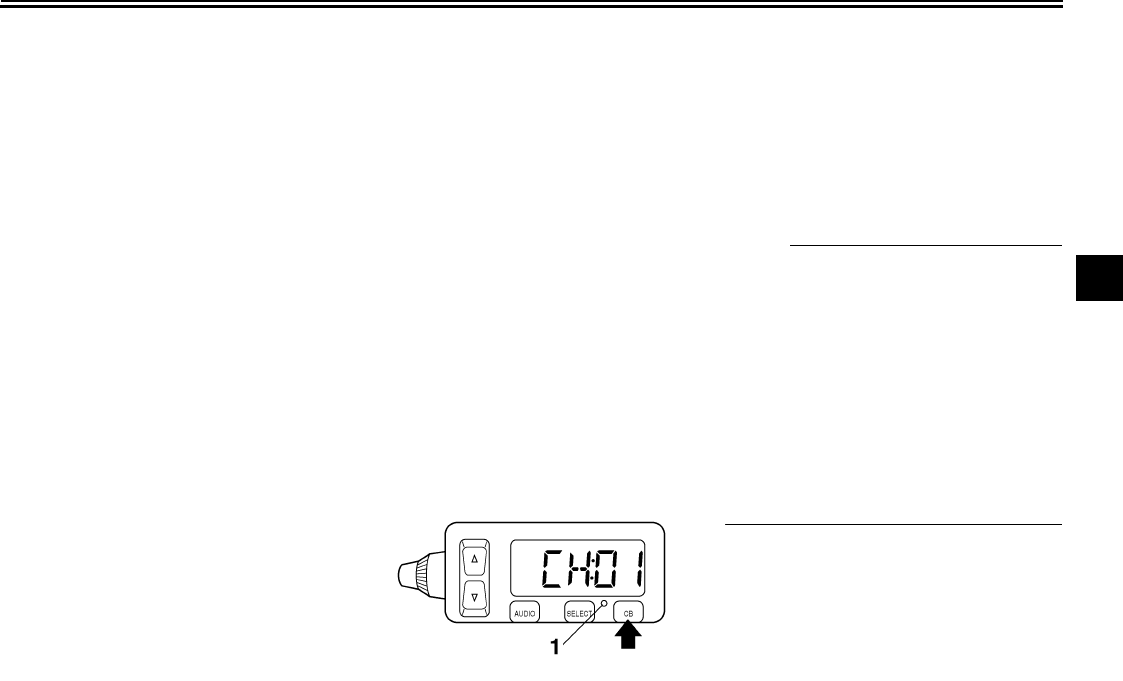
AUDIO SYSTEM AND CB RADIO
4-17
4
The Citizens Band Radio Service is
under the jurisdiction of the Federal
Communications Commission
(F.C.C.). Any adjustments or modifi-
cations which would alter the perfor-
mance of the transceiver’s original
F.C.C. Type Acceptance or which
would change the frequency-deter-
mining method are strictly prohibit-
ed. Replacement or substitution of
Crystals, Transistors, IC, Regulator
Diodes or any other part of unique
nature with parts other than those
recommended may cause violation
of the technical regulation of Part 95
of the F.C.C. Rules or Violation of
Type Acceptance requirements of
Part 2 of the Rules.
Elimination of licensing
The Federal Communications Com-
mission (F.C.C.) has ruled that Citizens
Band Radio Service Operators no long-
er are required to obtain an F.C.C. li-
cense to operate their CB equipment.
In doing so, the F.C.C. also decided to
permit CB station operation without sta-
tion identification. Elimination of individ-
ual station license results in no
lessening of the operating privileges or
responsibilities of CB users. An opera-
tor of a CB radio station is still required
to comply with the Communications Act
and with the rules of CB Radio Service.
CB radio functions
The CB radio is capable of the following
functions, which are further explained
in the following sections:
●Selecting a CB channel for trans-
mitting or receiving
●Adjusting the squelch level
●Adjusting the receiving volume lev-
el
●Transmitting and receiving
Selecting a CB channel
1. Make sure that the CB radio is
turned on and is selected. (See
page 4-6.)
2. Repeatedly push either side of the
up/down switch for less than one
second until the desired CB chan-
nel (“Ch:01” through “Ch:40”) is
displayed.
NOTE:
All channels, except channel 9, may be
used for communications between sta-
tions operating under different licenses.
Channel 9 has been reserved by the
F.C.C. for emergency communications
involving the immediate safety of indi-
viduals or immediate protection of prop-
erty. Channel 9 may also be used to
render assistance to a motorist. This is
an F.C.C. rule and applies to all opera-
tors of CB radios.
1. CB radio indicator light
U2C912E0.book Page 17 Tuesday, June 12, 2007 9:27 AM
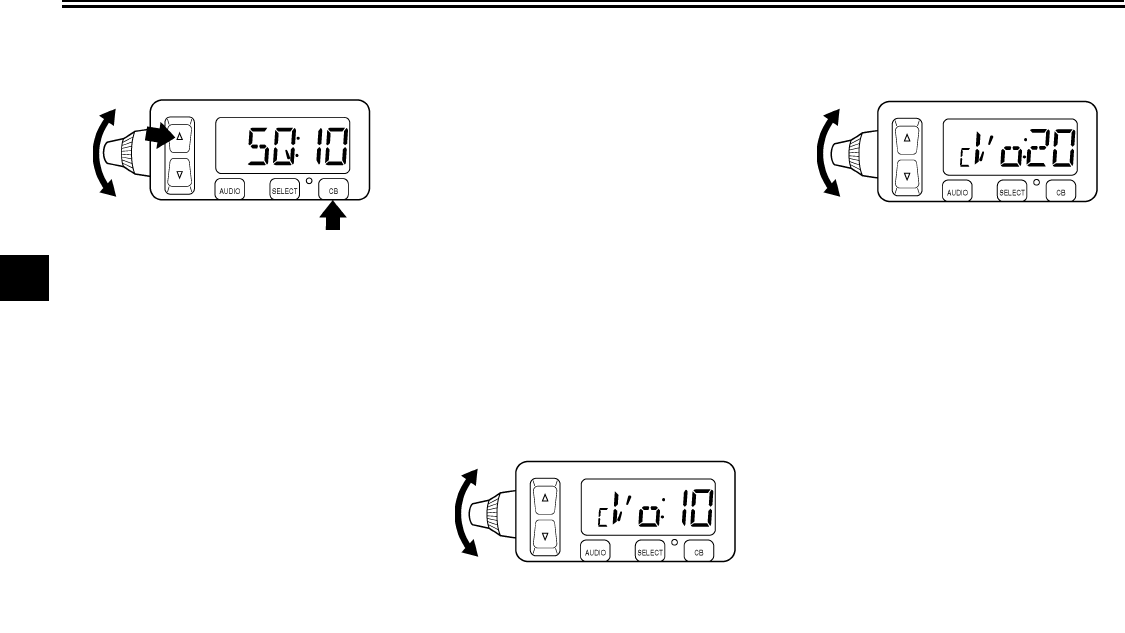
AUDIO SYSTEM AND CB RADIO
4-18
4
Adjusting the squelch level
The squelch is a noise suppresser de-
signed to reduce or eliminate back-
ground noise in the absence of an
incoming signal. The squelch level can
be adjusted as follows.
1. Push the “CB” button once for less
than one second. The squelch lev-
el appears in the display (e.g.,
“SQ:10”).
2. Repeatedly push either side of the
up/down switch for less than one
second or turn the control knob un-
til the desired squelch level is dis-
played. The squelch level can be
set between “1” and “20”. After the
adjustment is made, the CB radio
returns to normal operation and
the CB channel appears in the dis-
play.
For maximum reception sensitivity, the
squelch level should be set by turning
the control knob fully counterclockwise,
and then slowly turning it clockwise un-
til the background noise has been suffi-
ciently reduced. In order for an
incoming CB signal to be heard, it must
be stronger than the noise received.
Turning the control further clockwise
will increase the threshold level that a
signal must overcome in order to be
heard. Only strong signals will be heard
at the maximum setting.
Adjusting the receiving volume
Turn the volume control knob to
change the receiving volume level of
the CB radio. After setting the level, the
display will automatically change back
to the “CB” mode and the channel will
appear. The volume level can be set
between “0” and “20”.
U2C912E0.book Page 18 Tuesday, June 12, 2007 9:27 AM
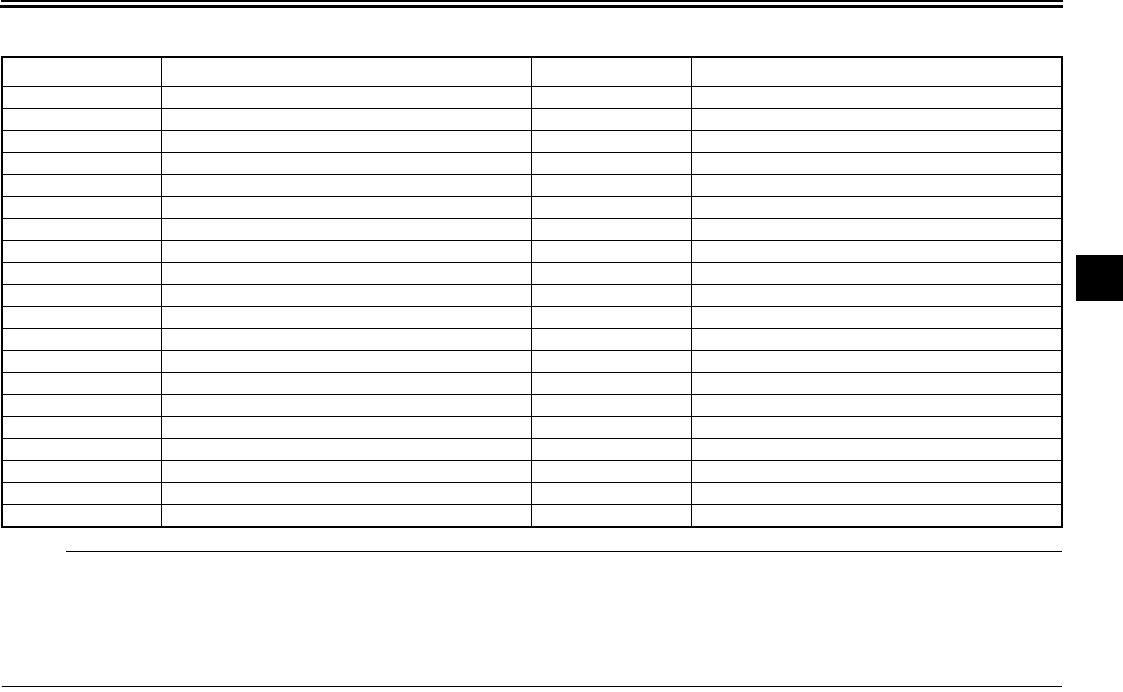
AUDIO SYSTEM AND CB RADIO
4-19
4
Channel information
NOTE:
This radio has been designed for operation in the 11-meter Citizens Band Radio Service. It uses a frequency-synthesizing
circuit with Phase-Locked Loop (PLL) technology to provide crystal-controlled transmit and receive operation on all 40 chan-
nels. The PLL circuitry assures ultra-precise frequency control and is designed to meet the Federal Communications Com-
mission requirements applicable to equipment operating in the Citizens Radio Service; it is not to be used for any other
purpose.
Channel Channel Frequency in MHz Channel Channel Frequency in MHz
1 26.965 21 27.215
2 26.975 22 27.225
3 36.985 23 27.235
4 27.005 24 27.245
5 27.015 25 27.255
6 27.025 26 27.265
7 27.035 27 27.275
8 27.055 28 27.285
9 27.065 29 27.295
10 27.075 30 27.305
11 27.085 31 27.315
12 27.105 32 27.325
13 27.115 33 27.335
14 27.125 34 27.345
15 27.135 35 27.355
16 27.155 36 27.365
17 27.165 37 27.375
18 27.175 38 27.385
19 27.185 39 27.395
20 27.205 40 27.405
U2C912E0.book Page 19 Tuesday, June 12, 2007 9:27 AM
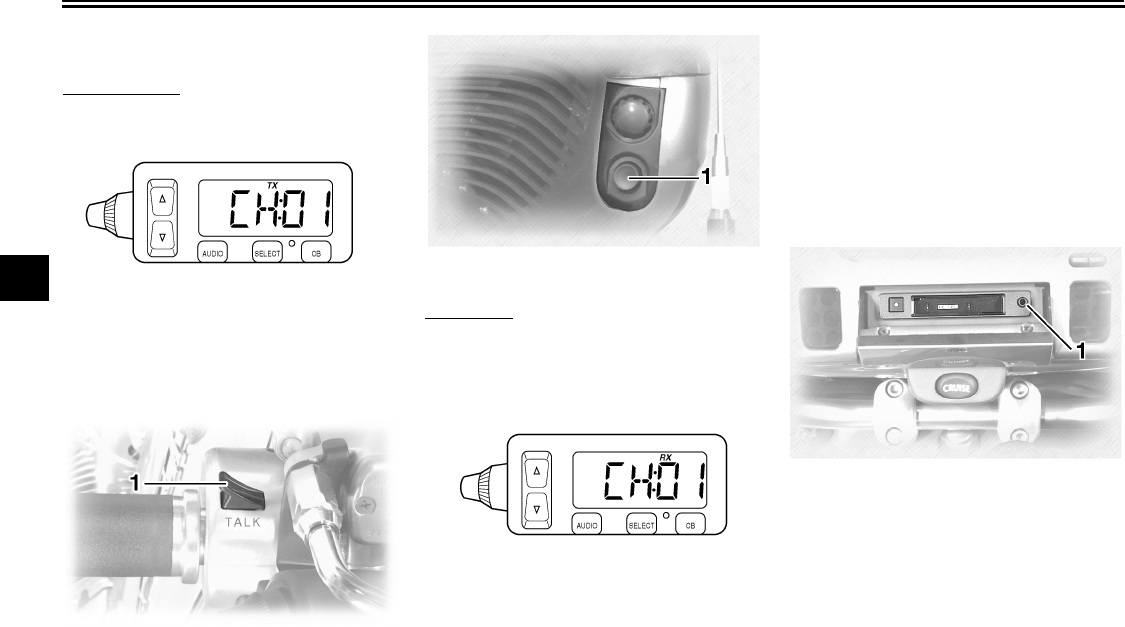
AUDIO SYSTEM AND CB RADIO
4-20
4
Transmitting and receiving
Transmission
Push the rider “TALK” switch or the
passenger “TALK” button to transmit.
“TX” appears in the display.
Reception
“RX” appears in the display when the
CB radio is receiving a signal.
EAU15570
Auxiliary audio source opera-
tion
Auxiliary audio equipment can be con-
nected to, and played through, the au-
dio system.
1. Insert the output plug of the auxil-
iary equipment into the jack locat-
ed at the right of the cassette deck.
2. Repeatedly push the “AUDIO” but-
ton for less than one second until
“AUX” appears in the display. The
auxiliary equipment can now be
played through the audio system.
1. “TA L K ” switch
1. Passenger “TA LK ” button
1. Auxiliary audio input jack
U2C912E0.book Page 20 Tuesday, June 12, 2007 9:27 AM
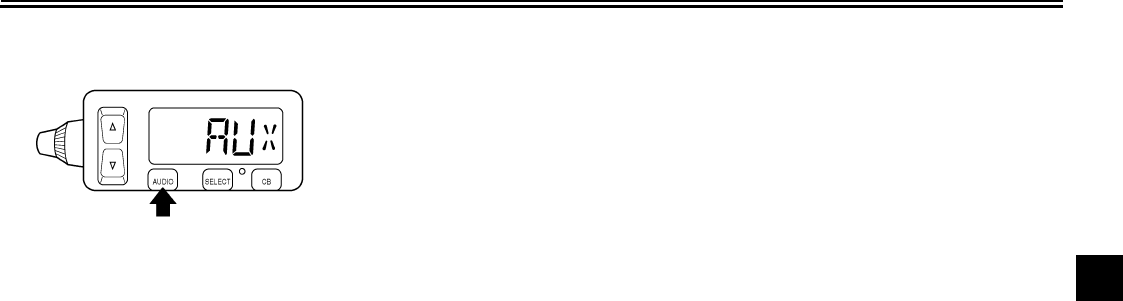
AUDIO SYSTEM AND CB RADIO
4-21
4
U2C912E0.book Page 21 Tuesday, June 12, 2007 9:27 AM
PRE-OPERATION CHECKS
5-1
5
EAU15593
The condition of a vehicle is the owner’s responsibility. Vital components can start to deteriorate quickly and unexpectedly,
even if the vehicle remains unused (for example, as a result of exposure to the elements). Any damage, fluid leakage or loss
of tire air pressure could have serious consequences. Therefore, it is very important, in addition to a thorough visual inspec-
tion, to check the following points before each ride.
NOTE:
Pre-operation checks should be made each time the vehicle is used. Such an inspection can be accomplished in a very short
time; and the added safety it assures is more than worth the time involved.
WARNING
EWA11150
If any item in the Pre-operation check list is not working properly, have it inspected and repaired before operating
the vehicle.
U2C912E0.book Page 1 Tuesday, June 12, 2007 9:27 AM
PRE-OPERATION CHECKS
5-2
5
EAU15605
Pre-operation check list
ITEM CHECKS PAGE
Fuel
•Check fuel level in fuel tank.
•Refuel if necessary.
•Check fuel line for leakage.
3-10
Engine oil
•Check oil level in engine.
•If necessary, add recommended oil to specified level.
•Check vehicle for oil leakage.
7-12
Final gear oil •Check vehicle for oil leakage. 7-15
Coolant
•Check coolant level in reservoir.
•If necessary, add recommended coolant to specified level.
•Check cooling system for leakage.
7-16
Front brake
•Check operation.
•If soft or spongy, have Yamaha dealer bleed hydraulic system.
•Check lever free play.
•Adjust if necessary.
•Check brake pads for wear.
•Replace if necessary.
•Check fluid level in reservoir.
•If necessary, add recommended brake fluid to specified level.
•Check hydraulic system for leakage.
7-24, 7-25, 7-26
Rear brake
•Check operation.
•If soft or spongy, have Yamaha dealer bleed hydraulic system.
•Check brake pads for wear.
•Replace if necessary.
•Check fluid level in reservoir.
•If necessary, add recommended brake fluid to specified level.
•Check hydraulic system for leakage.
7-25, 7-26
U2C912E0.book Page 2 Tuesday, June 12, 2007 9:27 AM
PRE-OPERATION CHECKS
5-3
5
Clutch
•Check operation.
•If soft or spongy, have Yamaha dealer bleed hydraulic system.
•Check fluid level in reservoir.
•If necessary, add recommended fluid to specified level.
•Check hydraulic system for leakage.
7-24, 7-26
Throttle grip
•Make sure that operation is smooth.
•Check cable free play.
•If necessary, have Yamaha dealer adjust cable free play and lubricate cable and
grip housing.
7-20, 7-28
Control cables •Make sure that operation is smooth.
•Lubricate if necessary. 7-28
Wheels and tires
•Check for damage.
•Check tire condition and tread depth.
•Check air pressure.
•Correct if necessary.
7-21, 7-23
Brake and shift pedals •Make sure that operation is smooth.
•Lubricate pedal pivoting points if necessary. 7-28
Brake and clutch levers •Make sure that operation is smooth.
•Lubricate lever pivoting points if necessary. 7-29
Sidestand •Make sure that operation is smooth.
•Lubricate pivot if necessary. 7-29
Chassis fasteners •Make sure that all nuts, bolts and screws are properly tightened.
•Tighten if necessary. —
Instruments, lights, signals
and switches
•Check operation.
•Correct if necessary. —
Sidestand switch •Check operation of ignition circuit cut-off system.
•If system is defective, have Yamaha dealer check vehicle. 3-18
ITEM CHECKS PAGE
U2C912E0.book Page 3 Tuesday, June 12, 2007 9:27 AM
OPERATION AND IMPORTANT RIDING POINTS
6-1
6
EAU15950
WARNING
EWA10270
●Become thoroughly familiar
with all operating controls and
their functions before riding.
Consult a Yamaha dealer re-
garding any control or function
that you do not thoroughly un-
derstand.
●Never start the engine or oper-
ate it in a closed area for any
length of time. Exhaust fumes
are poisonous, and inhaling
them can cause loss of con-
sciousness and death within a
short time. Always make sure
that there is adequate ventila-
tion.
●Before starting out, make sure
that the sidestand is up. If the
sidestand is not raised com-
pletely, it could contact the
ground and distract the opera-
tor, resulting in a possible loss
of control.
EAU44740
Starting and warming up a
cold engine
In order for the ignition circuit cut-off
system to enable starting, one of the
following conditions must be met:
●The transmission is in the neutral
position.
●The transmission is in gear with
the clutch lever pulled and the sid-
estand up.
WARNING
EWA10290
●Before starting the engine,
check the function of the igni-
tion circuit cut-off system ac-
cording to the procedure
described on page 3-19.
●Never ride with the sidestand
down.
1. Turn the fuel cock lever to “ON”.
2. Turn the key to “ON” and make
sure that the engine stop switch is
set to “”.
CAUTION:
ECA16060
●The engine trouble warning
light should come on for a few
seconds, then go off. If a warn-
ing light does not go off, see
page 3-2 for the corresponding
warning light circuit check.
●If the fuel level warning light
comes on, check the fuel level,
and, if necessary, refuel as soon
as possible.
3. Shift the transmission into the neu-
tral position.
NOTE:
When the transmission is in the neutral
position, the neutral indicator light
should be on, otherwise have a
Yamaha dealer check the electrical cir-
cuit.
4. Turn the starter (choke) on and
completely close the throttle. (See
page 3-12.)
5. Start the engine by pushing the
start switch.
U2C912E0.book Page 1 Tuesday, June 12, 2007 9:27 AM
OPERATION AND IMPORTANT RIDING POINTS
6-2
6
NOTE:
If the engine fails to start, release the
start switch, wait a few seconds, and
then try again. Each starting attempt
should be as short as possible to pre-
serve the battery. Do not crank the en-
gine more than 10 seconds on any one
attempt.
CAUTION:
ECA11350
●The oil level warning light and
coolant temperature warning
light should come on when the
start switch is pushed, and they
should go off when the start
switch is released.
●If the oil level warning light flick-
ers or remains on after starting,
immediately stop the engine,
and then check the engine oil
level and the vehicle for oil leak-
age. If necessary, add engine
oil, and then check the warning
light again. If the warning light
does not come on when push-
ing the start switch, or if it does
not go off after starting with suf-
ficient engine oil, have a
Yamaha dealer check the elec-
trical circuit.
●If the coolant temperature warn-
ing light remains on after start-
ing, immediately stop the
engine, and allow it to cool. If
the warning light does not come
on when pushing the start
switch, or if it does not go off af-
ter starting the engine, have a
Yamaha dealer check the elec-
trical circuit.
6. After starting the engine, move the
starter (choke) back halfway.
CAUTION:
ECA11130
For maximum engine life, always
warm the engine up before starting
off. Never accelerate hard when the
engine is cold!
7. When the engine is warm, turn the
starter (choke) off.
NOTE:
The engine is warm when it responds
normally to the throttle with the starter
(choke) turned off. To avoid the possi-
bility of excessive exhaust emissions,
never leave the starter (choke) on long-
er than necessary. The time necessary
for starter (choke) use depends upon
the ambient temperature. Tempera-
tures above 10 °C (50 °F) require about
7 seconds of starter (choke) use and
temperatures below 10 °C (50 °F) re-
quire about 35 seconds with the starter
(choke) turned on, then about 2.5 min-
utes with the starter (choke) in the half-
way position.
U2C912E0.book Page 2 Tuesday, June 12, 2007 9:27 AM
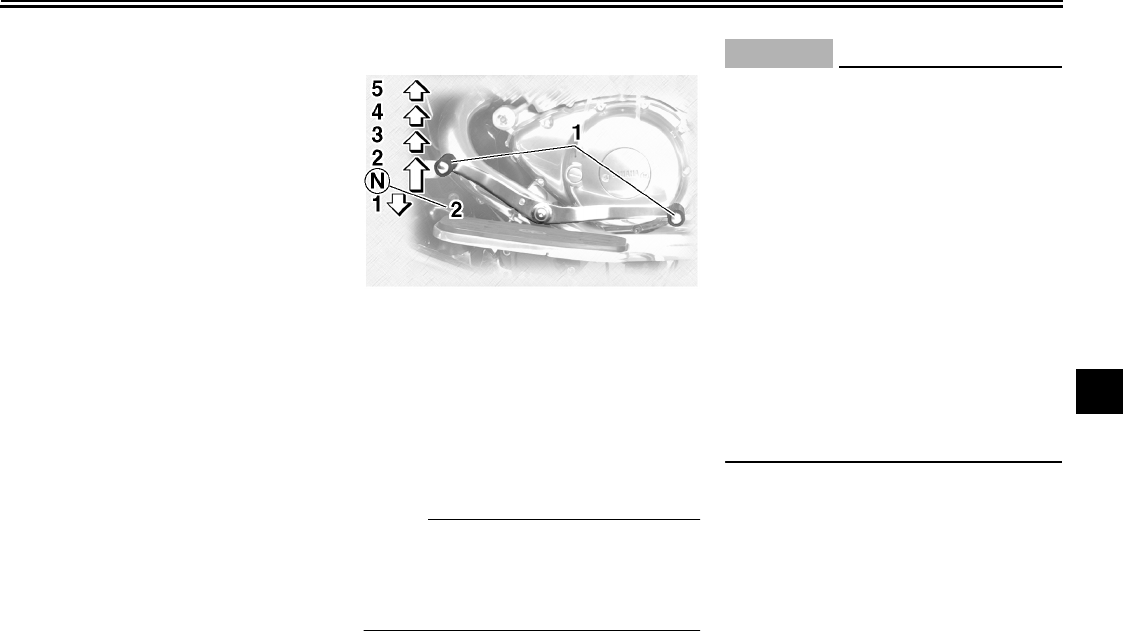
OPERATION AND IMPORTANT RIDING POINTS
6-3
6
EAU16640
Starting a warm engine
Follow the same procedure as for start-
ing a cold engine with the exception
that the starter (choke) is not required
when the engine is warm.
EAU16671
Shifting
Shifting gears lets you control the
amount of engine power available for
starting off, accelerating, climbing hills,
etc.
The gear positions are shown in the il-
lustration.
NOTE:
To shift the transmission into the neu-
tral position, press the shift pedal down
repeatedly until it reaches the end of its
travel, and then slightly raise it.
CAUTION:
ECA10260
●Even with the transmission in
the neutral position, do not
coast for long periods of time
with the engine off, and do not
tow the motorcycle for long dis-
tances. The transmission is
properly lubricated only when
the engine is running. Inade-
quate lubrication may damage
the transmission.
●Always use the clutch while
changing gears to avoid damag-
ing the engine, transmission,
and drive train, which are not
designed to withstand the
shock of forced shifting.
EAU16680
To start out and accelerate
1. Pull the clutch lever to disengage
the clutch.
2. Shift the transmission into first
gear. The neutral indicator light
should go out.
3. Open the throttle gradually, and at
the same time, release the clutch
lever slowly.
1. Shift pedal
2. Neutral position
U2C912E0.book Page 3 Tuesday, June 12, 2007 9:27 AM
OPERATION AND IMPORTANT RIDING POINTS
6-4
6
4. At the recommended shift points
shown in the following table, close
the throttle, and at the same time,
quickly pull the clutch lever in.
5. Shift the transmission into second
gear. (Make sure not to shift the
transmission into the neutral posi-
tion.)
6. Open the throttle part way and
gradually release the clutch lever.
7. Follow the same procedure when
shifting to the next higher gear.
NOTE:
Always shift gears at the recommended
shift points.
EAU16700
To decelerate
1. Apply both the front and the rear
brakes to slow the motorcycle.
2. Shift the transmission into first
gear when the motorcycle reaches
25 km/h (16 mi/h). If the engine is
about to stall or runs very roughly,
pull the clutch lever in and use the
brakes to stop the motorcycle.
3. Shift the transmission into the neu-
tral position when the motorcycle
is almost completely stopped. The
neutral indicator light should come
on.
EAU16720
Recommended shift points
The recommended shift points during
acceleration and deceleration are
shown in the table below.
EAU16841
Engine break-in
There is never a more important period
in the life of your engine than the period
between 0 and 1600 km (1000 mi). For
this reason, you should read the follow-
ing material carefully.
Since the engine is brand new, do not
put an excessive load on it for the first
1600 km (1000 mi). The various parts in
the engine wear and polish themselves
to the correct operating clearances.
During this period, prolonged full-throt-
tle operation or any condition that might
result in engine overheating must be
avoided.
EAU17041
0–1000 km (0–600 mi)
Avoid prolonged operation above 1/3
throttle.
1000–1600 km (600–1000 mi)
Avoid prolonged operation above 1/2
throttle.
Shift up points:
1st → 2nd: 20 km/h (13 mi/h)
2nd → 3rd: 30 km/h (19 mi/h)
3rd → 4th: 40 km/h (25 mi/h)
4th → 5th: 50 km/h (31 mi/h)
Shift down points:
5th → 4th: 25 km/h (16 mi/h)
4th → 3rd: 25 km/h (16 mi/h)
3rd → 2nd: 25 km/h (16 mi/h)
2nd → 1st: 25 km/h (16 mi/h)
U2C912E0.book Page 4 Tuesday, June 12, 2007 9:27 AM
OPERATION AND IMPORTANT RIDING POINTS
6-5
6
CAUTION:
ECA10331
After 1000 km (600 mi) of operation,
the engine oil and final gear oil must
be changed, and the oil filter car-
tridge or element replaced.
1600 km (1000 mi) and beyond
The vehicle can now be operated nor-
mally.
CAUTION:
ECA10270
If any engine trouble should occur
during the engine break-in period,
immediately have a Yamaha dealer
check the vehicle.
EAU17170
Parking
When parking, stop the engine, remove
the key from the main switch, and then
turn the fuel cock lever to “OFF”.
WARNING
EWA10310
●Since the engine and exhaust
system can become very hot,
park in a place where pedestri-
ans or children are not likely to
touch them.
●Do not park on a slope or on soft
ground, otherwise the vehicle
may overturn.
U2C912E0.book Page 5 Tuesday, June 12, 2007 9:27 AM
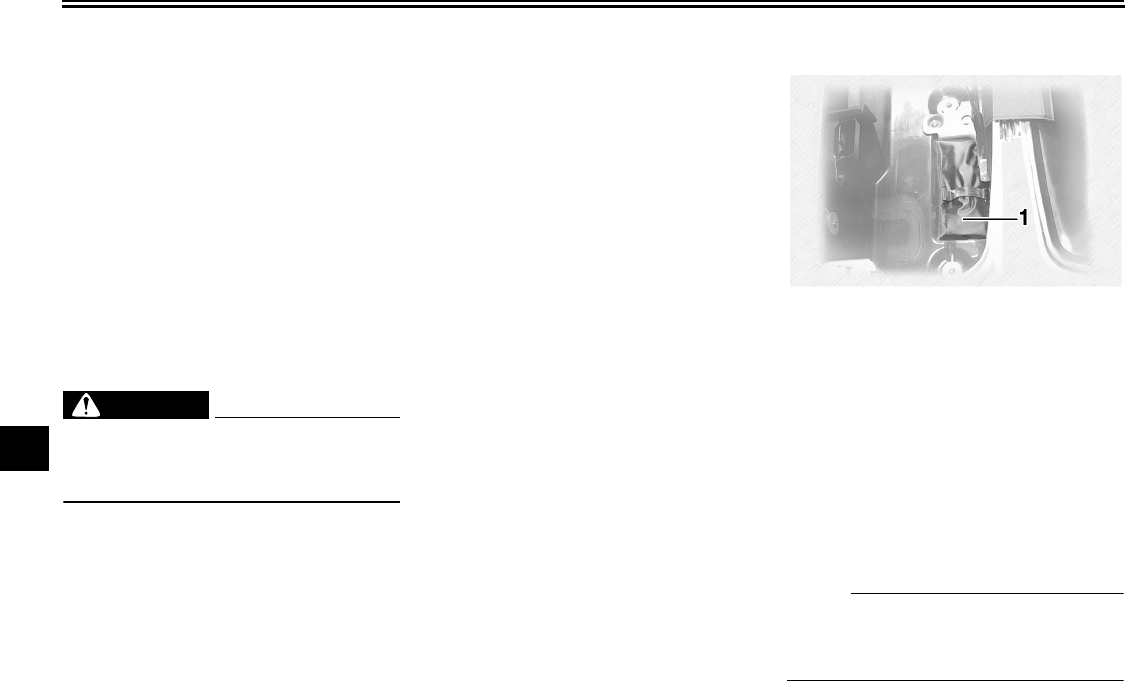
PERIODIC MAINTENANCE AND MINOR REPAIR
7-1
7
EAU17231
Safety is an obligation of the owner. Pe-
riodic inspection, adjustment and lubri-
cation will keep your vehicle in the
safest and most efficient condition pos-
sible. The most important points of
motorcycle inspection, adjustment, and
lubrication are explained on the follow-
ing pages.
Maintenance, replacement, or repair
of the emission control devices and
systems may be performed by any
repair establishment or individual
that is certified (if applicable).
WARNING
EWA10320
If you are not familiar with mainte-
nance work, have a Yamaha dealer
do it for you.
EAU17301
PERIODIC MAINTENANCE
PROPER PERIODIC MAINTENANCE
OF YOUR VEHICLE IS IMPORTANT
IN ORDER TO ENJOY LONG, PLEA-
SURABLE SERVICE. ESPECIALLY
IMPORTANT ARE THE MAINTE-
NANCE SERVICES RELATED TO
EMISSIONS CONTROL. THESE
CONTROLS NOT ONLY FUNCTION
TO ENSURE CLEANER AIR, BUT
ARE ALSO VITAL TO PROPER EN-
GINE OPERATION AND MAXIMUM
PERFORMANCE. IN THE FOLLOW-
ING PERIODIC MAINTENANCE
CHARTS, THE SERVICES RELATED
TO EMISSIONS CONTROL ARE
GROUPED SEPARATELY. THESE
SERVICES REQUIRE SPECIALIZED
DATA, KNOWLEDGE, AND EQUIP-
MENT. YAMAHA DEALERS ARE
TRAINED AND EQUIPPED TO PER-
FORM THESE PARTICULAR SER-
VICES.
EAU17401
Owner’s tool kit
The owner’s tool kit is located inside the
right sidecase. (See page 3-14.)
The service information included in this
manual and the tools provided in the
owner’s tool kit are intended to assist
you in the performance of preventive
maintenance and minor repairs. How-
ever, additional tools such as a torque
wrench may be necessary to perform
certain maintenance work correctly.
NOTE:
If you do not have the tools or experi-
ence required for a particular job, have
a Yamaha dealer perform it for you.
1. Owner’s tool kit
U2C912E0.book Page 1 Tuesday, June 12, 2007 9:27 AM
PERIODIC MAINTENANCE AND MINOR REPAIR
7-2
7
WARNING
EWA10340
Modifications not approved by
Yamaha may cause loss of perfor-
mance, excessive emissions, and
render the vehicle unsafe for use.
Consult a Yamaha dealer before at-
tempting any changes.
U2C912E0.book Page 2 Tuesday, June 12, 2007 9:27 AM
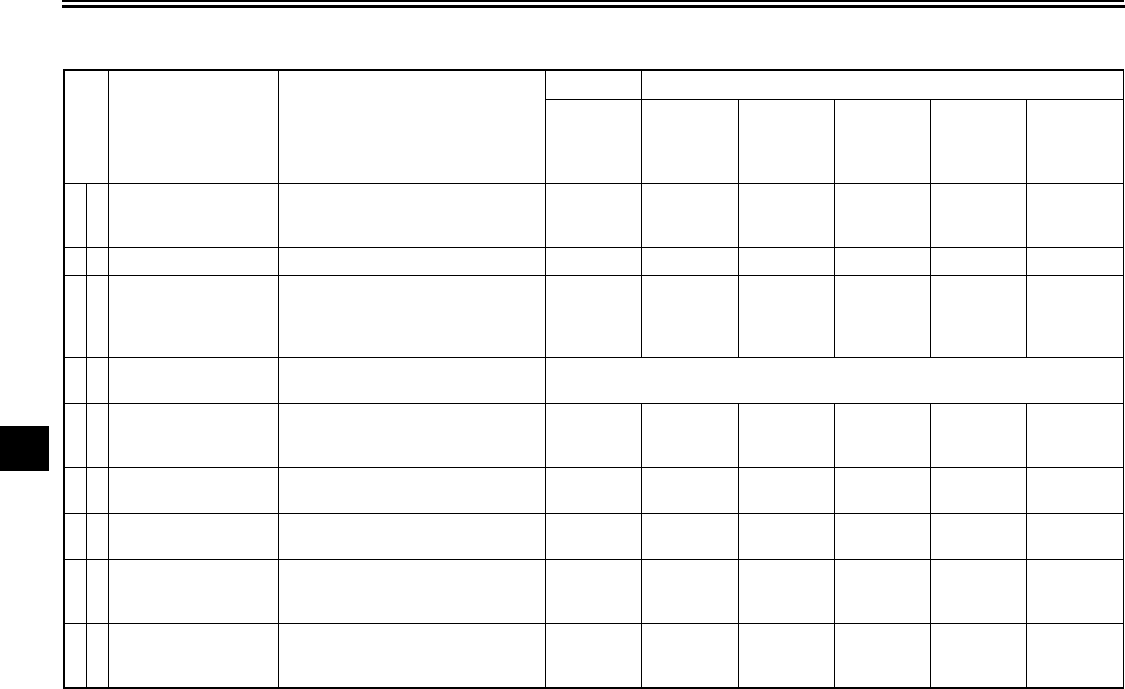
PERIODIC MAINTENANCE AND MINOR REPAIR
7-3
7
EAU17600
Periodic maintenance chart for the emission control system
* Since these items require special tools, data and technical skills, have a Yamaha dealer perform the service.
No. ITEM ROUTINE
INITIAL ODOMETER READINGS
600 mi
(1000 km)
or
1 month
4000 mi
(7000 km)
or
6 months
8000 mi
(13000 km)
or
12 months
12000 mi
(19000 km)
or
18 months
16000 mi
(25000 km)
or
24 months
20000 mi
(31000 km)
or
30 months
1*Fuel line
•Check fuel hoses for cracks or
damage.
•Replace if necessary.
√√√√√
2*Fuel filter •Replace. Replace.
3 Spark plugs
•Check condition.
•Adjust gap and clean.
•Replace every 8000 mi (13000
km) or 12 months.
√Replace. √Replace. √
4*Valve clearance •Check and adjust valve clearance
when engine is cold. Every 26600 mi (42000 km)
5*Crankcase breather
system
•Check breather hose for cracks or
damage.
•Replace if necessary.
√√√√√
6*Carburetor synchro-
nization
•Adjust synchronization of carbu-
retors. √√√√√√
7*Idle speed •Check and adjust engine idle
speed. √√√√√√
8*Exhaust system
•Check for leakage.
•Tighten if necessary.
•Replace gasket(s) if necessary.
√√√√√
9*
Evaporative emis-
sion control system
(For California only)
•Check control system for dam-
age.
•Replace if necessary.
√
U2C912E0.book Page 3 Tuesday, June 12, 2007 9:27 AM
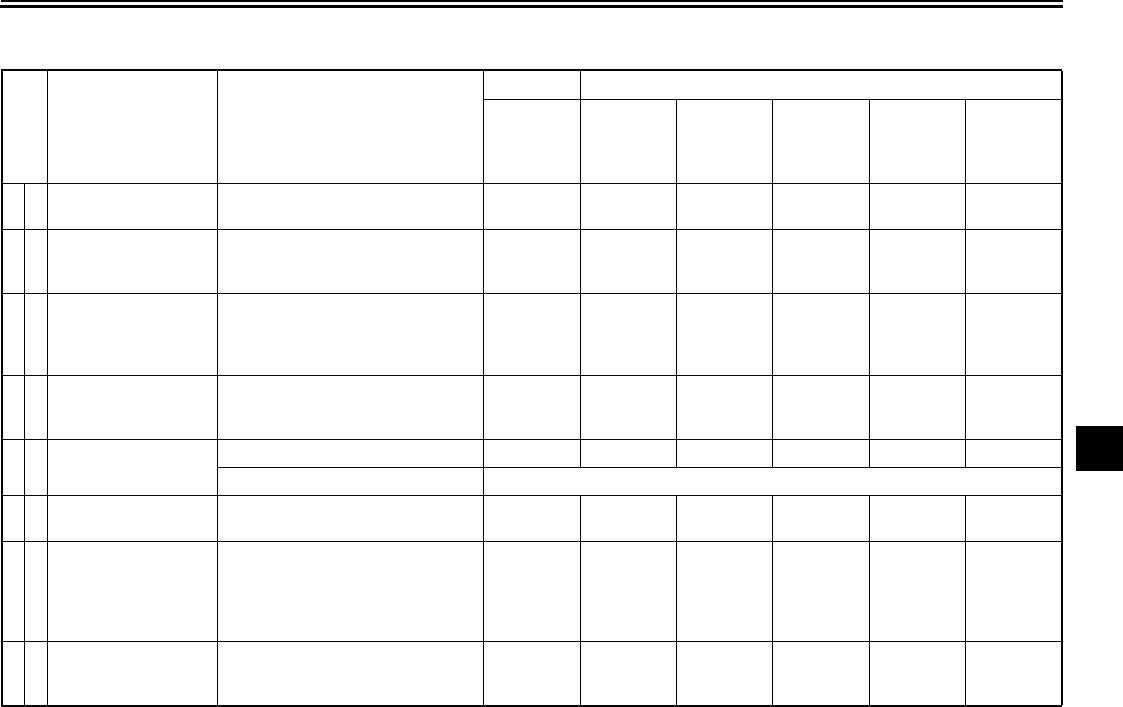
PERIODIC MAINTENANCE AND MINOR REPAIR
7-4
7
EAU32185
General maintenance and lubrication chart
No. ITEM ROUTINE
INITIAL ODOMETER READINGS
600 mi
(1000 km)
or
1 month
4000 mi
(7000 km)
or
6 months
8000 mi
(13000 km)
or
12 months
12000 mi
(19000 km)
or
18 months
16000 mi
(25000 km)
or
24 months
20000 mi
(31000 km)
or
30 months
1*Air filter elements •Clean with compressed air.
•Replace if necessary. √√√√√
2*Clutch
•Check operation and fluid leak-
age.
•Correct if necessary.
√√√√√√
3*Front brake
•Check operation, fluid level, and
for fluid leakage.
•Adjust brake lever free play and
replace brake pads if necessary.
√√√√√√
4*Rear brake
•Check operation, fluid level, and
for fluid leakage.
•Replace brake pads if necessary.
√√√√√√
5*Brake hoses •Check for cracks or damage. √√√√√
•Replace. Every 4 years
6*Wheels •Check runout and for damage.
•Replace if necessary. √√√√√
7*Tires
•Check tread depth and for dam-
age.
•Replace if necessary.
•Check air pressure.
•Correct if necessary.
√√√√√
8*Wheel bearings
•Check bearings for smooth oper-
ation.
•Replace if necessary.
√√√√√
U2C912E0.book Page 4 Tuesday, June 12, 2007 9:27 AM
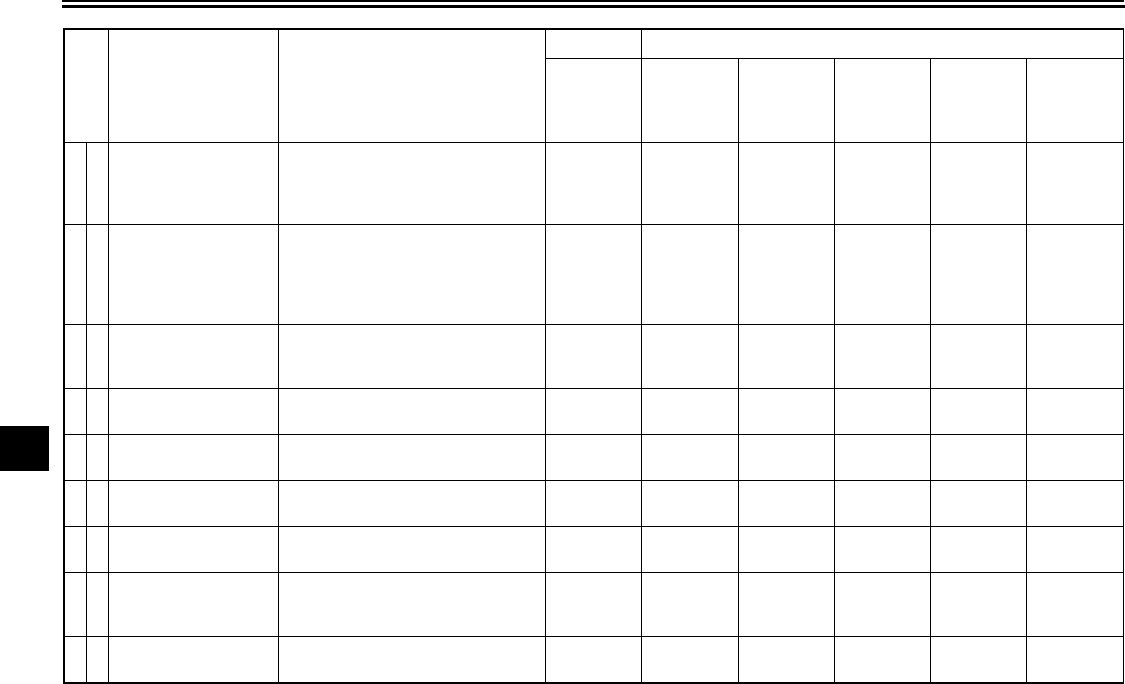
PERIODIC MAINTENANCE AND MINOR REPAIR
7-5
7
9*Swingarm pivot
bearings
•Check bearing assemblies for
looseness.
•Moderately repack with lithium-
soap-based grease.
√Repack.
10 *Steering bearings
•Check bearing assemblies for
looseness.
•Moderately repack with lithium-
soap-based grease every 16000
mi (25000 km) or 24 months.
√√√√Repack. √
11 *Chassis fasteners
•Check all chassis fitting and fas-
teners.
•Correct if necessary.
√√√√√
12 Brake lever pivot
shaft •Apply silicone grease lightly. √√√√√
13 Brake pedal pivot
shaft
•Apply lithium-soap-based grease
(all-purpose grease) lightly. √√√√√
14 Clutch lever pivot
shaft •Apply silicone grease lightly. √√√√√
15 Shift pedal pivot
shaft
•Apply lithium-soap-based grease
(all-purpose grease) lightly. √√√√√
16 Sidestand pivot
•Check operation.
•Apply lithium-soap-based grease
(all-purpose grease) lightly.
√√√√√
17 *Sidestand switch •Check operation and replace if
necessary. √√√√√√
No. ITEM ROUTINE
INITIAL ODOMETER READINGS
600 mi
(1000 km)
or
1 month
4000 mi
(7000 km)
or
6 months
8000 mi
(13000 km)
or
12 months
12000 mi
(19000 km)
or
18 months
16000 mi
(25000 km)
or
24 months
20000 mi
(31000 km)
or
30 months
U2C912E0.book Page 5 Tuesday, June 12, 2007 9:27 AM
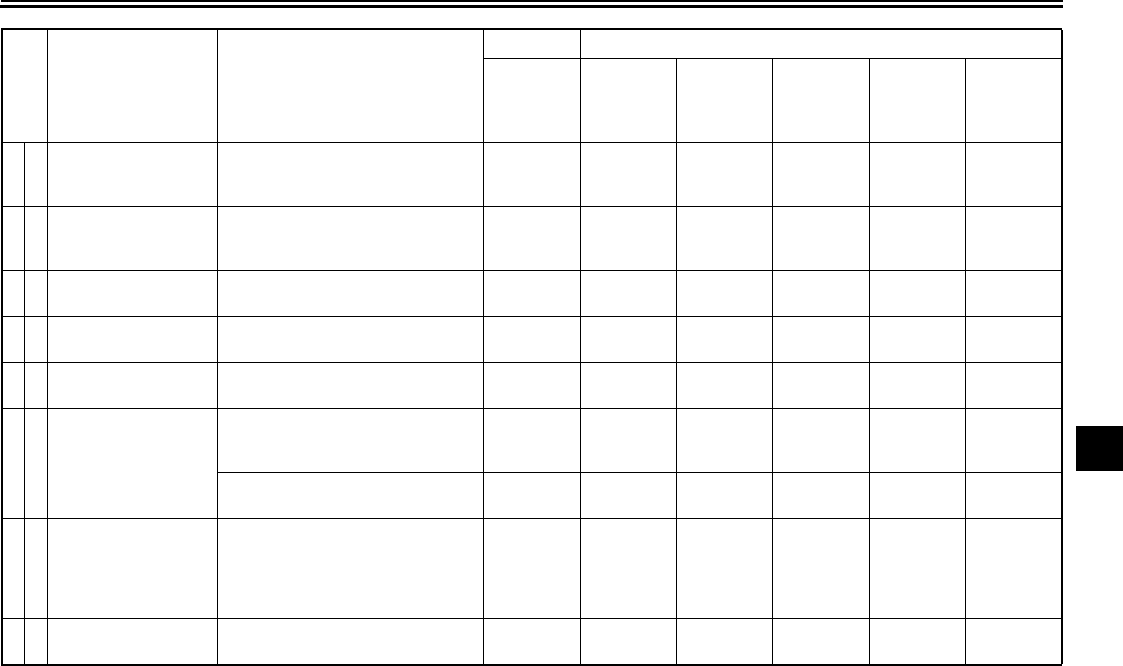
PERIODIC MAINTENANCE AND MINOR REPAIR
7-6
7
18 *Front fork
•Check operation and for oil leak-
age.
•Replace if necessary.
√√√√√
19 *Shock absorber as-
sembly
•Check operation and for oil leak-
age.
•Replace if necessary.
√√√√√
20 *Rear suspension
link pivots
•Apply lithium-soap-based grease
lightly. √
21 Engine oil •Change (warm engine before
draining). √√√√√√
22 *Engine oil filter car-
tridge •Replace. √√√
23 *Cooling system
•Check hoses for cracks or dam-
age.
•Replace if necessary.
√√√√√
•Change with ethylene glycol anti-
freeze coolant every 24 months. Change.
24 Final gear oil
•Check oil level and for oil leakage.
•Change at initial 600 mi (1000
km) or 1 month, and thereafter
every 16000 mi (25000 km) or 24
months.
Change. √√√Change. √
25 *Front and rear brake
switches •Check operation. √√√√√√
No. ITEM ROUTINE
INITIAL ODOMETER READINGS
600 mi
(1000 km)
or
1 month
4000 mi
(7000 km)
or
6 months
8000 mi
(13000 km)
or
12 months
12000 mi
(19000 km)
or
18 months
16000 mi
(25000 km)
or
24 months
20000 mi
(31000 km)
or
30 months
U2C912E0.book Page 6 Tuesday, June 12, 2007 9:27 AM
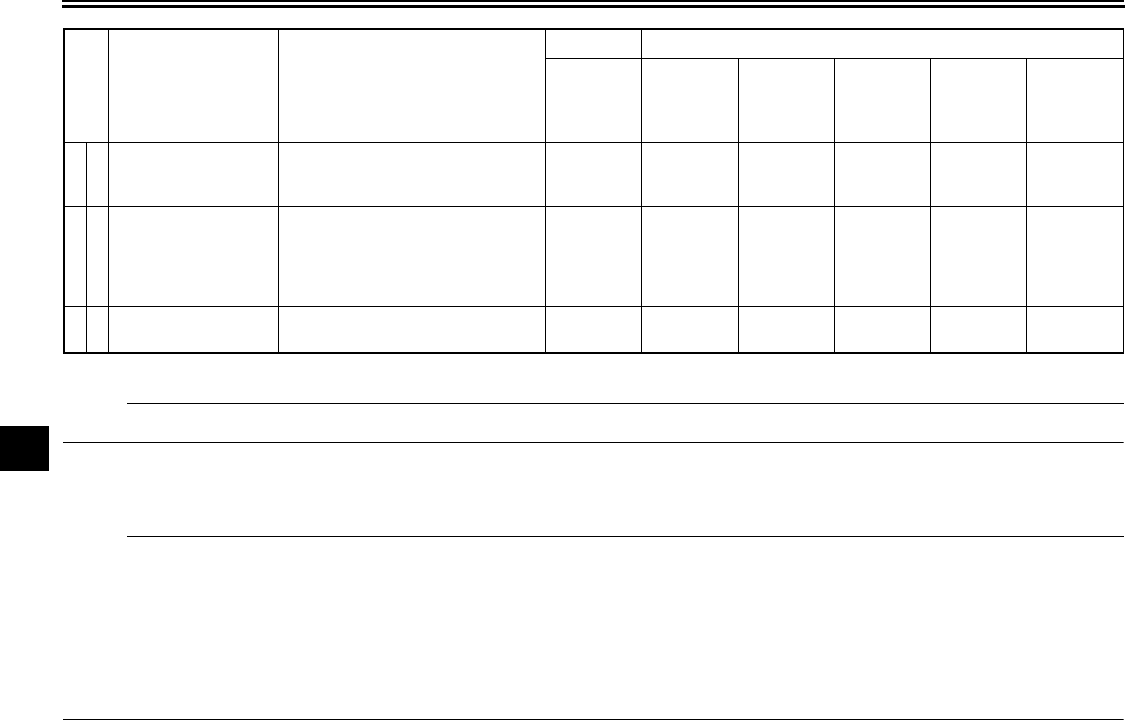
PERIODIC MAINTENANCE AND MINOR REPAIR
7-7
7
* Since these items require special tools, data and technical skills, have a Yamaha dealer perform the service.
N
O
TE:
From 24000 mi (37000 km) or 36 months, repeat the maintenance intervals starting from 8000 mi (13000 km) or 12 months.
EAU17660
NOTE:
●The air filter needs more frequent service if you are riding in unusually wet or dusty areas.
●Hydraulic brake and clutch systems
•After disassembling the brake or clutch master cylinders, caliper cylinders or clutch release cylinder, always change
the fluid. Regularly check the brake and clutch fluid levels and fill the reservoirs as required.
•Replace the oil seals on the inner parts of the brake or clutch master cylinders, caliper cylinders and clutch release
cylinder every two years.
•Replace the brake and clutch hoses every four years or if cracked or damaged.
26 *Control cables
•Apply Yamaha chain and cable
lube or engine oil SAE 10W-30
thoroughly.
√√√√√√
27 *Throttle grip hous-
ing and cable
•Check operation and free play.
•Adjust the throttle cable free play
if necessary.
•Lubricate the throttle grip housing
and cable.
√√√√√
28 *Lights, signals and
switches
•Check operation.
•Adjust headlight beam. √√√√√√
No. ITEM ROUTINE
INITIAL ODOMETER READINGS
600 mi
(1000 km)
or
1 month
4000 mi
(7000 km)
or
6 months
8000 mi
(13000 km)
or
12 months
12000 mi
(19000 km)
or
18 months
16000 mi
(25000 km)
or
24 months
20000 mi
(31000 km)
or
30 months
U2C912E0.book Page 7 Tuesday, June 12, 2007 9:27 AM
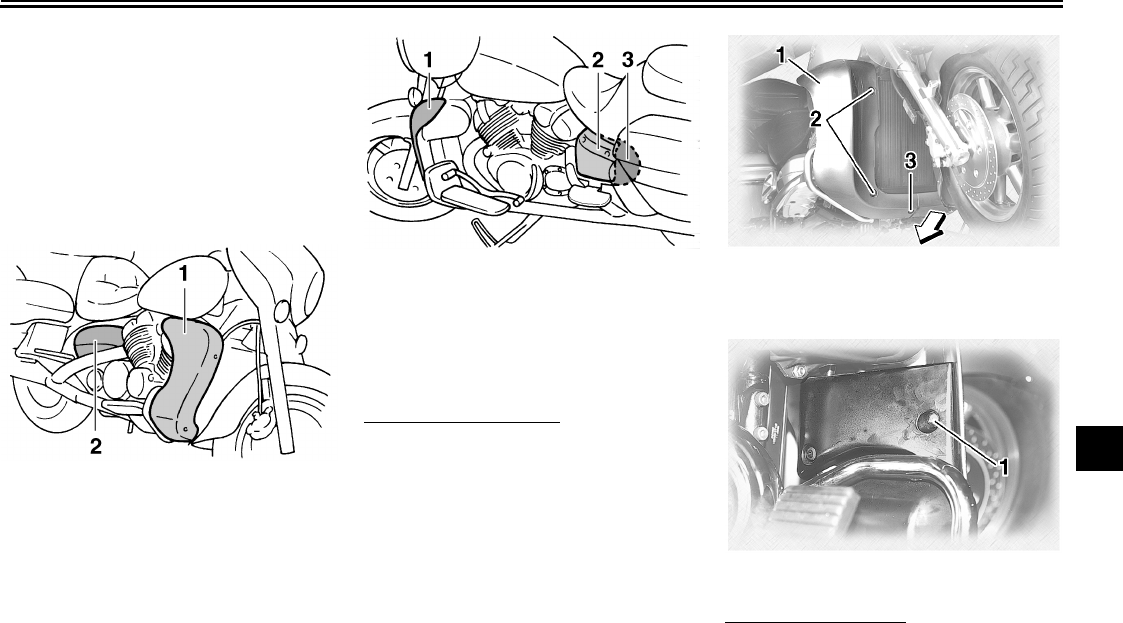
PERIODIC MAINTENANCE AND MINOR REPAIR
7-8
7
EAU18712
Removing and installing cowl-
ings and panels
The cowlings and panels shown need
to be removed to perform some of the
maintenance jobs described in this
chapter. Refer to this section each time
a cowling or panel needs to be re-
moved and installed.
EAU35841
Cowling A
To remove the cowling
1. Remove the bolts.
2. Remove the quick fastener screw
by turning it 1/4 turn counterclock-
wise, and then take the cowling off.
To install the cowling
Place the cowling in the original posi-
tion, and then install the quick fastener
screw and the bolts.
1. Cowling A
2. Panel A
1. Cowling B
2. Panel B
3. Panel C
1. Cowling A
2. Bolt
3. Quick fastener screw
1. Bolt
U2C912E0.book Page 8 Tuesday, June 12, 2007 9:27 AM
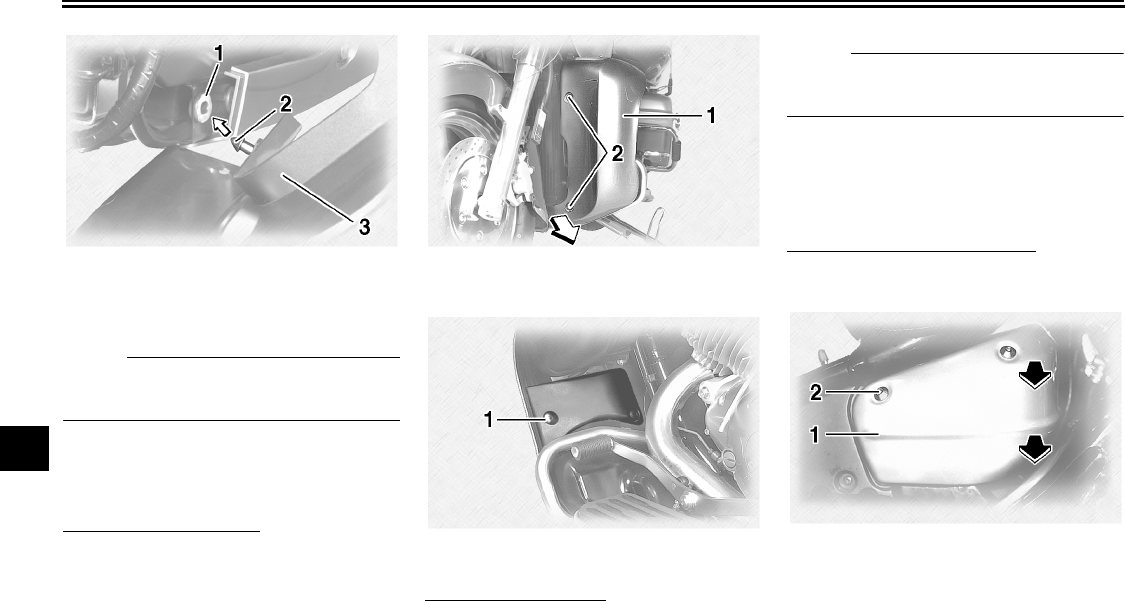
PERIODIC MAINTENANCE AND MINOR REPAIR
7-9
7
NOTE:
Make sure that the projection fits into
the grommet.
EAU35850
Cowling B
To remove the cowling
1. Remove cowling A.
2. Remove the bolts, and then pull
the cowling off as shown. To install the cowling
1. Place the cowling in the original
position, and then install the bolts.
NOTE:
Make sure that the projection fits into
the grommet.
2. Install cowling A.
EAU35860
Panels A and B
To remove one of the panels
Remove the bolt, and then pull the pan-
el off as shown.
1. Grommet
2. Projection
3. Cowling A
1. Cowling B
2. Bolt
1. Bolt 1. Panel A
2. Bolt
U2C912E0.book Page 9 Tuesday, June 12, 2007 9:27 AM
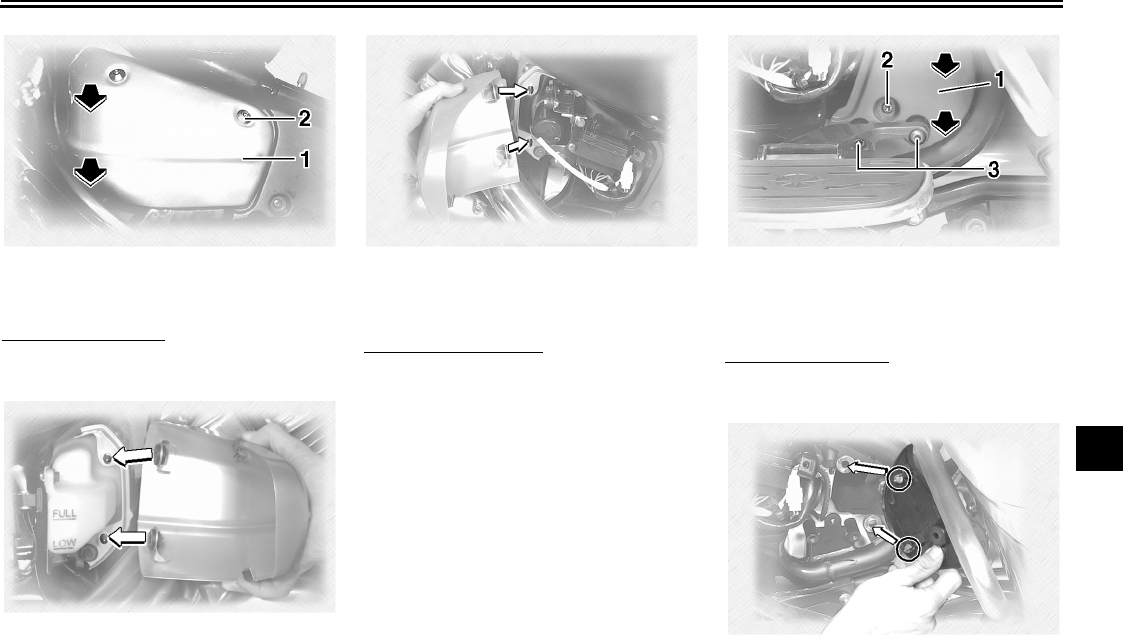
PERIODIC MAINTENANCE AND MINOR REPAIR
7-10
7
To install the panel
Place the panel in the original position,
and then install the bolt.
EAU19333
Panel C
To remove the panel
1. Remove panel B.
2. Remove the left passenger foot-
rest by removing the bolts.
3. Remove the screw, and then pull
the panel off as shown.
To install the panel
1. Place the panel in the original posi-
tion, and then install the screw.
2. Install the passenger footrest by
installing the bolts.
3. Install panel B.
1. Panel B
2. Bolt
1. Panel C
2. Screw
3. Bolt
U2C912E0.book Page 10 Tuesday, June 12, 2007 9:27 AM
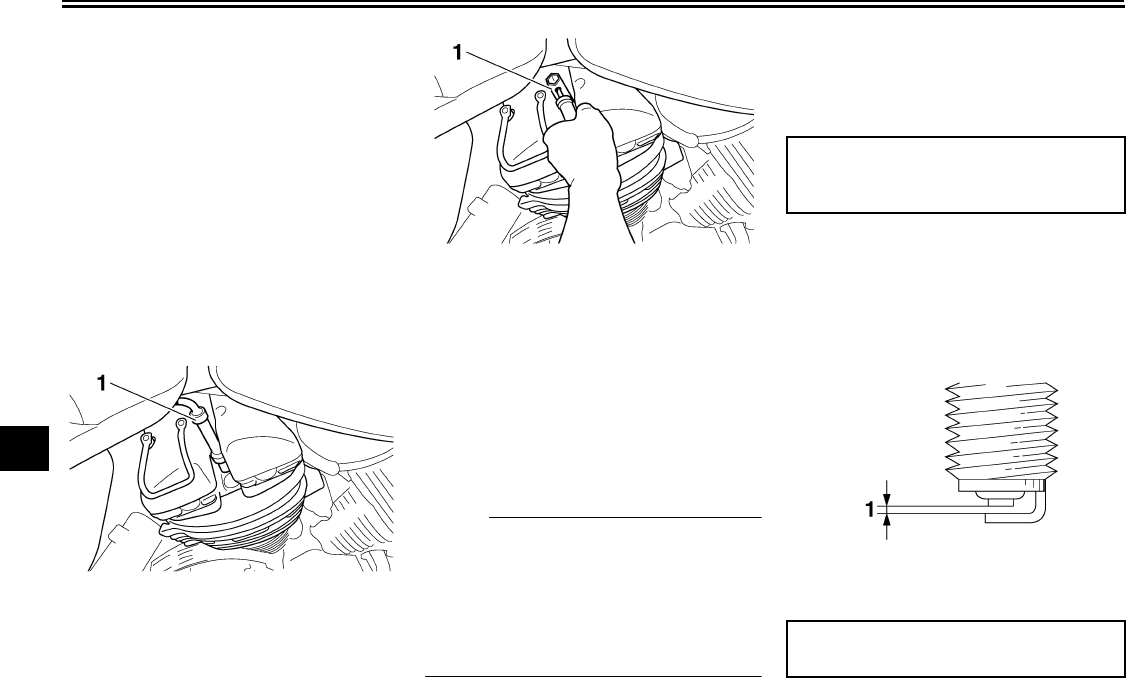
PERIODIC MAINTENANCE AND MINOR REPAIR
7-11
7
EAU19544
Checking the spark plugs
The spark plugs are important engine
components, which are easy to check.
Since heat and deposits will cause any
spark plug to slowly erode, the spark
plugs should be removed and checked
in accordance with the periodic mainte-
nance and lubrication chart. In addition,
the condition of the spark plugs can re-
veal the condition of the engine.
To remove a spark plug
1. Remove the spark plug cap.
2. Remove the spark plug as shown,
with the spark plug wrench includ-
ed in the owner’s tool kit.
To check the spark plugs
1. Check that the porcelain insulator
around the center electrode on
each spark plug is a medium-to-
light tan (the ideal color when the
vehicle is ridden normally).
2. Check that all spark plugs installed
in the engine have the same color.
NOTE:
If any spark plug shows a distinctly dif-
ferent color, the engine could be oper-
ating improperly. Do not attempt to
diagnose such problems yourself. In-
stead, have a Yamaha dealer check
the vehicle.
3. Check each spark plug for elec-
trode erosion and excessive car-
bon or other deposits, and replace
it if necessary.
To install a spark plug
1. Measure the spark plug gap with a
wire thickness gauge and, if nec-
essary, adjust the gap to specifica-
tion.
1. Spark plug cap
1. Spark plug wrench
Specified spark plug:
NGK/DPR8EA-9
DENSO/X24EPR-U9
1. Spark plug gap
Spark plug gap:
0.8–0.9 mm (0.031–0.035 in)
U2C912E0.book Page 11 Tuesday, June 12, 2007 9:27 AM
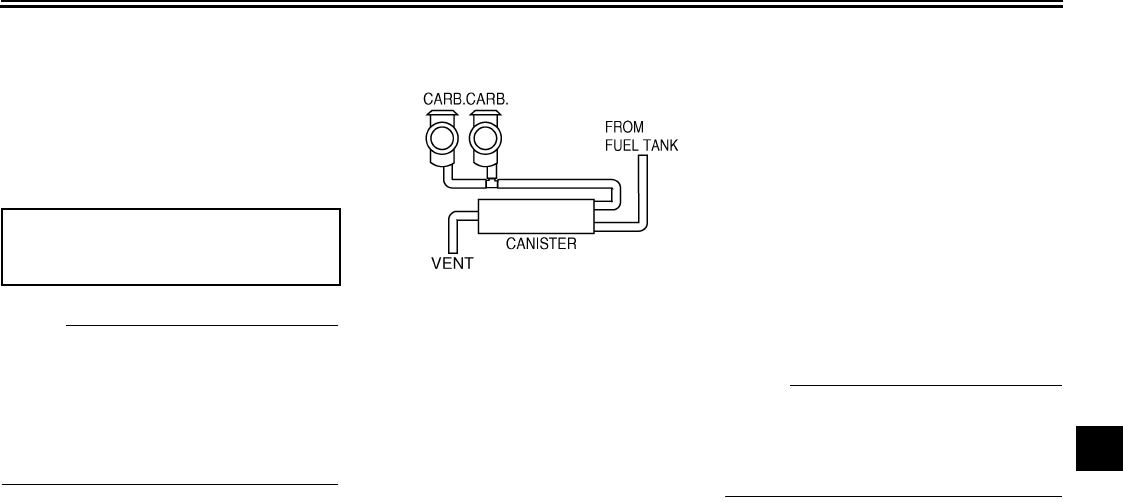
PERIODIC MAINTENANCE AND MINOR REPAIR
7-12
7
2. Clean the surface of the spark plug
gasket and its mating surface, and
then wipe off any grime from the
spark plug threads.
3. Install the spark plug with the
spark plug wrench, and then tight-
en it to the specified torque.
N
O
TE:
If a torque wrench is not available when
installing a spark plug, a good estimate
of the correct torque is 1/4–1/2 turn
past finger tight. However, the spark
plug should be tightened to the speci-
fied torque as soon as possible.
4. Install the spark plug cap.
EAU19672
Canister (for California only)
This model is equipped with a canister
to prevent the discharging of fuel vapor
into the atmosphere.
●Check each hose connection.
●Check each hose and canister for
cracks or damage. Replace if dam-
aged.
●Make sure the vent hose is not
blocked. Clean it if necessary.
EAU19903
Engine oil and oil filter car-
tridge
The engine oil level should be checked
before each ride. In addition, the oil
must be changed and the oil filter car-
tridge replaced at the intervals speci-
fied in the periodic maintenance and
lubrication chart.
To check the engine oil level
1. Place the vehicle on a level sur-
face and hold it in an upright posi-
tion.
N
O
TE:
Make sure that the vehicle is positioned
straight up when checking the oil level.
A slight tilt to the side can result in a
false reading.
2. Start the engine, warm it up for
several minutes, and then turn it
off.
3. Wait a few minutes until the oil set-
tles, and then check the oil level
through the check window located
at the bottom-right side of the
crankcase.
Tightening torque:
Spark plug:
17.5 Nm (1.75 m·kgf, 12.7 ft·lbf)
U2C912E0.book Page 12 Tuesday, June 12, 2007 9:27 AM
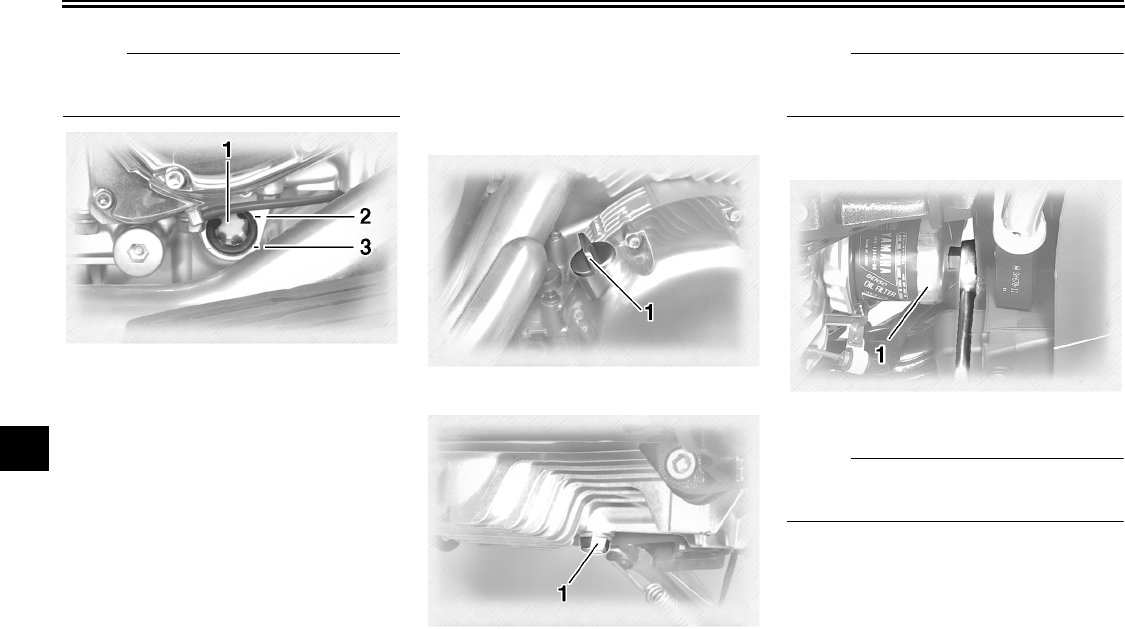
PERIODIC MAINTENANCE AND MINOR REPAIR
7-13
7
NOTE:
The engine oil should be between the
minimum and maximum level marks.
4. If the engine oil is below the mini-
mum level mark, add sufficient oil
of the recommended type to raise
it to the correct level.
To change the engine oil (with or
without oil filter cartridge replace-
ment)
1. Start the engine, warm it up for
several minutes, and then turn it
off.
2. Place an oil pan under the engine
to collect the used oil.
3. Remove the engine oil filler cap
and drain bolt to drain the oil from
the crankcase.
NOTE:
Skip steps 4–6 if the oil filter cartridge is
not being replaced.
4. Remove the oil filter cartridge with
an oil filter wrench.
NOTE:
An oil filter wrench is available at a
Yamaha dealer.
5. Apply a thin coat of engine oil to
the O-ring of the new oil filter car-
tridge.
1. Engine oil level check window
2. Maximum level mark
3. Minimum level mark
1. Engine oil filler cap
1. Engine oil drain bolt
1. Oil filter wrench
U2C912E0.book Page 13 Tuesday, June 12, 2007 9:27 AM
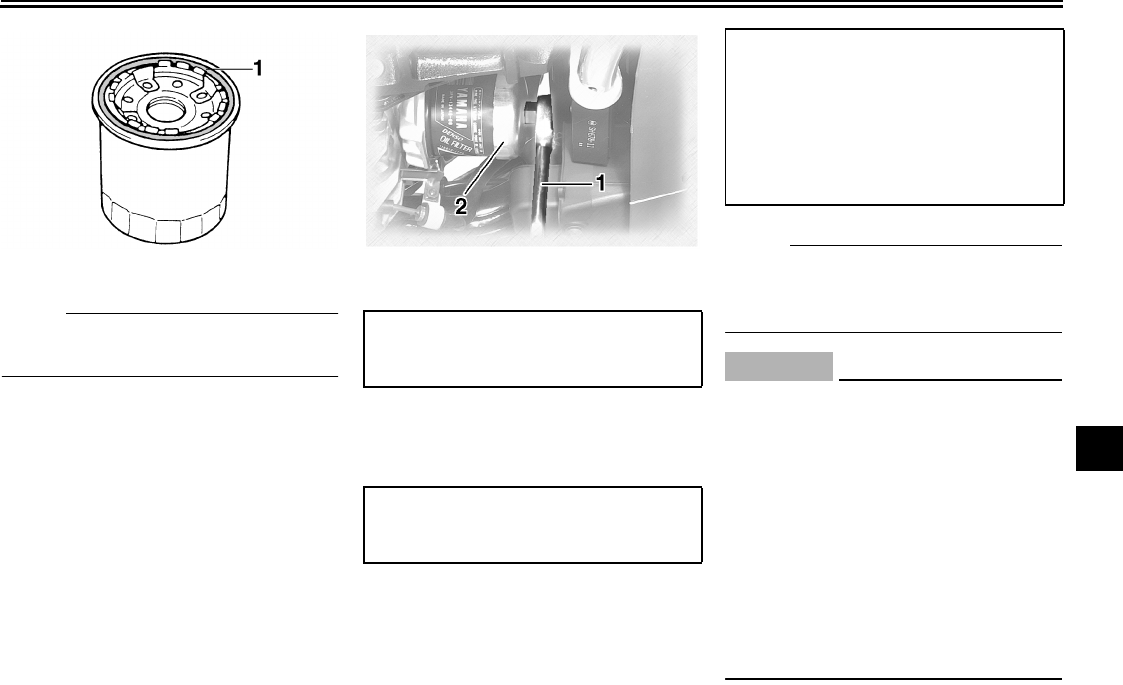
PERIODIC MAINTENANCE AND MINOR REPAIR
7-14
7
N
O
TE:
Make sure that the O-ring is properly
seated.
6. Install the new oil filter cartridge
with an oil filter wrench, and then
tighten it to the specified torque
with a torque wrench.
7. Install the engine oil drain bolt, and
then tighten it to the specified
torque.
8. Add the specified amount of the
recommended engine oil, and then
install and tighten the oil filler cap.
NOTE:
Be sure to wipe off spilled oil on any
parts after the engine and exhaust sys-
tem have cooled down.
CAUTION:
ECA11620
●In order to prevent clutch slip-
page (since the engine oil also
lubricates the clutch), do not
mix any chemical additives. Do
not use oils with a diesel speci-
fication of “CD” or oils of a high-
er quality than specified. In
addition, do not use oils labeled
“ENERGY CONSERVING II” or
higher.
●Make sure that no foreign mate-
rial enters the crankcase.
1. O-ring 1. Torque wrench
2. Oil filter wrench
Tightening torque:
Oil filter cartridge:
17 Nm (1.7 m·kgf, 12 ft·lbf)
Tightening torque:
Engine oil drain bolt:
43 Nm (4.3 m·kgf, 31 ft·lbf)
Recommended engine oil:
See page 9-1.
Oil quantity:
Without oil filter cartridge replace-
ment:
3.50 L (3.70 US qt) (3.08 Imp.qt)
With oil filter cartridge replacement:
3.70 L (3.91 US qt) (3.26 Imp.qt)
U2C912E0.book Page 14 Tuesday, June 12, 2007 9:27 AM
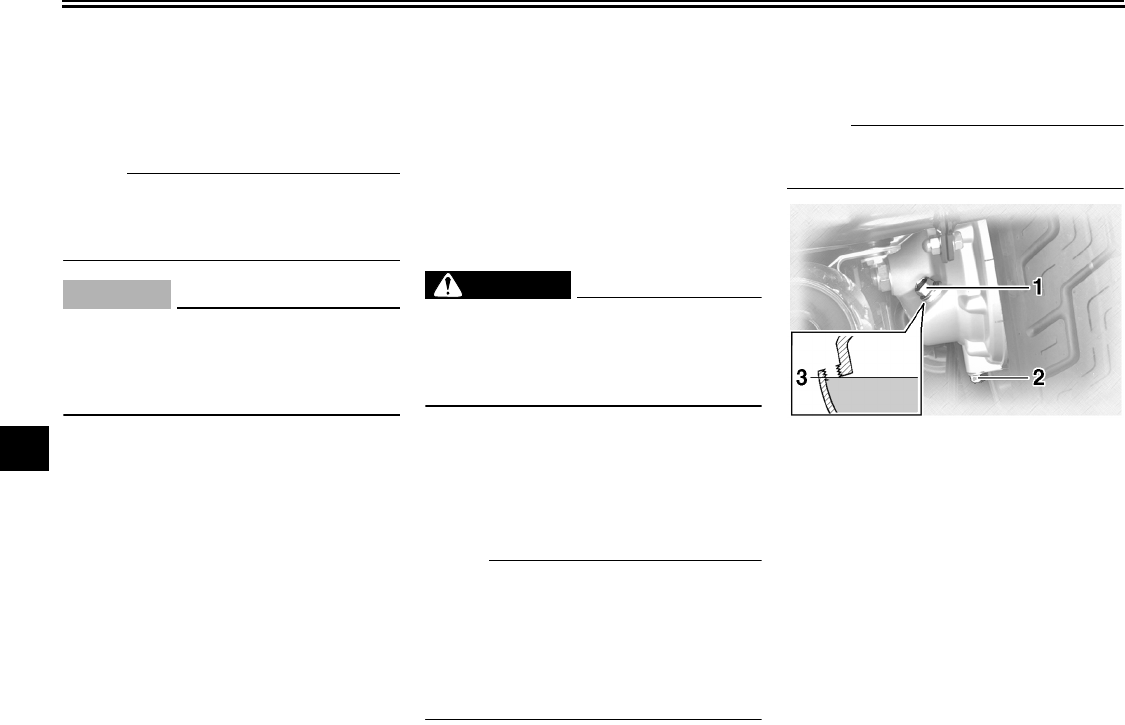
PERIODIC MAINTENANCE AND MINOR REPAIR
7-15
7
9. Start the engine, and then let it idle
for several minutes while checking
it for oil leakage. If oil is leaking, im-
mediately turn the engine off and
check for the cause.
NOTE:
After the engine is started, the engine
oil level warning light should go off if the
oil level is sufficient.
CAUTION:
ECA10400
If the oil level warning light flickers
or remains on, immediately turn the
engine off and have a Yamaha dealer
check the vehicle.
10. Turn the engine off, and then
check the oil level and correct it if
necessary.
EAU20022
Final gear oil
The final gear case must be checked
for oil leakage before each ride. If any
leakage is found, have a Yamaha deal-
er check and repair the vehicle. In addi-
tion, the final gear oil level must be
checked and the oil changed as follows
at the intervals specified in the periodic
maintenance and lubrication chart.
WARNING
EWA10370
●Make sure that no foreign mate-
rial enters the final gear case.
●Make sure that no oil gets on the
tire or wheel.
To check the final gear oil level
1. Place the vehicle on a level sur-
face and hold it in an upright posi-
tion.
NOTE:
●The final gear oil level must be
checked on a cold engine.
●Make sure that the vehicle is posi-
tioned straight up when checking
the oil level. A slight tilt to the side
can result in a false reading.
2. Remove the oil filler bolt, and then
check the oil level in the final gear
case.
NOTE:
The oil level should be at the brim of the
filler hole.
3. If the oil is below the brim of the fill-
er hole, add sufficient oil of the rec-
ommended type to raise it to the
correct level.
To change the final gear oil
1. Place an oil pan under the final
gear case to collect the used oil.
1. Final gear oil filler bolt
2. Final gear oil drain bolt
3. Correct oil level
U2C912E0.book Page 15 Tuesday, June 12, 2007 9:27 AM
PERIODIC MAINTENANCE AND MINOR REPAIR
7-16
7
2. Remove the oil filler bolt and drain
bolt to drain the oil from the final
gear case.
3. Install the final gear oil drain bolt,
and then tighten it to the specified
torque.
4. Add the recommended final gear
oil to the brim of the filler hole.
NOTE:
GL4 is a quality rating. Hypoid gear oils
rated GL5 or GL6 may also be used.
5. Install the oil filler bolt, and then
tighten it to the specified torque.
6. Check the final gear case for oil
leakage. If oil is leaking, check for
the cause.
EAU20070
Coolant
The coolant level should be checked
before each ride. In addition, the cool-
ant must be changed at the intervals
specified in the periodic maintenance
and lubrication chart.
EAU20212
To check the coolant level
1. Place the vehicle on a level sur-
face and hold it in an upright posi-
tion.
2. Remove panel A. (See page 7-8.)
NOTE:
●The coolant level must be checked
on a cold engine since the level
varies with engine temperature.
●Make sure that the vehicle is posi-
tioned straight up when checking
the coolant level. A slight tilt to the
side can result in a false reading.
3. Check the coolant level in the cool-
ant reservoir.
NOTE:
The coolant should be between the
minimum and maximum level marks.
Tightening torque:
Final gear oil drain bolt:
23 Nm (2.3 m·kgf, 17 ft·lbf)
Recommended final gear oil:
SAE80 API GL-4 Hypoid gear oil
Oil quantity:
0.20 L (0.21 US qt) (0.18 Imp.qt)
Tightening torque:
Final gear oil filler bolt:
23 Nm (2.3 m·kgf, 17 ft·lbf)
U2C912E0.book Page 16 Tuesday, June 12, 2007 9:27 AM
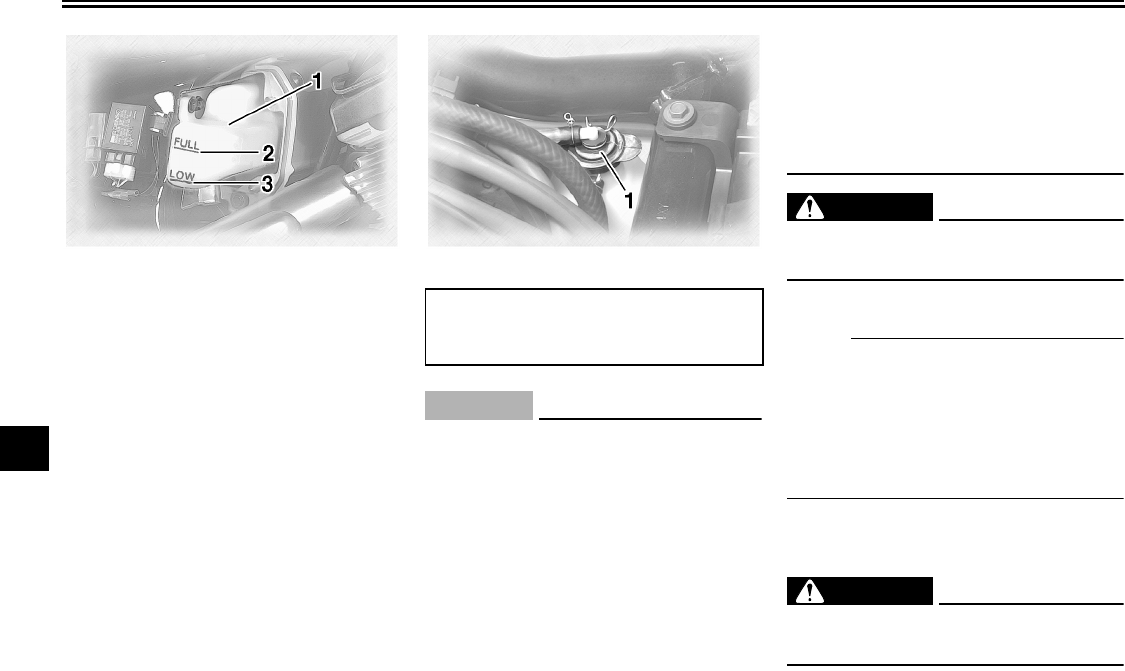
PERIODIC MAINTENANCE AND MINOR REPAIR
7-17
7
4. If the coolant is at or below the
minimum level mark, remove the
rider seat (See page 3-13.), open
the reservoir cap, add coolant to
the maximum level mark, and then
close the reservoir cap and install
the rider seat.
CAUTION:
ECA10471
●If coolant is not available, use
distilled water or soft tap water
instead. Do not use hard water
or salt water since it is harmful
to the engine.
●If water has been used instead
of coolant, replace it with cool-
ant as soon as possible, other-
wise the cooling system will not
be protected against frost and
corrosion.
●If water has been added to the
coolant, have a Yamaha dealer
check the antifreeze content of
the coolant as soon as possible,
otherwise the effectiveness of
the coolant will be reduced.
WARNING
EWA10380
Never attempt to remove the radiator
cap when the engine is hot.
5. Install the panel.
NOTE:
●The radiator fan is automatically
switched on or off according to the
coolant temperature in the radia-
tor.
●If the engine overheats, see page
7-38 for further instructions.
EAU33030
Changing the coolant
WARNING
EWA10380
Never attempt to remove the radiator
cap when the engine is hot.
1. Coolant reservoir
2. Maximum level mark
3. Minimum level mark
1. Coolant reservoir cap
Coolant reservoir capacity (up to the
maximum level mark):
0.35 L (0.37 US qt) (0.31 Imp.qt)
U2C912E0.book Page 17 Tuesday, June 12, 2007 9:27 AM
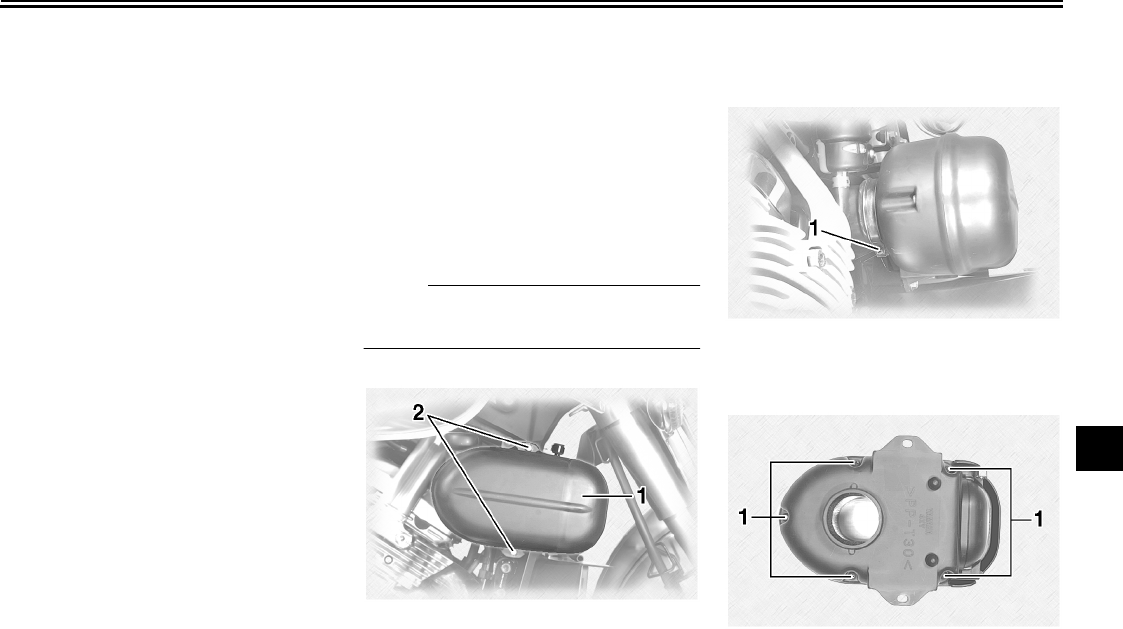
PERIODIC MAINTENANCE AND MINOR REPAIR
7-18
7
The coolant must be changed at the in-
tervals specified in the periodic mainte-
nance and lubrication chart. Have a
Yamaha dealer change the coolant.
EAU35193
Cleaning the air filter elements
The air filter elements should be
cleaned at the intervals specified in the
periodic maintenance and lubrication
chart. Clean the air filter elements more
frequently if you are riding in unusually
wet or dusty areas.
1. Remove cowlings A and B. (See
page 7-8.)
NOTE:
Continue as follows for each air filter el-
ement.
2. Remove the air filter case bolts.
3. Loosen the air filter case joint
clamp screw, and then pull the air
filter case off.
4. Remove the air filter case cover by
removing the screws.
5. Remove the air filter element by
removing the screws.
1. Air filter case
2. Bolt
1. Air filter case joint clamp screw
1. Screw
U2C912E0.book Page 18 Tuesday, June 12, 2007 9:27 AM
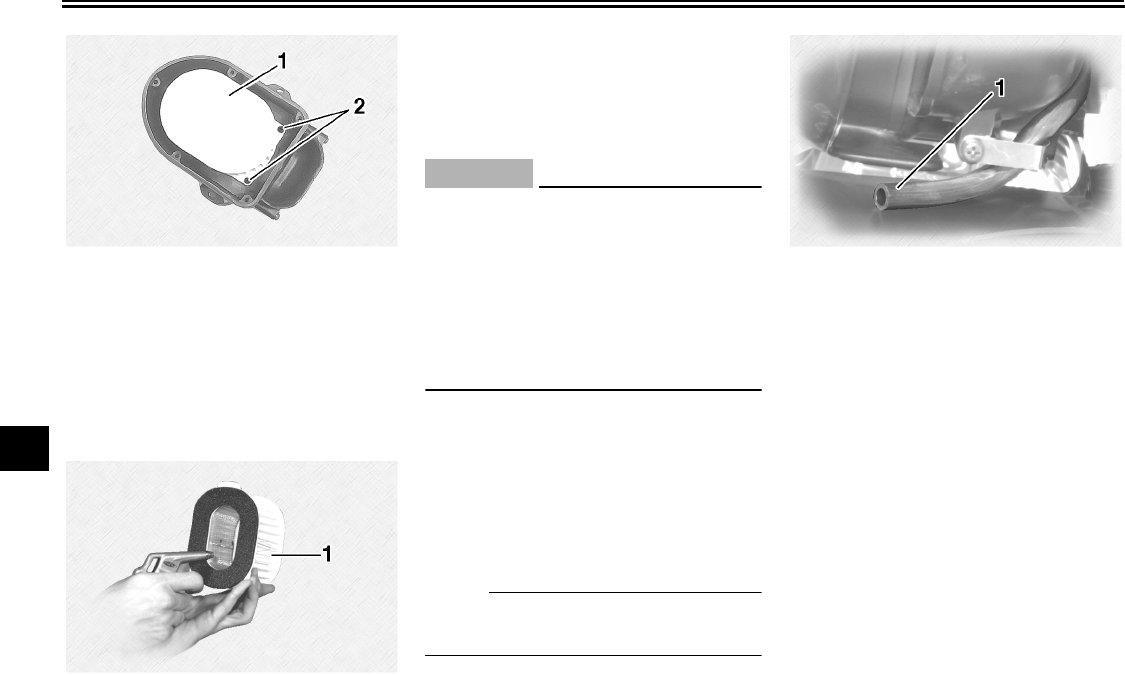
PERIODIC MAINTENANCE AND MINOR REPAIR
7-19
7
6. Lightly tap the air filter element to
remove most of the dust and dirt,
and then blow the remaining dirt
out with compressed air as shown.
If the air filter element is damaged,
replace it.
7. Install the air filter element by fit-
ting the projection on the air filter
element into the holder in the air fil-
ter case, then tightening the
screws.
CAUTION:
ECA10480
●Make sure that the air filter ele-
ment is properly seated in the
air filter case.
●The engine should never be op-
erated without the air filter ele-
ment installed, otherwise the
piston(s) and/or cylinder(s) may
become excessively worn.
8. Install the air filter case cover by in-
stalling the screws.
9. Push the air filter case onto the air
filter case joint, and then tighten
the clamp screw.
10. Install the air filter case bolts.
11. Install the cowlings.
NOTE:
Make sure that the carburetor air vent
hose is routed as shown.
1. Air filter element
2. Screw
1. Air filter element
1. Carburetor air vent hose
U2C912E0.book Page 19 Tuesday, June 12, 2007 9:27 AM
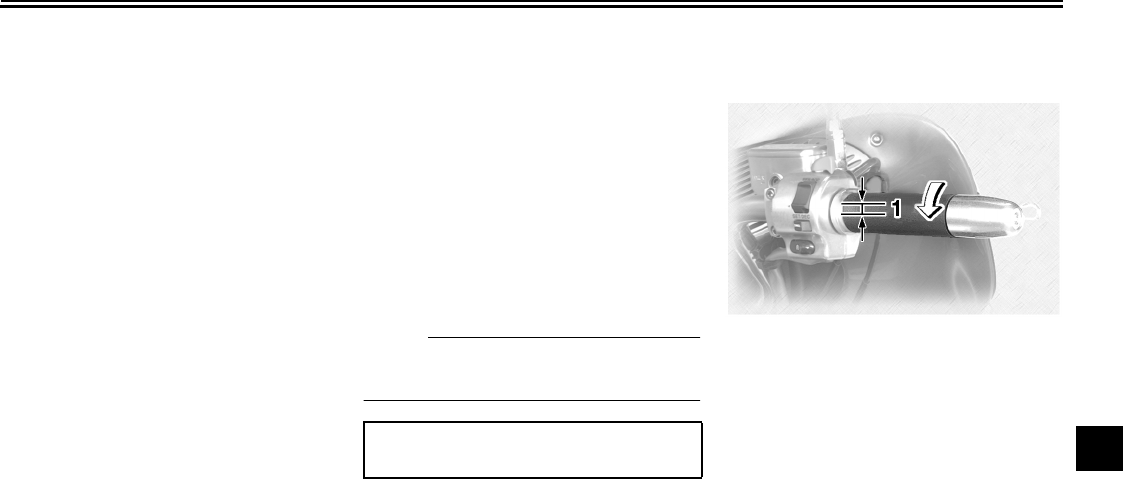
PERIODIC MAINTENANCE AND MINOR REPAIR
7-20
7
EAU21271
Carburetors
The carburetors are important parts of
the engine and emission control sys-
tem, which require very sophisticated
adjustment. Therefore, all carburetor
adjustments should be left to a Yamaha
dealer, who has the necessary profes-
sional knowledge and experience.
EAU21311
Checking the engine idling
speed
The engine idling speed must be
checked as follows and, if necessary,
adjusted by a Yamaha dealer at the in-
tervals specified in the periodic mainte-
nance and lubrication chart.
Start the engine and warm it up for sev-
eral minutes at 1000–2000 r/min while
occasionally revving it to 4000–5000
r/min.
N
O
TE:
The engine is warm when it quickly re-
sponds to the throttle.
EAU21382
Checking the throttle cable
free play
The throttle cable free play should mea-
sure 4.0–6.0 mm (0.16–0.24 in) at the
throttle grip. Periodically check the
throttle cable free play and, if neces-
sary, have a Yamaha dealer adjust it.
Engine idling speed:
950–1050 r/min
1. Throttle cable free play
U2C912E0.book Page 20 Tuesday, June 12, 2007 9:27 AM
PERIODIC MAINTENANCE AND MINOR REPAIR
7-21
7
EAU21401
Valve clearance
The valve clearance changes with use,
resulting in improper air-fuel mixture
and/or engine noise. To prevent this
from occurring, the valve clearance
must be adjusted by a Yamaha dealer
at the intervals specified in the periodic
maintenance and lubrication chart.
EAU32541
Tires
To maximize the performance, durabil-
ity, and safe operation of your motor-
cycle, note the following points
regarding the specified tires.
Tire air pressure
The tire air pressure should be checked
and, if necessary, adjusted before each
ride.
WARNING
EWA10500
●The tire air pressure must be
checked and adjusted on cold
tires (i.e., when the temperature
of the tires equals the ambient
temperature).
●The tire air pressure must be ad-
justed in accordance with the
riding speed and with the total
weight of rider, passenger, car-
go, and accessories approved
for this model.
WARNING
EWA10510
Proper loading of your vehicle is im-
portant for several characteristics of
your vehicle, such as handling,
braking, performance and safety. Do
not carry loosely packed items that
can shift. Securely pack your heavi-
est items close to the center of the
vehicle, and distribute the weight
evenly from side to side. Properly
adjust the suspension for your load,
and check the condition and pres-
sure of your tires. NEVER OVER-
Tire air pressure (measured on cold
tires):
0–90 kg (0–198 lb):
Front:
250 kPa (36 psi) (2.50 kgf/cm²)
Rear:
250 kPa (36 psi) (2.50 kgf/cm²)
90–190 kg (198–419 lb):
Front:
250 kPa (36 psi) (2.50 kgf/cm²)
Rear:
280 kPa (41 psi) (2.80 kgf/cm²)
Maximum load*:
190 kg (419 lb)
* Total weight of rider, passenger, car-
go and accessories
U2C912E0.book Page 21 Tuesday, June 12, 2007 9:27 AM
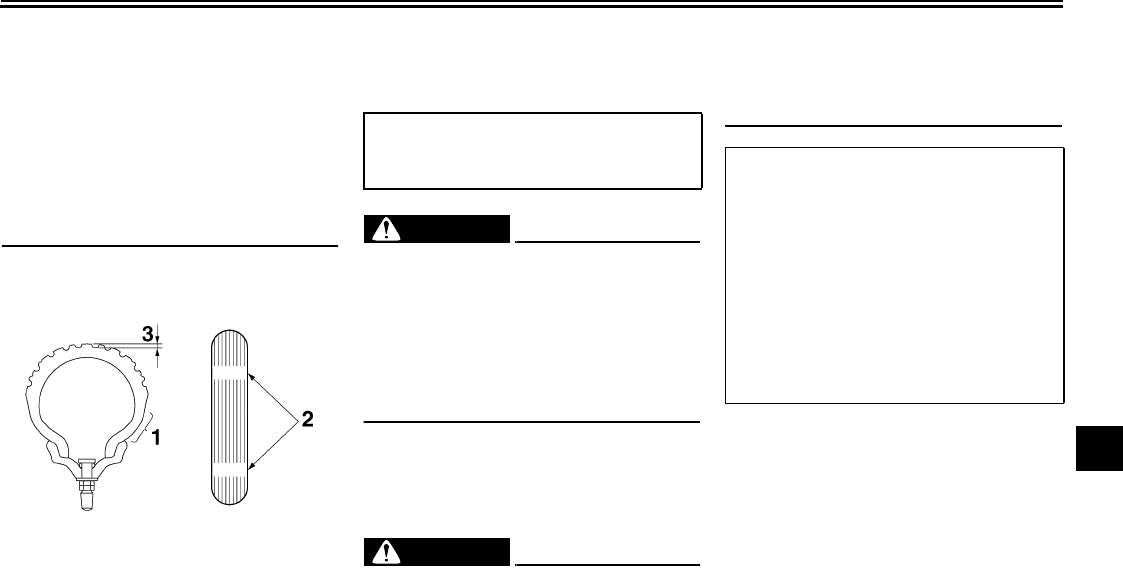
PERIODIC MAINTENANCE AND MINOR REPAIR
7-22
7
LOAD YOUR VEHICLE. Make sure
that the total weight of the cargo, rid-
er, passenger, and accessories
(cowling, saddlebags, etc. if ap-
proved for this model) does not ex-
ceed the maximum load of the
vehicle. Operation of an overloaded
vehicle could cause tire damage, an
accident, or even injury.
Tire inspection
Always check the tires before operating
the motorcycle. If a tire tread shows
crosswise lines (minimum tread depth),
if the tire has a nail or glass fragments
in it, or if the sidewall is cracked, con-
tact a Yamaha dealer immediately and
have the tire replaced.
WARNING
EWA10520
It is dangerous to ride with a worn-
out tire. When a tire tread begins to
show lines, have a Yamaha dealer
replace the tire immediately. Brakes,
tires and related wheel parts re-
placement should also be left to a
Yamaha dealer.
Tire information
This motorcycle is equipped with cast
wheels and tubeless tires.
WARNING
EWA10460
●The front and rear tires should
be of the same make and de-
sign, otherwise the handling
characteristics of the vehicle
cannot be guaranteed.
●After extensive tests, only the
tires listed below have been ap-
proved for this model by
Yamaha Motor Co., Ltd.
1. Tire sidewall
2. Tire wear indicator
3. Tire tread depth
Minimum tire tread depth (front and
rear):
1.0 mm (0.04 in) Front tire:
Size:
150/80-16M/C 71H
Manufacturer/model:
DUNLOP/D404F
BRIDGESTONE/G705G
Rear tire:
Size:
150/90B15M/C 74H
Manufacturer/model:
DUNLOP/D404
BRIDGESTONE/G702G
U2C912E0.book Page 22 Tuesday, June 12, 2007 9:27 AM
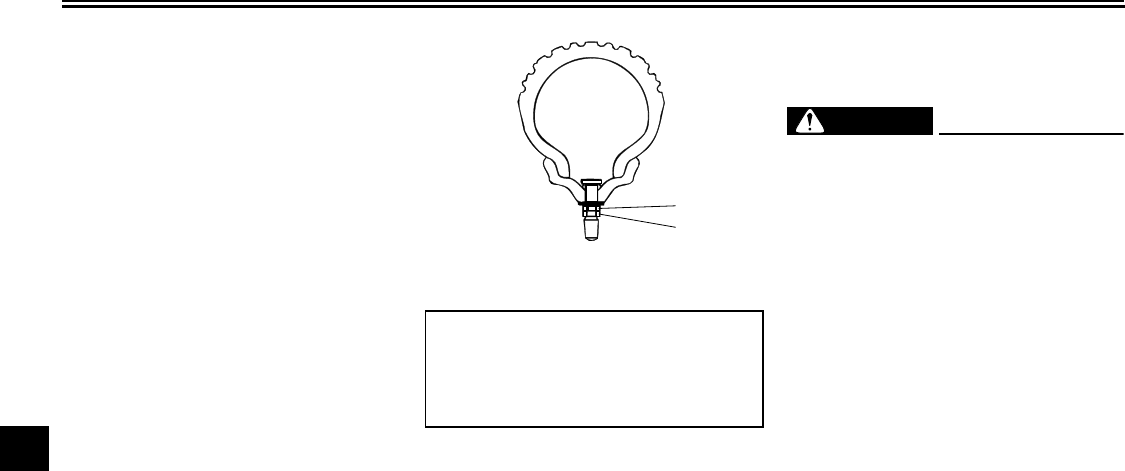
PERIODIC MAINTENANCE AND MINOR REPAIR
7-23
7
EAU21992
Cast wheels
To maximize the performance, durabil-
ity, and safe operation of your vehicle,
note the following points regarding the
specified wheels.
●The wheel rims should be checked
for cracks, bends, warpage or
damage before each ride. If any
damage is found, have a Yamaha
dealer replace the wheel. Do not
attempt even the smallest repair to
the wheel. A deformed or cracked
wheel must be replaced.
●The wheel should be balanced
whenever either the tire or wheel
has been changed or replaced. An
unbalanced wheel can result in
poor performance, adverse han-
dling characteristics, and a short-
ened tire life.
●Ride at moderate speeds after
changing a tire since the tire sur-
face must first be “broken in” for it
to develop its optimal characteris-
tics.
●After repairing or replacing the rear
tire, tighten the valve stem nut and
locknut to the specified torques.
EAU22011
Accessories and replacement
parts
WARNING
EWA10621
This vehicle is not designed to pull a
trailer or to be attached to a sidecar.
The accessories or replacement
parts you choose for your vehicle
should be designed specifically for
this model, and they must be se-
curely mounted to maintain the in-
herent stability of the original
design. Genuine Yamaha Parts and
Accessories are designed and test-
ed to be compatible with your vehi-
cle. Please consider Genuine
Yamaha Parts and Accessories be-
fore making a purchase. Use of non-
Yamaha-approved accessories or
replacement parts may cause loss of
handling stability and riding safety.
Since Yamaha cannot control the
quality of accessories or parts man-
ufactured by other companies,
Yamaha cannot be held liable for
1. Valve stem locknut
2. Valve stem nut
Tightening torques:
Valve stem nut:
1.6 Nm (0.16 m·kgf, 1.16 ft·lbf)
Valve stem locknut:
1.6 Nm (0.16 m·kgf, 1.16 ft·lbf)
2
1
U2C912E0.book Page 23 Tuesday, June 12, 2007 9:27 AM
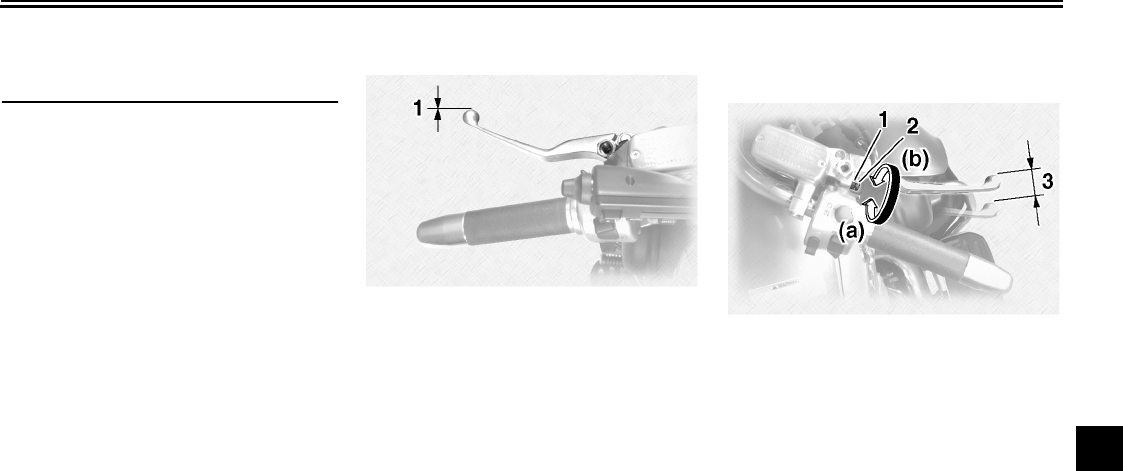
PERIODIC MAINTENANCE AND MINOR REPAIR
7-24
7
any consequences caused by the
use of items which have not been
approved by Yamaha.
EAU22072
Clutch lever
Since this model is equipped with a hy-
draulic clutch, adjusting the clutch lever
free play is not needed. However, it is
necessary to check the clutch fluid level
and check the hydraulic system for
leakage before each ride. If the clutch
lever free play does become excessive,
and shifting becomes rough or clutch
slippage occurs, causing poor acceler-
ation, there may be air in the clutch sys-
tem. If there is air in the hydraulic
system, have a Yamaha dealer bleed
the system before operating the motor-
cycle.
EAU22092
Adjusting the brake lever free
play
The brake lever free play should mea-
sure 2.0–5.0 mm (0.08–0.20 in) as
shown. Periodically check the brake le-
ver free play and, if necessary, adjust it
as follows.
1. Loosen the locknut at the brake le-
ver.
2. To increase the brake lever free
play, turn the adjusting screw in di-
rection (a). To decrease the brake
lever free play, turn the adjusting
screw in direction (b).
3. Tighten the locknut.
1. Clutch lever free play
1. Locknut
2. Brake lever free play adjusting screw
3. Brake lever free play
U2C912E0.book Page 24 Tuesday, June 12, 2007 9:27 AM
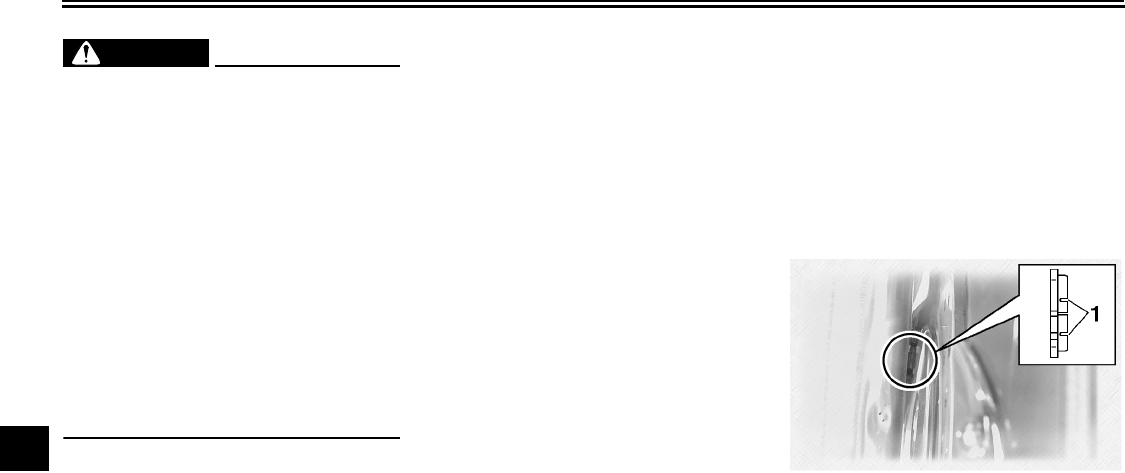
PERIODIC MAINTENANCE AND MINOR REPAIR
7-25
7
WARNING
EWA10630
●After adjusting the brake lever
free play, check the free play
and make sure that the brake is
working properly.
●A soft or spongy feeling in the
brake lever can indicate the
presence of air in the hydraulic
system. If there is air in the hy-
draulic system, have a Yamaha
dealer bleed the system before
operating the motorcycle. Air in
the hydraulic system will dimin-
ish the braking performance,
which may result in loss of con-
trol and an accident.
EAU22280
Adjusting the rear brake light
switch
The rear brake light switch, which is ac-
tivated by the brake pedal, is properly
adjusted when the brake light comes
on just before braking takes effect.
Since the brake light switch is a compo-
nent of the cruise control system, it
must be adjusted by a Yamaha dealer,
who has the necessary professional
knowledge and experience.
EAU22390
Checking the front and rear
brake pads
The front and rear brake pads must be
checked for wear at the intervals spec-
ified in the periodic maintenance and
lubrication chart.
EAU22430
Front brake pads
Each front brake pad is provided with
wear indicator grooves, which allow
you to check the brake pad wear with-
out having to disassemble the brake.
To check the brake pad wear, check
the wear indicator grooves. If a brake
pad has worn to the point that the wear
1. Brake pad wear indicator groove
U2C912E0.book Page 25 Tuesday, June 12, 2007 9:27 AM
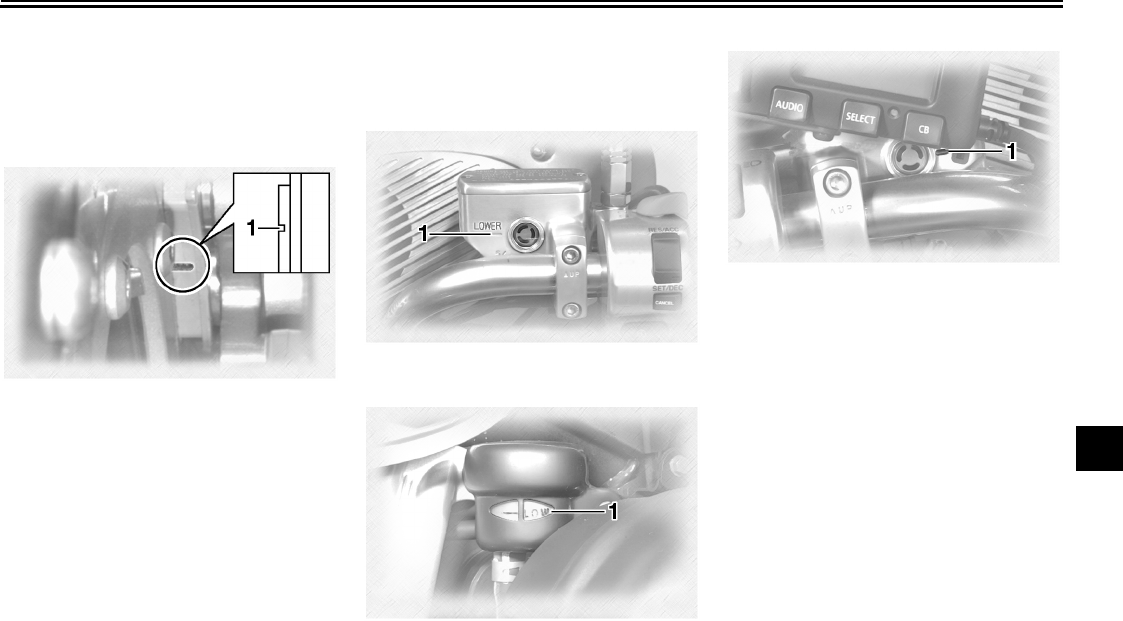
PERIODIC MAINTENANCE AND MINOR REPAIR
7-26
7
indicator grooves have almost disap-
peared, have a Yamaha dealer replace
the brake pads as a set.
EAU22470
Rear brake pads
Each rear brake pad is provided with a
wear indicator groove, which allows
you to check the brake pad wear with-
out having to disassemble the brake.
To check the brake pad wear, check
the wear indicator groove. If a brake
pad has worn to the point that the wear
indicator groove has almost disap-
peared, have a Yamaha dealer replace
the brake pads as a set.
EAU22660
Checking the brake and clutch
fluid levels
Front brake
Rear brake
Clutch
Insufficient brake or clutch fluid may al-
low air to enter the brake or clutch sys-
tems, possibly causing them to become
ineffective.
Before riding, check that the brake and
clutch fluids are above the minimum
level marks and replenish if necessary.
A low brake or clutch fluid level may in-
dicate brake or clutch system leakage
and/or worn brake pads. If the brake or
clutch levels are low, be sure to check
the brake or clutch systems for leakage
and the brake pads for wear.
Observe these precautions:
●When checking the brake and
clutch fluid levels, make sure that
the top of each reservoir is level.
1. Brake pad wear indicator groove
1. Minimum level mark
1. Minimum level mark
1. Minimum level mark
U2C912E0.book Page 26 Tuesday, June 12, 2007 9:27 AM
PERIODIC MAINTENANCE AND MINOR REPAIR
7-27
7
●Use only the recommended quality
brake fluid, otherwise the rubber
seals may deteriorate, causing
leakage and poor braking or clutch
performance.
●Refill with the same type of brake
fluid. Mixing fluids may result in a
harmful chemical reaction and
lead to poor braking or clutch per-
formance.
●Be careful that water does not en-
ter the brake or clutch fluid reser-
voir when refilling. Water will
significantly lower the boiling point
of the fluid and may result in vapor
lock.
●Brake fluid may deteriorate paint-
ed surfaces or plastic parts. Al-
ways clean up spilled fluid
immediately.
●As the brake pads wear, it is nor-
mal for the brake fluid level to grad-
ually go down. However, if the
brake fluid level goes down sud-
denly, have a Yamaha dealer
check the cause.
EAU22750
Changing the brake and
clutch fluids
Have a Yamaha dealer change the
brake and clutch fluids at the intervals
specified in the NOTE after the periodic
maintenance and lubrication chart. In
addition, have the oil seals of the brake
and clutch master cylinders and cali-
pers as well as the brake and clutch
hoses replaced at the intervals listed
below or whenever they are damaged
or leaking.
●Oil seals: Replace every two
years.
●Brake and clutch hoses: Replace
every four years.
Recommended brake and clutch flu-
id:
DOT 4 brake fluid
U2C912E0.book Page 27 Tuesday, June 12, 2007 9:27 AM
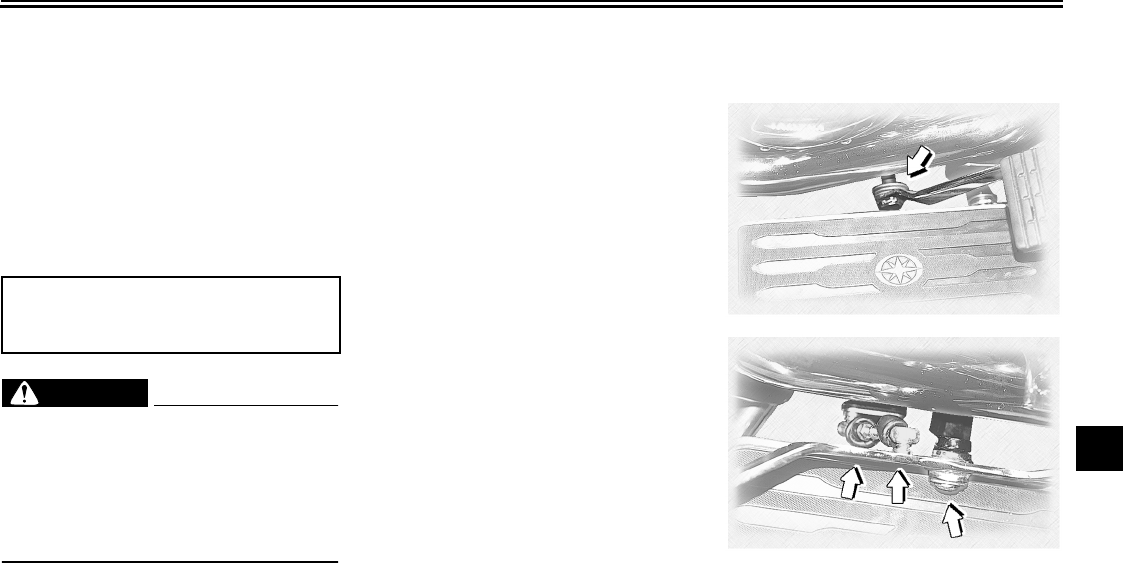
PERIODIC MAINTENANCE AND MINOR REPAIR
7-28
7
EAU23091
Checking and lubricating the
cables
The operation of all control cables and
the condition of the cables should be
checked before each ride, and the ca-
bles and cable ends should be lubricat-
ed if necessary. If a cable is damaged
or does not move smoothly, have a
Yamaha dealer check or replace it.
WARNING
EWA10710
Damage to the outer housing of ca-
bles may result in internal rusting
and cause interference with cable
movement. Replace damaged ca-
bles as soon as possible to prevent
unsafe conditions.
EAU23111
Checking and lubricating the
throttle grip and cable
The operation of the throttle grip should
be checked before each ride. In addi-
tion, the cable should be lubricated at
the intervals specified in the periodic
maintenance chart.
EAU44270
Checking and lubricating the
brake and shift pedals
The operation of the brake and shift
pedals should be checked before each
ride, and the pedal pivots should be lu-
bricated if necessary.
Recommended lubricant:
Yamaha Chain and Cable Lube or
engine oil SAE 10W-30
U2C912E0.book Page 28 Tuesday, June 12, 2007 9:27 AM
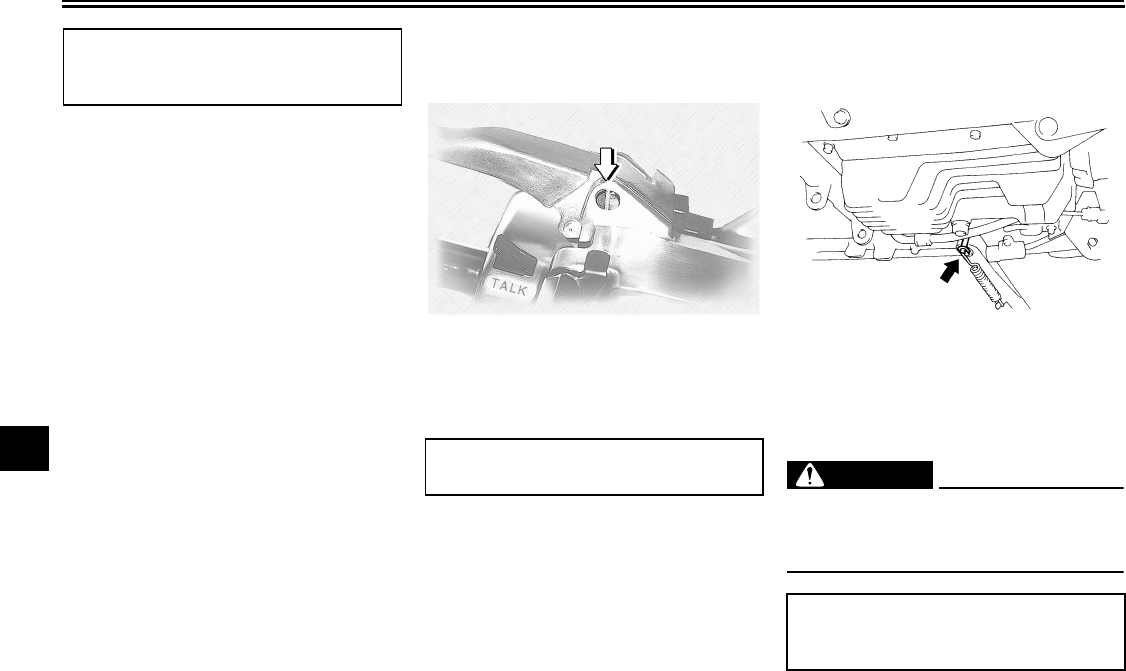
PERIODIC MAINTENANCE AND MINOR REPAIR
7-29
7
EAU43600
Checking and lubricating the
brake and clutch levers
The operation of the brake and clutch
levers should be checked before each
ride, and the lever pivots should be lu-
bricated if necessary.
EAU23200
Checking and lubricating the
sidestand
The operation of the sidestand should
be checked before each ride, and the
sidestand pivot and metal-to-metal
contact surfaces should be lubricated if
necessary.
WARNING
EWA10730
If the sidestand does not move up
and down smoothly, have a Yamaha
dealer check or repair it.
Recommended lubricant:
Lithium-soap-based grease (all-pur-
pose grease)
Recommended lubricant:
Silicone grease
Recommended lubricant:
Lithium-soap-based grease (all-pur-
pose grease)
U2C912E0.book Page 29 Tuesday, June 12, 2007 9:27 AM
PERIODIC MAINTENANCE AND MINOR REPAIR
7-30
7
EAUM1650
Lubricating the swingarm piv-
ots
The swingarm pivots must be lubricat-
ed at the intervals specified in the peri-
odic maintenance and lubrication chart.
EAU23250
Lubricating the rear suspen-
sion
The pivoting points of the rear suspen-
sion must be lubricated at the intervals
specified in the periodic maintenance
and lubrication chart.
EAU23271
Checking the front fork
The condition and operation of the front
fork must be checked as follows at the
intervals specified in the periodic main-
tenance and lubrication chart.
To check the condition
WARNING
EWA10750
Securely support the vehicle so that
there is no danger of it falling over.
Check the inner tubes for scratches,
damage and excessive oil leakage.
To check the operation
1. Place the vehicle on a level sur-
face and hold it in an upright posi-
tion.
2. While applying the front brake,
push down hard on the handlebars
several times to check if the front
fork compresses and rebounds
smoothly.
Recommended lubricant:
Lithium-soap-based grease Recommended lubricant:
Lithium-soap-based grease
U2C912E0.book Page 30 Tuesday, June 12, 2007 9:27 AM
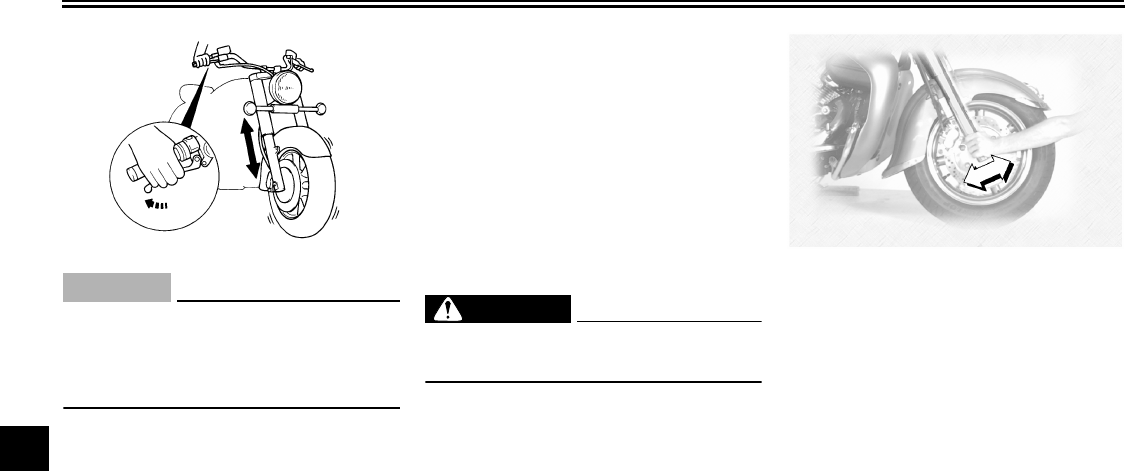
PERIODIC MAINTENANCE AND MINOR REPAIR
7-31
7
CAUTION:
ECA10590
If any damage is found or the front
fork does not operate smoothly,
have a Yamaha dealer check or re-
pair it.
EAU23280
Checking the steering
Worn or loose steering bearings may
cause danger. Therefore, the operation
of the steering must be checked as fol-
lows at the intervals specified in the pe-
riodic maintenance and lubrication
chart.
1. Place a stand under the engine to
raise the front wheel off the
ground.
WARNING
EWA10750
Securely support the vehicle so that
there is no danger of it falling over.
2. Hold the lower ends of the front
fork legs and try to move them for-
ward and backward. If any free
play can be felt, have a Yamaha
dealer check or repair the steering.
U2C912E0.book Page 31 Tuesday, June 12, 2007 9:27 AM
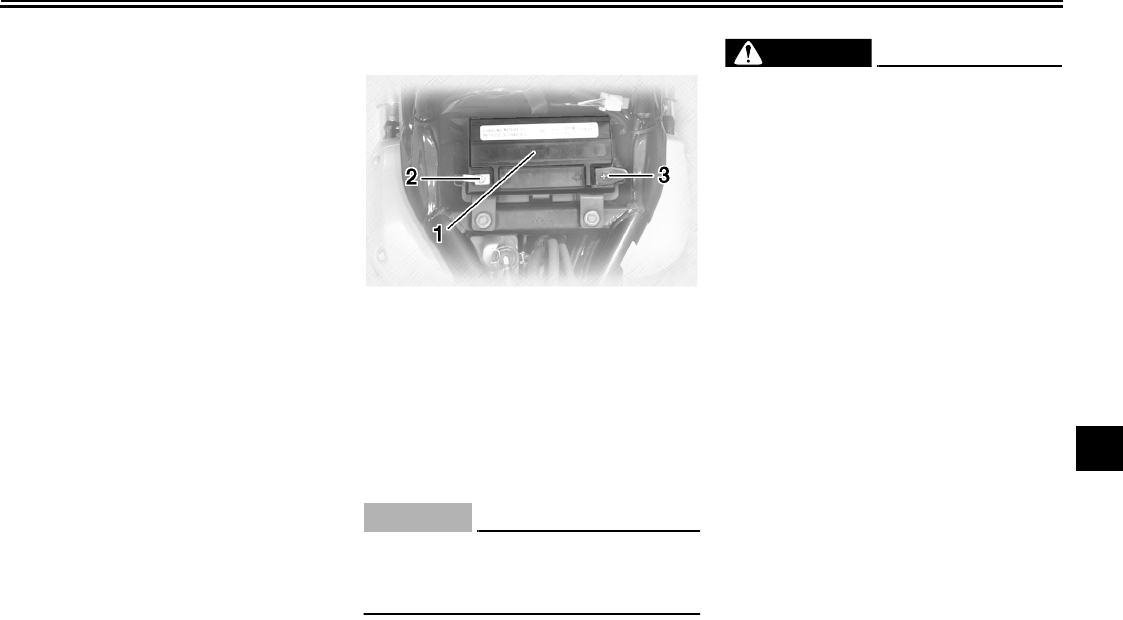
PERIODIC MAINTENANCE AND MINOR REPAIR
7-32
7
EAU23290
Checking the wheel bearings
The front and rear wheel bearings must
be checked at the intervals specified in
the periodic maintenance and lubrica-
tion chart. If there is play in the wheel
hub or if the wheel does not turn
smoothly, have a Yamaha dealer check
the wheel bearings.
EAU23370
Battery
This model is equipped with a sealed-
type (MF) battery, which does not re-
quire any maintenance. There is no
need to check the electrolyte or to add
distilled water.
CAUTION:
ECA10620
Never attempt to remove the battery
cell seals, as this would permanent-
ly damage the battery.
WARNING
EWA10760
●Electrolyte is poisonous and
dangerous since it contains sul-
furic acid, which causes severe
burns. Avoid any contact with
skin, eyes or clothing and al-
ways shield your eyes when
working near batteries. In case
of contact, administer the fol-
lowing FIRST AID.
•EXTERNAL: Flush with plenty
of water.
•INTERNAL: Drink large quan-
tities of water or milk and im-
mediately call a physician.
•EYES: Flush with water for 15
minutes and seek prompt
medical attention.
●Batteries produce explosive hy-
drogen gas. Therefore, keep
sparks, flames, cigarettes, etc.,
away from the battery and pro-
vide sufficient ventilation when
charging it in an enclosed
space.
1. Battery
2. Negative battery lead
3. Positive battery lead (red)
U2C912E0.book Page 32 Tuesday, June 12, 2007 9:27 AM
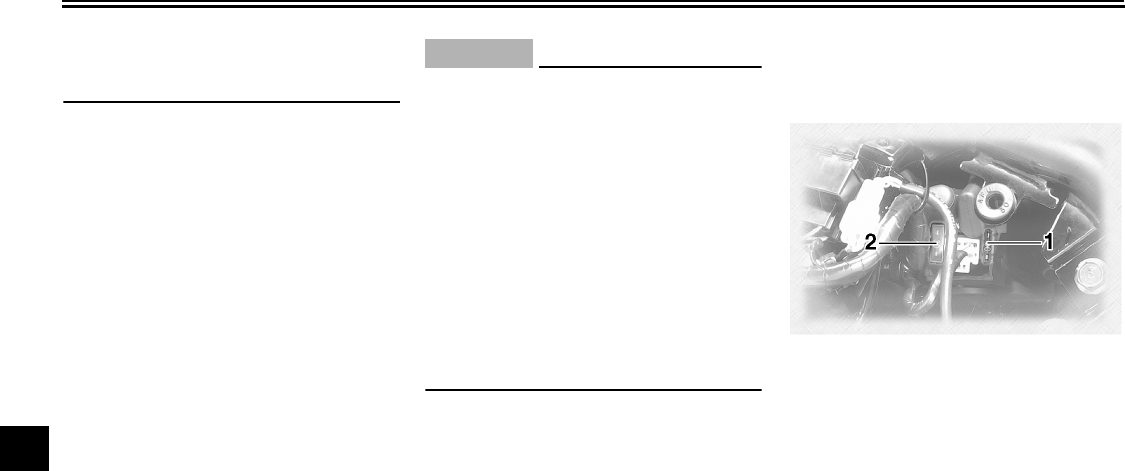
PERIODIC MAINTENANCE AND MINOR REPAIR
7-33
7
●KEEP THIS AND ALL BATTER-
IES OUT OF THE REACH OF
CHILDREN.
To charge the battery
Have a Yamaha dealer charge the bat-
tery as soon as possible if it seems to
have discharged. Keep in mind that the
battery tends to discharge more quickly
if the vehicle is equipped with optional
electrical accessories.
To store the battery
1. If the vehicle will not be used for
more than one month, remove the
battery, fully charge it, and then
place it in a cool, dry place.
2. If the battery will be stored for more
than two months, check it at least
once a month and fully charge it if
necessary.
3. Fully charge the battery before in-
stallation.
4. After installation, make sure that
the battery leads are properly con-
nected to the battery terminals.
CAUTION:
ECA10630
●Always keep the battery
charged. Storing a discharged
battery can cause permanent
battery damage.
●To charge a sealed-type (MF)
battery, a special (constant-volt-
age) battery charger is required.
Using a conventional battery
charger will damage the battery.
If you do not have access to a
sealed-type (MF) battery charg-
er, have a Yamaha dealer
charge your battery.
EAU23663
Replacing the fuses
The main fuse is located behind panel
C. (See page 7-8.)
1. Main fuse
2. Spare main fuse
U2C912E0.book Page 33 Tuesday, June 12, 2007 9:27 AM
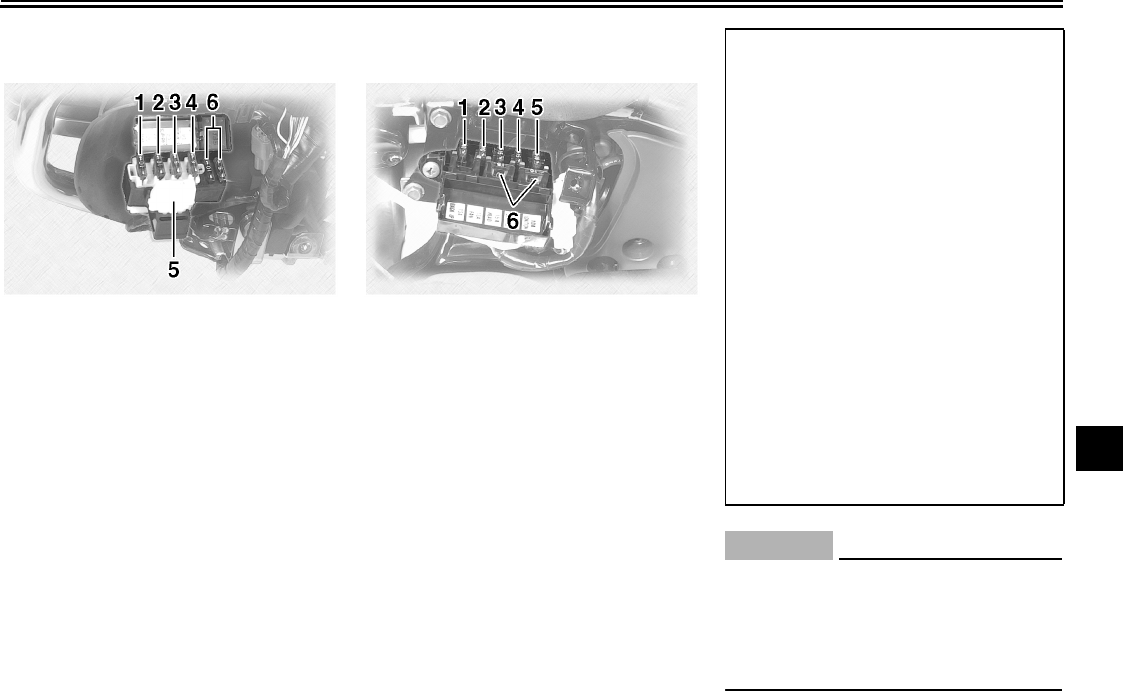
PERIODIC MAINTENANCE AND MINOR REPAIR
7-34
7
Fuse box 1 is located behind cowling A.
(See page 7-8.)
Fuse box 2 is located behind panel B.
(See page 7-8.)
If a fuse is blown, replace it as follows.
1. Turn the key to “OFF” and turn off
the electrical circuit in question.
2. Remove the blown fuse, and then
install a new fuse of the specified
amperage.
CAUTION:
ECA10640
Do not use a fuse of a higher amper-
age rating than recommended to
avoid causing extensive damage to
the electrical system and possibly a
fire.
1. Cruise control fuse
2. Carburetor heater fuse
3. Auxiliary DC connector fuse
4. Auxiliary DC jack fuse
5. Audio system fuse
6. Spare fuse
1. Backup fuse (for odometer and clock)
2. Radiator fan fuse
3. Headlight fuse
4. Signaling system fuse
5. Ignition fuse
6. Spare fuse
Specified fuses:
Main fuse:
30.0 A
Cruise control fuse:
10.0 A
Carburetor heater fuse:
10.0 A
Auxiliary DC connector fuse:
5.0 A
Auxiliary DC jack fuse:
5.0 A
Audio system fuse:
10.0 A
Ignition fuse:
10.0 A
Signaling system fuse:
15.0 A
Headlight fuse:
15.0 A
Radiator fan fuse:
10.0 A
Backup fuse:
10.0 A
U2C912E0.book Page 34 Tuesday, June 12, 2007 9:27 AM
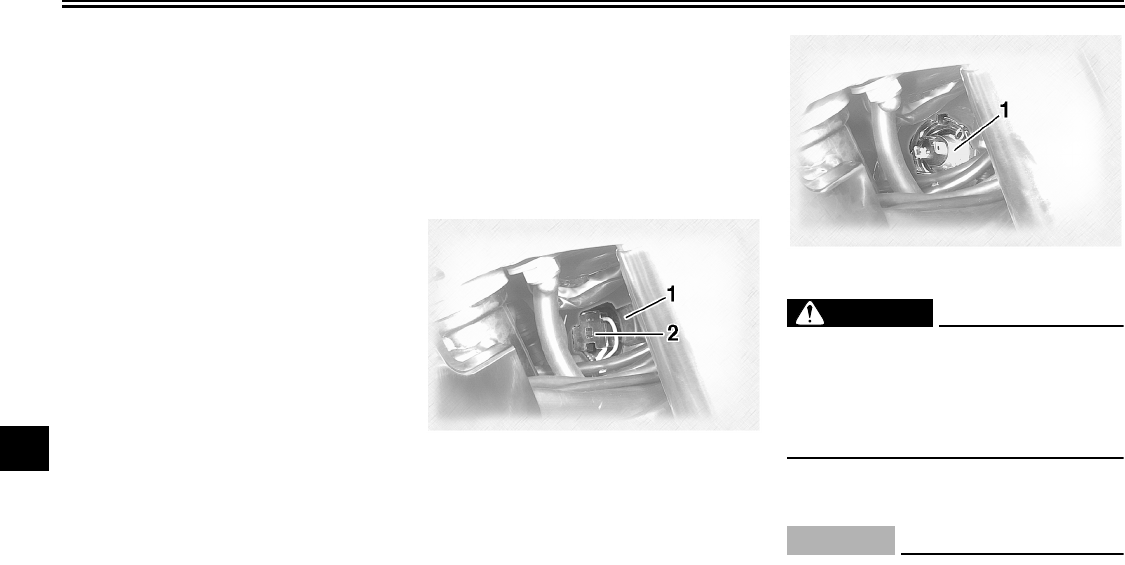
PERIODIC MAINTENANCE AND MINOR REPAIR
7-35
7
3. Turn the key to “ON” and turn on
the electrical circuit in question to
check if the device operates.
4. If the fuse immediately blows
again, have a Yamaha dealer
check the electrical system.
EAU23770
Replacing the headlight bulb
This model is equipped with a quartz
bulb headlight. If the headlight bulb
burns out, replace it as follows.
1. Disconnect the headlight coupler,
and then remove the headlight
bulb cover.
2. Remove the headlight bulb holder
by turning it counterclockwise, and
then remove the defective bulb.
WARNING
EWA10790
Headlight bulbs get very hot. There-
fore, keep flammable products away
from a lit headlight bulb, and do not
touch the bulb until it has cooled
down.
3. Place a new bulb into position, and
then secure it with the bulb holder.
CAUTION:
ECA10660
Do not touch the glass part of the
headlight bulb to keep it free from
oil, otherwise the transparency of
the glass, the luminosity of the bulb,
and the bulb life will be adversely af-
fected. Thoroughly clean off any dirt
1. Headlight bulb cover
2. Headlight coupler
1. Headlight bulb holder
U2C912E0.book Page 35 Tuesday, June 12, 2007 9:27 AM
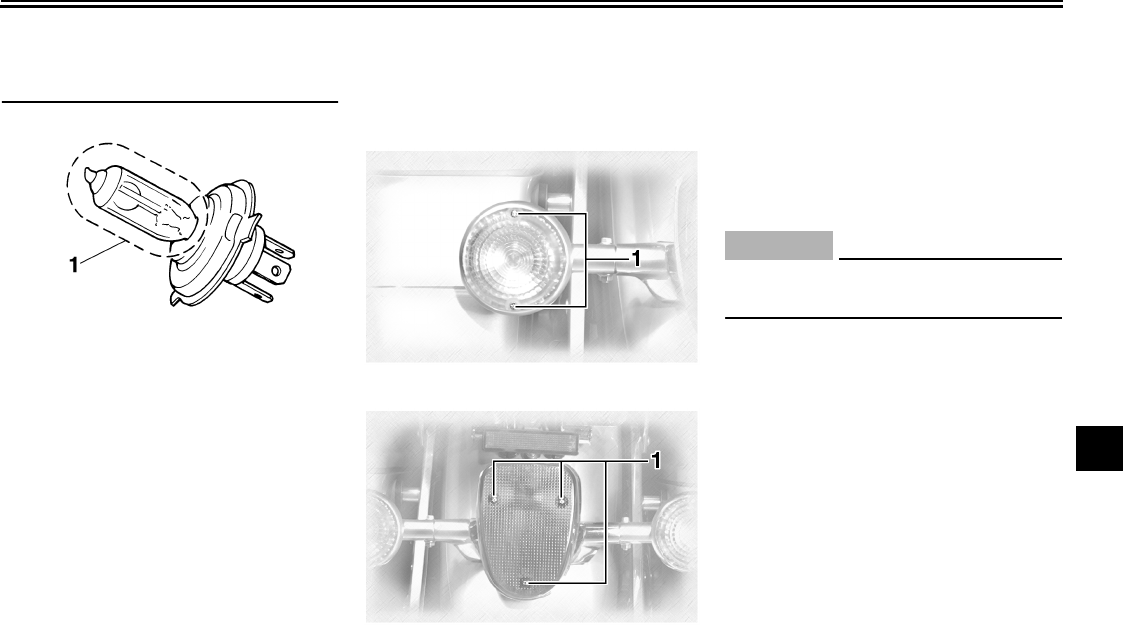
PERIODIC MAINTENANCE AND MINOR REPAIR
7-36
7
and fingerprints on the headlight
bulb using a cloth moistened with al-
cohol or thinner.
4. Install the bulb cover, and then
connect the coupler.
5. Have a Yamaha dealer adjust the
headlight beam if necessary.
EAU24281
Replacing a turn signal light
bulb or the tail/brake light bulb
1. Remove the lens by removing the
screws.
2. Remove the defective bulb by
pushing it in and turning it counter-
clockwise.
3. Insert a new bulb into the socket,
push it in, and then turn it clock-
wise until it stops.
4. Install the lens by installing the
screws.
CAUTION:
ECA10680
Do not overtighten the screws, oth-
erwise the lens may break.
1. Do not touch the glass part of the bulb.
1. Screw
1. Screw
U2C912E0.book Page 36 Tuesday, June 12, 2007 9:27 AM

PERIODIC MAINTENANCE AND MINOR REPAIR
7-37
7
EAU24350
Supporting the motorcycle
Since this model is not equipped with a
centerstand, follow these precautions
when removing the front and rear
wheel or performing other maintenance
requiring the motorcycle to stand up-
right. Check that the motorcycle is in a
stable and level position before starting
any maintenance. A strong wooden
box can be placed under the engine for
added stability.
To service the front wheel
1. Stabilize the rear of the motorcycle
by using a motorcycle stand or, if
an additional motorcycle stand is
not available, by placing a jack un-
der the frame in front of the rear
wheel.
2. Raise the front wheel off the
ground by using a motorcycle
stand.
To service the rear wheel
Raise the rear wheel off the ground by
using a motorcycle stand or, if a motor-
cycle stand is not available, by placing
a jack either under each side of the
frame in front of the rear wheel or under
each side of the swingarm.
EAU25870
Troubleshooting
Although Yamaha motorcycles receive
a thorough inspection before shipment
from the factory, trouble may occur dur-
ing operation. Any problem in the fuel,
compression, or ignition systems, for
example, can cause poor starting and
loss of power.
The following troubleshooting charts
represent quick and easy procedures
for checking these vital systems your-
self. However, should your motorcycle
require any repair, take it to a Yamaha
dealer, whose skilled technicians have
the necessary tools, experience, and
know-how to service the motorcycle
properly.
Use only genuine Yamaha replace-
ment parts. Imitation parts may look like
Yamaha parts, but they are often inferi-
or, have a shorter service life and can
lead to expensive repair bills.
U2C912E0.book Page 37 Tuesday, June 12, 2007 9:27 AM
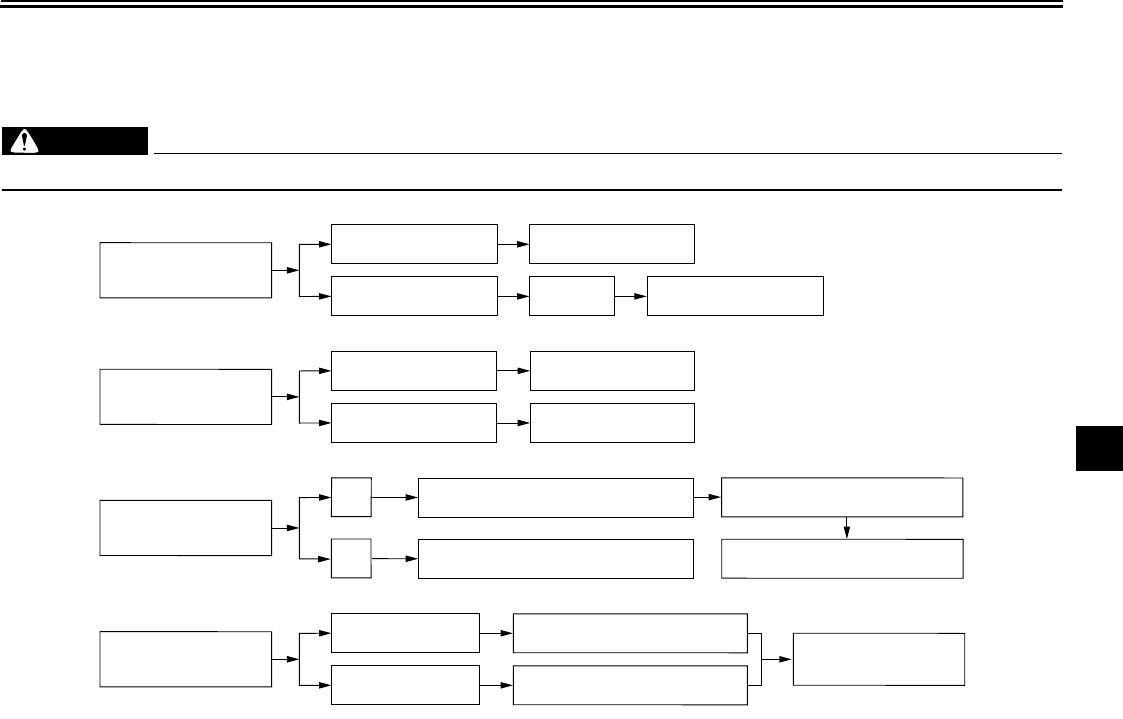
PERIODIC MAINTENANCE AND MINOR REPAIR
7-38
7
EAU42310
Troubleshooting charts
Starting problems or poor engine performance
WARNING
EWA10840
Keep away open flames and do not smoke while checking or working on the fuel system.
Check the fuel level in
the fuel tank.
1. Fuel
There is enough fuel.
There is no fuel.
Check the compression.
Supply fuel. The engine does not start.
Check the compression.
Operate the electric starter.
2. Compression
There is compression.
There is no compression.
Check the ignition.
Have a Yamaha dealer
check the vehicle.
Remove the spark plugs
and check the electrodes.
3. Ignition Wipe off with a dry cloth and correct the
spark plug gaps, or replace the spark plugs.
Have a Yamaha dealer check the vehicle.
The engine does not start.
Have a Yamaha dealer
check the vehicle.
The engine does not start.
Check the battery.
Operate the electric starter.
4. Battery The engine turns over
quickly.
The engine turns over
slowly.
The battery is good.
Check the battery lead connections,
and charge the battery if necessary.
Dry
Wet Open the throttle halfway and operate
the electric starter.
U2C912E0.book Page 38 Tuesday, June 12, 2007 9:27 AM
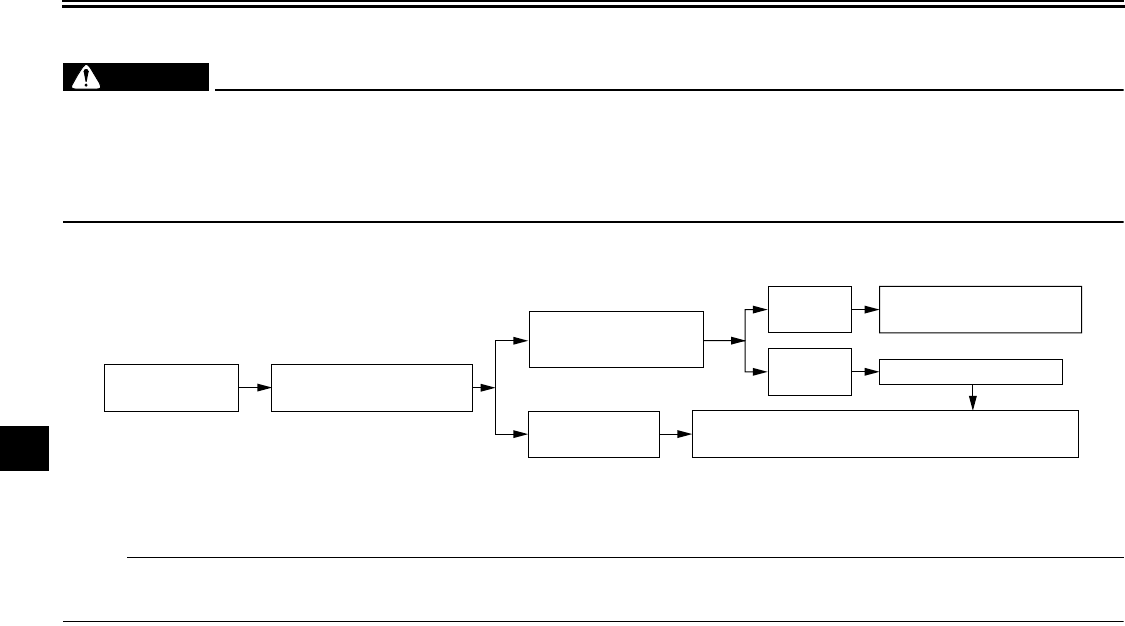
PERIODIC MAINTENANCE AND MINOR REPAIR
7-39
7
Engine overheating
WARNING
EWAT1040
●Do not remove the radiator cap when the engine and radiator are hot. Scalding hot fluid and steam may be
blown out under pressure, which could cause serious injury. Be sure to wait until the engine has cooled.
●Place a thick rag, like a towel, over the radiator cap, and then slowly rotate the cap counterclockwise to the de-
tent to allow any residual pressure to escape. When the hissing sound has stopped, press down on the cap
while turning it counterclockwise, and then remove the cap.
NOTE:
If coolant is not available, tap water can be temporarily used instead, provided that it is changed to the recommended coolant
as soon as possible.
Wait until the
engine has cooled.
Check the coolant level in the
reservoir and radiator.
The coolant level
is OK.
The coolant level is low.
Check the cooling system
for leakage.
Have a Yamaha dealer check
and repair the cooling system.
Add coolant. (See NOTE.)
Start the engine. If the engine overheats again, have a
Yamaha dealer check
and repair the cooling system.
There is
leakage.
There is
no leakage.
U2C912E0.book Page 39 Tuesday, June 12, 2007 9:27 AM
MOTORCYCLE CARE AND STORAGE
8-1
8
EAU37833
Matte color caution
CAUTION:
ECA15192
Some models are equipped with
matte colored finished parts. Be
sure to consult a Yamaha dealer for
advice on what products to use be-
fore cleaning the vehicle. Using a
brush, harsh chemical products or
cleaning compounds when cleaning
these parts will scratch or damage
their surface. Wax also should not
be applied to any matte colored fin-
ished parts.
EAU26121
Cleaning
Frequent, thorough cleaning of your
motorcycle not only enhances its ap-
pearance, but also improves its perfor-
mance and extends its life.
CAUTION:
ECA10731
●Improper cleaning can damage
plastic parts such as cowlings,
panels, windshields, headlight
lenses, meter lenses, etc. Use
only a soft, clean cloth or
sponge with mild detergent and
water to clean plastic. If the
windshield is scratched, use a
quality plastic polishing com-
pound after washing.
●Do not use any harsh chemical
products on plastic parts. Make
sure to avoid using cloths or
sponges which have been in
contact with strong or abrasive
cleaning products, solvent or
thinner, fuel (gasoline), rust re-
movers or inhibitors, brake flu-
id, antifreeze or electrolyte.
Before cleaning the motorcycle
1. Cover the muffler outlets, to pre-
vent water entry, with plastic bags
and strong rubber bands.
2. Make sure that the spark plugs
and all caps and covers are prop-
erly installed.
3. Apply Yamaha Mud and Grease
Release or another high-quality
degreaser to the crankcase, to re-
move any excessive grease, with a
paintbrush. Do not apply degreas-
er to the wheel axles.
Cleaning the motorcycle
1. Rinse any dirt and degreaser off
with a garden hose, using only
enough pressure to do the job.
CAUTION:
ECA10940
●Do not use high-pressure wash-
ers, since excessive high pres-
sure may cause water seepage
and deterioration of wheel bear-
ings, the front fork, brakes,
transmission seals, audio sys-
tem, speakers, saddlebags,
travel trunk and electrical parts.
U2C912E0.book Page 1 Tuesday, June 12, 2007 9:27 AM
MOTORCYCLE CARE AND STORAGE
8-2
8
●Many expensive repair bills
have resulted from improper
high-pressure washer applica-
tions, such as those available at
coin-operated car washers.
2. Once the majority of the dirt has
been hosed off, wash all surfaces
with warm water and a mild deter-
gent. Use a toothbrush or bottle-
brush to get into those hard-to-
reach places.
3. Rinse the motorcycle off immedi-
ately with clean water and dry all
surfaces with a chamois, clean
towel, or soft absorbent cloth.
4. Clean the seat with Yamaha Pro-
tectant or another high-quality vi-
nyl upholstery cleaner to keep the
cover pliable and glossy.
Cleaning the windshield
Avoid using any alkaline or strong acid
cleaner, gasoline, brake fluid, or any
other solvent. Clean the windshield with
a cloth or sponge dampened with a mild
detergent, and then wash it off thor-
oughly with water. For additional clean-
ing, use Yamaha Windshield Cleaner
or another high-quality windshield
cleaner. Some cleaning compounds for
plastics may leave scratches on the
windshield. Before using such clean-
ers, test an area of the windshield
which does not affect your visibility and
which cannot be easily recognized.
After cleaning the motorcycle
Apply Yamaha Silicone Wax or another
high-quality automotive-type wax on all
painted and chrome-plated surfaces.
Avoid combination cleaner-waxes,
since many contain abrasives that may
mar the paint or protective finish. When
finished, start the engine and let it idle
for several minutes.
EAU26250
Storage
Short-term
Always store your motorcycle in a cool,
dry place and, if necessary, protect it
against dust with a porous cover.
CAUTION:
ECA10810
●Storing the motorcycle in a
poorly ventilated room or cover-
ing it with a tarp, while it is still
wet, will allow water and humid-
ity to seep in and cause rust.
●To prevent corrosion, avoid
damp cellars, stables (because
of the presence of ammonia)
and areas where strong chemi-
cals are stored.
Long-term
Before storing your motorcycle for sev-
eral months:
1. Follow all the instructions in the
“Care” section of this chapter.
2. For motorcycles equipped with a
fuel cock that has an “OFF” posi-
tion: Turn the fuel cock lever to
“OFF”.
U2C912E0.book Page 2 Tuesday, June 12, 2007 9:27 AM
MOTORCYCLE CARE AND STORAGE
8-3
8
3. Drain the carburetor float chamber
by loosening the drain bolt; this will
prevent fuel deposits from building
up. Pour the drained fuel into the
fuel tank.
4. Fill up the fuel tank and add fuel
stabilizer (if available) to prevent
the fuel tank from rusting and the
fuel from deteriorating.
5. Perform the following steps to pro-
tect the cylinders, piston rings, etc.
from corrosion.
a. Remove the spark plug caps
and spark plugs.
b. Pour a teaspoonful of engine oil
into each spark plug bore.
c. Install the spark plug caps onto
the spark plugs, and then place
the spark plugs on the cylinder
head so that the electrodes are
grounded. (This will limit spark-
ing during the next step.)
d. Turn the engine over several
times with the starter. (This will
coat the cylinder walls with oil.)
e. Remove the spark plug caps
from the spark plugs, and then
install the spark plugs and the
spark plug caps.
WARNING
EWA10950
To prevent damage or injury from
sparking, make sure to ground the
spark plug electrodes while turning
the engine over.
6. Lubricate all control cables and the
pivoting points of all levers and
pedals as well as of the side-
stand/centerstand.
7. Check and, if necessary, correct
the tire air pressure, and then lift
the motorcycle so that both of its
wheels are off the ground. Alterna-
tively, turn the wheels a little every
month in order to prevent the tires
from becoming degraded in one
spot.
8. Cover the muffler outlets with plas-
tic bags to prevent moisture from
entering them.
9. Remove the battery and fully
charge it. Store it in a cool, dry
place and charge it once a month.
Do not store the battery in an ex-
cessively cold or warm place [less
than 0 °C (30 °F) or more than 30
°C (90 °F)]. For more information
on storing the battery, see page
7-32.
NOTE:
Make any necessary repairs before
storing the motorcycle.
U2C912E0.book Page 3 Tuesday, June 12, 2007 9:27 AM
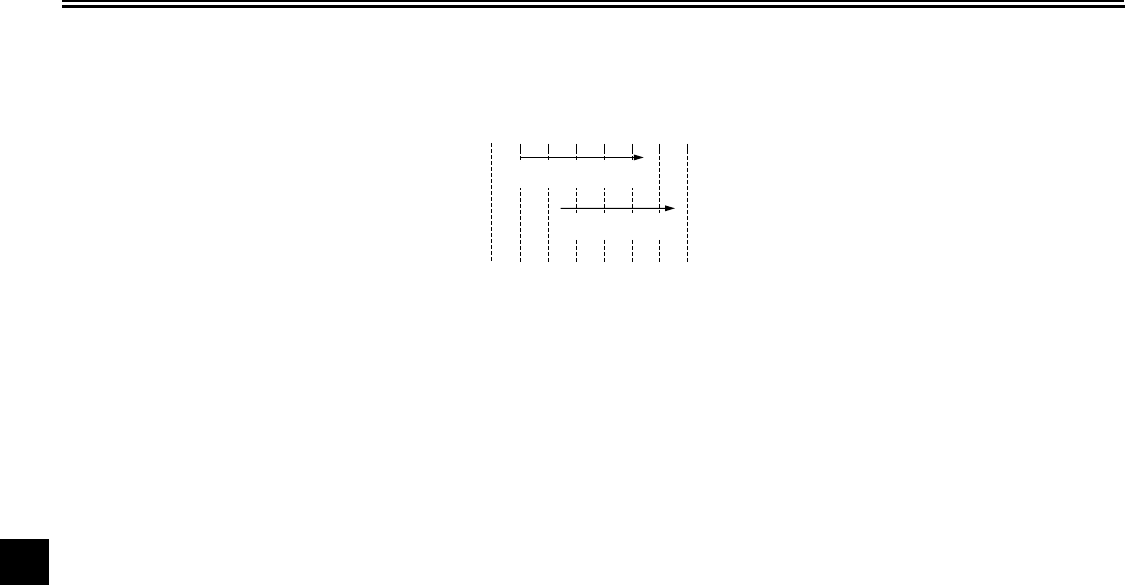
SPECIFICATIONS
9-1
9
Dimensions:
Overall length:
2655 mm (104.5 in)
Overall width:
900 mm (35.4 in)
Overall height:
1565 mm (61.6 in)
Seat height:
750 mm (29.5 in)
Wheelbase:
1705 mm (67.1 in)
Ground clearance:
155 mm (6.10 in)
Minimum turning radius:
3500 mm (137.8 in)
Weight:
With oil and fuel:
394.0 kg (869 lb)
Engine:
Engine type:
Liquid cooled 4-stroke, DOHC
Cylinder arrangement:
V-type 4-cylinder
Displacement:
1294.0 cm³
Bore × stroke:
79.0 × 66.0 mm (3.11 × 2.60 in)
Compression ratio:
10.00 :1
Starting system:
Electric starter
Lubrication system:
Wet sump
Engine oil:
Type:
YAMALUBE 4, SAE10W30 or SAE20W40
Recommended engine oil grade:
API service SG type or higher, JASO
standard MA
Engine oil quantity:
Without oil filter cartridge replacement:
3.50 L (3.70 US qt) (3.08 Imp.qt)
With oil filter cartridge replacement:
3.70 L (3.91 US qt) (3.26 Imp.qt)
Final gear oil:
Type:
SAE80 API GL-4 Hypoid gear oil
Quantity:
0.20 L (0.21 US qt) (0.18 Imp.qt)
Cooling system:
Coolant reservoir capacity (up to the
maximum level mark):
0.35 L (0.37 US qt) (0.31 Imp.qt)
Radiator capacity (including all routes):
3.50 L (3.70 US qt) (3.08 Imp.qt)
Air filter:
Air filter element:
Dry element
Fuel:
Recommended fuel:
Unleaded gasoline only
Fuel tank capacity:
22.5 L (5.94 US gal) (4.95 Imp.gal)
Fuel reserve amount:
3.5 L (0.92 US gal) (0.77 Imp.gal)
Carburetor:
Manufacturer:
MIKUNI
Type × quantity:
BDSR32 x 4
Spark plug (s):
Manufacturer/model:
NGK/DPR8EA-9
Manufacturer/model:
DENSO/X24EPR-U9
Spark plug gap:
0.8–0.9 mm (0.031–0.035 in)
Clutch:
Clutch type:
Wet, multiple-disc
Transmission:
Primary reduction system:
Spur gear
Primary reduction ratio:
87/49 (1.776)
Secondary reduction system:
Shaft drive
Secondary reduction ratio:
21/27 × 33/10 (2.567)
10° 30° 50° 70° 90° 110°
0° 130°F
YAMALUBE 4 (10W30)
or SAE 10W30
YAMALUBE 4 (20W40)
or SAE 20W40
–10° 0° 10° 20° 30° 40°
–20° 50°C
U2C912E0.book Page 1 Tuesday, June 12, 2007 9:27 AM

SPECIFICATIONS
9-2
9
Transmission type:
Constant mesh 5-speed
Operation:
Left foot operation
Gear ratio:
1st:
43/17 (2.529)
2nd:
31/19 (1.632)
3rd:
30/25 (1.200)
4th:
24/25 (0.960)
5th:
22/28 (0.786)
Chassis:
Frame type:
Double cradle
Caster angle:
29.10 °
Trail:
152.0 mm (5.98 in)
Front tire:
Type:
Tubeless
Size:
150/80-16M/C 71H
Manufacturer/model:
DUNLOP/D404F
Manufacturer/model:
BRIDGESTONE/G705G
Rear tire:
Type:
Tubeless
Size:
150/90B15M/C 74H
Manufacturer/model:
DUNLOP/D404
Manufacturer/model:
BRIDGESTONE/G702G
Loading:
Maximum load:
190 kg (419 lb)
(Total weight of rider, passenger, cargo and
accessories)
Tire air pressure (measured on cold
tires):
Loading condition:
0–90 kg (0–198 lb)
Front:
250 kPa (36 psi) (2.50 kgf/cm²)
Rear:
250 kPa (36 psi) (2.50 kgf/cm²)
Loading condition:
90–190 kg (198–419 lb)
Front:
250 kPa (36 psi) (2.50 kgf/cm²)
Rear:
280 kPa (41 psi) (2.80 kgf/cm²)
Front wheel:
Wheel type:
Cast wheel
Rim size:
16M/C x MT3.50
Rear wheel:
Wheel type:
Cast wheel
Rim size:
15M/C x MT4.00
Front brake:
Type:
Dual disc brake
Operation:
Right hand operation
Recommended fluid:
DOT 4
Rear brake:
Type:
Single disc brake
Operation:
Right foot operation
Recommended fluid:
DOT 4
Front suspension:
Type:
Telescopic fork
Spring/shock absorber type:
Coil-air spring/oil damper
Wheel travel:
140.0 mm (5.51 in)
Rear suspension:
Type:
Swingarm (link suspension)
Spring/shock absorber type:
Coil-air spring/oil damper
Wheel travel:
105.0 mm (4.13 in)
Electrical system:
Ignition system:
Transistorized coil ignition (digital)
U2C912E0.book Page 2 Tuesday, June 12, 2007 9:27 AM

SPECIFICATIONS
9-3
9
Charging system:
AC magneto
Battery:
Model:
YTX20L-BS
Voltage, capacity:
12 V, 18.0 Ah
Headlight:
Bulb type:
Halogen bulb
Bulb voltage, wattage × quantity:
Headlight:
12 V, 60 W/55.0 W × 1
Tail/brake light:
12 V, 8.0 W/27.0 W × 1
Front turn signal/position light:
12 V, 23 W/8.0 W × 2
Rear turn signal light:
12 V, 21.0 W × 2
Neutral indicator light:
12 V, 1.7 W × 1
High beam indicator light:
12 V, 1.7 W × 1
Oil level warning light:
12 V, 1.7 W × 1
Turn signal indicator light:
12 V, 1.7 W × 2
Fuel level warning light:
14 V, 3.0 W × 1
Coolant temperature warning light:
12 V, 1.7 W × 1
Engine trouble warning light:
12 V, 1.7 W × 1
Overdrive indicator light:
12 V, 1.7 W × 1
Cruise control “SET” indicator light:
12 V, 1.7 W × 1
Cruise control “RES” indicator light:
12 V, 1.7 W × 1
Cruise control “ON” indicator light:
12 V, 1.7 W × 1
Audio system amplifier:
Speaker output:
14 W × 4
Headset output:
1 W × 2
Auto volume range:
5 steps
Speaker impedance:
4 Ω
Headset impedance:
8-16 Ω
Fuses:
Main fuse:
30.0 A
Headlight fuse:
15.0 A
Signaling system fuse:
15.0 A
Ignition fuse:
10.0 A
Radiator fan fuse:
10.0 A
Carburetor heater fuse:
10.0 A
Cruise control fuse:
10.0 A
Audio system fuse:
10.0 A
Auxiliary DC connector fuse:
5.0 A
Auxiliary DC jack fuse:
5.0 A
Backup fuse:
10.0 A
U2C912E0.book Page 3 Tuesday, June 12, 2007 9:27 AM
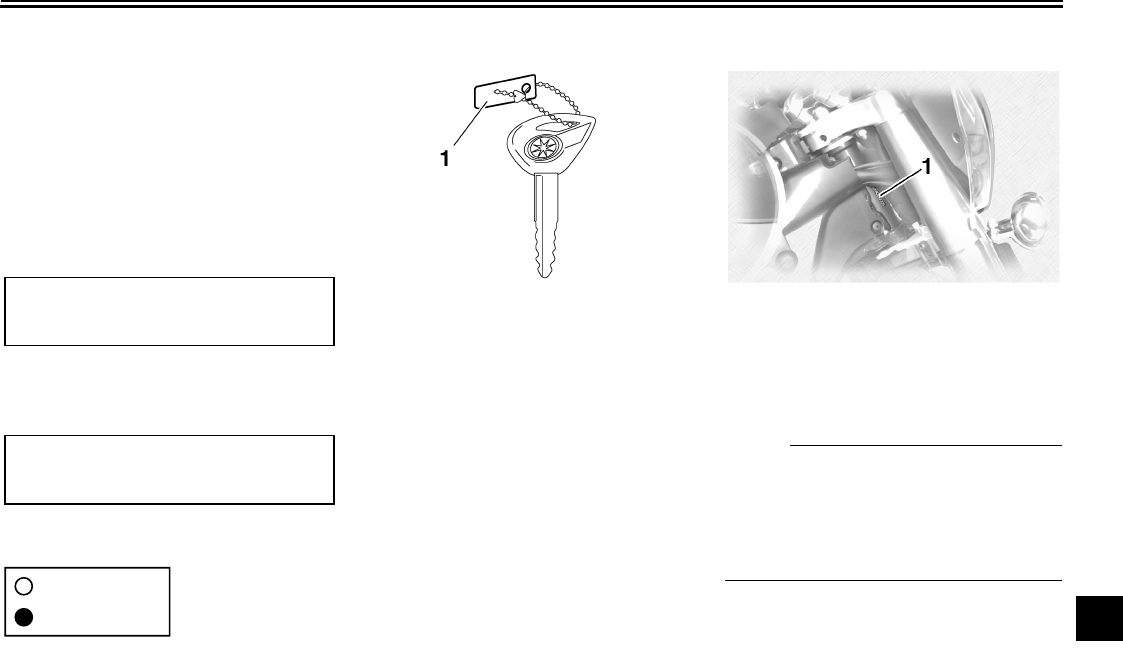
CONSUMER INFORMATION
10-1
10
EAU26351
Identification numbers
Record the key identification number,
vehicle identification number and mod-
el label information in the spaces pro-
vided below for assistance when
ordering spare parts from a Yamaha
dealer or for reference in case the vehi-
cle is stolen.
KEY IDENTIFICATION NUMBER:
VEHICLE IDENTIFICATION
NUMBER:
MODEL LABEL INFORMATION:
EAU26381
Key identification number
The key identification number is
stamped into the key tag. Record this
number in the space provided and use
it for reference when ordering a new
key.
EAU26400
Vehicle identification number
The vehicle identification number is
stamped into the steering head pipe.
Record this number in the space pro-
vided.
N
O
TE:
The vehicle identification number is
used to identify your motorcycle and
may be used to register your motor-
cycle with the licensing authority in your
area.
1. Key identification number 1. Vehicle identification number
U2C912E0.book Page 1 Tuesday, June 12, 2007 9:27 AM
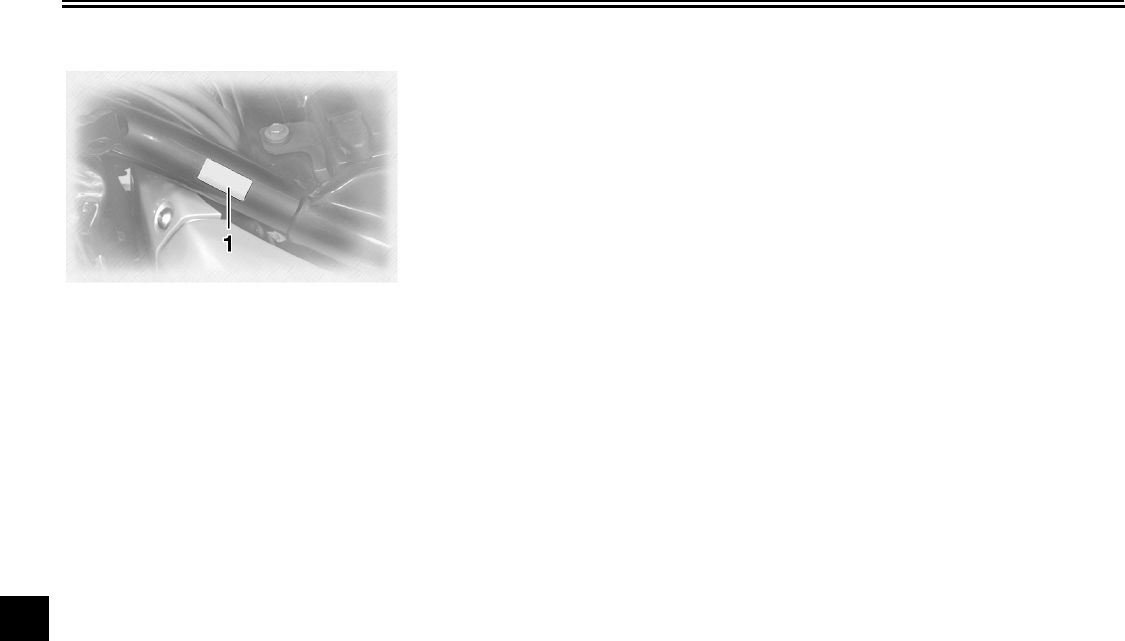
CONSUMER INFORMATION
10-2
10
EAU26470
Model label
The model label is affixed to the frame
under the rider seat. (See page 3-13.)
Record the information on this label in
the space provided. This information
will be needed when ordering spare
parts from a Yamaha dealer.
1. Model label
U2C912E0.book Page 2 Tuesday, June 12, 2007 9:27 AM

CONSUMER INFORMATION
10-3
10
EAU26551
Reporting safety defects
If you believe that your vehicle has a defect which could cause a crash or could cause injury or death, you should immediately
inform the National Highway Traffic Safety Administration (NHTSA) in addition to notifying Yamaha Motor Corporation,
U.S.A. If NHTSA receives similar complaints, it may open an investigation, and if it finds that a safety defect exists in a group
of vehicles, it may order a recall and remedy campaign. However, NHTSA cannot become involved in individual problems
between you, your dealer, or Yamaha Motor Corporation, U.S.A.
To contact NHTSA, you may call the Vehicle Safety Hotline toll-free at 1-888-327-4236 (TTY: 1-800-424-9153); go to
http://www.safercar.gov; or write to: Administrator, NHTSA, 400 Seventh Street, SW., Washington, DC 20590. You can also
obtain other information about motor vehicle safety from http://www.safercar.gov.
U2C912E0.book Page 3 Tuesday, June 12, 2007 9:27 AM
CONSUMER INFORMATION
10-4
10
EAU26560
Motorcycle noise regulation
TAMPERING WITH NOISE CONTROL SYSTEM PROHIBITED:
Federal law prohibits the following acts or the causing thereof: (1) The removal or rendering inoperative by any person other
than for purposes of maintenance, repair, or replacement of any device or element of design incorporated into any new ve-
hicle for the purpose of noise control prior to its sale or delivery to the ultimate purchaser or while it is in use or (2) the use of
the vehicle after such device or element of design has been removed or rendered inoperative by any person.
“AMONG THOSE ACTS PRESUMED TO CONSTITUTE TAMPERING ARE THE ACTS LISTED BELOW”.
These acts include tampering with the following systems; i.e., modification, removal, etc.
Exhaust system
•Muffler
•Exhaust pipe
•Silencer
Intake system
•Air cleaner case
•Air cleaner element
•Intake duct
U2C912E0.book Page 4 Tuesday, June 12, 2007 9:27 AM
CONSUMER INFORMATION
10-5
10
EAU26632
Maintenance record
Copies of work orders and/or receipts for parts purchased and installed on your vehicle will be required to document that
maintenance has been completed in accordance with the emissions warranty. The chart below is printed only as a reminder
that maintenance work is required. It is not acceptable proof of maintenance work.
Maintenance
interval
Date of
service Mileage Servicing dealer
name and address Remarks
600 mi
(1000 km) or
1 month
4000 mi
(7000 km) or
6 months
8000 mi
(13000 km) or
12 months
12000 mi
(19000 km) or
18 months
16000 mi
(25000 km) or
24 months
20000 mi
(31000 km) or
30 months
24000 mi
(37000 km) or
36 months
28000 mi
(43000 km) or
42 months
32000 mi
(49000 km) or
48 months
U2C912E0.book Page 5 Tuesday, June 12, 2007 9:27 AM
CONSUMER INFORMATION
10-6
10
36000 mi
(55000 km) or
54 months
40000 mi
(61000 km) or
60 months
Maintenance
interval
Date of
service Mileage Servicing dealer
name and address Remarks
U2C912E0.book Page 6 Tuesday, June 12, 2007 9:27 AM
CONSUMER INFORMATION
10-7
10
EAU26703
YAMAHA MOTOR CORPORATION, U.S.A. ROYAL STAR™ VENTURE® LIMITED WARRANTY
U2C912E0.book Page 7 Tuesday, June 12, 2007 9:27 AM
CONSUMER INFORMATION
10-8
10
U2C912E0.book Page 8 Tuesday, June 12, 2007 9:27 AM
CONSUMER INFORMATION
10-9
10
U2C912E0.book Page 9 Tuesday, June 12, 2007 9:27 AM

INDEX
A
Accessories and replacement parts...... 7-23
Air filter elements, cleaning................... 7-18
Audio settings (basic).............................. 4-4
Audio settings (modes) ........................... 4-6
Audio system ..........................................4-1
Auxiliary audio source........................... 4-20
Auxiliary DC jack and connector ........... 3-21
B
Battery................................................... 7-32
Brake and clutch fluid levels,
checking ............................................. 7-26
Brake and clutch fluids, changing ......... 7-27
Brake and clutch levers, checking and
lubricating ........................................... 7-29
Brake and shift pedals, checking and
lubricating ........................................... 7-28
Brake lever.............................................. 3-9
Brake lever free play, adjusting............. 7-24
Brake pedal............................................. 3-9
C
Cables, checking and lubricating .......... 7-28
Canister (for California only) ................. 7-12
Carburetors ........................................... 7-20
Cassette deck operation ......................... 4-9
CB radio operation ................................4-16
CD changer operation........................... 4-15
Cleaning.................................................. 8-1
Clutch lever ....................................3-8, 7-24
Coolant.................................................. 7-16
Coolant temperature warning light.......... 3-3
Cowlings and panels, removing and
installing................................................ 7-8
Cruise control indicator lights..................3-3
Cruise control switches........................... 3-8
Cruise control system............................. 3-5
D
Dimmer switch........................................ 3-7
E
Engine break-in ...................................... 6-4
Engine idling speed, checking .............. 7-20
Engine oil and oil filter cartridge ........... 7-12
Engine, starting a warm.......................... 6-3
Engine stop switch.................................. 3-8
Engine trouble warning light ................... 3-3
F
Final gear oil......................................... 7-15
Front and rear brake pads, checking.... 7-25
Front fork, adjusting.............................. 3-16
Front fork, checking.............................. 7-30
Fuel....................................................... 3-10
Fuel cock .............................................. 3-11
Fuel level warning light........................... 3-3
Fuel tank cap........................................ 3-10
Fuses, replacing ................................... 7-33
H
Handlebar switches ................................ 3-7
Hazard switch ......................................... 3-8
Headlight bulb, replacing ...................... 7-35
Headsets ................................................ 4-2
Helmet holders ..................................... 3-14
High beam indicator light........................ 3-3
Horn switch............................................. 3-7
I
Identification numbers .......................... 10-1
Ignition circuit cut-off system ................ 3-19
Indicator and warning lights.................... 3-2
K
Key identification number......................10-1
L
Labels, location of ...................................1-5
M
Main switch/steering lock ........................3-1
Maintenance and lubrication, periodic.....7-4
Maintenance, emission control system ...7-3
Maintenance, periodic .............................7-1
Maintenance record ..............................10-5
Matte color, caution.................................8-1
Model label............................................10-2
N
Neutral indicator light ..............................3-2
Noise regulation ....................................10-4
O
Oil level warning light ..............................3-3
Overdrive indicator light ..........................3-3
P
Parking....................................................6-5
Part locations ..........................................2-1
Parts, location of .....................................4-1
Pre-operation check list...........................5-2
R
Radio operation.....................................4-11
Rear brake light switch, adjusting .........7-25
Rear suspension, lubricating.................7-30
Rider seat..............................................3-13
S
Safety defects, reporting .......................10-3
Safety information ...................................1-1
Shifting ....................................................6-3
Shift pedal ...............................................3-9
Shock absorber assembly, adjusting ....3-17
U2C912E0.book Page 1 Tuesday, June 12, 2007 9:27 AM

INDEX
Sidecases and travel trunk ................... 3-14
Sidestand.............................................. 3-18
Sidestand, checking and lubricating ..... 7-29
Sound control unit................................... 4-3
Spark plugs, checking .......................... 7-11
Specifications ......................................... 9-1
Speedometer unit ................................... 3-4
Starter (choke) knob............................. 3-12
Starting and warming up a cold
engine................................................... 6-1
Start switch ............................................. 3-8
Steering, checking ................................ 7-31
Steering, locking with a padlock ........... 3-13
Storage ................................................... 8-2
Supporting the motorcycle.................... 7-37
Swingarm pivots, lubricating................. 7-30
T
TALK switch............................................ 3-7
Throttle cable free play, checking......... 7-20
Throttle grip and cable, checking and
lubricating ........................................... 7-28
Tires...................................................... 7-21
Tool kit.................................................... 7-1
Troubleshooting.................................... 7-37
Troubleshooting charts ......................... 7-38
Turn signal indicator lights...................... 3-2
Turn signal light bulb or tail/brake
light bulb, replacing ............................ 7-36
Turn signal switch................................... 3-7
V
Valve clearance .................................... 7-21
Vehicle identification number................ 10-1
W
Warranty, limited................................... 10-7
Wheel bearings, checking .....................7-32
Wheels ..................................................7-23
U2C912E0.book Page 2 Tuesday, June 12, 2007 9:27 AM
A5-yoko_Blank.fm Page 1 Tuesday, April 8, 2003 11:43 AM
A5-yoko_Blank.fm Page 1 Tuesday, April 8, 2003 11:43 AM
PRINTED IN JAPAN
2007.06-0.5×1 CR
(E)
PRINTED ON RECYCLED PAPER
YAMAHA MOTOR CO., LTD.
