Yangzhou OMNI Electric Technology HD10 OMNI iController System User Manual
Yangzhou OMNI Electric Technology,Ltd OMNI iController System User Manual
User_Manual
Welcome to
omni® Control System
User Manual
BLE Adapter
Version: 1.0
1
Installation
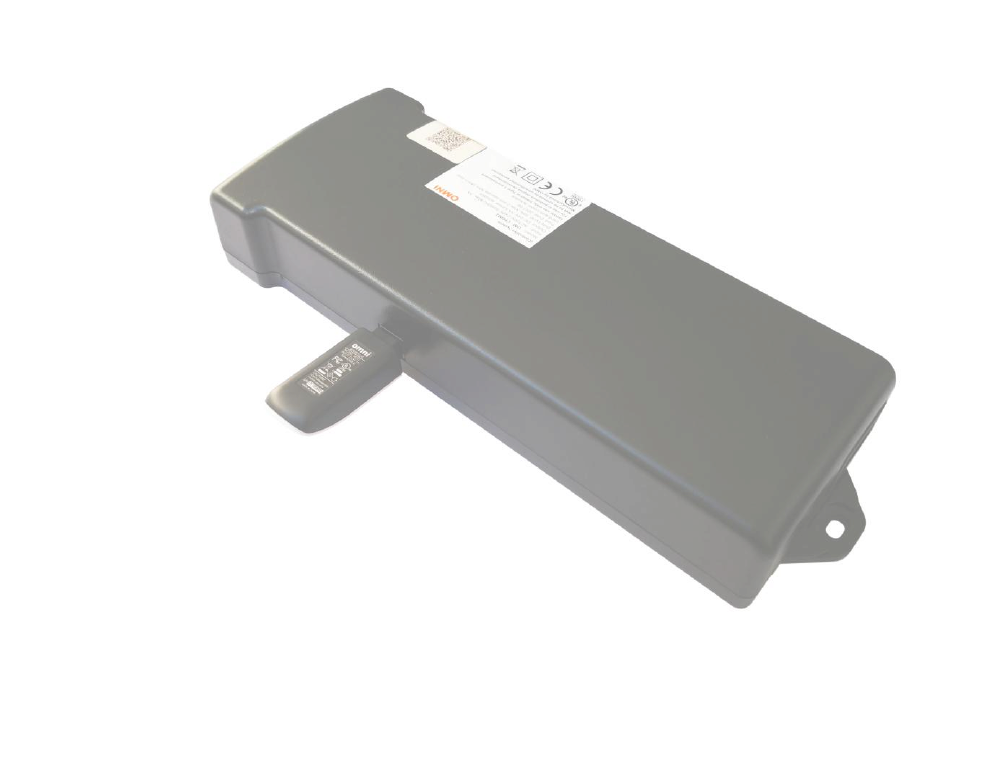
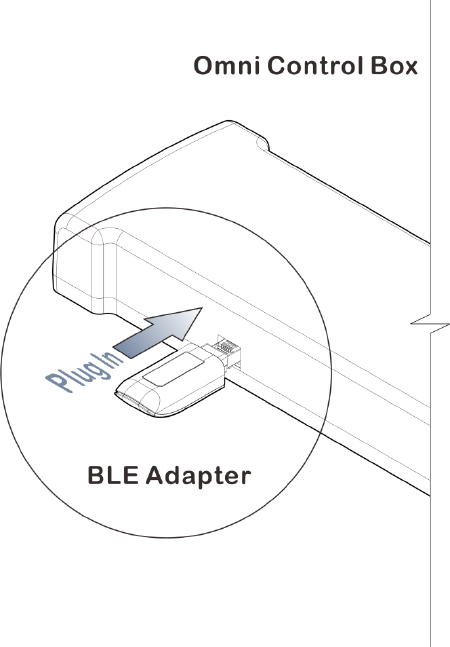
1. Plug the Bluetooth adapter into a powered OMNI desk control box.
2. Download the software you want in App Store or Google Player store and
following instructions in the program. You can also download software via
scanning the following QR Code

2
- For Apple device, please search “eDesk” and download in App store,
then install the app to your device.
- For Android device, please search “iDesk” and download in Google
Play Store, then install the app into your device.
Setup
1. Login
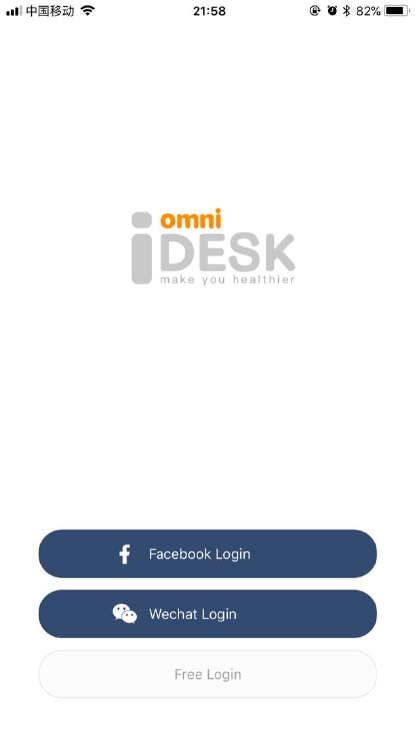
Open iDesk app, directed to the login page, 3 ways to login:
- Facebook Account
- WeChat Account
- Free Login (visitor)
3
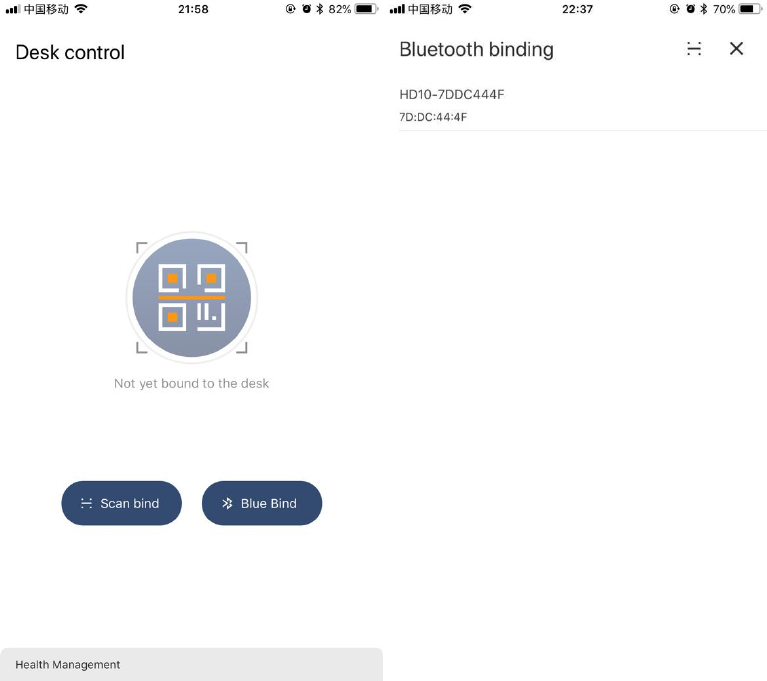
2. Scan binding
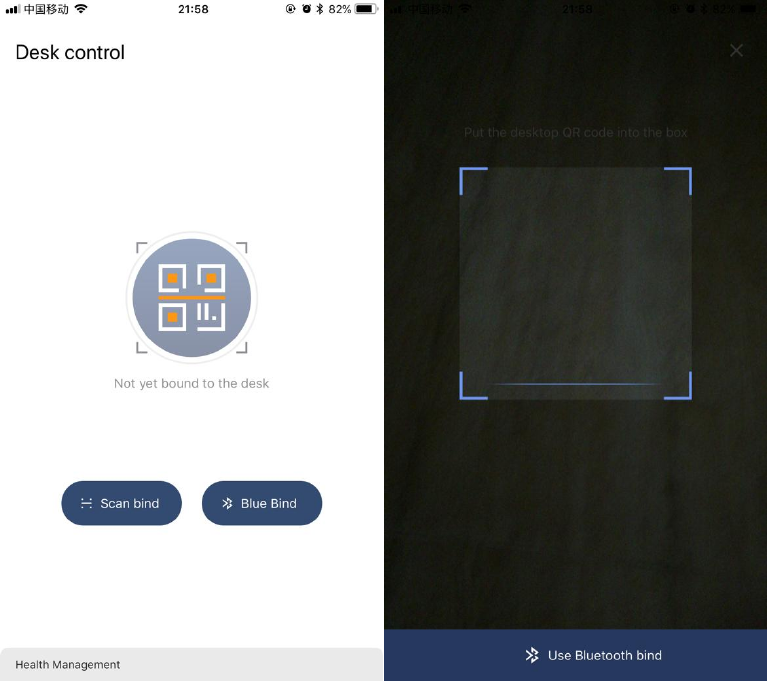
Bind the desk by scanning the unique QR code with the app (pls. make sure
the phone Bluetooth is active when you bind the desk)
4
3. Bluetooth binding
Search desks nearby via Bluetooth, choose the desk to bind (make sure the
phone Bluetooth is turned on when binding the desk)
5
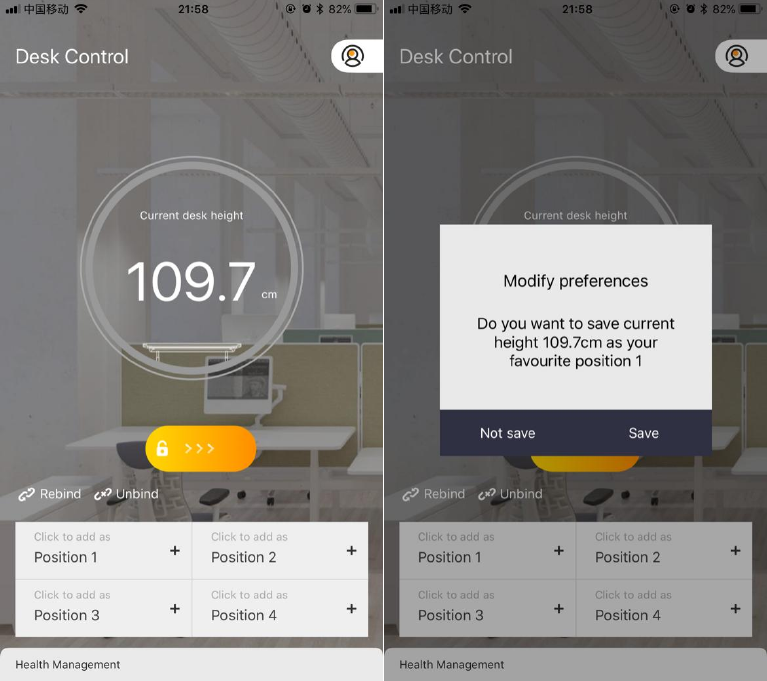
4. Favorite memory positions
You can just press “+” button to store your favorite current height
positions(up to 4). .
6
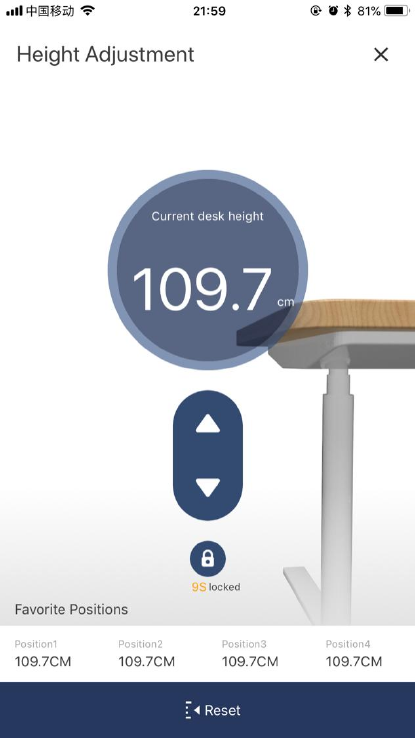
4 stored positions can be directly accessed by pressing the corresponding
button. By pressing the memory button, the application will take you to your
favorite position.
7
5. Desk control
Up drive
Moves the desk upwards while pressing the “▲” button.
Down drive
Moves the desk downwards while pressing the “▼” button.
Reset drive
Press “Reset” button to make the desk go down to the lowest height as
default factory setting.
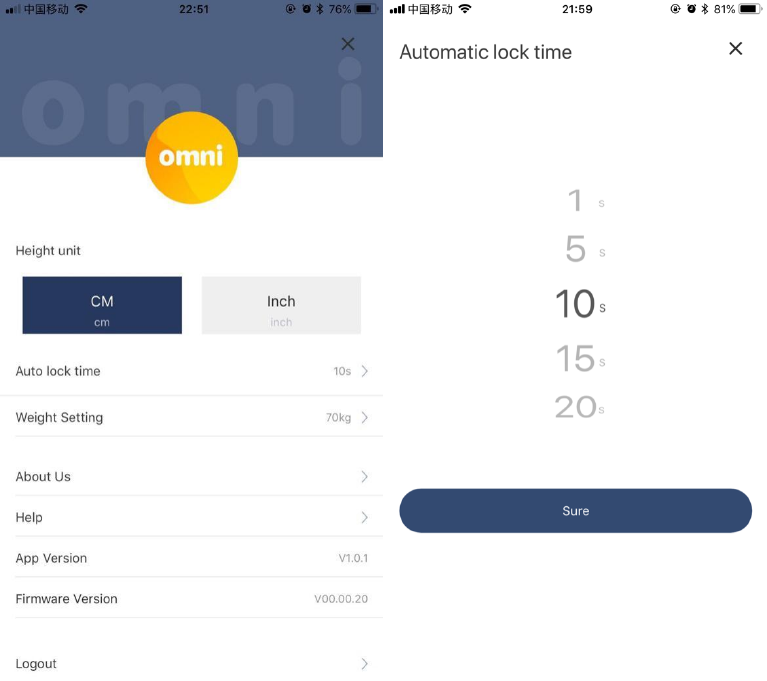
Automatic Lock
You may set automatic lock time to avoid unexpected operation. When the
lock time countdown reach, it will return to the home page.
8
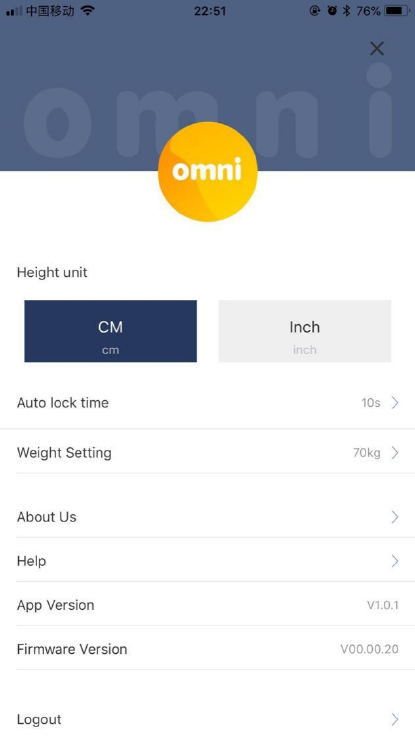
6. Set the desk height unit
Choose in which units you want the height in, cm or inches.
9
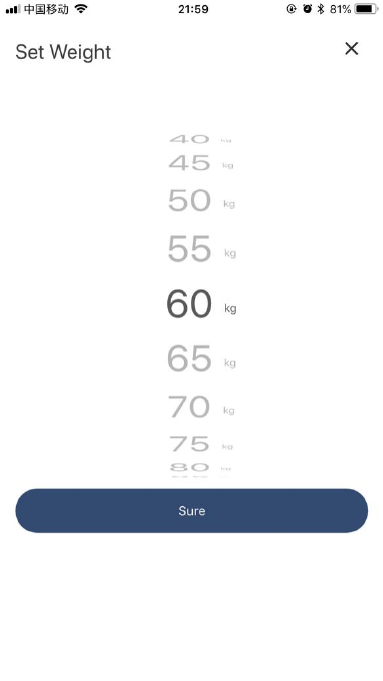
7. Set weight
The app can calculate the user's calorie consumption based on weight you
set.
10
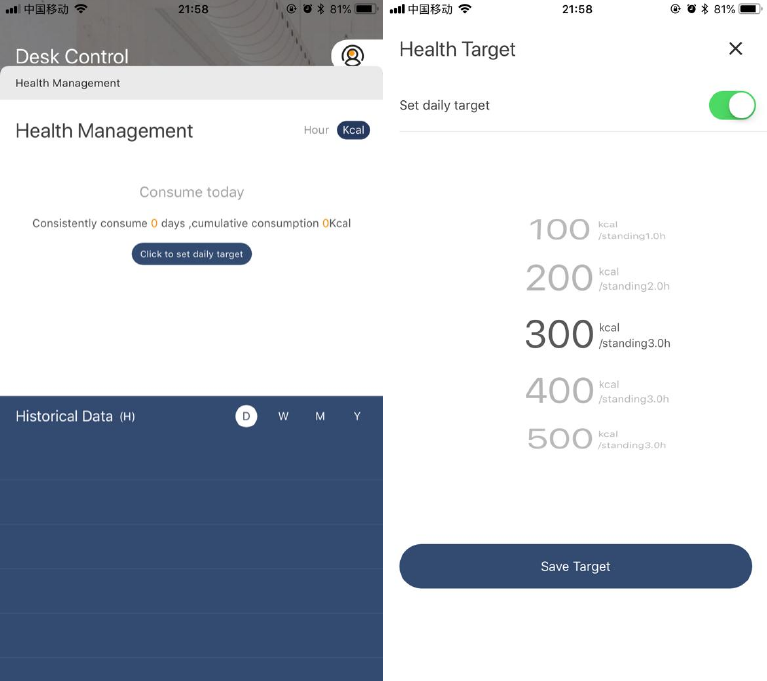
8. Set health target
Users can set daily calorie consumption targets, providing the following
options.
11
ChaRacters
Name: BLE Adapter
Model: HD10
Weight: 10g
Input: DC5V(MAX7V)
Power: < 50mA
Protocol: BLE4.0
Operating temperature: +5℃ - +40℃
Compatible with: iOS 9.0 and above, Android 4.4 and above, Windows, Linux.

12
Certificate
FCCID: 2AQX6-HD10
This device complies with Part 15 of the FCC Rules. Operation is subject to
the following two conditions: (1) this device may not cause harmful
interference, and (2) this device must accept any interference received,
including interference that may cause undesired operation.
Vendor
Yangzhou OMNI Electric Technology Co., Ltd.
Address: Youyi Street 18, Zhenwu Town, Jiangdu District, Yangzhou, P.R.C.
Service Phone: +86 514 8627 1024
Website: www.omnidesking.com

13
FCC Statement
This equipment has been tested and found to comply with the limits for a Class B digital device, pursuant
to Part 15 of the FCC Rules. These limits are designed to provide reasonable protection against harmful
interference in a residential installation. This equipment generates uses and can radiate radio frequency
energy and, if not installed and used in accordance with the instructions, may cause harmful interference
to radio communications. However, there is no guarantee that interference will not occur in a particular
installation. If this equipment does cause harmful interference to radio or television reception, which can
be determined by turning the equipment off and on, the user is encouraged to try to correct the
interference by one or more of the following measures:
-- Reorient or relocate the receiving antenna.
-- Increase the separation between the equipment and receiver.
-- Connect the equipment into an outlet on a circuit different from that to which the receiver is connected.
-- Consult the dealer or an experienced radio/TV technician for help.
This device complies with part 15 of the FCC Rules. Operation is subject to the following two conditions:
(1) This device may not cause harmful interference, and (2) this device must accept any interference
received, including interference that may cause undesired operation.
Changes or modifications not expressly approved by the party responsible for compliance could void the
user's authority to operate the equipment.
Made In China