ZMODO Technology CJAED Smart doorbell User Manual
ZMODO Technology Shenzhen Corp. Ltd. Smart doorbell
User Manual
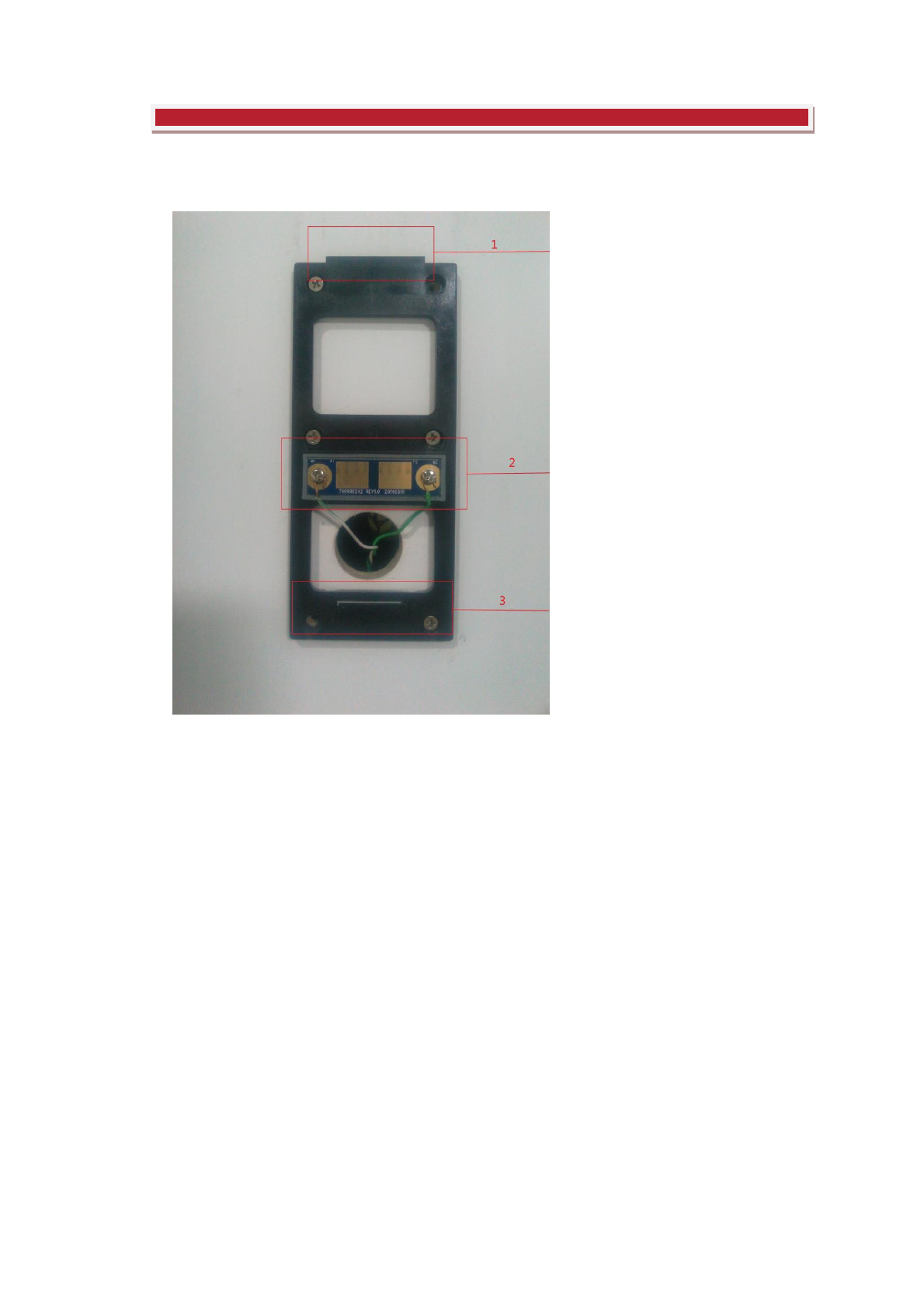
Part 1: Hardware Connection
1.Base of Doorbell
2.Power and Control Interface of Doorbell
3.Base of Doorbell
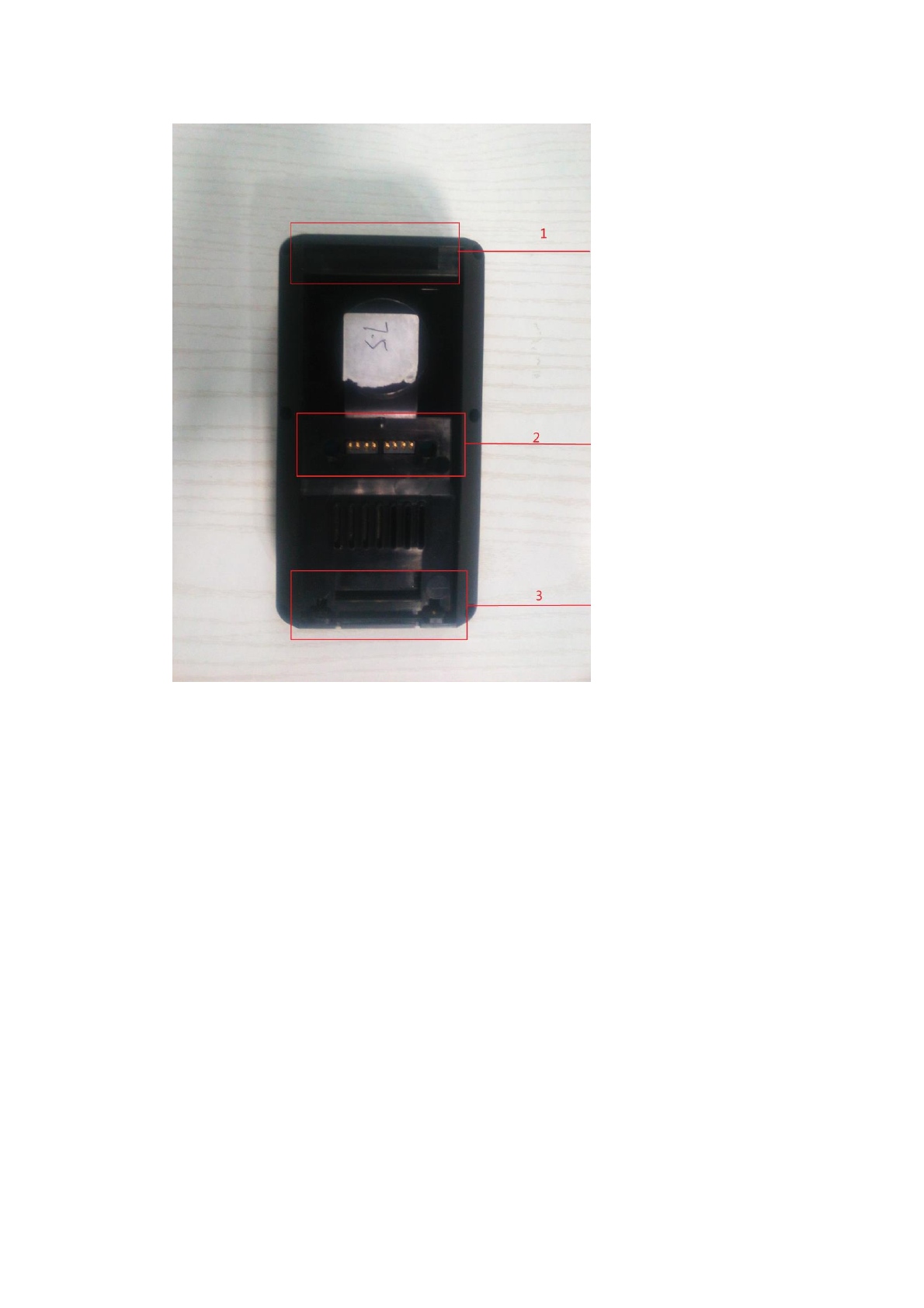
1.Doorbell Mount
2.Doorbell Power Input
3.Doorbell Mount
Step 1: Insert Number 1 and 3 into the corresponding part to finish the hardware
installation.
Step 2: After the installation, the lamp on doorbell’s button will start
self-inspection and light as solid green. If you find the surveillance camera is not
pointing to the correct direction, you can adjust it acoordingly.
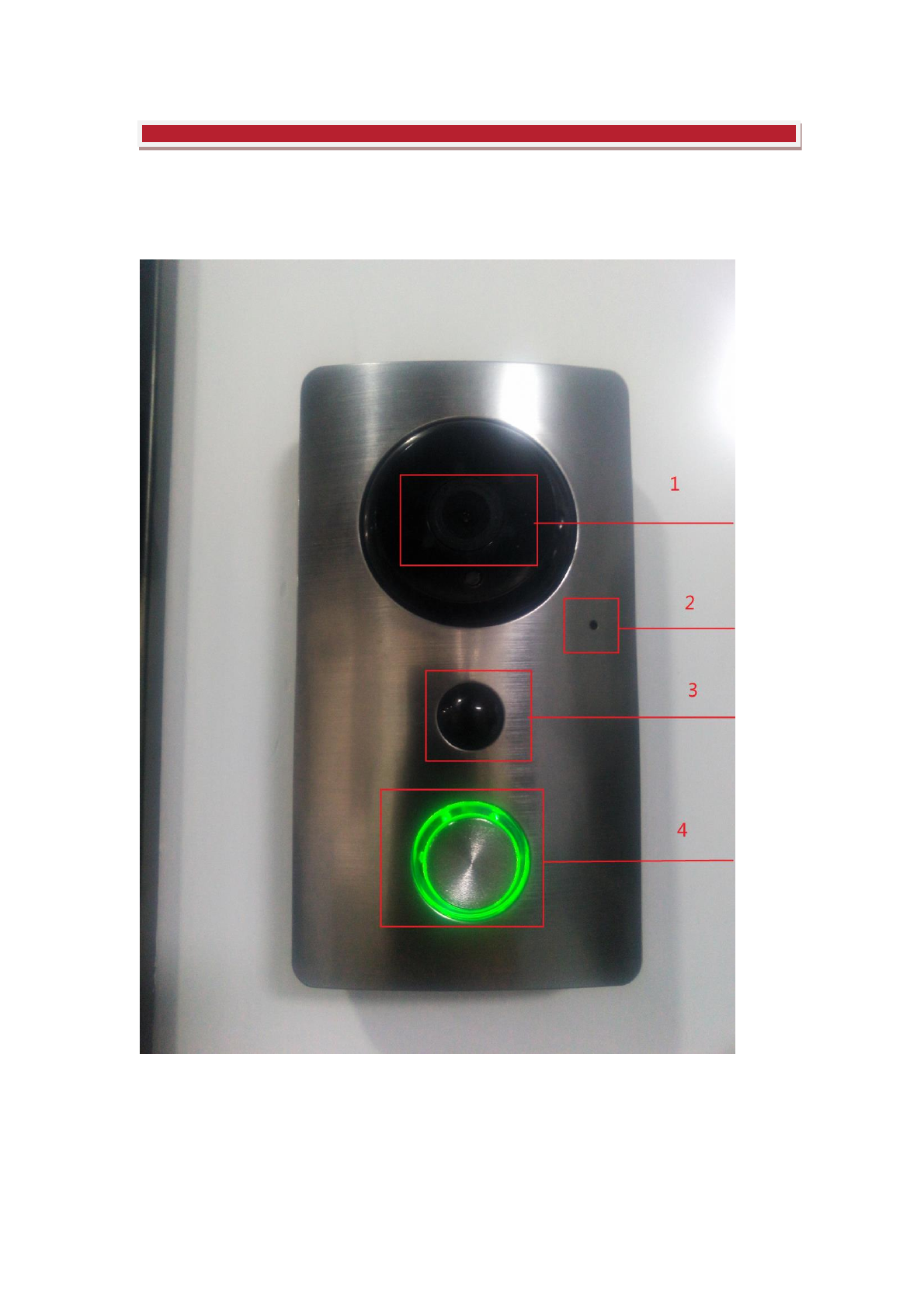
Part 2: Getting to Know Your Doorbell
1. Surveillance Camera of the Doorbell
2. Built-in Microphone
3. Infrared LEDs and Motion Sensors
4. Doorbell Button
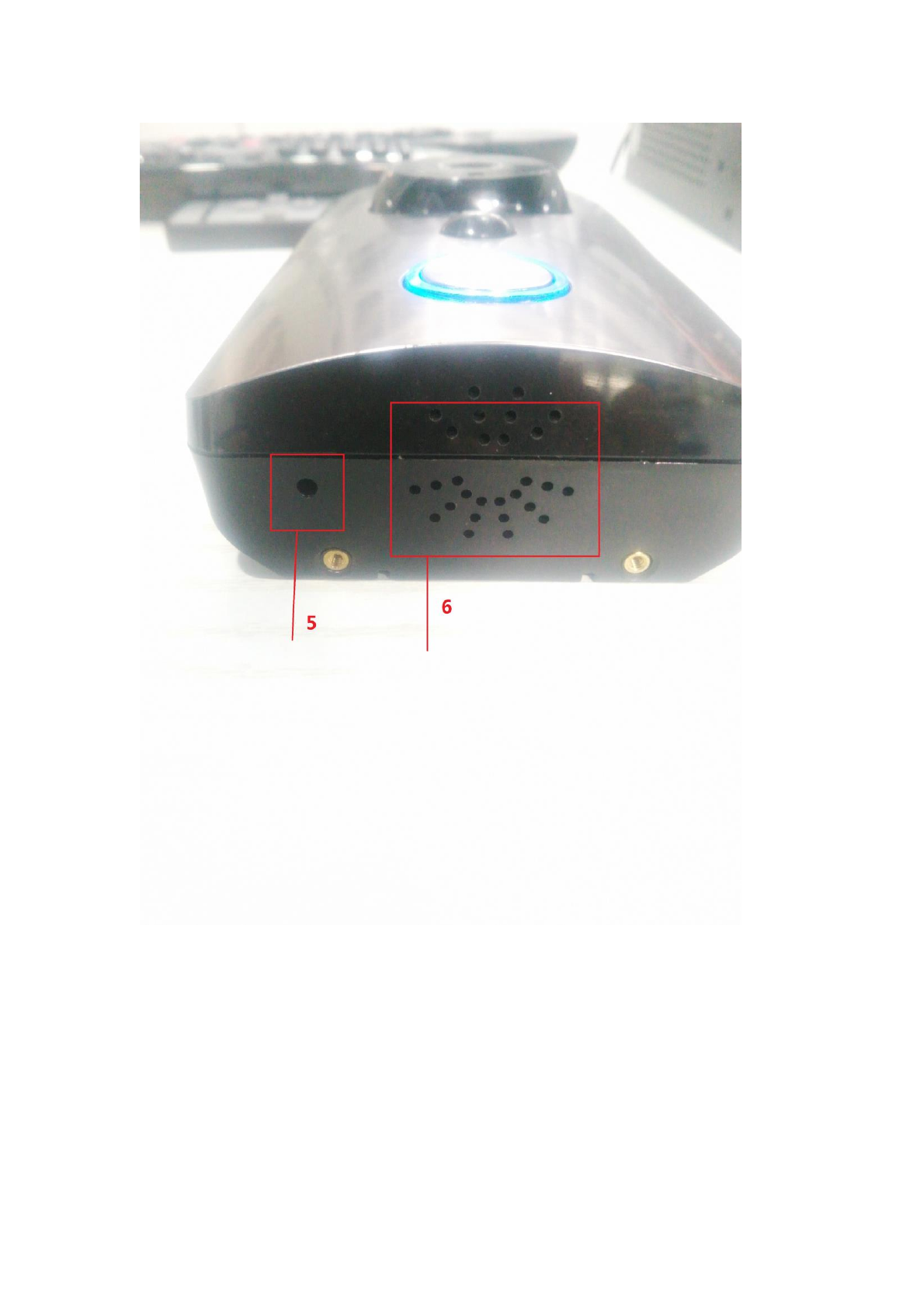
5. Reset Button
6. Built-in Speaker
Part 3: Mobile Connection
1. Download free meShare App from the Google Play or the App Store.
2. Register an account, if you already registered the account before, login with
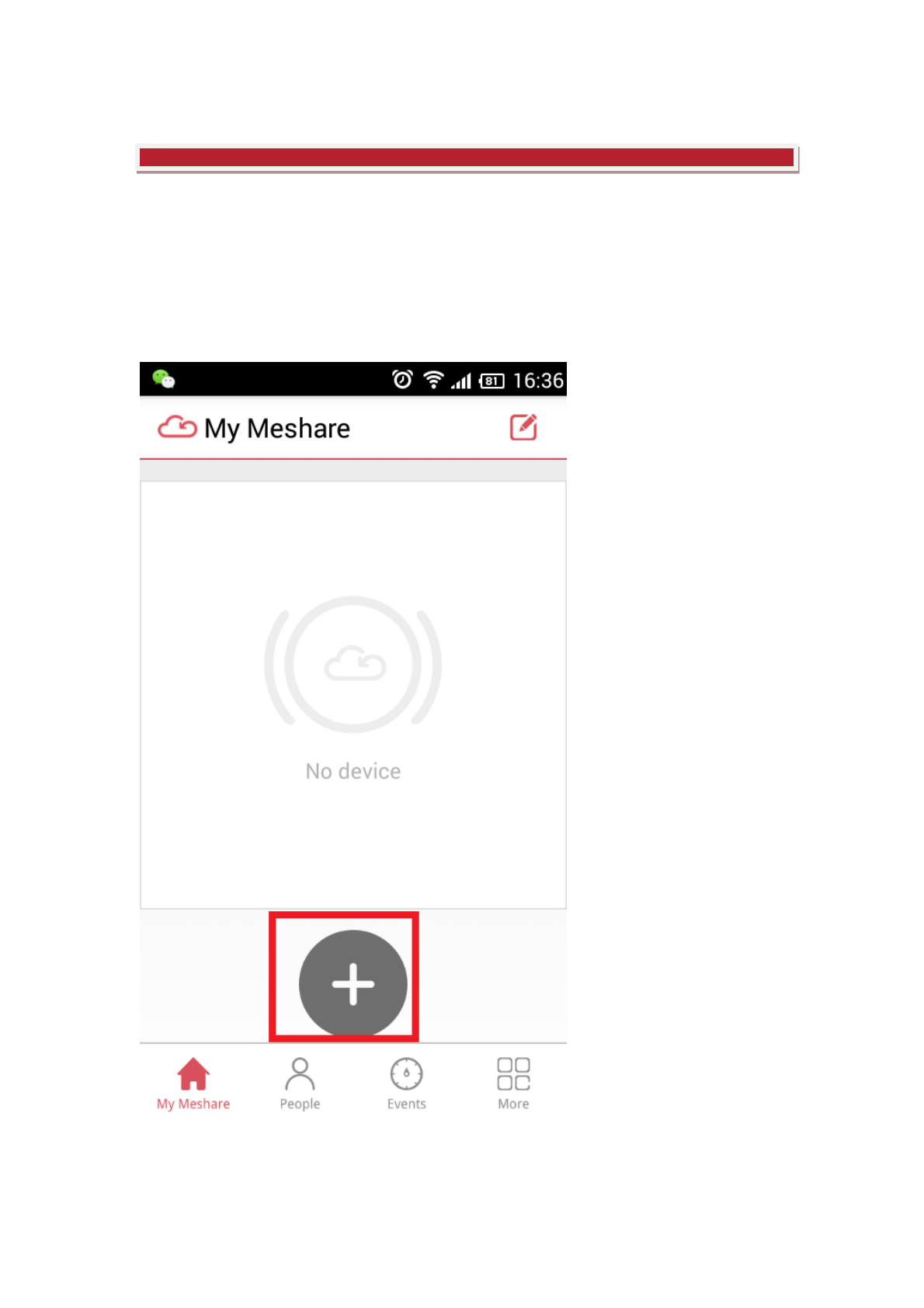
your account, lunch App, tap the “+” button to start adding the devices.
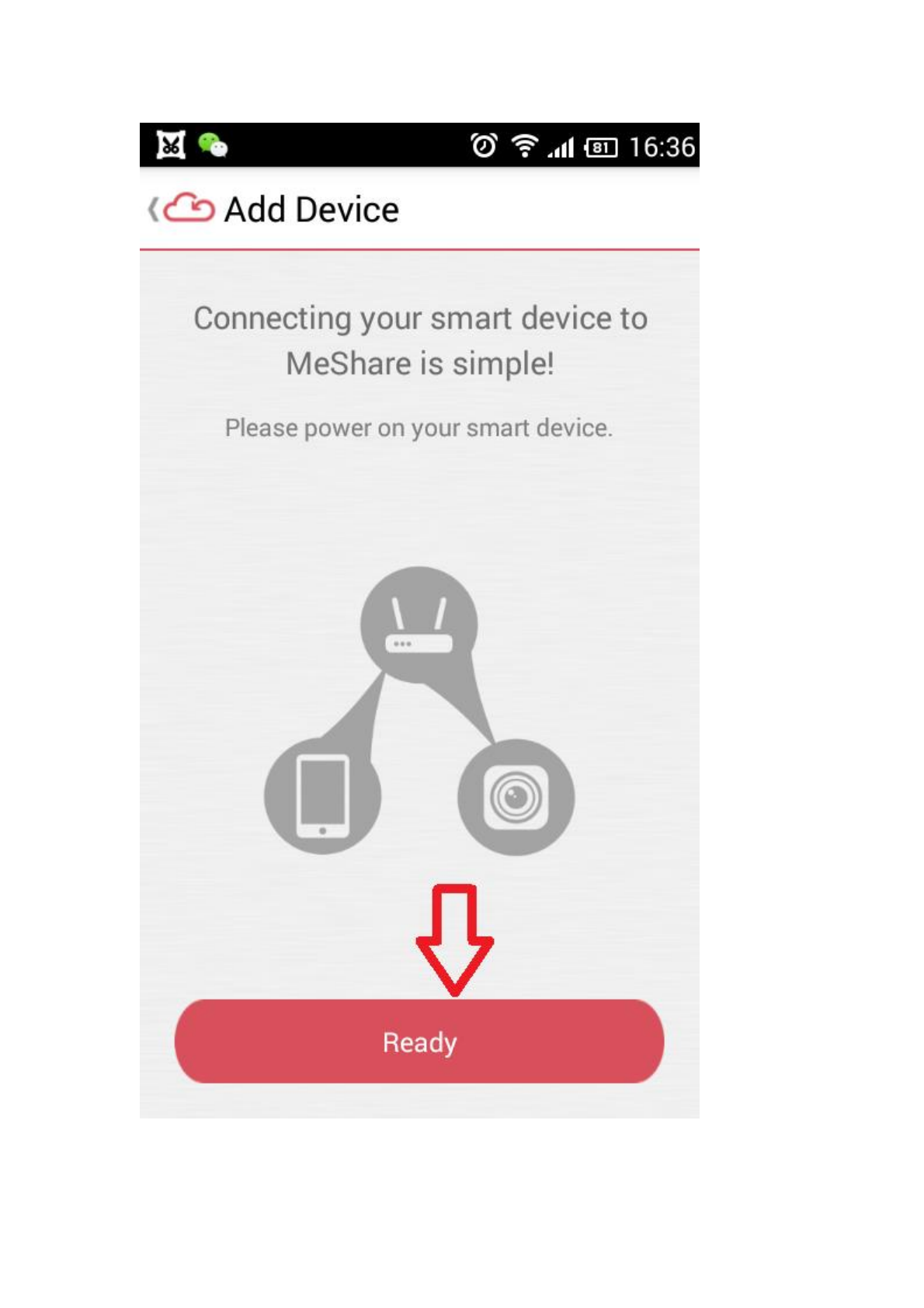
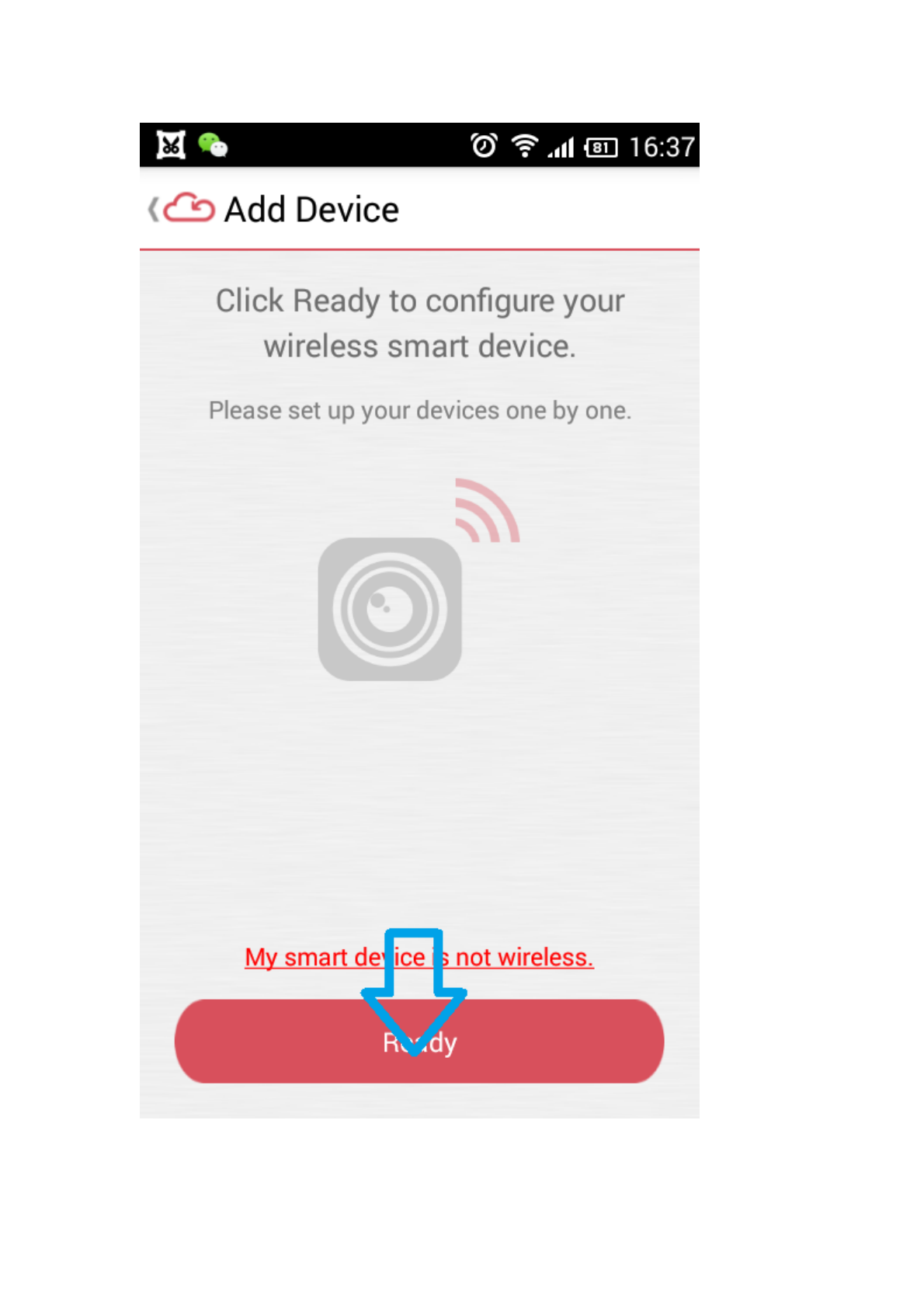
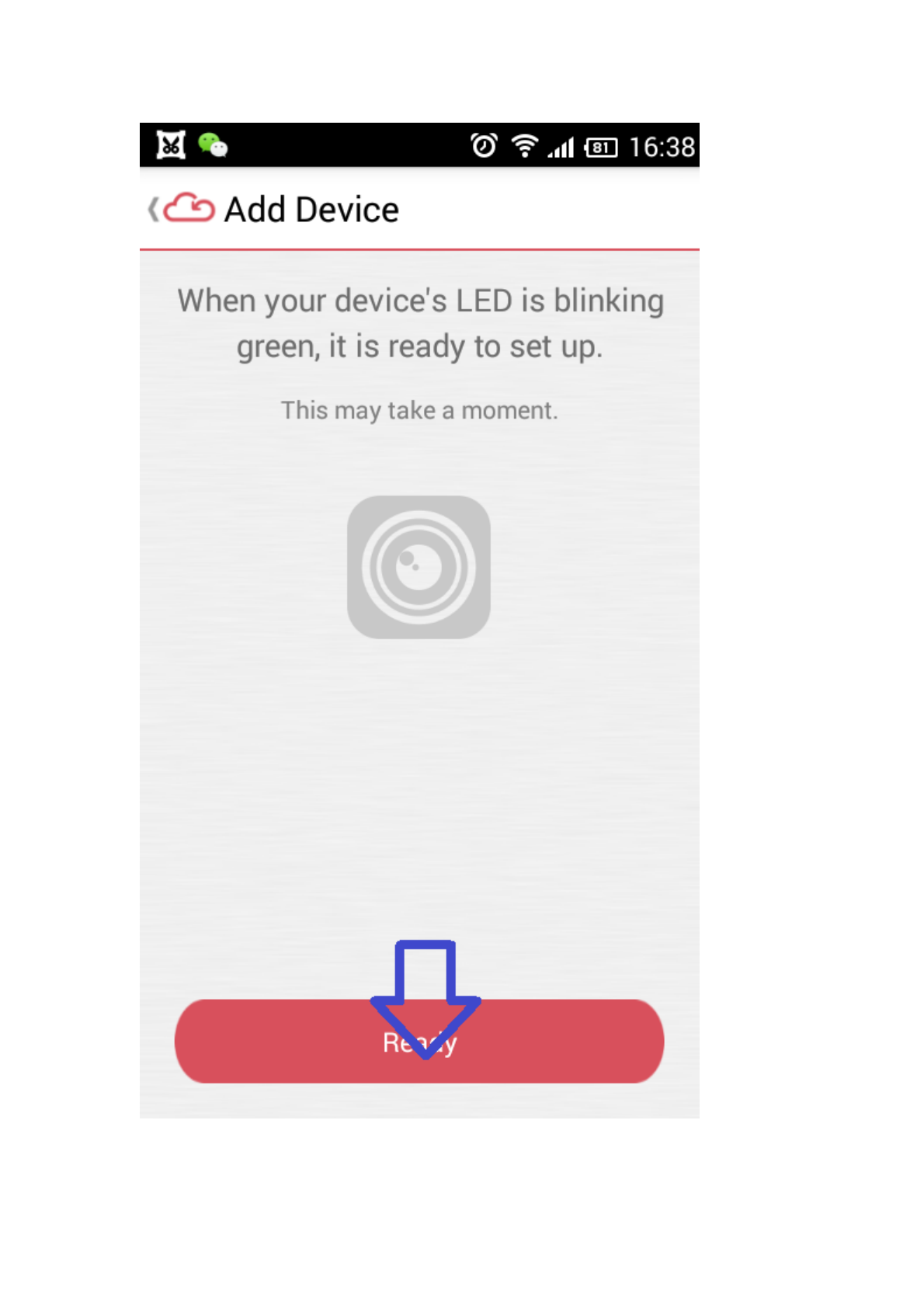
When the button lamp of the doorbell is blinking green, tap “ Ready”.
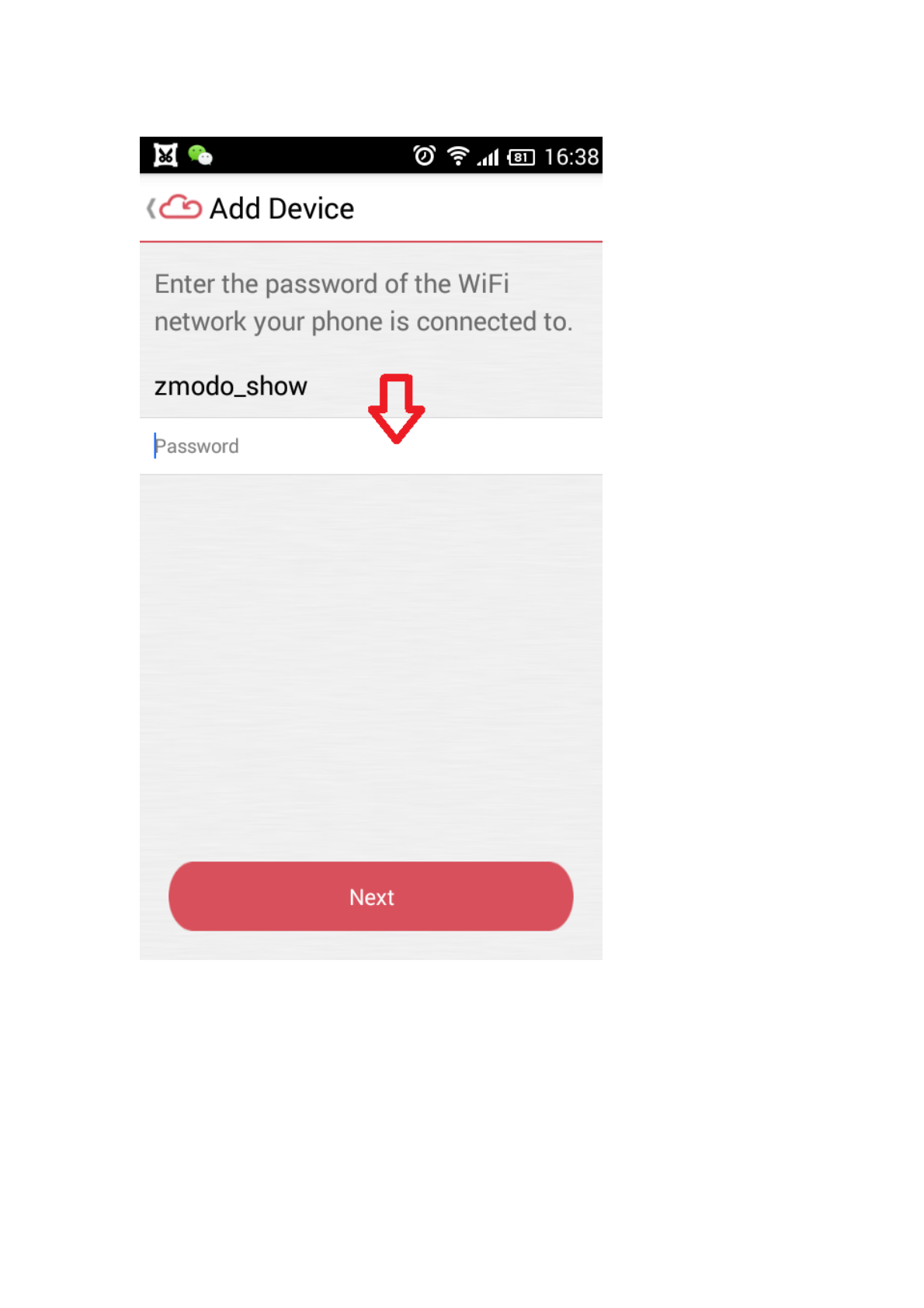
Enter your WiFi password and Tap” Next”.
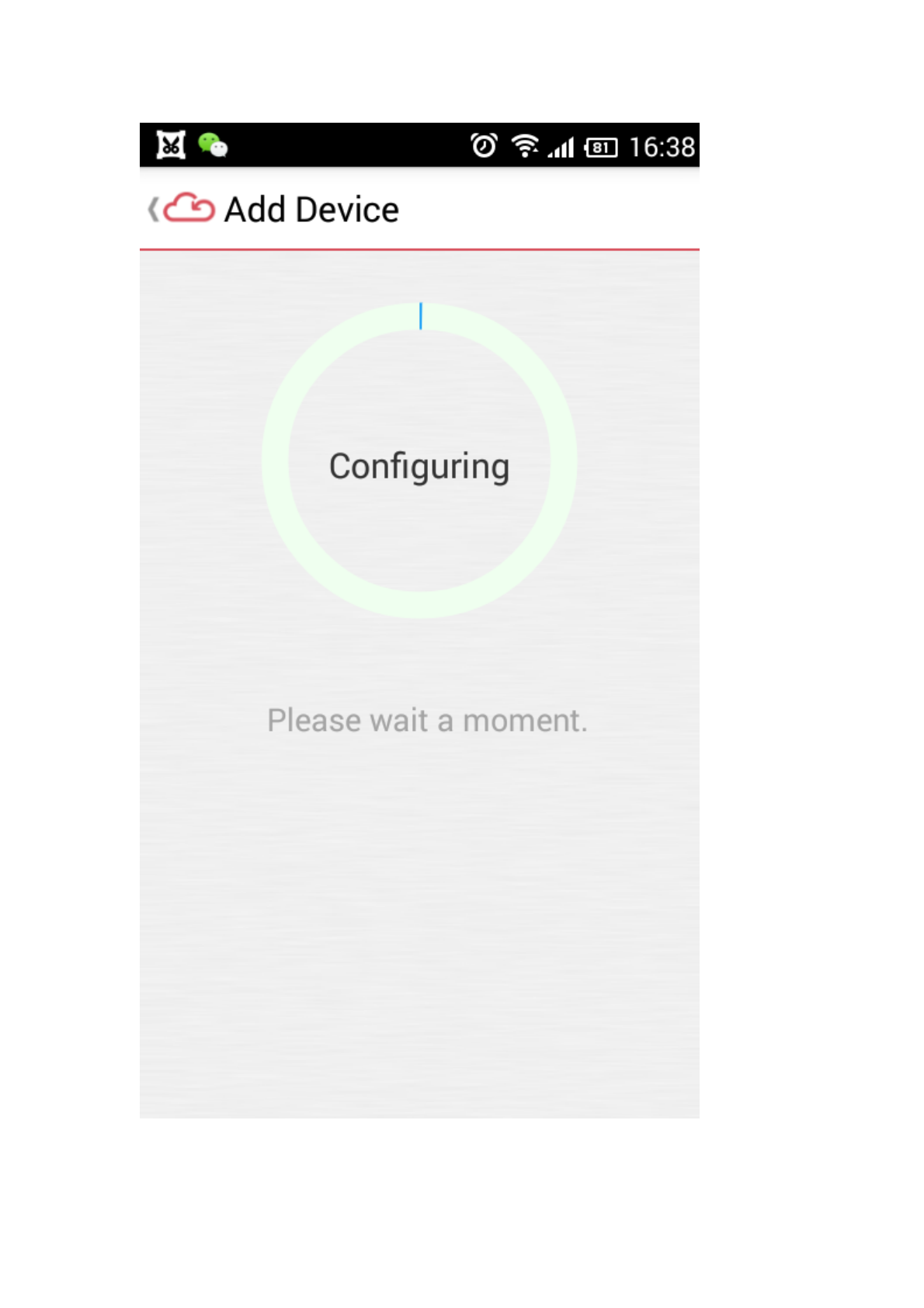
Now the doorbell button lamp will change color from blinking green to blinking
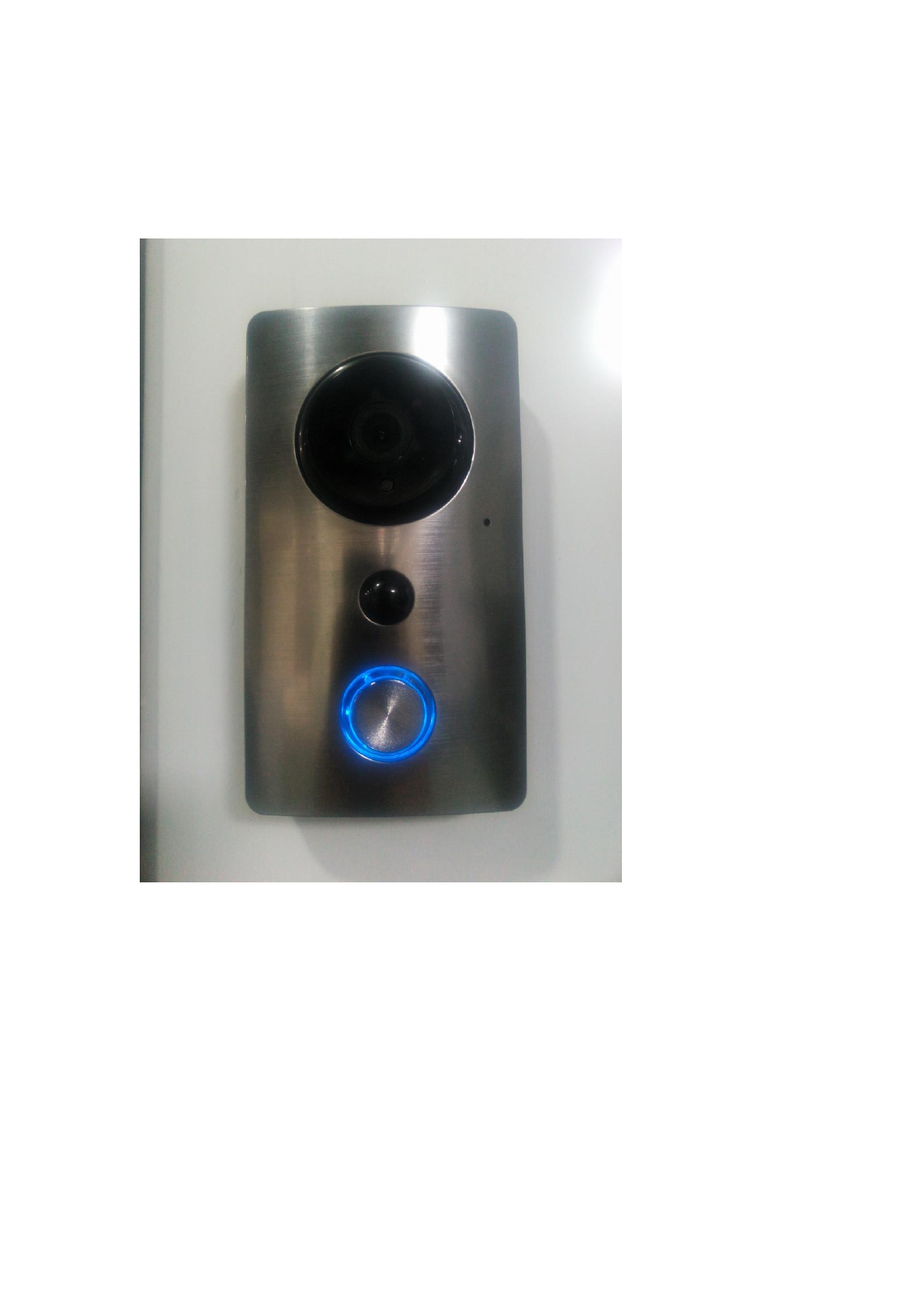
blue.
When the button lamp is changing from blinking blue to solid blue, it means WiFi
configuration is finished. Now you can name your doorbell: for example “ home”
“office”.
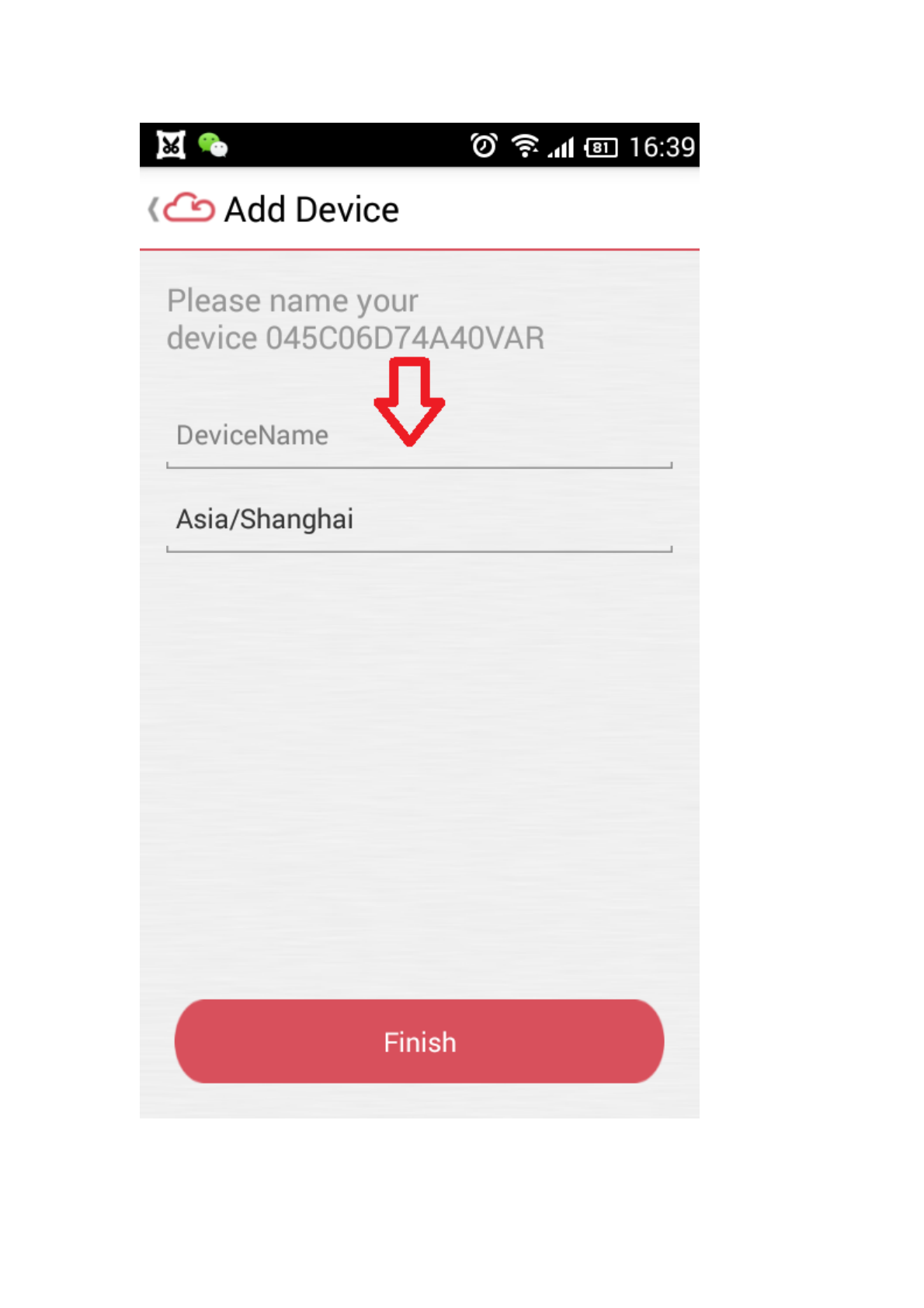
Enter the device name and tap” Finish”.
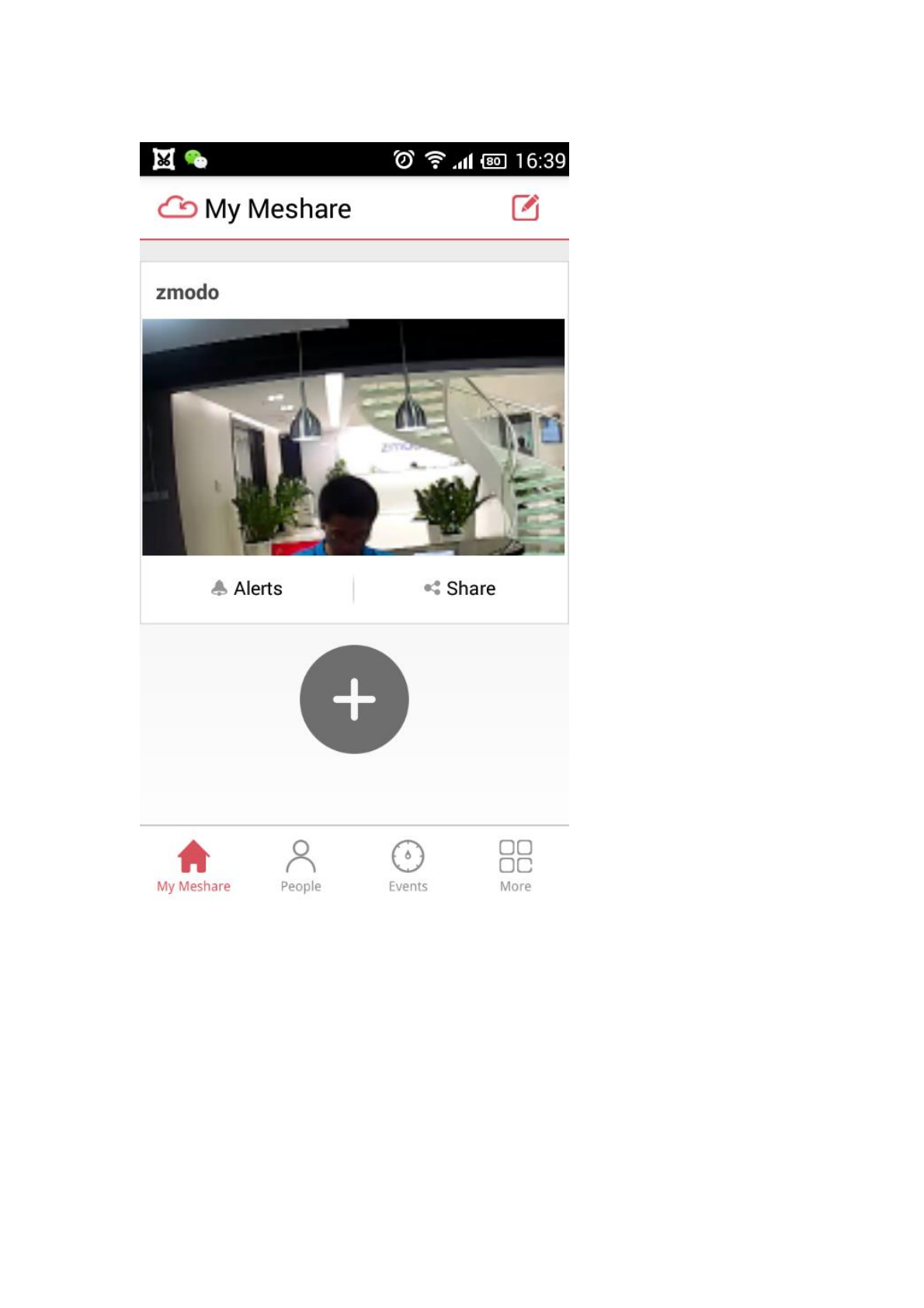
Till now the mobile setup is successful, Tap the image to enter the doorbell control
page.
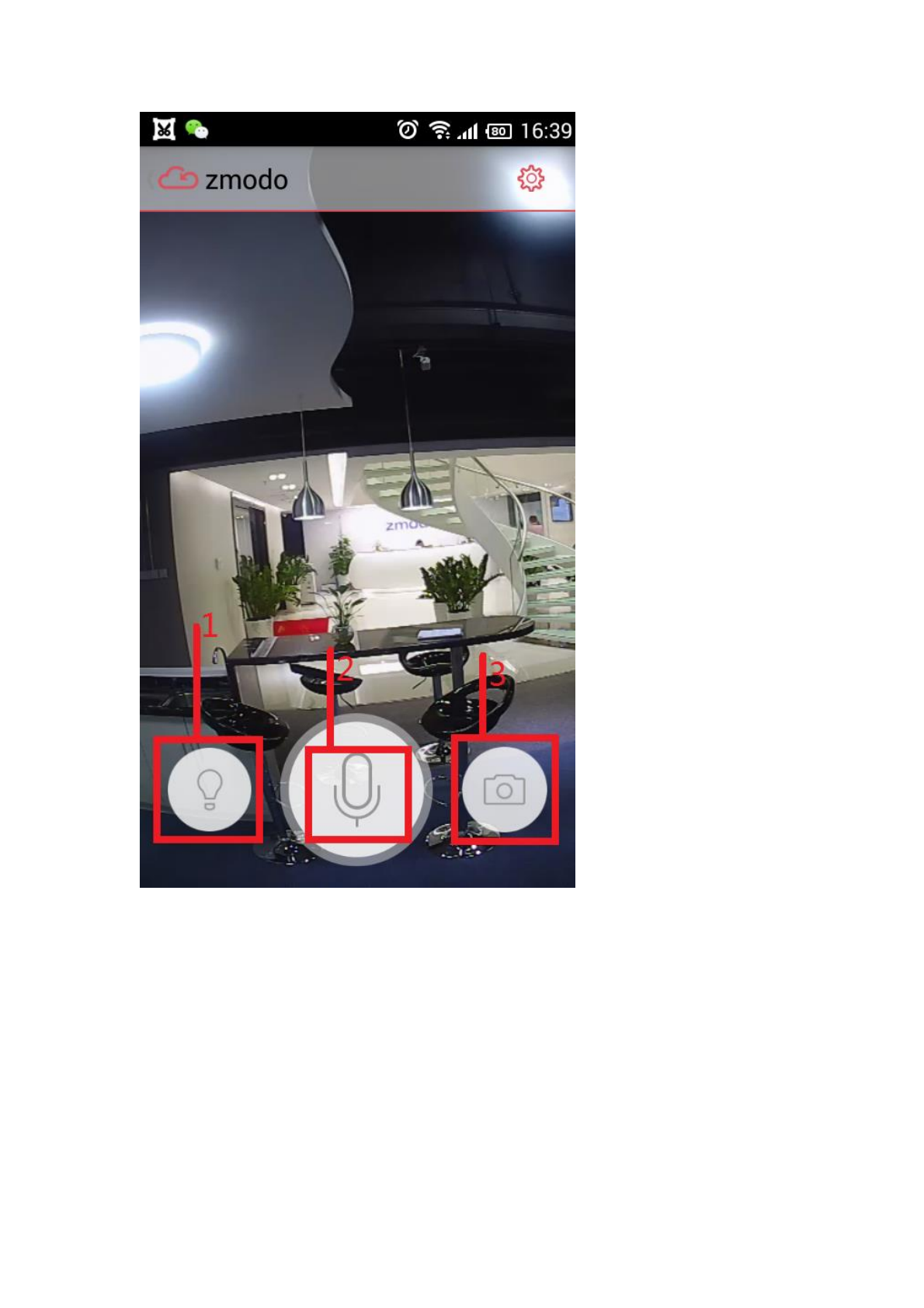
1. Tap here to control the switch of the door lamp
2. Press here to talk with people standing near your doorbell.
3. Tap here for snapshots
Note:
Voltage Requirement: 10V-36V;
Motion Sensing range: 16ft (5M) Max Angle: 120 Degree
Motion Detection: Once objects moves, a 30second video will be generated once
motion is detected.

changes or modifications not expressly approved by the party responsible for compliance could void the
user’s authority to operate the equipment.
This equipment has been tested and found to comply with the limits for a Class B digital device, pursuant
to Part 15 of the FCC Rules. These limits are designed to provide reasonable protection against harmful
interference in a residential installation. This equipment generates, uses and can radiate radio frequency
energy and, if not installed and used in accordance with the instructions, may cause harmful interference
to radio communications. However, there is no guarantee that interference will not occur in a particular
installation.
If this equipment does cause harmful interference to radio or television reception, which can be
determined by turning the equipment off and on, the user is encouraged to try to correct the interference
by one or more of the following measures:
-- Reorient or relocate the receiving antenna.
-- Increase the separation between the equipment and receiver.
-- Connect the equipment into an outlet on a circuit different from that to which the receiver is connected.
-- Consult the dealer or an experienced radio/TV technician for help.
This equipment must be installed and operated in accordance with provided instructions and
the antenna(s) used for this transmitter must be installed to provide a separation distance of at
least 20 cm from all persons and must not be co-located or operating in conjunction with any
other antenna or transmitter. End-users and installers must be provided with antenna
installation instructions and transmitter operating conditions for satisfying RF exposure
compliance.