ZY Electronic and Technology ARZY AR GUN User Manual
Shenzhen ZY Electronic & Technology Co., Ltd. AR GUN
User Manual
User Manual
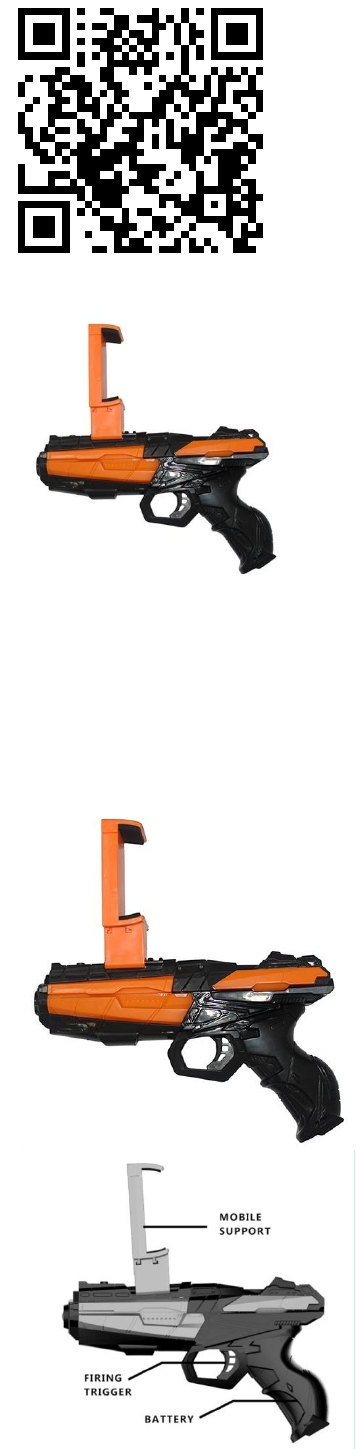
Scan QR code to download
Product Structure Diagram:
1. trigger 2. cellphone holder 3. battery bay
Battery Precautions
The battery installation of the toy
1. Please make sure the power supply is switched off
2. Use the "+" screwdriver to loosen the screws on the battery cover, open the
battery cover
3. Connnect the battery with the gun as the diagram shown on the left
4. Close the battery cover, and tighten the screws
Battery
Unscrewed the battery cover and put the batteries in. Close the battery cover.
Bluetooth connectivity
Turn on the bluetooth and then open the app. Keep holding the trigger for several seconds
before connecting successfully.
Super AR
Apoc Wars, robotenemy,zombie
incoming and sky warSuper AR
shooting times come!

Super AR Fun World
Deep sea adventure,fun Math and
English casual gamesFind your
favourite one.
Super AR Killer
The first live online comba AR gun
game,play together,exciting together!
City Hunter(directiionbutton control)
The first to support the arrow keys to
control the movement of AR guns,
games, a variety of special effects,alerts
eyeballs, tanks, aircraft…
Monkey King
The first Parkour game has been fitted
with all Super AR gun type.vs
Product name: AR GUN
Model: G20C,G3,G9,G6,G7,G23
Manufacturer: Shenzhen ZY Electronic & Technology Co., Ltd.
FCC Statement
This equipment has been tested and found to comply with the limits for a Class B digital device, pursuant to
part 15 of the FCC Rules. These limits are designed to provide reasonable protection against harmful
interference in a residential installation. This equipment generates, uses and can radiate radio frequency
energy and, if not installed and used in accordance with the instructions, may cause harmful interference to
radio communications. However, there is no guarantee that interference will not occur in a particular
installation. If this equipment does cause harmful interference to radio or television reception, which can be
determined by turning the equipment off and on, the user is encouraged to try to correct the interference by
one or more of the following measures:
• Reorient or relocate the receiving antenna.
• Increase the separation between the equipment and receiver.
• Connect the equipment into an outlet on a circuit different from that to which the receiver is connected.
• Consult the dealer or an experienced radio/TV technician for help.
Caution: Any changes or modifications to this device not explicitly approved by manufacturer could void your
authority to operate this equipment.
This device complies with part 15 of the FCC Rules. Operation is subject to the following two conditions: (1)
This device may not cause harmful interference, and (2) this device must accept any interference received,
including interference that may cause undesired operation.
RF Exposure Information
The device has been evaluated to meet general RF exposure requirement. The device can be used in portable
exposure condition without restriction.