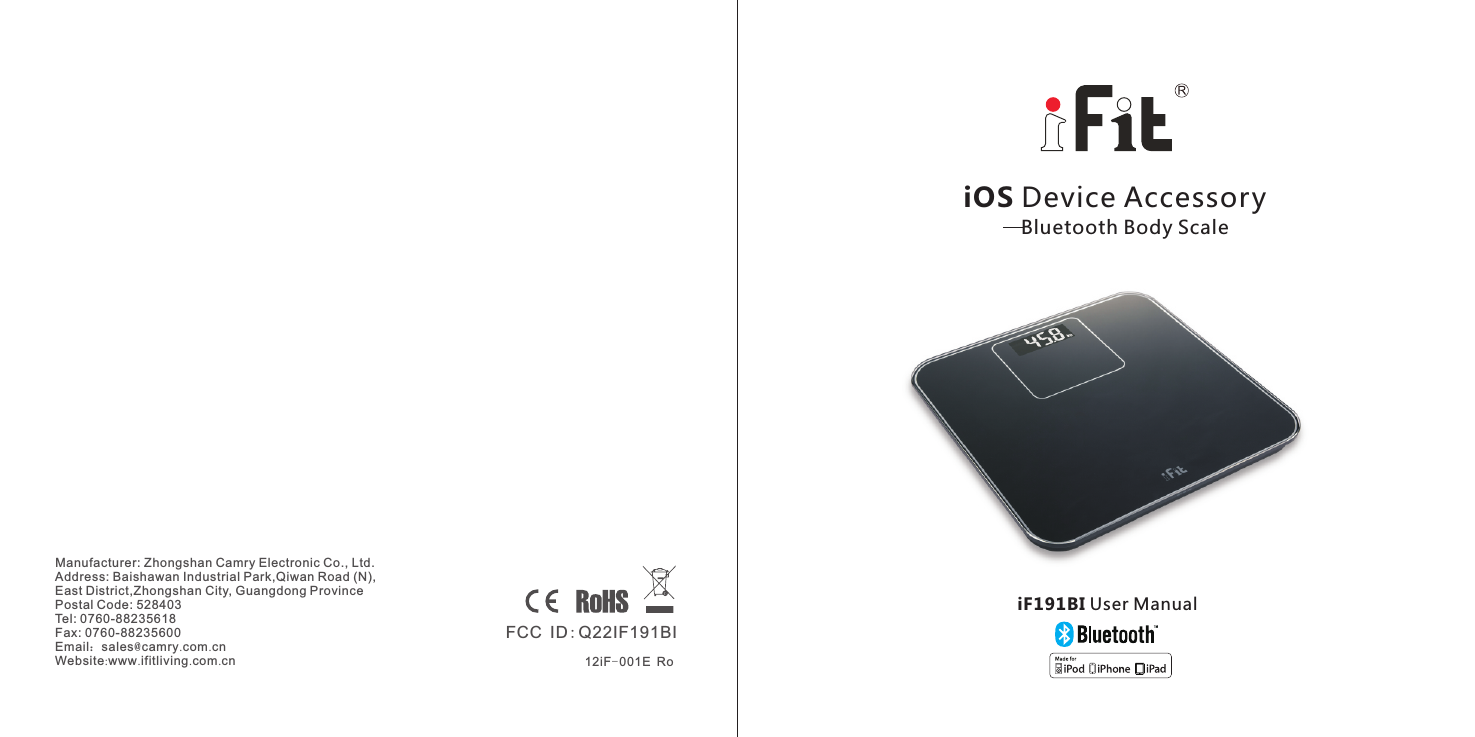
Zhongshan Camry Electronic IF191BI Bluetooth Body Scale, iF191BI User Manual

Zhongshan Camry Electronic Co.,LTD. Bluetooth Body Scale, iF191BI

User Manual

Manufacturer: Zhongshan Camry Electronic Co., Ltd. Address: Baishawan Industrial Park,Qiwan Road (N), East District,Zhongshan City, Guangdong Province Postal Code: 528403Tel: 0760-88235618Fax: 0760-88235600Email:sales@camry.com.cnWebsite:www.ifitliving.com.cn iOS Device Accessory   Bluetooth Body ScaleiF191BI User Manual12iF-001E RoFCC ID:Q22IF191BI
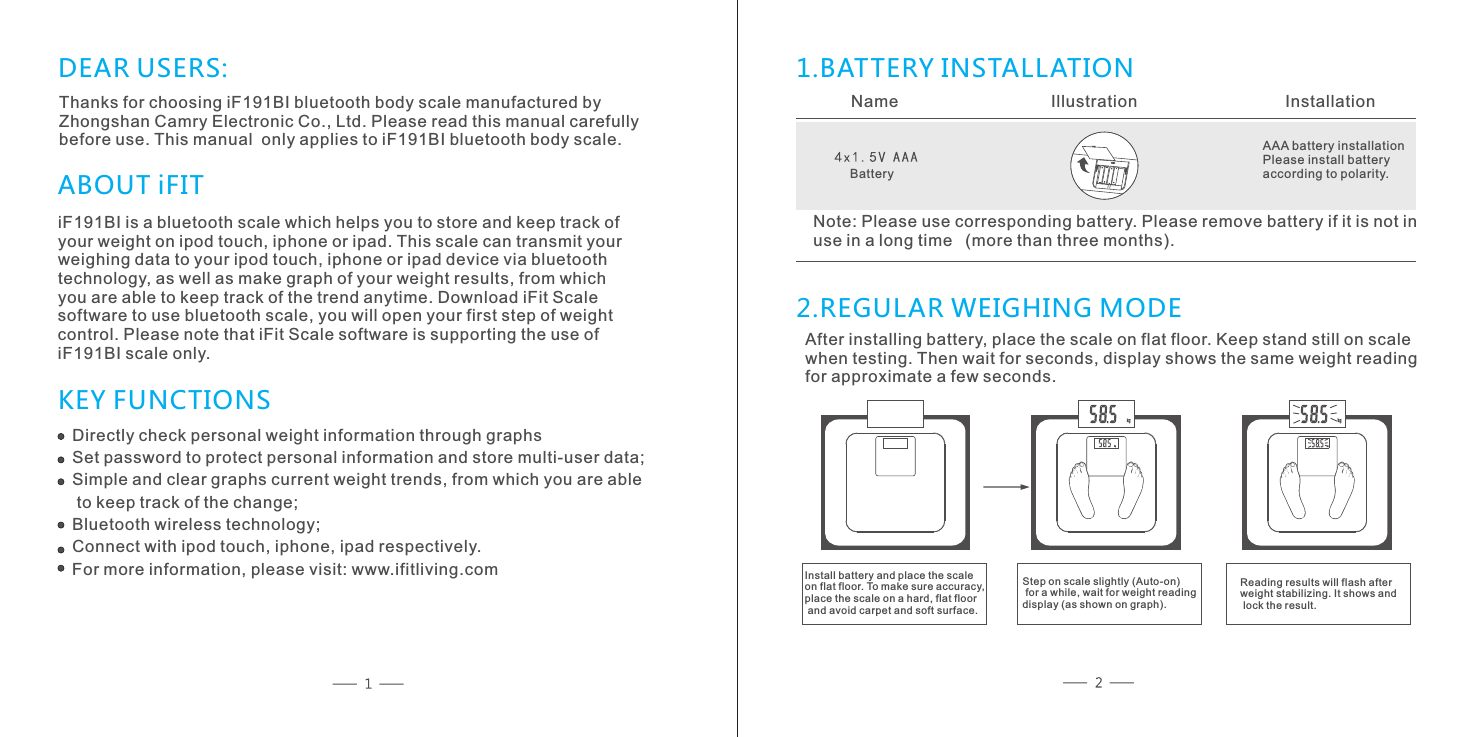
DEAR USERS:Thanks for choosing iF191BI bluetooth body scale manufactured by Zhongshan Camry Electronic Co., Ltd. Please read this manual carefully before use. This manual  only applies to iF191BI bluetooth body scale.iF191BI is a bluetooth scale which helps you to store and keep track ofyour weight on ipod touch, iphone or ipad. This scale can transmit your weighing data to your ipod touch, iphone or ipad device via bluetoothtechnology, as well as make graph of your weight results, from whichyou are able to keep track of the trend anytime. Download iFit Scalesoftware to use bluetooth scale, you will open your first step of weightcontrol. Please note that iFit Scale software is supporting the use of iF191BI scale only.  ABOUT iFITKEY FUNCTIONS1.BATTERY INSTALLATION 2.REGULAR WEIGHING MODEName           Illustration          InstallationAAA battery installationPlease install battery according to polarity. Note: Please use corresponding battery. Please remove battery if it is not inuse in a long time  (more than three months).After installing battery, place the scale on flat floor. Keep stand still on scale when testing. Then wait for seconds, display shows the same weight reading for approximate a few seconds. Install battery and place the scale on flat floor. To make sure accuracy, place the scale on a hard, flat floor and avoid carpet and soft surface.Directly check personal weight information through graphsSet password to protect personal information and store multi-user data;Simple and clear graphs current weight trends, from which you are able to keep track of the change;Bluetooth wireless technology;Connect with ipod touch, iphone, ipad respectively.For more information, please visit: www.ifitliving.comBatteryStep on scale slightly (Auto-on) for a while, wait for weight reading display (as shown on graph).Reading results will flash after weight stabilizing. It shows and lock the result.
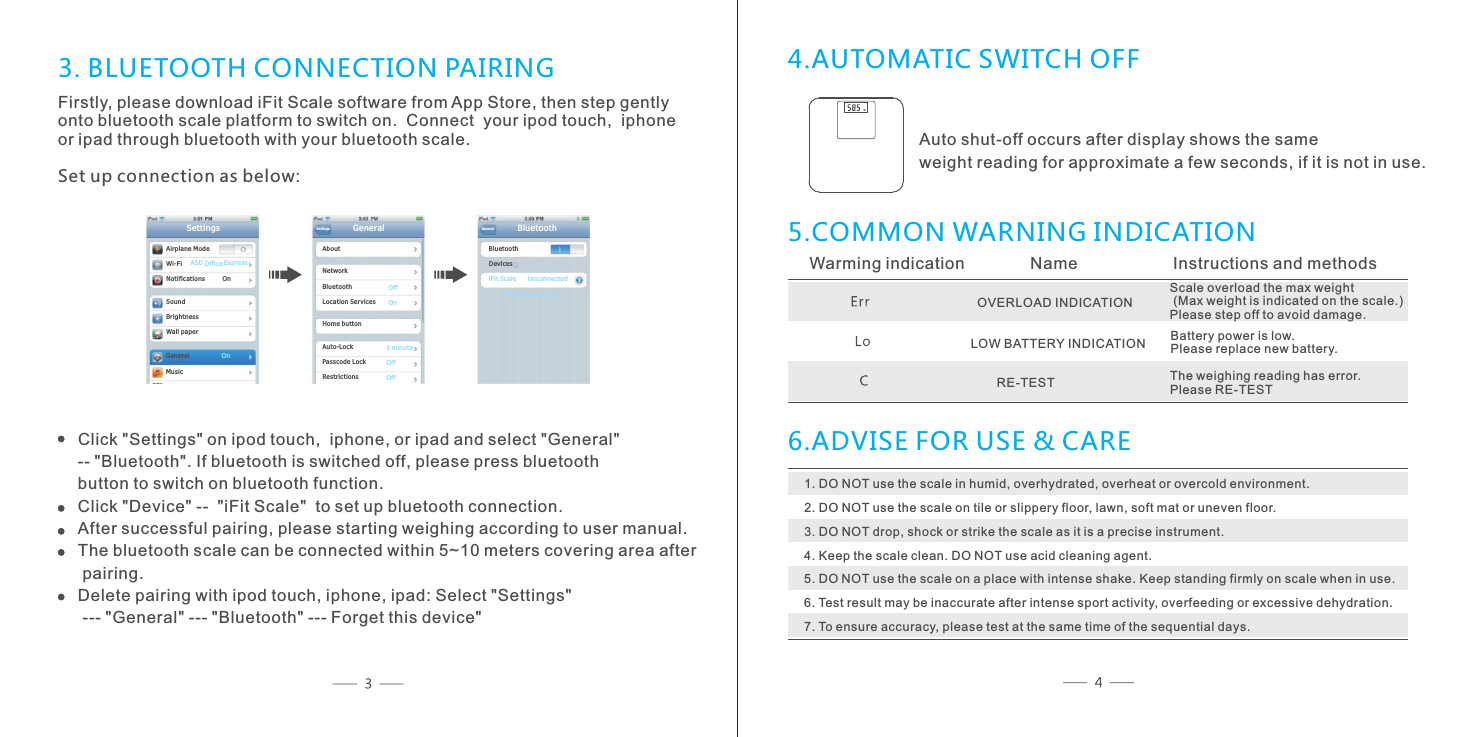
Ai rp lane ModeWi -F i No ti ficatio ns         O nSo un dBr ig htnes sWall paperSettings AS D Offi ce Ex pr essGe ne ra l               Mu si c               OnSet tings       Ab ou tNe tw orkBl ue tooth                 Lo ca tion Serv ic es        Ho me b uttonAuto -Lock                 Passco de L ock           Restri ctions                Ge neral                   OffOn1 mi nu teOffOff Bl ue toothiF it S cale      Unco nn ected     BluetoothGen eral  No w di scoverable De vi ces3. BLUETOOTH CONNECTION PAIRINGFirstly, please download iFit Scale software from App Store, then step gently onto bluetooth scale platform to switch on.  Connect  your ipod touch,  iphoneor ipad through bluetooth with your bluetooth scale.Set up connection as below:Click "Settings" on ipod touch,  iphone, or ipad and select "General" -- "Bluetooth". If bluetooth is switched off, please press bluetooth button to switch on bluetooth function.Click "Device" --  "iFit Scale"  to set up bluetooth connection.After successful pairing, please starting weighing according to user manual.The bluetooth scale can be connected within 5~10 meters covering area after pairing.Delete pairing with ipod touch, iphone, ipad: Select "Settings" --- "General" --- "Bluetooth" --- Forget this device"4.AUTOMATIC SWITCH OFF5.COMMON WARNING INDICATIONWarming indication           Name               Instructions and methodsScale overload the max weight (Max weight is indicated on the scale.)Please step off to avoid damage.OVERLOAD INDICATION LOW BATTERY INDICATION Battery power is low. Please replace new battery.RE-TEST The weighing reading has error. Please RE-TEST6.ADVISE FOR USE & CARE1. DO NOT use the scale in humid, overhydrated, overheat or overcold environment.2. DO NOT use the scale on tile or slippery floor, lawn, soft mat or uneven floor.3. DO NOT drop, shock or strike the scale as it is a precise instrument.4. Keep the scale clean. DO NOT use acid cleaning agent.5. DO NOT use the scale on a place with intense shake. Keep standing firmly on scale when in use.6. Test result may be inaccurate after intense sport activity, overfeeding or excessive dehydration.7. To ensure accuracy, please test at the same time of the sequential days.Auto shut-off occurs after display shows the same weight reading for approximate a few seconds, if it is not in use.
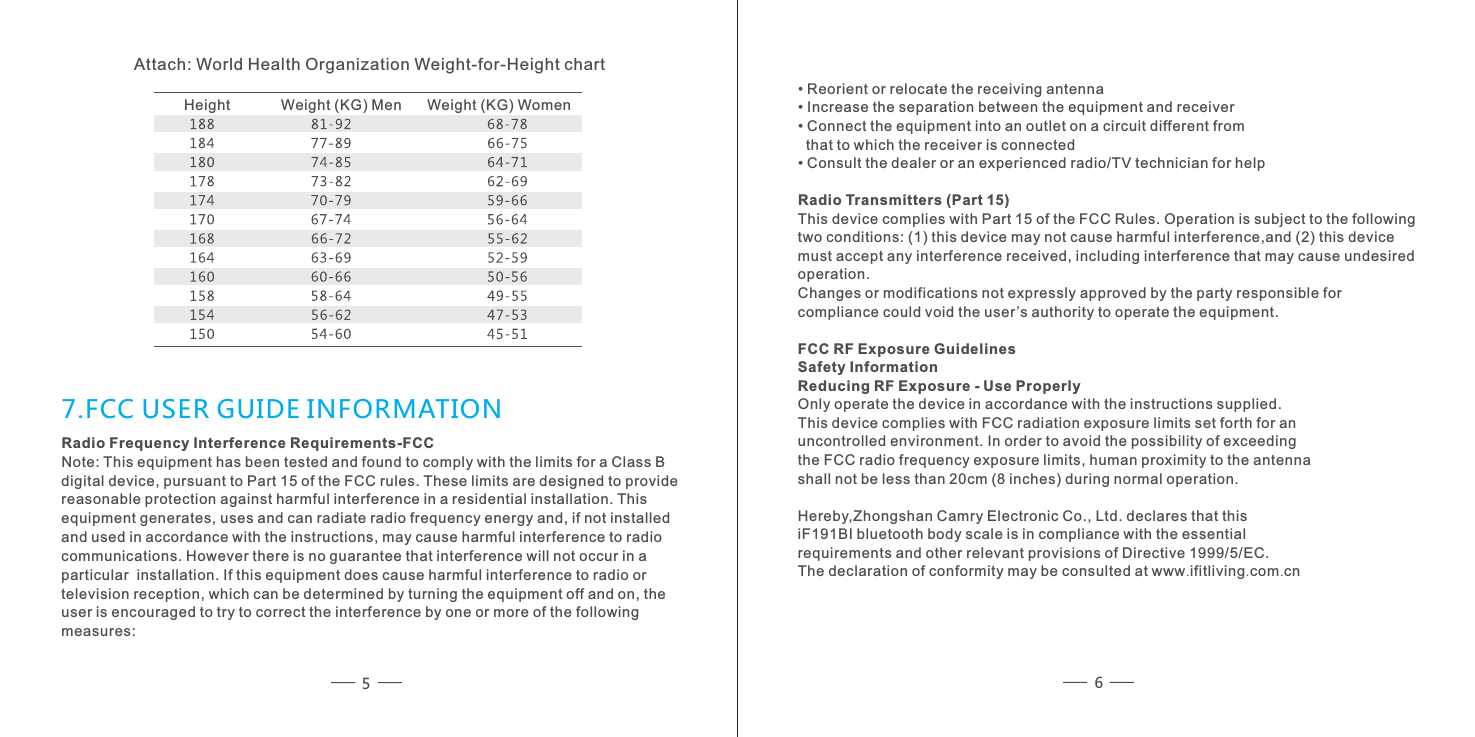
Attach: World Health Organization Weight-for-Height chart        Weight (KG) WomenHeight               Weight (KG) Men        • Reorient or relocate the receiving antenna • Increase the separation between the equipment and receiver • Connect the equipment into an outlet on a circuit different from   that to which the receiver is connected • Consult the dealer or an experienced radio/TV technician for help Radio Transmitters (Part 15) This device complies with Part 15 of the FCC Rules. Operation is subject to the followingtwo conditions: (1) this device may not cause harmful interference,and (2) this device must accept any interference received, including interference that may cause undesiredoperation. Changes or modifications not expressly approved by the party responsible for compliance could void the user ’s authority to operate the equipment.FCC RF Exposure Guidelines Safety Information Reducing RF Exposure - Use Properly Only operate the device in accordance with the instructions supplied. This device complies with FCC radiation exposure limits set forth for an uncontrolled environment. In order to avoid the possibility of exceeding the FCC radio frequency exposure limits, human proximity to the antenna shall not be less than 20cm (8 inches) during normal operation. Hereby,Zhongshan Camry Electronic Co., Ltd. declares that this  iF191BI bluetooth body scale is in compliance with the essential requirements and other relevant provisions of Directive 1999/5/EC.The declaration of conformity may be consulted at www.ifitliving.com.cnRadio Frequency Interference Requirements-FCC Note: This equipment has been tested and found to comply with the limits for a Class Bdigital device, pursuant to Part 15 of the FCC rules. These limits are designed to provide reasonable protection against harmful interference in a residential installation. Thisequipment generates, uses and can radiate radio frequency energy and, if not installed and used in accordance with the instructions, may cause harmful interference to radio communications. However there is no guarantee that interference will not occur in a particular  installation. If this equipment does cause harmful interference to radio or television reception, which can be determined by turning the equipment off and on, the user is encouraged to try to correct the interference by one or more of the followingmeasures: 7.FCC USER GUIDE INFORMATION56

Navigation menu