Zhongshan Camry Electronic IN9201B Bluetooth Nutritional Scale User Manual
Zhongshan Camry Electronic Co.,LTD. Bluetooth Nutritional Scale
User Manual

iN-1 SERIES Instructions for Use
Wireless Nutritional Scale
Thank you for using our Wireless Nutritional Scale. Please read and keep the manual
in order to use the scale better.
This series of products can help you save and keep track of nutritional information on
your phone. The scale transfers data to the mobile phone via wireless technology and
also can draw the tendency of nutrient intake in order to check the nutrition intake
status at any time. You’ll get the first step in dietary management after downloading the
application and using our wireless scales.
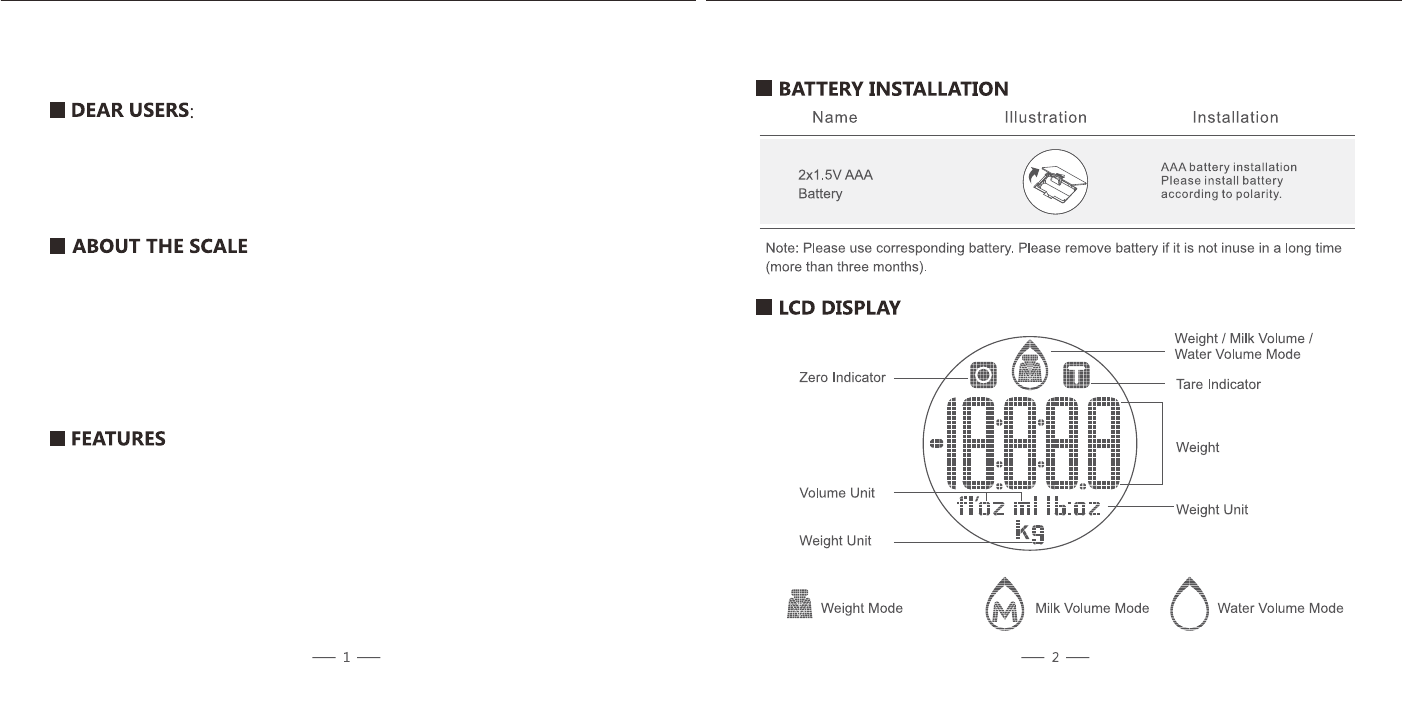
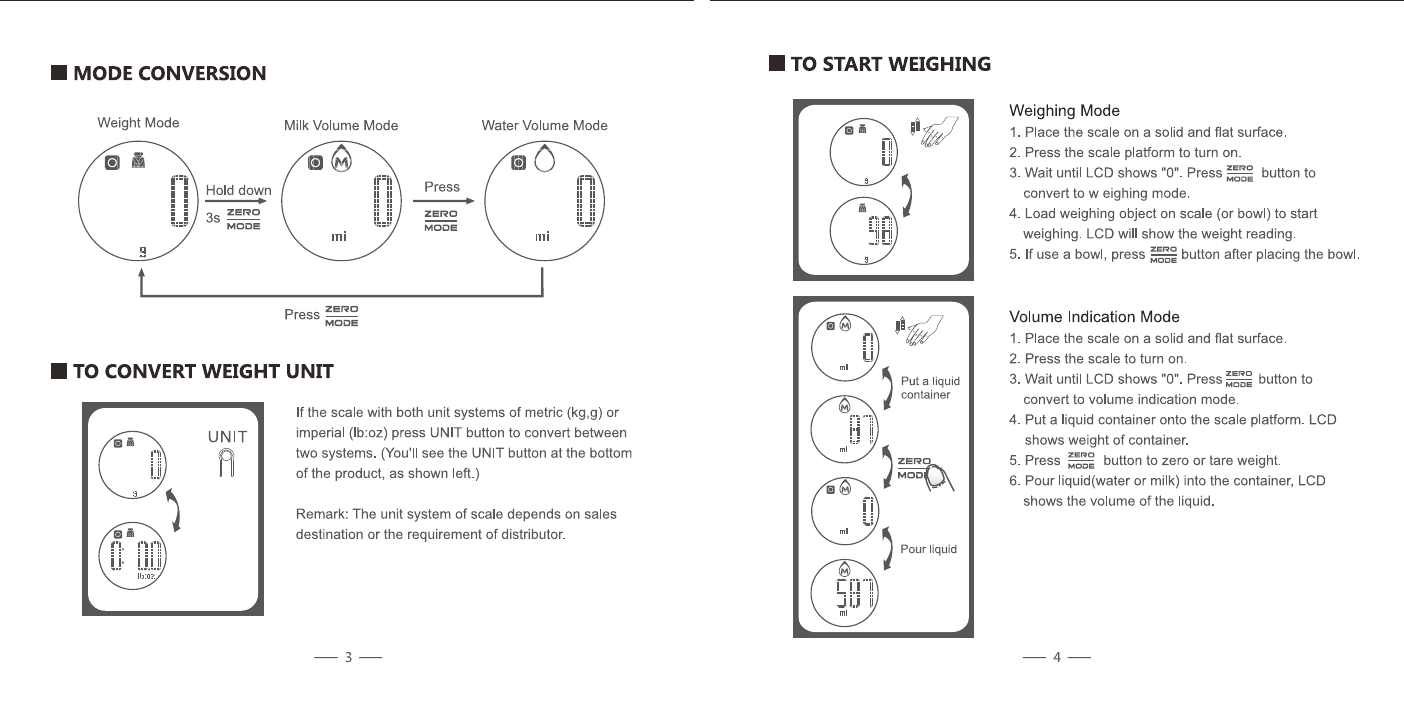
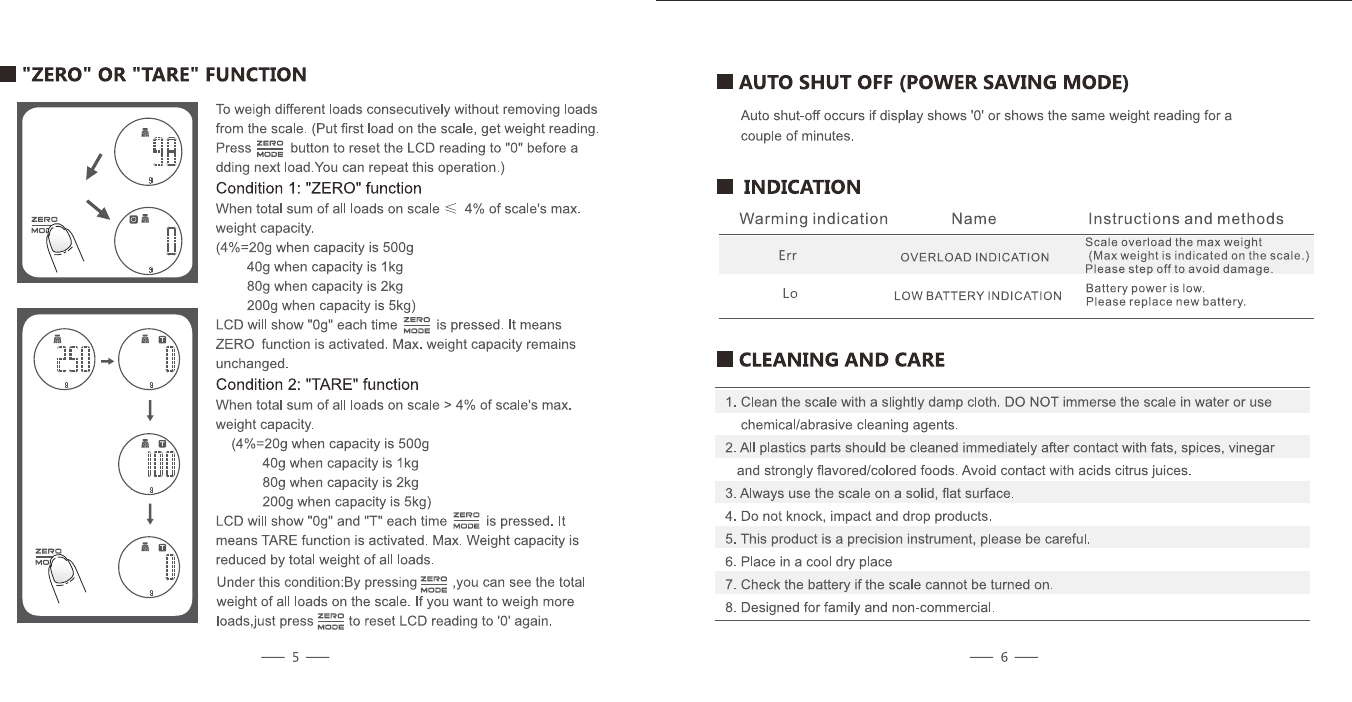
• With high precision strain gauge sensor;
• Low battery power / Overload indication;
• Zero, tare and mode conversion with touch button;
• Wireless function;
• Measure calories, sodium, fat, protein, carbohydrates, cholesterol and dietary fiber;
1. Get the application
At the “App Store” or “Google Play”, search keyword
“KitchenIQ Food” to download our application.
Work smarter in the Kitchen!
Look for other KitchenIQ tools at a retailer near you and follow us on
Facebook, Instagram, Twitter and Pinterest.
The application can’t get the data from the scale
• Verify that the wireless icon in weighing interface is lit.
• Check if the wireless function on an electronic device is on.
• Confirm the scale’s power is on and also in the valid range of signal.
• Replace the battery if the battery power is not sufficient.
• Restart the application.
• Reboot the phone and re-establish a wireless connection.
Wireless connection failed
• Confirm that only one electronic device is connected to wireless scales.
• Confirm your phone’s wireless version is 4.0 or later.
* For more features, please refer to the software instructions in the Application.
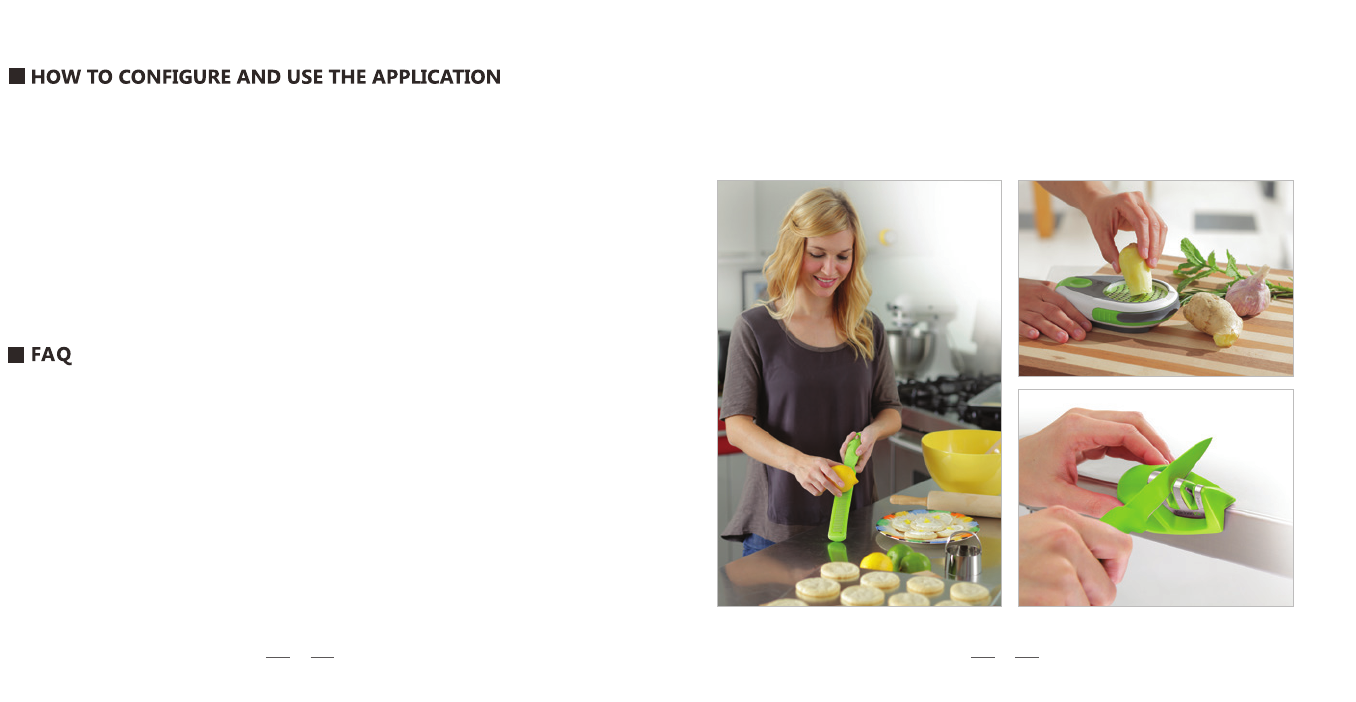
Zester Ginger Tool
Edge Grip
Knife Sharpener
2. Wireless settings:
a. Make sure that the wireless is turned
on before use
b. If not enables, please go to the
“Settings<Wireless” menu to turn it on.
c. Press the scale platform to turn it on
Requirements for mobile devices:
Wireless version: Wireless 4.0 or above
Apple system: iPhone 4S or later, iOS 6.0 or later
Android system: Android 4.3 or later
910

Smith’s Consumer Products, Inc.
(+1) 501.321.2244
www.kitcheniq.com
Hot Springs, AR 71913-8414 USA
C13406