Zhongshan Camry Electronic IN9201BA Bluetooth Nutritional Scale User Manual

Zhongshan Camry Electronic Co.,LTD. Bluetooth Nutritional Scale Users Manual

Users Manual

iN-1 SERIES Instructions for UseWireless Nutritional Scale
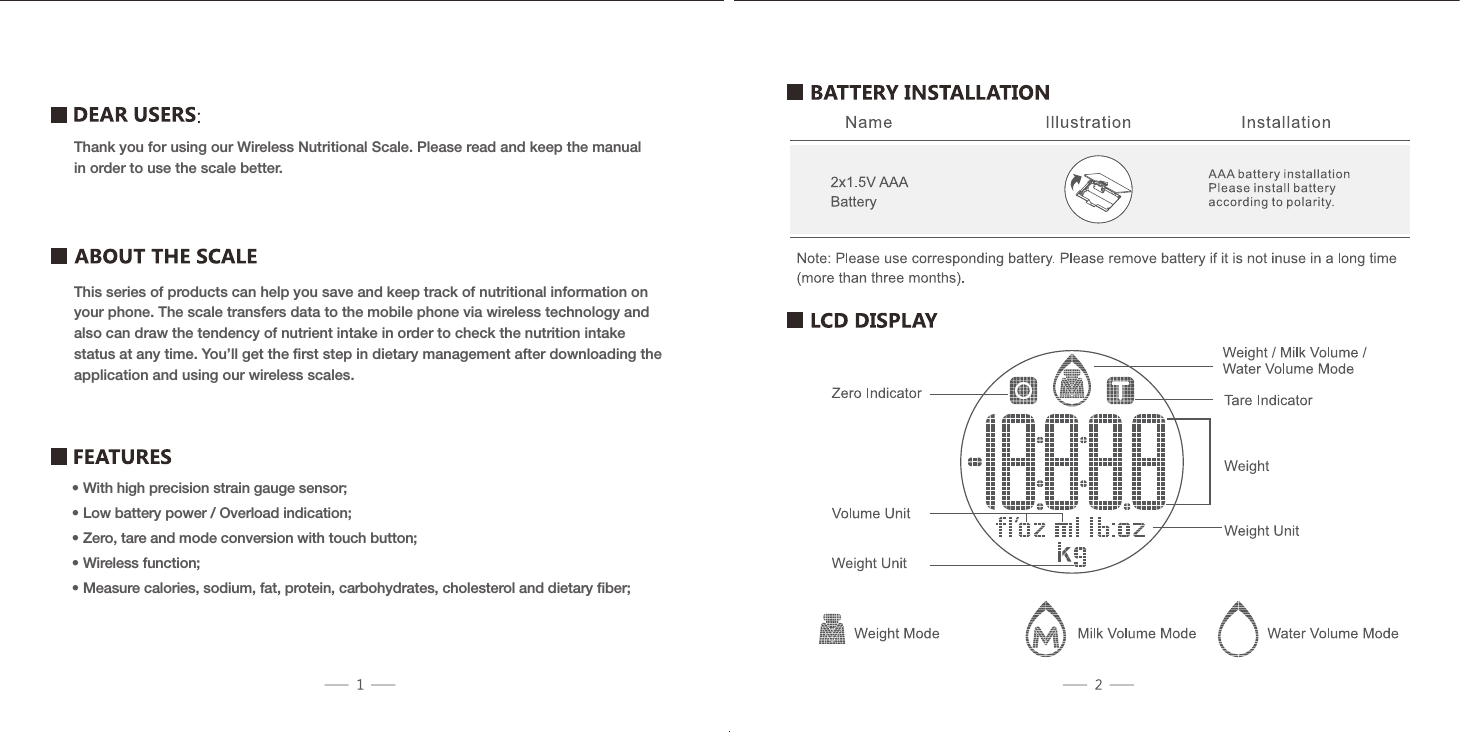
Thank you for using our Wireless Nutritional Scale. Please read and keep the manual in order to use the scale better.This series of products can help you save and keep track of nutritional information on your phone. The scale transfers data to the mobile phone via wireless technology and also can draw the tendency of nutrient intake in order to check the nutrition intake status at any time. You’ll get the first step in dietary management after downloading the application and using our wireless scales.• With high precision strain gauge sensor;• Low battery power / Overload indication;• Zero, tare and mode conversion with touch button;• Wireless function;• Measure calories, sodium, fat, protein, carbohydrates, cholesterol and dietary fiber;
Caution: The user is cautioned that changes or modifications not expressly approvedby the party responsible for compliance could void the user’s authority to operate theequipment.This device complies with Part 15 of the FCC Rules. Operation is subject to thefollowing two conditions: (1) this device may not cause harmful interference, and (2) this device must accept any interference received, including interference that may cause undesired operation.NOTE: This equipment has been tested and found to comply with the limits for a Class B digital device, pursuant to Part 15 of the FCC Rules. These limits are designed to provide reasonable protection against harmful interference in a residential installation. This equipment generates, uses and can radiate radio frequency energy and, if not installed and used in accordance with the instructions, may cause harmful interference to radio communications. However, there is no guarantee that interference will not occur in a particular installation. If this equipment does cause harmful interference to radio or television reception, which can be determined by turning the equipment off and on, the user is encouraged to try to correct the interference by one or more of the following measures:  –  Reorient or relocate the receiving antenna.  –  Increase the separation between the equipment and receiver.  –  Connect the equipment into an outlet on a circuit different from that to which      the receiver is connected.  –  Consult the dealer or an experienced radio/TV technician for help.n FCC(a device designed to generally be used at a separation distance of at least 20centimeters is normally maintained between the transmitter’s radiating structure(s) and the body of the user)FCC Radiation Exposure Statement:This equipment complies with FCC radiation exposure limits set forth for anuncontrolled environment. This equipment should be installed and operated with aminimum distance of 20cm between the radiator and your body.This transmitter must not be co-located or operating in conjunction with any otherantenna or transmitter.  –  Reorient or relocate the receiving antenna.  –  Increase the separation between the equipment and receiver.  –  Connect the equipment into an outlet on a circuit different from that to which      the receiver is connected.  –  Consult the dealer or an experienced radio/TV technician for help.Portable Device (a device designed to generally be used at a separation distance of within 20 centimeters is normally maintained between the transmitter’s radiating structure(s) and the body of the user)FCC Radiation Exposure Statement:This equipment complies with FCC radiation exposure limits set forth for an uncontrolled environment. This transmitter must not be co-located or operating in conjunction with any other antenna or transmitter.n  When test standard is FCC section 15.247 or 15.407    (such Bluetooth, Wi) Mobile Device7 8
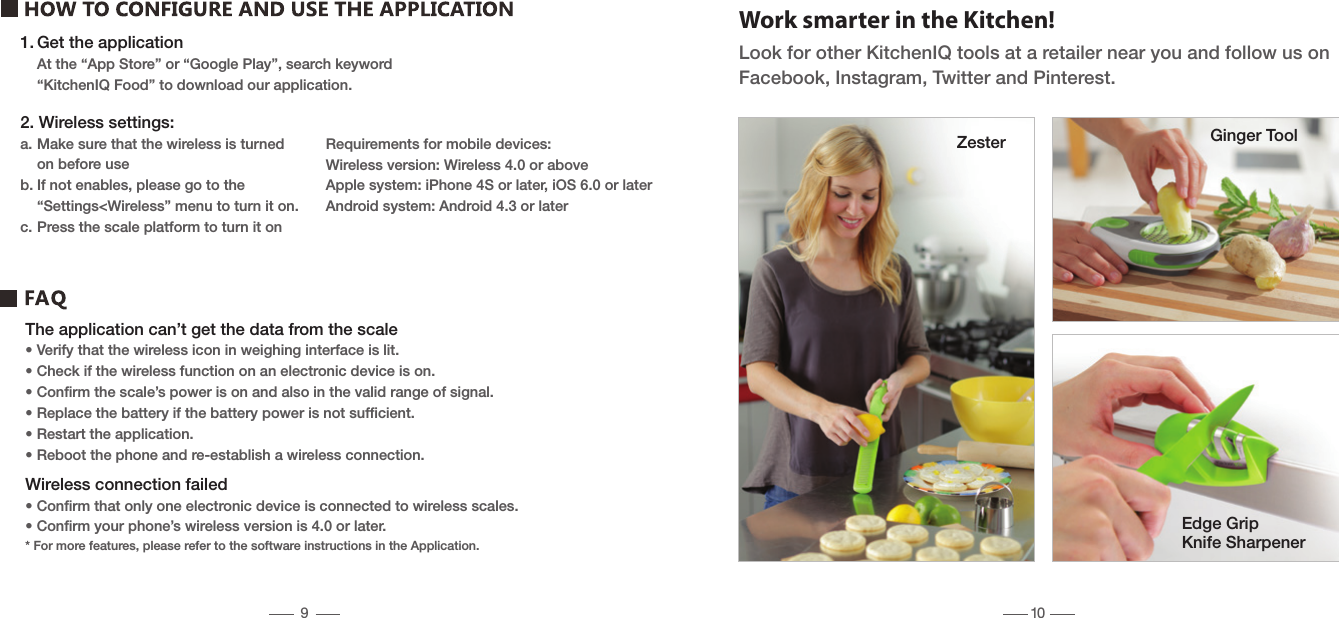
1. Get the application  At the “App Store” or “Google Play”, search keyword  “KitchenIQ Food” to download our application.Work smarter in the Kitchen!Look for other KitchenIQ tools at a retailer near you and follow us on Facebook, Instagram, Twitter and Pinterest.The application can’t get the data from the scale• Verify that the wireless icon in weighing interface is lit.• Check if the wireless function on an electronic device is on.• Confirm the scale’s power is on and also in the valid range of signal.• Replace the battery if the battery power is not sufficient.• Restart the application.• Reboot the phone and re-establish a wireless connection.Wireless connection failed• Confirm that only one electronic device is connected to wireless scales.• Confirm your phone’s wireless version is 4.0 or later.* For more features, please refer to the software instructions in the Application.Zester Ginger ToolEdge Grip Knife Sharpener2. Wireless settings:a. Make sure that the wireless is turned   on before useb. If not enables, please go to the   “Settings<Wireless” menu to turn it on.c. Press the scale platform to turn it onRequirements for mobile devices:Wireless version: Wireless 4.0 or aboveApple system: iPhone 4S or later, iOS 6.0 or laterAndroid system: Android 4.3 or later910
Smith’s Consumer Products, Inc.(+1) 501.321.2244www.kitcheniq.comHot Springs, AR 71913-8414 USAC13406

Navigation menu