eSky wireless ES102 ES102 vehicle terminal User Manual

eSky wireless Inc. ES102 vehicle terminal

User manual

Suzhou eSkywireless Inc.                          ES102 user manual  http://www.eskywireless.com 0   ES102 user manual                  Suzhou eSkywireless Inc.
Suzhou eSkywireless Inc.                          ES102 user manual  http://www.eskywireless.com 1 Information to User This device complies with part 15 of the FCC Rules. Operation is subject to the following two conditions: (1) This device may not cause harmful interference, and (2) this device must accept any interference received, including interference that may cause undesired operation.  NOTE:This equipment has been tested and found to comply with the limits for a Class B digital device, pursuant to part 15 of the FCC Rules. These limits are designed to provide reasonable protection against harmful interference in a residential installation. This equipment generates uses and can radiate radio frequency energy and, if not installed and used in accordance with the instructions, may cause harmful interference to radio communications. However, there is no guarantee that interference will not occur in a particular installation. If this equipment does cause harmful interference to radio or television reception, which can be determined by turning the equipment off and on, the user is encouraged to try to correct the interference by relocating the receiving antenna or consulting the dealer or an experienced radio/TV technician for help.  Mobile RF Warning   This equipment complies with FCC radiation exposure limits set forth for an uncontrolled environment. This equipment should be installed and operated with minimum distance 20cm between the radiator & your body. Changes and Modification Warning Statement Any Changes or modifications not expressly approved by the party responsible for compliance could void the user's authority to operate the equipment.
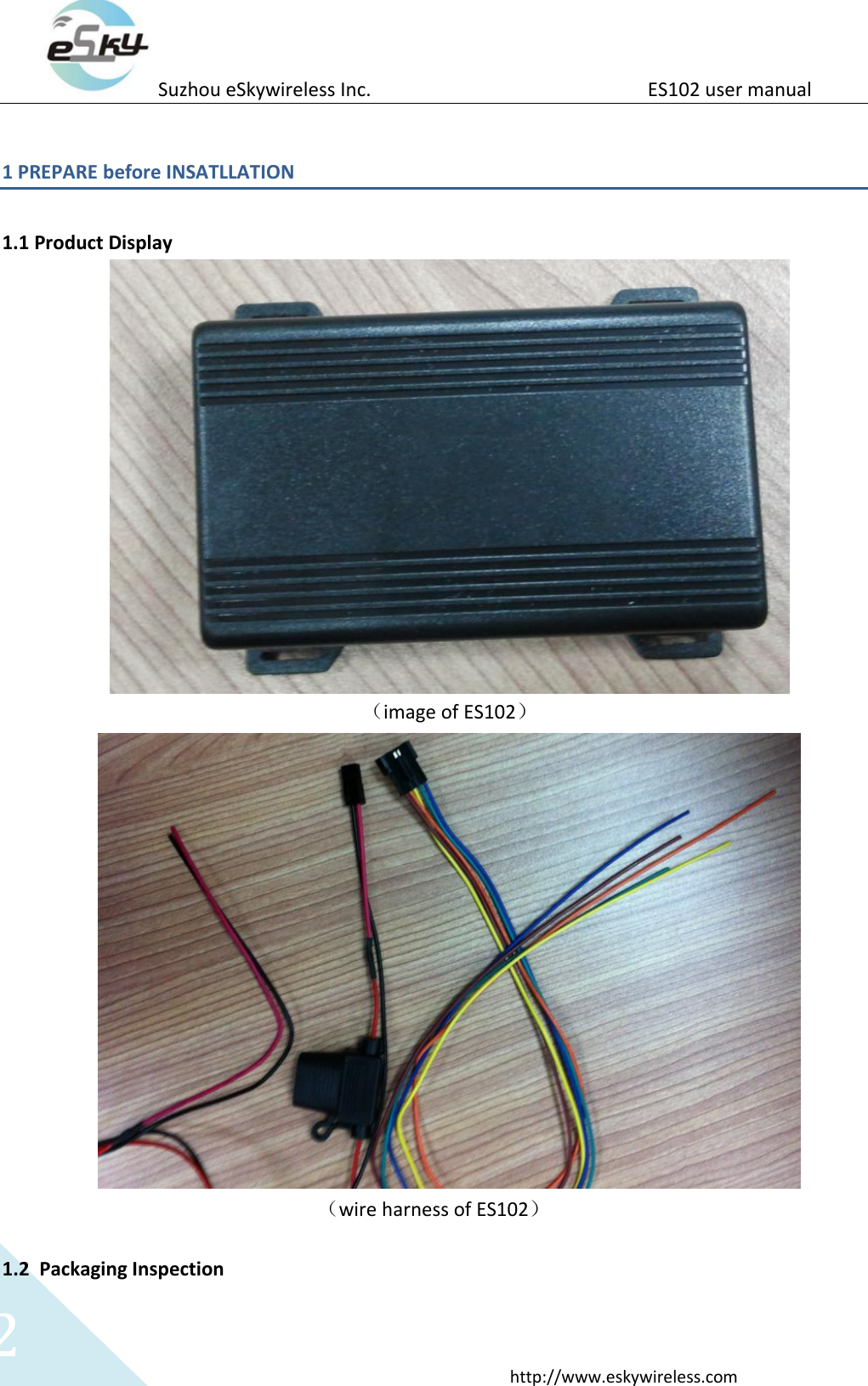
Suzhou eSkywireless Inc.                          ES102 user manual  http://www.eskywireless.com 2 1 PREPARE before INSATLLATION    1.1 Product Display    (image of ES102)  (wire harness of ES102)  1.2 Packaging Inspection
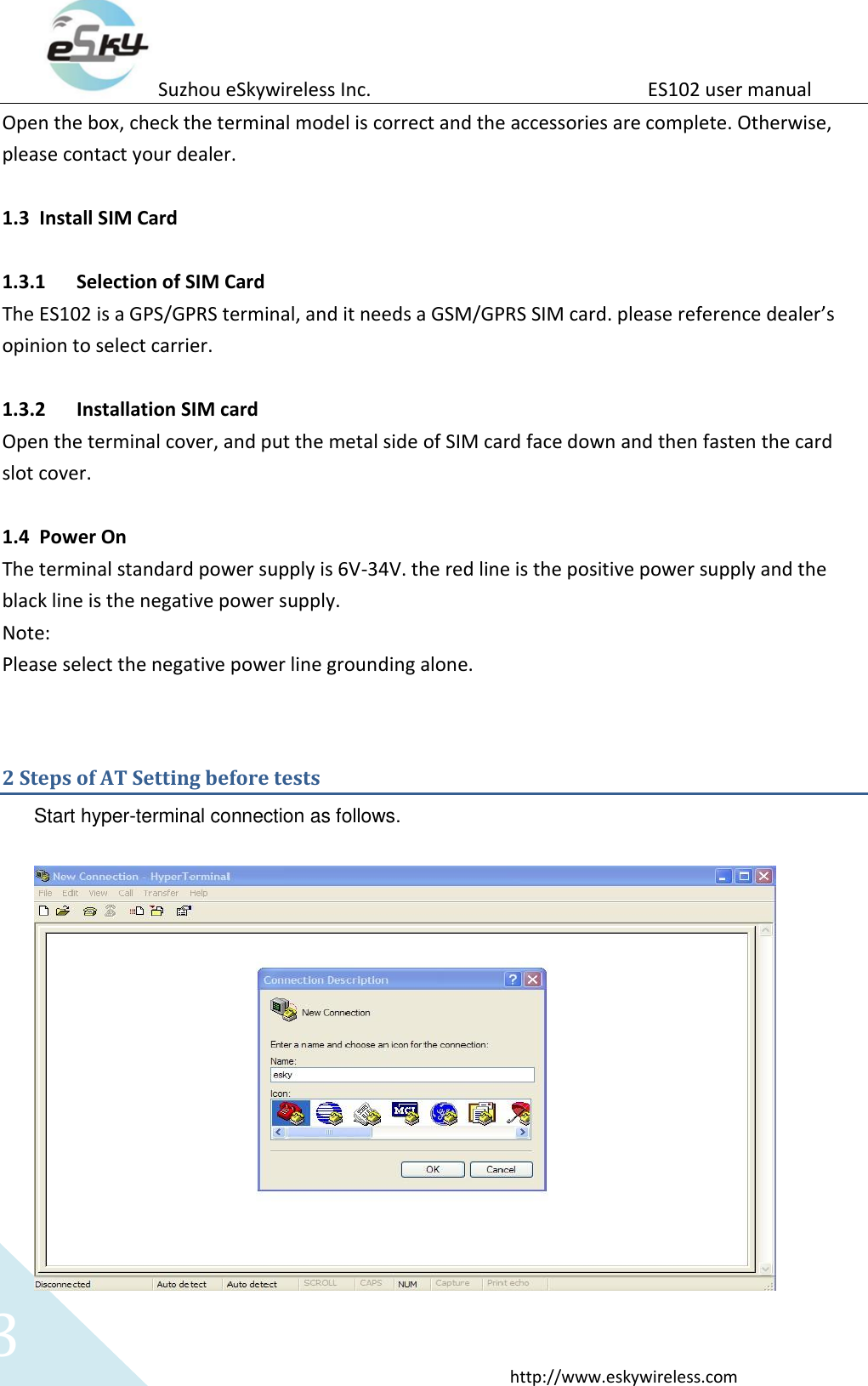
Suzhou eSkywireless Inc.                          ES102 user manual  http://www.eskywireless.com 3 Open the box, check the terminal model is correct and the accessories are complete. Otherwise, please contact your dealer.  1.3 Install SIM Card    1.3.1 Selection of SIM Card The ES102 is a GPS/GPRS terminal, and it needs a GSM/GPRS SIM card. please reference dealer’s opinion to select carrier.  1.3.2 Installation SIM card Open the terminal cover, and put the metal side of SIM card face down and then fasten the card slot cover.  1.4 Power On The terminal standard power supply is 6V-34V. the red line is the positive power supply and the black line is the negative power supply. Note: Please select the negative power line grounding alone.  2 Steps of AT Setting before tests Start hyper-terminal connection as follows.
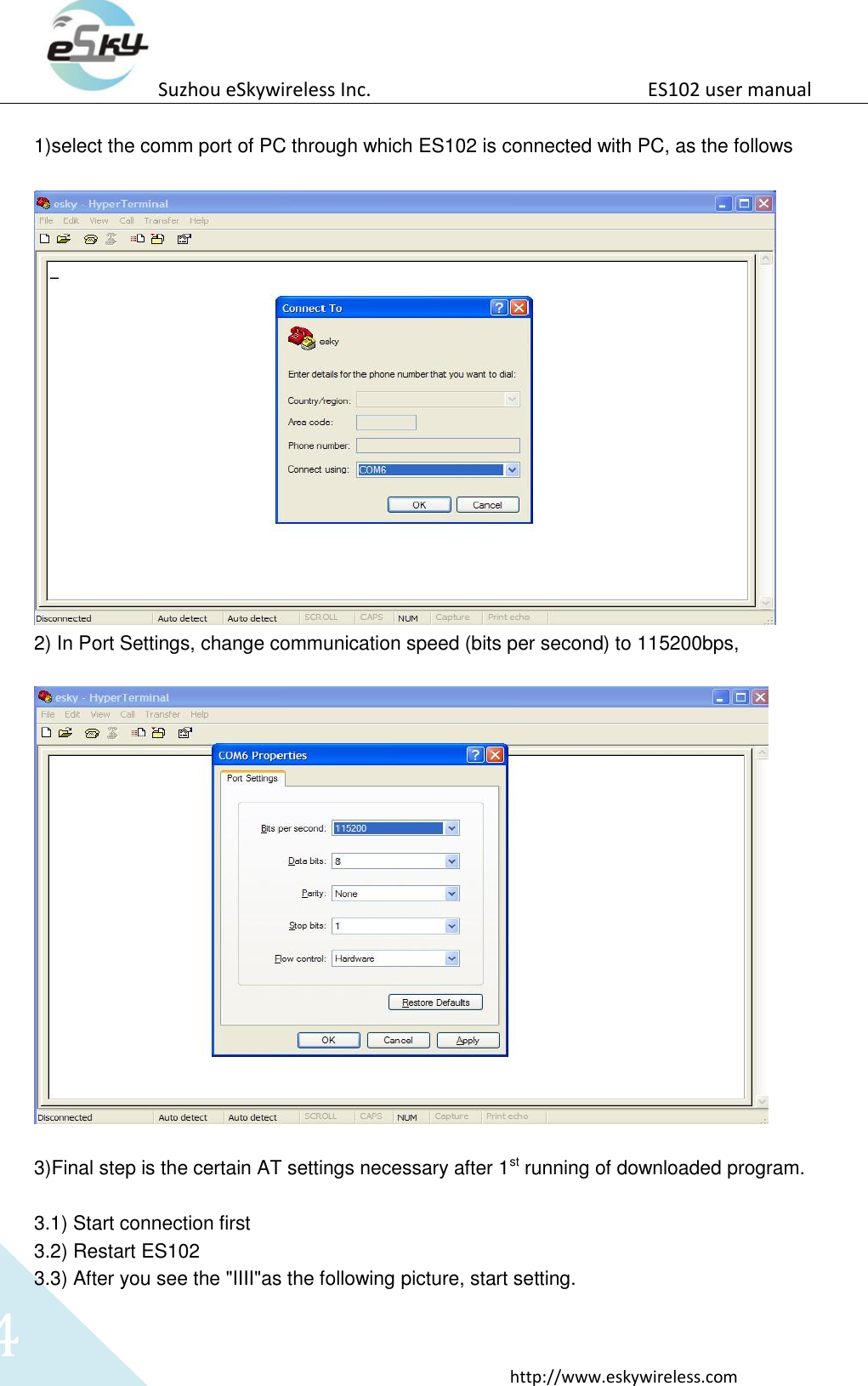
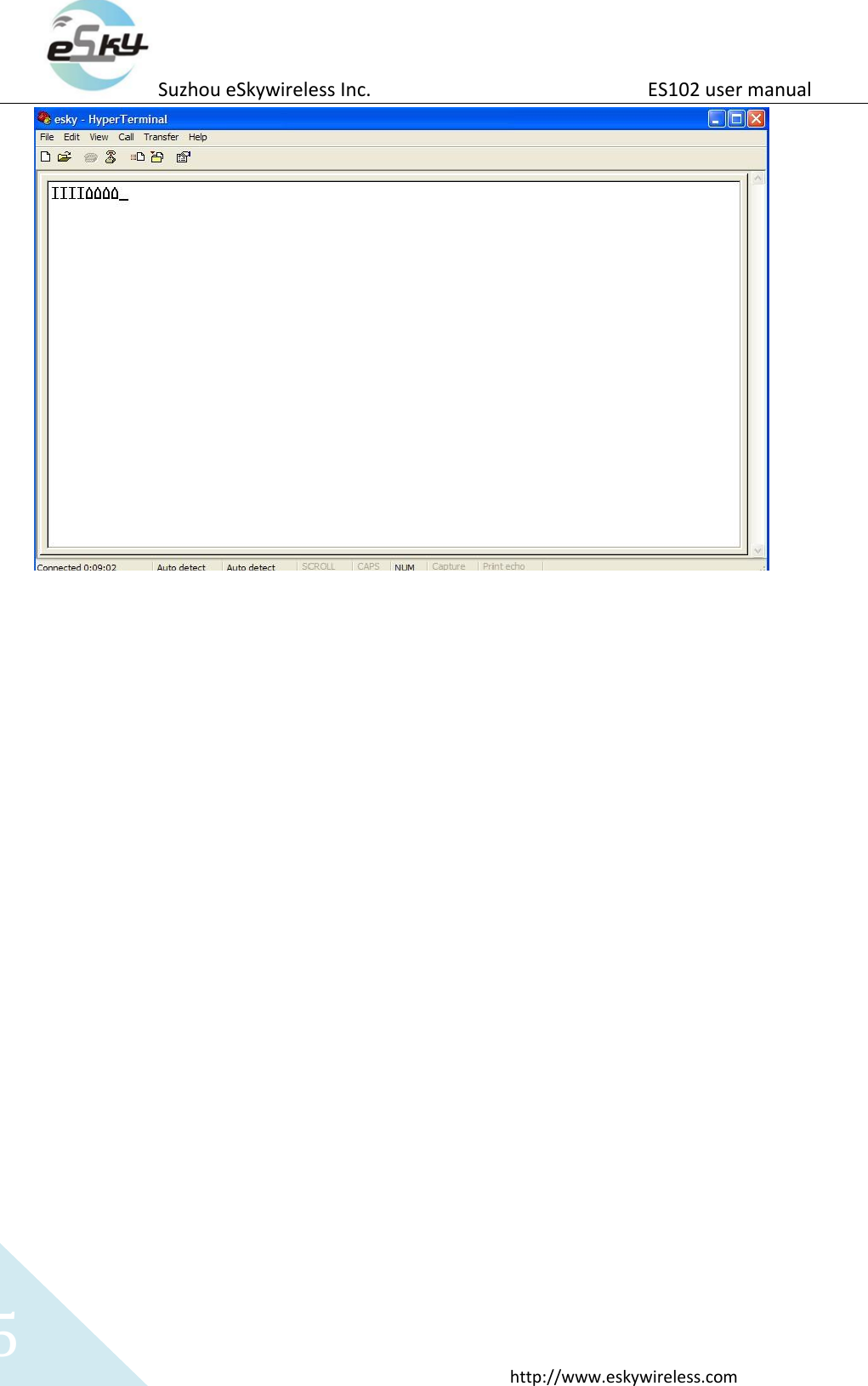
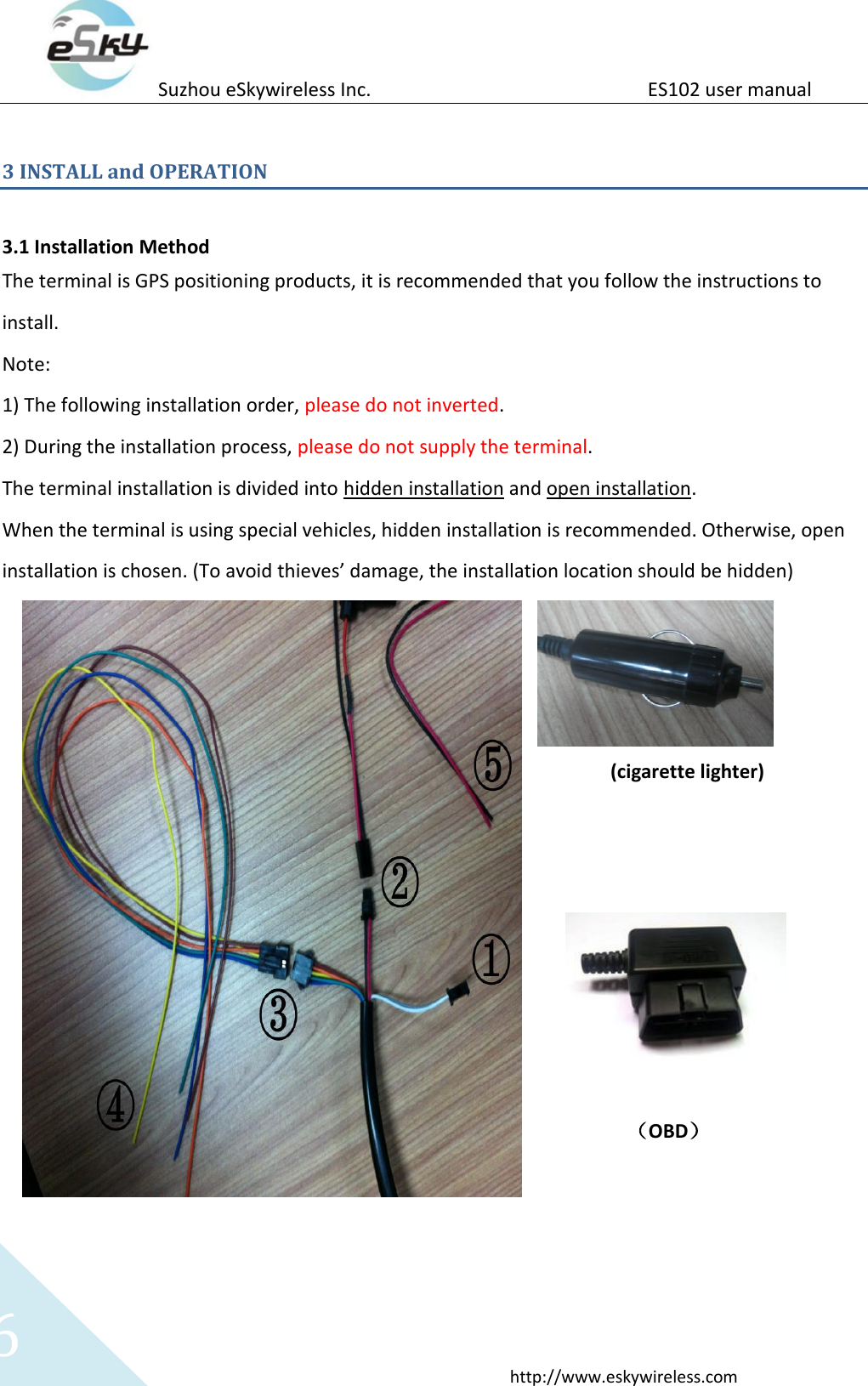
Suzhou eSkywireless Inc.                          ES102 user manual  http://www.eskywireless.com 4  1)select the comm port of PC through which ES102 is connected with PC, as the follows   2) In Port Settings, change communication speed (bits per second) to 115200bps,    3)Final step is the certain AT settings necessary after 1st running of downloaded program.  3.1) Start connection first 3.2) Restart ES102 3.3) After you see the "IIII"as the following picture, start setting.
Suzhou eSkywireless Inc.                          ES102 user manual  http://www.eskywireless.com 5
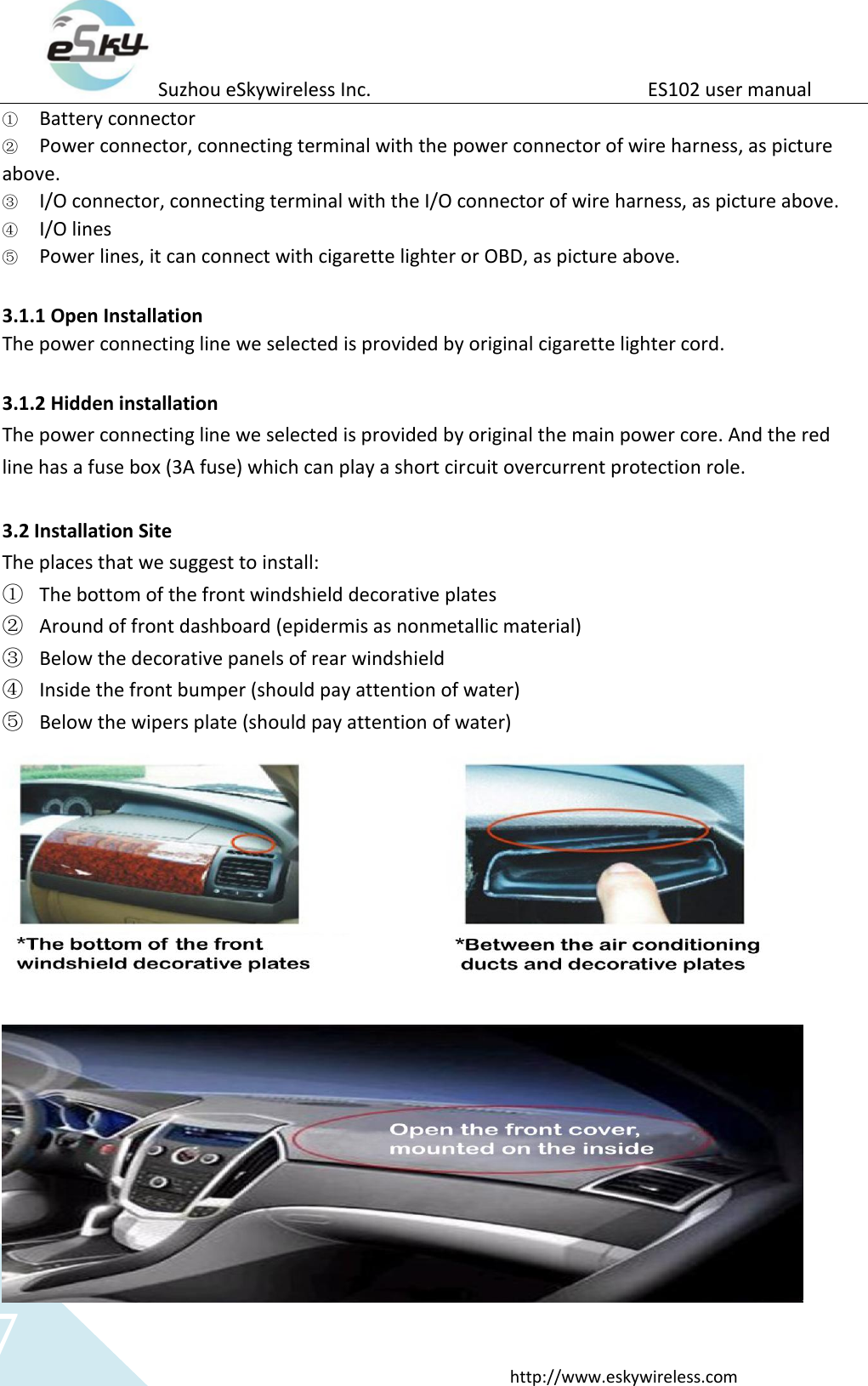
Suzhou eSkywireless Inc.                          ES102 user manual  http://www.eskywireless.com 6 3 INSTALL and OPERATION  3.1 Installation Method The terminal is GPS positioning products, it is recommended that you follow the instructions to install.   Note:   1) The following installation order, please do not inverted. 2) During the installation process, please do not supply the terminal. The terminal installation is divided into hidden installation and open installation. When the terminal is using special vehicles, hidden installation is recommended. Otherwise, open installation is chosen. (To avoid thieves’ damage, the installation location should be hidden)                                                                (cigarette lighter)                                                        (OBD)
Suzhou eSkywireless Inc.                          ES102 user manual  http://www.eskywireless.com 7 ① Battery connector ② Power connector, connecting terminal with the power connector of wire harness, as picture above. ③ I/O connector, connecting terminal with the I/O connector of wire harness, as picture above. ④ I/O lines ⑤ Power lines, it can connect with cigarette lighter or OBD, as picture above.  3.1.1 Open Installation The power connecting line we selected is provided by original cigarette lighter cord.    3.1.2 Hidden installation   The power connecting line we selected is provided by original the main power core. And the red line has a fuse box (3A fuse) which can play a short circuit overcurrent protection role.  3.2 Installation Site The places that we suggest to install: ① The bottom of the front windshield decorative plates ② Around of front dashboard (epidermis as nonmetallic material) ③ Below the decorative panels of rear windshield ④ Inside the front bumper (should pay attention of water) ⑤ Below the wipers plate (should pay attention of water)
Suzhou eSkywireless Inc.                          ES102 user manual  http://www.eskywireless.com 8 3.3 Installation Notes ① Avoid put together with the emission source, for example, reversing radar, anti-theft devices and other on-board communications equipment.   ② As for fixing the terminal, you can bound with ties or stick with wide sponge strength double-faced adhesive. ③ The terminal has GSM antenna and GPS antenna,so the installation should ensure that the ES102face up (that is GPS toward the sky). Besides, there is no on-metallic object that obscures above the terminal.   ④ If your car’s windshield pasted with metal insulation layer or the heating layer, GPS receiving signal will be weakened, and it may cause GPS work abnormal. So please change the location you installed the terminal.

Navigation menu