

Welcome
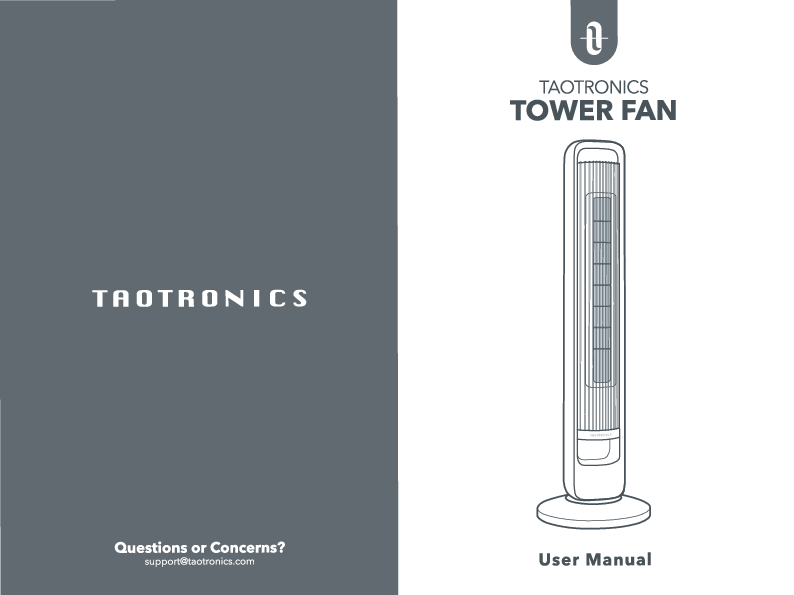
Thank you for choosing the TaoTronics Tower Fan. This user manual provides essential information for safe operation, assembly, and maintenance of your TT-TF003 model.
Important Safety Instructions
⚠️ DANGER
Before using this appliance, read all instructions and cautionary markings in your user manual and on the appliance.
- DO NOT touch or hold the mains plug with wet hands.
- DO NOT block or cover air flow to or from the fan while in operation.
- DO NOT insert fingers or objects through the grille while in operation.
Related to Use
- DO NOT use this fan to ventilate areas where flammable liquids or vapors are used, stored or are present.
- DO NOT attempt to disassemble, repair, modify or replace any part of your product.
- Always make sure to place the fan on a flat, level surface before operation.
- Always unplug the appliance before cleaning, making any repairs or servicing, or whenever not in use.
- It is normal that there is noise during operation. If too loud, please set the fan to lower speed.
For Household Use Only
- This appliance is not intended for use by people (including children) with reduced physical, sensory or mental capabilities, or lack of experience and knowledge, unless they have been given supervision or instruction concerning the use of the appliance by a person responsible for their safety.
- Close supervision is necessary when any appliance is used by or near children. Children should be supervised to ensure that they do not play with the appliance. Cleaning and user maintenance shall not be done by children unless they are older than 8 and supervised.
- Use the appliance only for intended household purposes as described in this User Manual. Any other use is not recommended and may cause fire, electric shock, or injury to people.
Electricity Safety
- This appliance must be provided with correct voltage via a professionally installed power socket. Make sure the voltage indicated on the label of the appliance is the same as your local supply.
- IMPORTANT: This appliance has a polarized plug (one blade is wider than the other). To reduce the risk of electric shock, this plug is intended to fit in a polarized outlet only one way. If the plug does not fit fully in the outlet, reverse the plug. If it still does not fit, contact a qualified electrician. Do not attempt to rig this safety feature.
- This product employs overload protection (fuse). A blown fuse indicates an overload or short-circuit situation. If the fuse blows, unplug the product from the outlet. Replace the fuse as per the user servicing instructions (follow product marking for proper fuse rating) and check the product. If the replacement fuse blows, a short-circuit may be present and the product should be discarded or returned to an authorized service facility for examination and/or repair.
- WARNING: To Reduce The Risk Of Fire Or Electric Shock, Do Not Use This Fan With Any Solid-State Speed Control Device.
Specifications
| Parameter | Value |
|---|---|
| Model | TT-TF003 |
| Input | 120V~60Hz |
| Rated Power | 20W |
Assembling Your Tower Fan
Parts Identification
The tower fan consists of the following parts:
- Control Panel: Located at the top for manual operation.
- Specular LED Display: Shows fan settings and timer.
- Air Outlet: Where the air is expelled.
- Night Light: Provides ambient light.
- Power Cord: Connects the fan to the power outlet.
- Base: Provides stability for the fan.
- Lock Nut: Secures the base to the fan body.
- Remote Control: For wireless operation.
- Carry Handle: For easy portability.
- Air Inlet: Where air is drawn into the fan.
Tool-free Assembly Steps
Follow these steps for easy, tool-free assembly:
- Step 1: Loosen the lock nut on the fan body by turning it counter-clockwise.
- Step 2: Stagger the front and rear bases at an angle, align their holes, and snap them together tightly.
- Step 3: Place the assembled base onto the main body, ensuring the base slot faces the rear side. Fasten the lock nut clockwise. Buckle the power cord into the designated holes in the base slot to ensure the base is upright on a level ground.
Using Your Tower Fan
Control Panel and LED Display
The control panel and LED display allow you to manage the fan's functions:
- Power ON/OFF ?: Turn the fan on or put it into standby mode.
- Oscillation ?: Tap to start or stop the fan's oscillation.
- Night Light ?: Tap to cycle through ON, Dim, and OFF settings.
- Timer ⏰: Tap to set the timer for turning the fan on or off (0-12 hours). Long press to cancel the timer.
- Fan Mode ?: Tap to select between Normal, Natural, Sleep, and Auto modes.
- Fan Speed ⚡: Tap to increase the fan speed. The LED display shows the current fan speed, timer setting, or error code.
Remote Control
For convenience, the same control buttons are available on the remote control.
- Power ON/OFF: Controls power.
- Oscillation: Starts/stops oscillation.
- Timer Settings: Adjusts timer duration.
- Fan Speed +/-: Increases or decreases fan speed.
- Night Light: Controls the night light.
- Fan Mode: Selects operating mode.
Fan Modes
- Normal Mode ?️: Runs with selected constant speed (1-12 speed).
- Natural Mode ?: Fan speed changes cyclically to mimic natural wind (1-3 speed).
- Sleep Mode ?: Fan speed reduces by 2 levels every 30 minutes. Operation is mute by default (1-3 speed).
- Auto Mode ?: Fan speed changes based on ambient temperature variations (1-12 speed).
Additional Features
- Memory Function ?: The fan remembers the last settings (except timer) when powered off and on again.
- Auto Display OFF ?: The display turns off automatically after 1 minute of inactivity when powered on. Press any button to wake it up.
- Always On Display: Hold the Night Light Button for 2 seconds to disable Auto Display OFF. Hold again for 2 seconds to re-enable it.
User Servicing Instructions
Fuse Replacement
This tower fan features a fused safety plug to cut off electric current if an electrical fault occurs. If your fan loses power and you suspect the fuse has blown:
- Step 1: Grasp the plug and remove it from the receptacle. DO NOT unplug by pulling the cord.
- Step 2: Open the fuse cover by sliding the access cover on top of the attachment plug towards the blades.
- Step 3: Remove the fuse carefully. Insert a tool into the fuse slot and gently prize the fuse out. Replace the fuse only with a 2.5 Amp, 125 Volt fuse. Risk of fire.
- Step 4: Close the fuse cover by sliding it back into place. DO NOT replace the attachment plug. Discard the product if the attachment plug is damaged.
Replacement of Batteries
For the Remote Control
- Replace with new batteries of the same type when required.
- If the remote control is not used for a long time, please remove the batteries.
- DO NOT attempt to dismantle the batteries.
- DO NOT dispose of batteries in fire; they may explode or leak.
- DO NOT use rechargeable batteries.
- Step 1: Press the locking button to pop up the battery holder.
- Step 2: Replace the battery with the same type (CR2025, 3V), ensuring the (+) side faces up.
- Step 3: Push the holder back in until it is securely locked.
⚠️ WARNING: Battery Ingestion Hazard
This product contains a coin/button cell battery. If swallowed, it can cause severe internal burns in just 2 hours and can lead to death. Keep new and used batteries away from children. If the battery compartment does not close securely, stop using the product and keep it away from children. If you think batteries might have been swallowed or placed inside any part of the body, seek immediate medical attention. Batteries contain hazardous materials and must be removed before disposal.
Cleaning and Maintenance
- Always make sure the tower fan is turned off and unplugged before cleaning.
- Only a soft cloth can be used for cleaning the outer surfaces.
- To remove dust between the grills, a pipe cleaner, flexible dust wand, vacuum cleaner, or compressed air are acceptable.
- DO NOT stick any foreign objects or your fingers inside the unit.
- Never immerse in water or allow water to drip into the motor housing.
- DO NOT clean with abrasive chemicals or flammable cleaning agents.
Storage
For storage, you may leave the tower fan covered to protect it from dust. Store it in a cool, dry location and wrap the cord around the cord wrap on the unit so that it will not be tripped over or damaged.
Troubleshooting
The following guide addresses common problems:
- Why there is noise: It is normal that there is noise during high speed. Try lowering the speed and check again.
- Why the wind power is not strong enough: Move the fan closer. Ensure air inlet and outlet are unobstructed, and there are no obstacles before the fan.
- Why the remote control is not working: Make sure the fan is connected to a powered electrical outlet. Check that the remote control is powered and remove obstacles between the fan and the remote. Operate the remote control near or in front of the tower fan.
- Why the oscillation is not steady: Check that the base is firmly assembled and the fan is on a level ground.
If problems persist, feel free to contact Customer Support at support@taotronics.com.
Warranty and Service
Thanks for choosing the TaoTronics Tower Fan. This product is covered with TaoTronics product and labor warranty for 12 months from the date of its original purchase.
The warranty will not apply in cases of:
- Accident, misuse, or repairs performed by unauthorized personnel.
- Any unit that has been tampered with or used for commercial purpose.
- Normal wear and tear of wearable parts.
- Use of force, damage caused by external influences.
- Damage caused by non-observance of the User Manual, e.g., connection to an unsuitable mains supply or non-compliance with the instructions.
- Partially or completely dismantled appliances.
- Defects caused by or resulting from damages from shipping or from repairs, service, or alteration to the product or any of its parts that have been performed by a repair person not authorized by TaoTronics.
TaoTronics can only provide after-sales service for products sold by TaoTronics or its authorized retailers and distributors. If purchased elsewhere, please contact your seller for return and warranty issues.
Please have your invoice and order ID ready before contacting Customer Support.
Contact Information
✉️ Email: support@taotronics.com
? Website: www.taotronics.com
? Manufacturer: Shenzhen NearbyExpress Technology Development Co.,Ltd. Address: Floor 7, Building E, Galaxy World Phase II, Shenzhen, China.
UL LISTED E219869. Made In China.
