

SB-4390WMT-EXT(LP65-48T) manual-multi
File info: application/pdf · 6 pages · 37.50MB
SB-4390WMT-EXT(LP65-48T) manual-multi
Installation Manual. Tilt TV Wall ... 2019 Starburst Technologies
Extracted Text
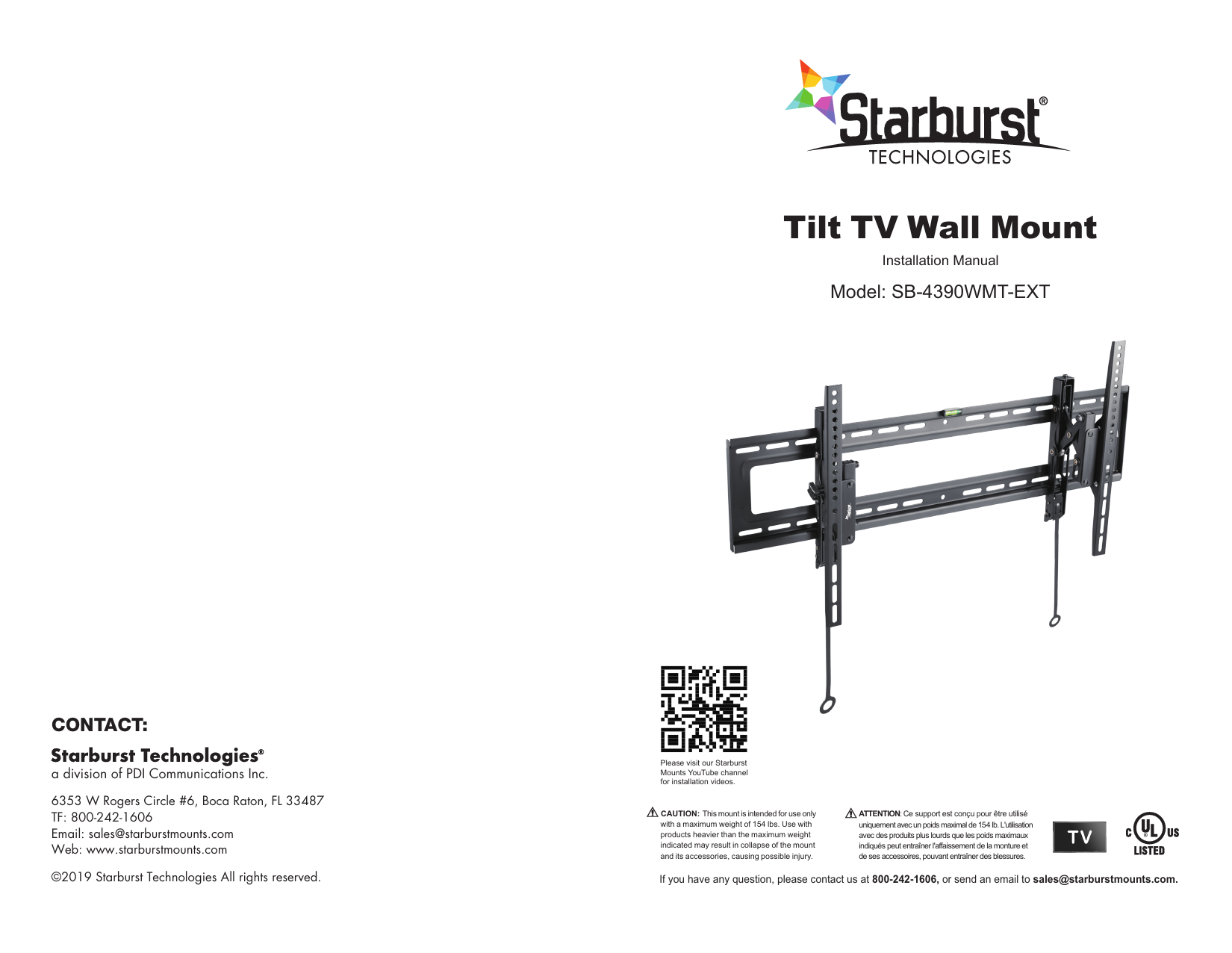
Tilt TV Wall Mount
Installation Manual
Model: SB-4390WMT-EXT

CONTACT:
a division of PDI Communications Inc. 6353 W Rogers Circle #6, Boca Raton, FL 33487 TF: 800-242-1606 Email: sales@starburstmounts.com Web: www.starburstmounts.com �2019 Starburst Technologies All rights reserved.

Please visit our Starburst Mounts YouTube channel for installation videos.

CAUTION: This mount is intended for use only with a maximum weight of 154 lbs. Use with products heavier than the maximum weight indicated may result in collapse of the mount and its accessories, causing possible injury.

ATTENTION: Ce support est con�u pour �tre utilis� uniquement avec un poids maximal de 154 lb. L'utilisation avec des produits plus lourds que les poids maximaux indiqu�s peut entra�ner l'affaissement de la monture et de ses accessoires, pouvant entra�ner des blessures.

If you have any question, please contact us at 800-242-1606, or send an email to sales@starburstmounts.com.

Thank you for purchasing our Starburst SB-4390WMT-EXT mount. This SB-4390WMT-EXT (TILT with EXTENSION) wall mount extends 5.3" from the wall which is perfect for recessed in-wall application and/or providing enough space for maintenance or wiring. Features +5�~-12� tilt and +5�~-5� swivel adjustment.
Read the entire instruction manual before you start the installation and assembly. If you have questions regarding any of the instructions or warnings, please contact your local Starburst dealer for assistance.
IMPORTANT SAFETY INSTRUCTIONS
� Use with products heavier than the rated weights indicated may result in instability causing possible injury.
� Please closely follow the assembly instructions. Improper installation may result in damage or serious personal injury.
� Safety gear and proper tools must be used. � This product is designed to be installed on solid concrete walls or wood stud walls. � Make sure that the supporting surface will safely support the combined weight of the
equipment and all attached hardware and components. � Use the mounting screws provided and DO NOT OVER TIGHTEN mounting screws. � This product contains small items that could be a choking hazard if swallowed. Keep
these items away from children. � This product is intended for indoor use only. Using this product outdoors could lead
to product failure and personal injury. � Save these instructions for future use.

PREPARATION:
Please make sure the mount is appropriate for the TV before installation.
Does the weight of TV (including accessories)
1 exceed the maximum weight limitation?
If the mount is not compatible, contact your local Starburst dealer or visit starburstmounts.com to find a right mount.

154lbs (70kg)
RATED

Does your TV match the stated VESA?
200x200/300x200/300x300/400x200 400x300/400x400/600x400/800x400
2
Measure the hole pattern found on the back of your TV. If the horizontal distance is 400mm and the vertical distance is 300mm, the VESA size of your TV is 400x300. Refer to the corresponding VESA size on the instruction manual. If the mount is not compatible, contact your local Starburst dealer or visit starburstmounts.com to find a right mount.

What's your wall frame?

Wood stud walls

Solid concrete walls

3


Drywall alone
�

What tools are required for the installation?

Power Drill Phillips Screwdriver Tape Measure Pencil

4 Wood Stud Install

Solid Concrete Install

Stud Finder

 3/16 inch Drill Bit

TipsTools are not included in the package.

Hammer

1

 3/8 inch Drill Bit

PACKAGE LIST
Ensure that you have received all parts according to the component checklist prior to installation. If any parts are missing or faulty, contact us for a replacement.

Wall Plate A (x1)

Mounting Template B (x1)

TV Bracket C (x1)

TV Bracket D (x1)

Level E (x1)

Allen Key F (x1)

M4x14 (x4) M-A

M4x35 (x4) M-B

M5x14 (x4) M-C

M5x35 (x4) M-D

M6x14 (x4) M-E

M6x30 (x4) M-F

M8x30 (x4) M-G

M8x50 (x4) Two-Hole Washer (x4) Spacer (x8)

M-H

M-I

M-J

Spacer (x8) M-K

Lag Bolt W-A (x6)

Anchor W-B (x6)

Flat Washer W-C (x6)

INSTALLATION
1. Attach Brackets to the TV
1.1 Place TV Brackets as Shown Position the TV brackets (C) (D) as close as possible to the center of the display.

C

D

2

1.2a Attach TV Brackets to Flat Back Screen
Attach TV brackets using the shorter TV screws (M-A)/(M-C)/(M-E) and washers (M-I) .
TV

M-A M-C
M-I

M-E M-I

1.2b Attach TV Brackets to Irregular (Curved or Recessed) Back Screen Attach TV brackets using the longer TV screws (M-B)/(M-D)/(M-F)/ (M-G)/(M-H) ,washers (M-I) and spacers (M-J)(M-K).
TV

M-B

M-D

M-F

M-I

M-G

M-B

M-D

M-F

M-I

M-G

M-J

M-K

M-B

M-D M-F

M-H

M-H

M-H

M-I

M-G

M-I

M-I

M-I

M-J M-K

M-J

M-J

M-K

M-K

M-K

CAUTION  Select appropriate TV screws

TV

TV

Length: A screw that is too long can damage the display. A screw that is too short will not hold the display.

M4 M6

M8

TV

TV

Diameter: Inserts the screws into the hole on the back of your TV to determine which diameter to use.

3

2a. Attach Wall Plate to Wood Stud
Note: Prior to installation, ensure the area behind the surface is free of electrical wiring, pipes, or other objects. X X
E
B

2b. Attach Wall Plate to Concrete Wall
Note: Prior to installation, ensure the area behind the surface is free of electrical wiring, pipes, or other objects.

X X E

2.4" �3 /8"

B

1.Verify the center of the studs using a stud finder.
2.2" �3 /16"

2. Level the template(B) and mark the hole locations using pencil. CAUTION Ensure alignment using a bubble level(E).
W-A W-C
X
A

1. Level the template(B) and mark the hole locations using pencil.
CAUTION Ensure alignment using a bubble level(E).

2. Drill pilot holes to the depth of 2.4 inch using a 3/8 inch diameter drill bit.
CAUTION Never drill into the mortar between blocks.

W-B

W-A W-C

A

3. Drill pilot holes to the depth of 2.2 inch using a 3/16 inch diameter drill bit.

4.Attach the wall plate using 4 lag bolts (W-A) and washers (W-C) with Phillips Screwdriver.

CAUTION
Make sure to drill into the CENTER of the stud.
4

3. Insert anchors (W-B) with hammer then attach the wall plate using 6 lag bolts (W-A) and washers (W-C) with Phillips Screwdriver.
CAUTION
Be sure the anchors are flush with the surface.
5

3. Hang the TV
Heavy! You will need assistance with this step.

5. Adjustment

F E

4. Secure the TV

Hold the TV with the top of the screen tilted toward the wall, and then slide the upper notches of the right and left brackets (C) (D) over the upper lip of the wall plate (A).

Extend & Retract

Level Adjustment

1. Pull straps and press the bottom of the TV to secure arm to the wall plate.

2. Adjust and hide the strap to the bottom of the TV. Secure the TV with padlocks. (Note: The padlocks are not included.)
6

+5� -12�

+5� -5�

Tilt Adjustment

Swivel Adjustment
7

6. Remove the TV
Heavy! You will need assistance with this step.
1.Disconnect cables and turn off the power.
2. Pull down and hold both straps while gently releasing the TV from the wall plate.
MAINTENANCE: Check that the product is secure and safe to use at regular intervals (at least every three months). 8

WARRANTY
WARRANTY
5
YEARS
The Warranty Period: Starburst Technologies warrants the products to be free of defects in material and workmanship for the warranty period of 5 years. The Warranty Period commences on the original purchase date of the product. To Get Warranty Service: For warranty claims made during the above Warranty Periods, Starburst will replace (or credit the amount of) any defective product part free of charge. Should a part on your Starburst product fail, contact Starburst to make a warranty claim. We will discuss the problem with you and once we confirm the product is under warranty, we will ship replacement parts to you or issue credit based on the amount.
The Warranty extends only to the original purchaser, and it does not apply to: � The installation of other products to the mount / shelf not manufactured by Starburst. � Product is modified in any way, improperly installed or taxed beyond its stated weight capacity or otherwise misused or abused. � Normal wear and tear, friction damages, breakage of plastic and glass, spring wearing, coating defects, or the impact of using a product in an outdoor environment. � Losses or damage due to fire, theft, vandalism, modifications, repairs, accidents, force majeure. � The Warranty for wall and ceiling mounts is void if the mount is moved from its initial installation. � This Warranty does not cover the costs of removing and replacing defective parts from your Starburst product. So, if your problem requires a repair technician, you must pay any labor charges. � Should a replacement part or product be discontinued or unavailable, Starburst reserves the right to substitute a comparable replacement part or product for the defective part or product.
To the maximum extent permitted by applicable law, Starburst disclaims any other warranties, express or implied, including warranties of fitness for a particular purpose and warranties of merchantability. Starburst will not be liable for any damages whatsoever arising out of the use or inability to use its products, even if Starburst has been advised of the possibility of such damages. To the maximum extent permitted by applicable law, Starburst disclaims any responsibility for incidental or consequential damages including damage caused to electronic equipment or to the surroundings by the use of the product.
9