

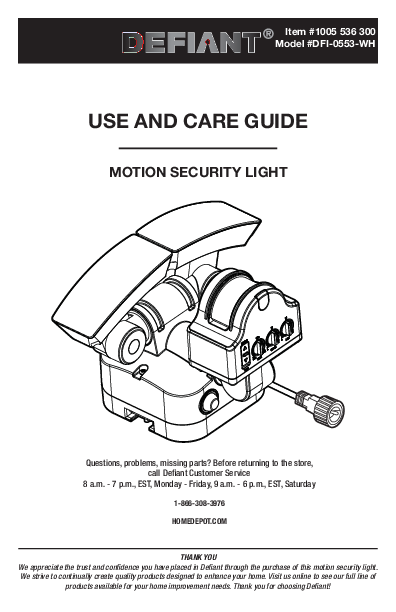
Safety Information
Precautions
- Read and understand this entire manual before attempting to assemble, install, or operate this light fixture.
- The light fixture should be mounted approximately 8 ft. (2.4 m) above the ground.
- Do not cut the solar panel wire. Discontinue use if the wire becomes frayed or broken.
- Do not immerse components in liquid.
- Do not use any other charging device other than the single solar charging panel provided with this light. Doing so may result in injury or damage to the light and voids any warranty.
- Position the cord so that it is securely fastened and will not result in a hazard (such as tripping).
WARNING: To prevent possible SERIOUS INJURY or DEATH, never allow small children near batteries. If a battery is swallowed, immediately notify a doctor.
WARNING: DO NOT DISPOSE OF BATTERIES IN FIRE. BATTERIES MAY EXPLODE OR LEAK.
WARNING: Do not mix old and new batteries.
WARNING: Do not mix alkaline, standard (carbon-zinc), or rechargeable (Ni-Cad, Ni-MH, etc.) batteries.
NOTICE: When replacing batteries, recycle used batteries or dispose of them in accordance with local regulations.
Warranty
3-Year Limited Warranty
What Is Covered
This product is guaranteed to be free of factory defective parts and workmanship for a period of 3 years from date of purchase. Purchase receipt is required for all warranty claims.
What Is Not Covered
This guarantee does not include repair service, adjustment and calibration due to misuse, abuse or negligence. Unauthorized service or modification of the product or of any furnished component will void this warranty in its entirety. This warranty does not include reimbursement for inconvenience, installation, setup time, loss of use, unauthorized service, or return shipping charges. This warranty is not extended to other equipment and components that a customer uses in conjunction with this product.
No service parts available for this product.
Contact the Customer Service Team at 1-866-308-3976 or visit www.HomeDepot.com.
Pre-Installation
Planning Installation
Before installing the light fixture, ensure that all parts are present. Compare parts with the Hardware Included and Package Contents sections. If any part is missing or damaged, do not attempt to assemble, install, or operate this light fixture.
Estimated installation time: 30 minutes
Initial Battery Charge
IMPORTANT: Clouds, rain, snow, and other weather conditions may not allow the solar panel to completely recharge the battery. Other obstructions such as buildings or trees may block the sun as well.
PRIOR TO USE, the battery will require 1 to 2 days of full, direct sunlight to completely charge with the switch in the OFF position. Connect the solar panel cord plug with the connector extending from the bottom of the light housing. If possible, aim the solar panel toward the South and tilt it approximately 50° from horizontal.
Actual operating time will vary depending upon how frequently the light is turned on by the motion sensor.
Solar lighting is not designed to equal standard 120V lighting. The amount of light output is reduced to allow the sun time to fully recharge the battery between lighting cycles.
Solar collection is only effective in direct sunlight. Every hour the light is on requires a minimum of 5 hours of sunlight charging.
Solar Panel
The solar panel converts the sun's energy into electricity, thus charging the battery stored in the solar light fixture. The solar panel requires direct sunlight falling onto its surface for as long as possible over the course of the day.
The light fixture should be installed within easy reach of the solar panel's power cord. Additional 30 ft. extension cords (sold separately) can be purchased from Homedepot.com.
Product Description
This light operates with a battery charged from a solar panel. If the voltage of the Nickel-metal hydride (Ni-MH) batteries run down to 3V, the light will not activate when the motion sensor is triggered. When the solar panel has recharged the Ni-MH batteries, and voltage is above 3V, the light will return to normal operation.
Mounting Location
The most important thing to remember for the operation of your solar powered motion sensing light is that it works from the power received from direct sunlight. The solar panel works best when placed on the southern-facing portion, or the highest point, of a structure. The more direct sunlight the solar panel receives in a day, the longer the light will operate. Make sure there is a minimum amount of obstructions between the solar panel and the sun.
Diagram: Poor Position: Tree Blocks Sunlight from Solar Panel.
Diagram: Good Position: Faces south with no obstructions.
Light Fixture
The main unit contains the LEDs, a motion sensor, and rechargeable Nickel-metal hydride batteries. When deciding where to mount this unit, keep in mind that the motion sensor that activates the light has a "field of vision" of 50 ft. (15 m) in front of the light and about 180° detection angle at a surrounding air temperature of 77°F (25°C).
NOTE: At high noon, adjust the solar panel so that it faces the sun. During any time of year, this adjustment will provide optimal positioning for collecting solar energy.
You can also angle the panel up by 50°, which should provide for adequate exposure.
Diagram: Illustrates the summer and winter paths of the sun, showing it is higher in the sky during summer and lower during winter.
Specifications
| Specification | Details |
|---|---|
| Range | Up to 50 ft. (15 m) (Varies with surrounding temperature) |
| Sensing angle | Up to 180° |
| Lumens | Solar Power: 500 LM |
| Power requirements | Solar panel and rechargeable Nickel-metal Hydride Batteries |
| Operating modes | Motion and Test |
| Time delay | 30 to 90 seconds |
Tools Required
Tools: Safety goggles, Phillips screwdriver, Level, Drill Bits (3/32 in. and 7/32 in.), Drill, Ladder.
Hardware Included
NOTE: Hardware not shown to actual size.
| Part | Description | Quantity |
|---|---|---|
| AA | Mounting plate | 1 |
| BB | Base screw | 1 |
| CC | Mounting screws | 6 |
| DD | Anchors | 6 |
| EE | Mounting bolts | 2 |
Package Contents
Components:
- A Lamp head (2)
- B Light fixture (1)
- C Motion sensor (1)
- D Power button (1)
- E Solar panel (1)
- F Solar panel cradle (1)
- G Extendable cord (pre-assembled to light fixture (B)) (1)
- H Extendable cord (pre-assembled to solar panel (E)) (1)
Diagram: An illustration showing all the components listed above, labeled A through H.
Installation
1. Determining the Mounting Location
NOTE: The light fixture should be mounted approximately 8 ft. (2.4 m) above the ground.
NOTE: Ensure the fixture and the solar panel are located close enough together for the cord to reach. You can also add on an extension cord. Ensure the solar panel faces South.
Determine the mounting location - wall or eave mount.
Position the lamp head (A) in the general direction of the desired light coverage.
Diagrams: Illustrate Wall Mount, Eave Mount, and an Incorrect mounting example.
2. Setting the Sensor for Wall or Eave Mounting
NOTE: Adjust the sensor angle to a coverage desired.
For wall mounting, tilt the sensor (C) down 10 degrees to cover up to a 50 ft. range in front.
For eave mounting, turn the sensor (C) either clockwise or counterclockwise to the desired position.
Diagrams: Show sensor (C) adjustment for wall and eave mounting.
3. Installing the Mounting Plate
NOTE: Make sure there is enough vertical space above the mounting plate to allow the light fixture to be mounted.
NOTE: Make sure there is enough space on the left and right sides of the mounting plate to position and slide on the light.
Place the mounting plate (AA) against the mounting surface and ensure the mounting plate (AA) is level. Mark the hole locations on the mounting surface, through which the mounting screws (CC) will be threaded.
- If mounting to a wooden surface, drill two 3/32 in. holes into the mounting surface. Install the two mounting screws (CC) through the mounting plate (AA) and into the mounting surface.
- If mounting to wall board or brick, drill two 7/32 in. holes into the mounting surface. Insert the wall anchors (DD) and attach the mounting plate (AA) using the two mounting screws (CC).
Diagram: Shows mounting plate (AA), screws (CC), and anchors (DD).
4. Mounting the Light Fixture
Slide the rear of the light fixture (B) onto the mounting plate (AA) from either the left or right side. Make sure the sides of the mounting plate are flush with the sides of the rear of the light fixture (B).
Secure the fixture in place on the mounting plate using the mounting bolts (EE). Insert mounting bolts (EE) through the left and right sides of the light, and into the mounting plate (AA) in the back.
Diagram: Illustrates sliding the fixture onto the plate and securing with bolts.
5. Mounting the Solar Panel
RECOMMENDED: Caulk around the base and on top of the screw heads after installation.
Place the solar base (F) against the mounting surface and mark the mounting holes.
- Place the panel (E) into the base (F) and use the base screw (BB) to secure the panel (E) in place on the base (F).
- If mounting to a wooden surface, drill four 3/32 in. holes into the mounting surface. Install the four mounting screws (CC) through the solar panel base (F) and into the mounting surface.
- If mounting to wall board or brick, drill four 7/32 in. holes into the mounting surface. Insert the wall anchors (DD) and attach the solar panel base (F) using the four mounting screws (CC).
Once the solar panel base (F) has been installed, position the solar panel (E) above it, adjusting the direction and angle of the panel to its desired position to receive optimal sunlight.
Diagram: Shows solar panel (E) being attached to base (F) with screw (BB), and mounting hardware (CC, DD).
6. Adjusting the Solar Panel
IMPORTANT: The solar panel (E) must receive as much direct sunlight over the course of the day as possible. Keep in mind that shadows may block the sunlight from reaching the solar panel (E) during the day.
Rotate the solar panel (E) to the desired angle.
7. Connecting the Solar Panel to the Light Fixture
Carefully connect the solar panel (E) cable to the light fixture (B). Screw the caps on the plugs firmly.
Wrap any excess solar panel cable around the base (F) located on the rear of the solar panel (E). Leave enough loose cable to form a drip loop.
IMPORTANT: Push the switch to the OFF position and allow the battery to charge with 1 to 2 days of full sunshine before testing.
Diagram: Shows connecting the solar panel cable to the light fixture.
Operation
1. Adjusting the Lamp Heads
If needed, gently grasp the lamp heads (A) and tilt them up or down or side-to-side to adjust the light coverage area.
Diagram: Shows adjustable lamp heads (A) with arrows indicating movement.
2. Using the OFF Control
Press the Power button (D) to turn the light (B) off and to conserve the battery life.
NOTE: Pushing the button in turns the light (B) ON (AUTO mode). Pushing again so that the Power button is out and extended turns the light OFF.
3. Testing the Light
NOTE: It is recommended that the light be tested before being placed in regular operation.
Remember to set the switch from Test to Motion after testing the light.
NOTE: Testing the unit indoors or lower than 7 ft. from the ground may not enable the light to work optimally when mounted into its final outdoor position.
NOTE: With the Power button (D) in the OFF position, allow the unit to charge in direct sunlight for at least 6 hours before testing, or placing into normal operation.
Before placing the light in normal operation (Motion mode), it is best to test the light LEDs and motion sensor. Here is the process or doing so:
- Activate the light by pressing the Power button (D) to the ON position.
- Switch the Motion/Test switch to 'Test'. The light will turn ON, and stay on continuously for 1 minute. Use this time to adjust the LED light heads to where you would like them to shine when motion is detected.
- After the first minute, the light will turn OFF, but will activate for 5 seconds every time motion is detected. Use this time to adjust the motion sensor (C) to where you want the light to detect motion and activate. While the switch is in 'Test' mode, the light will continue to activate in 5 second intervals.
- When finished with these adjustments, switch back to 'Motion', and the light will go into normal operation. Depending on your LUX setting and time of day, the light may turn OFF until it's dark enough to activate.
Diagram: Shows the controls including Power button (D) and Motion/Test switch (C).
4. Reading the Indicator Light
The indicator light is located below the motion sensor (C), and shows the basic status of the light.
- If the indicator light flashes RED twice, the sensor is detecting motion. This is an indication that the motion sensor is working, even if the LED light heads are not activating.
- If the indicator light is GREEN, the batteries are charging. This is an indication that the batteries are not depleted, and the transfer of solar energy to the rechargeable batteries is working.
Diagram: Shows the location of the indicator light near the sensor (C).
5. Adjusting the Light Timer
NOTE: The TIME dial controls the amount of time the light (B) will stay on full brightness after motion has been detected. The timer is adjustable from 30 to 90 seconds.
- To increase the time, turn the TIME dial towards the 90 second position.
- To decrease the time, turn the TIME dial towards the 30 second position.
Diagram: Shows the TIME dial with positions for 30s, 60s, 90s.
6. Adjusting the LUX
NOTE: Adjust the setting of the environmental light brightness to trigger the auto dusk-to-dawn photocell.
- To turn on the light in a very dark area, turn the LUX dial towards the "L" position.
- To turn on the light during daylight, turn the LUX dial towards the "H" position.
Diagrams: Show LUX dial settings for different light conditions (dark, after sunset, late in day).
7. Adjusting the Sensitivity
NOTE: The SENS dial adjusts the sensitivity of the motion sensor.
- To increase sensitivity, and increase the sensor range up to 50 ft., turn the SENS dial towards the "H" position.
- To decrease sensitivity, and reduce the sensor range, turn the SENS dial towards the "L" position.
Diagrams: Show SENS dial settings (L, M, H) and describe sensitivity levels (Low, Medium, High) with their applications and energy usage.
Maintenance
When the pre-installed, rechargeable Nickel-metal Hydride (Ni-MH) batteries have reached the end of their useful life, they can be easily replaced.
This unit requires three AA, 1200mAh Ni-MH replacement batteries, which can be purchased at The Home Depot.
- Disconnect the light from the solar panel, and unmount from its position, placing the light on a sturdy surface.
- Unscrew and remove the back panel to access the batteries, and remove the batteries from the cradle.
- Place the new Ni-MH batteries in the cradle, being careful to align the positive/negative poles to their corresponding icons in the cradle.
- Replace the rear cover, screwing it securely into position. Remount the light, connect the solar panel, and follow the installation instructions.
- Properly dispose of the depleted Ni-MH batteries.
Diagram: Shows the battery compartment with batteries.
Care and Cleaning
- To prolong the original appearance, clean the light fixture with clear water and a soft, damp cloth only.
- Periodically clean the solar panel with a soft cloth and warm water. Do not hose spray. Keep the panel clear of snow and leaves. Make sure trees and other objects do not block sunlight from the panel.
- Do not use paints, solvents, or other chemicals on this light fixture. They could cause a premature deterioration of the finish. This is not a defect in the finish and will not be covered by the warranty.
- Do not spray the light fixture with a hose or power washer.
- If not to be used for several weeks, turn the unit OFF. Store it with the panel connected and where the panel can gather sunlight.
Troubleshooting
| Problem | Possible Cause | Solution |
|---|---|---|
| The light will not turn ON at night. | The Power button is in the OFF position. | Make sure the Power button is in the ON position. |
| The light will not turn ON at night. | The batteries may be depleted. This can occur if there are poor charging conditions, or if the product has been in use for more than a year. | Check the connection between the light unit and the solar panel. Make sure the solar panel is receiving an ample amount of sunlight on a daily basis. New Nickel-metal Hydride batteries can be purchased at The Home Depot. |
| The light will not turn ON at night. | Extensions totaling more than 60 ft. have been installed between the light and the solar panel. | It is recommended that no more than two extension cords are added to the light system. Reconnect to a shorter extension cord, or reposition the solar panel closer to the light fixture, while using fewer cords. |
| The light will not turn ON at night. | The solar panel is not positioned correctly or optimally. | Adjust the panel angle to face southward for sufficient and direct sunlight. The solar panel must face South and have clear exposure to the sun. If the panel cord is not long enough, an extension is available at Homedepot.com. |
| The light will not turn ON at night. | The motion sensor is not detecting motion. | Increase SENS, and decrease LUX. This makes the unit more sensitive to motion when it is dark. |
| The RED indicator light flashes, but the light does not turn ON. | Light from the immediate environment (light poles, headlights, other floodlights) is not allowing the unit to activate. | Increase the LUX setting to compensate for the additional light. |
| The RED indicator light flashes, but the light does not turn ON. | The surrounding air temperature is too hot (greater than 122°F (50°C)) or too cold less (than -4°F (-20°C)). | The light will operate normally when temperatures return within operational range. Placing the light in areas that are not directly exposed to extreme temperatures may extend operation time. |
| The RED indicator light flashes, but the light does not turn ON. | LUX is set too high; the light registers motion, but will not activate. | Refer to Reading the Indicator Light in the Operation section. Decrease the LUX setting. |
| The light turns ON during the day. | The light is mounted in a dark or shaded location. | Refer to Reading the Indicator Light in the Operation section. Decrease the LUX setting. |
| The light turns ON during the day. | The LUX setting is too high. | Decrease the LUX setting. |
| The light appears dimmer than normal. | The rechargeable Nickel-metal Hydride batteries are low. | Allow the light to charge for 5 hours of continuous sunlight. If the light is consistently dim, and the unit has been in operation for over 1 year, new Ni-MH batteries may be needed. |
