

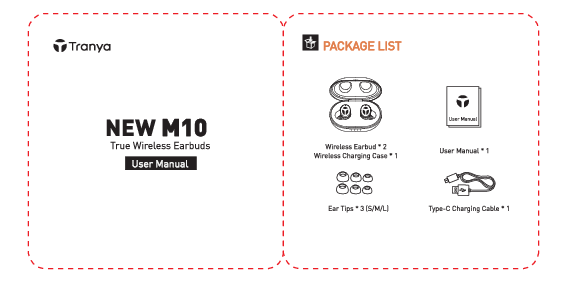
PACKAGE LIST
- Wireless Earbud × 2
- Wireless Charging Case × 1
- Ear Tips × 3 (S/M/L)
- User Manual × 1
- Type-C Charging Cable × 1
WARRANTY
Register your product on www.tranya.com to get an EXTRA three-month warranty for free.
Before using the M10 wireless earbuds, please charge both the case and earbuds.
We provide three pairs of rubber ear tips (including the set installed on the earbuds); please choose the best fit for you.
Headphones burn-in will eliminate the inconsistency of sound on left and right, enhancing bass and treble. Continuously play music through the headphones for at least 30 minutes.
To maintain good sound quality, clean the mesh cover and eartips regularly to remove dust and wax. Allow them to air dry after cleaning.
IMPORTANT NOTES
If the right and left earbuds don't sync, please reset the earbuds.
If the earbuds don't charge, please clean the charging slot on the case and the contact face on the earbuds.
WEARING
- Step 1: Put the earbuds into your ear.
- Step 2: Rotate the earbuds to fit snugly into your auricle.
POWER ON/OFF
Power on: Automatically when removed from case. Manually: Long press and hold for 3 seconds.
Power off: Automatically when placed in case. Manually: Long press and hold for 5 seconds.
PAIR THE EARBUDS WITH YOUR PHONE
- Power on the earbuds and turn on Bluetooth.
- Select "Tranya M10" to connect.
RESET THE EARBUDS
If you can't get the two earbuds to sync, please reset the earbuds to solve the issue.
- Pick up both earbuds and long press the power button for 5 seconds to power off.
- Long press both earbuds for 8 seconds until you see the red light flash and hear a voice prompt of "reset".
CONTROL
| Action | Operation |
|---|---|
| Play / Pause | Press once (L/R) |
| Next/Previous Track | Press and hold for 2 seconds (R/L) |
| Volume up/down | Press twice (R/L) |
| Answer/End a call | Press once (L/R) |
| Reject a call | Press and hold for 1 second (L/R) |
| Activate Siri/other voice control software | Press 3 times (L/R) |
SOUND EFFECT MODES
Normal Mode / Bass Boosted Mode: Press 5 times (L/R)
There are two different sound effect modes on the M10: normal and bass boosted. The normal sound effect mode is for those who prefer a sound with brighter mids and highs. The bass boosted mode is for those who prefer a warm, bass-heavy sound.
Note: You cannot switch the sound effect modes if the earbuds are in mono mode.
GUIDES
The earbuds support a transmission range of 33 feet. The signal will be interrupted if the distance exceeds 33 feet.
Signal works normally within 33 feet.
Signal will be interrupted beyond 33 feet.
CHARGING
1. Charging the Earbuds
Place the earbuds in the charging case.
2. Charging the Case
Charge the case using the included Type-C cable.
Charging indicators:
- Less than 25%
- 25%-50%
- 50%-75%
- 100%
FAQ
Q: Is there latency when watching video from laptop or mobile phone?
A: (1) Latency depends on the earbuds, laptop/mobile phone, and apps. (2) With Bluetooth 5.0 and a high-sensitivity antenna, latency is minimal on iOS devices (iPhone, iPad). (3) On Android and Windows devices, latency might be noticeable with some apps, but generally not when watching videos on YouTube.
Q: Why do my earbuds not power on/off automatically?
A: The earbuds may not power off automatically if the charging case has low or no power. Please recharge the case. You can manually power on by long-pressing for 3 seconds and power off by long-pressing for 5 seconds.
Q: Why does signal interruption occur in some places, such as along the railway, at the airport?
A: These locations often have underlying cables that can produce electromagnetic interference, causing signal interruption. Using a Bluetooth mouse while connected to your PC may also cause interference. If the earbuds frequently cut in and out during normal use, they might be defective. Please contact Tranya for assistance. We aim to respond within 12 hours.
Q: My earbuds don't charge, what can I do?
A: Please follow these steps: 1. Clean the charging slot on the charging case. 2. Clean the contact face on the earbuds.
