

fxhk apc7070 pic0151-en Botan2 Apr21 web
File info: application/pdf · 16 pages · 1.56MB
fxhk apc7070 pic0151-en Botan2 Apr21 web
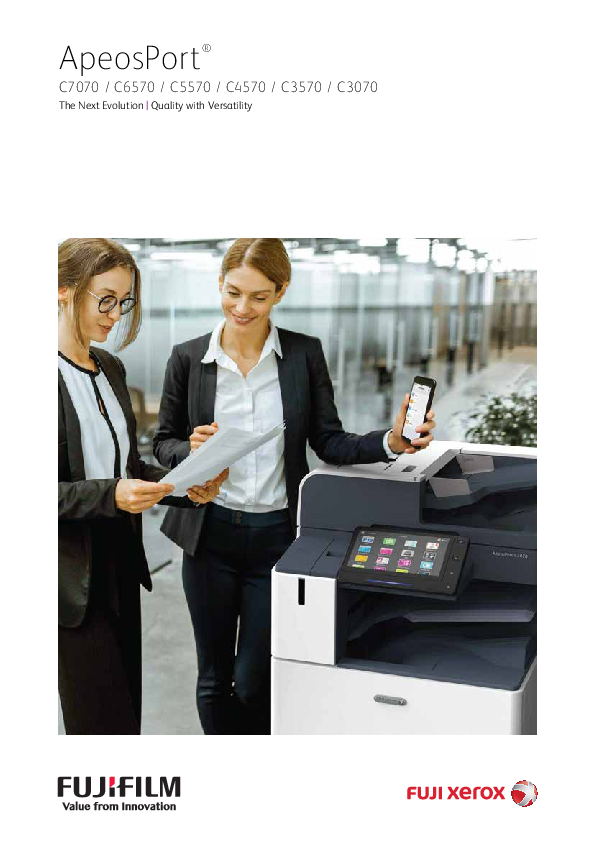
ApeosPort
Full PDF Document

If the inline viewer fails, it will open the original document in compatibility mode automatically. You can also open the file directly.
Extracted Text
ApeosPort�
C7070 / C6570 / C5570 / C4570 / C3570 / C3070
The Next Evolution | Quality with Versatility

The Next Evolution
The New ApeosPort printers from Fuji Xerox are designed to accelerate your business evolution, removing technological barriers to add greater flexibility to your work environment.
ApeosPort C7070 / C6570 / C5570 / C4570 / C3570 / C3070 comes with a strong pack of high quality features - From best of the class image resolution, to having a heavily built strong chassis minimizing the vibrations during peak loads.
Accompanied with highest quality standards, ApeosPort C7070 / C6570 / C5570 / C4570 / C3570 / C3070 are truly dynamic in nature. With its versatile feature set of top security certifications, predictive maintenance, automated workflows and multiple finishing options, these printer slips right into your work environment.

360� data security
Secure data confidentiality, integrity and availability with strong device level encryption, document rights management and potential data backup creation.

Carefree management
Let Fuji Xerox proactively manage the health of your print device with access to the right resources and on-time insights, while you focus on your core business.

ApeosPort
C7070 / C6570 / C5570 / C4570 / C3570 / C3070

Copy/Print
70 Colour/B&W ppm*1

Scan

270 Colour/B&W

ppm*2

Printing resolution
1200�2400 dpi*3

Mobile supported

Wireless LAN supported

*1: For C7070. 65 ppm for C6570, 55 ppm for C5570, 45 ppm for C4570, 35 ppm for C3570, 30 ppm for C3070. *2: Ppm by single-pass duplex scanning using the Duplex Automatic Document Feeder C2-PC. 154 ppm when using the Duplex Automatic Document Feeder B1-PC. *3: Dpi when the document type is set to photo. 600 x 600 dpi for texts, text/photos, and maps.

End to end automated workflow
The latest multifunction printers share the same intuitive user interface that you have come to know and understand on your smart printers for simple and immersive user experience.

Borderless workspace
As your business evolves, Fuji Xerox solutions and services helps you with your transition smoothly and seamlessly.
3

360� data security
Fuji Xerox proudly defines its holistic security approach on the basic principles of Confidentiality, Integrity and Availability.
The new ApeosPort series incorporates security features to combat the significant threats facing the entire information management life cycle; starting at device level with document creation, to setting access rights for document sharing both internally and externally, to creating potential backup plans for all scanned documents for business continuity planning.

ApeosPort is equipped with both user-friendliness and security measures
Comprehensive security measures protect your important information against threats such as unauthorised access, information leakage, and data tampering.

Image Log*1 UUID printing Audit Log Transfer audit log system

Logs and their protection

User authentication
and permissions

Local authentication Remote authentication*1 IC card authentication*1 User-specific feature access Private charge print

Protection of Customer engineer operation restrictions

administration Account Lock against unauthorised access

functions

Default password warning

Signature verification of software Remote update restrictions IP address restriction Startup integrity check Running integrity protection

Protection of MFP software

Safeguard Customer Information

Protection of communication
and data

Communication route encryption SSL/TLS, IPsec, TCP/IP (IPv4/IPv6)
Encryption on scan transmission by SMBv3, SFTP Scan file encryption / signature E-mail signature and e-mail encryption (S/MIME) TLS version limit Elliptic curve cryptography Secondary Ethernet*1

Warnings displayed when using global IP address Scanned documents to be delivered to fixed destination Destination reentry Forced annotations Hidden text printing*1 Digital code embedding and tracking function*1

Prevention of setting / operation mistakes

Stored document protection
in MFP

Encrypting Data Stored on SSD Use TPM*2 chip for encryption key
management Delete all data on the printer

*1: Optional. *2: Trusted Platform Module

4

Xpress Follow U Print
Share user authentication information between multiple multifunction printers without requiring an authentication server. When you register user authentication information and associate it with the IC card ID information, this is stored in the parent ApeosPort printer and shares it with linked printers. This makes it easy to use any linked printer following authentication procedures, and reduces costs as you do not need a dedicated server.
Note: Xpress Follow U Print is an optional feature. Note: Xpress Follow U Print requires additional IC card reader.
Selected multifunction printer being in use

If the multifunction printer that you set as the output destination is being used, you can redirect your print job to another multifunction printer � saving you time, especially when you are in a hurry. Check the status of your print job on the UI panel before printing using the preview displays, or change settings such as the number of copies, colour mode and one-sided/two-sided output, all from the UI panel. This improves document security and reduces waste from unnecessary printing.
Select the print job and print from another multifunction printer

Secure paperless fax reception
The network that can be used for the printer folder where paperless fax documents are saved can now be selected. This enables received fax documents can only be checked with separate networks when using two LANs with a secondary Ethernet or when using two fax lines with a second G3 port.
Save received fax documents to Folder 1

LAN1

Folder 1

Folder 2

LAN2

Image log of transmitted fax document
A simple image log of transmitted fax documents can be retrieved. The same document is automatically transferred to the SMB destination or e-mail destination specified in advance when a fax is sent. By enabling a transmitted fax document image log to be automatically retained, information can be managed, monitored, and tracked without the need to file paper documents. It also reduces the risk of information leaks.

SMB

Simple image
log

Select auto forwarding destination

E-mail

Authentication in Azure Active Directory
The ApeosPort printers can integrate with Microsoft Azure Active Directory, a cloud-based identity management service. Azure Active Directory can be used for authenticating to multifunction printers and Fuji Xerox's cloud services.
Further enhanced security
� Importing a device certificate to a multifunction printer, digital signatures and encrypted communication based on S/MIME can be performed when sending e-mail/Internet faxes.
� Attaching a digital signature to scanned documents detects modifications and sender falsification can be prevented.
Image log*
Image log enables job logs (including user, usage time, number of copies) and the image itself to be stored and managed, enabling prompt investigation should a confidential document be leaked.
*: Optional. Requires separately sold ApeosWare Image Log Management software.
5

Carefree management
Knowledge is power. However it's the visibility of the right information, at the right time, to the right user which helps define this power.
The new ApeosPort series incorporates a host of services* that delivers key operating information such as pre-emptive alerts, usage data, and required resources � intelligence that will assist you to mitigate downtime, maximise productivity and increase your operating margin.
*: Customers need to activate the following Fuji Xerox services (at no extra cost) to receive described benefits. EP-BB: Electronic Partnership Broad Band service RDHC: Remote Device Health Check service (Check with local Fuji Xerox office for RDHC service availability in your respective region)

Customer Site
- Inter department information sharing
- Risk mitigation - Informed decision making

Improved uptime for higher productivity levels

Device Log information
- Usage patterns - Consumable level

Share information with customer
- Usage Data - Timely alerts - Green Report - Monthly health check reports

Dispatch required resources
- On time consumables - Service parts - Field Engineer - Scheduled online firmware upgrades

EP-BB server (Connectivity Platform)

TQMS Predictive Maintenance Support
- Prognostic analysis based on usage and wear characteristics to predict failure and address potential issues before they occur
- Schedule maintenance based on time, condition and operation

6

Self running

environment

Sense

Predict

A joint partnership between

customer and Fuji Xerox to create a

constant health monitoring system.

A predictive approach with timely

actions is able to improve overall

efficiency while people can focus

on their core jobs.

Act

Partnership

Key benefits
Informed decision making
Single point of management for networked printers including a central collection point for meter data, providing a complete view of the enterprise.
Knowledge sharing
Automated supply tracking and reordering capability enables end-toend supply and just-in-time inventory management through continuous device monitoring; Sync Supply chain ordering process with individual departments.

Better operating margin
Costs are optimised through a centralised approach and enterpriselevel view of your printing environment.
Improved efficiency
Down time is minimised with faster problem response and issue resolution through automated alert features, resulting in greater customer satisfaction.

Visualise usage data to reduce costs
Xpress Report* visualises the usage of multifunction printers in an office by displaying usage charts in a web browser. It is also possible to display the usage data on the control panel of a multifunction printer. The service requires no dedicated server and makes it possible to increase cost awareness among employees while lightening the burden on system administrators.
*: A cloud service that Fuji Xerox offers. A subscription to the service is additionally needed.

Easy solutions to help solve problems
From toner replacement to unexpected device failures, most problems can be solved quickly without needing to wait for a customer engineer or sales representative.

On the UI panel

On your mobile device

Remote Assistance

Help information accessible from the control panel and mobile devices assist you to solve problems
On the control panel of a multifunction printer, you can search for and find ways to fix your problems. You can also view help information on a mobile device by scanning a QR code displayed on the control panel with the mobile device.

Remote Assistance is also available to solve problems with the help of operators
If you cannot solve a problem, contact our call center as required. An operator will remotely access your multifunction printer and guide you using a finger pointer or pen function on the UI panel.

7

End to end automated workflow
A more connected work is the key philosophy behind Fuji Xerox's pursuit to re-define the user experience � and this is embodied in the new ApeosPort series. Incorporating familiar gestures of tap, swipe and select, and customisation to suit your workflow, the redesigned touch panel is your gateway to a new dimension of operability, with simple distribution and archiving of digitalised documents

All new User Interface (UI)
Completely renewed UI panel design
The new UI panel can be operated with a tap and swipe just like a smartphone, adding an intuitive and familiar user experience to printer operations. All operations can be completed using a single finger on the 10.1 inch colour touch panel. The improved menu navigation makes finding menu items easy, with fewer steps, improving overall operability.
Adjustable UI panel angle
A tilt mechanism has been adopted to enable angle adjustment, enabling the screen to be adjusted to avoid light reflections, or for the user to adjust its angle for an easier view.
8

Advanced operability
Colourful and user-friendly Each function has been cleverly grouped by colour, allowing easy user recognition. Frequently used basic functions are displayed in the coloured area so they can be easily found and actioned.
Easy to find and locate A hierarchy-free screen structure enables the various settings to be checked in a list. Detailed settings can also be specified via tap and swipe operations with a single finger.
Support for multiple languages
The printer supports multiple languages including Japanese, English, Chinese (simplified/traditional), Korean, Thai, and Vietnamese, and can be easily switched to accommodate different users. Selecting a destination becomes even easier. Destinations can be easily specified from the UI panel when sending.
Selecting a destination becomes even easier
Destinations can be easily specified from the UI panel when sending a fax, and when sending an email or storing data to your computer when scanning. With the uniform display, only the usable functions and destinations will be displayed according to what you have entered. Even if you are unaccustomed to operating this printer, you should be able to specify your destination without worries.

Multifunction dpreivnitceerss lleeaarrnn yyoouurr hhaabbiittss
ApeosPort dpreivnitceers learn your habits -- your preferred features, settings, etc. You can also customise the operation screen displayed after authentication to your needs as well as the common operation screen.

Custom home screen and feature list

Complete routine tasks with one touch

Support non-routine tasks with high ffllexibility

Move an icon just by dragging/dropping while long tapping it.
You can specify the icons (apps) and their arrangement on the home screen or features and their order on lists displayed on job screens with an easy, intuitive operation. You can also hide the features you do not need.

A desired colour, design, and name can be specififieedd for an icon.
Your preferred features and settings can be registered to appear on the home screen as one-touch apps. Just tapping a one-touch app completes your routine task.

Settings like the N-up option and number of copies can be changed every time a preset is selected.
Saving the settings as a preset eliminates the trouble of specifying complicated settings each time. Every time the preset is selected, you can tailor the settings to the preferences at that time, which streamlines your work process.

Automated workffllow
Automate scan processes for regular work tasks
Using the SXcparenssDe-lFivielinryg**aauuttoommaatteesstthheepprroocceessssooffssccaannnnininggaannddssaavviningg documents to predeffiined destinations according to the rules specifified for each task or document type, eliminating the need to manually specify ffiile names or formats and perform OCR processing*. You can also extract characters from certain areas of a document and use them for the folder or ffiile name.
*: Optional.

Easy to scan

1

2

Easy to use

3

4

Scan

Auto-image correction Auto-sort & save Share / utilise

Use of QR codes and barcodes The XScparensDs e-liFvielirnygssccaannssaaQQRRccooddeeoorrbbaarcrcooddeepprirnintteeddinintthhee header or body of a document and automatically processes it based on the scan results.

Fax settings that lead to reduced waste and higher efffiiciency
By conffiiguring the Paperless Fax settings, you can store received faxes in folders so that only necessary faxes are printed after being checked on the control panel. Faxes can also be forwarded to your smartphone. With an optional kit, you can also sort them by fax number, received date, or person in charge and switch the behaviour of a multifunction dperivnitceer..WWiitthh one touch, you can change the setting to forward incoming faxes by email, which allows you to check them from outside the offfiice.
�Minimising paper output �Checking incoming faxes outside the offfiice �Automatic sorting and forwarding �Changing the behaviour of a multifunction pdreivnitceer wwhheenn aa ffaaxx iiss received depending on the time of day

Incoming fax

Printed
Attached to an email so that the recipient can check the fax on a smartphone

Forwarded to a computer

Intelligent scanning
Simple scanning for workflows
Convert Scanned documents automatically to a pre-specified file format and destination. Once a file format and destination is registered, select the workflow button and scan the document. Add a file name by adding a document type and date to a user-defined string set on a PC, great for routine work. Efficiency in managing and utilising contracts and bills, etc. is dramatically increased.
Note: Optional.
Smoothly scanning of irregular sizes
Irregular and small size paper documents can be automatically adjusted to the closest standard size just by scanning with the duplex automatic document feeder. Easily scan receipts and order slips without entering each individual document size.

Receipt $0000.00-
Invoice $0000.00-

Invoice $0000.00-

Receipt $0000.00-

Irregular size document

Automatically scanned as standard size

Various scan functions
Supporting a wide range of file formats and processes Emailed or scanned data can be converted to TIFF, JPEG, DocuWorks or PDF formats. The pdreivnitceer aallssoo ooffffeerrss OOCCRR processing* enabling convenient searching. Data size can be compressed to reduce network load, and a password can also be set.
*: Optional.
Even easier personalised scanning
The "ScanAuto" function automatically selects the correct size/ simplex/duplex/orientation of your document, simply by pressing the start button. Also, when using the authentication function, your e-mail address is automatically set as the destination just by opening ScanAuto, eliminating the need to enter the destination.
9

Borderless workspace
With the ever evolving world of connectivity, Fuji Xerox is continuously working towards helping our customers achieve a common vision of seamless workflow integration to overcome redundancies, reduce turnaround times and the flexibility of working anytime, anywhere. Connect the new ApeosPort series with existing document workflows over cloud services and internal processes to achieve an optimum level of scalability for enhanced productivity.

Mobility

Near Field Communication (NFC)
The Fuji Xerox ApeosPort series offers NFC technology as a standard, for simplifying the print and scan process. Using NFC technology, a contactless communication can be established between a mobile and the multifunction printer.

Wireless LAN Kit*
Adding Wireless LAN kit option, provides customer with a choice of further securing their print environment by providing separate printing options to their guests and employees respectively.
*: Optional.
Print Utility
Fuji Xerox Print Utility enables users to print directly from iOS or AndroidTM devices, putting mobile printing and scanning convenience at your fingertips. Print stored photo albums, web pages or shoot and print on the go from your iOS or AndroidTM printer. Simply wave your NFC enabled mobile device on the multifunction printer to automatically launch Print Utility and you are ready to print or scan.

Portable UI
Your smartphone (iOS and AndroidTM) can be used as a portable UI panel. Simply set a job on your smartphone and touch the NFC (near field communication) reader of the multifunction printer to perform basic operations such as copy, scan and fax (Store to Folder or E-mail).
Up to 30 favorites can be registered Portable UI for Business enables up to 30 frequently used sets of settings to be registered as favorites. These settings can be recalled with a single touch. The destination for sending faxes or saving scanned data can also be registered for added convenience.

10

Fuji Xerox Cloud Services
Storage User Xpress Gateway to connect with your favorite cloud storage.
Direct Print Use Xpress Gateway Print feature to directly print from Fuji Xerox cloud server while visiting remote office location.

Device Accounting
Users can access Xpress Report management service on web browser to gather usage data and allocate cost to relevant users. Read more: Page 7

More efficient digitisation processes
Inconveniences we hear
- We would like to switch to file sharing on the cloud but are concerned about whether scanning and searching will remain as smooth as before
- A large amount of time and effort is spent on entering and filing large amounts of accounting vouchers to accounting software
Multiple cloud services can be integrated into a single service with Xpress Gateway. It also enables linkage with business cloud services of various companies and enables smooth operations.
Xpress Gateway
In addition to Working Folder, you can scan to and search cloud storage services such as Box�, Dropbox�, Evernote�, Google DriveTM, OneDrive, SharePoint using a single login. Search multiple cloud services to locate your required document thanks to automatic OCR processing of your scanned documents.
Enhanced links with partner companies
Link with the cloud services of Concur, such as Concur Expense for accounting, dramatically increasing the efficiency of digitisation work for accounting.

Box� Dropbox� Evernote� OneDri ve Working Folder Google DriveTM SharePoint Online
Cloud storage service
Xpress Gateway

11

User friendly operations

User friendliness via light and sound
The printer cleverly uses light and sound to notify the user of its state. A gentle sound is easily heard over office noise, changing to correctly notify the user of a completed job. The center tray area is equipped with a sensor � a soft blue light flashes while printing and stays lit when printing is completed, signifying a job ready for collection. This reduces information leaks due to unretrieved printed documents.

Widely supporting various paper types
From postcards to long paper The printer supports a wide variety of sizes and weights, from envelopes, postcards to long documents up to a maximum of 320 x 1200 mm*1, and from 52 to 300 gsm. Long printing*2 feature gives the ability to print longer documents such as banners.
*1: Printable area is 305 x 1194 mm. *2: Only supported by the PCL driver and the Adobe� PostScript� 3TM driver.

Smart WelcomEyes
Sensors installed in the multifunction printer detect an approaching user, automatically waking the printer from sleep mode. This allows sleep mode to be engaged permanently for excellent energy saving � while ensuring that the printer is ready to go, when you need it.

Retractable paper tray closed with a gentle push
Paper trays are equipped with a retracting mechanism that gently closes the tray without pushing it in all the way.

Document multi-feed detection
The Duplex Automatic Document Feeder (DADF) features an ultrasonic sensor that is capable of detecting overlapping documents feeding incorrectly, preventing scanning errors when copying or scanning multiple documents.
Note: Provided for C7070 / C6570 only.

Green technology
Newly-developed Super EA-Eco toner
The printer achieves a high resolution output of 1200 x 2400 dpi using the industry's smallest toner particles providing clearer texts, lines and more beautiful halftones.
Bio-based plastic/recycled plastic
Fuji Xerox multifunction printers adopt bio-based plastic parts using cellulose derived from wood (which reduces CO2 emissions). Recycled plastics used in some external parts helping to reduce impact on global warming.

12

Further diversified Bringing diversity to post-processing.

Staple
Stapling multiple pages together

Punch
Hole punching for binders

Saddle Staple
Convenient for making catalogs and booklets

Z-fold
Z-folds A3 documents into A4 size

Tri-fold
Convenient for inserting direct mail, etc.

Finisher-A2

Finisher-B3 + Booklet Maker Unit

C3 Finisher

C3 Finisher with Booklet Maker

C3 Finisher with Booklet Maker + Folder Unit CD1

Staple capacity Punch

50 sheets*1

50 sheets

50 sheets or 65 sheets*2 50 sheets or 65 sheets*2 50 sheets*3 or 65 sheets*2*3

2/4 holes or 2/3 holes*4 2/4 holes or 2/3 holes*5 2/4 holes or 2/3 holes*5 2/4 holes or 2/3 holes*5

Saddle Staple


*6


Single fold


*6


Tri-fold


*7

Z-fold
Output tray Paper capacity*8 Finisher tray

  500 sheets

  2000 sheets

 500 sheets 3000 sheets

 500 sheets 1500 sheets

*7 500 sheets 1500 sheets

Note: Finisher-A2 is compatible with models up to C5570 / C4570 / C3570 /C3070.
*1: A4 size. Up to 30 sheets at B4 or above. *2: C3 Finisher Staple Unit 65 sheets required.

*3: The number of sheets that can be folded is reduced when Z-folding is mixed. *4: 2/4 Hole or US 2/3 Hole Punch Kit for Finisher-B3 is required. *5: 2/4 Hole or US 2/3 Hole Punch Kit for Finisher-C3 is required. *6: Booklet Maker Unit is required. Finisher-B3 makes a crease without folding when performing saddle
stapling or double-folding.

*7: Folder Unit CD1 is required. *8: 64 gsm paper/A4 size.

For users that process a large amount of copy, print, and fax documents
3-way output type
Copy, print, and fax jobs can be sorted when output.

For high volume output
Tandem Tray and High Capacity Feeder handles user needs for high volume output. Maximum 5105 sheets* paper capacity.
*80 gsm paper.

13

ApeosPort C7070 / C6570 / C5570 / C4570 / C3570 / C3070 Functions & Specifications

Basic Specifications/Copy Function

Item

Description

C7070

C6570

C5570

C4570

C3570

C3070

Type

Console

Memory capacity

4 GB (Max: 4 GB)

Storage Device

Standard SSD: 128 GB (usable space: 128 GB)

Capacity

Colour Capability

Full Colour

Scan Resolution

600 x 600 dpi

Printing Resolution

1200 x 2400 dpi (High Resolution Photo)

Warm-up Time

600 x 600 dpi (Text / Text-Photo / Photo / Map) [Embedded Plug-ins / Custom Services] *1

When enabled: 30 seconds or less (23 degrees Celsius room temperature)

When disabled: 24 seconds or less (23 degrees Celsius room temperature)

Recovery Time

13 seconds or less

11 seconds or less

4 seconds or less

(Recovery Time from (23 degrees Celsius room (23 degrees Celsius room (23 degrees Celsius room

Sleep Mode)

temperature)

temperature)

temperature)

Original Size

Maximum of A3, 11 x 17", 297 x 432 mm for both Sheet and Book

Paper Size Max

SRA3 (320 x 450 mm), 12 x 18" (305 x 457 mm), A3

[12 x 19" (305 x 483 mm), 320 x 483 mm when using Bypass Tray]

Min

A5, Postcard (100 x 148 mm) [89 x 98 mm when using Bypass Tray]

Image loss Lead edge 4.0 mm, Trail edge 2.0 mm, Right/Left edge 2.0 mm width*2

Paper

Paper Tray 52 to 300 gsm

Weight*3 Bypass 52 to 300 gsm

Tray

First Copy Output Time

B/W*4

3.3 sec.

Colour*5

4.1 sec.

3.3 sec. 4.1 sec.

3.7 sec. 5.2 sec.

4.4 sec. 5.7 sec.

4.9 sec. 6.7 sec.

4.9 sec. 6.7 sec.

Continuous A4 LEF / B/W: 70

B/W: 65

B/W: 55

B/W: 45

B/W: 35

B/W: 30

Copy Speed*6

JIS B5 LEF Colour: 70 A4 / JIS B5 B/W: 50

Colour: 65 B/W: 47

Colour: 55 B/W: 40

Colour: 45 B/W: 32

Colour: 35 B/W: 27

Colour: 30 B/W: 23

Colour: 50 Colour: 47 Colour: 40 Colour: 32 Colour: 27 Colour: 23

JIS B4 B/W: 41

B/W: 38

B/W: 32

B/W: 26

B/W: 23

B/W: 20

Colour: 41 Colour: 38 Colour: 32 Colour: 26 Colour: 23 Colour: 20

A3

B/W: 35

B/W: 32

B/W: 27

B/W: 22

B/W: 19

B/W: 17

Colour: 35 Colour: 32 Colour: 27 Colour: 22 Colour: 19 Colour: 17

Paper Tray Standard 4 Tray Model: 550 sheets x 4-tray + Bypass Tray 100 sheets

Capacity*7

Tandem Tray Model: 550 sheets x 2-tray + 910 sheets + 1330 sheets + Bypass Tray 100 sheets

Optional HCF B1: 2300 sheets

Max

4 Tray Model: 4600 sheets (4 Tray Model + HCF B1)

Tandem Tray Model: 5740 sheets (Tandem Tray Model + HCF B1) Output Tray Capacity*7 Upper Center: 250 sheets (A4 LEF)

Lower Center: 250 sheets (A4 LEF)

Power Supply

AC220-240 V +/- 10 %, 10 A, 50/60 Hz common

Maximum Power

2.2 kW (AC220 V +/- 10 %)

2.2 kW (AC220 V +/- 10 %)

Consumption

2.4 kW (AC240 V +/- 10 %)

2.4 kW (AC240 V +/- 10 %)

Sleep mode: 0.5 W (AC230 V)

Sleep mode: 0.5 W (AC230 V)

Ready mode: 111 W (AC230 V)

Ready mode: 75 W (AC230 V)

Dimensions Weight*8

W 663 x D 793 x H 1169 mm W 663 x D 723 x H 1141 mm

154 kg

4 Tray Model: 133 kg

Tandem Tray Model: 144 kg

*1 Embedded Plug-ins / Custom Services are enabled as factory default. You can change the settings if needed. *2 Up to A3 size. *3 It is recommended to use Fuji Xerox recommended paper. Correct print output may not be possible depending on
the requirement. *4 A4 LEF / Monochrome priority mode. *5 A4 LEF / Colour priority mode. *6 This unit is ppm. The speed may be reduced due to the image quality adjustment. *7 64gsm paper. *8 Excluding Toner Cartridge.

Scan Function
Item Type Scan Resolution Scan Speed
Standard Interface Optional

Description Colour Scanner 600 x 600 dpi, 400 x 400 dpi, 300 x 300 dpi, 200 x 200 dpi Same as the Scan Speed for the Duplex Automatic Document Feeder Ethernet 1000BASE-T / 100BASE-TX / 10BASE-T Wireless LAN (IEEE 802.11 a / b / g / n / ac)

Fax Function ( Optional )

Item Original Size Recording Paper Size
Transmission Time Transmission Mode Applicable Lines

Description Max: A3, 11 x 17", Long document (Longest 600 mm) Max: A3, 11 x 17" Min: A5 2 seconds and more but fewer than 3 seconds*1 ITU-T G3 Telephone subscriber line, PBX, Fax communication (PSTN), Maximum 3 ports*2 (G3-3 ports)

*1 When A4 size document with approximately 700 characters is transmitted in standard image-quality (8 x 3.85 lines/mm) and in high-speed mode (28.8 kbps or faster, JBIG). Only indicates the time for transmitting the image information and does not include the communication control time. The total communication time will vary depending on the contents of the document, the type of machine receiving the fax, and line condition.
*2 No.of FAX lines is up to 3 ports. Port refers to number of channels for FAX.

Duplex Automatic Document Feeder B1-PC

Item

Description

Original Size / Paper

C5570

C4570

Max: A3, 11 x 17"; Min: A5*1

C3570

Weight

38 to 128 gsm (In Duplex: 50 to 128 gsm)

Capacity*2

130 sheets

Scan

Copy (A4 B/W: 55 ppm

B/W: 45 ppm

B/W: 35 ppm

Speed*3 LEF Simplex) Colour: 55 ppm

Colour: 45 ppm

Colour: 35 ppm

Scan

B/W: 80 ppm, Colour: 80 ppm

(1 pass, 2 sided scanning: B/W 154 ppm*4 , Colour 154 ppm*4 )

[Fuji Xerox Standard Paper (A4 LEF), 200 dpi, to Folder.]

*1 The minimum custom size is 125 x 85 mm. *2 64 gsm paper. *3 The scanning speed varies depending on the documents. *4 160 ppm for both B/W and colour when Quiet Mode is disabled.
This setting can be changed to suit the customer's usage.

C3070
B/W: 30 ppm Colour: 30 ppm

Duplex Automatic Document Feeder C2-PC

Item

Description

Original Size / Paper

C7070 Max: A3, 11 x 17"; Min: A6*1

C6570

Weight Capacity*2

38 to 200 gsm (In Duplex: 50 to 200 gsm) 250 sheets

Scan

Copy (A4 B/W: 70 ppm

Speed*3 LEF Simplex) Colour: 70 ppm

B/W: 65 ppm Colour: 65 ppm

Scan

B/W: 135 ppm, Colour: 135 ppm

(1 pass, 2 sided scanning: B/W 270 ppm, Colour 270 ppm)

[Fuji Xerox Standard Paper (A4 LEF), 200 dpi, to Folder.]

*1 The minimum custom size is 84 x 139.7 mm. *2 64 gsm paper. *3 The scanning speed varies depending on the documents.

Print Function

Item

Description

Type

Built-in type

Continuous Print Speed*1 Same as the Basic Specifications / Copy Function

Printing Standard [PCL Driver]

Resolution

Standard: 1200 x 2400 dpi, High Quality: 1200 x 2400 dpi, High Resolution: 1200 x 1200 dpi

Optional [Adobe� PostScript� 3TM Driver]

High Speed (Standard): 600 x 600 dpi, High Quality: 1200 x 2400 dpi, High Resolution: 1200

x 1200 dpi

Page

Standard PCL 5 / PCL 6

Description Optional Adobe� PostScript� 3TM

Language

Supported Standard [PCL Driver]

Operating System *2

Windows 10 (32 bit / 64 bit), Windows 8.1 (32 bit / 64 bit), Windows Server 2019 (64 bit), Windows Server 2016 (64 bit), Windows Server 2012 R2 (64 bit), Windows Server 2012 (64 bit)

[Mac OS X Driver]

macOS 10.15 / 10.14 / 10.13 / 10.12, OS X 10.11

Optional [Adobe� PostScript� 3TM Driver]

Windows 10 (32 bit / 64 bit), Windows 8.1 (32 bit / 64 bit), Windows Server 2019 (64 bit),

Windows Server 2016 (64 bit), Windows Server 2012 R2 (64 bit), Windows Server 2012 (64 bit)

Standard Interface Optional

macOS 10.15 / 10.14 / 10.13 / 10.12, OS X 10.11 Ethernet 1000BASE-T / 100BASE-TX / 10BASE-T, USB3.0 Wireless LAN (IEEE 802.11 a / b / g / n / ac)

*1 The speed may be reduced due to the image quality adjustment. The printing speed may be reduced depending on the document.
*2 Please refer to our official website for the latest supported OS.

HCF B1 ( Optional )

Item Paper Size Paper Weight Feeding Capacity / Number of Tray* Dimensions Weight
*80 gsm paper.

Description A4 LEF, Letter LEF, JIS B5 LEF 55 to 216 gsm 2030 sheets x 1-tray
W 389 x D 610 x H 380 mm 29 kg

Envelope Tray ( Optional )

Item Paper Size
Paper Weight Feeding Capacity / Number of Tray* Dimensions Weight

Description DL LEF, ISO-C4, ISO-C5 LEF, ISO-C6 LEF, Commercial #10 LEF, Monarch7.3/4 LEF Custom Size: 241 x 372 mm to 90 x 98 mm Envelope: 75 to 90 gsm, Postcard: 106 to 220 gsm 50 sheets x 1-tray
W 620 x D 566 x H 87 mm 3 kg

*Commercial #10 paper.

Side Tray
Item Paper Capacity* Dimensions
*64 gsm paper.

Description 100 sheets W 324 x D 567 x H 228 mm

14

Finisher-A2 ( Optional )

Item

Type

Paper Size Paper Weight*2

Paper

Finishing Tray

Capacity*3

Staple Capacity
Paper Size
Paper Weight Position Dimensions Weight

Description Sort (Offset available*1) / Stack (Offset available*1) Max: A3, 11 x 17", Min: A5, Postcard (100 x 148 mm) 52 to 256 gsm [Without Stapling] A4 LEF: 500 sheets, JIS B4: 250 sheets, A3 or larger: 200 sheets, Mixed Size Stacking*4 : 250 sheets [With Stapling] 30 sets or A4 LEF: 500 sheets, JIS B4: 250 sheets, A3 or larger: 200 sheets, Mixed Size Stacking*4 : 250 sheets A4: 50 sheets (90 gsm or less) JIS B4 or larger: 30 sheets (90 gsm or less) Max: A3, 11 x 17" Min: JIS B5 LEF 52 to 256 gsm Single stapling, Dual stapling W 478 x D 461 x H 238 mm 11 kg

Note: The unit cannot be installed on ApeosPort C7070 / C6570. *1 [No Offset] is selected by factory default. The settings can be changed according to the customer's use situation. *2 Documents may not be printed correctly depending on usage conditions. (52 to 55 gsm) *3 64 gsm paper. *4 When larger size sheets are stacked on top of smaller size sheets: 250 sheets (when large size sheets are smaller than
A3) / 200 sheets (when large size sheets are A3 or larger) The same applies to when staple-free and stapled bindings are mixed or different stapling positions are mixed.

Finisher-B3 ( Optional )

Item
Type Paper Size*3 Paper Weight*4 Paper Capacity*5

Description Sort (Offset available*1 *2) / Stack (Offset available*1 *2)
Max: A3, 11 x 17", Min: A5
52 to 300 gsm
[Without Stapling] A4: 2000 sheets, JIS B4 or larger: 1000 sheets, Mixed Size Stacking*6 : 300 sheets [With Stapling] A4: 100 sets or 1000 sheets*7 , JIS B4 or larger: 75 sets or 750 sheets [With Booklet Finishing*8] 50 sets or 600 sheets [With Fold*8] 500 sheets

Staple Capacity

Staple: 50 sheets (90 gsm or less)

Paper Size

Max: A3, 11 x 17"; Min: A5 LEF

Paper Weight Staple: 52 to 256 gsm

Punch*

Position

Single stapling, Dual stapling

Number of Holes 2-hole / 4-hole punch or 2-hole / 3-hole punch (US Specifications)

Paper Size

A3, 11 x 17", JIS B4*10, A4*11, A4 LEF, Letter*11, Letter LEF, JIS B5*11, JIS B5 LEF*10, A5*11, A5

LEF*11

Paper Weight 52 to 220 gsm

Booklet Capacity Finishing*8 Paper Size
Paper Weight Dimensions*13

Saddle Staple: 15 sheets; Single Fold: 5 sheets Max: A3, 11 x 17"; Min: A4, Letter Saddle Staple: 64 to 80 gsm*12, Single Fold: 64 to 105 gsm W 592 x D 653 x H 1041 mm

With Booklet Finisher: W 592 x D 673 x H 1079 mm

Weight

25 kg

With Booklet Finisher: 35 kg

*1 The offset feature is set to disabled by factory default. The setting can be changed as necessary. *2 Outputs whose weight is 257 gsm and more or width is less than 210 mm are delivered without offset stacking. *3 Paper in the sizes larger than A3 or 11 x 17" or smaller than A5 are delivered to the Centre Tray. *4 Documents may not be printed correctly depending on usage conditions. (52 to 55 gsm, 257 gsm and more) *5 64 gsm paper. *6 When larger size sheets are stacked on top of smaller size sheets. *7 75 sets or 750 sheets with dual stapling. *8 The Booklet Finishing function requires the optional Booklet Maker Unit for Finisher-B3. Make a crease allows
you to fold easily. After a job with the Booklet Finishing function specified has been output, the next job may not be delivered until the sheet s are removed from the output tray. Also, if larger size sheets are stacked on top of smaller size sheets after a job with the Booklet Finishing function specified has been run, the next job may not be delivered until the sheets are removed from the output tray. *9 The Punch function requires the optional 2/4 Hole Punch Kit for Finisher-B3 or US 2/3 Hole Punch Kit for Finisher-B3. *10 4-hole punch is not applicable. *11 3-hole, 4-hole punch is not applicable. *12 Covers can be up to 220 gsm (Extra Heavyweight). *13 Inner connector within the body is excluded.

C3 Finisher / C3 Finisher with Booklet Maker ( Optional )

Item

Description

C3 Finisher

C3 Finisher with Booklet Maker

Type

Output Tray

Sort / Stack

Finishing Tray Sort (Offset available) / Stack (Offset available)

Booklet Tray -

Sort / Stack

Paper Size Output Tray

Max: 12 x 19" (305 x 483 mm)

Min: Postcard (100 x 148 mm)

Finishing Tray Max: 12 x 19" (305 x 483 mm)

Paper Output Tray Weight Finishing Tray

Min: JIS B5 LEF 52 to 300 gsm*1 52 to 300 gsm*1

Paper

Output Tray

Capacity*2 Finishing Tray

500 sheets (A4) [Without Stapling]

[Without Stapling]

A4: 3000 sheets, JIS B4 or larger: 1500 A4: 1500 sheets, JIS B4 or larger: 1500 sheets, Mixed Size Stacking*3 : 300 sheets sheets, Mixed Size Stacking*3 : 300 sheets

[With Stapling]

[With Stapling]

A4: 200 sets or 3000 sheets, JIS B4 or

A4: 200 sets or 1500 sheets, JIS B4 or

Staple

Booklet Tray Capacity

larger: 100 sets or 1500 sheets, Mixed Size Stacking*3 : 70 sets or 200 sheets
50 sheets (90 gsm or less)*5

larger: 100 sets or 1500 sheets, Mixed Size Stacking*3 : 70 sets or 200 sheets 20 sets*4

Paper Size

Max: A3, 11 x 17"

Min: JIS B5 LEF

Paper Weight 52 to 300 gsm

Punch*6

Position

Single stapling, Dual stapling

Number of Holes 2-hole / 4-hole punch or 2-hole / 3-hole punch (US Specifications)

Paper Size

A3, 11 x 17", JIS B4, A4*7 , A4 LEF, Letter*7 , Letter LEF, JIS B5 LEF, 7.25 x 10.5" (184 x 267

mm) LEF, 8 x 10" (203 x 254 mm), 8 x 10" (203 x 254 mm) LEF, 16K (194 x 267 mm)

LEF, Cover A4 (223 x 297 mm) LEF, 9 x 11" (229 x 279 mm) LEF, 215 x 315 mm, 8.5 x

13" (216 x 330 mm), Legal, 11 x 15" (279 x 381 mm), 8K (267 x 388 mm)

Booklet Finishing

Paper Weight Capacity

52 to 220 gsm -

Saddle Staple: 16 sheets (90 gsm or less)*8 Single Fold: 5 sheets (90 gsm or less)*8

Paper Size

-

Max: SRA3 (320 x 450 mm), 12 x 18" (305

x 457 mm)

Min: JIS B5

Paper Weight -

Saddle Staple: 60 to 300 gsm

Dimensions*9

W 730 x D 589 x H 1056 mm

Single Fold: 60 to 300 gsm W 790 x D 589 x H 1056 mm

When Folder Unit CD1 is installed: W 965 x D When Folder Unit CD1 is installed: W 1025 x D

726 x H 1056 mm

726 x H 1056 mm

Weight

49 kg

66 kg

When Folder Unit CD1 is installed: 101 kg When Folder Unit CD1 is installed: 118 kg

Note: Transport Unit H3 is required. *1 52 to 55 gsm output paper may not be aligned properly depending on the paper type. *2 64 gsm paper. *3 When larger size sheets are stacked on top of smaller size sheets. *4 When the output paper size is the same. *5 Up to 65 sheets can be stapled when the C3 Finisher Staple Unit 65 Sheets is installed. However, depending on the
paper type, incorrect stapling such as uneven edge alignment of sets may occur. *6 Optional. *7 3-hole punch is not applicable. *8 The maximum number of sheets varies depending on the paper weight. Booklet may not be tightly closed depending
on the size or type of the paper. *9 Inner connector within the body is excluded.

Folder Unit CD1 ( Optional )

Item

Z Fold Paper Size

Half

Paper

Sheet Weight

Tri-fold Paper Size

Paper

Weight

Paper Capacity*1

Power Supply

Maximum Power

Consumption

Dimensions

Weight

Description A3, 11 x 17", JIS B4 60 to 90 gsm
A4, Letter 60 to 90 gsm
40 sheets
AC220-240 V +/- 10 %, 0.6 A, 50/60 Hz common*2 144 W (AC220-240 V +/- 10 %)
W 232 x D 726 x H 991 mm 53 kg

Note: Optional of C3 Finisher / C3 Finisher with Booklet Maker. *1 64 gsm paper. *2 Power supply separate from the main unit is required.

Notes
1) If the storage media (such as hard disk drives) of the base unit fail, loss of received data, accumulated data, registered setting data, etc. may occur. In no event shall Fuji Xerox be liable for any damages whatsoever arising from loss of data.
2) Functional spare parts will be available for at least 7 years after the product is no longer manufactured.

15

Options
Description
APC30/35/45/55/65/7070 Postscript Kit
OApPCt3io0/n35s/45/55/65/7070 Advanced Scan Kit
APC30/35/45/55/65/7070 Embedded IC Card Reader B Description APC30/35/45/55/65/7070 External IC Card Reader B APC30/35/45/55/65/7070 Postscript Kit APC30/35/45/55/65/7070 Xpress Follow U Print APC30/35/45/55/65/7070 Advanced Scan Kit APC30/35/45/55/65/7070 USB Memory Kit APC30/35/45/55/65/7070 Embedded IC Card Reader B APC30/35/45/55/65/7070 Data Overwrite Kit APC30/35/45/55/65/7070 External IC Card Reader B APC30/35/45/55/65/7070 Wireless Network Kit APC30/35/45/55/65/7070 Xpress Follow U Print APC30/35/45/55/65/7070 Fax Upgrade APC30/35/45/55/65/7070 USB Memory Kit APC30/35/45/55/65/7070 2Nd Fax Line APC30/35/45/55/65/7070 Data Overwrite Kit APC30/35/45/55/65/7070 3Rd Fax Line APC30/35/45/55/65/7070 Wireless Network Kit APC30/35/45/55/65/7070 IP Fax [Sip] Kit APC30/35/45/55/65/7070 Fax Upgrade APC30/35/45/55/65/7070 C3 Finisher APC30/35/45/55/65/7070 2Nd Fax Line APC30/35/45/55/65/7070 Finisher C3 With Booklet APC30/35/45/55/65/7070 3Rd Fax Line APC30/35/45/55/65/7070 2/4 Hole Punch For Fin-C3 APC30/35/45/55/65/7070 IP Fax [Sip] Kit APC30/35/45/55/65/7070 2/3 Hole Punch For Fin-C3 APC30/35/45/55/65/7070 C3 Finisher APC30/35/45/55/65/7070 Folder Unit CD1 For Fin-C3 APC30/35/45/55/65/7070 Finisher C3 With Booklet APC30/35/45/55/65/7070 C3 Finisher Staple Unit 65 sheets APC30/35/45/55/65/7070 2/4 Hole Punch For Fin-C3 APC30/35/45/55/65/7070 Finisher-B3 APC30/35/45/55/65/7070 2/3 Hole Punch For Fin-C3 APC30/35/45/55/65/7070 Booklet Maker For Fin-B3 APC30/35/45/55/65/7070 Folder Unit CD1 For Fin-C3 APC30/35/45/55/65/7070 2/4 Hole Punch For Fin-B3 APC30/35/45/55/65/7070 C3 Finisher Staple Unit 65 sheets APC30/35/45/55/65/7070 2/3 Hole Punch For Fin-B3 APC30/35/45/55/65/7070 Finisher-B3 APC30/35/45/55/65/7070 Finisher-A2 APC30/35/45/55/65/7070 Booklet Maker For Fin-B3 APC30/35/45/55/65/7070 External Access Kit APC30/35/45/55/65/7070 2/4 Hole Punch For Fin-B3 APC30/35/45/55/65/7070 Secondary Ethernet Kit APC30/35/45/55/65/7070 2/3 Hole Punch For Fin-B3 APC30/35/45/55/65/7070 Paperless Fax Delivery Kit APC30/35/45/55/65/7070 Finisher-A2 APC30/35/45/55/65/7070 Network Accounting Kit APC30/35/45/55/65/7070 External Access Kit APC30/35/45/55/65/7070 High Capacity Feeder HCF B1 APC30/35/45/55/65/7070 Secondary Ethernet Kit APC30/35/45/55/65/7070 Long Paper Inserter (320mm) APC30/35/45/55/65/7070 Paperless Fax Delivery Kit APC30/35/45/55/65/7070 Envelope Tray APC30/35/45/55/65/7070 Network Accounting Kit APC30/35/45/55/65/7070 Copy Management Expansion Kit APC30/35/45/55/65/7070 High Capacity Feeder HCF B1 APC30/35/45/55/65/7070 Secure Watermark Kit APC30/35/45/55/65/7070 Long Paper Inserter (320mm) APC30/35/45/55/65/7070 Image Log PCL (AP Only) APC30/35/45/55/65/7070 Envelope Tray APC30/35/45/55/65/7070 Image Log Postscript (AP Only) APC30/35/45/55/65/7070 Copy Management Expansion Kit APC30/35/45/55/65/7070 Wing Table APC30/35/45/55/65/7070 Secure Watermark Kit APC30/35/45/55/65/7070 Full Stack Sensor APC30/35/45/55/65/7070 Image Log PCL (AP Only) APC30/35/45/55/65/7070 Multi-Language Font Kit APC30/35/45/55/65/7070 Image Log Postscript (AP Only) APC30/35/45/55/65/7070 USB Hub APC30/35/45/55/65/7070 Wing Table APC30/35/45/55/65/7070 Xpress eFiling APC30/35/45/55/65/7070 Full Stack Sensor
APC30/35/45/55/65/7070 Multi-Language Font Kit
APC30/35/45/55/65/7070 USB Hub
APC30/35/45/55/65/7070 Xpress eFiling

Item Code
A-C30-7070OK
A-C30-7070OZ
A-C30-7070OX Item Code A-C30-7070OY A-C30-7070OK A-C30-7070AD A-C30-7070OZ A-C30-7070OL A-C30-7070OX A-C30-7070AA A-C30-7070OY A-C30-7070AG A-C30-7070AD A-C30-7070OB A-C30-7070OL A-C30-7070OC A-C30-7070AA A-C30-7070OD A-C30-7070AG A-C30-7070OW A-C30-7070OB A-C30-7070AM A-C30-7070OC A-C30-7070AH A-C30-7070OD A-C30-7070AI A-C30-7070OW A-C30-7070AJ A-C30-7070AM A-C30-7070AK A-C30-7070AH A-C30-7070AN A-C30-7070AI A-C30-7070OG A-C30-7070AJ A-C30-7070OH A-C30-7070AK A-C30-7070OI A-C30-7070AN A-C30-7070OJ A-C30-7070OG A-C30-7070OF A-C30-7070OH A-C30-7070OA A-C30-7070OI A-C30-7070AB A-C30-7070OJ A-C30-7070AF A-C30-7070OF A-C30-7070OO A-C30-7070OA A-C30-7070AL A-C30-7070AB A-C30-7070OM A-C30-7070AF A-C30-7070ON A-C30-7070OO A-C30-7070OP A-C30-7070AL A-C30-7070OQ A-C30-7070OM A-C30-7070OR A-C30-7070ON A-C30-7070OS A-C30-7070OP A-C30-7070OT A-C30-7070OQ A-C30-7070OU A-C30-7070OR A-C30-7070OV A-C30-7070OS A-C30-7070AC A-C30-7070OT A-C30-7070AE A-C30-7070OU
A-C30-7070OV
A-C30-7070AC
A-C30-7070AE

Consumables / Supplies

Consumable

Item Code

Yield (sheets)

Toner Cartridge Black

CT202634

36,000

CToonnesruCamrtraidbgeleCsya/nSupplies
Toner Cartridge Magenta
Consumable Toner Cartridge Yellow
Toner Cartridge Black Drum Cartridge
Toner Cartridge Cyan

CT202635
CT202636 Item Code CT202637 CT202634 CT351105 CT202635

21,000
21,000 Yield (sheets) 21,000 36,000 B/W: 270,000 *1 C21o,l0o0u0r: 250,000 *1

WToansetreCTaorntreidr gCeonMtaigneenrt(aApeosPort C3070/C3570/C4570/C5570) CWT2A0A20693061

8231,000

WToansetreCTaorntreidr gCeonYteallionwer (ApeosPort C6570/C7070)

CWT2A0A20693072

8231,000

*D1rumApCeaorstProidrgt eC7070, average 11 pages copied at one time.

CT351105

B/W: 270,000 *1

The drum cartridge yield varies depending on multifunction printer model and average numbeCr oolfopuar:g2e5s0c,o0p0i0ed*1at

WasotneeTtoimneer.Container (ApeosPort C3070/C3570/C4570/C5570) CWAA0901

83,000

Waste Toner Container (ApeosPort C6570/C7070)

CWAA0902

83,000

*1 ApeosPort C7070, average 11 pages copied at one time. The drum cartridge yield varies depending on multifunction printer model and average number of pages copied at one time.

Apple, iPhone, AirPrint, iPad, iPad Air, iPad Pro, iPod touch, and Mac are trademarks of Apple Inc., registered in the U.S. and other countries. All product names and company names mentioned in this brochure are trademarks or registered trademarks of their respective companies. The product specifications, appearance and other details in this brochure are subject to change without notice for improvements. The available model varies depending on the country/region. Please ask the sales representatives for details.

AARDelpolppmprlreoeo,sdditPuuichcctoatinnnoedan,mfPAoerirrosePhiargiinbnndittc,icuioPornarmesdnp,caPiPinleeaysad,nsgAeaoimrnv,eoeiPrtsneammdtheePannrtotti-,roieisnPpsoeuroddedditnuoscuetthccihious,nrbiatorinoefdcst,hhMauenarfedcoaalnlrroaeewttitiorrnaangddaeielsmmbpoaarnorrdkkhsssibooairtfnerAdedpglobpisycletalealIrbnweocd:.n,tdrreacgdeiesrtmtiefiarcerakdtsienosf.tUhtheneuUirs.eSred. sappnoedcstotaitvgheeecrsoctmaomupnaptnsr,iieepsso.. st Tcahredps,roetdcu. cCtesrptieficciafitceatsitoanms,paspsptiepaurlaanteced abnydlaowth. Reer pdreotdauilcsiinngtwhiosrbkrsofcohrumreinagrtehseusbujebcjetcttomchaattnegreowf citohpoyurtignhott(iclietefroarriymwpororkvse,mmeunsticsa. l works, Tpahienativnagisla, benlegmraovdinegl sv,amrieaspsd,ecpineenmdiantgoognratphheiccowuonrtkrsy,/dreragwioinn.gPsl,epahsoetaosgkrathpehiscawleosrkresp, eretcse.)nistantoivtepsefromr idtteetdaiulsn. less the reproduction is for the purpose of personal use, family use or other similar uses within a limited circle.

Reproduction Prohibitions Please note that reproduction of the following is prohibited by law :

Domestic and foreign currencies, government-issued securities, and national bonds and local bond certificates. Unused postage stamps, post
fujifilm.com/fbhk cards, etc. Certificate stamps stipulated by law. Reproducing works forming the subject matter of copyright (literary works, musical works,
Fpaoirntmingosr, eenignrafvoinrmgs,amtaiopsn, coinremdeattoagirlaepdhicpwroordksu, cdtraswpinegcs,ifiphcoatotigoranp,hpiclewaorskes, ectac.l)lisonrovt ipseirtmuitsteadtunless the reproduction is for the

purpose of personal use, family use or other similar uses within a limited circle.

ISO 14001 : 2015 Certificate No.: CC 2639

ISO 50001 : 2018 Certificate No.: CC 5473

ISO/IEC 27001 : 2013 Certificate No.: CC 6225

ISO 22301 : 2012 Certificate No.: CC 5749

F1u1F1jo/1iFrX/,mF1e2ro1or2TexaiT(niHakfoooikornomgWoaKaWtoinonanRgnoo)aRrLddoim,eaTtidaat,eiilkQedoduopaSrrhoryidnuBgc,atHysop, nHegcoifiKncogantKgioonn, gplease call or visit us at

TeTle: l+.8855222-25513132-8285813

Fax: +852 2560 6433 ISO 14001 : 2015
Certificate No.: CC 2639

ISO 50001 : 2018 Certificate No.: CC 5473

ISO/IEC 27001 : 2013 Certificate No.: CC 6225

ISO 22301 : 2012 Certificate No.: CC 5749

CF1Hu11T1ho1je/sn1itF/tl.FgXo/,t,F1m+epK182r1o2eso5n2Trx2:Tg/aSa2T(/uiiH5kakwpo1ooipok3ownooTW2gWore8wtaK8la:WnC8o.n+efRna8nuRog5ntoaj)e2daiRrLx,2dFoiTme,5aaaTx1riidk.at3oo,ei+koQ2xd8o5S5.uoc1h2aiS3on2rhgr5myi,6nH0Bg.o6h,an4FHygk3ao,3K/xnH:og+no8gKn5og2nKg2o5n1g3 2518

TMeCTaleu:csl+a.t8ou8m552e2r2-S25u51p31po3T2r-et82Cl8:5e8+n18t3e5r3 2F8a5x5: +8805028 2560F6a4x:3+3853 2857 4996

CEmHMuhsoaattncoitgla:mpuKesorn:/gS/uwppwohrTTkwtceeCsll...cef@++nu88thje55ik23rxg22.ef58ur15jo35ix28xe50r.10oc38xo.cmom.hFFaakxx/..

+852 +853

2513 2857

2518 4996

HEomngailK: ong Tsehl:m+-8fb5h2k-2cs5c1@3fu2j5ifi1lm3.com Fax: +852 2513 2518

Macau

Tel: +853 2855 8008 Fax: +853 2857 4996

Email:

hkcsc@hkg.fujixerox.com

YoXeurForxU,tXreJuroIsxFtaeInLdd MDIeCsigBTn,IpasHawroetlnlnaesgrFuijKni XoeDronoxgacnudmDeseignntarSe reegrivstiecreedstraadnemdarCksoormtramdemuanrkiscoaf tXieoronx Corporation in Japan and/or other countries.

XeAropxe,oXseProorxt,aDnodcDueWsiogrnk,saasnwdeWll oarskFinugji FXoelrdoexraanred rDeegsiisgtneraerdetrreagdiestmeraerdkstroardteramdaermksaorrkstroafdeFmujiaXrkesrooxf XCeor.o, LxtCdo. rporation in Japan and/or other countries.

This catarog includes Fuji Xerox product(s), licensed from Xerox Corporation. The distributor of the product(s) is FUJIFILM Business Innovation Corp.
YoXXeeurroorxx,,tXXreeurroosxxtaaennddd DDIeeCssiigTgnn,,paassawwretellnll aaessrFFuuijnjiiXXeDerroooxxacannuddmDDeesesiiggnnntaarrSee rereegrgiivssttieecrreeeddsttrraaaddenemmdaarkrCkssooorrmttrraadmdeemmuaarnkrskiscoofafXtXeierooroxnxCCoorprpooraratitoinonininJaJpaapnananadn/odr/oorthoetrhceorucnoturinetsr.ies.
XeAFAroUppxeeJ,oIoFXssIe,PLrAoMorpxtea,aonDnsdodPcFrDuUineWJtsIaioFgrrIneLk,sMraeasglnoiwdsgteoeWlrlaeoardersktFirrneuaggjdiiesFXmoteelradroerexkdrsataronarreddterrDaemedgsaeiisrgmtknesarraeokrdrsettorrraefadgFdeiUesmtmJeaIrFarekIrdLksMstoroafBrdFuteUrsamiJndIaeFersImkLssMaIonrrCnkstoorvorapafdoteFiormuanjtiaioCXrnkoe.srrpoo.xf XCeor.o, LxtCdo. rporation in Japan and/or other countries.

For Your Safety Before using the product, read the Instruction Manual carefully for proper use. Use the product with the power source and voltage specified. Be sure to establish ground connection. Otherwise, electronic shock may result in the case of a failure or short circuit. For Your Safety Before using the product, read the Instruction Manual carefully for proper use. Use the product with the power source and voltage specified. Be sure to establish ground connection. Otherwise, electronic shock may result in the case of a failure or short circuit.
The information is as of May, 2020. PIC-0151 HK (2005) The contents described herein are correct as of August, 2020. (Gov)
The information is as of May, 2020. PIC-0151 HK (2005) The information is as of April, 2021.
The contents described herein are correct as of August, 2020. (Gov)