

L-ACOUSTICS Kara II Loudspeaker System Owner's Manual
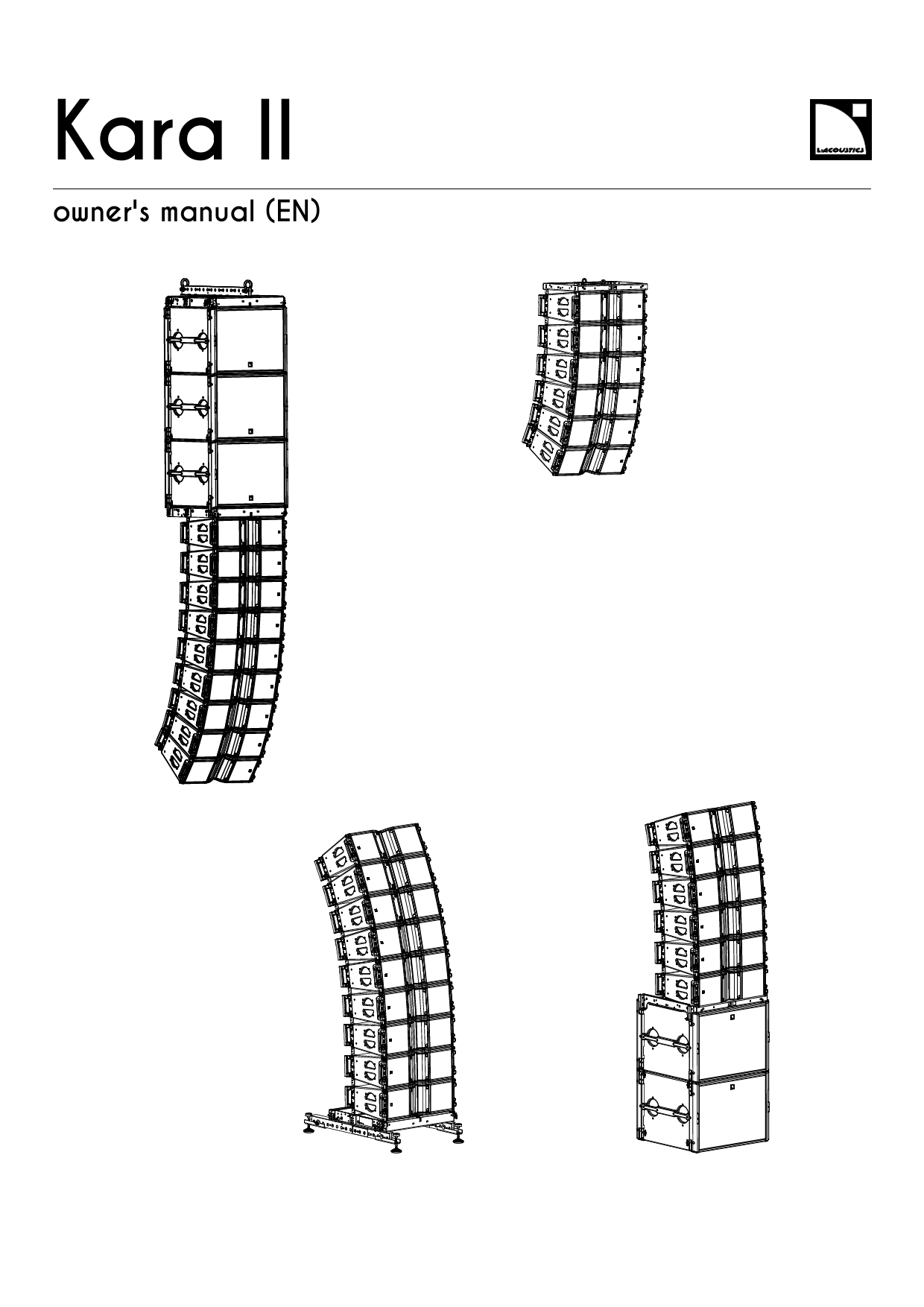
File info: application/pdf · 205 pages · 52.09MB
Kara II owner's manual
Kara II owner's manual - L-Acoustics
Stacked Kara II array with M-BUMP, M-JACK and KARA-ANGARMEX. ... APPENDIX B: Flown array options and site angle setting.
Kara II OM EN
Index of /documentation/LOUDSPEAKERS/KARA II/EN/Owner's Manual
Full PDF Document

If the inline viewer fails, it will open the original document in compatibility mode automatically. You can also open the file directly.
Extracted Text
Kara II
owner's manual (EN)

Document reference: Kara II owner's manual (EN) version 3.1 Distribution date: December 2, 2021 � 2021 L-Acoustics. All rights reserved. No part of this publication may be reproduced or transmitted in any form or by any means without the express written consent of the publisher.

Contents
Safety................................................................................................................................................................ 6 Instructions................................................................................................................................................6
Introduction........................................................................................................................................................ 8 Kara II long throw line source....................................................................................................................8 How to use this manual............................................................................................................................ 8 Revision history.........................................................................................................................................9
System components...........................................................................................................................................10
Electro-acoustical description.............................................................................................................................. 13 Adjustable ns........................................................................................................................................ 13 Directivity............................................................................................................................................... 16 Preset description.................................................................................................................................... 18 Connectors............................................................................................................................................. 19
Rigging system description.................................................................................................................................20 Kara II................................................................................................................................................... 20 SB18..................................................................................................................................................... 22 Rigging elements.....................................................................................................................................23 M-BUMP....................................................................................................................................... 23 KARA-MINIBU............................................................................................................................... 24 M-BAR.......................................................................................................................................... 25 M-JACK, KARA-ANGARMEX...........................................................................................................26 KARA-MINIBUEX, KARA-ANGARMEX.............................................................................................. 28 KARA-PULLBACK............................................................................................................................29 Transportation......................................................................................................................................... 30 Flight-case.....................................................................................................................................30
Mechanical safety.............................................................................................................................................31
Loudspeaker congurations................................................................................................................................ 33 Line source............................................................................................................................................. 33 Line source with low-frequency element........................................................................................... 34 Line source element.................................................................................................................................38
Inspection and preventive maintenance............................................................................................................... 39 How to do preventive maintenance.......................................................................................................... 39 Rigging part inspection........................................................................................................................... 39 Mechanical system overview....................................................................................................................40 Mixed Kara II array with SB18 and M-BUMP.................................................................................. 41
3

Mixed Kara II array with SB18, KARA-MINIBU/KARA-MINIBUEX and KARA-PULLBACK........................ 42 Stacked Kara II array with M-BUMP, M-JACK and KARA-ANGARMEX................................................ 43 Rigging check.........................................................................................................................................44 Inspection references..................................................................................................................... 47 Acoustical check..................................................................................................................................... 50
Rigging procedures...........................................................................................................................................54 Flying a Kara II standalone array.............................................................................................................54 Using M-BUMP..............................................................................................................................54 Using KARA-MINIBU......................................................................................................................65 Flying an SB18/Kara II mixed array or an SB18 standalone array.............................................................. 74 Using M-BUMP..............................................................................................................................74 Using KARA-MINIBU......................................................................................................................85 Stacking a Kara II standalone array......................................................................................................... 96 Using M-BUMP..............................................................................................................................96 Using KARA-MINIBU....................................................................................................................109 Stacking an SB18/Kara II mixed array or an SB18 standalone array.........................................................121 Using M-BUMP............................................................................................................................121 Using KARA-MINIBU....................................................................................................................131
Connection to LA amplied controllers.............................................................................................................. 145 Cabling schemes...................................................................................................................................145
Corrective maintenance................................................................................................................................... 147 Introduction...........................................................................................................................................147 Kara II................................................................................................................................................. 149 SB18................................................................................................................................................... 158 M-BUMP............................................................................................................................................... 168 M-BAR................................................................................................................................................. 172 KARA-MINIBU....................................................................................................................................... 174 KARA-MINIBUEX................................................................................................................................... 176
Specications................................................................................................................................................. 179
APPENDIX A: Installing an inclinometer............................................................................................................ 192
APPENDIX B: Flown array options and site angle setting.................................................................................... 194 Using M-BUMP..................................................................................................................................... 194 Using KARA-MINIBU............................................................................................................................. 197
APPENDIX C: Stacked array options and site angle setting................................................................................. 200 Using M-BUMP..................................................................................................................................... 200 Using KARA-MINIBU............................................................................................................................. 202
4

APPENDIX D: Recommendation for speaker cables............................................................................................ 204
5

Safety
Safety
Instructions
Inspect the system before any deployment. Perform safety related checks and inspections before any deployment. Perform preventive maintenance at least once a year. Refer to the preventive maintenance section for a list of actions and their periodicity. Insufcient upkeep of the product can void the warranty. If any safety issue is detected during inspection, do not use the product before performing corrective maintenance. Check for issues. A rigging system part or fastener is missing or loose. A rigging system part exhibits: bends, breaks, broken parts, corrosion, cracks, cracks in welded joints, deformation, denting, wear, holes. A safety cue or label is missing. Never incorporate equipment or accessories not approved by L-Acoustics. Read all the related PRODUCT INFORMATION documents shipped with the products before exploiting the system.
Do not store the product on an unstable cart, stand, tripod, bracket, or table.
Beware of sound levels. Do not stay within close proximity of loudspeakers in operation. Loudspeaker systems are capable of producing very high sound pressure levels (SPL) which can instantaneously lead to permanent hearing damage to performers, production crew and audience members. Hearing damage can also occur at moderate level with prolonged exposure to sound. Check the applicable laws and regulations relating to maximum sound levels and exposure times. Work with qualied personnel for rigging the system Installation should only be carried out by qualied personnel that are familiar with the rigging techniques and safety recommendations outlined in this manual. Ensure personnel health and safety During installation and set-up personnel must wear protective headgear and footwear at all times. Under no circumstances is personnel allowed to climb on a loudspeaker assembly. Respect the Working Load Limit (WLL) of third party equipment. L-Acoustics is not responsible for any rigging equipment and accessories provided by third party manufacturers. Verify that the Working Load Limit (WLL) of the suspension points, chain hoists and all additional hardware rigging accessories is respected. Respect the maximum congurations and the recommended safety precautions. For safety issue, respect the maximum congurations outlined in this manual. To check the conformity of any conguration in regards with the safety precautions recommended by L-Acoustics, model the system in Soundvision and refer to the warnings in Mechanical Data section. Be cautious when ying a loudspeaker conguration. Before installing/raising the product, check each individual element to make sure that it is securely fastened to the adjacent element. Always verify that no one is standing underneath the product when it is being installed/raised. Never leave the product unattended during the installation process. As a general rule, L-Acoustics recommends the use of secondary safety at all times. Be cautious when ground-stacking a loudspeaker array. Do not stack the loudspeaker array on unstable ground or surface. If the array is stacked on a structure, platform, or stage, always check that the latter can support the total weight of the array. As a general rule, L-Acoustics recommends the use of safety straps at all times.

6

Kara II owner's manual (EN) version 3.1

Safety
Risk of falling objects Verify that no unattached items remain on the product or assembly. Risk of tipping Remove all rigging accessories before transporting a product or an assembly. Take into account the wind effects on dynamic load. When a loudspeaker assembly is deployed in an open air environment, wind can produce dynamic stress to the rigging components and suspension points. If the wind force exceeds 6 bft (Beaufort scale), lower down and/or secure the product or the assembly.
Intended use This system is intended for use by trained personnel for professional applications.
As part of a continuous evolution of techniques and standards, L-Acoustics reserves the right to change the specications of its products and the content of its documents without prior notice. Check www.l-acoustics.com on a regular basis to download the latest document and software updates.
Long term exposure to extreme conditions may damage the product. For more information, refer to the Products weather protection document, available on the website.
Read the maintenance section of this document before servicing the product.
Contact L-Acoustics for advanced maintenance. Any unauthorized maintenance operation will void the product warranty.
This marking indicates that this product should not be disposed of with other household waste throughout the EU. To prevent possible harm to the environment or human health from uncontrolled waste disposal, recycle it responsibly to promote the sustainable reuse of material resources. To return your used device, please use the return and collection systems or contact the retailer where the product was purchased. They can take this product for environmentally safe recycling.

Kara II owner's manual (EN) version 3.1

7

Introduction
Introduction
Kara II long throw line source
Part of the K Series, Kara II is a modular line source system that can be deployed standalone or with its companion subwoofer SB18. Assembled as a variable curvature line source with class-leading SPL per weight and footprint, Kara II is ideal for applications that require clarity and long throw capability such as performing arts, congregations, large corporate, or special events. Based on the Kara design, Kara II adds exibility with PanexTM. A single Kara II enclosure offers four horizontal directivity patterns: 70� or 110� symmetrical and 90� asymmetrical on either side. With a tighter control of the directivity, the 70� setting brings an additional 2 dB compared to the 110� setting increasing throw capability. With Panex and inter-element angles ranging from 0� to 10�, a Kara II line source coverage can be precisely tailored to any audience geometry. On its own Kara II can be used as a main system for vocal reinforcement and music material with light LF requirements or as a complement to large sound systems in ll and delay applications. Associated with its companion subwoofer SB18, Kara II modular system can accommodate any program material requiring bandwidth, contour and output.
How to use this manual
The Kara II owner's manual is intended for all actors involved in the system design, implementation, preventive and corrective maintenance of the Kara II system. It must be used as follows:
1. Read the technical description for an overview of all system elements, their features, and their compatibilities. � Electro-acoustical description (p.13) � Rigging system description (p.20)
2. Prepare the system conguration. Consider the mechanical limits and the available acoustical congurations. � Mechanical safety (p.31) � Loudspeaker congurations (p.33)
3. Before rigging the system, perform mandatory inspections and functional checks. � Inspection and preventive maintenance (p.39)
4. To deploy the system, follow the step-by-step rigging instructions and refer to the cabling schemes. � Rigging procedures (p.54) � Connection to LA amplied controllers (p.145)
The Corrective maintenance (p.147) section contains the operations authorized for the end user. Performing another operation exposes to hazardous situations. For advanced maintenance, contact your L-Acoustics representative.
As part of a continuous evolution of techniques and standards, L-Acoustics reserves the right to change the specications of its products and the content of its document without prior notice. Please check www.l-acoustics.com on a regular basis to download the latest document and software updates.
Contact information
For information on advanced corrective maintenance: � contact your Certied Provider or your L-Acoustics representative � for Certied Providers, contact the L-Acoustics customer service: customer.service@l-acoustics.com

8

Kara II owner's manual (EN) version 3.1

Introduction
Symbols
The following symbols are used in this document: This symbol indicates a potential risk of harm to an individual or damage to the product. It can also notify the user about instructions that must be strictly followed to ensure safe installation or operation of the product. This symbol noties the user about instructions that must be strictly followed to ensure proper installation or operation of the product.
This symbol noties the user about complementary information or optional instructions.

Revision history

version number 1.0 2.0 2.1
2.2 3.0 3.1

publication date Mar. 2020 Apr. 2020 Jul. 2021
Sept. 2021 Oct. 2021 Dec. 2021

modication
Initial version.
Added Corrective maintenance section.
� Added instructions to select the HF driver repair kit for Kara II based on the enclosure serial number. See Kara II exploded views (p.149).
� Updated maximum drive capacity for SB18 on LA8.
Minor xes and improvements.
Changed maximum limit for pullback conguration following the release of Soundvision 3.6.0. See Mechanical safety (p.31).
Updated LF speaker disassembly instructions for Kara II. See LF speaker (p.153).

Kara II owner's manual (EN) version 3.1

9

System components

System components

Loudspeaker enclosures

Kara II SB18 SB28 KS28 KS21

2-way active WST� enclosure: 2 x 8" LF + 3" HF diaphragm High power compact subwoofer: 1 x 18'' High power subwoofer: 2 x 18'' Flyable subwoofer 2 x 18'' High power compact subwoofer: 1x21''

Powering and driving system

LA4X / LA8 / LA12X Amplied controller with DSP, preset library and networking capabilities

Refer to the LA4X / LA8 / LA12X owner's manual for operating instructions.

Racks

LA-RAK LA-RAK II AVB

Touring rack containing three LA8 and power, audio and network distribution
Touring rack containing three LA12X, LA-POWER II for power distribution, LA-PANEL II for audio and network distribution, and two LS10 for AVB distribution

Cables

SP cables
SP-Y1 DO cables DOSUB-LA8 DOFILL-LA8 DO3WFILL

SpeakON loudspeaker cables (4-point, 4 mm� gauge) Come in different sizes: SP.7 (0.7 m/2.3 ft), SP5 (5 m/16.4 ft), SP10 (10 m/32.8 ft), and SP25 (25 m/82 ft) Breakout cable for two passive enclosures (2.5 mm� gauge) 4-point speakON to 2 � 2-point speakON, provided with a CC4FP adapter PA-COM loudspeaker cables (8-point, 4 mm� gauge) Come in different sizes: DO.7 (0.7 m/2.3 ft), DO.10 (10 m/32.8 ft), and DO.25 (25 m/82 ft) Breakout cable for four passive enclosures (4 mm� gauge) 8-point PA-COM to 4 � 2-point speakON Breakout cable for two 2-way active enclosures (4 mm� gauge) 8-point PA-COM to 2 � 4-point speakON Breakout cable for one 2-way active enclosure and two passive enclosures (4 mm� gauge) 8-point PA-COM to 1 � 4-point speakON and 2 � 2-point speakON

Information about the connection of the enclosures to the LA amplied controllers is given in this document. Refer to the LA4X / LA8 / LA12X owner's manual for detailed instructions about the whole cabling scheme, including modulation cables and network.
Rigging elements

M-BUMP M-BAR M-JACK KARA-ANGARMEX

Bumper for ying or stacking KARA/SB18 Extension bar for rigging frame 4 tilt adjustment screw jacks with 2 angle bar extensions for stacked M-BUMP 2 angle bar extension for KARA bumper

10

Kara II owner's manual (EN) version 3.1

KARA-MINIBU KARA-MINIBUEX KARA-PULLBACK

Mini bumper for ying 6 KARA Extension bars for ying/stacking SB18/KARA pullback plate for Kara

Software applications

Soundvision

3D acoustical and mechanical modeling software

LA Network Manager Software for remote control and monitoring of amplied controllers

Refer to the Soundvision help. Refer to the LA Network Manager help.

System component illustrations
Cables 0.7 m / 5 m / 10 m / 25 m
SP cables
0.7 m / 10 m / 25 m
DO cables 3.5 m
2W CH(A)
2W CH(B)
DOFILL-LA8

1 m
CH(1) CH(2)
SP-Y1 5 m
SPK1 SPK2 SPK3 SPK4
DOSUB-LA8 3.5 m
2WAY
SUB1 SUB2
DO3WFILL

System components

Kara II owner's manual (EN) version 3.1

11

System components
Rigging accessories

M-BUMP

M-BAR

M-JACK

KARAANGARMEX

KARA-MINIBU

KARA-MINIBUEX

KARA-PULLBACK

12

Kara II owner's manual (EN) version 3.1

Electro-acoustical description
Electro-acoustical description
Adjustable ns
Kara II features L-Fins to adjust the waveguide directivity to one of four settings: 110� / 70� symmetric or 90� asymmetric (35�/55� or 55�/35�). A specic Kara II preset must be used for each directivity setting.
Within a line source, combine Kara II with custom directivity settings to improve SPL mapping and throw capability. 110� setting

55�

55�

Kara II owner's manual (EN) version 3.1

13

Electro-acoustical description
70� setting Set the ns in the 35� position to provide the system with a 2 dB on-axis gain (> 1 kHz).

55� 5�
5�

90� settings

3 35�

3

35�

55�

14

Kara II owner's manual (EN) version 3.1

Mixed settings

Electro-acoustical description

35�

35�

55�

55�

Kara II owner's manual (EN) version 3.1

15

Electro-acoustical description

Directivity

Horizontal

Dispersion angle diagrams of one Kara II in the horizontal plane for all ns settings using lines of equal sound pressure at -3 dB, -6 dB, -12 dB.

Angle (�)

180 160 140 120 100
80 60 40 20
0 -20 -40 -60 -80 -100 -120 -140 -160 -180
100

1 000
Frequency (Hz)

10 000

110� ns setting

Angle (�)

180 160 140 120 100
80 60 40 20
0 -20 -40 -60 -80 -100 -120 -140 -160 -180
100

1 000
Frequency (Hz)
70� ns setting

10 000

16

Kara II owner's manual (EN) version 3.1

Angle (�)

180 160 140 120 100
80 60 40 20
0 -20 -40 -60 -80 -100 -120 -140 -160 -180
100

Electro-acoustical description

1 000
Frequency (Hz)
90� ns setting

10 000

Kara II owner's manual (EN) version 3.1

17

Electro-acoustical description

Preset description

[KS28_60] [SB28_60] [KS21_60] [KS21_100] [SB18_60] [SB18_100]

outputs OUT 1 OUT 2 OUT 3 OUT 4

channels SB SB SB SB

routing IN A IN A IN A IN A

gain 0 dB 0 dB 0 dB 0 dB

delay 0 ms 0 ms 0 ms 0 ms

polarity + + + +

mute ON ON ON ON

[KS28_60_C] [KS28_60_Cx] [SB28_60_C] [SB28_60_Cx] [KS21_60_C] [KS21_100_C] [KS21_60_Cx] [KS21_100_Cx] [SB18_60_C] [SB18_100_C] [SB18_60_Cx] [SB18_100_Cx]

loudspeaker elements SR SB SB SB

outputs OUT 1 OUT 2 OUT 3 OUT 4

channels SR SB SB SB

routing IN A

gain 0 dB

delay 0 ms

polarity +

mute ON ON ON ON

18

Kara II owner's manual (EN) version 3.1

Connectors

SpeakON connectors can be used interchangeably as IN or LINK connector.
Weight: 26 kg / 58 lb

SAFE USE: 16 KARA II
1+= LF + 1 - = LF 2+= HF+ 2 - = HF Znom. LF = 8  Znom. HF = 8

KARA II
Weight: 26 kg / 58 lb

SAFE USE: 16 KARA II

1+= LF + 1 - = LF 2+= HF+ 2 - = HF -
Znom. LF = 8  Znom. HF = 8

FOR OTHER CONFIGURATIONS, CHECK MECHANICAL SAFETY WITH SOUNDVISION SOFTWARE USE ONLY WITH L-ACOUSTICS AMPLIFIED CONTROLLERS.

Read manual and safety instructions before use.

Made in France European Community

Kara II 2 � 4-point speakON

Internal pinout for L-Acoustics 2-way active enclosures

SpeakON points

1 +

1 -

Transducer connectors LF +

LF -

2 + HF +

Electro-acoustical description
2 HF -

SB18 2 � 4-point speakON

Internal pinout for L-Acoustics subwoofers

SpeakON points

1 +

1 -

Transducer connectors LF +

LF -

2 + Not linked

2 Not linked

Kara II owner's manual (EN) version 3.1

19

Rigging system description
Rigging system description
Kara II
Kara II features a four-point rigging system composed of two adjustable rigging arms secured with ball-locking pins and two lodgings with ball-locking pins on both sides of the enclosure.
Kara II can be connected to other Kara II enclosures or to dedicated rigging accessories. The inter-enclosure angle can be set between 0� and 10�.

20

Kara II owner's manual (EN) version 3.1

Rigging system description
Risk of blocked ball-locking pin. Be careful not to trap the ball-locking pin tether between the rigging arm and the side handle.

Kara II owner's manual (EN) version 3.1

21

Rigging system description

SB18

For more information on rigging SB18, refer to the SB18 rigging manual.

SB18 has a four-point rigging system with two rigging arms and two pins on each side.

storage position

rigging position

rigging arm (x4) pin (x4)
SB18 features a 35 mm pole socket.

22

Kara II owner's manual (EN) version 3.1

Rigging system description
Rigging elements
M-BUMP
Rigging structure The L-Acoustics M-BUMP rigging structure has been designed to y or stack the Kara II enclosures as a variable-curvature, vertical line source array. M-BUMP also allows Kara II to be rigged to an SB18 subwoofer array.
M-BUMP also can y straight vertical SB18 arrays.
The M-BUMP is a square frame tted with the following elements: � Four 5/16" R-BLP (round-shaped ball-locking pins) for Kara II rigging. � Four rotating arms with 5/16" T-BLP (T-shaped ball-locking pins) for SB18 rigging. � One laser support plate with four bolts for optional laser/inclinometer device mounting (refer to Installing an inclinometer (p.192)). � Two shackles tted with 19 mm/0.75 inch-diameter axis.
Refer to M-BUMP rigging options (p.194) for distance between shackles.

Kara II owner's manual (EN) version 3.1

23

Rigging system description
KARA-MINIBU
Rigging structure
The L-Acoustics KARA-MINIBU rigging structure has been designed to y or stack the Kara II enclosures as a variablecurvature, vertical line source array. KARA-MINIBU also allows Kara II to be attached to an SB18 subwoofer array.
KARA-MINIBU also can y straight vertical SB18 arrays.
The KARA-MINIBU is a rectangular frame tted with the following elements: � Four 5/16" R-BLP (round-shaped ball-locking pins) for Kara II rigging. � One laser support plate with four bolts for optional laser/inclinometer device mounting. (refer to Installing an inclinometer (p.192)) � Two shackles tted with 12 mm/0.47 inch-diameter axis. � 17 shackle holes for rigging. � 2 shackle holes for pullback congurations.
Refer to KARA-MINIBU rigging options (p.197) for distance between shackles.

24

Kara II owner's manual (EN) version 3.1

Rigging system description
M-BAR
Extension bar The L-Acoustics M-BAR extension bar is a complementary rigging element for M-BUMP. Optionally used as a single element or in pair in own congurations, it will extend the site angle capability of Kara II and SB18 arrays. In stacked congurations, its use is required in pairs as part of the stacking platform (see M-JACK, KARA-ANGARMEX (p.26)). The M-BAR is a bar tted with the following elements:
� Two 3/8" T-BLP for M-BUMP rigging. � Two shackles tted with 19 mm/0.75 inch-diameter axis.
Refer to M-BUMP rigging options (p.194) for distance between shackles.
M-BAR
One M-BAR mounted to M-BUMP

Two M-BAR mounted to M-BUMP

Kara II owner's manual (EN) version 3.1

25

Rigging system description
M-JACK, KARA-ANGARMEX
Stacking platform (with optional angle arm extensions) The L-Acoustics M-JACK are four feet to be used along with one M-BUMP and two M-BAR so as to form a stacking platform for a variable-curvature, vertical Kara II line source array. The L-Acoustics KARA-ANGARMEX are two angle arm extensions providing extra 10� downwards site angle for the bottom Kara II in stacked congurations.
Two KARA-ANGARMEX are also included in the M-JACK package.
The M-JACK package comprises the following elements: � Four feet tted with height-adjustment and locking system. � Four axis and safety pins for securing M-JACK on M-BAR � Two angle arm extensions with 5/16" T-BLP.
The KARA-ANGARMEX package comprises two angle arm extensions with 5/16" T-BLP.

rigging axis and safety pin

T-BLP

Foot (x4)

Angle arm extension (x2)

26

Kara II owner's manual (EN) version 3.1

Rigging system description
KARA-ANGARMEX attached to M-BUMP The KARA-ANGARMEX angle arm extensions are provided with two slings and xation material to be permanently attached to the M-BUMP. Attach the slings to the holes shown in the gure below and respect the orientation:

When they are not used, KARA-ANGARMEX can be secured in storage position on M-BUMP with the T-BLP.

Kara II owner's manual (EN) version 3.1

27

Rigging system description
KARA-MINIBUEX, KARA-ANGARMEX
Rigging structure
The L-Acoustics KARA-MINIBUEX is a set of two complementary rigging plates for KARA-MINIBU to adapt to the SB18 enclosure or to stack Kara II. The L-Acoustics KARA-ANGARMEX is a set of two angle arm extensions providing extra 10� downwards site angle for the bottom Kara II in stacked congurations. The KARA-MINIBUEX package comprises the following elements:
� Two rigging plates featuring two rubber feet each. � Six bolts to assemble the KARA-MINIBU frame and two KARA-MINIBUEX plates. � Four 5/16" T-BLP (T-shaped ball-locking pins) to attach an SB18 enclosure to the KARA-MINIBU/KARA-MINIBUEX
structure. The KARA-ANGARMEX package comprises two angle arm extensions with 5/16" T-BLP.

28

Kara II owner's manual (EN) version 3.1

Rigging system description
KARA-PULLBACK
The L-Acoustics KARA-PULLBACK rigging accessory will allow setting the Kara II array in a pullback conguration. It connects to the bottom enclosure of the array and to the hook or stinger of an additional motor. The KARA-PULLBACK is a plate on which is xed one shackle tted with 19 mm/0.75 inch-diameter axis.

Kara II owner's manual (EN) version 3.1

29

Rigging system description
Transportation Flight-case
It is recommended to use a ight-case designed to ship a 3-Kara II vertical array. It should contain foam inserts to prevent array movement and the tray should be tted with 2 wedges to keep the array vertical.

Complete ight-case

Tray supporting a 3-Kara II array

Tray detail

30

Kara II owner's manual (EN) version 3.1

Mechanical safety

Mechanical safety

Flown congurations
The Kara II rigging system complies with 2006/42/EC: Machinery Directive. It has been designed following the guidelines of BGV-C1.
2006/42/EC: Machinery Directive species a safety factor of 4 against the rupture. The own deployments described in this manual achieve a safety factor of 4 or more.
Refer to Soundvision for the safety factor of a specic deployment.
The safe limit gives the maximum number of elements for which the safety factor is compliant with the 2006/42/ EC: Machinery Directive, within the use dened in this manual and regardless of the other deployment parameters (site angles, inter-element angles, etc.).
The maximum limit gives the maximum number of elements for which the safety factor can be compliant with the 2006/42/EC: Machinery Directive, when the other deployment parameters provide the best mechanical conditions.
For mixed arrays refer to your Soundvision model.
Kara II

conguration own pullback

rigging accessory
M-BUMP + M-BAR (optional) KARA-MINIBU M-BUMP + KARA-PULLBACK KARA-MINIBU + KARA-PULLBACK

safe limit

maximum limit

16

24

6

16

6

SB18

conguration own

rigging accessory M-BUMP + M-BAR (optional) KARA-MINIBU + KARA-MINIBUEX

maximum / safe limit 16 4

Kara II + SB18

conguration pullback

rigging accessory
M-BUMP + KARA-PULLBACK
KARA-MINIBU + KARA-MINIBUEX + KARAPULLBACK

maximum / safe limit 9 Kara II + 3 SB18 6 Kara II + 2 SB18

Other congurations For other congurations, respect the recommended maximum limit for optimal stability. Kara II

conguration platform-stacked ground-stacked

rigging accessory
M-BUMP + M-BAR + M-JACK + KARAANGARMEX (optional)
KARA-MINIBU + KARA-MINIBUEX + KARAANGARMEX (optional)
no rigging accessory

maximum / safe limit 9 6 2

Kara II owner's manual (EN) version 3.1

31

Mechanical safety
SB18 conguration platform-stacked ground-stacked

rigging accessory M-BUMP + M-BAR + M-JACK no rigging accessory

maximum / safe limit 4 4

Assessing mechanical safety
Mechanical safety of the rigging system Before any installation, always model the system in Soundvision and check the Mechanical Data section for any stress warning or stability warning.
In order to assess the actual safety of any array conguration before implementation, refer to the following warnings:
Rated working load limit (WLL) is not enough The rated WLL is an indication of the element resistance to tensile stress. For complex mechanical systems such as loudspeaker arrays, WLLs cannot be used per se to determine the maximum number of enclosures within an array or to assess the safety of a specic array conguration.
Maximum pullback angle If a pullback accessory is available, the pullback angle must not exceed a 90� negative site angle.
Mechanical modeling with Soundvision The working load applied to each linking point, along with the corresponding safety factor, will depend on numerous variables linked to the composition of the array (type and number of enclosures, splay angles) and the implementation of the ying or stacking structure (number and location of ying points, site angle). This cannot be determined without the complex mechanical modeling and calculation offered by Soundvision.
Assessing the safety with Soundvision The overall safety factor of a specic mechanical conguration always corresponds to the lowest safety factor among all the linking points. Always model the system conguration with the Soundvision software and check the Mechanical Data section to identify the weakest link and its corresponding working load. By default, a stress warning will appear when the mechanical safety goes beyond the recommended safety level.
Safety of ground-stacked arrays in Soundvision For ground-stacked arrays, a distinct stability warning is implemented in Soundvision. It indicates a tipping hazard when the array is not secured to the ground, stage or platform. It is the user's responsibility to secure the array and to ignore the warning.
Additional safety for own arrays When ying an array, use available holes to implement a secondary safety.
Considerations must be given to unusual conditions Soundvision calculations are based on usual environmental conditions. A higher safety factor is recommended with factors such as extreme high or low temperatures, strong wind, prolonged exposition to salt water, etc. Always consult a rigging specialist to adopt safety practices adapted to such a situation.

32

Kara II owner's manual (EN) version 3.1

Loudspeaker congurations
Loudspeaker congurations
Avoid using Kara and Kara II in the same line source The acoustic coupling between Kara and Kara II is not optimal.
Line source
Deployed as a standalone line source, a Kara II system operates over the nominal bandwidth of the Kara II enclosure, with an adjustable horizontal directivity. The [KARA II 70], [KARA II 90], and [KARA II 110] presets deliver a reference frequency response in long throw applications. Each preset is dedicated to a horizontal directivity setting (see Adjustable ns (p.13)). The Kara II enclosure is driven by the LA4X / LA8 / LA12X amplied controllers.

Enclosure Preset Frequency range (-10 dB)

Kara II [KARA II 70] [KARA II 90] [KARA II 110] 55 Hz - 20 kHz

Kara II owner's manual (EN) version 3.1

33

Loudspeaker congurations

Line source with low-frequency element

A Kara II line source can be deployed with additional subwoofer enclosures to extend the bandwidth in the low end or increase sub-low resources.
Three congurations are available: � Coupled SB18 or KS21* - ratio 3:1 � Separated SB18 or KS21 - ratio 3:2 � Coupled SB18 or KS21* with KS28 or SB28 - ratio 3:1:1
The [xxxx_60] or [xxxx_100] presets provide the subwoofers with an upper frequency limit at 60 Hz in separated conguration, or 100 Hz in closely coupled conguration, for an optimal frequency coupling with the Kara II line source.
Amplied controllers compatibility

Kara II SB18 KS21 SB28 KS28

LA4X    -- --

LA8

LA12X


--


Coupled SB18 or KS21 3 Kara II : 1 SB18 or KS21*

max 0.95 m / 37.4 in

Maximum number of enclosures in mixed lines for optimal acoustic coupling: 9 Kara II + 3 SB18

Enclosure Preset

Kara II [KARA II 70] [KARA II 90] [KARA II 110]

Frequency range (-10 dB)

32 Hz - 20 kHz with SB18 31 Hz - 20 kHz with KS21

SB18 or KS21 [xxxx_100]

Grouping subwoofers
Place the subwoofer enclosures side by side. If not possible, the maximum distance between two adjacent acoustic centers must be 1.7 m if the upper frequency limit of the subwoofer system is at 100 Hz.

* KS21 cannot be mechanically coupled with a Kara II line source in an array. The KS21 and Kara II arrays must be own independently. Refer to the KS21 owner's manual for more information on how to set up a KS21 array.

34

Kara II owner's manual (EN) version 3.1

Loudspeaker congurations

Use [xxxx_xx_C] or [xxxx_xx_Cx] on a reversed subwoofer in a cardioid conguration The cardioid conguration consists in reversing 1 element in an array of 4 subwoofers. Refer to the subwoofer owner's manual and to the Cardioid congurations technical bulletin. Delay values Do not forget to add the pre-alignment and geometric delays depending on the conguration.
Pre-alignment delays

presets

pre-alignment delay values and polarity settings

[KARA II] + [SB18_100]

Kara II = 0 ms

SB18 = 0 ms

[KARA II] + [SB18_100_C]

Kara II = 5.5 ms

SB18 = 0 ms

[KARA II] + [SB18_100_Cx]

Kara II = 4 ms

SB18 = 0 ms

[KARA II] + [KS21_100]

Kara II = 0 ms

KS21 = 0.5 ms

[KARA II] + [KS21_100_C]

Kara II = 5 ms

KS21 = 0 ms

[KARA II] + [KS21_100_Cx]

Kara II = 4 ms

KS21 = 0 ms

Separated SB18 or KS21 3 Kara II : 2 SB18 or KS21

Enclosure Preset
Frequency range (-10 dB)

Kara II [KARA II 70] [KARA II 90] [KARA II 110]
32 Hz - 20 kHz with SB18 29 Hz - 20 kHz with KS21

SB18 or KS21 [xxxx_60]

Kara II owner's manual (EN) version 3.1

35

Loudspeaker congurations

Grouping subwoofers Place the subwoofer enclosures side by side. If not possible, the maximum distance between two adjacent acoustic centers must be 2.8 m if the upper frequency limit of the subwoofer system is at 60 Hz.
Use [xxxx_xx_C] or [xxxx_xx_Cx] on a reversed subwoofer in a cardioid conguration The cardioid conguration consists in reversing 1 element in an array of 4 subwoofers. Refer to the subwoofer owner's manual and to the Cardioid congurations technical bulletin.
Delay values Do not forget to add the pre-alignment and geometric delays depending on the conguration.
Pre-alignment delays

presets

pre-alignment delay values and polarity settings

[KARA II] + [SB18_60]

Kara II = 2.5 ms

SB18 = 0 ms

[KARA II] + [SB18_60_C]

Kara II = 8 ms

SB18 = 0 ms

[KARA II] + [SB18_60_Cx]

Kara II = 6.5 ms

SB18 = 0 ms

[KARA II] + [KS21_60]

Kara II = 0.5 ms

KS21 = 0 ms

[KARA II] + [KS21_60_C]

Kara II = 6 ms

KS21 = 0 ms

[KARA II] + [KS21_60_Cx]

Kara II = 5.5 ms

KS21 = 0 ms

36

Kara II owner's manual (EN) version 3.1

Coupled SB18 or KS21 with KS28 or SB28 3 Kara II : 1 SB18 or KS21* : 1 SB28 or KS28

Loudspeaker congurations

Maximum number of enclosures in mixed lines for optimal acoustic coupling: 9 Kara II + 3 SB18

Enclosure Preset

Kara II
[KARA II 70] [KARA II 90] [KARA II 110]

SB18 or KS21 [xxxx_100]

Frequency range (-10 dB)

25 Hz - 20 kHz

SB28 or KS28 [xx28_60]

Grouping subwoofers Place the subwoofer enclosures side by side. If not possible, the maximum distance between two adjacent acoustic centers must be 2.8 m if the upper frequency limit of the subwoofer system is at 60 Hz.
Use [xxxx_xx_C] or [xxxx_xx_Cx] on a reversed subwoofer in a cardioid conguration The cardioid conguration consists in reversing 1 element in an array of 4 subwoofers. Refer to the subwoofer owner's manual and to the Cardioid congurations technical bulletin.

* KS21 cannot be mechanically coupled with a Kara II line source in an array. The KS21 and Kara II arrays must be own independently. Refer to the KS21 owner's manual for more information on how to set up a KS21 array.

Kara II owner's manual (EN) version 3.1

37

Loudspeaker congurations

Delay values Do not forget to add the pre-alignment and geometric delays depending on the conguration.
Pre-alignment delays

preset

pre-alignment delay values and polarity settings

[KARA II] + [SB18_100] + [SB28_60] Kara II = 0 ms

SB18 = 0 ms

SB28 = 5.5 ms

[KARA II] + [SB18_100] + [SB28_60_C]
[KARA II] + [SB18_100] + [SB28_60_Cx]

Kara II = 0 ms Kara II = 5.5 ms

SB18 = 0 ms SB18 = 5.5 ms

SB28 = 0 ms SB28 = 0 ms

[KARA II] + [SB18_100] + [KS28_60] Kara II = 0 ms

SB18 = 0 ms

KS28 = 5.5 ms

[KARA II] + [SB18_100] + [KS28_60_C]
[KARA II] + [SB18_100] + [KS28_60_Cx]

Kara II = 0 ms Kara II = 5.5 ms

SB18 = 0 ms SB18 = 5.5 ms

KS28 = 0 ms KS28 = 0 ms

[KARA II] + [KS21_100] + [SB28_60] Kara II = 0 ms

KS21 = 0.5 ms

SB28 = 5.5 ms

[KARA II] + [KS21_100] + [SB28_60_C]
[KARA II] + [KS21_100] + [SB28_60_Cx]

Kara II = 0 ms Kara II = 5.5 ms

KS21 = 0.5 ms KS21 = 6 ms

SB28 = 0 ms SB28 = 0 ms

[KARA II] + [KS21_100] + [KS28_60] Kara II = 0 ms

KS21 = 0 ms

KS28 = 5.5 ms

[KARA II] + [KS21_100] + [KS28_60_C]
[KARA II] + [KS21_100] + [KS28_60_Cx]

Kara II = 0 ms Kara II = 5.5 ms

KS21 = 0.5 ms KS21 = 6 ms

KS28 = 0 ms KS28 = 0 ms

Line source element
One or two Kara II can be used as a line source element. In this conguration, the system operates without the low-end of the bandwidth. The [KARA II_FI] presets delivers a at frequency response for short throw applications and a high-pass lter at 100 Hz.
The [KARA II_FI] preset is optimized for a 110� ns setting (see Adjustable ns (p.13)).
The Kara II enclosure is driven by the LA4X / LA8 / LA12X amplied controllers

Enclosure Preset Frequency range (-10 dB)
38

Kara II [KARA II_FI] 85 Hz - 20 kHz
Kara II owner's manual (EN) version 3.1

Inspection and preventive maintenance

Inspection and preventive maintenance

How to do preventive maintenance
Inspect the system before any deployment and after any corrective maintenance operation. Perform preventive maintenance at least once a year. Rigging and hardware Perform the Rigging part inspection (p.39) on each rigging part. Use the Mechanical system overview (p.40) to identify critical parts of the system and apply the specic checks described in the Inspection references (p.47). Do the Rigging check (p.44). If any parts are damaged, contact your L-Acoustics representative for further instructions. Acoustics Perform the Enclosure check (p.50). Perform the Listening test (p.52) to detect any degradation in sound quality. If necessary, refer to the Corrective maintenance (p.147) section for speaker repair kits and maintenance instructions.

Rigging part inspection
About this task
For critical rigging parts, use the Inspection references (p.47) for comparison and specic manipulations. The term "rigging part" comprises:
� lifting accessories such as clamps and shackles � rigging accessories such as rigging frames, rigging interfaces, and brackets � fasteners used for assembling two products together such as ball-locking pins, rigging axes, and safety pins � rigging elements integrated in the product such as rigging arms and rails � transportation accessories This inspection procedure covers only L-Acoustics products. To inspect other products that are part of the lifting chain, refer to the manufacturer's instructions.
Prerequisite
Perform the inspection in a well-lit environment.
Procedure
1. Check that the rigging part is present. 2. If applicable, disassemble the rigging part from the enclosure or the rigging accessory.
Check that the tethers are intact and safely secured. 3. Inspect the part from every side.
Compare with the reference pictures. Check for:
� corrosion � wear and cracks � bends and dents � holes � missing safety cues � missing identication labels

Kara II owner's manual (EN) version 3.1

39

Inspection and preventive maintenance
� missing or loose fasteners Replacing screws If a screw is loose, remove and replace it. Always use the new screws provided in the repair kit. If no new screw is available, add blue threadlocker before reusing the screw. Do not apply more than the indicated torque.
4. Check the geometry of the part to identify critical deformations. Place the rigging part on a at surface or hold a level against it.
5. Check the moving parts. Make sure that the mechanism engages correctly.
What to do next
If a problem is detected, perform the authorized maintenance operations or contact your L-Acoustics representative.

Mechanical system overview
Critical parts of the lifting chains are highlighted.

The

indicates a visual inspection. The

indicates a functional check.

Perform the Rigging part inspection (p.39) on critical parts. For each part, refer to the Inspection references (p.47).

Replacing screws If a screw is loose, remove and replace it. Always use the new screws provided in the repair kit. If no new screw is available, add blue threadlocker before reusing the screw. Do not apply more than the indicated torque.

40

Kara II owner's manual (EN) version 3.1

Mixed Kara II array with SB18 and M-BUMP

Inspection and preventive maintenance

Ball-locking pins (p.47)

Shackles (p.49)

Ball-locking pins (p.47)

Rigging check (p.44)

Ball-locking pins (p.47)

Kara II owner's manual (EN) version 3.1

41

Inspection and preventive maintenance
Mixed Kara II array with SB18, KARA-MINIBU/KARA-MINIBUEX and KARAPULLBACK

screws are tightened

Shackles (p.49)

Ball-locking pins (p.47)

Ball-locking pins (p.47) Rigging check (p.44)

Ball-locking pins (p.47) Ball-locking pins (p.47)

Shackles (p.49)
42

tabs are not bent
Kara II owner's manual (EN) version 3.1

Inspection and preventive maintenance
Stacked Kara II array with M-BUMP, M-JACK and KARA-ANGARMEX
Ball-locking pins (p.47)

Rigging check (p.44) Ball-locking pins (p.47)
Ball-locking pins (p.47)

Ball-locking pins (p.47) safety pin is present

Kara II owner's manual (EN) version 3.1

43

Inspection and preventive maintenance
Rigging check
Prerequisite Check that the front rigging plates of the Kara II enclosure are not loose.

Procedure 1. Secure the front rigging arms at rigging position.

� The rigging arms slide and rotate correctly.

44

Kara II owner's manual (EN) version 3.1

2. Secure the rear rigging arms at the 0� position.

Inspection and preventive maintenance

� The rigging arms slide correctly. 3. Secure a second Kara II on top of the rst Kara II.
4. Hold the top enclosure by the handles and shake the assembly. � The two enclosures remain attached.

Kara II owner's manual (EN) version 3.1

45

Inspection and preventive maintenance
5. Remove the ball-locking pins of the top enclosure to separate it from the bottom enclosure.
6. Remove the ball-locking pins of the bottom enclosure to release the rigging arms. 7. Secure the rigging arms and the ball-locking pins at their storage positions. 8. Repeat the procedure with the other enclosures.

46

Kara II owner's manual (EN) version 3.1

Inspection references
Ball-locking pins Reference pictures

Inspection and preventive maintenance

tether (Kara II)

tether (SB18)

tether (M-BUMP) tether (M-BAR)

tether (KARA-MINIBU) tether (KARA-MINIBUEX)

tether (KARAANGARMEX)
Moving parts
1. Press the push button. The ball-locking mechanism is retracted. 2. Release the button. The ball-locking mechanism is activated.

Kara II owner's manual (EN) version 3.1

47

Inspection and preventive maintenance
3. Insert the pin in each storage and rigging hole. Pull and rotate the pin. The pin must remain inside the hole.
If the pin is inserted in two plates, the ball must pass through both plates and lock the pin in place.
If the check fails, immediately withdraw the product from use and contact L-Acoustics. Related tasks Rigging part inspection (p.39)

48

Kara II owner's manual (EN) version 3.1

Inspection and preventive maintenance
Shackles Moving parts Drive the shackle axis in its lodging. Make sure that the end is ush with the shackle.
Related tasks Rigging part inspection (p.39)

Kara II owner's manual (EN) version 3.1

49

Inspection and preventive maintenance

Acoustical check
Enclosure check
This feature is available on: LA4X LA12X
ENCLOSURE CHECK measures impedance at the reference frequencies for the connected loudspeaker family. The measured impedance is compared to the expected range allowing for fast detection of loudspeakers presenting circuit continuity issues.
The results can be used for preliminary diagnosis but cannot replace a comprehensive quality control.
Prerequisite
ENCLOSURE CHECK measurements can only be reliable if the following requirements are met:
Environment and temperature: � Ambient temperature must be comprised between 0 �C / 32 �F and 40 �C / 104 �F. Ideal temperature is 20 �C / 68 �F. � Enclosures must be at room temperature. If warm from a recent high level use or recently moved from a cold environment, let the loudspeakers reach room temperature before starting.
Enclosures: � Enclosures must be included in the embedded factory preset library. � Enclosures must be in nominal operating conditions: � Remove covers or dollies obstructing the loudspeakers or the vents. � Check for obvious physical damage or air leak: visually inspect the grill, gasket, cabinet, and connector plate for loose, missing or damaged parts.
Connection: � Use only 10 m / 30 ft 4 mm� / AWG 11 speaker cables. � Do not connect enclosures in parallel.
Amplied controllers: � LA4X must run at least rmware version 1.1.0. � LA4X load sensors must be calibrated. Refer to the Load Sensor Calibration Tool technical bulletin for more information. � LA4X must warm up for at least 10 minutes after power up. Do not power off, reboot or switch to standby mode to avoid resetting the countdown. � Load a preset corresponding to the connected loudspeaker's family. Presets from the user memories may be used on condition they are made of presets supported in the embedded factory preset library.
Procedure
1. Power up the amplied controller. Let LA4X warm up for at least 10 minutes. 2. Connect the loudspeaker enclosures to the amplied controller. 3. Load a preset from or built from the embedded library corresponding to the connected loudspeaker family. 4. On the amplied controller, use the encoder wheel to select MONITORING & INFO. Press the OK key or the
encoder wheel to validate. 5. Use the encoder wheel to select ENCLOSURE CHECK.
Beware of sound levels. Although the sound pressure levels generated for the ENCLOSURE CHECK are moderate, do not stay within close proximity of the loudspeakers and consider wearing ear protection. 6. Press the OK key or the encoder wheel to launch the ENCLOSURE CHECK.
The amplied controller generates short sinusoidal signals simultaneously for each connected output.
The amplied controller displays the results for each output.

50

Kara II owner's manual (EN) version 3.1

Inspection and preventive maintenance

7. Depending on the displayed results, follow the instructions in the table.

result OK

interpretation measured impedance is within expected range

instructions enclosure is in working order electrically

?

unsupported preset family

only supported enclosures should be tested

NC Not Connected

if cables are connected:
a. inspect the cables and connections b. go to step 8 (p.51)

NOK UNDEF

measured impedance is not within expected range measured impedance is undened

a. check that all the prerequisites are met, in particular that the loaded preset corresponds to the connected speaker's family
b. inspect the cables and connections
c. go to step 8 (p.51)

8. Under NC, NOK and UNDEF results, press and hold the corresponding OUT key.
The amplied controller displays: � the tested frequencies, � information on the measured impedance: � OPEN for open circuit (found in NC results), � SHORT for short circuit (found in NOK results), or � a percentage of variation from the expected range (found in NOK and UNDEF results) � the number of operational transducers out of the total
Low variations from the expected range are acceptable: displayed percentage can be different from 0 and all transducers considered operational.

Kara II owner's manual (EN) version 3.1

51

Inspection and preventive maintenance

Listening test

enclosure Kara II SB18

preset [KARA II 70] [SB18_100]

usable bandwidth 55 Hz - 20 kHz 32 Hz - 110 Hz

Procedure
1. Load the preset on an LA4X / LA8 / LA12X amplied controller. 2. Connect a sinus generator to the amplied controller.
Risk of hearing damage Set a low sound level to start and use ear protection to adjust before testing. 3. Scan the bandwidth focusing on the usable range. The sound should remain pure and free of unwanted noise.
Troubleshooting for LF speakers
One or more LF speaker produces distorted, buzzing, rubbing, clicking, mufed or weak sound.
Possible causes
� The screws are not tightened with the appropriate torque. � There is an air leak in the gasket. � There is dust on the cone. � The cone is damaged. � The surround is torn or delaminated. � The voice coil or the spider is damaged.
Procedure
1. Perform the speaker disassembly procedure. 2. Visually inspect the cables and the connectors. 3. Visually inspect the speaker cone, the voice coil and the spider.
If any damage is visible, replace the speaker. 4. Carefully clean the speaker with a dry cloth. 5. Perform the reassembly procedure.
Replace the speaker gasket and the screws. Apply the recommended torque. 6. Repeat the listening test. If the problem persists, replace the speaker.
Troubleshooting for HF drivers
One or more HF driver produces high-frequency harmonic distortions, strange vibrations or weak sound.
Possible causes
� There are foreign particles on the air gap. � The diaphragm is not centered correctly. � The screws used for reassembly are too loose. � The diaphragm is damaged.
Procedure
1. Perform the diaphragm disassembly procedure. 2. Visually inspect the diaphragm and the voice coil.
If any damage is visible, replace the diaphragm.

52

Kara II owner's manual (EN) version 3.1

3. Clean the air gap thoroughly. Use double-face adhesive tape to remove any particles.
4. Perform the diaphragm reassembly procedure. Apply the recommended torque.
5. Repeat the listening test.
If the problem persists, replace the driver.

Inspection and preventive maintenance

Kara II owner's manual (EN) version 3.1

53

Rigging procedures
Rigging procedures
Flying a Kara II standalone array
Using M-BUMP
Modeling and safety
Any system must be modeled before installation so as to ensure acoustical and mechanical conformity. This can be done using L-Acoustics Soundvision Software which will assist the user to:
� Determine the number of required Kara II enclosures. � Calculate the M-BUMP site angle and the inter-enclosure angles. � Check the mechanical conformity of the system.
The M-BUMP can nominally y an array of up to 24 Kara II along with all loudspeakers cables (refer to Mechanical safety (p.31)). However, this maximum number can decrease in line with the array curvature. Always refer to the mechanical data and warning indications provided in Soundvision Software (Mechanical Data section) to verify the mechanical conformity of the system before installation. The Kara II and M-BUMP fully integrated rigging systems allow assembling the array with no need for any external accessory. The following rst procedure describes how to y a vertical Kara II array under an M-BUMP. It is recommended to rig the Kara II by successively adding arrays of 3 enclosures (called ARRAY#1, ARRAY#2... in the order of appearance in the procedure). The second procedure describes how to disassemble the array.
Array mounting
About this task
All along the procedure: Strictly follow the sequence of the successive steps. Systematically verify that each BLP is fully inserted. Systematically verify that the bolt is fully screwed in on each shackle. For clarity purposes the loudspeaker cabling procedure will not be described. The loudspeaker cables will not be represented on the gures. Use a strain relief to avoid mechanical stress at the connector locations due to cable weight. The motor hooks or stingers will not be represented on the gures.
Procedure
1. Place an M-BUMP at the rigging location. Turn it so that the text of the identication plate is readable and the laser slits are directed towards the audience.

54

Kara II owner's manual (EN) version 3.1

Rigging procedures
2. (Optional, see M-BUMP rigging options (p.194)) Install one or two M-BAR on the M-BUMP as follows (repeat for each M-BAR): a) Remove both T-BLP from the M-BAR. b) Insert both M-BAR studs face to the desired M-BUMP holes. c) Secure by inserting both preceding T-BLP through M-BAR studs and M-BUMP holes. b.
c.
3. Attach the shackle(s) to the M-BUMP according to the desired conguration (see M-BUMP rigging options (p.194)). 4. Place a full ight-case at the rigging location and remove the lid. Direct the front face of the 3-Kara II array towards
the audience. In the following, the array will be designated as ARRAY#1 and the enclosures as KARA#1 to KARA#3 from top to bottom. 5. Check the inter-enclosure connections in ARRAY#1 (repeat for each side): a) For both front rigging points, verify that the front arm is open and locked to 2 Kara II by 2 R-BLP inserted in
yellow link holes. b) For both rear rigging points, verify that the angle arm cursor is aligned with the 0� angle value and locked to
2 Kara II by 2 R-BLP, the upper one inserted in a yellow link hole and the bottom one inserted into angle hole 0�/2�/4�.
Risk of blocked ball-locking pin. Be careful not to trap the ball-locking pin tether between the rigging arm and the side handle.

Kara II owner's manual (EN) version 3.1

55

Rigging procedures

6. On KARA#1, take the 4 arms out as follows (repeat for each side):
a) Remove the front top R-BLP from storage position, rotate the front arm up, slide it down, and secure by reinserting the R-BLP into the yellow link hole.
b) Remove the rear top R-BLP, slide the angle arm so as to align the cursor with the 5� angle value, and secure by reinserting the R-BLP into the corresponding angle hole (1�/3�/5�/7.5�/10�).
It is recommended to select the 5� angle on the Kara II intended to be linked to the M-BUMP.
By doing this, the KARA#1 axis is parallel to the M-BUMP, so that a laser secured on M-BUMP can give the site angle of the KARA#1 enclosure.

a.

b.

56

Kara II owner's manual (EN) version 3.1

Rigging procedures
7. Remove the 4 R-BLP from the M-BUMP, put the M-BUMP on ARRAY#1 by aligning the four rigging points, and secure by re-inserting the 4 R-BLP.
8. Place ARRAY#1 beneath the rigging points, attach the motor hook(s) or stinger(s) to the shackle(s), raise the array to a height for which the angle arms of ARRAY#1 are within comfortable reach, and remove the ight-case from the rigging location.
9. With 2 people working simultaneously on each side of ARRAY#1, set the inter-enclosure angles as follows: a) While grabbing the back handle of KARA#3, remove the rear top R-BLP from KARA#2. b) Rotate KARA#2 so as to align the cursor of the angle arm with the desired angle value. c) Secure by re-inserting the R-BLP into the corresponding angle hole (0�/2�/4� or 1�/3�/5�/7.5�/10�). d) Repeat the procedure for KARA#3.

10. Place another full ight-case at the rigging location and remove the lid. Direct the front face of the 3-Kara II array towards the audience. In the following, the array will be designated as ARRAY#2 and the enclosures as KARA#4 to KARA#6 from top to bottom.

Kara II owner's manual (EN) version 3.1

57

Rigging procedures
11. Check the inter-enclosure connections in ARRAY#2 by applying step 5 (p.55).

12. On KARA#4, take both front arms out as follows (repeat for each one): remove the front top R-BLP, rotate the front arm up, and slide it down. Do not re-insert the R-BLP.
13. Raise ARRAY#1 slightly higher than the front arms of ARRAY#2 and place ARRAY#2 beneath ARRAY#1.
14. Connect both front rigging points between ARRAY#1 and ARRAY#2 as follows:
a) Slide both KARA#4 front arms up and align them with the KARA#3 front bottom rigging points. b) On KARA#3, remove both front bottom R-BLP from the storage holes and re-insert them into the bottom yellow link
holes to secure the front arms to KARA#3. c) Lower the array until the front corners of KARA#3 and 4 are in contact (front arms kept vertical). d) Secure the front arms on KARA#4 by inserting both top R-BLP into the top yellow link holes.

15. Raise the array to a height for which the angle arms of ARRAY#2 are within comfortable reach and remove the ightcase from the rigging location.
16. With 2 people working simultaneously on each side of the array, connect both rear rigging points between ARRAY#1 and ARRAY#2 as follows:
a) Remove the KARA#4 rear top R-BLP from its storage position, slide the angle arm so as to align the cursor with the desired angle value, and secure by re-inserting the R-BLP into the corresponding angle hole (0�/2�/4� or 1�/3�/5�/7.5�/10�).
b) While grabbing the back handle of KARA#6, rotate ARRAY#2 so as to align the KARA#3 and KARA#4 rear rigging points.
c) Link both rigging points by removing the KARA#3 rear bottom R-BLP from its storage position and reinserting it into the yellow link hole.

58

Kara II owner's manual (EN) version 3.1

Rigging procedures
17. Set the inter-enclosure angles in ARRAY#2 by applying step 9 (p.57). 18. Repeat steps 10 (p.57) to 17 until all Kara II enclosures composing the array are rigged.

19. (Optional, for pullback conguration) Attach a KARA-PULLBACK accessory to the bottom Kara II as follows: insert the KARA-PULLBACK studs into the Kara II rigging points (long studs at the back), remove the 4 bottom RBLP from the

Kara II owner's manual (EN) version 3.1

59

Rigging procedures
Kara II and secure by re-inserting them into the bottom yellow link holes. Attach the hook or stinger of an additional motor to the KARA-PULLBACK shackle.
Refer to KARA-PULLBACK setup safety limits (p.196).
20. Raise the array to the desired height and adjust the site angle (see M-BUMP site angle setting (p.195)). 21. Secure the M-BUMP to the main rigging structure using two safety slings (not included).

60

Kara II owner's manual (EN) version 3.1

Rigging procedures
Array removal
About this task
All along the procedure: Strictly follow the sequence of the successive steps. Systematically verify that each BLP is fully inserted. For clarity purposes the loudspeaker cable removal procedure will not be described. The loudspeaker cables will not be represented on the gures.
Procedure
1. Remove both safety slings from the M-BUMP. 2. Lower the array to a height for which the angle arms of the bottom ARRAY (ARRAY#2 for example) are within
comfortable reach. 3. (Optional, for pullback conguration) Remove the KARA-PULLBACK accessory as follows: lower the pullback chain so
as to release tension, remove the motor hook or stinger from the shackle, while holding the KARA-PULLBACK remove the 4 bottom R-BLP from the bottom Kara II, re-insert them into the bottom storage holes, and remove the KARAPULLBACK. 4. With 2 people working simultaneously on each side of ARRAY#2, set the inter-enclosure angles to 0� as follows: a) While grabbing the back handle of KARA#6, remove the rear top R-BLP of KARA#5. b) Rotate KARA#5 so as to align the cursor of the angle arm with the 0� angle value. c) Secure by re-inserting the R-BLP into angle hole 0�/2�/4�. d) Repeat the procedure for KARA#6.

5. Place an empty Kara II ight-case at the rigging location, remove the lid, and put the tray beneath ARRAY#2.
Pay attention to the tray position: both wedges must slope upwards from front to rear (refer to Flight-case (p.30)). 6. Lower the array slightly higher than the tray.

Kara II owner's manual (EN) version 3.1

61

Rigging procedures
7. With two people working simultaneously on each side of the array, remove both rear rigging points between ARRAY#1 and ARRAY#2 as follows: a) While grabbing the back handle of KARA#5, remove the rear bottom link R-BLP from KARA#3 and re-insert it into the bottom storage hole. b) Rotate ARRAY#2 downwards and place the rear corners into the tray while still suspended from the front rigging points. c) Remove the rear top angle R-BLP from KARA#4, slide the angle arm so as to align the cursor with the storage position, and re-insert the R-BLP into the top storage hole.
8. Lower the array until ARRAY#2 rests in the tray and the front rigging points between ARRAY#2 and ARRAY#1 are in contact.
9. Remove the front rigging points between ARRAY#1 and ARRAY#2 as follows: a) Remove both KARA#4 front top link R-BLP. b) Slightly raise ARRAY#1. c) Remove both KARA#3 front bottom link R-BLP and re-insert them into the bottom storage holes. d) Rotate both KARA#4 front arms down and re-insert both R-BLP into the top storage holes.

10. Push ARRAY#2 away from the rigging location and put the ight-case lid on.
11. Repeat steps 2 (p.61) to 10 to remove the ARRAYs just until ARRAY#1 is remaining attached to the M-BUMP.
12. Lower the array to a height for which the angle arms of ARRAY#1 are within comfortable reach and set the angles to 0� by applying step 4 (p.61).

62

Kara II owner's manual (EN) version 3.1

Rigging procedures
13. Place another empty ight-case at the rigging location, remove the lid, and put the tray beneath ARRAY#1. Pay attention to the tray position: both wedges must slope upwards from front to rear (refer to Flight-case (p.30)).
14. Lower ARRAY#1 into the tray. Lower the motor chain(s) so as to release tension. 15. Remove the motor hook(s) or stinger(s), remove the 4 R-BLP from the M-BUMP, and remove the M-BUMP from
ARRAY#1.
16. Set ARRAY#1 for transport as follows: a) On each side of KARA#1, remove the front top link R-BLP, slide the front arm up, rotate down, and secure by reinserting the R-BLP into the top storage hole. b) On each side of the KARA#1, remove the rear top angle R-BLP, slide the angle arm so as to align the cursor with the storage position, and secure by re-inserting the R-BLP into the top storage hole. c) Put the ight-case lid on.

Kara II owner's manual (EN) version 3.1

63

Rigging procedures
17. Set the M-BUMP for transport as follows: a) Re-insert the 4 R-BLP in their storage locations. b) Remove each M-BAR as follows: remove both T-BLP from the M-BAR studs, remove the M-BAR, and re-insert both TBLP in their storage locations.

64

Kara II owner's manual (EN) version 3.1

Rigging procedures
Using KARA-MINIBU
Modeling and safety
Any loudspeaker assembly must be modeled before installation so as to ensure acoustical and mechanical conformity. This can be done using L-Acoustics Soundvision Software which will assist the user to:
� Determine the number of required Kara II enclosures. � Calculate the KARA-MINIBU site angle and the inter-enclosure angles. � Check the mechanical conformity of the loudspeaker assembly.
The KARA-MINIBU can nominally y an array of up to 6 Kara II along with all loudspeaker cables (refer to Mechanical safety (p.31)). However, this maximum number can decrease in line with the array curvature. Always refer to the mechanical data and warning indications provided in Soundvision Software (Mechanical Data section) to verify the mechanical conformity of the loudspeaker assembly before installation. The Kara II and KARA-MINIBU fully integrated rigging systems allow assembling the array with no need for any external accessory. The following rst procedure describes how to y a vertical Kara II array under a KARA-MINIBU. It is recommended to assemble the Kara II by successively adding arrays of 3 enclosures (called ARRAY#1 and ARRAY#2 in the order of appearance in the procedure). The second procedure describes how to disassemble the array.
Array mounting
About this task
All along the procedure: Strictly follow the sequence of the successive steps. Systematically verify that each BLP is fully inserted. Systematically verify that the bolt is fully screwed in on each shackle. For clarity purposes the loudspeaker cabling procedure will not be described. The loudspeaker cables will not be represented on the gures. Use a strain relief to avoid mechanical stress at the connector locations due to cable weight. The motor hooks or stingers will not be represented on the gures.
Procedure
1. Bring a full Kara II ight-case to the rigging location and remove the lid. Direct the front face of the Kara II array towards the audience. In the following, the array will be designated as ARRAY#1 and the enclosures as KARA#1 to KARA#3 from top to bottom.

Kara II owner's manual (EN) version 3.1

65

Rigging procedures
2. Check the inter-enclosure attachments in ARRAY#1 as follows (repeat on both sides of the array): a) Verify that each front arm (x2) is open and secured to the link holes of two Kara II by two R-BLP.
A link hole is indicated by a yellow circle. b) Verify that each angle arm (x2) has the cursor aligned with the 0� angle label and is secured to two Kara II by
two R-BLP, the top one being inserted into the link hole and the bottom one into angle hole 0�/2�/4�. Risk of blocked ball-locking pin. Be careful not to trap the ball-locking pin tether between the rigging arm and the side handle.

3. Open the four KARA#1 arms as follows (repeat on both sides of the enclosure): a) Remove the front top R-BLP from its storage hole, rotate the front arm up, slide it down, and lock it in place by re-inserting the R-BLP into its link hole.
The front top storage and link holes are the same.
b) Remove the rear top R-BLP from its storage hole, slide the angle arm so as to align the cursor with angle label 5�, and lock it in place by re-inserting the R-BLP into angle hole 1�/3�/5�/7.5�/10�.

66

Kara II owner's manual (EN) version 3.1

Rigging procedures

It is recommended to select the 5� angle on the Kara II intended to be attached to the KARA-MINIBU.
By doing this, the KARA#1 axis is parallel to the KARA-MINIBU, so that a laser secured on KARA-MINIBU can give the site angle of the KARA#1 enclosure.

a.

b.

4. Attach a KARA-MINIBU to KARA#1 as follows:
a) Remove the four R-BLP from the KARA-MINIBU. b) Turn the KARA-MINIBU so that the text of the identication plate is readable and the laser plate is placed at the
front (towards audience). c) While keeping this orientation, align the four link points of KARA-MINIBU with the four arms of KARA#1 and
secure each pair together by re-inserting the four R-BLP into the same holes (insert both rear R-BLP rst).
If KARA-MINIBUEX rigging plates are already mounted to the KARA-MINIBU (see Array mounting, step 1 (p.86)), it is not necessary to remove them: the KARA-MINIBU/KARA-MINIBUEX rigging structure can also be used in place of the KARA-MINIBU.

Kara II owner's manual (EN) version 3.1

67

Rigging procedures
5. Attach the shackle(s) to the KARA-MINIBU according to the chosen conguration (see KARA-MINIBU rigging options (p.197)). If the array is intended to be own in pullback conguration, attach a single shackle to the rear pullback hole (see KARA-MINIBU (p.24)).
6. Place ARRAY#1 beneath the rigging points and attach the motor hook(s) or stinger(s) to the shackle(s). 7. Raise the array to a height for which the angle arms of ARRAY#1 are within comfortable reach and remove the ight-
case from the rigging location. 8. With two people working simultaneously on each side of ARRAY#1, set the inter-enclosure angles as follows:
a) While grabbing the back handle of KARA#3, remove the KARA#2 rear top R-BLP from angle hole 0�/2�/4�. b) Rotate KARA#2 so as to align the angle arm cursor with the chosen angle label. c) Lock KARA#2 in place by re-inserting the R-BLP into the corresponding angle hole (0�/2�/4� or
1�/3�/5�/7.5�/10�). d) Repeat the procedure for KARA#3.
9. Bring another full Kara II ight-case to the rigging location and remove the lid. Direct the front face of the Kara II array towards the audience. In the following, the array will be designated as ARRAY#2 and the enclosures as KARA#4 to KARA#6 from top to bottom.
10. Check the inter-enclosure attachments in ARRAY#2 by applying step 2 (p.66).

11. On KARA#4, open both front arms as follows (repeat for each one): remove the front top R-BLP from its storage hole, rotate the front arm up, and slide it down. Do not re-insert the R-BLP.
12. Raise ARRAY#1 slightly higher than the front arms of ARRAY#2 and place ARRAY#2 beneath ARRAY#1. 13. Secure the front link points between ARRAY#1 and ARRAY#2 as follows:
a) Slide each KARA#4 front arm up and align it with the KARA#3 front bottom link point.

68

Kara II owner's manual (EN) version 3.1

Rigging procedures
b) Secure each KARA#4 front arm to KARA#3 by removing the KARA#3 front bottom R-BLP from its storage hole and re-inserting it into its link hole.
c) Lower the array until KARA#3 and KARA#4 front corners are in contact (keep the front arms vertical). d) Secure each front arm to KARA#4 by inserting the KARA#4 front top R-BLP into its link hole.
14. Raise the array to a height for which the angle arms of ARRAY#2 are within comfortable reach and remove the ightcase from the rigging location.
15. With 2 people working simultaneously on each side of the array, secure the rear link points between ARRAY#1 and ARRAY#2 as follows: a) Remove the KARA#4 rear top R-BLP from its storage hole, slide the angle arm so as to align the cursor with the chosen angle label, and lock it in place by re-inserting the R-BLP into the corresponding angle hole (0�/2�/4� or 1�/3�/5�/7.5�/10�). b) While grabbing the back handle of KARA#6, rotate ARRAY#2 so as to align the KARA#3 and KARA#4 rear link points. c) Lock ARRAY#2 in place by removing the KARA#3 rear bottom R-BLP from its storage hole and re-inserting it into its link hole.

Kara II owner's manual (EN) version 3.1

69

Rigging procedures
16. Set the inter-enclosure angles in ARRAY#2 by applying step 8 (p.68).
17. If the array is intended to be own in pullback conguration, attach a KARA-PULLBACK to the bottom Kara II as follows: a) Align the KARA-PULLBACK studs with the Kara II link points (long studs at the back). b) Remove the four Kara II bottom R-BLP from their storage holes and lock theKARA-PULLBACK in place by reinserting them into their link holes. c) Attach the hook or stinger of an additional motor to the KARA-PULLBACK shackle. Refer to KARA-PULLBACK setup safety limits (p.196).

18. Raise the array to the chosen height and adjust the site angle (see KARA-MINIBU site angle setting (p.198)). 19. Secure the KARA-MINIBU to the main rigging structure by using two safety slings (not included).

70

Kara II owner's manual (EN) version 3.1

Rigging procedures
Array removal
About this task
All along the procedure: Strictly follow the sequence of the successive steps. Systematically verify that each BLP is fully inserted. For clarity purposes the loudspeaker cable removal procedure will not be described. The loudspeaker cables will not be represented on the gures.
Procedure
1. Detach both safety slings from the KARA-MINIBU. 2. Lower the array to a height for which the angle arms of ARRAY#2 are within comfortable reach. 3. If the array to disassemble has been own in pullback conguration, separate the KARA-PULLBACK from the bottom
Kara II as follows: a) Lower the pullback chain so as to release tension and detach the motor hook or stinger from the shackle. b) While holding the KARA-PULLBACK, remove the four Kara II bottom R-BLP from their link holes and re-insert them
into their storage holes. c) Remove the KARA-PULLBACK. 4. With 2 people working simultaneously on each side of ARRAY#2, set the inter-enclosure angles to 0� as follows: a) While grabbing the back handle of KARA#6, remove the KARA#5 rear top R-BLP from its angle hole. b) Rotate KARA#5 so as to align the cursor of the angle arm with angle label 0�. c) Lock KARA#5 in place by re-inserting the R-BLP into angle hole 0�/2�/4�. d) Repeat the procedure for KARA#6.

5. Bring an empty Kara II ight-case to the rigging location, remove the lid, and place the tray beneath ARRAY#2.
Pay attention to the tray position: both wedges must slope upwards from front to rear (refer to Flight-case (p.30)).
6. Lower the array slightly higher than the tray.
7. With 2 people working simultaneously on each side of the array, disconnect the rear link points between ARRAY#1 and ARRAY#2 as follows:
a) While grabbing the back handle of KARA#5, remove the KARA#3 rear bottom R-BLP from its link hole and reinsert it into its storage hole.
b) Rotate ARRAY#2 downwards and position the rear corners into the tray while still suspended from the front link points.
c) Remove the KARA#4 rear top R-BLP from its angle hole, slide the angle arm so as to align the cursor with the storage label, and re-insert the R-BLP into its storage hole.

Kara II owner's manual (EN) version 3.1

71

Rigging procedures
8. Lower the array until ARRAY#2 rests in the tray and the front link points between ARRAY#2 and ARRAY#1 are in contact.
9. Disconnect the front link points between ARRAY#1 and ARRAY#2 as follows: a) Remove both KARA#4 front top R-BLP from their link holes. b) Slightly raise ARRAY#1 so that it is no longer in contact with ARRAY#2. c) Remove both KARA#3 front bottom R-BLP from their link holes and re-insert them into their storage holes. d) Rotate both KARA#4 front arms down and re-insert both front top R-BLP into their storage holes. The front top storage and link holes are the same.

10. Remove ARRAY#2 from the rigging location and attach the lid to the ight-case. 11. Lower the array to a height for which the angle arms of ARRAY#1 are within comfortable reach and set the angles to
0� by applying step 4 (p.71). 12. Bring another empty ight-case to the rigging location, remove the lid, and place the tray beneath ARRAY#1.
Pay attention to the tray position: both wedges must slope upwards from front to rear (refer to Flight-case (p.30)).
13. Lower ARRAY#1 into the tray. Lower the motor chain(s) so as to release tension.

72

Kara II owner's manual (EN) version 3.1

14. Remove the KARA-MINIBU from KARA#1 as follows:
a) Detach the motor hook(s) or stinger(s) from the KARA-MINIBU. b) Remove the four R-BLP from the KARA-MINIBU. c) Remove the KARA-MINIBU from KARA#1 and re-insert the four R-BLP into the same holes.

Rigging procedures

15. Close the four KARA#1 arms as follows (repeat on both sides of the enclosure):
a) Remove the front top R-BLP from its link hole, slide the front arm up, rotate it down, and lock it in place by reinserting the R-BLP into its storage hole.
b) Remove the rear top R-BLP from its angle hole, slide the angle arm so as to align the cursor with the storage label, and lock it in place by re-inserting the R-BLP into its storage hole.

16. Attach the lid to the ight-case.

Kara II owner's manual (EN) version 3.1

73

Rigging procedures
Flying an SB18/Kara II mixed array or an SB18 standalone array
Using M-BUMP
Modeling and safety
Any system must be modeled before installation so as to ensure acoustical and mechanical conformity. This can be done using L-Acoustics Soundvision Software which will assist the user to:
� Determine the number of required Kara II enclosures. � Calculate the array site angle and the inter-enclosure angles. � Check the mechanical conformity of the system.
The M-BUMP can nominally y an array of up to 4 SB18/12 Kara II or 16 SB18 along with all loudspeakers cables (refer to Mechanical safety (p.31)). However, this maximum number can decrease in line with the array curvature and/or the acoustic coupling conditions (depending on the selected operation mode as described in the Kara II User manual). ALWAYS refer to the mechanical data and warning indications provided in Soundvision Software (Mechanical Data section) to verify the mechanical conformity of the system before installation. The Kara II, SB18 and M-BUMP fully integrated rigging systems allow assembling the array with no need for any external accessory. The following rst procedure describes how to y a vertical SB18/Kara II array using two M-BUMP. According to the array composition, the SB18 enclosures can be rigged one by one or by pairs (as shown in the procedure). It is recommended to rig the Kara II by successively adding arrays of 3 enclosures (called ARRAY#1, ARRAY#2... in the order of appearance in the procedure). The second procedure describes how to disassemble the array.
Array mounting
About this task
All along the procedure: Strictly follow the sequence of the successive steps. Systematically verify that each BLP is fully inserted. Systematically verify that the bolt is fully screwed in on each shackle. For clarity purposes the loudspeaker cabling procedure will not be described. The loudspeaker cables will not be represented on the gures. Use a strain relief to avoid mechanical stress at the connector locations due to cable weight. The motor hooks or stingers will not be represented on the gures.
Procedure
1. Place an M-BUMP at the rigging location. Turn it so that the text of the identication plate is readable and the laser slits are directed towards the audience.

74

Kara II owner's manual (EN) version 3.1

Rigging procedures
2. (Optional, see M-BUMP rigging options (p.194)) Install one or two M-BAR on the M-BUMP as follows (repeat for each M-BAR): a) Remove both T-BLP from the M-BAR. b) Insert both M-BAR studs face to the desired M-BUMP holes. c) Secure by inserting both preceding T-BLP through M-BAR studs and M-BUMP holes. In case of SB18 standalone array rigging, the M-BAR is not useful unless it is intended to modify the distance between the rigging points (see M-BUMP rigging options (p.194)). b.
c.
3. Attach the shackle(s) to the M-BUMP according to the desired conguration (see M-BUMP rigging options (p.194)). 4. Build a stack composed of two SB18 (hereafter called SB18#1 and SB18#2) at the rigging location as follows:
a) Place two SB18 at the rigging location and remove the dolly boards. b) Put SB18#1 onto SB18#2 so that the front grills are facing the audience and the logos are placed at the bottom. c) Attach the four rigging arms of SB18#2 to SB18#1 as follows: disconnect a T-BLP from SB18#2, rotate the
rigging arm up, re-connect the T-BLP to the SB18#1 rigging point and the rigging arm ; repeat this procedure until all 4 arms are secured.

Kara II owner's manual (EN) version 3.1

75

Rigging procedures
5. Put the M-BUMP onto SB18#1 by keeping the orientation and attach the four rigging arms of SB18#1 to the M-BUMP as follows: disconnect a T-BLP from SB18#1, rotate the rigging arm up, re-connect the T-BLP to the M-BUMP rigging point and the rigging arm ; repeat this procedure until all 4 arms are secured.

6. Attach the motor hook(s) or stinger(s) to the shackle(s). 7. Raise the array so that it is possible to place another stack of two SB18 under it.

76

Kara II owner's manual (EN) version 3.1

Rigging procedures
8. Build another stack of two SB18 enclosures (hereafter called SB18#3 and SB18#4) by applying step 4 (p.75).
Orient all SB18 composing the array towards the audience to obtain an omnidirectional acoustic pattern or turn one SB18 out of four from front to rear to obtain a cardioid acoustic pattern (refer to the SB18 user documentation). As an example, the following gures show a cardioid SB18 array. 9. Attach SB18#3 to SB18#2 as follows (see also the gure below): a) Lower the array onto SB18#3 while aligning the four rigging points between SB18#2 and SB18#3. b) Attach the four rigging arms of SB18#3 to SB18#2 as follows: disconnect a T-BLP from SB18#3, rotate the rigging arm up, re-connect the T-BLP to the SB18#2 rigging point and the rigging arm ; repeat this procedure until all 4 arms are secured.

10. If the array is intended to be an SB18 standalone array, apply the following last procedure (see also the gure above):
a) Repeat steps 7 (p.76) to 9 until all SB18 composing the array are rigged. b) Raise the array to the desired height. c) Secure the M-BUMP to the main rigging structure using two safety slings (not provided).

Kara II owner's manual (EN) version 3.1

77

Rigging procedures
If the array is intended to be an SB18/Kara II mixed array, place a full Kara II ight-case at the rigging location and remove the lid. Direct the front face of the 3-Kara II array towards the audience. In the following, the array will be designated as ARRAY#1 and the enclosures as KARA#1 to KARA#3 from top to bottom.
For clarity purposes, the procedure is continued with an array composed of two SB18 enclosures.
11. Check the inter-enclosure connections in ARRAY#1 (repeat for each side): a) For both front rigging points, verify that the front arm is open and locked to 2 Kara II by 2 R-BLP inserted in yellow link holes. b) For both rear rigging points, verify that the angle arm cursor is aligned with the 0� angle value and locked to 2 Kara II by 2 R-BLP, the upper one inserted in a yellow link hole and the bottom one inserted into angle hole 0�/2�/4�. Risk of blocked ball-locking pin. Be careful not to trap the ball-locking pin tether between the rigging arm and the side handle.

12. On KARA#1, take the 4 arms out as follows (repeat for each side):
a) Remove the front top R-BLP from storage position, rotate the front arm up, slide it down, and secure by reinserting the R-BLP into the yellow link hole.
b) Remove the rear top R-BLP, slide the angle arm so as to align the cursor with the 5� angle value, and secure by reinserting the R-BLP into angle hole 1�/3�/5�/7.5�/10�.

78

Kara II owner's manual (EN) version 3.1

Rigging procedures

It is recommended to select the 5� angle on the Kara II intended to be linked to the M-BUMP.
By doing this, the KARA#1 axis is parallel to the M-BUMP, so that a laser secured on M-BUMP can give the site angle of the KARA#1 enclosure.

a.

b.

13. Place another M-BUMP at the rigging location and remove the 4 R-BLP. Put the M-BUMP on ARRAY#1 by aligning the four rigging points and secure by re-inserting the 4 R-BLP.
Turn the M-BUMP so that the text of the identication plate is readable and the laser slits are directed towards the audience.

14. Raise the SB18 array slightly higher than ARRAY#1, place ARRAY#1 beneath it, and lower the SB18 array so as to align its 4 rigging points with those of ARRAY#1. The bottom SB18 and the M-BUMP must be in contact.
15. Attach the 4 rigging points between the bottom SB18 and the M-BUMP as follows (repeat for each one):
a) Remove the external T-BLP from the M-BUMP. b) Rotate the arm out. c) Secure to the SB18 by re-inserting the T-BLP.

Kara II owner's manual (EN) version 3.1

79

Rigging procedures
16. Raise the array to a height for which the angle arms of ARRAY#1 are within comfortable reach and remove the ightcase from the rigging location.
17. Continue the procedure by applying Kara II standalone array mounting procedure, steps 9 (p.57) to 21.

80

Kara II owner's manual (EN) version 3.1

Rigging procedures
Array removal
About this task
All along the procedure: Strictly follow the sequence of the successive steps. Systematically verify that each BLP is fully inserted. For clarity purposes the loudspeaker cable removal procedure will not be described. The loudspeaker cables will not be represented on the gures.
Procedure
1. In case of SB18 standalone array, directly go to step 8 (p.82). In case of SB18/Kara II mixed array, begin the procedure by applying the Kara II standalone array removal procedure, steps 1 (p.61) to 13, and then continue to next step. 2. Lower ARRAY#1 into the tray. The bottom SB18 must be resting on the M-BUMP. 3. Disconnect the 4 rigging points between the bottom SB18 and the M-BUMP as follows (repeat for each point):
a) Remove the T-BLP from the M-BUMP. b) Rotate the arm down. c) Re-insert the T-BLP on the M-BUMP.

4. Push ARRAY#1 away from under the SB18 array. 5. Remove the 4 R-BLP from the M-BUMP and remove the M-BUMP from ARRAY#1.

Kara II owner's manual (EN) version 3.1

81

Rigging procedures
6. Set ARRAY#1 for transport as follows: a) On each side of KARA#1, remove the front top link R-BLP, slide the front arm up, rotate down, and secure by reinserting the R-BLP into the top storage hole. b) On each side of the KARA#1, remove the rear top angle R-BLP, slide the angle arm so as to align the cursor with the storage position, and secure by re-inserting the R-BLP into the top storage hole. c) Put the ight-case lid on.
7. Set the M-BUMP for transport by re-inserting the 4 R-BLP into their storage locations.
For clarity purposes, the procedure is continued with an array composed of four SB18 enclosures. 8. If not already done, remove both safety slings from the M-BUMP. 9. Lower the array until the bottom SB18 (hereafter called SB18#4 as an example) rests on the ground and the SB18
above (hereafter called SB18#3) rests onto it.

82

Kara II owner's manual (EN) version 3.1

10. Detach SB18#3 from SB18#2 as follows:
a) Disconnect a T-BLP from the bottom of SB18#2. b) Rotate the rigging arm down. c) Re-connect the T-BLP to SB18#3 so as to lock the rigging arm in closed position. d) Repeat this procedure until all 4 arms are locked in closed position.

Rigging procedures

11. Raise the array so that SB18#2 is separated from SB18#3. 12. Attach two dolly boards to SB18#3 and 4. 13. Detach SB18#4 from SB18#3 by applying step 10 (p.83). 14. Remove SB18#3 and 4 from the rigging location. 15. Repeat steps 9 (p.82) to 14 to separate the SB18s from the array just until SB18#1 and 2 are remaining attached
to the M-BUMP. 16. Lower the array until it rests on the ground. 17. Remove the motor hook(s) or stinger(s) from the shackle(s) of the M-BUMP.

Kara II owner's manual (EN) version 3.1

83

Rigging procedures
18. Remove the M-BUMP from SB18#1 as follows: a) Disconnect a bottom T-BLP from the M-BUMP. b) Rotate the rigging arm down. c) Re-connect the T-BLP to SB18#1 so as to lock the rigging arm in closed position. d) Repeat this procedure until all 4 arms are locked in closed position. e) Remove the M-BUMP from the array.

19. If necessary, set the M-BUMP for transport by removing each M-BAR as follows: remove both T-BLP from the M-BAR studs, remove the M-BAR, and re-insert both T-BLP in their storage locations.

20. Attach two dolly boards to SB18#1 and 2. 21. Detach SB18#2 from SB18#1 by applying step 10 (p.83) and remove both subwoofers from the rigging location.

84

Kara II owner's manual (EN) version 3.1

Rigging procedures
Using KARA-MINIBU
Modeling and safety
Any loudspeaker assembly must be modeled before installation so as to ensure acoustical and mechanical conformity. This can be done using L-Acoustics Soundvision Software which will assist the user to:
� Determine the number of required Kara II enclosures (acoustic data not available for subwoofers). � Calculate the array site angle and the inter-enclosure angles. � Check the mechanical conformity of the loudspeaker assembly.
The KARA-MINIBU/KARA-MINIBUEX structure can nominally y an array of up to 2 SB18/6 Kara II or 4 SB18 along with all loudspeakers cables (refer to Mechanical safety (p.31)). However, this maximum number can decrease in line with the array curvature. Always refer to the mechanical data and warning indications provided in Soundvision Software (Mechanical Data section) to verify the mechanical conformity of the loudspeaker assembly before installation.
The Kara II, SB18, KARA-MINIBU, and KARA-MINIBUEX fully integrated rigging systems allow assembling the array with no need for any external accessory.
The following rst procedure describes how to y a vertical SB18/Kara II array using two KARA-MINIBU/KARAMINIBUEX rigging structures. It is recommended to assemble the Kara II by successively adding arrays of 3 enclosures (called ARRAY#1 and ARRAY#2 in the order of appearance in the procedure). The second procedure describes how to disassemble the array.
Array mounting
About this task
All along the procedure: Strictly follow the sequence of the successive steps. Systematically verify that each BLP is fully inserted. Systematically verify that the bolt is fully driven on each shackle. Systematically verify that each bolt is fully driven on the KARA-MINIBUEX.
For clarity purposes the loudspeaker cabling procedure will not be described. The loudspeaker cables will not be represented on the gures. Use a strain relief to avoid mechanical stress at the connector locations due to cable weight. The motor hooks or stingers will not be represented on the gures.
Required tools
� electric screwdriver with torque selector � 6 mm hex bit � 13 mm hex key

Kara II owner's manual (EN) version 3.1

85

Rigging procedures
Procedure 1. Assemble a KARA-MINIBU/KARA-MINIBUEX rigging structure as follows:
a) Turn the KARA-MINIBU so that the text of the identication plate is readable. b) Position a rst KARA-MINIBUEX on the laser plate side of the KARA-MINIBU by turning it feet pointing up and
inserting the stud into the slit of the KARA-MINIBU located near the laser plate. c) Drive 3 bolts into the 3 holes shown the gure below (6 mm hex bit, 13 mm hex key, 7 N.m/63 in.lb f). d) Repeat the procedure with a second KARA-MINIBUEX on the other side of the KARA-MINIBU. e) Attach the shackle(s) to the KARA-MINIBU according to the chosen conguration (see KARA-MINIBU rigging
options (p.197)). If the array is intended to be own in pullback conguration, attach a single shackle to the rear pullback hole (see KARA-MINIBU (p.24)).
2. Attach two SB18 (hereafter called SB18#1 and SB18#2) together as follows: a) Bring two SB18 to the rigging location and remove the dolly boards. b) Arrange both SB18 in a vertical array, front faces towards audience and logos down. In the following, SB18#1 will designate the top subwoofer and SB18#2 the bottom one. c) Remove a T-BLP from SB18#2, rotate the link arm up, then re-insert the T-BLP into the SB18#1 link point and the link arm. Repeat this step until all four arms are secured.

86

Kara II owner's manual (EN) version 3.1

Rigging procedures
3. Attach the KARA-MINIBU/KARA-MINIBUEX to SB18#1 as follows: a) Remove the four top T-BLP from the SB18#1 and turn the four link arms up. b) According to the chosen conguration (see KARA-MINIBU rigging options (p.197)), position the KARAMINIBU/KARA-MINIBUEX above SB18#1 and lower it sliding the SB18#1 link arms into the KARA-MINIBUEX arm guides. c) Re-insert the four T-BLP into the KARA-MINIBUEX link points and the SB18#1 link arms.

4. Attach the motor hook(s) or stinger(s) to the shackle(s) and raise the array to a height of 1.3 m/4.3 ft.
5. If the array is intended to be an SB18/Kara II mixed array, directly go to step 9 (p.88).
If the array is intended to be an SB18 standalone array, attach two additional SB18 enclosures (hereafter called SB18#3 and SB18#4) under the array by applying step 2 (p.86) and then continue the procedure from step 6 (p.87) below.
Orient all SB18 composing the array towards the audience to obtain an omnidirectional acoustic pattern or turn one SB18 out of four from front to rear to obtain a cardioid acoustic pattern (refer to the SB18 user documentation). As an example, the following gures show a cardioid SB18 array.
6. Attach SB18#3 to SB18#2 as follows:
a) While aligning the four link points between SB18#2 and SB18#3, lower the array onto SB18#3. b) Remove a T-BLP from SB18#3. c) Rotate the link arm up. d) Secure the link arm to SB18#2 by re-inserting the T-BLP into the SB18#2 bottom link point. e) Repeat the last three steps until all four arms are secured to SB18#2.

Kara II owner's manual (EN) version 3.1

87

Rigging procedures

7. Raise the array to the chosen height. 8. Secure the KARA-MINIBU to the main rigging structure by using two safety slings (not included). 9. Bring a full Kara II ight-case to the rigging location and remove the lid. Direct the front face of the Kara II array
towards the audience. In the following, the array will be designated as ARRAY#1 and the enclosures as KARA#1 to KARA#3 from top to bottom. 10. Check the inter-enclosure attachments in ARRAY#1 as follows (repeat on both sides of the array): a) Verify that each front arm (x2) is open and secured to the link holes of two Kara II by two R-BLP.
A link hole is indicated by a yellow circle.
b) Verify that each angle arm (x2) has the cursor aligned with angle label 0� and is secured to two Kara II by two RBLP, the top one being inserted into the link hole and the bottom one into angle hole 0�/2�/4�.
Risk of blocked ball-locking pin. Be careful not to trap the ball-locking pin tether between the rigging arm and the side handle.

88

Kara II owner's manual (EN) version 3.1

Rigging procedures

11. Open the four KARA#1 arms as follows (repeat on both sides of the enclosure):
a) Remove the front top R-BLP from its storage hole, rotate the front arm up, slide it down, and lock it in place by re-inserting the R-BLP into the front top link hole.

The front top storage and link holes are the same.
b) Remove the rear top R-BLP from its storage hole, slide the angle arm so as to align the cursor with angle label 5�, and lock it in place by re-inserting the R-BLP into angle hole 1�/3�/5�/7.5�/10�.
It is recommended to select the 5� angle on the Kara II intended to be attached to the KARA-MINIBU. By doing this, the KARA#1 axis is parallel to the KARA-MINIBU, so that a laser secured on KARA-MINIBU can give the site angle of the KARA#1 enclosure.

a.

b.

12. Assemble another KARA-MINIBU/KARA-MINIBUEX rigging structure by applying step 1 (p.86) without attaching shackles.
13. Attach the KARA-MINIBU/KARA-MINIBUEX to KARA#1 as follows:
a) Remove the four R-BLP from the KARA-MINIBU. b) Turn the KARA-MINIBU so that the text of the identication plate is readable and the laser plate is placed at the
front (towards the audience).

Kara II owner's manual (EN) version 3.1

89

Rigging procedures
c) While keeping this orientation, align the four link points of KARA-MINIBU with the four arms of KARA#1 and secure each pair together by re-inserting the four R-BLP into the same holes (insert both rear R-BLP rst). The KARA-MINIBUEX elements must extend beyond the rear of the array.
14. Place ARRAY#1 beneath the SB18 array. 15. Attach ARRAY#1 to the SB18 array as follows:
a) Remove the four T-BLP from the storage holes of both KARAMINIBUEX. b) Lower the SB18 array so as to align its four bottom link points with those of both KARA-MINIBUEX.
Do not stack the SB18 array onto the Kara II array. c) Secure the link points together by re-inserting the four T-BLP into the KARA-MINIBUEX and bottom SB18 link
holes.

90

Kara II owner's manual (EN) version 3.1

Rigging procedures
16. Continue the procedure by applying the Kara II standalone array mounting procedure Array mounting (p.65), steps 7 (p.68) to 19.

Kara II owner's manual (EN) version 3.1

91

Rigging procedures
Array removal
About this task
All along the procedure: Strictly follow the sequence of the successive steps. Systematically verify that each BLP is fully inserted. For clarity purposes the loudspeaker cable removal procedure will not be described. The loudspeaker cables will not be represented on the gures.
Procedure
1. If the array to disassemble is an SB18 standalone array, directly go to step 8 (p.93). If the array to disassemble is an SB18/Kara II mixed array, begin the procedure by applying the Kara II standalone array removal procedure, steps 1 (p.71) to 12, and then continue from step 2 (p.92) below. 2. Lower ARRAY#1 into the tray. The bottom SB18 must be resting on both KARA-MINIBUEX. 3. Remove ARRAY#1 from the SB18 array as follows:
a) Remove the four T-BLP from the link holes of both KARA-MINIBUEX. b) Raise the SB18 array until it is separated from ARRAY#1. c) Re-insert the four T-BLP into the KARA-MINIBUEX storage holes.

4. Remove ARRAY#1 from under the SB18 array.

92

Kara II owner's manual (EN) version 3.1

5. Remove the KARA-MINIBU/KARA-MINIBUEX from KARA#1 as follows:
a) Remove the four R-BLP from the KARA-MINIBU. b) Remove the KARA-MINIBU/KARA-MINIBUEX from ARRAY#1. c) Re-insert the four R-BLP into the same KARA-MINIBU holes.

Rigging procedures

6. Close the four KARA#1 arms as follows (repeat on both sides of the enclosure):
a) Remove the front top R-BLP from its link hole, slide the front arm up, rotate it down, and lock it in place by reinserting the R-BLP into its storage hole.
b) Remove the rear top R-BLP from its angle hole, slide the angle arm so as to align the cursor with the storage label, and lock it in place by re-inserting the R-BLP into its storage hole.

7. Attach the lid to the ight-case.
The procedure is continued with an array composed of four SB18 enclosures to cover all possible cases.
8. If not already done, detach both safety slings from the KARA-MINIBU. 9. Lower the array until the bottom SB18 (SB18#4 for example) rests on the ground and the SB18 above (SB18#3 for
example) rests onto it.

Kara II owner's manual (EN) version 3.1

93

Rigging procedures
10. Remove SB18#3 from SB18#2 as follows: a) Remove a T-BLP from an SB18#2 bottom link point. b) Rotate the link arm down. c) Lock the link arm in closed position by re-inserting the T-BLP into SB18#3. d) Repeat this procedure until all four arms are locked in closed position.

11. Raise the array until SB18#2 is removed from SB18#3. 12. Attach a dolly board to each of the SB18#3 and SB18#4 subwoofers. 13. Remove SB18#4 from SB18#3 by applying step 10 (p.94). 14. Remove SB18#3 and SB18#4 from the rigging location. 15. Lower the array until it rests on the ground. 16. Detach the motor hook(s) or stinger(s) from the KARA-MINIBU shackle(s).

94

Kara II owner's manual (EN) version 3.1

Rigging procedures
17. Remove the KARA-MINIBU/KARA-MINIBUEX from SB18#1 as follows: a) Remove the four T-BLP from both KARA-MINIBUEX. b) Lift the KARA-MINIBU/KARA-MINIBUEX up and remove it from SB18#1. c) Rotate the four SB18#1 link arms down. d) Lock the link arms in closed position by re-inserting the four T-BLP into the top SB18#1 link points.

18. Attach a dolly board to each of the SB18#1 and SB18#2 subwoofers.
19. Remove SB18#2 from SB18#1 by applying step 10 (p.94) and remove both subwoofers from the rigging location.

Kara II owner's manual (EN) version 3.1

95

Rigging procedures
Stacking a Kara II standalone array
Using M-BUMP
Modeling and safety
A Kara II array can be stacked onto an M-BUMP/M-BAR/M-JACK platform (platform stacked array). The platform provides tilt adjustments in case of slope surface and increases the array stability. Any platform stacked array must be modeled before installation so as to ensure acoustical conformity. This can be done using L-Acoustics Soundvision Software which will assist the user to:
� Determine the number of required Kara II enclosures. � Calculate the inter-enclosure angles.
A platform stacked array can be composed of a maximum of 9 Kara II enclosures along with all loudspeakers cables (refer to Mechanical safety (p.31)). The platform must be installed in rear extension conguration if the Kara II array is intended to have a positive site angle (refer to Stacking platform conguration (p.200)). The platform must be installed in front extension conguration if the Kara II array is intended to have a negative site angle (refer to Stacking platform conguration (p.200)) and a at shape (all inter-enclosure angles are close to 0�). The Kara II and M-BUMP fully integrated rigging systems allow assembling the array with no need for any external accessory. The following rst procedure describes how to mount a vertical Kara II platform stacked array. The second procedure describes how to disassemble the array.
Array mounting
About this task
All along the procedure: Strictly follow the sequence of the successive steps. Systematically verify that each BLP is fully inserted. Systematically verify that each bolt is fully screwed in and secured with pin. For clarity purposes the loudspeaker cabling procedure will not be described. The loudspeaker cables will not be represented on the gures.
Procedure
1. Place an M-BUMP at the rigging location. Turn it so that the text of the identication plate is upside down and the laser slits are directed towards the audience.

96

Kara II owner's manual (EN) version 3.1

2. Mount two M-BAR/M-JACK assemblies as follows (repeat for each M-BAR): a) Remove the axis and safety pin from M-JACK.

Rigging procedures

b) Place an M-JACK under one end of an M-BAR and align the M-JACK hole with the second M-BAR hole. c) Secure M-JACK to M-BAR with the axis and safety pin.
Lock the safety pin.

d) Repeat the procedure to attach a second M-JACK to the other end of the M-BAR.

Kara II owner's manual (EN) version 3.1

97

Rigging procedures
3. According to the chosen conguration (see Stacking platform conguration (p.200)), mount the stacking platform as follows (repeat for each M-BAR): a) Remove both T-BLP from an M-BAR. b) Lift up one side of the M-BUMP, place the M-BAR beneath it with M-JACK on the ground, and lower the M-BUMP so as to insert both M-BAR studs into the M-BUMP slits. c) Secure by inserting both preceding T-BLP.
4. Adjust the stacking platform in horizontal position by setting the heights of the 4 M-JACK as follows: a) Unscrew the locking nut on each M-JACK (16 mm hex key). b) Place an inclinometer device onto the platform in the direction parallel to the M-BAR and rotate the 4 M-JACK knobs to adjust the platform in the horizontal position. The inclinometer can be mounted to the integrated laser plate (see Installing an inclinometer (p.192)). In case of high resistance the user can also screw the base nut (14 mm hex key) in place of a knob. c) Put an inclinometer device in the direction perpendicular to the M-BAR and verify that the platform is also horizontal in this direction. The handheld inclinometer included in the TECH TOOLCASE can be used in this step. d) Lock each M-JACK height by rmly screwing in the locking nut (16 mm hex key).

5. (Optional, see Array site angle setting (p.201)) Mount both KARA-ANGARMEX to the M-BUMP as follows (repeat for each one):
a) Remove the storage T-BLP and the rear R-BLP. b) Insert the single part of the KARA-ANGARMEX into the M-BUMP by putting it vertically with sling ring pointing
towards the front and indentation on the spacer. c) Align the KARA-ANGARMEX and M-BUMP holes. Insert the R-BLP.

98

Kara II owner's manual (EN) version 3.1

Rigging procedures

a.

b.

Dual part a.

c.

Sling ring

Single part Indentation

Spacer

6. Remove both front R-BLP from the M-BUMP. If the M-BUMP has been congured without KARA-ANGARMEX, also remove both rear R-BLP.
7. Place a full Kara II ight-case at the stacking location and remove the lid. In the following, the enclosures will be designated as KARA#1 to KARA#3 from top to bottom.
8. Set KARA#1 in stacking conguration as follows (repeat for each side):
a) Remove the front top R-BLP from its storage hole, rotate the front arm up, slide it down, and secure by reinserting the R-BLP into the top yellow link hole.
b) Remove the rear top R-BLP from its storage hole, slide the angle arm so as to align the cursor with the chosen angle value, and secure by re-inserting the R-BLP into the corresponding angle hole (0�/2�/4� or

Kara II owner's manual (EN) version 3.1

99

Rigging procedures
1�/3�/5�/7.5�/10�). Refer to Array site angle setting (p.201) for equivalence between the chosen angle value and the array site angle.
Risk of blocked ball-locking pin. Be careful not to trap the ball-locking pin tether between the rigging arm and the side handle.
c) Remove the front and rear bottom link R-BLP and re-insert them into the bottom storage holes.

100

Kara II owner's manual (EN) version 3.1

Rigging procedures
9. Link KARA#1 to the M-BUMP as follows: a) Lift up KARA#1 and turn it arms downwards and front face towards the audience. b) Insert the four arms into the M-BUMP rigging points. If the M-BUMP has been congured with KARA-ANGARMEX, the rear rigging points become those of the KARA-ANGARMEX. c) Secure both front rigging points by inserting the R-BLP into the M-BUMP. Depending on the conguration, secure both rear rigging points by inserting either both R-BLP into the M-BUMP or both T-BLP into the KARA-ANGARMEX.

10. Set KARA#2 in rigging conguration by applying step 8 (p.99).

Kara II owner's manual (EN) version 3.1

101

Rigging procedures
11. Link KARA#2 to KARA#1 as follows: a) Put KARA#2 upside down and direct the front grill towards the audience. b) Insert the four arms into the KARA#1 rigging points. c) Secure the four rigging points by removing the four KARA#1 top R-BLP from their storage holes and reinserting them into the top yellow link holes.

12. Link KARA#3 to KARA#2 by applying steps 10 and 11 (do not remove the 4 bottom R-BLP from KARA#3).

102

Kara II owner's manual (EN) version 3.1

Rigging procedures
13. Using other full Kara II ight-cases, repeat steps 10 (p.101) and 11 (p.102) until all Kara II enclosures composing the array are rigged.

14. Check if the stacking platform is still horizontal. If not, refer to step 4 (p.98). 15. Secure the system to a xed point using a ratchet strap or any other applicable material (not included).

Kara II owner's manual (EN) version 3.1

103

Rigging procedures
Array removal
About this task
All along the procedure: Strictly follow the sequence of the successive steps. Systematically verify that each BLP is fully inserted. For clarity purposes the loudspeaker cable removal procedure will not be described. The loudspeaker cables will not be represented on the gures.
Procedure
1. Remove the ratchet strap from the array. 2. Place an empty Kara II ight-case at the rigging location and remove the lid. 3. Separate the top Kara II (KARA#3 for example) from the Kara II below (KARA#2 for example) as follows: remove the
4 top link R-BLP from KARA#2 and re-insert them into the top storage holes.

4. Lift up and turn KARA#3 arms upwards. Put KARA#3 into the ight-case tray.
Pay attention to the tray position: both wedges must slope upwards from front to rear (refer to Flight-case (p.30)).

FRONT

104

Kara II owner's manual (EN) version 3.1

Rigging procedures
5. Set the angle to 0� on KARA#3 as follows (repeat for each side): remove the rear top angle R-BLP, slide the angle arm so as to align the cursor with the 0� angle value, and secure by re-inserting the R-BLP into angle hole 0�/2�/4�.
6. Separate KARA#2 from KARA#1 by applying step 3 (p.104). 7. Lift up and turn KARA#2 arms upwards. Connect KARA#2 to KARA#3 (with two grills on the same side) by aligning
the 4 rigging points between both enclosures. Remove the 4 R-BLP from the bottom storage holes of KARA#2 and secure by re-inserting them into the bottom yellow link holes.
8. Set the angles to 0� on KARA#2 by applying step 5 (p.105).

Kara II owner's manual (EN) version 3.1

105

Rigging procedures
9. Separate KARA#1 from the M-BUMP as follows (or repeat the procedure from step 3 (p.104) if the top enclosure is not KARA#1): a) Remove both front R-BLP from the M-BUMP. b) Depending on the conguration, remove either both rear R-BLP from the M-BUMP or both T-BLP from the KARAANGARMEX.

10. Attach KARA#1 to KARA#2 by applying step 7 (p.105).
106

Kara II owner's manual (EN) version 3.1

Rigging procedures
11. Set the KARA#1-3 array for transport as follows: a) On both sides of KARA#1, remove the front top link R-BLP, slide the front arm up, rotate down, and secure by reinserting the R-BLP on the top storage hole. b) On both sides of KARA#1, remove the rear top R-BLP, slide the angle arm so as to align the cursor with the storage position, and secure by re-inserting the top R-BLP on the top storage hole. c) Put the ight-case lid back in place.
12. Repeat steps 2 (p.104) to 11 until all Kara II enclosures are removed. 13. (Optional) On the M-BUMP, put both KARA-ANGARMEX in storage position as follows (repeat for each one):
a) Remove the rear R-BLP, remove the KARA-ANGARMEX, and re-insert the R-BLP into the M-BUMP hole. b) Put the KARA-ANGARMEX horizontally in its storage location and secure by inserting the T-BLP.

Kara II owner's manual (EN) version 3.1

107

Rigging procedures
14. Remove both M-BAR/M-JACK assemblies from the M-BUMP as follows (repeat for each one): a) Remove both T-BLP from the M-BAR studs. b) Lift up the corresponding side of the M-BUMP and remove the M-BAR. c) Re-insert both T-BLP into their storage holes.
15. Remove both M-JACK from each M-BAR. On each M-JACK, unlock the safety pin and remove the safety pin and the axis.

108

Kara II owner's manual (EN) version 3.1

Rigging procedures

Using KARA-MINIBU

Modeling and safety
A Kara II array can be stacked onto a KARA-MINIBU/KARA-MINIBUEX platform (platform stacked array).
Any platform stacked array must be modeled before installation so as to ensure acoustical conformity. This can be done using L-Acoustics Soundvision Software which will assist the user to:
� Determine the number of required Kara II enclosures. � Calculate the inter-enclosure angles.
A platform stacked array requires to be installed on a perfectly horizontal and regular surface. It can be composed of a maximum of 6 Kara II enclosures along with all loudspeaker cables (refer to Mechanical safety (p.31)) within the following setup safety limits:
� If the Kara II array is at (all inter-enclosure angles are close to 0�), the platform must be installed in front extension conguration (refer to Stacking platform conguration (p.202)) and the site angle of the bottom Kara II must be set within the range given in the table below (refer to Array site angle setting (p.203) for angle settings):
Platform stacked Kara II array safe congurations

Number of Kara II

Bottom Kara II authorized angle range

1 - 3

From -15� to +5�

4

From -11� to +5�

5 - 6

From -7.5� to +5�

� If the Kara II array is strongly curved (all inter-enclosure angles are close to 10�), the platform must be installed in rear extension conguration (refer to Stacking platform conguration (p.202)).

The Kara II, KARA-MINIBU, and KARA-MINIBUEX fully integrated rigging systems allow assembling the array with no need for any external accessory. The following rst procedure describes how to assemble a vertical Kara II platform stacked array. The second procedure describes how to disassemble the array.

Array mounting

About this task

All along the procedure: Strictly follow the sequence of the successive steps. Systematically verify that each BLP is fully inserted. Systematically verify that each bolt is fully driven on the KARA-MINIBUEX.
For clarity purposes the loudspeaker cabling procedure will not be described. The loudspeaker cables will not be represented on the gures.
Required tools
� electric screwdriver with torque selector � 6 mm hex bit6 mm hex bit � 13 mm hex key

Kara II owner's manual (EN) version 3.1

109

Rigging procedures
Procedure 1. Assemble a KARA-MINIBU/KARA-MINIBUEX stacking platform as follows:
a) Turn the KARA-MINIBU so that the text of the identication plate is upside down. b) Position a rst KARA-MINIBUEX on the laser plate side of the KARA-MINIBU by turning the KARAMINIBUEX feet
pointing down and inserting the stud into the slit of the KARA-MINIBU located near the laser plate. c) Drive 3 bolts to the 3 holes shown in the gure below (6 mm hex bit, 13 mm hex key, 7 N.m/63 in.lb f ). d) Repeat the procedure with a second KARA-MINIBUEX on the other side of the KARA-MINIBU.
2. If KARA-ANGARMEX are intended to be used (see Array site angle setting (p.203)), attach two KARA-ANGARMEX to the platform as follows: a) Remove an R-BLP from a rear corner of the KARA-MINIBU. When using KARA-ANGARMEX the platform must be put in front extension conguration (see Stacking platform conguration (p.202)). b) Insert the single part of a rst KARA-ANGARMEX into the corner slit: position it vertically with sling ring towards the front and indentation resting on the spacer. c) Align the KARA-ANGARMEX and KARA-MINIBU holes and secure them together by re-inserting the R-BLP. d) Repeat the procedure with a second KARA-ANGARMEX on the other rear corner of the KARA-MINIBU.

3. Remove both front R-BLP from the KARA-MINIBU.
The front and rear sides are dened according to the chosen conguration.
4. If KARA-ANGARMEX are attached to the KARA-MINIBU, remove both T-BLP from them. Otherwise, remove both rear R-BLP from the KARA-MINIBU.
5. Bring a full Kara II ight-case to the stacking location and remove the lid. In the following, the enclosures will be designated as KARA#1 to KARA#3 from top to bottom.

110

Kara II owner's manual (EN) version 3.1

Rigging procedures
6. Open the four KARA#1 arms as follows (repeat on both sides of the enclosure): a) Remove the front top R-BLP from its storage hole, rotate the front arm up, slide it down, and lock it in place by re-inserting the R-BLP into its link hole.
A link hole is indicated by a yellow circle.
The front top storage and link holes are the same. b) Remove the rear top R-BLP from its storage hole, slide the angle arm so as to align the cursor with the chosen
angle label, and lock it in place by re-inserting the R-BLP into the corresponding angle hole (0�/2�/4� or 1�/3�/5�/7.5�/10�).
Risk of blocked ball-locking pin. Be careful not to trap the ball-locking pin tether between the rigging arm and the side handle.

Kara II owner's manual (EN) version 3.1

111

Rigging procedures
Refer to Array site angle setting (p.203) to obtain the angle value corresponding to the chosen array site angle.

7. Attach the platform to KARA#1 as follows: a) Turn the platform feet pointing up and position it above KARA#1 according to the chosen conguration (see Stacking platform conguration (p.202)). b) Lower the platform to slide the four KARA-MINIBU slits along the KARA#1 arms.
If KARA-ANGARMEX are attached to the KARA-MINIBU, the rear slits are located on both KARAANGARMEX.
a) Secure the front link points together by inserting both R-BLP into the KARA-MINIBU. Depending on the conguration, secure the rear link points together by inserting both R-BLP into the KARA-MINIBU or both TBLP into both KARA-ANGARMEX.

112

Kara II owner's manual (EN) version 3.1

Rigging procedures

Kara II owner's manual (EN) version 3.1

113

Rigging procedures
8. Remove the four KARA#1 bottom R-BLP from their link holes and re-insert them into their storage holes.

9. Hold the KARA#1/platform assembly, turn it feet downwards and front face towards audience, and put it on the ground.
10. Open the four KARA#2 arms by applying step 6 (p.111).
11. Remove the four KARA#2 bottom R-BLP from their link holes and re-insert them into their storage holes (see step 8 (p.114)).

114

Kara II owner's manual (EN) version 3.1

Rigging procedures
12. Attach KARA#2 to KARA#1 as follows: a) Turn KARA#2 arms pointing down and front face towards the audience. b) Align the four arms with the KARA#1 link points. c) Secure the link points together by removing the four KARA#1 top R-BLP from their storage holes and reinserting them into their link holes.

13. Attach KARA#3 to KARA#2 by applying steps 10 (p.114) to 12.

Kara II owner's manual (EN) version 3.1

115

Rigging procedures
14. Using another full Kara II ight-case, repeat steps 10 (p.114) to 12 until all Kara II enclosures composing the array are assembled.

Rear extension conguration

Front extension conguration

15. Secure the array to a xed point by using a ratchet strap or any other equivalent material (not included).

116

Kara II owner's manual (EN) version 3.1

Rigging procedures
Array removal
About this task
All along the procedure: Strictly follow the sequence of the successive steps. Systematically verify that each BLP is fully inserted. For clarity purposes the loudspeaker cable removal procedure will not be described. The loudspeaker cables will not be represented on the gures.
Procedure
1. Detach the ratchet strap or other equivalent material from the stacked array. 2. Bring an empty Kara II ight-case to the rigging location and remove the lid. 3. Remove the top Kara II (KARA#3 for example) from the Kara II below (KARA#2 for example) by removing the four
KARA#2 top R-BLP from their link holes and re-inserting them into their storage holes.

4. Lift up and turn KARA#3 arms pointing up. Put KARA#3 into the ight-case tray.
Pay attention to the tray position: both wedges must slope upwards from front to rear (refer to Flight-case (p.30)).

FRONT

Kara II owner's manual (EN) version 3.1

117

Rigging procedures
5. Set angle 0� on KARA#3 as follows (repeat on both sides of the enclosure): a) Remove the rear top R-BLP from its angle hole. b) Slide the angle arm so as to align the cursor with angle label 0�. c) Lock the arm in place by re-inserting the R-BLP into angle hole 0�/2�/4�.
6. Remove KARA#2 from KARA#1 by applying step 3 (p.117). 7. Attach KARA#2 to KARA#3 as follows:
a) Lift up and turn KARA#2 arms pointing up. b) Align the front and rear link points between KARA#2 and KARA#3. c) Secure the link points together by removing the four KARA#2 bottom R-BLP from their storage holes and
reinserting them into their link holes.
8. Set angles 0� on KARA#2 by applying step 5 (p.118). 9. If the last Kara II to be placed in the ight-case is not attached to the KARA-MINIBU (KARA#4), apply steps 3
(p.117), 7 (p.118), 11 (p.120), and 12 (p.120) for KARA#4 and then apply the procedure a new time from step 2 (p.117) for array KARA#1-3. If the last Kara II to be placed in the ight-case is attached to the KARA-MINIBU (KARA#1), attach the KARA#1/platform assembly to KARA#2 by applying step 7 (p.118).

118

Kara II owner's manual (EN) version 3.1

Rigging procedures
10. Remove the platform from KARA#1 as follows: a) Remove both KARA-MINIBU front R-BLP. b) If KARA-ANGARMEX are attached to the platform, remove both T-BLP from them. Otherwise, remove both KARAMINIBU rear R-BLP. c) Remove the platform from KARA#1. d) If KARA-ANGARMEX are attached to the platform, remove them by removing both KARA-MINIBU rear R-BLP. e) Re-insert the four R-BLP into the KARA-MINIBU holes.

Kara II owner's manual (EN) version 3.1

119

Rigging procedures
11. Close the four KARA#1 arms as follows (repeat on both sides of the enclosure): a) Remove the front top R-BLP from its link hole, slide the front arm up, rotate it down, and lock it in place by reinserting the R-BLP into its storage hole. The front top storage and link holes are the same. b) Remove the rear top R-BLP from its angle hole, slide the angle arm so as to align the cursor with the storage label, and lock it in place by re-inserting the R-BLP into its storage hole.
12. Attach the lid to the ight-case.

120

Kara II owner's manual (EN) version 3.1

Rigging procedures

Stacking an SB18/Kara II mixed array or an SB18 standalone array

Using M-BUMP

Modeling and safety

An SB18/Kara II mixed array or an SB18 standalone array can be stacked directly on the ground (ground stacked array) or onto an M-BUMP/M-BAR/M-JACK platform (platform stacked array). The gure below shows a mixed array of each type and gives the associated conditions of use.

Ground stacked array

Platform stacked array

� To be stacked on a perfectly horizontal and regular surface ONLY

� Provides tilt adjustments in case of slope surface � Increases Kara II array site angle range

Ground stacked arrays
A ground stacked array requires to be installed on a perfectly horizontal and regular surface. A maximum of 4 SB18 can be ground-stacked (refer to Mechanical safety (p.31)). Refer to the Soundvision model to assess the mechanical safety of a ground-stacked SB18/Kara II mixed array.
SB18/Kara II mixed array mounting procedure: Put the bottom SB18 on the ground (front grill logo upside) and apply the Array mounting (p.123) procedure WITHOUT using the M-BUMP/M-BAR/M-JACK platform.

Kara II owner's manual (EN) version 3.1

121

Rigging procedures
SB18 standalone array mounting procedure: Put a rst SB18 on the ground with feet (and front grill logo) downside. Put a second SB18 onto the rst one and link both enclosures by applying step 4.c (p.75). Repeat the procedure until all SB18 composing the array are rigged. While installing follow the step 8 (p.77) indication.
Platform stacked arrays
Any SB18/Kara II platform stacked array must be modeled before installation so as to ensure acoustical and mechanical conformity. This can be done using L-Acoustics Soundvision Software which will assist the user to:
� Determine the number of required Kara II enclosures. � Calculate the inter-enclosure angles.
A maximum of 4 SB18 can be platform-stacked. Refer to the Soundvision model to assess the mechanical safety of a platform-stacked SB18/Kara II mixed array. The platform must be installed in rear extension conguration if a Kara II array is intended to be rigged with a positive site angle (refer to Stacking platform conguration (p.200)). The platform must be installed in front extension conguration if a Kara II array is intended to be rigged with a negative site angle (refer to Stacking platform conguration (p.200)) and a straight shape (all inter-enclosure angles are close to 0�).
The Kara II, SB18, and M-BUMP fully integrated rigging systems allow assembling the array with no need for any external accessory. The following rst procedure describes how to mount a vertical SB18/Kara II or SB18 platform stacked array. The second procedure describes how to disassemble the array.

122

Kara II owner's manual (EN) version 3.1

Rigging procedures
Array mounting About this task
All along the procedure: Strictly follow the sequence of the successive steps. Systematically verify that each BLP is fully inserted. Systematically verify that each bolt is fully screwed in and secured with pin. For clarity purposes the loudspeaker cabling procedure will not be described. The loudspeaker cables will not be represented on the gures. Procedure 1. Place an M-BUMP at the rigging location. Turn it so that the text of the identication plate is upside down and the laser slits are directed towards the audience.
2. Mount two M-BAR/M-JACK assemblies as follows (repeat for each M-BAR): a) Remove the axis and safety pin from M-JACK.
b) Place an M-JACK under one end of an M-BAR and align the M-JACK hole with the second M-BAR hole.

Kara II owner's manual (EN) version 3.1

123

Rigging procedures
c) Secure M-JACK to M-BAR with the axis and safety pin. Lock the safety pin.
d) Repeat the procedure to attach a second M-JACK to the other end of the M-BAR.
3. According to the chosen conguration (see Stacking platform conguration (p.200)), mount the stacking platform as follows (repeat for each M-BAR): a) Remove both T-BLP from an M-BAR. b) Lift up one side of the M-BUMP, place the M-BAR beneath it with M-JACK on the ground, and lower the M-BUMP so as to insert both M-BAR studs into the M-BUMP slits. c) Secure by inserting both preceding T-BLP.

124

Kara II owner's manual (EN) version 3.1

Rigging procedures
4. Adjust the stacking platform in horizontal position by setting the heights of the 4 M-JACK as follows: a) Unscrew the locking nut on each M-JACK (16 mm hex key). b) Place an inclinometer device onto the platform in the direction parallel to the M-BAR and rotate the 4 M-JACK knobs to adjust the platform in the horizontal position. The inclinometer can be mounted to the integrated laser plate (see Installing an inclinometer (p.192)).
In case of high resistance the user can also screw the base nut (14 mm hex key) in place of a knob. c) Put an inclinometer device in the direction perpendicular to the M-BAR and verify that the platform is also
horizontal in this direction. The handheld inclinometer included in the TECH TOOLCASE can be used in this step.
d) Lock each M-JACK height by rmly screwing in the locking nut (16 mm hex key).
5. Link a rst SB18 (hereafter called SB18#1) to the M-BUMP as follows: a) Place SB18#1 at the rigging location and remove the dolly board. b) Turn the SB18#1 logo upwards. Orient the front grill towards the audience or backwards. Orient all SB18 composing the array towards the audience to obtain an omnidirectional acoustic pattern or turn one SB18 out of four from front to rear to obtain a cardioid acoustic pattern (refer to the SB18 user documentation). As an example, the following gures show a cardioid SB18 array. c) Place SB18#1 on the M-BUMP by aligning the four rigging points. d) Link the four rigging arms of SB18#1 to the M-BUMP as follows: disconnect a T-BLP from SB18#1, rotate the rigging arm down, re-connect the T-BLP to the M-BUMP rigging point and the rigging arm ; repeat this procedure until all 4 arms are secured.

Kara II owner's manual (EN) version 3.1

125

Rigging procedures
6. Attach a second SB18 (hereafter called SB18#2) to SB18#1 as follows: a) Place SB18#2 at the rigging location and remove the dolly board. b) Turn SB18#2 logo upwards and front face towards the audience. c) Place SB18#2 on SB18#1 by aligning the four rigging points. d) Attach the four rigging arms of SB18#2 to SB18#1 as follows: disconnect a T-BLP from SB18#2, rotate the rigging arm down, re-connect the T-BLP to the SB18#1 rigging point and the rigging arm; repeat this procedure until all 4 arms are secured.

126

Kara II owner's manual (EN) version 3.1

Rigging procedures
7. Repeat step 6 (p.126) until all SB18 enclosures composing the array are rigged. Orient all SB18 composing the array towards the audience to obtain an omnidirectional acoustic pattern or turn one SB18 out of four from front to rear to obtain a cardioid acoustic pattern (refer to the SB18 user documentation). As an example, the following gures show a cardioid SB18 array.
8. If the array is intended to be an SB18 standalone array, apply the following last procedure: a) Check if the stacking platform is still horizontal. If not, refer to step 4 (p.98) from the Array mounting procedure in Stacking a Kara II standalone array using M-BUMP. b) Secure the system to a xed point using a ratchet strap or any other applicable material (not provided).

If the array is intended to be an SB18/Kara II mixed array, place a second M-BUMP at the rigging location. Turn it so that the text of the identication plate is upside down and the laser slits are directed towards the audience, and place it on the top SB18.
For clarity purposes, the procedure is continued with an array composed of one SB18 enclosure.

Kara II owner's manual (EN) version 3.1

127

Rigging procedures
9. Link the 4 rigging points between the M-BUMP and the top SB18 as follows (repeat for each one): remove the external T-BLP from the M-BUMP, rotate the arm downwards and secure it to the SB18 by re-inserting the T-BLP.
10. Finish the procedure by applying steps 5 (p.98) to 15 from the Array mounting procedure in Stacking a Kara II standalone array using M-BUMP.

128

Kara II owner's manual (EN) version 3.1

Rigging procedures
Array removal About this task
All along the procedure: Strictly follow the sequence of the successive steps. Systematically verify that each BLP is fully inserted. For clarity purposes the loudspeaker cable removal procedure will not be described. The loudspeaker cables will not be represented on the gures. Procedure 1. In case of SB18 standalone array, directly go to step 4 (p.129). In case of SB18/Kara II mixed array, begin the procedure by applying steps 1 (p.104) to 13 from the Array removal procedure in Stacking a Kara II standalone array using M-BUMP and then continue to next step. 2. Unlink the 4 rigging points between the M-BUMP and the SB18 as follows (repeat for each one): remove the TBLP from the SB18, rotate the arm upwards and lock it by re-inserting the T-BLP on the M-BUMP.
3. Remove the M-BUMP from the SB18. For clarity purposes, the procedure is continued with an array composed of two SB18 enclosures.
4. If not already done, remove the ratchet strap from the array. 5. Unlink the top SB18 (SB18#2 for example) from the SB18 below (SB18#1 for example) as follows:
a) Disconnect a T-BLP from the top part of SB18#1. b) Rotate the rigging arm up. c) Re-connect the T-BLP to SB18#2 so as to lock the rigging arm in closed position. d) Repeat this procedure until all 4 arms are locked in closed position.

Kara II owner's manual (EN) version 3.1

129

Rigging procedures
6. Attach a dolly board to SB18#2 and remove SB18#2 from the rigging location. 7. Repeat steps 5 (p.129) and 6 (p.130) until all SB18 are separated from the array. 8. Remove both M-BAR/M-JACK assemblies from the M-BUMP as follows (repeat for each one):
a) Remove both T-BLP from the M-BAR studs. b) Lift up the corresponding side of the M-BUMP and remove the M-BAR. c) Re-insert both T-BLP into their storage holes.
9. Remove both M-JACK from each M-BAR. On each M-JACK, unlock the safety pin and remove the safety pin and the axis.

130

Kara II owner's manual (EN) version 3.1

Rigging procedures
Using KARA-MINIBU
Modeling and safety
An SB18/Kara II mixed array or an SB18 standalone array must be stacked directly on the ground (ground stacked array). Any SB18/Kara II ground stacked array must be modeled before installation so as to ensure acoustical and mechanical conformity. This can be done using L-Acoustics Soundvision Software which will assist the user to:
� Determine the number of required Kara II enclosures (acoustic data not available for subwoofers). � Calculate the inter-enclosure angles.
A ground stacked array requires to be installed on a perfectly horizontal and regular surface. A maximum of 4 SB18 can be ground-stacked (refer to Mechanical safety (p.31)). Refer to the Soundvision model to assess the mechanical safety of a ground-stacked SB18/Kara II mixed array. SB18/Kara II mixed array assembling procedure: Apply Array mounting (p.131). SB18 standalone array assembling procedure: Stack a rst SB18 on the ground, front face logo down. Stack a second SB18 onto the rst one and attach it by applying step 2.c (p.86). Repeat the procedure until all SB18 composing the array are assembled.
Array mounting
About this task
All along the procedure: Strictly follow the sequence of the successive steps. Systematically verify that each BLP is fully inserted. Systematically verify that each bolt is fully driven on the KARA-MINIBUEX. For clarity purposes the loudspeaker cabling procedure will not be described. The loudspeaker cables will not be represented on the gures. Required tools
� electric screwdriver with torque selector � 6 mm hex bit6 mm hex bit � 13 mm hex key
Procedure
1. Bring a rst SB18 (SB18#1) to the rigging location, remove the dolly board, and stack it on the ground logo up. Orient all SB18 composing the array towards the audience to obtain an omnidirectional acoustic pattern or turn one SB18 out of four from front to rear to obtain a cardioid acoustic pattern (refer to the SB18 user documentation). As an example, the following gures show a cardioid SB18 array.
2. In the same way, stack a second SB18 (SB18#2) onto SB18#1. 3. Attach SB18#2 to SB18#1 as follows:
a) Remove a T-BLP from SB18#2. b) Rotate the link arm down. c) Secure the link arm to SB18#1 by re-inserting the T-BLP into the SB18#1 top link point. d) Repeat this procedure until all four arms are secured to SB18#1.

Kara II owner's manual (EN) version 3.1

131

Rigging procedures
4. Repeat steps 2 (p.131) and 3 (p.131) until all SB18 composing the array are assembled. 5. Assemble a KARA-MINIBU/KARA-MINIBUEX stacking platform as follows:
a) Turn the KARA-MINIBU so that the text of the identication plate is upside down. b) Position a rst KARA-MINIBUEX on the laser plate side of the KARA-MINIBU by turning it feet pointing down and
inserting the stud into the slit of the KARA-MINIBU located near the laser plate. c) Drive 3 bolts to the 3 holes shown in the gure below (6 mm hex bit, 13 mm hex key, 7 N.m/63 in.lb f ). d) Repeat the procedure with a second KARA-MINIBUEX on the other side of the KARA-MINIBU.
Put the stacking platform in rear extension conguration only (see Stacking platform conguration (p.202)).

132

Kara II owner's manual (EN) version 3.1

Rigging procedures
6. If KARA-ANGARMEX are intended to be used (see Array site angle setting (p.203)), attach two KARA-ANGARMEX to the platform as follows: a) Remove an R-BLP from a rear corner of the KARA-MINIBU. b) Insert the single part of a rst KARA-ANGARMEX into the corner slit: position it vertically with sling ring towards the front and indentation resting on the spacer. c) Align the KARA-ANGARMEX and KARA-MINIBU holes and secure them together by re-inserting the R-BLP. d) Repeat the procedure with a second KARA-ANGARMEX on the other rear corner of the KARA-MINIBU.

7. Remove both front R-BLP from the KARA-MINIBU.
8. If KARA-ANGARMEX are attached to the KARA-MINIBU, remove both T-BLP from them. Otherwise, remove both rear R-BLP from the KARA-MINIBU.
9. Bring a full Kara II ight-case to the stacking location and remove the lid. In the following, the enclosures will be designated as KARA#1 to KARA#3 from top to bottom.

Kara II owner's manual (EN) version 3.1

133

Rigging procedures

10. Open the four KARA#1 arms as follows (repeat on both sides of the enclosure): a) Remove the front top R-BLP from its storage hole, rotate the front arm up, slide it down, and lock it in place by re-inserting the R-BLP into its link hole.
A link hole is indicated by a yellow circle.

The front top storage and link holes are the same.
b) Remove the rear top R-BLP from its storage hole, slide the angle arm so as to align the cursor with the chosen angle label, and lock it in place by re-inserting the R-BLP into the corresponding angle hole (0�/2�/4� or 1�/3�/5�/7.5�/10�).
Refer to Array site angle setting (p.203) to obtain the angle value corresponding to the chosen array site angle.

a.

b.

134

Kara II owner's manual (EN) version 3.1

Rigging procedures
11. Attach the platform to KARA#1 as follows: a) Turn the platform feet pointing up and position it above KARA#1 in rear extension conguration (see Stacking platform conguration (p.202)). b) Lower the platform to slide the four KARA-MINIBU slits along the KARA#1 arms.
If KARA-ANGARMEX are attached to the KARA-MINIBU, the rear slits are located on both KARAANGARMEX. c) Secure the front link points together by inserting both R-BLP into the KARA-MINIBU. Depending on the conguration, secure the rear link points together by inserting both R-BLP into the KARA-MINIBU or both T-BLP into both KARA-ANGARMEX.

Kara II owner's manual (EN) version 3.1

135

Rigging procedures
12. Remove the four KARA#1 bottom R-BLP from their link holes and re-insert them into their storage holes.

136

Kara II owner's manual (EN) version 3.1

Rigging procedures
13. Attach the KARA#1/platform assembly to the top SB18 (SB18#2 for example) as follows: a) Turn the assembly feet pointing down and KARA#1 front face towards audience. b) Position the assembly onto SB18#2 sliding it downwards along the SB18#2 rigging elements. c) Secure the assembly and SB18#2 link points together by removing the four KARA-MINIBUEX T-BLP from their storage holes and re-inserting them into their link holes.

14. Open the four KARA#2 arms by applying step 10 (p.134).
15. Remove the four KARA#2 bottom R-BLP from their link holes and re-insert them into their storage holes (see step 12 (p.136)).

Kara II owner's manual (EN) version 3.1

137

Rigging procedures
16. Attach KARA#2 to KARA#1 as follows: a) Turn KARA#2 arms pointing down and front face towards the audience. b) Align the four arms with the KARA#1 link points. c) Secure the link points together by removing the four KARA#1 top R-BLP from their storage holes and reinserting them into their link holes.

17. Attach KARA#3 to KARA#2 by applying steps 14 (p.137) to 16 (p.138).

138

Kara II owner's manual (EN) version 3.1

Rigging procedures
18. Using another full Kara II ight-case, repeat steps 14 (p.137) to 16 until all Kara II enclosures composing the array are assembled.
19. Secure the loudspeaker assembly to a xed point using a ratchet strap or any other equivalent material (not included).

Kara II owner's manual (EN) version 3.1

139

Rigging procedures
Array removal
About this task
All along the procedure: Strictly follow the sequence of the successive steps. Systematically verify that each BLP is fully inserted. For clarity purposes the loudspeaker cable removal procedure will not be described. The loudspeaker cables will not be represented on the gures.
Procedure
1. Detach the ratchet strap or other equivalent material from the stacked array. 2. Bring an empty Kara II ight-case to the rigging location and remove the lid. 3. Remove the top Kara II (KARA#3 for example) from the Kara II below (KARA#2 for example) by removing the four
KARA#2 top R-BLP from their link holes and re-inserting them into their storage holes.

140

Kara II owner's manual (EN) version 3.1

Rigging procedures
4. Lift up and turn KARA#3 arms pointing up. Put KARA#3 into the ight-case tray. Pay attention to the tray position: both wedges must slope upwards from front to rear (refer to Flight-case (p.30)).
FRONT
5. Set angle 0� on KARA#3 as follows (repeat on both sides of the enclosure): a) Remove the rear top R-BLP from its angle hole. b) Slide the angle arm so as to align the cursor with angle label 0�. c) Lock the arm in place by re-inserting the R-BLP into angle hole 0�/2�/4�.

6. Remove KARA#2 from KARA#1 by applying step 3 (p.140).
7. Attach KARA#2 to KARA#3 as follows:
a) Lift up and turn KARA#2 arms pointing up. b) Align the front and rear link points between KARA#2 and KARA#3. c) Secure the link points together by removing the four KARA#2 bottom R-BLP from their storage holes and
reinserting them into their link holes.

8. Set angle 0� on KARA#2 by applying step 5 (p.141).

Kara II owner's manual (EN) version 3.1

141

Rigging procedures
9. If the last enclosure to be placed in the ight-case is not attached to the KARA-MINIBU (KARA#4), apply steps 3 (p.140), 7 (p.141), 12 (p.144), and 13 (p.144) for KARA#4 and then apply the procedure a new time from step 2 (p.140) for array KARA#1-3. If the last enclosure to be placed in the ight-case is attached to the KARA-MINIBU (KARA#1), disconnect the link points between the KARA-MINIBUEX and SB18#2 by removing the four KARA-MINIBUEX T-BLP from their link holes and re-inserting them into their storage holes.

10. Attach the KARA#1/platform assembly to KARA#2 by applying step 7 (p.141).

142

Kara II owner's manual (EN) version 3.1

Rigging procedures
11. Remove the platform from KARA#1 as follows: a) Remove both KARA-MINIBU front R-BLP. b) If KARA-ANGARMEX are attached to the platform, remove both T-BLP from them. Otherwise, remove both KARAMINIBU rear R-BLP. c) Separate the platform from KARA#1. d) If KARA-ANGARMEX are attached to the platform, remove them by removing both KARA-MINIBU rear R-BLP. e) Re-insert the four R-BLP into the KARA-MINIBU holes.

Kara II owner's manual (EN) version 3.1

143

Rigging procedures
12. Close the four KARA#1 arms as follows (repeat on both sides of the enclosure): a) Remove the front top R-BLP from its link hole, slide the front arm up, rotate it down, and lock it in place by reinserting the R-BLP into its storage hole. The front top storage and link holes are the same. b) Remove the rear top R-BLP from its angle hole, slide the angle arm so as to align the cursor with the storage label, and lock it in place by re-inserting the R-BLP into its storage hole.
13. Attach the lid to the ight-case. 14. Remove the top SB18 (SB18#2 for example) from the SB18 below (SB18#1 for example) as follows:
a) Remove a top T-BLP from SB18#1. b) Rotate the link arm up. c) Lock the link arm in closed position by re-inserting the T-BLP into SB18#2. d) Repeat this procedure until all four arms are locked in closed position.

15. Attach a dolly board to SB18#2 and remove SB18#2 from the rigging location. 16. Repeat steps 14 (p.144) and 15 (p.144) until all SB18 of the array are disassembled.

144

Kara II owner's manual (EN) version 3.1

Connection to LA amplied controllers

Connection to LA amplied controllers

Refer to the Amplication reference technical bulletin for the latest information on compatibility with amplied controllers and cabling schemes for all enclosure types.

Enclosure drive capacity per amplied controller

Make sure the total number of connected enclosures does not exceed the maximum number of enclosures per controller (refer to the footnotes).

Kara II SB18

LA4X per output * / total
2 / 4 1 / 4

LA8 per output */ total
3 / 6 2 / 6**

LA12X per output */ total
3 / 6 3 / 12

Cabling schemes
Cabling schemes for Kara II Refer to the cabling schemes to connect the enclosures to different types of output connectors. Two-channel speakON output
SP
SP

1+/12+/2-
Four-channel CA-COM output
DO

2W CH(A) SP

DOFILL-LA8

2W CH(B) Four-channel CA-COM output for one Kara II and two subwoofers

* For passive loudspeakers, the value corresponds to the number of enclosures in parallel on the output. For active loudspeakers, the value corresponds to the number of sections in parallel on the output.
** LA8 can drive up to two SB18 per output, but no more than six per controller at high level.

Kara II owner's manual (EN) version 3.1

145

Connection to LA amplied controllers
DO

DO3WFILL

2WAY SP
SUB1 SUB2

Cabling schemes for SB18 Refer to the cabling schemes to connect the enclosures to different types of output connectors. One-channel speakON output
SP
SP

1+/1-

Two-channel speakON output

SP

SP-Y1

CC4FP

1+/12+/2-
Four-channel CA-COM output
DO

CH(1) SP
CH(2)
SPK1 SP

DOSUB-LA8

SPK2 SPK3 SPK4

146

Kara II owner's manual (EN) version 3.1

Corrective maintenance
Introduction
This section contains the following maintenance procedures:
Kara II
� Grill (p.151) � Fins (p.152) � LF speaker (p.153) � Connector plate (p.154) � HF driver (p.155) � HF diaphragm (p.156)
SB18
� Grill (p.159) � LF loudspeaker (p.160) � Pins (p.164)
M-BUMP
� Rigging pins (long) (p.169) � Rigging pins (short) (p.170) � Laser support plate (p.171)
M-BAR
� Rigging pins (p.173)
KARA-MINIBU
� Laser support plate (p.175)
KARA-MINIBUEX
� Rigging pins (p.177) � Rubber feet (p.178) For advanced maintenance, contact your L-Acoustics representative.

Corrective maintenance

Kara II owner's manual (EN) version 3.1

147

Corrective maintenance

Tools and consumables

Before performing maintenance on this product, make sure all the tools listed are available. Reference are given for FACOM� products in this table. Other manufacturers can be used.

Name Set of 6-point 1/4" sockets * Torque screwdriver (2 - 10 N.m) *

Reference RL.NANO1 / R.360NANO A.404

Distributor FACOM FACOM

riveting pliers

Y.103B

FACOM

3 mm hex wrench

-

-

10 mm wrench

-

-

blue threadlocker

-

-

compressed air blower

-

-

* included in the L-Acoustics Maintenance Toolcase.

Maintenance Toolcase
The Maintenance Toolcase is a carry-on suitcase that includes all the tools required to perform maintenance on LAcoustics products. This toolcase is aimed at Certied Providers. The Maintenance Toolcase uses a PeliTM 1510 Protector case that features three pre-cut layers of foam to safely t the tools. The Maintenance Toolcase includes tools manufactured by FACOM�, Fluke�, Tohnichi, ABUS, and W�rth.
All third-party trademarks, registered trademarks, or product names are the property of their respective owners.

148

Kara II owner's manual (EN) version 3.1

Corrective maintenance
Kara II Kara II exploded views
In order to operate, follow the order outlined here. Each assembly refers to the corresponding Disassembly/Reassembly (D/R) procedure and the necessary repair kit.
Checking KR compatibility The G03521 and G03520 repair kits are compatible only with Kara II(i) and not with Kara enclosures that were upgraded to Kara II using the KARA II UPG kit. To ensure compatibility, check the product serial number :
Serial numbers starting with 2190xxxxxx: use G03521 / G03520. Serial numbers starting with 0770xxxxxx: use KR HPBC34 / KR HSBC34. Refer to the Kara owner's manual for instructions.
GRILL
FINS
LF SPEAKER G03616

Kara II owner's manual (EN) version 3.1

149

Corrective maintenance
HF DRIVER G03521

CONNECTOR PLATE
HF DIAPHRAGM G03520

150

Kara II owner's manual (EN) version 3.1

Disassembly and Reassembly procedures
D/R - Grill Tools
� torque screwdriver � T30 Torx bit Repair kit G03616 KR loudspeaker 8" Kara(i) / Kara II(i)

Corrective maintenance

�4 S221 M6�35 Torx Exploded view
For safety reasons, always use the new screws and spare parts provided in the KR. If no new screws are available, use blue threadlocker.
x4
T30

Kara II owner's manual (EN) version 3.1

151

Corrective maintenance
D/R - Fins Tools
� torque screwdriver � T30 Torx bit � at plastic tool Repair kit G03616 KR loudspeaker 8" Kara(i) / Kara II(i)
�2 S100143 M6�25 Torx Exploded view
For safety reasons, always use the new screws and spare parts provided in the KR. If no new screws are available, use blue threadlocker. Use a at tool made of smooth plastic to avoid scratching the ns. Use the at tool to unhook the n clips.
3 N.m
x2
T30

152

Kara II owner's manual (EN) version 3.1

D/R - LF speaker Tools
� torque screwdriver � T25 Torx bit Repair kit G03616 KR loudspeaker 8" Kara(i) / Kara II(i)

Corrective maintenance

�1 18178 8" LF/MF speaker - 16

�4 S100228 M5x25 Torx

�2 1707 8" speaker gasket

Prerequisite

Grill removed. Fin removed.

See Grill (p.151). See Fins (p.152).

Exploded view
For safety reasons, always use the new screws and spare parts provided in the KR. If no new screws are available, use blue threadlocker.

If the speaker gasket is damaged, remove and replace it.

3 N.m

x4

T25

Kara II owner's manual (EN) version 3.1

153

Corrective maintenance
D/R - Connector plate Tools
� torque screwdriver � T30 Torx bit Repair kit G03521 - KR compression driver 3" Kara II(i) or G03520 - KR diaphragm for 3" driver Kara II(i)
�6 S221 M6�35 Torx Exploded view
For safety reasons, always use the new screws and spare parts provided in the KR. If no new screws are available, use blue threadlocker.
3 N.m
x6
T30

154

Kara II owner's manual (EN) version 3.1

D/R - HF driver Tools
� torque screwdriver � 5 mm hex bit � T30 Torx bit Repair kit
G03521 *
KR compression driver 3" Kara II(i)

Corrective maintenance

�1 D17986 3" HF driver - 8 ohms assembly

�2 S247 M6�35 Torx

* The screws and fasteners are also provided in G03520 (KR diaphragm for 3" driver Kara II(i)).

Prerequisite

Connector plate removed.

See Connector plate (p.154).

Exploded view
For safety reasons, always use the new screws and spare parts provided in the KR. If no new screws are available, use blue threadlocker. HF driver screws update Use the 5 mm hex bit to remove the existing screws and the T30 Torx bit to secure the new screws. Carefully disconnect the cables before removing the driver assembly. Use the positive (red) connector as a reference point to position the driver assembly.
5 N.m

x2

T30

Kara II owner's manual (EN) version 3.1

155

Corrective maintenance
D/R - HF diaphragm Tools
� torque screwdriver � T20 Torx bit � 3 mm hex bit � compressed air blower Repair kit G03520 KR diaphragm for 3" driver Kara II(i)

�1 17581 diaphragm assembly (with 2 shims)
Prerequisite
Connector plate removed. HF driver removed from the cabinet. The driver is placed on a at surface in a dust-free environment.

�4 S100082 M4�14 hex
See Connector plate (p.154). See HF driver (p.155).

Disassembly
Procedure
1. Remove the four screws securing the cover. Use the T20 Torx bit.
2. Remove the cover. 3. Carefully remove the diaphragm. 4. If there are shims on the dome, carefully remove them.
Take note of how many and what kind of shims are present.

156

Kara II owner's manual (EN) version 3.1

Reassembly About this task
For safety reasons, always use the new screws and spare parts provided in the KR.
Procedure 1. Clean the dome and the air gap.
Make sure the air gap is perfectly clean before reassembly. Use a blower or double face adhesive to remove any particle. 2. Place the same kind and number of shims that were initially present. 3. Carefully place the diaphragm, using the positive (red) connector as reference point. 4. Position the cover and turn it to align it with the screw holes. Gradually tighten the screws following a star pattern. 5. Secure the cover using four S100082 screws. Use the 3 mm hex bit. Set the torque to 3 Nm. What to do next Perform the Acoustical check (p.50) procedures.

Corrective maintenance

Kara II owner's manual (EN) version 3.1

157

Corrective maintenance
SB18 Exploded view
In order to operate, follow the order outlined here. Each assembly refers to the corresponding Disassembly/Reassembly (D/R) procedure and the necessary repair kit.

LF SPEAKER KR HPBC182

GRILL

RIGGING PINS KR PIN601 PROTECTIVE COVER
158

Kara II owner's manual (EN) version 3.1

Disassembly and Reassembly procedures
D/R - Grill Tools
� torque screwdriver � T30 Torx bit Repair kit KR HPBC182 KR 18" loudspeaker SB18(i) / SB18 IIi

Corrective maintenance

�4 S247 M6�35 Torx Exploded view
For safety reasons, always use the new screws and spare parts provided in the KR. If no new screws are available, use blue threadlocker.
3 N.m
x4
T30

Kara II owner's manual (EN) version 3.1

159

Corrective maintenance
D/R - LF loudspeaker Tools
� torque screwdriver � T30 Torx bit � 5 mm hex bit � blue threadlocker Repair kit KR HPBC182 KR 18" loudspeaker SB18(i) / SB18 IIi

�1 627 18" speaker - 8 ohms
Prerequisite Grill disassembled.
Disassembly Procedure 1. Remove the plate.

�8 S100054 M6�30 hex

�14 S221 M6�35 Torx

See Grill (p.159).

T30

�4 100689 18" speaker gasket

160

Kara II owner's manual (EN) version 3.1

2. Remove the screws securing the speaker.

5 mm

Corrective maintenance

3. Remove the speaker from the enclosure and disconnect the speaker cables. 4. If the speaker gaskets are damaged, remove and replace them.

Kara II owner's manual (EN) version 3.1

161

Corrective maintenance
Reassembly About this task
For safety reasons, always use the new screws and spare parts provided in the KR. If no new screws are available, use blue threadlocker. Procedure 1. Stick the gasket on the cabinet. 2. Connect the speaker cables and position the speaker in the enclosure.

3. Secure the speaker. Gradually tighten the screws following a star pattern.

5 N.m
x8
5 mm

162

Kara II owner's manual (EN) version 3.1

4. Secure the plate. Gradually tighten the screws following a star pattern.

Corrective maintenance

x10
T30

Kara II owner's manual (EN) version 3.1

163

Corrective maintenance
D/R - Pins Tools
� torque screwdriver � T30 Torx bit � blue threadlocker Repair kit
For safety reasons, always use the new screws and spare parts provided in the KR. If no new screws are available, use blue threadlocker. KR PIN601 Kit 10 pins long T-shaped head screws & rivets

�20 S142 M4�10 rivet

�10 601 ball-locking pin �5/16" with lanyard

164

Kara II owner's manual (EN) version 3.1

Disassembly Procedure 1. Remove the ve screws securing the protective cover to the cabinet.

Corrective maintenance

T30
x2

T30
x3

2. Remove the screw securing the steel tab.

T30

Kara II owner's manual (EN) version 3.1

165

Corrective maintenance
Reassembly Procedure 1. Insert the pin in the storage hole.
2. Position the steel tab on the screw. Position the at side of the steel tab toward the cabinet.

166

Kara II owner's manual (EN) version 3.1

3. Secure the steel tab to the cabinet.

Corrective maintenance
T30 5 N.m

4. Secure the protective cover with the ve screws.
7 N.m T30
x3

3 N.m T30
x2

Kara II owner's manual (EN) version 3.1

167

Corrective maintenance
M-BUMP Exploded view
In order to operate, follow the order outlined here. Each assembly refers to the corresponding Disassembly/Reassembly (D/R) procedure and the necessary repair kit.

D/R - LASER SUPPORT PLATE KR MBUMPLAS

D/R - RIGGING PINS (long) KR PIN601

D/R - RIGGING PINS (short) KR PIN621

168

Kara II owner's manual (EN) version 3.1

Disassembly and Reassembly procedures
D/R - Rigging pins (long) Tools
� riveting pliers Repair kit
For safety reasons, always use the new screws and spare parts provided in the KR. If no new screws are available, use blue threadlocker. KR PIN601 Kit 10 pins long T-shaped head screws & rivets

Corrective maintenance

�20 S142 M4�10 rivet
Exploded view

�10 601 ball-locking pin �5/16" with lanyard

Kara II owner's manual (EN) version 3.1

169

Corrective maintenance
D/R - Rigging pins (short) Tools
� riveting pliers Repair kit
For safety reasons, always use the new screws and spare parts provided in the KR. If no new screws are available, use blue threadlocker. KR PIN621 Kit 10 pins short round head screws & rivets

�20 S142 M4�10 rivet
Exploded view

�10 621 ball-locking pin �5/16" with lanyard

170

Kara II owner's manual (EN) version 3.1

D/R - Laser support plate Tools
� torque screwdriver � T20 Torx bit � 5 mm hex bit Repair kits
KR MBUMPLAS
Kit laser mount for MBUMP

Corrective maintenance

�1 550 laser support plate

�4 S210 M4�16 Torx

�4 S121 M4 hex lock nut

�2 S100105 M6�20 hex

For safety reasons, always use the new screws and spare parts provided in the KR. Exploded view
Refer to APPENDIX A (p.192) for inclinometer / laser device mounting procedure.

5 N.m
x2
5 mm

Kara II owner's manual (EN) version 3.1

171

Corrective maintenance
M-BAR Exploded view
In order to operate, follow the order outlined here. Each assembly refers to the corresponding Disassembly/Reassembly (D/R) procedure and the necessary repair kit.
RIGGING PINS KR PIN665

172

Kara II owner's manual (EN) version 3.1

Disassembly and Reassembly procedures
D/R - Rigging pins Tools
� riveting pliers Repair kit KR PIN665 Kit 10 pins 9.5mm diameter screws & rivets

Corrective maintenance

�20 S122 M5 hex locknut

�20 SDT00450 M5�20 hex

�10

�20

665

S142

ball-locking pin �3/8" with M4�10 rivet lanyard

The S122 and SDT00450 are not used in this procedure. Exploded view
For safety reasons, always use the new screws and spare parts provided in the KR.

Kara II owner's manual (EN) version 3.1

173

Corrective maintenance
KARA-MINIBU Exploded view
In order to operate, follow the order outlined here. Each assembly refers to the corresponding Disassembly/Reassembly (D/R) procedure and the necessary repair kit.
D/R - LASER SUPPORT PLATE KR MBUMPLAS

174

Kara II owner's manual (EN) version 3.1

Disassembly and Reassembly procedures
D/R - Laser support plate Tools
� torque screwdriver � T20 Torx bit � 5 mm hex bit Repair kits KR MBUMPLAS Kit laser mount for MBUMP

Corrective maintenance

�1 550 laser support plate

�4 S210 M4�16 Torx

�4 S121 M4 hex lock nut

�2 S100105 M6�20 hex

For safety reasons, always use the new screws and spare parts provided in the KR. Exploded view
Refer to APPENDIX A (p.192) for inclinometer / laser device mounting procedure.

5 N.m
x2
5 mm

Kara II owner's manual (EN) version 3.1

175

Corrective maintenance
KARA-MINIBUEX Exploded view
In order to operate, follow the order outlined here. Each assembly refers to the corresponding Disassembly/Reassembly (D/R) procedure and the necessary repair kit.

RUBBER FEET KR SB18IPAT

RIGGING PINS KR PIN601

176

Kara II owner's manual (EN) version 3.1

Disassembly and Reassembly procedures
D/R - Rigging pins Tools
� riveting pliers Repair kits KR PIN601 Kit 10 pins long T-shaped head screws & rivets

Corrective maintenance

�20 S142 M4�10 rivet
Exploded view

�10 601 ball-locking pin �5/16" with lanyard

For safety reasons, always use the new screws and spare parts provided in the KR.

Kara II owner's manual (EN) version 3.1

177

Corrective maintenance
D/R - Rubber feet Tools
� torque screwdriver � T30 Torx bit Repair kit KR SB18IPAT Kit SB18i 4 pads
�4 609 runner �25 mm
Save the screws and fasteners for reassembly. Exploded view
3 N.m
x4
T30

178

Kara II owner's manual (EN) version 3.1

Specications

Specications

Kara II specications

Description Usable bandwidth (-10 dB) Maximum SPL 1 Nominal directivity (-6 dB)
Transducers
Acoustical load
Nominal impedance
Connectors
Rigging and handling
Weight (net) Cabinet Front
Rigging components Finish IP

2-way active WST� enclosure: 2 x 8" LF + 3" HF diaphragm, amplied by LA4X / LA8 / LA12X 55 Hz - 20 kHz ([KARA II 70]) 142 dB ([KARA II 70]) horizontal: 70� / 110� symmetric or 90� asymmetric (35�/90�) vertical: dependent upon the number of elements and the line source curvature LF: 2 � 8" neodymium cone drivers HF: 1 � 3" neodymium diaphragm compression driver LF: bass-reex HF: DOSC waveguide, L-Fins LF: 8  HF: 8  IN: 1 � 4-point speakON LINK: 1 � 4-point speakON 4-point captive rigging system 2 side handles 2 rear handles inter-enclosure angles: 0�, 1�, 2�, 3�, 4�, 5�, 7.5� or 10� 26 kg / 57 lb premium grade Baltic birch plywood coated steel grill acoustically neutral 3D fabric high grade steel with anti-corrosion coating dark grey brown Pantone 426 C IP55

1 Peak level measured at 1 m under free eld conditions using pink noise with crest factor 4 (preset specied in brackets).

Kara II owner's manual (EN) version 3.1

179

Specications
Kara II dimensions
733 mm / 28.9 in

162 mm / 6.4 in

252 mm / 9.9 in 482 mm / 19 in

383 mm / 15.1 in

500 mm / 19.7 in

180

Kara II owner's manual (EN) version 3.1

Specications

SB18 specications

Description Low frequency limit (-10 dB) Maximum SPL1 Nominal directivity (-6 dB) Transducers Acoustical load Nominal impedance Connectors
Rigging and handling
Weight (net) Cabinet Front
Rigging components Finish IP

High power compact subwoofer: 1 x 18'' , amplied by LA4X / LA8 / LA12X 32 Hz ([SB18_100]) 138 dB ([SB18_100]) standard or cardioid 1 � 18" dual bass-reex, L-Vents 8  IN: 1 � 4-point speakON LINK: 1 � 4-point speakON 4 handles integrated into the cabinet captive rigging system 1 � 35 mm pole socket 52 kg / 115 lb premium grade Baltic birch plywood coated steel grill acoustically neutral 3D fabric steel with anti-corrosion coating dark grey brown Pantone 426 C IP55

1 Peak level at 1 m under half space conditions using pink noise with crest factor 4 (preset specied in brackets).

Kara II owner's manual (EN) version 3.1

181

553 mm / 21.8 in

Specications
SB18 dimensions
707 mm / 27.8 in
750 mm / 29.5 in

182

Kara II owner's manual (EN) version 3.1

Specications

KS21 specications

Description Low frequency limit (-10 dB) Maximum SPL1 Nominal directivity (-6 dB) Transducers Acoustical load Nominal impedance Connectors
Rigging and handling
Weight (net) Cabinet Front
Rigging components Finish IP

High power compact subwoofer: 1x21'' , amplied by LA4X / LA8 / LA12X 31 Hz ([KS21_100]) 138 dB ([KS21_100]) standard or cardioid conguration 1 � 21" neodymium cone driver bass-reex, L-Vents 8  IN: 1 � 4-point speakON LINK: 1 � 4-point speakON ush-tting 2-point rigging system 4 handles 8 corner stops 2 ground runners 1 pole mount with M20�150 insert 49 kg / 108 lb premium grade Baltic beech and birch plywood coated steel grill acoustically neutral 3D fabric high grade steel with anti-corrosion coating dark grey brown Pantone 426 C IP55

1 Peak level at 1 m under half space conditions using pink noise with crest factor 4 (preset specied in brackets).

Kara II owner's manual (EN) version 3.1

183

575 mm / 22.6 in

571 mm / 22.5 in

Specications
KS21 dimensions
764 mm / 30 in

602 mm / 23.7 in

576 mm / 22.7 in 569 mm / 22.4 in

752 mm / 29.6 in

620 mm / 24.4 in

184

Kara II owner's manual (EN) version 3.1

Specications

SB28 specications

Description Low frequency limit (-10 dB) Maximum SPL1 Directivity Transducers Acoustical load Nominal impedance Connectors Rigging and handling
Weight (net) Cabinet Front
Rigging components Finish IP

High power subwoofer: 2 x 18'' , amplied by LA8 / LA12X 25 Hz ([SB28_100]) 142 dB ([SB28_100]) standard or cardioid 2 � 18" neodymium direct-radiating bass-reex, L-Vents 4  IN: 1 � 4-point speakON integrated rigging system handles integrated into the cabinet 93 kg / 205 lb premium grade Baltic birch plywood coated steel grill acoustically neutral 3D fabric high grade steel with anti-corrosion coating dark grey brown Pantone 426 C 55

1 Peak level at 1 m under half space conditions using pink noise with crest factor 4 (preset specied in brackets).

Kara II owner's manual (EN) version 3.1

185

550 mm / 21.7 in

Specications
SB28 dimensions

700 mm / 27.6 in

1300 mm / 51.2 in

186

Kara II owner's manual (EN) version 3.1

Specications

KS28 specications

Description Low frequency limit (-10 dB) Maximum SPL1 Directivity Transducers Acoustical load Nominal impedance Connectors Rigging and handling
Weight (net) Cabinet Front
Rigging components Finish

Flyable subwoofer 2 x 18'' , amplied by LA12X 25 Hz ([KS28_100]) 143 dB ([KS28_100]) standard or cardioid 2 � 18" neodymium cone drivers bass-reex, L-Vents 4  IN: 1 � 4-point speakON ush-tting 2-point rigging system 6 ergonomic handles 2 ground runners 8 side runners 79 kg / 174 lb premium grade Baltic beech and birch plywood coated steel grill acoustically neutral 3D fabric high grade steel dark grey brown Pantone 426 C

1 Peak level at 1 m under half space conditions using pink noise with crest factor 4 (preset specied in brackets).

KS28 dimensions
1340 mm / 52.8 in

702 mm / 27.6 in

1351 mm / 53.2 in

719 mm / 28.3 in 550 mm / 21.7 in 565 mm / 22.2 in

Kara II owner's manual (EN) version 3.1

187

Specications

M-BUMP specications

Description
Weight (net) Material

Bumper for ying or stacking KARA/SB18 2 � �19 mm shackles WLL 3.25 t 25 kg / 55 lb high grade steel with anti-corrosion coating

M-BUMP dimensions

750 mm / 29.5 in

700 mm / 27.6 in 80 mm / 3.1 in

188

Kara II owner's manual (EN) version 3.1

60 mm / 2.4 in 112 mm / 4.4 in

M-BAR specications

Description
Weight (net) Material

Extension bar for rigging frame 2 � �19 mm shackles WLL 3.25 t 5 kg / 11 lb high grade steel with anti-corrosion coating

M-BAR dimensions

Specications

954 mm / 37.6 in

M-JACK specications

Description
Weight (net) Material

4 tilt adjustment screw jacks with 2 angle bar extensions for stacked M-BUMP 4 axis with safety pin 1.3 kg / 2.9 lb high grade steel with anti-corrosion coating

M-JACK dimensions
144 mm / 5.7 in

265 mm / 10.4 in

80 mm / 3.1 in

Kara II owner's manual (EN) version 3.1

189

33 mm / 1.3 in

Specications

KARA-ANGARMEX specications

Description
Weight (net) Material

2 angle bar extension for KARA bumper 2 � �4.8 � 18mm rivets 2 M4 � 12mm Allen bolts 0.6 kg / 1.3 lb high grade steel with anti-corrosion coating

KARA-ANGARMEX dimensions

80.3 mm / 3.16 in 14.4 mm / 0.57 in

122.6 mm / 4.83 in

KARA-MINIBU specications

Description
Weight (net) Material

Mini bumper for ying 6 KARA 2 � �12 mm shackles WLL 1 t 7.6 kg / 17 lb high grade steel with anti-corrosion coating

KARA-MINIBU dimensions

50 mm / 2 in

447 mm 17.6 in

704 mm / 27.7 in
190

Kara II owner's manual (EN) version 3.1

124 mm / 4.9 in

KARA-MINIBUEX specications

Description
Weight (net) Material

Extension bars for ying/stacking SB18/KARA 6 M8�25 screws 6 M8 lock nuts 2.2 kg / 5 lb high grade steel with anti-corrosion coating

KARA-MINIBUEX dimensions

34 mm / 1.3 in

622 mm / 24.5 in

KARA-PULLBACK specications

Description
Weight (net) Material

pullback plate for Kara 1 � �19 mm shackle WLL 3.25 t 6 kg / 13 lb high grade steel with anti-corrosion coating

KARA-PULLBACK dimensions

668 mm / 26.3 in

Specications

40 mm / 1.6 in

511 mm / 20.1 in

Kara II owner's manual (EN) version 3.1

191

Inclinometer mounting
Inclinometer mounting
About this task A laser support plate has been integrated inside the M-BUMP and the KARA-MINIBU for optional inclinometer/laser device mounting. Three models are compatible: TEQSAS LAP-TEQ PLUS (part of the L-Acoustics TECH TOOLCASE - refer to the TECH TOOLCASE Product spec sheet), TEQSAS LAP-TEQ (legacy model) and KSG RECLINE Compact.
LAP-TEQ / LAP-TEQ PLUS sensor and display compatibility The legacy LAP-TEQ sensors are compatible with the new TEQSAS� LAP-TEQ PLUS displays. Conversely, the new sensors are not compatible with the legacy displays. M-BUMP laser support plate and LAP-TEQ inclinometer mounted to it
KARA-MINIBU laser support plate and LAP-TEQ inclinometer mounted to it

192

Kara II owner's manual (EN) version 3.1

Inclinometer mounting
Sensor mounting procedure
Required tools � handheld inclinometer (available in the TECH TOOLCASE) � electric screwdriver with torque selector � T20 Torx bit � 7 mm hex key � XLR cable
Procedure
1. Place the M-BUMP / KARA-MINIBU on a at horizontal surface (use the handheld inclinometer). 2. Unscrew the four Torx bolts from the laser support plate (T20 bit, 7 mm hex key). 3. Mount the sensor on the laser support plate with laser lens towards the M-BUMP / KARA-MINIBU slits. 4. Screw the 4 Torx bolts to the sensor and plate (T20 bit, 7 mm hex key, 3 N.m / 27 in.lbf). 5. Connect an XLR cable to the sensor. 6. Calibrate the sensor by following the manufacturer's recommendations.

Kara II owner's manual (EN) version 3.1

193

Flown array options and site angle setting
Flown array options and site angle setting
Using M-BUMP
M-BUMP rigging options
L-Acoustics recommends 5 different rigging options to y the M-BUMP for arrays containing Kara II and/or SB18 enclosures. It is possible to use 0, 1, or 2 M-BAR and 1 or 2 rigging points (see gure below).
Always refer to the mechanical data and warning indications provided in Soundvision Software (Mechanical Data section) to verify the mechanical conformity of the loudspeaker system before installation.
Option 1: 0 M-BAR, 1 point 1 motor 3 positions (front, center, rear)
Option 2: 0 M-BAR, 2 points 2 motors Fixed front and rear positions (spacing = 400 mm/15 inch)
Option 3: 1 M-BAR, 1 point 1 motor Variable position (see M-BUMP site angle setting (p.195)) Left view = rear extension conguration Right view = front extension conguration Option 4: 1 M-BAR, 2 points 2 motors Fixed front and rear positions (spacing = 900 mm/35 inch) Left view = rear extension conguration Right view = front extension conguration Option 5: 2 M-BAR, 2 points 2 motors Variable position from front to rear Same hole number for both points [8.2.2] (spacing = 663 mm/26 inch) Left view = rear extension conguration Right view = front extension conguration

194

Kara II owner's manual (EN) version 3.1

Flown array options and site angle setting
M-BUMP site angle setting
The M-BUMP site angle setting will be discrete or continuous depending on the chosen rigging option. Rigging option 1 offers three discrete angle values. Rigging options 3 and 5 offer 34 discrete angle values. First select the M-BAR position (A or B) and then the shackle position (holes 0-16) as shown in the gures below.
For rigging options 1, 3, and 5 the M-BUMP site angle will also depend on the size and shape of the array (number of enclosures and inter-enclosure angles). Refer to Soundvision Software for site angle calculation.
Discrete angle selection (rear extension conguration)

Discrete angle selection (front extension conguration)

Rigging options 2 and 4 allow continuous M-BUMP site angle setting depending on the relative heights between the front and rear rigging points. Option 2 offers a small setting range. Option 4 enlarges the setting range for negative site angles in rear extension conguration and positive site angles in front extension conguration (see gure below).
For option 4, it is recommended to position both shackles in holes 0 and 16.

Kara II owner's manual (EN) version 3.1

195

Flown array options and site angle setting
Continuous angle selection (option 4 examples)

KARA-PULLBACK setup safety limits
The KARA-PULLBACK accessory mounts to the bottom enclosure of a Kara II array to allow setting the site angle down to -90� and obtain a pullback conguration. However, this limit depends on the composition of the array as shown in the table below.
ALWAYS refer to the table below before using the KARA-PULLBACK accessory.

Possible downwards site angles with KARA-PULLBACK

Number of Kara II enclosures in the array Number of SB18 enclosures in the array Maximum array downwards site angle

12

9

6

3

0

3

2

1

-90�

-60�

-90�

-90�

90� downwards site angle with KARA-PULLBACK

196

Kara II owner's manual (EN) version 3.1

Flown array options and site angle setting
Using KARA-MINIBU
KARA-MINIBU rigging options
L-Acoustics recommends 4 different rigging options to y the KARA-MINIBU with arrays containing Kara II and/or SB18 enclosures. It is possible to use 1 or 2 hang points and to include the KARA-MINIBUEX accessories (see gure below).
Always refer to the mechanical data and warning indications provided in Soundvision Software (Mechanical Data section) to verify the mechanical conformity of the loudspeaker system before installation.
Option 1: KARA-MINIBU, 1 point Kara II standalone array 1 motor Variable position (see KARA-MINIBU site angle setting (p.198))
Option 2: KARA-MINIBU, 2 points Kara II standalone array 2 motors Fixed front and rear positions (see KARA-MINIBU site angle setting (p.198)) (spacing = 407 mm/16 inch)
Option 3: KARA-MINIBU, KARAMINIBUEX, 1 point SB18/Kara II mixed array or SB18 standalone array 1 motor Variable position (see KARA-MINIBU site angle setting (p.198)) Left view = Rear extension cong. Right view = Front extension cong
Option 4: KARA-MINIBU, KARAMINIBUEX, 2 points SB18/Kara II mixed array or SB18 standalone array 2 motors Fixed front and rear positions (see KARA-MINIBU site angle setting (p.198)) (spacing = 407 mm/16 inch) Left view = Rear extension cong. Right view = Front extension cong.

Kara II owner's manual (EN) version 3.1

197

Flown array options and site angle setting
KARA-MINIBU site angle setting
The KARA-MINIBU site angle setting will be discrete or continuous depending on the chosen rigging option. Rigging options 1 and 3 offer 17 discrete site angle values in each conguration by selecting the single shackle position (holes 1-17). The hole numbering convention is shown in the gures below.
For rigging options 1 and 3 the KARA-MINIBU site angle will also depend on the size and shape of the array (number of enclosures and inter-enclosure angles). Refer to Soundvision Software for site angle calculation. Hole 15 allows setting the site angle of an SB18 standalone array to 0�. Rigging hole numbering convention for KARA-MINIBU
Rigging hole numbering convention for KARA-MINIBU/KARA-MINIBUEX

Rigging options 2 and 4 allow continuous KARA-MINIBU site angle setting depending on the relative heights between the front and rear hang points (holes 1 and 17) as shown in the gure below.
The congurations shown in the gures below are purely indicative. Always refer to the mechanical data and warning indications provided in Soundvision Software (Mechanical Data section) to verify the mechanical conformity of the loudspeaker system before installation.

198

Kara II owner's manual (EN) version 3.1

Continuous angle selection (option 4 examples)

Flown array options and site angle setting

Front extension conguration and negative site angle

Rear extension conguration and 0� site angle

Rear extension conguration and positive site angle

KARA-PULLBACK setup safety limits

The KARA-PULLBACK accessory attaches to the bottom enclosure of a Kara II array to allow setting the site angle down to -90� so as to obtain a pullback conguration. However, this limit depends on the composition of the array as shown in the table below.
Possible downwards site angles with KARA-PULLBACK

Number of Kara II enclosures in the array Number of SB18 enclosures in the array Maximum array site angle

6

6

3

0

2

1

-90�

-90�

-90�

90� downwards site angle with KARA-PULLBACK

Kara II owner's manual (EN) version 3.1

199

Stacked array options and site angle setting
Stacked array options and site angle setting
Using M-BUMP Stacking platform conguration
The M-BUMP can be used as a horizontal stacking platform along with two M-BAR and four M-JACK bases in front or rear extension conguration as shown in the gures below (refer to Array site angle setting (p.201) for bottom Kara II angle settings).
The congurations shown in the gures below are purely indicative. Refer to Modeling and safety (Kara II standalone array) (p.96) or Modeling and safety (SB18/Kara II mixed array or an SB18 standalone array) (p.121) for setup safety limits. Rear extension congurations
Front extension congurations

200

Kara II owner's manual (EN) version 3.1

Stacked array options and site angle setting

Array site angle setting

The site angle of the stacked Kara II array will be determined by the angle of the bottom enclosure in the range from -15� to +5�. Install both KARA-ANGARMEX angle arm extensions (also included in the M-JACK package) to obtain angles from -7.5� to -15�. The table below gives all possible site angles settings:
Possible site angles for stacked array

Angle selection on Kara II (angle value facing the cursor)
0� 1� 2� 3� 4� 5� 7.5� 10�

Resulting site angle without angle arm extension -5� -4� -3� -2� -1� 0� +2.5� +5�

Resulting site angle with angle arm extension -15� -14� -13� -12� -11� -10� -7.5� --

Bottom Kara II angle selection without angle arm extensions

Bottom Kara II angle selection with angle arm extensions

Kara II owner's manual (EN) version 3.1

201

Stacked array options and site angle setting
Using KARA-MINIBU Stacking platform conguration
The KARA-MINIBU can be used as a horizontal stacking platform along with two KARA-MINIBUEX extension bars. The platform can be set in front or rear extension conguration as shown in the gures below (refer to Array site angle setting (p.203) for bottom Kara II angle setting).
The congurations shown in the gures below are purely indicative. Refer to Modeling and safety (p.109) for setup safety limits. Rear extension conguration
Front extension conguration

202

Kara II owner's manual (EN) version 3.1

Stacked array options and site angle setting

Array site angle setting

The site angle of the stacked Kara II array will be determined by the angle of the bottom Kara II enclosure, settable between -15� and +5�. Install both KARA-ANGARMEX angle arm extensions to obtain angles from -7.5� to -15�. The table below indicates all possible site angles settings:
Possible site angles for stacked array

Angle selection on Kara II (angle value facing the cursor)
0� 1� 2� 3� 4� 5� 7.5� 10�

Resulting site angle without KARA-ANGARMEX
-5� -4� -3� -2� -1� 0� +2.5� +5�

Resulting site angle with KARA-ANGARMEX
-15� -14� -13� -12� -11� -10� -7.5� --

Bottom Kara II angle selection without KARA-ANGARMEX

Bottom Kara II angle selection with KARA-ANGARMEX

Kara II owner's manual (EN) version 3.1

203

Recommendation for speaker cables

Recommendation for speaker cables

Follow the recommended maximum length for loudspeaker cables to ensure minimal SPL attenuation.
Cable quality and resistance Only use high-quality fully insulated speaker cables made of stranded copper wire. Use cables with a gauge offering low resistance per unit length and keep the cables as short as possible.
The table below provides the recommended maximum length for loudspeaker cables depending on the cable gauge and on the impedance load connected to the amplier.

cable gauge

recommended maximum length

mm 2 2.5 4 6

SWG 15 13 11

AWG 13 11 9

8  load

m

ft

30

100

50

160

74

240

4  load

m

ft

15

50

25

80

37

120

2.7  load

m

ft

10

33

17

53

25

80

Use the more detailed L-Acoustics calculation tool to evaluate cable length and gauge based on the type and number of enclosures connected. The calculation tool is available on our website:
https://www.l-acoustics.com/installation-tools/

204

Kara II owner's manual (EN) version 3.1

L-Acoustics
13 rue Levacher Cintrat - 91460 Marcoussis - France +33 1 69 63 69 63 - info@l-acoustics.com www.l-acoustics.com