

E5080B Method of Implementation (MOI) for PCIe3.0 TX/RX Return Loss
File info: application/pdf · 18 pages · 1.19MB
E5080B Method of Implementation (MOI) for PCIe3.0 TX/RX Return Loss
E5080B, PCI, Express, PCIe, 3.0, MOI, TX/RX, Return, Loss, Hot, TDR, VNA
Full PDF Document

If the inline viewer fails, it will open the original document in compatibility mode automatically. You can also open the file directly.
Extracted Text
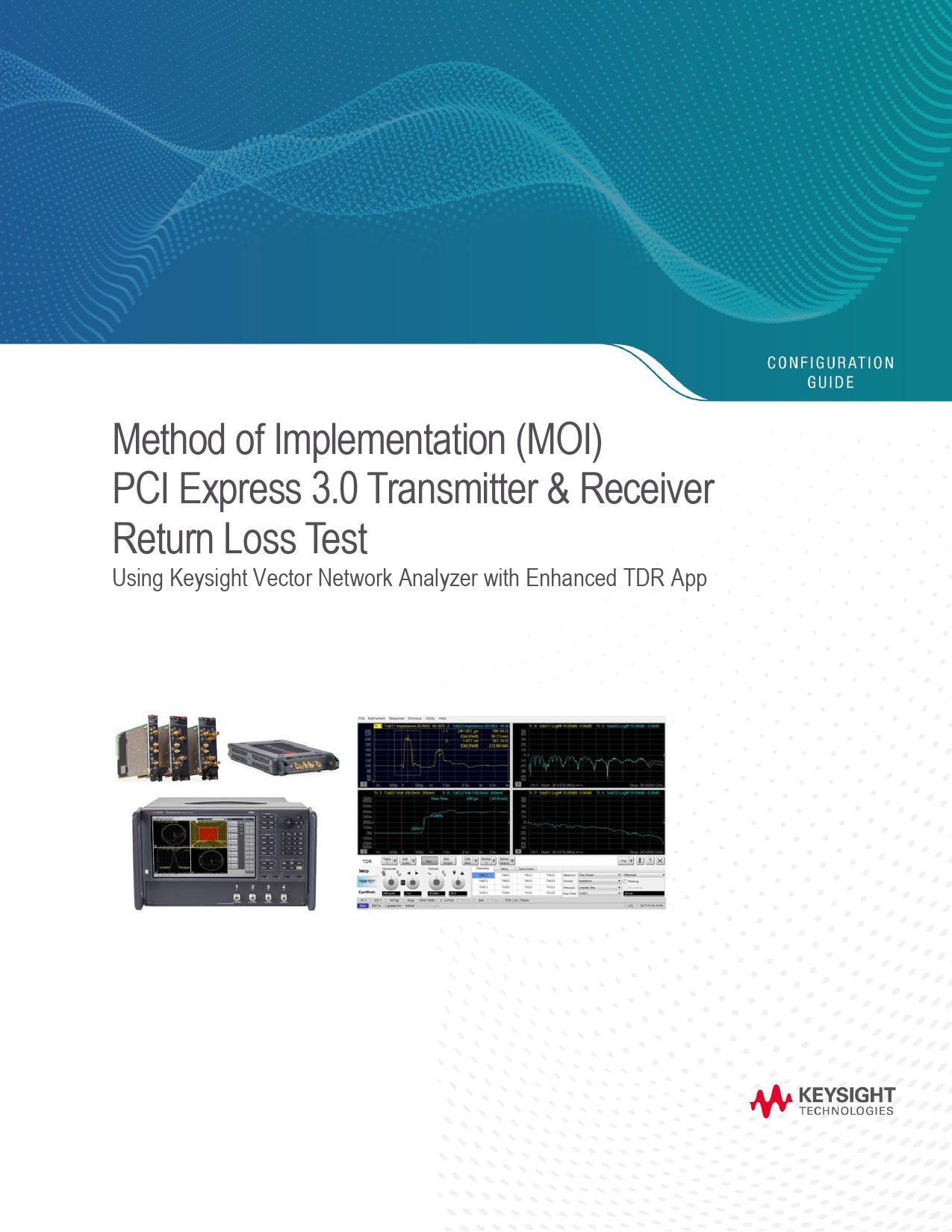
Method of Implementation (MOI)
PCI Express 3.0 Transmitter & Receiver
Return Loss Test
Using Keysight Vector Network Analyzer with Enhanced TDR App

Find us at www.keysight.com

Page 1

Table of Contents
1. Revision History................................................................................................................................ 3 2. Configuration Requirements ............................................................................................................. 4 3. Test Procedure ................................................................................................................................. 5
3.1. Test Flow Chart .......................................................................................................................... 5 3.2. Description of Measurement Window.......................................................................................... 6 4. Measurement Setups........................................................................................................................ 7 4.1. Recalling a State File .................................................................................................................. 7 4.2. Perform Calibration Setup........................................................................................................... 9 4.2.1. ECal Calibration and De-embedding ........................................................................................ 9 5. Measurement and Data Analysis..................................................................................................... 12 5.1. Transmitter and Receiver Differential Return Loss (RL_DIFF) ................................................... 12 5.2. Transmitter and Receiver Common Mode Return Loss (RL_COMM)......................................... 13 6. [Appendix] Manual Setup ................................................................................................................ 14 6.1. Channel & Trace Setup............................................................................................................. 14 6.2. Impedance................................................................................................................................ 15 6.3. Differential Return Loss ............................................................................................................ 15 6.4. Common-Mode Return Loss ..................................................................................................... 15 6.5. Defining Limit Line Tables......................................................................................................... 15 7. [Appendix] De-embedding File Creation using VNA......................................................................... 16 7.1. De-embedding File for Replica Channel.................................................................................... 16 7.2. Breakout and Replica Channels................................................................................................ 17 Web Resources.................................................................................................................................. 18

Find us at www.keysight.com

Page 2

1. Revision History
Revision 1.0

Comments First draft for E5080B series

Reference documents 1. PCI Express� Base Specification Revision 3.0; (Nov 10, 2010).

Date 30-July-2020

Find us at www.keysight.com

Page 3

2. Configuration Requirements

Description

Test Equipment

Network Analyzer

Keysight's Vector Network Analyzer: 2-Ports (Min): � E5080B-2K0: 2-Ports, 9 kHz to 20 GHz or

� P5004A-200 Streamline USB Series VNA or

� M9374A PXI Multiport VNA

4-Ports (Recommended):

� E5080B-4K0: 4-port test set, 9 kHz to 20 GHz or

� P5024A-400 Streamline USB Series VNA or

� M9804A-400 PXI Multiport VNA

Note: Ensure that VNA firmware revision is at least version A.14.10 or above (Windows 10)

Software

S9x011A/B Enhanced time-domain analysis with TDR

* Selection is based on the VNA platforms. x=6 for ENA, x=7 for Streamline USB, x=5 for PXI

ECal or

Min. 2-Ports Electronic Calibration (ECal) Module

Mechanical Cal Kit EG: N7555A 2-Ports or N4433D-010/0DC 4-Ports

Adapter

3.5mm(f)-Type N(m) adapters (Keysight 12501744).

RF cable

3.5 mm or SMA cables of 4 GHz bandwidth or more

* Y1740A-100 (3.5-mm m-m, 36 inch) cable is recommended for USB and PXI VNA

Terminator

50-ohm terminations to terminate unused channels (EG: Keysight 909D-301)

Qty 1 ea.
1 ea. 1 ea. 4 ea. 2 ea. 2 ea.

Find us at www.keysight.com

Page 4

3. Test Procedure
3.1. Test flow chart
1
Host DUT setup - The DUT must be powered up and DC isolated, and its data+/data- outputs /inputs must be in the low-Z state at a static value Also, make sure that Spread Spectrum Clocking (SSC) is turned off.
2
VNA Pre-setup. - Power on and warm-up the VNA unit for >15 Mins
3
Launch Enhanced-TDR app and Recall state file (*.tdr)
4
Perform ECal and De-embedding.
5
Perform Tx/Rx Impedance in Time Domain
6
Perform Tx/Rx Return Loss Measurements in Frequency Domain
Note: 1. Hard Keys displayed in Blue color and Bold. (Example: Avg, Analysis) 2. Soft keys (Keys on the screen) are displayed in Bold. (Example: S11, Real, Transform) 3. Buttons (in the TDR) are displayed in Green color and Bold. (Example: Trace, Rise Time) 4. Tabs (in the TDR) are displayed in Brown color and Bold. (Example: Setup, Trace Control)

Find us at www.keysight.com

Page 5

3.2. Description of measurement window
The following figure is the description of the measurement window.

Actual measurement windows in the state file Find us at www.keysight.com

Page 6

4. Measurement Setups
4.1. Recalling a state file
This section describes how to recall a state file for Time Domain and Frequency Domain settings. A state file can be downloaded from Keysight.com at the following URL. www.keysight.com/find/ena-tdr_compliance If you use your local PC to download, save the state file to a USB mass storage device in order to move it to the VNA unit. Connect the USB mass storage device into the front USB port of the VNA unit. For manual measurement settings, refer to Chapter 6.0 Appendix for manual setup procedure. 1. Click Setup > Main > Meas Class... to launch measurement class setup dialog box 2. Select TDR and click OK.
3. Select Close and confirm with Yes to close the setup wizard.

Find us at www.keysight.com

Page 7

4. Select Click Advanced Mode of TDR software and Click Yes to enter the advanced mode. 5. Click File > Recall State. Select the state file (*.tdr) and click Open to recall. 6. The windows will launch pre-define state file configuration for USB4 Return Loss testing.

7. All the measurement settings including calibration information can be saved. Select File > Save State As... > State and Cal Set Date (*.csa) to save the settings.

Find us at www.keysight.com

Page 8

4.2. Perform calibration setup
The purpose of this step is to calibrate the RF effects such as delay, loss or mismatch of RF cables and test fixture traces before measurements.
Tx/Rx return loss measurements are specified in the PCIe 3.0 BASE Specification, so the measurements are defined to be performed at the device's pin. However, the pin of a device under test (DUT) is not generally accessible, and the closest accessible point is usually a pair of microwave-type coaxial connectors separated from the DUT pins by several inches of PCB trace, called the breakout channel.
Specifically, Tx/Rx return loss measurements are made at the end of the respective breakout channels and require that the breakout channel's contribution to RL be de embedded, thereby associating the return loss with the Tx or Rx pin. The replica channel reproduces the electrical characteristics of the breakout channel as closely as possible, matching its length, layer transitions, etc., making it possible to de embed measurements to the pin of the DUT.

4.2.1. ECal calibration and de-embedding
Full calibration is performed by using the 4-port ECal Module (i.e. N4433A) at the end of RF cables connected to the VNA's test ports. The effect of the fixture is removed by de-embedding the fixture traces with S-parameter Touchstone files.
ECal calibration on time domain: ECal calibration for time-domain measurements is performed by the TDR software.
1. Press Channel Next to select Channel 1. 2. Click Setup tab. 3. Click ECal to launch the TDR Setup Wizard.

Find us at www.keysight.com

Page 9

4. Connect the VNA ports (Port 1 and Port 2) to the ECal module with RF cables. Terminate unused ports with 50-Ohm terminators.
5. Click Calibrate button to perform ECal Calibration.

6. Click Next > to proceed. Completed calibration will show Green  sign 7. Click Finish to complete the ECal.
De-embedding on time domain: 1. Click Adv Waveform tab > De-embedding to launch Advanced Waveform wizard.

2. Click De embedding box to set the Touchstone file. 2 port files (*.s2p) for single ended lines or 4 port files (*.s4p) for differential lines can be selected for the de embedding function.
3. Load the Touchstone file. 4. Enable the de-embedding function and Click OK.

Find us at www.keysight.com

Page 10

Note: For more details about the de-embedding function, refer to the VNA help below.
http://ena.support.keysight.com/e5080/manuals/webhelp/eng/index.htm#S3_Cals/Fixturing.htm#dee mbed
ECal calibration on fFrequency domain: ECal calibration for frequency-domain measurements are performed by the VNA firmware.
1. Press Channel Next to select Channel 2. 2. Connect the VNA ports (Port 1 and Port 2) to the ECal module with RF cables. 3. Press Cal > Main > Other ECal > Ecal... > select 2-Port ECal and click Next to proceed 4. Click Finish when the ECal is completed.

Find us at www.keysight.com

Page 11

5. Measurement and Data Analysis
Return loss measurements for the Tx and Rx are essentially identical, so both are included in the Transmitter section. Return loss measurements are made at the end of the respective breakout channels and require that the breakout channel's contribution to RL be de-embedded, thereby associating the return loss with the Tx or Rx pin. Return loss measurements are made with a reference impedance of 50 ohms. Both differential and common mode are defined over a frequency range of 50 MHz to 4.0 GHz.

The DUT must be powered up and DC isolated, and its data+/data- outputs /inputs must be in the low Z state at a static value Also, make sure that Spread Spectrum Clocking (SSC) is turned off.

Return Loss
TX/RX Differential Return Loss (RL_DIFF), Sdd11

2.5 GT/s -10 dB

5 GT/s -8 dB

TX/RX Common-Mode Return Loss (RL_COMM), Scc11

-6 dB

-6 dB

Note: Refer figure: 4-56 and figure: 4-57 in PCIe3.0 base specification.

8 GT/s -5 dB -3 dB

5.1. Transmitter and receiver differential return loss (RL_DIFF)

This test ensures that the Differential Return loss falls within the limits of the PCIe 3.0 Specification.

1. Connect the VNA ports (Port 1 to 2) to the breakout channel with RF cables. Unused TX/RX lane that is not under test should be terminated with 50-ohm terminators.
2. Power up and place the DUT (TX/RX) data+/data- outputs in the low-Z state at a static value under the actual operating condition.
3. Select Trace 1 (Tdd11). 4. Press Double-click on the instrument front panel to enlarge the trace. 5. Press Run and ensure the measured output impedance is within the tolerance (100  �10%). 6. Press Channel Next to select Channel 2 (Frequency Domain). 7. Select Trace 3 (Sdd11). 8. Press Double-click on the instrument front panel to enlarge the trace. 9. Press Trigger > Single. 10. Run and confirm the measured values is within the limit shown below. Otherwise, it will show Fail.

Frequency 0.05 GHz 1.25 GHz 2.50 GHz

Stop Frequency 1.25 GHz 2.50 GHz 4.00 GHz

Start Limit -10.00 dB -8.00 dB -5.00 dB

Stop Limit -10.00 dB -8.00 dB -5.00 dB

Find us at www.keysight.com

Page 12

5.2. Transmitter and receiver common mode return loss (RL_COMM)

This test ensures that the Common Mode Return loss falls within the limits of the PCIe 3.0 Specification.

1. Connect the VNA ports (Port 1 to 2) to the breakout channel with RF cables according to the Table below. Unused TX/RX lane that is not under test should be terminated with 50-ohm terminators.
2. Power up and place the DUT (TX/RX) data+/data- outputs in the low-Z state at a static value under the actual operating condition.
3. Select Trace 1 (Tdd11). 4. Press Double-click on the instrument front panel to enlarge the trace. 5. Press Run and ensure the measured output impedance is within the tolerance (100  �10%). 6. Press Channel Next to select Channel 2 (Frequency Domain). 7. Select Trace 4 (Scc11). 8. Press Double-click on the instrument front panel to enlarge the trace. 9. Press Trigger > Single. 10. Run and confirm the measured values is within the limit shown below. Otherwise, it will show Fail.

Frequency 0.05 GHz 2.50 GHz

Stop Frequency 2.50 GHz 4.00 GHz

Start Limit -6.0 dB -3.0 dB

Stop Limit -6.0 dB -3.0 dB

Find us at www.keysight.com

Page 13

6. [Appendix] Manual Setup
The procedures of manual setup for time domain and frequency domain measurements are introduced in this section for reference. All the required testing parameters have been properly set and saved in the respective standards testing state file (*.tdr).
6.1. Channel & trace setup
If TDR setup wizard is shown when launching the TDR software, click Close button in the TDR setup wizard main window.
1. Open Setup tab in the TDR software 2. Click Preset to preset the instrument Click OK in a dialog box to continue. 3. Set DUT Topology to "Differential 1 Port" Click OK in a dialog box. 4. Click Advanced Mode>> and click Yes to enter to Advanced mode. 5. Click Stop Single. 6. Set DUT Length to "27.9 ns". 7. Click More Functions tab. 8. Input Source Power "-20 dBm".

Find us at www.keysight.com

Page 14

6.2. Impedance
1. Select Trace 1. 2. Open Parameters tab. 3. Select "Time Domain" and "Differential" for Measure. 4. Select Formant to "Impedance". 5. Select Rise Time to "10-90%" and input value "156 ps". 6. Click Tdd11. 7. Input vertical scale (5 Ohm/div) and vertical position (60 Ohm). 8. Input horizontal scale (1 ns/div) and horizontal position (1 ns).
6.3. Differential return loss
1. Select Trace 3. 2. Open Parameters tab. 3. Select "S-Parameter" and "Differential" for Measure. 4. Select Formant to "Log Mag". 5. Select Rise Time to "10-90%" and input value "156 ps". 6. Click Sdd11. 7. Input vertical scale (10 dB/div) and vertical position (-30 dB).
6.4. Common-mode return loss
1. Select Trace 4. 2. Open Parameters tab. 3. Select "S-Parameter" and "Differential" for Measure. 4. Select Formant to "Log Mag". 5. Select Rise Time to "10-90%" and input value "156 ps". 6. Click Scc11. 7. Input vertical scale (10 dB/div) and vertical position (-30 dB).
6.5. Defining limit line tables
1. Press Trace Next to select trace to set the limit line table. 2. Press Math> Analysis > Limit Table > to edit the limit table.
3. Press Math> Analysis > Limit... > to launch Limit Test Setup window. 4. Select to turn on "Limit Test ON" and "Limit Line ON", optional to turn on "Sound ON Fail".

Find us at www.keysight.com

Page 15

7. [Appendix] De-embedding File Creation using VNA
Direct probing at pins is generally not feasible. Therefore, data should measure at the end of the breakout channel. By means of the replica channel it is possible to determine the loss Vs. frequency characteristics of the breakout channel and de-embed the channel. The loss effects of the breakout channel may be minimized by de-embedding.
7.1. De-embedding file for replica channel
1. Recall the state file as described in Section 4.1. Recalling a State File. 2. Perform the calibration using ECal and De-embedding. 3. Double-click to maximize the selected trace on the screen. 4. Select Trace 3. 5. Open TDR/TDT tab. 6. Open Parameters tab. 7. Click Sdd21. 8. Connect the VNA ports (port 1 to 4) to replica channel with RF cables as shown below (1, 2, 3, 4 are
VNA port numbers).

Find us at www.keysight.com

Page 16

9. Click Stop Single. 10. Click File and select Save Touchstone. 11. Specify a folder and a file name and click Save(*.s4p). 12. Click Sdd11.
7.2. Breakout and replica channels
Break-out channels should be designed to have an insertion loss of less than 2 dB and a return loss of greater than 15 dB at 4 GHz, which may require use of low loss dielectric, wide signal traces and backdrilling of breakout vias or use of micro-via technology. The impedance targets for the breakout channel are 100-ohm differential and 50 ohm single-ended. For best accuracy the actual breakout channel impedance should be within �10% of these values. For larger deviations a more complex de-embedding technique may be required.
TX test board example

RX test board example Find us at www.keysight.com

Page 17

Web Resources
www.keysight.com/find/ena-tdr_compliance www.keysight.com/find/usb-vna www.keysight.com/find/na www.keysight.com/find/vnasoftware www.keysight.com/find/ecal

Learn more at: www.keysight.com
For more information on Keysight Technologies' products, applications or services, please contact your local Keysight office. The complete list is available at: www.keysight.com/find/contactus
Find us at www.keysight.com
This information is subject to change without notice. � Keysight Technologies, 2020, Published in USA, August 14, 2020, 3120-1450.EN

Page 18