

File info: application/pdf · 28 pages · 24.09MB
FSF110 - SANUS VuePoint
Also check your TV owner's manual to see if there are any special requirements for mounting your TV. If you do not understand these instructions or have doubts ...
FSF110
Full PDF Document

If the inline viewer fails, it will open the original document in compatibility mode automatically. You can also open the file directly.
Extracted Text
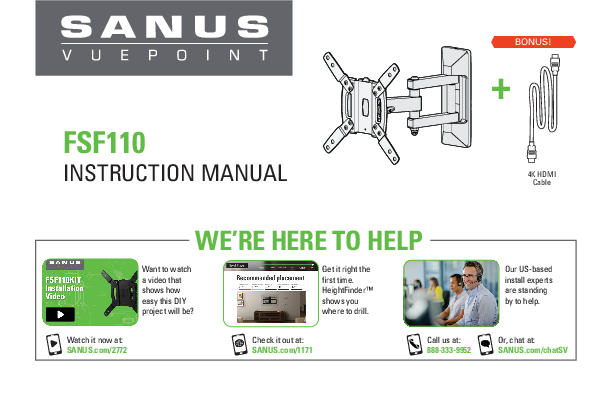
FSF110
INSTRUCTION MANUAL

BONUS!
+
4K HDMI Cable

WE'RE HERE TO HELP

Want to watch a video that shows how easy this DIY project will be?

Get it right the first time. HeightFinderTM shows you where to drill.

Watch it now at: SANUS.com/2772

Check it out at: SANUS.com/1171

Call us at: 888-333-9952

Our US-based install experts are standing by to help.
Or, chat at: SANUS.com/chatSV

IMPORTANT SAFETY INSTRUCTIONS � SAVE THESE INSTRUCTIONS � PLEASE READ ENTIRE MANUAL PRIOR TO USE

Before getting started, let's make sure this mount is perfect for you! Para Espa�ol ver p�gina 20

1 Does yourTV (including accessories) weigh more than 50 lb (22.67 kg)?
2 What is your wall made of?

50 lb (22.67 kg)

No -- Perfect!
Yes -- This mount is NOT compatible. Visit MountFinder.Sanus.com or call Customer Service to find a compatible mount.

CAUTION:
DO NOT install into drywall alone

Perfect!

Drywall with wood studs?

Solid concrete or concrete block?

Requires Concrete kit CMK1 (not included) Call Customer Service

Unsure?

3 Do you have all the tools needed?

Wood Stud Install Concrete Install

Tape

Electric

Measure Pencil Level Screwdriver Drill

1/2 in. (13 mm)
Socket Wrench

Stud Finder Awl

7/32 in. (5.5 mm) Wood
Drill Bit

Hammer

3/8 in. (10 mm) Concrete
Drill Bit

4 Ready to begin?
2

Please read through these instructions completely to be sure you're comfortable with this easy install process. Also check your TV owner's manual to see if there are any special requirements for mounting your TV.
If you do not understand these instructions or have doubts about the safety of the installation, assembly or use of this product, contact Customer Service.
CAUTION: Avoid potential personal injury or property damage!
 This product is designed for use in wood stud, solid concrete, and concrete block walls - DO NOT install into drywall alone  This product is designed for INDOOR USE ONLY  The wall must be capable of supporting five times the weight of the TV and mount combined  Do not use this product for any purpose not explicitly specified by manufacturer  Manufacturer is not responsible for damage or injury caused by incorrect assembly or use

Dimensions

in. [mm]

TV INTERFACE 2.95
75.0

3.94 2.95 [100.0] [75.0]

7.87 200.0

3.94 7.87 100.0 200.0
WALL PLATE

6.40 162.5

TOP VIEW - EXTENDED
10.42 264.8

3-D

SIDE VIEW - EXTENDED

16�

16�

FULLY ASSEMBLED MOUNT
3.03 77.0

TOP VIEW - RETRACTED

SIDE VIEW - RETRACTED

3� ROLL LEFT

8.50 215.9
3� ROLL RIGHT

0.86OFFSET 21.9

3.16 80.3
3

Supplied Parts and Hardware
WARNING: This product contains small items that could be a choking hazard if swallowed.
Before starting assembly, verify all parts are included and undamaged. If any parts are missing or damaged, do not return the damaged item to your dealer; contact Customer Service. Never use damaged parts!
NOTE: Not all hardware included will be used.

STEP 1 Parts and Hardware

TV Screws

TV Bracket Extenders
02 x4
4

TV Bracket
01 x1

M4 x 12mm
04 x4

TV Bracket Extender Screws
M4 x 8mm
03 x8

M6 x 12mm
05 x4
M8 x 20mm
06 x4

M4 x 35mm
07 x4
M6 x 35mm
08 x4

Washers

M4
09 x4

M6/M8
10 x4

Spacers

22 mm
11 x4

STEP 2 Parts and Hardware
THIS WAY UP

Lag Bolts
14 x2
5/16 x 2 � in.

Wall Plate Template
12 x1
Wall Plate Assembly
13 x1

STEP 2B: CONCRETE INSTALLATIONS Concrete Installation Kit CMK1 [NOT INCLUDED]
Contact Customer Service to inquire about the addition hardware.
Lag Bolt C1 x2
5/16 x 2� in.
Concrete Anchor C2 x2
Fischer UX10 x 60R Anchor

STEP 3 Hardware

8-32 x 3/8 in.
Locking Screw
15 x1

8-32 in.
Washer
16 x1

Additional Hardware

Cable Ties
17 x3

7/32 in.
Hex Key
18 x1
5

2mm

M5 x 35mm

STEP 1 Attach TV Bracket to TV

1.1 Measure Your TV Hole Pattern

1.2 Assemble Your TV Bracket

Measure the width and height of your TV hole pattern in mm.

2mm Record your measurements:

M6 x 35mm

Width

mm x Height

mm

75 mm = 7.5 cm = 3 in. M140/0Mm5m = 10 cm = 4 in.M6
200 mm = 20 cm = 7 7/8 in.
inch dimensions approximate

Determine which TV bracket configuration to use, A, B, or C based on your TV hole pattern measurements.

A

Dimensions in mm

TV Hole Pattern Measurement
75 x 75 M61x0104mxm100

100 75
01
75 100

1/4 x 2 � in. 02

x 12mm SCREW Qty 4
x 162mm SCREW

inches
M4 x 35mm SCREW cmQty 4
inches cm
M5 x 35mm SCREW

M4 x 8mm 03
These smaller hole patterns only use TV bracket 01 . Do not use the four TV bracket extenders 02 and eight screws 03 .
M4/M5 WASHER Qty 4

B

Dimensions in mm

TV Hole Pattern

Measurement

200

200 x 200

02 01

02

C

Dimensions in mm

02

TV Hole Pattern

Measurement

200 x 100

200
02

01
200

02

02

02
100
02

03 03

Assemble TV bracket extenders 02 onto TV bracket 01 as illustrated. Secure using eight screws 03 in the corner holes shown.

Assemble TV bracket extenders 02 onto TV bracket 01 as illustrated. Secure using eight screws 03 in the corner holes shown.
7

1.3 Select TV Screw Diameter
Hand thread screws into the threaded inserts on the back of your TV to determine which screw diameter (M4, M6 or M8) to use.

M4

M6

M8

1.4 Select TV Screw Length
If your TV has a flat back, use the shorter screws.
Spacers and longer screws are supplied to accommodate: irregular / round back TVs TVs with inset mounting holes extra space needed for cables

FLAT BACK

ROUND BACK INSET HOLES

CABLES

If your TV included spacers or wall mount adapters, see Troubleshooting on PAGE 19.
CAUTION:
Verify adequate thread engagement with the screw or screw/spacer combination.
- Too short will not hold the TV. - Too long will damage the TV.

Too Short

Correct

Too Long 8

1.5 Attach TV Bracket

Position your TV bracket configuration over your TV hole pattern - making sure the brackets are vertically centered and level. Install using either the screw/washer (Flat Back) or screw/washer/spacer (Round Back / Extra Space) combination you selected for your TV.
IMPORTANT: Ensure TV bracket is securely fastened before moving on to the next step.

TV Bracket Configurations B and C
(from page 7) Configuration B Illustrated, with spacers

NOTE: For 200 x 200 or 200 x 100 hole patterns, you may need to loosen the screws 03 to align the bracket extenders 02 .

01

After bracket extenders 02 are

secured to the back of your TV,

02

re-tighten screws 03 .

Flat Back

04 05 06

09 10

Round Back / Extra Space

01
TV Bracket Configuration A
(from page 6) Illustrated with spacers

07 08
11 09 10
9

STEP 2A Attach Wall Plate

Wood Stud Installation

CAUTION: Avoid potential personal injury or property damage!
 Drywall covering the wall must not exceed 5/8 in. (16 mm)  Minimum wood stud size: nominal 2 x 4 in. (51 x 102 mm) actual 1 � x 3 � in. (38 x 89 mm)

1. Locate your stud. Verify and mark the center of the stud by finding the stud edges using an awl, a thin nail, or an edge to edge stud finder.

2. Position the wall plate template 12 at your desired height and line up the holes with your stud center line. Level the template and tape in place.

3. Drill pilot holes using a 7/32 in. (5.5 mm) diameter drill bit. Remove wall plate template 12 .

IMPORTANT: Be sure to drill into the center of the stud. IMPORTANT: Pilot holes must be drilled to a depth of 2 � in. (63.5 mm).

NOTE: TV shifts 21.9 mm (7/8 in.) to the right or left when in the home position. Consider this when selecting the location of your wall mount.

1

2

3

 16 mm (5/8 in.)

12 12

21/2 in. (63.5 mm)

THIS WAY UP

THIS WAY UP

7/32 in.

(5.5 mm)

10

4. Slide the cover to expose the mounting holes in wall plate assembly 13 . 5. Install wall plate assembly 13 using two lag bolts 14 . Tighten the lag bolts only until they are pulled firmly against the wall plate.

CAUTION: Improper use could reduce the holding power of the lag bolt. DO NOT over-tighten the lag bolts.

6. Reattach the cover onto the wall plate assembly 13 .

Loosen

NOTE: If needed, you can make small level adjustments to the wall plate by loosening the bottom lag bolt 14 and shifting the wall plate until level. Tighten the bottom lag bolt when adjustments are complete.

14

Tighten

4

5

Cover

6

Cover

13

13

13 14
11

STEP 2B Attach Wall Plate

Solid Concrete / Concrete Block Installation

CAUTION: Avoid potential personal injury or property damage!
 Mount wall plate assembly 13 directly onto concrete surface (no wall covering)  Minimum solid concrete thickness: 8 in. (203 mm)  Minimum concrete block size: 8 x 8 x 16 in. (203 x 203 x 406 mm)

Concrete Installation Kit CMK1 is not included
Contact Customer Service to inquire about the additional hardware.

1. Position the wall plate template 12 on the wall at your desired height. Level the wall plate template and mark the hole locations. 2. Drill two pilot holes using a 3/8 in. (10 mm) diameter masonry drill bit.
IMPORTANT: Pilot holes must be drilled to a depth of 3 in. (75 mm). Never drill into the mortar between blocks.

3. Remove the wall plate template 12 and insert two anchors C2 (Fischer UX10 x 60R- included in the Concrete Installation Kit CMK1).
CAUTION: Be sure the anchors C2 are seated flush with the concrete surface.

NOTE: TV shifts 21.9 mm (7/8 in.) to the right or left when in the home position. Consider this when selecting the location of your wall mount.

1

2

12

3

12

3 in. (75 mm)

THIS WAY UP

THIS WAY UP

3/8 in. (10 mm)

C2
12

4. Slide the cover to expose the mounting holes in wall plate assembly 13 . 5. Install wall plate assembly 13 using two lag bolts C1 . Tighten the lag bolts only until they are pulled firmly against the wall plate.

CAUTION: Improper use could reduce the holding power of the lag bolt C1 . DO NOT over-tighten the lag bolts.

6. Reattach the cover onto the wall plate assembly 13 .
NOTE: If needed, you can make small level adjustments to the wall plate by loosening the bottom lag bolt C1 and shifting the wall plate until level. Tighten the bottom lag bolt when adjustments are complete.

Loosen

C1

Tighten

4

5

Cover

6

Cover

13 13

13
C1
13

STEP 3 Hang TV onto Wall Plate

HEAVY! You may need assistance with this step.

1. Position the arm of wall plate assembly 13 so the elbow is bent 90 degrees and pressed against the wall.

2. Hang the TV onto the arm of wall plate assembly 13 by first hooking the top support, then resting the TV into place.

3. Lock the TV to the wall plate assembly 13 with locking screw 15 and washer 16 .
CAUTION: Avoid potential personal injuries and property damage! This locking screw 15 must be installed to secure the TV onto
the wall plate assembly 13 .

1

2

Top Support

3

13 13
13

15

16
14

Manage Cables
If desired, thread the supplied cable tie 17 through the loop provided on the arm of the wall plate assembly 13 , and secure your TV cables along the arm for a clean look.
IMPORTANT: Fully extend the arm of wall plate assembly 13 to ensure you have enough slack in the cables for full TV movement.
13
17
15

TV Adjustments
TILT ADJUSTMENT
Your TV should adjust easily when moved, then stay in place. If your TV is too loose or too tight, adjust the tilt tension knob by hand.
NOTE: Once your TV is in place, tighten the tilt tension knob to prevent unwanted movement.

LEVEL ADJUSTMENT
To adjust the leveling of your TV, loosen the locking screw 15 , level your TV, then tighten locking screw 15 .
IMPORTANT: This locking screw 15 must be installed to secure the TV onto the wall plate assembly 13 .

Tilt Tension Knob 16

Tighten Loosen

Loosen

Tighten
15

SWIVEL ADJUSTMENT
Your TV should adjust easily when moved, then stay in place. If your TV is too loose or too tight, adjust the arm tension screws using hex key 18 and a 14 mm (9/16 in.) socket.

18

Arm Tension Screw
14 mm (9/16 in.) socket

Tighten

Loosen

EXTENSION/RETRACTION ADJUSTMENT

REMOVING THE TV

Your TV should adjust easily when moved, then stay in place.
If your TV is too loose or too tight, adjust the arm tension screws using hex key 18 .

HEAVY! You may need assistance with this step.
To remove your TV from the wall plate assembly 13 , disconnect all cables and then reverse the procedures in STEP 3.

18 13

Arm Tension Screw

Tighten Loosen

17

Features

Fully articulating arm with 3 pivot points creates optimal viewing positions

Adjustments allow fingertip control of TV or restriction of TV movement

TV bracket expands to fit TV hole patterns from 75 x 75 mm up to 200 x 200 mm
18

TV tilts up or down for the perfect viewing angle

Level adjustments create a worry-free installation

Cable tie hook holds cables along mount arm for a clean look

Troubleshooting
TV supplied spacers

TV Supplied Spacers

a: Use your TV supplied spacer for flat back TVs (AND you want
your TV closer to the wall).

NOTE: The M8x20mm screw will not work with the TV supplied spacer. Verify with your TV manual that you can use the M8x20mm screws without the TV supplied spacer.

FLAT BACK

a

If you are uncertain about your hardware selection, contact Customer Service.

b: Use your TV supplied spacer and spacer 11 for:
Round (irregular) back TVs Extra space needed for cables
NOTE: The M8x20mm screw will not work with the TV supplied spacer or spacer 11 . Verify with your TV manual that you can use the M8x20mm screws without the TV supplied spacer.

ROUND BACK

CABLES

b

TV Supplied Spacer

TV Supplied Spacer

CAUTION: Avoid potential injury or property damage!
Use the correct screw length for adequate thread engagment.

� Too short will not hold the TV.
� Too long will damage the TV.

Too Short

Too Long

Correct

11

CAUTION: Avoid potential injury or property damage!
Use the correct screw length for adequate thread engagment.

� Too short will not hold the TV.

Too Short

Too Long

Correct

� Too long will damage the TV.

19

ESPA�OL

INSTRUCCIONES DE SEGURIDAD IMPORTANTES. CONS�RVELAS. LEA TODO EL MANUAL ANTES DE UTILIZAR ESTE PRODUCTO.

Antes de comenzar, verifiquemos que este soporte sea el ideal para sus necesidades.

1 �Su televisor pesa m�s de 22.67 kg (50 libras), incluidos
los accesorios?

(22.67 kg) 50 libras

No -- �Perfecto!
S� -- Este soporte NO es compatible. Visite MountFinder.Sanus.com o llame para encontrar un soporte compatible.

2 �De qu� est� hecha su pared?

PRECAUCI�N:
NO lo instale en tabiques �nicamente
de yeso

�Perfecto!

�Tabiques de yeso con montantes de madera?

�Hormig�n s�lido o bloques de cemento?
Concrete kit CMK1 (not included) Llame al 1-888-333-9952

�No est� seguro?

Paredes con montantes de madera
paredes con de hormig�n

3 �Tiene todas las herramientas necesarias?
4 �Listo para comenzar?
20

Cinta m�trica L�piz

Nivel Destornillador

Taladro el�ctrico

13 mm (1/2")
Llave de tubo

Localizador de montantes Punz�n

5,5 mm (7/32'') Madera
Broca

Martillo

10 mm (3/8'') Hormig�n
Broca

Lea estas instrucciones en su totalidad para estar seguro de sentirse c�modo con este f�cil proceso de instalaci�n. Consulte tambi�n el manual del usuario de su televisor para ver si existe alg�n requisito especial para instalar su televisor en la pared. Si no entiende las instrucciones o si tiene dudas acerca de la seguridad de la instalaci�n, del ensamblado o del uso del producto, p�ngase en contacto con el servicio de atenci�n al cliente.

PRECAUCI�N: Evite posibles lesiones personales y da�os materiales.

 Este producto incluye instrucciones y elementos de sujeci�n para su instalaci�n en paredes con montantes de madera, en superficies de hormig�n y sobre bloques de cemento. NO lo instale en tabiques �nicamente de yeso.
 Este producto est� dise�ado para USO EN EL INTERIOR SOLAMENTE  La pared debe soportar cinco veces el peso del televisor y del soporte juntos.  No utilice este producto para ning�n otro prop�sito que no sea el expl�citamente especificado por el fabricante.  El fabricante no se responsabiliza por ning�n da�o o lesi�n resultante del montaje incorrecto o de uso indebido.

Dimensiones

ESPA�OL Ver pagina 3

Piezas y accesorios suministrados

Ver pagina 4

ADVERTENCIA: Este producto contiene piezas peque�as que, si fuesen tragadas, podr�an producir asfixia.
Antes de iniciar el ensamblaje, compruebe que todas las piezas est�n incluidas y en buenas condiciones. Si faltan piezas o alguna est� da�ada, no devuelva el art�culo al distribuidor; p�ngase en contacto con el servicio de atenci�n al cliente. Nunca utilice piezas deterioradas.
NOTA: No todos los accesorios incluidos deber�n utilizarse.

PASO 2B: El Kit de instalaci�n en hormig�n CMK1 no est� incluido
Comun�quese con el servicio de atenci�n al cliente para solicitar que le enviemos los elementos de sujeci�n adicionales.

PASO 1 Fijar la placa de sujeci�n al televisor
1,1 Mida el patr�n de orificios del televisor
Mida en mm el ancho y el alto del patr�n de orificios del televisor. Anote las medidas: Ancho________cm x Alto________cm

Ver pagina 6
21

ESPA�OL
1,2 Arme la placa de sujeci�n del televisor
Determine qu� configuraci�n de placa de sujeci�n debe usar (A, B, o C) seg�n las medidas del patr�n de orificios del televisor (W cm x H cm).
A Los patrones de orificios m�s peque�os solo requieren placa de sujeci�n 01 . No utilice las cuatro extensiones de la placa de
sujeci�n 02 ni los ocho tornillos 03 .
B�C Ensamble las extensiones 02 de la placa de sujeci�n y la placa de sujeci�n 01 tal como se muestra en la ilustraci�n. Fije colocando
ocho tornillos 03 en los orificios de las esquinas que se muestran en la imagen.
1,3 Seleccione el di�metro de los tornillos para el televisor
Enrosque manualmente los tornillos en los encastres roscados del dorso del televisor a fin de determinar qu� di�metro de tornillos (M4, M6 o M8) utilizar.
1,4 S eleccione el largo de los tornillos para el televisor
Si el dorso del televisor es plano, utilice los tornillos cortos. Los espaciadores y los tornillos largos se proporcionan para:
� � � televisores con dorso irregular o redondeado televisores con orificios de montaje intercalados dejar un espacio adicional para cables
PRECAUCI�N: Verifique que el tornillo o la combinaci�n de tornillo y espaciador enrosquen correctamente. - Si el tornillo es demasiado corto, no sostendr� el televisor. - Si es demasiado largo, da�ar� el televisor.
1,5 Fije la placa de sujeci�n
Posicione la placa de sujeci�n armada sobre el patr�n de orificios del televisor y verifique que est� centrada y nivelada verticalmente. Instale las placas de sujeci�n usando la combinaci�n que haya seleccionado para su televisor: tornillo corto y arandela o espaciador, o bien tornillo largo y arandela. 22

PASO 2A Fijar la placa mural montantes de madera
PRECAUCI�N: Evite lesiones y da�os materiales.
 El yeso que recubre la pared no debe exceder los 16 mm (5/8'').  Tama�o m�nimo del montante de madera: nominal 51 mm x 102 mm (2'' x 4''); real 38 mm x 89 mm (1�'' x 3�'').

ESPA�OL Ver pagina 10

NOTA: TV se desplaza 21.9 mm (0.86 pulg.) a la derecha oa la izquierda cuando est� en la posici�n inicial. T�ngalo en cuenta al elegir el lugar de su montaje en la pared.
1. Localice un montante. Busque los bordes del montante y marque el centro con un punz�n o un clavo delgado, o bien utilice un detector de bordes de montantes.
2. Ubique la plantilla de placa mural 12 a la altura deseada y alinee los orificios con la l�nea central de los montantes. Nivele la plantilla y f�jela con cinta adhesiva en el lugar.
3. Con una mecha de 5.5 mm (7/32'') de di�metro, realice los orificios gu�a. Retire la plantilla de placa mural 12 . IMPORTANTE: Aseg�rese de perforar el centro del montante. IMPORTANTE: Los orificios gu�a deben realizarse hasta una profundidad de 63.5 mm (2�'').
4. Deslice la cubierta para exponer los orificios de montaje en el ensamblaje de la placa mural 13 .
5. Instale el ensamblaje de la placa mural 13 usando dos tornillos tirafondo 14 . Ajuste los tornillos tirafondo solamente hasta que queden firmes contra la placa mural.
PRECAUCI�N: El uso indebido podr�a reducir la capacidad de retenci�n de los tornillos tirafondo. NO ajuste en exceso los tornillos tirafondo.
6. Vuelva a colocar la cubierta sobre el ensamblaje de la placa mural 13 .
NOTA: Si es necesario, puede realizar ajustes de nivel de peque�as a la placa de pared aflojando el tornillo tirafondo 14 inferior y cambiar la placa de pared hasta que nivel. Apriete el tornillo inferior cuando haya finalizado los ajustes.
23

ESPA�OL
PASO 2B Fijar la placa mural Hormig�n s�lido o bloques de cemento Ver p�gina 12

PRECAUCI�N: Evite lesiones y da�os materiales.
 Instale el m�dulo de la placa mural 12 directamente sobre la superficie de hormig�n  Espesor m�nimo del hormig�n: 8 pulgadas (203 mm)  Tama�o m�nimo del bloque de cemento: 8 x 8 x 16 pulgadas (203 x 203 x 406 mm)

El Kit de instalaci�n en hormig�n CMK1 no est� incluido Comun�quese con
el servicio de atenci�n al cliente para solicitar que le enviemos los elementos de sujeci�n adicionales.

NOTA: TV se desplaza 21.9 mm (0.86 pulg.) a la derecha oa la izquierda cuando est� en la posici�n inicial. T�ngalo en cuenta al elegir el lugar de su montaje en la pared.
1. Coloque la plantilla de la placa mural 12 en la pared a la altura que desee. Nivele la plantilla de la placa mural y marque la ubicaci�n de los orificios.
2. Realice los orificios gu�a con una mecha para mamposter�a de 3/8'' (10 mm) de di�metro. IMPORTANTE: Los orificios gu�a deben realizarse hasta una profundidad de 3'' (75 mm). Nunca perfore el cemento que une los bloques.
3. Retire la plantilla de la placa mural 12 e introduzca dos anclajes C2 (Fischer UX 10 x 60R - incluidos en el Kit de instalaci�n en hormig�n CMK1).
PRECAUCI�N: Cerci�rese de que los anclajes C2 queden nivelados respecto de la superficie de hormig�n.
4. Instale el m�dulo de la placa mural 13 usando dos tornillos tirafondo C1 . Ajuste los tornillos tirafondo solamente hasta que queden firmes contra la placa mural.
PRECAUCI�N: Evite posibles lesiones personales o da�os materiales. El uso indebido podr�a reducir la capacidad de retenci�n de los tornillos C1 .
NO ajuste en exceso los tornillos tirafondo. Aseg�rese de que la placa de pared est� bien fijada a la pared antes de continuar con el paso siguiente.
NOTA: Si es necesario, puede realizar ajustes de nivel de peque�as a la placa de pared aflojando el tornillo tirafondo C1 inferior y cambiar la placa de pared hasta que nivel. Apriete el tornillo inferior cuando haya finalizado los ajustes.
24

PASO 3 Colgar el televisor en la placa mural

ESPA�OL Ver pagina 14

�ELEMENTO PESADO! Es posible que necesite ayuda en este paso.

1. Coloque el brazo del ensamblaje de la placa mural 13 de modo que el codo quede flexionado a 90 grados y presionado contra el muro.
2. Para colgar el televisor en el brazo del ensamblaje de la placa mural 13 , primero enganche el soporte superior y luego apoye el televisor en su lugar.
3. Fije el televisor al ensamblaje de la placa mural 13 con el tornillo de bloqueo 15 y una arandela 16 .
IMPORTANTE: Este tornillo de bloqueo 15 debe instalarse para fijar el televisor al ensamblaje de la placa mural 13 .

Organizaci�n de cables

Ver pagina 15

Si lo desea, pase el cincho sujetacable provisto 17 por el anillo del brazo del ensamblaje de la placa mural 13 , y sujete los cables del televisor a lo largo del brazo para dar un aspecto m�s prolijo.

25

ESPA�OL

Ajustes del televisor

Ver pagina 16

AJUSTE DE LA INCLINACI�N El televisor debe acomodarse f�cilmente al moverlo, y luego quedar en su lugar. Si el televisor est� demasiado suelto o demasiado ajustado, ajuste la perilla de tensi�n de inclinaci�n manualmente.

NOTA: Una vez que el televisor est� en su lugar, ajuste la perilla de tensi�n de inclinaci�n para evitar movimientos indeseados.

AJUSTE DEL NIVEL

Para ajustar la nivelaci�n de su televisor, afloje el tornillo de bloqueo 15 , nivele el televisor, y luego ajuste el tornillo de bloqueo 15 .

IMPORTANTE: Este tornillo de bloqueo 15 debe instalarse para fijar el televisor al ensamblaje de la placa mural 13 .

AJUSTE DE LA ROTACI�N El televisor debe acomodarse f�cilmente al moverlo, y luego quedar en su lugar. Si el televisor est� demasiado suelto o demasiado ajustado, ajuste las perillas de tensi�n del brazo usando la llave hexagonal 18 y una llave de tubo de 14 mm (9/16'').
AJUSTE DE LA EXTENSI�N/RETRACCI�N El televisor debe acomodarse f�cilmente al moverlo, y luego quedar en su lugar. Si el televisor est� demasiado suelto o demasiado ajustado, ajuste las perillas de tensi�n del brazo usando la llave hexagonal 18 .
EXTRACCI�N DEL TELEVISOR �ELEMENTO PESADO! Es posible que necesite ayuda en este paso.

Para extraer el televisor del ensamblaje de la placa mural 13 , desconecte todos los cables y luego revierta el procedimiento descrito en el PASO 4.

Descripci�n

Ver pagina 18

La placa de sujeci�n se expande para adecuarse a televisores con patrones de orificios de 75 x 75 mm hasta 200 x 200 mm. Brazo totalmente articulado con 3 puntos de giro crea posiciones de visualizaci�n �ptimas.

El televisor se inclina hacia arriba / abajo para obtener el �ngulo de visualizaci�n perfecto.

Los ajustes permiten el ajuste manual o limitar el movimiento del televisor. El ajuste del nivel crea una instalaci�n sencilla.

26 El orificio para cinchos sujeta los cables a lo largo del brazo para un aspecto prolijo.

Soluci�n de problemas

Ver pagina 19

ESPA�OL

Separadores proporcionados con el televisor

Separadores proporcionados con el televisor

Si tiene dudas sobre la selecci�n de piezas, contacte con el servicio de atenci�n al cliente.

a: Use el separador proporcionado con el televisor para televisores
con dorsos planos (Y si quiere que su televisor est� m�s cerca de la pared).

NOTA: El tornillo M8x20 mm no funcionar� con el separador proporcionado con el televisor. Revise el manual de su televisor para ver si puede usar tornillos M8x20 mm sin el separador proporcionado con el televisor.

DORSO PLANO

a

b: Use su separador proporcionado con el televisor y el separador 11 para:
�Televisores con dorsos redondos (irregulares) �Deje un espacio adicional para los cables
NOTA: El tornillo M8x20 mm no funcionar� con el separador proporcionado con el televisor o con el separador 11 . Revise el manual de su televisor para ver si puede usar tornillos M8x20 mm sin el separador proporcionado con el televisor.

DORSO REDONDO CABLES

b

Separador proporcionado con el televisor

Separador proporcionado con el televisor

PRECAUCI�N: Evite posibles lesiones personales y
da�os materiales. Use la longitud correcta de tornillos para un enrosque adecuado.

� Si el tornillo es demasiado corto, no sostendr� el televisor.

Demasiado corto

Demasiado largo Correcto

� Si es demasiado largo, da�ar� el televisor.

11

PRECAUCI�N: Evite posibles lesiones personales y

da�os materiales. Use la longitud correcta de tornillos para un

enrosque adecuado. Demasiado corto Demasiado largo

Correcto

� Si el tornillo es demasiado corto, no sostendr� el televisor.

� Si es demasiado largo, da�ar� el televisor.

27

Thank you for choosing SANUS Vuepoint! Please take a moment to let us know how we did:

Call us: 1-888-333-9952 Email us: info@sanus.com Leave a review: vuepoint. sanus.com

Milestone AV Technologies and its affiliated corporations and subsidiaries (collectively, "Milestone"), intend to make this manual accurate and complete. However, Milestone makes no claim that the information contained herein covers all details, conditions, or variations. Nor does it provide for every possible contingency in connection with the installation or use of this product. The information contained in this document is subject to change without notice or obligation of any kind. Milestone makes no representation of warranty, expressed or implied, regarding the information contained herein. Milestone assumes no responsibility for accuracy, completeness or sufficiency of the information contained in this document.

�2018 Milestone AV Technologies. All rights reserved. SANUS Vuepoint, HeightFinder and the Vuepoint logo are trademarks of Milestone. All other brand names or marks are used for identification purposes and are trademarks of their respective owners.

Milestone Global Headquarters � 6436 City West Parkway � Eden Prairie, MN 55344 USA

6902-602035 00