

LEXUS 2022 UX250H Owner's Manual
File info: application/pdf · 480 pages · 18.32MB
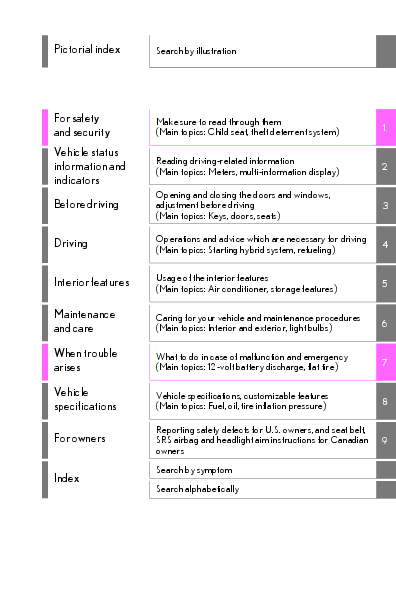
Pictorial index For safety and security ...
Extracted Text
Pictorial index
Search by illustration
For safety and security Vehicle status information and indicators Before driving
Driving
Interior features
Maintenance and care When trouble arises Vehicle specifications
For owners
Index
Make sure to read through them (Main topics: Child seat, theft deterrent system)
1
Reading driving-related information (Main topics: Meters, multi-information display)
2
Opening and closing the doors and windows,
adjustment before driving
3
(Main topics: Keys, doors, seats)
Operations and advice which are necessary for driving (Main topics: Starting hybrid system, refueling)
4
Usage of the interior features (Main topics: Air conditioner, storage features)
5
Caring for your vehicle and maintenance procedures (Main topics: Interior and exterior, light bulbs)
6
What to do in case of malfunction and emergency (Main topics: 12-volt battery discharge, flat tire)
7
Vehicle specifications, customizable features (Main topics: Fuel, oil, tire inflation pressure)
8
Reporting safety defects for U.S. owners, and seat belt, SRS airbag and headlight aim instructions for Canadian 9 owners
Search by symptom
Search alphabetically
2
TABLE OF CONTENTS
For your information ......................................6 Reading this manual.................................... 10 How to search .................................................11 Pictorial index .................................................12
1 For safety and security
Gauges and meters (F SPORT models)..............................................82
Multi-information display .............87
Head-up display ...............................93
Energy monitor/consumption screen ................................................97
1-1. For safe use Before driving....................................24 For safe driving..................................25 Seat belts .............................................26 SRS airbags .........................................31 Front passenger occupant classification system ................................. 39 Exhaust gas precautions .............. 43
1-2. Child safety Riding with children........................ 44 Child restraint systems ................. 44
1-3. LEXUS Enform Lexus Enform Safety Connect .. 56
1-4. Hybrid system Hybrid system features................. 60 Hybrid system precautions ......... 64
1-5. Theft deterrent system Immobilizer system ........................ 68 Alarm.................................................... 69 Theft prevention labels (for the U.S.A.).................................................71
2 Vehicle status information and indicators
2-1. Instrument cluster Warning lights and indicators.....74 Gauges and meters (except F SPORT models) ........................... 78
3 Before driving
3-1. Key information Keys .................................................... 102
3-2. Opening, closing and locking the doors Side doors........................................ 106 Back door.......................................... 110 Smart access system with pushbutton start.....................................122
3-3. Adjusting the seats Front seats.........................................127 Rear seats......................................... 128 Driving position memory............129 Head restraints .............................. 133
3-4. Adjusting the steering wheel and mirrors Steering wheel ............................... 136 Inside rear view mirror ................137 Outside rear view mirrors......... 139
3-5. Opening, closing the windows and moon roof Power windows ..............................142 Moon roof.........................................144
4 Driving
4-1. Before driving Driving the vehicle........................ 148
Cargo and luggage...................... 153 Vehicle load limits......................... 156 Trailer towing.................................. 156 Dinghy towing ................................ 157
4-2. Driving procedures Power (ignition) switch ...............158 EV drive mode ............................... 162 Hybrid transmission ..................... 164 Turn signal lever.............................168 Parking brake ................................. 169 Brake Hold....................................... 172 ASC (Active Sound Control) .. 173
4-3. Operating the lights and wipers Headlight switch............................ 174 AHB (Automatic High Beam). 177 Fog light switch ..............................180 Windshield wipers and washer 181 Rear window wiper and washer ............................................................ 185
4-4. Refueling Opening the fuel tank cap......... 187
4-5. Using the driving support systems Lexus Safety System + 2.0........189 PCS (Pre-Collision System)..... 195 LTA (Lane Tracing Assist)........ 202 RSA (Road Sign Assist)............... 211 Dynamic radar cruise control with full-speed range.......................... 213 BSM (Blind Spot Monitor) ....... 223 PKSA (Parking Support Alert)229 Intuitive parking assist ................230 RCTA (Rear Cross Traffic Alert) function .......................................... 238 PKSB (Parking Support Brake) ........................................................... 243
TABLE OF CONTENTS
3
Parking Support Brake function (static objects).............................247
Parking Support Brake function (rear-crossing vehicles) ......... 250
Driving mode select switch .......251
Driving assist systems .................252
4-6. Driving tips
1
Hybrid vehicle driving tips ....... 257
Winter driving tips....................... 259 2 Utility vehicle precautions.........262
5 Interior features
3
5-1. Remote Touch Remote Touch............................... 266 4
5-2. Lexus Climate Concierge
Lexus Climate Concierge........ 270 5
5-3. Using the air conditioning system and defogger Automatic air conditioning system 6 ...........................................................272
Heated steering wheel/seat heaters/seat ventilators.................... 281 7
5-4. Using the interior lights
Interior lights list ........................... 285 8 5-5. Using the storage features
List of storage features ..............288
Luggage compartment features
9
............................................................291
5-6. Using the other interior features
Other interior features .............. 296
Garage door opener ................. 306
Compass ............................................311
4
TABLE OF CONTENTS
6 Maintenance and care
6-1. Maintenance and care Cleaning and protecting the vehicle exterior.................................... 316 Cleaning and protecting the vehicle interior ..................................... 319
6-2. Maintenance Maintenance requirements ..... 322 General maintenance ................ 323 Emission inspection and maintenance (I/M) programs ............ 325
6-3. Do-it-yourself maintenance Do-it-yourself service precautions ........................................................... 327 Hood.................................................. 329 Positioning a floor jack...............330 Engine compartment................... 331 12-volt battery................................ 336 Tires ................................................... 339 Replacing the tire......................... 347 Tire inflation pressure................. 353 Wheels.............................................. 355 Air conditioning filter.................. 356 Cleaning the hybrid battery (traction battery) air intake vent and filter..................................................... 357 Electronic key battery ................360 Checking and replacing fuses 362 Headlight aim................................. 365 Light bulbs....................................... 366
7 When trouble arises
7-1. Essential information Emergency flashers.....................370
If your vehicle has to be stopped in an emergency ............................ 370
If the vehicle is submerged or water on the road is rising ....................371
7-2. Steps to take in an emergency If your vehicle needs to be towed .......................................................... 373 If you think something is wrong .......................................................... 377 If a warning light turns on or a warning buzzer sounds..................... 379 If a warning message is displayed .......................................................... 388 If you have a flat tire .................... 392 If the hybrid system will not start .......................................................... 393 If you lose your keys.................... 395 If the fuel filler door cannot be opened .......................................... 395 If the electronic key does not operate properly................................. 396 If the 12-volt battery is discharged .......................................................... 398 If your vehicle overheats........... 403 If the vehicle becomes stuck ... 406
8 Vehicle specifications
8-1. Specifications Maintenance data (fuel, oil level, etc.) .................................................. 410 Fuel information..............................417 Tire information ............................. 419
8-2. Customization Customizable features .............. 428
8-3. Initialization Items to initialize........................... 440
9 For owners
9-1. For owners Reporting safety defects for U.S. owners ........................................... 442 Reporting safety defects for Canadian owners ................................. 442 Seat belt instructions for Canadian owners (in French).................... 443 SRS airbag instructions for Canadian owners (in French).......... 444 Headlight aim instructions for Canadian owners (in French) ...........................................................450
Index
What to do if... (Troubleshooting) ........................................................... 454
Alphabetical Index ...................... 457
TABLE OF CONTENTS
5
1 2 3 4 5 6 7 8 9
6
For your information
WARNING
General precautions while driving Driving under the influence: Never drive your vehicle when under the influence of alcohol or drugs that have impaired your ability to operate your vehicle. Alcohol and certain drugs delay reaction time, impair judgment and reduce coordination, which could lead to an accident that could result in death or serious injury. Defensive driving: Always drive defensively. Anticipate mistakes that other drivers or pedestrians might make and be ready to avoid accidents. Driver distraction: Always give your full attention to driving. Anything that distracts the driver, such as adjusting controls, talking on a cellular phone or reading can result in a collision with resulting death or serious injury to you, your occupants or others.
General precaution regarding children's safety
Never leave children unattended in the vehicle, and never allow children to have or use the key. Children may be able to start the vehicle or shift the vehicle into neutral. There is also a danger that children may injure themselves by playing with the windows, the moon roof, or other features of the vehicle. In addition, heat build-up or extremely cold temperatures inside the vehicle can be fatal to children.
Main Owner's Manual
Please note that this manual applies to all models and explains all equipment, including options. Therefore, you may find explanations for equipment not installed on your vehicle and the illustrations used may differ from your vehicle.
All specifications provided in this manual are current at the time of printing. Over time, your vehicle may receive updates that modify the vehicle and make material in this manual incomplete and/or inaccurate. Because of Lexus' interest in continual product improvement, Lexus reserves the right to make changes to this manual at any time without notice.
If Lexus chooses to update the manual, updated versions can be viewed by selecting your vehicle by model and year at the following URL or on your mobile device if you have access to the Lexus app.
https://drivers.lexus.com
Noise from under vehicle after turning off the hybrid system
Approximately five hours after the hybrid system is turned off, you may hear sound coming from under the vehicle for several minutes. This is the sound of a fuel evaporation leakage check and, it does not indicate a malfunction.
Accessories, spare parts and modification of your Lexus
A wide variety of non-genuine spare parts and accessories for Lexus vehicles are currently available in the market. You should know that Toyota does not warrant these products and is not responsible for their performance, repair, or replacement, or for any dam-
age they may cause to, or adverse effect they may have on, your Lexus vehicle.
This vehicle should not be modified with non-genuine Lexus products. Modification with non-genuine Lexus products could affect its performance, safety or durability, and may even violate governmental regulations. In addition, damage or performance problems resulting from the modification may not be covered under warranty.
Also, remodeling like this will have an effect on advanced safety equipment such as Lexus Safety System + 2.0 and there is a danger that it will not work properly or the danger that it may work in situations where it should not be working.
Installation of a mobile two-way radio system
The installation of a mobile two-way radio system in your vehicle could affect electronic systems such as: Hybrid system Multiport fuel injection sys-
tem/sequential multiport fuel injection system Lexus Safety System + 2.0 Anti-lock brake system SRS airbag system Seat belt pretensioner system
Be sure to check with your Lexus dealer for precautionary measures or
7
special instructions regarding installation of a mobile two-way radio system.
High voltage parts and cables on the hybrid vehicles emit approximately the same amount of electromagnetic waves as the conventional gasoline powered vehicles or home electronic appliances despite of their electromagnetic shielding.
Unwanted noise may occur in the reception of the mobile two-way radio.
Vehicle data recording
The vehicle is equipped with sophisticated computers that will record certain data, such as: � Engine speed/Electric motor speed
(traction motor speed) � Accelerator status � Brake status � Vehicle speed � Operation status of the driving
assist systems � Images from the cameras
Your vehicle is equipped with cameras. Contact your Lexus dealer for the location of recording cameras
The recorded data varies according to the vehicle grade level and options with which it is equipped.
These computers do not record conversations or sounds, and only record images outside of the vehicle in certain situations. Data Transmission
Your vehicle may transmit the data recorded in these computers to Lexus without notification to you.
8
Data usage
Lexus may use the data recorded in this computer to diagnose malfunctions, conduct research and development, and improve quality.
Lexus will not disclose the recorded data to a third party except:
� With the consent of the vehicle owner or with the consent of the lessee if the vehicle is leased
� In response to an official request by the police, a court of law or a government agency
� For use by Lexus in a lawsuit
� For research purposes where the data is not tied to a specific vehicle or vehicle owner
Recorded image information can be erased by your Lexus dealer
The image recording function can be disabled. However, if the function is disabled, data from when the system operates will not be available.
To learn more about the vehicle data collected, used and shared by Lexus, please visit www.lexus.com/privacyvts/.
Usage of data collected through Lexus Enform (U.S. mainland only)
If your Lexus has Lexus Enform and if you have subscribed to those services, please refer to the Lexus Enform Telematics Subscription Service Agreement for information on data collected and its usage. To learn more about the vehicle
data collected, used and shared by Lexus, please visit www.lexus.com/privacyvts/.
Event data recorder
This vehicle is equipped with an event data recorder (EDR). The main purpose of an EDR is to record, in certain crash or near crash-like situations, such as an air bag deployment or hitting a road obstacle, data that will assist in understanding how a vehicle's systems performed. The EDR is designed to record data related to vehicle dynamics and safety systems for a short period of time, typically 30 seconds or less.
The EDR in this vehicle is designed to record such data as: � How various systems in your vehicle
were operating; � Whether or not the driver and pas-
senger safety belts were buckled/fastened; � How far (if at all) the driver was depressing the accelerator and/or brake pedal; and, � How fast the vehicle was traveling.
These data can help provide a better understanding of the circumstances in which crashes and injuries occur.
NOTE: EDR data are recorded by your vehicle only if a non-trivial crash situation occurs; no data are recorded by the EDR under normal driving conditions and no personal data (e.g., name, gender, age, and crash location) are recorded. However, other parties,
such as law enforcement, could combine the EDR data with the type of personally identifying data routinely acquired during a crash investigation.
To read data recorded by an EDR, special equipment is required, and access to the vehicle or the EDR is needed. In addition to the vehicle manufacturer, other parties, such as law enforcement, that have the special equipment, can read the information if they have access to the vehicle or the EDR.
Disclosure of the EDR data
Lexus will not disclose the data recorded in an EDR to a third party except when:
� An agreement from the vehicle's owner (or the lessee for a leased vehicle) is obtained
� In response to an official request by the police, a court of law or a government agency
� For use by Lexus in a lawsuit
However, if necessary, Lexus may:
� Use the data for research on vehicle safety performance
� Disclose the data to a third party for research purposes without disclosing information about the specific vehicle or vehicle owner
9
to have the systems of the SRS airbag and seat belt pretensioner removed and disposed of by a qualified service shop or by your Lexus dealer before you scrap your vehicle.
Perchlorate Material
Special handling may apply, See www.dtsc.ca.gov/hazardouswaste /perchlorate.
Your vehicle has components that may contain perchlorate. These components may include the airbags, seat belt pretensioners, wireless remote control batteries, and the batteries in the tire pressure warning valve and transmitters.
Scrapping of your Lexus
The SRS airbag and seat belt pretensioner devices in your Lexus contain explosive chemicals. If the vehicle is scrapped with the airbags and seat belt pretensioners left as they are, this may cause an accident such as fire. Be sure
10 Reading this manual
Explains symbols used in this manual
Symbols in this manual
Symbols
Meanings
WARNING: Explains something that, if not obeyed, could cause death or serious injury to people.
NOTICE: Explains something that, if not obeyed, could cause damage to or a malfunction in the vehicle or its equipment.
Indicates operating or working procedures. Follow the steps in numerical order.
Symbols in illustrations
Symbols
Meanings
Indicates the action (pushing, turning, etc.) used to operate switches and other devices.
Indicates the outcome of an operation (e.g. a lid opens).
Symbols
Meanings
Indicates the component or position being explained.
Means Do not, Do not do this, or Do not let this happen.
11 How to search
Searching by name Alphabetical index: P.457
Searching by installation position Pictorial index: P.12
Searching by symptom or sound What to do if... (Troubleshooting):
P.454
Searching by title Table of contents: P.2
12
Pictorial index
Pictorial index
Exterior
The shape of the headlights may differ depending on the grade, etc.
A Side doors..................................................................................................................P.106 Locking/unlocking ............................................................................................................ P.106 Opening/closing the side windows ............................................................................P.142 Locking/unlocking by using the mechanical key ................................................P.396 Warning messages ......................................................................................................... P.388
B Back door ...................................................................................................................P.110 Locking/unlocking ..............................................................................................................P.112 Opening/closing the back door.................................................................................... P.112 Power back door*................................................................................................................P.113 Warning messages ......................................................................................................... P.388
C Outside rear view mirrors....................................................................................P.139 Adjusting the mirror angle............................................................................................. P.139 Folding the mirrors............................................................................................................ P.140 Driving position memory* ...............................................................................................P.129 Defogging the mirrors .................................................................................................... P.273
Pictorial index
13
D Windshield wipers ...................................................................................................P.181 Precautions against winter season ............................................................................P.259 To prevent freezing (windshield wiper de-icer)*..................................................P.277 Precautions against car wash (rain-sensing windshield wipers)*...................P.317
E Fuel filler door..........................................................................................................P.187 Refueling method .............................................................................................................. P.187 Fuel type/fuel tank capacity ............................................................................................P.411
F Tires........................................................................................................................... P.339 Tire size/inflation pressure .............................................................................................P.416 Winter tires/tire chain ....................................................................................................P.259 Checking/rotation/tire pressure warning system..............................................P.339 Coping with flat tires........................................................................................................P.392
G Hood ..........................................................................................................................P.329 Opening ...............................................................................................................................P.329 Engine oil................................................................................................................................P.412 Coping with overheat .....................................................................................................P.403 Warning messages ......................................................................................................... P.388
Light bulbs of the exterior lights for driving (Replacing method: P.366, Watts: P.416)
H Headlights................................................................................................................. P.174
I Parking lights/daytime running lights............................................................... P.174 J Fog lights* ................................................................................................................. P.180 K Cornering lights*..................................................................................................... P.176
L Turn signal lights......................................................................................................P.168
M Tail lights/stop lights............................................................................................... P.174
N Stop lights
O License plate lights ................................................................................................. P.174
P Back-up lights Shifting the shift lever to R...............................................................................................P.164
14
Pictorial index
Q Side marker lights ................................................................................................... P.174 *: If equipped
Instrument panel
Pictorial index
15
A Power switch ............................................................................................................P.158 Starting the hybrid system/changing the modes.................................................. P.158 Emergency stop of the hybrid system......................................................................P.370 When the hybrid system will not start ......................................................................P.393 Warning messages ......................................................................................................... P.388
B Shift lever................................................................................................................... P.164 Changing the shift position............................................................................................ P.165 Precautions against towing........................................................................................... P.373 When the shift lever does not move .......................................................................... P.165
C Meters..................................................................................................................P.78, 82 Reading the meters/adjusting the instrument panel lights....... P.78, 80, 82, 86 Warning lights/indicator lights ...................................................................................... P.74 When the warning lights come on............................................................................. P.379
D Multi-information display .......................................................................................P.87 Display...................................................................................................................................... P.87 Energy monitor..................................................................................................................... P.97
16
Pictorial index
When the warning messages are displayed......................................................... P.388
E Parking brake switch ............................................................................................. P.169 Applying/releasing ........................................................................................................... P.169 Precautions against winter season ............................................................................P.260 Warning buzzer/message............................................................................... P.380, 388
F Turn signal lever ......................................................................................................P.168 Headlight switch...................................................................................................... P.174 Headlights/parking lights/tail lights/license plate lights/ daytime running lights.......................................................................................................P.174 AHB (Automatic High Beam).......................................................................................P.177 Fog lights*1 ............................................................................................................................P.180
G Windshield wiper and washer switch.................................................................P.181 Rear window wiper and washer switch ............................................................P.185 Usage............................................................................................................................. P.181, 185 Adding washer fluid.........................................................................................................P.335 Headlight cleaners*1 ...........................................................................................................P.181 Warning messages ......................................................................................................... P.388
H Emergency flasher switch ...................................................................................P.370
I Hood lock release lever.......................................................................................P.329 J Tilt and telescopic steering control switch*1...................................................P.136
Adjustment ........................................................................................................................... P.136 Driving position memory*1..............................................................................................P.129 K Tilt and telescopic steering lock release lever*1............................................P.136 Adjustment ........................................................................................................................... P.136
L Air conditioning system .......................................................................................P.272 Usage..................................................................................................................................... P.272 Rear window defogger................................................................................................... P.273
M Audio system*2 *1: If equipped *2: Refer to "NAVIGATION AND MULTIMEDIA SYSTEM OWNER'S MANUAL".
Switches
Pictorial index
17
A VSC off switch........................................................................................................ P.253 B Driving mode select switch..................................................................................P.251 C Power back door switch* .......................................................................................P.113 D Fuel filler door opener switch..............................................................................P.187 E Instrument panel light control switches .....................................................P.80, 86 F Odometer/trip meter and trip meter reset button ................................P.80, 86 G Head-up display switch*..........................................................................................P.93 H ASC switch*.............................................................................................................. P.173 I Seat ventilator switches* .................................................................................... P.282 J Seat heater switches* .......................................................................................... P.282 K Heated steering wheel switch* ......................................................................... P.282 *: If equipped
18
Pictorial index
A Driving position memory switches*...................................................................P.130 B Outside rear view mirror switches....................................................................P.139 C Door lock switches ................................................................................................ P.108 D Power window switches........................................................................................P.142 E Window lock switch ...............................................................................................P.143 *: If equipped
A Meter control switches .......................................................................................... P.88 B Paddle shift switches*1.................................................................................. P.166, 167 C TEL switch*2
Pictorial index
19
D LTA (Lane Tracing Assist) switch ..................................................................... P.202
E Vehicle-to-vehicle distance switch ...................................................................P.218
F Cruise control switches Dynamic radar cruise control with full-speed range ...........................................P.213
G Audio remote control switches*2 H Talk switch*2 *1: If equipped *2: Refer to "NAVIGATION AND MULTIMEDIA SYSTEM OWNER'S MANUAL".
A Remote Touch.........................................................................................................P.266 B Audio control switches*
C Brake hold switch.................................................................................................... P.172
D EV drive mode switch ............................................................................................P.162 *: Refer to "NAVIGATION AND MULTIMEDIA SYSTEM OWNER'S MANUAL".
20
Pictorial index
Interior
A SRS airbags..................................................................................................................P.31 B Floor mats....................................................................................................................P.24 C Front seats................................................................................................................. P.127 D Rear seats..................................................................................................................P.128 E Head restraints........................................................................................................P.133 F Seat belts .....................................................................................................................P.26 G Console box............................................................................................................ P.289 H Inside lock buttons..................................................................................................P.109 I Cup holders ............................................................................................................ P.289 J Assist grips .............................................................................................................. P.305
Ceiling
Pictorial index
21
A Garage door opener buttons*1..........................................................................P.306
B Inside rear view mirror .......................................................................................... P.137
C Sun visors..................................................................................................................P.296
D Vanity mirrors .........................................................................................................P.296 E Interior light*2 .........................................................................................................P.286
Personal lights.........................................................................................................P.287 F Moon roof switches*1.............................................................................................P.144
G Door-linked interior light switch .......................................................................P.286 H "SOS" button*1...........................................................................................................P.56 *1: If equipped *2: The illustration shows the front, but they are also equipped in the rear.
22
Pictorial index
1 For safety and security
1-1. For safe use Before driving.................................24 For safe driving.............................. 25 Seat belts ......................................... 26 SRS airbags ..................................... 31 Front passenger occupant classification system .............................. 39 Exhaust gas precautions ........... 43
1-2. Child safety Riding with children..................... 44 Child restraint systems .............. 44
1-3. LEXUS Enform Lexus Enform Safety Connect 56
1-4. Hybrid system Hybrid system features.............. 60 Hybrid system precautions ...... 64
1-5. Theft deterrent system Immobilizer system ..................... 68 Alarm................................................. 69 Theft prevention labels (for the U.S.A.)..............................................71
23
1
For safety and security
24
1-1. For safe use
1-1.For safe use
Before driving
Observe the following before starting off in the vehicle to ensure safety of driving.
Installing floor mats
Use only floor mats designed specifically for vehicles of the same model and model year as your vehicle. Fix them securely in place onto the carpet. 1 Insert the retaining hooks (clips)
into the floor mat eyelets.
2 Turn the upper knob of each retaining hook (clip) to secure the floor mats in place.
WARNING Observe the following precautions. Failure to do so may cause the driver's floor mat to slip, possibly interfering with the pedals while driving. An unexpectedly high speed may result or it may become difficult to stop the vehicle. This could lead to an accident, resulting in death or serious injury.
When installing the driver's floor mat Do not use floor mats designed for
other models or different model year vehicles, even if they are Lexus Genuine floor mats. Only use floor mats designed for the driver's seat. Always install the floor mat securely using the retaining hooks (clips) provided. Do not use two or more floor mats on top of each other. Do not place the floor mat bottomside up or upside-down.
Before driving Check that the floor mat is securely
fixed in the correct place with all the provided retaining hooks (clips). Be especially careful to perform this check after cleaning the floor.
Always align the marks A . The shape of the retaining hooks (clips) may differ from that shown in the illustration.
With the hybrid system stopped and the shift lever in P, fully depress each pedal to the floor to make sure it does not interfere with the floor mat.
For safety and security
1-1. For safe use
25
For safe driving
WARNING
Observe the following precautions.
For safe driving, adjust the seat and mirror to an appropriate position before driving.
Failure to do so may result in death or serious injury. Do not adjust the position of the
driver's seat while driving.
Doing so could cause the driver to lose
Correct driving posture
control of the vehicle.
1
Do not place a cushion between the
driver or passenger and the seatback.
A cushion may prevent correct pos-
ture from being achieved, and reduce
the effectiveness of the seat belt and
head restraint.
A Adjust the angle of the seatback so that you are sitting straight up and so that you do not have to lean forward to steer. (P.127)
B Adjust the seat so that you can depress the pedals fully and so that your arms bend slightly at the elbow when gripping the steering wheel. (P.127)
Do not place anything under the front seats. Objects placed under the front seats may become jammed in the seat tracks and stop the seat from locking in place. This may lead to an accident and the adjustment mechanism may also be damaged.
Always observe the legal speed limit when driving on public roads.
When driving over long distances, take regular breaks before you start to feel tired. Also, if you feel tired or sleepy while driving, do not force yourself to continue driving and take a break immediately.
C Lock the head restraint in place with the center of the head restraint closest to the top of your ears. (P.133)
D Wear the seat belt correctly. (P.27)
Correct use of the seat belts
Make sure that all occupants are wearing their seat belts before driving the vehicle. (P.27)
Use a child restraint system appropriate for the child until the child becomes large enough to properly wear the vehicle's seat belt. (P.44)
Adjusting the mirrors
Make sure that you can see the rear of
26
1-1. For safe use
the vehicle clearly, by adjusting the inside and outside rear view mirrors properly. (P.137, 139)
Seat belts
Make sure that all occupants are wearing their seat belts before driving the vehicle.
WARNING Observe the following precautions to reduce the risk of injury in the event of sudden braking, sudden swerving or an accident. Failure to do so may cause death or serious injury. Wearing a seat belt Ensure that all passengers wear a seat
belt. Always wear a seat belt properly. Each seat belt should be used by one
person only. Do not use a seat belt for more than one person at once, including children. Lexus recommends that children be seated in the rear seat and always use a seat belt and/or an appropriate child restraint system. To achieve a proper seating position, do not recline the seat more than necessary. The seat belt is most effective when the occupants are sitting up straight and well back in the seats. Do not wear the shoulder belt under your arm. Always wear your seat belt low and snug across your hips.
For safety and security
WARNING Pregnant women
Obtain medical advice and wear the seat belt in the proper way. (P.27) Women who are pregnant should position the lap belt as low as possible over the hips in the same manner as other occupants, extending the shoulder belt completely over the shoulder and avoiding belt contact with the rounding of the abdominal area. If the seat belt is not worn properly, not only the pregnant woman, but also the fetus could suffer death or serious injury as a result of sudden braking or a collision. People suffering illness Obtain medical advice and wear the seat belt in the proper way. (P.27) When children are in the vehicle P.52 Seat belt damage and wear Do not damage the seat belts by allow-
ing the belt, plate, or buckle to be jammed in the door.
1-1. For safe use
27
Inspect the seat belt system periodically. Check for cuts, fraying, and loose parts. Do not use a damaged seat belt until it is replaced. Damaged seat belts cannot protect an occupant from death or serious injury.
Ensure that the belt and plate are
locked and the belt is not twisted. If the seat belt does not function cor-
1
rectly, immediately contact your Lexus
dealer.
Replace the seat assembly, including the belts, if your vehicle has been involved in a serious accident, even if there's no obvious damage.
Do not attempt to install, remove, modify, disassemble or dispose of the seat belts. Have any necessary repairs carried out by your Lexus dealer. Inappropriate handling may lead to incorrect operation.
Correct use of the seat belts
Extend the shoulder belt so that it comes fully over the shoulder, but does not come into contact with the neck or slide off the shoulder.
Position the lap belt as low as possible over the hips.
Adjust the position of the seatback. Sit up straight and well back in the seat.
Do not twist the seat belt.
28
1-1. For safe use
Child seat belt usage The seat belts of your vehicle were principally designed for persons of adult size. Use a child restraint system appropriate
for the child, until the child becomes large enough to properly wear the vehicle's seat belt. (P.44) When the child becomes large enough to properly wear the vehicle's seat belt, follow the instructions regarding seat belt usage. (P.26)
Seat belt extender
The personalized extender may not be safe on another vehicle, when used by another person, or at a different seating position other than the one originally intended.
NOTICE When using a seat belt extender When releasing the seat belt, press on the buckle release button on the extender, not on the seat belt. This helps prevent damage to the vehicle interior and the extender itself.
Fastening and releasing the seat belt
If your seat belts cannot be fastened securely because they are not long enough, a personalized seat belt extender is available from your Lexus dealer free of charge.
WARNING
Using a seat belt extender Observe the following precautions to reduce the risk of injury in the event of sudden braking, sudden swerving or an accident. Failure to do so may cause death or serious injury. Do not wear the seat belt extender if
you can fasten the seat belt without the extender.
Do not use the seat belt extender when installing a child restraint system because the belt will not securely hold the child restraint system, increasing the risk of death or serious injury in the event of an accident.
1 To fasten the seat belt, push the plate into the buckle until a click sound is heard.
2 To release the seat belt, press the release button A .
Emergency locking retractor (ELR) The retractor will lock the belt during a sudden stop or on impact. It may also lock if you lean forward too quickly. A slow, easy motion will allow the belt to extend so that you can move around fully. Automatic locking retractor (ALR) When a passenger's shoulder belt is completely extended and then retracted even slightly, the belt is locked in that position and cannot be extended. This feature is
used to hold the child restraint system (CRS) firmly. To free the belt again, fully retract the belt and then pull the belt out once more.
Adjusting the seat belt shoulder anchor height (front seats)
Push the seat belt shoulder anchor up and down while pressing the release button A .
Move the height adjuster up and down as needed until you hear a click.
WARNING Adjustable shoulder anchor Always make sure the shoulder belt is positioned across the center of your shoulder. The belt should be kept away from your neck, but not falling off your shoulder. Failure to do so could reduce the amount of protection in an accident and cause death or serious injuries in the event of a sudden stop, sudden swerve or accident.
1-1. For safe use
29
Seat belt pretensioners (front and outboard rear seats)
1
The pretensioners help the seat belts to quickly restrain the occupants by retracting the seat belts when the vehicle is subjected to certain types of severe frontal or side collision or a vehicle rollover.
The pretensioners do not activate in the event of a minor frontal impact, a minor side impact or a rear impact.
Replacing the belt after the pretensioner has been activated
If the vehicle is involved in multiple collisions, the pretensioner will activate for the first collision, but will not activate for the second or subsequent collisions.
For safety and security
30
1-1. For safe use
WARNING
Seat belt pretensioners Observe the following precautions to reduce the risk of injury in the event of sudden braking, sudden swerving or an accident. Failure to do so may cause death or serious injury. Do not place anything, such as a cush-
ion, on the front passenger's seat. Doing so will disperse the passenger's weight, which prevents the sensor from detecting the passenger's weight properly. As a result, the seat belt pretensioner for the front passenger's seat may not activate in the event of a collision.
If the pretensioner has activated, the SRS warning light will come on. In that case, the seat belt cannot be used again and must be replaced at your Lexus dealer.
SRS airbags
1-1. For safe use
31
The SRS airbags inflate when the vehicle is subjected to certain types of severe impacts that may cause significant injury to the occupants. They work together with the seat belts to help reduce the risk of death or serious injury.
SRS airbag system
1
Location of the SRS airbags
For safety and security
SRS front airbags
A SRS driver airbag/front passenger airbag
Can help protect the head and chest of the driver and front passenger from impact with interior components
B SRS knee airbags
Can help provide driver and front passenger protection
SRS side and curtain shield airbags
C SRS front side airbags
Can help protect the torso of the front seat occupants
D SRS rear side airbags
Can help protect the torso of occupants in the rear outer seats
32
1-1. For safe use
E SRS curtain shield airbags
� Can help protect primarily the head of occupants in the outer seats � Can help prevent the occupants from being thrown from the vehicle in the event of vehi-
cle rollover
SRS airbag system components
A Front passenger airbag B Curtain shield airbags C Front side airbags D "AIR BAG ON" and "AIR BAG OFF" indicator lights E Side impact sensors (rear) F SRS warning light G Front passenger occupant classification system (ECU and sensors) H Driver airbag I Side impact sensors (front door) J Seat belt pretensioners and force limiters K Driver's seat position sensor L Knee airbags M Driver's seat belt buckle switch N Front passenger's seat belt buckle switch O Front impact sensors P Airbag sensor assembly
1-1. For safe use
33
For safety and security
Q Rear side airbags
R Side impact sensors (front)
Your vehicle is equipped with ADVANCED AIRBAGS designed based on the
US motor vehicle safety standards (FMVSS208). The airbag sensor assembly
(ECU) controls airbag deployment based on information obtained from the sen-
sors etc. shown in the system components diagram above. This information
1
includes crash severity and occupant information. As the airbags deploy, a chemi-
cal reaction in the inflators quickly fills the airbags with non-toxic gas to help
restrain the motion of the occupants.
If the SRS airbags deploy (inflate)
Slight abrasions, burns, bruising etc., may be sustained from SRS airbags, due to the extremely high speed deployment (inflation) by hot gases.
A loud noise and white powder will be emitted.
Parts of the airbag module (steering wheel hub, airbag cover and inflator) as well as the front seats, parts of the front and rear pillars, and roof side rails, may be hot for several minutes. The airbag itself may also be hot.
The windshield may crack.
The hybrid system will be stopped and fuel supply to the engine will be stopped. (P.67)
All of the doors will be unlocked. (P.107)
The brakes and stop lights will be controlled automatically. (P.253)
The interior lights will turn on automatically. (P.286)
The emergency flashers will turn on automatically. (P.370)
For Lexus Enform Safety Connect subscribers, if any of the following situations occur, the system is designed to send an emergency call to the response center, notifying them of the vehicle's location (without needing to push the "SOS" button) and an agent will attempt to speak with the occupants to ascertain the level of emergency and assistance required. If the occupants are unable to communi-
cate, the agent automatically treats the call as an emergency and helps to dispatch the necessary emergency services. (P.56) � An SRS airbag is deployed. � A seat belt pretensioner is activated. � The vehicle is involved in a severe rearend collision.
SRS airbag deployment conditions (SRS front airbags)
The SRS front airbags will deploy in the event of an impact that exceeds the set threshold level (the level of force corresponding to an approximately 12 - 18 mph [20 - 30 km/h] frontal collision with a fixed wall that does not move or deform).
However, this threshold velocity will be considerably higher in the following situations: � If the vehicle strikes an object, such as a
parked vehicle or sign pole, which can move or deform on impact � If the vehicle is involved in an underride collision, such as a collision in which the front of the vehicle underrides, or goes under, the bed of a truck
Depending on the type of collision, it is possible that only the seat belt pretensioners will activate.
The SRS front airbags for the front passenger will not activate if there is no passenger sitting in the front passenger seat. However, the SRS front airbags for the front passenger may deploy if luggage is put in the seat, even if the seat is unoccupied.
34
1-1. For safe use
SRS airbag deployment conditions (SRS side and curtain shield airbags)
The SRS side and curtain shield airbags will deploy in the event of an impact that exceeds the set threshold level (the level of force corresponding to the impact force produced by an approximately 3300 lb. [1500 kg] vehicle colliding with the vehicle cabin from a direction perpendicular to the vehicle orientation at an approximate speed of 12 - 18 mph [20 30 km/h]).
Both SRS curtain shield airbags may deploy in the event of a severe side collision.
Both SRS curtain shield airbags will deploy in the event of vehicle rollover.
Both SRS curtain shield airbags may also deploy in the event of a severe frontal collision.
Conditions under which the SRS airbags may deploy (inflate), other than a collision
The SRS front airbags and SRS curtain shield airbags may also deploy if a serious impact occurs to the underside of your vehicle. Some examples are shown in the illustration.
Hitting a curb, edge of pavement or hard surface
Falling into or jumping over a deep hole
Landing hard or falling
The SRS curtain shield airbags may also deploy under the situations shown in the illustration.
The angle of vehicle tip-up is marginal.
The vehicle skids and hits a curb stone.
Types of collisions that may not deploy the SRS airbags (SRS front airbags)
The SRS front airbags do not generally inflate if the vehicle is involved in a side or rear collision, if it rolls over, or if it is involved in a low-speed frontal collision. But, whenever a collision of any type causes sufficient forward deceleration of the vehicle, deployment of the SRS front airbags may occur. Collision from the side Collision from the rear Vehicle rollover
Types of collisions that may not deploy the SRS airbags (SRS side and curtain shield airbags)
The SRS side and curtain shield airbags may not activate if the vehicle is subjected to a collision from the side at certain angles, or a collision to the side of the vehicle body other than the passenger compartment. Collision from the side to the vehicle
body other than the passenger compartment Collision from the side at an angle
1-1. For safe use
35
that was not severe enough to cause the SRS front airbags to inflate.
The SRS side airbags do not generally
1
inflate if the vehicle is involved in a frontal or
rear collision, if it rolls over, or if it is involved in a low-speed side collision.
A portion of a door or its surrounding area is damaged, deformed or has had a
Collision from the front
hole made in it, or the vehicle was
Collision from the rear
involved in an accident that was not severe enough to cause the
Vehicle rollover
SRS side and curtain shield airbags to
inflate.
For safety and security
The SRS curtain shield airbags do not generally inflate if the vehicle is involved in a rear collision, if it pitches end over end, or if it is involved in a low-speed side or lowspeed frontal collision.
Collision from the rear
Pitching end over end
The pad section of the steering wheel, dashboard near the front passenger airbag or lower portion of the instrument panel is scratched, cracked, or otherwise damaged.
When to contact your Lexus dealer
In the following cases, the vehicle will require inspection and/or repair. Contact your Lexus dealer as soon as possible.
Any of the SRS airbags have been inflated.
The front of the vehicle is damaged or deformed, or was involved in an accident
The surface of the seats with the SRS side airbag is scratched, cracked, or otherwise damaged.
36
1-1. For safe use
The portion of the front pillars, rear pillars or roof side rail garnishes (padding) containing the SRS curtain shield airbags inside is scratched, cracked, or otherwise damaged.
WARNING
SRS airbag precautions Observe the following precautions regarding the SRS airbags. Failure to do so may cause death or serious injury. The driver and all passengers in the
vehicle must wear their seat belts properly. The SRS airbags are supplemental devices to be used with the seat belts.
The SRS driver airbag deploys with considerable force, and can cause death or serious injury especially if the driver is very close to the airbag. The National Highway Traffic Safety Administration (NHTSA) advises: Since the risk zone for the driver's airbag is the first 2 - 3 in. (50 - 75 mm) of inflation, placing yourself 10 in. (250 mm) from your driver airbag provides you with a clear margin of safety. This distance is measured from the center of the steering wheel to your breastbone. If you sit less than 10 in. (250 mm) away now, you can change your driving position in several ways:
� Move your seat to the rear as far as you can while still reaching the pedals comfortably.
� Slightly recline the back of the seat. Although vehicle designs vary, many drivers can achieve the 10 in. (250 mm) distance, even with the driver seat all the way forward, simply by reclining the back of the seat somewhat. If reclining the back of your seat makes it hard to see the road, raise yourself by using a firm, non-slippery cushion, or raise the seat if your vehicle has that feature.
� If your steering wheel is adjustable, tilt it downward. This points the airbag toward your chest instead of your head and neck.
The seat should be adjusted as recommended by NHTSA above, while still maintaining control of the foot pedals, steering wheel, and your view of the instrument panel controls.
If the seat belt extender has been connected to the front seat belt buckles but the seat belt extender has not also been fastened to the latch plate of the seat belt, the SRS front airbags will judge that the driver and front passenger are wearing the seat belt even though the seat belt has not been connected. In this case, the SRS front airbags may not activate correctly in a collision, resulting in death or serious injury in the event of a collision. Be sure to wear the seat belt with the seat belt extender.
For safety and security
WARNING The SRS front passenger airbag also
deploys with considerable force, and can cause death or serious injury especially if the front passenger is very close to the airbag. The front passenger seat should be as far from the airbag as possible with the seatback adjusted, so the front passenger sits upright. Improperly seated and/or restrained infants and children can be killed or seriously injured by a deploying airbag. An infant or child who is too small to use a seat belt should be properly secured using a child restraint system. Lexus strongly recommends that all infants and children be placed in the rear seats of the vehicle and properly restrained. The rear seats are safer for infants and children than the front passenger seat. (P.44) Do not sit on the edge of the seat or lean against the dashboard.
1-1. For safe use
37
Do not lean against the door, the roof side rail or the front, side and rear pillars.
1 Do not allow anyone to kneel on the
passenger seats toward the door or put their head or hands outside the vehicle.
Do not attach anything to or lean anything against areas such as the dashboard, steering wheel pad and lower portion of the instrument panel. These items can become projectiles when the SRS driver, front passenger and knee airbags deploy.
Do not allow a child to stand in front of the SRS front passenger airbag unit or sit on the knees of a front passenger.
Do not allow the front seat occupants to hold items on their knees.
38
1-1. For safe use
WARNING Do not attach anything to areas such
as a door, windshield, side window, front or rear pillar, roof side rail and assist grip.
Do not hang coat hangers or other hard objects on the coat hooks. All of these items could become projectiles and may cause death or serious injury, should the SRS curtain shield airbags deploy.
If a vinyl cover is put on the area where the SRS knee airbag will deploy, be sure to remove it.
Do not use seat accessories which cover the parts where the SRS side airbags inflate as they may interfere with inflation of the SRS airbags. Such accessories may prevent the side airbags from activating correctly, disable the system or cause the side airbags to inflate accidentally, resulting in death or serious injury.
Do not strike or apply significant levels of force to the area of the SRS airbag components or the front doors. Doing so can cause the SRS airbags to malfunction.
Do not touch any of the component parts immediately after the SRS airbags have deployed (inflated) as they may be hot.
If breathing becomes difficult after the SRS airbags have deployed, open a door or window to allow fresh air in, or leave the vehicle if it is safe to do so. Wash off any residue as soon as possible to prevent skin irritation.
If the areas where the SRS airbags are stored, such as the steering wheel pad and front and rear pillar garnishes, are damaged or cracked, have them replaced by your Lexus dealer.
Do not place anything, such as a cushion, on the front passenger's seat. Doing so will disperse the passenger's weight, which prevents the sensor from detecting the passenger's weight properly. As a result, the SRS front airbags for the front passenger may not deploy in the event of a collision.
Modification and disposal of SRS airbag system components
Do not dispose of your vehicle or perform any of the following modifications without consulting your Lexus dealer. The SRS airbags may malfunction or deploy (inflate) accidentally, causing death or serious injury. Installation, removal, disassembly and
repair of the SRS airbags Repairs, modifications, removal or
replacement of the steering wheel, instrument panel, dashboard, seats or seat upholstery, front, side and rear pillars, roof side rails, front door panels, front door trims or front door speakers Modifications to the front door panel (such as making a hole in it) Repairs or modifications of the front fender, front bumper, or side of the occupant compartment Installation of a grille guard (bull bars, kangaroo bar, etc.), snow plows, winches or roof luggage carrier Modifications to the vehicle's suspension system Installation of electronic devices such as mobile two-way radios and CD players Modifications to your vehicle for a person with a physical disability
1-1. For safe use
39
Front passenger occupant classification system
Your vehicle is equipped with a front passenger occupant classification system. This system detects the conditions of the front passenger seat and activates or deactivates the front passenger airbag, and front passenger knee airbag.
1
System components
For safety and security
A Front passenger's seat belt reminder light B SRS warning light For the U.S.A. C "AIR BAG OFF" indicator light D "AIR BAG ON" indicator light For Canada E "AIR BAG OFF" indicator light F "AIR BAG ON" indicator light
40
1-1. For safe use
WARNING
Front passenger occupant classification system precautions
Observe the following precautions regarding the front passenger occupant classification system. Failure to do so may cause death or serious injury. Wear the seat belt properly.
Make sure the front passenger's seat belt plate has not been left inserted into the buckle before someone sits in the front passenger seat.
Make sure the "AIR BAG OFF" indicator light is not illuminated when using the seat belt extender for the front passenger seat. If the "AIR BAG OFF" indicator light is illuminated, disconnect the extender tongue from the seat belt buckle, and reconnect the seat belt. Reconnect the seat belt extender after making sure the "AIR BAG ON" indicator light is illuminated. If you use the seat belt extender while the "AIR BAG OFF" indicator light is illuminated, the SRS airbags for the front passenger will not activate, which could cause death or serious injury in the event of a collision.
Do not apply a heavy load to the front passenger seat or equipment (e.g. seatback pocket or armrest).
Do not put weight on the front passenger seat by putting your hands or feet on the front passenger seat seatback from the rear passenger seat.
Do not let a rear passenger lift the front passenger seat with their feet or press on the seatback with their legs.
Do not put objects under the front passenger seat.
Do not recline the front passenger seatback so far that it touches a rear seat. This may cause the "AIR BAG OFF" indicator light to be illuminated, which indicates that the SRS airbags for the front passenger will not activate in the event of a severe accident. If the seatback touches the rear seat, return the seatback to a position where it does not touch the rear seat. Keep the front passenger seatback as upright as possible when the vehicle is moving. Reclining the seatback excessively may lessen the effectiveness of the seat belt system.
If an adult sits in the front passenger seat, the "AIR BAG ON" indicator light is illuminated. If the "AIR BAG OFF" indicator is illuminated, ask the passenger to sit up straight, well back in the seat, feet on the floor, and with the seat belt worn correctly. If the "AIR BAG OFF" indicator still remains illuminated, either ask the passenger to move to the rear seat, or if that is not possible, move the front passenger seat fully rearward.
When it is unavoidable to install a forward-facing child restraint system on the front passenger seat, install the child restraint system on the front passenger seat in the proper order. (P.47)
Do not modify or remove the front seats.
Do not kick the front passenger seat or subject it to severe impact. Otherwise, the SRS warning light may come on to indicate a malfunction of the front passenger occupant classification system. In this case, contact your Lexus dealer immediately.
Child restraint systems installed on the rear seat should not contact the front seatbacks.
Do not use a seat accessory, such as a cushion and seat cover, that covers the seat cushion surface.
WARNING Do not modify or replace the uphol-
stery of the front seat.
1-1. For safe use
41
For safety and security
Condition and operation in the front passenger occupant classification system
1
Adult*1
Indicator/warning light
"AIR BAG ON" and "AIR BAG OFF" indicator lights
SRS warning light
"AIR BAG ON" Off
Front passenger's seat belt reminder light Off*2 or flashing*3
Devices
Front passenger airbag Front passenger knee airbag
Activated
Child*4
Indicator/warning light
"AIR BAG ON" and "AIR BAG OFF" indica- "AIR BAG OFF" or
tor lights
"AIR BAG ON"*4
SRS warning light
Off
Front passenger's seat belt reminder light Off*2 or flashing*3
Devices
Front passenger airbag Front passenger knee airbag
Deactivated or activated*4
Child restraint system with infant*5
Indicator/warning light
"AIR BAG ON" and "AIR BAG OFF" indicator lights
"AIR BAG OFF"*6
SRS warning light
Off
Front passenger's seat belt reminder light Off*2 or flashing*3
Devices
Front passenger airbag Front passenger knee airbag
Deactivated
42
1-1. For safe use
Unoccupied
"AIR BAG ON" and "AIR BAG OFF" indica-
Indicator/warning
tor lights
light
SRS warning light
Front passenger's seat belt reminder light
"AIR BAG OFF" Off
Devices
Front passenger airbag Front passenger knee airbag
Deactivated
There is a malfunction in the system
"AIR BAG ON" and "AIR BAG OFF" indica-
Indicator/warning
tor lights
light
SRS warning light
Front passenger's seat belt reminder light
"AIR BAG OFF" On
Devices
Front passenger airbag Front passenger knee airbag
Deactivated
*1: The system judges a person of adult size as an adult. When a smaller adult sits in the front passenger seat, the system may not recognize him/her as an adult depending on his/her physique and posture.
*2: In the event the front passenger is wearing a seat belt.
*3: In the event the front passenger does not wear a seat belt.
*4: For some children, child in seat, child in booster seat or child in convertible seat, the system may not recognize him/her as a child. Factors which may affect this can be the physique or posture.
*5: Never install a rear-facing child restraint system on the front passenger seat. A forwardfacing child restraint system should only be installed on the front passenger seat when it is unavoidable. (P.47)
*6: In case the indicator light is not illuminated, consult this manual on how to install the child restraint system properly. (P.44)
Exhaust gas precautions
Harmful substances to the human body are contained in exhaust gases if inhaled.
WARNING Exhaust gases contain harmful carbon monoxide (CO), which is colorless and odorless. Observe the following precautions. Failure to do so may cause exhaust gases to enter the vehicle and may lead to an accident caused by light-headedness, or may lead to death or a serious health hazard. Important points while driving Keep the back door closed. If you smell exhaust gases in the vehi-
cle even when the back door is closed, open the windows and have the vehicle inspected at your Lexus dealer as soon as possible. When parking If the vehicle is in a poorly ventilated area or a closed area, such as a garage, stop the hybrid system. Do not leave the vehicle with the hybrid system on for a long time. If such a situation cannot be avoided, park the vehicle in an open space and ensure that exhaust fumes do not enter the vehicle interior. Do not leave the hybrid system operating in an area with snow build-up, or where it is snowing. If snowbanks build up around the vehicle while the hybrid system is operating, exhaust gases may collect and enter the vehicle.
1-1. For safe use
43
Exhaust pipe The exhaust system needs to be checked periodically. If there is a hole or crack caused by corrosion, damage to a joint or abnormal exhaust noise, be sure to have the vehicle inspected and repaired by your Lexus dealer.
1
For safety and security
44
1-2. Child safety
1-2.Child safety
Riding with children
Child restraint systems
Observe the following precautions when children are in the vehicle. Use a child restraint system appropriate for the child, until the child becomes large enough to properly wear the vehicle's seat belt.
It is recommended that children sit in the rear seats to avoid accidental contact with the shift lever, wiper switch, etc.
Use the rear door child-protector lock or the window lock switch to avoid children opening the door while driving or operating the power window accidentally. (P.109, 143)
Do not let small children operate equipment which may catch or pinch body parts, such as the power window, hood, back door, seats etc.
WARNING
When children are in the vehicle Never leave children unattended in the vehicle, and never allow children to have or use the key. Children may be able to start the vehicle or shift the vehicle into neutral. There is also a danger that children may injure themselves by playing with the windows, the moon roof (if equipped) or other features of the vehicle. In addition, heat build-up or extremely cold temperatures inside the vehicle can be fatal to children.
Before installing a child restraint system in the vehicle, there are precautions that need to be observed, different types of child restraint systems, as well as installation methods, etc., written in this manual.
Use a child restraint system when riding with a small child that cannot properly use a seat belt. For the child's safety, install the child restraint system to a rear seat. Be sure to follow the installation method that is in the operation manual enclosed with the restraint system.
Table of contents
Points to remember: P.44 Child restraint system: P.46 When using a child restraint system on a passenger seat: P.47 When using a child restraint system on a rear seat: P.48 Child restraint system installation method � Fixed with a seat belt: P.48 � Fixed with a child restraint LATCH
anchor: P.52 � Using an anchor bracket (for top
tether strap): P.54
Points to remember
The laws of all 50 states of the U.S.A. as well as Canada now require the use of child restraint systems.
Prioritize and observe the warnings, as well as the laws and regulations for child restraint systems.
Use a child restraint system until the child becomes large enough to properly wear the vehicle's seat belt.
Choose a child restraint system that suits your vehicle and is appropriate to the age and size of the child.
WARNING
When a child is riding Observe the following precautions. Failure to do so may result in death or serious injury. For effective protection in automobile
accidents and sudden stops, a child must be properly restrained, using a seat belt or child restraint system which is correctly installed. For installation details, refer to the operation manual enclosed with the child restraint system. General installation instruction is provided in this manual.
Lexus strongly urges the use of a proper child restraint system that conforms to the weight and size of the child, installed on the rear seat. According to accident statistics, the child is safer when properly restrained in the rear seat than in the front seat.
Holding a child in your or someone else's arms is not a substitute for a child restraint system. In an accident, the child can be crushed against the windshield or between the holder and the interior of the vehicle.
1-2. Child safety
45
Handling the child restraint system
If the child restraint system is not properly fixed in place, the child or other passengers may be seriously injured or even killed in the event of sudden braking, sudden swerving, or an accident.
If the vehicle were to receive a strong
impact from an accident, etc., it is possible that the child restraint system has
1
damage that is not readily visible. In
such cases, do not reuse the restraint
system.
Make sure you have complied with all installation instructions provided with the child restraint system manufacturer and that the system is properly secured.
Keep the child restraint system properly secured on the seat even if it is not in use. Do not store the child restraint system unsecured in the passenger compartment.
If it is necessary to detach the child restraint system, remove it from the vehicle or store it securely in the luggage compartment.
For safety and security
46
1-2. Child safety
Child restraint system
Types of child restraint system installation methods
Confirm with the operation manual enclosed with the child restraint system about the installation of the child restraint system.
Installation method
Page
Seat belt attachment
P.48
Child restraint
LATCH anchors
P.52
attachment
Anchor brackets (for
top tether strap)
P.54
attachment
When using a child restraint system
When installing a child restraint system to the front passenger seat
For the safety of a child, install child restraint systems to a rear seats. When installing child restraint system to the front passenger seat is unavoidable, adjust the passenger seat as follows and install the child restraint system.
Raise the seatback as much as possible.
Move the seat to the rearmost position.
Raise the seat to the upper most position.
Adjust the front of the seat cushion to the lowest position.
If the head restraint interferes with the child restraint system installation and the head restraint can be removed, remove the head restraint. Otherwise, put the head restraint in the upper most position.
1-2. Child safety
47
WARNING
When installing a child restraint system
Observe the following when installing
child restraint system to the front passen-
ger seat if it is unavoidable. The front pas-
senger SRS air bag inflates with
considerable speed and force that if not
1
observed may lead to death or serious
injury to the child.
Never install a rear-facing child restraint system on the front passenger seat even if the "AIR BAG OFF" indicator light is illuminated. In the event of an accident, the force of the rapid inflation of the front passenger airbag can cause death or serious injury to the child if the rear-facing child restraint system is installed on the front passenger seat.
A forward-facing child restraint system may be installed on the front passenger seat only when it is unavoidable. A child restraint system that requires a top tether strap should not be used in the front passenger seat since there is no top tether strap anchor for the front passenger seat.
For safety and security
48
1-2. Child safety
WARNING A forward-facing child restraint sys-
tem may be installed on the front passenger seat only when it is unavoidable. When installing a forward-facing child restraint system on the front passenger seat, move the seat as far back as possible, and raise the seat to the upper most position, even if the "AIR BAG OFF" indicator light is illuminated. If the head restraint interferes with the child restraint system installation and the head restraint can be removed, remove the head restraint.
Do not allow the child to lean his/her head or any part of his/her body against the door or the area of the seat, front pillars or roof side rails from which the SRS side airbags or SRS curtain shield airbags deploy even if the child is seated in the child restraint system. It is dangerous if the SRS side and curtain shield airbags inflate, and the impact could cause death or serious injury to the child.
When a booster seat is installed, always ensure that the shoulder belt is positioned across the center of the child's shoulder. The belt should be kept away from the child's neck, but not so that it could fall off the child's shoulder.
When using a child restraint system on a rear seat
WARNING When installing a child restraint sys-
tem Observe the following precautions. Failure to do so may result in death or serious injury. Use child restraint system suitable to
the age and size of the child and install it to the rear seat. If the driver's seat interferes with the child restraint system and prevents it from being attached correctly, attach the child restraint system to the righthand rear seat. Adjust the front passenger seat so that it does not interfere with the child restraint system.
Child restraint system fixed with a seat belt
A child restraint system for a small child or baby must itself be properly restrained on the seat with the lap portion of the lap/shoulder belt.
For safety and security
Installing child restraint system using a seat belt (child restraint lock function belt)
Install the child restraint system in accordance to the operation manual enclosed with the child restraint system.
Rear-facing Infant seat/convertible seat
1 Place the child restraint system on the rear seat facing the rear of the vehicle.
1-2. Child safety
49
mode. In lock mode, the belt cannot be extended.
1
4 While pushing the child restraint system down into the rear seat, allow the shoulder belt to retract until the child restraint system is securely in place.
After the shoulder belt has retracted to a point where there is no slack in the belt, pull the belt to check that it cannot be extended.
2 Run the seat belt through the child restraint system and insert the plate into the buckle. Make sure that the belt is not twisted.
3 Fully extend the shoulder belt and allow it to retract to put it in lock
5 After installing the child restraint system, rock it back and forth to ensure that it is installed securely.
Forward-facing Convertible seat
1 Adjust the seat
When using the front passenger seat: If installing the child restraint system to the front passenger seat is unavoidable, refer to P.47for front passenger seat adjustment.
50
1-2. Child safety
2 If the head restraint interferes with the child restraint system installation and the head restraint can be removed, remove the head restraint.
mode. In lock mode, the belt cannot be extended.
3 Place the child restraint system on the seat facing the front of the vehicle.
6 While pushing the child restraint system into the rear seat, allow the shoulder belt to retract until the child restraint system is securely in place.
After the shoulder belt has retracted to a point where there is no slack in the belt, pull the belt to check that it cannot be extended.
4 Run the seat belt through the child restraint system and insert the plate into the buckle. Make sure that the belt is not twisted.
7 If the child restraint has a top tether strap, follow the child restraint manufacturer's operation manual regarding the installation, using the top tether strap to latch onto the top tether strap anchor. (P.54)
8 After installing the child restraint system, rock it back and forth to ensure that it is installed securely.
5 Fully extend the shoulder belt and allow it to retract to put it in lock
For safety and security
Booster seat 1 If installing the child restraint sys-
tem to the front passenger seat is unavoidable, refer to P.47for front passenger seat adjustment. 2 High back type: If the head restraint interferes with your child restraint system, and the head restraint can be removed, remove the head restraint.
3 Place the child restraint system on the seat facing the front of the vehicle.
Booster type
1-2. Child safety
51
High back type
1
4 Sit the child in the child restraint system. Fit the seat belt to the child restraint system according to the manufacturer's instructions and insert the plate into the buckle. Make sure that the belt is not twisted.
Check that the shoulder belt is correctly positioned over the child's shoulder and that the lap belt is as low as possible. (P.27)
Removing a child restraint system installed with a seat belt
Press the buckle release button and fully retract the seat belt.
When releasing the buckle, the child restraint system may spring up due to the rebound of the seat cushion. Release the buckle while holding down the child restraint system.
Since the seat belt automatically reels itself, slowly return it to the stowing position.
52
1-2. Child safety
WARNING
When installing a child restraint system
Observe the following precautions. Failure to do so may result in death or serious injury. Do not allow children to play with the
seat belt. If the seat belt becomes twisted around a child's neck, it may lead to choking or other serious injuries that could result in death. If this occurs and the buckle cannot be unfastened, scissors should be used to cut the belt.
Ensure that the belt and plate are securely locked and the seat belt is not twisted.
Shake the child restraint system left and right, and forward and backward to ensure that it has been securely installed.
After securing a child restraint system, never adjust the seat.
When a booster seat is installed, always ensure that the shoulder belt is positioned across the center of the child's shoulder. The belt should be kept away from the child's neck, but not so that it could fall off the child's shoulder.
Follow all installation instructions provided by the child restraint system manufacturer.
When securing some types of child restraint systems in rear seats, it may not be possible to properly use the seat belts in positions next to the child restraint without interfering with it or affecting seat belt effectiveness. Be sure your seat belt fits snugly across your shoulder and low on your hips. If it does not, or if it interferes with the child restraint, move to a different position. Failure to do so may result in death or serious injury.
When installing a child restraint system in the rear center seat, adjust both seatbacks at the same angle. Otherwise, the child restraint system cannot be securely restrained and this may cause death or serious injuries in the event of sudden braking, sudden swerving or an accident.
When installing a booster seat To prevent the belt from going into ALR lock mode, do not fully extend the shoulder belt. ALR mode causes the belt to tighten only. This could cause injury or discomfort to the child. (P.28) Do not use a seat belt extender If a seat belt extender is used when installing a child restraint system, the seat belt will not securely hold the child restraint system, which could cause death or serious injury to the child or other passengers in the event of sudden braking, sudden swerving or an accident.
Child restraint system fixed with a child restraint LATCH anchor
Child restraint LATCH anchors LATCH anchors are provided for the outboard rear seats. (Marks displaying the location of the anchors are attached to the seats.)
For safety and security
1-2. Child safety
53
tor system.
1
When installing in the rear outboard seats
Install the child restraint system in accordance to the operation manual enclosed with the child restraint system.
1 If the head restraint interferes with the child restraint system installation and the head restraint can be removed, remove the head restraint.
With rigid lower attachments
2 Remove the anchorage covers, and latch the buckles onto the LATCH anchors.
For owners in Canada: The symbol on a child restraint system indi-
cates A the presence of a lower connector system.
With flexible lower attachments 2 Remove the anchorage covers, and
latch the hooks of the lower attachments onto the LATCH anchors.
For owners in Canada: The symbol on a child restraint system indi-
cates A the presence of a lower connec-
3 If the child restraint has a top tether strap, follow the child restraint manufacturer's operation manual regarding the installation, using the top tether strap to latch onto the top tether strap anchor. (P.54)
54
1-2. Child safety
4 After installing the child restraint system, rock it back and forth to ensure that it is installed securely.
When installing in the rear center seat There are no LATCH anchors behind the rear center seat. However, the inboard LATCH anchors of the outboard seats, which are 15.5 in. (396 mm) apart, can be used if the child restraint system manufacturer's instructions permit use of those anchors with the anchor spacing stated. Child restraint systems with rigid lower attachments cannot be installed in the center seat. This type of child restraint system can only be installed in the outboard seat.
Laws and regulations pertaining to anchors
The LATCH system conforms to FMVSS225 or CMVSS210.2. Child restraint systems conforming to FMVSS213 or CMVSS213 specifications can be used. This vehicle is designed to conform to SAE J1819.
WARNING
When installing a child restraint system
Observe the following precautions. Failure to do so may result in death or serious injury. Shake the child restraint system left
and right, and forward and backward to ensure that it has been securely installed.
When using the LATCH anchors, be sure that there are no foreign objects around the anchors and that the seat belt is not caught behind the child restraint system.
Follow all installation instructions provided by the child restraint system manufacturer.
Never attach two child restraint system attachments to the same anchor. In a collision, one anchor may not be strong enough to hold two child restraint system attachments and may break. If the LATCH anchors are already in use, use the seat belt to install a child restraint system in the center seat.
When securing some types of child restraint systems in rear seats, it may not be possible to properly use the seat belts in positions next to the child restraint without interfering with it or affecting seat belt effectiveness. Be sure your seat belt fits snugly across your shoulder and low on your hips. If it does not, or if it interferes with the child restraint, move to a different position. Failure to do so may result in death or serious injury.
If the seat is adjusted, reconfirm the security of the child restraint system.
Using an anchor bracket (for top tether strap)
Anchor brackets (for top tether strap)
Anchor brackets are provided for each rear seat. Use anchor brackets when fixing the top tether strap.
A Anchor brackets
For safety and security
B Top tether strap Fixing the top tether strap to the
anchor bracket Install the child restraint system in accordance to the operation manual enclosed with the child restraint system. 1 If the head restraint interferes with
the child restraint system installation and the head restraint can be removed, remove the head restraint.
2 Latch the hook onto the anchor bracket and tighten the top tether strap.
Make sure the top tether strap is securely latched.
1-2. Child safety
55
Laws and regulations pertaining to anchors
The LATCH system conforms to
FMVSS225 or CMVSS210.2.
Child restraint systems conforming to
FMVSS213 or CMVSS213 specifications
can be used.
This vehicle is designed to conform to SAE J1819.
1
WARNING
When installing a child restraint system
Observe the following precautions. Failure to do so may result in death or serious injury. Firmly attach the top tether strap and
make sure that the belt is not twisted.
Do not attach the top tether strap to anything other than the anchor bracket.
Shake the child restraint system left and right, and forward and backward to ensure that it has been securely installed.
After securing a child restraint system, never adjust the seat.
Follow all installation instructions provided by the child restraint system manufacturer.
A Top tether strap B Hook
56
1-3. LEXUS Enform
1-3.LEXUS Enform
Lexus Enform Safety Connect*
*: If equipped
Safety Connect is a subscriptionbased telematics service that uses Global Positioning System (GPS) data and embedded cellular technology to provide safety and security features to subscribers. Safety Connect is supported by Lexus' designated response center, which operates 24 hours per day, 7 days per week.
Safety Connect service is available by subscription on select, telematics hardware-equipped vehicles.
By using the Safety Connect service, you are agreeing to be bound by the Telematics Subscription Service Agreement and its Terms and Conditions, as in effect and amended from time to time, a current copy of which is available at Lexus.com. All use of the Safety Connect service is subject to such then-applicable Terms and Conditions.
System components
A Microphone
B "SOS" button
C LED light indicators
Services
Subscribers have the following Safety Connect services available:
Automatic Collision Notification*
Helps drivers receive necessary response from emergency service providers.
(P.58)
*: U.S. Patent No. 7,508,298 B2
Stolen Vehicle Location
Helps drivers in the event of vehicle theft.
(P.58) Emergency Assistance Button
("SOS")
Connects drivers to response-center sup-
port. (P.58) Enhanced Roadside Assistance
Provides drivers various on-road assis-
tance. (P.58)
Subscription
After you have signed the Telematics Subscription Service Agreement and are enrolled, you can begin receiving services. A variety of subscription terms is available for purchase. Contact your Lexus dealer, call the following or push the "SOS" button in your vehicle for further subscription details. � The United States
1-800-25-LEXUS (1-800-255-3987)
� Canada
1-800-26-LEXUS (1-800-265-3987)
� Puerto Rico
1-877-539-8777
1-3. LEXUS Enform
57
Please indicate your language of choice when enrolling.
When contacting the response center
You may be unable to contact the response center if the network is busy.
For safety and security
Safety Connect Services Information
Safety Connect LED light Indi-
Phone calls using the vehicle's Bluetooth� technology will not be possi-
cators
1
ble during Safety Connect.
When the power switch is turned to
Safety Connect is available beginning Fall 2009 on select Lexus models (in the contiguous United States only). Contact
ON, the red indicator light comes on for 2 seconds then turns off. Afterward,
with the Safety Connect response center the green indicator light comes on,
is dependent upon the telematics device being in operative condition, cellular con-
indicating that the service is active.
nection availability, and GPS satellite sig- The following indicator light patterns
nal reception, which can limit the ability to reach the response center or receive
indicate specific system usage condi-
emergency service support. Enrollment tions:
and Telematics Subscription Service Agreement required. A variety of sub-
Green indicator light on = Active
scription terms is available; charges vary
service
by subscription term selected and location.
Green indicator light flashing =
Automatic Collision Notification, Emer-
Safety Connect call in process
gency Assistance and Stolen Vehicle Location will function in the United States, including Hawaii and Alaska,
Red indicator light (except at vehicle start-up) = System malfunction
Puerto Rico and in Canada, and
(contact your Lexus dealer)
Enhanced Roadside Assistance will function in the United States, Puerto Rico and
No indicator light (off) = Safety
in Canada.
Connect service not active
Automatic Collision Notification, Emergency Assistance, Stolen Vehicle and Enhanced Road Assistance will not function in the United States Virgin Islands. For vehicles first sold in the USVI, no Safety Connect services will function in and outside the United States Virgin Islands.
Safety Connect services
Automatic Collision Notification In case of either airbag deployment or severe rear-end collision, the system is
Safety Connect services are not subject to section 255 of the Telecommunications Act and the device is not TTY compatible.
designed to automatically call the response center. The responding agent receives the vehicle's location
Languages
The Safety Connect response center will offer support in multiple languages. The Safety Connect system will offer voice prompts in English, Spanish, and French.
and attempts to speak with the vehicle occupants to assess the level of emergency. If the occupants are unable to communicate, the agent automatically
58
1-3. LEXUS Enform
treats the call as an emergency, contacts the nearest emergency services provider to describe the situation, and requests that assistance be sent to the location.
Stolen Vehicle Location
If your vehicle is stolen, Safety Connect can work with local authorities to assist them in locating and recovering the vehicle. After filing a police report, call the Safety Connect response center at 1-800-25-LEXUS (1-800-2553987) in the United States, 1-877539-8777 in Puerto Rico or 1-800265-3987 in Canada, and follow the prompts for Safety Connect to initiate this service.
In addition to assisting law enforcement with recovery of a stolen vehicle, Safety-Connect-equipped vehicle location data may, under certain circumstances, be shared with third parties to locate your vehicle. Further information is available at Lexus.com.
Emergency Assistance Button ("SOS")
In the event of an emergency on the road, push the "SOS" button to reach the Safety Connect response center. The answering agent will determine your vehicle's location, assess the emergency, and dispatch the necessary assistance required.
If you accidentally press the "SOS" button, tell the response-center agent that you are not experiencing an emergency.
Enhanced Roadside Assistance
Enhanced Roadside Assistance adds
GPS data to the already included warranty-based Lexus roadside service.
Subscribers can press the "SOS" button to reach a Safety Connect response-center agent, who can help with a wide range of needs, such as: towing, flat tire, fuel delivery, etc. For a description of the Roadside Assistance services and their limitations, please see the Safety Connect Terms and Conditions, which are available at Lexus.com.
Safety information for Safety Connect
Important! Read this information about exposure to radio frequency signals before using Safety Connect;
The Safety Connect system installed in your vehicle is a low-power radio transmitter and receiver. It receives and also sends out radio frequency (RF) signals.
In August 1996, the Federal Communications Commission (FCC) adopted RF exposure guidelines with safety levels for mobile wireless phones. Those guidelines are consistent with the safety standards previously set by the following U.S. and international standards bodies.
ANSI (American National Standards Institute) C95.1 [1992]
NCRP (National Council on Radiation Protection and Measurement) Report 86 [1986]
ICNIRP (International Commission
on Non-Ionizing Radiation Protection) [1996]
Those standards were based on comprehensive and periodic evaluations of the relevant scientific literature. Over 120 scientists, engineers, and physicians from universities, and government health agencies and industries reviewed the available body of research to develop the ANSI Standard (C95.1).
The design of Safety Connect complies with the FCC guidelines in addition to those standards.
1-3. LEXUS Enform
59
1
For safety and security
60
1-4. Hybrid system
1-4.Hybrid system
Hybrid system features
Your vehicle is a hybrid vehicle. It has characteristics different from conventional vehicles. Be sure you are closely familiar with the characteristics of your vehicle, and operate it with care. The hybrid system combines the use of a gasoline engine and an electric motor (traction motor) according to driving conditions, improving fuel efficiency and reducing exhaust emissions.
System components
The illustration is an example for explanation and may differ from the actual item.
A Gasoline engine
B Front electric motor (traction motor) C Rear electric motor (traction motor)*
*: AWD models only
When stopped/during start off
The gasoline engine stops* when the vehicle is stopped. During start off, the electric motor (traction motor) drives the vehicle. At slow speeds or when
traveling down a gentle slope, the engine is stopped* and the electric motor (traction motor) is used.
When the shift lever is in N, the hybrid battery (traction battery) is not being
charged.
*: When the hybrid battery (traction battery) requires charging or the engine is warming up, etc., the gasoline engine will not automatically stop. (P.61)
During normal driving
The gasoline engine is predominantly used. The electric motor (traction motor) charges the hybrid battery (traction battery) as necessary.
When accelerating sharply
When the accelerator pedal is depressed heavily, the power of the hybrid battery (traction battery) is added to that of the gasoline engine via the electric motor (traction motor).
When braking (regenerative braking)
The wheels operate the electric motor (traction motor) as a power generator, and the hybrid battery (traction battery) is charged.
Regenerative braking
In the following situations, kinetic energy is converted to electric energy and deceleration force can be obtained in conjunction with the recharging of the hybrid battery (traction battery). The accelerator pedal is released while
driving with the shift lever in D or S. The brake pedal is depressed while driv-
ing with the shift lever in D or S.
EV indicator
The EV indicator comes on when the vehicle is driven using only the electric motor (traction motor) or the gasoline engine is stopped.
1-4. Hybrid system
61
Conditions in which the gasoline engine 1 may not stop
The gasoline engine starts and stops automatically. However, it may not stop automatically in the following conditions*:
During gasoline engine warm-up
During hybrid battery (traction battery) charging
When the temperature of the hybrid battery (traction battery) is high or low
When the heater is switched on *: Depending on the circumstances, the
gasoline engine may also not stop automatically in other situations.
Charging the hybrid battery (traction battery)
As the gasoline engine charges the hybrid battery (traction battery), the battery does not need to be charged from an outside source. However, if the vehicle is left parked for a long time the hybrid battery (traction battery) will slowly discharge. For this reason, be sure to drive the vehicle at least once every few months for at least 30 minutes or 10 miles (16 km). If the hybrid battery (traction battery) becomes fully discharged and you are unable to start the hybrid system, contact your Lexus dealer.
Charging the 12-volt battery
P.401
After the 12-volt battery has discharged or when the terminal has been removed and installed during exchange, etc.
The gasoline engine may not stop even if the vehicle is being driven by the hybrid battery (traction battery). If this continues for a few days, contact your Lexus dealer.
For safety and security
62
1-4. Hybrid system
Sounds and vibrations specific to a hybrid vehicle
There may be no engine sound or vibration even though the vehicle is able to move with the "READY" indicator is illuminated. For safety, apply the parking brake and make sure to shift the shift lever to P when parked.
The following sounds or vibrations may occur when the hybrid system is operating and are not a malfunction:
Motor sounds may be heard from the engine compartment.
Sounds may be heard from the hybrid battery (traction battery) behind the rear seats when the hybrid system starts or stops.
Relay operating sounds such as a snap or soft clank will be emitted from the hybrid battery (traction battery), behind the rear seats, when the hybrid system is started or stopped.
Sounds from the hybrid system may be heard when the back door is open.
Sounds may be heard from the hybrid transmission when the gasoline engine starts or stops, when driving at low speeds, or during idling.
Engine sounds may be heard when accelerating sharply.
Sounds may be heard due to regenerative braking when the brake pedal is depressed or as the accelerator pedal is released.
Vibration may be felt when the gasoline engine starts or stops.
Cooling fan sounds may be heard from the air intake vent under the right side of the rear seat.
Maintenance, repair, recycling, and disposal
Contact your Lexus dealer regarding maintenance, repair, recycling and disposal. Do not dispose of the vehicle yourself.
Customization
Settings (e.g. on/off operation of the EV indicator) can be changed. (Customizable features: P.429)
Acoustic Vehicle Alerting System
When driving with the gasoline engine stopped, a sound, which changes in accordance with the driving speed, will be played in order to warn people nearby of the vehicle's approach. This sound may be heard inside the vehicle. The sound will stop when the vehicle speed exceeds approximately 22 mph (35 km/h).
Acoustic Vehicle Alerting System In the following cases, the Acoustic Vehicle Alerting System may be difficult for surrounding people to hear. In very noisy areas In the wind or the rain Also, as the Acoustic Vehicle Alerting System is installed on the front of the vehicle, it may be more difficult to hear from the rear of the vehicle compared to the front.
Predictive efficient drive*
*: This function can only be used in the mainland U.S.A. It cannot be used in other states and territories, including Alaska and Hawaii.
This system operates based on the driving situation and traffic information to enhance fuel economy.
For details about Predictive efficient drive, refer to "NAVIGATION AND MULTIMEDIA SYSTEM OWNER'S MANUAL".
Predictive deceleration support
When the vehicle approaches to predictive deceleration support points registered in the navigation system, the
engine braking force will be increased according to the driving conditions to more efficiently charge the hybrid battery (traction battery) after the accelerator pedal is released.
Predictive SOC* control
The following types of control are performed based on data such as road and traffic information during route guidance by the navigation system to help ensure that the vehicle efficiently uses electricity.
When there is a long downhill slope along the route, the system reduces the hybrid battery (traction battery) level before reaching the slope to help ensure charging capacity for regenerative braking while traveling downhill.
When traffic congestion is predicted along the route, the system helps ensure a certain battery level before reaching congested roads to reduce the frequency of starting the engine to charge the hybrid battery (traction battery) due to low battery levels.
*: SOC means state of charge
1-4. Hybrid system
63
1
For safety and security
64
1-4. Hybrid system
Hybrid system precautions
Take care when handling the hybrid system, as it is a high voltage system (about 650 V at maximum) as well as contains parts that become extremely hot when the hybrid system is operating. Obey the warning labels attached to the vehicle.
System components
The illustration is an example for explanation and may differ from the actual item.
A Warning label B Hybrid battery (traction battery) C Rear electric motor (traction motor)* D Service plug E High voltage cables (orange) F Front electric motor (traction motor) G Power control unit H Air conditioning compressor I Rear inverter*
*: AWD models only
Running out of fuel When the vehicle has run out of fuel and the hybrid system cannot be started, refuel the vehicle with at least enough gasoline to make the low fuel level warning light (P.383) go off. If there is only a small amount of fuel, the hybrid system may not be able to start. (The standard amount of fuel is about 1.8 gal. [7.0 L, 1.5 Imp.gal.], when the vehicle is on a level surface. This value may vary when the vehicle is on a slope. Add extra fuel when the vehicle is inclined.) Electromagnetic waves High voltage parts and cables on hybrid
vehicles incorporate electromagnetic shielding, and therefore emit approximately the same amount of electromagnetic waves as conventional gasoline powered vehicles or home electronic appliances. Your vehicle may cause sound interference in some third party-produced radio parts. Hybrid battery (traction battery) The hybrid battery (traction battery) has a limited service life. The lifespan of the hybrid battery (traction battery) can change in accordance with driving style and driving conditions.
WARNING High voltage precautions This vehicle has high voltage DC and AC systems as well as a 12-volt system. DC and AC high voltage is very dangerous and can cause severe burns and electric shock that may result in death or serious injury. Never touch, disassemble, remove or
replace the high voltage parts, cables or their connectors.
1-4. Hybrid system
65
The hybrid system will become hot after starting as the system uses high voltage. Be careful of both the high voltage and the high temperature, and always obey the warning labels attached to the vehicle.
Never try to open the service plug
1
access hole located underneath the
rear seats. The service plug is used
only when the vehicle is serviced and is
subject to high voltage.
Road accident cautions Observe the following precautions to reduce the risk of death or serious injury: Pull your vehicle off the road, shift the
shift lever to P, apply the parking brake, and turn the hybrid system off.
Do not touch the high voltage parts, cables and connectors.
If electric wires are exposed inside or outside your vehicle, an electric shock may occur. Never touch exposed electric wires.
If a fluid leak occurs, do not touch the fluid as it may be strong alkaline electrolyte from the hybrid battery (traction battery). If it comes into contact with your skin or eyes, wash it off immediately with a large amount of water or, if possible, boric acid solution. Seek immediate medical attention.
For safety and security
66
1-4. Hybrid system
WARNING
If a fire occurs in the hybrid vehicle, leave the vehicle as soon as possible. Never use a fire extinguisher that is not meant for electric fires. Using even a small amount of water may be dangerous.
If your vehicle needs to be towed, do so with front wheels (2WD models) or four wheels (AWD models) raised. If the wheels connected to the electric motor (traction motor) are on the ground when towing, the motor may continue to generate electricity. This may cause a fire. (P.373)
Carefully inspect the ground under the vehicle. If you find that liquid has leaked onto the ground, the fuel system may have been damaged. Leave the vehicle as soon as possible.
Hybrid battery (traction battery) Never resell, hand over or modify the
hybrid battery. To prevent accidents, hybrid batteries that have been removed from a disposed vehicle are collected through Lexus dealers. Do not dispose of the battery yourself. Unless the battery is properly collected, the following may occur, resulting in death or serious injury: � The hybrid battery may be illegally disposed of or dumped, and it is hazardous to the environment or someone may touch a high voltage part, resulting in an electric shock. � The hybrid battery is intended to be used exclusively with your hybrid vehicle. If the hybrid battery is used outside of your vehicle or modified in any way, accidents such as electric shock, heat generation, smoke generation, an explosion and electrolyte leakage may occur.
When reselling or handing over your vehicle, the possibility of an accident is extremely high because the person receiving the vehicle may not be aware of these dangers. If your vehicle is disposed of without
the hybrid battery having been removed, there is a danger of serious electric shock if high voltage parts, cables and their connectors are touched. In the event that your vehicle must be disposed of, the hybrid battery must be disposed of by your Lexus dealer or a qualified service shop. If the hybrid battery is not disposed of properly, it may cause electric shock that can result in death or serious injury.
NOTICE Hybrid battery (traction battery) Do not carry large amounts of water such as water cooler bottles in the vehicle. If water spills onto the hybrid battery (traction battery), the battery may be damaged. Have the vehicle inspected by your Lexus dealer.
Hybrid battery (traction battery) air intake vent
There is an air intake vent under the right side of the rear seat for the purpose of cooling the hybrid battery (traction battery). If the vent becomes blocked, the hybrid battery (traction battery) may overheat, leading to a
For safety and security
reduction in hybrid battery (traction battery) output.
NOTICE
Hybrid battery (traction battery) air intake vent
Make sure not to block the air intake vent with anything, such as a seat cover, luggage or carpet. The hybrid battery (traction battery) may overheat, leading to poor fuel economy.
Clean the air intake vent regularly to prevent the hybrid battery (traction battery) from overheating.
Do not get water or foreign materials in the air intake vent as this may cause a short circuit and damage the hybrid battery (traction battery).
A filter is installed to the air intake vent. When the filter remains noticeably dirty even after cleaning the air intake vent, filter cleaning or replacement is recommended. When cleaning or replacing the filter, contact your Lexus dealer.
Refer to P.357for details on how to clean the filter.
1-4. Hybrid system
67
hybrid system or an improper operation is attempted.
If a warning message is shown on the multi-information display, read the message and follow the instructions.
1
If a warning light comes on, a warning message is displayed, or the 12-volt battery is disconnected
The hybrid system may not start. In this case, try to start the system again. If the "READY" indicator does not come on, contact your Lexus dealer.
Emergency shut off system
When a certain level of impact is detected by the impact sensor, the emergency shut off system blocks the high voltage current and stops the fuel pump to minimize the risk of electrocution and fuel leakage. If the emergency shut off system activates, your vehicle will not restart. To restart the hybrid system, contact your Lexus dealer.
Hybrid warning message
A message is automatically displayed when a malfunction occurs in the
68
1-5. Theft deterrent system
1-5.Theft deterrent system
Immobilizer system
The vehicle's keys have built-in transponder chips that prevent the hybrid system from starting if a key has not been previously registered in the vehicle's on-board computer. Never leave the keys inside the vehicle when you leave the vehicle.
This system is designed to help prevent vehicle theft but does not guarantee absolute security against all vehicle thefts.
If the key is in close proximity to or touching a key registered to the security system (key with a built-in transponder chip) of another vehicle
NOTICE To ensure the system operates cor-
rectly Do not modify or remove the system. If modified or removed, the proper operation of the system cannot be guaranteed.
Operating the system
The security indicator flashes after the power switch has been turned off to indicate that the system is operating. The indicator light stops flashing after the power switch has been turned to ACC or ON to indicate that the system has been canceled.
System maintenance The vehicle has a maintenance-free type immobilizer system.
Conditions that may cause the system to malfunction
If the grip portion of the key is in contact with a metallic object
Alarm
The alarm uses light and sound to give an alert when an intrusion is detected.
The alarm is triggered in the following situations when the alarm is set: Except for Canada: A locked
door is unlocked or opened in any way other than using the entry function, wireless remote control or mechanical key. (The doors will lock again automatically.) For Canada: A locked door is unlocked or opened in any way other than using the entry function or wireless remote control. (The doors will lock again automatically.) The hood is opened.
Setting/canceling/stopping the alarm system
Items to check before locking the vehicle
To prevent unexpected triggering of the alarm and vehicle theft, make sure of the following: Nobody is in the vehicle. The windows and moon roof (if
equipped) are closed before the alarm is set. No valuables or other personal items are left in the vehicle.
1-5. Theft deterrent system
69
Setting
Close the doors and hood, and lock all the doors using the entry function or wireless remote control. The system will be set automatically after 30 seconds. Except for Canada, the alarm can also 1 be set using the mechanical key.
The security indicator changes from being on to flashing when the system is set.
Canceling or stopping
Do one of the following to deactivate or stop the alarms:
Except for Canada: Unlock the doors. Turn the power switch to ACC or
ON, or start the hybrid system. (The alarm will be deactivated or stopped after a few seconds.)
For Canada Unlock the doors using the entry
function or wireless remote control. Start the hybrid system. (The alarm
will be deactivated or stopped after a few seconds.)
System maintenance The vehicle has a maintenance-free type alarm system.
For safety and security
70
1-5. Theft deterrent system
Triggering of the alarm The alarm may be triggered in the following situations: (Stopping the alarm deactivates the alarm system.) For Canada: The doors are unlocked
using the mechanical key.
volt battery.
NOTICE To ensure the system operates cor-
rectly Do not modify or remove the system. If modified or removed, the proper operation of the system cannot be guaranteed.
A person inside the vehicle opens a door or hood, or unlocks the vehicle using an inside lock button.
The 12-volt battery is recharged or replaced when the vehicle is locked. (P.398)
Alarm-operated door lock In the following cases, depending on the situation, the door may automatically lock to prevent improper entry into the vehicle: When a person remaining in the vehicle
unlocks the door and the alarm is activated. While the alarm is activated, a person remaining in the vehicle unlocks the door. When recharging or replacing the 12-
Theft prevention labels (for the U.S.A.)
These labels are attached to the vehicle to reduce vehicle theft by facilitating the tracing and recovery of parts from stolen vehicles. Do not remove under penalty of law.
1-5. Theft deterrent system
71
1
For safety and security
72
1-5. Theft deterrent system
Vehicle status information and indicators
2
2-1. Instrument cluster
Warning lights and indicators. 74
Gauges and meters (except F SPORT models) ........................ 78
Gauges and meters (F SPORT models).......................................... 82
Multi-information display.......... 87
Head-up display ........................... 93
Energy monitor/consumption screen ............................................ 97
73
2
Vehicle status information and indicators
74
2-1. Instrument cluster
2-1.Instrument cluster
Warning lights and indicators
The warning lights and indicators on the instrument cluster, center panel and outside rear view mirrors inform the driver of the status of the vehicle's various systems.
Warning lights and indicators displayed on the instrument cluster
For the purpose of explanation, the following illustrations display all warning lights and indicators illuminated. Except F SPORT models
F SPORT models
The location of warning lights and indicators may differ depending on the main meter position.
Warning lights
Warning lights inform the driver of malfunctions in the indicated vehicle's systems.
Brake system warning light*1 (U.S.A.) (P.379)
Brake system warning light*1 (red) (P.379) (Canada)
Charging system warning light*2 (P.379) Low engine oil pressure warning light*2 (P.379)
Malfunction indicator lamp*1 (U.S.A.) (P.380)
Malfunction indicator lamp*1 (Canada) (P.380)
High coolant temperature warning light*2 (P.380) Tire pressure warning light*1 (P.380)
Brake system warning light*1 (yellow) (P.380)
SRS warning light*1 (P.381)
ABS warning light*1 (P.381) (U.S.A.)
ABS warning light*1 (P.381) (Canada)
Electric power steering system (red) warning light*1 (P.381)
2-1. Instrument cluster
75
Electric power steering system (yellow) warning light*1 (P.381)
Slip indicator*1 (P.381)
Parking brake indicator (Flashes) (P.382) (U.S.A.)
Parking brake indicator
2
(Flashes) (P.382)
(Canada)
Brake hold operated indica(Flashes) tor*1 (P.382)
Intuitive parking assist OFF indi(Flashes) cator*1 (if equipped) (P.382)
RCTA OFF indicator*1 (if (Flashes) equipped) (P.383)
PKSB OFF indicator*1 (if (Flashes) equipped) (P.383)
Low fuel level warning light (P.383) Driver's and front passenger's seat belt reminder light (P.383) Rear passengers' seat belt reminder lights*2 (P.384) Brake Override System warning light/Drive-Start Control warning light/PKSB warning light*2 (P.384)
LTA indicator*2 (P.385) (orange)
PCS warning light*1 (P.385) (Flashes or illuminates)
Vehicle status information and indicators
76
2-1. Instrument cluster
Hybrid system overheat warning light*2(P.385)
Low traction battery charge (orange) warning light*2 (P.385) *1: These lights come on when the power switch is turned to ON to indicate that a system check is being performed. They will go off after the hybrid system is on, or after a few seconds. There may be a malfunction in a system if the lights do not come on, or go off. Have the vehicle inspected by your Lexus dealer.
*2: This light illuminates on the multi-information display.
WARNING
If a safety system warning light does not come on
Should a safety system light such as the ABS and SRS warning light not come on when you start the hybrid system, this could mean that these systems are not available to help protect you in an accident, which could result in death or serious injury. Have the vehicle inspected by your Lexus dealer immediately if this occurs.
Indicators
The indicators inform the driver of the operating state of the vehicle's various systems.
Turn signal indicator (P.168)
Headlight indicator (P.174) (U.S.A.)
Tail light indicator (P.174) (Canada)
Headlight high beam indicator (P.176) Automatic High Beam indicator*1 (P.177) Fog light indicator (if equipped) (P.180) PCS warning light*1, 2 (P.195) Cruise control indicator*3 (P.213) Dynamic radar cruise control indicator*3 (P.213) Cruise control "SET" indicator*3 (P.213)
LTA indicator*3, 4 (P.207) (white)
LTA indicator*3, 4 (P.207) (green)
LTA indicator*3, 4, 5 (P.207) (orange)
BSM outside rear view mirror indicators*1, 6 (if equipped) (P.223) BSM indicator (if equipped) (P.223) Intuitive parking assist OFF indicator*1, 2 (if equipped) (P.231) RCTA OFF indicator*1, 2 (if equipped) (P.239) PKSB OFF indicator*1, 2 (if equipped) (P.244)
Slip indicator*1, 5 (P.253)
VSC OFF indicator*1, 2 (P.253)
2-1. Instrument cluster
77
Smart access system with pushbutton start indicator*3 (P.158)
"READY" indicator (P.158)
F SPORT models
Eco drive mode indicator (P.251)
Vehicle status information and indicators
EV drive mode indicator (P.162)
Parking brake indicator (P.169) (U.S.A.)
Parking brake indicator (P.169) (Canada) Brake hold standby indicator*1 (P.172) Brake hold operated indicator*1 (P.172)
EV indicator*7 (P.61)
Low outside temperature indicator*3, 8 (P.78, 82) Security indicator*9 (P.68, 69)
"AIR BAG ON/OFF" indicator*9 (P.39)
(U.S.A.)
"AIR BAG ON/OFF" indicator*9 (P.39)
(Canada)
Drive mode indicators Except F SPORT models
Sport mode indicator (P.251)
*1: These lights come on when the power switch is turned to ON to indicate that a system check is being performed. They 2 will go off after the hybrid system is on, or after a few seconds. There may be a malfunction in a system if the lights do not come on, or go off. Have the vehicle inspected by your Lexus dealer.
*2: This light comes on when the system is turned off.
*3: This light illuminates on the multi-information display.
*4: Depending on the operating condition, the color and illuminating/flashing state of the light change.
*5: This light flashes to indicate that the system is operating.
*6: This light illuminates on the outside rear view mirrors.
*7: Except F SPORT models: This light illuminates on the multi-information display.
*8: When the outside temperature is approximately 37�F (3�C) or lower, this indicator will flash for approximately 10 seconds, then stay on.
*9: This light illuminates on the center panel.
Eco drive mode indicator (P.251)
Sport mode indicator (P.251)
78
2-1. Instrument cluster
Gauges and meters (except F SPORT models)
Meter display
Locations of gauges and meters
The units of measure may differ depending on the intended destination of the vehicle.
A Multi-information display
Presents the driver with a variety of vehicle data (P.87) Displays warning messages if a malfunction occurs (P.388)
B Outside temperature
Displays the outside temperature within the range of -40�F (-40�C) to 122�F (50�C) Low outside temperature indicator comes on when the ambient temperature is 37�F (3�C) or lower
C Speedometer
D Hybrid System Indicator/tachometer
Displays hybrid system output or regeneration level (P.79) This display changes to a tachometer depending on the driving mode, and can be set to show the tachometer in any driving mode on the settings display. (P.91, 251)
E Clock
Time displayed is linked to the analog clock on the center panel. (P.296)
F Engine coolant temperature gauge
Displays the engine coolant temperature
G Fuel gauge
Displays the quantity of fuel remaining in the tank
2-1. Instrument cluster
79
Vehicle status information and indicators
H Shift position/shift range (P.164)
I Odometer and trip meter display (P.80)
Hybrid System Indicator
cisely controlled in order to help improve fuel efficiency and reduce exhaust emissions etc. There are times when the engine speed that is displayed may differ even when vehicle operation and driving conditions are the same.
Hybrid System Indicator is displayed
when
2
The Hybrid System Indicator is displayed in the following situations:
The shift lever is in D or S.
A Charge area
Shows regeneration* status. Regenerated energy will be used to charge the hybrid battery (traction battery).
B Hybrid Eco area
Shows that gasoline engine power is not being used very often. The gasoline engine will automatically stop and restart under various conditions.
C Eco area
Shows that the vehicle is being driven in an Eco-friendly manner. By keeping the bar display within Eco area, more Eco-friendly driving can be achieved.
The driving mode is other than Sport mode.
Outside temperature display
In the following situations, the correct outside temperature may not be displayed, or the display may take longer than normal to change:
� When stopped, or driving at low speeds (less than 12 mph [20 km/h])
� When the outside temperature has changed suddenly (at the entrance/exit of a garage, tunnel, etc.)
When "--" or "E" is displayed, the system may be malfunctioning. Take your vehicle to your Lexus dealer.
Speed unit setting for the speedometer
When the speed unit has been changed from the default setting, the vehicle speed in the default unit is also displayed in the meter.
D Power area
Shows that an Eco-friendly driving range is being exceeded (during full power driving etc.) *: When used in this manual, regeneration
refers to the conversion of energy created by the movement of the vehicle into electrical energy.
Engine speed On hybrid vehicles, engine speed is pre-
Liquid crystal display P.88
80
2-1. Instrument cluster
Customization
The gauges and meters can be customized
on of the multi-information display. (P.429)
WARNING
The information display at low temperatures
Allow the interior of the vehicle to warm up before using the liquid crystal information display. At extremely low temperatures, the information display monitor may respond slowly, and display changes may be delayed. For example, there is a lag between the driver's shifting and the new gear number appearing on the display. This lag could cause the driver to downshift again, causing rapid and excessive engine braking and possibly an accident resulting in death or injury.
Displays the distance the vehicle has been driven since the meter was last reset. Trip meters A and B can be used to record and display different distances independently.
Distance until next engine oil change
Displays the distance the vehicle can be driven until an oil change is necessary.
Changing the display
Each time the "ODO TRIP" switch is pressed, the displayed item will be changed. When the trip meter is displayed, pressing and holding the switch will reset the trip meter.
NOTICE To prevent damage to the engine and
its components Do not let the indicator of the tachom-
eter enter the red zone, which indicates the maximum engine speed. The engine may be overheating if the engine coolant temperature gauge is in the red zone (H). In this case, immediately stop the vehicle in a safe place, and check the engine after it has cooled completely. (P.403)
Odometer and trip meter display
Display items Odometer
Displays the total distance the vehicle has been driven.
Trip meter A/trip meter B
Pop-up display Distance until the next engine oil change will displayed when a warning message indicating that oil maintenance should be performed soon or is required is displayed.
Changing the instrument panel light brightness
The brightness of the instrument panel lights can be adjusted.
2-1. Instrument cluster
81
Vehicle status information and indicators
1 Darker
2 Brighter
2
Instrument panel brightness adjustment
The instrument panel brightness levels when the surroundings are bright (daytime etc.) and dark (nighttime etc.) can be adjusted individually.
82
2-1. Instrument cluster
Gauges and meters (F SPORT models)
Meter display
Locations of gauges and meters When the main meter is in the side position, some of the meter displays and the gauge layout will change. When the main meter is in the center position
The units of measure may differ depending on the intended destination of the vehicle.
A Engine coolant temperature gauge
Displays the engine coolant temperature
B Outside temperature
Displays the outside temperature within the range of -40�F (-40�C) to 122�F (50�C) Low outside temperature indicator comes on when the ambient temperature is 37�F (3�C) or lower
C Speedometer
D Hybrid System Indicator/tachometer
Displays hybrid system output or regeneration level (P.84) This display changes to a tachometer depending on the driving mode, and can be set to show the tachometer in any driving mode on the settings display. (P.91, 251) � Rev indicator � Rev peak
E Shift position/shift range (P.164)
F Clock
2-1. Instrument cluster
Time displayed is linked to the analog clock on the center panel. (P.296)
G Fuel gauge
Displays the quantity of fuel remaining in the tank
H Multi-information display
Presents the driver with a variety of vehicle data (P.87) Displays warning messages if a malfunction occurs (P.388)
I Odometer and trip meter display (P.86) When the main meter is in the side position
83
2
Vehicle status information and indicators
The units of measure may differ depending on the intended destination of the vehicle.
A Multi-information display
Presents the driver with a variety of vehicle data (P.87) Displays warning messages if a malfunction occurs (P.388)
B Outside temperature
Displays the outside temperature within the range of -40�F (-40�C) to 122�F (50�C) Low outside temperature indicator comes on when the ambient temperature is 37�F (3�C) or lower
C Clock
Time displayed is linked to the analog clock on the center panel. (P.296)
D Speedometer
E Hybrid System Indicator/tachometer
Displays hybrid system output or regeneration level (P.84) This display changes to a tachometer depending on the driving mode, and can be set to show the tachometer in any driving mode on the settings display. (P.91, 251) � Rev indicator
84
2-1. Instrument cluster
� Rev peak
F Shift position/shift range (P.164)
G Odometer and trip meter display (P.86)
H Fuel gauge
Displays the quantity of fuel remaining in the tank
I Engine coolant temperature gauge
Displays the engine coolant temperature
Hybrid System Indicator
*: When used in this manual, regeneration refers to the conversion of energy created by the movement of the vehicle into electrical energy.
Rev indicator
When the engine speed reaches a set speed or the red zone, a ring-shaped
indicator ( A ) will be displayed on the tachometer.
A Charge area
Shows regeneration* status. Regenerated energy will be used to charge the hybrid battery (traction battery).
B Hybrid Eco area
Shows that gasoline engine power is not being used very often. The gasoline engine will automatically stop and restart under various conditions.
The indicators will be displayed in amber when the engine speed reaches a set speed, and in red when the engine speed reaches the red zone.
The engine speed at which the rev indicator will begin to be displayed can be set on
of the multi-information display. (P.87)
C Eco area
Shows that the vehicle is being driven in an Eco-friendly manner. By keeping the bar display within Eco area, more Eco-friendly driving can be achieved.
D Power area
Shows that an Eco-friendly driving range is being exceeded (during full power driving etc.)
Rev peak
When the engine speed reaches or exceeds 4000 rpm, an afterimage of the tachometer will be displayed at the highest engine speed for approxi-
mately 1 second.
2-1. Instrument cluster
85
Vehicle status information and indicators
Liquid crystal display P.88
Customization
2
Engine speed
The gauges and meters can be customized
On hybrid vehicles, engine speed is precisely controlled in order to help improve
on of the multi-information display. (P.429)
fuel efficiency and reduce exhaust emis-
sions etc. There are times when the engine speed that
WARNING
is displayed may differ even when vehicle
The information display at low tem-
operation and driving conditions are the
peratures
same.
Allow the interior of the vehicle to warm
Hybrid System Indicator is displayed when
up before using the liquid crystal information display. At extremely low tem-
The Hybrid System Indicator is displayed in the following situations:
peratures, the information display monitor may respond slowly, and display changes may be delayed.
The shift lever is in D or S.
For example, there is a lag between the
The driving mode is other than Sport
driver's shifting and the new gear num-
mode.
ber appearing on the display. This lag
Outside temperature display
could cause the driver to downshift again, causing rapid and excessive
In the following situations, the correct
engine braking and possibly an accident
outside temperature may not be dis-
resulting in death or injury.
played, or the display may take longer
than normal to change:
� When stopped, or driving at low speeds (less than 12 mph [20 km/h])
NOTICE
� When the outside temperature has
To prevent damage to the engine and
changed suddenly (at the entrance/exit
its components
of a garage, tunnel, etc.)
Do not let the indicator of the tachom-
When "--" or "E" is displayed, the system
eter enter the red zone, which indi-
may be malfunctioning. Take your vehicle
cates the maximum engine speed.
to your Lexus dealer.
The engine may be overheating if the
Speed unit setting for the speedometer
engine coolant temperature gauge is
When the speed unit has been changed from the default setting, the vehicle speed in
in the red zone (H). In this case, immediately stop the vehicle in a safe place,
the default unit is also displayed in the
and check the engine after it has
meter.
cooled completely. (P.403)
86
2-1. Instrument cluster
Odometer and trip meter display
Display items Odometer
Displays the total distance the vehicle has been driven.
Trip meter A/trip meter B
Displays the distance the vehicle has been driven since the meter was last reset. Trip meters A and B can be used to record and display different distances independently.
Distance until next engine oil change
Displays the distance the vehicle can be driven until an oil change is necessary.
Changing the display
Each time the "ODO TRIP" switch is pressed, the displayed item will be changed. When the trip meter is displayed, pressing and holding the switch will reset the trip meter.
Changing the instrument panel light brightness
The brightness of the instrument panel lights can be adjusted.
1 Darker 2 Brighter
Instrument panel brightness adjustment The instrument panel brightness levels when the surroundings are bright (daytime etc.) and dark (nighttime etc.) can be adjusted individually.
Changing the display
The display can be switched between the center and side positions.
Pop-up display
Distance until the next engine oil change will displayed when a warning message indicating that oil maintenance should be performed soon or is required is displayed.
Multi-information display
2-1. Instrument cluster
87
Display and menu icons
Display (except F SPORT models)
By selecting menu icons on the multi-
information display, a variety of driv-
ing-related information can be dis-
played. The multi-information display When the main meter is in the side
can also be used to change display set-
position
2
tings and other vehicle settings.
By selecting menu icons on the multi-
Warning or suggestion/advice pop-up information display, a variety of driv-
displays are also displayed in certain ing-related information can be dis-
situations.
played. The multi-information display
can also be used to change display set-
tings and other vehicle settings.
Warning or suggestion/advice pop-up displays are also displayed in certain situations.
Vehicle status information and indicators
Display (F SPORT models)
When the main meter is in the center position
The multi-information display presents the driver with a variety of drivingrelated information.
Warning or suggestion/advice pop-up displays are also displayed in certain situations.
Menu icons
The menu icons will be displayed by
pressing or of the meter control switches (P.88).
F SPORT models: The menu icons can be displayed when the main meter is in the side position.
88
2-1. Instrument cluster
Driving information display (P.88) Navigation system-linked display (if equipped) (P.90) Audio system-linked display (P.90) Driving support system information display (P.91) Warning message display (P.388)
Settings display (P.91)
Changing the meter display
The multi-information display is operated using the meter control switches.
Opening image display When the power switch is in ACC or ON, the opening image is displayed on the multiinformation display. While the opening image is being displayed, the meter display cannot be changed even if the drive mode is changed. When the opening image is finished, the meter display for the currently selected mode will be displayed. Liquid crystal display Small spots or light spots may appear on the display. This phenomenon is characteristic of liquid crystal displays, and there is no problem continuing to use the display.
WARNING
Caution for use while driving When operating the multi-information
display while driving, pay extra attention to the safety of the area around the vehicle.
Do not look continuously at the multiinformation display while driving as you may fail to see pedestrians, objects on the road, etc. ahead of the vehicle.
The information display at low temperatures
P.80, 85
A / : Select menu icons / : Change displayed con-
tent, scroll up/down the screen or move the cursor up/down
B Press: Enter/Set Press and hold: Reset
C Move the main meter* or return to the previous screen
D Call sending/receiving and history display Linked with the hands-free system, sending or receiving call is displayed. For details regarding the hands-free system, refer to the "NAVIGATION AND MULTIMEDIA SYSTEM OWNER'S MANUAL".
*: F SPORT models
Drive information
Display items (except F SPORT models)
Press or of the meter control switches and select . Then press
or to display the following items: Drive information 1 Drive information 2 Energy monitor (P.97) Tire pressure Display off
Display items (F SPORT models)
When the main meter is in the center position
Press or of the meter control switches to display the following items: Drive information 1 Drive information 2 Tire pressure Units Display off When the main meter is in the side
position
Press or of the meter control switches and select . Then press
or to display the following items: Drive information 1 Drive information 2 Energy monitor (P.97) G-force Tire pressure Display off
Drive information 1/Drive information 2
2 of the following drive information can
2-1. Instrument cluster
89
be displayed in each screen.
Displayed items can be changed on
. (P.87)
Use the displayed values as a reference only.
Current fuel consumption
Displays instantaneous current fuel consumption
Average fuel economy
2
After reset: Displays average fuel consumption since the display was reset*1
After start: Displays average fuel consumption since the hybrid system was started
After refuel: Displays average fuel consumption since refuel
Average vehicle speed
After reset: Displays average vehicle speed since the display was reset*1
After start: Displays average vehicle speed since the hybrid system was started
Driven distance
Displays the distance driven since the hybrid system was started
Elapsed time
After reset: Displays elapsed time since the display was reset*1
After start: Displays elapsed time since the hybrid system was started
Driving range
Displays driving range with remaining fuel*2, 3
Other
No item *1: To reset, display the desired item and
press and hold "OK" of the meter con-
Vehicle status information and indicators
90
2-1. Instrument cluster
trol switches. *2: This distance is computed based on
your average fuel consumption. As a result, the actual distance that can be driven may differ from that displayed. *3: When only a small amount of fuel is added to the tank, the display may not be updated. When refueling, turn the power switch off. If the vehicle is refueled without turning the power switch off, the display may not be updated.
G-force (F SPORT models)
Displays lateral G-forces on the vehicle.
Peak hold function
If lateral G-forces of 0.5 G or greater are generated, the G-force value display will turn amber and be held for 2 seconds.
Tire pressure
P.342 Units (F SPORT models)
The units of measure used can be changed while driving.
Unlike the units setting performed on the settings display, the units setting performed on the drive information display can be changed while driving.
Display OFF
Displays a blank screen.
A Acceleration G-force on the vehicle
B Current G-force value (analyzed value of front/rear and left/right Gforces)
C Record of the maximum G-forces
This display is intended for use as a guideline. Depending on factors such as the road surface condition, temperature and vehicle speed, the display may not show the actual condition of the vehicle.
Resetting the record of maximum G-forces
Press and hold "OK" of the meter control switches to reset the record.
Navigation system-linked display (if equipped)
Select to display the following navigation system-linked information. Route guidance to destination Compass display
Route guidance to destination display When the route guidance to destination display is enabled on the head-up display, it will not be displayed on the multi-information display. (P.93)
Audio system-linked display
Select to enable selection of an audio source or track on the meter using the meter control switches.
Driving support system information display
Select to display the operational status of the following systems: LTA (Lane Tracing Assist)
(P.202) Dynamic radar cruise control with
full-speed range (P.213) RSA (Road Sign Assist) (if
equipped) (P.211)
Warning message display
Select to display warning messages and measures to be taken if a malfunction is detected. (P.388)
Settings display
Meter display settings that can be changed
Language
Select to change the language displayed.
Units
Select to change the units of measure displayed.
Speedometer display (except F SPORT models)
Select to set the display of the speedometer to digital/analog.
Drive information 1/Drive information 2
Select to select up to 2 items (P.89) that will be displayed on each Drive information screen (Drive information 1 screen and Drive information 2 screen) respectively.
Clock
2-1. Instrument cluster
91
Select to switch between 12-hour display and 24-hour display.
Pop-up display
Select to enable/disable some pop-up displays for each relevant system.
Accent color
Select to change the accent color on the screen, such as the cursor color.
Tachometer setting
2
Select to set the display of the Hybrid Sys-
tem Indicator or tachometer for each driv-
ing mode.
Rev indicator (F SPORT models)
� Select to enable/disable the rev indicator.
� Select to set the engine speed at which the rev indicator (amber) will begin to be displayed.
Rev peak (F SPORT models)
Select to enable/disable the rev peak.
EV indicator
Select to enable/disable the EV indicator.
Default setting
Select to reset the meter display settings to the default setting.
Suspension of the settings display
Some settings cannot be changed while driving. When changing settings, park the vehicle in a safe place.
If a warning message is displayed, operation of the settings display will be suspended.
Vehicle status information and indicators
92
2-1. Instrument cluster
WARNING
Cautions during setting up the display
As the hybrid system needs to be operating during setting up the display, ensure that the vehicle is parked in a place with adequate ventilation. In a closed area such as a garage, exhaust gases including harmful carbon monoxide (CO) may collect and enter the vehicle. This may lead to death or a serious health hazard.
NOTICE
During setting up the display To prevent 12-volt battery discharge, ensure that the hybrid system is operating while setting up the display features.
Suggestion function
Displays suggestions to the driver in the following situations. To select a response to a displayed suggestion, use the meter control switches.
Suggestion to enable the power back door
If the power back door system is dis-
abled on of the multi-information display (P.87) and the power back door switch on the instrument panel is operated, a suggestion message will be displayed asking if you wish to enable the power back door system. To enable the power back door system, select "Yes".
After enabling the power back door system, press the power back door switch again to open or close the power back door.
Suggestion to turn on the headlights
If the headlight switch is in other than
or position, and the vehicle speed is 3 mph (5 km/h) or higher for a certain amount of time when the surroundings are dark, a suggestion message will be displayed.
Suggestion to turn off the headlights
If the headlights are left on for a certain amount of time with the headlight
switch in or position after the power switch has been turned off, a suggestion message will be displayed asking if you wish to turn the headlights off.
To turn the headlights off, select "Yes".
If a front door is opened after the power switch is turned off, this suggestion message will not be displayed.
Customization Some functions can be customized. (P.429)
Head-up display*
*: If equipped
The head-up display projects a variety of driving-related information and the operating state of the driving support systems on the windshield.
System components
Illustrations used in this text are intended as examples, and may differ from the image that is actually displayed by the head-up display.
A Driving support system display area (P.95) Navigation system-linked display area (if equipped)
Displays the following items which are linked to the navigation system: � Route guidance to destination � Street name
2-1. Instrument cluster
93
� Compass (heading-up display)
B Driving information display area
Displays the following items: � Speed limit of the current road (linked to
the navigation system) (U.S.A. only) � RSA (Road Sign Assist) display (if
equipped) (P.211) � Speedometer � Shift position/shift range (P.164)
C Hybrid System Indicator/tachome- 2 ter display area (P.96)
D Head-up display switch
Head-up display will operate when
The power switch is in ON.
When using the head-up display
The head-up display may seem dark or hard to see when viewed through sunglasses, especially polarized sunglasses. Adjust the brightness of the head-up display or remove your sunglasses.
Street name display
Only street names which are included in the map data will be displayed.
Outside temperature display
In the following situations, the outside temperature is displayed.
� When the ambient temperature is approximately 37�F (3�C) or lower (In this case, the outside temperature display will be displayed and the low outside temperature indicator will flash for approximately 10 seconds.)
� After the opening image (P.88) is displayed (The outside temperature display will be displayed for approximately 10 seconds.)
In the following situations, the correct outside temperature may not be displayed, or the display may take longer than normal to change:
� When stopped, or driving at low speeds (less than 12 mph [20 km/h])
� When the outside temperature has changed suddenly (at the entrance/exit
Vehicle status information and indicators
94
2-1. Instrument cluster
of a garage, tunnel, etc.) When "--" or "E" is displayed, the system
may be malfunctioning. Take your vehicle to your Lexus dealer.
WARNING
When using the head-up display Check that the position and brightness
of the head-up display image does not interfere with safe driving. Incorrect adjustment of the image's position or brightness may obstruct the driver's view and lead to an accident, resulting in death or serious injury. Do not continuously look at the headup display while driving as you may fail to see pedestrians, objects on the road, etc. ahead of the vehicle.
NOTICE
Head-up display projector Do not place any drinks near the head-
up display projector. If the projector gets wet, electrical malfunctions may result.
Do not place anything on or put stickers onto the head-up display projector. Doing so could interrupt head-up display indications.
Do not touch the inside of the head-up display projector or thrust sharp edges or the like into the projector. Doing so could cause mechanical malfunctions.
Using the head-up display
Enabling/disabling the head-up display
Press the head-up display switch.
Changing settings of the head-up display
The following settings can be changed on of the multi-information display. (P.87) Brightness and vertical position of
the head-up display
Select to adjust the brightness or vertical position of the head-up display.
Hybrid System Indicator/tachometer*
Select to display the Hybrid System Indicator, tachometer or no content. *: To set this item, select on the multi-
information display, select "Vehicle Settings" and select "HUD".
Display content*1
Select to enable/disable the following items: � Route guidance to destination/street
name � Driving support system display*2 � Compass (heading-up display)
Vehicle status information and indicators
� Audio system operation status
*1: To set this item, select on the multiinformation display, select "Vehicle Settings" and select "HUD".
*2: Make sure to enable this display when using the driving support systems
Display angle*
Select to adjust the angle of the head-up display.
*: To set this item, select on the multiinformation display, select "Vehicle Settings" and select "HUD".
Enabling/disabling of the head-up display
If the head-up display is disabled, it will remain disabled when the power switch is turned off then back to ON.
Display brightness The brightness of the head-up display can be adjusted on of the multi-information display. Also, it is automatically adjusted according to the ambient brightness.
Head-up display automatic position adjustment (vehicles with driving position memory)
If the display position is recorded into memory, the head-up display will be automatically adjusted to the desired position. (P.129)
When the 12-volt battery is disconnected
The customize settings of the head-up display will be reset.
2-1. Instrument cluster
95
WARNING
Caution for changing settings of the head-up display
As the hybrid system needs to be operat-
ing while changing the settings of the
head-up display, ensure that the vehicle
is parked in a place with adequate venti-
lation. In a closed area such as a garage,
exhaust gases including harmful carbon
monoxide (CO) may collect and enter
the vehicle. This may lead to death or a
serious health hazard.
2
NOTICE
When changing the settings of the head-up display
To prevent 12-volt battery discharge, ensure that the hybrid system is operating while changing the settings of the head-up display.
Driving support system display area
Displays the operational status of the following systems:
LTA (Lane Tracing Assist) (P.202)
Dynamic radar cruise control with full-speed range (P.213)
Details of content displayed on the headup display may differ from that displayed on the multi-information display. For details, refer to the explanation of each system.
Pop-up display
Pop-up displays for the following systems will be displayed when necessary.
96
2-1. Instrument cluster
Driving support systems
Displays a warning/suggestion/advice message or the operating state of a relevant system.
PCS (Pre-Collision System) (P.195)
Intuitive parking assist (if equipped) (P.230)
Parking Support Brake function (for static objects) (if equipped) (P.247)
Brake Override System (P.148) Drive-Start Control (P.149)
Details of content displayed on the headup display may differ from that displayed on the multi-information display. For details, refer to the explanation of each system.
/ icons
These icons are linked to the multiinformation display
: Master warning icon
Displayed when a warning message is displayed on the multi-information display. (P.388)
: Information icon
Displayed when a suggestion pop-up display (P.92) or advice pop-up display is displayed on the multi-information display.
Warning message
Some warning messages are displayed when necessary, according to certain conditions.
Details of content displayed on the headup display may differ from that displayed on the multi-information display.
Audio system operation status Displayed when an audio remote control switch on the steering wheel is operated. Hands-free system status Displayed when the hands-free system is operated.
When a pop-up display is displayed When a pop-up display is displayed, a current display may no longer be displayed. In this case, the display will return after the pop-up display disappears.
Hybrid System Indicator/tachometer display area
Hybrid System Indicator
A Charge area B Hybrid Eco area C Eco area D Power area
Displayed content is the same as that displayed on the meter (Hybrid System Indicator). For details, refer to P.79or P.84.
Tachometer Displays the engine speed in revolutions per minute.
Energy monitor/consumption screen
The status of your hybrid system and fuel consumption information can be displayed on the multi-information display and Center Display. 10.3-inch display model: The energy monitor and consumption screen can be displayed on the side display.
System components
A Center Display B Multi-information display C Meter control switches D "MENU" button E Touchpad
2-1. Instrument cluster
97
Energy monitor
The energy monitor can be used to check the vehicle drive status, hybrid system operation status and energy regeneration status.
Displaying procedure
Multi-information display
Press or of the meter control
2
switches and select , and then press
or to select the energy monitor display.
Center Display
Press the "MENU" button on the
Remote Touch, and then select on the menu screen.
If the "Trip Information" or "History" screen is displayed, select "Energy".
Reading the display
The arrows will appear in accordance with the energy flow. When there is no energy flow, arrows will not be displayed.
The color of the arrows will change as follows
Blue: When the hybrid battery (traction battery) is regenerated or charged.
Yellow: When the hybrid battery (traction battery) is in use.
Red: When the gasoline engine is in use.
Vehicle status information and indicators
98
2-1. Instrument cluster
Multi-information display
Center Display (side display) (10.3inch display model)
The image shows all the arrows as an example. The actual display will vary depending on conditions.
A Gasoline engine B Hybrid battery (traction battery) C Tires Center Display (main display)
The image shows all the arrows as an example. The actual display will vary depending on conditions.
A Gasoline engine B Electric motor (traction motor) C Hybrid battery (traction battery) D Front tires
The image shows all the arrows as an example. The actual display will vary depending on conditions.
A Gasoline engine B Hybrid battery (traction battery) C Tires
Hybrid battery (traction battery) status The display changes in 8 levels according to the remaining charge amount of the hybrid battery (traction battery). � The figure shows the multi-information
display as an example for explanation. � These images are examples only, and
may vary slightly from actual conditions.
A Low B High Remaining charge amount warning of
hybrid battery (traction battery) The buzzer sounds intermittently when
the hybrid battery (traction battery) remains without charging while the shift
lever is in N, or the remaining charge amount drops below a certain level. If the remaining charge amount drops further, the buzzer sounds continuously. When a warning message is shown on the multi-information display and the buzzer sounds, follow the instructions displayed on the screen to perform troubleshooting.
Consumption
Press the "MENU" button on the
Remote Touch, and then select on the screen.
Trip information
If a screen other than "Trip Information" is displayed, select "Trip Information".
2-1. Instrument cluster
99
tem was started.
G Cruising range
Average fuel consumption for the past 15 minutes is divided by color into past averages and averages attained since the power switch was last turned to ON. Use the displayed average fuel consumption as a reference.
The image is an example only, and may
vary slightly from actual conditions.
2
History
If a screen other than "History" is displayed, select "History".
Vehicle status information and indicators
A Resetting the consumption data
B Fuel consumption in the past 15 minutes
C Current fuel consumption
D Regenerated energy in the past 15 minutes
One symbol indicates 30 Wh. Up to 5 symbols are shown.
E Average vehicle speed since the hybrid system was started.
F Elapsed time since the hybrid sys-
A Best recorded fuel consumption
B Latest fuel consumption
C Previous fuel consumption record
D Resetting the history data
E Updating the latest fuel consumption data
The average fuel consumption history is divided by color into past averages and the average fuel consumption since the last updated. Use the displayed average fuel consumption as a reference. The image is an example only, and may vary slightly from actual conditions.
Updating the history data Update the latest fuel consumption by selecting "Update" to measure the current
100 2-1. Instrument cluster
fuel consumption again.
Resetting the data
The fuel consumption data can be deleted by selecting "Clear".
Cruising range
Displays the estimated maximum distance that can be driven with the quantity of fuel remaining.
This distance is computed based on your average fuel consumption. As a result, the actual distance that can be driven may differ from that displayed.
consumption and the amount of time elapsed since the hybrid system was started.
Using the side display (10.3-inch display model)
Display the vehicle information on the side display (P.269), and then select
or to display the desired screen.
Trip information (type A)
Displays the average fuel consumption and regenerated energy for the past 10 minutes in 1 minute intervals, as well as the cruising range.
The image is an example only, and may vary slightly from actual conditions.
Use the displayed average fuel consumption as a reference.
History
Displays the average fuel consumption, previous average fuel consumption and highest fuel consumption.
The image is an example only, and may vary slightly from actual conditions.
Use the displayed average fuel consumption as a reference.
Trip information (type B)
Displays the cruising range, latest fuel
The image is an example only, and may vary slightly from actual conditions.
Use the displayed average fuel consumption as a reference.
Energy monitor
Displays the hybrid system operation and energy recovery states. (P.97)
3 Before driving
3-1. Key information Keys .................................................102
3-2. Opening, closing and locking the doors
Side doors .....................................106 Back door.......................................110 Smart access system with push-
button start................................. 122 3-3. Adjusting the seats
Front seats..................................... 127 Rear seats......................................128 Driving position memory ........ 129 Head restraints............................ 133 3-4. Adjusting the steering wheel and
mirrors Steering wheel............................. 136 Inside rear view mirror............. 137 Outside rear view mirrors...... 139 3-5. Opening, closing the windows
and moon roof Power windows........................... 142 Moon roof ..................................... 144
101
3
Before driving
102
3-1. Key information
3-1.Key information
Keys
Key types
The following keys are provided with the vehicle.
If the battery cover is not installed and the battery falls out or if the battery was removed because the key got wet, reinstall the battery with the positive terminal facing the Lexus emblem.
A Electronic keys
� Operating the smart access system with push-button start (P.122)
� Operating the wireless remote control function
B Mechanical keys
C Key number plate
D Card key (electronic key) (if equipped)
Operating the smart access system with push-button start (P.122)
Card key (if equipped) The mechanical key that is stored inside
the card key should be used only if a problem arises, such as when the card key does not operate properly.
The card key is not waterproof.
When riding in an aircraft
When bringing an electronic key onto an aircraft, make sure you do not press any buttons on the electronic key while inside the aircraft cabin. If you are carrying an electronic key in your bag, etc., ensure that the buttons are not likely to be pressed accidentally. Pressing a button may cause the electronic key to emit radio waves that could interfere with the operation of the aircraft.
Electronic key battery depletion
The standard battery life is 1 to 2 years. (The card key battery life is from one year to one year and a half.)
If the battery becomes low, an alarm will sound in the cabin when the hybrid system stops.
To reduce key battery depletion when the electronic key is to not be used for long periods of time, set the electronic key to the battery-saving mode. (P.124)
As the electronic key always receives radio waves, the battery will become depleted even if the electronic key is not used. The following symptoms indicate that the electronic key battery may be depleted. Replace the battery when necessary. (P.360)
� The smart access system with push-button start or the wireless remote control does not operate.
� The detection area becomes smaller. � The LED indicator on the key surface
does not turn on. You can replace the battery by yourself (P.360). However, as there is a danger that the electronic key may be damaged, it is recommended that replacement be carried out by your Lexus dealer.
To avoid serious deterioration, do not leave the electronic key within 3 ft. (1 m) of the following electrical appliances that produce a magnetic field:
� TVs � Personal computers � Cellular phones, cordless phones and
battery chargers � Recharging cellular phones or cordless
phones � Table lamps � Induction cookers
Replacing the battery P.360 Confirmation of the registered key
number The number of keys already registered to the vehicle can be confirmed. Ask your Lexus dealer for details.
If "A New Key has been Registered Contact Your Dealer for Details" is shown on the multi-information display
This message will be displayed each time the driver's door is opened when the doors are unlocked from the outside for approximately 10 days after a new electronic key has been registered. If this message is displayed but you have not had a new electronic key registered, ask your Lexus dealer to check if an unknown electronic key (other than those in your possession) has been registered.
NOTICE
To prevent key damage Do not drop the keys, subject them to
strong shocks or bend them.
Do not expose the keys to high temperatures for long periods of time.
3-1. Key information
103
Do not get the keys wet or wash them in an ultrasonic washer, etc.
Do not attach metallic or magnetic materials to the keys or place the keys close to such materials.
Do not disassemble the keys.
Do not attach a sticker or anything else to the surface of the electronic key.
Do not place the keys near objects that produce magnetic fields, such as TVs, audio systems and induction cookers, or medical electrical equipment, such as low-frequency therapy equipment. 3
Carrying the electronic key on your person
Carry the electronic key 3.9 in. (10 cm) or more away from electric appliances that are turned on. Radio waves emitted from electric appliances within 3.9 in. (10 cm) of the electronic key may interfere with the key, causing the key to not function properly.
In case of a smart access system with push-button start malfunction or other key-related problems
P.396
When an electronic key is lost P.395
Handling the card key (if equipped) If the battery or card key terminals get
wet, the battery may corrode and the card key may stop working. If the key is dropped into water, or if drinking water, etc., is spilled on the key, immediately remove the battery cover and wipe the battery and terminals. (To remove the battery cover, lightly grasp and pull it.) If the battery is corroded, have your Lexus dealer replace the battery.
Before driving
104
3-1. Key information
NOTICE Do not crush the battery cover or use
a screwdriver to remove the battery cover. Forcibly removing the battery cover may bend or damage the key.
If the battery cover is frequently removed, the battery cover may become loose.
When installing the battery, make sure to check the direction of the battery. Installing the battery in the wrong direction may cause the battery to deplete rapidly.
The surface of the card key may be damaged, or its coating may peel off in the following situations:
� The card key is carried together with hard objects, such as coins and keys.
� The card key is scraped with a sharp object, such as the tip of a mechanical pencil.
� The surface of the card key is wiped with thinner or benzene.
roof*1, 2 (P.106)
D Opens and closes the power back door*1 (P.113)
E Sounds the alarm (P.104)
*1: If equipped *2: This setting must be customized at your
Lexus dealer.
Theft deterrent panic mode
When is pressed for longer than about 1 second, an alarm will sound intermittently and the vehicle lights will flash to deter any person from trying to break into or damage your vehicle. To stop the alarm, press any button on the electronic key.
Wireless remote control
The electronic keys are equipped with the following wireless remote control:
A Locks all the doors (P.106) B Unlocks all the doors (P.106) C Opens the windows and moon
Using the mechanical key
To take out the mechanical key, push the release button and take the key out.
The mechanical key can only be inserted in one direction, as the key only has grooves on one side. If the key cannot be inserted in a lock cylinder, turn it over and re-attempt to insert it. After using the mechanical key, store it in the electronic key. Carry the mechanical key together with the electronic key. If the electronic key battery is depleted or the entry function does not operate properly, you will need the mechanical key. (P.396)
3-1. Key information
105
Before driving
NOTICE Handling the card key (if equipped) Do not apply excess force when inserting the mechanical key into the card key. Doing so may damage the card key.
3
When required to leave the vehicle's key with a parking attendant
Lock the glove box as circumstances demand. (P.289) Remove the mechanical key for your own use and provide the attendant with the electronic key only. If you lose your mechanical keys P.395 If a wrong key is used The key cylinder rotates freely to isolate inside mechanism. Card key (if equipped) If it is difficult to take out the mechanical
key, push down the release button using a pen tip, etc. If it is still difficult to pull it out, use a coin, etc. To store the mechanical key in the card key, insert it while pressing the release button.
106
3-2. Opening, closing and locking the doors
3-2.Opening, closing and locking the doors
Side doors
Wireless remote control
Unlocking and locking the doors from the outside
Smart access system with pushbutton start
Carry the electronic key to enable this function.
1 Grip the driver's door handle to unlock the door. Holding the driver's door handle for approximately 2 seconds unlocks all the doors. Grip the front passenger door handle to unlock all the doors.*
Make sure to touch the sensor on the back of the handle. The doors cannot be unlocked for 3 seconds after the doors are locked. *: The door unlock settings can be
changed.
2 Touch the lock sensor (the indentation on the upper part of the front door handle) to lock all the doors.
Check that the door is securely locked.
1 Locks all the doors
Check that the door is securely locked.
2 Unlocks all the doors
Pressing the button unlocks the driver's door. Pressing the button again within 3 seconds unlocks the other doors. Press and hold to open the windows and moon roof*1, 2 *1: If equipped *2: This setting must be customized at your
Lexus dealer.
Switching the door unlock function
It is possible to set which doors the entry function unlocks using the wireless remote control.
1 Turn the power switch off.
2 When the indicator light on the key sur-
face is not on, press and hold
,
or for approximately 5 seconds while pressing and holding
.
The setting changes each time an operation is performed, as shown below. (When changing the setting continuously, release the buttons, wait for at least 5 seconds, and repeat step 2.)
3-2. Opening, closing and locking the doors
107
Before driving
Multi-information display/Beep
Unlocking function
Holding the driver's door handle unlocks only the driver's door.
not operate.
Operation signals
A buzzer sounds and the emergency flashers flash to indicate that the doors have been locked/unlocked. (Locked: Once; Unlocked: Twice)
Exterior: Beeps 3
times
Holding the front pas-
senger door handle
Interior: Pings unlocks all the doors.
once
A buzzer sounds to indicate that all windows are opening.
Security feature
If a door is not opened within approximately 60 seconds after the vehicle is unlocked, the security feature automatically locks the vehicle again.
Holding a front door Exterior: Beeps handle unlocks all the
When the door cannot be locked by the lock sensor on the upper part of the door handle
3
twice
doors.
When the door cannot be locked even if the
Interior: Pings
lock sensor on the upper part of the door
once
handle is touched by a finger, touch the lock
sensor with the palm.
To prevent unintended triggering of the alarm, unlock the doors using the wireless
When gloves are being worn, remove the gloves.
remote control and open and close a door
once after the settings have been changed.
(If a door is not opened within 60 seconds
after
is pressed, the doors will be
locked again and the alarm will automati-
cally be set.)
In a case that the alarm is triggered, imme-
diately stop the alarm. (P.69)
Locking the front doors from the outside without a key
1 Push down the inside lock button. (P.109)
2 Close the door.
The door cannot be locked if the power switch is in ACC or ON, or the electronic key is left inside the vehicle.
The key may not be detected correctly and the door may be locked.
Impact detection door lock release system
In the event that the vehicle is subject to a strong impact, all the doors are unlocked. Depending on the force of the impact or the type of accident, however, the system may
Open door warning buzzer
If an attempt to lock the doors is made when a door is not fully closed, a buzzer sounds continuously for 5 seconds. Fully close the door to stop the buzzer, and lock the vehicle once more.
Setting the alarm
Locking the doors will set the alarm system. (P.69)
Conditions affecting the operation of the smart access system with push-button start or wireless remote control
P.124
108
3-2. Opening, closing and locking the doors
If the smart access system with pushbutton start or the wireless remote control does not operate properly
Use the mechanical key to lock and unlock the doors. (P.396)
Replace the key battery with a new one if it is depleted. (P.360)
If the 12-volt battery is discharged The doors cannot be locked and unlocked using the smart access system with pushbutton start or wireless remote control. Lock or unlock the doors using the mechanical key. (P.396)
Rear seat reminder function In order to remind you not to forget lug-
gage, etc. on the rear seat, when the power switch is turned off after any of the following conditions is met, a buzzer will sound and a message will be displayed on the multi-information display for approximately 6 seconds. � The hybrid system is started within 10 minutes after opening and closing a rear door. � A rear door has been opened and closed after the hybrid system was started. However, if a rear door is opened and then closed within approximately 2 seconds, the rear seat reminder function may not operate. The rear seat reminder function determines that luggage, etc. has been placed on a rear seat based on opening and closing of a rear door. Therefore, depending on the situation, the rear seat reminder function may not operate and you may still forget luggage, etc. on the rear seat, or it may operate unnecessarily. The rear seat reminder function can be enabled/disabled. (P.429)
Customization Settings (e.g. unlocking function using a key) can be changed. (Customizable features: P.431)
WARNING To prevent an accident Observe the following precautions while driving the vehicle. Failure to do so may result in a door opening and an occupant falling out, resulting in death or serious injury. Ensure that all doors are properly
closed and locked. Do not pull the inside handle of the
doors while driving. Be especially careful for the front doors, as the doors may be opened even if the inside lock buttons are in locked position. Set the rear door child-protector locks when children are seated in the rear seats.
When opening or closing a door Check the surroundings of the vehicle such as whether the vehicle is on an incline, whether there is enough space for a door to open and whether a strong wind is blowing. When opening or closing the door, hold the door handle tightly to prepare for any unpredictable movement.
Unlocking and locking the doors from the inside
Door lock switches (to lock/unlock)
1 Locks all the doors
Before driving
3-2. Opening, closing and locking the doors
109
2 Unlocks all the doors Inside lock buttons (to lock) Push down the inside lock button to lock the door.
which doors are not fully closed. If the vehicle reaches a speed of 3 mph (5 km/h), a buzzer sounds to indicate that the door(s) are not yet fully closed.
Make sure that the hood and all the doors are closed.
Rear door child-protector lock
The door cannot be opened from inside the vehicle when the lock is set.
3
Inside door handles (to unlock)
For the front doors
Pull the handle to unlock and open the door.
When the door is unlocked, the inside lock button will pop up.
For the rear doors
Pull the handle to unlock the door. Pull the handle a second time to open the door.
1 Unlock
2 Lock
These locks can be set to prevent children from opening the rear doors. Push down on each rear door switch to lock both rear doors.
When the door is unlocked, the inside lock button will pop up.
Automatic door locking and unlocking systems
The following functions can be set or canceled:
For instructions on customizing, refer to P.428.
If a symbol indicating one or more doors are open is shown on the multi-information display
The hood or one or more of the doors are not fully closed. The system also indicates
110
3-2. Opening, closing and locking the doors
Function
Operation
Speed linked door locking function
All doors are automatically locked when vehicle speed is approximately 12 mph (20 km/h) or higher.
Shift position linked door locking function
All doors are automatically locked when shifting the shift lever out of P.
Shift position linked door unlocking function
All doors are automatically unlocked when shifting the shift lever to P.
All doors are auto-
matically unlocked
Driver's door linked door unlocking function
when driver's door is opened within approximately 45 seconds after turn-
ing the power switch
off.
Back door
The back door can be locked/unlocked and opened/closed by the following procedures.
WARNING Observe the following precautions. Failure to do so may cause parts of the body to be caught, resulting in death or serious injury.
Before driving the vehicle Before driving the vehicle, make sure that the back door is fully closed. If the back door is not fully closed, it may open unexpectedly while driving, causing an accident.
Caution while driving Keep the back door closed while driv-
ing. If the back door is left open, it may hit nearby objects while driving or luggage may be unexpectedly thrown out, causing an accident. In addition, exhaust gases may enter the vehicle, causing death or a serious health hazard. Make sure to close the back door before driving. Never let anyone sit in the luggage compartment. In the event of sudden braking, sudden swerving or a collision, they are susceptible to death or serious injury.
When children are in the vehicle Observe the following precautions. Failure to do so may result in death or serious injury. Do not allow children to play in the
luggage compartment. If a child is accidentally locked in the luggage compartment, they could have heat exhaustion or other injuries.
3-2. Opening, closing and locking the doors
111
Before driving
WARNING Do not allow a child to open or close
the back door. Doing so may cause the back door to move unexpectedly, or cause the child's hands, arms, head, or neck to be caught by the closing back door. Operating the back door
Vehicles with power back door: The back door may suddenly shut if it is not opened fully, while on a steep incline. Make sure that the back door is secured before using the luggage compartment.
When closing the back door, take extra care to prevent your fingers, etc., from being caught.
Observe the following precautions. Failure to do so may cause parts of the body to be caught, resulting in death or serious injury.
Remove any heavy loads, such as
snow and ice, from the back door
before opening it. Failure to do so may
3
cause the back door to suddenly shut
again after it is opened.
When opening or closing the back door, thoroughly check to make sure the surrounding area is safe.
If anyone is in the vicinity, make sure they are safe and let them know that the back door is about to open or close.
Use caution when opening or closing the back door in windy weather as it may move abruptly in strong wind.
Vehicles without power back door: The back door may suddenly shut if it is not opened fully. It is more difficult to open or close the back door on an incline than on a level surface, so beware of the back door unexpectedly opening or closing by itself. Make sure that the back door is fully open and secure before using the luggage compartment.
When closing the back door, make sure to press it lightly on its outer surface. If the back door handle is used to fully close the back door, it may result in hands or arms being caught.
Do not pull on the back door damper stay (vehicles without power back door) (P.113) or back door spindle (vehicles with power back door) (P.119) to close the back door, and do not hang on the back door damper stay (vehicles without power back door) or back door spindle (vehicles with power back door). Doing so may cause hands to be caught or the back door damper stay (vehicles without power back door) or back door spindle (vehicles with power back door) to break, causing an accident.
If a bicycle carrier or similar heavy object is attached to the back door, it may suddenly shut again after being opened, causing someone's hands, arms, head or neck to be caught and injured. When installing an accessory part to the back door, using a genuine Lexus part is recommended.
112
3-2. Opening, closing and locking the doors
Unlocking and locking the back door from the outside
Smart access system with pushbutton start
Carry the electronic key to enable this function.
Close
Lower the back door using the back door handle, and make sure to push the back door down from the outside to close it.
1 Locks all the doors
Check that the door is securely locked.
2 Unlocks all the doors
The doors cannot be unlocked for 3 seconds after the doors are locked.
Wireless remote control P.106
Unlocking and locking the back door from the inside
Door lock switch P.108
Opening/closing the back door (vehicles without power back door)
Open Raise the back door while pressing up the back door opener switch.
Luggage compartment light
The luggage compartment light turns on when the back door is opened.
If the luggage compartment light is left on when the power switch is turned off, the light will go off automatically after 20 minutes.
If the back door opener is inoperative
The back door can be unlocked from the inside. 1 Remove the cover.
To protect the cover, place a rag between the flathead screwdriver and the cover as shown in the illustration.
2 Move the lever.
3-2. Opening, closing and locking the doors
113
Opening/closing the back door (vehicles with power back door)
Opening/closing the back door using the wireless remote control
Press the switch for 1 second. If the back door is locked, unlock it before operating the power back door.
Before driving
3
NOTICE
Back door damper stays The back door is equipped with damper
stays A that hold the back door in place. Observe the following precautions. Failure to do so may cause damage to
the back door damper stay A resulting in malfunction.
Opening/closing the back door
from the inside
Press the switch for 1 second.
A buzzer sounds and the back door automatically opens and closes. Pressing the switch while the back door is opening/closing stops the operation. When the switch is pressed again for 1 second during the halted operation, the back door will perform the reverse operation.
Do not attach any foreign objects, such as stickers, plastic sheets, or adhesives to the damper stay rod.
Do not touch the damper stay rod with gloves or other fabric items.
Do not attach any accessories other than genuine Lexus parts to the back door.
Do not place your hand on the damper stay or apply lateral forces to it.
Opening/closing the back door from the outside
Open
114
3-2. Opening, closing and locking the doors
When the back door is unlocked: Press the back door opener switch.
When the back door is locked: While carrying the electronic key on your person, press the back door opener switch.
A buzzer sounds and the back door automatically opens. Pressing the switch while the back door is opening stops the operation.
back door is closed, all of the doors will lock simultaneously and operation signals will indicate that all of the doors have been locked.
If the switch is pressed while the power back door is closing, the operation will stop.
Pressing the switch again will close the power back door automatically.
Close
Press the switch.
A buzzer sounds and the back door automatically closes. Pressing the switch while the back door is closing stops the operation. Pressing the switch again will open the back door automatically.
Closing the back door using the back door handle
Lower the back door using the back door handle, then a buzzer sounds and the back door automatically closes.
Close the back door and lock all doors (close & lock function)
Press the switch.
A different buzzer than the normal one will sound and the power back door will begin closing automatically. When the power
Hands Free Power Back Door
1 While carrying an electronic key, stand within the smart access system with push-button start operation range, approximately 19.7 to
3-2. Opening, closing and locking the doors
115
27.6 in. (50 to 70 cm) from the rear bumper.
for the operation to occur.
Before driving
A Kick sensor
A Kick sensor
B Hands Free Power Back Door
B Hands Free Power Back Door
operation detection area
3
operation detection area
C Smart access system with pushbutton start operation detection area (P.123)
3 When the kick sensor detects that your foot is pulled back, a buzzer will sound and the back door will automatically fully open/close.
2 Perform a kick operation by moving your foot to within approximately 3.9 in. (10 cm) of the rear
If a foot is moved under the rear bumper while the back door is operating, the back door will stop moving.
bumper and then pulling it back. � Perform the entire kick operation
within 1 second. � The Hands Free Power Back Door
will not start operating while a foot is detected under the rear bumper. � Operate the Hands Free Power Back Door without contacting the rear bumper with your foot. � If another electronic key is in the cabin or luggage compartment, it may take slightly longer than normal
Luggage compartment light
The luggage compartment light turns on when the back door is opened.
If the luggage compartment light is left on when the power switch is turned off, the light will go off automatically after 20 minutes.
Power back door operating conditions
With the power back door operations set to ON, it can automatically open and close for the following conditions:
The power back door is unlocked. However, the power back door will operate if it is locked, in the following situations:
� When the electronic key is being carried and the power back door opener switch is pressed
� When the wireless remote control is used*
When the power switch is in ON, in addition to the above for the opening operations, the back door operates for any of
116
3-2. Opening, closing and locking the doors
the following conditions: � Parking brake is engaged � The brake pedal is depressed � The shift lever is in P *: When configured with the customization
function so that it can be operated after being unlocked, operate the back door after it has been unlocked.
Hands Free Power Back Door operating conditions
When the Hands Free Power Back Door operation setting is turned on
When an electronic key is carried within the operation range
Back door closer
In the event that the back door is left slightly open, the back door closer will automatically close it to the fully closed position. Whatever the state of the power switch, the back door closer operates.
Operation of the power back door
A buzzer sounds and the emergency flashers flash twice to indicate that the back door is opening/closing.
When the power back door operations are OFF, the power back door does not operate but it can be opened and closed by hand.
When the power back door automatically opens, if an abnormality due to people or objects is detected, operation will stop.
Back door reserve lock function
This function reserves locking of all doors beforehand, when the power back door is open.
When the following procedure is performed, all the doors except the power back door are locked and then power back door will also be locked at the same time it is closed. 1 Close all doors, except the back door. 2 During the power back door closing
operation, lock the doors using the smart access system with push-button start (P.106) or the wireless remote control. (P.104)
A buzzer sounds and the emergency flashers flash to indicate that all the doors have been closed and locked.
Before leaving the vehicle, make sure that all the doors are closed and locked. The doors may not be locked due to the jam protection function or door lock prevention function.
Close & lock function
When the power back door is open, this function closes the power back door and then locks all of the doors simultaneously.
When the following procedures are performed and there are no electronic keys for the vehicle within the vehicle, all of the doors will lock when the power back door is completely closed.
1 Close all of the doors except the power back door.
2 While carrying an electronic key, press
the
switch on the lower part of
the power back door (P.113).
A different buzzer than the normal one will sound and then the power back door will begin closing automatically. When the power back door is closed, all of the doors will lock simultaneously and operation signals will indicate that all of the doors have been locked.
Situations in which the close & lock function may not operate properly
In the following situations, the close & lock function may not operate properly:
If the
switch on the lower part of
the power back door (P.113) is pressed
by a hand which is holding an electronic
key
If the
switch on the lower part of
the power back door (P.113) is pressed
when the electronic key is in a bag, etc.
that is placed on the ground
If the
switch on the lower part of
the power back door (P.113) is pressed
with the electronic key not near the vehi-
cle
3-2. Opening, closing and locking the doors
117
Before driving
Situations in which the Hands Free
may operate unintentionally, so be careful
Power Back Door may not operate
in the following situations.
properly
When a large amount of water is applied
In the following situations, the Hands Free
to the rear bumper, such as when the
Power Back Door may not operate prop-
vehicle is being washed or in heavy rain
erly:
When dirt is wiped off the rear bumper
When a foot remains under the rear bumper
When a small animal or small object, such as a ball, moves under the rear bumper
If the rear bumper is strongly hit with a foot or is touched for a while If the rear bumper has been touched for a while, wait for a short time before attempting to operate the Hands Free
When an object is moved from under the rear bumper
If someone is swinging their legs while sitting on the rear bumper
Power Back Door again.
If the legs or another part of someone's
When operated while a person is too close to the rear bumper
body contacts the rear bumper while
passing by the vehicle
3
When an external radio wave source interferes with the communication between the electronic key and the vehicle (P.124)
When the vehicle is parked near an electrical noise source or a metallic object which affects the sensitivity of the Hands Free Power Back Door, such as a pay parking spot, gas station, electrically heated road, fluorescent light or iron plate
When the vehicle is parked near an electrical noise source which affects the sensitivity of the Hands Free Power Back Door, such as a pay parking spot, gas station, electrically heated road, or fluorescent light
When the vehicle is near a TV tower, electric power plant, radio station, large display, airport or other facility that generates strong radio waves or electrical noise
When the vehicle is near a TV tower, electric power plant, radio station, large display, airport or other facility that gen-
When the vehicle is parked in a place where objects such as plants are near the rear bumper
erates strong radio waves or electrical noise
If luggage, etc. is set near the rear bumper
When a large amount of water is applied to the rear bumper, such as when the vehicle is being washed or in heavy rain
When mud, snow, ice, etc. is attached to the rear bumper
When the vehicle has been parked for a while near objects that may move and
If accessories or a vehicle cover is installed/removed near the rear bumper
When the vehicle is being towed
To prevent unintentional operation, turn the Hands Free Power Back Door operation setting off.
contact the rear bumper, such as plants When reconnecting the 12-volt battery
When an accessory is installed to the rear bumper If an accessory has been installed, turn the Hands Free Power Back Door opera-
To enable the power back door to operate properly, close the back door manually.
Jam protection function
tion setting off.
Sensors are installed in the right and left
Preventing unintentional operation of the Hands Free Power Back Door
When an electronic key is in the operation range, the Hands Free Power Back Door
sides of the power back door. When the door is automatically closing and the sensors are pushed due to an object being clamped, etc., the jam protection function
118
3-2. Opening, closing and locking the doors
operates.
From that position the door automatically moves a little in the opposite direction and then the function stops.
WARNING
Back door closer In the event that the back door is left
slightly open, the back door closer will automatically close it to the fully closed position. It takes several seconds before the back door closer begins to operate. Be careful not to catch fingers or anything else in the back door, as this may cause bone fractures or other serious injuries.
If the back door opener is inoperative The back door can be unlocked from the inside. 1 Remove the cover. To protect the cover, place a rag between the flathead screwdriver and the cover as shown in the illustration.
2 Move the lever.
Customization Some functions can be customized. (Customizable features: P.432)
Be careful not to catch fingers or anything else when using the back door closer as it still operates when the power back door system is canceled.
Power back door Observe the following precautions when operating the power back door. Failure to do so may cause death or serious injury. Check the safety of the surrounding
area to make sure there are no obstacles or anything that could cause any of your belongings to get caught. If anyone is in the vicinity, make sure they are safe and let them know that the back door is about to open or close. If the power back door system is disabled, while the back door is operating automatically, the automatic operation is stopped. The back door then has to be operated manually. Take extra care in this situation, as the back door may open or close suddenly.
Before driving
3-2. Opening, closing and locking the doors
119
WARNING If the operating conditions of the
power back door (P.115) are no longer met, a buzzer may sound and the back door may stop opening or closing. The back door then has to be operated manually. Take extra care when on an incline, as the back door may open or close abruptly.
The jam protection function may not work if something gets caught just before the back door fully closes. Be careful not to get fingers caught or anything else.
The jam protection function may not work depending on the shape of the object that is caught. Be careful not to catch fingers or anything else.
On an incline, the back door may sud-
Hands Free Power Back Door
denly shut after it opens. Make sure the back door is fully open and secure.
Observe the following precautions. Failure to do so may cause death or seri-
In the following situations, the power
ous injury.
back door may detect an abnormality
Check the safety of the surrounding
and automatic operation may be
area to make sure there are no obsta-
3
stopped. In this case, the back door
cles or anything that could cause any
has to be operated manually. Take
of your belongings to get caught.
extra care in this situation, as the back door may open or close suddenly. � When the back door contacts an obstacle
Exhaust gases cause the exhaust pipes to become quite hot. When operating the Hands Free Power Back Door, be careful not to touch the exhaust pipe.
� When the 12-volt battery voltage suddenly drops, such as when the power switch is turned to ON or the hybrid system is started during automatic
Do not operate the Hands Free Power Back Door if there is little space under the rear bumper.
operation
If a bicycle carrier or similar heavy object is attached to the back door, the power back door may not operate, causing itself to malfunction, or the back door may suddenly shut again after being opened, causing someone's hands, arms, head or neck to be caught and injured. When installing an accessory part to the back door, using a genuine Lexus part is recommended.
Jam protection function Observe the following precautions. Failure to do so may cause death or serious injury. Never use any part of your body to
intentionally activate the jam protection function.
NOTICE
Back door spindles The back door is equipped with spindles
A that hold the back door in place. Observe the following precautions. Failure to do so may cause damage to
the back door spindle A , resulting in malfunction.
Do not attach any foreign objects, such as stickers, plastic sheets, or adhesives to the spindle rod.
120
3-2. Opening, closing and locking the doors
NOTICE Do not touch the spindle rod with
gloves or other fabric items.
Do not attach any accessories other than genuine Lexus parts to the power back door.
Do not place your hand on the spindle or apply lateral forces to it.
To prevent back door closer malfunction
Do not apply excessive force to the back door while the back door closer is operating. Applying excessive force may cause the back door closer to malfunction.
To prevent damage to the power back door
Make sure that there is no ice between the back door and frame that would prevent movement of the back door. Operating the power back door when excessive load is present on the back door may cause a malfunction.
Do not apply excessive force to the back door while the power back door is operating.
Take care not to damage the sensors (installed on the right and left edges of the power back door) (P.117) with a knife or other sharp object. If the sensor is disconnected, the power back door will not close automatically.
Close & lock function When closing the power back door using the close & lock function, a different buzzer than the normal one will sound before the operation begins. To check that the operation has started correctly, check that a different buzzer than the normal one has sounded. Additionally, when the power back door is fully closed and locked, operation signals will indicate that all of the doors have been locked. Before leaving the vehicle, make sure that the operation signals have operated and that all of the doors are locked.
Hands Free Power Back Door precautions
Observe the following to ensure that the power back door function operates properly: Do not apply coatings that have a rain
clearing (hydrophilic) effect, or other coatings, to the lower center part of the rear bumper.
Do not subject the rear bumper to a strong impact. If the rear bumper has been subjected to a strong impact, the Hands Free Power Back Door may not operate properly. If the Hands Free Power Back Door does not operate in the following situations, have the vehicle inspected by your Lexus dealer.
� The kick sensor or its surrounding area has been subjected to a strong impact.
� The lower center part of the rear bumper is scratched or damaged.
Do not disassemble the rear bumper.
Do not attach stickers to the rear bumper.
Do not paint the rear bumper.
3-2. Opening, closing and locking the doors
121
Before driving
Canceling the power back door system (vehicles with power back door)
2 Press or of the meter control switches, select the "Vehicle Settings" and then press "OK".
The power back door system can be enabled/disabled on the multi-information display. (P.87)
3 Press or of the meter con-
trol switches, select
, and
then press "OK".
1 Press or of the meter con- 4 Press or of the meter con-
trol switches and select .
trol switches, and then select
"KICK SENSOR".
2 Press or of the meter control switches, select the "Vehicle Settings" and then press "OK".
5 ON and OFF will be switched when "OK" is pressed.
3
If the Hands Free Power Back Door is dis-
3 Press or of the meter con- abled, it will remain disabled unless it is
trol switches, select
and
enabled on the multi-information display.
then press "OK".
(It will not be enabled even when the
power switch is turned off and then back to
4 Press or of the meter con- ON.)
trol switches, and then select "Sys-
tem Settings".
Adjusting the open position of
5 ON and OFF will be switched
the back door (vehicles with
when "OK" is pressed.
power back door)
If the power back door is disabled, it will remain disabled unless it is enabled on the multi-information display. (It will not be enabled even when the power switch is turned off and then back to ON.)
The open position of the power back door can be adjusted.
1 Stop the back door in the desirable position. (P.113)
Canceling the Hands Free Power Back Door (vehicles with kick sensor)
The Hands Free Power Back Door (kick sensor) can be enabled/disabled on the multi-information display. (P.87)
2 Press and hold the power back door switch on the back door for 2 seconds.
� When the settings are completed, the buzzer sounds 4 times.
� When opening the back door the next time, the back door will stop at
1 Press or of the meter con-
trol switches and select .
122
3-2. Opening, closing and locking the doors
that position.
Smart access system with push-button start
Returning the back door automatic stop position to the initial settings
Press and hold the power back door switch on the back door for 7 seconds.
After the buzzer sounds 4 times, it sounds twice more. When the power back door does the opening operation the next time, the door will open to the initial settings position.
The following operations can be performed simply by carrying the electronic key (including the card key) on your person, for example in your pocket. The driver should always carry the electronic key. Locks and unlocks the doors
(P.106) Locks and unlocks the back door
(P.110) Starts the hybrid system
(P.158)
Antenna location
Customization
The opening position can be set with the
navigation system or multimedia system. (P.432) Priority for the stop position is given to the
last position set by either the
switch,
navigation system or multimedia system.
A Antennas outside the cabin
B Antennas inside the cabin
C Antenna inside the luggage compartment
D Antenna outside the luggage compartment
3-2. Opening, closing and locking the doors
123
Before driving
Effective range (areas within which the electronic key is detected)
When an Interior alarm pings repeatedly
Situation
Correction procedure
The power switch
was turned to ACC
while the driver's door was open (The driver's door was opened when the
Turn the power switch off and close the driver's door.
A When locking or unlocking the doors power switch was in
The system can be operated when the elec- ACC).
tronic key is within about 2.3 ft. (0.7 m) of The power switch
an outside front door handle. (Only the
was turned off while Close the driver's
3
doors detecting the key can be operated.) the driver's door was door.
B When starting the hybrid system or
open.
changing power switch modes
The system can be operated when the electronic key is inside the vehicle.
If an alarm sounds or a warning message is displayed
An alarm sounds and warning messages are displayed on the multi-information display to protect against unexpected accidents or theft of the vehicle resulting from erroneous operation. When a warning message is displayed, take appropriate measures based on the displayed message. When only an alarm sounds, circumstances and correction procedures are as follows.
When an exterior alarm sounds once for 5 seconds
Situation
Correction procedure
An attempt was made to lock the vehicle while a door was open.
Close all of the doors and lock the doors again.
If "Key Detected in Vehicle" is shown on the multi-information display
An attempt was made to lock the doors using the smart access system with pushbutton start while the electronic key was still inside the vehicle. Retrieve the electronic key from the vehicle and lock the doors again.
Battery-saving function
The battery-saving function will be activated in order to prevent the electronic key battery and the 12-volt battery from being discharged while the vehicle is not in operation for a long time.
In the following situations, the smart access system with push-button start may take some time to unlock the doors.
� The electronic key has been left in an area of approximately 6 ft. (2 m) of the outside of the vehicle for 10 minutes or longer.
� The smart access system with push-button start has not been used for 5 days or longer.
If the smart access system with push-button start has not been used for 14 days or longer, the doors cannot be unlocked at any doors except the driver's door. In this case, take hold of the driver's door handle, or use the wireless remote control or the mechanical key, to unlock the doors.
124
3-2. Opening, closing and locking the doors
Turning an electronic key to batterysaving mode
When battery-saving mode is set, battery depletion is minimized by stopping the electronic key from receiving radio waves.
Press
twice while pressing and
holding
.
Confirm that the electronic key indicator
flashes 4 times. While the battery-saving
mode is set, the smart access system with
push-button start cannot be used. To cancel
the function, press any of the electronic key
buttons.
Electronic keys that will not be used for long periods of time can be set to the battery-saving mode in advance.
Conditions affecting operation
The smart access system with push-button start uses weak radio waves. In the following situations, the communication between the electronic key and the vehicle may be affected, preventing the smart access system with push-button start, wireless remote control and immobilizer system from operating properly. (Ways of coping: P.396)
When the electronic key battery is depleted
Near a TV tower, electric power plant, gas station, radio station, large display, airport or other facility that generates strong radio waves or electrical noise
When carrying a portable radio, cellular phone, cordless phone or other wireless communication device
When the electronic key is in contact with, or is covered by the following metallic objects
� Cards to which aluminum foil is attached
� Cigarette boxes that have aluminum foil inside
� Metallic wallets or bags � Coins � Hand warmers made of metal � Media such as CDs and DVDs
When other wireless keys (that emit radio waves) are being used nearby
When carrying the electronic key together with the following devices that emit radio waves
� Another vehicle's electronic key or a wireless key that emits radio waves
� Personal computers or personal digital assistants (PDAs)
� Digital audio players � Portable game systems
If window tint with a metallic content or metallic objects are attached to the rear window
When the electronic key is placed near a battery charger or electronic devices
When the vehicle is parked in a pay parking spot where radio waves are emitted.
Note for the entry function
Even when the electronic key is within the effective range (detection areas), the system may not operate properly in the following cases:
� The electronic key is too close to the window or outside door handle, near the ground, or in a high place when the doors are locked or unlocked.
� The electronic key is on the instrument panel, luggage room, floor, or in the door pockets or glove box when the hybrid system is started or power switch modes are changed.
Do not leave the electronic key on top of the instrument panel or near the door pockets when exiting the vehicle. Depending on the radio wave reception conditions, it may be detected by the antenna outside the cabin and the door will become lockable from the outside, possibly trapping the electronic key inside the vehicle.
As long as the electronic key is within the effective range, the doors may be locked or unlocked by anyone. However, only
3-2. Opening, closing and locking the doors
125
Before driving
the doors detecting the electronic key
operate it again.
can be used to unlock the vehicle.
A sudden approach to the effective
Even if the electronic key is not inside the range or door handle may prevent the
vehicle, it may be possible to start the
doors from being unlocked. In this case,
hybrid system if the electronic key is near return the door handle to the original
the window.
position and check that the doors unlock
The doors may unlock if a large amount
before pulling the door handle again.
of water splashes on the door handle,
If there is another electronic key in the
such as in the rain or in a car wash when
detection area, it may take slightly longer
the electronic key is within the effective
to unlock the doors after the door handle
range. (The doors will automatically be
is gripped.
locked after approximately 60 seconds if the doors are not opened and closed.)
When the vehicle is not driven for extended periods
If the wireless remote control is used to lock the doors when the electronic key is near the vehicle, there is a possibility that the door may not be unlocked by the
To prevent theft of the vehicle, do not leave the electronic key within 6 ft. (2 m) of the vehicle.
3
entry function. (Use the wireless remote The smart access system with push-but-
control to unlock the doors.)
ton start can be deactivated in advance.
Touching the door lock sensor while wearing gloves may delay or prevent lock operation. Remove the gloves and touch the lock sensor again.
When the lock operation is performed using the lock sensor, recognition signals will be shown up to two consecutive times. After this, no recognition signals will be given.
If the door handle becomes wet while the electronic key is within the effective range, the door may lock and unlock repeatedly. In that case, follow the following correction procedures to wash the vehicle:
� Place the electronic key in a location 6 ft. (2 m) or more away from the vehicle. (Take care to ensure that the key is not stolen.)
� Set the electronic key to battery-saving mode to disable the smart access system with push-button start. (P.124)
If the electronic key is inside the vehicle and a door handle becomes wet during a car wash, a buzzer may sound outside the vehicle and "Key Detected in Vehicle" may be shown on the multi-information display. To turn off the alarm, lock all the doors.
Setting the electronic key to battery-saving mode helps to reduce key battery depletion. (P.124)
To operate the system properly
Make sure to carry the electronic key when operating the system. Do not get the electronic key too close to the vehicle when operating the system from the outside of the vehicle.
Depending on the position and holding condition of the electronic key, the key may not be detected correctly and the system may not operate properly. (The alarm may go off accidentally, or the door lock prevention may not operate.)
If the smart access system with pushbutton start does not operate properly
If the doors cannot be locked or unlocked, perform the following.
� Bring the electronic key close to the door handle and perform a lock or unlock operation.
� Use the wireless remote control.
If the doors cannot be locked or unlocked
by perform the above, use the mechanical key. (P.396)
For Canada: However, if the mechanical
The lock sensor may not work properly if it comes into contact with ice, snow, mud, etc. Clean the lock sensor and attempt to
key is used while the alarm system is set, the warning will sound. (P.69)
126
3-2. Opening, closing and locking the doors
If the hybrid system cannot be started, refer to P.397
Customization Settings (e.g. smart access system with push-button start) can be changed. (Customizable features: P.431) If the smart access system with push-button start has been deactivated by a customized setting, refer to the explanations for the following operations. Locking and unlocking the doors:
Use the wireless remote control or mechanical key. (P.106, 396) Starting the hybrid system and changing power switch modes: P.397 Stopping the hybrid system: P.160
WARNING
Caution regarding interference with electronic devices
People with implantable cardiac pacemakers, cardiac resynchronization therapy-pacemakers or implantable cardioverter defibrillators should keep away from the smart access system with push-button start antennas. (P.122) The radio waves may affect the operation of such devices. If necessary, the entry function can be disabled. Ask your Lexus dealer for details, such as the frequency of radio waves and timing of the emitted radio waves. Then, consult your doctor to see if you should disable the entry function.
Users of any electrical medical device other than implantable cardiac pacemakers, cardiac resynchronization therapy-pacemakers or implantable cardioverter defibrillators should consult the manufacturer of the device for information about its operation under the influence of radio waves. Radio waves could have unexpected effects on the operation of such medical devices.
Ask your Lexus dealer for details on disabling the entry function.
3-3.Adjusting the seats
Front seats
The seats can be adjusted (longitudinally, vertically, etc.). Adjust the seat to ensure the correct driving posture.
Adjustment procedure
3-3. Adjusting the seats
127
the driver's seat belt condition. (P.129)
Jam protection function (vehicles with driving position memory)
While the driving position is recalled or the power easy access system is operating, if an object is stuck behind the front seat, the front seat will stop and then slightly move forward. When the jam protection function operates, the seat stops at a position other than the set seat position. Check the seat position.
Before driving
WARNING
When adjusting the seat position
Take care when adjusting the seat
3
position to ensure that other passen-
gers are not injured by the moving
seat.
Do not put your hands under the seat or near the moving parts to avoid injury. Fingers or hands may become jammed in the seat mechanism.
A Seat position adjustment switch B Seat cushion (front) angle adjust-
ment switch C Seatback angle adjustment switch D Vertical height adjustment switch E Lumbar support adjustment switch
(for driver's side)
When adjusting the seat Make sure that any surrounding passen-
gers or objects are not contact the seat. Take care when adjusting the seat so that
the head restraint does not touch the ceiling.
Make sure to leave enough space around the feet so they do not get stuck.
Seat adjustment To reduce the risk of sliding under the lap belt during a collision, do not recline the seat more than necessary. If the seat is too reclined, the lap belt may slide past the hips and apply restraint forces directly to the abdomen, or your neck may contact the shoulder belt, increasing the risk of death or serious injury in the event of an accident. Adjustments should not be made while driving as the seat may unexpectedly move and cause the driver to lose control of the vehicle.
Power easy access system (if equipped) The driver's seat and steering wheel move in accordance with power switch mode and
128
3-3. Adjusting the seats
Rear seats
The seatbacks of the rear seats can be folded down.
Folding down the rear seatbacks
Before folding down the rear seatbacks
1 Park the vehicle in a safe place.
Apply the parking brake firmly and shift the shift lever to P. (P.169)
2 Adjust the position of the front seat and the angle of the seatback. (P.127)
Depending on the position of the front seat, if the seatback is folded backward, it may interfere with the operation of the rear seat.
3 Lift up and push down the head restraints of the rear outboard seats, and lower the head restraint of the rear center seat. (P.133)
4 Stow the armrest of the rear seat if it is pulled out. (P.305)
This step is not necessary when operating the left side seat only.
Folding down rear seatbacks
Pull the seatback lock release lever and fold the seatback down.
Returning the rear seatbacks To avoid trapping the seat belt between the seat and the inside of the vehicle, pass the seat belt inside the seat belt guide A and then return the seatback securely to the locked position.
WARNING When folding the rear seatbacks
down Observe the following precautions. Failure to do so may result in death or serious injury. Do not attempt to fold the seatbacks
down while driving. Stop the vehicle on level ground, set
the parking brake and shift the shift lever to P. Do not allow anyone to sit on a folded seatback or in the luggage compartment while driving. Do not allow children to enter the luggage compartment. Do not operate the rear seat if it is occupied. Be careful not to get feet or hands caught in the moving parts or joints of the seats during operation. Do not allow children to operate the seat.
WARNING
After returning the rear seatback to the upright position
Observe the following precautions. Failure to do so may result in death or serious injury. Make sure that the seatback is
securely locked in position by lightly pushing it back and forth. If the seatback is not securely locked, the red marking will be visible on the seatback lock release lever. Make sure that the red marking is not visible.
3-3. Adjusting the seats
129
Driving position memory*
*: If equipped
This feature automatically adjusts the positions of the driver's seat, steering wheel, outside rear view mirrors and head-up display (if equipped) to make entering and exiting the vehicle easier or to suit your preferences.
Up to 3 different driving positions
can be recorded.
3
Each electronic key (including a
card key) can be registered to
recall your preferred driving posi-
tion.
Check that the seat belts are not twisted or caught in the seatback.
Enabling easier driver entry and exit (power easy access system)
Before driving
When all of the following have been performed, the driver's seat and steering wheel are automatically adjusted to a position that allows driver to enter and exit the vehicle easily.
The shift lever has been shifted to P.
The power switch has been turned off.
The driver's seat belt has been
130
3-3. Adjusting the seats
unfastened.
When any of the following has been performed, the driver's seat and steering wheel automatically return to their original positions.
The power switch has been turned to ACC or ON.
The driver's seat belt has been fastened.
Operation of the power easy access system
When exiting the vehicle, the power easy access system may not operate if the seat is already close to the rearmost position, etc.
Customization The seat movement amount settings of the power easy access system can be customized. (Customizable features: P.433)
Recording a driving position into memory
1 Check that the shift lever is in P.
2 Turn the power switch to ON.
3 Adjust the driver's seat, steering wheel, outside rear view mirrors and head-up display (if equipped) to the desired positions.
4 While pressing the "SET" button, or within 3 seconds after the "SET" button is pressed, press button "1", "2" or "3" until the buzzer sounds.
If the selected button has already been preset, the previously recorded position
will be overwritten.
Seat positions that can be memorized (P.127)
The adjusted positions other than the position adjusted by lumbar support switch can be recorded. In order to correctly use the driving
position memory function If a seat position is already in the furthest possible position and the seat is operated in the same direction, the recorded position may be slightly different when it is recalled.
WARNING Seat adjustment caution Take care during seat adjustment so that the seat does not strike the rear passenger or squeeze your body against the steering wheel.
Recalling a driving position
1 Check that the shift lever is in P. 2 Turn the power switch to ON.
Before driving
3 Press one of the buttons for the driving position you want to recall until the buzzer sounds.
To stop the position recall operation part-way through
Perform any of the following: Press the "SET" button. Press button "1", "2" or "3". Operate any of the seat adjustment
switches (only cancels seat position recall). Operate the tilt and telescopic steering control switch (only cancels steering wheel position recall). Operating the driving position memory after turning the power switch off Recorded seat positions can be activated up to 180 seconds after the driver's door is opened and another 60 seconds after it is closed again. When the recorded seat position cannot be recalled The seat position may not be recalled in some situations when the seat position is recorded in a certain range. For details, contact your Lexus dealer.
3-3. Adjusting the seats
131
Registering/canceling/recalling a driving position to an electronic key (including a card key) (memory recall function)
Registering procedure
Record your driving position to button "1", "2" or "3" before performing the following:
Carry only the key you want to register, and then close the driver's door. If 2 or more keys are in the vehicle, the 3 driving position cannot be recorded properly. 1 Check that the shift lever is in P.
2 Turn the power switch to ON.
3 Recall the driving position that you want to record.
4 While pressing the recalled button, press and hold the door lock switch (either lock or unlock) until the buzzer sounds.
If the button could not be registered, the buzzer sounds continuously for approximately 3 seconds.
Cancelation procedure
1 Carry only the key you want to cancel and then close the driver's door.
If 2 or more keys are in the vehicle, the driving position cannot be canceled prop-
132
3-3. Adjusting the seats
erly.
2 Turn the power switch to ON.
3 While pressing the "SET" button, press and hold the door lock switch (either lock or unlock) until the buzzer sounds twice.
If it could not be canceled, the buzzer sounds continuously for approximately 3 seconds.
Recall procedure
1 Make sure that the doors are locked before recalling the driving position. Carry the electronic key that has been registered to the driving position, and then unlock and open the driver's door using the smart access system with push-button start or wireless remote control.
The driving position will move to the recorded position (not including the steering wheel and head-up display [if equipped]). However, the seat will move to a position slightly behind the recorded position in order to make entering the vehicle easier. If the driving position is in a position that has already been recorded, the seat and outside rear view mirrors will not move.
2 Turn the power switch to ACC or ON, or fasten a seat belt.
The seat, steering wheel and head-up display (if equipped) will move to the recorded position.
tion cannot be recalled. In this case, press the driving position button which has been set.
Customization
The unlock door settings of the memory recall function can be customized. (Customizable features: P.433)
Recalling the driving position using the memory recall function
Different driving positions can be registered for each electronic key. Therefore, the driving position that is recalled may be different depending on the key being carried.
If a door other than the driver's door is unlocked with the smart access system with push-button start, the driving posi-
Head restraints
3-3. Adjusting the seats
133
Center rear seat
Head restraints are provided for all seats.
WARNING
Head restraint precautions Observe the following precautions regarding the head restraints. Failure to do so may result in death or serious injury. Use the head restraints designed for
each respective seat. Adjust the head restraints to the cor-
rect position at all times. After adjusting the head restraints,
push down on them and make sure they are locked in position. Do not drive with the head restraints removed.
1 Up
Pull the head restraints up.
2 Down
3
Push the head restraint down while press-
ing the lock release button A .
Outboard rear seats
Vertical adjustment
Front seats
Before driving
1 Up
Pull the head restraints up.
2 Down
Push the head restraint down while press-
ing the lock release button A .
1 To fold
Pull up the head restraint while pressing the lock release button A .
2 To use
Lift up and push down the head restraint to the lowest lock position.
Adjusting the height of the head restraints (front seats)
Make sure that the head restraints are adjusted so that the center of the head restraint is closest to the top of your ears.
134
3-3. Adjusting the seats
Adjusting the center rear seat head restraint
Always raise the head restraint one level from the stowed position when using.
Horizontal adjustment (if equipped)
The position of the head restraint for the front seat can be adjusted forward in 4 stages.
If the head restraint is pulled forward from the foremost position, it will return to the rearmost position.
Outboard rear seats
Pull the head restraint up while pressing the lock release buttons A .
If the head restraint touches the ceiling, making the removal difficult, change the seat angle. (P.128)
Removing the head restraints
Front and center rear seats
Pull the head restraint up while pressing the lock release button A . If the head restraint touches the ceiling, making the removal difficult, change the seat height or angle. (P.127)
Installing the head restraints
Front and center rear seats Align the head restraint with the installation holes and push it down to the lock position. Press and hold the lock release button A when lowering the head restraint.
3-3. Adjusting the seats
135
Outboard rear seats
Align the head restraint with the instal-
lation holes and push it down to the
lowest lock position.
3
Before driving
136
3-4. Adjusting the steering wheel and mirrors
3-4.Adjusting the steering wheel and mirrors
Steering wheel
Adjustment procedure
Manual type 1 Hold the steering wheel and push
the lever down.
1 Up 2 Down 3 Toward the driver 4 Away from the driver
2 Adjust to the ideal position by moving the steering wheel horizontally and vertically.
After adjustment, pull the lever up to secure the steering wheel.
Power type Operating the switch moves the steering wheel in the following directions:
The steering wheel can be adjusted when (power type)
The power switch is in ACC or ON*. *: If the driver's seat belt is fastened, the
steering wheel can be adjusted regardless of power switch mode.
Automatic adjustment of the steering position (if equipped)
A desired steering position can be entered to memory and recalled automatically by the driving position memory system. (P.130)
Power easy access system (if equipped)
The steering wheel and driver's seat move in accordance with power switch mode and the driver's seat belt condition. (P.129)
After adjusting the steering wheel (manual type)
Make sure that the steering wheel is securely locked.
The horn may not sound if the steering wheel is not securely locked.
3-4. Adjusting the steering wheel and mirrors
137
WARNING
Inside rear view mirror
Caution while driving Do not adjust the steering wheel while driving. Doing so may cause the driver to mishandle the vehicle and cause an accident, resulting in death or serious injury.
The rear view mirror's position can be adjusted to enable sufficient confirmation of the rear view.
After adjusting the steering wheel
Adjusting the height of rear view
(manual type) Make sure that the steering wheel is securely locked.
mirror
The height of the rear view mirror can
Otherwise, the steering wheel may move suddenly, possibly causing an accident, and resulting in death or serious injury.
be adjusted to suit your driving posture. Adjust the height of the rear view mir-
3
Sounding the horn
ror by moving it up and down.
Before driving
Press on or close to the
mark.
WARNING Caution while driving Do not adjust the position of the mirror while driving. Doing so may lead to mishandling of the vehicle and cause an accident, resulting in death or serious injury.
Anti-glare function
Manual anti-glare inside rear view mirror
Reflected light from the headlights of vehicles behind can be reduced by operating the lever.
138
3-4. Adjusting the steering wheel and mirrors
A Normal position
B Anti-glare position
Auto anti-glare inside rear view mirror
Responding to the level of brightness of the headlights of vehicles behind, the reflected light is automatically reduced.
Turn the automatic anti-glare function mode on/off
When the automatic anti-glare function is
in ON mode, the indicator A illuminates. The function will set to ON mode each time the power switch is turned to ON. Pressing the button turns the function to
OFF mode. (The indicator A also turns off.)
To prevent sensor error (vehicles with auto anti-glare inside rear view mirror)
To ensure that the sensors operate properly, do not touch or cover them.
3-4. Adjusting the steering wheel and mirrors
139
Outside rear view mirrors
2 To adjust the mirror, press the switch.
The rear view mirror's position can be adjusted to enable sufficient confirmation of the rear view.
Before driving
WARNING Important points while driving Observe the following precautions while driving. Failing to do so may result in loss of control of the vehicle and cause an accident, resulting in death or serious injury. Do not adjust the mirrors while driving. Do not drive with the mirrors folded. Both the driver and passenger side
mirrors must be extended and properly adjusted before driving.
Adjustment procedure
1 To select a mirror to adjust, press the switch.
A Left B Right
A Up
B Left
3
C Down
D Right
Mirror angle can be adjusted when The power switch is in ACC or ON.
Defogging the mirrors The outside rear view mirrors can be cleared using the mirror defoggers. Turn on the rear window defogger to turn on the outside rear view mirror defoggers. (P.273)
Auto anti-glare function (if equipped) When the anti-glare inside rear view mirror is set to automatic mode, the driver's side outside rear view mirror will activate in conjunction with the anti-glare inside rear view mirror to reduce reflected light. (P.137)
Automatic adjustment of the mirror angle (vehicles with driving position memory)
A desired mirror face angle can be entered to memory and recalled automatically by the driving position memory. (P.129)
140
3-4. Adjusting the steering wheel and mirrors
WARNING When the mirror defoggers are oper-
ating Do not touch the rear view mirror surfaces, as they can become very hot and burn you.
Folding and extending the mirrors
Manual type
Using automatic mode in cold weather (power type)
When automatic mode is used in cold weather, the door mirror could freeze up and automatic stowing and return may not be possible. In this event, after removing any ice and snow from the door mirror, operate the mirror using manual mode or move it by hand. Customization The automatic mirror folding and extending operation can be changed. (Customizable features: P.433)
WARNING
When a mirror is moving To avoid personal injury and mirror malfunction, be careful not to get your hand caught by the moving mirror.
Push the mirror back in the direction of the vehicle's rear.
Power type
1 Fold 2 Extend
Putting the outside rear view mirror folding switch in the neutral position sets the mirrors to automatic mode. Automatic mode allows the folding or extending of the mirrors to be linked to locking/unlocking of the doors.
Linked mirror function when reversing (vehicles with driving position memory)
When the mirror select switch is in the "L" or "R" position, the outside rear view mirrors will automatically angle downwards when the vehicle is reversing in order to give a better view of the ground. To disable this function, move the mirror select switch to the neutral position (between "L" and "R")
Adjusting the mirror angle when the vehicle is reversing
With the shift lever in R, adjust the mirror angle at a desired position.
The adjusted angle will be memorized and the mirror will automatically tilt to the memorized angle whenever the shift lever is shifted to R from next time.
3-4. Adjusting the steering wheel and mirrors
141
The memorized downward tilt position of the mirror is linked to the normal position (angle adjusted with the shift lever in other than R). Therefore, if the normal position is changed after adjustment, the tilt position will also change.
When the normal position is changed, readjust the angle in reversing.
3
Before driving
142
3-5. Opening, closing the windows and moon roof
3-5.Opening, closing the windows and moon roof
Power windows
Opening and closing the power windows
The power windows can be opened and closed using the switches.
1 Closing 2 One-touch closing* 3 Opening 4 One-touch opening*
*: To stop the window partway, operate the switch in the opposite direction.
The power windows can be operated when
The power switch is in ON. Operating the power windows after
turning the hybrid system off The power windows can be operated for approximately 45 seconds even after the power switch is turned to ACC or OFF. They cannot, however, be operated once either front door is opened. Jam protection function If an object becomes jammed between the window and the window frame while the window is closing, window movement is stopped and the window is opened slightly. Catch protection function If an object becomes caught between the door and window while the window is open-
ing, window movement is stopped.
When the window cannot be opened or closed
When the jam protection function or catch protection function operates unusually and the side window cannot be opened or closed, perform the following operations with the power window switch of that door.
Stop the vehicle. With the power switch in ON, within 4 seconds of the jam protection function or catch protection function activating, continuously operate the power window switch in the one-touch closing direction or one-touch opening direction so that the side window can be opened and closed.
If the side window cannot be opened and closed even when performing the above operations, perform the following procedure for function initialization.
1 Turn the power switch to ON.
2 Pull and hold the power window switch in the one-touch closing direction and completely close the side window.
3 Release the power window switch for a moment, resume pulling the switch in the one-touch closing direction, and hold it there for approximately 6 seconds or more.
4 Press and hold the power window switch in the one-touch opening direction. After the side window is completely opened, continue holding the switch for an additional 1 second or more.
5 Release the power window switch for a moment, resume pushing the switch in the one-touch opening direction, and hold it there for approximately 4 seconds or more.
6 Pull and hold the power window switch in the one-touch closing direction again. After the side window is completely closed, continue holding the switch for a further 1 second or more.
If you release the switch while the window is moving, start again from the beginning. If the window reverses and cannot be fully closed or opened, have the vehicle inspected by your Lexus dealer.
3-5. Opening, closing the windows and moon roof
143
Before driving
Door lock linked window operation
When using the wireless remote con-
The power windows can be opened and
trol or mechanical key and operating
closed using the mechanical key.* (P.397) The power windows can be opened using the wireless remote control.* (P.106)
the power windows, operate the power window after checking to make sure that there is no possibility of any passenger having any of their body parts caught in the window. Also do
*: These settings must be customized at your Lexus dealer.
not let a child operate window by the wireless remote control or mechanical key. It is possible for children and other
Power windows open warning buzzer The buzzer sounds and "Window Open" is
passengers to get caught in the power window.
shown on the multi-information display in
When exiting the vehicle, turn the
the instrument cluster when the power
power switch off, carry the key and exit
switch is turned off and the driver's door is
the vehicle along with the child. There
opened with the power windows open.
Customization Setting (e.g. linked door lock operation)
may be accidental operation, due to mischief, etc., that may possibly lead to
3
an accident.
can be changed.
Jam protection function
(Customizable features: P.434)
Never use any part of your body to
intentionally activate the jam protec-
WARNING
tion function.
Observe the following precautions. Failing to do so may result in death or serious injury. Closing the windows The driver is responsible for all the
power window operations, including the operation for the passengers. In order to prevent accidental operation, especially by a child, do not let a child operate the power windows. It is possible for children and other passengers to have body parts caught in the power window. Also, when riding with a child, it is recommended to use the window lock switch. (P.143)
The jam protection function may not work if something gets jammed just before the window is fully closed. Be careful not to get any part of your body jammed in the window.
Catch protection function Never use any part of your body or
clothing to intentionally activate the catch protection function. The catch protection function may not work if something gets caught just before the window is fully opened. Be careful not to get any part of your body or clothing caught in the window.
Check to make sure that all passengers do not have any part of their body in a position where it could be caught when a window is being operated.
Preventing accidental operation (window lock switch)
This function is designed to prevent children from accidentally opening or closing a passenger window.
Press the switch.
144
3-5. Opening, closing the windows and moon roof
The indicator A will come on and the passenger window will be locked.
Moon roof*
*: If equipped
Use the overhead switches to open and close the moon roof and tilt it up and down.
Operating the moon roof
Opening and closing
The power windows can be operated when
The power switch is in ON.
When the 12-volt battery is disconnected
The window lock switch is disabled. If necessary, press the window lock switch after reconnecting the 12-volt battery.
1 Opens the moon roof*
The moon roof tilts up and then fully opens.
2 Closes the moon roof*
*: Lightly press either side of the moon roof switch to stop the moon roof partway.
Tilting up and down
1 Tilt the moon roof up*
2 Tilt the moon roof down*
*: Lightly press either side of the moon roof switch to stop the moon roof partway.
3-5. Opening, closing the windows and moon roof
145
Before driving
The moon roof can be operated when
rectly, have the vehicle inspected by your Lexus dealer.
The power switch is in ON.
If the moon roof does not move normally
Operating the moon roof after turning If the moon roof does not open or close
the hybrid system off
normally or the automatic opening function
The moon roof can be operated for approximately 45 seconds after the power switch is turned to ACC or OFF. It cannot, how-
does not operate, perform the following initialization procedure. 1 Stop the vehicle.
ever, be operated once either front door is opened. Jam protection function
2 Press and hold the "DOWN" switch.* The moon roof will stop at the tilt-up position. After that, it will open, close, tilt up, tilt
If an object is detected between the moon down, and stop at the fully closed position.
roof and the frame while the moon roof is 3 Confirm that the moon roof has com-
closing or tilting down, travel is stopped and
pletely stopped and release the switch.
the moon roof opens slightly.
*: If you release the switch while the moon 3
Sunshade
roof is moving, perform the procedure
The sunshade can be opened and closed manually. However, the sunshade will open automatically when the moon roof is opened.
again from the beginning. If, after performing the above procedures correctly, the moon roof still does not open or close normally or the automatic opening
Door lock linked moon roof operation function does not operate, have the vehicle
The moon roof can be opened and
inspected by your Lexus dealer.
closed using the mechanical key.*
Moon roof open warning buzzer
(P.397)
The buzzer sounds and "Moon Roof Open"
The moon roof can be opened using the wireless remote control.* (P.106)
*: These settings must be customized at your Lexus dealer.
is shown on the multi-information display in the instrument cluster when the power switch is turned off and the driver's door is opened with the moon roof open. Customization
When the moon roof does not close normally
Perform the following procedure:
Some functions can be customized. (P.434)
1 Stop the vehicle. 2 Press and hold the "CLOSE" switch.*
The moon roof will close, reopen and pause for approximately 10 seconds. Then it will close again and stop at the completely closed position. 3 Check to make sure that the moon roof
is completely closed and then release the switch. *: If the switch is released at the incorrect time, the procedure will have to be per-
WARNING Observe the following precautions. Failure to do so may cause death or serious injury.
Opening the moon roof Do not allow any passengers to put
their hands or heads outside the vehicle while it is moving.
Do not sit on top of the moon roof.
formed again from the beginning.
If the moon roof does not fully close even after performing the above procedure cor-
146
3-5. Opening, closing the windows and moon roof
WARNING Opening and closing the moon roof The driver is responsible for moon roof
opening and closing operations. In order to prevent accidental operation, especially by a child, do not let a child operate the moon roof. It is possible for children and other passengers to have body parts caught in the moon roof. Check to make sure that all passengers do not have any part of their body in a position where it could be caught when the moon roof is being operated. When using the wireless remote control or mechanical key and operating the moon roof, operate the moon roof after checking to make sure that there is no possibility of any passenger having any of their body parts caught in the moon roof. Also, do not let a child operate moon roof by the wireless remote control or mechanical key. It is possible for children and other passengers to get caught in the moon roof. When exiting the vehicle, turn the power switch off, carry the key and exit the vehicle along with the child. There may be accidental operation, due to mischief, etc., that may possibly lead to an accident.
Jam protection function Never use any part of your body to
intentionally activate the jam protection function. The jam protection function may not work if something gets caught just before the moon roof is fully closed. Also, the jam protection function is not designed to operate while the moon roof switch is being pressed. Take care so that your fingers, etc. do not get caught.
147
Driving 4
Driving
4-1. Before driving
RSA (Road Sign Assist).............211
Driving the vehicle.....................148 Cargo and luggage................... 153 Vehicle load limits...................... 156 Trailer towing............................... 156 Dinghy towing ............................. 157 4-2. Driving procedures Power (ignition) switch ............158 EV drive mode ............................ 162 Hybrid transmission .................. 164
Dynamic radar cruise control with full-speed range....................... 213
BSM (Blind Spot Monitor).... 223
PKSA (Parking Support Alert) ....................................................... 229
Intuitive parking assist............. 230
RCTA (Rear Cross Traffic Alert) function....................................... 238
PKSB (Parking Support Brake)
....................................................... 243
4
Turn signal lever..........................168 Parking brake .............................. 169 Brake Hold.................................... 172 ASC (Active Sound Control)173 4-3. Operating the lights and wipers Headlight switch......................... 174 AHB (Automatic High Beam)
......................................................... 177 Fog light switch ...........................180 Windshield wipers and washer
.......................................................... 181
Parking Support Brake function (static objects)......................... 247
Parking Support Brake function (rear-crossing vehicles) ...... 250
Driving mode select switch ... 251 Driving assist systems.............. 252 4-6. Driving tips Hybrid vehicle driving tips .... 257 Winter driving tips.................... 259 Utility vehicle precautions..... 262
Rear window wiper and washer ......................................................... 185
4-4. Refueling
Opening the fuel tank cap......187
4-5. Using the driving support systems
Lexus Safety System + 2.0.....189
PCS (Pre-Collision System).. 195
LTA (Lane Tracing Assist).....202
148
4-1. Before driving
4-1.Before driving
Driving the vehicle
The specified procedures should be observed to ensure safe driving:
Driving procedure
Starting the hybrid system
P.158
Driving 1 With the brake pedal depressed,
shift the shift lever to D. (P.164)
2 If the parking brake is in manual mode, release the parking brake. (P.169)
3 Gradually release the brake pedal and gently depress the accelerator pedal to accelerate the vehicle.
Stopping 1 With the shift lever in D, depress
the brake pedal.
2 If necessary, set the parking brake. (P.169)
If the vehicle is to be stopped for an extended period of time, shift the shift lever to P. (P.164)
Parking the vehicle 1 With the shift lever in D, depress
the brake pedal.
2 If the parking brake is in manual mode, set the parking brake (P.169), and shift the shift lever to P (P.164).
3 Press the power switch to stop the hybrid system.
4 Lock the door, making sure that you have the electronic key on your person.
If parking on a hill, block the wheels as needed.
Starting off on a steep uphill
1 Make sure that the parking brake is set with the brake pedal depressed, and then shift the shift lever to D.
2 Release the brake pedal and gently depress the accelerator pedal.
3 Release the parking brake.
When starting off on a uphill
The hill-start assist control will be activated. (P.253)
For fuel-efficient driving
Keep in mind that hybrid vehicles are similar to conventional vehicles, and it is necessary to refrain from activities such as sudden acceleration. (P.257)
Driving in the rain
Drive carefully when it is raining, because visibility will be reduced, the windows may become fogged-up, and the road will be slippery.
Drive carefully when it starts to rain, because the road surface will be especially slippery.
Refrain from high speeds when driving on an expressway in the rain, because there may be a layer of water between the tires and the road surface, preventing the steering and brakes from operating properly.
Restraining the hybrid system output (Brake Override System)
When the accelerator and brake pedals are depressed at the same time, the hybrid system output may be restrained.
A warning message is displayed on the multi-information display and head-up display (if equipped) while the system is operating. (P.384)
Restraining sudden start (Drive-Start Control)
When the following unusual operation is performed, the hybrid system output may be restrained.
� When the shift lever is shifted from R to D, D to R, N to R, P to D, or P to R (D includes S) with the accelerator pedal depressed, a warning message appears on the multi-information display and head-up display (if equipped). If a warning message is shown on the multi-information display and head-up display, read the message and follow the instructions.
� When the accelerator pedal is depressed too much while the vehicle is in reverse.
While Drive-Start Control is being activated, your vehicle may have trouble escaping from the mud or fresh snow. In such case, deactivate TRAC (P.253) to cancel Drive- Start Control so that the vehicle may become able to escape from the mud or fresh snow.
Breaking in your new Lexus To extend the life of the vehicle, observing the following precautions is recommended: For the first 200 miles (300 km):
Avoid sudden stops. For the first 1000 miles (1600 km): � Do not drive at extremely high speeds. � Avoid sudden acceleration. � Do not drive continuously in low gears. � Do not drive at a constant speed for
extended periods.
Operating your vehicle in a foreign country
Comply with the relevant vehicle registration laws and confirm the availability of the correct fuel. (P.411)
WARNING
Observe the following precautions. Failure to do so may result in death or serious injury.
4-1. Before driving
149
When starting the vehicle Always keep your foot on the brake pedal while stopped with the "READY" indicator is illuminated. This prevents the vehicle from creeping.
When driving the vehicle
Do not drive if you are unfamiliar with the location of the brake and accelerator pedals to avoid depressing the wrong pedal.
� Accidentally depressing the accelerator pedal instead of the brake pedal will result in sudden acceleration that may lead to an accident.
� When backing up, you may twist your
body around, leading to difficulty in
operating the pedals. Make sure to
operate the pedals properly.
4
� Make sure to keep a correct driving
posture even when moving the vehicle
only slightly. This allows you to depress
the brake and accelerator pedals
properly.
� Depress the brake pedal using your right foot. Depressing the brake pedal using your left foot may delay response in an emergency, resulting in an accident.
The driver should pay extra attention to pedestrians when the vehicle is powered only by the electric motor (traction motor). As there is no engine noise, the pedestrians may misjudge the vehicle's movement. Even though the vehicle is equipped with the Acoustic Vehicle Alerting System, drive with care as pedestrians in the vicinity may still not notice the vehicle if the surrounding area is noisy.
Do not drive the vehicle over or stop the vehicle near flammable materials. The exhaust system and exhaust gases can be extremely hot. These hot parts may cause a fire if there is any flammable material nearby.
Driving
150
4-1. Before driving
WARNING During normal driving, do not turn off
the hybrid system. Turning the hybrid system off while driving will not cause loss of steering or braking control, however, power assist to the steering will be lost. This will make it more difficult to steer smoothly, so you should pull over and stop the vehicle as soon as it is safe to do so. In the event of an emergency, such as if it becomes impossible to stop the vehicle in the normal way: P.370 Use engine braking (downshift) to maintain a safe speed when driving down a steep hill. Using the brakes continuously may cause the brakes to overheat and lose effectiveness. (P.164) Do not adjust the positions of the steering wheel, the seat, or the inside or outside rear view mirrors while driving. Doing so may result in a loss of vehicle control. Always check that all passengers' arms, heads or other parts of their body are not outside the vehicle. AWD models: Do not drive the vehicle off-road. This is not an AWD vehicle designed for off-road driving. Proceed with all due caution if it becomes unavoidable to drive off-road. Do not drive across a river or through other bodies of water. This may cause electric/electronic components to short circuit, damage the hybrid system or cause other serious damage to the vehicle.
Do not drive in excess of the speed limit. Even if the legal speed limit permits it, do not drive over 85 mph (140 km/h) unless your vehicle has highspeed capability tires. Driving over 85 mph (140 km/h) may result in tire failure, loss of control and possible injury. Be sure to consult a tire dealer to determine whether the tires on your vehicle are high-speed capability tires or not before driving at such speeds.
When driving on slippery road surfaces
Sudden braking, acceleration and steering may cause tire slippage and reduce your ability to control the vehicle.
Sudden acceleration, engine braking due to shifting, or changes in engine speed could cause the vehicle to skid, resulting in an accident.
After driving through a puddle, lightly depress the brake pedal to make sure that the brakes are functioning properly. Wet brake pads may prevent the brakes from functioning properly. If the brakes on only one side are wet and not functioning properly, steering control may be affected.
When shifting the shift lever Do not let the vehicle roll backward
while the shift lever is in a driving position, or roll forward while the shift lever is in R. Doing so may result in an accident or damage to the vehicle. Do not shift the shift lever to P while the vehicle is moving. Doing so can damage the hybrid transmission and may result in a loss of vehicle control. Do not shift the shift lever to R while the vehicle is moving forward. Doing so can damage the hybrid transmission and may result in a loss of vehicle control.
WARNING Do not shift the shift lever to a driving
position while the vehicle is moving backward. Doing so can damage the hybrid transmission and may result in a loss of vehicle control.
Shifting the shift lever to N while the vehicle is moving will disengage the hybrid system. Engine braking is not available with the hybrid system disengaged.
Be careful not to shift the shift lever with the accelerator pedal depressed. Shifting the shift lever to any position other than P or N may lead to unexpected rapid acceleration of the vehicle that may cause an accident and result in death or serious injury.
If you hear a squealing or scraping noise (brake pad wear limit indicators)
Have the brake pads checked and replaced by your Lexus dealer as soon as possible. Rotor damage may result if the pads are not replaced when needed. It is dangerous to drive the vehicle when the wear limits of the brake pads and/or those of the brake discs are exceeded.
When the vehicle is stopped Do not depress the accelerator pedal
unnecessarily. If the shift lever is in any position other than P or N, the vehicle may accelerate suddenly and unexpectedly, causing an accident.
In order to prevent accidents due to the vehicle rolling away, always keep depressing the brake pedal while stopped with the "READY" indicator is illuminated, and apply the parking brake as necessary.
4-1. Before driving
151
If the vehicle is stopped on an incline, in order to prevent accidents caused by the vehicle rolling forward or backward, always depress the brake pedal and securely apply the parking brake as needed.
Avoid revving or racing the engine. Running the engine at high speed while the vehicle is stopped may cause the exhaust system to overheat, which could result in a fire if combustible material is nearby.
When the vehicle is parked
Do not leave glasses, cigarette lighters, spray cans, or soft drink cans in the vehicle when it is in the sun. Doing so may result in the following:
� Gas may leak from a cigarette lighter or spray can, and may lead to a fire.
4
� The temperature inside the vehicle may cause the plastic lenses and plastic material of glasses to deform or crack.
� Soft drink cans may fracture, causing the contents to spray over the interior of the vehicle, and may also cause a short circuit in the vehicle's electrical components.
Do not leave cigarette lighters in the vehicle. If a cigarette lighter is in a place such as the glove box or on the floor, it may be lit accidentally when luggage is loaded or the seat is adjusted, causing a fire.
Do not attach adhesive discs to the windshield or windows. Do not place containers such as air fresheners on the instrument panel or dashboard. Adhesive discs or containers may act as lenses, causing a fire in the vehicle.
Do not leave a door or window open if the curved glass is coated with a metallized film such as a silver-colored one. Reflected sunlight may cause the glass to act as a lens, causing a fire.
Driving
152
4-1. Before driving
WARNING Always apply the parking brake, shift
the shift lever to P, stop the hybrid system and lock the vehicle. Do not leave the vehicle unattended while the "READY" indicator is illuminated. If the vehicle is parked with the shift lever in P but the parking brake is not set, the vehicle may start to move, possibly leading to an accident. Do not touch the exhaust pipes while the "READY" indicator is illuminated or immediately after turning the hybrid system off. Doing so may cause burns.
When taking a nap in the vehicle Always turn the hybrid system off. Otherwise, if you accidentally move the shift lever or depress the accelerator pedal, this could cause an accident or fire due to hybrid system overheating. Additionally, if the vehicle is parked in a poorly ventilated area, exhaust gases may collect and enter the vehicle, leading to death or a serious health hazard.
When braking When the brakes are wet, drive more
cautiously. Braking distance increases when the brakes are wet, and this may cause one side of the vehicle to brake differently than the other side. Also, the parking brake may not securely hold the vehicle. If the electronically controlled brake system does not operate, do not follow other vehicles closely and avoid hills or sharp turns that require braking. In this case, braking is still possible, but the brake pedal should be depressed more firmly than usual. Also, the braking distance will increase. Have your brakes fixed immediately.
The brake system consists of 2 or more individual hydraulic systems; if one of the systems fails, the other(s) will still operate. In this case, the brake pedal should be depressed more firmly than usual and the braking distance will increase. Have your brakes fixed immediately.
If the vehicle becomes stuck (AWD models)
Do not spin the wheels excessively when any of the tires is up in the air, or the vehicle is stuck in sand, mud, etc. This may damage the driveline components or propel the vehicle forward or backward, causing an accident.
NOTICE When driving the vehicle Do not depress the accelerator and
brake pedals at the same time during driving, as this may restrain the hybrid system output. Do not use the accelerator pedal or depress the accelerator and brake pedals at the same time to hold the vehicle on a hill.
Avoiding damage to vehicle parts Do not turn the steering wheel fully in
either direction and hold it there for an extended period of time. Doing so may damage the power steering motor. When driving over bumps in the road, drive as slowly as possible to avoid damaging the wheels, underside of the vehicle, etc.
If you get a flat tire while driving A flat or damaged tire may cause the following situations. Hold the steering wheel firmly and gradually depress the brake pedal to slow down the vehicle. It may be difficult to control your vehi-
cle.
NOTICE The vehicle will make abnormal
sounds or vibrations. The vehicle will lean abnormally. Information on what to do in case of a flat tire (P.392)
When encountering flooded roads Do not drive on a road that has flooded after heavy rain, etc. Doing so may cause the following serious damage to the vehicle: Engine stalling Short in electrical components Engine damage caused by water
immersion In the event that you drive on a flooded road and the vehicle is flooded, be sure to have your Lexus dealer check the following: Brake function Changes in quantity and quality of oil
and fluid used for the engine, hybrid transmission, etc. Lubricant condition for the bearings and suspension joints (where possible), and the function of all joints, bearings, etc.
When parking the vehicle Always set the parking brake, and shift the shift lever to P. Failure to do so may cause the vehicle to move or the vehicle may accelerate suddenly if the accelerator pedal is accidentally depressed.
4-1. Before driving
153
Cargo and luggage
Take notice of the following information about storage precautions, cargo capacity and load:
WARNING
Things that must not be carried in the luggage compartment
The following things may cause a fire if loaded in the luggage compartment:
Receptacles containing gasoline
Aerosol cans
Storage precautions
Observe the following precautions. Failure to do so may prevent the pedals
4
from being depressed properly, may
block the driver's vision, or may result in
items hitting the driver or passengers,
possibly causing an accident.
Stow cargo and luggage in the luggage compartment whenever possible.
Do not stack cargo and luggage in the luggage compartment higher than the seatbacks.
When you fold down the rear seats, long items should not be placed directly behind the front seats.
Never allow anyone to ride in the luggage compartment. It is not designed for passengers. They should ride in their seats with their seat belts properly fastened.
Driving
154
4-1. Before driving
WARNING Do not place cargo or luggage in or on
the following locations. � At the feet of the driver � On the front passenger or rear seats
(when stacking items) � On the luggage cover � On the instrument panel � On the dashboard � In front of the Center Display
Secure all items in the occupant compartment.
When using a roof luggage carrier Observe the following precautions: Place the cargo so that its weight is
distributed evenly between the front and rear axles.
If loading long or wide cargo, never exceed the vehicle overall length or width. (P.410)
Before driving, make sure the cargo is securely fastened on the roof luggage carrier.
Loading cargo on the roof luggage carrier will make the center of gravity of the vehicle higher. Avoid high speeds, sudden starts, sharp turns, sudden braking or abrupt maneuvers, otherwise it may result in loss of control or vehicle rollover due to failure to operate this vehicle correctly and result in death or serious injury.
If driving for a long distance, on rough roads, or at high speeds, stop the vehicle now and then during the trip to make sure the cargo remains in its place.
Do not exceed 176.3 lb. (80 kg) cargo weight on the roof luggage carrier.
NOTICE
When loading cargo (vehicles with moon roof)
Be careful not to scratch the surface of the moon roof.
Capacity and distribution
Cargo capacity depends on the total weight of the occupants.
(Cargo capacity) = (Total load capacity) (Total weight of occupants) Steps for Determining Correct Load Limit
(1) Locate the statement "The combined weight of occupants and cargo should never exceed XXX kg or XXX lbs." on your vehicle's placard.
(2) Determine the combined weight of the driver and passengers that will be riding in your vehicle.
(3) Subtract the combined weight of the driver and passengers from XXX kg or XXX lbs.
(4) The resulting figure equals the available amount of cargo and luggage load capacity. For example, if the "XXX" amount equals 1400 lbs. and there will be five 150 lb passengers in your vehicle, the amount of available cargo and luggage load capacity is 650 lbs. (1400 - 750 (5 150) = 650 lbs.)
(5) Determine the combined weight of luggage and cargo being loaded on the vehicle. That weight may not safely exceed the available cargo and luggage load capacity calculated in Step
4. (6) If your vehicle will be towing a trailer, load from your trailer will be transferred to your vehicle. Consult this manual to determine how this reduces the available cargo and luggage load capacity of your vehicle. (P.156) Lexus does not recommend towing a trailer with your vehicle. Your vehicle is not designed for trailer towing.
WARNING
Capacity and distribution Do not exceed the maximum axle
weight rating or the total vehicle weight rating.
Even if the total load of occupant's weight and the cargo load is less than the total load capacity, do not apply the load unevenly. Improper loading may cause deterioration of steering or braking control which may cause death or serious injury.
Calculation formula for your vehicle
4-1. Before driving
155
weight of A lb. (kg) are riding in your vehicle, which has a total load capacity (vehicle capacity weight) of B lb. (kg), the available amount of cargo and luggage load capacity will be C lb. (kg) as follows:
B*2 lb. (kg) - A*1 lb. (kg) = C*3 lb. (kg)
*1: A = Weight of people *2: B = Total load capacity *3: C = Available cargo and luggage load
In this condition, if 3 more passengers with the combined weight of D lb. (kg) get on, the available cargo and luggage load will be reduced E lb. (kg) as follows:
C lb. (kg) - D*4 lb. (kg) = E*5 lb. (kg)
4
*4: D = Additional weight of people
*5: E = Available cargo and luggage load
As shown in the example above, if the number of occupants increases, the cargo and luggage load will be reduced by an amount that equals the increased weight due to the additional occupants. In other words, if an increase in the number of occupants causes an excess of the total load capacity (combined weight of occupants plus cargo and luggage load), you must reduce the cargo and luggage on your vehicle.
Driving
A Cargo capacity
B Total load capacity (vehicle capacity weight) (P.410)
When 2 people with the combined
156
4-1. Before driving
Vehicle load limits
Trailer towing
Vehicle load limits include total load capacity, seating capacity, towing capacity and cargo capacity.
Total load capacity (vehicle capacity weight): P.410
Total load capacity means the combined weight of occupants, cargo and luggage.
Seating capacity: P.410
Seating capacity means the maximum number of occupants whose estimated average weight is 150 lb. (68 kg) per person.
Towing capacity
Lexus does not recommend towing a trailer with your vehicle.
Cargo capacity
Cargo capacity may increase or decrease depending on the weight and the number of occupants.
Lexus does not recommend towing a trailer with your vehicle. Lexus also does not recommend the installation of a tow hitch or the use of a tow hitch carrier for a wheelchair, scooter, bicycle, etc. Your vehicle is not designed for trailer towing or for the use of tow hitch mounted carriers.
Total load capacity and seating capacity These details are also described on the tire and loading information label. (P.353)
WARNING Overloading the vehicle Do not overload the vehicle. It may not only cause damage to the tires, but also degrade steering and braking ability, resulting in an accident.
Dinghy towing
Your vehicle is not designed to be dinghy towed (with 4 wheels on the ground) behind a motor home.
4-1. Before driving
157
AWD models: Never tow this vehicle with any of the wheels on the ground. This may cause serious damage to the hybrid transmission and AWD system.
Driving
NOTICE
4
To avoid serious damage to your vehicle
Do not tow your vehicle with the four wheels on the ground.
To prevent causing serious damage to the hybrid transmission and AWD system (AWD models)
2WD models: Never tow this vehicle from the rear with the front wheels on the ground.
This may cause serious damage to the transmission.
158
4-2. Driving procedures
4-2.Driving procedures
Power (ignition) switch
Performing the following operations when carrying the electronic key on your person starts the hybrid system or changes power switch modes.
Starting the hybrid system
1 Press the parking brake switch to check that the parking brake is set. (P.169)
Parking brake indicator will come on.
2 Check that the shift lever is in P.
3 Firmly depress the brake pedal.
and a message will be displayed on the multi-information display. If it is not displayed, the hybrid system cannot be started.
4 Press the power switch shortly and firmly.
When operating the power switch, one short, firm press is enough. It is not necessary to press and hold the switch.
If the "READY" indicator turns on, the hybrid system will operate normally. Continue depressing the brake pedal until the "READY" indicator is illuminated. The hybrid system can be started from any power switch mode.
5 Check that the "READY" indicator
is illuminated.
The vehicle will not move when the "READY" indicator is off.
Power switch illumination
According to the situation, the power switch illumination operates as follows.
When a front door is opened, or the power switch mode is changed from ACC or ON to OFF, the power switch illumination slowly blinks.
When depressing the brake pedal with carrying the electronic key on your person, the power switch illumination rapidly blinks.
When the power switch is in ACC or ON, the power switch illumination illuminates.
If the hybrid system does not start
The immobilizer system may not have been deactivated. (P.68) Contact your Lexus dealer.
If a message related to start-up is shown on the multi-information display, read the message and follow the instructions.
The smart access system with push-button start may not be operating properly. (P.397)
If the door is unlocked with the mechanical key, the hybrid system cannot be started using the smart access system with push-button start. Refer to P.397to start the hybrid system. However, if the electronic key is carried inside the vehicle and the doors are locked P.108,.the hybrid system can be started.
When the ambient temperature is low, such as during winter driving conditions
When starting the hybrid system, the flashing time of the "READY" indicator may be long. Leave the vehicle as it is until the "READY" indicator is steady on, as steady means the vehicle is able to move.
Sounds and vibrations specific to a hybrid vehicle
P.62
4-2. Driving procedures
159
Electronic key battery depletion P.102
Electronic key battery P.360
Conditions affecting operation P.124
Note for the entry function P.124
Operation of the power switch If the switch is not pressed shortly and
firmly, the power switch mode may not change or the hybrid system may not start.
Steering lock function After turning the power switch off and
opening and closing the doors, the steering wheel will be locked due to the steering lock function. Operating the power switch again automatically cancels the
If attempting to restart the hybrid system immediately after turning the power switch off, the hybrid system may not start in some cases. After turning the power switch off, please wait a few seconds before restarting the hybrid system.
steering lock.
Customization
When the steering lock cannot be released, "Push Power Switch while Turning Steering Wheel in Either Direction" will be displayed on the multi-infor-
If the smart access system with push-button start has been deactivated in a customized setting, refer to P.396
mation display.
4
Check that the shift lever is in P. Press the
WARNING
power switch shortly and firmly while turning the steering wheel left and right.
When starting the hybrid system Always start the hybrid system while sitting in the driver's seat. Do not depress
the accelerator pedal while starting the
hybrid system under any circumstances.
Doing so may cause an accident result-
ing in death or serious injury.
Driving
To prevent the steering lock motor from overheating, operation of the motor may be suspended if the hybrid system is turned on and off repeatedly in a short period of time. In this case, refrain from operating the hybrid system. After about 10 seconds, the steering lock motor will resume functioning.
If the "READY" indicator does not come on
In the event that the "READY" indicator does not come on even after performing the proper procedures for starting the vehicle, contact your Lexus dealer immediately.
If the hybrid system is malfunctioning P.67
Caution while driving If hybrid system failure occurs while the vehicle is moving, do not lock or open the doors until the vehicle reaches a safe and complete stop. The steering lock function will activate and this may lead to an accident, resulting in death or serious injury.
NOTICE When starting the hybrid system If the hybrid system becomes difficult to start, have your vehicle checked by your Lexus dealer immediately.
160
4-2. Driving procedures
NOTICE
Symptoms indicating a malfunction with the power switch
If the power switch seems to be operating somewhat differently than usual, such as the switch sticking slightly, there may be a malfunction. Contact your Lexus dealer immediately.
Locking the door from outside with the hybrid system operating
1 With the driver's door open, pull the driver's door handle and insert the mechanical key.
Stopping the hybrid system
1 Stop the vehicle completely.
2 Set the parking brake (P.169), and shift the shift lever to P (P.164).
3 Press the power switch.
4 Release the brake pedal and check that "ACCESSORY" or "IGNITION ON" is not shown on the meter.
Automatic hybrid system shut off feature
The vehicle is equipped with a feature that automatically shuts off the hybrid system when the shift lever is in P with the hybrid system operating for an extended period.
The hybrid system will automatically shut off after approximately 1 hour if it has been left running while the shift lever is in P.
The timer for the automatic hybrid system shut off feature will reset if the brake pedal is depressed or if the shift lever is in a position other than P.
After the vehicle is parked, if the door is locked with the door lock switch (P.108) from the inside or the mechanical key from the outside, the automatic hybrid system shut off feature will be disabled. The timer for the automatic hybrid system shut off feature will be re-enabled if the driver's door is opened.
2 Turn the mechanical key counterclockwise.
3 Pull out the mechanical key and close the door. WARNING
Stopping the hybrid system in an emergency
If you want to stop the hybrid system in an emergency while driving the vehicle, press and hold the power switch for more than 2 seconds, or press it briefly 3 times or more in succession. (P.370) However, do not touch the power switch while driving except in an emergency. Turning the hybrid system off while driving will not cause loss of steering or braking control, however, power assist to the steering will be lost. This will make it more difficult to steer smoothly, so you should pull over and stop the vehicle as soon as it is safe to do so.
WARNING If the power switch is operated while
the vehicle is running, a warning message will be shown on the multi-information display and a buzzer sounds. When restarting the hybrid system after an emergency shutdown, shift the shift lever to N and press the power switch shortly and firmly.
When parking Exhaust gases include harmful carbon monoxide (CO), which is colorless and odorless. Observe the following precautions. Failure to do so may cause exhaust gases to enter the vehicle and may lead to an accident caused by light-headedness, or may lead to death or a serious health hazard. If the vehicle is in a poorly ventilated
area or a closed area, such as a garage, stop the hybrid system. Do not leave the vehicle with the hybrid system operating for a long time. If such a situation cannot be avoided, park the vehicle in an open space and ensure that exhaust fumes do not enter the vehicle interior. Do not leave the hybrid system operating in an area with snow build-up, or where it is snowing. If snowbanks build up around the vehicle while the hybrid system is operating, exhaust gases may collect and enter the vehicle.
Changing power switch modes
Modes can be changed by pressing the power switch with the brake pedal released. (The mode changes each time the switch is pressed.)
4-2. Driving procedures
161
4
1 OFF*
The emergency flashers can be used.
2 ACC
Some electrical components such as the audio system can be used. "ACCESSORY" will be displayed on the meter.
3 ON
All electrical components can be used. "IGNITION ON" will be displayed on the meter. *: If the shift lever is in a position other than
P when turning off the hybrid system, the power switch will be turned to ACC, not to OFF.
Auto power off function If the vehicle is left in ACC for more than 20 minutes or ON (the hybrid system is not operating) for more than an hour with the shift lever in P, the power switch will automatically turn off. However, this function cannot entirely prevent 12-volt battery discharge. Do not leave the vehicle with the power switch in ACC or ON for long periods of time when the hybrid system is not
Driving
162
4-2. Driving procedures
operating.
NOTICE To prevent 12-volt battery discharge Do not leave the power switch in ACC
or ON for long periods of time without the hybrid system on. If "ACCESSORY" or "IGNITION ON" is displayed on the multi-information display while the hybrid system is not operating, the power switch is not OFF. Exit the vehicle after turning the power switch off. Do not stop the hybrid system when the shift lever is in a position other than P. If the hybrid system is stopped in another shift lever position, the power switch will not be turned off but instead be turned to ACC. If the vehicle is left in ACC, 12-volt battery discharge may occur.
When stopping the hybrid system with the shift lever in a position other than P
If the hybrid system is stopped with the shift lever in a position other than P, the power switch will not be turned off but instead be turned to ACC. Perform the following procedure to turn the switch off: 1 Check that the parking brake is set.
2 Shift the shift lever to P.
3 Check that "Turn Power Off" is displayed on the multi-information display and then press the power switch shortly and firmly once.
4 Check that "Turn Power Off" on the multi-information display is off.
EV drive mode
In EV drive mode, electric power is supplied by the hybrid battery (traction battery), and only the electric motor (traction motor) is used to drive the vehicle. This mode allows you to drive in residential areas early in the morning and late at night, or in indoor parking lots, etc., without concern for noises and gas emissions. However, when the Acoustic Vehicle Alerting System is active, the vehicle may produce sound.
Operating instructions
Turns EV drive mode on/off
When EV drive mode is turned on, the EV drive mode indicator will come on. Pressing the switch when in EV drive mode will return the vehicle to normal driving (using the gasoline engine and electric motor [traction motor]).
Situations in which EV drive mode cannot be turned on
It may not be possible to turn EV drive mode on in the following situations. If it cannot be turned on, a buzzer will sound and a message will be shown on the multi-infor-
4-2. Driving procedures
163
Driving
mation display.
The accelerator pedal is depressed firmly
The temperature of the hybrid system is
or the vehicle is on a hill, etc.
high.
Possible driving distance when driving
The vehicle has been left in the sun,
in EV drive mode
driven on a hill, driven at high speeds, etc. EV drive mode's possible driving distance
The temperature of the hybrid system is ranges from a few hundred meters to
low.
approximately 0.6 mile (1 km). However,
The vehicle has been left in temperatures depending on vehicle conditions, there are
lower than about 32 �F (0 �C) for a long situations when EV drive mode cannot be
period of time, etc.
used. (The distance that is possible depends
The gasoline engine is warming up.
The hybrid battery (traction battery) is low.
on the hybrid battery [traction battery] level and driving conditions.)
Fuel economy
The remaining battery level indicated in the "Energy Monitor" display is low. (P.97)
The hybrid system is designed to achieve the best possible fuel economy during normal driving (using the gasoline engine and
Vehicle speed is high.
electric motor [traction motor]). Driving in
The accelerator pedal is depressed firmly or the vehicle is on a hill, etc.
EV drive mode more than necessary may lower fuel economy.
4
The windshield defogger is in use.
If "EV Mode Unavailable" is shown on the multi-information display
Switching to EV drive mode when the gasoline engine is cold
The EV drive mode is not available. The reason the EV drive mode is not available
If the hybrid system is started while the gas- (the vehicle is idling, battery charge is low,
oline engine is cold, the gasoline engine will vehicle speed is higher than the EV drive
start automatically after a short period of mode operating speed range or accelera-
time in order to warm up. In this case, you tor pedal is depressed too much) may be
will become unable to switch to EV drive displayed. Use the EV drive mode when it
mode.
becomes available.
After the hybrid system has started and the "READY" indicator has illuminated, press the EV drive mode switch before the gaso-
If "EV Mode Deactivated" is shown on the multi-information display
line engine starts to switch to EV drive
The EV drive mode has been automatically
mode.
canceled. The reason the EV drive mode is
Automatic cancelation of EV drive mode
not available (the battery charge is low, vehicle speed is higher than the EV drive mode operating speed range or accelera-
When driving in EV drive mode, the gaso- tor pedal is depressed too much) may be
line engine may automatically restart in the displayed. Drive the vehicle for a while
following situations. When EV drive mode before attempting to turn on the EV drive
is canceled, a buzzer will sound, the EV
mode again.
drive mode indicator will go off after flash-
ing, and a message is displayed on the
multi-information display.
The hybrid battery (traction battery) becomes low. The remaining battery level indicated in the "Energy Monitor" display is low. (P.97)
Vehicle speed is high.
164
4-2. Driving procedures
WARNING
Caution while driving When driving in EV drive mode, pay special attention to the area around the vehicle. Because there is no engine noise, pedestrians, people riding bicycles or other people and vehicles in the area may not be aware of the vehicle starting off or approaching them, so take extra care while driving. Therefore, take extra care while driving even if the Acoustic Vehicle Alerting System is active.
Hybrid transmission
Select the shift position depending on your purpose and situation.
Shift position purpose and functions
Shift position
Objective or function
P
Parking the vehicle/starting the hybrid system
R
Reversing
Neutral
N
(Condition in which the
power is not transmitted)
D
Normal driving*1
S
S mode driving*2 (P.167)
*1: To improve fuel efficiency and reduce noise, shift the shift lever to D for normal driving.
*2: By selecting shift ranges using S mode, you can control accelerating force and engine braking force.
Reverse warning buzzer When shifting into R, a buzzer will sound to inform the driver that the shift lever is in R.
When driving with dynamic radar cruise control with full-speed range activated
Even when performing the following actions with the intent of enabling engine braking, engine braking will not activate because dynamic radar cruise control with full-speed range will not be canceled. While driving in S mode, downshifting to
5 or 4. (P.167) When switching the driving mode to
Sport mode while driving in D position.
(P.251) Restraining sudden start (Drive-Start
Control) P.149
WARNING When driving on slippery road sur-
faces Be careful of downshifting and sudden acceleration, as this could result in the vehicle skidding to the side or spinning.
NOTICE Hybrid battery (traction battery)
charge If the shift lever is in N, the hybrid battery (traction battery) will not be charged even when the engine is running. Therefore, if the vehicle is left with the shift lever in N for a long period of time, the hybrid battery (traction battery) will discharge, and this may result in the vehicle not being able to start.
Shifting the shift lever
While the power switch is in ON and the brake pedal depressed*, shift the shift lever while pushing the shift release button on the shift knob.
4-2. Driving procedures
165
Shift the shift lever while push-
ing the shift release button on the shift knob.
Shift the shift lever normally.
When shifting the shift lever between P and D, make sure that the vehicle is completely stopped and the brake pedal is depressed.
*: For the vehicle be able to be shifted from
P, the brake pedal must be depressed
before the shift release button is pushed.
If the shift release button is pushed first,
the shift lock will not be released.
4
Shift lock system The shift lock system is a system to prevent accidental operation of the shift lever in starting. The shift lever can be shifted from P only when the power switch is in ON, the brake pedal is depressed and the shift release button is pushed.
If the shift lever cannot be shifted from P First, check whether the brake pedal is being depressed. If the shift lever cannot be shifted even though the brake pedal is depressed and the shift release button is pushed, there may be a problem with the shift lock system. Have the vehicle inspected by your Lexus dealer immediately. The following steps may be used as an emergency measure to ensure that the shift lever can be shifted. Releasing the shift lock: 1 Press the parking brake switch to check
that the parking brake is set. (P.169) 2 Turn the power switch off. 3 Depress the brake pedal. 4 Pry the cover up with a flathead screw-
driver or equivalent tool.
Driving
166
4-2. Driving procedures
To prevent damage to the cover, cover the tip of the screwdriver with a rag.
5 Press the shift lock override button. The shift lever can be shifted while the button is pressed
shift switch when driving with the shift lever in D.
When the "-" paddle shift switch is operated, the shift range switches to a range that enables engine braking force that is suitable to driving conditions. When the "+" paddle shift switch is operated, the shift range switches to a range that is one range higher than the current range.
Changing the shift range allows restriction of the highest gear, preventing unnecessary upshifting and enabling the level of engine braking force to be selected.
WARNING To prevent an accident when releas-
ing the shift lock Before pressing the shift lock override button, make sure to set the parking brake and depress the brake pedal. If the accelerator pedal is accidentally depressed instead of the brake pedal when the shift lock override button is pressed and the shift lever is shifted out of P, the vehicle may suddenly start, possibly leading to an accident resulting in death or serious injury.
Selecting the driving mode
P.251
Selecting shift ranges in the D position (vehicles with paddle shift switches)
To drive using temporary shift range selection, operate the "-" or "+" paddle
1 Upshifting
2 Downshifting
The selected shift range, from D1 to D6, will be displayed in the meter.
To return to normal D position driving, the "+" paddle shift switch must be held down for a period of time.
Meter display
Function
D2 - D6
A gear in the range between D1 and the selected shift
range is automatically chosen depending on vehicle speed and driving conditions
D1
Setting the shift range at D1
A lower shift range will provide greater engine braking forces than a higher shift range.
4-2. Driving procedures
167
Driving
When the "-" paddle shift switch is operated with the shift lever in the D position
A shift range will be automatically selected. The highest gear of the first shift range will be one gear lower than the gear in use during normal D position driving.
Automatic deactivation of shift range selection in the D position
Shift range selection in the D position will be deactivated in the following situations:
When the vehicle comes to a stop
If the accelerator pedal is depressed for
more than a certain period of time in one
gear step
4
When the shift lever is shifted to a position other than D
1 Upshifting
When the "+" paddle shift switch is pressed and held
Selecting shift ranges in the S position
2 Downshifting
The selected shift range, from S1 to S6, will be displayed in the meter. The initial shift range in S mode is 4.
Shift ranges and their functions
To enter S mode, shift the shift lever to S. Shift ranges can be selected by operating the shift lever or paddle shift switches (if equipped).
You can choose from 6 levels of accelerating force and engine braking force.
A lower shift range will provide greater accelerating force and engine braking force than a higher shift range, and the engine revolutions will also increase.
S mode
When the shift range is 4 or lower, holding the shift lever toward "+" sets the shift range to 6.
Automatically selects a higher shift range before the engine speed becomes too high.
168
4-2. Driving procedures
Downshifting restriction warning buzzer
To help ensure safety and driving performance, downshifting operation may sometimes be restricted. In some circumstances, downshifting may not be possible even when the shift lever or paddle shift switch (if equipped) is operated. (A buzzer will sound twice.)
Turn signal lever
Operating instructions
The turn signal lever can be used to show the following intentions of the driver.
1 Right turn 2 Lane change to the right (move the
lever partway and release it)
The right hand signals will flash 3 times.
3 Lane change to the left (move the lever partway and release it)
The left hand signals will flash 3 times.
4 Left turn
Turn signals can be operated when The power switch is in ON. If the indicator flashes faster than usual Check that a light bulb in the front or rear turn signal lights has not burned out.
If the turn signals stop flashing before a lane change has been performed
Operate the lever again.
4-2. Driving procedures
169
Parking brake
The parking brake can be set or released automatically or manually. In automatic mode, the parking brake can be set or released automatically according to shift lever operation. Also, even in automatic mode, the parking brake can be set or released manually.
Operating instructions
Using the manual mode
The parking brake can be set and
4
released manually.
Driving
A U.S.A.
B Canada 1 Push the switch to set the parking
brake
The parking brake indicator light will turn on. Press and hold the parking brake switch if an emergency occurs and it is necessary to operate the parking brake while driving.
2 Pull the switch to release the park-
170
4-2. Driving procedures
ing brake
� Operate the parking brake switch while depressing the brake pedal.
� Using the parking brake automatic release function, the parking brake can be released by depressing the accelerator pedal. When using this function, slowly depress the accelerator pedal.
Make sure that the parking brake indicator light turn off.
Turning the automatic mode on
While the vehicle is stopped, press and hold the parking brake switch until a message is shown on the multi-information display
When the automatic mode is turned on, the parking brake operates as follows.
When the shift lever is shifted from P, the parking brake will be released, and the parking brake indicator light will turn off.
When the shift lever is shifted to P, the parking brake will be set, and the parking brake indicator light will turn on.
Operate the shift lever with the vehicle stopped and the brake pedal depressed.
Turning the automatic mode off While the vehicle is stopped, pull and hold the parking brake switch until a message is shown on the multi-information display
Parking brake operation When the power switch is not in ON, the
parking brake cannot be released using the parking brake switch. When the power switch is not in ON, automatic mode (automatic brake setting and releasing) is not available. Parking brake automatic release function When the shift lever is shifted from P, the parking brake will be released in automatic mode. When all of the following conditions are met in manual mode, the parking brake can be released by depressing the accelerator pedal. � The driver's door is closed � The driver is wearing the seat belt � The shift lever is in D, S or R If "Parking Brake Temporarily Unavailable" is displayed on the multi-information display If the parking brake is operated repeatedly over a short period of time, the system may restrict operation to prevent overheating. If this happens, refrain from operating the parking brake. Normal operation will return after about 1 minute.
If "Parking Brake Unavailable" or "EPB Unavailable" is displayed on the multiinformation display
Operate the parking brake switch. If the message does not disappear after operating the switch several times, the system may be malfunctioning. Have the vehicle inspected by your Lexus dealer.
Parking brake operation sound When the parking brake operates, a motor sound (whirring sound) may be heard. This does not indicate a malfunction.
Parking brake indicator light Depending on the power switch mode,
the parking brake indicator light will turn on and stay on as described below: ON: Comes on until the parking brake is released. Not in ON: Stays on for approximately 15 seconds. When the power switch is turned off with the parking brake set, the parking brake indicator light will stay on for about 15 seconds. This does not indicate a malfunction.
When the parking brake switch malfunctions
Automatic mode (automatic brake setting and releasing) will be turned on automatically.
Parking the vehicle P.148
Parking brake engaged warning buzzer A buzzer will sound if the vehicle is driven with the parking brake engaged. "EPB Applied" is displayed on the multi-information display (with the vehicle reached a speed of 3 mph [5 km/h]).
If the brake system warning light comes on
P.379
Usage in winter time P.259
4-2. Driving procedures
171
WARNING
When parking the vehicle Do not leave a child in the vehicle alone. The parking brake may be released unintentionally and there is the danger of the vehicle moving that may lead to an accident resulting in death or serious injury.
NOTICE
When parking the vehicle Before you leave the vehicle, shift the shift lever to P, set the parking brake and make sure that the vehicle does not move.
When the system malfunctions
Stop the vehicle in a safe place and check the warning messages.
4
When the parking brake cannot be released due to a malfunction
Driving the vehicle with the parking brake set will lead to brake components overheating, which may affect braking performance and increase brake wear.
Have the vehicle inspected by your Lexus dealer immediately if this occurs.
Driving
172
4-2. Driving procedures
Brake Hold
The brake hold system keeps the brake applied when the shift lever is in D, S or N with the system on and the brake pedal has been depressed to stop the vehicle. The system releases the brake when the accelerator pedal is depressed with the shift lever in D or S to allow smooth start off.
Enabling the system
Turns the brake hold system on
The brake hold standby indicator A comes on. While the system is holding the brake, the brake hold operated indicator B comes on.
Brake hold system operating conditions
The brake hold system cannot be turned on in the following conditions:
The driver's door is not closed.
The driver is not wearing the seat belt.
"Parking Brake Unavailable" or "EPB Malfunction Visit Your Dealer" is displayed on the multi-information display.
If any of the conditions above are detected when the brake hold system is enabled, the system will turn off and the brake hold standby indicator light will go off. In addi-
tion, if any of the conditions are detected while the system is holding the brake, a warning buzzer will sound and a message will be shown on the multi-information display. The parking brake will then be set automatically.
Brake hold function
If the brake pedal is left released for a period of about 3 minutes after the system has started holding the brake, the parking brake will be set automatically. In this case, a warning buzzer sounds and a message is shown on the multi-information display.
To turn the system off while the system is holding the brake, firmly depress the brake pedal and press the button again.
The brake hold function may not hold the vehicle when the vehicle is on a steep incline. In this situation, it may be necessary for the driver to apply the brakes. A warning buzzer will sound and the multiinformation display will inform the driver of this situation. If a warning message is shown on the multi-information display, read the message and follow the instructions.
When the parking brake is set automatically while the system is holding the brakes
Perform any of the following operations to release the parking brake.
Depress the accelerator pedal. (The parking brake will not be released automatically if the seat belt is not fastened.)
Operate the parking brake switch with the brake pedal depressed.
Make sure that the parking brake indicator light goes off. (P.169)
When an inspection at your Lexus dealer is necessary
When the brake hold standby indicator (green) does not illuminate even when the brake hold switch is pressed with the brake hold system operating conditions met, the system may be malfunctioning. Have the vehicle inspected at your Lexus dealer.
If "Brake Hold Fault Depress Brake to Deactivate Visit Your Dealer" or "Brake Hold Malfunction Visit Your Dealer" is displayed on the multi-information display
The system may be malfunctioning. Have the vehicle inspected by your Lexus dealer.
Warning messages and buzzers Warning messages and buzzers are used to indicate a system malfunction or to inform the driver of the need for caution. If a warning message is shown on the multi-information display, read the message and follow the instructions.
If the brake hold operated indicator flashes
P.382
WARNING
When the vehicle is on a steep incline When using the brake hold system on a steep incline, exercise caution. The brake hold function may not hold the vehicle in such a situation.
When stopped on a slippery road The system cannot stop the vehicle when the gripping ability of the tires has been exceeded. Do not use the system when stopped on a slippery road.
4-2. Driving procedures
173
ASC (Active Sound Control)*
*: If equipped
The ASC system directs certain sounds from the front of the cabin to the vehicle interior, and harmonizes these sounds with the actual sound of the engine and exhaust in order to allow the driver to feel acceleration and the state of the engine more strongly.
Turning ASC system on
Press the ASC switch.
4
The indicator on the switch will turn on.
Press the ASC switch again to turn the ASC system off.
Even if the indicator is illuminated, when the driving mode (P.251) is set to Eco drive mode or EV drive mode (P.162) is turned on, ASC system does not operate.
Driving
NOTICE
When parking the vehicle The brake hold system is not designed for use when parking the vehicle for a long period of time. Turning the power switch off while the system is holding the brake may release the brake, which would cause the vehicle to move. When operating the power switch, depress the brake pedal, shift the shift lever to P and set the parking brake.
Operating conditions The ASC system operates when all of the following conditions are met. EV drive mode (P.162) is turned off The driving mode (P.251) is set to
other than Eco drive mode
174
4-3. Operating the lights and wipers
4-3.Operating the lights and wipers
Headlight switch
lights listed above turn on and off automatically.
The headlights can be operated manually or automatically.
Turning on the headlights
Operating the
switch turns on
the lights as follows:
A U.S.A.
B Canada
1
The side marker, parking, tail,
license plate, instrument panel
lights, and daytime running lights
(P.174) turn on.
2 The headlights and all the lights listed above (except daytime running lights) turn on.
4 (U.S.A.) Off
AUTO mode can be used when
The power switch is in ON.
Daytime running light system
The daytime running lights illuminate the parking lights and illuminate brighter than the parking lights.
To make your vehicle more visible to other drivers during daytime driving, the daytime running lights turn on automatically when all of the following conditions are met. (The daytime running lights are not designed for use at night.)
� The hybrid system is started � The parking brake is released
� The headlight switch is in the or (when the surroundings are bright) position
The daytime running lights remain on after they illuminate due to the conditions above, even if the parking brake is set again.
For the U.S.A.: Daytime running lights can be turned off by operating the head-
light switch to position.
Compared to turning on the headlights, the daytime running light system offers greater durability and consumes less electricity, so it can help improve fuel economy.
Headlight control sensor
The sensor may not function properly if an object is placed on the sensor, or anything that blocks the sensor is affixed to the windshield. Doing so interferes with the sensor detecting the level of ambient light and may cause the automatic headlight system to malfunction.
3 The headlights, daytime running lights (P.174) and all the
4-3. Operating the lights and wipers
175
Driving
12-volt battery-saving function
Automatic light off system
In order to prevent the 12-volt battery of the vehicle from discharging, if the headlights and/or tail lights are on when the power switch is turned off the 12-volt battery saving function will operate and automatically turn off all the lights after approximately 20 minutes. When the power switch is turned to ON, the 12-volt battery-saving function will be disabled.
When the headlights come on: The head- When any of the following are performed,
lights and tail lights turn off 30 seconds the 12-volt battery-saving function is can-
after the driver's door is opened and
celed once and then reactivated. All the
closed if the power switch is turned to
lights will turn off automatically 20 minutes
ACC or OFF. (The lights turn off immedi- after the 12-volt battery-saving function has
ately if
on the key is pressed after
all the doors are locked.)
been reactivated: When the headlight switch is operated
When only the tail lights come on: The tail When a door is opened or closed
lights turn off automatically if the power switch is turned to ACC or OFF. and the driver's door is opened.
Welcome light illumination control The parking and tail lights automatically turn on at night when the doors are
4
Except for Canada: To turn the lights on
unlocked using the entry function or wire-
again, turn the power switch to ON, or turn less remote control if the light switch is in
the light switch off once and then back to
the position.
or .
For Canada: To turn the lights on again, turn the power switch to ON, or turn the light
Customization Settings (e.g. light sensor sensitivity) can be changed. (Customizable features:
switch to once and then back to
P.434)
or .
Automatic headlight leveling system (if equipped)
The level of the headlights is automatically adjusted according to the number of passengers and the loading condition of the vehicle to ensure that the headlights do not interfere with other road users.
NOTICE
To prevent 12-volt battery discharge Do not leave the lights on longer than necessary when the hybrid system is not operating.
Windshield wiper linked headlight illumination
When driving during daytime with the
headlight switch turned to position, if the windshield wipers are used, the headlights will turn on automatically after several seconds to help enhance the visibility of your vehicle.
176
4-3. Operating the lights and wipers
Turning on the high beam headlights
1 With the headlights on, push the lever away from you to turn on the high beams.
Pull the lever toward you to the center position to turn the high beams off.
2 Pull the lever toward you and release it to flash the high beams once.
You can flash the high beams with the headlights on or off.
AFS (Adaptive Front-lighting System) (if equipped)
AFS (Adaptive Front-lighting System) secures excellent visibility at intersections and on curves by automatically adjusting the direction of the light axis of the headlights according to vehicle speed and the degree of the tire's angle as controlled by steering input.
AFS operates at speeds of approximately 6 mph (10 km/h) or higher.
Cornering lights (if equipped)
When any of the following conditions is met, while the headlights (low beam) are on, the cornering lights will additionally turn on and light up the direction of movement for the vehicle. This is to ensure excellent visibility when either driving at intersections or parking at night.
The steering wheel is operated
The turn signal lever is operated
The shift lever is in R (both left and right side cornering lights)
Cornering light control The lights illuminate when the vehicle
speed is approximately 19 mph (30 km/h) or less. However, the lights turn off when the vehicle speed increases to approximately 22 mph (35 km/h) or more. After the lights remain illuminated for 30 minutes, they automatically turn off.
Customization Some functions can be customized. (P.434)
AHB (Automatic High Beam)
4-3. Operating the lights and wipers
177
come on when the system is operating.
Driving
The Automatic High Beam uses a front camera located behind the upper portion of the windshield to assess the brightness of the lights of vehicles ahead, streetlights, etc., and automatically turns the high beams on or off as necessary.
WARNING Limitations of the Automatic High
Beam Do not overly rely on the Automatic High Beam. Always drive safely, taking care to observe your surroundings and turning the high beams on or off manually if necessary. To prevent incorrect operation of the
Automatic High Beam system Do not overload the vehicle.
Activating the Automatic High Beam
1 Press the Automatic High Beam switch.
2 Turn the headlight switch to the or position.
The Automatic High Beam indicator will
Conditions to turn the high beams on/off automatically
When all of the following conditions are
met, the high beams will be turned on
automatically (after approximately 1 sec-
ond):
� The vehicle speed is approximately 21 mph (34 km/h) or more.
4
� The area ahead of the vehicle is dark.
� There are no vehicles ahead with head-
lights or tail lights turned on.
� There are few streetlights on the road
ahead.
If any of the following conditions are met, the high beams will turn off automatically:
� The vehicle speed is below approximately 17 mph (27 km/h).
� The area ahead of the vehicle is not dark. � Vehicles ahead have their headlights or
tail lights turned on. � There are many streetlights on the road
ahead.
Front camera detection information The high beams may not be automatically
turned off in the following situations: � When a vehicle suddenly appears from
around a curve � When the vehicle is cut in front of by
another vehicle � When vehicles ahead cannot be
detected due to repeated curves, road dividers or roadside trees � When vehicles ahead appear in a faraway lane on a wide road � When the lights of vehicles ahead are not on The high beams may be turned off if a vehicle ahead that is using fog lights with-
178
4-3. Operating the lights and wipers
out its headlights turned on is detected.
House lights, street lights, traffic signals, and illuminated billboards or signs and other reflective objects may cause the high beams to change to the low beams, or the low beams to remain on.
The following factors may affect the amount of time taken for the high beams to turn on or off:
� The brightness of the headlights, fog lights, and tail lights of vehicles ahead
� The movement and direction of vehicles ahead
� When a vehicle ahead only has operational lights on one side
� When a vehicle ahead is a two-wheeled vehicle
� The condition of the road (gradient, curve, condition of the road surface, etc.)
� The number of passengers and amount of luggage in the vehicle
The high beams may turn on or off unexpectedly.
Bicycles or similar vehicles may not be detected.
In the following situations the system may not be able to correctly detect the surrounding brightness level. This may cause the low beams to remain on or the high beams to flash or dazzle pedestrians or vehicles ahead. In such a case, it is necessary to manually switch between the high and low beams.
� When driving in inclement weather (heavy rain, snow, fog, sandstorms, etc.)
� When the windshield is obscured by fog, mist, ice, dirt, etc.
� When the windshield is cracked or damaged
� When the front camera is deformed or dirty
� When the temperature of the front camera is extremely high
� When the surrounding brightness level is equal to that of headlights, tail lights or fog lights
� When headlights or tail lights of vehicles ahead are turned off, dirty, changing color, or not aimed properly
� When the vehicle is hit by water, snow, dust, etc. from a preceding vehicle
� When driving through an area of inter-
mittently changing brightness and darkness � When frequently and repeatedly driving ascending/descending roads, or roads with rough, bumpy or uneven surfaces (such as stone-paved roads, gravel roads, etc.) � When frequently and repeatedly taking curves or driving on a winding road � When there is a highly reflective object ahead of the vehicle, such as a sign or mirror � When the back of a preceding vehicle is highly reflective, such as a container on a truck � When the vehicle's headlights are damaged or dirty, or are not aimed properly � When the vehicle is listing or tilting due to a flat tire, a trailer being towed, etc. � When the headlights are changed between the high beams and low beams repeatedly in an abnormal manner � When the driver believes that the high beams may be flashing or dazzling pedestrians or other drivers
Temporarily lowering sensor sensitivity
The sensitivity of the sensor can be temporarily lowered.
1 Turn the power switch off while the following conditions are met.
The headlight switch is in or
position.
The headlight switch lever is in the original position.
Automatic High Beam switch is on.
2 Turn the power switch to ON.
3 Within 60 seconds after step 2, repeat pushing the headlight switch lever to the high beam position then pulling it to the original position quickly 10 times, then leave the lever in the original position.
4 If the sensitivity is changed, the Automatic High Beam indicator is turn on and off 3 times.
4-3. Operating the lights and wipers
179
Turning the high beams on/off manually
Switching to the high beams
Push the lever away from you.
The Automatic High Beam indicator will turn off and the high beam indicator will turn on.
Pull the lever to its original position to activate the Automatic High Beam system again.
return it to its original position.
The high beams are on while the lever is pulled toward you, however, after the lever is returned to its original position, the low beams remain on for a certain amount of time. Afterwards, the Automatic High Beam will be activated again.
Switching to the low beams
4
Temporarily switching to the low beams
It is recommended to switch to the low beams when the high beam may cause problems or distress to other drivers or pedestrians nearby.
Press the Automatic High Beam switch.
The Automatic High Beam indicator will turn off.
Press the switch to activate the Automatic High Beam system again.
Driving
Temporarily switching to the low beams
Pull the lever toward you and then
180
4-3. Operating the lights and wipers
Fog light switch*
*: If equipped
When in difficult driving conditions, such as in rain and fog, turn on the fog lights to secure front visibility.
NOTICE
To prevent 12-volt battery discharge Do not leave the lights on longer than necessary when the hybrid system is off.
Turning on the fog light
1
*1 or
lights off
*2 Turns the fog
2 Turns the fog lights on
*1: For the U.S.A. *2: For Canada
Fog lights can be used when The headlights are on in low beam.
4-3. Operating the lights and wipers
181
Windshield wipers and washer
Operating the lever can change wiper operation to automatic/manual or squirt washer fluid.
NOTICE When the windshield is dry Do not use the wipers, as they may damage the windshield.
3
*1 or *2 Low speed oper-
ation
4
*1 or *2 High speed oper-
ation
5
*1 or *2 Temporary oper-
ation
*1: For the U.S.A.
*2: For Canada
Wiper intervals can be adjusted when intermittent operation is selected.
Operating the wiper lever
Operating the
lever operates
the wipers or washer as follows:
4
Intermittent windshield wipers with interval adjuster
6 Increases the intermittent windshield wiper frequency
7 Decreases the intermittent windshield wiper frequency
Driving
1
*1 or
2
*1 or
operation
*2 Off *2 Intermittent
8
Washer/wiper dual opera-
tion
Pulling the lever operates the wipers and washer.
The wipers will automatically operate a couple of times after the washer squirts.
182
4-3. Operating the lights and wipers
Vehicles with headlight cleaners: When the power switch is in ON and the headlights are on, if the lever is pulled, the headlight cleaners will operate once. After this, the headlight cleaners will operate every 5th time the lever is pulled.
Rain-sensing windshield wipers
*1: For the U.S.A. *2: For Canada
When AUTO is selected, the sensor sensitivity can be adjusted by turning the switch ring.
When AUTO is selected, the wipers will operate automatically when the sensor detects falling rain. The system automatically adjusts wiper timing in accordance with rain volume and vehicle speed.
6 Increases the sensitivity 7 Decreases the sensitivity
1
*1 or *2 Off
2
Rain-sensing operation
3
*1 or *2 Low speed oper-
ation
4
*1 or *2 High speed oper-
ation
5
*1 or *2 Temporary oper-
ation
8
Washer/wiper dual opera-
tion
Pulling the lever operates the wipers and washer.
The wipers will automatically operate a couple of times after the washer squirts. (After operating several times, the wipers operate once more time after a short delay to prevent dripping. However, the dripping prevention does not operate while the vehicle is moving.)
Vehicles with headlight cleaners: When the power switch is in ON and the headlights are on, if the lever is pulled, the headlight cleaners will operate once. After this, the headlight cleaners will operate every
4-3. Operating the lights and wipers
183
5th time the lever is pulled.
WARNING
The windshield wipers and washer can be operated when
The power switch is in ON.
Caution regarding the use of windshield wipers in AUTO mode (vehicles with rain-sensing windshield wipers)
Effects of vehicle speed on wiper opera- The windshield wipers may operate
tion (vehicles with rain-sensing wind-
unexpectedly if the sensor is touched or
shield wipers)
the windshield is subject to vibration in
Vehicle speed affects the Intermittent wiper interval.
AUTO mode. Take care that your fingers, etc. do not become caught in the windshield wipers.
Raindrop sensor (vehicles with rain-
sensing windshield wipers)
Caution regarding the use of washer
The raindrop sensor judges the amount
fluid
of raindrops.
When it is cold, do not use the washer
An optical sensor is adopted. It may not fluid until the windshield becomes warm.
operate properly when sunlight from the The fluid may freeze on the windshield
rising or setting of the sun intermittently and cause low visibility. This may lead to
strikes the windshield, or if bugs, etc. are present on the windshield.
an accident, resulting in death or serious injury.
4
Driving
If the wiper switch is turned to the AUTO position while the power switch is in ON, the wipers will operate once to show that AUTO mode is activated.
If the temperature of the raindrop sensor is 194�F (90�C) or higher, or 5�F (15�C) or lower, automatic operation may not occur. In this case, operate the wipers in any mode other than AUTO mode.
If no windshield washer fluid sprays Check that the washer nozzles are not blocked, if there is washer fluid in the washer fluid tank.
NOTICE
When the washer fluid tank is empty Do not operate the switch continually as the washer fluid pump may overheat.
When a nozzle becomes blocked In this case, contact your Lexus dealer. Do not try to clear it with a pin or other object. The nozzle will be damaged.
To prevent 12-volt battery discharge Do not leave the wipers on longer than necessary when the hybrid system is off.
Changing the windshield wiper rest position/Lifting the windshield wipers
When the windshield wipers are not being used, they retract to below the hood. To enable the windshield wipers to be lifted when parking in cold conditions or when replacing a windshield wiper insert, change the rest position of
184
4-3. Operating the lights and wipers
the windshield wipers to the service position using the wiper lever.
Raising the wipers to the service position
Within approximately 45 seconds of turning the power switch off, move the
wiper lever to the (U.S.A.) or (Canada) position and hold it for approximately 2 seconds or more.
The wipers will move to the service position.
Lowering the windshield wipers to the retracted position
With the windshield wipers placed on the windshield, turn the power switch to ON and then move the wiper lever to an operating position. When the wiper switch is turned off, the windshield wipers will stop at the retracted position. Even if the wipers deviate while the power switch is OFF, the wipers will return to the normal position.
NOTICE
When lifting the windshield wipers Do not lift the windshield wipers when
they are in the retracted position below the hood. Otherwise, they may contact the hood, possibly resulting in damage to a windshield wiper and/or the hood. Do not lift a windshield wiper by the wiper blade. Otherwise, the wiper blade may be deformed.
Lifting the windshield wipers
While holding the hook portion A of the wiper arm, lift the windshield wiper from the windshield.
Do not operate the wiper lever when the windshield wipers are lifted. Otherwise, the windshield wipers may contact the hood, possibly resulting in damage to the windshield wipers and/or hood.
4-3. Operating the lights and wipers
185
Rear window wiper and washer
Driving
The rear window wiper and washer can be used by operating the lever.
NOTICE
When the rear window is dry
Do not use the wiper, as it may damage the rear window.
4
Washer/wiper dual opera-
tion
Operating the wiper lever
Pushing the lever operates the wiper and washer.
Operating the
switch operates
The wiper will automatically operate a couple of times after the washer squirts.
the rear wiper as follows:
4 The rear window wiper and washer can
be operated when
The power switch is in ON.
If no windshield washer fluid sprays Check that the washer nozzles are not blocked, if there is washer fluid in the washer fluid tank.
Reverse-linked rear window wiper function
When the shift lever is shifted to R when the front wipers are operating, the rear window wiper will operate once.
1
*1 or
2
*1 or
operation
*2 Off *2 Intermittent
Back door opening linked rear window wiper stop function
When the rear window wiper is operating, if the back door is opened while the vehicle is stopped, operation of the rear window wiper will be stopped to prevent anyone near the vehicle from being sprayed by water from the wiper. When the back door is closed, wiper operation will resume.* *: The setting must be customized at your
Lexus dealer.
3
*1 or
*1: For the U.S.A.
*2: For Canada
*2 Normal operation
Customization Setting of the reverse-linked function can be changed. (Customizable features:P.435
186
4-3. Operating the lights and wipers
NOTICE
When the washer fluid tank is empty Do not operate the switch continually as the washer fluid pump may overheat.
When a nozzle becomes blocked In this case, contact your Lexus dealer. Do not try to clear it with a pin or other object. The nozzle will be damaged.
To prevent 12-volt battery discharge Do not leave the wiper on longer than necessary when the hybrid system is off.
4-4.Refueling
Opening the fuel tank cap
The fuel tank of your vehicle has a special structure, which requires a reduction in fuel tank pressure before refueling. After the opener switch has been pressed, it will take several seconds until the vehicle is ready for refueling.
Before refueling the vehicle
Turn the power switch off and ensure that all the doors and windows are closed.
Confirm the type of fuel.
Fuel types P.417 Fuel tank opening for unleaded gasoline To help prevent incorrect fueling, your vehicle has a fuel tank opening that only accommodates the special nozzle on unleaded fuel pumps.
WARNING When refueling the vehicle Observe the following precautions while refueling the vehicle. Failure to do so may result in death or serious injury. After exiting the vehicle and before
opening the fuel door, touch an unpainted metal surface to discharge any static electricity. It is important to discharge static electricity before refueling because sparks resulting from static electricity can cause fuel vapors to ignite while refueling.
4-4. Refueling
187
Always hold the grips on the fuel tank cap and turn it slowly to remove it. A whooshing sound may be heard when the fuel tank cap is loosened. Wait until the sound cannot be heard before fully removing the cap. In hot weather, pressurized fuel may spray out of the filler neck and cause injury.
Do not allow anyone that has not discharged static electricity from their body to come close to an open fuel tank.
Do not inhale vaporized fuel. Fuel contains substances that are harmful if inhaled.
Do not smoke while refueling the vehi-
cle.
Doing so may cause the fuel to ignite and cause a fire.
4
Do not return to the vehicle or touch any person or object that is statically charged. This may cause static electricity to build up, resulting in a possible ignition hazard.
When refueling Observe the following precautions to prevent fuel overflowing from the fuel tank: Securely insert the fuel nozzle into the
fuel filler neck.
Stop filling the tank after the fuel nozzle automatically clicks off.
Do not top off the fuel tank.
Driving
188 4-4. Refueling
NOTICE Refueling Finish refueling within 30 minutes. If
more than 30 minutes passes, the internal valve closes. In this condition, fuel may overflow during the refueling process. Press the fuel filler door opener switch again. Do not spill fuel during refueling. Doing so may damage the vehicle, such as causing the emission control system to operate abnormally, damaging fuel system components or the vehicle's painted surface.
Opening the fuel tank cap
1 Press the opener switch.
The fuel filler door will open within about 10 seconds of the switch being pressed. Before refueling is possible, a message will be shown on the multi-information display in the instrument cluster to indicate the progress of the fuel filler door opener.
2 Turn the fuel tank cap slowly and remove it, then put it into the holder on the fuel filler door.
When the fuel filler door cannot be opened
P.395
Closing the fuel tank cap
After refueling, turn the fuel tank cap until you hear a click. Once the cap is released, it will turn slightly in the opposite direction.
WARNING
When replacing the fuel tank cap Do not use anything but a genuine Lexus fuel tank cap designed for your vehicle. Doing so may cause a fire or other incident which may result in death or serious injury.
4-5. Using the driving support systems
189
4-5.Using the driving support systems
Lexus Safety System + 2.0
Sensors
The Lexus Safety System + 2.0 consists of the following drive assist systems and contributes to a safe and comfortable driving experience:
Two types of sensors, located behind the front grille and windshield, detect information necessary to operate the drive assist systems.
Driving
Driving assist system
PCS (Pre-Collision System)
P.195
LTA (Lane Tracing Assist)
P.202
AHB (Automatic High Beam)
A Radar sensor
4
P.177
B Front camera
RSA (Road Sign Assist)* P.211
Dynamic radar cruise control with full-speed range
P.213
*: If equipped
WARNING
To avoid malfunction of the radar sensor
Observe the following precautions. Otherwise, the radar sensor may not operate properly, possibly leading to an accident resulting in death or serious injury.
WARNING
Lexus Safety System + 2.0 The Lexus Safety System + 2.0 is designed to operate under the assumption that the driver will drive safely, and is designed to help reduce the impact to the occupants and the vehicle in the case of a collision or assist the driver in normal driving conditions. As there is a limit to the degree of recognition accuracy and control performance that this system can provide, do not overly rely on this system. The driver is always responsible for paying attention to the vehicle's surroundings and driving safely.
190
4-5. Using the driving support systems
WARNING Keep the radar sensor and the radar
sensor cover clean at all times.
A Radar sensor B Radar sensor cover If the front of the radar sensor or the front or back of the radar sensor cover is dirty or covered with water droplets, snow, etc., clean it. Clean the radar sensor and radar sensor cover with a soft cloth to avoid damaging them. Do not attach accessories, stickers
(including transparent stickers) or other items to the radar sensor, radar sensor cover or surrounding area. Do not subject the radar sensor or its surrounding area to a strong impact. If the radar sensor, front grille, or front bumper has been subjected to a strong impact, have the vehicle inspected by your Lexus dealer. Do not disassemble the radar sensor. Do not modify or paint the radar sensor or radar sensor cover. In the following cases, the radar sensor must be recalibrated. Contact your Lexus dealer for details. � When the radar sensor or front grille are removed and installed, or replaced � When the front bumper is replaced
To avoid malfunction of the front camera
Observe the following precautions. Otherwise, the front camera may not operate properly, possibly leading to an accident resulting in death or serious injury. Keep the windshield clean at all times. � If the windshield is dirty or covered
with an oily film, water droplets, snow, etc., clean the windshield. � If a glass coating agent is applied to the windshield, it will still be necessary to use the windshield wipers to remove water droplets, etc. from the area of the windshield in front of the front camera. � If the inner side of the windshield where the front camera is installed is dirty, contact your Lexus dealer. Do not attach objects, such as stickers, transparent stickers, etc., to the outer side of the windshield in front of the front camera (shaded area in the illustration).
A From the top of the windshield to approximately 0.4 in. (1 cm) below the bottom of the front camera
B Approximately 7.9 in. (20 cm) (Approximately 4.0 in. [10 cm] to the right and left from the center of the front camera)
4-5. Using the driving support systems
191
Driving
WARNING If the part of the windshield in front of
the front camera is fogged up or covered with condensation, or ice, use the windshield defogger to remove the fog, condensation, or ice. (P.273)
If a surfboard or other long object is to be mounted on the roof, make sure that it will not obstruct the front camera.
Do not modify the headlights or other lights.
If water droplets cannot be properly removed from the area of the windshield in front of the front camera by the windshield wipers, replace the wiper insert or wiper blade.
Do not attach window tint to the windshield.
Replace the windshield if it is damaged
or cracked.
After replacing the windshield, the
front camera must be recalibrated.
Contact your Lexus dealer for details.
4
Do not allow liquids to contact the front camera.
Do not allow bright lights to shine into the front camera.
Do not dirty or damage the front camera. When cleaning the inside of the windshield, do not allow glass cleaner to contact the lens of the front camera. Also, do not touch the lens. If the lens is dirty or damaged, contact your Lexus dealer.
Do not subject the front camera to a strong impact.
Do not change the installation position or direction of the front camera or remove it.
Do not disassemble the front camera.
Do not modify any components of the vehicle around the front camera (inside rear view mirror, etc.) or ceiling.
Do not attach any accessories to the hood, front grille or front bumper that may obstruct the front camera. Contact your Lexus dealer for details.
192
4-5. Using the driving support systems
Certification For vehicles sold in the U.S.A., Hawaii, Guam and Puerto Rico
For vehicles sold in Canada
4-5. Using the driving support systems
193
Driving
If a warning message is displayed on the multi-information display
A system may be temporarily unavailable or there may be a malfunction in the system.
In the following situations, perform the actions specified in the table. When the normal
operating conditions are detected, the message will disappear and the system will
4
become operational.
If the message does not disappear, contact your Lexus dealer.
Situation
Actions
When the area around a camera is covered with dirt, moisture (fogged up, covered with condensation, ice, etc.), or other foreign matter
Using the wiper and A/C function, remove the dirt and other attached matter. (P.273)
If the front camera is hot, such as after the vehicle had been parked in the sun, use the air conditioning system to decrease the temperature around the front camera.
If a sunshade was used when the vehicle was
When the temperature around the front parked, depending on its type, the sunlight
camera is outside of the operational range, reflected from the surface of the sunshade
such as when the vehicle is in the sun or in an may cause the temperature of the front cam-
extremely cold environment
era to become excessively high.
If the front camera is cold, such after the vehicle is parked in an extremely cold environment, use the air conditioning system to increase the temperature around the front camera.
194
4-5. Using the driving support systems
Situation
Actions
The area in front of the front camera is obstructed, such as when the hood is open or a sticker is attached to the part of the windshield in front of the front camera.
Close the hood, remove the sticker, etc. to clear the obstruction.
When "Pre-Collision System Unavailable" is displayed.
Check whether there is attached materials on the radar sensor and radar sensor cover, and if there is, remove it.
In the following situations, if the situation has changed (or the vehicle has been driven for some time) and the normal operating conditions are detected, the message will disappear and the system will become operational.
If the message does not disappear, contact your Lexus dealer. � When the temperature around the radar sensor is outside of the operational range, such
as when the vehicle is in the sun or in an extremely cold environment � When the front camera cannot detect objects in front of the vehicle, such as when driving
in the dark, snow, or fog, or when bright lights are shining into the front camera � Depending on the conditions in the vicinity of the vehicle, the radar may judge the sur-
rounding environment can not be properly recognized. In that case, "Pre-Collision System Unavailable" is displayed.
4-5. Using the driving support systems
195
PCS (Pre-Collision System) to take evasive action.
Driving
The pre-collision system uses a
radar sensor and front camera to
detect objects (P.195) in front of
the vehicle. When the system
determines that the possibility of a
frontal collision with an object is
high, a warning operates to urge
the driver to take evasive action
Pre-collision brake assist
and the potential brake pressure is increased to help the driver avoid the collision. If the system determines that the possibility of a frontal collision with an object is extremely high, the brakes are automatically
When the system determines that the possibility of a frontal collision is high, the system applies greater braking force in relation to how strongly the brake pedal is depressed.
4
applied to help avoid the collision or Pre-collision braking
help reduce the impact of the colli- If the system determines that the possi-
sion.
bility of a frontal collision is extremely
The pre-collision system can be disabled/enabled and the warning timing can be changed. (P.197)
high, the brakes are automatically applied to help avoid the collision or reduce the impact of the collision.
Detectable objects
The system can detect the following: Vehicles Bicyclists Pedestrians
System functions
Pre-collision warning When the system determines that the possibility of a frontal collision is high, a buzzer will sound and a warning message will be displayed on the multiinformation display to urge the driver
WARNING
Limitations of the pre-collision system
The driver is solely responsible for safe driving. Always drive safely, taking care to observe your surroundings. Do not use the pre-collision system instead of normal braking operations under any circumstances. This system will not prevent collisions or lessen collision damage or injury in every situation. Do not overly rely on this system. Failure to do so may lead to an accident, resulting in death or serious injury.
196
4-5. Using the driving support systems
WARNING Although this system is designed to
help avoid a collision or help reduce the impact of the collision, its effectiveness may change according to various conditions, therefore the system may not always be able to achieve the same level of performance. Read the following conditions carefully. Do not overly rely on this system and always drive carefully. � Conditions under which the system may operate even if there is no possibility of a collision: P.199 � Conditions under which the system may not operate properly: P.200 Do not attempt to test the operation of the pre-collision system yourself. Depending on the objects used for testing (dummies, cardboard objects imitating detectable objects, etc.), the system may not operate properly, possibly leading to an accident.
Pre-collision braking When the pre-collision braking func-
tion is operating, a large amount of braking force will be applied.
If the vehicle is stopped by the operation of the pre-collision braking function, the pre-collision braking function operation will be canceled after approximately 2 seconds. Depress the brake pedal as necessary.
The pre-collision braking function may not operate if certain operations are performed by the driver. If the accelerator pedal is being depressed strongly or the steering wheel is being turned, the system may determine that the driver is taking evasive action and possibly prevent the pre-collision braking function from operating.
In some situations, while the pre-collision braking function is operating, operation of the function may be canceled if the accelerator pedal is depressed strongly or the steering wheel is turned and the system determines that the driver is taking evasive action.
If the brake pedal is being depressed, the system may determine that the driver is taking evasive action and possibly delay the operation timing of the pre-collision braking function.
When to disable the pre-collision system
In the following situations, disable the system, as it may not operate properly, possibly leading to an accident resulting in death or serious injury: When the vehicle is being towed When your vehicle is towing another
vehicle When transporting the vehicle via
truck, boat, train or similar means of transportation When the vehicle is raised on a lift with the hybrid system on and the tires are allowed to rotate freely When inspecting the vehicle using a drum tester such as a chassis dynamometer or speedometer tester, or when using an on vehicle wheel balancer When a strong impact is applied to the front bumper or front grille, due to an accident or other reasons If the vehicle cannot be driven in a stable manner, such as when the vehicle has been in an accident or is malfunctioning When the vehicle is driven in a sporty manner or off-road When the tires are not properly inflated
4-5. Using the driving support systems
197
WARNING When the tires are very worn
When tires of a size other than specified are installed
When tire chains are installed
When a compact spare tire or an
emergency tire puncture repair kit is used
If equipment (snow plow, etc.) that may obstruct the radar sensor or front
Changing the pre-collision warning timing
camera is temporarily installed to the vehicle
The pre-collision warning timing can be changed on (P.87) of the
Changing settings of the precollision system
multi-information display.
The warning timing setting is retained when the power switch is turned off. How- 4
Enabling/disabling the pre-collision system
ever, if the pre-collision system is disabled and re-enabled, the operation timing will return to the default setting (middle).
The pre-collision system can be
enabled/disabled on (P.87) of the multi-information display.
The system is automatically enabled each time the power switch is turned to ON.
If the system is disabled, the PCS warning light will turn on and a message will be displayed on the multi-information display.
Driving
1 Early 2 Middle
This is the default setting.
3 Late
Operational conditions The pre-collision system is enabled and the system determines that the possibility of a frontal collision with a detected object is high.
198
4-5. Using the driving support systems
Each function is operational at the following speed Pre-collision warning
Detectable objects
Vehicle speed
Relative speed between your vehicle and object
Vehicles
Approx. 7 to 110 mph (10 to Approx. 7 to 110 mph (10 to
180 km/h)
180 km/h)
Bicyclists and pedestrians
Approx. 7 to 50 mph (10 to Approx. 7 to 50 mph (10 to
80 km/h)
80 km/h)
Pre-collision brake assist Detectable objects
Vehicles Bicyclists and pedestrians
Vehicle speed
Relative speed between your vehicle and object
Approx. 20 to 110 mph (30 Approx. 20 to 110 mph (30
to 180 km/h)
to 180 km/h)
Approx. 20 to 50 mph (30 Approx. 20 to 50 mph (30
to 80 km/h)
to 80 km/h)
Pre-collision braking Detectable objects
Vehicles Bicyclists and pedestrians
Vehicle speed
Relative speed between your vehicle and object
Approx. 7 to 110 mph (10 to Approx. 7 to 110 mph (10 to
180 km/h)
180 km/h)
Approx. 7 to 50 mph (10 to Approx. 7 to 50 mph (10 to
80 km/h)
80 km/h)
The system may not operate in the following situations:
If a 12-volt battery terminal has been disconnected and reconnected and then the vehicle has not been driven for a certain amount of time
If the shift lever is in R
When the VSC OFF indicator is illuminated (only the pre-collision warning function will be operational)
Object detection function
The system detects objects based on their size, profile, motion, etc. However, an object may not be detected depending on the surrounding brightness and the motion, posture, and angle of the detected object, preventing the system from operating properly. (P.200) The illustration shows an image of detectable objects.
Cancelation of the pre-collision braking
If either of the following occur while the
4-5. Using the driving support systems
199
pre-collision braking function is operating, it will be canceled:
The accelerator pedal is depressed strongly.
� When overtaking a detectable object that is changing lanes or making a right/left turn
The steering wheel is turned sharply or abruptly.
Conditions under which the system may operate even if there is no possibility of a collision
In some situations such as the following,
the system may determine that there is a
possibility of a frontal collision and oper- � When passing a detectable object in an
ate.
oncoming lane that is stopped to make a
� When passing a detectable object, etc.
right/left turn
� When changing lanes while overtaking a
detectable object, etc.
� When approaching a detectable object
in an adjacent lane or on the roadside,
such as when changing the course of travel or driving on a winding road
4
� When rapidly closing on a detectable object, etc.
� When approaching objects on the roadside, such as detectable objects, guardrails, utility poles, trees, or walls
� When there is a detectable object or other object by the roadside at the entrance of a curve
� When a detectable object approaches very close and then stops before entering the path of your vehicle
� If the front of your vehicle is raised or lowered, such as when on an uneven or undulating road surface
� When driving on a road surrounded by a structure, such as in a tunnel or on an iron bridge
� When there is a metal object (manhole cover, steel plate, etc.), steps, or a protrusion in front of your vehicle
� When passing under an object (road sign, billboard, etc.)
Driving
� When there are patterns or paint in front of your vehicle that may be mistaken for a detectable object
� When the front of your vehicle is hit by water, snow, dust, etc.
� When approaching an electric toll gate barrier, parking area barrier, or other barrier that opens and closes
� When using an automatic car wash � When driving through or under objects
200 4-5. Using the driving support systems
that may contact your vehicle, such as thick grass, tree branches, or a banner
� When driving through steam or smoke � When driving near an object that reflects
radio waves, such as a large truck or guardrail � When driving near a TV tower, broadcasting station, electric power plant, or other location where strong radio waves or electrical noise may be present Situations in which the system may not operate properly In some situations such as the following, an object may not be detected by the radar sensor and front camera, preventing the system from operating properly: � When a detectable object is approaching your vehicle � When your vehicle or a detectable object is wobbling � If a detectable object makes an abrupt maneuver (such as sudden swerving, acceleration or deceleration) � When your vehicle approaches a detectable object rapidly � When a detectable object is not directly in front of your vehicle
an umbrella, or guardrail � When multiple detectable objects are
close together � If the sun or other light is shining directly
on a detectable object � When a detectable object is a shade of
white and looks extremely bright � When a detectable object appears to be
nearly the same color or brightness as its surroundings � If a detectable object cuts or suddenly emerges in front of your vehicle � When the front of your vehicle is hit by water, snow, dust, etc. � When a very bright light ahead, such as the sun or the headlights of oncoming traffic, shines directly into the front camera � When approaching the side or front of a vehicle ahead � If a vehicle ahead is a motorcycle � If a vehicle ahead is narrow, such as a personal mobility vehicle � If a preceding vehicle has a small rear end, such as an unloaded truck � If a preceding vehicle has a low rear end, such as a low bed trailer
� If a vehicle ahead has extremely high ground clearance
� When a detectable object is near a wall, fence, guardrail, manhole cover, vehicle, steel plate on the road, etc.
� When a detectable object is under a structure
� When part of a detectable object is hidden by an object, such as large baggage,
� If a vehicle ahead is carrying a load which protrudes past its rear bumper
� If a vehicle ahead is irregularly shaped, such as a tractor or side car
� If a vehicle ahead is a child sized bicycle, a bicycle that is carrying a large load, a
4-5. Using the driving support systems
201
bicycle ridden by more than one person, In some situations such as the following,
or a uniquely shaped bicycle (bicycle with sufficient braking force may not be
a child seat, tandem bicycle, etc.)
obtained, preventing the system from
� If a pedestrian/or the riding height of a
performing properly:
bicyclist ahead is shorter than approxi- � If the braking functions cannot operate to
mately 3.2 ft. (1 m) or taller than approxi- their full extent, such as when the brake
mately 6.5 ft. (2 m)
parts are extremely cold, extremely hot,
� If a pedestrian/bicyclist is wearing over-
or wet
sized clothing (a rain coat, long skirt,
� If the vehicle is not properly maintained
etc.), making their silhouette obscure
(brakes or tires are excessively worn,
� If a pedestrian is bending forward or
improper tire inflation pressure, etc.)
squatting or bicyclist is bending forward � When the vehicle is being driven on a
� If a pedestrian/bicyclist is moving fast
gravel road or other slippery surface
� If a pedestrian is pushing a stroller, wheelchair, bicycle or other vehicle
If VSC is disabled
� When driving in inclement weather such If VSC is disabled (P.253), the pre-
as heavy rain, fog, snow or a sandstorm
collision brake assist and pre-collision
� When driving through steam or smoke
braking functions are also disabled.
� When the surrounding area is dim, such The PCS warning light will turn on and
as at dawn or dusk, or while at night or in
"VSC Turned OFF Pre-Collision Brake
a tunnel, making a detectable object appear to be nearly the same color as its
System Unavailable" will be displayed on 4 the multi-information display.
surroundings
� When driving in a place where the sur-
rounding brightness changes suddenly,
such as at the entrance or exit of a tunnel
� After the hybrid system has started the
vehicle has not been driven for a certain
amount of time
� While making a left/right turn and for a
few seconds after making a left/right turn
� While driving on a curve and for a few
seconds after driving on a curve
� If your vehicle is skidding
� If the front of the vehicle is raised or low-
ered
Driving
� If the wheels are misaligned � If a wiper blade is blocking the front cam-
era � The vehicle is being driven at extremely
high speeds � When driving on a hill � If the radar sensor or front camera is mis-
aligned
202 4-5. Using the driving support systems
LTA (Lane Tracing Assist)
While driving on a road with clear white (yellow) lane lines, the LTA system warns the driver if the vehicle may deviate from the current lane or course*, and also can slightly operate the steering wheel to help avoid deviation from the lane or course*. Also, while the dynamic radar cruise control with full-speed range is operating, this system will operate the steering wheel to maintain the vehicle's lane position.
The LTA system recognizes white (yellow) lane lines or a course* using the front camera. Additionally, it detects preceding vehicles using the front camera and radar.
*: Boundary between asphalt and the side of the road, such as grass, soil, or a curb
WARNING Before using LTA system Do not rely solely upon the LTA sys-
tem. The LTA system does not automatically drive the vehicle or reduce the amount of attention that must be paid to the area in front of the vehicle. The driver must always assume full responsibility for driving safely by paying careful attention to the surrounding conditions and operating the steering wheel to correct the path of the vehicle. Also, the driver must take adequate breaks when fatigued, such as from driving for a long period of time. Failure to perform appropriate driving operations and pay careful attention may lead to an accident, resulting in death or serious injury. When not using the LTA system, use the LTA switch to turn the system off.
Situations unsuitable for LTA system In the following situations, use the LTA switch to turn the system off. Failure to do so may lead to an accident, resulting in death or serious injury. Vehicle is driven on a road surface
which is slippery due to rainy weather, fallen snow, freezing, etc. Vehicle is driven on a snow-covered road. White (yellow) lines are difficult to see due to rain, snow, fog, dust, etc. Vehicle is driven in a temporary lane or restricted lane due to construction work. Vehicle is driven in a construction zone. A spare tire, tire chains, etc. are equipped. When the tires have been excessively worn, or when the tire inflation pressure is low.
4-5. Using the driving support systems 203
WARNING During emergency towing
When the follow-up cruising display is displayed (P.207) and the preceding vehicle departs from its lane. (Your
Preventing LTA system malfunctions and operations performed by mistake
vehicle may follow the preceding vehicle and depart from the lane.)
Do not modify the headlights or place stickers, etc. on the surface of the lights.
When the follow-up cruising display is displayed (P.207) and the preceding vehicle is being driven extremely close to the left/right lane line. (Your
Do not modify the suspension etc. If
vehicle may follow the preceding vehi-
the suspension etc. needs to be
cle and depart from the lane.)
replaced, contact your Lexus dealer.
Vehicle is being driven around a sharp
Do not install or place anything on the
curve.
hood or grille. Also, do not install a grille guard (bull bars, kangaroo bar, etc.).
Objects or patterns that could be mistaken for white (yellow) lines are present on the side of the road (guardrails,
If your windshield needs repairs, con-
reflective poles, etc.).
tact your Lexus dealer.
4
Conditions in which functions may not operate properly
In the following situations, the functions may not operate properly and the vehicle may depart from its lane. Drive safely by always paying careful attention to your surroundings and operate the steering wheel to correct the path of the vehicle without relying solely on the functions.
Vehicle is driven where the road diverges, merges, etc.
When the follow-up cruising display is displayed (P.207) and the preceding vehicle changes lanes. (Your vehicle may follow the preceding vehicle and also change lanes.)
Driving
When the follow-up cruising display is displayed (P.207) and the preceding vehicle is swaying. (Your vehicle may sway accordingly and depart from the lane.)
204 4-5. Using the driving support systems
WARNING Repair marks of asphalt, white (yellow)
lines, etc. are present due to road repair.
There are shadows on the road that run parallel with, or cover, the white (yellow) lines.
The vehicle is driven in an area without white (yellow) lines, such as in front of a tollgate or checkpoint, or at an intersection, etc.
The white (yellow) lines are cracked, "Botts' dots", "Raised pavement marker" or stones are present.
The white (yellow) lines cannot be seen or are difficult to see due to sand, etc.
The vehicle is driven on a road surface that is wet due to rain, puddles, etc.
The traffic lines are yellow (which may be more difficult to recognize than lines that are white).
The white (yellow) lines cross over a curb, etc.
The vehicle is driven on a bright surface, such as concrete.
If the edge of the road is not clear or straight.
The vehicle is driven on a surface that is bright due to reflected light, etc.
The vehicle is driven in an area where the brightness changes suddenly, such as at the entrances and exits of tunnels, etc.
Light from the headlights of an oncoming vehicle, the sun, etc. enters the camera.
The vehicle is driven on a slope. The vehicle is driven on a road which
tilts left or right, or a winding road. The vehicle is driven on an unpaved or
rough road. The traffic lane is excessively narrow
or wide. The vehicle is extremely tilted due to
carrying heavy luggage or having improper tire pressure. The distance to the preceding vehicle is extremely short. The vehicle is moving up and down a large amount due to road conditions during driving (poor roads or road seams). When driving in a tunnel or at night with the headlights off or when a headlight is dim due to its lens being dirty or it being misaligned. The vehicle is struck by a crosswind. The vehicle is affected by wind from a vehicle driven in a nearby lane. The vehicle has just changed lanes or crossed an intersection. Tires which differ by structure, manufacturer, brand or tread pattern are used. When tires of a size other than specified are installed. Snow tires, etc. are equipped. The vehicle is being driven at extremely high speeds.
4-5. Using the driving support systems 205
Driving
Functions included in LTA system
Lane departure alert function
When the system determines that the vehicle might depart from its lane or course*, a warning is displayed on the multi-information display, and either a warning buzzer will sound or the steering wheel will vibrate to alert the driver.
When the warning buzzer sounds or the
steering wheel vibrates, check the area
around your vehicle and carefully operate
the steering wheel to move the vehicle
back to the center of the lane. 4
Vehicle with BSM: When the system
determines that the vehicle might depart Steering assist function
from its lane and that the possibility of a collision with an overtaking vehicle in the adjacent lane is high, the lane departure alert will operate even if the turn signals
When the system determines that the vehicle might depart from its lane or course*, the system provides assis-
are operating.
tance as necessary by operating the
*: Boundary between asphalt and the side steering wheel in small amounts for a
of the road, such as grass, soil, or a curb short period of time to keep the vehicle
in its lane.
If the system detects that the steering wheel has not been operated for a fixed amount of time or the steering wheel is not being firmly gripped, a warning is displayed on the multi-information display and the function is temporarily canceled.
Vehicle with BSM: When the system determines that the vehicle might depart from its lane and that the possibility of a collision with an overtaking vehicle in the adjacent lane is high, the steering assist function will operate even if the turn signals are operating.
*: Boundary between asphalt and the side of the road, such as grass, soil, or a curb
206 4-5. Using the driving support systems
Vehicle sway warning function
When the vehicle is swaying within a lane, the warning buzzer will sound and a message will be displayed on the multi-information display to alert the driver.
Lane centering function
This function is linked with dynamic radar cruise control with full-speed range and provides the required assistance by operating the steering wheel to keep the vehicle in its current lane.
When dynamic radar cruise control with full-speed range is not operating, the lane centering function does not operate.
In situations where the white (yellow) lane lines are difficult to see or are not visible, such as when in a traffic jam, this function will operate to help follow a preceding vehicle by monitoring the position of the preceding vehicle.
If the system detects that the steering wheel has not been operated for a fixed amount of time or the steering wheel is not being firmly gripped, a warning is displayed on the multi-information display and the function is temporarily canceled.
4-5. Using the driving support systems 207
Driving
Turning LTA system on
Illuminated in green: Steering wheel assistance of the steering
Press the LTA switch to turn the LTA system on.
The LTA indicator illuminates and a message is displayed on the multi-information display.
Press the LTA switch again to turn the LTA system off.
When the LTA system is turned on or off, operation of the LTA system continues in the same condition the next time the hybrid system is started.
assist function or lane centering function is operating.
Flashing in orange: Lane departure alert function is operating.
B Operation display of steering wheel operation support
Displayed when the multi-information display is switched to the driving support system information display. Indicates that steering wheel assistance of the steering assist function or lane centering function is operating.
Both outer sides of the lane are displayed:
Indicates that steering wheel assist of the
lane centering function is operating.
4
One outer side of the lane is displayed:
Indicates that steering wheel assist of the steering assist function is operating.
Both outer sides of the lane are flashing:
Alerts the driver that their input is neces-
Indications on multi-information display
sary to stay in the center of the lane (lane centering function).
C Follow-up cruising display
Displayed when the multi-information dis-
play is switched to the driving support sys-
tem information display.
Indicates that steering assist of the lane
centering function is operating by monitor-
ing the position of a preceding vehicle.
When the follow-up cruising display is displayed, if the preceding vehicle moves,
your vehicle may move in the same way.
Always pay careful attention to your sur-
A LTA indicator
The illumination condition of the indicator informs the driver of the system operation status. Illuminated in white:
roundings and operate the steering wheel as necessary to correct the path of the vehicle and ensure safety.
D Lane departure alert function display
LTA system is operating.
Displayed when the multi-information dis-
208 4-5. Using the driving support systems
play is switched to the driving support system information display.
Inside of displayed lines is white
Indicates that the system is recognizing white (yellow) lines or a course*. When the vehicle departs from its lane, the white line displayed on the side the vehicle departs from flashes orange.
Inside of displayed lines is black
Indicates that the system is not able to recognize white (yellow) lines or a course* or is temporarily canceled. *: Boundary between asphalt and the side
of the road, such as grass, soil, or a curb Operation conditions of each function Lane departure alert function This function operates when all of the following conditions are met. � LTA is turned on. � Vehicle speed is approximately 32 mph
(50 km/h) or more.*1 � System recognizes white (yellow) lane
lines or a course*2. (When a white [yellow] line or course*2 is recognized on only one side, the system will operate only for the recognized side.) � Width of traffic lane is approximately 9.8 ft. (3 m) or more. � Turn signal lever is not operated. (Vehicle with BSM: Except when another vehicle is in the lane on the side where the turn signal was operated) � Vehicle is not being driven around a sharp curve. � No system malfunctions are detected. (P.210) *1: The function operates even if the vehicle
speed is less than approximately 32 mph
(50 km/h) when the lane centering
function is operating.
*2: Boundary between asphalt and the side
of the road, such as grass, soil, or a curb
Steering assist function
This function operates when all of the fol-
lowing conditions are met in addition to the
operation conditions for the lane departure
alert function.
� Setting for "Steering Assist" in of the multi-information display is set to "On". (P.87)
� Vehicle is not accelerated or decelerated by a fixed amount or more.
� Steering wheel is not operated with a steering force level suitable for changing lanes.
� ABS, VSC, TRAC and PCS are not operating.
� TRAC or VSC is not turned off. � Hands off steering wheel warning is not
displayed. (P.209)
Vehicle sway warning function
This function operates when all of the fol-
lowing conditions are met.
� Setting for "Warning" in of the multiinformation display is set to "On". (P.87)
� Vehicle speed is approximately 32 mph (50 km/h) or more.
� Width of traffic lane is approximately 9.8
4-5. Using the driving support systems 209
Driving
ft. (3 m) or more. � No system malfunctions are detected.
(P.210)
is set to On, the system will notify the driver by vibrating the steering wheel instead of sounding the buzzer.
Lane centering function
Steering assist function/lane centering
This function operates when all of the fol-
function
lowing conditions are met.
� LTA is turned on. � Setting for "Steering Assist" and "Lane
Center" in of the multi-information display are set to "On". (P.87) � This function recognizes white (yellow) lane lines or the position of a preceding vehicle (except when the preceding vehicle is small, such as a motorcycle). � The dynamic radar cruise control with
Depending on the vehicle speed, lane departure situation, road conditions, etc., the driver may not feel the function is operating or the function may not operate at all.
The steering control of the function is overridden by the driver's steering wheel operation.
Do not attempt to test the operation of the steering assist function.
full-speed range is operating in vehicle- Lane departure alert function
to-vehicle distance control mode. � Width of traffic lane is approximately 10
to 13 ft. (3 to 4 m). � Turn signal lever is not operated.
The warning buzzer may be difficult to hear due to external noise, audio playback, etc. Also, it may be difficult to feel
4
� Vehicle is not being driven around a
steering wheel vibrations due to the road
sharp curve.
conditions, etc.
� No system malfunctions are detected. (P.210)
� Vehicle does not accelerate or decelerate by a fixed amount or more.
� Steering wheel is not operated with a steering force level suitable for changing lanes.
� ABS, VSC, TRAC and PCS are not
If the edge of the course* is not clear or straight, the lane departure alert function may not operate.
Vehicle with BSM: It may not be possible for the system to determine if there is a danger of a collision with a vehicle in an adjacent lane.
operating. � TRAC or VSC is not turned off. � Hands off steering wheel warning is not
displayed. (P.209) � The vehicle is being driven in the center
Do not attempt to test the operation of the lane departure alert function.
*: Boundary between asphalt and the side
of the road, such as grass, soil, or a curb
of a lane. � Steering assist function is not operating.
Temporary cancelation of functions
Hands off steering wheel warning
In the following situations, a warning message urging the driver to hold the steering
When operation conditions are no lon- wheel and the symbol shown in the illustra-
ger met, a function may be temporarily tion are displayed on the multi-information
canceled. However, when the operation display to warn the driver. The warning
conditions are met again, operation of
stops when the system determines that the
the function is automatically restored.
driver holds the steering wheel. Always
(P.208) If the operation conditions (P.208) are
no longer met while the lane centering
keep your hands on the steering wheel when using this system, regardless of warnings.
function is operating, the steering wheel
may vibrate and the buzzer may sound to
indicate that the function has been tem-
porarily canceled. However, if the Steer-
ing wheel vibration customization setting
210
4-5. Using the driving support systems
When the system determines the driver is not holding the steering wheel while the lane centering function is operating.
If the driver continues to keep their hands off of the steering wheel, the buzzer sounds, the driver is warned and the function is temporarily canceled. This warning also operates in the same way when the driver continuously operates the steering wheel only a small amount.
The buzzer also sounds even if the alert type is set to Steering wheel vibration.
When the system determines that the vehicle may deviate from the lane while driving around a curve while the lane centering function is operating.
Depending on the vehicle condition and road conditions, the warning may not operate. Also, if the system determines that the vehicle is driving around a curve, warnings will occur earlier than during straight-lane driving.
When the system determines that the driver is driving without holding the steering wheel while the steering wheel assist of the steering assist function is operating.
If the driver continues to keep their hands off of the steering wheel and the steering wheel assist is operating, the buzzer sounds and the driver is warned. Each time the buzzer sounds, the continuing time of the buzzer becomes longer.
The buzzer also sounds even if the alert type is set to Steering wheel vibration.
Vehicle sway warning function When the system determines that the vehicle is swaying while the vehicle sway warning function is operating, a buzzer sounds and a warning message urging the driver to rest and the symbol shown in the illustration are simultaneously displayed on the multiinformation display.
Depending on the vehicle and road conditions, the warning may not operate. Warning message If the following warning message is displayed on the multi-information display and the LTA indicator illuminates in orange, follow the appropriate troubleshooting procedure. Also, if a different warning message is displayed, follow the instructions displayed on the screen. "LTA Unavailable" The system is temporarily canceled due to a malfunction in a sensor other than the front camera. Turn the LTA system off, wait for a little while, and then turn the LTA system back on. "LTA Unavailable at Current Speed" The function cannot be used as the vehicle speed exceeds the LTA operation range. Drive slower.
Customization Function settings can be changed. (Customizable features: P.435)
4-5. Using the driving support systems
211
RSA (Road Sign Assist)*
*: If equipped
information display is selected, a maximum of 3 signs can be displayed. (P.87)
The RSA system recognizes specific road signs using the front camera to provide information to the driver via the display.
Driving
If the system judges that the vehicle is being driven over the speed limit, performing prohibited actions, etc. according to the recognized road signs, it notifies the driver through a visual notification and notification buzzer.
WARNING
Before using the RSA Do not rely solely upon the RSA system. RSA is a system which supports the driver by providing information, but it is not a replacement for a driver's own vision and awareness. Drive safely by always paying careful attention to the traffic rules.
Indication on the multi-information display
When the front camera recognizes a sign, the sign will be displayed on the multi-information display. When the driving support system
When a tab other than the driving
support system information display
is selected, the following types of
road signs will be displayed.
4
(P.87)
� Speed limit sign
� Do Not Enter sign (when notification is necessary)
If signs other than speed limit signs are recognized, they will be displayed in an overlapping stack under the current speed limit sign.
Supported types of road signs
The following types of road signs, including electronic signs and blinking signs, are recognized.
A non-official or a recently introduced traf-
212
4-5. Using the driving support systems
fic sign may not be recognized.
: Speed limit
: Do Not Enter
: Stop
: Yield
Notification function
In the following situations, the RSA system will notify the driver. When the vehicle speed exceeds
the speed notification threshold of the speed limit sign displayed, the sign display will be emphasized and a buzzer will sound. When the RSA system recognizes a do not enter sign and determines that your vehicle has entered a noentry area, the displayed sign will flash and a buzzer will sound. Depending on the situation, a notification function may not operate properly.
Setting procedure 1 Press or of the meter control
switches and select 2 Press or of the meter control
switches and select "Vehicle Settings", then press "OK"
3 Press or of the meter control
switches and select "OK"
, then press
4 Press or of the meter control switches and select "RSA", then press "OK"
Automatic turn-off of RSA sign display
In the following situations, a displayed speed limit sign and/or do not enter sign will stop being displayed automatically:
No sign has been recognized for a certain distance.
The road changes due to a left or right turn, etc.
In the following situations, stop and yield signs will stop being displayed automatically:
The system determines that your vehicle has passed the sign.
The road changes due to a left or right turn, etc.
Conditions in which the function may not operate or detect correctly
In the following situations, RSA does not operate normally and may not recognize signs, display the incorrect sign, etc. However, this does not indicate a malfunction.
The front camera is misaligned due to a strong impact being applied to the sensor, etc.
Dirt, snow, stickers, etc. are on the windshield near the front camera.
In inclement weather such as heavy rain, fog, snow or sand storms.
Light from an oncoming vehicle, the sun, etc. enters the front camera.
The sign is dirty, faded, tilted or bent.
The contrast of electronic sign is low.
All or part of the sign is hidden by the leaves of a tree, a pole, etc.
The sign is only visible to the front camera for a short amount of time.
The driving scene (turning, lane change, etc.) is judged incorrectly.
4-5. Using the driving support systems
213
If a sign not appropriate for the currently traveled lane, but the sign exists directly after a freeway branches, or in an adjacent lane just before merging.
Dynamic radar cruise control with full-speed range
Stickers are attached to the rear of the preceding vehicle.
A sign resembling a system compatible sign is recognized.
In vehicle-to-vehicle distance control mode, the vehicle automatically accelerates, decelerates and
Side road speed signs may be detected and displayed (if positioned in sight of the front camera) while the vehicle is traveling on the main road.
Roundabout exit road speed signs may be detected and displayed (if positioned in sight of the front camera) while traveling on a roundabout.
The front of the vehicle is raised or lowered due to the carried load.
stops to match the speed changes of the preceding vehicle even if the accelerator pedal is not depressed. In constant speed control mode, the vehicle runs at a fixed speed.
Use the dynamic radar cruise control with full-speed range on freeways and highways.
The surrounding brightness is not suffi-
Vehicle-to-vehicle distance con-
4
cient or changes suddenly.
trol mode (P.216)
When a sign intended for trucks, etc. is recognized.
Constant speed control mode
The speed information displayed on the
(P.220)
meter and on the navigation system may
be different due to the navigation system
using map data.
System Components
Speed limit sign display
If the power switch was last turned off while a speed limit sign was displayed on the multi-information display, the same sign displays again when the power switch is turned to ON.
Meter display
Customization
Some functions can be customized. (Customizable features: P.436)
Driving
A Multi-information display B Set speed C Indicators
214
4-5. Using the driving support systems
Operation switches
A Vehicle-to-vehicle distance switch B "+RES" switch C Cruise control main switch D Cancel switch E "-SET" switch
WARNING Before using dynamic radar cruise
control with full-speed range Driving safely is the sole responsibility
of the driver. Do not rely solely on the system, and drive safely by always paying careful attention to your surroundings. The dynamic radar cruise control with full-speed range provides driving assistance to reduce the driver's burden. However, there are limitations to the assistance provided. Read the following conditions carefully. Do not overly rely on this system and always drive carefully. � When the sensor may not be correctly detecting the vehicle ahead: P.221 � Conditions under which the vehicleto-vehicle distance control mode may not function correctly: P.222
Set the speed appropriately depending on the speed limit, traffic flow, road conditions, weather conditions, etc. The driver is responsible for checking the set speed.
Even when the system is functioning normally, the condition of the preceding vehicle as detected by the system may differ from the condition observed by the driver. Therefore, the driver must always remain alert, assess the danger of each situation and drive safely. Relying solely on this system or assuming the system ensures safety while driving can lead to an accident, resulting in death or serious injury.
Switch the dynamic radar cruise control with full-speed range setting to off, using the cruise control main switch when not in use.
Cautions regarding the driving assist systems
Observe the following precautions, as there are limitations to the assistance provided by the system. Failure to do so may cause an accident resulting in death or serious injury.
Assisting the driver to measure following distance
The dynamic radar cruise control with full-speed range is only intended to help the driver in determining the following distance between the driver's own vehicle and a designated vehicle traveling ahead. It is not a mechanism that allows careless or inattentive driving, and it is not a system that can assist the driver in low-visibility conditions. It is still necessary for driver to pay close attention to the vehicle's surroundings.
4-5. Using the driving support systems
215
Driving
WARNING
Assisting the driver to judge proper following distance
The dynamic radar cruise control with
On steep downhills, or where there are sudden changes between sharp up and down gradients Vehicle speed may exceed the set speed when driving down a steep hill.
full-speed range determines whether the following distance between the driver's
At entrances to freeways and highways
own vehicle and a designated vehicle traveling ahead is within a set range. It is not capable of making any other type of judgement. Therefore, it is absolutely necessary for the driver to remain vigilant and to determine whether or not there is a possibility of danger in any given situation.
Assisting the driver to operate the vehicle
The dynamic radar cruise control with full-speed range does not include func-
When weather conditions are bad enough that they may prevent the sensors from detecting correctly (fog, snow, sandstorm, heavy rain, etc.)
When there is rain, snow, etc. on the front surface of the radar or front camera
In traffic conditions that require frequent repeated acceleration and deceleration 4
During emergency towing
tions which will prevent or avoid collisions with vehicles ahead of your vehicle.
When an approach warning buzzer is heard often
Therefore, if there is ever any possibility
of danger, the driver must take immedi-
ate and direct control of the vehicle and
act appropriately in order to ensure the
safety of all involved.
Situations unsuitable for dynamic radar cruise control with full-speed range
Do not use dynamic radar cruise control with full-speed range in any of the following situations. Doing so may result in inappropriate speed control and could cause an accident resulting in death or serious injury.
Roads where there are pedestrians, cyclists, etc.
In heavy traffic
On roads with sharp bends
On winding roads
On slippery roads, such as those covered with rain, ice or snow
216
4-5. Using the driving support systems
Driving in vehicle-to-vehicle distance control mode
This mode employs a radar to detect the presence of vehicles up to approximately 328 ft. (100 m) ahead, determines the current vehicle-to-vehicle following distance, and operates to maintain a suitable following distance from the vehicle ahead. The desired vehicle-to-vehicle distance can also be set by operating the vehicle-to-vehicle distance switch.
When driving on downhill slopes, the vehicle-to-vehicle distance may become shorter.
A Example of constant speed cruising When there are no vehicles ahead
The vehicle travels at the speed set by the driver.
B Example of deceleration cruising and follow-up cruising When a preceding vehicle driving slower than the set speed appears
When a vehicle is detected running ahead of you, the system automatically decelerates your vehicle. When a greater reduction in vehicle speed is necessary, the system applies the brakes (the stop lights will come on at this time). The system will respond to changes in the speed of the vehicle ahead in order to maintain the vehicle-to-vehicle distance set by the driver. Approach warning warns you when the system cannot decelerate sufficiently to prevent your vehicle from closing in on the vehicle ahead. When the vehicle ahead of you stops, your vehicle will also stop (vehicle is stopped by system control). After the vehicle ahead starts off, pressing the "+RES" switch or depressing the accelerator pedal (start-off operation) will resume follow-up cruising. If the start-off operation is not performed, system control continues to keep your vehicle stopped.
When the turn signal lever is operated and your vehicle moves to an overtaking lane while driving at 50 mph (80 km/h) or more, the vehicle will accelerate to help to overtake a passing vehicle. The system's identification of what is an overtaking lane may be determined solely based on the location of the steering wheel in the vehicle (left side driver position versus right side
4-5. Using the driving support systems
217
driver position.) If the vehicle is driven to a region where the overtaking lane is on a different side from where the vehicle is normally driven, the vehicle may accelerate when the turn signal lever is operated in the opposite direction to the overtaking lane (e.g., if the driver normally operates the vehicle in a region where the overtaking lane is to the right but then drives to a region where the overtaking lane is to the left, the vehicle may accelerate when the right turn signal is activated).
C Example of acceleration When there are no longer any preceding vehicles driving slower than the set speed
The system accelerates until the set speed is reached. The system then returns to constant speed cruising.
Setting the vehicle speed (vehicle-to-vehicle distance control
and press the "-SET" switch to set the speed.
mode)
1 Press the cruise control main switch to activate the cruise con-
Cruise control "SET" indicator will come
on.
4
The vehicle speed at the moment the
switch is released becomes the set speed.
trol.
Dynamic radar cruise control indicator will come on and a message will be displayed on the multi-information display. Press the switch again to deactivate the cruise control.
If the cruise control main switch is pressed and held for 1.5 seconds or more, the system turns on in constant speed control mode. (P.220)
Adjusting the set speed
To change the set speed, press the "+RES" or "-SET" switch until the desired set speed is displayed.
Driving
2 Accelerate or decelerate, with accelerator pedal operation, to the desired vehicle speed (at or above approximately 20 mph [30 km/h])
218
4-5. Using the driving support systems
1 Increases the speed (Except when the vehicle has been stopped by system control in vehicle-to-vehicle distance control mode)
2 Decreases the speed
Fine adjustment: Press the switch.
Large adjustment: Press and hold the switch to change the speed, and release when the desired speed is reached.
*2: When the set speed is shown in "km/h"
Changing the vehicle-to-vehicle distance (vehicle-to-vehicle distance control mode)
Pressing the switch changes the vehicle-to-vehicle distance as follows:
In the vehicle-to-vehicle distance control mode, the set speed will be increased or decreased as follows:
For the U.S. mainland and Hawaii
Fine adjustment: By 1 mph (1.6 km/h)*1 or 1 km/h (0.6mph)*2 each time the switch is pressed Large adjustment: Increases or decreases in 1 mph (1.6 km/h)*1 or 1 km/h (0.6 mph)*2 increments for as long as the switch is held
Except for the U.S. mainland and Hawaii
1 Long 2 Medium 3 Short
If a vehicle is running ahead of you, the pre-
ceding vehicle mark A will also be displayed.
Fine adjustment: By 1 mph (1.6 km/h)*1 or 1 km/h (0.6mph)*2 each time the switch is pressed Large adjustment: Increases or decreases in 5 mph (8 km/h)*1 or 5 km/h (3.1 mph)*2 increments for as long as the switch is held
In the constant speed control mode (P.220), the set speed will be increased or decreased as follows:
Fine adjustment: By 1 mph (1.6 km/h)*1 or 1 km/h (0.6 mph)*2 each time the switch is pressed
Large adjustment: The speed will continue to change while the switch is held. *1: When the set speed is shown in "MPH"
Vehicle-to-vehicle distance settings (vehicle-to-vehicle distance control mode)
Select a distance from the table below. Note that the distances shown correspond to a vehicle speed of 50 mph (80 km/h). Vehicle-to-vehicle distance increases/decreases in accordance with vehicle speed. When the vehicle is stopped by system control, the vehicle stops at a certain vehicleto-vehicle distance depending on the situation.
4-5. Using the driving support systems
219
Distance options Long
Medium Short
Vehicle-to-vehicle distance
Approximately 160 ft. (50 m)
Approximately 130 ft. (40 m)
Approximately 100 ft. (30 m)
Canceling and resuming the speed control
Resuming follow-up cruising
when the vehicle has been
1 Pressing the cancel switch cancels
stopped by system control (vehi-
the speed control.
cle-to-vehicle distance control
The speed control is also canceled when
mode)
After the vehicle ahead of you starts off, press the "+RES" switch.
the brake pedal is depressed.
4
(When the vehicle has been stopped by
system control, depressing the brake pedal
does not cancel the setting.)
Your vehicle will also resume follow- 2 Pressing the "+RES" switch
up cruising if the accelerator pedal is
resumes the cruise control and
depressed after the vehicle ahead of
returns vehicle speed to the set
you starts off.
speed.
Driving
Approach warning (vehicle-tovehicle distance control mode)
When your vehicle is too close to a vehicle ahead, and sufficient automatic deceleration via the cruise control is not possible, the display will flash and the buzzer will sound to alert the driver. An example of this would be if another driver cuts in front of you while you are following a vehicle. Depress the brake pedal to ensure an appropriate vehicle-to-vehicle distance.
220
4-5. Using the driving support systems
cruise control indicator. Switching to constant speed control mode is only possible when operating the switch with the cruise control off.
Warnings may not occur when
In the following instances, warnings may not occur even when the vehicleto-vehicle distance is small. When the speed of the preceding
vehicle matches or exceeds your vehicle speed When the preceding vehicle is traveling at an extremely slow speed Immediately after the cruise control speed was set When depressing the accelerator pedal
Selecting constant speed control mode
When constant speed control mode is selected, your vehicle will maintain a set speed without controlling the vehicle-to-vehicle distance. Select this mode only when vehicle-to-vehicle distance control mode does not function correctly due to a dirty radar, etc. 1 With the cruise control off, press
and hold the cruise control main switch for 1.5 seconds or more.
Immediately after the switch is pressed, the dynamic radar cruise control indicator will come on. Afterwards, it switches to the
2 Accelerate or decelerate, with accelerator pedal operation, to the desired vehicle speed (at or above approximately 20 mph [30 km/h]) and press the "-SET" switch to set the speed.
Cruise control "SET" indicator will come on. The vehicle speed at the moment the switch is released becomes the set speed. Adjusting the speed setting: P.217 Canceling and resuming the speed setting: P.219
Dynamic radar cruise control with fullspeed range can be set when
The shift lever is in D. The desired set speed can be set when
the vehicle speed is approximately 20 mph (30 km/h) or more. (However, when the vehicle speed is set while driv-
4-5. Using the driving support systems
221
Driving
ing at below approximately 20 mph [30 If vehicle-to-vehicle distance control mode
km/h], the set speed will be set to
is automatically canceled for any reasons
approximately 20 mph [30 km/h].)
other than the above, there may be a mal-
Accelerating after setting the vehicle speed
function in the system. Contact your Lexus dealer.
The vehicle can accelerate by operating the accelerator pedal. After accelerating, the
Automatic cancelation of constant speed control mode
set speed resumes. However, during vehi- Constant speed control mode is automati-
cle-to-vehicle distance control mode, the cally canceled in the following situations:
vehicle speed may decrease below the set speed in order to maintain the distance to the preceding vehicle.
Actual vehicle speed is more than approximately 10 mph (16 km/h) below the set vehicle speed.
When the vehicle stops while follow-up Actual vehicle speed falls below approxi-
cruising
mately 20 mph (30 km/h).
Pressing the "+RES" switch while the vehicle ahead stops will resume followup cruising if the vehicle ahead starts off
VSC is activated. TRAC is activated for a period of time.
within approximately 3 seconds after the When the VSC or TRAC system is
switch is pressed.
turned off.
4
If the vehicle ahead starts off within 3 sec- When the brake control or output
onds after your vehicle stops, follow-up
restriction control of a driving support
cruising will be resumed.
system operates. (For example: Pre-Col-
Automatic cancelation of vehicle-to-
lision System, Drive-Start Control)
vehicle distance control mode
If constant speed control mode is automati-
Vehicle-to-vehicle distance control mode is automatically canceled in the following situations.
cally canceled for any reasons other than the above, there may be a malfunction in the system. Contact your Lexus dealer.
VSC is activated.
Brake operation
TRAC is activated for a period of time.
When the VSC or TRAC system is turned off.
The sensor cannot detect correctly because it is covered in some way.
A brake operation sound may be heard and the brake pedal response may change, but these are not malfunctions.
Warning messages and buzzers for dynamic radar cruise control with fullspeed range
When the brake control or output restriction control of a driving support system operates. (For example: Pre-Collision System, Drive-Start Control)
Warning messages and buzzers are used to indicate a system malfunction or to inform the driver of the need for caution while driving. If a warning message is shown on the
The parking brake is operated.
multi-information display, read the message
The vehicle is stopped by system control and follow the instructions. (P.193, 388)
on a steep incline.
When the sensor may not be correctly
The following are detected when the
detecting the vehicle ahead
vehicle has been stopped by system control: � The driver is not wearing a seat belt. � The driver's door is opened. � The vehicle has been stopped for about 3 minutes
In the case of the following and depending on the conditions, operate the brake pedal when deceleration of the system is insufficient or operate the accelerator pedal when acceleration is required. As the sensor may not be able to correctly
detect these types of vehicles, the approach
222 4-5. Using the driving support systems
warning (P.219) may not be activated. Vehicles that cut in suddenly
Vehicles traveling at low speeds
Vehicles that are not moving in the same lane
Vehicles with small rear ends (trailers with no load on board, etc.)
essary. As the sensor may not be able to correctly detect vehicles ahead, the system may not operate properly.
When the road curves or when the lanes are narrow
Motorcycles traveling in the same lane
When water or snow thrown up by the surrounding vehicles hinders the detecting of the sensor
When your vehicle is pointing upwards (caused by a heavy load in the luggage compartment, etc.)
When steering wheel operation or your position in the lane is unstable
Preceding vehicle has an extremely high ground clearance
When the vehicle ahead of you decelerates suddenly
When driving on a road surrounded by a structure, such as in a tunnel or on a bridge
While the vehicle speed is decreasing to the set speed after the vehicle accelerates by depressing the accelerator pedal
Conditions under which the vehicle-tovehicle distance control mode may not function correctly
In the case of the following conditions, operate the brake pedal (or accelerator pedal, depending on the situation) as nec-
4-5. Using the driving support systems 223
BSM (Blind Spot Monitor)*
*: If equipped
The Blind Spot Monitor is a system that uses rear side radar sensors installed on the inner side of the rear bumper on the left and right side to assist the driver in confirming safety when changing lanes.
WARNING Cautions regarding the use of the
system The driver is solely responsible for safe driving. Always drive safely, taking care to observe your surroundings. The Blind Spot Monitor is a supplementary function which alerts the driver that a vehicle is in a blind spot of the outside rear view mirrors or is approaching rapidly from behind into a blind spot. Do not overly rely on the Blind Spot Monitor. As the function cannot judge if it is safe to change lanes, over reliance could lead to an accident resulting in death or serious injury. As the system may not function correctly under certain conditions, the driver's own visual confirmation of safety is necessary.
System components
on/off.
B Outside rear view mirror indicators
When a vehicle is detected in a blind spot of the outside rear view mirrors or approaching rapidly from behind into a blind spot, the outside rear view mirror indicator on the detected side will illuminate. If the turn signal lever is operated toward the detected side, the outside rear view mirror indicator flashes.
C BSM indicator
Illuminates when the Blind Spot Monitor is enabled
Outside rear view mirror indicator visi-
bility In strong sunlight, the outside rear view mir-
4
ror indicator may be difficult to see.
When "Blind Spot Monitor Unavailable" is shown on the multi-information display
Ice, snow, mud, etc., may be attached to the rear bumper around the sensors. (P.225) The system should return to normal operation after removing the ice, snow, mud, etc. from the rear bumper. Additionally, the sensors may not operate normally when driving in extremely hot or cold environments.
Customization Some functions can be customized. (P.436)
Driving
A Multi-information display
The Blind Spot Monitor can be turned
224 4-5. Using the driving support systems
Certification For vehicles sold in the U.S.A., Hawaii, Guam and Puerto Rico
For vehicles sold in Canada
4-5. Using the driving support systems 225
Driving
WARNING
Keep the sensors and the surrounding
4
areas on the rear bumper clean at all
To ensure the system can operate
times.
properly Blind Spot Monitor sensors are installed behind the left and right sides of the rear bumper respectively. Observe the following to ensure the Blind Spot Monitor
If a sensor or its surrounding area on the rear bumper is dirty or covered with snow, the Blind Spot Monitor may not operate and a warning message
can operate correctly.
(P.223) will be displayed. In this situa-
tion, clear off the dirt or snow and drive
the vehicle with the operation conditions
of the BSM function (P.227) satisfied
for approximately 10 minutes. If the
warning message does not disappear,
have the vehicle inspected by your Lexus
dealer.
Do not attach stickers to the sensor or surrounding area on the rear bumper.
226 4-5. Using the driving support systems
WARNING
Do not subject a sensor or its surrounding area on the rear bumper to a strong impact.
If a sensor is moved even slightly off position, the system may malfunction and vehicles may not be detected correctly. In the following situations, have your vehicle inspected by your Lexus dealer.
� A sensor or its surrounding area is subject to a strong impact.
� If the surrounding area of a sensor is scratched or dented, or part of them has become disconnected.
Do not disassemble the sensor.
Do not modify the sensor or surrounding area on the rear bumper.
Do not paint the rear bumper any color other than an official Lexus color.
Turning the Blind Spot Monitor on/off
Use the meter control switches to turn on/off the function (P.87). 1 Press or to select . 2 Press or to select and
then press "OK".
Blind Spot Monitor operation
Vehicles that can be detected by the Blind Spot Monitor The Blind Spot Monitor uses rear side radar sensors to detect the following vehicles traveling in adjacent lanes and advises the driver of the presence of such vehicles via the indicators on the outside rear view mirrors.
A Vehicles that are traveling in areas that are not visible using the outside rear view mirrors (the blind spots)
B Vehicles that are approaching rapidly from behind in areas that are not visible using the outside rear view mirrors (the blind spots)
The Blind Spot Monitor detection areas The areas that vehicles can be detected in are outlined below.
4-5. Using the driving support systems 227
Driving
The range of each detection area is:
A Approximately 1.6 ft. (0.5 m) to 11.5 ft. (3.5 m) from either side of the vehicle*1
B Approximately 3.3 ft. (1 m) forward of the rear bumper
C Approximately 9.8 ft. (3 m) from the rear bumper
D Approximately 9.8 ft. (3 m) to 197 ft. (60 m) from the rear bumper*2
*1: The area between the side of the vehicle and 1.6 ft. (0.5 m) from the side of the vehicle
4
cannot be detected.
*2: The greater the difference in speed between your vehicle and the detected vehicle is, the farther away the vehicle will be detected, causing the outside rear view mirror indicator to illuminate or flash.
The Blind Spot Monitor is operational when
The Blind Spot Monitor is operational when all of the following conditions are met:
The Blind Spot Monitor is on.
The shift lever is in a position other than R.
The vehicle speed is greater than approximately 10 mph (16 km/h).
The Blind Spot Monitor will detect a vehicle when
The Blind Spot Monitor will detect a vehicle present in the detection area in the following situations:
A vehicle in an adjacent lane overtakes your vehicle.
You overtake a vehicle in adjacent lane slowly.
Another vehicle enters the detection area when it changes lanes.
Conditions under which the system will not detect a vehicle
The Blind Spot Monitor is not designed to detect the following types of vehicles and/or objects:
Small motorcycles, bicycles, pedestrians, etc.*
Vehicles traveling in the opposite direction
Guardrails, walls, signs, parked vehicles and similar stationary objects*
Following vehicles that are in the same lane*
Vehicles traveling 2 lanes away from your vehicle*
Vehicles which are being overtaken rapidly by your vehicle*
*: Depending on the conditions, detection of a vehicle and/or object may occur.
228 4-5. Using the driving support systems
Conditions under which the system may not function correctly
The Blind Spot Monitor may not detect vehicles correctly in the following situations:
� When the sensor is misaligned due to a strong impact to the sensor or its surrounding area
� When mud, snow, ice, a sticker, etc. is covering the sensor or surrounding area on the rear bumper
� When driving on a road surface that is wet with standing water during bad weather, such as heavy rain, snow, or fog
� When multiple vehicles are approaching with only a small gap between each vehicle
� When the distance between your vehicle and a following vehicle is short
� When there is a significant difference in speed between your vehicle and the vehicle that enters the detection area
� When the difference in speed between your vehicle and another vehicle is changing
� When a vehicle enters a detection area traveling at about the same speed as your vehicle
� As your vehicle starts from a stop, a vehicle remains in the detection area
� When driving up and down consecutive steep inclines, such as hills, dips in the road, etc.
� When driving on roads with sharp bends, consecutive curves, or uneven surfaces
� When vehicle lanes are wide, or when driving on the edge of a lane, and the vehicle in an adjacent lane is far away from your vehicle
� When an accessory (such as a bicycle carrier) is installed to the rear of the vehicle
� When there is a significant difference in height between your vehicle and the vehicle that enters the detection area
� Immediately after the Blind Spot Monitor is turned on
Instances of the Blind Spot Monitor unnecessarily detecting a vehicle and/or object may increase in the following situations:
� When the sensor is misaligned due to a strong impact to the sensor or its sur-
rounding area � When the distance between your vehicle
and a guardrail, wall, etc. that enters the detection area is short � When driving up and down consecutive steep inclines, such as hills, dips in the road, etc. � When vehicle lanes are narrow, or when driving on the edge of a lane, and a vehicle traveling in a lane other than the adjacent lanes enters the detection area � When driving on roads with sharp bends, consecutive curves, or uneven surfaces � When the tires are slipping or spinning � When the distance between your vehicle and a following vehicle is short � When an accessory (such as a bicycle carrier) is installed to the rear of the vehicle
4-5. Using the driving support systems 229
PKSA (Parking Support Alert)*
3 Press or to select and then press "OK".
*: If equipped
Each time the switch is pressed, the volume level will change between 1, 2, and 3.
The Parking Support Alert system consists of the following functions that operate when driving at a low speed or backing up, such as when parking. When the system determines that the possibility of a collision with a detected object, such as a wall is high, a warning operates to urge the driver to take evasive action.
Muting a buzzer temporarily
A mute button will be displayed on the multi-information display when an object or pedestrian is detected. To mute the buzzer, press "OK". The buzzers for the intuitive parking assist and RCTA function will be muted simultaneously.
Mute will be canceled automatically in the following situations:
PKSA (Parking Support Alert) system
Intuitive parking assist
When the shift lever is changed.
4
When there is a malfunction in a
sensor or the system is temporarily
unavailable.
P.230 RCTA (Rear Cross Traffic Alert)
function (if equipped) P.238
When the operating function is disabled manually.
When the power switch is turned off.
Driving
Setting the buzzer volume
Adjusting the buzzer volume
The buzzer volume can be adjusted on the multi-information display. The volume of buzzers for the intuitive parking assist and RCTA function will be adjusted simultaneously.
Use the meter control switches to change settings. (P.87)
1 Press or to select .
2 Press or to select "PKSA" and then press "OK".
230 4-5. Using the driving support systems
Intuitive parking assist*
*: If equipped
The distance from your vehicle to objects, such as a wall, when parallel parking or maneuvering into a garage is measured by the sensors and communicated via the multiinformation display, head-up display (if equipped), Center Display and a buzzer. Always check the surrounding area when using this system.
Multi-information display and headup display
A Front corner sensor detection B Front center sensor detection
System components
Types of sensors
C Rear corner sensor detection D Rear center sensor detection Center Display
A graphic is shown when the Lexus parking assist monitor is displayed.
A simplified image is displayed on the Center Display when an object is detected.
� When the shift lever is in R
A Front corner sensors
B Front center sensors
C Rear corner sensors
D Rear center sensors
Display
When the sensors detect an object, such as a wall, a graphic is shown on the multi-information display, head-up display (if equipped) and Center Display (vehicles with 10.3-inch display model) depending on the position and distance to the object.
� When the shift lever is in N, S or D
4-5. Using the driving support systems
231
Driving
To ensure the system can operate properly
Observe the following precautions. Failing to do so may result in the vehicle being unable to be driven safely and possibly cause an accident.
Do not damage the sensors, and always keep them clean.
Turning intuitive parking assist on/off
Do not attach a sticker or install an electronic component, such as a backlit license plate (especially fluorescent type), fog lights, fender pole or wireless antenna near a radar sensor.
Use the meter control switches to
Do not subject the surrounding area of
enable/disable the intuitive parking assist. (P.88)
the sensor to a strong impact. If subjected to an impact, have the vehicle inspected by your Lexus dealer. If the
1 Press or to select .
front or rear bumper needs to be
4
removed/installed or replaced, con-
2 Press or to select "PKSA"
tact your Lexus dealer.
and then press "OK".
Do not modify, disassemble or paint the sensors.
3 Press or to select and then press "OK".
When the intuitive parking assist func-
Do not attach a license plate cover. Keep your tires properly inflated.
tion is disabled, the intuitive parking
assist OFF indicator (P.76) illuminates on the multi-information display.
When to disable the function In the following situations, disable the function as it may operate even though there is no possibility of a collision.
When the intuitive parking assist func- Failing to observe the warnings above.
tion is turned on or off, operation of the intuitive parking assist function contin-
A non-genuine Lexus suspension (lowered suspension, etc.) is installed.
ues in the same condition the next time the hybrid system is started.
WARNING
Cautions regarding the use of the system
There is a limit to the degree of recognition accuracy and control performance that this system can provide, do not overly rely on this system. The driver is always responsible for paying attention to the vehicle's surroundings and driving safely.
Notes when washing the vehicle Do not apply intensive bursts of water or steam to the sensor area. Doing so may result in the sensor malfunctioning.
When using a high pressure washer to wash the vehicle, do not spray the sensors directly, as doing so may cause a sensor to malfunction.
232 4-5. Using the driving support systems
WARNING
When using steam to clean the vehicle, do not direct steam too close to the sensors as doing so may cause a sensor to malfunction.
The system can be operated when The power switch is in ON. Intuitive parking assist function is on. The vehicle speed is less than about 6
mph (10 km/h). The shift lever is in a position other than P.
Setting the buzzer volume The buzzer volume can be adjusted on the multi-information display. (P.229) If "Parking Assist Unavailable Clean
Parking Assist Sensor" is displayed on the multi-information display A sensor may be covered with ice, snow, dirt, etc. Remove the ice, snow, dirt, etc., from the sensor to return the system to normal. Also, due to ice forming on a sensor at low temperatures, a warning message may be displayed or the sensor may not be able to detect an object. Once the ice melts, the system will return to normal.
If "Parking Assist Unavailable" is displayed on the multi-information display
Water may be continuously flowing over the sensor surface, such as in a heavy rain. When the system determines that it is normal, the system will return to normal.
Initialization may not have been performed after a 12-volt battery terminal was disconnected and reconnected. Initialize the system. (P.232)
If this message continues to be displayed even after initialization, have the vehicle inspected by your Lexus dealer.
If a 12-volt battery terminal has been disconnected and reconnected
The system needs to be initialized. To initial-
ize the system, drive the vehicle straight ahead for 5 seconds or more at a speed of approximately 22 mph (35 km/h) or more.
Sensor detection information The sensor's detection areas are limited
to the areas around the vehicle's front and rear bumpers. The following situations may occur during use. � Depending on the shape of the object and other factors, the detection distance may shorten, or detection may be impossible. � There will be a short delay between object detection and display. Even at low speeds, there is a possibility that the object will come within the sensor's detection areas before the display is shown and the warning beep sounds. � It might be difficult to hear the buzzer due to the volume of the audio system or air flow noise of the air conditioning system. � It may be difficult to hear the buzzer if buzzers for other systems are sounding.
Objects which the system may not properly detect
The shape of the object may prevent the sensor from detecting it. Pay particular attention to the following objects: Wires, fences, ropes, etc. Cotton, snow and other materials that
absorb sound waves Sharply-angled objects Low objects Tall objects with upper sections project-
ing outwards in the direction of your vehicle People may not be detected if they are wearing certain types of clothing.
Situations in which the system may not operate properly
Certain vehicle conditions and the surrounding environment may affect the ability of a sensor to correctly detect objects. Particular instances where this may occur are listed below. There is dirt, snow or ice on a sensor.
(Cleaning the sensors will resolve this
4-5. Using the driving support systems 233
Driving
problem.)
A sensor is frozen. (Thawing the area will resolve this problem.) In especially cold weather, if a sensor is frozen the sensor display may be displayed abnormally, or objects, such as a wall, may not be detected.
When a sensor or the area around a sensor is extremely hot or cold.
When equipment that may obstruct a sensor is installed, such as a towing eyelet, bumper protector (an additional trim strip, etc.), bicycle carrier, or snow plow.
If the front of the vehicle is raised or lowered due to the carried load.
If the vehicle cannot be driven in a stable manner, such as when the vehicle has been in an accident or is malfunctioning.
When tire chains, a compact spare tire or an emergency tire puncture repair kit are used.
Situations in which the system may operate even if there is no possibility of a collision
On an extremely bumpy road, on an incline, on gravel, or on grass.
In some situations, such as the following, the system may operate even though there is no possibility of a collision.
When driving on a narrow road.
4
When vehicle horns, vehicle detectors, motorcycle engines, air brakes of large vehicles, the clearance sonar of other vehicles or other devices which produce ultrasonic waves are near the vehicle.
A sensor is coated with a sheet of spray or heavy rain.
If objects draw too close to the sensor.
When a pedestrian is wearing clothing that does not reflect ultrasonic waves (ex. skirts with gathers or frills).
When objects that are not perpendicular to the ground, not perpendicular to the vehicle traveling direction, uneven, or waving are in the detection range.
Strong wind is blowing.
When driving in inclement weather such as fog, snow or a sandstorm.
When an object that cannot be detected is between the vehicle and a detected object.
If an object such as a vehicle, motorcycle, bicycle or pedestrian cuts in front of the vehicle or runs out from the side of the vehicle.
If the orientation of a sensor has been changed due to a collision or other impact.
When driving toward a banner, flag, lowhanging branch or boom barrier (such as those used at railroad crossings, toll gates and parking lots).
When there is a rut or hole in the surface of the road.
When driving on a metal cover (grating), such as those used for drainage ditches.
When driving up or down a steep slope.
If a sensor is hit by a large amount of water, such as when driving on a flooded road.
There is dirt, snow, water drops or ice on a sensor. (Cleaning the sensors will resolve this problem.)
A sensor is coated with a sheet of spray or heavy rain.
When driving in inclement weather such as fog, snow or a sandstorm.
When strong winds are blowing.
234 4-5. Using the driving support systems
When vehicle horns, vehicle detectors, motorcycle engines, air brakes of large vehicles, the clearance sonar of other vehicles or other devices which produce ultrasonic waves are near the vehicle.
If the front of the vehicle is raised or lowered due to the carried load.
If the orientation of a sensor has been changed due to a collision or other impact.
The vehicle is approaching a tall or curved curb.
Certification
Driving close to columns (H-shaped steel beams, etc.) in multi-story parking garages, construction sites, etc.
If the vehicle cannot be driven in a stable manner, such as when the vehicle has been in an accident or is malfunctioning.
On an extremely bumpy road, on an incline, on gravel, or on grass.
When tire chains, a compact spare tire or an emergency tire puncture repair kit are used.
4-5. Using the driving support systems 235
Sensor detection display, object distance
Detection range of the sensors
A Approximately 3.3 ft. (100 cm)
B Approximately 4.9 ft. (150 cm)
C Approximately 2.0 ft. (60 cm)
The diagram shows the detection range of the sensors. Note that the sensors cannot detect objects that are extremely close to the vehicle. The range of the sensors may change depending on the shape of the object, etc.
Driving
4
Multi-information display, head-up display (if equipped) and Center Display (vehicles with 10.3-inch display model)
When an object is detected by a sensor, the approximate distance to the object will be displayed on the multi-information display, Center Display, and head-up display. (As the distance to the object becomes short, the distance segments may blink.)
Approximate distance to object: 4.9 ft. (150 cm) to 2.0 ft. (60 cm)*(Rear center sensor)
Multi-information display
Center Display
Head-up display
*: Automatic buzzer mute function is enabled. (P.237)
236 4-5. Using the driving support systems
Approximate distance to object: 3.3 ft. (100 cm) to 2.0 ft. (60 cm)* (Front center sensor)
Multi-information display
Center Display
Head-up display
*: Automatic buzzer mute function is enabled. (P.237)
Approximate distance to object: 2.0 ft. (60 cm) to 1.5 ft. (45 cm)*
Multi-information display
Center Display
Head-up display
*: Automatic buzzer mute function is enabled. (P.237)
Approximate distance to object: 1.5 ft. (45 cm) to 1.0 ft. (30 cm)*
Multi-information display
Center Display
Head-up display
*: Automatic buzzer mute function is enabled. (P.237)
Approximate distance to object: 1.0 ft. (30 cm) to 0.5 ft. (15 cm)*1
Multi-information display*2
Center Display*2
Head-up display
*1: Automatic buzzer mute function is disabled. (P.237) *2: The distance segments will blink slowly.
4-5. Using the driving support systems 237
Approximate distance to object: Less than 0.5 ft. (15 cm)*1
Multi-information display*2
Center Display*2
Head-up display
Driving
*1: Automatic buzzer mute function is disabled. (P.237) *2: The distance segments will blink rapidly.
Buzzer operation and distance to an object
A buzzer sounds when the sensors are operating.
The buzzer beeps faster as the vehi-
cle approaches an object. When the
4
vehicle comes within the following
distance of the object, the buzzer
sounds continuously:
Approximately 1.0 ft. (30 cm)
When 2 or more objects are detected simultaneously, the buzzer sounds for the nearest object. If one or more objects come within approximately 1.0 ft. (30 cm) of the vehicle, the buzzer will repeat a long tone, followed by fast beeps.
Automatic buzzer mute function: After a buzzer begins sounding, if the distance between the vehicle and the detected object does not become shorter, the buzzer will be muted automatically. (However, if the distance between the vehicle and object is 1.0 ft. [30 cm] or less, this function will not operate.)
The buzzer sounds volume can be adjusted. (P.229)
238 4-5. Using the driving support systems
RCTA (Rear Cross Traffic Alert) function*
*: If equipped
The RCTA function uses the BSM rear side radar sensors installed on the inner side of the rear bumper. This function is intended to assist the driver in checking areas that are not easily visible when backing up.
System components
WARNING
Cautions regarding the use of the system
There is a limit to the degree of recognition accuracy and control performance that this system can provide, do not overly rely on this system. The driver is always responsible for paying attention to the vehicle's surroundings and driving safely. (P.223)
To ensure the system can operate properly
P.225
A Multi-information display
The RCTA function can be turned on/off. When the RCTA function is disabled, the RCTA OFF indicator illuminates.
B Outside rear view mirror indicators
When a vehicle approaching from the right or left at the rear of the vehicle is detected, both outside rear view mirror indicators will flash.
C Center Display
If a vehicle approaching from the right or left at the rear of the vehicle is detected, the RCTA icon (P.239) for the detected side will be displayed on the Center Display. This illustration shows an example of a vehicle approaching from both sides of the vehicle.
D RCTA buzzer
If a vehicle approaching from the right or left at the rear of the vehicle is detected, a buzzer will sound. The buzzer also sounds
4-5. Using the driving support systems 239
for approximately 1 second immediately after the RCTA function is turned on.
Turning the RCTA function on/off
Use the meter control switches to enable/disable the RCTA function. (P.87) Vehicles without the Intuitive park-
ing assist
1 Press or to select .
2 Press or to select "RCTA" and then press "OK".
3 Press or to select "RCTA" again and then press "OK".
Each time "OK" is pressed, the RCTA function will be enabled/disabled.
Vehicles with the Intuitive parking assist
1 Press or to select .
When "Rear Cross Traffic Alert Unavailable" is shown on the multiinformation display
Ice, water, snow, mud, etc., may be attached to the rear bumper around the sensors. (P.225) Remove the ice, snow, mud, etc., attached to the rear bumper around the sensors to return the function to normal.
Additionally, the function may not operate normally when used in extremely hot or cold environments.
Rear side radar sensors
P.225
RCTA function
Operation of the RCTA function
The RCTA function uses rear side
4
radar sensors to detect vehicles
approaching from the right or left at
the rear of the vehicle and alerts the
driver of the presence of such vehicles
by flashing the outside rear view mirror
indicators and sounding a buzzer.
Driving
2 Press or to select "PKSA" and then press "OK".
3 Press or to select "RCTA" and then press "OK".
Each time the power switch is turned off then changed to ON, the RCTA function will be enabled automatically.
Outside rear view mirror indicator visibility
In strong sunlight, the outside rear view mirror indicator may be difficult to see.
Hearing the RCTA buzzer
The RCTA buzzer may be difficult to hear over loud noises, such as if the audio system volume is high.
A Approaching vehicles
B Detection areas of approaching vehicles
RCTA icon display
When a vehicle approaching from the right or left at the rear of the vehicle is detected, the following will be displayed on the Center Display.
240 4-5. Using the driving support systems
Example (Lexus parking assist monitor): Vehicles are approaching from both sides of the vehicle
RCTA function detection areas The areas that vehicles can be detected in are outlined below.
The RCTA function is on.
The shift lever is in R.
The vehicle speed is less than approximately 5 mph (8 km/h).
The approaching vehicle speed is between approximately 5 mph (8 km/h) and 18 mph (28 km/h).
Setting the buzzer volume
The buzzer volume can be adjusted on the multi-information display.
Use the meter control switches to change settings. (P.88) Vehicles without the Intuitive parking
assist
1 Press or to select .
2 Press or to select "RCTA" and then press "OK".
The buzzer can alert the driver of faster vehicles approaching from farther away.
Example:
Approaching vehicle speed
18 mph (28 km/h) (fast)
5 mph (8 km/h) (slow)
A Approximate alert distance 65 ft. (20 m)
18 ft. (5.5 m)
The RCTA function is operational when
The RCTA function operates when all of the following conditions are met:
The power switch is in ON.
3 Press or to select and then press "OK".
Each time the switch is pressed, the volume level will change between 1, 2 and 3.
Vehicles with the Intuitive parking assist P.229
Muting a buzzer temporarily
Vehicles without the Intuitive parking assist
A mute button will be displayed on the multi-information display when an object is detected. To mute the buzzer, press "OK"
When the shift lever is changed.
When the vehicle speed exceeds a certain speed.
When the operating function is temporarily canceled.
When the operating function is disabled manually.
When the power switch is turned off.
Vehicles with the Intuitive parking assist P.229
4-5. Using the driving support systems
241
Conditions under which the system will not detect a vehicle
The RCTA function is not designed to detect the following types of vehicles and/or objects:
Vehicles approaching from directly behind
Vehicles backing up in a parking space next to your vehicle
Vehicles that the sensors cannot detect due to obstructions
cle.
When a vehicle is approaching at high speed.
When equipment that may obstruct a sensor is installed, such as a towing eyelet, bumper protector (an additional trim strip, etc.), bicycle carrier, or snow plow.
When backing up on a slope with a sharp change in grade.
Driving
4
Guardrails, walls, signs, parked vehicles and similar stationary objects*
Small motorcycles, bicycles, pedestrians, etc.*
Vehicles moving away from your vehicle
Vehicles approaching from the parking spaces next to your vehicle*
The distance between the sensor and approaching vehicle gets too close
*: Depending on the conditions, detection of a vehicle and/or object may occur.
When backing out of a sharp angle parking spot.
Situations in which the system may not operate properly
The RCTA function may not detect vehicles correctly in the following situations:
When the sensor is misaligned due to a strong impact to the sensor or its surrounding area.
When mud, snow, ice, a sticker, etc., is covering the sensor or surrounding area on the rear bumper.
When driving on a road surface that is wet with standing water during bad weather, such as heavy rain, snow, or fog.
When multiple vehicles are approaching with only a small gap between each vehi-
When towing a trailer.
When there is a significant difference in height between your vehicle and the vehicle that enters the detection area.
When a sensor or the area around a sensor is extremely hot or cold.
If the suspension has been modified or tires of a size other than specified are installed.
If the front of the vehicle is raised or lowered due to the carried load.
When turning while backing up.
242
4-5. Using the driving support systems
When equipment that may obstruct a sensor is installed, such as a towing eyelet, bumper protector (an additional trim strip, etc.), bicycle carrier, or snow plow.
When a vehicle passes by the side of your vehicle.
When a vehicle turns into the detection area.
When a detected vehicle turns while approaching the vehicle.
Situations in which the system may operate even if there is no possibility of a collision
Instances of the RCTA function unnecessarily detecting a vehicle and/or object may increase in the following situations: When the parking space faces a street
and vehicles are being driven on the street.
When the distance between your vehicle and metal objects, such as a guardrail, wall, sign, or parked vehicle, which may reflect electrical waves toward the rear of the vehicle, is short.
When there are spinning objects near your vehicle such as the fan of an air conditioning unit.
When water is splashed or sprayed toward the rear bumper, such as from a sprinkler.
Moving objects (flags, exhaust fumes, large rain droplets or snowflakes, rain water on the road surface, etc.).
When the distance between your vehicle and a guardrail, wall, etc., that enters the detection area is short.
Gratings and gutters.
When a sensor or the area around a sensor is extremely hot or cold.
If the suspension has been modified or tires of a size other than specified are installed.
If the front of the vehicle is raised or lowered due to the carried load.
4-5. Using the driving support systems 243
Driving
PKSB (Parking Support Brake)*
*: If equipped
The Parking Support Brake system consists of the following functions that operate when driving at a low speed or backing up, such as when parking. When the system deter-
WARNING
Cautions regarding the use of the system
Do not overly rely on the system, as doing so may lead to an accident. Always drive while checking the safety of the surroundings of the vehicle. Depending on the vehicle and road conditions, weather, etc., the system may not operate.
mines that the possibility of a colli-
The detection capabilities of sensors and
sion with a detected object is high, a warning operates to urge the driver
radars are limited. Always drive while checking the safety of the surroundings of the vehicle.
to take evasive action. If the system determines that the possibility of a
The driver is solely responsible for safe driving. Always drive carefully, taking
collision with a detected object is extremely high, the brakes are automatically applied to help avoid
care to observe your surroundings.
The Parking Support Brake system is
4
designed to provide support to lessen
the severity of collisions. However, it
the collision or help reduce the
may not operate in some situations.
impact of the collision.
PKSB (Parking Support Brake) system
Parking Support Brake function
The Parking Support Brake system is not designed to stop the vehicle completely. Additionally, even if the system has stopped the vehicle, it is necessary to depress the brake pedal immediately as brake control will be canceled after approximately 2 seconds.
(static objects) P.247 Parking Support Brake function
It is extremely dangerous to check the system operations by intentionally driving the vehicle into the direction of a wall, etc. Never attempt such actions.
(rear-crossing vehicles) P.250
When to disable the Parking Support Brake
In the following situations, disable the Parking Support Brake as the system may operate even though there is no possibility of a collision.
When inspecting the vehicle using a chassis roller, chassis dynamo or free roller.
When loading the vehicle onto a boat, truck or other transport vessel.
244 4-5. Using the driving support systems
WARNING If the suspension has been modified or
tires of a size other than specified are installed. If the front of the vehicle is raised or lowered due to the carried load. When equipment that may obstruct a sensor is installed, such as a towing eyelet, bumper protector (an additional trim strip, etc.), bicycle carrier, or snow plow. When using automatic car washing devices. If the vehicle cannot be driven in a stable manner, such as when the vehicle has been in an accident or is malfunctioning. When the vehicle is driven in a sporty manner or off-road. When the tires are not properly inflated. When the tires are very worn. When tire chains, a compact spare tire or an emergency tire puncture repair kit are used.
NOTICE If "Parking Support Brake Unavail-
able" is displayed on the multi-information display and the PKSB OFF indicator is flashing If this message is displayed immediately after the power switch is changed to ON, operate the vehicle carefully, paying attention to your surroundings. It may be necessary to drive the vehicle for a certain amount of time before the system returns to normal. (If the system does not return to normal after driving for a while, clean the sensors and their surrounding area on the bumpers.)
Enabling/Disabling the Parking Support Brake
The Parking Support Brake can be enabled/disabled on the multi-information display. All of the Parking Support Brake functions (static objects and rear crossing vehicles) are enabled/disabled simultaneously.
Use the meter control switches to enable/disable the parking support brake. (P.87)
1 Press or to select .
2 Press or to select and then press "OK".
When the Parking Support Brake is disabled, the PKSB OFF indicator (P.76) illuminates on the multi-information display. When the Parking Support Brake is turned on or off, operation of the Parking Support Brake continues in the same condition the next time the hybrid system is started.
Displays and buzzers for hybrid system output restriction control and brake control
If the hybrid system output restriction control or brake control operates, a buzzer will sound and a message will be displayed on the multi-information display, to alert the driver. On vehicles with head-up display, the head-up display will display the same message as the multi-information display.
Depending on the situation, hybrid system output restriction control will operate to either limit acceleration or restrict output as much as possible.
Hybrid system output restriction
4-5. Using the driving support systems 245
control is operating (acceleration restriction)
Acceleration greater than a certain amount is restricted by the system.
Multi-information display: "Object Detected Acceleration Reduced"
PKSB OFF indicator: Not illuminated
Buzzer: Does not sound
Hybrid system output restriction control is operating (output restricted as much as possible)
The system has determined that strongerthan-normal brake operation is necessary.
object is possible, the hybrid system output will be restricted to restrain any increase in the vehicle speed. (Hybrid system output restriction control: See figure 2 below.) Additionally, if the accelerator pedal continues to be depressed, the brakes will be applied automatically to reduce the vehicle speed. (Brake control: See figure 3 below.)
Figure 1 When the PKSB (Parking Support Brake) is disabled
Multi-information display: "BRAKE!"
PKSB OFF indicator: Not illuminated
4
Buzzer: Short beep
Brake control is operating
The system determined that emergency braking is necessary.
Multi-information display: "BRAKE!"
PKSB OFF indicator: Not illuminated
Buzzer: Short beep
Vehicle stopped by system operation
The vehicle has been stopped by brake control operation.
A Hybrid system output
B Braking force
C Time Figure 2 When hybrid system out-
put restriction control operates
Multi-information display: "Switch to Brake" (If the accelerator pedal is not depressed, "Press Brake Pedal" will be displayed.)
PKSB OFF indicator: Illuminated
Buzzer: Short beep
Driving
System overview
If the Parking Support Brake determines that a collision with a detected
A Hybrid system output B Braking force C Time
246 4-5. Using the driving support systems
D Hybrid system output restriction control begins operating (The system determines that possibility of collision with detected object is high)
"BRAKE!" is displayed on the multi-information display.
E Hybrid system output reduced Figure 3 When brake control oper-
ates
A Hybrid system output B Braking force C Time D Hybrid system output restriction
control begins operating (The system determines that possibility of collision with detected object is high)
"BRAKE!" is displayed on the multi-information display.
E Hybrid system output reduced F Brake control begins operating
(the system determines that possibility of collision with detected object is extremely high) G Brake control strength increased H "Switch to Brake" is displayed on
the multi-information display
If the Parking Support Brake has operated
If the vehicle is stopped due to operation of the Parking Support Brake, the Parking Support Brake will be disabled and the PKSB OFF indicator will illuminate. If the Parking Support Brake operates unnecessarily, brake control can be canceled by depressing the brake pedal or waiting for approximately 2 seconds for it to automatically be canceled. Then, the vehicle can be operated by depressing the accelerator pedal.
Re-enabling the Parking Support Brake
To re-enable the Parking Support Brake when it is disabled due to operation of the Parking Support Brake, either enable the system again (P.244), or turn the power switch off and then back to ON. Additionally, if the object becomes no longer in the traveling direction of the vehicle or if the traveling direction of the vehicle changes (such as changing from moving forward to backing up, or from backing up to moving forward), the system will be re-enabled automatically.
If "Parking Support Brake Unavailable" is displayed on the multi-information display and the PKSB OFF indicator is flashing
If this message is displayed, a sensor on the front or rear bumper may be dirty. Clean the sensors and their surrounding area on the bumpers.
If "Parking Support Brake Unavailable" and "Parking Assist Unavailable Clean Parking Assist Sensor" are displayed on the multi-information display and the PKSB OFF indicator is flashing
A sensor may be covered with ice, snow, dirt, etc. In this case, remove the ice, snow, dirt, etc., from the sensor to return the system to normal. If this message is shown even after removing dirt from the sensor, or shown when the sensor was not dirty to begin with, have the vehicle inspected at your Lexus dealer.
A sensor may be frozen. Once the ice
4-5. Using the driving support systems 247
melts, the system will return to normal.
Water may be continuously flowing over the sensor surface, such as in a heavy rain. When the system determines that it is normal, the system will return to normal.
If a 12-volt battery terminal has been disconnected and reconnected
The system needs to be initialized. To initialize the system, drive the vehicle straight ahead for 5 seconds or more at a speed of approximately 22 mph (35 km/h) or more.
Parking Support Brake function (static objects)*
*: If equipped
If the sensors detect a static object, such as a wall, in the traveling direction of the vehicle and the system determines that a collision may occur due to the vehicle suddenly moving forward due to an acciden-
tal accelerator pedal operation, the
vehicle moving the unintended
direction due to the wrong shift
position being selected, or while
parking or traveling at low speeds,
the system will operate to lessen
4
the impact with the detected static
object and reduce the resulting
damage.
Driving
Examples of function operation
This function will operate in situations such as the following if an object is detected in the traveling direction of the vehicle.
248 4-5. Using the driving support systems
When traveling at a low speed and the brake pedal is not depressed, or is depressed late
When the vehicle moves in the unintended direction due to the wrong shift position being selected
When the accelerator pedal is depressed excessively
Types of sensors
P.230
WARNING
To ensure the system can operate properly
P.231
If the Parking Support Brake function (static objects) operates unnecessarily, such as at a railroad crossing
P.246
Notes when washing the vehicle P.231
The Parking Support Brake function (static objects) will operate when
The function will operate when the PKSB OFF indicator is not illuminated or flashing (P.75, 76) and all of the following conditions are met: Hybrid system output restriction control � The Parking Support Brake is enabled. � The vehicle speed is approximately 10
mph (15 km/h) or less. � There is a static object in the traveling
4-5. Using the driving support systems 249
Driving
direction of the vehicle and approximately 6 to 13 ft. (2 to 4 m) away. � The Parking Support Brake determines that a stronger-than-normal brake operation is necessary to avoid a collision.
Brake control � Hybrid system output restriction control
is operating. � The Parking Support Brake determines
that an immediate brake operation is necessary to avoid a collision.
Situations in which the system may not operate properly
P.232
Situations in which the system may operate even if there is no possibility of a collision
P.233
The Parking Support Brake function (static objects) will stop operating when
The function will stop operating if any of the following conditions are met:
Hybrid system output restriction control
� The Parking Support Brake is disabled.
� The system determines that the collision
has become avoidable with normal brake operation.
4
� The static object is no longer approxi-
mately 6 to 13 ft. (2 to 4 m) away from the
vehicle or in the traveling direction of the
vehicle.
Brake control � The Parking Support Brake is disabled. � Approximately 2 seconds have elapsed
since the vehicle was stopped by brake control. � The brake pedal is depressed after the vehicle is stopped by brake control. � The static object is no longer approximately 6 to 13 ft. (2 to 4 m) away from the vehicle or in the traveling direction of the vehicle.
Detection range of the Parking Support Brake function (static objects)
The detection range of the Parking Support Brake function (static objects) differs from the detection range of the intuitive parking assist. (P.235) Therefore, even if the intuitive parking assist detects an object and provides a warning, the Parking Support Brake function (static objects) may not start operating.
Situations in which the Parking Support Brake function (static objects) may not operate
When driving with the shift lever in N
250 4-5. Using the driving support systems
Parking Support Brake function (rear-crossing vehicles)*
*: If equipped
If a rear radar sensor detects a vehicle approaching from the right or left at the rear of the vehicle and the system determines that the possibility of a collision is high, this function will perform brake control to reduce the likelihood of an impact with the approaching vehicle.
Examples of function operation
This function will operate in situations such as the following if a vehicle is detected in the traveling direction of the vehicle. When reversing, a vehicle is
approaching and the brake pedal is not depressed, or is depressed late
Types of sensors
P.225
WARNING
To ensure the system can operate properly
P.225
The Parking Support Brake function (rear-crossing vehicles) will operate when
The function will operate when the PKSB OFF indicator is not illuminated or flashing (P.75, 76) and all of the following conditions are met: Hybrid system output restriction control � The Parking Support Brake is enabled. � The vehicle speed is approximately 10
mph (15 km/h) or less. � Vehicles are approaching from the right
or left at the rear of the vehicle at a traveling speed of approximately 5 mph (8 km/h) or more. � The shift lever is in R. � The Parking Support Brake determines that a stronger than normal brake operation is necessary to avoid a collision with an approaching vehicle. Brake control � Hybrid system output restriction control is operating. � The Parking Support Brake determines that an emergency brake operation is necessary to avoid a collision with an approaching vehicle.
The Parking Support Brake function (rear-crossing vehicles) will stop operating when
The function will stop operating if any of the following conditions are met: Hybrid system output restriction control � The Parking Support Brake is disabled. � The collision becomes avoidable with
normal brake operation. � A vehicle is no longer approaching from
the right or left at the rear of the vehicle. Brake control � The Parking Support Brake is disabled. � Approximately 2 seconds have elapsed
since the vehicle was stopped by brake control.
4-5. Using the driving support systems
251
� The brake pedal is depressed after the vehicle is stopped by brake control.
� A vehicle is no longer approaching from the right or left at the rear of the vehicle.
Detection area of the Parking Support Brake function (rear-crossing vehicles)
Driving mode select switch
The driving modes can be selected to suit driving conditions.
The detection area of the Parking Support Brake function (rear-crossing vehicles) differs from the detection area of the RCTA function (P.240). Therefore, even if the RCTA function detects a vehicle and provides an alert, the Parking Support Brake function (rear-crossing vehicles) may not start operating.
Selecting the driving mode
Situations in which the system may not operate properly
P.241
Situations in which the system may
operate even if there is no possibility of a
4
collision
P.242
Driving
A Except F SPORT models
B F SPORT models
1 Normal mode
Provides an optimal balance of fuel economy, quietness, and dynamic performance. Suitable for city driving. Press the switch to change the driving mode to Normal mode when not in Normal mode.
2 Eco drive mode
Helps the driver accelerate in an ecofriendly manner and improve fuel economy through moderate throttle characteristics and by controlling the operation of the air conditioning system (heating/cooling). When not in Eco drive mode, if the driving
252 4-5. Using the driving support systems
mode select switch is turned toward you, the "Eco" indicator comes on.
3 Sport mode
Assists acceleration response by controlling the hybrid system and steering. Suitable for when precise handling is desirable, for example when driving on mountain roads.
When not in Sport mode, if the driving mode select switch is turned backward, the "Sport" indicator comes on and the Hybrid System Indicator changes to the tachometer. (P.78, 82)
Operation of the air conditioning system in Eco drive mode
Eco drive mode controls the heating/cooling operations and fan speed of the air conditioning system to enhance fuel efficiency. To improve air conditioning performance, perform the following operations:
Turn off eco air conditioning mode (P.276)
Adjust the fan speed (P.272, 275) Turn off Eco drive mode
Automatic deactivation of Sport mode
If the power switch is turned off after driving in Sport mode, the driving mode will be changed to Normal mode.
Driving mode pop-up display (vehicles with 10.3-inch display model)
When the driving mode is changed, the selected driving mode will be temporarily displayed on the side display. (P.269)
Driving assist systems
To keep driving safety and performance, the following systems operate automatically in response to various driving situations. Be aware, however, that these systems are supplementary and should not be relied upon too heavily when operating the vehicle.
Summary of the driving assist systems
ECB (Electronically Controlled Brake System)
The electronically controlled system generates braking force corresponding to the brake operation
ABS (Anti-lock Brake System)
Helps to prevent wheel lock when the brakes are applied suddenly, or if the brakes are applied while driving on a slippery road surface
Brake assist
Generates an increased level of braking force after the brake pedal is depressed when the system detects a panic stop situation
VSC (Vehicle Stability Control)
Helps the driver to control skidding when swerving suddenly or turning on slippery road surfaces
Enhanced VSC (Enhanced Vehicle Stability Control)
Provides cooperative control of the ABS, TRAC, VSC and EPS.
4-5. Using the driving support systems 253
Driving
Helps to maintain directional stability when swerving on slippery road surfaces by controlling steering performance.
Secondary Collision Brake
When the airbag sensor detects a collision, the brakes and brake lights are automatically controlled to reduce the vehicle speed and that helps reduce the possibility of further damage due to a secondary collision
stability. Examples of conditions where the system will switch to AWD are when cornering, going uphill, starting off or accelerating, and when the road surface is slippery due to snow, rain, etc.
When the TRAC/VSC/ABS systems are operating
The slip indicator light will flash while the TRAC/VSC/ABS systems are operating.
TRAC (Traction Control)
Helps to maintain drive power and
prevent the drive wheels from spinning
when starting the vehicle or accelerat-
4
ing on slippery roads
Active Cornering Assist (ACA)
Helps to prevent the vehicle from drifting to the outer side by performing inner wheel brake control when attempting to accelerate during cornering
Hill-start assist control
Helps to reduce the backward movement of the vehicle when starting on an uphill
EPS (Electric Power Steering)
Employs an electric motor to reduce the amount of effort needed to turn the steering wheel
Disabling the TRAC system
If the vehicle gets stuck in mud, dirt or snow, the TRAC system may reduce power from the hybrid system to the wheels. Pressing
the
switch to turn the system off may
make it easier for you to rock the vehicle in
order to free it.
To turn the TRAC system off, quickly press
and release the
switch.
The "Traction Control Turned Off" will be shown on the multi-information display.
Press the
switch again to turn the
system back on.
E-Four (AWD models)
Electronic On-Demand AWD system. Automatically switches from frontwheel drive to all-wheel drive (AWD) according to the driving conditions, helping to ensure reliable handling and
Disabling both TRAC and VSC systems To turn the TRAC and VSC systems off,
254 4-5. Using the driving support systems
press and hold the
switch for more
than 3 seconds while the vehicle is stopped.
The VSC OFF indicator light will come on
and the "Traction Control Turned Off" will
be shown on the multi-information display.*
Press the
switch again to turn the
system back on.
*: Pre-collision brake assist and pre-colli-
sion braking will also be disabled. The
PCS warning light will come on and the
message will be shown on the multi-infor-
mation display. (P.201)
When the message is displayed on the multi-information display showing that TRAC has been disabled even if the
switch has not been pressed
TRAC is temporary deactivated. If the information continues to show, contact your Lexus dealer.
Operating conditions of hill-start assist control
When the following four conditions are met, the hill-start assist control will operate:
The shift lever is in a position other than P or N (when starting off forward/backward on an upward incline).
The vehicle is stopped.
The accelerator pedal is not depressed.
The parking brake is not engaged.
Automatic system cancelation of hillstart assist control
The hill-start assist control will turn off in any of the following situations:
The shift lever is shifted to P or N.
The accelerator pedal is depressed.
The parking brake is engaged.
2 seconds at maximum elapsed after the brake pedal is released
Sounds and vibrations caused by the ABS, brake assist, VSC, TRAC and hillstart assist control systems
A sound may be heard from the engine
compartment when the brake pedal is depressed repeatedly, when the hybrid system is started or just after the vehicle begins to move. This sound does not indicate that a malfunction has occurred in any of these systems.
Any of the following conditions may occur when the above systems are operating. None of these indicates that a malfunction has occurred.
� Vibrations may be felt through the vehicle body and steering.
� A motor sound may be heard also after the vehicle comes to a stop.
ECB operating sound
ECB operating sound may be heard in the following cases, but it does not indicate that a malfunction has occurred.
Operating sound heard from the engine compartment when the brake pedal is operated.
Motor sound of the brake system heard from the front part of the vehicle when the driver's door is opened.
Operating sound heard from the engine compartment when one or two minutes passed after the stop of the hybrid system.
Active Cornering Assist operation sounds and vibrations
When Active Cornering Assist is operated, operation sounds and vibrations may be generated from the brake system, but this is not a malfunction.
EPS operation sound
When the steering wheel is operated, a motor sound (whirring sound) may be heard. This does not indicate a malfunction.
Automatic reactivation of TRAC and VSC systems
After turning the TRAC and VSC systems off, the systems will be automatically reenabled in the following situations:
When the power switch is turned off
If only the TRAC system is turned off, the TRAC will turn on when vehicle speed increases. If both the TRAC and VSC
4-5. Using the driving support systems 255
Driving
systems are turned off, automatic reenabling will not occur when vehicle speed increases.
Secondary Collision Brake operating conditions
The vehicle speed is approximately 6 mph (10 km/h) or more and the airbag sensor detects a collision. (The Secondary Collision Brake will not operate when the vehicle speed is below approximately 6 mph [10 km/h].)
"AWD System Overheated Switching to 2WD Mode"
The AWD system is overheating. Reduce load on the system by stopping the vehicle for a while or driving the vehicle at a speed of 6 mph (10 km/h) or more. If the message disappears, it is possible to drive the vehicle normally.
"AWD System Overheated 2WD Mode Engaged"
Secondary Collision Brake automatic The AWD system has been canceled and
cancellation
switched to the front-wheel drive due to
The Secondary Collision Brake is automati- overheating. Reduce load on the system by
cally canceled in the following situations.
stopping the vehicle for a while or driving
The vehicle speed drops below approxi- the vehicle at a speed of 6 mph (10 km/h)
mately 6 mph (10 km/h)
or more. If the message disappears, it is
A certain amount of time elapses during possible to drive the vehicle normally.
operation
4 "AWD System Malfunction 2WD Mode
The accelerator pedal is depressed a
Engaged Visit Your Dealer"
large amount
The AWD system has been stopped and
Operating conditions of Active Cornering Assist
The system operates in the following situations.
switched to the front-wheel drive due to a malfunction. Have your vehicle inspected by your Lexus dealer immediately.
TRAC/VSC can operate The system determines that the vehicle is
drifting to the outer side when attempting to accelerate during cornering
WARNING
The ABS does not operate effectively when
The brake pedal is released
Reduced effectiveness of the EPS system
The effectiveness of the EPS system is reduced to prevent the system from overheating when there is frequent steering input over an extended period of time. The steering wheel may feel heavy as a result. Should this occur, refrain from excessive steering input or stop the vehicle and turn the hybrid system off. The EPS system should return to normal within 10 minutes.
If a message about AWD system is shown on the multi-information display (AWD models)
If one of the following messages is shown on the multi-information display, perform each action.
The limits of tire gripping performance have been exceeded (such as excessively worn tires on a snow covered road).
The vehicle hydroplanes while driving at high speed on wet or slick road.
Stopping distance when the ABS is operating may exceed that of normal conditions
The ABS is not designed to shorten the vehicle's stopping distance. Always maintain a safe distance from the vehicle in front of you, especially in the following situations: When driving on dirt, gravel or snow-
covered roads
256 4-5. Using the driving support systems
WARNING When driving with tire chains
When driving over bumps in the road
When driving over roads with potholes or uneven surfaces
TRAC/VSC may not operate effectively when
Directional control and power may not be achievable while driving on slippery road surfaces, even if the TRAC/VSC system is operating. Drive the vehicle carefully in conditions where stability and power may be lost.
Active Cornering Assist does not operate effectively when
Do not rely solely upon Active Cornering Assist. Active Cornering Assist may not operate effectively when accelerating down slopes or driving on slippery road surfaces.
When Active Cornering Assist frequently operates, Active Cornering Assist may temporarily stop operating to ensure proper operation of the brakes, TRAC, VSC.
Hill-start assist control does not operate effectively when
Do not overly rely on the hill-start assist control. Hill-start assist control may not operate effectively on steep inclines and roads covered with ice.
Unlike the parking brake, hill-start assist control is not intended to hold the vehicle stationary for an extended period of time. Do not attempt to use hill-start assist control to hold the vehicle on an incline, as doing so may lead to an accident.
When the TRAC/ABS/VSC is activated
The slip indicator light flashes. Always drive carefully. Reckless driving may cause an accident. Exercise particular care when the indicator light flashes.
When the TRAC/VSC systems are turned off
Be especially careful and drive at a speed appropriate to the road conditions. As these are the systems to help ensure vehicle stability and driving force, do not turn the TRAC/VSC systems off unless necessary.
Secondary Collision Brake Do not overly rely on the Secondary Collision Brake. This system is designed to help reduce the possibility of further damage due to a secondary collision, however, that effect changes according to various conditions. Overly relying on the system may result in death or serious injury.
Replacing tires Make sure that all tires are of the specified size, brand, tread pattern and total load capacity. In addition, make sure that the tires are inflated to the recommended tire inflation pressure level. The ABS, TRAC and VSC systems will not function correctly if different tires are installed on the vehicle. Contact your Lexus dealer for further information when replacing tires or wheels.
Handling of tires and the suspension Using tires with any kind of problem or modifying the suspension will affect the driving assist systems, and may cause a system to malfunction.
4-6.Driving tips
Hybrid vehicle driving tips
For economical and ecological driving, pay attention to the following points:
Using Eco drive mode
When using Eco drive mode, the torque corresponding to the accelerator pedal depression amount can be generated more smoothly than it is in normal conditions. In addition, the operation of the air conditioning system (heating/cooling) will be minimized, improving the fuel economy. (P.251)
4-6. Driving tips 257
Accelerator pedal/brake pedal operation
Drive your vehicle smoothly. Avoid abrupt acceleration and deceleration. Gradual acceleration and deceleration will make more effective use of the electric motor (traction motor) without having to use gasoline engine power.
Avoid repeated acceleration. Repeated acceleration consumes hybrid battery (traction battery) power, resulting in poor fuel consumption. Battery power can be restored by driving with the acceler- 4 ator pedal slightly released.
Driving
Use of Hybrid System Indicator
The Eco-friendly driving is possible by keeping the indicate of Hybrid System Indicator within Eco area. (P.79, 84)
When braking
Make sure to operate the brakes gently and in a timely manner. A greater amount of electrical energy can be regenerated when slowing down.
Shift lever operation
Shift the shift lever to D when stopped at a traffic light, or driving in heavy traffic, etc. Shift the shift lever to P when parking. When using the N, there is no positive effect on fuel consumption. In the N, the gasoline engine operates but electricity cannot be generated. Also, when using the air conditioning system, etc., the hybrid battery (traction battery) power is consumed.
Delays
Repeated acceleration and deceleration, as well as long waits at traffic lights, will lead to bad fuel economy. Check traffic reports before leaving and avoid delays as much as possible. When driving in a traffic jam, gently release the brake pedal to allow the vehicle to move forward slightly while avoiding overuse of the accelerator pedal. Doing so can help control excessive gasoline consumption.
258 4-6. Driving tips
Highway driving
Control and maintain the vehicle at a constant speed. Before stopping at a toll booth or similar, allow plenty of time to release the accelerator and gently apply the brakes. A greater amount of electrical energy can be regenerated when slowing down.
Air conditioning
Use the air conditioning only when necessary. Doing so can help reduce excessive gasoline consumption. In summer: When the ambient temperature is high, use the recirculated air mode. Doing so will help to reduce the burden on the air conditioning system and reduce fuel consumption as well. In winter: Because the gasoline engine will not automatically cut out until it and the interior of the vehicle are warm, it will consume fuel. Also, fuel consumption can be improved by avoiding overuse of the heater.
Luggage
Carrying heavy luggage will lead to poor fuel economy. Avoid carrying unnecessary luggage. Installing a large roof rack will also cause poor fuel economy.
Warming up before driving
Since the gasoline engine starts up and cuts out automatically when cold, warming up the engine is unnecessary. Moreover, frequently driving short distances will cause the engine to repeatedly warm up, which can lead to excess fuel consumption.
Checking tire inflation pressure
Make sure to check the tire inflation pressure frequently. Improper tire inflation pressure can cause poor fuel economy. Also, as snow tires can cause large amounts of friction, their use on dry roads can lead to poor fuel economy. Use tires that are appropriate for the season.
4-6. Driving tips 259
Driving
Winter driving tips
Use snow tires on all, not just some wheels.
Carry out the necessary preparations and inspections before driving the vehicle in winter. Always drive the vehicle in a manner appropriate to the prevailing weather conditions.
Preparation for winter
Driving with tire chains Observe the following precautions to reduce the risk of accidents. Failure to do so may result in the vehicle being unable to be driven safely, and may cause death or serious injury. Do not drive in excess of the speed
limit specified for the tire chains being used, or 30 mph (50 km/h), whichever is lower.
Use fluids that are appropriate to
Avoid driving on bumpy road surfaces or over potholes.
the prevailing outside temperatures. Avoid sudden acceleration, abrupt
� Engine oil
steering, sudden braking and shifting
� Engine/power control unit coolant
operations that cause sudden engine
braking.
4
� Washer fluid
Have a service technician inspect the condition of the 12-volt battery.
Slow down sufficiently before entering a curve to ensure that vehicle control is maintained.
It is recommended that the vehicle is Do not use LTA (Lane Tracing Assist).
fitted with four snow run-flat tires or
purchase a set of tire chains for the
NOTICE
front tires.
Repairing or replacing snow tires
Ensure that all tires are the same size and brand, and that chains match the size of the tires.
WARNING
Driving with snow tires
Request repairs or replacement of snow tires from Lexus dealers or legitimate tire retailers. This is because the removal and attachment of snow tires affects the operation of the tire pressure warning valves and transmitters.
Observe the following precautions to reduce the risk of accidents. Failure to do so may result in a loss of vehicle control and cause death or serious injury. Use tires of the specified size.
Before driving the vehicle
Perform the following according to the driving conditions:
Maintain the recommended level of air pressure.
Do not drive in excess of 75 mph (120 km/h), regardless of the type of snow tires being used.
Do not try to forcibly open a window or move a wiper that is frozen. Pour warm water over the frozen area to melt the ice. Wipe away the water immediately to prevent it from
260 4-6. Driving tips
freezing.
To ensure proper operation of the climate control system fan, remove any snow that has accumulated on the air inlet vents in front of the windshield.
Check for and remove any excess ice or snow that may have accumulated on the exterior lights, vehicle's roof, chassis, around the tires or on the brakes.
Remove any snow or mud from the bottom of your shoes before getting in the vehicle.
When driving the vehicle
Accelerate the vehicle slowly, keep a safe distance between you and the vehicle ahead, and drive at a reduced speed suitable to road conditions.
brakes damp in cold temperatures, there is a possibility of the brakes freezing.
If the vehicle is parked without setting the parking brake, confirm that the shift lever cannot be moved out of P*.
*: The shift lever will be locked if it is attempted to be shifted from P to any other position without depressing the brake pedal. If the shift lever can be shifted from P, there may be a problem with the shift lock system. Have the vehicle inspected by your Lexus dealer immediately.
WARNING
When parking the vehicle When parking the vehicle without applying the parking brake, make sure to chock the wheels. If you do not chock the wheels, the vehicle may move unexpectedly, possibly resulting in an accident.
When parking the vehicle
Park the vehicle and move the shift lever to P without setting the parking brake. The parking brake may freeze up, preventing it from being released. If the vehicle is parked without setting the parking brake, make sure to block the wheels. Failure to do so may be dangerous because it may cause the vehicle to move unexpectedly, possibly leading to an accident.
When the parking brake is in automatic mode, release the parking brake after shifting the shift lever to P. (P.169)
If the vehicle is left parked with the
Selecting tire chains
Use the correct tire chain size when mounting the tire chains. Chain size is regulated for each tire size.
Side chain: A 0.12 in. (3 mm) in diameter B 0.39 in. (10 mm) in width
C 0.98 in. (25 mm) in length Cross chain: D 0.16 in. (4 mm) in diameter E 0.55 in. (14 mm) in width F 0.98 in. (25 mm) in length
4-6. Driving tips
261
to the service position using the wiper lever. (P.183)
Driving
Regulations on the use of tire chains
Regulations regarding the use of tire chains vary depending on location and type of road. Always check local regulations before installing chains.
Tire chain installation
4
Observe the following precautions when installing and removing chains:
Install and remove tire chains in a safe location.
Install tire chains on the front tires only. Do not install tire chains on the rear tires.
Install tire chains on front tires as tightly as possible. Retighten chains after driving 1/4 - 1/2 mile (0.5 - 1.0 km).
Install tire chains following the instructions provided with the tire chains.
NOTICE
Fitting tire chains The tire pressure warning valves and transmitters may not function correctly when tire chains are fitted.
Windshield wipers
To enable the windshield wipers to be lifted when heavy snow or icy conditions are expected, change the rest position of the windshield wipers from the retracted position below the hood
262 4-6. Driving tips
Utility vehicle precautions
This vehicle belongs to the utility vehicle class, which has higher ground clearance and narrower tread in relation to the height of its center of gravity.
Utility vehicle feature
Specific design characteristics give it a higher center of gravity than ordinary passenger cars. This vehicle design feature causes this type of vehicle to be more likely to rollover. Utility vehicles have a significantly higher rollover rate than other types of vehicles.
An advantage of the higher ground clearance is a better view of the road allowing you to anticipate problems.
It is not designed for cornering at the same speeds as ordinary passenger cars any more than lowslung sports cars designed to perform satisfactorily under off-road conditions. Therefore, sharp turns at excessive speeds may cause rollover.
WARNING Utility vehicle precautions Always observe the following precautions to minimize the risk of death or serious injury or damage to your vehicle: In a rollover crash, an unbelted person
is significantly more likely to die than a person wearing a seat belt. Therefore, the driver and all passengers should always fasten their seat belts. Avoid sharp turns or abrupt maneuvers, if at all possible. Failure to operate this vehicle correctly may result in loss of control or vehicle rollover causing death or serious injury. Loading cargo on the roof luggage carrier will make the center of the vehicle gravity higher. Avoid high speeds, sudden starts, sharp turns, sudden braking or abrupt maneuvers, otherwise it may result in loss of control or vehicle rollover due to failure to operate this vehicle correctly. Always slow down in gusty crosswinds. Because of its profile and higher center of gravity, your vehicle is more sensitive to side winds than an ordinary passenger car. Slowing down will allow you to have better control. Do not drive horizontally across steep slopes. Driving straight up or straight down is preferred. Your vehicle (or any similar off-road vehicle) can tip over sideways much more easily than forward or backward.
Off-road driving
Your vehicle is not designed to be driven off-road. However, in the event that off-road driving cannot be avoided, please observe the following precautions to help avoid the areas prohibited to vehicles.
Drive your vehicle only in areas where off-road vehicles are permitted to travel.
Respect private property. Get owner's permission before entering private property.
Do not enter areas that are closed. Honor gates, barriers and signs that restrict travel.
Stay on established roads. When conditions are wet, driving techniques should be changed or travel delayed to prevent damage to roads.
AWD models: Avoid driving on very steep, slippery roads and other surfaces, such as sand, where the tires are liable to lose traction. Your vehicle may not perform as well as conventional AWD on-road vehicles on these surfaces.
Additional information for off-road driving
For owners in U.S. mainland, Hawaii and Puerto Rico:
To obtain additional information pertaining to driving your vehicle off-road, consult the following organizations. State and Local Parks and Recreation
Departments State Motor Vehicle Bureau Recreational Vehicle Clubs U.S. Forest Service and Bureau of Land
Management
4-6. Driving tips 263
WARNING
Off-road driving precautions Always observe the following precautions to minimize the risk of death or serious injury or damage to your vehicle: Drive carefully when off the road. Do
not take unnecessary risks by driving in dangerous places.
Do not grip the steering wheel spokes when driving off-road. A bad bump could jerk the wheel and injure your hands. Keep both hands and especially your thumbs on the outside of the rim.
Always check your brakes for effectiveness immediately after driving in sand, mud, water or snow.
After driving through tall grass, mud,
4
rock, sand, water, etc., check that
there is no grass, bush, paper, rags,
stone, sand, etc. adhering or trapped
to the underbody. Clear off any such
matter from the underbody. If the vehi-
cle is used with these materials
trapped or adhering to the underbody,
a breakdown or fire could occur.
When driving off-road or in rugged terrain, do not drive at excessive speeds, jump, make sharp turns, strike objects, etc. This may cause loss of control or vehicle rollover causing death or serious injury. You are also risking expensive damage to your vehicle's suspension and chassis.
NOTICE
To prevent water damage Take all necessary safety measures to ensure that water damage to the hybrid battery (traction battery), hybrid system or other components does not occur. Water entering the engine compart-
ment may cause severe damage to the hybrid system. Water entering the interior may cause the hybrid battery stowed under the rear seats to short circuit.
Driving
264 4-6. Driving tips
NOTICE Water entering the hybrid transmis-
sion and rear electric motor (traction motor) will cause deterioration in hybrid transmission quality. The malfunction indicator may come on, and the vehicle may not be drivable. Water can wash the grease from wheel bearings, causing rusting and premature failure, and may also enter the hybrid transmission case, reducing the gear oil's lubricating qualities.
When you drive through water If driving through water, such as when crossing shallow streams, first check the depth of the water and the bottom of the riverbed for firmness. Drive slowly and avoid deep water.
Inspection after off-road driving Sand and mud that has accumulated
around brake discs may affect braking efficiency and may damage brake system components. Always perform a maintenance inspection after each day of off-road driving that has taken you through rough terrain, sand, mud, or water. For scheduled maintenance information, refer to the "Warranty and Services Guide/Owner's Manual Supplement/Scheduled Maintenance".
5 Interior features
5-1. Remote Touch Remote Touch............................ 266
5-2. Lexus Climate Concierge Lexus Climate Concierge.....270
5-3. Using the air conditioning system and defogger
Automatic air conditioning system ........................................................ 272
Heated steering wheel/seat heaters/seat ventilators................. 281
5-4. Using the interior lights Interior lights list.........................285
5-5. Using the storage features List of storage features............288 Luggage compartment features ......................................................... 291
5-6. Using the other interior features Other interior features ........... 296 Garage door opener...............306 Compass......................................... 311
265
5
Interior features
266 5-1. Remote Touch
5-1.Remote Touch
Remote Touch
The Remote Touch can be used to operate Center Display. Owners of models equipped with a navigation system should refer to the "NAVIGATION AND MULTIMEDIA SYSTEM OWNER'S MANUAL".
Remote Touch operation
Switches
scalings and scrolling list screens.
E Sub function button
When is displayed on the screen, a function screen assigned to the screen can be displayed.
F "HOME" button (7-inch display model)
Press this button to display the home screen.
Using the touchpad
A "MAP" button (10.3-inch display model)
Press this button to display the vehicle's current position.
B "MENU" button
Press this button to display the menu screen.
C Back button
Press this button to display the previous screen.
D Touchpad
Slide your finger on the touchpad and move the pointer to select a function, letter and screen button. Press the touchpad to enter the selected function, letter or screen button. Certain finger movements on the touchpad can perform functions, such as changing map
1 Select: Touch the touchpad to select the desired button on the screen.
2 Enter: The buttons on the screen can be selected by either depressing or double tapping on the touchpad. Once a button has been selected, the screen will change.
Touch operation
Operations are performed by touching the touchpad with your finger.
Trace
Trace the pad surface while maintaining contact with the touch pad. Moving the cursor and the pointer.
5-1. Remote Touch 267
Interior features
Double tap
Tap the touchpad twice, quickly. Select the button on the screen.
NOTICE
To prevent damage to the Remote Touch
Observe the following precautions. Failure to do so may cause damage to the Remote Touch. Do not allow the Remote Touch to
come into contact with food, liquid, stickers or lit cigarettes.
Do not subject the Remote Touch to
excessive pressure or strong impact.
5
Flick
Quick and long movement along the touchpad with your finger. Move the list screen.
Do not push the touchpad with a strong force or use a sharp pointed object to operate the pad.
Center Display overview
Menu screen
Press the "MENU" button on the Remote Touch to display the menu screen.
The displays shown in the illustrations are used for example only and may differ from the actual vehicle.
Pinch in/Pinch out
Slide fingers toward each other or apart on the touchpad. Change the scale of the map.
268 5-1. Remote Touch
10.3-inch display model
7-inch display model
Switch
Function
Select to display the destination screen.*1, 2
Select to display the audio control screen.*1
Select to display the hands-free control screen.*1
Switch
Function
Select to display the "Apps" screen.*1, 3
When an Apple CarPlay/Android Auto connection / is established and this button displays "Apple CarPlay"/"Android Auto", select to / display the home screen of Apple CarPlay/Android Auto.*1, 3
Select to display the information screen.*1(P.97)
Select to display the setup screen.*1
Select to display the air conditioning control screen. (P.275)
Select to adjust the contrast and brightness of the screens, turn the screen off, etc.*1, 2
*1: Refer to the "NAVIGATION AND MULTIMEDIA SYSTEM OWNER'S MANUAL".
*2: If equipped
*3: This function is not made available in some countries or areas.
Split-screen display (10.3-inch display model)
Different information can be displayed on the left and right of the screen. For example, the air conditioning system screen can be displayed and operated while the fuel consumption information screen is being displayed. The large screen on the left of the display is called the main display, and the small screen to the right is called the side display.
5-1. Remote Touch 269
Interior features
Main display
D Air conditioning system (P.277)
For details about the functions and
E Show/hide the side display.
operation of the main display, refer to the respective section and "NAVIGATION AND MULTIMEDIA SYSTEM
*: Refer to the "NAVIGATION AND MULTIMEDIA SYSTEM OWNER'S MANUAL".
OWNER'S MANUAL".
5
Side display (10.3-inch display model)
The following functions can be displayed and operated on the side display.
Screen display during low temperatures
When the ambient temperature is extremely low, screen response may be delayed even if the Remote Touch is operated.
Select or to display the desired screen.
A Navigation system* B Audio* C Vehicle information
270 5-2. Lexus Climate Concierge
5-2.Lexus Climate Concierge
Lexus Climate Concierge
The seat heaters (if equipped), seat ventilators (if equipped) and heated steering wheel (if equipped) are each automatically controlled according to the set temperature of the air conditioning system, the outside and cabin temperature, etc. Lexus Climate Concierge allows a comfortable condition to be maintained without adjusting each system.
Press the "MENU" button on the Remote Touch and select "Climate" to display the air condition-
ing control screen. Then, select to display the Lexus Climate Concierge control screen.
Turning on Lexus Climate Concierge
Select
The indicator on the Lexus Climate Concierge control screen illuminates, and the automatic air conditioning system, seat heaters and ventilators (if equipped), and heated steering wheel (if equipped) operate in automatic mode.
If any of the system is operated manually, the indicator turns off. However, all other functions continue to operate in automatic mode.
When using the Lexus Climate Concierge
Lexus Climate Concierge can be operated on the sub function menu or option control screen. (P.275)
Operation of each system
Automatic air conditioning system (P.272)
The temperature can be adjusted independently for the driver seat and passenger seat.
Seat heaters and ventilators (if equipped) (P.281)
Heating or ventilation is automatically selected according to the set temperature of the air conditioning system, the outside temperature, etc.
The seat heater and ventilator of the front passenger seat operate in automatic mode if a passenger is detected.
Heated steering wheel (if equipped) (P.281)
Heated steering wheel operates automatically according to the set temperature of the air conditioning system, the outside temperature, etc.
5-2. Lexus Climate Concierge
271
Seat heater/ventilator operation
When automatic mode is selected using the seat heater/ventilator switch, passenger detection is not performed.
5
Interior features
272 5-3. Using the air conditioning system and defogger
5-3.Using the air conditioning system and defogger
Automatic air conditioning system
Air outlets and fan speed are automatically adjusted according to the temperature setting. Press the "MENU" button on the Remote Touch, then select "Climate" to display the air conditioning control screen. (P.267) 10.3-inch display model: The air conditioning system can be displayed and operated on the side display.
Air conditioning controls
A Left-hand side temperature control switch B Fan speed control switch C Automatic mode switch D Off switch E Windshield defogger switch F Rear window and outside rear view mirror defoggers switch G Outside/recirculated air mode switch H Airflow mode control switch
5-3. Using the air conditioning system and defogger 273
I Right-hand side temperature control switch
Adjusting the temperature setting Switching between outside air and
Operate the temperature control
recirculated air modes
switch upwards to increase the tem-
Press the outside/recirculated air
perature and downwards to decrease mode switch.
the temperature.
The mode switches between outside air
Adjusting the fan speed setting
Operate the fan speed control switch upwards to increase the fan speed and downwards to decrease the fan speed.
Press the off switch to turn the fan off.
Change the airflow mode
mode (the indicator is off) and recirculated air mode (the indicator is on) each time the switch is pressed.
Defogging the windshield
Defoggers are used to defog the windshield and front side windows. Press the windshield defogger switch.
Operate the airflow mode control switch upwards or downwards.
Set the outside/recirculated air mode switch to outside air mode if the recircu-
The mode changes as follows each time the switch is operated.
lated air mode is used. (It may switch auto-
matically.)
To defog the windshield and the side win-
5
dows early, turn the air flow and tempera-
ture up.
To return to the previous mode, press the windshield defogger switch again when the windshield is defogged.
Defogging the rear window and outside rear view mirrors
Defoggers are used to defog the rear window and to remove raindrops, dew and frost from the outside rear view mirrors.
A Air flows to the upper body.
B Air flows to the upper body and feet.
Press the rear window and outside rear view mirror defoggers switch.
The defoggers will automatically turn off after a period of time.
C Air flows to the feet.
D Air flows to the feet and the windshield defogger operates.
Windshield wiper de-icer (if equipped)
P.277
Interior features
274 5-3. Using the air conditioning system and defogger
When the outside temperature exceeds 75�F (24�C) and the air conditioning system is on
In order to reduce the air conditioning power consumption, the air conditioning system may switch to recirculated air mode automatically. This may also reduce fuel consumption.
Recirculated air mode is selected as a default mode when the power switch is turned to ON.
It is possible to switch to outside air mode at any time by pressing the outside/recirculated air mode switch.
Fogging up of the windows
The windows will easily fog up when the humidity in the vehicle is high. Selecting "A/C" will dehumidify the air from the outlets and defog the windshield effectively.
If you turn "A/C" off, the windows may fog up more easily.
The windows may fog up if the recirculated air mode is used.
When driving on dusty roads
Close all windows. If dust thrown up by the vehicle is still drawn into the vehicle after closing the windows, it is recommended that the air intake mode be set to outside air mode and the fan speed to any setting except off.
Outside/recirculated air mode
Setting to the recirculated air mode temporarily is recommended in preventing dirty air from entering the vehicle interior and helping to cool the vehicle when the outside air temperature is high.
Outside/recirculated air mode may automatically switch depending on the temperature setting or the inside temperature.
Registering air conditioning settings to electronic keys (vehicles with driving position memory)
Unlocking the vehicle using an electronic key and turning the power switch to ON will recall that key's registered air condi-
tioning settings.
When the power switch is turned off, the current air conditioning settings will automatically be registered to the electronic key that was used to unlock the vehicle.
The system may not operate correctly if more than one electronic key is in the vicinity or if the smart access system with push-button start is used to unlock a passenger door.
The doors that can recall the air conditioning setting when unlocked using the smart access system with push-button start can be changed.* For details, contact your Lexus dealer.
*: The doors that can recall the driving posi-
tion memory are changed at the same
time.
Operation of the air conditioning system in Eco drive mode
In Eco drive mode, the air conditioning system is controlled as follows to prioritize fuel efficiency
� Engine speed and compressor operation controlled to restrict heating/cooling capacity
� Fan speed restricted when automatic mode is selected
To improve air conditioning performance, perform the following operations
� Turn off eco air conditioning mode (P.275)
� Adjust the fan speed � Turn off Eco drive mode
When the outside temperature is low
The dehumidification function may not operate even when "A/C" is selected.
Ventilation and air conditioning odors
To let fresh air in, set the air conditioning system to the outside air mode.
During use, various odors from inside and outside the vehicle may enter into and accumulate in the air conditioning system. This may then cause odor to be emitted from the vents.
To reduce potential odors from occurring, the start timing of the blower may be delayed for a short period of time imme-
5-3. Using the air conditioning system and defogger 275
diately after the air conditioning system is started in automatic mode. When parking, the system automatically switches to outside air mode to encourage better air circulation throughout the vehicle, helping to reduce odors that occur when starting the vehicle.
Air conditioning filter P.356 Air conditioning system refrigerant A label regrading the refrigerant of the
air conditioning system is attached to the hood at the location shown in the following illustration.
WARNING
To prevent the windshield from fogging up
Do not use the windshield defogger switch during cool air operation in extremely humid weather. The difference between the temperature of the outside air and that of the windshield can cause the outer surface of the windshield to fog up, blocking your vision.
When the outside rear view mirror defoggers are operating
Do not touch the outside rear view mirror surfaces, as they can become very hot and burn you.
Interior features
NOTICE
To prevent 12-volt battery discharge
Do not leave the air conditioning system
on longer than necessary when the hybrid system is off.
5
The meaning of each symbol on the label
are as follows:
When repairing/replacing parts of
the air conditioning system
Caution Air conditioning system
Have repair/replacement performed by your Lexus dealer. When a part of the air conditioning system, such as the evaporator, is to be replaced, it must be replaced with a new one.
Air conditioning system lubricant type
Air conditioning control screen
Requires registered technician to service air conditioning system
Main control screen
Using the touchpad of the Remote Touch, select the button on the screen.
Flammable refrigerant
Customization Settings (e.g. A/C automatic mode switch operation) can be changed. (Customizable features: P.437)
B to E can be adjusted by performing the following operations.
Flick operation: Move the pointer to the desired item and flick the touchpad up or down.
The item can be adjusted by one level.
Trace operation: After selecting the
276 5-3. Using the air conditioning system and defogger
desired item, slide your finger up or down.
The item can be adjusted by the amount that you trace. Trace operation cannot be used while driving.
: Air flows to the feet and the wind-
shield defogger operates
E Adjust the right-hand side temperature setting
F Function on/off indicators
When the function is on, the indicator illuminates on the control screen.
G Sub function menu
When the sub function button on the Remote Touch is pressed, the following functions can be switched on and off.
A Sub menu
Selecting the sub menu item to switch the main screen.
: Display the air conditioning control screen
: Display the heated steering wheel/seat heater/seat ventilator control screen (if equipped)
: Display the Lexus Climate Concierge control screen
: Display the option control screen
B Adjust the left-hand side temperature setting
C Adjust the fan speed setting
D Select the air flow mode
: Set Lexus Climate Concierge (P.270) "AUTO": Set automatic mode on/off (P.277) "OFF": Turn the fan off "A/C": Set cooling and dehumidification function "DUAL": Adjust the temperature for driver and front passenger seats separately ("DUAL" mode) (P.278)
: Set eco air conditioning mode
Option control screen
Select on the sub menu to display the option control screen.
The functions can be switched on and off.
When the function is on, the indicator illuminates on the screen.
: Air flows to the upper body
: Air flows to the upper body and feet
: Air flows to the feet
5-3. Using the air conditioning system and defogger 277
A Set Lexus Climate Concierge (P.270)
B Adjusting the temperature for driver and front passenger seats separately ("DUAL" mode) (P.278)
C Set eco air conditioning mode
perature setting
E Set cooling and dehumidification function on/off
F Adjust the temperature for the driver's and front passenger's seats separately ("DUAL" mode) (P.278)
Air conditioning and heater output is limited to prioritize fuel economy.
G Select the air flow mode
D Cooling and dehumidification func- Windshield wiper de-icer (if equipped)
tion
This feature is used to prevent ice from building up on the windshield and wiper
E Prevent ice from building up on the windshield and wiper blades (Windshield wiper de-icer) (if equipped)
blades. The windshield wiper de-icer will automatically turn off after a period of time.
Eco air conditioning mode When Eco drive mode is selected using the
F Select front seat concentrated air- driving mode select switch, eco air condi-
flow mode (S-FLOW) (P.280)
tioning mode turns on.
5
When a driving mode other than Eco drive
Side display (10.3-inch display
mode is selected, eco air conditioning
model)
mode may turn off.
WARNING
To prevent burns (vehicles with windshield wiper de-icer)
Do not touch the glass at lower part of the windshield or to the side of the front pillars when the windshield wiper de-icer is on.
Interior features
A Display the heated steering wheel/seat heaters/seat ventilators control screen (if equipped) (P.284)
B Adjust the left-hand side temperature setting
C Adjust the fan speed setting
D Adjust the right-hand side tem-
Using automatic mode
1 Press the automatic mode switch or select "AUTO" on the sub function menu (P.275).
2 Adjust the temperature setting.
3 To stop the operation, press the off switch or select "Off" on the sub function menu (P.275).
If the fan speed setting or air flow
278 5-3. Using the air conditioning system and defogger
modes are operated, the automatic mode indicator goes off. However, automatic mode for functions other than that operated is maintained.
Using automatic mode Fan speed is adjusted automatically according to the temperature setting and the ambient conditions. Therefore, the fan may stop for a while until warm or cool air is ready to flow immediately after the automatic mode switch is pressed or "AUTO" is selected. Cool air may blow around the upper body even when the heater is on due to sunlight.
Adjusting the temperature for driver front and passenger seats separately ("DUAL" mode)
To turn on the "DUAL" mode, perform any of the following procedures:
Select "DUAL" on the sub function menu. (P.275)
Select "DUAL" on the option control screen.
Adjust the front passenger's side temperature setting.
The indicator comes on when the "DUAL" mode is on.
Adjusting the position of and opening and closing the air outlets
Front Direct air flow to the left or right, up or down
Turn the knob to open or close the vent
Air outlet layout and operations
Location of air outlets The air outlets and air volume changes according to the selected air flow mode.
1 Open the outlet 2 Close the outlet
Rear
5-3. Using the air conditioning system and defogger 279
1 Direct air flow to the left or right, up or down
2 Turn the knob to open or close the vent
Certification For vehicles sold in the U.S.A.
5
For vehicles sold in Canada
Interior features
280 5-3. Using the air conditioning system and defogger
WARNING To prevent the windshield defogger
from operating improperly Do not place anything on the instrument panel which may cover the air outlets. Otherwise, air flow may be obstructed, preventing the windshield defoggers from defogging.
Front seat concentrated airflow mode (S-FLOW)
This function automatically controls the air conditioning airflow so that priority is given to the front seats. When the front passenger seat is not occupied, airflow may switch to only the driver's seat. Unnecessary air conditioning is suppressed, contributing to increased fuel efficiency. Front seat concentrated airflow mode operates in the following situations. No passengers are detected in the
rear seats The windshield defogger is not
operating
While operating,
illuminates.
Manually turning front seat con-
centrated airflow mode on/off
In front seat concentrated airflow mode, directing airflow to the front seats only and to all seats can be switched via switch operation. When the mode has been switched manually, automatic airflow control stops operating.
Select
on the option control
screen (P.276) and switch the airflow.
Indicator illuminated: Airflow to the front seats only
Indicator off: Airflow to all the seats
Operation of automatic airflow control In order to maintain a comfortable inte-
rior, airflow may be directed to seats without passengers immediately after the hybrid system is started and at other times depending on the outside temperature. After the hybrid system is started, if passengers move around inside or enter/exit the vehicle, the system cannot accurately detect the presence of passengers and automatic airflow control will not operate.
5-3. Using the air conditioning system and defogger
281
Operation of manual airflow control Even if the function is manually switched to directing airflow to only the front seats, when a rear seat is occupied, it may automatically direct airflow to all seats.
To return to automatic airflow control 1 With the indicator off, turn the power
switch off. 2 After 60 minutes or more elapse, turn
the power switch to ON.
Heated steering wheel*/seat heaters*/seat ventilators*
*: If equipped
Heated steering wheel Warms up the grip of the steering wheel Seat heaters
Warm up the seat upholstery
Seat ventilators
Maintain good airflow on the seat upholstery by sucking air into the seats
Press the "MENU" button on the Remote Touch and select "Climate" to display the air conditioning con-
5
trol screen. Then, select on the
sub menu (P.275) to display the heated steering wheel/seat heaters/seat ventilators control screen.
Interior features
WARNING
To prevent minor burn injuries Care should be taken if anyone in the following categories comes in contact with the steering wheel or seats when the heater is on: Babies, small children, the elderly, the
sick and the physically challenged Persons with sensitive skin Persons who are fatigued Persons who have taken alcohol or
drugs that induce sleep (sleeping drugs, cold remedies, etc.)
282 5-3. Using the air conditioning system and defogger
NOTICE To prevent damage to the seat heat-
ers and seat ventilators Do not put heavy objects that have an uneven surface on the seat and do not stick sharp objects (needles, nails, etc.) into the seat.
To prevent battery discharge Do not use the functions when the hybrid system is off.
Heated steering wheel
Turns the heated steering wheel on/off
Each time the switch is pressed, the operation condition changes as follows. AUTO (lit) Hi (2 segments lit) Lo (1 segment lit) Off
The AUTO indicator A and/or level indicator B illuminates during operation.
Seat heaters and ventilators (front seats)
Seat heaters Turns the seat heaters on/off
Each time the switch is pressed, the operation condition changes as follows. AUTO (lit) Hi (3 segments lit) Mid (2 segments lit) Lo (1 segment lit) Off
The AUTO indicator A and/or level indicator B illuminates during operation.
The heated steering wheel can be used when
The power switch is in ON.
Customization Steering wheel heating preference in automatic mode can be changed. (Customizable features: P.438)
Seat ventilators Turns the seat ventilators on/off
Each time the switch is pressed, the operation condition changes as follows. AUTO (lit) Hi (3 segments lit) Mid (2 segments lit) Lo (1 segment lit) Off
The AUTO indicator A and/or level indicator B illuminates during operation.
5-3. Using the air conditioning system and defogger 283
up or down.
The item can be adjusted by one level.
Trace operation: After selecting the desired item, trace the pad surface.
The item can be adjusted by the amount that you trace.
Trace operation cannot be used while driving.
Interior features
The seat ventilators can be used when The power switch is in ON.
Air conditioning system-linked control mode
When the seat ventilator fan speed level is Hi, the seat ventilator fan speed becomes higher according to the fan speed of the air conditioning system.
Customization
Settings for the seat heaters and ventilators can be changed. (Customizable features: P.437)
A Adjust the seat ventilator fan speed level
5
The seat ventilator can be adjusted in 3
WARNING
levels.
To prevent causes of overheating and minor burn injuries
When the seat ventilator is operated, the fan speed level is displayed on the screen.
Observe the following precautions when using the seat heaters. Do not cover the seat with a blanket or
cushion when using the seat heater.
Do not use seat heater more than necessary.
B Adjust the seat heater temperature level
The seat heater can be adjusted in 3 levels. When the seat heater is operated, the temperature level is displayed on the screen.
C Adjust the heated steering wheel
Control screen
Main display
temperature level
The heated steering wheel can be adjusted in 2 levels.
Using the touchpad of the Remote Touch, select the button on the screen.
When the heated steering wheel is operated, the temperature level is displayed on the screen.
A to C can be adjusted by performing the following operations.
Flick operation: Move the pointer to the desired item and flick the touchpad
D Automatic mode on/off indicators
When the automatic mode is on, the indicator illuminates on the screen.
284 5-3. Using the air conditioning system and defogger
E Sub function menu
When the sub function button on the Remote Touch is pressed, the following functions can be set to automatic mode.
: Left-hand side seat heater/seat ventilator
: Heated steering wheel
: Right-hand side seat heater/seat ventilator
Side display (10.3-inch display model)
as follows: AUTO Hi Lo Off
A Display the air conditioning control screen (P.277)
B Adjust the seat heater temperature level
Each time the switch is selected, the temperature level and level indicator (orange) change as follows: AUTO Hi Mid Lo Off
C Adjust the seat ventilator fan speed level
Each time the switch is selected, the fan speed level and level indicator (blue) change as follows: AUTO Hi Mid Lo Off
D Adjust the heated steering wheel temperature level
Each time the switch is selected, the temperature level and level indicator change
5-4.Using the interior lights
Interior lights list
Location of the interior lights
5-4. Using the interior lights 285
Interior features
5
A Personal lights (P.287)
B Front interior light (P.286)
C Rear interior light (P.286)
D Footwell lights
� When the power switch is in ON, the footwell lights will turn on. However, if the instrument panel light control switch is turned to minimum, the footwell lights will turn off. (P.80, 86)
� When the shift lever is in a position other than P, the brightness of the footwell light will reduce intensity.
E Outside door handle lights (if equipped)
F Door courtesy lights
Personal lights/interior lights automatic on/off
Illuminated entry system: The lights automatically turn on/off according to power switch mode, the presence of the electronic key, whether the doors are locked/ unlocked, and whether the doors are
opened/closed.
If the interior lights remain on when the power switch is turned off, the lights will go off automatically after 20 minutes.
When front interior light and personal lights do not respond as normal
When water, dirt, etc., have adhered to
286 5-4. Using the interior lights
the lens surface When operated with a wet hand When wearing gloves, etc.
The interior lights will turn on automatically when
If any of the SRS airbags deploy (inflate) or in the event of a strong rear impact, the interior lights will turn on automatically. The interior lights will turn off automatically after approximately 20 minutes. The interior lights can be turned off manually. However, in order to help prevent further collisions, it is recommended that they be left on until safety can be ensured. (The interior lights may not turn on automatically depending on the force of the impact and conditions of the collision.)
Customization Setting (e.g. the time elapsed before lights turn off) can be changed. (Customizable features: P.438)
Turning the lights on/off Front
Turns the lights on/off (touch the light)
When a door is opened while the door position is on, the lights turn on.
NOTICE Removing light lenses Never remove the lens for the front interior light and personal lights. Otherwise, the lights will be damaged. If the lens need to remove, contact your Lexus dealer. To prevent 12-volt battery discharge Do not leave the lights on longer than necessary when the hybrid system is off.
Operating the interior lights
Rear
On/off
The rear interior light turn on/off together the front interior light.
When a door is opened while the door position is on, the lights turn on.
Turning the door position on
Press the door-linked interior light switch
The lights are turned on and off according to whether the doors are opened/closed.
Operating the personal lights
Turning the lights on/off Turns the lights on/off (touch the light)
5-4. Using the interior lights 287
5
Interior features
288 5-5. Using the storage features
5-5.Using the storage features
List of storage features
Location of the storage features
A Auxiliary tray/Wireless charger (if equipped) (P.298) B Glove box (P.289) C Bottle holders (P.290) D Cup holders (P.289) E Console box (P.289) F Coin holder (P.290)
WARNING
Items that should not be left in the vehicle
Do not leave glasses, lighters or spray cans in the storage spaces, as this may cause the following when cabin temperature becomes high:
Lighters or spray cans may explode. If they come into contact with other stored items, the lighter may catch fire or the spray can may release gas, causing a fire hazard.
Glasses may be deformed by heat or cracked if they come into contact with other stored items.
WARNING
When storage compartments are not in use
When driving or when the glove box and the console box are not in use, keep it closed. In the event of sudden braking or sudden swerving, an accident may occur due to an occupant being struck by an open lid or the items stored inside.
5-5. Using the storage features 289
release the lock. The console box can be opened from either side.
Glove box
Cup holders
Front
5
1 Open (press the button) 2 Unlock with the mechanical key 3 Lock with the mechanical key
Glove box light The glove box light turns on when the tail lights are on. Removing the partition The partition inside the glove box can be removed by pulling it.
Rear Pull down the armrest.
Interior features
Console box
Lift the lid while pushing the button to
290 5-5. Using the storage features
WARNING
Items unsuitable for the cup holders Do not place anything other than cups or aluminum cans in the cup holders. Other items may be thrown out of the holders in the event of an accident or sudden braking, causing injury. If possible, cover hot drinks to prevent burns.
Bottle holders
NOTICE
Coin holder Do not insert coins exceeding the height of the tray. Doing so may prevent opening and closing of the lid.
Bottle holders When storing a bottle, close the cap. The bottle may not be stored depending
on its size or shape.
NOTICE Items that should be not stowed in the
bottle holders Do not place open bottles or glass and paper cups containing liquid in the bottle holders. The contents may spill and glasses may break.
Coin holder
Open the console box. (P.289)
5-5. Using the storage features
291
Luggage compartment features
Cargo hooks
Raise the hooks to use.
The cargo hooks are provided for securing loose items.
NOTICE
To prevent damage to the grocery bag hooks
Do not hang any object heavier than 9 lb. (4 kg) on the grocery bag hooks.
Deck under tray
Lift the deck board and attach the string. (P.292) The following items can be stowed. 2WD models
Interior features
WARNING
5
When cargo hooks are not in use
To avoid injury, always return the hooks to their stowed positions when not in use.
Grocery bag hooks
When using the hooks, press the bottom side to lift it up.
A Towing eyelet B Warning reflector*
C Accessories
*: The warning reflector itself is not included as an original equipment.
292 5-5. Using the storage features
AWD models
2 Pull the lever upwards and open the deck board.
3 Unhook the string on the backside of the deck board.
A Towing eyelet B Warning reflector*
C Accessories
*: The warning reflector itself is not included as an original equipment.
Warning reflector
Depending on the size and shape of the warning reflector case, you may not be able to store it.
4 Attach the string to the luggage cover hook on the back door.
Deck board
Center 1 Open the back door.
5 Remove the deck mat.
5-5. Using the storage features 293
Interior features
Left side
Pull the strap upwards to lift the side deck board and remove it.
Deck board The deck board can be stowed to load a tall luggage.
Right side
Pull the strap and fold the side deck board.
WARNING
If the deck boards are opened or
5
removed
Return them to their original positions before driving. In the event of sudden braking, an accident may occur due to an occupant being struck by the deck boards or the items stored in the deck under tray.
NOTICE
To prevent damage to the deck board When closing the back door, do not leave the deck board string attached to the hook.
Luggage cover
When installing the side deck board (left side)
Insert the claw of the side deck board and install it.
Installing the luggage cover 1 Take out the luggage cover from
the bag.
2 Slowly unfold the luggage cover.
3 Attach the strings to the luggage cover hooks.
294 5-5. Using the storage features
Make sure that the side the strings are sewn faces down.
3 Turn your wrists to fold it.
4 Put it in the bag.
Stowing the luggage cover
1 Hold the luggage cover corners of the side with the long strings.
When removing the luggage cover Pull the short strings toward you and unhook them.
2 Fold it in half.
WARNING
When removing and unfolding the luggage cover
Observe the following precautions. Failure to do so may cause the luggage cover to suddenly unfold, resulting in injury. When taking out the luggage cover
from the bag, securely hold the edges of the luggage cover and slowly take it out.
WARNING When unfolding the luggage cover,
hold it securely in both hands and slowly unfold it. Do not unfold the luggage cover near your face. When unfolding the luggage cover, do not release your hand from the cover. Do not unfold the luggage cover near other people. When installing the luggage cover Observe the following precautions. Failure to do so may cause an accident. Make sure that the rear edge of the luggage cover is laying flat to prevent the driver's view from being obstructed. Make sure to attach the strings correctly.
NOTICE When using the luggage cover Do not place anything on the luggage
cover. Doing so may deform the luggage cover. Do not open or close the back door with the strings unhooked. Doing so may cause damage to the luggage cover. Do not hook anything other than the luggage cover and deck board strings on the luggage cover hooks. The hooks and back door may be damaged.
5-5. Using the storage features
295
5
Interior features
296 5-6. Using the other interior features
5-6.Using the other interior features
Other interior features
Vanity mirrors
Sun visors
Slide the cover to open.
The light turns on when the cover is opened.
1 To set the visor in the forward position, flip it down.
2 To set the visor in the side position, flip down, unhook, and swing it to the side.
3 To use the side extender, place the visor in the side position, then slide it backward.
When adjusting the inside rear view mirror
Adjust the inside rear view mirror to enable sufficient confirmation of the rear view without interfering with the sun visor.
Vanity lights If the vanity lights remain on when the power switch is turned off, the lights will go off automatically after 20 minutes.
NOTICE
To prevent 12-volt battery discharge Do not leave the vanity lights on for extended periods while the hybrid system is off.
Clock
The GPS clock's time is automatically adjusted by utilizing GPS time information. For details, refer to the "NAVIGATION AND MULTIMEDIA SYSTEM OWNER'S MANUAL".
NOTICE
To prevent damage to the sun visors When using the side extender, do not swing the visor to the front.
5-6. Using the other interior features 297
Interior features
Power outlet
The power outlet can be used when
Please use a power supply for electronic goods that use less than 12 VDC/10 A (power consumption of 120 W). When using electronic goods, make
The power switch is in ACC or ON.
When stopping the hybrid system Disconnect electrical devices with charging functions, such as mobile battery packs. If such devices are left connected, the hybrid system may not stop normally.
sure that the power consumption of all
the connected power outlets is less
NOTICE
than 120 W.
When power outlet is not in use
5
Front Press down the lid to open it.
To avoid damaging the power outlet, close the power outlet lid when the power outlet is not in use. Foreign objects or liquids that enter the power outlet may cause a short circuit.
To prevent 12-volt battery discharge Do not use the power outlet longer than necessary when the hybrid system is off.
Rear Open the lid.
To prevent incorrect operation of the vehicle
When turning the power switch off, make sure to disconnect accessories designed for charging, such as portable chargers, power banks, etc. from the power outlets. If such an accessory is left connected, the following may occur: The doors will not be able to be
locked.
The opening screen will be displayed on the multi-information display.
The interior lights, instrument panel lights, etc. will illuminate.
298 5-6. Using the other interior features
USB Type-C charging ports
The USB Type-C charging ports are used to supply 3 A of electricity at 5 V to external devices. The USB Type-C charging ports are for charging only. They are not designed for data transfer or other purposes. Depending on the external device, it may not charge properly. Refer to the manual included with the device before using a USB charging port. Using the USB Type-C charging
ports Open the lid.
The USB Type-C charging ports can be used when
The power switch is in ACC or ON. Situations in which the USB Type-C
charging ports may not operate correctly If a device which consumes more than 3 A at 5 V is connected If a device designed to communicate with a personal computer, such as a USB memory device, is connected If the connected external device is turned off (depending on device) If the temperature inside the vehicle is high, such as after the vehicle has been parked in the sun
About connected external devices Depending on the connected external device, charging may occasionally be suspended and then start again. This is not a malfunction.
NOTICE To prevent damage to the USB Type-
C charging ports Do not insert foreign objects into the
ports. Do not spill water or other liquids into
the ports. When the USB Type-C charging ports
are not in use, close the lids. If a foreign object or liquid enters a port may cause a short circuit. Do not apply excessive force to or impact the USB Type-C charging ports. Do not disassemble or modify the USB Type-C charging ports.
To prevent damage to external devices
Do not leave external devices in the vehicle. The temperature inside the vehicle may become high, resulting in damage to an external device.
Do not push down on or apply unnecessary force to an external device or the cable of an external device while it is connected.
To prevent 12-volt battery discharge Do not use the USB Type-C charging ports for a long period of time with the hybrid system stopped.
Wireless charger (if equipped)
A portable device, such as a smartphone or mobile battery, can be charged by just placing it on the charging area, provided the device is
5-6. Using the other interior features 299
compatible with the Qi wireless charging standard created by the Wireless Power Consortium.
The wireless charger cannot be used with a portable device that is larger than the charging area. Additionally, depending on the portable device, the wireless charger may not operate properly. Refer to the operation manual of the portable device.
The "Qi" symbol
The "Qi" symbol is a trademark of the Wireless Power Consortium.
Using the wireless charger
1 Press the power supply switch of the wireless charger.
Pressing the switch again turns the wireless charger off.
When turned on, the operation indicator light (green) comes on.
When the power switch is turned off, the on/off state of the wireless charger will be memorized.
Name for all parts
2 Place a portable device on the
5
charging area with its charging sur-
face facing down.
While charging, the operation indicator light (orange) will be illuminated.
If charging does not begin, move the portable device as close to the center of the charging area as possible.
When charging is complete, the operation indicator light (green) will illuminate.
Interior features
A Operation indicator light B Power supply switch C Charge area
Recharging function
If a certain amount of time has elapsed since charging completed and the portable device has not
300 5-6. Using the other interior features
been moved, the wireless charger will restart charging.
If the portable device is moved within the charging area, charging will stop temporarily then restart.
Operation indicator light status
Operation indicator light
State
Off
The Wireless charger is off
Standby (charging is possible) Green (illuminated) Charging is com-
plete*
Orange (illuminated)
A portable device has been placed on the charging area (identifying the portable device)
Charging in progress
*: Depending on the portable device, the operation indicator light may stay illuminated (orange) after charging has completed.
If the operation indicator light blinks
If an error is detected, the operation indicator light will blink (orange). Take the appropriate measures according to the table below.
� Blinks (orange) at a one second interval continuously
Suspected causes
Measure
Vehicle to charger communication failure.
Contact your Lexus dealer.
� Blinks (orange) 3 times repeatedly
Suspected causes
Measure
A foreign object exists between the Remove the foreign portable device and object. charging area.
Portable device is Move the portable
not positioned prop- device toward the
erly on the charging center of the
area.
charging area.
� Blinks (orange) 4 times repeatedly
Suspected causes
Measure
The temperature of the wireless charger is excessively high.
Stop charging immediately and continue charging after a while.
The wireless charger can be operated when
The power switch is in ACC or ON.
Portable devices that can be charged
Portable devices compatible with the Qi wireless charging standard can be charged by the wireless charger. However, compatibility with all devices which meet the Qi wireless charging standard is not guaranteed.
The wireless charger is designed to supply low power electricity (5 W or less) to a cellular phone, smartphone, or other portable device.
If a cover or accessory is attached to the portable device
Do not charge a portable device if a cover or accessory which is not Qi compatible is attached. Depending on the type of cover and/or accessory attached, it may not be possible to charge the portable device. If the portable device is placed on the charging area and does not charge, remove the cover and/or accessories.
5-6. Using the other interior features
301
If interference is heard in AM radio broadcasts while charging
Turn off the wireless charger and check if the noise is reduced. If noise is reduced, press and hold the power supply switch of the wireless charger for 2 seconds. The frequency of the wireless charger is changed and noise may be reduced. When the frequency is changed, the operation indicator light will blink (orange) 2 times.
Charging precautions
or while a portable device is being identified, operation sounds may be heard. This is not a malfunction.
Cleaning the wireless charger
P.320
Label indicating precautions for using the wireless charger
There is a label on the vehicle front side of the wireless charger. Follow the instructions on the label.
If the electronic key cannot be detected in the cabin, charging cannot be performed. When a door is opened and closed, charging may be temporarily suspended.
While charging, the wireless charger and
the portable device will become warm.
This is not a malfunction.
If a portable device becomes warm while
charging and charging stops due to the
protection function of the portable
device, wait until the portable device cools down and charge it again.
5
Sound generated during operation
When the power supply switch is turned on
Certification for the wireless charger
Interior features
302 5-6. Using the other interior features
5-6. Using the other interior features 303
5
WARNING Caution while driving When charging a portable device while driving, for safety reasons, the driver should not operate the portable device.
Interior features
304 5-6. Using the other interior features
WARNING Caution regarding interference with
electronic devices People who use cardiac pacemakers should use the wireless charger separated from the installation part of the cardiac pacemaker by 8.7 in. (22 cm) or more.
To prevent damage or burns Observe the following precautions. Failure to do so may result in the possibility of fire, equipment failure or damage, or burns due to heat. Do not put any metallic objects
between the charging area and the portable device while charging. Do not place containers with liquid such as water on the wireless charger. Do not attach metallic objects, such as aluminum stickers, to the charging area. Do not cover the wireless charger with a cloth or other object while charging. Do not attempt to charge portable devices which are not compatible with the Qi wireless charging standard. Do not disassemble, modify or remove the wireless charger. Do not apply force or impact to the wireless charger.
NOTICE Conditions in which the wireless
charger may not operate correctly In the following situations, the wireless charger may not operate correctly: When a portable device is fully
charged When there is a foreign object
between the charging area and portable device
When a portable device becomes hot while charging
When a portable device is placed on the charging area with its charging surface facing up
When a portable device is not centered on the charging area
When the vehicle is near a TV tower, electric power plant, gas station, radio station, large display, airport or other facility that generates strong radio waves or electrical noise
When the portable device is in contact with, or is covered by any of the following metallic objects
� Cards to which aluminum foil is attached
� Cigarette boxes that have aluminum foil inside
� Metallic wallets or bags � Coins � Metal hand warmers � Media such as CDs and DVDs When wireless keys (that emit radio
waves) other than those of your vehicle are being used nearby. If in situations other than above the wireless charger does not operate properly or the operation indicator light is blinking, the wireless charger may be malfunctioning. Contact your Lexus dealer.
To prevent failure or damage to data Do not bring magnetic cards, such as a
credit card, or magnetic recording media, close to the wireless charger while charging. Otherwise, data may be erased due to the influence of magnetism. Additionally, do not bring precision instruments such as wrist watches, close to the wireless charger, as such objects may malfunction.
5-6. Using the other interior features 305
NOTICE Do not leave portable devices in the
cabin. The temperature inside the cabin may become high when parked in the sun, and cause damage to the device. To prevent 12-volt battery discharge Do not use the wireless charger for a long period of time with the hybrid system is stopped.
Armrest
Fold down the armrest for use.
WARNING Items that must not be hung on the
hook Do not hang coat hangers or other hard or sharp objects on the hook. If the SRS curtain shield airbags deploy, these items may become projectiles, causing death or serious injury.
Assist grips
An assist grip installed on the ceiling can be used to support your body while sitting on the seat.
Interior features
5
NOTICE To prevent damage to the armrest Do not apply too much load on the armrest.
Coat hooks
The coat hooks are provided with the rear assist grips.
WARNING Assist grips Do not use the assist grip when getting in or out of the vehicle or rising from your seat.
NOTICE To prevent damage to the assist grip Do not hang any heavy object or put a heavy load on the assist grip.
306 5-6. Using the other interior features
Garage door opener*
*: If equipped
The garage door opener can be programmed using the HomeLink� to operate garage doors, gates, entry doors, door locks, home lighting systems, security systems, and other devices.
HomeLink� programming procedure The programming procedures can also be found at the following URL. Website: www.homelink.com/lexus
A HomeLink� indicator light
B Garage door operation indicators C HomeLink� icon
Illuminates while HomeLink� is operating.
D Buttons
For support, contact customer support at the following. Help Line: 1-800-355-3515
System components
The HomeLink� wireless control system in your vehicle has 3 buttons which can be programmed to operate 3 different devices. Refer to the programming methods on the following pages to determine the method which is appropriate for the device.
Codes stored in the HomeLink� memory
The registered codes are not erased even if the 12-volt battery cable is disconnected.
If learning failed when registering a different code to a HomeLink� button that already has a code registered to it, the already registered code will not be erased.
WARNING
When programming a garage door or other remote control device
The garage door or other device may operate, so ensure people and objects are out of danger to prevent potential harm.
5-6. Using the other interior features 307
Interior features
WARNING
Conforming to federal safety standards
Do not use the HomeLink� compatible transceiver with any garage door opener or device that lacks safety stop and reverse features as required by federal safety standards. This includes any garage door that cannot detect an interfering object. A door or device without these features increases the risk of death or serious injury.
When operating or programming HomeLink�
Never allow a child to operate or play with the HomeLink� buttons.
Programming HomeLink�
Steps 1 through 3 must be performed within 60 seconds, otherwise the indicator light will stop flashing and programming will not be able to be completed.
1 Press and release the HomeLink� button you want to program and check that the HomeLink� indicator light flashes (orange).
2 Point the remote control transmitter for the device at the rear view mirror, 1 to 3 in. (25 to 75 mm) from the HomeLink� buttons.
Keep the HomeLink� indicator light in
Programming the HomeLink�
view while programming.
5
Before programming HomeLink�
During programming, it is possible that garage doors, gates, or other devices may operate. For this reason, make sure that people and objects are clear of the garage door or other devices to prevent injury or other potential harm.
3 Program a device.
It is recommended that a new battery be placed in the remote control transmitter for more accurate programming.
Garage door opener motors manufactured after 1995 may be equipped with rolling code protection. If this is the case, you may need a stepladder or other sturdy, safe device to reach the "Learn" or "Smart" button on the garage door opener motor.
Programming a device other than an entry gate (for U.S.A. owners)
Press and hold the remote control transmitter button until the
308 5-6. Using the other interior features
HomeLink� indicator light changes from slowly flashing orange to rapidly flashing green (rolling code) or continuously lit green (fixed code), then release the button.
Programming an entry gate (for U.S.A. owners)/Programming a device in the Canadian market
Press and release the remote control transmitter button at 2 second intervals, repeatedly, until the HomeLink� indicator light changes from slowly flashing (orange) to rapidly flashing (green) (rolling code) or continuously lit (green) (fixed code).
4 Test the HomeLink� operation by pressing the newly programmed button and observing the indicator light:
Indicator light illuminates: Programming of a fixed code device has completed. The garage door or other device should operate when a HomeLink� button is pressed and released.
Indicator light flashes rapidly: The garage door opener motor or other device is equipped with a rolling code. To complete programming, firmly press and hold the HomeLink� button for 2 seconds then release it.
If the garage door or other device does not operate, proceed to "Programming a rolling code system".
5 Repeat the steps above to program another device for any of the remaining HomeLink� buttons.
Programming a rolling code system
2 or more people may be necessary to complete rolling code programming. 1 Locate the "Learn" or "Smart" but-
ton on the garage door opener motor in the garage.
This button can usually be found where the hanging antenna wire is attached to the unit. The name and color of the button may vary by manufacturer. Refer to the owner's manual supplied with the garage door opener motor for details.
2 Press and release the "Learn" or "Smart" button. Perform 3 within 30 seconds after performing 2.
3 Press and hold the desired HomeLink� button (inside the
5-6. Using the other interior features 309
vehicle) for 2 seconds and release
blink twice, indicating that 2-way
it. Repeat this sequence
communication is enabled.
(press/hold/release) up to 3 times to complete programming. If the garage door opener motor operates when the HomeLink� button is pressed, the garage door opener motor recognizes the
If the indicators do not flash, perform 2 and 3 within the first 10 presses of the HomeLink� button after programming has been completed.
2 Press a programmed HomeLink�
button to operate a garage door.
HomeLink� signal.
3 Within 1 minute of pressing the HomeLink� button, after the
garage door operation has
stopped, press the "Learn" or
"Smart" button on the garage door
opener motor. Within 5 seconds of
the establishment of 2-way com-
munication with the garage door
opener, both garage door opera-
Enabling 2-way communication with a garage door (only available for compatible devices)
tion indicators in the vehicle will flash rapidly (green) and the light
5
on the garage door opener motor
will blink twice, indicating that 2-
When enabled, 2-way communication
way communication is enabled.
allows you to check the status of the opening and closing of a garage door through indicators in your vehicle.
2-way communication is only available if the garage door opener motor used is a compatible device. (To check device compatibility, refer to www.homelink.com.)
1 Within 5 seconds after program-
Reprogramming a single HomeLink� button
When the following procedure is performed, buttons which already have devices registered to them can be overwritten:
1 With one hand, press and hold the desired HomeLink� button.
ming the garage door opener has been completed, if the garage door opener motor is trained to HomeLink�, both garage door operation indicators will flash rapidly (green) and the light on the garage door opener motor will
2 When the HomeLink� indicator starts flashing (orange), continue to hold the HomeLink� button and perform "Programming HomeLink�" 1 (it takes 20 seconds for the HomeLink� indicator to start flashing).
Interior features
310
5-6. Using the other interior features
Before programming Install a new battery in the transmitter. The battery side of the transmitter must
be pointed away from the HomeLink�.
Operating HomeLink�
Press the appropriate HomeLink� button. The HomeLink� indicator light should turn on. The status of the opening and closing of a garage door is shown by the indicators.
garage door. However, if there are obstructions between the garage door and the vehicle, such as houses and trees, feedback signals from the garage door may not be received.
To recall the previous door operation status, press and release either
HomeLink� buttons
and
or
and
simulta-
neously. The last recorded status will be displayed for 3 seconds.
A Opening
B Closing
This function is only available if the garage door opener motor used is a compatible device. (To check device compatibility, refer to www.homelink.com.)
Color
Status
Orange (flashing)
Currently opening/closing
Green
Opening/closing has completed
Red (flashing)
Feedback signals cannot be received
The indicators can operate within approximately 820 ft. (250 m) of the
Erasing the entire HomeLink� memory (all three codes)
Press and hold the 2 outside buttons for 10 seconds until the HomeLink� indicator light changes from continuously lit (orange) to rapidly flashing (green).
If you sell your vehicle, be sure to erase the programs stored in the HomeLink� memory.
5-6. Using the other interior features
311
Compass*
*: If equipped
The compass on the inside rear view mirror indicates the direction in which the vehicle is heading.
Operation and displays
To turn the compass on or off, press the button for more than 3 seconds.
The vehicle is on an inclined surface. The vehicle is in a place where the earth's
magnetic field is subject to interference by artificial magnetic fields (underground car park/parking lot, under a steel tower, between buildings, roof car park/parking lot, near an intersection, near a large vehicle, etc.). The vehicle has become magnetized. (There is a magnet or metal object near the inside rear view mirror.) The 12-volt battery has been disconnected. A door is open.
WARNING
While driving the vehicle Do not adjust the display. Adjust the display only when the vehicle is stopped.
Interior features
Directions are displayed as follows:
Display "N" "NE" "E" "SE" "S" "SW" "W" "NW"
Direction North
Northeast East
Southeast South
Southwest West
Northwest
NOTICE
5
To avoid compass malfunctions Do not place magnets or any metal objects near the inside rear view mirror. Doing this may cause the compass sensor to malfunction.
To ensure normal operation of the compass
Do not perform a circling calibration of the compass in a place where the earth's magnetic field is subject to interference by artificial magnetic fields.
During calibration, do not operate electric systems (moon roof, power windows, etc.) as they may interfere with the calibration.
Conditions unfavorable to correct operation
The compass may not show the correct direction in the following conditions:
The vehicle is stopped immediately after turning.
312
5-6. Using the other interior features
Calibrating the compass
Deviation
The direction display deviates from the true direction determined by the earth's magnetic field. The amount of deviation varies depending on the geographic position of the vehicle.
If you cross over one of the map boundaries shown in illustration, the compass will deviate. To obtain higher precision or perfect calibration, refer to "Deviation calibration".
Deviation calibration 1 Stop the vehicle.
2 Press and hold the button for 6 seconds. A number (1 to 15) appears on the compass display.
plete.
Circling calibration 1 Stop the vehicle in a place where it
is safe to drive in a circle.
2 Press and hold the button for 9 seconds.
"C" appears on the compass display.
3 Referring to the map above, press the button to select the number of the zone you are in.
If the direction is displayed several seconds after adjustment, the calibration is com-
3 Drive the vehicle at 5 mph (8 km/ h) or less in a circle until a direction is displayed.
5-6. Using the other interior features
313
If there is not enough space to drive in a circle, drive around the block until a direction is displayed.
WARNING When doing the circling calibration Secure a wide space, and watch out for people and vehicles in the vicinity. Do not violate any local traffic rules while performing circling calibration.
5
Interior features
314
5-6. Using the other interior features
6 Maintenance and care
6-1. Maintenance and care Cleaning and protecting the vehicle exterior................................. 316 Cleaning and protecting the vehicle interior .................................. 319
6-2. Maintenance Maintenance requirements .. 322 General maintenance ............. 323 Emission inspection and maintenance (I/M) programs ......... 325
6-3. Do-it-yourself maintenance Do-it-yourself service precautions ........................................................ 327 Hood............................................... 329 Positioning a floor jack............330 Engine compartment................ 331 12-volt battery............................. 336 Tires ................................................ 339 Replacing the tire...................... 347 Tire inflation pressure.............. 353 Wheels........................................... 355 Air conditioning filter............... 356 Cleaning the hybrid battery (traction battery) air intake vent and filter .............................................. 357 Electronic key battery .............360 Checking and replacing fuses ........................................................ 362 Headlight aim.............................. 365 Light bulbs.................................... 366
315
6
Maintenance and care
316
6-1. Maintenance and care
6-1.Maintenance and care
Cleaning and protecting the
vehicle exterior
Perform cleaning in a manner appropriate to each component and its material.
Cleaning instructions
Working from top to bottom, liberally apply water to the vehicle body, wheel wells and underside of the vehicle to remove any dirt and dust.
Wash the vehicle body using a sponge or soft cloth, such as a chamois.
For hard-to-remove marks, use car wash soap and rinse thoroughly with water.
Wipe away any water.
Wax the vehicle when the waterproof coating deteriorates.
If water does not bead on a clean surface, apply wax when the vehicle body is cool.
Self-restoring coat The vehicle body has a self-restoring coating that is resistant to small surface scratches caused in a car wash etc.
The coating lasts for 5 to 8 years from when the vehicle is delivered from the plant.
The restoration time differs depending on the depth of the scratch and outside temperature. The restoration time may become shorter when the coating is warmed by applying warm water.
Deep scratches caused by keys, coins, etc. cannot be restored.
Do not use wax that contain abrasives.
Automatic car washes
Before washing the vehicle: � Fold the mirrors � Turn off the power back door (if
equipped)
Start washing from the front of the vehicle.
Extend the mirrors before driving.
Brushes used in automatic car washes may scratch the vehicle surface, parts (wheel, etc.) and harm your vehicle's paint.
Rear spoiler may not be washable in some automatic car washes. There may also be an increased risk of damage to vehicle.
High pressure car washes
As water may enter the cabin, do not bring the nozzle tip near the gaps around the doors or perimeter of the windows, or spray these areas continuously.
Note for a smart access system with push-button start
If the door handle becomes wet while the electronic key is within the effective range, the door may lock and unlock repeatedly. In that case, follow the following correction procedures to wash the vehicle:
� Place the key in a position 6 ft. (2 m) or more separate from the vehicle while the vehicle is being washed. (Take care to ensure that the key is not stolen.)
� Set the electronic key to battery-saving mode to disable the smart access system with push-button start. (P.124)
If the electronic key is inside the vehicle and a door handle becomes wet during a car wash, a buzzer may sound outside the vehicle and "Key Detected in Vehicle" may be shown on the multi-information display. To turn off the alarm, lock all the doors.
Wheels and wheel ornaments
Remove any dirt immediately by using a neutral detergent.
Wash detergent off with water immediately after use.
To protect the paint from damage, make
sure to observe the following precautions. � Do not use acidic, alkaline or abrasive detergent � Do not use hard brushes � Do not use detergent on the wheels when they are hot, such as after driving or parking in hot weather
Brake pads and calipers Rust may form if the vehicle is parked with wet brake pads or disc rotors, causing them to stick. Before parking the vehicle after it is washed, drive slowly and apply the brakes several times to dry the parts.
Bumpers Do not scrub with abrasive cleaners.
Front side windows water-repellent coating
The following precautions can extend the effectiveness of the water-repellent coating.
� Remove any dirt, etc. from the front side windows regularly.
� Do not allow dirt and dust to accumulate on the windows for a long period. Clean the windows with a soft, damp cloth as soon as possible.
� Do not use wax or glass cleaners that contain abrasives when cleaning the windows.
� Do not use any metallic objects to remove condensation build up.
When the water-repellent performance has become insufficient, the coating can be repaired. Contact your Lexus dealer.
Plated portions If dirt cannot be removed, clean the parts as follows: Use a soft cloth dampened with an
approximately 5% solution of neutral detergent and water to clean the dirt off. Wipe the surface with a dry, soft cloth to remove any remaining moisture. To remove oily deposits, use alcohol wet wipes or a similar product.
6-1. Maintenance and care
317
WARNING
When washing the vehicle Do not apply water to the inside of the engine compartment. Doing so may cause the electrical components etc. to catch fire.
When cleaning the windshield (vehicles with rain-sensing windshield wipers)
Set the wiper switch to off. If the switch is in AUTO, the wipers may operate unexpectedly in the following situations, and may result in hands being caught or other serious injuries and cause damage to the wiper blades.
A Off
6
B AUTO
When the upper part of the windshield where the raindrop sensor is located is touched by hand
When a wet rag or similar is held close to the raindrop sensor
If something bumps against the windshield
If you directly touch the raindrop sensor body or if something bumps into the raindrop sensor
Precautions regarding the exhaust pipe
Exhaust gasses cause the exhaust pipe to become quite hot. When washing the vehicle, be careful not to touch the pipe until it has cooled sufficiently, as touching a hot exhaust pipe can cause burns.
Maintenance and care
318
6-1. Maintenance and care
WARNING
Precautions regarding the rear bumper
If the paint of the rear bumper is chipped or scratched, the following systems may not function correctly.If this occurs, consult your Lexus dealer.
Lexus Safety System + 2.0
BSM (if equipped)
RCTA (if equipped)
PKSB (if equipped)
NOTICE
To prevent paint deterioration and corrosion on the body and components (aluminum wheels etc.)
Wash the vehicle immediately in the following cases:
� After driving near the sea coast � After driving on salted roads � If coal tar or tree sap is present on the
paint surface � If dead insects, insect droppings or
bird droppings are present on the paint surface � After driving in an area contaminated with soot, oily smoke, mine dust, iron powder or chemical substances � If the vehicle becomes heavily soiled with dust or mud � If liquids such as benzene and gasoline are spilled on the paint surface
If the paint is chipped or scratched, have it repaired immediately.
To prevent the wheels from corroding, remove any dirt and store in a place with low humidity when storing the wheels.
Cleaning the exterior lights Wash carefully. Do not use organic
substances or scrub with a hard brush. This may damage the surfaces of the lights.
Do not apply wax to the surfaces of the lights. Wax may cause damage to the lenses.
When using an automatic car wash (vehicles with rain-sensing windshield wipers)
Set the wiper switch to the off position. If the wiper switch is in AUTO, the wipers may operate and the wiper blades may be damaged.
When using a high pressure car wash When washing the vehicle, do not
spray the camera or its surrounding area directly with a high pressure washer. Shock applied from high pressure water may cause the device to not operate normally.
Do not spray water directly on the radar which is equipped behind the emblem. Otherwise it may cause the device to be damaged.
Do not bring the nozzle tip close to boots (rubber or resin manufactured cover), connectors or the following parts. The parts may be damaged if they come into contact with high-pressure water.
� Traction related parts � Steering parts � Suspension parts � Brake parts
Keep the cleaning nozzle at least 11.9 in. (30 cm) away from the vehicle body. Otherwise resin section, such as moldings and bumpers, may be deformed and damaged. Also, do not continuously hold the nozzle in the same place.
NOTICE Do not spray the lower part of the
windshield continuously. If water enters the air conditioning system intake located near the lower part of the windshield, the air conditioning system may not operate correctly. Do not wash the underside of the vehicle using a high pressure car washer.
6-1. Maintenance and care
319
Cleaning and protecting the vehicle interior
Perform cleaning in a manner appropriate to each component and its material.
Protecting the vehicle interior
Remove dirt and dust using a vacuum cleaner. Wipe dirty surfaces with a cloth dampened with lukewarm water.
If dirt cannot be removed, wipe it off
with a soft cloth dampened with
neutral detergent diluted to approx-
imately 1%.
Wring out any excess water from
the cloth and thoroughly wipe off
remaining traces of detergent and
water.
6
Shampooing the carpets There are several commercial foamingtype cleaners available. Use a sponge or brush to apply the foam. Rub in overlapping circles. Do not use water. Wipe dirty surfaces and let them dry. Excellent results are obtained by keeping the carpet as dry as possible.
Handling the seat belts Clean with mild soap and lukewarm water using a cloth or sponge. Also check the belts periodically for excessive wear, fraying or cuts.
Front side windows with UV protective coating (vehicles with UV protective coating)
The front side windows have UV protective coating. To prevent any damage to the UV protective coating, observe the following: If the windows are dirty, gently wipe them
Maintenance and care
320 6-1. Maintenance and care
with a cloth soaked in water or lukewarm water as soon as possible. If the windows are very dirty, do not open and close them repeatedly.
WARNING Water in the vehicle Do not splash or spill liquid in the vehi-
cle, such as on the floor, in the hybrid battery (traction battery) air intake vent, and in the luggage compartment. (P.66) Doing so may cause the hybrid battery, electrical components, etc. to malfunction or catch fire. Do not get any of the SRS components or wiring in the vehicle interior wet. (P.31) An electrical malfunction may cause the airbags to deploy or not function properly, resulting in death or serious injury. Vehicles with wireless charger: Do not let the wireless charger (P.298) get wet. Failure to do so may cause the charger to become hot and cause burns or could cause electric shock resulting in death or serious injury.
Cleaning the interior (especially instrument panel)
Do not use polish wax or polish cleaner. The instrument panel may reflect off the windshield, obstructing the driver's view and leading to an accident, resulting in death or serious injury.
NOTICE
Cleaning detergents Do not use the following types of
detergent, as they may discolor the vehicle interior or cause streaks or damage to painted surfaces: � Non-seat portions: Organic substances such as benzene or gasoline, alkaline or acidic solutions, dye, and bleach � Seats: Alkaline or acidic solutions, such as thinner, benzene, and alcohol
Do not use polish wax or polish cleaner. The instrument panel's or other interior part's painted surface may be damaged.
Water on the floor Do not wash the vehicle floor with water. Vehicle systems such as the audio system may be damaged if water comes into contact with electrical components such as the audio system above or under the floor of the vehicle. Water may also cause the body to rust.
When cleaning the inside of the windshield
Do not allow glass cleaner to contact the lens. Also, do not touch the lens. (P.189)
Cleaning the inside of the rear window
Do not use glass cleaner to clean the rear window, as this may cause damage to the rear window defogger heater wires or antenna. Use a cloth dampened with lukewarm water to gently wipe the window clean. Wipe the window in strokes running parallel to the heater wires or antenna.
Be careful not to scratch or damage the heater wires or antenna.
NOTICE
Cleaning the front side windows Do not use any compound or abrasive product (e.g., glass cleaner, detergent, wax) to clean the windows. It may damage the coating.
Cleaning the areas with satinfinish metal accents
Remove dirt using a water-dampened soft cloth or synthetic chamois.
Wipe the surface with a dry soft cloth to remove any remaining moisture.
Cleaning the areas with satin-finish metal accents
The metal areas use a layer of real metal for the surface. It is necessary to clean them regularly. If dirty areas are left uncleaned for long periods of time, they may be difficult to clean.
Cleaning the leather areas
Cleaning the leather Remove dirt and dust using a vac-
uum cleaner. Wipe off any excess dirt and dust
with a soft cloth dampened with diluted detergent.
Use a diluted water solution of approximately 5% neutral wool detergent.
Wring out any excess water from the cloth and thoroughly wipe off all remaining traces of detergent.
Wipe the surface with a dry, soft cloth to remove any remaining moisture. Allow the leather to dry in
6-1. Maintenance and care
321
a shaded and ventilated area.
Cleaning the synthetic leather
Remove dirt and dust using a vacuum cleaner.
If the area gets dirty, wipe it off with a soft cloth dampened with water and wrung out.
If dirt cannot be removed by wiping with water, wipe it off using cleaner for leather.
Caring for leather areas Lexus recommends cleaning the interior of the vehicle at least twice a year to maintain the quality of the vehicle's interior.
Dirt on the synthetic leather areas Ingrained dirt which has been left uncleaned for long periods of time is difficult to clean. Lexus recommends cleaning the area regularly.
NOTICE
6
Preventing damage to leather surfaces
Observe the following precautions to avoid damage to and deterioration of leather surfaces:
Remove any dust or dirt from leather surfaces immediately.
Do not expose the vehicle to direct sunlight for extended periods of time. Park the vehicle in the shade, especially during summer.
Do not place items made of vinyl, plastic, or containing wax on the upholstery, as they may stick to the leather surface if the vehicle interior heats up significantly.
Maintenance and care
322 6-2. Maintenance
6-2.Maintenance
Maintenance requirements
To ensure safe and economical driving, day-to-day care and regular maintenance are essential. It is the owner's responsibility to perform regular checks. Lexus recommends the following maintenance:
Repair and replacement It is recommended that genuine Lexus parts be used for repairs to ensure performance of each system. If non-Lexus parts are used in replacement or if a repair shop other than a Lexus dealer performs repairs, confirm the warranty coverage. Allow inspection and repairs to be per-
formed by a Lexus dealer Lexus technicians are well-trained spe-
cialists and are kept up to date with the latest service information. They are well informed about the operation of all systems on your vehicle. Keep a copy of the repair order. It proves that the maintenance that has been performed is under warranty coverage. If any problem should arise while your vehicle is under warranty, your Lexus dealer will promptly take care of it.
WARNING
If your vehicle is not properly maintained
Improper maintenance could result in serious damage to the vehicle and possible serious injury or death.
Handling of the 12-volt battery Engine exhaust, some of its constitu-
ents, and a wide variety of automobile components contain or emit chemicals known to the State of California to cause cancer and birth defects and other reproductive harm. Work in a well ventilated area.
Oils, fuels and fluids contained in vehicles as well as waste produced by component wear contain or emit chemicals known to the State of California to cause cancer and birth defects or other reproductive harm. Avoid exposure and wash any affected area immediately.
12-volt battery posts, terminals and related accessories contain lead and lead compounds which are known to cause brain damage. Wash your hands after handling. (P.336)
General maintenance
General maintenance should be performed on a daily basis. This can be done by yourself or by a Lexus dealer.
Scheduled maintenance
Scheduled maintenance should be performed at specified intervals according to the maintenance schedule.
For details about maintenance items and schedules, refer to the "Warranty and Service Guide", "Owner's Manual Supplement" or "Scheduled Maintenance".
Resetting the message indicating maintenance is required
After the required maintenance is performed according to the maintenance schedule, please reset the message. To reset the message, follow the procedures described below: 1 Press or of the meter control
switches and select . 2 Press or of the meter control
switches, select "Vehicle Settings" and then press "OK".
6-2. Maintenance 323
3 Press or of the meter control switches, select "Scheduled Maintenance" and then press and hold the "OK".
4 Select "Yes" and press "OK".
A message will be displayed when the reset procedure has been completed.
General maintenance
Listed below are the general maintenance items that should be performed at the intervals specified in the "Warranty and Service Guide" or "Owner's Manual Supplement". It is recommended that any problem you notice should be brought to the attention of your Lexus dealer or qualified service shop for advice.
Maintenance and care
WARNING
Do-it-yourself maintenance
You can perform some maintenance procedures by yourself.
If the hybrid system is operating Turn the hybrid system off and ensure that there is adequate ventilation before performing maintenance checks.
Please be aware that do-it-yourself maintenance may affect warranty cov-
Engine compartment
erage.
Items
Check points
The use of Lexus repair manuals is recommended. For details about warranty coverage, refer
Brake fluid
Is the brake fluid at the correct level? (P.335)
6
to the separate "Owner's Guide", "Warranty and Service Guide", "Owner's Manual Supplement" or "Warranty Booklet".
Engine/power control unit coolant
Is the engine coolant at the correct level? (P.333)
Engine oil
Is the engine oil at the correct level? (P.331)
Exhaust sys- There should not be any
tem
fumes or strange sounds.
Radiator/condenser
The radiator and condenser should be free from foreign objects. (P.334)
Washer fluid
Is there sufficient washer fluid? (P.335)
324 6-2. Maintenance
Luggage compartment
Items
Check points
12-volt battery
Check the connections. (P.336)
Vehicle interior
Items
Check points
Accelerator pedal
� The accelerator pedal should move smoothly (without uneven pedal effort or catching).
Brake pedal
� Does the brake pedal move smoothly?
� Does the brake pedal have appropriate clearance from the floor?
� Does the brake pedal have the correct amount of free play?
Brakes
� The vehicle should not pull to one side when the brakes are applied.
� The brakes should work effectively.
� The brake pedal should not feel spongy.
� The brake pedal should not get too close to the floor when the brakes are applied.
Head restraints
� Do the head restraints move smoothly and lock securely?
Hybrid transmission "Park" mechanism
�
When parked on a slope and the shift lever is in P, is the vehicle securely stopped?
Items
Check points
Indicators/buzzers
� Do the indicators and buzzers function properly?
Lights
� Do all the lights come on?
� Are the headlights aimed correctly?
� Does the parking brake switch operate normally?
Parking brake � When parked on a slope and the parking brake is on, is the vehicle securely stopped?
Seat belts
� Do the seat belts operate smoothly?
� The seat belts should not be damaged.
Seats
� Do the seat controls operate properly?
Steering wheel
� Does the steering wheel rotate smoothly?
� Does the steering wheel have the correct amount of free play?
� There should not be any strange sounds coming from the steering wheel.
Vehicle exterior
Items
Check points
Doors
� Do the doors operate smoothly?
� Does the engine hood Engine hood lock system work prop-
erly?
6-2. Maintenance 325
Items Fluid leaks
Check points
� There should not be any signs of fluid leakage after the vehicle has been parked.
Emission inspection and maintenance (I/M) programs
Some states have vehicle emission
� Is the tire inflation pres- inspection programs which include
sure correct?
OBD (On Board Diagnostics)
� The tires should not be
checks. The OBD system monitors
damaged or excessively the operation of the emission con-
Tires
worn. � Have the tires been
trol system.
rotated according to the
maintenance schedule? � The wheel nuts should
not be loose.
If the malfunction indicator lamp comes on
� The wiper blades should The OBD system determines that a
not show any signs of
problem exists somewhere in the emis-
cracking, splitting, wear, sion control system. Your vehicle may
Windshield contamination or defor- not pass the I/M test and may need to
wipers/
mation.
be repaired. Contact your Lexus
rear window � The wiper blades should
wiper
clear the wind-
dealer to service the vehicle.
shield/rear window
6
without streaking or
Your vehicle may not pass the
skipping.
I/M test in the following situa-
tions:
When the 12-volt battery is disconnected or discharged Readiness codes that are set during ordinary driving are erased. Also, depending on your driving habits, the readiness codes may not be completely set.
When the fuel tank cap is loose The malfunction indicator lamp comes on indicating a temporary malfunction and your vehicle may not pass the I/M test.
Maintenance and care
326 6-2. Maintenance
When the malfunction indicator lamp still remains on after several driving trips
The error code in the OBD system will not be cleared unless the vehicle is driven 40 or more times.
If your vehicle does not pass the I/M test
Contact your Lexus dealer to prepare the vehicle for re-testing.
6-3.Do-it-yourself maintenance
Do-it-yourself service precautions
If you perform maintenance by yourself, be sure to follow the correct procedure as given in these sections.
Maintenance
Items
Parts and tools
12-volt battery condition (P.336)
� �
Grease Conventional wrench (for terminal clamp bolts)
Brake fluid level (P.335)
� FMVSS No.116 DOT 3 or SAE J1703 brake fluid FMVSS No.116 DOT 4 or SAE J1704 brake fluid
� Rag or paper towel � Funnel (used only for
adding brake fluid)
6-3. Do-it-yourself maintenance 327
Items
Parts and tools
� "Toyota Super Long Life
Coolant" or a similar
high quality ethylene gly-
col-based non-silicate,
non-amine, non-nitrite
and non-borate coolant
with long-life hybrid
organic acid technology
Engine/power For the U.S.A.:
control unit "Toyota Super Long Life
coolant level Coolant" is pre-mixed
(P.333)
with 50% coolant and
50% deionized water.
For Canada:
"Toyota Super Long Life
Coolant" is pre-mixed
with 55% coolant and
45% deionized water.
� Funnel (used only for
adding coolant)
Hybrid battery
(traction battery) air intake vent
� �
Vacuum cleaner, etc. Phillips screwdriver
6
(P.357)
Engine oil level (P.331)
� "Toyota Genuine Motor Oil" or equivalent
� Rag or paper towel � Funnel (used only for
adding engine oil)
Fuses
� Fuse with same amper-
(P.362)
age rating as original
Light bulbs (P.366)
� Bulb with same number and wattage rating as original
Headlight aim
�
Phillips-head screwdriver
Radiator and
condenser
(P.334)
Maintenance and care
328 6-3. Do-it-yourself maintenance
Items
Parts and tools
Tire inflation pressure (P.353)
� Tire pressure gauge � Compressed air source
Washer fluid (P.335)
� Water or washer fluid containing antifreeze (for winter use)
� Funnel (used only for adding water or washer fluid)
Safety glasses Wear safety glasses to prevent flying or falling material, fluid spray, etc. from getting in your eyes.
NOTICE If you remove the air cleaner filter Driving with the air cleaner filter removed may cause excessive engine wear due to dirt in the air.
WARNING The engine compartment contains many mechanisms and fluids that may move suddenly, become hot, or become electrically energized. To avoid death or serious injury, observe the following precautions. When working on the engine com-
partment Make sure that "IGNITION ON" on
the multi-information display and the "READY" indicator are both off.
Keep hands, clothing and tools away from the moving fan and engine drive belt.
Be careful not to touch the engine, power control unit, radiator, exhaust manifold, etc. right after driving as they may be hot. Oil and other fluids may also be hot.
Do not leave anything that may burn easily, such as paper and rags, in the engine compartment.
Do not smoke, cause sparks or expose an open flame to fuel. Fuel fumes are flammable.
When working near the electric cooling fans or radiator grille
Be sure the power switch is OFF. With power switch in ON, the electric cooling fans may automatically start to run if the air conditioning is on and/or the coolant temperature is high. (P.334)
Hood
Opening the hood
1 Pull the hood lock release lever.
The hood will pop up slightly.
6-3. Do-it-yourself maintenance 329
WARNING Pre-driving check Check that the hood is fully closed and locked. If the hood is not locked properly, it may open while the vehicle is in motion and cause an accident, which may result in death or serious injury.
After installing the support rod into the slot
Make sure the rod is properly inserted into the slot to prevent the hood from shutting on your head or body.
2 Pull up the auxiliary catch lever and lift the hood.
NOTICE
When closing the hood Be sure to return the support rod to its clip before closing the hood. Closing the hood without returning the support rod properly may cause the hood to be damaged.
6
Maintenance and care
3 Hold the hood open by inserting the supporting rod into the slot.
330 6-3. Do-it-yourself maintenance
Positioning a floor jack
When using a floor jack, follow the instructions in the manual provided with the jack and perform the operation safely. When raising your vehicle with a floor jack, position the jack correctly. Improper placement may damage your vehicle or cause injury.
Rear 2WD models
Location of the jack point
Front
AWD models
Engine compartment Components
6-3. Do-it-yourself maintenance
331
Maintenance and care
A Fuse boxes (P.362)
6
B Engine coolant reservoir (P.333)
C Engine oil filler cap (P.332)
D Power control unit coolant reservoir (P.334)
E Brake fluid reservoir (P.335)
F Radiator (P.334)
G Condenser (P.334)
H Electric cooling fans
I Engine oil level dipstick (P.331)
J Washer fluid tank (P.335)
12-volt battery P.336
Checking and adding the engine oil
With the engine at operating temperature and turned off, check the oil level
332 6-3. Do-it-yourself maintenance
on the dipstick.
Checking the engine oil 1 Park the vehicle on level ground.
After warming up the hybrid system, and turning off the engine, wait more than 5 minutes for the oil to drain back into the bottom of the engine.
2 Holding a rag under the end, pull the dipstick out.
Checking the oil type and preparing the items needed
Make sure to check the oil type and prepare the items needed before adding oil. Engine oil selection
P.412
Oil quantity (Low Full)
1.6 qt. (1.5 L, 1.3 Imp.qt.)
Items
Clean funnel
Adding engine oil
If the oil level is below or near the low level mark, add engine oil of the same type as that already in the engine.
3 Wipe the dipstick clean. 4 Reinsert the dipstick fully. 5 Holding a rag under the end, pull
the dipstick out and check the oil level.
A Low B Normal C Excessive 6 Wipe the dipstick and reinsert it
fully.
1 Remove the oil filler cap by turning it counterclockwise.
2 Add engine oil slowly, checking the dipstick.
3 Install the oil filler cap by turning it clockwise.
Engine oil consumption A certain amount of engine oil will be consumed while driving. In the following situations, oil consumption may increase, and engine oil may need to be refilled in between oil maintenance intervals. When the engine is new, for example
directly after purchasing the vehicle or
6-3. Do-it-yourself maintenance 333
after replacing the engine If low quality oil or oil of an inappropriate
viscosity is used When driving at high engine speeds or
with a heavy load, when towing, or when driving while accelerating or decelerating frequently When leaving the engine idling for a long time, or when driving frequently through heavy traffic
After changing the engine oil The engine oil maintenance data should be reset. Perform the following procedures:
1 Press or of the meter control switches and select .
NOTICE To prevent serious engine damage Check the oil level on a regular basis.
When replacing the engine oil Be careful not to spill engine oil on the
vehicle components. Avoid overfilling, or the engine could
be damaged. Check the oil level on the dipstick
every time you refill the vehicle. Be sure the engine oil filler cap is prop-
erly tightened.
2 Press or of the meter control switches, select "Vehicle Settings" and
Checking the coolant
then press "OK".
The coolant level is satisfactory if it is
3 Press or of the meter control between the "MAX/F" and "MIN/L"
switches, select "Oil Maintenance" and lines on the reservoir when the hybrid
then press and hold "OK".
system is cold.
4 Select "Yes" and press "OK".
"Reset Complete" will be displayed when the reset procedure has been completed.
Engine coolant reservoir
6
Maintenance and care
WARNING Used engine oil Used engine oil contains potentially
harmful contaminants which may cause skin disorders such as inflammation and skin cancer, so care should be taken to avoid prolonged and repeated contact. To remove used engine oil from your skin, wash thoroughly with soap and water. Dispose of used oil and filters only in a safe and acceptable manner. Do not dispose of used oil and filters in household trash, in sewers or onto the ground. Call your Lexus dealer, service station or auto parts store for information concerning recycling or disposal. Do not leave used engine oil within the reach of children.
A Reservoir cap
B "MAX" line
C "MIN" line
If the level is on or below the "MIN" line, add coolant up to the "MAX" line. (P.403)
334 6-3. Do-it-yourself maintenance
Power control unit coolant reservoir
WARNING
When the hybrid system is hot Do not remove the engine/power control unit coolant reservoir caps. The cooling system may be under pressure and may spray hot coolant if the cap is removed, causing serious injuries, such as burns.
A Reservoir cap
B "F" line
C "L" line
If the level is on or below the "L" line, add coolant up to the "F" line.
Coolant selection Only use "Toyota Super Long Life Coolant" or a similar high quality ethylene glycol based non-silicate, non-amine, non-nitrite, and non-borate coolant with long-life hybrid organic acid technology. U.S.A.: "Toyota Super Long Life Coolant" is a mixture of 50% coolant and 50% deionized water. (Minimum temperature: -31�F [-35�C]) Canada: "Toyota Super Long Life Coolant" is a mixture of 55% coolant and 45% deionized water. (Minimum temperature: -44�F [-42�C]) For more details about coolant, contact your Lexus dealer. If the coolant level drops within a short
time of replenishing Visually check the radiator, hoses, engine/power control unit coolant reservoir caps, drain cock and water pump. If you cannot find a leak, have your Lexus dealer test the cap and check for leaks in the cooling system.
NOTICE
When adding coolant Coolant is neither plain water nor straight antifreeze. The correct mixture of water and antifreeze must be used to provide proper lubrication, corrosion protection and cooling. Be sure to read the antifreeze or coolant label.
If you spill coolant Be sure to wash it off with water to prevent it from damaging parts or paint.
Checking the radiator and condenser
Check the radiator and condenser and clear away any foreign objects. If either of the above parts is extremely dirty or you are not sure of their condition, have your vehicle inspected by your Lexus dealer.
WARNING
When the hybrid system is hot Do not touch the radiator or condenser as they may be hot and cause serious injuries, such as burns.
6-3. Do-it-yourself maintenance 335
WARNING When the electric cooling fans are
operating Do not touch the engine compartment. With the power switch in ON, the electric cooling fans may automatically start to run if the air conditioning is on and/or the coolant temperature is high. Be sure the power switch is OFF when working near the electric cooling fans or radiator grille.
Checking and adding the brake fluid
Checking fluid level The brake fluid level should be between the "MAX" and "MIN" lines on the tank.
Brake fluid can absorb moisture from the air
Excess moisture in the brake fluid can cause a dangerous loss of braking efficiency. Use only newly opened brake fluid.
WARNING When filling the reservoir Take care as brake fluid can harm your hands and eyes and damage painted surfaces. If fluid gets on your hands or in your eyes, flush the affected area with clean water immediately. If you still experience discomfort, see a doctor.
NOTICE
If the fluid level is low or high
It is normal for the brake fluid level to go
down slightly as the brake pads wear out
or when the fluid level in the accumulator
is high.
If the reservoir needs frequent refilling, there may be a serious problem.
6
Maintenance and care
Adding fluid
Make sure to check the fluid type and prepare the necessary item.
Fluid type
FMVSS No.116 DOT 3 or SAE J1703 brake fluid
FMVSS No.116 DOT 4 or SAE J1704 brake fluid
Items
Clean funnel
Adding the washer fluid
If none of the washer do not work or the "Windshield Washer Fluid Low" appears on the multi-information display, the washer tank may be empty. Add washer fluid.
336 6-3. Do-it-yourself maintenance
WARNING
When adding washer fluid Do not add washer fluid when the hybrid system is hot or operating as washer fluid contains alcohol and may catch fire if spilled on the engine etc.
12-volt battery
Location
The 12-volt battery is located in the lefthand side of luggage compartment.
NOTICE
Do not use any fluid other than washer fluid
Do not use soapy water or engine antifreeze instead of washer fluid. Doing so may cause streaking on the vehicle's painted surfaces, as well as damaging the pump leading to problems of the washer fluid not spraying.
Diluting washer fluid Dilute washer fluid with water as necessary. Refer to the freezing temperatures listed on the label of the washer fluid bottle.
Before recharging When recharging, the 12-volt battery produces hydrogen gas which is flammable and explosive. Therefore, observe the following precautions before recharging: If recharging with the 12-volt battery
installed on the vehicle, be sure to disconnect the ground cable. Make sure the power switch on the charger is off when connecting and disconnecting the charger cables to the 12-volt battery.
After recharging/reconnecting the 12volt battery
The hybrid system may not start. Follow the procedure below to initialize the system.
1 Shift the shift lever to P. 2 Open and close any of the doors. 3 Restart the hybrid system. Unlocking the doors using the smart
access system with push-button start may not be possible immediately after reconnecting the 12-volt battery. If this happens, use the wireless remote control or the mechanical key to lock/unlock the doors. Start the hybrid system with the power switch in ACC. The hybrid system may
6-3. Do-it-yourself maintenance 337
not start with the power switch turned off. However, the hybrid system will operate normally from the second attempt. The power switch mode is recorded by the vehicle. If the 12-volt battery is reconnected, the vehicle will return the power switch mode to the status it was in before the 12-volt battery was disconnected. Make sure to turn off the power before disconnect the 12- volt battery. Take
Emergency measures regarding electrolyte
If electrolyte gets in your eyes Flush your eyes with clean water for at least 15 minutes and get immediate medical attention. If possible, continue to apply water with a sponge or cloth while traveling to the nearest medical facility.
extra care when connecting the 12-volt battery if the power switch mode prior to discharge is unknown.
If electrolyte gets on your skin Wash the affected area thoroughly. If you feel pain or burning, get medical
If the system will not start even after multiple
attention immediately.
attempts at all methods above, contact your Lexus dealer.
If electrolyte gets on your clothes It can soak through clothing on to your
skin. Immediately take off the clothing
WARNING
and follow the procedure above if nec-
Chemicals in the 12-volt battery
essary.
The 12-volt battery contains poisonous and corrosive sulfuric acid and may produce hydrogen gas which is flammable and explosive. To reduce the risk of
If you accidentally swallow electrolyte Drink a large quantity of water or milk. Get emergency medical attention immediately.
death or serious injury, take the following precautions while working on or near the
When handling the 12-volt battery
12-volt battery:
P.402
Do not cause sparks by touching the
6
12-volt battery terminals with tools. Do not smoke or light a match near the
12-volt battery.
NOTICE When recharging the 12-volt battery
Avoid contact with eyes, skin and clothes.
Never recharge the 12-volt battery while the hybrid system is operating. Also, be sure all accessories are turned off.
Never inhale or swallow electrolyte. Wear protective safety glasses when
working near the 12-volt battery.
Removing the 12-volt battery cover
Keep children away from the 12-volt battery.
Where to safely charge the 12-volt battery
Always charge the 12-volt battery in an open area. Do not charge the 12-volt battery in a garage or closed room where there is insufficient ventilation.
1 Open the right side deck board. (P.292)
Maintenance and care
338 6-3. Do-it-yourself maintenance
2 Remove the right side deck board.
Checking 12-volt battery condition
Check the 12-volt battery condition by indicator color.
3 Remove the 12-volt battery cover.
Exterior
Make sure that the 12-volt battery terminals are not corroded and that there are no loose connections, cracks, or loose clamps.
A Blue: Good condition B Red: Charging is necessary.
Have the vehicle inspected by your Lexus dealer.
C Clear: Replacement is necessary.
Have the 12-volt battery checked by your Lexus dealer.
Installing the 12-volt battery cover
1 Install the 12-volt battery cover.
A Terminals B Hold-down clamp
2 Install the right side deck board.
6-3. Do-it-yourself maintenance
Tires
339
Replace or rotate tires in accordance with maintenance schedules and treadwear.
Checking tires
Check if the treadwear indicators are showing on the tires. Also check the tires for uneven wear, such as excessive wear on one side of the tread.
Maintenance and care
6
A New tread B Worn tread C Treadwear indicator
The location of treadwear indicators is shown by a "TWI" or " " mark, etc., molded into the sidewall of each tire. Replace the tires if the treadwear indicators are showing on a tire.
340 6-3. Do-it-yourself maintenance
When to replace your vehicle's tires Tires should be replaced if: The treadwear indicators are showing on
a tire. You have tire damage such as cuts, splits,
cracks deep enough to expose the fabric, and bulges indicating internal damage. A tire goes flat repeatedly or cannot be properly repaired due to the size or location of a cut or other damage. If you are not sure, consult with your Lexus dealer.
Tire life Any tire over 6 years old must be checked by a qualified technician even if it has seldom or never been used or damage is not obvious.
Maximum load of tire Check that the maximum load of the replacement tire is greater than 1/2 of the Gross Axle Weight Ratings (GAWR) of either the front axle or the rear axle, whichever is greater. For the GAWR, see the Certification Label. For the maximum load of the tire, see the load limit at maximum cold tire inflation pressure mentioned on the sidewall of the tire. (P.419)
Tire types Summer tires
Summer tires are high-speed performance tires best suited to highway driving under dry conditions. Since summer tires do not have the same traction performance as snow tires, summer tires are inadequate for driving on snow-covered or icy roads. For driving on snow-covered roads or icy roads, the use of snow tires is recommended. When installing
snow tires, be sure to replace all four tires.
All season tires All season tires are designed to provide better traction in snow and to be adequate for driving in most winter conditions as well as for use year-round. All season tires, however, do not have adequate traction performance compared with snow tires in heavy or loose snow. Also, all season tires fall short in acceleration and handling performance compared with summer tires in highway driving.
Snow tires For driving on snow-covered roads or icy roads, we recommend using snow tires. If you need snow tires, select tires of the same size, construction and load capacity as the originally installed tires. Since your vehicle has radial tires as original equipment, make sure your snow tires also have radial construction. Do not install studded tires without first checking local regulations for possible restrictions. Snow tires should be installed on all wheels. (P.259)
If the tread on snow tires wears down below 0.16 in. (4 mm)
The effectiveness of the tires as snow tires is lost.
Replacing tires
Your vehicle may not be equipped with the following tools and jack for replacing a tire. In this case, when replacing tires with tires that are not run-flat tires, purchase tools and jack. Tools and jack can be purchased at your Lexus dealer.
Wheel nut wrench
Jack
Jack handle
6-3. Do-it-yourself maintenance
341
WARNING When inspecting or replacing tires Observe the following precautions to prevent accidents. Failure to do so may cause damage to parts of the drivetrain as well as dangerous handling characteristics, which may lead to an accident resulting in death or serious injury. Do not mix tires of different makes,
models or tread patterns. Also, do not mix tires of remarkably different treadwear. Do not use tire sizes other than those recommended by Lexus. Do not mix differently constructed tires (radial, bias-belted or bias-ply tires). Do not mix summer, all season and snow tires. Do not use tires that have been used on another vehicle. Do not use tires if you do not know how they were used previously.
NOTICE Driving on rough roads Take particular care when driving on roads with loose surfaces or potholes. These conditions may cause losses in tire inflation pressure, reducing the cushioning ability of the tires. In addition, driving on rough roads may cause damage to the tires themselves, as well as the vehicle's wheels and body.
Tire rotation
Rotate the tires in the order shown.
To equalize tire wear and extend tire life, Lexus recommends that tire rotation is carried out at the same interval as tire inspection. Do not fail to initialize the tire pressure warning system after tire rotation.
When rotating the tires
Make sure that the power switch is OFF. If the tires are rotated while the power switch is in ON, the tire position information will not be updated.
If this accidentally occurs, either turn the
power switch to OFF and then to ON, or
initialize the tire pressure warning system after checking that the tire pressure is prop-
6
erly adjusted.
Run-flat tires
When run-flat tires are installed, the vehicle can be driven for a maximum of 100 miles (160 km) at a speed below 50 mph (80 km/h) after any tire goes flat. (However, the vehicle speed may not increase to near 50 mph [80 km/h] depending on weather or driving conditions.)
A run-flat tire has a the sidewall.
mark on
Make sure to replace the flat tire before the vehicle has been driven for near 100 miles (160 km). Also, do not use a repaired tire.
Maintenance and care
342 6-3. Do-it-yourself maintenance
Run-flat tires The run-flat tires are for only this vehicle.
Do not use the tires on other vehicles. Do not mix run-flat tires and normal tires. If non-genuine Lexus wheels are used, it
may be impossible to sufficiently demonstrate the performance of run-flat tires.
Tire pressure warning system
Your vehicle is equipped with a tire pressure warning system that uses tire pressure warning valves and transmitters to detect low tire inflation pressure before serious problems arise. If the tire pressure drops below a
predetermined level, the driver is warned by a screen display and a warning light. (P.380, 388) The tire pressure detected by the tire pressure warning system can be displayed on the multi-information display. (P.87)
The illustration used is intended as an example, and may differ from the image that is actually displayed on the multi-information display.
Routine tire inflation pressure checks The tire pressure warning system does not replace routine tire inflation pressure checks. Make sure to check tire inflation
pressure as part of your routine of daily vehicle checks.
Tire inflation pressure
It may take a few minutes to display the tire inflation pressure after the power switch is turned to ON. It may also take a few minutes to display the tire inflation pressure after inflation pressure has been adjusted.
Tire inflation pressure changes with temperature. The displayed values may also be different from the values measured using a tire pressure gauge.
Situations in which the tire pressure warning system may not operate properly
In the following cases, the tire pressure warning system may not operate properly.
� If non-genuine Lexus wheels are used. � A tire has been replaced with a tire that is
not an OE (Original Equipment) tire. � A tire has been replaced with a tire that is
not of the specified size. � Tire chains etc. are equipped. � An auxiliary-supported run-flat tire is
equipped. � If a window tint that affects the radio wave
signals is installed. � If there is a lot of snow or ice on the vehi-
cle, particularly around the wheels or wheel housings. � If the tire inflation pressure is extremely higher than the specified level. � If wheels without tire pressure warning valves and transmitters are used. � If the ID code on the tire pressure warning valves and transmitters is not registered in the tire pressure warning computer.
Performance may be affected in the following situations.
� Near a TV tower, electric power plant, gas station, radio station, large display, airport or other facility that generates strong radio waves or electrical noise
� When carrying a portable radio, cellular phone, cordless phone or other wireless communication device
If tire position information is not correctly
displayed due to the radio wave conditions,
6-3. Do-it-yourself maintenance 343
the display may be corrected by driving and changing the radio wave conditions.
When the vehicle is parked, the time taken for the warning to start or go off could be extended.
When tire inflation pressure declines rapidly for example when a tire has burst, the warning may not function.
Warning performance of the tire pressure warning system
The warning of the tire pressure warning system will change in accordance with the conditions under which it was initialized. For this reason, the system may give a warning even if the tire pressure does not reach a low enough level, or if the pressure is higher than the pressure that was adjusted to when the system was initialized.
NOTICE
Repairing or replacing tires, wheels, tire pressure warning valves, transmitters and tire valve caps
When removing or fitting the wheels, tires or the tire pressure warning valves and transmitters, contact your Lexus dealer as the tire pressure warning valves and transmitters may be damaged if not handled correctly.
Make sure to install the tire valve caps. If the tire valve caps are not installed, water could enter the tire pressure warning valves and the tire pressure warning valves could be bound.
When replacing tire valve caps, do not use tire valve caps other than those specified. The cap may become stuck.
Installing tire pressure warning
To avoid damage to the tire pressure
valves and transmitters
warning valves and transmitters
When a tire is repaired with liquid seal-
When replacing tires or wheels, tire
ants, the tire pressure warning valve and
pressure warning valves and transmitters must also be installed.
transmitter may not operate properly. If a liquid sealant is used, contact your Lexus dealer or other qualified service shop as
6
When new tire pressure warning valves and transmitters are installed, new ID
soon as possible. After use of liquid sealant, make sure to replace the tire pressure warning valve and transmitter when
codes must be registered in the tire pres-
repairing or replacing the tire.
sure warning computer and the tire pres-
sure warning system must be initialized. (P.345)
Initializing the tire pressure warning system
When replacing the tires and wheels If the ID code of the tire pressure warning valve and transmitter is not registered, the tire pressure warning system will not work properly. After driving for about 20 minutes, the tire pressure warning light blinks for 1 minute and stays on to indicate a system malfunction.
The tire pressure warning system must be initialized in the following circumstances:
When rotating the tires.
When the tire inflation pressure is changed such as when changing tire size. (When there are multiple specified pressures)
After registering the ID codes. (P.345)
Maintenance and care
344 6-3. Do-it-yourself maintenance
When the tire pressure warning system is initialized, the current tire inflation pressure is set as the benchmark pressure.
How to initialize the tire pressure warning system
1 Park the vehicle in a safe place and stop the hybrid system for 20 minutes or more.
Initialization cannot be performed while the vehicle is moving.
2 Adjust the tire inflation pressure to the specified cold tire inflation pressure level.
Make sure to adjust the tire pressure to the specified cold tire inflation pressure level. The tire pressure warning system will operate based on this pressure level.
3 Start the hybrid system (P.158)
4 Press or of the meter con-
trol switches and select .
warning system determines the position.
8 Drive at approximately 25 mph (40 km/h) or more for approximately 10 to 30 minutes.
When initialization is complete, the inflation pressure of each tire will be displayed on the multi-information display. Even if the vehicle is not driven at approximately 25 mph (40 km/h) or more, initialization can be completed by driving for a long time. However, if initialization does not complete after driving for 1 hour or more, park the vehicle in a safe place for approximately 20 minutes and then drive the vehicle again.
5 Press or of the meter control switches and select "Vehicle Settings", then press "OK".
6 Press or of the meter control switches and select "TPWS", then press "OK".
7 Press or of the meter control switches and select "Set Pressure". Then press and hold "OK" until the tire pressure warning light starts blinking.
A message is displayed on the multi-information display. Also, "--" is displayed for inflation pressure of each tire on the multiinformation display while the tire pressure
When initializing
Initialization is performed while driving at a vehicle speed of approximately 25 mph (40 km/h) or more.
Make sure to carry out initialization after adjusting the tire inflation pressure. Also, make sure the tires are cold before carrying out initialization or tire inflation pressure adjustment.
The tire pressure warning system can be initialized by yourself, but depending on the driving conditions and driving environment, initialization may take some time to complete.
The initialization operation
If you have accidentally turned the power switch off during initialization, it is not necessary to manually restart the initialization again, as initialization will restart automatically the next time the power switch is turned to ON.
6-3. Do-it-yourself maintenance 345
If you accidentally perform initialization when initialization is not necessary, adjust the tire inflation pressure to the specified level when the tires are cold, and conduct initialization again.
While the position of each tire is being determined and the inflation pressures are not being displayed on the multiinformation display, if the inflation pressure of a tire drops, the tire pressure warning light will come on.
If the tire pressure warning system is not initialized properly
WARNING
When initializing the tire pressure warning system
Do not initialize tire inflation pressure without first adjusting the tire inflation pressure to the specified level. Otherwise, the tire pressure warning light may not come on even if the tire inflation pressure is low, or it may come on when the tire inflation pressure is actually normal.
In the following situations, initialization may take longer than usual to be com-
Registering ID codes
pleted or may not be possible. Normally, initialization completes within approximately 30 minutes.
Every tire pressure warning valve and transmitter has a unique ID code.
� Vehicle is not driven at approximately 25 mph (40 km/h) or more
When replacing a tire pressure warn-
� Vehicle is driven on unpaved roads
ing valve and transmitter, it is neces-
� Vehicle is driven near other vehicles and system cannot recognize tire pressure
sary to register the ID code.
warning valve and transmitters of your When registering the ID codes, per-
vehicle over those of other vehicles
form the following procedure.
If initialization does not complete after driving for 1 hour or more, park the vehicle in a safe place for approximately 20 minutes and then drive the vehicle again.
1 Park the vehicle in a safe place, wait for approximately 20 minutes, and then start the hybrid system.
6
If the vehicle is reversed during initializa-
(P.158)
tion, the data up to that point is reset, so perform the initialization procedure
2 Press or of the meter con-
again from the beginning.
trol switches and select .
In the following situations, initialization will not be started or was not completed properly and the system will not operate properly. Perform the initialization procedure again.
� If, when attempting to start initialization, the tire pressure warning light does not blink 3 times.
� If, when the vehicle has been driven for about 20 minutes after performing initialization, the tire pressure warning light blinks for approximately 1 minute and then illuminates.
If initialization cannot be completed after performing the above procedure, contact
3 Press or of the meter control switches and select "Vehicle Settings", then press "OK".
4 Press or of the meter control switches and select "TPWS", then press "OK".
5 Press or of the meter control switches and select "Change Wheel Set". Then press and hold "OK" until the tire pressure warn-
your Lexus dealer.
Maintenance and care
346 6-3. Do-it-yourself maintenance
ing light starts slowly blinking 3 times.
Then a message will be displayed on the multi-information display. When registration is being performed, the tire pressure warning light will blink for approximately 1 minute then illuminate and "- -" will be displayed for the inflation pressure of each tire on the multi-information display.
6 Drive at approximately 25 mph (40 km/h) or more for approximately 10 to 30 minutes.
Registration is complete when the tire pressure warning light turns off and the inflation pressure of each tire is displayed on the multi-information display. Even if the vehicle is not driven at approximately 25 mph (40 km/h) or more, registration can be completed by driving for a long time. However, if registration does not complete after driving for 1 hour or more, perform the procedure again from the beginning.
7 Initialize the tire pressure warning system. (P.343)
When registering ID codes ID code registration is performed while
driving at a vehicle speed of approximately 25 mph (40 km/h) or more. Before performing ID code registration, make sure that no wheels with tire pressure warning valve and transmitters installed are near the vehicle. Make sure to initialize the tire pressure
warning system after registering the ID codes. If the system is initialized before registering the ID codes, the initialized values will be invalid.
ID codes can be registered by yourself, but depending on the driving conditions and driving environment, registration may take some time to complete.
Canceling ID code registration
To cancel ID code registration after it has been started, turn the power switch off before driving the vehicle. If the vehicle is driven after ID code registration is started, to cancel registration, perform the ID code registration start procedure again and turn the power switch off before driving.
If ID code registration has been canceled, the tire pressure warning light will blink for approximately 1 minute when the power switch is turned to ON and then illuminate. The tire pressure warning system will be operational when the tire pressure warning light turns off.
If the warning light does not turn off even after several minutes have elapsed, ID code registration may not have been canceled correctly. To cancel registration, perform the ID code registration start procedure again and then turn the power switch off before driving.
If ID codes are not registered properly
In the following situations, ID code registration may take longer than usual to be completed or may not be possible. Normally, registration completes within approximately 30 minutes.
� Vehicle is not parked for approximately 20 minutes or more before driving
� Vehicle is not driven at approximately 25 mph (40 km/h) or more
� Vehicle is driven on unpaved roads � Vehicle is driven near other vehicles and
system cannot recognize tire pressure warning valves and transmitters of your vehicle over those of other vehicles � Wheel with tire pressure warning valve and transmitter installed is inside or near the vehicle
If registration does not complete after driving for 1 hour or more, perform the ID code
6-3. Do-it-yourself maintenance 347
registration procedure again from the beginning.
If the vehicle is reversed during registration, the data up to that point is reset, so perform the registration procedure again from the beginning.
In the following situations, ID code registration will not be started or was not completed properly and the system will not operate properly. Perform the ID code registration procedure again.
� If, when attempting to start ID code registration, the tire pressure warning light does not blink slowly 3 times.
� If, when the vehicle has been driven for about 20 minutes after performing ID code registration, the tire pressure warning light blinks for approximately 1 minute and then illuminates.
If ID code registration cannot be completed after performing the above procedure, contact your Lexus dealer.
Replacing the tire
When raising your vehicle with a jack, position the jack correctly. Improper placement may damage your vehicle or cause injury. If necessary tire replacement seems difficult to perform, contact your Lexus dealer.
Before jacking up the vehicle
Stop the vehicle in a safe place on a hard, flat surface.
Set the parking brake. Shift the shift lever to P. Stop the hybrid system.
Location of the jack and tools
2WD models
6
Maintenance and care
A Towing eyelet
348 6-3. Do-it-yourself maintenance
B Tool bag C Jack handle D Wheel nut wrench E Jack AWD models
A Jack handle B Wheel nut wrench C Jack D Towing eyelet
WARNING Using the tire jack Observe the following precautions. Improper use of the tire jack may cause the vehicle to suddenly fall off the jack, leading to death or serious injury. Do not use the tire jack for any pur-
pose other than replacing tires or installing and removing tire chains.
Only use the tire jack that comes with this vehicle for replacing a flat tire. Do not use it on other vehicles, and do not use other tire jacks for replacing tires on this vehicle.
Put the jack properly in its jack point. Do not put any part of your body under
the vehicle while it is supported by the jack.
WARNING Do not start the hybrid system or drive
the vehicle while the vehicle is supported by the jack. Do not raise the vehicle while someone is inside. When raising the vehicle, do not put an object on or under the jack. Do not raise the vehicle to a height greater than that required to replace the tire. Use a jack stand if it is necessary to get under the vehicle. When lowering the vehicle, make sure that there is no-one near the vehicle. If there are people nearby, warn them vocally before lowering.
6-3. Do-it-yourself maintenance 349
2 Unhook the string on the backside of the deck board.
3 Attach the string to the luggage cover hook on the back door.
Taking out the jack
1 Pull the lever upwards and open
the deck board.
6
4 Remove the Jack.
Maintenance and care
1 Unhook the rubber band. 2 Take out the jack.
When stowing the jack, close it by turning the handle indicated by A until it does
350 6-3. Do-it-yourself maintenance
not move anymore, place the jack and fix it the rocker panel. They indicate the jack
with the rubber band.
point positions.
Removing a tire
1 Chock the tires.
4 Install the wheel nut wrench in jack handle.
Tire
Wheel chock positions
Front left-hand Behind the rear right-
side
hand side tire
Front right-hand Behind the rear left-
side
hand side tire
Rear left-hand In front of the front
side
right-hand side tire
Rear right-hand In front of the front left-
side
hand side tire
2 Slightly loosen the wheel nuts (one turn).
5 Raise the vehicle until the tire is slightly raised off the ground.
3 Turn the tire jack portion A by hand until the notch of the jack is in contact with the jack point.
The jack point guides are located under
6 Remove all the wheel nuts and the tire.
When resting the tire on the ground, place the tire so that the wheel design faces up to
avoid scratching the wheel surface.
6-3. Do-it-yourself maintenance
351
come off.
Maintenance and care
WARNING
Replacing a tire Do not touch the disc wheels or the area around the brakes immediately after the vehicle has been driven. After the vehicle has been driven the disc wheels and the area around the brakes will be extremely hot. Touching these areas with hands, feet or other body parts while changing a tire, etc. may result in burns.
Replacing a tire for vehicles with power back door
In cases such as when replacing tires, make sure to cancel the power back door system (P.121). Failure to do so may cause the back door to operate unintentionally if the power back door switch is accidentally touched, resulting in hands and fingers being caught and injured.
2 Install the tire and loosely tighten each wheel nut by hand by approximately the same amount.
Turn the wheel nuts until the washers come into contact with the disc wheel.
6
A Disc wheel B Washer 3 Lower the vehicle.
Installing the tire
1 Remove any dirt or foreign matter from the wheel contact surface.
If foreign matter is on the wheel contact surface, the wheel nuts may loosen while the vehicle is in motion, causing the tire to
4 Firmly tighten each wheel nut two or three times in the order shown in the illustration.
352 6-3. Do-it-yourself maintenance
Tightening torque: 76 ft�lbf (103 N�m, 10.5 kgf�m)
Do not attach a heavily damaged wheel ornament, as it may fly off the wheel while the vehicle is moving.
After using the tools and jack (if equipped)
Before driving, make sure all the tools and jack are stored securely in place. Failure to do so may cause injury in case of a collision or sudden braking.
5 Stow the tire jack and all tools.
WARNING When installing the tire Failure to follow these precautions could cause the wheel nuts to loosen and the tire to fall off, resulting in death or serious injury. Never use oil or grease on the wheel
bolts or wheel nuts. Oil and grease may cause the wheel nuts to be excessively tightened, leading to bolt or disc wheel damage. In addition, the oil or grease can cause the wheel nuts to loosen and the wheel may fall off, causing a serious accident. Remove any oil or grease from the wheel bolts or wheel nuts. Have the wheel nuts tightened with a torque wrench to 76 ft�lbf (103 N�m, 10.5 kgf�m) as soon as possible after changing wheels. Do not attach a heavily damaged wheel ornament, as it may fly off the wheel while the vehicle is moving. When installing a tire, only use wheel nuts that have been specifically designed for that wheel. If there are any cracks or deformations in the bolt screws, nut threads or bolt holes of the wheel, have the vehicle inspected by your Lexus dealer.
NOTICE
Repairing or replacing tires, wheels, tire pressure warning valves, transmitters and tire valve caps
P.343
6-3. Do-it-yourself maintenance 353
Tire inflation pressure
Checking the specified tire inflation pressure
The recommended cold tire inflation pressure and tire size are displayed on the tire and loading information label. (P.416)
B Tire pressure gauge 1 Remove the tire valve cap.
2 Press the tip of the tire pressure gauge onto the tire valve.
3 Read the pressure using the gauge gradations.
4 If the tire inflation pressure is not at the recommended level, adjust the pressure. If you add too much air, press the center of the valve to deflate.
5 After completing the tire inflation pressure measurement and adjustment, apply soapy water to the valve and check for leakage.
6 Put the tire valve cap back on.
Maintenance and care
Inspection and adjustment procedure
A Tire valve
Tire inflation pressure check interval
You should check tire inflation pressure every two weeks, or at least once a month. 6 Do not forget to check the spare.
Effects of incorrect tire inflation pressure
Driving with incorrect tire inflation pressure may result in the following:
Reduced fuel economy
Reduced driving comfort and poor handling
Reduced tire life due to wear
Reduced safety
Damage to the drive train
If a tire needs frequent inflating, have it checked by your Lexus dealer.
Instructions for checking tire inflation pressure
When checking tire inflation pressure, observe the following:
Check only when the tires are cold. If your vehicle has been parked for at least 3 hours or has not been driven for
354 6-3. Do-it-yourself maintenance
more than 1 mile or 1.5 km, you will get an accurate cold tire inflation pressure reading. Always use a tire pressure gauge. It is difficult to judge if a tire is properly inflated based only on its appearance. It is normal for the tire inflation pressure to be higher after driving as heat is generated in the tire. Do not reduce tire inflation pressure after driving. Never exceed the vehicle capacity weight. Passengers and luggage weight should be placed so that the vehicle is balanced.
NOTICE
When inspecting and adjusting tire inflation pressure
Be sure to put the tire valve caps back on. If a valve cap is not installed, dirt or moisture may get into the valve and cause an air leak, resulting in decreased tire inflation pressure.
WARNING
Proper inflation is critical to save tire performance
Keep your tires properly inflated. If the tires are not properly inflated, the following conditions may occur which could lead to an accident resulting in death or serious injury: Excessive wear
Uneven wear
Poor handling
Possibility of blowouts resulting from overheated tires
Air leaking from between tire and wheel
Wheel deformation and/or tire damage
Greater possibility of tire damage while driving (due to road hazards, expansion joints, sharp edges in the road, etc.)
6-3. Do-it-yourself maintenance 355
Wheels
If a wheel is bent, cracked or heavily corroded, it should be replaced. Otherwise, the tire may separate from the wheel or cause a loss of handling control.
Never use an inner tube in a leaking wheel which is designed for a tubeless tire. Doing so may result in an accident, causing death or serious injury.
Use of defective wheels prohibited Do not use cracked or deformed wheels. Doing so could cause the tire to leak air during driving, possibly causing an accident.
Maintenance and care
Wheel selection
NOTICE
When replacing wheels, care should
Replacing tire pressure warning
be taken to ensure that they are equiv-
valves and transmitters
alent to those removed in load capacity, diameter, rim width and inset*.
Because tire repair or replacement may affect the tire pressure warning valves and transmitters, make sure to
Replacement wheels are available at your Lexus dealer.
have tires serviced by your Lexus dealer or other qualified service shop. In addition, make sure to purchase
*: Conventionally referred to as offset.
Lexus does not recommend using the
your tire pressure warning valves and transmitters at your Lexus dealer.
following:
Ensure that only genuine Lexus wheels are used on your vehicle.
Wheels of different sizes or types Used wheels
Tire pressure warning valves and transmitters may not work properly
6
with non-genuine wheels.
Bent wheels that have been straightened
Aluminum wheel precautions
When replacing wheels The wheels of your vehicle are equipped with tire pressure warning valves and transmitters that allow the tire pressure warning system to provide advance warning in the event of a loss in tire inflation pressure. Whenever wheels are replaced, tire pressure warning valves and transmitters must be installed. (P.343)
WARNING When replacing wheels Do not use wheels that are a different
size from those recommended in the Owner's Manual, as this may result in a loss of handling control.
Use only Lexus wheel nuts and wrenches designed for use with your aluminum wheels.
When rotating, repairing or changing your tires, check that the wheel nuts are still tight after driving 1000 miles (1600 km).
Be careful not to damage the aluminum wheels when using tire chains.
Use only Lexus genuine balance weights or equivalent and a plastic or rubber hammer when balancing your wheels.
356 6-3. Do-it-yourself maintenance
Air conditioning filter
5 Remove the filter case.
The air conditioning filter must be changed regularly to maintain air conditioning efficiency.
Removing the air conditioning filter
1 Turn the power switch off. 2 Open the glove box. Remove the
partition. (P.289) 3 Remove the panel.
6 Remove the air conditioning filter from the filter case and replace it with a new one.
The " UP" marks shown on the filter and the filter case should be pointing up.
4 Unlock the filter cover ( A ), pull the filter cover out of the claws
( B ), and remove the filter cover.
Checking interval
Inspect and replace the air conditioning filter according to the maintenance schedule. In dusty areas or areas with heavy traffic flow, early replacement may be required. (For scheduled maintenance information, please refer to the "Owner's Manual Supplement" or "Scheduled Maintenance".)
If air flow from the vents decreases dramatically
The filter may be clogged. Check the filter and replace if necessary.
Air conditioning filter with deodorizing function
When fragrances are placed in your vehicle, the deodorizing effect may become significantly weakened in a short period. When an air conditioning odor comes out continuously, replace the air conditioning
filter.
NOTICE When using the air conditioning sys-
tem Make sure that a filter is always installed. Using the air conditioning system without a filter may cause damage to the system.
To prevent damage to the filter cover When moving the filter cover in the direction of arrow to release the fitting, pay attention not to apply excessive force to the claws. Otherwise, the claws may be damaged.
6-3. Do-it-yourself maintenance 357
Cleaning the hybrid battery (traction battery) air intake vent and filter
To prevent the fuel economy from being affected, visually inspect the hybrid battery (traction battery) air intake vent periodically for dust and clogs. If it is dusty or clogged or if "Maintenance required for Traction battery cooling parts See owner's manual" is shown on the multi-information display, clean the air intake vent using the following procedures:
Cleaning the air intake vent
6
Maintenance and care
Remove the dust from the air intake vent with a vacuum cleaner etc.
Make sure to only use a vacuum to suck out dust and clogs. Attempting to blow out dust and clogs using an airgun etc. may push it into the air intake vent.
If dust and clogs cannot be completely removed
If dust and clogs cannot be completely removed with the air intake vent cover installed, remove the cover and clean
358 6-3. Do-it-yourself maintenance
the filter. 1 Turn the power switch off.
2 Using a Phillips screwdriver, remove the clip.
the illustration.
2 Remove the filter from the cover.
5 Remove the dust and clogs from the filter using a vacuum cleaner etc.
Make sure to also remove the dust and clogs from the inside of the air intake vent cover.
3 Remove the air intake vent cover. 6 Reinstall the filter to the cover.
1 Pull the cover as shown in the illustration to disengage the 5 claws, starting from the claw in the upper right corner.
2 Pull the cover toward the front of the vehicle to remove it.
4 Remove the air intake vent filter.
1 Engage the filter to the 2 claws as shown in the illustration.
2 Engage the 1 claw to install the filter.
Make sure that the filter is not crooked or deformed when installing it.
1 Disengage the 1 claw as shown in
7 Install the air intake vent cover.
1 Insert the tab of the cover as shown in the illustration.
2 Push the cover to engage the 5 claws.
8 Using a Phillips screwdriver, install the clip.
6-3. Do-it-yourself maintenance 359
Inspect and clean the air intake vent periodically. Improper handling of the air intake vent cover and filter may result in damage to them. If you have any concerns about cleaning the filter, contact your Lexus dealer.
If "Maintenance required for Traction battery cooling parts See owner's manual" is shown on the multi-information display
If this warning message is shown on the multi-information display, remove the air intake vent cover and clean the filter. (P.357)
After cleaning the air intake vent, start the hybrid system and check that the warning message is no longer shown. It may take approximately 20 minutes after the hybrid system is started until the warning message disappears. If the warning message does not disappear, have the vehicle inspected by your Lexus dealer.
Maintenance and care
WARNING 6
When cleaning the air intake vent
Scheduled maintenance of the air intake vent is necessary when
In some situations such as when the vehicle is used frequently or in heavy traffic or dusty areas, the air intake vent may need to be cleaned more regularly. For details, refer to the "Warranty and Service Guide", "Owner's Manual Supplement" or "Scheduled Maintenance".
Do not use water or other liquids to clean the air intake vent. If water is applied to the hybrid battery (traction battery) or other components, a malfunction or fire may occur.
Before cleaning the air intake vent, make sure to turn the power switch off to stop the hybrid system.
When removing the air intake vent cover
Do not touch the service plug located near the air intake vent. (P.65)
Cleaning the air intake vent
Dust in the air intake vent may interfere with the cooling of the hybrid battery (traction battery). If charging/discharging of the hybrid battery (traction battery) becomes limited, the distance that the vehicle can be driven using the electric motor (traction motor) may be reduced and the fuel economy may be reduced.
360 6-3. Do-it-yourself maintenance
NOTICE When cleaning the air intake vent
Electronic key battery
Replace the battery with a new one if it is depleted.
When cleaning the air intake vent, make sure to only use a vacuum to suck out dust and clogs. If a compressed air blow gun, etc. is used to blow out dust and clogs, the dust or clogs may be pushed into the air intake vent, which may affect the performance of the hybrid battery (traction battery) and cause a malfunction.
To prevent damage to the vehicle Do not allow water or foreign matter
to enter the air intake vent when the cover is removed.
Carefully handle the removed filter so that it will not be damaged. If the filter is damaged, have it replaced with a new filter by your Lexus dealer.
Make sure to reinstall the filter and cover to their original positions after cleaning.
Do not install anything to the air intake vent other than the exclusive filter for this vehicle or use the vehicle without the filter installed.
If "Maintenance required for Traction battery cooling parts See owner's manual" is shown on the multi-information display
If the vehicle is continuously driven with the warning message (indicating that charging/discharging of the hybrid battery [traction battery] may become limited) displayed, the hybrid battery (traction battery) may malfunction. If the warning message is shown, clean the air intake vent immediately.
If the electronic key battery is depleted The following symptoms may occur: The smart access system with push-but-
ton start and wireless remote control will not function properly. The operational range will be reduced. When the card key battery needs to be replaced (if equipped) The battery for the card key is available only at Lexus dealers. Your Lexus dealer can replace the battery for you.
Items to prepare
Prepare the following before replacing the battery: Flathead screwdriver Small flathead screwdriver Lithium battery CR2032
Use a CR2032 lithium battery Batteries can be purchased at your Lexus
dealer, local electrical appliance shops or camera stores. Replace only with the same or equivalent type recommended by the manufacturer. Dispose of used batteries according to the local laws.
6-3. Do-it-yourself maintenance
361
Replacing the battery
WARNING
1 Take out the mechanical key.
Battery precautions Observe the following precautions.
Failure to do so may result in death or serious injury.
Do not swallow the battery. Doing so may cause chemical burns.
2 Remove the cover.
To prevent damage to the key, cover the tip of the flathead screwdriver with a tape.
A coin battery or button battery is used in the electronic key. If a battery is swallowed, it may cause severe chemical burns in as little as 2 hours and may result in death or serious injury.
Keep away new and removed batteries from children.
If the cover cannot be firmly closed, stop using the electronic key and stow the key in the place where children cannot reach, and then contact your Lexus dealer.
If you accidentally swallow a battery or put a battery into a part of your body, get emergency medical attention immediately.
To prevent battery explosion or leak-
6
age of flammable liquid or gas
3 Remove the depleted battery using the small flathead screwdriver.
Replace the battery with a new battery of the same type. If a wrong type of battery is used, it may explode.
Insert a new battery with the "+" terminal facing up.
Do not expose batteries to extremely low pressure due to high altitude or extremely high temperatures.
Do not burn, break or cut a battery.
Maintenance and care
NOTICE
When replacing the battery Use a screwdriver of appropriate size. Applying excessive force may deform or damage the cover.
362 6-3. Do-it-yourself maintenance
NOTICE
For normal operation after replacing the battery
Observe the following precautions to prevent accidents: Always work with dry hands.
Moisture may cause the battery to rust.
Do not touch or move any other component inside the remote control.
Do not bend either of the battery terminals.
Checking and replacing fuses
If any of the electrical components do not operate, a fuse may have blown. If this happens, check and replace the fuses as necessary.
Checking and replacing fuses
1 Turn the power switch off. 2 Open the fuse box cover. Engine compartment: type A fuse
box
Push the tab in and lift the lid off.
Engine compartment: type B fuse box
Push the tab in and lift the lid off.
Left side instrument panel
Remove the lid.
6-3. Do-it-yourself maintenance
Type A
363
Maintenance and care
Luggage compartment
Remove the 12-volt battery cover (P.337) and push the tab in and lift the lid off.
A Normal fuse B Blown fuse Type B
3 Remove the fuse.
6
Only type A fuse can be removed using the pullout tool.
A Normal fuse B Blown fuse
Type C
4 Check if the fuse is blown.
Replace the blown fuse with a new fuse of an appropriate amperage rating. The amperage rating can be found on the fuse box lid.
A Normal fuse B Blown fuse
364 6-3. Do-it-yourself maintenance
Type D
A Normal fuse B Blown fuse
After a fuse is replaced When installing the lid, make sure that the
tab is installed securely. If the lights do not turn on even after the
fuse has been replaced, a bulb may need replacement. (P.366) If the replaced fuse blows again, have the vehicle inspected by your Lexus dealer. If there is an overload in a circuit The fuses are designed to blow, protecting the wiring harness from damage. When replacing light bulbs Lexus recommends that you use genuine Lexus products designed for this vehicle. Because certain bulbs are connected to circuits designed to prevent overload, nongenuine parts or parts not designed for this vehicle may be unusable.
Always use a genuine Lexus fuse or equivalent. Never replace a fuse with a wire, even as a temporary fix.
Do not modify the fuses or fuse boxes. Fuse box near the power control unit Never check or replace the fuses as there are high voltage parts and wiring near the fuse box. Doing so may cause electric shock, resulting in death or serious injury.
NOTICE Before replacing fuses Have the cause of electrical overload determined and repaired by your Lexus dealer as soon as possible.
WARNING
To prevent system breakdowns and vehicle fire
Observe the following precautions. Failure to do so may cause damage to the vehicle, and possibly a fire or injury. Never use a fuse of a higher amperage
rating than that indicated, or use any other object in place of a fuse.
Headlight aim
Vertical movement adjusting bolts
Single-beam headlights
6-3. Do-it-yourself maintenance 365
is at the specified level. Have someone sit in the driver's
seat. Bounce the vehicle several times.
Adjusting the headlight aim
1 Using a Phillips-head screwdriver, turn bolt A in either direction. Remember the turning direction and the number of turns.
Single-beam headlights
A Adjustment bolt A B Adjustment bolt B Triple-beam headlights
6
Triple-beam headlights
Maintenance and care
A Adjustment bolt A B Adjustment bolt B
Before checking the headlight aim
Make sure the vehicle has a full tank of gasoline and the area around the headlight is not deformed.
Park the vehicle on level ground. Make sure the tire inflation pressure
2 Turn bolt B the same number of turns and in the same direction as step 1.
If the headlight cannot be adjusted using this procedure, take the vehicle to your Lexus dealer to adjust the headlight aim.
366 6-3. Do-it-yourself maintenance
Single-beam headlights
Light bulbs
Triple-beam headlights
You may replace the following bulb by yourself. Before replacing, check the wattage of the light bulb to be replaced. As there is a danger that components may be damaged, we recommend that replacement is carried out by your Lexus dealer.
Bulb location
A Front turn signal light (vehicles with single-beam headlights)
Bulbs that need to be replaced by your Lexus dealer
Headlights Parking lights and daytime running
lights Front turn signal lights (vehicles with
triple-beam headlights) Fog lights (if equipped) Cornering lights (if equipped) Side turn signal lights
Tail lights Stop lights Tail lights/stop lights Rear turn signal lights Back-up lights High mounted stoplight License plate lights Side marker lights
6-3. Do-it-yourself maintenance 367
Replacing light bulb
Front turn signal lights (vehicles with single-beam headlights)
1 Turn the bulb base counterclockwise.
Maintenance and care
LED lights
Vehicles with single-beam headlights:
The lights other than the front turn signal light each consist of a number of LEDs. If any of the LEDs burn out, take your vehicle to your Lexus dealer to have the light replaced.
2 Remove the light bulb.
Vehicles with triple-beam headlights:
The lights consist of a number of LEDs. If
any of the LEDs burn out, take your vehicle
to your Lexus dealer to have the light
replaced.
6
Condensation build-up on the inside of
the lens
Temporary condensation build-up on the inside of the headlight lens does not indicate a malfunction. Contact your Lexus dealer for more information in the following situations:
3 When installing, reverse the steps listed.
Large drops of water have built up on the inside of the lens.
Water has built up inside the headlight.
When replacing light bulbs P.364
WARNING
Replacing light bulb Turn off the light. Do not attempt to
replace the bulb immediately after turning off the light. The bulb become very hot and may cause burns.
Do not touch the glass portion of the light bulb with bare hands. When it is unavoidable to hold the glass portion, use and hold with a clean dry cloth to avoid getting moisture and oils on the bulb. Also, if the bulb is scratched or dropped, it may blow out or crack.
368 6-3. Do-it-yourself maintenance
WARNING Fully install light bulb and any parts
used to secure it. Failure to do so may result in heat damage, fire, or water entering the light unit. This may damage the light or cause condensation to build up on the lens. To prevent damage or fire Make sure bulb is fully seated and locked. Check the wattage of the bulb before installing to prevent heat damage.
7 When trouble arises
7-1. Essential information Emergency flashers..................370 If your vehicle has to be stopped in an emergency .....................370 If the vehicle is submerged or water on the road is rising ... 371
7-2. Steps to take in an emergency If your vehicle needs to be towed ........................................................ 373 If you think something is wrong ........................................................ 377 If a warning light turns on or a warning buzzer sounds .......379 If a warning message is displayed ........................................................388 If you have a flat tire.................. 392 If the hybrid system will not start ........................................................ 393 If you lose your keys .................395 If the fuel filler door cannot be opened........................................ 395 If the electronic key does not operate properly ....................396 If the 12-volt battery is discharged ........................................................398 If your vehicle overheats ........403 If the vehicle becomes stuck 406
369
7
When trouble arises
370 7-1. Essential information
7-1.Essential information
Emergency flashers
The emergency flashers are used to warn other drivers when the vehicle has to be stopped in the road due to a breakdown, etc.
Operating instructions
If your vehicle has to be stopped in an emergency
Only in an emergency, such as if it becomes impossible to stop the vehicle in the normal way, stop the vehicle using the following procedure:
Press the switch.
All the turn signal lights will flash. To turn them off, press the switch once again.
Emergency flashers If the emergency flashers are used for a
long time while the hybrid system is not operating (while the "READY" indicator is not illuminated), the 12-volt battery may discharge. If any of the SRS airbags deploy (inflate) or in the event of a strong rear impact, the emergency flashers will turn on automatically. The emergency flashers will turn off automatically after operating for approximately 20 minutes. To manually turn the emergency flashers off, press the switch twice. (The emergency flashers may not turn on automatically depending on the force of the impact and conditions of the collision.)
Stopping the vehicle
1 Steadily step on the brake pedal with both feet and firmly depress it.
Do not pump the brake pedal repeatedly as this will increase the effort required to slow the vehicle.
2 Shift the shift lever to N.
If the shift lever is shifted to N 3 After slowing down, stop the vehi-
cle in a safe place by the road.
4 Stop the hybrid system.
If the shift lever cannot be shifted to N
3 Keep depressing the brake pedal with both feet to reduce vehicle speed as much as possible.
4 To stop the hybrid system, press and hold the power switch for 2 consecutive seconds or more, or
press it briefly 3 times or more in succession.
5 Stop the vehicle in a safe place by the road.
WARNING If the hybrid system has to be turned
off while driving Power assist for the steering wheel will be lost, making the steering wheel heavier to turn. Decelerate as much as possible before turning off the hybrid system.
7-1. Essential information
371
If the vehicle is submerged or water on the road is rising
This vehicle is not designed to be able to drive on roads that are deeply flooded with water. Do not drive on roads where the roads may be submerged or the water may be rising. It is dangerous to remain in the vehicle, if it anticipated that the vehicle will be flooded or set a drift. Remain calm and follow the following.
If the door can be opened, open the door and exit the vehicle.
If the door can not be opened, open the window using the power window switch and ensure an escape route.
If the window can be opened, exit the vehicle through the window.
If the door and window cannot be
opened due to the rising water,
7
remain calm, wait until the water
level inside the vehicle rises to the
point that the water pressure inside
of the vehicle equals the water pres-
sure outside of the vehicle and then
open the door after waiting for the
rising water to enter the vehicle, and
exit the vehicle. When the outside
water level exceeds half the height
of the door, the door cannot be
opened from the inside due to water
pressure.
Water level exceeds the floor When the water level exceeds the floor and
When trouble arises
372 7-1. Essential information
time has passed, the electrical equipment will get damaged, the power windows will not operate, the engine and motor stop, and the vehicle may not be able to get moving. Using an emergency escape hammer*1 Laminated glass*2 is used in the windshield and front side windows on this vehicle. Laminated glass cannot be shattered with an emergency hammer*1. *1: Contact your Lexus dealer or aftermar-
ket accessory manufacturer for further information about an emergency hammer. *2: If equipped How to distinguish laminated glass When looking from the cross-sectional view point, laminated glass is two sheets of glass pasted together.
A Laminated glass B Tempered glass
WARNING Caution while driving Do not drive on roads where the roads may be submerged or the water may be rising. Otherwise the vehicle may be damaged and cannot move, as well as become flooded and set a drift, which may lead to death.
7-2. Steps to take in an emergency 373
7-2.Steps to take in an emergency
If your vehicle needs to be
When towing the vehicle
towed
2WD models
If towing is necessary, we recommend having your vehicle towed by your Lexus dealer or commercial towing service, using a wheel-lift type truck or flatbed truck.
Be sure to transport the vehicle with the front wheels raised or with all four wheels raised off the ground. If the vehicle is towed with the front wheels contacting the ground, the drivetrain and related parts may be damaged or electricity generated by the operation of the motor
Use a safety chain system for all towing, and abide by all state/pro-
may cause a fire to occur depending on the nature of the damage or malfunction.
vincial and local laws.
2WD models: If towing your vehi-
cle with a wheel-lift type truck from
the front, the vehicle's rear wheels
and axles must be in good condi-
tions. (P.373, 374) If they are
damaged, use a towing dolly or flat-
bed truck.
AWD models
AWD models: If towing your vehicle with a wheel-lift type truck, use a towing dolly. (P.373, 374)
Be sure to transport the vehicle with all four wheels raised off the ground. If the vehicle is towed with the tires contacting the ground, the drivetrain or related
WARNING Observe the following precautions. Failure to do so may result in death or serious injury.
parts may be damaged, the vehicle may
fly off the truck, or electricity generated
by the operation of the motor may cause
7
a fire to occur depending on the nature
of the damage or malfunction.
When trouble arises
374 7-2. Steps to take in an emergency
WARNING
While towing When towing using cables or chains,
avoid sudden starts, etc. which place excessive stress on the towing eyelets, cables or chains. The towing eyelets, cables or chains may become damaged, broken debris may hit people, and cause serious damage.
Do not turn the power switch off. There is a possibility that the steering wheel is locked and cannot be operated.
Installing towing eyelets to the vehicle
Make sure that towing eyelets are installed securely. If not securely installed, towing eyelets may come loose during towing.
NOTICE
To prevent damage to the vehicle when towing using a wheel-lift type truck
Do not tow the vehicle from the rear when the power switch is OFF. The steering lock mechanism is not strong enough to hold the front wheels straight.
When raising the vehicle, ensure adequate ground clearance for towing at the opposite end of the raised vehicle. Without adequate clearance, the vehicle could be damaged while being towed.
To prevent damage to the vehicle when towing with a sling-type truck
Do not tow with a sling-type truck, either from the front or rear.
To prevent damage to the vehicle during emergency towing
Do not secure cables or chains to the suspension components.
Recreational towing (behind motor home, etc.) (AWD models)
Never dinghy tow your vehicle to prevent causing serious damage to the Electronic On-Demand AWD system and transmission. (P.157)
Situations when it is necessary to contact dealers before towing
The following may indicate a problem with your hybrid transmission. Contact your Lexus dealer or commercial towing service before towing. The hybrid warning message shows
on the multi-information display and the vehicle does not move. The vehicle makes an abnormal sound.
Towing with a wheel-lift type truck
From the front (2WD models)
Release the parking brake.
Turn automatic mode off.(P.170) From the front (AWD models)
7-2. Steps to take in an emergency AWD models
375
Use a towing dolly under the rear wheels.
From the rear
Using a flatbed truck
If your vehicle is transported by a flatbed truck, it should be tied down at the locations shown in the illustration.
When trouble arises
Use a towing dolly under the front wheels.
If you use chains or cables to tie down
your vehicle, the angles shaded in
7
black must be 45�.
NOTICE Towing with a sling-type truck
Do not overly tighten the tie downs or the vehicle may be damaged.
Do not tow with a sling-type truck to prevent body damage.
2WD models
Emergency towing
If a tow truck is not available in an
376 7-2. Steps to take in an emergency
emergency, your vehicle may be temporarily towed using cables or chains secured to the emergency towing eyelets. This should only be attempted on hard surfaced roads for short distance at under 18 mph (30 km/h).
A driver must be in the vehicle to steer and operate the brakes. The vehicle's wheels, drivetrain, axles, steering and brakes must be in good condition.
3 Insert the towing eyelet into the hole and tighten partially by hand.
Emergency towing procedure
To have your vehicle towed by another vehicle, the towing eyelet must be installed to your vehicle. Install the towing eyelet by following the specified procedure.
1 Take out the towing eyelet. (P.291)
2 Remove the eyelet cover using a flathead screwdriver.
To protect the bodywork, place a rag between the screwdriver and the vehicle body as shown in the illustration.
4 Tighten down the towing eyelet securely using a wheel nut wrench* or hard metal bar.
*: If a wheel nut wrench is not equipped, a wheel nut wrench can be purchased at your Lexus dealer.
5 Securely attach cables or chains to the towing eyelet.
Take care not to damage the vehicle body.
6 Enter the vehicle being towed and start the hybrid system.
If the hybrid system does not start, turn the power switch to ON.
7 Shift the shift lever to N and release the parking brake.
When the shift lever cannot be shifted: P.165
While towing If the hybrid system is off, the power assist
7-2. Steps to take in an emergency 377
for the brakes and steering will not function, marking steering and braking more difficult.
Wheel nut wrench
Vehicles with wheel nut wrench: Wheel nut wrench is installed in luggage compartment. (P.291)
Vehicles without wheel nut wrench: Wheel nut wrench can be purchased at your Lexus dealer.
If you think something is wrong
If you notice any of the following symptoms, your vehicle probably needs adjustment or repair. Contact your Lexus dealer as soon as possible.
Visible symptoms
Fluid leaks under the vehicle (Water dripping from the air conditioning after use is normal.)
Flat-looking tires or uneven tire wear
Engine coolant temperature gauge needle continually points higher than normal
Audible symptoms
Changes in exhaust sound
7
Excessive tire squeal when cornering
Strange noises related to the suspension system
Pinging or other noises related to the hybrid system
Operational symptoms
Engine missing, stumbling or running roughly
Appreciable loss of power Vehicle pulls heavily to one side
when braking
When trouble arises
378 7-2. Steps to take in an emergency
Vehicle pulls heavily to one side when driving on a level road
Loss of brake effectiveness, spongy feeling, pedal almost touches the floor
7-2. Steps to take in an emergency 379
If a warning light turns on or a warning buzzer sounds
Calmly perform the following actions if any of the warning lights comes on or flashes. If a light comes on or flashes, but then goes off, this does not necessarily indicate a malfunction in the system. However, if this continues to occur, have the vehicle inspected by your Lexus dealer.
Actions to the warning lights or warning buzzers
Brake system warning light (warning buzzer)
Warning light
Details/Actions
(U.S.A.) or
(red) (Canada)
Indicates that: The brake fluid level is low; or The brake system is malfunctioning
Immediately stop the vehicle in a safe place and contact your Lexus dealer. Continuing to drive the vehicle may be dangerous.
Charging system warning light* (warning buzzer)
Warning light
Details/Actions
Indicates a malfunction in the vehicle's charging system
7
Immediately stop the vehicle in a safe place and contact your
Lexus dealer.
*: This light illuminates on the multi-information display.
Low engine oil pressure warning light* (warning buzzer)
Warning light
Details/Actions
Indicates that the engine oil pressure is too low
Immediately stop the vehicle in a safe place and contact your Lexus dealer.
*: This light illuminates on the multi-information display.
When trouble arises
380 7-2. Steps to take in an emergency
Malfunction indicator lamp (warning buzzer)
Warning light
Details/Actions
(U.S.A.) or
(Canada)
Indicates a malfunction in: The hybrid system; The electronic engine control system; or The electronic throttle control system
Immediately stop the vehicle in a safe place and contact your Lexus dealer.
High coolant temperature warning light* (warning buzzer)
Warning light
Details/Actions
Indicates that the engine coolant temperature is too high
Immediately stop the vehicle in a safe place. Handling method (P.403)
*: This light illuminates on the multi-information display.
Tire pressure warning light
Warning light
Details/Actions
When the light comes on after blinking for approximately 1 minute: Malfunction in the tire pressure warning system Have the system checked by your Lexus dealer. When the light comes on:
Low tire inflation pressure such as Natural causes Flat tire
P.386
Brake system warning light (warning buzzer)
Warning light
Details/Actions
(yellow)
Indicates a malfunction in: The regenerative braking system; The electronically controlled brake system; or The parking brake system
Have the vehicle inspected by your Lexus dealer immediately.
7-2. Steps to take in an emergency
381
SRS warning light (warning buzzer)
Warning light
Details/Actions
Indicates a malfunction in: The SRS airbag system; The front passenger occupant classification system; or The seat belt pretensioner system
Have the vehicle inspected by your Lexus dealer immediately.
ABS warning light (warning buzzer)
Warning light
Details/Actions
(U.S.A.) or
Indicates a malfunction in: The ABS; or The brake assist system
Have the vehicle inspected by your Lexus dealer immediately.
(Canada)
Electric power steering system warning light (warning buzzer)
Warning light
Details/Actions
When trouble arises
(red)
or
Indicates a malfunction in the EPS (Electric Power Steering) system
7
Have the vehicle inspected by your Lexus dealer immediately.
(yellow)
Slip indicator
Warning light
Details/Actions
Indicates a malfunction in: The VSC system; The TRAC system; or The hill-start assist control system
Have the vehicle inspected by your Lexus dealer immediately.
382 7-2. Steps to take in an emergency
Parking brake indicator
Warning light
Details/Actions
(flashes) (U.S.A.)
or
Indicates a malfunction in the parking brake system Have the vehicle inspected by your Lexus dealer immediately.
(flashes) (Canada)
Brake hold operated indicator (warning buzzer)
Warning light
Details/Actions
(flashes)
Indicates a malfunction in the brake hold system Have the vehicle inspected by your Lexus dealer immediately.
Intuitive parking assist OFF indicator (warning buzzer)
Warning light
Details/Actions
When a buzzer sounds:
(flashes) (if equipped)
Indicates a malfunction in the intuitive parking assist function Have the vehicle inspected by your Lexus dealer immediately.
When a buzzer does not sound:
Indicates that the system is temporarily unavailable, possibly due to a sensor being dirty or covered with ice, etc. Follow the instructions displayed on the multi-information display.
(P.232)
7-2. Steps to take in an emergency 383
RCTA OFF indicator (warning buzzer)
Warning light
Details/Actions
(flashes) (if equipped)
When a buzzer sounds:
Indicates a malfunction in the RCTA (Rear Cross Traffic Alert) function Have the vehicle inspected by your Lexus dealer immediately.
When a buzzer does not sound:
Indicates that the rear bumper around the radar sensor is covered with dirt, etc. (P.225) Follow the instructions displayed on the multi-information display.
(P.239)
PKSB OFF indicator (warning buzzer)
Warning light
Details/Actions
When a buzzer sounds:
(flashes) (if equipped)
Indicates a malfunction in the PKSB (Parking Support Brake) system Have the vehicle inspected by your Lexus dealer immediately.
When a buzzer does not sound:
Indicates that the system is temporarily unavailable, possibly due to a sensor being dirty or covered with ice, etc. Follow the instructions displayed on the multi-information display.
(P.246)
Low fuel level warning light
7
When trouble arises
Warning light
Details/Actions
Indicates that remaining fuel is approximately 1.6 gal. (6.0L, 1.3 Imp.gal.) or less Refuel the vehicle.
Driver's and front passenger's seat belt reminder light (warning buzzer)*
Warning light
Details/Actions
Warns the driver and/or front passenger to fasten their seat belts
Fasten the seat belt. If the front passenger's seat is occupied, the front passenger's seat belt also needs to be fastened to make the warning light (warning buzzer) turn off.
*: Driver's seat belt warning buzzer: The driver's seat belt warning buzzer sounds to alert the driver that his or her seat belt is
384 7-2. Steps to take in an emergency
not fastened. Once the power switch is turned to ON, the buzzer sounds. If the seat belt is still unfastened, the buzzer sounds intermittently for a certain period of time after the vehicle reaches a certain speed.
Front passenger's seat belt warning buzzer:
The front passenger's seat belt warning buzzer sounds to alert the front passenger that his or her seat belt is not fastened. If the seat belt is unfastened, the buzzer sounds intermittently for a certain period of time after the vehicle reaches a certain speed.
Rear passengers' seat belt reminder lights*1 (warning buzzer)*2
Warning light
Details/Actions
Warns the rear passengers to fasten their seat belts Fasten the seat belt.
*1: This light illuminates on the multi-information display. Regardless of whether or not a rear passenger is present, if the power switch is turned to ON with the rear seat belts unfastened, this light will also illuminate for a certain period of time.
*2: Rear passengers' seat belt warning buzzer:
The rear passengers' seat belt warning buzzer sounds to alert the rear passenger that his or her seat belt is not fastened. If the seat belt is unfastened, the buzzer sounds intermittently for a certain period of time, after the seat belt is fastened and unfastened and the vehicle reaches a certain speed.
Brake Override System warning light/Drive-Start Control warning light/PKSB warning light* (warning buzzer)
Warning light
Details/Actions
When a buzzer sounds: Brake Override System is malfunctioning; Drive-Start Control is operating; Drive-Start Control is malfunctioning; or Parking Support Brake function (for static objects) (if equipped) is
operating
Follow the instructions displayed on the multi-information display and head-up display (if equipped).
When a buzzer does not sound:
Brake Override System is operating
Release the accelerator pedal and depress the brake pedal.
*: This light illuminates on the multi-information display.
LTA indicator* (warning buzzer)
7-2. Steps to take in an emergency
385
Warning light
Details/Actions
(orange)
Indicates a malfunction in the LTA (Lane Tracing Assist)
Follow the instructions displayed on the multi-information display. (P.210)
*: This light illuminates on the multi-information display.
PCS warning light (warning buzzer)
Warning light
Details/Actions
When a buzzer sounds simultaneously: Indicates a malfunction has occurred in the PCS (Pre-Collision System) Have the vehicle inspected by your Lexus dealer immediately. When a buzzer does not sound:
The PCS (Pre-Collision System) has become temporarily unavailable,
(flashes or illumi- corrective action may be necessary.
nates)
Follow the instructions displayed on the multi-information display.
(P.193, 388)
If the PCS (Pre-Collision System) or VSC (Vehicle Stability Control) system is disabled, the PCS warning light will illuminate. P.201
Hybrid system overheat warning light* (warning buzzer)
Warning light
Details/Actions
7
Indicates the hybrid system has overheated
This light may be displayed when driving under severe operating conditions. (For example, when driving up a long steep hill.)
Stop the vehicle in a safe place. Handling method (P.403)
*: This light illuminates on the multi-information display.
Low traction battery charge warning light* (warning buzzer)
Warning light
Details/Actions
When trouble arises
(orange)
Indicates that the hybrid battery (traction battery) is low Restart the hybrid system when starting the vehicle.
*: This light illuminates on the multi-information display.
386 7-2. Steps to take in an emergency
Warning buzzer In some cases, the buzzer may not be heard due to being in a noisy location or audio sound.
Front passenger detection sensor, seat belt reminder and warning buzzer
If luggage is placed on the front passenger seat, the front passenger detection sensor may cause the warning light to flash and the warning buzzer to sound even if a passenger is not sitting in the seat.
If a cushion is placed on the seat, the sensor may not detect a passenger, and the warning light may not operate properly.
SRS warning light This warning light system monitors the airbag sensor assembly, front impact sensors, side impact sensors (front door), side impact sensors (front), side impact sensors (rear), driver's seat position sensor, driver's seat belt buckle switch, front passenger occupant classification system (ECU and sensors), rear seat belt buckle switches (if equipped), "AIR BAG ON" indicator light, "AIR BAG OFF" indicator light, front passenger's seat belt buckle switch, seat belt pretensioners, airbags, interconnecting wiring and power sources. (P.31)
Electric power steering system warning light (warning buzzer)
When the 12-volt battery charge becomes insufficient or the voltage temporarily drops, the electric power steering system warning light may come on and the warning buzzer may sound.
When the tire pressure warning light comes on
Inspect the tires to check if a tire is punctured. If a tire is punctured: P.392 If none of the tires are punctured: Turn the power switch off then turn it to ON. Check if the tire pressure warning light comes on or blinks.
If the tire pressure warning light blinks for approximately 1 minute then stays on
There may be a malfunction in the tire pressure warning system. Have the vehicle inspected by your Lexus dealer immediately. If the tire pressure warning light comes
on 1 After the temperature of the tires has
lowered sufficiently, check the inflation pressure of each tire and adjust them to the specified level. 2 If the warning light does not turn off even after several minutes have elapsed, check that the inflation pressure of each tire is at the specified level and perform initialization. (P.344)
The tire pressure warning light may come on due to natural causes
The tire pressure warning light may come on due to natural causes such as natural air leaks and tire inflation pressure changes caused by temperature. In this case, adjusting the tire inflation pressure will turn off the warning light (after a few minutes).
Conditions that the tire pressure warning system may not function properly
P.342
WARNING
If both the ABS and the brake system warning lights remain on
Stop your vehicle in a safe place immediately and contact your Lexus dealer. The vehicle will become extremely unstable during braking, and the ABS system may fail, which could cause an accident resulting in death or serious injury.
7-2. Steps to take in an emergency 387
WARNING
When the electric power steering system warning light comes on
When the light comes on yellow, the assist to the power steering is restricted. When the light comes on red, the assist to the power steering is lost and handling operations of the steering wheel become extremely heavy. When steering wheel operations are heavier than usual, grip the steering wheel firmly and operate it using more force than usual.
Maintenance of the tires Each tire, including the spare (if provided), should be checked monthly when cold and inflated to the inflation pressure recommended by the vehicle manufacturer on the vehicle placard or tire inflation pressure label (tire and load information label). (If your vehicle has tires of a different size than the size indicated on the vehicle placard or tire inflation pressure label [tire and load information label], you should determine the proper tire inflation pressure for those tires.)
If the tire pressure warning light
As an added safety feature, your vehicle
comes on
has been equipped with a tire pressure
Be sure to observe the following precautions. Failure to do so could cause a loss of vehicle control and result in death or serious injury.
monitoring system (TPMS-tire pressure warning system) that illuminates a low tire pressure telltale (tire pressure warning light) when one or more of your tires is significantly under-inflated. Accordingly, when the low tire pressure telltale
Decelerate to the lowest appropriate
(tire pressure warning light) illuminates,
speed as soon as possible. Do not
you should stop and check your tires as
drive over 50 mph (80 km/h).
soon as possible, and inflate them to the
Check and adjust the tire inflation pressure immediately.
proper pressure. Driving on a significantly under-inflated tire causes the tire to overheat and can lead to tire failure.
If the tire pressure warning light comes on even after tire inflation pressure adjustment, it is probable that you have a flat tire. Have the flat tire replaced by
Under-inflation also reduces fuel efficiency and tire tread life, and may affect the vehicle's handling and stopping ability.
7
the nearest Lexus dealer.
Please note that the TPMS (tire pressure
Avoid abrupt maneuvering and braking. If the vehicle tires deteriorate, you could lose control of the steering wheel or the brakes.
warning system) is not a substitute for proper tire maintenance, and it is the driver's responsibility to maintain correct tire pressure, even if under-inflation has not reached the level to trigger illumination of the TPMS low tire pressure telltale
If a blowout or sudden air leakage
(tire pressure warning light).
should occur
The tire pressure warning system may not activate immediately.
When trouble arises
388 7-2. Steps to take in an emergency
WARNING Your vehicle has also been equipped with a TPMS (tire pressure warning system) malfunction indicator to indicate when the system is not operating properly. The TPMS (tire pressure warning system) malfunction indicator is combined with the low tire pressure telltale (tire pressure warning light). When the system detects a malfunction, the telltale will flash for approximately one minute and then remain continuously illuminated. This sequence will continue upon subsequent vehicle start-ups as long as the malfunction exists. When the malfunction indicator is illuminated, the system may not be able to detect or signal low tire pressure as intended. TPMS (tire pressure warning system) malfunctions may occur for a variety of reasons, including the installation of replacement or alternate tires or wheels on the vehicle that prevent the TPMS (tire pressure warning system) from functioning properly. Always check the TPMS (tire pressure warning system) malfunction telltale after replacing one or more tires or wheels on your vehicle to ensure that the replacement or alternate tires and wheels allow the TPMS (tire pressure warning system) to continue to function properly.
NOTICE To ensure the tire pressure warning
system operates properly Do not install tires with different specifications or makers, as the tire pressure warning system may not operate properly.
If a warning message is displayed
The multi-information display shows warnings of system malfunctions, incorrectly performed operations, and messages that indicate a need for maintenance. When a message is shown, perform the correction procedure appropriate to the message.
A Multi-information display
Follow the instructions of the message on the multi-information display. If any of the warning messages are shown again after the following actions have been performed, contact your Lexus dealer.
7-2. Steps to take in an emergency 389
Messages and warnings
The warning lights and warning buzzers operate as follows depending on the content of the message. If a message indicates the need for inspection by a dealer, have the vehicle inspected by your Lexus dealer immediately.
Warning light Warning buzzer*
Warning
� Indicates an important situation, such as when a
system related to driving is malfunctioning or
Sounds
that danger may result if the correction procedure is not performed
� Indicates a situation, such as when damage to
the vehicle or danger may result
Comes on or flashes
Sounds
Indicates an important situation, such as when the systems shown on the multi-information display may be malfunctioning
� Indicates a condition, such as malfunction of
electrical components, their condition, or indi-
Does not sound
cates the need for maintenance � Indicates a situation, such as when an operation
has been performed incorrectly, or indicates
how to perform an operation correctly
*: A buzzer sounds the first time a message is shown on the multi-information display.
Warning messages
If "Hybrid System Stopped Steering Power Low" is displayed
7
The warning messages explained below may differ from the actual messages according to operation conditions and vehicle specifications.
Warning buzzer
In some cases, the buzzer may not be heard due to being in a noisy location or audio sound.
This message is displayed if the hybrid system is stopped while driving.
When steering wheel operations are heavier than usual, grip the steering wheel firmly and operate it using more force than usual.
If "Hybrid system overheated Output power reduced" is displayed
If "Engine Oil Level Low Add or Replace" is displayed
The engine oil level is low. Check the level of the engine oil, and add if necessary.
This message may appear if the vehicle is stopped on a slope. Move the vehicle to a level surface and check to see if the message disappears.
This message may be displayed when driving under severe operating conditions. (For example, when driving up a long steep hill.) Handling method: P.403
If "Traction Battery Needs to be Protected Refrain From the Use of N Position" is displayed
This message may be displayed when the shift lever is in N.
As the hybrid battery (traction battery) can-
When trouble arises
390 7-2. Steps to take in an emergency
not be charged when the shift lever is in N, shift the shift lever to P when the vehicle is stopped.
If "Traction Battery Needs to be Protected Shift into P to Restart" is displayed
This message is displayed when the hybrid battery (traction battery) charge has become extremely low because the shift lever has been left in N for a certain amount of time.
When operating the vehicle, shift to P and restart the hybrid system.
If "Shift to P Before Exiting Vehicle" is shown
This message is displayed when the driver's door is opened without turning the power switch off with the shift lever in any position other than P.
Shift the shift lever to P.
If "Shift is in N Release accelerator before shifting" is displayed
The accelerator pedal has been depressed when the shift lever is in N.
Release the accelerator pedal and shift the shift lever to D, S or R.
If "Press brake when vehicle is stopped Hybrid system may overheat" is displayed
The message may be displayed when the accelerator pedal is depressed to hold the vehicle while the vehicle is stopped on an incline, etc. The hybrid system may overheat. Release the accelerator pedal and depress the brake pedal.
If "Auto Power Off to Conserve Battery" is displayed
Power was turned off due to the automatic power off function. Next time when starting the hybrid system, operate the hybrid system for approximately 5 minutes to recharge the 12-volt battery.
If "High Power Consumption Power to Climate Temporarily Limited" is displayed
Turn off unnecessary electronic equipment to reduce power consumption.
Please wait until the power supply returns to normal.
If "Radar Cruise Control Unavailable See Owner's Manual" is shown
The dynamic radar cruise control with fullspeed range system is suspended temporarily or until the problem shown in the message is resolved. (causes and coping methods: P.193)
If "Radar Cruise Control Unavailable" is shown
The dynamic radar cruise control with fullspeed range system cannot be used temporarily. Use the system when it becomes available again.
If a message that indicates the malfunction of front camera is displayed
The following systems may be suspended until the problem shown in the message is resolved. (P.193, 379)
PCS (Pre-Collision System)
LTA (Lane Tracing Assist)
AHB (Automatic High Beam)
RSA (Road Sign Assist) (if equipped)
Dynamic radar cruise control with fullspeed range
If a message that indicates the malfunction of radar sensor is displayed
The following systems may be suspended until the problem shown in the message is resolved. (P.193, 379)
PCS (Pre-Collision System)
LTA (Lane Tracing Assist)
Dynamic radar cruise control with fullspeed range
If "AWD System Overheated Switching to 2WD Mode" or "AWD System Overheated 2WD Mode Engaged" is shown on the multi-information display (AWD models)
This message may be displayed when high load driving is continued. (P.255)
If "Maintenance Required Soon" is displayed
Indicates that all maintenance according to
7-2. Steps to take in an emergency
391
the driven distance on the maintenance schedule* should be performed soon.
the vehicle inspected by your Lexus dealer immediately.
Comes on approximately 4500 miles (7200 km) after the message has been reset. If necessary, perform maintenance. Please reset the message after the maintenance is performed. (P.322) *: Refer to the separate "Scheduled Main-
tenance" or "Owner's Manual Supple-
ment" for the maintenance interval
applicable to your vehicle.
If a message that indicates the need for referring to Owner's Manual is displayed
If any of the following messages are shown on the multi-information display, follow the instructions.
� "Engine Coolant Temp High" (P.403) � "Front Camera Unavailable" (P.193) � "Radar Cruise Control Unavailable"
(P.193)
If "Maintenance Required Visit Your Dealer" is displayed
Indicates that all maintenance is required to correspond to the driven distance on the maintenance schedule*.
If any of the following messages are shown on the multi-information display, it may indicate a malfunction. Have the vehicle inspected by your Lexus dealer immediately.
� "Access System with Elec. Key Malfunc-
Comes on approximately 5000 miles (8000 km) after the message has been reset. (The indicator will not work properly unless the message has been reset.) Perform the necessary maintenance. Please
tion" � "Hybrid system malfunction" � "Check Engine" � "Hybrid battery system malfunction" � "Accelerator system malfunction"
reset the message after the maintenance is performed. (P.322) *: Refer to the separate "Scheduled Main-
tenance" or "Owner's Manual Supplement" for the maintenance interval applicable to your vehicle.
If any of the following messages are shown on the multi-information display, it may indicate a malfunction. Immediately stop the vehicle and contact your Lexus dealer.
� "Braking Power Low" � "Charging System Malfunction"
If "Oil Maintenance Required Soon" is � "Oil Pressure Low"
7
displayed
If "Low Auxiliary Battery See Owner's
Indicates that the engine oil should be scheduled to be changed.
Check the engine oil and change it if neces-
Manual" is shown � When the display goes off after several
seconds*:
sary. After changing the engine oil, make Maintain the hybrid system operation for
sure to reset the message. (P.333)
more than 15 minutes and charge the 12-
If "Oil Maintenance Required" is displayed
volt battery. � When the display does not go off:
Indicates that the engine oil should be changed.
Check and change the engine oil, and oil filter by your Lexus dealer. After changing the engine oil, make sure to reset the message. (P.333)
If a message that indicates the need for visiting your Lexus dealer is displayed
The system or part shown on the multiinformation display is malfunctioning. Have
Start up the hybrid system using the proce-
dures for "If the 12-volt battery is discharged" (P.398)
*: Displays for about 6 seconds
If "Maintenance required for Traction battery cooling parts See owner's manual" is shown, the filter may be clogged, the air intake vent may be blocked, or there may be a gap in the duct. Therefore, perform the following correction
When trouble arises
392 7-2. Steps to take in an emergency
procedure. � If the air intake vent and filter of the
hybrid battery (traction battery) are dirty, perform the procedure on P.357to clean them. � If the warning message is shown when the air intake vent and filter of the hybrid battery (traction battery) are not dirty, have the vehicle inspected by your Lexus dealer.
NOTICE
If you have a flat tire
Your vehicle is not equipped with a spare tire, but instead you can continue driving the vehicle with runflat tires even if any tire goes flat. In this case, slow down and drive with extra caution.
If "High Power Consumption Power to Climate Temporarily Limited" is displayed frequently
There is a possible malfunction relating to the charging system or the 12-volt battery may be deteriorating. Have the vehicle inspected by your Lexus dealer.
If "Low Auxiliary Battery" is displayed frequently
The 12-volt battery may have deteriorated. As the battery may discharge in this state when left unattended, have the battery inspected by your Lexus dealer.
Run-flat tires
Take your vehicle to the nearest Lexus dealer or authorized tire dealer as soon as possible if any tire goes flat.
The vehicle can be driven for a maximum of 100 miles (160 km) at a speed below 50 mph (80 km/h) after the tire pressure warning light comes on. (P.380)
A run-flat tire has a side wall.
mark on the
In some condition (such as at high temperatures)
You cannot continue driving for up to 100 miles (160 km).
For the detailed information on run-flat tires
P.341
7-2. Steps to take in an emergency 393
NOTICE
When replacing the tires When removing or fitting the wheels, tires or the tire pressure warning valve and transmitter, contact your Lexus dealer as the tire pressure warning valve and transmitter may be damaged if not handled correctly.
If the hybrid system will not start
Reasons for the hybrid system not starting vary depending on the situation. Check the following and perform the appropriate procedure:
When driving over bumps If a vehicle has a flat tire, the vehicle height will be lower than usual. Ensure that nothing strikes the bottom of the vehicle.
To avoid damaging the tire pressure warning valves and transmitters
When a tire is repaired with liquid sealants, the tire pressure warning valve and transmitter may not operate properly. If a liquid sealant is used, contact your Lexus dealer or other qualified service shop as soon as possible. Make sure to replace the tire pressure warning valve and transmitter when replacing the tire. (P.343)
The hybrid system will not start even though the correct starting procedure is being followed. (P.158)
One of the following may be the cause of the problem:
The electronic key may not be functioning properly. (P.396)
There may not be sufficient fuel in the vehicle's tank. Refuel the vehicle. (P.65)
There may be a malfunction in the
immobilizer system. (P.68)
There may be a malfunction in the
7
steering lock system.
The hybrid system may be malfunctioning due to an electrical problem such as electronic key battery depletion or a blown fuse. However, depending on the type of malfunction, an interim measure is available to start the hybrid system.
When trouble arises
The interior lights and headlights are dim, or the horn does not sound or sounds at a low volume.
One of the following may be the cause
394 7-2. Steps to take in an emergency
of the problem: The 12-volt battery may be dis-
charged. (P.398) The 12-volt battery terminal con-
nections may be loose or corroded. (P.336)
The interior lights and headlights do not turn on, or the horn does not sound.
4 Press and hold the power switch for about 15 seconds while depressing the brake pedal firmly.
Even if the hybrid system can be started using the above steps, the system may be malfunctioning. Have the vehicle inspected by your Lexus dealer.
One of the following may be the cause of the problem:
The 12-volt battery may be discharged. (P.398)
One or both of the 12-volt battery terminals may be disconnected. (P.336)
Contact your Lexus dealer if the problem cannot be repaired, or if repair procedures are unknown.
Starting the hybrid system in an emergency
When the hybrid system does not start, the following steps can be used as an interim measure to start the hybrid system if the power switch is functioning normally. Do not use this starting procedure except in cases of emergency. 1 Press the parking brake switch to
check that the parking brake is set. (P.169)
Parking brake indicator will come on.
2 Shift the shift lever to P.
3 Turn the power switch to ACC.
7-2. Steps to take in an emergency 395
If you lose your keys
New genuine mechanical keys can be made by your Lexus dealer using another mechanical key and the key number stamped on your key number plate. Keep the plate in a safe place such as your wallet, not in the vehicle.
NOTICE When an electronic key is lost If the electronic key remains lost, the risk of vehicle theft increases significantly. Visit your Lexus dealer immediately with all remaining electronic keys and the card key (if equipped) that were provided with your vehicle.
If the fuel filler door cannot be opened
If the fuel filler door opener switch cannot be operated, contact your Lexus dealer to service the vehicle. In case where refueling is urgently necessary, the following procedure can be used to open the fuel filler door.
Opening the fuel filler door
1 Remove the cover inside the luggage compartment by inserting a screwdriver.
When removing the cover, to prevent damage, cover the tip of the screwdriver with a rag.
7
2 Pull the lever.
When trouble arises
Using the lever to open the fuel filler door may not allow for an adequate
396 7-2. Steps to take in an emergency
reduction in fuel tank pressure before refueling. To prevent fuel from spilling out, turn the cap slowly when removing it. During refueling, fuel may spill out from the filler opening due to air being discharged from inside the fuel tank. Therefore, fill the fuel tank carefully and slowly.
If the electronic key does not operate properly
If communication between the electronic key and vehicle is interrupted (P.124) or the electronic key cannot be used because the battery is depleted, the smart access system with push-button start and wireless remote control cannot be used. In such cases, the doors can be opened and the hybrid system can be started by following the procedure below.
When the electronic key does not work properly
Make sure that the smart access system with push-button start has not been deactivated using the Remote Touch or at your Lexus dealer. If it is off, turn the function on.
Check if battery-saving mode is set. If it is set, cancel the function. (P.124)
NOTICE
In case of a smart access system with push-button start malfunction or other key-related problems
Take your vehicle with all the electronic keys provided with your vehicle, including the card key, to your Lexus dealer.
Locking and unlocking the doors
Unlocking the door Use the mechanical key (P.104) to perform the following operations.
7-2. Steps to take in an emergency
1 Insert the mechanical key while
setting.
pulling on the driver's door handle.
397
2 Unlock the door.
1 Closes the windows and moon roof (turn and hold)
2 Opens the windows and moon roof (turn and hold)
WARNING
When using the mechanical key and operating the power windows or moon roof (if equipped)
3 Remove the key, return the handle, and then pull the handle again.
Locking the door
Operate the power window or moon roof after checking to make sure that there is no possibility of any passenger having any of their body parts caught in the window or moon roof. Also, do not allow children to operate the mechanical key. It is possible for children and other passengers to get caught in the power window or moon roof.
1 With the door open, push down the
7
inside lock button.
Starting the hybrid system
2 Close the door.
1 Ensure that the shift lever is in P and depress the brake pedal.
2 Touch the Lexus emblem side of the electronic key to the power switch.
When the electronic key is detected, a buzzer sounds and the power switch will turn to ON. When the smart access system with pushbutton start is deactivated in customization
Key linked functions The opening and closing of the power windows and moon roof (if equipped) can be linked to key operation by a customized
When trouble arises
398 7-2. Steps to take in an emergency
setting, the power switch will turn to ACC.
If the 12-volt battery is discharged
3 Firmly depress the brake pedal and
check that is shown on the multi-information display.
4 Press the power switch.
In the event that the hybrid system still cannot be started, contact your Lexus dealer.
Stopping the hybrid system
Set the parking brake, shift the shift lever to P and press the power switch as you normally do when stopping the hybrid system.
Electronic key battery
As the above procedure is a temporary measure, it is recommended that the electronic key battery be replaced immediately when the battery is depleted. (P.360)
Alarm (for Canada)
Using the mechanical key to lock the doors will not set the alarm system.
If a door is unlocked using the mechanical key when the alarm system is set, the alarm may be triggered. (P.69)
Changing power switch modes
Release the brake pedal and press the power switch in step 3 above. The hybrid system does not start and modes will be changed each time the switch is pressed. (P.161)
The following procedures may be used to start the hybrid system if the vehicle's 12-volt battery is discharged. You can also call your Lexus dealer or a qualified repair shop.
Restarting the hybrid system
If you have a set of jumper (or booster) cables and a second vehicle with a 12volt battery, you can jump start your vehicle by following the steps below. 1 Confirm that the electronic key is
being carried.
When connecting the jumper (or booster) cables, depending on the situation, the alarm may activate and doors locked. (P.70)
2 Open the hood (P.329) and fuse box cover.
Push the tab in and lift the lid off.
7-2. Steps to take in an emergency 399
3 Open the exclusive jump starting terminal cover.
4 Remove the engine cover.
7
When trouble arises
400 7-2. Steps to take in an emergency
5 Connect a positive jumper cable clamp to A on your vehicle and connect the clamp on the other end of the positive cable to B on the second vehicle. Then, connect a negative cable clamp to C on the second vehicle and connect the clamp at the other end of the negative cable to D .
A Exclusive jump starting terminal (your vehicle)
B Positive (+) battery terminal (second vehicle)
C Negative (-) battery terminal (second vehicle)
D Solid, stationary, unpainted metallic point away from the exclusive jump starting terminal and any moving parts as shown in the illustration
6 Start the engine of the second vehicle. Increase the engine speed slightly and maintain at that level for approximately 5 minutes to recharge the 12-volt battery of your vehicle.
7 Open and close any of the doors of your vehicle with the power switch OFF.
8 Maintain the engine speed of the second vehicle and start the hybrid system of your vehicle by turning the power switch to ON.
9 Make sure the "READY" indicator comes on. If the indicator light does
not come on, contact your Lexus dealer.
10 Once the hybrid system has started, remove the jumper cables in the exact reverse order from which they were connected.
11 Close the exclusive jump starting terminal cover, and reinstall the fuse box cover to its original position.
Once the hybrid system starts, have the vehicle inspected at your Lexus dealer as soon as possible.
7-2. Steps to take in an emergency
401
discharged, be especially careful when
Starting the hybrid system when the 12-
reconnecting the 12-volt battery.
volt battery is discharged
The power back door (if equipped) must
The hybrid system cannot be started by push-starting.
be initialized. (P.117) When replacing the 12-volt battery
To prevent 12-volt battery discharge
Use a Central Degassing type 12-volt
Turn off the headlights, the air condition-
battery (European Regulations).
ing system, the audio system, etc. while the hybrid system is off.
Use a 12-volt battery that the case size is same as the previous one (LN1), 20 hour
Turn off any unnecessary electrical com-
rate capacity (20HR) is equivalent
ponents when the vehicle is running at a
(45Ah) or greater, and performance rat-
low speed for an extended period, such
ing (CCA) is equivalent (286A) or
as in heavy traffic.
greater.
Charging the 12-volt battery
The electricity stored in the 12-volt battery will discharge gradually even when the vehicle is not in use, due to natural discharge and the draining effects of certain electrical appliances. If the vehicle is left for a long time, the 12-volt battery may discharge, and the hybrid system may be unable to start. (The 12-volt battery recharges automatically while the hybrid system is operating.)
� If the sizes differ, the 12-volt battery cannot be properly secured.
� If an improper 12-volt battery is used, battery performance may decrease and the hybrid system may not be able to restart.
� If the 20 hour rate capacity is low, even if the time period where the vehicle is not used is a short time, the 12-volt battery may discharge and hybrid system may not be able to start.
Use a 12-volt battery with a handle. If a 12-volt battery without a handle is used,
When the 12-volt battery is removed or
removal is more difficult.
discharged
After exchanging, firmly attach the fol-
Information stored in the ECU is cleared. lowing items to the exhaust hole of the
When the 12-volt battery is depleted,
12-volt battery.
have the vehicle inspected at your Lexus dealer.
� Confirm that the elbow is securely attached to the exhaust hose and exhaust
7
In some cases, it may not be possible to unlock the doors using the smart access system with push-button start when the 12-volt battery is discharged. Use the wireless remote control or the mechanical key to lock or unlock the doors.
The hybrid system may not start on the first attempt after the 12-volt battery has recharged but will start normally after the second attempt. This is not a malfunction.
hole. � Confirm that the exhaust hole plug is
securely attached to the exhaust hole that the elbow is not attached to. � Use the elbow/exhaust hole plug included with the 12-volt battery exchanged or the one installed on the battery prior to the exchange. (Depending on the 12-volt battery to be exchanged, the exhaust hole may be plugged.)
The power switch mode is memorized by
the vehicle. When the 12-volt battery is
reconnected, the system will return to the
mode it was in before the 12-volt battery
was discharged. Before disconnecting
the 12-volt battery, turn the power switch
off.
If you are unsure what mode the power
switch was in before the 12-volt battery
When trouble arises
402 7-2. Steps to take in an emergency
A Exhaust hole
B Exhaust hole plug
C Exhaust hose
D Elbow For details, consult your Lexus dealer.
WARNING When removing the 12-volt battery
terminals Always remove the negative (-) terminal first. If the positive (+) terminal contacts any metal in the surrounding area when the positive (+) terminal is removed, a spark may occur, leading to a fire in addition to electrical shocks and death or serious injury.
Avoiding 12-volt battery fires or explosions
Observe the following precautions to prevent accidentally igniting the flammable gas that may be emitted from the 12volt battery: Make sure each jumper cable is con-
nected to the correct terminal and that it is not unintentionally in contact with any other than the intended terminal.
Do not allow the other end of the jumper cable connected to the "+" terminal to come into contact with any other parts or metal surfaces in the area, such as brackets or unpainted metal.
Do not allow the + and - clamps of the jumper cables to come into contact with each other.
Do not smoke, use matches, cigarette lighters or allow open flame near the 12-volt battery.
12-volt battery precautions The 12-volt battery contains poisonous and corrosive acidic electrolyte, while related parts contain lead and lead compounds. Observe the following precautions when handling the 12-volt battery: When working with the 12-volt battery,
always wear safety glasses and take care not to allow any battery fluids (acid) to come into contact with skin, clothing or the vehicle body. Do not lean over the 12-volt battery. In the event that battery fluid (acid) comes into contact with the skin or eyes, immediately wash the affected area with water and seek medical attention. Place a wet sponge or cloth over the affected area until medical attention can be received. Always wash your hands after handling the 12-volt battery and other battery-related parts. Do not allow children near the 12-volt battery.
After recharging the 12-volt battery Have the 12-volt battery inspected at your Lexus dealer as soon as possible. If the 12-volt battery is deteriorating, continued use may cause the 12-volt battery to emit a malodorous gas, which may be detrimental to the health of passengers.
7-2. Steps to take in an emergency 403
WARNING When replacing the 12-volt battery When the vent plug is close to the hold
down clamp, the battery fluid (acid) may leak. For information regarding battery replacement, contact your Lexus dealer. After exchanging, securely attach the elbow connected to the exhaust hose, and exhaust hole plug to the exhaust hole of the exchanged 12-volt battery. If not properly installed, gases (hydrogen) may leak into the vehicle interior, and there is the possible danger of the gas igniting and exploding.
NOTICE When handling jumper cables When connecting the jumper cables, ensure that they do not become entangled in the cooling fans or belt.
If your vehicle overheats
The following may indicate that your vehicle is overheating.
The engine coolant temperature gauge (P.78, 82) enters the red zone, or a loss of hybrid system power is experienced. (For example, the vehicle speed does not increase.)
"Engine Coolant Temp High Stop in a Safe Place See Owner's Manual" or "Hybrid system overheated Output power reduced" is shown on the multi-information display.
Steam comes out from under the hood.
To prevent damaging the vehicle The exclusive jump starting terminal is to
Correction procedures
be used when charging the 12-volt battery from another vehicle in an emergency. It cannot be used to jump start
If the engine coolant temperature gauge enters the red zone or
7
another vehicle.
"Engine Coolant Temp High Stop in
a Safe Place See Owner's Manual"
is shown on the multi-information
display
1 Stop the vehicle in a safe place and turn off the air conditioning system, and then stop the hybrid system.
2 If you see steam: Carefully lift the hood after the steam subsides. If you do not see steam: Carefully lift the hood.
3 After the hybrid system has cooled down sufficiently, inspect the hoses
When trouble arises
404 7-2. Steps to take in an emergency
and radiator core (radiator) for any coolant is unavailable. leaks.
A Radiator B Cooling fans
If a large amount of coolant leaks, immediately contact your Lexus dealer.
4 The coolant level is satisfactory if it is between the "MAX" and "MIN" lines on the reservoir.
A Reservoir B "MAX" line C "MIN" line 5 Add coolant if necessary.
Water can be used in an emergency if
6 Start the hybrid system and turn the air conditioning system on to check that the radiator cooling fans operate and to check for coolant leaks from the radiator or hoses.
The fans operate when the air conditioning system is turned on immediately after a cold start. Confirm that the fans are operating by checking the fan sound and air flow. If it is difficult to check these, turn the air conditioning system on and off repeatedly. (The fans may not operate in freezing temperatures.)
7 If the fans are not operating: Stop the hybrid system immediately and contact your Lexus dealer. If the fans are operating: Have the vehicle inspected at the nearest Lexus dealer.
8 Check if "Engine Coolant Temp High Stop in a Safe Place See Owner's Manual" is shown on the multi-information display. If the message does not disappear: Stop the hybrid system and contact your Lexus dealer. If the message is not displayed: Have the vehicle inspected at the nearest Lexus dealer.
7-2. Steps to take in an emergency 405
If "Hybrid system overheated Output power reduced" is shown on the multi-information display
1 Stop the vehicle in a safe place.
2 Stop the hybrid system and carefully lift the hood.
3 After the hybrid system has cooled down, inspect the hoses and radiator core (radiator) for any leaks.
5 Add coolant if necessary.
Water can be used in an emergency if coolant is unavailable.
6 After stopping the hybrid system and waiting for 5 minutes or more, start the hybrid system again and check if "Hybrid system overheated Output power reduced" is shown on the multi-information display.
A Radiator B Cooling fans
If the message does not disappear: Stop the hybrid system and contact your Lexus dealer.
If a large amount of coolant leaks, immedi- If the message is not displayed:
ately contact your Lexus dealer.
The hybrid system temperature has dropped and the vehicle may be driven
4 The coolant level is satisfactory if it normally.
7
is between the "F" and "L" lines on However, if the message appears again
the reservoir.
frequently, contact your Lexus dealer.
WARNING
A Reservoir
To prevent an accident or injury when inspecting under the hood of your vehicle
Observe the following precautions. Failure to do so may result in serious injury such as burns.
If steam is seen coming from under the hood, do not open the hood until the steam has subsided. The engine compartment may be very hot.
B "F" line
C "L" line
When trouble arises
406 7-2. Steps to take in an emergency
WARNING After the hybrid system has been
turned off, check that the "READY" indicator is off. When the hybrid system is operating, the gasoline engine may automatically start, or the cooling fan may suddenly operate even if the gasoline engine stops. Do not touch or approach rotating parts such as the fan, which may lead to fingers or clothing (especially a tie, a scarf or a muffler) getting caught, resulting in serious injury. Do not loosen the coolant reservoir cap while the hybrid system and radiator are hot. High temperature steam or coolant could spray out.
NOTICE When adding engine/power control
unit coolant Add coolant slowly after the hybrid system has cooled down sufficiently. Adding cool coolant to a hot hybrid system too quickly can cause damage to the hybrid system.
To prevent damage to the cooling system
Observe the following precautions: Avoid contaminating the coolant with
foreign matter (such as sand or dust etc.). Do not use any coolant additive.
If the vehicle becomes stuck
Carry out the following procedures if the tires spin or the vehicle becomes stuck in mud, dirt or snow:
Recovering procedure
1 Stop the hybrid system. Shift the shift lever to P and set the parking brake.
2 Remove the mud, snow or sand from around the front wheels.
3 Place wood, stones or some other material under the front wheels to help provide traction.
4 Restart the hybrid system.
5 Shift the shift lever to D or R and release the parking brake. Then, while exercising caution, depress the accelerator pedal.
When it is difficult to free the vehicle
Press the (P.253)
switch to turn off TRAC.
7-2. Steps to take in an emergency
WARNING When attempting to free a stuck vehi-
cle If you choose to push the vehicle back and forth to free it, make sure the surrounding area is clear to avoid striking other vehicles, objects or people. The vehicle may also lunge forward or lunge back suddenly as it becomes free. Use extreme caution. When shifting the shift lever Be careful not to shift the shift lever with the accelerator pedal depressed. This may lead to unexpected rapid acceleration of the vehicle that may cause an accident resulting in death or serious injury.
NOTICE To avoid damage to the hybrid trans-
mission and other components Avoid spinning the tires and depress-
ing the accelerator pedal more than necessary. If the vehicle remains stuck even after these procedures are performed, the vehicle may require towing to be freed.
407
7
When trouble arises
408 7-2. Steps to take in an emergency
8 Vehicle specifications
8-1. Specifications Maintenance data (fuel, oil level, etc.) ...............................................410 Fuel information.......................... 417 Tire information........................... 419
8-2. Customization Customizable features............428
8-3. Initialization Items to initialize ........................440
409
8
Vehicle specifications
410
8-1. Specifications
8-1.Specifications
Maintenance data (fuel, oil level, etc.)
Dimensions and weight
Overall length Overall width
Overall height*1
Wheelbase
Tread
Front Rear
Vehicle capacity weight (Occupants + luggage)
*1: Unladen vehicle *2: Vehicles without shark fin antenna *3: Vehicles with shark fin antenna
177.0 in. (4495 mm) 72.4 in. (1840 mm) 59.8 in. (1520 mm)*2 60.6 in. (1540 mm)*3 103.9 in. (2640 mm) 61.0 in. (1550 mm) 61.0 in. (1550 mm)
890 lb. (405 kg)
Seating capacity
Seating capacity
5 (Front 2, Rear 3)
Vehicle identification
Vehicle identification number
The vehicle identification number (VIN) is the legal identifier for your vehicle. This is the primary identification number for your Lexus. It is used in registering the ownership of your vehicle.
This number is on the top left of the instrument panel.
This number is also on the Certification Label.
8-1. Specifications
411
Engine number
The engine number is stamped on the engine block as shown.
This number is also stamped under the right-hand front seat.
Engine
Model
2.0 L 4-cylinder (M20A-FXS)
Type
4-cylinder in line, 4-cycle, gasoline
Bore and stroke
3.17 3.84 in. (80.5 97.6 mm)
Displacement
121.3 cu.in. (1987 cm3)
8
Valve clearance
Automatic adjustment
Drive belt tension
Automatic adjustment
Fuel
Fuel type Octane Rating Fuel tank capacity (Reference)
Unleaded gasoline only 87 (Research Octane Number 91) or higher 10.6 gal. (40 L, 8.8 Imp.gal.)
Vehicle specifications
412
8-1. Specifications
Electric motor (traction motor)
Front
Type Maximum output Maximum torque
Permanent magnet synchronous motor 80 kW 149.0 ft�lbf (202 N�m, 20.6 kgf�m)
Rear (AWD models)
Type Maximum output Maximum torque
Induction asynchronous motor 5.3 kW 40.6 ft�lbf (55 N�m, 5.6 kgf�m)
Hybrid battery (traction battery)
Type Voltage Capacity Quantity Nominal voltage
Nickel-Metal hydride battery 7.2 V/module 6.5 Ah (3HR) 30 modules 216 V
Lubrication system
Oil capacity (Drain and refill [Reference*])
With filter
4.5 qt. (4.3 L, 3.8 Imp.qt.)
Without filter
4.1 qt. (3.9 L, 3.4 Imp.qt.)
*: The engine oil capacity is a reference quantity to be used when changing the engine oil. Warm up the engine and turn off the hybrid system, wait more than 5 minutes, and check the oil level on the dipstick.
Engine oil selection
"Toyota Genuine Motor Oil" is used in your Lexus vehicle. Use Lexus approved "Toyota Genuine Motor Oil" or equivalent to satisfy the following grade and viscosity.
Oil grade: ILSAC GF-6B multigrade engine oil
Recommended viscosity: SAE 0W-16
A Outside temperature
SAE 0W-16 is the best choice for good fuel economy and good starting in cold weather.
If SAE 0W-16 is not available, SAE 0W-20 oil may be used. However, it must be replaced with SAE 0W-16 at the next oil change.
Oil viscosity (0W-16 is explained here as an example): � The 0W in 0W-16 indicates the
characteristic of the oil which allows cold startability. Oils with a lower value before the W allow for easier
8-1. Specifications
413
starting of the engine in cold weather. � The 16 in 0W-16 indicates the viscosity characteristic of the oil when the oil is at high temperature. An oil with a higher viscosity (one with a higher value) may be better suited if the vehicle is operated at high speeds, or under extreme load conditions.
How to read oil container label:
API registered mark is added to some oil containers to help you select the oil you should use.
Cooling system
Vehicle specifications
Gasoline engine
6.3 qt. (6.0 L, 5.3 Imp.qt.)
8
Capacity*
Power control unit
1.7 qt. (1.6 L, 1.4 Imp.qt.)
Coolant type
Use either of the following: � "Toyota Super Long Life Coolant" � Similar high-quality ethylene glycol-based non-
silicate, non-amine, non-nitrite, and non-borate coolant with long-life hybrid organic acid technology
Do not use plain water alone.
*: The coolant capacity is a reference quantity. If replacement is necessary, contact your Lexus dealer.
414
8-1. Specifications
Ignition system
Spark plug
Make Gap
DENSO FC16HR-Q8 0.031 in. (0.8 mm)
NOTICE
Iridium-tipped spark plugs Use only iridium-tipped spark plugs. Do not adjust the spark plug gap.
Electrical system
12-volt battery
Open voltage at 68�F (20�C):
Charging rates: Quick charge Slow charge
12.0 V or higher If the voltage is lower than the standard value, charge the battery. (After charging the battery, turn on the high beam headlights for 30 seconds with the power switch OFF, and turn the headlights off.)
15 A max. 5 A max.
Hybrid transmission
Fluid capacity*
4.0 qt. (3.8 L, 3.3 Imp.qt.)
Fluid type
Toyota Genuine ATF WS
*: The fluid capacity is a reference quantity. If replacement is necessary, contact your Lexus dealer.
NOTICE
Hybrid transmission fluid type Using transmission fluid other than the above type may cause abnormal noise or vibration, or ultimately damage the transmission of your vehicle.
8-1. Specifications
415
Rear differential (rear electric motor) (AWD models)
Fluid capacity*
1.3 qt. (1.2 L, 1.1 Imp.qt.)
Fluid type
Toyota Genuine ATF WS
*: The fluid capacity is a reference quantity. If replacement is necessary, contact your Lexus dealer.
NOTICE
Transmission fluid type Using transmission fluid other than the above type may cause abnormal noise or vibration, or ultimately damage the transmission of your vehicle.
Brakes
Pedal clearance*1
4.29 in. (109 mm) Min.
Brake pad wear limit
0.04 in. (1.0 mm)
Pedal free play Parking brake indicator*2
0.04 0.24 in. (1.0 6.0 mm)
When pushing the parking brake switch for 1 to 4 seconds: comes on
When pulling the parking brake switch for 1 to 4 seconds: turns off
Fluid type
SAE J1703 or FMVSS No. 116 DOT 3 SAE J1704 or FMVSS No. 116 DOT 4
*1: Minimum pedal clearance when depressed with a force of 66 lbf (300N, 31.0 kgf)
while the hybrid system is operating.
8
*2: Make sure to confirm that the brake system warning light (yellow) does not illuminate. (If the brake system warning light illuminates, refer to P.380.)
Vehicle specifications
Steering
Free play
Less than 1.2 in. (30 mm)
416
8-1. Specifications
Tires and wheels
Tire size
Tire inflation pressure (Recommended cold tire inflation pressure)
Wheel size
Wheel nut torque
225/50RF18 95V Front: 33 psi (230 kPa, 2.3 kgf/cm2 or bar) Rear: 33 psi (230 kPa, 2.3 kgf/cm2 or bar) 18 7 J 76 ft�lbf (103 N�m, 10.5 kgf�m)
Light bulbs
Light bulbs
Bulb No.
W
Type
Exterior
Front turn signal lights (vehicles with single-beam headlights)
WY21W
21
A
Interior
Vanity lights
8
B
A: Wedge base bulbs (amber) B: Wedge base bulbs (clear)
Fuel information
You must only use unleaded gasoline.
Select octane rating 87 (Research Octane Number 91) or higher. Use of unleaded gasoline with an octane rating lower than 87 may result in engine knocking. Persistent knocking can lead to engine damage.
At minimum, the gasoline you use should meet the specifications of ASTM D4814 in the U.S.A.
8-1. Specifications
417
Lexus recommends these fuels, since the formulations allow for reduced vehicle emissions.
Non-recommendation of the use of blended gasoline
Use only gasoline containing up to 15% ethanol. DO NOT use any flex-fuel or gasoline that could contain more than 15% ethanol, including from any pump labeled
E30 (30% ethanol A ), E50 (50% eth-
anol B ), E85 (85% ethanol C ) (which are only some examples of fuel containing more than 15% ethanol).
Gasoline quality
In very few cases, driveability problems may be caused by the brand of gasoline you are using. If driveability problems persist, try changing the brand of gasoline. If this does not correct the problem, consult your Lexus dealer.
Recommendation of the use of gasoline containing detergent additives
Lexus recommends the use of gasoline that contains detergent additives to avoid the build-up of engine deposits.
If you use gasohol in your vehicle, be sure that it has an octane rating no lower than 87.
Lexus does not recommend the use of gasoline containing methanol.
Non-recommendation of the use of gasoline containing MMT
All gasoline sold in the U.S.A. contains
Some gasoline contains an octane enhanc-
minimum detergent additives to clean and/or keep clean intake systems, per
ing additive called MMT (Methylcyclopentadienyl Manganese Tricarbonyl).
8
EPA's lowest additives concentration program.
Lexus does not recommend the use of gasoline that contains MMT. If fuel containing
Lexus strongly recommends the use of MMT is used, your emission control system
Top Tier Detergent Gasoline. For more may be adversely affected.
information on Top Tier Detergent Gasoline and a list of marketers, please go to the official website www.toptiergas.com.
The malfunction indicator lamp on the instrument cluster may come on. If this happens, contact your Lexus dealer for service.
Recommendation of the use of low emissions gasoline
If your engine knocks
Gasolines containing oxygenates such as Consult your Lexus dealer.
ethers and ethanol, as well as reformulated You may occasionally notice light knock-
gasolines, are available in some cities.
ing for a short time while accelerating or
These fuels are typically acceptable for use, driving uphill. This is normal and there is
providing they meet other fuel require-
no need for concern.
ments.
Vehicle specifications
418
8-1. Specifications
NOTICE
Notice on fuel quality Do not use improper fuels. If improper
fuels are used, the engine will be damaged.
Do not use leaded gasoline. Leaded gasoline can cause damage to your vehicle's three-way catalytic converters causing the emission control system to malfunction.
Do not use gasohol other than the type previously stated.
Other gasohol may cause fuel system damage or vehicle performance problems.
Using unleaded gasoline with an octane number or rating lower than the level previously stated will cause persistent heavy knocking.
At worst, this will lead to engine damage and will void the vehicle warranty.
Fuel-related poor driveability If poor driveability (poor hot starting, vaporization, engine knocking, etc.) is encountered after using a different type of fuel, discontinue the use of that type of fuel.
When refueling with gasohol Take care not to spill gasohol. It can damage your vehicle's paint.
Tire information Typical tire symbols
8-1. Specifications
419
A Tire size (P.420)
B Run-flat tire (RFT) or standard tire (P.392)
This vehicle can be equipped with either run-flat tires (RFT) or standard tires. A mark is molded on the sidewall of the run-flat tire.
C DOT and Tire Identification Number (TIN) (P.420)
D Location of treadwear indicators (P.339)
E Tire ply composition and materials
Plies are layers of rubber-coated parallel cords. Cords are the strands which form the plies
in a tire.
8
F Radial tires or bias-ply tires
A radial tire has "RADIAL" on the sidewall. A tire not marked "RADIAL" is a bias-ply tire.
G TUBELESS or TUBE TYPE
A tubeless tire does not have a tube and air is directly put into the tire. A tube type tire has a tube inside the tire and the tube maintains the air pressure.
H Load limit at maximum cold tire inflation pressure (P.423)
I Maximum cold tire inflation pressure (P.423)
This means the pressure to which a tire may be inflated.
J Uniform tire quality grading
For details, see "Uniform Tire Quality Grading" that follows.
Vehicle specifications
420 8-1. Specifications
K Summer tires or all season tires (P.340)
An all season tire has "M+S" on the sidewall. A tire not marked "M+S" is a summer tire.
Typical DOT and Tire Identifica- Type B tion Number (TIN)
Type A
A DOT symbol*
B Tire Identification Number (TIN)
C Tire manufacturer's identification mark
D Tire size code
E Manufacturer's optional tire type code (3 or 4 letters)
F Manufacturing week
G Manufacturing year
*: The DOT symbol certifies that the tire conforms to applicable Federal Motor Vehicle Safety Standards.
A DOT symbol* B Tire Identification Number (TIN) C Tire manufacturer's identification
mark D Manufacturer's code E Manufacturing week F Manufacturing year
*: The DOT symbol certifies that the tire conforms to applicable Federal Motor Vehicle Safety Standards.
Tire size
Typical tire size information The illustration indicates typical tire size.
A Tire use (P = Passenger car, T = Temporary use)
B Section width (millimeters) C Aspect ratio
(tire height to section width) D Tire construction code
(R = Radial, D = Diagonal) E Run-flat tire code F Wheel diameter (inches) G Load index (2 digits or 3 digits) H Speed symbol (alphabet with one
letter) Tire dimensions
A Section width B Tire height C Wheel diameter
8-1. Specifications
421
Tire section names
A Bead B Sidewall C Shoulder D Tread E Belt F Inner liner G Reinforcing rubber H Carcass I Rim lines J Bead wires K Chafer
Uniform Tire Quality Grading
8
This information has been prepared in accordance with regulations issued by the National Highway Traffic Safety Administration of the U.S. Department of Transportation.
It provides the purchasers and/or prospective purchasers of Lexus vehicles with information on uniform tire quality grading.
Your Lexus dealer will help answer any questions you may have as you read this
Vehicle specifications
422 8-1. Specifications
information.
DOT quality grades
All passenger vehicle tires must conform to Federal Safety Requirements in addition to these grades. Quality grades can be found where applicable on the tire sidewall between tread shoulder and maximum section width.
For example: Treadwear 200 Traction AA Temperature A
Treadwear
The treadwear grade is a comparative rating based on the wear rate of the tire when tested under controlled conditions on a specified government test course.
For example, a tire graded 150 would wear one and a half (1 - 1/2) times as well on the government course as a tire graded 100.
The relative performance of tires depends upon the actual conditions of their use. Performance may differ significantly from the norm due to variations in driving habits, service practices and differences in road characteristics and climate.
Traction AA, A, B, C
The traction grades, from highest to lowest, are AA, A, B and C, and they represent the tire's ability to stop on wet pavement as measured under controlled conditions on specified government test surfaces of asphalt and concrete.
A tire marked C may have poor traction performance.
Warning: The traction grade assigned to this tire is based on braking (straight ahead) traction tests and does not include
cornering (turning) traction.
Temperature A, B, C
The temperature grades are A (the highest), B, and C, representing the tire's resistance to the generation of heat and its ability to dissipate heat when tested under controlled conditions on a specified indoor laboratory test wheel.
Sustained high temperature can cause the material of the tire to degenerate and reduce tire life, and excessive temperature can lead to sudden tire failure.
Grade C corresponds to a level of performance which all passenger car tires must meet under the Federal Motor Vehicle Safety Standard No. 109.
Grades B and A represent higher levels of performance on the laboratory test wheel than the minimum required by law.
Warning: The temperature grades of a tire assume that it is properly inflated and not overloaded.
Excessive speed, underinflation, or excessive loading, either separately or in combination, can cause heat buildup and possible tire failure.
8-1. Specifications 423
Glossary of tire terminology
Tire related term
Meaning
Tire pressure when the vehicle has been parked for three Cold tire inflation pressure hours or more, or has not been driven more than 1 mile or
1.5 km under that condition
Maximum inflation pressure
The maximum cold inflated pressure to which a tire may be inflated, shown on the sidewall of the tire
Recommended inflation pressure
Cold tire inflation pressure recommended by a manufacturer
Accessory weight
The combined weight (in excess of those standard items which may be replaced) of hybrid transmission, power steering, power brakes, power windows, power seats, radio and heater, to the extent that these items are available as factory-installed equipment (whether installed or not)
Curb weight
The weight of a motor vehicle with standard equipment, including the maximum capacity of fuel, oil and coolant, and if so equipped, air conditioning and additional weight optional engine
Maximum loaded vehicle weight
The sum of: (a) Curb weight (b) Accessory weight (c) Vehicle capacity weight (d) Production options weight
Normal occupant weight
150 lb. (68 kg) times the number of occupants specified in the second column of Table 1* that follows
8
Occupant distribution
Distribution of occupants in a vehicle as specified in the third column of Table 1* below
Production options weight
The combined weight of installed regular production options weighing over 5 lb. (2.3 kg) in excess of the standard items which they replace, not previously considered in curb weight or accessory weight, including heavy duty brakes, ride levelers, roof rack, heavy duty 12-volt battery, and special trim
Rim
A metal support for a tire or a tire and tube assembly upon which the tire beads are seated
Rim diameter (Wheel diameter)
Nominal diameter of the bead seat
Vehicle specifications
424 8-1. Specifications
Tire related term
Meaning
Rim size designation
Rim diameter and width
Rim type designation
The industry manufacturer's designation for a rim by style or code
Rim width
Nominal distance between rim flanges
Vehicle capacity weight (Total load capacity)
The rated cargo and luggage load plus 150 lb. (68 kg) times the vehicle's designated seating capacity
Vehicle maximum load on the tire
The load on an individual tire that is determined by distributing to each axle its share of the maximum loaded vehicle weight, and dividing by two
Vehicle normal load on the tire
The load on an individual tire that is determined by distributing to each axle its share of curb weight, accessory weight, and normal occupant weight (distributed in accordance with Table 1* below), and dividing by two
Weather side
The surface area of the rim not covered by the inflated tire
Bead
The part of the tire that is made of steel wires, wrapped or reinforced by ply cords and that is shaped to fit the rim
Bead separation
A breakdown of the bond between components in the bead
Bias ply tire
A pneumatic tire in which the ply cords that extend to the beads are laid at alternate angles substantially less than 90 degrees to the centerline of the tread
Carcass
The tire structure, except tread and sidewall rubber which, when inflated, bears the load
Chunking
The breaking away of pieces of the tread or sidewall
Cord
The strands forming the plies in the tire
Cord separation
The parting of cords from adjacent rubber compounds
Cracking
Any parting within the tread, sidewall, or innerliner of the tire extending to cord material
A pneumatic tire with an inverted flange tire and rim system
in which the rim is designed with rim flanges pointed radially
CT
inward and the tire is designed to fit on the underside of the
rim in a manner that encloses the rim flanges inside the air
cavity of the tire
Extra load tire
A tire designed to operate at higher loads and at higher inflation pressures than the corresponding standard tire
8-1. Specifications 425
Tire related term
Meaning
Groove
The space between two adjacent tread ribs
Innerliner
The layer(s) forming the inside surface of a tubeless tire that contains the inflating medium within the tire
Innerliner separation
The parting of the innerliner from cord material in the carcass
Intended outboard sidewall
(a) The sidewall that contains a whitewall, bears white lettering, or bears manufacturer, brand, and/or model name molding that is higher or deeper than the same molding on the other sidewall of the tire, or
(b) The outward facing sidewall of an asymmetrical tire that has a particular side that must always face outward when mounted on a vehicle
Light truck (LT) tire
A tire designated by its manufacturer as primarily intended for use on lightweight trucks or multipurpose passenger vehicles
Load rating
The maximum load that a tire is rated to carry for a given inflation pressure
Maximum load rating
The load rating for a tire at the maximum permissible inflation pressure for that tire
Maximum permissible infla- The maximum cold inflation pressure to which a tire may be
tion pressure
inflated
Measuring rim
The rim on which a tire is fitted for physical dimension requirements
Open splice
Any parting at any junction of tread, sidewall, or innerliner
8
that extends to cord material
Outer diameter
The overall diameter of an inflated new tire
Overall width
The linear distance between the exteriors of the sidewalls of an inflated tire, including elevations due to labeling, decorations, or protective bands or ribs
Passenger car tire
A tire intended for use on passenger cars, multipurpose passenger vehicles, and trucks, that have a gross vehicle weight rating (GVWR) of 10,000 lb. or less.
Ply
A layer of rubber-coated parallel cords
Ply separation
A parting of rubber compound between adjacent plies
Vehicle specifications
426 8-1. Specifications
Tire related term
Meaning
Pneumatic tire
A mechanical device made of rubber, chemicals, fabric and steel or other materials, that, when mounted on an automotive wheel, provides the traction and contains the gas or fluid that sustains the load
Radial ply tire
A pneumatic tire in which the ply cords that extend to the beads are laid at substantially 90 degrees to the centerline of the tread
Reinforced tire
A tire designed to operate at higher loads and at higher inflation pressures than the corresponding standard tire
Section width
The linear distance between the exteriors of the sidewalls of an inflated tire, excluding elevations due to labeling, decoration, or protective bands
Sidewall
That portion of a tire between the tread and bead
Sidewall separation
The parting of the rubber compound from the cord material in the sidewall
Snow tire
A tire that attains a traction index equal to or greater than 110, compared to the ASTM E-1136 Standard Reference Test Tire, when using the snow traction test as described in ASTM F-1805-00, Standard Test Method for Single Wheel Driving Traction in a Straight Line on Snow-and Ice-Covered Surfaces, and which is marked with an Alpine Symbol
( ) on at least one sidewall
Test rim
The rim on which a tire is fitted for testing, and may be any rim listed as appropriate for use with that tire
Tread
That portion of a tire that comes into contact with the road
Tread rib
A tread section running circumferentially around a tire
Tread separation
Pulling away of the tread from the tire carcass
Treadwear indicators (TWI)
The projections within the principal grooves designed to give a visual indication of the degrees of wear of the tread
Wheel-holding fixture
The fixture used to hold the wheel and tire assembly securely during testing
*: Table 1 Occupant loading and distribution for vehicle normal load for various designated seating capacities
8-1. Specifications 427
Designated seating capac- Vehicle normal load, Num- Occupant distribution in a
ity, Number of occupants
ber of occupants
normally loaded vehicle
2 through 4
2
2 in front
5 through 10
3
2 in front, 1 in second seat
11 through 15
5
2 in front, 1 in second seat, 1 in third seat, 1 in fourth seat
16 through 20
7
2 in front, 2 in second seat, 2 in third seat, 1 in fourth seat
8
Vehicle specifications
428 8-2. Customization
8-2.Customization
Customizable features
Your vehicle includes a variety of electronic features that can be personalized to your preferences. The settings of these features can be changed by using the meter control switches, the Remote Touch or at your Lexus dealer.
Customizing vehicle features
Changing using the meter control switches
1 Press or of the meter control switches, and select .
2 Press or of the meter control switches, select the item, and press "OK".
3 Press or of the meter control switches, select the desired setting, and press "OK".
To go back to the previous screen or exit the customize mode, press .
Changing using the Remote Touch 1 Press the "MENU" button on the
Remote Touch. 2 Select "Setup" on the menu screen
and select "Vehicle".
3 Select "Vehicle Customization".
Various setting can be changed. Refer to the list of settings that can be changed for details.
For details on the Remote Touch, refer to the "NAVIGATION AND MULTIMEDIA SYSTEM OWNER'S MANUAL".
When customizing using the Remote Touch
Stop the vehicle in a safe place, apply the parking brake, and shift the shift lever to P. Also, to prevent 12-volt battery discharge, leave the hybrid system operating while customizing the features.
WARNING
Cautions during customization As the hybrid system needs to be operating during customization, ensure that the vehicle is parked in a place with adequate ventilation. In a closed area such as a garage, exhaust gases including harmful carbon monoxide (CO) may collect and enter the vehicle. This may lead to death or a serious health hazard.
NOTICE
During customization To prevent 12-volt battery discharge, ensure that the hybrid system is operating while customizing features.
Customizable features
Some function settings are changed simultaneously with other functions being customized. Contact your Lexus dealer for further details. A Settings that can be changed using the Remote Touch B Settings that can be changed using the meter control switches
8-2. Customization 429
C Settings that can be changed by your Lexus dealer
Definition of symbols: O = Available, = Not available
Gauges, meters and multi-information display (P.78, 82, 87)
Function*1
Default setting
Customized set-
ting
A
B
C
Language
English
French Spanish
O O
km (km/L)
Units*2
miles (MPG)
km (L/100 km) O O miles (MPG Impe-
rial)
Speedometer display*3
Digital
Analog
O
Drive information 1
Current fuel consumption
*4
Average fuel economy (after reset)
O
Drive information 2
Distance (driving range)
*4
Average vehicle speed (after reset)
O
Clock
12-hour display 24-hour display O
Pop-up display Accent color
On Color 1
Off Color 2
O OO 8
Tachometer setting
Always tachome-
Change according
ter
to driving mode Always Hybrid
O
System Indicator
Rev indicator*5
On
Off
O
Rev indicator red zone setting*5
4000 rpm 2000 - 6200 rpm O
Rev peak*5
On
Off
O
EV indicator
On
Off
O
Vehicle specifications
430 8-2. Customization
Function*1
Default setting
Customized set-
ting
A
B
C
Suggestion function
On (when the vehi-
On
cle is stopped) O O
Off
Rear seat reminder function
On
Off
O
*1: For details about each function: P.78, 82, 91 *2: The default setting varies according to country. *3: Except F SPORT models *4: 2 of the following items: current fuel consumption, average fuel economy (after reset),
average fuel economy (after start), average fuel economy (after refuel), average vehicle speed (after reset), average vehicle speed (after start), elapsed time (after reset), elapsed time (after start), distance (driving range), distance (after start), blank.
*5: F SPORT models
Head-up Display* (P.93)
Function
Default setting
Customized set-
ting
A
B
C
Gauge information
Hybrid System Indicator
Tachometer No content
O
Route guidance to destination
On
Off
O
Driving support system display
On
Off
O
Compass*
On
Off
O
Audio system operation status
On
Off
O
Rotation
Rotating counterHorizontal position clockwise/clock- O
wise
*: If equipped
8-2. Customization
431
Door lock (P.106, 396)
Function
Default setting
Customized set-
ting
A
B
C
Unlocking using a mechanical key
Driver's door
unlocked in one step, all doors unlocked in two
All doors unlocked in one step
O
step
Automatic door locking function
Shift position linked
Off
door locking oper- Speed linked door
ation
locking operation
O
O
Automatic door unlocking function
Off
Shift position linked Driver's door
door unlocking
linked door O O
operation
unlocking opera-
tion
Smart access system with push-button start and wireless remote control (P.104, 122)
Function
Default setting
Customized set-
ting
A
B
C
Operating signal (Buzzers)
5
Off OO
1 to 7
Operation signal (Emergency flashers)
Time elapsed before automatic door lock function is activated if door is not opened after being unlocked
On 60 seconds
Off
OO
8
Off
30 seconds O O
120 seconds
Open door warning buzzer
On
Off
O
Vehicle specifications
Smart access system with push-button start (P.122)
Function
Default setting
Smart access system with pushbutton start
Smart door unlocking
On Driver's door
Customized set-
ting
ABC
Off
O
All the doors O O
432 8-2. Customization
Function
Default setting
Customized set-
ting
A
B
C
Time elapsed before unlocking all the door when gripping and holding the driver's door handle
2 seconds
Off 1.5 seconds 2.5 seconds
O
Number of consecutive door lock operations
2 times
As many as desired O
Wireless remote control (P.104)
Function
Default setting
Customized set-
ting
A
B
C
Wireless remote control
On
Off
O
Unlocking operation
Driver's door
unlocked in one step, all doors unlocked in two
All doors unlocked in one step
O
O
step
Locking operation when door opened
On
Off
OO
Theft deterrent panic mode
On
Off
O
Reservation lock
On
Off
OO
The function that activates the
switch of the wireless remote control when locking the door (P.113)*
On (Unlocking all the door)
Off
On (Unlocking back door only)
O
*: If equipped
Power back door* (P.113)
Function
Default setting
Power back door operation
On
Power back door opening position
5
Buzzer volume
Level 3
Customized set-
ting
ABC
Off
O
1 to 4
O
Level 1 Level 2
O
8-2. Customization 433
Function
Default setting
Operation buzzer
Off
Hands Free Power Back Door (kick sensor)
On
Hands Free Power Back Door
(kick sensor) when the power
On
switch is off
*: If equipped
Driving position memory* (P.129)
Customized set-
ting
ABC
On
O
Off
O O
Off
O
Function Selecting doors linked to the memory recall function Driver's seat slide movement when exiting the vehicle
Steering wheel movement
Default setting
Customized set-
ting
A
B
C
Driver's door
All doors
O
Full Tilt only
Off Partial
OO
Off
Telescopic only O O
Tilt and telescopic
*: If equipped
Outside rear view mirrors (P.139)
Function
Default setting
Customized set-
ting
A
B
C
8
Automatic mirror folding and extending operation*
Off
Linked to the lock-
ing/unlocking of Linked to opera- O
the doors
tion of the power
switch
*: If equipped
Vehicle specifications
434 8-2. Customization
Power windows and moon roof* (P.142, 144)
Function
Default setting
Mechanical key linked operation
Off
Wireless remote control linked operation
Off
Wireless remote control linked operation signal (buzzer)
On
*: If equipped
Automatic light control system (P.174)
Customized set-
ting
ABC
On
O
On (open only) O
Off
O
Function
Light sensor sensitivity
Time elapsed before headlights automatically turn off after doors are closed
Windshield wiper linked headlight illumination
Default setting Standard
30 seconds
On
Customized set-
ting
ABC
-2 to 2
OO
Off
60 seconds O O
90 seconds
Off
O
Lights (P.174)
Function
Daytime running lights Welcome lighting AFS (Adaptive Front-Lighting System)*2 *1: Except for Canada *2: If equipped
Default setting On On On
Customized set-
ting
ABC
Off*1
OO
Off
O
Off
O
Rear window wiper (P.185)
Function
Default setting
Rear window wiper operation when the back door is opened
Washer linked rear window wiper operation
Shift position linked rear window wiper operation
On On Once
PCS (Pre-Collision System) (P.195)
Function
PCS (Pre-Collision System) function
Default setting On
Adjust alert timing
Middle
LTA (Lane Tracing Assist) (P.202)
Function
Default setting
Lane centering function Steering assist function
Alert type
Alert sensitivity Vehicle sway warning function Vehicle sway warning sensitivity
On On Steering wheel vibration High On
Standard
8-2. Customization 435
Customized set-
ting
ABC
Off
O
Off
Off Continuous
O O
Customized set-
ting
ABC
Off
O
Early O
Late
Customized set-
ting
ABC
Off
O
Off
O
Buzzer
O 8
Standard Off High Low
O O
O
Vehicle specifications
436 8-2. Customization
RSA (Road Sign Assist)* (P.211)
Function
Default setting
Customized set-
ting
A
B
C
RSA (Road Sign Assist)
On
Off
O
Excess speed notification method
Display only
No notification O
Display and buzzer
3 mph (5 km/h)
Excess speed notification level 1 mph (2 km/h)
O
5 mph (10 km/h)
Other notifications method (No-entry notification)
Display only
No notification O
Display and buzzer
*: If equipped
BSM (Blind Spot Monitor)* (P.223)
Function
Default setting
Customized set-
ting
A
B
C
BSM (Blind Spot Monitor)
On
Off
O
Outside rear view mirror indicator brightness
Bright
Dim
O
Early
Alert timing for presence of approaching vehicle (sensitivity)
Intermediate
Late Only when vehicle O detected in blind
spot
*: If equipped
PKSA (Parking Support Alert)* (P.229)
Function Buzzer volume *: If equipped
Default setting Level 2
Customized set-
ting
ABC
Level 1 Level 3
O O
8-2. Customization 437
Intuitive parking assist* (P.230)
Function
Default setting
Customized set-
ting
A
B
C
Intuitive parking assist
On
Off
O O
*: If equipped
RCTA (Rear Cross Traffic Alert) function* (P.238)
Function
Default setting
Customized set-
ting
A
B
C
RCTA (Rear Cross Traffic Alert) function
On
Off
O O
Buzzer volume*
Level2
Level1 Level3
O O
*: If equipped
PKSB (Parking Support Brake)* (P.243)
Function
Default setting
Customized set-
ting
A
B
C
PKSB (Parking Support Brake) function
On
Off
O O
*: If equipped
Automatic air conditioning system (P.272)
Function A/C auto switch operation
Default setting
Customized set-
ting
A
B
C
8
On
Off
OO
Vehicle specifications
Seat heaters*/seat ventilators* (P.281)
Function
Default setting
Driver's seat temperature preference in automatic mode
Passenger's seat temperature preference in automatic mode
*: If equipped
Standard Standard
Customized set-
ting
ABC
-2 (cooler) to 2 (warmer)
OO
-2 (cooler) to 2 (warmer)
OO
438 8-2. Customization
Heated steering wheel* (P.281)
Function
Steering wheel heating preference in automatic mode *: If equipped
Illumination (P.285)
Default setting
Customized set-
ting
A
B
C
Standard -2 (low) to 2 (high) O O
Function
Default setting
Time elapsed before the interior lights turn off
15 seconds
Operation after the power switch is turned off
On
Operation when the doors are unlocked
On
Operation when you approach
the vehicle with the electronic
On
key on your person
Outside door handle lights*
On
Time elapsed before the outside door handle lights* turn off
15 seconds
Operation of the outside door
handle lights* when you
On
approach the vehicle with the
electronic key on your person
Operation of the outside door
handle lights* when the doors
On
are unlocked
Operation of the outside door
handle lights* when a door is
On
opened
Customized set-
ting
ABC
Off
7.5 seconds O O
30 seconds
Off
O
Off
O
Off
O
Off Off 7.5 seconds 30 seconds
O OO
Off
O
Off
O
Off
O
8-2. Customization 439
Function
Default setting
Rear interior light and footwell lights
On
Fading out of the outside door
handle lights* when they turn off
Long
*: If equipped
Customized set-
ting
ABC
Off
O
Short
O
Vehicle customization
When the smart access system with push-button start is off, the entry unlock function cannot be customized.
When the doors remain closed after unlocking the doors and the timer activated automatic door lock function activates, signals will be generated in accordance with the operation buzzer volume and operational signal (Emergency flashers) function settings.
Some settings can be changed using a switch or the Center Display. If a setting is changed using a switch, the changed setting will not be reflected on the Center Display. until the power switch is turned off and then to ON.
Clock settings screen
If the clock adjustment screen is displayed
continuously when attempting to change
the clock settings, the system may be mal-
functioning. Have the vehicle inspected by your Lexus dealer.
8
Vehicle specifications
440 8-3. Initialization
8-3.Initialization
Items to initialize
The following items must be initialized for normal system operation after such cases as the 12-volt battery being reconnected, or maintenance being performed on the vehicle.
List of the items to initialize
Item
When to initialize
Reference
Intuitive parking assist*
� After reconnecting or changing the battery
P.232
PKSB (Parking Support Brake)*
� After reconnecting or changing the 12-volt battery
P.247
Message indicating maintenance is � After the maintenance is per-
required
formed
P.322
Tire pressure warning system
� When rotating the tires � When the tire inflation pressure is
changed by changing tire size. (When there are multiple specified pressures) � After registering the ID codes
P.343
Oil maintenance
� After the maintenance is performed
P.333
Lexus parking assist monitor
� 12-volt battery has been reinstalled
� The steering wheel has been moved while the 12-volt battery was being reinstalled
� 12-volt battery power is low
Refer to the "NAVIGATION AND MULTIMEDIA SYS-
TEM OWNER'S MANUAL".
Power back door*
� After reconnecting or changing
the 12-volt battery
P.117
� After changing a fuse
Power window Moon roof*
� When functioning abnormally
P.142 P.145
*: If equipped
441
For owners 9
9-1. For owners Reporting safety defects for U.S. owners ........................................ 442 Reporting safety defects for Canadian owners................... 442 Seat belt instructions for Canadian owners (in French)....... 443 SRS airbag instructions for Canadian owners (in French)....... 444 Headlight aim instructions for Canadian owners (in French) ........................................................450
9
For owners
442 9-1. For owners
9-1.For owners
Reporting safety defects for U.S. owners
If you believe that your vehicle has a defect which could cause a crash or could cause injury or death, you should immediately inform the National Highway Traffic Safety Administration (NHTSA) in addition to notifying the Lexus Division of Toyota Motor Sales, U.S.A., Inc. (Toll-free: 1-800-25-LEXUS).
If NHTSA receives similar complaints, it may open an investigation, and if it finds that a safety defect exists in a group of vehicles, it may order a recall and remedy campaign. However, NHTSA cannot become involved in individual problems between you, your dealer, or Lexus Division of Toyota Motor Sales, U.S.A., Inc.
To contact NHTSA, you may call the Vehicle Safety Hotline toll-free at 1-888-327-4236 (TTY: 1-800424-9153); go to http://www.safercar.gov ; or write to: Administrator, NHTSA, 1200 New Jersey Ave. SE., Washington, DC 20590. You can also obtain other information about motor vehicle safety from http://www.safercar.gov.
Reporting safety defects for Canadian owners
Canadian customers who wish to report a safety-related defect to Transport Canada, Defects Investigations and Recalls, may telephone the toll-free hotline 1-800-3330510, mail Transport Canada ASFAD, 330 Sparks Street,
Ottawa, ON, K1A 0N5, or complete the online form at https://www.tc.gc.ca/recalls.
Seat belt instructions for Canadian owners (in French)
The following is a French explanation of seat belt instructions extracted from the seat belt section in this manual. See the seat belt section for more detailed seat belt instructions in English.
Utilisation ad�quate des ceintures de s�curit�
Tirez sur la ceinture �pauli�re jusqu'� ce qu'elle recouvre enti�rement l'�paule; elle ne doit cependant pas toucher le cou ni glisser de l'�paule.
Placez la ceinture abdominale le plus bas possible sur les hanches.
R�glez la position du dossier. Tenez-vous assis bien au fond du si�ge, le dos droit.
9-1. For owners 443
Entretien et soin
Manipulation des ceintures de s�curit�
Avec un chiffon ou une �ponge, nettoyez � l'aide d'un savon doux et de l'eau ti�de. V�rifiez aussi les ceintures r�guli�rement pour vous assurer qu'elles ne pr�sentent pas d'usure excessive, d'effilochage ou de coupures.
AVERTISSEMENT
Dommages et usure de la ceinture de s�curit�
V�rifiez p�riodiquement le syst�me de ceintures de s�curit�. V�rifiez qu'il n'y a pas de coupures, d'effilochures ni de pi�ces desserr�es. N'utilisez pas une ceinture de s�curit� endommag�e avant qu'elle ne soit remplac�e. Les ceintures de s�curit� endommag�es ne peuvent pas prot�ger les occupants contre les blessures graves, voire mortelles.
9
For owners
Ne vrillez pas la ceinture de s�curit�.
444 9-1. For owners SRS airbag instructions for Canadian owners (in French)
The following is a French explanation of SRS airbag instructions extracted from the SRS airbag section in this manual. See the SRS airbag section for more detailed SRS airbag instructions in English.
Syst�me de coussins gonflables SRS
Emplacement des coussins gonflables SRS
Coussins gonflables SRS avant A Coussin gonflable SRS du conducteur/coussin gonflable SRS du passager
avant
Peuvent aider � prot�ger la t�te et la poitrine du conducteur et du passager avant contre les impacts avec des composants int�rieurs
B Coussins gonflables SRS de protection des genoux
Peuvent aider � prot�ger le conducteur et le passager avant
Coussins gonflables SRS lat�raux et en rideau C Coussins gonflables SRS lat�raux avant
Peuvent aider � prot�ger le torse des occupants des si�ges avant
D Coussins gonflables SRS lat�raux arri�re
9-1. For owners 445
Peuvent aider � prot�ger le torse des occupants des si�ges lat�raux arri�re
E Coussins gonflables SRS en rideau
� Peuvent aider � prot�ger principalement la t�te des occupants des si�ges lat�raux � Peuvent aider � emp�cher les occupants d'�tre �ject�s du v�hicule en cas de tonneaux
Composants du syst�me de coussins gonflables SRS
A Coussin gonflable du passager avant
B Coussins gonflables en rideau
C Coussins gonflables lat�raux avant
D Voyants "AIR BAG ON" et "AIR BAG OFF"
E Capteurs d'impact lat�ral (arri�re)
F Lampe t�moin SRS
G Syst�me de classification de l'occupant du si�ge du passager avant (ECU et capteurs)
H Coussin gonflable du conducteur
9
I Capteurs d'impact lat�ral (porti�re avant)
J Limiteurs de force et dispositifs de tension des ceintures de s�curit�
K Capteur de position du si�ge du conducteur
L Coussins gonflables de protection des genoux
M Contacteur de boucle de ceinture de s�curit� du conducteur
N Contacteur de boucle de ceinture de s�curit� du passager avant
O Capteurs d'impact avant
For owners
446 9-1. For owners
P Module de capteur de coussin gonflable
Q Coussins gonflables lat�raux arri�re
R Capteurs d'impact lat�ral (avant)
Votre v�hicule est dot� de COUSSINS GONFLABLES �VOLU�S dont la conception s'appuie sur les normes de s�curit� des v�hicules � moteur am�ricains (FMVSS208). Le module de capteur de coussin gonflable (ECU) contr�le le d�ploiement des coussins gonflables en fonction des informations obtenues des capteurs et d'autres �l�ments affich�s dans le diagramme des composants du syst�me ci-dessus. Ces informations comprennent des donn�es relatives � la gravit� de l'accident et aux occupants. Au moment du d�ploiement des coussins gonflables, une r�action chimique se produit dans les gonfleurs de coussin gonflable et les coussins gonflables se remplissent rapidement d'un gaz non toxique pour aider � limiter le mouvement des occupants.
AVERTISSEMENT
Pr�cautions relatives aux coussins gonflables SRS
Observez les pr�cautions suivantes en ce qui concerne les coussins gonflables SRS. N�gliger de le faire pourrait occasionner des blessures graves, voire mortelles. Le conducteur et tous les passagers
du v�hicule doivent porter leur ceinture de s�curit� de la mani�re appropri�e. Les coussins gonflables SRS sont des dispositifs suppl�mentaires qui doivent �tre utilis�s avec les ceintures de s�curit�.
Le coussin gonflable SRS du conducteur se d�ploie avec une force consid�rable et peut occasionner des blessures graves, voire mortelles, notamment lorsque le conducteur se trouve tr�s pr�s du coussin gonflable. La National Highway Traffic Safety Administration (NHTSA), aux �tatsUnis, fait les recommandations suivantes : La zone � risque du coussin gonflable du conducteur couvre 2 � 3 in. (50 � 75 mm) de la zone de d�ploiement du coussin gonflable. Pour assurer une marge de s�curit� suffisante, restez � 10 in. (250 mm) du coussin gonflable. Cette distance est mesur�e depuis le centre du volant jusqu'� votre sternum. Si maintenant vous vous tenez assis � moins de 10 in. (250 mm), vous pouvez changer votre position de conduite de plusieurs mani�res :
� Reculez votre si�ge � la position maximale vous permettant d'atteindre encore ais�ment les p�dales.
AVERTISSEMENT
� Inclinez l�g�rement le dossier du si�ge. Bien que les v�hicules soient con�us diff�remment, la plupart des conducteurs peuvent maintenir une distance de 10 in. (250 mm), m�me si leur si�ge se trouve compl�tement vers l'avant, simplement en inclinant un peu le dossier du si�ge vers l'arri�re. Si la visibilit� avant est moindre apr�s avoir inclin� le dossier de votre si�ge, utilisez un coussin ferme et non glissant pour �tre assis plus haut ou relevez le si�ge si cette option est disponible sur votre v�hicule.
� Si votre volant est r�glable en hauteur, inclinez-le vers le bas. Cela vous permet d'orienter le coussin gonflable vers votre buste plut�t que vers votre t�te et vers votre cou.
Le si�ge doit �tre r�gl� de la mani�re recommand�e ci-dessus par la NHTSA, tout en gardant le contr�le des p�dales et du volant, ainsi que la vue sur les commandes du tableau de bord.
9-1. For owners 447
Si la rallonge de ceinture de s�curit� a �t� reli�e � la boucle des ceintures de s�curit� des si�ges avant sans avoir aussi �t� attach�e � la plaque de blocage des ceintures de s�curit�, les coussins gonflables SRS avant consid�reront que le conducteur et le passager avant portent tout de m�me leur ceinture de s�curit� m�me si les ceintures de s�curit� ne sont pas attach�es. Les coussins gonflables SRS avant peuvent alors ne pas s'activer correctement lors d'une collision, ce qui pourrait occasionner des blessures graves, voire mortelles, en cas de collision. Assurez-vous de toujours porter la ceinture de s�curit� avec la rallonge de ceinture de s�curit�.
Le coussin gonflable SRS du passager avant se d�ploie �galement avec une force consid�rable et peut occasionner des blessures graves, voire mortelles, notamment lorsque le passager avant se trouve tr�s pr�s du coussin gonflable. Le si�ge du passager avant doit se trouver le plus loin possible du coussin gonflable et le dossier doit �tre r�gl� de mani�re � ce que le passager avant soit assis bien droit. 9
For owners
448 9-1. For owners
AVERTISSEMENT Le d�ploiement d'un coussin gonflable
risque d'infliger des blessures graves, voire mortelles, aux b�b�s et aux enfants mal assis et/ou mal attach�s. Un b�b� ou un enfant trop petit pour utiliser une ceinture de s�curit� doit �tre correctement retenu � l'aide d'un dispositif de retenue pour enfants. Lexus recommande vivement de placer et d'attacher correctement tous les b�b�s et tous les enfants sur les si�ges arri�re du v�hicule � l'aide de dispositifs de retenue adapt�s. Les si�ges arri�re sont plus s�curitaires pour les b�b�s et les enfants que le si�ge du passager avant. N'installez jamais un dispositif de retenue pour enfants de type dos � la route sur le si�ge du passager avant, m�me si le voyant "AIR BAG OFF" est allum�. En cas d'accident, la force et la vitesse de d�ploiement du coussin gonflable du passager avant pourraient infliger � l'enfant des blessures graves, voire mortelles, si le dispositif de retenue pour enfants de type dos � la route �tait install� sur le si�ge du passager avant. Ne vous asseyez pas sur le bord du si�ge et ne vous appuyez pas sur la planche de bord.
Ne laissez pas les occupants des si�ges avant tenir des objets sur leurs genoux.
Ne vous appuyez pas sur la porti�re ou sur le brancard de pavillon, ni sur les montants avant, lat�raux ou arri�re.
Ne laissez personne s'agenouiller face � la porti�re sur les si�ges des passagers ni sortir la t�te ou les mains � l'ext�rieur du v�hicule.
Ne laissez pas un enfant se tenir face au coussin gonflable SRS du passager avant ni s'asseoir sur les genoux d'un passager avant.
AVERTISSEMENT Ne fixez et n'appuyez rien sur des
zones telles que la planche de bord, le tampon de volant ou encore la partie inf�rieure du tableau de bord. Ces objets peuvent se transformer en projectiles lorsque les coussins gonflables SRS du conducteur, du passager avant et de protection des genoux se d�ploient.
Ne fixez rien sur des zones telles que les porti�res, le pare-brise, les glaces de porti�res, les montants avant ou arri�re, le brancard de pavillon et la poign�e de maintien.
N'accrochez pas de cintres ni d'autres objets rigides sur les crochets portev�tements. Tous ces objets pourraient se transformer en projectiles et vous occasionner des blessures graves, voire mortelles, en cas de d�ploiement des coussins gonflables SRS en rideau.
Si un recouvrement de vinyle est plac� sur la zone de d�ploiement du coussin gonflable SRS de protection des genoux, veillez � le retirer.
9-1. For owners 449
N'utilisez pas d'accessoires recouvrant les parties du si�ge o� les coussins gonflables SRS lat�raux se d�ploient, car ces accessoires pourraient entraver le d�ploiement des coussins gonflables SRS. De tels accessoires peuvent emp�cher les coussins gonflables lat�raux de se d�ployer correctement, rendre le syst�me inop�rant ou provoquer accidentellement le d�ploiement des coussins gonflables lat�raux, occasionnant des blessures graves, voire mortelles.
Ne frappez pas et n'appliquez pas une pression importante � l'emplacement des porti�res avant ou des composants des coussins gonflables SRS. Cela peut provoquer un mauvais fonctionnement des coussins gonflables SRS.
Ne touchez � aucun composant des coussins gonflables SRS imm�diatement apr�s leur d�ploiement (gonflage), car ils pourraient �tre chauds.
Si vous avez de la difficult� � respirer apr�s le d�ploiement des coussins gonflables SRS, ouvrez une porti�re ou une glace pour laisser entrer l'air frais, ou quittez le v�hicule si vous pouvez le faire en toute s�curit�. D�s que possible, nettoyez tous les r�sidus afin d'�viter les irritations cutan�es.
Si les emplacements de stockage des
coussins gonflables SRS, tels que le
tampon de volant et les garnitures des
montants avant et arri�re, sont endommag�s ou fissur�s, faites-les remplacer
9
par votre concessionnaire Lexus.
Ne placez aucun objet, par exemple un coussin, sur le si�ge du passager avant. Cela disperserait le poids du passager, ce qui emp�cherait le capteur de le d�tecter correctement. Cela pourrait emp�cher le d�ploiement des coussins gonflables SRS du passager avant en cas de collision.
For owners
450 9-1. For owners
AVERTISSEMENT Modification et mise au rebut des
composants du syst�me de coussins gonflables SRS Ne mettez pas votre v�hicule au rebut et n'effectuez aucune des modifications suivantes sans d'abord consulter votre concessionnaire Lexus. Les coussins gonflables SRS pourraient fonctionner de mani�re incorrecte ou se d�ployer (gonfler) accidentellement, ce qui serait susceptible d'occasionner des blessures graves, voire mortelles. Installation, retrait, d�montage et r�paration des coussins gonflables SRS R�parations, modifications, retrait ou remplacement du volant, du tableau de bord, de la planche de bord, des si�ges ou du capitonnage des si�ges, des montants avant, lat�raux et arri�re, des brancards de pavillon, des panneaux des porti�res avant, des garnitures des porti�res avant ou des hautparleurs des porti�res avant Modifications du panneau de la porti�re avant (comme le perforer) R�parations ou modifications de l'aile avant, du pare-chocs avant ou du c�t� de l'habitacle Installation d'une protection de calandre (barre safari, barre kangourou, etc.), de lames de d�neigement, de treuils ou d'un porte-bagages de toit Modifications du syst�me de suspension du v�hicule Installation d'appareils �lectroniques tels qu'un �metteur-r�cepteur radio ou un lecteur de CD Modifications � votre v�hicule pour une personne aux capacit�s physiques r�duites
Headlight aim instructions for Canadian owners (in French)
The following is a French explanation of headlight aim instructions from the headlight aim section in this manual.
Boulons de r�glage vertical
Phares � faisceau unique
A Boulon de r�glage A B Boulon de r�glage B Phares � triple faisceau
A Boulon de r�glage A B Boulon de r�glage B
Avant de v�rifier la port�e des phares
Assurez-vous que le r�servoir de carburant du v�hicule est plein et que la partie de carrosserie situ�e autour des phares n'est pas d�form�e.
Garez le v�hicule sur un sol parfaitement horizontal.
Assurez-vous que la pression de gonflage des pneus est au niveau prescrit.
Demandez � quelqu'un de s'asseoir sur le si�ge du conducteur.
Faites rebondir le v�hicule � plusieurs reprises.
9-1. For owners
451
Phares � triple faisceau
2 Tournez le boulon B du m�me nombre de tours et dans le m�me sens qu'� l'�tape 1.
Si vous n'arrivez pas � r�gler vos phares en suivant cette proc�dure, apportez le v�hicule chez votre concessionnaire Lexus afin qu'il r�gle la port�e des phares.
Phares � faisceau unique
R�glage de la port�e des phares
1 Tournez le boulon A vers la droite ou vers la gauche � l'aide d'un tournevis cruciforme. Retenez le sens de rotation et le nombre de tours.
Phares � faisceau unique
Phares � triple faisceau
9
For owners
452 9-1. For owners
Index
What to do if... (Troubleshooting) ........................................................ 454
Alphabetical Index ................... 457
453
454 What to do if... (Troubleshooting)
What to do if... (Troubleshooting) 1-1.Whattodoif...(Troubleshooting)
If you have a problem, check the following before contacting your Lexus dealer.
The doors cannot be locked, unlocked, opened or closed
You lose your keys
The rear door cannot be opened
Is the child-protector lock set? The rear door cannot be opened from inside the vehicle when the lock is set. Open the rear door from outside and then unlock the childprotector lock. (P.109)
If you lose your mechanical keys, new genuine mechanical keys can be made by your Lexus dealer. (P.395)
If you lose your electronic keys, the risk of vehicle theft increases significantly. Contact your Lexus dealer immediately. (P.395)
The doors cannot be locked or unlocked
Is the electronic key battery weak or depleted? (P.360)
Is the power switch in ON? When locking the doors, turn the power switch off. (P.160)
Is the electronic key left inside the vehicle? When locking the doors, make sure that you have the electronic key on your person.
The function may not operate properly due to the condition of the radio wave. (P.124)
If you think something is wrong
The hybrid system does not start
Did you press the power switch while firmly depressing the brake pedal? (P.158)
Is the shift lever in P? (P.164) Is the electronic key anywhere
detectable inside the vehicle? (P.123) Is the steering wheel unlocked? (P.159) Is the electronic key battery weak or depleted? In this case, the hybrid system can be started in a temporary way. (P.397) Is the 12-volt battery discharged? (P.398)
The shift lever cannot be shifted from P even if you depress the brake pedal
Is the power switch in ON?
What to do if... (Troubleshooting) 455
If you cannot release the shift lever by depressing the brake pedal with the power switch in ON (P.165)
The steering wheel cannot be turned after the hybrid system is stopped
It is locked automatically to prevent theft of the vehicle. (P.159)
The windows do not open or close by operating the power window switches
Is the window lock switch pressed? The power window except for the one at the driver's seat cannot be operated if the window lock switch is pressed. (P.143)
The power switch is turned off automatically
The auto power off function will be operated if the vehicle is left in ACC or ON (the hybrid system is not operating) for a period of time. (P.161)
A warning buzzer sounds during driving
The seat belt reminder light is flashing Are the driver and the front passenger wearing the seat belts? (P.383)
The parking brake indicator is on Is the parking brake released? (P.169)
Depending on the situation, other types of warning buzzer may also sound. (P.379, 388)
An alarm is activated and the horn sounds
Did anyone inside the vehicle open a door during setting the alarm? The sensor detects it and the alarm sounds. (P.69)
To stop the alarm, turn the power switch to ON or start the hybrid system.
A warning buzzer sounds when leaving the vehicle
Is the message displayed on the multi-information display? Check the message on the multiinformation display. (P.388)
A warning light turns on or a warning message is displayed
When a warning light turns on or a warning message is displayed, refer to P.379, 388.
When a problem has occurred
If you have a flat tire
Slow down the vehicle, drive with extra caution, and take your vehicle to the nearest Lexus dealer or authorized tire dealer as soon as
456 What to do if... (Troubleshooting)
possible to have the tire replaced. (P.347)
The vehicle becomes stuck
Try the procedure for when the vehicle becomes stuck in mud, dirt, or snow. (P.406)
Alphabetical Index 457
Alphabetical Index
A
A/C ....................................................................272 "DUAL" mode............................................. 278 Air conditioning filter ...............................356 Automatic air conditioning system....272 Front seat concentrated airflow mode (S-FLOW).................................................280
ABS (Anti-lock Brake System).............. 252 Function.......................................................... 252 Warning light................................................ 381
ACA (Active Cornering Assist) ........... 253 Active Cornering Assist (ACA) ........... 253 Active Sound Control (ASC) ..................173 AHB (Automatic High Beam) ................. 177 Airbags .................................................................31
Airbag operating conditions................... 33 Airbag precautions for your child........ 36 Correct driving posture............................ 25 Curtain shield airbag operating condi-
tions.................................................................. 34 Curtain shield airbag precautions ....... 36 Front passenger occupant classification
system ............................................................. 39 General airbag precautions ................... 36 Locations of airbags......................................31 Modification and disposal of airbags .38 Side airbag operating conditions......... 34 Side airbag precautions ............................ 36 Side and curtain shield airbags operating
conditions...................................................... 34 Side and curtain shield airbags precau-
tions.................................................................. 36 SRS airbags .......................................................31 SRS warning light ....................................... 381 Air conditioning filter ................................. 356 Air conditioning system.............................272 "DUAL" mode............................................. 278 Air conditioning filter ...............................356 Automatic air conditioning system....272 Front seat concentrated airflow mode
(S-FLOW).................................................280
Alarm................................................................... 69 Warning buzzer............................379, 380
Anchor brackets..................................... 46, 54 Antennas (smart access system with push-
button start) ..................................................122 Anti-lock Brake System (ABS).............. 252
Function ..........................................................252 Warning light ................................................ 381 Approach warning........................................219 Armrest............................................................305 ASC (Active Sound Control) ..................173 Assist grips .....................................................305 Audio system-linked display...................... 90 Automatic headlight leveling system ....175 Automatic light control system................174 Average fuel economy................................. 89 Average vehicle speed ................................89
B
Back door ..........................................................110 Hands Free Power Back Door ............. 114 Power back door.......................................... 113 Wireless remote control ......................... 104
Back-up lights Replacing light bulbs............................... 366
Battery (12-volt battery) ........................... 336 Battery checking ........................................336 If the 12-volt battery is discharged ... 398 Preparing and checking before winter ..........................................................................259 Replacing ........................................................ 401 Warning light ...............................................379
Battery (traction battery) ............................ 64 Blind Spot Monitor (BSM)....................... 223 Bottle holders................................................290 Brake
Brake Hold......................................................172 Fluid.................................................................... 415 Parking brake ............................................... 169 Regenerative braking ...................................61 Warning light ...............................................379 Brake assist .................................................... 252
458 Alphabetical Index
Brake Hold....................................................... 172 Break-in tips.....................................................149 Brightness control
Instrument panel light control ...... 80, 86 BSM (Blind Spot Monitor)....................... 223
C
Card key ...........................................................102 Care
Aluminum wheels........................................316 Exterior .............................................................316 Interior ...............................................................319 Seat belts..........................................................319 Cargo capacity...............................................153 Cargo hooks ...................................................291 Center Display ............................................. 266 Chains Tire chains .....................................................260 Child-protectors........................................... 109 Child restraint system................................... 44 Fixed with a LATCH system .................. 52 Fixed with a seat belt...................................48 Front passenger occupant classification
system ............................................................. 39 Points to remember .................................... 44 Riding with children..................................... 44 Types of child restraint system installation
method ........................................................... 46 Using an anchor bracket.......................... 54 Child safety ....................................................... 44 12-volt battery precautions.......337, 402 Airbag precautions...................................... 36 Back door precautions.............................. 110 Child restraint system................................. 44 Heated steering wheel and seat heater
precautions..................................................281 How your child should wear the seat belt
............................................................................ 28 Moon roof precautions ............................146 Power window lock switch.....................143 Power window precautions...................143 Rear door child-protectors ................... 109
Seat belt extender precautions..............28 Seat belt precautions ..................................52 Cleaning..................................................316, 319 Aluminum wheels ....................................... 316 Exterior............................................................. 316 Interior .............................................................. 319 Radar sensor..................................... 189, 225 Seat belts......................................................... 319 Clock ............................................... 78, 82, 296 Coat hooks.....................................................305 Compass............................................................ 311 Condenser ..................................................... 334 Console box ..................................................289 Consumption screen .....................................97 Coolant Capacity ...........................................................413 Checking .......................................................333 Preparing and checking before winter
..........................................................................259 Cooling system............................................. 333
Hybrid system overheating ................. 403 Cornering lights.............................................176
Replacing light bulbs................... 366, 367 Cruise control
Dynamic radar cruise control with fullspeed range ................................................213
Cup holders...................................................289 Current fuel consumption ..........................89 Curtain shield airbags ....................................31 Customizable features.............................. 428
D
Daytime running light system...................174 Deck board .................................................... 292 Deck under tray .............................................291 Defogger
Outside rear view mirrors..................... 273 Rear window ................................................ 273 Windshield.................................................... 273 Differential........................................................415 Dimension ....................................................... 410 Dinghy towing.................................................157
Alphabetical Index 459
Display BSM (Blind Spot Monitor) ................... 223 Dynamic radar cruise control with fullspeed range................................................213 Energy monitor.............................................. 97 Head-up display ........................................... 93 Intuitive parking assist..............................230 LTA (Lane-Tracing Assist)................... 207 Multi-information display.......................... 87 RCTA ..............................................................238 Warning messages ................................. 388
Distance until next engine oil change ..80, 86
Do-it-yourself maintenance.................... 327 Door lock
Doors................................................................ 106 Smart access system with push-button
start.................................................................. 122 Wireless remote control......................... 104 Doors Automatic door locking and unlocking
system ........................................................... 109 Back door......................................................... 110 Door lock........................................................ 106 Open door warning buzzer .......107, 109 Outside rear view mirrors ......................139 Rear door child-protectors ................... 109 Side doors...................................................... 106 Side windows ................................................142 Drive distance.................................................. 89 Drive info 1/Drive info 2 ..............................89 Driver's seat position memory.................129 Drive-start control ....................................... 148 Driving............................................................... 148 Break-in tips...................................................149 Correct driving posture............................ 25 Driving mode select switch....................251 Hybrid vehicle driving tips .................... 257 Procedures .................................................... 148 Winter drive tips.........................................259 Driving information display ........................88 Driving position memory............................129
Memory recall function.............................. 131 Driving range ...................................................89 Driving support system information display
...............................................................................91 "DUAL" mode .............................................. 278 Dynamic radar cruise control with full-
speed range..................................................213 Warning message..........................221, 388
E
ECB (Electronically Controlled Brake System) ................................................................ 252
Eco drive mode ..............................................251 EDR (Event data recorder)........................... 8 E-Four .............................................................. 253 Elapsed time .....................................................89 Electric motor
Location.............................................................60 Specification ...................................................412 Electric Power Steering (EPS) Function ..........................................................253 Warning light ................................................ 381 Electronically Controlled Brake System (ECB) ............................................................ 252 Electronic key .................................................102 Battery-saving function.............................123 If the electronic key does not operate
properly...................................................... 396 Replacing the battery.............................. 360 Emergency, in case of If a warning buzzer sounds......379, 380 If a warning light turns on.......................379 If a warning message is displayed....388 If the 12-volt battery is discharged ... 398 If the electronic key does not operate
properly...................................................... 396 If the fuel filler door cannot be opened
......................................................................... 395 If the hybrid system will not start ........393 If the vehicle is submerged or water on
the road is rising........................................371 If you have a flat tire ..................................392
460 Alphabetical Index
If you lose your keys.................................395 If you think something is wrong ..........377 If your vehicle becomes stuck.............406 If your vehicle has to be stopped in an
emergency ................................................370 If your vehicle needs to be towed..... 373 If your vehicle overheats........................403 Emergency flashers.................................... 370 Energy monitor ................................................97 Engine ACC ................................................................... 161 Compartment ...............................................331 Hood................................................................ 329 How to start the hybrid system ........... 158 Identification number...................................411 If your vehicle has to be stopped in an
emergency ................................................370 Ignition switch (power switch)............. 158 Overheating.................................................403 Power switch ................................................ 158 Tachometer ............................................ 78, 82 Engine coolant.............................................. 333 Capacity...........................................................413 Checking .......................................................333 Preparing and checking before winter
.........................................................................259 Engine coolant temperature gauge78, 82 Engine oil
Capacity ........................................................... 412 Checking .........................................................331 Warning light............................................... 379 Engine oil maintenance data ..................333 EPS (Electric Power Steering) .............. 253 Function .......................................................... 253 Warning light................................................ 381 EV drive mode................................................162 Event data recorder (EDR)........................... 8 EV indicator........................................................61
F
Flat tire ............................................................. 392 Tire pressure warning system............. 342
Floor mats.......................................................... 24 Fluid
Brake................................................................. 415 Hybrid transmission....................................414 Washer ...........................................................335 Fog lights Replacing light bulbs............................... 366 Switch................................................................180 Front passenger occupant classification system .............................................................. 39 Front seats ........................................................127 Adjustment ...................................................... 127 Cleaning.......................................................... 319 Correct driving posture ............................25 Driving position memory.........................129 Head restraints............................................. 133 Memory recall function.............................. 131 Power easy access system .....................129 Seat heaters ..................................................282 Seat position memory ...............................129 Seat ventilators............................................282 Front side marker lights Light switch .....................................................174 Front turn signal lights Replacing light bulbs............................... 366 Turn signal lever ..........................................168 Wattage........................................................... 416 Fuel Capacity ............................................................ 411 Fuel gauge...............................................78, 82 Information ......................................................417 Refueling.......................................................... 187 Type..................................................................... 411 Warning light .............................................. 383 Fuel consumption Average fuel economy ..............................89 Current fuel consumption........................89 Fuel filler door.................................................187 Refueling.......................................................... 187 When the fuel filler door cannot be
opened........................................................ 395 Fuel gauge.................................................78, 82
Alphabetical Index
461
Fuses ................................................................. 362
G
Garage door opener .................................306 Gauges .......................................................78, 82 G-force............................................................... 90 Glove box.......................................................289 Glove box light.............................................289 Grocery bag hooks ......................................291
H
Hands Free Power Back Door................. 114 Headlights ........................................................174
AHB (Automatic High Beam).............. 177 Light switch.....................................................174 Replacing light bulbs................................366 Headlights aim.............................................. 365 Head restraints...............................................133 Head-up display.............................................. 93 Driving information display area........... 93 Driving support system display area ..95 Head-up display switch............................. 94 Hybrid System Indicator...........................96 Navigation system-linked display ........ 93 Pop-up display...............................................95 Settings .............................................................. 94 Head-up display switch................................ 94 Heated steering wheel.............................. 282 Heaters Automatic air conditioning system....272 Heated steering wheel..............................281 Outside rear view mirrors .................... 273 Seat heaters....................................................281 Hill-start assist control............................... 253 Hood................................................................. 329 Open ............................................................... 329 Hooks Cargo hooks..................................................291 Coat hooks.................................................. 305 Grocery bag hooks ...................................291 Retaining hooks (floor mat)......................24
Horn .................................................................... 137 Hybrid battery (traction battery)
Hybrid battery air vent ............................357 Location ............................................................. 64 Specification ...................................................412 Warning message........................................ 67 Hybrid battery (traction battery) air intake vent.........................................................66, 357 Hybrid system .................................................. 60 Acoustic Vehicle Alerting System ....... 62 Emergency shut off system...................... 67 Energy monitor/consumption screen97 EV drive mode..............................................162 High voltage components .......................64 Hybrid battery (traction battery) air
intake vent ..................................................357 Hybrid system precautions......................64 Hybrid vehicle driving tips ....................257 If the hybrid system will not start ........393 Overheating................................................ 403 Power (ignition) switch............................158 Predictive efficient drive ............................ 62 Regenerative braking ...................................61 Starting the hybrid system......................158 Hybrid System Indicator..............79, 84, 96 Hybrid transmission......................................164
I
I/M test ............................................................ 325 Identification
Engine................................................................. 411 Vehicle ............................................................. 410 Ignition switch (Power switch) ................ 158 Auto power off function.................. 160, 161 Changing the power switch modes ... 161 If your vehicle has to be stopped in an
emergency.................................................370 Starting the hybrid system......................158 Illuminated entry system...........................285 Immobilizer system........................................ 68 Indicators ............................................................76 Initialization
462 Alphabetical Index
Items to initialize .........................................440 Maintenance .................................... 322, 333 Power windows............................................142 Tire pressure warning system.............343 Inside rear view mirror ................................137 Instrument panel light control .......... 80, 86 Interior lights..................................................285 Intuitive parking assist.....................229, 230 Function .......................................................... 230 Warning message..................................... 232
J
Jack Positioning a floor jack............................330 Vehicle-equipped jack .................291, 347
Jack handle ...........................................291, 347 Jam protection function
Moon roof .......................................................145 Power back door opener and closer..117 Power windows............................................142
K
Keyless entry Smart access system with push-button start.................................................................. 122 Wireless remote control......................... 104
Keys.....................................................................102 Battery-saving function ............................123 Electronic key................................................102 If the electronic key does not operate properly.......................................................396 If you lose your keys.................................395 Key number plate ........................................102 Keyless entry...............................106, 112, 122 Mechanical key.............................................102 Power switch ................................................ 158 Replacing the battery...............................360 Warning buzzer...........................................123 Wireless remote control key................ 104
Knee airbags ......................................................31
L
Lane Tracing Assist (LTA)....................... 202 Operation ...................................................... 202 Warning messages.................................... 210
Language (multi-information display) .....91 LATCH anchors ............................................. 52 Lever
Auxiliary catch lever .................................329 Hood lock release lever.........................329 Shift lever......................................................... 164 Turn signal lever ..........................................168 Wiper lever...........................................181, 185 Lexus climate concierge .......................... 270 Lexus Enform Safety Connect.................. 56 Lexus Safety System + 2.0 ....................... 189 AHB (Automatic High Beam)..............177 Dynamic radar cruise control with full-
speed range ................................................213 LTA (Lane Tracing Assist)....................202 PCS (Pre-Collision System)................. 195 RSA (Road Sign Assist)............................. 211 License plate lights Light switch .....................................................174 Replacing light bulbs............................... 366 Light bulbs Replacing ...................................................... 366 Wattage........................................................... 416 Lights AHB (Automatic High Beam)..............177 Cornering lights ...........................................176 Fog light switch ............................................180 Front interior lights ................................... 286 Headlight switch...........................................174 Illuminated entry system........................ 285 Interior light list ........................................... 285 Luggage compartment light ................... 112 Personal lights .............................................287 Rear interior lights .................................... 286 Replacing light bulbs............................... 366 Turn signal lever ..........................................168 Vanity lights ..................................................296
Alphabetical Index 463
Wattage............................................................416 Welcome light illumination control ....175 Lock steering column ..................................159 LTA (Lane Tracing Assist)....................... 202 Operation...................................................... 202 Warning messages ....................................210 Luggage cover ............................................. 293
M
Maintenance Do-it-yourself maintenance ................. 327 General maintenance ............................. 323 Maintenance data....................................... 410 Maintenance requirements .................. 322
Malfunction indicator lamp .....................380 Menu icons........................................................ 87 Meter
Changing the main meter location .....86 Clock ......................................................... 78, 82 Hybrid System Indicator.................. 79, 84 Indicators .......................................................... 76 Instrument panel light control ...... 80, 86 Meter control switches..............................88 Meters ....................................................... 78, 82 Multi-information display.......................... 87 Settings ................................................................91 Warning lights............................................. 379 Warning messages ................................. 388 Mirrors Inside rear view mirror..............................137 Outside rear view mirror defoggers273 Outside rear view mirrors ......................139 Vanity mirrors..............................................296 Moon roof Door lock linked moon roof operation
...........................................................................145 Jam protection function............................145 Operation........................................................144 Multi-information display............................ 87 Audio system-linked display...................90 Drive information 1/Drive information 2
............................................................................89
Driving information display..................... 88 Driving support system information dis-
play......................................................................91 Dynamic radar cruise control with full-
speed range ................................................213 Energy monitor.............................................. 97 G-force..............................................................90 LTA (Lane-Tracing Assist) ...................207 Menu icons ......................................................87 Meter control switches ............................. 88 Navigation system-linked display ........90 Pop-up display...............................................87 Settings.................................................................91 Suggestion function..................................... 92 Units.....................................................................90 Warning messages..................................388
N
Navigation system-linked display....90, 93 Noise from under vehicle ...............................6
O
Odometer ................................................ 80, 86 Odometer and trip meter display
"ODO TRIP" switch .......................... 80, 86 Display items ......................................... 80, 86 Pop-up display..................................... 80, 86 "ODO TRIP" switch ............................. 80, 86 Oil Engine oil..........................................................412 Opener Back door.................................................112, 113 Fuel filler door............................................... 187 Hood ................................................................ 329 Outside rear view mirrors .........................139 Adjustment..................................................... 139 BSM (Blind Spot Monitor).................... 223 Folding.............................................................. 140 Linked mirror function when reversing
........................................................................... 140 Mirror position memory...........................129
464 Alphabetical Index
Outside rear view mirror defoggers273 RCTA function............................................238 Outside temperature............................78, 82 Overheating ..................................................403
P
Paddle shift switches ..........................166, 167 Panic mode ..................................................... 104 Parking assist sensors (intuitive parking
assist) .............................................................230 Parking brake..................................................169
Operation........................................................169 Parking brake engaged warning buzzer
.............................................................................171 Warning light...............................................382 Warning message.........................................171 Parking lights Light switch.....................................................174 Replacing light bulbs................................366 Parking Support Brake function (rearcrossing vehicles)..........................243, 250 Function ..........................................................250 Parking Support Brake function (static objects).............................................. 243, 247 Function.......................................................... 247 PCS (Pre-Collision System).....................195 Enabling/disabling the pre-collision sys-
tem ................................................................... 197 Function........................................................... 195 Warning light.............................................. 385 Personal lights...............................................285 PKSA (Parking Support Alert).............. 229 PKSB (Parking Support Brake)............. 243 Warning message..................................... 246 Power back door opener and closer ..... 113 Power control unit coolant...................... 333 Capacity...........................................................413 Checking .......................................................333 Preparing and checking before winter
.........................................................................259 Power easy access system ........................129 Power outlets ................................................ 297
Power steering (Electric Power Steering system).......................................................... 253 Warning light ................................................ 381
Power switch .................................................. 158 Auto power off function.................. 160, 161 Changing the power switch modes ... 161 If your vehicle has to be stopped in an emergency.................................................370 Starting the hybrid system......................158
Power windows..............................................142 Door lock linked window operation..143 Jam protection function............................142 Operation ........................................................142 Window lock switch...................................143
Pre-Collision System (PCS).....................195 Enabling/disabling the pre-collision system ...................................................................197 Function ........................................................... 195 Warning light .............................................. 385
R
Radar cruise control (dynamic radar cruise control with full-speed range)...............213
Radiator........................................................... 334 RCTA (Rear Cross Traffic Alert) ....... 229,
238 RCTA
Function ..........................................................238 Warning message.....................................239 Rear Cross Traffic Alert (RCTA) ....... 229, 238 Rear seat Folding down the rear seatbacks....... 128 Rear side marker lights Light switch .....................................................174 Rear turn signal lights Replacing light bulbs............................... 366 Turn signal lever ..........................................168 Rear view mirror Inside rear view mirror..............................137 Outside rear view mirrors...................... 139 Rear window defogger ............................. 273
Alphabetical Index 465
Rear window wiper...................................... 185 Refueling ...........................................................187
Capacity.............................................................411 Fuel types...........................................................411 Opening the fuel tank cap ......................187 When the fuel filler door cannot be
opened ........................................................395 Regenerative braking.....................................61 Remote Touch .............................................. 266 Replacing
Electronic key battery..............................360 Fuses ................................................................ 362 Light bulbs.....................................................366 Tires .................................................................. 347 Resetting the message indicating maintenance is required...................................... 322 Rev indicator .................................................... 84 Rev peak............................................................. 84 Road Sign Assist ............................................. 211 RSA (Road Sign Assist) ............................... 211 Run-flat tires......................................... 341, 392
S
Seat belt reminder light.............................383 Seat belts............................................................ 26
Adjusting the seat belt shoulder anchor height............................................................... 29
Automatic Locking Retractor ................ 28 Child restraint system installation......... 44 Cleaning and maintaining the seat belt
...........................................................................319 Emergency Locking Retractor.............. 28 How to wear your seat belt......................27 How your child should wear the seat belt
............................................................................ 28 Pregnant women, proper seat belt use
.............................................................................27 Reminder light and buzzer...................383 Seat belt extender ........................................ 28 Seat belt pretensioners.............................. 29 SRS warning light ....................................... 381 Seat heaters .....................................................281
Seating capacity.............................................156 Seat position memory..................................129 Seats..........................................................127, 128
Adjustment precautions ...........................127 Adjustment ...................................................... 127 Child seats/child restraint system instal-
lation................................................................. 44 Cleaning.......................................................... 319 Driving position memory.........................129 Head restraint............................................... 133 Power easy access system .....................129 Properly sitting in the seat ........................25 Seat heaters ..................................................282 Seat position memory ...............................129 Seat ventilators............................................282 Seat ventilators...............................................281 Secondary Collision Brake ..................... 253 Sensor AHB (Automatic High Beam)..............177 Automatic headlight system...................174 Inside rear view mirror............................. 138 Intuitive parking assist..............................230 LTA (Lane Tracing Assist)....................202 Parking Support Brake function (rear-
crossing vehicles).................................. 250 Parking Support Brake function (static
objects) ........................................................248 Radar sensor..................................... 189, 225 Rain-sensing windshield wipers.......... 183 RCTA...............................................................239 Service plug ...................................................... 64 Service reminder message ..................... 322 S-FLOW .........................................................280 Shift lever Hybrid transmission................................... 165 Side airbags ........................................................31 Side doors........................................................ 106 Side marker lights Light switch .....................................................174 Side mirrors .....................................................139 Adjustment..................................................... 139 BSM (Blind Spot Monitor).................... 223
466 Alphabetical Index
Folding ............................................................. 140 Linked mirror function when reversing
.......................................................................... 140 Mirror position memory...........................129 RCTA function............................................238 Side turn signal lights Replacing light bulbs................................366 Turn signal lever.......................................... 168 Side windows ..................................................142 Smart access system with push-button start...................................................................122 Antenna location.......................................... 122 Entry functions......................................106, 112 Starting the hybrid system...................... 158 Snow tires ....................................................... 259 Spark plug ........................................................414 Specifications................................................. 410 Speedometer ...........................................78, 82 Sport mode ......................................................251 Steering lock Column lock release................................. 159 Steering lock system warning message
.......................................................................... 159 Steering wheel
Adjustment......................................................136 Heated steering wheel..............................281 Meter control switches..............................88 Power easy access system.....................129 Steering wheel position memory ........129 Stop lights Replacing light bulbs................................366 Storage feature ............................................288 Stuck If the vehicle becomes stuck................406 Suggestion function....................................... 92 Sunshade...........................................................145 Sun visors........................................................ 296 Switches "ODO TRIP" switch.......................... 80, 86 "SOS" button ..................................................56 Activating the Automatic High Beam
System ........................................................... 177
ASC (Active Sound Control) switch 173 Brake hold switch ........................................172 BSM (Blind Spot Monitor) switch.....226 Cruise control switch.................................214 Door lock switches ....................................108 Driving mode select switch ................... 251 Driving position memory switches .....129 Emergency flashers switch ...................370 EV drive mode switch...............................162 Fog light switch ............................................180 Garage door opener switches.......... 306 Head-up display switch.............................94 Heated steering wheel............................282 Ignition switch...............................................158 Instrument panel light control switches
................................................................... 80, 86 Intuitive parking assist switch.................231 Light switch .....................................................174 LTA (Lane-Tracing Assist) switch ....207 Meter control switches ............................. 88 Moon roof switches....................................144 Outside rear view mirror switches .... 139 Paddle shift switches .......................166, 167 Parking brake switch................................. 169 PCS OFF switch ..........................................197 PKSB (Parking Support Brake) switch
.......................................................................... 244 Power back door opener and closer
switch............................................................... 113 Power door lock switch ..........................108 Power switch.................................................158 Power window switch ...............................142 RCTA switch................................................239 Rear window and outside rear view mir-
ror defoggers switch ............................ 273 Rear window wiper and washer switch
........................................................................... 185 Seat heater switches.................................282 Seat ventilator switches ..........................282 Tire pressure warning reset switch...344 Vehicle-to-vehicle distance switch.....214 VSC off switch ............................................253
Alphabetical Index 467
Window lock switch ..................................143 Windshield wiper de-icer switch ...... 275 Windshield wipers and washer switch
............................................................................ 181
T
Tachometer...............................................78, 82 Rev indicator...................................................84 Rev peak ...........................................................84
Tail lights Light switch.....................................................174 Replacing light bulbs................................366
Theft deterrent system Alarm ..................................................................69 Immobilizer system......................................68
Tire inflation pressure Maintenance data........................................416 Tire inflation pressure display function ......................................................................... 342 Warning light.............................................. 380
Tire information..............................................419 Glossary......................................................... 423 Size....................................................................420 Tire identification number .....................420 Uniform Tire Quality Grading..............421
Tire pressure warning system Function.......................................................... 342 Initializing .......................................................343 Installing tire pressure warning valves and transmitters ......................................343 Registering ID codes...............................345 Warning light.............................................. 380
Tires................................................................... 339 Chains .............................................................260 Checking .......................................................339 If you have a flat tire.................................. 392 Inflation pressure........................................353 Information......................................................419 Replacing....................................................... 347 Rotating tires ..................................................341 Run-flat tires .......................................341, 392 Size......................................................................416
Snow tires ......................................................259 Tire pressure warning system .............342 Warning light ..............................................380 Tools.........................................................291, 347 Top tether strap............................................... 54 Total load capacity....................................... 410 Towing Dinghy towing ...............................................157 Emergency towing....................................373 Towing eyelet...............................................376 Trailer towing................................................ 156 TRAC (Traction Control) ........................ 253 Traction battery (hybrid battery) ............. 64 Hybrid battery (traction battery) air
intake vent .....................................................66 Location ............................................................. 64 Specification ...................................................412 Warning message........................................ 67 Traction Control (TRAC) ........................ 253 Traction motor (electric motor) ............... 60 Trailer towing ..................................................156 Transmission Hybrid transmission................................... 164 Paddle shift switches .......................166, 167 S mode..............................................................167 Selecting the driving mode.................... 251 Trip meters ............................................... 80, 86 Turn signal lights Replacing light bulbs............................... 366 Turn signal lever ..........................................168 Wattage........................................................... 416
U
USB charging ports....................................298
V
Vanity lights.................................................... 296 Wattage........................................................... 416
Vanity mirrors ............................................... 296 Vehicle data recording ....................................7 Vehicle identification number................. 410
468 Alphabetical Index
Vehicle Stability Control (VSC) ........... 252 Ventilators (seat ventilators).....................281 VSC (Vehicle Stability Control) ........... 252
W
Warning buzzers ABS ................................................................... 381 Airbags ............................................................ 381 Approach warning......................................219 Brake hold.....................................................382 Brake Override System.........................384 Brake system ............................................... 379 Charging system ....................................... 379 Downshifting................................................. 168 Drive-Start Control ..................................384 Electric power steering ........................... 381 Engine ............................................................ 380 High coolant temperature ................... 380 Hybrid system overheat........................ 385 Hybrid system ............................................ 380 Intuitive parking assist.................. 237, 382 Low engine oil pressure......................... 379 LTA (Lane Tracing Assist)....... 202, 385 Open door...........................................107, 109 Open hood.................................................... 109 Open window...............................................143 PKSA (Parking Support Alert) ........... 229 PKSB (Parking Support Brake).........383 Pre-collision braking................................. 195 RCTA (Rear Cross Traffic Alert)......383 Seat belt............................................. 383, 384
Warning lights............................................... 379 ABS ................................................................... 381 Brake hold operated indicator ...........382 Brake Override System.........................384 Brake system .................................. 379, 380 Charging system ....................................... 379 Drive-Start Control ..................................384 Electric power steering ........................... 381 High coolant temperature ................... 380 Intuitive parking assist OFF indicator .........................................................................382
Low engine oil pressure.........................379 Low fuel level .............................................. 383 LTA indicator .............................................. 385 Malfunction indicator lamp..................380 Parking brake indicator ..........................382 PKSB OFF indicator ............................... 383 Pre-collision system................................. 385 RCTA OFF indicator.............................. 383 Seat belt reminder light..............383, 384 Slip indicator.................................................. 381 SRS..................................................................... 381 Tire pressure ...............................................380 Warning messages.....................................388 Washer Checking .......................................................335 Preparing and checking before winter
..........................................................................259 Switch.......................................................181, 185 Washing and waxing....................................316 Weights Cargo capacity............................................ 153 Load limits ...................................................... 156 Weights ........................................................... 410 Wheels ............................................................. 355 Size..................................................................... 416 Window glasses .............................................142 Window lock switch .....................................143 Windows Power windows............................................142 Rear window defogger........................... 273 Washer ...................................................181, 185 Windshield wiper de-icer .........................277 Windshield wipers Intermittent windshield wipers ...............181 Position............................................................. 183 Rain-sensing windshield wipers............181 Winter driving tips....................................... 259 Wireless remote control key................... 104 Battery-saving function.............................123 Locking/Unlocking ................................... 104 Panic mode.................................................... 104 Replacing the battery.............................. 360
Alphabetical Index 469
For information regarding the equipment listed below, refer to the "NAVIGATION AND MULTIMEDIA SYSTEM OWNER'S MANUAL". � Audio/video system � Navigation system � Lexus parking assist monitor � Lexus Enform
470 Certifications Immobilizer system
For vehicles sold in the U.S.A., Hawaii, Guam and Puerto Rico
For vehicles sold in Canada
471 Lexus Enform Safety Connect
For vehicles sold in the U.S.A., Hawaii and Puerto Rico
For vehicles sold in Canada
472
Smart access system with push-button start
For vehicles sold in the U.S.A., Hawaii, Guam and Puerto Rico
473
For vehicles sold in Canada
474
Garage door opener
For vehicles sold in the U.S.A., Hawaii, Guam and Puerto Rico For vehicles sold in Canada
475 Tire pressure warning system
For vehicles sold in the U.S.A., Hawaii, Guam and Puerto Rico
476
For vehicles sold in Canada
477
478
479
480 GAS STATION INFORMATION
A Auxiliary catch lever (P.329) B Power back door switch* (P.113) C Fuel filler door (P.188) D Hood lock release lever (P.329) E Fuel filler door opener switch (P.188) F Tire inflation pressure (P.416)
*: If equipped
Fuel tank capacity (Reference)
10.6 gal. (40 L, 8.8 Imp.gal.)
Fuel type
Unleaded gasoline only
Cold tire inflation pressure
Engine oil capacity (Drain and refill reference)
Engine oil type
P.411 P.416
P.412 P.412