

File info: application/pdf · 60 pages · 2.89MB
Saitel DR - Schneider Electric
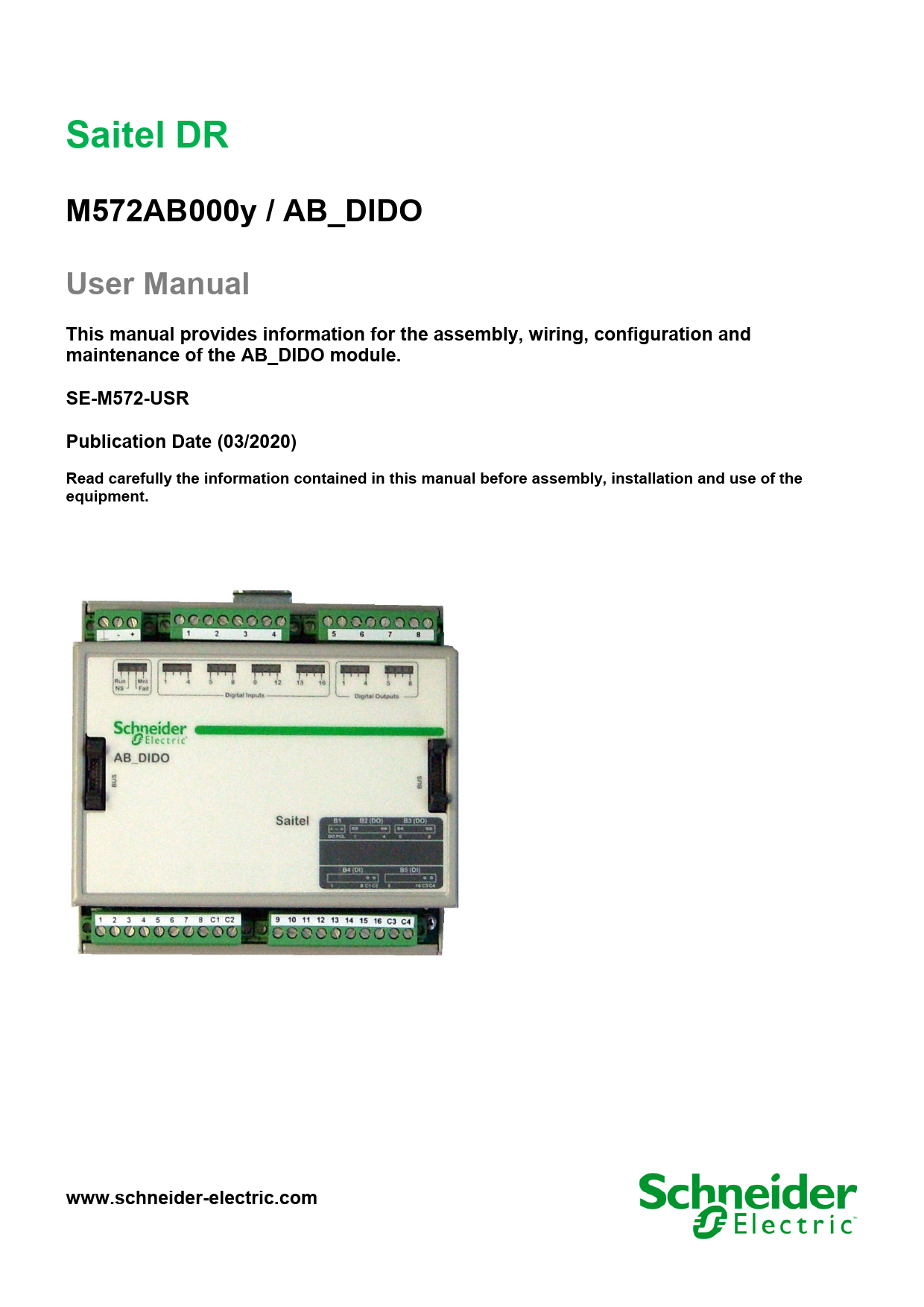
User Manual . This manual provides information for the assembly, wiring, configuration and maintenance of the AB DIDO module. SE-M572-USR . Publication Date (03/2020) Read carefully the information contained in this man…
Saitel DR - Product ation & Software downloads ...
Publication Date (03/2020). Read carefully the information contained in this manual before assembly, installation and use of the equipment.
Full PDF Document

If the inline viewer fails, it will open the original document in compatibility mode automatically. You can also open the file directly.
Extracted Text
Saitel DR
M572AB000y / AB_DIDO User Manual
This manual provides information for the assembly, wiring, configuration and maintenance of the AB_DIDO module. SE-M572-USR Publication Date (03/2020)
Read carefully the information contained in this manual before assembly, installation and use of the equipment.
www.schneider-electric.com

24/03/2020
Change Control
Rev 01

Date 24-03-2020

Initial edition.

User Manual � AB_DIDO Description

General Information
The Saitel platform and all its components have been developed in accordance to the requirements for a quality management system, complying with the ISO 9001:2015 Norm.

Document n�: Revision/Date: File: Retention period:

SE-M572-USR 01 / 24-03-2020 AB_DIDO � User Manual_EN_01.pdf Permanent throughout its validation period + 3 years after its cancellation.

Reference Documents
User Manual Easergy Builder User Manual HU120 User Manual HUe User Manual HU_A User Manual HU_B User Manual HU_AF User Manual Easergy Builder User Manual webAPP User Manual webTool user manual EOL Instructions

Document Code FTE-MSS-S856 SE-M590-USR SE-M588-USR SE-M551-USR SE-M552-USR SE-M503-USR FTE-MSS-S856 FTE-WPP-S856 FTE-MSW-S856 FTE-EOLI-M555

Software Version in this Manual
The information in this manual is valid for the software versions listed below. This information is also valid for later versions, although some parameters may change slightly:

Module
Baseline Baseline Baseline Easergy Builder Tool AB_DIDO software

RTU Software

Module

HUe

HU_A/HU_AF

HU_B

Core

AB_DIDO.bin

Version 11.06.08_7061 11.04.18_6825 02.03.01 1.5.9.1 01.01.07

Page 2

R&D Digital Seville

User Manual � AB_DIDO
Content

24/03/2020

1 SAFETY & HEALTH .................................................................................................. 4 2 GENERAL DESCRIPTION OF AB_AO .................................................................. 14 3 PHYSICAL MOUNTING & INSTALLING ................................................................ 20 4 CONFIGURATION & MAINTENANCE.................................................................... 28 5 TECHNICAL SPECIFICATIONS TABLE ................................................................ 50

R&D Digital Seville

Page 3

24/03/2020

User Manual � AB_DIDO

1 Safety & Health

Page 4

R&D Digital Seville

User Manual � AB_DIDO
Content

24/03/2020

1 SAFETY & HEALTH .................................................................................................. 4
1.1 INTRODUCTION ........................................................................................................ 6 1.1.1 INFORMATION OF SAFETY ................................................................................. 6 1.1.2 PRESENTATION ................................................................................................ 6
1.2 INTRODUCTION TO SAFETY....................................................................................... 7 1.3 SYMBOLS AND LABELS ON THE EQUIPMENT ............................................................. 7 1.4 INSTALLATION, SETUP AND OPERATION ................................................................... 8 1.5 EARTHING ............................................................................................................. 10
1.5.1 ELECTRICAL SAFETY ...................................................................................... 10 1.5.2 FUNCTIONAL EARTH (EMC) ............................................................................ 11 1.6 HANDLING ELECTRONIC COMPONENTS .................................................................. 11 1.7 TECHNICAL SPECIFICATIONS FOR SAFETY .............................................................. 12 1.7.1 PROTECTIVE ELEMENTS ................................................................................. 12 1.7.2 ENVIRONMENTAL CONDITIONS ........................................................................ 12 1.7.3 STORAGE CONDITIONS ................................................................................... 12 1.8 TECHNICAL LABEL ................................................................................................. 13 1.9 PACKING AND UNPACKING ..................................................................................... 13 1.10 DECOMMISSIONING AND DISPOSAL....................................................................... 13

R&D Digital Seville

Page 5

24/03/2020
1.1 Introduction

User Manual � AB_DIDO

1.1.1 Information of Safety
Important information
Read these instructions carefully and look at the equipment to become familiar with the device before trying to install, operate, service or maintain it. In this manual you can find different types of messages associated with situations that have different level of risk for people and / or for the equipment.
This symbol indicates "DANGER" or "WARNING". This symbol informs of an electrical risk that will cause personal injuries if the instructions are not followed.

This symbol is associated to a safety alert. It is used to warn of possible personal injury hazards. The user must follow all instructions or messages associated to this symbol to avoid possible injuries.

DANGER
DANGER indicates a hazardous situation which, if not avoided, will result in death or serious injury.

WARNING
WARNING indicates a hazardous situation which, if not avoided, could result in death or serious injury.

NOTICE
NOTICE is used to address practices not related to physical injury. The safety alert symbol shall not be used with this signal word.

To Keep in Mind

Electrical equipment should be installed, operated, serviced, and maintained only by qualified personnel. No responsibility is assumed by Schneider Electric for any consequences arising out of the use of this material.

A qualified person is who fulfill with requirements in paragraph 1.2

1.1.2

Presentation
This manual provides information for a safe handling, commissioning and testing. This Safety chapter also includes descriptions of the labels on the equipment.

Documentation for equipment ordered from Schneider Electric is dispatched separately from manufactured goods and may not be received at the same time. Therefore, this guide is provided in order to do that printed information which may be present on the equipment is fully understood by the recipient.

The technical data in this safety guide is typical only, see the technical data section of the user manual for specific details of a particular equipment.

Page 6

R&D Digital Seville

User Manual � AB_DIDO

24/03/2020

Before carrying out any work on the equipment the user should be familiar with the contents of this Safety chapter and the ratings on the equipment's rating label.
THE SAFETY SECTION MUST BE READ BEFORE STARTING ANY WORK ON THE EQUIPMENT.
1.2 Introduction to Safety

The information in this section is intended to get that equipment is properly installed and handled in order to maintain it in safety conditions. It is assumed that everyone who will be associated with the equipment will be familiar with the contents of that Safety section.
When electrical equipment is in operation, dangerous voltages will be present in certain parts of the equipment. Failure to observe warning notices, an incorrect or improper use may endanger personnel and equipment and also cause personal injury or physical damage.
WARNING
Before working with the terminal of connection, the device must be turned off and disconnected of the feeding.
Proper and safe operation of the equipment depends on appropriate shipping and handling, proper storage, installation and commissioning, and on careful operation, maintenance and servicing. For this reason, only qualified personnel may work on or operate the equipment.
Qualified personnel are individuals who:
� Are familiar with the installation, commissioning, and operation of the equipment and of the system to which it is being connected.
� Are able to safely perform switching operations in accordance with accepted safety engineering practices and are authorized to energize and de-energize equipment and to isolate, ground, and label it.
� Are trained in the care and use of safety apparatus in accordance with safety engineering practices.
� Are trained in emergency procedures (first aid).
It is necessary to consider that the documentation of the device collects the instructions for its installation, set up and operation. However, the manuals could not cover all the possible circumstances neither include specific information on all the details.
In case of questions or specific problems, contact with his office of sales Schneider Electric or with the center of attention to the customer and request the necessary information.
1.3 Symbols and Labels on the Equipment

Before the equipment is installed or commissioned, the user must understand the following symbols, which may be used on the equipment or referred to in the user documentation:

Table 1 - Symbols

Symbol

Associated Text

Description

Possibility of electric chock

IEC symbol associated to a DANGER or WARNING message indicating that there is an electrical risk. Failure to follow these instructions
could cause damage to people or death.

Caution, read the manual.

Symbol associated with a risk alert. The user must read the manual before handling the equipment.

R&D Digital Seville

Page 7

24/03/2020

Symbol

User Manual � AB_DIDO

Associated Text
Possibility of electric chock
Protective earth connection

Description
ANSY symbol associated to a DANGER or WARNING message indicating that there is an electrical risk. Failure to follow these instructions could cause damage to people or death.
Associated symbol to the protective ground connection. See paragraph 1.5.1 in this manual.

CE Mark
Electronic device. Special instructions must be follow for discard it.
Compliant with RoHS.
Direct Voltage

This symbol indicates that the equipment has been developed in compliance with all applicable European Directives.
This symbol indicates that, at the end of its life, this module must be discarded according to the WEEE Directive (Waste Electrical and Electronic Equipment).
The equipment has been designed and manufactured according to RoHS Directive (Restriction of Hazardous Substances).
Symbol of direct voltage (VDC).

Alternate Voltage

Symbol of alternate voltage (VAC).

1.4 Installation, Setup and Operation

There are several acquisition blocks in Saitel DR that use high voltages (> 50 V). The user is responsible to check that the characteristics of each device are adapted and convenient for his installation. The user should read the instructions of installation before proceeding to the use or maintenance of the devices.
Not following these instructions can be dangerous for the people and the devices.
DANGER
Devices that handle dangerous tensions are marked with a sticker on the front label (size: 12,5 mm). This label must be visible all the time while the module is installed on the DIN rail.
The following products handle dangerous tensions:
� HU_AF: Advanced head unit with acquisition (P/N M503xx3x0x and P/N M503xx4x0x). For other part numbers, depending on the voltage handled by the equipment connected to the digital outputs (voltage > 50 V), this module must be marked with an electric risk label. It will not be marked on factory.
� HU120: High-performance CPU with acquisition (P/N M590xx000x).
� AB_DI: Digital inputs module (P/N: M55520000x, M55530000x and M55540000x).
� AB_DIDO: Input and output digital module (P/N M5722x000x, M5723x000x and M5724x000x). For other part numbers, depending on the voltage handled by the equipment connected to the digital outputs (voltage > 50 V), this module must be marked with an electric risk label. It will not be marked on factory.
� AB_AC: Direct measurements module (P/N M562x0000x).
� AB_DO: This module does not handle high voltages, it will not be marked at the factory. This module must be marked to inform about the risk when some equipment that manage voltage higher than 50 V are connected to digital outputs.

Page 8

R&D Digital Seville

User Manual � AB_DIDO

24/03/2020

It is recommended to install the RTU inside a cabinet with a key. This cabinet only should be opened by a qualified person.
WARNING
If this type of cabinet isn't available, a barrier must be installed in order to avoid an accidental contact with these dangerous elements. This barrier only should can be removed using a special tool.
If the barrier has to be removed in order to access to equipment, personnel responsible for the task must be sure that the barrier is installed again when the task is finished.
While the RTU is accessible for a user, all people must follow all instructions to prevent electrical risk or discharges.
Not following these instructions can give like result that the device do not work properly or even can damage to the people or devices.

An electrical risk symbol with enough size must be included on the cabinet's door or on the barrier.
The following image shows an example:
Figure 1 � Barrier of protection for elements with dangerous voltages.

NOTICE
Terminals will not be accessible to the user directly once it has made the installation of the device. The cabinet will have to remain closed with key or the screen of installed protection.
The cabinet or installation must have a general switch placed just in the cable entry of the installation (see paragraph 1.7.1 )
For the cleaning of the device it is only necessary using a dry cloth by the surface when it detects excessive presence of dust or any element deposited on the surface.
WARNING
You mustn't use a liquid product of cleanliness due to the presence of active parts.
Because of the variety of uses of the product, the managers of the application and use of this device of control will have to take the measures to ensure the fulfillment of all the requests of security and provision of each application. The requests do reference to the applicable laws, regulations, codes and standard.

R&D Digital Seville

Page 9

24/03/2020

User Manual � AB_DIDO

1.5 Earthing

WARNING
Before energizer the device, it has to be placed to earth properly such as it indicates in sections 1.5.1 and 1.5.2 .
When installing the device, ground is the first thing that should be connected and the last one that should be disconnected.

1.5.1

Saitel can need put to earth for two distinct needs:
� For purposes of electrical safety (Protective Earth, PE).
� Improve the behavior in EMC and derive perturbations to earth (functional Earth).
Electrical Safety
Only qualified personnel, with knowledge about hazards associate with electrical equipment is allowed to install Saitel DR. In general, the installation will be following IEC 61010-1 recommendations in order to be compliant with this norm.
The DIN rail must be installed on a metallic surface. This metallic surface must have available an M4 screw marked with this symbol. The ground of the cabinet or installation must be connected to this screw, according to the norm IEC 61010-1.
Saitel DR modules have a metallic enclosure offering protection for isolation faults. Earthing is done by the metal rail fixing clip.
WARNING
All devices with high voltage must be disconnected before dismount a module from the DIN rail.
A dedicated connection with green/yellow wire should be used to assure electric continuity to the installation protective earth. Section of these wires must be enough in order to support 25 A (ground bonding test).
Figure 2 � Yellow and Green cable for earthing.

The design and installation of the cabinet is responsible for compliance with all the existing international and national electrical codes concerning protective grounding of any device.
WARNING
According to Electrical Safety:
� The screw for ground must be exclusive for this use. � The power voltage must be supplied by a power supply that offers double or reinforced
insulation against dangerous voltages.

Page 10

R&D Digital Seville

User Manual � AB_DIDO

24/03/2020

1.5.2

Functional Earth (EMC)
In this case the main rule is that the connection has to do with wires of the lower possible length to the screen or connection of put to earth nearer. In this case the section of the driver is not notable, is more, it advises that the use of flat wires or flexible conductive bands for a good behavior EMC.
NOTICE
The DIN rail must have terminals of earthing (of yellow and green color) necessary to connect the terminals of PE (if it is present).

Figure 3 � Terminal for functional earth (EMC).

All Saitel DR modules with power or polarization connector have an exclusive terminal for earthing EMC. These modules are HU120, HUe, HU_B, HU_A, HU_AF, XU, AB_DO, AB_DIDO and AB_SER with external polarization.
Figure 4 � Example of earthing for EMC.

1.6 Handling Electronic Components
Like any electronic device, Saitel is susceptible to receive electrostatic discharges during the handling. It is necessary to take the usual measures to minimize this risk, since serious damage to the equipment can be caused, which may not be detected immediately but which may affect the reliability of the product.
WARNING
The enclosure ONLY should be removed when is strictly necessary, because this action has a risk for the equipment:
� Before removing the enclosure, the operator must be equipotential with the equipment.
� Avoid touching the electronic. The board must be always manipulated for the edges.
� If the equipment has to be passed between two persons, both must be equipotential.
� Put the module always on an antistatic surface or on a surface equipotential with you.
� During the storage and transport, the module will remain in the packaging.
Not following these instructions can give like result that the device do not work properly or even can damage to the people or devices.

R&D Digital Seville

Page 11

24/03/2020
1.7 Technical Specifications for Safety

User Manual � AB_DIDO

1.7.1 1.7.2 1.7.3

Protective Elements
The cabinet's engineering and installation must include a general automatic switch next to the cables' input in the cabinet; once the door is opened, high voltages must be interrupted inside. This switch must be located at a place which is not accessible by a third person while the operator is using the boards in the cabinet.
Moreover, the installation will incorporate a circuit breaker of 5A next to the cabinet protecting it from possible overcurrent in the power supply.
Both switches will be labeled with the symbol O as "Off" and I as "On".
WARNING
The connection / disconnection switch must be installed in a fixed element (for example the wall of the cabinet) and it mustn't break any earthing wire.
Environmental Conditions
The protection degree of the device is IP20. It is designed only for his use in interiors. If it is necessary for his use in some external surroundings, it has to mount in a cabinet or specific accommodation that contributes a degree of protection IP54, protected against the dust and water.
The electronic cards of the modules will be able to be tropicalized or no according to the option of setting chosen. The tropicalized used is the AVR80, of the company ABchimie. It can consult all the technical information of this type of finishing in http://www.abchimie.com/.
Other data to take into account about the environmental are:
� Usage: Indoor use (installed in an electrical cabinet).
� Altitude until 2000 m.
� Operation temperature range: Between -40 �C and 70 �C. (IEC 60068-2-1 and IEC 60068-2-2).
� Maximum relative humidity of 95%. (IEC 60068-2-30)
� Degree of pollution II. (IEC 61010-1)
� Overvoltage transitory until levels of Category II. (IEC 61010-1)
Storage Conditions
The continuous exhibition to some high levels of humidity during the storage can cause damages to the electronic components and reduce the useful life of the device.
We recommend that, in the enclosure of storage, the relative humidity do not exceed 50%.
Once that the Saitel devices have been unpacked, recommend that they are energized inside the three following months. When it installs an electrical device, it has to leave sufficient time for the acclimatization to the temperature acclimatize of the environment, before the activation. Once the equipment has been unpacked, it is recommended that it be energized within the following three months.

Page 12

R&D Digital Seville

User Manual � AB_DIDO
1.8 Technical Label
Each Saitel product includes a technical label with the following information: Figure 5 � Technical label.

24/03/2020

NOTICE
On the "Technical data" zone, you can see relevant information about the input and output voltage in the module. Any voltage greater than 50 V must be consider as a high voltage.

1.9 Packing and Unpacking

1.10

All Saitel modules are packaged separately in their own carton box and shipped inside outer packaging. Use special care when unpacking the device. Don't use force.
The design revision and manufacturing options can be determined using the P/N included in the packaging label on packaging.
After unpacking the device, inspect it visually to be sure it is in proper mechanical condition.
If the product needs to be shipped, the original packaging must be used, including foams and the carton box. If the original packaging is no longer available, make sure that the packaging used is according to ISO 2248 specifications for a drop height 1 m.
Decommissioning and Disposal

When the product is marked with this symbol, it means that, at the end of its life cycle, you mustn't dispose the product together with habitual residues. To avoid the possible damage to the environment or to the human health that represents the uncontrolled elimination of residues, please, separate the battery (if there is one) of the other elements, and each one must be recycled according to the local regulation.

R&D Digital Seville

Page 13

24/03/2020

User Manual � AB_DIDO

2 General Description of AB_DIDO

Page 14

R&D Digital Seville

User Manual � AB_DIDO
Content

24/03/2020

2 GENERAL DESCRIPTION OF AB_DIDO ............................................................... 14
2.1 SAITEL DR PLATFORM........................................................................................... 16 2.2 AB_DIDO FEATURES ............................................................................................ 17 2.3 INTERFACES .......................................................................................................... 18 2.4 HARDWARE ARCHITECTURE................................................................................... 18

R&D Digital Seville

Page 15

24/03/2020
2.1 Saitel DR Platform

User Manual � AB_DIDO

Saitel DR is a hardware platform by Schneider Electric. It consists of a set of equipment which have been specifically designed for real-time control and automation applications. Saitel DR is a high-technology platform which serves Schneider Electric's business areas.
On this hardware platform, the Baseline Software Platform is installed. This software is used in Saitel families (Saitel DP and Saitel DR) and other Schneider Electric products.
Other features identifying Saitel DR are:
� A DIN rail is used for the mechanical installation.
� The communication between the controls units integrated in a distributed system is mainly established by Ethernet.
� The terminal blocks for field-connection are completely built into acquisition blocks.
Figure 6 � Saitel DR.

Saitel DR's design has been optimized to meet the most demanding requirements of multiple sectors:
� Safety and reliability requirements for power, gas and water supply, as well as sewage treatment plants, etc.
� Compliance with electric safety, electromagnetic compatibility, and environmental standards.
� Centralized monitoring and control of geographically-distributed systems which support hierarchical data acquisition and sharing networks.
� Local monitoring and control with data sharing capabilities of plant-distributed equipments.
� Quick troubleshooting, including the possibility of using programmable automation execution.
WARNING
Please note Saitel DR does not support hot-swapping, that is, module replacements during operation.

Page 16

R&D Digital Seville

User Manual � AB_DIDO
2.2 AB_DIDO Features
The diagram below illustrates the functional blocks integrated in the AB_DIDO: Figure 7 � AB_DIDO - Functional block diagram.

24/03/2020

Digital Inputs

The AB_DIDO has two blocks of 8 digital inputs plus a common block. Each input can be configured as:

� Simple digital input.
� Double digital input.
� Slow counter. Digital Outputs
The AB_DIDO module contains two terminal blocks for 4 digital outputs each. The main features of these outputs include:

� The outputs can be: SBO (Select Before Operate) or DO (Direct Operate). � Outputs can be simple or double. � Each output can be pulsing or latching. � They have a permanent output test. � Each output is independent. � External polarization. � Number of operations (resistive charge) > 30*106. � Number of operations (L/R=80 ms, 24 V/1.25 A) > 2*105. � Automatic polarization test. � Galvanic isolation. � Input protection against electromagnetic disturbances. Controller Block This block basically performs the management of both digital inputs and outputs in the AB.

In relation to outputs, and alike the AB_DO module, the AB_DIDO can operate in two modes: Select Before Operate (SBO) or Direct Operate (DO).

R&D Digital Seville

Page 17

24/03/2020

User Manual � AB_DIDO

This block performs a pre-filtering before transmitting the information to the HU through the bus. As the AB_DI module, it applies a debounce filter to each input and an anti-chattering filter.
When the input changes, it is transmitted to the HU as an event, which includes the value change and the timestamp. The CPU performs the rest of the processing on digital inputs.

2.3 Interfaces

The AB_DIDO module offers 16 high-precision (1 ms) configurable digital inputs and a digital filter for each of them. It also integrates 8 digital relay outputs with a high level of security.
Following interfaces are available in this module:
� 1 terminal block to connect the outputs polarization. � 2 terminal blocks to connect 8 digital outputs. � 2 terminal blocks to connect 16 digital inputs. � 28 LED indicators. The following figure shows AB_DIDO module's front panel:
Figure 8 � AB_DIDO Module.

2.4 Hardware Architecture
The figure below illustrates the block diagram which describes the AB_DIDO hardware: Figure 9 � AB_DIDO - Hardware schematic view.

Page 18

R&D Digital Seville

User Manual � AB_DIDO

24/03/2020

Indications

There are 28 LED indicators on the module's front panel which provide information about the module and the input/output signals.

Polarization (B1)
The AB_DIDO digital outputs need an external polarization. The module has a dedicated 24/48 VDC polarization input terminal.

NOTICE
The 48 VDC version is available for revision C0 and later.

Digital Outputs (B2 and B3) There are two terminal blocks labeled as B2 and B3 for field outputs which allow 8 digital outputs to be connected using screw terminals. Both terminal blocks support 4 outputs each. The signals DO 1 to DO 4 are connected to B2 and the signals DO 5 to DO 8 are connected to B3.
Digital Inputs (B4 and B5)
DANGER
HAZARD OF ELECTRIC SHOCK, ELECTRIC ARC OR BURNS
� Only qualified personnel should install this equipment. Such work should be performed only after reading this entire set of instructions and checking the technical characteristics of the device.
� NEVER work alone. � Turn off all power supplying this equipment before working on or inside it. Consider all
sources of power, including the possibility of back feeding. � Always use a properly rated voltage sensing device to confirm that all power is off. � Start by connecting the device to the protective earth and to the functional earth. � Screw tight all terminals, even those not in use. Failure to follow these instructions will result in death or serious injury.
There are various versions of the AB_DIDO module depending on the polarization for the digital inputs. These versions are included in the module's technical specifications table.
The module has two terminal blocks labeled as B4 and B5 which allow the 16 digital inputs to be connected through screw terminals. Both terminal blocks support 8 inputs each. The signals DI 1 to DI 8 are connected to B4 and the signals DI 9 to DI 16 are connected to B5.

R&D Digital Seville

Page 19

24/03/2020

User Manual � AB_DIDO

3 Physical Mounting & Installing

Page 20

R&D Digital Seville

User Manual � AB_DIDO
Content

24/03/2020

3 PHYSICAL MOUNTING & INSTALLING ................................................................ 20
3.1 ITB INSTALLATION ................................................................................................. 22 3.1.1 HANDLING ...................................................................................................... 22 3.1.2 LOCATION IN THE ITB ..................................................................................... 22 3.1.3 POWER SUPPLY REQUIREMENTS .................................................................... 22 3.1.4 MOUNTING PROCEDURE ................................................................................. 23
3.2 WIRING AB_DIDO................................................................................................. 24 3.2.1 WIRING RECOMMENDATIONS .......................................................................... 24 3.2.2 DIGITAL OUTPUTS AND POLARIZATION ............................................................ 24 3.2.3 DIGITAL INPUTS .............................................................................................. 25
3.3 LED INDICATORS................................................................................................... 26

R&D Digital Seville

Page 21

24/03/2020
3.1 ITB Installation

User Manual � AB_DIDO

3.1.1

Handling
DANGER
Depending on the devices connected to the module AB_DIDO, could exist hazard of electric chock, electric arc or burns. For any of these cases, follow these instructions:
� Only qualified operator should install this equipment. Such work should be performed only after reading this entire set of instructions and checking the technical characteristics of the device.
� NEVER work alone.
� Turn off all power supplying this equipment before working on or inside it. Consider all sources of power, including the possibility of back feeding.
� Always use a properly rated voltage sensing device to confirm that all power is off.
� Start by connecting the device to the protective ground and to the functional ground.
� Screw tight all terminals, even those not in use. Failure to follow these instructions will result in death or serious injury.

3.1.2 3.1.3

To avoid electrostatic damage, the following precautions must be strictly followed:
� Do not touch the bus connector pins.
� If unused, keep the modules in the antistatic bag.
WARNING
Electrostatic discharges may damage semi-conducive devices within the module.
Location in the ITB
Saitel DR modules cannot be placed at any position in the ITB. Some of them, such as the head unit, the termination (TU or BT), the expansion (XU) and the communications module (AB_SER) must be installed in a specific position in the ITB.
All AB_DIDO modules will always be placed between two termination blocks. The type of termination block will depend on the row position within the ITB (HU, TU, XU or BT).
Power Supply Requirements
The main power is supplied by the HU through the bus. A polarization source is required for digital inputs, and the voltage depends on the ordering option.
The maximum power requirement for each AB_DI module is: � Main power supply: Basic consumption1 � Polarization supply: 16 * Polarization voltage per signal2 * Maximum current per signal1.

1 Basic consumption and Maximum current per signal values are indicated in the technical specifications table at the end of this manual.

2 Polarization voltage per signal value depends on the manufacturing option of each module.
Page 22

R&D Digital Seville

User Manual � AB_DIDO

24/03/2020

3.1.4

Mounting Procedure
WARNING
It is important to assure that handling is always done while the ITB elements are unpowered.

All Saitel DR modules have a DIN-rail bracket at the rear side that allows mounting on a DIN rail. Figure 10 � Mount bracket on DIN rail.

The mounting procedure is described below: � Switch off the power supply. � Attach the module's rear bracket on the upper DIN rail. � Press the lower front panel gently until a click confirms that the bracket is fit on the rail. � Verifying the module is anchored firmly to the rail, although lateral movement is possible. Figure 11 � Saitel DR module on a DIN rail.

The module is dismounted from the DIN rail as follows: � Switch off the power supply. � If necessary, disconnect the bridge(s) connecting the module to the system bus. � Holding the module by the front panel, push the upper metal tab downward. The user can also
pull the tab down using for example a screwdriver as shown: Figure 12 � Remove module.

� Pressing the tab, remove the module from the lower DIN rail. � Once detached, the module can be removed easily.

R&D Digital Seville

Page 23

24/03/2020
3.2 Wiring AB_DIDO

User Manual � AB_DIDO

3.2.1

This module has five terminal blocks labeled from B1 to B5 to connect polarization, digital inputs and digital outputs through screw terminals. Depending on the voltage for digital inputs and devices connected to digital outputs, please pay attention on the following safety message:
DANGER
Depending on the devices connected to the module AB_DO, could exist hazard of electric chock, electric arc or burns. For any of these cases, follow these instructions:
� Only qualified operator should install this equipment. Such work should be performed only after reading this entire set of instructions and checking the technical characteristics of the device.
� NEVER work alone. � Turn off all power supplying this equipment before working on or inside it. Consider all
sources of power, including the possibility of back feeding. � Always use a properly rated voltage sensing device to confirm that all power is off. � Start by connecting the device to the protective ground and to the functional ground. � Screw tight all terminals, even those not in use. Failure to follow these instructions will result in death or serious injury.
The wiring of each terminal block is described in detail below.
Wiring Recommendations
The following table shows several wiring recommendations for signals and polarization:
Type of wire

Analog Ouputs Polarization Digital Outputs

7 mm 7 mm 7 mm

2.5 mm� 13 AWG
2.5 mm� 13 AWG
2.5 mm� 13 AWG

0.5 Nm 0.5 Nm 0.5 Nm

Copper Copper Copper

3.2.2

Digital Outputs and Polarization
The figure below shows how to connect the external polarization source to the B1 terminal block:
Figure 13 � AB_DIDO - Polarization input wiring.

Page 24

R&D Digital Seville

User Manual � AB_DIDO

24/03/2020

In the B2 and B3 terminal blocks, the field outputs are voltage-free NO (Normally open) contacts. Figure 14 � B2 and B3 terminal blocks wiring

The field connection diagram is included below:

3.2.3

The B3 terminal block can be wired following the same connection diagram as B2.
Digital Inputs
Both B4 and B5 terminal blocks support 10 pines, from which the first 8 inputs (from left to right) are related to signals and the last two are related to the common input (COM). DI 1 to DI 8 signals are connected to B4 and DI 9 to DI 16 signals are connected to B5.
Figure 15 � B4 and B5 terminal blocks wiring.

The field connection diagram is included below:

R&D Digital Seville

Page 25

24/03/2020

User Manual � AB_DIDO

The B4 terminal block can be wired following the same diagram.
3.3 LED Indicators
The AB_DIDO module has the following indicators on the front panel: Figure 16 �Led Indicators.

The information by the LED indicators includes: � Acquisition and configuration status (Run and Fail) � Synchronization status (NS) � Module in maintenance (Mnt) � Status for each digital input (Digital Input x). � Status for each digital output (Digital Output x). AB_DIDO's LED provide the following information to the operator:

Table 2 - Led indicators meaning

LED Run

Status Description
Module working properly.
Module not in acquisition mode.

NS

Synchronization message not received for over

10s.

Synchronization message is being received.

Fail

Module not configured or in abnormal state.

No fault has been detected in configuration or hardware. Failure in EEPROM.
Page 26

Recommended action
The module was not included into the configuration, the module doesn't have an address or according to the loaded configuration, the type of the module is wrong. Check the synchronization source.
Check the configuration loaded in the HU. The module must be addressed and with the correct type (AB_DIDO).
R&D Digital Seville

User Manual � AB_DIDO

LED Mnt 1..16
1 .. 8

Status

Description
The module is in maintenance (Flashing, addressing, ...)

The module is in operation.

The corresponding input is active (the contact is closed).

The corresponding input is inactive or not connected (the contact is open).

The corresponding output is active.

The corresponding output is inactive.

Recommended action

24/03/2020

R&D Digital Seville

Page 27

24/03/2020

User Manual � AB_DIDO

4 Configuration & Maintenance

Page 28

R&D Digital Seville

User Manual � AB_DIDO
Content

24/03/2020

4 CONFIGURATION & MAINTENANCE.................................................................... 28
4.1 ITB CONFIGURATION ............................................................................................. 30 4.2 AB_DIDO CONFIGURATION ................................................................................... 32
4.2.1 INFORMATION OF LOCAL ACQUISITION............................................................. 33 4.2.2 AB_DIDO SIGNALS ........................................................................................ 33 4.2.3 LOCAL ACQUISITION COORDINATES ................................................................ 35 4.2.4 INFORMATION IN THE TABLE STATUS ............................................................... 35 4.2.5 INFORMATION IN THE TABLE COMMAND ........................................................... 37 4.3 MAINTENANCE OF MODULE VIA WEB ..................................................................... 38 4.3.1 WEBAPP VS WEBTOOL ................................................................................... 38 4.3.2 USING WEBAPP .............................................................................................. 38 4.3.3 USING WEBTOOL ........................................................................................... 43 4.4 FIRMWARE UPDATE ............................................................................................... 47

R&D Digital Seville

Page 29

24/03/2020
4.1 ITB Configuration

User Manual � AB_DIDO

INFORMACI�N
To perform the operations described in this chapter, the user must be familiar with the configuration tool. Otherwise, please consult the user manual of Easergy Builder.

In the Workspace of Easergy Builder, create a new RTU using of the mouse in an empty area of the RTUs tree:
Figure 17 �Add RTU.

button or pressing right button

Pressing button next to the graphical ITB, you can add, remove or change the I/O modules included on the default configuration. Figure 18 �Modify acquisition.
The user needs understand some basic concepts about Saitel DR before configuring the acquisition:
� An ITB is a set of acquisition blocks connected to a CPU (HU). � An Acquisition Block or AB is a Saitel DR input/output module. � Each acquisition block is allocated to a unique address in the ITB, the Node Number; this
number identifies both the module and its type. � The procedure AAP (Automatic Addressing Procedure) is performed by the operator
every time an AB module is added, deleted, replaced or moved inside the ITB. It can be launched manually or automatically depending on the configuration switches of the HU (consult user manual of the HU). Figure 19 � Acquisition modules in a default configuration.

Page 30

R&D Digital Seville

User Manual � AB_DIDO

24/03/2020

The number under each module corresponds with its address. You can select any AB and use

buttons

to change its physical position.

When "Auto Address" box is checked (by default), if you reorder, add or delete an AB, all addresses are automatically recalculated matching their physical position in the rail. Address number 1 is assigned to the AB closest to the HU module (for HU_AF or HU_BI, address number 1 will be attached to the HU itself).

If "Auto Address" box is unchecked, modules will retain the allocated address, ignoring any changes made. If rechecked, the following message will appear:

Figure 20 � Confirmation for automatic addressing.

Select an AB (click on the AB image) and use button AB and select the type of module to include:
Figure 21 � Adding one (or several) AB.

to remove it. Use button

to add a new

If "Auto Address" is checked, you can add several AB at one time. This window allows selecting the quantity of modules to be added. If "Auto Address" in unchecked, you only can add one AB each time and you have to select the address to be assigned.
To create a new configuration, select RTU in the tree and pulse right button of the mouse or use
button.
Figure 22 � Adding configuration.

If the field "Create acquisition points defined in the RTU" is marked, all points of the local acquisition of the acquisition blocks included in the default acquisition configuration associated with the RTU will be included in coreDb.
For example, if a HUe has an ITB with a AB_DIDO module, if "Create acquisition points defined in the RTU", following points are generated:
� 16 digital inputs in Status table.
� 8 digital outputs in Command table

R&D Digital Seville

Page 31

24/03/2020

User Manual � AB_DIDO
Finally, the new configuration will appear in the RTUs tree. Access to the configuration edition clicking on the configuration name in the tree: Figure 23� Easergy Builder configuration.

Double click on the claq Device open the window to configure/modify the ITB. Figure 24 � Easergy Builder address.

4.2 AB_DIDO Configuration
The local acquisition Device for Saitel DR is named "Local Acquisition Device Controller" (claq). The main functionality of claq is supporting the communication between field signals of each AB and its linked coreDb points.
The first step to configure the acquisition settings is to assure that the ITB in the graphical interface is according to the system. Each module must be addressed according its position in the ITB.
NOTICE
The graphical interface does not take into account if the ITB is assembled in one or multiple rows. The modules should always be added in the adequate order, regardless the number of TU-XU modules that we have installed.

Page 32

R&D Digital Seville

User Manual � AB_DIDO

24/03/2020

4.2.1

Information of Local Acquisition
The following figure shows the relationship between the field information received by the AB_DIDO module and the related points in coreDb:
Figure 25 � Field signals and points in coreDb.

4.2.2

All signals in this picture are simple. If a signal is configured as double or counter its default name will be different.
AB_DIDO signals
The following figure shows the configuration panel when the ITB is composed by an HUe and one AB_DIDO module with address 1:
Figure 26 � AB_DIDO digital input signals.

Select the module in the ITB and all its field signals are shown (marked in red).

R&D Digital Seville

Page 33

24/03/2020

User Manual � AB_DIDO
The first position of each row corresponds with the signal's description (DI_ISIM_1 .. DI_ISIM_16). In coreDb, each signal will be identified using its coordinate. (see paragraph 4.2.3
For each signal, the following parameters can be changed:
� Type of signal: The signal is configured as: Simple digital (DI_ISIM), double digital (DI_IDOB) or slow counter (DI_ICNT32).
The following parameters will be available or not depending on the type of signal:
� Invert: Inversion flag. The signal is inverted (Y) or not inverted (N).
� TF (ms): Filtering time. All changes that take less than this time are rejected.
� TM (ms*10): It applies to the signals set to "event". After an event, the signal's value is retained for this time before another event occurs. It must assure the correct detection by the logic.
� TS (ms*100): It applies only for double signals. The stand-by time intends to create a time frame in which the deactivation of the active input is not detected until the other input is activated.
� NChat and TChat: These parameters are associated to the anti-chattering function and it applies to the signals set to "event". If a number of changes (NChat) are made in a specific timeframe (TChat), these all changes are rejected.
The following figure shows the configuration panel for digital output signals:
Figure 27 � AB_DIDO digital output signals.

Each signal has the following associated information:
� Select before operating: Enable the SBO working mode. � Digital Output Checkbox: Disable the digital output. It will not be used and cannot be mapped
on coreDb.
� DO_OSIM/DO_ODOB: o DO_OSIM: The digital output is configured as simple. o DO_ODOB: The digital output is configured as double.

Page 34

R&D Digital Seville

User Manual � AB_DIDO

24/03/2020

4.2.3

� Latch: o No: The digital output is not configured as latch. o Yes: The digital output is configured as latch.
� ExeTim(ms): In case latch option is not used ExeTim can be configured. It means the pulse time duration when the digital output is activated.
Local Acquisition Coordinates
Each digital input is identified in coreDb by a name (it is stored in the field Description), but this name is only used for information purpose. coreDb uses the signal's coordinate to identify a field signal. A claq coordinate is a numerical identifier of 10 digits with the following structure:
1XXXYYZZZZ Where:
� 1: First digit of the coordinate. In local acquisition signals, it must always be 1. � XXX: Number that identifies the acquisition block. For the HUe signals, it will always be 000.
For the rest of the ABs, this number will correspond with the address of the module.
� YY: Type of signal. For digital input could be: o 02: Simple digital input. o 03: Count. o 05: Simple digital output. o 07: Double digital input. o 15: Double digital output.
� ZZZZ: Position of the signal in the module.

4.2.4

Information in the Table Status
Each digital input signal is associated to a coreDb register in the status table using its claq coordinate as source:
Figure 28 � Digital input signals in coreDb.

R&D Digital Seville

Page 35

24/03/2020

User Manual � AB_DIDO
These points can be created automatically when the module is included in the ITB, but they can be created manually using the claq's wizard.
In order to include a point manually, please create a new point, select claq as Destination Device, click right-button on the field Destination Coordinates and select Launch Point wizard:
Figure 29 � Launch Point Wizard.

Figure 30 - Digital inputs local acquisition.

Select the module in which it wants to create these points and then select type.
Only not created point will be shown in the list.
The following point can be added for an AB_DIDO module:
� 16 points for information from field. A coreDb point will be included in the Status table for each field signal. The default name is: D00x_00000 .. D00x_00015, where 00x is the module's address.
� Two diagnostic points associated to the module:
o COMM_DIAG: Status of the communication with the HU. 0  "Communication FAIL", 1  "Communication OK".
o HW_DIAG: Hardware diagnostic. 0  No problem detected, 1 Problem detected in the hardware.

Page 36

R&D Digital Seville

User Manual � AB_DIDO

24/03/2020

4.2.5

Information in the Table Command
Each digital output signal is associated to a coreDb register in the command table using its claq coordinate as source:
Figure 31 � Digital output signals in coreDb.

These points can be created automatically when the module is included in the ITB, but they can be created manually using the claq's wizard. In order to include a point manually, please create a new point, select claq as Source Device, click right-button on the field Source Device and select Launch Point wizard as explained above. Figure 32 � Launch Point Wizard
Figure 33 - Digital outputs local acquisition.

Select the module in which it wants to create these points and then select type.

Only not created point will be shown in the list.

The following point can be added for an AB_DIDO module:

� 8 points for information from field. A coreDb point will be included in the Command table for each field signal. The default name is: D00x_00000 .. D00x_0007, where 00x is the module's address.

R&D Digital Seville

Page 37

24/03/2020
4.3 Maintenance of Module via WEB

User Manual � AB_DIDO

4.3.1

webApp Vs WebTool
WebApp and Webtool are remote user interfaces for consulting, monitoring and maintenance tasks. Once the username and password have been entered, you can access to the main window and, depending on the web tool, several sections are available.
NOTICE
WebApp has been designed to work only with cybersecurity brick. At now, it can be used only with HUe. HU_A and HU_AF use Webtool, while HU_B doesn't allow a remote connection using a webserver.
When use WebApp, the following message is shown previously to access the tool:
Figure 34 - Disclaimer information

4.3.2

Please, read this information and take it into account.
In this manual, only the information about AB_DIDO is shown. For more information about these tools, please, consult the user manual for each one.
Using webApp
Saitel WebApp has an access control that allows differentiating the users who are able to connect. To get the window access, please write https://< CPU IP address> in the navigation address bar.
Figure 35 � Access screen

Page 38

R&D Digital Seville

User Manual � AB_DIDO

Home tab

Select Home in the main toolbar and the following information is shown.

Figure 36 - Home view

24/03/2020

Some of this information can be filled in by the user.
� Device Information. It is possible to add the names of the operators who have used or configured the equipment or a specific custom note that can be viewed each time a connection is established to this RTU. This information can be changed using button "Edit", next to "Device information".
� Location. The GPS coordinates for the RTU location (place, latitude, longitude, and altitude) should be entered here by the installer. Location is not set automatically. The image must be included manually by clicking button on the map.
� Image associated to the RTU. It could be useful to include a location map corresponding to the GPS coordinates. Use button on the graphic zone to do it.
� Notes. This zone allows the user to include notes that are shown to other users. Use button too add new notes.
� Factory information: This zone shows the manufacturer, model and the version of the software loaded on the HU module. Using button next to the text "Factory Information", it is also possible to include an image of the particular RTU or CPU for identification purposes.
This screen contains other menus:
� Monitoring & Control
� Diagnostic
� Maintenance
� Settings
This manual only includes relevant information for AB_DIDO. For more information about webApp, please, consult the webApp user manual.

R&D Digital Seville

Page 39

24/03/2020
Monitoring and Control

User Manual � AB_DIDO

This menu is used to monitor and control the information regarding to system status and coreDb points.
Select "Monitoring & control  System information" and the following information the system is displayed or not depending on whether the corresponding monitoring point was included or not in coreDb. In the following image, for each data, the supervision point that must be included in coreDb is indicated in a blue square.

Figure 37 - Monitoring and Control view - System information

Please take into account that the correspondent supervision points must be installed, otherwise, you will see a warning like the one in the example above (PLC information not available). In this section, all the mapped points in Easergy Builder can be seen. There are 4 pages for viewing status and measurement data or for sending commands.
� Status page: For viewing the status of the digital data
� Command page: For sending change of state commands based on the digital data.
� Analog page: For viewing measurement values.
� Setpoint page: For forcing parameter values. For an AB_DIDO module, the showed points are the followings:

Page 40

R&D Digital Seville

User Manual � AB_DIDO
Figure 38 - Monitoring and Control - Status

24/03/2020

Figure 39 - Monitoring and Control � Command

For all types of points, each page has the same format. If the user locks the signal and click in in the "value" column, the value of the correspondent signal can be changed.
Figure 40 � Edit value

If the user locks the signal and click in signal can be changed.

in the "quality" column, the value of the correspondent

R&D Digital Seville

Page 41

24/03/2020

Figure 41 � Different values of signals

User Manual � AB_DIDO

Each code of quality bit has a different meaning. See next tables to know the description of each one.
Table 3 - Local quality bits

Values (Hexadecimal) 0x00000000 0x00000001 0x00000002 0x00000004 0x00000008 0x00000010 0x00000020 0x00000040 0x00000080 0x00000100 0x00000200 0x00000400 0x00000800 0x00001000

Description OK There has been an overflow There has been a carry on a counter or a roll-over. There has been a counter adjustment. Excessive changes in a digital input. Locked Point (blocked) Point manually replaced (manual) The point has not yet been written into the database (No refresh) Invalid value (Error) The value of the item has exceeded Highest Limit Alarm. The value of the item has exceeded High Limit Alarm. The value of the point has fallen down of Low Limit Alarm. The value of the point has fallen down of Lowest Limit Alarm. Invalid time.

Page 42

R&D Digital Seville

User Manual � AB_DIDO
Table 4 - Quality bits from the Device

24/03/2020

Values (Hexadecimal) 0x00000000 0x00010000 0x00020000 0x00040000 0x00080000 0x00100000 0x00200000 0x00400000 0x00800000 0x10000000

Description OK There has been an overflow. There has been a carry on a counter or a roll-over. There has been a counter adjustment. Excessive changes in a digital input. Locked Point. Point manually replaced. The point has not yet been written into the database. Invalid value. Invalid time.

4.3.3

NOTICE
If more than one error is detected for a signal, the hexadecimal value monitored for quality bits will result from the sum of all. For example: 0x00000001 indicates that an overflow has occurred and 0x00000002 indicates that there has been a carry on a counter or a roll-over. The value 0x00000003 would appear monitored.
Using WebTool
Saitel Webtool is the tool used for maintenance and monitoring of Saitel RTUs which is supplied with the baseline software platform. The values of all the coreDb signals in real-time can be monitored through the Saitel Webtool as well as the quality data related to these values.
Saitel Webtool has an access control that allows differentiating the users who are able to connect. To get the window access, please write https://< CPU IP address> in the navigation address bar.
If the browser has been correctly configured, and the remote equipment is connected to the PC, the login window will prompt:
Figure 42 - Login window of Saitel Webtool

Once the username and the password are introduced in the login window, the main workspace is displayed:

R&D Digital Seville

Page 43

24/03/2020

Figure 43 - Initial screen of Saitel Webtool

User Manual � AB_DIDO

Information

This window shows: � Information about the user who opened the session (Login: admin). � Button "Exit" in order to close the current session. � It is possible to select the language through the field "Language". � The main menu is located on the left side of the screen. Each button gives access to all the
information of the RTU: o Information: General information about the CPU configuration. o Monitoring: Gives access to the coreDb tables and the values for each register and field. o Bins: Gives access to the devices that have been configured in the RTU. o Network configuration: Gives information about the physical devices and rooters.
Clicking Information on the main menu, you can see general information about the system. The following real-time information can be monitored on this menu: � System's Configuration � Hardware Status � Synchronization Status � Software Versions Figure 44 - Information section

Page 44

R&D Digital Seville

User Manual � AB_DIDO

24/03/2020

Monitoring

The top area of the screen includes the following information for any signal type (go to "Monitoring  Status", "Monitoring  Command", "Monitoring  Analog" or "Monitoring  Setpoint"):
For each kind of modules, the information will be included in different tables. In the case of the AB_AI module, the information for the acquisition points can be found in the Status and Analog screen.
In the status table, two signals are automatically created.
 COMM_DIAG: CPU diagnosis communication variable. 0 the module cannot communicate with the CPU. 1 the module is communicating properly with the CPU.
 HW_DIAG: Auto diagnosis hardware variable. 0 the module is correct. 1 the module has some hardware problem.
Figure 45 - Status monitoring screen

In the analog table, the analog acquisition points can be monitored. Figure 46 - Command monitoring screen

The information available for all types of signals is the following: � Point name: Signal's name in coreDb.

� Value: Current value of the signal. This value is retrieved from the signal's source and it is updated in Saitel Webtool according to the refresh period specified in the RT field.

� QF: Current quality flags of the value displayed for this signal

NOTICE

If the value of the quality bit associated to the signal is "Unrefreshed" (0x00000040) or "Invalid" (0x00000080), the signal value will be "???".

Clinking in "Set", the value and the quality flag can be modified.

R&D Digital Seville

Page 45

24/03/2020

Figure 47 - Set Value screen

User Manual � AB_DIDO

Each code of quality bit has a different meaning. See next tables to know the description of each one.

Table 5 - Local quality bits

Values (Hexadecimal) 0x00000000 0x00000001 0x00000002 0x00000004 0x00000008 0x00000010 0x00000020 0x00000040 0x00000080 0x00000100 0x00000200 0x00000400 0x00000800 0x00001000

Description OK There has been an overflow There has been a carry on a counter or a roll-over. There has been a counter adjustment. Excessive changes in a digital input. Locked Point (blocked) Point manually replaced (manual) The point has not yet been written into the database (No refresh) Invalid value (Error) The value of the item has exceeded Highest Limit Alarm. The value of the item has exceeded High Limit Alarm. The value of the point has fallen down of Low Limit Alarm. The value of the point has fallen down of Lowest Limit Alarm. Invalid time.

Page 46

R&D Digital Seville

User Manual � AB_DIDO
Table 6 - Quality bits from the Device

Values (Hexadecimal) 0x00000000 0x00010000 0x00020000 0x00040000 0x00080000 0x00100000 0x00200000 0x00400000 0x00800000 0x10000000

Description OK There has been an overflow. There has been a carry on a counter or a roll-over. There has been a counter adjustment. Excessive changes in a digital input. Locked Point. Point manually replaced. The point has not yet been written into the database. Invalid value. Invalid time.

24/03/2020

NOTICE
If more than one error is detected for a signal, the hexadecimal value monitored for quality bits will result from the sum of all. For example: 0x00000001 indicates that an overflow has occurred and 0x00000002 indicates that there has been a carry on a counter or a roll-over. The value 0x00000003 would appear monitored.

4.4 Firmware Update
Once the ITB is configured, the HU module (HU_A or HU_B) already knows the type of acquisition blocks that are been installed and their corresponding addresses. To update the software of the AB_DIDO module, you need:
� A console connection with the HU.
� AB_DIDO module must be correctly addressed and working fine in the ITB (LED Run must be blinking).
� AB_DIDO.bin file with the new version. This file must be available in the flash folder of the HU. If not, you can contact Schneider Electric in order to ask for it. Use an SFTP client and transfer this binary file into the HU flash folder.
The console tool can be executed using any commercial tool for serial or SSH connection. In this manual, PuTTy software is used. Open a serial connection as follow:

R&D Digital Seville

Page 47

24/03/2020

Figure 48 � Putty configuration

User Manual � AB_DIDO

SSH connection via Ethernet can be used too. More information about the console use in the HU user manual. In the following picture, HUe is used as CPU:
Figure 49 � SSH Connection.

NOTICE
If the baseline includes the cybersecurity brick, you need to login in the console with Installer. No other user has permissions to execute this operation. Please, consult the HU user manual for more information.

If the file AB_DIDO.bin is available in the flash folder, use one of the following commands to upgrade the software of AB_DIDO modules:
Table 7 - Upgrading AB_DIDO's software.

Module All modules

File *.bin

Command claqUpgrade "all"

By position AB_DIDO

AB_DIDO.bin claqUpgrade "<position>"
AB_DIDO.bin claqUpgrade "all AB_DIDO"

Description
It updates all the acquisition AB addressed in the ITB. You need to use the adequate file for each block.
It updates the module AB_DIDO with the <position> address.
It updates all the AB_DIDO modules installed in the ITB.

Page 48

R&D Digital Seville

User Manual � AB_DIDO

24/03/2020

NOTICE
Console commands are case-sensitive, and quotation marks must be included.

After running the command, the console will show some messages indicating the process status. Finally, if no problem is found, we will have updated the firmware of the modules.

R&D Digital Seville

Page 49

24/03/2020

User Manual � AB_DIDO

5 Technical Specifications table

Page 50

R&D Digital Seville

User Manual � AB_DIDO

24/03/2020

Hardware Specifications

Consumption

Typical

Mechanical

Per relay Weight Dimensions Coating

Digital inputs

Number of DI

Input current per signal Input per common Connectivity Logic voltage levels

Digital outputs

Number of DO: Max. output current Connectivity (polarization) Connectivity (signals) Output switching capacity

0.9 W
0.4 W 720 g 134 mm x 129 mm x 60 mm AVR80 (Depending on P/N) 16 < 5.5 mA at nominal PV 4 2 10-pole terminal blocks / 2.5 mm� / 13 AWG High level "1": From 80% (PV) Low level "0": Up to 30% (PV) 8 5 A 3-pole terminal block / 2.5 mm� / 13 AWG 2-8 pole terminal blocks / 2.5 mm� / 13 AWG L/R = 20 ms: 220 VDC / 300 mA, 110 VDC / 400 mA, 48 VDC / 500 mA, 24 VDC / 2 A, 12 VDC / 5 A L/R = 40 ms: 48 VDC / 400 mA, 24 VDC / 1.2 A, 12 VDC / 5 A

Software
Digital inputs
Parameters of DI:
Digital Outputs Parameters of DO

Type Processing
Timestamp for events Filtering time Settling time Change memory Anti-chattering window Events for chattering Type Processing Security mechanism Output actuation timing Polarization test

Simple / Double / Slow counter Status indication (simple and double) Memorized indication 32-bit pulse counters, 45 Hz (single or double edge) Digital Filtering / Settling time / Change memory / Antichattering / Inversion
1 ms 0 � 255 ms 0 � 25500 ms 0 � 2550 ms 0 � 255 s
1 � 255 changes Simple / Double Pulsing (fixed time) / Latching SBO (Select-Before-Operate) and Feedback on the output coil's relay 1-65535 ms Automatic

WARNING
According to the standard 60950-1, all electrical safety tests have been done in an environmental temperature range of -40 �C to 60 �C. For higher temperature (> 60 �C), the module must be handled with care, since the metal surface could reach a dangerous temperature for the user.

R&D Digital Seville

Page 51

24/03/2020

User Manual � AB_DIDO

CE Mark
Standards, Directives and harmonized norms. EMC tests according to Emission EMC tests Immunity EMC tests
Electrical Safety Environmental tests

LVD � Low Voltage Directive EMC � Electromagnetic Compatibility RoHS 2 � Restriction of Hazardous Substances

Directive 2006/95/CE
Directive 2004/108/CE Directive 2011/65/EU, according to royal legislative decree (RD) 219/2013

WEEE � Waste Electrical and Electronic Equipment

Directive 2012/19/UE according to RD 110/2015

Immunity for equipment used in power station and substation environment IEC 61000-6-5:2001

Emission standard for industrial environments IEC 61000-6-4:2007

Radiated emissions EN 55022:2006 + A1:2007

From 30 to 1000 MHz (Class A)

Conducted emissions EN 55022:2006 + A1:2007

From 0.15 to 30 MHz (Class A)

Electrostatic discharges (ESD) EN 61000-4-2:2009

By contact �6 kV (Level 3)

Radiated, RF, EMC field EN 61000-4-3:2006 + A2:2010 Electrical fast transient/burst EN61000-4-4:2012 Surge EN 61000-4-5:2006

Between 80 and 2700 MHz (Level 3)
Power supply: �2 kV, communication: �1 kV (Level 3)
Power supply: �2 kV symmetric and asymmetric (Level 3)

Conducted disturbances, RF fields EN 61000-4-6:1996 + A1:2001

(Level 3)

Magnetic field EN 61000-4-8:2010.

30 A/m at 50 Hz (Level 4)

General requirements IEC 60950-1

Meets all the requirements indicated in the normative

Insulation and dielectric rigidity IEC 60255-5

Isolation >100 M, 2 kVAC

Cold EN 60068-2-1:2007

-40�C during 16h (Cold start)

Dry heat EN 60068-2-2:2007 Bump test (1 vertical axis) EN 60068-2-29

+70�C during 16h
Acceleration: 250 m/s2; Duration of pulse: 6 ms; Number of shocks: 100 shocks/axis/polarity

Random vibration test (3 axes) UNE-EN 60068-2-64

Range: From 10 Hz to 500 Hz Test duration: 30 minutes

Ordering Options

Page 52

R&D Digital Seville

User Manual � AB_DIDO
Index of Figures

24/03/2020

Figure 1 � Barrier of protection for elements with dangerous voltages. .......................................................................9 Figure 2 � Yellow and Green cable for earthing. ........................................................................................................10 Figure 3 � Terminal for functional earth (EMC). .........................................................................................................11 Figure 4 � Example of earthing for EMC. ...................................................................................................................11 Figure 5 � Technical label...........................................................................................................................................13 Figure 6 � Saitel DR. ..................................................................................................................................................16 Figure 7 � AB_DIDO - Functional block diagram. ......................................................................................................17 Figure 8 � AB_DIDO Module. .....................................................................................................................................18 Figure 9 � AB_DIDO - Hardware schematic view. .....................................................................................................18 Figure 10 � Mount bracket on DIN rail........................................................................................................................23 Figure 11 � Saitel DR module on a DIN rail. ..............................................................................................................23 Figure 12 � Remove module. .....................................................................................................................................23 Figure 13 � AB_DIDO - Polarization input wiring. ......................................................................................................24 Figure 14 � B2 and B3 terminal blocks wiring ............................................................................................................25 Figure 15 � B4 and B5 terminal blocks wiring. ...........................................................................................................25 Figure 16 �Led Indicators. ..........................................................................................................................................26 Figure 17 �Add RTU...................................................................................................................................................30 Figure 18 �Modify acquisition. ....................................................................................................................................30 Figure 19 � Acquisition modules in a default configuration. .......................................................................................30 Figure 20 � Confirmation for automatic addressing....................................................................................................31 Figure 21 � Adding one (or several) AB. ....................................................................................................................31 Figure 22 � Adding configuration................................................................................................................................31 Figure 23� Easergy Builder configuration. .................................................................................................................32 Figure 24 � Easergy Builder address. ........................................................................................................................32 Figure 25 � Field signals and points in coreDb. .........................................................................................................33 Figure 26 � AB_DIDO digital input signals. ................................................................................................................33 Figure 27 � AB_DIDO digital output signals. ..............................................................................................................34 Figure 28 � Digital input signals in coreDb. ................................................................................................................35 Figure 29 � Launch Point Wizard. ..............................................................................................................................36 Figure 30 - Digital inputs local acquisition. .................................................................................................................36 Figure 31 � Digital output signals in coreDb...............................................................................................................37 Figure 32 � Launch Point Wizard ...............................................................................................................................37 Figure 33 - Digital outputs local acquisition. ...............................................................................................................37 Figure 34 - Disclaimer information..............................................................................................................................38 Figure 35 � Access screen .........................................................................................................................................38 Figure 36 - Home view................................................................................................................................................39 Figure 37 - Monitoring and Control view - System information ..................................................................................40 Figure 38 - Monitoring and Control - Status ...............................................................................................................41

R&D Digital Seville

Page 53

24/03/2020

User Manual � AB_DIDO

Figure 39 - Monitoring and Control � Command ........................................................................................................41 Figure 40 � Edit value.................................................................................................................................................41 Figure 41 � Different values of signals .......................................................................................................................42 Figure 42 - Login window of Saitel Webtool ...............................................................................................................43 Figure 43 - Initial screen of Saitel Webtool.................................................................................................................44 Figure 44 - Information section ...................................................................................................................................44 Figure 45 - Status monitoring screen .........................................................................................................................45 Figure 46 - Command monitoring screen ...................................................................................................................45 Figure 47 - Set Value screen ......................................................................................................................................46 Figure 48 � Putty configuration...................................................................................................................................48 Figure 49 � SSH Connection. .....................................................................................................................................48

Page 54

R&D Digital Seville

User Manual � AB_DIDO
Index of Tables

24/03/2020

Table 1 - Symbols .........................................................................................................................................................7 Table 2 - Led indicators meaning ...............................................................................................................................26 Table 3 - Local quality bits ..........................................................................................................................................42 Table 4 - Quality bits from the Device ........................................................................................................................43 Table 5 - Local quality bits ..........................................................................................................................................46 Table 6 - Quality bits from the Device ........................................................................................................................47 Table 7 - Upgrading AB_DIDO's software..................................................................................................................48

R&D Digital Seville

Page 55

24/03/2020

User Manual � AB_DIDO

Glossary
A
Amperio: Amperio. Unidad de intensidad de la corriente el�ctrica. AAP: Automatic Addressing Procedure. Procedimiento para direccionamiento autom�tico de los m�dulos del ITB. AB: Acquisition Block. Bloque de adquisici�n de Saitel DR. AB_AC: Bloque de adquisici�n para entradas directas de tensi�n y/o corriente (modelo europeo). AB_AI: M�dulo de E/S con entradas anal�gicas. AB_AO: M�dulo de E/S con salidas anal�gicas. AB_DI: M�dulo de E/S con entradas digitales. AB_DIDO: M�dulo de E/S con entradas y salidas digitales. AB_DO: M�dulo de E/S con salidas digitales. AB_MIO: M�dulo de E/S con m�ltiples entradas y salidas. AB_SER: M�dulo para expansi�n de comunicaciones serie. AC: Alternate Current (Corriente alterna). AI: Analog Input (Entrada anal�gica). AO: Analog Output (Salida anal�gica). AWG: American Wire Gauge. Calibre de cable estadounidense. Es una referencia de clasificaci�n de di�metros.
B
BDTR: Base de Datos en Tiempo Real. Bps: Bits por segundo. En una transmisi�n de datos, es el n�mero de impulsos elementales (1 o 0) transmitidos en cada segundo.
C
�C: Grados Celsius o Cent�grados. CEM: Compatibilidad ElectroMagn�tica. COM: Puerto de comunicaciones. CPU: Central Processing Unit (Unidad Central de Proceso). CTS: Clear to Send.
D
DC: Direct Current (Corriente continua). DI: Digital Input (Entrada digital). DIN: Deutsches Institut f�r Normung. Instituto alem�n de normalizaci�n. DO: Digital Output (Salida digital). DRAM: Dynamic Random Access Memory (Memoria electr�nica vol�til de acceso aleatorio).

Page 56

R&D Digital Seville

User Manual � AB_DIDO

24/03/2020

E

EPROM: Erasable Programmable Read Only Memory (Memoria ROM no vol�til, programable y borrable)

E/S: Entrada / Salida.

Ethernet: Tecnolog�a para implementar redes que puede usar varios medios f�sicos, incluyendo par trenzado y cable coaxial. El TCP/IP es el protocolo que se utiliza normalmente con este tipo de
redes.

F

Firmware: Programa embebido en una ROM o flash memory. Flash Memory: Tipo de almacenamiento no vol�til similar a la EPROM.

FTP: File Transfer Protocol. Protocolo TCP/IP utilizado para la transferencia de ficheros de un sistema a otro.

G

G: Gramo. GPS: Global Positioning System (Sistema para posicionamiento global a trav�s de sat�lite).

H

HU: M�dulo CPU de Saitel DR (Head Unit).

HU_A: CPU avanzada de Saitel DR. HU_AF: CPU avanzada con adquisici�n de Saitel DR. HU_B: CPU b�sica de Saitel DR.

HUe: CPU de alto rendimiento de Saitel DR. Hz: Hercios. Frecuencia en ciclos por segundo.

I

IED: Dispositivo electr�nico inteligente (Intelligent Electronic Device). IRIG: Inter Range Instrumentation Group.

IRIG-B: Modo B del est�ndar IRIG.
ISO 9001: Norma internacional que especifica los requisitos que debe cumplir un sistema de gesti�n de calidad.

ITB: Intelligent Terminal Block. Unidad funcional de Saitel DR compuesto por una cabeza, m�s un conjunto de bloques de adquisici�n, junto con los elementos constructivos necesarios (m�dulo
terminador, m�dulo expansor, bus interno...).

K

KB: Kilobytes. kHz: Kilohercios.

L

LAN: Local Area Network. Red de �rea local.

LED: Light Emitting Diode. Indicador luminoso.

R&D Digital Seville

Page 57

24/03/2020

User Manual � AB_DIDO

M

mA: Miliamperio.

MHz: Megahercio. MB: Megabyte.

Mbaudio: Megabaudio.

Mbps: Megabits por segundo. m: Metro.

mm: Mil�metro.

ms: Milisegundo.

N

N/A: No aplica.

P

PC: Personal Computer. Ordenador personal. PPS: Pulsos por Segundo.

PS: Power Supply. Fuente de alimentaci�n.

PWR: Power.

R

RAM: Random Access Memory. Memoria vol�til de acceso aleatorio. RS-232: Est�ndar recomendado 232.

RS-485: Sistema de bus diferencial multipunto.

RTS: Request To Send. Tipo de mensaje enviado por un emisor en espera de una respuesta (CTS).

RTU: Remote Terminal Unit. Remota. Rx: Recepci�n

S

s: Segundo.
SCADA: Supervisory Control And Data Acquisition. Sistema autom�tico para la supervisi�n, control y adquisici�n de datos.

SNTP: Simple Network Time Protocol.

SRAM: Static Random Access Memory. Memoria est�tica de acceso aleatorio.

T

TCP/IP: Transmission Control Protocol/Internet Protocol. Protocolo para transmisi�n de datos.

TFTP: Trivial File Transfer Protocol. Protocolo para transferencia de ficheros que se asemeja a una versi�n b�sica del FTP.

TU: Terminal Unit. M�dulo terminador. Tx: Transmisi�n.
Page 58

R&D Digital Seville

User Manual � AB_DIDO
V
VAC: Voltios de corriente alterna. VDC: Voltios de corriente continua.
W
W: Watio.
X
XU: Expansion Unit. M�dulo de expansi�n.

24/03/2020

R&D Digital Seville

Page 59

Printed in: Monday, April 13, 20200
Schneider Electric
C/ Charles Darwin s/n Parque Cient�fico y Tecnol�gico de la Cartuja Seville, Spain �2020 All rights reserved. The information contained in this document is confidential and is owned by Schneider Electric. It cannot be copied or distributed in any way, unless there is express written authorization by Schneider Electric. Although this information was verified at the time of publication, may be subject to change without notice. SE-M572-USR-01 03/2020