

Mini-Circuits Programming Manual
Mini-Circuits Programming Manual
USB;, Ethernet;, RCDAT;, RC4DAT;, RYDAT;, Programmable, Attenuator
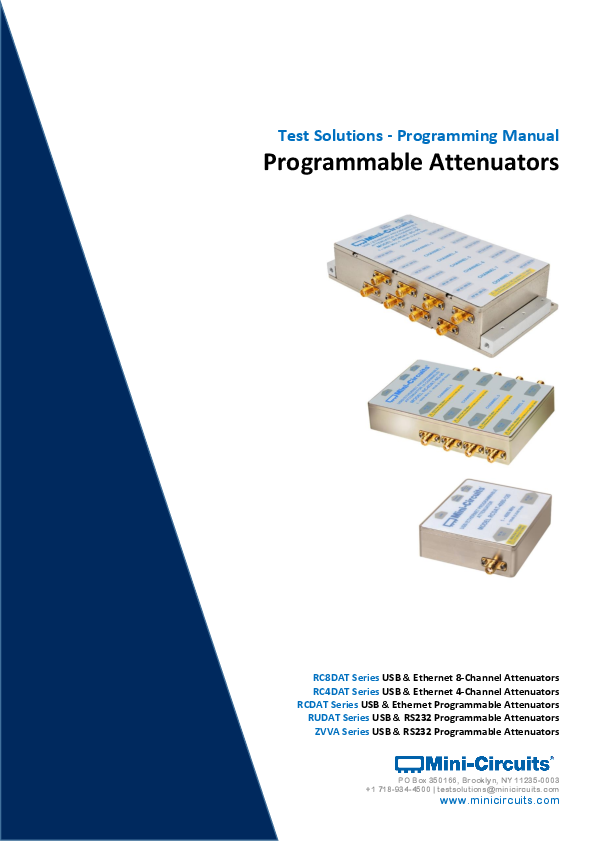
Test Solutions - Programming Manual Programmable Attenuators RC8DAT Series USB & Ethernet 8-Channel Attenuators RC4DAT Series USB & Ethernet 4-Channel Attenuators
247 pages · 4 MB — Test Solutions - Programming Manual. Programmable Attenuators. RC8DAT Series USB & Ethernet 8-Channel Attenuators. RC4DAT Series USB & Ethernet ...
Test Solutions - Programming Manual Programmable Attenuators RC8DAT Series USB & Ethernet 8-Channel Attenuators RC4DAT Series USB & Ethernet 4-Channel Attenuators
Full PDF Document

If the inline viewer fails, it will open the original document in compatibility mode automatically. You can also open the file directly.
Extracted Text
Test Solutions - Programming Manual
Programmable Attenuators
RC8DAT Series USB & Ethernet 8-Channel Attenuators RC4DAT Series USB & Ethernet 4-Channel Attenuators RCDAT Series USB & Ethernet Programmable Attenuators RUDAT Series USB & RS232 Programmable Attenuators ZVVA Series USB & RS232 Programmable Attenuators
PO Box 350166, Brooklyn, NY 11235-0003 +1 718-934-4500 | testsolutions@minicircuits.com
www.minicircuits.com
Important Notice
This guide is owned by Mini-Circuits and is protected by copyright, trademark and other intellectual property laws.
The information in this guide is provided by Mini-Circuits as an accommodation to our customers and may be used only to promote and accompany the purchase of Mini-Circuits' Parts. This guide may not be reproduced, modified, distributed, published, stored in an electronic database, or transmitted and the information contained herein may not be exploited in any form or by any means, electronic, mechanical recording or otherwise, without prior written permission from Mini-Circuits.
This guide is subject to change, qualifications, variations, adjustments or modifications without notice and may contain errors, omissions, inaccuracies, mistakes or deficiencies. Mini-Circuits assumes no responsibility for, and will have no liability on account of, any of the foregoing. Accordingly, this guide should be used as a guideline only.
Trademarks
Microsoft, Windows, Visual Basic, Visual C# and Visual C++ are registered trademarks of Microsoft Corporation. LabVIEW and CVI are registered trademarks of National Instruments Corporation. Delphi is a registered trademark of Delphi Technologies, Inc. MATLAB is a registered trademark of The MathWorks, Inc. Agilent VEE is a registered trademark of Agilent Technologies, Inc. Linux is a registered trademark of Linus Torvalds. Mac is a registered trademark of Apple Inc. Python is a registered trademark of Python Software Foundation Corporation.
All other trademarks cited within this guide are the property of their respective owners. Neither Mini-Circuits nor the Mini-Circuits PTE (portable test equipment) series are affiliated with or endorsed or sponsored by the owners of the above referenced trademarks.
Mini-Circuits and the Mini-Circuits logo are registered trademarks of Scientific Components Corporation.
Mini-Circuits 13 Neptune Avenue Brooklyn, NY 11235, USA Phone: +1-718-934-4500 Email: testsolutions@minicircuits.com Web: www.minicircuits.com
1 - Overview ...................................................................................................................... 8
1.1 - Control Methods ......................................................................................................................... 8
2 - SCPI Commands for Programmable Attenuator Control ................................................ 9
2.1 - Cascading Multiple Attenuators for Daisy-Chain Control .............................................................. 9 2.2 - SCPI - General Commands ......................................................................................................... 11
2.2 (a) - Get Model Name....................................................................................................................................... 11 2.2 (b) - Get Serial Number .................................................................................................................................... 12 2.2 (c) - Set Start-Up Attenuation Mode ................................................................................................................ 13 2.2 (d) - Get Start-Up Attenuation Mode ............................................................................................................... 14 2.2 (e) - Store Last Attenuation Value .................................................................................................................... 15 2.2 (f) - Set USB Address......................................................................................................................................... 16 2.2 (g) - Get USB Address ....................................................................................................................................... 17 2.2 (h) - Get Firmware Version ............................................................................................................................... 18 2.3 - SCPI - ZVVA / RUDAT / RCDAT (Single Channel) Attenuation Functions ...................................... 19 2.3 (a) - Set Attenuation ......................................................................................................................................... 19 2.3 (b) - Read Attenuation...................................................................................................................................... 20 2.3 (c) - Set Start-Up Attenuation Value................................................................................................................. 21 2.3 (d) - Get Start-Up Attenuation Value ............................................................................................................... 22 2.3 (e) - Set Attenuation Mode (RCDAT-40G-30) ................................................................................................... 23 2.3 (f) - Query Attenuation Mode (RCDAT-40G-30) ............................................................................................... 24 2.4 - SCPI - RC4DAT & RC8DAT (Multi-Channel) Attenuation Functions .............................................. 25 2.4 (a) - Set Attenuation ......................................................................................................................................... 26 2.4 (b) - Set Attenuation Per Channel .................................................................................................................... 27 2.4 (c) - Read Attenuation ...................................................................................................................................... 28 2.4 (d) - Set Channel Start-Up Attenuation Value .................................................................................................. 29 2.4 (e) - Get Channel Start-Up Attenuation Value ................................................................................................. 30 2.5 - SCPI - Daisy-Chain Options......................................................................................................... 31 2.5 (a) - Assign Addresses....................................................................................................................................... 31 2.5 (b) - Count Number of Slaves ........................................................................................................................... 32 2.6 - SCPI - Attenuation Hopping Commands ..................................................................................... 33 2.6 (a) - Hop Mode - Set Number of Points............................................................................................................ 35 2.6 (b) - Hop Mode - Get Number of Points ........................................................................................................... 36 2.6 (c) - Hop Mode - Set Active Channels............................................................................................................... 37 2.6 (d) - Hop Mode - Get Active Channels.............................................................................................................. 38 2.6 (e) - Hop Mode - Set Sequence Direction......................................................................................................... 39 2.6 (f) - Hop Mode - Get Sequence Direction......................................................................................................... 40 2.6 (g) - Hop Mode - Set Indexed Point .................................................................................................................. 41 2.6 (h) - Hop Mode - Get Indexed Point ................................................................................................................. 42 2.6 (i) - Hop Mode - Set Point Dwell Time Units .................................................................................................... 43 2.6 (j) - Hop Mode - Set Point Dwell Time.............................................................................................................. 44 2.6 (k) - Hop Mode - Get Point Dwell Time ............................................................................................................ 45 2.6 (l) - Hop Mode - Set Point Attenuation ............................................................................................................ 46 2.6 (m) - Hop Mode - Set Channel Point Attenuation ............................................................................................ 47 2.6 (n) - Hop Mode - Get Point Attenuation .......................................................................................................... 48 2.6 (o) - Hop Mode - Get Channel Point Attenuation ............................................................................................ 49 2.6 (p) - Hop Mode - Turn On / Off......................................................................................................................... 50 2.7 - SCPI - Attenuation Sweeping / Fading Commands ...................................................................... 51 2.7 (a) - Sweep Mode - Set Sweep Direction.......................................................................................................... 53 2.7 (b) - Sweep Mode - Get Sweep Direction......................................................................................................... 54 2.7 (c) - Sweep Mode - Set Dwell Time Units ......................................................................................................... 55 2.7 (d) - Sweep Mode - Set Dwell Time .................................................................................................................. 56
Test Solutions - Programming Manual Programmable Attenuators
Page 3 29-Jan-21 (C8)
2.7 (e) - Sweep Mode - Get Dwell Time ................................................................................................................. 57 2.7 (f) - Sweep Mode - Set Active Channels ........................................................................................................... 58 2.7 (g) - Sweep Mode - Get Active Channels.......................................................................................................... 59 2.7 (h) - Sweep Mode - Set Start Attenuation........................................................................................................ 60 2.7 (i) - Sweep Mode - Set Channel Start Attenuation ........................................................................................... 61 2.7 (j) - Sweep Mode - Get Start Attenuation ........................................................................................................ 62 2.7 (k) - Sweep Mode - Get Channel Start Attenuation ......................................................................................... 63 2.7 (l) - Sweep Mode - Set Stop Attenuation ......................................................................................................... 64 2.7 (m) - Sweep Mode - Set Channel Stop Attenuation ......................................................................................... 65 2.7 (n) - Sweep Mode - Get Stop Attenuation........................................................................................................ 66 2.7 (o) - Sweep Mode - Get Channel Stop Attenuation ......................................................................................... 67 2.7 (p) - Sweep Mode - Set Step Size...................................................................................................................... 68 2.7 (q) - Sweep Mode - Set Channel Step Size ....................................................................................................... 69 2.7 (r) - Sweep Mode - Get Step Size...................................................................................................................... 70 2.7 (s) - Sweep Mode - Get Channel Step Size ....................................................................................................... 71 2.7 (t) - Sweep Mode - Turn On / Off ..................................................................................................................... 72 2.8 - SCPI - Ethernet Configuration Commands .................................................................................. 73 2.8 (a) - Set Static IP Address.................................................................................................................................. 74 2.8 (b) - Get Static IP Address................................................................................................................................. 75 2.8 (c) - Set Static Subnet Mask.............................................................................................................................. 76 2.8 (d) - Get Static Subnet Mask............................................................................................................................. 77 2.8 (e) - Set Static Network Gateway ..................................................................................................................... 78 2.8 (f) - Get Static Network Gateway ..................................................................................................................... 79 2.8 (g) - Set HTTP Port ............................................................................................................................................ 80 2.8 (h) - Get HTTP Port ........................................................................................................................................... 81 2.8 (i) - Set Telnet Port ........................................................................................................................................... 82 2.8 (j) - Get Telnet Port........................................................................................................................................... 83 2.8 (k) - Enable Custom Telnet Prompt .................................................................................................................. 84 2.8 (l) - Query Telnet Prompt Type......................................................................................................................... 85 2.8 (m) - Set Custom Telnet Prompt Text............................................................................................................... 86 2.8 (n) - Get Custom Telnet Prompt Text ............................................................................................................... 87 2.8 (o) - Set Password Requirement....................................................................................................................... 88 2.8 (p) - Get Password Requirement ...................................................................................................................... 89 2.8 (q) - Set Password............................................................................................................................................. 90 2.8 (r) - Get Password............................................................................................................................................. 91 2.8 (s) - Set DHCP Status......................................................................................................................................... 92 2.8 (t) - Get DHCP Status ........................................................................................................................................ 93 2.8 (u) - Get MAC Address...................................................................................................................................... 94 2.8 (v) - Get Current Ethernet Configuration ......................................................................................................... 95 2.8 (w) - Enable / Disable Ethernet Interface ......................................................................................................... 96 2.8 (x) - Check Ethernet Interface .......................................................................................................................... 97 2.8 (y) - Update Ethernet Settings.......................................................................................................................... 98
3 - Ethernet Control API ................................................................................................... 99
3.1 - Configuring Ethernet Settings .................................................................................................... 99 3.2 - HTTP Communication .............................................................................................................. 100 3.3 - SSH Communication ................................................................................................................ 100 3.4 - Telnet Communication ............................................................................................................ 101 3.5 - Device Discovery Using UDP .................................................................................................... 102
4 - USB Control API for Microsoft Windows ................................................................... 103
4.1 - DLL API Options....................................................................................................................... 103 4.1 (a) - .NET Framework 4.5 DLL (Recommended) ............................................................................................. 103
Test Solutions - Programming Manual Programmable Attenuators
Page 4 29-Jan-21 (C8)
4.1 (b) - .NET Framework 2.0 DLL (Legacy Support)............................................................................................. 103 4.1 (c) - ActiveX COM Object DLL (Legacy Support) ............................................................................................. 104 4.2 - Referencing the DLL................................................................................................................. 106 4.3 - Note on DLL Use in Python / MatLab ....................................................................................... 107 4.4 - DLL Function Definitions.......................................................................................................... 108 4.4 (a) - DLL Funtions for USB Control.................................................................................................................. 108 4.4 (b) - DLL Functions for ZVVA / RUDAT / RCDAT (Single Channel) Models...................................................... 108 4.4 (c) - DLL Functions for RC4DAT & RC8DAT (Multi-Channel) Models.............................................................. 108 4.4 (d) - DLL Functions for Ethernet Configuration .............................................................................................. 109 4.4 (e) - DLL Functions for Attenuation Hopping ................................................................................................. 110 4.4 (f) - DLL Functions for Attenuation Sweeping / Fading .................................................................................. 110 4.5 - DLL Function Explanations - USB Control.................................................................................. 111 4.5 (a) - Get List of Connected Serial Numbers .................................................................................................... 111 4.5 (b) - Get List of Available Addresses............................................................................................................... 112 4.5 (c) - Connect to Attenuator ............................................................................................................................ 113 4.5 (d) - Connect to Attenuator by Address ......................................................................................................... 114 4.5 (e) - Disconnect from Attenuator ................................................................................................................... 115 4.5 (f) - Read Model Name ................................................................................................................................... 116 4.5 (g) - Read Serial Number ................................................................................................................................ 117 4.5 (h) - Set USB Address...................................................................................................................................... 118 4.5 (i) - Get USB Address ...................................................................................................................................... 119 4.5 (j) - Set Start-Up Attenuation Mode............................................................................................................... 120 4.5 (k) - Get Start-Up Attenuation Mode ............................................................................................................. 121 4.5 (l) - Store Last Attenuation Value ................................................................................................................... 122 4.5 (m) - Send SCPI Command.............................................................................................................................. 123 4.5 (n) - Get USB Connection Status..................................................................................................................... 124 4.5 (o) - Get Status (Antiquated) .......................................................................................................................... 125 4.5 (p) - Get Firmware .......................................................................................................................................... 126 4.6 - DLL Function Explanations - ZVVA / RUDAT / RCDAT (Single Channel) Models .......................... 127 4.6 (a) - Set Attenuation ....................................................................................................................................... 127 4.6 (b) - Read Attenuation.................................................................................................................................... 128 4.6 (c) - Set Start-Up Attenuation Value............................................................................................................... 129 4.6 (d) - Get Start-Up Attenuation Value ............................................................................................................. 130 4.7 - DLL - RC4DAT (Multi-Channel) Attenuation Functions .............................................................. 131 4.7 (a) - Set Attenuation - Single Channel ............................................................................................................ 131 4.7 (b) - Set Attenuation - All Channels Same Value ............................................................................................ 132 4.7 (c) - Get Attenuation Value - Single Channel.................................................................................................. 133 4.7 (d) - Get Attenuation Value - All Channels ..................................................................................................... 134 4.7 (e) - Set Channel Start-Up Attenuation Value ................................................................................................ 135 4.7 (f) - Get Channel Start-Up Attenuation Value ................................................................................................ 136 4.8 - DLL Function Explanations - Ethernet Configuration................................................................. 137 4.8 (a) - Get Ethernet Configuration..................................................................................................................... 137 4.8 (b) - Get IP Address......................................................................................................................................... 139 4.8 (c) - Get MAC Address .................................................................................................................................... 141 4.8 (d) - Get Network Gateway ............................................................................................................................ 143 4.8 (e) - Get Subnet Mask..................................................................................................................................... 145 4.8 (f) - Get TCP/IP Port ........................................................................................................................................ 147 4.8 (g) - Get Telnet Port........................................................................................................................................ 148 4.8 (h) - Query Telnet Prompt Type ..................................................................................................................... 149 4.8 (i) - Get Custom Telnet Prompt Text .............................................................................................................. 150 4.8 (j) - Get DHCP Status....................................................................................................................................... 151 4.8 (k) - Get Password Status ............................................................................................................................... 152
Test Solutions - Programming Manual Programmable Attenuators
Page 5 29-Jan-21 (C8)
4.8 (l) - Get Password ........................................................................................................................................... 153 4.8 (m) - Save IP Address...................................................................................................................................... 154 4.8 (n) - Save Network Gateway........................................................................................................................... 155 4.8 (o) - Save Subnet Mask................................................................................................................................... 156 4.8 (p) - Save TCP/IP Port ..................................................................................................................................... 157 4.8 (q) - Save Telnet Port...................................................................................................................................... 158 4.8 (r) - Enable Custom Telnet Prompt................................................................................................................. 159 4.8 (s) - Set Custom Telnet Prompt Text .............................................................................................................. 160 4.8 (t) - Use DHCP ................................................................................................................................................. 161 4.8 (u) - Use Password.......................................................................................................................................... 162 4.8 (v) - Set Password ........................................................................................................................................... 163 4.8 (w) - Enable / Disable Ethernet Interface ....................................................................................................... 164 4.8 (x) - Check Ethernet Interface ........................................................................................................................ 165 4.9 - DLL Function Explanations - Attenuation Hopping.................................................................... 166 4.9 (a) - Hop Mode - Set Number of Points.......................................................................................................... 167 4.9 (b) - Hop Mode - Get Number of Points ......................................................................................................... 168 4.9 (c) - Hop Mode - Get Maximum Number of Points ........................................................................................ 169 4.9 (d) - Hop Mode - Set Sequence Direction....................................................................................................... 170 4.9 (e) - Hop Mode - Get Sequence Direction ...................................................................................................... 171 4.9 (f) - Hop Mode - Get Maximum Dwell Time ................................................................................................... 172 4.9 (g) - Hop Mode - Get Minimum Dwell Time ................................................................................................... 173 4.9 (h) - Hop Mode - Single Channel - Set Hop..................................................................................................... 174 4.9 (i) - Hop Mode - Single Channel - Get Hop ..................................................................................................... 175 4.9 (j) - Hop Mode - Multi-Channel - Set Active Channels ................................................................................... 176 4.9 (k) - Hop Mode - Multi-Channel - Get Active Channels .................................................................................. 177 4.9 (l) - Hop Mode - Multi-Channel Hop - Set Hop Point for All Channels ........................................................... 178 4.9 (m) - Hop Mode - Multi-Channel - Get Hop Point for All Channels................................................................ 179 4.9 (n) - Hop Mode - Turn On / Off....................................................................................................................... 181 4.10 - DLL Function Explanations - Attenuation Sweeping / Fading .................................................. 183 4.10 (a) - Sweep Mode - Set Sweep Direction...................................................................................................... 184 4.10 (b) - Sweep Mode - Get Sweep Direction..................................................................................................... 185 4.10 (c) - Sweep Mode - Set Dwell Time .............................................................................................................. 186 4.10 (d) - Sweep Mode - Get Dwell Time ............................................................................................................. 187 4.10 (e) - Sweep Mode - Get Maximum Dwell Time ............................................................................................ 189 4.10 (f) - Sweep Mode - Get Minimum Dwell Time ............................................................................................. 190 4.10 (g) - Sweep Mode - Single Channel - Set Start Attenuation ......................................................................... 191 4.10 (h) - Sweep Mode - Single Channel - Get Start Attenuation ........................................................................ 192 4.10 (i) - Sweep Mode - Single Channel - Set Stop Attenuation........................................................................... 193 4.10 (j) - Sweep Mode - Single Channel - Get Stop Attenuation .......................................................................... 194 4.10 (k) - Sweep Mode - Single Channel - Set Step Size ....................................................................................... 195 4.10 (l) - Sweep Mode - Single Channel - Get Step Size ....................................................................................... 196 4.10 (m) - Sweep Mode - Multi-Channel - Set Active Channels ........................................................................... 197 4.10 (n) - Sweep Mode - Multi-Channel - Get Active Channels ........................................................................... 198 4.10 (o) - Sweep Mode - Multi-Channel - Set Channel Start Attenuation............................................................ 199 4.10 (p) - Sweep Mode - Multi-Channel - Get Channel Start Attenuation........................................................... 200 4.10 (q) - Sweep Mode - Multi-Channel - Set Channel Stop Attenuation ............................................................ 201 4.10 (r) - Sweep Mode - Multi-Channel - Get Channel Stop Attenuation ............................................................ 202 4.10 (s) - Sweep Mode - Multi-Channel - Set Channel Step Size .......................................................................... 203 4.10 (t) - Sweep Mode - Multi-Channel - Get Channel Step Size ......................................................................... 204 4.10 (u) - Sweep Mode - Turn On / Off ................................................................................................................ 205
5 - USB Control via Direct Programming (Linux) ............................................................. 207
5.1 (a) - USB Interrupt Code Concept................................................................................................................... 207
Test Solutions - Programming Manual Programmable Attenuators
Page 6 29-Jan-21 (C8)
5.2 - Interrupts - General Commands............................................................................................... 207 5.2 (a) - Get Device Model Name ......................................................................................................................... 208 5.2 (b) - Get Device Serial Number....................................................................................................................... 209 5.2 (c) - Send SCPI Command ............................................................................................................................... 210 5.2 (d) - Get Firmware .......................................................................................................................................... 212 5.2 (e) - Set Attenuation ....................................................................................................................................... 213 5.2 (f) - Read Attenuation..................................................................................................................................... 214
5.3 - Interrupts - Ethernet Configuration Commands ....................................................................... 216 5.3 (a) - Set Static IP Address................................................................................................................................ 217 5.3 (b) - Set Static Subnet Mask ........................................................................................................................... 218 5.3 (c) - Set Static Network Gateway ................................................................................................................... 219 5.3 (d) - Set HTTP Port .......................................................................................................................................... 220 5.3 (e) - Set Telnet Port ........................................................................................................................................ 221 5.3 (f) - Enable Custom Telnet Prompt................................................................................................................. 222 5.3 (g) - Set Custom Telnet Prompt Text .............................................................................................................. 223 5.3 (h) - Use Password.......................................................................................................................................... 224 5.3 (i) - Set Password ............................................................................................................................................ 225 5.3 (j) - Use DHCP ................................................................................................................................................. 226 5.3 (k) - Get Static IP Address ............................................................................................................................... 227 5.3 (l) - Get Static Subnet Mask............................................................................................................................ 228 5.3 (m) - Get Static Network Gateway ................................................................................................................. 229 5.3 (n) - Get HTTP Port ......................................................................................................................................... 230 5.3 (o) - Get Telnet Port........................................................................................................................................ 231 5.3 (p) - Query Telnet Prompt Type ..................................................................................................................... 232 5.3 (q) - Get Custom Telnet Prompt Text ............................................................................................................. 233 5.3 (r) - Get Password Status................................................................................................................................ 234 5.3 (s) - Get Password........................................................................................................................................... 235 5.3 (t) - Get DHCP Status ...................................................................................................................................... 236 5.3 (u) - Get Dynamic Ethernet Configuration ..................................................................................................... 237 5.3 (v) - Get MAC Address .................................................................................................................................... 239 5.3 (w) - Reset Ethernet Configuration ................................................................................................................ 240
6 - Serial Control Using RS232 Communication .............................................................. 241
6.1 - Summary of ASCII Commands.................................................................................................. 241 6.2 - Description of ASCII Commands............................................................................................... 242
6.2 (a) - Get Device Model Name ......................................................................................................................... 242 6.2 (b) - Get Device Serial Number....................................................................................................................... 243 6.2 (c) - Set Attenuation ....................................................................................................................................... 244 6.2 (d) - Read Attenuation (Integer)..................................................................................................................... 245 6.2 (e) - Read Attenuation (Decimal) ................................................................................................................... 246 6.2 (f) - Send SCPI Command................................................................................................................................ 247
Test Solutions - Programming Manual Programmable Attenuators
Page 7 29-Jan-21 (C8)
1 - Overview
This Programming Manual is intended for customers wishing to create their own interface for Mini-Circuits' USB and Ethernet controlled, programmable attenuators. The contents apply to:
ZVVA Series (USB & RS232 controlled) variable attenuators RUDAT Series (USB & RS232 controlled) single channel attenuators RCDAT Series (USB & Ethernet controlled) single channel attenuators RC4DAT & RC8DAT Series (USB & Ethernet controlled) 4 & 8-channel attenuators
The full software and documentation package including a GUI program, DLL files, user guide and programming examples is available for download from the Mini-Circuits website at: https://www.minicircuits.com/softwaredownload/patt.html
For details and specifications of individual models please see: https://www.minicircuits.com/WebStore/RF-Programmable-Step-Attenuators.html
Files made available for download from the Mini-Circuits website are subject to Mini-Circuits' terms of use which are available on the website.
1.1 - Control Methods
Communication with the device can use any of the following approaches: 1. For Ethernet connected models, using HTTP or Telnet communication over an Ethernet TCP / IP connection (see Ethernet Control API), which is largely independent of the operating system. Note: SSH communication is not supported as standard on all models. Please contact testsolutions@minicircuits.com for details. 2. Using the provided API files (ActiveX or .Net objects) for USB control on Microsoft Windows operating systems (see USB Control API for Microsoft Windows) 3. Using USB interrupt codes for direct programming on Linux operating systems (see USB Control via Direct Programming (Linux)) 4. For RS232 connected models, using serial communication (see Serial Control Using RS232 Communication)
In all cases the full functionality of the system is accessible using a command set based on SCPI (see SCPI Commands for Programmable Attenuator Control).
Test Solutions - Programming Manual Programmable Attenuators
Page 8 29-Jan-21 (C8)
2 - SCPI Commands for Programmable Attenuator Control
The recommended method for setting states and querying the system is a series of commands based on SCPI (Standard Commands for Programmable Instruments). These commands can be sent using any of the APIs detailed in this manual.
The SCPI commands / queries are case insensitive and sent as an ASCII text string (up to 63 characters). The response from the system is also in the form of an ASCII text string.
2.1 - Cascading Multiple Attenuators for Daisy-Chain Control
Mini-Circuits' RCDAT-30G-30, RCDAT-40G-30 and RC4DAT-8G-120H programmable attenuators include Mini-Circuits' novel daisy-chain control interface with dynamic addressing. This allows multiple attenuators to be connected into a Master / Slave chain via their respective Serial Out and Serial In control connections. All attenuators in the chain can then be controlled via the USB or Ethernet interface of the Master (the first attenuator in the chain).
RCDAT-30G-30 block diagram showing all RF and control connections
Each attenuator in the chain is dynamically assigned an address when the control connection (USB or Ethernet) is established with the Master. The Master address is always 00, with each subsequent Slave in the chain assigned a 2 digit address in sequence from 01 to nn.
Connection diagram showing 3 x RCDAT-30G-30 attenuators connected into a Master / Slave chain
Test Solutions - Programming Manual Programmable Attenuators
Page 9 29-Jan-21 (C8)
If new attenuators are subsequently added to the daisy-chain, or the order is changed, then the following commands can be issued to refresh the addresses and check the number of connected attenuators. See SCPI - Daisy-Chain Options for full details.
:AssignAddresses Re-assign the addresses for the complete daisy-chain, starting from the 00 for the Master :NumberOfSlaves Check the number of slave devices connected in the daisy-chain
The full list of SCPI control commands / queries for identifying and controlling the attenuators are summarised in the following sections. These commands can be directed to any Slave unit by including the 2 digit address at the beginning of the string in the format shown below. Any commands sent without an address component will be directed to the Master (address 00).
:[address]:COMMAND
For example:
:MN? :00:MN? :01:MN? :02:MN?
Return the model name of the Master attenuator (address 00) Return the model name of the Master attenuator (address 00) Return the model name of the first Slave attenuator (address 01) Return the model name of the second Slave attenuator (address 02)
As the DC supply to the Slave attenuators can also be passed along the daisy-chain it is beneficial to reduce the
current consumption of the Slaves so that fewer additional power inputs are needed. This can be achieved by
disabling the Ethernet interface on each Slave unit as only the Master would require this interface to be active. The
command is summarised below with full details at Enable / Disable Ethernet Interface. The model datasheet
contains full details of the daisy-chaining process.
:nn:ETHERNET:Config:EthernetEnabled:0
Disable the Ethernet interface for Slave nn
Test Solutions - Programming Manual Programmable Attenuators
Page 10 29-Jan-21 (C8)
2.2 - SCPI - General Commands
Description a Get Model Name b Get Serial Number c Set Start-Up Attenuation Mode d Get Start-Up Attenuation Mode e Store Last Attenuation Value f Set USB Address g Get USB Address h Get Firmware Version
Command/Query :MN? :SN? :STARTUPATT:INDICATOR:[Mode] :STARTUPATT:INDICATOR? :LASTATT:STORE:INITIATE :SETADD:[Address] :ADD? :FIRMWARE?
2.2 (a) - Get Model Name Returns the full Mini-Circuits part number of the attenuator.
Command Syntax
:MN?
Return String
MN=[model]
Variable
[model]
Description Full model name of the attenuator
Examples
String to Send
:MN?
String Returned
MN=RCDAT-6000-90
HTTP Implementation: See Also
http://10.10.10.10/:MN?
Get Serial Number
Test Solutions - Programming Manual Programmable Attenuators
Page 11 29-Jan-21 (C8)
2.2 (b) - Get Serial Number Returns the serial number of the attenuator.
Command Syntax
:SN?
Return String
SN=[serial]
Variable
[serial]
Description Serial number of the attenuator
Examples
String to Send
:SN?
String Returned
SN=11401010001
HTTP Implementation:
http://10.10.10.10/:SN?
See Also
Get Model Name
Test Solutions - Programming Manual Programmable Attenuators
Page 12 29-Jan-21 (C8)
2.2 (c) - Set Start-Up Attenuation Mode
Sets the start-up mode to be used by the attenuator, this specifies how the initial attenuation value will be chosen when DC power is applied.
Requirements
Model Name RC8DAT series RC4DAT series RCDAT series RUDAT series ZVVA series
Serial Number All All All All All
Firmware All All A6 or later A6 or later A6 or later
Command Syntax
:STARTUPATT:INDICATOR:[Mode]
Variable
[Mode]
Value
L F N
Description Last Attenuation - The attenuation will be set to the same level as when the device was last powered off Fixed Attenuation - The attenuation will be set to a user-defined value Default - The attenuator will assume the factory default state (maximum attenuation)
Return String
[Status]
Variable
[Status]
Examples
Value
0 1
Description Command failed Command completed successfully
String to Send
:STARTUPATT:INDICATOR:L :STARTUPATT:INDICATOR:F :STARTUPATT:INDICATOR:N
String Returned
1 1 1
HTTP Implementation: See Also
http://10.10.10.10/:STARTUPATT:INDICATOR:F
Get Start-Up Attenuation Mode Set Start-Up Attenuation Value Get Start-Up Attenuation Value Set Channel Start-Up Attenuation Value Get Channel Start-Up Attenuation Value
Test Solutions - Programming Manual Programmable Attenuators
Page 13 29-Jan-21 (C8)
2.2 (d) - Get Start-Up Attenuation Mode
Returns the start-up mode currently in use by the attenuator; this specifies how the initial attenuation value will be chosen when DC power is applied.
Command Syntax
:STARTUPATT:INDICATOR?
Requirements
Model Name RC8DAT series RC4DAT series RCDAT series RUDAT series ZVVA series
Serial Number All All All All All
Firmware All All A6 or later A6 or later A6 or later
Return String
[Mode]
Variable
[Mode]
Value
L F N
Description Last Attenuation - The attenuation will be set to the same level as when the device was last powered off Fixed Attenuation - The attenuation will be set to a user-defined value Default - The attenuator will assume the factory default state (maximum attenuation)
Examples
String to Send
:STARTUPATT:INDICATOR? :STARTUPATT:INDICATOR? :STARTUPATT:INDICATOR?
String Returned
L F N
HTTP Implementation: See Also
http://10.10.10.10/:STARTUPATT:INDICATOR?
Set Start-Up Attenuation Mode Set Start-Up Attenuation Value Get Start-Up Attenuation Value Set Channel Start-Up Attenuation Value Get Channel Start-Up Attenuation Value
Test Solutions - Programming Manual Programmable Attenuators
Page 14 29-Jan-21 (C8)
2.2 (e) - Store Last Attenuation Value
Saves the final attenuation value to internal memory; necessary before powering off the device when it has been configured to load the last known attenuation on next power up. If this is not the last command before powering off in this mode, the attenuator will re-start with the maximum attenuation value when it is next powered on.
Requirements
Model Name RC8DAT series RC4DAT series RCDAT series RUDAT series ZVVA series
Serial Number All All All All All
Firmware All All C3 or later C3 or later C3 or later
Command Syntax
:LASTATT:STORE:INITIATE
Return String
[Status]
Variable
[Status]
Examples
Value
0 1
Description Command failed Command completed successfully
String to Send
String Returned
:LASTATT:STORE:INITIATE 1
HTTP Implementation: See Also
http://10.10.10.10/:LASTATT:STORE:INITIATE
Set Start-Up Attenuation Mode Get Start-Up Attenuation Mode
Test Solutions - Programming Manual Programmable Attenuators
Page 15 29-Jan-21 (C8)
2.2 (f) - Set USB Address Sets the device address to be used for USB communication (1 to 255).
Command Syntax
:SETADD:[Address]
Variable
[Address]
Value
1-255
Description The USB address
Return String
[Status]
Variable
[Status]
Value
0 1
Description Command failed or invalid address set Command completed successfully
Examples
String to Send
:SETADD:15
String Returned 1
HTTP Implementation: See Also
http://10.10.10.10/:SETADD:15
Get USB Address
Test Solutions - Programming Manual Programmable Attenuators
Page 16 29-Jan-21 (C8)
2.2 (g) - Get USB Address Returns the device address to be used for USB communication.
Command Syntax
:ADD?
Return String
[Address]
Variable
[Address]
Value
1-255
Description The USB address
Examples
String to Send
:ADD?
String Returned
15
HTTP Implementation: See Also
http://10.10.10.10/:ADD?
Set USB Address
Test Solutions - Programming Manual Programmable Attenuators
Page 17 29-Jan-21 (C8)
2.2 (h) - Get Firmware Version Returns the internal firmware version number.
Command Syntax
:FIRMWARE?
Return String
[Firmware]
Variable
[Firmware]
Description The firmware version number
Examples
String to Send
:FIRMWARE?
String Returned
B1
HTTP Implementation:
http://10.10.10.10/:FIRMWARE?
Test Solutions - Programming Manual Programmable Attenuators
Page 18 29-Jan-21 (C8)
2.3 - SCPI - ZVVA / RUDAT / RCDAT (Single Channel) Attenuation Functions
Description
Command/Query
a Set Attenuation b Read Attenuation c Set Start-Up Attenuation Value d Get Start-Up Attenuation Value e Set Attenuation Mode f Query Attenuation Mode
:SETATT=[Att] :ATT? :STARTUPATT:VALUE:[Att] :STARTUPATT:VALUE? :ATT_MODE[mode] :ATT_MODE?
2.3 (a) - Set Attenuation Sets the attenuation for a single channel attenuator.
Applies To
ZVVA, RCDAT and RUDAT models
Command Syntax
:SETATT=[Att]
Variable
[Att]
Description The attenuation to set
Return String
[Status]
Variable
[Status]
Examples
Value
0 1
2
Description Command failed or invalid attenuation set Command completed successfully Requested attenuation was higher than the allowed range, the attenuation was set to the device's maximum allowed value
String to Send
:SETATT=130 :SETATT=12.75
String Returned
2 1
HTTP Implementation: See Also
http://10.10.10.10/:SETATT=12.75
Read Attenuation
Test Solutions - Programming Manual Programmable Attenuators
Page 19 29-Jan-21 (C8)
2.3 (b) - Read Attenuation Returns the current attenuation for a single channel attenuator.
Applies To
ZVVA, RCDAT and RUDAT models
Command Syntax
:ATT?
Return String
[Attenuation]
Variable
[Attenuation]
Description The attenuation in dB
Examples
String to Send
:ATT?
String Returned
15.0 25.25 10.0 57.75
HTTP Implementation: See Also
http://10.10.10.10/:ATT?
Set Attenuation
Test Solutions - Programming Manual Programmable Attenuators
Page 20 29-Jan-21 (C8)
2.3 (c) - Set Start-Up Attenuation Value
Sets the attenuation value to be loaded when a single channel is first powered up. Only applies when the attenuator's start-up mode is set to "Fixed Attenuation".
Applies To
ZVVA, RUDAT and RCDAT models with firmware version A6 or later
Command Syntax
:STARTUPATT:VALUE:[Att]
Variable
[Att]
Description The initial attenuation level to be loaded on start-up
Return String
[Status]
Variable
[Status]
Examples
Value
0 1
Description Command failed Command completed successfully
String to Send
String Returned
:STARTUPATT:VALUE:12.75 1
HTTP Implementation: See Also
http://10.10.10.10/:STARTUPATT:VALUE:12.75
Set Start-Up Attenuation Mode Get Start-Up Attenuation Mode Get Start-Up Attenuation Value
Test Solutions - Programming Manual Programmable Attenuators
Page 21 29-Jan-21 (C8)
2.3 (d) - Get Start-Up Attenuation Value
Gets the attenuation value to be loaded when a single channel is first powered up. Only applies when the attenuator's start-up mode is set to "Fixed Attenuation".
Applies To
ZVVA, RUDAT and RCDAT models with firmware version A6 or later
Command Syntax
:STARTUPATT:VALUE?
Return String
[Att]
Variable
[Att]
Examples
Description The initial attenuation level to be loaded on start-up
String to Send
:STARTUPATT:VALUE?
String Returned
12.75
HTTP Implementation: See Also
http://10.10.10.10/:STARTUPATT:VALUE?
Set Start-Up Attenuation Mode Get Start-Up Attenuation Mode Set Start-Up Attenuation Value
Test Solutions - Programming Manual Programmable Attenuators
Page 22 29-Jan-21 (C8)
2.3 (e) - Set Attenuation Mode (RCDAT-40G-30)
Sets which attenuation mode to use for RCDAT-40G-30, allowing best accuracy for either 0-30 dB attenuation in 1 dB steps (mode 1) or 0-29 dB in 0.5 dB steps (mode 2).
Applies To
RCDAT-40G-30
Command Syntax
:ATT_MODE:[mode]
Variable
[mode]
Value
1 2
Description Attenuation from 0-30 dB in 1 dB steps Attenuation from 0-29 dB in 0.5 dB steps
Return String
[Status]
Variable
[Status]
Examples
Value
0 1
Description Command failed Command completed successfully
String to Send
:ATT_MODE:1 :ATT_MODE:2
String Returned
1 1
HTTP Implementation: See Also
http://10.10.10.10/:ATT_MODE:1
Query Attenuation Mode (RCDAT-40G-30)
Test Solutions - Programming Manual Programmable Attenuators
Page 23 29-Jan-21 (C8)
2.3 (f) - Query Attenuation Mode (RCDAT-40G-30)
Queries which attenuation mode is in use for RCDAT-40G-30, allowing best accuracy for either 0-30 dB attenuation in 1 dB steps (mode 1) or 0-29 dB in 0.5 dB steps (mode 2).
Applies To
RCDAT-40G-30
Command Syntax
:ATT_MODE?
Return String
[mode]
Variable
[mode]
Examples
Value
1 2
Description Attenuation from 0-30 dB in 1 dB steps Attenuation from 0-29 dB in 0.5 dB steps
String to Send
:ATT_MODE? :ATT_MODE?
String Returned
1 2
HTTP Implementation: See Also
http://10.10.10.10/:ATT_MODE?
Set Attenuation Mode (RCDAT-40G-30)
Test Solutions - Programming Manual Programmable Attenuators
Page 24 29-Jan-21 (C8)
2.4 - SCPI - RC4DAT & RC8DAT (Multi-Channel) Attenuation Functions
Description
Command/Query
a Set Attenuation
b
Set Attenuation Per Channel
c Read Attenuation
f
Set Channel Start-Up Attenuation Value
e
Get Channel Start-Up Attenuation Value
:CHAN:[Channels]:SETATT:[Att] :SetAttPerChan:[Ch0:Att0 ... _Chn:Attn] :ATT? :CHAN:[Channels]:STARTUPATT:VALUE:[Att] :CHAN:[Channel]:STARTUPATT:VALUE?
Test Solutions - Programming Manual Programmable Attenuators
Page 25 29-Jan-21 (C8)
2.4 (a) - Set Attenuation Sets all selected channels of a multi-channel programmable attenuator to the same attenuation.
Applies To
RC4DAT & RC8DAT Series
Command Syntax
:CHAN:[Channels]:SETATT:[Att]
Variable
[Channels] [Att]
Description The channel to set. Multiple channels can be sent by listing each channel number separated by a colon The attenuation to set for all channels listed above
Return String
[Status]
Variable
[Status]
Examples
Value
0 1
Description Command failed or invalid attenuation set Command completed successfully
String to Send
:CHAN:2:SETATT:15.75 :CHAN:1:3:4:SETATT:10
String Returned
1 1
HTTP Implementation: See Also
http://10.10.10.10/:CHAN:2:SETATT:15.75
Set Attenuation Per Channel Read Attenuation
Test Solutions - Programming Manual Programmable Attenuators
Page 26 29-Jan-21 (C8)
2.4 (b) - Set Attenuation Per Channel
Sets multiple channels within a multi-channel attenuator with independent attenuation values. Takes a series of "channel number:attenuation value" pairs to specify the combination of channels and attenuations, with each pair separated by an underscore (_) character. Each channel number and attenuation value is separated by a colon (:). It is not necessary to provide pairs for all channels, just the channels that are to be updated.
Applies To
Model Name RC8DAT-8G-95 RC4DAT-8G-95
RC4DAT-6G-95
RC4DAT-6G-60
RC4DAT-6G-30 All Other Models
Serial Number All Up to 11910159999 From 12001010001 Up to 11910299999 From 11910300001 Up to 12007129999 From 12007130001 Up to 12007129999 From 12007239999 All
Firmware All D4 or later All D4 or later All D4 or later All D4 or later All All
Command Syntax
:SetAttPerChan:[Ch0]:[Att0] ... _[Chn]:[Attn]
Variable
[Ch0]
[Att0]
... [Chn]
[Attn]
Description The channel number for the first channel to be set The attenuation value (dB) for the first channel to be set
The channel number for the nth channel to be set The attenuation value (dB) for the nth channel to be set
Return String
[Status]
Variable
[Status]
Examples
Value
0 1
Description Command failed or invalid attenuation set Command completed successfully
String to Send
String Returned
:SetAttPerChan:1:11.25_2:22.75_3:33_4:44.5 1
:SetAttPerChan:1:11.25_4:44.5
1
HTTP Implementation: http://10.10.10.10/:SetAttPerChan:1:11.25_4:44.5 See Also
Set Attenuation
Test Solutions - Programming Manual Programmable Attenuators
Page 27 29-Jan-21 (C8)
Read Attenuation
2.4 (c) - Read Attenuation Returns the current attenuation for all channels of a multi-channel attenuator.
Command Syntax
:ATT?
Return String
[CH1_Att] [CH2_Att] [CH3_Att] [CH4_Att]
Variable
[CH1_Att] [CH2_Att] [CH3_Att] [CH4_Att]
Description Channel 1 attenuation (dB) Channel 2 attenuation (dB) Channel 3 attenuation (dB) Channel 4 attenuation (dB)
Examples
String to Send
:ATT?
String Returned
15.0 25.25 10.0 57.75
HTTP Implementation: See Also
http://10.10.10.10/:ATT?
Set Attenuation Set Attenuation Per Channel
Test Solutions - Programming Manual Programmable Attenuators
Page 28 29-Jan-21 (C8)
2.4 (d) - Set Channel Start-Up Attenuation Value
Sets the start up attenuation value for a single channel or channels within the multi-channel attenuator (the attenuation value to be loaded when DC power is applied). Only applies when the attenuator's start-up mode is set to "Fixed Attenuation".
Applies To
RC4DAT & RC8DAT Series
Command Syntax
:CHAN:[Channels]:STARTUPATT:VALUE:[Att]
Variable
[Channels] [Att]
Description The channel to set. Multiple channels can be sent by listing each channel number separated by a colon The initial attenuation level to be loaded on start-up
Return String
[Status]
Variable
[Status]
Examples
Value
0 1
Description Command failed Command completed successfully
String to Send
String Returned
:CHAN:1:STARTUPATT:VALUE:12.75 1
:CHAN:1:2:STARTUPATT:VALUE:12.75 1
HTTP Implementation: http://10.10.10.10/:CHAN:1:STARTUPATT:VALUE:12.75 See Also
Set Start-Up Attenuation Mode Get Start-Up Attenuation Mode Get Channel Start-Up Attenuation Value
Test Solutions - Programming Manual Programmable Attenuators
Page 29 29-Jan-21 (C8)
2.4 (e) - Get Channel Start-Up Attenuation Value
Returns the start-up attenuation value for a single channel within the multi-channel attenuator (the attenuation value to be loaded when DC power is applied). Only applies when the attenuator's start-up mode is set to "Fixed Attenuation".
Applies To
RC4DAT & RC8DAT Series
Command Syntax
:CHAN:[Channel]:STARTUPATT:VALUE?
Variable
[Channel]
Description The channel to query
Return String
[Att]
Variable
[Att]
Examples
Description The initial attenuation level to be loaded on start-up
String to Send
String Returned
:CHAN:2:STARTUPATT:VALUE? 12.75
HTTP Implementation: See Also
http://10.10.10.10/:CHAN:2:STARTUPATT:VALUE?
Set Start-Up Attenuation Mode Get Start-Up Attenuation Mode Set Channel Start-Up Attenuation Value
Test Solutions - Programming Manual Programmable Attenuators
Page 30 29-Jan-21 (C8)
2.5 - SCPI - Daisy-Chain Options
These functions apply to Mini-Circuits' RCDAT-30G-30, RCDAT-40G-30 and RC4DAT-8G-120H programmable attenuators with daisy-chaining capability.
Description a Assign Address b Count Number of Slaves
Command/Query :AssignAddresses :NumberOfSlaves?
2.5 (a) - Assign Addresses Refreshes the distinct software address of each attenuator module connected within a Master / Slave daisy-chain.
The Master will automatically detect and issue addresses to all connected Slave units as soon as the USB or Ethernet connection to the Master is initiated. If any changes are made to the SPI connections between Master and Slaves after this point then the AssignAddresses command should be used to reissue addresses to all connected Slave switch modules.
Note: addresses are always issued in the order that Slaves are connected to the Master through the Serial Out / In control connections so changing the order of connection of Slave units also changes their addresses.
Applies To
RCDAT-30G-30 / RCDAT-40G-30 / RC4DAT-8G-120H
Command Syntax
:AssignAddresses
Return String
[status]
Variable
[status]
See Also Count Number of Slaves
Description Indication of whether the command was executed successfully
Test Solutions - Programming Manual Programmable Attenuators
Page 31 29-Jan-21 (C8)
2.5 (b) - Count Number of Slaves
Refreshes the number of attenuator "slaves" connected to the Master attenuator when multiple devices have been connected in a serial control "daisy-chain".
Applies To
RCDAT-30G-30 / RCDAT-40G-30 / RC4DAT-8G-120H
Command Syntax
:NumberOfSlaves?
Return String
[count]
Variable
[count]
Description The number of slaves connected into the Master
See Also
Assign Addresses
Test Solutions - Programming Manual Programmable Attenuators
Page 32 29-Jan-21 (C8)
2.6 - SCPI - Attenuation Hopping Commands
Description
Command/Query
a Hop - Set Number of Points
:HOP:POINTS:[NoOfPoints]
b Hop - Get Number of Points
:HOP:POINTS?
c Hop - Set Active Channels
:HOP:ACTIVECHANNELS:[CH_Value]
d Hop - Get Active Channels
:HOP:ACTIVECHANNELS?
e Hop - Set Sequence Direction :HOP:DIRECTION:[Direction]
f Hop - Get Sequence Direction :HOP:DIRECTION?
g Hop - Set Indexed Point
:HOP:POINT:[PointNo]
h Hop - Get Indexed Point
:HOP:POINT?
i Hop - Set Point Dwell Units :HOP:DWELL_UNIT:[Units]
j Hop - Set Point Dwell Time
:HOP:DWELL:[Time]
k Hop - Get Point Dwell Time
:HOP:DWELL?
l Hop - Set Point Attenuation
m
Hop - Set Channel Attenuation
Point
n Hop - Get Point Attenuation
o
Hop - Get Channel Point Attenuation
p Hop - Turn On / Off
:HOP:ATT:[Att] :HOP:CHAN:[Channel]:ATT:[Att] :HOP:ATT? :HOP:CHAN:[Channel]:ATT? :HOP:MODE:[on_off]
Once an attenuation sequence is programmed and enabled, it is managed by the attenuator's internal microprocessor; this supports very fast sequences with minimum dwell times in the order of 600 �s. It is not possible to query any attenuator parameters whilst the sequence is active so any subsequent command / query to the device will disable the sequence.
An alternative implementation method is to control the sequence and timing from your program, only sending "set attenuation" commands to the attenuator at the appropriate times. The advantage of this approach is that the program is able to query and keep track of the current attenuation state. The disadvantage is that the communication delays inherent in USB / Ethernet communication dictate a minimum dwell time in the order of milliseconds with this approach, rather than microseconds.
Test Solutions - Programming Manual Programmable Attenuators
Page 33 29-Jan-21 (C8)
An example sequence of commands to configure a hop sequence is shown below:
:HOP:POINTS:10
// Create a hop sequence with 10 points
:HOP:ACTIVECHANNELS:15 // Set which channels to include in the hop
:HOP:DIRECTION:0
// Hop from first to last value in the list
// Set the first point
:HOP:POINT:0
// Index the first point in the sequence
:HOP:DWELL_UNIT:U // Set the dwell time in microseconds
:HOP:DWELL:800
// Set a dwell time of 800 �s
:HOP:CHAN:1:ATT:0
// Set attenuation for channel 1 on this hop
:HOP:CHAN:2:ATT:10
// Set attenuation for channel 2 on this hop
:HOP:CHAN:3:ATT:20
// Set attenuation for channel 3 on this hop
:HOP:CHAN:4:ATT:30
// Set attenuation for channel 4 on this hop
// Set points 2-9 // ...
// Set the last (tenth) point
:HOP:POINT:9
// Index the tenth point in the sequence
:HOP:DWELL_UNIT:U // Set the dwell time in microseconds
:HOP:DWELL:1600
// Set a dwell time of 1600 �s
:HOP:CHAN:1:ATT:50
// Set attenuation for channel 1 on this hop
:HOP:CHAN:2:ATT:60
// Set attenuation for channel 2 on this hop
:HOP:CHAN:3:ATT:70
// Set attenuation for channel 3 on this hop
:HOP:CHAN:4:ATT:80
// Set attenuation for channel 4 on this hop
:HOP:MODE:ON
// Enable the hop sequence
// Any subsequent command / query sent will stop the sequence
Test Solutions - Programming Manual Programmable Attenuators
Page 34 29-Jan-21 (C8)
2.6 (a) - Hop Mode - Set Number of Points Sets the number of points to be used in the attenuation hop sequence.
Requirements
Model Name RC8DAT-8G-95 RC4DAT-8G-95
RC4DAT-6G-95
RC4DAT-6G-60
RC4DAT-6G-30 RCDAT, RUDAT & ZVVA series All Other Models
Serial Number All Up to 11910159999 From 12001010001 Up to 11910299999 From 11910300001 Up to 12007129999 From 12007130001 Up to 12007129999 From 12007239999 All All
Firmware H4 or later E9 or later H4 or later E9 or later H4 or later E9 or later H4 or later E9 or later H4 or later E9 or later All
Command Syntax
:HOP:POINTS:[NoOfPoints]
Variable
Value
[NoOfPoints] 1-1000
Description The number of points to set in the hop sequence
Return String
[Status]
Variable
[Status]
Examples
Value
0 1
Description Command failed Command completed successfully
String to Send
:HOP:POINTS:10
String Returned
1
HTTP Implementation: See Also
http://10.10.10.10/:HOP:POINTS:10
Hop Mode - Get Number of Points Hop Mode - Set Sequence Direction Hop Mode - Get Sequence Direction
Test Solutions - Programming Manual Programmable Attenuators
Page 35 29-Jan-21 (C8)
2.6 (b) - Hop Mode - Get Number of Points Returns the number of points to be used in the attenuation hop sequence.
Requirements
Model Name RC8DAT-8G-95 RC4DAT-8G-95
RC4DAT-6G-95
RC4DAT-6G-60
RC4DAT-6G-30 RCDAT, RUDAT & ZVVA series All Other Models
Serial Number All Up to 11910159999 From 12001010001 Up to 11910299999 From 11910300001 Up to 12007129999 From 12007130001 Up to 12007129999 From 12007239999 All All
Firmware H4 or later E9 or later H4 or later E9 or later H4 or later E9 or later H4 or later E9 or later H4 or later E9 or later All
Command Syntax
:HOP:POINTS?
Return String
[NoOfPoints]
Variable
Value
[NoOfPoints] 1-1000
Examples
Description The number of points in the hop sequence
String to Send
:HOP:POINTS?
String Returned
10
HTTP Implementation: See Also
http://10.10.10.10/:HOP:POINTS?
Hop Mode - Set Number of Points Hop Mode - Set Sequence Direction Hop Mode - Get Sequence Direction
Test Solutions - Programming Manual Programmable Attenuators
Page 36 29-Jan-21 (C8)
2.6 (c) - Hop Mode - Set Active Channels
Sets which channels are to be included in the hop sequence for a multi-channel attenuator. This function does not apply to single channel models (ZVVA, RUDAT and RCDAT Series).
Applies To
RC4DAT & RC8DAT Series
Command Syntax
:HOP:ACTIVECHANNELS:[CH_Value]
Variable
[CH_Value]
Description Integer value indicating the combination of channels to be included in the HOP. Each channel is represented by an integer: Channel 1 = 1 Channel 2 = 2 Channel 3 = 4 Channel 4 = 8 Channel 5 = 16 Channel 6 = 32 Channel 7 = 64 Channel 8 = 128 CH_Value is the sum of the above integer values for the channels to be included in the hop sequence. For example, to include channels 1, 2 and 4 in the sequence: CH_Value = 1 + 2 + 8 = 11
Return String
[Status]
Variable
[Status]
Value
0 1
Description Command failed Command completed successfully
Examples
String to Send
:HOP:ACTIVECHANNELS:11
String Returned
1
HTTP Implementation: See Also
http://10.10.10.10/:HOP:ACTIVECHANNELS:11
Hop Mode - Get Active Channels
Test Solutions - Programming Manual Programmable Attenuators
Page 37 29-Jan-21 (C8)
2.6 (d) - Hop Mode - Get Active Channels
Returns which channels are to be included in the hop sequence for a multi-channel attenuator. This function does not apply to single channel models (ZVVA, RUDAT and RCDAT Series).
Applies To
RC4DAT & RC8DAT Series
Command Syntax
:HOP:ACTIVECHANNELS?
Return String
[CH_Value]
Variable
[CH_Value]
Examples
Description Integer value corresponding to a 4-bit binary string, with each bit representing a channel in the multi-channel attenuator: Bit 3 (MSB) = Channel 4 Bit 2 = Channel 3 Bit 1 = Channel 2 Bit 0 (LSB) = Channel 1 A bit value of 1 indicates the channel is included in the hop whereas a bit value of 0 indicates it is not. For example: CH_Value = 11 (decimal) = 1011 (binary) Channel 4 = 1 (included in hop) Channel 3 = 0 (included in hop) Channel 2 = 1 (not included in hop) Channel 1 = 1 (included in hop)
String to Send
:HOP:ACTIVECHANNELS?
String Returned
11
HTTP Implementation: See Also
http://10.10.10.10/:HOP:ACTIVECHANNELS?
Hop Mode - Set Active Channels
Test Solutions - Programming Manual Programmable Attenuators
Page 38 29-Jan-21 (C8)
2.6 (e) - Hop Mode - Set Sequence Direction Sets the direction in which the attenuator will progress through the list of attenuation hops.
Requirements
Model Name RC4DAT-8G-95
RC4DAT-6G-95
RC4DAT-6G-60
RC4DAT-6G-30 RCDAT, RUDAT & ZVVA series All Other Models
Serial Number Up to 11910159999 From 12001010001 Up to 11910299999 From 11910300001 Up to 12007129999 From 12007130001 Up to 12007129999 From 12007239999 All All
Firmware B1 or later All B1 or later All B1 or later All B1 or later All B1 or later All
Command Syntax
:HOP:DIRECTION:[Direction]
Variable
Value
[Direction]
0
1
2
Description Forward - The list of attenuation hops will be loaded from index 1 to index n Backwards - The list of attenuation hops will be loaded from index n to index 1 Bi-directionally - The list of attenuation hops will be loaded in the forward and then reverse directions
Return String
[Status]
Variable
[Status]
Examples
Value
0 1
Description Command failed Command completed successfully
String to Send
:HOP:DIRECTION:0
String Returned
1
HTTP Implementation: See Also
http://10.10.10.10/:HOP:DIRECTION:0
Hop Mode - Set Number of Points Hop Mode - Get Number of Points Hop Mode - Get Sequence Direction
Test Solutions - Programming Manual Programmable Attenuators
Page 39 29-Jan-21 (C8)
2.6 (f) - Hop Mode - Get Sequence Direction Returns the direction in which the attenuator will progress through the list of attenuation hops.
Requirements
Model Name RC4DAT-8G-95
RC4DAT-6G-95
RC4DAT-6G-60
RC4DAT-6G-30 RCDAT, RUDAT & ZVVA series All Other Models
Serial Number Up to 11910159999 From 12001010001 Up to 11910299999 From 11910300001 Up to 12007129999 From 12007130001 Up to 12007129999 From 12007239999 All All
Firmware B1 or later All B1 or later All B1 or later All B1 or later All B1 or later All
Command Syntax
:HOP:DIRECTION?
Return String
[Direction]
Variable
Value
[Direction]
0
1
2
Examples
Description Forward - The list of attenuation hops will be loaded from index 1 to index n Backwards - The list of attenuation hops will be loaded from index n to index 1 Bi-directionally - The list of attenuation hops will be loaded in the forward and then reverse directions
String to Send
:HOP:DIRECTION?
String Returned
0
HTTP Implementation: See Also
http://10.10.10.10/:HOP:DIRECTION?
Hop Mode - Set Number of Points Hop Mode - Get Number of Points Hop Mode - Set Sequence Direction
Test Solutions - Programming Manual Programmable Attenuators
Page 40 29-Jan-21 (C8)
2.6 (g) - Hop Mode - Set Indexed Point
Defines which point in the hop sequence is currently indexed, this allows the parameters for that point to be configured (attenuation value and dwell time).
Requirements
Model Name RC4DAT-8G-95
RC4DAT-6G-95
RC4DAT-6G-60
RC4DAT-6G-30 RCDAT, RUDAT & ZVVA series All Other Models
Serial Number Up to 11910159999 From 12001010001 Up to 11910299999 From 11910300001 Up to 12007129999 From 12007130001 Up to 12007129999 From 12007239999 All All
Firmware B1 or later All B1 or later All B1 or later All B1 or later All B1 or later All
Command Syntax
:HOP:POINT:[PointNo]
Variable
[PointNo]
Description The index number of the point in the hop sequence, from 0 to (n-1), where n is the number of points in the sequence
Return String
[Status]
Variable
[Status]
Examples
Value
0 1
2
Description Command failed Command completed successfully Point out of range (max number of points indexed instead)
String to Send
:HOP:POINT:3
String Returned
1
HTTP Implementation: See Also
http://10.10.10.10/:HOP:POINT:3
Hop Mode - Get Indexed Point Hop Mode - Set Point Attenuation Hop Mode - Set Channel Point Attenuation Hop Mode - Set Point Dwell Time Units Hop Mode - Set Point Dwell Time
Test Solutions - Programming Manual Programmable Attenuators
Page 41 29-Jan-21 (C8)
2.6 (h) - Hop Mode - Get Indexed Point Returns the number of the indexed attenuation point within the hop sequence.
Requirements
Model Name RC4DAT-8G-95
RC4DAT-6G-95
RC4DAT-6G-60
RC4DAT-6G-30 RCDAT, RUDAT & ZVVA series All Other Models
Serial Number Up to 11910159999 From 12001010001 Up to 11910299999 From 11910300001 Up to 12007129999 From 12007130001 Up to 12007129999 From 12007239999 All All
Firmware B1 or later All B1 or later All B1 or later All B1 or later All B1 or later All
Command Syntax
:HOP:POINT?
Return String
[PointNo]
Variable
[PointNo]
Examples
Description The index number of the point in the hop sequence, from 0 to (n-1), where n is the number of points in the sequence
String to Send
:HOP:POINT?
String Returned
3
HTTP Implementation: See Also
http://10.10.10.10/:HOP:POINT?
Hop Mode - Set Indexed Point Hop Mode - Set Point Attenuation Hop Mode - Set Channel Point Attenuation Hop Mode - Set Point Dwell Time Units Hop Mode - Set Point Dwell Time
Test Solutions - Programming Manual Programmable Attenuators
Page 42 29-Jan-21 (C8)
2.6 (i) - Hop Mode - Set Point Dwell Time Units Sets the units to be used for the dwell time of the indexed point in the hop sequence.
Requirements
Model Name RC4DAT-8G-95
RC4DAT-6G-95
RC4DAT-6G-60
RC4DAT-6G-30 RCDAT, RUDAT & ZVVA series All Other Models
Serial Number Up to 11910159999 From 12001010001 Up to 11910299999 From 11910300001 Up to 12007129999 From 12007130001 Up to 12007129999 From 12007239999 All All
Firmware B1 or later All B1 or later All B1 or later All B1 or later All B1 or later All
Command Syntax
:HOP:DWELL_UNIT:[Units]
Variable
[Units]
Description
U
Dwell time in microseconds (�s)
M
Dwell time in milliseconds (ms)
S
Dwell time in seconds (s)
Return String
[Status]
Variable
[Status]
Examples
Value
0 1
Description Command failed Command completed successfully
String to Send
:HOP:DWELL_UNIT:U :HOP:DWELL_UNIT:M :HOP:DWELL_UNIT:S
String Returned
1 1 1
HTTP Implementation: See Also
http://10.10.10.10/:HOP:DWELL_UNIT:U
Hop Mode - Set Point Dwell Time Hop Mode - Get Point Dwell Time
Test Solutions - Programming Manual Programmable Attenuators
Page 43 29-Jan-21 (C8)
2.6 (j) - Hop Mode - Set Point Dwell Time Sets the dwell time of the indexed point in the hop sequence. The dwell time units are defined separately.
Requirements
Model Name RC4DAT-8G-95
RC4DAT-6G-95
RC4DAT-6G-60
RC4DAT-6G-30 RCDAT, RUDAT & ZVVA series All Other Models
Serial Number Up to 11910159999 From 12001010001 Up to 11910299999 From 11910300001 Up to 12007129999 From 12007130001 Up to 12007129999 From 12007239999 All All
Firmware B1 or later All B1 or later All B1 or later All B1 or later All B1 or later All
Command Syntax
:HOP:DWELL:[Time]
Variable
[Time]
Description The dwell time of the indexed point
Return String
[Status]
Variable
[Status]
Examples
Value
0 1
Description Command failed Command completed successfully
String to Send
:HOP:DWELL:650
String Returned
1
HTTP Implementation: See Also
http://10.10.10.10/:HOP:DWELL:650
Hop Mode - Set Point Dwell Time Units Hop Mode - Get Point Dwell Time
Test Solutions - Programming Manual Programmable Attenuators
Page 44 29-Jan-21 (C8)
2.6 (k) - Hop Mode - Get Point Dwell Time Gets the dwell time (including the units) of the indexed point in the hop sequence.
Requirements
Model Name RC4DAT-8G-95
RC4DAT-6G-95
RC4DAT-6G-60
RC4DAT-6G-30 RCDAT, RUDAT & ZVVA series All Other Models
Serial Number Up to 11910159999 From 12001010001 Up to 11910299999 From 11910300001 Up to 12007129999 From 12007130001 Up to 12007129999 From 12007239999 All All
Firmware B1 or later All B1 or later All B1 or later All B1 or later All B1 or later All
Command Syntax
:HOP:DWELL?
Return String
[Dwell] [Units]
Variable
[Dwell] [Units]
Examples
Value
uSec mSec Sec
Description The dwell time of the indexed point Dwell time in microseconds (�s) Dwell time in milliseconds (ms) Dwell time in seconds (s)
String to Send
:HOP:DWELL? :HOP:DWELL? :HOP:DWELL?
String Returned
625 uSec 50 mSec 2 Sec
HTTP Implementation: See Also
http://10.10.10.10/:HOP:DWELL?
Hop Mode - Set Point Dwell Time Units Hop Mode - Set Point Dwell Time
Test Solutions - Programming Manual Programmable Attenuators
Page 45 29-Jan-21 (C8)
2.6 (l) - Hop Mode - Set Point Attenuation Sets the attenuation of the indexed hop point.
Applies To
Model Name
Serial Number
RCDAT, RUDAT & ZVVA series All
Firmware B1 or later
Command Syntax
:HOP:ATT:[Att]
Variable
[Att]
Description The attenuation of the indexed hop point
Return String
[Status]
Variable
[Status]
Examples
Value
0 1
Description Command failed Command completed successfully
String to Send
:HOP:ATT:75.5
String Returned
1
HTTP Implementation: See Also
http://10.10.10.10/:HOP:ATT:75.5
Hop Mode - Set Channel Point Attenuation Hop Mode - Get Point Attenuation
Test Solutions - Programming Manual Programmable Attenuators
Page 46 29-Jan-21 (C8)
2.6 (m) - Hop Mode - Set Channel Point Attenuation Sets the attenuation value of the indexed hop point for a specific channel within a multi-channel attenuator.
Applies To
RC4DAT & RC8DAT Series
Command Syntax
:HOP:CHAN:[Channel]:ATT:[Att]
Variable
[Channel] [Att]
Description The channel to set The attenuation of the indexed hop point
Return String
[Status]
Variable
[Status]
Examples
Value
0 1
Description Command failed Command completed successfully
String to Send
:HOP:ATT:75.5
String Returned
1
HTTP Implementation: See Also
http://10.10.10.10/:HOP:ATT:75.5
Hop Mode - Set Point Attenuation Hop Mode - Get Channel Point Attenuation
Test Solutions - Programming Manual Programmable Attenuators
Page 47 29-Jan-21 (C8)
2.6 (n) - Hop Mode - Get Point Attenuation Returns the attenuation of the indexed hop point.
Applies To
Model Name
Serial Number
RCDAT, RUDAT & ZVVA series All
Firmware B1 or later
Command Syntax
:HOP:ATT?
Return String
[Attenuation]
Variable
[Attenuation]
Description The attenuation of the indexed hop point
Examples
String to Send
:HOP:ATT?
String Returned
75.50
HTTP Implementation: See Also
http://10.10.10.10/:HOP:ATT?
Hop Mode - Set Point Attenuation Hop Mode - Get Channel Point Attenuation
Test Solutions - Programming Manual Programmable Attenuators
Page 48 29-Jan-21 (C8)
2.6 (o) - Hop Mode - Get Channel Point Attenuation
Description
Sets the attenuation value of the indexed hop point for a specific channel within a multi-channel attenuator.
Applies To
RC4DAT & RC8DAT Series
Command Syntax
:HOP:CHAN:[Channel]:ATT?
Variable
[Channel]
Description The channel to set (1 to 4)
Return String
[Attenuation]
Variable
[Attenuation]
Description The attenuation of the indexed hop point
Examples
String to Send
:HOP:ATT? :HOP:CHAN:1:ATT?
String Returned
75.50 75.50
HTTP Implementation: See Also
http://10.10.10.10/:HOP:ATT?
Hop Mode - Set Channel Point Attenuation Hop Mode - Get Point Attenuation
Test Solutions - Programming Manual Programmable Attenuators
Page 49 29-Jan-21 (C8)
2.6 (p) - Hop Mode - Turn On / Off Enables or disables the hop sequence according to the previously configured parameters.
Once an attenuation sequence is programmed and enabled, it is managed by the attenuator's internal microprocessor; this supports very fast sequences with minimum dwell times in the order of 600 �s. It is not possible to query any attenuator parameters whilst the sequence is active so any subsequent command / query to the device will disable the sequence.
An alternative implementation method is to control the sequence and timing from your program, only sending "set attenuation" commands to the attenuator at the appropriate times. The advantage of this approach is that the program is able to query and keep track of the current attenuation state. The disadvantage is that the communication delays inherent in USB / Ethernet communication dictate a minimum dwell time in the order of milliseconds with this approach, rather than microseconds.
Requirements
Model Name RC4DAT-8G-95
RC4DAT-6G-95
RC4DAT-6G-60
RC4DAT-6G-30 RCDAT, RUDAT & ZVVA series All Other Models
Serial Number Up to 11910159999 From 12001010001 Up to 11910299999 From 11910300001 Up to 12007129999 From 12007130001 Up to 12007129999 From 12007239999 All All
Firmware B1 or later All B1 or later All B1 or later All B1 or later All B1 or later All
Command Syntax
:HOP:MODE:[On_Off]
Variable
[On_Off]
Value
ON OFF
Description Enable the hop sequence using the previously configured list of attenuation hops Disable the hop sequence
Return String
[Status]
Variable
[Status]
Examples
Value
0 1
Description Command failed Command completed successfully
String to Send
:HOP:MODE:ON :HOP:MODE:OFF
String Returned
1 1
HTTP Implementation:
http://10.10.10.10/:HOP:MODE:ON
Test Solutions - Programming Manual Programmable Attenuators
Page 50 29-Jan-21 (C8)
2.7 - SCPI - Attenuation Sweeping / Fading Commands
Description
Command/Query
a Sweep - Set Direction
SWEEP:DIRECTION:[Direction]
b Sweep - Get Direction
SWEEP:DIRECTION?
c Sweep - Set Dwell Units
SWEEP:DWELL_UNIT:[Units]
d Sweep - Set Dwell Time
SWEEP:DWELL:[Time]
e Sweep - Get Dwell Time
SWEEP:DWELL?
f Sweep - Set Active Channels
SWEEP:ACTIVECHANNELS:[CH_Value]
g Sweep - Get Active Channels
SWEEP:ACTIVECHANNELS?
h Sweep - Set Start Attenuation
i
Sweep - Set Channel Start Attenuation
j Sweep - Get Start Attenuation
k
Sweep - Get Channel Start Attenuation
l Sweep - Set Stop Attenuation
m
Sweep - Set Attenuation
Channel
Stop
n Sweep - Get Stop Attenuation
o
Sweep - Get Channel Stop Attenuation
p Sweep - Set Step Size
SWEEP:START:[Att] SWEEP:CHAN:[Channel]:START:[Att] SWEEP:START? SWEEP:CHAN:[Channel]:START? SWEEP:STOP:[Att] SWEEP:CHAN:[Channel]:STOP:[Att] SWEEP:STOP? SWEEP:CHAN:[Channel]:STOP? SWEEP:STEPSIZE:[Att]
q Sweep - Set Channel Step Size SWEEP:CHAN:[Channel]:STEPSIZE:[Att]
r Sweep - Get Step Size
SWEEP:STEPSIZE?
s Sweep - Get Channel Step Size SWEEP:CHAN:[Channel]:STEPSIZE?
t Sweep - Turn On / Off
SWEEP:MODE:[on_off]
Test Solutions - Programming Manual Programmable Attenuators
Page 51 29-Jan-21 (C8)
Once an attenuation sequence is programmed and enabled, it is managed by the attenuator's internal microprocessor; this supports very fast sequences with minimum dwell times in the order of 600 �s. It is not possible to query any attenuator parameters whilst the sequence is active so any subsequent command / query to the device will disable the sequence.
An alternative implementation method is to control the sequence and timing from your program, only sending "set attenuation" commands to the attenuator at the appropriate times. The advantage of this approach is that the program is able to query and keep track of the current attenuation state. The disadvantage is that the communication delays inherent in USB / Ethernet communication dictate a minimum dwell time in the order of milliseconds with this approach, rather than microseconds.
An example sequence of commands to configure a sweep sequence is shown below:
:SWEEP:DIRECTION:0 :SWEEP:DWELL_UNIT:U :SWEEP:DWELL:800 :SWEEP:ACTIVECHANNELS:15 :SWEEP:CHAN:1:START:0 :SWEEP:CHAN:2:START:0 :SWEEP:CHAN:3:START:0 :SWEEP:CHAN:4:START:0 :SWEEP:CHAN:1:STOP:65 :SWEEP:CHAN:2:STOP:65 :SWEEP:CHAN:3:STOP:65 :SWEEP:CHAN:4:STOP:65 :SWEEP:CHAN:1:STEPSIZE:0.25 :SWEEP:CHAN:2:STEPSIZE:0.25 :SWEEP:CHAN:3:STEPSIZE:0.25 :SWEEP:CHAN:4:STEPSIZE:0.25 :SWEEP:MODE:ON
// Sweep from start value to stop value // Set the dwell time in microseconds // Set a dwell time of 800 �s // Set which channels to include // Set start value for channel 1 (0 dB) // Set start value for channel 2 (0 dB) // Set start value for channel 3 (0 dB) // Set start value for channel 4 (0 dB) // Set stop value for channel 1 (65 dB) // Set stop value for channel 2 (65 dB) // Set stop value for channel 3 (65 dB) // Set stop value for channel 4 (65 dB) // Set step size for chan1 (0.25 dB) // Set step size for chan 2 (0.25 dB) // Set step size for chan3 (0.25 dB) // Set step size for chan4 (0.25 dB) // Enable the sweep
// Any subsequent command / query sent will stop the sequence
Test Solutions - Programming Manual Programmable Attenuators
Page 52 29-Jan-21 (C8)
2.7 (a) - Sweep Mode - Set Sweep Direction Sets the direction in which the attenuation level will sweep.
Requirements
Model Name RC4DAT-8G-95
RC4DAT-6G-95
RC4DAT-6G-60
RC4DAT-6G-30 RCDAT, RUDAT & ZVVA series All Other Models
Serial Number Up to 11910159999 From 12001010001 Up to 11910299999 From 11910300001 Up to 12007129999 From 12007130001 Up to 12007129999 From 12007239999 All All
Firmware B1 or later All B1 or later All B1 or later All B1 or later All B1 or later All
Command Syntax
:SWEEP:DIRECTION:[Direction]
Variable
[Direction]
Value
0 1
2
Description Forward - Sweep from "Start" to "Stop" value Backwards - Sweep from "Stop" to "Start" value Bi-directionally - Sweep in the forward and then reverse directions
Return String
[Status]
Variable
[Status]
Examples
Value
0 1
Description Command failed Command completed successfully
String to Send
:SWEEP:DIRECTION:0
String Returned
1
HTTP Implementation: See Also
http://10.10.10.10/:SWEEP:DIRECTION:0
Sweep Mode - Get Sweep Direction
Test Solutions - Programming Manual Programmable Attenuators
Page 53 29-Jan-21 (C8)
2.7 (b) - Sweep Mode - Get Sweep Direction Returns the direction in which the attenuation level will sweep.
Requirements
Model Name RC4DAT-8G-95
RC4DAT-6G-95
RC4DAT-6G-60
RC4DAT-6G-30 RCDAT, RUDAT & ZVVA series All Other Models
Serial Number Up to 11910159999 From 12001010001 Up to 11910299999 From 11910300001 Up to 12007129999 From 12007130001 Up to 12007129999 From 12007239999 All All
Firmware B1 or later All B1 or later All B1 or later All B1 or later All B1 or later All
Command Syntax
:SWEEP:DIRECTION?
Return String
[Direction]
Variable
[Direction]
Value
0 1
2
Examples
Description Forward - Sweep from "Start" to "Stop" value Backwards - Sweep from "Stop" to "Start" value Bi-directionally - Sweep in the forward and then reverse directions
String to Send
:SWEEP:DIRECTION?
String Returned
0
HTTP Implementation: See Also
http://10.10.10.10/:SWEEP:DIRECTION?
Sweep Mode - Set Sweep Direction
Test Solutions - Programming Manual Programmable Attenuators
Page 54 29-Jan-21 (C8)
2.7 (c) - Sweep Mode - Set Dwell Time Units Sets the units to be used for the sweep dwell time.
Requirements
Model Name RC4DAT-8G-95
RC4DAT-6G-95
RC4DAT-6G-60
RC4DAT-6G-30 RCDAT, RUDAT & ZVVA series All Other Models
Serial Number Up to 11910159999 From 12001010001 Up to 11910299999 From 11910300001 Up to 12007129999 From 12007130001 Up to 12007129999 From 12007239999 All All
Firmware B1 or later All B1 or later All B1 or later All B1 or later All B1 or later All
Command Syntax
:SWEEP:DWELL_UNIT:[Units]
Variable
[Units]
Description
U
Dwell time in microseconds (�s)
M
Dwell time in milliseconds (ms)
S
Dwell time in seconds (s)
Return String
[Status]
Variable
[Status]
Examples
Value
0 1
Description Command failed Command completed successfully
String to Send
:SWEEP:DWELL_UNIT:U :SWEEP:DWELL_UNIT:M :SWEEP:DWELL_UNIT:S
String Returned
1 1 1
HTTP Implementation: See Also
http://10.10.10.10/:SWEEP:DWELL_UNIT:U
Sweep Mode - Set Point Dwell Time Sweep Mode - Get Dwell Time
Test Solutions - Programming Manual Programmable Attenuators
Page 55 29-Jan-21 (C8)
2.7 (d) - Sweep Mode - Set Dwell Time Sets the dwell time to be used for the sweep. The dwell time units are defined separately.
Requirements
Model Name RC4DAT-8G-95
RC4DAT-6G-95
RC4DAT-6G-60
RC4DAT-6G-30 RCDAT, RUDAT & ZVVA series All Other Models
Serial Number Up to 11910159999 From 12001010001 Up to 11910299999 From 11910300001 Up to 12007129999 From 12007130001 Up to 12007129999 From 12007239999 All All
Firmware B1 or later All B1 or later All B1 or later All B1 or later All B1 or later All
Command Syntax
:SWEEP:DWELL:[Time]
Variable
[Time]
Description The dwell time of the indexed point
Return String
[Status]
Variable
[Status]
Examples
Value
0 1
Description Command failed Command completed successfully
String to Send
:SWEEP:DWELL:650
String Returned
1
HTTP Implementation: See Also
http://10.10.10.10/:SWEEP:DWELL:650
Sweep Mode - Set Dwell Time Units Sweep Mode - Get Dwell Time
Test Solutions - Programming Manual Programmable Attenuators
Page 56 29-Jan-21 (C8)
2.7 (e) - Sweep Mode - Get Dwell Time Gets the dwell time (including the units) of the attenuation sweep.
Requirements
Model Name RC4DAT-8G-95
RC4DAT-6G-95
RC4DAT-6G-60
RC4DAT-6G-30 RCDAT, RUDAT & ZVVA series All Other Models
Serial Number Up to 11910159999 From 12001010001 Up to 11910299999 From 11910300001 Up to 12007129999 From 12007130001 Up to 12007129999 From 12007239999 All All
Firmware B1 or later All B1 or later All B1 or later All B1 or later All B1 or later All
Command Syntax
:SWEEP:DWELL?
Return String
[Dwell] [Units]
Variable
[Dwell] [Units]
Examples
Value
uSec mSec Sec
Description The dwell time of the sweep Dwell time in microseconds (�s) Dwell time in milliseconds (ms) Dwell time in seconds (s)
String to Send
:SWEEP:DWELL? :SWEEP:DWELL? :SWEEP:DWELL?
String Returned
625 uSec 50 mSec 2 Sec
HTTP Implementation: See Also
http://10.10.10.10/:SWEEP:DWELL?
Sweep Mode - Set Dwell Time Units Sweep Mode - Set Dwell Time
Test Solutions - Programming Manual Programmable Attenuators
Page 57 29-Jan-21 (C8)
2.7 (f) - Sweep Mode - Set Active Channels
Sets which channels are to be included in the sweep for a multi-channel attenuator. This function does not apply to single channel models (ZVVA, RUDAT and RCDAT Series).
Applies To
RC4DAT & RC8DAT Series
Command Syntax
:SWEEP:ACTIVECHANNELS:[CH_Value]
Variable
[CH_Value]
Description Integer value indicating the combination of channels to be included in the sweep. Each channel is represented by an integer: Channel 1 = 1 Channel 2 = 2 Channel 3 = 4 Channel 4 = 8 CH_Value is the sum of the above integer values for the channels to be included in the sweep. For example, to include channels 1, 2 and 4 in the sequence: CH_Value = 1 + 2 + 8 = 11
Return String
[Status]
Variable
[Status]
Examples
Value
0 1
Description Command failed Command completed successfully
String to Send
String Returned
:SWEEP:ACTIVECHANNELS:11 1
HTTP Implementation: See Also
http://10.10.10.10/:SWEEP:ACTIVECHANNELS:11
Sweep Mode - Get Active Channels
Test Solutions - Programming Manual Programmable Attenuators
Page 58 29-Jan-21 (C8)
2.7 (g) - Sweep Mode - Get Active Channels
Returns which channels are to be included in the sweep for a multi-channel attenuator. This function does not apply to single channel models (ZVVA, RUDAT and RCDAT Series).
Applies To
RC4DAT & RC8DAT Series
Command Syntax
:SWEEP:ACTIVECHANNELS?
Return String
[CH_Value]
Variable
[CH_Value]
Examples
Description Integer value corresponding to a 4-bit binary string, with each bit representing a channel in the multi-channel attenuator: Bit 3 (MSB) = Channel 4 Bit 2 = Channel 3 Bit 1 = Channel 2 Bit 0 (LSB) = Channel 1 A bit value of 1 indicates the channel is included in the sweep whereas a bit value of 0 indicates it is not. For example: CH_Value = 11 (decimal) = 1011 (binary) Channel 4 = 1 (included in sweep) Channel 3 = 0 (included in sweep) Channel 2 = 1 (not included in sweep) Channel 1 = 1 (included in sweep)
String to Send
:SWEEP:ACTIVECHANNELS?
String Returned
11
HTTP Implementation: See Also
http://10.10.10.10/:SWEEP:ACTIVECHANNELS?
Sweep Mode - Set Active Channels
Test Solutions - Programming Manual Programmable Attenuators
Page 59 29-Jan-21 (C8)
2.7 (h) - Sweep Mode - Set Start Attenuation Sets the first attenuation level to be loaded during the sweep.
Applies To
Model Name
Serial Number
RCDAT, RUDAT & ZVVA series All
Firmware B1 or later
Command Syntax
:SWEEP:START:[Att]
Variable
[Att]
Description The initial attenuation level to set
Return String
[Status]
Variable
[Status]
Examples
Value
0 1
Description Command failed Command completed successfully
String to Send
:SWEEP:START:0
String Returned
1
HTTP Implementation: See Also
http://10.10.10.10/:SWEEP:START:0
Sweep Mode - Set Channel Start Attenuation Sweep Mode - Get Start Attenuation Sweep Mode - Set Stop Attenuation Sweep Mode - Set Step Size
Test Solutions - Programming Manual Programmable Attenuators
Page 60 29-Jan-21 (C8)
2.7 (i) - Sweep Mode - Set Channel Start Attenuation
Sets the first attenuation level to be loaded during the sweep for a specific channel within a multi-channel attenuator.
Applies To
RC4DAT & RC8DAT Series
Command Syntax
:SWEEP:CHAN:[Channel]:START:[Att]
Variable
[Channel] [Att]
Description The channel to set The initial attenuation level to set
Return String
[Status]
Variable
[Status]
Examples
Value
0 1
Description Command failed Command completed successfully
String to Send
:SWEEP:CHAN:1:START:0
String Returned
1
HTTP Implementation: See Also
http://10.10.10.10/:SWEEP:CHAN:1:START:0
Sweep Mode - Set Start Attenuation Sweep Mode - Get Channel Start Attenuation Sweep Mode - Set Channel Stop Attenuation Sweep Mode - Set Channel Step Size
Test Solutions - Programming Manual Programmable Attenuators
Page 61 29-Jan-21 (C8)
2.7 (j) - Sweep Mode - Get Start Attenuation Returns the first attenuation level to be loaded during the sweep.
Applies To
Model Name
Serial Number
RCDAT, RUDAT & ZVVA series All
Firmware B1 or later
Command Syntax
:SWEEP:START?
Return String
[Attenuation]
Variable
[Attenuation]
Description The initial attenuation level to be set during the sweep
Examples
String to Send
:SWEEP:START?
String Returned
0.0
HTTP Implementation: See Also
http://10.10.10.10/:SWEEP:START?
Sweep Mode - Set Start Attenuation Sweep Mode - Get Channel Start Attenuation Sweep Mode - Get Stop Attenuation Sweep Mode - Get Step Size
Test Solutions - Programming Manual Programmable Attenuators
Page 62 29-Jan-21 (C8)
2.7 (k) - Sweep Mode - Get Channel Start Attenuation
Returns the first attenuation level to be loaded during the sweep for a specific channel within a multi-channel attenuator.
Applies To
RC4DAT & RC8DAT Series
Command Syntax
:SWEEP:CHAN:[Channel]:START?
Variable
[Channel]
Description The channel to query (1 to 4)
Return String
[Attenuation]
Variable
[Attenuation]
Description The initial attenuation level to be set during the sweep
Examples
String to Send
:SWEEP:CHAN:1:START?
String Returned
0.0
HTTP Implementation: See Also
http://10.10.10.10/:SWEEP:CHAN:1:START?
Sweep Mode - Set Channel Start Attenuation Sweep Mode - Get Start Attenuation Sweep Mode - Get Channel Stop Attenuation Sweep Mode - Get Channel Step Size
Test Solutions - Programming Manual Programmable Attenuators
Page 63 29-Jan-21 (C8)
2.7 (l) - Sweep Mode - Set Stop Attenuation Sets the final attenuation level to be loaded during the sweep.
Requirements
Model Name
Serial Number
RCDAT, RUDAT & ZVVA series All
Firmware B1 or later
Command Syntax
:SWEEP:START:[Att]
Variable
[Att]
Description The final attenuation level to set
Return String
[Status]
Variable
[Status]
Examples
Value
0 1
Description Command failed Command completed successfully
String to Send
:SWEEP:STOP:65.75
String Returned
1
HTTP Implementation: See Also
http://10.10.10.10/:SWEEP:STOP:65.75
Sweep Mode - Get Stop Attenuation Sweep Mode - Set Start Attenuation Sweep Mode - Set Channel Stop Attenuation Sweep Mode - Set Step Size
Test Solutions - Programming Manual Programmable Attenuators
Page 64 29-Jan-21 (C8)
2.7 (m) - Sweep Mode - Set Channel Stop Attenuation
Sets the final attenuation level to be loaded during the sweep for a specific channel within a multi-channel attenuator.
Applies To
RC4DAT & RC8DAT Series
Command Syntax
:SWEEP:CHAN:[Channel]:STOP:[Att]
Variable
[Channel] [Att]
Description The channel to set The final attenuation level to set
Return String
[Status]
Variable
[Status]
Examples
Value
0 1
Description Command failed Command completed successfully
String to Send
:SWEEP:CHAN:1:STOP:90
String Returned
1
HTTP Implementation: See Also
http://10.10.10.10/:SWEEP:CHAN:1:STOP:90
Sweep Mode - Set Channel Start Attenuation Sweep Mode - Set Stop Attenuation Sweep Mode - Get Channel Stop Attenuation Sweep Mode - Set Channel Step Size
Test Solutions - Programming Manual Programmable Attenuators
Page 65 29-Jan-21 (C8)
2.7 (n) - Sweep Mode - Get Stop Attenuation Returns the final attenuation level to be loaded during the sweep.
Requirements
Model Name
Serial Number
RCDAT, RUDAT & ZVVA series All
Firmware B1 or later
Command Syntax
:SWEEP:STOP?
Return String
[Attenuation]
Variable
[Attenuation]
Description The final attenuation level to be set during the sweep
Examples
String to Send
:SWEEP:STOP?
String Returned
65.75
HTTP Implementation: See Also
http://10.10.10.10/:SWEEP:STOP?
Sweep Mode - Set Stop Attenuation Sweep Mode - Get Start Attenuation Sweep Mode - Get Channel Stop Attenuation Sweep Mode - Get Step Size
Test Solutions - Programming Manual Programmable Attenuators
Page 66 29-Jan-21 (C8)
2.7 (o) - Sweep Mode - Get Channel Stop Attenuation
Returns the final attenuation level to be loaded during the sweep for a specific channel within a multi-channel attenuator.
Applies To
RC4DAT & RC8DAT Series
Command Syntax
:SWEEP:CHAN:[Channel]:STOP?
Variable
[Channel]
Description The channel to query (1 to 4)
Return String
[Attenuation]
Variable
[Attenuation]
Description The final attenuation level to be set during the sweep
Examples
String to Send
:SWEEP:CHAN:1:STOP?
String Returned
0.0
HTTP Implementation: See Also
http://10.10.10.10/:SWEEP:STOP?
Sweep Mode - Get Channel Start Attenuation Sweep Mode - Set Channel Stop Attenuation Sweep Mode - Get Stop Attenuation Sweep Mode - Get Channel Step Size
Test Solutions - Programming Manual Programmable Attenuators
Page 67 29-Jan-21 (C8)
2.7 (p) - Sweep Mode - Set Step Size
Sets the attenuation step size that will be used to increment the attenuation from the start to stop levels (or decrement from stop to start if the sweep is running in the reverse direction).
Applies To
Model Name
Serial Number
RCDAT, RUDAT & ZVVA series All
Firmware B1 or later
Command Syntax
:SWEEP:STEPSIZE:[Att]
Variable
[Att]
Description The attenuation step size
Return String
[Status]
Variable
[Status]
Examples
Value
0 1
Description Command failed Command completed successfully
String to Send
:SWEEP:STEPSIZE:0.5
String Returned
1
HTTP Implementation: See Also
http://10.10.10.10/:SWEEP:STEPSIZE:0.5
Sweep Mode - Get Step Size Sweep Mode - Set Start Attenuation Sweep Mode - Set Stop Attenuation Sweep Mode - Set Channel Step Size
Test Solutions - Programming Manual Programmable Attenuators
Page 68 29-Jan-21 (C8)
2.7 (q) - Sweep Mode - Set Channel Step Size
Sets the attenuation step size for a multi-channel attenuator that will be used to increment the attenuation from the start to stop levels (or decrement from stop to start if the sweep is running in the reverse direction).
Applies To
RC4DAT & RC8DAT Series
Command Syntax
:SWEEP:CHAN:[Channel]:STEPSIZE:[Att]
Variable
[Channel] [Att]
Description The channel to set The attenuation step size
Return String
[Status]
Variable
[Status]
Examples
Value
0 1
Description Command failed Command completed successfully
String to Send
:SWEEP:CHAN:1:STEPSIZE:0.5
String Returned
1
HTTP Implementation: See Also
http://10.10.10.10/:SWEEP:CHAN:1:STEPSIZE:0.5
Sweep Mode - Set Channel Start Attenuation Sweep Mode - Set Channel Stop Attenuation Sweep Mode - Set Step Size Sweep Mode - Get Channel Step Size
Test Solutions - Programming Manual Programmable Attenuators
Page 69 29-Jan-21 (C8)
2.7 (r) - Sweep Mode - Get Step Size
Returns the attenuation step size that will be used to increment the attenuation from the start to stop levels (or decrement from stop to start if the sweep is running in the reverse direction).
Applies To
Model Name
Serial Number
RCDAT, RUDAT & ZVVA series All
Firmware B1 or later
Command Syntax
:SWEEP:STEPSIZE?
Return String
[Attenuation]
Variable
[Attenuation]
Description The attenuation step size
Examples
String to Send
:SWEEP:STEPSIZE?
String Returned
0.50
HTTP Implementation: See Also
http://10.10.10.10/:SWEEP:STEPSIZE?
Sweep Mode - Set Step Size Sweep Mode - Get Start Attenuation Sweep Mode - Get Stop Attenuation Sweep Mode - Get Channel Step Size
Test Solutions - Programming Manual Programmable Attenuators
Page 70 29-Jan-21 (C8)
2.7 (s) - Sweep Mode - Get Channel Step Size
Returns the attenuation step size for a multi-channel attenuators that will be used to increment the attenuation from the start to stop levels (or decrement from stop to start if the sweep is running in the reverse direction).
Applies To
RC4DAT & RC8DAT series
Command Syntax
:SWEEP:CHAN:[Channel]:STEPSIZE?
Variable
[Channel]
Description The channel to query (1 to 4)
Return String
[Attenuation]
Variable
[Attenuation]
Description The attenuation step size
Examples
String to Send
String Returned
:SWEEP:CHAN:1:STEPSIZE? 0.50
HTTP Implementation: See Also
http://10.10.10.10/:SWEEP:CHAN:1:STEPSIZE?
Sweep Mode - Get Channel Start Attenuation Sweep Mode - Get Channel Stop Attenuation Sweep Mode - Set Channel Step Size Sweep Mode - Get Step Size
Test Solutions - Programming Manual Programmable Attenuators
Page 71 29-Jan-21 (C8)
2.7 (t) - Sweep Mode - Turn On / Off Enables or disable the attenuation sweep sequence according to the parameters set.
Once an attenuation sequence is programmed and enabled, it is managed by the attenuator's internal microprocessor; this supports very fast sequences with minimum dwell times in the order of 600 �s. It is not possible to query any attenuator parameters whilst the sequence is active so any subsequent command / query to the device will disable the sequence.
An alternative implementation method is to control the sequence and timing from your program, only sending "set attenuation" commands to the attenuator at the appropriate times. The advantage of this approach is that the program is able to query and keep track of the current attenuation state. The disadvantage is that the communication delays inherent in USB / Ethernet communication dictate a minimum dwell time in the order of milliseconds with this approach, rather than microseconds.
Requirements
Model Name RC4DAT-8G-95
RC4DAT-6G-95
RC4DAT-6G-60
RC4DAT-6G-30 RCDAT, RUDAT & ZVVA series All Other Models
Serial Number Up to 11910159999 From 12001010001 Up to 11910299999 From 11910300001 Up to 12007129999 From 12007130001 Up to 12007129999 From 12007239999 All All
Firmware B1 or later All B1 or later All B1 or later All B1 or later All B1 or later All
Command Syntax
:SWEEP:MODE:[On_Off]
Variable
[On_Off]
Value
ON OFF
Description Enable the sweep sequence according to the previously configured parameters Disable the sweep sequence
Return String
[Status]
Variable
[Status]
Examples
Value
0 1
Description Command failed Command completed successfully
String to Send
:SWEEP:MODE:ON :SWEEP:MODE:OFF
String Returned
1 1
HTTP Implementation:
http://10.10.10.10/:SWEEP:MODE:ON
Test Solutions - Programming Manual Programmable Attenuators
Page 72 29-Jan-21 (C8)
2.8 - SCPI - Ethernet Configuration Commands
Description
Command/Query
a Set Static IP Address
:ETHERNET:CONFIG:IP:[ip]
b Get Static IP Address
:ETHERNET:CONFIG:IP?
c Set Static Subnet Mask
:ETHERNET:CONFIG:SM:[mask]
d Get Static Subnet Mask
:ETHERNET:CONFIG:SM?
e Set Static Network Gateway
:ETHERNET:CONFIG:NG:[gateway]
f Get Static Network Gateway
:ETHERNET:CONFIG:NG?
g Set HTTP Port
:ETHERNET:CONFIG:HTPORT:[port]
h Get HTTP Port
:ETHERNET:CONFIG:HTPORT?
i Set Telnet Port
:ETHERNET:CONFIG:TELNETPORT:[port]
j Get Telnet Port
:ETHERNET:CONFIG:TELNETPORT?
k Enable Custom Telnet Prompt
:ETHERNET:CONFIG:TELNETPROMPTENABLED:[state]
l Query Telnet Prompt Type
:ETHERNET:CONFIG:TELNETPROMPTENABLED?
m Set Custom Telnet Prompt Text :ETHERNET:CONFIG:TELNETPROMPTTEXT:[text]
n Get Custom Telnet Prompt Text :ETHERNET:CONFIG:TELNETPROMPTTEXT?
o Set Password Requirement
:ETHERNET:CONFIG:PWDENABLED:[enabled]
p Get Password Requirement
:ETHERNET:CONFIG:PWDENABLED?
q Set Password
:ETHERNET:CONFIG:PWD:[pwd]
r Get Password
:ETHERNET:CONFIG:PWD?
s Set DHCP Status
:ETHERNET:CONFIG:DHCPENABLED:[enabled]
t Get DHCP Status
u Get MAC Address
v
Get Current Ethernet Configuration
w Enable / Disable Ethernet
:ETHERNET:CONFIG:DHCPENABLED? :ETHERNET:CONFIG:MAC? :ETHERNET:CONFIG:LISTEN? :ETHERNET:CONFIG:ETHERNETENABLED:[state]
x Check Ethernet Interface y Update Ethernet Settings
:ETHERNET:CONFIG:ETHERNETENABLED? :ETHERNET:CONFIG:INIT
Test Solutions - Programming Manual Programmable Attenuators
Page 73 29-Jan-21 (C8)
2.8 (a) - Set Static IP Address
Sets the IP address to be used by the attenuator for Ethernet communication when using static IP settings. DHCP must be disabled for this setting to apply, otherwise a dynamic IP address will be in use. Changes to the Ethernet configuration only take effect after the Update Ethernet Settings command has been issued.
Requirements
Model Name RC4DAT-8G-95
RC4DAT-6G-95
RC4DAT-6G-60
RC4DAT-6G-30 RCDAT series All Other Models
Serial Number Up to 11910159999 From 12001010001 Up to 11910299999 From 11910300001 Up to 12007129999 From 12007130001 Up to 12007129999 From 12007239999 All All
Firmware C8 or later All C8 or later All C8 or later All C8 or later All C8 or later All
Command Syntax
:ETHERNET:CONFIG:IP:[ip]
Variable
[ip]
Description The static IP address to be used by the attenuator; must be valid and available on the network
Return String
[status]
Variable
[status]
Examples
Value
0 1
Description Command failed Command completed successfully
String to Send
String Returned
:ETHERNET:CONFIG:IP:192.100.1.1 1
HTTP Implementation: See Also
http://10.10.10.10/:ETHERNET:CONFIG:IP:192.100.1.1
Get Static IP Address Set Static Subnet Mask Set Static Network Gateway Update Ethernet Settings
Test Solutions - Programming Manual Programmable Attenuators
Page 74 29-Jan-21 (C8)
2.8 (b) - Get Static IP Address
Returns the IP address to be used by the attenuator for Ethernet communication when static IP settings are in use. DHCP must be disabled for this setting to apply, otherwise a dynamic IP address will be in use.
Requirements
Model Name RC4DAT-8G-95
RC4DAT-6G-95
RC4DAT-6G-60
RC4DAT-6G-30 RCDAT series All Other Models
Serial Number Up to 11910159999 From 12001010001 Up to 11910299999 From 11910300001 Up to 12007129999 From 12007130001 Up to 12007129999 From 12007239999 All All
Firmware C8 or later All C8 or later All C8 or later All C8 or later All C8 or later All
Command Syntax
:ETHERNET:CONFIG:IP?
Return String
[ip]
Variable
[ip]
Examples
Description The static IP address to be used by the attenuator
String to Send
:ETHERNET:CONFIG:IP?
String Returned
192.100.1.1
HTTP Implementation: See Also
http://10.10.10.10/:ETHERNET:CONFIG:IP?
Set Static IP Address Get Static Subnet Mask Get Static Network Gateway Get Current Ethernet Configuration
Test Solutions - Programming Manual Programmable Attenuators
Page 75 29-Jan-21 (C8)
2.8 (c) - Set Static Subnet Mask
Sets the subnet mask to be used by the attenuator for Ethernet communication when using static IP settings. DHCP must be disabled for this setting to apply, otherwise a dynamic IP address will be in use. Changes to the Ethernet configuration only take effect after the Update Ethernet Settings command has been issued.
Requirements
Model Name RC4DAT-8G-95
RC4DAT-6G-95
RC4DAT-6G-60
RC4DAT-6G-30 RCDAT series All Other Models
Serial Number Up to 11910159999 From 12001010001 Up to 11910299999 From 11910300001 Up to 12007129999 From 12007130001 Up to 12007129999 From 12007239999 All All
Firmware C8 or later All C8 or later All C8 or later All C8 or later All C8 or later All
Command Syntax
:ETHERNET:CONFIG:SM:[mask]
Variable
[mask]
Description The subnet mask for communication on the network
Return String
[status]
Variable
[status]
Examples
Value
0 1
Description Command failed Command completed successfully
String to Send
String Returned
:ETHERNET:CONFIG:SM:255.255.255.0 1
HTTP Implementation: See Also
http://10.10.10.10/:ETHERNET:CONFIG:SM:255.255.255.0
Set Static IP Address Get Static Subnet Mask Set Static Network Gateway Update Ethernet Settings
Test Solutions - Programming Manual Programmable Attenuators
Page 76 29-Jan-21 (C8)
2.8 (d) - Get Static Subnet Mask
Returns the subnet mask to be used by the attenuator for Ethernet communication when static IP settings are in use. DHCP must be disabled for this setting to apply, otherwise a dynamic IP address will be in use.
Requirements
Model Name RC4DAT-8G-95
RC4DAT-6G-95
RC4DAT-6G-60
RC4DAT-6G-30 RCDAT series All Other Models
Serial Number Up to 11910159999 From 12001010001 Up to 11910299999 From 11910300001 Up to 12007129999 From 12007130001 Up to 12007129999 From 12007239999 All All
Firmware C8 or later All C8 or later All C8 or later All C8 or later All C8 or later All
Command Syntax
:ETHERNET:CONFIG:SM?
Return String
[mask]
Variable
[mask]
Examples
Description The subnet mask for communication on the network
String to Send
:ETHERNET:CONFIG:SM?
String Returned
255.255.255.0
HTTP Implementation: See Also
http://10.10.10.10/:ETHERNET:CONFIG:SM?
Get Static IP Address Set Static Subnet Mask Get Static Network Gateway Get Current Ethernet Configuration
Test Solutions - Programming Manual Programmable Attenuators
Page 77 29-Jan-21 (C8)
2.8 (e) - Set Static Network Gateway
Sets the IP address of the network gateway to be used by the attenuator for Ethernet communication when using static IP settings. DHCP must be disabled for this setting to apply, otherwise a dynamic IP address will be in use. Changes to the Ethernet configuration only take effect after the Update Ethernet Settings command has been issued.
Requirements
Model Name RC4DAT-8G-95
RC4DAT-6G-95
RC4DAT-6G-60
RC4DAT-6G-30 RCDAT series All Other Models
Serial Number Up to 11910159999 From 12001010001 Up to 11910299999 From 11910300001 Up to 12007129999 From 12007130001 Up to 12007129999 From 12007239999 All All
Firmware C8 or later All C8 or later All C8 or later All C8 or later All C8 or later All
Command Syntax
:ETHERNET:CONFIG:NG:[gateway]
Variable
[gateway]
Description IP address of the network gateway
Return String
[status]
Variable
[status]
Examples
Value
0 1
Description Command failed Command completed successfully
String to Send
String Returned
:ETHERNET:CONFIG:NG:192.100.1.0 1
HTTP Implementation: See Also
http://10.10.10.10/:ETHERNET:CONFIG:NG:192.168.100.1.0
Set Static IP Address Set Static Subnet Mask Get Static Network Gateway Update Ethernet Settings
Test Solutions - Programming Manual Programmable Attenuators
Page 78 29-Jan-21 (C8)
2.8 (f) - Get Static Network Gateway
Returns the IP address of the network gateway to be used by the attenuator for Ethernet communication when static IP settings are in use. DHCP must be disabled for this setting to apply, otherwise a dynamic IP address will be in use.
Requirements
Model Name RC4DAT-8G-95
RC4DAT-6G-95
RC4DAT-6G-60
RC4DAT-6G-30 RCDAT series All Other Models
Serial Number Up to 11910159999 From 12001010001 Up to 11910299999 From 11910300001 Up to 12007129999 From 12007130001 Up to 12007129999 From 12007239999 All All
Firmware C8 or later All C8 or later All C8 or later All C8 or later All C8 or later All
Command Syntax
:ETHERNET:CONFIG:NG?
Return String
[gateway]
Variable
[gateway]
Examples
Description IP address of the network gateway
String to Send
:ETHERNET:CONFIG:NG?
String Returned
192.168.1.0
HTTP Implementation: See Also
http://10.10.10.10/:ETHERNET:CONFIG:NG?
Get Static IP Address Get Static Subnet Mask Set Static Network Gateway Get Current Ethernet Configuration
Test Solutions - Programming Manual Programmable Attenuators
Page 79 29-Jan-21 (C8)
2.8 (g) - Set HTTP Port
Sets the IP port to be used for HTTP communication. Changes to the Ethernet configuration only take effect after the Update Ethernet Settings command has been issued.
Requirements
Model Name RC4DAT-8G-95
RC4DAT-6G-95
RC4DAT-6G-60
RC4DAT-6G-30 RCDAT series All Other Models
Serial Number Up to 11910159999 From 12001010001 Up to 11910299999 From 11910300001 Up to 12007129999 From 12007130001 Up to 12007129999 From 12007239999 All All
Firmware C8 or later All C8 or later All C8 or later All C8 or later All C8 or later All
Command Syntax
:ETHERNET:CONFIG:HTPORT:[port]
Variable
[port]
Description IP port to be used for HTTP communication. The port will need to be included in all HTTP commands if any other than the default port 80 is selected.
Return String
[status]
Variable
[status]
Examples
Value
0 1
Description Command failed Command completed successfully
String to Send
String Returned
:ETHERNET:CONFIG:HTPORT:8080 1
HTTP Implementation: See Also
http://10.10.10.10/:ETHERNET:CONFIG:HTPORT:8080
Get HTTP Port Set Telnet Port Update Ethernet Settings
Test Solutions - Programming Manual Programmable Attenuators
Page 80 29-Jan-21 (C8)
2.8 (h) - Get HTTP Port Gets the IP port to be used for HTTP communication.
Requirements
Model Name RC4DAT-8G-95
RC4DAT-6G-95
RC4DAT-6G-60
RC4DAT-6G-30 RCDAT series All Other Models
Serial Number Up to 11910159999 From 12001010001 Up to 11910299999 From 11910300001 Up to 12007129999 From 12007130001 Up to 12007129999 From 12007239999 All All
Firmware C8 or later All C8 or later All C8 or later All C8 or later All C8 or later All
Command Syntax
:ETHERNET:CONFIG:HTPORT?
Return String
[port]
Variable
[port]
Examples
Description IP port to be used for HTTP communication
String to Send
String Returned
:ETHERNET:CONFIG:HTPORT? 8080
HTTP Implementation: See Also
http://10.10.10.10/:ETHERNET:CONFIG:HTPORT?
Set HTTP Port Get Telnet Port
Test Solutions - Programming Manual Programmable Attenuators
Page 81 29-Jan-21 (C8)
2.8 (i) - Set Telnet Port
Sets the IP port to be used for Telnet communication. Changes to the Ethernet configuration only take effect after the Update Ethernet Settings command has been issued.
Requirements
Model Name RC4DAT-8G-95
RC4DAT-6G-95
RC4DAT-6G-60
RC4DAT-6G-30 RCDAT series All Other Models
Serial Number Up to 11910159999 From 12001010001 Up to 11910299999 From 11910300001 Up to 12007129999 From 12007130001 Up to 12007129999 From 12007239999 All All
Firmware C8 or later All C8 or later All C8 or later All C8 or later All C8 or later All
Command Syntax
:ETHERNET:CONFIG:TELNETPORT:[port]
Variable
[port]
Description IP port to be used for Telnet communication. The port will need to be included when initiating a Telnet session if other than the default port 23 is selected.
Return String
[status]
Variable
[status]
Examples
Value
0 1
Description Command failed Command completed successfully
String to Send
String Returned
:ETHERNET:CONFIG:TELNETPORT:21 1
HTTP Implementation: See Also
http://10.10.10.10/:ETHERNET:CONFIG:TELNETPORT:21
Set HTTP Port Get Telnet Port Update Ethernet Settings
Test Solutions - Programming Manual Programmable Attenuators
Page 82 29-Jan-21 (C8)
2.8 (j) - Get Telnet Port Gets the IP port to be used for Telnet communication.
Requirements
Model Name RC4DAT-8G-95
RC4DAT-6G-95
RC4DAT-6G-60
RC4DAT-6G-30 RCDAT series All Other Models
Serial Number Up to 11910159999 From 12001010001 Up to 11910299999 From 11910300001 Up to 12007129999 From 12007130001 Up to 12007129999 From 12007239999 All All
Firmware C8 or later All C8 or later All C8 or later All C8 or later All C8 or later All
Command Syntax
:ETHERNET:CONFIG:TELNETPORT?
Return String
[port]
Variable
[port]
Examples
Description IP port to be used for Telnet communication
String to Send
String Returned
:ETHERNET:CONFIG:TELNETPORT? 1
HTTP Implementation: See Also
http://10.10.10.10/:ETHERNET:CONFIG:TELNETPORT?
Get HTTP Port Set Telnet Port
Test Solutions - Programming Manual Programmable Attenuators
Page 83 29-Jan-21 (C8)
2.8 (k) - Enable Custom Telnet Prompt
When enabled, a custom text string will be returned as a prompt when the attenuator is ready to receive the next Telnet command. The custom prompt is disabled by default so only a new line character is returned. Changes to the Ethernet configuration only take effect after the Update Ethernet Settings command has been issued.
Requirements
Model Name RC4DAT-8G-95
RC4DAT-6G-95
RC4DAT-6G-60
RC4DAT-6G-30 RCDAT series All Other Models
Serial Number Up to 11910159999 From 12001010001 Up to 11910299999 From 11910300001 Up to 12007129999 From 12007130001 Up to 12007129999 From 12007239999 All All
Firmware C8 or later All C8 or later All C8 or later All C8 or later All C8 or later All
Command Syntax
:ETHERNET:CONFIG:TELNETPROMPTENABLED:[state]
Variable
[state]
Value
0
1
Description Custom Telnet prompt disabled (new line character will be returned) Custom Telnet prompt enabled (see Set Custom Telnet Prompt Text to set the text)
Return String
[status]
Variable
[status]
Examples
Value
0 1
Description Command failed Command completed successfully
String to Send
String Returned
:ETHERNET:CONFIG:TELNETPROMPTENABLED:0 1
:ETHERNET:CONFIG:TELNETPROMPTENABLED:1 1
HTTP Implementation: See Also
http://10.10.10.10/:ETHERNET:CONFIG:TELNETPROMPTENABLED:1
Query Telnet Prompt Type Set Custom Telnet Prompt Text Get Custom Telnet Prompt Text Update Ethernet Settings
Test Solutions - Programming Manual Programmable Attenuators
Page 84 29-Jan-21 (C8)
2.8 (l) - Query Telnet Prompt Type
Indicates whether the custom Telnet prompt is enabled. When enabled, a custom text string will be returned as a prompt when the attenuator is ready to receive the next Telnet command. The custom prompt is disabled by default so only a new line character is returned.
Requirements
Model Name RC4DAT-8G-95
RC4DAT-6G-95
RC4DAT-6G-60
RC4DAT-6G-30 RCDAT series All Other Models
Serial Number Up to 11910159999 From 12001010001 Up to 11910299999 From 11910300001 Up to 12007129999 From 12007130001 Up to 12007129999 From 12007239999 All All
Firmware C8 or later All C8 or later All C8 or later All C8 or later All C8 or later All
Command Syntax
:ETHERNET:CONFIG:TELNETPROMPTENABLED?
Return String
[STATE]
Variable
[state]
Value
0
1
Description Custom Telnet prompt disabled (new line character will be returned) Custom Telnet prompt enabled (see Set Custom Telnet Prompt Text to set the text)
Examples
String to Send
String Returned
:ETHERNET:CONFIG:TELNETPROMPTENABLED? 1
HTTP Implementation: See Also
http://10.10.10.10/:ETHERNET:CONFIG:TELNETPROMPTENABLED?
Enable Custom Telnet Prompt Set Custom Telnet Prompt Text Get Custom Telnet Prompt Text
Test Solutions - Programming Manual Programmable Attenuators
Page 85 29-Jan-21 (C8)
2.8 (m) - Set Custom Telnet Prompt Text
Sets the text string (up to 10 characters) which will be used as a Telnet prompt when the custom prompt is enabled. Changes to the Ethernet configuration only take effect after the Update Ethernet Settings command has been issued.
Requirements
Model Name RC4DAT-8G-95
RC4DAT-6G-95
RC4DAT-6G-60
RC4DAT-6G-30 RCDAT series All Other Models
Serial Number Up to 11910159999 From 12001010001 Up to 11910299999 From 11910300001 Up to 12007129999 From 12007130001 Up to 12007129999 From 12007239999 All All
Firmware C8 or later All C8 or later All C8 or later All C8 or later All C8 or later All
Command Syntax
:ETHERNET:CONFIG:TELNETPROMPTTEXT:[text]
Variable
[text]
Description A text string (up to 10 characters) to be used as a prompt during Telnet communication, or 1 of 2 special cases: 1. MN - The device's model name will be used 2. SN - The device's serial number will be used
Return String
[status]
Variable
[status]
Examples
Value
0 1
Description Command failed Command completed successfully
String to Send
:ETHERNET:CONFIG:TELNETPROMPTTEXT:MN :ETHERNET:CONFIG:TELNETPROMPTTEXT:SN :ETHERNET:CONFIG:TELNETPROMPTTEXT:RCDAT
String Returned
1 1 1
HTTP Implementation: http://10.10.10.10/:ETHERNET:CONFIG:TELNETPROMPTTEXT:RCDAT
See Also Enable Custom Telnet Prompt Query Telnet Prompt Type Get Custom Telnet Prompt Text Update Ethernet Settings
Test Solutions - Programming Manual Programmable Attenuators
Page 86 29-Jan-21 (C8)
2.8 (n) - Get Custom Telnet Prompt Text
Returns the text string (up to 10 characters) which will be used as a Telnet prompt when the custom prompt is enabled.
Requirements
Model Name RC4DAT-8G-95
RC4DAT-6G-95
RC4DAT-6G-60
RC4DAT-6G-30 RCDAT series All Other Models
Serial Number Up to 11910159999 From 12001010001 Up to 11910299999 From 11910300001 Up to 12007129999 From 12007130001 Up to 12007129999 From 12007239999 All All
Firmware C8 or later All C8 or later All C8 or later All C8 or later All C8 or later All
Command Syntax
:ETHERNET:CONFIG:TELNETPROMPTTEXT?
Return String
[text]
Variable
[text]
Examples
Description The text string (up to 10 characters) to be used as a prompt during Telnet communication, or 1 of 2 special cases: 1. MN - The device's model name will be used 2. SN - The device's serial number will be used
String to Send
String Returned
:ETHERNET:CONFIG:TELNETPROMPTTEXT? RCDAT
HTTP Implementation: See Also
http://10.10.10.10/:ETHERNET:CONFIG:TELNETPROMPTTEXT?
Enable Custom Telnet Prompt Query Telnet Prompt Type Set Custom Telnet Prompt Text
Test Solutions - Programming Manual Programmable Attenuators
Page 87 29-Jan-21 (C8)
2.8 (o) - Set Password Requirement
Sets whether or not a password is required for Ethernet communication. Changes to the Ethernet configuration only take effect after the Update Ethernet Settings command has been issued.
Requirements
Model Name RC4DAT-8G-95
RC4DAT-6G-95
RC4DAT-6G-60
RC4DAT-6G-30 RCDAT series All Other Models
Serial Number Up to 11910159999 From 12001010001 Up to 11910299999 From 11910300001 Up to 12007129999 From 12007130001 Up to 12007129999 From 12007239999 All All
Firmware C8 or later All C8 or later All C8 or later All C8 or later All C8 or later All
Command Syntax
:ETHERNET:CONFIG:PWDENABLED:[enabled]
Variable
[enabled]
Value
0 1
Description Password not required for Ethernet communication Password required for Ethernet communication
Return String
[status]
Variable
[status]
Examples
Value
0 1
Description Command failed Command completed successfully
String to Send
String Returned
:ETHERNET:CONFIG:PWDENABLED:1 1
HTTP Implementation: See Also
http://10.10.10.10/:ETHERNET:CONFIG:PWDENABLED:1
Get Password Requirement Set Password Get Password Update Ethernet Settings
Test Solutions - Programming Manual Programmable Attenuators
Page 88 29-Jan-21 (C8)
2.8 (p) - Get Password Requirement Indicates whether or not a password is required for Ethernet communication.
Requirements
Model Name RC4DAT-8G-95
RC4DAT-6G-95
RC4DAT-6G-60
RC4DAT-6G-30 RCDAT series All Other Models
Serial Number Up to 11910159999 From 12001010001 Up to 11910299999 From 11910300001 Up to 12007129999 From 12007130001 Up to 12007129999 From 12007239999 All All
Firmware C8 or later All C8 or later All C8 or later All C8 or later All C8 or later All
Command Syntax
:ETHERNET:CONFIG:PWDENABLED?
Return String
[enabled]
Variable
[enabled]
Value
0 1
Description Password not required for Ethernet communication Password required for Ethernet communication
Examples
String to Send
String Returned
:ETHERNET:CONFIG:PWDENABLED? 1
HTTP Implementation: See Also
http://10.10.10.10/:ETHERNET:CONFIG:PWDENABLED?
Set Password Requirement Set Password Get Password
Test Solutions - Programming Manual Programmable Attenuators
Page 89 29-Jan-21 (C8)
2.8 (q) - Set Password
Sets the password for Ethernet communication. The password will only be required for communication with the device when password security is enabled. Changes to the Ethernet configuration only take effect after the Update Ethernet Settings command has been issued.
Requirements
Model Name RC4DAT-8G-95
RC4DAT-6G-95
RC4DAT-6G-60
RC4DAT-6G-30 RCDAT series All Other Models
Serial Number Up to 11910159999 From 12001010001 Up to 11910299999 From 11910300001 Up to 12007129999 From 12007130001 Up to 12007129999 From 12007239999 All All
Firmware C8 or later All C8 or later All C8 or later All C8 or later All C8 or later All
Command Syntax
:ETHERNET:CONFIG:PWD:[pwd]
Variable
[pwd]
Description Password to set for Ethernet communication (not case sensitive)
Return String
[status]
Variable
[status]
Examples
Value
0 1
Description Command failed Command completed successfully
String to Send
String Returned
:ETHERNET:CONFIG:PWD:PASS-123 1
HTTP Implementation: See Also
http://10.10.10.10/:ETHERNET:CONFIG:PWD:PASS-123
Set Password Requirement Get Password Requirement Get Password Update Ethernet Settings
Test Solutions - Programming Manual Programmable Attenuators
Page 90 29-Jan-21 (C8)
2.8 (r) - Get Password
Returns the password for Ethernet communication. The password will only be required for communication with the device when password security is enabled
Requirements
Model Name RC4DAT-8G-95
RC4DAT-6G-95
RC4DAT-6G-60
RC4DAT-6G-30 RCDAT series All Other Models
Serial Number Up to 11910159999 From 12001010001 Up to 11910299999 From 11910300001 Up to 12007129999 From 12007130001 Up to 12007129999 From 12007239999 All All
Firmware C8 or later All C8 or later All C8 or later All C8 or later All C8 or later All
Command Syntax
:ETHERNET:CONFIG:PWD?
Return String
[pwd]
Variable
[pwd]
Examples
Description Password for Ethernet communication (not case sensitive)
String to Send
:ETHERNET:CONFIG:PWD?
String Returned
PASS-123
HTTP Implementation: See Also
http://10.10.10.10/:ETHERNET:CONFIG:PWD?
Set Password Requirement Get Password Requirement Set Password
Test Solutions - Programming Manual Programmable Attenuators
Page 91 29-Jan-21 (C8)
2.8 (s) - Set DHCP Status
Enables or disables DHCP (Dynamic Host Control Protocol). When enabled the attenuator will request a valid IP address from the network's DHCP server. When disabled, the attenuator's static IP settings will be used. Changes to the Ethernet configuration only take effect after the Update Ethernet Settings command has been issued.
Requirements
Model Name RC4DAT-8G-95
RC4DAT-6G-95
RC4DAT-6G-60
RC4DAT-6G-30 RCDAT series All Other Models
Serial Number Up to 11910159999 From 12001010001 Up to 11910299999 From 11910300001 Up to 12007129999 From 12007130001 Up to 12007129999 From 12007239999 All All
Firmware C8 or later All C8 or later All C8 or later All C8 or later All C8 or later All
Command Syntax
:ETHERNET:CONFIG:DHCPENABLED:[enabled]
Variable
[enabled]
Value
0
1
Description DHCP disabled (static IP settings will be used) DHCP enabled (IP address will be requested from DHCP server on the network)
Return String
[status]
Variable
[status]
Examples
Value
0 1
Description Command failed Command completed successfully
String to Send
String Returned
:ETHERNET:CONFIG:DHCPENABLED:1 1
HTTP Implementation: See Also
http://10.10.10.10/:ETHERNET:CONFIG:DHCPENABLED:1
Set Static IP Address Get DHCP Status Update Ethernet Settings
Test Solutions - Programming Manual Programmable Attenuators
Page 92 29-Jan-21 (C8)
2.8 (t) - Get DHCP Status
Indicates whether or not DHCP (Dynamic Host Control Protocol) is enabled. When enabled the attenuator will request a valid IP address from the network's DHCP server. When disabled, the attenuator's static IP settings will be used.
Requirements
Model Name RC4DAT-8G-95
RC4DAT-6G-95
RC4DAT-6G-60
RC4DAT-6G-30 RCDAT series All Other Models
Serial Number Up to 11910159999 From 12001010001 Up to 11910299999 From 11910300001 Up to 12007129999 From 12007130001 Up to 12007129999 From 12007239999 All All
Firmware C8 or later All C8 or later All C8 or later All C8 or later All C8 or later All
Command Syntax
:ETHERNET:CONFIG:DHCPENABLED?
Return String
[enabled]
Variable
[enabled]
Value
0
1
Description DHCP disabled (static IP settings will be used) DHCP enabled (IP address will be requested from DHCP server on the network)
Examples
String to Send
String Returned
:ETHERNET:CONFIG:DHCPENABLED? 1
HTTP Implementation: See Also
http://10.10.10.10/:ETHERNET:CONFIG:DHCPENABLED?
Set Static IP Address Set DHCP Status Get Current Ethernet Configuration
Test Solutions - Programming Manual Programmable Attenuators
Page 93 29-Jan-21 (C8)
2.8 (u) - Get MAC Address Returns the MAC (Media Access Control) address of the attenuator (a physical hardware address).
Requirements
Model Name RC4DAT-8G-95
RC4DAT-6G-95
RC4DAT-6G-60
RC4DAT-6G-30 RCDAT series All Other Models
Serial Number Up to 11910159999 From 12001010001 Up to 11910299999 From 11910300001 Up to 12007129999 From 12007130001 Up to 12007129999 From 12007239999 All All
Firmware C8 or later All C8 or later All C8 or later All C8 or later All C8 or later All
Command Syntax
:ETHERNET:CONFIG:MAC?
Return String
[mac]
Variable
[mac]
Examples
Description MAC address of the attenuator
String to Send
:ETHERNET:CONFIG:MAC?
String Returned
D0-73-7F-82-D8-01
HTTP Implementation: See Also
http://10.10.10.10/:ETHERNET:CONFIG:MAC?
Get Static IP Address Get Static Subnet Mask Get Static Network Gateway Get Current Ethernet Configuration
Test Solutions - Programming Manual Programmable Attenuators
Page 94 29-Jan-21 (C8)
2.8 (v) - Get Current Ethernet Configuration
Returns the Ethernet configuration (IP address, subnet mask and network gateway) that is currently active for the device. If DHCP is enabled this will be the settings issued dynamically by the network's DHCP server. If DHCP is disabled this will be the user configured static IP settings.
Requirements
Model Name RC4DAT-8G-95
RC4DAT-6G-95
RC4DAT-6G-60
RC4DAT-6G-30 RCDAT series All Other Models
Serial Number Up to 11910159999 From 12001010001 Up to 11910299999 From 11910300001 Up to 12007129999 From 12007130001 Up to 12007129999 From 12007239999 All All
Firmware C8 or later All C8 or later All C8 or later All C8 or later All C8 or later All
Command Syntax
:ETHERNET:CONFIG:LISTEN?
Return String
[ip];[mask];[gateway]
Variable
[ip] [mask] [gateway]
Examples
Description Active IP address of the device Subnet mask for the network IP address of the network gateway
String to Send
String Returned
:ETHERNET:CONFIG:LISTEN? 192.100.1.1;255.255.255.0;192.100.1.0
HTTP Implementation: See Also
http://10.10.10.10/:ETHERNET:CONFIG:LISTEN?
Get Static IP Address Get Static Subnet Mask Get Static Network Gateway Update Ethernet Settings
Test Solutions - Programming Manual Programmable Attenuators
Page 95 29-Jan-21 (C8)
2.8 (w) - Enable / Disable Ethernet Interface
Enables or disables the Ethernet interface. Disabling the Ethernet interface reduces current consumption but further communication would only be possible by USB. Changes to the Ethernet configuration only take effect after the Update Ethernet Settings command has been issued.
Requirements
RCDAT-30G-30 / RCDAT-40G-30 / RCDAT-6G-120H / RC4DAT-8G-120H
Command Syntax
:ETHERNET:CONFIG:ETHERNETENABLED:[state]
Variable
[state]
Value
0 1
Description Ethernet interface disabled Ethernet interface enabled
Return String
[status]
Variable
[status]
Examples
Value
0 1
Description Command failed Command completed successfully
String to Send
String Returned
:01:ETHERNET:CONFIG:ETHERNETENABLED:0 1
:02:ETHERNET:CONFIG:ETHERNETENABLED:0 1
HTTP Implementation: See Also
http://10.10.10.10/:01:ETHERNET:CONFIG:ETHERNETENABLED:0
Check Ethernet Interface Update Ethernet Settings
Test Solutions - Programming Manual Programmable Attenuators
Page 96 29-Jan-21 (C8)
2.8 (x) - Check Ethernet Interface
Indicates whether or not the Ethernet interface is enabled. When disabled, communication will only be possible with the USB connection to the attenuator.
Requirements
RCDAT-30G-30 / RCDAT-40G-30 / RCDAT-6G-120H / RC4DAT-8G-120H
Command Syntax
:ETHERNET:CONFIG:ETHERNETENABLED?
Return String
[state]
Variable
[state]
Examples
Value
0 1
Description Ethernet interface disabled Ethernet interface enabled
String to Send
String Returned
:ETHERNET:CONFIG:ETHERNETENABLED? 1
HTTP Implementation: See Also
http://10.10.10.10/:ETHERNET:CONFIG:ETHERNETENABLED?
Enable / Disable Ethernet Interface
Test Solutions - Programming Manual Programmable Attenuators
Page 97 29-Jan-21 (C8)
2.8 (y) - Update Ethernet Settings
Resets the Ethernet controller so that any recently applied changes to the Ethernet configuration can be loaded. Any subsequent commands / queries to the attenuator will need to be issued using the new Ethernet configuration.
Note: If a connection cannot be established after the INIT command has been issued it may indicate that an invalid configuration was created (for example a static IP address which clashes with another device on the network). The Ethernet settings can always be overwritten by connecting to the system using the USB connection.
Requirements
Model Name RC4DAT-8G-95
RC4DAT-6G-95
RC4DAT-6G-60
RC4DAT-6G-30 RCDAT series All Other Models
Serial Number Up to 11910159999 From 12001010001 Up to 11910299999 From 11910300001 Up to 12007129999 From 12007130001 Up to 12007129999 From 12007239999 All All
Firmware C8 or later All C8 or later All C8 or later All C8 or later All C8 or later All
Command Syntax
:ETHERNET:CONFIG:INIT
Return String
[status]
Variable
[status]
Examples
Value
0 1
Description Command failed Command completed successfully
String to Send
:ETHERNET:CONFIG:INIT
String Returned
1
HTTP Implementation:
See Also Get Current Ethernet Configuration
http://10.10.10.10/:ETHERNET:CONFIG:INIT
Test Solutions - Programming Manual Programmable Attenuators
Page 98 29-Jan-21 (C8)
3 - Ethernet Control API
Control of the system via Ethernet TCP / IP networks involves sending the SCPI commands / queries detailed above via HTTP or Telnet. SSH is also available as an option on some models for secure communication (please contact testsolutions@minicircuits.com for details).
In addition, UDP is supported for discovering available systems on the network.
These protocols are widely supported and straightforward to implement in most programming environments. Any Internet browser can be used as a console / tester for HTTP control by typing the full URL directly into the address bar. Telnet and SSH are supported by a number of console applications, including PuTTY.
3.1 - Configuring Ethernet Settings
The device can be configured manually with a static IP address or automatically by the network using DHCP (Dynamic Host Control Protocol):
Dynamic IP (factory default setting) o Subnet Mask, Network Gateway and local IP Address are assigned by the network server on each connection o The only user controllable parameters are: TCP/IP Port for HTTP communication (the default is port 80) SSH port, default is port 22 Telnet port, default is port 23 Password (up to 20 characters; default is no password)
Static IP o All parameters must be specified by the user: IP Address (must be a legal and unique address on the local network) Subnet Mask (subnet mask of the local network) Network gateway (the IP address of the network gateway/router) TCP/IP port (used for HTTP communication), default is port 80 SSH port, default is port 22 Telnet port, default is port 23 Password (up to 20 characters; default is no password)
Test Solutions - Programming Manual Programmable Attenuators
Page 99 29-Jan-21 (C8)
3.2 - HTTP Communication
The basic format of the HTTP command to set the attenuator is:
http://ADDRESS:PORT/PWD;COMMAND
Where http:// is required ADDRESS = IP address (required) PORT = TCP/IP port (can be omitted if port 80 is used) PWD = Password (can be omitted if password security is not enabled) COMMAND = Command to send to the attenuator
Example 1: http://192.168.100.100:800/PWD=123;SETATT=10.25 Explanation: The attenuator has IP address 192.168.100.100 and uses port 800 Password security is enabled and set to "123" The command is to set the attenuation to 10.25dB (see below for the full explanation of all commands/queries)
Example 2: http://10.10.10.10/SETATT=0 Explanation: The attenuator has IP address 10.10.10.10 and uses the default port 80 Password security is disabled The command is to set the attenuation to 0dB (see below for the full explanation of all commands/queries)
3.3 - SSH Communication
Note: SSH communication is not supported as standard on all models, please contact testsolutions@minicircuits.com for details.
SSH allows secure communication with the system, using the configured SSH port (default is port 22) and password. The user name is ssh_user.
SSH is widely supported and can be implemented in most programming environments. Alternatively, a client such as PuTTY can be used as a console to quickly establish an SSH connection and control the system.
Test Solutions - Programming Manual Programmable Attenuators
Page 100 29-Jan-21 (C8)
3.4 - Telnet Communication
Communication is started by creating a Telnet connection to the system's IP address. On successful connection the "line feed" character will be returned. If the system has a password enabled then this must be sent as the first command after connection. Each command must be terminated with the carriage return and line-feed characters (\r\n). Responses will be similarly terminated. A basic example of the Telnet communication structure using the Windows Telnet Client is summarized below: 1) Set up Telnet connection to an attenuator with IP address 192.168.9.73
2) The "line feed" character is returned indicating the connection was successful:
3) The password (if enabled) must be sent as the first command; a return value of 1 indicates success:
4) Any number of commands and queries can be sent as needed:
The below example demonstrates the communication when a custom Telnet prompt has been enabled. In this case the user set the prompt as "SN" which means the device's serial number is used. The attenuator therefore responds with 11406170049> (the serial number of the specific device under test) when it is ready to receive the next communication:
Test Solutions - Programming Manual Programmable Attenuators
Page 101 29-Jan-21 (C8)
3.5 - Device Discovery Using UDP
Limited support of UDP is provided for the purpose of "device discovery." This allows a user to request the IP address and configuration of all Mini-Circuits multi-channel attenuator systems connected on the network; full control of those units is then accomplished using SSH, HTTP or Telnet, as detailed previously.
Alternatively, the IP configuration can be identified or changed by connecting the attenuator with the USB interface (see Configuring Ethernet Settings).
Note: UDP is a simple transmission protocol that provides no method for error correction or guarantee of receipt.
UDP Ports Mini-Circuits' programmable attenuators are configured to listen on UDP port 4950 and answer on UDP port 4951. Communication on these ports must be allowed through the computer's firewall in order to use UDP for device discovery. If the attenuator's IP address is already known it is not necessary to use UDP.
Transmission The command MCLDAT? should be broadcast to the local network using UDP protocol on port 4950.
Receipt All Mini-Circuits programmable attenuators that receive the request will respond with the following information (each field separated by CrLf) on port 4951: Model Name Serial Number IP Address/Port Subnet Mask Network Gateway MAC Address
Example
Sent Data:
MCLDAT?
Received Data:
Model Name: RCDAT-6000-60 Serial Number: 11302120001 IP Address=192.168.9.101 Port: 80 Subnet Mask=255.255.0.0 Network Gateway=192.168.9.0 Mac Address=D0-73-7F-82-D8-01
Model Name: RCDAT-6000-60 Serial Number: 11302120002 IP Address=192.168.9.102 Port: 80 Subnet Mask=255.255.0.0 Network Gateway=192.168.9.0 Mac Address=D0-73-7F-82-D8-02
Test Solutions - Programming Manual Programmable Attenuators
Page 102 29-Jan-21 (C8)
4 - USB Control API for Microsoft Windows
Mini-Circuits' API for USB control from a computer running Microsoft Windows is provided in the form of a DLL file. 3 DLL options are provided to offer the widest possible support, with the same functionality in each case.
1) .Net Framework 4.5 DLL a. This is the recommended API for most modern operating systems
2) .Net Framework 2.0 DLL a. Provided for legacy support of older computers / operating systems, with an installed version of the .Net framework prior to 4.5
3) ActiveX com object a. Provided for legacy support of older systems and programming environments which do not support .Net
The latest version of each DLL file can be downloaded from the Mini-Circuits website at: https://www.minicircuits.com/softwaredownload/patt.html
4.1 - DLL API Options
4.1 (a) - .NET Framework 4.5 DLL (Recommended) The recommended API option for USB control from most modern programming environments running on Windows.
Filename: mcl_RUDAT_NET45.dll
Requirements 1) Microsoft Windows with .Net framework 4.5 or later 2) Programming environment with ability to support .Net components
Installation 1) Download the latest DLL file from the Mini-Circuits website 2) Copy the .dll file to the preferred directory (the recommendation is to use the same folder as the programming project, or C:\WINDOWS\SysWOW64 3) Right-click on the DLL file in the save location and select Properties to check that Windows has not blocked access to the file (check "Unblock" if the option is shown) 4) No registration or further installation action is required
4.1 (b) - .NET Framework 2.0 DLL (Legacy Support) Provided for support of systems with an older version of the .Net framework installed (prior to 4.5).
Filename: mcl_RUDAT64.dll
Requirements 1) Microsoft Windows with .Net framework 2.0 or later 2) Programming environment with ability to support .Net components
Installation 1) Download the latest DLL file from the Mini-Circuits website: 2) Copy the .dll file to the preferred directory (the recommendation is to use the same folder as the programming project, or C:\WINDOWS\SysWOW64 3) Right-click on the DLL file in the save location and select Properties to check that Windows has not blocked access to the file (check "Unblock" if the option is shown) 4) No registration or further installation action is required
Test Solutions - Programming Manual Programmable Attenuators
Page 103 29-Jan-21 (C8)
4.1 (c) - ActiveX COM Object DLL (Legacy Support)
Provided for support of programming environments which do not support .Net components.
Filename: mcl_RUDAT.dll
Requirements 1) Microsoft Windows 2) Programming environment with support for ActiveX components
Installation 1. Download the latest DLL file from the Mini-Circuits website 2. Copy the DLL file to the correct directory: a. 32-bit PC: C:\WINDOWS\System32 b. 64-bit PC: C:\WINDOWS\SysWOW64 3. Open the Command Prompt: a. For Windows XP�: i. Select "All Programs" and then "Accessories" from the Start Menu ii. Click on "Command Prompt" to open b. For later Windows versions the Command Prompt will need to be run in "Elevated" mode (as an administrator): i. Open the Start Menu/Start Screen and type "Command Prompt" ii. Right-click on the shortcut for the Command Prompt iii. Select "Run as Administrator" iv. Enter the administrator credentials if requested 4. Use regsvr32 to register the DLL: a. 32-bit PC: \WINDOWS\System32\Regsvr32 \WINDOWS\System32\mcl_rudat.dll b. 64-bit: \WINDOWS\SysWOW64\Regsvr32 \WINDOWS\SysWOW64\mcl_rudat.dll 5. Hit enter to confirm and a message box will appear to advise of successful registration.
Fig 4.1-a: Opening the Command Prompt in Windows XP
Test Solutions - Programming Manual Programmable Attenuators
Page 104 29-Jan-21 (C8)
Fig 4.1-b: Opening the Command Prompt in Windows 7 (left), Windows 8 (middle) and Windows 10 (right) Fig 4.1-c: Registering the DLL in a 32-bit environment Fig 4.1-d: Registering the DLL in a 64-bit environment
Test Solutions - Programming Manual Programmable Attenuators
Page 105 29-Jan-21 (C8)
4.2 - Referencing the DLL
Most programming environments require a reference to be set to the relevant DLL file, either in the IDE menu or within the program. Multiple instances of the DLL control class can then be created (referred to as MyPTE1 and MyPTE2 below) in order to connect to as many devices as needed
Example Declarations Using the .NET 4.5 DLL (mcl_RUDAT_NET45.dll)
(For operation with the .Net 2.0 DLL, replace "mcl_RUDAT_NET45" with "mcl_RUDAT64")
Python
import clr # Import the pythonnet CLR library clr.AddReference('mcl_RUDAT_NET45') from mcl_RUDAT_NET45 import USB_RUDAT MyPTE1 = USB_RUDAT() MyPTE2 = USB_RUDAT()
Visual Basic Public MyPTE1 As New mcl_RUDAT_NET45.USB_RUDAT Public MyPTE2 As New mcl_RUDAT_NET45.USB_RUDAT
Visual C++
mcl_RUDAT_NET45::USB_RUDAT ^MyPTE1 = gcnew mcl_RUDAT_NET45::USB_RUDAT(); mcl_RUDAT_NET45::USB_RUDAT ^MyPTE2 = gcnew mcl_RUDAT_NET45::USB_RUDAT();
Visual C#
mcl_RUDAT_NET45.USB_RUDAT MyPTE1 = new mcl_RUDAT_NET45.USB_RUDAT(); mcl_RUDAT_NET45.USB_RUDAT MyPTE2 = new mcl_RUDAT_NET45.USB_RUDAT();
MatLab
MCL_ATT = NET.addAssembly('C:\Windows\SysWOW64\mcl_RUDAT_NET45.dll') MyPTE1 = mcl_RUDAT_NET45.USB_RUDAT MyPTE2 = mcl_RUDAT_NET45.USB_RUDAT
Example Declarations using the ActiveX DLL (mcl_RUDAT.dll)
Visual Basic Public MyPTE1 As New MCL_RUDAT.USB_DAT Public MyPTE2 As New MCL_RUDAT.USB_DAT
Visual C++
MCL_RUDAT::USB_DAT ^MyPTE1 = gcnew MCL_RUDAT::USB_DAT(); MCL_RUDAT::USB_DAT ^MyPTE2 = gcnew MCL_RUDAT::USB_DAT();
Visual C#
public MCL_RUDAT.USB_DAT MyPTE1 = new MCL_RUDAT.USB_DAT(); public MCL_RUDAT.USB_DAT MyPTE2 = new MCL_RUDAT.USB_DAT();
MatLab
MyPTE1 = actxserver(MCL_RUDAT.USB_DAT) MyPTE2 = actxserver(MCL_RUDAT.USB_DAT)
Test Solutions - Programming Manual Programmable Attenuators
Page 106 29-Jan-21 (C8)
4.3 - Note on DLL Use in Python / MatLab
Some functions are defined within Mini-Circuits' DLLs with arguments to be passed by reference. This allows the variables (with their updated values) to be used later within the program, after the DLL function has executed. This methodology fits with many programming environments (including C#, C++ and VB) but is interpreted slightly differently by Python and MatLab:
Typical operation (C#, C++, VB): o The function has an integer return value to indicate success / failure (1 or 0) o One or more variables are passed to the function by reference so that the updated values are available to the program once function execution has completed
Python implementation: o Any parameters passed by reference to a function can be ignored (an empty string can be provided in place of the variable) o The return value from the function will change from the single integer value as defined in this manual, to a tuple o The tuple format will be [function_return_value, function_parameter]
MatLab implementation: o Any parameters passed by reference to a function can be ignored (an empty string can be provided in place of the variable) o The return value from the function will change from the single integer value as defined in this manual to an array of values o The function must be assigned to an array variable of the correct size, in the format [function_return_value, function_parameter]
The examples below illustrate how a function of this type is defined in the DLL and how that same function is implemented in C#, Python and MatLab.
Definition Visual C#
Python MatLab
int Read_SN(ByRef string SN)
status = MyPTE1.Read_SN(ref(SN)); if(status > 0) {
MessageBox.Show("The connected device is " + SN); }
status = MyPTE1.Read_SN("") if status[0] > 0:
SN = str(status[1]) print('The connected device is ', SN)
[status, SN] = MyPTE1.Read_SN('') if status > 0
h = msgbox('The connected device is ', SN) end
Test Solutions - Programming Manual Programmable Attenuators
Page 107 29-Jan-21 (C8)
4.4 - DLL Function Definitions
The following functions are defined in both of the DLL files. Please see the following sections for a full description of their structure and implementation.
4.4 (a) - DLL Funtions for USB Control
a) int Get_Available_SN_List(ByRef string SN_List) b) int Get_Available_Address_List(ByRef string Add_List) c) int Connect(Optional string SN) d) int ConnectByAddress(Optional int Address) e) void Disconnect() f) int Read_ModelName(ByRef string ModelName) g) int Read_SN(ByRef string SN) h) int Set_Address(int Address) i) int Get_Address() j) int Set_StartUpAttIndicator(int Indicator) k) int Get_StartUpAttIndicator() l) int InitiateStoreLastAtt() m) int Send_SCPI(string SndSTR, ByRef string RetSTR) n) int GetUSBConnectionStatus() o) int GetStatus() p) int GetExtFirmware(ByRef int A0, ByRef int A1, ByRef int A2,
ByRef string Firmware)
4.4 (b) - DLL Functions for ZVVA / RUDAT / RCDAT (Single Channel) Models
a) int SetAttenuation(ByRef float TotalAtt)
int SetAttenuation(float TotalAtt) b) int Read_Att(ByRef float CAtt1) c) int Set_StartUpAtt(single AttVal) d) single Get_StartUpAtt()
(ActiveX) (.NET)
4.4 (c) - DLL Functions for RC4DAT & RC8DAT (Multi-Channel) Models
a) int SetChannelAtt(int Channel, float TotalAtt) b) int SetChannelsAtt(float Att1, int CH1, int CH2,
int CH3, int CH4) c) float ReadChannelAtt(int Channel) d) int Read4ChannelsAtt(ByRef float C1Att, ByRef float C2Att,
ByRef float C3Att, ByRef float C4Att) e) int Set_ChannelStartUpAtt(int Channel, int StartUpAtt) f) int Get_ChannelStartUpAtt(int Channel)
Test Solutions - Programming Manual Programmable Attenuators
Page 108 29-Jan-21 (C8)
4.4 (d) - DLL Functions for Ethernet Configuration
a) int GetEthernet_CurrentConfig(ByRef int IP1, int IP2, ByRef int IP3, ByRef int IP4, ByRef int Mask1,
ByRef int Mask2, ByRef int Mask3, ByRef int Mask4, ByRef int Gateway1, ByRef int Gateway2, ByRef int Gateway3, ByRef int Gateway4)
b) int GetEthernet_IPAddress(ByRef int b1, ByRef int b2, ByRef int b3, int b4)
c) int GetEthernet_MACAddress(ByRef int MAC1 , ByRef int MAC2, ByRef int MAC3, ByRef int MAC4, ByRef int MAC5, ByRef int MAC6)
d) int GetEthernet_NetworkGateway(ByRef int b1, ByRef int b2, ByRef int b3, ByRef int b4)
e) int GetEthernet_SubNetMask(ByRef int b1, ByRef int b2, ByRef int b3, ByRef int b4)
f) int GetEthernet_TCPIPPort(ByRef int port) g) int GetEthernet_TelnetPort(ByRef int port) h) int GetEthernet_TelnetPromptEn() i) int GetEthernet_TelnetPromptText(ByRef string PromptText) j) int GetEthernet_UseDHCP() k) int GetEthernet_UsePWD() l) int GetEthernet_PWD(ByRef string Pwd) m) int SaveEthernet_IPAddress(int b1, int b2, int b3, int b4) n) int SaveEthernet_NetworkGateway(int b1, int b2, int b3, int b4) o) int SaveEthernet_SubnetMask(int b1, int b2, int b3, int b4) p) int SaveEthernet_TCPIPPort(int port) q) int SaveEthernet_TelnetPort(int port) r) int SaveEthernet_TelnetPromptEn(int en) s) int SaveEthernet_TelnetPromptText(string PromptText) t) int SaveEthernet_UseDHCP(int UseDHCP) u) int SaveEthernet_UsePWD(int UsePwd) v) int SaveEthernet_PWD(string Pwd) w) int SaveEthernet_EnableEthernet(int EnableEth) x) int GetEthernet_EnableEthernet()
Test Solutions - Programming Manual Programmable Attenuators
Page 109 29-Jan-21 (C8)
4.4 (e) - DLL Functions for Attenuation Hopping
a) int Hop_SetNoOfPoints(int HopNoOfPoints) b) int Hop_GetNoOfPoints() c) int Hop_GetMaxNoOfPoints() d) int Hop_SetDirection(int HopDirection) e) int Hop_GetDirection() f) int Hop_GetMaxDwell() g) int Hop_GetMinDwell() h) int Hop_SetPoint(int PointNo, float HopPower, int HopDwT,
int HopDwTUnits) i) int Hop_GetPoint(int PointNo, ByRef float HopPower,
ByRef int HopDwT, ByRef int HopDwTUnits) j) int Hop_SetActiveChannels(int CH1_YesNO, int CH2_YesNO,
int CH3_YesNO, int CH4_YesNO) k) int Hop_GetActiveChannels(ByRef int CH1_YesNO,
ByRef int CH2_YesNO, ByRef int CH3_YesNO, ByRef int CH4_YesNO) l) int Hop_SetPoint4Channels(int PointNo, float HopAtt1,
float HopAtt2, float HopAtt3, float HopAtt4, int HopDwT , int HopDwTUnits)
m) int Hop_GetPoint4Channels(int PointNo, ByRef float HopAtt1,
ByRef float HopAtt2, ByRef float HopAtt3, ByRef float HopAtt4, ByRef string HopDwT) n) int Hop_SetMode(int On_Off)
4.4 (f) - DLL Functions for Attenuation Sweeping / Fading
a) int Sweep_SetDirection(int SweepDirection) b) int Sweep_GetDirection() c) int Sweep_SetDwell(int Dwell, int Dwell_Units) d) int Sweep_GetDwell() e) int Sweep_GetMaxDwell() f) int Sweep_GetMinDwell() g) int Sweep_SetStartAtt(single Att) h) single Sweep_GetStartAtt() i) int Sweep_SetStopAtt(single Att) j) single Sweep_GetStopAtt() k) int Sweep_SetStepSize(single Att) l) single Sweep_GetStepSize() m) int Sweep_SetActiveChannels(int CH1_YesNO, int CH2_YesNO,
int CH3_YesNO, int CH4_YesNO) n) int Sweep_GetActiveChannels(ByRef int CH1_YesNO,
ByRef int CH2_YesNO, ByRef int CH3_YesNO, ByRef int CH4_YesNO) o) int Sweep_SetChannelStartAtt(int Channel, float Att) p) float Sweep_GetChannelStartAtt(int Channel) q) int Sweep_SetChannelStopAtt(int Channel, float Att) r) float Sweep_GetChannelStopAtt(int Channel) s) int Sweep_SetChannelStepSize(int Channel, float Att) t) float Sweep_GetChannelStepSize(int Channel) u) int Sweep_SetMode(int On_Off)
Test Solutions - Programming Manual Programmable Attenuators
Page 110 29-Jan-21 (C8)
4.5 - DLL Function Explanations - USB Control
4.5 (a) - Get List of Connected Serial Numbers
Declaration
int Get_Available_SN_List(ByRef String SN_List)
Description
Returns a list of serial numbers for all connected programmable attenuators.
Parameters
Data Type Variable
String
SN_List
Description Variable passed by reference, to be updated with a list of all connected serial numbers, separated by a single space, for example "11301210001 11301210002 11301210003".
Return Values
Data Type int int
Value 0 1
Description Command failed Command completed successfully
Examples
Visual Basic
If MyPTE1.Get_Available_SN_List(SN_List) > 0 Then array_SN() = Split(SN_List, " ") ' Split the list into an array of serial numbers For i As Integer = 0 To array_SN.Length - 1 ' Loop through the array and use each serial number Next
End If
Visual C++
if (MyPTE1->Get_Available_SN_List(SN_List) > 0) {
// split the List into array of SN's }
Visual C#
if (MyPTE1.Get_Available_SN_List(ref(SN_List)) > 0) {
// split the List into array of SN's }
Matlab
[status, SN_List]= MyPTE1.Get_Available_SN_List(SN_List) if status > 0
% split the List into array of SN's end
See Also Get Device Serial Number
Test Solutions - Programming Manual Programmable Attenuators
Page 111 29-Jan-21 (C8)
4.5 (b) - Get List of Available Addresses
Declaration
int Get_Available_Address_List(ByRef String Add_List)
Description
Returns a list of USB addresses for all connected programmable attenuators.
Parameters
Data Type Variable
String
Add_List
Description Variable passed by reference, to be updated with a list of all connected addresses separated by a single space character, for example, "5 101 254 255"
Return Values
Data Type int int
Value 0 Non zero
Description Command failed The number of devices connected
Examples
Visual Basic
If MyPTE1.Get_Available_Add_List(Add_List) > 0 Then
' Get list of available addresses
array_Ad() = Split(Add_List, " ")
' Split the list into an array of addresses
For i As Integer = 0 To array_Ad.Length - 1
' Loop through the array and use each address
Next
End If
Visual C++
if (MyPTE1->Get_Available_Address_List(Add_List) > 0);
{
// split the List into array of Addresses
}
Visual C#
if (MyPTE1.Get_Available_Address_List(ref(Add_List)) > 0)
{
// split the List into array of Addresses
}
Matlab
[status, Add_List]= MyPTE1.Get_Available_Address_List(Add_List)
if status > 0
% split the List into array of Addresses
end
See Also
Connect to Attenuator by Address Set USB Address Get USB Address
Test Solutions - Programming Manual Programmable Attenuators
Page 112 29-Jan-21 (C8)
4.5 (c) - Connect to Attenuator
Declaration
int Connect(Optional String SN)
Description
This function is called to initialize the connection to a programmable attenuator. If multiple attenuators are connected to the same computer, then the serial number should be included, otherwise this can be omitted. The connection process can take a few milliseconds so it is recommended that the connection be made once at the beginning of the routine and left open until the attenuator is no longer needed. The attenuator should be disconnected on completion of the program using the Disconnect function.
Parameters
Data Type Variable
String
SN
Description Optional. The serial number of the programmable attenuator. Can be omitted if only one attenuator is connected.
Return Values
Data Type int
Value 0 1 2
Description No connection was possible Connection successfully established Connection already established (Connect has been called more than once). The attenuator will continue to operate normally.
Examples
Visual Basic
status = MyPTE1.Connect(SN)
Visual C++
status = MyPTE1->Connect(SN);
Visual C#
status = MyPTE1.Connect(SN);
Matlab
status = MyPTE1.Connect(SN)
See Also
Connect to Attenuator by Address Disconnect from Attenuator
Test Solutions - Programming Manual Programmable Attenuators
Page 113 29-Jan-21 (C8)
4.5 (d) - Connect to Attenuator by Address
Declaration
int ConnectByAddress(Optional int Address)
Description
This function is called to initialize the USB connection to a programmable attenuator by referring to a user defined address. The address is an integer number from 1 to 255 which can be assigned using the Set_Address function (the factory default is 255). The connection process can take a few milliseconds so it is recommended that the connection be made once at the beginning of the routine and left open until the attenuator is no longer needed. The attenuator should be disconnected on completion of the program using the Disconnect function.
Parameters
Data Type Variable
int
Address
Description Optional. A short containing the address of the attenuator. Can be omitted if only one device is connected but must be included otherwise.
Return Values
Data Type int
Value 0 1 2
Description No connection was possible Connection successfully established Device already connected
Examples
Visual Basic
status = MyPTE1.ConnectByAddress(5)
Visual C++
status = MyPTE1->ConnectByAddress(5);
Visual C#
status = MyPTE1.ConnectByAddress(5);
Matlab
status = MyPTE1.connectByAddress(5)
See Also
Connect to Attenuator Disconnect from Attenuator
Test Solutions - Programming Manual Programmable Attenuators
Page 114 29-Jan-21 (C8)
4.5 (e) - Disconnect from Attenuator
Declaration
Void Disconnect()
Description
This function is called to close the connection to the programmable attenuator. It is strongly recommended that this function is used prior to ending the program. Failure to do so may result in a connection problem with the device. Should this occur, shut down the program and unplug the attenuator from the computer, then reconnect the attenuator before attempting to start again.
Parameters
Data Type Variable None
Description
Return Values
Data Type Value None
Description
Examples
Visual Basic
MyPTE1.Disconnect()
Visual C++
MyPTE1->Disconnect();
Visual C#
MyPTE1.Disconnect();
Matlab
MyPTE1.Disconnect
See Also
Connect to Attenuator Connect to Attenuator by Address
Test Solutions - Programming Manual Programmable Attenuators
Page 115 29-Jan-21 (C8)
4.5 (f) - Read Model Name
Declaration
int Read_ModelName(ByRef String ModelName)
Description
This function is called to determine the Mini-Circuits part number of the connected programmable attenuator. The user passes a string variable which is updated with the part number.
Parameters
Data Type String
Variable
Description
ModelName Required. A string variable that will be updated with the Mini-
Circuits part number for the programmable attenuator.
Return Values
Data Type int
Value 0 1
Description Command failed Command completed successfully
Examples
Visual Basic
If MyPTE1.Read_ModelName(ModelName) > 0 Then MsgBox ("The connected attenuator is " & ModelName) ' Display a message stating the model name
End If
Visual C++
if (MyPTE1->Read_ModelName(ModelName) > 0 ) {
MessageBox::Show("The connected attenuator is " + ModelName); // Display a message stating the model name
}
Visual C#
if (MyPTE1.Read_ModelName(ref(ModelName)) > 0 ) {
MessageBox.Show("The connected attenuator is " + ModelName); // Display a message stating the model name
}
Matlab
[status, ModelName]= MyPTE1.Read_ModelName(ModelName) if status > 0
h = msgbox('The connected attenuator is ', ModelName) % Display a message stating the model name
end
See Also Read Serial Number
Test Solutions - Programming Manual Programmable Attenuators
Page 116 29-Jan-21 (C8)
4.5 (g) - Read Serial Number
Declaration
int Read_SN(ByRef String SN)
Description
This function is called to determine the serial number of the connected programmable attenuator. The user passes a string variable which is updated with the serial number.
Parameters
Data Type String
Variable
Description
ModelName Required. String variable that will be updated with the serial
number for the programmable attenuator.
Return Values
Data Type int
Value 0 1
Description Command failed Command completed successfully
Examples
Visual Basic
If MyPTE1.Read_SN(SN) > 0 Then MsgBox ("The connected generator is " & SN) 'Display a message stating the serial number
End If
Visual C++
if (MyPTE1->Read_SN(SN) > 0 ) {
MessageBox::Show("The connected generator is " + SN); // Display a message stating the serial number
}
Visual C#
if (MyPTE1.Read_SN(ref(SN)) > 0 ) {
MessageBox.Show("The connected generator is " + SN); // Display a message stating the serial number
}
Matlab
[status, SN]= MyPTE1.Read_SN(SN) if status > 0
h = msgbox('The connected generator is ', SN) % Display a message stating the serial number
end
See Also
Read Model Name Get List of Connected Serial Numbers
Test Solutions - Programming Manual Programmable Attenuators
Page 117 29-Jan-21 (C8)
4.5 (h) - Set USB Address
Declaration
int Set_Address(int Address)
Description
This function sets the internal address of the attenuator connected via USB (the factory default address is 255). This allows the user to connect by a short address rather than serial number in future.
Parameters
Data Type Variable
int
Address
Description Required. An integer value from 1 to 255
Return Values
Data Type int
Value 0 Non zero
Description Command failed Command completed successfully
Examples
Visual Basic
status = MyPTE1.Set_Address(1)
Visual C++
status = MyPTE1->Set_Address(1);
Visual C#
status = MyPTE1.Set_Address(1);
Matlab
status = MyPTE1.Set_Address(1)
See Also
Get USB Address Get List of Available Addresses Connect to Attenuator by Address
Test Solutions - Programming Manual Programmable Attenuators
Page 118 29-Jan-21 (C8)
4.5 (i) - Get USB Address
Declaration
int Get_Address()
Description
This function returns the USB address of the connected attenuator.
Parameters
Data Type Variable None
Description
Return Values
Data Type int int
Value 0 1-255
Description Command failed Address of the attenuator
Examples
Visual Basic
addr = MyPTE1.Get_Address()
Visual C++
addr = MyPTE1->Get_Address();
Visual C#
addr = MyPTE1.Get_Address();
Matlab
addr = MyPTE1.Get_Address
See Also
Set USB Address Get List of Available Addresses Connect to Attenuator by Address
Test Solutions - Programming Manual Programmable Attenuators
Page 119 29-Jan-21 (C8)
4.5 (j) - Set Start-Up Attenuation Mode
Declaration
int Set_StartUpAttIndicator(int Indicator)
Description
Sets the start-up mode to be used by the attenuator, this specifies how the initial attenuation value will be chosen when DC power is applied.
Note: See Store Last Attenuation Value if operating in "Last Attenuation" mode.
Requirements
Firmware version A6 or later
Parameters
Data Type Variable
int
Indicator
Description A numeric code indicating the start-up attenuation mode: 76 = Last Attenuation - The attenuation will be set to the same
level as when the device was last powered off 70 = Fixed Attenuation - The attenuation will be set to a pre-
defined value 78 = Default - The attenuator will assume the factory default
state (maximum attenuation)
Return Values
Data Type int
Value 0 1
Description Command failed Command completed successfully
Examples
Visual Basic
Status = MyPTE1.Set_StartUpAttIndicator(70)
Visual C++
Status = MyPTE1->Set_StartUpAttIndicator(70);
Visual C#
Status = MyPTE1.Set_StartUpAttIndicator(70);
Matlab
Status = MyPTE1.Set_StartUpAttIndicator(70)
See Also Get Start-Up Attenuation Mode Set Start-Up Attenuation Value Get Start-Up Attenuation Value Store Last Attenuation Value
Test Solutions - Programming Manual Programmable Attenuators
Page 120 29-Jan-21 (C8)
4.5 (k) - Get Start-Up Attenuation Mode
Declaration
int Get_StartUpAttIndicator()
Description Returns the start-up mode to be used by the attenuator, this specifies how the initial attenuation value will be chosen when DC power is applied.
Requirements
Model Name RC4DAT or RC8DAT series RCDAT, RUDAT or ZVVA series
Serial Number All All
Firmware All A6 or later
Parameters
Data Type Variable none
Description
Return Values
Data Type Value
int
76
70
78
Description Last Attenuation - The attenuation will be set to the same level as when the device was last powered off Fixed Attenuation - The attenuation will be set to a predefined value Default - The attenuator will assume the factory default state (maximum attenuation)
Examples
Visual Basic
Mode = MyPTE1.Get_StartUpAttIndicator()
Visual C++
Mode = MyPTE1->Get_StartUpAttIndicator();
Visual C#
Mode = MyPTE1.Get_StartUpAttIndicator();
Matlab
Mode = MyPTE1.Get_StartUpAttIndicator()
See Also
Set Start-Up Attenuation Mode Set Start-Up Attenuation Value Get Start-Up Attenuation Value Store Last Attenuation Value
Test Solutions - Programming Manual Programmable Attenuators
Page 121 29-Jan-21 (C8)
4.5 (l) - Store Last Attenuation Value
Declaration
int InitiateStoreLastAtt()
Description
Saves the current attenuation value to permanent memory so that it can be recalled when the attenuator is next powered back on. Only applies when the attenuator is configured to power-up in "Last Attenuation" mode.
Requirements
Model Name RC4DAT or RC8DAT series RCDAT, RUDAT or ZVVA series
Serial Number All All
Firmware All C3 or later
Return Values
Data Type Short
Value 0 1
Description Command failed Command completed successfully
Example
Visual Basic
status = MyPTE1.InitiateStoreLastAtt()
Visual C++
status = MyPTE1->InitiateStoreLastAtt();
Visual C#
status = MyPTE1.InitiateStoreLastAtt();
Matlab
status = MyPTE1.InitiateStoreLastAtt()
See Also
Set Start-Up Attenuation Mode Get Start-Up Attenuation Mode
Test Solutions - Programming Manual Programmable Attenuators
Page 122 29-Jan-21 (C8)
4.5 (m) - Send SCPI Command
Declaration
Short Send_SCPI(String SndSTR, ByRef String RetSTR)
Description
This function sends a SCPI command to the programmable attenuator and collects the returned acknowledgement. SCPI (Standard Commands for Programmable Instruments) is a common method for communicating with and controlling instrumentation products.
Parameters
Data Type String String
Variable SndSTR RetSTR
Description The SCPI command / query to send String variable which will be updated with the attenuator's response to the command / query
Return Values
Data Type Short
Value 0 1
Description Command failed Command completed successfully
Examples
Visual Basic
Status = MyPTE1.Send_SCPI("MN?", RetStr) ' Send SCPI command to return the model name
Visual C++
Status = MyPTE1->Send_SCPI("MN?", RetStr); // Send SCPI command to return the model name
Visual C#
Status = MyPTE1.Send_SCPI("MN?", RetStr); // Send SCPI command to return the model name
Matlab
[Status, RetStr] = MyPTE1.Send_SCPI("MN?", RetStr) % Send SCPI command to return the model name
See Also Summary of SCPI Commands / Queries
Test Solutions - Programming Manual Programmable Attenuators
Page 123 29-Jan-21 (C8)
4.5 (n) - Get USB Connection Status
Declaration
int GetUSBConnectionStatus()
Description
This function checks whether the USB connection to the programmable attenuator is still active.
Parameters
Data Type Variable None
Description
Return Values
Data Type int int
Value 0 1
Description No connection USB connection to programmable attenuator is active
Examples
Visual Basic
If MyPTE1.GetUSBConnectionStatus = 1 Then ' programmable attenuator is connected
End If
Visual C++
if (MyPTE1->GetUSBConnectionStatus() == 1) {
// programmable attenuator is connected }
Visual C#
if (MyPTE1.GetUSBConnectionStatus() == 1) {
// programmable attenuator is connected }
Matlab
usbstatus = MyPTE1.GetUSBConnectionStatus if usbstatus == 1
% programmable attenuator is connected end
See Also Get Firmware Version
Test Solutions - Programming Manual Programmable Attenuators
Page 124 29-Jan-21 (C8)
4.5 (o) - Get Status (Antiquated)
Declaration
int GetStatus()
Description
This function is antiquated; please use Get USB Connection Status instead. GetStatus checks whether the USB connection to the attenuator is active.
Parameters
Data Type Variable None
Description
Return Values
Data Type int int
Value 0 1
Description No connection USB connection to attenuator is active
Example
Visual Basic
Status = MyPTE1.GetStatus()
Visual C++
Status = MyPTE1->GetStatus();
Visual C#
Status = MyPTE1.GetStatus();
Matlab
Status = MyPTE1.GetStatus()
See Also Get USB Connection Status
Test Solutions - Programming Manual Programmable Attenuators
Page 125 29-Jan-21 (C8)
4.5 (p) - Get Firmware
Declaration
int GetExtFirmware(ByRef int A0, ByRef int A1, ByRef int A2, ByRef string Firmware)
Description
This function returns the internal firmware version of the attenuator along with three reserved variables for factory use.
Parameters
Data Type int int int String
Variable A0 A1 A2 Firmware
Description Required. User defined variable for factory use only. Required. User defined variable for factory use only. Required. User defined variable for factory use only. Required. User defined variable which will be updated with the current firmware version, for example "B3".
Return Values
Data Type int int
Value 0 1
Description Command failed Command completed successfully
Examples
Visual Basic
If MyPTE1.GetExtFirmware(A0, A1, A2, Firmware) > 0 Then MsgBox ("Firmware version is " & Firmware)
End If
Visual C++
if (MyPTE1->GetExtFirmware(A0, A1, A2, Firmware) > 0 ) {
MessageBox::Show("Firmware version is " + Firmware); }
Visual C#
if (MyPTE1.GetExtFirmware(ref(A0, A1, A2, Firmware)) > 0 ) {
MessageBox.Show("Firmware version is " + Firmware); }
Matlab
[status, A0, A1, A2, Firmware]=MyPTE1.GetExtFirmware(A0, A1, A2, Firmware) if status > 0
h = msgbox('Firmware version is ', Firmware) end
Test Solutions - Programming Manual Programmable Attenuators
Page 126 29-Jan-21 (C8)
4.6 - DLL Function Explanations - ZVVA / RUDAT / RCDAT (Single Channel) Models
4.6 (a) - Set Attenuation
Declaration - ActiveX
int SetAttenuation(ByRef Float TotalAtt)
Declaration - .NET
int SetAttenuation(Float TotalAtt)
Description
This function sets the RF attenuation level. The allowed attenuation range and precision is defined in the individual model datasheets.
Applies To
ZVVA, RUDAT and RCDAT models
Parameters
Data Type Variable
Float
TotalAtt
Description Required. Numeric value indicating the attenuation to set.
Return Values
Data Type int
Value 0 1 2
Description Command failed or invalid attenuation set Command completed successfully Requested attenuation was higher than the allowed range, the attenuation was set to the device's maximum allowed value
Examples
Visual Basic
Status = MyPTE1.SetAttenuation(TotalAtt)
Visual C++
Status = MyPTE1->SetAttenuation(TotalAtt);
Visual C#
Status = MyPTE1.SetAttenuation(TotalAtt);
Matlab
Status = MyPTE1.SetAttenuation(TotalAtt)
See Also Read Attenuation
Test Solutions - Programming Manual Programmable Attenuators
Page 127 29-Jan-21 (C8)
4.6 (b) - Read Attenuation
Declaration
int Read_Att(ByRef Float CAtt1)
Description
This function indicates the current attenuation setting.
Applies To
ZVVA, RUDAT and RCDAT models
Parameters
Data Type Variable
Float
CAtt1
Description Required. User defined variable which will be updated with the current attenuation setting.
Return Values
Data Type int
Value 0 1
Description Command failed Command completed successfully
Examples
Visual Basic
Status = MyPTE1.Read_Att(Att)
Visual C++
Status = MyPTE1->Read_Att(Att);
Visual C#
Status = MyPTE1.Read_Att(Att);
Matlab
[Status, Att] = MyPTE1.Read_Att(Att)
See Also Set Attenuation
Test Solutions - Programming Manual Programmable Attenuators
Page 128 29-Jan-21 (C8)
4.6 (c) - Set Start-Up Attenuation Value
Declaration
int Set_StartUpAtt(single AttVal)
Description Sets the attenuation value to be loaded when the attenuator is first powered up in "Fixed Attenuation" startup mode.
Applies To
Model Name
Serial Number
RCDAT, RUDAT or ZVVA series All
Firmware A6 or later
Parameters
Data Type Variable
single
AttVal
Description The initial attenuation level to be loaded on start-up
Return Values
Data Type int
Value 0 1
Description Command failed Command completed successfully
Examples
Visual Basic
Status = MyPTE1.Set_StartUpAtt(25.75)
Visual C++
Status = MyPTE1->Set_StartUpAtt(25.75);
Visual C#
Status = MyPTE1.Set_StartUpAtt(25.75);
Matlab
Status = MyPTE1.Set_StartUpAtt(25.75)
See Also
Set Start-Up Attenuation Mode Get Start-Up Attenuation Mode Get Start-Up Attenuation Value
Test Solutions - Programming Manual Programmable Attenuators
Page 129 29-Jan-21 (C8)
4.6 (d) - Get Start-Up Attenuation Value
Declaration
single Get_StartUpAtt()
Description Gets the attenuation value to be loaded when the attenuator is first powered up in "Fixed Attenuation" start-up mode.
Applies To
Model Name
Serial Number
RCDAT, RUDAT or ZVVA series All
Firmware A6 or later
Parameters
Data Type Variable none
Description
Return Values
Data Type Value
single
AttVal
Description The initial attenuation level to be loaded on start-up
Examples
Visual Basic
Att = MyPTE1.Get_StartUpAtt()
Visual C++
Att = MyPTE1->Get_StartUpAtt();
Visual C#
Att = MyPTE1.Get_StartUpAtt();
Matlab
Att = MyPTE1.Get_StartUpAtt()
See Also
Set Start-Up Attenuation Mode Get Start-Up Attenuation Mode Set Start-Up Attenuation Value Store Last Attenuation Value
Test Solutions - Programming Manual Programmable Attenuators
Page 130 29-Jan-21 (C8)
4.7 - DLL - RC4DAT (Multi-Channel) Attenuation Functions
These functions apply to RC4DAT models only
4.7 (a) - Set Attenuation - Single Channel
Declaration
int SetChannelAtt(int Channel, float Att)
Description
Sets the attenuation for a single channel within the multi-channel attenuator.
Applies To
RC4DAT & RC8DAT Series
Parameters
Data Type int float
Variable Channel Att
Description The channel number The attenuation value (dB) to set
Return Values
Data Type int
Value 0 1
Description Command failed Command completed successfully
Examples
Visual Basic
Status = MyPTE1.SetChannelAtt(2, 15.75)
Visual C++
Status = MyPTE1->SetChannelAtt(2, 15.75);
Visual C#
Status = MyPTE1.SetChannelAtt(2, 15.75);
Matlab
Status = MyPTE1.SetChannelAtt(2, 15.75)
See Also
Set Attenuation - All Channels Get Attenuation Value - Single Channel Get Attenuation Value - All Channels
Test Solutions - Programming Manual Programmable Attenuators
Page 131 29-Jan-21 (C8)
4.7 (b) - Set Attenuation - All Channels Same Value
Declaration
int SetChannelsAtt(float Att, int CH1, int CH2, int CH3, int CH4)
Description
Sets up to 4 channels of the multi-channel attenuator to the same attenuation value.
Applies To
RC4DAT Series
Parameters
Data Type float int int int int
Variable Att CH1 CH2 CH3 CH4
Description The attenuation value (dB) to set 1 to set CH1, 0 to leave channel 1 unchanged 1 to set CH2, 0 to leave channel 3 unchanged 1 to set CH3, 0 to leave channel 3 unchanged 1 to set CH4, 0 to leave channel 4 unchanged
Return Values
Data Type int
Value 0 1
Description Command failed Command completed successfully
Examples
Visual Basic
Status = MyPTE1.SetChannelsAtt(15.75, 1, 1, 0, 1) ' Set channels 1, 2 and 4 to 15.75 dB
Visual C++
Status = MyPTE1->SetChannelAtt(15.75, 1, 1, 0, 1); // Set channels 1, 2 and 4 to 15.75 dB
Visual C#
Status = MyPTE1.SetChannelAtt(15.75, 1, 1, 0, 1); // Set channels 1, 2 and 4 to 15.75 dB
Matlab
Status = MyPTE1.SetChannelAtt(15.75, 1, 1, 0, 1) % Set channels 1, 2 and 4 to 15.75 dB
See Also
Set Attenuation - Single Channel Get Attenuation Value - Single Channel Get Attenuation Value - All Channels
Test Solutions - Programming Manual Programmable Attenuators
Page 132 29-Jan-21 (C8)
4.7 (c) - Get Attenuation Value - Single Channel
Declaration
float ReadChannelAtt(int Channel)
Description
Returns the value for a single channel within the multi-channel attenuator.
Applies To
RC4DAT & RC8DAT Series
Parameters
Data Type Variable
int
Channel
Description The channel number
Return Values
Data Type Value
float
AttVal
Description The attenuation level (dB) for the specified channel
Examples
Visual Basic
Att = MyPTE1.ReadChannelAtt(3)
Visual C++
Att = MyPTE1->ReadChannelAtt(3);
Visual C#
Att = MyPTE1.ReadChannelAtt(3);
Matlab
Att = MyPTE1.ReadChannelAtt(3)
See Also
Set Attenuation - Single Channel Set Attenuation - All Channels Get Attenuation Value - All Channels
Test Solutions - Programming Manual Programmable Attenuators
Page 133 29-Jan-21 (C8)
4.7 (d) - Get Attenuation Value - All Channels
Declaration
int Read4ChannelsAtt(ByRef float C1Att, ByRef float C2Att, ByRef float C3Att, ByRef float C4Att)
Description
Returns the attenuation values for all channels within the multi-channel attenuator.
Applies To
RC4DAT Series
Parameters
Data Type Variable
float
C1Att
float
C2Att
float
C3Att
float
C4Att
Description Reference to a variable which will be updated with the attenuation value for channel 1 Reference to a variable which will be updated with the attenuation value for channel 2 Reference to a variable which will be updated with the attenuation value for channel 3 Reference to a variable which will be updated with the attenuation value for channel 4
Return Values
Data Type int
Value 0 1
Description Command failed Command completed successfully
Examples
Visual Basic
status = MyPTE1.Read4ChannelsAtt(Att1, Att2, Att3, Att4)
Visual C++
status = MyPTE1->Read4ChannelsAtt(Att1, Att2, Att3, Att4);
Visual C#
status = MyPTE1.Read4ChannelsAtt(ref(Att1), ref(Att2), ref(Att3), ref(Att4));
Matlab
[status,Att1,Att2,Att3,Att4]=MyPTE1.Read4ChannelsAtt(Att1, Att2, Att3, Att4)
See Also
Set Attenuation - Single Channel Set Attenuation - All Channels Get Attenuation Value - Single Channel
Test Solutions - Programming Manual Programmable Attenuators
Page 134 29-Jan-21 (C8)
4.7 (e) - Set Channel Start-Up Attenuation Value
Declaration
int Set_ChannelStartUpAtt(int Channel, int StartUpAtt)
Description
Sets the start up attenuation value for a single channel within the multi-channel attenuator (the attenuation value to be loaded when DC power is applied).
Applies To
RC4DAT & RC8DAT Series
Parameters
Data Type int int
Variable Channel StartUpAtt
Description The channel number The initial attenuation value (dB) to be loaded on start-up
Return Values
Data Type int
Value 0 1
Description Command failed Command completed successfully
Examples
Visual Basic
Status = MyPTE1.Set_ChannelStartUpAtt(3, 25.75)
Visual C++
Status = MyPTE1->Set_ChannelStartUpAtt(3, 25.75);
Visual C#
Status = MyPTE1.Set_ChannelStartUpAtt(3, 25.75);
Matlab
Status = MyPTE1.Set_ChannelStartUpAtt(3, 25.75)
See Also Get Channel Start-Up Attenuation Value
Test Solutions - Programming Manual Programmable Attenuators
Page 135 29-Jan-21 (C8)
4.7 (f) - Get Channel Start-Up Attenuation Value
Declaration
int Get_ChannelStartUpAtt(int Channel)
Description
Returns the start up attenuation value for a single channel within the multi-channel attenuator (the attenuation value to be loaded when DC power is applied).
Applies To
RC4DAT & RC8DAT Series
Parameters
Data Type Variable
int
Channel
Description The channel number
Return Values
Data Type Value
int
AttVal
Description The initial attenuation value (dB) to be loaded on start-up
Examples
Visual Basic
Att = MyPTE1.Get_ChannelStartUpAtt(3)
Visual C++
Att = MyPTE1->Get_ChannelStartUpAtt(3);
Visual C#
Att = MyPTE1.Get_ChannelStartUpAtt(3);
Matlab
Att = MyPTE1.Get_ChannelStartUpAtt(3)
See Also Set Channel Start-Up Attenuation Value
Test Solutions - Programming Manual Programmable Attenuators
Page 136 29-Jan-21 (C8)
4.8 - DLL Function Explanations - Ethernet Configuration
4.8 (a) - Get Ethernet Configuration
Declaration
int GetEthernet_CurrentConfig( ByRef int IP1, ByRef int IP2, ByRef int IP3, ByRef int IP4, ByRef int Mask1, ByRef int Mask2, ByRef int Mask3, ByRef int Mask4, ByRef int Gateway1, ByRef int Gateway2, ByRef int Gateway3, ByRef int Gateway4)
Requirements
RC Series programmable attenuator with RJ45 network interface.
Description
This function returns the current IP configuration of the connected attenuator in a series of user defined variables. The settings checked are IP address, subnet mask and network gateway.
Parameters
Data Type int int int int int int int int int int int int
Variable IP1 IP2 IP2 IP4 Mask1 Mask2 Mask3 Mask4 Gateway1 Gateway2 Gateway3 Gateway4
Description Required. Integer variable which will be updated with the first (highest order) octet of the IP address. Required. Integer variable which will be updated with the second octet of the IP address. Required. Integer variable which will be updated with the third octet of the IP address. Required. Integer variable which will be updated with the last (lowest order) octet of the IP address. Required. Integer variable which will be updated with the first (highest order) octet of the subnet mask. Required. Integer variable which will be updated with the second octet of the subnet mask. Required. Integer variable which will be updated with the third octet of the subnet mask. Required. Integer variable which will be updated with the last (lowest order) octet of the subnet mask. Required. Integer variable which will be updated with the first (highest order) octet of the subnet mask. Required. Integer variable which will be updated with the second octet of the network gateway. Required. Integer variable which will be updated with the third octet of the network gateway. Required. Integer variable which will be updated with the last (lowest order) octet of the network gateway.
Test Solutions - Programming Manual Programmable Attenuators
Page 137 29-Jan-21 (C8)
Return Values
Data Type int int
Value 0 1
Example
Description Command failed Command completed successfully
Visual Basic
If MyPTE1.GetEthernet_CurrentConfig(IP1, IP2, IP3, IP4, M1, M2, M3, M4, _ GW1, GW2, GW3, GW4) > 0 Then
MsgBox ("IP address: " & IP1 & "." & IP2 & "." & IP3 & "." & IP4) MsgBox ("Subnet Mask: " & M1 & "." & M2 & "." & M3 & "." & M4) MsgBox ("Gateway: " & GW1 & "." & GW2 & "." & GW3 & "." & GW4)
End If
Visual C++
if (MyPTE1->GetEthernet_CurrentConfig(IP1, IP2, IP3, IP4, M1, M2, M3, M4, _ GW1, GW2, GW3, GW4) > 0)
{ MessageBox::Show("IP address: " + IP1 + "." + IP2 + "." + IP3 + "." _ + IP4); MessageBox::Show("Subnet Mask: " + M1 + "." + M2 + "." + M3+ "." + _ M4); MessageBox::Show("Gateway: " + GW1 + "." + GW2 + "." + GW3 + "." + _ GW4);
}
Visual C#
if (MyPTE1.GetEthernet_CurrentConfig(IP1, IP2, IP3, IP4, M1, M2, M3, M4, _ GW1, GW2, GW3, GW4) > 0)
{ MessageBox.Show("IP address: " + IP1 + "." + IP2 + "." + IP3 + "." _ + IP4); MessageBox.Show("Subnet Mask: " + M1 + "." + M2 + "." + M3+ "." + _ M4); MessageBox.Show("Gateway: " + GW1 + "." + GW2 + "." + GW3 + "." + _ GW4);
}
Matlab
[status, IP1, IP2, IP3, IP4, M1, M2, M3, M4, GW1, GW2, GW3, GW4] = MyPTE1.GetEthernet_CurrentConfig(IP1, IP2, IP3, IP4, M1, M2, M3, M4, GW1, GW2, GW3, GW4) if status > 0
h = msgbox ("IP address: ", IP1, ".", IP2, ".", IP3, ".", IP4) h = msgbox ("Subnet Mask: ", M1, "." & M2, "." & M3, ".", M4) h = msgbox ("Gateway: ", GW1, ".", GW2, ".", GW3, ".", GW4) end
See Also
Get MAC Address Get TCP/IP Port
Test Solutions - Programming Manual Programmable Attenuators
Page 138 29-Jan-21 (C8)
4.8 (b) - Get IP Address
Declaration
int GetEthernet_IPAddress(ByRef int b1, ByRef int b2, ByRef int b3, ByRef int b4)
Description
This function returns the current IP address of the connected attenuator in a series of user defined variables (one per octet).
Requirements
RC Series programmable attenuator with RJ45 network interface.
Parameters
Data Type Variable
int
IP1
int
IP2
int
IP2
int
IP4
Description Required. Integer variable which will be updated with the first (highest order) octet of the IP address (for example "192" for the IP address "192.168.1.0"). Required. Integer variable which will be updated with the second octet of the IP address (for example "168" for the IP address "192.168.1.0"). Required. Integer variable which will be updated with the third octet of the IP address (for example "1" for the IP address "192.168.1.0"). Required. Integer variable which will be updated with the last (lowest order) octet of the IP address (for example "0" for the IP address "192.168.1.0").
Return Values
Data Type int int
Value 0 1
Description Command failed Command completed successfully
Example
Test Solutions - Programming Manual Programmable Attenuators
Page 139 29-Jan-21 (C8)
Visual Basic
If MyPTE1.GetEthernet_CurrentConfig(IP1, IP2, IP3, IP4) > 0 Then MsgBox ("IP address: " & IP1 & "." & IP2 & "." & IP3 & "." & IP4)
End If
Visual C++
if (MyPTE1->GetEthernet_CurrentConfig(IP1, IP2, IP3, IP4) > 0) {
MessageBox::Show("IP address: " + IP1 + "." + IP2 + "." + IP3 + "." _ + IP4);
}
Visual C#
if (MyPTE1.GetEthernet_CurrentConfig(IP1, IP2, IP3, IP4) > 0) {
MessageBox.Show("IP address: " + IP1 + "." + IP2 + "." + IP3 + "." _ + IP4);
}
Matlab
[status, IP1, IP2, IP3, IP4] = MyPTE1.GetEthernet_CurrentConfig(IP1, IP2, IP3, IP4) if status > 0
h = msgbox ("IP address: ", IP1, ".", IP2, ".", IP3, ".", IP4) end
See Also
Get Ethernet Configuration Get TCP/IP Port Save IP Address Save TCP/IP Port
Test Solutions - Programming Manual Programmable Attenuators
Page 140 29-Jan-21 (C8)
4.8 (c) - Get MAC Address
Declaration
int GetEthernet_MACAddress(ByRef int MAC1, ByRef int MAC2, ByRef int MAC3, ByRef int MAC4, ByRef int MAC5, ByRef int MAC6)
Description
Returns the MAC (media access control) address, the physical address, of the connected attenuator as a series of decimal values (one for each of the 6 numeric groups).
Requirements
RC Series programmable attenuator with RJ45 network interface.
Parameters
Data Type Variable
int
MAC1
int
MAC2
int
MAC3
int
MAC4
int
MAC5
int
MAC6
Description Passed by reference to be updated with the decimal value of the first section of the MAC address. For example: MAC address =11:47:165:103:137:171 MAC1=11 Passed by reference to be updated with the decimal value of the second section of the MAC address. For example: MAC address =11:47:165:103:137:171 MAC2=47 Passed by reference to be updated with the decimal value of the third section of the MAC address. For example: MAC address =11:47:165:103:137:171 MAC3=165 Passed by reference to be updated with the decimal value of the fourth section of the MAC address. For example: MAC address =11:47:165:103:137:171 MAC4=103 Passed by reference to be updated with the decimal value of the fifth section of the MAC address. For example: MAC address =11:47:165:103:137:171 MAC5=137 Passed by reference to be updated with the decimal value of the sixth section of the MAC address. For example: MAC address =11:47:165:103:137:171 MAC6=171
Test Solutions - Programming Manual Programmable Attenuators
Page 141 29-Jan-21 (C8)
Return Values
Data Type int int
Value 0 1
Example
Description Command failed Command completed successfully
Visual Basic
If MyPTE1.GetEthernet_MACAddess(M1, M2, M3, M4, M5, M6) > 0 Then MsgBox ("MAC address: " & M1 & ":" & M2 & ":" & M3 & ":" & M4 & ":" _ & M5 & ":" & M6)
End If
Visual C++
if (MyPTE1->GetEthernet_MACAddess(M1, M2, M3, M4, M5, M6) > 0) {
MessageBox::Show("MAC address: " + M1 + "." + M2 + "." + M3 + "." _ + M4 + "." + M5 + "." + M6);
}
Visual C#
if (MyPTE1.GetEthernet_MACAddess(M1, M2, M3, M4, M5, M6) > 0) {
MessageBox.Show("MAC address: " + M1 + "." + M2 + "." + M3 + "." _ + M4 + "." + M5 + "." + M6);
}
Matlab
[status, M1, M2, M3, M4, M5, M6] = MyPTE1.GetEthernet_MACAddess(M1, M2, M3, M4, M5, M6) if status > 0
h = msgbox ("MAC address: ", M1, ".", M2, ".", M3, ".", M4, ".", M5, ".", M6)
end
See Also Get Ethernet Configuration
Test Solutions - Programming Manual Programmable Attenuators
Page 142 29-Jan-21 (C8)
4.8 (d) - Get Network Gateway
Declaration
int GetEthernet_NetworkGateway(ByRef int b1, ByRef int b2, ByRef int b3, ByRef int b4)
Description
This function returns the IP address of the network gateway to which the attenuator is currently connected. A series of user defined variables are passed to the function to be updated with the IP address (one per octet).
Requirements
RC Series programmable attenuator with RJ45 network interface.
Parameters
Data Type Variable
int
IP1
int
IP2
int
IP2
int
IP4
Description Required. Integer variable which will be updated with the first (highest order) octet of the IP address (for example "192" for the IP address "192.168.1.0"). Required. Integer variable which will be updated with the second octet of the IP address (for example "168" for the IP address "192.168.1.0"). Required. Integer variable which will be updated with the third octet of the IP address (for example "1" for the IP address "192.168.1.0"). Required. Integer variable which will be updated with the last (lowest order) octet of the IP address (for example "0" for the IP address "192.168.1.0").
Return Values
Data Type int int
Value 0 1
Description Command failed Command completed successfully
Test Solutions - Programming Manual Programmable Attenuators
Page 143 29-Jan-21 (C8)
Example
Visual Basic
If MyPTE1.GetEthernet_NetworkGateway(IP1, IP2, IP3, IP4) > 0 Then MsgBox ("Gateway: " & IP1 & "." & IP2 & "." & IP3 & "." & IP4)
End If
Visual C++
if (MyPTE1->GetEthernet_NetworkGateway(IP1, IP2, IP3, IP4) > 0) {
MessageBox::Show("Gateway: " + IP1 + "." + IP2 + "." + IP3 + "." _ + IP4);
}
Visual C#
if (MyPTE1.GetEthernet_NetworkGateway(IP1, IP2, IP3, IP4) > 0) {
MessageBox.Show("Gateway: " + IP1 + "." + IP2 + "." + IP3 + "." _ + IP4);
}
Matlab
[status, IP1, IP2, IP3, IP4] = MyPTE1.GetEthernet_NetworkGateway(IP1, IP2, IP3, IP4) if status > 0
h = msgbox ("Gateway: ", IP1, ".", IP2, ".", IP3, ".", IP4) end
See Also
Get Ethernet Configuration Save Network Gateway
Test Solutions - Programming Manual Programmable Attenuators
Page 144 29-Jan-21 (C8)
4.8 (e) - Get Subnet Mask
Declaration
int GetEthernet_SubNetMask(ByRef int b1, ByRef int b2, ByRef int b3, ByRef int b4)
Description
This function returns the subnet mask used by the network gateway to which the attenuator is currently connected. A series of user defined variables are passed to the function to be updated with the subnet mask (one per octet).
Requirements
RC Series programmable attenuator with RJ45 network interface.
Parameters
Data Type Variable
int
b1
int
b2
int
b2
int
b4
Description Required. Integer variable which will be updated with the first (highest order) octet of the subnet mask (for example "255" for the subnet mask "255.255.255.0"). Required. Integer variable which will be updated with the second octet of the subnet mask (for example "255" for the subnet mask "255.255.255.0"). Required. Integer variable which will be updated with the third octet of the subnet mask (for example "255" for the subnet mask "255.255.255.0"). Required. Integer variable which will be updated with the last (lowest order) octet of the subnet mask (for example "0" for the subnet mask "255.255.255.0").
Return Values
Data Type int int
Value 0 1
Description Command failed Command completed successfully
Test Solutions - Programming Manual Programmable Attenuators
Page 145 29-Jan-21 (C8)
Example
Visual Basic
If MyPTE1.GetEthernet_SubNetMask(b1, b2, b3, b4) > 0 Then MsgBox ("Subnet mask: " & b1 & "." & b2 & "." & b3 & "." & b4)
End If
Visual C++
if (MyPTE1->GetEthernet_SubNetMask(b1, b2, b3, b4) > 0) {
MessageBox::Show("Subnet mask: " + b1 + "." + b2 + "." + b3 + "." _ + b4);
}
Visual C#
if (MyPTE1.GetEthernet_SubNetMask(b1, b2, b3, b4) > 0) {
MessageBox.Show("Subnet mask: " + b1 + "." + b2 + "." + b3 + "." _ + b4);
}
Matlab
[status, b1, b2, b3, b4] = MyPTE1.GetEthernet_SubNetMask(b1, b2, b3, b4) if status > 0
h = msgbox ("Subnet mask: ", b1, ".", b2, ".", b3, ".", b4) end
See Also
Get Ethernet Configuration Save Subnet Mask
Test Solutions - Programming Manual Programmable Attenuators
Page 146 29-Jan-21 (C8)
4.8 (f) - Get TCP/IP Port
Declaration
int GetEthernet_TCPIPPort(ByRef int port)
Description
Returns the TCP/IP port used by the attenuator for HTTP communication (default is port 80). Port 23 is reserved for Telnet communication and cannot be set as the HTTP port.
Requirements
RC Series programmable attenuator with RJ45 network interface.
Parameters
Data Type Variable
int
port
Description Required. Integer variable which will be updated with the TCP/IP port.
Return Values
Data Type int int
Value 0 1
Description Command failed Command completed successfully
Example
Visual Basic
If MyPTE1.GetEthernet_TCPIPPort(port) > 0 Then MsgBox ("Port: " & port)
End If
Visual C++
if (MyPTE1->GetEthernet_TCPIPPort(port) > 0) {
MessageBox::Show("Port: " + port); }
Visual C#
if (MyPTE1.GetEthernet_TCPIPPort(port) > 0) {
MessageBox.Show("Port: " + port); }
Matlab
[status, port] = MyPTE1.GetEthernet_TCPIPPort(port) if status > 0
h = msgbox ("Port: ", port) end
See Also
Save TCP/IP Port Get Telnet Port
Test Solutions - Programming Manual Programmable Attenuators
Page 147 29-Jan-21 (C8)
4.8 (g) - Get Telnet Port
Declaration
int GetEthernet_TelnetPort(ByRef int port)
Description
Returns the port used by the attenuator for Telnet communication (default is port 23).
Requirements
RC Series programmable attenuator with firmware C7 or above.
Parameters
Data Type Variable
int
port
Description Required. Integer variable which will be updated with the Telnet port.
Return Values
Data Type int int
Value 0 1
Description Command failed Command completed successfully
Example
Visual Basic
If MyPTE1.GetEthernet_TelnetPort(port) > 0 Then MsgBox ("Port: " & port)
End If
Visual C++
if (MyPTE1->GetEthernet_TelnetPort(port) > 0) {
MessageBox::Show("Port: " + port); }
Visual C#
if (MyPTE1.GetEthernet_TelnetPort(port) > 0) {
MessageBox.Show("Port: " + port); }
Matlab
[status, port] = MyPTE1.GetEthernet_TelnetPort(port) if status > 0
h = msgbox ("Port: ", port) end
See Also
Save Telnet Port Get TCP/IP Port
Test Solutions - Programming Manual Programmable Attenuators
Page 148 29-Jan-21 (C8)
4.8 (h) - Query Telnet Prompt Type
Declaration
int GetEthernet_TelnetPromptEn()
Description
Indicates whether the custom Telnet prompt is enabled. When enabled, a custom text string will be returned as a prompt when the attenuator is ready to receive the next Telnet command. The custom prompt is disabled by default so only a new line character is returned.
Requirements
RC Series programmable attenuator with firmware D5 or above.
Return Values
Data Type Value
int
0
int
1
Description Custom Telnet prompt disabled (new line character will be returned) Custom Telnet prompt enabled (see Set Custom Telnet Prompt Text to set the text)
Example
Visual Basic
If MyPTE1.GetEthernet_TelnetPromptEn() > 0 Then MsgBox ("Custom Telnet prompt enabled")
End If
Visual C++
if (MyPTE1->GetEthernet_TelnetPromptEn() > 0) {
MessageBox::Show("Custom Telnet prompt enabled"); }
Visual C#
if (MyPTE1.GetEthernet_TelnetPromptEn() > 0) {
MessageBox.Show("Custom Telnet prompt enabled"); }
Matlab
[status, port] = MyPTE1.TelnetPort_TelnetPromptEn() if status > 0
h = msgbox ("Custom Telnet prompt enabled") end
See Also
Get Custom Telnet Prompt Text Enable Custom Telnet Prompt Set Custom Telnet Prompt Text
Test Solutions - Programming Manual Programmable Attenuators
Page 149 29-Jan-21 (C8)
4.8 (i) - Get Custom Telnet Prompt Text
Declaration
int GetEthernet_TelnetPromptText(ByRef string PromptText)
Description
Returns the text string (up to 10 characters) which will be used as a Telnet prompt when the custom prompt is enabled.
Requirements
RC Series programmable attenuator with firmware D5 or above.
Parameters
Data Type string
Variable PromptText
Description The text string (up to 10 characters) to be used as a prompt during Telnet communication, or 1 of 2 special cases: 1. MN - The device's model name will be used 2. SN - The device's serial number will be used
Return Values Data Type int int
Value 0 1
Description Command failed Command completed successfully
Example
Visual Basic
If MyPTE1.GetEthernet_TelnetPromptText(prompttext) > 0 Then MsgBox ("Prompt: " & prompttext)
End If
Visual C++
if (MyPTE1->GetEthernet_TelnetPromptText(prompttext) > 0) {
MessageBox::Show("Prompt: " + prompttext); }
Visual C#
if (MyPTE1.GetEthernet_TelnetPromptText(ref(prompttext)) > 0) {
MessageBox.Show("Prompt: " + prompttext); }
Matlab
[status, prompttext] = MyPTE1.GetEthernet_TelnetPromptText(prompttext) if status > 0
h = msgbox ("Prompt: ", prompttext) end
See Also Query Telnet Prompt Type Enable Custom Telnet Prompt Set Custom Telnet Prompt Text
Test Solutions - Programming Manual Programmable Attenuators
Page 150 29-Jan-21 (C8)
4.8 (j) - Get DHCP Status
Declaration
int GetEthernet_UseDHCP()
Description
This function indicates whether the attenuator is using DHCP (dynamic host control protocol), in which case the IP configuration is derived from a network server; or user defined "static" IP settings.
Parameters
Data Type Variable None
Description
Return Values
Data Type int int
Value 0 1
Description DHCP not in use (IP settings are static and manually configured) DHCP in use (IP settings are assigned automatically by the network)
Example
Visual Basic
DHCPstatus = MyPTE1.GetEthernet_UseDHCP()
Visual C++
DHCPstatus = MyPTE1->GetEthernet_UseDHCP();
Visual C#
DHCPstatus = MyPTE1.GetEthernet_UseDHCP();
Matlab
DHCPstatus = MyPTE1.GetEthernet_UseDHCP
See Also
Get Ethernet Configuration Use DHCP
Test Solutions - Programming Manual Programmable Attenuators
Page 151 29-Jan-21 (C8)
4.8 (k) - Get Password Status
Declaration
int GetEthernet_UsePWD()
Description
This function indicates whether the attenuator is currently configured to require a password for HTTP/Telnet communication.
Parameters
Data Type Variable None
Description
Return Values
Data Type int int
Value 0 1
Description Password not required Password required
Example
Visual Basic
PWDstatus = MyPTE1.GetEthernet_UsePWD()
Visual C++
PWDstatus = MyPTE1->GetEthernet_UsePWD();
Visual C#
PWDstatus = MyPTE1.GetEthernet_UsePWD();
Matlab
PWDstatus = MyPTE1.GetEthernet_UsePWD
See Also
Get Password Use Password Set Password
Test Solutions - Programming Manual Programmable Attenuators
Page 152 29-Jan-21 (C8)
4.8 (l) - Get Password
Declaration
int GetEthernet_PWD(ByRef String Pwd)
Description
Returns the password used by the attenuator for HTTP/Telnet communication. The password will be returned even if the device is not currently configured to require a password.
Requirements
RC Series programmable attenuator with RJ45 network interface.
Parameters
Data Type Variable
String
Pwd
Description Passed by reference, to be updated with the password
Return Values
Data Type int int
Value 0 1
Description Command failed Command completed successfully
Example
Visual Basic
If MyPTE1.GetEthernet_PWD(pwd) > 0 Then MsgBox ("Password: " & pwd)
End If
Visual C++
if (MyPTE1->GetEthernet_PWD(pwd) > 0) { MessageBox::Show("Password: " + pwd);
}
Visual C#
if (MyPTE1.GetEthernet_PWD(pwd) > 0) { MessageBox.Show("Password: " + pwd);
}
Matlab
[status, pwd] = MyPTE1.GetEthernet_PWD(pwd) if status > 0
h = msgbox ("Password: ", pwd) end
See Also
Get Password Status Use Password Set Password
Test Solutions - Programming Manual Programmable Attenuators
Page 153 29-Jan-21 (C8)
4.8 (m) - Save IP Address
Declaration
int SaveEthernet_IPAddress(int b1, int b2, int b3, int b4)
Description
This function sets a static IP address to be used by the connected attenuator.
Note: this could subsequently be overwritten automatically if DHCP is enabled (see Use DHCP).
Parameters
Data Type Variable
int
IP1
int
IP2
int
IP2
int
IP4
Description Required. First (highest order) octet of the IP address to set (for example "192" for the IP address "192.168.1.0"). Required. Second octet of the IP address to set (for example "168" for the IP address "192.168.1.0"). Required. Third octet of the IP address to set (for example "1" for the IP address "192.168.1.0"). Required. Last (lowest order) octet of the IP address to set (for example "0" for the IP address "192.168.1.0").
Return Values
Data Type int int
Value 0 1
Description Command failed Command completed successfully
Example
Visual Basic
status = MyPTE1.SaveEthernet_IPAddress(192, 168, 1, 0)
Visual C++
status = MyPTE1->SaveEthernet_IPAddress(192, 168, 1, 0);
Visual C#
status = MyPTE1.SaveEthernet_IPAddress(192, 168, 1, 0);
Matlab
status = MyPTE1.SaveEthernet_IPAddress(192, 168, 1, 0)
See Also
Get Ethernet Configuration Get IP Address
Test Solutions - Programming Manual Programmable Attenuators
Page 154 29-Jan-21 (C8)
4.8 (n) - Save Network Gateway
Declaration
int SaveEthernet_NetworkGateway(int b1, int b2, int b3, int b4)
Description
This function sets the IP address of the network gateway to which the attenuator should connect.
Note: this could subsequently be overwritten automatically if DHCP is enabled (see Use DHCP).
Parameters
Data Type Variable
int
IP1
int
IP2
int
IP2
int
IP4
Description Required. First (highest order) octet of the network gateway IP address (for example "192" for the IP address "192.168.1.0"). Required. Second octet of the network gateway IP address (for example "168" for the IP address "192.168.1.0"). Required. Third octet of the network gateway IP address (for example "1" for the IP address "192.168.1.0"). Required. Last (lowest order) octet of the network gateway IP address (for example "0" for the IP address "192.168.1.0").
Return Values
Data Type int int
Value 0 1
Description Command failed Command completed successfully
Example
Visual Basic
status = MyPTE1.SaveEthernet_NetworkGateway(192, 168, 1, 0)
Visual C++
status = MyPTE1->SaveEthernet_NetworkGateway(192, 168, 1, 0);
Visual C#
status = MyPTE1.SaveEthernet_NetworkGateway(192, 168, 1, 0);
Matlab
status = MyPTE1.SaveEthernet_NetworkGateway(192, 168, 1, 0)
See Also
Get Ethernet Configuration Get Network Gateway
Test Solutions - Programming Manual Programmable Attenuators
Page 155 29-Jan-21 (C8)
4.8 (o) - Save Subnet Mask
Declaration
int SaveEthernet_SubnetMask(int b1, int b2, int b3, int b4)
Description
This function sets the subnet mask of the network to which the attenuator should connect.
Note: this could subsequently be overwritten automatically if DHCP is enabled (see Use DHCP).
Parameters
Data Type Variable
int
IP1
int
IP2
int
IP2
int
IP4
Description Required. First (highest order) octet of the subnet mask (for example "255" for the subnet mask "255.255.255.0"). Required. Second octet of the subnet mask (for example "255" for the subnet mask "255.255.255.0"). Required. Third octet of the subnet mask (for example "255" for the subnet mask "255.255.255.0"). Required. Last (lowest order) octet of the subnet mask (for example "0" for the subnet mask "255.255.255.0").
Return Values
Data Type int int
Value 0 1
Description Command failed Command completed successfully
Example
Visual Basic
status = MyPTE1.SaveEthernet_SubnetMask(255, 255, 255, 0)
Visual C++
status = MyPTE1->SaveEthernet_SubnetMask(255, 255, 255, 0);
Visual C#
status = MyPTE1.SaveEthernet_SubnetMask(255, 255, 255, 0);
Matlab
status = MyPTE1.SaveEthernet_SubnetMask(255, 255, 255, 0)
See Also
Get Ethernet Configuration Get Subnet Mask
Test Solutions - Programming Manual Programmable Attenuators
Page 156 29-Jan-21 (C8)
4.8 (p) - Save TCP/IP Port
Declaration
int SaveEthernet_TCPIPPort(int port)
Description
This function sets the TCP/IP port used by the attenuator for HTTP communication. The default is port 80.
Note: Port 23 is reserved for Telnet communication and cannot be set as the HTTP port.
Parameters
Data Type Variable
int
port
Description Required. Numeric value of the TCP/IP port.
Return Values
Data Type int int
Value 0 1
Description Command failed Command completed successfully
Example
Visual Basic
status = MyPTE1.SaveEthernet_TCPIPPort(70)
Visual C++
status = MyPTE1->SaveEthernet_TCPIPPort(70);
Visual C#
status = MyPTE1.SaveEthernet_TCPIPPort(70);
Matlab
status = MyPTE1.SaveEthernet_TCPIPPort(70)
See Also
Get TCP/IP Port Save Telnet Port
Test Solutions - Programming Manual Programmable Attenuators
Page 157 29-Jan-21 (C8)
4.8 (q) - Save Telnet Port
Declaration
int SaveEthernet_TelnetPort(int port)
Description
This function sets the port used by the attenuator for Telnet communication. The default is port 23
Applies To
RC series programmable attenuators with firmware C7 or later.
Parameters
Data Type Variable
int
port
Description Required. Numeric value of the Telnet port.
Return Values
Data Type int int
Value 0 1
Description Command failed Command completed successfully
Example
Visual Basic
status = MyPTE1.SaveEthernet_TelnetPort(22)
Visual C++
status = MyPTE1->SaveEthernet_TelnetPort(22);
Visual C#
status = MyPTE1.SaveEthernet_TelnetPort(22);
Matlab
status = MyPTE1.SaveEthernet_TelnetPort(22)
See Also
Save TCP/IP Port Get Telnet Port
Test Solutions - Programming Manual Programmable Attenuators
Page 158 29-Jan-21 (C8)
4.8 (r) - Enable Custom Telnet Prompt
Declaration
int SaveEthernet_TelnetPromptEn(int en)
Description
When enabled, a custom text string will be returned as a prompt when the attenuator is ready to receive the next Telnet command. The custom prompt is disabled by default so only a new line character is returned.
Applies To
RC series programmable attenuators with firmware D5 or later.
Parameters
Data Type Variable
int
en
Description 0 = Custom Telnet prompt disabled (new line character will be
returned) 1 = Custom Telnet prompt enabled (see Set Custom Telnet
Prompt Text to set the text)
Return Values
Data Type int int
Value 0 1
Description Command failed Command completed successfully
Example
Visual Basic
status = MyPTE1.SaveEthernet_TelnetPromptEn(1)
Visual C++
status = MyPTE1->SaveEthernet_TelnetPromptEn(1);
Visual C#
status = MyPTE1.SaveEthernet_TelnetPromptEn(1);
Matlab
status = MyPTE1.SaveEthernet_TelnetPromptEn(1)
See Also
Query Telnet Prompt Type Get Custom Telnet Prompt Text Set Custom Telnet Prompt Text
Test Solutions - Programming Manual Programmable Attenuators
Page 159 29-Jan-21 (C8)
4.8 (s) - Set Custom Telnet Prompt Text
Declaration
int SaveEthernet_TelnetPromptText(string PromptText)
Description
Sets the text string (up to 10 characters) which will be used as a Telnet prompt when the custom prompt is enabled.
Applies To
RC series programmable attenuators with firmware D5 or later.
Parameters
Data Type string
Variable PromptText
Description A text string (up to 10 characters) to be used as a prompt during Telnet communication, or 1 of 2 special cases: 1. MN - The device's model name will be used 2. SN - The device's serial number will be used
Return Values
Data Type int int
Value 0 1
Description Command failed Command completed successfully
Example
Visual Basic
status = MyPTE1.SaveEthernet_TelnetPromptText("MN")
Visual C++
status = MyPTE1->SaveEthernet_TelnetPromptText("MN");
Visual C#
status = MyPTE1.SaveEthernet_TelnetPromptText("MN");
Matlab
status = MyPTE1.SaveEthernet_TelnetPromptText("MN")
See Also
Query Telnet Prompt Type Get Custom Telnet Prompt Text Enable Custom Telnet Prompt
Test Solutions - Programming Manual Programmable Attenuators
Page 160 29-Jan-21 (C8)
4.8 (t) - Use DHCP
Declaration
int SaveEthernet_UseDHCP(int UseDHCP)
Description
This function enables or disables DHCP (dynamic host control protocol). When enabled the IP configuration of the attenuator is assigned automatically by the network server; when disabled the user defined "static" IP settings apply.
Parameters
Data Type Variable
int
UseDHCP
Description Required. Integer value to set the DHCP mode: 0 - DHCP disabled (static IP settings used) 1 - DHCP enabled (IP setting assigned by network)
Return Values
Data Type int int
Value 0 1
Description Command failed Command completed successfully
Example
Visual Basic
status = MyPTE1.SaveEthernet_UseDHCP(1)
Visual C++
status = MyPTE1->SaveEthernet_UseDHCP(1);
Visual C#
status = MyPTE1.SaveEthernet_UseDHCP(1);
Matlab
status = MyPTE1.SaveEthernet_UseDHCP(1)
See Also Get DHCP Status
Test Solutions - Programming Manual Programmable Attenuators
Page 161 29-Jan-21 (C8)
4.8 (u) - Use Password
Declaration
int SaveEthernet_UsePWD(int UsePwd)
Description
This function enables or disables the password requirement for HTTP/Telnet communication with the attenuator.
Parameters
Data Type Variable
int
UseDHCP
Description Required. Integer value to set the password mode: 0 � Password not required 1 � Password required
Return Values
Data Type int int
Value 0 1
Description Command failed Command completed successfully
Example
Visual Basic
status = MyPTE1.SaveEthernet_UsePWD(1)
Visual C++
status = MyPTE1->SaveEthernet_UsePWD(1);
Visual C#
status = MyPTE1.SaveEthernet_UsePWD(1);
Matlab
status = MyPTE1.SaveEthernet_UsePWD(1)
See Also
Get Password Status Get Password Set Password
Test Solutions - Programming Manual Programmable Attenuators
Page 162 29-Jan-21 (C8)
4.8 (v) - Set Password
Declaration
int SaveEthernet_PWD(String Pwd)
Description
This function sets the password used by the attenuator for HTTP/Telnet communication. The password will not affect attenuator operation unless Use Password is also enabled.
Parameters
Data Type Variable
String
Pwd
Description Required. The password to set (20 characters maximum).
Return Values
Data Type int int
Value 0 1
Description Command failed Command completed successfully
Example
Visual Basic
status = MyPTE1.SaveEthernet_PWD("123")
Visual C++
status = MyPTE1->SaveEthernet_PWD("123");
Visual C#
status = MyPTE1.SaveEthernet_PWD("123");
Matlab
status = MyPTE1.SaveEthernet_PWD("123")
See Also
Get Password Status Get Password Use Password
Test Solutions - Programming Manual Programmable Attenuators
Page 163 29-Jan-21 (C8)
4.8 (w) - Enable / Disable Ethernet Interface
Declaration
int SaveEthernet_EnableEthernet(int EnableEth)
Description
Enables or disables the Ethernet interface. Disabling the Ethernet interface reduces current consumption of RCDAT-30G-30 / RCDAT-40G-30 attenuators but further communication would only be possible by USB.
Requirements
RCDAT-30G-30 / RCDAT-40G-30
Parameters
Data Type int
Variable EnableEth
Description Required. Integer value to enable (1) or disable (0) the Ethernet interface.
Return Values
Data Type int int
Value 0 1
Description Command failed Command completed successfully
Example
Visual Basic
status = MyPTE1.SaveEthernet_EnableEthernet(1)
Visual C++
status = MyPTE1->SaveEthernet_EnableEthernet(1);
Visual C#
status = MyPTE1.SaveEthernet_EnableEthernet(1);
Matlab
status = MyPTE1.SaveEthernet_EnableEthernet(1)
See Also Check Ethernet Interface
Test Solutions - Programming Manual Programmable Attenuators
Page 164 29-Jan-21 (C8)
4.8 (x) - Check Ethernet Interface
Declaration
int GetEthernet_EnableEthernet()
Description
Indicates whether or not the Ethernet interface is enabled. When disabled, communication will only be possible with the USB connection to the attenuator.
Requirements
RCDAT-30G-30 / RCDAT-40G-30
Return Values
Data Type int int
Value 0 1
Description Ethernet interface disabled Ethernet interface enabled
Example
Visual Basic
status = MyPTE1.GetEthernet_EnableEthernet()
Visual C++
status = MyPTE1->GetEthernet_EnableEthernet();
Visual C#
status = MyPTE1.GetEthernet_EnableEthernet();
Matlab
status = MyPTE1.GetEthernet_EnableEthernet()
See Also Enable / Disable Ethernet Interface
Test Solutions - Programming Manual Programmable Attenuators
Page 165 29-Jan-21 (C8)
4.9 - DLL Function Explanations - Attenuation Hopping
Once an attenuation sequence is programmed and enabled, it is managed by the attenuator's internal microprocessor; this supports very fast sequences with minimum dwell times in the order of 600 �s. It is not possible to query any attenuator parameters whilst the sequence is active so any subsequent command / query to the device will disable the sequence.
An alternative implementation method is to control the sequence and timing from your program, only sending "set attenuation" commands to the attenuator at the appropriate times. The advantage of this approach is that the program is able to query and keep track of the current attenuation state. The disadvantage is that the communication delays inherent in USB / Ethernet communication dictate a minimum dwell time in the order of milliseconds with this approach, rather than microseconds.
Test Solutions - Programming Manual Programmable Attenuators
Page 166 29-Jan-21 (C8)
4.9 (a) - Hop Mode - Set Number of Points
Declaration
int Hop_SetNoOfPoints(int NoOfPoints)
Description Sets the number of points to be used in the attenuation hop sequence.
Requirements
Model Name RC8DAT-8G-95 RC4DAT-8G-95
RC4DAT-6G-95
RC4DAT-6G-60
RC4DAT-6G-30 RCDAT, RUDAT & ZVVA series
Serial Number All Up to 11910159999 From 12001010001 Up to 11910299999 From 11910300001 Up to 12007129999 From 12007130001 Up to 12007129999 From 12007239999 All
Firmware H4 or later E9 or later H4 or later E9 or later H4 or later E9 or later H4 or later E9 or later H4 or later E9 or later
Parameters
Data Type Variable Description
int
NoOfPoints The number of points to set in the hop sequence
Return Values
Data Type int
Value 0 1
Description Command failed Command completed successfully
Examples
Visual Basic
Status = MyPTE1.Hop_SetNoOfPoints(3)
Visual C++
Status = MyPTE1->Hop_SetNoOfPoints(3);
Visual C#
Status = MyPTE1.Hop_SetNoOfPoints(3);
Matlab
Status = MyPTE1.Hop_SetNoOfPoints(3)
See Also
Hop Mode - Get Number of Points Hop Mode - Get Maximum Number of Points
Test Solutions - Programming Manual Programmable Attenuators
Page 167 29-Jan-21 (C8)
4.9 (b) - Hop Mode - Get Number of Points
Declaration
int Hop_GetNoOfPoints()
Description Returns the number of points to be used in the attenuation hop sequence.
Requirements
Model Name RC8DAT-8G-95 RC4DAT-8G-95
RC4DAT-6G-95
RC4DAT-6G-60
RC4DAT-6G-30 RCDAT, RUDAT & ZVVA series
Serial Number All Up to 11910159999 From 12001010001 Up to 11910299999 From 11910300001 Up to 12007129999 From 12007130001 Up to 12007129999 From 12007239999 All
Firmware H4 or later E9 or later H4 or later E9 or later H4 or later E9 or later H4 or later E9 or later H4 or later E9 or later
Parameters
Data Type Variable none
Description
Return Values
Data Type Value
int
1 - 1000
Description The number of points in the hop sequence
Examples
Visual Basic
Points = MyPTE1.Hop_GetNoOfPoints()
Visual C++
Points = MyPTE1->Hop_GetNoOfPoints();
Visual C#
Points = MyPTE1.Hop_GetNoOfPoints();
Matlab
Points = MyPTE1.Hop_GetNoOfPoints()
See Also
Hop Mode - Set Number of Points Hop Mode - Get Maximum Number of Points
Test Solutions - Programming Manual Programmable Attenuators
Page 168 29-Jan-21 (C8)
4.9 (c) - Hop Mode - Get Maximum Number of Points
Declaration
int Hop_GetMaxNoOfPoints()
Description Returns the maximum number of points that can be used in the attenuation hop sequence.
Requirements
Model Name RC8DAT-8G-95 RC4DAT-8G-95
RC4DAT-6G-95
RC4DAT-6G-60
RC4DAT-6G-30 RCDAT, RUDAT & ZVVA series
Serial Number All Up to 11910159999 From 12001010001 Up to 11910299999 From 11910300001 Up to 12007129999 From 12007130001 Up to 12007129999 From 12007239999 All
Firmware H4 or later E9 or later H4 or later E9 or later H4 or later E9 or later H4 or later E9 or later H4 or later E9 or later
Parameters
Data Type Variable none
Description
Return Values
Data Type Value
Description
int
MaxPoints The maximum number of hop points
Examples
Visual Basic
MaxPoints = MyPTE1.Hop_GetMaxNoOfPoints()
Visual C++
MaxPoints = MyPTE1->Hop_GetMaxNoOfPoints();
Visual C#
MaxPoints = MyPTE1.Hop_GetMaxNoOfPoints();
Matlab
MaxPoints = MyPTE1.Hop_GetMaxNoOfPoints()
See Also
Hop Mode - Set Number of Points Hop Mode - Get Number of Points
Test Solutions - Programming Manual Programmable Attenuators
Page 169 29-Jan-21 (C8)
4.9 (d) - Hop Mode - Set Sequence Direction
int Hop_SetDirection(int Direction)
Description
Sets the direction in which the attenuator will progress through the list of attenuation hops.
Requirements
Model Name RC8DAT-8G-95 RC4DAT-8G-95
RC4DAT-6G-95
RC4DAT-6G-60
RC4DAT-6G-30 RCDAT, RUDAT & ZVVA series
Serial Number All Up to 11910159999 From 12001010001 Up to 11910299999 From 11910300001 Up to 12007129999 From 12007130001 Up to 12007129999 From 12007239999 All
Firmware All B1 or later All B1 or later All B1 or later All B1 or later All B1 or later
Parameters
Data Type Variable
int
Direction
Description Numeric value indicating the direction: 0 = Forward - The list of attenuation hops will be loaded from
index 1 to index n 1 = Backwards - The list of attenuation hops will be loaded from
index n to index 1 2 = Bi-directionally - The list of attenuation hops will be loaded
in the forward and then reverse directions
Return Values
Data Type int
Value 0 1
Description Command failed Command completed successfully
Examples
Visual Basic
Status = MyPTE1.Hop_SetDirection(1)
Visual C++
Status = MyPTE1->Hop_SetDirection(1);
Visual C#
Status = MyPTE1.Hop_SetDirection(1);
Matlab
Status = MyPTE1.Hop_SetDirection(1)
See Also Hop Mode - Get Sequence Direction
Test Solutions - Programming Manual Programmable Attenuators
Page 170 29-Jan-21 (C8)
4.9 (e) - Hop Mode - Get Sequence Direction
int Hop_GetDirection()
Description Returns the direction in which the attenuator will progress through the list of attenuation hops.
Requirements
Model Name RC8DAT-8G-95 RC4DAT-8G-95
RC4DAT-6G-95
RC4DAT-6G-60
RC4DAT-6G-30 RCDAT, RUDAT & ZVVA series
Serial Number All Up to 11910159999 From 12001010001 Up to 11910299999 From 11910300001 Up to 12007129999 From 12007130001 Up to 12007129999 From 12007239999 All
Firmware All B1 or later All B1 or later All B1 or later All B1 or later All B1 or later
Parameters
Data Type Variable none
Return Values
Data Type Value
int
0
1
2
Examples
Description
Description Forward - The list of attenuation hops will be loaded from index 1 to index n Backwards - The list of attenuation hops will be loaded from index n to index 1 Bi-directionally - The list of attenuation hops will be loaded in the forward and then reverse directions
Visual Basic
Points = MyPTE1.Hop_GetDirection()
Visual C++
Points = MyPTE1->Hop_GetDirection();
Visual C#
Points = MyPTE1.Hop_GetDirection();
Matlab
Points = MyPTE1.Hop_GetDirection()
See Also Hop Mode - Set Sequence Direction
Test Solutions - Programming Manual Programmable Attenuators
Page 171 29-Jan-21 (C8)
4.9 (f) - Hop Mode - Get Maximum Dwell Time
int Hop_GetMaxDwell()
Description Returns the maximum dwell time that can be used for any point in the attenuation hop sequence.
Requirements
Model Name RC8DAT-8G-95 RC4DAT-8G-95
RC4DAT-6G-95
RC4DAT-6G-60
RC4DAT-6G-30 RCDAT, RUDAT & ZVVA series
Serial Number All Up to 11910159999 From 12001010001 Up to 11910299999 From 11910300001 Up to 12007129999 From 12007130001 Up to 12007129999 From 12007239999 All
Firmware All B1 or later All B1 or later All B1 or later All B1 or later All B1 or later
Parameters
Data Type Variable none
Description
Return Values
Data Type Value
Description
int
MaxDwell Maximum hop dwell time
Examples
Visual Basic
MaxDwell = MyPTE1.Hop_GetMaxDwell()
Visual C++
MaxDwell = MyPTE1->Hop_GetMaxDwell();
Visual C#
MaxDwell = MyPTE1.Hop_GetMaxDwell();
Matlab
MaxDwell = MyPTE1.Hop_GetMaxDwell()
See Also Hop Mode - Get Minimum Dwell Time
Test Solutions - Programming Manual Programmable Attenuators
Page 172 29-Jan-21 (C8)
4.9 (g) - Hop Mode - Get Minimum Dwell Time
int Hop_GetMinDwell()
Description Returns the minimum dwell time that can be used for any point in the attenuation hop sequence.
Requirements
Model Name RC8DAT-8G-95 RC4DAT-8G-95
RC4DAT-6G-95
RC4DAT-6G-60
RC4DAT-6G-30 RCDAT, RUDAT & ZVVA series
Serial Number All Up to 11910159999 From 12001010001 Up to 11910299999 From 11910300001 Up to 12007129999 From 12007130001 Up to 12007129999 From 12007239999 All
Firmware All B1 or later All B1 or later All B1 or later All B1 or later All B1 or later
Parameters
Data Type Variable none
Description
Return Values
Data Type Value
Description
int
MinDwell Minimum hop dwell time
Examples
Visual Basic
MinDwell = MyPTE1.Hop_GetMinDwell()
Visual C++
MinDwell = MyPTE1->Hop_GetMinDwell();
Visual C#
MinDwell = MyPTE1.Hop_GetMinDwell();
Matlab
MinDwell = MyPTE1.Hop_GetMinDwell()
See Also Hop Mode - Get Maximum Dwell Time
Test Solutions - Programming Manual Programmable Attenuators
Page 173 29-Jan-21 (C8)
4.9 (h) - Hop Mode - Single Channel - Set Hop
int Hop_SetPoint(int Point, single Att, int Dwell, int Dw_Units)
Description
Sets the attenuation level and dwell time for a specific point with in the hop sequence of a single channel (ZVVA / RUDAT / RCDAT) attenuator.
Applies To
Model Name
Serial Number
RCDAT, RUDAT & ZVVA series All
Firmware B1 or later
Parameters
Data Type Variable
int
Point
single int int
Att Dwell Dw_Units
Description The index number of the point within the sequence (from 1 to the number of points set) The attenuation level to set for this point The dwell time for this point Numeric code indicating the dwell time units: 117 = Dwell time in microseconds (�s) 109 = Dwell time in milliseconds (ms) 115 = Dwell time in seconds (s)
Return Values
Data Type int
Value 0 1
Description Command failed Command completed successfully
Examples
Visual Basic
Status = MyPTE1.Hop_SetPoint(1, 10.75, 600, 115)
Visual C++
Status = MyPTE1->Hop_SetPoint(1, 10.75, 600, 115);
Visual C#
Status = MyPTE1.Hop_SetPoint(1, 10.75, 600, 115);
Matlab
Status = MyPTE1.Hop_SetPoint(1, 10.75, 600, 115)
See Also Hop Mode - Single Channel - Get Hop
Test Solutions - Programming Manual Programmable Attenuators
Page 174 29-Jan-21 (C8)
4.9 (i) - Hop Mode - Single Channel - Get Hop
Declaration
int Hop_GetPoint(int Point, ByRef single Att, ByRef int Dwell, ByRef int Dw_Units)
Description
Gets the attenuation level and dwell time for a specific point with in the hop sequence of a single channel (ZVVA / RUDAT / RCDAT) attenuator.
Applies To
Model Name
Serial Number
RCDAT, RUDAT & ZVVA series All
Firmware B1 or later
Parameters
Data Type Variable
int
Point
single
Att
int
Dwell
int
Dw_Units
Description The index number of the point within the sequence (from 1 to the number of points set) Variable passed by reference to be updated with the attenuation level set for this point Variable passed by reference to be updated with the dwell time set for this point Variable passed by reference to be updated with a numeric code indicating the dwell time units for this point: 117 = Dwell time in microseconds (�s) 109 = Dwell time in milliseconds (ms) 115 = Dwell time in seconds (s)
Return Values
Data Type int
Value 0 1
Description Command failed Command completed successfully
Examples
Visual Basic
Status = MyPTE1.Hop_GetPoint(1, Att, Dwell, Dw_Units)
Visual C++
Status = MyPTE1->Hop_GetPoint(1, Att, Dwell, Dw_Units);
Visual C#
Status = MyPTE1.Hop_GetPoint(1, Att, Dwell, Dw_Units);
Matlab
[Status, Att, Dwell, Dw_Units] = MyPTE1.Hop_GetPoint(1, Att, Dwell, Dw_Units)
See Also Hop Mode - Single Channel - Set Hop
Test Solutions - Programming Manual Programmable Attenuators
Page 175 29-Jan-21 (C8)
4.9 (j) - Hop Mode - Multi-Channel - Set Active Channels
Declaration
int Hop_SetActiveChannels(int CH1_YesNo, int CH2_YesNo, int CH3_YesNo, int CH4_YesNo)
Description
Sets which of the 4 channels of a multi-channel attenuator are to be included in the attenuation hop sequence.
Applies To
RC4DAT Series
Parameters
Data Type int int int int
Variable CH1_YesNo CH2_YesNo CH3_YesNo CH4_YesNo
Description 1 to include CH1 in the hop, 0 to leave unchanged 1 to include CH2 in the hop, 0 to leave unchanged 1 to include CH3 in the hop, 0 to leave unchanged 1 to include CH4 in the hop, 0 to leave unchanged
Return Values
Data Type int
Value 0 1
Description Command failed Command completed successfully
Examples
Visual Basic
Status = MyPTE1.Hop_SetActiveChannels(1, 1, 0, 0) ' Configure a hop for channels 1 and 2 only
Visual C++
Status = MyPTE1->Hop_SetActiveChannels(1, 1, 0, 0); // Configure a hop for channels 1 and 2 only
Visual C#
Status = MyPTE1.Hop_SetActiveChannels(1, 1, 0, 0); // Configure a hop for channels 1 and 2 only
Matlab
Status = MyPTE1.Hop_SetActiveChannels(1, 1, 0, 0) % Configure a hop for channels 1 and 2 only
See Also Hop Mode - Multi-Channel - Get Active Channels
Test Solutions - Programming Manual Programmable Attenuators
Page 176 29-Jan-21 (C8)
4.9 (k) - Hop Mode - Multi-Channel - Get Active Channels
Declaration
int Hop_GetActiveChannels(ByRef int CH1_YesNo, ByRef int CH2_YesNo, ByRef int CH3_YesNo, ByRef int CH4_YesNo)
Description
Checks which of the 4 channels of a multi-channel attenuator are to be included in the attenuation hop sequence.
Applies To
RC4DAT Series
Parameters
Data Type int
int int
int
Variable CH1_YesNo
CH2_YesNo CH3_YesNo
CH4_YesNo
Description Reference to a variable which will be updated with the status of CH1 (1 if it included in the hop, 0 otherwise) Reference to a variable which will be updated with the status of CH2 (1 if it included in the hop, 0 otherwise) Reference to a variable which will be updated with the status of CH3 (1 if it included in the hop, 0 otherwise) Reference to a variable which will be updated with the status of CH4 (1 if it included in the hop, 0 otherwise)
Return Values
Data Type int
Value 0 1
Description Command failed Command completed successfully
Examples
Visual Basic
Status = MyPTE1.Hop_GetActiveChannels(CH1, CH2, CH3, CH4) ' Check which channels are to be included in the hop
Visual C++
Status = MyPTE1->Hop_GetActiveChannels(CH1, CH2, CH3, CH4); // Check which channels are to be included in the hop
Visual C#
Status=MyPTE1.Hop_GetActiveChannels(ref(CH1),ref(CH2),ref(CH3),ref(CH4)); // Check which channels are to be included in the hop
Matlab
[Status,CH1,CH2,CH3,CH4]=MyPTE1.Hop_GetActiveChannels(CH1, CH2, CH3, CH4) % Check which channels are to be included in the hop
See Also Hop Mode - Multi-Channel - Set Active Channels
Test Solutions - Programming Manual Programmable Attenuators
Page 177 29-Jan-21 (C8)
4.9 (l) - Hop Mode - Multi-Channel Hop - Set Hop Point for All Channels
Declaration
int Hop_SetPoint4Channels(int PointNo, float HopAtt1, float HopAtt2, float HopAtt3, float HopAtt4, int Dwell, int DwellUnits)
Description
Sets the attenuation values to be loaded for each channel and the dwell time for a specific point within the hop sequence.
Applies To
RC4DAT Series
Parameters
Data Type int float float float float int int
Variable PointNo HopAtt1 HopAtt2 HopAtt3 HopAtt4 Dwell DwellUnits
Description The ndex number of the hop within the hop sequence Attenuation to set for CH1 at this point in the hop sequence Attenuation to set for CH2 at this point in the hop sequence Attenuation to set for CH3 at this point in the hop sequence Attenuation to set for CH4 at this point in the hop sequence The dwell time for this point in the hop sequence Numeric code indicating the dwell time units: 117 = Dwell time in microseconds (�s) 109 = Dwell time in milliseconds (ms) 115 = Dwell time in seconds (s)
Return Values
Data Type int
Value 0 1
Description Command failed Command completed successfully
Examples
Visual Basic
Status = MyPTE1.Hop_SetPoint4Channels(2, 20.25, 10.75, 0, 0, 20, 109) ' Set the attenuation values with 20 ms dwell time for hop point 2
Visual C++
Status = MyPTE1->Hop_SetPoint4Channels(2, 20.25, 10.75, 0, 0, 20, 109); // Set the attenuation values with 20 ms dwell time for hop point 2
Visual C#
Status = MyPTE1.Hop_SetPoint4Channels(2, 20.25, 10.75, 0, 0, 20, 109); // Set the attenuation values with 20 ms dwell time for hop point 2
Matlab
Status = MyPTE1.Hop_SetPoint4Channels(2, 20.25, 10.75, 0, 0, 20, 109) % Set the attenuation values with 20 ms dwell time for hop point 2
See Also Hop Mode - Multi-Channel - Get Hop Point for All Channels
Test Solutions - Programming Manual Programmable Attenuators
Page 178 29-Jan-21 (C8)
4.9 (m) - Hop Mode - Multi-Channel - Get Hop Point for All Channels
Declaration
int Hop_GetPoint4Channels(int PointNo, ByRef float HopAtt1, ByRef float HopAtt2, ByRef float HopAtt3, ByRef float HopAtt4, ByRef int Dwell, ByRef int DwellUnits)
Description
Returns the attenuation values to be loaded for each channel and the dwell time for a specific point within the hop sequence.
Applies To
RC4DAT Series
Parameters
Data Type int float
float
float
float
int
int
Variable PointNo HopAtt1
HopAtt2
HopAtt3
HopAtt4
Dwell
DwellUnits
Description The index number of the hop within the hop sequence Reference to a variable which will be updated with the attenuation for CH1 at this point in the hop sequence Reference to a variable which will be updated with the attenuation for CH2 at this point in the hop sequence Reference to a variable which will be updated with the attenuation for CH3 at this point in the hop sequence Reference to a variable which will be updated with the attenuation for CH4 at this point in the hop sequence Reference to a variable which will be updated with the dwell time for this point in the hop sequence Reference to a variable which will be updated with a numeric code indicating the dwell time units: 117 = Dwell time in microseconds (�s) 109 = Dwell time in milliseconds (ms) 115 = Dwell time in seconds (s)
Return Values
Data Type int
Value 0 1
Description Command failed Command completed successfully
Test Solutions - Programming Manual Programmable Attenuators
Page 179 29-Jan-21 (C8)
Examples
Visual Basic
Status = MyPTE1.Hop_GetPoint4Channels(2, CH1, CH2, CH3, CH4, DWT, DWTU) ' Get the details for point 2 in the hop sequence
Visual C++
Status = MyPTE1->Hop_GetPoint4Channels(2, CH1, CH2, CH3, CH4, DWT, DWTU); // Get the details for point 2 in the hop sequence
Visual C#
Status =MyPTE1.Hop_GetPoint4Channels(ref(CH1),ref(CH2),ref(CH3),ref(CH4),
ref(DWT),ref(DWTU)); // Get the details for point 2 in the hop sequence
Matlab
[Status, CH1, CH2, CH3, CH4, DWT, DWTU] = MyPTE1.Hop_GetPoint4Channels(2, CH1, CH2, CH3, CH4, DWT, DWTU) % Get the details for point 2 in the hop sequence
See Also
Hop Mode - Multi-Channel Hop - Set Hop Point for All Channels
Test Solutions - Programming Manual Programmable Attenuators
Page 180 29-Jan-21 (C8)
4.9 (n) - Hop Mode - Turn On / Off
int Hop_SetMode(int On_Off)
Description
Enables or disables the hop sequence according to the previously configured parameters.
Once an attenuation sequence is programmed and enabled, it is managed by the attenuator's internal microprocessor; this supports very fast sequences with minimum dwell times in the order of 600 �s. It is not possible to query any attenuator parameters whilst the sequence is active so any subsequent command / query to the device will disable the sequence.
An alternative implementation method is to control the sequence and timing from your program, only sending "set attenuation" commands to the attenuator at the appropriate times. The advantage of this approach is that the program is able to query and keep track of the current attenuation state. The disadvantage is that the communication delays inherent in USB / Ethernet communication dictate a minimum dwell time in the order of milliseconds with this approach, rather than microseconds.
Requirements
Model Name RC8DAT-8G-95 RC4DAT-8G-95
RC4DAT-6G-95
RC4DAT-6G-60
RC4DAT-6G-30 RCDAT, RUDAT & ZVVA series
Serial Number All Up to 11910159999 From 12001010001 Up to 11910299999 From 11910300001 Up to 12007129999 From 12007130001 Up to 12007129999 From 12007239999 All
Firmware All B1 or later All B1 or later All B1 or later All B1 or later All B1 or later
Parameters
Data Type Variable
int
On_Off
Return Values
Data Type int
Value 0 1
Description Numeric value to enable/disable the hop sequence: 0 = Disable the hop sequence 1 = Enable the hop sequence
Description Command failed Command completed successfully
Test Solutions - Programming Manual Programmable Attenuators
Page 181 29-Jan-21 (C8)
Examples
Visual Basic
Status = MyPTE1.Hop_SetMode(1)
Visual C++
Status = MyPTE1->Hop_SetMode(1);
Visual C#
Status = MyPTE1.Hop_SetMode(1);
Matlab
Status = MyPTE1.Hop_SetMode(1)
Test Solutions - Programming Manual Programmable Attenuators
Page 182 29-Jan-21 (C8)
4.10 - DLL Function Explanations - Attenuation Sweeping / Fading
Once an attenuation sequence is programmed and enabled, it is managed by the attenuator's internal microprocessor; this supports very fast sequences with minimum dwell times in the order of 600 �s. It is not possible to query any attenuator parameters whilst the sequence is active so any subsequent command / query to the device will disable the sequence.
An alternative implementation method is to control the sequence and timing from your program, only sending "set attenuation" commands to the attenuator at the appropriate times. The advantage of this approach is that the program is able to query and keep track of the current attenuation state. The disadvantage is that the communication delays inherent in USB / Ethernet communication dictate a minimum dwell time in the order of milliseconds with this approach, rather than microseconds.
Test Solutions - Programming Manual Programmable Attenuators
Page 183 29-Jan-21 (C8)
4.10 (a) - Sweep Mode - Set Sweep Direction
int Sweep_SetDirection(int Direction)
Description Sets the direction in which the attenuator will sweep between the start and stop attenuation values.
Requirements
Model Name RC8DAT-8G-95 RC4DAT-8G-95
RC4DAT-6G-95
RC4DAT-6G-60
RC4DAT-6G-30 RCDAT, RUDAT & ZVVA series
Serial Number All Up to 11910159999 From 12001010001 Up to 11910299999 From 11910300001 Up to 12007129999 From 12007130001 Up to 12007129999 From 12007239999 All
Firmware All B1 or later All B1 or later All B1 or later All B1 or later All B1 or later
Parameters
Data Type Variable
int
Direction
Description Numeric value indicating the direction: 0 = Forward - Sweep from start to stop attenuation 1 = Backwards - Sweep from stop to start attenuation 2 = Bi-directionally - Sweep in the forward and then reverse
directions
Return Values
Data Type int
Value 0 1
Description Command failed Command completed successfully
Examples
Visual Basic
Status = MyPTE1.Sweep_SetDirection(1)
Visual C++
Status = MyPTE1->Sweep_SetDirection(1);
Visual C#
Status = MyPTE1.Sweep_SetDirection(1);
Matlab
Status = MyPTE1.Sweep_SetDirection(1)
See Also Sweep Mode - Get Sweep Direction
Test Solutions - Programming Manual Programmable Attenuators
Page 184 29-Jan-21 (C8)
4.10 (b) - Sweep Mode - Get Sweep Direction
int Sweep_GetDirection()
Description Returns the direction in which the attenuator will sweep between the start and stop attenuation values.
Requirements
Model Name RC8DAT-8G-95 RC4DAT-8G-95
RC4DAT-6G-95
RC4DAT-6G-60
RC4DAT-6G-30 RCDAT, RUDAT & ZVVA series
Serial Number All Up to 11910159999 From 12001010001 Up to 11910299999 From 11910300001 Up to 12007129999 From 12007130001 Up to 12007129999 From 12007239999 All
Firmware All B1 or later All B1 or later All B1 or later All B1 or later All B1 or later
Parameters
Data Type Variable none
Return Values
Data Type int
Value 0 1 2
Examples
Description
Description Forward - Sweep from start to stop attenuation Backwards - Sweep from stop to start attenuation Bi-directionally - Sweep in the forward and then reverse directions
Visual Basic
Points = MyPTE1.Sweep_GetDirection()
Visual C++
Points = MyPTE1->Sweep_GetDirection();
Visual C#
Points = MyPTE1.Sweep_GetDirection();
Matlab
Points = MyPTE1.Sweep_GetDirection()
See Also Sweep Mode - Set Sweep Direction
Test Solutions - Programming Manual Programmable Attenuators
Page 185 29-Jan-21 (C8)
4.10 (c) - Sweep Mode - Set Dwell Time
int Sweep_SetDwell(int Dwell, int Dwell_Units)
Description Sets the dwell time to be used for each attenuation step within the sweep.
Requirements
Model Name RC8DAT-8G-95 RC4DAT-8G-95
RC4DAT-6G-95
RC4DAT-6G-60
RC4DAT-6G-30 RCDAT, RUDAT & ZVVA series
Serial Number All Up to 11910159999 From 12001010001 Up to 11910299999 From 11910300001 Up to 12007129999 From 12007130001 Up to 12007129999 From 12007239999 All
Firmware All B1 or later All B1 or later All B1 or later All B1 or later All B1 or later
Parameters
Data Type int int
Variable Dwell Dwell_Units
Description The dwell time Numeric code indicating the dwell time units: 117 = Dwell time in microseconds (�s) 109 = Dwell time in milliseconds (ms) 115 = Dwell time in seconds (s)
Return Values
Data Type int
Value 0 1
Description Command failed Command completed successfully
Examples
Visual Basic
Status = MyPTE1.Sweep_SetDwell(650, 117)
Visual C++
Status = MyPTE1->Sweep_SetDwell(650, 117);
Visual C#
Status = MyPTE1.Sweep_SetDwell(650, 117);
Matlab
Status = MyPTE1.Sweep_SetDwell(650, 117)
See Also Sweep Mode - Get Dwell Time Sweep Mode - Get Maximum Dwell Time Sweep Mode - Get Minimum Dwell Time
Test Solutions - Programming Manual Programmable Attenuators
Page 186 29-Jan-21 (C8)
4.10 (d) - Sweep Mode - Get Dwell Time
int Sweep_GetDwell(ByRef int Dwell, ByRef int Dwell_Units)
Description
Returns the dwell time to be used for each attenuation step within the sweep.
Requirements
Model Name RC8DAT-8G-95 RC4DAT-8G-95
RC4DAT-6G-95
RC4DAT-6G-60
RC4DAT-6G-30 RCDAT, RUDAT & ZVVA series
Serial Number All Up to 11910159999 From 12001010001 Up to 11910299999 From 11910300001 Up to 12007129999 From 12007130001 Up to 12007129999 From 12007239999 All
Firmware All B1 or later All B1 or later All B1 or later All B1 or later All B1 or later
Parameters
Data Type int
int
Variable Dwell
Dwell_Units
Description Variable passed by reference, to be updated with the dwell time Variable passed by reference, to be updated with a numeric value indicating the dwell time units: 117 = Dwell time in microseconds (�s) 109 = Dwell time in milliseconds (ms) 115 = Dwell time in seconds (s)
Return Values
Data Type int
Value 0 1
Description Command failed Command completed successfully
Examples
Visual Basic
Status = MyPTE1.Sweep_GetDwell(Dwell, Dw_Units)
Visual C++
Status = MyPTE1->Sweep_GetDwell(Dwell, Dw_Units);
Visual C#
Status = MyPTE1.Sweep_GetDwell(Dwell, Dw_Units);
Matlab
[Status, Dwell, Dw_Units] = MyPTE1.Sweep_GetDwell(Dwell, Dw_Units)
Test Solutions - Programming Manual Programmable Attenuators
Page 187 29-Jan-21 (C8)
See Also
Sweep Mode - Set Dwell Time Sweep Mode - Get Maximum Dwell Time Sweep Mode - Get Minimum Dwell Time
Test Solutions - Programming Manual Programmable Attenuators
Page 188 29-Jan-21 (C8)
4.10 (e) - Sweep Mode - Get Maximum Dwell Time
int Sweep_GetMaxDwell()
Description Returns the maximum dwell time that can be used for each attenuation step within the sweep.
Requirements
Model Name RC8DAT-8G-95 RC4DAT-8G-95
RC4DAT-6G-95
RC4DAT-6G-60
RC4DAT-6G-30 RCDAT, RUDAT & ZVVA series
Serial Number All Up to 11910159999 From 12001010001 Up to 11910299999 From 11910300001 Up to 12007129999 From 12007130001 Up to 12007129999 From 12007239999 All
Firmware All B1 or later All B1 or later All B1 or later All B1 or later All B1 or later
Parameters
Data Type Variable none
Description
Return Values
Data Type Value
Description
int
MaxDwell Maximum sweep dwell time
Examples
Visual Basic
MaxDwell = MyPTE1.Sweep_GetMaxDwell()
Visual C++
MaxDwell = MyPTE1->Sweep_GetMaxDwell();
Visual C#
MaxDwell = MyPTE1.Sweep_GetMaxDwell();
Matlab
MaxDwell = MyPTE1.Sweep_GetMaxDwell()
See Also
Sweep Mode - Set Dwell Time Sweep Mode - Get Dwell Time Sweep Mode - Get Minimum Dwell Time
Test Solutions - Programming Manual Programmable Attenuators
Page 189 29-Jan-21 (C8)
4.10 (f) - Sweep Mode - Get Minimum Dwell Time
int Sweep_GetMinDwell()
Description Returns the minimum dwell time that can be used for each attenuation step within the sweep.
Requirements
Model Name RC8DAT-8G-95 RC4DAT-8G-95
RC4DAT-6G-95
RC4DAT-6G-60
RC4DAT-6G-30 RCDAT, RUDAT & ZVVA series
Serial Number All Up to 11910159999 From 12001010001 Up to 11910299999 From 11910300001 Up to 12007129999 From 12007130001 Up to 12007129999 From 12007239999 All
Firmware All B1 or later All B1 or later All B1 or later All B1 or later All B1 or later
Parameters
Data Type Variable none
Description
Return Values
Data Type Value
Description
int
MinDwell Minimum sweep dwell time
Examples
Visual Basic
MinDwell = MyPTE1.Sweep_GetMinDwell()
Visual C++
MinDwell = MyPTE1->Sweep_GetMinDwell();
Visual C#
MinDwell = MyPTE1.Sweep_GetMinDwell();
Matlab
MinDwell = MyPTE1.Sweep_GetMinDwell()
See Also
Sweep Mode - Set Dwell Time Sweep Mode - Get Dwell Time Sweep Mode - Get Maximum Dwell Time
Test Solutions - Programming Manual Programmable Attenuators
Page 190 29-Jan-21 (C8)
4.10 (g) - Sweep Mode - Single Channel - Set Start Attenuation
int Sweep_SetStartAtt(single Att)
Description Sets the first attenuation level to be loaded during the sweep for a single channel attenuator.
Applies To
Model Name
Serial Number
RCDAT, RUDAT & ZVVA series All
Firmware B1 or later
Parameters
Data Type Variable
single
Att
Return Values
Data Type int
Value 0 1
Examples
Description The initial attenuation value to be loaded during the sweep
Description Command failed Command completed successfully
Visual Basic
Status = MyPTE1.Sweep_SetStartAtt(0)
Visual C++
Status = MyPTE1->Sweep_SetStartAtt(0);
Visual C#
Status = MyPTE1.Sweep_SetStartAtt(0);
Matlab
Status = MyPTE1.Sweep_SetStartAtt(0)
See Also Sweep Mode - Single Channel - Get Start Attenuation
Test Solutions - Programming Manual Programmable Attenuators
Page 191 29-Jan-21 (C8)
4.10 (h) - Sweep Mode - Single Channel - Get Start Attenuation
single Sweep_GetStartAtt()
Description Returns the first attenuation level to be loaded during the sweep for a single channel attenuator.
Applies To
Model Name
Serial Number
RCDAT, RUDAT & ZVVA series All
Firmware B1 or later
Parameters
Data Type Variable none
Return Values
Data Type Value
single
Att
Examples
Description
Description The initial attenuation to be loaded during the sweep
Visual Basic
Att = MyPTE1.Sweep_GetStartAtt()
Visual C++
Att = MyPTE1->Sweep_GetStartAtt();
Visual C#
Att = MyPTE1.Sweep_GetStartAtt();
Matlab
Att = MyPTE1.Sweep_GetStartAtt()
See Also Sweep Mode - Single Channel - Set Start Attenuation
Test Solutions - Programming Manual Programmable Attenuators
Page 192 29-Jan-21 (C8)
4.10 (i) - Sweep Mode - Single Channel - Set Stop Attenuation
int Sweep_SetStopAtt(single Att)
Description Sets the final attenuation level to be loaded during the sweep for a single channel attenuator.
Applies To
Model Name
Serial Number
RCDAT, RUDAT & ZVVA series All
Firmware B1 or later
Parameters
Data Type Variable
single
Att
Return Values
Data Type int
Value 0 1
Examples
Description The final attenuation value to be loaded during the sweep
Description Command failed Command completed successfully
Visual Basic
Status = MyPTE1.Sweep_SetStopAtt(25.75)
Visual C++
Status = MyPTE1->Sweep_SetStopAtt(25.75);
Visual C#
Status = MyPTE1.Sweep_SetStopAtt(25.75);
Matlab
Status = MyPTE1.Sweep_SetStopAtt(25.75)
See Also Sweep Mode - Single Channel - Get Stop Attenuation
Test Solutions - Programming Manual Programmable Attenuators
Page 193 29-Jan-21 (C8)
4.10 (j) - Sweep Mode - Single Channel - Get Stop Attenuation
single Sweep_GetStopAtt()
Description Returns the final attenuation level to be loaded during the sweep for a single channel attenuator.
Applies To
Model Name
Serial Number
RCDAT, RUDAT & ZVVA series All
Firmware B1 or later
Parameters
Data Type Variable none
Return Values
Data Type Value
single
Att
Examples
Description
Description The final attenuation to be loaded during the sweep
Visual Basic
Att = MyPTE1.Sweep_GetStopAtt()
Visual C++
Att = MyPTE1->Sweep_GetStopAtt();
Visual C#
Att = MyPTE1.Sweep_GetStopAtt();
Matlab
Att = MyPTE1.Sweep_GetStopAtt()
See Also Sweep Mode - Single Channel - Set Stop Attenuation
Test Solutions - Programming Manual Programmable Attenuators
Page 194 29-Jan-21 (C8)
4.10 (k) - Sweep Mode - Single Channel - Set Step Size
int Sweep_SetStepSize(single Att)
Description
Sets the attenuation step size that will be used to increment the attenuation from the start to stop levels (or decrement from stop to start if the sweep is running in the reverse direction).
Applies To
Model Name
Serial Number
RCDAT, RUDAT & ZVVA series All
Firmware B1 or later
Parameters
Data Type Variable
single
Att
Return Values
Data Type int
Value 0 1
Examples
Description The attenuation step size
Description Command failed Command completed successfully
Visual Basic
Status = MyPTE1.Sweep_SetStepSize(0.75)
Visual C++
Status = MyPTE1->Sweep_SetStepSize(0.75);
Visual C#
Status = MyPTE1.Sweep_SetStepSize(0.75)
Matlab
Status = MyPTE1.Sweep_SetStepSize(0.75)
See Also Sweep Mode - Single Channel - Get Step Size
Test Solutions - Programming Manual Programmable Attenuators
Page 195 29-Jan-21 (C8)
4.10 (l) - Sweep Mode - Single Channel - Get Step Size
single Sweep_GetStepSize()
Description
Returns the attenuation step size that will be used to increment the attenuation from the start to stop levels (or decrement from stop to start if the sweep is running in the reverse direction).
Applies To
Model Name
Serial Number
RCDAT, RUDAT & ZVVA series All
Firmware B1 or later
Parameters
Data Type Variable none
Return Values
Data Type Value
single
Att
Examples
Description
Description The attenuation step size
Visual Basic
Att = MyPTE1.Sweep_GetStepSize()
Visual C++
Att = MyPTE1->Sweep_GetStepSize();
Visual C#
Att = MyPTE1.Sweep_GetStepSize();
Matlab
Att = MyPTE1.Sweep_GetStepSize()
See Also Sweep Mode - Single Channel - Set Step Size
Test Solutions - Programming Manual Programmable Attenuators
Page 196 29-Jan-21 (C8)
4.10 (m) - Sweep Mode - Multi-Channel - Set Active Channels
int Sweep_SetActiveChannels(int CH1_YesNo, int CH2_YesNo, int CH3_YesNo, int CH4_YesNo)
Description
Sets which of the 4 channels of a multi-channel attenuator are to be included in an attenuation sweep sequence.
Applies To
RC4DAT Series
Parameters
Data Type int int int int
Variable CH1_YesNo CH2_YesNo CH3_YesNo CH4_YesNo
Description 1 to include CH1 in the sweep, 0 to leave unchanged 1 to include CH2 in the sweep, 0 to leave unchanged 1 to include CH3 in the sweep, 0 to leave unchanged 1 to include CH4 in the sweep, 0 to leave unchanged
Return Values
Data Type int
Value 0 1
Description Command failed Command completed successfully
Examples
Visual Basic
Status = MyPTE1.Sweep_SetActiveChannels(1, 1, 0, 0) ' Configure a sweep for channels 1 and 2 only
Visual C++
Status = MyPTE1->Sweep_SetActiveChannels(1, 1, 0, 0); // Configure a sweep for channels 1 and 2 only
Visual C#
Status = MyPTE1.Sweep_SetActiveChannels(1, 1, 0, 0); // Configure a sweep for channels 1 and 2 only
Matlab
Status = MyPTE1.Sweep_SetActiveChannels(1, 1, 0, 0) % Configure a sweep for channels 1 and 2 only
See Also Sweep Mode - Multi-Channel - Get Active Channels
Test Solutions - Programming Manual Programmable Attenuators
Page 197 29-Jan-21 (C8)
4.10 (n) - Sweep Mode - Multi-Channel - Get Active Channels
int Sweep_GetActiveChannels(ByRef int CH1_YesNo, ByRef int CH2_YesNo, ByRef int CH3_YesNo, ByRef int CH4_YesNo)
Description
Checks which of the 4 channels of a multi-channel attenuator are to be included in an attenuation sweep sequence.
Applies To
RC4DAT Series
Parameters
Data Type int
int
int
int
Variable CH1_YesNo
CH2_YesNo
CH3_YesNo
CH4_YesNo
Description Reference to a variable which will be updated with the status of CH1 (1 if it included in the sweep, 0 otherwise) Reference to a variable which will be updated with the status of CH2 (1 if it included in the sweep, 0 otherwise) Reference to a variable which will be updated with the status of CH3 (1 if it included in the sweep, 0 otherwise) Reference to a variable which will be updated with the status of CH4 (1 if it included in the sweep, 0 otherwise)
Return Values
Data Type int
Value 0 1
Description Command failed Command completed successfully
Examples
Visual Basic
Status = MyPTE1.Sweep_GetActiveChannels(CH1, CH2, CH3, CH4) ' Check which channels are to be included in the sweep
Visual C++
Status = MyPTE1->Sweep_GetActiveChannels(CH1, CH2, CH3, CH4); // Check which channels are to be included in the sweep
Visual C#
Status=MyPTE1.Sweep_GetActiveChannels(ref(CH1),ref(CH2),ref(CH3),ref(CH4)); // Check which channels are to be included in the sweep
Matlab
[Status,CH1,CH2,CH3,CH4]=MyPTE1.Sweep_GetActiveChannels(CH1, CH2, CH3, CH4) % Check which channels are to be included in the sweep
See Also Sweep Mode - Multi-Channel - Set Active Channels
Test Solutions - Programming Manual Programmable Attenuators
Page 198 29-Jan-21 (C8)
4.10 (o) - Sweep Mode - Multi-Channel - Set Channel Start Attenuation
int Sweep_SetChannelStartAtt(int Channel, float Att)
Description
Sets the initial attenuation value for a single channel within a multi-channel attenuator sweep.
Applies To
RC4DAT & RC8DAT Series
Parameters
Data Type int float
Variable Channel Att
Description The channel number (1 to 4) The starting attenuation value (dB) for the above channel during a multo-channel sweep
Return Values
Data Type int
Value 0 1
Description Command failed Command completed successfully
Examples
Visual Basic
Status = MyPTE1.Sweep_SetChannelStartAtt(2, 15.75)
Visual C++
Status = MyPTE1->Sweep_SetChannelStartAtt(2, 15.75);
Visual C#
Status = MyPTE1.Sweep_SetChannelStartAtt(2, 15.75);
Matlab
Status = MyPTE1.Sweep_SetChannelStartAtt(2, 15.75)
See Also Sweep Mode - Multi-Channel - Get Channel Start Attenuation
Test Solutions - Programming Manual Programmable Attenuators
Page 199 29-Jan-21 (C8)
4.10 (p) - Sweep Mode - Multi-Channel - Get Channel Start Attenuation
float Sweep_GetChannelStartAtt(int Channel)
Description
Gets the initial attenuation value for a single channel within a multi-channel attenuator sweep.
Applies To
RC4DAT & RC8DAT Series
Parameters
Data Type Variable
int
Channel
Description The channel number (1 to 4)
Return Values
Data Type Value
float
Att
Description The starting attenuation value (dB) for the above channel during a multo-channel sweep
Examples
Visual Basic
Status = MyPTE1.Sweep_GetChannelStartAtt(2)
Visual C++
Status = MyPTE1->Sweep_GetChannelStartAtt(2);
Visual C#
Status = MyPTE1.Sweep_GetChannelStartAtt(2);
Matlab
Status = MyPTE1.Sweep_GetChannelStartAtt(2)
See Also Sweep Mode - Multi-Channel - Set Channel Start Attenuation
Test Solutions - Programming Manual Programmable Attenuators
Page 200 29-Jan-21 (C8)
4.10 (q) - Sweep Mode - Multi-Channel - Set Channel Stop Attenuation
int Sweep_SetChannelStopAtt(int Channel, float Att)
Description
Sets the final attenuation value for a single channel within a multi-channel attenuator sweep.
Applies To
RC4DAT & RC8DAT Series
Parameters
Data Type int float
Variable Channel Att
Description The channel number (1 to 4) The final attenuation value (dB) for the above channel during a multo-channel sweep
Return Values
Data Type int
Value 0 1
Description Command failed Command completed successfully
Examples
Visual Basic
Status = MyPTE1.Sweep_SetChannelStopAtt(2, 90)
Visual C++
Status = MyPTE1->Sweep_SetChannelStopAtt(2, 90);
Visual C#
Status = MyPTE1.Sweep_SetChannelStopAtt(2, 90);
Matlab
Status = MyPTE1.Sweep_SetChannelStopAtt(2, 90)
See Also Sweep Mode - Multi-Channel - Set Channel Stop Attenuation
Test Solutions - Programming Manual Programmable Attenuators
Page 201 29-Jan-21 (C8)
4.10 (r) - Sweep Mode - Multi-Channel - Get Channel Stop Attenuation
float Sweep_GetChannelStopAtt(int Channel)
Description
Gets the final attenuation value for a single channel within a multi-channel attenuator sweep.
Applies To
RC4DAT & RC8DAT Series
Parameters
Data Type Variable
int
Channel
Description The channel number (1 to 4)
Return Values
Data Type Value
float
Att
Description The final attenuation value (dB) for the above channel during a multo-channel sweep
Examples
Visual Basic
Status = MyPTE1.Sweep_GetChannelStopAtt(2)
Visual C++
Status = MyPTE1->Sweep_GetChannelStopAtt(2);
Visual C#
Status = MyPTE1.Sweep_GetChannelStopAtt(2);
Matlab
Status = MyPTE1.Sweep_GetChannelStopAtt(2)
See Also Sweep Mode - Multi-Channel - Set Channel Stop Attenuation
Test Solutions - Programming Manual Programmable Attenuators
Page 202 29-Jan-21 (C8)
4.10 (s) - Sweep Mode - Multi-Channel - Set Channel Step Size
int Sweep_SetChannelStepSize(int Channel, float Att)
Description
Sets the step size for a single channel within a multi-channel attenuator sweep.
Applies To
RC4DAT & RC8DAT Series
Parameters
Data Type int float
Variable Channel Att
Description The channel number (1 to 4) The attenuation size (dB) for the above channel during a multochannel sweep
Return Values
Data Type int
Value 0 1
Description Command failed Command completed successfully
Examples
Visual Basic
Status = MyPTE1.Sweep_SetChannelStepSize(2, 0.5)
Visual C++
Status = MyPTE1->Sweep_SetChannelStepSize(2, 0.5);
Visual C#
Status = MyPTE1.Sweep_SetChannelStepSize(2, 0.5);
Matlab
Status = MyPTE1.Sweep_SetChannelStepSize(2, 0.5)
See Also Sweep Mode - Multi-Channel - Get Channel Step Size
Test Solutions - Programming Manual Programmable Attenuators
Page 203 29-Jan-21 (C8)
4.10 (t) - Sweep Mode - Multi-Channel - Get Channel Step Size
float Sweep_GetChannelStepSize(int Channel)
Description
Gets the step size for a single channel within a multi-channel attenuator sweep.
Applies To
RC4DAT & RC8DAT Series
Parameters
Data Type Variable
int
Channel
Description The channel number (1 to 4)
Return Values
Data Type Value
float
Att
Description The attenuation step size (dB) for the above channel during a multo-channel sweep
Examples
Visual Basic
Status = MyPTE1.Sweep_GetChannelStepSize(2)
Visual C++
Status = MyPTE1->Sweep_GetChannelStepSize(2);
Visual C#
Status = MyPTE1.Sweep_GetChannelStepSize(2);
Matlab
Status = MyPTE1.Sweep_GetChannelStepSize(2)
See Also Sweep Mode - Multi-Channel - Set Channel Step Size
Test Solutions - Programming Manual Programmable Attenuators
Page 204 29-Jan-21 (C8)
4.10 (u) - Sweep Mode - Turn On / Off
int Sweep_SetMode(int On_Off)
Description
Enables or disables the attenuation sweep according to the previously configured parameters.
Notes: Once an attenuation sequence is programmed and enabled, it is managed by the attenuator's internal microprocessor; this supports very fast sequences with minimum dwell times in the order of 600 �s. It is not possible to query any attenuator parameters whilst the sequence is active so any subsequent command / query to the device will disable the sequence. An alternative implementation method is to control the sequence and timing from your program, only sending "set attenuation" commands to the attenuator at the appropriate times. The advantage of this approach is that the program is able to query and keep track of the current attenuation state. The disadvantage is that the communication delays inherent in USB / Ethernet communication dictate a minimum dwell time in the order of milliseconds with this approach, rather than microseconds.
Requirements
Model Name RC8DAT-8G-95 RC4DAT-8G-95
RC4DAT-6G-95
RC4DAT-6G-60
RC4DAT-6G-30 RCDAT, RUDAT & ZVVA series
Serial Number All Up to 11910159999 From 12001010001 Up to 11910299999 From 11910300001 Up to 12007129999 From 12007130001 Up to 12007129999 From 12007239999 All
Firmware All B1 or later All B1 or later All B1 or later All B1 or later All B1 or later
Parameters
Data Type Variable
int
On_Off
Return Values
Data Type int
Value 0 1
Description Numeric value to enable/disable the hop sequence: 0 = Disable the hop sequence 1 = Enable the hop sequence
Description Command failed Command completed successfully
Test Solutions - Programming Manual Programmable Attenuators
Page 205 29-Jan-21 (C8)
Examples
Visual Basic
Status = MyPTE1.Sweep_SetMode(1)
Visual C++
Status = MyPTE1->Sweep_SetMode(1);
Visual C#
Status = MyPTE1.Sweep_SetMode(1);
Matlab
Status = MyPTE1.Sweep_SetMode(1)
Test Solutions - Programming Manual Programmable Attenuators
Page 206 29-Jan-21 (C8)
5 - USB Control via Direct Programming (Linux)
Mini-Circuits' API DLL files require a programming environment which supports either .NET or ActiveX. Where this is not available (for example on a Linux operating system) the alternative method is "direct" USB programming using USB interrupts.
5.1 (a) - USB Interrupt Code Concept To open a connection to Mini-Circuits programmable attenuators, the Vendor ID and Product ID are required:
Mini-Circuits Vendor ID: 0x20CE Programmable Attenuator Product ID: 0x23
Communication with the attenuator is carried out by way of USB Interrupt. The transmitted and received buffer sizes are 64 Bytes each:
Transmit Array = [Byte 0][Byte1][Byte2]...[Byte 63] Returned Array = [Byte 0][Byte1][Byte2]...[Byte 63]
In most cases, the full 64 byte buffer size is not needed so any unused bytes become "don't care" bytes; they can take on any value without affecting the operation of the attenuator.
Worked examples can be found in the Programming Examples & Troubleshooting Guide, downloadable from the Mini-Circuits website. The examples use the libhid and libusb libraries to interface with the programmable attenuator as a USB HID (Human Interface Device).
5.2 - Interrupts - General Commands
The commands that can be sent to the programmable attenuator are summarized in the table below and detailed on the following pages.
Description a Get Device Model Name b Get Device Serial Number c Send SCPI Command d Get Firmware e Set Attenuation f Read Attenuation
Command Code (Byte 0) 40 41 1 99 19 18
Test Solutions - Programming Manual Programmable Attenuators
Page 207 29-Jan-21 (C8)
5.2 (a) - Get Device Model Name
Description
Returns the Mini-Circuits part number of the programmable attenuator.
Transmit Array
Byte 0
1- 63
Data 40 Not significant
Description Interrupt code for Get Device Model Name "Don't care" bytes, can be any value
Returned Array
Byte 0
1 to (n-1)
n (n+1) to 63
Data 40 Model Name
0 Not significant
Description Interrupt code for Get Device Model Name Series of bytes containing the ASCII code for each character in the model name Zero value byte to indicate the end of the model name "Don't care" bytes, can be any value
Example
The following array would be returned for RUDAT-6000-30 (see the Programming Examples & Troubleshooting Guide for conversions between decimal, binary and ASCII characters):
Byte
Data
Description
0
40
Interrupt code for Get Device Model Name
1
82
ASCII character code for R
2
85
ASCII character code for U
3
68
ASCII character code for D
4
68
ASCII character code for A
5
84
ASCII character code for T
6
45
ASCII character code for -
7
54
ASCII character code for 6
8
48
ASCII character code for 0
9
48
ASCII character code for 0
10
48
ASCII character code for 0
11
45
ASCII character code for -
12
51
ASCII character code for 3
13
48
ASCII character code for 0
14
0
Zero value byte to indicate end of string
See Also Get Device Serial Number SCPI: Get Model Name
Test Solutions - Programming Manual Programmable Attenuators
Page 208 29-Jan-21 (C8)
5.2 (b) - Get Device Serial Number
Description
Returns the serial number of the programmable attenuator.
Transmit Array
Byte 0
1 - 63
Data 41 Not significant
Description Interrupt code for Get Device Serial Number "Don't care" bytes, can be any value
Returned Array
Byte 0
1 to (n-1)
n (n+1) to 63
Data 41 Serial Number
0 Not significant
Description Interrupt code for Get Device Serial Number Series of bytes containing the ASCII code for each character in the serial number Zero value byte to indicate the end of the serial number "Don't care" bytes, can be any value
Example
The following example indicates that the connected programmable attenuator has serial number 11309220111 (see the Programming Examples & Troubleshooting Guide for conversions between decimal, binary and ASCII characters):
Byte
Data
Description
0
41
Interrupt code for Get Device Serial Number
1
49
ASCII character code for 1
2
49
ASCII character code for 1
3
51
ASCII character code for 3
4
48
ASCII character code for 0
5
57
ASCII character code for 9
6
50
ASCII character code for 2
7
50
ASCII character code for 2
8
48
ASCII character code for 0
9
49
ASCII character code for 1
10
49
ASCII character code for 1
11
49
ASCII character code for 1
12
0
Zero value byte to indicate end of string
See Also
Get Device Model Name SCPI: Get Serial Number
Test Solutions - Programming Manual Programmable Attenuators
Page 209 29-Jan-21 (C8)
5.2 (c) - Send SCPI Command
Description
This function sends a SCPI command to the programmable attenuator and collects the returned acknowledgement. SCPI (Standard Commands for Programmable Instruments) is a common method for communicating with and controlling instrumentation products.
Transmit Array
Byte 0
1 - 63
Data 1
SCPI Transmit String
Description Interrupt code for Send SCPI Command The SCPI command to send represented as a series of ASCII character codes, one character code per byte
Returned Array
Byte 0
1 to (n-1)
n (n+1) to 63
Data 1
SCPI Return String 0
Not significant
Description Interrupt code for Send SCPI Command The SCPI return string, one character per byte, represented as ASCII character codes Zero value byte to indicate the end of the SCPI return string "Don't care" bytes, can be any value
Test Solutions - Programming Manual Programmable Attenuators
Page 210 29-Jan-21 (C8)
Example
The SCPI command to request the model name is :MN? (see Get Model Name)
The ASCII character codes representing the 4 characters in this command should be sent in bytes 1 to 4 of the transmit array as follows (see the Programming Examples & Troubleshooting Guide for conversions between decimal, binary and ASCII characters):
Byte
Data
Description
0
1
Interrupt code for Send SCPI Command
1
49
ASCII character code for :
2
77
ASCII character code for M
3
78
ASCII character code for N
4
63
ASCII character code for ?
The returned array for RUDAT-6000-30 would be as follows:
Byte
Data
Description
0
1
Interrupt code for Send SCPI Command
1
82
ASCII character code for R
2
85
ASCII character code for U
3
68
ASCII character code for D
4
68
ASCII character code for A
5
84
ASCII character code for T
6
45
ASCII character code for -
7
54
ASCII character code for 6
8
48
ASCII character code for 0
9
48
ASCII character code for 0
10
48
ASCII character code for 0
11
45
ASCII character code for -
12
51
ASCII character code for 3
13
48
ASCII character code for 0
14
0
Zero value byte to indicate end of string
See Also
Summary of SCPI Commands / Queries
Test Solutions - Programming Manual Programmable Attenuators
Page 211 29-Jan-21 (C8)
5.2 (d) - Get Firmware
Description
This function returns the internal firmware version of the programmable attenuator.
Transmit Array
Byte 0
1 - 63
Data 99 Not significant
Description Interrupt code for Get Firmware "Don't care" bytes, can be any value
Returned Array
Byte 0 1 2 3 4 5
6
7 - 63
Data 99 Reserved Reserved Reserved Reserved Firmware Letter Firmware Number Not significant
Description Interrupt code for Get Firmware Internal code for factory use only Internal code for factory use only Internal code for factory use only Internal code for factory use only ASCII code for the first character in the firmware revision identifier ASCII code for the second character in the firmware revision identifier "Don't care" bytes, could be any value
Example
The below returned array indicates that the system has firmware version "C3" (see the Programming Examples & Troubleshooting Guide for conversions between decimal, binary and ASCII characters):
Byte
Data
Description
0
99
Interrupt code for Get Firmware
1
49
Not significant
2
77
Not significant
3
78
Not significant
4
63
Not significant
5
67
ASCII character code for C
6
51
ASCII character code for 3
See Also
SCPI: Get Firmware
Test Solutions - Programming Manual Programmable Attenuators
Page 212 29-Jan-21 (C8)
5.2 (e) - Set Attenuation
Description This function sets the RF attenuation level. The allowed attenuation range and precision is defined in the individual model datasheets.
Transmit Array
Byte 0 1
2
3
4 - 63
Data 19 Att_Byte0
Att_Byte1
Channel_No
Not significant
Description Interrupt code for Set Attenuation First byte of the attenuation (dB) to set: Att_Byte0 = INTEGER(Attenuation) Second byte of the attenuation (dB) to set: Att_Byte1 = (Attenuation - Att_Byte0) * 4 The attenuator channel to set (for single channel models the channel number is 1) "Don't care" bytes, can be any value
Returned Array
Byte 0
1 - 63
Data 19 Not significant
Description Interrupt code for Set Attenuation "Don't care" bytes, could be any value
Example
To set RUDAT-6000-90 to 43.75 dB, the transmit array is:
Byte
Data
Description
0
19
Interrupt code for Set Attenuation
1
43
Att_Byte0 = INTEGER(43.75)
= 43
2
3
Att_Byte1 = (43.75 - 43) * 4
= 3
3
1
Channel 1 for single channel models
See Also
Read Attenuation
Test Solutions - Programming Manual Programmable Attenuators
Page 213 29-Jan-21 (C8)
5.2 (f) - Read Attenuation
Description
This function returns the current attenuation setting.
Transmit Array
Byte 0
1 - 63
Data 18 Not significant
Description Interrupt code for Read Attenuation "Don't care" bytes, can be any value
Returned Array
Byte 0 1 2
3 4
5 6
7 8
9 - 63
Data 18 CH1_Att_Byte0 CH1_Att_Byte1
CH2_Att_Byte0 CH2_Att_Byte1
CH3_Att_Byte0 CH3_Att_Byte1
CH4_Att_Byte0 CH4_Att_Byte1
Not significant
Description Interrupt code for Read Attenuation First byte of the attenuation (dB) for channel 1 (note: single channel models only have channel 1) Second byte of the attenuation (dB) for channel 1(note: single channel models only have channel 1) Attenuation = CH1_Att_Byte0 + (CH1_Att_Byte1 / 4) First byte of the attenuation (dB) for channel 2 (note: not relevant to single channel models) Second byte of the attenuation (dB) for channel 2 (note: not relevant to single channel models) Attenuation = CH2_Att_Byte0 + (CH2_Att_Byte1 / 4) First byte of the attenuation (dB) for channel 3 (note: not relevant to single channel models) Second byte of the attenuation (dB) for channel 3 (note: not relevant to single channel models) Attenuation = CH3_Att_Byte0 + (CH3_Att_Byte1 / 4) First byte of the attenuation (dB) for channel 4 (note: not relevant to single channel models) Second byte of the attenuation (dB) for channel 4 (note: not relevant to single channel models) Attenuation = CH4_Att_Byte0 + (CH4_Att_Byte1 / 4) "Don't care" bytes, could be any value
Test Solutions - Programming Manual Programmable Attenuators
Page 214 29-Jan-21 (C8)
Examples
The following return array would indicate an attenuation of 75.75 dB for RCDAT-6000-90 (single channel model):
Byte
Data
Description
0
18
Interrupt code for Read Attenuation
1
75
2
3
Attenuation = 75 + (3 / 4)
= 75.75 dB
The following return array would indicate an attenuations of 75.75dB, 50.25 dB, 0 dBand 5 dB respectively for channels 1 to 4 of RC4DAT & RC8DAT Series (4 channel model):
Byte
Data
Description
0
18
Interrupt code for Read Attenuation
1
75
2
3
CH1 Attenuation
= 75 + (3 / 4)
= 75.75 dB
3
50
4
1
CH2 Attenuation
= 50 + (1 / 4)
= 50.25 dB
5
0
6
0
CH3 Attenuation
= 0 + (0 / 4)
= 0 dB
7
5
8
0
CH4 Attenuation
= 5 + (0 / 4)
= 5 dB
See Also Set Attenuation
Test Solutions - Programming Manual Programmable Attenuators
Page 215 29-Jan-21 (C8)
5.3 - Interrupts - Ethernet Configuration Commands
These commands and queries apply to Mini-Circuits' RC series of programmable attenuators for configuring the Ethernet parameters.
Description
a Set Static IP Address b Set Static Subnet Mask c Set Static Network Gateway d Set HTTP Port e Set Telnet Port f Enable Custom Telnet Prompt g Set Custom Telnet Prompt Text h Use Password i Set Password j Use DHCP k Get Static IP Address l Get Static Subnet Mask m Get Static Network Gateway n Get HTTP Port o Get Telnet Port p Query Telnet Prompt Type q Get Custom Telnet Prompt Text r Get Password Status s Get Password t Get DHCP Status u Get Dynamic Ethernet Configuration v Get MAC Address w Reset Ethernet Configuration
Command Code
Byte 0
Byte 1
250
201
250
202
250
203
250
204
250
214
250
210
250
211
250
205
250
206
250
207
251
201
251
202
251
203
251
204
251
214
251
210
251
211
251
205
251
206
251
207
253
252
101
101
Test Solutions - Programming Manual Programmable Attenuators
Page 216 29-Jan-21 (C8)
5.3 (a) - Set Static IP Address Description
Sets the static IP address to be used when DHCP (dynamic host control protocol) is disabled. Transmit Array
Byte 0 1 2 3 4 5
6 - 63
Data 250 201 IP_Byte0 IP_Byte1 IP_Byte2 IP_Byte3 Not significant
Description Interrupt code for Set Ethernet Configuration Interrupt code for Set IP Address First byte of IP address Second byte of IP address Third byte of IP address Fourth byte of IP address Any value
Returned Array
Byte 0
1 - 63
Data 250 Not significant
Description Interrupt code for Set Ethernet Configuration Any value
Example
To set the static IP address to 192.168.100.100, the transmit array is:
Byte
Data
Description
0
250
Interrupt code for Set Ethernet Configuration
1
201
Interrupt code for Set IP Address
2
192
First byte of IP address
3
168
Second byte of IP address
4
100
Third byte of IP address
5
100
Fourth byte of IP address
See Also
Use DHCP Get Static IP Address Reset Ethernet Configuration
Test Solutions - Programming Manual Programmable Attenuators
Page 217 29-Jan-21 (C8)
5.3 (b) - Set Static Subnet Mask Description
Sets the static subnet mask to be used when DHCP (dynamic host control protocol) is disabled. Transmit Array
Byte 0 1 2 3 4 5
6 - 63
Data 250 202 IP_Byte0 IP_Byte1 IP_Byte2 IP_Byte3 Not significant
Description Interrupt code for Set Ethernet Configuration Interrupt code for Set Subnet Mask First byte of subnet mask Second byte of subnet mask Third byte of subnet mask Fourth byte of subnet mask Any value
Returned Array
Byte 0
1 - 63
Data 250 Not significant
Description Interrupt code for Set Ethernet Configuration Any value
Example
To set the static subnet mask to 255.255.255.0, the transmit array is:
Byte
Data
Description
0
250
Interrupt code for Set Ethernet Configuration
1
202
Interrupt code for Set Subnet Mask
2
255
First byte of subnet mask
3
255
Second byte of subnet mask
4
255
Third byte of subnet mask
5
0
Fourth byte of subnet mask
See Also
Use DHCP Get Static Subnet Mask Reset Ethernet Configuration
Test Solutions - Programming Manual Programmable Attenuators
Page 218 29-Jan-21 (C8)
5.3 (c) - Set Static Network Gateway Description
Sets the network gateway IP address to be used when DHCP (dynamic host control protocol) is disabled. Transmit Array
Byte 0 1 2 3 4 5
6 - 63
Data 250 203 IP_Byte0 IP_Byte1 IP_Byte2 IP_Byte3 Not significant
Description Interrupt code for Set Ethernet Configuration Interrupt code for Set Network Gateway First byte of network gateway IP address Second byte of network gateway IP address Third byte of network gateway IP address Fourth byte of network gateway IP address Any value
Returned Array
Byte 0
1 - 63
Data 250 Not significant
Description Interrupt code for Set Ethernet Configuration Any value
Example
To set the static IP address to 192.168.100.0, the transmit array is:
Byte
Data
Description
0
250
Interrupt code for Set Ethernet Configuration
1
203
Interrupt code for Set Network Gateway
2
192
First byte of IP address
3
168
Second byte of IP address
4
100
Third byte of IP address
5
0
Fourth byte of IP address
See Also
Use DHCP Get Static Network Gateway Reset Ethernet Configuration
Test Solutions - Programming Manual Programmable Attenuators
Page 219 29-Jan-21 (C8)
5.3 (d) - Set HTTP Port Description
Sets the port to be used for HTTP communication (default is port 80). Transmit Array
Byte 0 1 2
3
4 - 63
Data 250 204 Port_Byte0
Port_Byte1
Not significant
Description Interrupt code for Set Ethernet Configuration Interrupt code for Set HTTP Port First byte (MSB) of HTTP port value: Port_Byte0 = INTEGER (Port / 256) Second byte (LSB) of HTTP port value: Port_byte1 = Port - (Port_Byte0 * 256) Any value
Returned Array
Byte 0
1 - 63
Data 250 Not significant
Description Interrupt code for Set Ethernet Configuration Any value
Example
To set the HTTP port to 8080, the transmit array is:
Byte
Data
Description
0
250
Interrupt code for Set Ethernet Configuration
1
204
Interrupt code for Set HTTP Port
2
31
Port_Byte0 = INTEGER (8080 / 256)
3
144
Port_byte1 = 8080 - (31 * 256)
See Also
Set Telnet Port Get HTTP Port Get Telnet Port Reset Ethernet Configuration
Test Solutions - Programming Manual Programmable Attenuators
Page 220 29-Jan-21 (C8)
5.3 (e) - Set Telnet Port
Description
Sets the port to be used for Telnet communication (default is port 23).
Transmit Array
Byte 0 1 2
3
4 - 63
Data 250 214 Port_Byte0
Port_Byte1
Not significant
Description Interrupt code for Set Ethernet Configuration Interrupt code for Set Telnet Port First byte (MSB) of Telnet port value: Port_Byte0 = INTEGER (Port / 256) Second byte (LSB) of Telnet port value: Port_byte1 = Port - (Port_Byte0 * 256) Any value
Returned Array
Byte 0
1 - 63
Data 250 Not significant
Description Interrupt code for Set Ethernet Configuration Any value
Example
To set the Telnet port to 22, the transmit array is:
Byte
Data
Description
0
250
Interrupt code for Set Ethernet Configuration
1
214
Interrupt code for Set Telnet Port
2
0
Port_Byte0 = INTEGER (22 / 256)
3
22
Port_byte1 = 22 - (0 * 256)
See Also
Set HTTP Port Get HTTP Port Get Telnet Port Reset Ethernet Configuration
Test Solutions - Programming Manual Programmable Attenuators
Page 221 29-Jan-21 (C8)
5.3 (f) - Enable Custom Telnet Prompt
When enabled, a custom text string will be returned as a prompt when the attenuator is ready to receive the next Telnet command. The custom prompt is disabled by default so only a new line character is returned.
Applies To
Model Name RC8DAT-8G-95 RC4DAT-8G-95
RC4DAT-6G-95
RC4DAT-6G-60
RC4DAT-6G-30 RCDAT series
Serial Number All Up to 11910159999 From 12001010001 Up to 11910299999 From 11910300001 Up to 12007129999 From 12007130001 Up to 12007129999 From 12007239999 All
Firmware All D5 or later All D5 or later All D5 or later All D5 or later All D5 or later
Transmit Array
Byte 0 1 2
3 - 63
Data 250 210 Mode
Not significant
Description Interrupt code for Set Ethernet Configuration Interrupt code for Enable Custom Telnet Prompt 0 = Custom Telnet prompt disabled (new line character will
be returned) 1 = Custom Telnet prompt enabled (see Set Custom Telnet
Prompt Text to set the text) Any value
Returned Array
Byte 0
1 - 63
Data 250 Not significant
Description Interrupt code for Set Ethernet Configuration Any value
Example
To enable a custom Telnet prompt, the transmit array is:
Byte
Data
Description
0
250
Interrupt code for Set Ethernet Configuration
1
210
Interrupt code for Enable Custom Telnet Prompt
2
1
Enable custom Telnet prompt
See Also
Set Custom Telnet Prompt Text Query Telnet Prompt Type Get Custom Telnet Prompt Text
Test Solutions - Programming Manual Programmable Attenuators
Page 222 29-Jan-21 (C8)
5.3 (g) - Set Custom Telnet Prompt Text Sets the text string (up to 10 characters) which will be used as a Telnet prompt when the custom prompt is enabled.
Applies To
Model Name RC8DAT-8G-95 RC4DAT-8G-95
RC4DAT-6G-95
RC4DAT-6G-60
RC4DAT-6G-30 RCDAT series
Serial Number All Up to 11910159999 From 12001010001 Up to 11910299999 From 11910300001 Up to 12007129999 From 12007130001 Up to 12007129999 From 12007239999 All
Firmware All D5 or later All D5 or later All D5 or later All D5 or later All D5 or later
Transmit Array
Byte 0 1
2-63
Data
250 211 String
Description
Interrupt code for Set Ethernet Configuration Interrupt code for Set Custom Telnet Prompt Text The text string to set as the Telnet prompt, represented as a series of ASCII character codes, one character code per byte. The final byte should be zero value to indicate the end of the string. Special cases can also be used: MN - The device's model name will be used SN - The device's serial number will be used
Returned Array Byte 0 1 - 63
Data 250 Not significant
Description Interrupt code for Set Ethernet Configuration Any value
Example
To enable a custom Telnet prompt of "RCDAT", the transmit array is:
Byte
Data
Description
0
250
Interrupt code for Set Ethernet Configuration
1
211
Interrupt code for Set Custom Telnet Prompt Text
2
82
ASCII character code for R
3
67
ASCII character code for C
4
68
ASCII character code for D
5
68
ASCII character code for A
6
84
ASCII character code for T
7
0
Zero value byte to indicate the end of the string
14
0
Zero value byte to indicate end of string
See Also Enable Custom Telnet Prompt Query Telnet Prompt Type Get Custom Telnet Prompt Text
Test Solutions - Programming Manual Programmable Attenuators
Page 223 29-Jan-21 (C8)
5.3 (h) - Use Password Description
Enables or disables the requirement to password protect the HTTP / Telnet communication. Transmit Array
Byte 0 1 2
3 - 63
Data 250 205 PW_Mode
Not significant
Description Interrupt code for Set Ethernet Configuration Interrupt code for Use Password 0 = password not required (default) 1 = password required Any value
Returned Array
Byte 0
1 - 63
Data 250 Not significant
Description Interrupt code for Set Ethernet Configuration Any value
Example
To enable the password requirement for Ethernet communication, the transmit array is:
Byte
Data
Description
0
250
Interrupt code for Set Ethernet Configuration
1
205
Interrupt code for Use Password
2
1
Enable password requirement
See Also
Set Password Get Password Status Get Password Reset Ethernet Configuration
Test Solutions - Programming Manual Programmable Attenuators
Page 224 29-Jan-21 (C8)
5.3 (i) - Set Password
Description
Sets the password to be used for Ethernet communication (when password security is enabled, maximum 20 characters.
Transmit Array
Byte 0 1 2
3 to n
n + 1 to 63
Data 250 206 PW_Length PW_Char
Not significant
Description Interrupt code for Set Ethernet Configuration Interrupt code for Set Password Length (number of characters) of the password Series of ASCII character codes (1 per byte) for the Ethernet password Any value
Returned Array
Byte 0
1 to 63
Data 250 Not significant
Description Interrupt code for Set Ethernet Configuration Any value
Example
To set the password to Pass_123, the transmit array is:
Byte
Data
Description
0
250
Interrupt code for Set Ethernet Configuration
1
206
Interrupt code for Set Password
2
8
Length of password (8 characters)
3
80
ASCII character code for P
4
97
ASCII character code for a
5
115
ASCII character code for s
6
115
ASCII character code for s
7
95
ASCII character code for _
8
49
ASCII character code for 1
9
50
ASCII character code for 2
10
51
ASCII character code for 3
See Also
Use Password Get Password Status Get Password Reset Ethernet Configuration
Test Solutions - Programming Manual Programmable Attenuators
Page 225 29-Jan-21 (C8)
5.3 (j) - Use DHCP
Description
Enables or disables DHCP (dynamic host control protocol). With DHCP enabled, the attenuators Ethernet / IP configuration is assigned by the network and any user defined static IP settings are ignored. With DHCP disabled, the user defined static IP settings are used.
Transmit Array
Byte 0 1 2
3 - 63
Data 250 207 DHCP_Mode
Not significant
Description Interrupt code for Set Ethernet Configuration Interrupt code for Use DHCP 0 = DCHP disabled (static IP settings in use) 1 = DHCP enabled (default - dynamic IP in use) Any value
Returned Array
Byte 0
1 - 63
Data 250 Not significant
Description Interrupt code for Set Ethernet Configuration Any value
Example
To enable DHCP for Ethernet communication, the transmit array is:
Byte
Data
Description
0
250
Interrupt code for Set Ethernet Configuration
1
207
Interrupt code for Use DHCP
2
1
Enable DHCP
See Also
Use DHCP Get DHCP Status Get Dynamic Ethernet Configuration Reset Ethernet Configuration
Test Solutions - Programming Manual Programmable Attenuators
Page 226 29-Jan-21 (C8)
5.3 (k) - Get Static IP Address
Description Gets the static IP address (configured by the user) to be used when DHCP (dynamic host control protocol) is disabled.
Transmit Array
Byte 0 1
2 - 63
Data 251 201 Not significant
Description Interrupt code for Get Ethernet Configuration Interrupt code for Get IP Address Any value
Returned Array
Byte 0 1 2 3 4
5 - 63
Data 251 IP_Byte0 IP_Byte1 IP_Byte2 IP_Byte3 Not significant
Description Interrupt code for Get Ethernet Configuration First byte of IP address Second byte of IP address Third byte of IP address Fourth byte of IP address Any value
Example
The following returned array would indicate that a static IP address of 192.168.100.100 has been configured:
Byte
Data
Description
0
251
Interrupt code for Get Ethernet Configuration
1
192
First byte of IP address
2
168
Second byte of IP address
3
100
Third byte of IP address
4
100
Fourth byte of IP address
See Also
Use DHCP Set Static IP Address
Test Solutions - Programming Manual Programmable Attenuators
Page 227 29-Jan-21 (C8)
5.3 (l) - Get Static Subnet Mask
Description Gets the subnet mask (configured by the user) to be used when DHCP (dynamic host control protocol) is disabled.
Transmit Array
Byte 0 1
2 - 63
Data 251 202 Not significant
Description Interrupt code for Get Ethernet Configuration Interrupt code for Get Subnet Mask Any value
Returned Array
Byte 0 1 2 3 4
5 - 63
Data 251 IP_Byte0 IP_Byte1 IP_Byte2 IP_Byte3 Not significant
Description Interrupt code for Get Ethernet Configuration First byte of subnet mask Second byte of subnet mask Third byte of subnet mask Fourth byte of subnet mask Any value
Example
The following returned array would indicate that a subnet mask of 255.255.255.0 has been configured:
Byte
Data
Description
0
251
Interrupt code for Get Ethernet Configuration
1
255
First byte of subnet mask
2
255
Second byte of subnet mask
3
255
Third byte of subnet mask
4
0
Fourth byte of subnet mask
See Also
Use DHCP Set Static Subnet Mask
Test Solutions - Programming Manual Programmable Attenuators
Page 228 29-Jan-21 (C8)
5.3 (m) - Get Static Network Gateway
Description Gets the static IP address (configured by the user) of the network gateway to be used when DHCP (dynamic host control protocol) is disabled.
Transmit Array
Byte 0 1
2 - 63
Data 251 203 Not significant
Description Interrupt code for Get Ethernet Configuration Interrupt code for Get Network Gateway Any value
Returned Array
Byte 0 1 2 3 4
5 - 63
Data 251 IP_Byte0 IP_Byte1 IP_Byte2 IP_Byte3 Not significant
Description Interrupt code for Get Ethernet Configuration First byte of IP address Second byte of IP address Third byte of IP address Fourth byte of IP address Any value
Example
The following returned array would indicate that a network gateway IP address of 192.168.100.0 has been configured:
Byte
Data
Description
0
251
Interrupt code for Get Ethernet Configuration
1
192
First byte of IP address
2
168
Second byte of IP address
3
100
Third byte of IP address
4
0
Fourth byte of IP address
See Also
Use DHCP Set Static Network Gateway
Test Solutions - Programming Manual Programmable Attenuators
Page 229 29-Jan-21 (C8)
5.3 (n) - Get HTTP Port Description
Gets the port to be used for HTTP communication (default is port 80). Transmit Array
Byte 0 1
2 - 63
Data 251 204 Not significant
Description Interrupt code for Get Ethernet Configuration Interrupt code for Get HTTP Port Any value
Returned Array
Byte 0 1 2
3 - 63
Data 251 Port_Byte0 Port_Byte1
Not significant
Description Interrupt code for Get Ethernet Configuration First byte (MSB) of HTTP port value: Second byte (LSB) of HTTP port value: Port = (Port_Byte0 * 256) + Port_Byte1 Any value
Example
The following returned array would indicate that the HTTP port has been configured as 8080:
Byte
Data
Description
0
251
Interrupt code for Get Ethernet Configuration
1
31
2
144
Port = (31 * 256) + 144
= 8080
See Also
Set HTTP Port Set Telnet Port Get Telnet Port
Test Solutions - Programming Manual Programmable Attenuators
Page 230 29-Jan-21 (C8)
5.3 (o) - Get Telnet Port Description
Gets the port to be used for Telnet communication (default is port 23). Transmit Array
Byte 0 1
2 - 63
Data 251 214 Not significant
Description Interrupt code for Get Ethernet Configuration Interrupt code for Get Telnet Port Any value
Returned Array
Byte 0 1 2
3 - 63
Data 251 Port_Byte0 Port_Byte1
Not significant
Description Interrupt code for Get Ethernet Configuration First byte (MSB) of Telnet port value: Second byte (LSB) of Telnet port value: Port = (Port_Byte0 * 256) + Port_Byte1 Any value
Example
The following returned array would indicate that the Telnet port has been configured as 22:
Byte
Data
Description
0
251
Interrupt code for Get Ethernet Configuration
1
0
2
22
Port = (0 * 256) + 22
= 22
See Also
Set HTTP Port Set Telnet Port Get HTTP Port
Test Solutions - Programming Manual Programmable Attenuators
Page 231 29-Jan-21 (C8)
5.3 (p) - Query Telnet Prompt Type
Indicates whether the custom Telnet prompt is enabled. When enabled, a custom text string will be returned as a prompt when the attenuator is ready to receive the next Telnet command. The custom prompt is disabled by default so only a new line character is returned.
Requirements
Model Name RC8DAT-8G-95 RC4DAT-8G-95
RC4DAT-6G-95
RC4DAT-6G-60
RC4DAT-6G-30 RCDAT series
Serial Number All Up to 11910159999 From 12001010001 Up to 11910299999 From 11910300001 Up to 12007129999 From 12007130001 Up to 12007129999 From 12007239999 All
Firmware All D5 or later All D5 or later All D5 or later All D5 or later All D5 or later
Transmit Array
Byte 0 1
2 - 63
Data 251 210 Not significant
Description Interrupt code for Get Ethernet Configuration Interrupt code for Query Telnet Prompt Type Any value
Returned Array
Byte 0 1
2 - 63
Data 251 Mode
Not significant
Description Interrupt code for Get Ethernet Configuration 0 = Custom Telnet prompt disabled (new line character will
be returned) 1 = Custom Telnet prompt enabled (see Set Custom Telnet
Prompt Text to set the text) Any value
Example
The following returned array would indicate that a custom Telnet prompt has been enabled:
Byte
Data
Description
0
251
Interrupt code for Get Ethernet Configuration
1
1
Custom Telnet prompt enabled
See Also
Enable Custom Telnet Prompt Set Custom Telnet Prompt Text Get Custom Telnet Prompt Text
Test Solutions - Programming Manual Programmable Attenuators
Page 232 29-Jan-21 (C8)
5.3 (q) - Get Custom Telnet Prompt Text
Returns the text string (up to 10 characters) which will be used as a Telnet prompt when the custom prompt is enabled.
Requirements
Model Name RC8DAT-8G-95 RC4DAT-8G-95
RC4DAT-6G-95
RC4DAT-6G-60
RC4DAT-6G-30 RCDAT series
Serial Number All Up to 11910159999 From 12001010001 Up to 11910299999 From 11910300001 Up to 12007129999 From 12007130001 Up to 12007129999 From 12007239999 All
Firmware All D5 or later All D5 or later All D5 or later All D5 or later All D5 or later
Transmit Array Byte 0 1 2 - 63
Data 251 211 Not significant
Description Interrupt code for Get Ethernet Configuration Interrupt code for Get Custom Telnet Prompt Text Any value
Returned Array Byte 0 1-63
Data 251 String
Description Interrupt code for Get Ethernet Configuration The text string that will be used as the Telnet prompt, represented as a series of ASCII character codes, one character code per byte. The final byte will be zero value to indicate the end of the string. Special cases also exist: MN - The device's model name will be used SN - The device's serial number will be used
Example
The following returned array would indicate that the custom Telnet prompt text is "RCDAT":
Byte
Data
Description
0
251
Interrupt code for Get Ethernet Configuration
1
82
ASCII character code for R
2
67
ASCII character code for C
3
68
ASCII character code for D
4
68
ASCII character code for A
5
84
ASCII character code for T
6
0
Zero value byte to indicate the end of the string
See Also Enable Custom Telnet Prompt Set Custom Telnet Prompt Text Query Telnet Prompt Type
Test Solutions - Programming Manual Programmable Attenuators
Page 233 29-Jan-21 (C8)
5.3 (r) - Get Password Status
Description Checks whether the attenuators has been configured to require a password for HTTP / Telnet communication.
Transmit Array
Byte 0 1
2 - 63
Data 251 205 Not significant
Description Interrupt code for Get Ethernet Configuration Interrupt code for Get Password Status Any value
Returned Array
Byte 0 1
2 - 63
Data 251 PW_Mode
Not significant
Description Interrupt code for Set Ethernet Configuration 0 = password not required (default) 1 = password required Any value
Example
The following returned array indicates that password protection is enabled:
Byte
Data
Description
0
251
Interrupt code for Get Ethernet Configuration
1
1
Password protection enabled
See Also
Use Password Set Password Get Password
Test Solutions - Programming Manual Programmable Attenuators
Page 234 29-Jan-21 (C8)
5.3 (s) - Get Password
Description
Gets the password to be used for Ethernet communication (when password security is enabled, maximum 20 characters.
Transmit Array
Byte 0 1
2 to 63
Data 251 206 Not significant
Description Interrupt code for Get Ethernet Configuration Interrupt code for Get Password Any value
Returned Array
Byte 0 1
2 to n
n to 63
Data 251 PW_Length PW_Char
Not significant
Description Interrupt code for Get Ethernet Configuration Length (number of characters) of the password Series of ASCII character codes (1 per byte) for the Ethernet password Any value
Example
The following returned array indicated that the password has been set to Pass_123:
Byte
Data
Description
0
251
Interrupt code for Get Ethernet Configuration
1
8
Length of password (8 characters)
2
80
ASCII character code for P
3
97
ASCII character code for a
4
115
ASCII character code for s
5
115
ASCII character code for s
6
95
ASCII character code for _
7
49
ASCII character code for 1
8
50
ASCII character code for 2
9
51
ASCII character code for 3
See Also
Use Password Set Password Get Password Status
Test Solutions - Programming Manual Programmable Attenuators
Page 235 29-Jan-21 (C8)
5.3 (t) - Get DHCP Status
Description
Checks whether DHCP (dynamic host control protocol) is enabled or disabled. With DHCP enabled, the attenuators Ethernet / IP configuration is assigned by the network and any user defined static IP settings are ignored. With DHCP disabled, the user defined static IP settings are used.
Transmit Array
Byte 0 1
2 - 63
Data 251 207 Not significant
Description Interrupt code for Get Ethernet Configuration Interrupt code for Get DHCP Status Any value
Returned Array
Byte 0 1
2 - 63
Data 251 DCHP_Mode
Not significant
Description Interrupt code for Set Ethernet Configuration 0 = DCHP disabled (static IP settings in use) 1 = DHCP enabled (default - dynamic IP in use) Any value
Example
The following returned array indicates that DHCP is enabled:
Byte
Data
Description
0
251
Interrupt code for Get Ethernet Configuration
1
1
DHCP enabled
See Also
Use DHCP Get Dynamic Ethernet Configuration
Test Solutions - Programming Manual Programmable Attenuators
Page 236 29-Jan-21 (C8)
5.3 (u) - Get Dynamic Ethernet Configuration
Description
Returns the IP address, subnet mask and default gateway currently used by the programmable attenuator. If DHCP is enabled then these values are assigned by the network DHCP server. If DHCP is disabled then these values are the static configuration defined by the user.
Transmit Array
Byte 0
1 - 63
Data 253 Not significant
Description Interrupt code for Get Dynamic Ethernet Configuration Any value
Returned Array
Byte 0 1 2 3 4 5 6 7 8 9 10 11 12
13 - 63
Data 253 IP_Byte0 IP_Byte1 IP_Byte2 IP_Byte3 SM_Byte0 SM_Byte1 SM_Byte2 SM_Byte3 NG_Byte0 NG_Byte1 NG_Byte2 NG_Byte3 Not significant
Description Interrupt code for Get Dynamic Ethernet Configuration First byte of IP address Second byte of IP address Third byte of IP address Fourth byte of IP address First byte of subnet mask Second byte of subnet mask Third byte of subnet mask Fourth byte of subnet mask First byte of network gateway IP address Second byte of network gateway IP address Third byte of network gateway IP address Fourth byte of network gateway IP address Any value
Test Solutions - Programming Manual Programmable Attenuators
Page 237 29-Jan-21 (C8)
Example
The following returned array would indicate the below Ethernet configuration is active:
IP Address:
192.168.100.100
Subnet Mask:
255.255.255.0
Network Gateway: 192.168.100.0
Byte
Data
Description
0
253
Interrupt code for Get Dynamic Ethernet Configuration
1
192
First byte of IP address
2
168
Second byte of IP address
3
100
Third byte of IP address
4
100
Fourth byte of IP address
5
255
First byte of subnet mask
6
255
Second byte of subnet mask
7
255
Third byte of subnet mask
8
0
Fourth byte of subnet mask
9
192
First byte of network gateway IP address
10
168
Second byte of network gateway IP address
11
100
Third byte of network gateway IP address
12
0
Fourth byte of network gateway IP address
See Also
Use DHCP Get DHCP Status
Test Solutions - Programming Manual Programmable Attenuators
Page 238 29-Jan-21 (C8)
5.3 (v) - Get MAC Address Description
Returns the MAC address of the programmable attenuator. Transmit Array
Byte 0
1 - 63
Data 252 Not significant
Description Interrupt code for Get MAC Address Any value
Returned Array
Byte 0 1 2 3 4 5 6
7 - 63
Data 252 MAC_Byte0 MAC_Byte1 MAC_Byte2 MAC_Byte3 MAC_Byte4 MAC_Byte5 Not significant
Description Interrupt code for Get MAC Address First byte of MAC address Second byte of MAC address Third byte of MAC address Fourth byte of MAC address Fifth byte of MAC address Sixth byte of MAC address Any value
Example
The following returned array would indicate a MAC address (in decimal notation) of 11:47:165:103:137:171:
Byte
Data
Description
0
252
Interrupt code for Get MAC Address
1
11
First byte of MAC address
2
47
Second byte of MAC address
3
165
Third byte of MAC address
4
103
Fourth byte of MAC address
5
137
Fifth byte of MAC address
6
171
Sixth byte of MAC address
See Also
Get Dynamic Ethernet Configuration
Test Solutions - Programming Manual Programmable Attenuators
Page 239 29-Jan-21 (C8)
5.3 (w) - Reset Ethernet Configuration
Description Forces the programmable attenuator to reset and adopt the latest Ethernet configuration. Must be sent after any changes are made to the configuration.
Transmit Array
Byte 0 1 2 3
4 - 63
Data 101 101 102 103 Not significant
Description Reset Ethernet configuration sequence Reset Ethernet configuration sequence Reset Ethernet configuration sequence Reset Ethernet configuration sequence Any value
Returned Array
Byte 0
1 - 63
Data 101 Not significant
Description Confirmation of reset Ethernet configuration sequence Any value
Test Solutions - Programming Manual Programmable Attenuators
Page 240 29-Jan-21 (C8)
6 - Serial Control Using RS232 Communication
Mini-Circuits' ZVVA and RUDAT programmable attenuator series have a 9-pin D-Sub connector for serial RS232 communication. To create a connection to the programmable attenuator, the following settings should be used: Baud = 9600 Parity = N Data_Bits = 8
The 9-pin D-Sub connector of the attenuator should be connected to the computer's RS232 port. DC power can be supplied either through the USB port or pin 1 of the D-Sub connector (model dependent, see user manual for confirmation).
Communication with the attenuator is based on sending and receiving ASCII data over the RS232 port. Each command must be followed by a Carriage Return character.
6.1 - Summary of ASCII Commands
The commands that can be sent to the programmable attenuator are summarized in the table below and detailed on the following pages.
Description a Get Device Model Name b Get Device Serial Number c Set Attenuation d Read Attenuation (Integer) e Read Attenuation (Decimal) f Send SCPI Command
Command M\r S\r
B[a]E\r R\r A\r
P[c]\r
Comments a = attenuation c = SCPI command
Test Solutions - Programming Manual Programmable Attenuators
Page 241 29-Jan-21 (C8)
6.2 - Description of ASCII Commands
6.2 (a) - Get Device Model Name
This function determines the Mini-Circuits model name of the connected attenuator. Command
M Return Value
[mn] Where:
[mn] = model name of the attenuator Example
Send the text command "M\r". The response will be of the format "RUDAT-6000-30". See Also Get Device Serial Number
Test Solutions - Programming Manual Programmable Attenuators
Page 242 29-Jan-21 (C8)
6.2 (b) - Get Device Serial Number
This function returns the serial number of the connected attenuator. Command
S Return Value
[sn] Where:
[sn] = serial number of the attenuator Example
Send the text command "S\r". The response will be of the format "11301050025". See Also Get Device Model Name
Test Solutions - Programming Manual Programmable Attenuators
Page 243 29-Jan-21 (C8)
6.2 (c) - Set Attenuation
This function sets the RF attenuation level. The allowed attenuation range and precision is defined in the individual model datasheets.
Command
B[a]E
Where: [a] = attenuation value to set
Return Value
ACK
Example
To set the RF attenuation to 20.25dB: [a] = 20.25
Send the text command "B20.25E\r".
See Also
Read Attenuation (Integer) Read Attenuation (Decimal)
Test Solutions - Programming Manual Programmable Attenuators
Page 244 29-Jan-21 (C8)
6.2 (d) - Read Attenuation (Integer)
Returns the current RF attenuation value in terms of the number of attenuation steps set. To calculate the decimal attenuation value:
Attenuation = Returned Value x Minimum Step Size
Command
R
Return Value
[a]
Where: [a] = attenuation divided by minimum step size
Example
Send the text command "R\r".
A response of "82" indicates the following attenuation values, depending on the model: o Models with 0.1 dB step size: Attenuation = 82 x 0.1 = 8.2 dB o Models with 0.25 dB step size: Attenuation = 82 x 0.25 = 20.5 dB o Models with 0.5 dB step size: Attenuation = 82 x 0.5 = 41 dB
See Also
Set Attenuation Read Attenuation (Decimal)
Test Solutions - Programming Manual Programmable Attenuators
Page 245 29-Jan-21 (C8)
6.2 (e) - Read Attenuation (Decimal)
This function returns the current RF attenuation setting precisely (including decimal places). Command
A Return Value
[a] Where:
[a] = attenuation Example
Send the text command "A\r". The response would be in the format "20.25" to indicate the attenuation is set at 20.25dB. See Also Set Attenuation Read Attenuation (Integer)
Test Solutions - Programming Manual Programmable Attenuators
Page 246 29-Jan-21 (C8)
6.2 (f) - Send SCPI Command
This function sends a SCPI command to the programmable attenuator and collects the returned acknowledgement. SCPI (Standard Commands for Programmable Instruments) is a common method for communicating with and controlling instrumentation products and in this case provides access to an enhanced set of functions / operations for the attenuator.
Command
P[c]
Where: [c] = SCPI command to send
Return Value
[r]
Where: [r] = SCPI response
Example
To query the model name using SCPI: [c] = :MN?
Send the text command "P:MN?\r".
The response would be in the format of "MN=RCDAT-6000-90" for model RCDAT-6000-60.
See Also
Summary of SCPI Commands / Queries
Test Solutions - Programming Manual Programmable Attenuators
Page 247 29-Jan-21 (C8)