

File info: application/pdf · 110 pages · 4.40MB
OWNER'S MANUAL - SawStop
For your own safety, read the instruction manual before operating this saw. 1. Wear eye protection. 2. Use the blade guard and spreader for every ...
OWNER'S MANUAL
Extracted Text
SawStop �
OWNER'S MANUAL
10" INDUSTRIAL CABINET SAW
Models ICS31230, ICS31240-50, ICS51230, ICS53230, ICS53415-50, ICS53480, ICS53600, ICS73230, ICS73480, ICS73600

Copyright SawStop, LLC All Rights Reserved
9th printing, July 2018
Updates of this manual may be available at www.sawstop.com
This machine is for general industrial use.
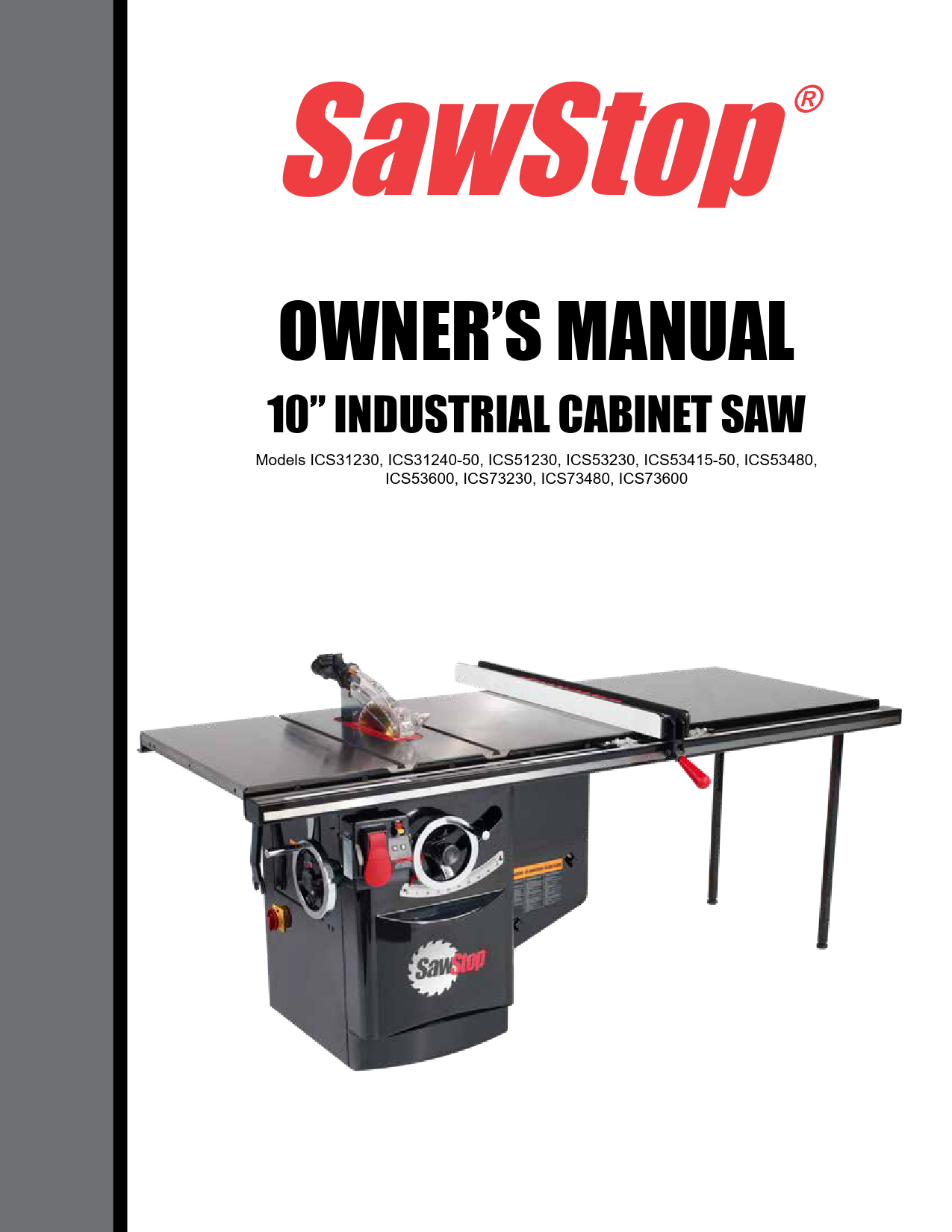
The saw shown on the front cover includes the optional 52 inch fence and extension table.
Your saw may look different.
SawStop, the SawStop blade logo, and the configuration of this product are either registered trademarks or trademarks of SawStop, LLC. Software copyright by SawStop, LLC. All rights reserved. Protected by the following U.S. patents: 6857345, 6997090, 7024975, 7055417, 7098800, 7100483, 7197969, 7210383, 7225712, 7228772, 7284467, 7308843, 7350445, 7472634, 7481140, 7525055, 7536238, 7600455, 7610836, 7640835, 7661343, 7681479, 7707918, 7707920, 7788999, 7789002, 7827890, 7827893, 7832314, 7836804, 7866239, 7895927, 7921754, 7958806, 7971613, 7991503, 7997176, 8006595, 8011279, 8051759, 8061245, 8079292, 8087438, 8122807, 8151675, 8191450, 8196499, 8266997, 8291797, 8371196, 8402869, 8408106, 8438958, 8459157, 8469067, 8489223, 8490527, 8498732, 8505424, 8522655, 9038515, 9522476, 9586335, 9623498, 9724840, 9878380, 9925683, 9969014, 10022811, 10052786, 10071499. Also protected by: Australia patents 785422, 2007201914, and 2011236043, Canada patents 2389596, 2660280, and 2762156, China patent ZL00816099.6, Europe patent EP 1234285 B1, Japan patent 5043267, Mexico patent 250009 and Taiwan patent 143466. Additional U.S. and foreign patents pending.

To Our Customers
Thank you for purchasing a SawStop cabinet saw! It is the safest, most advanced table saw ever made. As you will soon discover, the features of the SawStop cabinet saw establish new standards in the table saw industry.
Your saw includes our revolutionary, award-winning technology that can tell the difference between cutting wood and cutting a person. If you ever accidentally contact the moving blade, the technology will detect that contact and stop the blade in milliseconds to minimize any injury.
This manual tells you more about your saw and how to operate and maintain it. Please read the manual carefully. The manual also includes our warranty and important safety information.
Again, thanks for purchasing a SawStop saw. We are confident you will be pleased with its performance. If you ever have any questions or comments, feel free to contact us at the address below.
SawStop, LLC 11555 SW Myslony Street Tualatin, Oregon 97062 USA Phone - (503) 570-3200
Fax - (503) 570-3303 Email - info@sawstop.com
www.sawstop.com
SawStop� 10" Industrial Cabinet Saw 1

Table of Contents

Warranty

5

No Warranty of Safety

5

If You Have an Accident

5

Safety

6

WARNINGS

6

Warning Labels

8

The SawStop Safety System

10

Unpacking Your Saw

13

Get to Know Your Saw

14

Setting Up Your Saw

16

1. Saw Placement:

16

2. Extension Wing Assembly:

16

3. Table and Extension Wing Cleaning:

16

4. Rip Fence Installation:

16

5. Tilt Hand Wheel Handle Installation:

17

6. Blade or Dado Installation:

17

7. Brake Position Adjustment:

18

8. Blade Guard / Riving Knife Installation:

20

9. Table Insert Installation:

22

10. Connection of Dust Collection:

23

11. Electrical Power Connection:

24

12. Disconnect Switch:

25

13. Access Door Interlock Switches:

26

Using Your Saw

27

1. Adjusting the Blade Height:

27

2. Adjusting the Blade Tilt Angle:

27

3. Turning on Main Power and Starting the Motor:

28

4. System Status Codes:

30

2

SawStop� 10" Industrial Cabinet Saw

Table of Contents

5. Using the Saw in Bypass Mode:

33

6. Using the Blade Guard:

34

7. Using the Riving Knife:

36

8. Using the Miter Gauge:

36

9. Cross-Cutting:

38

10. Rip Cutting:

39

11. Changing the Brake Cartridge:

41

What to do if the SawStop Safety System Activates

46

Making Adjustments to Your Saw

47

1. Aligning the Table:

47

2. Aligning the Blade Elevation Assembly:

51

3. Aligning the Blade to the Tilt Axis:

53

4. Adjusting the Elevation Limit Stops:

57

5. Adjusting the Tilt Limit Stops and Tilt Angle Indicator:

59

6. Adjusting the Table Insert:

61

7. Adjusting the Riving Knife and Blade Guard:

63

8. Adjusting the Quick-Release Clamp:

66

9. Adjusting the Tilt Gearing:

67

10. Adjusting the Miter Gauge:

68

Cabinet Saw Specifications

69

Maintenance

70

1. SawStop Safety System:

70

2. Cabinet:

70

3. Elevation and Tilt Mechanisms:

70

4. Table and Extension Wings:

70

5. Belts:

70

Troubleshooting

71

Cabinet Saw Dimensions

75

Push Stick Construction

77

SawStop� 10" Industrial Cabinet Saw 3

Table of Contents

Push Block Construction

78

Auxiliary Fence Construction

79

Featherboard Construction

80

Electrical Schematics

230V, Single-Phase (3 and 5 HP):

81

240V, Single-Phase (3 HP):

81

230V, Three-Phase (5 and 7.5 HP):

82

415V, Three-Phase (5 HP):

83

480V, Three-Phase (5 and 7.5 HP):

84

600V, Three-Phase (5 and 7.5 HP):

85

Cabinet and Table Assembly Exploded View

86

Cabinet and Table Assembly Parts List

87

Internal Assembly Exploded View

90

Internal Assembly Parts List

91

Arbor Assembly Exploded View

94

Arbor Assembly Parts List

95

Miter Gauge and Blade Guard Assemblies Exploded View

98

Miter Gauge and Blade Guard Assemblies Parts List

99

Accessories

101

Index

102

4

SawStop� 10" Industrial Cabinet Saw

Warranty
SawStop warrants to the original retail purchaser of a new industrial cabinet saw from an authorized SawStop distributor that the saw will be free from defects in material and workmanship for TWO YEARS from the date of purchase, and that the electric motor supplied with the saw will be free from defects in material and workmanship for FIVE YEARS from the date of purchase. SawStop warrants to the original retail purchaser of a refurbished, demonstration or floor model industrial cabinet saw from an authorized SawStop distributor that the saw will be free from defects in material and workmanship for ONE YEAR from the date of purchase, and that the electric motor supplied with the saw will be free from defects in material and workmanship for THREE YEARS from the date of purchase.
This warranty does not apply to defects arising from misuse, abuse, negligence, accidents, normal wear-andtear, unauthorized repair or alteration, or lack of maintenance. This warranty is void if the saw or any portion of the saw is modified without the prior written permission of SawStop, LLC, or if the saw is located or has been operated outside of the country where the authorized SawStop distributor from whom the saw was purchased resides.
Please contact SawStop to take advantage of this warranty. If SawStop determines the saw is defective in material or workmanship, and not due to misuse, abuse, negligence, accidents, normal wear-and-tear, unauthorized repair or alteration, or lack of maintenance, then SawStop will, at its expense, and upon proof of purchase, send replacement parts to the original retail purchaser necessary to cure the defect. Alternatively, SawStop will repair the saw provided it is returned to SawStop, shipping prepaid, with proof of purchase and within the warranty period.
SawStop disclaims any and all other express or implied warranties, including merchantability and fitness for a particular purpose. SawStop shall not be liable for death, injuries to persons or property, or incidental, consequential, contingent or special damages arising from the use of the saw.
This warranty gives you specific legal rights. You may have other rights which, in the United States, vary from state to state.
No Warranty of Safety
It is important to understand that the braking technology in SawStop table saws does not prevent contact with the blade--it minimizes the effect of the contact. If you do contact the blade, the braking technology will stop the blade, and in most cases there will be no injury or only a small nick. However, you may incur a serious injury on a SawStop saw depending on factors such as the speed and direction your hand is moving when it contacts the blade and the type of blade you are using. Also, if you decide to use the saw in Bypass mode, the safety system will be disabled and will not activate in the event you contact the spinning blade.
If You Have an Accident
We at SawStop hope you never have an accident with your saw, and strongly encourage you to always follow safe practices and to use all the safety equipment provided with this saw. However, if you ever accidentally contact the spinning blade, the safety system will detect that contact and stop the blade within milliseconds to minimize any injury. If this happens, please contact us with information regarding the accident because it is very important to our on-going research and development. The more we know about what happens during an accident, the better we are able to ensure that the safety system will react as quickly as possible in all accident situations. In addition, the brake cartridges store the electronic data measured during an accident. If you return the activated cartridge to SawStop, we can retrieve that data to learn how the electronics and software performed. If we confirm that your cartridge activated due to skin contact, we will send you a free replacement cartridge in exchange. Thanks for your help.
SawStop� 10" Industrial Cabinet Saw 5

Safety
A table saw is a dangerous tool and there are hazards inherent with using this saw. Some of these hazards are discussed below. Use common sense when operating the saw and use the saw only as instructed. You are responsible for your own safety!

! WARNINGS

1. Read and understand the instruction manual and all safety warnings before operating this saw. Failure to follow instructions or heed warnings may result in electric shock, fire, serious personal injury or property damage. Save these instructions and refer to them whenever necessary.

2.

WARNING: This product can expose you to chemicals including wood dust, which is known to the State

of California to cause cancer. This exposure can come from drilling, sawing, sanding or machining wood

products. For more information go to www.P65Warnings.ca.gov/wood. In addition, some types of dust created

by sawing, sanding, grinding, drilling, and other construction activities also contain chemicals known to cause

cancer, birth defects or other reproductive harm. Some examples of these chemicals are lead from lead-based

paints, crystalline silica from bricks, cement, and other masonry products, and arsenic and chromium from

chemically treated lumber. In addition, wood dust has been listed as a known human carcinogen by the U.S.

government. The risk from exposure to these chemicals and to dust varies depending on how often you do this

type of work. To reduce your exposure, work in a well ventilated area and work with approved safety equipment

including dust masks or respirators designed to filter out such dust and chemicals.

3. THIS SAW MUST BE CONNECTED TO A GROUNDED WIRING SYSTEM or to a system having an equipmentgrounding conductor. In the event of a malfunction or breakdown, grounding provides a path of least resistance for electric current to reduce the risk of electric shock. Improper connection of the equipment-grounding conductor can result in a risk of electric shock and/or malfunction. Check with a qualified electrician or service personnel if the grounding instructions are not completely understood or if in doubt as to whether the tool is properly grounded.

4. Pay particular attention to instructions on reducing the risk of kickback. Kickback occurs when a work piece contacts the downstream edge of the blade as it is being cut and is propelled back towards the user at a high velocity.

5. Keep guards in place and in working order. Use a blade guard and spreader for every operation for which it can be used, including all through-sawing. Use a push-stick when required.

6. Remove adjusting keys and wrenches from the saw before turning it on.

7. Keep the top of the saw clean and free from clutter. Cluttered areas invite accidents.

8. Do not use the saw in dangerous environments. For example, do not use the saw in damp or wet locations or expose it to rain; and keep the work area well lighted.

9. KEEP CHILDREN AWAY from the saw. All visitors should be kept at a safe distance from the work area. Make the workshop kid-proof with padlocks, master switches, or by removing starter keys.

10. Do not try to force the saw to do something it was not designed to do. For example, do not try to cut wood faster than the motor can handle, and use the right blade for the job.

6

SawStop� 10" Industrial Cabinet Saw

! WARNINGS
11. Wear proper apparel when using the saw. Do not wear loose clothing, gloves, neckties, rings, bracelets, or other jewelry which may get caught in moving parts. Non-slip footwear is recommended. Wear a protective hair covering to contain long hair.
12. Always wear safety glasses when using the saw. Everyday eyeglasses are not safety glasses. Also use a face or dust mask if the cutting operation is dusty.
13. Keep hands out of the line of the saw blade. Never reach around or over the saw blade. Keep proper footing and balance at all times.
14. Maintain the saw as specified in this manual. Use only identical replacement parts when servicing the saw.
15. Turn the power disconnect switch to OFF before servicing the saw and when changing components or accessories such as blades, brake cartridges, and the like.
16. Use only recommended accessories with the saw. Consult this manual for recommended accessories. The use of improper accessories may cause risk of injury to persons.
17. Never stand on the saw. Serious injury could occur if the saw is tipped or if the cutting tool is unintentionally contacted.
18. Check to make sure the saw is in proper working order before using the saw. For example, check the alignment of moving parts, look to see whether moving parts are binding or rubbing, check to see whether parts are broken, make sure accessories are properly mounted in the saw, and check any other conditions that may affect the operation of the saw. A guard or other part that is damaged should be properly repaired or replaced.
19. Feed work into the blade or cutter against the direction of rotation of the blade or cutter only. Feeding the work in the direction of rotation may cause the work to be thrown by the blade and could result in serious personal injury.
20. Never leave the saw running unattended. Wait until the blade comes to a complete stop, and then turn both the Main Power switch and the Disconnect switch to OFF when you are finished using the saw.
21. You must install a rip fence before using this saw. Attempting to use the saw without a rip fence could result in a serious personal injury.
22. Never operate the saw with the access doors open. Do not attempt to bypass or defeat the access door interlock switches.
23. Secure your work. Use clamps or a vise to hold work when practical. It's safer than using your hand and it frees both hands to operate the saw.
24. Do not perform any operation freehand. Freehand means not using a fence (for rip cuts) or a miter gauge (for cross-cuts) to guide the work piece as it is being cut. Always maintain firm control over the material being cut.
SawStop� 10" Industrial Cabinet Saw 7

Warning Labels
Warning labels are mounted on the front, rear and side of the saw, and on the blade guard for your reference. Some of the warnings on those labels may be additional to the warnings listed above. Be sure to read the warning labels before using the saw. Copies of the English text of the warning labels are reproduced below:
! WARNING
For your own safety, read the instruction manual before operating this saw. 1. Wear eye protection. 2. Use the blade guard and spreader for every operation for which it can be used, including
all through sawing. 3. Keep hands out of the line of the saw blade. 4. Use a push-stick when required. 5. Know how to reduce the risk of kickback. 6. Do not perform any operation freehand. 7. Never reach around or over the saw blade. 8. Never try to test fire the brake system. 9. Never adjust the position of the brake cartridge while the blade is spinning. 10. Do not try to disable the brake system. 11. Unplug the saw before changing the blade, changing the brake cartridge or servicing. 12. Do not connect the motor directly to a power supply. 13. Use the bypass switch only when necessary. 14. Do not expose to rain or use in damp locations.

8

SawStop� 10" Industrial Cabinet Saw

WARNING
Moving belts and parts can pinch, cut or crush.
Do not operate with door open.
Lockout before servicing.

! WARNING
To avoid loss of SawStop protection during coast down, do not turn off Main Power until blade has stopped spinning.

(On saws with 230V, single phase motors.)
! WARNING
Connect Only 208-240 Volts, Single Phase Power.
This machine must be connected to an electrical ground in accordance with the National Electrical Code. Failure to connect
to an adequate ground may cause the safety system to malfunction and could result in a serious injury.
(On saws with 480V, three phase motors.)
! WARNING
Connect Only 460-480 Volts, Three Phase Power.
This machine must be connected to an electrical ground in accordance with the National Electrical Code. Failure to connect
to an adequate ground may cause the safety system to malfunction and could result in a serious injury.

(On saws with 230V, three phase motors.)
! WARNING
Connect Only 208-240 Volts, Three Phase Power.
This machine must be connected to an electrical ground in accordance with the National Electrical Code. Failure to connect
to an adequate ground may cause the safety system to malfunction and could result in a serious injury.
(On saws with 600V, three phase motors.)
! WARNING
Connect Only 575-600 Volts, Three Phase Power.
This machine must be connected to an electrical ground. Failure to connect to an adequate ground may cause the safety system to malfunction and could result in a serious injury.
SawStop� 10" Industrial Cabinet Saw 9

The SawStop Safety System

This table saw is equipped with the SawStop� safety system. This revolutionary technology was developed to reduce the potential for a serious injury in the event of accidental contact with the saw blade. SawStop� table saws
are the first saws ever built to be smart enough to know the difference between you and the wood you are cutting.

The SawStop� safety system includes two components, an electronic detection unit and a fast-acting brake. The electronic detection unit detects when a person contacts the blade. A small electrical signal is induced onto the blade by electrodes placed around the arbor. Although this low voltage, high frequency signal is too small to feel, it can be measured by the detection system. When human skin comes into contact with the blade (or arbor), a portion of the signal is absorbed by the body due to the inherent electrical capacitance of the human body. As a result, the signal on the blade gets smaller and the detection unit recognizes this as contact.

Wood and other non-conductive materials

such as plastic, foam, cardboard, Corian�,

Brake Cartridge

melamine, etc., do not cause a drop in the

signal because those materials do not absorb

Fig. 1

the signal on the blade. Conductive materials such as aluminum and other metals, carbon fiber materials, mirrored

acrylic, carbon-filled materials, etc., will typically cause the brake to activate. If you need to cut these conductive

materials, the safety system can be placed in "Bypass" mode to temporarily disable the brake. (See page 33 for

instructions on how to use the saw in Bypass mode.)

The fast-acting brake includes a small fuse that holds a strong spring in compression. If the electronic detection unit detects contact while the blade is spinning (including during coast down), the fuse is burned by a surge of electric current. The spring then pushes an aluminum brake into the teeth of the spinning blade. The teeth cut into the brake, stopping the blade. The total time between the detection of contact and stopping the blade is just a few milliseconds. If the brake is activated while the blade is at or near full speed, the blade will also quickly retract below the table. The system will not activate the brake when the blade is stopped�even if you spin the blade by hand. This allows you to touch or change the blade when the motor is off just as with ordinary table saws. However, for safety, always switch the Main Power and Disconnect switches to OFF when changing the blade.

The SawStop� safety system is active whenever the Main Power is on. The safety system continuously performs many different self-checks to ensure that the components of the system are operating properly. If any problems are detected, the safety system will disable the motor and display a system status code to identify the problem (see page 30 for a description of the system status codes and the corrective action). If the problem is detected while the motor is spinning, the motor will be shut off. The safety system will not allow the motor to be started, even in Bypass mode, as long as a problem is detected.

The electronic detection unit and fast-acting brake are contained in the "brake cartridge," which is positioned under the table and just behind the blade (see Fig. 1). The brake cartridge must be correctly installed before the motor can be started (see page 41 for instructions on removing/installing the brake cartridge). In the event that the brake is activated, a new brake cartridge must be installed before the saw can be used again.

10

SawStop� 10" Industrial Cabinet Saw

The SawStop Safety System

The SawStop� safety system does not interfere with your use of the saw. You can still make all the cuts that you can with ordinary saws including 0� to 45� bevels, non-through cuts, and dado cuts (with the optional dado brake cartridge and the optional dado table insert).

Your SawStop� saw operates differently than ordinary table saws, and there are a few important points to keep in mind as you use the saw.

1. Do not rely on the SawStop� safety system to protect against unsafe operation. Although the system is
designed to react and stop the blade very quickly in the event of accidental contact, it cannot react until contact is detected. This means that you may receive at least a minor injury even with the SawStop� safety system.
Therefore, always use safe operating practices, and use the blade guard, push stick and other safety devices whenever possible. The SawStop� safety system, like the airbag in a car, should be considered as a last
measure to minimize injury when all other safety practices and devices have failed to prevent an accident.

2. In the event of contact, the blade will be stopped in about 3�5 milliseconds (coarse toothed blades stop more quickly than fine-toothed blades such as plywood blades). Therefore, the seriousness of the injury incurred will depend on the speed at which a person's hand or other body part is moving toward the blade. For example, if a person's hand is moving toward the blade at 1 ft./sec., then the depth of the cut will be approximately 1/16 inch (1 ft./sec.* 0.005 sec. = 0.005 ft. or 1/16 inch). At faster speeds, the cut will be proportionally deeper. Therefore, it is possible to be seriously injured even with the SawStop� safety system.

3. Do not operate the saw in Bypass Mode unless you are cutting electrically conductive material. When Bypass Mode is engaged, the SawStop� safety system will not activate the brake if contact is detected and a serious injury could result if you contact the blade.

4. The motor cannot be started without a blade installed. Since the safety system disables the motor if the blade is spaced too far from the brake, a missing blade will be detected as a blade-to-brake spacing error and the motor will be disabled.

5. Blades You can use any standard 10 inch saw blade or 8 inch dado set with your SawStop� saw, although the following
precautions should be observed:

i. Never attempt to use a blade other than a single 10 inch blade with the standard SawStop� brake cartridge. Never attempt to use a dado set or blade other than an 8 inch dado set with the SawStop� dado cartridge. The use of smaller diameter blades with a brake cartridge designed for larger blades could result in a serious injury because the brake cannot be positioned correctly to stop the smaller blades.

ii.

Never stack dado blades thicker than dado stacks thicker than 13/16 inch.

13/16

inch.

The

8

inch

dado

brake

cartridge

is

not

designed

to

stop

iii. Do not use molding heads. The use of molding heads could result in a serious injury because neither the standard brake cartridge nor the dado brake cartridge is designed to stop a molding head.

iv. Never use a blade with damaged or missing teeth as this can result in a more serious injury or a false activation of the brake. Blades with variable spacing between teeth are compatible with the SawStop� safety system, however you must ensure the brake is positioned correctly by rotating the blade at least one full revolution to be certain that none of the teeth touch the brake (see page 18 for more information on setting the brake position).

v. Never install the blade backwards. The brake might not stop a blade that is installed backwards.
vi. Do not use saw blades or dado sets that have a lacquer or other coating on the teeth. These coatings are non-conductive and therefore can reduce the speed at which the system detects contact. In other words, a coated tooth must cut slightly deeper into the skin for contact to be detected, resulting in a somewhat more serious injury. Used blades that originally had a coating are OK to use since the coating is worn away within a few uses. However, SawStop recommends that you examine each tooth on such blades to confirm that no coating remains.

SawStop� 10" Industrial Cabinet Saw 11

The SawStop Safety System

vii. Blades with depth-limiting shoulders may take longer to stop in the event of an accident than standard blades, and you could receive a more serious injury. Therefore, SawStop recommends using blades without depth-limiting shoulders.

viii.

The SawStop safety 3/16 inch. Blades with

system is designed for use kerfs much thinner than 3/32

with inch

standard 10 inch blades with kerfs should not be used because those

from 3/32 inch to blades might not

be strong enough to withstand the force applied by the brake when it activates. As a result, those blades

might deform and stop more slowly in the event of an accident, resulting in a more serious injury. Blades with kerfs much thicker than 3/16 inch are heavier than standard 1/8 inch kerf blades, and should not be used because they may stop more slowly than standard blades in the event of an accident, resulting in a more

serious injury. Similarly, stacks of two or more 10 inch blades should never be used on your SawStop saw

as the combined weight of the blades may be too heavy to stop quickly. If you need to use a blade with a kerf thicker than 3/16 inch, use an 8 inch dado set with the optional Sawstop 8 inch dado brake cartridge.

ix. Do not use non-conductive blades, including abrasive blades, blades with plastic hubs, or blades that have non-conductive teeth. The safety system cannot induce the electrical signal onto a non-conductive blade, and blades with non-conductive teeth may prevent the system from detecting contact. Only standard steel blades with either steel or carbide teeth should be used.

6. Do not use table inserts, guards, fences or other devices which have metal parts that may come into contact with the blade. Any metal part that contacts the blade may cause the brake to activate. All SawStop� accessories are specifically designed to prevent metal contact with the blade.

7. Wet, pressure-treated wood may cause the brake to activate. The chemicals used to pressure treat wood often contain large amounts of copper, which is conductive. When pressure-treated wood is wet, the combination of copper and water substantially increases the conductivity of the wood. Therefore, allow wet pressure-treated wood to fully dry before cutting. Typically, the wood will be sufficiently dry if left unstacked in a dry location for 24 hours. If you must cut wet pressure-treated wood, you can make several cuts in the wettest piece(s) using the Bypass Mode to test whether the wood is too wet. See pages 32 and 33 for instructions on testing the conductivity of a material using Bypass Mode. If the test indicates the wood is too wet to cut with the safety system active, you must either allow the wood to dry or make the remaining cuts in Bypass Mode.

8. Do not replace the arbor belt with a non-SawStop� belt. The SawStop� arbor belt is custom designed to dissipate static electricity that may build up on the spinning blade which could cause a false activation of the brake.

9. Never touch the arbor, arbor pulley, arbor nut or arbor washer when the blade is spinning because you may receive a serious injury. These parts are all electrically coupled to the blade and the brake will activate if contact with these parts is detected.

10. Never reach under the blade while it is spinning. In the event the brake is activated, the retraction of the blade may cause a serious injury if you contact the bottom of the blade.

11. Do not disconnect or turn off electrical power to the saw before the blade has stopped spinning. If electrical power is interrupted while the blade is moving, the safety system will not be active and therefore the brake will not activate in the event of accidental contact. You may receive a serious injury if you contact the spinning blade while the electrical power is interrupted.

12. Never attempt to disable the SawStop� safety system or modify the electrical wiring of the saw in any way. Any change or modification or disablement of the safety system or other wiring could result in a serious injury and will void all warranties.

13. Never attempt to repair, adjust, modify or otherwise service a brake cartridge. There are no user-servicable parts inside the brake cartridge. The brake cartridge is permanently sealed against dust and other contaminants. Destruction, removal, or alteration of this seal voids all warranties.

12

SawStop� 10" Industrial Cabinet Saw

Unpacking Your Saw
Use care when unpacking your saw to prevent damage to any of the saw components or accessories. Remove all packing materials and accessories before removing the saw from the shipping pallet. If the saw or the accessories have been damaged during shipping, report the damage to your shipper before proceeding with unpacking. Read and understand this manual fully before assembling and operating your saw.
The package for your saw includes the following items: 1. One table saw with motor. 2. Two extension wings (the right extension wing is pre-installed). 3. One blade guard and spreader with anti-kickback pawls. 4. One riving knife (pre-installed). 5. One 10 inch saw blade. 6. One zero-clearance table insert (pre-installed). 7. One brake cartridge for a 10 inch blade (pre-installed). 8. One brake cartridge key (pre-installed). 9. One miter gauge. 10. One push stick 11. Two blade wrenches. 12. Three hex key wrenches. 13. One plastic bag containing assembly hardware. 14. Two bypass switch keys. 15. This Owner's Manual. 16. One Handle for the tilt hand wheel (the handle on the elevation hand wheel is pre-installed).
Optional accessories such as a fence and rails, an extension table, extra brake cartridges, etc., are packaged separately.
SawStop� 10" Industrial Cabinet Saw 13

Get to Know Your Saw
The major components of your saw are identified below. Make sure you can identify these components in order to follow the instructions in this manual.

2 14 5
6 17 18
12

4 16 1

2

Fig. 2 3

8
11 15

10

9 Fig. 3

14

SawStop� 10" Industrial Cabinet Saw

7 13 19

External Components
1. Table Top 2. Extension Wings 3. Blade Guard 4. Standard Table Insert 5. Switch Box 6. Elevation Hand Wheel 7. Tilt Hand Wheel 8. Motor Cover 9. Terminal Box 10. Dust Port 11. Miter Gauge 12. Blade Wrenches (2) 13. Belt Access Door 14. Bypass Key 15. Spreader / Riving Knife
Storage Pin 16. Miter Gauge Slots 17. Tilt Angle Indicator (red) 18. Tilt Angle Scale 19. Disconnect Switch

Get to Know Your Saw

33
21 20

27 28

40

22

41

42

32

31

39
38 37

29 26 36

Fig. 4 35

34

23
30 24
25

Internal Components
20. Front Trunnion Bracket 21. Front Trunnion 22. Rear Trunnion Bracket 23. Rear Trunnion 24. Elevation Plate 25. Motor 26. Arbor Block 27. Arbor Nut 28. Arbor Washer 29. Arbor Belt 30. Motor Belt 31. Dust Shroud Door 32. Upper Elevation Limit Bolt 33. Lower Elevation Limit Bolt 34. 0� Tilt Limit Bolt 35. 45� Tilt Limit Bolt 36. Brake Positioning Bolt 37. Brake Cartridge 38. Cartridge Key 39. Spreader / Riving Knife
Clamping Handle 40. Riving Knife 41. Elevation Threaded Rod 42. Dust Blast Shield

Fig. 5

SawStop� 10" Industrial Cabinet Saw 15

Setting Up Your Saw

The ICS is a stationary saw. In some situations it is important to be able to relocate your stationary saw from one position to another in your workshop. For example, you may want to store any stationary saw against a wall in your workshop and then move the saw away from the wall to use it. An optional mobile base allows you to reposition your stationary saw with ease.

1. Saw Placement:
Position the saw on a level surface away from sources of moisture and electrical noise. Make sure there is sufficient room to allow free access to all sides of the saw.

If you plan to relocate the saw occasionally, mount the saw in the optional SawStop Industrial Mobile Base (see Fig. 6). This mobile base has been specifically engineered to fit the Industrial Cabinet Saw and to support the weight of the saw including the optional TGlide Fence, Rails and Extension table. See the Owner's Manual included with the Industrial Mobile Base for instructions on mounting the saw in the base
and operating the base.

Fig. 6

2. Extension Wing Assembly:
The saw is shipped with the right extension wing pre-installed. Position the left extension wing next to the table, making sure the small beveled edge on the surface of the extension wing is facing forward. Insert the three M10x1.5x30 bolts (with washers and lock washers) through the holes in the side of the wing and into the threaded holes in the side of the table (see Fig. 7). Align the top of the extension wing with the table using a straight edge and then fully tighten the bolts using a 17 mm wrench. You may want someone to help hold the extension wing in place while you fasten the bolts.

Fig. 7

3. Table and Extension Wing Cleaning:
The table and extension wings are shipped with a coating of oil on the top surfaces to prevent the cast iron from rusting. Carefully wipe the top surfaces with a soft, clean cloth to remove the oil. To prevent the top surfaces from rusting during use, you can coat the surfaces with rust-preventative materials such as TopCote� or TopSaverTM, available in many woodworking stores. If the saw will not be used for an extended time, the table and wing surfaces can also be protected by applying a light coating of oil and then covering with wax paper.

4. Rip Fence Installation:
This saw ships without a rip fence. You must install a rip fence prior to using the saw. Refer to the manual that accompanied your rip fence for instructions on installing the fence on the saw.

16

SawStop� 10" Industrial Cabinet Saw

Setting Up Your Saw

Setting Up Your Saw

5. Tilt Hand Wheel Handle Installation:
Install the handle on the tilt hand wheel by screwing the threaded portion of the handle into the matching hole on the hand wheel (see Fig. 8). Use a wrench to tighten the handle securely to the hand wheel.

handle

tilt hand wheel

Fig. 8

6. Blade or Dado Installation:
WARNING! Only install one standard 10 inch blade or one 8 inch dado set (with optional dado cartridge). Do not install other size blades or dado sets. Do not install molding heads or other non-standard cutters. Use of these non-standard blades or cutters may cause serious injury.

WARNING! Always turn off the Main Power Switch and switch the Disconnect Switch to the OFF position before removing or installing a blade or dado set on your saw.

Note: if your saw uses three phase power, do not install the blade until the power supply has been connected and you have verified that the motor spins in the correct direction. See page 24 for instructions on connecting your saw to a power supply.

The blade that is included with the saw is coated in oil to prevent rust during shipment. Clean this blade thoroughly before installation. If you wish to install a different blade, use a high quality blade that does not have anti-rust coatings on the teeth (e.g., lacquer, wax, etc.) Such coatings can interfere with (or potentially defeat) the ability of the system to detect contact. SawStop also recommends using blades without depth-limiting shoulders, since blades with depth-limiting shoulders may take longer to stop in the event of an accident.

The SawStop safety system is designed for use with standard Blades with kerfs much thinner than 3/32 inch should not be

10 inch blades with kerfs from used because those blades

3/32 inch to 3/16 inch. might not be strong

enough to withstand the force applied by the brake when it activates. As a result, those blades might deform

and stop more slowly in the event of an accident, resulting in a more serious injury. Blades with kerfs much thicker than 3/16 inch are heavier than standard 1/8 inch kerf blades, and should not be used because they may stop more slowly than standard blades in the event of an accident, resulting in a more serious injury.

WARNING! Do not attempt to use saw blades made of materials that are electrically non-conductive (e.g., abrasive blades, blades with plastic hubs, etc.). The SawStop�
safety system will not allow the saw to operate if these blades are installed.

SawStop� 10" Industrial Cabinet Saw 17

Setting Up Your Saw
To install the blade, use the open end of one of the blade wrenches included with the saw to hold the arbor behind the arbor flange, and use the closed end of the other blade wrench to loosen the arbor nut. The arbor nut is right-hand threaded so turn the nut counter-clockwise to loosen it and clockwise to tighten it. After removing the arbor nut and arbor washer, install the blade and reinstall the arbor washer and arbor nut. Use the blade wrenches to tighten the arbor nut securely (see Fig. 9).
Install dado sets just like you install a blade. For dado widths larger than about 3/ 8 inch, remove the arbor washer and tighten the arbor nut against the dado set. (Remember to remove the standard 10 inch brake cartridge and install the optional 8 inch dado brake cartridge before installing your dado set.)
Fig. 9
WARNING! Never install the blade backwards. The brake might not stop a blade that is installed backwards, therefore you may receive a serious injury.

7. Brake Position Adjustment:
It is important to make sure that the brake cartridge is close to, but not touching, the edge of the blade to minimize the time it takes the safety system to stop the blade in the event of an accident. The spacing between the brake cartridge and the blade should be checked whenever the blade or brake cartridge is changed. If the spacing is too small, the blade may touch the brake and cause the brake to activate.

The spacing between the brake cartridge and the blade is adjusted by the yellow brake positioning bolt mounted in the top of the arbor block (see Fig. 10). To access the brake positioning bolt, set the tilt angle to 0� and adjust the blade elevation to approximately 1� inches above the table top. The bolt will be accessible through the opening in the table top.

brake positioning
bolt

Fig. 10

WARNING! Always turn off the Main Power Switch and switch the Disconnect Switch to the OFF position before removing, installing or adjusting the brake cartridge on your saw.

18

SawStop� 10" Industrial Cabinet Saw

Setting Up Your Saw

Setting Up Your Saw
Using the 8 mm hex L-wrench included with the saw, turn the spacing adjustment bolt clockwise to decrease the spacing between the brake cartridge and the edge of the blade, and counter-clockwise to increase the spacing. Adjust the brake position as needed to set the spacing between the teeth of the blade and the closest point on the brake cartridge to between 1/ 16 inch and 1/ 8 inch (see Figs. 11 and 12).
spacing

Fig. 11

Fig. 12

One simple method to adjust the spacing is to place a U.S. nickel between the closest points on the blade and brake cartridge to give a spacing of about 0.070 inch. Then adjust the spacing adjustment bolt until the teeth of the blade just skim the nickel when the blade is rotated by hand.
Note that the point on the brake pawl that is closest to the blade may be at the end of the brake pawl rather than the middle if the diameter of the blade is slightly less than 10 inches.
The exact distance is not critical, but it is important to make sure the blade teeth do not touch the brake pawl.
Since blades are often slightly eccentric, the spacing between the blade and brake pawl may change slightly as the blade rotates. Therefore, you should rotate the blade by hand at least one full revolution with the nickel in place after setting the spacing. This will verify that no part of the blade will hit the brake when the motor is started.

CAUTION! Always spin the blade by hand with the nickel in place after changing the blade or the brake cartridge, or after adjusting the spacing between the brake cartridge and the blade! This ensures that no part of the blade will touch the brake cartridge once the motor is started.

SawStop� 10" Industrial Cabinet Saw 19

Setting Up Your Saw
Note: some users may find it easier to adjust the brake position by opening the motor cover and removing the dust shroud door to see the blade and brake cartridge more clearly. To remove the dust shroud door, loosen the thumb screw and lift the door upward until the pivot pin in the door clears the pivot hole in the cast iron trunnion brace (see Fig. 13).

thumb screw

Fig. 13

dust shroud door

8. Blade Guard / Riving Knife Installation:
Your SawStop� saw includes a unique, quick-release blade guard mounting system. This mounting system was developed to allow you to quickly remove and install the blade guard and riving knife without the use of tools and without the need for realignment. The mounting system is factory-aligned to the arbor flange and should not require adjustment. If you wish to change the alignment, see page63for instructions.
The saw is shipped with the riving knife installed. The riving knife is an extremely important tool for reducing the potential for kickback when the blade guard cannot be used. The riving knife should always be used whenever you need to make rabbet or other non-through cuts (where the blade does not cut through the top of the wood), narrow cuts where the guard would interfere with the rip fence, and any other situations where the guard would interfere with the cut.

WARNING! Always turn off the Main Power Switch and switch the Disconnect Switch to the OFF position before removing or installing the blade guard or riving knife on your saw.

For the majority of cuts, the blade guard should be used. Remove the riving knife by lifting the clamping handle fully upward until the clamping plate moves away from the riving knife (see Fig.14). Then move the riving knife slightly toward the right to clear the positioning pins, and lift it out of the clamp.

Fig. 14

pull handle upward to release clamp

Dado Sets: when using a dado set, neither the blade guard nor the riving knife may be used. Instead, use other protective devices such as push sticks and featherboards.

20

SawStop� 10" Industrial Cabinet Saw

Setting Up Your Saw

Setting Up Your Saw
To install the blade guard, first pivot the large anti-kickback pawls upwards and guide them into the catches on either side of the guard to hold them out of the way (see Fig.15). Next, position the spreader in the clamp and flat against the base plate. The positioning pins will automatically align the spreader in the correct position.

large anti-kickback pawl

catch

small anti-kickback
pawl
Fig. 15

Lower the clamping handle completely to lock the spreader in place (see Fig.16). After you have installed the table insert as described on page 22, lower the large anti-kickback pawls back down until they touch the table insert.

spreader

If the clamping handle is difficult to lower, make sure the spreader is positioned flat against the base plate.
To remove the guard, use the same procedure as removing the riving knife. Similarly, to install the riving knife, use the same procedure as installing the guard.

Fig. 16

push handle downward to engage clamp

The clamping force used to hold the spreader and riving knife in place can be increased if the spreader and riving knife are not held securely, or decreased if too much force is required to lower the clamping handle. See page 66 for instructions on adjusting the clamping force.

WARNING! Use the blade guard and spreader for every operation for which it can be used, including all through-sawing.
For instructions on the operation and use of the blade guard and the riving knife, please see page 34. Note: both the spreader and the riving knife are 2.3 mm (0.090 in.) thick. Do not use a saw blade with a kerf less than 2.3 mm with these tools. (The kerf of a saw blade is the width of the cut produced by the blade.)

SawStop� 10" Industrial Cabinet Saw 21

Setting Up Your Saw

9. Table Insert Installation:
Your saw is shipped with a high-quality, zero-clearance table insert. The insert is factory-adjusted to fit securely in the table opening and below the table surface. If you wish to perform additional adjustment on the insert, see page 61 for instructions.
WARNING! Always turn off the Main Power Switch and switch the Disconnect Switch to the OFF position before removing or installing the table insert on your saw.

The rear of the insert is held in place by two lock-down screws in the bottom rear of the insert and two lockdown screws at the rear of the table opening. The front of the insert is held down by latches formed on the rotating lock-down lever. The lock-down lever allows you to easily remove the insert without the use of tools.

lock-down lever

rear lock-down screws

hold insert at a slight angle to table when installing or removing

Fig. 17
To install the table insert, hold it at a slight angle, with the lock-down lever rotated upward and the rear of the insert lower than the front. Slide the rear of the insert around the spreader or riving knife and against the back of the table opening so that the heads of the rear lock-down screws in the bottom of the insert slide under the heads of the lock-down screws in the table opening (see Figs. 17 and18)
Then lower the front end of the insert into the table opening until the insert lies flat. Finally, rotate the lock-down lever all the way down until it rests fully below the table.
Note: when the blade guard is installed, it may be necessary to raise the elevation of the blade to allow the anti-kick pawls to clear the opening in the table and rest against the wear plates.

rear lock down screw in insert

rear lock down screw in table opening

Fig. 18

WARNING! Never operate the saw without the table insert in place.
CAUTION! Do not use table inserts made of metal or other electrically-conductive materials. This can cause the brake to be activated unnecessarily.

22

SawStop� 10" Industrial Cabinet Saw

Setting Up Your Saw

Setting Up Your Saw
10. Connection of Dust Collection:
All table saws generate a substantial amount of dust, which can be a serious physical hazard. Your SawStop� saw is designed to provide superior dust collection both above and below the table.
A dust shroud below the table is engineered to capture the airflow generated by the spinning blade and divert the dust out of the cabinet through a 4 inch diameter port at the rear of the cabinet (see Fig. 19). The dustcollecting blade guard also works by redirecting the airflow and channeling the above-table dust out through a port at the back of the guard (see Fig. 20).
1.5 inch outer diameter
4" dust collection port

1.25 inch inner diameter

Fig. 19

Fig. 20

To ensure maximum dust collection performance for your saw, it is important to connect a suitable dust collector to both dust ports that provides at least 400 CFM of airflow. To connect your saw to the dust collector, SawStop recommends the optional SawStop Over-Arm Dust Collector (p/n TSA-ODC), available from your dealer or from SawStop directly. Alternatively, you can connect both dust ports to the dust collector using standard parts (pvc pipes and fittings, vacuum hose and adapators, etc) available from hardware stores and/or woodworking stores.

WARNING! Some types of dust created by sawing, power sanding, grinding, drilling, and other construction activities contain
chemicals known to cause cancer, birth defects or other reproductive toxicity or harm. Some examples of these chemicals are lead from lead-based paints, crystalline silica from bricks, cement, and other masonry products, and arsenic and chromium from chemically treated lumber.
In addition, wood dust has been listed as a known human carcinogen by the U.S. government.
The risk from exposure to these chemicals and to dust varies depending on how often you do this type of work. To reduce your exposure, work in a well ventilated area and work with approved safety equipment including dust masks or respirators designed to filter out such dust and chemicals.

SawStop� 10" Industrial Cabinet Saw 23

Setting Up Your Saw
11. Electrical Power Connection:
Your saw is shipped without a cord. The saw must be permanently connected to the building electrical system in accordance with the National Electrical Code and any other applicable state and local codes. Extension cords should not be used with this saw. Consult a licensed electrician if you are unsure how to properly connect the saw to the building electrical system.

WARNING! Do not connect the saw to electrical power until the saw is completely assembled and you have read and understood this entire manual.

All electrical connections must be made to the terminal box on the rear exterior of the cabinet (see Fig. 21). The specification label located just above the terminal box indicates the type of power supply (i.e., voltage, amperage and phase) required. Attempting to operate the saw on a power supply different than specified on the specification label will void all warranties and may result in serious injury as well as damage to, or a malfunction of, the saw or safety system.

Connect electrical power to the terminal box as illustrated in the electrical schematics onpages8185. Do not make any connections to the disconnect switch box or the magnetic contactor box mounted inside the cabinet. The magnetic contactor box is sealed against tampering. The destruction, removal or alteration of the seal will void all warranties.

terminal box

Fig. 21

Motor Rotation Test for Saws using Three Phase Power
When connecting this saw to a three phase power supply, you must test the motor to verify it spins in the correct direction before installing a blade. However, the safety system normally prevents the motor from spinning without a blade installed. To safely test the direction of motor spin, first make sure that no blade is installed and then turn on the Main Power. Wait for approximately 5-10 seconds until the Red LED is on solid and the Green LED blinks slowly (indicating the system cannot detect the blade). Next, insert the Bypass key in the Bypass switch, turn the key clockwise and hold for at least one second. While holding the Bypass key turned, pull out the Start/Stop paddle. The system will briefly pulse the power to the motor so that the direction of motor spin can be determined. The arbor should spin counter-clockwise when viewed from the right side of the saw.

WARNING! Do not install a blade on saws using three phase power until the motor has been verified to spin in the correct direction. If the motor spins backward with a blade installed, the arbor nut may spin off the arbor, which could allow the blade to spin off the arbor and cause a serious injury.

WARNING! This saw must be connected to a grounded metal permanent wiring system, or to a system having an equipment-grounding conductor. Failure to connect this saw to an adequate electrical ground may cause the safety system to malfunction and could result in a serious injury or electric shock.

24

SawStop� 10" Industrial Cabinet Saw

Setting Up Your Saw

Setting Up Your Saw
12. Disconnect Switch:
The saw is equipped with an electrical disconnect switch mounted on the left side of the cabinet. When the disconnect switch is switched to OFF (see Fig. 22), electrical power is physically disconnected from the entire saw, including the SawStop safety system. The disconnect switch should be switched to OFF whenever performing any adjustments, maintenance or repairs to the saw, including changing blades, installing or removing the blade guard and riving knife, etc.
Fig. 22
In addition, the disconnect switch can be locked in the OFF position with a padlock or similar device as shown in Fig.23. The disconnect switch should be locked in the OFF position whenever there is a possibility of someone accidentally applying power to the saw while adjustments, maintenance or repairs are being made.
Fig. 23
When the saw has been completely installed and is ready for use, turn the disconnect switch to ON as shown in Fig.24.
Fig. 24
SawStop� 10" Industrial Cabinet Saw 25

Setting Up Your Saw
13. Access Door Interlock Switches:
As an additional safety feature, this saw is equipped with interlock switches on the belt access door and the motor cover that prevent the motor from starting when either door is open. In the event that one of the doors is opened while the motor is on, the corresponding interlock switch will cause the motor to shut down.
If either the access door or motor cover is open when you attempt to start the motor (or if a door opens when the motor is already on), a System Status error will be displayed where the red LED is on solid and the green LED flashes rapidly. If this occurs, you must close and latch the open door and then cycle the Main Power switch on the Switch Box. (See page 28.)
The interlock switches are pre-positioned to be "closed" when the belt access door and motor cover are fully closed. In the event one of the switches becomes misaligned, you can reposition the switch(es) as described below to ensure all switches are closed when the access door and motor cover are closed.
WARNING! The door interlock switches are connected to 208-240 VAC. Attempting to disable or modify the interlock switches or wiring could result in a severe injury or electric shock. Turn the Disconnect Switch to OFF before adjusting the interlock switches.

Belt Access Door Interlock Switch: The interlock switch on the belt access door is located inside the lower front edge of the access door opening as shown in Fig.25. The switch has a lever-type actuator and is mounted on a bracket that is attached to the inside of the cabinet by two screws.
If necessary, you can reposition the switch by loosening the screws and moving the switch so that it is actuated when the belt access door is fully closed. Re-tighten the screws to ensure the switch remains in the correct position.

Motor Cover Interlock Switch: The interlock switch on the motor cover is located near the lower rear edge of the motor cover opening as shown in Fig.26. This switch has a push-button type actuator and is mounted to the inside of the cabinet by two screws. An adjustable socket-head screw is threaded through a bracket on the motor cover. This socket-head screw presses the switch closed when the motor cover is closed.
If necessary you can reposition the switch by loosening the screws and moving the switch. You can also adjust the position of the sockethead screw by loosening the locking nut and turning the screw. Re-tighten all hardware to ensure the switch continues to operate correctly.

26

SawStop� 10" Industrial Cabinet Saw

Fig. 25 Fig. 26

Using Your Saw
1. Adjusting the Blade Height:
The height of the blade can be adjusted from 1/ 8 inch below the table top to 3 1/ 8 inch above the table top. To adjust the height of the blade, loosen the elevation locking knob and turn the elevation hand wheel until the blade is at the desired height (see Fig. 27). Turn the hand wheel clockwise to raise the blade, and counter-clockwise to lower the blade. Lock the blade height by tightening the elevation locking knob.
For through-cuts (i.e., cuts where the wood is cut through its entire thickness), the blade height should be adjusted so that the top of the blade is no more than 1/ 8inch to 1/ 4 inch above the workpiece.
The saw includes limit stops to prevent the height of the blade from being adjusted past the maximum and minimum setpoints. These limit stops are pre-set at the factory and should not need adjustment. If you decide to adjust the blade elevation limit stops, see page 57 for instructions.

elevation lock knob
elevation hand wheel

Fig. 27

Using Your Saw

CAUTION! When adjusting the height or tilt angle of the blade, reverse the hand wheel slightly to release tension after reaching the limit stops. This prevents any slight twisting of the cast iron assembly that might affect blade parallelism and table alignment.

2. Adjusting the Blade Tilt Angle:
The tilt (bevel) angle of the blade can be adjusted between 0� and 45�. To adjust the tilt angle of the blade, loosen the tilt locking knob and turn the tilt hand wheel until the blade is at the desired angle. The tilt angle of the blade is indicated by the position of the tilt angle indicator on the tilt angle scale (see Fig. 28). Turn the tilt hand wheel clockwise to increase the tilt angle, and counter-clockwise to decrease the tilt angle. Lock the tilt angle by tightening the tilt locking knob.
The saw includes limit stops to prevent the tilt angle of the blade from being adjusted past the 0� and 45� setpoints. These limit stops are pre-set at the factory and should not need adjustment. If you decide to adjust the blade tilt limit stops, see page59for instructions.

tilt hand wheel tilt lock knob
tilt angle scale

Fig. 28 SawStop� 10" Industrial Cabinet Saw 27

Using Your Saw

3. Turning on Main Power and Starting the Motor:
Your SawStop� saw is equipped with an Electrical Disconnect Switch to supply power to the saw, a Main Power Switch to supply power to the SawStop� safety system, and a Start/Stop paddle to turn the motor on and off. Both the Main Power Switch and the Start/Stop paddle are mounted on the Switch Box, which is located just below the front edge of the table and to the left of the elevation hand wheel (see Fig. 29). The Switch Box also includes red and green LEDs that display the current status of the safety system and saw. A label describing the System Status LED displays is positioned on the side of the Switch Box. In addition, the displays are described in more detail below.

WARNING! Never start the saw when the blade is in contact with the workpiece or any other object.

After ensuring that the Start/Stop paddle is in the "OFF" position (i.e., pushed in), turn the Main Power Switch to the "ON" position by flipping the toggle upward. This will turn on power to the SawStop� safety system, which will run through a brief initialization routine to test whether the system is operating properly. During this initialization period (approximately 5�10 seconds), the LEDs will blink in different patterns as the safety system steps through various selfcheck steps. Once the safety system completes the initialization routine, the LEDs will display the "READY" status display (green LED on solid, red LED off). The saw is now ready for use.

Disconnect switch

main power switch

If the READY status is not displayed after 15 seconds, the safety system has detected an error that must be corrected before the saw can be used. See page 30 for a key to the LED status codes and an explanation of the error detected for each code.

Start/Stop paddle

Fig. 29

switch box

To start the motor, pull the Start/Stop paddle out. To stop the motor, push the Start/Stop paddle in. The paddle is designed so that it can be pushed in by the operator's upper leg or knee in an emergency.

WARNING! Never disconnect or turn off electrical power to the saw before the blade has stopped spinning. If electrical power is interrupted while the blade is moving, the safety system will not be active and therefore the brake will not activate in the event of accidental contact. You may receive
a serious injury if you contact the spinning blade while the electrical power is interrupted.

28

SawStop� 10" Industrial Cabinet Saw

Using Your Saw

Using Your Saw
It is not necessary to turn off the Main Power switch after pushing in the Start/Stop paddle to turn off the motor. If you plan to make several cuts with the saw, you can leave the Main Power Switch in the ON position between cuts to eliminate the delay due to the initialization routine. Once you have finished using the saw turn the Main Power Switch to OFF to reduce the likelihood of inadvertent start-up. In addition, the Main Power Switch has a lockout key that you can remove to prevent children or other nonauthorized users from turning the saw on. To remove the key, pull it out, away from the switch. To replace the key, press it back into the socket until it snaps into place (see Fig. 30). When the key is removed, the Main Power Switch can be turned OFF, but it cannot be turned ON.
main power switch lockout key
Fig. 30
SawStop� 10" Industrial Cabinet Saw 29

Using Your Saw

4. System Status Codes:
The LED lights on the front of the switch box display the current status of the safety system. Each light may be off, or may be on, and if it is on, it may be blinking slowly, blinking quickly, or not blinking at all, which we call "on solid." Together, the red and green lights display a code, referred to as the System Status Code, which tells you if the saw is operating normally or if there is a problem. When you first turn the Main Power switch on, the safety system will complete an initialization routine to verify the safety system is operating normally. After the initialization routine is completed, you should not see the red light unless there is a problem. If this happens, find the System Status code below (see Fig. 31) to determine how to correct the problem.

SawStop
System Status Codes

Grn Red Status

� � � � � �
� � �
� � � � � �
� � � � � �
� � �
� � �

� � � System Initializing

System Ready

Replace Cartridge

Coasting Down

Bypass Mode On

Push Start/Stop � � � � � � Paddle To OFF

Turn Cartridge � � � Key To ON

No Blade Rotation See Manual

Adjust Position of Brake Cartridge

� � � � � �

Contact Detected During Standby

� � � � � � Contact Detected During Bypass

� � � � � � Overload Due To Wet Wood

Symbol Key:
Green LED blinks fast Green LED blinks slowly Green LED is on solid Red LED blinks fast Red LED blinks slowly Red LED is on solid

Fig. 31

WARNING! Always turn off the Main Power Switch and switch the Disconnect Switch to the OFF position before performing adjustments or maintenance to the saw.

30

SawStop� 10" Industrial Cabinet Saw

Using Your Saw

Using Your Saw
System Initializing -- this code indicates that the system is performing self-checks and energizing the brake system to activate in the case of an accident. This condition should clear within 15 seconds after the Main Power Switch is turned on. If the ambient temperature is very low (below about 0� F), this code may take longer to clear. The safety system detects such low temperatures within the brake cartridge. If necessary, the system turns on a heater inside the cartridge to raise the temperature of the electronics. This code will continue until the temperature inside the brake cartridge is within the normal operating range.
System Ready -- this code indicates that all self-checks have been completed, the safety system is operating properly, and the saw is in Standby mode ready to run.
Replace the Brake Cartridge -- this code indicates that the cartridge has already been fired or there is some other permanent defect that cannot be corrected. If the cartridge has not been fired, turn off the Main Power and turn it back on. If the error continues, install a new cartridge.
Blade is Coasting Down -- this code indicates that the blade is coasting down and that the safety system is ready to activate the brake if contact is detected. The safety system detects the rotation of the motor to determine when the blade is coasting down. If you touch the blade while this code is flashing, the brake will activate.
ALWAYS MAKE SURE THE BLADE HAS COME TO A COMPLETE STOP AND THE COAST DOWN STATUS CODE HAS CLEARED BEFORE TOUCHING THE BLADE!
Bypass Mode is ON -- this code indicates that the saw is running in Bypass Mode and will not activate the brake in the event of accidental contact with the blade. Bypass Mode allows you to cut electrically conductive materials such as aluminum without activating the brake. When the saw is in Bypass Mode, the safety system disables the brake. See page 33 for instructions on how to use the saw in Bypass Mode.
Push the Start/Stop Paddle to OFF -- this code indicates that the Start/Stop paddle was left in the ON position (i.e., pulled out). Push the paddle in to the OFF position to clear this error. This is a safety feature to prevent the saw from restarting after a power loss or after the safety system has turned the saw off due to an error detected during use.
Turn the Cartridge Key to ON -- this code indicates that the cartridge locking key is not turned to ON. To clear this error make sure the cartridge locking key is correctly installed and turned to ON. See page 45 for instructions on how to install and turn on the cartridge key.
No Blade Rotation -- this code indicates that the motor is not able to spin the blade as expected when the Start/Stop Paddle was pulled out. The most common cause of this error is an open access door. Check to make sure both the Belt Access Door and the Motor Cover are fully closed and that the corresponding interlock switches are actuated. See page 26 for instructions on adjusting the position of the interlock switches.
Adjust Position of the Brake Cartridge -- this code indicates that the blade is too far from the aluminum brake pawl. To clear this error, adjust the position of the brake cartridge as described on page 18. This error code will also be displayed if there is no blade installed, if a blade smaller than 10 inch is installed, or if a nonconductive blade (e.g. abrasive blade) is installed.
SawStop� 10" Industrial Cabinet Saw 31

Using Your Saw
Contact was Detected During Standby -- this code indicates that the safety system detected contact with the blade (or a portion of the arbor) when the blade was not spinning. This code will be displayed if you come into contact with the blade or arbor while the system is in Standby mode. The brake will not be activated and the code will automatically clear within 5 seconds after contact is ended. The system will not allow the motor to start while this code is displayed.
Contact was Detected During Bypass -- this code indicates that contact was detected while the saw was running in Bypass Mode. As described above, the brake will not be activated during Bypass but the safety system will continue to monitor for contact. If this code is displayed, then it indicates that the brake would have activated if the system had not been in Bypass Mode. This error will automatically clear once the blade has finished coasting down.
Material Conductivity Test
The "Contact Detected During Bypass" code allows you to "test" a particular material to see if it is too conductive to cut during normal operation. For example, if you have a new material you need to cut and are not sure if it is conductive, you can make several cuts in Bypass Mode. If this error code is displayed, then it means the material is too conductive and must be cut in Bypass Mode to prevent false trips of the brake. If the error code is not displayed after several trial runs, then it is likely that the material is not conductive and you can make future cuts in normal mode. (See page 33 for instructions on how to operate the saw in Bypass Mode.)
Overload Due to Wet Wood -- this code indicates that the wood being cut is too wet or too green. Very wet or green wood can interfere with the safety system's ability to detect contact. The system monitors for wet and green wood and, if the wood is too wet or too green, the system will shut off the motor and display this error code. To clear this error, turn the Start/Stop paddle to OFF and turn the Main Power to OFF and then back to ON.
In addition, wet pressure-treated wood may cause an overload error or even cause the brake to activate. The chemicals used to pressure treat wood often contain large amounts of copper, which is conductive. When pressure-treated wood is wet, the combination of copper and water substantially increase the conductivity of the wood. Therefore, allow wet pressure-treated wood to fully dry before cutting. Typically, the wood will be sufficiently dry if left unstacked in a dry location for 24 hours.
If you must cut wet pressure-treated wood, you can perform the Material Conductivity Test described above to test whether the wood is too wet. If the test indicates the brake will activate if the system is not in Bypass Mode, you must either allow the wood to dry or make the remaining cuts in Bypass Mode.
Note: if the saw shuts down due to an overload error, do not attempt to finish cutting that piece of wood until it has dried. The overload error indicates that the system was close to firing the brake before it went into overload. Therefore, repeatedly attempting to cut a wet piece of wood could result in an incorrect activation of the brake.

32

SawStop� 10" Industrial Cabinet Saw

Using Your Saw

Using Your Saw

5. Using the Saw in Bypass Mode:
If you need to cut electrically conductive materials such as aluminum with this saw, you must operate the saw in Bypass Mode to prevent the brake from activating. In order to operate the saw in Bypass Mode, the safety system requires you to follow the procedure below to ensure that the saw is never placed in Bypass Mode accidentally. If you are unsure whether a particular material is conductive, you can use the Material Conductivity Test described on page 32.

Note: the saw will not start in Bypass Mode unless the brake cartridge is properly installed and all error codes are cleared. It is not possible to "override" an error by starting the saw in Bypass Mode.

To Operate the Saw in Bypass Mode

bypass key

a. Make sure the Start/Stop paddle is in the OFF position and then switch the Main Power switch to ON. Wait until the safety system completes the initialization routine and the system status code indicates the saw is ready for operation.

b. Turn the Bypass Key clockwise and hold it for at least 1 second (see Fig. 32). The green LED will begin blinking slowly and the red LED will flash once to let you know when the 1 second has elapsed.

Note: to prevent unauthorized use of the saw in Bypass Mode, remove the Bypass Key from the saw when not in use.

c. While still holding the Bypass Key turned, pull the Start/Stop paddle out to the ON position. The blade will start to spin.

Fig. 32

d. Continue to hold the Bypass Key turned for at least 1 second after the motor starts--the red LED will flash once again to let you know when the 1 second elapses. If you release the Bypass key before 1 second has elapsed, the motor will stop and the "Push Start/Stop Paddle to OFF" error code will be displayed. If this happens, switch the Start/Stop paddle to OFF and repeat this procedure from the beginning.

e. When you have completed your cut, push the Start/Stop paddle in to turn off the motor. The safety system will remain in Bypass Mode until the blade comes to a complete stop. Once the blade has stopped, the safety system returns to normal Standby Mode. The next time you start the motor, the safety system will be active unless you follow the procedure described above to start the motor in Bypass Mode.

WARNING! Never run the saw in Bypass Mode unless necessary to cut conductive materials. The brake system will not activate when the saw is in Bypass Mode and a serious injury could result.

CAUTION! Always check the saw blade after cutting conductive materials. Sometimes a shard of aluminum or other conductive material will become embedded on the end of a saw blade tooth. If that occurs and the saw is started, then the shard could contact the aluminum brake pawl and cause the brake to activate.

SawStop� 10" Industrial Cabinet Saw 33

Using Your Saw
6. Using the Blade Guard:
Using the blade guard is one of the most important steps you can take to prevent injury when using your saw. Most table saw injuries occur when the blade guard is either not being used or not being used properly. Except for the a few specific situations where the blade guard cannot be used (e.g.,dado cuts, rabbet cuts, and extremely narrow cuts), always use the blade guard as described below.
WARNING! Use the blade guard and spreader for every operation for which it can be used, including all through-sawing.

Each of the components of the blade guard assembly is designed to improve the safety of the operator (see Figs. 33 and 34).
The spreader, which supports all the other components of the assembly, helps minimize kickback by preventing a workpiece from pinching or shifting into the back of the blade.

limit rod

dust port spreader

Fig. 33 blade guard shell
Large and small anti-kickback pawls on each side of the spreader help to further minimize kickback. The large anti-kickback pawls can be disabled or held out of the way by rotating them upwards and guiding them into the catches on either side of the blade guard (see Fig. 34). The small anti-kickback pawls can be disabled by raising the blade slightly so that they do not contact the wood.
catch large anti-kickback pawl

small anti-kickback
pawl

Fig. 34

34

SawStop� 10" Industrial Cabinet Saw

Using Your Saw

Using Your Saw
The limit rod blocks material that is taller than the blade to prevent the material from getting pinched between the table and the spreader. The limit rod can be pivoted upward to a balance point above the guard to provide unimpeded access to the table opening when changing the blade, etc. When lowering the limit rod, make sure to push it down until it snaps into its locked position (see Fig. 35).

push limit rod down until it snaps in place

Fig. 35

The blade guard shell is constructed of a strong clear polycarbonate to provide a physical barrier between you and the blade without obstructing your view of the workpiece. The guard shell is designed to capture the air flow generated by the spinning blade and direct it through a channel above the blade. As a result, virtually all of the above-table dust created during cutting is collected by the blade guard shell and exhausted through the port at the back of the blade guard assembly (see Fig. 36).

The blade guard shell is mounted to the spreader so that it can pivot freely to automatically adjust to the height of the workpiece (up to 3 1/ 8 inches high). Like the limit rod, the guard shell can be pivoted upward to a balance point where it will stay without further support. This allows you to adjust or change the blade without removing the guard.

Fig. 36

Install the blade guard as described on page 20.
To use the guard, set the blade elevation and tilt angle to the desired settings. If necessary, swing the guard shell down to rest on the table or insert, and lower the limit rod until it snaps in its locked position. Cut the workpiece as described beginning on page 38. The guard will "float" on the top of the workpiece as it passes under the guard. After making the cut, the cut-off portion of the workpiece may be held beneath one of the antikickback pawls. In this case, turn off the motor and wait until the blade completes coast-down before pushing the cut-off portion past the anti-kickback pawls.
Keep the guard shell clean and free of dust to allow unobstructed viewing of the blade and workpiece. For successful operation, the spreader must remain flat, and the guard shell and anti-kickback pawls must pivot freely. If any portion of the guard ceases to function properly, replace or repair it before continuing to use the saw. When not in use, the blade guard can be stored on the guard/riving knife storage pin on the left side of the cabinet (see Fig.3 on page 14).

SawStop� 10" Industrial Cabinet Saw 35

Using Your Saw
7. Using the Riving Knife:
The riving knife should be used whenever the blade guard cannot be used. The only operation where neither the guard nor the riving knife can be used is making dado cuts. To use the riving knife, remove the blade guard and install the riving knife as described on page 20. When the blade guard / riving knife clamping bracket is properly aligned, the riving knife will be positioned below the top of the blade and inside the kerf of the blade (see Fig. 37). As a result, the riving knife can be used even for rabbet cuts and other non-through cuts.
For successful operation, the riving knife must remain flat so that the full height of the riving knife is positioned inside the kerf of the blade. In the event the riving knife becomes bent, replace it or have it straightened before continuing to use it. When not in use, the riving knife can be stored on the guard/ riving knife storage pin on the left side of the cabinet (see Fig. 3 on page 14).

riving knife Fig. 37

WARNING! Use the riving knife for every operation where the blade guard cannot be used. Neither the blade guard nor the riving knife can be used when making dado cuts.

8. Using the Miter Gauge:
The miter gauge included with your saw allows you to easily make miter cuts and perform cross-cuts (cuts across the grain of the wood). When not in use, the miter gauge can be stored in the brackets formed on the front of the motor cover (see Fig. 38).
The main bar of the miter gauge fits in the slots in the table which are located on either side of the blade. The miter gauge can be used in either slot; however, do not use the miter gauge in the slot on the left of the blade when making bevel cuts. Positioning the miter gauge in the left slot when making bevel cuts causes the blade to be tilted toward the miter gauge and the operator's hand which could result in a serious injury.

36

SawStop� 10" Industrial Cabinet Saw

Fig. 38

miter gauge in storage location

Using Your Saw

Using Your Saw

A guide plate is mounted on the end of the main bar (see Fig. 39) and fits in the bottom of the slots to hold the front of the miter gauge in place when the miter gauge head is positioned in front of the forward edge of the table. Three spring bearings are mounted in the side of the main bar to ensure the bar slides smoothly in the slots without excessive play. These spring bearings are preset at the factory to allow smooth operation of the miter gauge, and should not require further adjustment. If you wish to adjust the spring bearings, see page 68 for instructions.

The face of the miter gauge can be adjusted between -60� and +60� relative to the blade. To adjust the

miter angle, turn the handle counter-clockwise approximately 1/ 2 turn to unlock the miter gauge head. Pull

the indexing pin backwards until it stops, and then rotate

the head until the indicator is positioned over the desired

angle on the miter gauge scale. Use an angle gauge to

set the angle between the miter gauge head and the

blade if precise alignment is needed. Once the angle is correct, turn the handle clockwise to lock the miter gauge

main bar

head.
Adjustable index stops at -45�, 0�, and +45� are provided to allow quick and precise alignment at those angles. To

guide plate

turn locking handle to unlock miter gauge head

use the index stops, rotate the miter gauge head until

the angle indicator reads approximately 5� higher (more

spring

positive) than the desired angle, and then push the

bearings

indexing pin forward until it stops. Next, rotate the miter

gauge head counter-clockwise until the index stop hits

the indexing pin, and then tighten the handle to lock the

gauge at the desired angle. The index stops are preset at the factory to be within �0.5� of the true angle, so further

miter gauge head

adjustment should not be necessary. If you wish to adjust

indexing pin

the index stops, see page 68 for instructions.

Fig. 39

For added safety, an optional wood face can be mounted to the miter gauge face to provide additional support when cutting large or small workpieces. To mount the face, use wood screws with shanks sized to fit through the slots in the miter gauge head. The wood face should be at least 1 inch higher than the maximum depth of cut, and should extend beyond the edges of the miter gauge head.

When using the miter gauge, start with the workpiece and miter gauge well in front of the blade. Place your hand closest to the blade on the miter gauge handle, and your other hand on the workpiece opposite the blade (see Figs. 40 and 41 on page 38). Make sure the workpiece is held squarely and firmly against the miter gauge face and the table. Move the miter gauge and workpiece slowly and smoothly past the blade. For through-cuts, shift the workpiece slightly away from the blade before pulling the miter gauge and workpiece back toward the front of the saw. Do not touch the portion of the workpiece that was cut off until the blade has completed coast-down.

WARNING! Never make free-hand cuts. Never hold or touch an unsupported piece of wood while the blade is spinning.
SawStop� 10" Industrial Cabinet Saw 37

Using Your Saw

9. Cross-Cutting:
Cross-cutting or cutting perpendicular to the grain of the workpiece, is performed using the miter gauge. To lessen the risk of kickback, the rip fence should be removed or positioned so that it does not contact the workpiece during cross-cutting.

To begin, make sure the motor is off and the blade is completely stopped. Tilt the blade to the desired tilt angle and adjust the blade elevation to about 1/ 8 inch above the workpiece. Place the miter gauge in the right miter slot for bevel cuts, or in either the right or left miter slots for making nonbevel cuts. Adjust the miter gauge to the desired miter angle (see page 37).

Position the workpiece against the miter gauge head and slowly push the miter gauge toward the non-spinning blade until the workpiece is almost touching the blade. Next, slide the workpiece to the left or right until the blade is aligned with the point on the workpiece to be cut. Pull the miter gauge and workpiece back away from the blade before starting the motor. Holding the miter gauge and workpiece firmly, move the miter gauge and workpiece slowly and smoothly past the blade. See page 36 for additional instructions on the use of the miter gauge.

Fig. 40

Fig. 41
WARNING! To reduce the potential for kickback and a serious injury, move the rip fence out of contact with the workpiece when cross-cutting to prevent the workpiece from binding between the rip fence and the blade.

38

SawStop� 10" Industrial Cabinet Saw

Using Your Saw

Using Your Saw
10. Rip Cutting:
Rip cutting or cutting with the grain of the workpiece must be performed with a rip fence to support and guide the workpiece. The miter gauge should not be used when making rip cuts. The blade guard should be used for all through cuts.
To begin, make sure the motor is off and the blade is completely stopped. Tilt the blade to the desired tilt angle and adjust the blade elevation to about 1/ 8 inch above the workpiece. Position the rip fence for the desired rip width and lock the fence in place. Refer to the owner's manual that accompanied your rip fence for instructions on using your fence.
Fig. 42
WARNING! A rip fence must always be used when making rip cuts. Never perform a ripping operation freehand or a serious injury may result.
Position the workpiece flat on the table and flush against the side of the rip fence. Turn on the motor. Use both hands to push the workpiece smoothly toward the blade, as shown in Figs. 42 and 43. It is important to always maintain at least 6 inches between your hands and the blade. If your hand farthest from the fence comes within 6 inches of the blade, remove that hand from the workpiece and continue the cut using the other hand or with both hands near the fence. If your hand closest to the fence also comes within 6 inches of the blade, remove that hand and use the included push stick to finish the cut. (See page 77 for instructions on making additional push sticks.)
If your cut requires the fence to be positioned too close to the blade to use a push stick, use an auxiliary fence and push block to make the cut. (See pages 79 and 78 for instructions on making an auxiliary fence and push block.) In this case, clamp the auxiliary fence to the rip fence and slide the workpiece along the auxiliary fence. When your hand comes within 6 inches of the blade, remove your hand from the workpiece and finish the cut using the push block.
WARNING! To reduce the chance of a serious injury, always use a push stick or push block when your hand comes within 6 inches of the blade.
SawStop� 10" Industrial Cabinet Saw 39

Using Your Saw
Continue pushing the workpiece toward the back of the saw until it clears the anti-kickback pawls on the spreader. Turn off the motor. Do not attempt to remove the cut-off portion until the blade has come to a complete stop. When ripping pieces longer than approximately 4 feet, use rollers, an out-feed table or a similar support to prevent the workpiece from dropping off the back of the table.
Fig. 43
When making non-through cuts, the blade guard and spreader must be removed. For these cuts, install the riving knife (except when making dado cuts) and use one or more featherboards to hold down the workpiece and help prevent kickback. (See page 80 for instructions on making a featherboard.) The featherboard should be clamped to the rip fence. Alternatively, the featherboard can be clamped to an extender board that is
clamped or screwed to the rip fence as shown in Fig. 44. Although not shown in the illustration, a second featherboard can be clamped to the top of the table and against the left side of the workpiece to hold the workpiece against the rip fence.

Fig. 44

40

SawStop� 10" Industrial Cabinet Saw

Using Your Saw

Using Your Saw

11. Changing the Brake Cartridge:
The SawStop standard brake cartridge (shown in Fig. 45) includes a sealed housing containing the SawStop system electronics, and an aluminum block called a brake pawl. The sealed housing also includes a high-speed actuator that pushes the brake pawl into the teeth of the saw blade in the event accidental contact is detected.

Standard 10" Cartridge
Brake Pawl

Like any electronic component, brake cartridges should be handled with care. Store brake cartridges in a safe, dry place when not in use. Do not drop, hit or otherwise subject brake cartridges to abuse as this may damage the cartridge. In addition, the high speed actuator could be unexpectedly triggered due to damage, thereby causing the brake pawl to be pushed away from the housing at very high speed and with a large amount of force.

Sealed Housing

Although the brake cartridge housing is sealed to inhibit the entry of dust and other debris, you should periodically check the cartridge visually for the presence of dust inside the housing as this might indicate that the seal has been damaged. The operation of the cartridge will not be affected by a small amount of dust, but you should replace the cartridge if a substantial amount of dust has begun to accumulate in the housing.

Dado Brake Pawl

Fig. 45
8" Dado Cartridge

The brake cartridge must be changed in the event the brake is activated. The brake cartridge must also be changed whenever swapping between 10 inch standard blades and dado sets. For dado cuts, the optional dado brake cartridge must be installed (see Fig.46). The SawStop dado cartridge is identical to the standard brake cartridge with the exception of the brake pawl. The dado brake pawl is larger than the standard brake pawl to accommodate the width and diameter of 8 inch dado sets. Other size dado sets, molding heads or standard 10 inch blades are not compatible with the 8 inch dado cartridge.

Fig. 46

Cartridge Key

SawStop� 10" Industrial Cabinet Saw 41

Using Your Saw
WARNING! Never drop or otherwise subject a brake cartridge to misuse as this may damage the brake cartridge and potentially cause the brake pawl to be released unexpectedly and result in a serious injury.

Changing the brake cartridge is both simple and foolproof. The safety system will not allow the motor to start unless the brake cartridge is correctly installed. Before changing the brake cartridge, make sure the Start/Stop paddle is pushed in to the OFF position, the Main Power Switch is toggled down to the OFF position, and the Disconnect Switch is switched to the OFF position.

The brake cartridge is mounted beneath the table and behind the blade (see Fig.47). To change the cartridge, begin by setting the tilt angle to about 0� and raising the blade elevation to close to the maximum height. This allows the easiest access to the brake cartridge.

Next, remove the table insert from the table (see page 22), and swing the rear of the dust shroud door to the right, away from the brake cartridge. Rotate the spreader/riving knife clamping handle fully upward to provide clearance for removing the brake cartridge.

brake cartridge

Fig. 47

WARNING! Always turn off the Main Power Switch and switch the Disconnect Switch to the OFF position before removing or installing the brake cartridge.

42

SawStop� 10" Industrial Cabinet Saw

Using Your Saw

Using Your Saw
You can change the brake cartridge either from the top of the saw through the table opening, or from the right side of the saw through the opening behind the motor cover. To change the cartridge from the right side, first open the motor cover. Next, remove the dust shroud door by loosening the thumb screw at the front of the door and lifting the door upward until the pivot pin clears the mounting shaft. See Fig.13 on page 20.

The brake cartridge is mounted on a large pivot pin and a smaller positioning pin as shown in Fig.48. Both the pivot pin and positioning pin extend outward from a cartridge mounting bracket that sets the position of the cartridge. The cartridge mounting bracket also holds a computer cable that self-aligns to the computer connector in the side of the cartridge. A cartridge key is used to lock the brake cartridge in place against the cartridge mounting bracket.

pivot pin

positioning pin

Fig. 48

cartridge key

Removing a Brake Cartridge: to remove the cartridge, first remove the cartridge key by turning it 90� clockwise and then pulling it away from the cartridge (see Fig. 49). Set the cartridge key aside for use with the new cartridge.
It may take a small amount of force to turn the key and pull it out. Make sure you turn the key a full 90�, as the key cannot be pulled out unless it has been fully rotated.

Fig. 49 SawStop� 10" Industrial Cabinet Saw 43

Using Your Saw
If the brake cartridge has not been activated, slide the brake cartridge to the right until it clears both pins as shown in Fig.50. If the cartridge has been activated, the brake pawl typically will be locked onto the blade or dado set. As a result, it is usually easiest to remove the blade and the brake cartridge together as described below.
Fig. 50
You can remove the blade and brake cartridge simultaneously by alternately moving the blade and then the cartridge to the right to "walk" them off the arbor and pins. Often you can "walk" them to the right by hand, but if not, you can use a blade wrench as a lever. To do this, place one end of the wrench between the blade and the side of the arbor block as close to the arbor as possible. Then push the blade a short distance away from the arbor flange (see Fig. 51). Next, place the end of the wrench between the brake pawl and the cartridge mounting bracket to pry the cartridge away from the arbor block a short distance (see Fig. 52). Only move the blade and cartridge a short distance each step, for example, a distance equal to one or two threads on the arbor. Otherwise, the blade and cartridge may bind on the arbor and pivot pin. Repeat these steps to walk the blade and cartridge off. A significant force may be needed to pry the cartridge off the mounting pin if the brake pawl deformed and pinched the pivot pin when it stopped the blade.

Fig. 51

44

SawStop� 10" Industrial Cabinet Saw

Fig. 52

Using Your Saw

Using Your Saw
Installing a Brake Cartridge:
WARNING! Always turn off the Main Power Switch and switch the Disconnect Switch to the OFF position before removing or installing the brake cartridge.
To install a brake cartridge, the above process is reversed. Align the mounting holes in the cartridge with the pivot pin and positioning pin in the saw. Push the cartridge onto the pins until it rests against the cartridge mounting bracket. The cartridge will automatically align with the computer cable mounted in the saw. Next, align the cartridge key with the hole in the cartridge housing. See Fig. 49. The key shaft has a ridge that must be aligned with a recess in the key hole in the housing. As a result, the key can only be inserted into the hole when the red handle is pointing toward the brake pawl. Press the cartridge key fully into the cartridge and rotate the key 90� counter-clockwise to lock the cartridge in place. The key will not rotate unless it is fully seated against the side of the cartridge housing and the cartridge housing is pressed against the cartridge mounting bracket. Once the key is rotated to its locked position, it cannot be removed and the cartridge will be locked in place. Rotating the key to the locked position also actuates a switch inside the cartridge that signals to the safety system that the cartridge is correctly installed and locked in place. The system will not allow the saw to be started if the switch is not actuated. If you attempt to turn on the saw when the key is not in the locked position, the LED lights on the Switch Box will flash a status code as described on page 30. Turning the key to the locked position is sometimes referred to as turning the key to "ON". To complete the installation, the brake cartridge must be correctly positioned relative to the blade or dado set. Once the brake cartridge is installed, fully rotate the spreader/riving knife clamping handle counter-clockwise to lock the spreader or riving knife in place. Next, install the blade or dado set as described on page 17, and adjust the brake position as described on page 18. Rotate the blade by hand at least 1 complete revolution to ensure that the blade does not contact the brake. If you changed the brake cartridge from the side of the saw reinstall the dust shroud door and close the motor cover. If you changed the brake cartridge through the table opening, make sure the dust shroud door is closed. Finally, reinstall the table insert as described on page 22.
WARNING! Always check, and if necessary, adjust the position of the brake after changing the brake cartridge or the blade. An improperly positioned brake could increase the time required to stop the blade in the event of accidental contact, or cause the brake to actuate unexpectedly if the blade comes into contact with the brake.
SawStop� 10" Industrial Cabinet Saw 45

What to do if the SawStop Safety System Activates
When the SawStop Safety System is activated, the brake pawl will be pushed into the blade to stop its rotation. If the blade is spinning at a significant speed, the arbor block will retract to lower the blade below the table. Both of these actions will occur within just a few milliseconds. In addition, the safety system will turn off the motor, and display the "Replace Cartridge" system status code on the LED lights on the switch box (see page 30).
Once the safety brake is activated, you will need to carry out the 3 steps described below to reset the safety system and the saw before continuing to use the saw:
1. Reset the Retraction of the Arbor Block: during normal use, the front of the arbor block is held in
place by a spring-loaded support mechanism called the retraction bracket. When the brake is activated, the angular momentum of the spinning blade is transferred to the arbor block, causing it to drop out of the retraction bracket.
To reset the arbor block into the retraction bracket, turn the elevation hand wheel counter-clockwise until the lower elevation limit stop is reached. The arbor block will automatically engage the retraction bracket. Now turn the elevation hand wheel clockwise to raise the arbor block and blade. You can also reset the arbor block manually by pulling the arbor bolt sharply upward until you feel the arbor block engage the retraction bracket.
2. Replace the Brake Cartridge: the SawStop brake cartridge must be replaced in the event the brake
is activated. The brake pawl and components inside the sealed housing are expended when the brake is activated. Therefore, the brake cartridge cannot be reused after the brake is activated and it may be discarded. Once the activated cartridge has been removed, obtain another brake cartridge that has not been activated and follow the instructions on page 41 to install it.
If the brake activated due to accidental contact between the blade and an operator, please return the cartridge to SawStop. During use the cartridge is constantly measuring data about the operation of the saw and the signal received from the blade. When the brake is activated, the most recent data is stored into memory and SawStop can download the data from the activated cartridge. This data is very important to our continuing research and development program. Therefore, contact SawStop to arrange shipment of the cartridge back to SawStop. If SawStop's engineers verify the activation was due to contact with skin, you will receive a free replacement cartridge.
If you are unsure why the cartridge activated, you can also return the cartridge for analysis by SawStop's service engineers. When the cartridge data is downloaded, it is usually possible to determine what specifically caused the brake to activate so that unintended activations can be prevented.
WARNING! Always turn off the Main Power Switch and switch the Disconnect Switch to the OFF position before replacing the brake cartridge on your saw.

3. Change the Blade: When the brake is activated the aluminum brake pawl will pivot into the teeth of
the saw blade with a large amount of force and speed. This usually causes the brake pawl to lock up on the blade. If you remove the brake pawl from the blade, one or more of the carbide teeth on the blade will usually be pulled off. Therefore, it is almost always necessary to replace or repair the blade after the safety system has been activated.
Once the retraction of the arbor block has been reset and the brake cartridge and blade have been replaced, the saw is ready for operation.

46

SawStop� 10" Industrial Cabinet Saw

Making Adjustments to Your Saw
Your SawStop saw has been factory adjusted to rigid specifications to provide the highest quality performance and results. Additional adjustment or alignment should not be necessary. Nevertheless, your SawStop cabinet saw has been designed to allow a wide range of adjustments and alignments to achieve the ultimate in precision. Before changing the alignment of any portion of the saw, make sure you read and understand the entire alignment procedure.

WARNING! Always turn off the Main Power Switch and switch the Disconnect Switch to the OFF position before making any adjustments to your saw.

1. Aligning the Table:
For accurate cuts with the miter gauge, the miter slots in the table should be parallel to the blade. This is also important for rip cuts since the rip fence should be aligned to the miter slots. Two procedures for aligning the table are described below. The preferred procedure is described first and provides an accuracy of about �0.002 inch. An alternative procedure is also described which provides an accuracy of about �0.010 inch.

Preferred Table Alignment Procedure
To align the table precisely, you will need a dial test indicator with a resolution and accuracy of at least 0.0005inches, and a mount for the indicator that will slide smoothly in the miter slots. The mount should slide on the table on either smooth plastic glide plates or on ball bearing rollers. The mount should also include a lower rail or similar structure that fits relatively tightly in the miter slot, but not so tight as to prevent the mount from sliding. A sample mount is shown in Fig. 53.

magnetic base steel plate

dial test indicator

Fig. 53

plastic mount

Begin by removing the insert as described on page 22, and installing a clean, high-quality blade or precision blank onto the arbor as described on page 17. The blade should be flat and parallel to within 0.001 inch or less, and should not be coated with paint or similar materials that may affect the measurement. Attempting to align the table using a blade that is not very flat will cause similar inaccuracy in the alignment.

Adjusting Your Saw

SawStop� 10" Industrial Cabinet Saw 47

Making Adjustments to Your Saw
Next, set the tilt angle to 0�. When setting the tilt angle and blade elevation, be sure to back the hand wheels off slightly after reaching the limit stops. As with all table saws, pulling the hand wheels tight against the limit stops can cause a slight twisting of the trunnion assembly and lead to inaccurate alignment measurements.
Raise the blade elevation to about 3 inches above the table. Position the dial test indicator so that the measurement arm rests against the right side of the blade and about 1/ 4 inch above the center of the arbor flange. Slide the mount forward until the measurement arm is about 1/ 2 inch inside the front edge of the blade. See Fig. 54.

Fig. 54
Set the dial indicator to zero. Slide the dial test indicator mount smoothly toward the back of the saw until the measurement arm is about 1/ 2 inch inside the rear edge of the blade. Note the reading of the dial indicator as the mount moves across the blade.
If the dial indicator moves positive and then negative (or vice versa) a substantial amount, or if there is a sudden change in the reading rather than a gradual change, this indicates a non-flat area of the blade. If this happens, try rotating the blade 1/ 4 turn and retesting. Repeat this process until you get a reading that is not significantly affected by blade flatness. If you cannot get a good reading, try a different blade.
If there is a gradual and continuous change in the dial reading of over 0.002 inch in either the positive or negative direction, rotate the blade 1/ 2 turn. Slide the dial indicator mount back toward the front of the blade and reset the indicator to zero. Now slide the mount toward the back of the saw again while noting the dial reading. If there is similar change but in the opposite direction, this indicates that the left and right surfaces of the blade are not parallel. Rotate the blade 1/ 4 turn and repeat the process from the beginning. If you cannot get consistent readings, try a different blade.
If the dial indicator reads a relatively consistent difference between the front and rear of the blade, take the average of the readings. A measurement of 0.002 inch or less indicates that the table is aligned within the margin of error for this measurement and no further alignment is necessary. For measurements larger than 0.002 inch, you can adjust the position of the table to increase the parallelism between the blade and the miter slot.

48

SawStop� 10" Industrial Cabinet Saw

Making Adjustments to Your Saw

The bolts that attach the table to the front trunnion bracket are shown below. The bolts that attach the table to the rear trunnion bracket (not shown) are at the back of the saw.

To adjust the alignment, begin by loosening the 4 mounting bolts (see Fig.55) that attach the table to the front and rear trunnion brackets using a 17mm wrench or an adjustable wrench. Slide the dial indicator to the front of the blade and set the readout to zero. Slide the dial indicator mount to the rear of the blade. The dial indicator should now be reading close to the average measurement you made previously.

The table alignment is set by a pivot pin at the front of the table, and positioning screws near the rear of the table on both the left and right sides (see Figs. 56 and 57). If the measurement is positive, loosen the left positioning screw and tighten the right positioning screw. If the measurement is negative, loosen the right positioning screw and tighten the left positioning screw.

You should see the readout on the dial indicator change

as you adjust the positioning screws. Adjust the screws

until the readout is the same, but in the reverse direction.

Fig. 55

For example, if the initial reading was +0.006 inch, adjust the positioning screw until the reading is -0.006 inch.

Now slide the dial indicator mount back to the front of the blade and re-zero the readout. Slide the indicator

mount smoothly forward until the indicator measurement arm is about 1/ 2 inch inside the rear edge of the blade.

The new measurement should be much closer to 0.000 inch.

If the new measurement is still too high, repeat the above process until the parallelism between the blade and the miter slot is satisfactory. Finally, tighten the four table mounting bolts to secure the table to the front and rear trunnion brackets. For best results, sequentially tighten each bolt a little at a time until all are tight. Watch the dial indicator while tightening, and if one bolt causes a significant change, tighten the other bolts first.

The pivot pin is pressed into this boss

Adjusting Your Saw

Fig. 56

positioning screw
Fig. 57
SawStop� 10" Industrial Cabinet Saw 49

Making Adjustments to Your Saw

Alternate Table Alignment Procedure
For this procedure you will need a set of calipers or a combination square. Begin by removing the table insert and installing a blade or reference plate as described in the Preferred Table Alignment Procedure. Set the tilt angle to 0� and raise the blade elevation to approximately 3 inches above the table.

Select a point on the edge of the blade that is between two consecutive teeth and place a mark near that point. Rotate the blade until that mark is just above the table and toward the front of the saw. If you are using calipers, measure the distance between the left edge of the right-hand miter slot and the left side of the blade. (Make sure to measure to the flat plate of the blade rather than the tooth.) If you are using a combination square, set the end of the ruler flat against the right side of the blade, and position the base to be flush against the left side of the right-hand miter slot. See Fig. 58. Write the measurement down.

combination square

Fig. 58

Now rotate the blade until the point you marked is just above the table but toward the back of the saw. Repeat the measurements above (see Fig. 59). If necessary, loosen the table mounting bolts and adjust the position of the table as described in the Preferred Table Alignment Procedure. Repeat the above measurements and table alignment until you are satisfied with the parallelism between the blade and the miter slot. Finally, tighten the table mounting bolts.

Fig. 59

50

SawStop� 10" Industrial Cabinet Saw

Making Adjustments to Your Saw
2. Aligning the Blade Elevation Assembly:
The blade elevation assembly controls the motion of the blade as it is raised and lowered. Aligning the blade elevation assembly ensures that there is minimal lateral movement of the blade as it is raised and lowered. Although all table saws suffer from some lateral blade movement due to tolerance stack-ups in machining, no other major cabinet saw allows you any adjustment to minimize this problem.
The SawStop cabinet saw uses a vertical slide elevation design for ultra smooth operation and rigidity. As shown in Fig. 60, the blade and arbor block are mounted on a large cast iron base called the elevation plate. The elevation plate slides up and down on two shafts that are connected to the front and rear trunnions. This blade elevation assembly is aligned by adjusting the angle of the rear shaft so that it is parallel with the front shaft. When the front and rear shafts are parallel, the blade will have minimum lateral movement as it is raised and lowered.

rear trunnion

front trunnion

Adjusting Your Saw

rear shaft

elevation plate Fig. 60

front shaft

To align the blade elevation assembly, you will need a dial test indicator and a mount for the indicator as described above. Begin by removing the insert and installing a clean, high-quality blade or precision blank onto the arbor as described on page 17. The blade should be flat and parallel to within 0.001 inch or less, and should not be coated with paint or similar materials that may affect the measurement. Attempting to align the blade elevation assembly using a blade that is not very flat will cause similar inaccuracy in the alignment.
WARNING! Always turn off the Main Power Switch and switch the Disconnect Switch to the OFF position before making any adjustments to your saw.

SawStop� 10" Industrial Cabinet Saw 51

Making Adjustments to Your Saw

This procedure requires two measurements. For the first measurement, set the tilt angle to 0� and lower the blade below the table. Make sure to back the hand wheels off slightly to release the pressure between the trunnion assembly and limit stops. Next, position the dial test indicator near the right side of the blade. The indicator measurement arm should rest against the blade approximately � inch inside the front edge of the blade and about � inch higher than the top of the arbor washer (see Fig.61). Depending on the geometry of your dial test indicator, it may be necessary to position the indicator below the table.

Now measure the parallelism of the blade relative to the miter slots in the table as described above in the section named "Aligning the Table," see page47. If necessary, adjust the alignment of the table so that the blade is parallel to the miter slots when the blade is below the table.

For the second measurement, raise the blade to the

maximum height above the table, making sure to back

the elevation hand wheel off slightly to release the

pressure between the trunnion assembly and the upper

elevation limit stop. Reposition the dial test indicator

so that the measurement arm is resting against the

blade approximately � inch inside the front edge of the

blade and about � inch higher than the top of the arbor

washer (see Fig.54). Measure the parallelism of the

blade relative to the miter slots in the table as described

above.

Fig. 61

If the second measurement is 0.002 inch or less, then the blade elevation assembly is aligned within the margin

of error for this measurement and, therefore, no further alignment is needed. If the second measurement is

greater than 0.002inch, you can adjust the angle of the rear shaft relative to the front shaft to reduce the error.

The angle of the rear shaft is set by the eccentric bushing at the bottom of the shaft (see Fig. 62). The eccentric bushing is locked in place by a set screw in the elevation plate, and a smaller set screw in the side of the bushing.

set screw

To adjust the shaft angle, make sure the blade is still about 3 inches above the table and the dial indicator is still reading the second measurement (if not, repeat the second measurement as described above). Next, loosen the set screw in the elevation plate using a 4 mm allen wrench and the smaller set screw in the eccentric bushing using a 2.5mm allen wrench. You can access the set screws by opening the belt access door on the left side of the cabinet.

Once the set screws are loosened, the eccentric bushing should be free to turn. Using a 22 mm openend wrench or an adjustable wrench, turn the bushing in either direction while watching the dial test indicator

small set screw

Fig. 62

eccentric bushing

52

SawStop� 10" Industrial Cabinet Saw

Making Adjustments to Your Saw
reading. Turn the bushing as necessary until the reading is the same as the second measurement but in the opposite direction. For example, if the second measurement was +0.005 inch, then turn the eccentric bushing until the dial indicator reads -0.005 inch. Retighten the set screws. Now measure and, if necessary, adjust the parallelism of the table to the blade while the blade is in the fully raised position. To confirm that the blade elevation assembly has been aligned, lower the blade to the fully lowered position and recheck the parallelism of the table to the blade. Occasionally the blade elevation alignment procedure will make a small change to the first measurement. If necessary, repeat the procedure until the difference between the first and second measurements is within 0.002 inch.
3. Aligning the Blade to the Tilt Axis:
When making bevel cuts, the blade is tilted on an axis that runs along the surface of the table between the front and rear trunnion brackets. See Fig.63. If the blade is not parallel to this axis, the blade will move out of parallel with the miter slots when it is tilted away from 0� (this assumes the table has been aligned to be parallel to the blade at 0� tilt angle). The SawStop cabinet saw is the only major cabinet saw that allows you to fine tune the parallelism of the blade to the tilt axis.
tilt axis
Fig. 63
WARNING! Always turn off the Main Power Switch and switch the Disconnect Switch to the OFF position before making any adjustments to your saw.
NOTICE! This alignment procedure is not intuitive. Make sure you read this entire procedure before beginning and follow each step precisely. Any deviation from this procedure may create a substantial misalignment in your saw.
SawStop� 10" Industrial Cabinet Saw 53

Adjusting Your Saw

Making Adjustments to Your Saw

The geometry involved in this alignment procedure is tricky. That is because there is no way to easily measure the parallelism between the blade and the tilt axis. Instead, you must measure the alignment between the blade and the table at both 0� tilt and 45� tilt. The difference in those measurements is proportional to the nonparallelism between the blade and the tilt axis. To ensure accurate alignment, follow the procedure described below exactly.

To align the blade to the tilt axis, you will need a dial test indicator with a resolution and accuracy of at least 0.0005inches, and a mount for the indicator that will slide smoothly in the miter slots. An example of a suitable mount is shown in Fig. 53. You will also need a 6 mm hex L-wrench (a "stubby" hex L-wrench works best).

First, align the table as described on page 47, using the precision alignment procedure. Make sure the nonparallelism between the miter slot and the blade is as close to zero as possible. If the final parallelism is not zero, write down the misalignment, including whether it is positive or negative. This is the first measurement for this procedure.

Next, move the dial indicator measurement arm off the blade and tilt the blade to approximately 45�. Make sure not to tighten the tilt hand wheel against the 45� limit stop. Now reposition the dial indicator measurement arm against the right side of the blade and about 1/ 4 inch directly above the arbor flange. Slide the dial indicator mount toward the front of the saw until the measurement arm is about 1/ 2 inch inside the front edge of the blade. See Fig. 64. Set the dial indicator readout to zero.

Slide the dial test indicator mount smoothly toward the back of the saw until the measurement arm is about 1/ 2 inch inside the rear edge of the blade. Note the reading of the dial indicator as the mount moves across the blade. Write down the final number, including whether it is positive or negative. This is the second measurement for this procedure.

Now take the difference between the first measurement and the second measurement. If one measurement is positive and the other negative, make sure to take the full difference. For example, if the first measurement is +0.002 inch and the second measurement is -0.004 inch, then the difference is 0.006 inch. Write down the difference between the two measurements. This number is proportional to the non-parallelism between the blade and the tilt axis.

Fig. 64

If the difference is 0.002 inch or less, then the blade is parallel to the tilt axis within the margin of error for this procedure and no further alignment is necessary. For differences larger than 0.002 inch, you can adjust the angle of the blade to improve the parallelism between the blade and the tilt axis. The adjustment must be made at a 0� tilt angle.

54

SawStop� 10" Industrial Cabinet Saw

Making Adjustments to Your Saw

To do this, set the tilt angle back to 0� and reposition the dial test indicator as described above. When you slide the dial indicator mount across the blade, you should see little or no change in the indicator readout since the table was previously aligned. Now, slide the dial indicator toward the rear of the saw until the measurement arm is about 1/ 2 inch inside the rear edge of the blade. Set the readout to zero.

The angle of the blade relative to the tilt axis is controlled by a vbracket that connects the rear elevation shaft to the rear trunnion (see Fig. 65). The v-bracket is connected to the rear trunnion by two bolts that extend through oversized holes in the vbracket. The oversized holes allow the position of the v-bracket to be adjusted relative to the rear trunnion.

Using the 6 mm hex L-wrench, loosen the bolts just

enough to allow the v-bracket to move when force is

bolts

applied. You can access the bolts by opening the motor

cover.

v-bracket

Fig. 65
To align the blade to the tilt axis, you need to adjust the position of the vbracket until the misalignment between the blade and the miter slot at a 0� tilt angle is 2.5 times the difference between the first and second measurements, but in the opposite direction.

For example: if the difference between the first and second measurements was +0.006 inch, then the misalignment at 0� should be adjusted to (-2.5) x (0.006) = -0.015 inch

Adjusting Your Saw

SawStop� 10" Industrial Cabinet Saw 55

Making Adjustments to Your Saw
To create a positive misalignment, use a block of wood and a mallet to tap the left side of the elevation plate (see Fig. 66). To create a negative misalignment, use a block of wood and a mallet to tap the edges of the vbracket (see Fig. 67).

tap here

tap here Fig. 66

Fig. 67

Reposition the dial test indicator toward the front of the saw with the measurement arm about 1/ 2 inch inside the front edge of the blade. Set the dial readout to zero. Slide the dial indicator mount toward the back of the saw until the measurement arm is about 1/ 2 inch inside the rear edge of the blade. Note the readout.
If the readout is -2.5 times the first and second measurements, the v-bracket should be correctly positioned. Otherwise, repeat the above process of adjusting the position of the v-bracket until the dial indicator at 0� reads -2.5 times the difference between the first and second measurements.
Once the v-bracket is positioned correctly, tighten the bolts that attach the v-bracket to the rear trunnion. The blade should now be parallel to the tilt axis.
Since the alignment of the blade has been changed, the table must now be realigned. Align the table as described on page 47, using the precision alignment procedure. Once the table has been realigned, you can check the parallelism of the blade to the tilt axis by tilting the blade to about 45� and measuring the alignment between the blade and the miter slot. If the misalignment of the blade and the miter slot is less than 0.002 inch at both 0� and 45�, then the blade is parallel to the tilt axis. If necessary, you can fine tune the alignment by repeating the above procedure.

56

SawStop� 10" Industrial Cabinet Saw

Making Adjustments to Your Saw

4. Adjusting the Elevation Limit Stops:
The upper elevation limit stop prevents the arbor block and belts from hitting the underside of the table. The lower elevation limit stop prevents the arbor block or blade from hitting the lower trunnion assembly. The elevation limit stops must be adjusted correctly to ensure proper operation of the saw.
WARNING! Always turn off the Main Power Switch and switch the Disconnect Switch to the OFF position before making any adjustments to your saw.

Upper Elevation Limit Stop
To check the position of the upper elevation limit stop, install a 10 inch saw blade on the arbor (see page 17), and turn the elevation hand wheel clockwise until the limit stop is reached. Using a combination square or similar tool, measure the distance from the top of the table to the tip of the highest tooth on the blade. The maximum height of the blade above the table should be 3 1/ 8 inches. If the blade is 3 3/ 16 inches or higher above the table, the upper elevation limit stop should be adjusted downward. If the blade is less than 3 1/ 8 inches above the table, you can adjust the limit stop upward to 3 1/ 8 inches. Alternatively, you can adjust the limit stop so that the maximum blade height is lower than 3 1/ 8 inches.

The upper elevation limit stop is set by the bolt mounted in the lower front portion of the elevation plate (see

Fig. 68). You can access the upper limit bolt by opening the motor cover. The head of the bolt is painted

yellow for easy identification. To adjust the

position of the upper limit bolt, first loosen

the locking nut and back it off several

turns. If you plan to adjust the limit stop

lower elevation

upward, turn the bolt counter-clockwise

limit stop

several turns.

Next, set the blade elevation to the correct maximum height. Turn the upper limit bolt clockwise until it is tight. Finally, turn the locking nut clockwise until it is tight. The upper elevation limit stop has now been set.

upper elevation limit stop

Fig. 68

Adjusting Your Saw

SawStop� 10" Industrial Cabinet Saw 57

Making Adjustments to Your Saw

Lower Elevation Limit Stop

To check the position of the lower elevation limit stop, remove the blade from the arbor, open the motor cover, and remove the dust shroud door as described on page 20. While watching the arbor block through the motor cover opening, turn the elevation hand wheel counter-clockwise until the bottom of the arbor block just touches the rubber bumper mounted on the trunnion brace (see Fig. 69).

The purpose of the bumper is to absorb the energy of the arbor block when the arbor block retracts below the table upon activation of the safety system. As shown in Fig. 69, the lower elevation limit stop should be adjusted so that the arbor block compresses the bumper about 1/ 4 inch at the lowest elevation. This should also ensure that a 10 inch blade is at least 1/ 8 inch below the top of the table.

arbor block

Lower the blade elevation until the lower limit stop is engaged. If the bumper is compressed about 1/ 4 inch, no further adjustment is necessary.

rubber bumper

The lower elevation limit stop is set by the

bolt mounted in the upper front portion

of the elevation plate (see Fig.68). The head of the bolt is painted yellow for easy

Fig. 69

identification. To adjust the position of the lower limit bolt, first loosen the locking nut and back it off several

turns. If you plan to adjust the limit stop downward, turn the bolt counterclockwise several turns.

Next, set the blade elevation to the correct minimum height. Turn the lower limit bolt clockwise until it is tight. Finally, turn the locking nut clockwise until it is tight. The lower elevation limit stop has now been set.

58

SawStop� 10" Industrial Cabinet Saw

Making Adjustments to Your Saw
5. Adjusting the Tilt Limit Stops and Tilt Angle Indicator:
The tilt limit stops allow you to easily and quickly set the bevel angle to 0� and 45�. However, when making precision cuts, it is always best to check the angle of the blade with a combination square or similar tool.
WARNING! Always turn off the Main Power Switch and switch the Disconnect Switch to the OFF position before making any adjustments to your saw.
0� Tilt Limit Stop To check the position of the 0� limit stop, install a 10 inch saw blade on the arbor (see page 17). Raise the blade to its full elevation, and turn the tilt hand wheel counter-clockwise until the limit stop is reached. Using a square, check to see that the blade is at a 90� angle to the table (see Fig. 70).

Adjusting Your Saw

The 0� tilt limit stop is set by the bolt mounted in the upper left portion of the front trunnion bracket (see Fig. 71). You can access the bolt by opening the belt access door on the left side of the cabinet. The head of the bolt is painted yellow for easy identification. To adjust the position of the 0� limit bolt, first loosen the locking nut and back it off several turns. If you plan to adjust the limit stop backward, turn the bolt clockwise several turns.
Next, adjust the tilt angle until the blade is at 90� to the table. Turn the 0� limit bolt counter-clockwise until it is tight. Finally, turn the locking nut clockwise until it is tight. The 0� limit stop has now been set.

Fig. 70 0� tilt
limit stop
Fig. 71 SawStop� 10" Industrial Cabinet Saw 59

Making Adjustments to Your Saw
Tilt Angle Indicator The tilt angle indicator is located at the front of the cabinet, just behind the elevation hand wheel (see Fig.72). The indicator shows the current angle of the blade relative to vertical (i.e., perpendicular to the table top).
Once the 0� limit stop is correctly set, turn the tilt hand wheel counter-clockwise until the limit stop is reached. Check the reading of the tilt angle indicator. If necessary adjust the indicator by loosening the locking screw and rotating the indicator until it reads 0�. Finally, lock the indicator in place by tightening the locking screw.

tilt angle indicator

Fig. 72

locking screw

45� Tilt Limit Stop
To check the position of the 45� limit stop, install a 10 inch saw blade on the arbor (see page 17). Raise the blade to its full elevation, and turn the tilt hand wheel clockwise until the limit stop is reached. Using a square, check to see that the blade is at a 45� angle to the table (see Fig. 73). If you need to adjust the position of the 45� limit stop follow the instructions below.
The 45� tilt limit stop is set by the bolt mounted in the upper right portion of the front trunnion bracket (see Fig.74 on page 61). You can access the bolt by opening the motor cover. It will also be necessary to decrease the tilt angle to about 30� to access the 45� limit bolt.

60

SawStop� 10" Industrial Cabinet Saw

Fig. 73

Making Adjustments to Your Saw

The head of the bolt is painted yellow for easy identification. To adjust the position of the 45� limit bolt, first loosen the locking nut and back it off several turns. Next, turn the 45� limit bolt clockwise to increase the angle of the limit stop, or counterclockwise to decrease the angle of the limit stop.
Now turn the tilt hand wheel clockwise until the limit stop is reached. Recheck the angle of the blade relative to the table. If further adjustment is needed, decrease the tilt angle to about 30� and readjust the 45� limit bolt. Repeat this process until the blade is at 45� to the table when the limit stop is engaged.
Once the 45� limit bolt is properly adjusted, turn the locking nut clockwise until it is tight. The 45� limit stop has now been set.

45� tilt limit stop

Fig. 74

6. Adjusting the Table Insert:
The SawStop zero clearance insert has been designed to fit securely within the table opening and just below the table top. The insert is pre-cut at the factory with a 10 inch blade after all alignments to the saw have been completed.
As shown in Fig. 75, the insert includes front and rear leveling screws to set the height of the insert. In addition, positioning screws at the rear and right side of the insert prevent it from rattling in the table opening. Finally, a lock-down lever at the front of the insert prevents the insert from rising up unexpectedly.

lock-down lever

WARNING! Always turn off the Main Power Switch and switch the Disconnect Switch to the OFF position before making any adjustments to your saw.

front leveling screws
positioning screws

rear leveling screws
positioning screws

The insert should slide easily into and out of the table opening, but should not be loose in the opening. If the insert is too loose, use the 3 mm hex L-wrench to turn the side and/or front positioning screw(s) counter-clockwise as needed to reduce the clearance between the insert and the table opening. If the insert is too tight, turn the side and/or front positioning screw(s) clockwise as needed to increase the clearance between the insert and the table opening.

Fig. 75

SawStop� 10" Industrial Cabinet Saw 61

Adjusting Your Saw

Making Adjustments to Your Saw
To set the height of the insert, use the included 3 mm hex Lwrench to adjust the front and rear leveling screws until the insert is just below the surface of the table. The lower end of each front leveling screw should rest on the corresponding support ledge on the table (see Fig. 76). When the lock-down lever is in the down and locked position, latching arms extend under each of the support ledges to prevent the insert from rising up.

latching arm support ledge

front leveling screws
Fig. 76

support ledge latching arm

Adjusting the Rear Lock-Down Screws
The rear of the table insert is held down by a pair of lock-down screws mounted in the table at the rear of the table opening. As shown in Fig. 77, the lock-down screw heads overlap the heads of the rear leveling screws extending down from the insert. The overlapping screw heads prevent the rear of the insert from rising up.
The height of the lock-down screws should be adjusted to fit close above the leveling screws, while allowing enough clearance to install and remove the table insert without difficulty. The height of the lock-down screws can be adjusted using the included 3mm hex L-wrench.

rear leveling screw

table lockdown screws
Fig. 77

rear leveling screw

62

SawStop� 10" Industrial Cabinet Saw

Making Adjustments to Your Saw

7. Adjusting the Riving Knife and Blade Guard:
For safe operation, the spreader and riving knife should be aligned parallel to the blade, and positioned inside the kerf of the blade. The spreader, or alternatively, the riving knife, is held in position by a quick-release clamp mounted under the table and behind the blade (see Fig. 78). Once the clamp is properly adjusted, the spreader and riving knife will automatically align to the blade when installed in the clamp.
WARNING! Always turn off the Main Power Switch and switch the Disconnect Switch to the OFF position before making any adjustments to your saw.

To adjust the clamp, set the tilt angle to 0� and remove the table insert. Remove the blade and set it aside for a moment. Make sure the spreader is installed, and lower the blade elevation to zero.

vertical positioning bolts

Next, loosen the horizontal positioning bolts using an 8 mm hex L-wrench. Loosen the bolts just enough to allow the clamp mounting bracket to slide along its mounting surface. Reinstall the blade and raise the blade to the fully elevated position.

horizontal positioning bolts

Place a straight edge along the left side of the blade, making sure the straight edge

Fig. 78

runs between the teeth of the blade. Now adjust the position of the clamp until the left side of the spreader is

flush and flat against the straight edge. If necessary, pivot the left anti-kickback pawl up out of the way while

performing this step.

Note: if you are using a thin-kerf blade (i.e., kerf is 0.094 in.), you may need to place one or more shims between the straight edge and the side of the blade to ensure the spreader is centered with the blade.

gap should be approximately 4-8 mm

Once the spreader is positioned parallel to the blade, check the distance between the curved, front edge of the spreader and the edge of the blade. There should be a gap of approximately 4-8 mm between the center-point of the arc on the front of the spreader and the rear edge of the blade (see Fig.79). If necessary, slide the clamp forward or backward until the spacing between the blade and the spreader is approximately correct.

Fig. 79

Remove the blade and set it aside for a moment. Tighten the horizontal positioning bolts fully.

WARNING! Make sure there is at least 3 mm spacing between the riving knife and blade at all points. Contact between the blade and either the riving knife or spreader
during operation will cause the brake system to be activated.

Adjusting Your Saw

SawStop� 10" Industrial Cabinet Saw 63

Making Adjustments to Your Saw

Next, remove the spreader and install the riving knife. Loosen the vertical positioning bolts using the included 5mm hex Lwrench. Loosen the bolts just enough to allow the clamp to slide up and down on the clamp mounting bracket. Reinstall the blade.

between 1-5 mm

The top of the riving knife should be between 1-5 mm below the top of the blade (see Fig. 80). This allows the riving knife to be used on rabbet cuts and other non-through cuts. In addition, the arc on the front of the riving knife should be approximately concentric with the blade.

To check the height of the riving knife relative to the

blade, lower the blade elevation until the lower limit

stop is engaged. Place a ruler or another straight

edge on the table so that it lies across the width of

Fig. 80

the table insert and directly above the tip of the riving knife. Raise the blade elevation until the tip of the

riving knife just comes in contact with the straight edge or ruler (see Fig. 81). Now measure the distance from

the top of the table to the top of the blade. If the height of the riving knife is set correctly, the saw blade should

be between 1-5 mm above the table. If the distance is between 1-5 mm, no further adjustments are necessary.

Adjusting the Height of the Riving Knife
If the height of the riving knife is not correct, use the elevation handwheel to set the top of the blade to be between 1-5 mm above the top of the table. Next, remove the table insert and loosen the two vertical positioning bolts shown in Fig.78 using the included 5mm hex key. Loosen the bolts just enough so that you can move the clamp up and down on the clamp mounting bracket.

saw blade tooth tip of riving knife

Next, adjust the position of the clamp up or

down to set the height of the riving knife. You

can also rotate the clamp forward or backward

so that the arc on the front edge of the riving knife is concentric with the blade. When the

Fig. 81

riving knife is correctly positioned, tighten the two vertical positioning bolts just enough to hold the clamp

in position and reinstall the table insert. Check to make sure the tip of the riving knife is level with the table.

Repeat the adjustment if necessary. Once the vertical alignment of the riving knife is correct, fully tighten the

two vertical positioning bolts on the clamp.

In some cases, adjusting the vertical alignment may cause the spacing between the front edge of the riving knife and the teeth of the blade to be incorrect. If this happens, repeat the steps explained above to adjust the gap between the front edge of the spreader and the teeth of the blade so that it is 4-8 mm.

Once the clamp has been properly positioned, further adjustment should not be necessary. Both the spreader and riving knife will now automatically align when installed in the clamp.

64

SawStop� 10" Industrial Cabinet Saw

Making Adjustments to Your Saw

Adjusting the Height of the Limit Rod
When set correctly, the wood stop at the end of the limit rod will prevent a work piece that is taller than the top of the blade from entering the blade guard and engaging the blade. The height of the wood stop should be adjusted whenever the clamp is adjusted.

To check the height of the limit rod wood stop, first install the blade guard in the saw. Next, lower the blade until the

top of the blade is flush with the table. Now, measure the distance between the bottom of the wood stop and the

table. The bottom of the wood stop should be 7-10 mm above the table when the top of the blade is flush with the

table (see Fig.

82). If the wood

stop is too far

above the table

or too low, you

7�10 mm

will need to adjust the height

Fig. 82

of the wood stop.
To adjust the height of the wood stop, loosen the two bolts that attach the blade guard dust port to the spreader (see Fig. 83). To better access the bolts, pivot the left large anti-kickback pawl up and guide it into the catch on the side of the dust port as shown in Fig. 34. Use a 4 mm hex key to loosen the bolts.

dust port

Rotate the blade guard dust port until the wood stop is 7-10 mm above the table (see Fig.84). Once set, tighten the two bolts on the blade guard dust port, but do not overtighten.

Fig. 83 loosen these two bolts

rotate the back of dust port until the wood stop is 7-10 mm above the table

Adjusting Your Saw

Fig. 84

SawStop� 10" Industrial Cabinet Saw 65

Making Adjustments to Your Saw

8. Adjusting the Quick-Release Clamp:
The clamping pressure of the spreader / riving knife quick-release clamp is factory adjusted to hold the spreader and riving knife securely when the handle is fully down. When correctly adjusted it will require approximately 1020lbs. of force to push the handle to the fully down position. This is a moderate amount of force to apply with one hand. If excessive force is required to move the handle down, or if you are unable to move the handle down by hand, then the clamp should be adjusted to reduce the clamping pressure. Alternatively, if the handle moves down with only light pressure, then the clamping force should be increased. When evaluating the clamping force, make sure the riving knife or spreader is properly seated in the clamp.

WARNING! Always turn off the Main Power Switch and switch the Disconnect Switch to the OFF position before making any adjustments to your saw.

To adjust the clamp, begin by removing the riving knife or spreader. Raise the handle so that it faces upward, and push the handle toward the clamp. The clamp assembly includes an internal spring designed to push the clamp open when the handle is raised. Therefore you will have to push the handle toward the clamp against the force of the spring.

When the handle is fully pressed against the clamp, an adjustment bolt will be exposed as shown in Fig.85. Turn the adjustment bolt clockwise a slight amount to increase the clamping pressure, or counter-clockwise a slight amount to decrease the clamping pressure. Release the handle and allow the spring to push it away from the clamp and re-engage the adjustment bolt. Now reinstall the spreader or riving knife and test the clamping pressure. Repeat the adjustment as necessary until the correct clamping pressure is achieved.

push handle toward clamp

adjustment bolt

Fig. 85

WARNING! It is important to maintain the correct clamping pressure on the riving knife and spreader. If the pressure is too low these important safety devices may not function properly and a serious injury could result. In addition, the spreader or riving knife may come into contact with the blade and cause an unintended activation of the safety system.

66

SawStop� 10" Industrial Cabinet Saw

Making Adjustments to Your Saw
9. Adjusting the Tilt Gearing:
The tilt hand wheel changes the tilt angle of the blade by rotating a worm gear that engages a sector gear on the front trunnion. The worm gear should be fully engaged in the sector gear to eliminate any play in the tilt control mechanism. If the tilt angle does not begin changing as soon as the tilt hand wheel is turned, then it may be necessary to adjust the position of the worm gear. Alternatively, it may be necessary to adjust the position of the worm gear if the tilt hand wheel binds up during rotation.
The worm gear is mounted on the tilt control shaft and supported by the tilt shaft bracket (see Fig. 86). The tilt shaft bracket is mounted on the back of the front trunnion bracket by a pair of socket-head mounting bolts. A hex head support bolt extends from the bottom of the front trunnion bracket to push against the bottom of the tilt shaft bracket. The support bolt prevents the tilt shaft bracket from dropping out of position.
WARNING! Always turn off the Main Power Switch and switch the Disconnect Switch to the OFF position before making any adjustments to your saw.
To adjust the position of the worm gear, loosen the two mounting bolts using a 8 mm hex L-wrench. Next, loosen the lock nut on the support bolt. Turn the support bolt clockwise to raise the worm gear and eliminate any play in the tilt mechanism. Alternatively, turn the support bolt counter-clockwise to lower the worm gear and prevent binding. Tighten the lock nut and the mounting bolts. Finally, test the tilt mechanism to confirm that it is properly adjusted.
sector gear

worm gear

tilt control shaft

tilt shaft bracket

lock nut

support bolt

Fig. 86

mounting bolts

Adjusting Your Saw

SawStop� 10" Industrial Cabinet Saw 67

Making Adjustments to Your Saw

10. Adjusting the Miter Gauge:

The miter gauge bar includes three spring bearings which ensure a close fit between the miter gauge bar and the miter gauge slots in the table. The bearings can be adjusted to protrude further outward from the side of

the bar to tighten the fit between the bar and the miter slots. Alternatively, the bearings can be adjusted inward

to loosen the fit. To adjust the position of the spring bearings, insert a 2.5 mm

hex wrench into the back of the bearing

as shown in Fig.87. Turn the wrench clockwise to tighten the fit, or counter-

clockwise to loosen the fit.
The miter gauge also includes indexing stops to allow you to quickly set the gauge

turn locking handle to unlock miter gauge head

to -45�, 0�, and +45�. If necessary, you can adjust these indexing stops to increase

the precision of your miter cuts.

To begin, loosen the miter gauge head by turning the locking handle counterclockwise about 1/ 2 turn (see Fig.87).

insert hex wrench to adjust spring bearings

Fig. 87

Next, for the indexing stop you want to adjust, loosen the corresponding locking nut and turn the set screw counter-clockwise several turns (see Fig. 88). Place the miter gauge in either the left or right miter slot, and set a combination square to the desired angle (e.g., -45�, 0�, or +45�). Position one leg of the square flush against the blade and rotate the miter gauge head until it is flush against the other leg of the square.

Next, turn the handle clockwise until it is tight to lock the miter gauge head at the correct angle. Make sure the indexing pin is pressed in toward the miter gauge bar, then turn the set screw clockwise until it hits against the indexing pin. Finally, tighten the locking nut to prevent the set screw from moving.

locking nut

Repeat the above process for the other indexing stops if desired.

indexing pin

68

SawStop� 10" Industrial Cabinet Saw

set screw Fig. 88

Cabinet Saw Specifications

Overall saw dimensions:
Cabinet footprint: Cast iron table: Extension wing: Extension table (optional): Weights (may vary with motor):
Shipping weight (approx.): Blade: Blade diameter: Blade tilt: Blade kerf: Blade plate thickness: Max. depth of cut, blade at 0�: Max. depth of cut, blade at 45�: Max. rip, right of blade:
Max. rip, left of blade: Dado diameter: Dado max. width: Arbor diameter at blade: Main bearing size: Second bearing size: Table in front of blade (max. elevation): Table behind blade (max. elevation): Arbor Runout: Blade Lateral Movement Over Full Elevation Range: Table Flatness Measured Diagonally: Overall Table and Extension Wing Flatness: Blade Alignment with Miter Slot: Deviation of Miter Gauge Indexing Stops from actual angle: Alignment between Spreader and Blade: Miter slots: Dust collection port diameter: Riving knife / spreader thickness: Blade guard: Standard Insert: Dado Insert: Belts: Hand Wheels:

44" w x 34" d x 34" h 69 1/ 4"w x 36 1/ 2" d x 34" h (w/ optional fence & 36" rails) 85 1/ 4" w x 36 1/ 2" d x 34" h (w/ optional fence & 52" rails) 20" w x 25" d 24" w x 30" d, 44" w x 30" d (w/ extension wings) 10" w x 30" d 24" w x 30" d (36" rails), 40" w x 30" d (52" rails) 530 lbs (table saw only) 635 lbs (w/ optional fence, 36" rails & table) 685 lbs (w/ optional fence, 52" rails & table) 675 lbs (table saw only) 60-tooth, professional grade, 5/8" arbor 10" Left 3 mm 2 mm 3 1/ 8" 2 1/ 4" 52 1/ 2" (w/ optional 52" rails) 36 1/ 2" (w/ optional 36" rails) 12 1/ 2" 8" (requires a separate brake cartridge) 13/ 16" 5/ 8" 62 mm OD x 30 mm ID 52 mm OD x 25 mm ID 11" 9 3/ 4" 0.001" Maximum Allowable Runout 0.006" Maximum 0.010" Maximum Gap 0.025" Maximum Gap 0.010" Maximum displacement
�0.25� 0.010" Maximum difference T-shaped, 3/ 4" at top, 1" at bottom, 3/ 8" deep 4" 2.3 mm polycarbonate, with dust collection zero clearance, tooless lock-down zero-clearance, tooless lock-down 2 V-ribbed belts-- arbor belt is static dissipative 8" diameter, cast iron with chrome handle

Motor Options: 3 hp, 1 phase, 230V, 13A, 60 Hz, TEFC 5 hp, 1 phase, 230V, 19.7A, 60 Hz, TEFC 5 hp, 3 phase, 230V, 12A, 60 Hz, TEFC 5 hp, 3 phase, 480V, 5.8A, 60 Hz, TEFC 7.5 hp, 3 phase, 230V, 17.8A, 60 Hz, TEFC 7.5 hp, 3 phase, 480V, 9A, 60 Hz, TEFC

5 hp, 3 phase, 600V, 4.8A, 60 Hz TEFC (Canada) 7.5 hp, 3 phase, 600V, 6.9A, 60 Hz TEFC (Canada) 3 hp, 1 phase, 240V, 14A, 50 Hz TEFC (Australia) 5.5 hp, 3 phase, 415V, 8.5A, 50 Hz TEFC (Australia) 5 hp, 3 phase, 380V, 7A, 60 Hz TEFC (Korea) 5 hp, 3 phase, 200V, 14A, 50/60 Hz TEFC (Japan) 5 hp, 3 phase, 380V, 7.5A, 50 Hz TEFC (China)

SawStop� 10" Industrial Cabinet Saw 69

Maintenance
WARNING! Always turn off the Main Power Switch and switch the Disconnect Switch to the OFF position before doing any maintenance on your saw.
1. SawStop Safety System:
The safety system in general requires little maintenance. The system performs continuous self-checks both before and during saw operation. If a problem is detected, the appropriate status code will be displayed on the LEDs on the switch box.
Brake Cartridge: Although the brake cartridge requires no maintenance, the condition of the cartridge should be checked after approximately every 50 hours of saw use. The cartridge is sealed to prevent the entry of dust or other contaminants into the housing. While a small amount of dust within the housing will not effect its operation, you should replace the cartridge if a significant amount of dust is visible inside the clear plastic housing. This would indicate that the cartridge housing seal has been damaged.
WARNING! Never use a brake cartridge if more than a small amount of dust can be seen inside the clear housing. If sawdust becomes packed inside the housing, the brake make fail to activate or may activate more slowly, thereby resulting in a serious personal injury.

2. Cabinet:
The interior of the cabinet should be kept free of accumulated saw dust, wood chips and other debris. Periodically check the dust inside the bottom of the cabinet and trunnion assembly. Vacuum out the cabinet and trunnion assembly if needed. The 4 inch flexible hose that extends between the bottom of the trunnion assembly and the dust port on the back of the cabinet can be detached from the trunnion assembly and used to vacuum out the cabinet using the dust collection system connected to the saw.

3. Elevation and Tilt Mechanisms:
The elevation and tilt gearing should be kept clean and well lubricated. Periodically check the condition of the elevation miter gears and threaded shaft, and the tilt worm gear and sector gear. If necessary, clean off any dust, dirt, pitch or other debris using a wire brush, and then reapply a good quality, non-hardening grease.

4. Table and Extension Wings:
The surface of the table and extension wings should be kept clean and free of any rust. If rust develops on the surface, you can remove it by spraying the surface with a light coat of WD40� and scrubbing with a fine abrasive pad such as ScotchBrite� 7448 hand pads. After wiping the surface clean, coat it with a rust-inhibitive, surface protectant such as TopCote� or TopSaverTM.

5. Belts:
The arbor belt and motor belt should be checked periodically for wear or damage. You can access both belts by opening the belt access door. Replace any worn or damaged belts. In addition, check the tension of the motor belt. If light finger pressure on one side of the belt causes more than about 1/ 2 inch deflection, the belt should be tightened. The arbor belt cannot be tightened, and therefore must be replaced if it does not have sufficient tension to prevent slipping under load.

70

SawStop� 10" Industrial Cabinet Saw

Troubleshooting

Problem
The motor will not start and both LEDs on the switch box are off.
The motor will not start and at least one LED on the switch box is on.
The motor stopped unexpectedly during use but the brake did not activate.
The brake activated even though there was no accidental contact.

Possible Cause(s)

Solution

1. There is no power to the saw.

1. Ensure that the electrical supply to the saw is on and that the correct voltage is being supplied.

2. The disconnect switch is turned to OFF.

2. Turn the disconnect switch to ON.

3. There is no brake cartridge installed 3. Install the brake cartridge. in the saw.

4. The brake cartridge is defective.

4. Replace the brake cartridge with a new cartridge.

5. For 415V, 480V and 600V saws, the fuse in the side of the contactor box has blown.

5. Check the fuse in the side of the contactor box (only on a 415V, 480V or 600V saw).

1. The safety system has detected a system error and is displaying an error code on the LEDs.

1. Consult the list of System Status Codes to determine the cause of the error and the corrective action.

2. The cartridge is defective.

2. Try a different brake cartridge.

3. The motor has overheated and

3. Wait 10 minutes and try again.

tripped the thermal overload switch.

1. The Start/Stop paddle was bumped. 1. Ensure the Start/Stop paddle is in the OFF position and restart the saw.

2. The material being cut is overloading 2. Use different wood or cut in Bypass

the safety detection system (e.g.,

mode.

green or wet wood).

3. The safety system has detected a system error and is displaying an error code on the LEDs.

3. Consult the list of System Status Codes to determine the cause of the error and the corrective action.

4. Electrical power to the system was lost at least temporarily.

4. Ensure that the electrical supply to the saw is on and that the correct voltage is being supplied.

5. A door interlock switch was released. 5. Ensure the belt access door and motor cover are closed and the interlock switches are actuated.

6. The cartridge is defective.

6. Try a different brake cartridge.

1. Some electrically conductive material contacted the blade, arbor or arbor pulley.
2. The spreader or riving knife came into contact with the blade.

1. Make sure no metal or other conductive material is touching the blade, arbor or pulley. If you are trying to cut a conductive material, use Bypass mode.
2. Ensure that the spreader or riving knife is accurately aligned and securely clamped in place. There should be a gap of at least 5-7mm between the blade and the spreader or riving knife

SawStop� 10" Industrial Cabinet Saw 71

Troubleshooting

Problem
Cannot turn saw on in Bypass mode. Cannot remove the brake cartridge.
Cannot install the brake cartridge. Cannot remove the cartridge key. Cannot install the cartridge key. Cannot lower blade below the table.

Possible Cause(s)

Solution

1. The sequence for starting the saw in 1. Follow the steps for starting the saw

Bypass mode was not completed.

in Bypass mode exactly.

2. The safety system has detected a system error and is displaying an error code on the LEDs.

2. Consult the list of System Status Codes to determine the cause of the error and the corrective action.

3. The Bypass key is not fully seated.

3. Insert the Bypass key fully and ensure it turns a full 90�.

1. The cartridge key is still installed.

1. Remove the cartridge key.

2. The cartridge is bound up on the pivot pin and the positioning pin.

2. Wiggle the front and back of the cartridge until it is free, and then pull the cartridge off both pins evenly.

3. The riving knife / blade guard clamp 3. Swing the clamp handle fully upward

handle is in the way.

to clear the cartridge.

4. The trunnion brace is in the way.

4. Raise the blade elevation fully.

1. The holes in the cartridge shell are not aligned with the pivot pin and positioning pin.

1. Make sure the mounting holes in the cartridge are aligned with the pivot and positioning pins.

2. There is debris on the pivot or positioning pins, or in the cartridge mounting holes.

2. Make sure the pins and mounting holes are clean and free of obstructions.

3. The blade is interfering with the brake pawl.

3. Adjust the brake positioning bolt to move the cartridge mounting bracket away from the blade.

1. The cartridge key is not turned to the 1. Turn the key clockwise until it stops. UNLOCKED position.

2. The shaft of the cartridge key is binding in the cartridge or on the cartridge mounting bracket.

2. Try turning/removing the key while pressing upward or downward on the key or cartridge.

1. The key is not rotated properly to align with the keyhole in the cartridge.

1. Rotate the key so that the handle is pointing directly toward the brake pawl.

2. The shaft of the cartridge key is binding in the cartridge or on the cartridge bracket.

2. Try installing the key while pressing upward or downward on the key or cartridge.

1. The lower elevation limit stop is not 1. Adjust lower elevation limit stop. adjusted properly.

2. Sawdust has accumulated within the trunnion assembly and underneath the lower elevation limit bolt.

2. Locate the bottom of the lower elevation limit bolt and ensure that it is not hitting on sawdust when the blade elevation is lowered.

72

SawStop� 10" Industrial Cabinet Saw

Troubleshooting

Problem
The blade slows down during cut, but does not stop.
The blade hits the brake pawl during installation.
The gears sound/feel rough when raising or lowering the blade. There is play in the tilt control so that the tilt hand wheel can be turned at
least 1/ 8 revolution without changing
the tilt angle of the blade.
The saw does not make accurate 45� or 90� cuts.

Possible Cause(s)
1. One of the belts is not properly tensioned.
2. The blade is binding on the wood.
3. The voltage supplied to the motor is incorrect.
1. The brake position is adjusted too close to the blade.
2. The blade is the wrong size.
1. There is dust or debris on the miter gears or elevation shaft.
2. The lock nut below the vertical miter gear is too loose or too tight.
3. The elevation locking knob has not been released.
1. The worm gear is not engaged fully on the front trunnion sector gear.
1. The tilt limit stops are not adjusted properly.
2. The tilt angle indicator is not adjusted properly.
3. The miter gauge is not adjusted properly.
4. The miter gauge slots are not aligned with the blade.

Solution
1. Check the tension of the motor belt and arbor belt. If the motor belt is too loose, adjust the position of the motor to provide the correct tension on the motor belt. If the arbor belt is too loose, replace it with a new belt.
2. Ensure the spreader or riving knife is aligned with the blade. If using the rip fence, ensure it is aligned parallel to the blade.
3. Ensure the power to the terminal box is the correct voltage and phase. Also ensure the wiring to the saw is the correct gauge for the peak current draw specified for the motor.
1. Turn the brake positioning bolt counter-clockwise until the closest point between the brake pawl and
the blade is about 1/ 16 inch to 1/ 8
inch.
2. Use only a 10 inch diameter blade with a standard brake cartridge, or an 8 inch dado set with a dado cartridge.
1. Clean components and regrease.
2. Tighten or loosen the lock nut as necessary.
3. Turn the elevation locking knob counter-clockwise to release the elevation hand wheel.
1. Adjust the position of the tilt control shaft as necessary to ensure the worm gear engages fully with the front trunnion sector gear.
1. Adjust the tilt limit stops.
2. Adjust the tilt angle indicator.
3. Adjust the miter gauge.
4. Align the miter gauge slots to the blade.

SawStop� 10" Industrial Cabinet Saw 73

Troubleshooting

Problem
The material binds when making a rip cut.
The cuts are not even and/or clean.
The saw vibrates too much.
The motor starts slowly and/or fails to reach nominal speed.

Possible Cause(s)

Solution

1. The rip fence is not aligned with the 1. Align the fence to the blade. blade.

2. The material is warped.

2. Select another piece of material.

3. The feed rate is too high.

3. Try again at a lower feed rate.

4. The spreader or riving knife is not aligned with the blade.

4. Align the spreader or riving knife.

1. The blade is dull.

1. Replace or sharpen the blade.

2. The blade is coated with pitch, gum 2. Clean or replace the blade. or other material.

3. The blade is not the correct blade for 3. Replace the blade. the material or cut.

1. The blade is damaged or unbalanced.

1. Replace the blade.

2. The floor is uneven.

2. Move the saw to a level, even surface.

3. The bearings are worn.

3. Replace the bearings.

4. The belts are worn.

4. Replace the belts.

1. The electrical supply voltage is too low.

1. Ensure that the correct voltage is being supplied to the saw.

2. The electrical supply line to the saw is under-rated.

2. Ensure that the line that supplies power to the saw is correctly sized for the required voltage and current.

74

SawStop� 10" Industrial Cabinet Saw

Cabinet Saw Dimensions

44" 24" 21 7/8" 12" 2 1/8" 5"
34"

7/8"

5"

5"

3/8"

2 1/8"

2 1/8"

11 1/8"

7/8" 5"

19 1/4"
Front View

4 3/8" 12 1/2"

8 7/8" 9 3/4"
Rear View

SawStop� 10" Industrial Cabinet Saw 75

76

SawStop� 10" Industrial Cabinet Saw

Cabinet Saw Dimensions

33 7/8"

30"

24"

1"

12"

3"

1 3/4"
24 3/4" 27 3/8" 31 3/4"
Left Side View

24 3/4"
19 1/4"
Footprint

Push Stick Construction
Squares are 1 inch. Pushstick should be 1/ 2 inch to 3/ 4 inch thick.

SawStop� 10" Industrial Cabinet Saw 77

1 1/2" 1/2"

This diagram illustrates a typical pushstick. Pushsticks should be constructed from material that is sturdy and electrically non-conductive such as scrap wood. Pushsticks should always be used when your hand comes within 6 inches of the blade.

78

SawStop� 10" Industrial Cabinet Saw

Push Block Construction

4 3/4" B

9" 1/2"

(1/2" thick)

2"

5 1/4"

5"

2"

1/2"

A

1/2" radius

2" 9"
C (1/2" thick)
3 1/2"

2" (3/4" thick)

A

This diagram illustrates a typical push block. It includes the three pieces

B

shown here labeled A, B, and C. Cut piece A out of 3/ 4 inch plywood, and cut pieces B and C out of 1/ 2 thick plywood. Attach piece A to the center

of piece B using wood glue and counter-sunk wood screws. Attach piece

C

C to piece B as shown in the drawing to the left using wood glue only. Do

not use metal fasteners to attach piece C to piece B.

Auxiliary Fence Construction

24"

A

(3/4" thick)

2"

24"

B

5 1/2"

(1/2" thick)

This diagram illustrates an auxiliary fence for use with the push block shown on page 78. Cut

piece A out of 3/ 4 inch plywood and cut piece B out of 1/ 2 inch plywood. Position piece A along

A

the edge of piece B as shown in the drawing on the left, and attach it using wood glue and

counter-sunk wood screws.

To use the auxiliary fence, place it on the saw with piece B flat on the table top and piece

B

A against the left side of the rip fence. Position the auxiliary fence so that the front edge of pieceB is 1- 2 inches back from the front edge of the table, and then clamp piece A securely

to the rip fence. Position the rip fence so that the spacing between the left edge of piece B and

the blade is the width you want to cut, and then lock the rip fence in place. Slide the workpiece

along the edge of piece B closest to the blade. If your hand comes within 6 inches of the blade,

remove your hand from the workpiece and use the push block to finish the cut.

SawStop� 10" Industrial Cabinet Saw 79

80

SawStop� 10" Industrial Cabinet Saw

Featherboard Construction

1 inch squares. Featherboard should be approximately 3/ 4 inch thick.

1/4"

4"

1/8" 7 3/4"

60�

24"

This diagram illustrates a typical featherboard. Featherboards should be constructed from good quality wood that is free of knots. Use Featherboards to help keep the material being cut in contact with the table, and to help prevent kickback. Do not use featherboards when cutting with the miter gauge.

Electrical Schematic -- 230V & 240V, Single-Phase (3 and 5 HP)

DISCONNECT SWITCH

Black

White Green

TERMINAL BOX

Black

White

Green

Red Black
GROUND PLATE

White

Green

TO SWITCH BOX

MAGNETIC CONTACTOR BOX
If the wiring in your contactor box does not visually match this schematic contact SawStop service before making changes to your saw.

BELT ACCESS DOOR INTERLOCK SWITCH

Black

COM

NO

N C

White

MOTOR COVER INTERLOCK SWITCH

Black

COM

NO

N C

White

White

Black White

A1 COIL

1L1

3L2

5L3 13NO

A2

COIL

2T1

4T2

6T3 14NO

White

97

98

95

96

2T1

4T2

6T3

Black Black

White White

Green

TO MOTOR

Green Black

DO NOT USE*
CONNECT 208-240V 1-PHASE POWER HERE
CONNECT EQUIPMENT GROUND HERE
*This saw does not use a neutral line.
SawStop recommends the use of a 3-wire cable or conduit, with the black and white wires connected to power and the green wire connected to a grounded metal permanent wiring system or equipment ground.
If a 4-wire cable or conduit with a neutral wire is used, the neutral line should be capped with a wire nut or connected to the unused center terminal.

SawStop� 10" Industrial Cabinet Saw 81

Electrical Schematic -- 230V, Three-Phase (5 and 7.5 HP)

GROUND PLATE Red

DISCONNECT SWITCH

Red

Black

White Green

TERMINAL BOX

Black

White

Green

Red

Green Black

White

Green

TO SWITCH BOX

Red

MAGNETIC CONTACTOR BOX
If the wiring in your contactor box does not visually match this schematic contact SawStop service before making changes to your saw.

White

Black Red
White

A1 COIL

1L1

3L2

5L3 13NO

A2

COIL

2T1

4T2

6T3 14NO

CONNECT 208-240V 3-PHASE POWER HERE
CONNECT EQUIPMENT GROUND HERE

BELT ACCESS DOOR INTERLOCK SWITCH

Black

COM

NO

N C

White

MOTOR COVER INTERLOCK SWITCH

Black

COM

NO

N C

White

White

97

98

95

96

2T1

4T2

6T3

Black
Red Black

White White

Green

Black

TO MOTOR

82

SawStop� 10" Industrial Cabinet Saw

Electrical Schematic -- 415, Three-Phase (5.5 HP)

DISCONNECT SWITCH

Black

Black

White Green

Red

Red

White

Green

TERMINAL BOX

Red

Black

White

Green

TO SWITCH BOX

CONNECT 415V 3-PHASE POWER HERE
CONNECT EQUIPMENT GROUND HERE

MAGNETIC CONTACTOR BOX
If the wiring in your contactor box does not visually match this schematic contact SawStop service before making changes to your saw.

Red Black

White

Black Red White
Black

Black

Green
Red Red

FUSE Black

A1 COIL

1L1

3L2

5L3 13NO

A2

COIL

2T1

4T2

6T3 14NO

230V

415V

TRANSFORMER

BELT ACCESS DOOR INTERLOCK SWITCH

Black

COM

NO

N C

White

MOTOR COVER INTERLOCK SWITCH

Black

COM

NO

N C

White

White

Black

Black

97

98

95

96

2T1

4T2

6T3

Red

Red Black

White

GROUND PLATE

White

Green

TO MOTOR

SawStop� 10" Industrial Cabinet Saw 83

Electrical Schematic -- 480V, Three-Phase (5 and 7.5 HP)

DISCONNECT SWITCH

Black

Black

White Green

Red

Red

White

Green

TERMINAL BOX

Red

Black

White

Green

TO SWITCH BOX

CONNECT 460-480V 3-PHASE POWER HERE
CONNECT EQUIPMENT GROUND HERE

MAGNETIC CONTACTOR BOX
If the wiring in your contactor box does not visually match this schematic contact SawStop service before making changes to your saw.

Red Black

White

Black Red White
Black

Black

Green
Red Red

FUSE Black

A1 COIL

1L1

3L2

5L3 13NO

A2

COIL

2T1

4T2

6T3 14NO

230V

480V

TRANSFORMER

BELT ACCESS DOOR INTERLOCK SWITCH

Black

COM

NO

N C

White

MOTOR COVER INTERLOCK SWITCH

Black

COM

NO

N C

White

White

Black

Black

97

98

95

96

2T1

4T2

6T3

Red

Red Black

White

GROUND PLATE

White

Green

TO MOTOR

84

SawStop� 10" Industrial Cabinet Saw

Electrical Schematic -- 600V, Three-Phase (5 and 7.5 HP)

DISCONNECT SWITCH

Black

Black

White Green

Red

Red

White

Green

TERMINAL BOX

Red

Black

White

Green

TO SWITCH BOX

CONNECT 575-600V 3-PHASE POWER HERE
CONNECT EQUIPMENT GROUND HERE

MAGNETIC CONTACTOR BOX
If the wiring in your contactor box does not visually match this schematic contact SawStop service before making changes to your saw.

Red Black

White

Black Red White
Black

Black

Green
Red Red

FUSE Black

A1 COIL

1L1

3L2

5L3 13NO

A2

COIL

2T1

4T2

6T3 14NO

230V

600V

TRANSFORMER

BELT ACCESS DOOR INTERLOCK SWITCH

Black

COM

NO

N C

White

MOTOR COVER INTERLOCK SWITCH

Black

COM

NO

N C

White

White

Black

Black

97

98

95

96

2T1

4T2

6T3

Red

Red Black

White

GROUND PLATE

White

Green

TO MOTOR

SawStop� 10" Industrial Cabinet Saw 85

86

SawStop� 10" Industrial Cabinet Saw

Cabinet and Table Assembly Exploded View

4 5

10 83

6

3 82

53

7

63 64

65

62

57 66
67 35
34
33

56 20

! WARNING
Moving belts and parts can pinch, cut or crush. Do not operate with door open. Lockout before servicing.
17 18
19

25 26

23 24

81
91 47
41

35 34 33 14

54

SawStop �
10� Professional Cabinet Saw

Model No. CB 31230 Serial No. 04-05-0001

Electrical / Electricidad / �lectricit�

230 Volts, 60 Hz 13 Amps 1 Phase

3 HP 3450 RPM

SawStop, LLC

�

c

US

175370

www.sawstop.com

Made in Taiwan

78
77 29
30

76

WARNING
Connect Only 208-240 Volts, Single Phase Power.
This machine must be connected to an electrical ground in accordance with the National Electrical Code. Failure to connect
to an adequate ground may cause the safety system to malfunction and could
result in a serious injury.

55

52

SawStop System Status Codes

Grn

Red Status � � � System Initializing

� � � � � � � � � ������ ������
System Ready � � �
� � � � � � � � �
� � � � � � � � � Replace Cartridge � � � � � �

68

59 60 58

22
21 55

90 89

dpobrolnTatoodetecattvhuiooarnnisdWdoslouftfosArMipsnRpagoNeifncdISoNPsaaopGwswitnSedntrooinupwgnn.t,il
51

SawStop

60 59

46 47
48 61

49

32

27

28 31

75 72

16

74 73

19

80

79

37 39

86 71 69

13 9 8 13 2 83 1
3
7
38

6 5 4

41 36

87

70

88

40

50

Cabinet and Table Assembly Parts List

No.
1 2 3 4 5 6 7 8 9 10 13 14
16
17 18 19 20 21 22 23 24 25 26 27 28 29 30 31 32 33 34 35
36

Description
Table Rear Lock Down Screw for Insert Cast Iron Extension Wing M10x1.5x30 Hex Head Bolt M10 Lock Washer M10x25x3 Washer M10x1.5x25 Set Screw Lock-Down Standard Insert Assembly (complete) Rear Leveling Screw M6x1.0x14 Set Screw M6x1.0x8 Set Screw Cabinet Strain Relief Coupling Strain Relief Coupling (Australia only) Belt Access Door Belt Access Door Latch 8-32x1/4" Pan Head Screw Grommet for Cable Aperture Cover Plate for Tilt Rod Aperture M6x1.0x16 Phillips Head Screw Blade Wrench Blade Wrench Bracket M8x1.25x10 Socket Head Bolt M8 Lock Washer Grommet for Terminal Box Terminal Block M5x0.8x20 Pan Head Phillips Screw M5x0.8x8 Pan Head Phillips Screw Terminal Box Cover 10-24x1/4" Pan Head Phillips Screw M10x1.5x30 Hex Head Bolt M10 Lock Washer M10x25x3 Washer Contactor Box 3HP/208-240V/1-phase Contactor Box 5HP/208-240V/1-phase Contactor Box 5HP/208-240V/3-phase Contactor Box 5HP/480V/3-phase Contactor Box 7.5HP/208-240V/3-phase Contactor Box 7.5HP/480V/3-phase

Part No.
CB104 001 CB104 002 CB104 004 CB104 005 CB104 006 CB104 007 CB104 008
TSI-SLD CB104 010 CB104 011 CB104 014 CB104 015 CB104 017 CB115 002 CB104 018 CB104 019 CB104 020 CB104 021 CB104 022 CB104 023 CB104 024 CB104 025 CB104 026 CB104 027 CB104 028 CB104 029 CB104 030 CB104 031 CB104 032 CB104 033 CB104 034 CB104 035 CB104 036 CB107 023 CB107 024 CB107 025 CB107 026 CB107 027 CB107 028

Qty.
1 2 2 6 6 6 2 1 2 2 2 1
1
1 1 4 1 1 2 2 1 1 1 1 1 2 1 1 1 8 9 8
1

SawStop� 10" Industrial Cabinet Saw 87

Cabinet and Table Assembly Parts List

No.
36
37 38 39 40 41 46 47 48 49 50 51 52 53
54
55

Description
Contactor Box 5HP/600V/3-phase (Canada only) Contactor Box 7.5HP/600V/3-phase (Canada only) Contactor Box 3HP/240V/1-phase/50Hz (Australia only) Contactor Box 5.5HP/415V/3-phase/50Hz (Australia only) Contactor Box 5HP/380V/3-phase (Korea/China only) Contactor Box 5HP/200V/3-phase/50-60Hz (Japan only) Dust Collection Hose Thumb Screw Hose Clamp Hose Clamp Motor Cover Motor Cover Bumper Angle Ruler M5x10x1 Washer M5x0.8x8 Pan Head Phillips Screw SawStop Label Main Warning Label Main Power Warning Label System Status Codes Label Warning Label for Belt Access Door Specification Label (3HP/1PH/230Volt) Specification Label (5HP/1PH/230Volt) Specification Label (5HP/3PH/230Volt) Specification Label (5HP/3PH/480Volt) Specification Label (7.5HP/3PH/230Volt) Specification Label (7.5HP/3PH/480Volt) Specification Label (5HP/3PH/600Volt) (Canada only) Specification Label (7.5HP/3PH/600Volt) (Canada only) Specification Label (3HP/1PH/240Volt, 50Hz) (Australia only) Specification Label (5.5HP/3PH/415Volt, 50Hz) (Australia only) Specification Label (5HP/3PH/380Volt) (Korea only) Specification Label (5HP/3PH/200Volt, 50Hz) (Japan only) Specification Label (5HP/3PH/200Volt, 60Hz) (Japan only) Specification Label (5HP/3PH/380Volt, 50Hz) (China only) Terminal Box Label (208-240Volt/single phase) Terminal Box Label (208-240Volt/three phase) Terminal Box Label (460-480Volt/three phase) Terminal Box Label (575-600Volt/three phase) (Canada only) Terminal Box Label (240Volt/single phase) (Australia only) Terminal Box Label (415Volt/three phase) (Australia only) Terminal Box Label (380Volt/three phase) (Korea only) Terminal Box Label (200Volt/three phase) (Japan only)

Part No.
CB107 029 CB107 030 CB107 031 CB107 032 CB107 033 CB107 034 CB104 038 CB104 039 CB104 040 CB105 014 CB104 042 CB104 047 CB104 048 CB104 049 CB104 050 CB104 051 CB104 052 CB104 053 CB104 054 CB107 036 CB107 037 CB107 038 CB107 039 CB107 040 CB107 041 CB107 042 CB107 043 CB107 044 CB107 045 CB107 046 CB107 047 CB107 048 CB113 003 CB104 060 CB104 061 CB104 062 CB107 049 CB107 050 CB107 051 CB107 052 CB107 053

Qty.
1
1 1 1 1 4 1 3 2 1 1 1 1 1
1
1

88

SawStop� 10" Industrial Cabinet Saw

Cabinet and Table Assembly Parts List

No.
56 57 58 59 60 61 62 63 64 65 66 67 68 69 70 71 72 73 74 75 76 77 78 79 80 81 82 83 86 87 88 89 90 91

Description
Disconnect Switch M3x1.0x38 Button Head Phillips Screw Switch Box Assembly (complete) M8x1.25x16 Button Head Socket Screw M8 Lock Washer Bypass Key Belt Door Interlock Switch M4x0.7x35 Pan Head Phillips Screw M4x12x1 Washer M4x0.7x10 Pan Head Phillips Screw Interlock Switch Mounting Bracket M4x0.7 Lock Nut Switch Box Lock-Out Key Motor Cover Door Latch Contactor Box Mounting Plate M6x1.0x10 Pan Head Phillips Screw Motor Cover Interlock Switch M4x0.7x35 Pan Head Phillips Screw M4x12x1 Washer M4x0.7 Lock Nut Table Alignment Bracket M6x1.0x12 Socket Head Cap Screw M6x16x2 Washer M5x0.8x20 Socket Head Bolt M5x0.8 Hex Nut Belt Access Door Hinge Pin Table Insert Lock-Down Lever M4x0.7x10 Flat Head Phillips Screw M4x0.7x12 Button Head Socket Screw M4 Lock Washer M4 Hex Nut M5x0.8x8 Pan Head Phillips Screw 1/4" Cable Clamp M5x0.8 Hex Cap Nut

Part No.
CB105 028 CB105 029 CB107 035 CB104 066 CB104 067 CB104 068 CB105 001 CB105 002 CB105 003 CB105 004 CB105 005 CB105 006 CB104 279 CB105 018 CB104 284 CB104 285 CB105 017 CB105 030 CB105 019 CB105 020 CB105 021 CB105 022 CB105 023 CB105 024 CB105 025 CB104 288 CB110 001 CB110 002 CB111 002 CB111 003 CB111 004 CB104 132 CB104 131 CB111 005

Qty.
1 4 1 4 4 2 1 2 6 2 1 2 1 1 1 4 1 2 4 2 1 2 2 1 1 1 1 2 2 2 2 1 1 1

SawStop� 10" Industrial Cabinet Saw 89

90

Internal Assembly Exploded View

SawStop� 10" Industrial Cabinet Saw

41 42

2

6 5

3 1

4

7 68

80 70
72

75 74

76

81

19 101 15

73 84

8

9

16 15 14

65

103

68

69

40

50

91

22

51

89 16

38 31

55 49

88

90 113

92

114 31

10

112

57

94

39 11
60

96

56

93

104 97 13

33

62

34

61

59 66 39

31

106

38

63 64

105 87

86 85

74 83 82

42

11

41

10

15

19 11

78 79

10 60

58

35

95

52

37

21

53

21

54 98

108 110

111 17

35 36

16

11 48 43 44 46
47

99 100
102
107 45

31 30
45 9

109

15

33 14 34 32

9 18

19

15

25

23

26 24

27

29

102 107

28

77

74

12

74

75

67

71 73 76

15 19

72

70

Internal Assembly Parts List

No.
1
2 3 4 5 6 7 8 9 10 11 12 13 14 15 16 17 18 19 21 22 23 24 25 26 27 28 29 30

Description
3HP, 1PH, 208-240V, 60Hz, TEFC Motor 5HP, 1PH, 208-240V, 60Hz, TEFC Motor 5HP, 3PH, 208-240V, 60Hz, TEFC Motor 5HP, 3PH, 480V, 60Hz, TEFC Motor 7.5HP, 3PH, 208-240V, 60Hz, TEFC Motor 7.5HP, 3PH, 480V, 60Hz, TEFC Motor 5HP, 3PH, 600V, 60Hz, TEFC Motor (Canada only) 7.5HP, 3PH, 600V, 60Hz, TEFC Motor (Canada only) 3HP, 1PH, 240V, 50Hz, TEFC Motor (Australia only) 5.5HP, 3PH, 415V, 50Hz, TEFC Motor (Australia only) 5HP, 3PH, 380V, 60Hz, TEFC Motor (Korea only) 5HP, 3PH, 200V, 50-60Hz, TEFC Motor (Japan only) 5HP, 3PH, 380V, 50Hz TEFC Motor (China only) M12x1.75x110 Hex Head Bolt M12x1.75x105 Motor Positioning Bolt Motor Pulley Motor Pulley (50 Hz motors only) M5x5x30 Key
M6x1.0x8 Set Screw Tilt Lock Knob Front Trunnion Bracket Table Alignment Pin (8mm x 20 mm) M10x1.5x55 Hex Head Limit Bolt M10x1.5 Hex Nut Front Trunnion Rear Trunnion Bracket M10x1.5x45 Hex Head Bolt M10 Lock Washer M10x25x3 Washer Rear Trunnion Trunnion Brace M10x1.5x40 Socket Head Cap Screw M6x1.0x16 Socket Head Cap Screw Riving Knife Dust Shroud Door Pivot Pin 10 mm E-Style Retaining Ring Thumb Screw Dust Hose Coupling M6x1.0x15 Pan Head Phillips Screw M6x13x2 Washer Trunnion Brace Bumper

Part No.
CB104 069 CB104 071 CB104 072 CB104 073 CB105 015 CB105 016 CB107 054 CB107 055 CB107 056 CB107 057 CB107 058 CB105 026 CB113 002 CB104 074 CB104 075 CB104 076 CB106 033 CB104 077
CB104 078 CB104 079 CB104 080 CB104 081 CB104 082 CB104 083 CB104 084 CB104 085 CB104 086 CB104 087 CB104 088 CB104 089 CB104 090 CB104 091 CB104 093 CB110 004 CB104 095 CB104 096 CB104 097 CB104 098 CB104 099 CB104 100 CB104 101 CB104 102

Qty.
1
1 1 1 1 2 1 1 6 3 4 1 1 4 13 6 1 1 9 2 1 1 1 2 1 1 4 4 1

SawStop� 10" Industrial Cabinet Saw 91

Internal Assembly Parts List

No.
31 32 33 34 35 36 37 38 39 40 41 42 43 44 45 46 47 48 49 50 51 52 53 55 56 57 58 59 60
61
62 63 64 65 66 67 68 69 70 71 72 73

Description
M6x1.0x12 Socket Head Cap Screw V-Bracket M8x1.25x20 Socket Head Cap Screw M8 Lock Washer M5x0.8x16 Socket Head Cap Screw M5 Lock Washer Elevation Plate Large Bronze Bushing M6x16x2 Washer Front Elevation Shaft M12x1.75x60 Socket Head Bolt M12 Lock Washer Elevation Threaded Rod Ball Bearing Miter Gear Set (includes one left and one right) M10x20x1.5 Washer M10x1.25 Lock Nut M10x1.5x55 Hex Head Limit Bolt Rear Elevation Shaft M16 External Retaining Ring M16x25x1.5 Washer Eccentric Bushing M12 External Retaining Ring M8x1.25x10 Set Screw Spherical Bushing Clamp Base Clamp 1/4" Cable Clamp M5x0.8x10 Pan Head Phillips Screw Gas Spring (3HP or 5HP saws only) Gas Spring (7.5HP saws only) M8x1.25x30 Hex Head Bolt Gas Spring Spacer M8x1.25 Hex Nut M8x1.25 Lock Nut Gas Spring Bracket Elevation Handwheel Handwheel Handle Elevation Lock Knob M6x1.0x6 Set Screw Elevation Control Shaft M5x5x20 Key Control Shaft Key

92

SawStop� 10" Industrial Cabinet Saw

Part No.
CB104 103 CB104 104 CB104 105 CB104 106 CB104 107 CB104 108 CB104 109 CB104 110 CB104 111 CB104 112 CB104 113 CB104 114 CB104 115 CB104 116 CB104 117 CB104 118 CB104 119 CB104 120 CB104 121 CB104 122 CB104 123 CB104 124 CB104 125 CB104 127 CB104 128 CB104 129 CB104 130 CB104 131 CB104 132 CB104 133 CB115 001 CB104 134 CB104 135 CB104 136 CB104 137 CB104 138 CB104 139 CB104 140 CB104 141 CB104 142 CB104 143 CB104 144 CB104 145

Qty.
7 1 4 12 4 2 1 2 4 1 2 2 1 2 1 1 1 1 1 1 1 1 1 2 1 1 1 2 2
1
1 1 1 1 1 1 2 1 2 1 2 2

Internal Assembly Parts List

No.
74 75 76 77 78 79 80 81 82 83 84 85 86 87 88 89 90 91 92 93 94
95 96 97 98 99 100 101 102 103 104 105 106 107 108 109 110 111 112 113 114
114

Description
Thrust Washer Collar 5/16-18NC x 5/16" Set Screw M20x26.5 Wave Washer Tilt Indicator M5x10x1 Washer Tilt Handwheel

Part No.
CB104 146 CB104 147 CB104 148 CB104 149 CB104 150 CB104 151 CB104 152

Qty.
4 2 4 1 1 3 1

Tilt Control Shaft Worm Gear M5x28 Pin Tilt Control Shaft Support Bracket Trunnion Guide Plate M6 Lock Washer M6x1.0x10 Socket Head Cap Screw Spreader Mounting Plate M10x1.5x25 Socket Head Cap Screw Spreader Positioning Plate M6x1.0x20 Socket Head Bolt (includes M6 washer) Clamping Plate Clamping Plate Cam Bushing

CB104 153

1

CB104 154

1

CB104 155

1

CB104 156

1

CB104 157

1

CB104 158

2

CB104 159

2

CB104 160

1

CB104 161

2

CB106 002

1

CB104 163

2

CB104 164

1

CB104 165

1

Clamp Handle

CB104 166

1

M4x0.7x6 Set Screw Spring M8x1.0x40 Hardened Hex Head Bolt M13x28x3 Washer M12x1.75 Lock Nut 14 mm External Retaining Ring M10x25x3 Washer M5x5x18 Key M8x1.25x40 Hex Head Bolt M8 Polyurethane O-Ring M8x1.25 Lock Nut M8x1.25x35 Hex Head Bolt M5x0.8x5 Set Screw Dust Shroud (left half) Dust Shroud (right half) Dust Shroud Blast Shield M5x2.2x20 Round Head Phillips Screw M10x1.5x10 Set Screw M8x1.0 Hex Nut M3x0.5x6 Set Screw (for saws with serial number prior to I155100001) M4x0.7x6 Set Screw (for saws with serial number I155100001 or later)

CB104 167

1

CB104 168

1

CB104 169

1

CB104 170

2

CB104 171

2

CB104 286

1

CB106 004

2

CB106 005

2

CB106 006

1

CB108 001

1

CB109 001

1

CB109 002

1

CB109 003

4

CB110 005

1

CB110 006

1

CB110 007

1

CB110 008

2

CB110 012

2

CB116 001

1

CB119 001

1

CB116 002

1

SawStop� 10" Industrial Cabinet Saw 93

94

Arbor Assembly Exploded View

SawStop� 10" Industrial Cabinet Saw

10

17

18

21

12

17 55
10 16

22 10

9

55

24

8

11

26

23

45

54

46

50 25

1

47

48

49

44 53

51

52

43

28

29

19

20

5 4 3 2 13
6 7
40

42 41

30 34 33

39 37

32 38 31 36 35

14 15
58 57

Arbor Assembly Parts List

No.
1 2 3 4 5 6 7 8 9 10 11 12 13 14 15 16 17 18 19 20 21
22
23 24 25 26 28 29 30 31 32 33 34 35 36 37 38 39 40 41

Description
Arbor Block Arbor M5x5x28 Key Main Arbor Bearing Electrode Shell M4x0.7x6 Pan Head Phillips Screw M4 External Tooth Lock Washer Second Arbor Bearing Arbor Spacer M20 External Retaining Ring Arbor Pulley M6x1x8 Set Screw 60 Tooth Professional Saw Blade Arbor Washer Arbor Nut Pivot Shaft Bearing Double Pulley M5x0.8x10 Pan Head Philips Screw M5 External Tooth Lock Washer Arbor Belt Motor Belt Motor Belt (50 Hz motors only) 8-32x1/4" Button Head Socket Screw Brake Positioning Bolt M12x17 Wave Washer O-Ring Cartridge Bracket Spring M12x1.75 Lock Nut Cartridge Bracket Shoulder Rivet Shoulder Bolt M9x12.5 Wave Washer M8x16x1 Washer Cartridge Positioning Pin M8x20x2 Washer M8x1.25 Lock Nut M4x0.7x20 Flat Head Socket Screw Spacer Cartridge Cable M4x14x1 Washer

Part No.
CB107 001 CB104 173 CB104 174 CB104 175 CB104 176 CB104 177 CB104 178 CB104 179 CB106 001 CB104 181 CB104 182 CB104 183 CB104 184 CB104 185 CB104 186 CB107 002 CB104 188 CB104 189 CB104 190 CB104 193 CB104 191 CB104 192 CB112 001 CB107 003 CB107 004 CB104 196 CB104 197 CB107 005 CB107 006 CB107 007 CB107 008 CB107 009 CB107 010 CB107 011 CB107 012 CB107 013 CB107 014 CB107 015 CB107 016 CB107 017 CB107 018

Qty.
1 1 1 1 1 2 2 1 1 3 1 2 1 1 1 1 2 1 1 1 1
1
3 1 1 1 1 1 1 1 1 1 1 1 1 1 2 2 1 2

SawStop� 10" Industrial Cabinet Saw 95

Arbor Assembly Parts List

No.
42 43 44 45 46 47 48 49 50 51 52 53 54 55 57 58

Description
M4x0.7 Lock Nut Retraction Bracket Retraction Pawl M8x1.25x55 Hex Head Bolt Spring Retraction Spring Sleeve M8x1.25x25 Hex Head Bolt M8x16x1 Washer Retraction Pawl Sleeve M10x1.5x25 Socket Head Bolt M10 Lock Washer Retraction Pin Brass Pressure Ring M5x0.8x8 Set Screw Brake Cartridge Key Brake Cartridge for 10" Blade

Part No.
CB107 019 CB104 214 CB104 215 CB104 216 CB104 217 CB104 218 CB104 219 CB104 220 CB104 221 CB104 222 CB104 223 CB104 224 CB104 225 CB104 227 CB107 021 TSBC-10R2

Qty.
2 1 1 1 1 1 1 1 1 2 2 1 1 2 1 1

96

SawStop� 10" Industrial Cabinet Saw

This page is blank.
SawStop� 10" Industrial Cabinet Saw 97

98

Miter Gauge and Blade Guard Assemblies Exploded View

SawStop� 10" Industrial Cabinet Saw

67

62 60
61 66 57
! WARNING 1. Use the blade guard and spreader for every
operation for which it can be used. 2. Use the riving knife for non-through sawing. 3. Keep hands away from the saw blade. Use a
push-stick when required.
40 41 37

62 45

64

52

48

55 54 50 47

42

44

30

31

21

28

26

60 45 30

22

29

15
0 15 30

45

60

32

23 36

68 25
24

35

33 34 34

34

21

64

46

63

47

54

49 51

53

65

43

56
38 39 39 41 40

58 39

59 60

Miter Gauge and Blade Guard Assemblies Parts List

No.
21 22 23 24 25 26 28 29 30 31 32 33 34 35 36

Description
Miter Gauge Assembly (complete) 3/16-24NCx3/8" Pan Head Phillips Screw Angle Indicator Mounting Block Indexing Pin M5 O-Ring Miter Gauge Head 8-32x5/8" Pan Head Phillips Screw 8-32 Hex Nut Miter Gauge Handle M8x18x3 Washer Miter Gauge Bar Gauge Head Mounting Screw Spring Bearing M6x1.0x8 Flat Head Phillips Screw Retaining Disc

Dust Collecting Blade Guard Assembly 37 Guard Shell Left Half 38 Guard Shell Right Half 39 M3x1.06x8 Pan Head Phillips Screw 40 M4x1.6x8 Pan Head Phillips Screw 41 M4x16x3 Polycarbonate Custom Washer 42 Inner Left Guard Shell Extension 43 Inner Right Guard Shell Extension 44 Spreader 45 Dust Collection Port Left Half 46 Dust Collection Port Right Half 47 M6x16x1 Washer 48 Small Anti-Kickback Pawl Left 49 Small Anti-Kickback Pawl Right 50 Inner Left Pawl Spring 51 Inner Right Pawl Spring 52 Large Anti-Kickback Pawl Left 53 Large Anti-Kickback Pawl Right 54 Pawl Bushing 55 Outer Left Pawl Spring 56 Outer Right Pawl Spring 57 M6x1.0x35 Button Head Socket Screw 58 M6x1.0 Hex Nut 59 M8x54 Grooved Pin

Part No.
CB104 250 CB104 251 CB104 252 CB104 253 CB104 254 CB104 255 CB104 256 CB104 258 CB104 259 CB104 260 CB104 261 CB104 262 CB104 263 CB104 264 CB104 265 CB104 266
TSG-DC TSG-DC-001 TSG-DC-002 TSG-DC-003 TSG-DC-004 TSG-DC-005 TSG-DC-006 TSG-DC-007 TSG-DC-008 TSG-DC-009 TSG-DC-010 TSG-DC-011 TSG-DC-012 TSG-DC-013 TSG-DC-014 TSG-DC-015 TSG-DC-016 TSG-DC-017 TSG-DC-018 TSG-DC-019 TSG-DC-020 TSG-DC-021 TSG-DC-022 TSG-DC-023

Qty.
1 3 1 1 1 1 1 3 3 1 1 1 1 3 1 1
1 1 1 7 2 2 1 1 1 1 1 2 1 1 1 1 1 1 2 1 1 1 2 1

SawStop� 10" Industrial Cabinet Saw 99

Miter Gauge and Blade Guard Assemblies Parts List

No.
60 61 62 63 64 65 66 67 68 N/A

Description
M8 E-Clip M6x1.0x16 Button Head Socket Screw M4x0.7x10 Pan Head Phillips Screw M4x0.7 Hex Nut Dust Collection Port Compression Spring M4x10 Spring Pin Blade Guard Warning Label Limit Rod Limit Rod Bumper Replacement Guard Shell Assembly (items 37-43, 59-60, 66)

Part No.
TSG-DC-024 TSG-DC-025 TSG-DC-026 TSG-DC-027 TSG-DC-028 TSG-DC-029 TSG-DC-030 TSG-DC-032 TSG-DC-033 TSG-DC-031

Qty.
2 1 4 4 2 1 1 1 1 1

100

SawStop� 10" Industrial Cabinet Saw

Accessories
SawStop recommends the following accessories for use with your SawStop cabinet saw. Contact your local authorized SawStop Dealer or SawStop at 1-866-SAWSTOP for more information.

1. SawStop Brake Cartridges:
Standard Brake Cartridge for 10 inch saw blades Dado Brake Cartridge for 8 inch dado sets
2. Premium Saw Blades:
Titanium Series 40-Tooth ATB Combination Rip Blade Titanium Series 80-Tooth HATB Plywood / Laminate Blade
3. Miscellaneous Accessories:
Standard Zero-Clearance Table Insert Assembly --with lock-down lever Dado Zero-Clearance Table Insert Assembly --with lock-down lever Dust Collecting Blade Guard Assembly Miter Gauge Assembly ICS Push Stick Owner's Manual Over-Arm Dust Collector Industrial Mobile Base Sliding Table Attachment
4. Tools:
3 mm Hex L-wrench 5 mm Hex L-wrench 5 mm Hex ball driver 8 mm Hex L-wrench Arbor Bearing Installation Kit Blade Spacing Adjustment Gauge
5. Rip Fences and Extension Tables:
T-GlideTM Industrial Series Fence 36 inch Industrial Series Rails 36 inch Industrial Series Extension Table (for use with 36" rails) 52 inch Industrial Series Rails 52 inch Industrial Series Extension Table (for use with 52" rails)

p/n TSBC-10R2 p/n TSDC-8R2
p/n BTS-R-40ATB p/n BTS-P-80HATB
p/n TSI-SLD
p/n TSI-DLD
p/n TSG-DC p/n CB104 250 p/n CB110 009 p/n CB110 010 p/n TSA-ODC p/n MB-IND-000 p/n TSA-SA48
p/n CB104 268 p/n CB104 269 p/n CBF105 003 p/n CB104 270 p/n CB105 035 p/n CB113 001
p/n CBF105 000 p/n CBFR104 3600 p/n CBFT104 3600 p/n CBFR104 5200 p/n CBFT104 5200

SawStop� 10" Industrial Cabinet Saw 101

Index
A
Accessories: 7, 11-13, 101
Activation of Brake (see Brake Activation)
Adjustments blade height: 27, 57-58 blade tilt (bevel): 27, 59-60 brake position: 18-20 limit stops elevation: 57-58 tilt: 59-60 miter gauge: 68 spreader and riving knife clamp: 66 table insert: 61-62 tilt gearing: 67
Alignment blade elevation assembly: 51-53 riving knife and spreader: 63-65 table: 47-50 tilt axis: 53-56
Ambient Temperature: 31
Anti-Kickback Pawl(s): 21, 34
Arbor belt: 12, 15, 69-70 block: 15, 46, 58 diameter: 69 nut: 15, 18, 24 rotation direction test: 24 runout: 69 washer: 15, 18
Auxiliary Fence: 39-40, 79
B
Belt Access Door: 14, 26, 31, 70
Blade(s) abrasive blade: 11, 17, 31 coating(s): 11, 17 coast down: 10, 12, 28, 31-33 dado set (see Dado Sets) damaged: 11-12 elevation: 27 kerf: 21, 69 non-conductive: 11, 17, 31 retraction: 12, 46 standard blade: 11, 31, 69 wrench: 13-14, 18, 44

102

SawStop� 10" Industrial Cabinet Saw

Index
Blade Guard anti-kickback pawl: 21, 34 guard: 6-8, 11, 13-14, 20-21, 23, 34-35, 38-40, 63-65, 98 limit rod: 34-35, 65 spreader: 8, 13-14, 20-21, 34-35, 63-65
Brake activation: 10-12, 31-33, 46, 71 cartridge: 5, 10-13, 15, 18-20, 31, 41-46, 70-73 cartridge key: 13, 15, 31, 41-45 dado (see Dado) changing the brake cartridge: 10, 18, 31, 41-46 pawl position adjustment: 18-20
Brake Positioning Bolt: 15, 18 Bypass
key: 14, 24, 33 mode: 5, 10-11, 31-33
C
Cabinet Saw dimensions: 75-76 specifications: 69
Cartridge (see Brake Cartridge) Cartridge Key: 13, 15, 31, 41-45 Clamping Handle (for spreader or riving knife): 15, 20-21, 42, 45 Coast-down: 10, 12, 28, 31-32 Conductivity Test: 32 Cross-cuts: 36-38 Cutting
cross-cuts: 36-38 narrow cuts: 39-40 non-through cuts: 11, 20, 36, 40 rabbet: 20, 34-35, 63 rip cuts: 39-40
D
Dado brake cartridge: 11-12, 41, 69, 101 cuts: 11, 41 insert: 67, 101 set: 11-12, 17-18, 41
Depth of Cut: 69 Detection of Accidental Contact: 1, 5, 10-12, 17, 31-33, 41 Dial Test Indicator: 47-49, 51-56 Dimensions: 73-74
SawStop� 10" Industrial Cabinet Saw 103

Index
Disconnect Switch: 7, 10, 14, 24-26, 28, 42, 46 Dust
collection: 23, 35 hazard: 6, 23 port: 14, 23, 35 Dust Shroud Door: 15, 20
E
Electrical grounding: 6, 24 power connection: 6, 8, 24 schematics: 81-85
Elevation changing the blade elevation: 27, 57-58 elevation handwheel: 14, 27 elevation locking knob: 27 elevation plate: 15, 51-52, 56-58 elevation threaded rod: 15 limit stops: 57-58
Exploded Views arbor assembly: 94 cabinet and table assembly: 86 internal assembly: 90 miter gauge and blade guard assemblies: 98
Extension Wing(s) assembly: 16 cleaning: 16
F
Featherboard(s): 40, 80 Fence: 7, 16, 39-40, 101 Front Elevation Shaft: 51-52 Front Trunnion: 15, 51, 67 Front Trunnion Bracket: 15, 49, 53, 59, 67
G
Green Wood: 32 Guard (see Blade Guard)
H
Hand Wheel(s): 13-14, 17, 27,

104

SawStop� 10" Industrial Cabinet Saw

Insert (see Table Insert) Interlock Switch(es): 7, 26, 31
Kerf: 21, 69 Kickback: 6, 8, 20, 38, 40
LED(s): 28, 30, 33, 71-72 Limit Rod: 34-35, 65 Limit Stop(s)
elevation: 57-58 tilt: 59-60 Lock-Out: 25, 29
Main Power Switch: 7, 10, 12, 28-33, Maintenance: 5, 25, 70 Material Conductivity Test: 32 Miter Gauge
adjustment: 36-37, 68 indexing pin: 37, 68 index stop(s): 37, 68 slot(s): 14, 36-38, 68 spring bearings: 37, 68 use: 36-38 Mobile Base: 16, 101 Motor Belt: 15, 70 Motor Cover: 14, 26, 31 Motor Rotation Test: 24
Overload (due to wet wood): 32
Pressure-treated Wood: 12, 32 Push Stick: 11, 39, 77

Index
I K L
M
O P

SawStop� 10" Industrial Cabinet Saw 105

Index
Push Block: 39, 78
R
Rear Elevation Shaft: 51-52, 55 Rear Trunnion: 15, 51, 55-56 Rear Trunnion Bracket: 15, 49, 53-55 Retraction: 10, 12, 46 Rip
cutting: 39-40 fence: 7, 16, 39-40, 101 narrow rip cuts: 39-40 Riving Knife: 15, 20-21, 36, 63-66
S
Saw Placement: 16 SawStop Safety System
activation: 10-12, 31-33, 46, 71 bypass mode: 5, 10-11, 31-33 operation: 5, 10-12, 28-33, 46, 70 system status codes(s): 10, 30-33 Setting Up Your Saw: 16-26 Shipping Weight: 69 Single-Phase Power: 24, 81 Specification Label: 24 Specifications: 69 Splitter (spreader): 8, 13-14, 20-21, 34-35, 63-65 Standby Mode: 30-33 Start/Stop Paddle: 28-29, 31-33 Static Electricity: 12 Switch Box: 14, 28-33 System Status Code(s): 10, 30-33
T
Table Inserts adjustment: 22, 61-62 dado insert: 12, 69, 101 standard insert: 12-14, 22, 61-62, 101
Terminal Box: 14, 24 Thin-kerf blade (see Blades) Three Phase Power: 9, 17, 24, 82-85

106

SawStop� 10" Industrial Cabinet Saw

Index
Tilt angle: 14, 27, 59-60, 69 angle indicator: 14, 27, 59-60 angle scale: 14, 27 hand wheel: 13-14, 17, 27 limit stop: 27, 59-60 locking knob: 27
Troubleshooting: 71-74 Trunnion Brace: 58
U
Unpacking Your Saw: 13 Using Your Saw: 27-45
V
V-bracket: 55-56
W
Warning Labels: 8-9 Warranty: 5, 12, 24 Wet Wood: 12, 32 Wiring (see Electrical, power connection and schematic) Worm Gear: 67, 70
Z
Zero-Clearance Table Insert (see Table Insert)
SawStop� 10" Industrial Cabinet Saw 107

SawStop, LLC 11555 SW Myslony Street Tualatin, Oregon 97062 USA
www.sawstop.com
phone 503-570-3200 fax 503-570-3303
email: info@sawstop.com

M ICS 19 0002 00 July 2018