3J Tech ILP0001F IDEAL LIFE POD User Manual

3J Tech. Co., Ltd. IDEAL LIFE POD Users Manual

Users Manual

IDEAL LIFE Pod™Communication Gateway (Access Point)Model ILP0001Products may vary from images shownNOTE: The system is intended for information purposes only, for expert advice make sure to consult a healthcare professional. Any instructions for change in treatment and health related information or advice should only be made directly with a healthcare professional.For use with devices from the IDEAL LIFE Health Management System™INSTRUCTION MANUALRead before use08 LP0001 CellPod manual v7.0 Jan 2015
208 LP0001 CellPod manual v7.0 Jan 2015Table of ContentsTABLE OF CONTENTS.....................2INTRODUCTION...............................3PACKAGE CONTENTS.....................4LOCATION/INTERFERENCE...........5Your IDEAL LIFE Pod™......................6Table of ContentsConnecting Your IDEAL LIFE Cellular Pod™........................................7SPECIFICATIONS .................................8FCC STATEMENT..................................9SERVICE REQUIREMENTS................10
3IntroductionPrefaceThank you for purchasing the IDEAL LIFE Cellular Pod™, also called ILP 0001. This is an optional product that is used together with your other IDEAL LIFE products.  The Pod allows you to automatically send andrecord information, to help you better manage your health with your health care provider.  Afterreadings are taken, they are stored and the Pod transmits them so that they can be viewed online asgraphs and tables.CAUTION:Before using this product, read all instructions thoroughly.For any questions or comments, please call IDEAL LIFE customer service toll-free at 1-866-IDEAL-41 (1-866-433-2541).Introduction08 LP0001 CellPod manual v7.0 Jan 2015
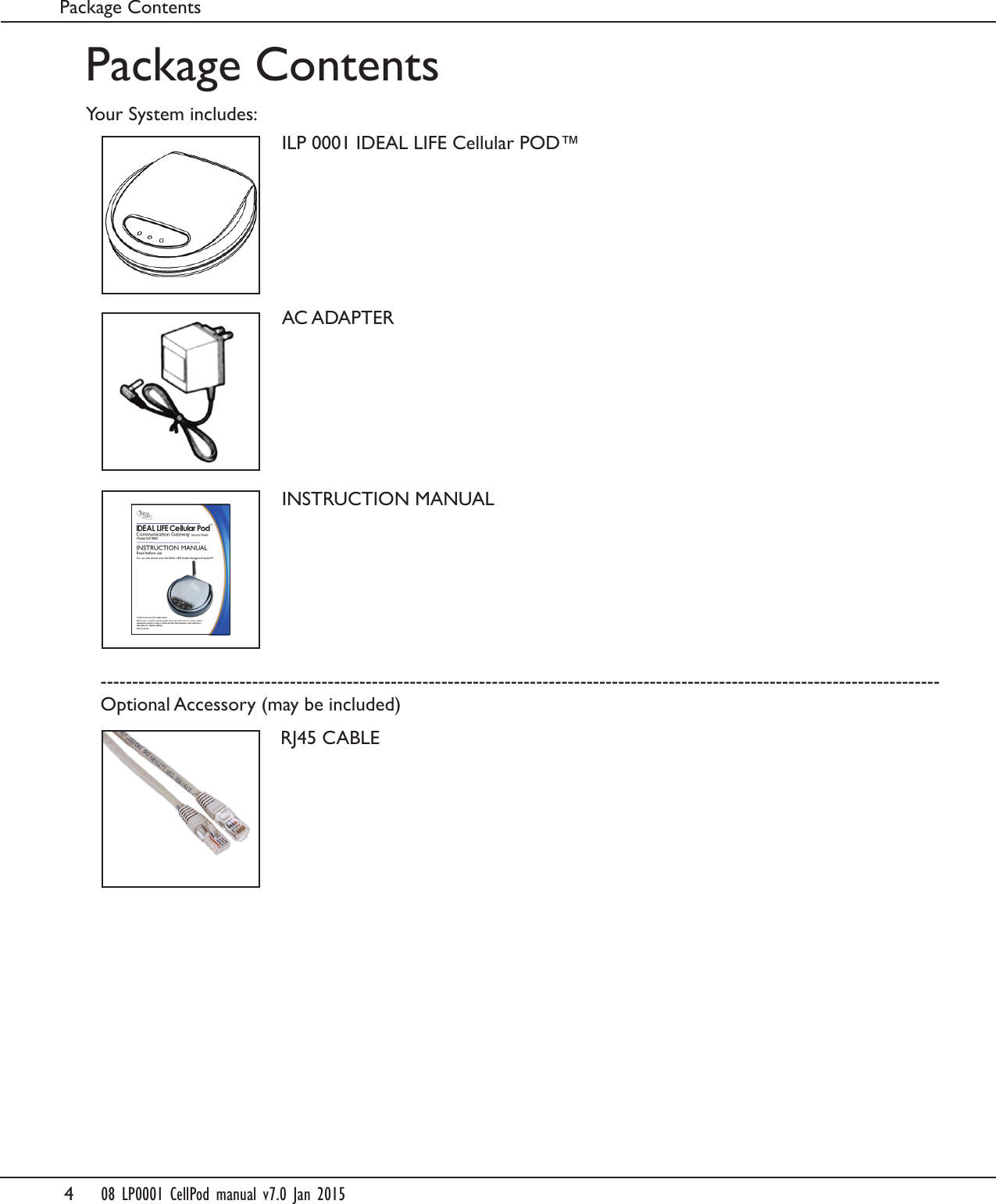
4     08 LP0001 CellPod manual v7.0 Jan 2015Package ContentsYour System includes:Package ContentsILP 0001 IDEAL LIFE Cellular POD™AC ADAPTERINSTRUCTION MANUALRJ45 CABLE-------------------------------------------------------------------------------------------------------------------------------------Optional Accessory (may be included)
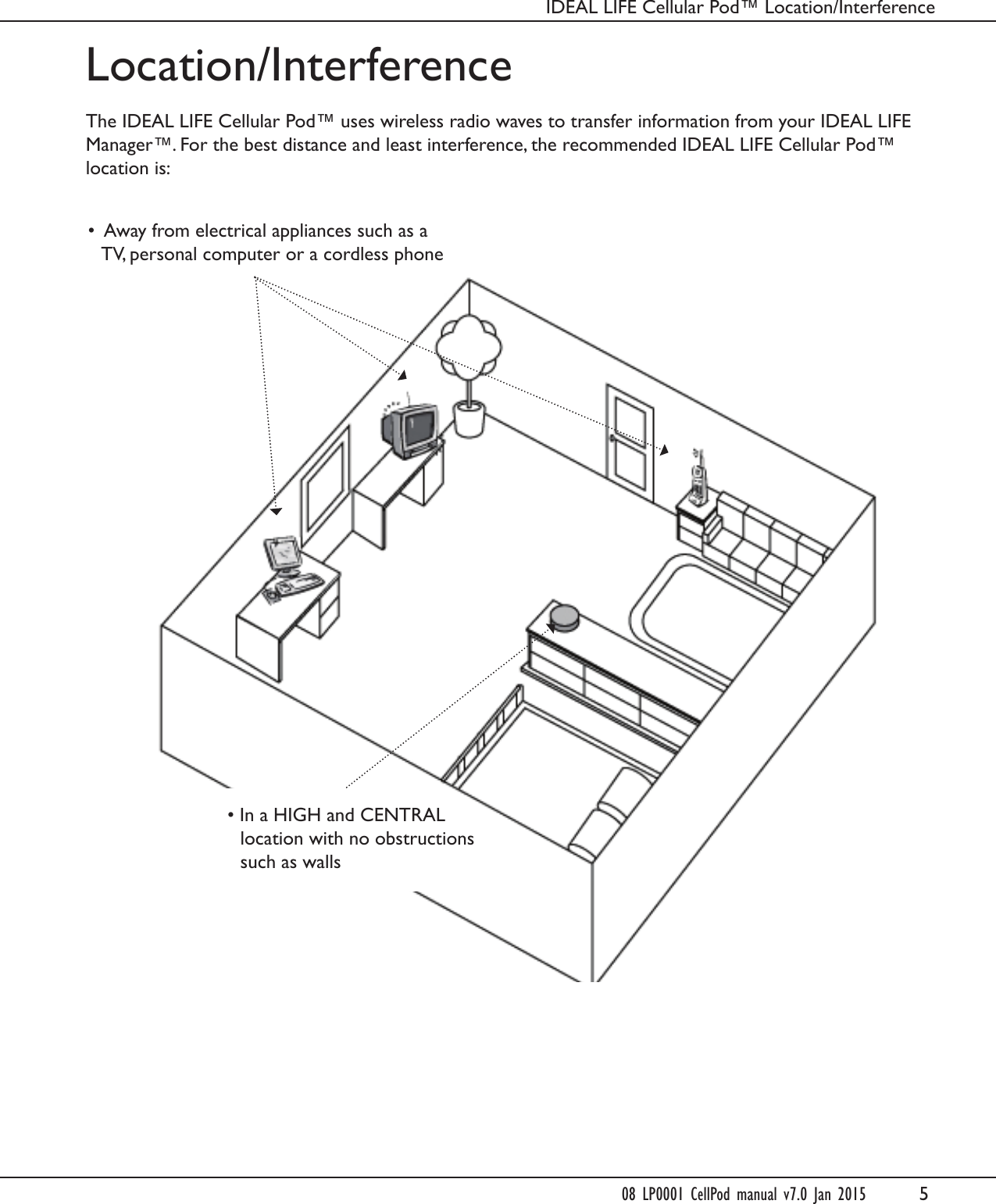
5Location/InterferenceThe IDEAL LIFE Cellular Pod™ uses wireless radio waves to transfer information from your IDEAL LIFEManager™. For the best distance and least interference, the recommended IDEAL LIFE Cellular Pod™location is:•Away from electrical appliances such as aTV, personal computer or a cordless phone• In a HIGH and CENTRALlocation with no obstructionssuch as wallsIDEAL LIFE Cellular Pod™ Location/Interference08 LP0001 CellPod manual v7.0 Jan 2015
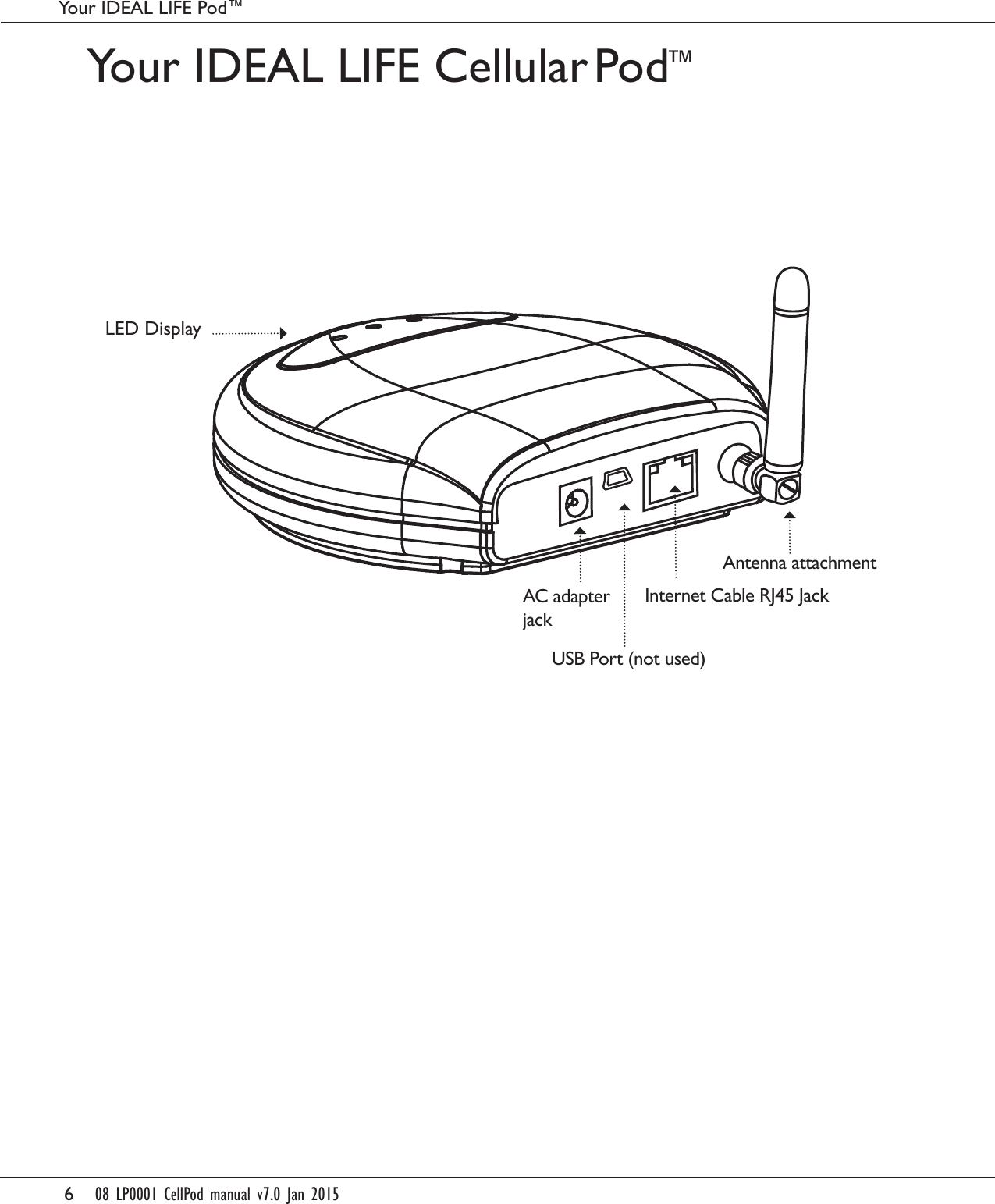
608 LP0001 CellPod manual v7.0 Jan 2015Your IDEAL LIFE Pod™Your IDEAL LIFE Cellular Pod ™USB Port (not used)LED DisplayInternet Cable RJ45 JackAntenna attachmentAC adapterjack
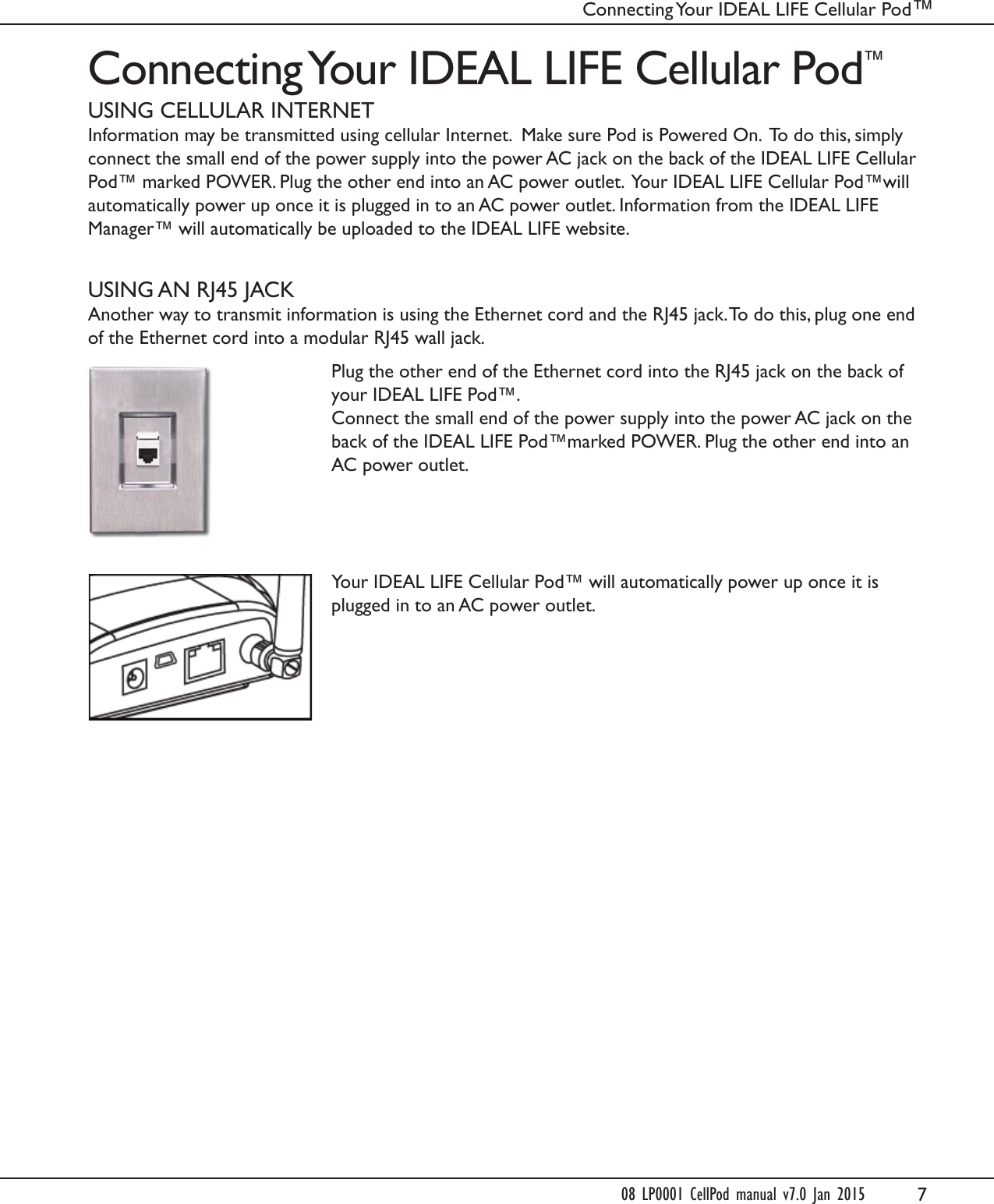
7Connecting Your IDEAL LIFE Cellular Pod™USING CELLULAR INTERNETInformation may be transmitted using cellular Internet.  Make sure Pod is Powered On.  To do this, simply connect the small end of the power supply into the power AC jack on the back of the IDEAL LIFE Cellular Pod™ marked POWER. Plug the other end into an AC power outlet.  Your IDEAL LIFE Cellular Pod™will automatically power up once it is plugged in to an AC power outlet. Information from the IDEAL LIFE Manager™ will automatically be uploaded to the IDEAL LIFE website. USING AN RJ45 JACKAnother way to transmit information is using the Ethernet cord and the RJ45 jack. To do this, plug one end of the Ethernet cord into a modular RJ45 wall jack.Plug the other end of the Ethernet cord into the RJ45 jack on the back of your IDEAL LIFE Pod™. Connect the small end of the power supply into the power AC jack on the back of the IDEAL LIFE Pod™marked POWER. Plug the other end into an AC power outlet.Your IDEAL LIFE Cellular Pod™ will automatically power up once it is plugged in to an AC power outlet.Connecting Your IDEAL LIFE Cellular Pod™ 08 LP0001 CellPod manual v7.0 Jan 2015
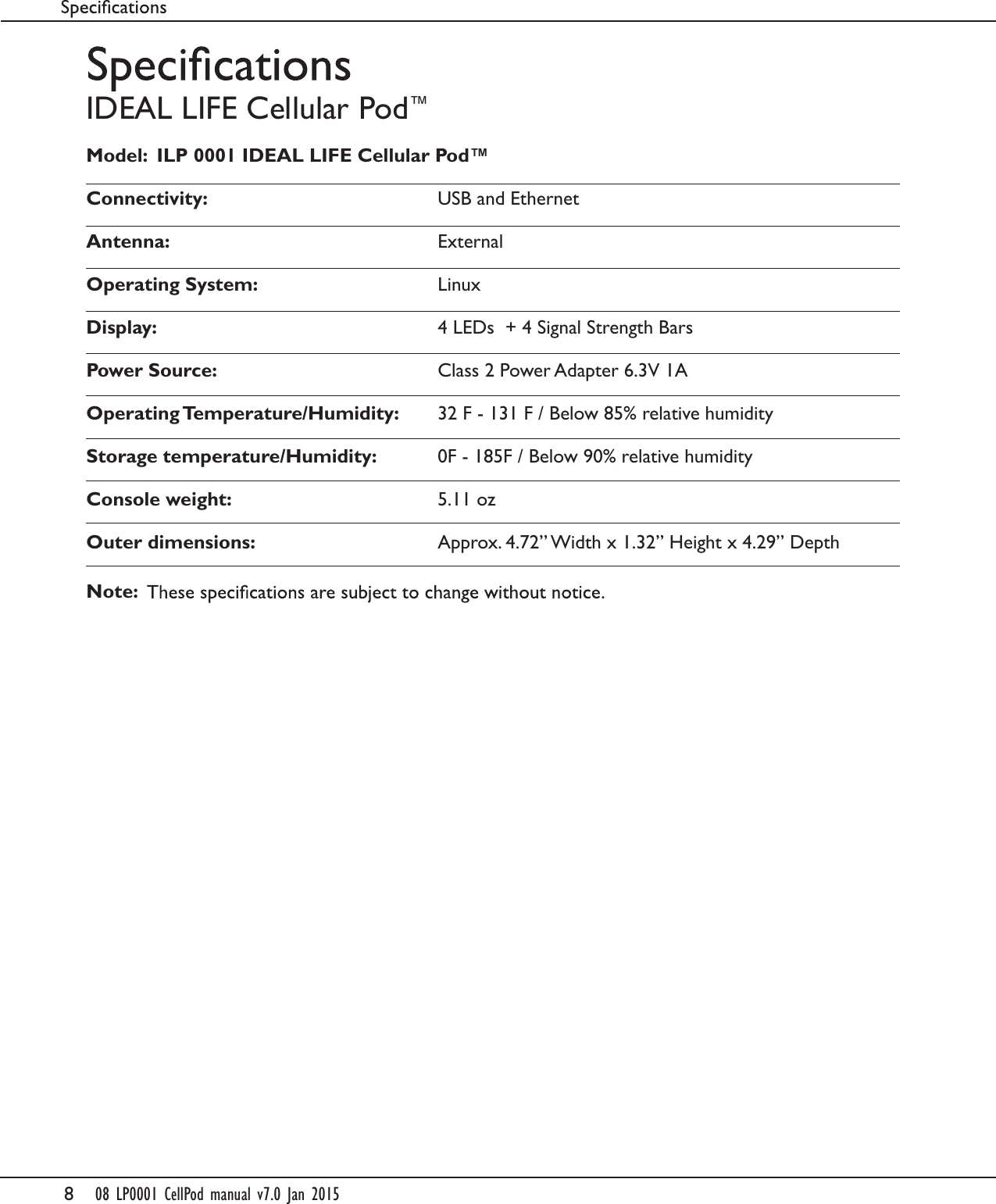
808 LP0001 CellPod manual v7.0 Jan 2015IDEAL LIFE Cellular Pod™Model:  ILP 0001 IDEAL LIFE Cellular Pod™Connectivity:  USB and EthernetAntenna:  ExternalOperating System:  LinuxDisplay:   4 LEDs  + 4 Signal Strength BarsPower Source:  Class 2 Power Adapter 6.3V 1AOperating Temperature/Humidity:  32 F - 131 F / Below 85% relative humidityStorage temperature/Humidity:   0F - 185F / Below 90% relative humidityConsole weight:   5.11 ozOuter dimensions:   Approx. 4.72” Width x 1.32” Height x 4.29” DepthNote:
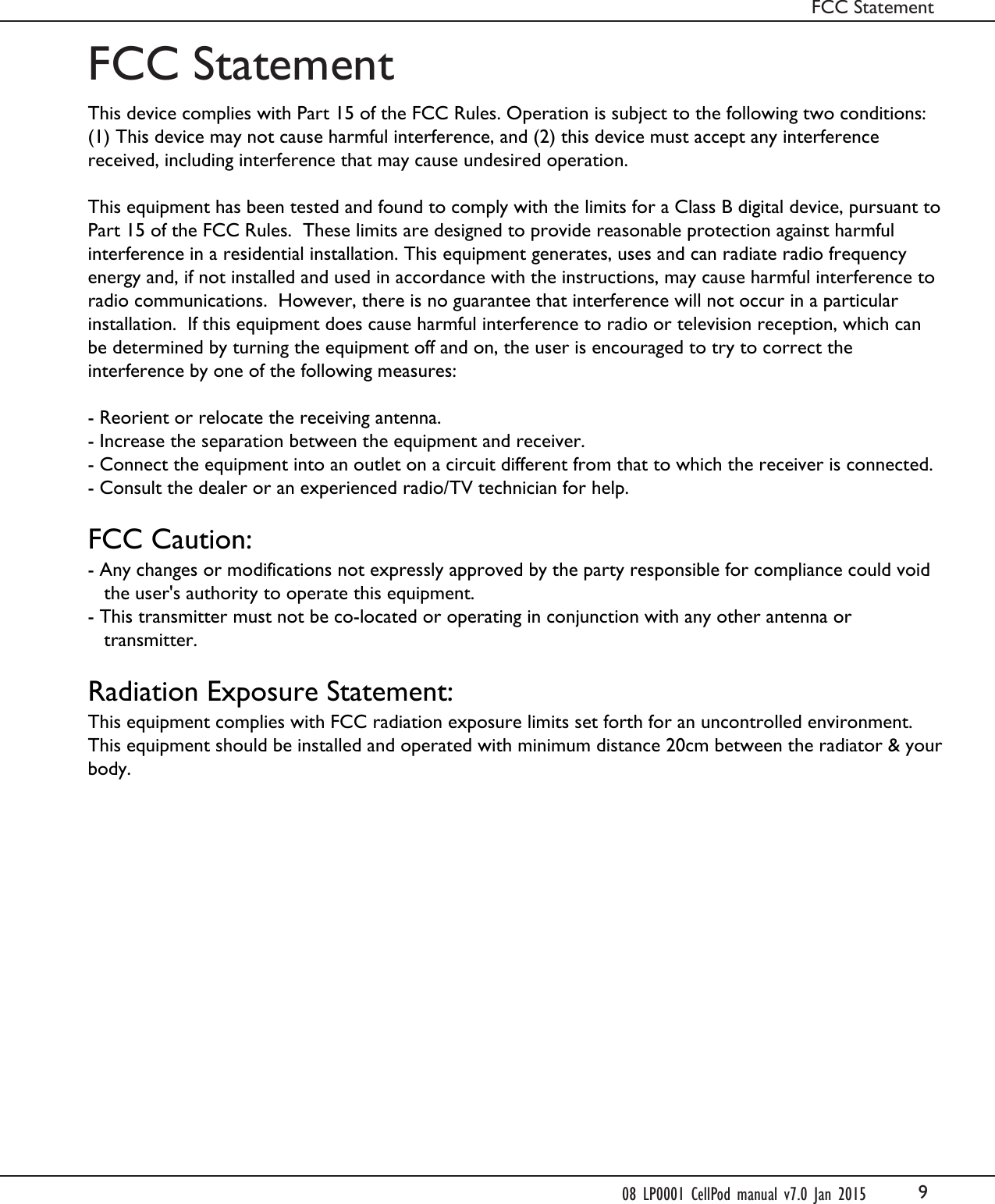
9FCC StatementFCC Statement08 LP0001 CellPod manual v7.0 Jan 2015This device complies with Part 15 of the FCC Rules. Operation is subject to the following two conditions: (1) This device may not cause harmful interference, and (2) this device must accept any interference received, including interference that may cause undesired operation. This equipment has been tested and found to comply with the limits for a Class B digital device, pursuant to Part 15 of the FCC Rules.  These limits are designed to provide reasonable protection against harmful interference in a residential installation. This equipment generates, uses and can radiate radio frequency energy and, if not installed and used in accordance with the instructions, may cause harmful interference to radio communications.  However, there is no guarantee that interference will not occur in a particular installation.  If this equipment does cause harmful interference to radio or television reception, which can be determined by turning the equipment off and on, the user is encouraged to try to correct the interference by one of the following measures: - Reorient or relocate the receiving antenna.- Increase the separation between the equipment and receiver.- Connect the equipment into an outlet on a circuit different from that to which the receiver is connected.- Consult the dealer or an experienced radio/TV technician for help. FCC Caution:- Any changes or modifications not expressly approved by the party responsible for compliance could void      the user's authority to operate this equipment.- This transmitter must not be co-located or operating in conjunction with any other antenna or      transmitter. Radiation Exposure Statement:This equipment complies with FCC radiation exposure limits set forth for an uncontrolled environment. This equipment should be installed and operated with minimum distance 20cm between the radiator & your body.
10Service RequirementsService RequirementsIn the event of equipment malfunction, all repairs should be performed by our Company or anauthorized agent. It is the responsibility of the User to report the need for service to our Company orauthorized agent. Please refer to the original location of purchase for service details.08 LP0001 CellPod manual v7.0 Jan 2015
IDEAL LIFE INC.Customer Support Hours: Between 9:00 am and 8:00 pm (EST) Monday to FridayTel 1-866-IDEAL-41    1-866-433-2541    www.IDEALLIFEonline.comAt all other times, you should contact your healthcare professional for assistance.© 2001 - 2015 IDEAL LIFE INC. All rights reserved. IDEAL LIFE is a registered trademark in the United States for Manager, IDEAL LIFE BP-Manager, IDEAL LIFE Gluco-Manager, IDEAL LIFE Pod, IDEAL LIFE Step Manager, IDEAL LIFE Breath Manager, IDEAL LIFE Direct Connect, IDEAL LIFE SpO2 Manager, IDEAL LIFE Medication Manager, IDEAL LIFE Health Tablet, IDEAL LIFE Communication Enabler, Caregiver Relief, Your Gateway to Health, Leveraging the Power of Communication, Reinventing Healthcare for an IDEAL LIFE, IDEAL LIFE Health & Wellness Solution, are all proprietary trademarks of IDEAL LIFE INC. Contents are covered by issued U.S. patents and one or more U.S. patents pending.Manufactured for IDEAL LIFE INC., 2200 Yonge St., Suite 1300 Toronto, Ontario M4S 2C6 Canada. Made in China. Products may vary from pictures shown.

Navigation menu