ACE BAYOU 5172301 X ROCKER GAMING CHAIR, X-ROCKER VIBE User Manual

ACE BAYOU CORP. X ROCKER GAMING CHAIR, X-ROCKER VIBE

User Manual

1
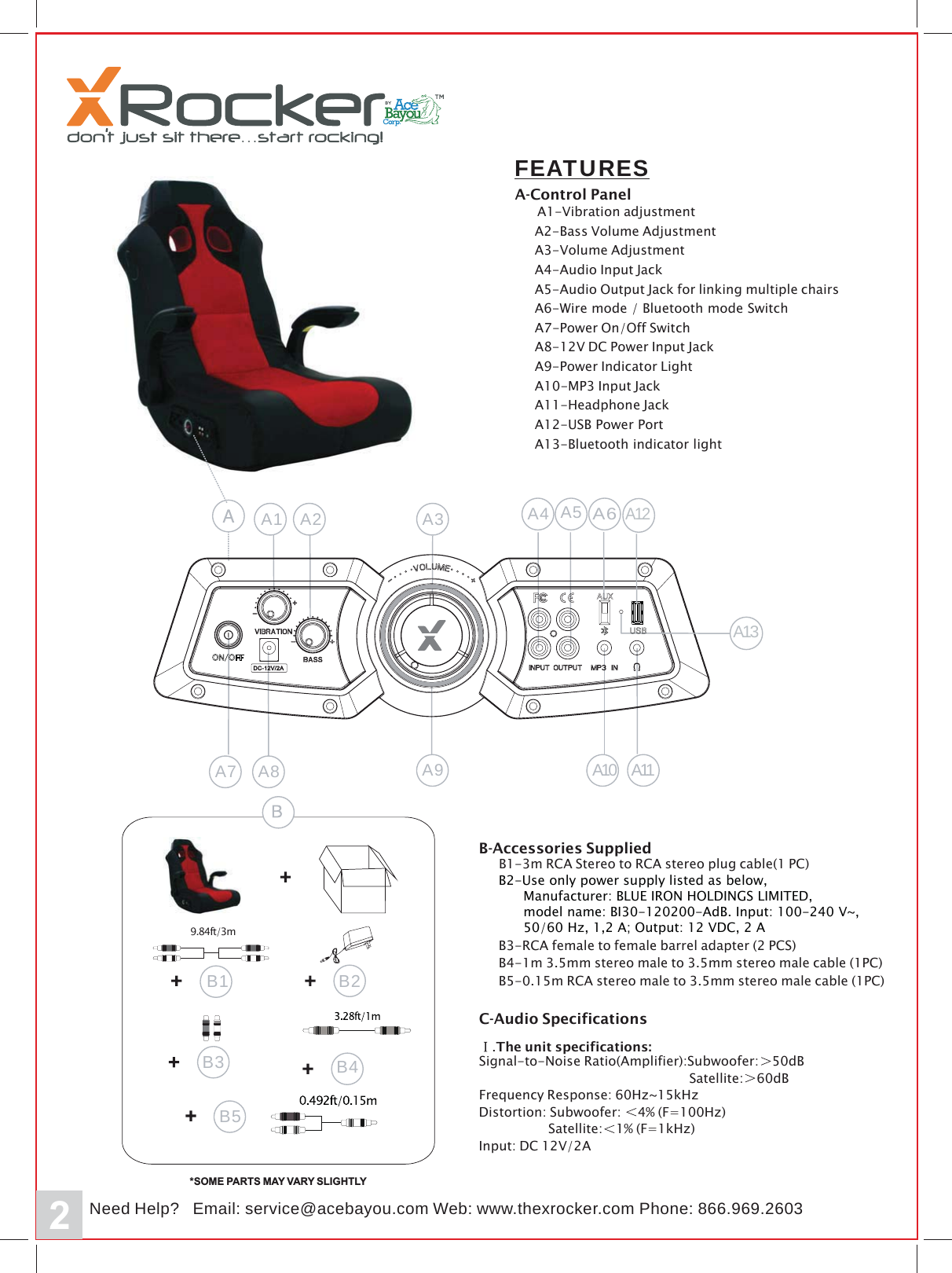
2FEATURESA-Control PanelA1-Vibration adjustmentA2-Bass Volume AdjustmentA3-Volume AdjustmentA4-Audio Input JackA5-Audio Output Jack for linking multiple chairsA6-Wire mode / Bluetooth mode SwitchA7-Power On/Off SwitchA8-12V DC Power Input JackA9-Power Indicator LightA10-MP3 Input JackA11-Headphone JackA12-USB Power PortA13-Bluetooth indicator lightA10A2 A3 A4 A5A7 A8 A11A9A13062.969.668:enohP:beWmoc.uoyabeca@ecivres:liamE?pleHdeemoc.rekcorxeht.wwwNA12A6A13B4*SOME PARTS MAY VARY SLIGHTLY9.84ft/3mB2B1B5B3B-Accessories SuppliedB1-3m RCA Stereo to RCA stereo plug cable(1 PC)B4-1m 3.5mm stereo male to 3.5mm stereo male cable (1PC)B3-RCA female to female barrel adapter (2 PCS)B5-0.15m RCA stereo male to 3.5mm stereo male cable (1PC)C-Audio Specifications.The unit specifications:Signal-to-Noise Ratio(Amplifier):Subwoofer: 50dBSatellite: 60dBFrequency Response: 60Hz~15kHzDistortion: Subwoofer: 4% (F=100Hz)Satellite: 1% (F=1kHz)Input: DC 12V/2A/B2-Use only power supply listed as below,       Manufacturer: BLUE IRON HOLDINGS LIMITED,       model name: BI30-120200-AdB. Input: 100-240 V~,       50/60 Hz, 1,2 A; Output: 12 VDC, 2 A
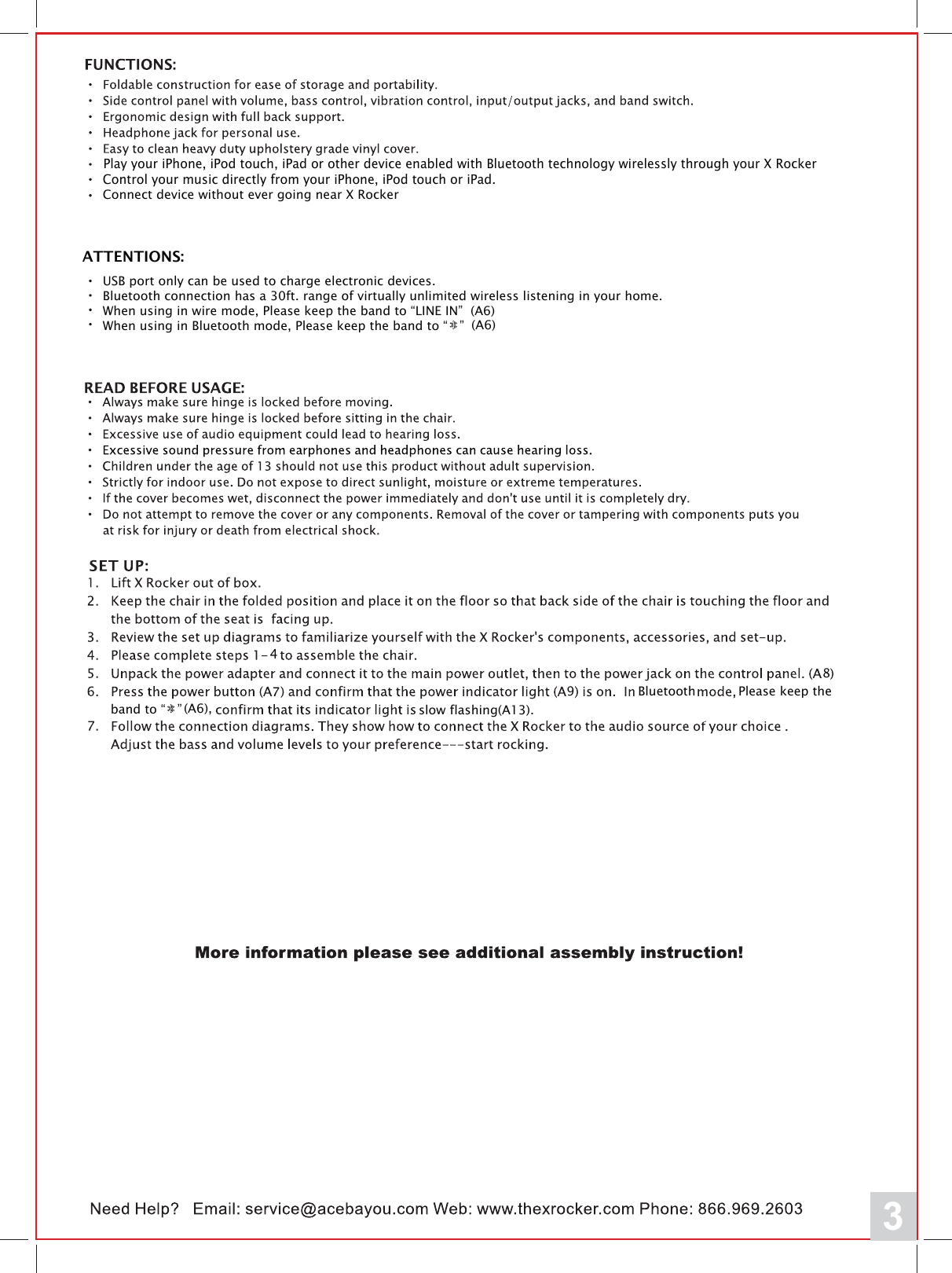
3Play your iPhone, iPod touch, iPad or other device enabled with Bluetooth technology wirelessly through your X RockerControl your music directly from your iPhone, iPod touch or iPad.Connect device without ever going near X RockerATTENTIONS:USB port only can be used to charge electronic devices.Bluetooth connection has a 30ft. range of virtually unlimited wireless listening in your home.When using in wire mode, Please keep the band to “LINE IN”  (A6)When using in Bluetooth mode, Please keep the band to “   ”794Bluetooth Please keep the band to “   ”8(A6)(A6), slow flashing(A13).
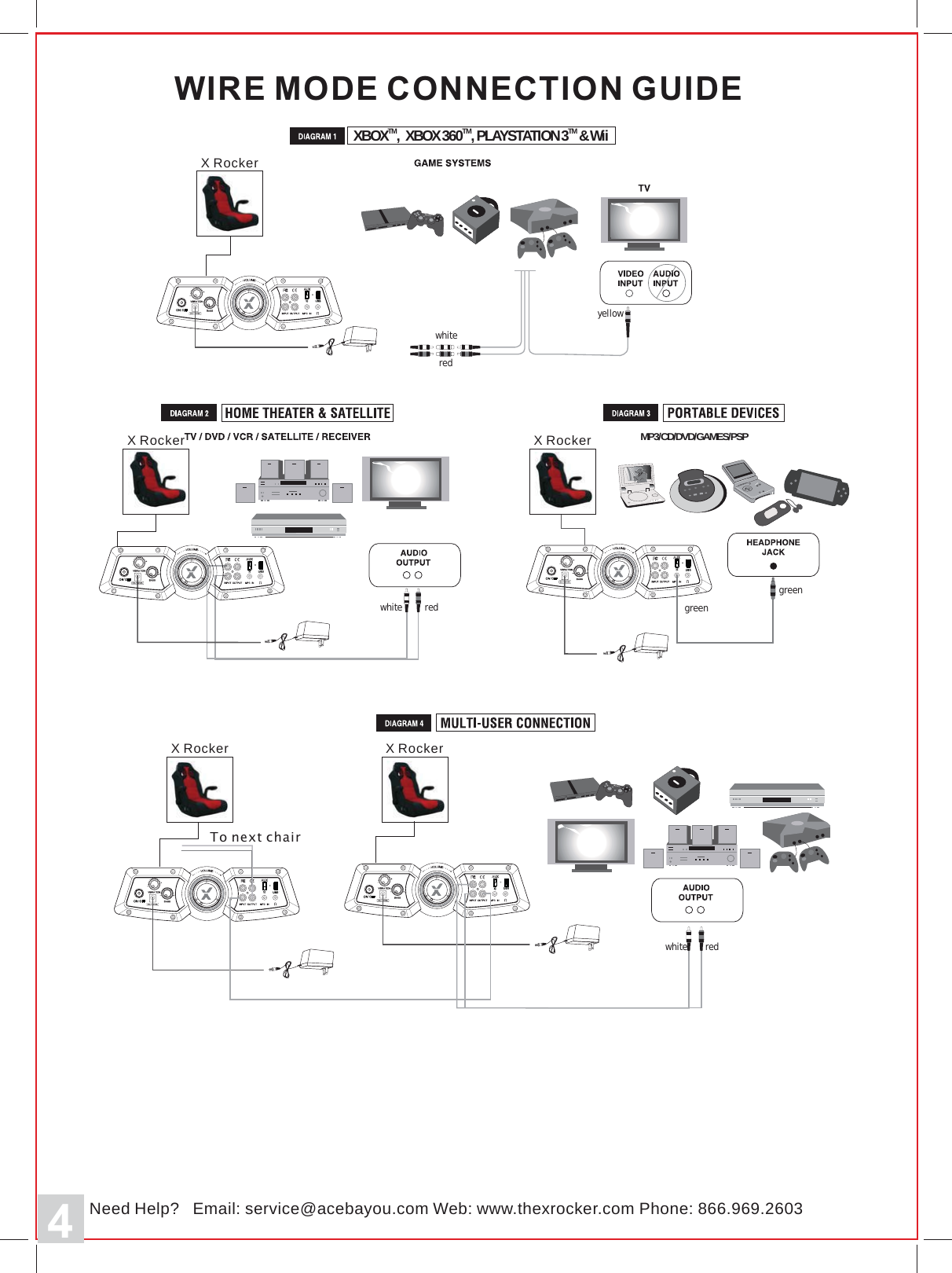
4MP3/CD/DVD/GAMES/PSPWIRE MODE CONNECTION GUIDEredwhiteXBOX , XBOX360 ,PLAYSTATION 3 &WiiMTMTMTredwhitegreengreen3062.969.668:enohP:beWmoc.uoyabeca@ecivres:liamE?pleHdeemoc.rekcorxeht.wwwNX RockerrekcoRXrekcoRXrekcoRXrekcoRXTo next chairwhiteredyellow/////
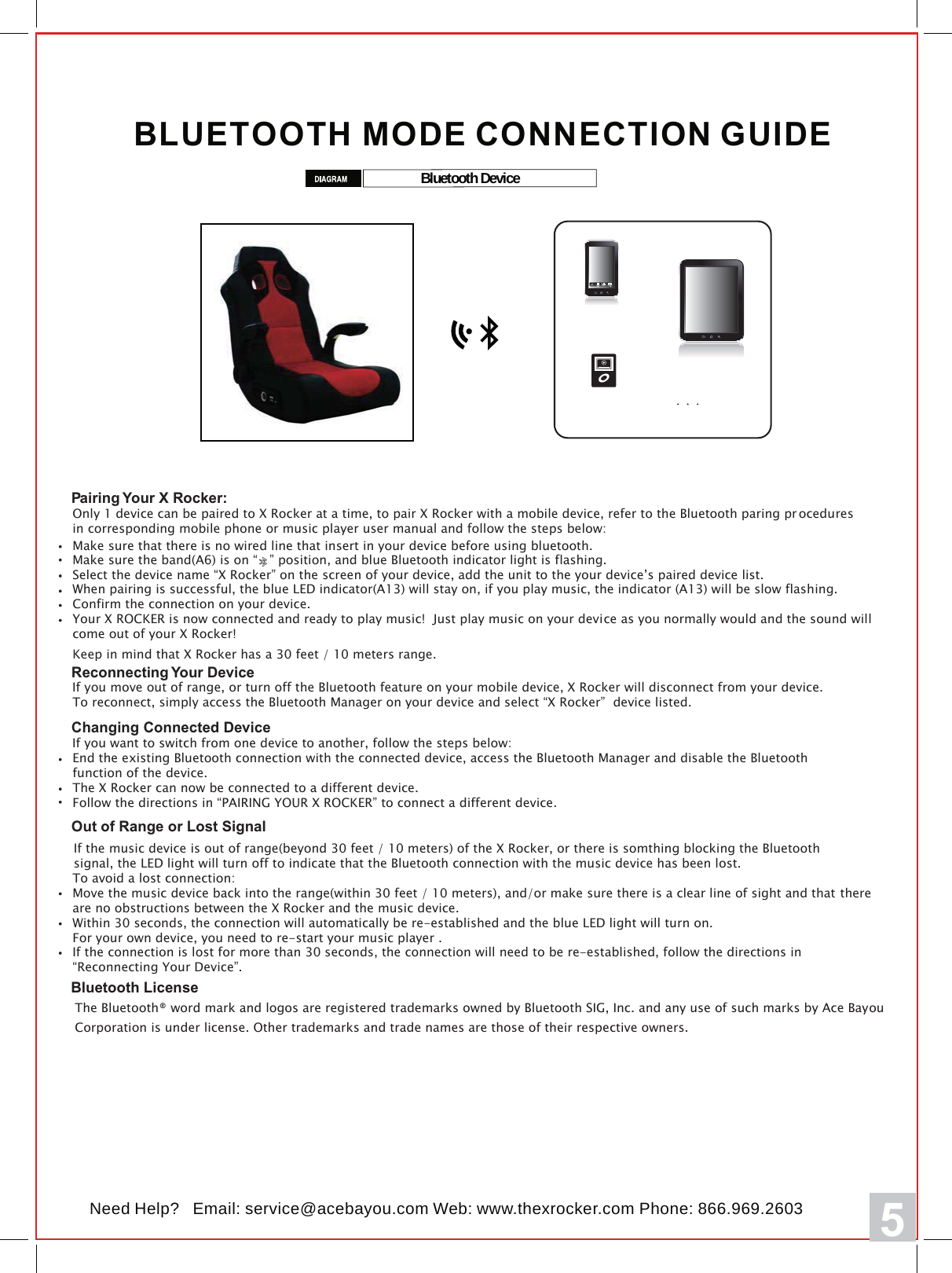
5BLUETOOTH MODE CONNECTION GUIDE3062.969.668:enohP:beWmoc.uoyabeca@ecivres:liamE?pleHdeemoc.rekcorxeht.wwwNBluetooth DeviceCallPairing Your X Rocker:Only 1 device can be paired to X Rocker at a time, to pair X Rocker with a mobile device, refer to the Bluetooth paring pr oceduresin corresponding mobile phone or music player user manual and follow the steps below:     Make sure the band(A6) is on “   ” position, and blue Bluetooth indicator light is flashing.Select the device name “X Rocker” on the screen of your device, add the unit to the your device’s paired device list.When pairing is successful, the blue LED indicator(A13) will stay on, if you play music, the indicator (A13) will be slow flashing.Confirm the connection on your device.Your X ROCKER is now connected and ready to play music!  Just play music on your device as you normally would and the sound willcome out of your X Rocker!Keep in mind that X Rocker has a 30 feet / 10 meters range.Make sure that there is no wired line that insert in your device before using bluetooth. Reconnecting Your DeviceIf you move out of range, or turn off the Bluetooth feature on your mobile device, X Rocker will disconnect from your device.To reconnect, simply access the Bluetooth Manager on your device and select “X Rocker”  device listed.Changing Connected DeviceIf you want to switch from one device to another, follow the steps below:End the existing Bluetooth connection with the connected device, access the Bluetooth Manager and disable the Bluetooth function of the device.The X Rocker can now be connected to a different device.Follow the directions in “PAIRING YOUR X ROCKER” to connect a different device.Out of Range or Lost SignalIf the music device is out of range(beyond 30 feet / 10 meters) of the X Rocker, or there is somthing blocking the Bluetooth signal, the LED light will turn off to indicate that the Bluetooth connection with the music device has been lost.  To avoid a lost connection:Move the music device back into the range(within 30 feet / 10 meters), and/or make sure there is a clear line of sight and that there are no obstructions between the X Rocker and the music device. Within 30 seconds, the connection will automatically be re-established and the blue LED light will turn on. For your own device, you need to re-start your music player .If the connection is lost for more than 30 seconds, the connection will need to be re-established, follow the directions in“Reconnecting Your Device”.Bluetooth License The Bluetooth® word mark and logos are registered trademarks owned by Bluetooth SIG, Inc. and any use of such marks by Ace Bayou Corporation is under license. Other trademarks and trade names are those of their respective owners.
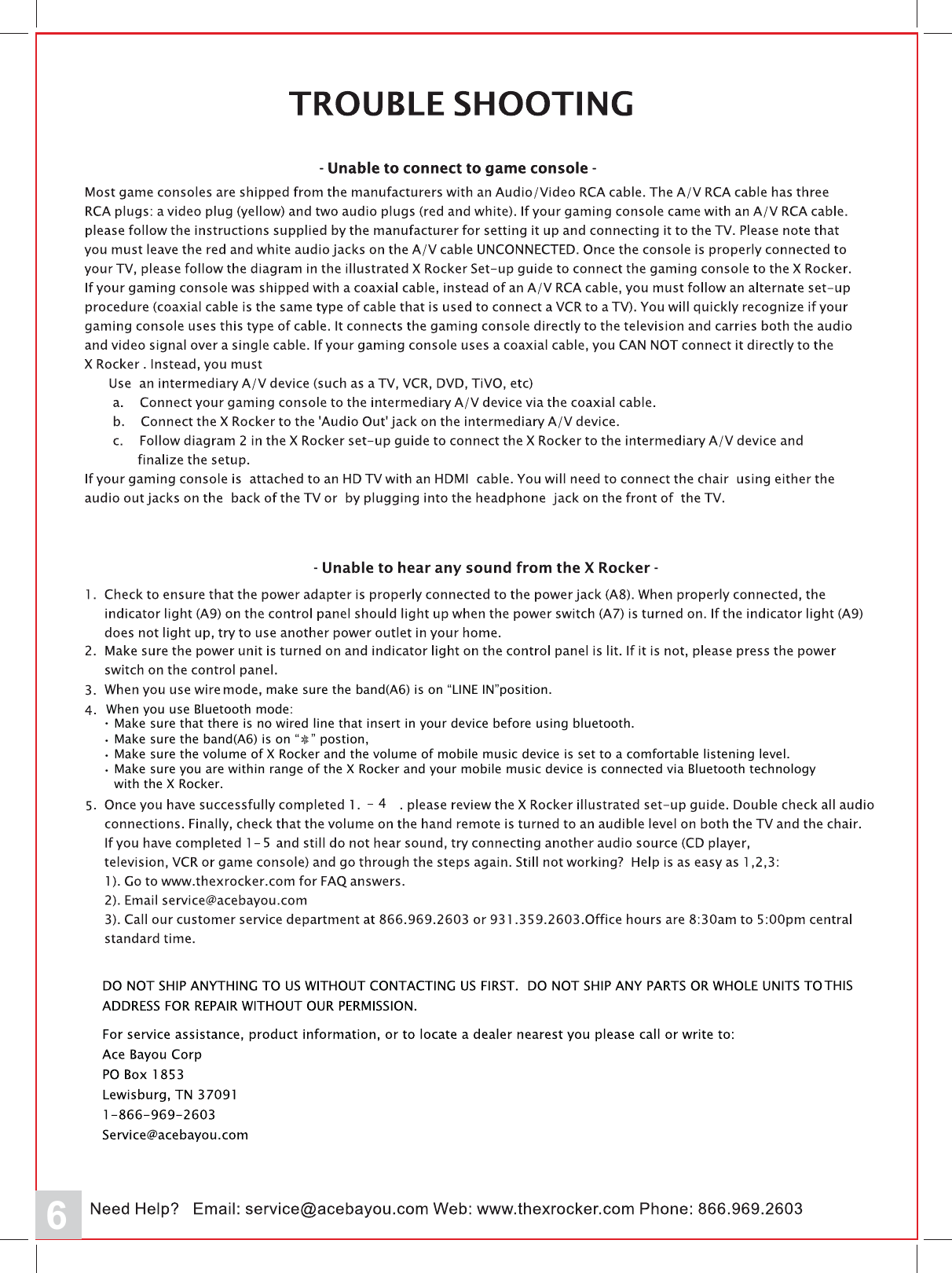
6make sure the band(A6) is on “LINE IN”position.  When you use Bluetooth mode:   Make sure the band(A6) is on “   ” postion,   Make sure the volume of X Rocker and the volume of mobile music device is set to a comfortable listening level.  Make sure you are within range of the X Rocker and your mobile music device is connected via Bluetooth technology   with the X Rocker.・・・  Make sure that there is no wired line that insert in your device before using bluetooth.・545THIS
7Caution: The user is cautioned that changes or modifications not expressly approved by the party responsible for compliance could void the user's authority to operate the equipment.FCC NOTE: This equipment has been tested and found to comply with the limits for a Class B digital device, pursuant to Part 15 of the FCC Rules. These limits are designed to provide reasonable protection against harmful interference in a residential installation. This equipment generates, uses and can radiate radio frequency energy and, if not installed and used in accordance with the instructions, may cause harmful interference to radio communications. However, there is no guarantee that interference will not occur in a particular installation. If this equipment does cause harmful interference to radio or television reception, which can be determined by turning the equipment off and on, the user is encouraged to try to correct the interference by one or more of the following measures: -- Reorient or relocate the receiving antenna.-- Increase the separation between the equipment and receiver. -- Connect the equipment into an outlet on a circuit different from that to which the receiver is connected. -- Consult the dealer or an experienced radio/TV technician for help. FCC Radiation Exposure Statement:This equipment complies with FCC radiation exposure limits set forth for an uncontrolled environment. This transmitter must not be co-located or operating in conjunction with any other antenna or transmitter. ICThis device complies with Industry Canada licence-exempt RSS standard(s). Operation is subject to the following two conditions: (1) this device may not cause interference, and (2) this device must accept any interference, including interference that may cause undesired operation of the device.Le présent appareil est conforme aux CNR d'Industrie Canada applicables aux appareils radio exempts. L'exploitation est autorisée aux deux conditions suivantes : (1) l'appareil ne doit pas causer d'interférences, et  (2) l'utilisateur de l'appareil doit accepter tout brouillage radioélectrique subi, même si le brouillage est susceptible d'en compromettre le fonctionnement. IC Radiation Exposure Statement:This equipment complies with Canada radiation exposure limits set forth for uncontrolled environments. This transmitter must not be co-located or operating in conjunction with any other antenna or transmitter.Déclaration d’IC sur l’exposition aux radiations:Cet équipement est conforme aux limites d’exposition aux radiations définies par le Canada pour des environnements non contrôlés.Cet émetteur ne doit pas être installé au même endroit ni utilisé avec une autre antenne ou un autre émetteur.

Navigation menu