AHOKU ELECTRONIC EEC230WIFI WiFi Travel Router User Manual EEC 230 DM 130315 P ai
AHOKU ELECTRONIC COMPANY WiFi Travel Router EEC 230 DM 130315 P ai
User manual
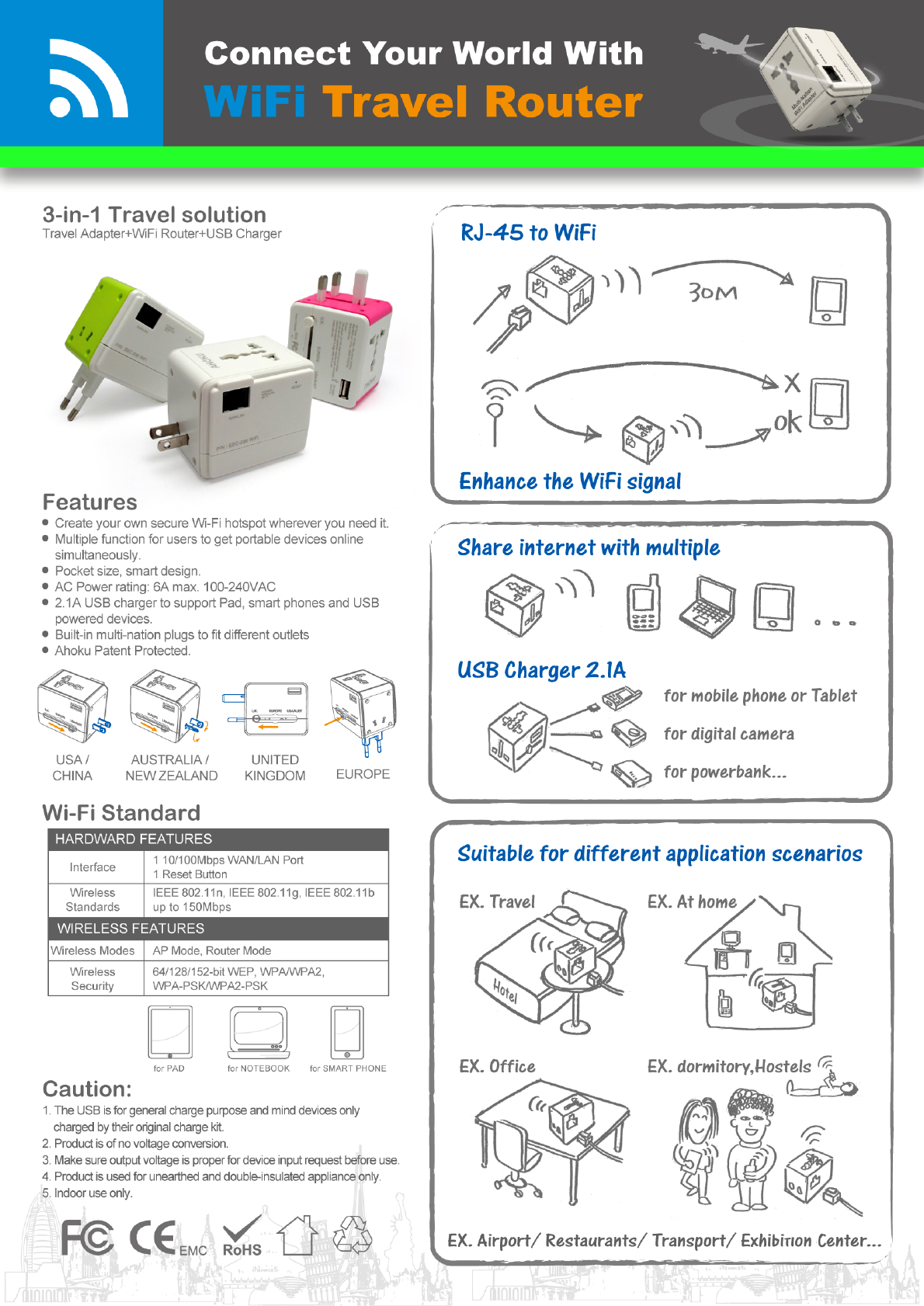
Wi-Fi Standard
1 10/100Mbps WAN/LAN Port
1 Reset Button
Wireless Standards IEEE 802.11n, IEEE 802.11g, IEEE 802.11b
Dimensions ( W x D x H ) 2.2 x 2.2 x 0.7 in. (57 x 57 x18 mm)
Antenna Type On-Board
Frequency
2412-2462MHz
11n: Up to 150Mbps(dynamic)
11g: Up to 54Mbps(dynamic)
11b: Up to 11Mbps(dynamic)
EIRP <20dBm (EIRP)
135M:-70dBm@10%PER
65M:-73dBm@10%PER
54M:-76dBm@10%PER
Wireless Modes AP Mode, Router Mode ,Client Mode,Repeater Mode, Bridge Mode
Wireless Functions Enable/Disable Wireless Radio, WDS Bridge, WMM,Wireless Statistics
Wireless Security 64/128/152-bit WEP, WPA/WPA2, WPA-PSK/WPA2-PSK
WAN Type Dynamic IP/Static IP/PPPoE/PPTP/L2TP
DHCP Server, Client, DHCP Client List,Address Reservation
Quality of Service WMM, Bandwidth Control
Port Forwarding Virtual Server, Port Triggering, UPnP, DMZ
Dynamic DNS DynDns, Comexe, NO-IP
VPN Pass-Through PPTP, L2TP, IPSec (ESP Head)
Access Control Local Management Control, Host List, Access Schedule, Rule Management
DoS, SPI Firewall
IP Address Filter/MAC Address Filter/Domain Filter
IP and MAC Address Binding
Access Control
Local Management
Remote Management
Certification CE, FCC, RoHS
System Requirements
Microsoft® Windows® 98SE, NT, 2000, XP, Vista™ or Windows 7, MAC® OS, NetWare®, UNIX® or
Linux
Operating Temperature: 0 ~40 (32 ~104 )
Storage Temperature: -40 ~70 (-40 ~158 )
Operating Humidity: 10%~90% non-condensing
Storage Humidity: 5%~90% non-condensing
Reception Sensitivity
SOFTWARE FEATURES
HARDWARE FEATURES
Interface
WIRELESS FEATURES
Signal Rate
OTHERS
Environment
Firewall Security
Management
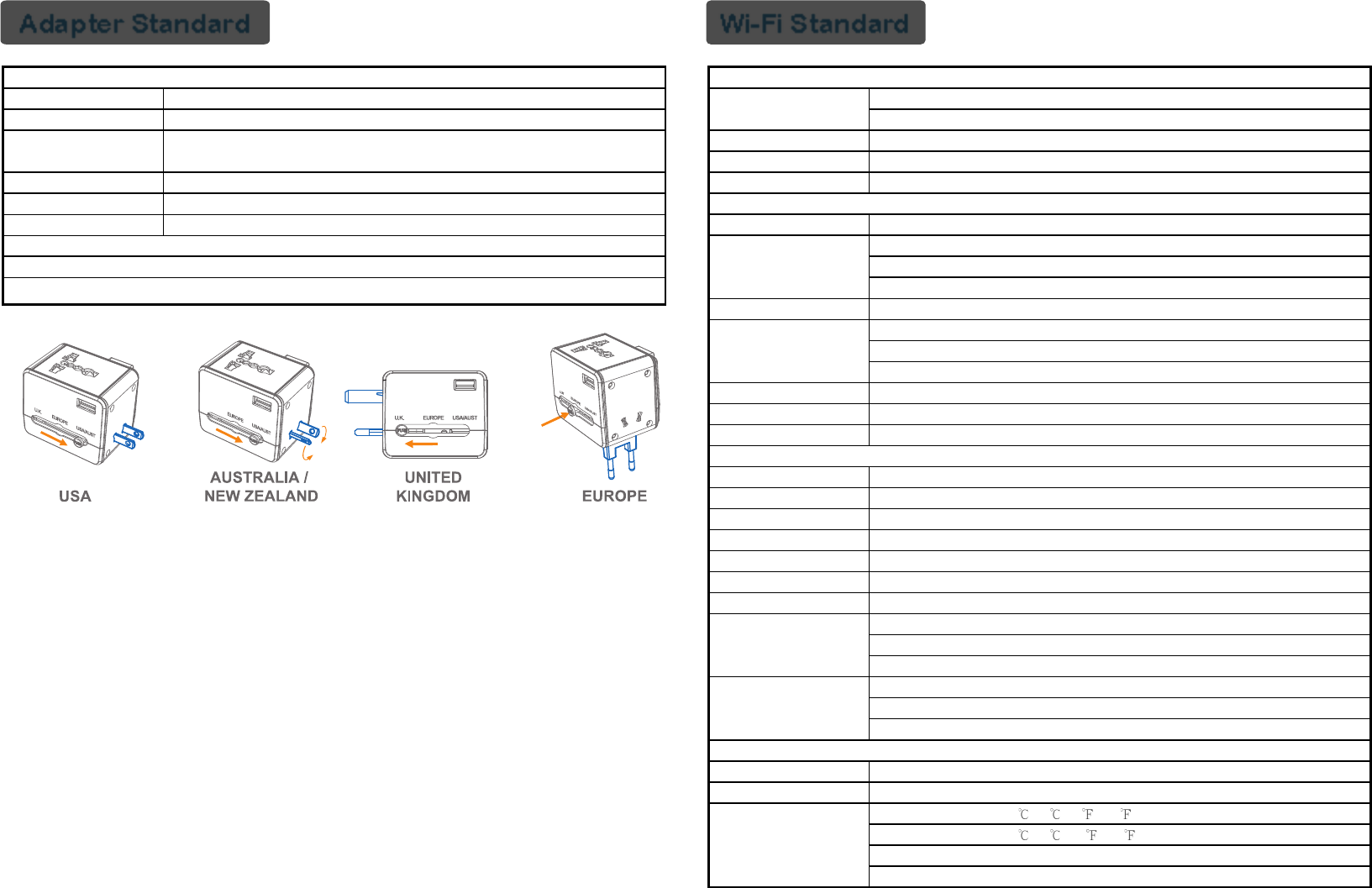
Adapter Standard
Universal Outlets
USA PLUG / AUST PLUG / EUROPE PLUG / UK PLUG
6A Max. 100-240Vac 50/60Hz,
Max.660W at 110Vac, 1380W at 230Vac
Dimensions ( W x D x H )
Built-in 6A Fuse
Type A USB Charge
:5Vdc / 2.1A
52mm X 69.5mm X 58mm
FEATURES
AC OUTLETS
AC PLUG
AC POWER RATING
USB POWER RATING
FUSE
Single plug safety feature
Built-in children safety shutter
Function of multi-national plug adapter
1. Plug EEC-230 WiFi into the power socket with
corresponding plugs.
2. EEC-230 WiFi do NOT convert the power voltage.
Function of charging
1. Plug the 3C device to USB port on the EEC-230 WiFi for
charging 3C device.
Wi-Fi Standard
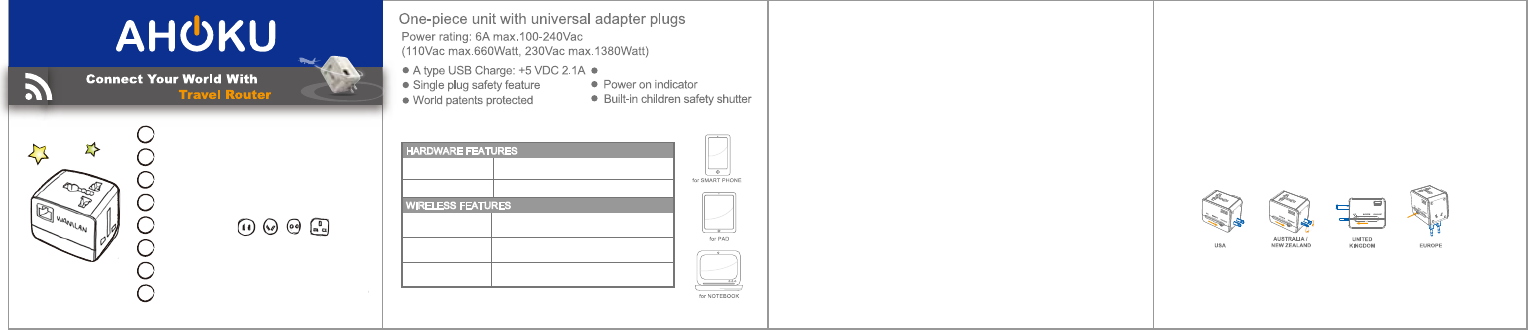
EEC-230
by AHOKU DESIGN
1. RJ-45 to WiFi
2. Enhance the WiFi signal
3. Share internet with multiple
4. USB Charger 2.1A
5. Universal plug
6. Universal socket
7. Universal voltage (100-240Vac)
8. Suitable for different application scenarios
Function of WiFi Router
1. Plug EEC-230 WiFi into the power socket with
corresponding plugs.
2. It takes about 30 seconds for EEC-230 WiFi booting the system.
a. Cable Connection
Connect the network cable to RJ45 port on the EEC-230 WiFi
Search the wireless device on your computer or smart phone
and choose the SSID of EEC-230 WiFi by AHOKUWiFi-XXXX.
(XXXX is four digital number assign by manufacturer)
Input password of “12345678” and then confirm to start
to access the network.
<< Next page >>
b. Wireless Connection
Search the wireless device on your computer or smart phone
and choose the SSID of EEC-230 WiFi by AHOKUWiFi-XXXX.
(XXXX is four digital number assign by manufacturer)
Input password of “12345678” then confirm.
Type the URL of “http://192.168.16.254/” on IE or other web
browser.
Input the username “admin” and password “admin” under the
system prompt.
WiFi
System will search the available wireless SSID automaticaly.
Choose the SSID you want to connect and click “next”
Check the information of the SSID which want to connect and
input password then click “next”.
Click “next” while the connecting message appears.
System will takes about 60 seconds to change the setting and
reboot. Do not turn off the web browser during the setting time.
You can access the network while completed message
appears.
1 10/100Mbps WAN/LAN Port
1 Reset Button
Wireless Standards IEEE 802.11n/g/b
Wireless Modes AP Mode, Router Mode ,Client Mode,
Repeater Mode, Bridge Mode
Wireless Functions Enable/Disable Wireless Radio,
WDS Bridge, WMM,Wireless Statistics
Wireless Security 64/128/152-bit WEP, WPA/WPA2,
WPA-PSK/WPA2-PSK
Interface
HARDWARE FEATURES
WIRELESS FEATURES
Built-in 6A Fuse
FCC STATEMENT
1. This device complies with Part 15 of the FCC Rules. Operation is subject to the
following two conditions:
(1) This device may not cause harmful interference.
(2) This device must accept any interference received, including interference that may
cause undesired operation.
Changes or modifications not expressly approved by the party responsible for compliance
could void the user's authority to operate the equipment.
NOTE: This equipment has been tested and found to comply with the limits for a Class B
digital device, pursuant to Part 15 of the FCC Rules. These limits are designed to provide
reasonable protection against harmful interference in a residential installation.
This equipment generates uses and can radiate radio frequency energy and, if not
installed and used in accordance with the instructions, may cause harmful interference to
radio communications. However, there is no guarantee that interference will not occur in a
particular installation. If this equipment does cause harmful interference to radio or
television reception, which can be determined by turning the equipment off and on, the
user is encouraged to try to correct the interference by one or more of the following
measures:
Reorient or relocate the receiving antenna.
Increase the separation between the equipment and receiver.
Connect the equipment into an outlet on a circuit different from that to which the
receiver is connected.
Consult the dealer or an e xperienced radio/TV technician for help.
RF Exposure Warning Statement:
The minimum operation distance between device include its antenna and the user body shall be
no less than 20 cm.