AVision Technology ELST3216H LED TV User Manual 2
Avision Technology (changzhou)Co., Ltd. LED TV 2
Contents
- 1. User Manual 1
- 2. User Manual 2
- 3. User Manual 3
User Manual 2
4
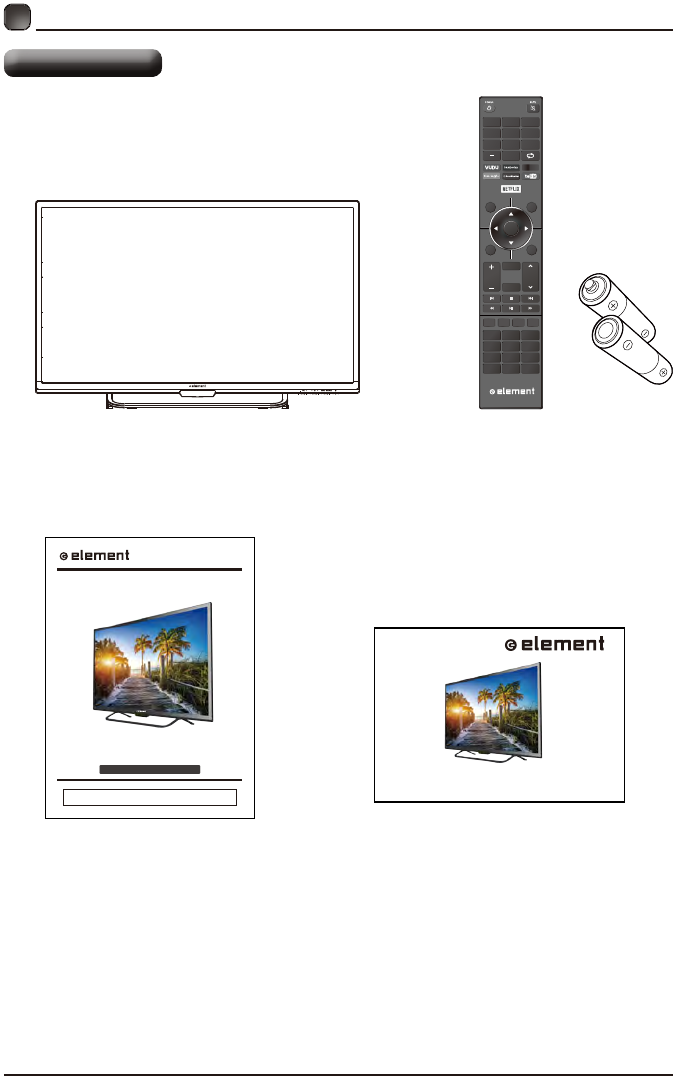
What is Included?
TV Set Remote Control with Batteries
OK
MENU SO URCE
RETURN EXIT
VOL
USB
REPEAT
CH
CH.LIS
INFO FREEZE ADD/ERASE FAV
T P.MODE S.MODE
V-CH IP CC MTS
ASPECT
HDMI VGA TV
SLEE P AUTO
1
4
7
2
5
8
0
3
6
9
User Manual Quick Start Guide
What is Included?
PREPARATIONS
ELST3216H
INSTRUCTION MANUAL
Please read all the instructions carefully before using this TV,
and keep the manual for future reference.
32" HD Digital LED TV
QUICK START GUIDE
5
•
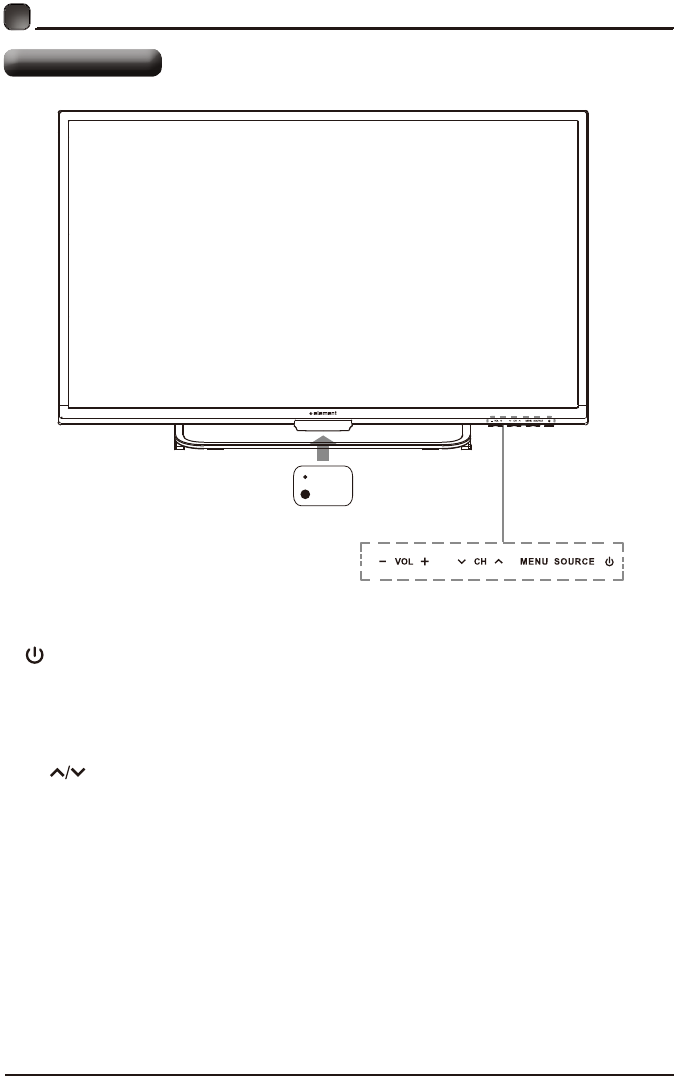
Switch the TV between On / Standby mode.
• SOURCE
Press to select among different input signal sources.
• MENU
Display the OSD (on screen display) menu.
• CH
Press to select a channel.
• VOL +/-
Press to adjust the volume.
• LED
The LED light indicates when the TV is activated.
• IR
Infrared Receiver.
LED
IR
PREPARATIONS
Front/Rear View
6
Your new TV is heavy, please consult with professional wall mount installer to perform this installation.
The TV is provided with mounting holes for a VESA approved wall mounting bracket (Not Supplied).
Remove the screws holding the base to the base bracket and lift the base away (do not remove the base
mounting brackets). Mount the VESA bracket using 4*M6*8 isometric threaded screws (Not Supplied).
WARNING
Never place a television set in an unstable location. A television set may fall, causing serious personal
injury or death. Many injuries, particularly to children, can be avoided by taking simple precautions such
as:
-Using cabinets or stands recommended by the manufacturer of the television set.
-Only using furniture that can safely support the television set.
-Ensuring the television set is not overhanging the edge of the supporting furniture.
-Not placing the television set on tall furniture(for example, cupboards or bookcases) without anchoring
both the furniture and the television set to a suitable support.
-Not placing the television set on cloth or other materials that may be located between the television set
and supporting furniture.
-Educating children about the dangers of climbing on furniture to reach the television set or its controls.
If your existing television set is being retained and relocated, the same considerations as above should
be applied.
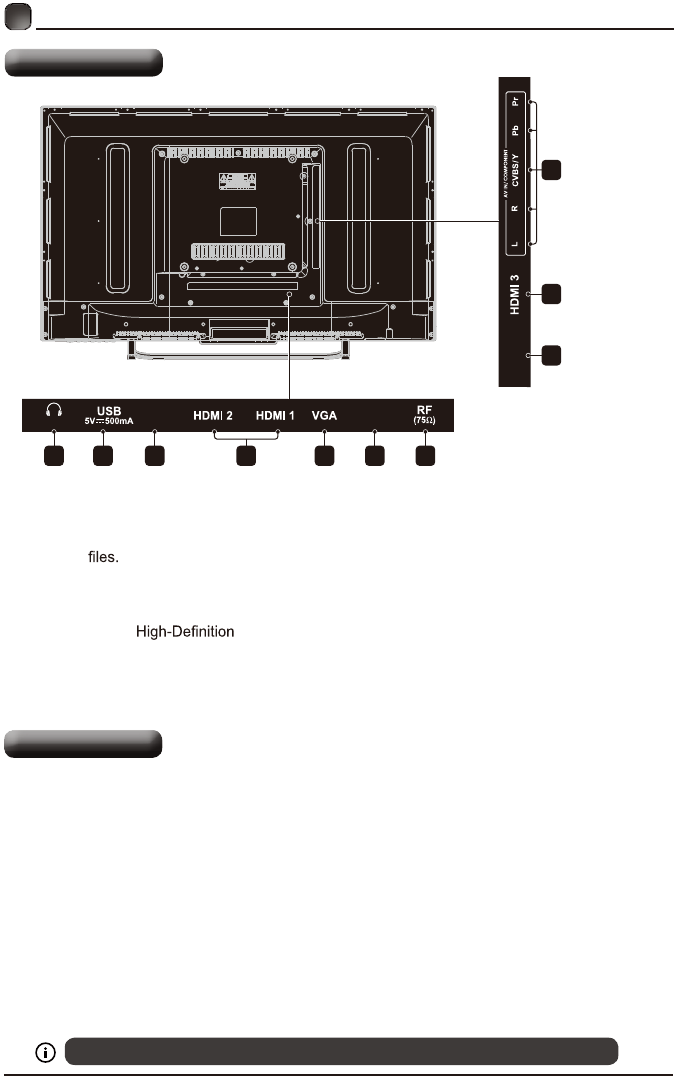
1.Headphone output
Connect to the Headphones.
2.USB Input
Connect to a USB storage device to play
photo (USB mode)
3. LAN
Network connection port.
4. HDMI Inputs
Connect to a (HD) signal
input device.
5. VGA Input
Connect to a computer or other devices
with a VGA interface.
6. PC Audio Input
Connect to a computer audio output.
7. Antenna Input (75Ω VHF/UHF)
Connect to the antenna (75Ω VHF/UHF)
socket with the RF coaxial cable.
8. Optical Output
Connect a digital sound system to this
jack.
9. COMPONENT/AV Input
Connect to AV devices with composite/
component (Y/Pb/Pr) video and audio
output sockets. COMPOSITE VIDEO and
COMPONENT(Y/PB/PR) share with AUDIO
IN (L/R).
LAN
OPTICAL
1
8
4
9
2 3 5 6 74
PREPARATIONS
Rear View
Wall Mounting
AUDIO OUT
PC AUDIO
/AUDIO IN
7
PREPARATIONS
Remote Control
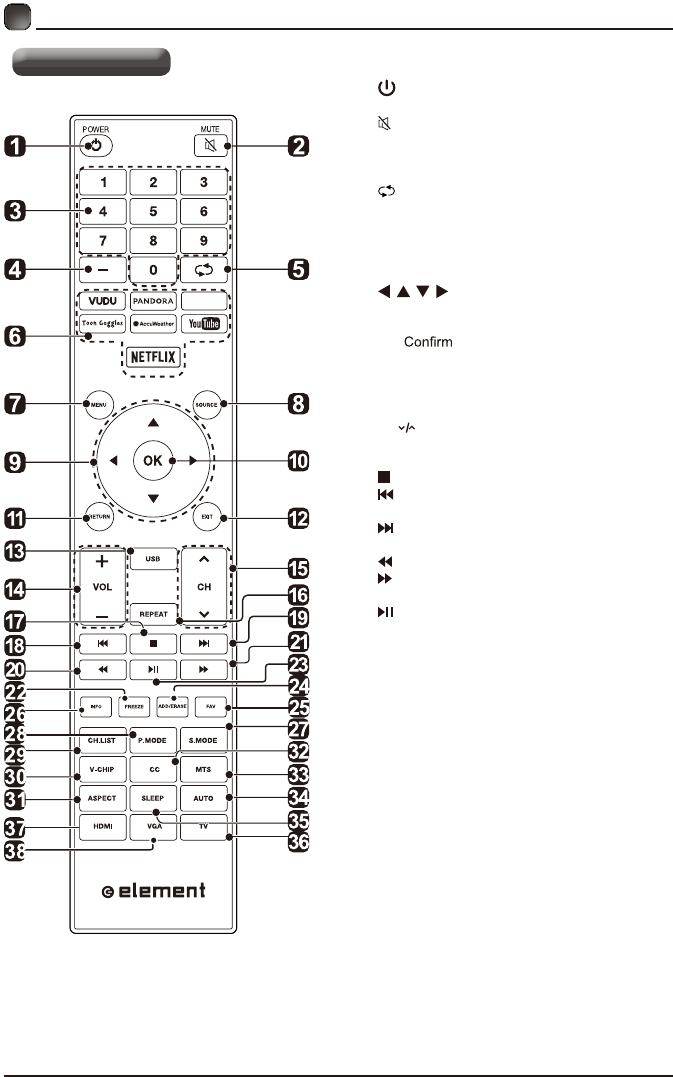
1. :Switch the TV between On and
Standby mode.
2. :Mute and restore TV sound.
3. 0~9:Select a program.(ATV/DTV mode)
4. —:Enter multiple program channel number
such as 2-1.
5. :Return to the previous viewing channel.
6. APP:Press to select the desired APP.
7. MENU:Display the main menu.
8. SOURCE:Select among the different input
signal sources:TV/AV/COMPONENT/HDMI1/
HDMI2/HDMI3/VGA/USB.
9. :Allows you to navigate the on
screen display menus and adjust the system
settings to your preference.
10. OK: the selection.
11. RETURN:Return to previous menu.
12. EXIT:Exit the on screen display menu.
13. USB:Access into the USB directly.
14. VOL+/-:Adjust the volume.
15. CH :Select the channel.
16. REPEAT:Press repeatedly to select the repeat
mode.
17. :Stop the playback.
18. :Skip to the beginning of the previous
chapter/track/photo.
19. :Skip to the beginning of the next chapter/
track/photo.
20. :Reverse playback rapidly.
21. :Advance playback rapidly.
22. FREEZE:Freeze the picture.
23. :Start playback or pause.
24. ADD/ERASE:Add or delete Favorite channels.
25. FAV:Display the favorite channel list.
26. INFO:Display the present screen information
such as the current channel and input source.
27. S.MODE:Select sound mode:standard/music/
movie/user.
28. P.MODE:Select picture mode:dynamic/movie/
user/standard.
29. CH.LIST:Display program list.
30. V-CHIP:Set up parental control.
31. ASPECT:Select the aspect ratio.
settings:standard/wide/wide zoom/zoom/Just Scan
(HDMI)/Dot by Dot(VGA).
32. CC:Closed Caption selection:ON/OFF/CC On
Mute.
33. MTS:Switch among different audio
channels:STEREO/MONO/SAP.
34. AUTO:Press to adjust the picture automatically
in VGA source.
35. SLEEP:Set the TV sleep timer: OFF/5/10.../180
/ 240 min.
36. TV:Press to turn to TV mode.
37. HDMI:Access into the HDMI directly.
38. VGA:Access into the VGA directly.
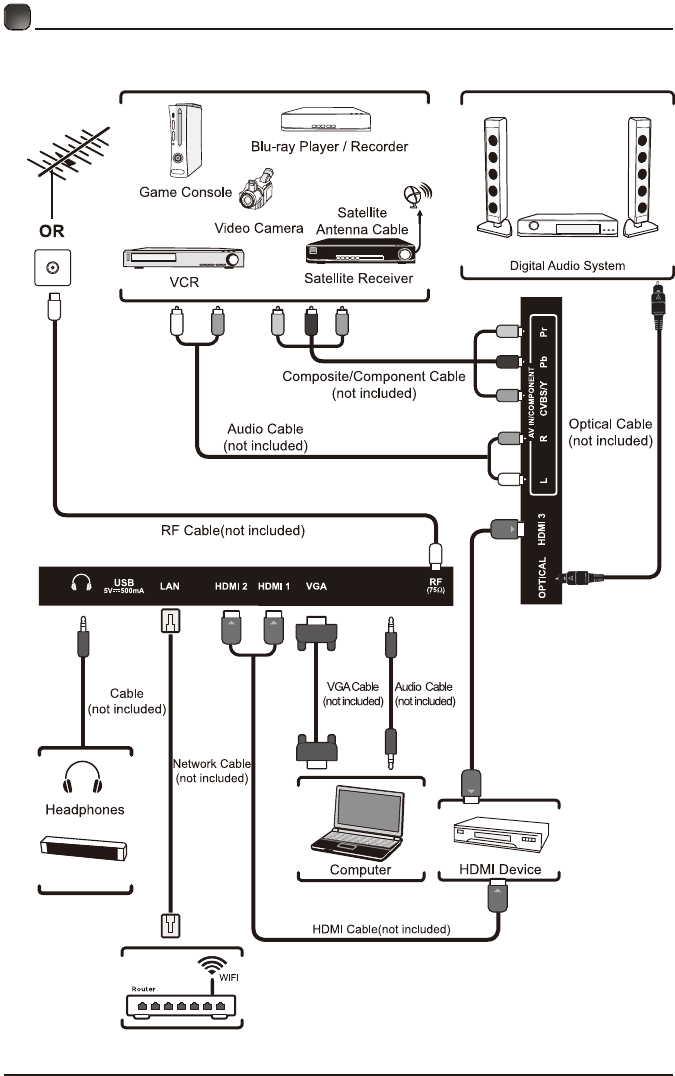
8
CONNECTING EXTERNAL DEVICES
AUDIO OUT
PC AUDIO
/AUDIO IN
Soundbar