Avante Technology VT-EVC308 Vote-trakker(TM) Electronic Voting Machine User Manual 289576
Avante International Technology, Inc. Vote-trakker(TM) Electronic Voting Machine 289576
Contents
- 1. Poll Workers Manual part A
- 2. Poll Workers Manual part B
- 3. Poll Workers Manual part C
- 4. Voters Manual
Poll Workers Manual part C



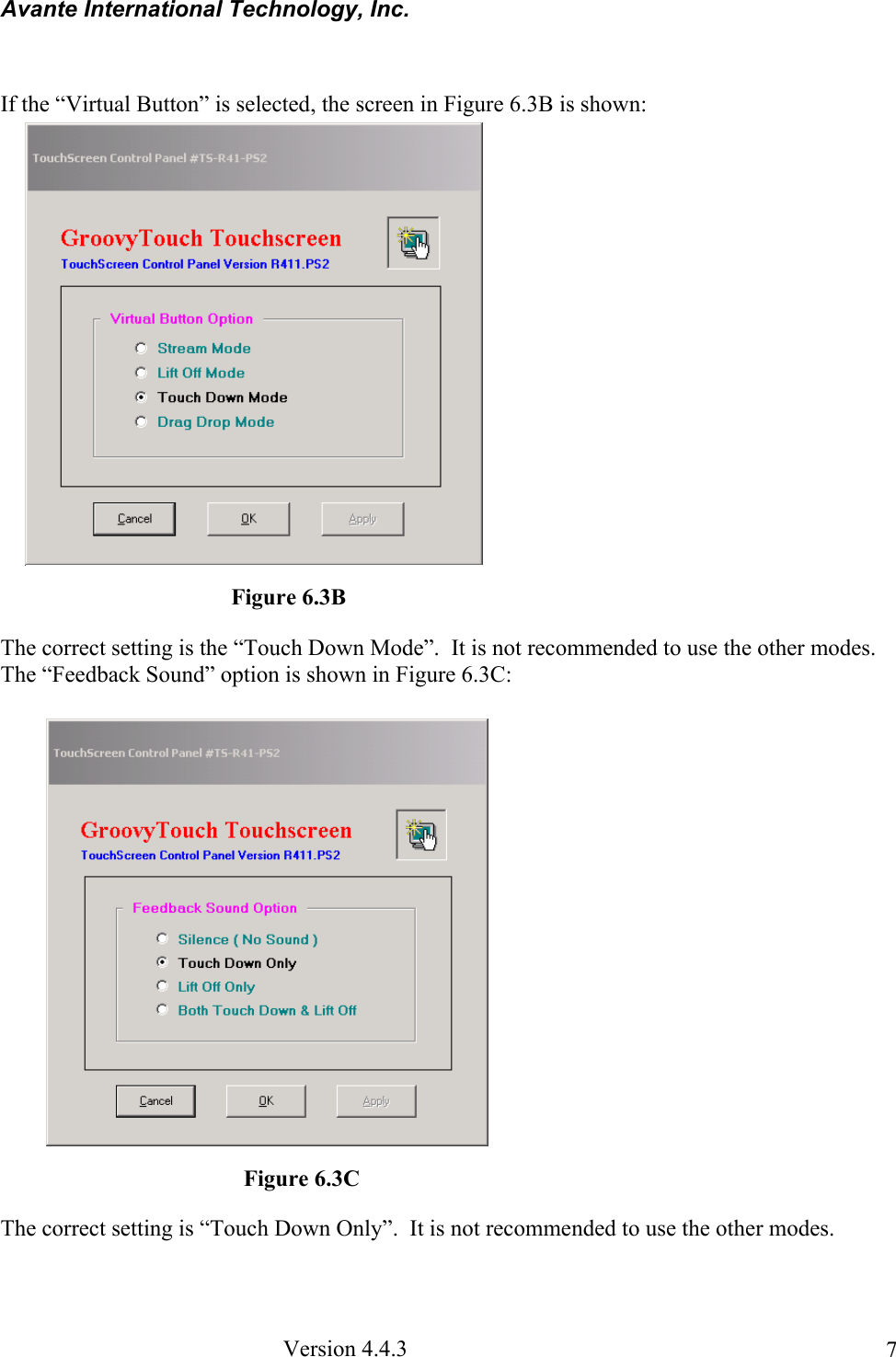
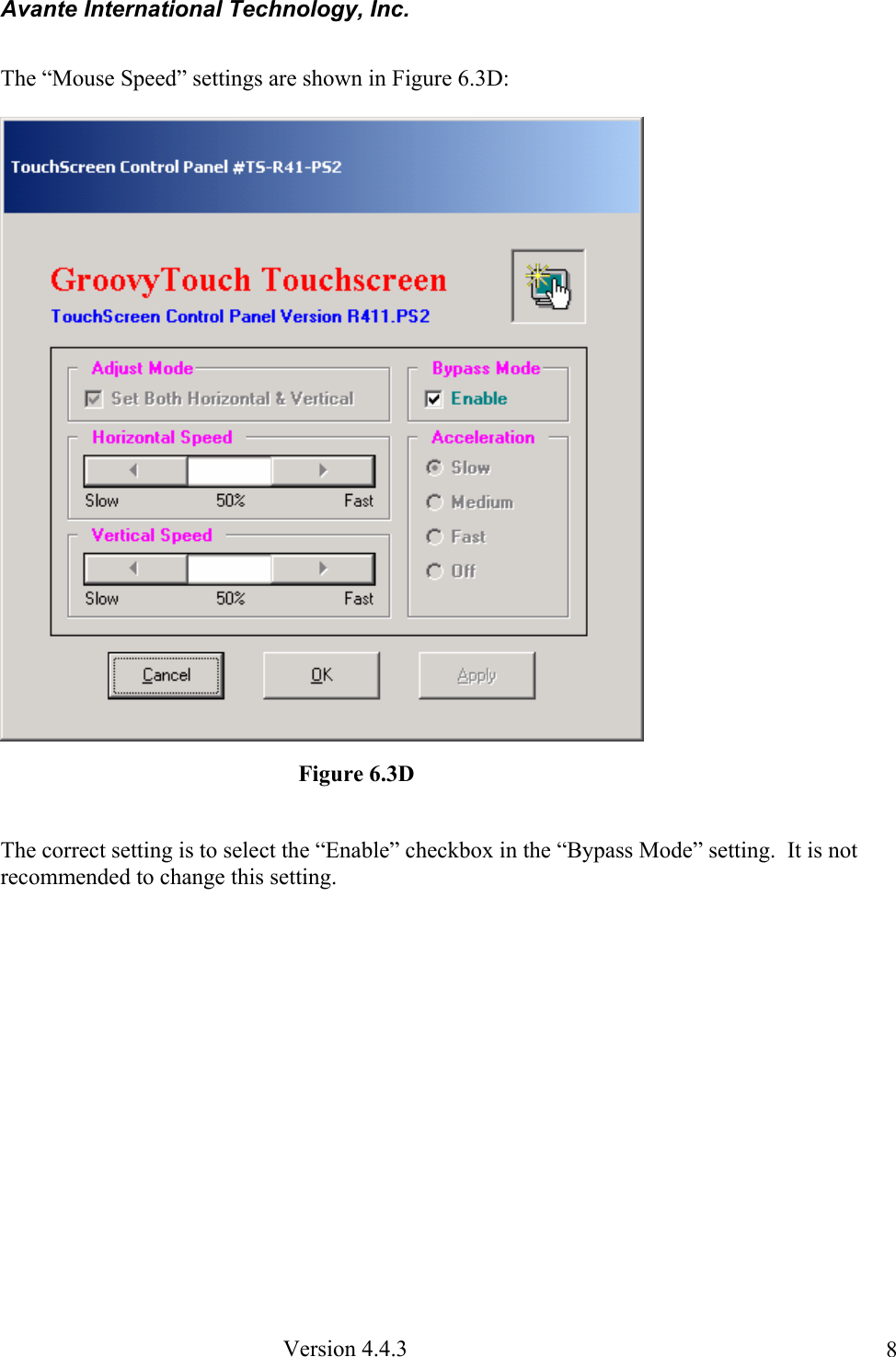
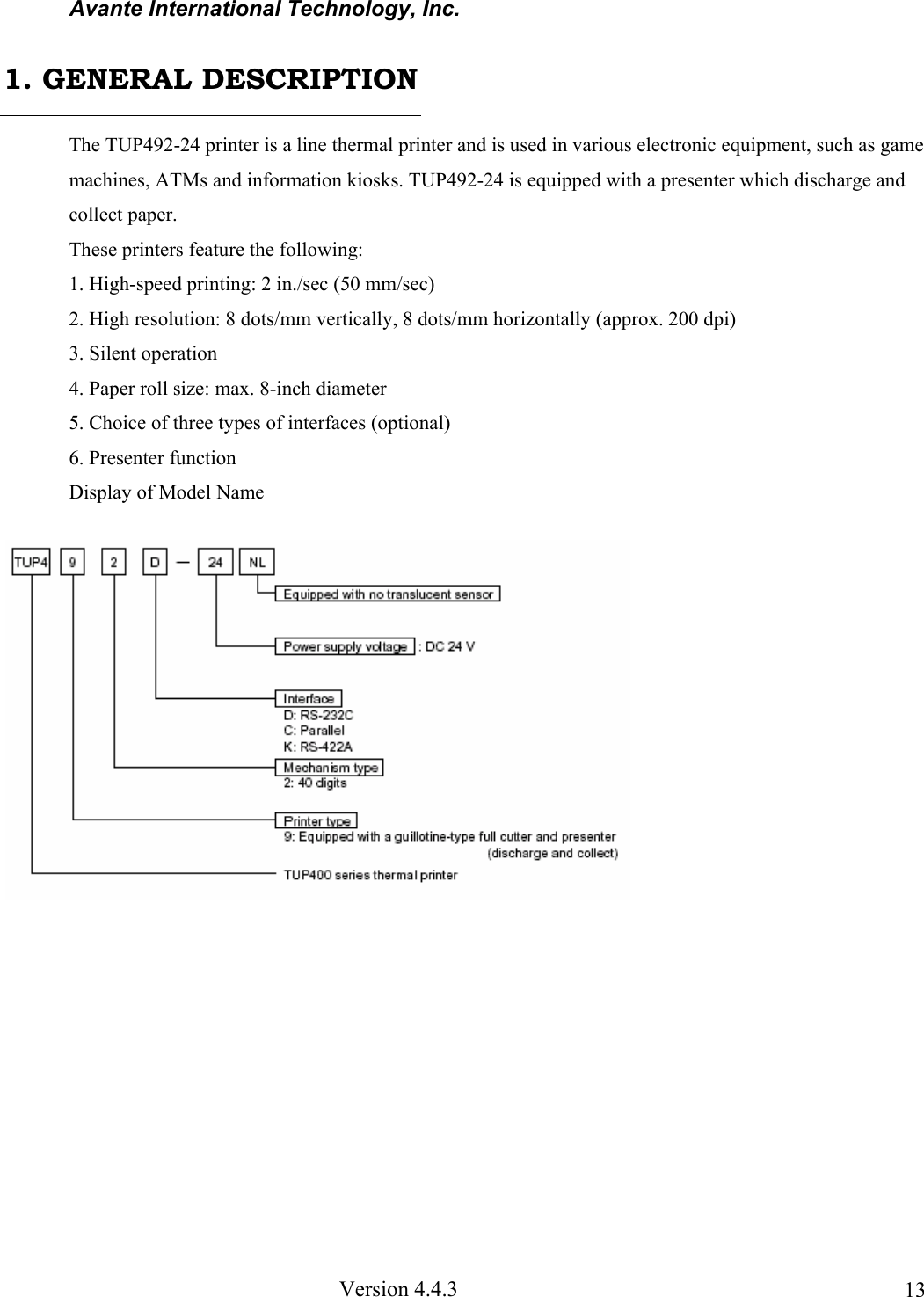
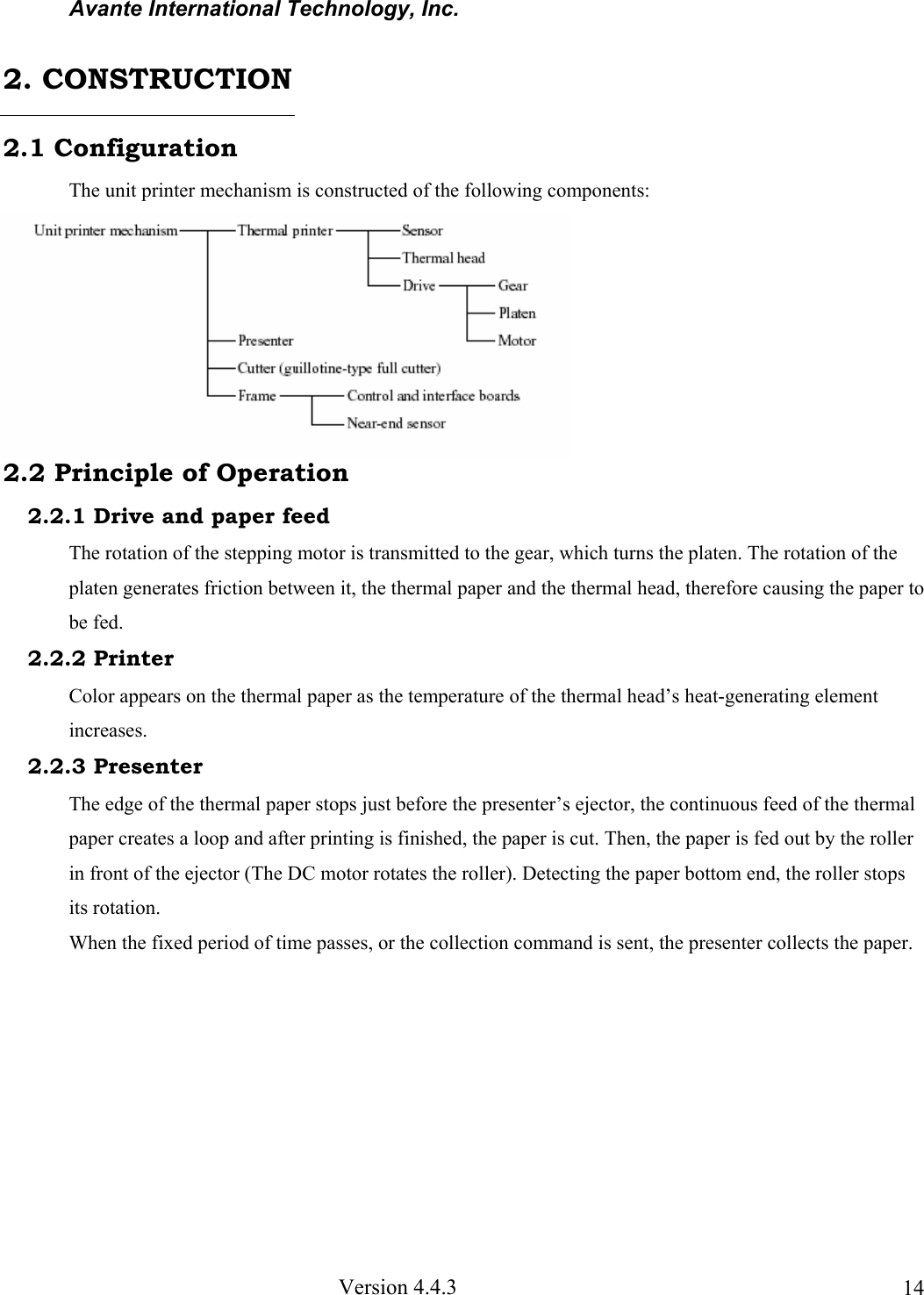

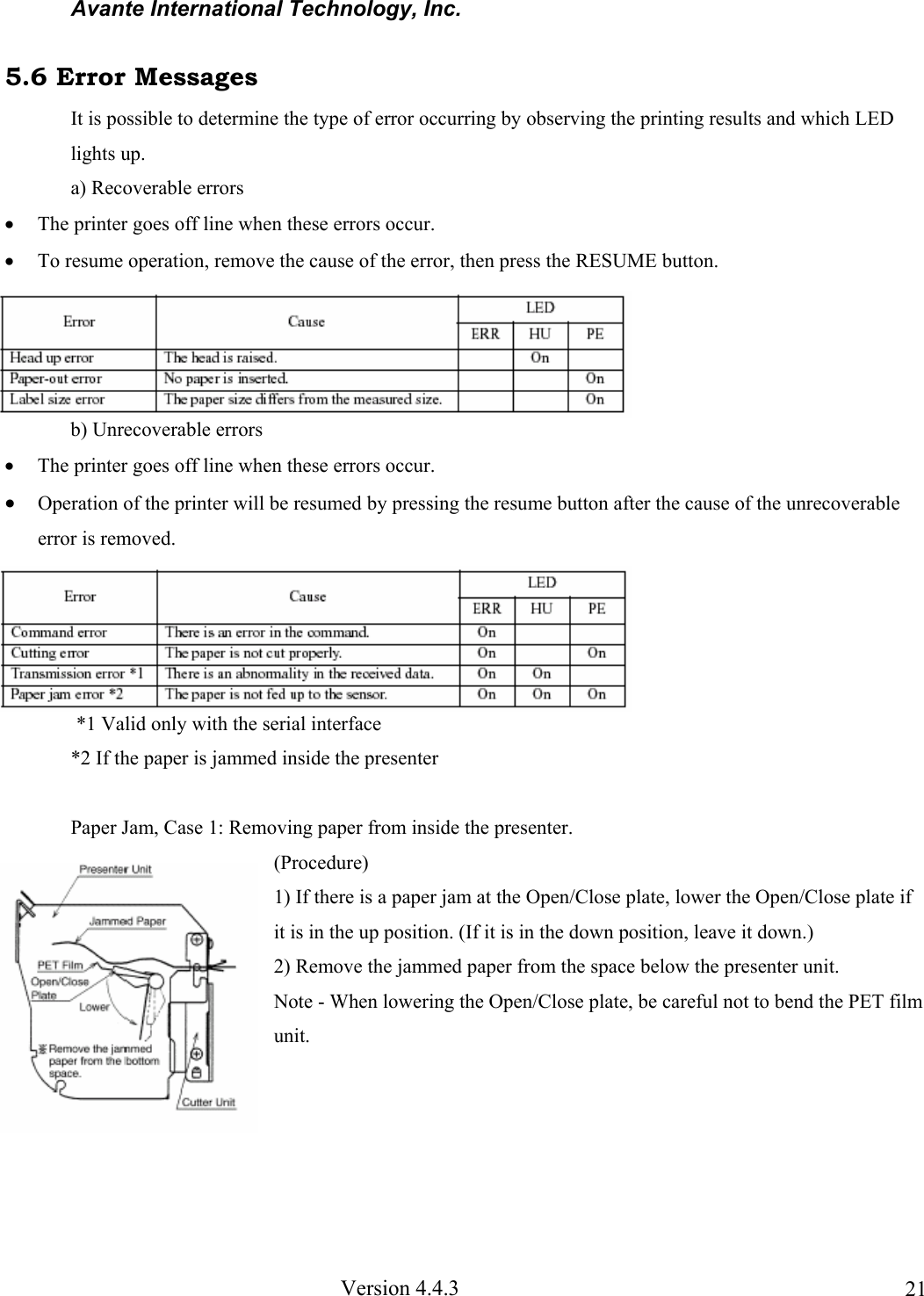
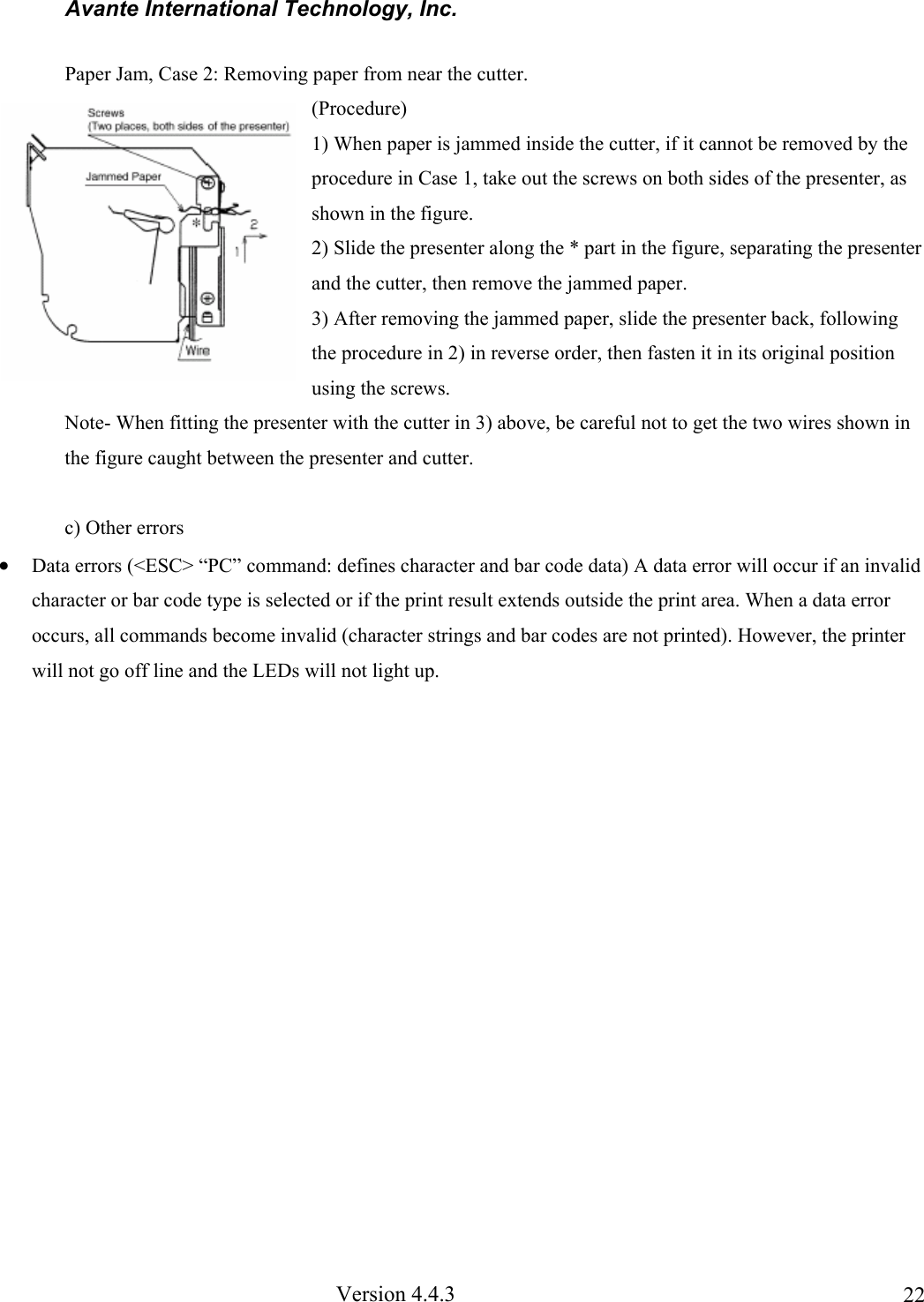
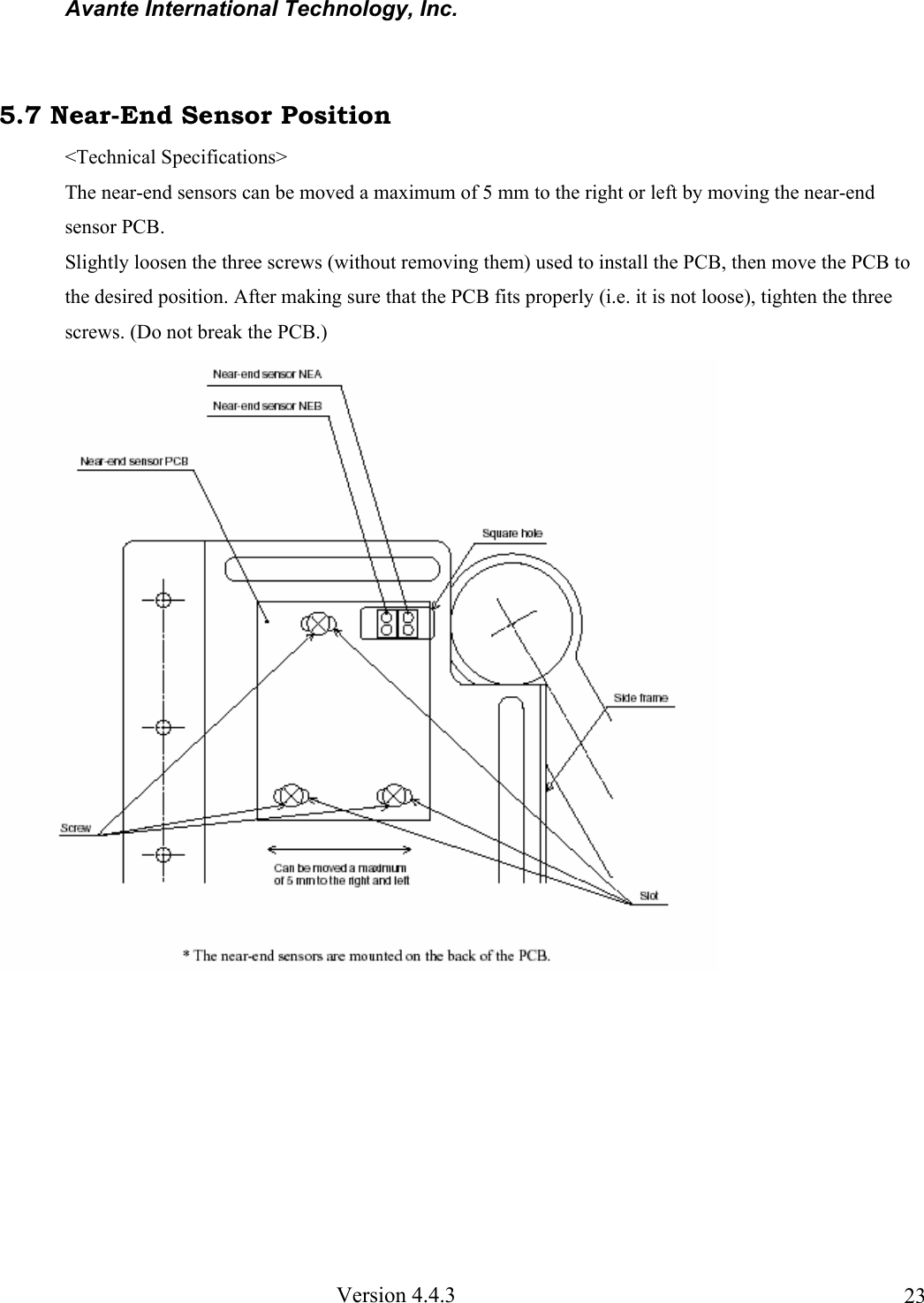
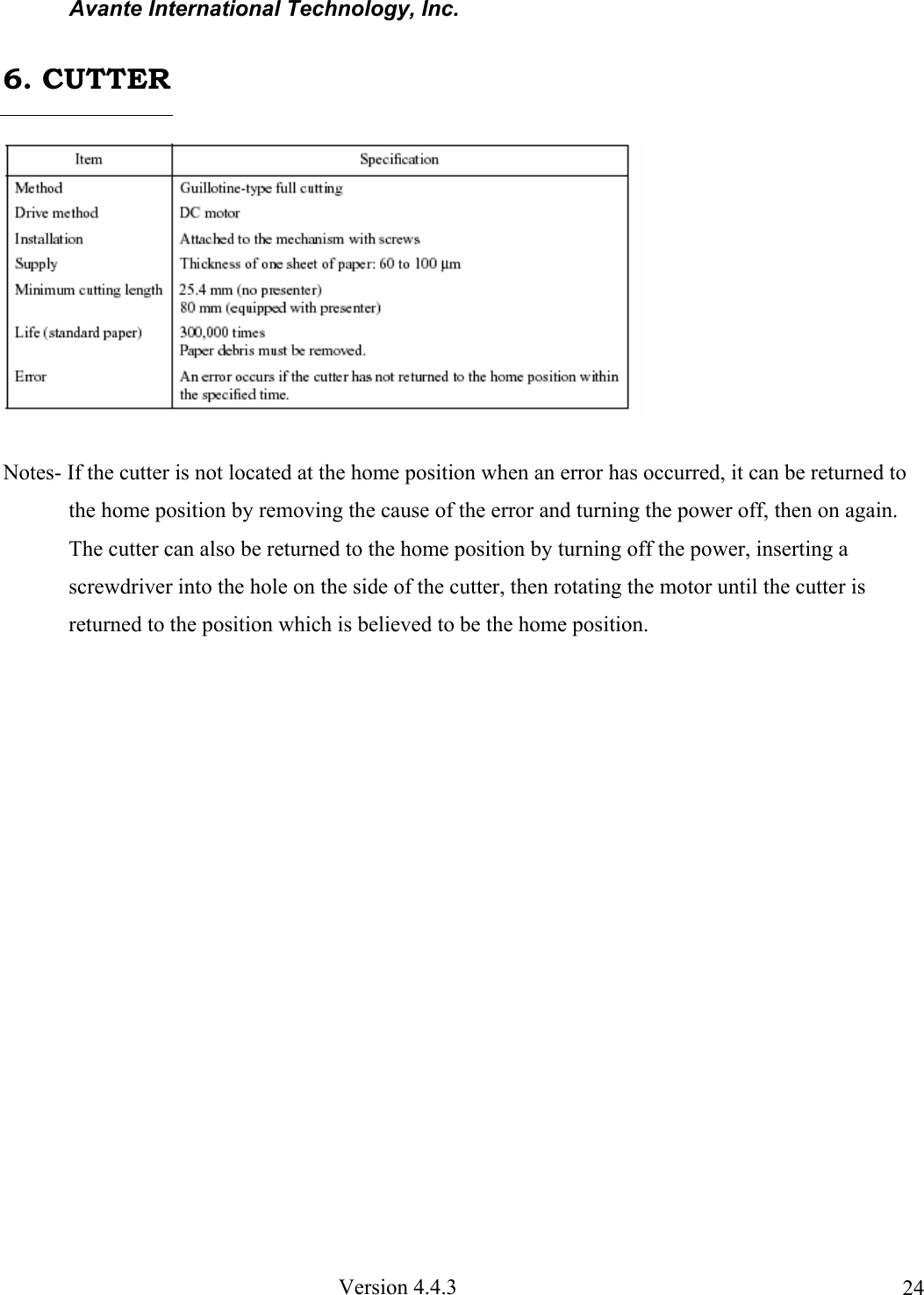
![Avante International Technology, Inc. Version 4.4.3 19The LEDs and RESUME button are mounted on the NEPCB. 5.1 LEDs 5.2 RESUME Button When no paper is inserted, insert more paper, and then press this button to automatically feed the specified length of paper (approx. 80 mm when the presenter is installed or approx. 30 mm when it is not). After the paper is cut, the printer will go back on line. 5.3 Power Switch and Button Combinations The following settings can be made by pressing either the RESUME button or the sensor adjusting button at the same time that the power switch is turned on. <RESUME button and power switch> [*1] The HEX dump mode remains valid until the power is turned off. [*2] The printer continues the test print until the power is turned off. <Sensor adjusting button and power switch> [*3] Do not continue pressing the sensor adjusting button for more than two seconds. Note- The Line and Page modes cannot be chosen with the panel buttons; these modes can only be chosen with commands. 5. DISPLAYS AND FUNCTIONS](https://usermanual.wiki/Avante-Technology/VT-EVC308.Poll-Workers-Manual-part-C/User-Guide-289576-Page-25.png)