Backgrounds Un FWVTXBD12A TXBD-12A User Manual Manual

Backgrounds Unlimited Inc TXBD-12A Manual

Contents

Manual

PRELIMINARY MANUALBackgrounds Unlimited, Incorporated.Old Town Hall, Rt. 11 SouthP.O. Box 327Mt. Sidney, VA  24467MODEL: TXBD-12AFCC ID: NH5FWVTXBD12A
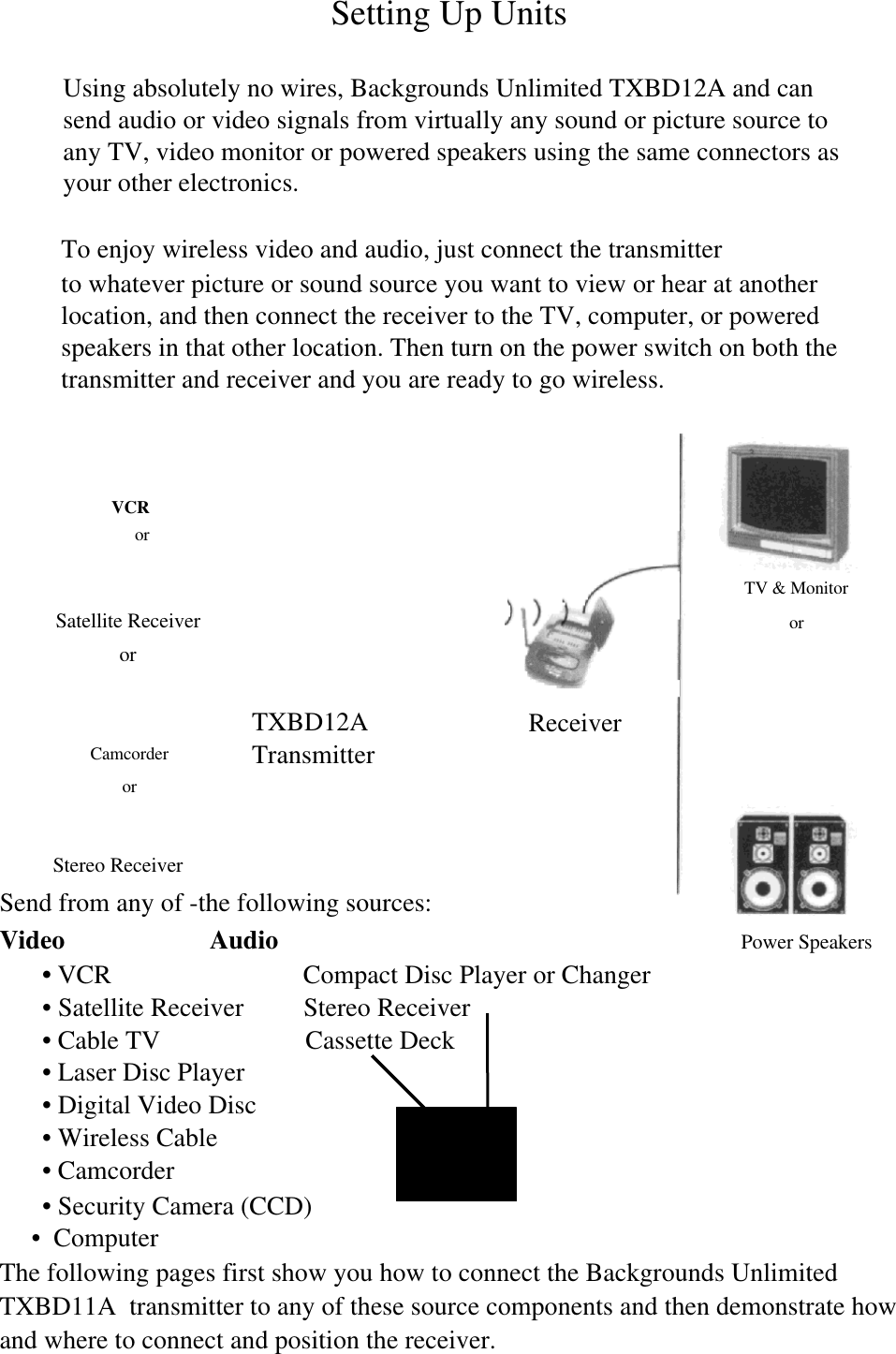
VCRorSatellite ReceiverorCamcorderorSetting Up UnitsUsing absolutely no wires, Backgrounds Unlimited TXBD12A and cansend audio or video signals from virtually any sound or picture source toany TV, video monitor or powered speakers using the same connectors asyour other electronics.To enjoy wireless video and audio, just connect the transmitterto whatever picture or sound source you want to view or hear at anotherlocation, and then connect the receiver to the TV, computer, or poweredspeakers in that other location. Then turn on the power switch on both thetransmitter and receiver and you are ready to go wireless.Stereo ReceiverSend from any of -the following sources:Video                      Audio                           Power Speakers• VCR                             Compact Disc Player or Changer• Satellite Receiver         Stereo Receiver• Cable TV                      Cassette Deck• Laser Disc Player• Digital Video Disc• Wireless Cable• Camcorder• Security Camera (CCD)•  ComputerThe following pages first show you how to connect the Backgrounds UnlimitedTXBD11A  transmitter to any of these source components and then demonstrate howand where to connect and position the receiver.TXBD12ATransmitterReceiverTV & Monitoror
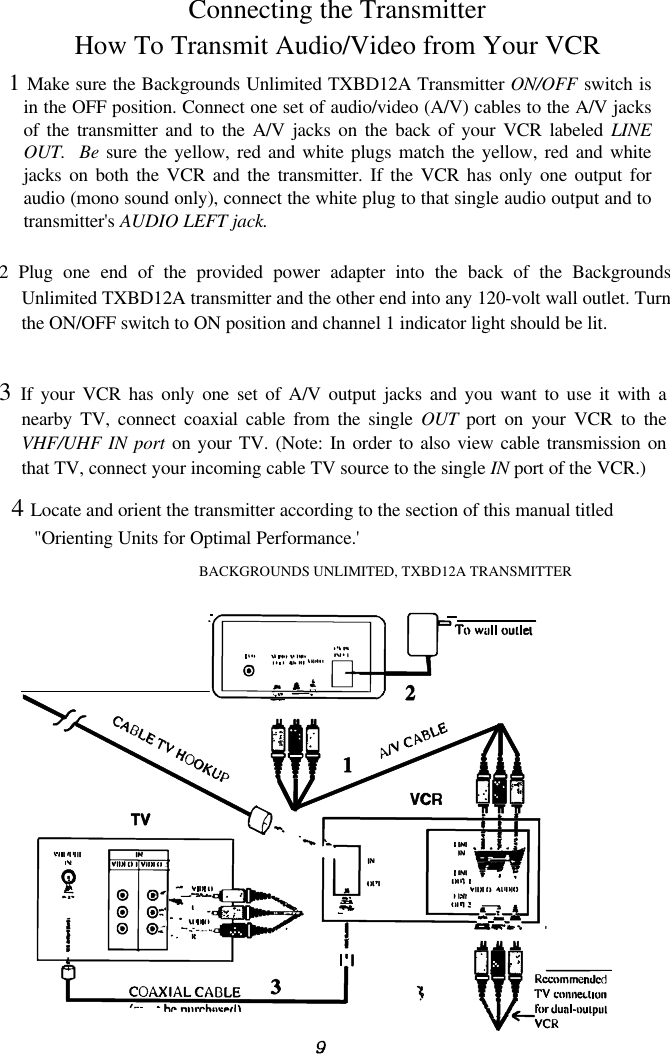
4 Locate and orient the transmitter according to the section of this manual titled"Orienting Units for Optimal Performance.'BACKGROUNDS UNLIMITED, TXBD12A TRANSMITTERConnecting the TransmitterHow To Transmit Audio/Video from Your VCR1 Make sure the Backgrounds Unlimited TXBD12A Transmitter ON/OFF switch isin the OFF position. Connect one set of audio/video (A/V) cables to the A/V jacksof the transmitter and to the A/V jacks on the back of your VCR labeled LINEOUT.  Be sure the yellow, red and white plugs match the yellow, red and whitejacks on both the VCR and the transmitter. If the VCR has only one output foraudio (mono sound only), connect the white plug to that single audio output and totransmitter's AUDIO LEFT jack.2 Plug one end of the provided power adapter into the back of the BackgroundsUnlimited TXBD12A transmitter and the other end into any 120-volt wall outlet. Turnthe ON/OFF switch to ON position and channel 1 indicator light should be lit.3 If your VCR has only one set of A/V output jacks and you want to use it with anearby TV, connect coaxial cable from the single OUT port on your VCR to theVHF/UHF IN port on your TV. (Note: In order to also view cable transmission onthat TV, connect your incoming cable TV source to the single IN port of the VCR.)

Navigation menu