Behringer ULB2000 Beltpack Transmitter User Manual DATA MANFULL ULB2000 ENG Rev A pmd

Behringer Beltpack Transmitter DATA MANFULL ULB2000 ENG Rev A pmd

Users Manual

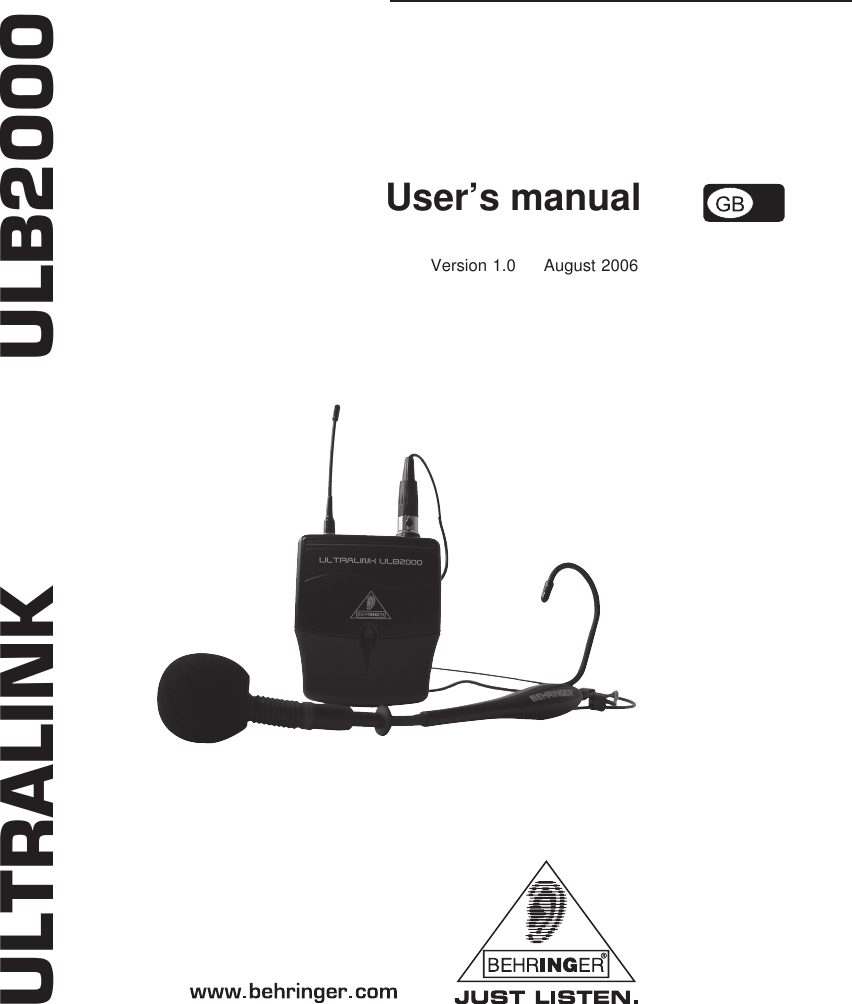
User’s manualVersion 1.0     August 2006ULTRALINK           ULB2000
2ULTRALINK ULB2000CAUTION: To reduce the risk of electric shock, donot remove the top cover (or the rearsection). No user serviceable partsinside; refer servicing to qualifiedpersonnel.WARNING: To reduce the risk of fire or electricshock, do not expose this applianceto rain and moisture. The apparatusshould not be exposed to dripping orsplashing and no objects filled withliquids, such as vases, should beplaced on the apparatus.This symbol, wherever it appears,alerts you to the presence ofuninsulated dangerous voltage insidethe enclosure—voltage that may besufficient  to constitute a risk of shock.This symbol, wherever it appears,alerts you to important operating andmaintenance instructions in theaccompanying literature. Please readthe manual.DETAILED SAFETY INSTRUCTIONS:1) Read these instructions.2) Keep these instructions.3) Heed all warnings.4) Follow all instructions.5) Do not use this apparatus near water.6) Clean only with dry cloth.7) Do not install near any heat sources such as radiators, heat registers, stoves, or other apparatus (includingamplifiers) that produce heat.8) Only use attachments/accessories specified by the manufacturer.9) Refer all servicing to qualified service personnel. Servicing is required when the apparatus has beendamaged in any way, such as power supply cord or plug is damaged, liquid has been spilled or objects havefallen into the apparatus, the apparatus has been exposed to  rain or moisture, does not operate normally, orhas been dropped.IMPORTANT SAFETY INSTRUCTIONS
3ULTRALINK ULB2000TABLE OF CONTENTS1. INTRODUCTION ......................................................................................................... 31.1 Before you get started .......................................................................................................... 41.1.1 Shipment ....................................................................................................................... 41.1.2 Registration .................................................................................................................. 41.1.3 Initial operation of the transmitter ................................................................................. 41.1.4 Online registration ........................................................................................................ 52. CONTROL ELEMENTS ............................................................................................... 53. OPERATING THE TRANSMITTER ............................................................................... 63.1 Turning the transmitter on ..................................................................................................... 63.2 Channel setting ...................................................................................................................... 63.3 Setting your own frequency ................................................................................................. 63.4 Preset ..................................................................................................................................... 73.5 Mic Gain ................................................................................................................................. 83.6 Auto Mute ............................................................................................................................... 93.7 Turning the transmitter off ................................................................................................... 104. STATUS QUERY ....................................................................................................... 104.1 Battery condition and transmission channel ....................................................................... 104.2 Transmission frequency....................................................................................................... 114.3 Preset .................................................................................................................................... 114.4 Mic Gain ................................................................................................................................ 114.5 Auto Mute .............................................................................................................................. 115. ULB2000 LEVEL SETTING ........................................................................................ 116. APPLICATION EXAMPLE ......................................................................................... 127. INSTALLATION ......................................................................................................... 127.1 Operating information .......................................................................................................... 127.1.1 Attach the transmitter ................................................................................................. 127.1.2 General information .................................................................................................... 127.2 Audio connections ............................................................................................................... 138. SPECIFICATIONS ..................................................................................................... 14FEDERAL COMMUNICATIONS COMMISSION COMPLIANCE INFORMATION ............. 15MICROPHONE QUICK START GUIDE ........................................................................... 161. INTRODUCTIONThank you very much for expressing your confidence in us by purchasing the ULTRALINK ULB2000.This Transmitter, coupled to the receiver ULR2000 from BEHRINGER, comprises a modern, high-performance wireless transmission system.Due to its amazing set of features, you can use the ULB2000 in any situation that requires thehighest quality in sound and freedom of movement for live concerts, events and television productions.Depending on your local wireless transmission regulations, you can use up to 20 systemssimultaneously.The IRC compander system guarantees an extremely wide transmission dynamic range.The headset is holds a high-grade Panasonic® capsule with a cardioid polar pattern. Therefore, itprimarily picks up the sound from the front and less from the sides. The sound that reaches thebackside of the microphone is suppressed as much as possible, allowing it to be less susceptible tofeedback in live situations.1. INTRODUCTION
4ULTRALINK ULB2000The ULTRALINK Series equipment features 3 factory presets, each with 8 permanent, interference-free channels. This allows you to use several systems in parallel without them influencing oneanother. Additionally, you have the option of storing 8 of your own frequencies in a user preset, thusindividually addressing your own needs.Determining which microphone is assigned to which receiver is done either by observing thetransmission channel in the display or by comparing the transmission frequency. In addition, theULTRALINK equipment from BEHRINGER leaves you the option to color-code your gear for easyidentification.Beyond that, both units feature other useful functions, such as Scan and Auto Mute. This way, nowishes are left open during practice or in live situations.The following instructions are intended to familiarize you with the unit’s controls, so thatyou can learn all of its functions. After having thoroughly read these instructions, storethem in a safe place for future reference.1.1 Before you get started1.1.1 ShipmentThe ULB2000 was carefully packed at the factory to assure secure transportation. Should thecondition of the cardboard box suggest that damage may have taken place, please inspect the unitimmediately and look for physical indications of damage.Damaged units should NEVER be sent directly to us. Please inform the dealer fromwhom you acquired the unit immediately as well as the transportation company fromwhich you took delivery of the unit. Otherwise, all claims for replacement/repair may berendered invalid.Always use the original packaging to avoid damage due to storage or shipment.Never leave children unsupervised with the unit or its packaging.Please dispose of all packaging materials in an environmentally friendly manner.1.1.2 RegistrationBefore powering up the unit for the first time, you have to register it with your local postal/telecommunication authority! Additional information is available there.1.1.3 Initial operation of the transmitterPrior to taking the ULB2000 into operation for the first time, you need to fit the provided antenna onthe transmitter. Connect the antenna to the designated plug located on the top of the ULB2000 bymeans of the screw connector. Ensure that the antenna has been screwed tightly onto the transmitter.The ULB2000 requires a 9-V battery to operate. The constant glowing of the LED indicates theoperational readiness. When the battery is nearly depleted, the STATUS LED on the transmitterbegins to flash quickly. At the same time, an inaudible signal is sent to the ULR2000 receiver whichthen shows "LowBat" on its display. To ensure a reliable operation of the transmitter-receiver system,change the transmitter's battery as follows:1. Hold the top of the transmitter with a free hand.2. Press both latches to the right and left of the casing and, at the same time, slide the cover ofthe battery compartment downwards.3. Remove the old battery by using the provided implement.4. Insert a new 9-V battery in the compartment. Be sure that the implement is placed underneaththe battery.5. Slide the cover back onto the battery compartment until it locks into place.Remove the battery when the ULB2000 is not used for an extended period of time.Please ensure that only qualified personnel install and operate the ULB2000. Duringinstallation and operation, the user must be sufficiently grounded. Electrostatic chargesmight affect the operation of the unit.1. INTRODUCTION
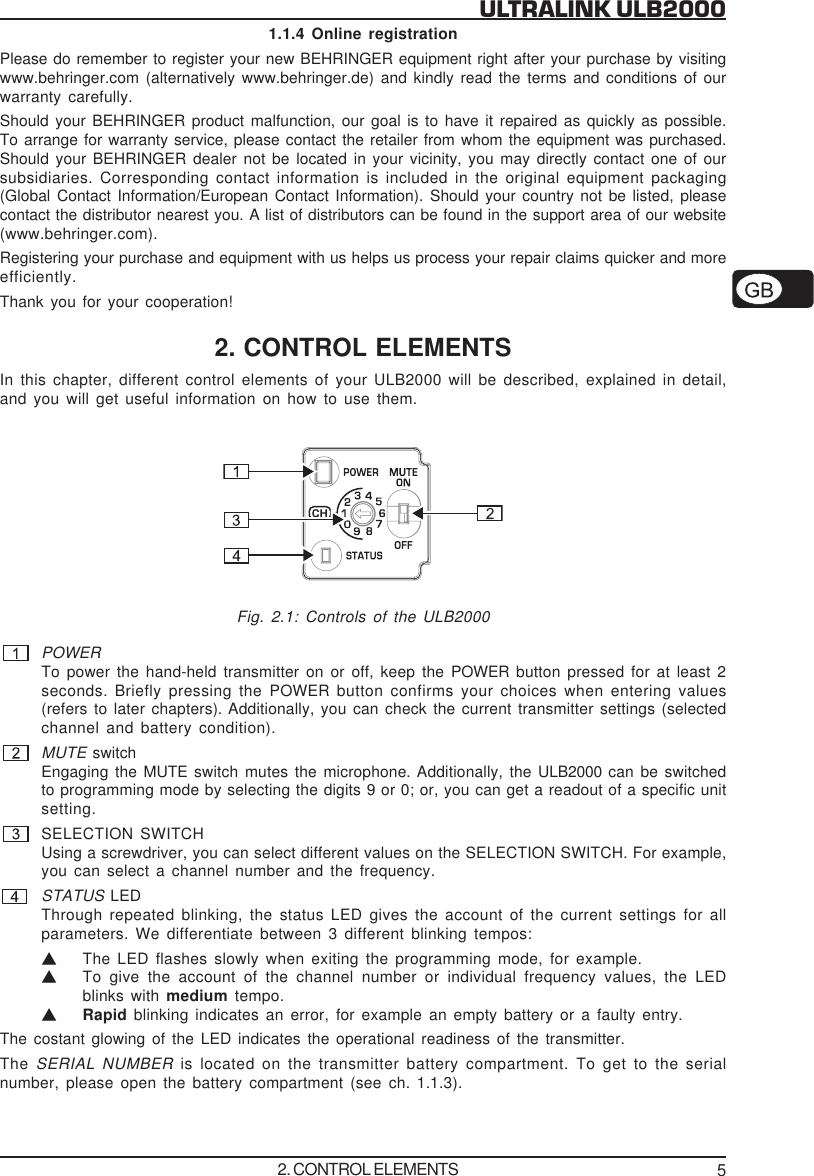
5ULTRALINK ULB20001.1.4 Online registrationPlease do remember to register your new BEHRINGER equipment right after your purchase by visitingwww.behringer.com (alternatively www.behringer.de) and kindly read the terms and conditions of ourwarranty carefully.Should your BEHRINGER product malfunction, our goal is to have it repaired as quickly as possible.To arrange for warranty service, please contact the retailer from whom the equipment was purchased.Should your BEHRINGER dealer not be located in your vicinity, you may directly contact one of oursubsidiaries. Corresponding contact information is included in the original equipment packaging(Global Contact Information/European Contact Information). Should your country not be listed, pleasecontact the distributor nearest you. A list of distributors can be found in the support area of our website(www.behringer.com).Registering your purchase and equipment with us helps us process your repair claims quicker and moreefficiently.Thank you for your cooperation!2. CONTROL ELEMENTSIn this chapter, different control elements of your ULB2000 will be described, explained in detail,and you will get useful information on how to use them.Fig. 2.1: Controls of the ULB2000POWERTo power the hand-held transmitter on or off, keep the POWER button pressed for at least 2seconds. Briefly pressing the POWER button confirms your choices when entering values(refers to later chapters). Additionally, you can check the current transmitter settings (selectedchannel and battery condition).MUTE switchEngaging the MUTE switch mutes the microphone. Additionally, the ULB2000 can be switchedto programming mode by selecting the digits 9 or 0; or, you can get a readout of a specific unitsetting.SELECTION SWITCHUsing a screwdriver, you can select different values on the SELECTION SWITCH. For example,you can select a channel number and the frequency.STATUS LEDThrough repeated blinking, the status LED gives the account of the current settings for allparameters. We differentiate between 3 different blinking tempos:VThe LED flashes slowly when exiting the programming mode, for example.VTo give the account of the channel number or individual frequency values, the LEDblinks with medium tempo.VRapid blinking indicates an error, for example an empty battery or a faulty entry.The costant glowing of the LED indicates the operational readiness of the transmitter.The SERIAL NUMBER  is located on the transmitter battery compartment. To get to the serialnumber, please open the battery compartment (see ch. 1.1.3).2. CONTROL ELEMENTS
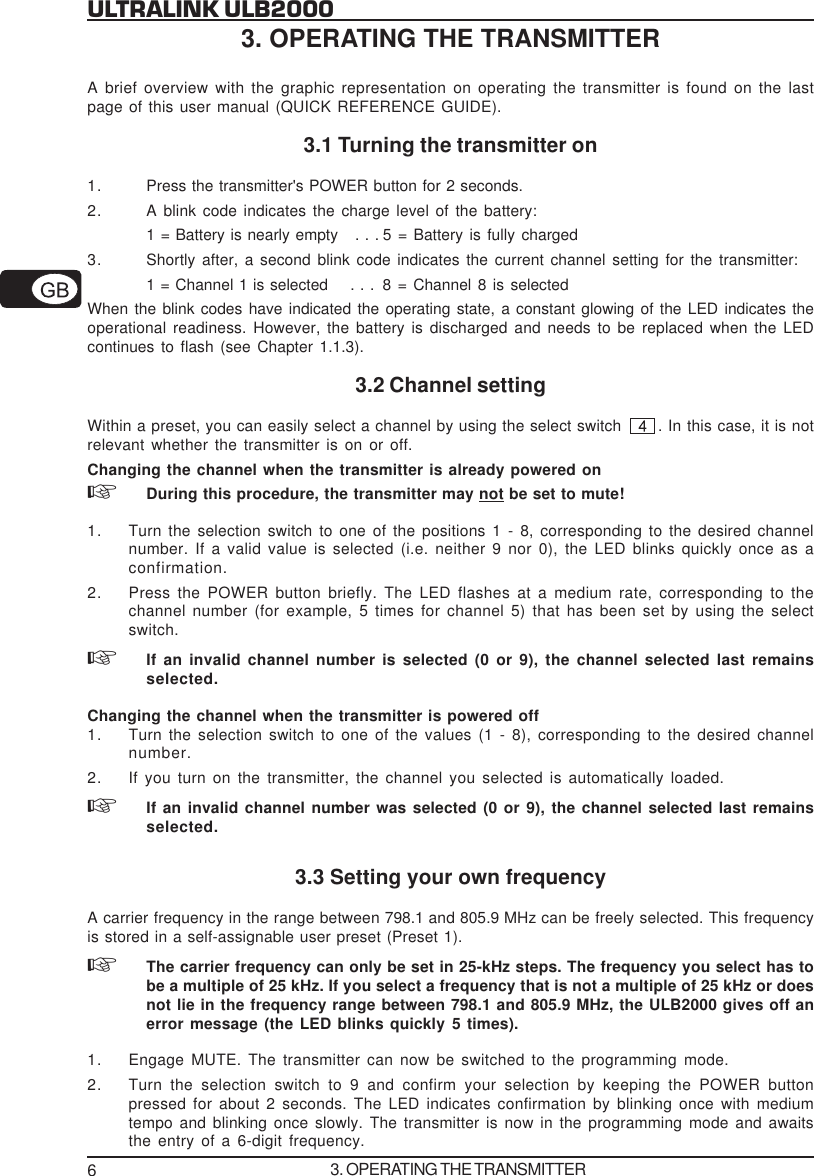
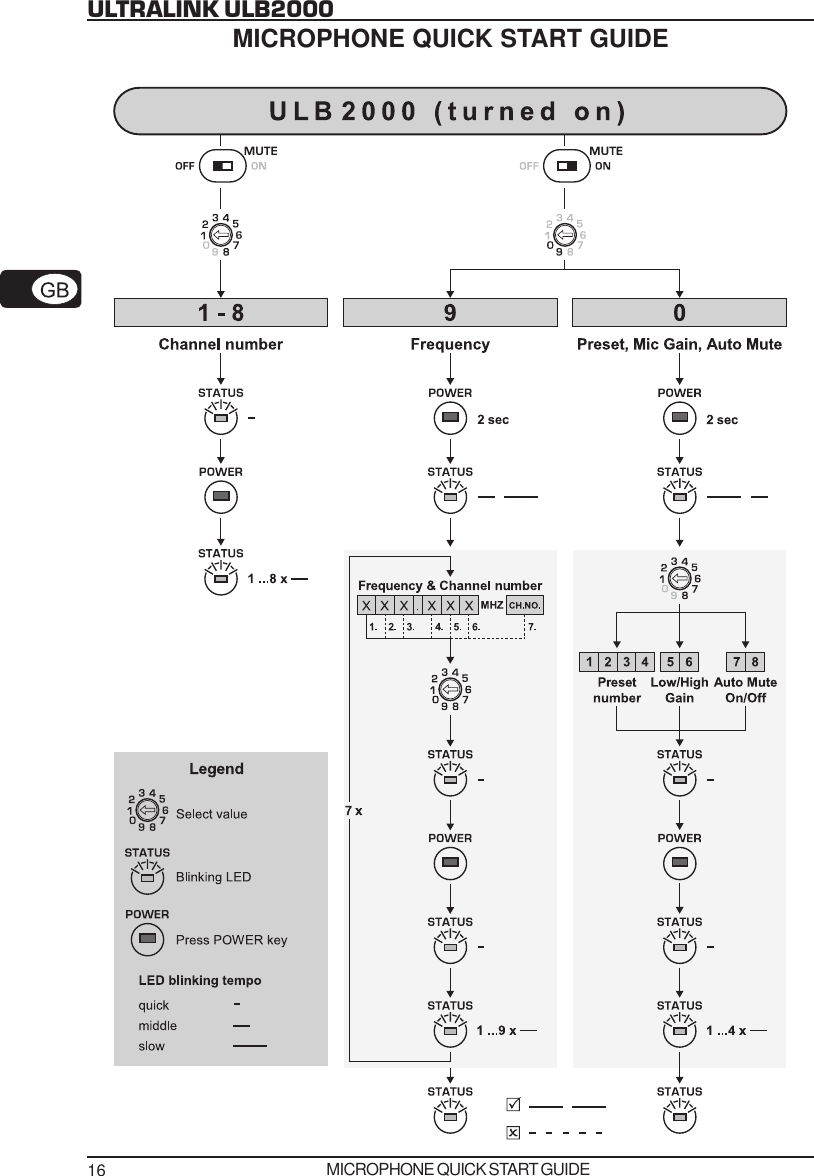
6ULTRALINK ULB20003. OPERATING THE TRANSMITTERA brief overview with the graphic representation on operating the transmitter is found on the lastpage of this user manual (QUICK REFERENCE GUIDE).3.1 Turning the transmitter on1. Press the transmitter's POWER button for 2 seconds.2. A blink code indicates the charge level of the battery:1 = Battery is nearly empty   . . . 5 = Battery is fully charged3. Shortly after, a second blink code indicates the current channel setting for the transmitter:1 = Channel 1 is selected    . . . 8 = Channel 8 is selectedWhen the blink codes have indicated the operating state, a constant glowing of the LED indicates theoperational readiness. However, the battery is discharged and needs to be replaced when the LEDcontinues to flash (see Chapter 1.1.3).3.2 Channel settingWithin a preset, you can easily select a channel by using the select switch  . In this case, it is notrelevant whether the transmitter is on or off.Changing the channel when the transmitter is already powered onDuring this procedure, the transmitter may not be set to mute!1. Turn the selection switch to one of the positions 1 - 8, corresponding to the desired channelnumber. If a valid value is selected (i.e. neither 9 nor 0), the LED blinks quickly once as aconfirmation.2. Press the POWER button briefly. The LED flashes at a medium rate, corresponding to thechannel number (for example, 5 times for channel 5) that has been set by using the selectswitch.If an invalid channel number is selected (0 or 9), the channel selected last remainsselected.Changing the channel when the transmitter is powered off1. Turn the selection switch to one of the values (1 - 8), corresponding to the desired channelnumber.2. If you turn on the transmitter, the channel you selected is automatically loaded.If an invalid channel number was selected (0 or 9), the channel selected last remainsselected.3.3 Setting your own frequencyA carrier frequency in the range between 798.1 and 805.9 MHz can be freely selected. This frequencyis stored in a self-assignable user preset (Preset 1).The carrier frequency can only be set in 25-kHz steps. The frequency you select has tobe a multiple of 25 kHz. If you select a frequency that is not a multiple of 25 kHz or doesnot lie in the frequency range between 798.1 and 805.9 MHz, the ULB2000 gives off anerror message (the LED blinks quickly 5 times).1. Engage MUTE. The transmitter can now be switched to the programming mode.2. Turn the selection switch to 9 and confirm your selection by keeping the POWER buttonpressed for about 2 seconds. The LED indicates confirmation by blinking once with mediumtempo and blinking once slowly. The transmitter is now in the programming mode and awaitsthe entry of a 6-digit frequency.3. OPERATING THE TRANSMITTER
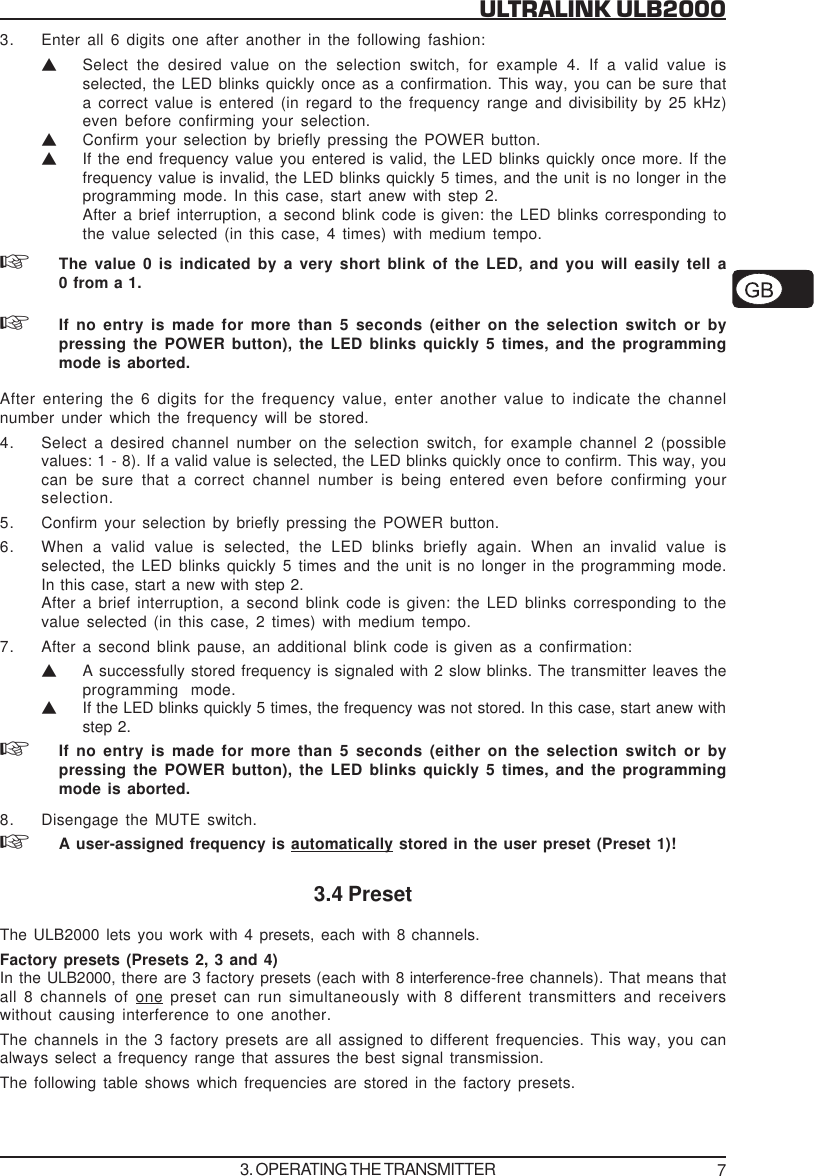
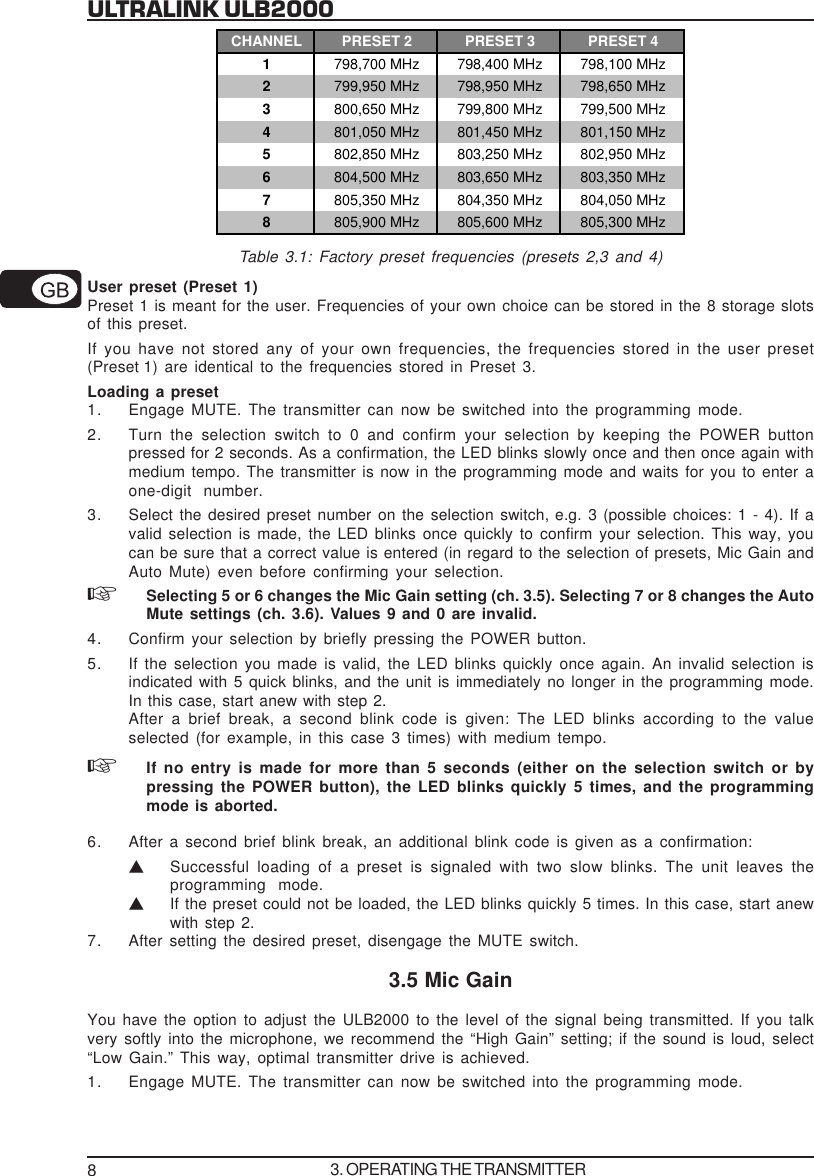
7ULTRALINK ULB20003. Enter all 6 digits one after another in the following fashion:VSelect the desired value on the selection switch, for example 4. If a valid value isselected, the LED blinks quickly once as a confirmation. This way, you can be sure thata correct value is entered (in regard to the frequency range and divisibility by 25 kHz)even before confirming your selection.VConfirm your selection by briefly pressing the POWER button.VIf the end frequency value you entered is valid, the LED blinks quickly once more. If thefrequency value is invalid, the LED blinks quickly 5 times, and the unit is no longer in theprogramming mode. In this case, start anew with step 2.After a brief interruption, a second blink code is given: the LED blinks corresponding tothe value selected (in this case, 4 times) with medium tempo.The value 0 is indicated by a very short blink of the LED, and you will easily tell a0 from a 1.If no entry is made for more than 5 seconds (either on the selection switch or bypressing the POWER button), the LED blinks quickly 5 times, and the programmingmode is aborted.After entering the 6 digits for the frequency value, enter another value to indicate the channelnumber under which the frequency will be stored.4. Select a desired channel number on the selection switch, for example channel 2 (possiblevalues: 1 - 8). If a valid value is selected, the LED blinks quickly once to confirm. This way, youcan be sure that a correct channel number is being entered even before confirming yourselection.5. Confirm your selection by briefly pressing the POWER button.6. When a valid value is selected, the LED blinks briefly again. When an invalid value isselected, the LED blinks quickly 5 times and the unit is no longer in the programming mode.In this case, start a new with step 2.After a brief interruption, a second blink code is given: the LED blinks corresponding to thevalue selected (in this case, 2 times) with medium tempo.7. After a second blink pause, an additional blink code is given as a confirmation:VA successfully stored frequency is signaled with 2 slow blinks. The transmitter leaves theprogramming mode.VIf the LED blinks quickly 5 times, the frequency was not stored. In this case, start anew withstep 2.If no entry is made for more than 5 seconds (either on the selection switch or bypressing the POWER button), the LED blinks quickly 5 times, and the programmingmode is aborted.8. Disengage the MUTE switch.A user-assigned frequency is automatically stored in the user preset (Preset 1)!3.4 PresetThe ULB2000 lets you work with 4 presets,  each with 8 channels.Factory presets (Presets 2, 3 and 4)In the ULB2000, there are 3 factory presets (each with 8 interference-free channels). That means thatall 8 channels of one preset can run simultaneously with 8 different transmitters and receiverswithout causing interference to one another.The channels in the 3 factory presets are all assigned to different frequencies. This way, you canalways select a frequency range that assures the best signal transmission.The following table shows which frequencies are stored in the factory presets.3. OPERATING THE TRANSMITTER
8ULTRALINK ULB2000CHANNEL PRESET 2 PRESET 3 PRESET 41798,700 MHz 798,400 MHz 798,100 MHz2799,950 MHz 798,950 MHz 798,650 MHz3800,650 MHz 799,800 MHz 799,500 MHz4801,050 MHz 801,450 MHz 801,150 MHz5802,850 MHz 803,250 MHz 802,950 MHz6804,500 MHz 803,650 MHz 803,350 MHz7805,350 MHz 804,350 MHz 804,050 MHz8805,900 MHz 805,600 MHz 805,300 MHzTable 3.1: Factory preset frequencies (presets 2,3 and 4)User preset (Preset 1)Preset 1 is meant for the user. Frequencies of your own choice can be stored in the 8 storage slotsof this preset.If you have not stored any of your own frequencies, the frequencies stored in the user preset(Preset 1) are identical to the frequencies stored in Preset 3.Loading a preset1. Engage MUTE. The transmitter can now be switched into the programming mode.2. Turn the selection switch to 0 and confirm your selection by keeping the POWER buttonpressed for 2 seconds. As a confirmation, the LED blinks slowly once and then once again withmedium tempo. The transmitter is now in the programming mode and waits for you to enter aone-digit number.3. Select the desired preset number on the selection switch, e.g. 3 (possible choices: 1 - 4). If avalid selection is made, the LED  blinks once quickly to confirm your selection. This way, youcan be sure that a correct value is entered (in regard to the selection of presets, Mic Gain andAuto Mute) even before confirming your selection.Selecting 5 or 6 changes the Mic Gain setting (ch. 3.5). Selecting 7 or 8 changes the AutoMute settings (ch. 3.6). Values 9 and 0 are invalid.4. Confirm your selection by briefly pressing the POWER button.5. If the selection you made is valid, the LED blinks quickly once again. An invalid selection isindicated with 5 quick blinks, and the unit is immediately no longer in the programming mode.In this case, start anew with step 2.After a brief break, a second blink code is given: The LED blinks according to the valueselected (for example, in this case 3 times) with medium tempo.If no entry is made for more than 5 seconds (either on the selection switch or bypressing the POWER button), the LED blinks quickly 5 times, and the programmingmode is aborted.6. After a second brief blink break, an additional blink code is given as a confirmation:VSuccessful loading of a preset is signaled with two slow blinks. The unit leaves theprogramming mode.VIf the preset could not be loaded, the LED blinks quickly 5 times. In this case, start anewwith step 2.7. After setting the desired preset, disengage the MUTE switch.3.5 Mic GainYou have the option to adjust the ULB2000 to the level of the signal being transmitted. If you talkvery softly into the microphone, we recommend the “High Gain” setting; if the sound is loud, select“Low Gain.” This way, optimal transmitter drive is achieved.1. Engage MUTE. The transmitter can now be switched into the programming mode.3. OPERATING THE TRANSMITTER
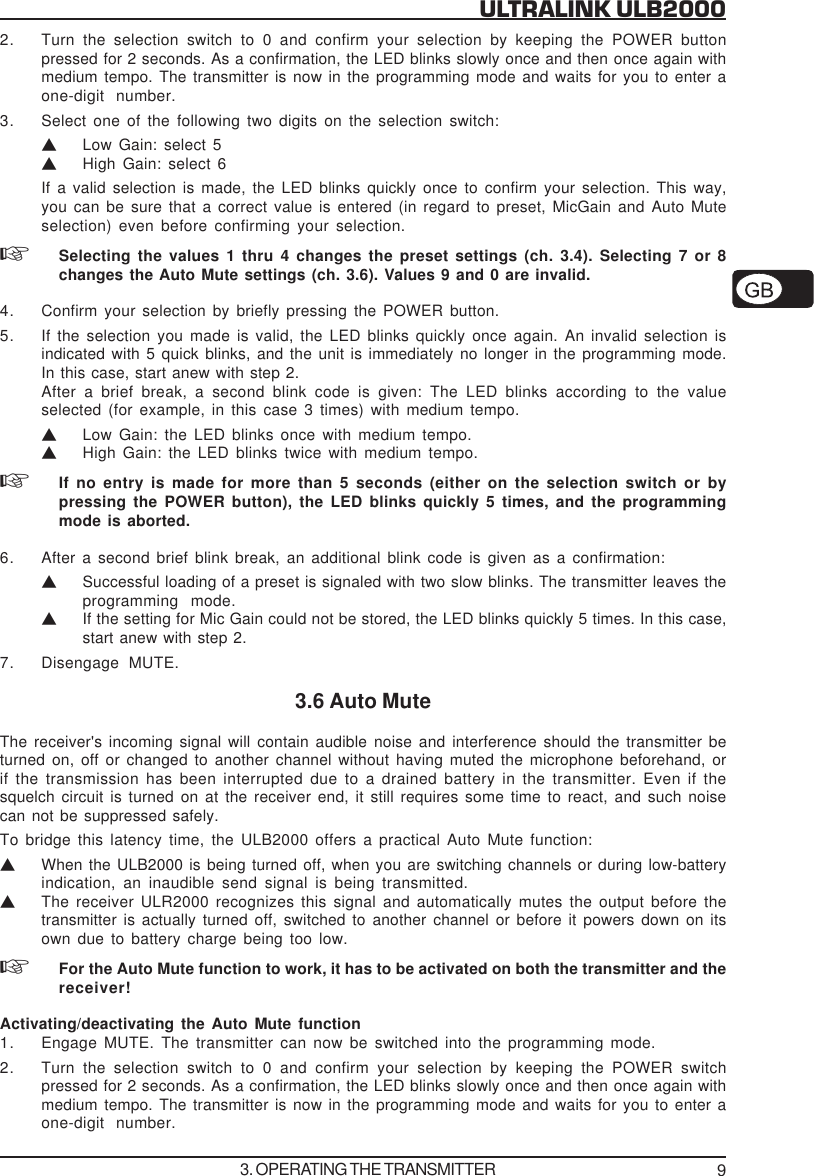
9ULTRALINK ULB20002. Turn the selection switch to 0 and confirm your selection by keeping the POWER buttonpressed for 2 seconds. As a confirmation, the LED blinks slowly once and then once again withmedium tempo. The transmitter is now in the programming mode and waits for you to enter aone-digit number.3. Select one of the following two digits on the selection switch:VLow Gain: select 5VHigh Gain: select 6If a valid selection is made, the LED blinks quickly once to confirm your selection. This way,you can be sure that a correct value is entered (in regard to preset, MicGain and Auto Muteselection) even before confirming your selection.Selecting the values 1 thru 4 changes the preset settings (ch. 3.4). Selecting 7 or 8changes the Auto Mute settings (ch. 3.6). Values 9 and 0 are invalid.4. Confirm your selection by briefly pressing the POWER button.5. If the selection you made is valid, the LED blinks quickly once again. An invalid selection isindicated with 5 quick blinks, and the unit is immediately no longer in the programming mode.In this case, start anew with step 2.After a brief break, a second blink code is given: The LED blinks according to the valueselected (for example, in this case 3 times) with medium tempo.VLow Gain: the LED blinks once with medium tempo.VHigh Gain: the LED blinks twice with medium tempo.If no entry is made for more than 5 seconds (either on the selection switch or bypressing the POWER button), the LED blinks quickly 5 times, and the programmingmode is aborted.6. After a second brief blink break, an additional blink code is given as a confirmation:VSuccessful loading of a preset is signaled with two slow blinks. The transmitter leaves theprogramming mode.VIf the setting for Mic Gain could not be stored, the LED blinks quickly 5 times. In this case,start anew with step 2.7. Disengage MUTE.3.6 Auto MuteThe receiver's incoming signal will contain audible noise and interference should the transmitter beturned on, off or changed to another channel without having muted the microphone beforehand, orif the transmission has been interrupted due to a drained battery in the transmitter. Even if thesquelch circuit is turned on at the receiver end, it still requires some time to react, and such noisecan not be suppressed safely.To bridge this latency time, the ULB2000 offers a practical Auto Mute function:VWhen the ULB2000 is being turned off, when you are switching channels or during low-batteryindication, an inaudible send signal is being transmitted.VThe receiver ULR2000 recognizes this signal and automatically mutes the output before thetransmitter is actually turned off, switched to another channel or before it powers down on itsown due to battery charge being too low.For the Auto Mute function to work, it has to be activated on both the transmitter and thereceiver!Activating/deactivating the Auto Mute function1. Engage MUTE. The transmitter can now be switched into the programming mode.2. Turn the selection switch to 0 and confirm your selection by keeping the POWER switchpressed for 2 seconds. As a confirmation, the LED blinks slowly once and then once again withmedium tempo. The transmitter is now in the programming mode and waits for you to enter aone-digit number.3. OPERATING THE TRANSMITTER
10ULTRALINK ULB20003. Select one of the following two digits on the selection switch:VActivate Auto Mute: select 7VDeactivate Auto Mute: select 8If a valid selection is made, the LED blinks quickly once to confirm your selection. This way,you can be sure that a correct value is entered (in regard to preset, MicGain and Auto Muteselection) even before confirming your selection.Selecting the values 1 through 4 changes the preset settings (ch. 3.4). Selecting 5 or 6changes the Mic Gain settings (ch. 3.5). Values 9 and 0 are invalid.4. Confirm your selection by briefly pressing the POWER button.5. If the selection you made is valid, the LED blinks quickly once again. An invalid selection isindicated with 5 quick blinks, and the unit is immediately no longer in the programming mode.In this case, start anew with step 2.After a brief break, a second blink code is given:VAuto Mute activated: the LED blinks once at middle tempo.VAuto Mute engaged: the LED blinks twice at middle tempo.If no entry is made for more than 5 seconds (either on the selection switch or bypressing the POWER button), the LED blinks quickly 5 times, and the programmingmode is aborted.6. After a second brief blink break, an additional blink code is given as a confirmation:VTwo slow blinks signal that the Auto Mute setting was changed. The transmitter leavesthe programming mode.VIf the setting for Auto Mute could not be stored, the LED blinks quickly 5 times. In thiscase, start anew with step 2.7. Disengage MUTE.3.7 Turning the transmitter offTo turn off the transmitter, press the POWER button for 2 seconds. The LED flashes slowly to showthat the microphone is powering down.The transmitter stores the frequency and the channel settings. These parameters arerestored to these same values the next time you turn the unit on.4. STATUS QUERYDuring operation, the parameters "transmission channel", "battery condition", "transmissionfrequency", "preset", "Mic Gain" and "Auto Mute" may need to be checked. The statuses can bemonitored without having to turn the transmitter off and back on.4.1 Battery condition and transmission channel1. Turn the selection switch to 0. The position of the MUTE switch does not matter.2. Briefly press the POWER button.3. As is this case when turning the transmitter on, the blink codes flash at a medium rateindicating the current status:Vbattery condition: 1 = battery is nearly empty . . . 5 = battery is fully loadedVselcted channel: 1 = channel 1 is selected. . . 8 = channel 8 is selectedIf the receiver is not powered on, no status is indicated. Briefly pressing the POWERbutton will neither turn the transmitter on nor off!4. STATUS QUERY
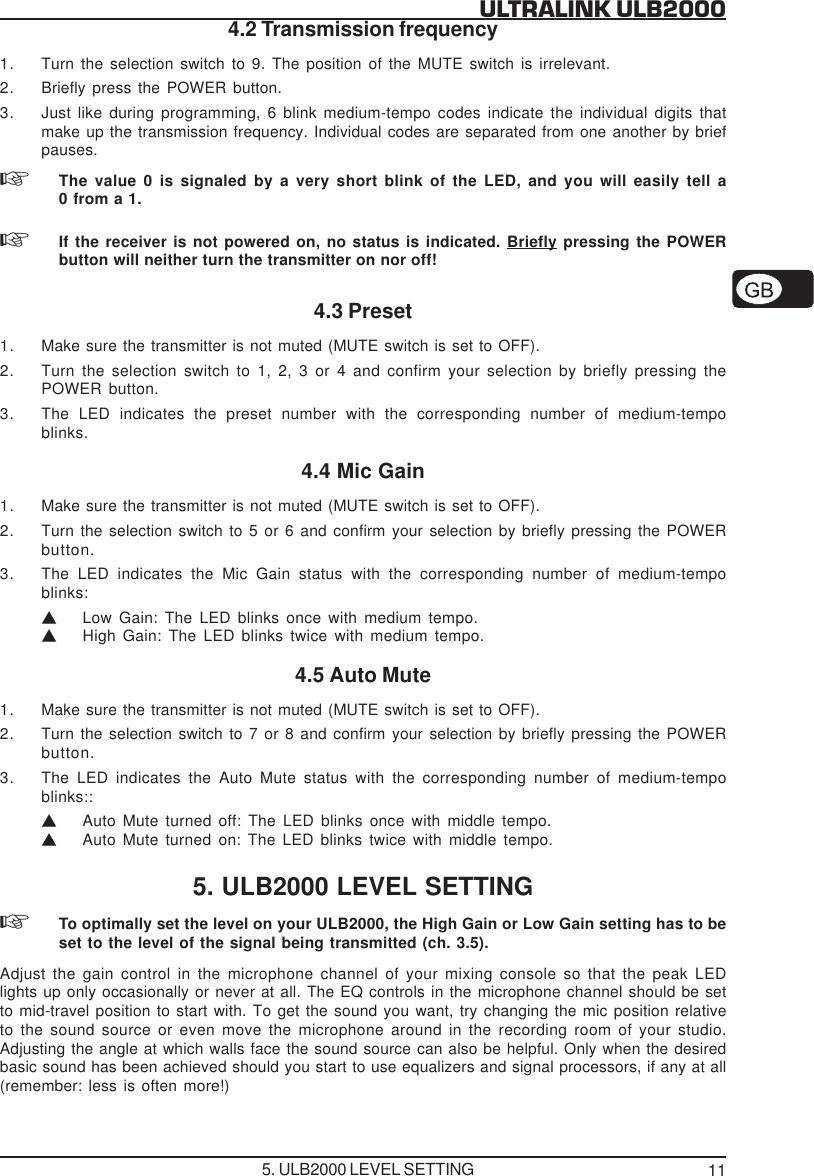
11ULTRALINK ULB20004.2 Transmission frequency1. Turn the selection switch to 9. The position of the MUTE switch is irrelevant.2. Briefly press the POWER button.3. Just like during programming, 6 blink medium-tempo codes indicate the individual digits thatmake up the transmission frequency. Individual codes are separated from one another by briefpauses.The value 0 is signaled by a very short blink of the LED, and you will easily tell a0 from a 1.If the receiver is not powered on, no status is indicated. Briefly pressing the POWERbutton will neither turn the transmitter on nor off!4.3 Preset1. Make sure the transmitter is not muted (MUTE switch is set to OFF).2. Turn the selection switch to 1, 2, 3 or 4 and confirm your selection by briefly pressing thePOWER button.3. The LED indicates the preset number with the corresponding number of medium-tempoblinks.4.4 Mic Gain1. Make sure the transmitter is not muted (MUTE switch is set to OFF).2. Turn the selection switch to 5 or 6 and confirm your selection by briefly pressing the POWERbutton.3. The LED indicates the Mic Gain status with the corresponding number of medium-tempoblinks:VLow Gain: The LED blinks once with medium tempo.VHigh Gain: The LED blinks twice with medium tempo.4.5 Auto Mute1. Make sure the transmitter is not muted (MUTE switch is set to OFF).2. Turn the selection switch to 7 or 8 and confirm your selection by briefly pressing the POWERbutton.3. The LED indicates the Auto Mute status with the corresponding number of medium-tempoblinks::VAuto Mute turned off: The LED blinks once with middle tempo.VAuto Mute turned on: The LED blinks twice with middle tempo.5. ULB2000 LEVEL SETTINGTo optimally set the level on your ULB2000, the High Gain or Low Gain setting has to beset to the level of the signal being transmitted (ch. 3.5).Adjust the gain control in the microphone channel of your mixing console so that the peak LEDlights up only occasionally or never at all. The EQ controls in the microphone channel should be setto mid-travel position to start with. To get the sound you want, try changing the mic position relativeto the sound source or even move the microphone around in the recording room of your studio.Adjusting the angle at which walls face the sound source can also be helpful. Only when the desiredbasic sound has been achieved should you start to use equalizers and signal processors, if any at all(remember: less is often more!)5. ULB2000 LEVEL SETTING
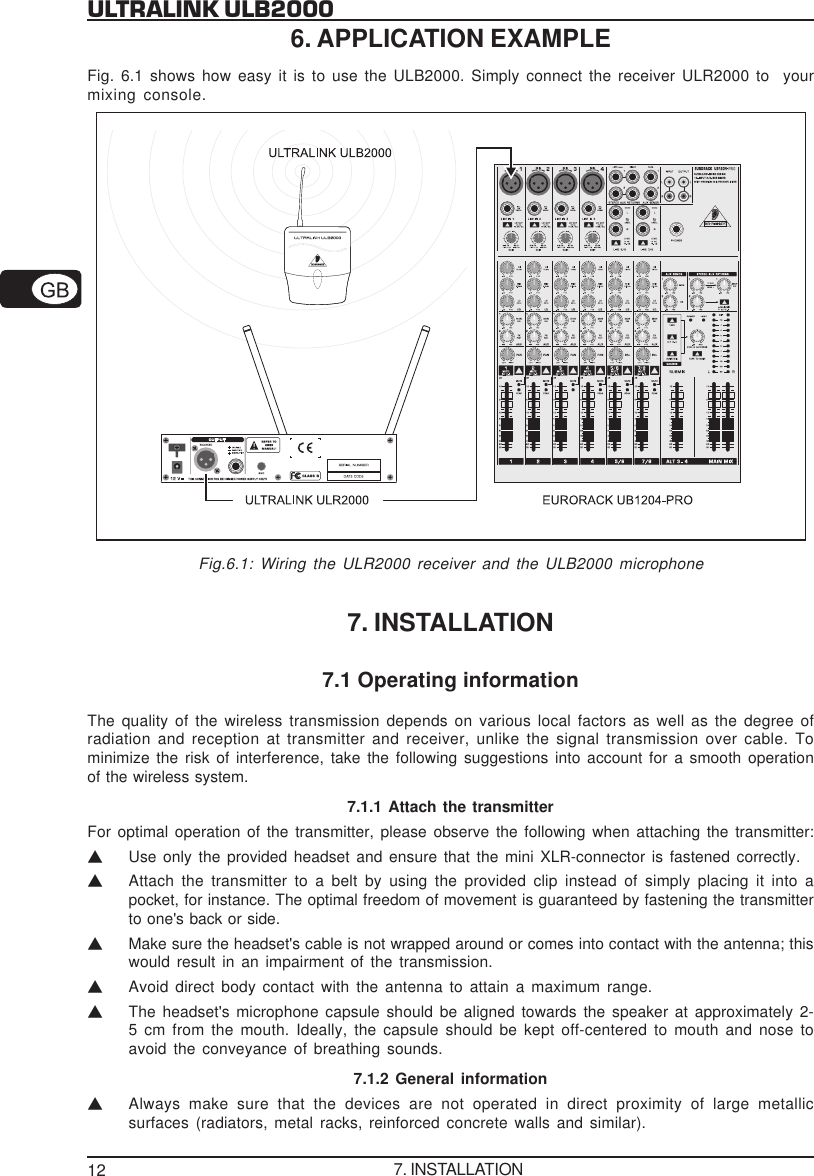
12ULTRALINK ULB20006. APPLICATION EXAMPLEFig. 6.1 shows how easy it is to use the ULB2000. Simply connect the receiver ULR2000 to  yourmixing console.Fig.6.1: Wiring the ULR2000 receiver and the ULB2000 microphone7. INSTALLATION7.1 Operating informationThe quality of the wireless transmission depends on various local factors as well as the degree ofradiation and reception at transmitter and receiver, unlike the signal transmission over cable. Tominimize the risk of interference, take the following suggestions into account for a smooth operationof the wireless system.7.1.1 Attach the transmitterFor optimal operation of the transmitter, please observe the following when attaching the transmitter:VUse only the provided headset and ensure that the mini XLR-connector is fastened correctly.VAttach the transmitter to a belt by using the provided clip instead of simply placing it into apocket, for instance. The optimal freedom of movement is guaranteed by fastening the transmitterto one's back or side.VMake sure the headset's cable is not wrapped around or comes into contact with the antenna; thiswould result in an impairment of the transmission.VAvoid direct body contact with the antenna to attain a maximum range.VThe headset's microphone capsule should be aligned towards the speaker at approximately 2-5 cm from the mouth. Ideally, the capsule should be kept off-centered to mouth and nose toavoid the conveyance of breathing sounds.7.1.2 General informationVAlways make sure that the devices are not operated in direct proximity of large metallicsurfaces (radiators, metal racks, reinforced concrete walls and similar).7. INSTALLATION
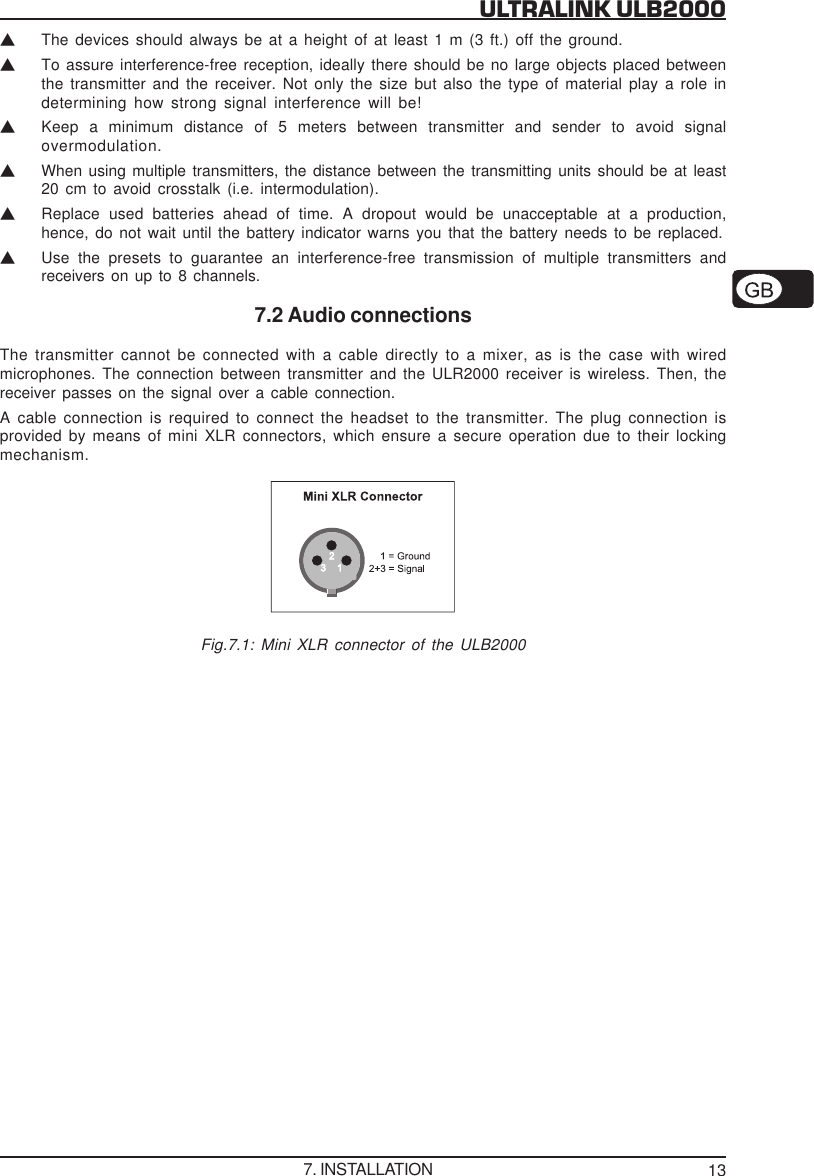
13ULTRALINK ULB2000VThe devices should always be at a height of at least 1 m (3 ft.) off the ground.VTo assure interference-free reception, ideally there should be no large objects placed betweenthe transmitter and the receiver. Not only the size but also the type of material play a role indetermining how strong signal interference will be!VKeep a minimum distance of 5 meters between transmitter and sender to avoid signalovermodulation.VWhen using multiple transmitters, the distance between the transmitting units should be at least20 cm to avoid crosstalk (i.e. intermodulation).VReplace used batteries ahead of time. A dropout would be unacceptable at a production,hence, do not wait until the battery indicator warns you that the battery needs to be replaced.VUse the presets to guarantee an interference-free transmission of multiple transmitters andreceivers on up to 8 channels.7.2 Audio connectionsThe transmitter cannot be connected with a cable directly to a mixer, as is the case with wiredmicrophones. The connection between transmitter and the ULR2000 receiver is wireless. Then, thereceiver passes on the signal over a cable connection.A cable connection is required to connect the headset to the transmitter. The plug connection isprovided by means of mini XLR connectors, which ensure a secure operation due to their lockingmechanism.Fig.7.1: Mini XLR connector of the ULB20007. INSTALLATION
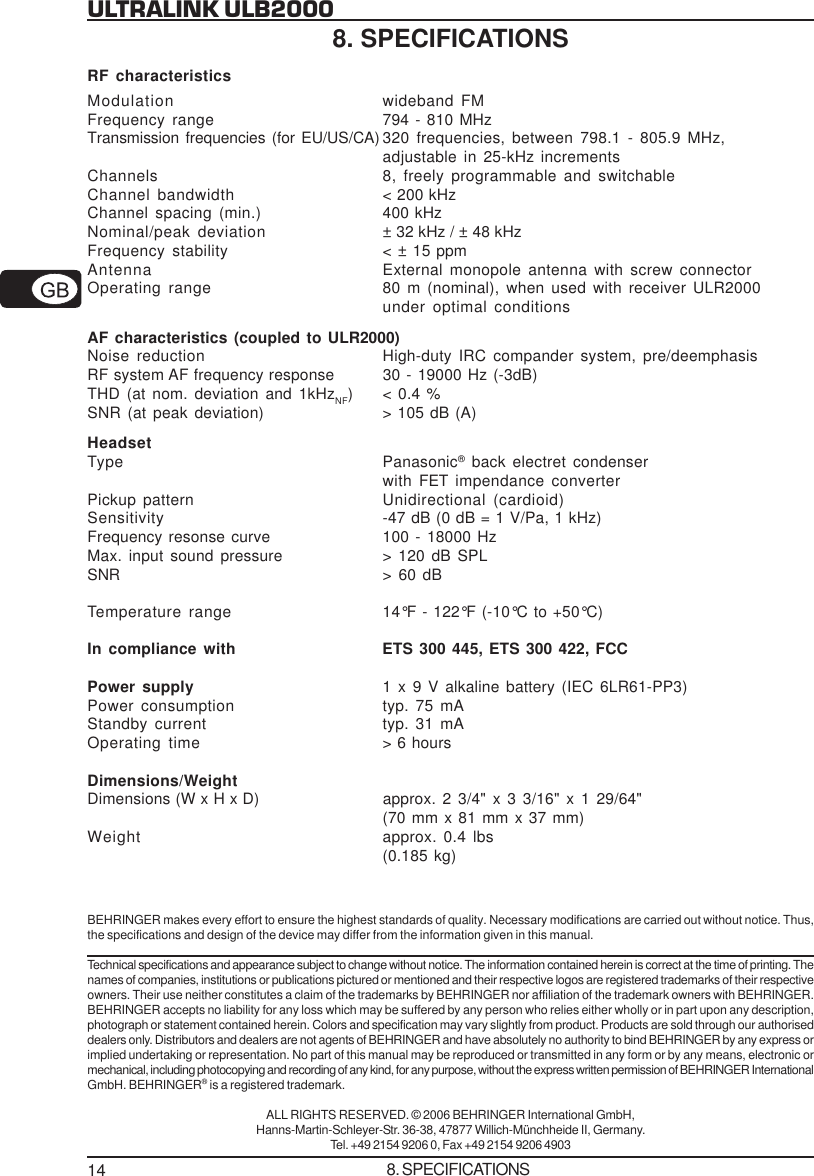
14ULTRALINK ULB20008. SPECIFICATIONSRF characteristicsModulation wideband FMFrequency range 794 - 810 MHzTransmission frequencies (for EU/US/CA) 320 frequencies, between 798.1 - 805.9 MHz,adjustable in 25-kHz incrementsChannels 8, freely programmable and switchableChannel bandwidth < 200 kHzChannel spacing (min.) 400 kHzNominal/peak deviation ± 32 kHz / ± 48 kHzFrequency stability < ± 15 ppmAntenna External monopole antenna with screw connectorOperating range 80 m (nominal), when used with receiver ULR2000under optimal conditionsAF characteristics (coupled to ULR2000)Noise reduction High-duty IRC compander system, pre/deemphasisRF system AF frequency response 30 - 19000 Hz (-3dB)THD (at nom. deviation and 1kHzNF) < 0.4 %SNR (at peak deviation) > 105 dB (A)HeadsetType Panasonic® back electret condenserwith FET impendance converterPickup pattern Unidirectional (cardioid)Sensitivity -47 dB (0 dB = 1 V/Pa, 1 kHz)Frequency resonse curve 100 - 18000 HzMax. input sound pressure > 120 dB SPLSNR > 60 dBTemperature range 14°F - 122°F (-10°C to +50°C)In compliance with ETS 300 445, ETS 300 422, FCCPower supply 1 x 9 V alkaline battery (IEC 6LR61-PP3)Power consumption typ. 75 mAStandby current typ. 31 mAOperating time > 6 hoursDimensions/WeightDimensions (W x H x D) approx. 2 3/4" x 3 3/16" x 1 29/64"(70 mm x 81 mm x 37 mm)Weight approx. 0.4 lbs(0.185 kg)BEHRINGER makes every effort to ensure the highest standards of quality. Necessary modifications are carried out without notice. Thus,the specifications and design of the device may differ from the information given in this manual.Technical specifications and appearance subject to change without notice. The information contained herein is correct at the time of printing. Thenames of companies, institutions or publications pictured or mentioned and their respective logos are registered trademarks of their respectiveowners. Their use neither constitutes a claim of the trademarks by BEHRINGER nor affiliation of the trademark owners with BEHRINGER.BEHRINGER accepts no liability for any loss which may be suffered by any person who relies either wholly or in part upon any description,photograph or statement contained herein. Colors and specification may vary slightly from product. Products are sold through our authoriseddealers only. Distributors and dealers are not agents of BEHRINGER and have absolutely no authority to bind BEHRINGER by any express orimplied undertaking or representation. No part of this manual may be reproduced or transmitted in any form or by any means, electronic ormechanical, including photocopying and recording of any kind, for any purpose, without the express written permission of BEHRINGER InternationalGmbH. BEHRINGER® is a registered trademark.ALL RIGHTS RESERVED. © 2006 BEHRINGER International GmbH,Hanns-Martin-Schleyer-Str. 36-38, 47877 Willich-Münchheide II, Germany.Tel. +49 2154 9206 0, Fax +49 2154 9206 49038. SPECIFICATIONS
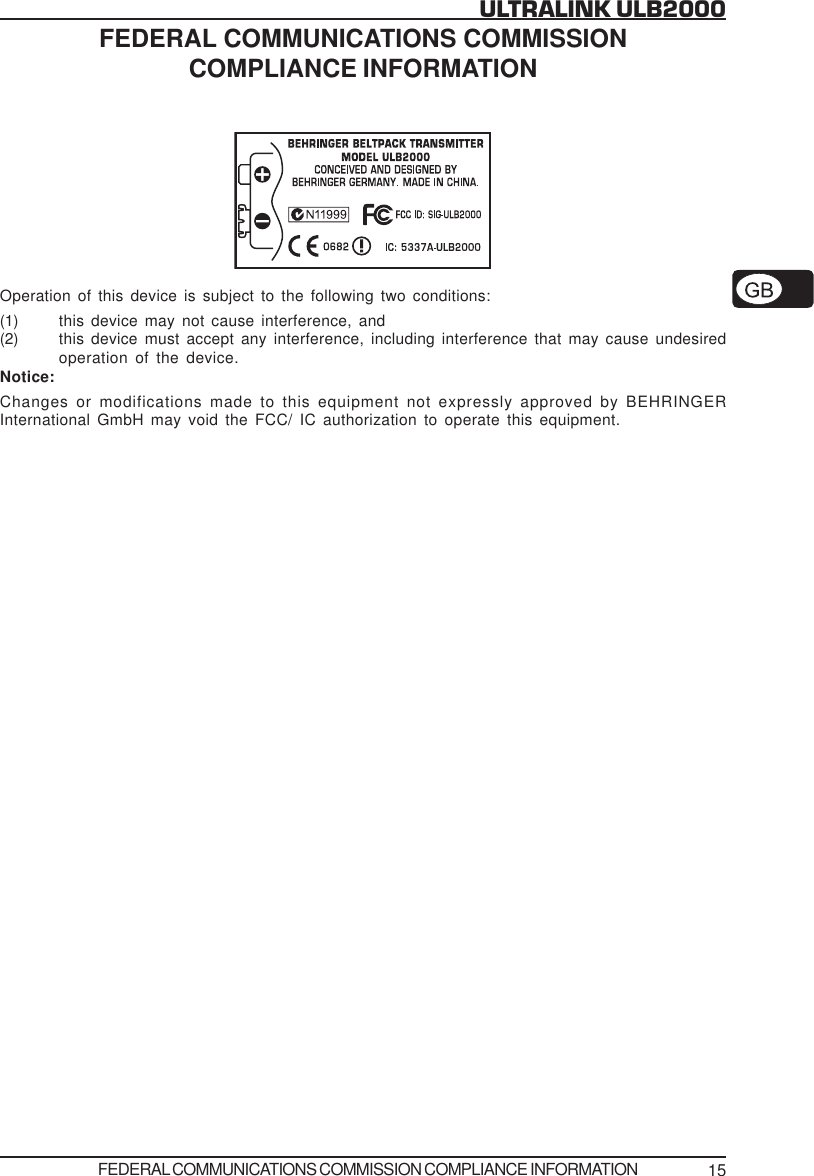
15ULTRALINK ULB2000FEDERAL COMMUNICATIONS COMMISSIONCOMPLIANCE INFORMATIONOperation of this device is subject to the following two conditions:(1) this device may not cause interference, and(2) this device must accept any interference, including interference that may cause undesiredoperation of the device.Notice:Changes or modifications made to this equipment not expressly approved by BEHRINGERInternational GmbH may void the FCC/ IC authorization to operate this equipment.FEDERAL COMMUNICATIONS COMMISSION COMPLIANCE INFORMATION
16ULTRALINK ULB2000MICROPHONE QUICK START GUIDEMICROPHONE QUICK START GUIDE

Navigation menu