BenQ Mobile and OHG HHB130 Headset Bluetooth Clip User Manual Manual page 1

BenQ Mobile GmbH & Co. OHG Headset Bluetooth Clip Manual page 1

Manual

 Headset Bluetooth Clip  Brand Name: BenQ-Siemens Model Name: HHB-130
Headset Bluetooth Clip (en)© Siemens AG 2005, C:\_Christine\Accessories\neuer Projektordner\HHB-130_131_Headset_B_Clip\05GUW00103 left page (2) of Headset Bluetooth Clip HHB-130/131en, A31008-XXXX (25.04.2006, 2Template: X75, Version 2.2;VAR Language: unknown; VAR issue date: VAR_Issue_DATESafety precautionsPlease read the user guide and safety precautions carefully before use! Explain the content to your children and the hazards associated with using the device.Remember to comply with legal requirements and lo-cal restrictions when using the device. For example in aeroplanes, petrol sta-tions, hospitals or while driving.The functioning of medical devices such as hearing aids or pacemakers can be impaired. Keep at least 20cm/9 inches between the clip and the pacemak-er. For more information consult your doctor.Caution! Young children may choke on small parts. The device must therefore be stored out of the reach of small children.The mains voltage speci-fied on the power adapter must not be exceeded. Otherwise the charger may be destroyed.To charge the battery, plug the power adapter into an easily accessible mains power socket. The only way to turn off the charger after charging the battery is to unplug it.Do not throw the device into an open fire.Use only original charging devices. Otherwise serious damage to health or prop-erty may result. The bat-tery could explode, for example.The device may only be opened by authorised service partners. Any changes to this device are strictly prohibited and will invalidate the operating licence.
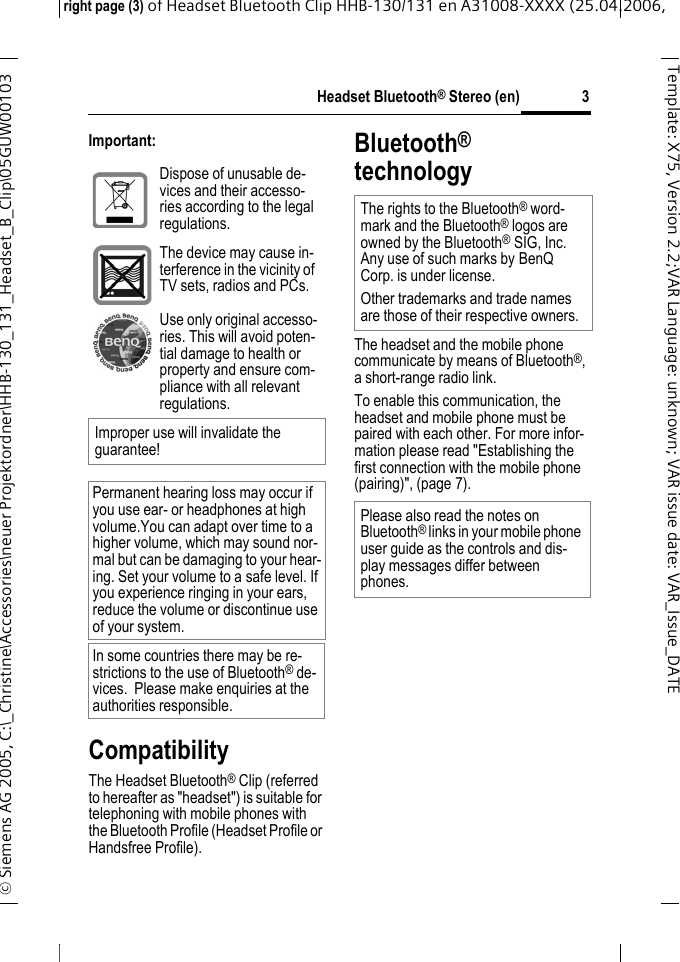
Headset Bluetooth® Stereo (en)right page (3) of Headset Bluetooth Clip HHB-130/131en A31008-XXXX (25.04.2006, © Siemens AG 2005, C:\_Christine\Accessories\neuer Projektordner\HHB-130_131_Headset_B_Clip\05GUW00103 3Template: X75, Version 2.2;VARLanguage: unknown;VARissuedate:VAR_Issue_DATEImportant:CompatibilityThe Headset Bluetooth® Clip (referred to hereafter as "headset") is suitable for telephoning with mobile phones with the Bluetooth Profile (Headset Profile or Handsfree Profile).Bluetooth® technologyThe headset and the mobile phone communicate by means of Bluetooth®, a short-range radio link. To enable this communication, the headset and mobile phone must be paired with each other. For more infor-mation please read "Establishing the first connection with the mobile phone (pairing)", (page 7).Dispose of unusable de-vices and their accesso-ries according to the legal regulations.The device may cause in-terference in the vicinity of TV sets, radios and PCs.Use only original accesso-ries. This will avoid poten-tial damage to health or property and ensure com-pliance with all relevant regulations.Improper use will invalidate the guarantee!Permanent hearing loss may occur if you use ear- or headphones at high volume.You can adapt over time to a higher volume, which may sound nor-mal but can be damaging to your hear-ing. Set your volume to a safe level. If you experience ringing in your ears, reduce the volume or discontinue use of your system.In some countries there may be re-strictions to the use of Bluetooth® de-vices.  Please make enquiries at the authorities responsible.The rights to the Bluetooth® word-mark and the Bluetooth® logos are owned by the Bluetooth®SIG, Inc. Any use of such marks by BenQ Corp. is under license. Other trademarks and trade names are those of their respective owners.Please also read the notes on Bluetooth® links in your mobile phone user guide as the controls and dis-play messages differ between phones.
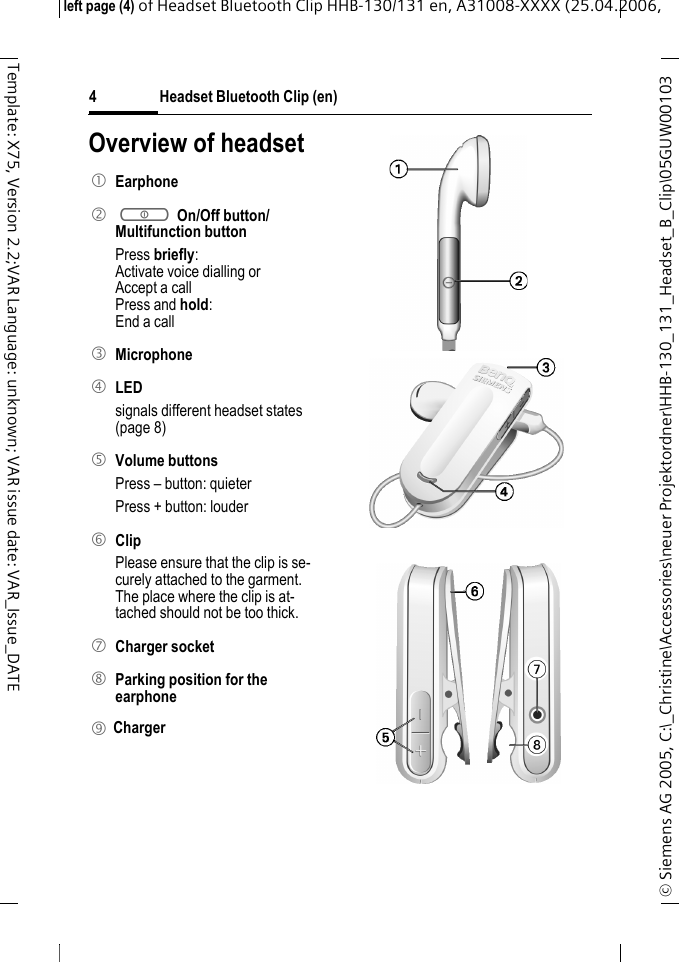
Headset Bluetooth Clip (en)© Siemens AG 2005, C:\_Christine\Accessories\neuer Projektordner\HHB-130_131_Headset_B_Clip\05GUW00103 left page (4) of Headset Bluetooth Clip HHB-130/131en, A31008-XXXX (25.04.2006, 4Template: X75, Version 2.2;VAR Language: unknown; VAR issue date: VAR_Issue_DATEOverview of headset1 Earphone2 a On/Off button/Multifunction button Press briefly:Activate voice dialling orAccept a callPress and hold:End a call3 Microphone4 LED signals different headset states (page 8)5 Volume buttonsPress – button: quieterPress + button: louder6 ClipPlease ensure that the clip is se-curely attached to the garment. The place where the clip is at-tached should not be too thick.7 Charger socket8 Parking position for the earphone9 Charger 1
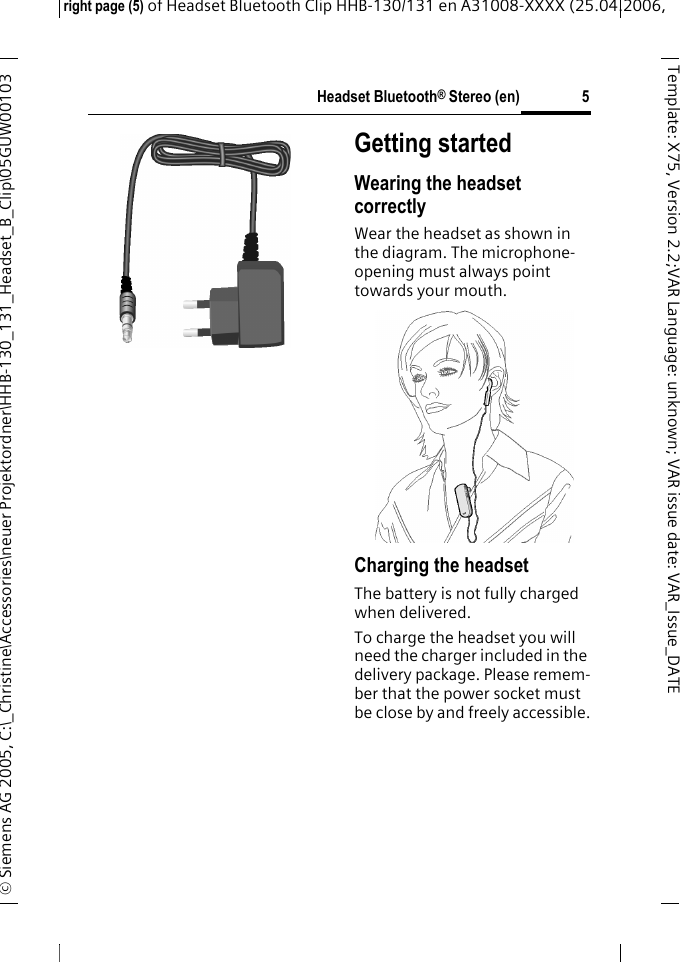
Headset Bluetooth® Stereo (en)right page (5) of Headset Bluetooth Clip HHB-130/131en A31008-XXXX (25.04.2006, © Siemens AG 2005, C:\_Christine\Accessories\neuer Projektordner\HHB-130_131_Headset_B_Clip\05GUW00103 5Template: X75, Version 2.2;VARLanguage: unknown;VARissuedate:VAR_Issue_DATEGetting startedWearing the headset correctlyWear the headset as shown in the diagram. The microphone-opening must always point towards your mouth.Charging the headsetThe battery is not fully charged when delivered.To charge the headset you will need the charger included in the delivery package. Please remem-ber that the power socket must be close by and freely accessible.9
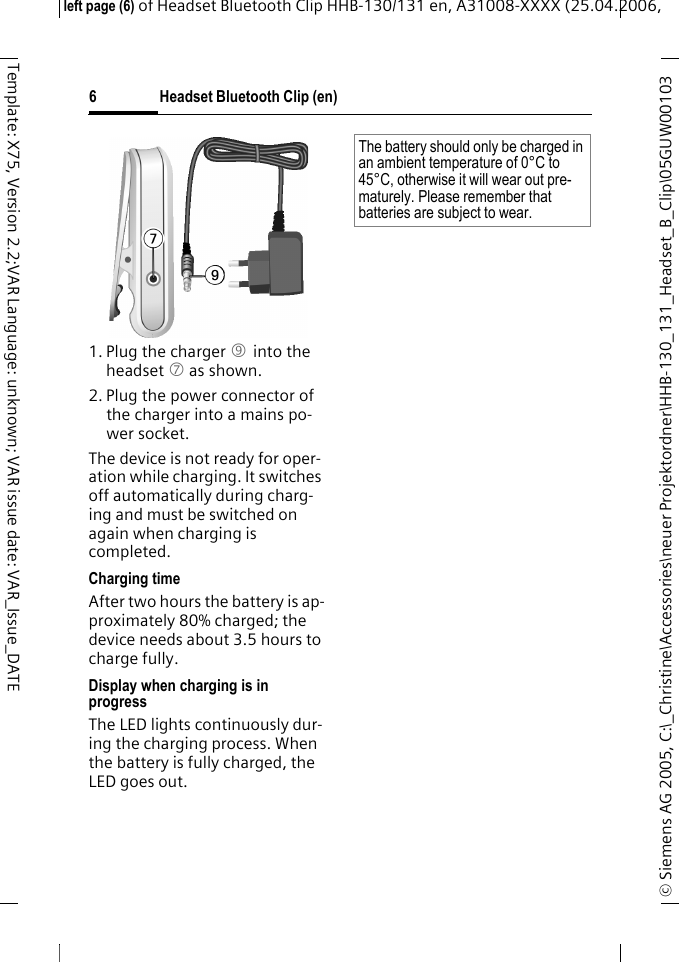
Headset Bluetooth Clip (en)© Siemens AG 2005, C:\_Christine\Accessories\neuer Projektordner\HHB-130_131_Headset_B_Clip\05GUW00103 left page (6) of Headset Bluetooth Clip HHB-130/131en, A31008-XXXX (25.04.2006, 6Template: X75, Version 2.2;VAR Language: unknown; VAR issue date: VAR_Issue_DATE1. Plug the charger 9 into the headset 7 as shown.2. Plug the power connector of the charger into a mains po-wer socket. The device is not ready for oper-ation while charging. It switches off automatically during charg-ing and must be switched on again when charging is completed.Charging timeAfter two hours the battery is ap-proximately 80% charged; the device needs about 3.5 hours to charge fully.Display when charging is in progressThe LED lights continuously dur-ing the charging process. When the battery is fully charged, the LED goes out.The battery should only be charged in an ambient temperature of 0°C to 45°C, otherwise it will wear out pre-maturely. Please remember that batteries are subject to wear.
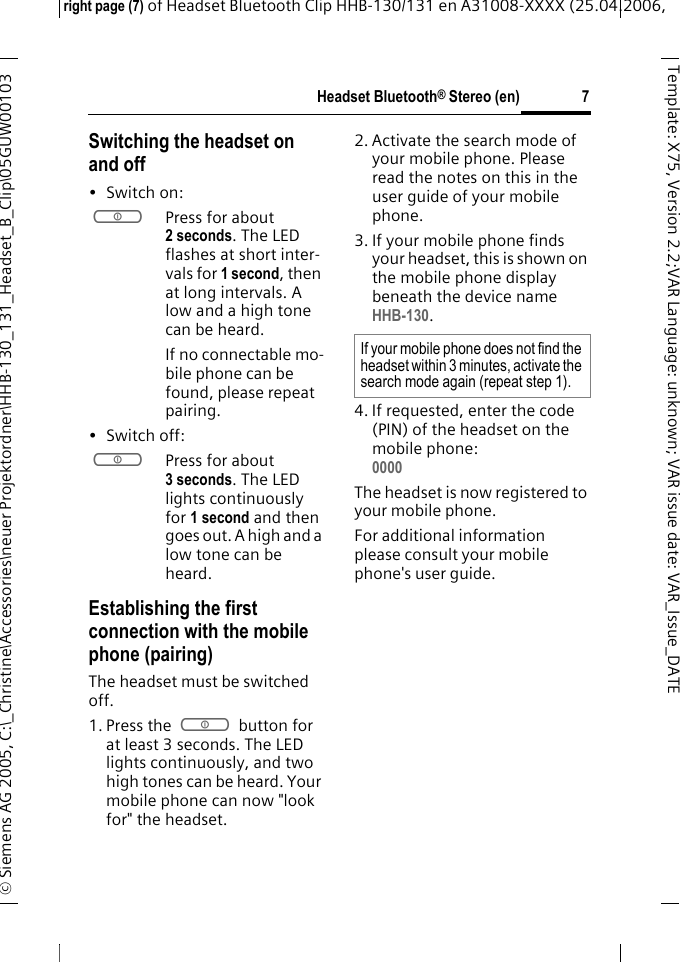
Headset Bluetooth® Stereo (en)right page (7) of Headset Bluetooth Clip HHB-130/131en A31008-XXXX (25.04.2006, © Siemens AG 2005, C:\_Christine\Accessories\neuer Projektordner\HHB-130_131_Headset_B_Clip\05GUW00103 7Template: X75, Version 2.2;VARLanguage: unknown;VARissuedate:VAR_Issue_DATESwitching the headset on and off•Switch on: aPress for about 2 seconds. The LED flashes at short inter-vals for 1 second, then at long intervals. A low and a high tone can be heard.If no connectable mo-bile phone can be found, please repeat pairing.• Switch off: aPress for about 3 seconds. The LED lights continuously for 1 second and then goes out. A high and a low tone can be heard.Establishing the first connection with the mobile phone (pairing)The headset must be switched off.1. Press the a button for at least 3 seconds. The LED lights continuously, and two high tones can be heard. Your mobile phone can now "look for" the headset.2. Activate the search mode of your mobile phone. Please read the notes on this in the user guide of your mobile phone.3. If your mobile phone finds your headset, this is shown on the mobile phone display beneath the device name HHB-130.4. If requested, enter the code (PIN) of the headset on the mobile phone:0000 The headset is now registered to your mobile phone. For additional information please consult your mobile phone's user guide.If your mobile phone does not find the headset within 3 minutes, activate the search mode again (repeat step 1).
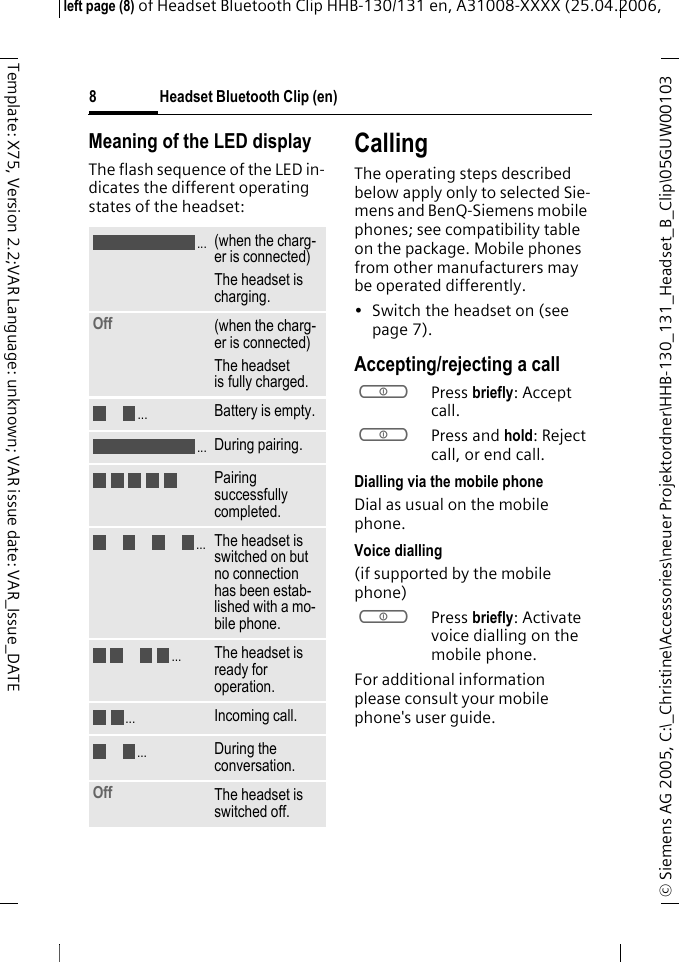
Headset Bluetooth Clip (en)© Siemens AG 2005, C:\_Christine\Accessories\neuer Projektordner\HHB-130_131_Headset_B_Clip\05GUW00103 left page (8) of Headset Bluetooth Clip HHB-130/131en, A31008-XXXX (25.04.2006, 8Template: X75, Version 2.2;VAR Language: unknown; VAR issue date: VAR_Issue_DATEMeaning of the LED displayThe flash sequence of the LED in-dicates the different operating states of the headset:CallingThe operating steps described below apply only to selected Sie-mens and BenQ-Siemens mobile phones; see compatibility table on the package. Mobile phones from other manufacturers may be operated differently.• Switch the headset on (see  page 7).Accepting/rejecting a callaPress briefly: Accept call.aPress and hold: Reject call, or end call.Dialling via the mobile phoneDial as usual on the mobile phone.Voice dialling (if supported by the mobile phone)aPress briefly: Activate voice dialling on the mobile phone.For additional information please consult your mobile phone's user guide.(when the charg-er is connected)The headset is charging.Off  (when the charg-er is connected)The headset is fully charged.Battery is empty.During pairing.Pairing successfully completed.The headset is switched on but no connection has been estab-lished with a mo-bile phone.The headset is ready for operation.Incoming call.During the conversation.Off The headset is switched off......................
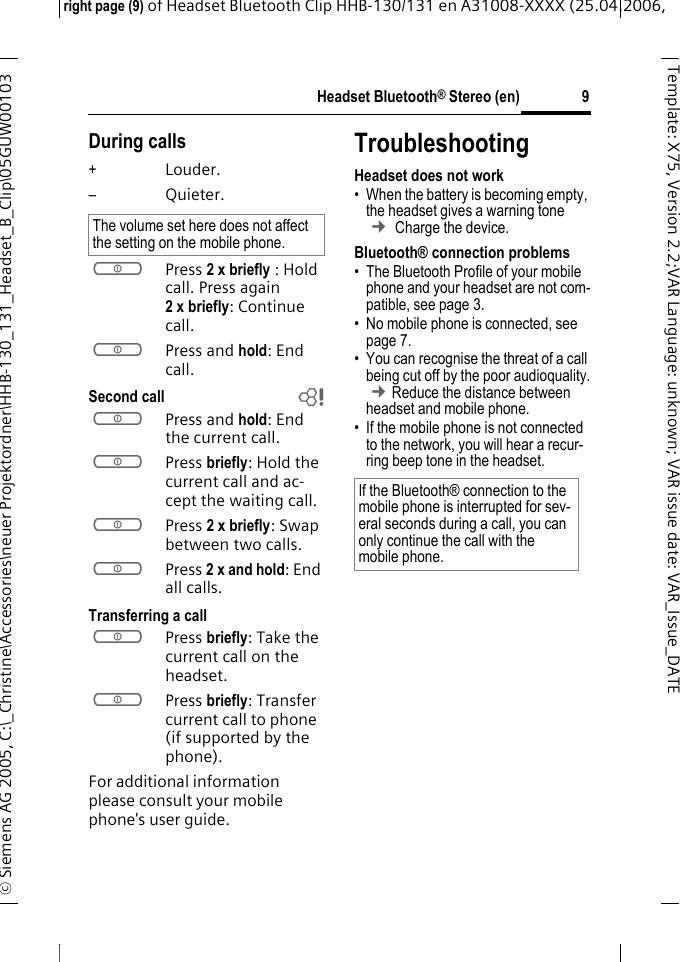
Headset Bluetooth® Stereo (en)right page (9) of Headset Bluetooth Clip HHB-130/131en A31008-XXXX (25.04.2006, © Siemens AG 2005, C:\_Christine\Accessories\neuer Projektordner\HHB-130_131_Headset_B_Clip\05GUW00103 9Template: X75, Version 2.2;VARLanguage: unknown;VARissuedate:VAR_Issue_DATEDuring calls+Louder.–Quieter.aPress 2 x briefly : Hold call. Press again 2xbriefly: Continue call.aPress and hold: End call.Second call baPress and hold: End the current call.aPress briefly: Hold the current call and ac-cept the waiting call.aPress 2 x briefly: Swap between two calls.aPress 2 x and hold: End all calls.Transferring a callaPress briefly: Take the current call on the headset. aPress briefly: Transfer current call to phone  (if supported by the phone). For additional information please consult your mobile phone's user guide.TroubleshootingHeadset does not work• When the battery is becoming empty, the headset gives a warning tone ¢ Charge the device.Bluetooth® connection problems• The Bluetooth Profile of your mobile phone and your headset are not com-patible, see page 3.• No mobile phone is connected, see page 7.• You can recognise the threat of a call being cut off by the poor audioquality. ¢Reduce the distance between headset and mobile phone. • If the mobile phone is not connected to the network, you will hear a recur-ring beep tone in the headset.The volume set here does not affect the setting on the mobile phone.If the Bluetooth® connection to the mobile phone is interrupted for sev-eral seconds during a call, you can only continue the call with the mobile phone.
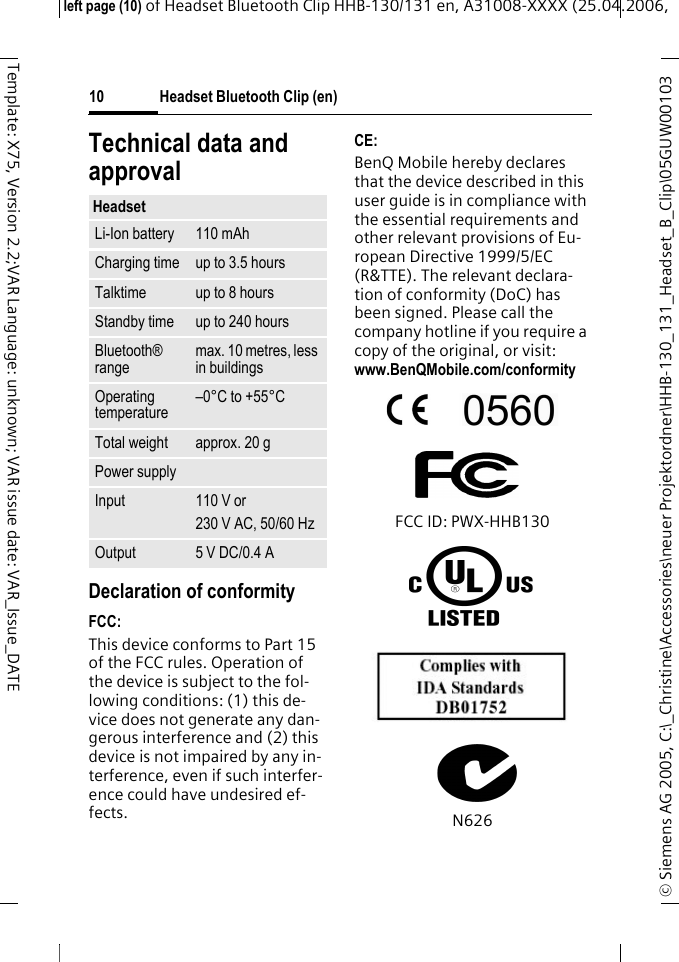
Headset Bluetooth Clip (en)© Siemens AG 2005, C:\_Christine\Accessories\neuer Projektordner\HHB-130_131_Headset_B_Clip\05GUW00103 left page (10) of Headset Bluetooth Clip HHB-130/131en, A31008-XXXX (25.04.2006, 10Template: X75, Version 2.2;VAR Language: unknown; VAR issue date: VAR_Issue_DATETechnical data and approvalDeclaration of conformityFCC:This device conforms to Part 15 of the FCC rules. Operation of the device is subject to the fol-lowing conditions: (1) this de-vice does not generate any dan-gerous interference and (2) this device is not impaired by any in-terference, even if such interfer-ence could have undesired ef-fects.CE:BenQ Mobile hereby declares that the device described in this user guide is in compliance with the essential requirements and other relevant provisions of Eu-ropean Directive 1999/5/EC (R&TTE). The relevant declara-tion of conformity (DoC) has been signed. Please call the company hotline if you require a copy of the original, or visit: www.BenQMobile.com/conformity FCC ID: PWX-HHB130N626HeadsetLi-Ion battery 110 mAhCharging time up to 3.5 hoursTalktime up to 8 hoursStandby time up to 240 hoursBluetooth® rangemax. 10 metres, less in buildingsOperating temperature–0°C to +55°CTotal weight approx. 20 gPower supplyInput 110 V or230 V AC, 50/60 HzOutput 5 V DC/0.4 A
Headset Bluetooth® Stereo (en)right page (11) of Headset Bluetooth Clip HHB-130/131en A31008-XXXX (25.04.2006, © Siemens AG 2005, C:\_Christine\Accessories\neuer Projektordner\HHB-130_131_Headset_B_Clip\05GUW00103 11Template: X75, Version 2.2;VARLanguage: unknown;VARissuedate:VAR_Issue_DATECareThe product should be cleaned with a soft cloth that is damp but not wet.Do not use cleaning agents, col-orants or other chemical sub-stances.Protect the device from damp-ness and shock.  Do not expose the device to direct sunlight.AccessoriesProducts can be obtained in spe-cialist shopsor you can visit our online shop at: Travel Charger EU ETC-100Travel Charger UK ETC-110Car Charger Plus ECC-100 Both can be used in conjunction with the Charger Adapter ECA-100 Customer serviceSee Customer Care, XX.Original Accessorieswww.BenQMobile.com/shop
Federal Communication Commission Interference Statement This equipment has been tested and found to comply with the limits for a Class B digital device, pursuant to Part 15 of the FCC Rules.  These limits are designed to provide reasonable protection against harmful interference in a residential installation.  This equipment generates, uses and can radiate radio frequency energy and, if not installed and used in accordance with the instructions, may cause harmful interference to radio communications.    However, there is no guarantee that interference will not occur in a particular installation.  If this equipment does cause harmful interference to radio or television reception, which can be determined by turning the equipment off and on, the user is encouraged to try to correct the interference by one of the following measures:  -  Reorient or relocate the receiving antenna. -  Increase the separation between the equipment and receiver. -  Connect the equipment into an outlet on a circuit different from that to which the receiver is connected. -  Consult the dealer or an experienced radio/TV technician for help.  FCC Caution: Any changes or modifications not expressly approved by the party responsible for compliance could void the user's authority to operate this equipment.    IMPORTANT NOTE: FCC Radiation Exposure Statement: This equipment complies with FCC radiation exposure limits set forth for an uncontrolled environment. To maintain compliance with FCC RF exposure compliance requirements, please avoid direct contact to the transmitting antenna during transmitting. End users must follow the specific operating instructions for satisfying RF exposure compliance.  This transmitter must not be co-located or operating in conjunction with any other antenna or transmitter.

Navigation menu